Ed : 03/17 Rev : 00
INSTRUCTION
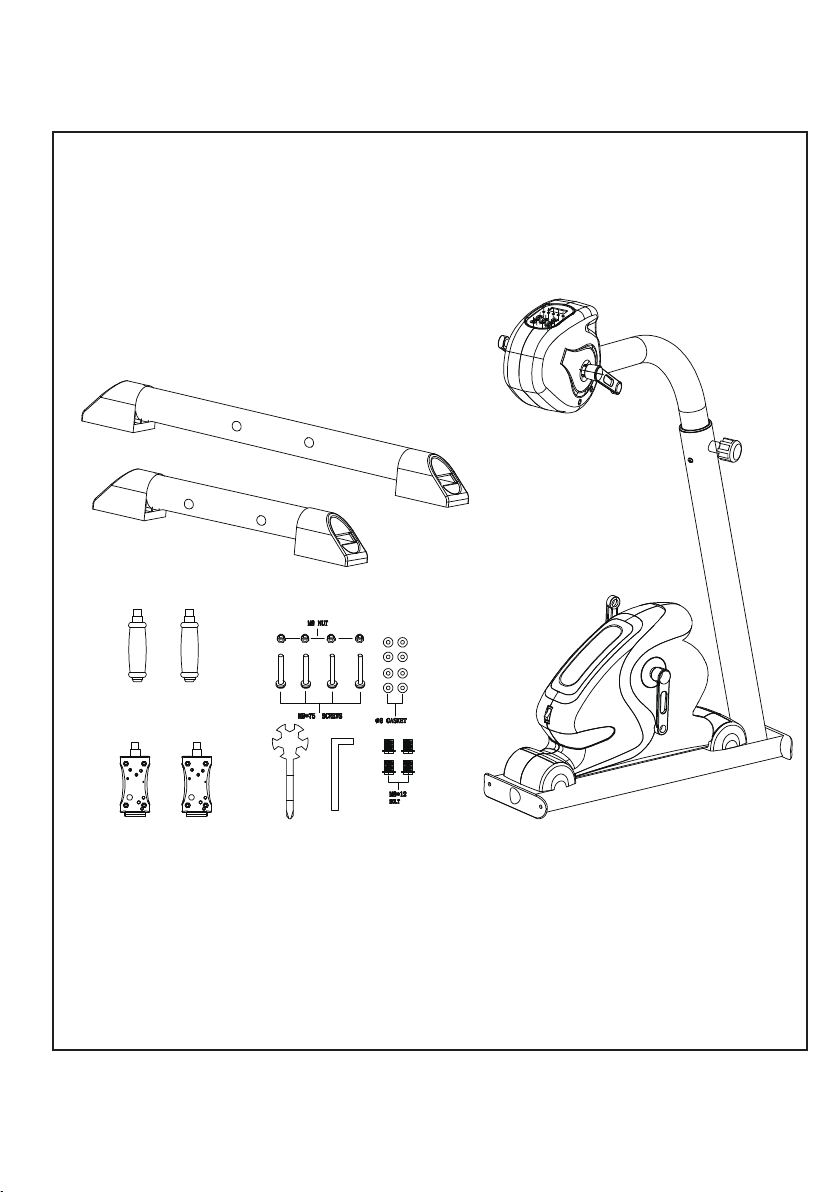
Fig.1
1
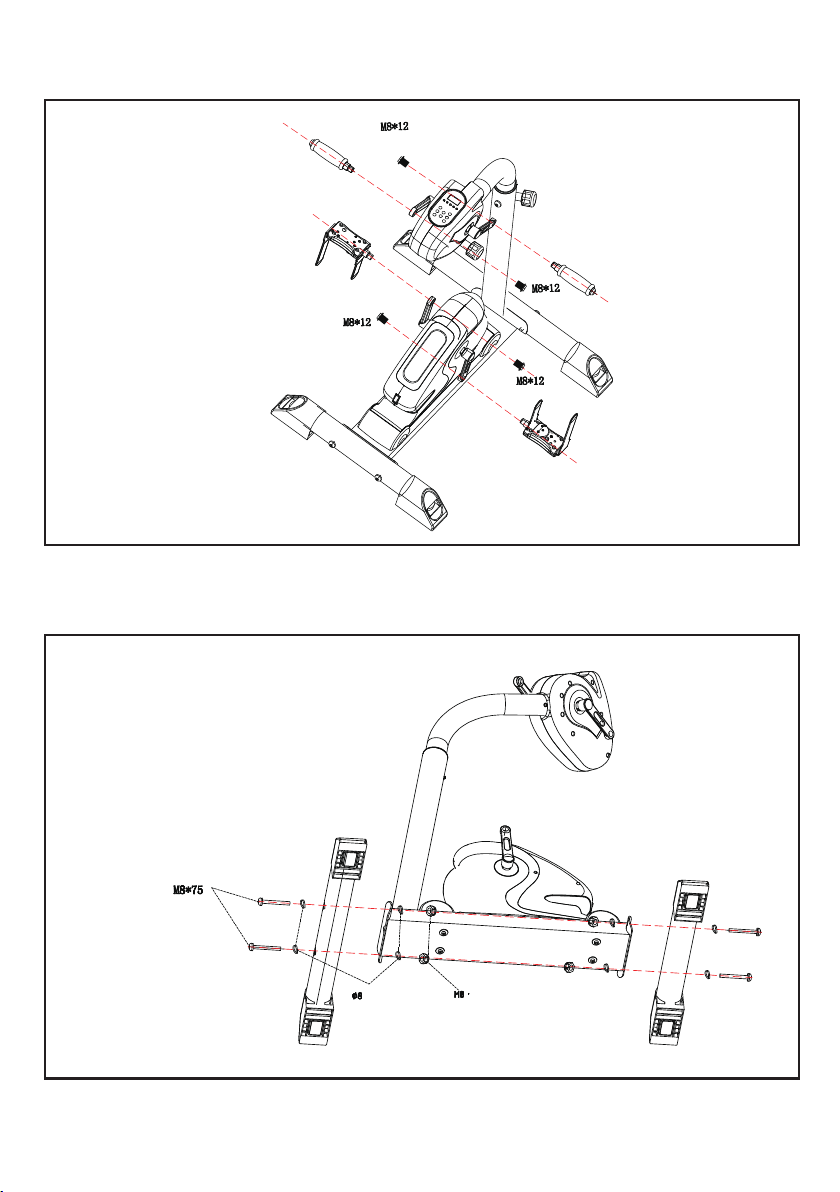
Fig.2
Fig.3
2
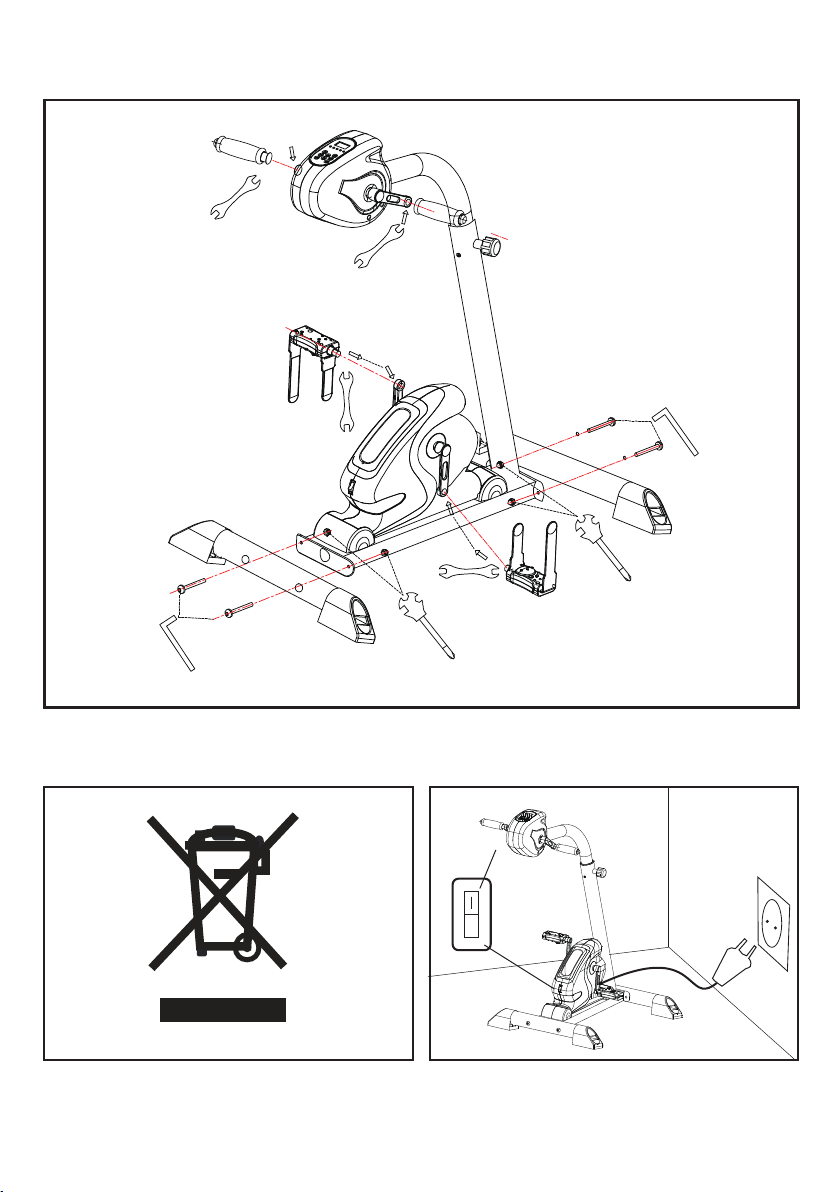
Fig.5
3
Fig.6
Fig.4
o
L
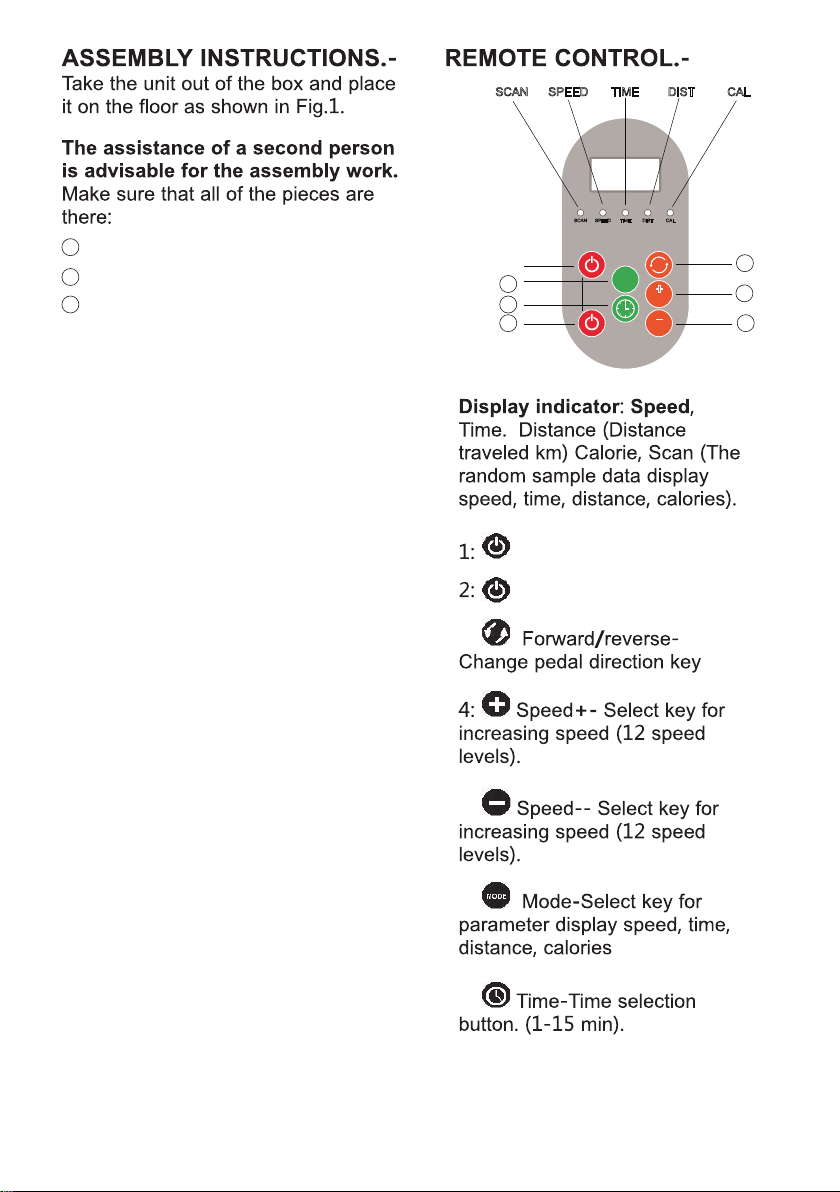
5
3:
5:
7:
6:
1.-FITTING THE STABILISERS.-
Take the short front stabiliser and
place it at the front of the unit, as
showed in FIG.3, insert the M8*75
SCREWS (2PCS.). Next, Take the Long
rear stabiliser and go thought the
same fing procedure. As with the
front stabiliser.
2. -ATTACHING THE PEDALS.-
Right and le refer to the posion that
the user adopts when to do the
exercises.
Inset the foot pedals onto the cranks
on the boom half of the unit.
Inset the hand pedals onto the cranks
on the top half of the unit.As showed
on Fig. 4.
3. - MAIN CONNECTION.-
Connect the unit to a plug provided of
a ground ( correct voltage ). Put the
swith (L) in
Posion (I) Fig.6 .
I --- MEANS “ POWER ON”
O ---MEANS “POWER OFF”
SCAN SPEED
START/STOP
TIME DIST CAL
UP
DOWN
M
TIME
SPEED
SPEED
+
SCAN SPEED TIME DIST CAL
1
2
3
4
5
6
7
Power for the top half of Bike
Power for the boom half of Bike
Main body
2
Accessories
3
Kits bag

6
1. Pressing the buon (1) Power, the
unit of the top half will work with the
speed at level 1 and me 5 mins. The
display will show randomly, data
speed, me, distance, calories ( scan
way).
2. Pressing the buon (2) Power, the
unit of the boom half will work with
the speed at level 1 and me 5 mins.
The display will show randomly, data
speed, me, distance, calories ( scan
way).
3. Pressing the buon (7) Time, you
can adjust the me period from 1 to
15 minutes. For faster adjustment you
may hold the key (7) down unl you
see the desired me. The device auto-
macally turns off when the selected
minutes have elapsed.
4. To increase the speed press the
buon (4) Speed + .
5. To reduce the speed press the
buon (5) speed - .
For faster adjustment you may hold
the key (4) or (5) down unl you see
the desired speed level.
6. Using the buon (3) Forward /
reverse, it can change the direcon of
rotaon of the pedals.
7. Pressing the buon (6) Mode one
or more mes to display data speed
(SPEED), me (TIME), distance(Dist.),
calories (Cal.). To display random
parameters press the buon several
mes unl the red light show beneath
the Scan leers.
In the standby status, press this MODE
buon, you can choose funcon
between automac program and
manual program.
There’s 5 automac programs : P1, P2,
P3, P4, P5.
P1 : level 1 - level 2 - level 3 - level 4
-level 5, work in a connuous loop
every 30 seconds.
P2 : level 2 - level 3 - level 4 -level 5 -
level 6, work in a connuous loop
every 15 seconds.
P3 : level 3 - level 5 - level 7 - level 9
-level 11, work in a connuous loop
every 20 seconds.
P4 : level 4 - level 6 - level 8 - level 10
-level 12, work in a connuous loop
every 20 seconds.
P5 : level 5 - level 10 - level 5- level 10,
work in a connuous loop every 30
seconds.
8. To turn off press (1) or (2) again.
9. Aer finishing, press the red buon
below the boom half by placing it in
the “O” posion to completely shut
down the unit.

GARLANDO SPA
Via Regione Piemonte, 32 - Zona Industriale D1
15068 - Pozzolo Formigaro (AL) - Italy
www.evert.it - info@evert.it