Handbook
PEUGEOT's SERVICE BOX Internet site permits easy
and free consultation of your vehicle documentation
on line.
Your vehicle lives on the Internet!
Access the latest information available.
Connect to http://public.servicebox.peugeot.com:
Simple and user friendly, SERVICE BOX allows you access:
● to your Handbook,
● to previous Vehicle documentation.
Please note the following point:
The fi tting of electrical equipment or accessories which are not recommended by PEUGEOT may result in a failure
of your vehicle's electronic system. Please note this specifi c warning. It is advisable to contact a PEUGEOT dealer
to be shown the recommended equipment and accessories.
select your language,
click on the link in the "Private customer access"
zone to consult the Vehicle documentation,
select your vehicle,
fi nally, click on the item which is of interest to you.
choose its body type then the date of publication
of the handbook,
A window opens giving access to all of the handbooks...
Page reference:
this symbol invites you to re-
fer to the pages which pro-
vide details of the function.
Key
Protection of the
environment:
this symbol accompanies
advice relating to protection of the
environment.
Information:
this symbol draws your at-
tention to additional infor-
mation for better use of your
vehicle.
Warning:
this symbol marks warnings
which it is essential to observe
for your own safety, for the safety of
others or to avoid any risk of damaging
your vehicle.
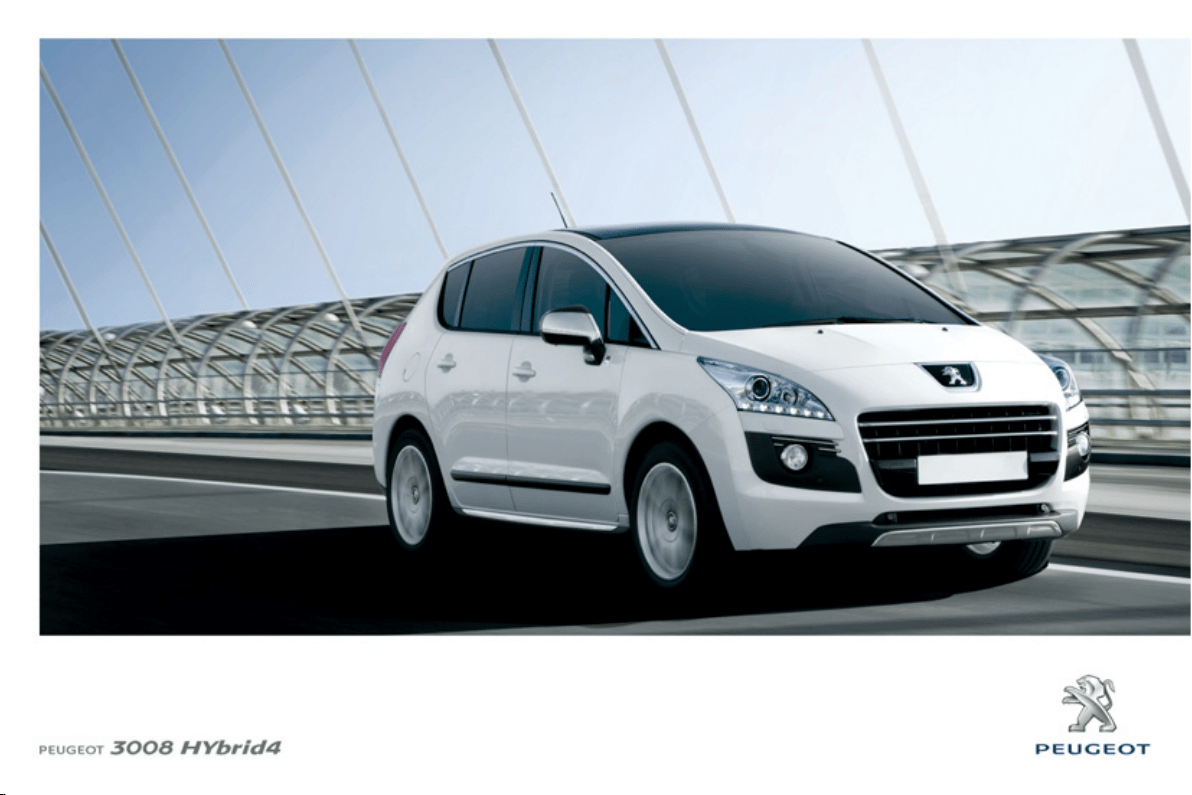
Thank you for choosing a 3008
HYbrid4, a symbol of pleasure and in-
novation.
This handbook has been designed to
enable you to make the most of your
3008 HYbrid4.
On the fi rst few pages, you will fi nd a
detailed summary, followed by a quick
reference guide intended to make it
easier for you to become familiar with
your vehicle.
All of the details specifi c to your 3008
HYbrid4, comfort, safety, driving, are
then presented in this handbook, to in-
crease your appreciation of the vehicle
and help you make the most of it.
At the end of the handbook, illustrations
of the interior and exterior of the vehicle
will assist you in locating information on
equipment or a function in the book.
Each model will be fi tted with only some
of the equipment mentioned in this
handbook, depending on its trim level,
model, version and the specifi cation for
the country in which it is sold.
FAMILIARISATION 4-25
INSTRUMENTS and CONTROLS 43-5
7
CHILD SAFETY 117-125
M
ULTIFUNCTION SCREEN
S
58-6
6
SAFETY 126-135
COMFORT 67-80
ACCESS 81-95
V
ISIBILITY 96-105
FITTINGS 106-11
6
I
nstrument
p
ane
l
s
.............
4
3
Indicator and warnin
g
lamp
s
....
4
5
I
n
dica
t
o
r
s
..........................
5
3
A
d
j
ustment buttons
...........
5
7
C
hild seats
.......................
1
1
7
I
S
O
FIX child seats
..........
12
2
C
hild loc
k
........................
1
2
5
S
creen C
(
Peugeot
C
onnect
S
ound
)
...
5
8
16/9 hi
g
h definition retractable
c
olour screen
(
Peugeot
C
onnect Media
)
...............
.
6
1
D
ir
ec
ti
o
n in
d
i
ca
t
o
r
s
.........
12
6
H
azard warnin
g
lamps
.
..
.
12
6
Ho
r
n
................................
12
6
E
S
P system
....................
12
7
Fr
o
nt
sea
t
be
lt
s
..............
.
12
9
Airba
g
s
...........................
13
2
Ve
nt
ila
t
ion
.........................
6
7
Rea
r
sc
r
ee
n
de
mi
s
t
/def
r
ost
.................
6
8
Dual-zone di
g
ital air
c
on
di
t
i
on
i
n
g
....................
6
9
F
r
o
nt
sea
t
s
.......................
7
2
Rea
r
sea
t
s
........................
7
6
S
teerin
g
w
heel ad
j
ustmen
t
..........
.
7
8
Mi
rr
o
r
s
..............................
7
9
R
emote control ke
y
..........
8
1
Al
a
rm ...............................
.
8
6
El
ec
tri
c
win
do
w
s
...............
8
8
Doo
r
s
................................
9
0
B
oot
..................................
9
2
Lower tail
g
at
e
..................
.
9
3
Fue
l t
a
nk
...........................
9
4
M
isfuel
p
reventio
n
............
9
5
Li
g
htin
g
controls
...............
9
6
A
u
t
o
m
a
ti
c
ill
u
min
a
ti
o
n
o
f headlam
p
s
..................
9
9
H
eadlamp ad
j
ustmen
t
......
9
9
Wiper controls
................
1
0
0
A
u
t
o
m
a
ti
c
r
a
in
s
ensitive wipers
............
10
2
Courtes
y
lamps
..............
1
0
3
I
nterior mood li
g
htin
g
......
1
0
4
Boot lam
p
.......................
1
0
5
I
nterior fittin
g
s
.................
1
0
6
Fr
o
nt
a
rmr
est
..................
1
0
8
Rea
r m
u
ltim
ed
i
a
..............
11
0
Panoramic sunroof
..........
f
11
2
Boot
f
ittings
......................
11
3
HYBRID
S
Y
S
TEM 26-42
ALPHABETICAL INDEX 266-269
D
RIVING 136-15
5
CHECK
S
156-162
P
RACTICAL INFORMATION 163-192
T
ECHNICAL DATA 193-19
8
AUDIO EQUIPMENT and TELEMATIC
S
1
99
-265
El
ectr
i
c par
ki
n
g
b
ra
ke
.....
1
3
6
H
ill
s
t
a
rt
ass
i
st
................
14
1
H
ead-up displa
y
.............
14
4
Speed limiter
..................
r
1
4
6
C
ruise control
.................
1
4
8
6
-speed electronic
g
ear control
g
earbo
x
....
1
5
0
Parkin
g
sensors ..............
15
4
B
o
nn
et
............................
15
7
Runnin
g
out of fuel
(
Diesel
)
.........................
1
5
8
D
iesel engin
e
..................
1
5
9
C
heckin
g
level
s
..............
16
0
C
hecks
............................
1
6
1
Temporar
y
puncture
re
p
a
i
r
kit
.......................
1
6
3
Chan
g
in
g
a whee
l
...........
16
9
C
hanging a bul
b
.............
17
2
C
han
g
in
g
a
f
us
e
.............
17
6
12
V Batter
y
....................
18
3
E
ner
gy
e
conom
y
mod
e
.............
1
8
6
C
han
g
in
g
a w
ip
er
bl
a
de
................
1
8
7
R
ecover
i
n
g
th
e
v
e
hi
c
l
e
....................
1
8
8
Towing a trailer
...............
r
18
9
Fittin
g
roo
f
bars
..............
19
0
V
er
y
co
ld
c
lim
a
t
e
sc
r
een
..............
1
9
0
A
ccesso
ri
es
....................
1
9
1
Elec
tr
ic
d
r
i
v
e
...................
1
9
3
Diesel en
g
ines
................
1
9
4
Diesel wei
g
hts
................
1
9
5
Di
m
e
n
sio
n
s
.....................
1
9
6
Identification markin
g
s
....
1
9
7
V
ISUAL SEARCH 270-27
6
Emer
g
enc
y
or assistanc
e
....
19
9
Peu
g
eot Connect Medi
a
....
2
0
3
Peu
g
eot
C
onnect
S
oun
d
...........................
2
4
7
4
P
RESENTATION OF THE HY
b
r
id
4 SYSTEM
26
Thank you for choosing a 3008 HYbrid4;
this vehicle has characteristics that are
different from conventional vehicles.
Study this handbook to learn about the
specifi c hybrid functions and for more
information, refer to the "Hybrid System"
section.
The HYbrid4 technology allows two
sources of energy to be associated in an
effective manner: that of the Diesel HDi
engine which drives the front wheels and
that of the electric motor which drives the
rear wheels.
These two motors can operate alter-
nately or simultaneously, according to
the hybrid mode selected and the driv-
ing conditions.
The electric motor alone provides power
for the vehicle in "ZEV" (Zero Emissions
Vehicle) mode, and in "Auto" mode for
running at slow speed and low load. It
also assists the Diesel engine when
moving off, accelerating and changing
gear.
The battery that powers the electric mo-
tor recharges itself during phases of
deceleration and stores the energy for
subsequent use.
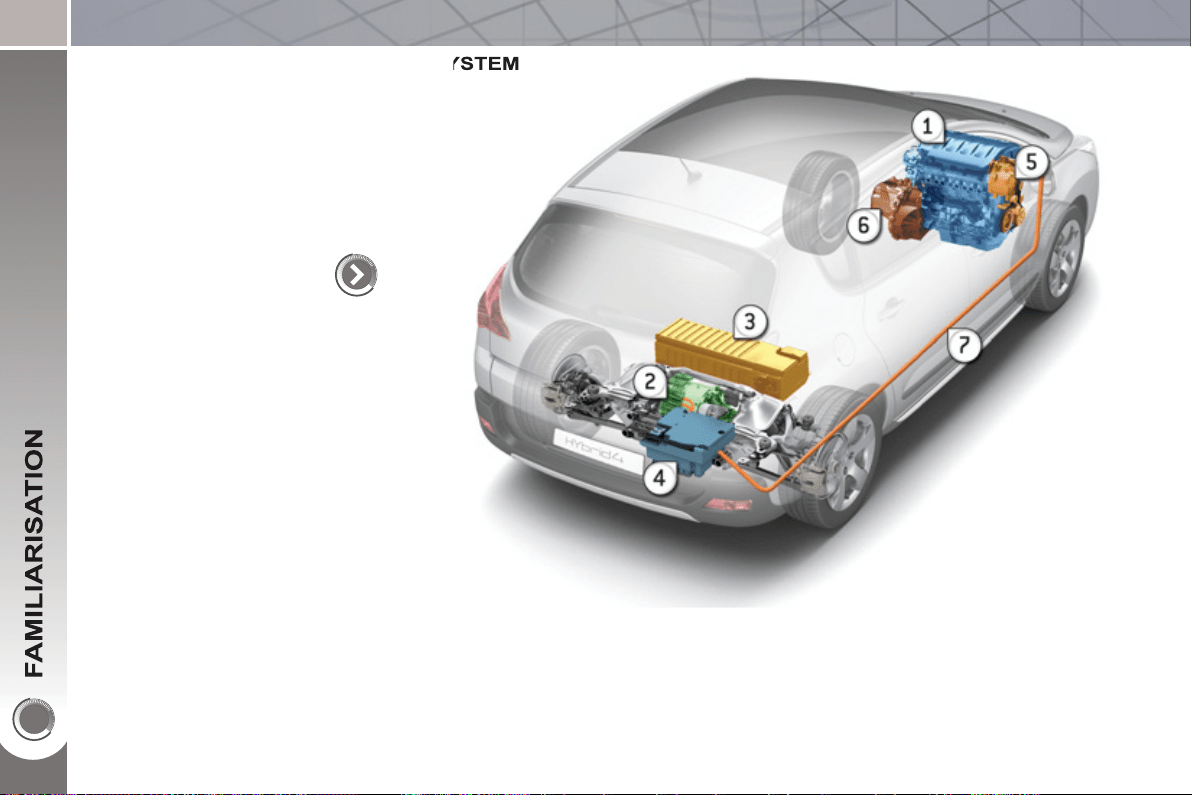
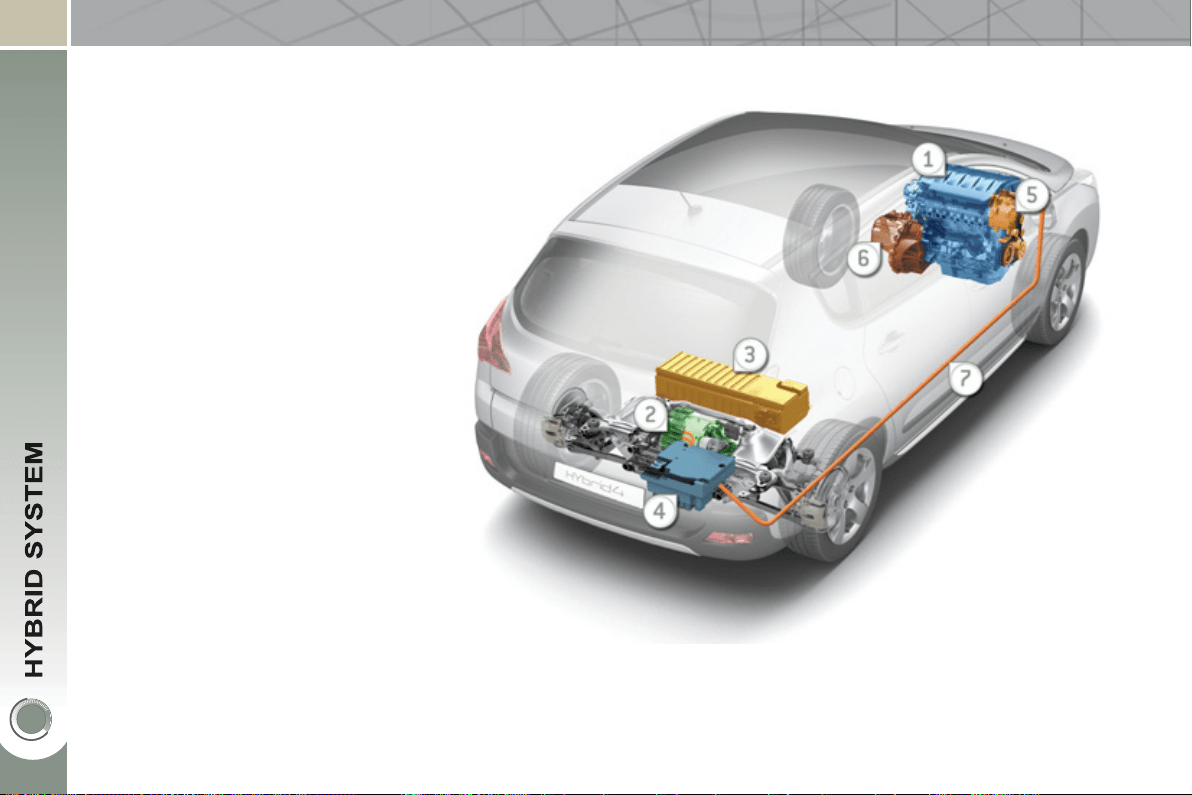
1. Diesel HDi engine (front wheel drive).
2. Electric motor (rear wheel drive).
3. High voltage battery.
4. Electronic power supervisor.
5. Stop & Start system.
6. Electronic gear control gearbox.
7. Electric fl ow.
5
H
ow to start
y
our ve
hi
c
l
e
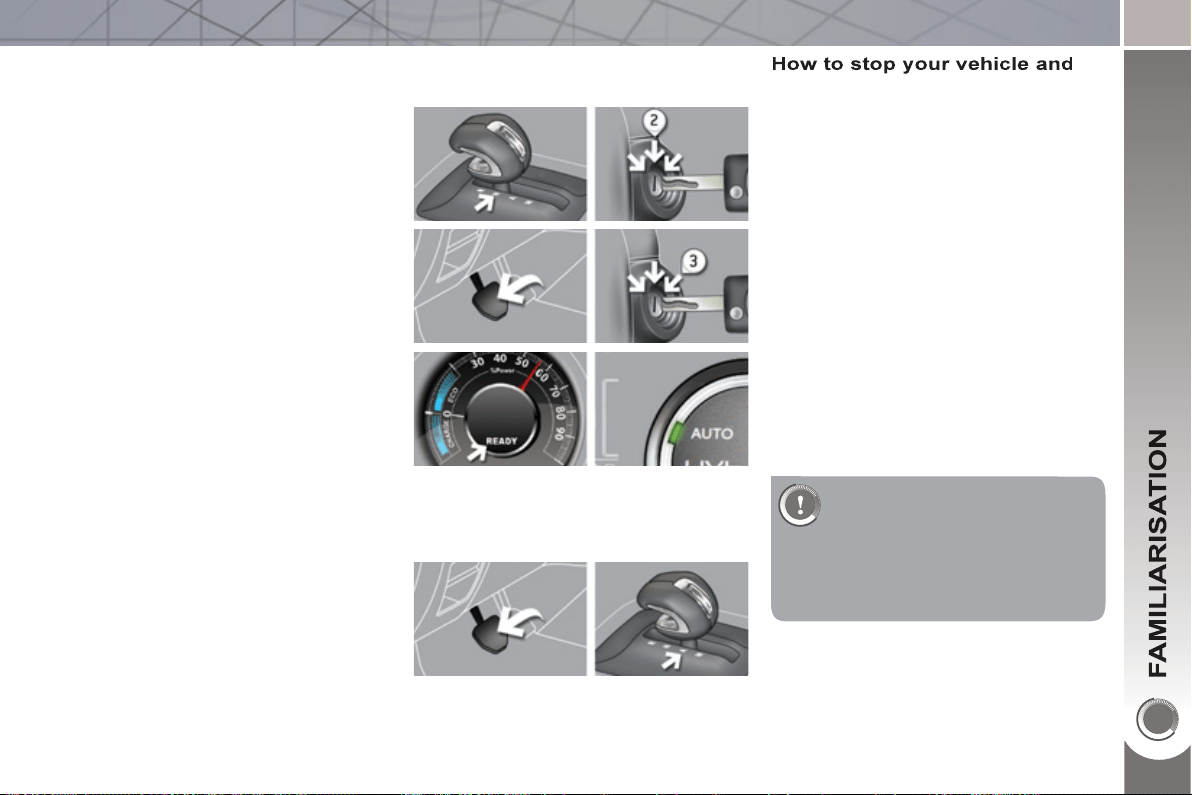
- Ensure that the gear lever is in posi-
tion N .
- Switch the ignition on by turning the
key to position 2 .
- The Ready lamp and the instrument
panel come on. The power meter
needle sweeps through its travel in-
dicating that the hybrid system is
active, confi rmed by a message
"hybrid system active" ; the dial in
the centre console is in AUTO mode
(default mode for starting).
- The hybrid system determines
whether it is necessary to start the
Diesel engine.
- With the brake still applied, move
the gear lever to position A to go
forwards or R (by lifting the lever
slightly) for reverse.
- Lift your foot off the brake pedal, you
can move off.
- The parking brake is released au-
tomatically as you move off, if con-
fi gured to do so (otherwise, release
the parking brake manually).
th
e
hyb
r
id
s
y
stem
- Apply the brake until the vehicle
comes to a complete stop.
- Preferably, place the gear lever in
position N .
- Turn the ignition key to position 1 ,
the parking brake is applied auto-
matically if confi gured to do so.
- Otherwise apply the parking brake
manually.
- Press fi rmly on the brake pedal, turn
the ignition key to position 3 to start
up the hybrid system, then release
the key.
In most cases the vehicle
starts in electric mode. This
means that your 3008 HYbrid4
makes no noise. So be very
careful of pedestrians as they will not
hear you coming.
6
HY
b
r
id
4
MODE SELECTOR
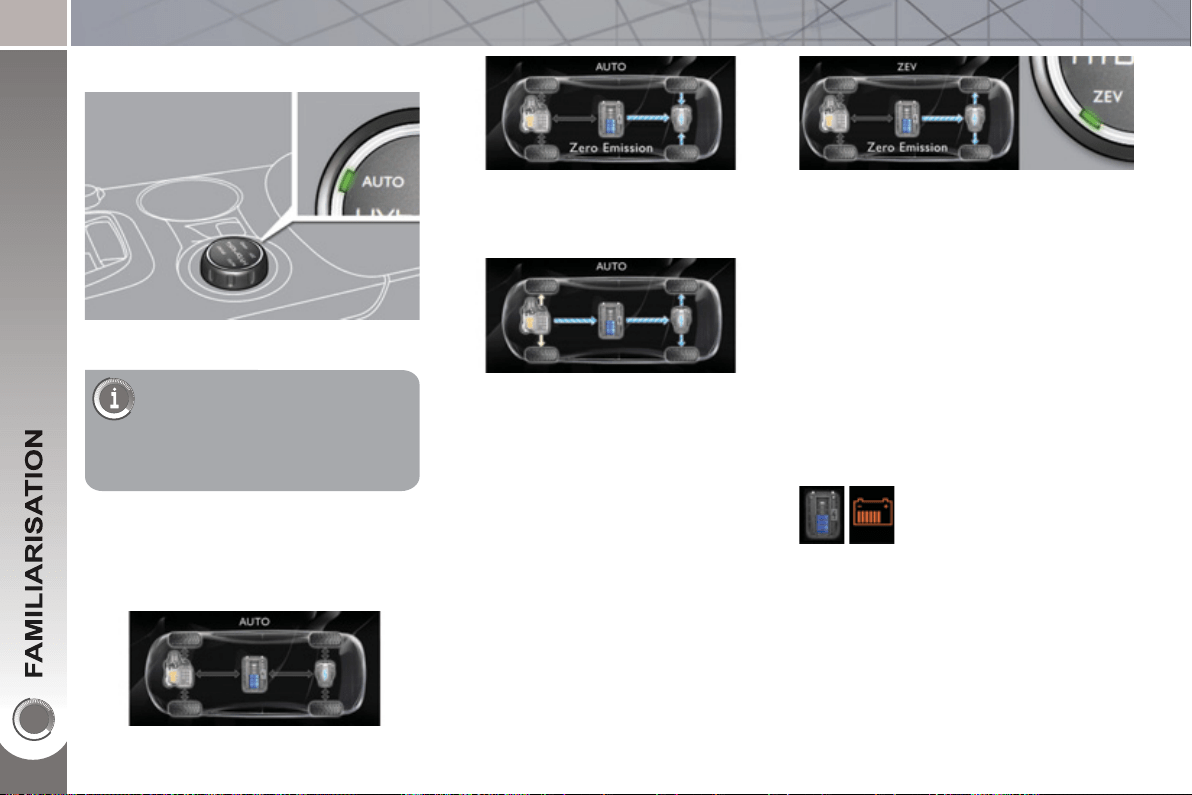
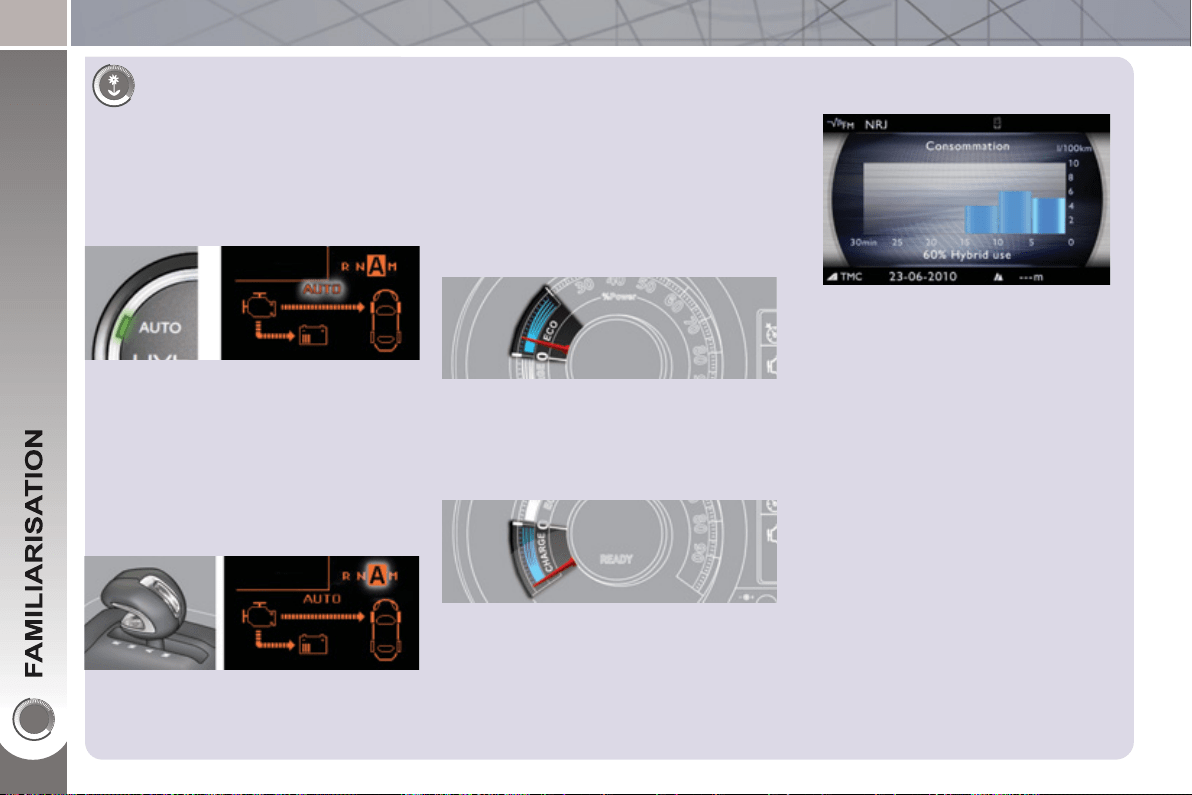
AUTO Mode
"Zero emissions vehicle" operation is
provided by 100 % electric drive.
This mode allows silent running to be
imposed at moderate speed (urban,
parking, …).
This mode can be activated when con-
ditions permit (in particular if the state
of charge of the high voltage battery is
high enough) and allows driving up to
35 mph (60 km/h).
ZEV
mo
d
e
(
Zero Emissions Vehicle
)
When stationary and when starting
the hybrid system
This mode automatically manages the
operation of the Diesel engine and the
electric motor, separately or together,
according to the vehicle's own inherent
parameters, the driving conditions and
the driving style.
The standard mode to use
in preference for optimum
fuel consumption.
This mode is activated automatically
on starting the vehicle.
In particular, this mode will activate "zero
emissions" electric operation when the
conditions permit.
The electric motor is also used to sup-
plement the Diesel engine when moving
off and changing gear, when accelerat-
ing and when the front wheels do not
provide suffi cient drive (the extra power
is automatically provided in 4 wheel
drive).
The range depends on
the state of charge of the
battery and the driving
conditions (of the order of
1.2 miles (2 km) in favour-
able conditions).
7
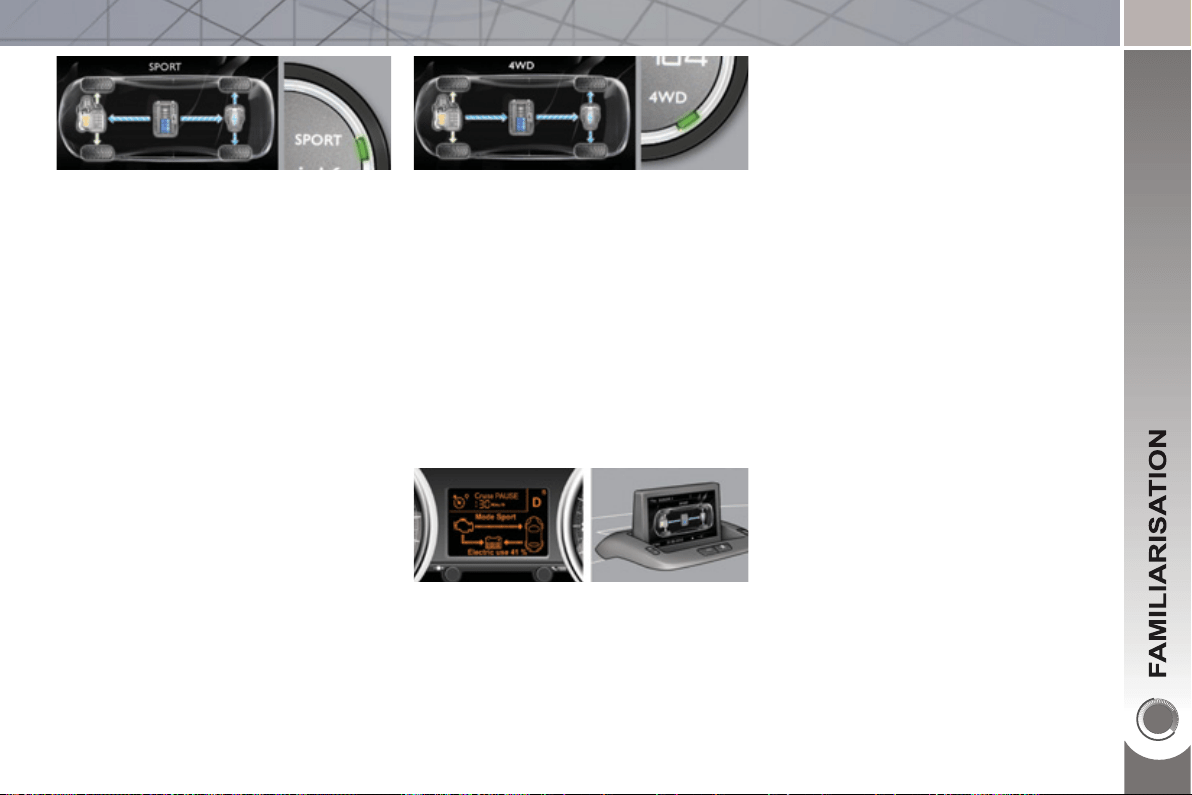
Displays according to version in the in-
strument panel screen or the Peugeot
Connect Media screen.
This mode allows a more dynamic driv-
ing style providing increased perform-
ance.
Acceleration and pickup are maximised
using the full capacity of the electric mo-
tor to supplement the Diesel engine.
The Stop & Start system operates in
this mode.
This mode provides improved traction.
The Diesel engine drives the front
wheels continuously and the electric
motor drives the rear wheels.
Their coupling is managed automatically
to optimise traction on slippery surfaces
and uneven ground (mode reserved for
severe conditions: deep snow, mud,
sand, …).
S
p
ort mode 4WD mode
(
4 wheel drive
)
8
FOR ECONOMICAL DRIVING, CARING FOR THE ENVIRONMENT
Main recommendations for drivin
g
economicall
y
Gear lever
Use the automatic mode A as much
as possible as this optimises gear
changes to suit the requirements.
The fuel consumption of a vehicle varies greatly :
- according to the driver's style of driving (moderate, aggressive, fast, ...),
- according to the type of journeys made (urban, main road, motorway, fl ow-
ing, heavy traffi c, …) and the speed.
Hybrid mode selector
To optimise fuel consumption, use the
Auto mode of the selector whenever
possible (the mode is activated auto-
matically when starting) including for
urban journeys.
This mode optimises the use of the en-
ergy sources (internal combustion en-
gine and/or electric) contrary to other
modes, which are for use in particular
cases.
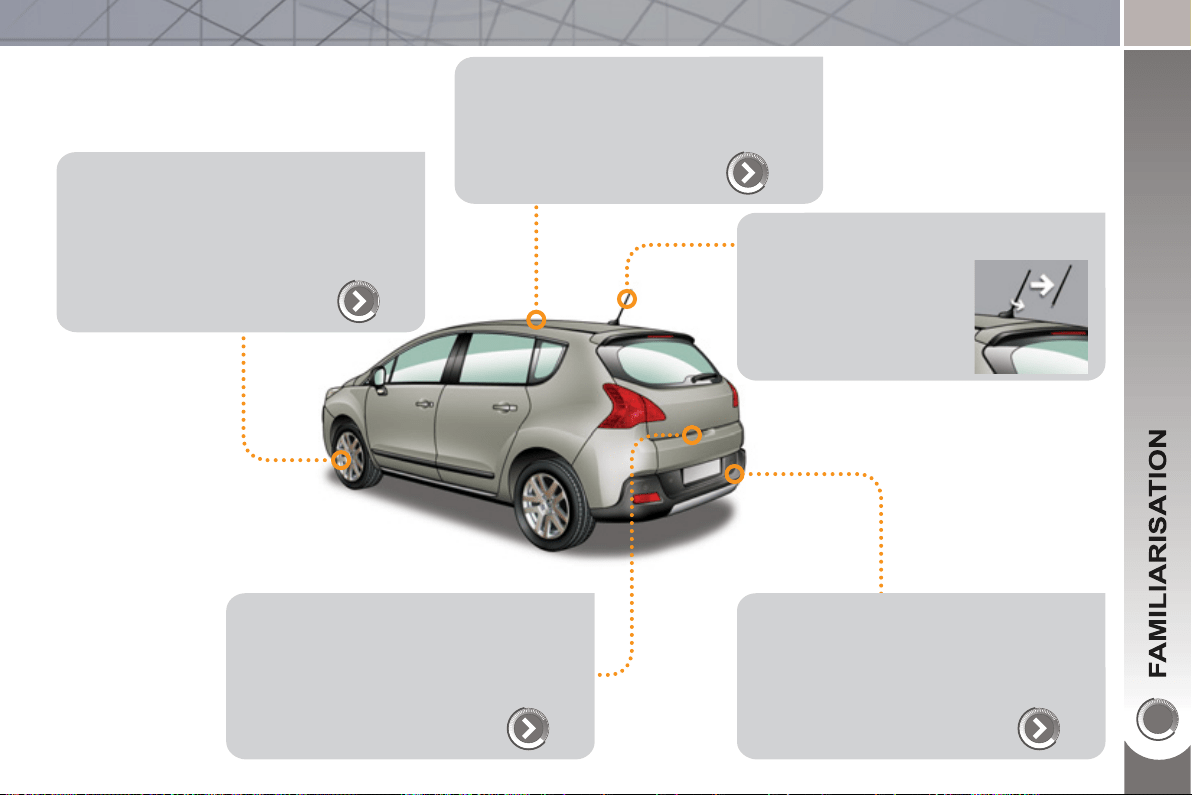
Stay in the "eco" zone indicated in the
power meter: accelerate gently, drive at
steady speeds using the speed limiter
or cruise control as soon as possible.
Causes of high consumption and
checks
As with any vehicle, limit overloading,
wind resistance (windows open above
30 mph (50 km/h), roof rack, loaded or
not, …), the use of power consumers
(air conditioning, heated seats, heated
rear screen, …).
Observe the recommendations on
checks (regular check of tyre pres-
sures, correct tyre pressures, …) and
routine servicing.
Consumption history
See the impact of your style of driving
and the type of journey by reviewing
the history of your energy consumption.
Refer to the "Multifunction screens"
section.
Use the "charge" zone: anticipate the
need to slow down by taking your foot
off the accelerator rather than braking.
The movement of the power meter nee-
dle (into the "charge" zone), indicates
the level of energy recovery.
Drive smoothly
9
EXTERIOR
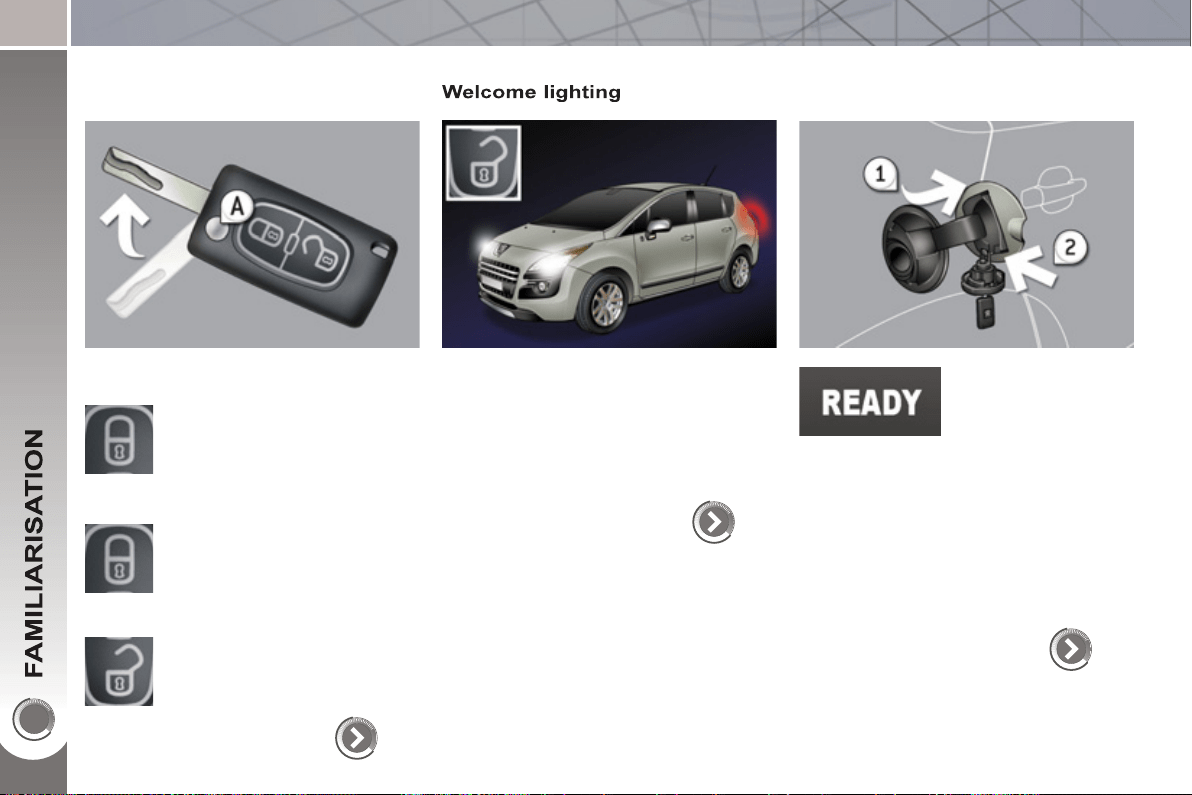
Panoramic sunroof
This roof provides incomparable visibility
and light in the passenger compartment.
112
Temporary tyre repair kit
This kit is a complete system, consisting
of a compressor and an integral sealant
cartridge, for the temporary repair of a
tyre.
163
Lower tailgate
This lower tailgate permits remarkable
accessibility and makes the loading of
bulky objects easier.
93
Visual and audible front and/or rear
parking sensors
This system warns you if an obstacle is
detected in front of or behind the vehicle
in forward or reverse gear.
154
When using an automatic car wash:
- unscrew the aerial,
- fold back the mirrors.
1
0
OPENING
Remote control ke
y
A. Unfolding/Folding the key.
Normal locking
(press once; fi xed lighting of
the direction indicators).
Deadlocking the vehicle
(press twice in succession;
fi xed lighting of the direction
indicators).
Complete or selective unlock-
ing of the vehicle
(rapid fl ashing of the direction
indicators).
or
81
When the light is poor, detected by
a sensor, the remote switching on of
the dipped headlamps and sidelamps
makes your approach to the vehicle
easier.
This function can be programmed via
the confi guration menu.
98
94
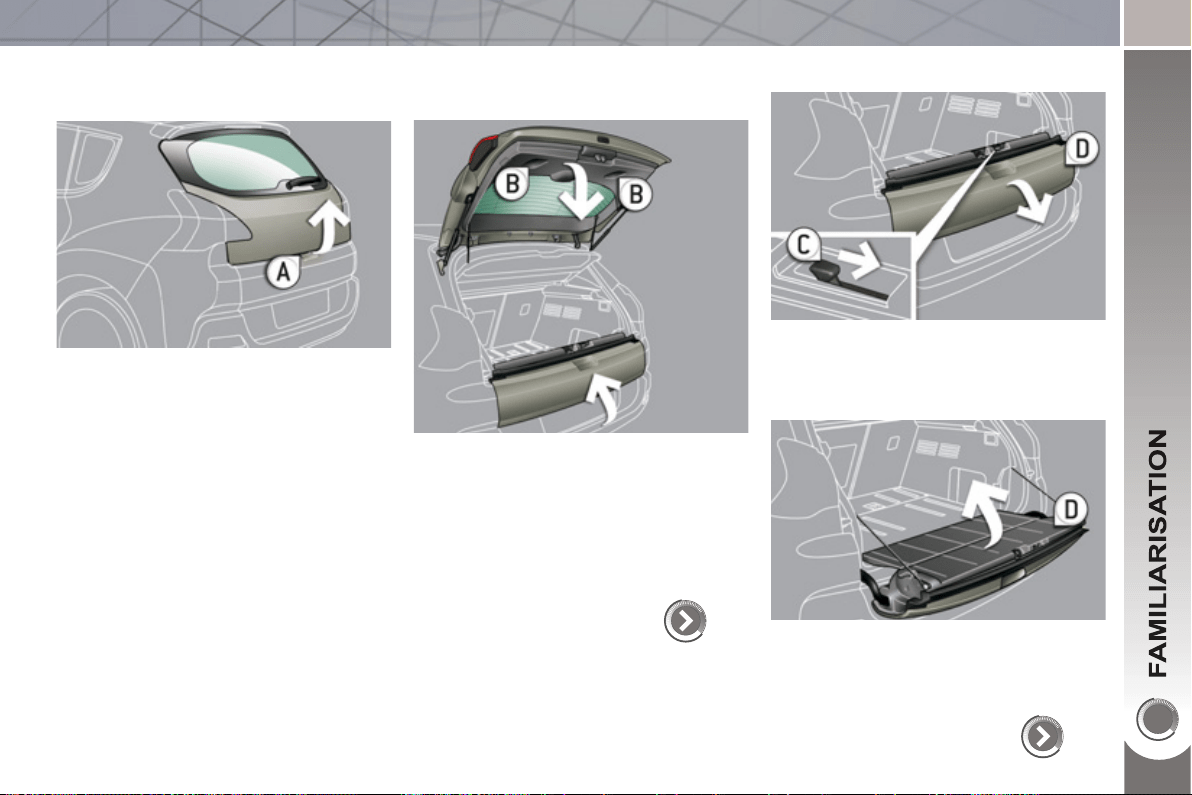
Fuel tank
Before refuelling, you
must switch of the
ignition and ensure
that the Ready lamp
is off.
1. Open the fuel fi ller fl ap.
2. Open and hook the fuel fi ller cap.
The type of fuel to be used is indicated
on the inner face of the fuel fi ller fl ap.
Capacity of the tank: approximately
56.5 litres.
11
OPENING
Boot
Opening
) After unlocking the vehicle using the
remote control or the key, press the
handle A and lift the tailgate.
Closing
) After closing the lower tailgate, pull
the handle B downwards to guide
the tailgate.
Lower ta
ilg
ate
92
Opening
) Push the handle C to the right and
tilt the tailgate D .
Closing
) Raise the tailgate D , push it fully to
close it, check that it is locked cor-
rectly.
93
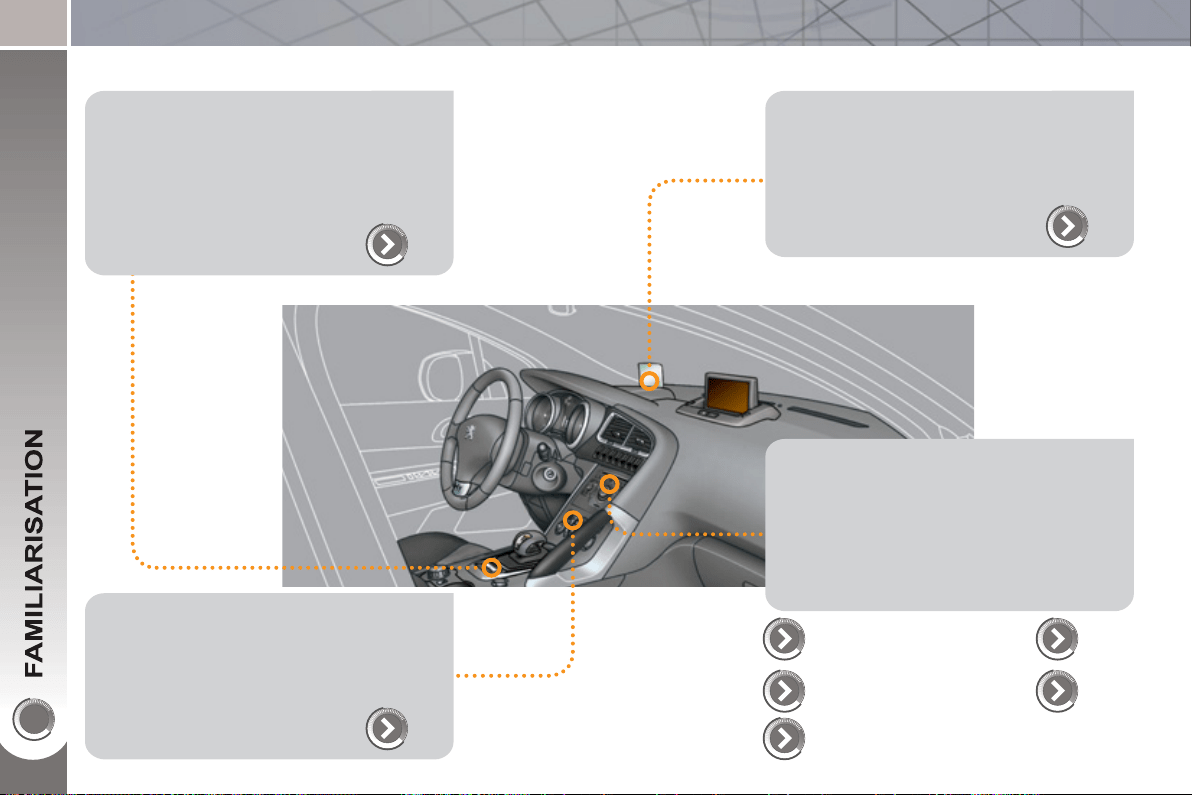
1
2
INTERIOR
Electric parking brake
This combines the functions of auto-
matic application on switching off the
engine and automatic release on accel-
eration.
Manual application/release is possible.
136
Audio and communication systems
These systems benefi t from the latest
technology: MP3 compatible Peugeot
Connect Sound, Peugeot Connect USB,
Bluetooth, Peugeot Connect Media with
16/9 retractable colour screen, audio
system, auxiliary socket.
203
Head-up display
This system projects certain information
into the driver's fi eld of vision: speed,
cruise control/speed limiter.
144
Dual-zone digital air conditioning
This systems allows different levels of
comfort to be set for the driver and front
passenger. It then controls these level
automatically according to the ambient
conditions.
69
Peugeot Connect
Sound
247
254
Peuget Connect
USB
Peugeot Connect
Media
Bluetooth
231,
257
PEUGEOT
Assistance
199

1
3
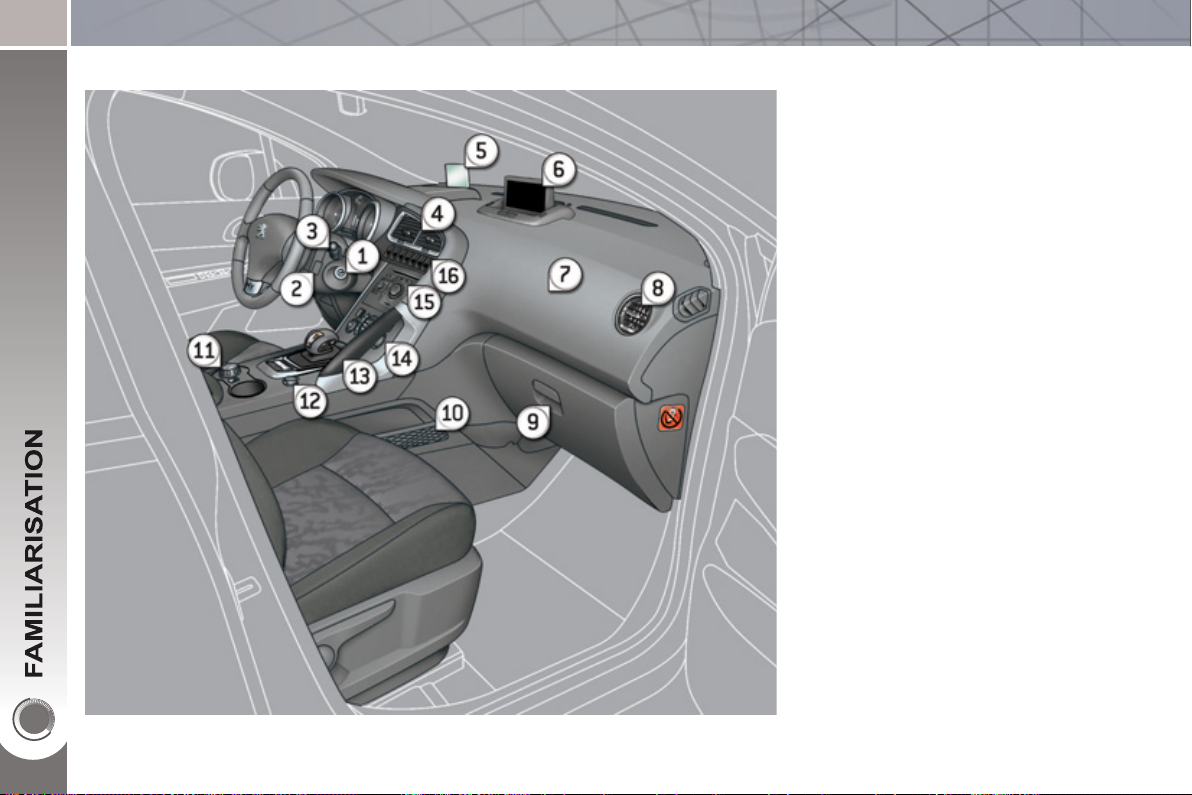
INSTRUMENTS AND CONTROL
S
1. Cruise control/speed limiter
switches.
2. Steering wheel adjustment control.
3. Lighting and direction indicator
control stalk.
4. Instrument panel.
5. Driver's airbag.
Horn.
6. Gear lever.
7. Electric parking brake.
8. Front armrest - Peugeot Connect
USB.
9. Bonnet release.
10. Driver's storage compartment
(Handbook).
11. ECO OFF button
Alarm button.
Parking sensors button.
Dynamic stability control button
(ESP/ASR).
12. Manual headlamp adjustment.
Instrument panel navigator
associated with the Peugeot
Connect Media.
13. Door mirror controls.
Electric window controls.
Child lock.
14. Front side window demisting vent.
15. Windscreen demisting vent.
14
INSTRUMENTS AND CONTROL
S
1. Steering lock and ignition.
2. Audio and telematics system
steering mounted control.
3. Wipers/screenwash/trip computer
control stalk.
4. Central adjustable air vents.
5. Head-up display.
6. Multifunction screen.
7. Passenger's airbag.
8. Side adjustable air vent.
9. Glove box - Audio/video sockets -
Passenger's airbag deactivation.
10. Storage compartment with net.
11. HYbrid4 mode selector.
12. 12 V accessory socket.
13. Grab handle.
14. Heating/air conditioning controls.
15. Audio and telematics system.
16. Buttons:
- head-up display,
- hazard warning lamps,
- central locking.
1
5
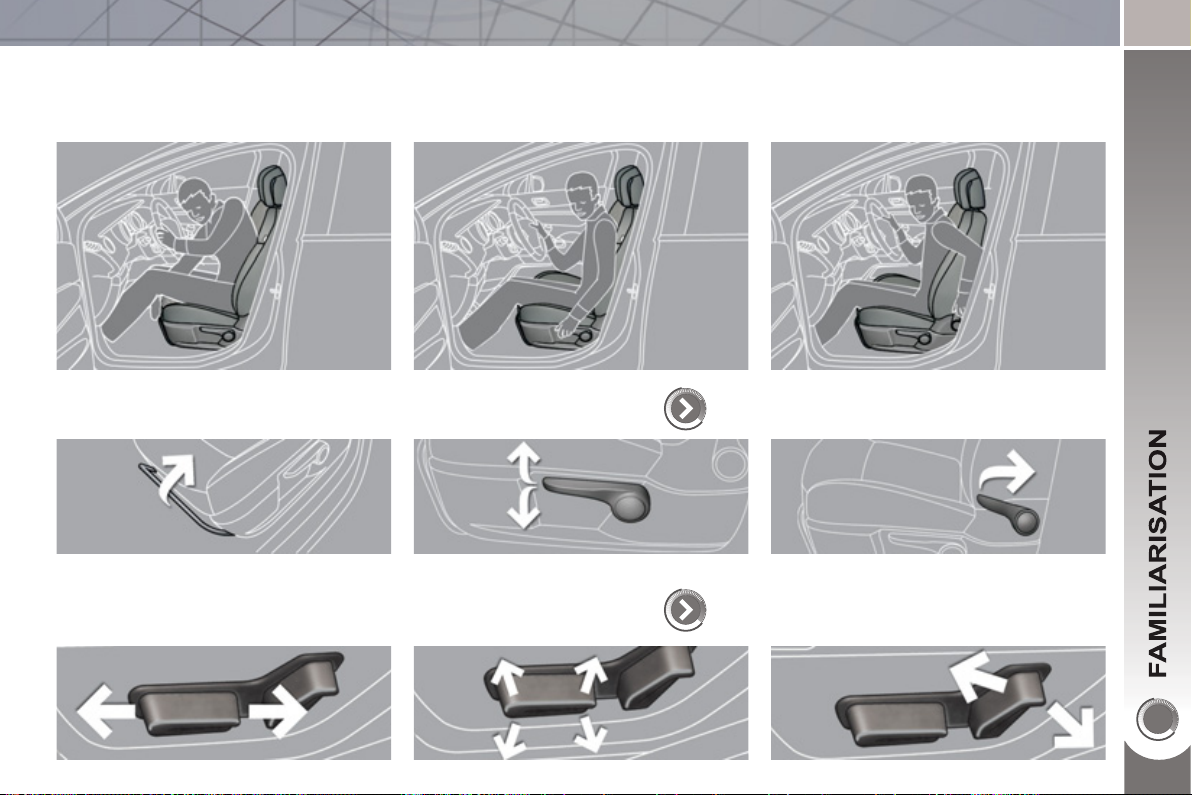
SITTING COMFORTABLY
Driver's seat
Forwards-backwards Height
Manual ad
j
ustment
72
Electric ad
j
ustment
73
Seat back angle
1
6
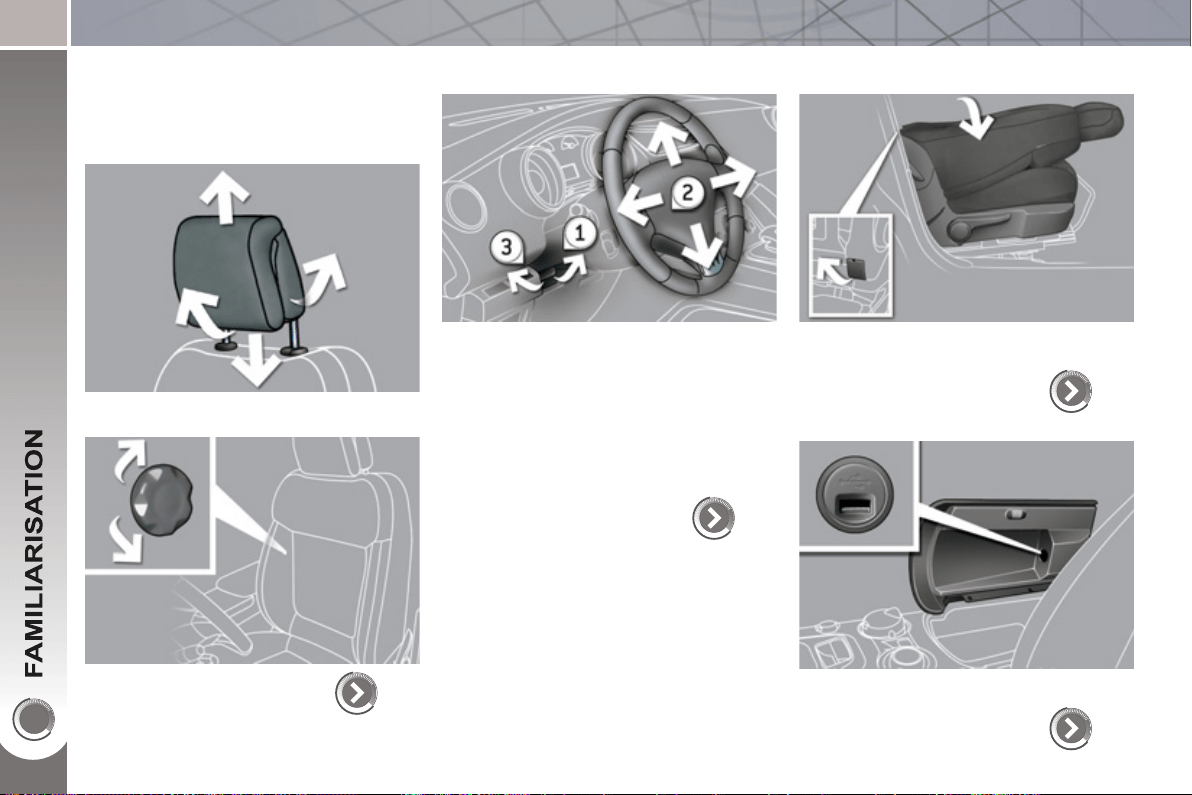
SITTING COMFORTABLY
Front seats
Head restraint height and angle
Lumbar
74
Steerin
g
wheel ad
j
ustment
1. Release the adjustment mechanism.
2. Adjust for height and reach.
3. Lock the adjustment mechanism.
As a safety precaution, these opera-
tions must only be carried out when sta-
tionary.
78
Table position
(
front passen
g
er
seat
)
To place objects on the table or to make
the loading of long objects in the vehicle
easier.
75
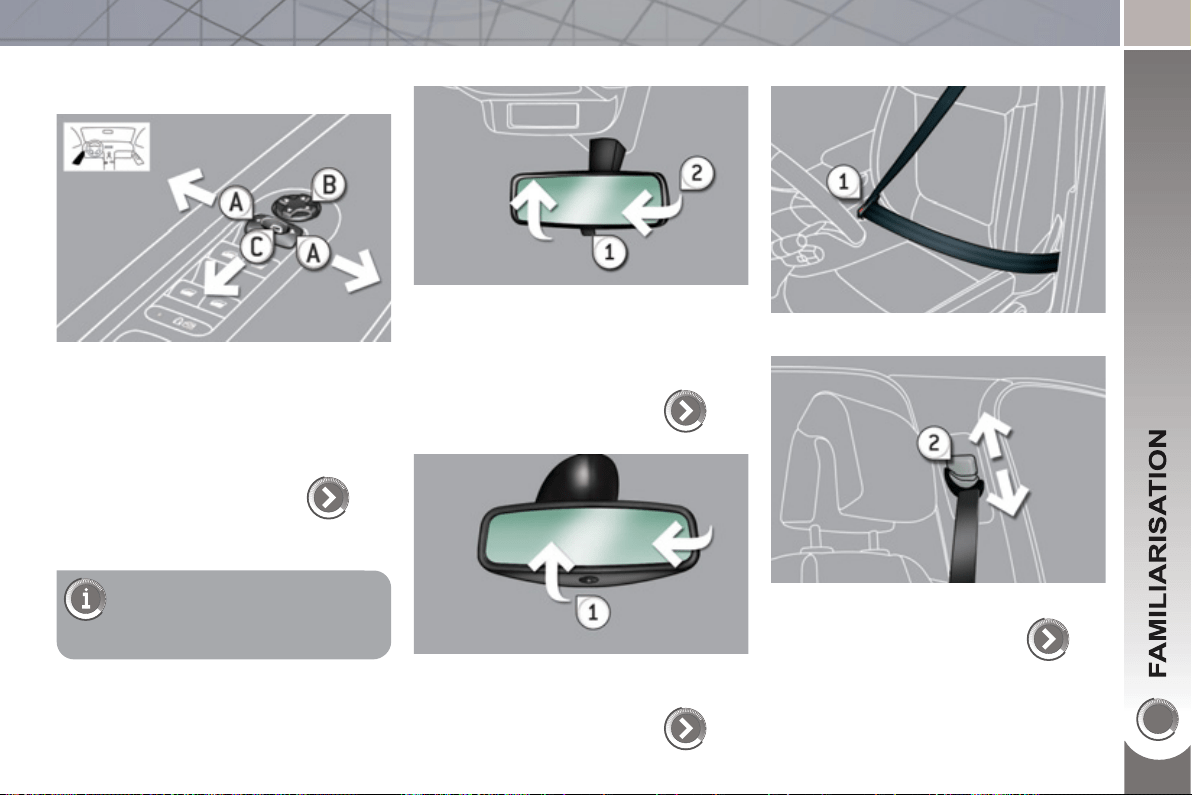
Front armrest
It contains the Peugeot Connect USB port.
108
17
SITTING COMFORTABLY
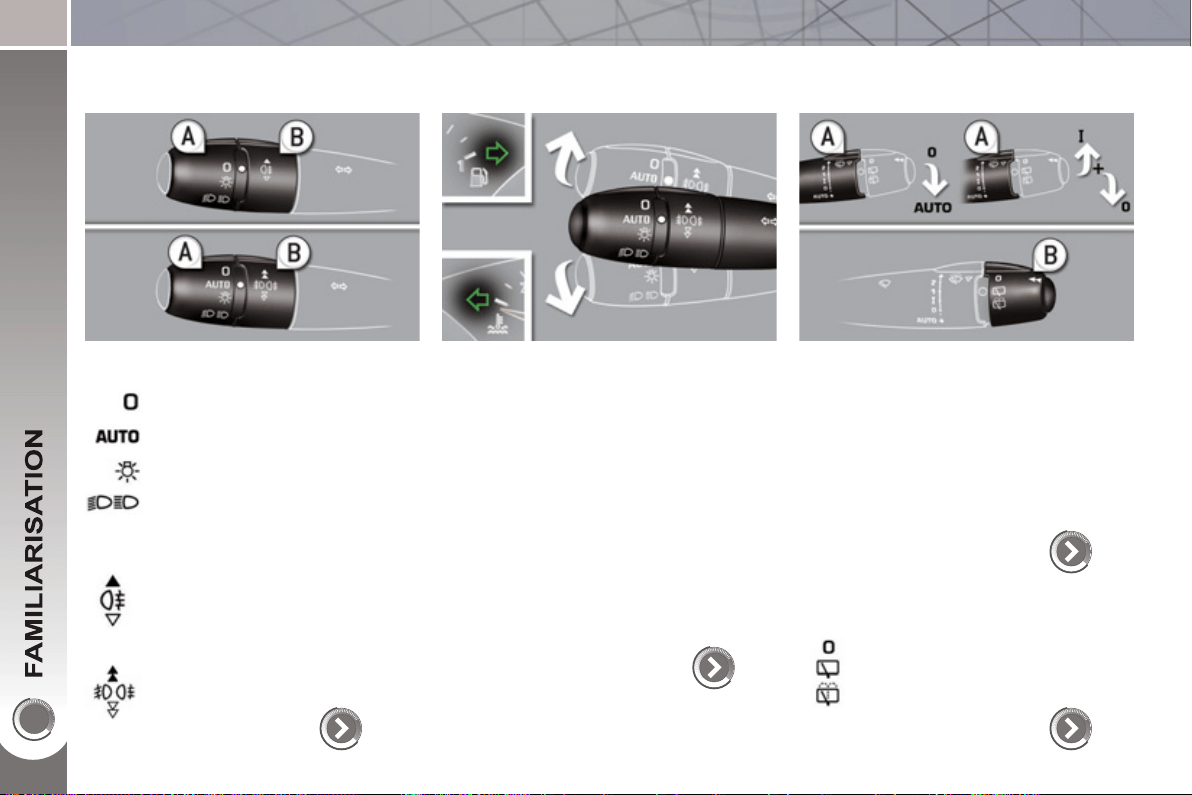
Door mirrors
Adjustment
A. Selection of the mirror to be adjusted.
B. Adjustment of the position of the
mirror in the four directions.
79
R
ear v
i
ew m
i
rro
r
Manual model
1. Selection of the "day" position of the
mirror.
2. Adjustment of the mirror.
80
Automatic day/night model
1. Adjustment of the mirror.
80
F
ront seat
b
e
l
ts
1. Fastening of the buckle.
129
2. Height adjustment.
Also...
C. Folding/Unfolding.
1
8
SEEING CLEARLY
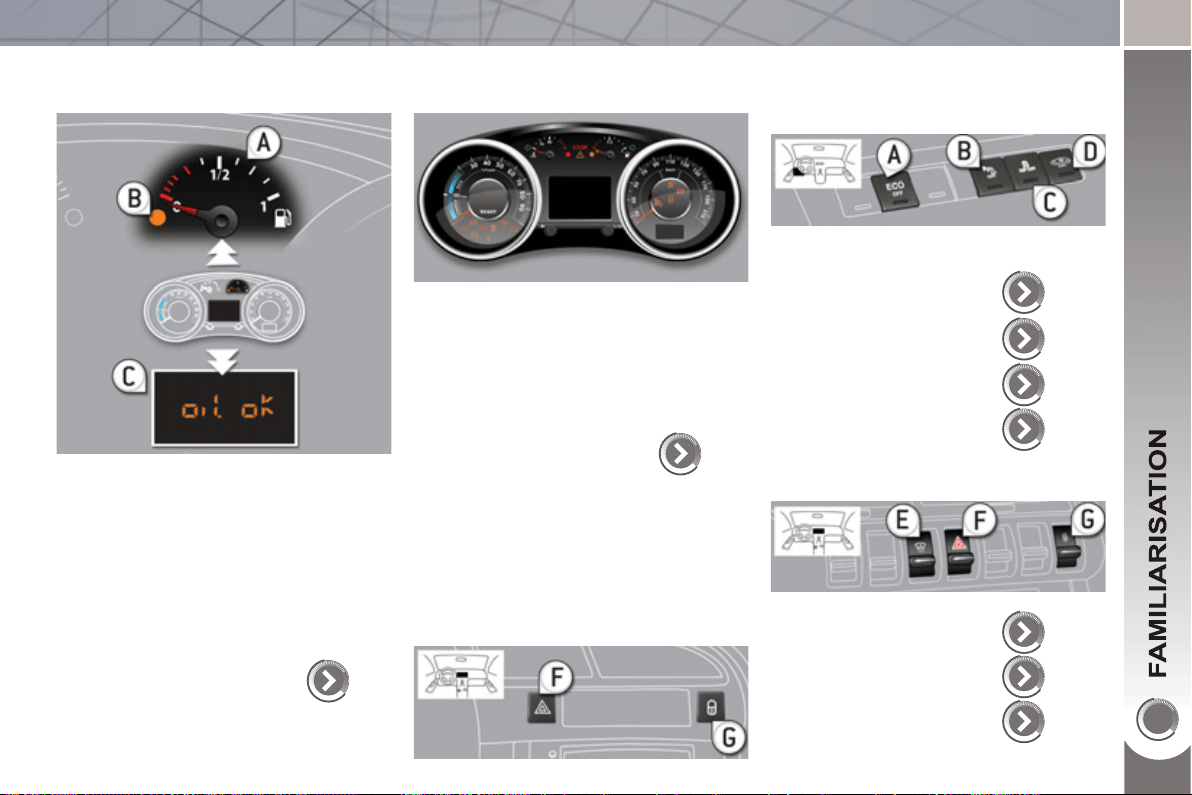
Li
g
htin
g
Ring A
Lighting off.
Ring B
Sidelamps.
Dipped/main beam headlamps.
Rear foglamp.
or
Front and rear foglamps.
Automatic illumination of head-
lamps.
96, 97
Direction indicators
Raise or lower the lighting stalk passing
the point of resistance; the corresponding
direction indicators will fl ash for as long
as the stalk remains in this position.
"Motorway" function
Press the lighting stalk up or down once,
without passing the point of resistance;
the corresponding direction indicators will
fl ash three times.
This function can be used at any speed,
but it is particularly useful when chang-
ing lane on high-speed roads.
126
Wi
p
ers
Stalk A: windscreen wipers
Switching on "AUTO"
) Press the stalk down and release it.
Switching off "AUTO"
) Push the stalk up and return it to
position "0" .
100
Ring B: rear wiper
Park.
Intermittent wipe.
Wash-wipe.
101
1
9
MONITORING
Instrument
p
anel
A. With the ignition on, the needle
should indicate the level of fuel re-
maining.
B. With the engine running, its associ-
ated low level warning lamp should
go off.
C. With the ignition on, the oil level in-
dicator should display "OIL OK" for
a few seconds.
If the levels are not correct, top up the
levels which are low.
43
Warnin
g
lamps
1. With the ignition on, the orange and
red warning lamps come on.
2. With the engine running, these
warning lamps should go off.
If warning lamps remain on, refer to the
page concerned.
45
Switch
p
anels
Lighting of the indicator lamp indicates
the status of the corresponding function.
A. ECO OFF.
36
154
128
86
144
126
91
B. Visual and audible
parking sensors.
C. ESP OFF.
D. Interior volumetric
protection alarm.
E. Head-up display.
F. Hazard warning lamps.
G. Central locking.
Lower
Central
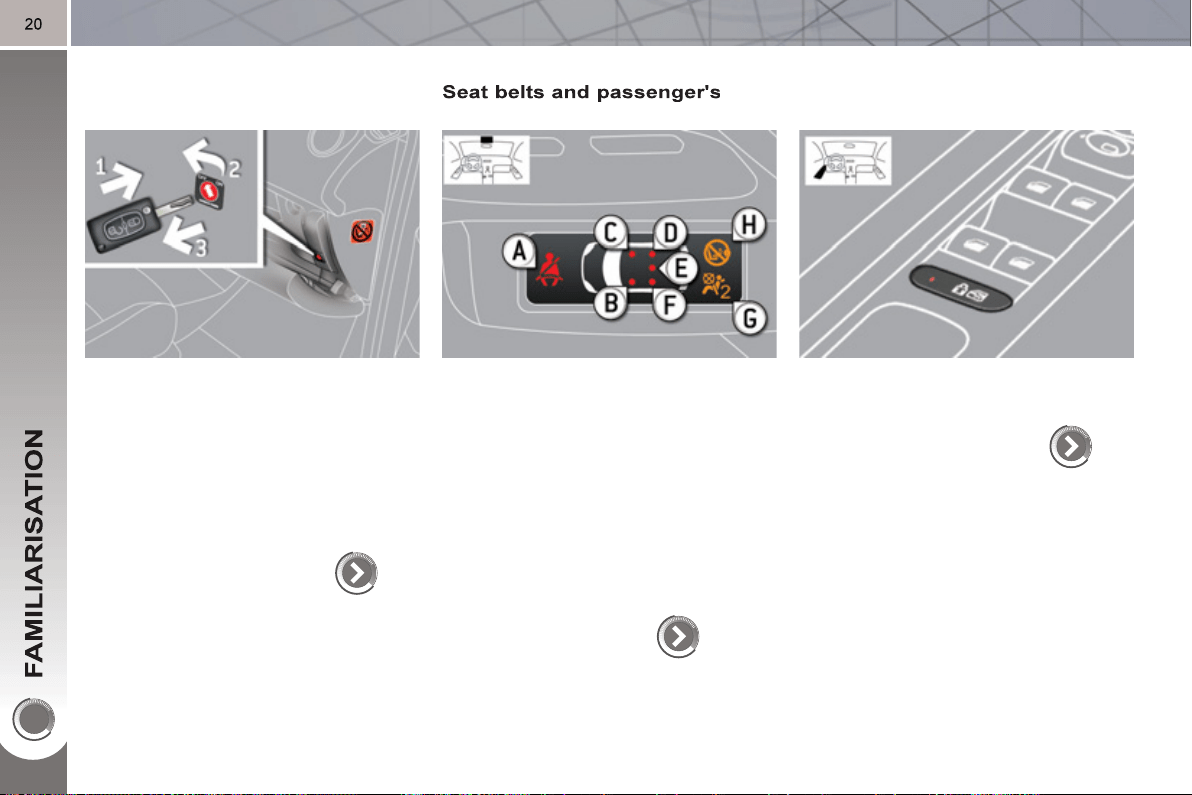
PASSENGER SAFETY
Passen
g
er's front airba
g
1. Insert the key.
2. Select the position:
"OFF" (deactivation), with "rear fac-
ing" child seat,
"ON" (activation), with front passen-
ger or "forwards facing" child seat.
3. Remove the key keeping the switch
in the new position.
133
f
ront airba
g
A. Front and/or rear seat belts not fas-
tened/unfastened warning lamp.
B. Front left seat belt warning lamp.
C. Front right seat belt warning lamp.
D. Rear right seat belt warning lamp.
E. Rear centre seat belt warning lamp.
F. Rear left seat belt warning lamp.
G. Passenger's front airbag deactivated
warning lamp.
H. Passenger's front airbag activated
warning lamp.
130, 133
Child lock
(
lockin
g
of the rear doors
)
Illumination of the indicator lamp indicates
the status of the corresponding function.
125
21
A
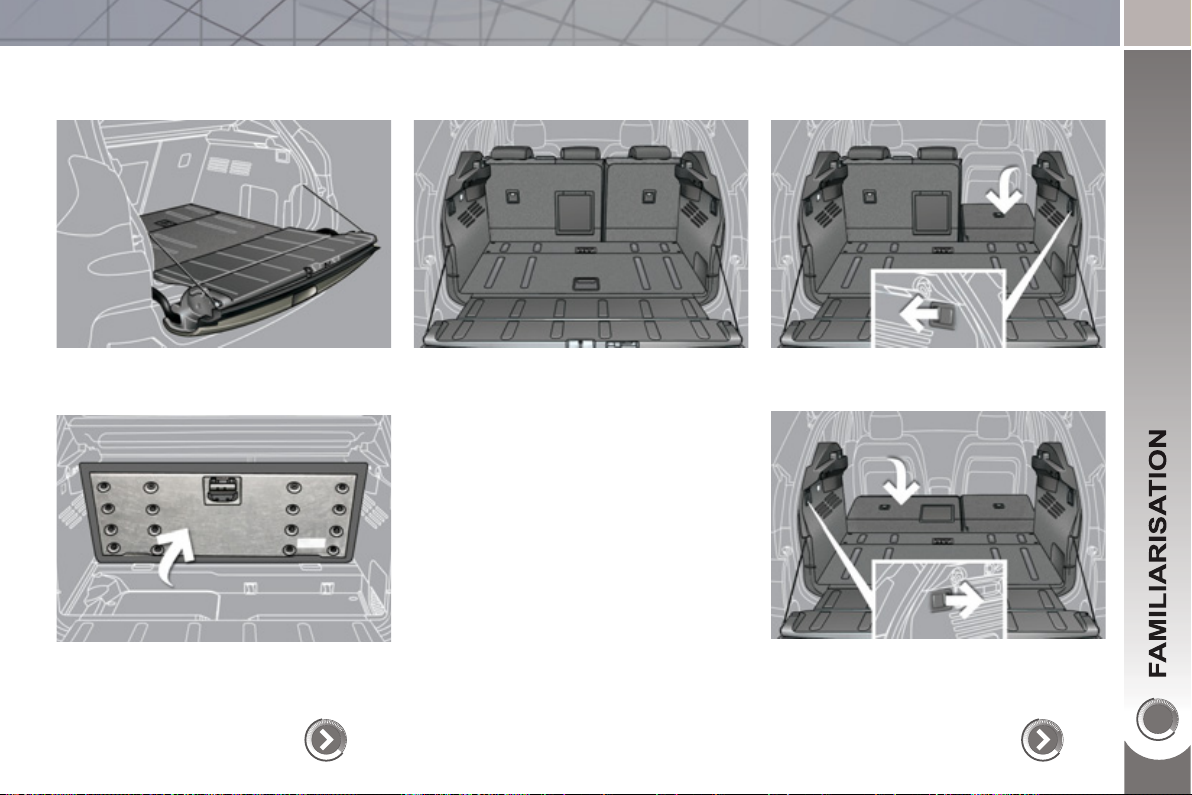
RRANGE YOUR BOOT
Rear seats
) Check that nothing is preventing the
seat backs from folding (front seats
moved forwards, head restraints,
seat belts, ...).
) Check also that no object on or un-
der the seat could hinder its move-
ment.
76
) Pull the control of the 1/3 section,
from the boot.
) Pull the control of the 2/3 section,
from the boot.
The seats are aligned with the fl oor and
the lower tailgate.
A
d
j
ustable boot floo
r
114
100 kg max.
Place the fl oor in this position (at an
angle), two stops support it to allow ac-
cess underneath it.
22
DRIVING SAFELY
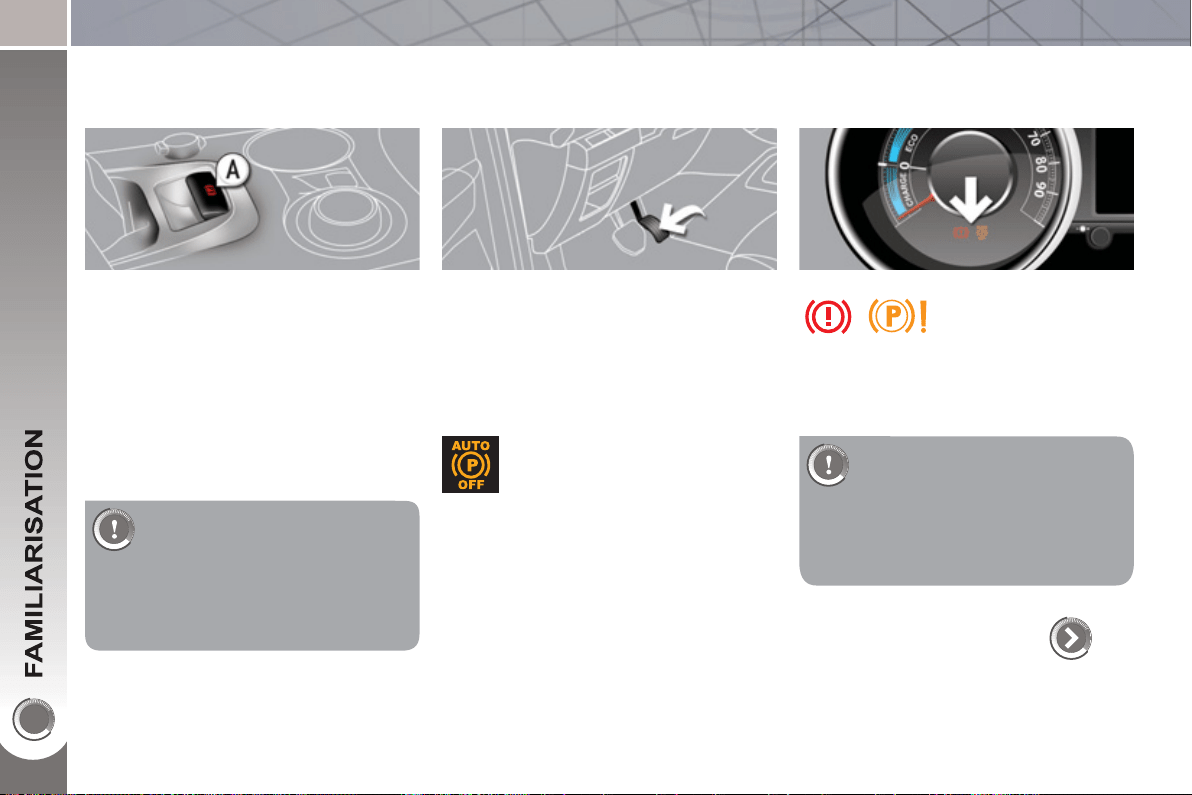
Electric parkin
g
brake
Manual application/release
The parking brake can be applied man-
ually by pulling the control lever A .
When the ignition is on, the parking
brake can be released manually by
pressing the brake pedal and pulling
then releasing the control lever A .
Automatic application/release
Press the accelerator, the parking brake
is released automatically and progres-
sively on acceleration.
When the engine is switched off , the
parking brake is applied automatically.
If you get out of your vehicle
with the engine running, apply
the parking brake manually.
Never leave a child alone in the ve-
Before getting out of
the vehicle, check that
the braking warning
lamp ( red! ) and the
warning lamp P in the control lever A
are on (not fl ashing).
hicle with the ignition on; they could
release the parking brake.
136
If this warning lamp is on in the
instrument panel, the automatic
application/release are deacti-
vated .
If you are towing a trailer or if
the slope could alter (transport
by ship, lorry, recovery of the
vehicle, ...), make a manual
maximum application of the parking
brake (long pull on the control lever A )
to immobilise the vehicle.
2
3
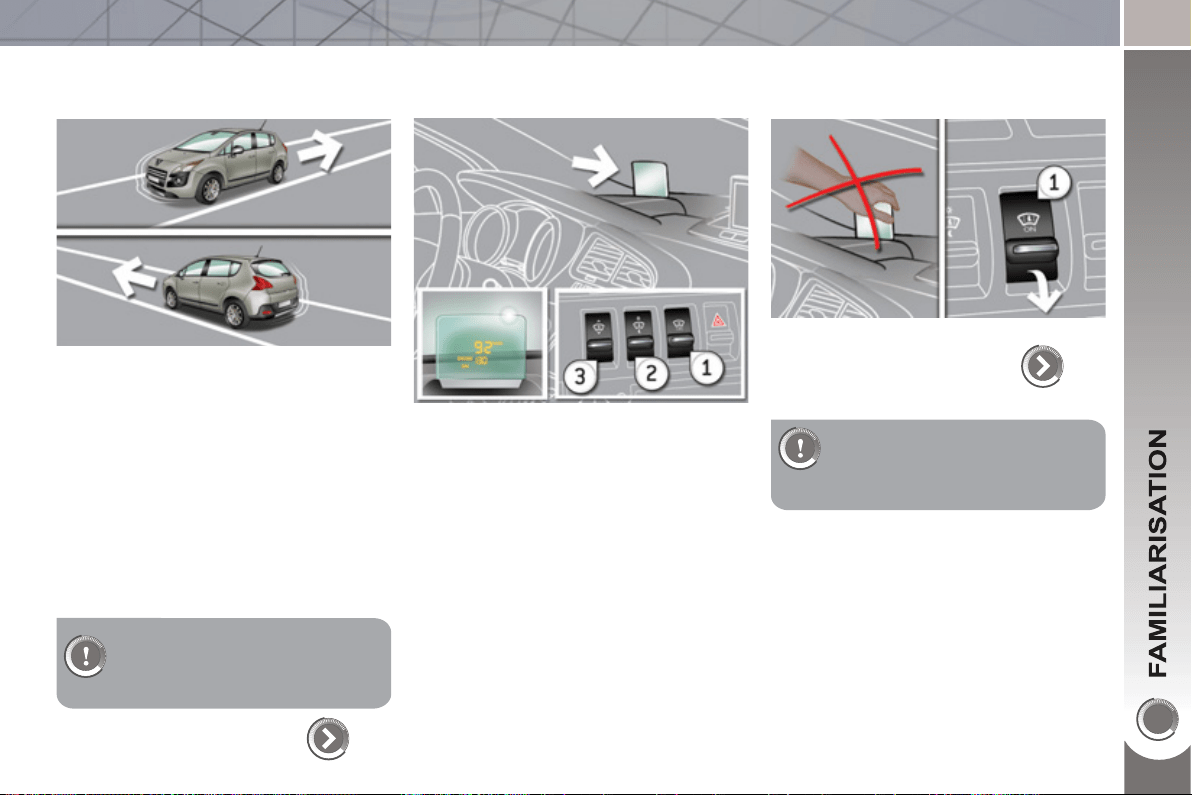
Head-up displa
y
1. Head-up display on/off.
2. Brightness adjustment.
3. Display height adjustment.
The adjustments must be
made with the ignition on and
the Ready lamp on, with the
vehicle stationary.
144
Your vehicle is equipped with a system
which keeps it immobile for a short time
(approximately 2 seconds) to assist you
when starting on a hill, the time required
for you to move your foot from the brake
pedal to the accelerator pedal.
This function is only active:
- when the vehicle has been immo-
bilised completely with your foot on
the brake pedal,
- on certain gradients,
- when the driver's door is closed.
Do not get out of the vehicle
during the hill start assist tem-
porary hold phase.
141
Hill start assist
DRIVING SAFELY
24
DRIVING SAFELY
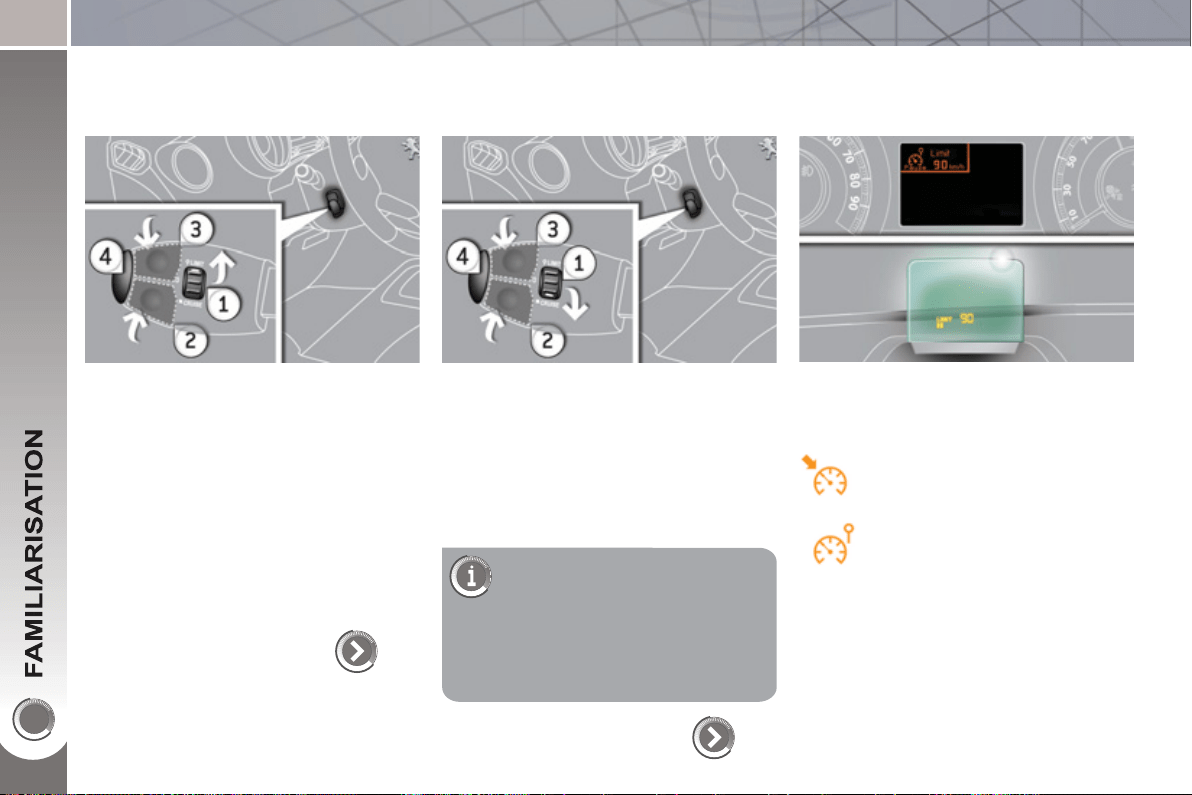
S
p
eed limiter "LIMIT"
1. Limiter mode Selection/Off.
2. Decreasing the programmed value.
3. Increasing the programmed value.
4. Speed limiter On/Off.
146
Cruise control "CRUI
S
E"
1. Cruise control mode Selection/Off.
2. Programming a speed/Decreasing
the programmed value.
3. Programming a speed/Increasing
the programmed value.
4. Cruise control Off/Resume.
In order to be programmed or
activated, the vehicle speed
must be higher than 25 mph
(40 km/h), with at least second gear
engaged.
148
Displa
y
in the instrument panel
The cruise control or speed limiter mode
appears in the instrument panel when it
is selected.
Cruise control
Speed limiter
2
5
150
DRIVING SAFELY
6-speed electronic
g
ear control
g
earbox
This 6-speed gearbox offers a choice
between the comfort of fully automatic
operation or the pleasure of manual
gear changing.
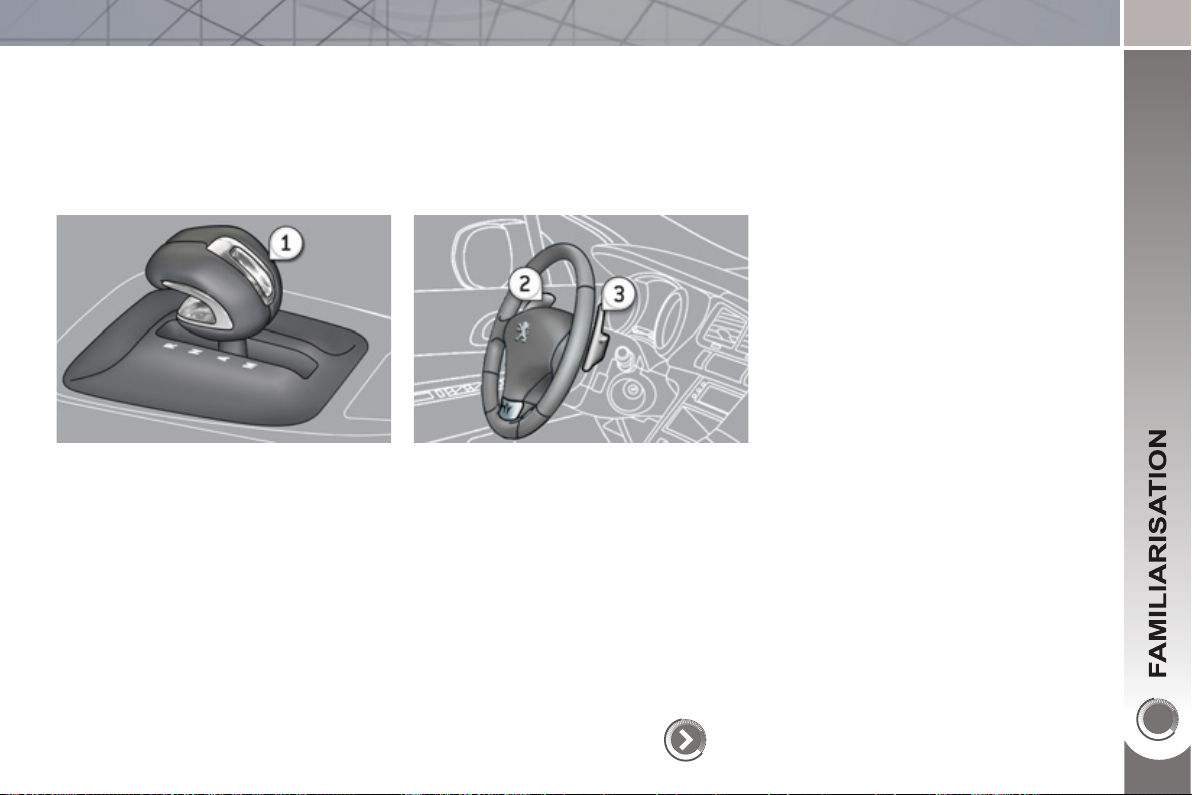
1. Gear lever:
R. Reverse.
N. neutral.
A. Automatic mode.
M. Sequential mode with manual
gear changing at the steering wheel.
Moving off
) Ensure that the gear lever is in
position N and press the brake ped-
al fi rmly while starting the engine.
) Move the gear lever to position A
or M to go forwards or position R to
reverse.
) Take your foot off the brake pedal
then accelerate.
2. Steering mounted "-" paddle.
3. Steering mounted "+" paddle.
2
6
P
RESENTATION
The HYbrid4 technology allows two
sources of energy to be associated in an
effective manner: that of the Diesel HDi
engine which drives the front wheels and
that of the electric motor which drives
the rear wheels.
These two motors can operate alter-
nately or simultaneously, according to
the hybrid mode selected and the driving
conditions.
The electric motor alone provides power
for the vehicle in "ZEV" (Zero Emissions
Vehicle) mode, and in "Auto" mode for
running at slow speed and low load. It
also assists the Diesel engine when
moving off, accelerating and changing
gear.
The battery that powers the electric mo-
tor recharges itself during phases of
deceleration and stores the energy for
subsequent use.
1.
Diesel HDi engine (front wheel drive).
2. Electric motor (rear wheel drive).
3. High voltage battery.
4. Electronic power supervisor.
5. Stop & Start system.
6. Electronic gear control gearbox.
7. Electric fl ow.
M
ain parts of the h
y
brid s
y
stem on 3008 HYbrid4
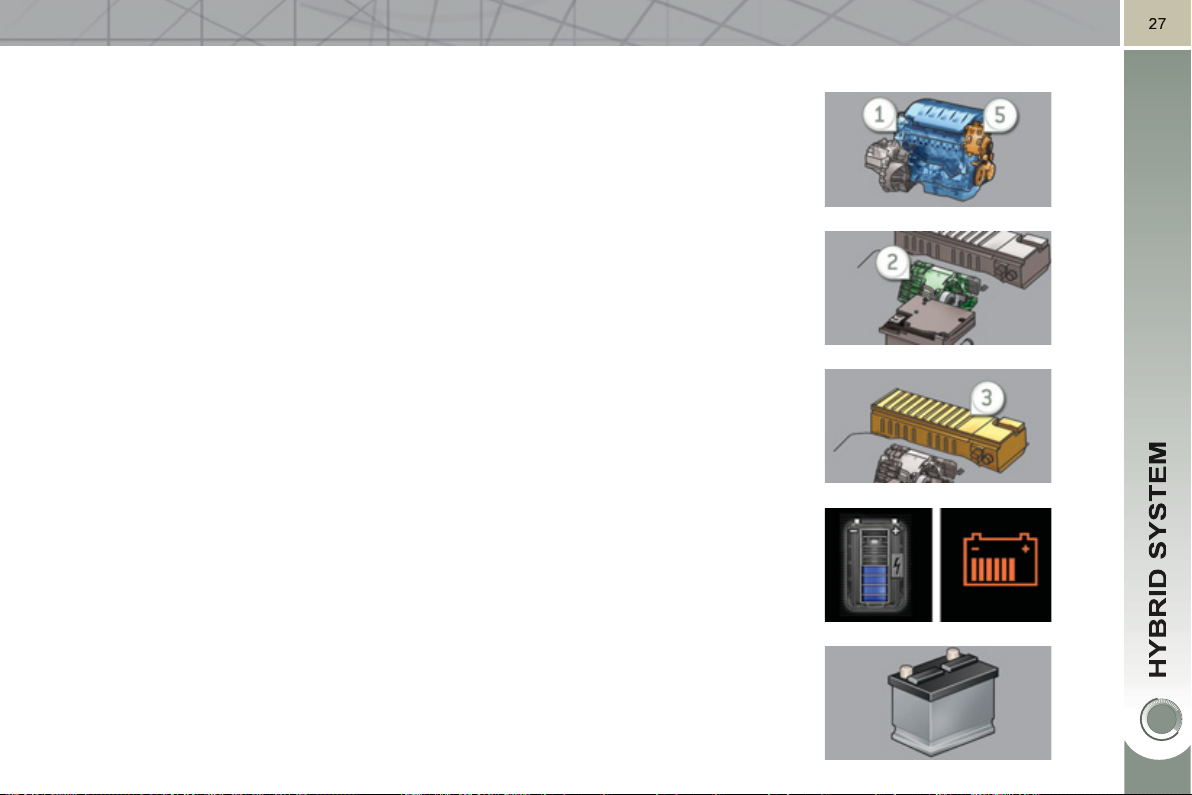
The Diesel HDi Diesel engine 1 , located at the front, drives the front wheels and
provides most of the power needed to drive the vehicle.
It is fi tted with the Stop & Start system 5 which recharges the batteries and
provides additional power when needed (in 4x4 mode).
The electric motor 2 , located at the rear, drives the rear wheels on its own, or
supplements the Diesel engine, according to the hybrid mode selected.
It recovers energy and charges the batteries during phases of deceleration of the
vehicle and is active up to 70 mph (120 km/h).
A 200 V NI-MH high voltage battery 3 , provides a source of energy for the rear
electric motor.
Its charging rate is managed automatically by the vehicle during phases of
deceleration.
It is located in a compartment in the boot, access to which is restricted to trained
service technicians.
The battery state of charge is indicated by 8 horizontal or vertical bars (depending
on the screen).
The conventional battery , located under the bonnet, powers the vehicle's 12 V
systems. It is recharged automatically by the high voltage network.
2
8
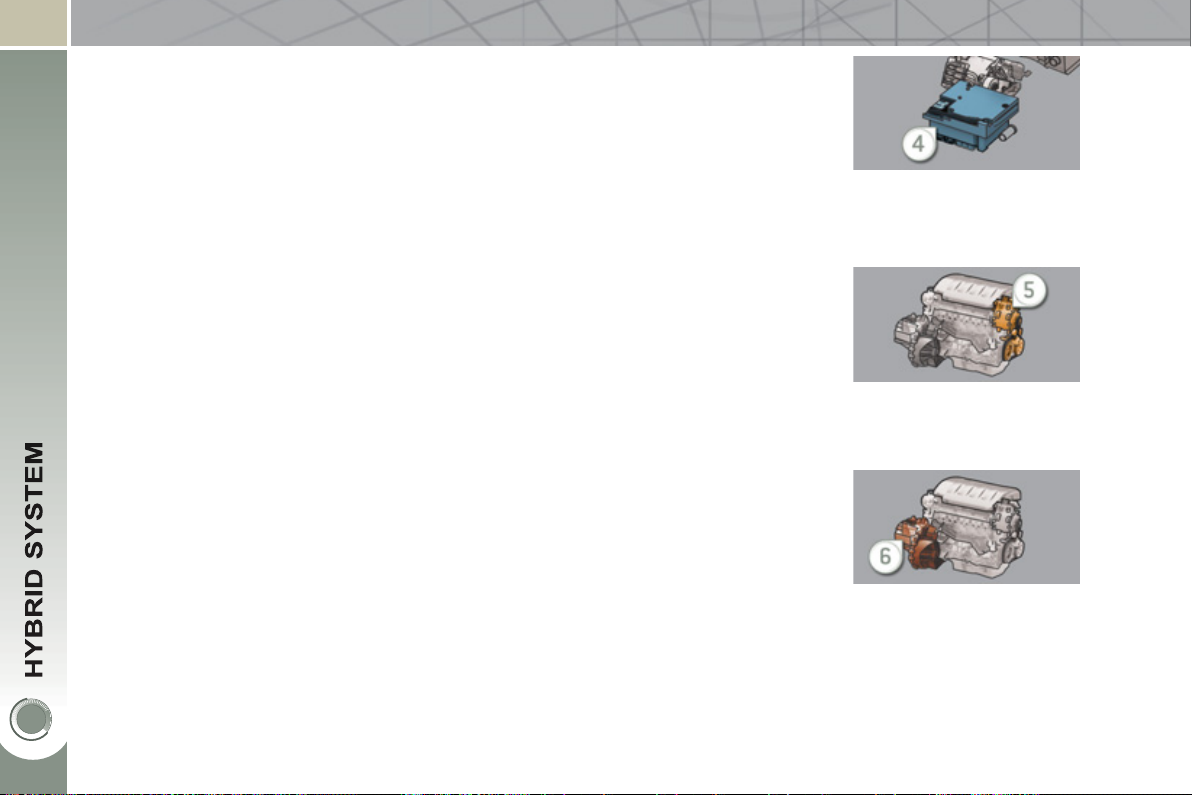
The electronic power supervisor 4 automatically manages the operation of the
two power units (Diesel and electric) to provide the lowest consumption.
An inverter and a transformer are needed to manage the electric power.
The inverter acts on the torque of the electric motor, by regulating the current
coming from the high voltage battery pack. Its operating range is between 150 and
270 volts.
The transformer converts the 200 V of the battery pack to 12 V, to power the
vehicle's ancillary systems.
The Stop & Start system 5 allows the Diesel engine to be put into standby during
stops (traffi c lights, a stop, or in a traffi c jam, for example) or during phases of
running in all-electric mode.
The stopping and restarting of the Diesel engine is done in a way that is instanta-
neous and transparent for the driver.
The electronic gear control gearbox 6 provides, in automatic mode, signifi cant
savings in fuel consumption compared to a conventional manual gearbox, thanks
to its electronic control system.
It also offers improved driving pleasure with the possibility at any time of choosing
the gear changing mode: automatic or manual, using the paddles located behind
the steering wheel.
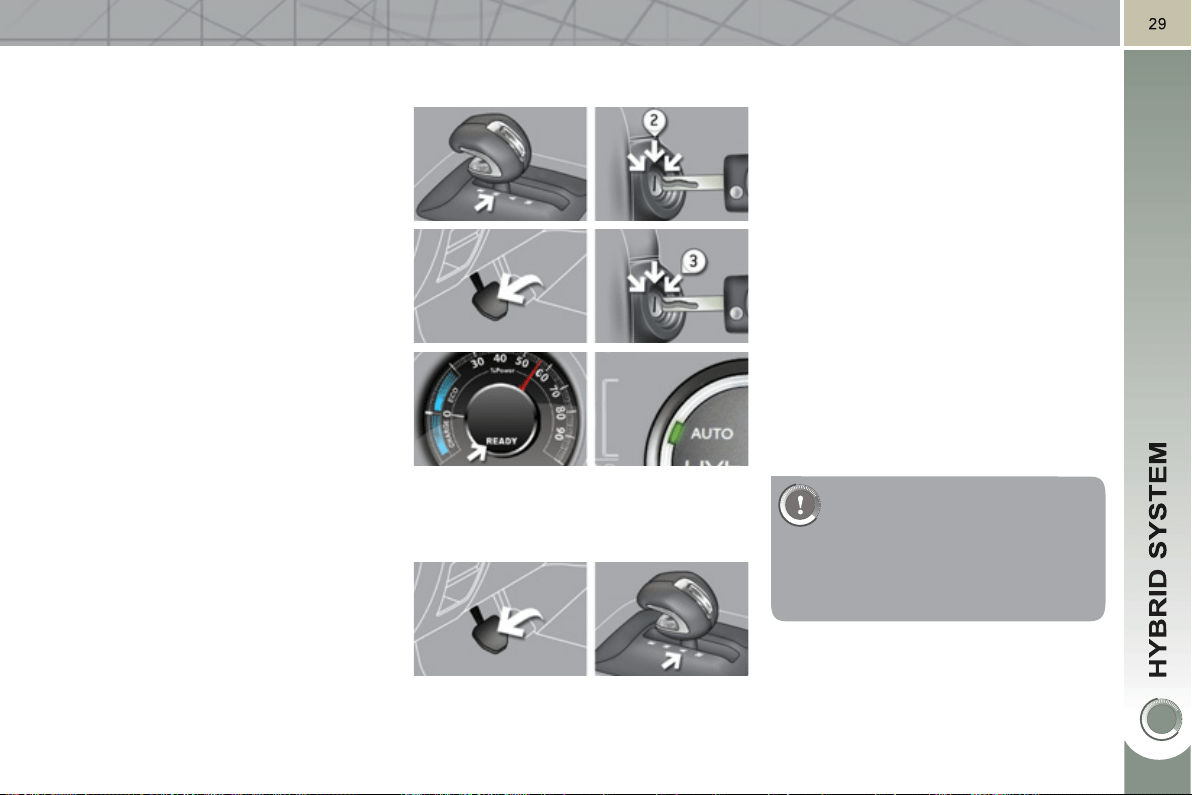
H
ow to start
y
our ve
hi
c
l
e
- Ensure that the gear lever is in posi-
tion N .
- Switch the ignition on by turning the
key to position 2 .
- Press fi rmly on the brake pedal, turn
the ignition key to position 3 to start
up the hybrid system, then release
the key.
- The Ready lamp and the instrument
panel come on. The power meter
needle sweeps through its travel in-
dicating that the hybrid system is
active, confi rmed by a message
"hybrid system active" ; the dial in
the centre console is in AUTO mode
(default mode for starting).
- The hybrid system determines
whether it is necessary to start the
Diesel engine.
- With the brake still applied, move
the gear lever to position A to go
forwards or R (by lifting the lever
slightly) for reverse.
- Lift your foot off the brake pedal, you
can move off.
- The parking brake is released
automatically as you move off, if
confi gured to do so (otherwise, re-
lease the parking brake manually).
H
ow to stop
y
our ve
hi
c
l
e an
d
th
e
hyb
r
id
s
y
stem
- Apply the brake until the vehicle
comes to a complete stop.
- Preferably, place the gear lever in
position N .
- Turn the ignition key to position 1 ,
the parking brake is applied auto-
matically if confi gured to do so.
- Otherwise apply the parking brake
manually.
In most cases the vehicle
starts in electric mode. This
means that your 3008 HYbrid4
makes no noise. So be very
careful of pedestrians as they will
not hear you coming.
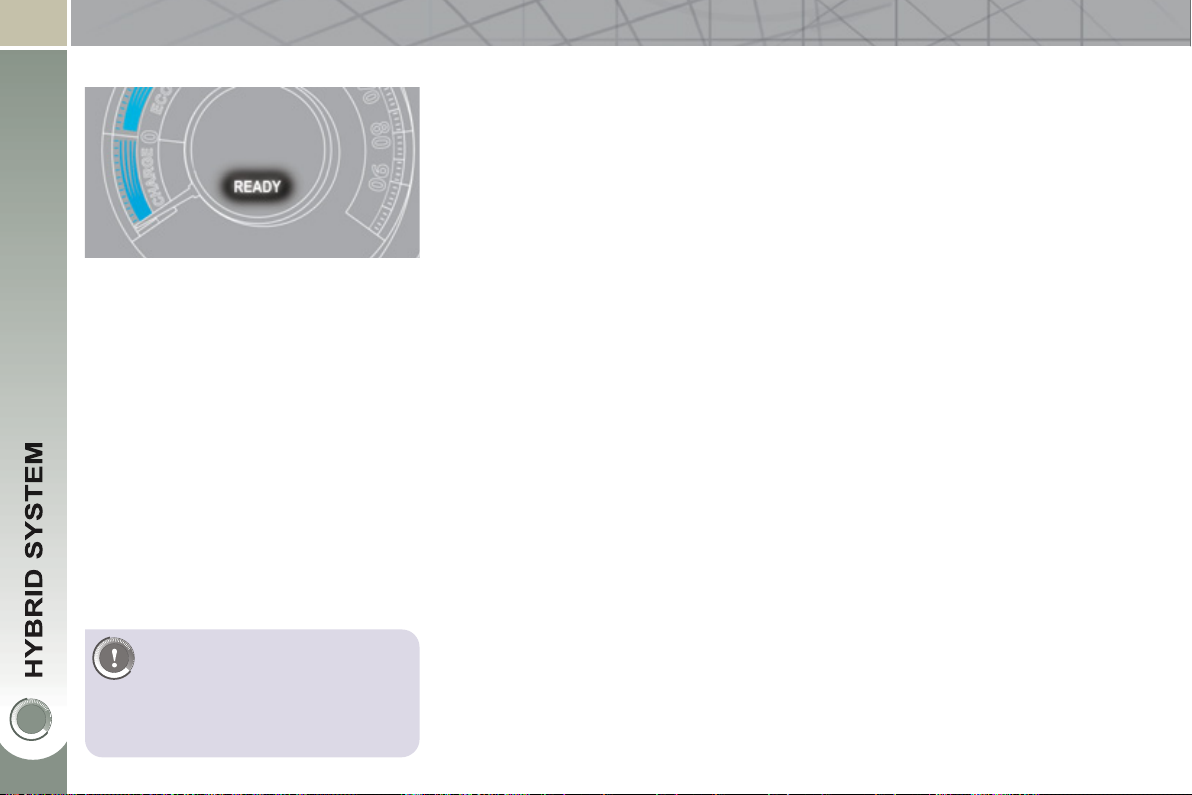
30
On starting the vehicle: with the gear le-
ver in position N , press the brake pedal
and turn the ignition key to activate the
hybrid system.
This lamp comes on when the vehicle is
ready to move off ("Auto" mode is on by
default) and so the driver can press the
accelerator.
This lamp comes on more or less in-
stantly but may take a few seconds in
some case (in particular, the time need-
ed for pre-heating the Diesel engine in
cold weather).
READY
L
AMP
When stationary, ensure that
you switch off the ignition and
the Ready lamp is off when
leaving the vehicle. Otherwise
the hybrid system will remain active.
See paragraph "Under bonnet pre-
cautions/warnings".
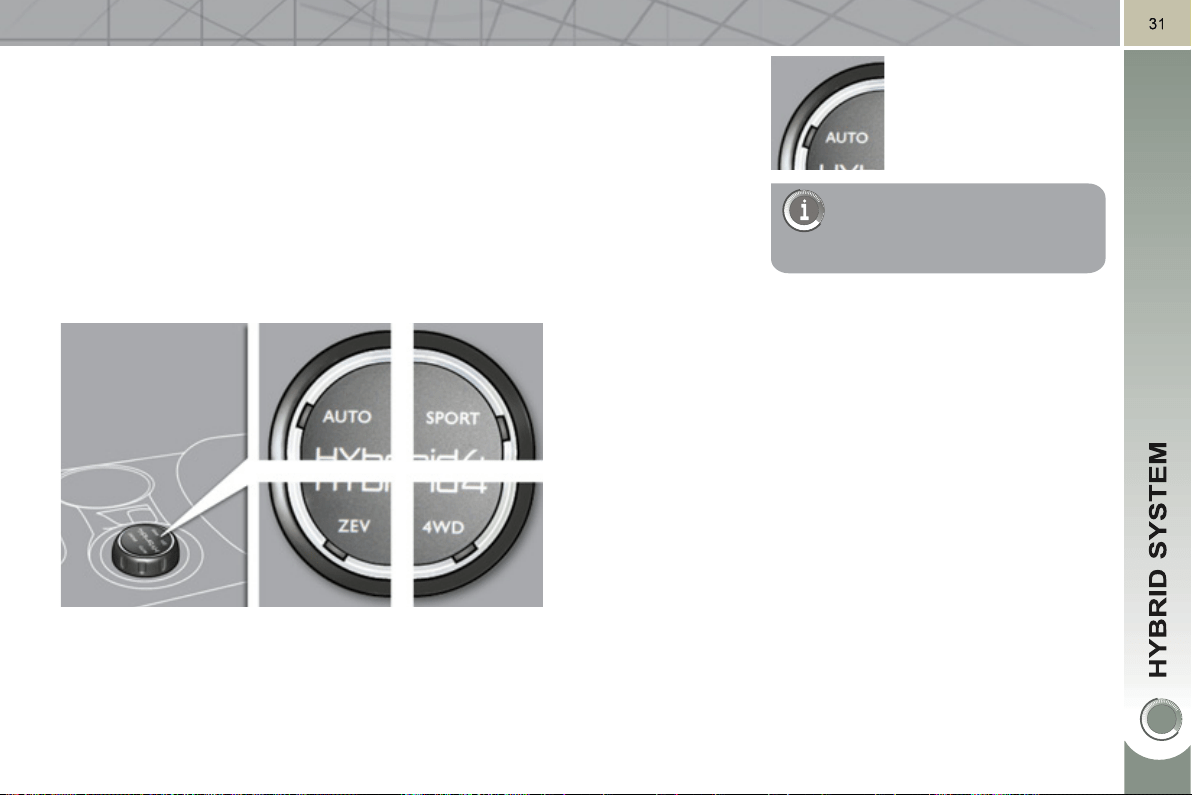
HYbrid
4
MODE SELECTOR
The selector allows the user to choose
between 4 drive modes for the vehicle.
Turn the dial to the right or left; the mode
selected is confi rmed by illumination of
the corresponding indicator.
ZEV mode, to force electric running
only.
Sport mode, to make use of the maxi-
mum performance of the vehicle.
A
uto mode
4WD mode, to force the vehicle into 4x4 mode.
It automatically manages the operation
of the Diesel engine and the electric
motor, according to inherent vehicle pa-
rameters, traffi c conditions and driving
style so as to optimise the vehicle's
fuel consumption .
In particular, this mode activates "zero
emissions" electric running when the
conditions allow.
In auto mode, the electric motor :
- can drive the vehicle on its own up
to 36 mph (60 km/h) in "zero emis-
sions" electric running, depending
on the state of charge of the battery,
if the conditions specifi c to the ve-
hicle are met and if acceleration is
moderate,
-
supplements the Diesel engine
when moving off and changing gear,
during acceleration and when trac-
tion from the front wheels is inade-
quate (it automatically adds 4 wheel
drive ),
- is no longer active above 70 mph
(120 km/h).
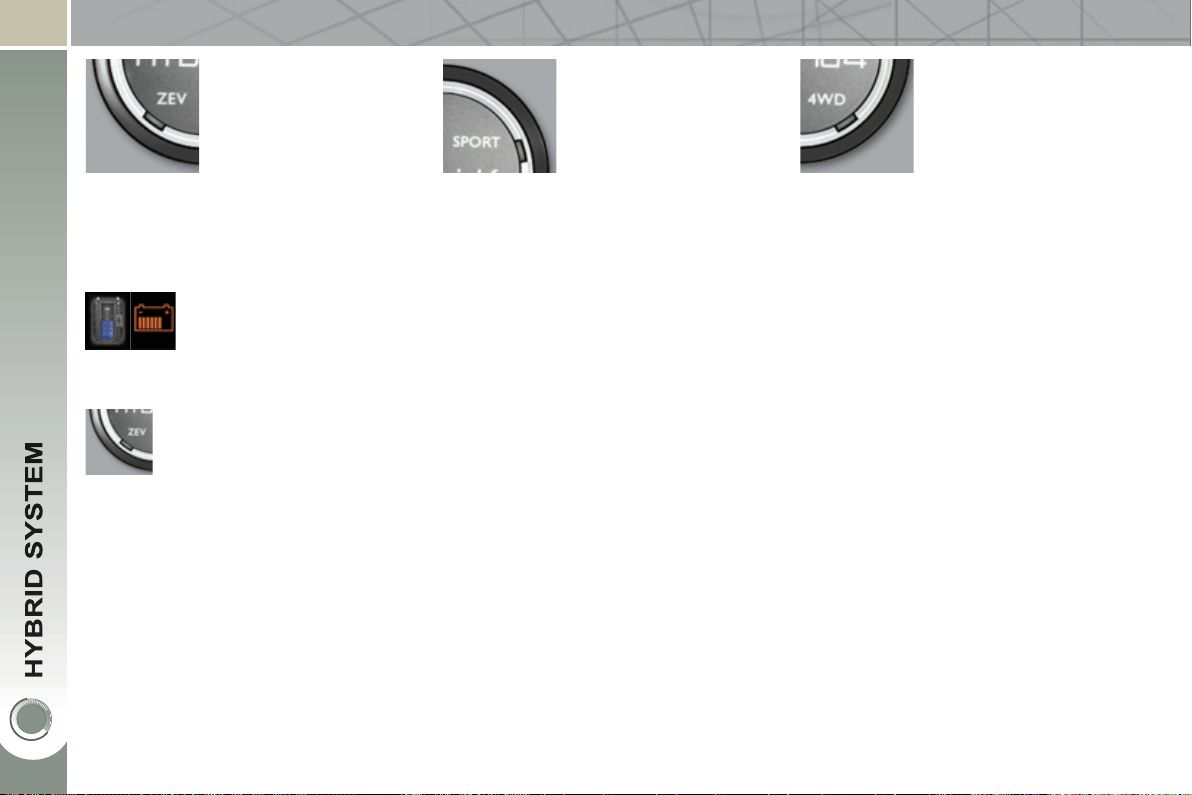
AUTO mode, for normal use and opti-
mised fuel consumption.
This standard mode to use in
preference is activated auto-
matically on starting the hybrid
system.
32
ZEV mode *
(
all electric
)
S
p
ort mode
(
Diesel and electric
)
4WD mode **
(
Diesel and electric
)
Zero emissions vehicle operation is as-
sured 100 % by electric drive.
This mode forces silent running at
moderate speeds.
This mode allows more dynamic driving
by providing additional performance .
Vehicle acceleration and pick-up are
maximised by using the capacity of the
electric motor, supplementing the power
of the Diesel engine.
This mode manages the progressive-
ness of the accelerator, the automatic
gear control gearbox and the use of the
electric motor.
In Sport mode:
- The electric motor can be used up to
70 mph (120 km/h).
This mode provides additional trac-
tion *** at low speed by driving all
4 wheels of the vehicle continuously:
the Diesel engine (front wheel drive) and
the electric motor (rear wheel drive) op-
erate simultaneously and permanently.
Their coupling is managed electronically
to optimise traction on slippery surfaces,
diffi cult terrain or severe conditions:
deep snow, mud, sand, …
In 4WD mode:
-
Power for the electric motor is provided,
if needed, by the alternator-starter
motor of the front engine. The Diesel
engine operates continuously.
-
The additional traction from the elec-
tric motor is available up to 70 mph
(120 km/h).
* ZEV: Zero Emissions Vehicle.
In ZEV mode:
- the accelerator control is progres-
sive.
- Range and acceleration capacity
are limited. The maximum speed
possible is 36 mph (60 km/h).
- Under high load or a priority require-
ment causing the start of the Diesel
engine, the system changes auto-
matically to AUTO mode.
It can be activated when
the required conditions are
met, particularly if the state
of charge of high voltage
battery is suffi cient (4 bars minimum).
If the conditions allow, a mes-
sage "ZEV mode unavailable"
appears in the screen, the
ZEV warning lamp fl ashes for
a few seconds then goes off
and the selector comes on in AUTO.
** 4WD: 4 Wheel Drive.
*** This mode will be even more effec-
tive if suitable tyres are fi tted (winter
tyres in particular).
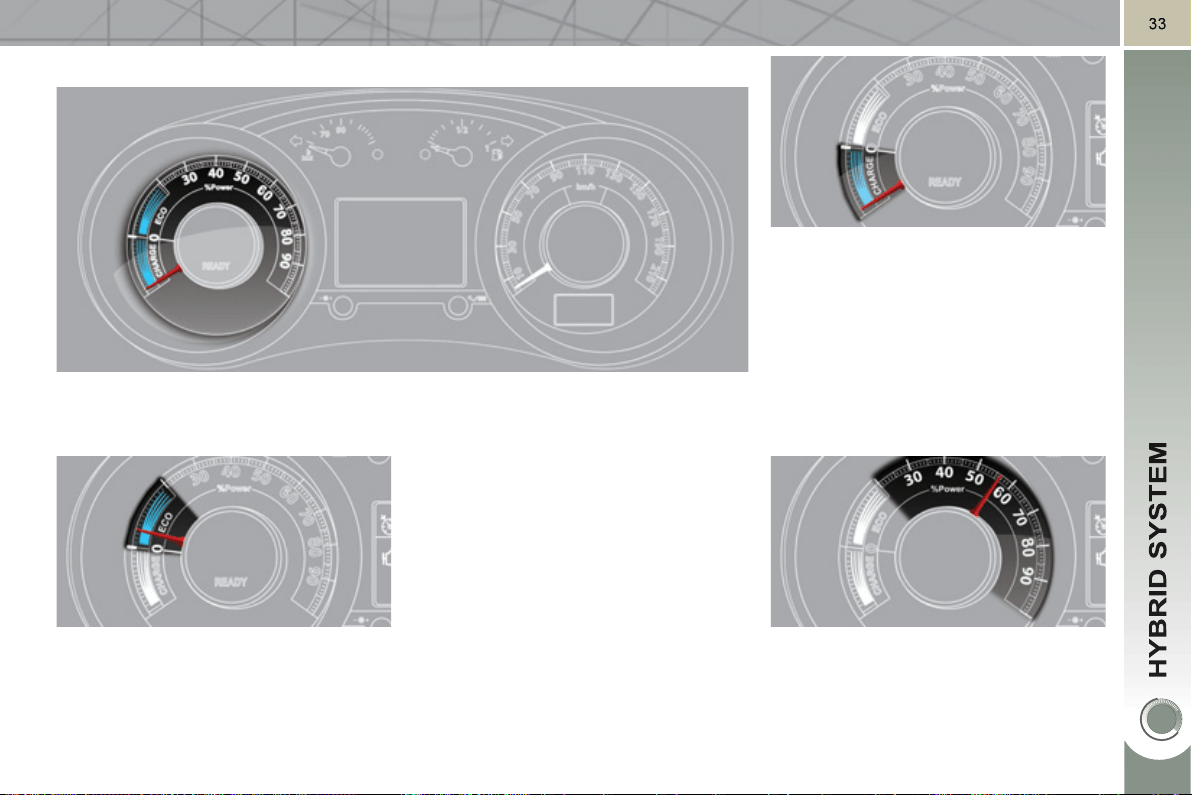
P
OWER METER
The instrument panel provides real time information on the total power used,
combining electric and Diesel.
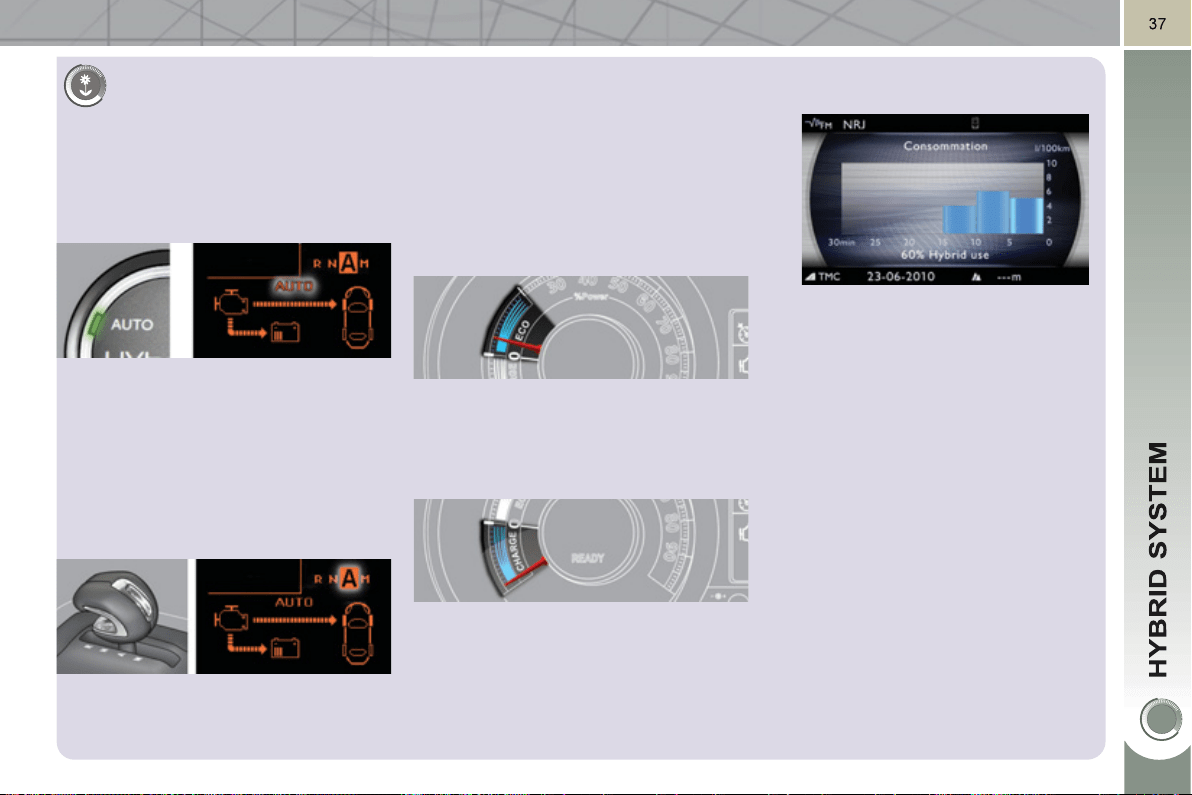
It comprises three main zones:
ECO zone
Zone which indicates that the vehicle
is optimising its energy consump-
tion , electric, Diesel or a combination
of both.
POWER zone
Zone which indicates an increased cu-
mulative power demand from your
hybrid vehicle, taking account of the
combined capacities of the Diesel en-
gine and the electric motor.
CHARGE ZON
E
Zone which indicates that the vehicle is
in electrical energy recovery phase: on
deceleration, braking or foot off the ac-
celerator, ...
This allows the high voltage battery
to be recharged using "free" energy
which can then be reused for future en-
ergy requirements.
This zone corresponds to phases of elec-
tric running as well as phases of optimum
use of the Diesel engine, which are eas-
ily accessible with a suitable driving style
(smooth "eco-citizen" driving).
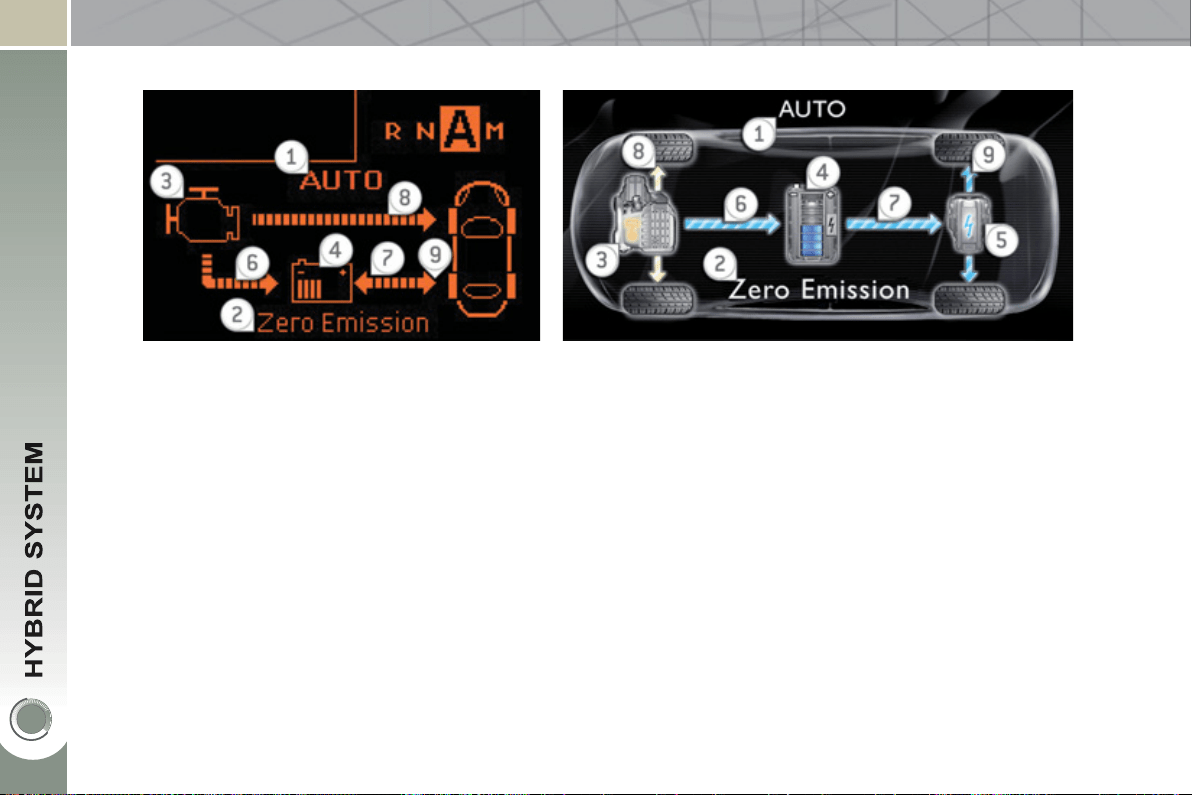
3
4
V
IEW HYBRID FLOW INFORMATION
H
y
brid modes
1. Active Hybrid mode (AUTO, ZEV, SPORT, 4WD).
2. Messages, e.g.: "Zero Emissions" if the Diesel engine is
off (0 g/km CO
2
).
Operation/Ener
gy
flows
6. The Diesel engine supplies the battery (if needed).
7. Arrow from left to right: the battery powers the electric
motor (when the electric motor is operating).
Arrow from right to left: the electric motor/generator
recharges the battery (energy recovery phases).
8. The Diesel engine drives the front wheels.
9. The electric motor drives the rear wheels.
V
ehicle infrastructure
3. Diesel engine.
4. Battery state of charge.
5. Electric Motor/Generator.
Information on the active hybrid mode, arrows for energy fl ows and the state of charge of the battery, is displayed in the
instrument panel screen or the Peugeot Connect Media screen.
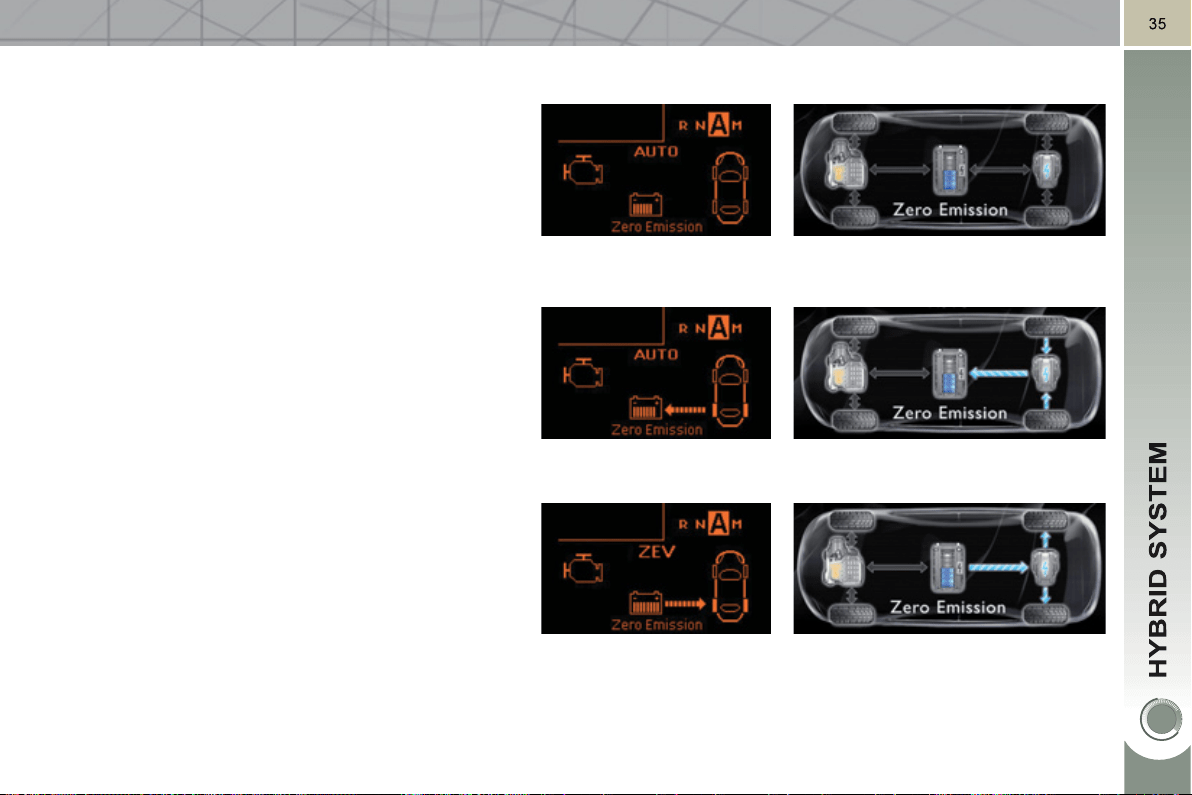
Examples of displa
y
s
On starting and when stationary
there is no fl ow of energy (the Stop & Start system
stops and restarts the Diesel engine automatically).
In auto mode, priority is given to the electric motor.
Energy recovery
During this phase (deceleration, braking, foot off the
accelerator, … all modes), the battery is recharged by
the electric motor/generator, itself driven by the rear
wheels.
100 % electric
In all electric running (AUTO or ZEV modes), only the
electric motor, powered by the battery, drives the rear
wheels.
The display of "Zero Emissions" indicates that the Diesel
engine is off and the vehicle is producing no CO
2
.
36
A
utomatic restartin
g
of
t
h
e
Di
ese
l
en
gi
ne
Various conditions can lead to restarting
or maintaining the Diesel engine, princi-
pally:
- during sustained and sharp ac-
celeration ,
- to maintain a comfortable tempera-
ture in the passenger compartment,
- when demisting,
- if the high voltage battery is not
suffi ciently charged,
-
in mountainous conditions (altitude),
- in certain temperature conditions
for the engine, such as a low am-
bient temperature (below 0 °C),
- if the temperature of the hybrid
system is too high,
- when using the vehicle after pro-
longed parking in a sunny area,
- when using the vehicle on a steep
slope,
- when regenerating the particle
emissions fi lter,
- fuel level too low.
In ZEV mode, these conditions lead
to an immediate change to AUTO
mode.
The Diesel engine is switched off auto-
matically as soon as these conditions
are lifted.
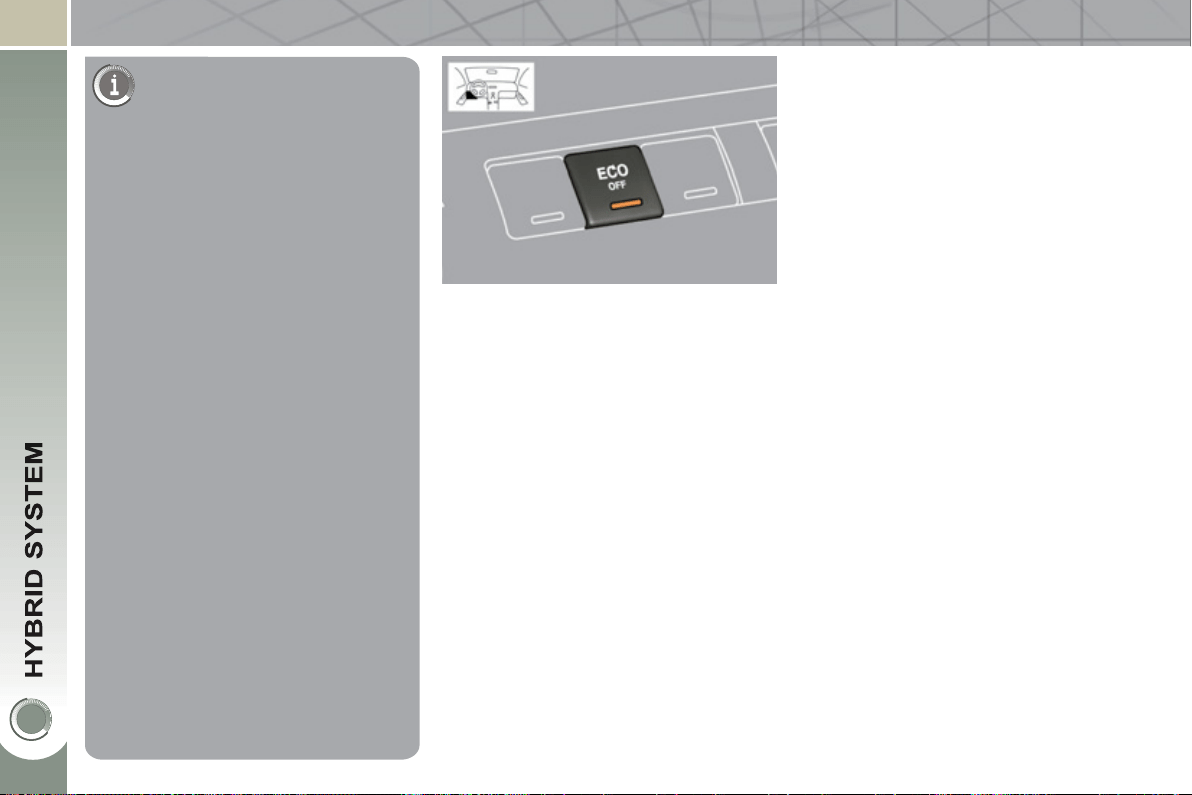
E
CO OFF SWITCH
This function prevents the Diesel engine
being switched off and so ensures that
a comfortable temperature can be main-
tained in the passenger compartment
(air conditioning running continuously).
On pressing the switch, the engine
restarts immediately.
To return to normal operation, press the
switch again.
After switching off the ignition, the vehi-
cle will return to normal operation (lamp
in the switch off).
FOR ECONOMICAL DRIVING, CARING FOR THE ENVIRONMENT
Main recommendations for drivin
g
economicall
y
Drive smoothly
The fuel consumption of a vehicle varies greatly:
- according to the driver's style of driving (moderate, aggressive, fast, ...),
-
according to the type of journeys made (urban, main road, motorway, fl owing,
heavy traffi c, …) and the speed.
Hybrid mode selector
To optimise fuel consumption, use the
Auto mode of the selector whenever
possible (the mode is activated auto-
matically when starting) including for
urban journeys.
This mode optimises the use of the ener-
gy sources (internal combustion engine
and/or electric) contrary to other modes,
which are for use in particular cases.
Gear lever
Use the automatic mode A as much as
possible as this optimises gear changes
to suit the requirements.
Stay in the "eco" zone indicated in the
power meter: accelerate gently, drive at
steady speeds using the speed limiter
or cruise control as soon as possible.
Causes of high consumption and
checks
As with any vehicle, limit overloading,
wind resistance (windows open above
30 mph (50 km/h), roof rack, loaded or
not, …), the use of power consumers
(air conditioning, heated seats, heated
rear screen, …).
Observe the recommendations on
checks (regular check of tyre pres-
sures, correct tyre pressures, …) and
routine servicing.
Use the "charge" zone: anticipate the
need to slow down by taking your foot
off the accelerator rather than braking.
The movement of the power meter nee-
dle (into the "charge" zone), indicates
the level of energy recovery.
Consumption history
See the impact of your style of driving
and the type of journey by reviewing
the history of your energy consumption.
Refer to the "Multifunction screens"
section.

38
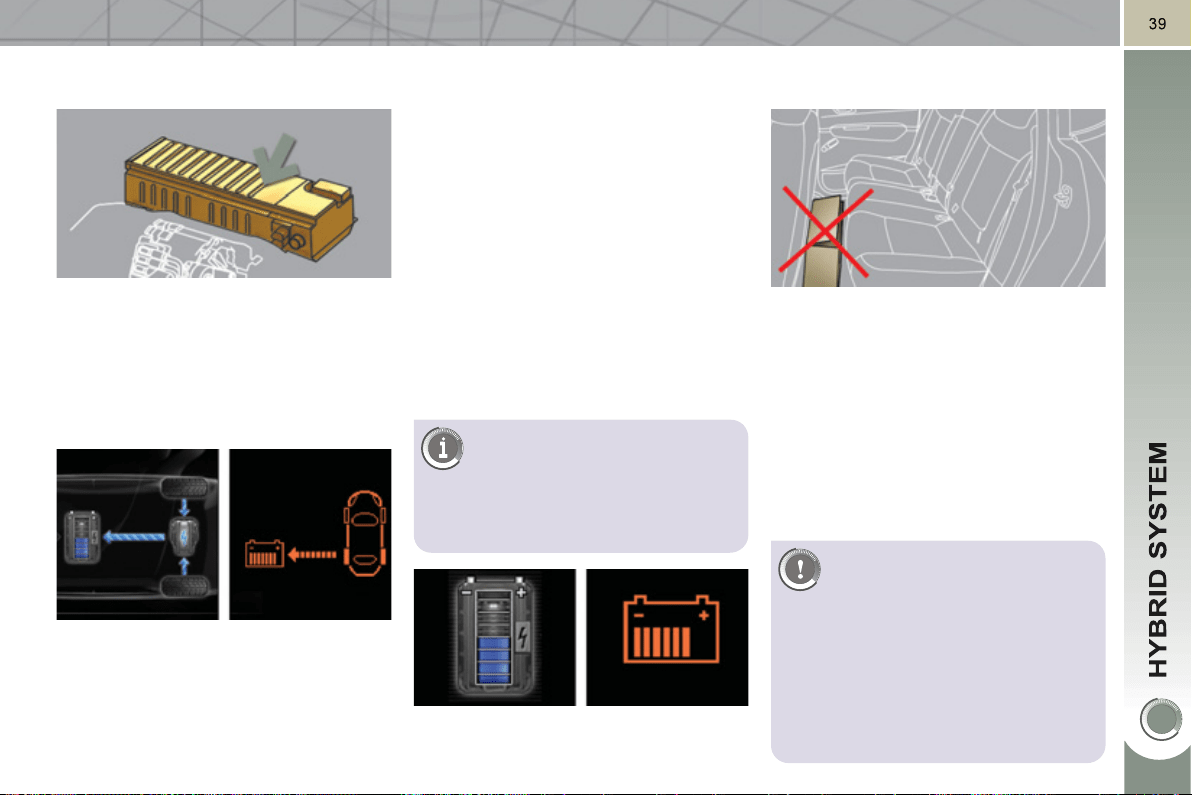
CONSUMPTION OF YOUR HYBRID IN THE PEUGEOT CONNECT MEDIA SCREEN
On movin
g
off After 15 minutes runnin
g
Average consumption over the last 5 minutes.
"60 % Hybrid Use" corresponds to 60 % of the
running time driven by the hybrid system and
40 % of the time with the Diesel engine only
(with no contribution from the hybrid system).
After 5 minutes runnin
g
For more information on the trip
computer, refer to the "Multifunction
screens" section.
2
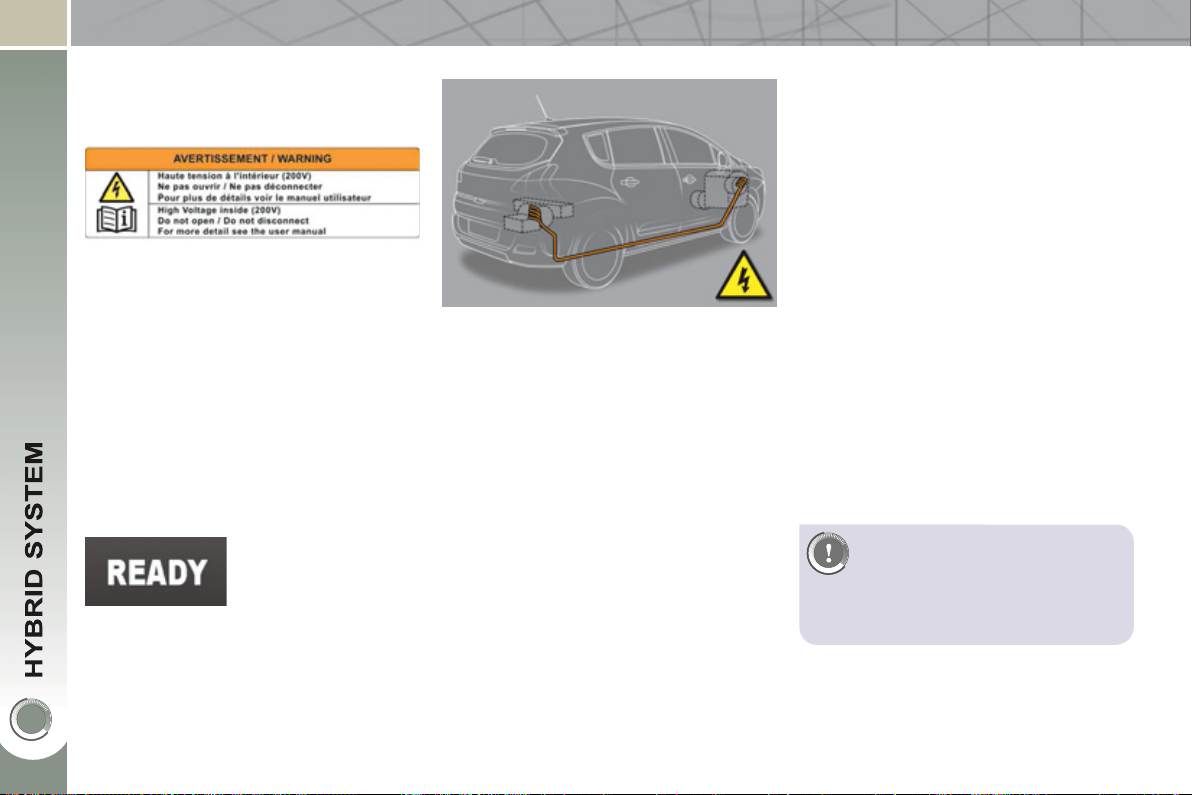
00 V HIGH VOLTAGE BATTERY
The Ni-MH (Nickel Metal Hydride) type
200 V high voltage battery is located
below the boot fl oor, close to the electric
motor. It is not recharged from a mains
supply.
Char
g
in
g
This recovery allows the use of "free"
energy.
The battery charging time is very short
and is continuous.
A discharged battery (following ZEV
running or high load, for example) will
quickly return to a state of charge suf-
fi cient for full operation of the different
hybrid modes.
The recharge takes place automati-
cally when driving (Auto mode to be
used in preference).
It can be faster:
- by avoiding sharp acceleration,
- by recovery on deceleration: it will
take around 5 minutes on a long de-
scent.
- it will take around 10 minutes if the
Diesel engine is left idling (forced
Diesel engine operation).
The high voltage battery has an air
cooling system, comprising an air in-
take located under the left hand rear
seat and a fan behind the left hand boot
trim panel.
This system does not work continuous-
ly, but adapts the force of the ventilation
to the requirements of the battery.
If the air intake is blocked, the battery
may overheat, damaging the battery
and causing a loss of performance of
the hybrid system.
V
ENTILATION FOR THE HIGH
V
OLTAGE BATTERY
For the best use of the high
voltage battery, please follow
these recommendations:
-
do not obstruct the air intake with
loose articles, otherwise, the bat-
tery may overheat, causing a loss of
performance of the hybrid system
- do not spill fl uids, as this may
cause damage to the battery.
The battery is charged when the vehicle
decelerates, the electric motor then becom-
ing a generator and converts kinetic energy
into electrical energy (except if the speed of
the vehicle is above 70 mph (120 km/h)).
The battery is not recharged from a mains
supply.
If the high voltage battery does not re-
charge, contact a PEUGEOT dealer.
To preserve the service life of
the battery, the level of charge
never falls below 10 %, even
if a level of 0 bars is displayed
after ZEV running.
4
0
The high voltage battery must not in any
circumstances be charged from an ex-
ternal source and must only be handled
by a workshop technician.
There is the risk of serious burns, as
well as electric arcs that could cause
serious injury or even death.
A used Ni-MH (Nickel Metal Hydride)
type high voltage battery must be re-
moved in an appropriate manner by a
repair workshop, so that its recycling
presents no risk to the environment.
High
vo
l
ta
g
e
The voltage used for the operation of
the electric motor is in the range 150 to
270 Volts.
Be sure to take account of the warning
labels fi tted to the vehicle.
Take great care regarding the high voltage
and high temperatures of components
carrying the current.
Emer
g
enc
y
cut-off
Never touch, dismantle, remove or
replace the high voltage parts, cables
(orange in colour) or connectors, even
in the event of an accident.
In the event of an accident, a cut-off
system blocks the high voltage current
and cuts off the fuel pump; your vehicle
can no longer be started.
To restart the hybrid system, contact a
PEUGEOT dealer.
High voltage cables are routed under
the vehicle (sills); ensure that the vehi-
cle is not used for off-road activity (such
as crossing a ford) which could damage
them.
Before doing any
work on the vehicle,
switch off the ignition
( Ready lamp off).
B
atter
y
precaut
i
ons
High
vo
l
ta
g
e ca
bl
es
Take care to position lifting
equipment (jack, hoist, ...) at
the locations provided to avoid
damaging the cables.
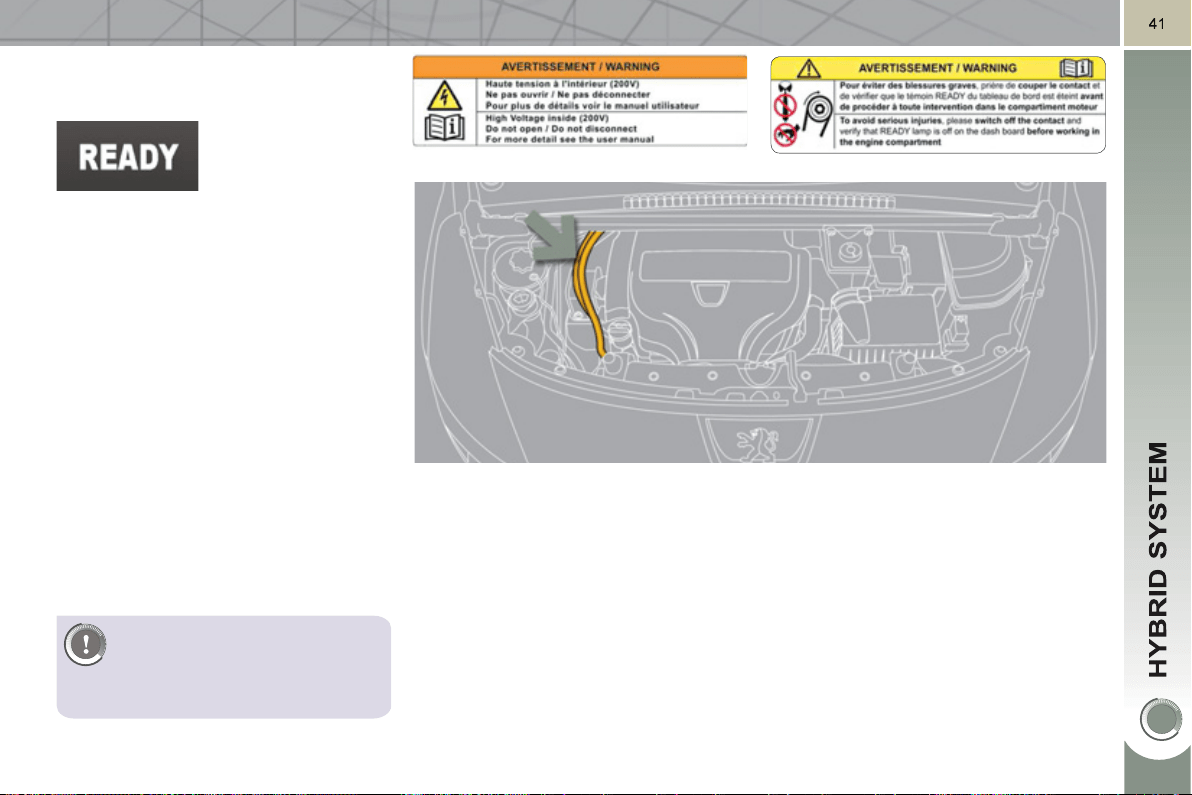
Also ensure that the ignition is
switched off when refuelling to
avoid the engine restarting.
U
NDER BONNET
P
RECAUTIONS/WARNINGS
The alternator-starter motor of your
hybrid vehicle is also supplied at high
voltage. If the vehicle ignition has not
been switched off, there is a risk of the
engine restarting at any moment.
Always ensure that
the ignition is switched
off ( Ready lamp off)
before opening the
bonnet.
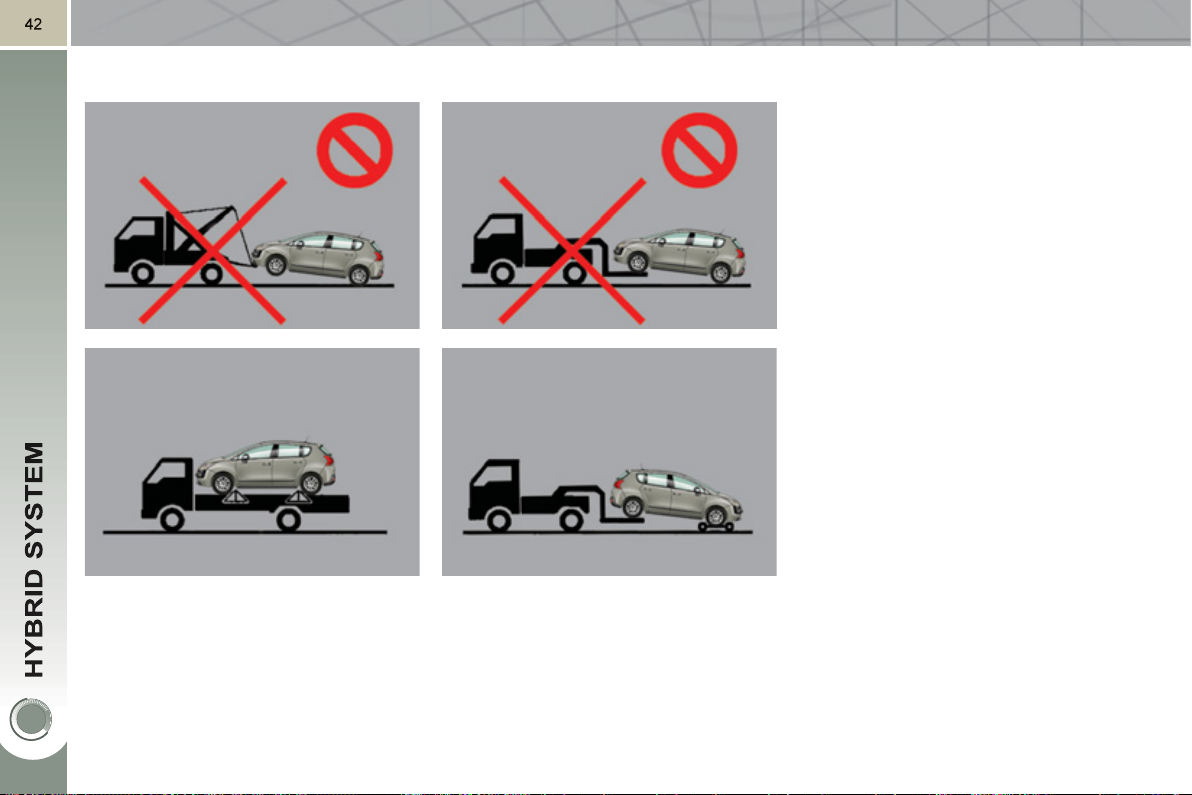
V
EHICLE RECOVERY
Before doing any work, switch off the
ignition and put the gear lever in posi-
tion N .
The vehicle can be pushed for around
10 metres maximum.
The front or rear wheels must not be on
the ground, use a fl at-bed lorry or trailer
to recover the vehicle.
Use the towing eyes only to pull a ve-
hicle out or to pull it onto a fl at-bed.
4
3
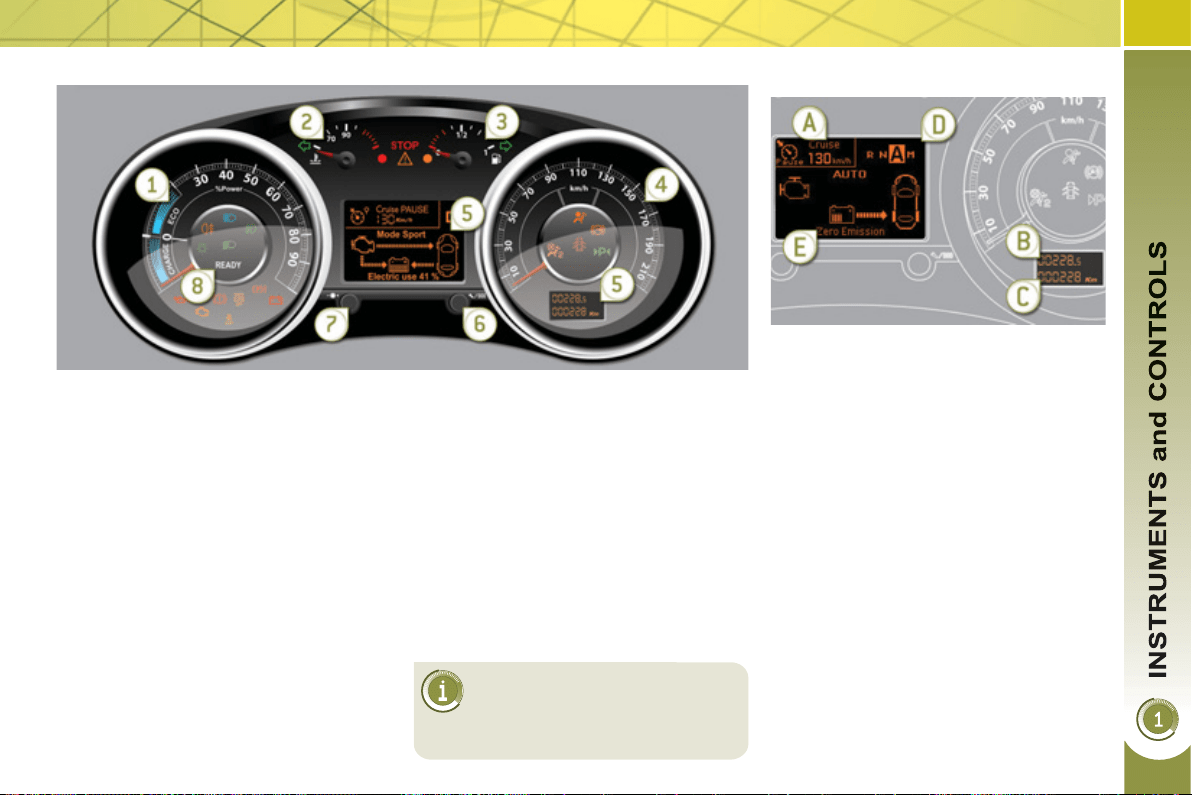
Panel grouping together the vehicle operation indication dials and warning lamps.
INSTRUMENT PANELS
For more information, refer to
the paragraph relating to the
button or function and its as-
sociated display.
Di
a
l
s
6. Display zero reset or service indi-
cator re-display button.
Resets the selected function to zero
(trip distance recorder or service in-
dicator) or displays the service indi-
cator again.
7. Instrument panel lighting dimmer.
Adjusts the brightness of the light-
ing of the instruments and controls,
if the vehicle lighting is on.
8. Ready lamp
Indicates that the vehicle is ready to
move off.
1. Power meter.
Indicates the power available as a
percentage .
For more information refer to the
"Hybrid" section.
2. Coolant temperature gauge .
Indicates the temperature of the en-
gine coolant (° Celsius).
3. Fuel gauge .
Indicates the quantity of fuel remain-
ing in the tank.
4. Speedometer.
Indicates the current speed of the
moving vehicle (mph or km/h).
5. Screen.
Screen(s)
A. Speed limiter
or
Cruise control.
(mph or km/h)
B. Trip distance recorder.
(miles or km)
C. Service indicator.
(miles or km) or,
Engine oil level indicator.
or
Distance recorder.
(miles or km)
D. 6-speed electronic gear control
gearbox.
E. - Electrical fl ow or
- Warning messages and function
status messages or
- Trip computer or
- Satellite navigation information or
- Menus (with Peugeot Connect
Media).
44
The main menu and its asso-
ciated functions can only be
accessed when stationary, via
buttons 1 to 4 .
A message appears on the screen,
above a certain speed threshold, in-
dicating that the main menu cannot
be displayed.
The trip computer displays can only
be accessed while driving, via but-
tons 2 and 3 (refer to the "Trip com-
puter" paragraph).
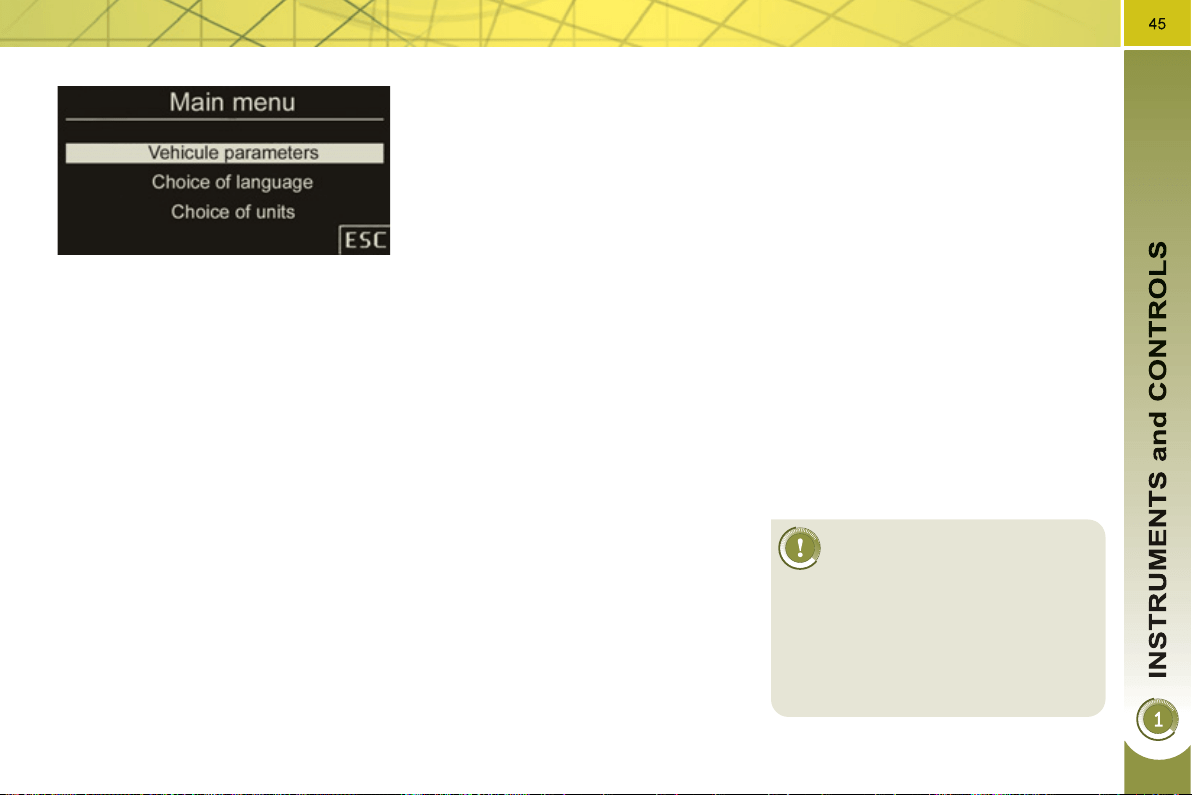
Main menu
) Press button 1 for access to the
main menu and select one of the fol-
lowing functions:
- "Vehicle parameters",
- "Choice of language",
- "Choice of units".
) Press button 2 or 3 to move in the
screen.
) Press button 1 again to confi rm the
selection.
I
nstrument pane
l
nav
ig
ator assoc
i
ate
d
with the Peu
g
eot Connect Media
This group of buttons permits:
- when stationary , confi guration of the
vehicle's equipment and the screen
settings (languages, units...),
- while driving , scrolling of the active
functions (trip computer, naviga-
tion...).
Controls
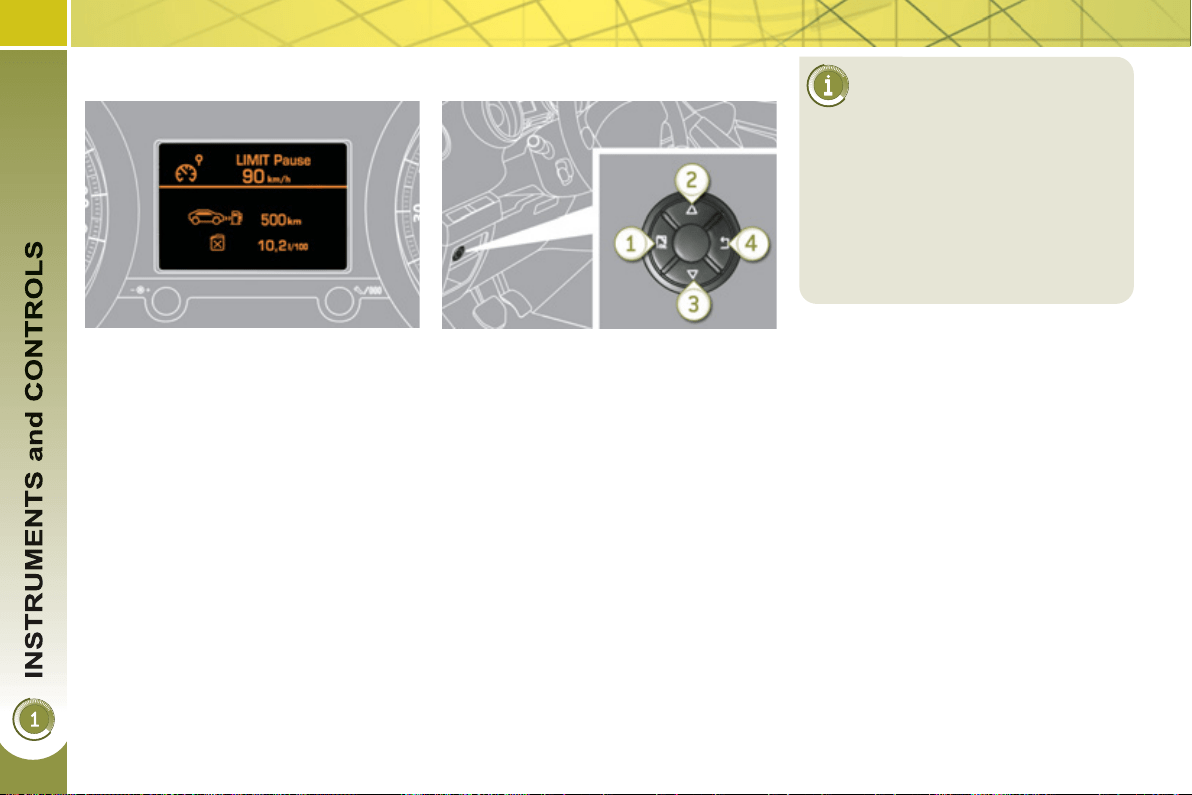
There are four buttons to control the
large 16/9 screen in the instrument
panel:
1. access the main menu, confi rm the
selection,
2. move up through the menu,
3. move down through the menu,
4. return to the previous display, exit
from the menu.
Vehicle parameters
This menu allows you to activate or
deactivate certain driving and comfort
equipment (according to country):
- wiper linked with reverse gear (refer
to the "Visibility" section),
- selective unlocking (refer to the
"Access" section),
- guide-me-home and welcome lighting
(refer to the "Visibility" section),
- interior mood lighting (refer to the
"Visibility" section),
- daytime running lamps (refer to the
"Visibility" section),
- directional headlamps (refer to the
"Visibility" section),
- automatic or manual parking brake
(refer to the "Driving" section).
Choice of units
This menu allows you to select the
units: temperature (°Celsius or °Fahr-
enheit) and fuel consumption (l/100 km,
mpg or km/l).
Choice of language
This menu allows you to select the
display language: Deutsch, English,
Espanol, Français, Italiano, Nederlands,
Portugues, Türkçe * .
* According to country.
I
n
di
cator an
d
warn
i
n
g
l
amps
Visual indicators informing the driver
that a system is in operation (operation
or deactivation indicator lamps) or of the
occurrence of a fault (warning lamp).
When the ignition is switched on
Certain warning lamps come on for a
few seconds when the vehicle's ignition
is switched on.
When the engine is started, these same
warning lamps should go off.
If they remain on, before moving off, refer to the
information on the warning lamp concerned.
Associated warnings
The illumination of certain warning
lamps may be accompanied by an au-
dible signal and a message in the multi-
function screen.
The warning lamps may come
on continuously (fi xed) or
fl ash.
Certain warning lamps may come on
in two different modes. Only by re-
lating the type of illumination to the
operating status of the vehicle can it
be ascertained whether the situation
is normal or whether a fault has oc-
curred.
4
6
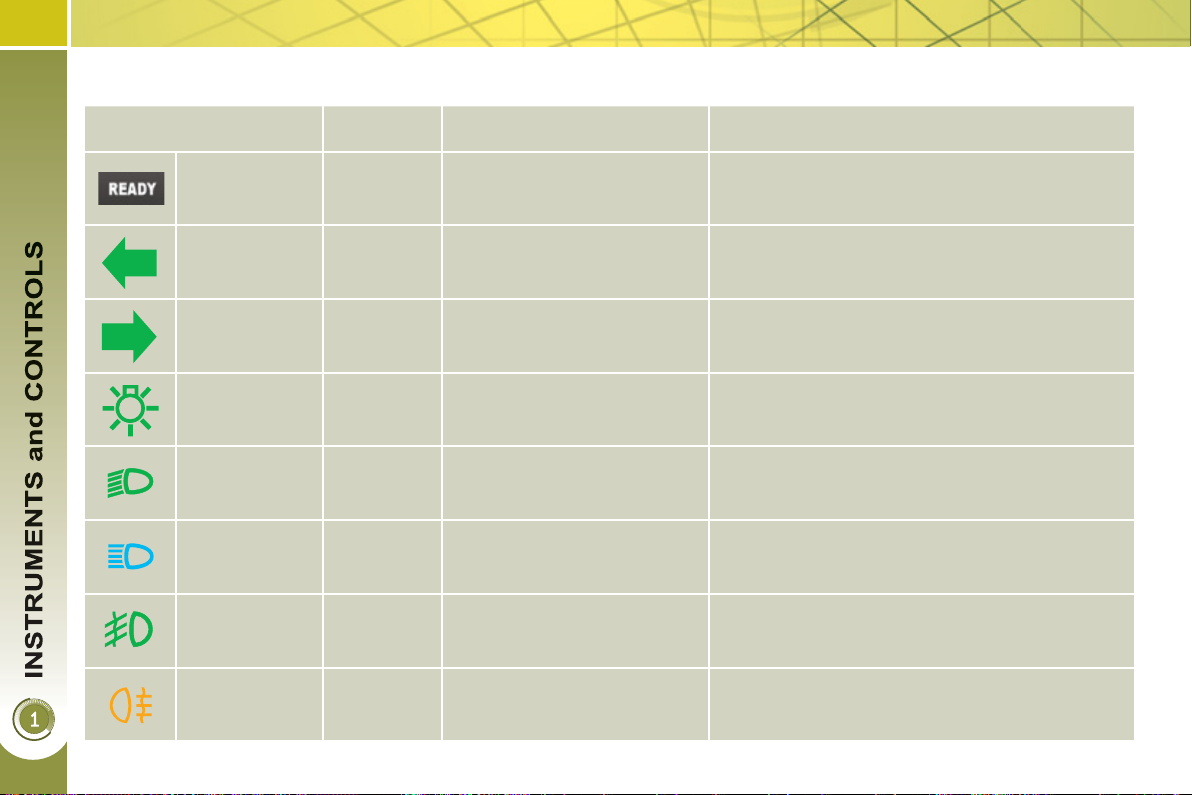
Operation indicator lamps
If one of the following indicator lamps comes on, this confi rms that the corresponding system has come into operation.
Warning lamp is on Cause Action/Observations
Left-hand
direction
indicato r
fl ashing
with buzzer.
The lighting stalk is pushed
down.
Right-hand
direction
indicator
fl ashing
with buzzer.
The lighting stalk is pushed up.
Sidelamps fi xed.
The lighting stalk is in the
"Sidelamps" position.
Dipped beam
headlamps
fi xed.
The lighting stalk is in the
"Dipped beam headlamps"
position.
Main beam
headlamps
fi xed.
The lighting stalk is pulled
towards you.
Pull the stalk to return to dipped beam
headlamps.
Ready fi xed.
The vehicle is ready to move
off; you can press the
accelerator.
It comes on once high voltage is established in
the vehicle.
Front
foglamps
fi xed.
The front foglamps are
switched on.
Turn the ring on the stalk rearwards twice to
switch off the front foglamps.
Rear
foglamps
fi xed.
The rear foglamps are
switched on.
Turn the ring on the stalk rearwards to switch
off the rear foglamps.
47
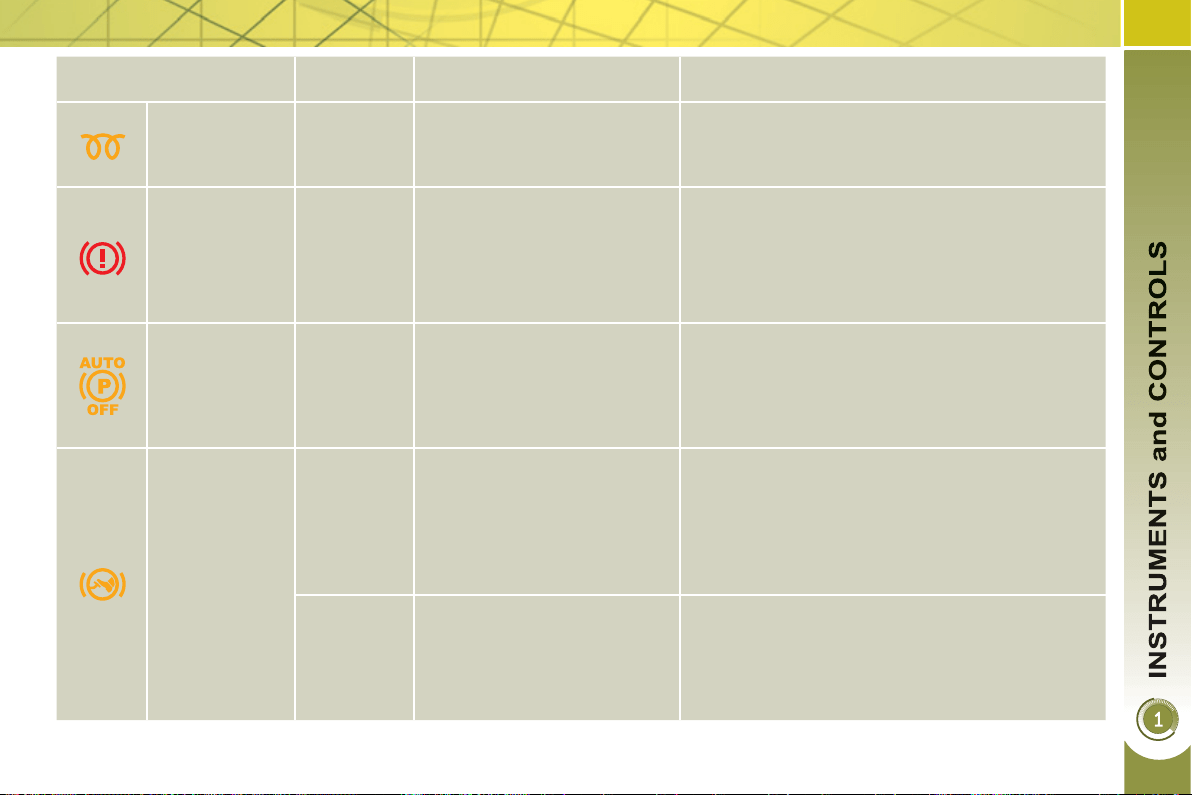
Warning lamp is on Cause Action/Observations
Diesel engine
pre-heating
fi xed.
The ignition switch is at the
2nd position (ignition on).
Wait until the warning lamp has switched off
before starting.
The duration for which the warning lamp is on is
determined by the climatic conditions.
Electric
parking brake
fi xed.
The electric parking brake is
applied.
Release the electric parking brake to switch off
the warning lamp: with your foot on the brake
pedal, pull the electric brake control.
Observe the safety recommendations.
For further information about the electric parking
brake, refer to the "Driving" section.
Deactivation
of the
automatic
functions of
the electric
parking brake
fi xed.
The "automatic application"
(on switching off the engine)
and "automatic release"
functions are deactivated or
faulty.
Activate the function (according to country) via
the vehicle confi guration menu or contact a
PEUGEOT dealer.
Foot on the
brake pedal
fi xed.
The brake pedal is not
pressed.
With the 6-speed electronic gearbox system,
press the brake pedal to start the engine (lever
in position N ).
If you wish to release the parking brake without
pressing the brake pedal, this warning lamp will
remain on.
fl ashing.
With the 6-speed electronic
gearbox system, if you hold
the vehicle on an incline
using the accelerator for too
long, the clutch overheats.
Use the brake pedal and/or the electric parking
brake.
4
8
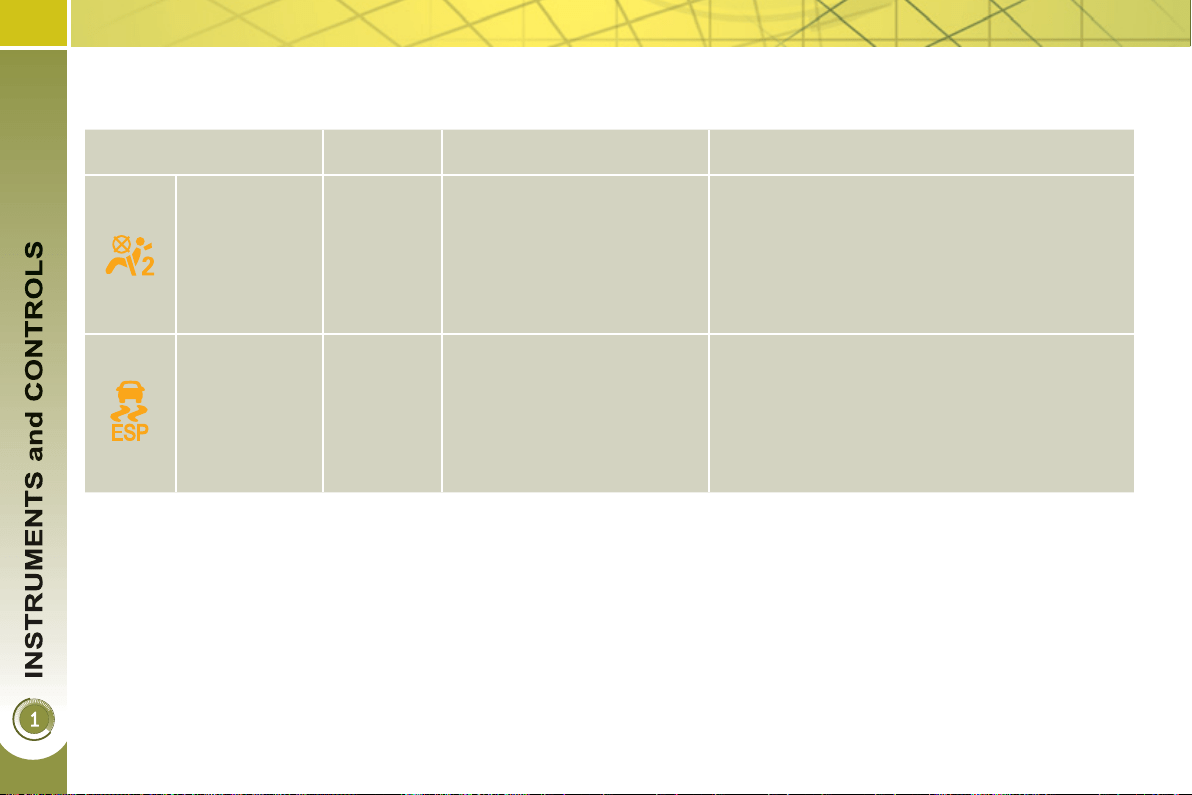
Deactivation indicator lamps
If one of the following indicator lamps comes on, this confi rms that the corresponding system has been switched off intentionally.
This is may be accompanied by an audible signal and a message on the multifunction screen.
Warning lamp is on Cause Action/Observations
Passenger's
airbag system
fi xed.
The control, located in the
glove box, is set to the OFF
position.
The passenger's front airbag
is deactivated.
In this case you can install a
"rear facing" child seat.
Set the control to the ON position to activate the
passenger's front airbag. In this case, do not fi t
a child seat in the rear-facing position.
The passenger's airbag system is then
activated automatically on starting the vehicle
("ON" position).
ESP/ASR fi xed.
The button, located at the
bottom left of the dashboard,
is pressed. Its indicator lamp
is on.
The ESP/ASR is deactivated.
ESP: electronic stability
programme.
ASR: anti-slip regulation.
Press the button to activate the ESP/ASR. Its
indicator lamp goes off.
The ESP/ASR system is activated automatically
when the vehicle is started.
If deactivated, the system is reactivated
automatically from around 30 mph (50 km/h).
4
9
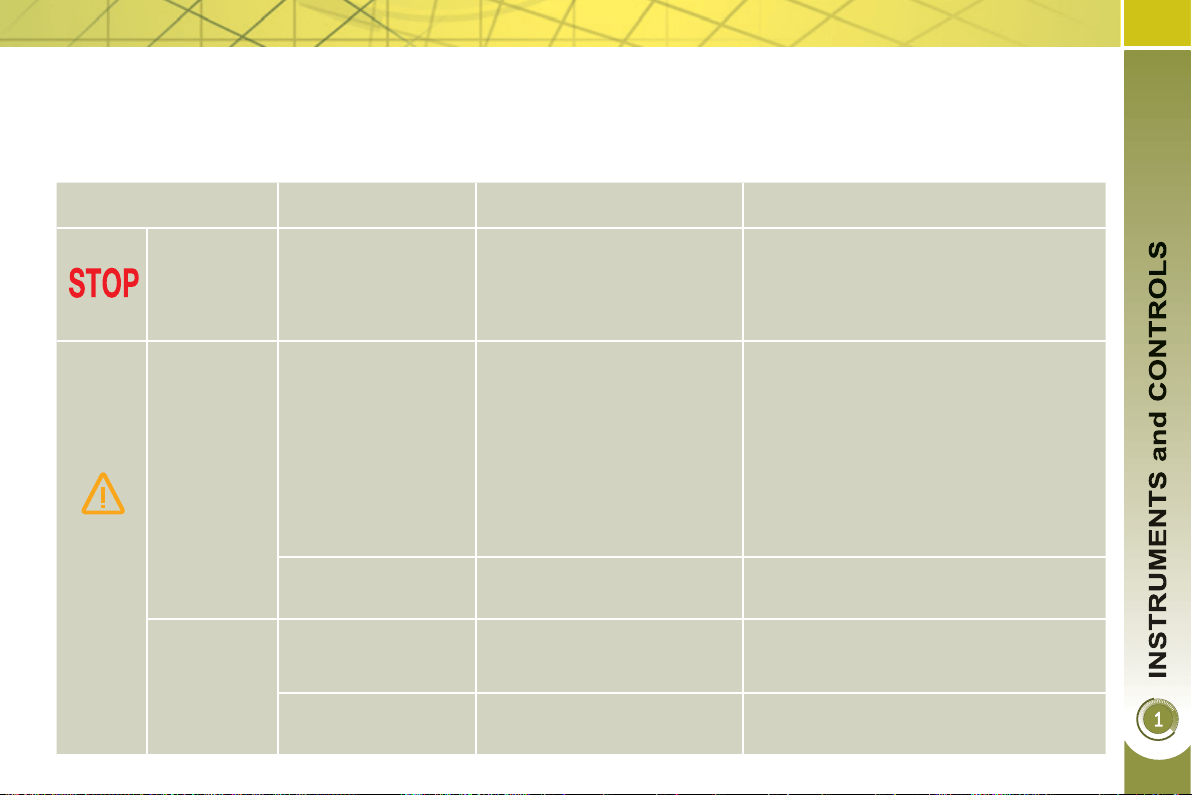
Warning lamps
When the engine is running or the vehicle is being driven, the illumination of one of the following warning lamps indicates
a fault which requires action on the part of the driver.
Any fault resulting in the illumination of a warning lamp must be investigated further by reading the associated message in
the multifunction screen.
If you encounter any problems, do not hesitate to contact a PEUGEOT dealer or a qualifi ed workshop.
Warning lamp is on Cause Action/Observations
STOP
fi xed, associated
with another warning
lamp, accompanied
by an audible signal
and a message in
the screen.
It is associated with the
braking system, the power
steering, the engine oil
pressure, the engine coolant
temperature or the hybrid
system.
Stop as soon as it is safe to do so.
Park, switch off the ignition and call a
PEUGEOT dealer.
Service
temporarily.
A minor fault has occurred
for which there is no specifi c
warning lamp.
Identify the fault by reading the message
shown on the screen, such as, for example:
- the hybrid system,
- the closing of the doors, boot or bonnet,
- the engine oil level,
- the screenwash level,
- the remote control battery,
- saturation of the particle emission
fi lter (Diesel).
For any other faults, contact a PEUGEOT
dealer.
fi xed.
A major fault has occurred
for which there is no specifi c
warning lamp.
Identify the fault by reading the message
shown on the screen and contact a
PEUGEOT dealer.
(PEF:
particle
emissions
fi lter, Diesel)
fi xed, associated
temporarily with a
message on the risk
of FEP fi lter blockage.
This indicates the start of
saturation of the particle
emissions fi lter.
As soon as traffi c conditions permit,
regenerate the fi lter by by driving at a
speed of of least 36 mph (60 km/h) until
the service warning lamp goes off.
fi xed.
This indicates the low level of
the Diesel additive reservoir.
Have it topped up as soon as possible
by a PEUGEOT dealer.
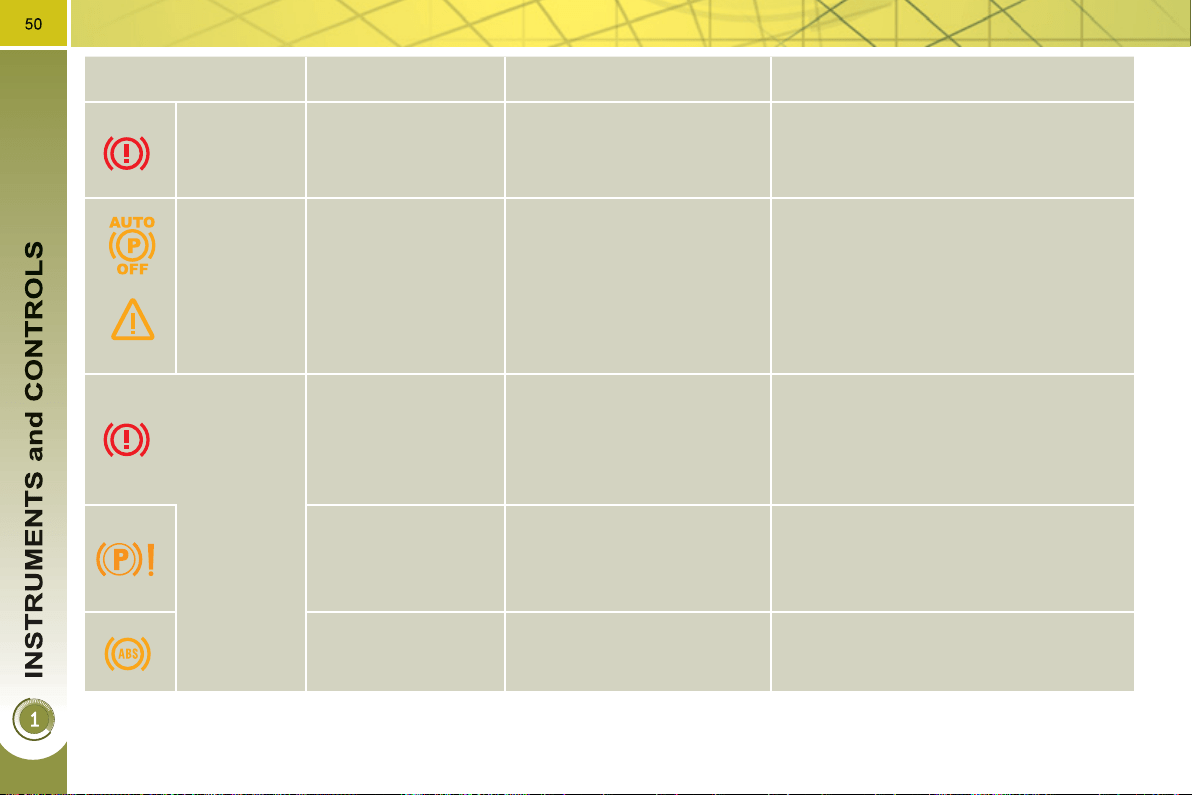
Warning lamp is on Cause Action/Observations
Braking
fi xed, associated with
the STOP warning
lamp.
The braking system fl uid
level has dropped
signifi cantly.
You must stop as soon as it is safe to do so.
Top up with brake fl uid recommended by
PEUGEOT.
If the problem persists, have the system
checked by a PEUGEOT dealer or a
qualifi ed workshop.
+
fi xed, associated with
the electric parking
brake malfunction
warning lamp, if the
parking brake is
released.
The braking system has a
fault.
You must stop as soon as it is safe to do so.
Park, switch off the ignition and contact
a PEUGEOT dealer or a qualifi ed
workshop.
+
fi xed, associated with
the STOP and ABS
warning lamps.
The electronic brake force
distribution (EBFD) system
has a fault.
You must stop as soon as it is safe to do so.
Have it checked by a PEUGEOT dealer
or a qualifi ed workshop.
Electric
parking
brake
fl ashing.
The application or release
of the electric parking brake
was interrupted.
You must stop as soon as it is safe to do so.
Park on level ground, switch off the
ignition and contact a PEUGEOT dealer
or a qualifi ed workshop.
+
Electric
parking
brake
malfunction
fi xed.
The electric parking brake
has a fault.
Automatic application/release is no
longer possible.
Contact a PEUGEOT dealer or a
qualifi ed workshop without delay.
The parking brake can be released manually
using the emergency release procedure.
For more information on the electric
parking brake, refer to the "Driving"
section.
51
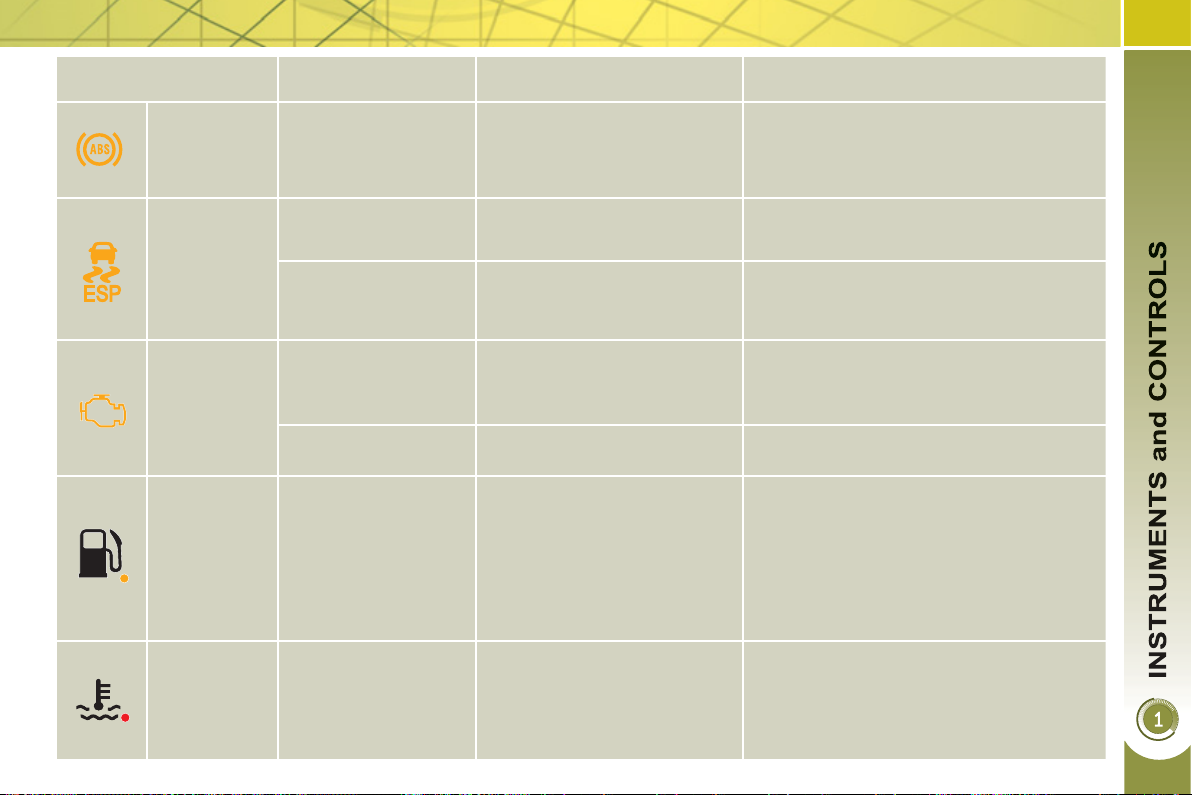
Warning lamp is on Cause Action/Observations
Engine
autodiagnosis
system
fi xed.
The emission control system
has a fault.
This lamp should switch off when the
engine is started.
If it does not switch off, contact a
PEUGEOT dealer urgently.
fl ashing.
The engine management
system has a fault.
Risk of destruction of the catalytic convertor.
Have it checked by a PEUGEOT dealer.
Low fuel
level
fi xed with the needle
in the red zone.
When it fi rst comes on there
remains approximately
6 litres of fuel in the tank.
At this point, you begin to
use the fuel reserve.
Refuel as soon as possible to avoid
running out of fuel.
This warning lamp will come on every time
the ignition is switched on, until a suffi cient
addition of fuel is made.
Fuel tank capacity: approximately 56.5 litres .
Never continue to drive until you run out of fuel, as this
could damage the emission control and injection systems.
Maximum
coolant
temperature
fi xed with the needle
in the red zone.
The temperature of the
cooling system is too high.
Stop as soon as it is safe to do so.
Wait until the engine has cooled down
before topping up the level, if necessary.
If the problem persists, contact a
PEUGEOT dealer.
Dynamic
stability
control
(ESP/ASR)
fl ashing.
The ESP/ASR regulation is
active.
The system optimises traction and
improves the directional stability of the
vehicle.
fi xed.
Unless it has been deactivated
with the indicator lamp on the
button on, the ESP/ASR
system is faulty.
Have it checked by a PEUGEOT dealer.
Anti-lock
Braking
System
(ABS)
fi xed.
The anti-lock braking system
has a fault.
The vehicle retains conventional
braking.
Drive carefully at reduced speed and
contact a PEUGEOT dealer without
delay.
52
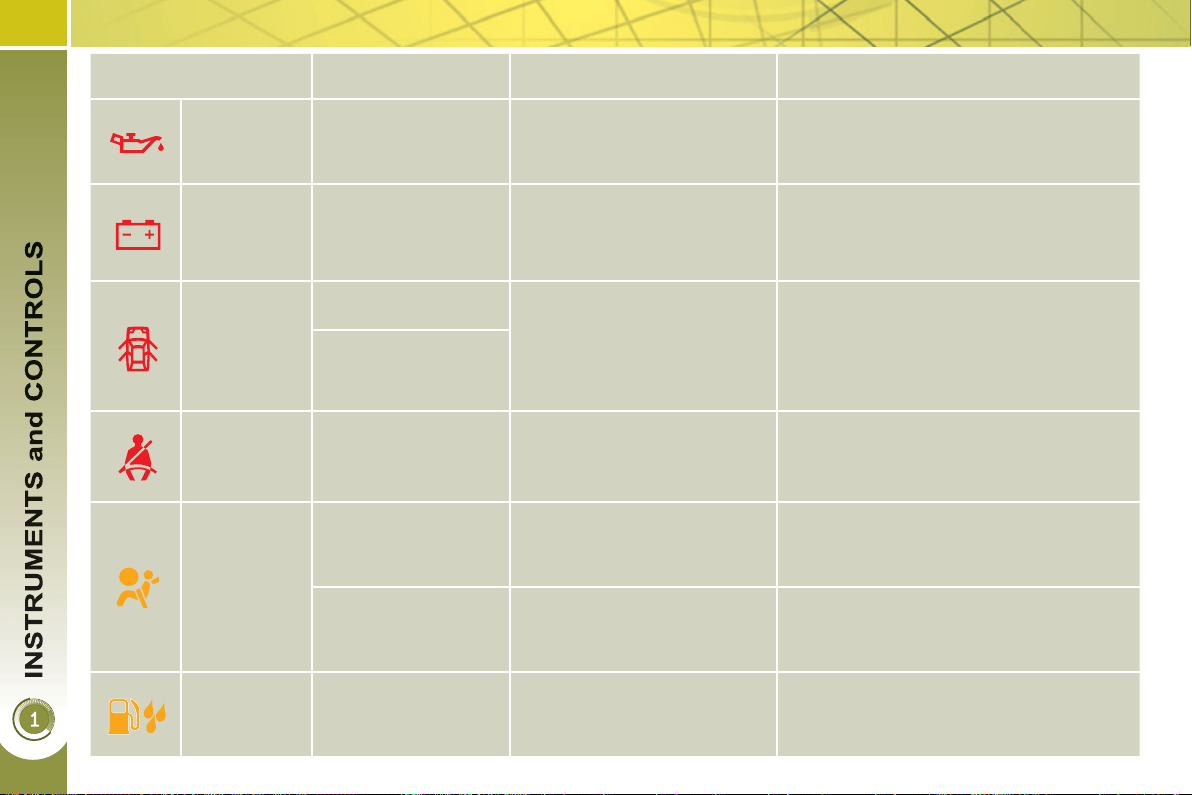
Warning lamp is on Cause Action/Observations
Door(s)
open
fi xed if the speed is
below 6 mph (10 km/h).
A door, the boot, the lower
tailgate or the bonnet (with
alarm only) is still open.
Close the door or boot.
fi xed and accompanied
by an audible signal if
the speed is above
6 mph (10 km/h).
Seat belt not
fastened/
unfastened
fi xed then fl ashing
accompanied by an
increasing audible
signal.
The driver and/or the front
passenger has not fastened
or has unfastened their seat
belt.
Pull the strap then insert the tongue in
the buckle.
Airbags
temporarily.
This lamp comes on for a
few seconds when you turn
on the ignition, then switches
off.
This lamp should switch off when the
engine is started.
If it does not switch off, contact a
PEUGEOT dealer.
fi xed.
One of the airbag or seat belt
pretensioner systems has a
fault.
Have it checked by a PEUGEOT dealer.
Water in
Diesel
fi xed.
The diesel fi lter contains
water.
Risk of damage to the injection system
on Diesel engines.
Contact a PEUGEOT dealer without
delay.
Engine oil
pressure
fi xed.
There is a fault with the
engine lubrication system.
Stop as soon it is safe to do so.
Park, switch off the ignition and contact
a PEUGEOT dealer.
Battery
charge
fi xed.
The battery charging circuit
has a fault (dirty or loose
terminals, slack or cut
alternator belt, ...).
The warning lamp should go off when
the engine is started.
If it does not switch off, contact a
PEUGEOT dealer.
53
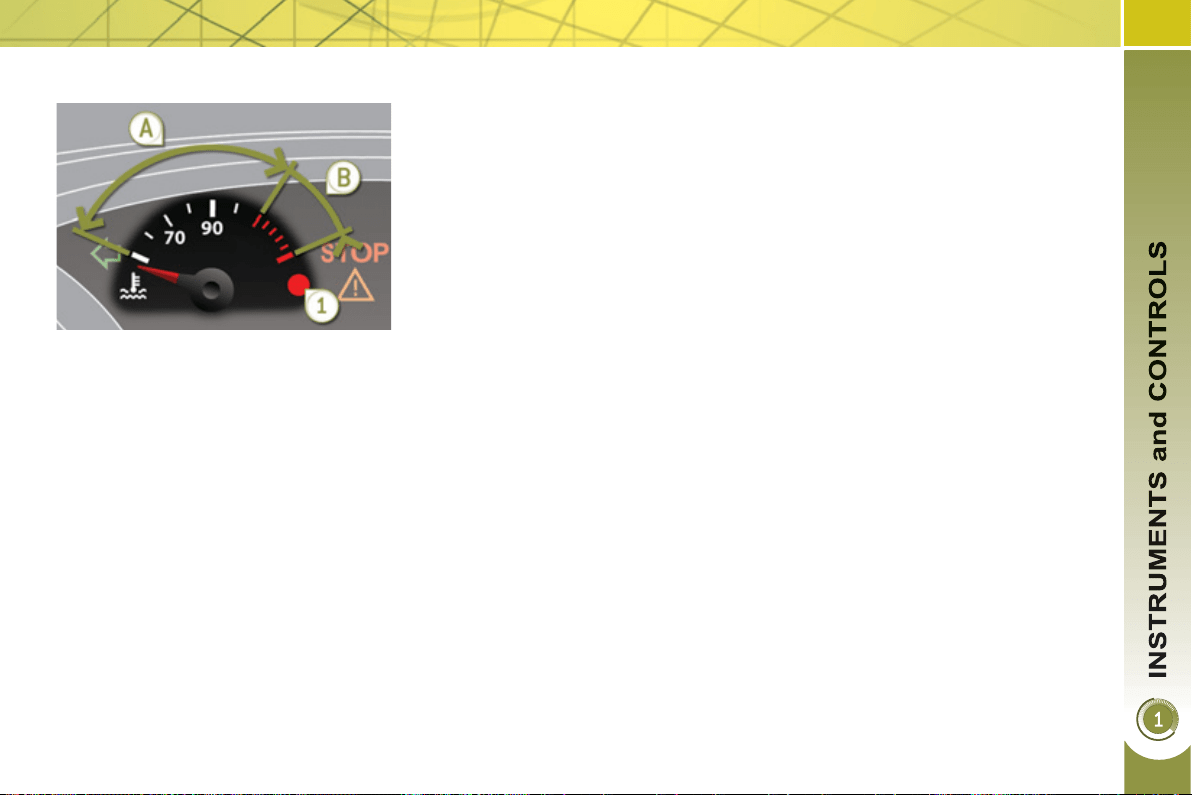
Coolant temperature indicato
r
With the engine running, when the nee-
dle is:
- in zone A , the temperature is correct,
- in zone B , the temperature is too
high; the max temperature warning
lamp 1 and the central STOP warn-
ing lamp come on, accompanied by
an audible signal and a message in
the multifunction screen.
After driving for a few minutes, the tem-
perature and pressure in the cooling
system increase.
To top up the level:
) wait for the engine to cool,
) unscrew the cap by two turns to allow
the pressure to drop,
) when the pressure has dropped,
remove the cap,
) top up the level to the "MAX" mark.
You must stop as soon as it is safe
to do so.
Wait a few minutes before switching off
the engine.
Consult a PEUGEOT dealer.
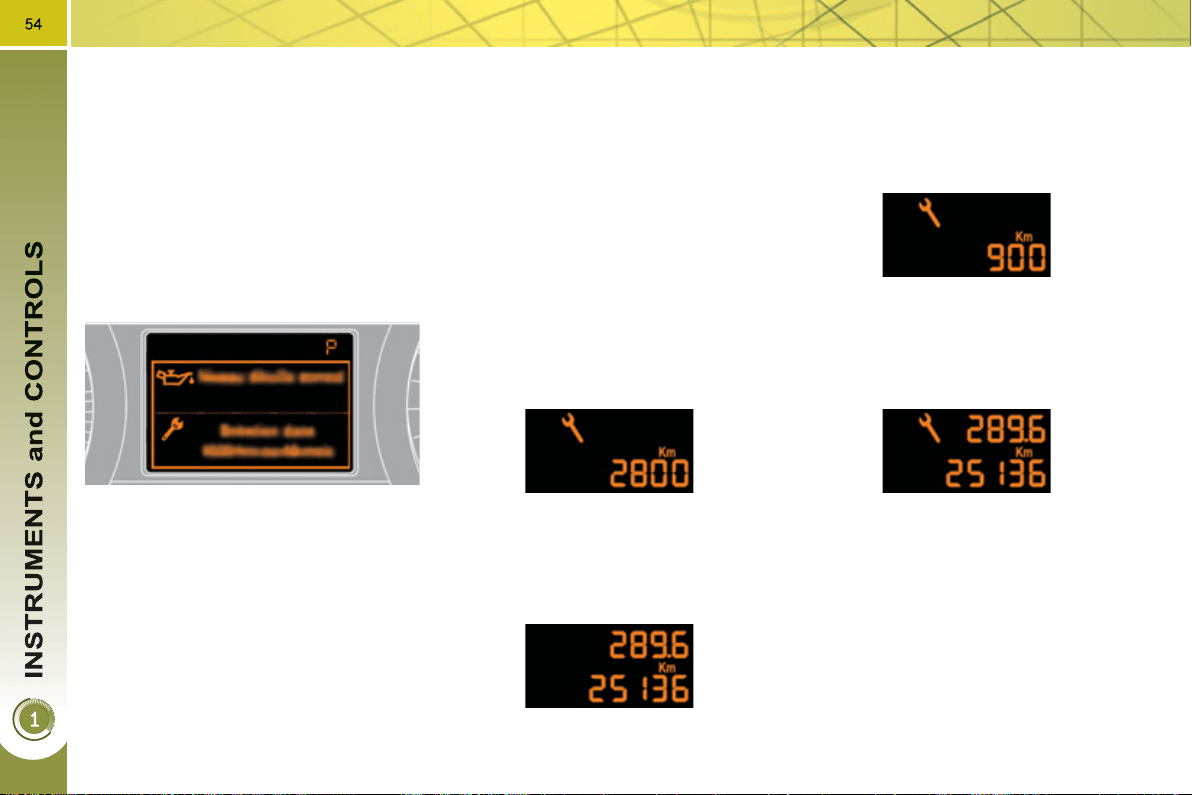
Service indicator
System which informs the driver when
the next service is due, in accord-
ance with the manufacturer's servicing
schedule.
The point at which the service is due is
calculated from the last indicator zero re-
set. It is determined by two parameters:
- the distance travelled,
- the time elapsed since the last service.
Between 600 miles (1 000 km) and
1 800 miles (3 000 km) remain before
the next service is due
For 5 seconds after the ignition is switched
on, the spanner symbolising the service op-
erations comes on. The distance recorder
display line indicates the distance remain-
ing before the next service is due.
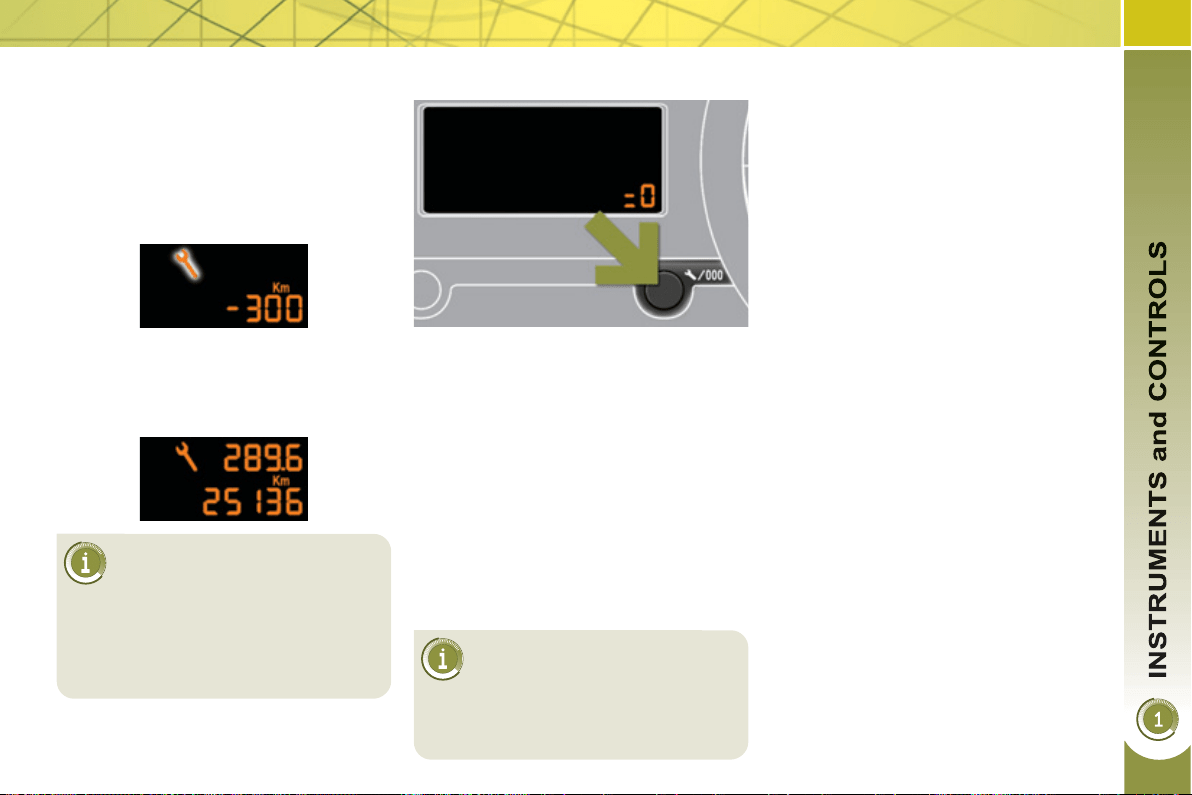
Example: 1 700 miles (2 800 km) re-
main before the next service is due.
For 5 seconds after the ignition is
switched on, the screen indicates:
5 seconds after the ignition is switched
on, the spanner goes off ; the distance
recorder resumes its normal operation.
The screen then indicates the total and
trip distances.
Less than 600 miles (1 000 km)
remain before the next service is due
Example: 560 miles (900 km) remain
before the next service is due.
For 5 seconds after the ignition is
switched on, the screen indicates:
5 seconds after the ignition is switched
on, the distance recorder resumes its
normal operation. The spanner re-
mains on to indicate that a service
must be carried out soon.
More than 1 800 miles (3 000 km)
remain before the next service is due
When the ignition is switched on, no
service information appears in the
screen.
55
Following this operation, if you
wish to disconnect the battery,
lock the vehicle and wait at
least fi ve minutes for the zero reset
to be taken into account.
Service indicator zero reset
After each service, the service indicator
must be reset to zero.
The procedure for resetting to zero is as
follows:
) switch off the ignition,
) press and hold the trip distance re-
corder zero reset button,
) switch on the ignition; the distance
recorder display begins a count-
down,
) when the display indicates "=0" , re-
lease the button; the spanner disap-
pears.
The distance remaining may
be weighted by the time fac-
tor, depending on the driving
conditions.
Therefore, the spanner may also
come on if you have exceeded the
two year service interval.
Service overdue
For 5 seconds after the ignition is
switched on, the spanner fl ashes to
indicate that the service must be carried
out as soon as possible.
Example: the service is overdue by
186 miles (300 km).
For 5 seconds after the ignition is
switched on, the screen indicates:
5 seconds after the ignition is switched
on, the distance recorder resumes its
normal operation. The spanner re-
mains on .
Retrieving the service information
You can access the service information
at any time.
) Press the trip distance recorder zero
reset button.
The service information is displayed
for a few seconds, then disappears.
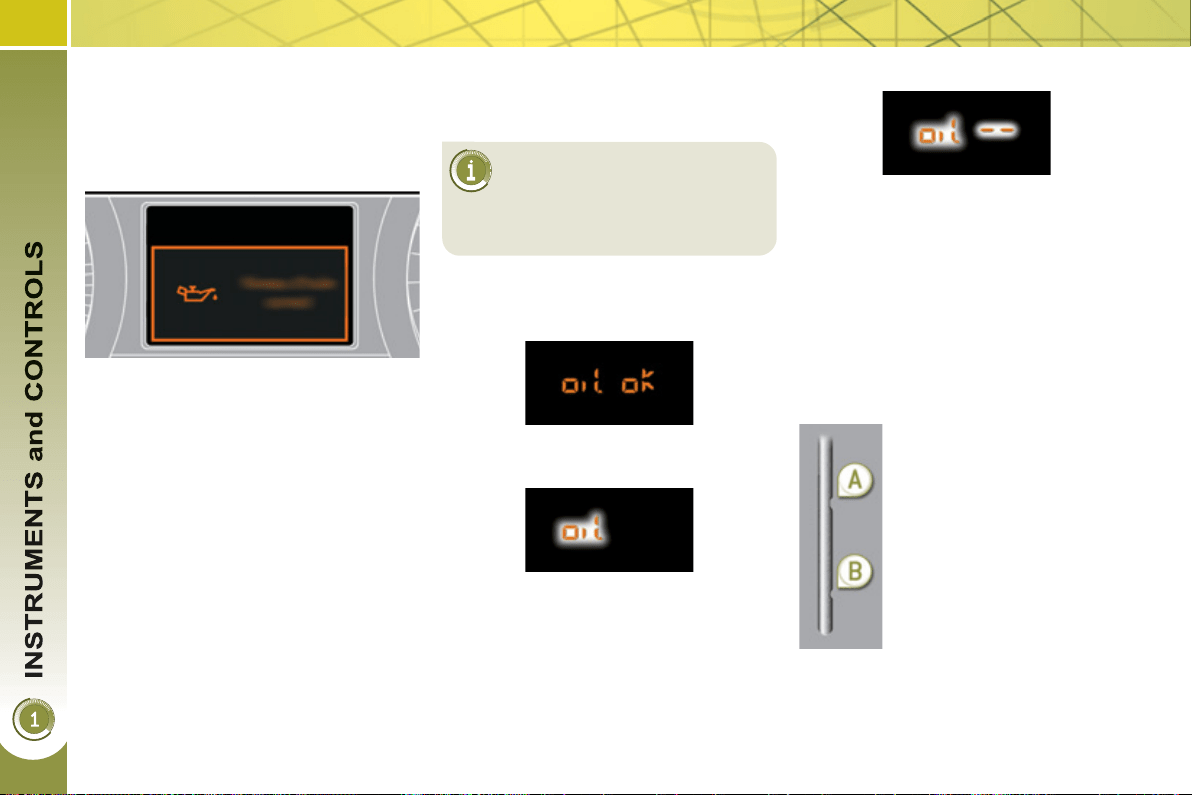
56
The level shown will only be
correct if the vehicle is on
level ground and the engine
has been off for more than
30 minutes.
E
n
gi
ne o
il
l
eve
l
i
n
di
cator
System which informs the driver whether
the engine oil level is correct or not.
This information is indicated for a few
seconds when the ignition is switched
on, after the service information.
Oil level correct
Oil level low
Oil level indicator fault
Dipstick
This is indicated by the fl ashing of "OIL" ,
linked with the service warning lamp, ac-
companied by an audible signal and a
message in the multifunction screen.
If the low oil level is confi rmed by a
check using the dipstick, the level must
be topped up to prevent damage to the
engine.
This is indicated by the fl ashing of "OIL --" .
Contact a PEUGEOT dealer or a qualifi ed
workshop.
Refer to the "Checks" section to locate
the dipstick and the oil fi ller cap on your
engine.
There are 2 marks on the
dipstick:
- A = max; never exceed
this level (risk of dam-
age to the engine),
- B = min; top up the level
via the oil fi ller cap, us-
ing the grade of oil suit-
ed to your engine.
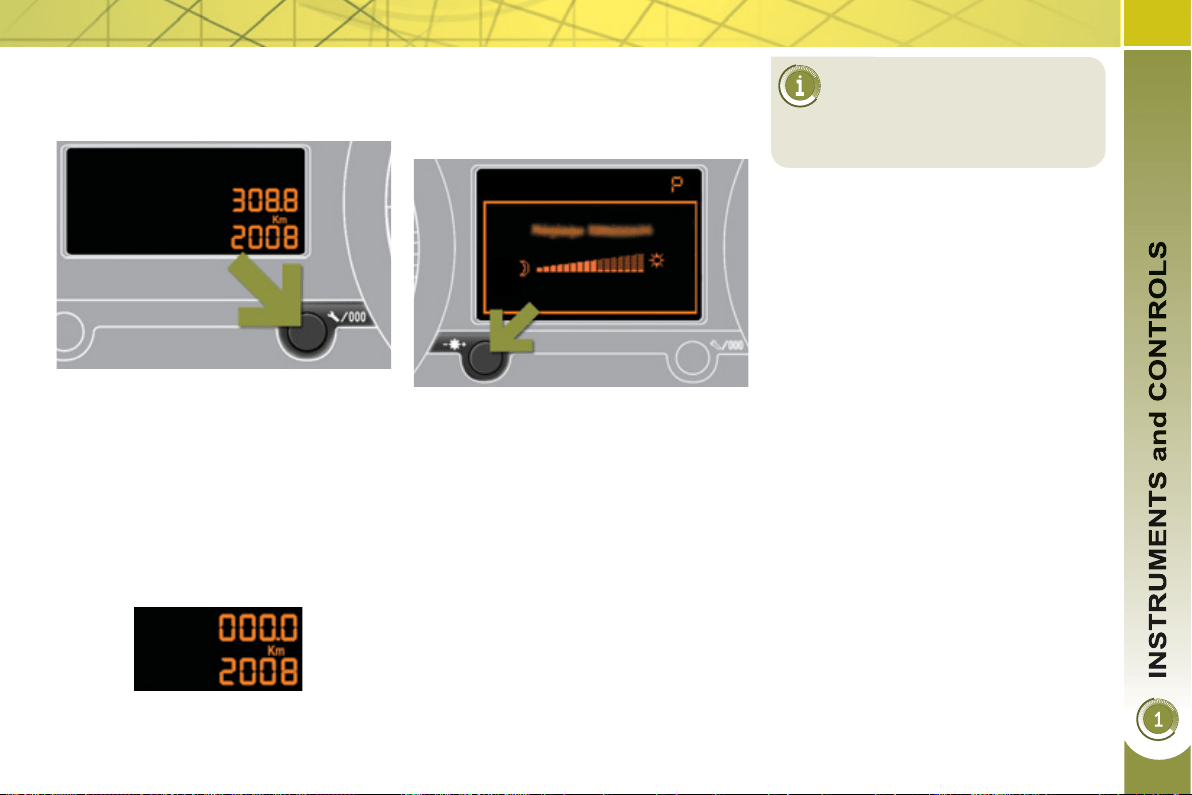
57
T
ota
l
di
stance recor
d
er
System which measures the total dis-
tance travelled by the vehicle during its
life.
Ligh
t
i
n
g
di
mme
r
System for manual adjustment of the
brightness of the instrument panel in re-
lation to the exterior brightness.
The total and trip distances are dis-
played for thirty seconds when the ig-
nition is switched off, when the driver's
door is opened and when the vehicle is
locked or unlocked.
T
r
i
p
di
stance recor
d
e
r
System which measures a distance
travelled during a day or other period
since it was reset to zero by the driver.
) With the ignition on, press the button
until zeros appear.
Activation
When the vehicle lighting is on:
) press the button to change the
brightness of the instrument panel,
) when the lighting reaches the mini-
mum setting, release the button,
then press again to increase it,
or
) when the lighting reaches the maxi-
mum setting, release the button,
then press again to reduce it,
) when the lighting reaches the level
of brightness required, release the
button.
When the vehicle lighting is
on, you cannot switch the in-
strument panel lighting off but
you can adjust it to minimum.
Deactivation
When the lighting is off, or in day mode
on vehicles fi tted with daytime running
lamps, pressing the button does not
have any effect.
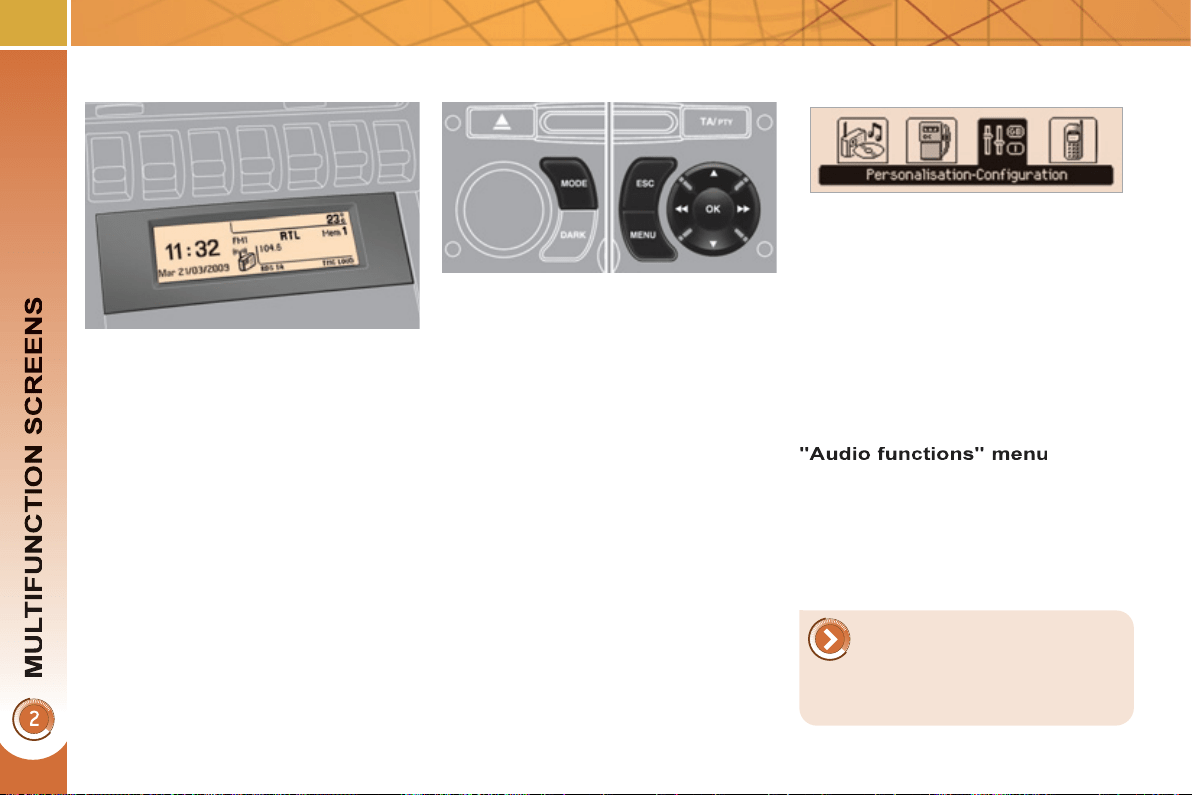
58
M
ONOCHROME SCREEN C
(
WITH
P
EUGEOT CONNECT SOUND
)
M
a
i
n menu
Di
sp
l
a
y
s
i
n t
h
e screen
This displays the following information:
- time,
- date,
- ambient temperature * (this fl ashes if
there is a risk of ice),
- status of the openings (doors,
boot...),
- audio sources (radio, CD...),
- trip computer (refer to the end of the
section).
Warning messages (e.g.: "Emission
control system faulty") or information
messages (e.g.: "Automatic headlamp
lighting activated") may appear tempo-
rarily. These can be cleared by pressing
the " ESC " button.
With the audio equipment switched on,
once this menu has been selected you
can activate or deactivate the functions
linked with use of the radio (RDS, REG,
RadioText) or the CD or CD changer
(introscan, shuffl e, CD repeat).
Controls
From the audio equipment control pa-
nel, you can:
) press the " MENU " button for access
to the main menu ,
) press the " " or " " buttons to scroll
through the items on the screen,
) press the " MODE " button to change
the permanent application (trip com-
puter, audio source...),
) press the " " or " " buttons to
change a setting value,
) press the " OK " button to confi rm,
or
) press the " ESC " button to abandon
the operation in progress.
) Press the "MENU" button for access
to the main menu :
- audio functions,
- trip computer (refer to the end of
the section),
- personalisation-confi guration,
- telephone (Bluetooth system).
) Press the" " or " " button to select
the menu required, then confi rm by
pressing the " OK " button.
* With air conditioning only.
For more information on the
"Audio functions" application,
refer to the Peugeot Connect
Sound part of the "Audio and
Telematics" section.
59
"Tri
p
com
p
uter" menu
) Press the "MENU" button to gain
access to the general menu.
) Press the arrows, then the "OK"
button to select the "Trip computer"
menu.
) On the "Trip computer" menu,
select one of the following applica-
tions:
Alert log
This summarises the active warning
messages, displaying them in succes-
sion in the multifunction screen
Once this menu has been selected, you
can consult information concerning the
status of the vehicle (alert log, status of
the functions...).
Defi ne the vehicle parameters
Once this menu has been selected, you
can activate or deactivate the following
equipment (according to country):
- wiper linked with reverse gear (refer
to the "Visibility" section),
- selective unlocking (refer to the
"Access" section),
- guide-me-home lighting (refer to the
"Visibility" section),
- interior mood lighting (refer to the
"Visibility" section),
- daytime running lamps (refer to the
"Visibility" section),
- directional headlamps (refer to the
"Visibility" section),
- automatic or manual parking brake
(refer to the "Driving" section),
- ...
"P
ersona
li
sat
i
on-
Confi
g
uration" menu
Once this menu has been selected, you
can gain access to the following func-
tions:
- defi ne the vehicle parameters,
- display confi guration,
- choice of language.
Status of functions
This summarises the active or inactive
status of the functions present on the
vehicle.
Enter the distance to the destination
This allows you to enter an approximate
value for the distance to the fi nal desti-
nation.
60
Display confi guration
Once this menu has been selected, you
have access to the following settings:
- brightness-video setting,
- date and time setting,
- selection of the units.
Choice of language
Once this menu has been selected, you
can change the screen display language
(Deutsch, English, Espanol, Français,
Italiano, Nederlands, Portugues,
Portugues-Brasil, Türkçe * ).
Example: setting of the duration of the
guide-me-home lighting
) Press the " " or " " buttons, then
the " OK " button to select the menu
required.
) Press the " " or " " buttons, then
the " OK " button to select the "Guide-
me-home headlamps" line.
) Press the " " or " " buttons to set
the value required (15, 30 or 60 se-
conds), then press the " OK " button
to confi rm.
) Press the " " or " " buttons, then
the " OK " button to select the " OK "
box and confi rm or press the " ESC "
button to cancel.
"Telephone" menu
With the audio equipment switched on,
once this menu has been selected you
can confi gure your Bluetooth hands-free
kit (pairing), consult the various telepho-
ne directories (calls log, services...) and
manage your communications (pick up,
hang up, call waiting, secret mode...).
* According to country.
For safety reasons, confi -
guration of the multifunction
screen by the driver must only
be done when stationary.
For more information on the
"Telephone" application, re-
fer to the Peugeot Connect
Sound part of the "Audio and
Telematics" section.
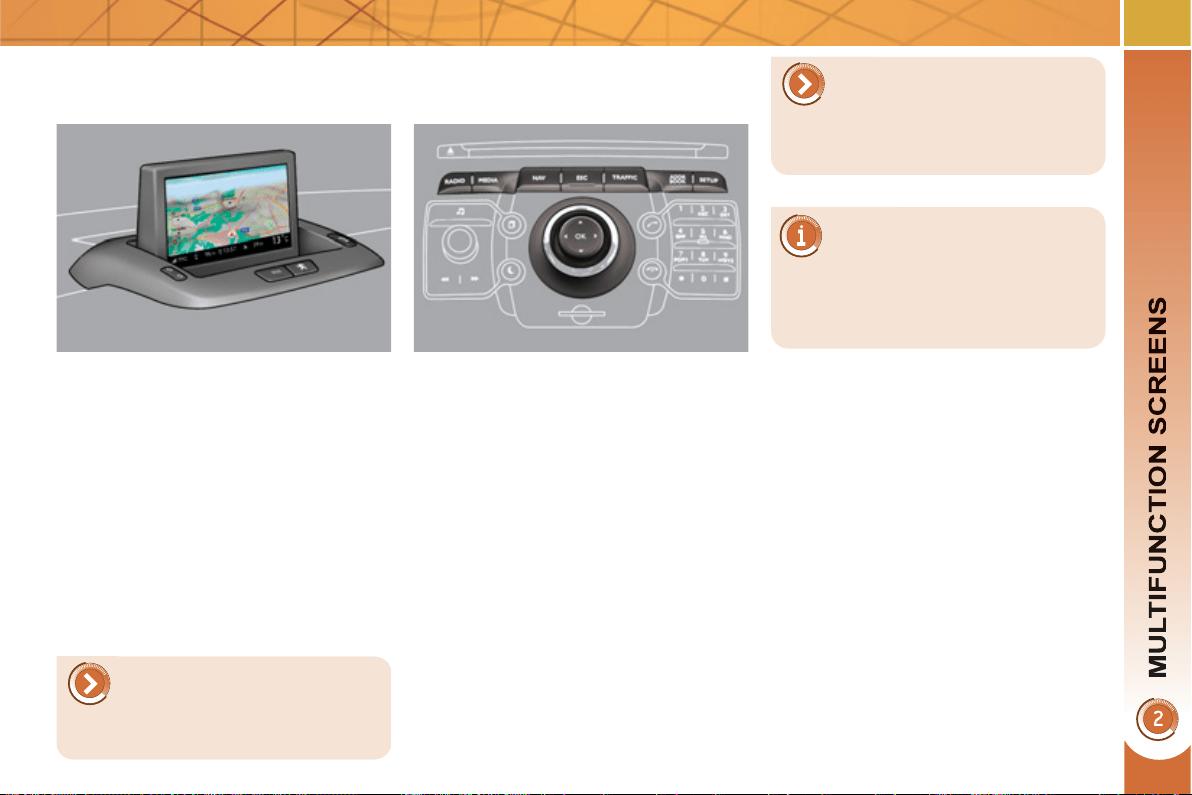
61
1
6/9 HIGH DEFINITION
RETRACTABLE COLOUR SCREEN
(
WITH PEUGEOT CONNECT MEDIA
)
Displa
y
s in the screen
When the screen is unfolded, it displays
the following information automatically
and directly:
- time,
- date,
- altitude,
- ambient temperature (the value dis-
played fl ashes if there is a risk of ice),
- audio functions,
- telephone and address book infor-
mation,
-
satellite navigation system information.
- information on hybrid fl ows.
Controls
From the Peugeot Connect Media
control panel, to select one of the ap-
plications:
) press the dedicated "RADIO" ,
"MEDIA" , "NAV" , "TRAFFIC" ,
"ADDR BOOK" or "SETUP" but-
ton for access to the corresponding
menu,
) turn the navigator to move the se-
lection,
) press the navigator to confi rm the
selection,
or
) press the "ESC" button to abandon
the current operation and return to
the previous display.
For more information on the-
se applications, refer to the
"Audio and Telematics" sec-
tion or to the specifi c user guide gi-
ven to you with the other owner's
documents.
For operation of the retracta-
ble screen (opening, closing,
adjustment of the position,
etc.), refer to the paragraph "Access
to the retractable screen".
The screen also displays hy-
brid system information. For
details of the information dis-
played, refer to the "Hybrid System"
section.
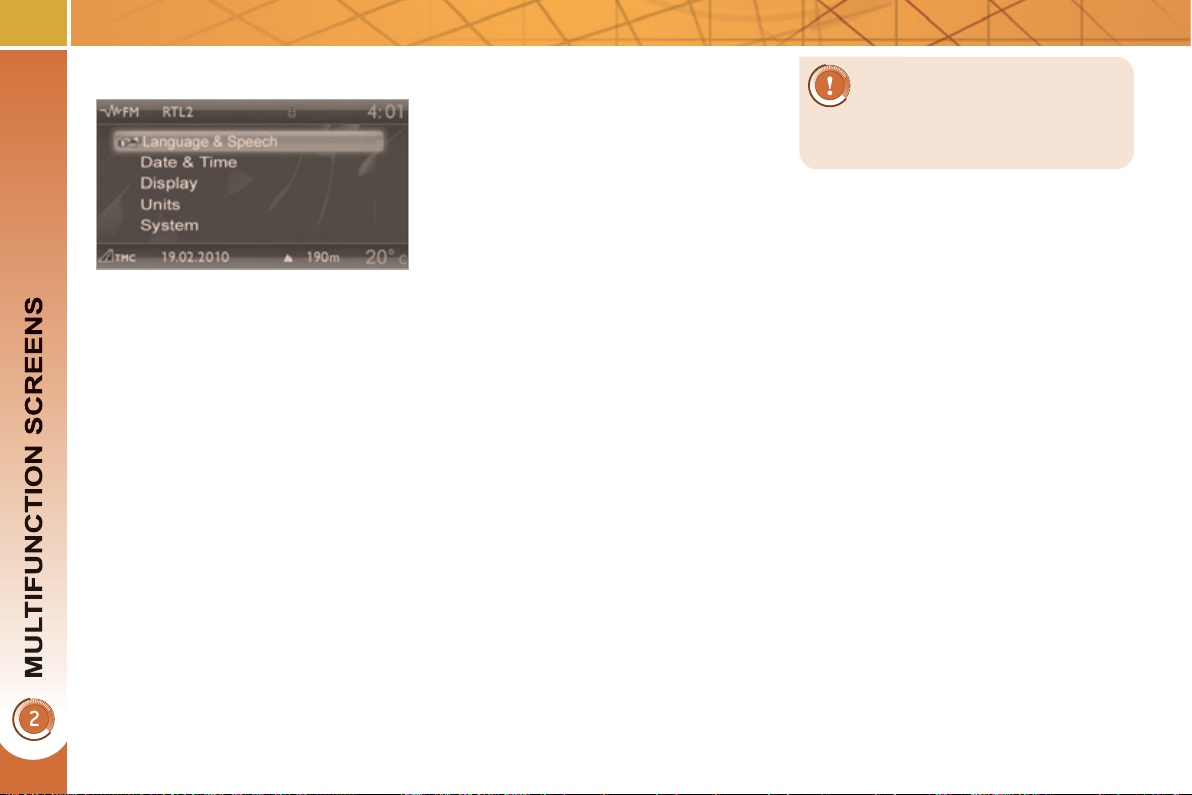
62
* According to country.
"SETUP" menu
) Press the "SETUP" button for ac-
cess to the "SETUP" menu. This
allows you to select from the fol-
lowing functions:
- "Languages and voice functions",
- "Date and time",
- "Display",
- "Units",
- "System".
Language and voice functions
This menu allows you to:
- select the language used by the
screen (Deutsch, English, Espanol,
Français, Italiano, Nederlands,
Polski, Portugues, Türkçe * ),
- select the voice recognition parame-
ters (activation/deactivation, advice
on use, personal voice program-
ming, etc.),
-
set the volume of the voice synthesiser.
Date and time
This menu allows you to set the date
and time, the format of the date and the
format of the time (refer to the "Audio
and Telematics" section or to the spe-
cifi c user guide given to you with the
other owner's documents).
Display
This menu allows you to set the brightness
of the screen, the screen colour scheme
and the colour of the map (day/night or
auto mode).
Units
This menu allows you to select the
units: temperature (°C or °F) and dis-
tance (miles or km).
System parameters
This menu allows you to restore the fac-
tory confi guration, display the software
version and activate scrolling text.
For safety reasons, confi -
guration of the multifunction
screen by the driver must only
be done when stationary.
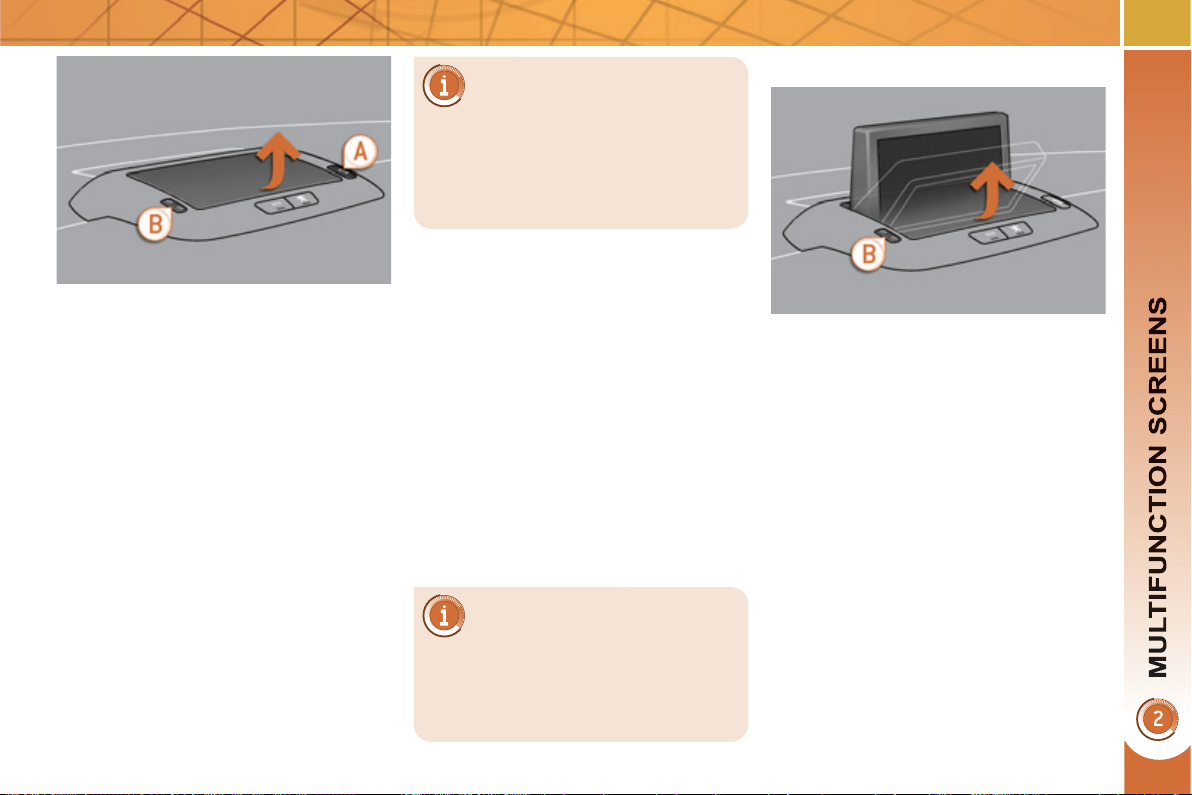
63
A
ccess to the retractable screen
This screen is opened and stored auto-
matically.
However, you can also open it, store it
and adjust it using the various manual
controls:
- opening or storing by means of
control A ,
- angle adjustments by means of
control B .
It is also fi tted with safety auto-reverse
protection.
Opening the screen
) With the screen stored, press
control A to open it.
The screen opens automatically when
the ignition is switched on, when the
audio and telematics system is swit-
ched on, when an outgoing telephone
call is made, when a voice command
is given and when a warning message
linked with the STOP warning lamp is
received.
Closing the screen
) With the screen open, press control A
to store it.
The screen is stored automatically when
the ignition is switched off, after approxi-
mately three seconds, if the audio and
telematics system is off.
If you wish the screen to open
or close automatically when
the audio and telematics sys-
tem is switched on or off, the screen
must not be closed when the audio
and telematics system is operating.
When the screen is open, you can adjust
it precisely in different ways:
) press the corresponding part of
control B to move the screen to-
wards you or towards the winds-
creen,
or
) push or pull the screen gently by
hand.
Adjusting the position of the screen
Safety auto-reverse
If the screen meets an obstacle as it
opens or closes, the movement stops
immediately and is reversed by a few
millimetres.
After clearing the obstacle, issue the
command required again.
Storing the position of the screen
The system has four pre-set positions
in its memory.
Each time the screen is closed, the
system stores the last position of the
screen.
Each time the screen is re-opened, the
system returns the screen to the pre-set
position closest to that stored.
If you close the screen during
operation of the audio and te-
lematics system, it will re-open
automatically when an outgoing te-
lephone call is made, when a voice
command is given or when a warning
message linked with the STOP war-
ning lamp is received.
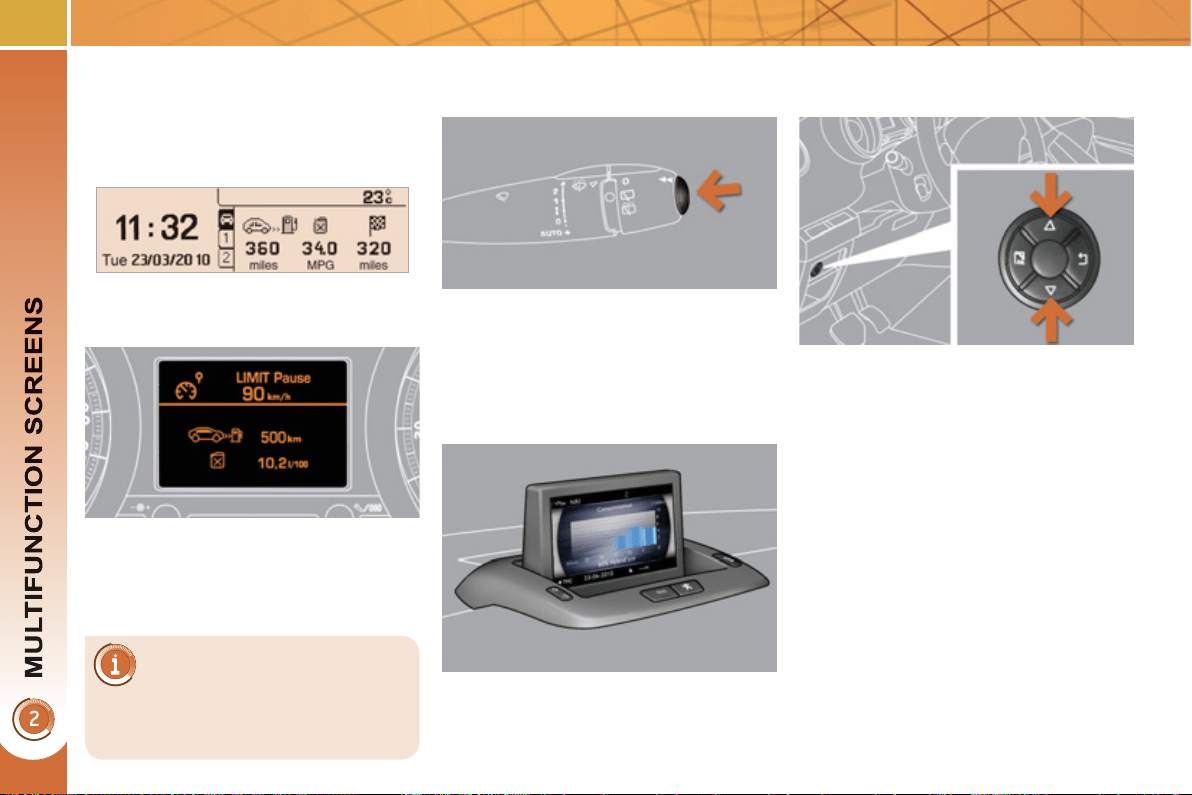
6
4
Monochrome screen C
Instrument
p
anel screen -
P
eu
g
eot Connect Media
T
RIP COMPUTER
System which provides current in-
formation concerning the trip (range,
consumption…).
Depending on your vehicle's
equipment, the trip computer
information appears on the
multifunction screen or on the instru-
ment panel screen.
Information displays
) Press the button, located at the end
of the wiper stalk , to display the va-
rious trip computer tabs in succes-
sion.
With the instrument panel screen
(Peugeot Connect Media)
) Press the up and down arrows on
the navigator, associated with the
Peugeot Connect Media, to display
the various trip computer tabs in
succession.
With the screen C
With the 16/9 high defi nition
colour screen
) Press the button on the end of the
wiper stalk , to display in succession
the different consumption screens.
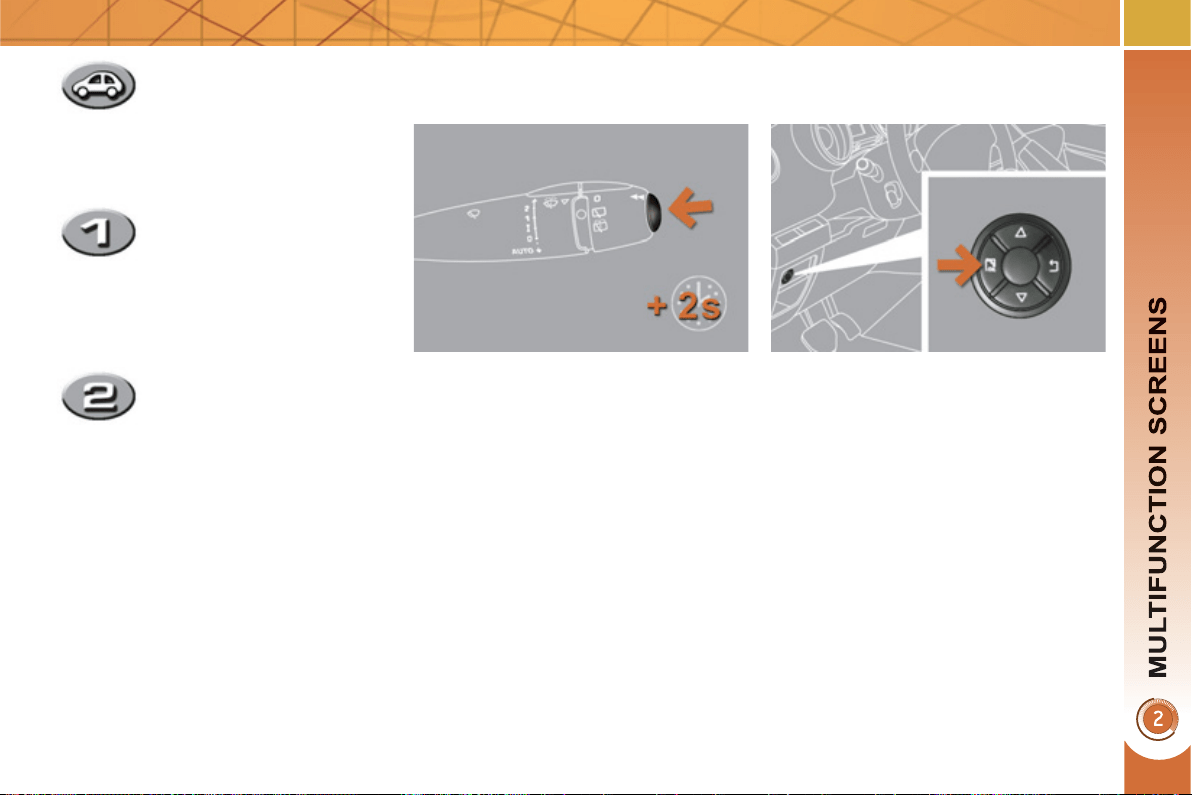
65
Trip zero reset
With the screen C
) When the trip required is displayed,
press the control for more than
two seconds.
With the instrument panel screen
(Peugeot Connect Media)
) When the required trip is displayed,
press the "OK" button on the navi-
gator, associated with the Peugeot
Connect Media, for more than two
seconds.
Trips "1" and "2" are independent but
their use is identical.
For example, trip "1" can be used for
daily fi gures, and trip "2" for monthly
fi gures.
- The current information
tab with:
● the range,
● the current fuel
consumption,
● the distance remaining
to be travelled.
- The trip "1" tab with:
● the distance travelled,
● the average fuel
consumption,
● the average speed,
for the fi rst trip.
- The trip "2" tab with:
● the distance travelled,
● the average fuel
consumption,
● the average speed,
for the second trip.
) Pressing the button again takes you
to a black screen.
A further press returns you to the
normal display.
66
A few definitions…
When the range falls below 20 miles
(30 km), zeros are displayed. After fi lling
with at least 5 litres of fuel, the range is
recalculated and is displayed when it
exceeds 60 miles (100 km).
If dashes are displayed conti-
nuously while driving in place of
the digits, contact a PEUGEOT
dealer.
This function is only displayed
from 20 mph (30 km/h).
This value may vary following
a change in the style of driving
or the relief, resulting in a si-
gnifi cant change in the current
fuel consumption.
Range
(miles or km)
This indicates the distance
which can still be travelled
with the fuel remaining in the tank in re-
lation to the average fuel consumption
over the last few miles (kilometres) tra-
velled.
Current fuel consumption
(mpg or l/100 km or km/l)
This is the average fuel
consumption during the last few
seconds.
Average fuel
consumption
(mpg or l/100 km or km/l)
This is the average fuel
consumption since the last
trip computer zero reset.
Distance travelled
(miles or km)
This indicates the distance
travelled since the last trip
computer zero reset.
Average speed
(mph or km/h)
This is the average speed cal-
culated since the last trip com-
puter zero reset (ignition on).
Distance remaining to
destination
(miles or km)
This is the distance remaining
to be travelled to the fi nal destination. It
is either calculated instantly by the navi-
gation system, if guidance is activated,
or entered by the user.
If the distance is not entered, dashes
are displayed in place of the digits.
The hybrid system and its
electric motor do not provide
additional range; follow the in-
dications of the trip computer.
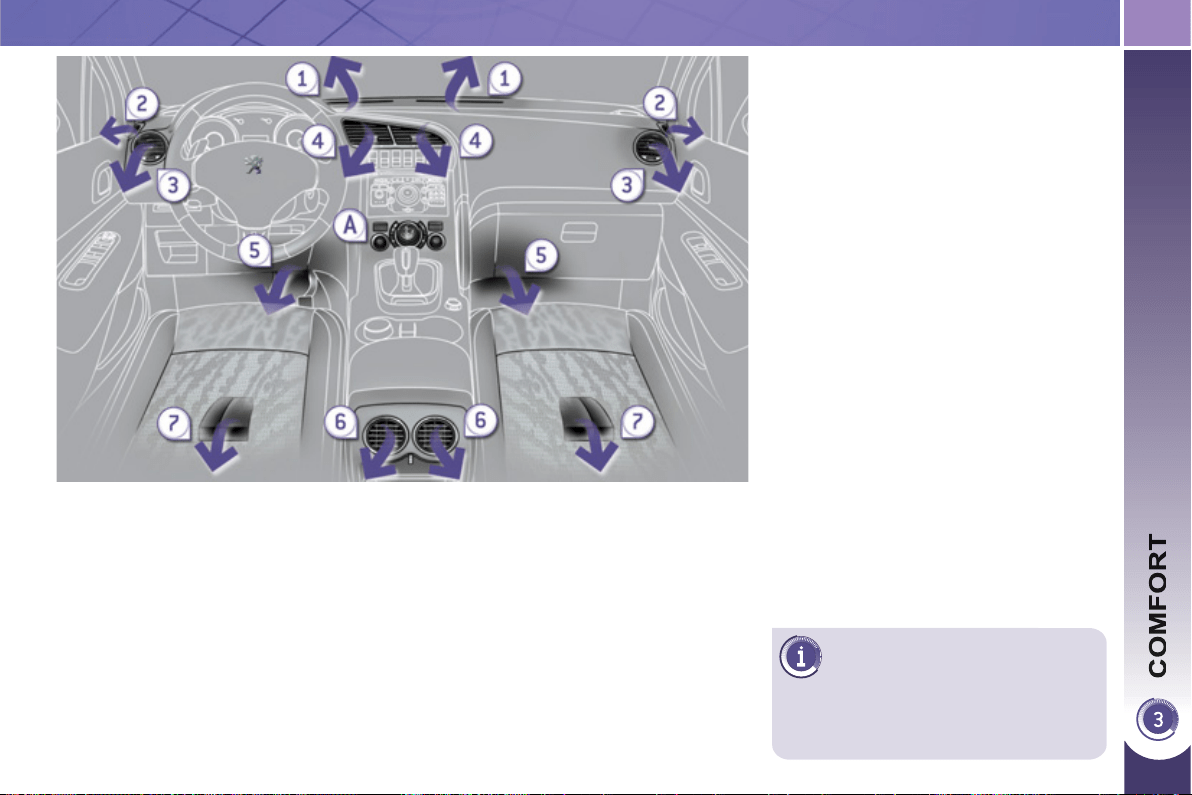
67
V
ENTILATION
System which creates and maintains
good conditions of comfort and visibi-
lity in the vehicle's passenger compart-
ment.
Controls
The incoming air follows various routes
depending on the controls selected by
the driver.
The temperature control enables you to
obtain the level of comfort required by
mixing the air of the various circuits.
The air distribution control enables you
to diffuse the air making use of several
air vents.
The air fl ow control enables you to in-
crease or reduce the speed of the venti-
lation blower.
These controls are grouped together on
control panel A on the centre console.
Depending on the model, the functions
offered are:
- the level of thermal comfort required,
- air fl ow,
- air distribution,
- demisting/defrosting,
- manual or digital air conditioning
controls.
Air intake
The air circulating in the passenger com-
partment is fi ltered and originates either
from the outside via the grille located at
the base of the windscreen or from the
inside in air recirculation mode.
A
ir distribution
1.
Windscreen demisting/defrosting vents.
2. Front side window demisting/de-
frosting vents.
3. Side adjustable air vents.
4. Central adjustable air vents.
5. Air outlets to the front footwells.
6. Adjustable air vents for the rear pas-
sengers.
7. Air outlets to the rear footwells.
If, for your comfort, you want
to prioritise heating, start and
leave the Diesel engine run-
ning by pressing ECO OFF.
68
The air conditioning system does not contain chlorine and does not
present any danger to the ozone layer.
R
ecommendations for ventilation and air conditionin
g
In order for these systems to be fully effective, follow the operation and mainte-
nance guidelines below:
) If the interior temperature remains very high after the vehicle has been parked
in the sun for a considerable time, fi rst ventilate the passenger compartment
for a few minutes.
Place the air fl ow control at a suffi cient level to provide an adequate renewal
of air in the passenger compartment.
) To obtain an even air distribution, take care not to obstruct the exterior air
intake grilles located at the base of the windscreen, the nozzles, the vents
and the air outlets, as well as the air extractor located in the boot.
) Use in preference the intake of exterior air as prolonged use of the air recir-
culation may cause misting of the windows and side windows.
) Do not cover the sunshine sensor, located on the dashboard; this is used for
regulation of the automatic air conditioning system.
) Operate the air conditioning system for 5 to 10 minutes, once or twice a
month to keep it in perfect working order.
) Ensure that the passenger compartment fi lter is in good condition and have
the fi lter elements replaced regularly (refer to the "Checks" section).
We recommend the use of a combined passenger compartment fi lter. Thanks
to its second special active fi lter, it contributes to the purifi cation of the air
breathed by the occupants and the cleanliness of the passenger compart-
ment (reduction of allergic symptoms, bad odours and greasy deposits).
) The air conditioning uses power from the engine while operating. This
results in an increase in the vehicle's fuel consumption.
When towing at or near maximum capacity or on steep slopes in high
ambient temperatures, switching off the air conditioning saves engine power
and so improves towing capacity.
Condensation created by the air conditioning results in a discharge of water
under the vehicle when stationary, which is perfectly normal.
) To ensure correct operation of the air conditioning system, you are also
advised to have it checked regularly.
) If the system does not produce cold air, do not use it and contact a PEUGEOT
dealer.
The control button is located
on the air conditioning system
control panel.
REAR SCREEN DEMIST/
D
EFROST
) Switch off the demist/de-
frost of the rear screen and
door mirrors as soon as it
is no longer necessary as
lower current consump-
tion results in reduced fuel
consumption.
Switchin
g
on
The rear screen demist/defrost can only
operate when the engine is running.
) Press this button to demist/defrost
the rear screen and the door mir-
rors. The indicator lamp associated
with the button comes on.
Switchin
g
off
The demist/defrost switches off auto-
matically to prevent an excessive con-
sumption of current.
) It is possible to stop the demist/de-
frost operation before it is switched off
automatically by pressing the button
again. The indicator lamp associated
with the button switches off.
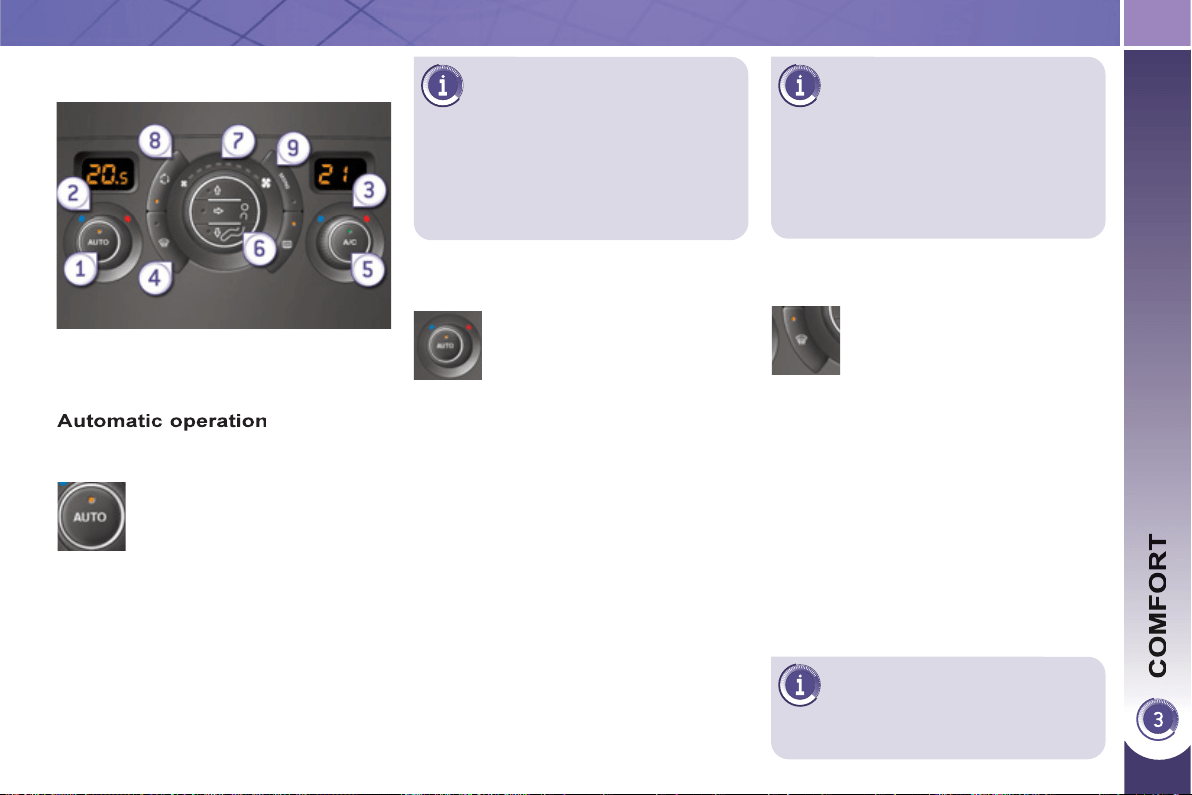
69
On entering the vehicle, if the
interior temperature is much
colder or warmer than the
comfort value, there is no need to
change the value displayed in order
to obtain the comfort required more
quickly. The system corrects the dif-
ference in temperature automatically
and as quickly as possible.
The air conditioning only operates when
the engine is running, except in STOP
mode of Stop & Start.
The driver and front passenger
can each adjust the tempera-
ture to their requirements.
) Turn control 2 or 3 to the left or to
the right respectively to decrease or
increase this value.
A setting around the value 21 provides
optimum comfort. However, depend-
ing on your requirements, a setting be-
tween 18 and 24 is normal.
You are advised to avoid a left/right set-
ting difference of more than 3.
4. Automatic visibility programme
The automatic comfort pro-
gramme may not be suffi cient
to quickly demist or defrost
the windscreen and side win-
dows (humidity, several pas-
sengers, ice, etc.).
) Press the "AUTO" button.
The indicator lamp on the
button comes on.
2-3. Driver-passenger side
adjustment
DUAL-ZONE DIGITAL AIR
CONDITIONING
We recommend the use of this mode:
it permits automatic and optimised ad-
justment of all of the functions, passen-
ger compartment temperature, air fl ow,
air distribution and air recirculation, in
accordance with the comfort value that
you have chosen.
This system is designed to operate ef-
fectively in all seasons, with the windows
closed.
The value indicated in the screen cor-
responds to a level of comfort and not
to a temperature in degrees Celsius or
Fahrenheit.
) To switch it off, press the "visibility"
button again or press the "AUTO"
button, the indicator lamp in the but-
ton goes off or the indicator lamp in
the "AUTO" button comes on.
1. Automatic comfort programme
To prevent too great a dis-
tribution of cold air when the
engine is cold, the air fl ow will
reach its optimum level gradually.
In cold weather, it favours the distri-
bution of warm air to the windscreen,
side windows and footwells only.
With Stop & Start, when de-
misting has been activated, the
STOP mode is not available.
) In this case, select the automatic
visibility programme.
The system automatically controls the
air conditioning, the air fl ow and the air
intake and provides optimum distribu-
tion of the ventilation to the windscreen
and side windows.
70
Manual o
p
eration
If you wish, you can make a different
choice from that offered by the system
by changing a setting. The other func-
tions will still be controlled automati-
cally.
) Pressing the "AUTO" button returns
the system to completely automatic
operation.
) Press this button to switch
off the air conditioning.
6. Air distribution adjustment
) Press one or more buttons
to direct the air fl ow to-
wards:
7. Air fl ow adjustment
) Turn this control to the left
to decrease the air fl ow or
to the right to increase the
air fl ow.
5. Air conditioning On/Off
- the windscreen and side windows
(demisting or defrosting),
- the windscreen, the side windows
and the vents,
- the windscreen, the side windows,
the vents and the footwells,
- the vents and the footwells,
- the vents,
- the footwells,
- the windscreen, the side windows
and the footwells.
The air fl ow indicator lamps, between
the two fans, come on progressively in
relation to the value requested.
For maximum cooling or hea-
ting of the passenger compart-
ment, it is possible to exceed
the minimum value 14 or the maxi-
mum value 28.
) Turn control 2 or 3 to the left un-
til "LO" (low) is displayed or to
the right until "HI" (high) is dis-
played.
Switching the system off could result in
some discomfort (humidity, condensa-
tion).
) Press this button again to return to
automatic operation of the air con-
ditioning. The indicator lamp in the
"A/C" button comes on.

71
9. Mono-zone/Dual-zone
) Press this button to equal-
ise the comfort value on the
passenger side with that
on the driver's side (mono-
zone). The indicator lamp in
the button comes on.
8. Air recirculation
) Press this button to recir-
culate the interior air. The
indicator lamp comes on.
Air recirculation enables the passenger
compartment to be isolated from exte-
rior odours and smoke.
) As soon as possible, press this
button again to allow the intake of
exterior air and avoid misting. The
indicator lamp in the button goes
off.
Switchin
g
the s
y
stem off
) Turn the air fl ow control to the left
until all of the indicator lamps go
off.
This action switches off all of the func-
tions of the system.
Temperature related comfort is no long-
er guaranteed but a slight fl ow of air,
due to the movement of the vehicle, can
still be felt.
) Turn the air fl ow dial to the right or
press the "AUTO" button to reacti-
vate the system with the values set
before it was switched off.
Avoid driving for prolonged
periods with the system off.
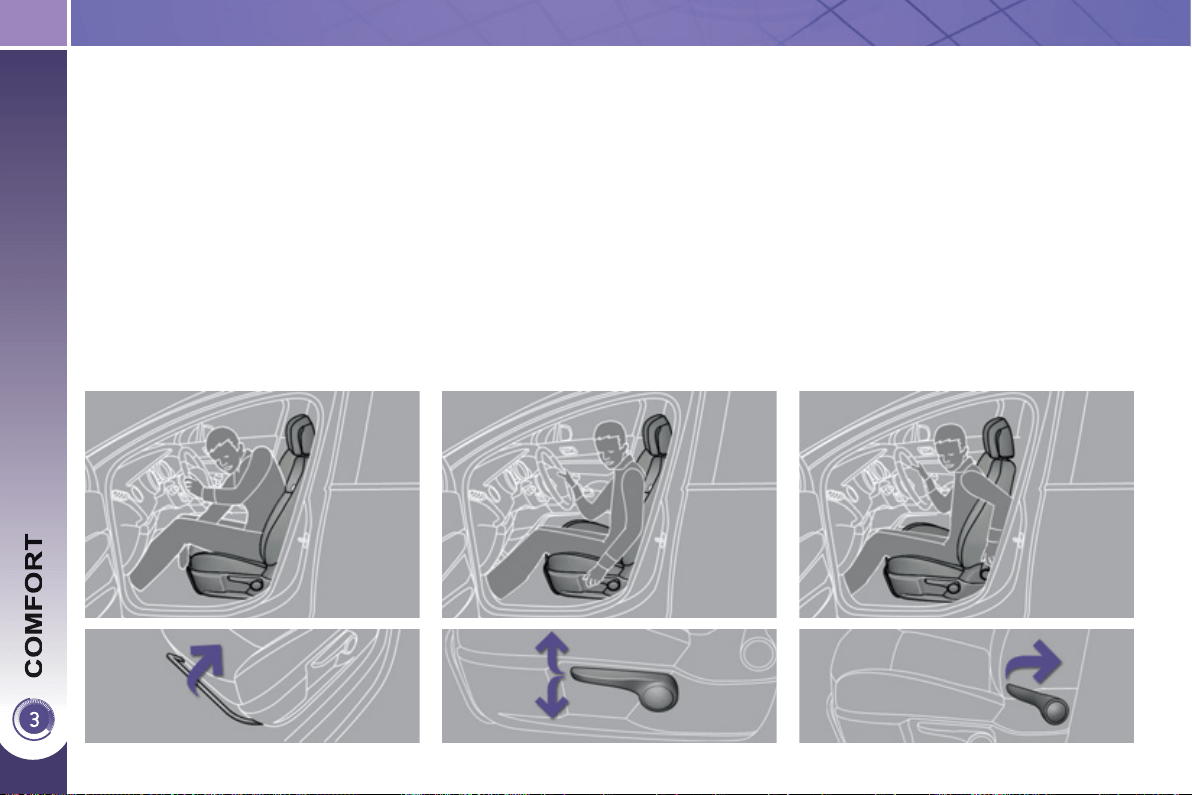
72
FRONT SEATS
Seat consisting of a seat cushion, a seat
back and a head restraint which can all
be adjusted to adapt your position for
ease of driving and comfort.
Forwards-backwards adjustment
) Raise the control and slide the seat
forwards or backwards.
Driver's or passenger's seat height
adjustment
) Pull the control upwards to raise
or push it downwards to lower, as
many times as necessary, to obtain
the position required.
Seat back angle adjustment
) Push the control rearwards.
M
anua
l
a
dj
ustments
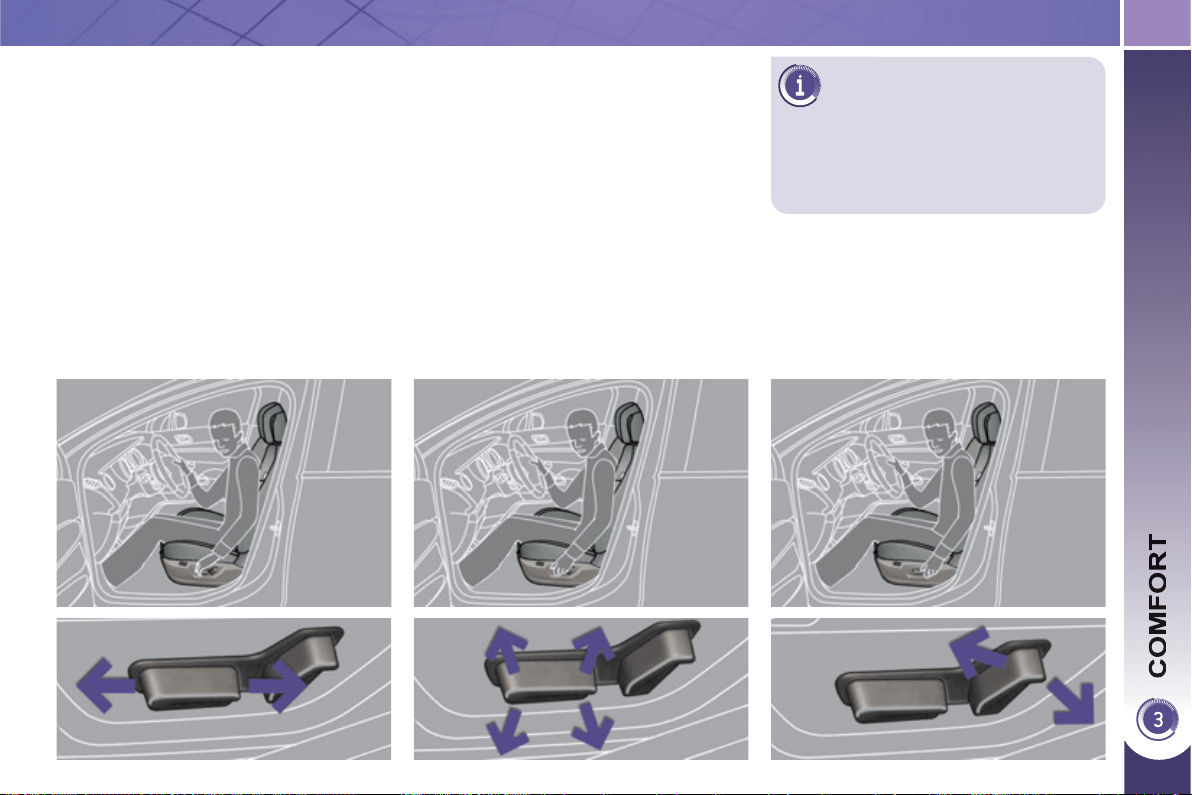
7
3
D
RIVER'S ELECTRIC SEAT
Seat consisting of a seat cushion, a seat
back and a head restraint which can all
be adjusted to adapt your position for
ease of driving and comfort.
Forwards-backwards adjustment
) Push the control forwards or rear-
wards to slide the seat.
Seat cushion height and angle
adjustment
) Tilt the rear part of the control up-
wards or downwards to obtain the
required height.
) Tilt the front part of the control up-
wards or downwards to obtain the
required angle.
Seat back angle adjustment
) Tilt the control forwards or rearwards
to adjust the angle of the seat back.
The electrical functions of the
driver's seat are active approxi-
mately one minute after opening
the front door. They are deactivated ap-
proximately one minute after the ignition
is switched off and in economy mode.
To reactivate them, switch on the
ignition.
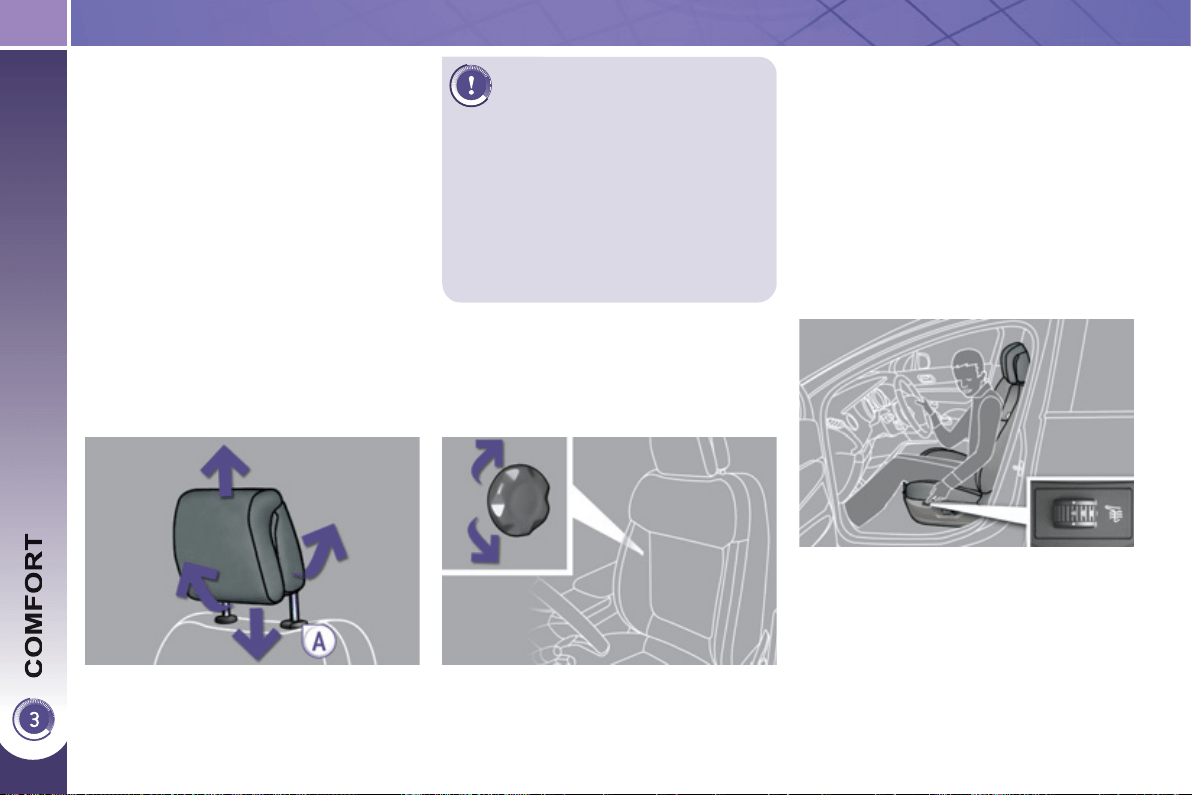
7
4
Heated seats control
With the engine running, the front seats
can be heated separately.
) Use the adjustment dial, placed on
the side of each front seat, to switch
on and select the level of heating re-
quired:
0: Off.
1 : Low.
2 : Medium.
3 : High.
Head restraint height and angle
adjustment
) To raise the head restraint, pull it
forwards and upwards at the same
time.
) To remove the head restraint, press
the lug A and pull the head restraint
upwards.
) To put the head restraint back in
place, engage the head restraint
stems in the openings keeping them
in line with the seat back.
) To lower the head restraint, press
the lug A and the head restraint at
the same time.
) To adjust the angle of the head re-
straint, tilt its lower part forwards or
rearwards.
The head restraint is fi tted with
a frame with notches which
prevents it from lowering; this
is a safety device in case of impact.
The adjustment is correct when the
upper edge of the head restraint is
level with the top of the head.
Never drive with the head restraints
removed; they must be in place and
adjusted correctly.
Manual lumbar adjustment
) Turn the knob to obtain the desired
level of lumbar support.
Addi
t
i
ona
l
a
dj
ustments
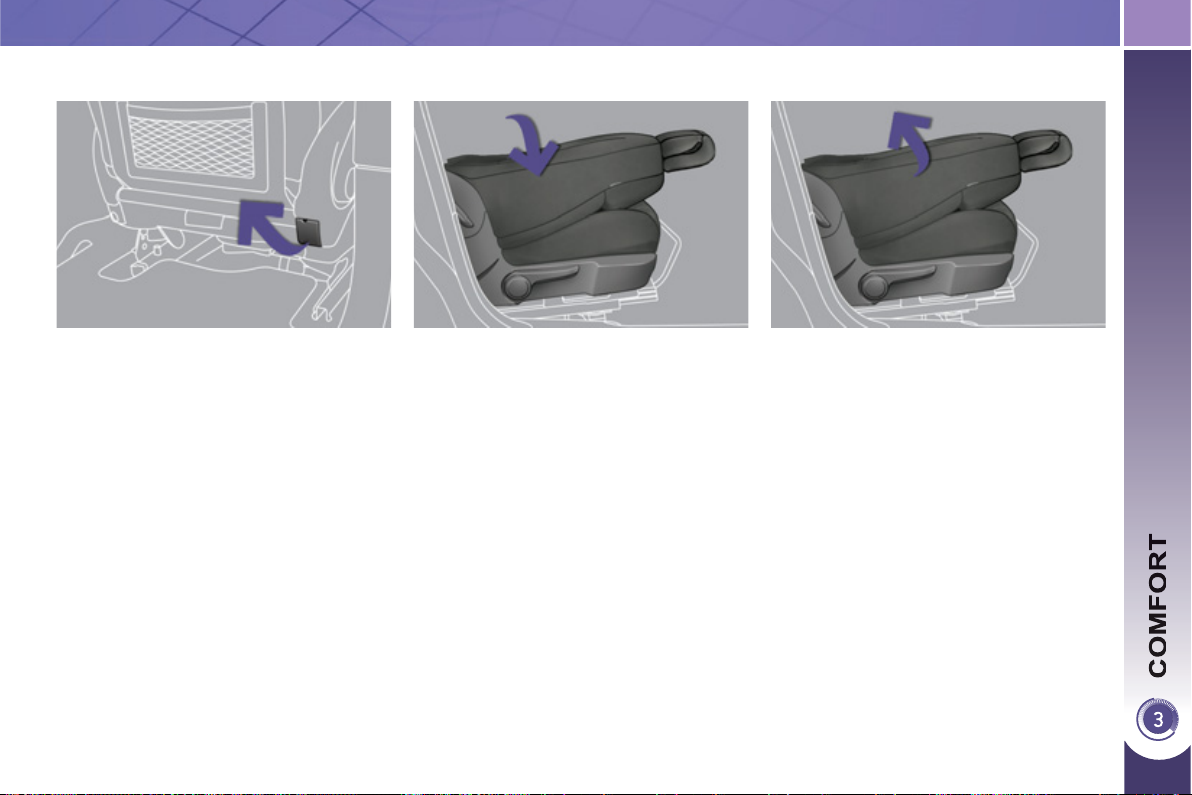
7
5
Folding the seat backrest
) Check that no object, either on or
underneath the seat, could hinder
its movement.
) To make the operation easier, place
the head restraint in the low position
(if the seat is in the fully forward po-
sition).
) If your vehicle is fi tted with the video
pack, place the protective cover on
the head restraint.
) Lift the control, located behind the
seat, then guide the seat backrest
forwards.
When the seat backrest is in this posi-
tion, the seat behind it and the centre
rear seat must not be occupied.
This position, associated with that of the
rear seats, allows you to transport long
objects inside the vehicle.
The maximum weight on the seat is
30 kg.
T
able position, front passen
g
er
seat
Returning the seat to the normal
position
) Guide the seat backrest rearwards
until it locks in place.
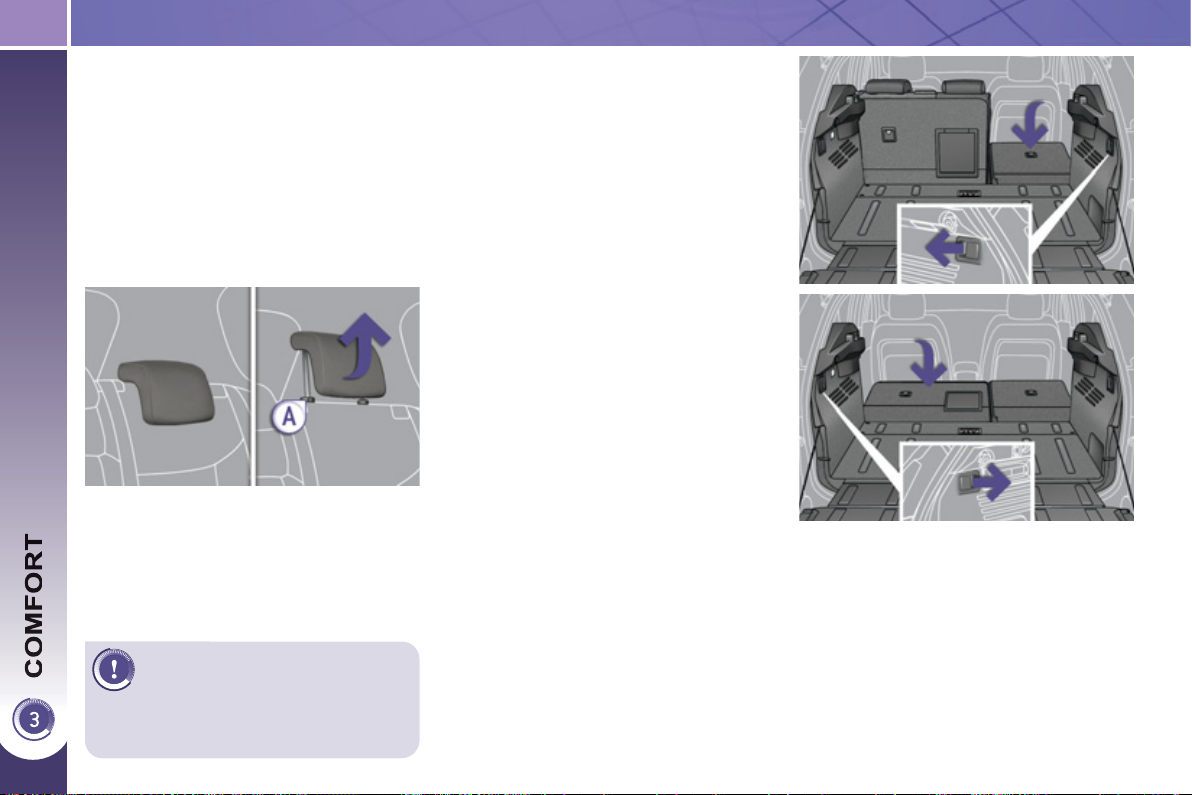
76
Foldin
g
the seat from the boot
Each section of the bench seat (1/3 or
2/3) has its own control to release the
seat back and its seat cushion from the
boot.
) Check that nothing is preventing
the seat back from folding (head re-
straint, seat belts, ...),
) check also that no object on or un-
der the seat could hinder its move-
ment,
) pull the control from the boot.
REAR SEATS
Never drive with rear passen-
gers when the head restraints
are removed; the head re-
straints must be in place and in the
high position.
R
ear
h
ea
d
restra
i
nts
These have a high position (comfort and
safety) and a low position (rear visibility).
They can also be removed.
To remove a head restraint:
) pull the head restraint fully upwards,
) then, press the lug A .
Bench seat the left-hand (2/3) or right-
hand (1/3) section of which can be fol-
ded to adapt the boot load space.
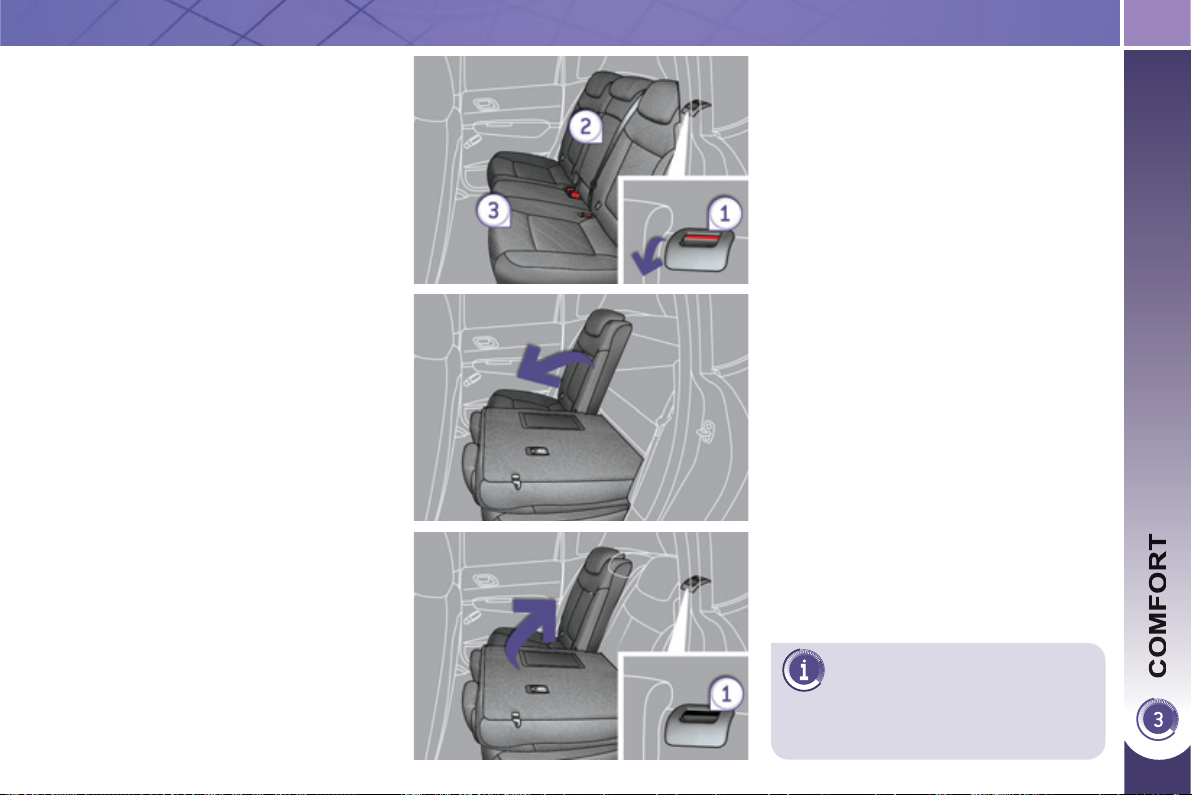
77
The seat cushion lowers to be
covered by the seat back; this
leaves a fl at boot fl oor, if the
adjustable fl oor is in the intermediate
position.
Foldin
g
the seat from the rear
Check that no object, either on or un-
derneath the seat, could hinder its
movement.
) Move the corresponding front seat
forwards if necessary,
) check that the seat belt is positioned
correctly on the side of the seat
back,
) place the head restraints in the low
position or remove them if necessary,
) pull the control 1 forwards to release
the seat back 2 which tilts easily
onto the seat cushion 3 .
Returnin
g
the seat back to its
o
ri
g
inal position
) Put the seat back in the upright posi-
tion and secure it, the seat cushion
also returns to its original position,
) check that the red indicator, located
at the control 1 , is no longer visible,
) refi t the head restraints or put them
back in place.
When returning the rear seat back to
its original position, take care not to
trap the seat belts and ensure that their
buckles are positioned correctly.
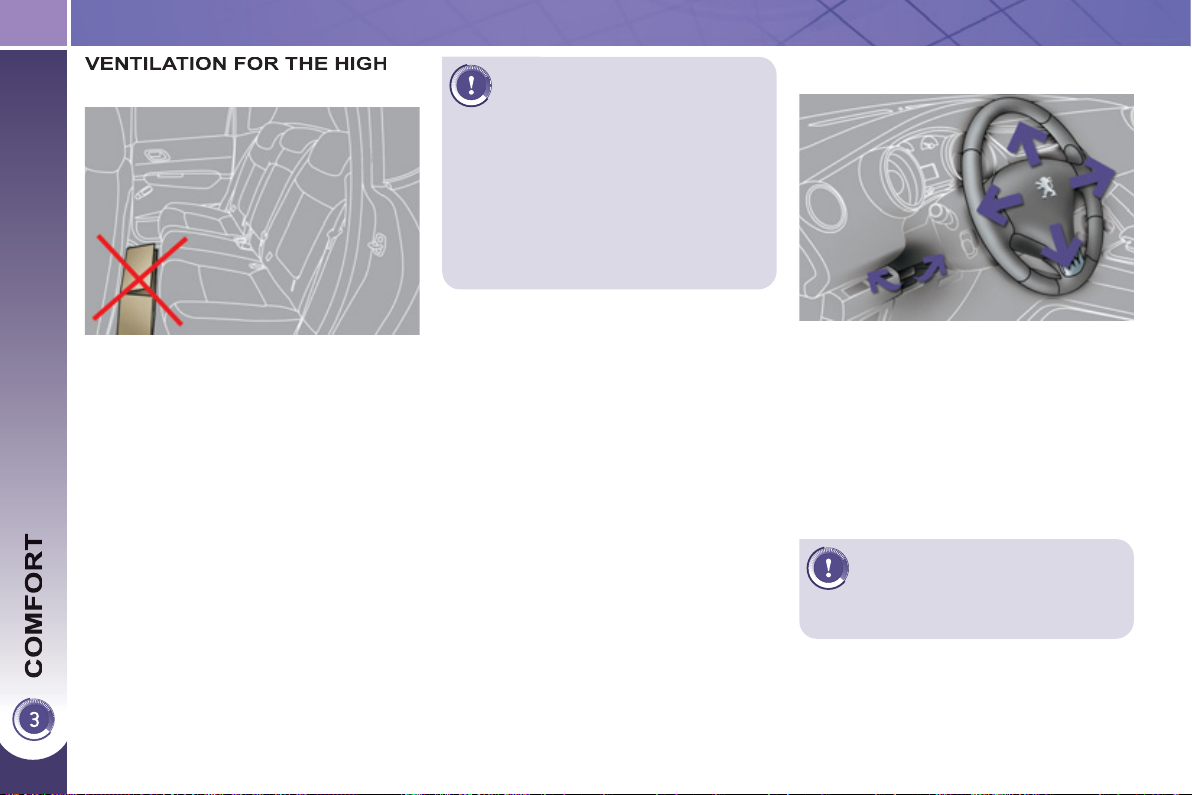
78
The high voltage battery has an air
cooling system, comprising an air in-
take located under the left hand rear
seat and a fan behind the left hand boot
trim panel.
This system does not work continuous-
ly, but adapts the force of the ventilation
to the requirements of the battery.
If the air intake is blocked, the battery
may overheat, damaging the battery
and causing a loss of performance of
the hybrid system.
STEERING WHEEL ADJUSTMENT
) When stationary , pull the con-
trol lever to release the adjustment
mechanism.
) Adjust the height and reach to suit
your driving position.
) Push the control lever to lock the
adjustment mechanism.
As a safety precaution, these
operations should only be car-
ried out while the vehicle is
stationary.
V
OLTAGE BATTERY
For the best use of the high
voltage battery, please follow
these recommendations:
- do not obstruct the air intake with
loose articles, otherwise, the bat-
tery may overheat, causing a
loss of performance of the hybrid
system
- do not spill fl uids, as this may
cause damage to the battery.
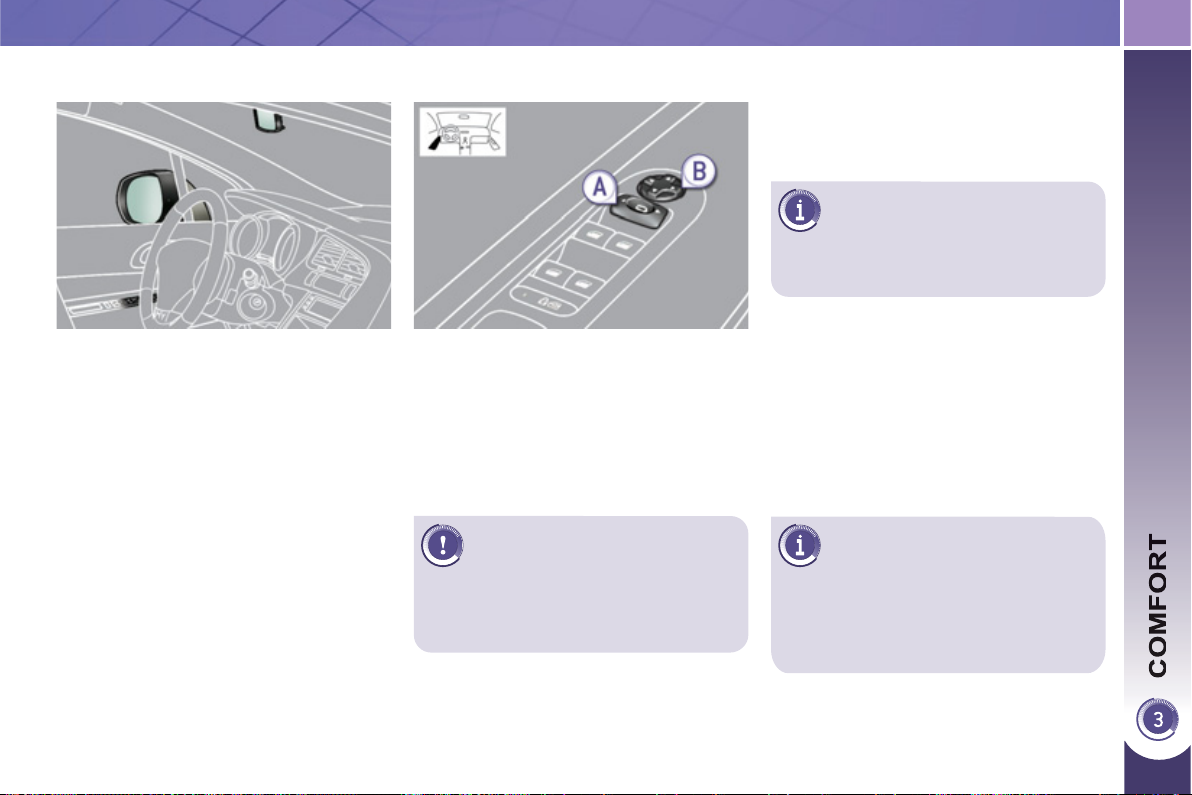
7
9
The objects observed are, in re-
ality, closer than they appear.
Take this into account in order
to correctly judge the distance of vehi-
cles approaching from behind.
M
IRRORS
D
oor m
i
rrors
Each fi tted with an adjustable mirror
glass permitting the lateral rearward
vision necessary for overtaking or par-
king. They can also be folded for par-
king in confi ned spaces.
Folding
- Automatic: lock the vehicle using
the remote control or the key.
- Manual: with the ignition on, pull
control A rearwards.
The folding and unfolding of the
door mirrors using the remote
control can be deactivated by a
PEUGEOT dealer.
Fold the mirrors when putting your
vehicle through an automatic car
wash.
Adjustment
Unfolding
- Automatic: unlock the vehicle using
the remote control or the key.
- Manual: with the ignition on, pull
control A rearwards.
If the mirrors are folded using
control A , they will not unfold
when the vehicle is unlocked.
Pull again on control A .
) Move control A to the right or to
the left to select the corresponding
mirror.
) Move control B in all four directions
to adjust.
)
Return control A to the central position.
Demisting - Defrosting
If your vehicle is fi tted with heated mir-
rors, the demisting-defrosting operates
with the engine running, by switching
on the heated rear screen (refer to the
"Rear screen demist-defrost" page).
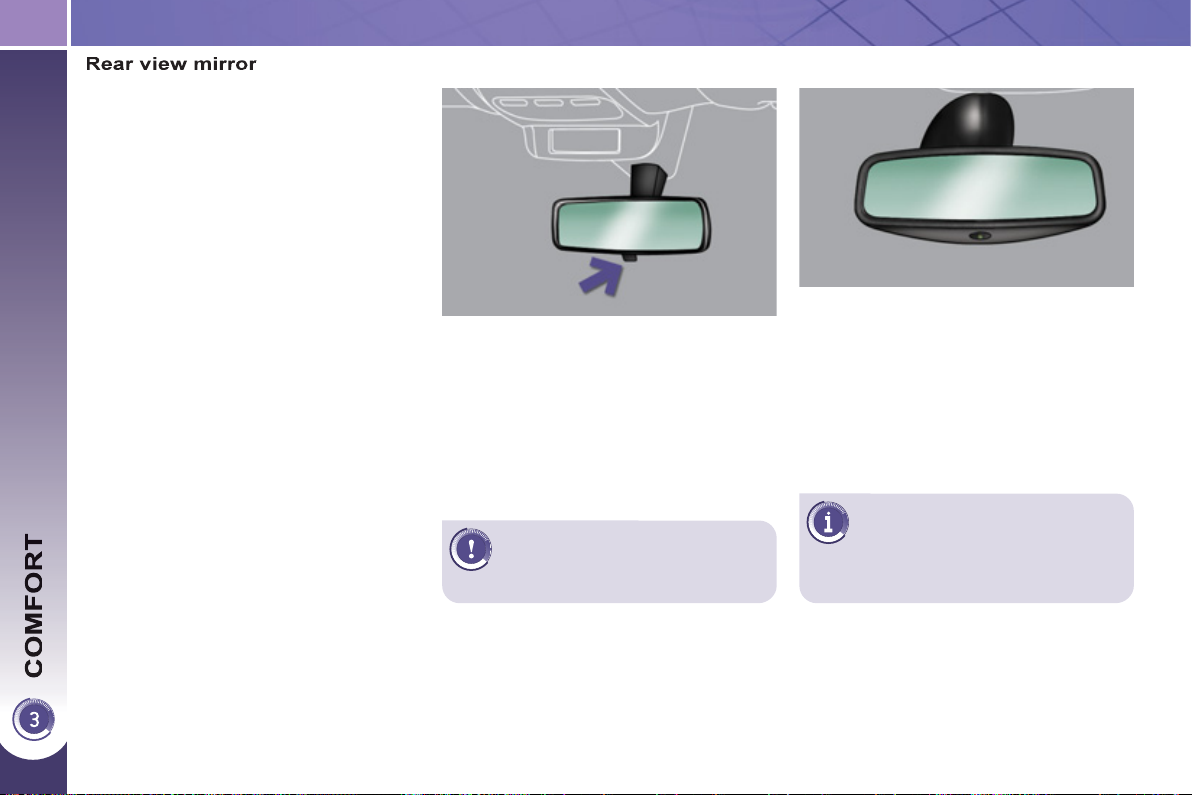
80
Adjustment
) Adjust the mirror so that the glass is
directed correctly in the "day" posi-
tion.
As a safety measure, the mir-
rors should be adjusted to re-
duce the "blind spot".
Manual day/night model
Day/night position
) Pull the lever to change to the
"night" anti-dazzle position.
) Push the lever to change to the
normal "day" position.
Adjustable mirror providing a central
rearward view.
Equipped with an anti-dazzle system,
which darkens the mirror glass: this re-
duces the nuisance to the driver caused
by the headlamps from following vehi-
cles, low sun...
In order to ensure optimum
visibility during your manoeu-
vres, the mirror lightens au-
tomatically when reverse gear is
engaged.
Automatic day/night model
By means of a sensor, which measures
the light from the rear of the vehicle, this
system automatically and progressively
changes between the day and night
uses.
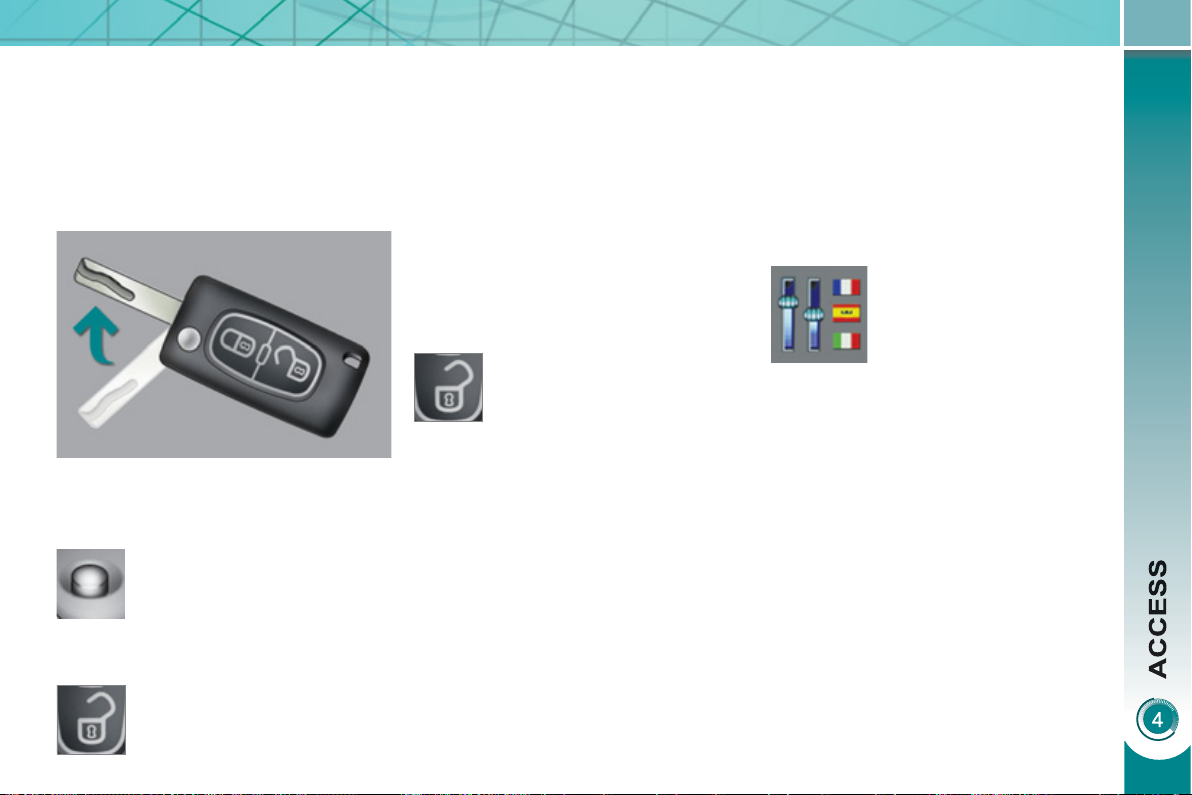
81
Unfolding the key
Unlockin
g
the vehicle
) Press the open padlock to
unlock the vehicle.
Complete unlocking using the
remote control
REMOTE CONTROL KEY
System which permits central unlock-
ing or locking of the vehicle using the
lock or from a distance. It is also used to
locate and start the vehicle, as well as
providing protection against theft.
Complete unlocking using the key
) Turn the key to the left in the driver's
door lock to unlock the vehicle.
Unlocking is confi rmed by rapid fl ashing
of the direction indicators for approxi-
mately two seconds.
According to version, the door mirrors
unfold at the same time.
Selective unlocking using the
remote control
Selective unlocking using the key
) Turn the key to the left in the driver's
door lock once to unlock the driver's
door only.
) Turn the key to the left in the driver's
door lock again to unlock the other
doors and the boot.
) Press the open padlock
once to unlock the driver's
door only.
) Press the open padlock again to un-
lock the other doors and the boot.
Each unlocking is confi rmed by rapid
fl ashing of the direction indicators for
approximately two seconds.
According to version, the door mirrors
unfold at the same time as the fi rst un-
locking action.
The selective unlocking is only available
on versions fi tted with deadlocking.
The complete or selective
unlocking parameter is set
via the multifunction screen
confi guration menu.
Complete unlocking is activated by
default.
) First press this button to
unfold the key.
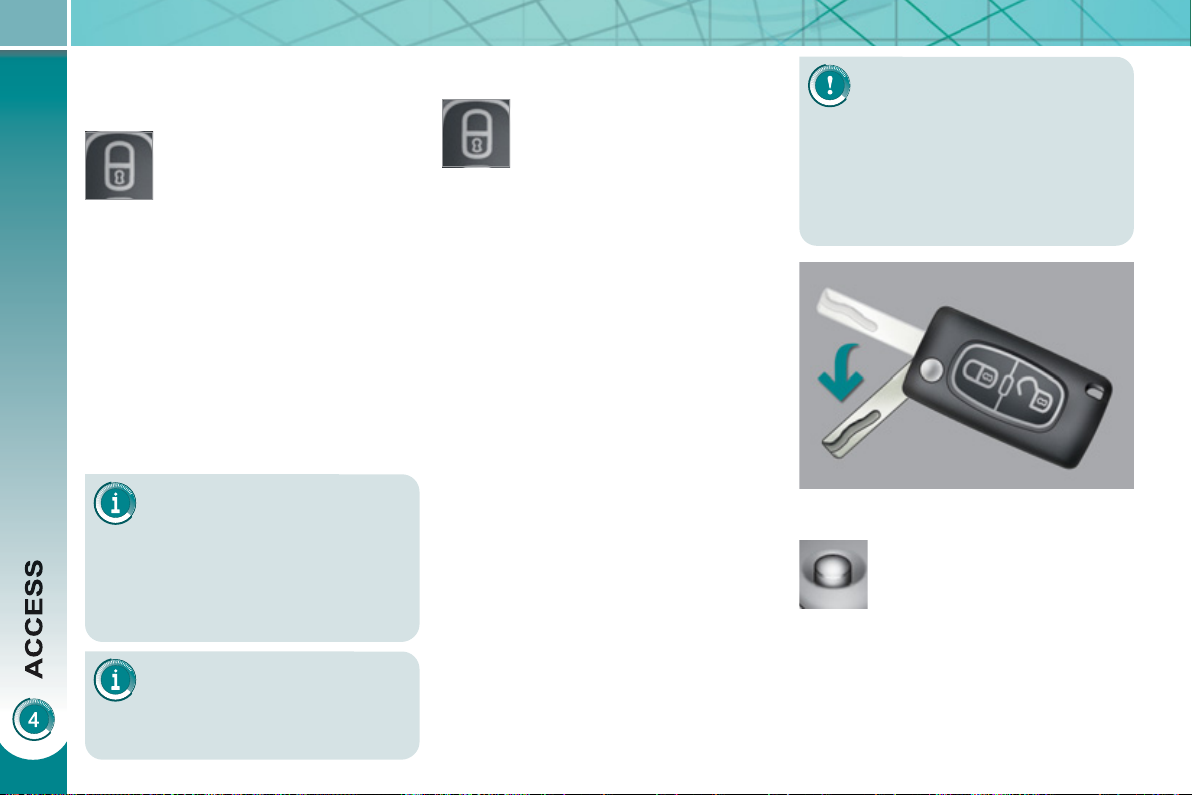
82
L
ocatin
g
y
our vehicle
) Press the closed padlock to locate
your locked vehicle in a car park.
This is indicated by lighting of the direc-
tion indicators for a few seconds.
Deadlocking renders the exte-
rior and interior door controls
inoperative.
It also deactivates the manual
central control button.
Therefore, never leave anyone inside
the vehicle when it is deadlocked.
Deadlocking using the remote
control
Deadlocking using the key
Folding the key
) Press the closed padlock
to lock the vehicle com-
pletely or press the closed
padlock for more than
two seconds to close the
windows automatically
in addition to locking (ac-
cording to version).
) Press the closed padlock again
within fi ve seconds to deadlock the
vehicle.
If one of the doors or the boot
is still open, the central locking
does not take place.
When the vehicle is locked, if it is
unlocked inadvertently, it will relock
automatically after thirty seconds un-
less a door is opened.
Normal locking using the key
) Turn the key to the right in the driv-
er's door lock to lock the vehicle
completely.
Locking is confi rmed by fi xed lighting of
the direction indicators for approximately
two seconds.
According to version, the door mirrors
fold at the same time.
The folding and unfolding of
the door mirrors using the re-
mote control can be deactivat-
ed by a PEUGEOT dealer.
L
oc
ki
n
g
t
h
e ve
hi
c
l
e
) Press the closed padlock
to lock the vehicle com-
pletely.
) Press the closed padlock for more
than two seconds to close the win-
dows automatically in addition to
locking (according to version).
Normal locking using the remote
control
) Turn the key to the right in the driver's
door lock to lock the vehicle com-
pletely and hold it in this position for
more than two seconds to close the
windows automatically in addition to
locking (according to version).
) Turn the key to the right again within
fi ve seconds to deadlock the vehicle.
Deadlocking is confi rmed by fi xed light-
ing of the direction indicators for ap-
proximately two seconds.
According to version, the door mirrors
fold at the same time.
) First press this button to
fold the key.
83
A heavy object (key fob...), at-
tached to the key and weigh-
ing down on its shaft in the
ignition switch, could cause a
malfunction.
Electronic engine immobiliser
The key contains an electronic chip
which has a special code. When the
ignition is switched on, this code must
be recognised in order for starting to be
possible.
This electronic engine immobiliser locks
the engine management system a few
minutes after the ignition is switched off
and prevents starting of the engine by
anyone who does not have the key.
A
nti-theft protection
In the event of a fault, you are
informed by illumination of this
warning lamp, an audible signal
and a message in the screen.
In this case, your vehicle does not start;
contact a PEUGEOT dealer as soon as
possible.
For more information, refer to the
"Practical information - Energy
economy mode" section.
Energy economy mode
After switching off the engine (posi-
tion 1-Stop ), you can still use functions
such as the audio and telematics sys-
tem, wipers, dipped beam headlamps,
courtesy lamps, etc. for a maximum
combined period of thirty minutes.
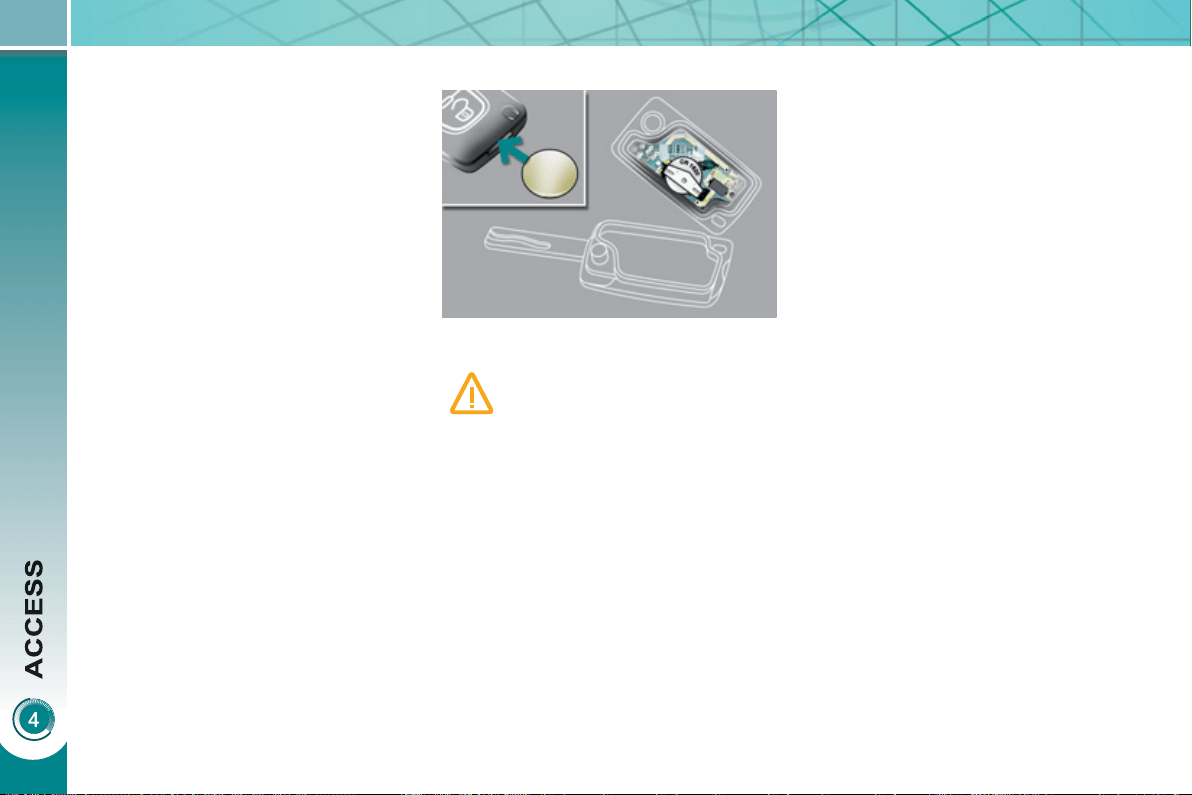
84
R
emote contro
l
pro
bl
em
Following disconnection of the vehicle
battery, replacement of the remote con-
trol battery or in the event of a remote
control malfunction, you can no longer
unlock, lock or locate your vehicle.
) First of all, use the key in the lock to
unlock or lock your vehicle.
) Then, reinitialise the remote control.
If the problem persists, contact a
PEUGEOT dealer as soon as possible.
Changing the battery
Battery ref.: CR1620/3 volts. Reinitialisation
) Switch off the ignition.
) Turn the key to position 2 (Ignition
on) .
) Press the closed padlock immedi-
ately for a few seconds.
) Switch off the ignition and remove
the key from the ignition switch.
The remote control is fully operational
again.
If the battery is fl at, you are in-
formed by illumination of this
warning lamp, an audible signal
and a message in the multifunc-
tion screen.
) Unclip the casing using a coin at the
notch.
) Slide the fl at battery out of its location.
) Slide the new battery into its loca-
tion observing the original direction.
) Clip the casing.
) Reinitialise the remote control.
85
L
ost ke
y
s
Visit a PEUGEOT dealer with the vehicle's V5 registration document and
your personal identifi cation documents.
The PEUGEOT dealer will be able to retrieve the key code and the transponder
code required to order a replacement key.
Do not throw the remote
control batteries away, they
contain metals which are
harmful to the environment.
Take them to an approved collection
point.
Remote control
The high frequency remote control is a sensitive system; do not operate it while
it is in your pocket as there is a possibility that it may unlock the vehicle, without
you being aware of it.
Do not repeatedly press the buttons of your remote control out of range and
out of sight of your vehicle. You run the risk of stopping it from working and the
remote control would have to be reinitialised.
The remote control does not operate when the key is in the ignition, even when
the ignition is switched off, except for reinitialisation.
Loc
ki
n
g
t
h
e ve
hi
c
l
e
Driving with the doors locked may make access to the passenger compartment
by the emergency services more diffi cult in an emergency.
As a safety precaution (with children on board), remove the key from the ignition
when you leave the vehicle, even for a short time.
A
nti-theft
p
rotection
Do not make any modifi cations to the electronic engine immobiliser system; this
could cause malfunctions.
When purchasin
g
a second-hand vehicle
Have the key codes memorised by a PEUGEOT dealer, to ensure that the keys
in your possession are the only ones which can start the vehicle.
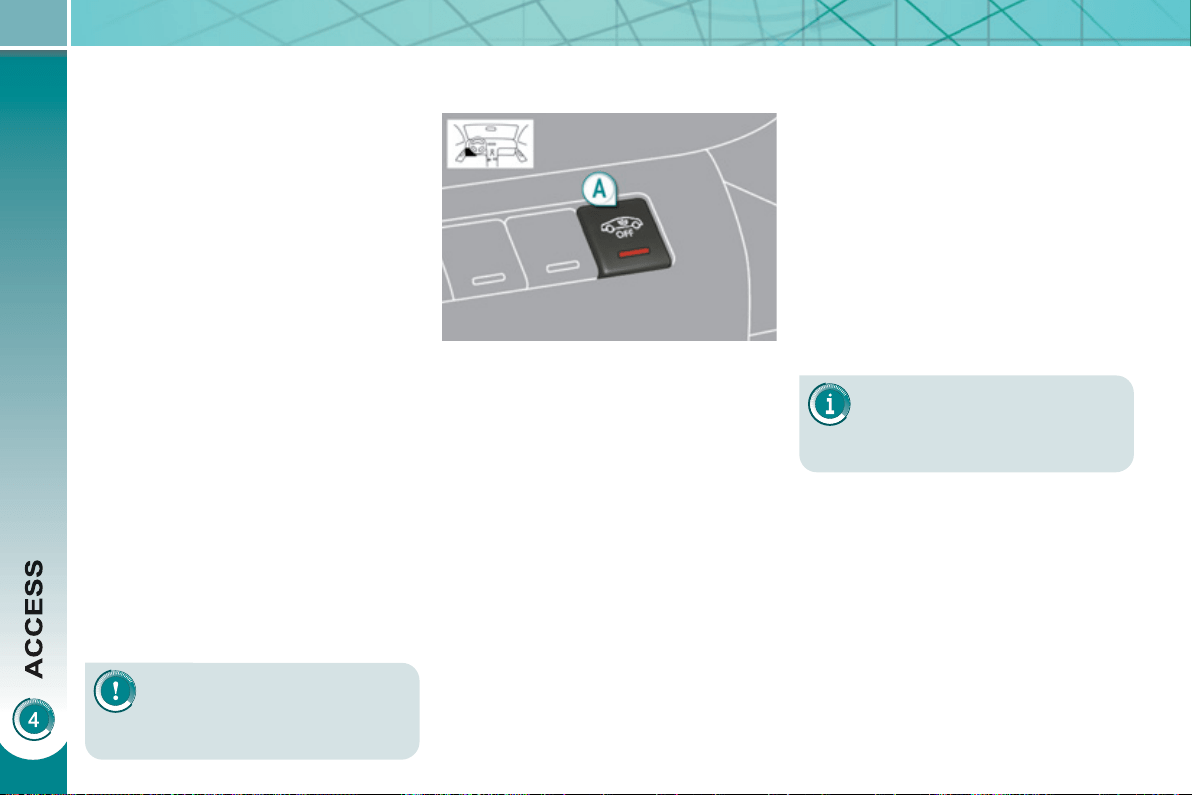
86
A
L
ARM
System which protects and provides a
deterrent against the theft of your vehi-
cle. It provides two types of protection,
exterior and interior, as well as an anti-
tamper function.
Lockin
g
the vehicle with full
al
arm
Do not make any modifi ca-
tions to the alarm system, this
could cause malfunctions.
To be effective, this deactiva-
tion must be carried out each
time the ignition is switched
off.
Reactivation of the interior
volumetric protection
) Unlock the vehicle using the unlock-
ing button on the remote control.
) Relock the vehicle using the remote
control.
The alarm is activated again with both
types of protection; the indicator lamp
on button A switches off.
Loc
ki
n
g
t
h
e ve
hi
c
l
e w
i
t
h
e
xter
i
or protect
i
on a
l
arm on
ly
Activation
) Switch off the ignition and get out of
the vehicle.
) Lock or deadlock the vehicle using
the locking button on the remote
control.
The alarm is activated; the indicator
lamp on button A fl ashes once per
second.
E
xter
i
or per
i
m
i
ter protect
i
on
The system detects opening of the ve-
hicle.
The alarm is triggered if anyone tries to
enter the vehicle by forcing a door, the
boot or the bonnet.
I
nter
i
or vo
l
umetr
i
c
p
rotect
i
on
The system detects any variation in the
volume in the passenger compartment.
The alarm is triggered if anyone breaks
a window or moves inside the vehicle.
If you wish to leave a pet in the vehicle
or a window partially open, deactivate
the interior volumetric protection.
Anti-tam
p
er function
The system detects the putting out of
service of its components.
The alarm is triggered if anyone tries
to put the wires of the siren, the central
control or the battery out of service.
Deactivation
) Unlock the vehicle using the unlock-
ing button on the remote control.
The alarm is deactivated; the indicator
lamp on button A switches off.
Deactivation of the interior
volumetric protection
) Switch off the ignition.
) Within ten seconds, press button A
until the indicator lamp is lit continu-
ously.
) Get out of the vehicle.
) Lock or deadlock the vehicle using
the locking button on the remote
control.
The exterior protection alarm alone re-
mains activated; the indicator lamp on
button A fl ashes once per second.

87
Triggering
This is indicated by sounding of the si-
ren and fl ashing of the direction indica-
tors for approximately thirty seconds.
After it has been triggered, the alarm is
again operational.
If the alarm is triggered ten
times in succession, the
eleventh time will result in it
becoming inactive.
If the indicator lamp on button A
fl ashes rapidly, this indicates that the
alarm was triggered during your ab-
sence. When the ignition is switched
on, this fl ashing stops immediately.
To avoid triggering the alarm when
washing your vehicle, lock it using
the key in the driver's door lock.
Do not activate the alarm before dis-
connecting the battery, otherwise the
siren will sound.
Failure of the remote control
) Unlock the vehicle using the key in
the driver's door lock.
) Open the door; the alarm is
triggered.
) Switch on the ignition; the alarm
stops.
Malfunction
When the ignition is switched on, light-
ing of the indicator lamp on button A for
ten seconds indicates a siren fault.
Have it checked by a PEUGEOT dealer.
Locking the vehicle without
activating the alarm
) Lock or deadlock the vehicle using
the key in the driver's door lock.
Automatic operation *
Depending on the legislation in force in
your country, one of these cases may
occur:
- 45 seconds after the vehicle is
locked using the remote control, the
alarm is activated, regardless of the
status of the doors and boot.
- 2 minutes after the last door or the
boot is closed, the alarm is activated.
) To avoid triggering the alarm on
entering the vehicle, fi rst press the
unlocking button on the remote
control.
* According to country.

88
The electric window controls
remain operational for ap-
proximately 45 seconds after
the ignition is switched off or until the
vehicle is locked after a front door is
opened.
If one of the passenger windows can-
not be operated from the driver's door
control pad, carry out the operation
from the control pad of the passenger
door concerned, and vice versa.
E
LECTRIC WINDOWS
System intended to open or close a win-
dow manually or automatically. Fitted
with a safety anti-pinch system and a
system for deactivation in the event of
misuse of the rear controls.
1. Driver's electric window control.
2. Passenger's electric window
control.
3. Rear right electric window
control.
4. Rear left electric window control.
5. Deactivation of the rear electric
window and door controls.
If the window cannot be closed
(for example, in the presence
of ice), immediately after the
movement is reversed:
) press and hold the control until
the window opens fully,
) then pull the control immediately
and hold it until the window closes,
) continue to hold the control for
approximately one second after
the window has closed.
The safety anti-pinch function
is not operational during these
operations.
Safety anti-pinch
When the window rises and meets an
obstacle, it stops and partially lowers
again.
- automatic mode
) Press or pull the control fi rmly.
The window opens or closes fully
when the control is released.
) Pressing the control again stops
the movement of the window.
One-touch electric windows
There are two options:
- manual mode
) Press or pull the control gently.
The window stops when the
control is released.
After approximately ten con-
secutive complete opening/
closing movements of the win-
dow, a protection function is activat-
ed to prevent damage to the electric
window motor.
After this, you have approximately
one minute within which to close the
window.
Once the window is closed, the
controls will become available again
after approximately 40 minutes.
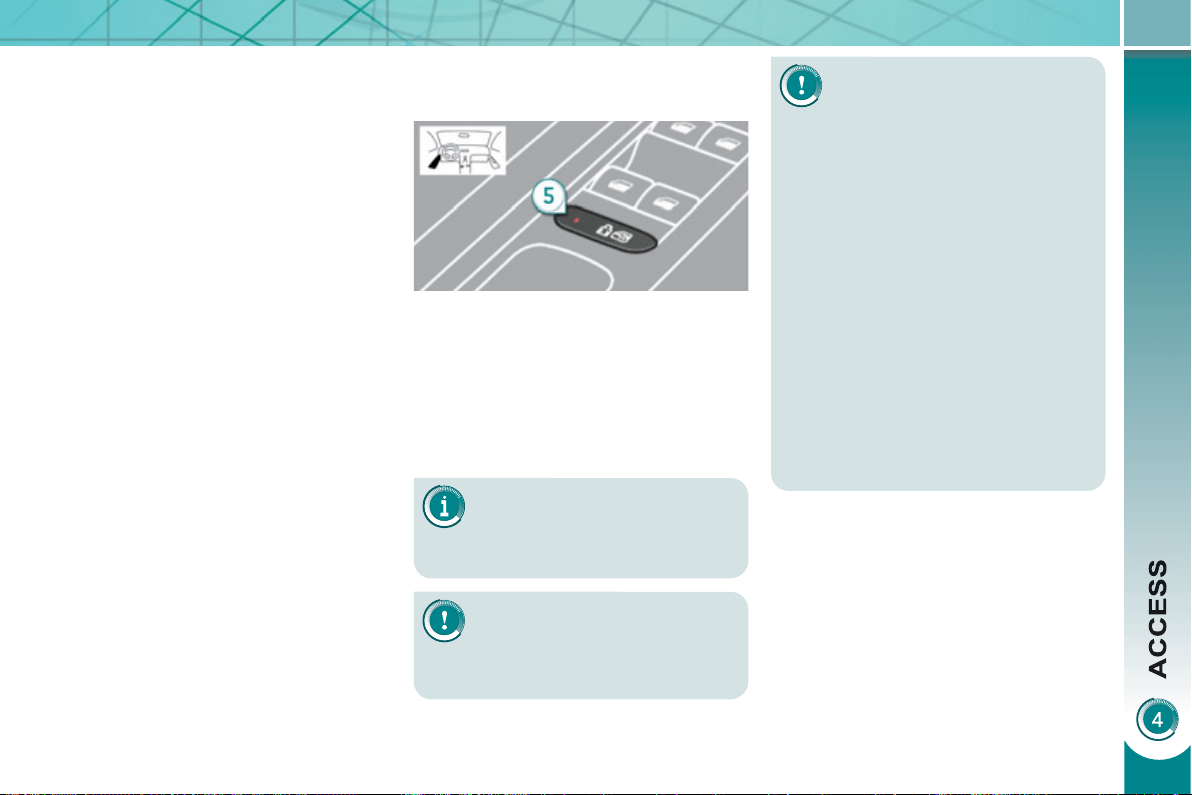
89
Indicator lamp on, the rear
controls are deactivated.
Indicator lamp off, the rear
controls are activated.
This control also deactivates
the interior controls for the
rear doors (refer to the section
"Child safety - § Electric child
lock").
Reinitialisation
If a window does not rise automatically,
its operation must be reinitialised:
) pull the control until the window
stops,
) release the control and pull it again,
repeat these operations until the
window closes fully,
) continue to hold the control for ap-
proximately one second after the
window has closed,
) press the control to lower the window
automatically to the low position,
) when the window has reached the
low position, press the control again
for approximately one second.
Any other status of the indica-
tor lamp indicates a malfunc-
tion of the electric child lock.
Have it checked by a PEUGEOT
dealer.
Always remove the key from the igni-
tion when leaving the vehicle, even
for a short time.
If an obstacle is encountered during
operation of the electric windows,
you must reverse the movement of
the window. To do this, press the
control concerned.
When the driver operates the con-
trols for the passengers' electric win-
dows, they must ensure that no one
is preventing correct closing of the
windows.
The driver must ensure that the pas-
sengers use the electric windows
correctly.
Be aware of children when operating
the windows.
Deactivation of the rear electric
w
i
n
d
ow an
d
d
oor contro
l
s
) For the safety of your children, with
the ignition on, press control 5 to
deactivate the rear electric window
controls regardless of their position.
It is still possible to open the doors from
the outside and operate the rear electric
windows from the driver's control pad.
The safety anti-pinch function is not
operational during these operations.
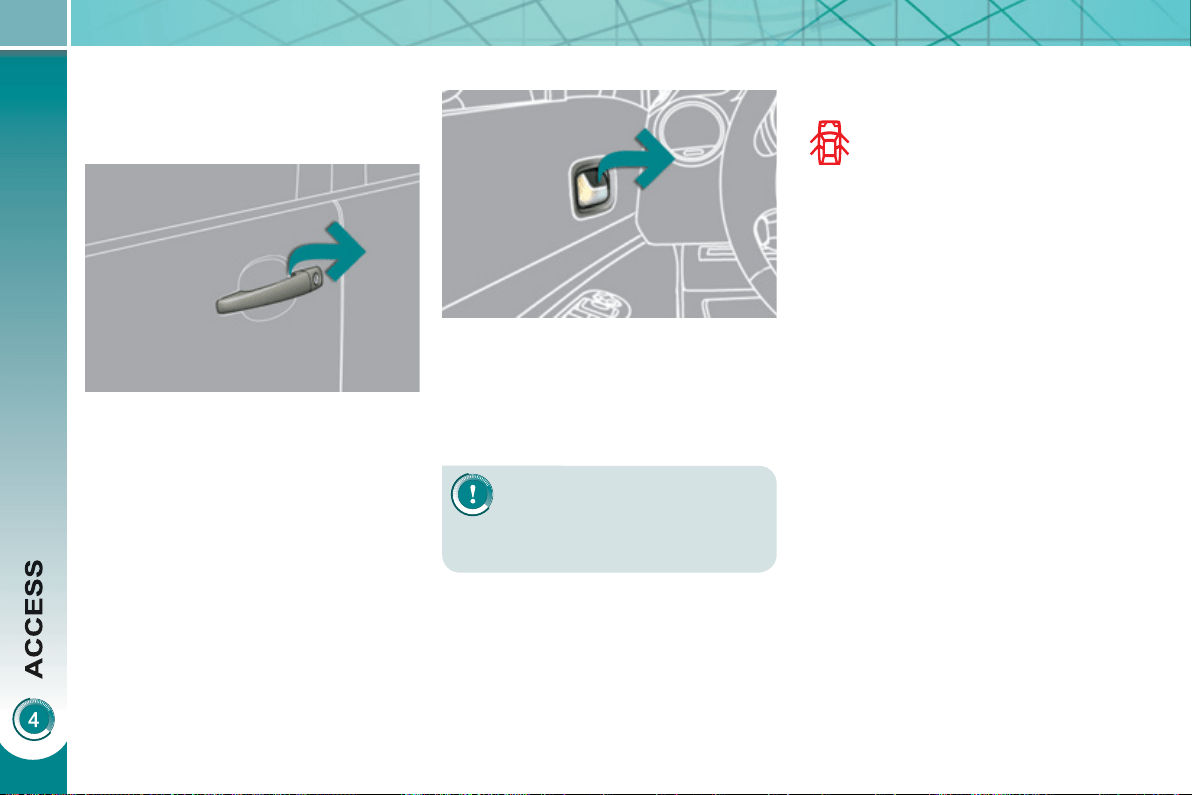
90
D
OORS
) After unlocking the vehicle com-
pletely using the remote control or
the key, pull the door handle.
From inside
) Pull the door control (front or rear)
to open the door; this unlocks this
vehicle completely.
The interior door controls do
not operate when the vehicle
is deadlocked.
Closin
g
When a door is not closed correctly:
-
when the engine is running ,
this warning lamp comes on,
accompanied by a message
in the multifunction screen for
a few seconds,
- when the vehicle is moving (speed
higher than 6 mph (10 km/h)), this
warning lamp comes on, accom-
panied by an audible signal and a
message in the multifunction screen
for a few seconds.
Openin
g
From outside
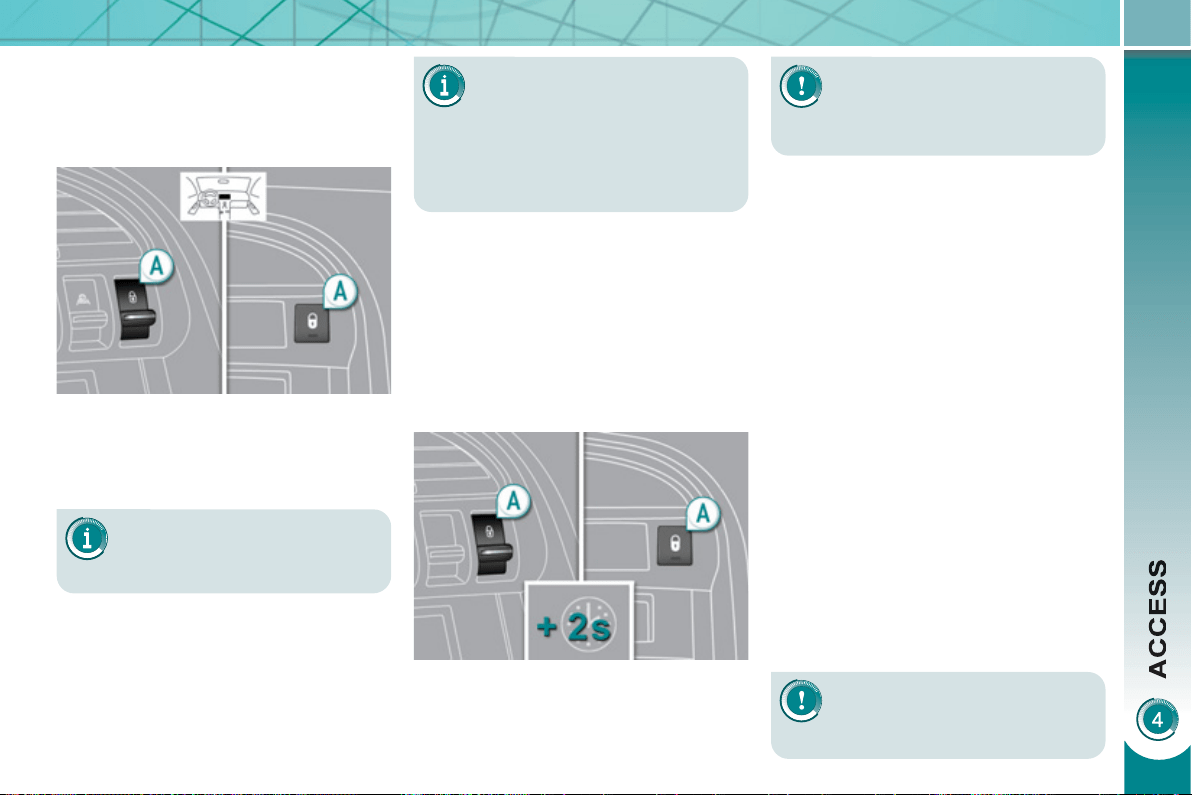
91
If the vehicle is locked or
deadlocked from the outside,
the red indicator lamp fl ashes
and button A is inactive.
) In this case, use the remote
control or the key to unlock the
vehicle.
A confi rmation message ap-
pears on the multifunction
screen, accompanied by an
audible signal.
M
anua
l
centra
li
se
d
contro
l
System which provides full manual
locking or unlocking of the doors from
the inside.
Locking
) Press button A to lock the vehicle.
The red indicator lamp on the button
comes on.
Automatic centralised control
System which provides full automatic
locking or unlocking of the doors and
boot while driving, if they are closed
correctly.
You can activate or deactivate this
function.
Locking
When the speed exceeds 6 mph
(10 km/h), the doors and boot lock
automatically.
If one of the doors is open, the automatic
central locking does not take place.
If the boot is open, the automatic central
locking of the doors is active.
Deactivation
) Press button A again for more than
two seconds.
A confi rmation message appears on the
multifunction screen, accompanied by
an audible signal.
If one of the doors is open, the
central locking from the inside
does not take place.
Unlocking
) Press button A again to unlock the
vehicle.
The red indicator lamp on the button
switches off.
Activation
In the event of an impact, the
doors unlock automatically.
Unlocking
) Above 6 mph (10 km/h), press but-
ton A to unlock the doors and boot
temporarily.
) Press button A for more than
two seconds.
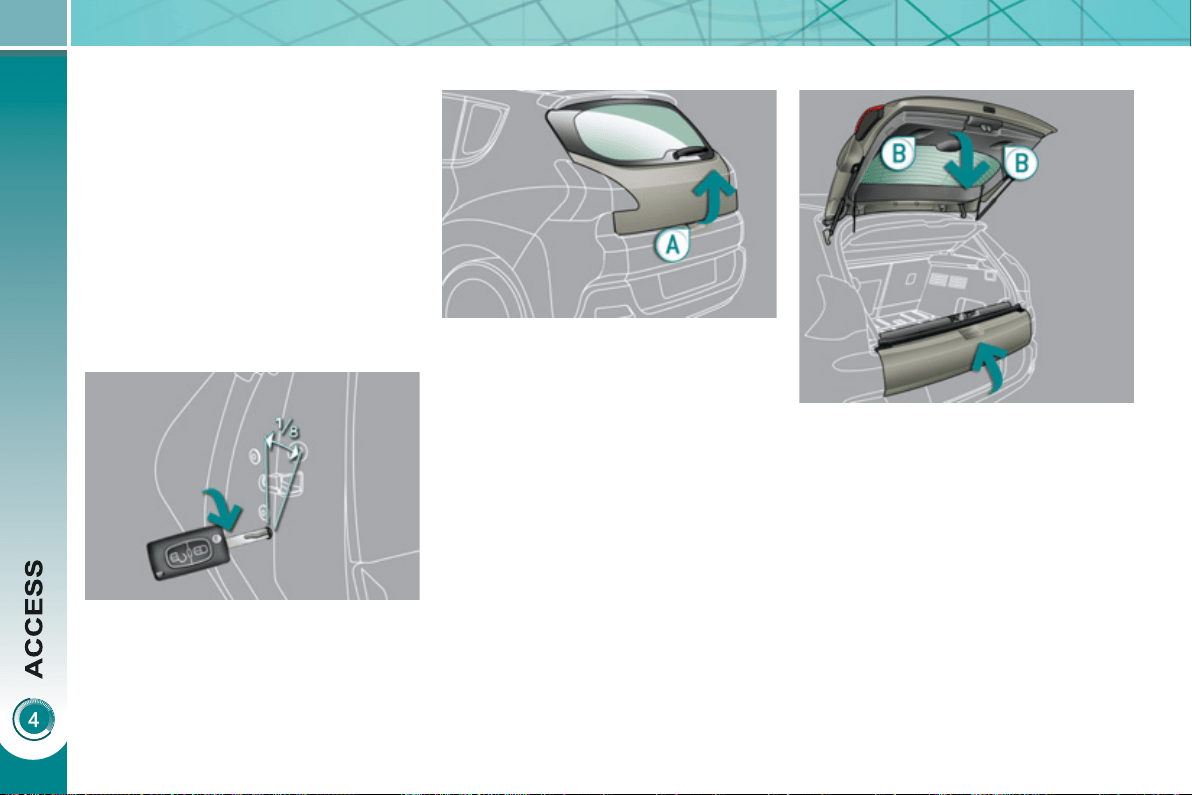
92
E
mer
g
enc
y
contro
l
System which locks or unlocks the
doors mechanically in the event of a
malfunction of the battery or of the
central locking.
) Insert the key in the lock, located on
the edge of the door, then turn it one
eighth of a turn .
Locking the driver's door
) Insert the key in the lock, then turn it
to the right.
Unlocking the driver's door
) Insert the key in the lock, then turn it
to the left.
Locking the front and rear
passenger doors
Unlocking the front and rear
passenger doors
) Pull the interior door opening control.
Openin
g
) After unlocking the vehicle using the
remote control or the key, press the
handle A and raise the tailgate.
B
OOT
Closin
g
) Close the lower tailgate.
) Pull the handle B downwards to
guide the tailgate.
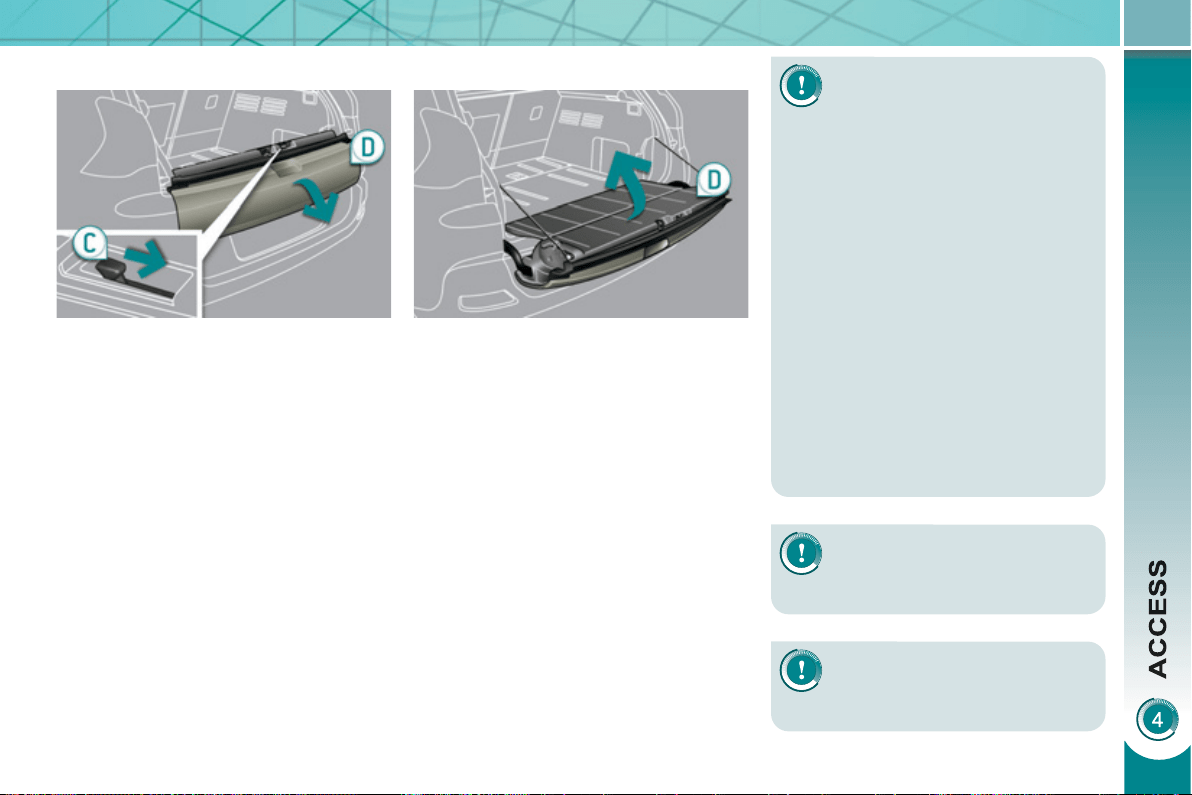
93
L
OWER TAILGATE
Openin
g
) Push the handle C to the right and
tilt the tailgate D gently.
Closin
g
) Raise the tailgate D , push it fully
to close it, check that it is secured
correctly.
Before opening the boot, en-
sure that no one is within the
radius of opening.
For reasons of safety, correct opera-
tion and compliance with regulations,
do not drive with the boot and the
lower tailgate open.
If the battery is disconnected, the
boot cannot be opened.
Do not climb onto the lower tailgate
and do not subject it to heavy knocks,
it may be damaged.
Always close the lower tailgate and
check that it is secured correctly be-
fore closing the boot.
When closing the lower tailgate, en-
sure that no person or object is in the
proximity of the moving parts to avoid
any risk of injury or damage.
Do not open the lower tailgate
when a towbar is fi tted.
Maximum authorised weight
on the lower tailgate when
open: 200 kg .
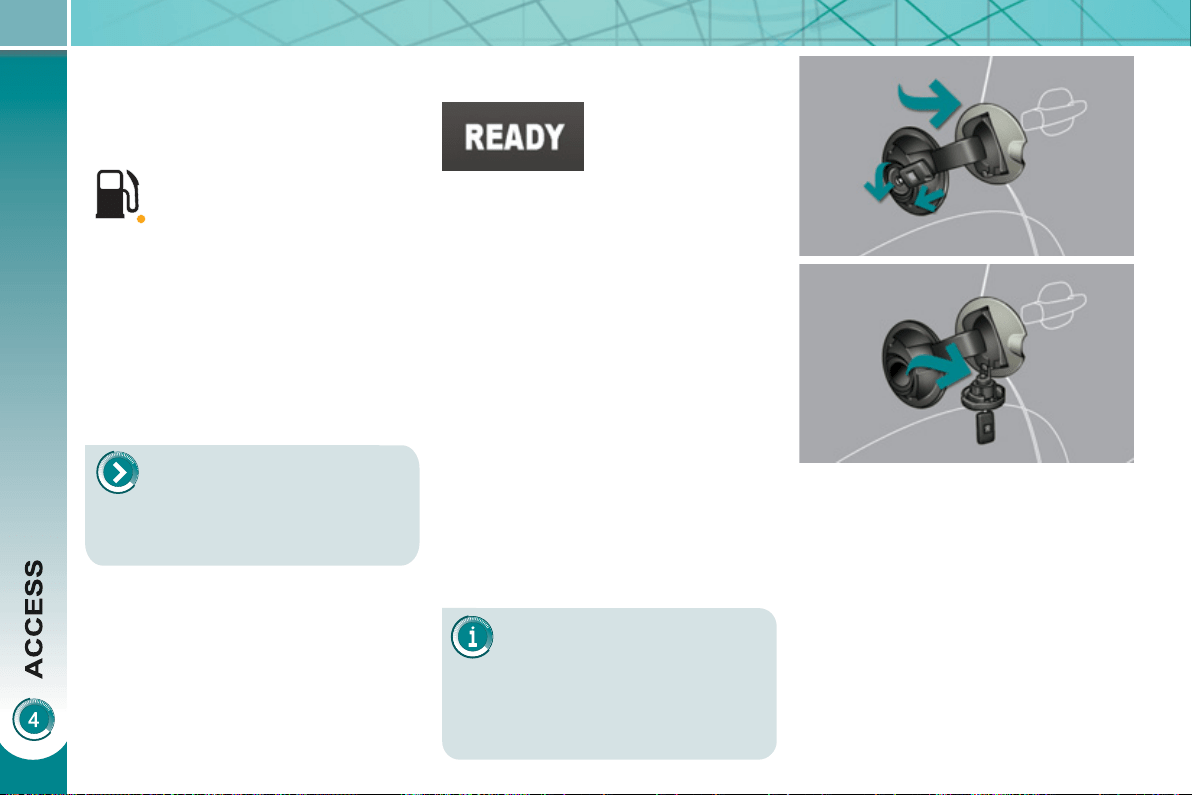
94
The key cannot be removed
from the lock until the cap is
put back on the tank.
Opening the cap may trigger an in-
rush of air. This vacuum, which is
completely normal, is caused by the
sealing of the fuel system.
FUE
L
TANK
Capacity of the tank: approximately
56.5 litres.
To fi ll the tank safely:
When refuelling is complete:
) put the cap back in place,
) turn the key to the right, then remove
it from the cap,
) close the fi ller fl ap.
) remove the cap and secure it on the
hook, located on the inside of the
fl ap,
) fi ll the tank, but do not continue
after the 3rd cut-off of the nozzle ;
this could cause malfunctions.
Low fuel level
Operatin
g
fault
A malfunction of the fuel gauge is indi-
cated by the return to zero of the fuel
gauge needle.
Have it checked by a PEUGEOT dealer.
Refuellin
g
A label affi xed to the inside of the fi ller
fl ap reminds you of the type of fuel to be
used according to your engine.
More than 5 litres of fuel must be add-
ed in order to be registered by the fuel
gauge.
When the low fuel level is
reached, this warning lamp
comes on in the instrument
panel, accompanied by an
audible signal and a message
in the multifunction screen. When the
lamp fi rst comes on, there is approxi-
mately 6 litres of fuel remaining.
Until suffi cient fuel has been added, this
warning lamp appears every time the
ignition is switched on, accompanied by
an audible signal and a message. When
driving, this audible signal and message
are repeated with increasing frequency,
as the fuel level drops towards "0" .
You must refuel to avoid run-
ning out of fuel.
If you run out of fuel (Diesel),
refer also to the "Checks"
section.
) the engine must
be turned off
at the ignition
switch (the Ready
lamp must be off) to avoid an auto-
matic restart of the engine while re-
fuelling,
) open the fuel fi ller fl ap,
) insert the key in the cap, then turn it
to the left,
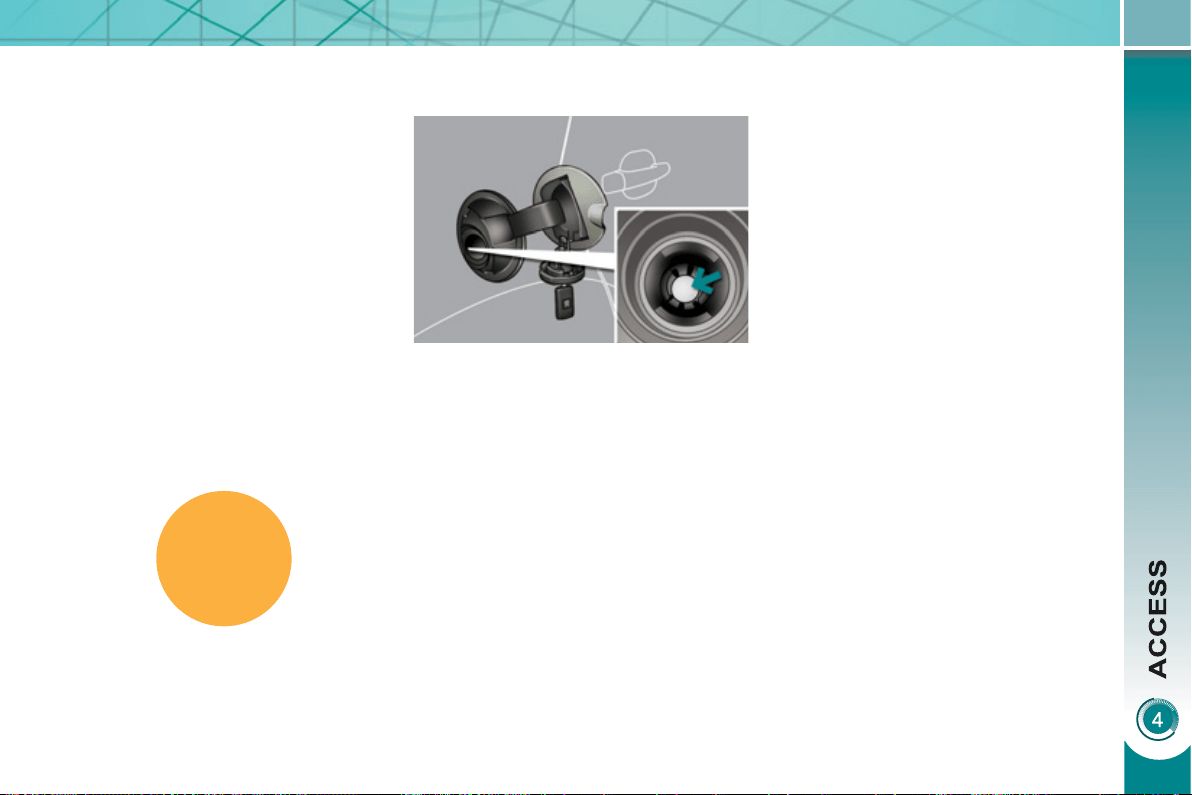
DIESEL
95
Qualit
y
of the fuel used for
Di
ese
l
en
gi
nes
The Diesel engines are perfectly com-
patible with biofuels which conform to
current and future European standards
(Diesel fuel which complies with stan-
dard EN 590 mixed with a biofuel which
complies with standard EN 14214)
available at the pumps (containing up
to 7 % Fatty Acid Methyl Ester).
The B30 biofuel can be used in cer-
tain Diesel engines; however, this use
is subject to strict application of the
special servicing conditions. Consult a
PEUGEOT dealer.
The use of any other type of (bio)fuel
(vegetable or animal oils, pure or dilut-
ed, domestic fuel...) is strictly prohibited
(risk of damage to the engine and fuel
system).
This equipment will become available
during the year.
MISFUEL PREVENTION
Mechanical device which prevents fi ll-
ing the tank of a Diesel vehicle with
petrol. It avoids the risk of engine dam-
age that can result from fi lling with the
wrong fuel.
Located in the fi ller neck, the misfuel
prevention device appears when the
fi ller cap is removed.
Operation
When a petrol fi ller nozzle is introduced
into the fuel fi ller neck of your Diesel
vehicle, it comes into contact with the
fl ap. The system remains closed and
prevents fi lling.
Do not persist but introduce a Diesel
type fi ller nozzle.
It is still possible to use a fuel can to fi ll
the reservoir.
In order to ensure a good fl ow of fuel,
do not place the nozzle of the fuel can in
direct contact with the fl ap of the misfuel
prevention device.
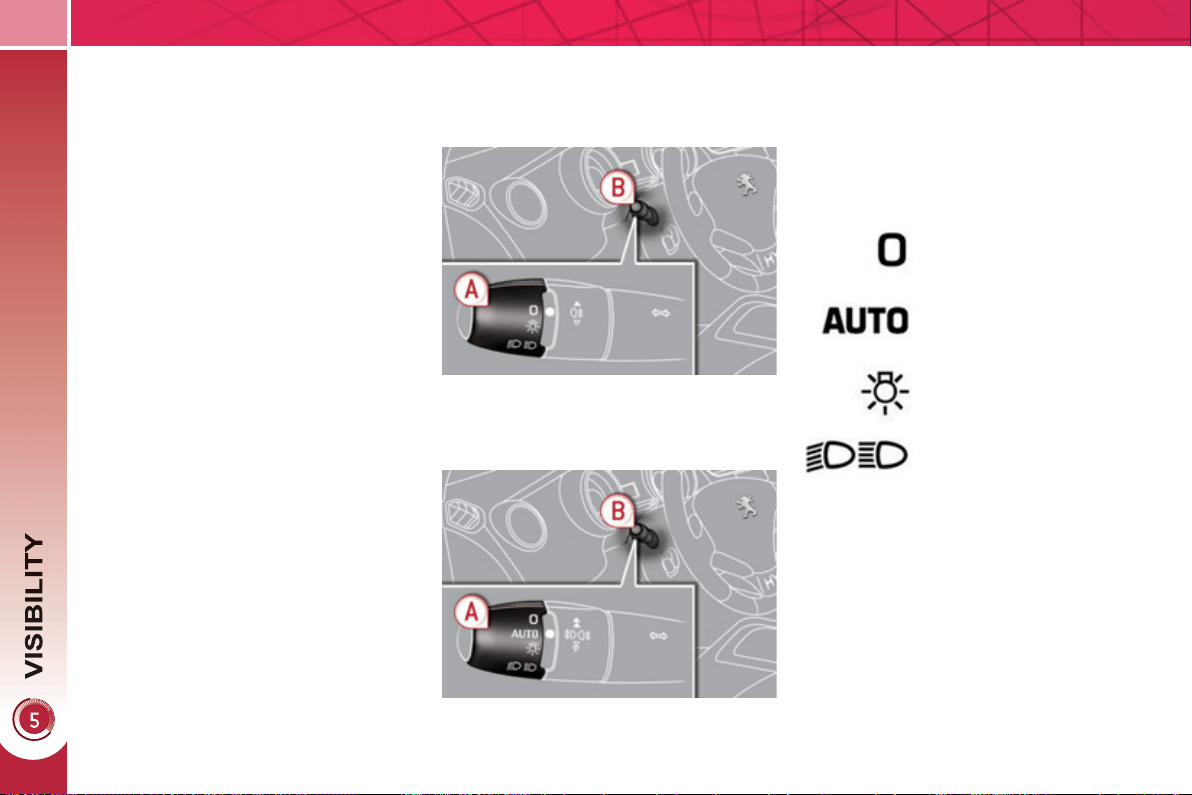
96
L
IGHTING CONTROLS
System for selection and control of the
various front and rear lamps providing
the vehicle's lighting.
Main li
g
htin
g
The various front and rear lamps of
the vehicle are designed to adapt the
lighting progressively in relation to the
climatic conditions and so improve the
driver's visibility:
- sidelamps, to be seen,
- dipped beam headlamps to see
without dazzling other drivers,
- main beam headlamps to see clearly
when the road is clear,
- directional headlamps for improved
visibility when cornering.
Additional li
g
htin
g
Other lamps are installed to fulfi l
the requirements of particular driving
conditions:
- a rear foglamp to be seen from a
distance,
-
front foglamps for even better visibility,
- daytime running lamps to be seen
during the day.
P
ro
g
ramm
i
n
g
Various automatic lighting control modes
are also available according to the fol-
lowing options:
- guide-me-home lighting,
- automatic lighting,
- directional headlamps.
Model without AUTO lighting
Model with AUTO lighting
Automatic illumination of
headlamps.
M
anua
l
contro
l
s
The lighting commands are issued direct-
ly by the driver by means of the ring A
and the stalk B .
A. Main lighting mode selection ring:
turn it to position the symbol re-
quired facing the mark.
Lamps off.
Sidelamps only.
B. Stalk for switching headlamps: pull
to switch the lighting between dipped
headlamps/main beam headlamps.
In the lamps off and sidelamps modes,
the driver can switch on the main beam
headlamps temporarily ("headlamp
fl ash") by maintaining a pull on the stalk.
Dipped headlamps or main
beam headlamps.
Displa
y
s
Lighting of the corresponding indicator
lamp on the instrument panel confi rms
the switching on of the lighting selected.
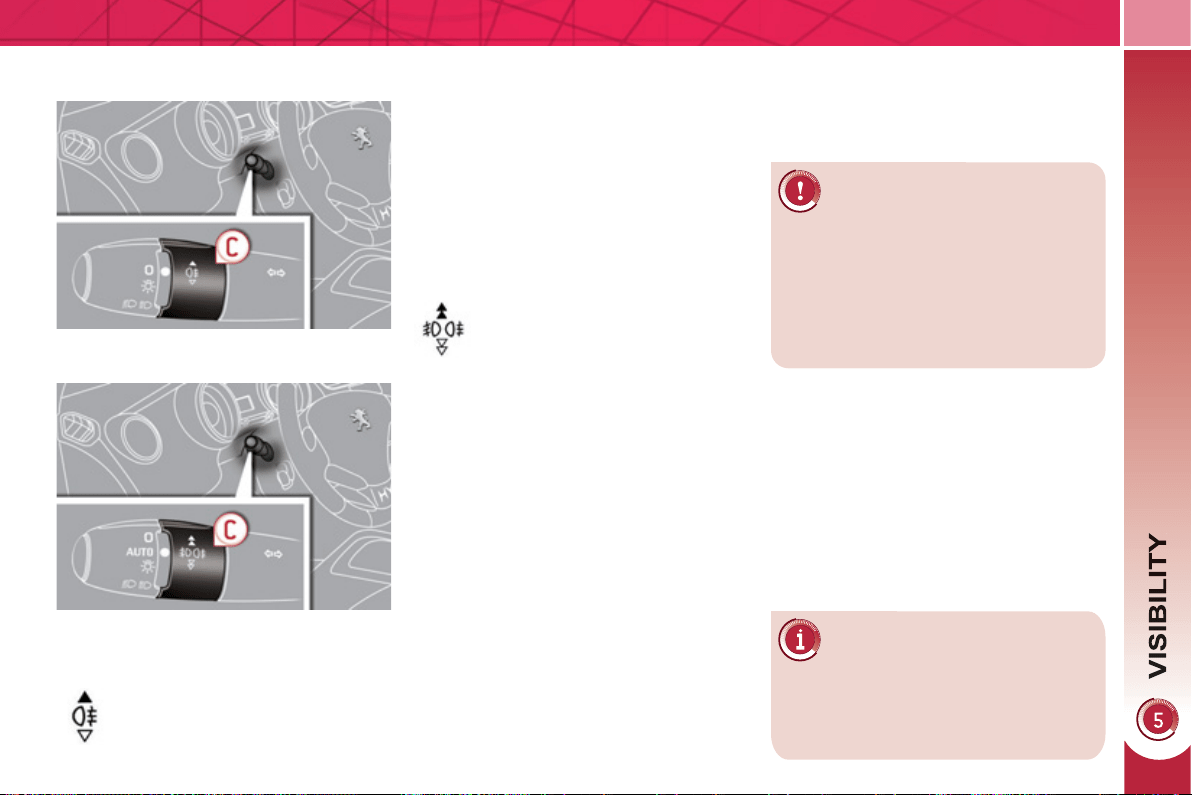
97
Model with rear foglamp only
rear foglamp
This operates with the dipped beam
headlamps and main beam headlamps.
) To switch on the foglamp, turn the
ring C forwards.
) To switch off the foglamp, turn the
ring C rearwards.
When the lighting is switched on auto-
matically (with AUTO model), the dipped
headlamps and sidelamps remain on
until the rear foglamp is switched off.
In good or rainy weather, by
both day and night, the front
foglamps and the rear foglamp
are prohibited. In these situations,
the power of their beams may dazzle
other drivers.
Do not forget to switch off the front
foglamps and the rear foglamp when
they are no longer necessary.
Model with front and rear foglamps
front and rear foglamps
The rear foglamp operates with the
dipped beam and main beam head-
lamps.
The front foglamps also operate with
the sidelamps.
) To switch on the rear foglamp, turn
the ring C forwards.
) To switch on the front foglamps, turn
the ring C forwards again.
) To switch off the rear foglamp, turn
the ring C rearwards.
) To switch off the front foglamps, turn
the ring C rearwards again.
C. Fog lamps selection ring.
Lighting on audible warning
When the ignition is switched off, all of
the lamps switch off automatically, unless
guide-me-home lighting is activated.
If the lighting is switched on manually
after switching off the ignition, there
is an audible signal when a front door
is opened to warn the driver that they
have forgotten to switch off the vehicle's
lighting, with the ignition off.
When the lighting is switched off auto-
matically (with AUTO model) or when
the dipped headlamps are switched off
manually, the foglamps and the side-
lamps will remain on.
In some weather conditions
(e.g. low temperature or hu-
midity), the presence of mist-
ing on the internal surface of the glass
of the headlamps and rear lamps is
normal; it disappears after the lamps
have been on for a few minutes.
When the lighting is switched on auto-
matically (with AUTO model), the dipped
headlamps and sidelamps remain on
until the rear foglamp is switched off.
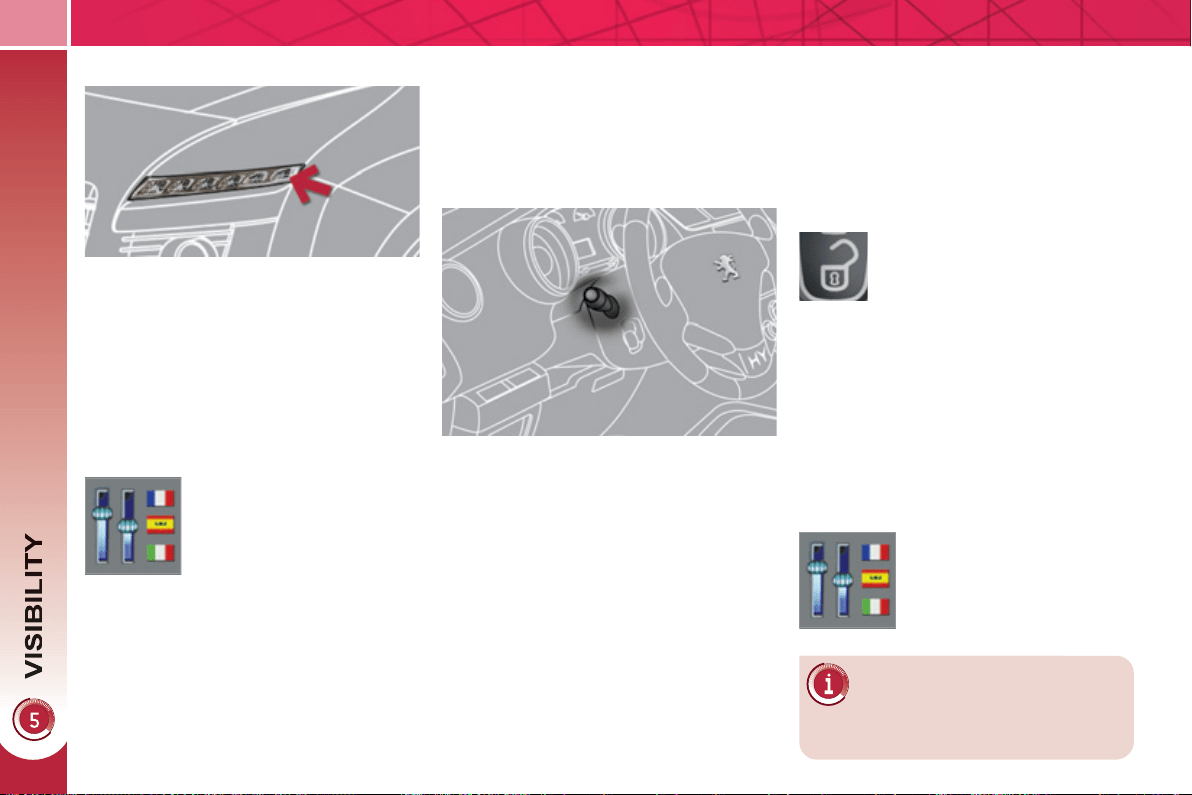
98
M
anua
l
g
u
id
e-me-
h
ome
ligh
t
i
n
g
Temporarily keeping the dipped beam
headlamps on after the vehicle's igni-
tion has been switched off makes the
driver's exit easier when the light is
poor.
Switching on
) With the ignition off, "fl ash" the
headlamps using the lighting stalk.
) A further "headlamp fl ash" switches
the function off.
Switching off
The manual guide-me-home lighting
switches off automatically after a set
time.
System which permits switching on of the
special lamps at the front (low power), so
that you can be seen during the daytime.
The daytime running lamps come on
automatically when the vehicle is start-
ed, if fi tted * .
The instruments and controls (multifunction
screen, air conditioning control panel, ...) are
not lit, except when the lighting is switched on
manually or automatically.
* According to country.
E
XTERIOR WELCOME LIGHTING
The remote switching on of the light-
ing makes your approach to the vehicle
easier in poor light. It is activated ac-
cording to the level of light detected by
the sunshine sensor.
Switchin
g
on
Switchin
g
off
Programming
In countries in which this
function is not imposed by
regulations, you can activate
or deactivate it via the multi-
function screen confi guration
menu.
Pro
g
rammin
g
The lighting duration is
selected via the multifunc-
tion screen confi guration
menu.
The duration of the welcome
lighting is associated with and
identical to that of the automatic
guide-me-home lighting.
In countries in which it is imposed by
regulations:
- by default, this function is activated,
- the sidelamps and the number plate
lamps are also switched on * .
) Press the open padlock on
the remote control.
The dipped beam headlamps and the
sidelamps come on; your vehicle is also
unlocked.
The exterior welcome lighting switches
off automatically after a set time, when
the ignition is switched on or on locking
the vehicle.
D
a
y
t
i
me runn
i
n
g
l
amps
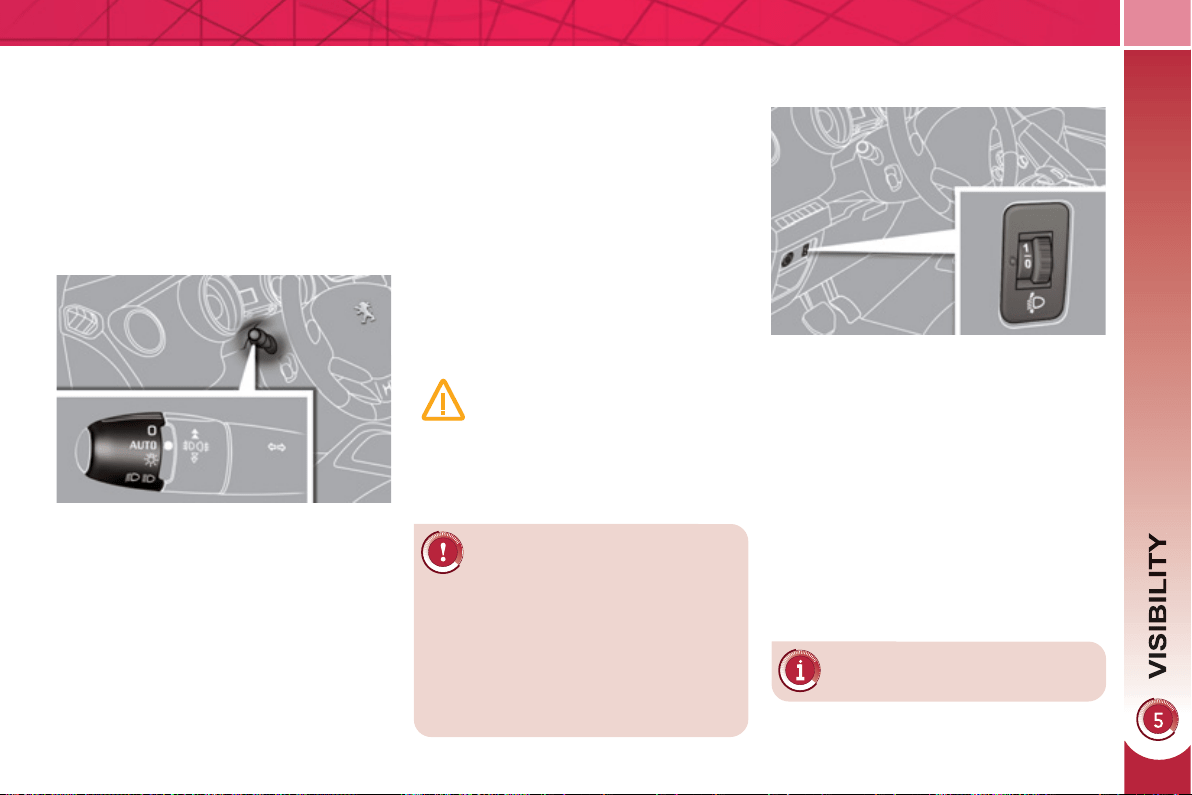
99
In fog or snow, the sunshine
sensor may detect suffi cient
light. Therefore, the lighting
will not come on automatically.
Do not cover the sunshine sensor,
coupled with the rain sensor and lo-
cated in the centre of the windscreen
behind the rear view mirror; the as-
sociated functions would no longer
be controlled.
Associated with the automatic
"Guide-me-home" lighting
Association with the automatic lighting
provides the "guide-me-home" lighting
with the following additional options:
- selection of the lighting duration of
15, 30 or 60 seconds in the vehicle
parameters on the multifunction
screen confi guration menu,
-
automatic activation of "guide-me-home"
lighting when automatic lighting is in
operation.
A
utomatic illumination of
h
ea
dl
amps
The sidelamps and dipped beam head-
lamps are switched on automatically,
without any action on the part of the
driver, when a low level of external light
is detected or in certain cases of activa-
tion of the windscreen wipers.
As soon as the brightness returns to a
suffi cient level or after the windscreen
wipers are switched off, the lamps are
switched off automatically.
Activation
) Turn the ring to the "AUTO" position.
The automatic illumination of head-
lamps is accompanied by a mes-
sage on the multifunction screen.
Deactivation
) Turn the ring to another position.
Deactivation is accompanied by
a message on the multifunction
screen.
Operating fault
In the event of a malfunction of
the sunshine sensor, the light-
ing comes on, this warning
lamp is displayed on the instru-
ment panel and/or a message appears
on the multifunction screen, accompa-
nied by an audible signal.
Consult a PEUGEOT dealer.
M
ANUAL ADJUSTMENT OF
HALOGEN HEADLAMPS
The initial setting is position "0" .
To avoid causing a nuisance to other
road users, the height of the halogen
headlamps should be adjusted accord-
ing to the load in the vehicle.
0. 1 or 2 people in the front seats.
-. 3 people.
1. 5 people.
-. Intermediate setting.
2. 5 people + maximum authorised
load.
-. Intermediate setting.
3. Driver + maximum authorised load.
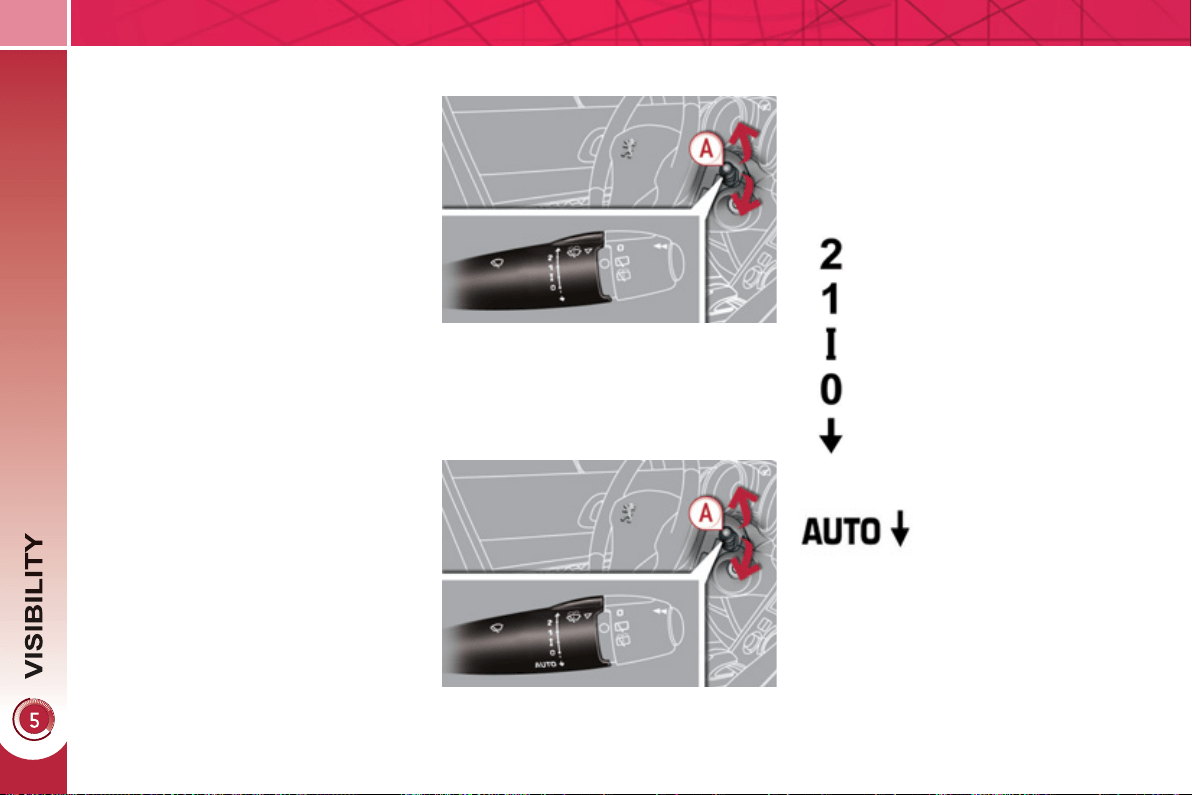
1
00
WIPER CONTROLS
System for selection and control of the
various front and rear wiping modes for
the elimination of rain and cleaning.
The vehicle's front and rear wipers are
designed to improve the driver's visibility
progressively according to the climatic
conditions.
M
anua
l
contro
l
s
The wiper commands are issued direct-
ly by the driver by means of the stalk A
and the ring B .
Model with intermittent wiping
Model with AUTO wiping
fast (heavy rain),
normal (moderate rain),
intermittent (proportional to
the speed of the vehicle),
automatic, then single
wipe (see following page).
park,
single wipe (press down and
release),
Windscreen wipers
A. Wiping speed selection stalk:
or
Pro
g
rammin
g
Various automatic wiper control modes
are also available according to the fol-
lowing options:
- automatic rain sensitive windscreen
wipers,
- rear wiping on engaging reverse
gear.
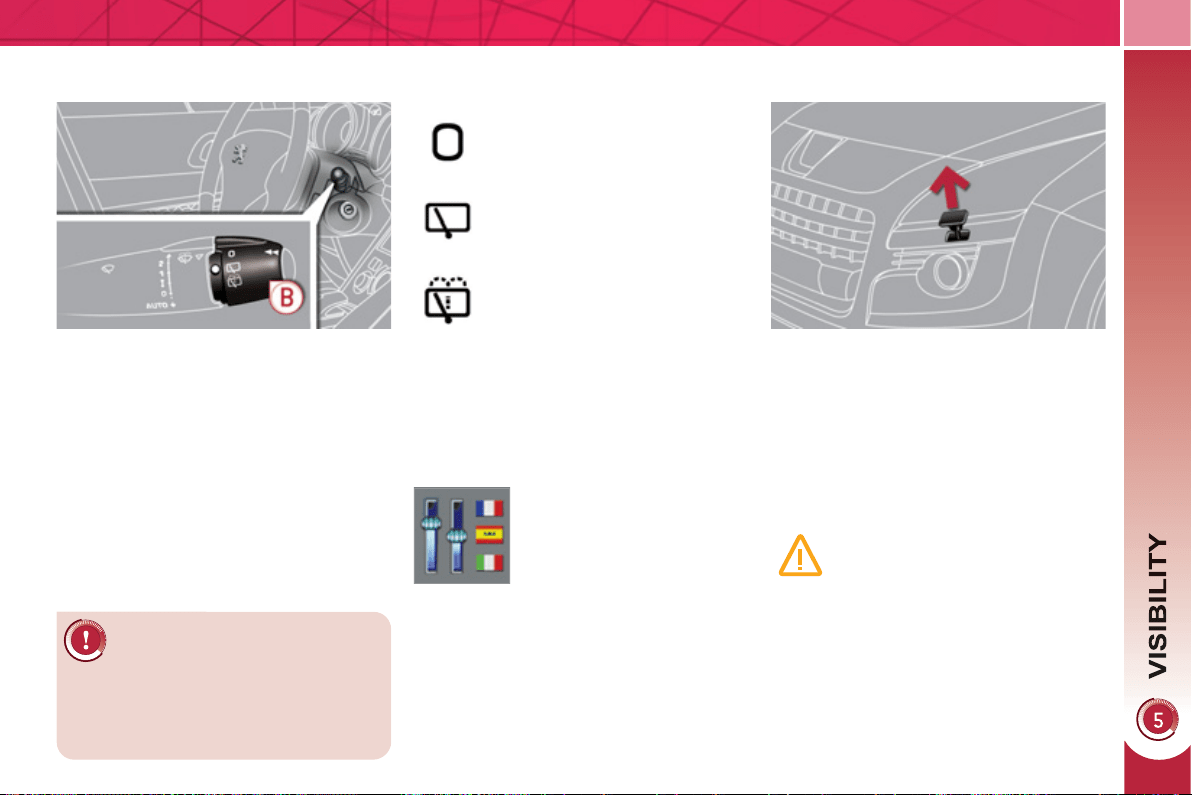
1
01
Wi
n
d
screen an
d
h
ea
dl
amp
was
h
B. Rear wiper selection ring:
park,
intermittent wipe,
wash-wipe (set duration).
Reverse gear
When reverse gear is engaged, the
rear wiper will come into operation if the
windscreen wipers are operating.
Programming
) Pull the windscreen wiper stalk to-
wards you. The windscreen wash
then the windscreen wipers operate
for a fi xed period.
The headlamp washers only operate
when the dipped beam headlamps
are on .
Rear wiper
If a signifi cant accumulation
of snow or ice is present, or
when using a bicycle carrier
on the boot, deactivate the auto-
matic rear wiper via the multifunction
screen confi guration menu.
The function is activated or
deactivated via the multi-
function screen confi gura-
tion menu.
This function is activated
by default.
Screenwash/headlamp wash low
level
In the case of vehicles fi tted with
headlamp washers, when the
minimum level of the reservoir
is reached, this warning lamp is
displayed in the instrument panel, ac-
companied by an audible signal and a
message in the multifunction screen.
The warning lamp is displayed when
the ignition is switched on, or every time
the stalk is operated, until the reservoir
is refi lled.
Next time you stop, refi ll the screen-
wash/headlamp wash reservoir.

1
02
Special position of the
w
i
n
d
screen w
i
pers
A
utomat
i
c ra
i
n sens
i
t
i
ve
w
i
n
d
screen w
i
pers
The windscreen wipers operate automati-
cally, without any action on the part of the
driver, if rain is detected (sensor behind
the rear view mirror), adapting their speed
to the intensity of the rainfall.
Activation
This is controlled manually by the driver
by pushing the stalk downwards to the
"AUTO" position.
It is accompanied by a message on the
multifunction screen.
This position permits release of the
windscreen wiper blades.
It is used for cleaning or replacement
of the blades. It can also be useful, in
winter, to detach the blades from the
windscreen.
In the moment following switching the
ignition off, any action on the stalk posi-
tions the wipers vertically on the wind-
screen.
Do not cover the rain sensor,
linked with the sunshine sen-
sor and located in the centre
of the windscreen behind the rear
view mirror.
Switch off the automatic rain sensi-
tive wipers when using an automatic
car wash.
In winter, to avoid damaging the wip-
er blades, it is advisable to wait until
the windscreen is completely clear of
ice before activating the automatic
rain sensitive wipers.
The automatic rain sensitive
wipers must be reactivated if
the ignition has been off for
more than one minute, by pushing
the stalk downwards.
Switching off
This is controlled manually by the driver
by moving the stalk upwards then re-
turning it to position "0" .
It is accompanied by a message on the
multifunction screen.
Operating fault
If an automatic wiping malfunction occurs,
the wipers will operate in intermittent mode.
Have it checked by a PEUGEOT dealer.
To park the wipers after this
has been done, switch on the
ignition and operate the stalk.
To maintain the effectiveness of the
"fl at-blade" wiper blades, it is advis-
able to:
- handle them with care,
- clean them regularly using soapy
water,
- avoid using them to retain card-
board on the windscreen,
- replace them at the fi rst signs of
wear.
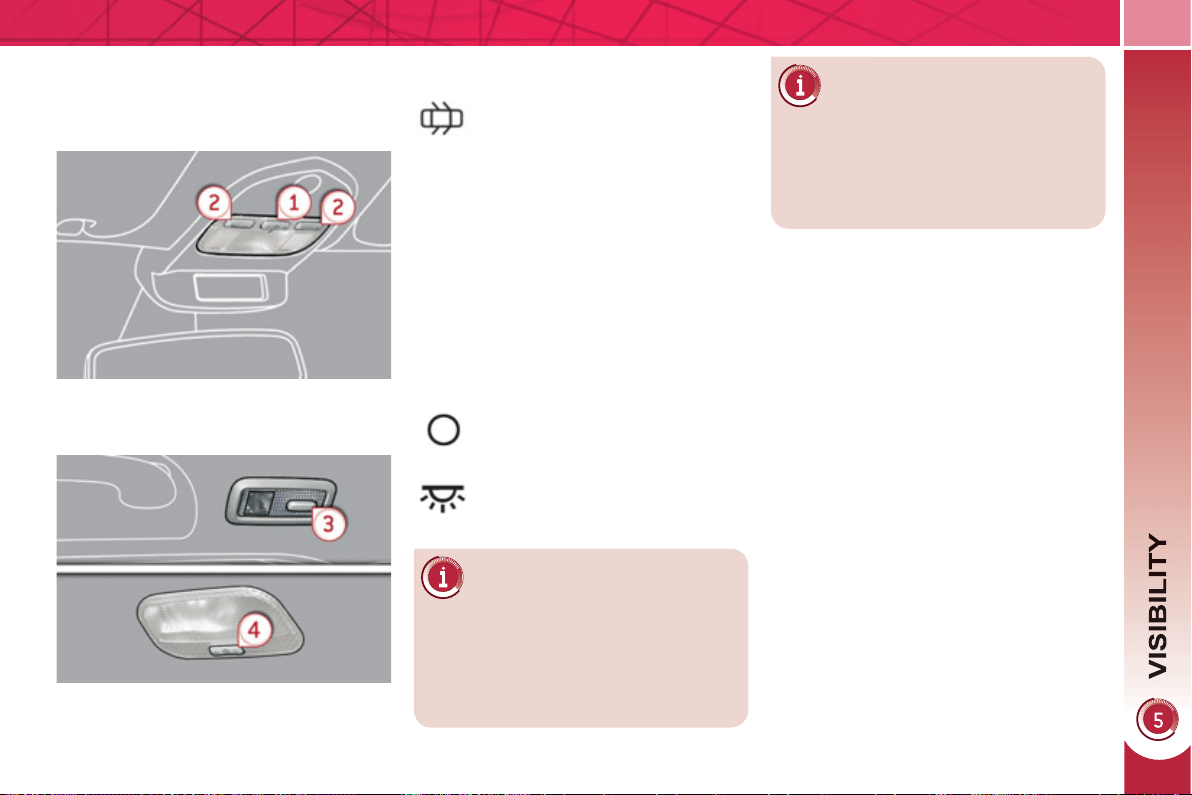
1
03
COURTESY LAMPS
1. Front courtesy lamp
2. Map reading lamps
3. Rear side reading lamps
4. Rear courtesy lamp
F
ront an
d
rear courtes
y
l
amps
In this position, the courtesy
lamp comes on gradually:
M
ap rea
di
n
g
l
amps
) With the ignition on, press the cor-
responding switch.
With the "permanent lighting"
mode, the duration of lighting var-
ies depending on the context:
- with the ignition off, approximately
ten minutes,
- in energy economy mode, ap-
proximately thirty seconds,
-
with the engine running, unlimited.
- when the vehicle is unlocked,
- when the key is removed from the
ignition,
- when a door is opened,
- when the remote control locking but-
ton is activated, in order to locate
your vehicle.
Permanently off.
Permanent lighting.
When the front courtesy lamp
is in the "permanent lighting"
position, the rear courtesy
lamp will also come on, unless it is in
the "permanently off" position.
To switch off the rear courtesy lamp,
place it in the "permanently off" position.
R
ear s
id
e rea
di
n
g
l
amps
) With the ignition on, the fi rst press
of the reading lamp switch switches
on the reading lamp in "permanent
lighting" mode.
) Following a second press, it comes
on:
- when the vehicle is unlocked,
- when the key is removed from the
ignition,
- when a door is opened,
- when the remote control locking
button is pressed, in order to
locate your vehicle.
It switches off gradually:
- when the vehicle is locked,
- when the ignition is switched on,
- 30 seconds after the last door is
closed.
It switches off gradually:
- when the vehicle is locked,
- when the ignition is switched on,
- 30 seconds after the last door is
closed.
Take care not to place anything in contact
with the courtesy lamps.
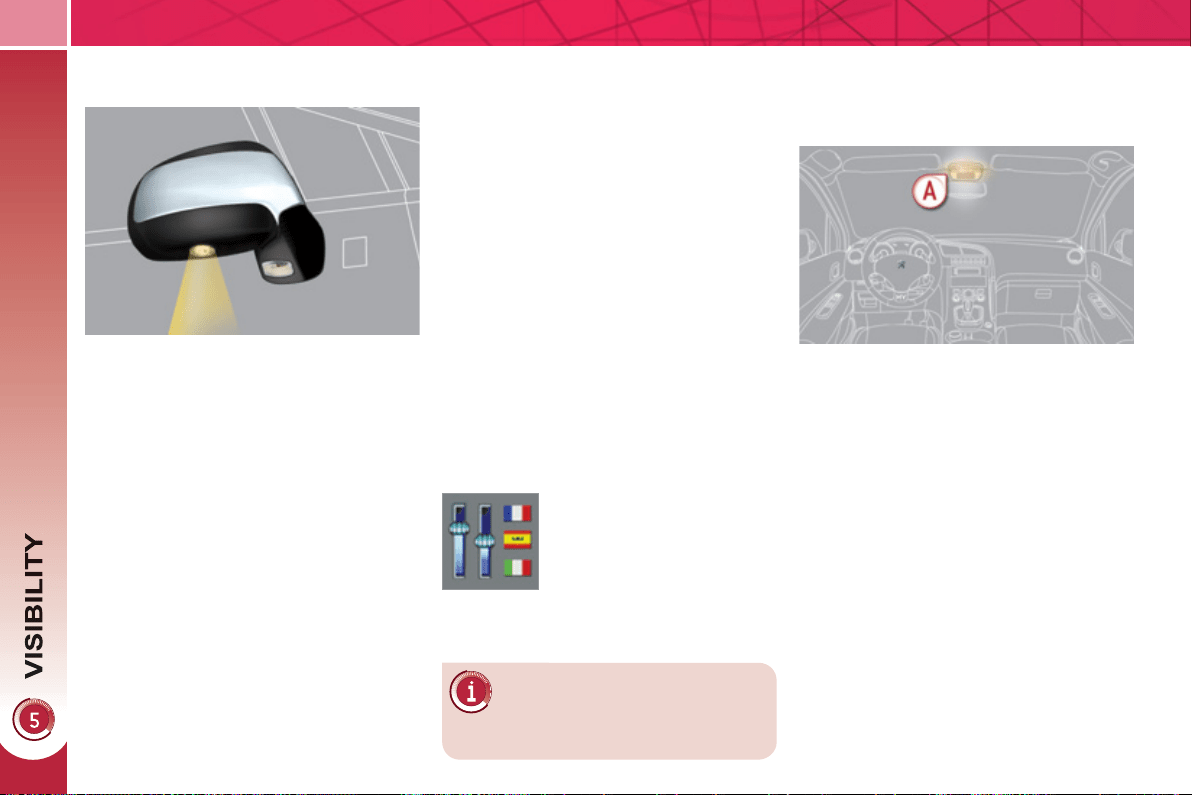
1
04
INTERIOR MOOD LIGHTING
The dimmed passenger compartment
lighting improves visibility in the vehicle
when the light is poor.
I
NTERIOR WELCOME LIGHTING
The remote switching on of the passen-
ger compartment lighting makes your
approach to the vehicle easier in poor
light. It operates with the automatic il-
lumination of headlamps.
Switchin
g
on
)
Press the open padlock on the remote
control.
The courtesy lamps come on; your ve-
hicle is also unlocked.
Switchin
g
off
The interior welcome lighting switch-
es off automatically after a set time or
when one of the doors is opened.
Pro
g
rammin
g
Switchin
g
on
At night, the front courtesy lamp mood
lamp A comes on automatically when
the sidelamps are switched on.
Switchin
g
off
The interior mood lighting switches off
automatically when the sidelamps are
switched off.
The duration of the welcome
lighting is associated with and
identical to that of the automatic
guide-me-home lighting.
The function is activated or
deactivated via the multi-
function screen confi gura-
tion menu.
D
OOR MIRROR SPOTLAMPS
To make your approach to the vehicle
easier, these illuminate:
- the zones facing the driver’s and
passenger’s doors,
- the zones forward of the door mirrors
and rearward of the front doors.
Switchin
g
on
The spotlamps come on:
- when you unlock the vehicle,
- when you remove the key from the
ignition,
- when you open a door,
- when you use the remote control.
Switchin
g
off
They are timed to go off automatically.
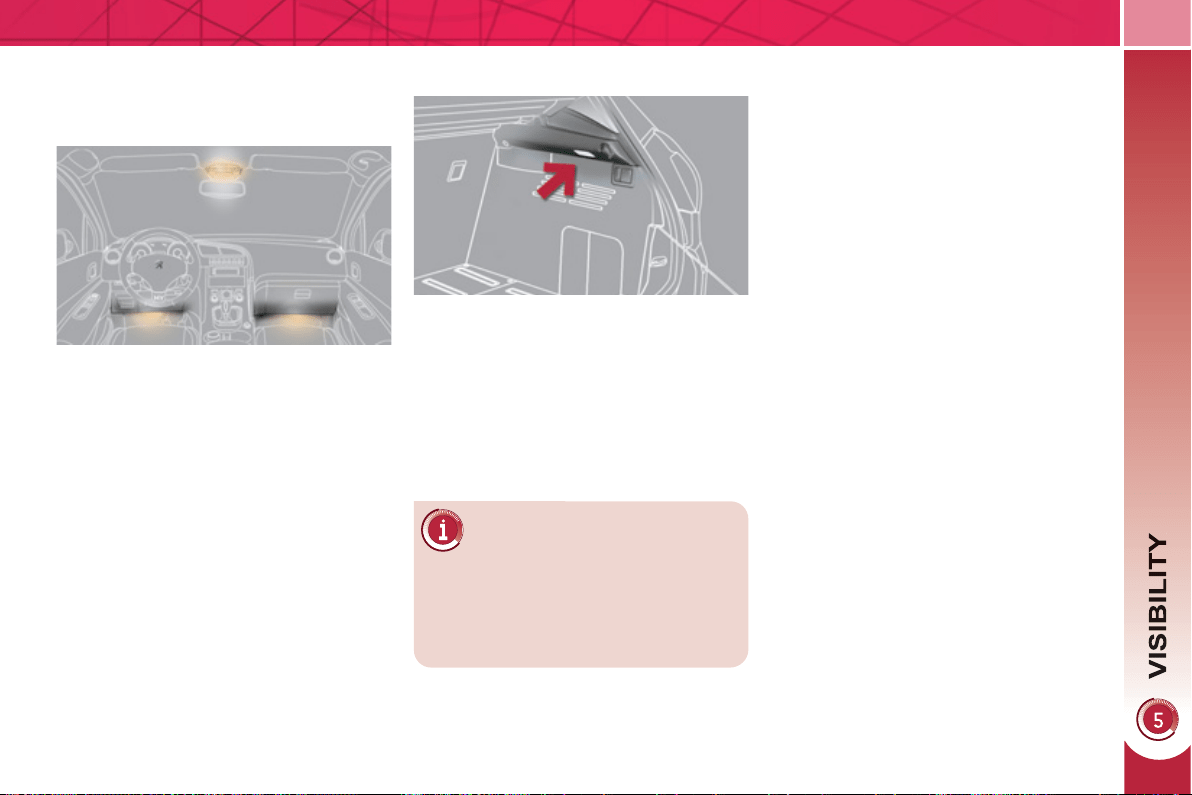
1
05
The lighting time varies ac-
cording to the circumstances:
This comes on automatically when the
boot is opened and switches off auto-
matically when the boot is closed.
BOOT LAMP FOOTWELL LIGHTING
The soft lighting provided by the foot-
well lamps improves visibility in the ve-
hicle when the light is poor.
A
ct
i
vat
i
on
Its operation is identical to that of the
courtesy lamps. The lighting comes on
when one of the doors is opened.
- when the ignition is off, approxi-
mately ten minutes,
- in energy economy mode, ap-
proximately thirty seconds,
- when the engine is running, no
limit.
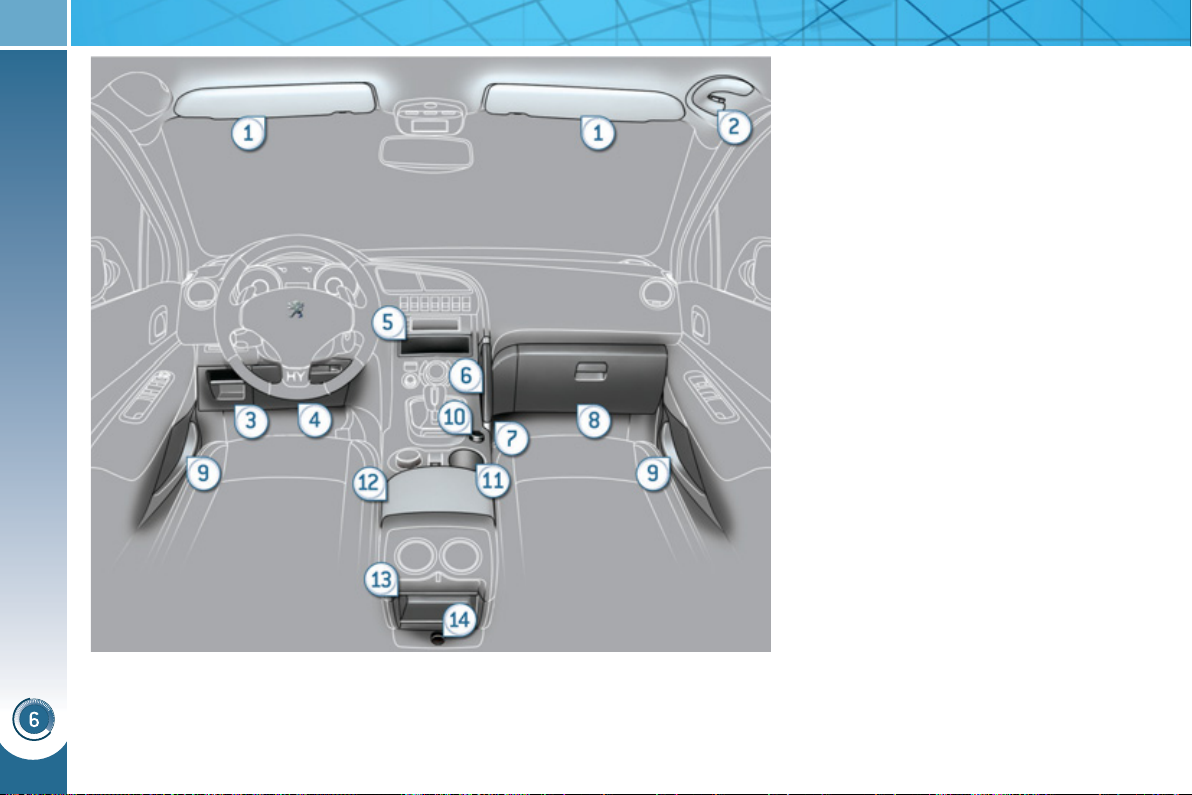
FITTINGS
1
06
INTERIOR FITTINGS
1. Sun visor
2. Grab handle with coat hook
3. Storage compartment
4. Storage compartment under the
steering wheel
5. Storage compartment
6. Console handle
7. Storage compartment with net
8. Illuminated glove box
9. Door trays
10. Front 12 V accessory socket
(120 W)
11. Cup holder
12. Front armrest with storage
compartment
13. Storage compartment
14. Rear 12 V accessory socket
(120 W)
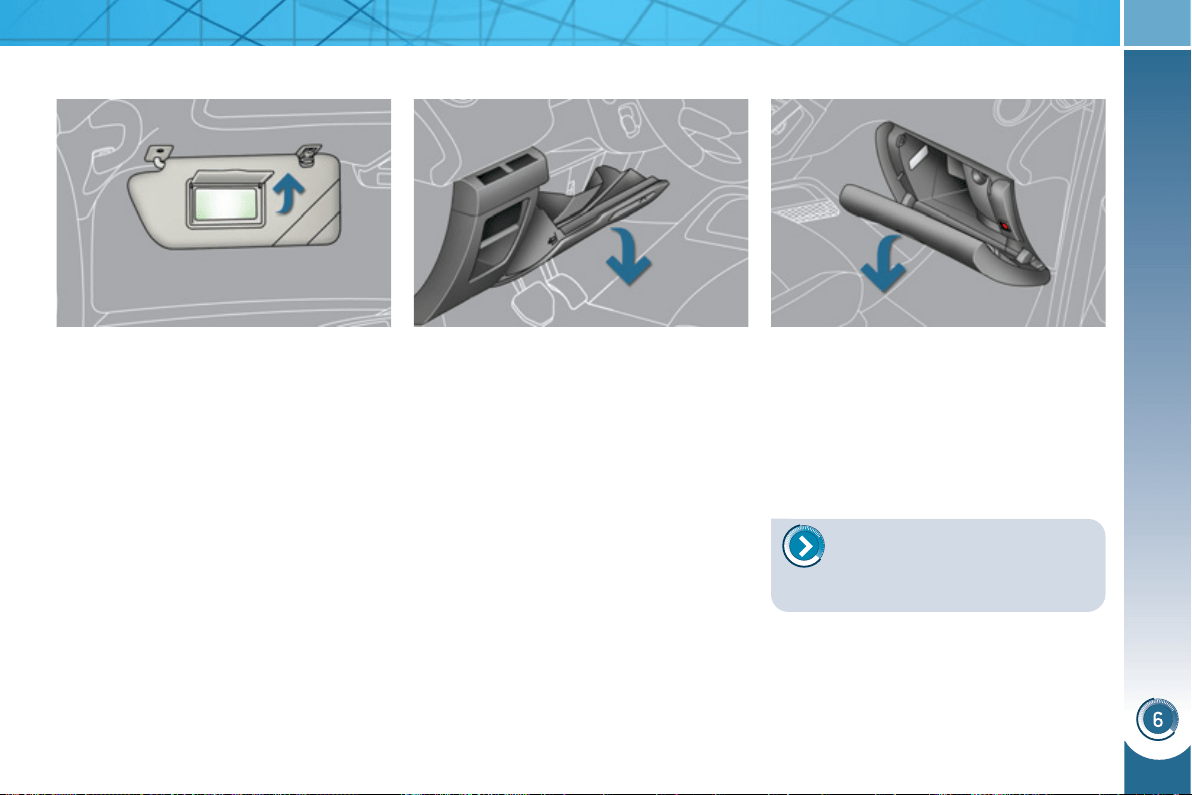
FITTINGS
1
07
D
RIVER'S STORAGE
C
OMPARTMENTS
Storage box
This has storage areas for the hand-
book pack, ...
) To open, pull the handle then tilt the
box.
ILLUMINATED GLOVE BOX
This has storage areas, audio sockets
for a portable player and a location for
the SIM card (only with Peugeot Connect
Media), ...
) To open the glove box, raise the
handle.
The lamp comes on when the lid is opened.
SUN VISOR
Component which protects against
sunlight from the front or the side, also
equipped with an illuminated courtesy
mirror.
) With the ignition on, raise the conceal-
ing fl ap; the mirror is lit automatically.
This sun visor is also equipped with a
ticket holder.
Card holder
This can be used for a toll payment ticket
or parking card, for example.
Coin storage
Storage
To connect a portable player
or a SIM card, refer to the "Au-
dio and telematics" section.

FITTINGS
1
08
12 V ACCESSORY SOCKETS
) To connect a 12 V accessory (max
power: 120 Watts), remove the cov-
er and connect a suitable adaptor.
Exceeding the maximum power could
result in damage to your accessory.
FRONT ARMREST
Comfort and storage device for the driver
and front passenger.
) Raise the cover on the left.
Storage
A ventilation outlet distributes cooled air.
P
EUGEOT CONNECT USB
This connection box, consisting of a USB
port, is located in the front armrest.
It permits the connection of portable
equipment, such as an iPod
®
digital au-
dio player of generation 5 or later or a
USB stick.
It reads the audio fi le formats (mp3,
ogg, wma, wav...) which are transmitted
to your audio equipment and played via
the vehicle's speakers.
You can manage these fi les using the
steering wheel controls or the audio
equipment control panel and display
them on the multifunction screen.
When it is in use, the portable equip-
ment charges automatically.
For more information on the
use of this equipment, refer to
the "Peugeot Connect Media"
or "Peugeot Connect Sound" part of
the "Audio and Telematics" section.
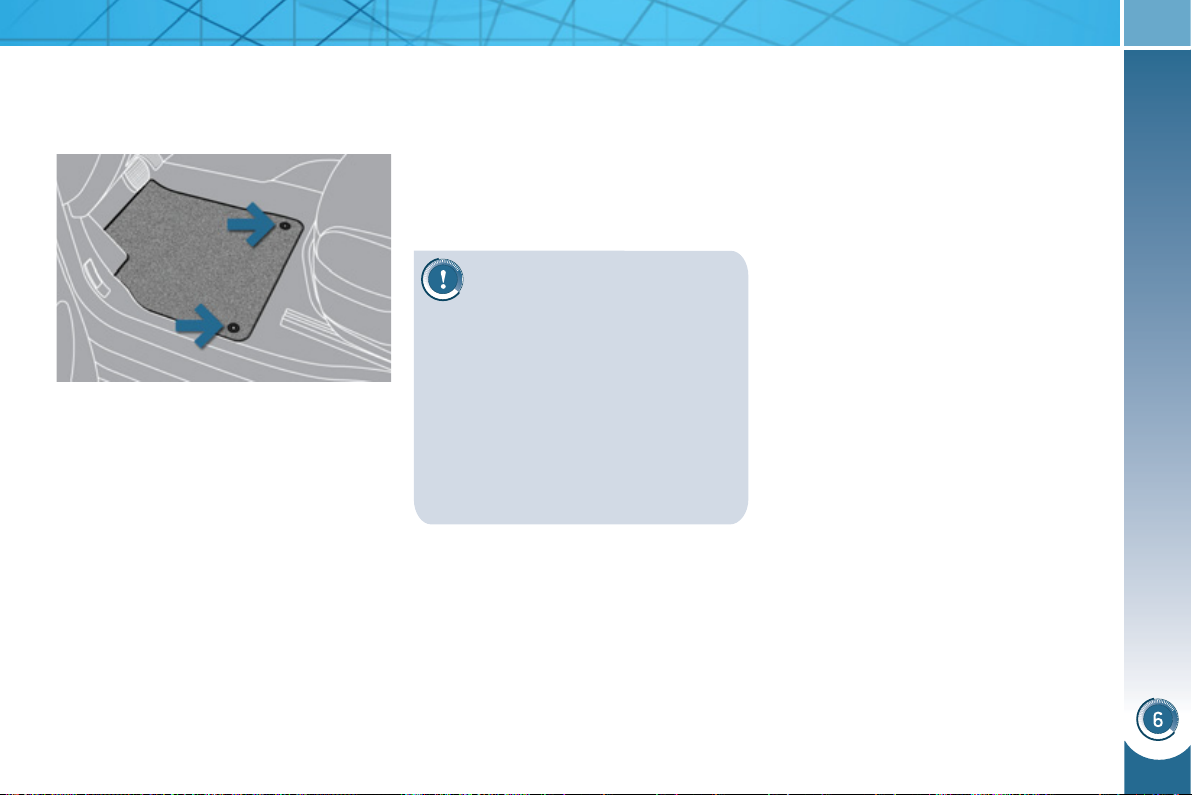
FITTINGS
1
09
To avoid any risk of jamming
of the pedals:
M
ATS
Removable carpet protection.
Refitting
To refi t the mat on the driver's side:
) position the mat correctly,
) refi t the fi xings by pressing,
) check that the mat is secured cor-
rectly.
Fitting
When fi tting the mat for the fi rst time,
on the driver's side use only the fi xings
provided in the wallet attached.
The other mats are simply placed on
the carpet.
Removal
To remove the mat on the driver's side:
)
move the seat as far back as possible,
) unclip the fi xings,
) remove the mat.
- only use mats which are suited
to the fi xings already present in
the vehicle; these fi xings must be
used,
- never fi t one mat on top of another.
The use of mats not approved by
PEUGEOT may interfere with access
to the pedals and hinder the operation
of the cruise control/speed limiter.
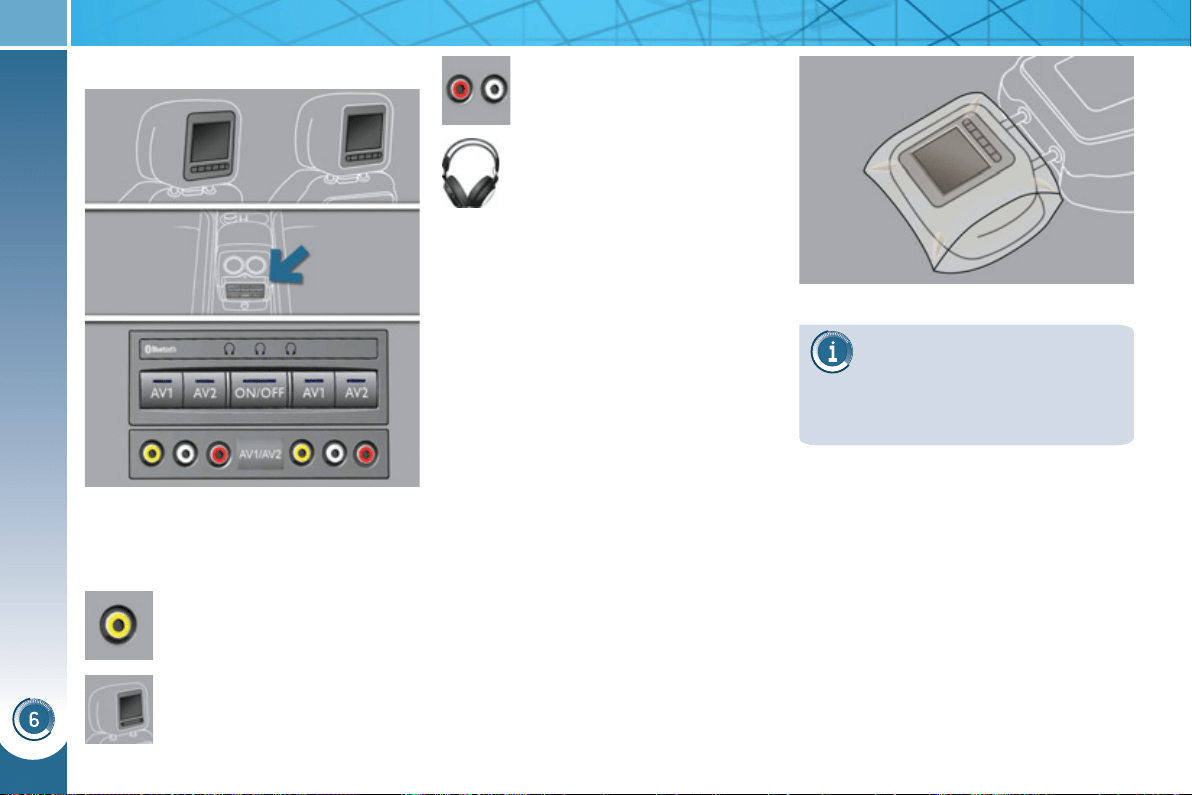
FITTINGS
11
0
REAR
MU
L
TIMEDIA
Multimedia system permitting the
connection of any external portable
system: iPod Video, games consoles,
DVD player, …
Two separate video sources
can be connected via the RCA
connectors (yellow).
The video is displayed in two
7'' screens, integrated in the
head restraints.
Two separate audio sources
can be connected via the RCA
connectors (red and white).
The audio is heard through
two wireless headphones with
Bluetooth technology which oper-
ate with rechargeable batteries.
The A/B button allows you to
pair the headphones with the screen: A
left-hand side, B right-hand side.
You have a 12 V charger with two out-
puts permitting simultaneous charging
of both headphones.
It is also possible to connect a 3rd set of
Bluetooth headphones.
Set-up
) With the engine running, connect
your portable system to the RCA con-
nectors (e.g. with AV1 on the left).
) Press the system's ON/OFF button,
the indicator lamp comes on and the
AV1 indicator lamps come on.
) Press and hold the ON/OFF button on
the headphones, the indicator lamp
on the headphones fl ashes in blue.
) Press and hold the system's ON/
OFF button, the pairing with the
headphones is complete when the
blue indicator lamps on the head-
phones and on the system (in the
shape of headphones) are on con-
tinuously.
) Press the ON/OFF buttons in the
screens if you have a video source.
) Start playing your portable system.
If your seat is in the table posi-
tion, position a cover to avoid
damaging the screen.
These covers also conceal each
screen.
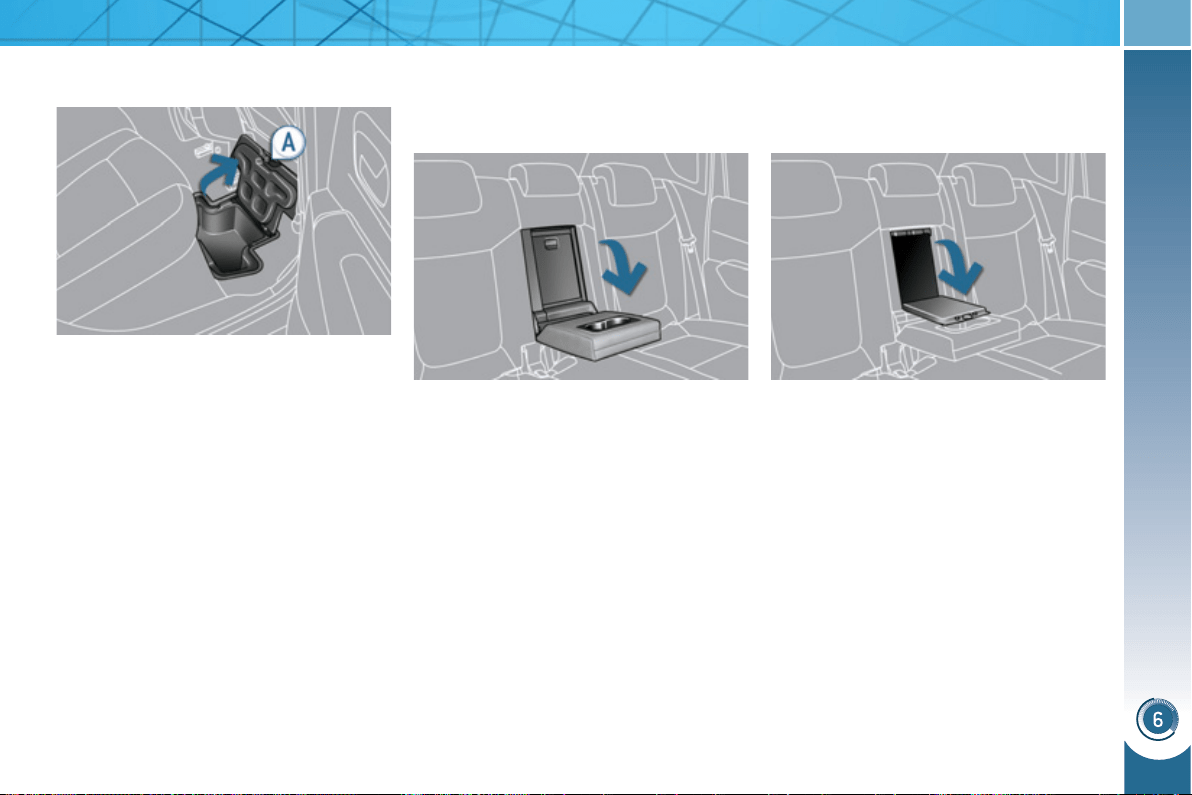
FITTINGS
111
REAR ARMREST SKI FLAP
Opening
) Lower the rear armrest.
) Pull the fl ap handle downwards.
) Lower the fl ap.
) Load the objects from inside the
boot.
) Lower the rear armrest for a more
comfortable position.
The armrest incorporates two cup holders.
Comfort and storage device for the rear
passengers.
Arrangement for storing and transport-
ing long objects.
STORAGE COMPARTMENTS
U
NDER THE REAR FOOTWELLS
Depending on the confi guration, the
vehicle has storage compartments un-
der the footwells, located forward of the
outer rear seats. Access is via clipped
fl aps with a handle A .
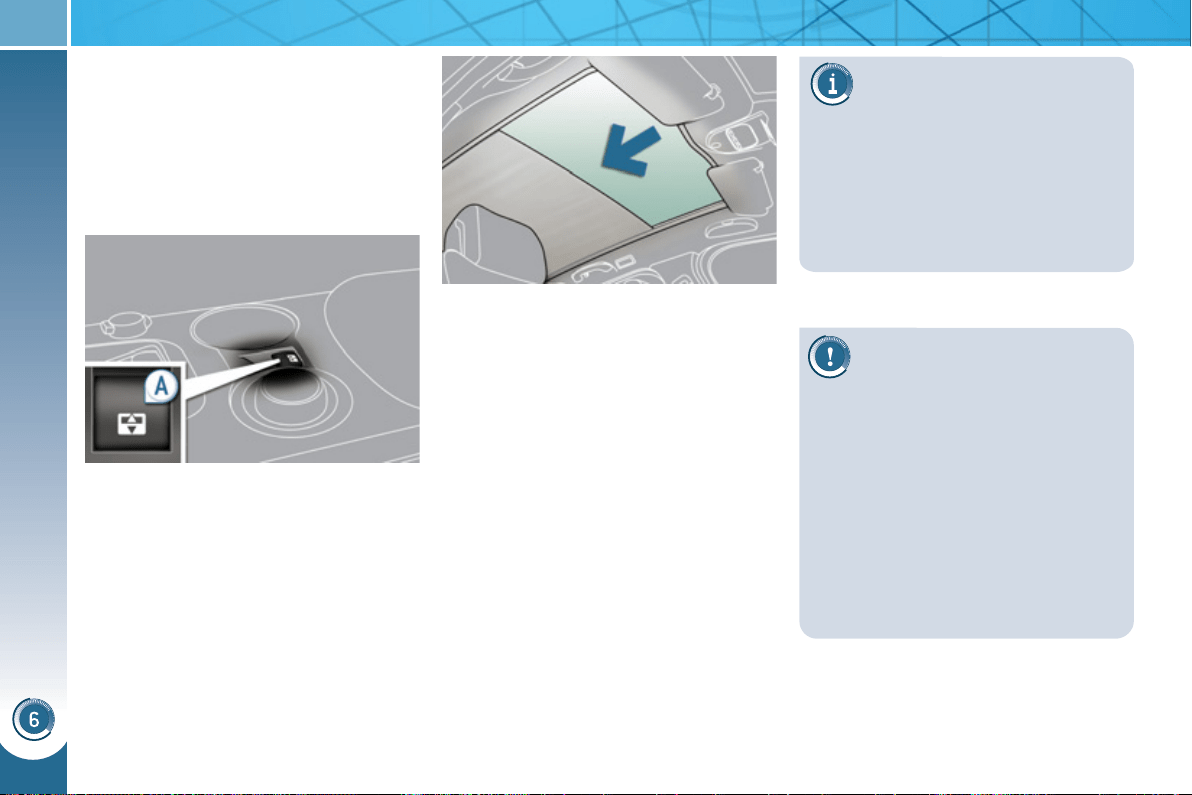
FITTINGS
11
2
P
ANORAMIC SUNROOF
Component which has a tinted glass
panoramic surface to increase the light
and visibility in the passenger compart-
ment.
Fitted with an electric blind in several
sections to improve temperature and
noise related comfort.
If the blind meets an obstacle
during operation, you must
reverse the movement of the
blind. To do this, press the control
concerned.
When the driver operates the blind
control, he must ensure that no one
is preventing correct closing of the
blind.
The driver must ensure that passen-
gers use the blind correctly.
Be aware of children when operating
the blind.
- manual mode
) Pull or press control A gently.
The blind stops when you release
the control.
- automatic mode
) Pull or press control A fi rmly.
One press opens or closes the
blind completely.
Pressing the control again stops
the blind.
Safety anti-pinch
In automatic mode and at the end of
its travel, if the blind meets an obstacle
while closing it stops and moves back
slightly.
One-touch electric blind
There are two options for opening and
closing:
If the blind re-opens during a
closing manoeuvre, and im-
mediately after it stops:
) pull the control until the blind is
fully open,
) press the control until the blind is
fully closed.
The safety anti-pinch function is
not operational during these op-
erations.
Reinitialisation: if the blind's supply is
cut off while it is moving, the safety anti-
pinch must be reinitialised:
) press the control until the blind is
fully closed,
) continue to press for at least 3 seconds.
A slight movement of the blind will then
be noticeable, confi rming the reinitiali-
sation.
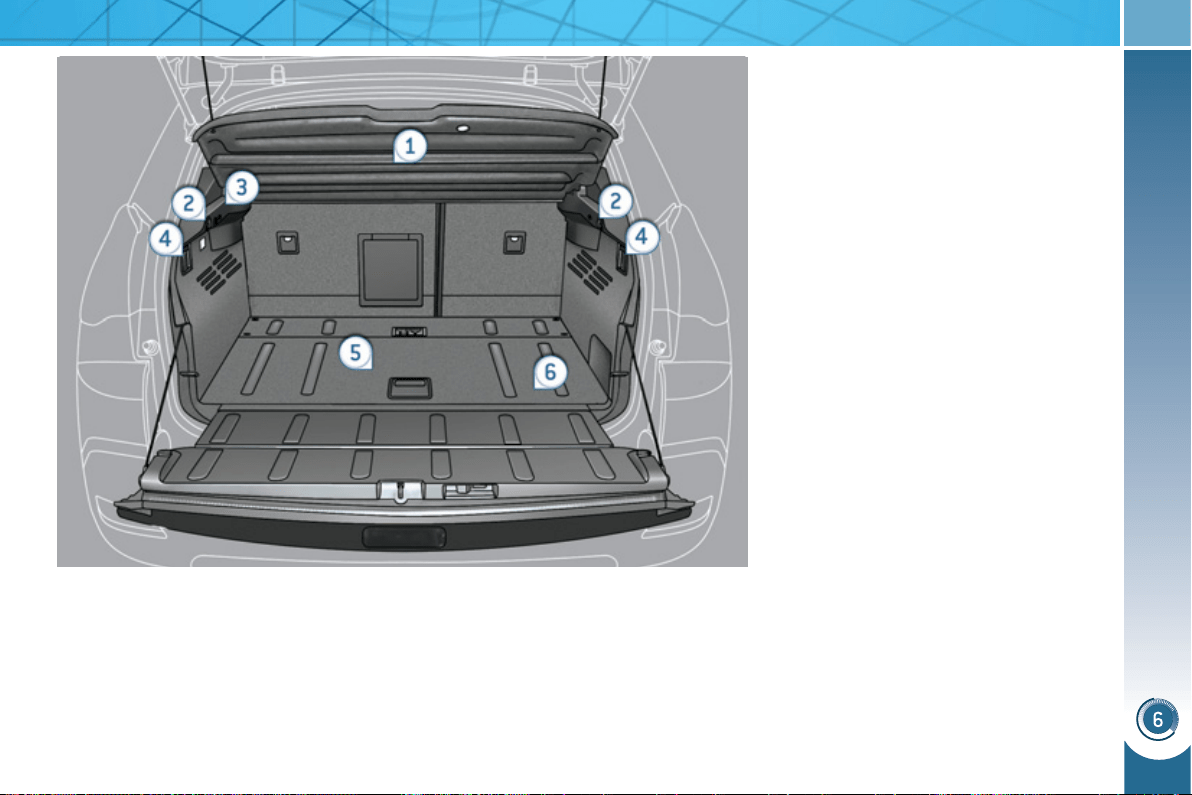
FITTINGS
11
3
BOOT FITTINGS
1. Rear parcel shelf
2. Hooks
3. 12 V accessory socket (120 W)
4. Rear seats folding controls
5. Boot fl oor
6. Storage well (lift the boot fl oor)
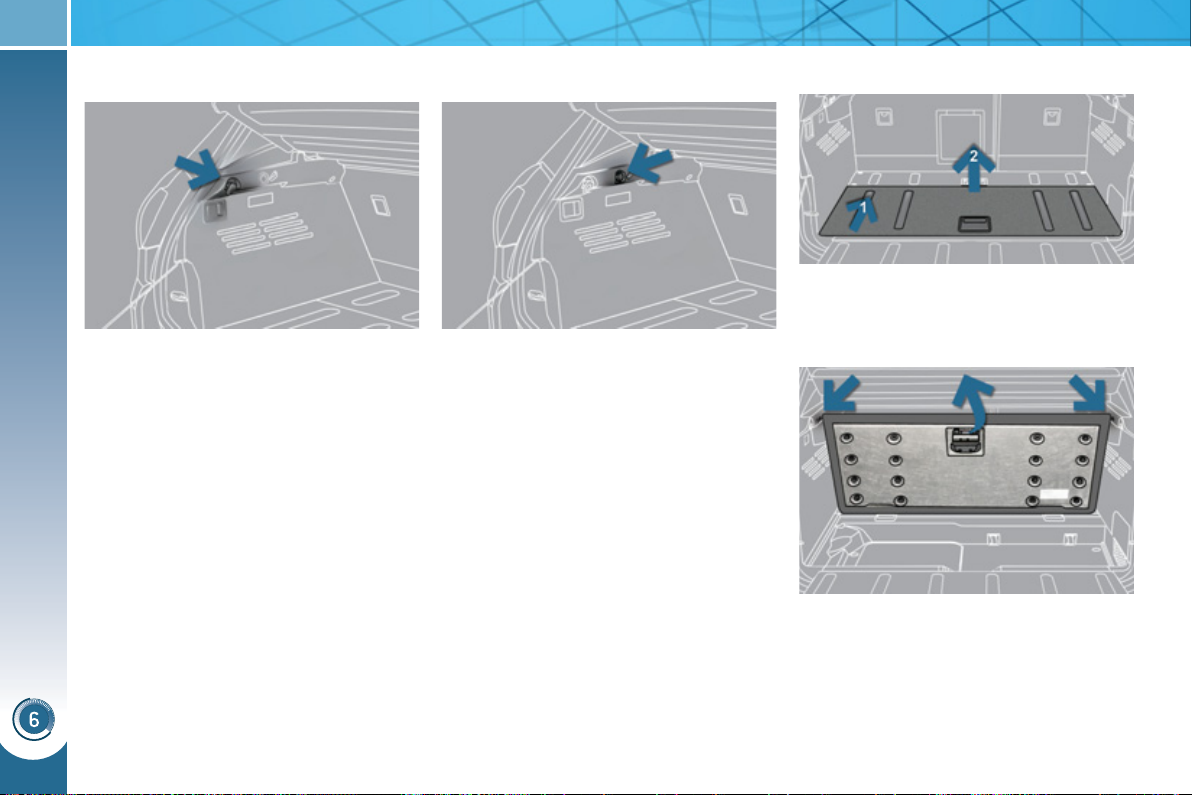
FITTINGS
114
The hooks can be used to secure shop-
ping bags.
Hooks
) To connect a 12 V accessory (max
power: 120 W), remove the cap and
connect an appropriate adaptor.
)
Turn the key to the ignition on position.
12 V accessory socket Adjustable boot floor
) Push the fl oor forwards, then lift up.
Do not place more than 100 kg on the
fl oor.
To place and support the fl oor at an angle:
) Raise the fl oor towards the rear
parcel shelf.
) Pass two retractable stops then
place the fl oor back on these
two stops.
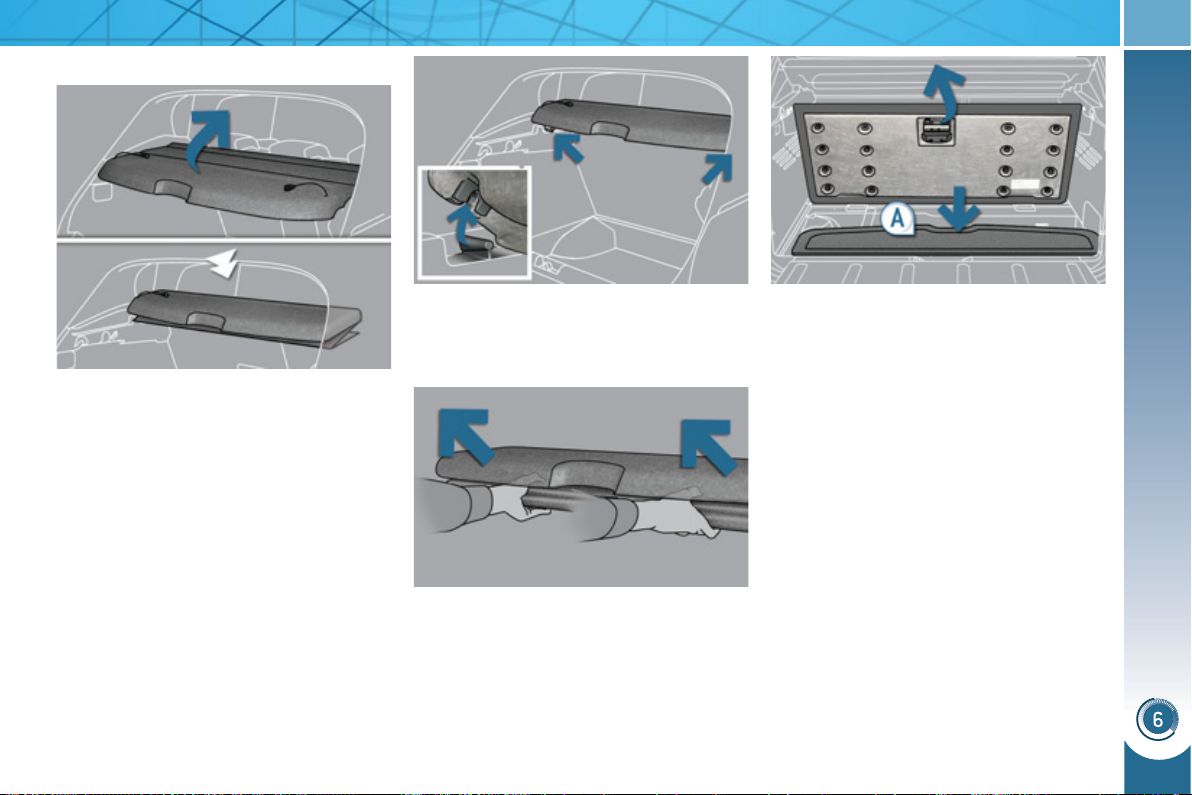
FITTINGS
11
5
Rear parcel shelf
To fold it:
) unhook the two cords,
) fold it concertina-style to the rear
seats.
To remove it:
) fold the rear parcel shelf as described
above,
) unclip the fi xings on the left and on
the right by pushing gently,
) place your hands as shown on the
illustration then pull the assembly
towards you.
To store it at the bottom of the boot:
) remove the rear parcel shelf as de-
scribed above,
) push the boot fl oor towards the
bottom of the vehicle then lift it up-
wards,
) place the rear parcel shelf ( A ) in its
location at bottom of the boot,
) refi t the boot fl oor, the rear parcel
shelf is protected.
This consists of three sections which
can be folded back on each other.
To put it back in place:
) remove the rear parcel shelf from its
location under the boot fl oor,
) take hold of the rear parcel shelf
with both hands then place it on its
support,
) unfold it to the boot pillars,
) hook the two cords,
) if necessary, press on the top of the
rear parcel shelf, on the left and on
the right, to engage the fi xings.
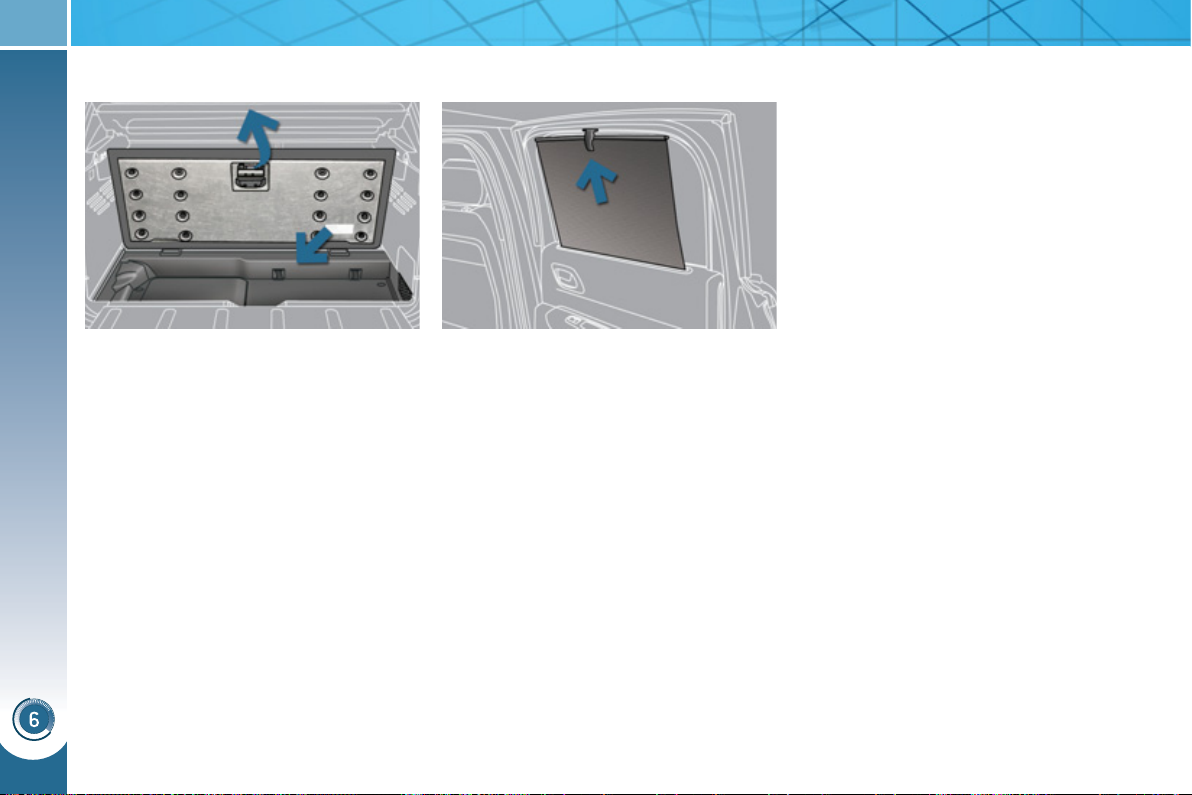
FITTINGS
11
6
) Push up the boot carpet for access
to the storage well.
Depending on the confi guration, this
has areas for storing:
- a box of spare bulbs,
- a fi rst aid kit,
- a tyre repair kit,
- a warning triangle,
- ...
Storage well Rear side blinds
Fitted on the rear windows, these pro-
tect your young children from the sun.
) Pull the blind by the central tab.
) Position the blind attachment on the
hook.
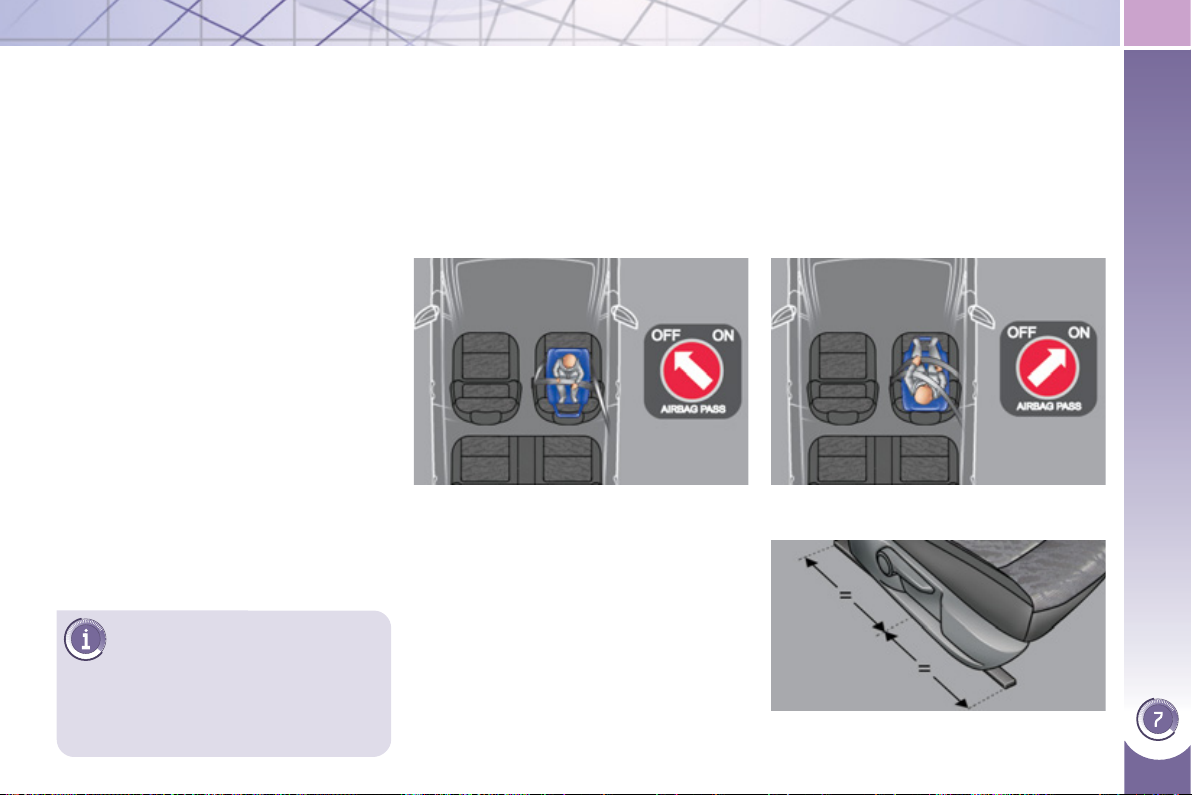
CHILD SAFETY
117
PEUGEOT recommends that
children should travel in the
rear seats of your vehicle:
- "rearwards-facing" up to the
age of 2,
- "forwards-facing" over the age
of 2.
GENERAL POINTS RELATING
T
O CHILD SEATS
"Forwards-facing"
When a "forwards-facing" child seat is
installed on the front passenger seat ,
adjust the vehicle's seat to the interme-
diate longitudinal position with the seat
back upright and leave the passenger
airbag activated.
Intermediate longitudinal position
* The rules for carrying children are
specifi c to each country. Refer to the
current legislation in your country.
"Rearwards-facing"
When a "rearwards-facing" child seat is
installed on the front passenger seat ,
it is essential that the passenger airbag
is deactivated. Otherwise, the child
would risk being seriously injured or
killed if the airbag were to infl ate .
Although one of PEUGEOT's main cri-
teria when designing your vehicle, the
safety of your children also depends on
you.
For maximum safety, please observe
the following recommendations:
- in accordance with European reg-
ulations, all children under the
age of 12 or less than one and a
half metres tall must travel in ap-
proved child seats suited to their
weight , on seats fi tted with a seat
belt or ISOFIX mountings * ,
- statistically, the safest seats in
your vehicle for carrying children
are the rear seats,
- a child weighing less than 9 kg
must travel in the "rearwards-
facing" position both in the front
and in the rear.
CHILD SEAT IN THE FRONT
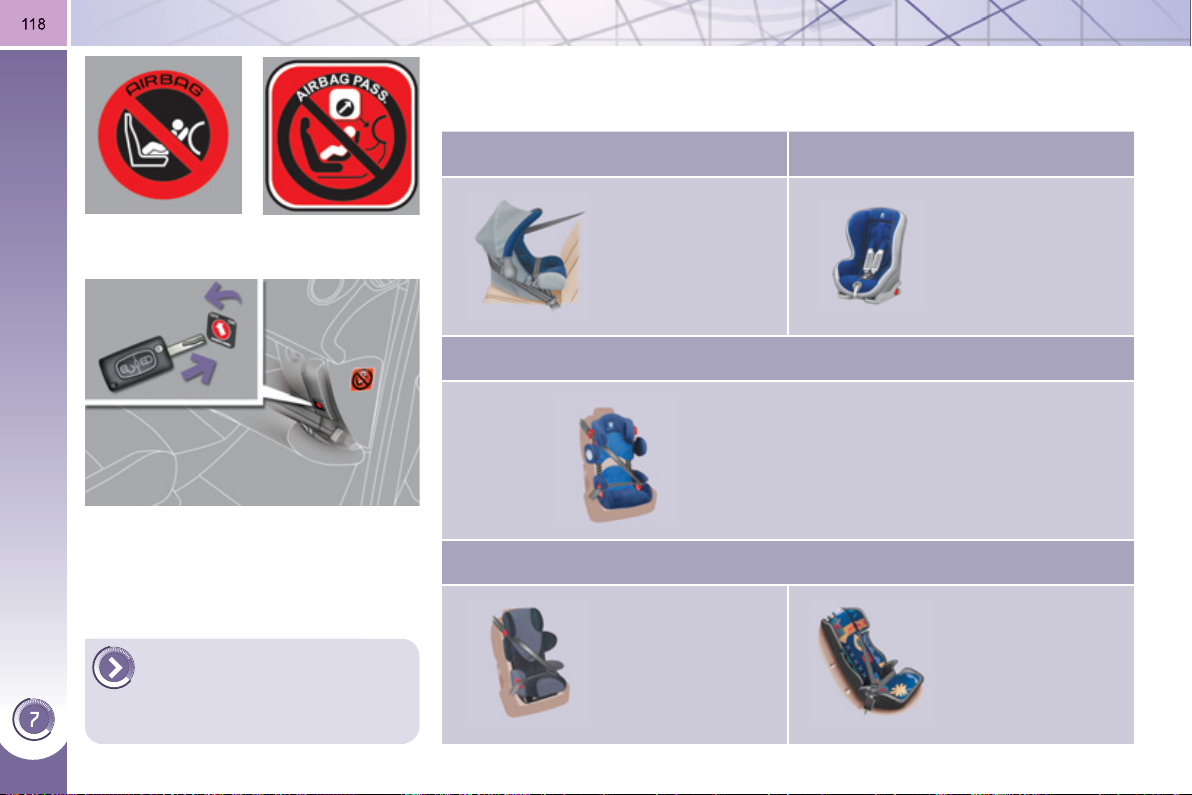
CHILD SAFETY
Passenger airbag OFF
CHILD SEATS RECOMMENDED BY PEUGEOT
PEUGEOT offers a complete range of recommended child seats which are se-
cured using a three point seat belt :
Group 0+: from birth to 13 kg Group 1: from 9 to 18 kg
L1
"RÖMER/BRITAX
Baby-Safe Plus".
Installed in the
rearwards-facing
position.
L2
"RÖMER Duo
Plus ISOFIX".
Groups 1, 2 and 3: from 9 to 36 kg
L3
"KIDDY Life".
The use of the restraining cushion is
compulsory for the transportation of
young children (from 9 to 18 kg).
Groups 2 and 3: from 15 to 36 kg
L4
"RECARO Start''.
L5
"KLIPPAN
Optima".
From the age
of 6 years
(approximately
22 kg), the booster
is used on its own.
For more information on de-
activating the airbag, refer
to the "Safety" section then
"Airbags".
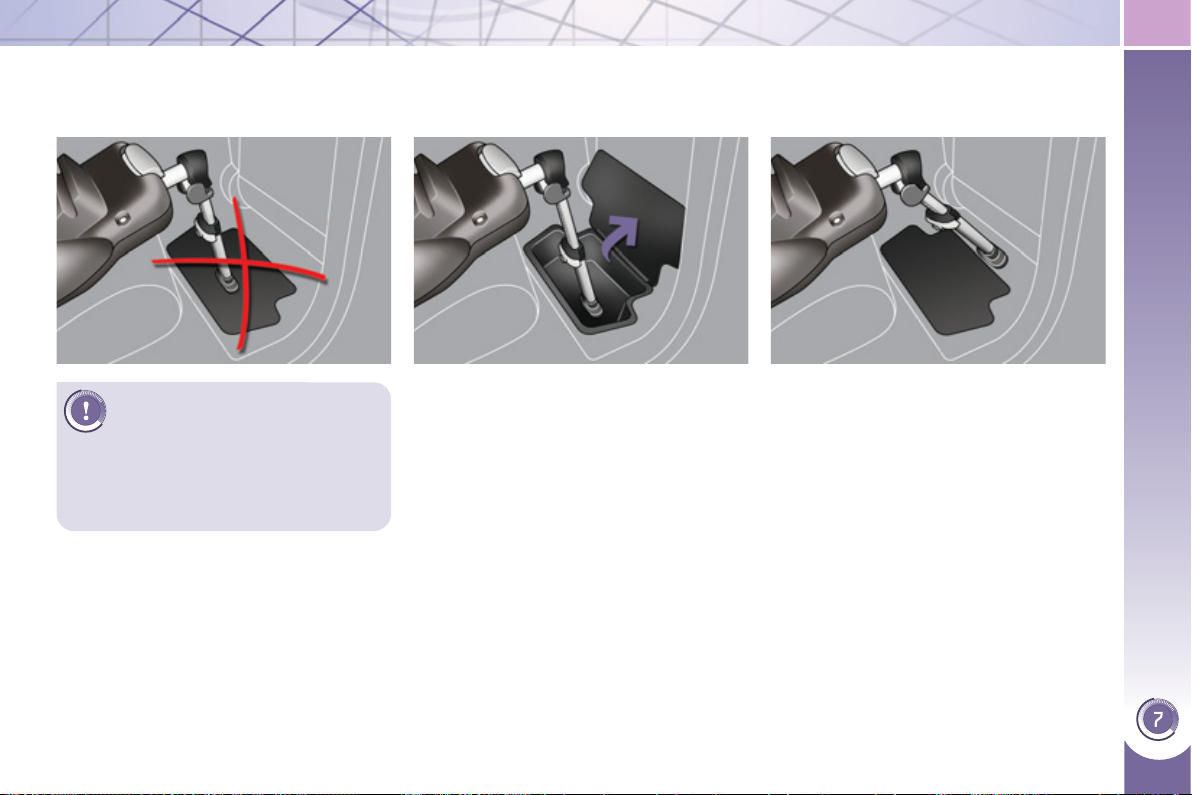
CHILD SAFETY
11
9
INSTALLING CHILD SEATS WITH A STAY
Precautions must be taken when installing a child seat with a stay (or drop down leg). In particular, take care when there is a
storage compartment present in the rear footwells.
At the bottom of the storage
compartment
If the stay is long enough, you can place
it in contact with the bottom of the stor-
age compartment. Remove all objects
before installing the stay.
Outside the storage
compartment area
One other possibility, where the stay is
long enough and can be inclined suffi -
ciently (while observing the recommen-
dations in the fi tting instructions for the
child seat), is to position the stay so that
it is in contact with the fl oor away from
the storage compartment. Remember
to use the adjustment of the seat posi-
tion to obtain a satisfactory position for
the stay which is away from the storage
compartment.
If you cannot fi t the stay in the way de-
scribed, we recommend that you do not
fi t a child seat with a stay in this position.
Do not place the stay on the
storage compartment cover,
it could break in a serious im-
pact. Where the range of adjustment
for the stay allows, we suggest two
other possibilities for installation.
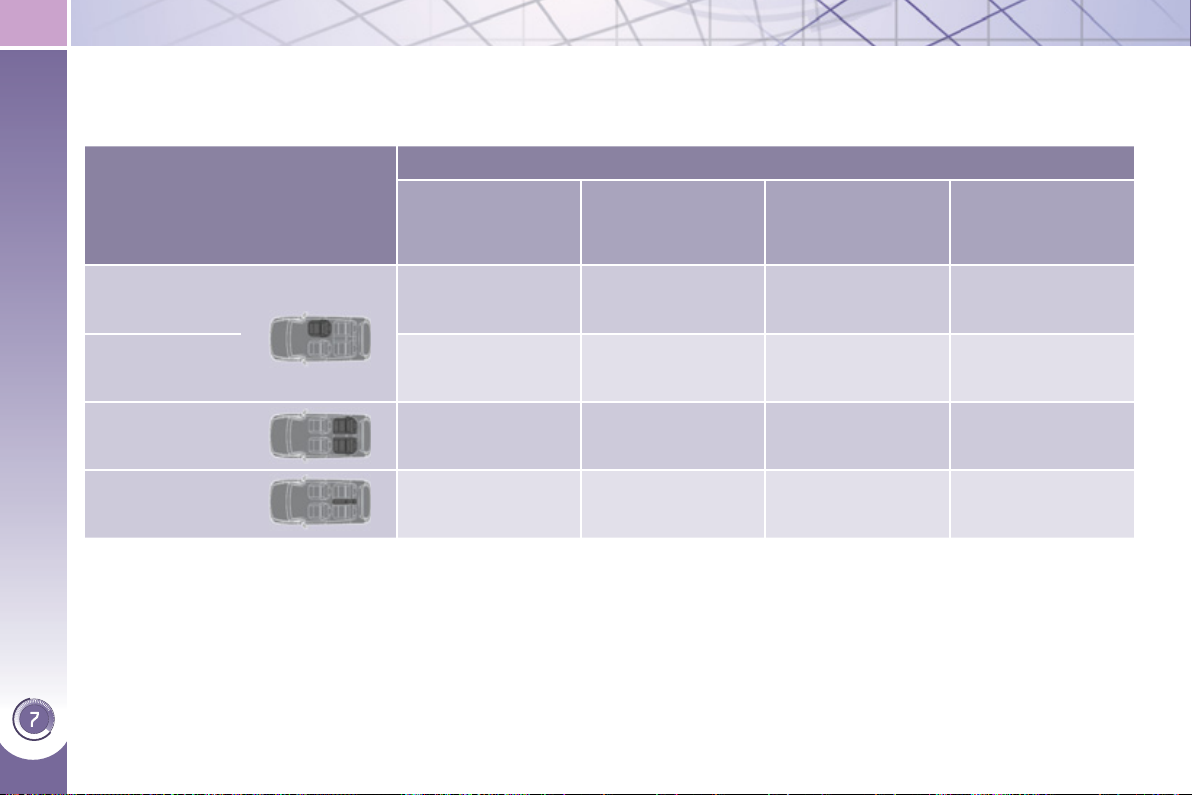
CHILD SAFETY
12
0
INSTALLING CHILD SEATS ATTACHED USING THE SEAT BELT
In accordance with European regulations, this table indicates the options for installing child seats secured using a seat belt
and universally approved (a) in accordance with the weight of the child and the seat in the vehicle.
a: universal child seat, child seat that can be installed in all vehicles using a seat belt.
b: group 0, from birth to 10 kg. Shell seats and baby carriers cannot be installed in the front passenger seat.
c: consult the legislation in force in your country before installing your child on this seat.
U: seat suitable for the installation of a child seat secured using a seat belt and universally approved, "rearwards-facing"
and/or "forwards-facing".
U (R): as for U , with the vehicle's seat adjusted to the highest position and as far back as possible.
L-: only the child seats indicated can be installed on the seat concerned (according to country).
X: seat position not suitable for installation of a child seat for the weight class indicated.
Weight of the child and indicative age
Seat
Under 13 kg
(groups 0 (b) and
0+)
Up to approx 1 year
From 9 to 18 kg
(group 1)
1 to 3 years approx
From 15 to 25 kg
(group 2)
3 to 6 years approx
From 22 to 36 kg
(group 3)
6 to 10 years approx
Front passenger
seat (c) with
height adjuster
U (R) U (R) U (R) U (R)
Front passenger
seat (c) without
height adjuster
X X X X
Outer rear seats
U * U * U * U *
Centre rear seat L1 L2, L3, L4 L3, L4, L5 L3, L4, L5
* Child seats with a stay (or drop down leg) should be fi tted to your vehicle with care. Refer to the page on fi tting a child seat
with a stay.

CHILD SAFETY
ADVICE ON CHILD
SEATS
The incorrect installation of a child
seat in a vehicle compromises the
child's protection in the event of an
accident.
Remember to fasten the seat belts or
the child seat harnesses keeping the
slack relative to the child's body to a
minimum, even for short journeys.
When installing a child seat using the
seat belt, ensure that the seat belt is
tightened correctly on the child seat
and that it secures the child seat
fi rmly on the seat of your vehicle.
Move the seat forwards if necessary.
For optimum installation of the "for-
wards-facing" child seat, ensure that
the back of the child seat is in contact
with the back of the vehicle's seat
and that the head restraint does not
cause any discomfort.
If the head restraint has to be re-
moved, ensure that it is stored or
attached securely to prevent it from
being thrown around the vehicle in
the event of sharp braking.
Installing a booster seat
The chest part of the seat belt must
be positioned on the child's shoulder
without touching the neck.
Ensure that the lap part of the seat
belt passes correctly over the child's
thighs.
PEUGEOT recommends the use of
a booster seat which has a back, fi t-
ted with a seat belt guide at shoulder
level.
As a safety precaution, do not leave:
- a child or children alone and un-
supervised in a vehicle,
- a child or an animal in a vehicle
which is exposed to the sun, with
the windows closed,
- the keys within reach of children
inside the vehicle.
To prevent accidental opening of
the doors and rear windows, use
the "Child lock".
Take care not to open the rear win-
dows by more than one third.
To protect young children from the
rays of the sun, fi t side blinds on the
rear windows.
Children under the age of 10 must
not travel in the "forwards-facing"
position on the front passenger seat,
unless the rear seats are already oc-
cupied by other children, cannot be
used or are absent.
Deactivate the passenger airbag
when a "rearwards-facing" child seat
is installed on the front seat.
Otherwise, the child would risk being
seriously injured or killed if the airbag
were to infl ate.
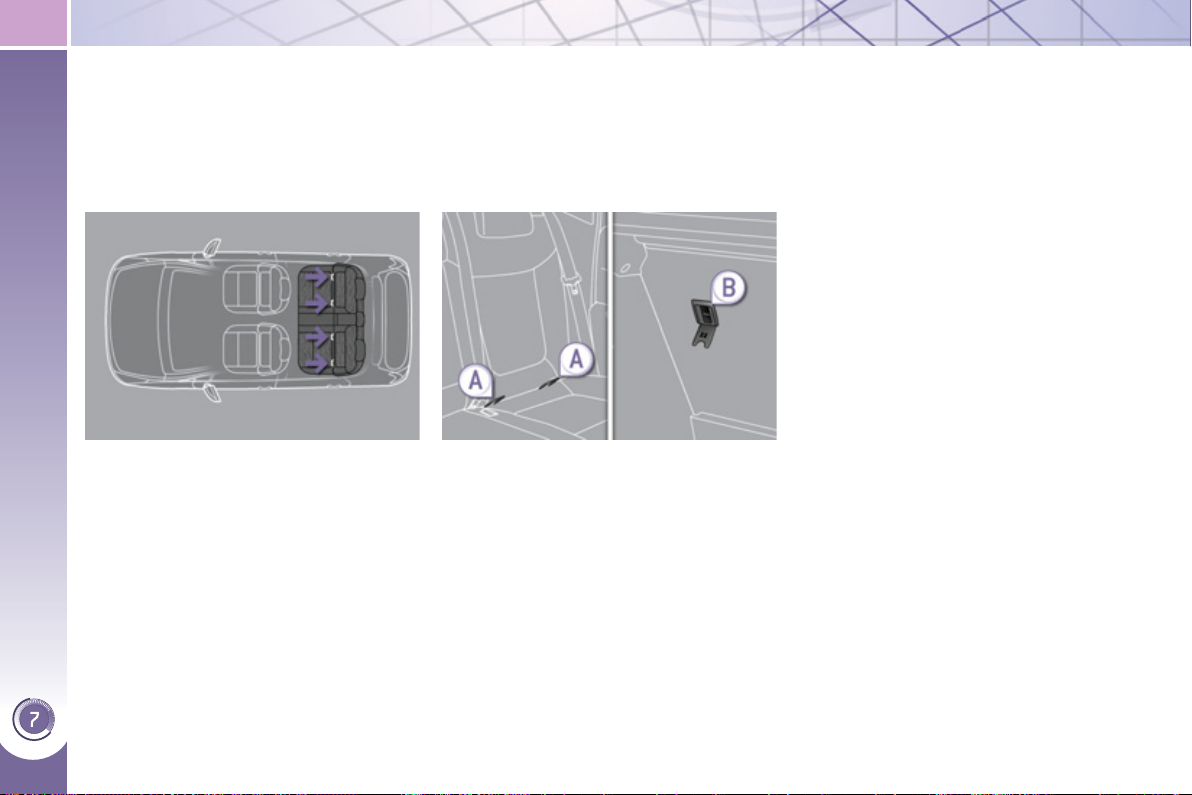
CHILD SAFETY
12
2
"ISOFIX" MOUNTINGS
Your vehicle has been approved in ac-
cordance with the latest ISOFIX regu-
lation s .
The seats, represented below, are fi tted
with regulation ISOFIX mountings:
There are three rings for each seat:
- two rings A , located between the
vehicle seat back and cushion, indi-
cated by a label,
- a ring B , behind the seat, referred to
as the TOP TETHER for fi xing the
upper strap.
This ISOFIX mounting system provides
fast, reliable and safe fi tting of the child
seat in your vehicle.
The ISOFIX child seats are fi tted with
two latches which are easily secured on
the two rings A .
Some also have an upper strap which
is attached to ring B .
To attach this strap, raise the vehicle
seat's head restraint then pass the hook
between its rods. Then fi x the hook on
ring B and tighten the upper strap.
The incorrect installation of a child seat
in a vehicle compromises the child's
protection in the event of an accident.
For information regarding the ISOFIX
child seats which can be installed in
your vehicle, refer to the table showing
the locations for installing ISOFIX child
seats.
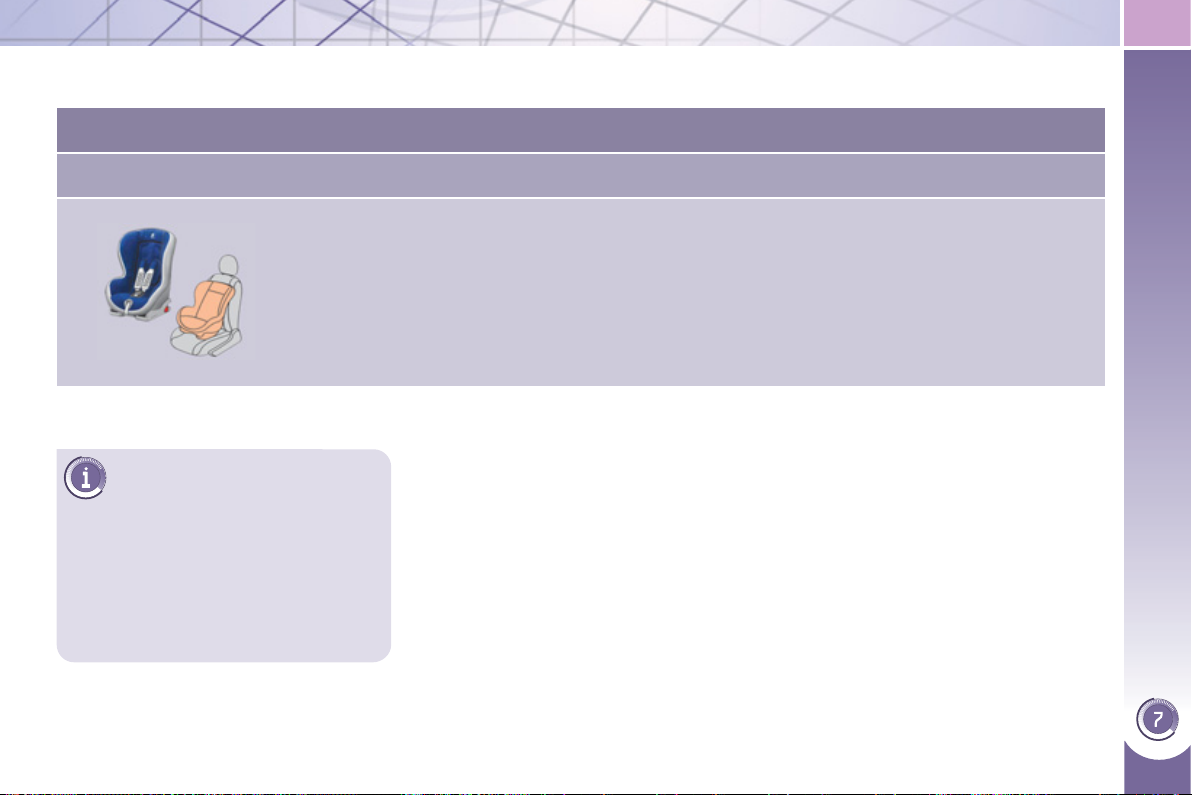
CHILD SAFETY
12
3
This child seat can also be
used on seats which are not
fi tted with ISOFIX mountings.
In this case, it must be attached to
the vehicle seat using the three point
seat belt.
Follow the instructions for fi tting
the child seat given in the seat
manufacturer's installation guide.
ISOFIX CHILD SEAT RECOMMENDED BY PEUGEOT AND
A
PPROVED FOR YOUR VEHICLE
RÖMER Duo Plus ISOFIX (size category B1 )
Group 1: from 9 to 18 kg
Installed in the forwards-facing position.
Fitted with an upper strap to be secured on the upper ring B ,
referred to as the TOP TETHER.
Three seat body angles: sitting, reclining, lying.
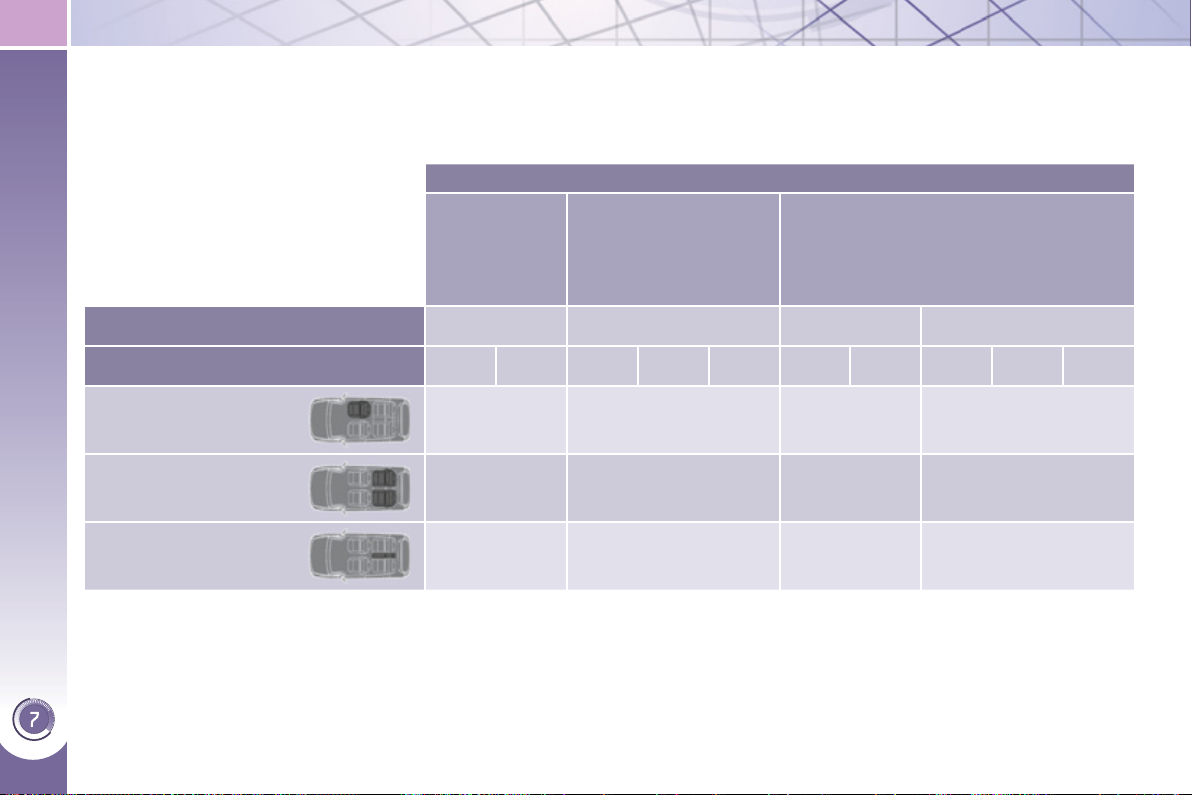
CHILD SAFETY
124
L
OCATIONS FOR INSTALLING ISOFIX CHILD SEATS
In accordance with European Regulations, this table indicates the options for installing ISOFIX child seats on seats in the
vehicle fi tted with ISOFIX mountings.
In the case of universal and semi-universal ISOFIX child seats, the ISOFIX size category, determined by a letter from A to G ,
is indicated on the child seat next to the ISOFIX logo.
IUF: seat suitable for the installation of an I sofi x U niversal seat, " F orwards-facing" secured using the top belt.
IL-SU: seat suitable for the installation of an I sofi x S emi- U niversal seat either:
- "rearwards-facing" fi tted with a top belt or a stay,
- "forwards-facing" fi tted with a stay,
- a shell seat fi tted with an upper strap or a stay.
For advice on securing of the top belt, refer to the paragraph "Isofi x mountings".
X: seat not suitable for the installation of a child seat or shell for the weight group indicated.
Weight of the child /indicative age
Less than 10 kg
(group 0)
Up to approx.
6 months
Less than 10 kg
(group 0)
Less than 13 kg
(group 0+)
Up to approx. 1 year
From 9 to 18 kg (group 1)
From approx. 1 to 3 years
Type of ISOFIX child seat Shell "rearwards-facing"
"rearwards-
facing"
"forwards-facing"
ISOFIX size category F G C D E C D A B B1
Front passenger seat X X X X
Outer rear seats X IL-SU * IL-SU *
IUF *
IL-SU *
Centre rear seat X X
X X
* Child seats with a stay (or drop down leg) should be fi tted to your vehicle with care. Refer to the page on fi tting a child seat
with a stay.
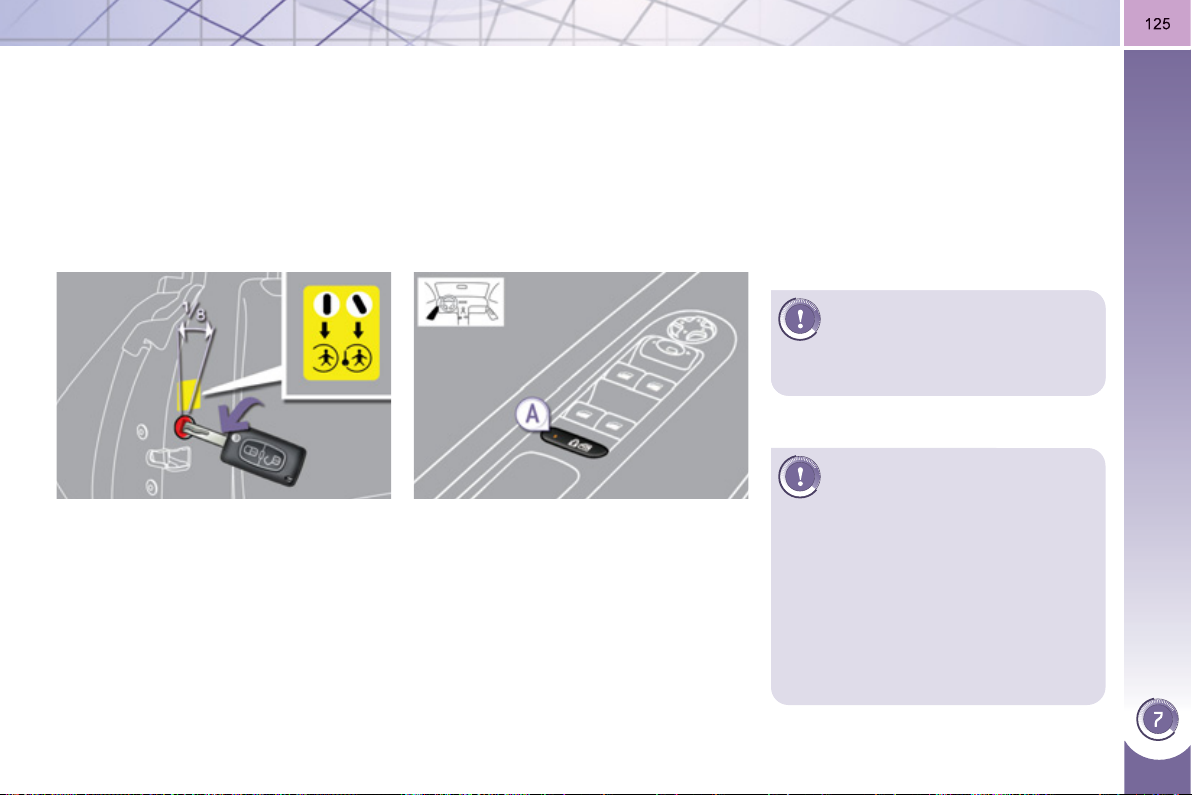
CHILD SAFETY
This system is independent
and in no circumstances does
it take the place of the central
locking control.
Check the status of the child lock
each time you switch on the ignition.
Always remove the key from the igni-
tion when leaving the vehicle, even
for a short time.
In the event of a serious impact, the
electric child lock is deactivated auto-
matically to permit the exit of the rear
passengers.
M
ANUAL CHILD LOCK
Mechanical system to prevent opening
of the rear door using its interior con-
trol.
The control is located on the edge of
each rear door.
) Turn the red control one eighth of
a turn to the left using the ignition
key.
ELECTRIC CHILD LOCK
Remote control system to prevent open-
ing of the rear doors using their interior
controls and use of the rear electric
windows.
) With the ignition on, press button A .
The indicator lamp on button A comes
on.
This indicator lamp remains on until the
child lock is deactivated.
It is still possible to open the doors from
the outside and operate the rear electric
windows from the driver's control pad.
Locking
Unlocking
) Turn the red control one eighth of
a turn to the right using the ignition
key.
Activation
Deactivation
) With the ignition on, press button A
again.
The indicator lamp on button A switches
off.
This indicator lamp remains off until the
child lock is activated.
Any other status of the indica-
tor lamp indicates a malfunc-
tion of the electric child lock.
Have it checked by a PEUGEOT
dealer.

12
6
DIRECTION INDICATORS
Selection of the left or right direction in-
dicators to signal a change of direction
of the vehicle.
If you forget to cancel the di-
rection indicators for more
than twenty seconds, the
volume of the audible signal will in-
crease if the speed is above 40 mph
(60 km/h).
) Lower the lighting control stalk fully
when moving to the left.
) Raise the lighting control stalk fully
when moving to the right.
HAZARD WARNING LAMPS
A visual warning by means of the direc-
tion indicators to alert other road users
to a vehicle breakdown, towing or ac-
cident.
) Tilt or press button A , the direction
indicators fl ash.
They can operate with the ignition off.
A
utomatic o
p
eration of hazard
warnin
g
lamps
When braking in an emergency, de-
pending on the deceleration, the hazard
warning lamps come on automatically.
They switch off automatically the fi rst
time you accelerate.
) You can also switch them off by
pressing the button.
HORN
) Press one of the spokes of the steer-
ing wheel.
Use the horn moderately and
only in the following cases:
- immediate danger,
- overtaking a cyclist or pedestrian
- when approaching an area where
there is no visibility.
Audible warning to alert other road us-
ers to an imminent danger.
"Motorwa
y
" function
Move the stalk briefl y upwards or down-
wards, without going beyond the point
of resistance; the corresponding direc-
tion indicators will fl ash 3 times.

127
ELECTRONIC STABILITY
P
ROGRAMME
(
ESP
)
Electronic stability programme (ESP)
incorporating the following systems:
- the anti-lock braking system (ABS)
and the electronic brake force distri-
bution system (EBFD),
- the emergency braking assistance,
- the traction control (ASR),
- the dynamic stability control (DSC).
Definitions
Anti-skid regulation (ASR)
The ASR system (also known as Trac-
tion Control) optimises traction in order
to avoid wheel slip by acting on the
brakes of the driving wheels and on the
engine. It also improves the directional
stability of the vehicle on acceleration.
Dynamic stability control (DSC)
If there is a difference between the path
followed by the vehicle and that re-
quired by the driver, the DSC monitors
each wheel and automatically acts on
the brake of one or more wheels and
on the engine to return the vehicle to
the required path, within the limits of the
laws of physics.
Emergency braking assistance
In an emergency, this system enables
you to reach the optimum braking pres-
sure more quickly and therefore reduce
the stopping distance.
It is triggered in relation to the speed at
which the brake pedal is pressed. This
is felt by a reduction in the resistance of
the pedal and an increase in the effec-
tiveness of the braking.
Anti-lock braking system (ABS) and
electronic brake force distribution
system (EBFD)
This system improves the stability and
manoeuvrability of your vehicle when
braking and offers improved control, in
particular on poor or slippery road sur-
faces.
The ABS prevents wheel lock in the
event of emergency braking.
The electronic brake force distribution
system manages the braking pressure
wheel by wheel.
When this warning lamp
comes on, accompanied by an
audible signal and a message,
it indicates that there is a fault
with the ABS, which could cause loss of
control of the vehicle when braking.
When this warning lamp comes
on, coupled with the STOP
warning lamp, accompanied
by an audible signal and a
message, it indicates that there is a fault
with the electronic brake force distribu-
tion (EBFD), which could cause loss of
control of the vehicle when braking.
You must stop as soon as it is safe
to do so.
In both cases, contact a PEUGEOT
dealer or a qualifi ed workshop.
When changing wheels (tyres
and rims), make sure that
these are approved for your
vehicle.
Normal operation of the ABS may
make itself felt by slight vibrations of
the brake pedal.
In emergency braking, press
very fi rmly without releasing
the pressure.
Anti-lock braking system (ABS) and
electronic brake force distribution
(EBFD)
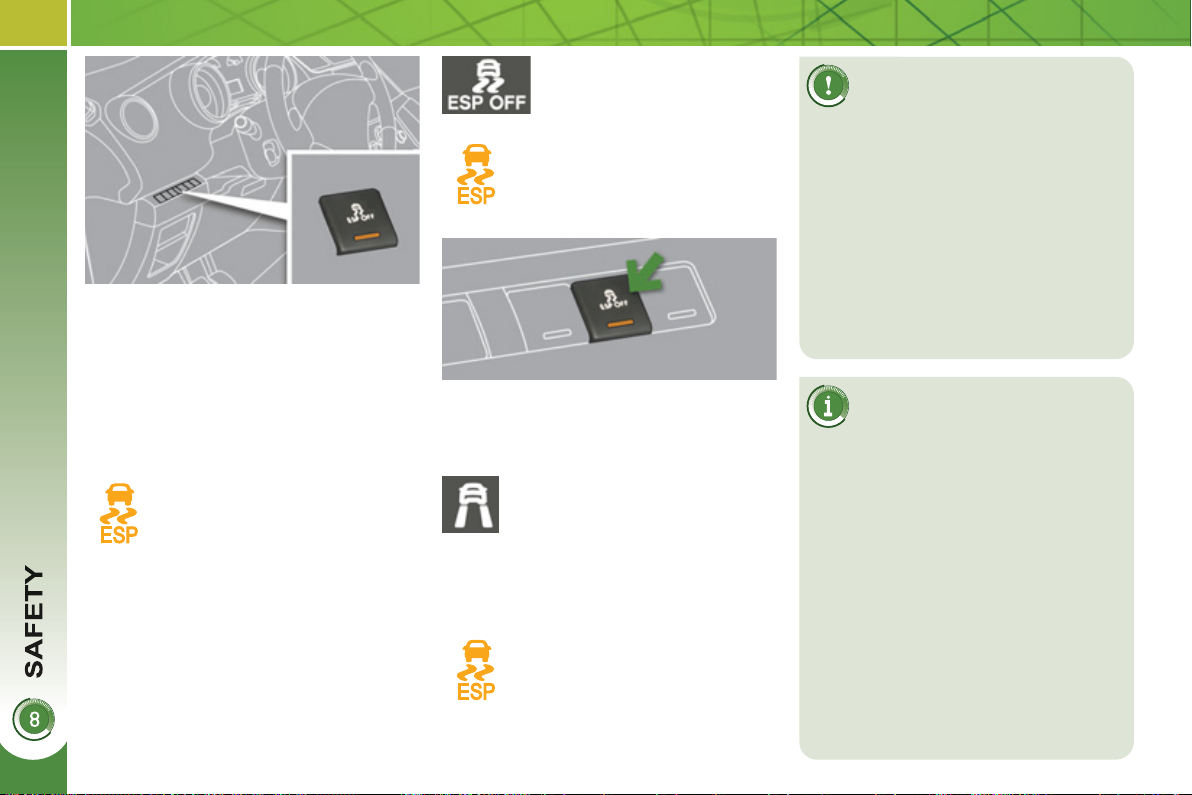
12
8
Dynamic stability control (DSC)
The DSC system offers excep-
tional safety in normal driving,
but this should not encourage
the driver to take extra risks or drive
at high speed.
The correct functioning of the system
depends on observation of the man-
ufacturer's recommendations regard-
ing the wheels (tyres and rims), the
braking components, the electronic
components and the PEUGEOT
assembly and operation procedures.
After an impact, have the system
checked by a PEUGEOT dealer.
Deactivation
In exceptional conditions (starting a ve-
hicle which is bogged down, stuck in
snow, on soft ground...), it may be ad-
visable to deactivate the DSC system,
so that the wheels can move freely and
regain grip.
) Press the "ESP OFF"
button.
This warning lamp and the indi-
cator lamp in the button come
on: the DSC system no longer
acts on the operation of the in-
ternal combustion engine.
Reactivation
The system is reactivated automatically
each time the ignition is switched back
on or from 30 mph (50 km/h).
Operating fault
If this warning lamp comes on,
accompanied by an audible sig-
nal and a message in the multi-
function screen, this indicates a
malfunction of the system.
Contact a PEUGEOT dealer to have the
system checked.
This is indicated by fl ashing of
this warning lamp in the instru-
ment panel.
Activation
This system is activated automatically
each time the vehicle is started.
It comes into operation in the event of a
grip or trajectory problem.
) Press the "ESP OFF" but-
ton again to reactivate it
manually.
Driving advice
Your vehicle is designed princi-
pally to drive on tarmac roads
but it allows you to drive on other less
passable terrain occasionally.
However, it does not permit all-terrain
activities such as:
- crossing and driving on terrain
which could damage the under-
body or pull off components (fuel
pipe, fuel cooler, high voltage
cables, ...) due to obstacles or
stones in particular,
- crossing a stream.
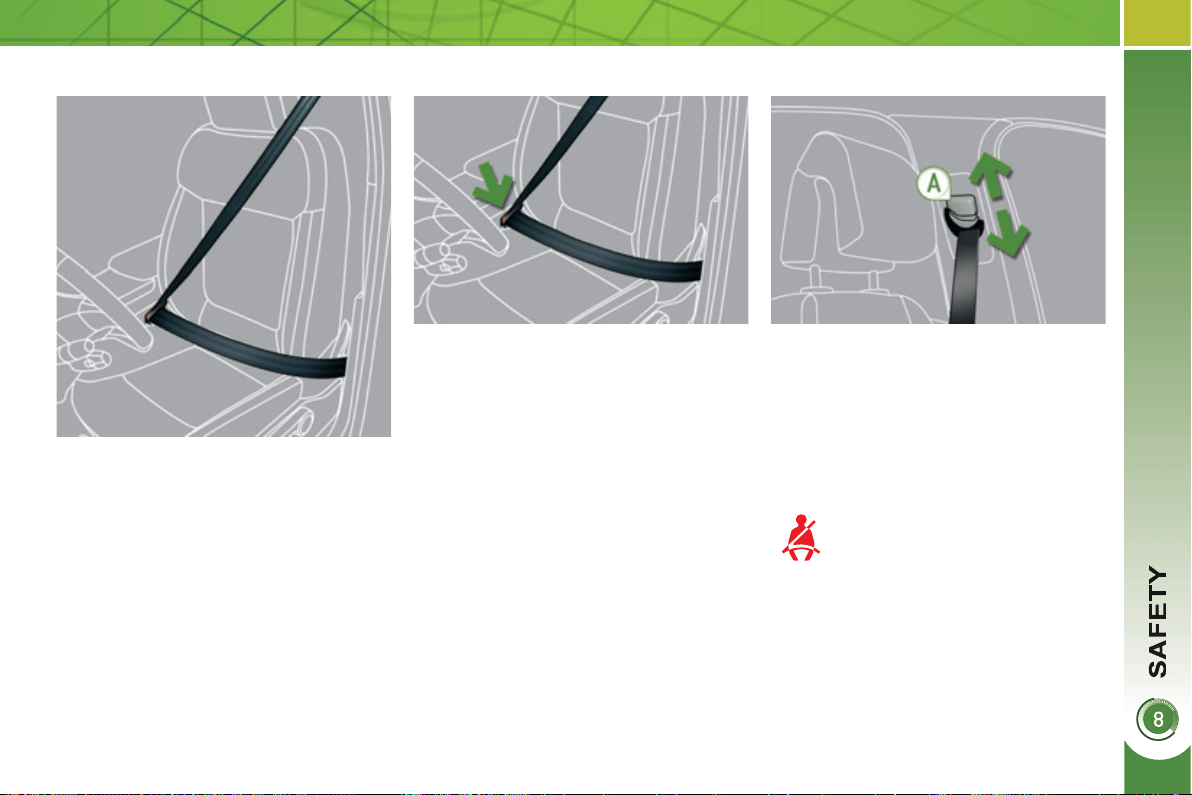
12
9
Height adjustment
Front seat belt not fastened/
unfastened warning lamp
Fastening
) Pull the strap, then insert the tongue
in the buckle.
) Check that the seat belt is fastened
correctly by pulling the strap.
) To adjust the anchorage point,
squeeze the control A and slide it
until you fi nd a notch.
When the ignition is switched
on, this warning lamp comes
on on the seat belt and pas-
senger's front airbag warning
lamps display, if the driver and/or the
front passenger has not fastened their
seat belt.
From approximately 12 mph (20 km/h)
this warning lamp fl ashes for two minutes
accompanied by an audible signal.
Once these two minutes have elapsed,
this warning lamp remains on until the
driver and/or the front passenger fas-
tens their seat belt.
Unfastening
) Press the red button on the buckle.
) Guide the seat belt as it reels in.
SEAT BELTS
Front seat belts
The front seat belts are fi tted with a pre-
tensioning and force limiting system.
This system improves safety in the front
seats in the event of a front or side im-
pact. Depending on the severity of the
impact, the pretensioning system in-
stantly tightens the seat belts against
the body of the occupants.
The pretensioning seat belts are active
when the ignition is on.
The force limiter reduces the pressure
of the seat belt on the chest of the occu-
pant, so improving their protection.
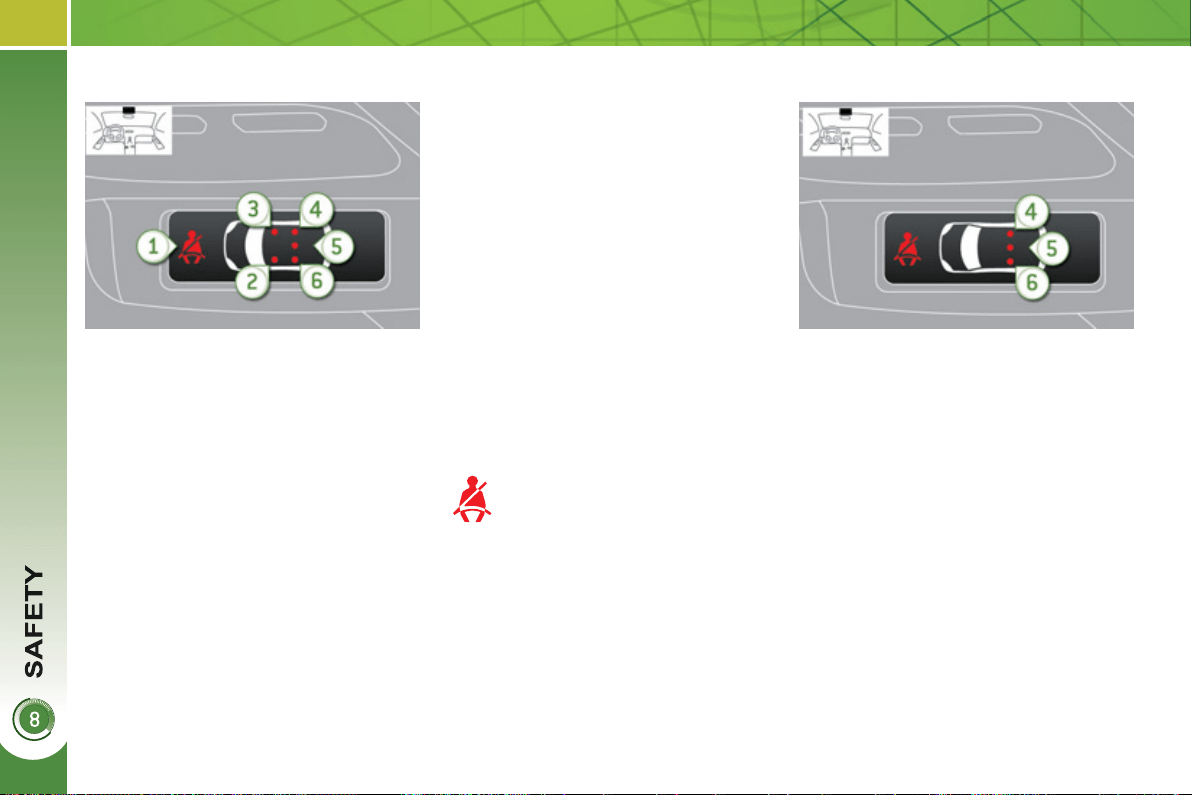
1
30
1. Front and/or rear seat belts not fas-
tened/unfastened warning lamp.
2. Front left seat belt warning lamp.
3. Front right seat belt warning lamp.
4. Rear right seat belt warning lamp.
5. Rear centre seat belt warning lamp.
6. Rear left seat belt warning lamp.
Seat belt not fastened/unfastened
warning lamps display
R
ear seat
b
e
l
ts
The rear seats are each fi tted with a
three-point inertia reel seat belt with
force limiter (with the exception of the
centre rear seat).
Seat belt unfastened warning lamp
This warning lamp comes on on
the seat belt and passenger's
front airbag warning lamps dis-
play, when one or more rear
passengers unfasten their seat belt.
From approximately 12 mph (20 km/h),
this warning lamp fl ashes for two min-
utes accompanied by an audible signal.
Once these two minutes have elapsed,
this warning lamp remains on until the
one or more rear passengers fasten
their seat belt.
Fastening
) Pull the strap, then insert the tongue
in the buckle.
) Check that the seat belt is fastened
correctly by pulling the strap.
Unfastening
) Press the red button on the buckle.
) Guide the seat belt as it reels in.
The corresponding warning lamp 2 or 3
comes on in red on the seat belt and
passenger's front airbag warning lamps
display if the seat belt is not fastened or
is unfastened.
When the ignition is switched on, with
the engine running or when the vehicle
is moving at less than 12 mph (20 km/h),
the corresponding warning lamps 4 , 5
and 6 come on in red for approximate-
ly 30 seconds, if the seat belt is not
fastened.
When the vehicle is moving at more
than 12 mph (20 km/h), the correspond-
ing warning lamp 4 , 5 or 6 comes on
in red, accompanied by an audible sig-
nal and a message on the multifunction
screen, if a rear passenger has unfas-
tened their seat belt.
Seat belt unfastened warning lamps
display
1
31
The driver must ensure that
passengers use the seat belts
correctly and that they are all
restrained securely before setting off.
Wherever you are seated in the ve-
hicle, always fasten your seat belt,
even for short journeys.
Do not invert the seat belt buckles as
they will not fulfi l their role fully.
The seat belts are fi tted with an in-
ertia reel permitting automatic adjust-
ment of the length of the strap to your
size. The seat belt is stored automat-
ically when not in use.
Before and after use, ensure that the
seat belt is reeled in correctly.
The lower part of the strap must be
positioned as low as possible on the
pelvis.
The upper part must be positioned in
the hollow of the shoulder.
The inertia reels are fi tted with an au-
tomatic locking device which comes
into operation in the event of a colli-
sion, emergency braking or if the ve-
hicle rolls over. You can release the
device by pulling fi rmly on the strap
and releasing it so that it re-winds
slightly.
In order to be effective, a seat belt
must:
- be tightened as close to the body
as possible,
- be pulled in front of you with a
smooth movement, checking that
it does not twist,
-
be used to restrain only one person,
- not bear any trace of cuts or fraying,
- not be converted or modifi ed to
avoid affecting its performance.
In accordance with current safety
regulations, all repairs and checks
must be carried out by a PEUGEOT
dealer who guarantees that the work
is carried out correctly.
Have your seat belts checked regu-
larly by a PEUGEOT dealer and par-
ticularly if the straps show signs of
damage.
Clean the seat belt straps with soapy
water or a textile cleaning product,
sold by PEUGEOT dealers.
After folding or moving a seat or rear
bench seat, ensure that the seat belt
is positioned and reeled in correctly.
Recommendations for children
Use a suitable child seat if the pas-
senger is less than 12 years old or
shorter than one and a half metres.
Never use the same seat belt to se-
cure more than one person.
Never allow a child to travel on your
lap.
In the event of an impact
Depending on the nature and se-
riousness of the impacts , the pre-
tensioning device may be triggered
before and independently of the air-
bags. Triggering of the pre-tensioners
is accompanied by a slight discharge
of harmless smoke and a noise, due
to the activation of the pyrotechnic
cartridge incorporated in the system.
In all cases, the airbag warning lamp
comes on.
Following an impact, have the seat
belts system checked, and if necessary
replaced, by a PEUGEOT dealer.
In the event of an accident, the high
voltage is disconnected automati-
cally.
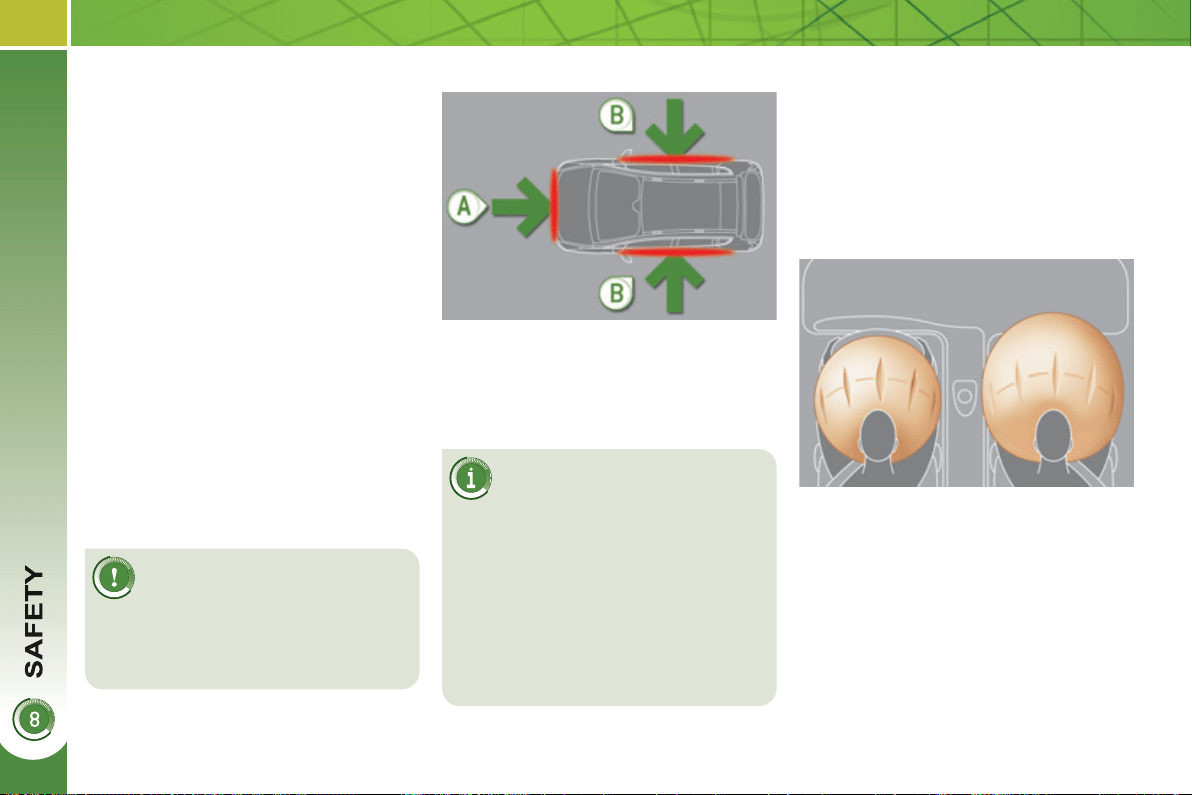
1
32
AIRBAGS
Deployment of the airbag(s) is
accompanied by a slight emis-
sion of harmless smoke and
a noise, due to the activation of the
pyrotechnic cartridge incorporated in
the system.
This smoke is not harmful, but sensi-
tive individuals may experience slight
irritation.
The noise of the detonation may re-
sult in a slight loss of hearing for a
short time.
F
ront a
i
r
b
a
g
s
System which protects the driver and
front passenger in the event of a seri-
ous front impact in order to limit the risk
of injury to the head and thorax.
The driver's airbag is fi tted in the centre
of the steering wheel; the front passen-
ger's airbag is fi tted in the dashboard
above the glove box.
Deployment
The airbags are deployed simultane-
ously, unless the passenger's front
airbag is deactivated, in the event of a
serious front impact to all or part of the
front impact zone A , in the longitudinal
centreline of the vehicle on a horizontal
plane and directed from the front to the
rear of the vehicle.
The front airbag infl ates between the
thorax and head of the front occupant
of the vehicle and the steering wheel,
driver's side, and the dashboard, pas-
senger's side to cushion their forward
movement.
Impact detection zones
A. Front impact zone.
B. Side impact zone.
The airbags do not oper-
ate when the ignition is
switched off.
This equipment will only deploy once.
If a second impact occurs (during the
same or a subsequent accident), the
airbag will not be deployed again.
System designed to maximise the safety
of the occupants (with the exception of
the rear centre passenger) in the event
of violent collisions. It supplements the
action of the force-limiting seat belts
(with the exception of the rear centre
passenger).
If a collision occurs, the electronic de-
tectors record and analyse the front and
side impacts sustained in the impact
detection zones:
- in the case of a serious impact, the
airbags are deployed instantly and
protect the occupants of the vehicle
(with the exception of the rear centre
passenger); immediately after the
impact, the airbags defl ate rapidly
so that they do not hinder visibility
or the exit of the occupants,
- in the case of a minor or rear impact
or in certain roll-over conditions, the
airbags will not be deployed; the
seat belt alone is suffi cient to pro-
vide optimum protection in these
situations.
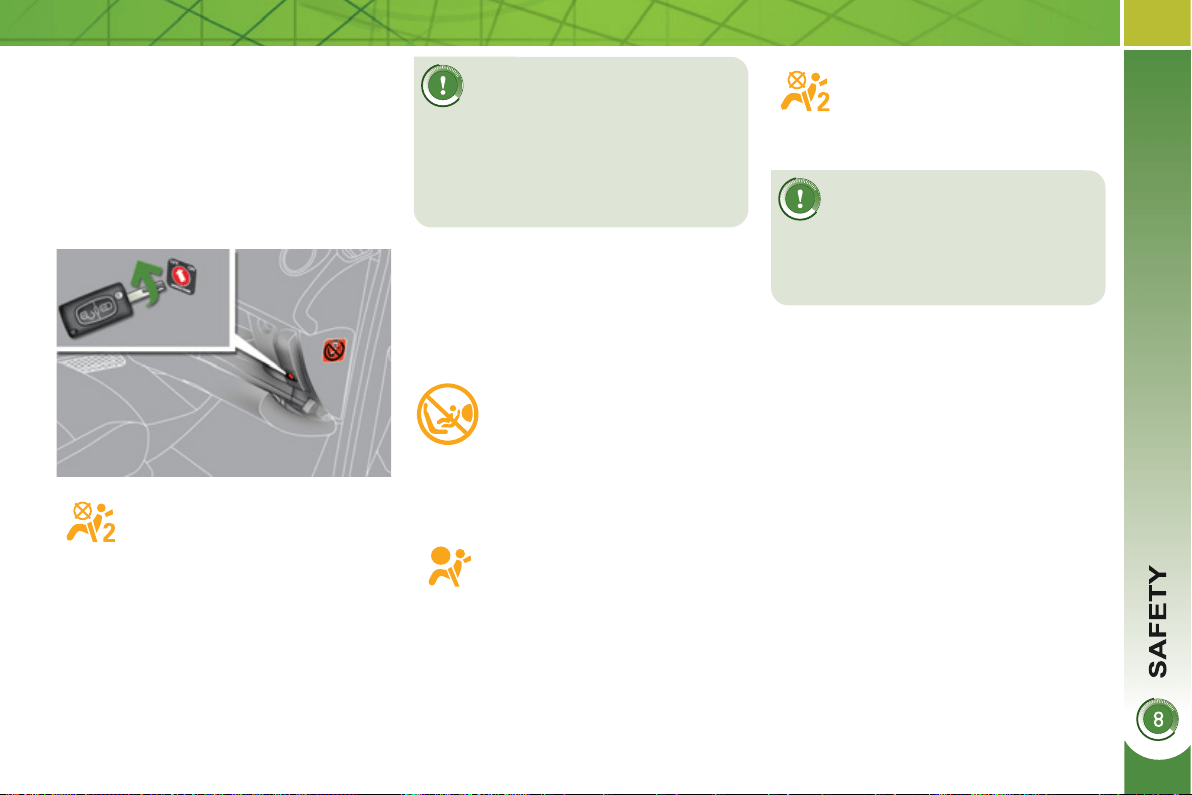
1
33
If at least one of the two airbag
warning lamps come on con-
tinuously, do not install a child
seat on the front passenger seat.
Have the system checked by a
PEUGEOT dealer.
Operating fault
If this warning lamp comes on in
the instrument panel, accompa-
nied by an audible warning and
a message in the multifunction
screen, contact a PEUGEOT
dealer to have the system checked. The
airbags may no longer be deployed in the
event of a serious impact.
Reactivation
When you remove the child seat, turn
the switch to the "ON" position to re-
activate the airbag and so assure the
safety of your front passenger in the
event of an impact.
With the ignition on, this warn-
ing lamp comes on in the seat
belt and passenger's front air-
bag warning lamps display for
approximately one minute, if
the passenger's front airbag is
activated.
To assure the safety of your
child, the passenger's front
airbag must be deactivated
when you install a "rear facing" child
seat on the front passenger seat.
Otherwise, the child would risk being
seriously injured or killed if the airbag
were deployed.
According to version, this
warning lamp comes on either
in the instrument panel or in
the seat belt and passenger's
front airbag warning lamps
display when the ignition is on and until
the airbag is reactivated.
If this warning lamp fl ashes,
contact a PEUGEOT dealer.
The passenger's front airbag
may no longer be deployed in
the event of a serious impact.
Deactivation
Only the passenger's front airbag can
be deactivated:
) with the ignition off , insert the key
in the passenger airbag deactivation
switch,
) turn it to the "OFF" position,
) then, remove the key keeping the
switch in the new position.
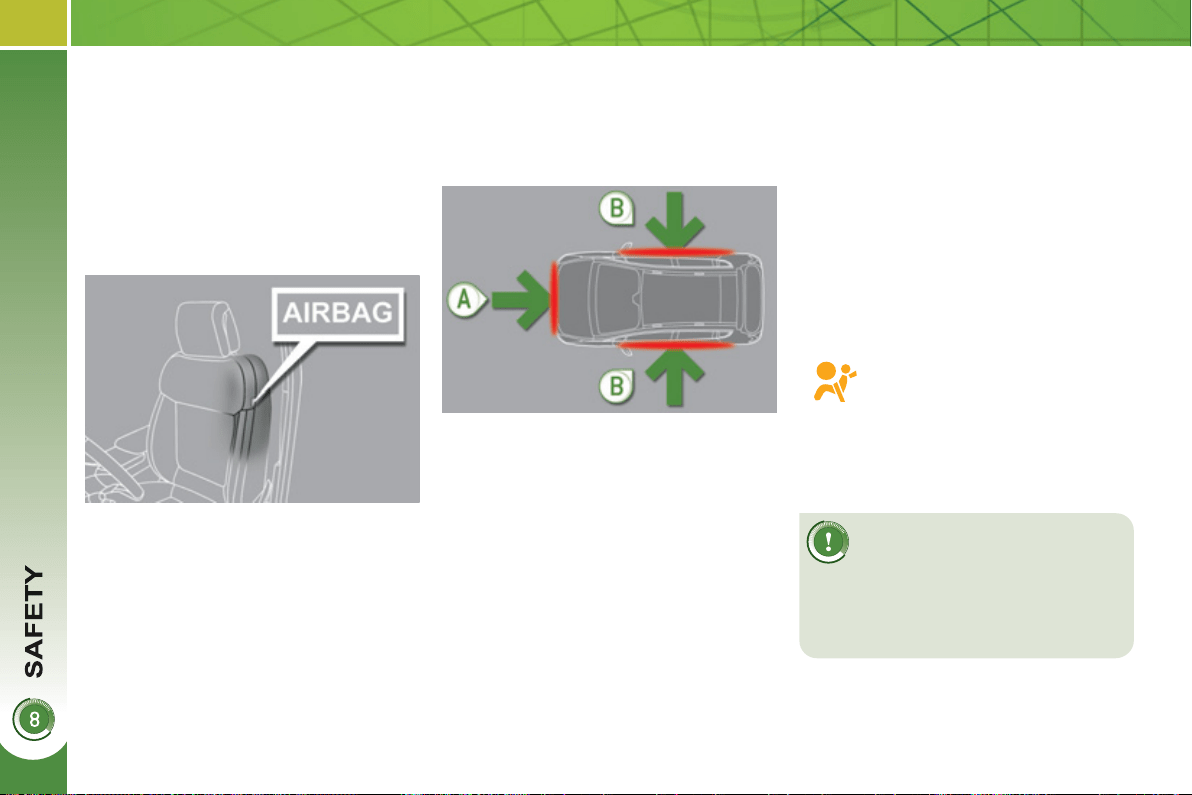
1
34
L
atera
l
a
i
r
b
a
g
s
System which protects the driver and
front passenger in the event of a seri-
ous side impact in order to limit the risk
of injury to the chest.
Each lateral airbag is fi tted in the front, in
the outer side of the seat back frame.
Deployment
The lateral airbags are deployed unilater-
ally in the event of a serious side impact
applied to all or part of the side impact
zone B , perpendicular to the longitudinal
centreline of the vehicle on a horizontal
plane and directed from the outside to-
wards the inside of the vehicle.
Curtain airba
g
s
System which protects the driver and
passengers (with the exception of the
rear centre passenger) in the event of a
serious side impact in order to limit the
risk of injury to the side of the head.
Each curtain airbag is built into the pil-
lars and the upper passenger compart-
ment area.
Operating fault
Deployment
The curtain airbag is deployed at the
same time as the corresponding later-
al airbag in the event of a serious side
impact applied to all or part of the side
impact zone B , perpendicular to the lon-
gitudinal centreline of the vehicle on a
horizontal plane and directed from the
outside towards the inside of the vehicle.
The curtain airbag infl ates between the
front or rear occupant of the vehicle and
the windows.
In the event of a minor impact
or bump on the side of the
vehicle or if the vehicle rolls
over, the airbag may not be
deployed.
In the event of a rear or front colli-
sion, the airbag is not deployed.
Impact detection zones
A. Front impact zone.
B. Side impact zone.
If this warning lamp comes on
in the instrument panel, accom-
panied by an audible signal and
a message in the multifunction
screen, contact a PEUGEOT
dealer to have the system checked. The
airbags may no longer be deployed in the
event of a serious impact.
The lateral airbag infl ates between the
front occupant of the vehicle and the
corresponding door panel.
1
35
For the airbags to be fully
effective, observe the
following safety rules:
Sit in a normal upright position.
Wear a correctly adjusted seat belt.
Do not leave anything between the
occupants and the airbags (a child,
pet, object...). This could hamper the
operation of the airbags or injure the
occupants.
After an accident or if the vehicle has
been stolen or broken into, have the
airbag systems checked.
All work on the airbag system is strict-
ly forbidden unless it is carried out by
qualifi ed personnel of the PEUGEOT
dealer network.
Even if all of the precautions men-
tioned are observed, a risk of injury
or of minor burns to the head, chest
or arms when an airbag is deployed
cannot be ruled out. The bag in-
fl ates almost instantly (within a few
milliseconds) then defl ates within
the same time discharging the hot
gas via openings provided for this
purpose.
Front airbags
Do not drive holding the steering
wheel by its spokes or resting your
hands on the centre part of the
wheel.
Passengers must not place their feet
on the dashboard.
If possible, do not smoke as deploy-
ment of the airbags can cause burns
or the risk of injury from a cigarette
or pipe.
Never remove or pierce the steering
wheel or hit it violently.
Lateral airbags
Use only approved covers on the
seats, compatible with the deployment
the lateral airbags. For information
on the range of seat covers suitable
for your vehicle, you can contact a
PEUGEOT dealer (see "Practical in-
formation - § Accessories").
Do not fi x or attach anything to the
seat backs (clothing...). This could
cause injury to the chest or arms if
the lateral airbag is deployed.
Do not sit with the upper part of the
body any nearer to the door than
necessary.
Curtain airbags
Do not fi x or attach anything to the
roof. This could cause injury to the
head if the curtain airbag is de-
ployed.
Do not remove the grab handles in-
stalled on the roof, they play a part in
securing the curtain airbags.
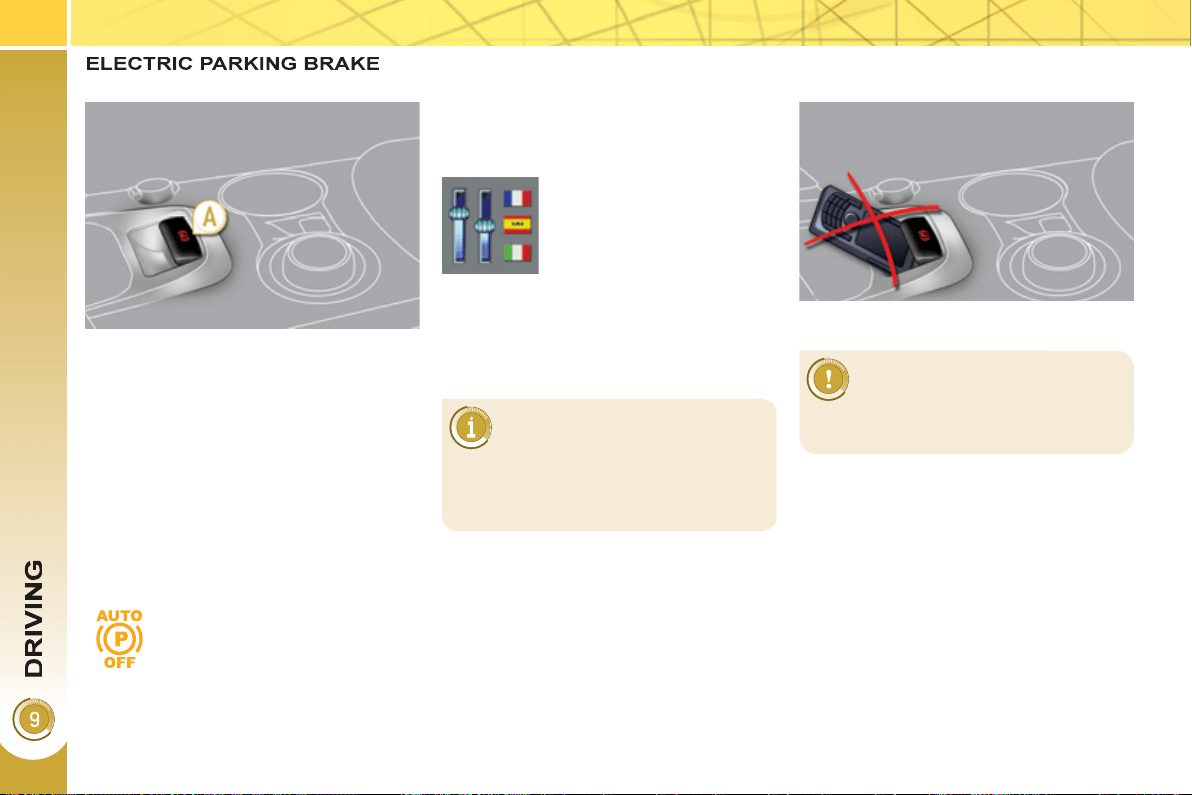
1
36
The electric parking brake combines
2 operational modes:
- Automatic application/release
Application is automatic when the
engine stops, release is automatic
on use of the accelerator (activated
by default),
- Manual application/release
The parking brake can be applied/
released manually by pulling control
lever A .
Deactivation is recommended in
particularly cold conditions (ice)
and during towing (breakdown,
caravan...). Refer to the "Manual
release" paragraph.
Programming the mode
Depending on the country of registration
of the vehicle, the automatic application
when the engine is switched off and the
automatic release when you press the
accelerator can be deactivated.
If this warning lamp in the in-
strument panel comes on, the
automatic mode is deactivated.
The system can be ac-
tivated/deactivated by a
PEUGEOT dealer.
The parking brake is then applied and
released manually. When the driver's
door is opened, there is an audible beep
and a message is displayed if the brake
is not applied.
Do not place any object (packet
of cigarettes, telephone, ...) be-
hind the electric brake control.
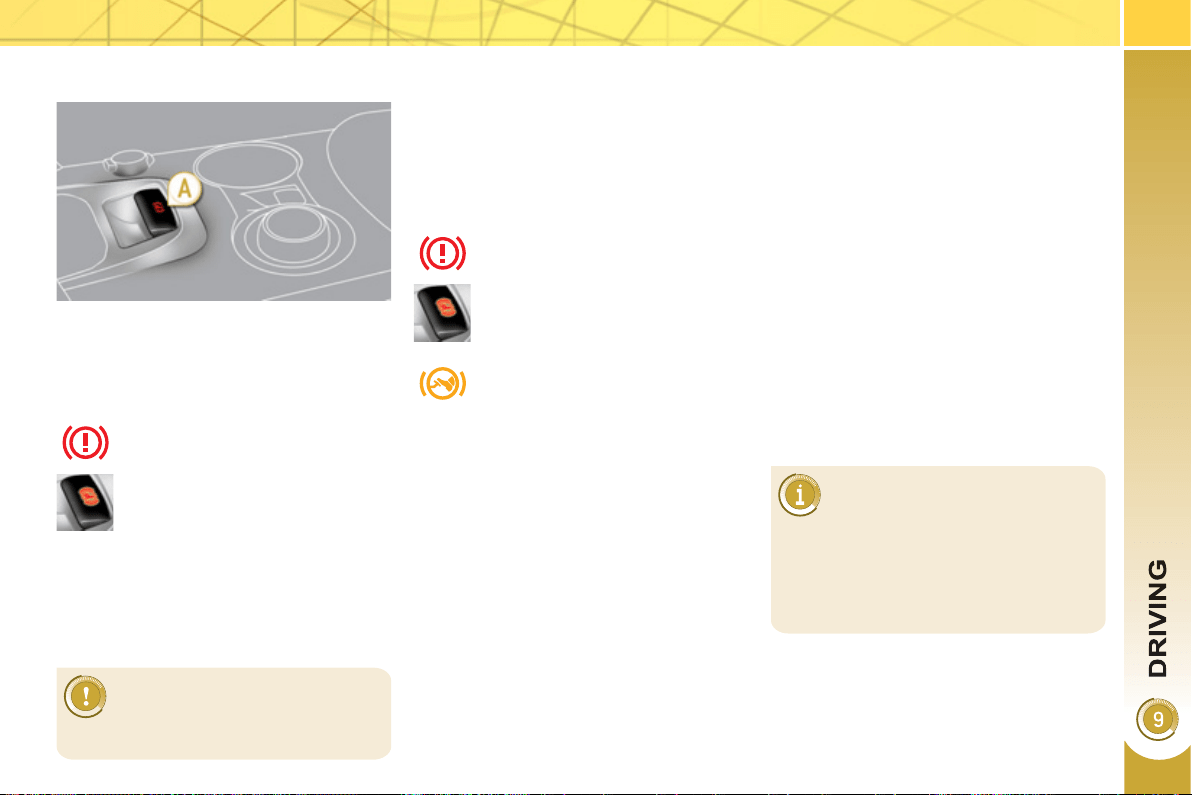
1
37
With the vehicle stationary, to apply the
parking brake whether the engine is
running or off, pull on control lever A .
The application of the parking brake is
confi rmed by:
-
lighting of the braking warn-
ing lamp and of the warning
lamp P in the control lever A ,
When the driver’s door is opened with
the engine running, there is an audible
signal and a message is displayed if
the parking brake has not been applied,
unless the gear lever is in position P
(Park).
M
anua
l
re
l
ease
With the ignition on or the engine run-
ning, to release the parking brake, press
on the brake pedal or the accelerator,
pull then release control lever A .
The full application of the parking brake
is confi rmed by:
-
extinction of the braking warn-
ing lamp and of the warning
lamp P in control lever lever A ,
If you pull control lever A with-
out pressing the brake pedal,
the parking brake will not be
released and a warning lamp
will come on in the instrument
panel.
M
anua
l
app
li
cat
i
on
M
ax
i
mum app
li
cat
i
on
If necessary, you can utilise maximum
application of the parking brake. It is
obtained by means of a long pull on
control lever A , until you see the mes-
sage "Handbrake on" and an audible
signal is heard.
In the case of towing, a loaded
vehicle or parking on a gradient,
make a maximum application
of the parking brake then turn the front
wheels towards the pavement and en-
gage a gear when you park.
After a maximum application, the re-
lease time will be longer.
Before leaving the vehicle,
check that parking brake
warning lamp in the instrument
panel is on fi xed, not fl ashing.
Maximum application is essential:
- in the case of a vehicle towing a
caravan or a trailer, if the automatic
functions are activated but you are
applying the parking brake manually,
- when the gradient you are parked
on is variable in its effect (e.g. on a
ferry, in a lorry, during towing),
- display of the message
"Handbrake on".
- display of the message
"Handbrake off".
1
38
A
utomat
i
c app
li
cat
i
on,
e
n
g
ine off
With the vehicle stationary, the parking
brake is automatically applied when
the engine is switched off.
-
illumination of the braking
warning lamp and of the warn-
ing lamp P in control lever A ,
A
utomat
i
c re
l
ease
The electric parking brake releases au-
tomatically and progressively when
you press the accelerator:
) Put the gear lever in position A , M
or R then press on the accelerator
pedal.
Before leaving the vehicle,
check that parking brake
warning lamp in the instru-
ment panel is on fi xed (not
fl ashing).
Never leave a child alone inside the
vehicle with the ignition on, as they
could release the parking brake.
- extinction of braking warn-
ing lamp and of the warning
lamp P in control lever A ,
The noise of operation confi rms the ap-
plication/release of the electric parking
brake.
Full release of the parking brake is con-
fi rmed by:
T
o
i
mmo
bili
se t
h
e ve
hi
c
l
e,
e
n
gi
ne runn
i
n
g
With the engine running and the vehicle
stationary, in order to immobilise the
vehicle it is essential to manually apply
the parking brake by pulling on control
lever A .
The application of the parking brake is
confi rmed by:
-
illumination of the braking warn-
ing lamp and of the warning
lamp P in control lever A ,
When the driver’s door is opened, there
is an audible signal and a message is
displayed if the parking brake has not
been applied, unless the gear lever is in
position P (Park).
Before leaving the vehicle,
check that parking brake
warning lamp in the instrument
panel is on fi xed, not fl ashing.
When stationary, with the en-
gine running, do not press the
accelerator pedal unneces-
sarily, as you may release the
parking brake.
Application of the parking brake is con-
fi rmed by:
- display of the message
"Handbrake on".
In the case of towing, a loaded vehi-
cle or parking on a gradient, turn the
front wheels towards the pavement
and engage a gear when you park.
- display of the message
"Handbrake off".
- display of the message
"Handbrake on".
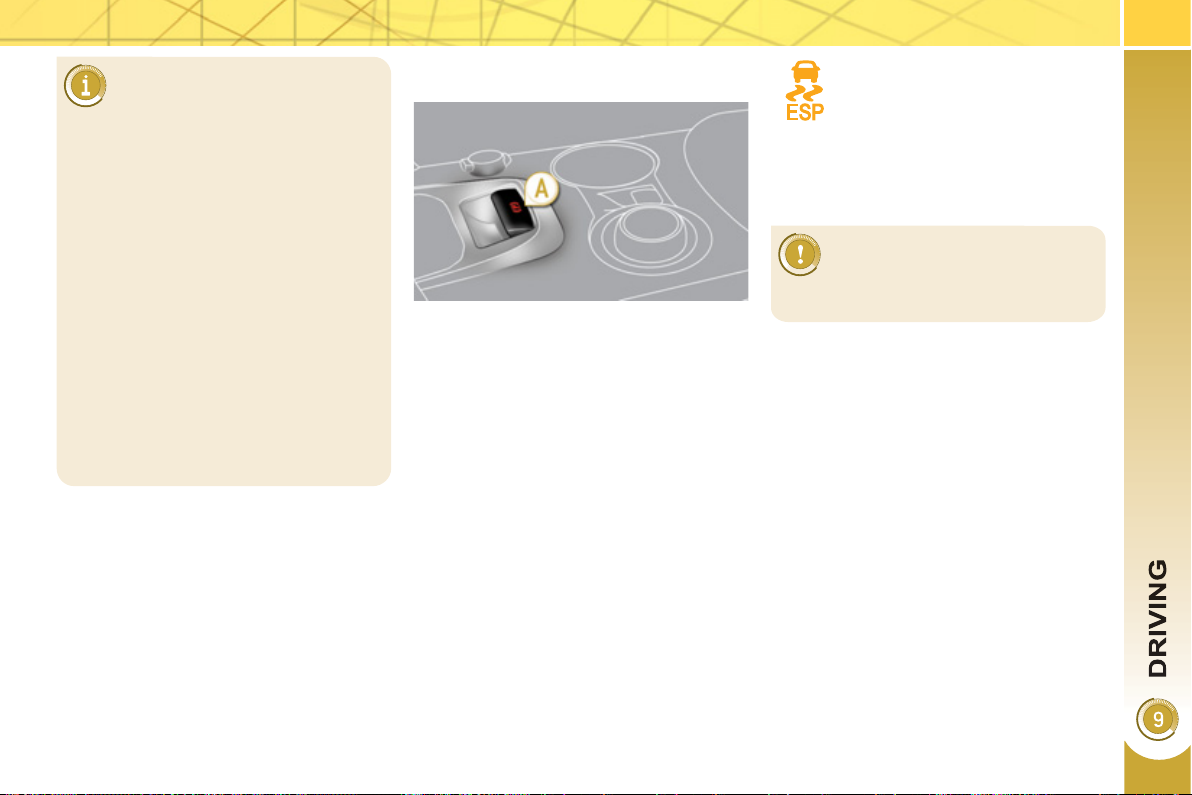
1
39
P
art
i
cu
l
ar s
i
tuat
i
ons
E
MERGENCY BRAKING
In the event of a failure of the main ser-
vice brake or in an exceptional situation
(e.g. driver taken ill, under instruction,
etc) a continuous pull on control le-
ver A will stop the vehicle .
The electronic stability programme
(ESP) provides stability during emer-
gency braking.
If the emergency braking malfunctions,
one of the following messages will be
displayed:
- "Parking brake faulty".
- "Parking brake control faulty".
In certain situations (e.g. starting the
engine), the parking brake can auto-
matically alter its force. This is nor-
mal operation.
To advance your vehicle a few cen-
timetres without starting the engine,
but with the ignition on, press on the
brake pedal and release the park-
ing brake by pulling then releasing
control lever A . The full release of
the parking brake is confi rmed by the
extinction of warning lamp in control
lever A and of the warning lamp in
the instrument panel and display of
the message "Handbrake off".
If the parking brake malfunctions
while applied or if the battery runs
fl at, an emergency release is always
possible.
If a failure of the ESP system is
signalled by illumination of this
warning lamp, then braking sta-
bility is not guaranteed.
The emergency braking must
only be used in exceptional
circumstances.
In this event, stability must be assured
by the driver by repeating alternate "pull
release" actions on control lever A .
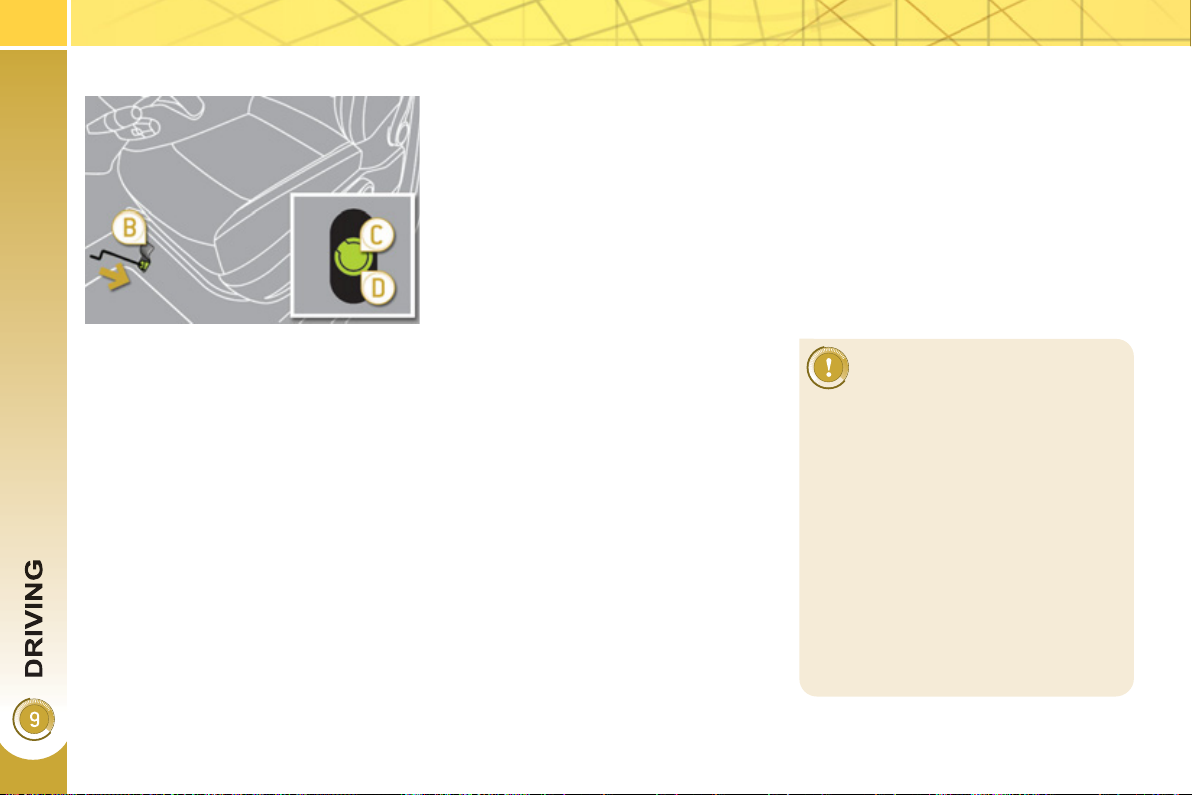
14
0
E
mer
g
enc
y
re
l
ease
For safety reasons, after this
manoeuvre it is essential to
contact a PEUGEOT dealer
urgently to replace the protec-
tive cover.
Following an emergency unlocking,
immobilisation of the vehicle is no
longer guaranteed once the manual
emergency release has been de-
ployed and the manual control does
not allow the re-application of your
parking brake.
Take no action, either on control le-
ver A , or stopping starting the engine
while the release device is engaged.
Take care not to allow moisture or
dust in the proximity of the protective
cover.
) Immobilise the vehicle (or keep
it stationary, if the brake pedal is
pressed), with the engine running,
by engaging gear lever position M
or R .
) Switch off the engine but leave the
ignition on. If it is impossible to im-
mobilise the vehicle, do not action
the control and urgently contact a
PEUGEOT dealer.
) Fetch the two vehicle blocks and
the release device, located under
the boot carpet (see "Changing a
wheel" in the "Practical information"
section).
) Immobilise the vehicle by placing
blocks in front and behind one of the
front wheels.
) Slide the front left-hand seat back
as far as possible.
) Lift up the fl oor plug B in the carpet
under the seat.
) Pierce the protective cover C on the
tube D with the release device.
)
Place the release device in the tube D .
) Turn the release device clockwise.
For safety reasons , it is essential
to continue turning the device as far
as it will go. The parking brake is re-
leased.
) Remove the release device and store
it with the blocks in the toolbox.
- The operation of the parking
brake reinitialises when the igni-
tion is switched off then on again.
If the reinitialisation of the parking
brake proves impossible, contact a
PEUGEOT dealer.
- The subsequent time required for
application may be longer than dur-
ing normal operation.
Front left seat moved back fully.
In the event of the electric parking brake
malfunctioning or the battery running
fl at, an emergency manual device can
release the parking brake.
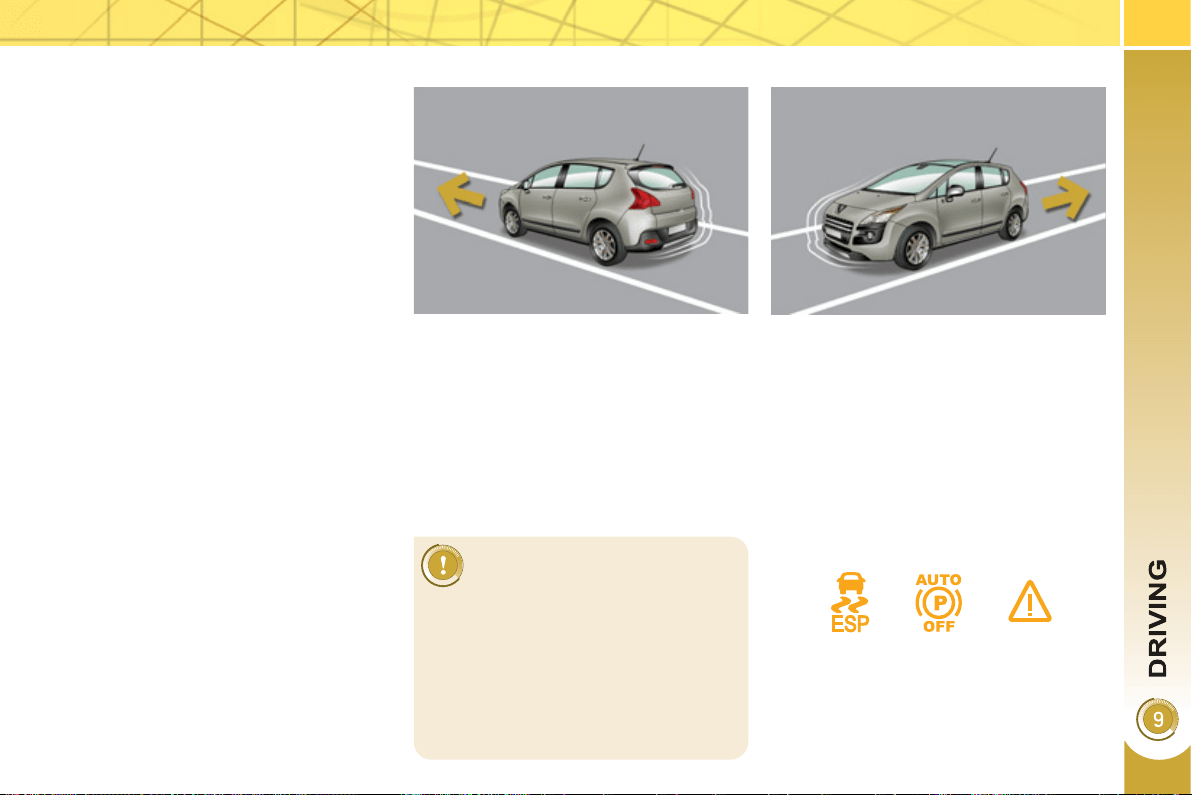
141
HILL START ASSIST
System which keeps your vehicle im-
mobilised temporarily (approximately
2 seconds) when starting on a gradi-
ent, the time it takes to move your foot
from the brake pedal to the accelerator
pedal.
This function is only active when:
- the vehicle is completely stationary,
with your foot on the brake pedal,
- in particular conditions on a slope,
- with the driver’s door closed.
The hill start assist function cannot be
deactivated.
Operation
On an ascending slope, with the ve-
hicle stationary, the vehicle is held
for a brief moment when you release
the brake pedal, if the gear lever is in
position A or M .
On a descending slope, with the vehicle
stationary and reverse gear engaged,
the vehicle is held for a brief moment
when you release the brake pedal.
Do not exit the vehicle while
it is being held in the hill start
assist phase.
If you need to exit the vehicle with
the engine running, apply the parking
brake manually then ensure that the
parking brake warning lamp and the
warning lamp P on the lever (of the
electric brake) are permanently on.
Operatin
g
fault
If a malfunction of the system occurs,
these warning lamps come on. Contact
a PEUGEOT dealer to have the system
checked.
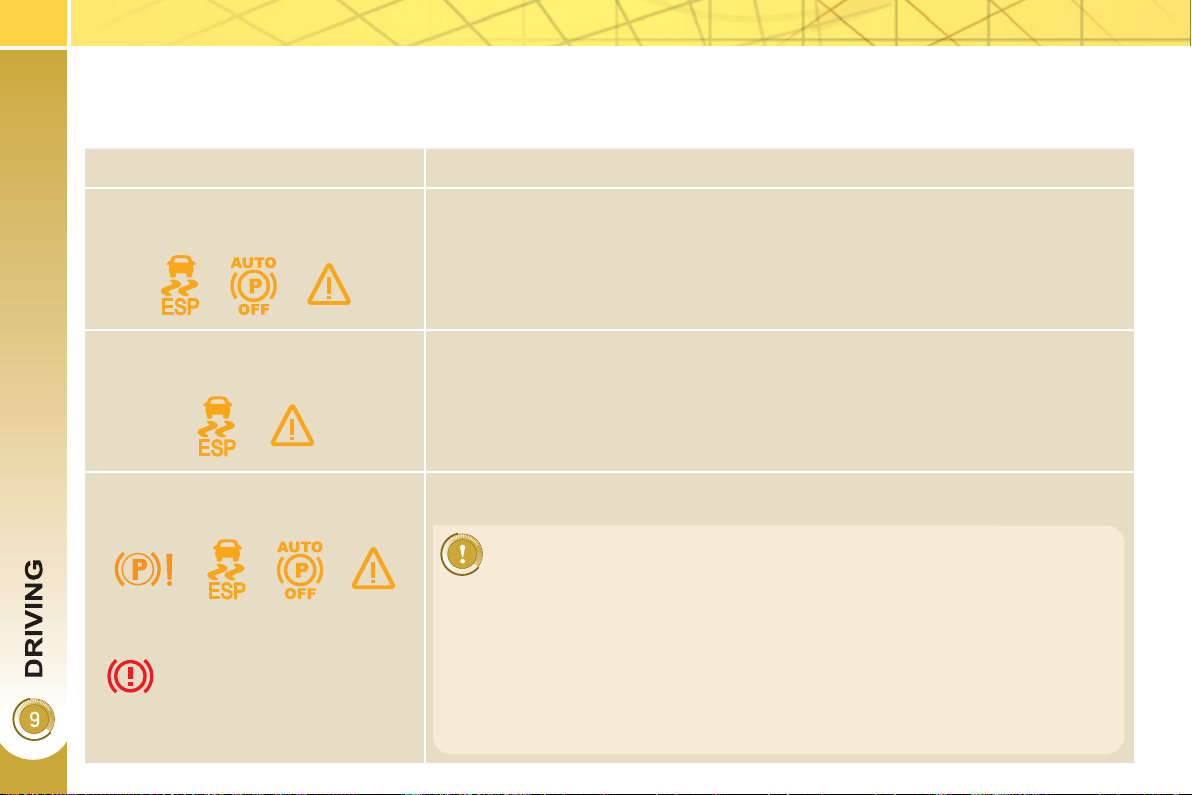
14
2
Operatin
g
faults
If the electric parking brake fault warning lamp comes on together with one or more of the warning lamps presented in these
tables, place the vehicle in a safe condition (on level ground, gear engaged) and contact a PEUGEOT dealer without delay.
Situations Consequences
Display of the message " Parking
brake fault " and of the following war-
ning lamps:
- The automatic functions are deactivated.
- Hill start assist is not available.
- The electric parking brake can only be used manually.
Display of the message " Parking
brake fault " and of the following war-
ning lamps:
- Manual release of the electric parking brake is only available by pressing the
accelerator pedal and releasing the control.
- Hill start assist is not available.
- The automatic functions and the manual application are still available.
Display of the message " Parking
brake fault " and of the following war-
ning lamps:
- The automatic functions are deactivated.
- Hill start assist is not available.
To apply the electric parking brake:
) Immobilise the vehicle and switch off the ignition.
) Pull the control for at least 5 seconds or until application is complete.
) Switch on the ignition and check the switching on of the electric parking brake
warning lamps.
The application is slower than during normal operation.
To release the electric parking brake:
) Switch on the ignition.
) Pull the control and hold it for approximately 3 seconds then release it.
If the braking warning lamp is fl ashing or if the warning lamps do not come on with
the ignition on, these procedures will not work. Place the vehicle on level ground
and have it checked by a PEUGEOT dealer.
and possibly
fl ashing
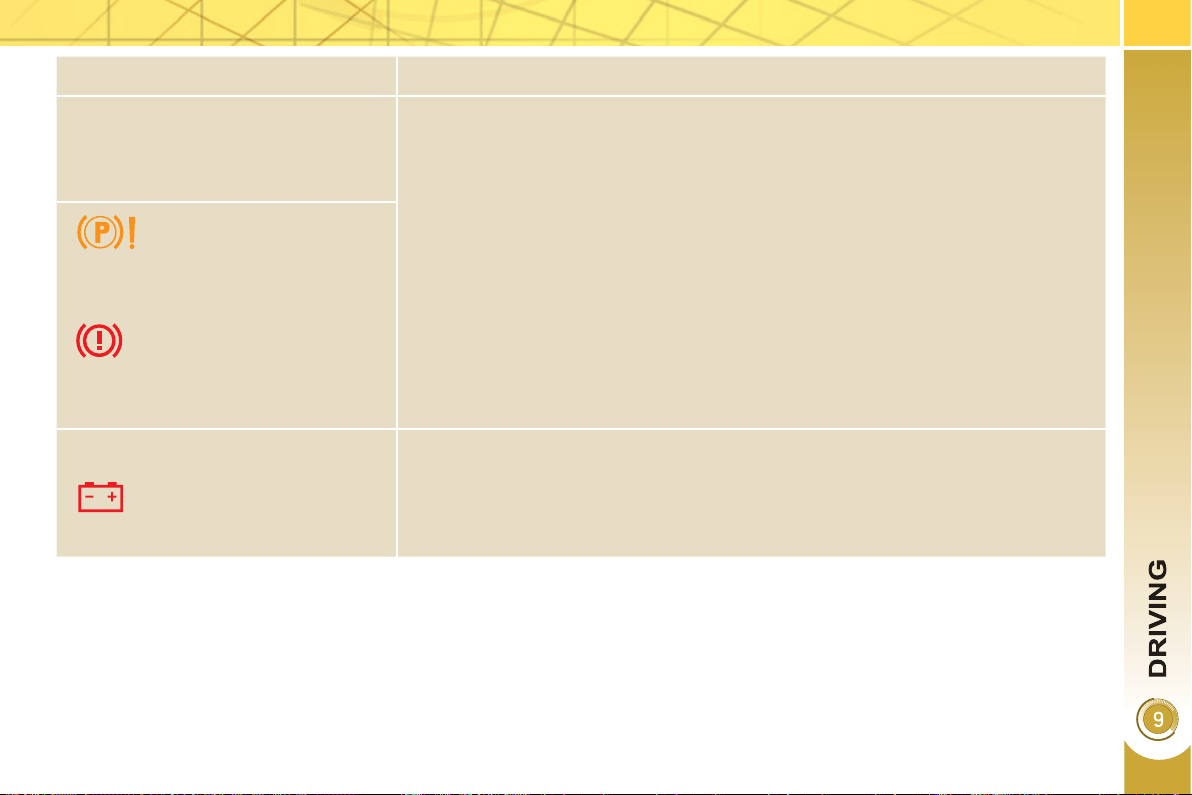
14
3
Situations Consequences
Display of the message " Parking
brake control fault - auto parking
brake activated " and of the following
warning lamps:
- Only the automatic application on switching off the engine and automatic re-
lease on acceleration functions are available.
- The manual application/release of the electric parking brake and the emer-
gency braking are not available.
and possibly
fl ashing
Battery fault - If the battery warning lamp comes on you must stop immediately as soon as
the traffi c allows. Stop and immobilise your vehicle (if necessary, place the
two chocks under the wheels).
- Apply the electric parking brake before switching off the engine.
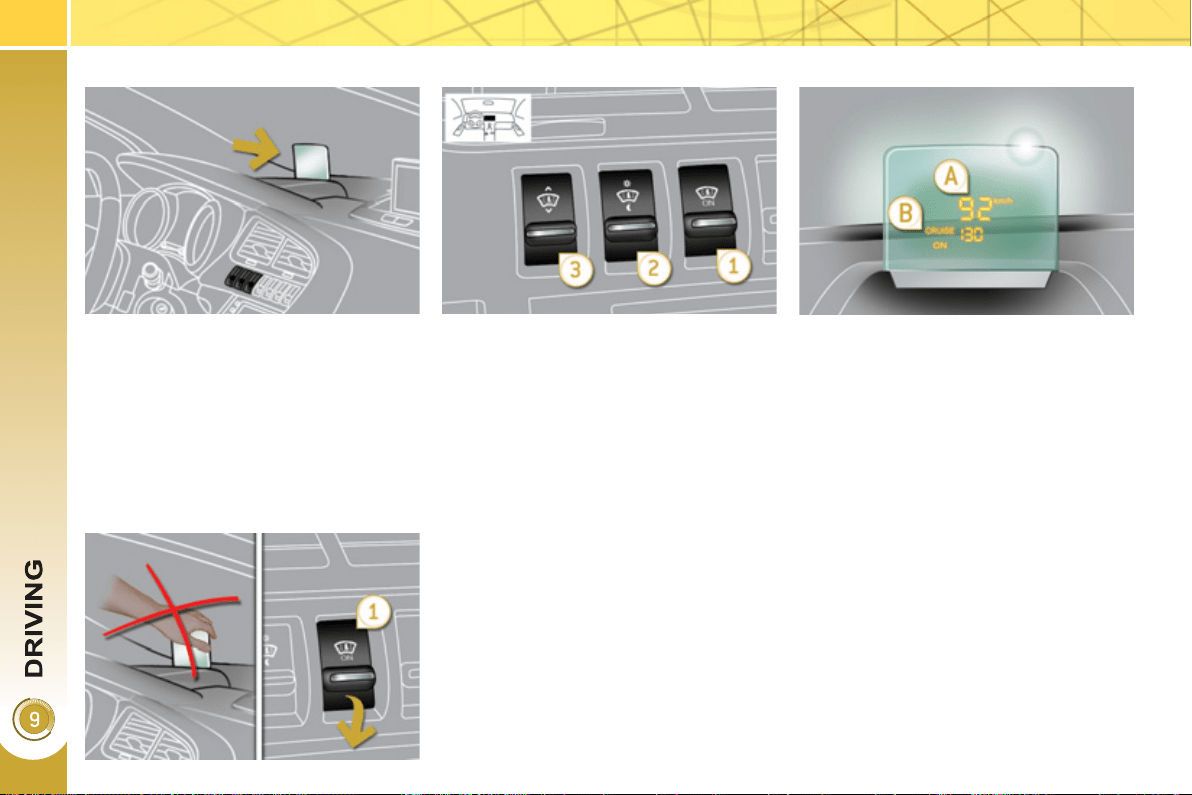
144
System which projects various informa-
tion onto a transparent strip in the fi eld
of vision of the driver so that they do not
have to take their eyes off the road.
This system operates with the ignition on
and the Ready lamp on; the settings are
stored when the ignition is switched off.
HEAD-UP DISPLAY
1. Head-up display on/off.
2. Brightness adjustment.
3. Display height adjustment.
The strip is activated by pressing one of
the buttons.
Once the system has been activated,
the following information is grouped
together in the head-up display:
A. The speed of your vehicle.
B.
Cruise control/speed limiter information.
B
uttons
Di
sp
l
a
y
s
d
ur
i
n
g
operat
i
on
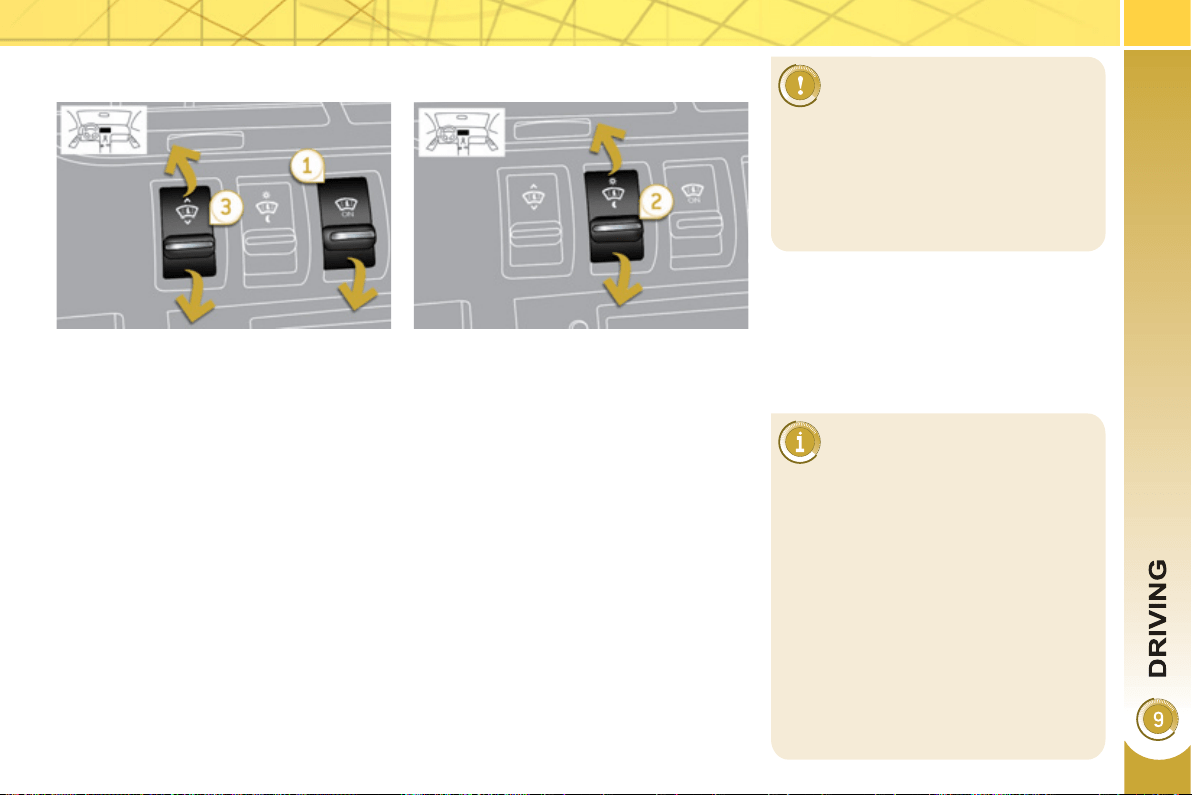
14
5
In certain extreme weather
conditions (rain and/or snow,
bright sunshine, ...) the head-
up display may not be legible or may
suffer temporary interference.
Certain glasses (sunglasses, specta-
cles or polarised lenses) may hamper
reading of the information.
To clean the transparent strip, which
is made of organic glass, use a clean,
soft cloth (such as a spectacles cloth
or microfi bre cloth). Do not use a dry
or abrasive cloth or detergent or sol-
vent products as these could scratch
the strip or damage the anti-refl ec-
tion coating.
We recommend that adjust-
ments are only made using
these buttons when the vehicle
is stationary.
When stationary or while driving, no
objects should be placed around the
transparent strip (or on its cover) to
avoid blocking the strip output and
preventing its correct operation.
) Press button 1 . The activated/deac-
tivated status when the engine was
switched off is retained when the
engine is switched on again.
H
e
igh
t a
dj
ustment
) Adjust the display to the required
height using button 3 :
- up to move the display up,
- down to move the display down.
A
ctivation
/
Deactivation
B
r
igh
tness a
dj
ustment
) Adjust the brightness of the informa-
tion using button 2 :
- up to increase the brightness,
- down to decrease the brightness.
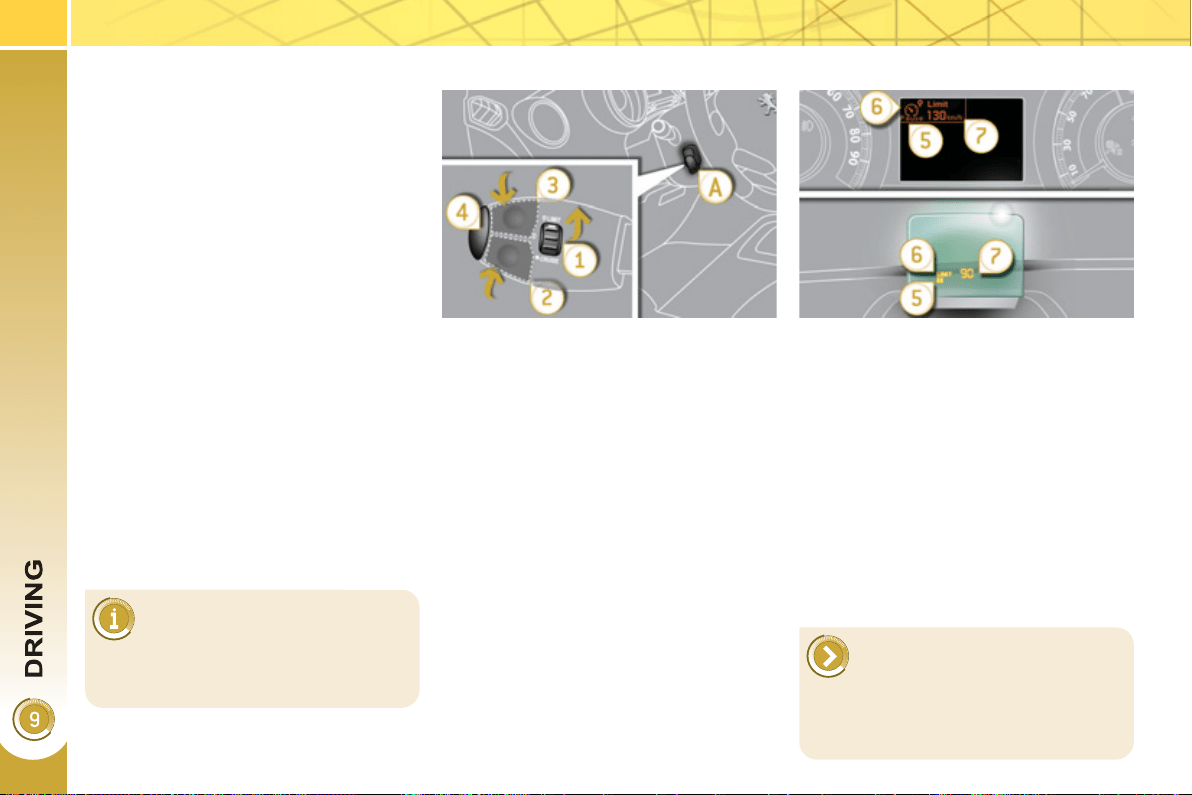
14
6
SPEED LIMITER
The controls of this system are grouped
together on stalk A .
1. Speed limiter mode selection dial
2. Programmed value decrease button
3. Programmed value increase button
4. Speed limiter on/off button
The programmed information is grouped
together on the instrument panel screen.
5. Speed limiter on/off indication
6.
Speed limiter mode selection indication
7. Programmed speed value
Steerin
g
mounted controls
Di
sp
l
a
y
s
i
n t
h
e
i
nstrument pane
l
The speed limiter cannot, in any
circumstances, replace the need
to observe speed limits, nor can
it replace the need for vigilance and re-
sponsibility on the part of the driver.
The speed limiter is switched on man-
ually: it requires a programmed speed
of at least 20 mph (30 km/h).
The speed limiter is switched off by
manual operation of the control.
The programmed speed remains in the
memory when the ignition is switched
off.
This information also appears
in the head-up display.
For more information on the head-up
display, refer to the relevant page in
this "Driving" section.
System which prevents the vehicle from
exceeding the speed programmed by
the driver.
When the programmed speed limit is
reached, pressing the accelerator ped-
al no longer has any effect unless it is
pressed fi rmly, which permits temporary
exceeding of the programmed speed.
To return to the programmed speed,
simply slow down to a speed below the
programmed speed by releasing the ac-
celerator.
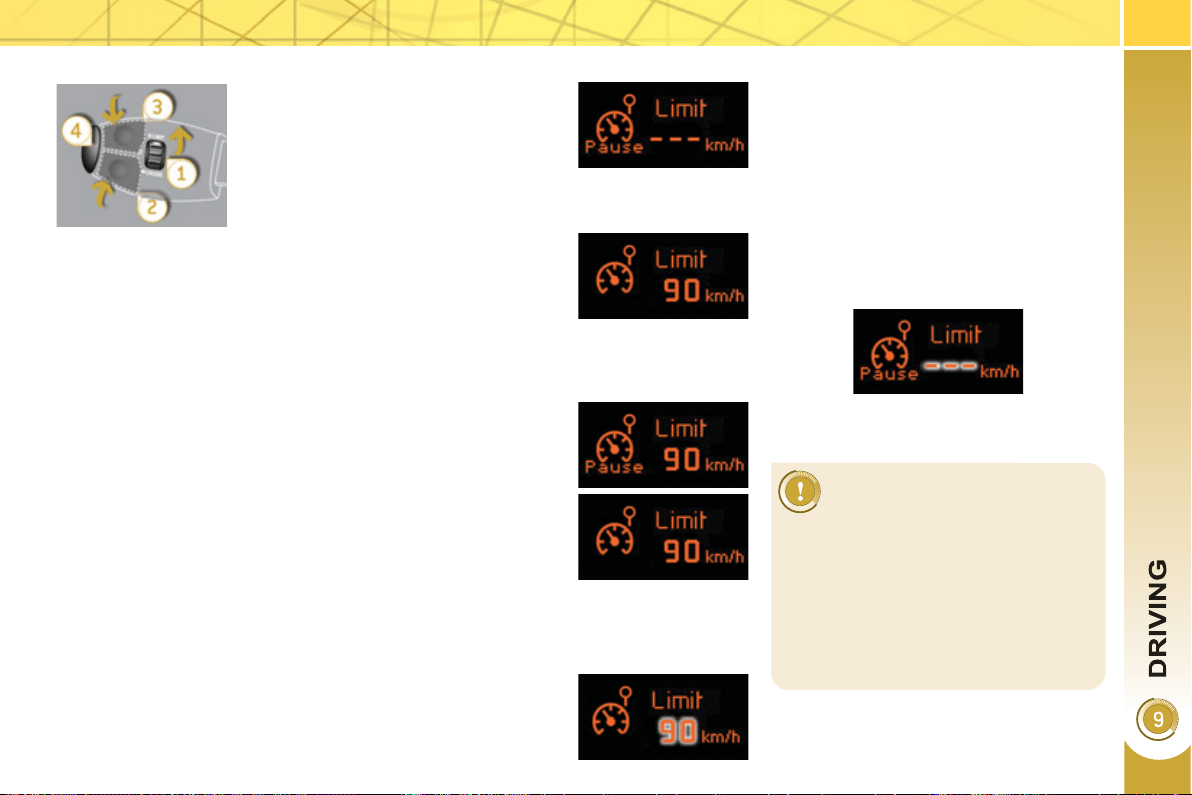
147
On a steep descent or in the
event of sharp acceleration,
the speed limiter will not be
able to prevent the vehicle from ex-
ceeding the programmed speed.
To avoid any risk of jamming of the
pedals:
- ensure that the mat is positioned
correctly,
- do not fi t one mat on top of an-
other.
P
ro
g
ramm
i
n
g
E
xcee
di
n
g
t
h
e pro
g
ramme
d
spee
d
Pressing the accelerator pedal to exceed the programmed
speed will not have any effect unless you press the pedal
fi rmly past the point of resistance .
The speed limiter is deactivated temporarily and the pro-
grammed speed, which is still displayed, fl ashes.
Returning to the programmed speed, by means of intention-
al or unintentional deceleration of the vehicle, automatically
cancels the fl ashing of the programmed speed.
R
eturn to norma
l
d
r
i
v
i
n
g
) Turn dial 1 to the "0" position: the
speed limiter mode is deselected.
The display returns to the distance
recorder.
Operatin
g
fault
In the event of a speed limiter malfunc-
tion, the speed is cleared resulting in
fl ashing of the dashes.
Have the system checked by a PEUGEOT
dealer.
) Switch the speed limiter off by pressing button 4 : the dis-
play confi rms that it has been switched off (OFF).
) Switch the speed limiter back on by pressing button 4
again.
) Set the speed value by pressing button 2 or 3 (e.g.:
55 mph (90 km/h)).
You can then change the programmed speed using buttons 2
and 3 :
- by + or - 1 mph (km/h) = short press,
- by + or - 5 mph (km/h) = long press,
- in steps of + or - 5 mph (km/h) = maintained press.
) Switch the speed limiter on by pressing button 4 .
) Turn dial 1 to the "LIMIT" position:
the speed limiter mode is selected
but is not switched on (OFF).
You do not have to switch the speed
limiter on in order to set the speed.
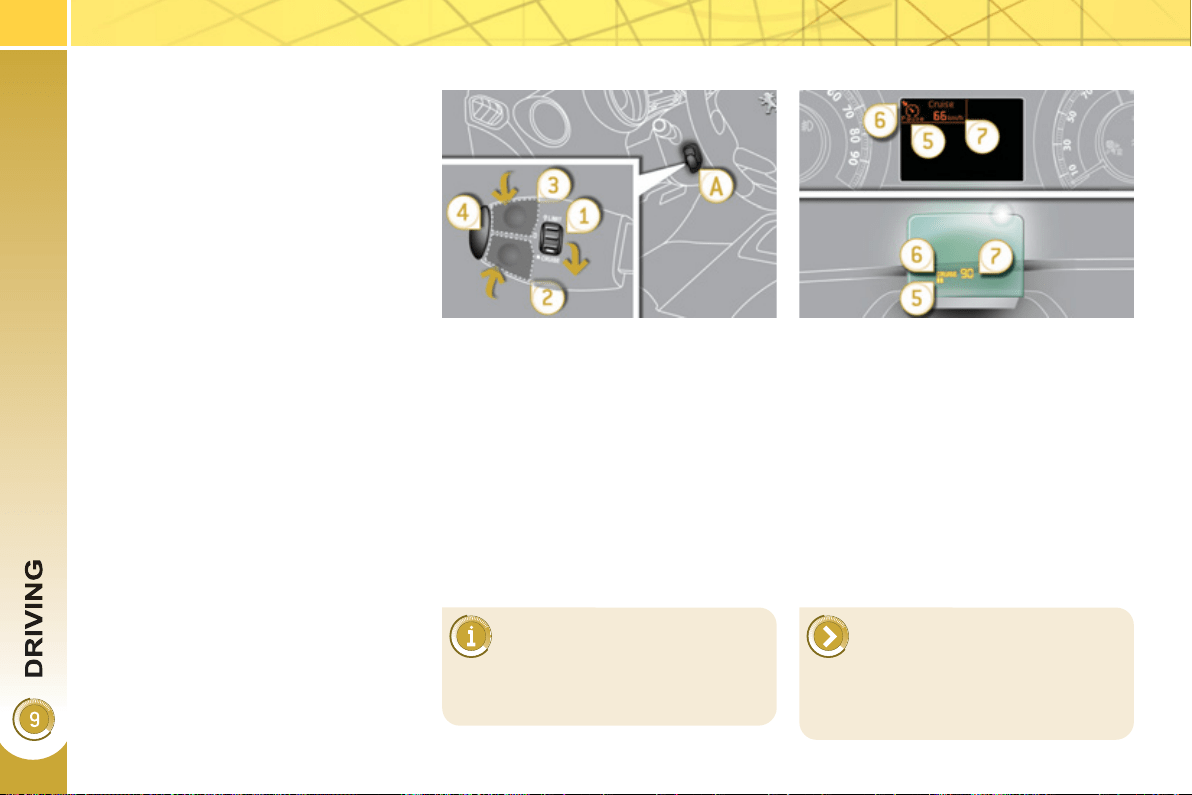
14
8
CRUISE CONTROL
System which automatically maintains
the speed of the vehicle at the value
programmed by the driver, without any
action on the accelerator pedal.
Cruise control is switched on manual-
ly: it requires a minimum vehicle speed
of 25 mph (40 km/h) and the engage-
ment of:
- second gear on the electronic gear
control gearbox, in sequential driv-
ing mode,
- position A on the electronic gear
control gearbox.
The controls of this system are grouped
together on stalk A .
1. Cruise control mode selection dial
2. Speed programming/programmed
value decrease button
3. Speed programming/programmed
value increase button
4. Cruise control off/resume button
The programmed information is grouped
together on the instrument panel screen.
5. Cruise control off/resume indication
6. Cruise control mode selection indi-
cation
7. Programmed speed value
Steerin
g
mounted controls
Di
sp
l
a
y
s
i
n t
h
e
i
nstrument pane
l
The cruise control cannot, in any
circumstances, replace the need
to observe speed limits, nor can
it replace the need for vigilance and re-
sponsibility on the part of the driver.
Cruise control is switched off manually
or by pressing the brake or clutch pedal
or on triggering of the ESP system for
safety reasons.
It is possible to exceed the programmed
speed temporarily by pressing the ac-
celerator pedal.
To return to the programmed speed,
simply release the accelerator pedal.
Switching off the ignition cancels any
programmed speed value.
This information also appears
in the head-up display.
For more information on the head-up
display, refer to the relevant page in
this "Driving" section.
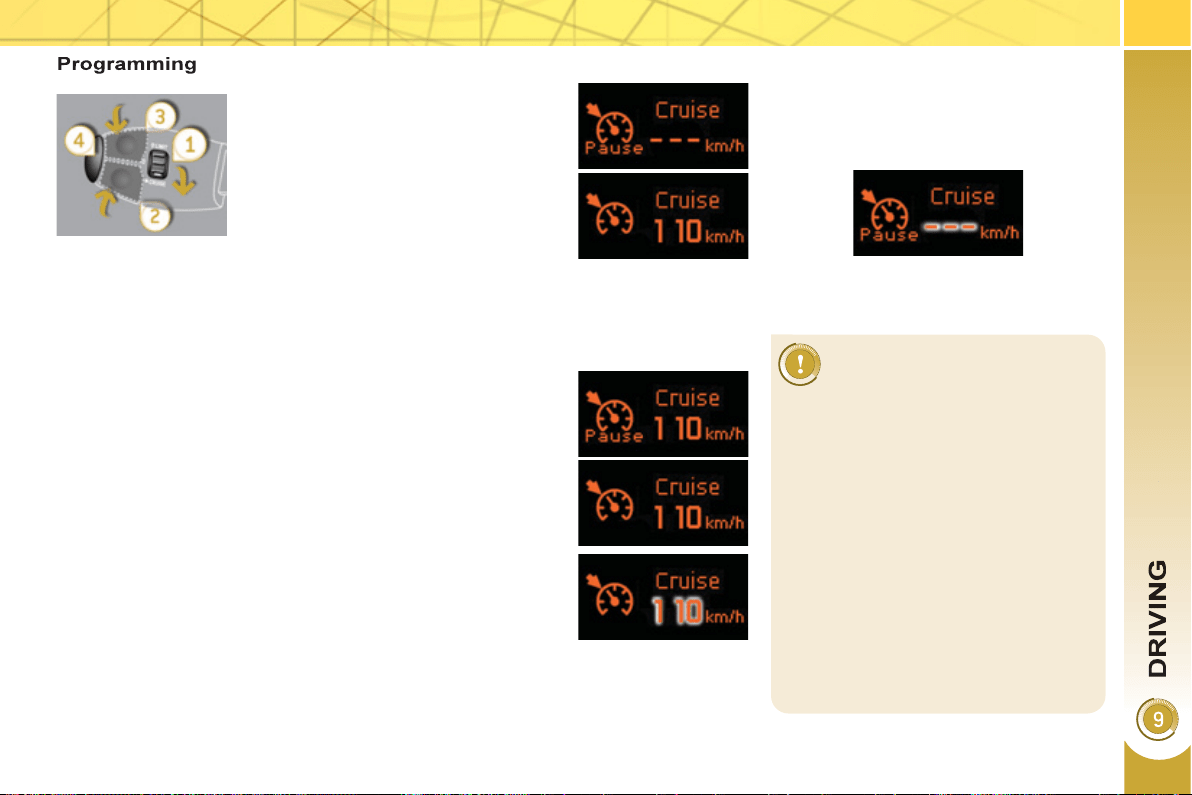
14
9
When the cruise control is
switched on, be careful if you
maintain the pressure on one
of the programmed speed changing
buttons: this may result in a very rapid
change in the speed of your vehicle.
Do not use the cruise control on slip-
pery roads or in heavy traffi c.
On a steep descent, the cruise con-
trol will not be able to prevent the
vehicle from exceeding the pro-
grammed speed.
To avoid any risk of jamming of the
pedals:
- ensure that the mat is positioned
correctly,
- never fi t one mat on top of another.
E
xcee
di
n
g
t
h
e pro
g
ramme
d
spee
d
Intentional or unintentional exceeding of the programmed
speed results in fl ashing of this speed in the screen.
Return to the programmed speed, by means of intentional or
unintentional deceleration of the vehicle, automatically can-
cels the fl ashing of the speed.
Return to normal drivin
g
) Turn dial 1 to the "0" position: the cruise control mode is
deselected. The display returns to the distance recorder.
Operatin
g
fault
In the event of a cruise control malfunc-
tion, the speed is cleared resulting in
fl ashing of the dashes.
Have it checked by a PEUGEOT dealer.
) Set the programmed speed by ac-
celerating to the required speed,
then press button 2 or 3 (e.g.:
70 mph (110 km/h)).
) Switch off the cruise control by pressing button 4 : the
display confi rms that it has been switched off (OFF).
) Switch the cruise control back on by pressing button 4
again.
You can then change the programmed speed using buttons 2
and 3 :
- by + or - 1 mph (km/h) = short press,
- by + or - 5 mph (km/h) = long press,
- in steps of + or - 5 mph (km/h) = maintained press.
) Turn dial 1 to the "CRUISE" po-
sition: the cruise control mode is
selected but is not switched on
(OFF).
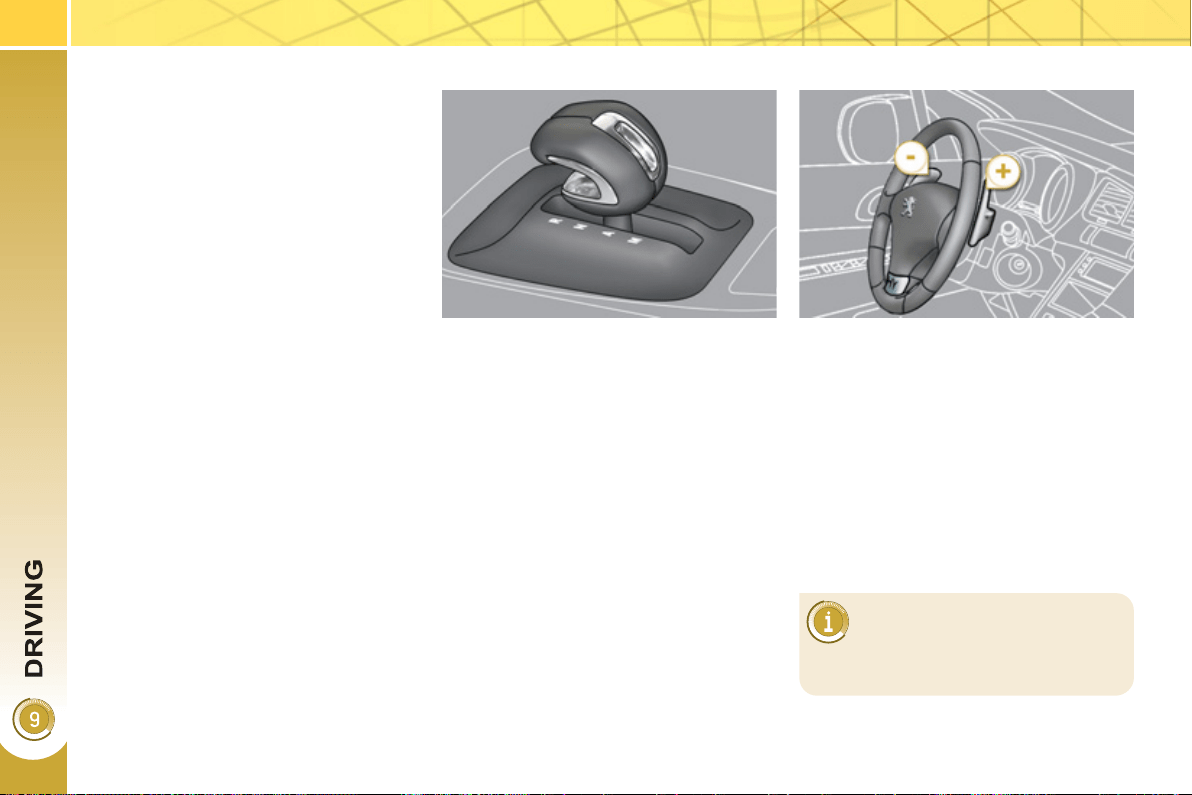
1
50
6-SPEED ELECTRONIC
G
EAR CONTROL GEARBOX
Gear lever
Lift the gear knob to move to position R
or M .
R. Reverse
) With your foot on the brake, move the
lever upwards to select this position.
N. Neutral.
) With your foot on the brake, select
this position to start.
A. Automatic mode.
) Move the lever downwards to select
this mode.
M. Sequential mode with manual
changing of the gears at the steer-
ing wheel.
Steerin
g
mounted controls
+. Change up paddle to the right of the
steering wheel.
) Press the back of the "+" steering
mounted paddle to change up a
gear.
-. Change down paddle to the left of
the steering wheel.
) Press the back of the "-" steering
mounted paddle to change down a
gear.
The steering mounted paddles
do not permit the selection of
neutral or the engaging or dis-
engaging of reverse gear.
Six-speed electronic gear control gear-
box which offers a choice between the
comfort of fully automatic operation or
the pleasure of manual gear changing.
Three driving modes are offered:
- automatic mode for automatic con-
trol of the gears by the gearbox,
- sequential mode for manual chang-
ing of the gears by the driver,
- auto sequential mode to overtake,
for example, remaining in automatic
mode while using the functions of
the sequential mode.
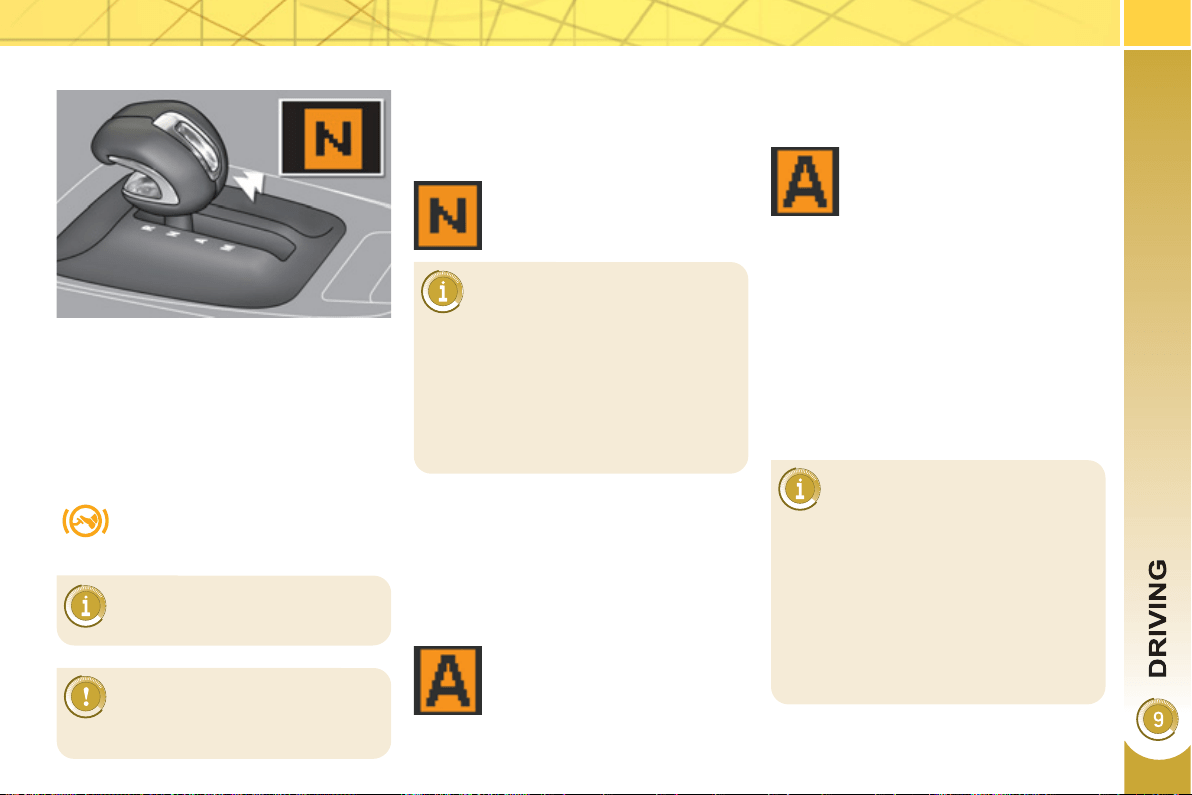
1
51
Di
sp
l
a
y
s
i
n t
h
e
i
nstrument pane
l
Gear lever positions
N. Neutral
R. Reverse
1, 2, 3, 4, 5, 6. Gears in sequential mode
AUTO. This comes on when the au-
tomatic mode is selected. It
switches off on changing to se-
quential mode.
Movin
g
off
)
Place your foot on the brake
when this warning lamp fl ashes
(e.g.: when starting the engine).
) Select position N .
N appears in the instrument panel
screen.
) Press the brake pedal down fully.
) Select fi rst gear (position M or A ) or
reverse (position R ).
) Take your foot off the brake pedal,
then accelerate.
) Release the parking brake unless it
is programmed to automatic mode.
AUTO or R appears in the in-
strument panel screen.
N fl ashes in the instrument
panel, accompanied by an au-
dible signal and a message in
the multifunction screen, if the gear
lever is not in position N on starting.
Foot on brake fl ashes in the instru-
ment panel, accompanied by an au-
dible signal and a message in the
multifunction screen, if the brake
pedal is not pressed on starting.
There is an audible signal
when reverse gear is en-
gaged.
) Start the engine.
Sequential mode
) When the vehicle has moved off,
select position M to change to
sequential mode.
AUTO disappears and the
gears engaged appear in
succession in the instrument
panel screen.
The gear change requests are only car-
ried out if the engine speed permits.
It is not necessary to release the accel-
erator during gear changes.
When braking or slowing down, the
gearbox changes down automatically to
permit reacceleration of the vehicle in
the correct gear.
At very low speed, if reverse
gear is requested, this will only
be taken into account when
the vehicle is immobilised. The Foot
on brake warning lamp may fl ash on
the instrument panel to prompt you
to brake.
At high speed, if reverse gear is re-
quested, the N indicator lamp will
fl ash and the gearbox will change to
neutral automatically. To engage a
gear again, return the lever to posi-
tion A or M .
If you leave the vehicle, place
the lever in position N and you
must switch off the engine
( Ready lamp off).
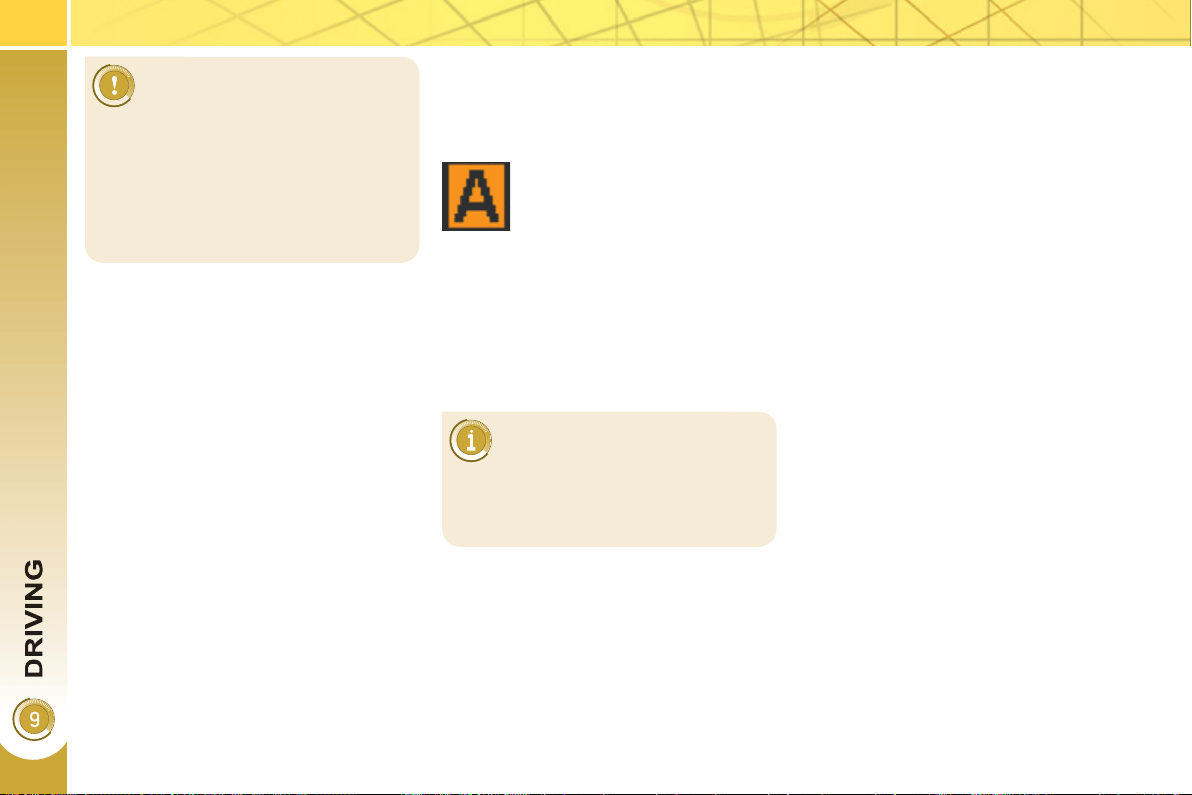
1
52
The gearbox is then operating in auto-
active mode, without any action on the
part of the driver. It continuously selects
the most suitable gear in relation to the
following parameters:
- style of driving,
- profi le of the road.
AUTO and the gear engaged
appear in the instrument panel
screen.
A
utomat
i
c mo
d
e
) Following use of the sequential
mode, select position A to return to
the automatic mode.
"A
uto sequent
i
a
l
mo
d
e
"
This mode enables you to overtake, for
example, remaining in automatic mode
while using the functions of the sequen-
tial mode.
) Operate the + or - steering mounted
paddle.
The gearbox engages the gear requested
if the engine speed permits. AUTO is still
displayed in the instrument panel.
After a few moments without any action
on the controls, the gearbox resumes
automatic control of the gears.
On sharp acceleration, the
gearbox will not change up
unless the driver acts on the
gear lever or the steering mounted
paddles.
Never select neutral N while the ve-
hicle is moving.
Only engage reverse gear R when
the vehicle is immobilised with the
brake pedal pressed.
For optimum acceleration, for
example when overtaking an-
other vehicle, press the accel-
erator pedal fi rmly past the point of
resistance.
1
53
Stoppin
g
the vehicle
It is essential to press the
brake pedal when starting the
engine.
When parking, is it essential to apply
the parking brake to immobilise the
vehicle, whatever the circumstances.
When immobilising the vehi-
cle, with the engine running, it
is essential to place the gear
lever in neutral N .
Before doing anything in the engine
compartment, check that the gear le-
ver is in neutral N , the parking brake
is applied, the ignition is off and the
Ready lamp is off.
Before switching off the engine, you can
choose to:
- move to position N to engage neutral,
- leave the gear engaged; in this
case, it will not be possible to move
the vehicle.
In both cases, it is essential that you ap-
ply the parking brake to immobilise the
vehicle.
Move off and drive, without
a
cce
l
erat
i
n
g
- put the gear lever in position N so as
to be in neutral,
- press the brake pedal,
- place the levier in position A , R or
M and release the brake. the vehicle
moves off and runs at about 3 mph
(5 km/h) without accelerating.
This function does not operate
on slopes greater than about
5 %.
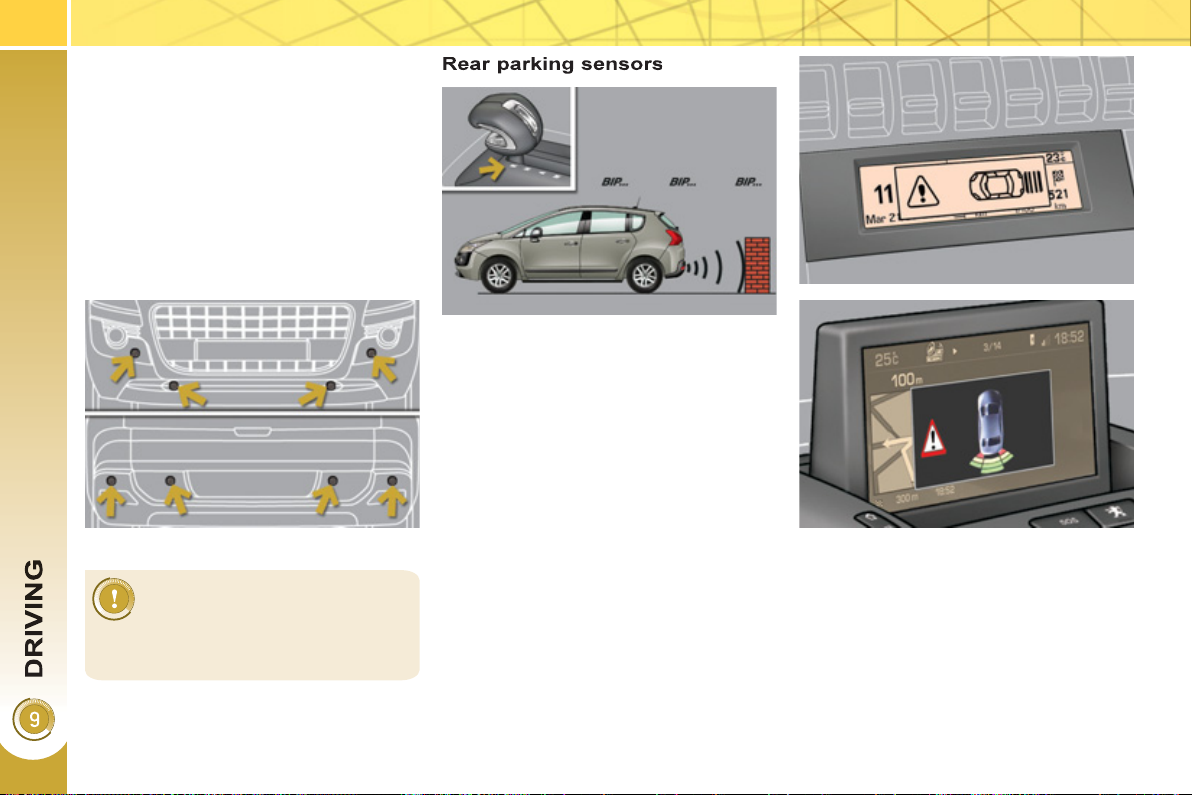
1
5
4
P
ARKING SENSORS
This system indicates the proximity of an
obstacle (person, vehicle, tree, gate, etc.)
which comes within the fi eld of detection
of sensors located in the bumper.
Certain types of obstacle (stake, road-
works cone, etc.) detected initially will
no longer be detected at the end of the
manoeuvre due to the presence of blind
spots.
This function cannot, in any
circumstances, take the place
of the vigilance and responsi-
bility of the driver.
The system is switched on by engaging
reverse gear. This is accompanied by
an audible signal.
The system is switched off when you
exit reverse gear.
Audible assistance
The proximity information is given by an
intermittent audible signal, the frequency
of which increases as the vehicle ap-
proaches the obstacle.
The sound emitted by the speaker (right
or left) indicates the side on which the
obstacle is located.
When the distance between the vehicle
and the obstacle becomes less than ap-
proximately thirty centimetres, the audi-
ble signal becomes continuous.
Visual assistance
This supplements the audible signal
by displaying bars in the multifunction
screen which move progressively near-
er to the vehicle. When the obstacle is
near, the "Danger" symbol is also dis-
played in the screen.
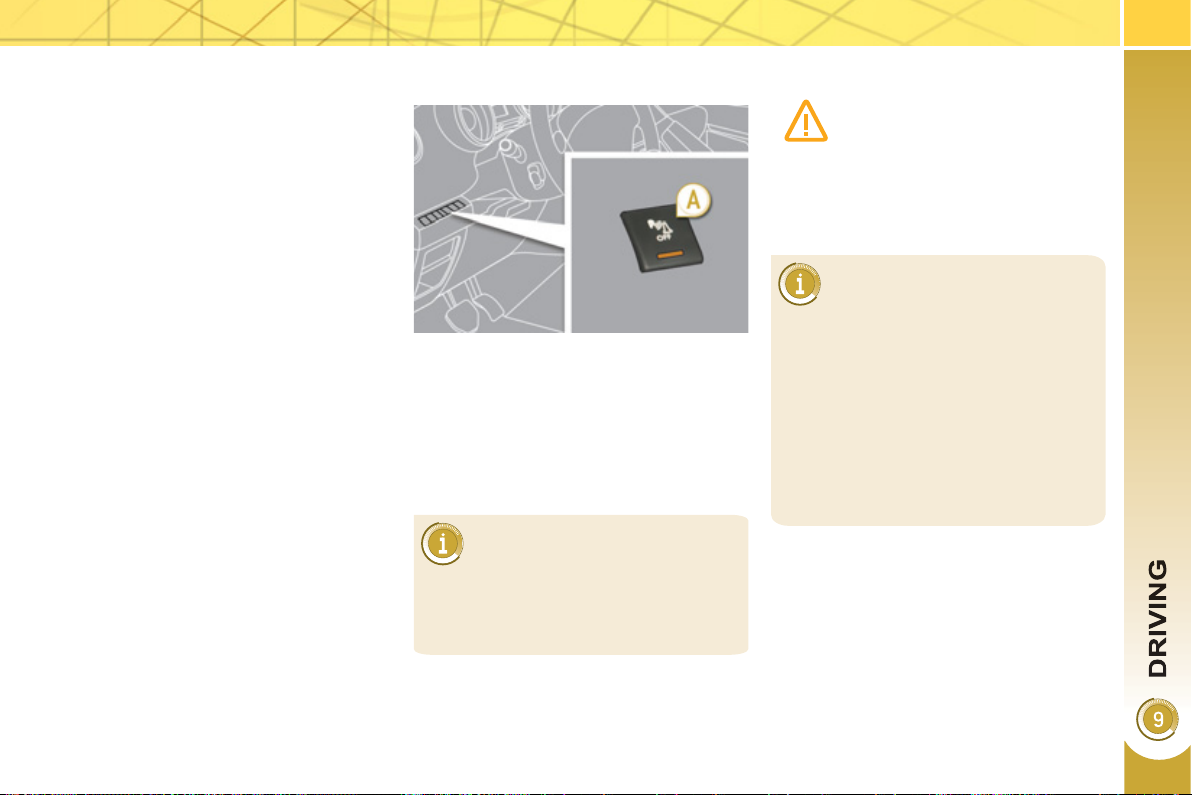
1
55
In addition to the rear parking sensors,
the front parking sensors are triggered
when an obstacle is detected in front
and the speed of the vehicle is still be-
low 6 mph (10 km/h).
The sound emitted by the speaker (front
or rear) indicates whether the obstacle
is in front or behind.
The front parking sensors are inter-
rupted if the vehicle stops for more than
three seconds in forward gear, if no
further obstacles are detected or when
the speed of the vehicle exceeds 6 mph
(10 km/h).
F
ront par
ki
n
g
sensors
Deactivation/Activation of the front
and rear parking sensors
The function is deactivated by pressing
this button. The indicator lamp in the
button comes on.
Pressing this button again reactivates
the function. The indicator lamp in the
button goes off.
Operating fault
The function will be deactivated
automatically if a trailer is being
towed or a bicycle carrier is fi tted
(vehicle fi tted with a towbar or bicycle
carrier recommended by PEUGEOT).
In bad weather or in winter, en-
sure that the sensors are not
covered with mud, ice or snow.
When reverse gear is engaged, an
audible signal (long beep) indicates
that the sensors may be dirty.
When the vehicle is moving at a
speed below 6 mph (10 km/h), cer-
tain sound sources (motorcycle, lorry,
pneumatic drill, etc.) may trigger the
audible signals of the parking sensor
system.
In the event of a malfunction
of the system, when reverse
gear is engaged this warning
lamp is displayed in the instru-
ment panel and/or a message
appears in the screen, accompanied by
an audible signal (short beep).
Contact a PEUGEOT dealer or a quali-
fi ed workshop.
CHECKS
1
56
Innovation at the service of performance
The TOTAL Research and Development teams
develop lubricants for PEUGEOT which satisfy
the requirements of the latest technical innova-
tions incorporated in PEUGEOT vehicles.
This ensures that you obtain the best perfor-
mance for your engine.
Optimum protection for your engine
By maintaining your PEUGEOT vehicle using
TOTAL lubricants, you contribute to increasing
the longevity and performance of your engine
while protecting the environment.
RECOMMENDS
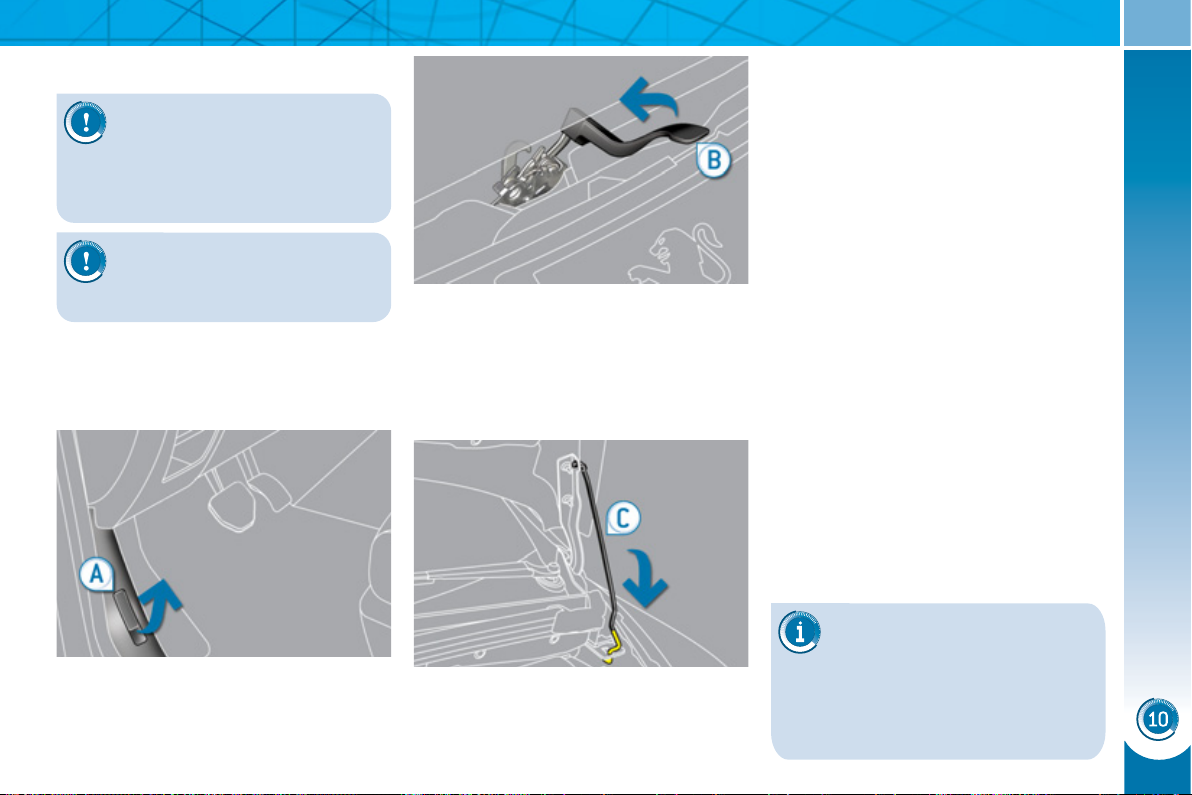
CHECKS
1
57
BONNET
) Push the exterior safety catch B to
the left and raise the bonnet.
) Unclip the stay C from its housing.
) Fix the stay in the notch to hold the
bonnet open.
Closing
) Take the stay out of the support
notch.
) Clip the stay in its housing.
) Lower the bonnet and release it at
the end of its travel.
) Pull on the bonnet to check that it is
secured correctly.
Opening
The location of the interior
bonnet release lever prevents
opening of the bonnet while
the front left door is closed.
When the engine is hot, handle the
exterior safety catch and the bonnet
stay with care (risk of burns).
Before doing anything under
the bonnet, switch off the igni-
tion ( Ready lamp off) to avoid
any risk of injury resulting from auto-
matic operation of the engine.
) Open the front left door.
) Pull the interior bonnet release
lever A , located at the bottom of the
door aperture.
Never touch, handle or remove
the orange "high voltage" cables.
CHECKS
1
58
RUNNING OUT OF FUEL
(
DIESEL
)
The fuel system must be primed if you
run out of fuel; refer to the engine com-
partment view on the "Diesel engine"
page.
If the engine does not start fi rst time,
don't keep trying.
Operate the priming pump again, then
the starter motor.
2 litre Turbo HDI engine
) Fill the fuel tank with at least fi ve
litres of Diesel.
) Open the bonnet.
) Unclip the style cover for access to
the priming pump.
) Slacken the bleed screw.
) Squeeze and release the priming
pump repeatedly until fuel appears
in the transparent pipe with the
green connector.
) Retighten the bleed screw.
) Operate the starter until the engine
starts.
) Put the style cover back in position
and clip it in place.
) Close the bonnet.
Before doing anything under
the bonnet, switch off the igni-
tion ( Ready lamp off) to avoid
any risk of injury resulting from auto-
matic operation of the motor.

CHECKS
1
59
D
IE
S
EL ENGINE
The various caps and covers allow access for checking the levels of the various fl uids, for replacing certain components and
for priming the fuel system.
1. Power steering reservoir.
2. Screenwash and headlamp wash
reservoir.
3. Coolant reservoir.
4. Brake fl uid reservoir.
5. Battery/Fuses.
6. Fusebox.
7. Air fi lter.
8. Engine oil dipstick.
9. Engine oil fi ller cap.
10. Priming pump.
11. Bleed screw.
CHECKS
1
60
CHECKING LEVELS
Brake fluid level
On vehicles which are fi tted with a par-
ticle emission fi lter, the fan may oper-
ate after the vehicle has been switched
off, even if the engine is cold.
In addition, as the cooling system is
pressurised, wait at least one hour after
switching off the engine before carrying
out any work.
To avoid any risk of scalding, unscrew
the cap by two turns to allow the pres-
sure to drop. When the pressure has
dropped, remove the cap and top up
the level.
Oil level
The reading will only be correct
if the vehicle is on level ground
and the engine has been off for
more than 15 minutes.
The check is carried out either when the
ignition is switched on using the oil level
indicator on the instrument panel, or us-
ing the dipstick.
The brake fl uid level should be
close to the "MAX" mark. If it is
not, check the brake pad wear.
Changing the fl uid
Refer to the Warranty and Maintenance
Record for details of the interval for this
operation.
Power steering fluid level
The power steering fl uid level
should be close to the "MAX"
mark. Unscrew the cap, with the
engine cold, to check the level.
Screenwash and headlamp
wash fluid
In the case of vehicles fi tted
with headlamp washers, the
minimum level of this fl uid is
indicated by an audible signal
and a message on the multi-
function screen.
Top up the level when you stop the ve-
hicle.
Engine oil change
Refer to the Warranty and Maintenance
Record for details of the interval for this
operation.
In order to maintain the reliability of the
engine and emission control system,
the use of additives in the engine oil is
prohibited.
Oil specifi cation
The oil must correspond to your engine
and conform to the manufacturer's rec-
ommendations.
Fluid specifi cation
The brake fl uid must conform to the
manufacturer's recommendations and
fulfi l the DOT4 standards.
Changing the coolant
The coolant does not have to be
changed.
Fluid specifi cation
For optimum cleaning and to avoid
freezing, this fl uid must not be topped
up with or replaced with plain water.
Coolant level
The coolant level should be
close to the "MAX" mark but
should never exceed it.
When the engine is warm, the tempera-
ture of the coolant is regulated by the
fan. This can operate with the ignition off.
Fluid specifi cation
The coolant must conform to the manu-
facturer's recommendations.
When working under the bon-
net, take care, as certain areas
of the engine may be extreme-
ly hot (risk of burns).
Before doing anything under
the bonnet, switch off the igni-
tion ( Ready lamp off) to avoid
any risk of injury resulting from auto-
matic operation of the motor.
Check all of these levels regularly and
top them up if necessary, unless other-
wise indicated.
If a level drops signifi cantly, have the
corresponding system checked by a
PEUGEOT dealer.
CHECKS
1
61
Avoid prolonged contact of
used oil or fl uids with the skin.
Most of these fl uids are
harmful to health or indeed
very corrosive.
Do not discard used oil or
fl uids into sewers or onto the
ground.
Take used oil to a PEUGEOT dealer
(France) or an authorised waste dis-
posal site.
Diesel additive level (Diesel
engine with particle emission
filter)
A low additive level is indicated by illumi-
nation of the service warning lamp, ac-
companied by an audible warning and a
message in the multifunction screen.
Used products
C
HECKS
12 V battery
The battery does not require
any maintenance.
However, check that the ter-
minals are clean and correctly
tightened, particularly in sum-
mer and winter.
When carrying out work on the battery,
refer to the "Practical information" sec-
tion for details of the precautions to be
taken before disconnecting the battery
and following its reconnection.
Air filter
Refer to the Warranty and
Maintenance Record for de-
tails of the replacement inter-
vals for these components.
Depending on the environment
(e.g. dusty atmosphere) and the use of
the vehicle (e.g. city driving), replace
them twice as often if necessary
(refer to the "Engines" paragraph).
Oil filter
Replace the oil fi lter each time
the engine oil is changed.
Refer to the Warranty and
Maintenance Record for de-
tails of the replacement inter-
val for this component.
Topping up
This additive must be topped up by a
PEUGEOT dealer or a qualifi ed work-
shop without delay.
Unless otherwise indicated, check
these components in accordance with
the Warranty and Maintenance Record.
Otherwise, have them checked by a
PEUGEOT dealer.
Before doing anything under
the bonnet, switch off the igni-
tion ( Ready lamp off) to avoid
any risk of injury resulting from auto-
matic operation of the motor.
CHECKS
1
62
Particle emission filter (Diesel)
It is imperative that the maintenance of
the particle emission fi lter is carried out
by a PEUGEOT dealer.
Following prolonged opera-
tion of the vehicle at very low
speed or at idle, you may, in
exceptional circumstances, notice
the emission of water vapour at the
exhaust on acceleration. This does
not affect the behaviour of the vehi-
cle or the environment.
Dust filter/Anti-odour filter
(activated carbon)
Your vehicle is fi tted with a fi lter which
traps certain dust and limits odours in
the ventilation and air conditioning.
Refer to the Warranty and Maintenance
Record for its replacement interval.
Do not hesitate to change it if you no-
tice unpleasant odours, contact a
PEUGEOT dealer.
A clogged passenger compartment fi lter
may reduce the performance of the air
conditioning system and produce un-
pleasant odours.
Only use products recom-
mended by PEUGEOT or
products of equivalent quality
and specifi cations.
In order to optimise the opera-
tion of units as important as the brak-
ing system, PEUGEOT selects and
offers very specifi c products.
To avoid damaging the electrical
units, the use of a high pressure
washer in the engine compartment is
strictly prohibited .
Brake disc wear
Brake pads
Brake wear depends on the
style of driving, particularly in
the case of vehicles used in
town, over short distances. It
may be necessary to have the
condition of the brakes checked, even
between vehicle services.
Unless there is a leak in the circuit, a
drop in the brake fl uid level indicates
that the brake pads are worn.
For information on checking
brake disc wear, contact a
PEUGEOT dealer.
6-speed electronic gear control
gearbox
The gearbox does not re-
quire any maintenance (no oil
change).
Refer to the Warranty and
Maintenance Record for de-
tails of the checking interval
for this component.
Electric parking brake
This system does not require any rou-
tine servicing. However, in the event of
a problem, have the system checked by
a PEUGEOT dealer.
For more information, see
"Driving - Electric parking
brake - § Operating faults".
The hybrid system is inactive during
regeneration of the particle emis-
sions fi lter.
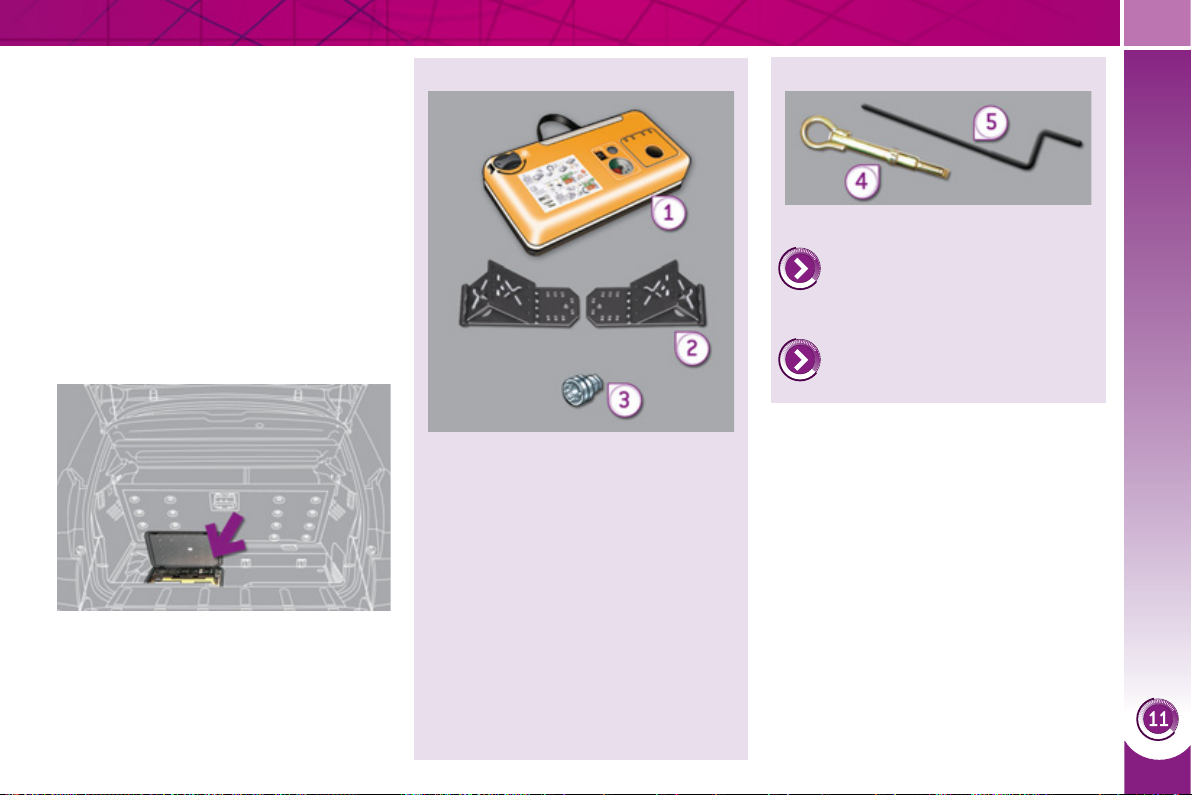
PRACTICAL INFORMATION
1
63
All of these tools are specifi c to your
vehicle. Do not use them for other
purposes.
1. 12 V compressor.
Contains a sealant cartridge for
the temporary repair of a tyre and
can be used to adjust the tyre
pressures.
2. Two chocks to chock the vehicle.
3. Socket for security bolts (located
in the glove box) * .
For adapting the wheelbrace to
the special security bolts.
List of tools
Other accessories
4. Removable towing eye.
Refer to "Electric parking brake"
in the "Driving" section.
Refer to the paragraph "Towing
the vehicle".
5. Electric parking brake emergency
release control.
T
EMPORARY PUNCTURE
REPAIR
KIT
Complete system consisting of a com-
pressor and a sealant cartridge which
permits the temporary repair of a tyre
so that you can drive to the nearest
garage.
It is designed to repair most punctures
which could affect the tyre, located on
the tyre tread or shoulder.
Access to the kit
This kit is installed in the storage box,
under the boot fl oor.
* Depending on destination country.
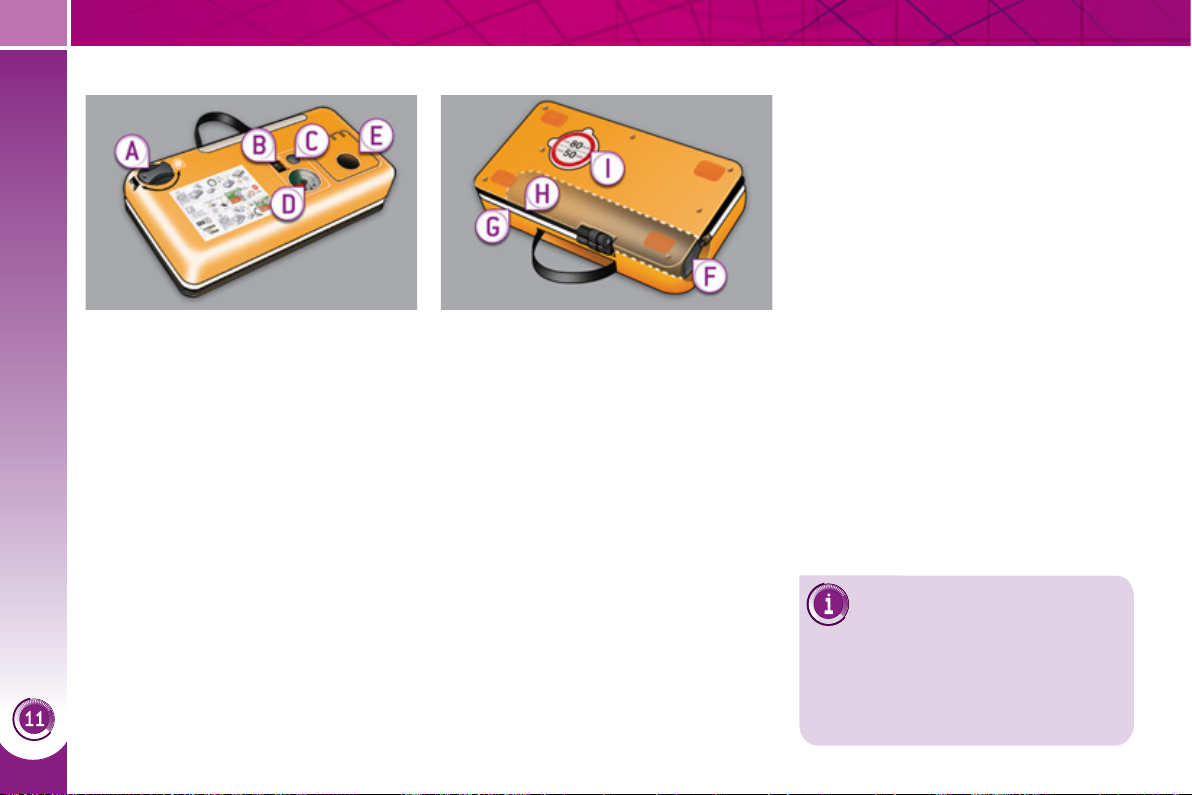
PRACTICAL INFORMATION
1
6
4
The speed limit sticker I must
be affi xed to the vehicle's
steering wheel to remind you
that a wheel is in temporary use.
Do not exceed a speed of 50 mph
(80 km/h) when driving with a tyre re-
paired using this type of kit.
A. "Repair" or "Air" position selector.
B. On "I" /off "O" switch.
C. Defl ation button.
D. Pressure gauge (in bar or p.s.i.).
E. Compartment housing:
-
a cable with adaptor for 12 V socket,
- various infl ation adaptors for ac-
cessories, such as balls, bicycle
tyres...
Description of the kit
F. Sealant cartridge.
G. White pipe with cap for repair.
H. Black pipe for infl ation.
I. Speed limit sticker.
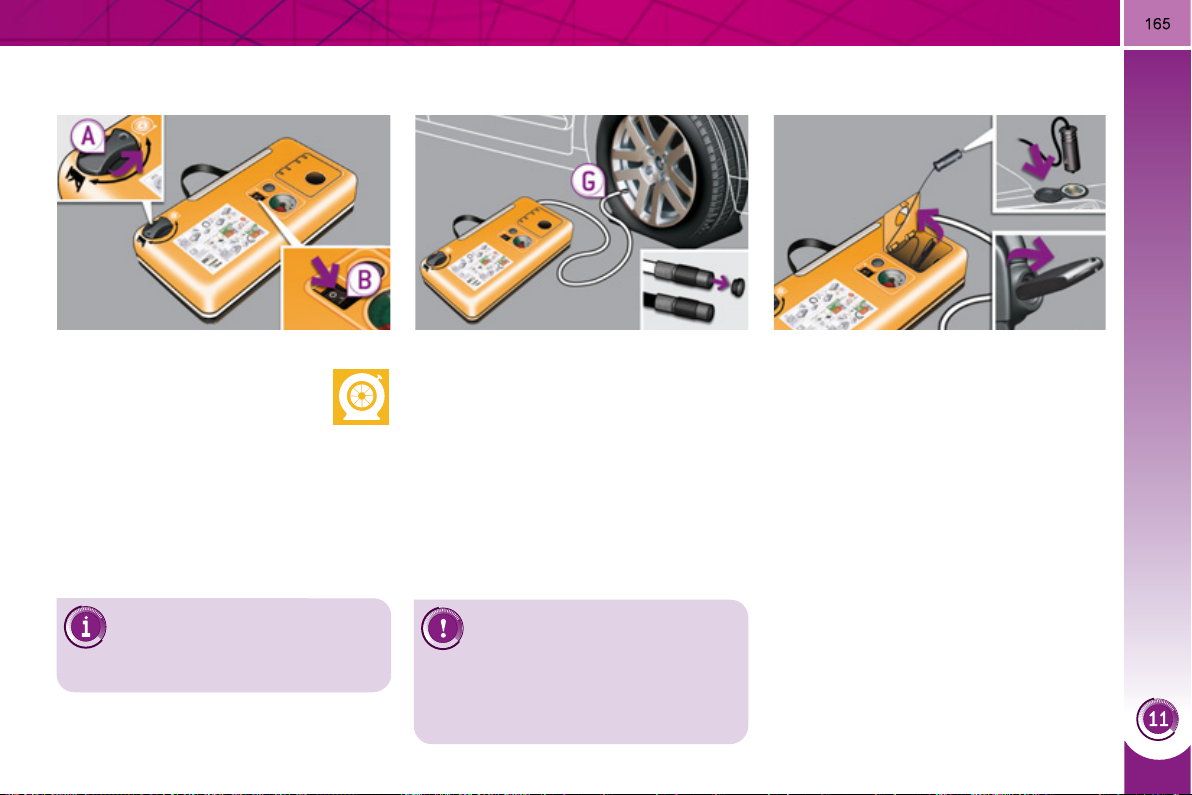
PRACTICAL INFORMATION
Repair procedure
) Switch off the ignition.
) Turn the selector A to the
"Repair" position.
) Check that the switch B is
in position "O" .
Avoid removing any foreign
bodies which have penetrated
into the tyre.
Take care, this product is
harmful (e.g. ethylene-glycol,
colophony...) if swallowed and
causes irritation to the eyes.
Keep it out of reach of children.
1. Sealing
) Uncoil the white pipe G fully.
) Unscrew the cap from the white
pipe.
) Connect the white pipe to the valve
of the tyre to be repaired.
) Connect the compressor's electric
plug to the vehicle's 12 V socket.
) Start the vehicle and leave the
engine running.
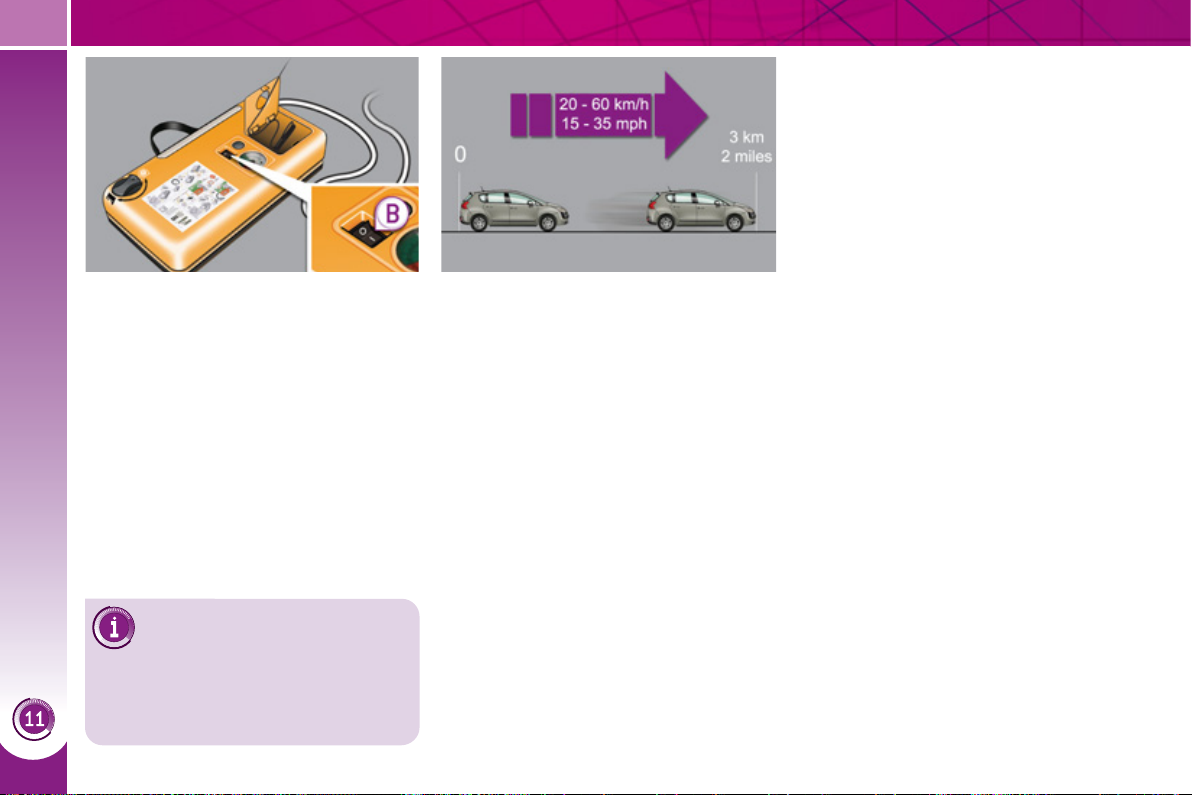
PRACTICAL INFORMATION
1
66
If after around 5 to 7 minutes
the pressure is not attained,
this indicates that the tyre is
not repairable; contact a PEUGEOT
dealer for assistance.
) Switch on the compressor by mov-
ing the switch B to position "I" until
the tyre pressure reaches 2.0 bars.
The sealant is injected into the tyre
under pressure; do not disconnect
the pipe from the valve during this
operation (risk of splashing).
) Remove the kit and screw the cap
back on the white pipe.
Take care to avoid staining your
vehicle with traces of fl uid. Keep the
kit to hand.
) Drive immediately for approximate-
ly three miles (fi ve kilometres), at
reduced speed (between 15 and
35 mph [20 and 60 km/h]), to plug
the puncture.
) Stop to check the repair and the tyre
pressure using the kit.
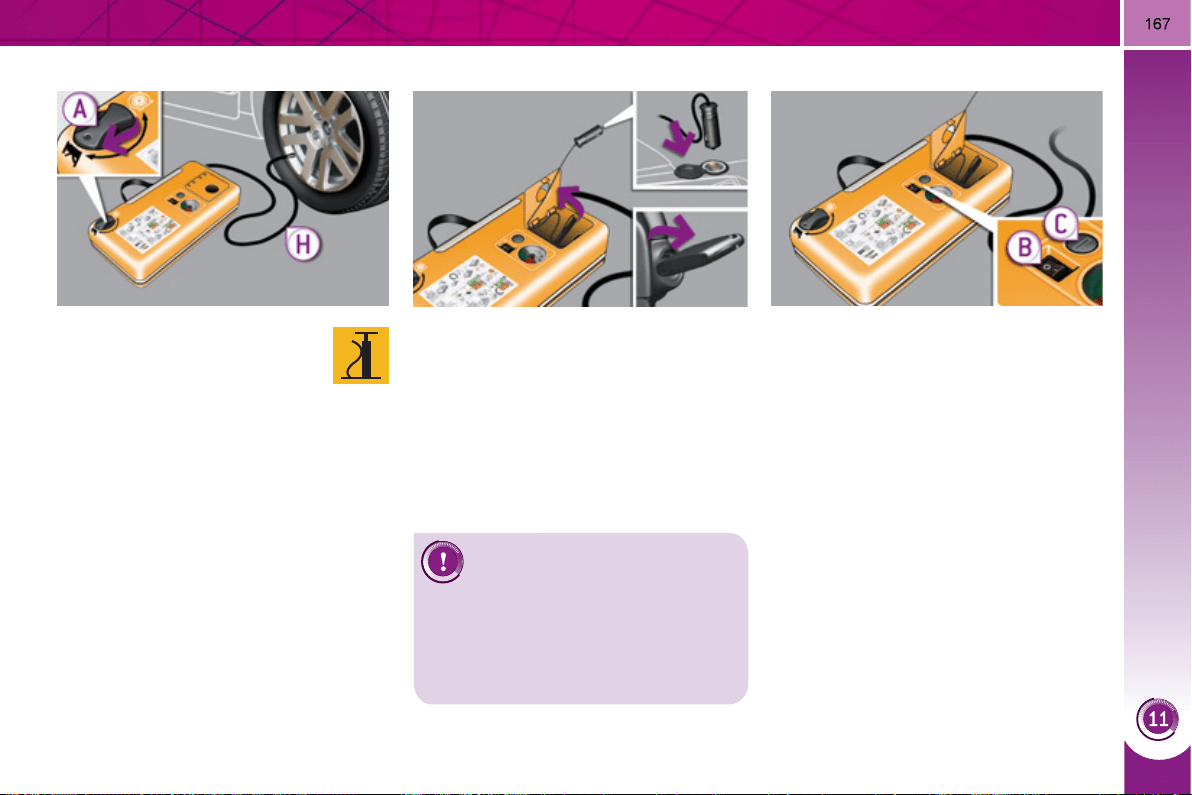
PRACTICAL INFORMATION
) Connect the compressor's electric
plug to the vehicle's 12 V socket.
) Start the vehicle again and leave the
engine running.
) Visit a PEUGEOT dealer
as soon as possible.
You must inform the technician that
you have used this kit. After inspec-
tion, the technician will inform you
whether the tyre can be repaired or
must be replaced.
) Turn the selector A to the
"Air" position.
) Uncoil the black pipe H fully.
) Connect the black pipe to
the valve of the wheel.
2. Infl ation
) Adjust the pressure using the com-
pressor (to infl ate: switch B in
position "I" ; to defl ate: switch B in
position "O" and press button C ), in
accordance with the vehicle's tyre
pressure label (located on the left
hand door aperture).
A loss of pressure indicates that the
puncture has not been fully plugged;
contact a PEUGEOT dealer for as-
sistance.
) Remove and stow the kit.
) Drive at reduced speed (50 mph
[80
m/h] max) limiting the distance
travelled to approximately 120 miles
(200 km).
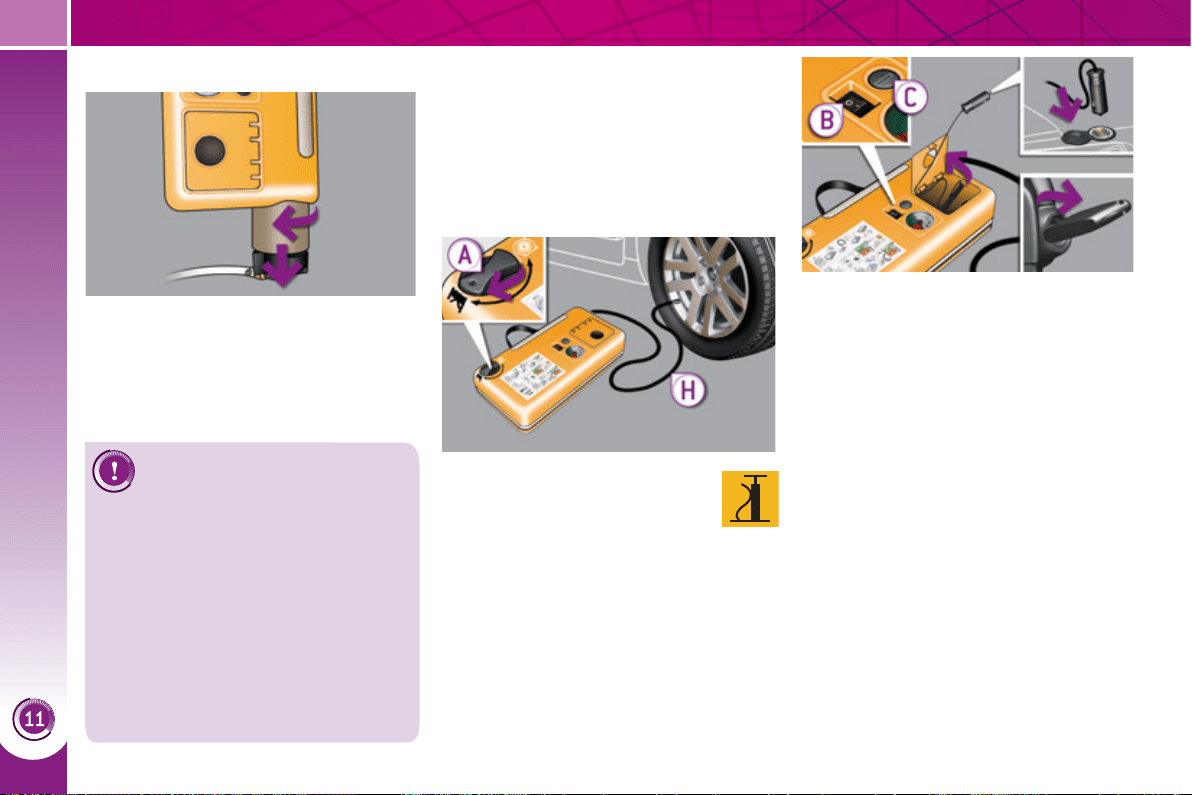
PRACTICAL INFORMATION
1
68
Removing the cartridge
) Stow the black pipe.
) Detach the angled base from the
white pipe.
) Support the compressor vertically.
)
Unscrew the cartridge from the bottom.
) Connect the compressor's electrical
connector to the vehicle's 12 V socket.
) Start the vehicle and let the engine
run.
) Adjust the pressure using the
compressor (to infl ate: switch B in
position "I" ; to defl ate: switch B in
position "O" and press button C ),
according to the vehicle's tyre pres-
sure label or the accessory's pres-
sure label.
) Remove the kit then stow it.
Beware of discharges of fl uid.
The expiry date of the fl uid is
indicated on the cartridge.
The sealant cartridge is designed for
single use; even if only partly used, it
must be replaced.
After use, do not discard the car-
tridge into the environment, take it to
an authorised waste disposal site or
a PEUGEOT dealer.
Do not forget to obtain a new sealant
cartridge, available from PEUGEOT
dealers.
Checking tyre pressures/
inflating accessories
You can also use the compressor, without
injecting any product, to:
- check or adjust the pressure of your
tyres,
- infl ate other accessories.
) Turn the selector A to the
"Air" position.
) Uncoil the black pipe H fully.
) Connect the black pipe to
the valve of the wheel or accessory.
If necessary, fi t one of the adaptors
supplied with the kit fi rst.
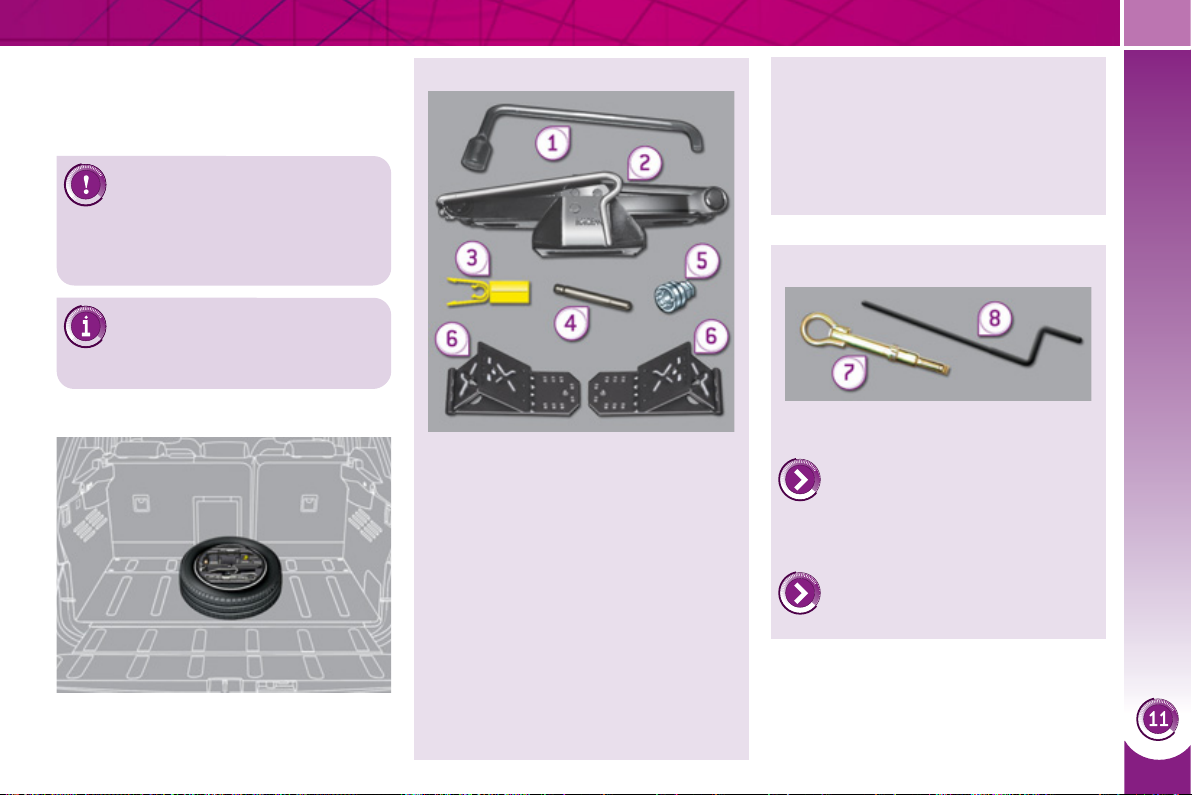
PRACTICAL INFORMATION
1
69
CHANGING A WHEEL
The tools are stowed in the boot.
Access to the tools
Procedure for changing a faulty wheel
for the spare wheel using the tools pro-
vided with the vehicle.
All of these tools are specifi c to your
vehicle. Do not use them for other
purposes.
1. Wheelbrace * .
For removing the wheel trim and
removing the wheel fi xing bolts.
2. Jack with integral handle * .
For raising the vehicle.
3. "Bolt cover" tool (according to
equipment) * .
For removing the bolt protectors
(covers) on alloy wheels.
4. Centring guide * .
For refi tting an alloy wheel to the
hub.
List of tools
Other accessories
5. Socket for the security bolts
(located in the glove box) * .
For adapting the wheelbrace to
the special "security" bolts.
6. Two chocks to immobilise the
vehicle.
7. Removable towing eye.
Refer to "Electric parking brake"
in the "Driving" section.
Refer to the paragraph "Towing
the vehicle".
8. Electric parking brake emergency
release control.
Before doing any work on your
vehicle, switch off the ignition
( Ready lamp off) to avoid any
risk of injury resulting from automatic
operation of the engine.
* According to country.
Take care to use the jacking
points provided for the jack to
avoid damaging the cables.
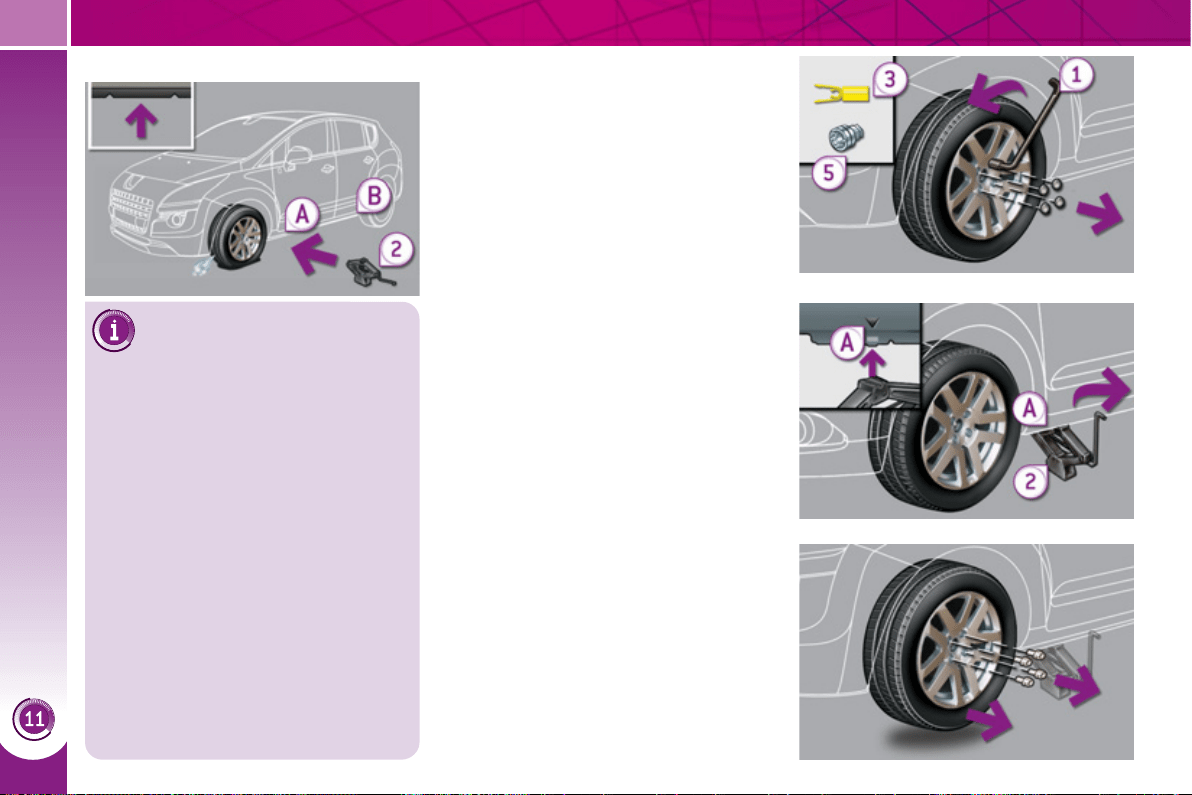
PRACTICAL INFORMATION
17
0
Parking the vehicle
Immobilise the vehicle where
it does not block traffi c: the
ground must be level, stable and
non-slippery ground.
Apply the parking brake unless it
has been programmed to automatic
mode, switch off the ignition and put
the gear lever in the A , M or R posi-
tion to lock the wheels.
Check that the braking warning lamp
and the P warning lamp on the park-
ing brake control come on.
If necessary, place a chock under the
wheel diagonally opposite the wheel
to be changed.
The occupants must get out of the ve-
hicle and wait where they are safe.
Never go underneath a vehicle raised
using a jack; use an axle stand.
Removing a wheel
List of operations
) Remove the chromed bolt cover from
each of the bolts using the tool 3
(according to equipment).
) Fit the security socket 5 on the
wheelbrace 1 to slacken the security
bolt (if your vehicle has them).
) Slacken the other bolts using the
wheelbrace 1 only.
) Place the jack 2 in contact with one
of the two front A or rear B locations
provided on the underbody, which-
ever is closest to the wheel to be
changed.
) Extend the jack 2 until its base plate
is in contact with the ground. Ensure
that the centreline of the jack base
plate is directly below the location A
or B used.
) Raise the vehicle until there is suf-
fi cient space between the wheel and
the ground to admit the spare (not
punctured) wheel easily.
) Remove the bolts and store them in
a clean place.
) Remove the wheel.
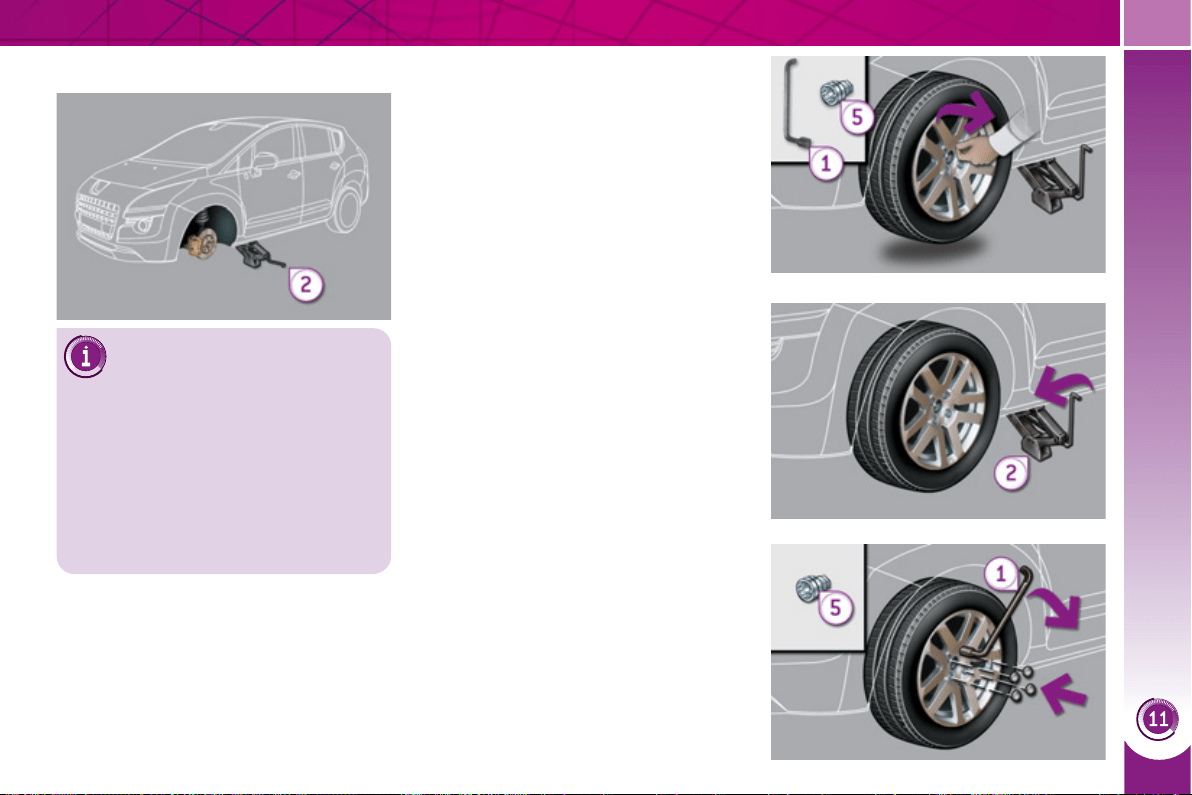
PRACTICAL INFORMATION
171
Fitting a wheel
List of operations
) Put the wheel in place on the hub.
) Screw in the bolts by hand to the
stop.
) Pre-tighten the security bolt (if your
vehicle has them) using the wheel-
brace 1 fi tted with the security
socket 5 .
) Pre-tighten the other bolts using the
wheelbrace 1 only.
) Lower the vehicle fully.
) Fold the jack 2 and detach it.
)
Tighten the security bolt (if your vehicle
has them) using the wheelbrace 1
fi tted with the security socket 5 .
) Tighten the other bolts using the
wheelbrace 1 only.
) Refi t the chromed bolt covers on
each of the bolts (according to
equipment).
) Stow the tools.
After changing a wheel
To store the punctured wheel
in the boot correctly, fi rst remove the
central cover.
Have the tightening of the bolts and
the pressure of the spare wheel
checked by a PEUGEOT dealer with-
out delay.
Have the punctured wheel repaired
and replace it on the vehicle as soon
as possible.
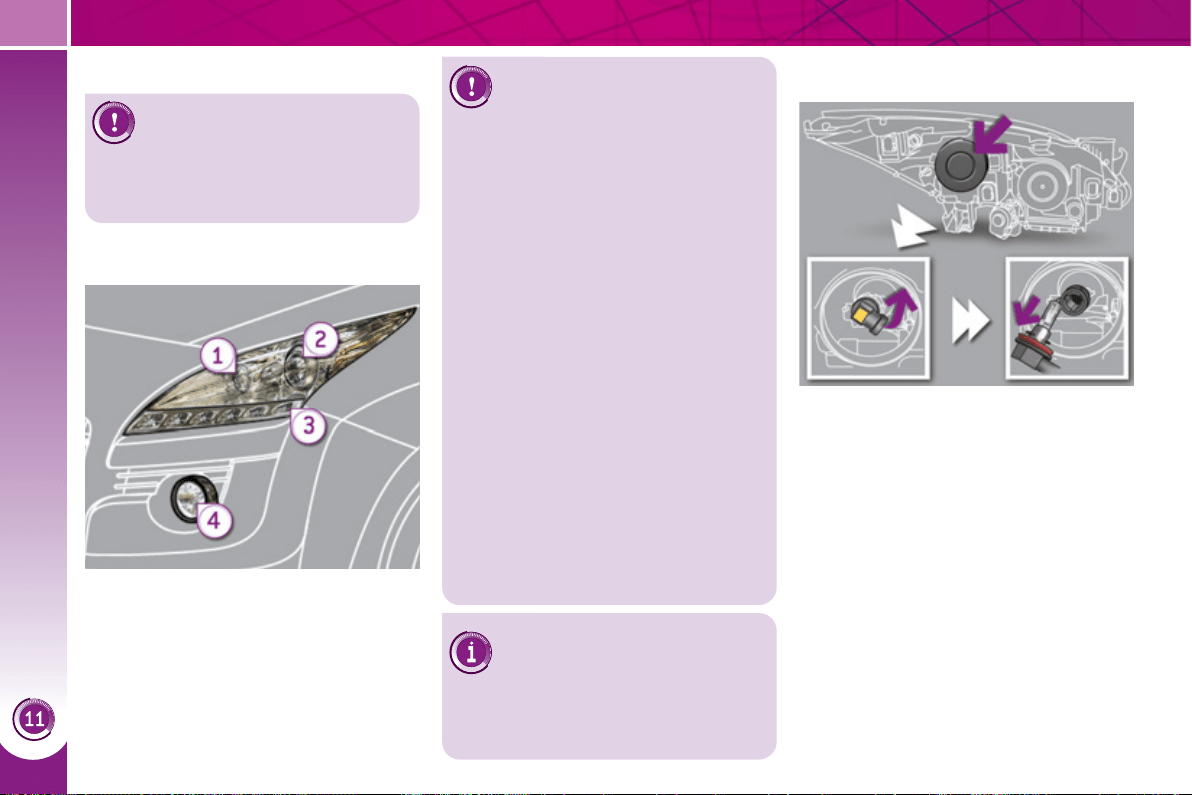
PRACTICAL INFORMATION
17
2
Changing dipped/main beam
headlamp bulbs
) Remove the protective plastic cover
by pulling on the tab.
) Disconnect the bulb connector.
) Turn the bulb holder.
) Pull out the bulb and change it.
To re fi t, carry out these operations in re-
verse order.
CHANGING A BULB
1. Direction indicators
(PY21W-21W).
2. Dipped/main beam headlamps
(H9-12V-65W).
3. Sidelamps/daytime running
lamps (light emitting
diodes - LEDs).
4. Foglamps (PS24-24W).
The headlamps are fi tted with
polycarbonate glass with a
protective coating:
) do not clean them using a dry
or abrasive cloth, nor with a
detergent or solvent product,
) use a sponge and soapy water,
) when using a high pressure
washer on persistent marks, do
not direct at the lamps or their
outlines for too long, so as not to
damage their protective coating
and seals.
Front lamps
) Do not touch the bulb directly with
your fi ngers, use lint-free cloths.
Changing a bulb should only be
done after the headlamp has been
switched off for a few minutes (risk of
serious burns).
It is imperative to use only anti-ultra-
violet (UV) type bulbs in order not to
damage the headlamp.
Always replace a failed bulb with a
new bulb with the same type and
specifi cation.
Changing the light emitting
diode-LED lamps
For replacement, contact a PEUGEOT
dealer or qualifi ed workshop.
Before doing any work on your
vehicle, switch off the ignition
( Ready lamp off) to avoid any
risk of injury resulting from automatic
operation of the motor.
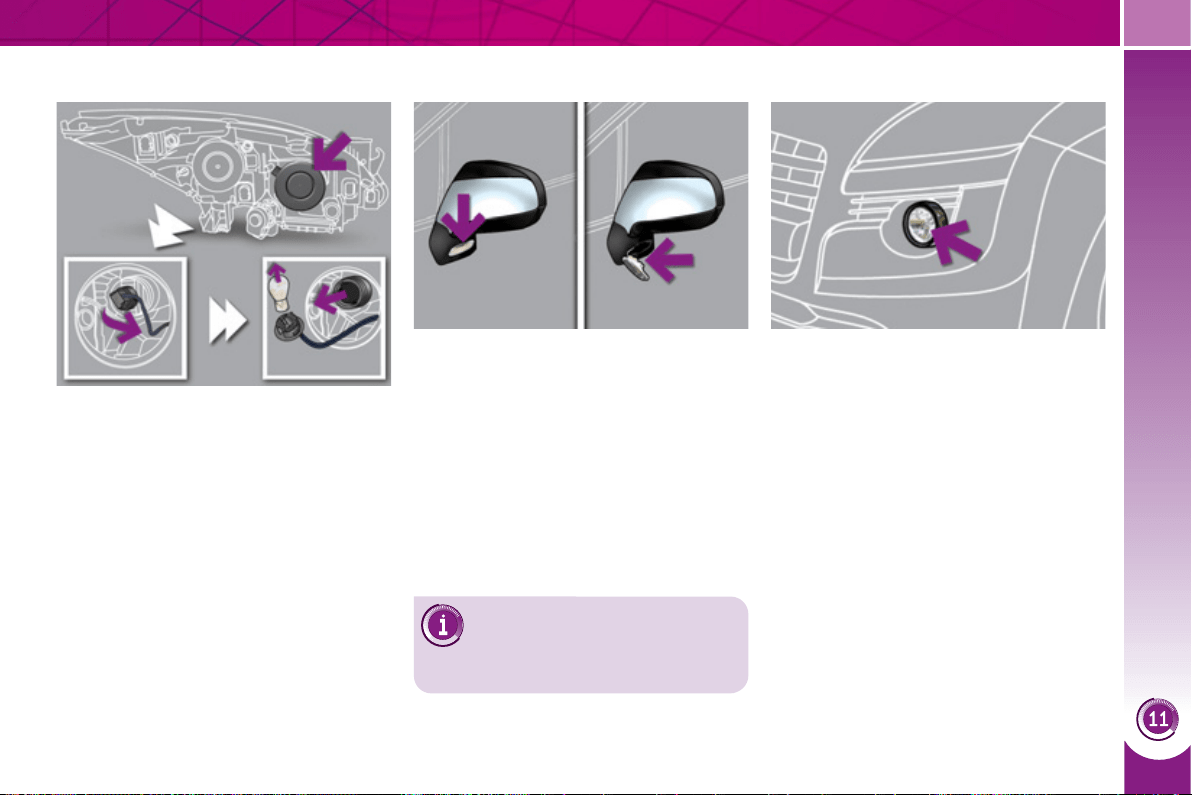
PRACTICAL INFORMATION
17
3
Changing direction indicator bulbs
) Remove the plastic protective cover
by pulling on the tab.
) Turn and remove the bulb holder.
) Remove and change the bulb.
To re fi t, carry out these operations in re-
verse order.
Changing foglamp bulbs
You can also contact a
PEUGEOT dealer to have
these bulbs changed.
Consult a PEUGEOT dealer.
) Insert a screwdriver towards the
centre of the repeater between the
repeater and the base of the mirror.
) Tilt the screwdriver to extract the re-
peater and remove it.
) Disconnect the repeater connector.
To re fi t, carry out these operations in re-
verse order.
Contact a PEUGEOT dealer to obtain
replacement repeaters.
Changing integrated direction
indicator side repeaters
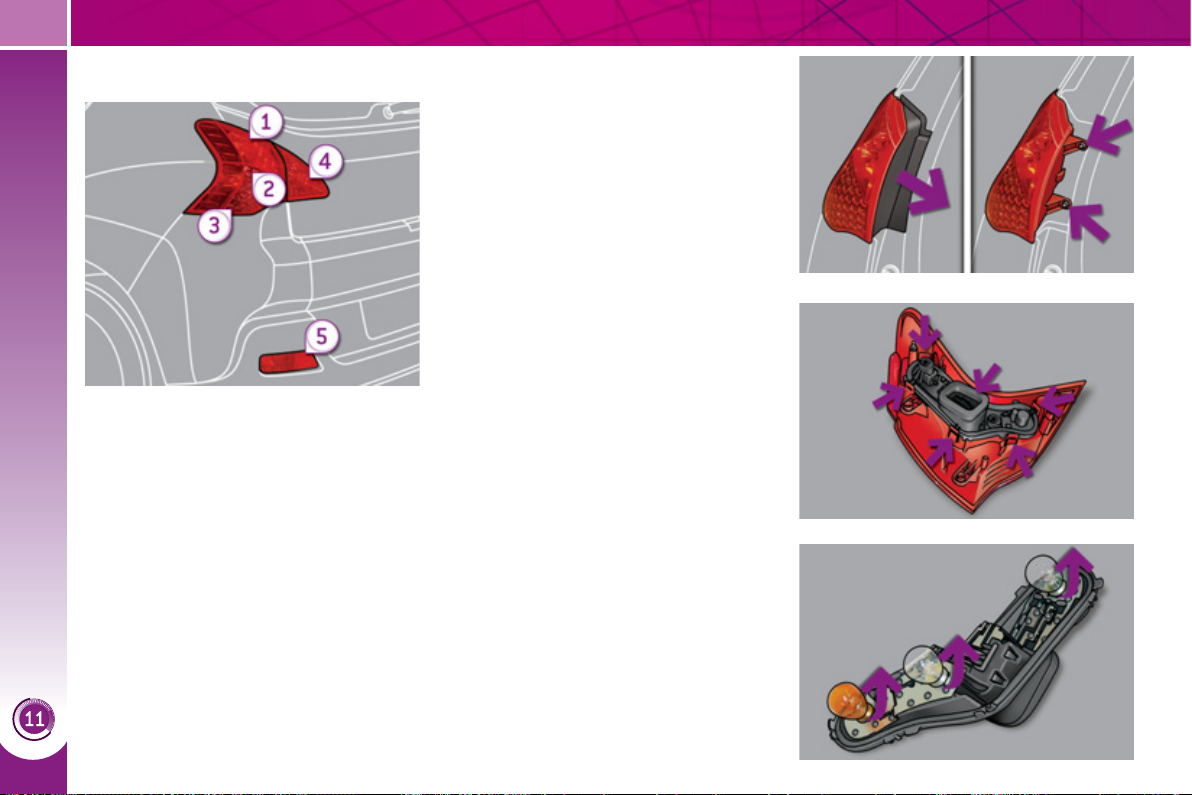
PRACTICAL INFORMATION
174
Rear lamps
1. Brake lamps/sidelamps
(P21-5W).
2. Reversing lamps (P21W).
3. Direction indicators
(PY21W-21W).
4. Sidelamps (P5-5W).
5. Foglamps (P21W).
Changing brake lamp/sidelamp,
reversing lamp and direction
indicator bulbs
) Press the six tabs and remove the
bulb holder.
) Remove the plastic cover.
) Remove the two lamp unit fi xing
nuts.
) Extract the lamp unit carefully from
the outside.
) Disconnect the electrical connector.
) Turn the bulb a quarter of a turn and
change it.
To re fi t, carry out these operations in re-
verse order.
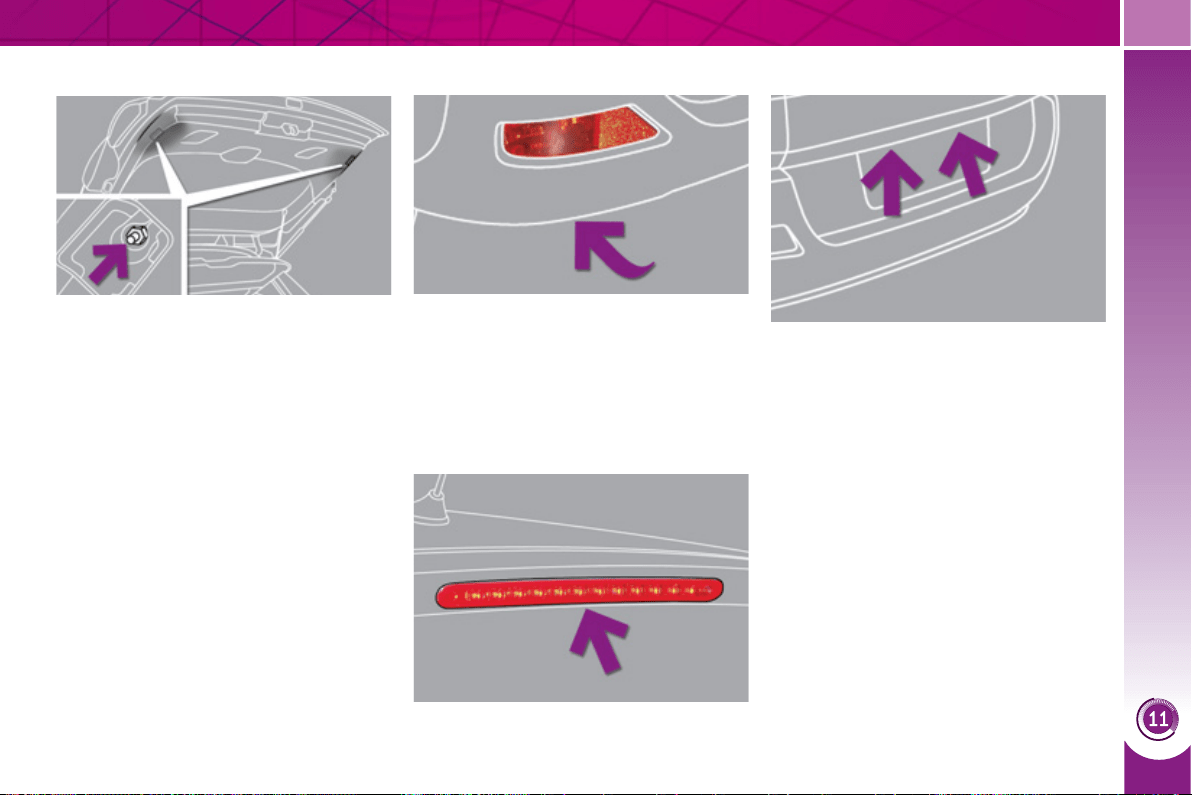
PRACTICAL INFORMATION
17
5
Changing the third brake lamp bulb
Changing sidelamp bulbs (boot) Changing foglamp bulbs
) Open the boot.
) Remove the plastic fl ap using a
screwdriver.
) Remove the lamp fi xing nut.
) Turn the bulb a quarter of a turn and
change it.
To re fi t, carry out these operations in
reverse order.
) Reach under the bumper.
) Turn the bulb a quarter of a turn and
pull it out.
Contact a PEUGEOT dealer.
Changing the number plate lamp
bulbs (W5-5W)
) Insert a thin screwdriver into one of
the outer holes of the lens.
) Push it outwards to unclip.
) Remove the lens.
) Pull the bulb out and change it.
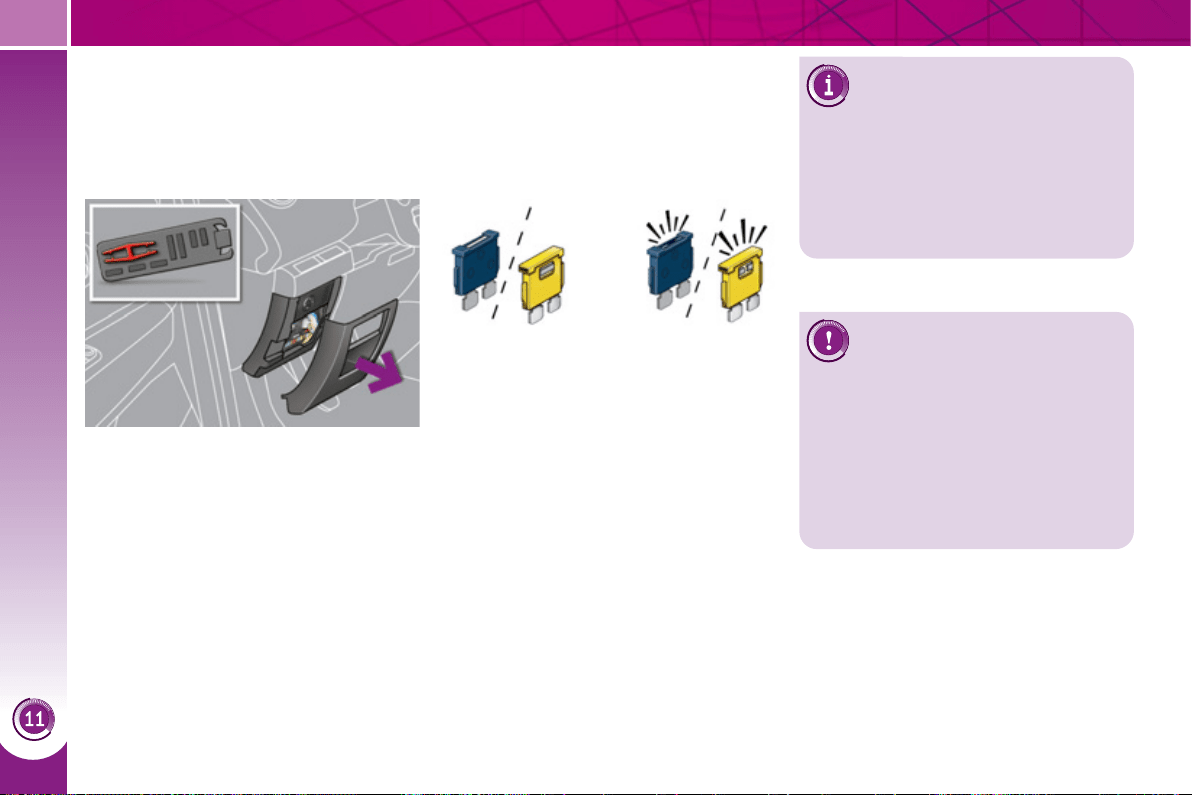
PRACTICAL INFORMATION
17
6
CHANGING A FUSE
Procedure for replacing a faulty fuse
with a new fuse to rectify a failure of the
corresponding function.
Access to the tools
The fuse extraction tweezer is fi tted
to the back of the dashboard fusebox
cover.
To gain access to it:
) remove the cover completely,
) remove the tweezer.
Changing a fuse
Before changing a fuse, the cause of
the failure must be identifi ed and recti-
fi ed.
) Identify the faulty fuse by checking
the condition of its fi lament.
Good Failed
) Use the special tweezer to extract
the fuse from its housing.
) Always replace the faulty fuse with a
fuse of the same rating.
) Check that the number etched on
the box, the rating etched on the
fuse and the tables below all agree.
Installing electrical
accessories
Your vehicle's electrical system
is designed to operate with standard
or optional equipment.
Before installing other electrical equip-
ment or accessories on your vehicle,
contact a PEUGEOT dealer.
PEUGEOT will not accept re-
sponsibility for the cost incurred
in repairing your vehicle or for
rectifying malfunctions resulting from
the installation of accessories not
supplied and not recommended by
PEUGEOT and not installed in accor-
dance with its instructions, in particular
when the combined consumption of all
of the additional equipment connected
exceeds 10 milliamperes.
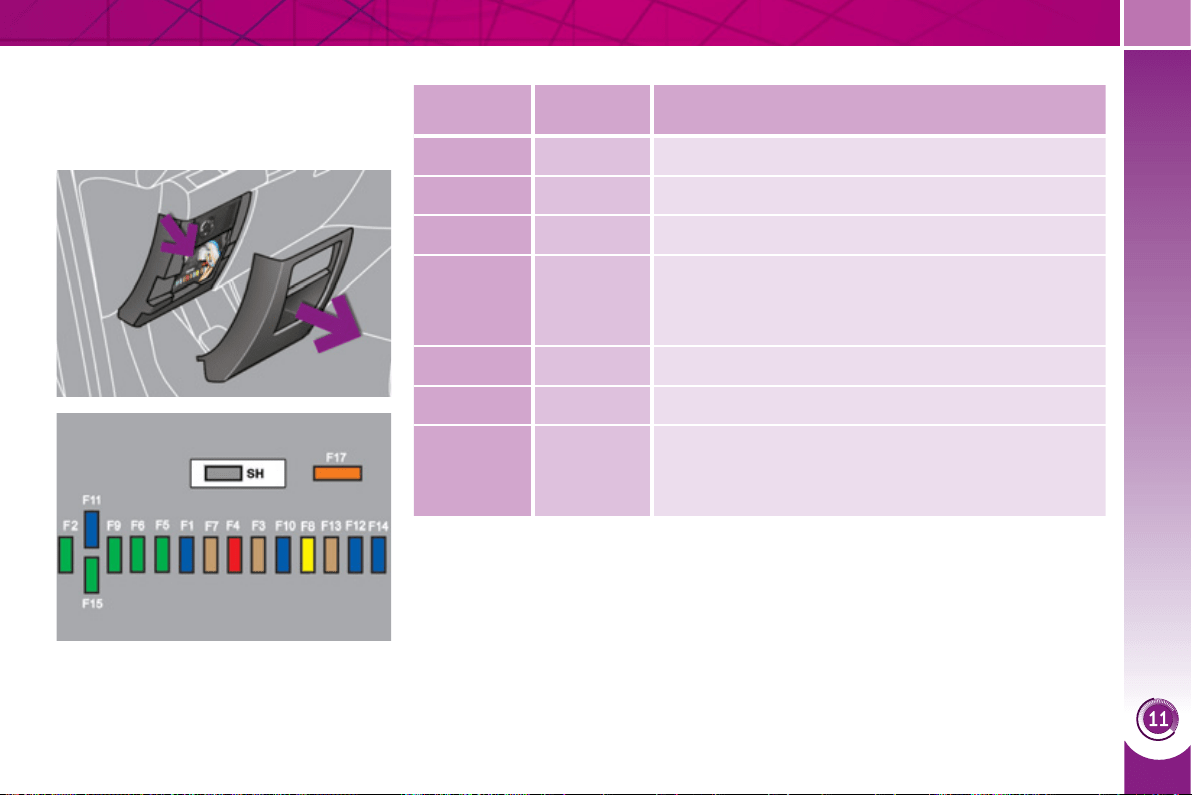
PRACTICAL INFORMATION
177
Dashboard fuses
The fusebox is placed in the lower dash-
board (left-hand side).
Fuse tables
Fuse
N°
Rating
(A)
Functions
F1 15 Rear wiper.
F2 - Not used.
F3 5 Airbag control unit.
F4 10
Electrochromatic rear view mirror, air conditioning,
switching and protection unit, rear multimedia,
traction battery control unit.
F5 30 Front one-touch electric windows.
F6 30 Rear one-touch electric windows.
F7 5
Front and rear courtesy lamps, map reading lamps,
rear reading lamps, sun visor lighting, glove box
lighting, centre armrest lighting, boot 12 V relay
control.
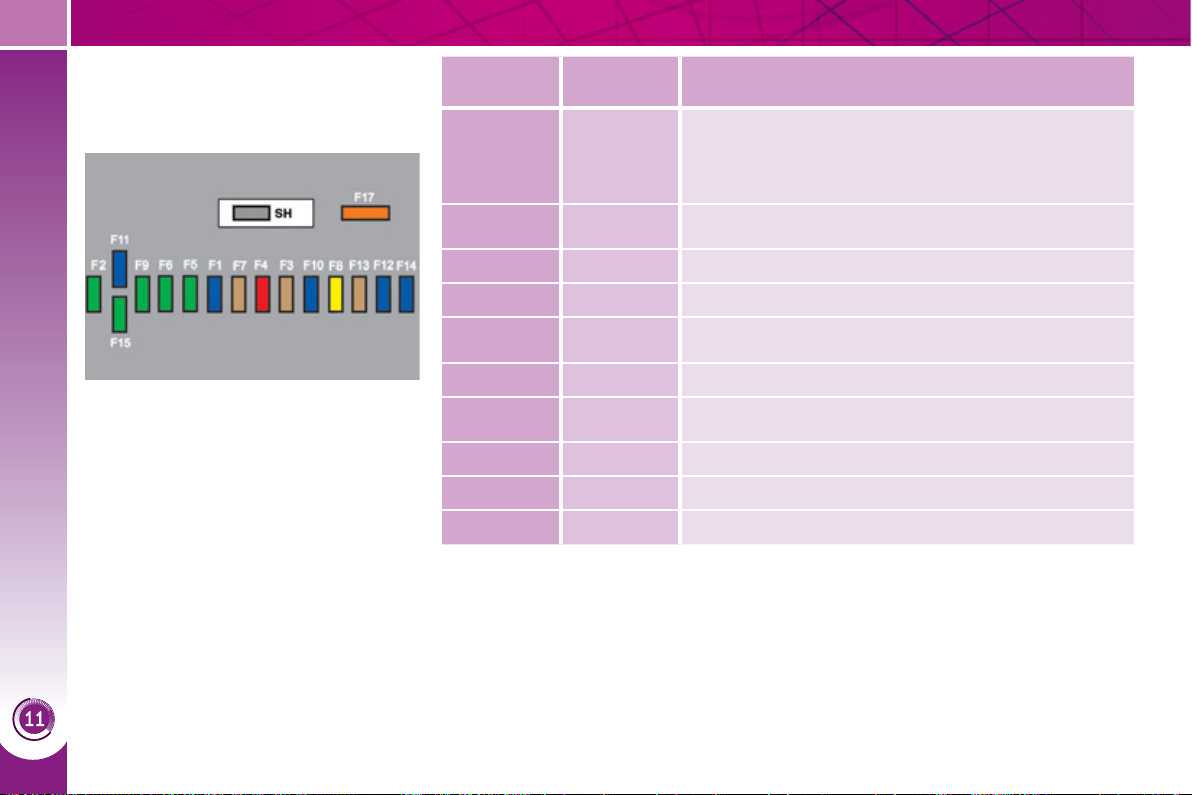
PRACTICAL INFORMATION
17
8
Access to the fuses
) refer to the paragraph "Access to
the tools".
Fuse
N°
Rating
(A)
Functions
F8 20
Audio equipment, audio/telephone, CD changer,
multifunction screen, tyre under-infl ation detection,
alarm siren, alarm control unit, telematic unit,
service module (with Peugeot Connect Media).
F9 30
Front 12 V socket, cigarette lighter, rear 12 V
socket.
F10 15 Steering mounted controls.
F11 15 Low current ignition switch.
F12 15
Trailer presence, rain/sunshine sensor, supply for
fuses F32, F34, F35.
F13 5 Engine fusebox, airbag control unit.
F14 15
Instrument panel, instrument panel screen, supply
for fuse F33.
F15 30 Locking and deadlocking.
F17 40 Heated rear screen, supply for fuse F30.
SH - PARC shunt.
PRACTICAL INFORMATION
17
9
Fuse
N°
Rating
(A)
Functions
F29 - Not used.
F30 5 Heated door mirrors.
F31 30 Boot 12 V socket.
F32 5 Electronic gear control gearbox gear lever.
F33 10
Head-up display, Bluetooth system,
air conditioning, retractable screen.
F34 5 Seat belt warning lamps display.
F35 10 Parking sensors.
F36 30 Front heated seats.
F37 5 Hi-Fi amplifi er.
F38 30 Traction battery control unit
F39 20 Panoramic sunroof blind.
F40 10 Trailer interface, driver's door control panel.
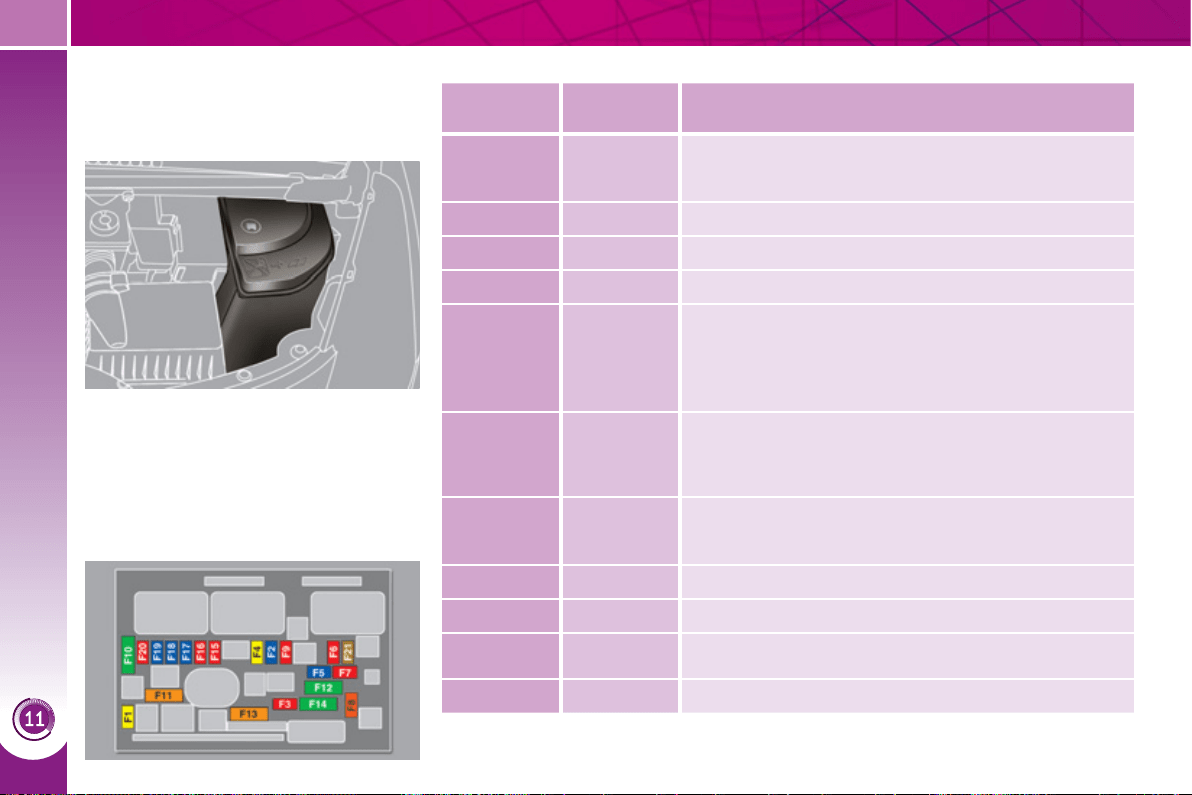
PRACTICAL INFORMATION
1
80
Engine compartment fuses
The fusebox is placed in the engine
compartment near the battery (left-hand
side).
Access to the fuses
) Unclip the cover.
) Change the fuse (see correspond-
ing paragraph).
) When you have fi nished, close the
cover carefully to ensure correct
sealing of the fusebox.
Fuse table
Fuse
N°
Rating
(A)
Functions
F1 20
Engine control unit supply, injection pump and
EGR electrovalves, injectors.
F2 15 Horn.
F3 10 Front/rear wash-wipe.
F4 10 Daytime running lamps.
F5 15
Air fl ow sensor, wiper, sensor heater, hybrid control
unit, hybrid selector dial, electronic thermostat,
variable valve timing electrovalves, turbo pressure
regulation electrovalves (Diesel), engine coolant
level sensor (Diesel).
F6 10
Diagnostic socket, directional headlamps, particle
emission fi lter pump (Diesel), mirror adjustment
control, network interface unit, head-up display.
F7 10
Power steering control unit, directional headlamps
height adjustment motor.
F8 20 Starter motor control.
F9 10
Clutch and brake pedal switches.
F10 30 Heaters (Diesel).
F11 40 Air conditioning blower.
PRACTICAL INFORMATION
1
81
Fuse
N°
Rating
(A)
Functions
F12 30 Windscreen wipers slow/fast speed.
F13 40
Built-in systems interface supply
(ignition positive).
F14 30 Heater radiator water pump.
F15 10 Right-hand main beam headlamp.
F16 10 Left-hand main beam headlamp.
F17 15 Left-hand dipped headlamp.
F18 15 Right-hand dipped headlamp.
F19 15 Turbo pressure regulation electrovalve (Diesel).
F20 10 Engine coolant level detector (Diesel).
F21 5 Cooling fan control.
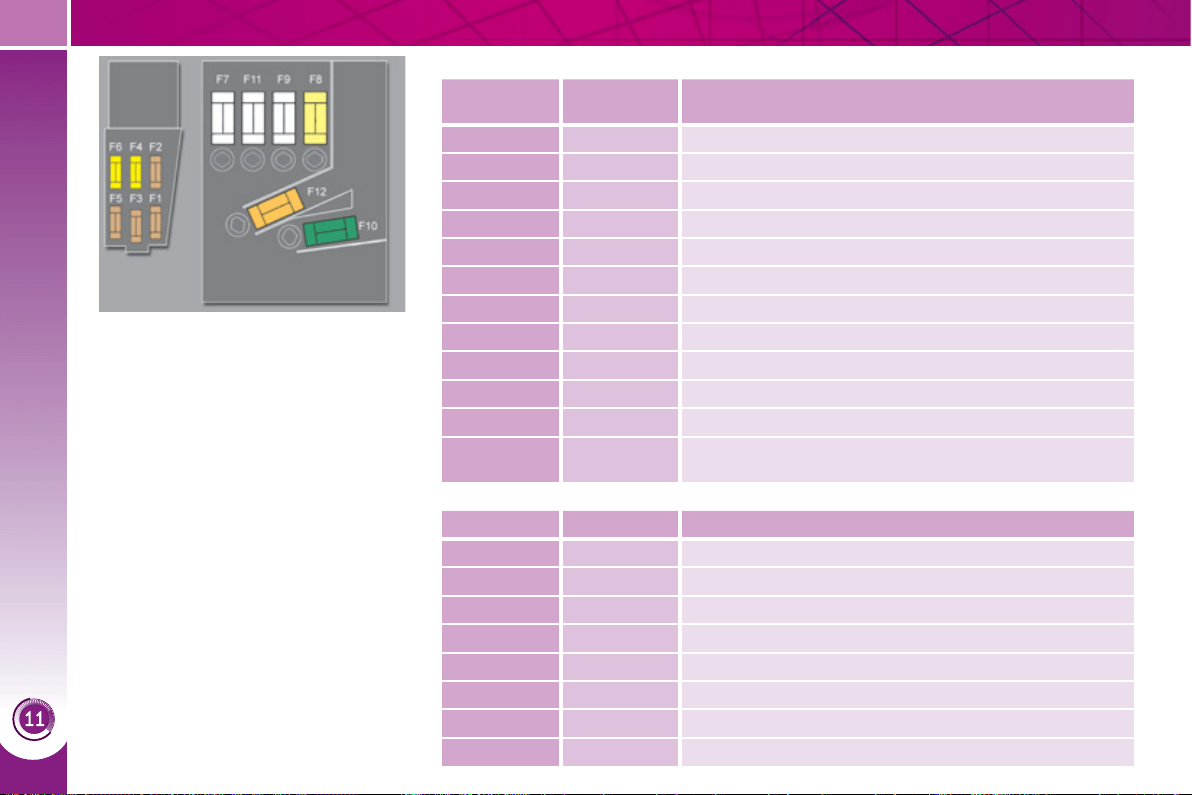
PRACTICAL INFORMATION
1
82
Table of mini and midi-fuses above the battery
Table of maxi-fuses
Fuse
N°
Rating
(A)
Functions
F1 5 Controlled air intake.
F2 5 Dual function brake switch.
F3 5 Battery charge unit.
F4 25 ABS/ESP electrovalves.
F5 5 ABS/ESP control unit.
F6 15 Electronic gear control gearbox.
F7 * 80 Power steering electropump assembly.
F8 * 60 Fan assembly.
F9 * 80 Pre-heat unit (Diesel).
F10 * 40 ABS/ESP electropump assembly.
F11 * 100 Switching and protection unit.
F12 * 30 Electropump unit, electronic gear control gearbox.
Fuse N°
Rating (A) Functions
MF1 * 30 Electric vacuum pump.
MF2 * 50 Trailer interface.
MF3 * 60 Passenger compartment fusebox.
MF4 * 80 Built-in systems interface.
MF5 * 80 Built-in systems interface.
MF6 * 30 Electric parking brake.
MF7 * - Not used.
MF8 * 25 Headlamp wash.
* The maxi-fuses provide additional
protection for the electrical systems.
All work on the maxi-fuses must be
carried out by a PEUGEOT dealer.

PRACTICAL INFORMATION
1
83
12 V BATTERY
Procedure for charging your battery
when it is fl at or for starting the engine
using another battery.
Your vehicle is fi tted with a conventional
12 V battery, located under the bonnet,
in addition to the high voltage battery
used by the hybrid system.
In certain conditions, if the 12 V battery
is too discharged to activate the hybrid
system, recharging from another con-
ventional 12 V battery is possible.
Do not carry out this recharge if the
Ready lamp is on.
Access to the battery
The battery is located under the bonnet.
To gain access to it:
) open the bonnet using the interior
release lever, then the exterior safety
catch,
) secure the bonnet stay,
) remove the plastic cover to gain ac-
cess to the two terminals,
) unclip the fusebox to remove the
battery, if necessary.
Disconnecting the cables
) Raise the locking tab fully.
Reconnecting the cables
) Position the open clip 1 of the cable
on the positive terminal (+) of the
battery.
) Press vertically on the clip 1 to posi-
tion it correctly against the battery.
) Lock the clip by spreading the po-
sitioning lug and then lowering the
tab 2 .
Do not force the tab as locking
will not be possible if the clip is
not positioned correctly; start
the procedure again.
Before doing any work on your
vehicle, switch off the ignition
( Ready lamp off) to avoid any
risk of injury resulting from automatic
operation of the motor.
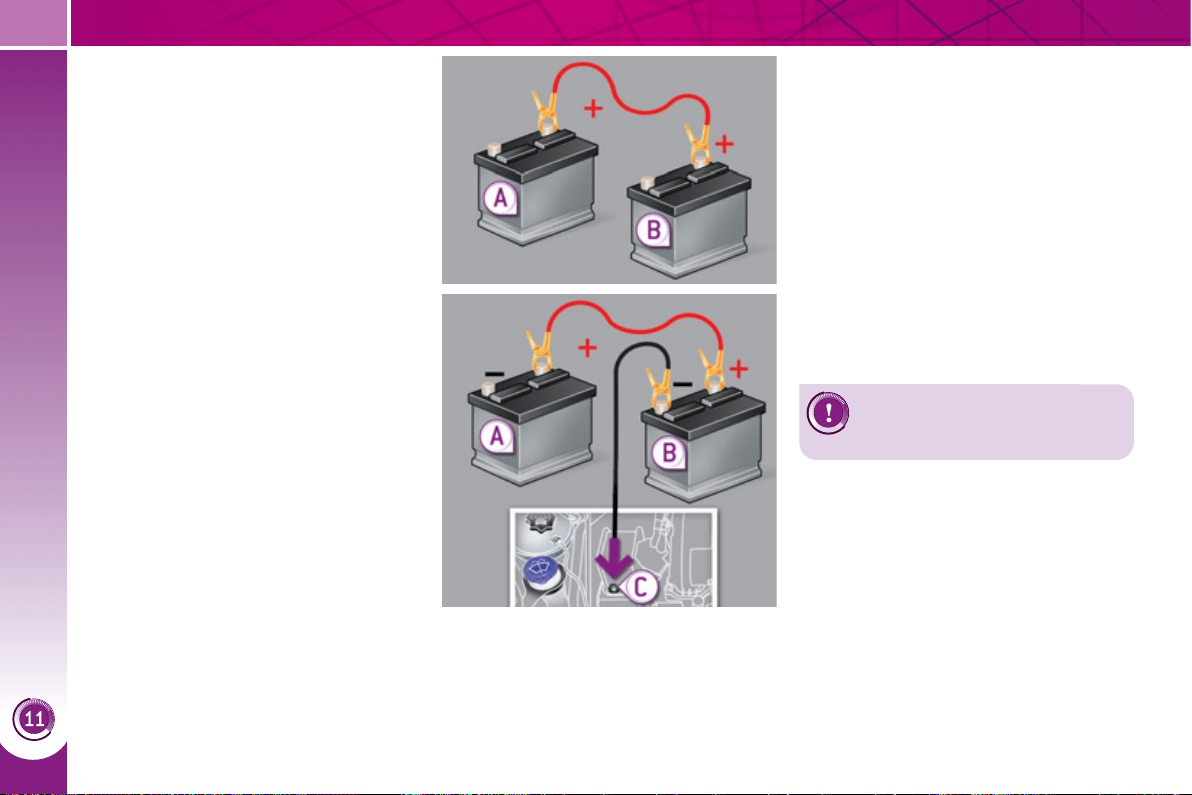
PRACTICAL INFORMATION
1
8
4
Charging the battery using a
battery charger
) Disconnect the battery from the ve-
hicle.
) Follow the instructions for use pro-
vided by the manufacturer of the
charger.
) Reconnect starting with the nega-
tive terminal (-).
) Check that the terminals and con-
nectors are clean. If they are cov-
ered with sulphate (whitish or
greenish deposit), remove them and
clean them.
Starting using another battery
) Connect the red cable to the posi-
tive terminal (+) of the fl at battery A ,
then to the positive terminal (+) of
the slave battery B .
) Connect one end of the green or black
cable to the negative terminal (-) of the
slave battery B .
) Connect the other end of the green
or black cable to the earth point C
on your vehicle (engine mounting).
) Operate the starter, let the engine run.
) Wait until the engine returns to idle
and disconnect the cables.
Do not attempt to charge the
high voltage battery.

PRACTICAL INFORMATION
1
85
Do not disconnect the termi-
nals while the engine is run-
ning.
Do not charge the batteries
without disconnecting the ter-
minals fi rst.
Do not push the vehicle to start the
engine.
The batteries contain harm-
ful substances such as sul-
phuric acid and lead. They
must be disposed of in accordance
with regulations and must not, in any
circumstances, be discarded with
household waste.
Take used remote control batteries
and vehicle batteries to a special col-
lection point.
It is advisable to disconnect
the battery if the vehicle is to
be left unused for more than
one month.
Before disconnecting the battery
Wait 2 minutes after switching off
the ignition before disconnecting the
battery.
Close the windows and the doors be-
fore disconnecting the battery.
Following reconnection of the
battery
Following reconnection of the battery,
switch on the ignition and wait 1 minute
before starting to permit initialisation
of the electronic systems. However, if
problems remain following this opera-
tion, contact a PEUGEOT dealer.
Referring to the corresponding section,
you must yourself reinitialise:
- the remote control key,
- the panoramic sunroof blind,
- the satellite navigation system.

PRACTICAL INFORMATION
1
86
Let the engine run for the
duration specifi ed to ensure
that the battery charge is suf-
fi cient.
Do not repeatedly and continuously
restart the engine in order to charge
the battery.
A fl at battery prevents the engine
from starting (refer to the "Battery"
paragraph).
If the telephone is being used
at this time:
- it will be maintained for 5 min-
utes with the hands-free kit of
your Peugeot Connect Sound,
Peugeot Connect Nav,
- it will still be possible to fi nish the
call with the Peugeot Connect
Media.
Exiting economy mode
These functions are reactivated auto-
matically next time the vehicle is driven.
) In order to resume the use of these
functions immediately, start the en-
gine and let it run:
- for less than ten minutes, to use
the equipment for approximately
fi ve minutes,
- for more than ten minutes, to use
the equipment for up to approxi-
mately thirty minutes.
L
OAD REDUCTION MODE
System which manages the use of cer-
tain functions according to the level of
charge remaining in the battery.
When the vehicle is being driven, the
load reduction function temporarily deac-
tivates certain functions, such as the air
conditioning, the heated rear screen...
The deactivated functions are reactivat-
ed automatically as soon as conditions
permit.
E
NERGY ECONOMY MODE
System which manages the duration of
use of certain functions to conserve a
suffi cient level of charge in the battery.
After the engine has stopped, you can
still use functions such as the audio and
telematics system, windscreen wip-
ers, dipped beam headlamps, courtesy
lamps, etc. for a maximum combined
duration of thirty minutes.
Switching to economy mode
Once the thirty minutes are over, a
message appears in the multifunction
screen indicating that the vehicle has
switched to economy mode and the ac-
tive functions are put on standby.

PRACTICAL INFORMATION
1
87
CHANGING A WIPER BLADE
Removing
) Raise the corresponding wiper arm.
) Unclip the wiper blade and remove it.
Fitting
) Put the corresponding new wiper
blade in place and clip it.
) Fold down the wiper arm carefully.
Before removing a front wiper
blade
) Within one minute after switching off
the ignition, operate the wiper stalk
to position the wiper blades verti-
cally on the windscreen.
After fitting a front wiper blade
) Switch on the ignition.
) Operate the wiper stalk again to
park the wiper blades.
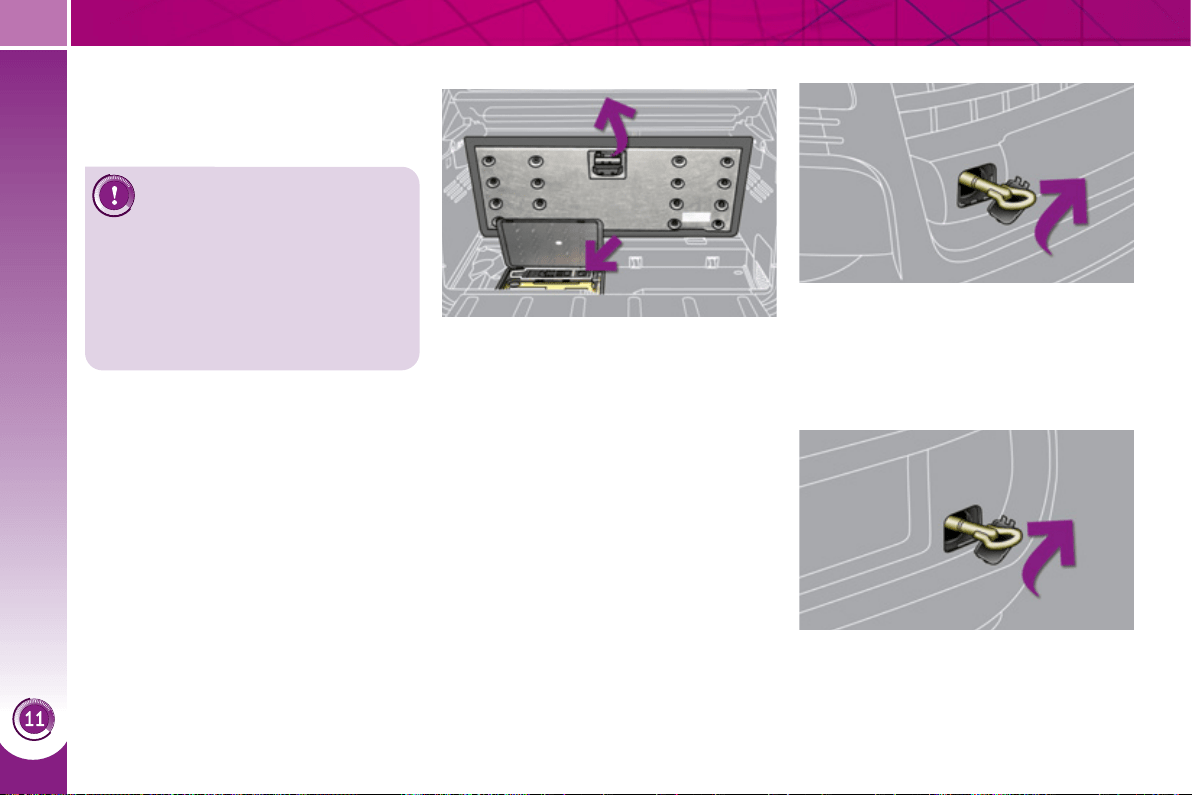
PRACTICAL INFORMATION
1
88
RECOVERING THE VEHICLE ON
A
F
L
AT
-
BED
Access to the tools From the front
) On the front bumper, unclip the cover
by pressing at the bottom.
) Screw the towing eye in fully.
) On the rear bumper, unclip the cover
by pressing at the bottom.
) Screw the towing eye in fully.
) Switch on the hazard warning lamps
on the recovered vehicle.
From the rear
The towing eye is installed in the boot
under the fl oor. The towing eye is used
only to pull the vehicle onto the recovery
vehicle, not for towing the vehicle.
To gain access to it:
) open the boot,
) raise the fl oor,
)
remove the towing eye from the holder.
Always recover the vehicle
on a fl at bed lorry or trailer.
Never tow the vehicle with the
four wheels on the ground (or the
front or rear wheels only), you risk
damaging the transmission.
Place the gear lever in position N and
switch off the engine ( Ready lamp off).
Procedure for having your vehicle re-
covered on a fl at bed lorry or trailer.
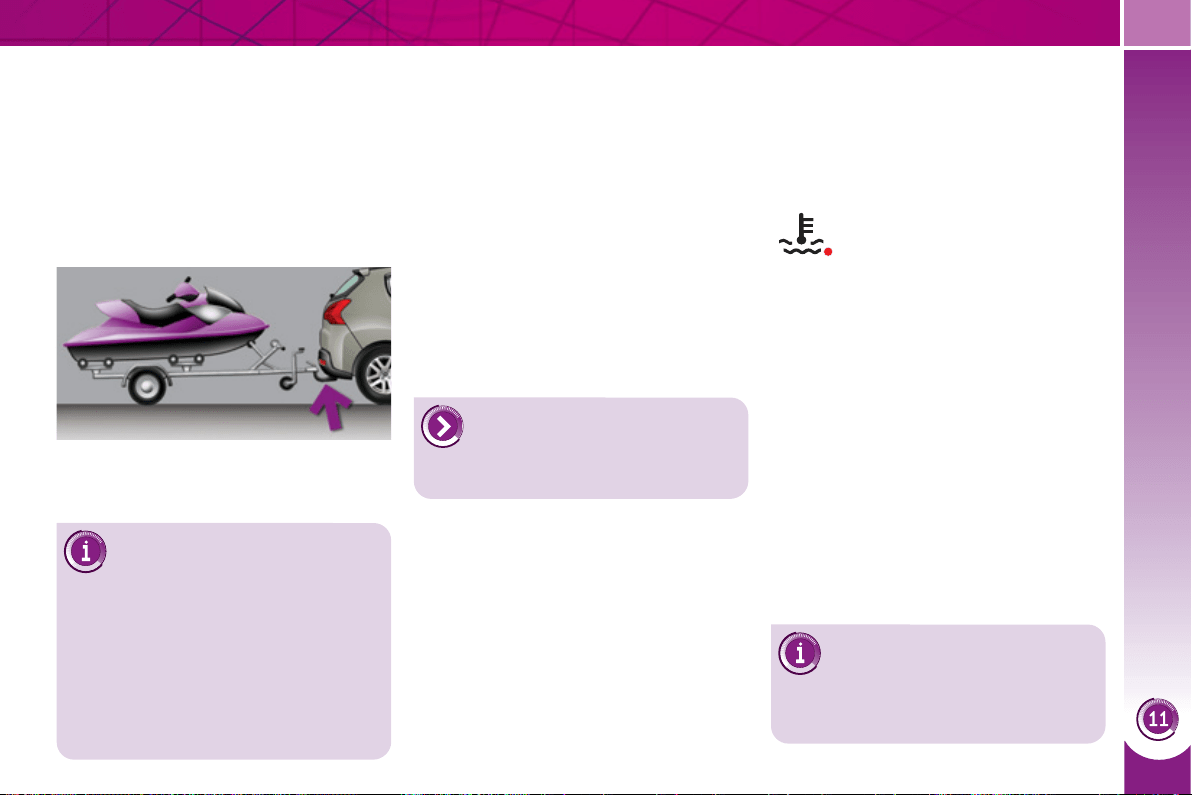
PRACTICAL INFORMATION
1
89
T
OWING A TRAILER, ...
Towbar suitable for the attachment of a
trailer or caravan with additional lighting
and signalling.
Your vehicle is primarily designed for
transporting people and luggage, but it
may also be used for towing a trailer.
Driving advice
The maximum towed load on a long in-
cline depends on the gradient and the
ambient temperature.
In all cases, keep a check on the coolant
temperature.
Cooling
Towing a trailer on a slope increases
the temperature of the coolant.
As the fan is electrically controlled, its
cooling capacity is not dependent on
the engine speed.
) To lower the engine speed, reduce
your speed.
Side wind
) Take into account the increased
sensitivity to side wind.
Tyres
) Check the tyre pressures of the tow-
ing vehicle and of the trailer, observ-
ing the recommended pressures.
Braking
Towing a trailer increases the braking
distance.
The rear parking sensors will
be deactivated automatically if
a genuine PEUGEOT towbar
is used.
) If the warning lamp and the
STOP warning lamp come
on, stop the vehicle and
switch off the engine as
soon as possible.
Maximum trailer weight
You must not tow a trailer weighing
more than 500 kg.
Distribution of loads
) Distribute the load in the trailer so
that the heaviest items are as close
as possible to the axle and the nose
weight approaches the maximum
permitted without exceeding it.
Air density decreases with altitude, thus
reducing engine performance. Above
1 000 metres, the maximum towed load
must be reduced by 10 % for every
1 000 metres of altitude.
Driving with a trailer places greater de-
mands on the towing vehicle and the
driver must take particular care.
We recommend the use of
genuine PEUGEOT towbars
and their harnesses that have
been tested and approved from the
design stage of your vehicle, and that
the fi tting of the towbar is entrusted
to a PEUGEOT dealer or a qualifi ed
workshop.
If the trailer is not fi tted by a PEUGEOT
dealer, it is imperative that it is fi tted us-
ing the vehicle's electrical pre-equipment,
in accordance with the manufacturer's in-
structions.
Lighting
) Check the electrical lighting and sig-
nalling on the trailer.
Refer to the "Technical Data"
section for details of the
weights and towed loads
which apply to your vehicle.
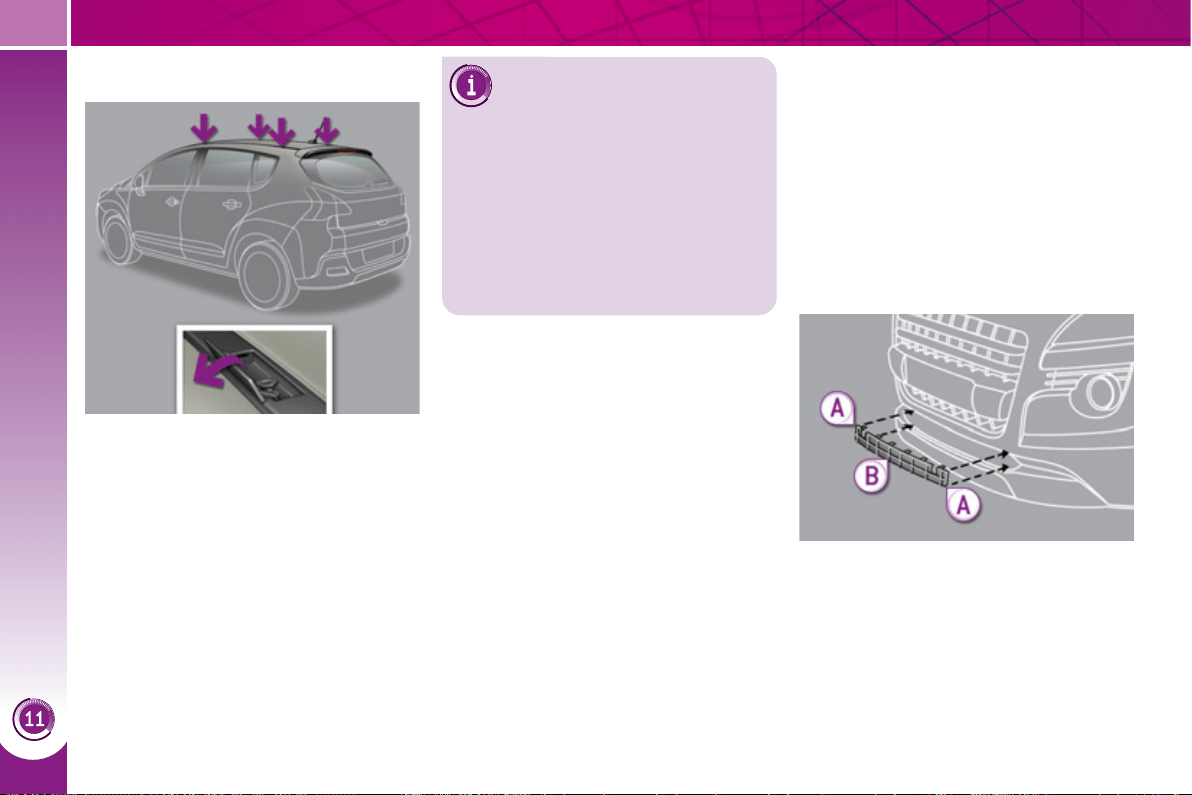
PRACTICAL INFORMATION
1
90
V
ERY COLD CLIMATE SCREEN
Removable protective screen which
prevents the accumulation of snow at
the radiator cooling fan.
Before fi tting or removing the screen,
ensure that the engine is off and the
cooling fan has stopped. It is recom-
mended that the screen be fi tted and
removed by a PEUGEOT dealer.
FITTING ROOF BARS
Maximum authorised weight
on the roof rack, for a loading
height not exceeding 40 cm
(with the exception of bicycle
carriers): 65 kg.
If the height exceeds 40 cm, adapt
the speed of the vehicle to the pro-
fi le of the road to avoid damaging the
roof bars and the fi xings on the roof.
Be sure to refer to national legislation
in order to comply with the regula-
tions for transporting objects that are
longer than the vehicle.
When fi tting transverse roof bars, use
the four quick-fi t fi xings provided for this
purpose:
) lift the concealing fl aps,
) open the fi xing covers on each bar
using the key,
) put each fi xing in place and lock
them on the roof one by one,
) close the fi xing covers on each bar
using the key.
Fitting
) Offer up the screen to the front of
the lower section of the front bum-
per (do not use the upper ventilation
grille position).
) Press on the edges A to engage its
fi xing clips.
) Press on the middle at B to com-
plete the engagement of the fi xing
clips.
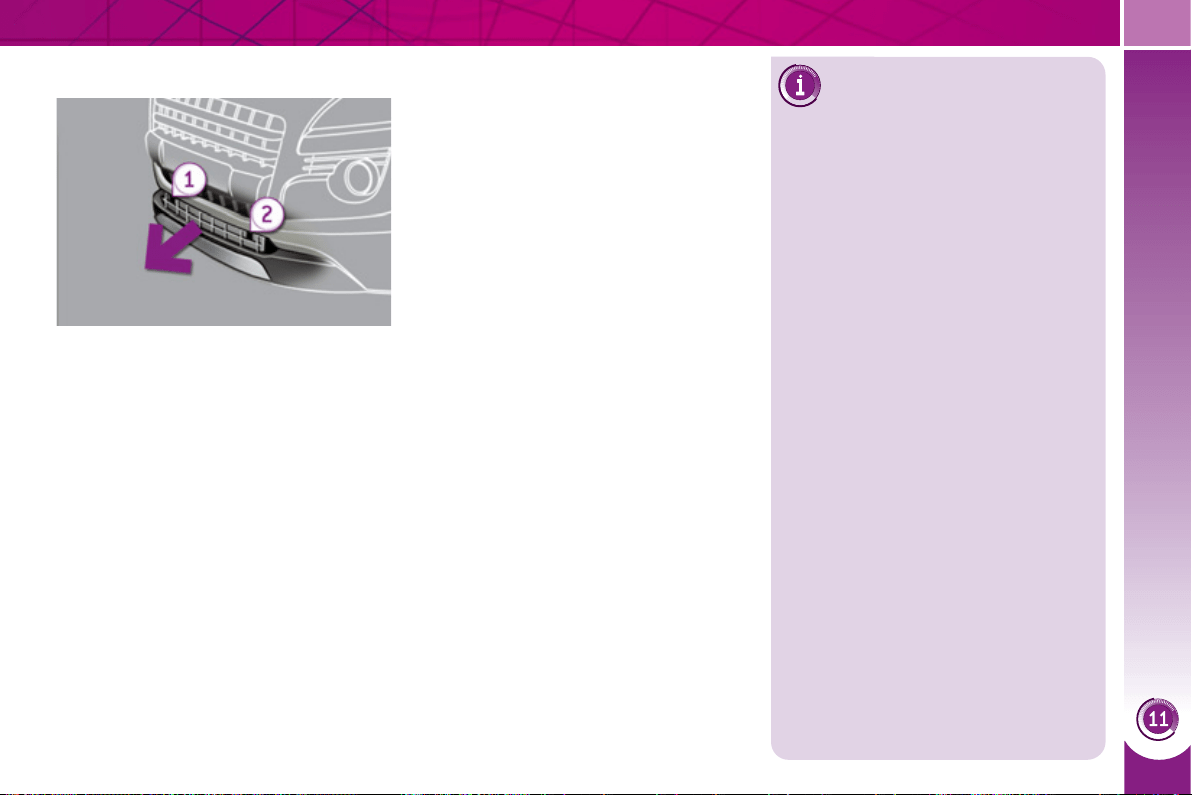
PRACTICAL INFORMATION
1
91
Removal
) Pull on the very cold climate screen
using the cut-outs 1 then 2 at the
edges of the screen.
Do not forget to remove the very cold
climate screen:
- when the ambient temperature ex-
ceeds 10° C,
- when towing,
- at speeds above 75 mph (120 km/h).
ACCESSORIES
A wide range of accessories and genu-
ine parts is available from the PEUGEOT
dealer network.
These accessories and parts have been
tested and approved for reliability and
safety.
They are all adapted to your vehicle and
benefi t from PEUGEOT's recommenda-
tion and warranty.
Installation of radio
communication
transmitters
Before installing any after-market ra-
dio communication transmitter, you
can contact a PEUGEOT dealer for
the specifi cation of transmitters which
can be fi tted (frequency, maximum
power, aerial position, specifi c instal-
lation requirements), in line with the
Vehicle Electromagnetic Compatibility
Directive (2004/104/EC).
Depending on the legislation in force
in the country, it may be compulsory
to have a high visibility safety vest,
warning triangle and spare bulbs and
fuses available in the vehicle.
The fi tting of electrical equipment or
accessories which are not recom-
mended by PEUGEOT may result in
a failure of your vehicle's electronic
system and excessive electrical con-
sumption.
Please note this precaution. You are
advised to contact a PEUGEOT rep-
resentative to be shown the range
of recommended equipment and ac-
cessories.

PRACTICAL INFORMATION
1
92
"Transport solutions":
For leisure pursuits: roof bars, bicycle
carrier on towbar, bicycle carrier on roof
bars, ski carrier, roof box, booster seats
and child seats, side blinds, under shelf
storage.
Trailer towbar, which must be fi tted by a
PEUGEOT dealer.
"Safety and security":
anti-theft alarm, window etching, wheel
security bolts, fi rst aid kit, breathalyzer,
warning triangle, high visibility vest, sto-
len vehicle tracking system, dog guard,
snow chains.
You can also obtain cleaning
and maintenance products
(exterior and interior), prod-
ucts for topping up (screenwash fl u-
id...) and refi lls (sealant cartridge for
the temporary puncture repair kit...)
from PEUGEOT dealers.
* To avoid any risk of jamming of the
pedals:
- ensure that the mat is positioned
and secured correctly,
- never fi t one mat on top of another.
"Style":
seat covers compatible with lateral air-
bags, leather gear lever knob, foglamps,
door defl ectors, spoiler, styling strips,
alloy wheels, trims, chrome-plated door
handle shells.
"Protection":
mats * , boot tray, luggage net, coat
hanger fi xed on head restraint, stainless
steel or carbon fi bre style door sills.
"Multimedia":
audio systems, amplifi ers, satellite navi-
gation systems, Bluetooth hands-free
system, CD changer, speakers, DVD
player, USB Box, front and rear parking
sensors, additional Bluetooth wireless
headphones, Bluetooth audio head-
phones mains charger.

TECHNICAL DATA
1
93
ELECTRIC MOTOR AND BATTERY
Electric motor -
Technology Synchronous with permanent magnets.
Max. power: EU standard (kW) 27
Max. power speed (rpm) -
Max. torque: EU standard (Nm) -
Max. torque speed (rpm) 0 to 2 500
Effi ciency (%) 80 to 90
High voltage battery
Ni-MH
(Nickel Metal Hydride)
Voltage (V~) 200
Energy capacity (kWh) -
Range (miles (km)) 1.2 (2)
Range varies according to the ambient climatic conditions, the driving style and conditions, the use of vehicle systems and
ageing of the battery.
TECHNICAL DATA
1
94
ENGINE AND GEARBOX
Diesel engine
2 litre Turbo HDi
163 hp
Gearbox
Electronic gear control
(6-speed)
Cubic capacity (cc) 1 997
Bore x stroke (mm) 85 x 88
Max power: EU standard (kW) 110/120
Max power engine speed (rpm) 3 750
Max torque: EU standard (Nm) 320/340
Max torque engine speed (rpm) 2 000
Fuel Diesel
Catalytic converter yes
Particle emission fi lter yes
OIL CAPACITIES (in litres)
Engine (with fi lter replacement) -
Gearbox - Final drive -
TECHNICAL DATA
1
95
WEIGHTS AND TOWED LOADS (in kg)
Diesel engine
2 litre Turbo HDi
163 hp
Gearbox
Electronic gear control
(6-speed)
- Unladen weight 1 660
- Kerb weight * 1 735
- Payload 551
- Gross vehicle weight (GVW) 2 245
- Gross train weight (GTW)
on a 12 % gradient
2 745
- Braked trailer (within GTW limit)
on a 10 % or 12 % gradient
500
- Braked trailer ** (with load transfer with
the GTW limit)
500
- Unbraked trailer 500
- Recommended nose weight 70
* The kerb weight is equal to the unladen weight + driver (75 kg).
** The weight of the braked trailer can be increased, within the GTW limit, if the GVW of the towing vehicle is reduced by an
equal amount; warning, towing using a lightly loaded towing vehicle may have an adverse effect on its road holding.
The GTW and towed load values indicated are valid up to a maximum altitude of 1 000 metres; the towed load mentioned
must be reduced by 10 % for each additional 1 000 metres of altitude.
The speed of a towing vehicle must not exceed 60 mph (100 km/h) (comply with the legislation in force in your country).
High ambient temperatures may result in a reduction in the performance of the vehicle to protect the engine; if the ambient
temperature is above 37 °C, limit the towed load.
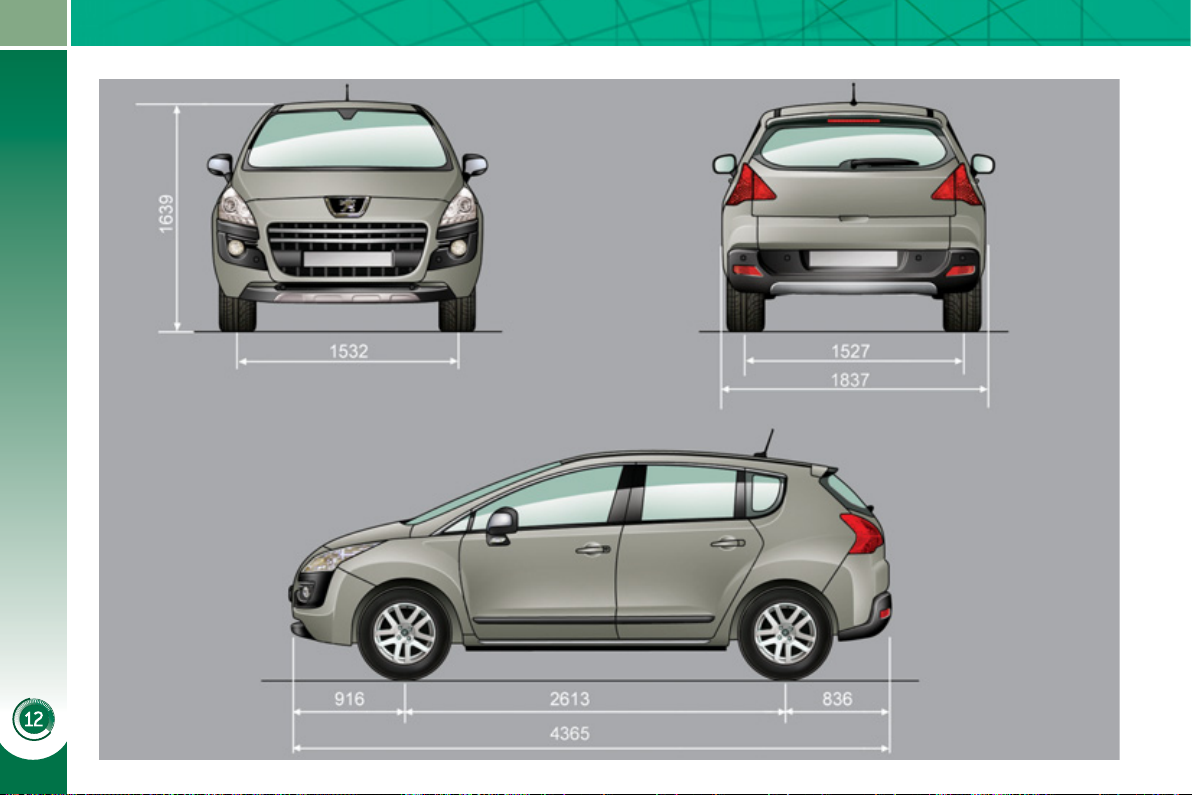
TECHNICAL DATA
1
96
D
IMENSIONS
(
IN MM
)
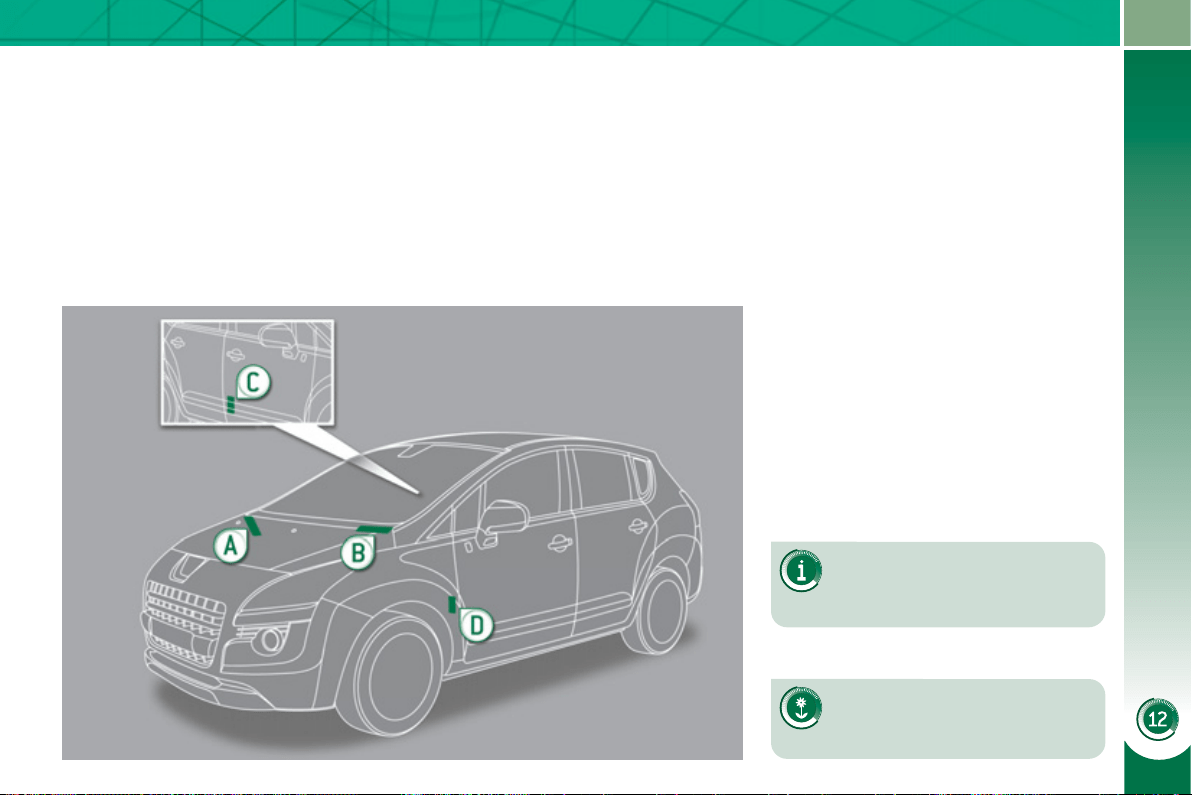
TECHNICAL DATA
1
97
IDENTIFICATION MARKINGS
Various visible markings for the identifi -
cation and tracing of your vehicle.
If the infl ation pressures are
too low, this increases fuel
consumption.
The infl ation pressures must
be checked when the tyres are
cold, at least once a month.
A. Vehicle Identifi cation Number
(VIN) under the bonnet.
This number is engraved on the
bodywork near the damper support.
B. Vehicle identifi cation Number (VIN)
on the windscreen lower cross-
member.
This number is indicated on a self-
adhesive label which is visible
through the windscreen.
C. Manufacturer's label.
The VIN is indicated on a self-
destroying label affi xed to the door
aperture, on the right-hand side.
D. Tyre/paint label.
This label is affi xed to the door
aperture, on the driver's side.
It bears the following information:
- the tyre infl ation pressures with and
without load,
- the wheel rim and tyre sizes,
- the brands of tyre recommended by
the manufacturer,
- the infl ation pressure of the spare
wheel,
- the paint colour code.

TECHNICAL DATA
1
98
1
99
EMERGENCY OR ASSISTANCE CALL
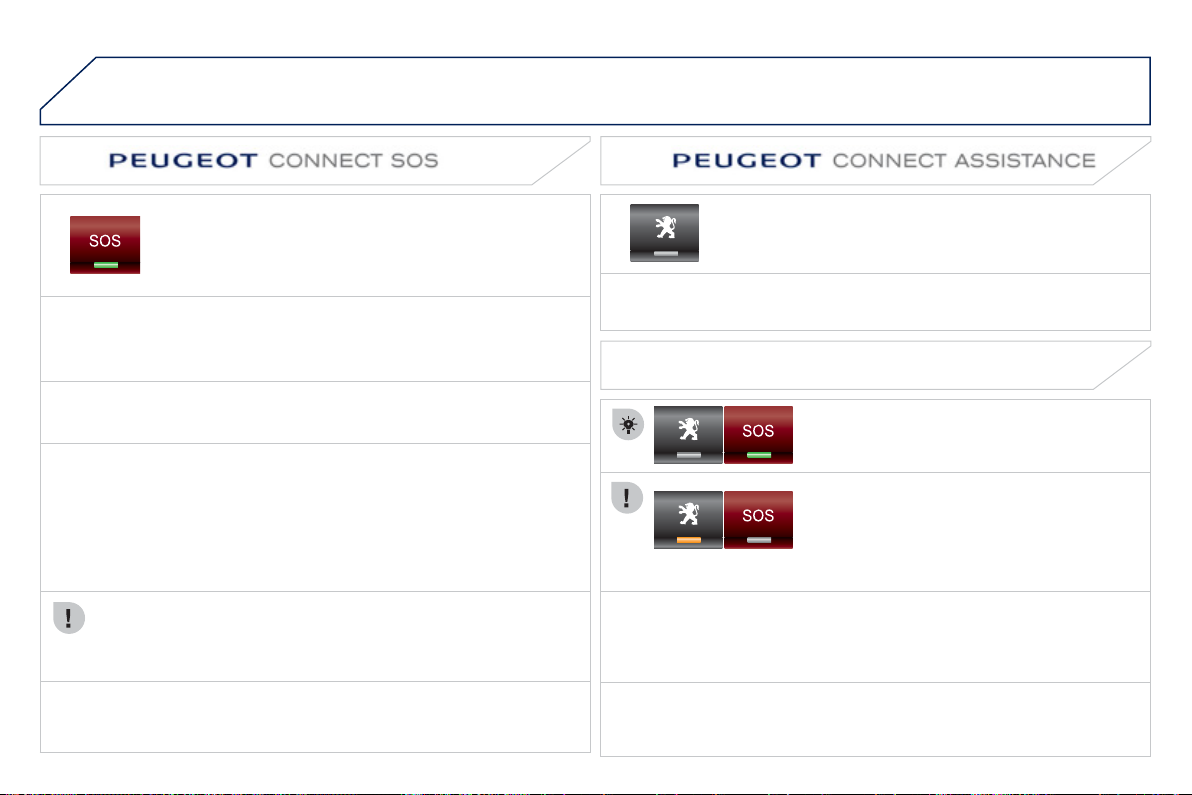
2
00
E
MERGENCY OR ASSISTANCE CALL
In an emer
g
enc
y
, press this button
f
or more than 2 seconds.
F
lashing o
f
the green LED and a voice message con
fi
rm that
the call has been made to the PEU
G
E
O
T Emer
g
enc
y
team
*
.
Pressin
g
this button a
g
ain immediatel
y
cancels the request. The
g
reen
L
ED
g
oes off.
A press
(
at an
y
time
)
of more than 8 seconds on this button, cancels the
request.
When the i
g
nition is switched on, the
g
reen
LED comes on for 3 seconds indicatin
g
that
t
h
e s
y
stem
i
s operat
i
n
g
correct
ly
.
Pressing this button again immediately cancels the request.
The cancellation is con
fi
rmed b
y
a voice messa
g
e.
Press this button
f
or more than 2 seconds to request
ass
i
s
t
a
n
ce
i
f
th
e
v
e
hi
c
l
e
b
r
ea
k
s
do
wn.
A
voice messa
g
e con
fi
rms that the call has been made
*
.
OPERATION OF THE SYSTEM
The
g
reen LED remains on
(
without fl ashin
g)
when communication is
e
stablished. It
g
oes off at the end of communication.
This call is dealt with b
y
the PEU
G
E
O
T Emer
g
enc
y
team which receives
l
ocatin
g
in
f
ormation
f
rom the vehicle and can send a detailed alert to the
a
ppropriate emer
g
enc
y
services. In countries in which the team is not
operational, or when the locatin
g
service has been expressl
y
declined,
the call is dealt with directl
y
b
y
the emer
g
enc
y
services
(
112
)
without the
v
ehicle
loca
t
io
n.
I
f
an impact is detected by the airbag E
C
U, and independently
of
the deplo
y
ment o
f
an
y
airba
g
s, an emer
g
enc
y
call is made
automaticall
y
.
* These services are sub
j
ect to conditions and availabilit
y
.
C
onsult a PE
UG
E
O
T dealer.
I
f
the oran
g
e LED
fl
ashes: there is a s
y
stem
fau
lt.
If the oran
g
e LED is on continuousl
y
: the
backup batter
y
must be replaced.
In either case
,
contact a PEUGE
O
T.
I
f
y
ou purchased
y
our vehicle outside the PEU
G
E
O
T dealer network,
we invite
y
ou to have a dealer check the con
fi
g
uration o
f
these services
a
nd, i
f
desired, modi
fi
ed to suit your wishes. In a multi-lingual country,
c
on
fi
g
uration is possible in the o
ffi
cial national lan
g
ua
g
e o
f
y
our choice.
For technical reasons, particularl
y
to improve the qualit
y
o
f
PEU
G
E
O
T
C
O
NNECT services to customers, the manufacturer reserves the ri
g
ht to
c
arr
y
out updates to the vehicle's on-board telematic s
y
stem.
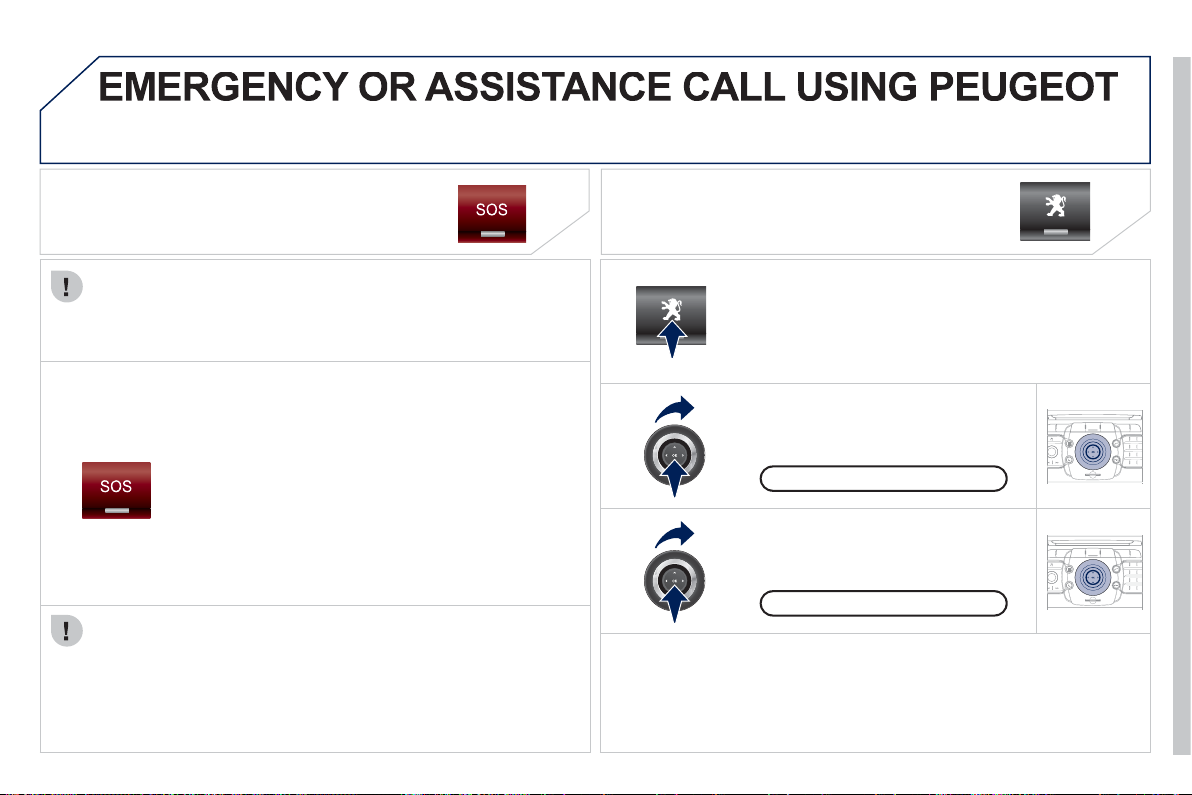
2
01
2
ABC
3
DEF
5
JKL
4
GHI
6
MNO
8
TUV
7
PQRS
9
WXY
Z
0
*
#
1
RADIO MEDIA
NAV ESC TRAFFIC
SETUP
ADDR
BOOK
2
ABC
3
DEF
5
JKL
4
GHI
6
MNO
8
TUV
7
PQRS
9
WXY
Z
0
*
#
1
RADIO MEDIA
NAV ESC TRAFFIC
SETUP
ADDR
BOOK
CONNECT MEDI
A
EMERGENCY CALL
In an emer
g
enc
y
, press the S
O
S button until an audible
si
g
nal is heard and a "Confi rmation/Cancellation"
screen is displa
y
ed
(
if valid SIM card inserted
)
.
A call is made to the PEU
G
E
O
T Emer
g
enc
y
team
which receives locatin
g
in
f
ormation
f
rom the vehicle
a
nd can send a detailed alert to the relevant emergency
se
rvi
ces
.
In countries in which the team is not operational, or
when the locatin
g
service has been expressl
y
declined,
the call is sent to the emer
g
enc
y
services
(
112
)
.
Warning - the emergency call and the services are only active
i
f
the internal telephone is used with a valid
S
IM card. With a
Bluetooth tele
p
hone and without a
S
IM card, these services are not
o
p
erational.
Press this button
f
or access to PEU
G
E
O
T services.
Customer call
I
f
an impact is detected b
y
the airba
g
control unit, and independentl
y
o
f
the deployment o
f
any airbags, an emergency call is made
a
utomaticall
y
.
The messa
g
e "Deteriorated emer
g
enc
y
call" associated with
fl ashin
g
of the oran
g
e indicator lamp indicates a malfunction.
C
onsult a PE
UG
E
O
T dealer.
ASSISTANCE CALL
Select "Customer call" to request
an
y
information about the PEUGE
O
T
marq
u
e
.
Se
l
ec
t "PE
UG
E
O
T A
ss
i
s
t
a
n
ce
" t
o
ma
k
e
a
b
r
ea
k
do
wn
ass
i
s
t
a
n
ce
ca
ll.
PEUGEOT Assistanc
e
This service is sub
j
ect to conditions and availabilit
y
.
C
onsult a
PEUGE
O
T dealer. If
y
ou have purchased
y
our vehicle outside the
PEUGE
O
T dealer network, we invite
y
ou to have a dealer check the
c
onfi
g
uration of these services and, if desired, modifi ed to suit
y
our
w
ishes
.

2
02
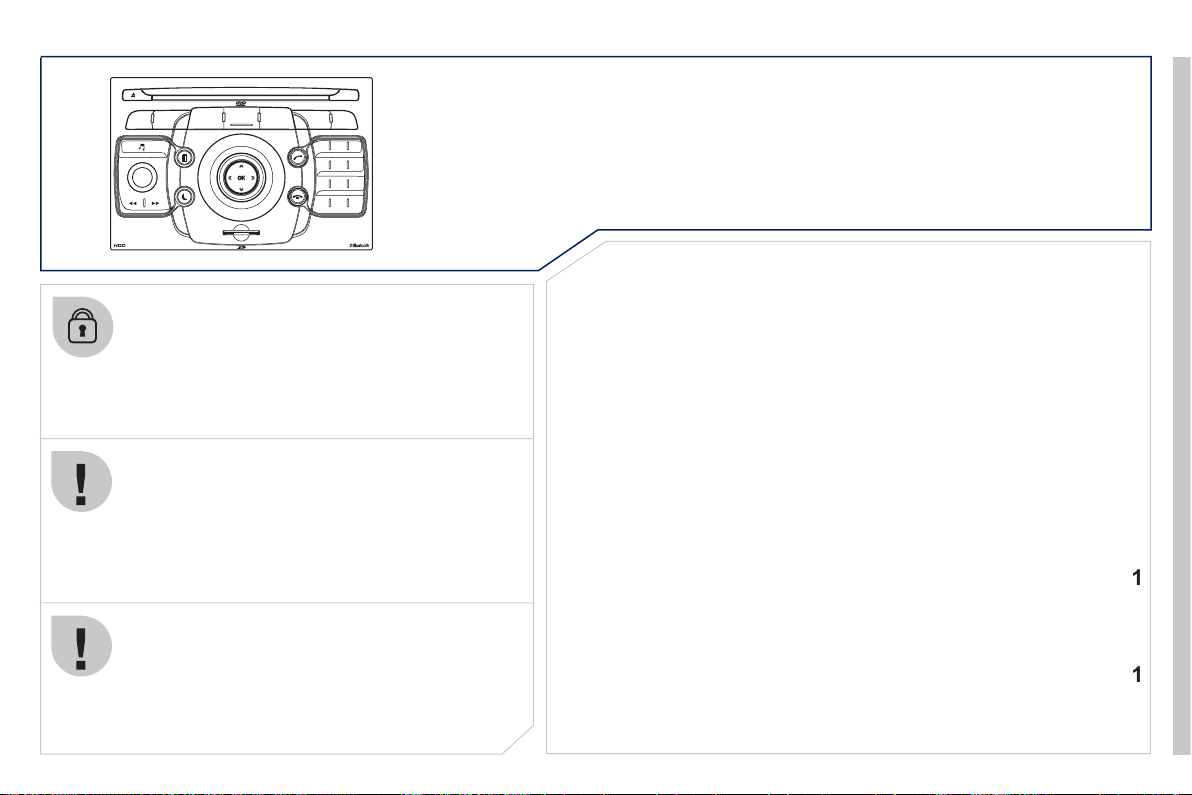
2
03
2
ABC
3
DEF
5
JKL
4
GHI
6
MNO
8
TUV
7
PQRS
9
WXYZ
0
*
#
1
RADIO MEDIA
NAV ESC TRAFFIC
SETUP
ADDR
BOOK
The Peu
g
eot
C
onnect Media is protected in such a
wa
y
that it will onl
y
operate in
y
our vehicle. I
f
it is to be
installed in another vehicle, contact a PEU
G
E
O
T dealer
f
or con
fi
g
uration o
f
the s
y
stem.
C
ertain functions described in this handbook will
become available durin
g
the course of the
y
ear.
P
EUGEOT CONNECT MEDI
A
For sa
f
et
y
reasons, it is imperative that the driver
c
arries out operations which require prolon
g
ed attention
while the vehicle is stationar
y
.
When the en
g
ine is switched off and to prevent
dischar
g
in
g
of the batter
y
, the Peu
g
eot Connect Media
s
witches o
ff
f
ollowin
g
the activation o
f
the Ener
gy
E
conom
y
mo
d
e.
01 First steps
02 Voice commands and
steering mounted controls
03 General operation
04 Navigation - Guidance
05 Traffic information
06 Radio
07 Music media players
08 Using the telephone
09 Configuration
10 Screen menu map
p.
p.
p.
p.
p.
p.
p.
p.
p.
p.
20
4
20
6
20
9
21
4
22
3
22
5
22
6
2
3
1
2
3
5
2
3
6
CONTENTS
Frequently asked questions p.
24
1
MULTIMEDIA AUDIO SYSTEM/BLUETOOTH TELEPHONE
GPS EUROPE
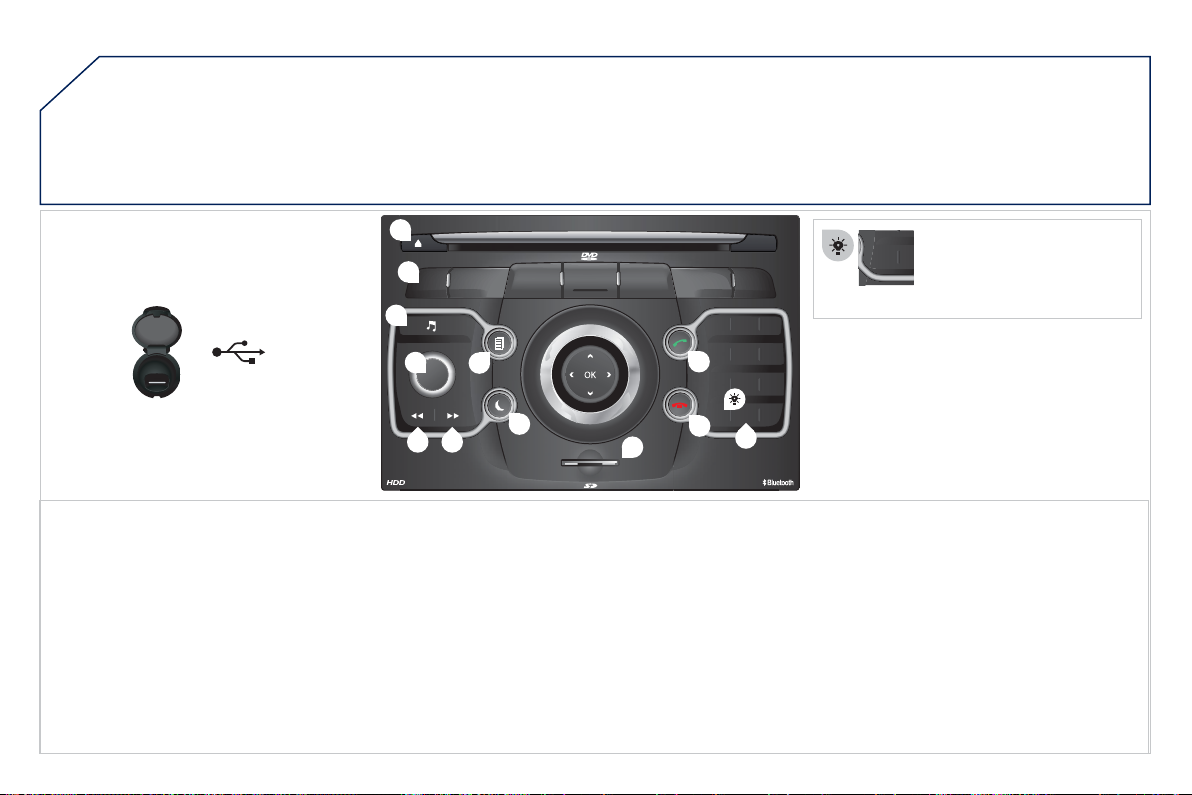
2
0
4
01
2
ABC
3
DEF
5
JKL
4
GHI
6
MNO
8
TUV
7
PQRS
9
WXYZ
0
*
#
1
RADIO MEDIA
NAV ESC TRAFFIC
SETUP
ADDR
BOOK
1
10
2
3
4
6
12
9
7
8
11
5
TUPQRS
0
*
1.
C
D e
j
ect.
2. RADI
O
:
access
t
o
th
e
"R
ad
i
o
" M
e
n
u
.
Displa
y
the list of stations in alphabetical
o
rder
(
FM waveband
)
or
f
requenc
y
order
(
AM
waveband
)
.
MEDIA: access to the "Media" Menu
(
Audio CD,
J
ukebox, External Device
)
.
Displa
y
the list o
f
tracks.
C
han
g
e o
f
source.
NAV: access to the "Navi
g
ation" Menu and
displa
y
of the last destinations.
ESC: abandon the operation in pro
g
ress.
Lon
g
press: return to the main displa
y
.
TRAFFI
C
: access to the "Tra
ffi
c" Menu
(f
unction
described in detail in sections 02 and 10
)
.
ADDR B
OO
K: access to the "Address book" Menu
(
function described in detail in section 10
)
.
S
ETUP: access to the "
S
ETUP" Menu
(
confi
g
uration
)
(
function described in detail in
s
ections 02 and 10
)
.
Lon
g
press: GPS covera
g
e.
3. Audio settin
g
s
(
Balance
/
Fader, Bass
/
Treble,
M
usical Ambience...
)
.
4. Volume ad
j
ustment
(
each source is independent,
includin
g
messa
g
e and navi
g
ation alert
)
.
Long press: reinitialisation of the system.
S
hort press: mute.
5. Automatic search
f
or a radio station on a lower
frequenc
y
.
S
election o
f
the
p
revious
C
D or MP3 track.
FIRST STEPS
Peugeot Connect Media CONTROL PANEL
6
. Automatic search
f
or a radio station on a hi
g
her
frequenc
y
.
S
election o
f
the next
C
D or MP
3
track.
7. Normal displa
y
or black screen.
8. Selection of the successive displa
y
on the screen
of
"MAP"
/
"NAV"
(
i
f
navi
g
ation is in pro
g
ress
)/
"TEL"
(
i
f
a conversation is in pro
g
ress
)/
"RADI
O
" or
"
MEDIA" currentl
y
bein
g
pla
y
ed.
9.
PI
C
K UP: access to the "Phone" menu.
Wi
t
h
Bl
uetoot
h
connect
i
on, accept an
i
ncom
i
n
g
ca
ll
.
1
0
. HAN
G
U
P:
access
t
o
th
e
"Ph
o
n
e
" m
e
n
u
.
Han
g
up the current call or re
f
use an incomin
g
c
all, with Bluetooth connection.
11. Enterin
g
o
f
numbers or letters on the alpha-
n
umeric ke
y
pad, pre-selection of 10 radio
frequencies.
12.
S
D
ca
r
d
r
eade
r.
S
hort press: clears the last
c
h
a
r
ac
t
e
r.
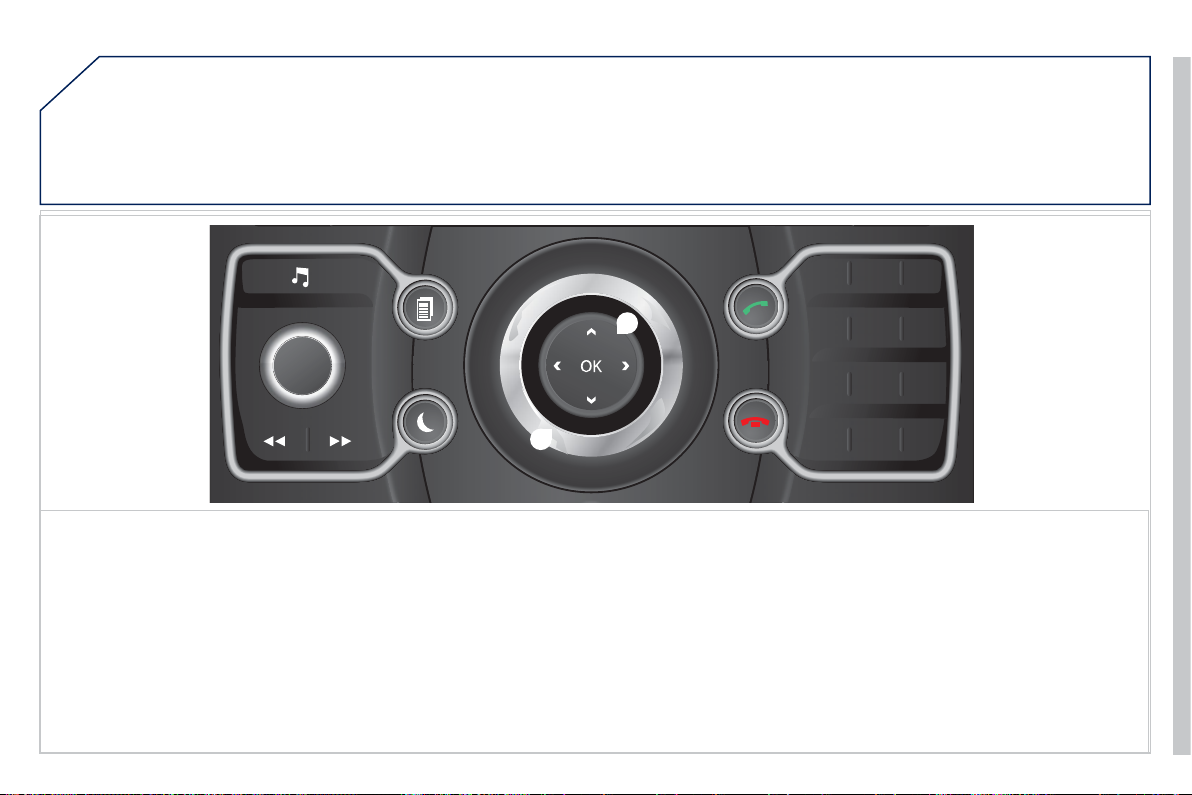
2
05
01
2
ABC
3
DEF
5
JKL
4
GHI
6
MNO
8
TUV
7
PQRS
9
WXYZ
0
*
#
1
13
14
13.
O
K: confi rmation of the hi
g
hli
g
hted item on
t
he
sc
r
ee
n.
- 4-direction navi
g
ator: press to the le
f
t
/
ri
g
ht.
When the "RADI
O
" screen is displa
y
ed: selection
o
f the previous/next frequenc
y
.
When "MEDIA" is displayed: selection of the
previous
/
next track.
When "MAP" or "NAV" is displa
y
ed: horizontal
movement o
f
the map.
- 4-direction navi
g
ator: press up/down.
When "RADI
O
" is displayed: selection o
f
the previous
/
next radio station on the list.
When the "MEDIA" screen is displa
y
ed: selection
of the MP3 director
y
.
Wh
en
"MAP"
or
"NAV"
i
s
di
sp
l
aye
d
: vert
i
ca
l
m
ovement o
f
the map.
S
witch to the next or previous pa
g
e o
f
a menu.
Movement on the virtual ke
y
pad displa
y
ed.
FIRST STEP
S
14. Rotation of the rin
g
:
When the "RADI
O
" screen is displayed: selection
o
f
the previous
/
next radio station on the list.
When the "MEDIA" screen is displa
y
ed: selection
of the previous/next CD or MP3 track.
When "MAP" or "NAV" is displayed: front/rea
r
map zoom.
M
o
v
e
m
e
nt
of
th
e
m
e
n
u
se
l
ec
ti
o
n
cu
r
se
r.
Peugeot Connect Media NAVIGATOR
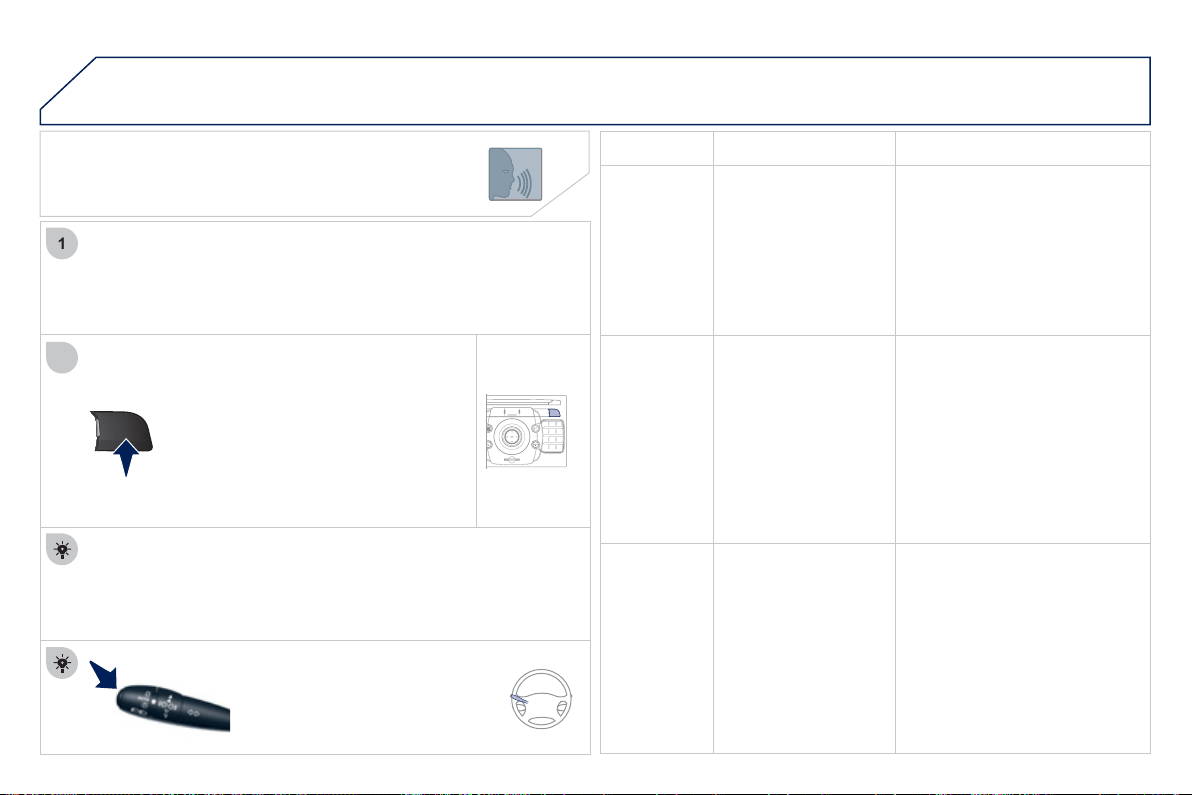
2
06
2
ABC
3
DEF
5
JKL
4
GHI
6
MNO
8
TUV
7
PQRS
9
WXYZ
0
*
#
1
NAV ESC TRAFFIC
ADDR
BOOK
SETUP
02
2
1
SETUP
Be
f
ore usin
g
the s
y
stem
f
or the
fi
rst time,
y
ou are advised to listen
to, sa
y
and practice the tutorial.
Press the
S
ET
U
P button and select
the "Lan
g
ua
g
e & Speech" function.
T
urn t
h
e r
i
n
g
an
d
se
l
ect
"V
o
i
ce contro
l"
.
A
ct
i
vate vo
i
ce reco
g
n
i
t
i
on.
Se
l
ec
t "T
u
t
o
ri
a
l".
VOICE COMMANDS - VOICE
RECO. INITIATION
Th
e p
h
rases to
b
e spo
k
en accor
di
n
g
to t
h
e context are
i
n
di
cate
d
i
n
t
he
t
ables
belo
w.
S
peak and Peugeot
C
onnect Media acts.
Pressing the end o
f
the lighting
co
ntr
o
l
s
t
a
lk
ac
tiv
a
t
es
v
o
i
ce
reco
g
nition.
CONTEX
T
SAY
A
CTION
GENERAL Help address book
H
e
l
p vo
i
ce contro
l
Hel
p
media
Help navigation
Help telephone
H
e
l
p ra
di
o
C
ancel
Co
rr
ec
ti
o
n
Access to the address book help
A
ccess to t
h
e vo
i
ce reco
g
n
i
t
i
on
h
e
l
p
Access to the media mana
g
ement help
Access to the guidance, navigation help
Access to the telephone help
A
ccess to t
h
e ra
di
o
h
e
l
p
To
ca
n
cel
a
v
oice
co
mm
a
n
d
w
hich
is
i
n
progress
Request to correct the last voice reco
g
nition
ca
rri
ed
ou
t
C
lear
RADIO
S
elect station
S
tation <tts:stationName>
R
ead
ou
t
s
t
a
ti
o
n li
s
t
Enter
f
requenc
y
Select wave band
AM
FM
TA
o
n
TA
o
f
f
S
elect a radio station
S
elect a radio station usin
g
its RD
S
descri
p
tion <tts:station Name> from the
R
ADI
O
li
s
t
Li
s
t
e
n t
o
th
e
li
s
t
of
s
t
a
ti
o
n
s
a
v
a
il
ab
l
e
Listen to the
f
requenc
y
o
f
the current radio
s
t
a
ti
o
n
Choose the frequency waveband (AM or FM)
C
han
g
e the
f
requenc
y
waveband to AM
C
han
g
e the
f
requenc
y
waveband to FM
Activate Tra
ffi
c In
f
o
(
TA
)
D
eac
tiv
a
t
e
Tr
a
ffi
c
Inf
o
NAVIGATIO
N
D
est
i
nat
i
on
i
nput
V
o
i
ce
ad
vi
ce
o
f
f
V
o
i
ce
ad
vi
ce
o
n
Sa
v
e
add
r
ess
S
tart
g
uidance
Abort guidance
Navi
g
ate entr
y
P
O
I
S
earch
C
ommand to enter a new destination
add
r
ess
Deactivate the spoken guidance instructions
Activate the spoken
g
uidance instructions
Sa
v
e
a
n
add
r
ess
in th
e
add
r
ess
boo
k
S
tart
g
uidance
(
once the address has been
e
ntered
)
Stop the guidance
S
tart
g
uidance to an entr
y
in the address
book
S
tart
g
uidance to a point o
f
interest
V
OICE COMMANDS AND STEERING MOUNTED CONTROLS
2
07
02
VOICE COMMANDS - VOICE
RECO. INITIATION
V
OICE COMMANDS AND STEERING MOUNTED CONTROL
S
CONTEX
T
S
AY
A
CTION
M
EDIA M
ed
i
a
Se
l
ec
t m
ed
i
a
S
in
g
le slot
J
u
k
e
b
ox
USB
Ext
e
rn
a
l
de
vi
ce
S
D-
Ca
r
d
Track <
1
-
1
000
>
Folder <1 - 1 000>
Select the MEDIA source
C
h
oose
a
sou
r
ce
S
elect the
C
D pla
y
er source
S
elect the
J
ukebox source
Select the USB pla
y
er source
Select the audio AUX in
p
ut source
Se
l
ec
t th
e
S
D
ca
r
d
sou
r
ce
S
elect a speci
fi
c track
(
number between
1 and 1 000
)
on the active MEDIUM
Select a Folder (number between 1 and
1 000
)
on the active MEDIUM
T
ELEPHON
E
Ph
o
n
e
m
e
n
u
Ent
e
r n
u
m
be
r
Ph
o
n
e
boo
k
Dial
S
ave number
Acce
p
t
Re
j
ect
O
p
en the Tele
p
hone Menu
Enter a tele
p
hone number to be called
O
pen the phone book
Make
a
call
S
ave a number in the phone book
Accept an incoming call
Re
j
ect an incomin
g
call
ADDRE
SS
BOOK
A
dd
r
ess
boo
k m
e
n
u
C
all <entr
y
>
N
av
ig
ate <entr
y
>
Op
en the address book
C
all
fi
le usin
g
its <
fi
le> description as
desc
r
ibed
i
n t
he
add
r
ess
book
S
tart
g
uidance to an address in the address
b
ook using its <fi le> description
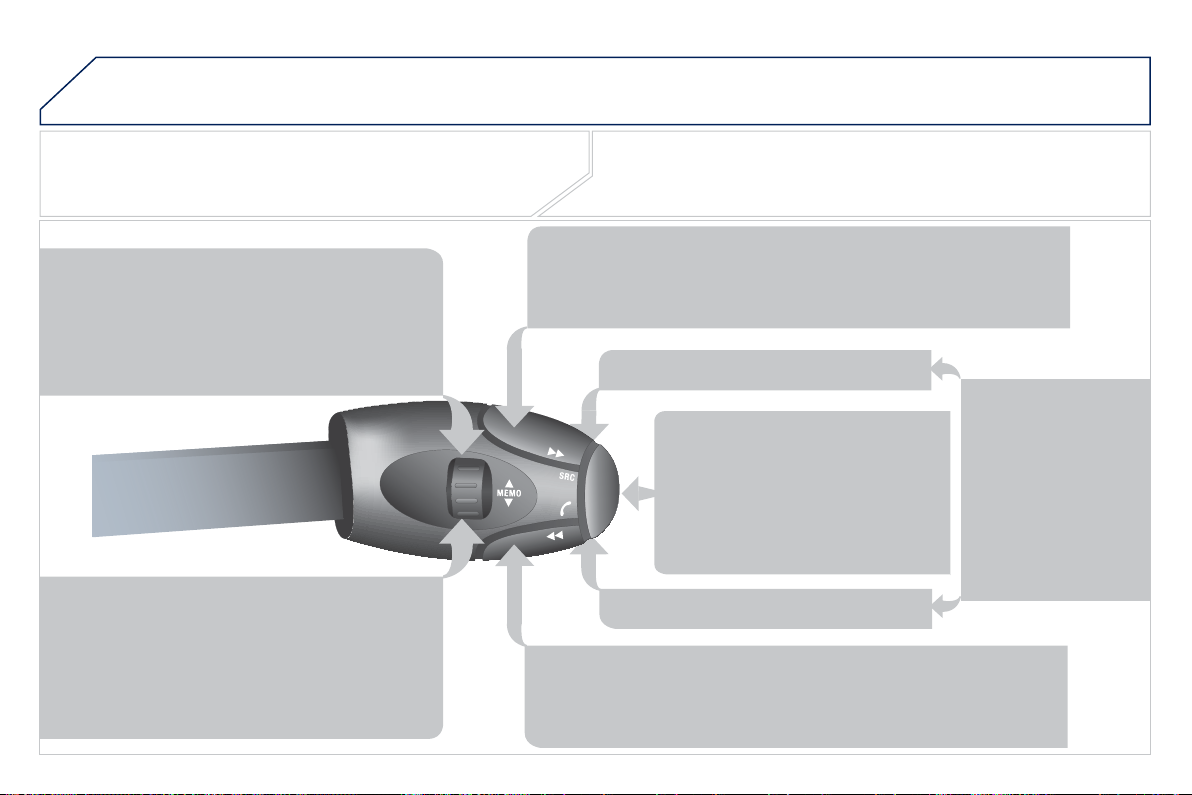
2
08
02
V
OICE COMMANDS AND STEERING MOUNTED CONTROL
S
STEERING MOUNTED CONTROLS
RADI
O
: selection of the previous stored station.
Audio CD: selection of the previous track.
I
f
"MEDIA" is displa
y
ed on the screen:
MP
3
C
D
/S
D
C
ARD
/
JUKEB
O
X: selection o
f
the
previous
f
older.
S
election o
f
the previous entr
y
in the address book.
RADI
O
: selection of the next stored station.
Audio
C
D: selection of the next track.
I
f
"MEDIA" is displa
y
ed on the screen:
MP
3
C
D
/C
ARD
/
JUKEB
O
X: selection o
f
the next
fo
l
de
r.
S
election o
f
the next entr
y
in the address book.
RADI
O
: automatic search
f
or a hi
g
her
f
requenc
y
.
C
D
/S
D
C
ARD
/JU
KEB
O
X: selection of the next track.
CD/SD CARD/JUKEB
O
X: continuous press: fast forward pla
y
.
RADI
O
: automatic search for a lower frequenc
y
.
CD/SD CARD/JUKEB
O
X: selection of the previous track.
CD/SD CARD/JUKEB
O
X: continuous press: fast backward pla
y
.
- Chan
g
e the sound source.
- M
a
k
e
a
ca
ll fr
o
m th
e
add
r
ess
book
.
- Pick up
/
Han
g
up the telephone.
- Pr
ess
fo
r m
o
r
e
th
a
n 2
seco
n
ds
:
access
t
o
th
e
add
r
ess
boo
k.
V
o
l
u
m
e
in
c
r
ease
.
V
o
l
u
m
e
dec
r
ease
.
Mute: b
y
pressin
g
th
e
v
o
l
u
m
e
in
c
r
ease
a
n
d
dec
r
ease
bu
tt
o
n
s
si
mu
l
taneous
ly
.
R
estore t
h
e soun
d
:
by
p
ressing one o
f
the
tw
o
v
o
l
u
m
e
bu
tt
o
n
s
.
Wiper stalk: displa
y
of "RADI
O
" and "MEDIA".
Li
g
htin
g
stalk: activation of the voice command b
y
means of a short press;
indication o
f
the current navi
g
ation instruction b
y
means o
f
a lon
g
press.
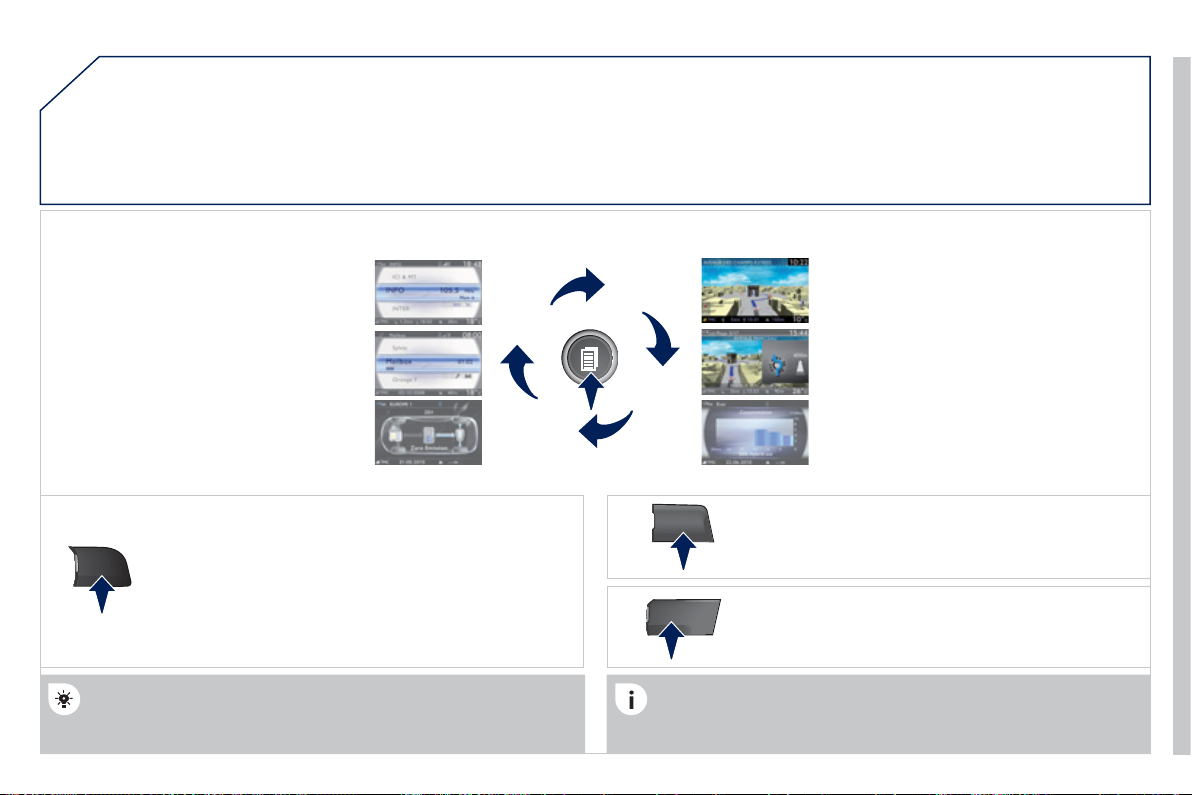
2
09
03
SETUP
TRAFFIC
MEDIA
GENERAL OPERATION
For a detailed
g
lobal view o
f
the menus available, re
f
er to the
"S
creen menu map" section o
f
this handbook.
Press the M
O
DE button several times in succession to
g
ain access to the followin
g
displa
y
s:
Lon
g
press: access to the GPS covera
g
e and to the
de
m
o
n
s
tr
a
t
io
n m
ode
.
For maintenance o
f
the screen, the use o
f
a so
f
t, non-abrasive cloth
(
spectacles cloth
)
is recommended, without any additional product.
RADIO
/
MUSIC MEDIA/VIDEO
T
ELEPHON
E
(
I
f
a conversation is in progress
)
FULL SCREEN MA
P
NAVIGATION
(
I
f
g
uidance is in pro
g
ress
)
SETUP
:
access to the "
S
ETUP" Menu: s
y
stem lan
g
ua
g
e
*
and voice
f
unctions
*
, voice initialisation
(
section 09
)
,
date and time
*
, displa
y
, unit and s
y
stem parameters.
T
RAFFIC
:
access to the Tra
ffi
c Menu: displa
y
o
f
the current
tr
affi
c
a
l
e
rt
s
.
DISPLAY ACCORDING TO THE CONTEXT
MEDIA:
"
DVD-
aud
i
o
" m
e
n
u
"DVD
-
Video"
m
e
n
u
*
Available according to model.
HYBRID FLO
W
For more information, refer to
the "H
y
brid S
y
stem" section, then
"
View h
y
brid fl ow information".
H
YBRID CON
S
UMPTION
For more information, refer to the
"
H
y
brid S
y
stem" section, then
"
Consumption of
y
our h
y
brid".
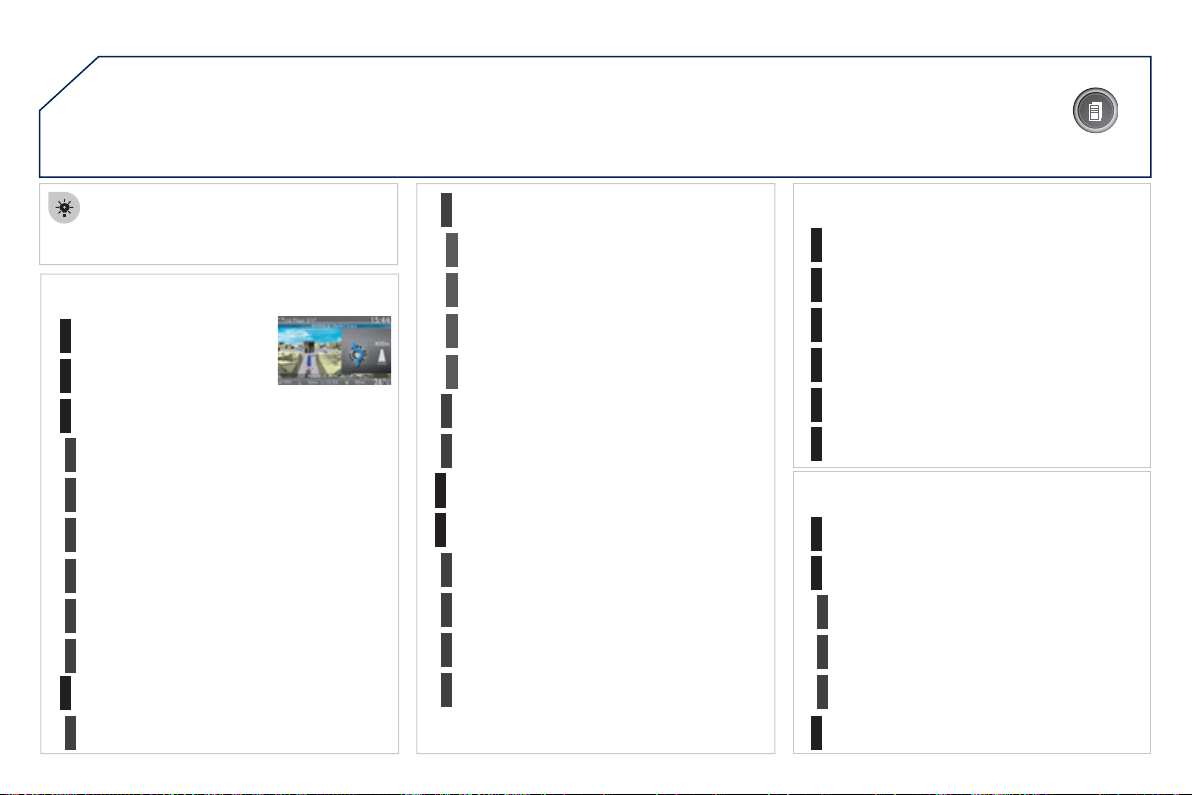
21
0
03
G
ENERAL OPERATION
Pressin
g
O
K
g
ives access to short-cut
menus accor
di
n
g
to t
h
e
di
sp
l
a
y
on t
h
e
screen
.
DISPLAY ACCORDING TO THE CONTEXT
NAVIGATION
(
IF GUIDANCE IS IN PROGRESS
)
:
Abort guidanc
e
1
1
1
R
e
p
eat a
d
v
i
c
e
Bl
oc
k
roa
d
2
2
U
nblock
M
o
r
e
2
L
ess
3
3
R
oute t
y
pe
A
v
o
i
d
3
S
atellites
2
2
C
alculate
Z
oo
m
/Sc
r
o
ll
2
Br
o
w
se
r
ou
t
e
1
Route info
2
2
S
how destination
Trip in
f
o
3
Stopovers
2
2
Br
o
w
se
r
ou
t
e
Zoom
/S
croll
1
1
V
o
i
ce a
d
v
i
c
e
Route o
p
tions
2
2
Route t
y
pe
R
oute
d
ynam
i
cs
2
Av
o
i
da
n
ce
c
rit
e
ri
a
2
R
eca
l
cu
l
a
t
e
TELEPHONE:
E
nd cal
l
1
1
1
1
Hold cal
l
Di
a
l
DTMF
-
T
one
s
1
P
rivate mod
e
1
Micro off
MU
S
IC MEDIA PLAYER
S
:
TA
1
1
Pl
a
y
opt
i
ons
1
Select medi
a
2
2
N
o
rm
a
l
o
r
de
r
R
a
n
do
m tr
ac
k
2
S
can
211
03 GENERAL OPERATION
DISPLAY ACCORDING TO THE CONTEXT
RADIO:
I
n
FM
mo
de
1
1
In AM mod
e
2
2
TA
RD
S
2
Radio
t
e
xt
2
Re
g
ional pro
g
.
2
AM
2
2
TA
R
ef
r
es
h AM li
s
t
2
FM
FULL
S
CREEN MAP:
A
bort
g
uidance
/
Resume
g
uidanc
e
1
1
1
1
Set destination/Add sto
p
over
P
OIs nearb
y
P
osition inf
o
2
G
uidance options
3
3
Navi
g
ate to
Dial
3
Save
p
osition
3
Z
oo
m
/Sc
r
o
ll
M
ap Settin
gs
1
1
Zoom/Scrol
l
2
2
2D Map
2.5D Map
2
3D Map
2
North Up
2
Headin
g
Up
A
UDIO DVD
(
LONG PRESS
)
:
1
Sto
p
2
G
roup
3
G
roup 1 .2
/
n
TA
1
2
S
elect media
2
Play options
3
Normal order
/
Random track
/S
can
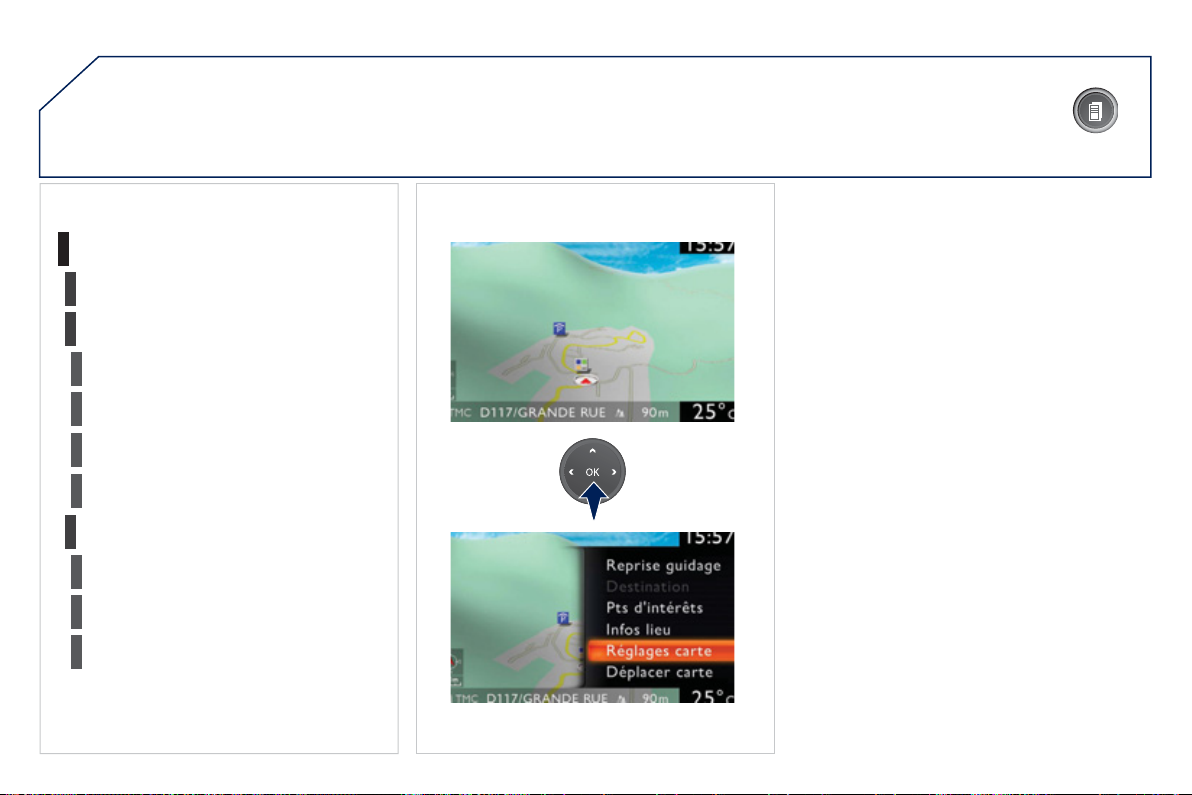
212
03
3
3
DVD m
e
n
u
DVD to
p
menu
3
Li
s
t
of
titl
es
3
List of chapters
V
IDEO DVD
(
LONG PRESS
)
:
Pl
a
y
1
G
ENERAL OPERATION
DISPLAY ACCORDING TO THE CONTEXT
2
2
S
top
DVD
m
e
n
us
3
3
Audio
S
ubtitles
3
A
ngle
2
DVD
O
ptions
Examples:

21
3
-
t
he map settin
g
which allows the map to be displa
y
ed fl at, in perspective or in 3D
.
-
c
onfi
g
uration of the s
y
stem b
y
means of voice commands
.
M
ap in 3
D
Flat ma
p
M
a
p
in
p
ers
p
ectiv
e
Peugeot Connect Media IS:

214
04
2
ABC
3
DEF
5
JKL
4
GHI
6
MNO
8
TUV
7
PQRS
9
WXY
Z
0
*
#
1
RADIO MEDIA
NAV ESC TRAFFIC
SETUP
ADDR
BOOK
2
ABC
3
DEF
5
JKL
4
GHI
6
MNO
8
TUV
7
PQRS
9
WXY
Z
0
*
#
1
RADIO MEDIA
NAV ESC TRAFFIC
SETUP
ADDR
BOOK
NAV
1
2
3
4
5
6
2
ABC
3
DEF
5
JKL
4
GHI
6
MNO
8
TUV
7
PQRS
9
WXY
Z
0
*
#
1
RADIO MEDIA
NAV ESC TRAFFIC
SETUP
ADDR
BOOK
2
ABC
3
DEF
5
JKL
4
GHI
6
MNO
8
TUV
7
PQRS
9
WXY
Z
0
*
#
1
RADIO MEDIA
NAV ESC TRAFFIC
SETUP
ADDR
BOOK
2
ABC
3
DEF
5
JKL
4
GHI
6
MNO
8
TUV
7
PQRS
9
WXY
Z
0
*
#
1
RADIO MEDIA
NAV ESC TRAFFIC
SETUP
ADDR
BOOK
2
ABC
3
DEF
5
JKL
4
GHI
6
MNO
8
TUV
7
PQRS
9
WXY
Z
0
*
#
1
RADIO MEDIA
NAV ESC TRAFFIC
SETUP
ADDR
BOOK
NAVIGATION - GUIDANCE
SELECTING A DESTINATION
Press the NAV button a
g
ain or select
the Navi
g
ation Menu function and
press
O
K to confi rm.
S
elect the "Destination input"
f
unction and press
O
K to con
fi
rm.
Pr
ess
th
e
NAV
bu
tt
o
n.
Se
l
ec
t th
e
l
e
tt
e
r
s
of
th
e
t
o
wn
o
n
e
b
y
one confi rmin
g
each time b
y
p
ressin
g
O
K.
O
nce the countr
y
has been selected,
turn the rin
g
and select the town
function. Press
O
K to confi rm.
Navi
g
ation Menu
g
D
estination in
p
u
t
p
A
pre-set list
(
b
y
enterin
g
the
fi
rst
f
ew letters
)
o
f
the towns in the
c
ountr
y
selected can be accessed via the LI
S
T button on the virtual
keypad.
S
elect the "Address input"
f
unction
and press
O
K to con
fi
rm.
Add
ress
i
n
p
u
t
p
The list of the last 20 destinations appears under the Navi
g
ation
Me
n
u
fu
n
c
ti
o
n.
The "NAVI
G
ATI
O
N" voice commands are listed in section
0
2.
Durin
g
g
uidance, a lon
g
press on the end of the li
g
htin
g
stalk repeats the
l
ast
g
u
id
ance
i
nstruct
i
on.
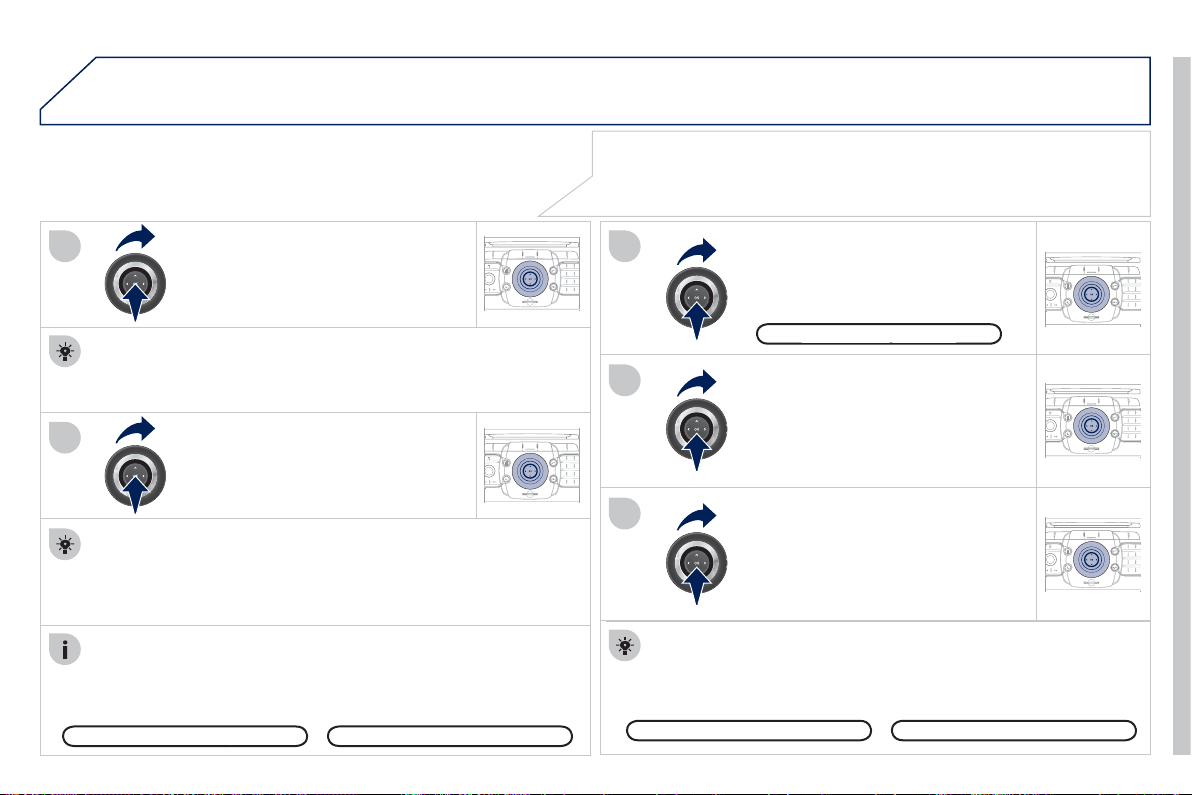
21
5
04
2
ABC
3
DEF
5
JKL
4
GHI
6
MNO
8
TUV
7
PQRS
9
WXY
Z
0
*
#
1
RADIO MEDIA
NAV ESC TRAFFIC
SETUP
ADDR
BOOK
7
8
9
1
0
11
2
ABC
3
DEF
5
JKL
4
GHI
6
MNO
8
TUV
7
PQRS
9
WXY
Z
0
*
#
1
RADIO MEDIA
NAV ESC TRAFFIC
SETUP
ADDR
BOOK
2
ABC
3
DEF
5
JKL
4
GHI
6
MNO
8
TUV
7
PQRS
9
WXY
Z
0
*
#
1
RADIO MEDIA
NAV ESC TRAFFIC
SETUP
ADDR
BOOK
2
ABC
3
DEF
5
JKL
4
GHI
6
MNO
8
TUV
7
PQRS
9
WXY
Z
0
*
#
1
RADIO MEDIA
NAV ESC TRAFFIC
SETUP
ADDR
BOOK
2
ABC
3
DEF
5
JKL
4
GHI
6
MNO
8
TUV
7
PQRS
9
WXY
Z
0
*
#
1
RADIO MEDIA
NAV ESC TRAFFIC
SETUP
ADDR
BOOK
Repeat steps 5 to 7
f
or the "
S
treet"
a
n
d
"H
ouse
n
u
m
be
r"
fu
n
c
ti
o
n
s
.
To delete a destination; from ste
p
s 1 to 3, select "Choose from last
des
tin
a
ti
o
n
s
".
A
lon
g
press on one of the destinations displa
y
s a list of actions
from which
y
ou can select:
Se
l
ec
t th
e
"
Sa
v
e
t
o
add
r
ess
boo
k"
fu
n
c
ti
o
n t
o
r
eco
r
d
th
e
add
r
ess
entered in a director
y
fi le. Press
O
K to confi rm the selection.
The Peu
g
eot Connect Media allows more than 4 000 contact
r
eco
r
ds
t
o
be
sa
v
ed
.
To speed up the process, the post code can be entered directl
y
after selectin
g
the "Postal code" function.
U
se t
h
e v
i
rtua
l
k
e
y
pa
d
to enter t
h
e
l
etters an
d
digi
ts.
Select the route t
y
pe:
"Fast route"
,
"Short route"
,
or
"O
ptimized route" and press
O
K to
co
n
fi
rm.
Then select "Start route
g
uidance"
and the
p
ress
O
K to confi rm.
It is also
p
ossible to select a destination via "Choose from address
book" or "Choose from last destinations", b
y
selectin
g
a
j
unction, a
town centre,
g
eo
g
rap
hi
c coor
di
nates, or
di
rect
ly
on t
h
e
"M
ap
"
.
Choose from last destination
s
Choose from address book
Start route
g
uidanc
e
g
It is possible to scroll the map usin
g
the 4-direction navi
g
ator. It is possible
to select its orientation via the short-cut menu of the "Full screen ma
p
".
Press
O
K then select "Map Settin
g
s" and confi rm.
S
elect the road with the colour
c
orrespondin
g
to the route chosen
and press
O
K to confi rm and start
g
u
id
ance.
Turn the rin
g
and select
O
K.
Press
O
K to confi rm.
D
e
l
ete entr
y
y
D
e
l
ete
li
s
t
NAVIGATION - GUIDANC
E
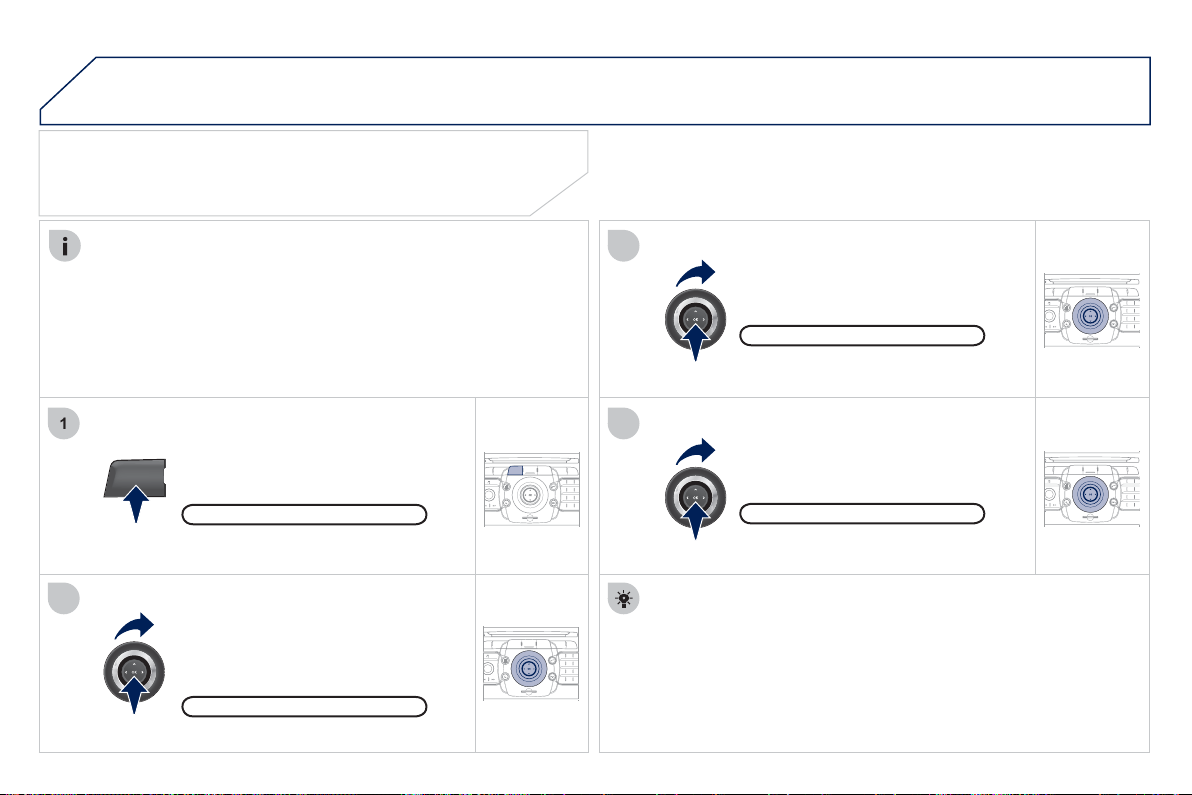
21
6
04
2
ABC
3
DEF
5
JKL
4
GHI
6
MNO
8
TUV
7
PQRS
9
WXY
Z
0
*
#
1
RADIO MEDIA
NAV ESC TRAFFIC
SETUP
ADDR
BOOK
1
2
3
4
2
ABC
3
DEF
5
JKL
4
GHI
6
MNO
8
TUV
7
PQRS
9
WXY
Z
0
*
#
1
RADIO MEDIA
NAV ESC TRAFFIC
SETUP
ADDR
BOOK
2
ABC
3
DEF
5
JKL
4
GHI
6
MNO
8
TUV
7
PQRS
9
WXY
Z
0
*
#
1
RADIO MEDIA
NAV ESC TRAFFIC
SETUP
ADDR
BOOK
2
ABC
3
DEF
5
JKL
4
GHI
6
MNO
8
TUV
7
PQRS
9
WXY
Z
0
*
#
1
RADIO MEDIA
NAV ESC TRAFFIC
SETUP
ADDR
BOOK
NAV
NAVIGATION - GUIDANC
E
SETTING AND NAVIGATING TO
MY "HOME ADDRESS"
Press the NAV button twice to displa
y
the Navi
g
ation Menu.
To be set as the "Home address", an address must
fi
rst be
e
ntered in the address book,
f
or example
f
rom "Destination
input"
/
"Address input" then "
S
ave to address book".
Select "Destination input" and confi rm.
Then select "
C
hoose
f
rom address
boo
k"
a
n
d
co
n
fi
rm.
Se
l
ec
t "
Se
t
as
H
o
m
e
add
r
ess
"
a
n
d
co
nfi rm t
o
sa
v
e
.
Select
y
our home address and confi rm.
Then select "Edit entr
y
" and confi rm.
To start navi
g
ation towards "Home", press NAV twice to displa
y
the Navi
g
ation Menu, select "Destination input" and con
fi
rm.
Then select "Navi
g
ate H
O
ME" and confi rm to start
g
uidance.
Navi
g
ation Menu
D
est
i
nat
i
on
i
n
p
u
t
E
dit entr
y
Set as home address
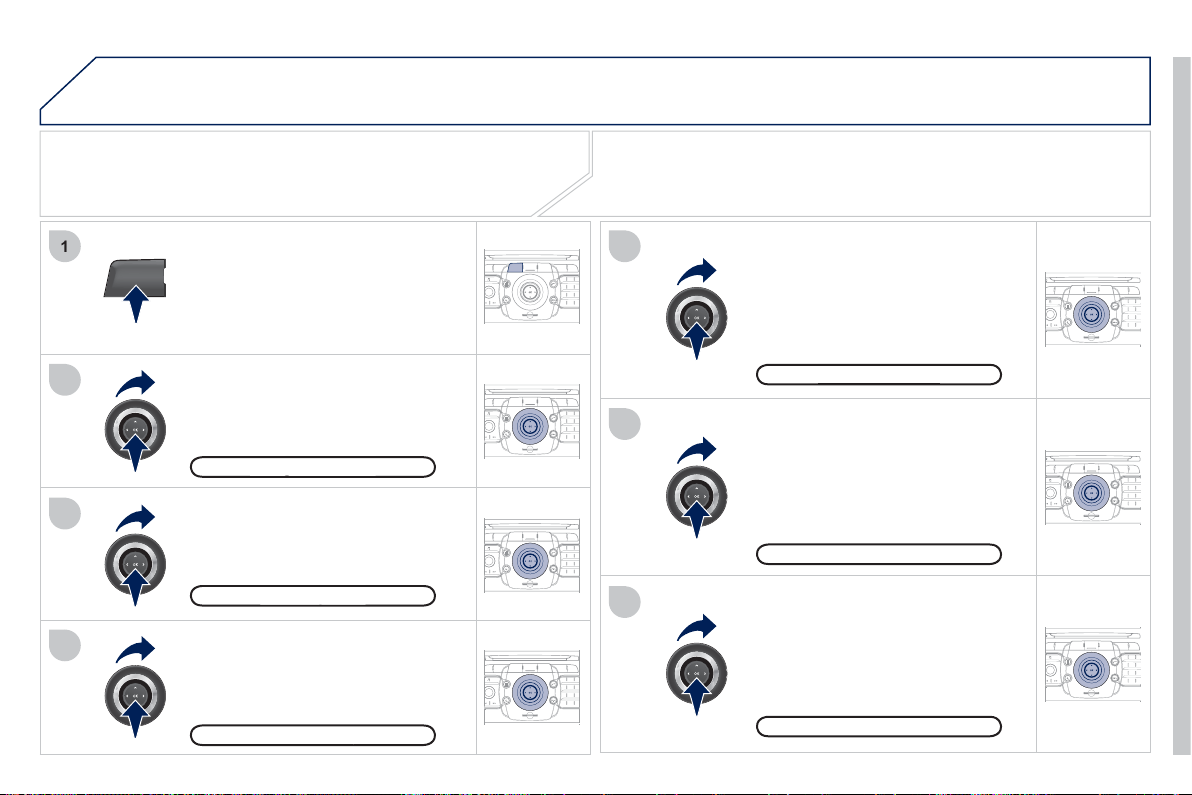
217
04
2
ABC
3
DEF
5
JKL
4
GHI
6
MNO
8
TUV
7
PQRS
9
WXY
Z
0
*
#
1
RADIO MEDIA
NAV ESC TRAFFIC
SETUP
ADDR
BOOK
2
ABC
3
DEF
5
JKL
4
GHI
6
MNO
8
TUV
7
PQRS
9
WXY
Z
0
*
#
1
RADIO MEDIA
NAV ESC TRAFFIC
SETUP
ADDR
BOOK
NAV
1
3
4
5
6
7
2
ABC
3
DEF
5
JKL
4
GHI
6
MNO
8
TUV
7
PQRS
9
WXY
Z
0
*
#
1
RADIO MEDIA
NAV ESC TRAFFIC
SETUP
ADDR
BOOK
2
ABC
3
DEF
5
JKL
4
GHI
6
MNO
8
TUV
7
PQRS
9
WXY
Z
0
*
#
1
RADIO MEDIA
NAV ESC TRAFFIC
SETUP
ADDR
BOOK
2
ABC
3
DEF
5
JKL
4
GHI
6
MNO
8
TUV
7
PQRS
9
WXY
Z
0
*
#
1
RADIO MEDIA
NAV ESC TRAFFIC
SETUP
ADDR
BOOK
2
ABC
3
DEF
5
JKL
4
GHI
6
MNO
8
TUV
7
PQRS
9
WXY
Z
0
*
#
1
RADIO MEDIA
NAV ESC TRAFFIC
SETUP
ADDR
BOOK
2
2
ABC
3
DEF
5
JKL
4
GHI
6
MNO
8
TUV
7
PQRS
9
WXY
Z
0
*
#
1
RADIO MEDIA
NAV ESC TRAFFIC
SETUP
ADDR
BOOK
NAVIGATION - GUIDANC
E
ROUTE OPTIONS
S
elect the "Route dynamics"
fu
n
c
ti
o
n.
This
f
unction provides access to
the "Traffi c inde
p
endent", "Semi-
d
y
namic" and "D
y
namic" options.
Se
l
ec
t th
e
"Av
o
i
da
n
ce
c
rit
e
ri
a
"
f
unction. This
f
unction provides
access to the "Avoid" o
p
tions
(
motorwa
y
s, toll roads, ferries,
tunnels
)
.
Turn the rin
g
and select the
"
R
eca
l
cu
l
a
t
e
" f
u
n
c
ti
o
n t
o
t
a
k
e
int
o
account the route options selected.
Press
O
K to confi rm.
P
r
ess
t
he
NAV
bu
tt
o
n.
Press the NAV button again or select
the Navi
g
ation Menu
f
unction and
press
O
K to con
fi
rm.
Select the "Route t
y
pe" function and
press
O
K to con
fi
rm. This
f
unction
all
ows
y
ou to c
h
an
g
e t
h
e route t
y
pe.
S
elect the "Route options"
f
unction
a
nd press
O
K to con
fi
rm.
Navi
g
ation Menu
g
Route o
p
tions
p
R
oute t
ype
yp
Route d
y
namics
y
A
vo
id
ance cr
i
ter
i
a
Recalculat
e
When the map is displa
y
ed on the screen,
y
ou can select "Map
S
ettin
g
s"
then "2D Map/2.5D Map/3D Map/North Up/Headin
g
Up". The displa
y
o
f
b
uildin
g
s in 3D mode depends on the pro
g
ress in town mappin
g
.
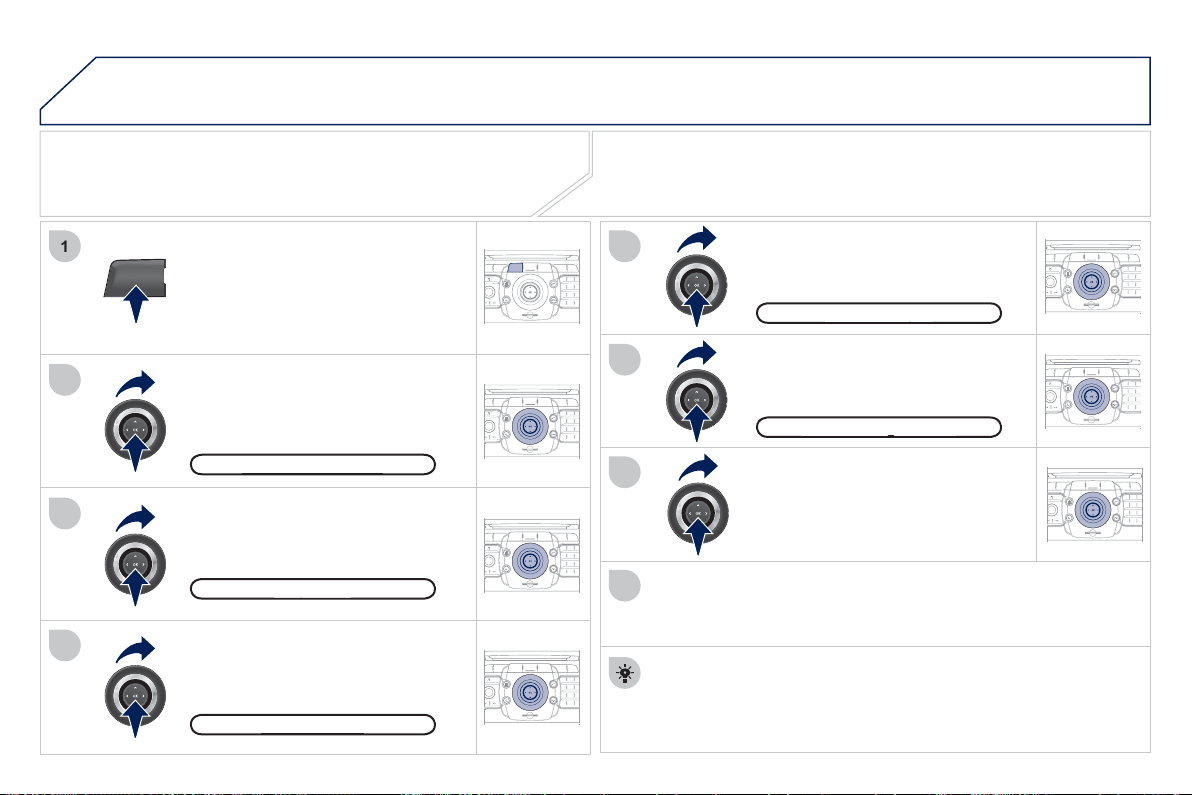
21
8
04
2
ABC
3
DEF
5
JKL
4
GHI
6
MNO
8
TUV
7
PQRS
9
WXY
Z
0
*
#
1
RADIO MEDIA
NAV ESC TRAFFIC
SETUP
ADDR
BOOK
2
ABC
3
DEF
5
JKL
4
GHI
6
MNO
8
TUV
7
PQRS
9
WXY
Z
0
*
#
1
RADIO MEDIA
NAV ESC TRAFFIC
SETUP
ADDR
BOOK
NAV
1
3
4
5
6
7
2
ABC
3
DEF
5
JKL
4
GHI
6
MNO
8
TUV
7
PQRS
9
WXY
Z
0
*
#
1
RADIO MEDIA
NAV ESC TRAFFIC
SETUP
ADDR
BOOK
2
ABC
3
DEF
5
JKL
4
GHI
6
MNO
8
TUV
7
PQRS
9
WXY
Z
0
*
#
1
RADIO MEDIA
NAV ESC TRAFFIC
SETUP
ADDR
BOOK
2
ABC
3
DEF
5
JKL
4
GHI
6
MNO
8
TUV
7
PQRS
9
WXY
Z
0
*
#
1
RADIO MEDIA
NAV ESC TRAFFIC
SETUP
ADDR
BOOK
2
ABC
3
DEF
5
JKL
4
GHI
6
MNO
8
TUV
7
PQRS
9
WXY
Z
0
*
#
1
RADIO MEDIA
NAV ESC TRAFFIC
SETUP
ADDR
BOOK
2
2
ABC
3
DEF
5
JKL
4
GHI
6
MNO
8
TUV
7
PQRS
9
WXY
Z
0
*
#
1
RADIO MEDIA
NAV ESC TRAFFIC
SETUP
ADDR
BOOK
8
ADDING A STOPOVER
Enter a new address, for example.
O
nce the new address has
been entered, select "
S
tart route
g
uidance" and press
O
K to con
fi
rm.
Position the stopover on the list and
p
ress
O
K to confi rm.
Pr
ess
th
e
NAV
bu
tt
o
n.
Press the NAV button a
g
ain or select
the "Navi
g
ation" Menu function and
press
O
K to confi rm.
S
elect the "Add stopover"
f
unction
(
5 stopovers maximum
)
and press
O
K t
o
co
n
fi
rm.
Select the "Sto
p
overs" function and
press
O
K to confi rm.
"Navi
g
ation" Menu
g
Sto
p
over
s
p
Add sto
p
ove
r
p
Add
ress
i
n
p
u
t
p
To chan
g
e the stopovers, repeat operations
1
to
3
and select
"Rearran
g
e route"
(
select a stopover, delete it or move it on the
list usin
g
the rin
g
to chan
g
e the order, confi rm its new position and
fi nish with "Recalculate"
)
.
S
topovers can be added to or deleted
f
rom the route once the destination
has
bee
n
selec
t
ed
.
Repeat operations 1 to 7 as man
y
times as necessar
y
then select
"
Recalculate" and press
O
K to con
fi
rm.
Start route
g
uidanc
e
g
NAVIGATION - GUIDANC
E
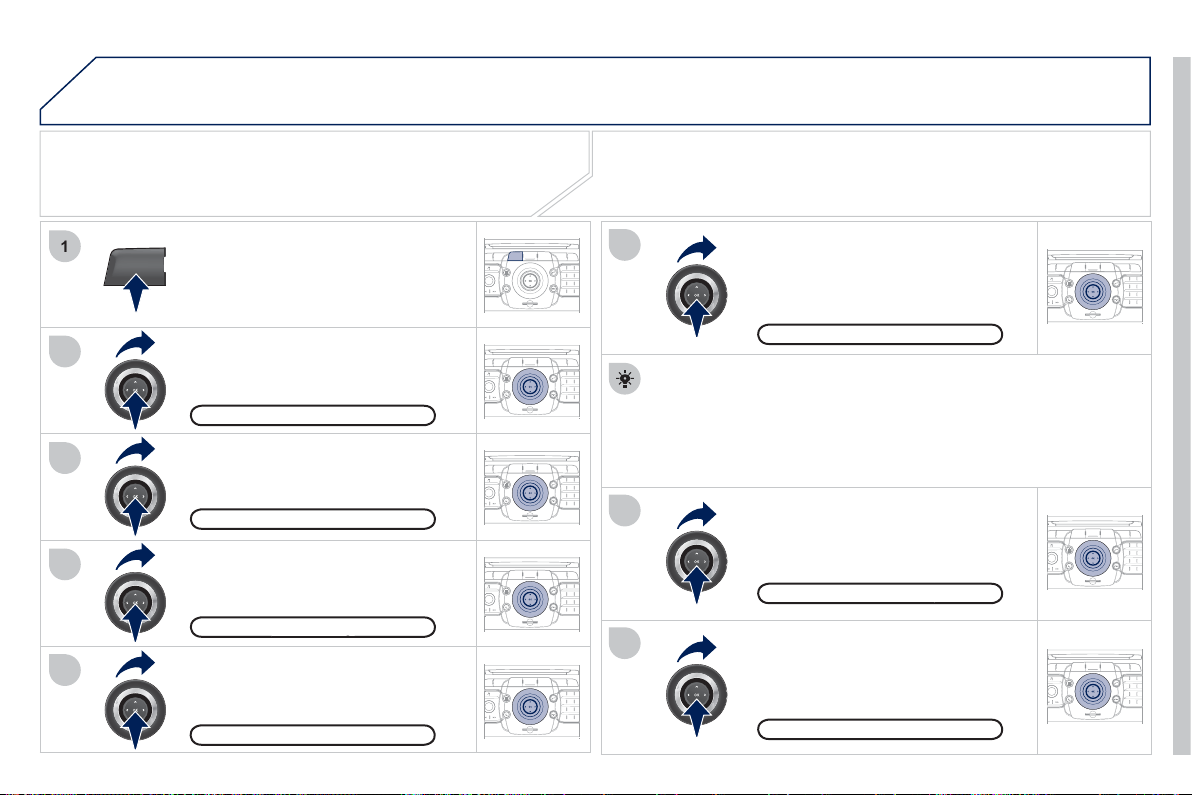
21
9
04
2
ABC
3
DEF
5
JKL
4
GHI
6
MNO
8
TUV
7
PQRS
9
WXY
Z
0
*
#
1
RADIO MEDIA
NAV ESC TRAFFIC
SETUP
ADDR
BOOK
2
ABC
3
DEF
5
JKL
4
GHI
6
MNO
8
TUV
7
PQRS
9
WXY
Z
0
*
#
1
RADIO MEDIA
NAV ESC TRAFFIC
SETUP
ADDR
BOOK
NAV
1
3
4
6
7
8
2
ABC
3
DEF
5
JKL
4
GHI
6
MNO
8
TUV
7
PQRS
9
WXY
Z
0
*
#
1
RADIO MEDIA
NAV ESC TRAFFIC
SETUP
ADDR
BOOK
2
ABC
3
DEF
5
JKL
4
GHI
6
MNO
8
TUV
7
PQRS
9
WXY
Z
0
*
#
1
RADIO MEDIA
NAV ESC TRAFFIC
SETUP
ADDR
BOOK
2
ABC
3
DEF
5
JKL
4
GHI
6
MNO
8
TUV
7
PQRS
9
WXY
Z
0
*
#
1
RADIO MEDIA
NAV ESC TRAFFIC
SETUP
ADDR
BOOK
2
ABC
3
DEF
5
JKL
4
GHI
6
MNO
8
TUV
7
PQRS
9
WXY
Z
0
*
#
1
RADIO MEDIA
NAV ESC TRAFFIC
SETUP
ADDR
BOOK
2
2
ABC
3
DEF
5
JKL
4
GHI
6
MNO
8
TUV
7
PQRS
9
WXY
Z
0
*
#
1
RADIO MEDIA
NAV ESC TRAFFIC
SETUP
ADDR
BOOK
5
2
ABC
3
DEF
5
JKL
4
GHI
6
MNO
8
TUV
7
PQRS
9
WXY
Z
0
*
#
1
RADIO MEDIA
NAV ESC TRAFFIC
SETUP
ADDR
BOOK
NAVIGATION - GUIDANC
E
SEARCHING FOR POINTS OF INTEREST
(POI)
Pr
ess
th
e
NAV
bu
tt
o
n.
Press the NAV button a
g
ain or select
the Navi
g
ation Menu function and
press
O
K to confi rm.
S
elect the "P
O
I nearb
y
"
f
unction to
search for P
O
Is around the vehicle.
Se
l
ec
t th
e
"P
O
I
sea
r
c
h"
fu
n
c
ti
o
n
a
n
d
p
ress
O
K to confi rm.
Navi
g
ation Menu
g
POI search
P
OI nearb
y
y
S
elect the "P
O
I in cit
y
"
f
unction to
s
earch
f
or P
O
Is in the cit
y
required.
S
elect the country then enter the
n
ame o
f
the cit
y
usin
g
the virtual
ke
y
pad.
S
elect the "P
O
I near route"
f
unction
t
o
sea
r
c
h
fo
r P
O
I
s
n
ea
r th
e
r
ou
t
e
.
S
elect the "P
O
I in countr
y
"
f
unction
to search for P
O
Is in the countr
y
re
q
uired.
S
elect the "P
O
I near destination"
f
unction to search for P
O
Is near the
point of arrival of the route.
P
OI near destination
P
OI in countr
y
y
P
OI near rout
e
A
list of cities present in the countr
y
selected can be accessed via
the LIST button on the virtual ke
y
pad.
P
OI in cit
y
y
The points o
f
interest
(
P
O
Is
)
indicate all o
f
the service locations in the
vicinit
y
(
hotels, various businesses, airports...
)
.
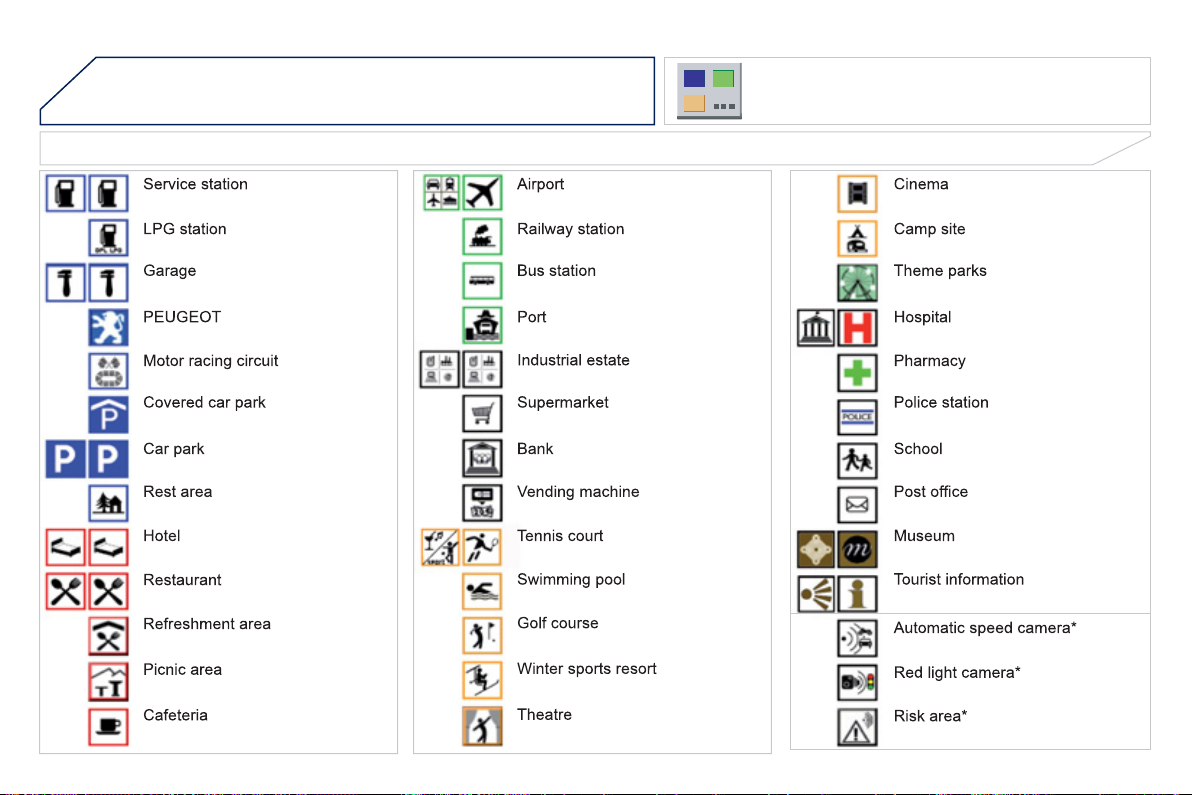
22
0
04 NAVIGATION - GUIDANC
E
LIST OF PRINCIPAL POINTS OF INTEREST (POI)
* Accordin
g
to availabilit
y
in the countr
y
.
This icon appears when several P
O
Is are
g
rouped
together in the same area. Zooming in on this icon
s
h
o
w
s
de
t
a
il
s
of
th
e
P
O
I
s
.
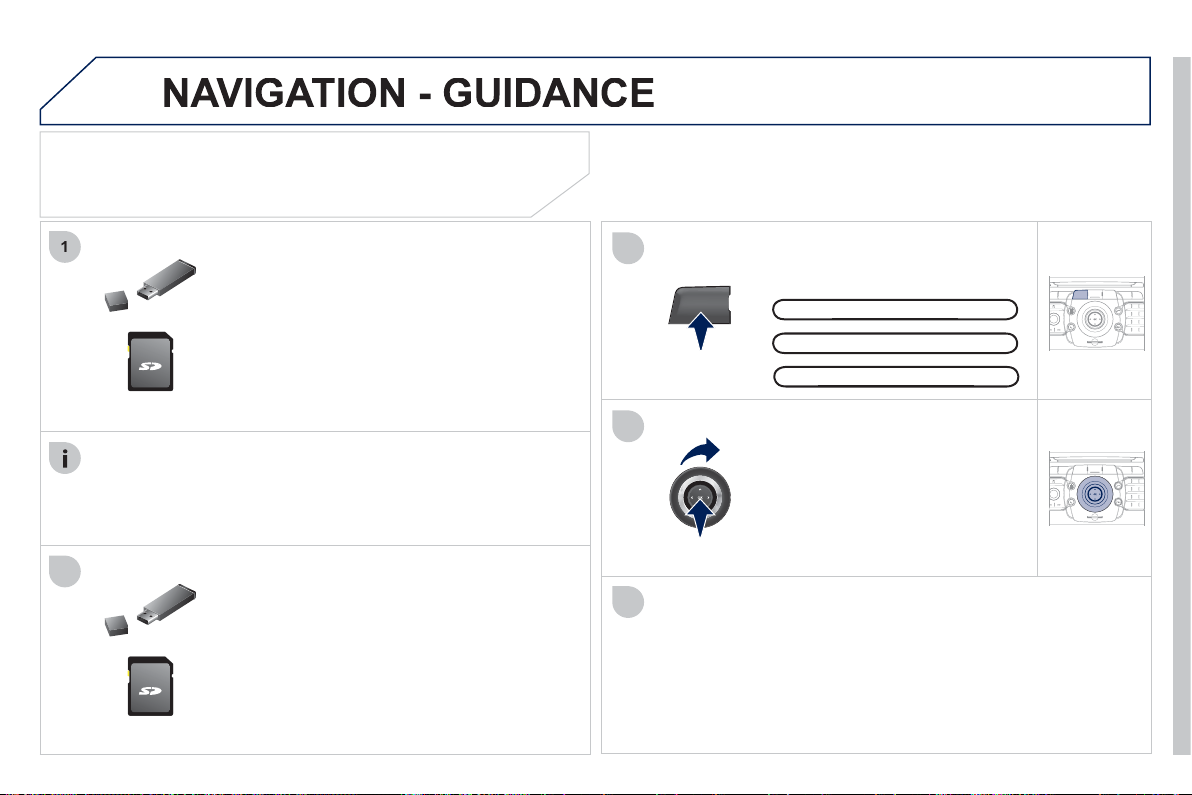
221
04
1
3
4
2
5
2
ABC
3
DEF
5
JKL
4
GHI
6
MN
O
8
TUV
7
PQRS
9
WXY
Z
0
*
#
1
RADIO MEDIA
NAV ESC TRAFFIC
SETUP
ADDR
BOOK
NAV
2
ABC
3
DEF
5
JKL
4
GHI
6
MN
O
8
TUV
7
PQRS
9
WXY
Z
0
*
#
1
RADIO MEDIA
NAV ESC TRAFFIC
SETUP
ADDR
BOOK
Download the "Risk areas P
O
Is" update
fi
le
o
nto an
S
D card or U
S
B memor
y
stick
f
rom
th
e
Int
e
rn
e
t. Thi
s
se
rvi
ce
i
s
a
v
a
il
ab
l
e
o
n
www.peu
g
eot.fr or www.peu
g
eot.co.uk.
UPDATING THE RISK AREAS POIs
(Speed camera information)
Settings
Navi
g
ation Menu
g
The
fi
les must be copied to the root on the chosen medium.
Insert the medium
(S
D card or U
S
B memor
y
s
tick
)
containin
g
the P
O
I database into the
sy
stem's SD card reader or USB port.
Select the medium
(
"USB" or
"
SD-Card"
)
used and press
O
K.
Press NAV, select Navi
g
ation Menu,
then "Settin
g
s", then "Update personal
P
O
I".
S
uccess
f
ul downloadin
g
is con
fi
rmed b
y
a messa
g
e.
The s
y
stem restarts.
Th
e
Ri
s
k Ar
eas
P
O
I
s
v
e
r
s
i
o
n i
s
a
v
a
il
ab
l
e
o
n th
e
S
ET
U
P
\
Sy
stem menu.
Up
date
p
ersonal POI
pp
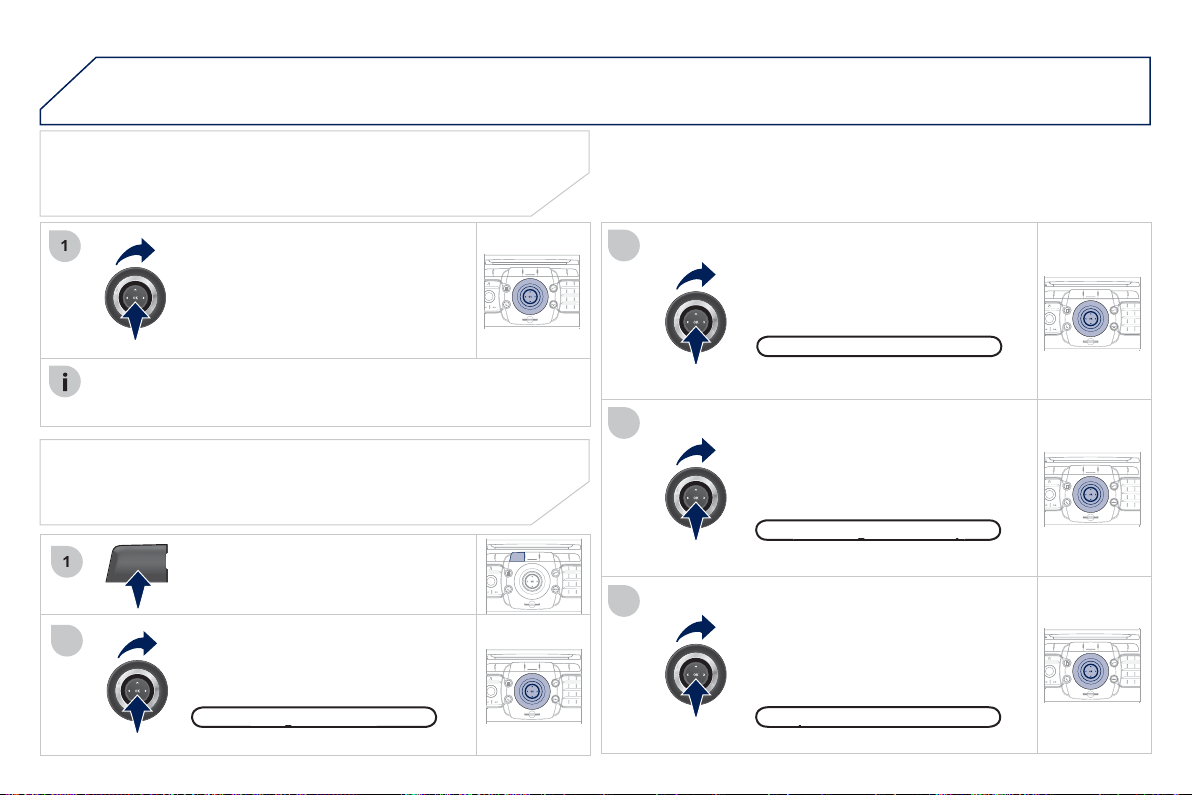
222
2
ABC
3
DEF
5
JKL
4
GHI
6
MNO
8
TUV
7
PQRS
9
WXY
Z
0
*
#
1
RADIO MEDIA
NAV ESC TRAFFIC
SETUP
ADDR
BOOK
NAV
1
3
4
5
2
ABC
3
DEF
5
JKL
4
GHI
6
MN
O
8
TUV
7
PQRS
9
WXY
Z
0
*
#
1
RADIO MEDIA
NAV ESC TRAFFIC
SETUP
ADDR
BOOK
2
ABC
3
DEF
5
JKL
4
GHI
6
MN
O
8
TUV
7
PQRS
9
WXY
Z
0
*
#
1
RADIO MEDIA
NAV ESC TRAFFIC
SETUP
ADDR
BOOK
2
ABC
3
DEF
5
JKL
4
GHI
6
MN
O
8
TUV
7
PQRS
9
WXY
Z
0
*
#
1
RADIO MEDIA
NAV ESC TRAFFIC
SETUP
ADDR
BOOK
2
ABC
3
DEF
5
JKL
4
GHI
6
MNO
8
TUV
7
PQRS
9
WXY
Z
0
*
#
1
RADIO MEDIA
NAV ESC TRAFFIC
SETUP
ADDR
BOOK
2
ABC
3
DEF
5
JKL
4
GHI
6
MNO
8
TUV
7
PQRS
9
WXY
Z
0
*
#
1
RADIO MEDIA
NAV ESC TRAFFIC
SETUP
ADDR
BOOK
1
2
04
NAVIGATION - GUIDANC
E
SPOKEN INSTRUCTION SETTINGS
Pr
ess
th
e
NAV
bu
tt
o
n.
Press the NAV button a
g
ain or select
the Navi
g
ation Menu function and
p
ress
O
K to confi rm.
S
elect the "
S
ettin
g
s"
f
unction and
p
ress
O
K to con
fi
rm.
N
av
ig
at
i
on
M
enu
g
Settin
g
s
When the navi
g
ation is displa
y
ed in
the screen,
p
ress
O
K then select or
dese
l
ec
t "V
o
i
ce
ad
vi
ce
" t
o
ac
tiv
a
t
e
o
r deactivate the spoken
g
uidance
i
n
s
tr
uc
t
io
n
s
.
U
se t
h
e vo
l
ume
b
utton to a
dj
ust
th
e
v
o
l
u
m
e
.
POINTS OF INTEREST AND
RISK AREAS SETTINGS
The volume of the Risk Areas P
O
Is alert can onl
y
be ad
j
usted
durin
g
this t
y
pe o
f
alert.
P
OI cate
g
ories on Ma
p
gp
Set
p
arameters for risk areas
p
Select "Set
p
arameters for risk areas"
to
g
ain access to the "Displa
y
on
m
ap", "Visual alert" and "Sound alert"
fu
n
c
ti
o
n
s
.
S
elect the "P
O
I cate
g
ories on Map"
function to select the P
O
Is to be
displa
y
ed on the map b
y
default.
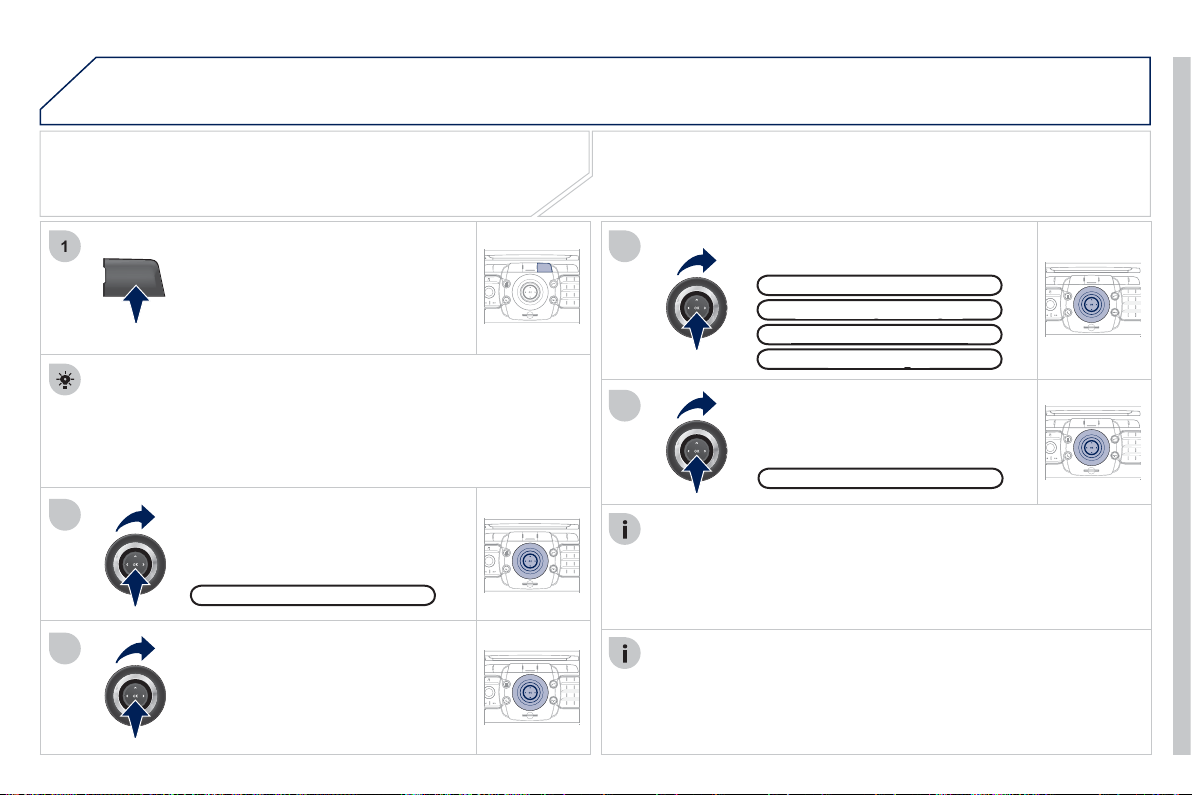
22
3
0
5
2
ABC
3
DEF
5
JKL
4
GHI
6
MNO
8
TUV
7
PQRS
9
WXY
Z
0
*
#
1
RADIO MEDIA
NAV ESC
TRAFFIC
SETUP
ADDR
BOOK
2
ABC
3
DEF
5
JKL
4
GHI
6
MNO
8
TUV
7
PQRS
9
WXY
Z
0
*
#
1
RADIO MEDIA
NAV ESC TRAFFIC
SETUP
ADDR
BOOK
TRAFFIC
1
3
4
5
2
ABC
3
DEF
5
JKL
4
GHI
6
MNO
8
TUV
7
PQRS
9
WXY
Z
0
*
#
1
RADIO MEDIA
NAV ESC TRAFFIC
SETUP
ADDR
BOOK
2
ABC
3
DEF
5
JKL
4
GHI
6
MNO
8
TUV
7
PQRS
9
WXY
Z
0
*
#
1
RADIO MEDIA
NAV ESC TRAFFIC
SETUP
ADDR
BOOK
2
ABC
3
DEF
5
JKL
4
GHI
6
MNO
8
TUV
7
PQRS
9
WXY
Z
0
*
#
1
RADIO MEDIA
NAV ESC TRAFFIC
SETUP
ADDR
BOOK
2
TRAFFIC INFORMATION
CONFIGURE THE FILTERING AND
DISPLAYING OF THE TMC MESSAGES
When all o
f
the messages on the route are selected, the addition
o
f
a
g
eo
g
raphic
fi
lter is recommended
(
within a radius o
f
3 miles
(
5 km
)
f
or example
)
to reduce the number o
f
messa
g
es displa
y
ed
on the map. The
g
eo
g
raphic fi lter follows the movement of the
v
e
hi
c
l
e
.
The
fi
lters are independent and their results are concealed.
W
e
r
eco
mm
e
n
d
:
- a
fi
lter over 6 miles
(
10 km
)
around the vehicle in heav
y
tra
ffi
c,
- a
fi
lter over 30 miles
(
50 km
)
around the vehicle or a
fi
lter on
the route on motorwa
y
j
ourne
y
s.
Press the TRAFFI
C
button again or
se
l
ec
t th
e
Tr
affi
c
M
e
n
u
fu
n
c
ti
o
n
a
n
d
press
O
K to con
fi
rm.
S
elect "
G
eo. Filter".
The list o
f
TM
C
messa
g
es appears under the Tra
ffi
c Menu sorted
in order o
f
proximity.
S
elect the
fi
lter o
f
y
our choice:
Messa
g
es on rout
e
g
A
ll warnin
g
messa
g
es
gg
Onl
y
warnin
g
s on rout
e
yg
All
messa
g
e
s
g
T
raffi c Menu
S
elect "
S
elect pre
f
erred list" and
p
ress
O
K to con
fi
rm.
The TM
C
(
Tra
ffi
c Messa
g
e
C
hannel
)
messa
g
es provide in
f
ormation
relatin
g
to tra
ffi
c and weather conditions, received in real time and
transmitted to the driver audibl
y
and visuall
y
on the navi
g
ation map.
The
g
uidance s
y
stem can then su
gg
est an alternative route.
Pr
ess
th
e
TRAFFI
C
bu
tt
o
n.
G
eo. Filte
r
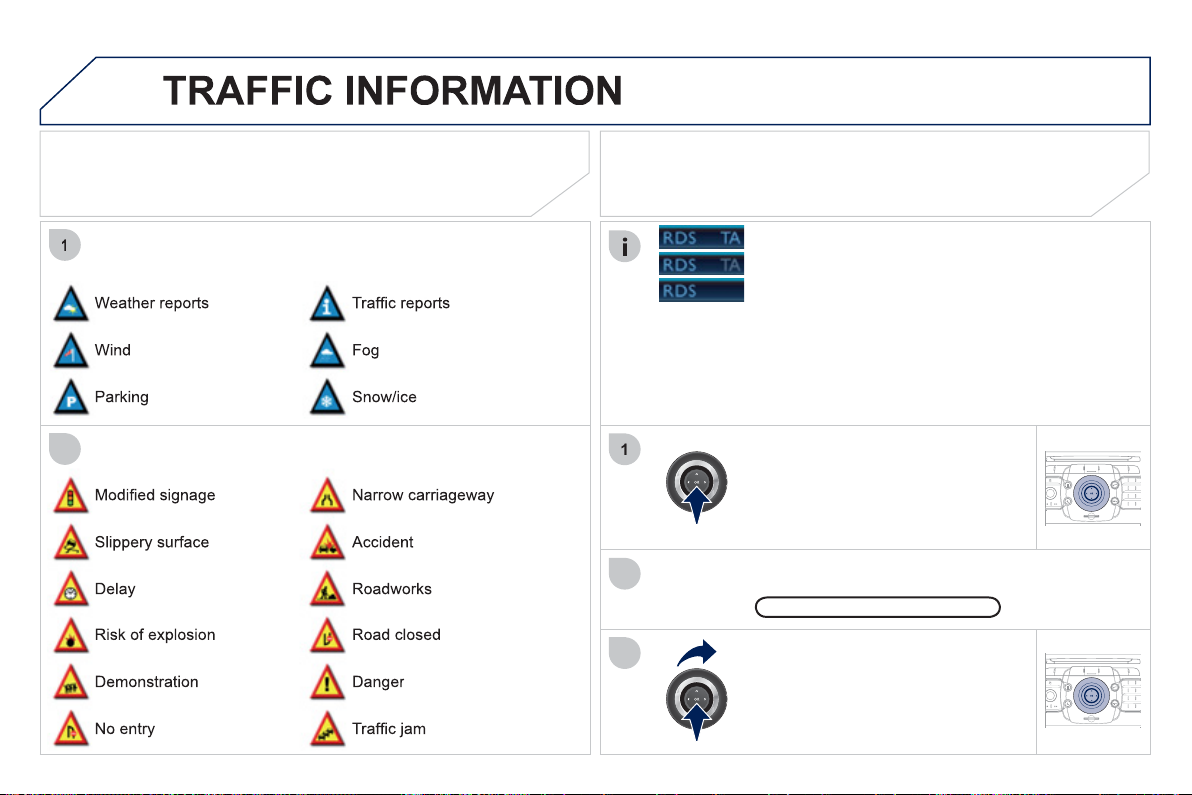
224
05
2
1
2
3
2
ABC
3
DEF
5
JKL
4
GHI
6
MNO
8
TUV
7
PQRS
9
WXY
Z
0
*
#
1
RADIO MEDIA
NAV ESC TRAFFIC
SETUP
ADDR
BOOK
2
ABC
3
DEF
5
JKL
4
GHI
6
MNO
8
TUV
7
PQRS
9
WXY
Z
0
*
#
1
RADIO MEDIA
NAV ESC TRAFFIC
SETUP
ADDR
BOOK
PRINCIPAL TMC SYMBOLS
Red and
y
ellow trian
g
le: traffi c information, for example:
Black and blue trian
g
le:
g
eneral in
f
ormation,
f
or example:
Wi
t
h
t
he
cu
rr
e
nt
audio
sou
r
ce
displayed on the screen, press
th
e
d
i
a
l.
The shortcut menu for the source appears and
g
ives access to:
Select Traffi c Announcements
(
TA
)
and press the dial to confi rm and
g
o
to t
h
e assoc
i
ate
d
sett
i
n
g
s.
TA
The TA
(
Tra
ffi
c Announcement
)
f
unction
g
ives priorit
y
to TA alert
m
essa
g
es. To operate, this
f
unction needs
g
ood reception o
f
a radio
s
tation transmittin
g
this t
y
pe o
f
messa
g
e. When a tra
ffi
c report is
transmitted, the current audio source
(
Radio, CD, ...
)
is interrupted
automaticall
y
to pla
y
the TA messa
g
e. Normal pla
y
back of the audio
s
ource resumes at the end of the transmission of the messa
g
e.
RECEIVING TA MESSAGES
- the station transmits TA messa
g
es.
- the station does not transmit TA messa
g
es.
- TA messa
g
es are not activated.
22
5
06
1
1
2
NAV ESC TRAFFIC
RADIO MEDIA
2
ABC
3
DEF
5
JKL
4
GHI
6
MNO
8
TUV
7
PQRS
9
WXY
Z
0
*
#
1
RADIO MEDIA
NAV ESC TRAFFIC
SETUP
ADDR
BOOK
RADIO
2
ABC
3
DEF
5
JKL
4
GHI
6
MNO
8
TUV
7
PQRS
9
WXY
Z
0
*
#
1
RADIO MEDIA
NAV ESC TRAFFIC
SETUP
ADDR
BOOK
2
ABC
3
DEF
5
JKL
4
GHI
6
MNO
8
TUV
7
PQRS
9
WXY
Z
0
*
#
1
RADIO MEDIA
NAV ESC TRAFFIC
SETUP
ADDR
BOOK
2
ABC
3
DEF
5
JKL
4
GHI
6
MNO
8
TUV
7
PQRS
9
WXY
Z
0
*
#
1
RADIO MEDIA
NAV ESC TRAFFIC
SETUP
ADDR
BOOK
2
ABC
3
DEF
5
JKL
4
GHI
6
MNO
8
TUV
7
PQRS
9
WXY
Z
0
*
#
1
RADIO MEDIA
NAV ESC TRAFFIC
SETUP
ADDR
BOOK
SELECTING A STATION
Wh
e
n th
e
cu
rr
e
nt r
ad
i
o
s
t
a
ti
o
n i
s
displa
y
ed on the screen, press
O
K.
The radio source short-cuts menu a
pp
ears and
p
rovides access to
the followin
g
short-cuts:
S
elect the
f
unction required and
p
ress
O
K to confi rm to
g
ain access
to the correspondin
g
settin
g
s.
TA
RD
S
, i
f
displayed, allows you to continue listening to the same
s
tation b
y
automatic retunin
g
to alternative
f
requencies. However,
in certain conditions, covera
g
e o
f
an RD
S
station ma
y
not be
assured throu
g
hout the countr
y
as radio stations do not cove
r
100 % of the territor
y
. This explains the loss of reception of the
s
tation durin
g
a
j
ourne
y
.
The external environment
(
hill, buildin
g
, tunnel, under
g
round car park...
)
ma
y
inter
f
ere with the reception, including in RD
S
f
ollowing mode. This phenomenon
is a normal result o
f
the wa
y
in which radio waves are transmitted and does not
in an
y
wa
y
indicate a
f
ailure o
f
the audio equipment.
RDS - REGIONAL MODE
R
e
g
ional
p
ro
g.
gpg
R
a
di
otex
t
RD
S
Press the RADI
O
button to displa
y
the list of stations received locall
y
s
orte
d
i
n a
l
p
h
a
b
et
i
ca
l
or
d
er.
S
elect the station required b
y
turnin
g
the ring and press to con
fi
rm.
Press one o
f
the buttons on the numeric keypad
f
or more than
2
seconds to store the current station. A bleep con
fi
rms that it has
bee
n
s
t
o
r
ed
.
Press the button on the numeric ke
y
pad to recall the stored radio
s
t
a
ti
o
n.
AM
RADIO
When the "RADI
O
" screen is displa
y
ed, turn the
ri
n
g
or use t
h
e
4
-
di
rect
i
on nav
ig
ator to se
l
ect t
h
e
p
rev
i
ous or next stat
i
on on t
h
e
li
st.
While listenin
g
to the radio, press buttons
a
n
d
for the automatic search for a lower or hi
g
her
frequenc
y
.
22
6
07
MUSIC MEDIA PLAYERS
CD, MP3/WMA CD, MP3/WMA SD CARD/
USB PLAYER
In order to be able to pla
y
a recorded
C
DR or
C
DRW, when
recordin
g
it is preferable to select the IS
O
9660 level 1, 2 or Joliet
s
t
a
n
da
r
d
.
If the disc is recorded in another format it ma
y
not be pla
y
ed
c
orrect
ly
.
I
t
i
s recommen
d
e
d
t
h
at t
h
e same recor
di
n
g
stan
d
ar
d
i
s a
l
wa
y
s
used
f
or an individual disc, with as low a speed as possible
(
4x maximum
)
f
or optimum sound qualit
y
.
In the particular case o
f
a multi-session
C
D, the Joliet standard is
r
eco
mm
e
n
ded
.
The audio equipment will onl
y
pla
y
audio fi les with the extension
"
.mp3" with a speed o
f
between 8 Kbps and 320 Kbps and the
e
xtension ".wma" with a speed o
f
between 5 Kbps and 384 Kbps.
It also supports the VBR
(
Variable Bit Rate
)
mode.
No other t
y
pe o
f
fi
le
(
.mp4, .m3u...
)
can be pla
y
ed.
The MP3 format, an abbreviation of MPEG 1, 2 & 2.5 Audio La
y
er 3
and the WMA format, an abbreviation of Windows Media Audio and
the propert
y
of Microsoft, are audio compression standards which
p
ermit the recordin
g
o
f
several tens o
f
music
fi
les on a sin
g
le disc.
C
onnectin
g
an IPod:
To pla
y
MP3 t
y
pe fi les, connect the IPod usin
g
the USB port
(
limited functions
)
.
To pla
y
ITunes fi les, connect the IPod usin
g
the auxiliar
y
socket
(
AUX
)
.
In order to be read, a U
S
B memor
y
stick must be
f
ormatted to FAT 32.
It is advisable to restrict
fi
le names to 20 characters, without usin
g
o
f
special characters
(
e.
g
.: " "
?
; ù
)
to avoid an
y
pla
y
in
g
and
displa
y
in
g
problems.
Durin
g
pla
y
, exit the "SD-Card" or "USB" source before removin
g
the SD card or the USB memor
y
stick from its port.
To avoid an
y
risk of theft, remove the SD card or the USB memor
y
stick when
y
ou leave
y
our vehicle with the roof open.
INFORMATION AND ADVICE
227
0
7
2
ABC
3
DEF
5
JKL
4
GHI
6
MN
O
8
TUV
7
PQRS
9
WXY
Z
0
*
#
1
RADIO MEDIA
NAV ESC TRAFFIC
SETUP
ADDR
BOOK
1
4
5
6
2
ABC
3
DEF
5
JKL
4
GHI
6
MNO
8
TUV
7
PQRS
9
WXY
Z
0
*
#
1
RADIO MEDIA
NAV ESC TRAFFIC
SETUP
ADDR
BOOK
2
ABC
3
DEF
5
JKL
4
GHI
6
MNO
8
TUV
7
PQRS
9
WXY
Z
0
*
#
1
RADIO MEDIA
NAV ESC TRAFFIC
SETUP
ADDR
BOOK
3
2
ABC
3
DEF
5
JKL
4
GHI
6
MNO
8
TUV
7
PQRS
9
WXY
Z
0
*
#
1
RADIO MEDIA
NAV ESC TRAFFIC
SETUP
ADDR
BOOK
RADIO
NAV ESC TRAFFIC
MEDIA
MEDIA
2
ABC
3
DEF
5
JKL
4
GHI
6
MNO
8
TUV
7
PQRS
9
WXY
Z
0
*
#
1
RADIO MEDIA
NAV ESC TRAFFIC
SETUP
ADDR
BOOK
2
ABC
3
DEF
5
JKL
4
GHI
6
MNO
8
TUV
7
PQRS
9
WXYZ
0
*
#
1
RADIO MEDIA
NAV ESC TRAFFIC
SETUP
ADDR
BOOK
2
7
SELECTING/PLAYING
CD, MP3/WMA CD, MP3/
WMA SD CARD/USB PLAYER
The playing and displaying o
f
an MP3
/
WMA compilation may
depend on the recordin
g
pro
g
ramme and
/
or the parameters used.
We recommend the I
SO
9660 recordin
g
standard.
Pr
ess
th
e
MEDIA
bu
tt
o
n.
S
elect the "
S
elect media"
f
unction
and press
O
K to con
fi
rm.
Pr
ess
thi
s
bu
tt
o
n.
S
elect the music source required.
P
ress
O
K to con
fi
rm. Pla
y
be
g
ins.
S
elect medi
a
P
ress t
h
e
MEDIA
b
utton a
g
a
i
n or
se
l
ec
t th
e
"M
ed
i
a
" M
e
n
u
fu
n
c
ti
o
n
a
n
d
p
ress
O
K to con
fi
rm.
Whe
n t
he
"MEDIA"
sc
r
ee
n
is
di
sp
l
a
y
e
d
, turn t
h
e r
i
n
g
up or
d
own to
s
e
l
ect t
h
e prev
i
ous or next compat
ibl
e
source
.
"Media" Menu
The list o
f
tracks or MP3
/
WMA
fi
les appears under "Media" Menu.
Insert the audio or MP3
C
D in the pla
y
er, the
S
D
c
ard in the card reader or the U
S
B peripheral in the
U
SB port. Pla
y
be
g
ins automaticall
y
.
MP3 CDs, SD cards or USB
p
eri
p
herals are the com
p
atible sources.
M
USIC MEDIA PLAYER
S
22
8
07
3
4
2
ABC
3
DEF
5
JKL
4
GHI
6
MNO
8
TUV
7
PQRS
9
WXY
Z
0
*
#
1
RADIO MEDIA
NAV ESC TRAFFIC
SETUP
ADDR
BOOK
2
ABC
3
DEF
5
JKL
4
GHI
6
MNO
8
TUV
7
PQRS
9
WXY
Z
0
*
#
1
RADIO MEDIA
NAV ESC TRAFFIC
SETUP
ADDR
BOOK
2
ABC
3
DEF
5
JKL
4
GHI
6
MNO
8
TUV
7
PQRS
9
WXY
Z
0
*
#
1
RADIO MEDIA
NAV ESC TRAFFIC
SETUP
ADDR
BOOK
2
ABC
3
DEF
5
JKL
4
GHI
6
MNO
8
TUV
7
PQRS
9
WXY
Z
0
*
#
1
RADIO MEDIA
NAV ESC TRAFFIC
SETUP
ADDR
BOOK
2
2
ABC
3
DEF
5
JKL
4
GHI
6
MNO
8
TUV
7
PQRS
9
WXY
Z
0
*
#
1
RADIO MEDIA
NAV ESC TRAFFIC
SETUP
ADDR
BOOK
5
7
8
6
9
RADIO
NAV ESC TRAFFIC
MEDIA
MEDIA
2
ABC
3
DEF
5
JKL
4
GHI
6
MNO
8
TUV
7
PQRS
9
WXYZ
0
*
#
1
RADIO MEDIA
NAV ESC TRAFFIC
SETUP
ADDR
BOOK
RADIO
NAV ESC TRAFFIC
MEDIA
2
ABC
3
DEF
5
JKL
4
GHI
6
MNO
8
TUV
7
PQRS
9
WXY
Z
0
*
#
1
RADIO MEDIA
NAV ESC TRAFFIC
SETUP
ADDR
BOOK
2
ABC
3
DEF
5
JKL
4
GHI
6
MNO
8
TUV
7
PQRS
9
WXY
Z
0
*
#
1
RADIO MEDIA
NAV ESC TRAFFIC
SETUP
ADDR
BOOK
Select "Jukebox mana
g
ement" then
"
Add fi les" and
p
ress
O
K at each ste
p
t
o
co
nfi rm.
Pr
ess
th
e
MEDIA
bu
tt
o
n. Pr
ess
th
e
M
EDIA button a
g
ain or select Media
M
enu and press
O
K to con
fi
rm.
Insert an audio
/
MP3
C
D, a U
S
B
memor
y
stick or an
S
D card.
JUKEBOX
A
dd fi les
C
heck that the active MEDIA source is that o
f
the medium used
(C
D, U
S
B or
S
D card
)
.
S
elect "Add
fi
les
f
rom MP
3
-Disc"
f
or
e
xample and press
O
K to validate.
S
elect the tracks required then "Rip
selection" or select all o
f
the tracks usin
g
"
Rip all".
Select "[New folder]" to create a new
folder or select an existin
g
folder
(
created previousl
y)
.
A
dd fi les from MP3-Dis
c
[
New folder
]
[]
"Do you want to change the names o
f
the tracks that will
be ripped
?
": select "Yes" to chan
g
e them or "No".
To copy an MP3
C
D, then select "Real
time rippin
g
", "Fast rippin
g
"
/
"Hi
g
h qualit
y
(
192 kbit
/
sec
)
" or "
S
tandard qualit
y
(
128 kbit/sec
)
" then select "Start rippin
g
".
C
on
fi
rm the warnin
g
messa
g
e b
y
p
ressin
g
"
O
K" to start the cop
y
.
OK
Y
es No
When cop
y
in
g
is in pro
g
ress, switchin
g
off the i
g
nition will interrupt the
process
b
ut
i
t w
ill
resume
di
rect
ly
w
h
en t
h
e
ig
n
i
t
i
on
i
s sw
i
tc
h
e
d
on a
g
a
i
n.
M
USIC MEDIA PLAYER
S
COPYING A CD, A USB MEMORY STICK OR
A
N
S
D CARD ONTO THE HARD DI
S
K
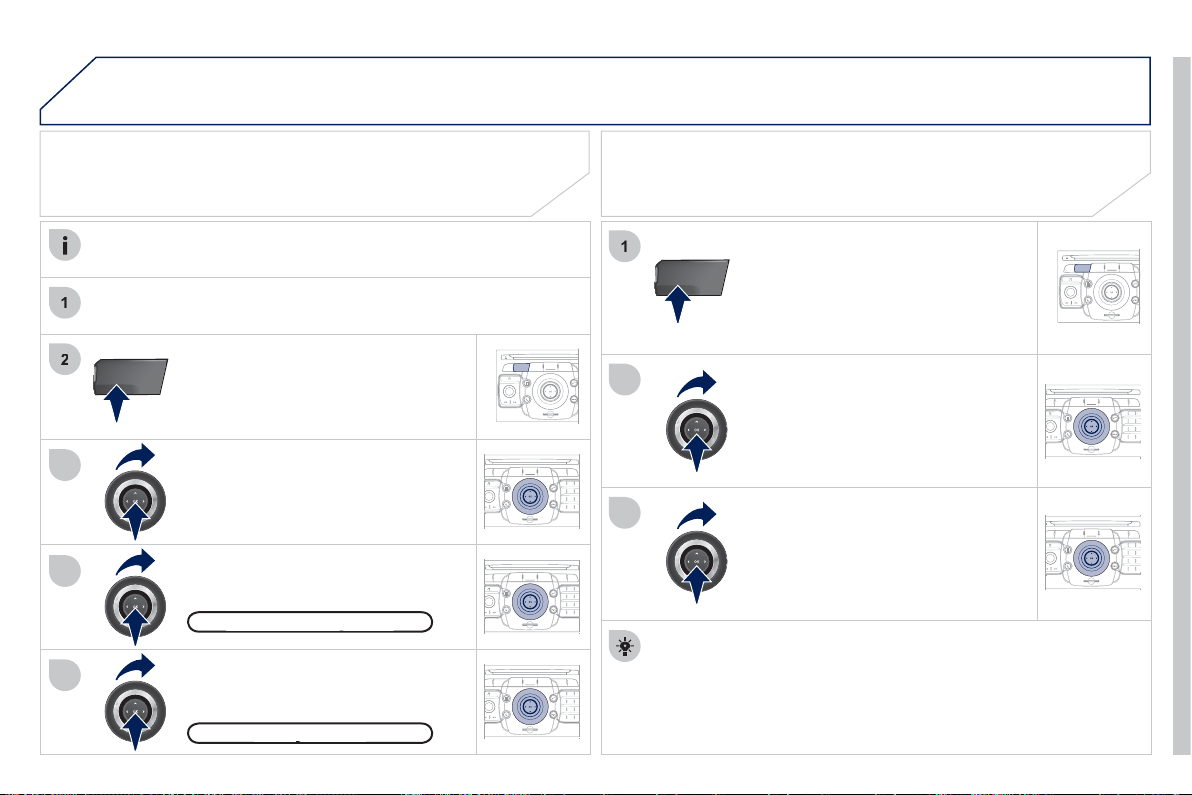
22
9
0
7
1
4
1
2
2
ABC
3
DEF
5
JKL
4
GHI
6
MNO
8
TUV
7
PQRS
9
WXY
Z
0
*
#
1
RADIO MEDIA
NAV ESC TRAFFIC
SETUP
ADDR
BOOK
3
2
ABC
3
DEF
5
JKL
4
GHI
6
MNO
8
TUV
7
PQRS
9
WXY
Z
0
*
#
1
RADIO MEDIA
NAV ESC TRAFFIC
SETUP
ADDR
BOOK
RADIO
NAV ESC TRAFFIC
MEDIA
MEDIA
2
ABC
3
DEF
5
JKL
4
GHI
6
MNO
8
TUV
7
PQRS
9
WXY
Z
0
*
#
1
RADIO MEDIA
NAV ESC TRAFFIC
SETUP
ADDR
BOOK
3
5
2
ABC
3
DEF
5
JKL
4
GHI
6
MNO
8
TUV
7
PQRS
9
WXY
Z
0
*
#
1
RADIO MEDIA
NAV ESC TRAFFIC
SETUP
ADDR
BOOK
2
ABC
3
DEF
5
JKL
4
GHI
6
MNO
8
TUV
7
PQRS
9
WXY
Z
0
*
#
1
RADIO MEDIA
NAV ESC TRAFFIC
SETUP
ADDR
BOOK
RADIO
NAV ESC TRAFFIC
MEDIA
MEDIA
P
r
ess
t
he
MEDIA
bu
tt
o
n.
P
ress t
h
e
MEDIA
b
utton a
g
a
i
n o
r
s
elect Media Menu and press
O
K to
co
n
fi
rm.
S
elect "Jukebox mana
g
ement" and
press
O
K to con
fi
rm.
S
elect "Pla
y
options" and press
O
K to
co
nfi rm.
Select "Folders & Files" or "Pla
y
lists"
then press
O
K to confi rm.
LISTENING TO THE JUKEBOX
J
ukebox mana
g
emen
t
g
Pr
ess
th
e
MEDIA
bu
tt
o
n.
P
ress t
h
e
MEDIA
b
utton a
g
a
i
n o
r
select Media Menu and press
O
K to
co
n
fi
rm.
S
elect "Jukebox mana
g
ement" and
press
O
K to con
fi
rm.
JUKEBOX
RENAMING OR DELETING AN ALBUM
Activate the pla
y
in
g
of a source other than the Jukebox
(
CD, radio, etc...
)
.
C
heck that the active source is not the
J
ukebox in order to be able
to rename or delete a track
/f
older.
M
USIC MEDIA PLAYER
S
S
elect "Modi
fy
content" and press
O
K
co
n
fi
rm.
Press the E
SC
button to return to the fi rst fi le level.
Pla
y
lists can be created in the Jukebox.
Media Menu> Jukebox mana
g
ement>
C
reate new pla
y
list. Add the
trac
k
s requ
i
re
d
one
by
one t
h
en save t
h
e c
h
an
g
e.
Th
e
"Pl
a
yli
sts
"
play mode must then be selected.
M
odif
y
conten
t
y
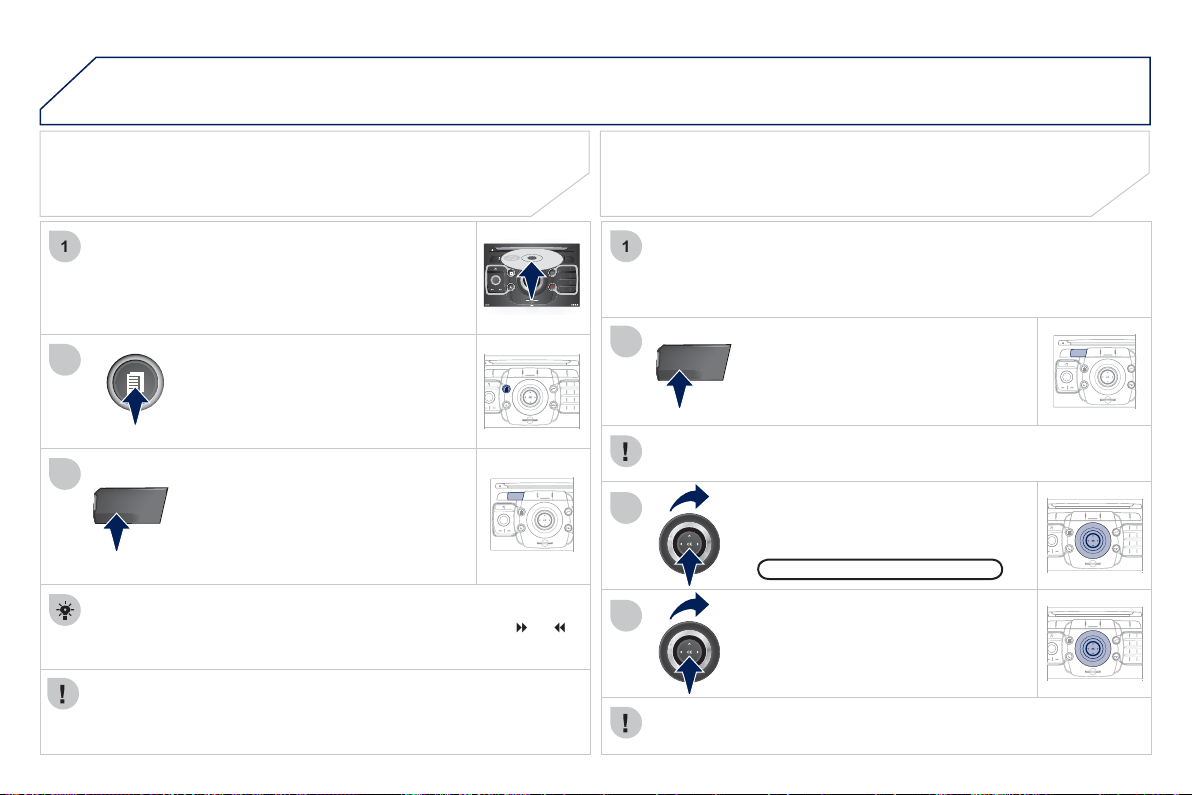
2
30
07
2
ABC
3
DEF
5
JKL
4
GHI
6
MN
O
8
TUV
7
PQRS
9
WXY
Z
0
*
#
1
RADIO MEDIA
NAV ESC TRAFFIC
SETUP
ADDR
BOOK
1
3
RADIO
NAV ESC TRAFFIC
MEDIA
MEDIA
2
ABC
3
DEF
5
JKL
4
GHI
6
MNO
8
TUV
7
PQRS
9
WXYZ
0
*
#
1
RADIO MEDIA
NAV ESC TRAFFIC
SETUP
ADDR
BOOK
2
1
3
4
2
RADIO
NAV ESC TRAFFIC
MEDIA
MEDIA
2
ABC
3
DEF
5
JKL
4
GHI
6
MNO
8
TUV
7
PQRS
9
WXY
Z
0
*
#
1
RADIO MEDIA
NAV ESC TRAFFIC
SETUP
ADDR
BOOK
2
ABC
3
DEF
5
JKL
4
GHI
6
MNO
8
TUV
7
PQRS
9
WXY
Z
0
*
#
1
RADIO MEDIA
NAV ESC TRAFFIC
SETUP
ADDR
BOOK
C
onnect the portable device
(
MP3 player, camcorder, camera…
)
to
the R
C
A socket
(
white and red
f
or audio; red and
y
ellow
f
or video
)
in the
g
love box usin
g
a JA
C
K
/
R
C
A audio cable.
Press the MEDIA button then press
i
t a
g
a
i
n or se
l
ect t
h
e
"M
e
di
a
"
M
enu
f
unction and press
O
K to con
fi
rm.
S
elect the A
U
X music source and
p
ress
O
K to con
fi
rm. Pla
y
be
g
ins
automat
i
ca
lly
.
S
elect "
S
elect media" then "External
device
(
AV
)
" and press
O
K to
ac
tiv
a
t
e
it.
E
xternal devic
e
The displa
y
and mana
g
ement o
f
the controls is via the portable
de
vi
ce
.
USING AN EXTERNAL DEVICE (AUX)
AUDIO/VIDEO/RCA CABLE NOT
SUPPLIED
If the external input is not activated, select "Ext. Device
(
Aux
)
mana
g
ement" to activate it.
VIEWING A VIDEO DVD
Select the video source required
(
"DVD-Video", "External device
(
AV
)
"
)
. Press
O
K to confi rm. Pla
y
be
g
ins.
P
ress t
h
e
MEDIA
b
utton to
g
a
i
n
a
ccess to the DVD menu at any time,
o
r t
o
th
e
fu
n
c
ti
o
n
s
of
th
e
M
ed
i
a
M
e
n
u
which ad
j
ust the video
(
bri
g
htness
/
c
ontrast, ima
g
e format...
)
.
If the DVD does not a
pp
ear on the
s
creen,
p
ress the M
O
DE button to
g
ain access to the "MEDIA" screen
w
hi
c
h
di
sp
l
a
y
s t
h
e
DVD
screen.
Insert the DVD in the pla
y
er. Pla
y
be
g
ins
automaticall
y
.
The 4-direction navi
g
ator and the chromed rin
g
allow
y
ou to move
the DVD selection cursor.
C
han
g
e chapter b
y
pressin
g
the
or
bu
tt
o
n.
M
USIC MEDIA PLAYER
S

2
31
08
1
2
ABC
3
DEF
5
JKL
4
GHI
6
MNO
8
TUV
7
PQRS
9
WXY
Z
0
*
#
1
RADIO MEDIA
NAV ESC TRAFFIC
SETUP
ADDR
BOOK
2
2
ABC
3
DEF
5
JKL
4
GHI
6
MNO
8
TUV
7
PQRS
9
WXY
Z
0
*
#
1
RADIO MEDIA
NAV ESC TRAFFIC
SETUP
ADDR
BOOK
CHOOSING BETWEEN THE BLUETOOTH
TELEPHONE/INTERNAL TELEPHONE
T
o act
i
vate t
h
e
Bl
uetoot
h
te
l
ep
h
one
o
r the internal telephone, press PI
C
K
U
P TEL.
USING THE TELEPHONE
Select Phone menu
,
then "Select
ph
one
"
t
h
en c
h
oose
b
etween
"
Telephone o
ff
", "Use Bluetooth
p
hone" or "Use internal phone". Press
O
K at each step to con
fi
rm.
Th
e s
y
stem can on
ly
b
e connecte
d
to one
Bl
uetoot
h
te
l
ep
h
one an
d
o
ne
S
IM card
(
Internal telephone
)
at the same time.
In this case, the phone book is synchronised with the Bluetooth
telephone.
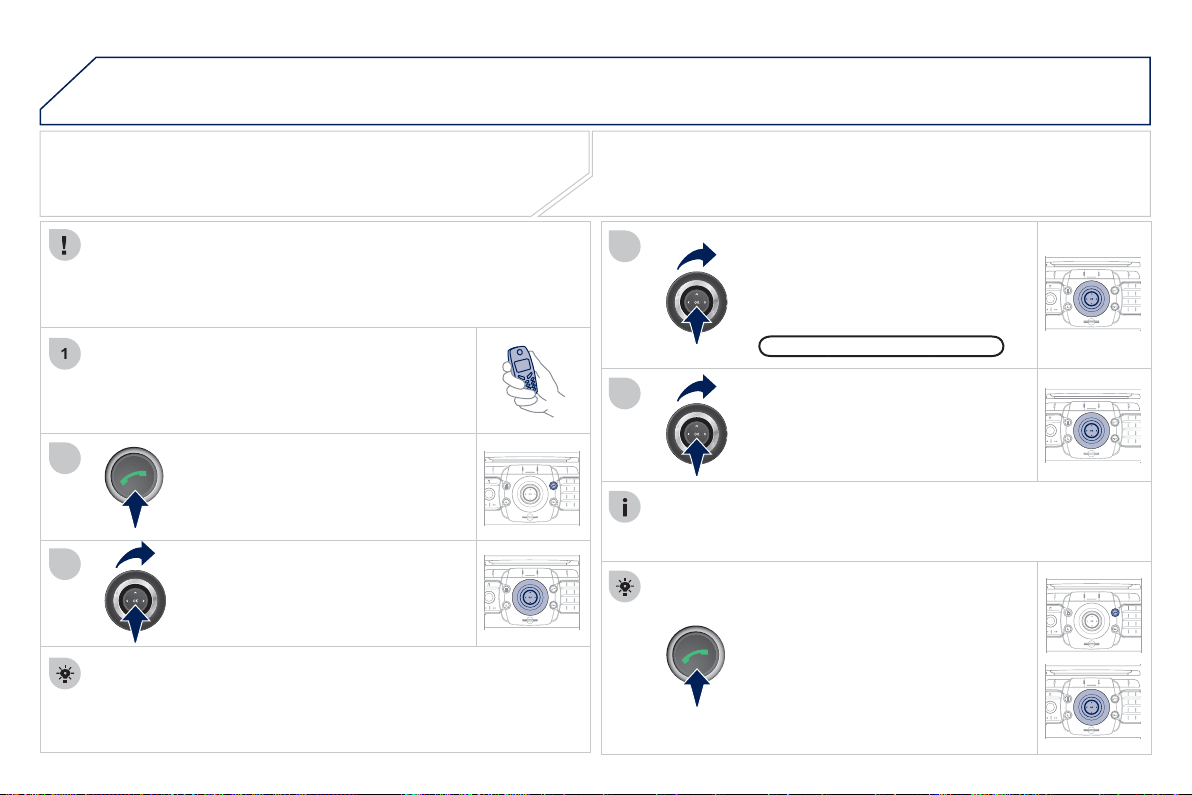
2
32
08
1
4
5
2
ABC
3
DEF
5
JKL
4
GHI
6
MNO
8
TUV
7
PQRS
9
WXY
Z
0
*
#
1
RADIO MEDIA
NAV ESC TRAFFIC
SETUP
ADDR
BOOK
2
ABC
3
DEF
5
JKL
4
GHI
6
MNO
8
TUV
7
PQRS
9
WXY
Z
0
*
#
1
RADIO MEDIA
NAV ESC TRAFFIC
SETUP
ADDR
BOOK
3
2
ABC
3
DEF
5
JKL
4
GHI
6
MNO
8
TUV
7
PQRS
9
WXY
Z
0
*
#
1
RADIO MEDIA
NAV ESC TRAFFIC
SETUP
ADDR
BOOK
2
2
ABC
3
DEF
5
JKL
4
GHI
6
MNO
8
TUV
7
PQRS
9
WXY
Z
0
*
#
1
RADIO MEDIA
NAV ESC TRAFFIC
SETUP
ADDR
BOOK
2
ABC
3
DEF
5
JKL
4
GHI
6
MNO
8
TUV
7
PQRS
9
WXY
Z
0
*
#
1
RADIO MEDIA
NAV ESC TRAFFIC
SETUP
ADDR
BOOK
2
ABC
3
DEF
5
JKL
4
GHI
6
MNO
8
TUV
7
PQRS
9
WXY
Z
0
*
#
1
RADIO MEDIA
NAV ESC TRAFFIC
SETUP
ADDR
BOOK
*
The services available via the telephone depend on the network, the
S
IM card and the compatibilit
y
o
f
the Bluetooth equipment used. Re
f
er to
y
our telephone's manual and
y
our operator to check which services
y
ou
have access to. A list of mobile telephones which offer the best ran
g
e o
f
se
rvi
ces
i
s
a
v
a
il
ab
l
e
fr
o
m
dea
l
e
r
s
.
U
SING THE TELEPHON
E
CONNECTING A BLUETOOTH
TELEPHONE
For sa
f
ety reasons and because they require prolonged attention
o
n the part o
f
the driver, the operations
f
or pairin
g
the Bluetooth
m
obile telephone to the hands-
f
ree s
y
stem o
f
the Peu
g
eot
C
onnect
M
edia must be carried out with the vehicle stationar
y
and the
i
g
nition on.
Activate the tele
p
hone's Bluetooth function.
The last tele
p
hone connected is reconnected
automaticall
y
.
I
f
no telephone is connected, the
s
y
stem prompts
y
ou to "
C
onnect
phone".
S
elect "Yes" and press
O
K to
co
n
fi
rm.
Ent
e
r th
e
au
th
e
nti
ca
ti
o
n
code
o
n th
e
te
l
ep
h
one.
Th
e co
d
e to
b
e entere
d
i
s
di
sp
l
a
y
e
d
on t
h
e screen.
To chan
g
e the telephone connected,
p
ress the TEL button, then select
P
hone menu, then "Select
p
hone"
then "Connect Bluetooth
p
hone"
then select the telephone required or
"Search phone".
Press
O
K at each step to con
fi
rm.
O
nce the telephone has been connected, the Peu
g
eot
C
onnect
M
edia can s
y
nchronise the address book and the call list. This
s
y
nchronisation ma
y
take a
f
ew minutes
*
.
The list o
f
telephones connected previousl
y
(
4 maximum
)
appears
in the multifunction screen. Select the tele
p
hone re
q
uired then
select "Connect
p
hone" for a new connection. Select "Delete
pairin
g
" to cancel the connection to the telephone.
P
r
ess
t
he
TEL
bu
tt
o
n.
For a fi rst connection, select
"Search phone" and press
O
K to
co
nfi rm. Th
e
n
se
l
ec
t th
e
n
a
m
e
o
f th
e
te
l
ep
h
one.
Search
p
hon
e
p
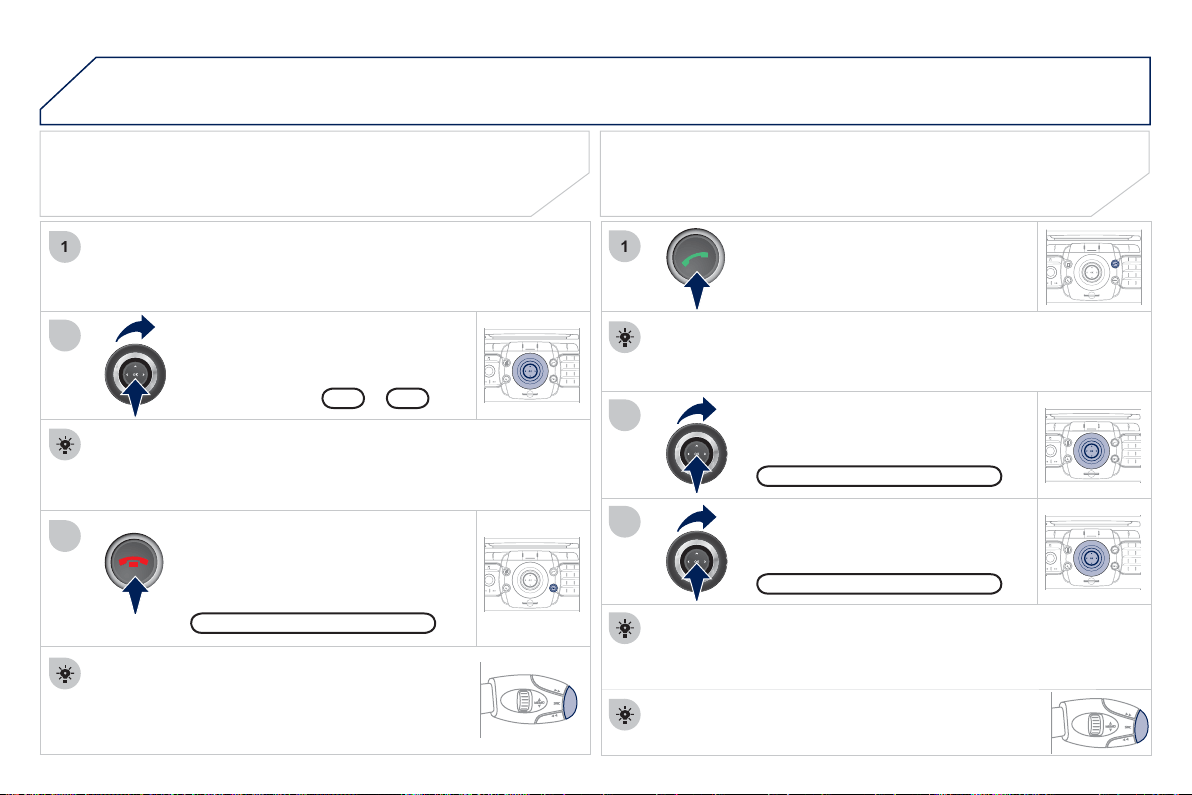
2
3
4
08
1
2
2
ABC
3
DEF
5
JKL
4
GHI
6
MNO
8
TUV
7
PQRS
9
WXY
Z
0
*
#
1
RADIO MEDIA
NAV ESC TRAFFIC
SETUP
ADDR
BOOK
2
ABC
3
DEF
5
JKL
4
GHI
6
MNO
8
TUV
7
PQRS
9
WXY
Z
0
*
#
1
RADIO MEDIA
NAV ESC TRAFFIC
SETUP
ADDR
BOOK
2
ABC
3
DEF
5
JKL
4
GHI
6
MNO
8
TUV
7
PQRS
9
WXY
Z
0
*
#
1
RADIO MEDIA
NAV ESC TRAFFIC
SETUP
ADDR
BOOK
3
1
3
2
ABC
3
DEF
5
JKL
4
GHI
6
MNO
8
TUV
7
PQRS
9
WXY
Z
0
*
#
1
RADIO MEDIA
NAV ESC TRAFFIC
SETUP
ADDR
BOOK
2
2
ABC
3
DEF
5
JKL
4
GHI
6
MN
O
8
TUV
7
PQRS
9
WXY
Z
0
*
#
1
RADIO MEDIA
NAV ESC TRAFFIC
SETUP
ADDR
BOOK
Press the end of the steerin
g
mounted control to
accept the call or end the call in pro
g
ress.
Select the "Yes" tab to accept or "No"
to re
f
use and con
fi
rm b
y
pressin
g
O
K.
RECEIVING A CALL MAKING A CALL
An incomin
g
call is announced b
y
a rin
g
and a superimposed
displa
y
in the screen.
To han
g
up, press the HANG UP TE
L
button or press
O
K and select "End
c
all" then con
fi
rm b
y
pressin
g
O
K.
E
nd cal
l
Press the PI
C
K UP TEL button.
It is also
p
ossible to select a number from the address book. You
c
an select "Dial from address book". The Peu
g
eot Connect Media
c
an record up to 4 096 entries.
S
elect "Dial number", then dial the
telephone number usin
g
the virtual
k
e
y
pad.
S
elect the "Phone" menu
f
unction
a
nd press
O
K to con
fi
rm.
"
Phone" menu
Di
a
l
num
b
e
r
The list of the last 2
0
calls made and received in the vehicle
a
pp
ears under "Phone" menu. You can select a number and
p
ress
O
K to make the call.
Y
es N
o
The PI
C
K UP TEL button accepts, the HAN
G
UP TEL button
re
f
uses the incomin
g
call.
U
SING THE TELEPHON
E
Press the end o
f
the steerin
g
mounted control
f
or
m
ore than two seconds to o
p
en the address book.
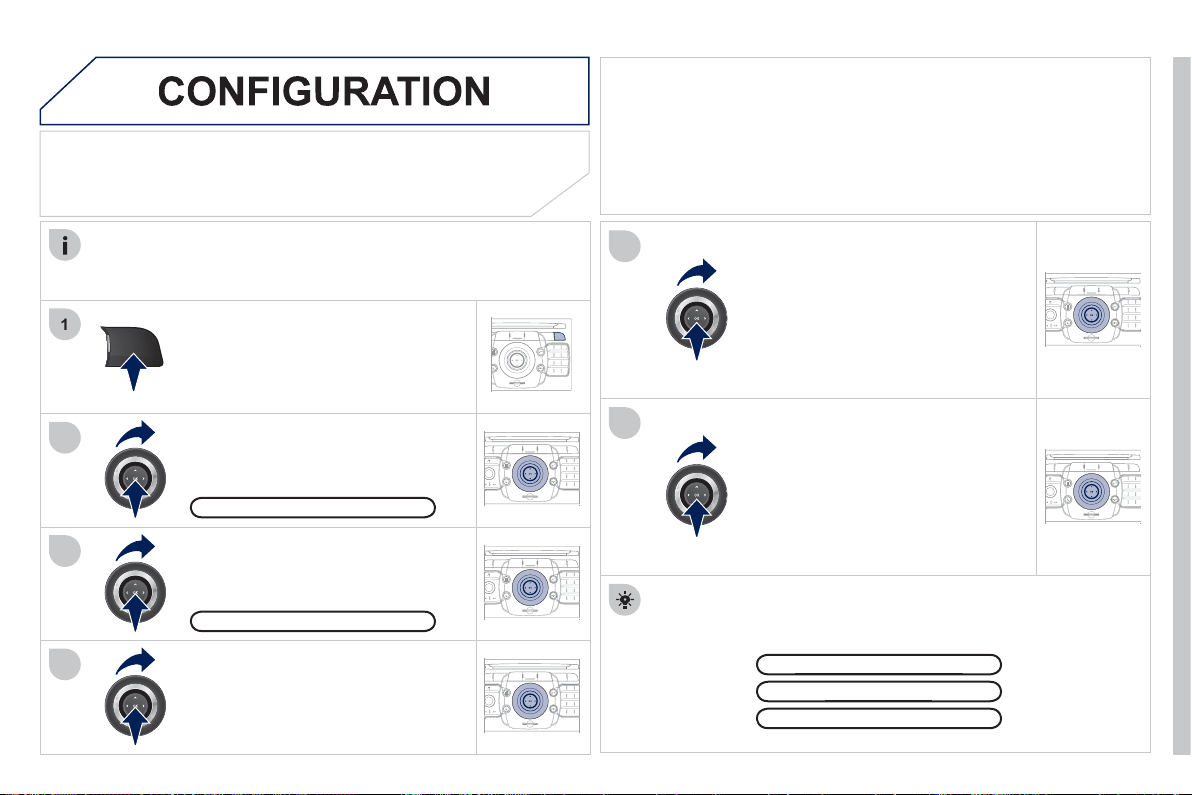
2
35
09
1
4
5
2
ABC
3
DEF
5
JKL
4
GHI
6
MNO
8
TUV
7
PQRS
9
WXY
Z
0
*
#
1
RADIO MEDIA
NAV ESC TRAFFIC
SETUP
ADDR
BOOK
3
2
ABC
3
DEF
5
JKL
4
GHI
6
MNO
8
TUV
7
PQRS
9
WXY
Z
0
*
#
1
RADIO MEDIA
NAV ESC TRAFFIC
SETUP
ADDR
BOOK
2
ABC
3
DEF
5
JKL
4
GHI
6
MNO
8
TUV
7
PQRS
9
WXYZ
0
*
#
1
NAV ESC TRAFFIC
ADDR
BOOK
SETUP
SETUP
2
ABC
3
DEF
5
JKL
4
GHI
6
MNO
8
TUV
7
PQRS
9
WXY
Z
0
*
#
1
RADIO MEDIA
NAV ESC TRAFFIC
SETUP
ADDR
BOOK
2
6
2
ABC
3
DEF
5
JKL
4
GHI
6
MNO
8
TUV
7
PQRS
9
WXY
Z
0
*
#
1
RADIO MEDIA
NAV ESC TRAFFIC
SETUP
ADDR
BOOK
2
ABC
3
DEF
5
JKL
4
GHI
6
MNO
8
TUV
7
PQRS
9
WXY
Z
0
*
#
1
RADIO MEDIA
NAV ESC TRAFFIC
SETUP
ADDR
BOOK
SETTING THE DATE AND TIME
M
a
k
e t
h
e a
dj
ustments us
i
n
g
t
h
e r
i
n
g
a
n
d
move on to t
h
e next us
i
n
g
t
h
e
4-direction navigator.
Pr
ess
O
K t
o
co
n
fi
rm.
S
elect the "Date format" function and
p
ress
O
K to confi rm.
S
elect the
f
ormat required usin
g
the
r
in
g
and press
O
K to con
fi
rm.
Select the "Set date
&
time" function
a
nd press
O
K to con
fi
rm.
Pressin
g
the
S
ETUP button
f
or more than 2 seconds permits
access
to
:
This setting operation must be carried out i
f
the battery has been
d
i
sco
nn
ec
t
ed
.
Pr
ess
th
e
S
ET
U
P
bu
tt
o
n.
S
elect the "Time format" function and
p
ress
O
K to confi rm.
Select the format required usin
g
the
r
in
g
and press
O
K to con
fi
rm.
Set date & tim
e
Select the "Date
&
Time" function
a
nd press
O
K to confi rm.
D
emo mo
de
G
PS covera
ge
g
D
escri
p
tion of the uni
t
p
D
ate & Tim
e
Principle o
f
G
P
S
s
y
nchronisation
(G
MT
)
:
1. Confi rm the "S
y
nchronise with GPS" selection, the time is then set to
GMT universal time, the date is also u
p
dated.
2. Usin
g
the 4-direction navi
g
ator, move the cursor to the time fi elds and
p
ress
O
K.
3. You can then use the rin
g
to set the time to the time zone o
f
y
our
choice
.
Note that when changing between summer
/
winter time, the time zone
m
ust be chan
g
ed a
g
ain manuall
y
.
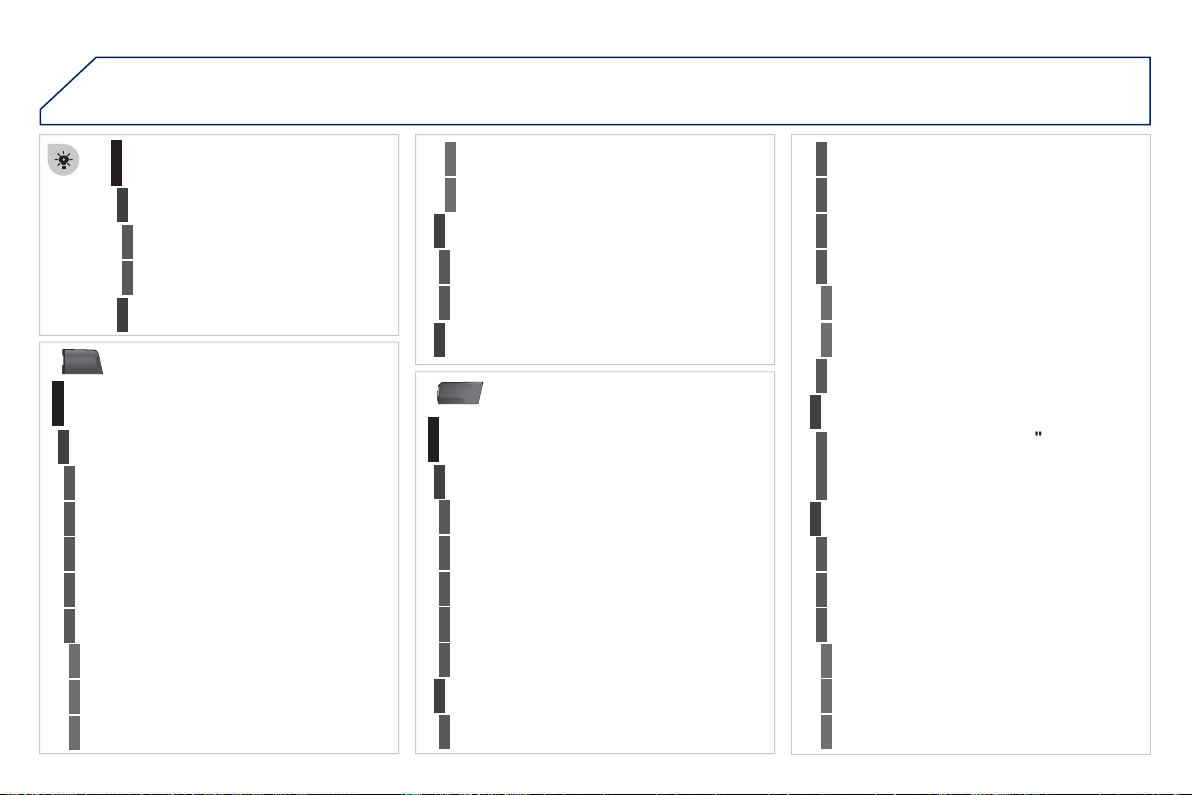
2
36
10
MEDIA
TRAFFIC
SCREEN MENU MAP
MAIN FUNCTION
OPTION
A
OPTION B...
op
tion A
1
op
tion A2
1
2
3
2
3
"Traffic" Menu
M
essa
g
es on rout
e
Select
p
referred list
1
2
3
D
eac
tiv
a
t
e
PIN
4
Onl
y
warnin
g
s on rout
e
3
All
warn
i
n
g
messa
g
es
3
All
messa
g
es
3
G
eo. Filte
r
3
Within 2 miles
(
3 km
)
4
Within 3 miles
(
5 km
)
4
Within 6 miles
(
10 km
)
4
Within 30 miles
(
50 km
)
4
On confi rmation
Read out settin
g
s
2
3
I
ncom
i
n
g
messa
g
es
3
TMC station information
2
"Media" Menu
Audio CD/MP3-Disc
/
DVD
-
A
u
di
o
/
DVD
-
V
ide
o
Select media
1
2
3
Jukebox
(
Folders & Files
)
3
S
D-Card
3
U
S
B
3
E
xternal device
(
audio
/
AV
)
3
A
dd fi le
s
Jukebox mana
g
ement
2
3
Folders
&
Files
4
Create folde
r
3
M
odify conten
t
3
E
dit pla
y
lis
t
3
P
la
y
options
3
Pla
y
lists
4
M
emor
y
capacit
y
3
Refer to the "Sound settin
g
s
"
menu details
o
f which are shown on the next pa
g
e
.
Sound settin
g
s
2
3
A
s
p
ect rat
io
Vid
eo sett
i
n
g
s
2
3
M
enu
l
an
g
ua
ge
3
Di
sp
l
a
y
3
B
r
igh
tness
4
C
ontrast
4
Co
l
ou
r
4

2
37
NAV
RADIO
AUX
stan
d
ar
d
3
R
eset v
id
eo sett
i
n
g
s
3
Off/Audio/Audio and Video
(
AV
)
Ext. Device
(
Aux
)
mana
g
ement
2
3
"Radio" Menu
FM
Waveband
1
2
3
AM
3
Manual tune
2
Refer to the "Sound settin
gs
"
menu
b
elow
.
Sound settin
g
s
2
3
"Sound settings" Menu
Balance
/
Fader
1
2
Bass
/
Treble
2
Eq
ua
li
zer
2
Li
near
3
Classic
3
Jaz
z
3
Rock/Pop
3
T
ec
h
n
o
3
V
ocal
3
Mute rear speakers
2
Loudness
2
S
p
eed de
p
endent volume
2
Reset sound settin
g
s
2
"Navigation" Menu
A
bort
g
uidance
/
Resume
g
uidance
1
2
Destination in
p
ut
2
A
ddress inpu
t
3
Countr
y
4
Cit
y
4
S
treet
4
House
n
u
m
be
r
4
S
tart route
g
uidance
4
Pos
t
al
code
4
S
ave to address book
4
I
nt
e
r
sec
t
io
n
4
C
it
y
district
4
G
eo position
4
M
ap
4
Navi
g
ate HOM
E
3
Choose from last destinations
3
Choose from address book
3
Sto
p
overs
2
Add
sto
p
ove
r
3
Add
ress
i
nput
4
Navi
g
ate H
O
ME
4
C
hoose
f
rom address book
4
C
hoose
f
rom last destinations
4
R
earran
g
e rout
e
3
R
e
pl
ace sto
p
over
3
D
e
l
ete sto
p
ove
r
3

2
38
ADDR
BOOK
Recalculat
e
3
F
as
t r
ou
t
e
4
S
hort route
4
O
ptimized route
4
POI nearb
y
POI search
2
3
POI near destination
3
POI in city
3
POI in country
3
POI near rout
e
3
R
oute typ
e
Route o
p
tions
2
3
P
O
I near destination
4
S
hort route
4
O
ptimized route
4
S
ubscr. service
4
Route dynamic
s
Settings
2
3
Tra
ffi
c independent
4
S
emi-dynamic
4
Dynamic
4
A
voidance criteria
3
Avoid motorways
4
Av
o
i
d
t
o
ll r
oads
4
Av
o
i
d
t
u
nn
e
l
s
4
Av
o
i
d
fe
rri
es
4
R
ecalculat
e
3
"Address book" Menu
Create new entr
y
1
2
Show memor
y
status
2
E
x
p
ort a
dd
ress
b
oo
k
2
Delete all voice entries
2
D
e
l
ete a
ll
entr
i
es
2
Delete folder "M
y
Addresses"
2
"Phone" menu
Dial numbe
r
1
2
Dial from address book
2
Call lists
2
M
essa
g
es
2
Select phone
2
S
earch phone
4
T
ele
p
hone off
3
U
se Bluetooth
p
hon
e
3
U
se
i
nterna
l
ph
on
e
3
Connect Bluetooth phon
e
3
Disconnect phone
5
R
ename p
h
one
5
Delete pairin
g
5
Delete all pairin
g
s
5
S
how details
5
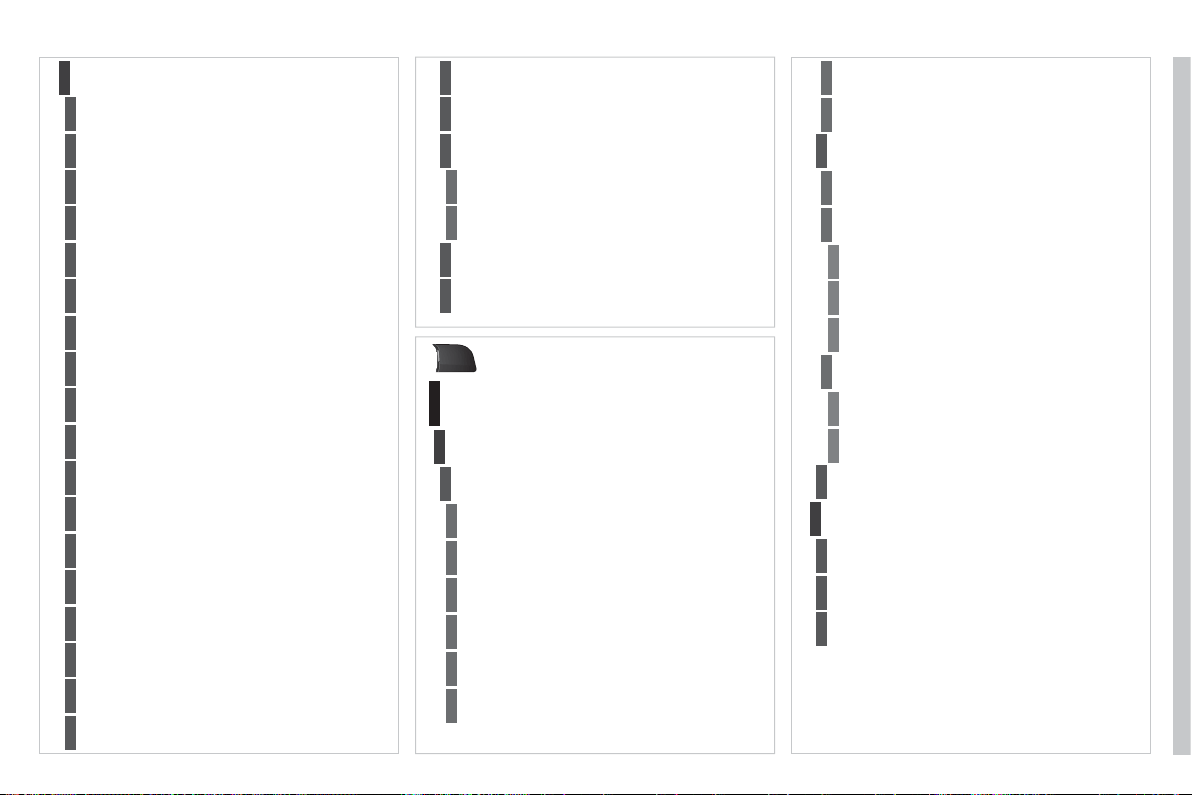
2
39
SETUP
Settings
2
A
utomatic answering system
3
Select ring ton
e
3
P
hone
/
Ring tone volum
e
3
E
nter mailbox number
3
Internal phone setting
s
3
A
utomatically accept call
3
Signal waiting call (?)
3
S
how status
3
A
ctivate waiting call
3
D
eactivate waiting call
3
Call forward (?
)
3
S
how status
3
A
ctivate call forward
3
D
eactivate call forward
3
Su
pp
ress own number
3
S
elect network
3
Set network automaticall
y
3
Set network manually
3
S
earch for networks
3
P
IN settings
3
C
hange PIN
3
A
c
tiv
a
t
e
PIN
4
D
eac
tiv
a
t
e
PIN
4
R
emember PI
N
3
SIM-card memory statu
s
3
"SETUP" Menu
M
enu lan
g
ua
ge
Language & Speech
1
2
3
D
eu
t
sc
h
4
E
n
gli
s
h
4
Español
4
Français
4
It
a
li
a
n
o
4
Nede
r
la
n
ds
4
P
o
l
s
ki
4
Voice control
3
V
o
i
ce
co
ntr
o
l
ac
tiv
e
4
T
u
t
o
ri
a
l
4
Portuguese
4
B
as
i
cs
5
Examples
5
Tips
5
S
peaker adaptation
4
New speaker adaptation
5
Delete speaker adaptation
5
Voice out
p
ut volum
e
3
Date & Time
2
Set date & tim
e
3
D
ate forma
t
3
T
ime forma
t
3

24
0
Displa
y
2
B
r
igh
tness
3
Colour
3
S
t
ee
l
4
blue li
g
ht
(
onl
y
in da
y
mode
)
4
O
ran
g
e Ra
y
4
Bl
ue
Fl
a
m
e
4
M
a
p
co
l
our
3
Da
y
mode for Map
4
Night mode
f
or Map
4
Auto. Da
y
/Ni
g
ht for Map
4
Units
2
T
em
p
eratur
e
3
C
elsius
4
F
a
hr
e
nh
e
it
4
M
etric
/
Im
p
erial
3
km
4
Mil
es
4
S
y
stem
2
Factor
y
rese
t
3
S
oftware version
3
A
utomat
i
c scro
lli
n
g
3
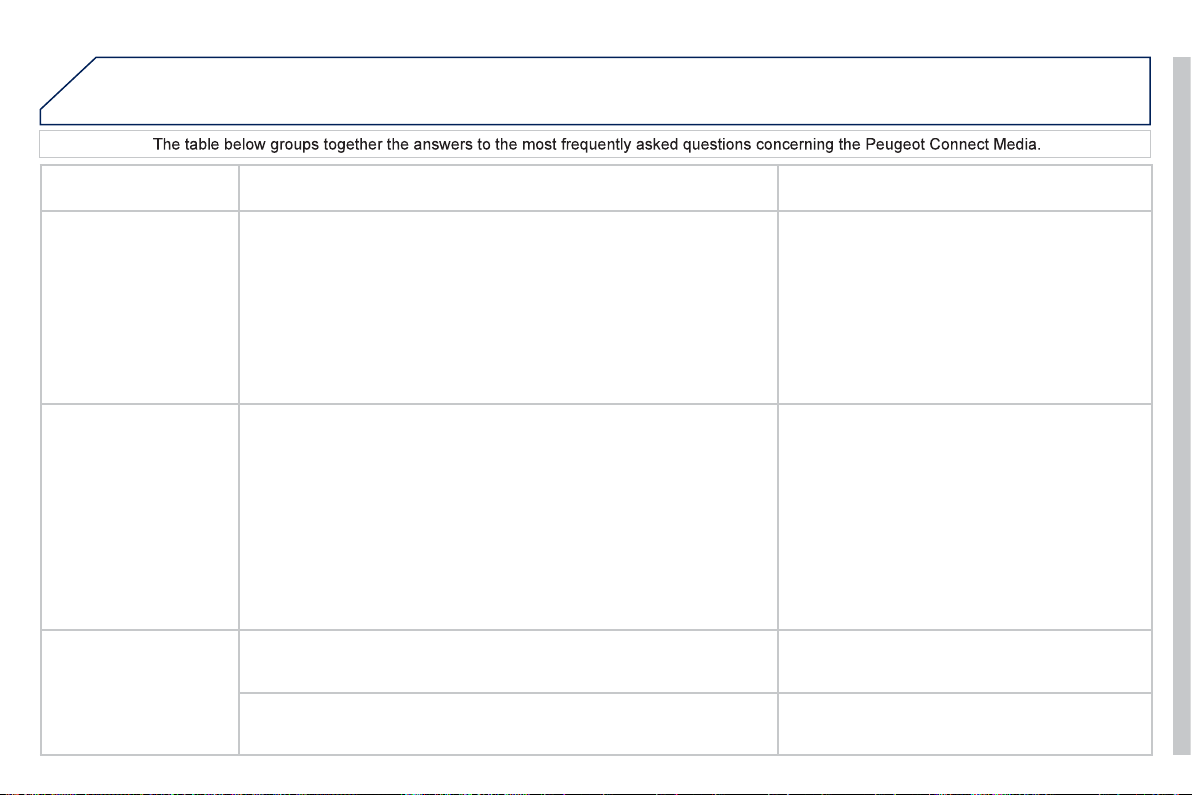
241
FREQUENTLY ASKED QUESTIONS
Q
UESTIO
N
A
NSWER SOLUTIO
N
Th
e
r
e
i
s
a
d
i
ffe
r
e
n
ce
in
s
oun
d
qua
li
t
y
b
etween
th
e
d
i
ffe
r
e
nt
aud
i
o
s
ources
(
radio,
C
D...
)
.
For optimum sound qualit
y
, the audio settin
g
s
(
Volume, Bass, Treble,
Ambience, Loudness
)
can be adapted to the di
ff
erent sound sources,
which may result in audible di
ff
erences when changing source
(
radio,
C
D...
)
.
C
heck that the audio settin
g
s
(
Volume, Bass,
Treble, Ambience, Loudness
)
are adapted to
t
he
sou
r
ces
lis
t
e
n
ed
t
o
.
I
t
is
ad
v
isable
t
o
se
t
the AUDI
O
f
unctions
(
Bass, Treble, Front-Rear
Balance, Le
f
t-Ri
g
ht Balance
)
to the middle
p
osition, select the musical ambience "Linear" and
s
et the loudness correction to the "Active"
p
osition
in CD mode or to the "Inactive" position in radio
mode
.
The
C
D is e
j
ected
automaticall
y
or is not
p
la
y
ed b
y
the pla
y
er.
The
C
D is inserted upside down, is unpla
y
able, does not contain an
y
a
udio data or contains an audio
f
ormat which the pla
y
er cannot pla
y
.
The CD is protected b
y
an anti-piratin
g
protection s
y
stem which is not
r
eco
g
nised b
y
the audio equipment.
-
C
heck that the
C
D is inserted in the pla
y
er the
ri
g
ht wa
y
up.
-
C
heck the condition of the
C
D: the
C
D cannot
be pla
y
ed if it is too dama
g
ed.
-
C
heck the content in the case of a recorded
C
D: consult the advice in the "Audio" section.
- The audio equipment's
C
D pla
y
er does not
p
l
a
y
DVD
s.
- Due to inadequate qualit
y
, certain recorded
C
Ds will not be pla
y
ed b
y
the audio s
y
stem.
The CD pla
y
er sound is
poor
.
The CD used is scratched or of poor qualit
y
. Insert
g
ood qualit
y
CDs and store them in suitable
co
n
di
t
io
n
s
.
The audio equipment settin
g
s
(
bass, treble, ambiences
)
are unsuitable.
S
et the treble or bass level to 0, without selectin
g
a
n
a
m
b
i
e
n
ce
.

242
Q
UESTIO
N
A
N
S
WER
S
OLUTIO
N
Th
e
s
t
o
r
ed
s
t
a
ti
o
n
s
do
n
ot
f
unction
(
no sound,
8
7.5 Mhz is displa
y
ed...
)
.
An in
co
rr
ec
t w
a
v
eba
n
d
i
s
se
l
ec
t
ed
. Press RADI
O
, select Radio Menu then
"
W
a
v
eba
n
d
" t
o
r
e
t
u
rn t
o
th
e
w
a
v
eba
n
d
o
n whi
c
h
th
e
s
t
a
ti
o
n
s
a
r
e
s
t
o
r
ed
.
The qualit
y
o
f
reception
of
th
e
r
ad
i
o
s
t
a
ti
o
n
listened to gradually
de
t
e
ri
o
r
a
t
es
o
r th
e
s
t
o
r
ed
s
t
a
ti
o
n
s
do
n
o
t
fu
n
c
ti
o
n
(
no sound, 87.5 Mhz is
displa
y
ed...
)
.
The vehicle is too
f
ar
f
rom the transmitter used b
y
the station listened
to or t
h
ere
i
s no transm
i
tter
i
n t
h
e
g
eo
g
rap
hi
ca
l
area t
h
rou
gh
w
hi
c
h
t
h
e
vehicle is travelling.
A
ctivate the "RD
S
"
f
unction b
y
means o
f
the
sh
ort-cut menu to ena
bl
e t
h
e s
y
stem to c
h
ec
k
whether there is a more power
f
ul transmitter in the
g
eo
g
raphical area.
The environment
(
hills, buildin
g
s, tunnels, basement car parks...
)
block
r
eception, includin
g
in RDS mode.
This phenomenon is normal and does not indicate
a failure of the audio equipment.
The aerial is absent or has been dama
g
ed
(
for example when
g
oin
g
throu
g
h a car wash or into an under
g
round car park
)
.
Have the aerial checked b
y
a PEUGE
O
T dealer.
S
ound cut-outs o
f
1 to
2
seco
n
ds
in r
ad
i
o
m
ode
.
During this brie
f
sound cut-out, the RD
S
searches
f
or any
f
requency
permittin
g
better reception o
f
the station.
Deactivate the "RD
S
"
f
unction by means o
f
the
s
hort-cut menu i
f
the phenomenon is too
f
requent
and alwa
y
s on the same route.
With the en
g
ine o
ff
, the
sy
stem switches o
ff
a
f
ter
a
fe
w min
u
t
es
of
use
.
When the en
g
ine is switched o
ff
, the s
y
stem's operatin
g
time depends on
t
h
e
b
atter
y
c
h
ar
g
e.
The switch-o
ff
is normal: the system switches to economy mode and
switches o
ff
to prevent dischar
g
in
g
o
f
the vehicle's batter
y
.
Start the vehicle's en
g
ine to increase the batter
y
ch
ar
g
e.

24
3
Q
UESTIO
N
A
N
S
WER
S
OLUTIO
N
"TA" i
s
se
l
ec
t
ed
.
H
owever, certain tra
ffi
c
j
ams alon
g
the route are
no
t in
d
i
ca
t
ed
in r
ea
l tim
e
.
O
n startin
g
, it is several minutes be
f
ore the s
y
stem be
g
ins to receive the
tr
affi
c
in
fo
rm
a
ti
o
n.
Wait until the tra
ffi
c in
f
ormation is bein
g
received
c
orrectl
y
(
displa
y
in
g
o
f
the tra
ffi
c in
f
ormation
sy
mbols on the map
)
.
In certain countries, onl
y
ma
j
or routes
(
motorwa
y
s...
)
are listed for the
tr
a
ffi
c
inf
o
rm
a
ti
o
n.
This phenomenon is normal. The s
y
stem is
dependent on the traffi c information available.
Th
e
tim
e
t
a
k
e
n t
o
ca
l
cu
l
a
t
e
a
r
ou
t
e
so
m
e
tim
es
see
m
s
lon
g
er than usual.
The per
f
ormance o
f
the system may slow down temporarily i
f
a
C
D
/
DVD
is bein
g
copied onto the Jukebox at the same time as a route is bein
g
ca
l
cu
l
a
t
ed
.
Wait until the
C
D
/
DVD has been copied or stop
the cop
y
in
g
be
f
ore startin
g
the
g
uidance
f
unction.
I receive a speed camera
alert for a speed camera
w
hi
c
h
i
s not on m
y
route.
The s
y
stem announces all speed cameras positioned in a cone located
in front of the vehicle. It ma
y
detect speed cameras located on nearb
y
o
r
para
ll
e
l
roa
d
s.
Zoom in on the map to view the exact position of
t
h
e spee
d
camera.
The speed camera
audible warnin
g
does not
w
o
rk.
The audible warnin
g
is not active.
A
ctivate the audible warnin
g
on Navi
g
ation Menu,
S
ettin
g
s,
S
et parameters
f
or risk areas.
Th
e
a
l
e
rt v
o
l
u
m
e
i
s
se
t t
o
minim
u
m. Increase the volume of the alert when passin
g
a
s
pee
d
camera.
Does the emergency call
fu
n
c
ti
o
n w
o
rk with
ou
t
a
S
IM
ca
r
d?
No, as certain national regulations impose the presence o
f
a
S
IM card in
order to make an emer
g
enc
y
call.
Insert a valid
S
IM card in the slot.
Th
e
a
ltit
ude
i
s
n
o
t
displa
y
ed.
O
n startin
g
, the initialisation of the GPS ma
y
take up to 3 minutes to
r
eceive more than 4 satellites correctl
y
.
Wait until the s
y
stem has started up completel
y
.
Check that there is a GPS covera
g
e of at least
4 satellites
(
lon
g
press on the SETUP button, then
s
elect "
G
P
S
covera
g
e"
)
.
Dependin
g
on the
g
eo
g
raphical environment
(
tunnel...
)
or the weather,
the conditions o
f
reception o
f
the
G
P
S
si
g
nal ma
y
var
y
.
This phenomenon is normal. The s
y
stem is
dependent on the conditions o
f
reception o
f
the GPS si
g
nal.

244
Q
UESTIO
N
A
NSWER SOLUTIO
N
Th
e
r
ou
t
e
ca
l
cu
l
a
ti
o
n i
s
no
t
successfu
l.
The exclusion criteria may con
fl
ict with the current location
(
exclusion o
f
toll roads on a toll motorwa
y)
.
C
heck the exclusion criteria on the Navigation
M
enu
(
"Route options" - "Avoidance criteria"
)
.
Th
ere
i
s a
l
on
g
wa
i
t
i
n
g
p
eriod
f
ollowin
g
the
insertion o
f
a
C
D.
When a new medium is inserted, the s
y
stem reads a certain amount o
f
data
(
director
y
, title, artist, etc.
)
. This ma
y
take a
f
ew seconds.
Thi
s p
h
enomenon
i
s norma
l
.
I cannot connect m
y
Bluetooth tele
p
hone.
The telephone's Bluetooth
f
unction ma
y
be switched o
ff
or the equipment
ma
y
not be visible.
-
C
heck that
y
our telephone's Bluetooth
fu
n
c
ti
o
n i
s
s
wit
c
h
ed
o
n.
- Check that
y
our telephone is visible.
Th
e
Bl
uetoot
h
te
l
ep
h
one
i
s not compat
ibl
e w
i
t
h
t
h
e s
y
stem.
A
list o
f
compatible Bluetooth mobile telephones is
a
v
a
il
ab
l
e
f
r
o
m th
e
dea
l
e
r n
e
tw
o
rk.
Th
e
v
o
l
u
m
e
o
f th
e
tele
p
hone connected
in Bl
ue
t
oo
th m
ode
i
s
i
n
audible
.
The volume depends both on the s
y
stem and on the telephone. Increase the volume of the Peu
g
eot Connect
M
edia, to maximum if re
q
uired, and increase the
volume of the telephone if necessar
y
.
Th
e s
y
stem
d
oes not p
l
a
y
th
e
DVD.
Th
e re
gi
on protect
i
on ma
y
not
b
e compat
ibl
e.
I
nsert
DVD
s w
hi
c
h
h
ave compat
ibl
e re
gi
on
p
rotection.
I cannot cop
y
the CD to
the
J
ukebox.
The wron
g
source is selected. Chan
g
e the active source to CD.
The
C
D is cop
y
-protected. It is normal that a protected
C
D cannot be copied.

24
5
Q
UESTIO
N
A
NSWER SOLUTIO
N
The system does not
rece
iv
e
S
M
S
.
The Bluetooth mode does not permit sending o
f
the
S
M
S
to the system. Use your
S
IM card and the internal telephone.
The
S
IM card used is a twin card. Use the ori
g
inal SIM card to receive the SMS.
I
cannot up
d
ate t
h
e r
i
s
k
area P
O
Is.
The Navi
g
ation Menu - "Update personal P
O
I" is not displa
y
ed.
C
heck that the medium used
f
or the update
(S
D card or U
S
B memor
y
stick
)
is inserted
c
orrectl
y
.
An error messa
g
e is displa
y
ed at the end of the procedure. - Start the procedure a
g
ain in full.
- Consult a PEUGE
O
T dealer if the problem
pers
i
sts.
-
C
heck that the data on the MEDIUM is
supplied b
y
an o
ffi
cial partner o
f
PEU
G
E
O
T.
The voice
f
re
q
uencies
(
DTMF
)
are not
ac
tiv
e
wh
e
n I
a
m
c
ommunicatin
g
and
I
press num
b
ers on
t
h
e
k
e
y
pa
d
.
The numeric buttons on the ke
y
pad are onl
y
active
f
or calls i
f
the displa
y
is in tele
p
hone mode.
To activate them,
p
ress the M
O
DE button until
the telephone is displa
y
ed on the screen.
A
n
acc
i
de
nt
a
r
ea
whi
c
h
does
n
o
t
co
n
ce
rn m
e
i
s
displa
y
ed on the screen.
The accident areas are displa
y
ed near a point de
fi
ned on the map and in
re
l
a
ti
o
n t
o
a
d
ir
ec
ti
o
n
o
f tr
a
v
e
l.
The alert ma
y
be tri
gg
ered when travellin
g
under
a road or near a road which has a s
p
eed camera.

24
6
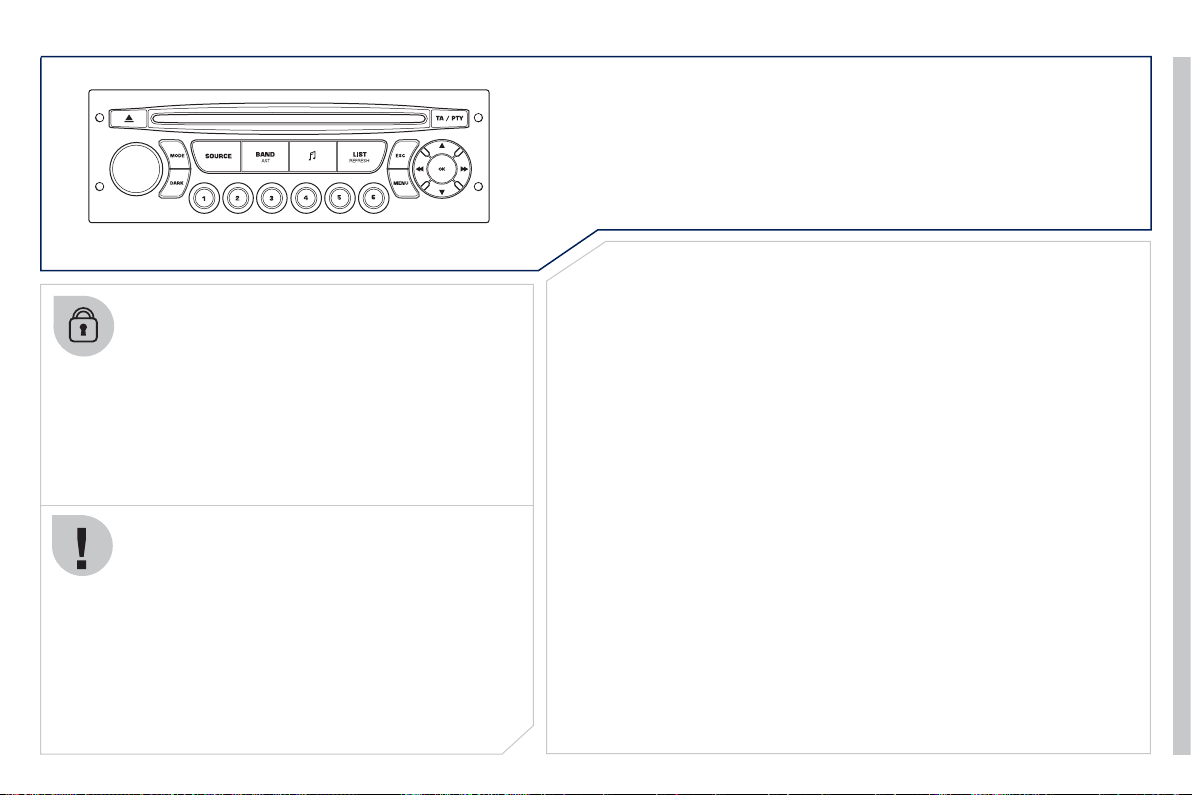
247
P
EUGEOT CONNECT SOUND
Your Peu
g
eot
C
onnect
S
ound is coded in such a wa
y
that it will onl
y
operate in
y
our vehicle. I
f
it is to be
installed in another vehicle, contact your PEU
G
E
O
T
dealer
f
or con
fi
g
uration o
f
the s
y
stem.
For safet
y
reasons, the driver must carr
y
out operations
which require prolon
g
ed attention while the vehicle is
s
tationar
y
.
When the en
g
ine is switched off and to prevent
dischar
g
in
g
o
f
the batter
y
, the audio equipment ma
y
s
wit
c
h
off
af
t
e
r
a
fe
w min
u
t
es
.
AUDIO SYSTEM/BLUETOOTH
01 First steps
02 Steering mounted controls
03 Main menu
04 Audio
05 Peugeot Connect USB
06 Bluetooth
07 Configuration
08 Trip computer
09 Screen menu map
p.
p.
p.
p.
p.
p.
p.
p.
p.
248
249
250
251
254
257
259
260
261
CONTENTS
Frequently asked questions
p. 264
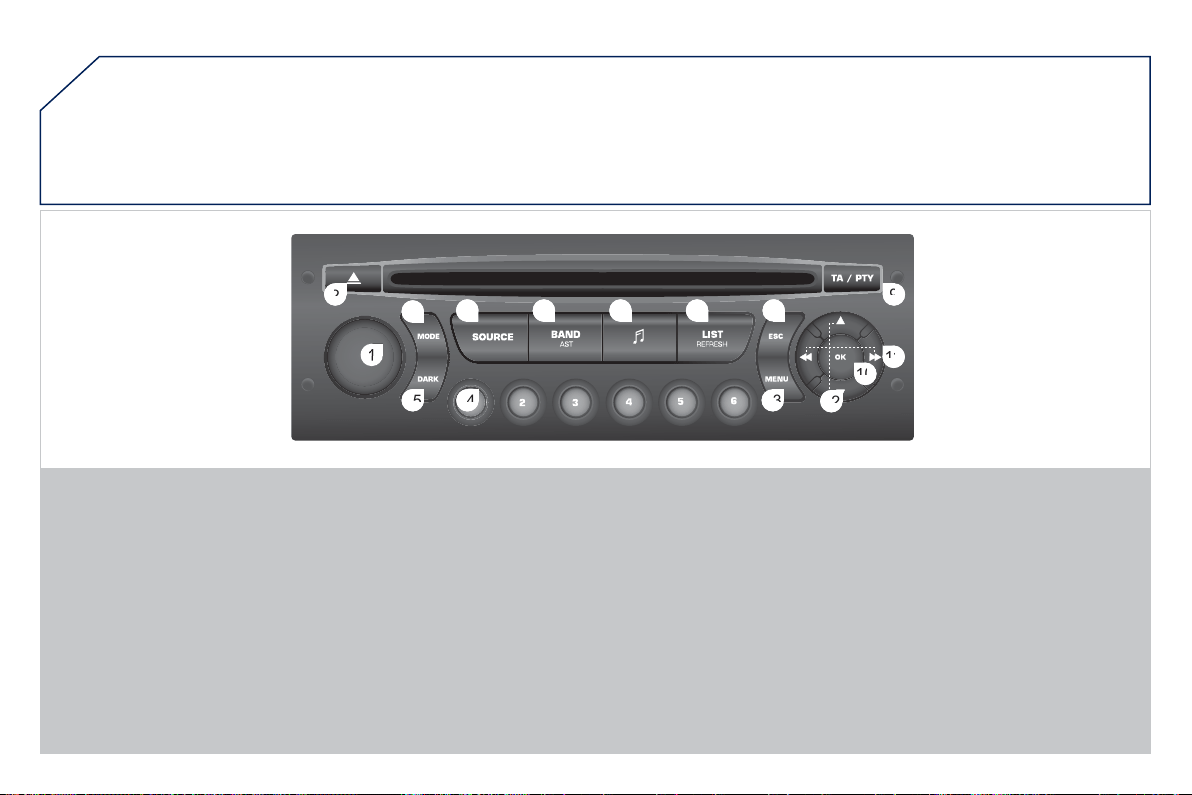
24
8
01
1
2
2
10
10
11
11
13
3
14
4
15
5
3
3
4
4
5
5
6
6
7
7
8
8
9
9
12
2
FIRST STEPS
1.
O
n/
O
ff and volume ad
j
ustment.
2.
C
D e
j
ect.
3.
S
election o
f
the displa
y
on the screen
f
rom
the
f
ollowing modes:
Audio
(
AUDI
O)
, Trip Computer
(
TRIP
)
and
Telephone
(
TEL
)
f
unctions.
4.
S
election of source:
radio, audio
C
D
/
MP3
C
D, U
S
B, Jack
c
onnection,
S
treamin
g
.
5.
S
election o
f
FM1, FM2, FMast and AM
wa
v
eba
n
ds
.
6. Settin
g
audio options: front/rear fader, left/
ri
g
ht balance, loudness, sound ambience.
7. Displa
y
the list o
f
local stations, o
f
the
tracks on the
C
D or of the MP
3
folders.
8. Abandon current operation.
9. TA
(
Tra
ffi
c Announcement
)
f
unction on
/
o
ff
.
L
on
g
press: access to t
h
e
PTY
(
Types o
f
radio programme
)
mode.
1
0
.
Co
n
fi
rm
a
ti
o
n.
11. Automatic search for a lower/hi
g
her
f
requenc
y
.
Selection of previous/next CD, MP3 or USB
tr
ack
.
12.
S
election o
f
a lower
/
hi
g
her radio
f
requenc
y
.
S
election o
f
the previous
/
next MP3
f
older.
S
election o
f
the previous
/
next U
S
B device
f
older
/g
enre
/
artist
/
pla
y
list.
13. Displa
y
the main menu.
14. Buttons 1 to 6:
S
election o
f
a stored radio station.
Long press: store a station.
1
5. The DARK button chan
g
es the displa
y
on
the screen to improve drivin
g
comfort at
n
i
g
ht.
1st press: li
g
htin
g
the upper band onl
y
.
2nd press: displa
y
of a black screen.
3rd press: return to the standard displa
y
.
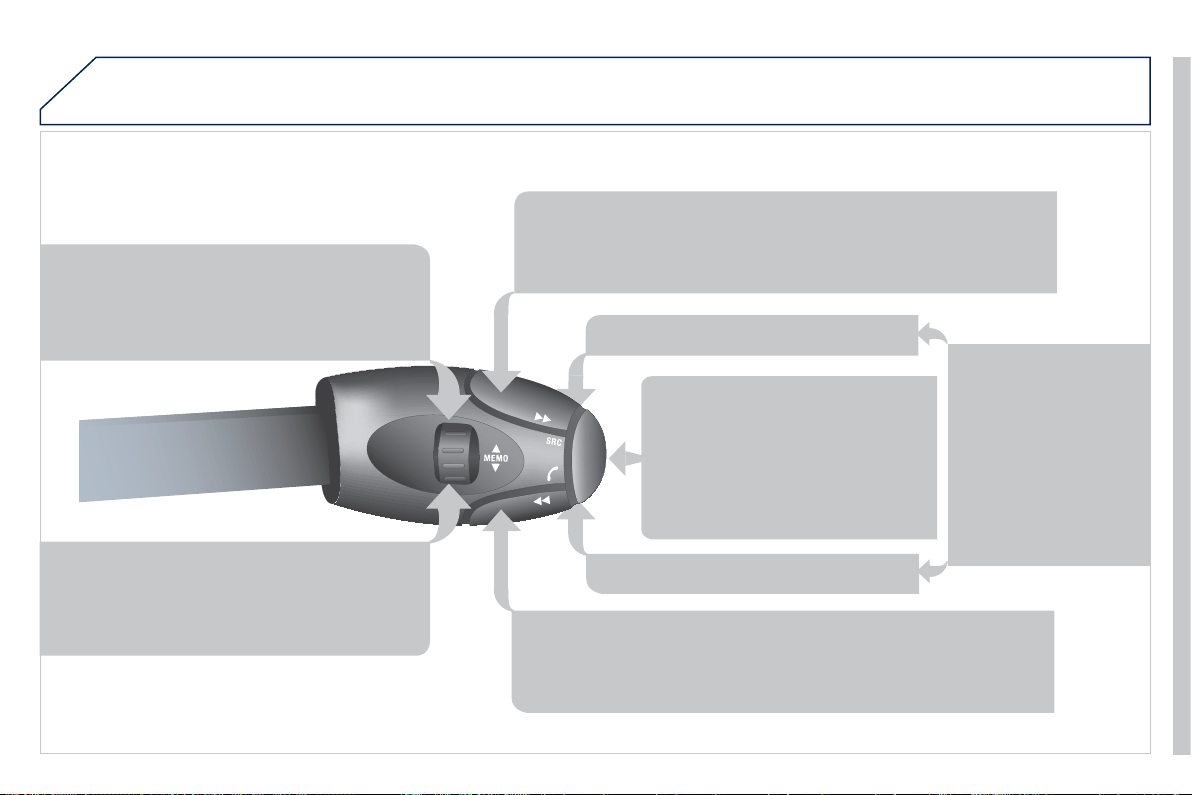
24
9
02
STEERING MOUNTED CONTROLS
RADI
O
: selection o
f
the next stored station.
U
S
B: selection o
f
the next
g
enre
/
artist
/f
older
f
rom
th
e
c
l
ass
ifi
ca
ti
o
n li
s
t.
S
election of the next item on a menu.
R
ADI
O
: selection of the
p
revious stored station.
USB: selection of the previous
g
enre/artist/folder
fr
o
m th
e
c
l
ass
ifi
ca
ti
o
n li
s
t.
S
election o
f
the previous item on a menu.
RADI
O
: automatic search
f
or a hi
g
her
f
requenc
y
.
C
D
/
MP
3/
U
S
B: selection o
f
the next track.
C
D
/
U
S
B: continuous press:
f
ast
f
orwards pla
y
.
S
election o
f
the
p
revious item.
RADI
O
: automatic search
f
or a lower
f
requenc
y
.
C
D
/
MP3
/
U
S
B: selection o
f
the previous track.
CD/USB: continuous
p
ress: fast reverse.
S
election of the next item.
-
C
han
g
e o
f
sound source.
-
C
onfi rmation of a selection.
- Pick up/Han
g
up the telephone.
- Pr
ess
f
o
r m
o
r
e
th
a
n 2
seco
n
ds
:
a
ccess to t
h
e te
l
ep
h
one menu.
V
o
l
u
m
e
in
c
r
ease
.
Volu
m
e
dec
r
ease
.
Mute: press the volume
in
c
r
ease
a
n
d
dec
r
ease
buttons simultaneousl
y
.
The sound is restored b
y
pressin
g
one of the two
v
o
l
u
m
e
bu
tt
o
n
s
.
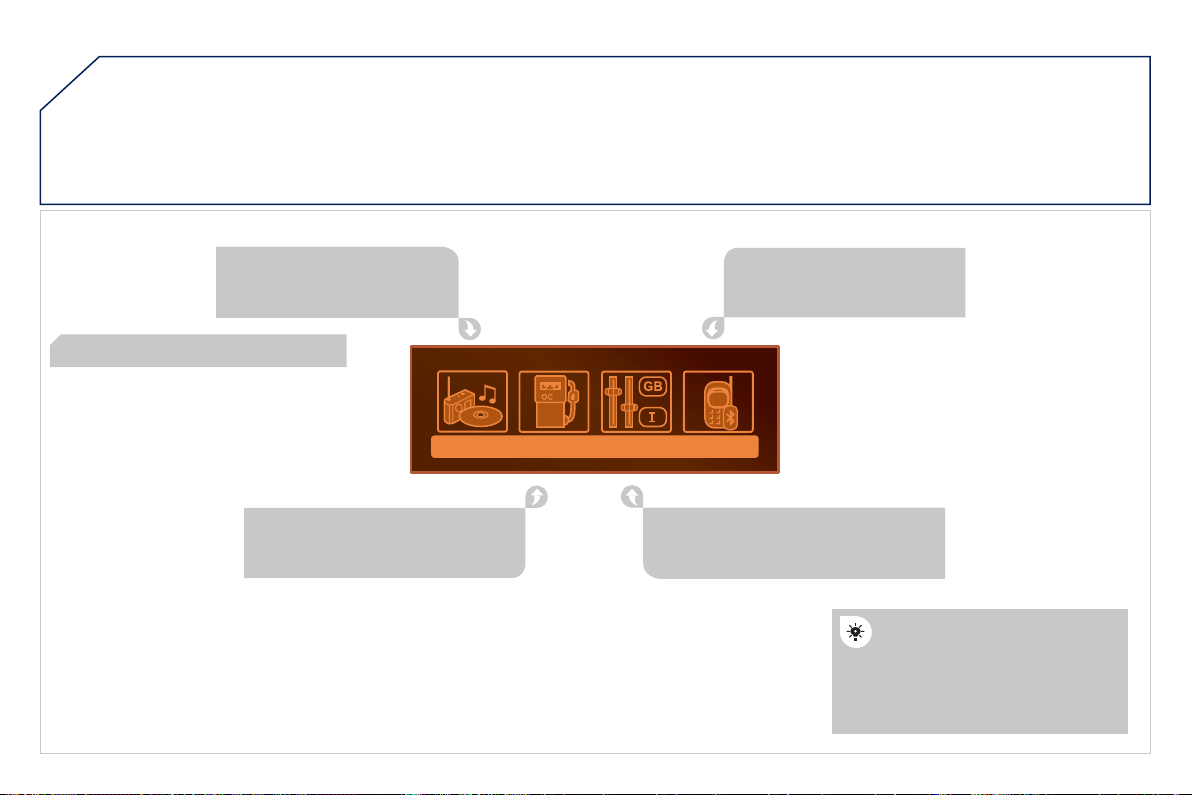
2
50
03 MAIN MENU
A
UDIO FUNCTION
S
: radio,
C
D, USB, o
p
tions.
> MONOCHROME SCREEN C
For a detailed
g
lobal view of the
m
enus available, re
f
er to the
"S
creen menu map" section.
T
ELEPHON
E
: Bl
ue
t
oo
th
h
ands-free, pairin
g
,
m
ana
g
ement of a call.
P
ER
S
ONALI
S
ATION-
C
ONFIGURATIO
N
: v
e
hi
c
l
e
p
arameters, displa
y
, lan
g
ua
g
es.
T
RIP COMPUTER: enter
i
n
g
o
f
distances, alerts, status o
f
fu
n
c
ti
o
n
s
.
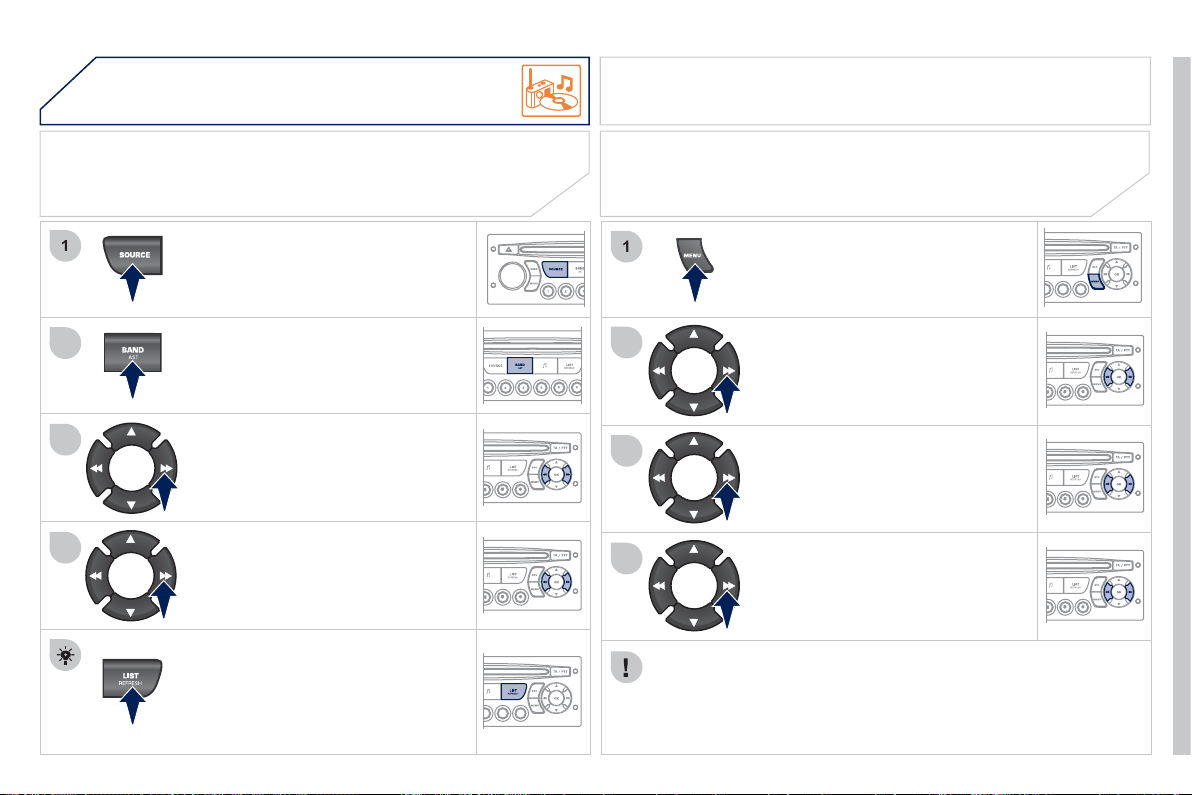
2
51
04
1
2
3
4
1
2
3
4
A
UDIO
Press the
SOU
R
C
E button several
tim
es
in
success
i
o
n
a
n
d
se
l
ec
t th
e
rad
i
o
.
Press the BAND A
S
T button to select
a waveband: FM1
,
FM2
,
FMast
,
AM.
Briefl
y
press one of the buttons to
c
arr
y
out an automatic search o
f
the
radio
s
t
a
t
io
n
s
.
Press one o
f
the buttons to carry
ou
t
a
m
a
n
ua
l
sea
r
c
h
of
th
e
r
ad
i
o
s
t
a
ti
o
n
s
.
Press the LI
S
T REFRE
S
H button to
displa
y
the list of stations received
locall
y
(
30 stations maximum
)
.
To update this list, press for more
t
ha
n tw
o
seco
n
ds
.
The external environment
(
hills, buildin
g
s, tunnels, basement car parks, ...
)
m
a
y
block reception, includin
g
in RD
S
mode. This is a normal e
ff
ect o
f
the
way in which radio waves are transmitted and does not indicate any
f
ailure
o
f
the audio s
y
stem.
RDS
RADIO
SELECTING A STATION
Pr
ess
th
e
MEN
U
bu
tt
o
n.
S
elect AUDI
O
FUN
C
TI
O
N
S
then
p
ress
O
K.
Se
l
ec
t th
e
FM WAVEBAND
P
REFERENCES function then
p
ress
O
K.
S
elect A
C
TIVATE RD
S
then
p
ress
O
K. RDS a
pp
ears on the screen.
The RD
S
, i
f
displa
y
ed, enables
y
ou to continue listenin
g
to the same
s
tation b
y
automatic retunin
g
to alternative
f
equencies. However, in
c
ertain conditions, covera
g
e of an RDS station ma
y
not be assured
throu
g
hout the countr
y
as radio stations do not cover 100 % of the
territor
y
. This explains the loss of reception of the station durin
g
a
j
ourne
y
.
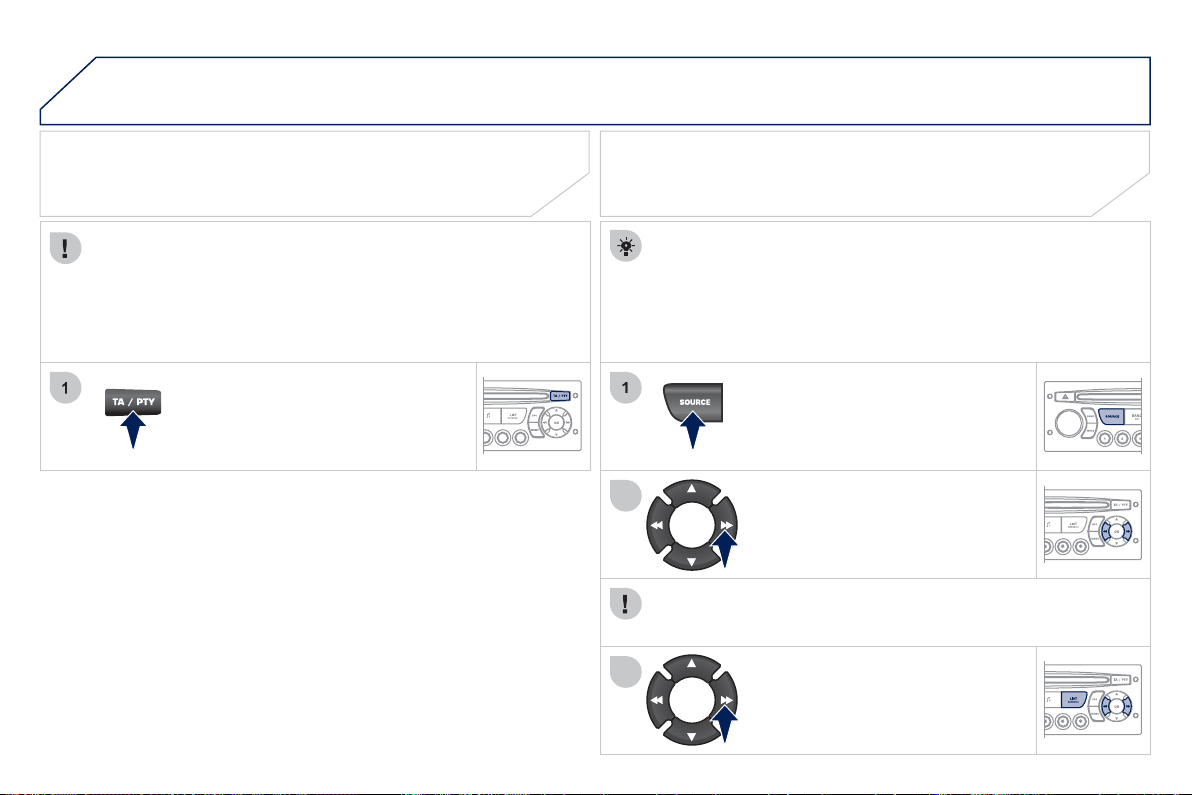
2
52
04
1
2
3
A
UDIO
Insert circular compact discs only.
S
ome anti-piratin
g
s
y
stems, on ori
g
inal discs or
C
Ds copied usin
g
a
personal recorder, ma
y
cause faults which are no refl ection on the
q
ualit
y
of the ori
g
inal pla
y
er.
Without pressin
g
the EJECT button, insert a CD in the pla
y
er, pla
y
b
e
gi
ns automat
i
ca
lly
.
CD
PLAYING A CD
To pla
y
a disc which has alread
y
been
inserted,
p
ress the S
O
URCE button
se
v
e
r
a
l tim
es
in
success
i
o
n
a
n
d
s
elect
C
D.
Pr
ess
o
n
e
of
th
e
bu
tt
o
n
s
t
o
se
l
ec
t
a
track on the
C
D.
Press the LIST REFRESH button to displa
y
the list of tracks on the CD.
Pr
ess
a
n
d
h
o
l
d
o
n
e
o
f th
e
bu
tt
o
n
s
f
o
r
f
as
t f
o
rw
a
r
d
o
r
bac
kw
a
r
d
.
RECEIVING TA MESSAGES
Pr
ess
th
e
TA
bu
tt
o
n t
o
ac
tiv
a
t
e
o
r
deactivate traffi c messa
g
es.
The TA
(
Traffi c Announcement
)
function
g
ives priorit
y
to TA alert
m
essa
g
es. To operate, this
f
unction needs
g
ood reception o
f
a
radio station transmittin
g
this t
y
pe o
f
messa
g
e. When a tra
ffi
c
report is transmitted, the current audio source
(
Radio,
C
D, ...
)
is
interrupted automaticall
y
to pla
y
the TA messa
g
e. Normal pla
y
back
of
th
e
aud
i
o
sou
r
ce
r
esu
m
es
a
t th
e
e
n
d
of
th
e
tr
a
n
s
mi
ss
i
o
n
of
th
e
m
essa
g
e.
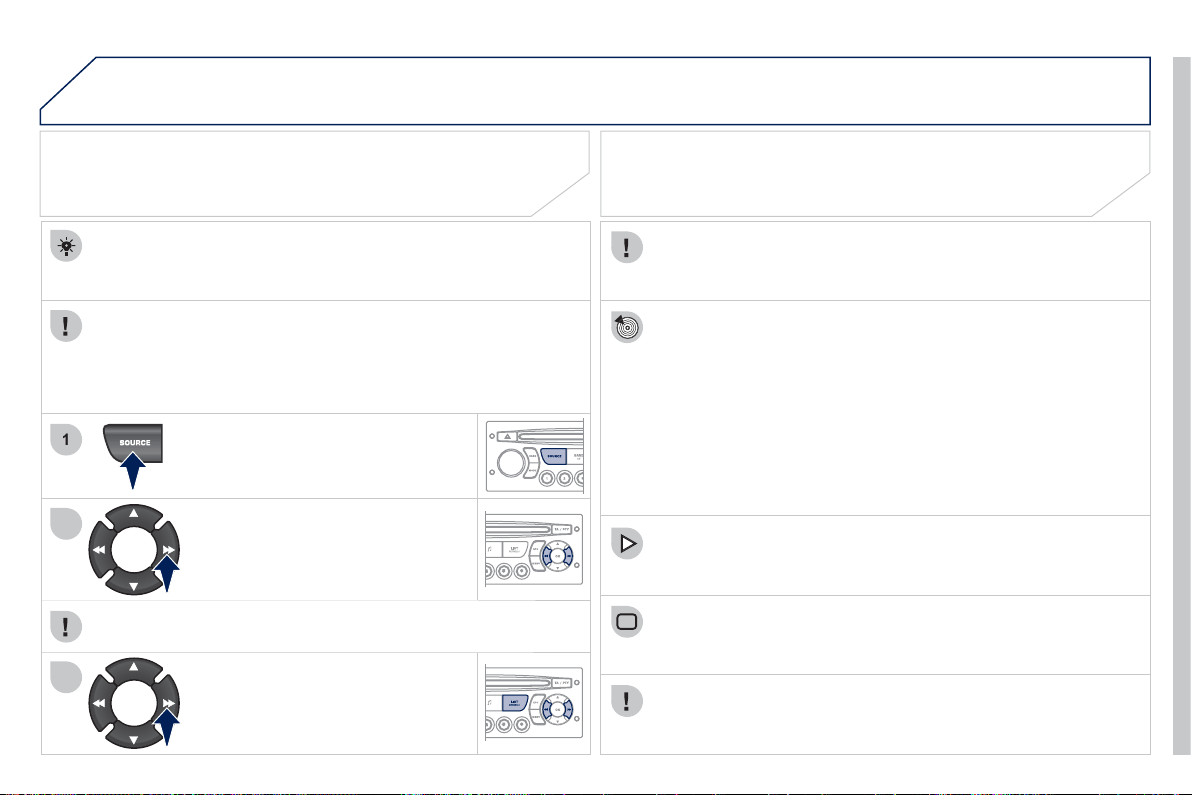
2
53
04
1
2
3
The MP3 format, an abbreviation of MPEG 1.2 & 2.5 Audio La
y
er 3,
is an audio compression standard which permits the recordin
g
o
f
s
everal tens o
f
music
fi
les on a sin
g
le disc.
In order to be able to play a recorded
C
DR or
C
DRW, when
r
ecordin
g
, the I
SO
9660 level 1.2 or Joliet
fi
le
f
ormat is
reco
mm
e
n
ded
.
If the disc is recorded in another format, it ma
y
not be pla
y
ed
c
orrectl
y
.
It is recommended that the same recordin
g
format is alwa
y
s
u
sed
f
or an individual disc, with as low a speed as possible
(
4x maximum
)
f
or optimum sound qualit
y
.
In the particular case o
f
a multi-session
C
D, the Joliet
f
ormat is
reco
mm
e
n
ded
.
The audio s
y
stem will onl
y
pla
y
fi les with the extension ".mp3" with
a samplin
g
rate o
f
22.05 KHz or 44.1 KHz. No other t
y
pe o
f
fi
le
(
.wma, .mp4, .m3u...
)
can be pla
y
ed.
It is advisable to restrict fi le names to 20 characters without usin
g
s
pecial characters
(
e.
g
. " ? ; ù
)
to avoid an
y
pla
y
in
g
or displa
y
in
g
p
roblems.
MP3 CD
INFORMATION AND ADVICE
A
UDIO
Empt
y
CDs are not reco
g
nised and ma
y
dama
g
e the s
y
stem.
Insert an MP3 compilation in the pla
y
er.
The audio equipment searches
f
or all o
f
the music tracks, which
ma
y
take an
y
thin
g
between a
f
ew seconds and several tens o
f
s
econds, be
f
ore pla
y
be
g
ins.
MP3 CD
PLAYING AN MP3 COMPILATION
O
n a sin
g
le disc, the
C
D pla
y
er can read up to 255 MP3
fi
les
sp
read over 8 folder levels. However, it is advisable to kee
p
to
a limit of two levels to reduce the access time before the
C
D is
p
la
y
ed.
While the CD is bein
g
pla
y
ed, the folder structure is not followed.
A
ll o
f
the
fi
les are displa
y
ed on a sin
g
le level.
T
o p
l
a
y
a
di
sc w
hi
c
h
h
as a
l
rea
dy
been inserted, press the
SO
UR
C
E
bu
tt
o
n
se
v
e
r
a
l tim
es
in
success
i
o
n
a
n
d
se
l
ec
t
C
D.
Pr
ess
o
n
e
o
f th
e
bu
tt
o
n
s
t
o
se
l
ec
t
a
track on the
C
D.
Press the LI
S
T REFRE
S
H button to displa
y
the list o
f
directories o
f
the MP3 com
p
ilation.
Pr
ess
a
n
d
h
o
l
d
o
n
e
of
th
e
bu
tt
o
n
s
fo
r
f
ast
f
orward or backward pla
y
.
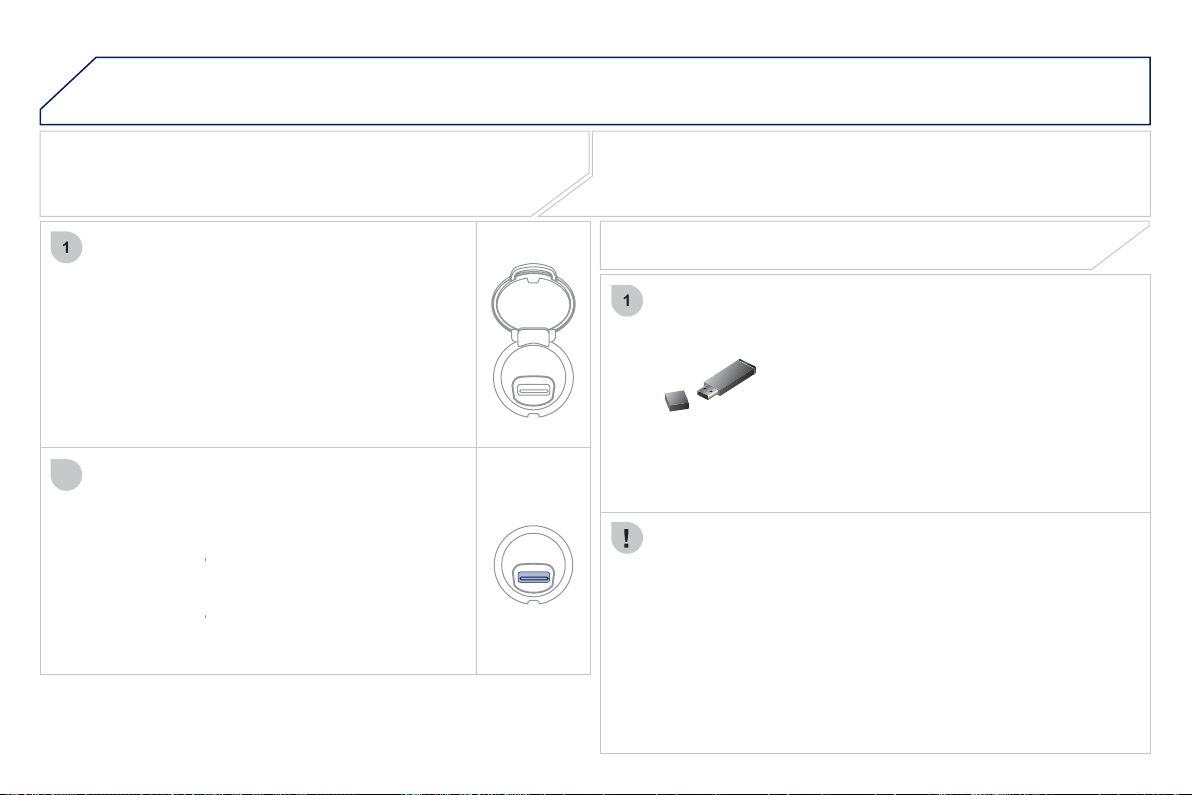
2
5
4
05
1
1
2
PEUGEOT CONNECT USB
The s
y
stem puts to
g
ether pla
y
lists
(
temporar
y
memor
y)
created
o
ver a period which depends on the capacit
y
o
f
the U
S
B device.
The other sources are available durin
g
this time.
The pla
y
lists are updated each time the i
g
nition is switched off or
e
ach time a USB memor
y
stick is connected.
When connectin
g
for the fi rst time, the classifi cation su
gg
ested
is b
y
f
older. When
y
ou reconnect, the classi
fi
cation selected
prev
i
ous
ly
i
s reta
i
ne
d
.
C
onnect the memor
y
stick to the port, directl
y
or
u
sing a lead. I
f
the audio equipment is switched
on, the U
S
B source is detected as soon as it
is connected. Pla
y
be
g
ins automaticall
y
a
f
ter a
dela
y
which depends on the capacit
y
of the USB
s
ti
c
k.
The fi le formats reco
g
nised are .mp3
(
mpe
g
1
l
a
y
er 3 onl
y)
, .wma
(
standard 9 onl
y
, 128 kbits/sec
c
ompression
)
, .wav and .o
gg
.
The playlists types accepted are m
3
u, .pls, .wpl.
You have a U
S
B port. The audio
fi
les are
transmitted
f
rom a portable device such as a
di
g
ital pla
y
er or a U
S
B memor
y
stick to
y
ou
r
Peu
g
eot Connect Sound to be listened to via the
vehicle's s
p
eakers.
USB memor
y
stick
(
1.1, 1.2 and 2.0
)
or iPod
®
of
g
eneration 5 or later:
- USB memor
y
sticks should be formatted
F
AT or FAT 32
(
NTF
S
is not supported
)
,
- th
e
iP
od
®
lead is essential,
®
- navi
g
ation throu
g
h the
fi
le database is b
y
means o
f
the steerin
g
wheel controls,
- th
e
iP
od
®
software should be regularly
®
up
dated for the best connection.
The list o
f
compatible devices and the compression rates supported
a
r
e
a
v
a
il
ab
l
e
f
r
o
m PE
UG
E
O
T
dea
l
e
r
s
.
USING THE PEUGEOT CONNECT USB
CONNECTING A USB MEMORY STICK
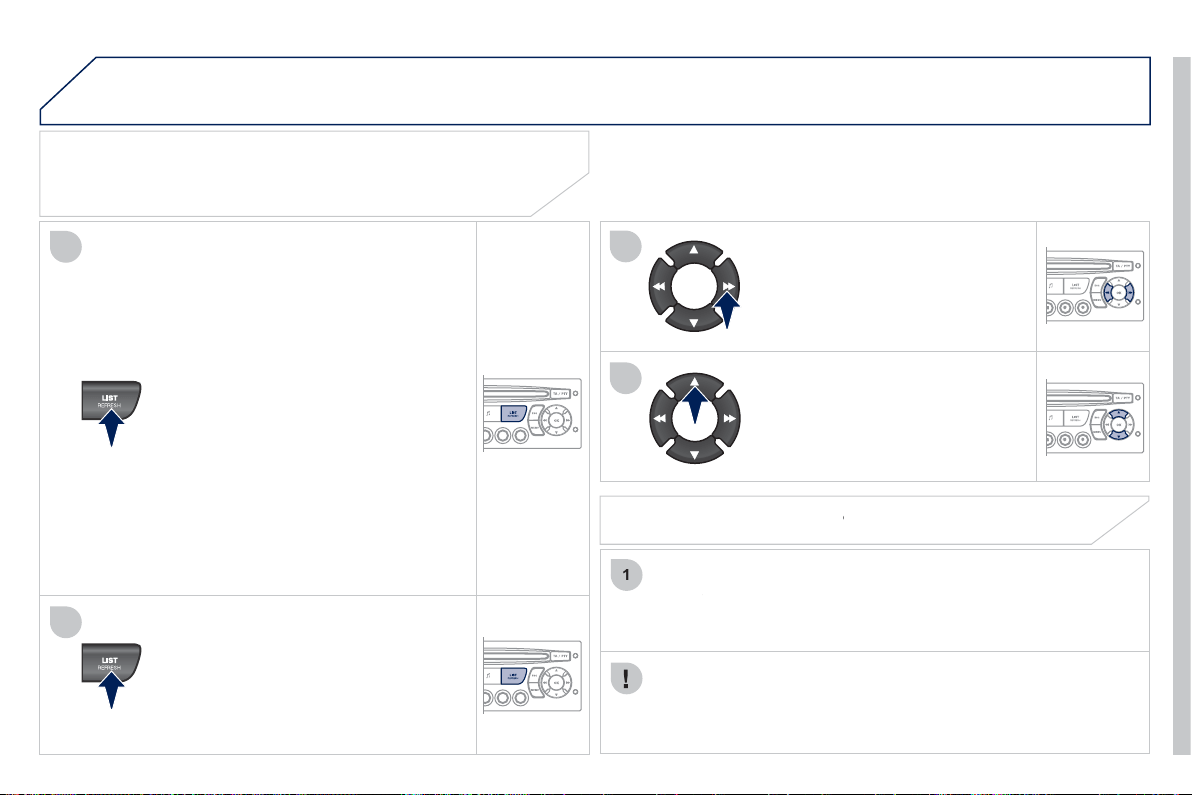
2
55
05
4
2
3
1
5
PEUGEOT CONNECT USB
USING THE PEUGEOT CONNECT USB
Press LIST briefl
y
to displa
y
the
p
reviousl
y
selected classifi cation.
Navi
g
ate throu
g
h the list usin
g
the left/
r
i
g
ht and up
/
down buttons.
C
on
fi
rm the selection b
y
pressin
g
O
K.
The lists available are Artist, Genre and Pla
y
list
(
as defi ned on the
iP
od
®
).
®
S
election and Navi
g
ation are described in steps 1 to 5 above.
CONNECTING AN iPod
®
VIA THE USB PORT
®
Press one of these buttons to
g
ain
access to the
p
revious/next track on
the classifi cation list currentl
y
bein
g
pl
a
y
e
d
.
Pr
ess
a
n
d
h
o
l
d
o
n
e
of
th
e
bu
tt
o
n
s
fo
r
f
ast
f
orward or backward pla
y
.
Press one of these buttons to
g
ain
access to the previous/next Genre,
F
o
ld
er,
A
rt
i
st or
Pl
a
yli
st on t
h
e
c
lassi
fi
cation list currentl
y
bein
g
pl
a
y
e
d
.
Press and hold LI
S
T to displa
y
the
d
i
ffe
r
e
nt
c
l
ass
i
fi
ca
ti
o
n
s
.
Select b
y
Folder/Artist/Genre/Pla
y
list,
p
ress
O
K to select the classifi cation
r
equired, then press
O
K a
g
ain to confi rm.
- b
y
Folder: all folders containin
g
audio
fi
les reco
g
nised on the portable
device, classifi ed in alphabetical
order without
f
ollowin
g
the
f
older
s
tr
uc
t
u
r
e
.
- b
y
Artist: all o
f
the artist names
de
fi
ned in the ID3 Ta
g
s, sorted in
a
l
p
habetical order.
- b
y
Genre: all of the
g
enres defi ned in
the ID3 Ta
g
s.
-
by
Pl
a
yli
st:
i
n accor
d
ance w
i
t
h
t
h
e
pla
y
lists recorded on the U
S
B device.
Do not connect a hard disk or
US
B devices other than audio
e
quipment to the U
S
B port. This could dama
g
e
y
our installation.
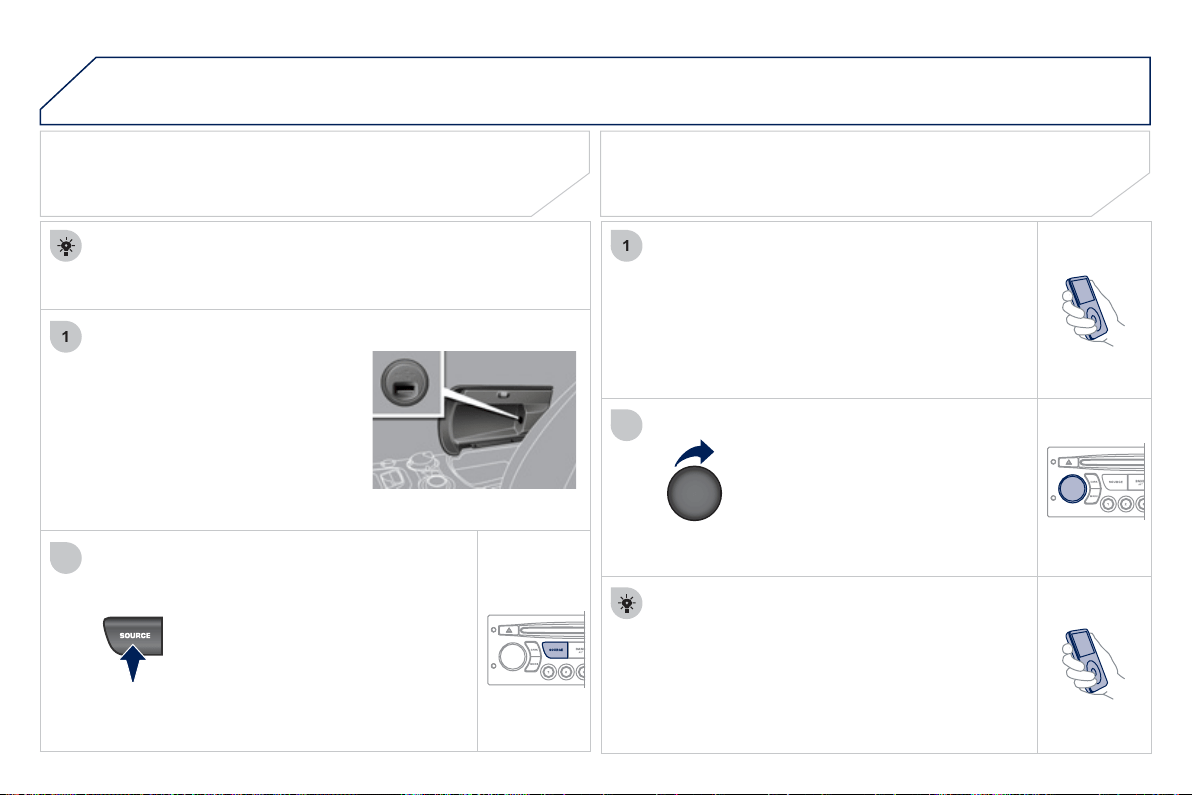
2
56
05
1
2
1
2
The displa
y
and control is via the portable device.
First ad
j
ust the volume of
y
our portable device.
Then ad
j
ust the volume o
f
y
our audio
sy
stem.
USING THE AUXILIARY INPUT (AUX)
USB PORT
ADJUSTING THE VOLUME OF
THE AUXILIARY SOURCE
PEUGEOT CONNECT USB
The USB
p
ort allows the connection of a
p
ortable device
(
MP3 pla
y
er...
)
.
Press the
SOU
R
C
E button several
t
i
mes
i
n success
i
on an
d
se
l
ect
AUX
.
C
onnect the portable device
(
MP3 pla
y
er…
)
to the U
S
B port
u
sin
g
a suitable cabl
e
(
not supplied
)
.
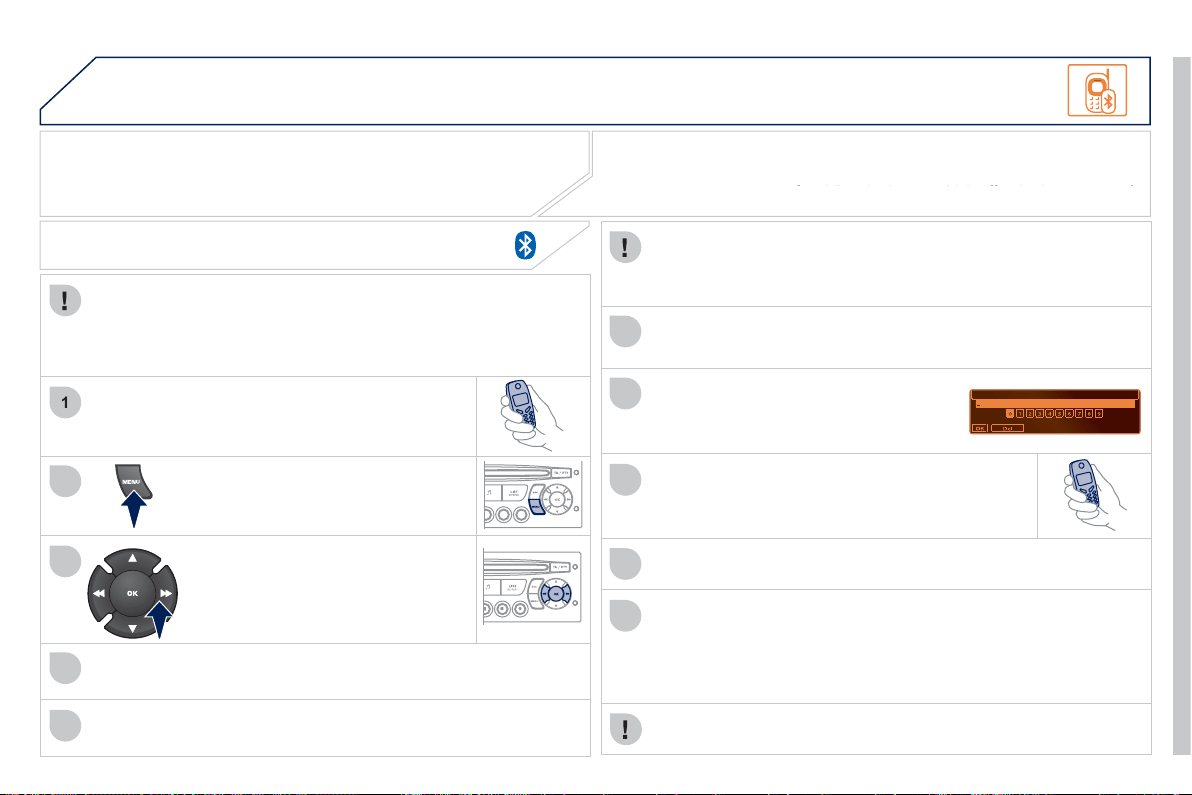
2
57
06
1
2
3
4
5
6
7
8
9
1
0
BLUETOOTH
For safet
y
reasons and because the
y
require prolon
g
ed attention
o
n the part of the driver, the operations for pairin
g
of the Bluetooth
m
obile telephone with the Bluetooth hands-free s
y
stem of
y
our
au
di
o equ
i
pment must
b
e carr
i
e
d
out w
i
t
h
t
h
e ve
hi
c
l
e stat
i
onar
y
an
d
t
h
e
ig
n
i
t
i
on on.
Press the MENU button.
A window is displa
y
ed with "Searchin
g
...".
Activate the telephone's Bluetooth
f
unction.
I
n t
h
e menu, se
l
ect:
- Bluetooth telephone
f
unction -
A
ud
i
o
- Bluetooth con
fi
g
uration
- P
e
rf
o
rm
a
Bl
ue
t
oo
th
sea
r
c
h
The services o
ff
ered depend on the network, the
S
IM card and the
c
ompatibilit
y
of the Bluetooth equipment used.
Consult your telephone's manual and your operator to fi nd out which services
are available to
y
ou. A list o
f
mobile telephones which o
ff
er the best ran
g
e o
f
yy
y
se
rvi
ces
i
s
a
v
a
il
ab
l
e
f
r
o
m th
e
n
e
tw
o
rk.
Co
n
su
lt
a
PE
UG
E
O
T
dea
l
e
r.
BLUETOOTH TELEPHONE
S
CREEN C
The TELEPH
O
NE menu permits access to the followin
g
functions
in particular: Director
y
* , Call list, Pairin
g
mana
g
ement.
The fi rst 4 telephones reco
g
nised are displa
y
ed in this window.
A
v
i
rtua
l
k
e
y
pa
d
i
s
di
sp
l
a
y
e
d
on t
h
e
screen: enter a code with at least 4 di
g
its.
C
on
fi
rm b
y
pressin
g
O
K.
"Pairin
g
of Name_telephone successful" appears on the screen.
Select the telephone to be connected from the list.
O
nl
y
one
te
l
ep
h
one can
b
e connecte
d
at a t
i
me.
A messa
g
e is displa
y
ed on the screen of the telephone
c
hosen: to accept the pairin
g
, enter the same code on
the telephone, then confi rm b
y
pressin
g
O
K.
The automatic connection authorised is onl
y
active a
f
ter the
telephone has been con
fi
g
ured.
The directory and the call list can be accessed a
f
ter the
sy
nchronisation period.
PAIRING A TELEPHONE
The pairin
g
can also be initiated
f
rom the telephone.
(
AVAILABILITY DEPENDS ON MODEL AND VERSION
)
* If
y
our telephone is full
y
compatible.
If pairin
g
fails, the number of attempts is not limited.
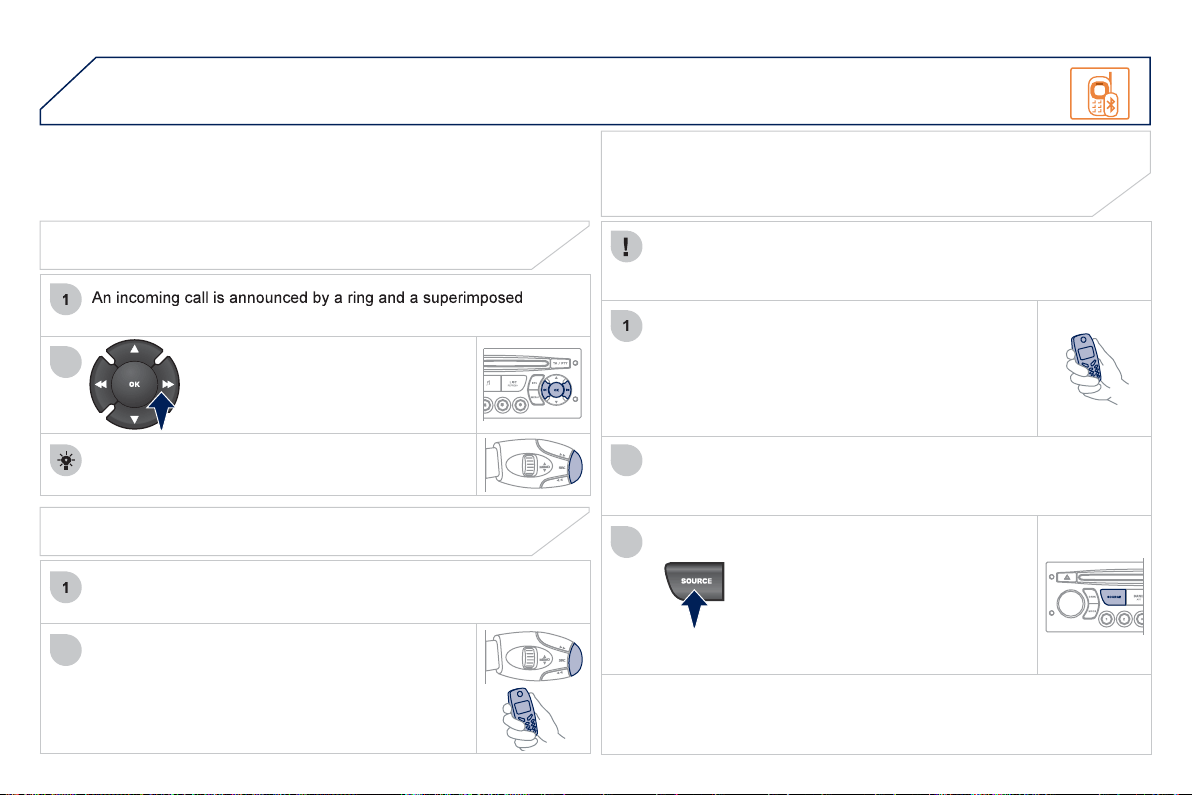
2
58
06
2
1
2
2
3
RECEIVING A CALL
displa
y
on the multifunction screen.
I
n
i
t
i
ate t
h
e pa
i
r
i
n
g
b
etween t
h
e te
l
ep
h
one an
d
the vehicle. This pairing can be initiated
f
rom
the vehicle's telephone
f
unction menu or via the
telephone's ke
y
pad.
S
ee steps 1 to 10 on the
previous pa
g
es. Durin
g
the pairin
g
phase, the vehicle
must be stationar
y
with the ke
y
in the i
g
nition.
S
elect the telephone to be connected
f
rom the telephone
f
unction
menu
.
The audio system connects to a newly paired telephone
a
utomaticall
y
.
S
elect the YE
S
tab on the displa
y
using the buttons and con
fi
rm by
p
ressin
g
O
K.
Press the steerin
g
mounted control
O
K to accept
t
he
call
.
BLUETOOTH AUDIO STREAMING
Wireless transmission o
f
the telephone's music
fi
les via the audio
e
quipment. The telephone must be able to mana
g
e the appropriate
bluetooth profi les
(
Profi les A2DP/AVRCP
)
.
*
In certain cases, pla
y
in
g
o
f
the Audio
fi
les must be initiated
f
rom the
k
e
y
pad.
** If the tele
p
hone su
pp
orts the function.
Activate the streamin
g
source b
y
pressin
g
the S
O
URCE button * . The
trac
k
s to
b
e p
l
a
y
e
d
can
b
e contro
ll
e
d
as
usual
v
ia
t
he
bu
tt
o
n
s
o
n t
he
R
adio control panel and the steering
m
ou
nt
ed
co
ntr
o
l
s
**
. Th
e
co
nt
e
xt
ua
l
in
f
ormation can be displa
y
ed on the
sc
r
ee
n.
BLUETOOTH
MAKING A CALL
From the Bluetooth telephone function Audio menu, select Mana
g
e
the telephone call then Call, Call list or Director
y
.
Press the end o
f
the steerin
g
mounted control
f
or
m
ore t
h
an two secon
d
s to
g
a
i
n access to
y
ou
r
directory.
O
r
To dial a number, use
y
our telephone's ke
y
pad,
w
ith the vehicle stationar
y
.
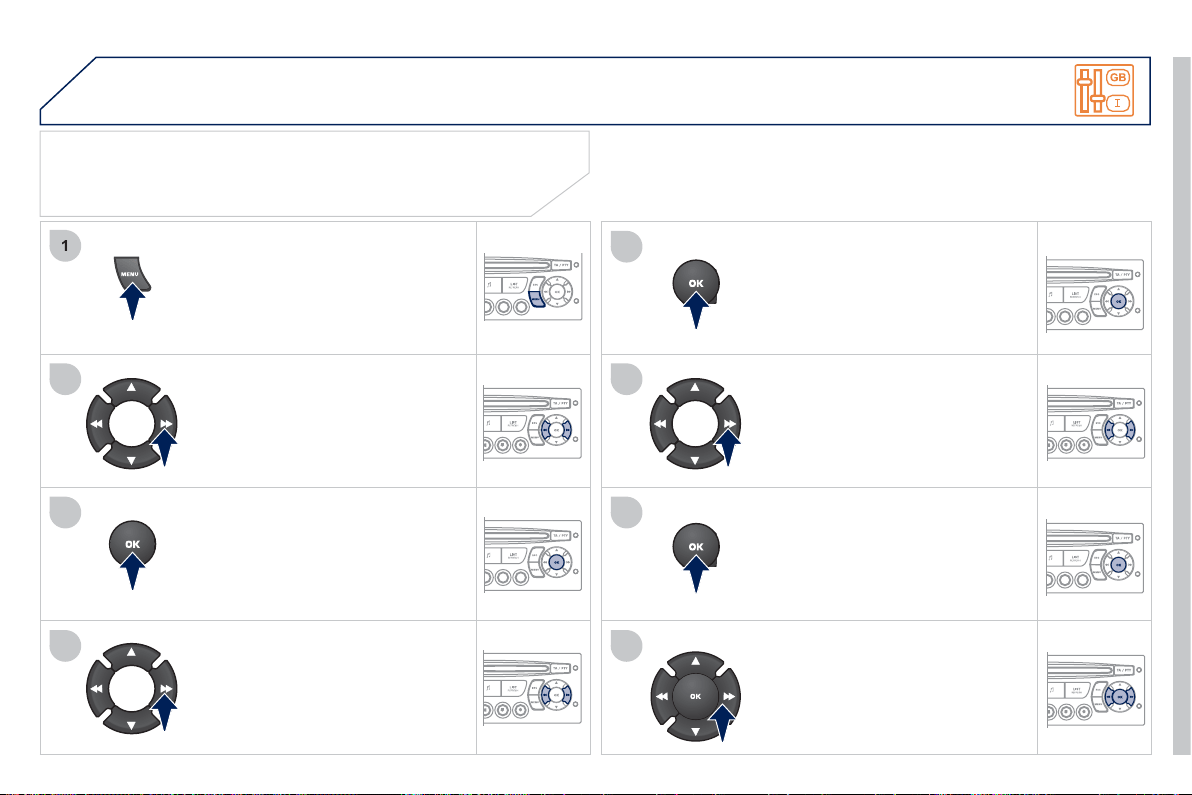
2
59
07
1
2
3
4
5
6
7
8
CONFIGURATION
Press the MEN
U
button.
Usin
g
the arrows, select
PER
SO
NALI
S
ATI
O
N
CO
NFI
G
URATI
O
N.
Pr
ess
t
o
co
n
fi
rm th
e
se
l
ec
ti
o
n.
Usin
g
the arrows, select DI
S
PLAY
CO
NFI
GU
RATI
O
N.
Pr
ess
t
o
co
nfi rm th
e
se
l
ec
ti
o
n.
Pr
ess
t
o
co
nfi rm th
e
se
l
ec
ti
o
n.
Usin
g
the arrows, select ADJUST
DATE AND TIME.
Adj
ust t
h
e sett
i
ngs one
b
y one
c
on
fi
rmin
g
b
y
pressin
g
the
O
K
bu
tt
o
n. N
e
xt
se
l
ec
t th
e
O
K t
ab
o
n th
e
sc
r
ee
n th
e
n
co
nfi rm.
SETTING THE DATE AND TIME
SCREEN C
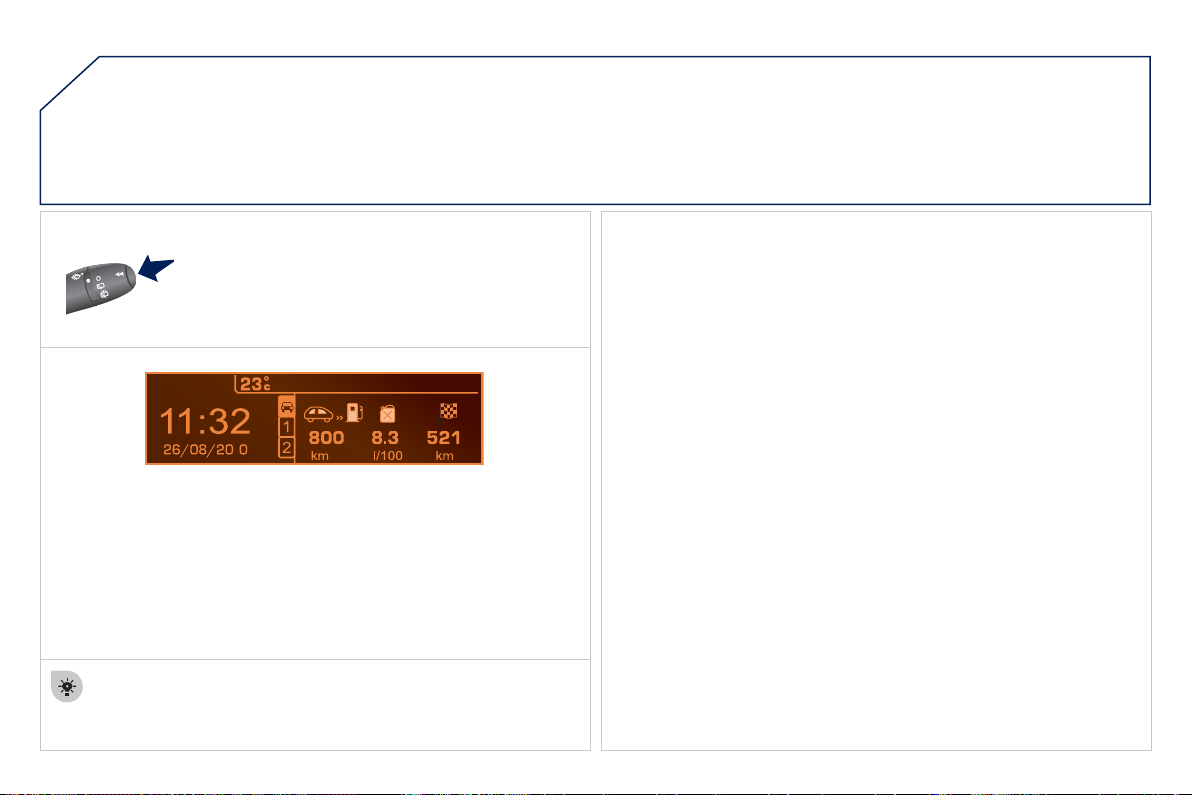
2
60
1
08
Each press o
f
the button, located at the end o
f
the
wiper stalk, displa
y
s the di
ff
erent trip computer
information in succession, dependin
g
on the screen.
- t
he
"
v
ehicle"
t
ab
w
i
t
h
:
● the ran
g
e, the current
f
uel consumption and the distance remainin
g
to t
h
e
d
est
i
nat
i
on,
- the "1" tab
(
trip 1
)
with:
● the avera
g
e speed, the avera
g
e consumption and the distance
travelled calculated over tri
p
"1"
,
- the "2" tab
(
trip 2
)
with the same information for a second trip.
A FEW DEFINITIONS
Z
e
r
o
r
ese
t
When the required trip is displa
y
ed, press the control
f
or more than
tw
o
seco
n
ds
.
TRIP COMPUTER
R
an
g
e
:
displa
y
s the distance which can travelled with the remainin
g
fuel
detected in the tank, based on the avera
g
e fuel consumption over the last
f
ew miles
(
kilometres
)
.
This displayed value may vary signi
fi
cantly
f
ollowing a change in the
vehicle speed or the relie
f
o
f
the route.
When the ran
g
e
f
alls below 20 miles
(
30 km
)
, dashes are displa
y
ed.
After fi llin
g
with at least 5 litres of fuel, the ran
g
e is recalculated and is
displa
y
ed when it exceeds 60 miles
(
100 km
)
.
If, whilst drivin
g
, dashes are displa
y
ed continuousl
y
in place of the di
g
its,
c
ontact a PE
UG
E
O
T dealer.
Current fuel consum
p
tion
:
onl
y
calculated and displa
y
ed above 20 mph
(
30 km/h
)
.
A
vera
g
e fuel consumption
:
this is the avera
g
e fuel consumption since
t
h
e
l
ast tr
i
p computer zero reset.
A
vera
g
e speed
:
this is the avera
g
e speed calculated since the last trip
c
omputer zero reset
(
i
g
nition on
)
.
D
istance travelled
:
calculated since the last trip computer zero reset.
D
istance remainin
g
to the destination
:
ca
l
cu
l
a
t
ed
with r
e
f
e
r
e
n
ce
t
o
the fi nal destination, entered b
y
the user. If
g
uidance is activated, the
nav
ig
at
i
on s
y
stem ca
l
cu
l
ates
i
t as a current va
l
ue.
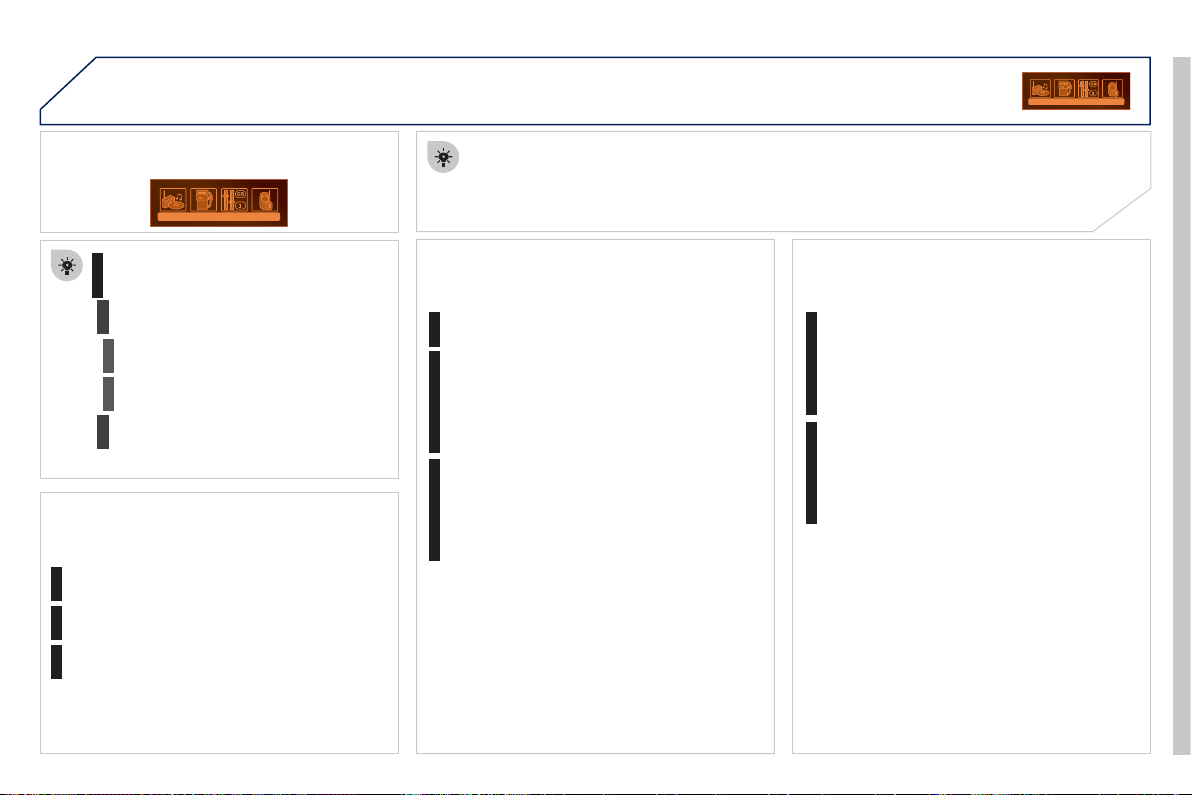
2
61
09
SCREEN MENU MAP
Press the
O
K dial for access to short-cut menus accordin
g
to the displa
y
on the
screen
:
M
ONOCHROME C
a
ctivate/deactivate RD
S
a
ctivate/deactivate REG mod
e
a
ctivate
/
deactivate radiotex
t
RADIO
a
ctivate/deactivate Intro
CD/MP3 CD
a
ctivate
/
deactivate track re
p
eat
(
the entire current CD for CD, the entire
c
urrent folder for MP3 CD
)
a
ctivate/deactivate random pla
y
(
the entire current CD for CD, the entire
c
urrent folder for MP3 CD
)
a
ctivate/deactivate track repeat
(
of the
c
urrent folder/artist/
g
enre/pla
y
list
)
USB
a
ctivate/deactivate random pla
y
(
of the
c
urrent folder/artist/
g
enre/pla
y
list
)
1
1
1
1
1
1
1
1
MAIN FUNCTION
OPTION
A
OPTION B
Op
tion A
1
O
ption A
2
1
2
3
2
3
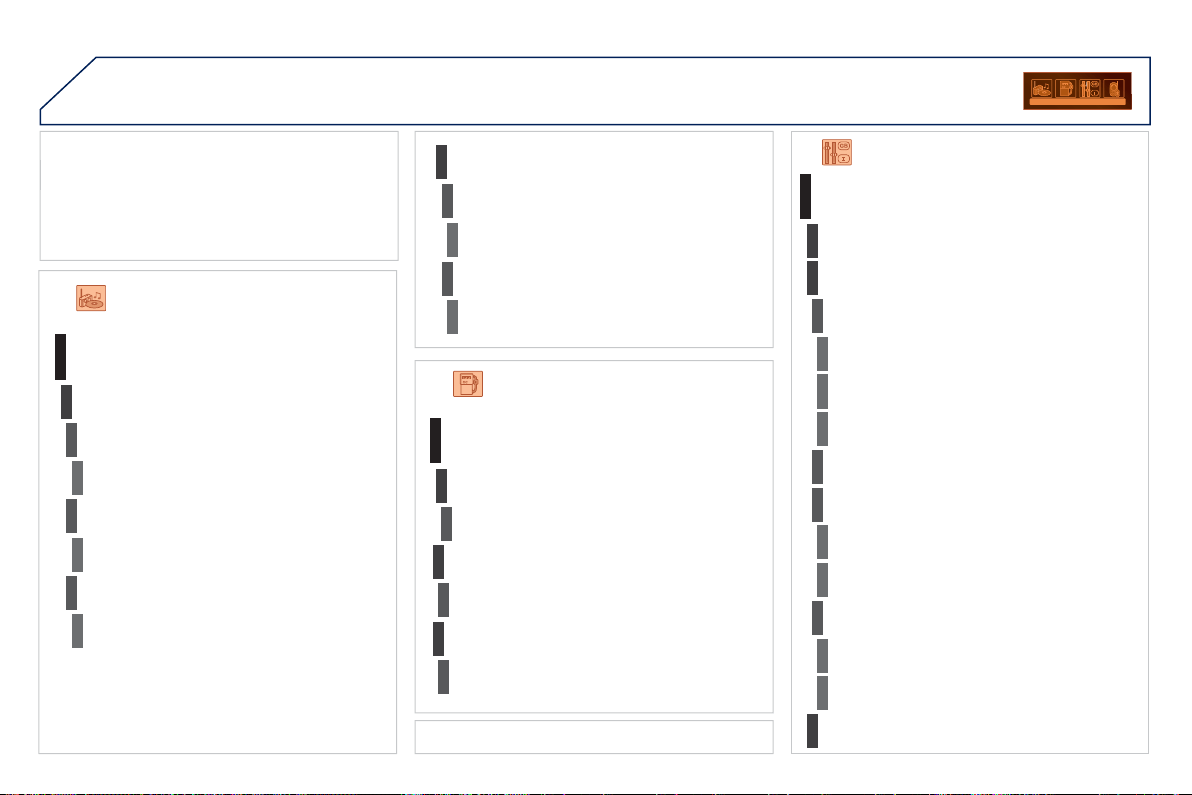
2
62
09
MONOCHROME C
SCREEN MENU MAP
AUDIO FUNCTIONS
a
lternative frequencies
(
RDS
)
activate
/
deactivate
FM BAND PREFERENCES
re
g
ional mode
(
REG
)
ac
tiv
a
t
e/deac
tiv
a
t
e
radio-text information
(
RDTXT
)
activate
/
deactivate
1
2
3
4
3
4
3
4
PLAY MODES
a
lbum repeat
(
RPT
)
activate
/
deactivate
t
rack random play
(
RDM
)
activate
/
deactivate
2
3
4
3
4
TRIP COMPUTER
Di
stance: x m
il
es
ENTER DISTANCE TO DESTINATION
Di
a
g
nost
i
c s
ALERT LOG
F
unct
i
ons act
i
vate
d
or
d
eact
i
vate
d
STATUS OF THE FUNCTIONS *
1
2
3
3
2
3
2
video bri
g
htness ad
j
ustmen
t
DISPLAY CONFIGURATION
DEFINE THE VEHICLE PARAMETERS *
PERSONALISATION-CONFIGURATION
n
o
rm
al
v
ideo
i
nv
e
r
se
v
ideo
bri
g
htness
(
- +
)
ad
j
ustment
d
ate an
d
t
i
me a
dj
ustmen
t
day
/
month
/
year adjustmen
t
hour
/
minute ad
j
ustment
c
h
o
i
ce
of
12 h
/
24 h m
ode
c
hoice of units
l/100 km - mp
g
- km/l
°
C
elsius
/
°Fahrenheit
CHOICE OF LANGUAGE
1
2
4
3
2
4
4
3
3
4
4
2
3
4
4
Pressin
g
the MENU button displa
y
s:
*
The parameters var
y
accordin
g
to vehicle.
2
63
09
SCREEN MENU MAP
BLUETOOTH TELEPHONE
Connect/Disconnect a devic
e
C
onsult the paired device
BLUETOOTH CONFIGURATION
T
elephone function
Audio Streamin
g
function
Delete a
p
aired device
P
e
r
fo
rm
a
Bl
ue
t
oo
th
sea
r
c
h
Calls lis
t
C
ALL
Di
rector
y
T
erm
i
nate t
h
e current ca
ll
MANAGE THE TELEPHONE CALL
Activate
p
rivate mod
e
1
2
3
3
3
4
4
4
2
3
4
2
3
3

2
6
4
FREQUENTLY ASKED QUESTIONS
Q
UESTIO
N
A
NSWER SOLUTIO
N
Th
e
r
e
i
s
a
d
iff
e
r
e
n
ce
in
s
ound qualit
y
between
th
e
d
iff
e
r
e
nt
aud
i
o
s
ources
(
radio, CD...
)
.
For optimum sound qualit
y
, the audio settin
g
s
(
Volume, Bass, Treble,
Ambience, Loudness
)
can be adapted to the different sound sources,
which ma
y
result in audible differences when chan
g
in
g
source
(
radio,
CD...
)
.
Check that the audio settin
g
s
(
Volume, Bass,
Treble, Ambience, Loudness
)
are adapted to
th
e
sou
r
ces
li
s
t
e
n
ed
t
o
. It i
s
ad
vi
sab
l
e
t
o
se
t
the AUDI
O
functions
(
Bass, Treble, Front-Rear
Balance, Le
f
t-Ri
g
ht Balance
)
to the middle
p
os
i
t
i
on, se
l
ect t
h
e mus
i
ca
l
am
bi
ence
"N
one
"
an
d
s
et the loudness correction to the "Active" position
in
C
D mode or to the "Inactive" position in radio
mode
.
The CD is e
j
ected
automaticall
y
or is not
pl
a
y
e
d
by
t
h
e p
l
a
y
er.
The CD is inserted upside down, is unpla
y
able, does not contain an
y
a
udio data or contains an audio format which the pla
y
er cannot pla
y
.
The CD is protected b
y
an anti-piratin
g
protection s
y
stem which is not
r
eco
g
n
i
se
d
by
t
h
e au
di
o equ
i
pment.
- Check that the CD is inserted in the pla
y
er the
ri
g
ht wa
y
up.
-
C
heck the condition of the
C
D: the
C
D cannot
be pla
y
ed i
f
it is too dama
g
ed.
-
C
heck the content in the case o
f
a recorded
C
D:
co
n
su
lt th
e
ad
vi
ce
in th
e
"A
ud
i
o
"
sec
ti
o
n.
- The audio equipment's
C
D pla
y
er does not
pla
y
DVDs.
- Due to their qualit
y
level, certain writeable
C
Ds will not be pla
y
ed b
y
the audio s
y
stem.
The messa
g
e "U
S
B
p
eripheral error" is
displa
y
ed on the screen.
Th
e
Bl
ue
t
oo
th
co
nn
ec
ti
o
n
i
s
cu
t.
The batter
y
o
f
the peripheral ma
y
not be su
ffi
cientl
y
char
g
ed. Rechar
g
e the batter
y
o
f
the peripheral device.
The U
S
B memor
y
stick is not reco
g
nised.
The memor
y
stick ma
y
be corrupt.
Re
f
ormat the memor
y
stick.
The CD pla
y
er sound is
poor
.
The CD used is scratched or of poor qualit
y
. Insert
g
ood qualit
y
CDs and store them in suitable
co
n
di
t
io
n
s
.
The audio equipment settings
(
bass, treble, ambiences
)
are unsuitable.
S
et the treble or bass level to 0, without selecting
a
n
a
m
b
i
e
n
ce
.

2
65
Q
UESTIO
N
A
NSWER SOLUTIO
N
Th
e
s
t
o
r
ed
s
t
a
ti
o
n
s
do
n
ot
f
unction
(
no sound,
8
7.5 Mhz is displa
y
ed...
)
.
An in
co
rr
ec
t w
a
v
eba
n
d
i
s
se
l
ec
t
ed
. Pr
ess
th
e
BAND A
S
T
bu
tt
o
n t
o
r
e
t
u
rn t
o
th
e
waveband
(
AM, FM1, FM2, FMA
S
T
)
on which the
s
t
a
ti
o
n
s
a
r
e
s
t
o
r
ed
.
Th
e
tr
a
ffi
c
a
nn
ou
n
ce
m
e
nt
(
TA
)
is displa
y
ed. I do
n
ot receive an
y
tra
ffi
c
in
fo
rm
a
ti
o
n.
The radio station is not part of the re
g
ional traffi c information network. T
u
n
e
t
o
a
r
ad
i
o
s
t
a
ti
o
n whi
c
h
b
r
oadcas
t
s
tr
a
ffi
c
in
fo
rm
a
ti
o
n.
The qualit
y
of reception
o
f th
e
r
ad
i
o
s
t
a
ti
o
n
listened to
g
raduall
y
de
t
e
r
io
r
a
t
es
o
r t
he
s
t
o
r
ed
s
t
a
ti
o
n
s
do
n
o
t
fu
n
c
ti
o
n
(
no sound, 87.5 Mhz is
displayed...
)
.
The vehicle is too far from the transmitter used b
y
the station listened
to or there is no transmitter in the
g
eo
g
raphical area throu
g
h which the
vehicle is travellin
g
.
A
ctivate the RDS function to enable the s
y
stem
to check whether there is a more
p
owerful
transmitter in the
g
eo
g
raphical area.
The environment
(
hills, buildin
g
s, tunnels, basement car parks...
)
block
r
eception, includin
g
in RD
S
mode.
Thi
s p
h
enomenon
i
s norma
l
an
d
d
oes not
i
n
di
cate
a
f
ailure o
f
the audio equipment.
The aerial is absent or has been dama
g
ed
(f
or example when
g
oin
g
throu
g
h a car wash or into an under
g
round car park
)
.
Have the aerial checked b
y
a PEU
G
E
O
T dealer.
S
ound cut-outs of 1 to
2
seco
n
ds
in r
ad
i
o
m
ode
.
Durin
g
this brief sound cut-out, the RDS searches for an
y
frequenc
y
permittin
g
better reception o
f
the station.
Deactivate the RDS function if the phenomenon is
too
f
requent and alwa
y
s on the same route.
With the en
g
ine o
ff
,
the audio e
q
ui
p
ment
s
wit
c
h
es
o
ff
a
ft
e
r
a
f
e
w
m
in
u
t
es
o
f
use
.
When the en
g
ine is switched o
ff
, the audio equipment operatin
g
time
depends on the batter
y
char
g
e.
The switch-off is normal: the audio equipment switches to econom
y
mode
a
nd switches off to prevent dischar
g
in
g
of the vehicle's batter
y
.
S
tart the vehicle's en
g
ine to increase the batter
y
c
har
g
e.
Th
e messa
g
e
"
t
h
e au
di
o
s
ystem is overheated"
appears on the displa
y
.
In order to protect the installation i
f
the surroundin
g
temperature is too
high, the audio equipment switches to an automatic thermal protection
mode leadin
g
to a reduction o
f
the volume or stoppin
g
o
f
the pla
y
in
g
o
f
th
e
C
D.
S
witch the audio s
y
stem o
ff
f
or a
f
ew minutes to
allow the system to cool.

ALPHABETICAL INDEX
2
66
Accessories ........................191, 192
Accessories socket,
12 volt ......................106, 108, 114
Adjustable boot fl oor ...................114
Adjusting headlamps ....................99
Adjusting head restraints ..............74
Adjusting seat belt height ...........129
Adjusting the steering wheel.........78
Air conditioning (digital) ..........68, 69
Air fi lter .......................................161
Air vents........................................67
Alarm ............................................86
Anti-pinch..............................88, 112
Anti-theft steering lock ..................83
Armrest .......................................106
Assistance call ....................200, 201
Audible warning ..........................126
Audio/video sockets....................230
Audio streaming
(Bluetooth) ...............................258
Audio systems ....................203, 247
Automatic illumination
of headlamps .......................96, 99
Automatic operation of hazard
warning lamps .........................126
Automatic rain sensitive
windscreen wipers ...........100, 102
Auxiliary sockets .................230, 256
Bluetooth (telephone) .........231, 257
Bonnet ........................................157
Bonnet stay.................................157
Boot lamp ...................................105
Boot lid..........................................92
Brake discs .................................162
Brake lamps................................174
Brake pads .................................162
Brakes ........................................162
Capacity, fuel tank ........................94
CD MP3 ..............................227, 253
Central locking ........................82, 91
Changing a bulb ................. 172-175
Changing a fuse ................. 176-182
Changing a wheel ............... 169-171
Changing a wiper blade ......102, 187
Changing the date ..............235, 259
Changing the remote
control battery ............................84
Changing the time ..............235, 259
Checking levels ..................160, 161
Checking the engine oil level ........56
Checking tyre pressures
(using the kit) ...........................168
Checks................................ 157-162
Child lock ....................................125
Children .......117-125, 131, 133, 135
Child seats .................................117
Child seats, conventional....118, 120
Child seats, Isofi x ...............123, 124
Closing the boot................82, 92, 93
Closing the doors....................82, 90
Cold climate screen ....................190
Connectors,
audio ....... 107, 108, 230, 254, 256
Control for panoramic
sunroof blind ............................112
Control stalk, wipers ........... 100-102
Coolant level .........................53, 160
Coolant temperature .....................53
Coolant temperature indicator ......53
Courtesy lamps...........................103
Courtesy mirror ...........................107
Cruise control .............................148
Cup holder ..................................106
Curtain airbags ...................134, 135
A
C
Battery ......................... 39, 161, 183
Battery, remote control ...........84, 85
Battery recharge .........................184
Blind for panoramic sunroof........112
Blinds .......................................... 116
Bluetooth (hands-free) ........231, 257
B
Dashboard fusebox ....................177
Date (display) .....................235, 259
Daytime running lamps .........98, 172
Deactivating ESP ........................128
Deactivating
the passenger airbag ...............133
Deadlocking ..................................82
Defrosting .....................................68
Dials and gauges ..........................43
Diesel............................................95
Diesel additive level ....................161
Diesel engine ................ 36, 95, 158,
159, 194, 195
Dimensions .................................196
Dipped beam ........................96, 172
Dipstick .................................56, 160
Direction indicators .... 126, 173, 174
Door mirrors ..................................79
Doors ............................................90
Doors emergency control .............92
Door POCKETS..........................106
Dynamic emergency braking ......139
D

ALPHABETICAL INDEX
2
67
G.P.S. .........................................214
Gear lever, electronic
gear control gearbox ................150
Glove box ...................................107
Grab handle on console .............106
Grab handles ..............................106
Guidance ....................................214
Guide-me-home......................98, 99
Economy mode...........................186
Electric parking brake ........ 136-140
Electric seats ................................73
Electric window controls ...............88
Electronic
engine immobiliser ...............83, 85
Electronic gear
control gearbox ........................150
Emergency call ...................200, 201
Emergency warning lamps .........126
Energy economy mode...............186
Engine compartment ............41, 159
Engine compartment fusebox .....180
Engine oil level indicator .......56, 160
Engines...............................193, 194
Environment ............ 8, 85, 161, 185
ESP/ASR ....................................128
Jack ............................................169
Jukebox (copy) ...........................228
Jukebox (playing) .......................229
G
E
J
Filling with fuel ........................94, 95
Fitting roof bars...........................190
Fittings, boot ...............................113
Flashing indicators......................126
Folding the rear seats ...................76
Front airbags ......................132, 135
Front armrest ..............................108
Front foglamps......................97, 173
Front head restraints ....................74
Front parking sensors .................155
Front seats.............................. 72-75
Front wash-wipe .........................101
Fuel.........................................94, 95
Fuel fi ller cap ................................94
Fuel fi ller fl ap ..........................94, 95
Fuel gauge..............................43, 94
F
Halogen headlamps....................172
Hands-free telephone .........231, 257
Hazard warning lamps ................126
Head-up display......... 144, 146, 148
Headlamp adjustment...................99
Headlamp wash ..........................101
Headlamp wash reservoir ...........160
Heated seats ................................74
Height and reach adjustment,
steering wheel ...........................78
High
voltage ........ 39, 40, 131, 157, 184
Hill start assist ............................141
Hooks .........................................114
Horn ............................................126
Hybrid ...................... 4-8, 26-36, 200
Hybrid selector..........................8, 31
Hybrid system .................. 4-8, 26-36
H
Indicator/warning lamps.......... 45-52
Indicators, direction ... 126, 173, 174
Infl ating accessories
(using the kit) ...........................168
Inputs for audio
system .................... 230, 254, 256
Instrument panel lighting ..............57
Instrument panels ...................43, 44
Instrument panel screen ...............43
Interior fi ttings .............................106
Interior mood lighting ..................104
ISOFIX child seats ..............123, 124
ISOFIX mountings ......................122
I
Fuel tank .................................94, 95
Fuses ..........................................176
Keeping children safe .........117-125,
131, 133, 135
Key with remote control .... 81-83, 85
K
Labels, identifi cation ...................197
Lamps, warning
and indicator ........................ 45-52
Lateral airbags ....................134, 135
L
ALPHABETICAL INDEX
2
68
Main beam ....................................96
Manufacturer's
identifi cation plates ..................197
Map reading lamps .....................103
Markings, identifi cation ...............197
Mat..............................................109
Menu, main .................................250
Mini fuel level ..........................51, 94
Misfuel prevention ........................95
Monochrome screen ...........250, 261
Motorway function
(direction indicators) ................126
Mountings for ISOFIX seats .......122
MP3 CD ..............................227, 253
Multifunction screen (with
audio equipment) ...........58, 61, 63
Music media players ...........226, 254
Paint colour code ........................197
Panoramic sunroof .....................112
Parking brake .....................136, 162
Particle emission fi lter.........161, 162
Passenger compartment fi lter.....161
PEUGEOT call button .........200, 201
Peugeot Connect Assistance
...200, 201
Peugeot Connect Media ........44, 61,
64, 203-245
Peugeot Connect SOS .......200, 201
Peugeot Connect
Sound ........................ 58, 247-265
PEUGEOT services ............200, 201
PIN code .....................................233
M
P
Oil fi lter .......................................161
Oil level .................................56, 160
Opening the bonnet ....................157
Opening the boot ..............81, 92, 93
Opening the doors ..................81, 90
Opening the panoramic
sunroof blind ............................112
Opening the retractable screen ....63
Opening the tailgate .........81, 92, 93
Operation
indicator lamps .................... 45-52
O
Player, CD MP3 ..................227, 253
Priming the fuel system ..............158
Protecting
children .....117-125, 131, 133, 135
Puncture .....................................163
Level, brake fl uid ........................160
Level, headlamp wash ........101, 160
Level, power steering fl uid ..........160
Levels and checks .............. 160-162
Lighting, guide-me home ........98, 99
Lighting, interior ..................103, 104
Lighting bulbs
(replacement) .................. 172-175
Lighting DIMMER .........................57
Lighting stalk.................................96
Loading .......................................190
Load reduction mode ..................186
Locating your vehicle ....................82
Locking from the inside.................91
Long objects, transporting .... 75, 111
Navigation...................................214
Number plate lamps ...................175
N
Radio ..................................225, 251
Rear armrest............................... 111
Rear foglamps ............. 97, 174, 175
Rear head restraints .....................76
Rear multimedia .........................110
Rear parcel shelf ........................115
Rear parking sensors .................154
Rear reading lamps ....................103
Rear screen (demisting) ...............68
Rear seats ....................................76
Rear view mirror ...........................80
Rear wash-wipe ..........................101
Rear wiper ..................................101
Recharging the battery ...............184
Reduction of electrical load ........186
Refi tting a wheel .........................171
Reinitialising
the electric windows ..................89
Reinitialising
the remote control ......................84
Remote control ....................... 81-85
Removable screen
(snow shield) ...........................190
Removing a wheel ......................170
Removing the mat ......................109
Repair kit, puncture ....................163
Replacing bulbs .................. 172-175
Replacing fuses .................. 176-182
Replacing the air fi lter .................161
Replacing the oil fi lter .................161
Replacing the particle
emission fi lter ...........................162
R
ALPHABETICAL INDEX
2
69
Replacing the passenger
compartment fi lter ....................161
Replacing wiper blades ......102, 187
Resetting the service indicator .....55
Resetting the trip recorder ............57
Retractable colour screen.......61, 63
Rev counter ..................................43
Reversing lamp...........................174
Roof bars ....................................190
Routine checks ...................161, 162
Running out of fuel (Diesel) ........158
Status indicator lamps ............ 45-52
Steering
mounted controls .............208, 249
Stopping the vehicle ...............5, 150
Stop Start..... 69, 157, 158, 160, 161
Storage ............... 106, 108, 111, 113
Storage box ................................107
Storage wells ...................... 113, 116
Sun visor.....................................107
Synchronising
the remote control ......................84
System, ASR ..............................128
Systems, ASR and ESP .............128
Table of weights ..........................195
Tables of engines................193, 194
Tables of fuses............................176
Tank, fuel ......................................95
Technical data..................... 193-196
Telephone .......... 200, 201, 231, 257
Telephone, hands-free ........231, 257
Temperature control
for heated seats .........................74
Temporary tyre repair kit .............163
Third brake lamp.........................175
Time ....................................235, 259
TMC (Traffi c info) ........................223
Tools ...........................................169
Total distance recorder .................57
Towbar ........................................189
Towed loads................................195
Towing another vehicle .........42, 188
Traction control (ASR) ................128
Traffi c information (TA) .......224, 252
Traffi c information (TMC) ....223, 224
Trip computer ......................... 64-66
T
U
Safety for
children .....117-125, 131, 133, 135
Satellite navigation system .........214
Screen, colour 16/9 ............209, 236
Screen, monochrome C..............261
Screen, multifunction
(with audio equipment) ...58, 61, 63
Screen-wash reservoir................160
Screen menu map ..............236, 261
Screenwash fl uid level ........101, 160
Seat adjustment......................72, 73
Seat belts............................ 129-131
Serial number, vehicle ................197
Service indicator ...........................54
Setting the clock .................235, 259
Short-cut menus .........................210
Sidelamps .................... 96, 172, 174
Side repeater ..............................173
Side spotlamps ...........................104
SIM card .............................107, 233
Ski fl ap ........................................ 111
Snow chains ...............................192
Spare wheel................................169
Speed limiter...............................146
Speedometer ................................43
Stability control (ESP).................128
Starting the vehicle .................5, 150
S
Trip distance recorder ...................57
Tyre pressures ............................197
V
Under fl oor storage .....................116
Unlocking ......................................81
Unlocking from the inside .............91
USB (Peugeot Connect) .....108, 254
USB port .................... 108, 227, 254
Vehicle identifi cation ...................197
Ventilation ...............................67, 68
Voice commands ........................206
W
Weights .......................................195
Welcome lighting ..................98, 104
Window controls ...........................88
Wipers ................................100, 102
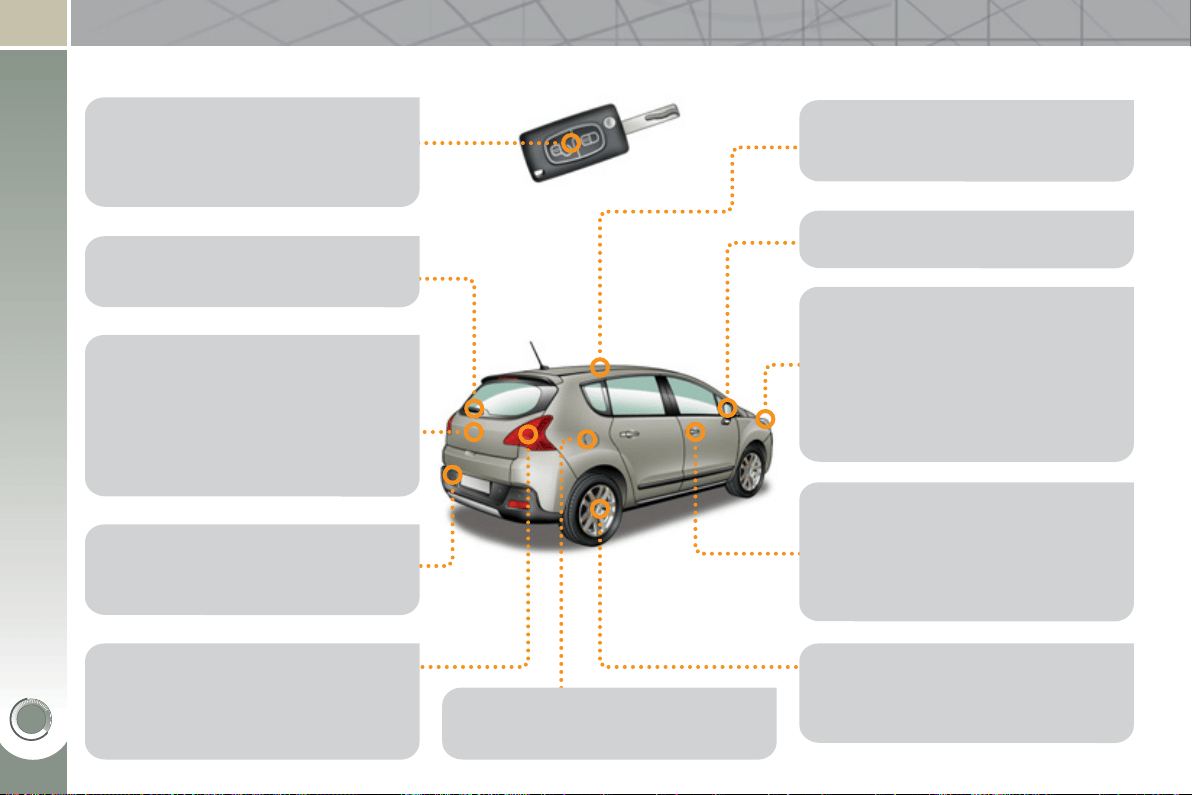
VISUAL SEARCH
27
0
EXTERIOR
Exterior welcome lighting..............98
Door mirror spotlamps ................104
Lighting ....................................96-99
Headlamp height adjustment ........99
Very cold climate screen......190-191
Changing bulbs....................172-173
- front lamps
- foglamps
- direction indicator repeaters
Wiper ...................................100-102
Changing a wiper blade ......102, 187
Boot, tailgate............................92-93
- opening/closing
- emergency release
Temporary puncture
repair kit ............................163-168
Changing a wheel ................169-171
- tools
- removing
Remote control key..................81-85
- opening/closing
- anti-theft protection
- starting
- battery
Parking sensors ...................154-155
Towbar ........................................ 189
Recovery on a fl atbed................. 188
Changing bulbs....................174-175
- rear lamps
- 3rd brake lamp
- number plate lamps
- foglamps
Accessories .........................191-192
Roof bars ....................................190
Panoramic sunroof ..................... 112
Fuel tank ..................................94-95
Misfuel prevention ........................ 95
Door mirrors ..................................79
Doors .......................................90-92
- opening/closing
- central locking
- emergency control
Alarm .......................................86-87
Electric windows ......................88-89
ESP, ABS, EBA,
ASR, CDS .........................127-128
Tyre pressures ............................197
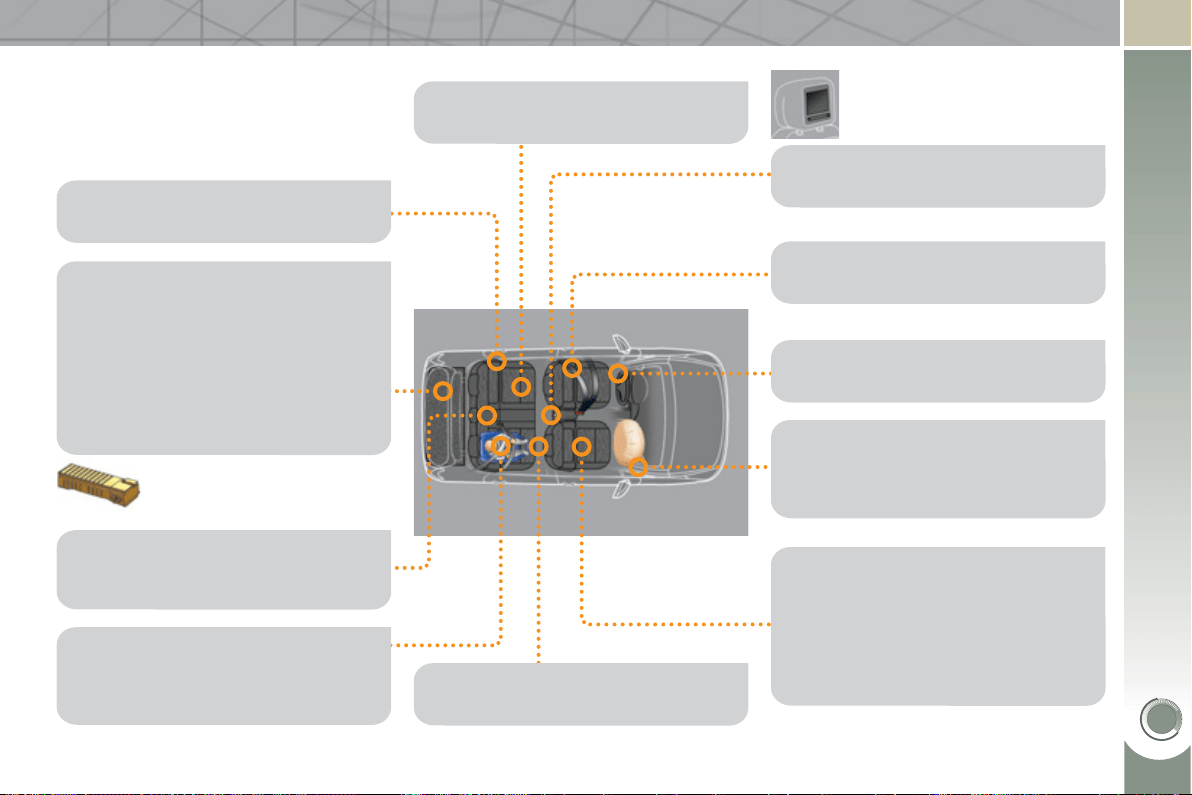
VISUAL SEARCH
271
Seat belts.............................129-131
INTERIOR
Boot fl oor .................................... 114
Boot fi ttings .......................... 113-116
- rear parcel shelf
- hooks
- 12 V accessory socket
- storage box
Boot lamp ................................... 105
High voltage battery......................39
Conventional child seats...... 117-121
ISOFIX child seats ...............122-124
Child lock ....................................125
Front seats...............................72-74
- manual
- electric
- head restraints
- lumbar
- heated
Seat in table position,
transporting long objects ............ 75
Airbags ................................132-135
Deactivating the passenger's
front airbag ....................... 117, 133
Side blinds .................................. 116
Storage compartments
under the footwells ....................111
Rear seats ...............................76-77
Mats ............................................109
Rear armrest................................111
Ski fl ap .........................................111
Rear multimedia ......................... 110
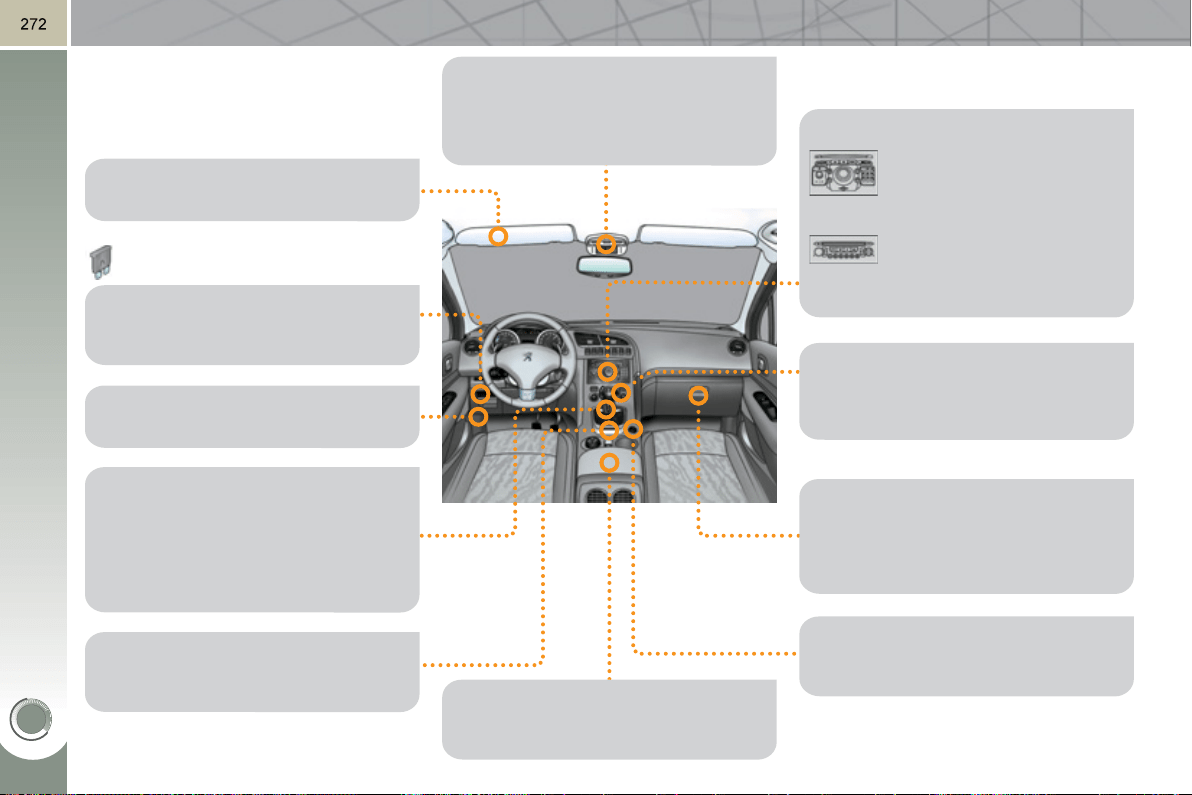
VISUAL SEARCH
Courtesy lamps...................103, 104
Seat belt/passenger's front airbag
warning lamps display ...... 130, 133
Rear view mirror ...........................80
INSTRUMENTS AND CONTROLS
Dashboard fuses .........176, 177-179
Electronic gear
control gearbox .................150-153
Hill start assist .....................141-143
Peugeot Connect
Sound ...................247-265
Setting the date/time ....259
Front armrest ..............................108
Peugeot Connect USB ............... 108
Sun visor.....................................107
Opening the bonnet .................... 157
Electric
parking brake .....136-140, 142-143
Interior fi ttings ..............106-107, 109
- glove box
- driver's storage compartments
- mat
12 V accessory socket................108
Peugeot Connect
Media ....................203-245
Setting the date/time ....235
Ventilation ................................ 67-68
Digital air conditioning .............69-71
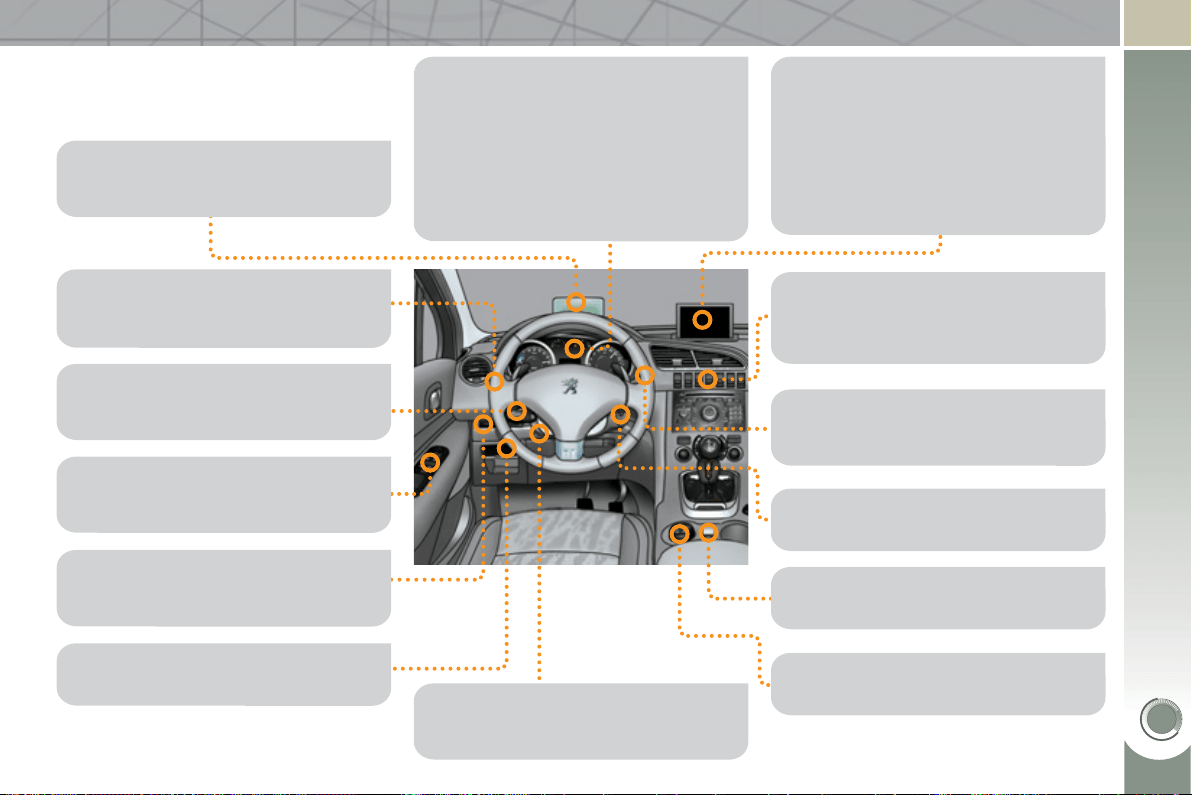
VISUAL SEARCH
27
3
INSTRUMENTS AND CONTROLS
(
CONT.
)
Instrument panels, screens .....43-45
Power meter .................................33
Warning lamps .........................45-52
Ready lamp .................................. 30
Indicators .................................53-56
Buttons ...................................55, 57
- service indicator/trip distance
recorder
- lighting dimmer
Head-up display...................144-145
Lighting controls ......................96-97
Direction indicators .....................126
Speed limiter........................146-147
Cruise control ......................148-149
Switch panel .................................19
Eco off .......................................... 36
Door mirrors ..................................79
Electric windows, deactivating ....88-89
Headlamp height adjustment ........99
Steering wheel adjustment ...........78
Horn ............................................126
Multifunction screens ...............58-62
- Screen C
- 16/9 high defi nition colour
screen
Retractable screen ....................... 63
Trip computer ..........................64-66
Hybrid fl ow ...............................34-35
Hybrid consumption .................37-38
Hazard warning lamps ................126
Head-up display...................144-145
Wiper controls......................100-102
Trip computer ..........................64-66
Starting,
ignition switch ............... 29, 83, 151
Panoramic sunroof ..................... 112
HYbrid4 mode selector ............31-32
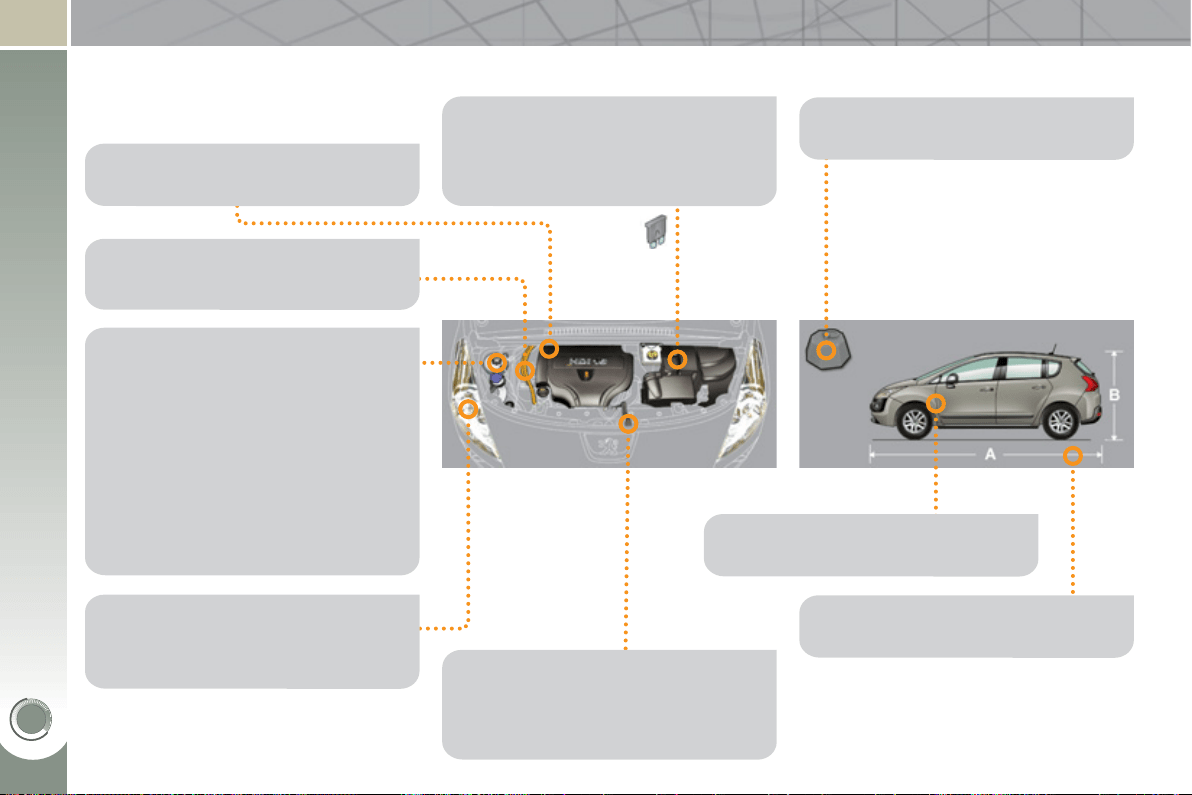
VISUAL SEARCH
27
4
TECHNICAL DATA - MAINTENANCE
Identifi cation markings ................ 197
Running out of fuel, Diesel ......... 158
Checking levels ...................160-161
- oil
- brake fl uid
- power steering fl uid
- coolant
- screenwash/headlamp wash fl uid
Checking components .........161-162
- battery
- air fi lter
- particle emissions fi lter
- passenger compartment fi lter
- oil fi lter
- brake pads/discs
Changing bulbs....................172-175
- front
- rear
Batteries ..............................183-185
Load reduction, economy mode .... 186
Engine compartment
fuses .........................176, 180-182
Opening the bonnet .................... 157
Under the bonnet, Diesel ............159
Electric motor..............................193
Diesel engine ..............................194
Dimensions .................................196
Diesel weights ............................ 195
High voltage cables .................40-41

27
5

27
6
10-1
0
This handbook describes all of the
equipment available.
This document is an integral part of
your vehicle. It should be passed on
to the new user in the event of sale or
transfer.
Reproduction or translation of all or part
of this handbook is prohibited without
written authorisation from Automobiles
PEUGEOT.
Printed in the EU Anglais
Your vehicle will be fi tted with some
of this equipment described in this
document, depending on its trim level,
version and the specifi cation for the
country in which it is sold.
The descriptions and illustrations are
given without any obligation. Automo-
biles PEUGEOT reserves the right to
modify the technical specifi cations,
equipment and accessories without
having to update the current hand-
book.
Automobiles PEUGEOT declares, by
application of the provisions of the
European regulation (Directive 2000/53)
relating to End of Life Vehicles, that
it achieves the objectives set by this
regulation and that recycled materials
are used in the manufacture of the
products that it sells.
For any work on your vehicle, use a
qualifi ed workshop that has the techni-
cal information, competence and equip-
ment required, which a PEUGEOT
dealer is able to provide.

An
g
lais
AN. 11388.H04
0
www.peu
g
eot.com