0
.
40
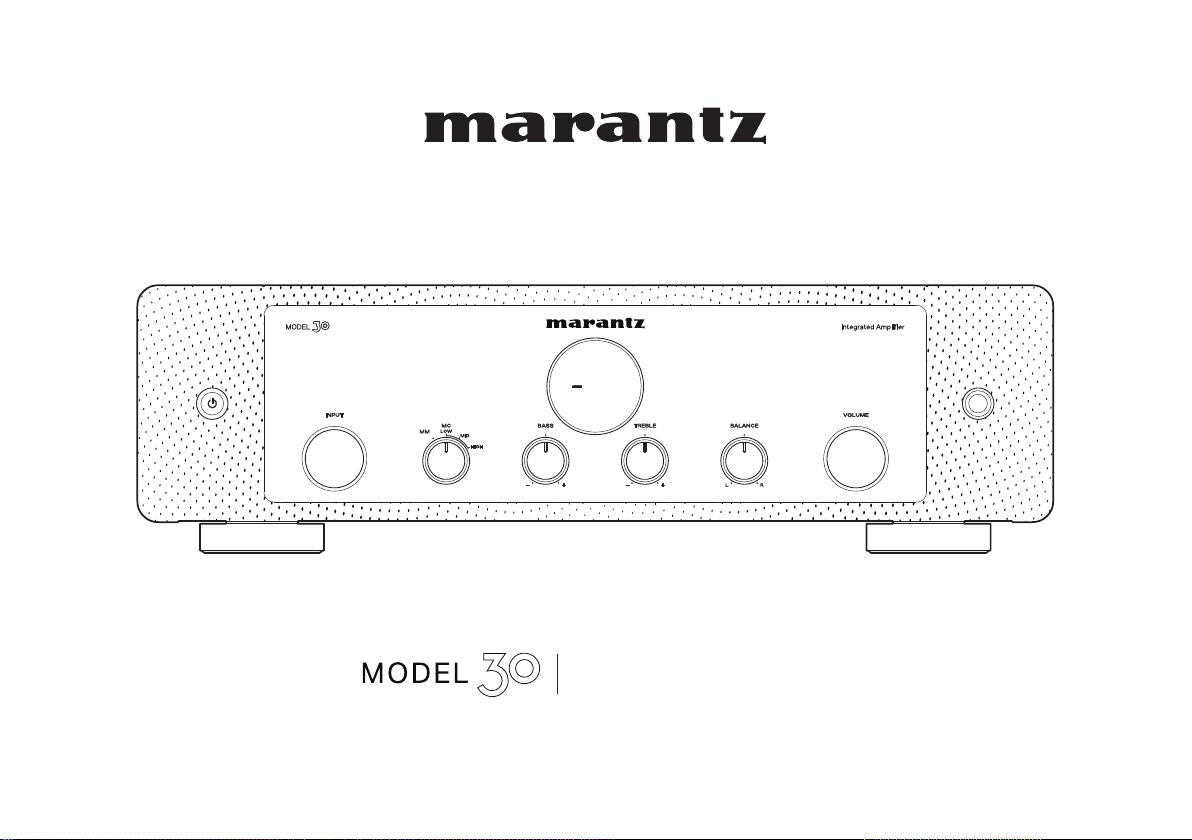
QUICK START GUIDE
Integrated Amplier
1.MODEL 30 U_ENG_QSG_200518.indd 11.MODEL 30 U_ENG_QSG_200518.indd 1 2020/05/26 16:56:502020/05/26 16:56:50
PrintingColor:Black
1
Thank you for choosing a Marantz ampli er. This guide provides
step-by-step instructions for setting up your ampli er.
Welcome Before You Begin
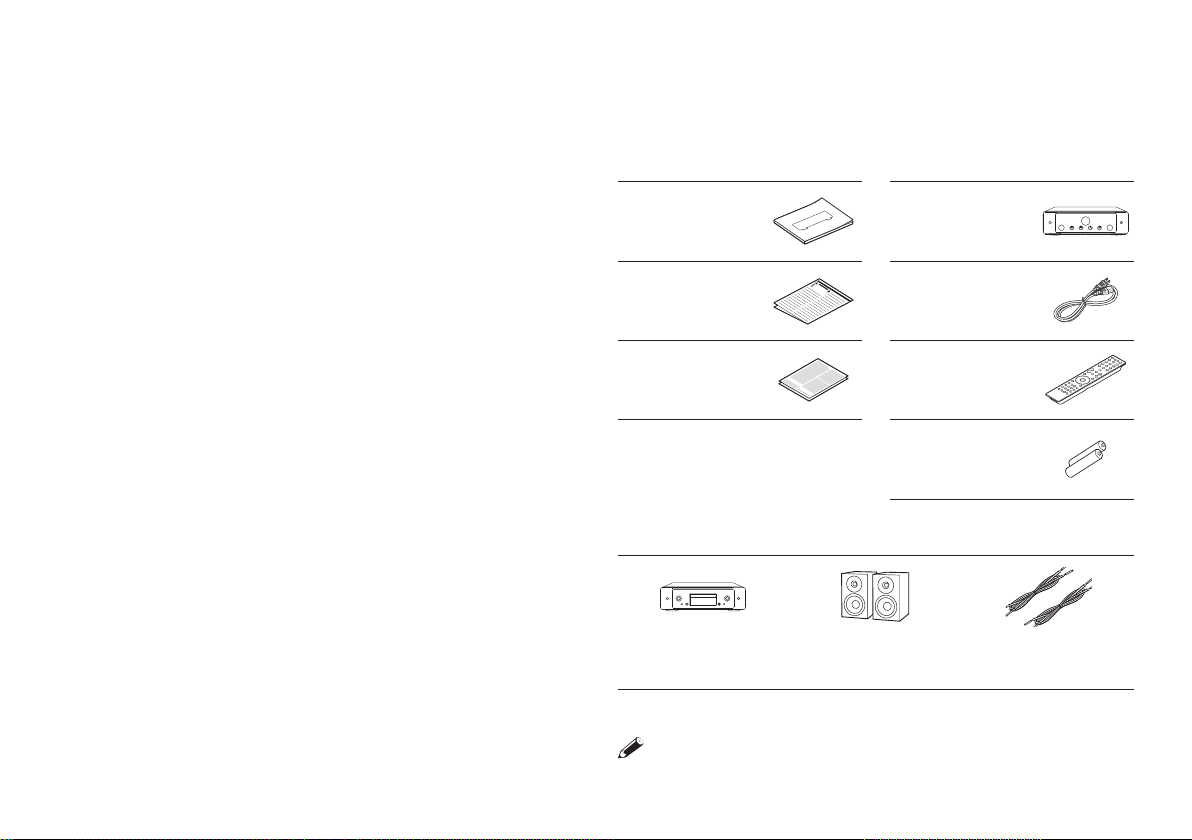
What’s In the Box
Quick Start Guide Ampli er
Safety
Instructions
Power cord
Warranty
(for USA/
for CANADA)
Remote
control unit
(RC002PMND)
R03/AAA
batteries
Required for Setup
CD Player
Speaker
systems
Speaker cables
These drawings are for illustrative purposes only and may not
represent the actual product(s).
1.MODEL 30 U_ENG_QSG_200518.indd 11.MODEL 30 U_ENG_QSG_200518.indd 1 2020/05/26 16:56:512020/05/26 16:56:51
PrintingColor:Black
2
EN
FR
ES
There are ve steps to the setup process.
Setup
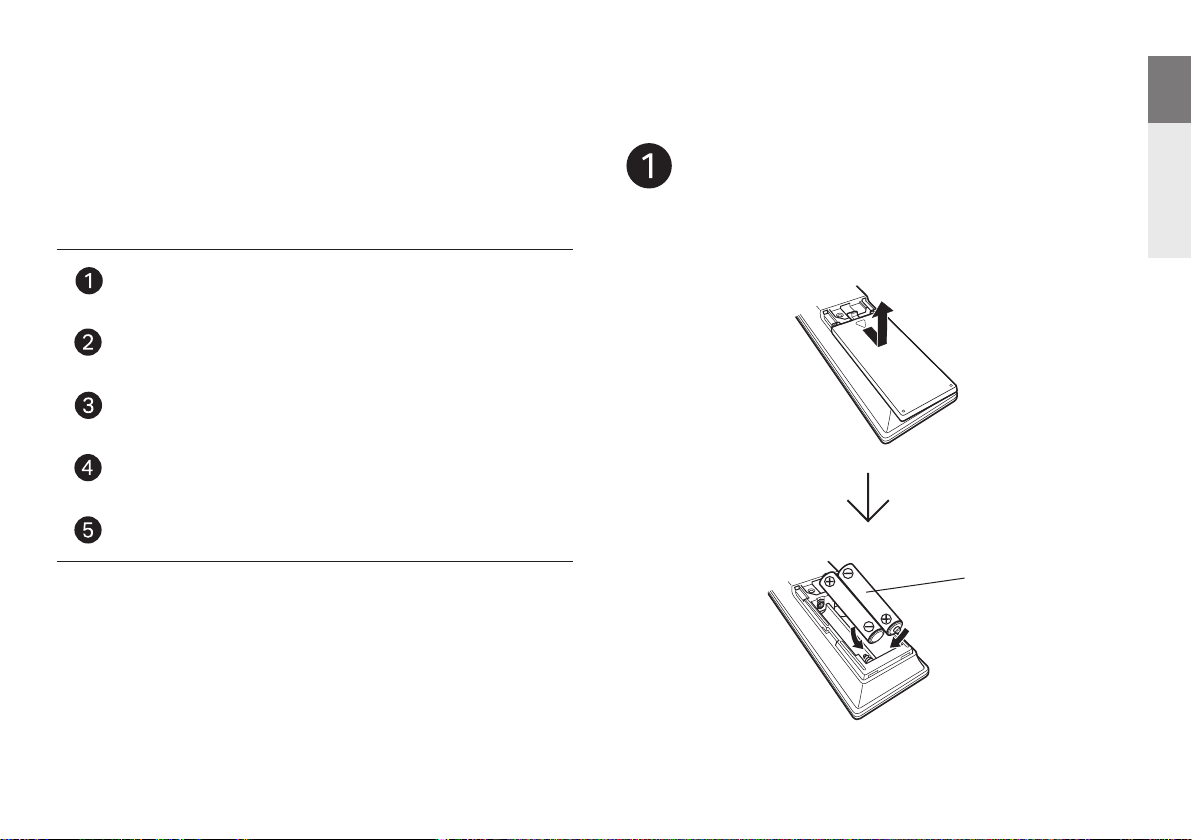
Install batteries in the remote control unit
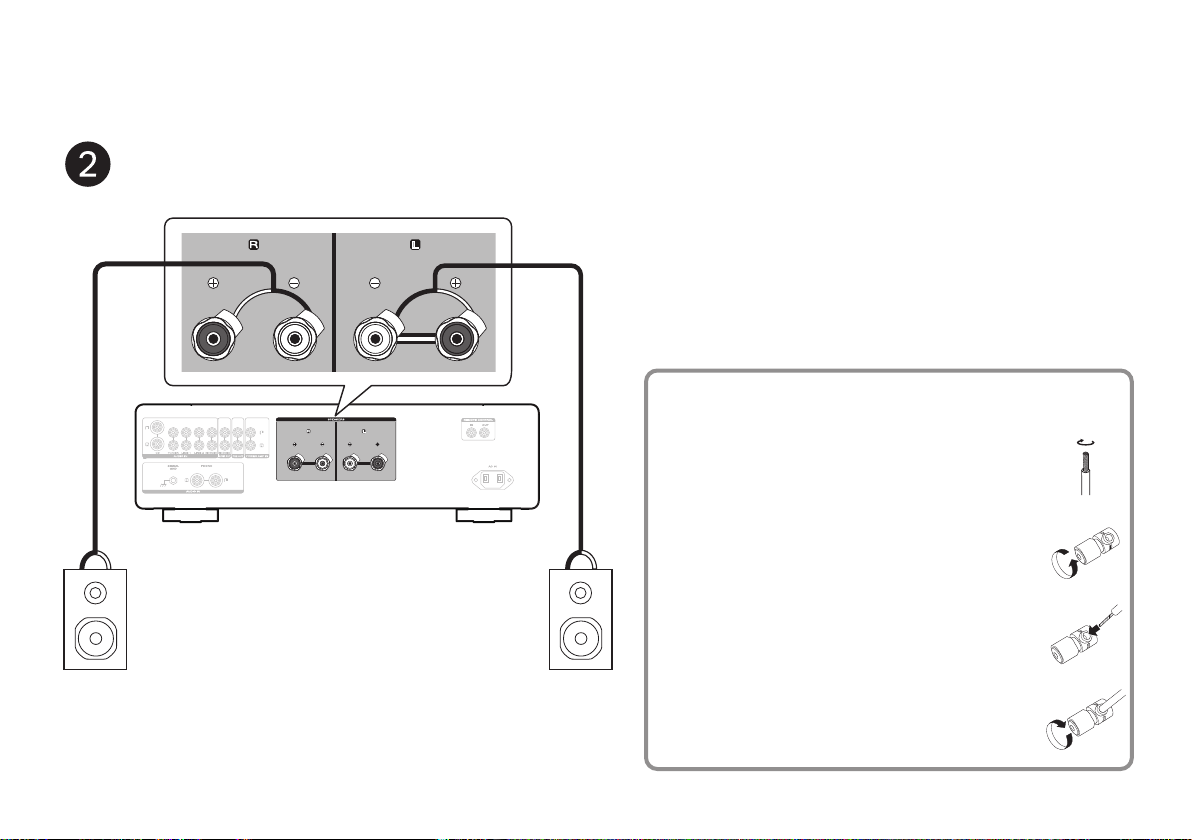
Connect the speakers to MODEL 30
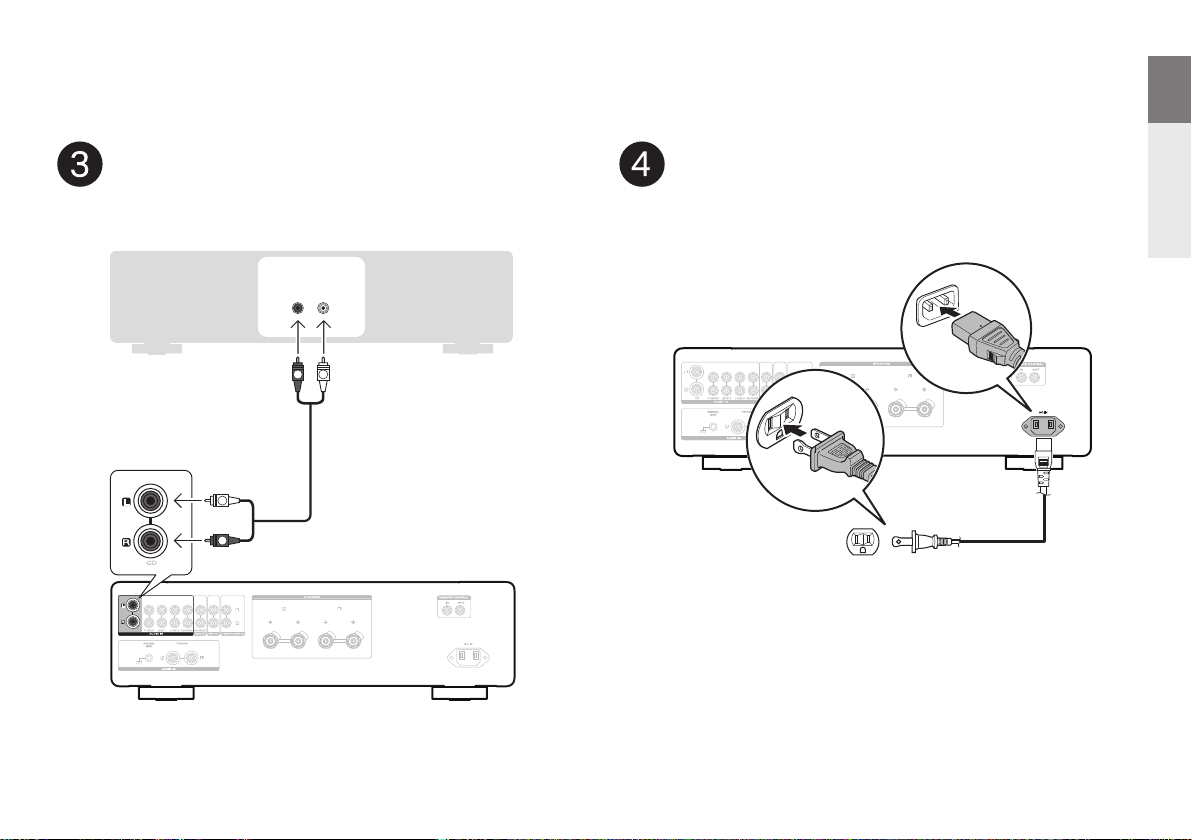
Connect the CD player to MODEL 30
Plug the power cord into a power outlet
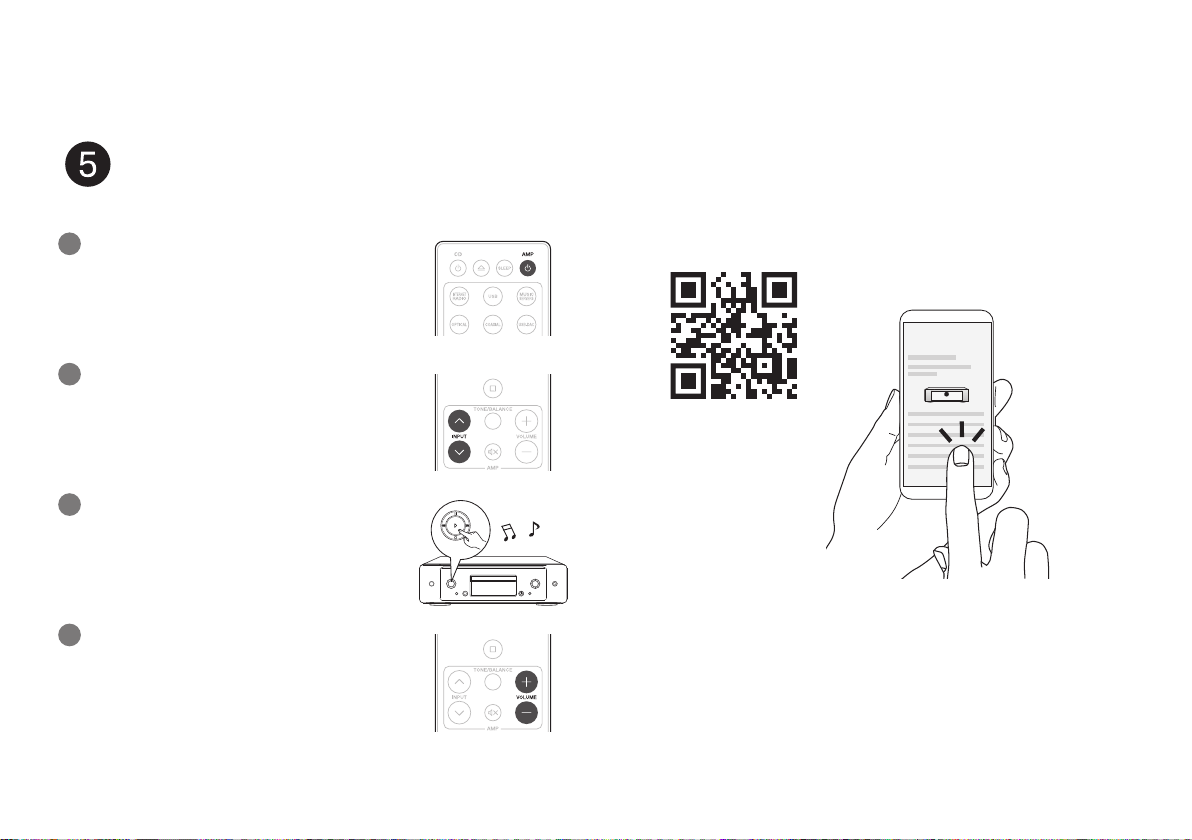
Begin CD playback
Batteries
Install batteries
in the remote control unit
1.MODEL 30 U_ENG_QSG_200518.indd 21.MODEL 30 U_ENG_QSG_200518.indd 2 2020/05/26 16:56:512020/05/26 16:56:51
PrintingColor:Black
3
Connect the speakers to MODEL 30
SPEAKERS
CD TUNER LINE-1 LINE-2
RECORDER RECORDER
AUDIO OUT
PRE OUT
AUDIO IN
POWER AMP IN
SPEAKERS
CD TUNER LINE-1 LINE-2
RECORDER RECORDER
AUDIO OUT
PRE OUT
AUDIO IN
POWER AMP IN
w q
w q
(R) (L)
Connecting the speaker cables
q Peel o about 3/8 inch (10 mm) of
sheathing from the tip of the speaker
cable, then either twist the core wire
tightly or apply solder to it.
w Turn the speaker terminal
counterclockwise to loosen it.
e Insert the speaker cable’s core wire to
all the way into the speaker terminal.
r Turn the speaker terminal clockwise to
tighten it.
1.MODEL 30 U_ENG_QSG_200518.indd 31.MODEL 30 U_ENG_QSG_200518.indd 3 2020/05/26 16:56:512020/05/26 16:56:51
PrintingColor:Black
4
EN
FR
ES
AUDIO
LR
OUT
SPEAKERS
CD TUNER LINE-1 LINE-2
RECORDER RECORDER
AUDIO OUT
PRE OUT
AUDIO IN
POWER AMP IN
SPEAKERS
CD TUNER LINE-1 LINE-2
RECORDER RECORDER
AUDIO OUT
PRE OUT
AUDIO IN
POWER AMP IN
CDCD
R
L
R
L
CD player
MODEL 30
SPEAKERS
CD TUNER LINE-1 LINE-2
RECORDER RECORDER
AUDIO OUT
PRE OUT
AUDIO IN
POWER AMP IN
SPEAKERS
CD TUNER LINE-1 LINE-2
RECORDER RECORDER
AUDIO OUT
PRE OUT
AUDIO IN
POWER AMP IN
Power cord
(supplied)
Connect to household
power outlet
(AC 120 V, 60 Hz)
Connect the CD player to MODEL 30 Plug the power cord
into a power outlet
1.MODEL 30 U_ENG_QSG_200518.indd 41.MODEL 30 U_ENG_QSG_200518.indd 4 2020/05/26 16:56:522020/05/26 16:56:52
PrintingColor:Black
5
1
2
3
Press the power operation button.
Set the input source to “CD”.
Play the CD player.
Begin CD playback
4
Adjust the volume.
Online Manual
Owner’s Manual
• Refer to the Online Manual for other functions information and
operation procedure details.
manuals.marantz.com/Model30/NA/EN/
• For more information, visit www.marantz.com
1.MODEL 30 U_ENG_QSG_200518.indd 51.MODEL 30 U_ENG_QSG_200518.indd 5 2020/05/26 16:56:522020/05/26 16:56:52
PrintingColor:Black

1.MODEL 30 U_ENG_QSG_200518.indd 61.MODEL 30 U_ENG_QSG_200518.indd 6 2020/05/26 16:56:522020/05/26 16:56:52
PrintingColor:Black

Printed in Japan 5411 11843 00AM
© 2020 Sound United. All Rights Reserved.
4.MODEL 30 U_QSG_BackPage_00A_200616.indd 34.MODEL 30 U_QSG_BackPage_00A_200616.indd 3 2020/06/16 16:38:192020/06/16 16:38:19
PrintingColor:Black