®
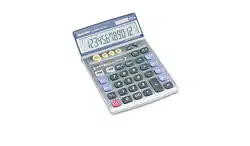
ELECTRONIC CALCULATOR
MODEL
VX-792C
OPERATION MANUAL
Page
BEFORE USE ............................................................................................................. 2
SPECIFICATIONS....................................................................................................... 2
TILT DISPLAY ............................................................................................................. 2
OPERATIONS ............................................................................................................. 2
STATUS DISPLAY AND COUNTER ....................................................................... 3
CHECK & CORRECT ..............................................................................................3
Auto replay ........................................................................................................... 3
Preview/Next ........................................................................................................ 4
Correct.................................................................................................................. 4
Insert .................................................................................................................... 5
Delete ................................................................................................................... 5
REPEAT ENTRY...................................................................................................... 6
CHANGE.................................................................................................................. 6
LAST ANSWER FUNCTION ................................................................................... 7
ANSWER CHECK (COMPARISON) ....................................................................... 8
CALCULATING TAX ................................................................................................ 9
BASIC CALCULATIONS ....................................................................................... 10
BATTERY REPLACEMENT ...................................................................................... 12
– 1 –
– 2 – – 3 –
– 4 – – 5 – – 6 –
BEFORE USE
• Do not press too hard against the LCD
panel because it contains glass.
• Never dispose of battery in fire.
• Keep battery out of reach of children.
• Do not use or store the calculator where
fluids can splash onto it.
• Please press
if you see no
indication.
• When “0.E” is displayed, calculation
formulae stored in memory will be cleared.
• The maximum number of calculation steps
that can be stored is 102.
• This product, including acessories, may
change due to upgrading without prior
notice.
SPECIFICATIONS
Type: Electronic calculator
Operating capacity: 12 digits
Power supply: Built-in solar cell and
Lithium battery (3V ...
(DC) CR2032 × 1)
Automatic
Power-off: Approx. 5 min.
Operating
temperature:
0°C - 40°C (32°F-104°F)
Dimensions: 130 mm(W) ×
209
mm(D) × 21 mm(H)
5-1/8
″(W) ×
8-7/32
″ (D) ×
13/16
″(H)
Weight:
Approx. 215 g (0.47 lb.)
(with battery)
Accessories: Lithium battery
(installed), Operation
manual
TILT DISPLAY
OPERATIONS
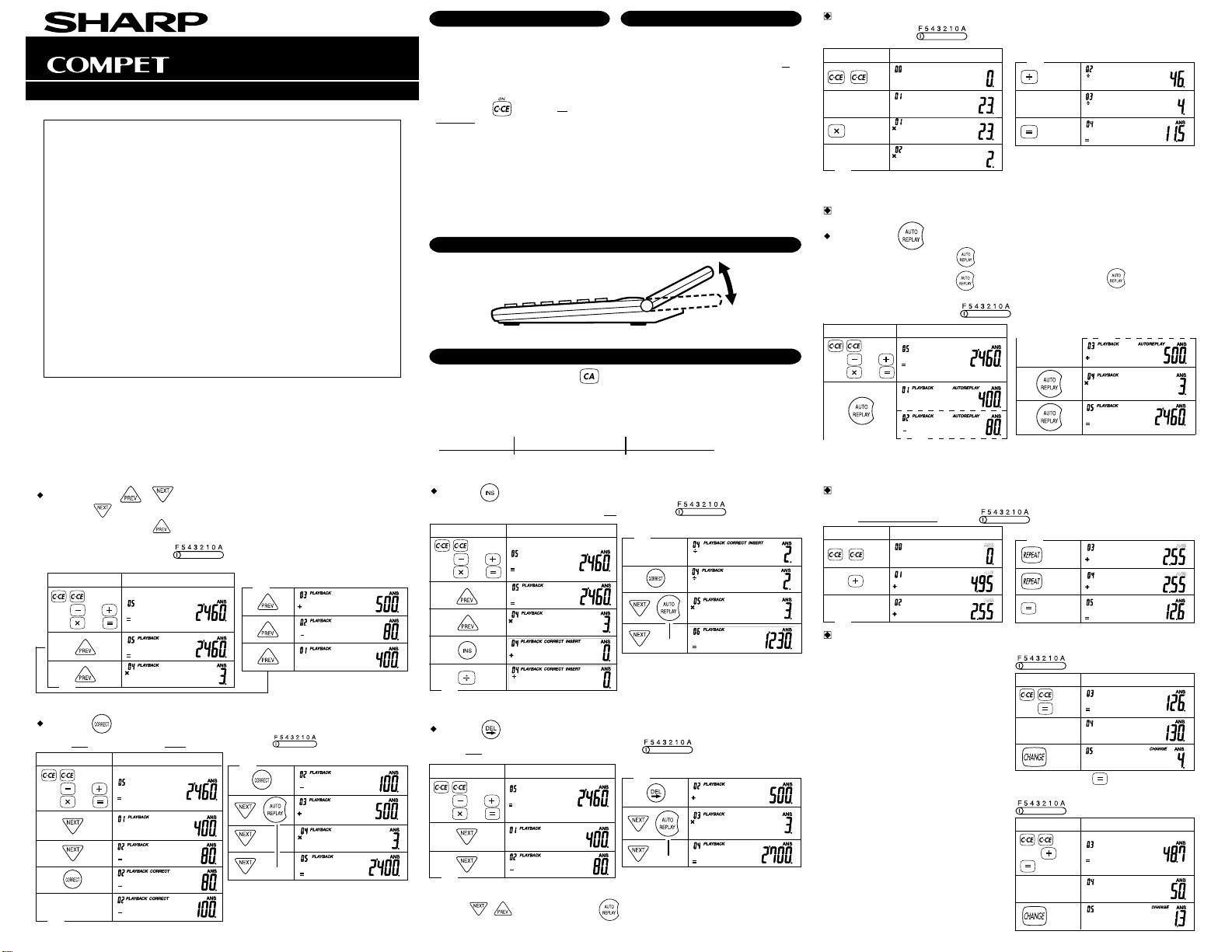
1. Before starting calculations, press to clear (zero-clear).
2. The position of any switch that is not specificaly designated, may be set to any position.
3. For expressing calculation examples, only the symbols that are required for explanation
are mentioned.
4. Example procedures are listed in following manner unless otherwise specified.
(1) Example (2) Key operations (3) Display
STATUS DISPLAY AND COUNTER
(1) 23 2 4 11.5
23
2
(2) (3)
4
CHECK & CORRECT
Auto replay ( )
• Auto Scroll starts by pressing and you can recall a calculation formula automatically.
• Auto Scroll stops by pressing
during Auto Scroll and pressing again starts
Auto Scroll to resume.
(1) (400 80 500) 3 2460
400 80
500 3
(2) (3)
Preview/Next ( / )
• Each time is pressed, calculation formulas are recalled in the order they are
entered, while each time
is pressed, calculation is recalled in the order of its
answer.
(1) (400 80 500) 3 2460
(2) (3)
▲
(1) (400 80 500) 3 (400 100 500) 3 2400
(2) (3)
100
Correct ( )
▼
Insert ( )
(2)
(3)
2
(1) (400 80 500) 3 (400 80 500) 2 3 1230
▼
Delete ( )
(1) (400 80 500) 3 (400 500) 3 2700
(2) (3)
▼
• To check a calculation formula after performing the Correct, Insert and Delete function,
press
/ repeatedly or press .
REPEAT ENTRY
• This function is used for entering the same calculation formula repeatedly.
(1) 4.95 2.55 2.55 2.55 12.6
CHANGE
• This is used for determining the amount of change.
(1) $50 is paid for a total purchase of $48.70.
What is the amount of change?
VX-792C(U1E)-1
➀
PRINTED IN CHINA
01BT(TINSE0471EHZZ)
400 80
500 3
400 80
500 3
400 80
500 3
400 80
500 3
4.95
(2) (3)
2.55
50
(2) (3)
23.5 25.2
130
(2) (3)
126
(1) $130.00 is paid for a $126.00 purchase.
How much change should be returned?
Be sure to press
immediately after
entering a number.
....
....
....
....
....
....
....
....
....
....
....
....
....
....
– 7 –
– 8 –
– 10 –
– 11 –
– 9 –
– 12 –
• By pressing
, a new calculation is
performed. Therefore, the number stored
in the last answer memory changes to
“16” since it is the newest calculation
result.
(2) (3)
64 2
1 7
• The last answer function uses only one memory location to store one number.
This memory is always stored with the latest calculation result.
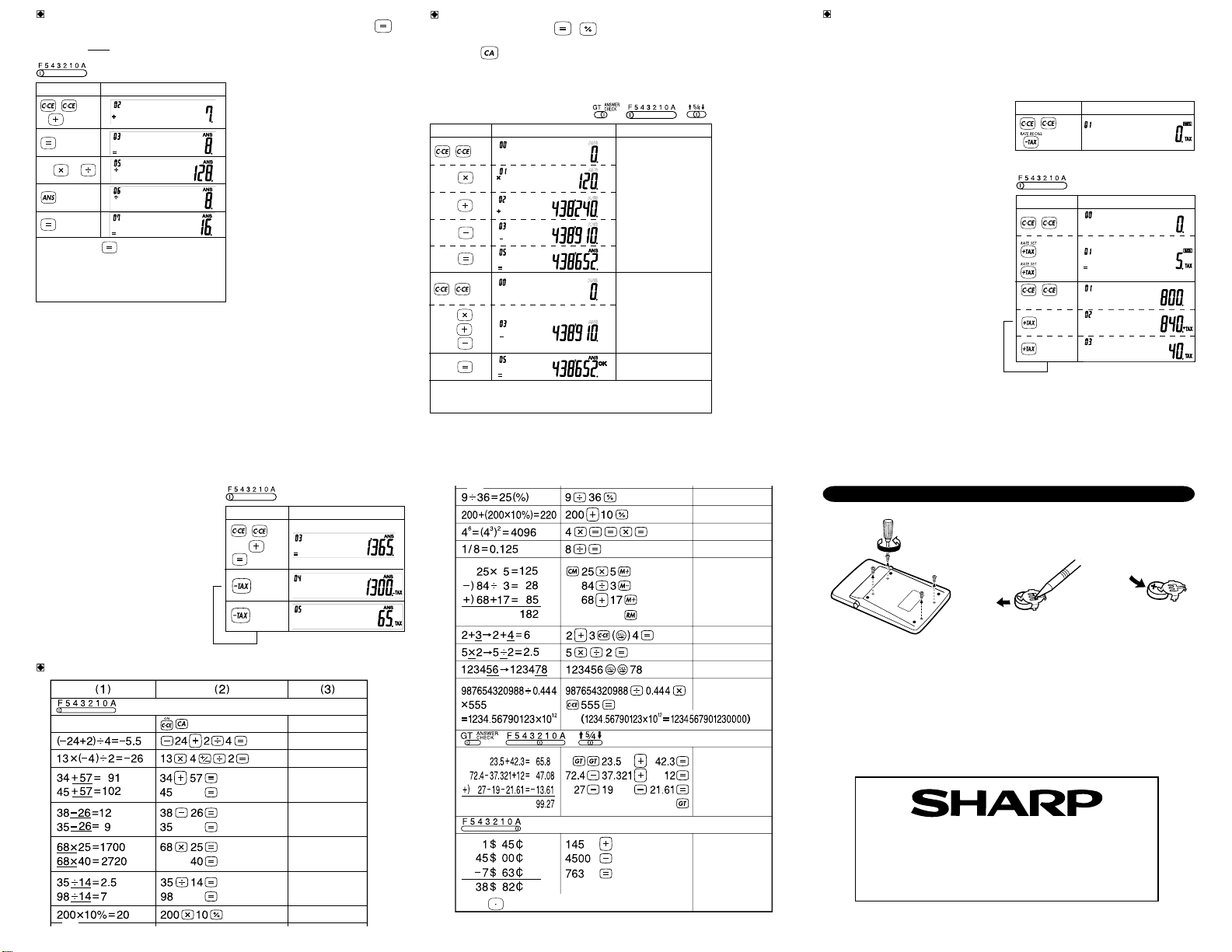
LAST ANSWER FUNCTION
• This function stores the result of the last calculation (result obtained by Pressing ).
(1) After performing the calculation 1+7=8, the result “8” can be used in The next calculation
such as:
ANSWER CHECK (COMPARISON)
1. If the answer obtained with , agrees with the succeeding tested result, “OK” will
be displayed.
2. Pressing
will clear the previous calculated result, disabling the comparison.
3. Comparison with the counter or values of memory calculation, or comparison during
calculation process will not be performed.
4. The Answer Check function is not available for tax rate calculations and change
calculations.
(1) 120 3652 670 258 438652
120
3652
670
258
Second calculation
Displayed when agrees with the previous calculated result. (Not
displayed if disagrees.)
120
(2) (3)
3652
670
258
First calculation
CALCULATING TAX
• To perfom a tax calculation, first it is absolutely necessary to set and check the tax rate.
(The initial tax rate is 0.)
• A tax rate can be set (or changed) with a number containing up to four digits. (Decimal
point is not regarded as a digit.)
• The set tax rate is retained until it is changed. However, the set tax rate may be changed
or lost if the battery is consumed largely.
(1) Confirming the tax rate. (0%)
(2) (3)
BASIC CALCULATIONS
0.
–5.5
–26.
20.
91.
102.
12.
9.
1´700.
2´720.
2.5
7.
(1) Perform two calculations using $840
and $525, both of which already
include tax.
Calculate the tax on the total and the
total without tax.
Note:
was not used in the entries.
–13.61
25.
220.
4´096.
6.
2.5
0.125
1.45
46.45
38.82
125.
M
28.
M
85.
M
182.
M
2.22444666889
1´234.56790123
E
123´478.
65.80
47.08
G
G
G
G
99.27
(1) Set a 5% tax rate.
Calculate the tax on $800 and
calculate the total Including tax.
VX-792C(U1E)-2
➀
➞➞
BATTERY REPLACEMENT
64 2
17
5
800
▲
(2) (3)
....
....
(2) (3)
840 525
▲
SHARP ELECTRONICS CORPORATION
Sharp Plaza, Mahwah, New Jersey 07430-2135
SHARP CORPORATION