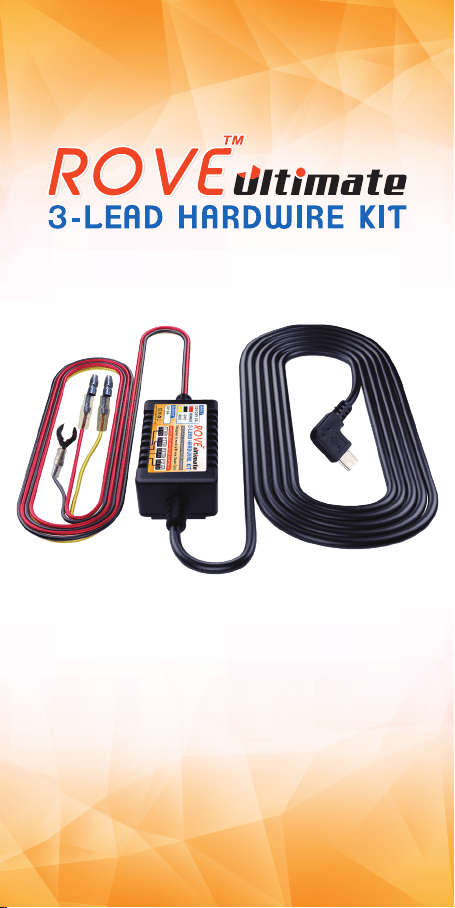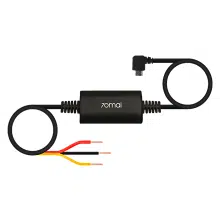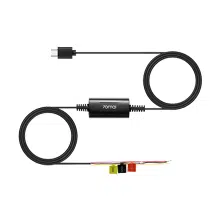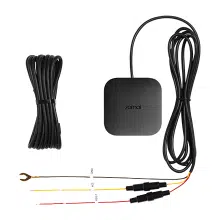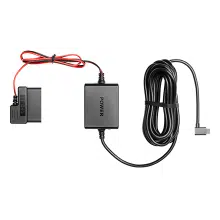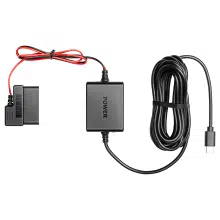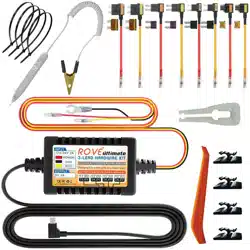

Rove ULTIMATE 3-LEAD Mini USB Hard Wire Kit For Dash Cam

Product's Documents

Below are documents related to this product, you can read online or download:
ULTIMATE 3-LEAD photo

User Manual

This is the main product document for model ULTIMATE 3-LEAD.

The file format is pdf, 22 pages, you can download this manual here .

background
Please Read
USER MANUAL
USER MANUAL
Copyright (C) 2020, All rights reserved
www.rovedashcam.com
Suitable for Cars,
Vans, Truck
And Buses
Universal Kit,
Compatible with
most Dashcam
Voltage Cut-Off
to Prevent
Battery Drain
Constant Power
Supply
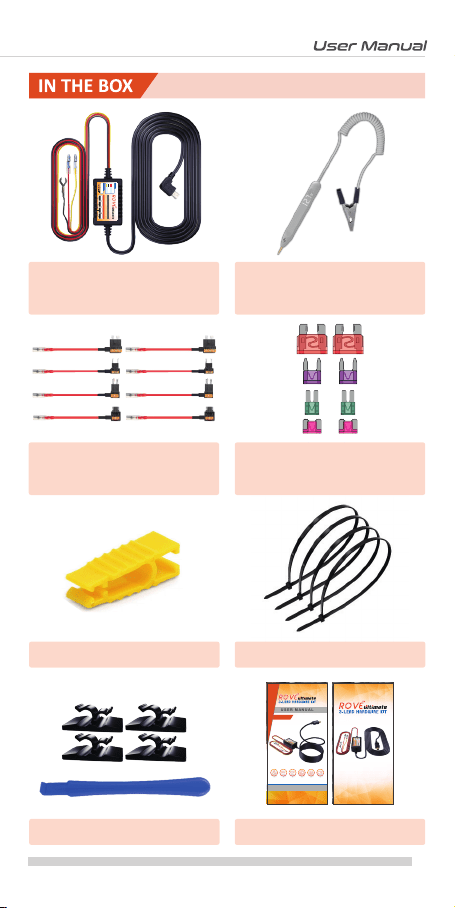
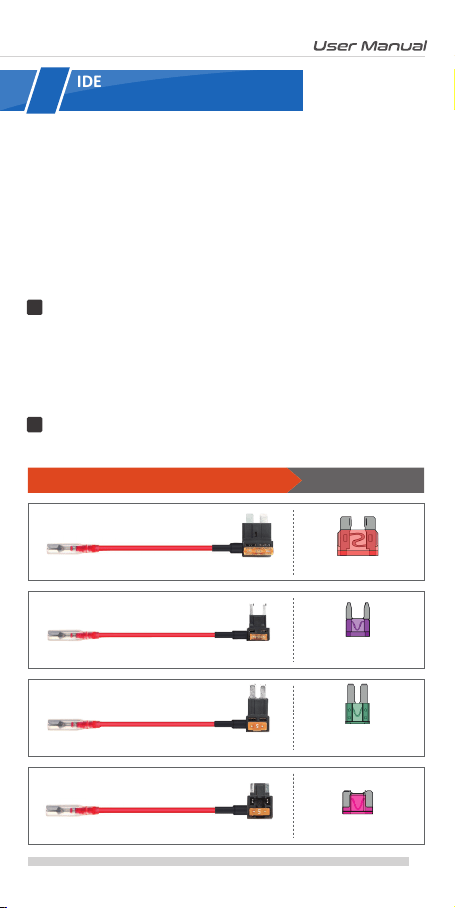
Includes 4x2
Types Fuse & Piggy
Back Fuse Cables
Input Voltage
DC12V/24V

background
WE WILL HELP YOU IN RESOLVING ANY ISSUES ASAP
CONTACT US BEFORE RETURNING THE ITEM
EXPERIENCING
PROBLEMS
?
Item NOT as described?
Damaged or defective?
Missing items?
Any issues what so ever?
Scan the Code to Text usScan the Code to Email us
1 (401) 484-ROVE(7683)[email protected]
CUSTOMER SERVICE
Hours: Mon - Fri 9am-5pm PST
For faster response text us
1 (401) 484-ROVE(7683)
Response in just 6 hours
Email Us
Text Us
Just Scan the QR Code with your iPhone or Android’s
Camera to get in touch with us.

background
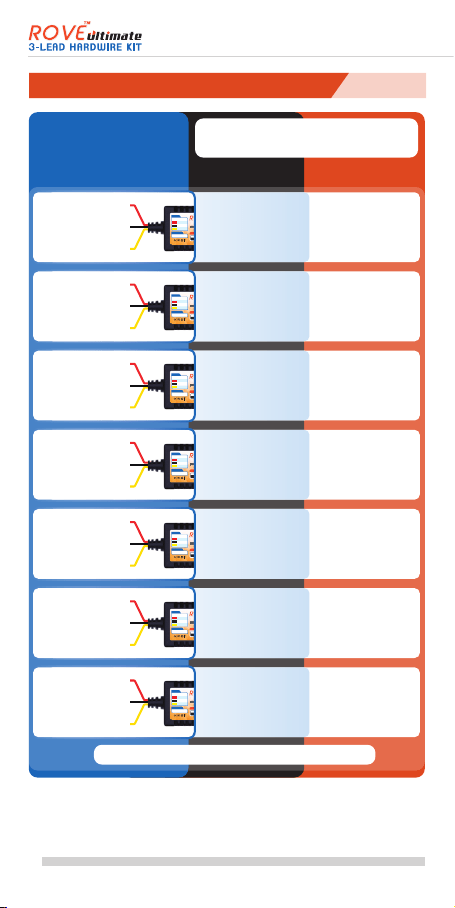
3-LEAD HARDWIRE KIT
FOR 24-HR AUTO TRIGGER PARKING MONITORFOR 24-HR AUTO TRIGGER PARKING MONITOR
INPUT
12V/24V 2A
OUTPUT
5V 2A
POWER
GND
ACC
Designed to work with any Dash Cam
www.rovedashcam.com
11.8V
23.6V
12.0V
24.0V
12.2V
24.4V
12.4V
24.8V
BATTERY DRAIN PROTECTION STARTING AT
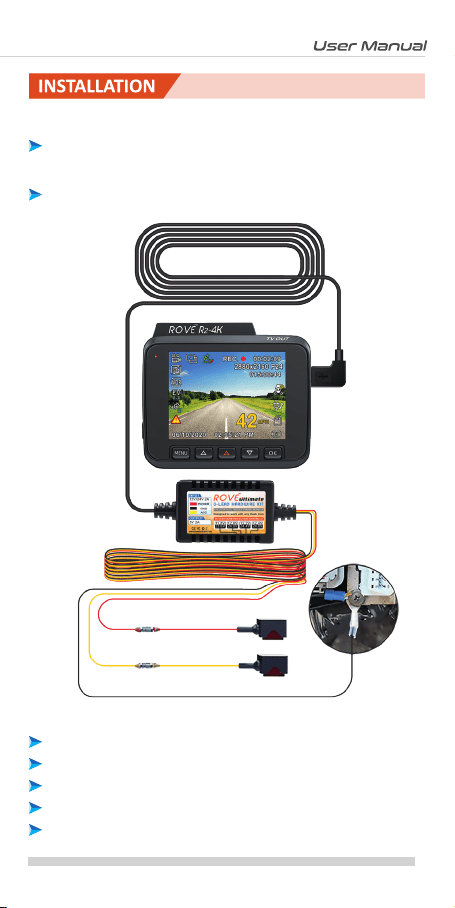
INSTALLATION
INSTALLATION
HOW TO INSTALL
Visit our website
www.rovedashcam.com/pages/videos
Understanding
ROVE Ultimate 3-Lead Hardwire Kit
Watch HOW-TO INSTALL to learn & understand all the
features so you can get the maximum benefit out of it.
WATCH

background
INDE
What Is Hardwire Kit?
Features




















4
4
4
4
5
5
5
6
7
7
9
10
10
11
11
12
13
15
16
18
19
20
....................................................
.............................................................................
................................................
....................................
................................................
.....................................
...................................................................
.....................................
...........................................................................
................................................
.........................................................................
...............................................
..........................................
.......................................................................
................................
....................................................
..........
...........
...............................
...............................................
.....................
...............................................................
3
background

        
       
     

      



       

       
        
      


        
      

      







   
   
4
background

        


     


























5
background
 













3-LEAD HARDWIRE KIT
FOR 24-HR AUTO TRIGGER PARKING MONITORFOR 24-HR AUTO TRIGGER PARKING MONITOR
INPUT
12V/24V 2A
OUTPUT
5V 2A
POWER
GND
ACC
Designed to work with any Dash Cam
www.rovedashcam.com
11.8V
23.6V
12.0V
24.0V
12.2V
24.4V
12.4V
24.8V
BATTERY DRAIN PROTECTION STARTING AT









3-LEAD HARDWIRE KIT
FOR 24-HR AUTO TRIGGER PARKING MONITORFOR 24-HR AUTO TRIGGER PARKING MONITOR
INPUT
12V/24V 2A
OUTPUT
5V 2A
POWER
GND
ACC
Designed to work with any Dash Cam
www.rovedashcam.com
11.8V
23.6V
12.0V
24.0V
12.2V
24.4V
12.4V
24.8V
BATTERY DRAIN PROTECTION STARTING AT









3-LEAD HARDWIRE KIT
FOR 24-HR AUTO TRIGGER PARKING MONITORFOR 24-HR AUTO TRIGGER PARKING MONITOR
INPUT
12V/24V 2A
OUTPUT
5V 2A
POWER
GND
ACC
Designed to work with any Dash Cam
www.rovedashcam.com
11.8V
23.6V
12.0V
24.0V
12.2V
24.4V
12.4V
24.8V
BATTERY DRAIN PROTECTION STARTING AT








3-LEAD HARDWIRE KIT
FOR 24-HR AUTO TRIGGER PARKING MONITORFOR 24-HR AUTO TRIGGER PARKING MONITOR
INPUT
12V/24V 2A
OUTPUT
5V 2A
POWER
GND
ACC
Designed to work with any Dash Cam
www.rovedashcam.com
11.8V
23.6V
12.0V
24.0V
12.2V
24.4V
12.4V
24.8V
BATTERY DRAIN PROTECTION STARTING AT








3-LEAD HARDWIRE KIT
FOR 24-HR AUTO TRIGGER PARKING MONITORFOR 24-HR AUTO TRIGGER PARKING MONITOR
INPUT
12V/24V 2A
OUTPUT
5V 2A
POWER
GND
ACC
Designed to work with any Dash Cam
www.rovedashcam.com
11.8V
23.6V
12.0V
24.0V
12.2V
24.4V
12.4V
24.8V
BATTERY DRAIN PROTECTION STARTING AT








3-LEAD HARDWIRE KIT
FOR 24-HR AUTO TRIGGER PARKING MONITORFOR 24-HR AUTO TRIGGER PARKING MONITOR
INPUT
12V/24V 2A
OUTPUT
5V 2A
POWER
GND
ACC
Designed to work with any Dash Cam
www.rovedashcam.com
11.8V
23.6V
12.0V
24.0V
12.2V
24.4V
12.4V
24.8V
BATTERY DRAIN PROTECTION STARTING AT









3-LEAD HARDWIRE KIT
FOR 24-HR AUTO TRIGGER PARKING MONITORFOR 24-HR AUTO TRIGGER PARKING MONITOR
INPUT
12V/24V 2A
OUTPUT
5V 2A
POWER
GND
ACC
Designed to work with any Dash Cam
www.rovedashcam.com
11.8V
23.6V
12.0V
24.0V
12.2V
24.4V
12.4V
24.8V
BATTERY DRAIN PROTECTION STARTING AT



(i.e. Moon Detecon, Time-Lapse Parking Guard etc.)
*
X Means No Connecon or Connect to Ground
6
background






       

 
        




        
        







     
       

          

WARNING
7
background


          
     

       
          


        

NOTE: In this user manual the photos and images are only
for the reference guide and general illustraon purpose only.
We have used Honda Civic’s fuse box as an example and
some other stock photos of the fuse box to give you an idea
of how to install a hard wire kit.

  



8
background
3-LEAD HARDWIRE KIT
FOR 24-HR AUTO TRIGGER PARKING MONITORFOR 24-HR AUTO TRIGGER PARKING MONITOR
INPUT
12V/24V 2A
OUTPUT
5V 2A
POWER
GND
ACC
Designed to work with any Dash Cam
www.rovedashcam.com
11.8V
23.6V
12.0V
24.0V
12.2V
24.4V
12.4V
24.8V
BATTERY DRAIN PROTECTION STARTING AT















Please Read
USER MANUAL
USER MANUAL
Copyright (C) 2020, All rights reserved
www.rovedashcam.com
Suitable for Cars,
Vans, Truck
And Buses
Universal Kit,
Compatible
With any Dashcam
Voltage Cut-Off
to Prevent
Battery Drain
Constant Power
Supply
Includes 4x2
Types Fuse & Piggy
Back Fuse Cables
Input Voltage
DC12V/24V 2A
www.rovedashcam.com
9

background
       

        
    

          
       




       




         


          




  

      



10
background


       










11
background
         


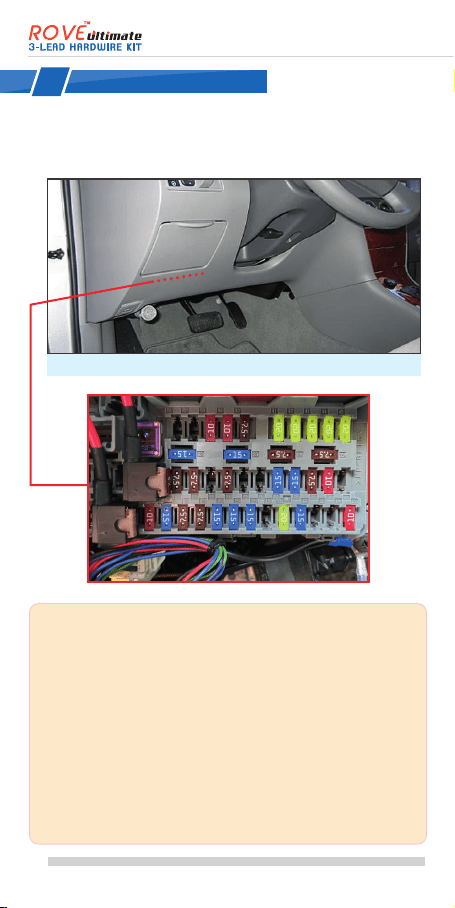
NOTE: To Determine the locaon of your vehicle’s fuse box
refer to the vehicle owners manual.
It will instruct you on how to get access to your fuse box. In
above case, we have removed the top panel to get access to
the fuse box.
You probably need to remove trim or open some panels to
gain access to your cars fuse box. On most cars, you can
access the fuse box simply by liing a tab or pulling a panel
with your fingers, while some others may require you to pry
with an included trim tool.
See the how to video for more details about this.

1
Fuse box is located behid this panel.
(Example Shown: Honda Civic)
12
background



      








1
2

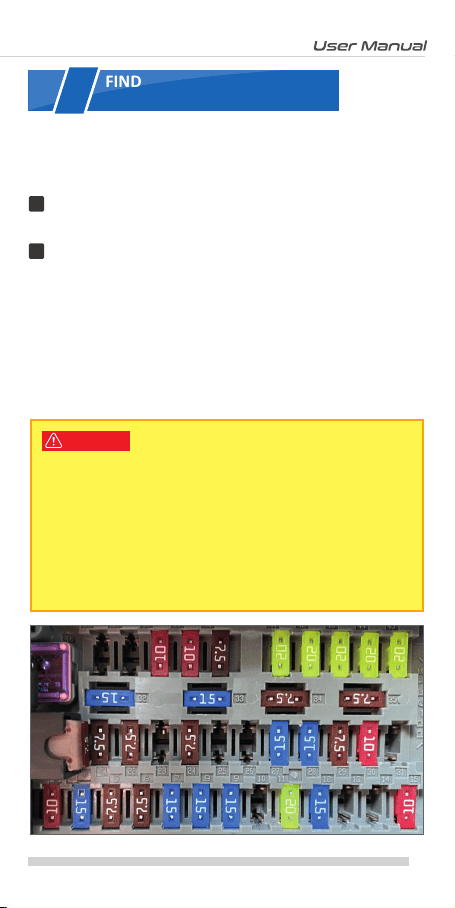
       

       

        

WARNING


2
13
background


    





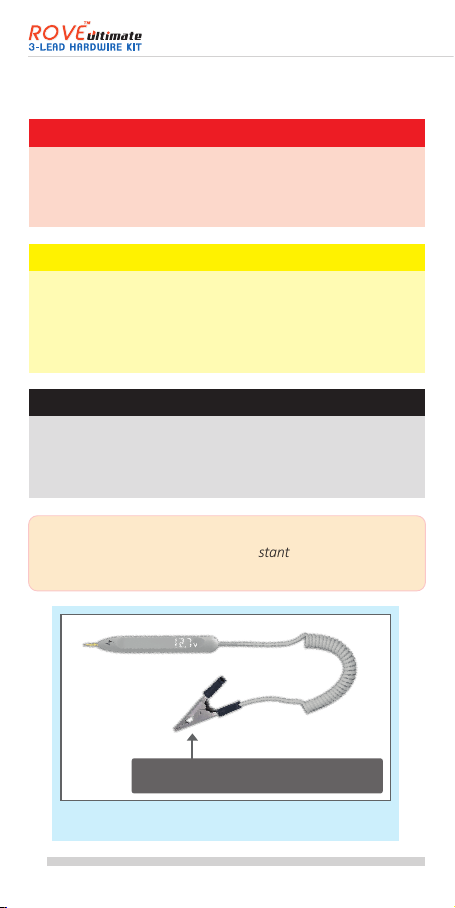
TIP: Use the voltage meter included in the box or equivalent
to test which fuse is constant and which is
ACC/ignion-switched.


        

     
     

Fig: 30V Voltage Meter, included into the box.


14
background
        
          





         
          
        

Or


 
 
 
 
 
1
2


3
15
background

      

1


       
        

        

        

REMINDER
Fig: Crimp the fuse taps with Red & Yellow wires

4


16
background
3-LEAD HARDWIRE KIT
FOR 24-HR AUTO TRIGGER PARKING MONITORFOR 24-HR AUTO TRIGGER PARKING MONITOR
INPUT
12V/24V 2A
OUTPUT
5V 2A
POWER
GND
ACC
Designed to work with any Dash Cam
www.rovedashcam.com
11.8V
23.6V
12.0V
24.0V
12.2V
24.4V
12.4V
24.8V
BATTERY DRAIN PROTECTION STARTING AT





2
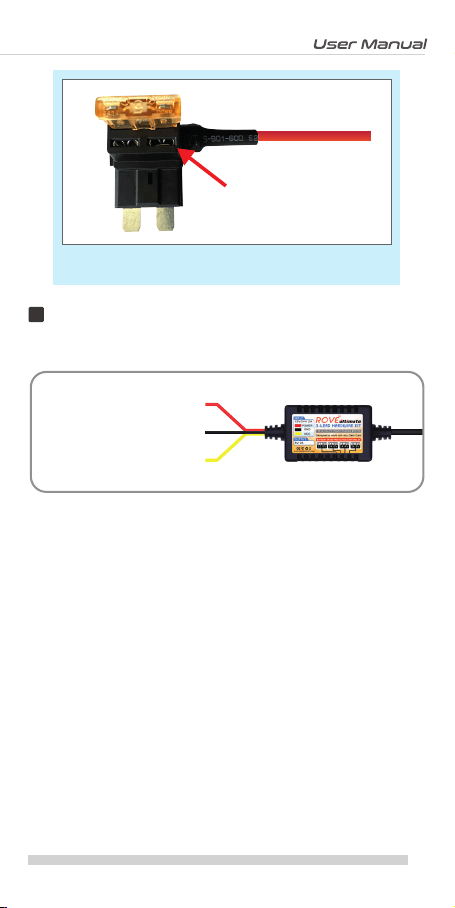
Fig: Add-A-Fuse / Piggyback Fuse Tap
17
background
    

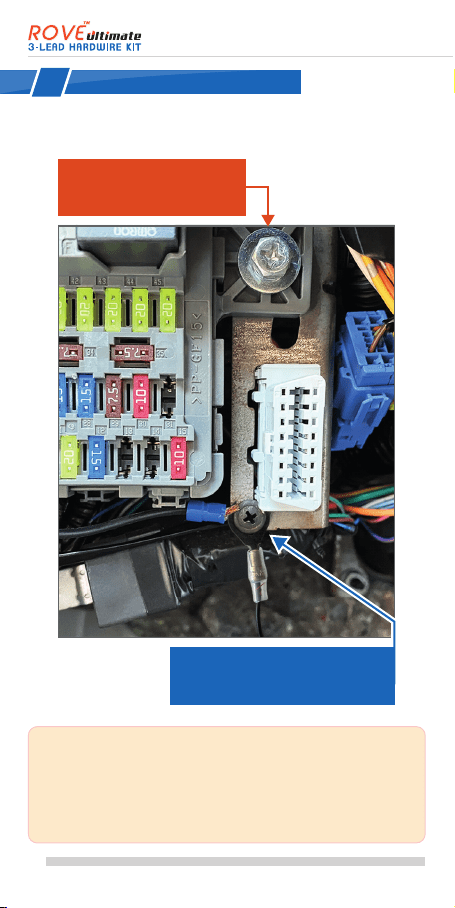
NOTE: See the picture above for reference. We
recommend that you choose the metal Chassis
Grounding Screw, or it may cause your dash cam to not
funcon properly and restart/reboot when power does
not flow properly.

5




18
background




WARNING







          







        




6
a
c
19
background

Hardwire Kit       






        
         

  



        
   

20
background
www.rovedashcam.com

Specifications

Indexed Terms: Dash Cam, Hardwire Kit, 3-lead

Rove ULTIMATE 3-LEAD Questions and Answers


#1 Hi this camera harware cam with 2amp fuse o 5amp?

That is a good question.

The hardwire kit will need to utilize 10A to 30A fuse.
So it can provide power to the camera.

I hope this answers your question.

Happy to help

#2 Can you use this to connect to just the battery, or does it have to be connected to the fuse?

This is a good question.

The ROVE Ultimate 3-lead hardwire kit is designed to be connected or attached to the fuse slots.

It is possible to connect the hardwire kit directly to the car's battery, but it should be done correctly. However, regarding safety, it is an unsafe practice.

Therefore, we strongly suggest that you connect the hardwire to the fuse box.

I hope this was helpful.

#3 Can you install 2 hardwire kits for two cameras? One for front and one for rear.

You can set up 2 hardwire kits for your 2 dash cameras as long as you can plug or connect the hardwire kits into your car's fuse box.

The main concern in this setup is hardwiring the rear camera, as it needs a longer cable to reach the car's fuse box.

The total length of the ROVE Ultimate 3-lead hardwires kit cable is 4 meters long.
(1-meter input and 3 meters output)

I hope this was helpful.

Questions and Answers

Related Products

Product 70mai UP02 image
70mai UP02 Hardwire Kit
2024-10-18 1 docs
Product 70mai UP03 image
70mai UP03 Hardwire Kit
2024-10-18 1 docs
Product 70mai UP05 image
70mai UP05 4G Hardwire Kit
2024-10-18 1 docs
Product 70mai UP04 image
70mai UP04 4G Hardwire Kit
2024-10-18 1 docs