Royal Sovereign International, Inc
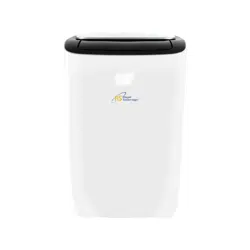
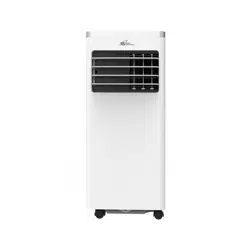
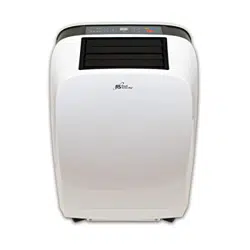
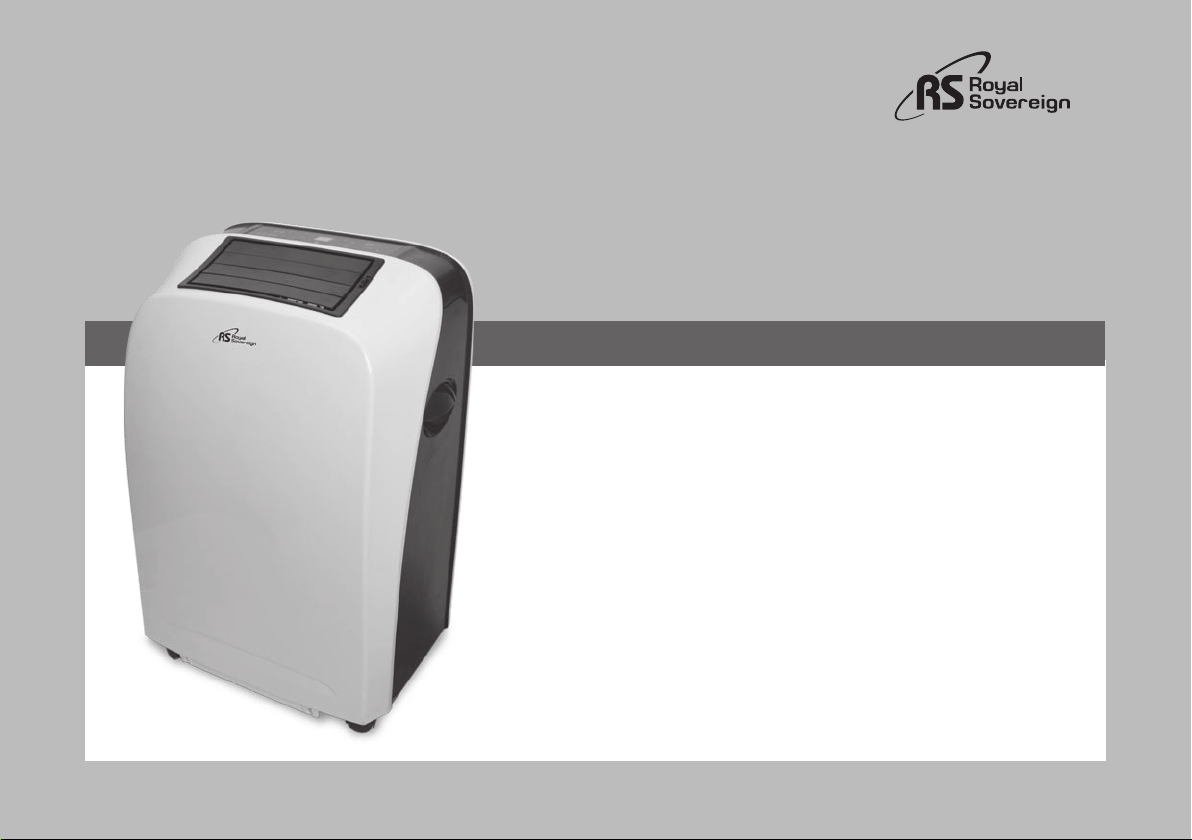
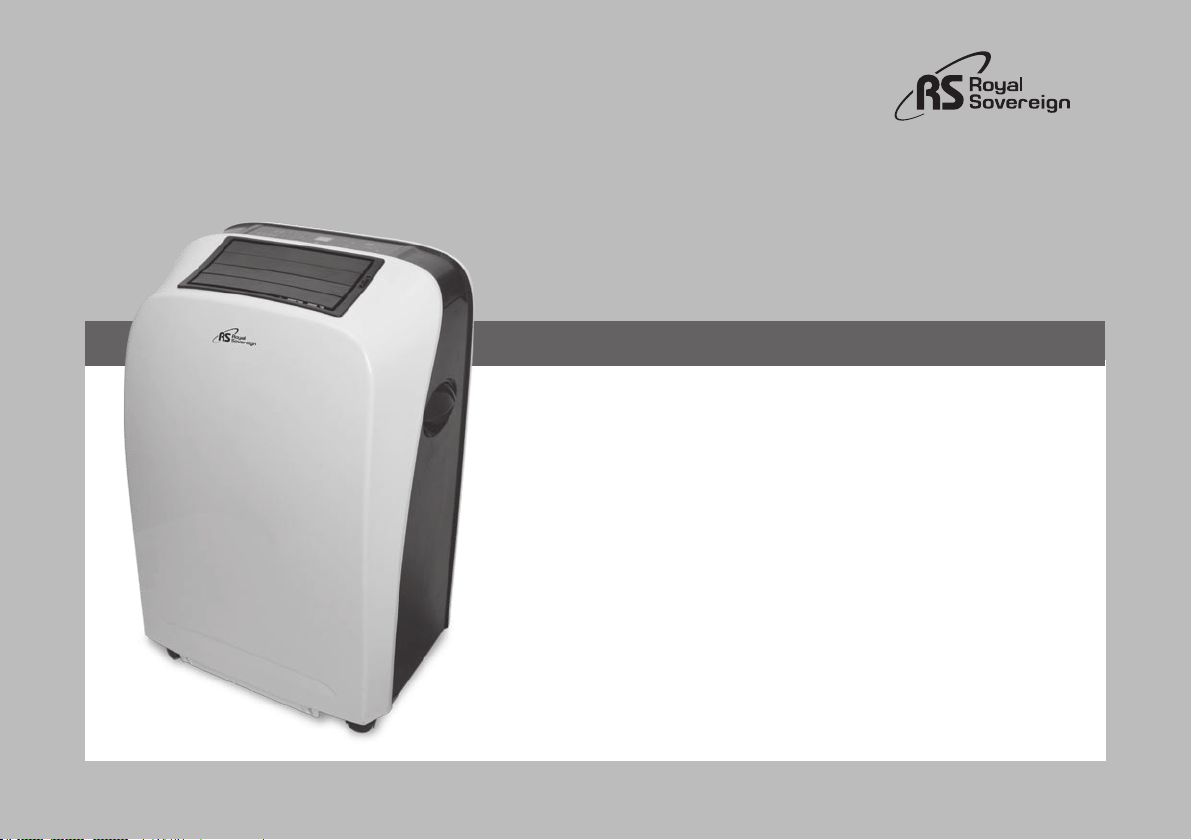
PORTABLE AIR CONDITIONER
ACONDICIONADOR DE AIRE PORTÁTIL
CONDITIONNEUR D' AIRE PORTABLE
Página en Español 17
Page en Français 33
Read and retain these instructions for future reference.
For any Customer Support needs, please choose the Support tab on
www.royalsovereign.com
ARP-9409 / ARP-9411
OWNER’S MANUAL
ARP-9409, ARP-9411

PORTABLE AIR CONDITIONER
ARP-9409, ARP-9411
INTRODUCTION
Thank you for choosing Royal Sovereign to provide you and your family with all of the “Home Comfort” requirements for your home, apartment,
or office. This Portable Air Conditioner can be set-up in just minutes and can be easily moved from room to room. It is a multi-functional room
air comfort system that offers you Air Conditioning, Dehumidification and Air Circulation modes. This manual will provide you with valuable
information necessary for the proper care and maintenance for your new appliance. Please take a few moments and read the instructions
thoroughly. If properly maintained, your appliance will give you many years of troublefree operation.
Page
Precautions for use 4
Identification of parts 5
Installation instructions 6~7
Operation 8~11
Maintenance 12
Troubleshooting 13
Specifications 14
Warranty 15
Contact information 16
Página en Español 17
CONTENTS
4
PRECAUTIONS FOR USE
Electrical Specifications and Power Cord
Check to ensure that the electrical service being used is adequate for the model you’ve chosen. The electrical rating of your new air conditioner is
defined on the serial plate of the unit. Please refer to the rating when checking electrical requirements to ensure they meet the electrical codes of
your location.
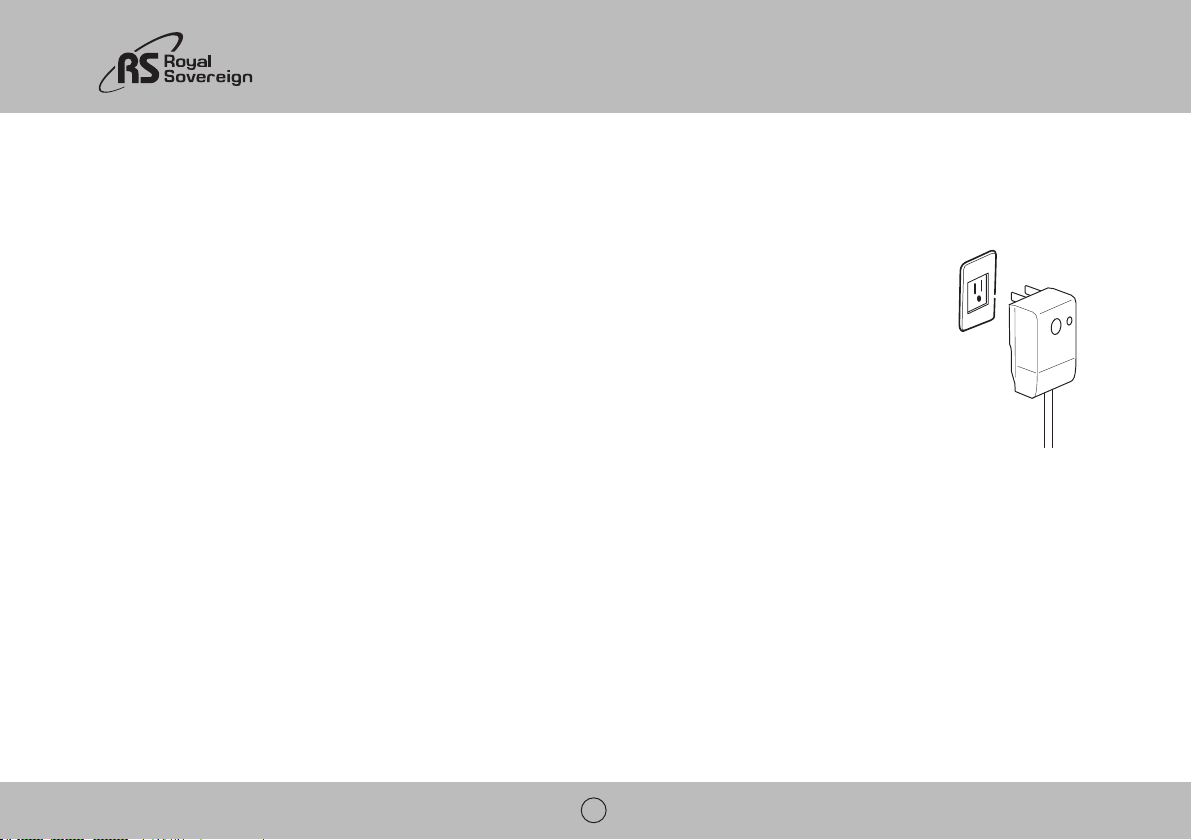
qualified electrician install the proper outlet.
• Do not use this unit with any extension cords or adapter plugs.
General Use
ARP-9409 / 9411
5
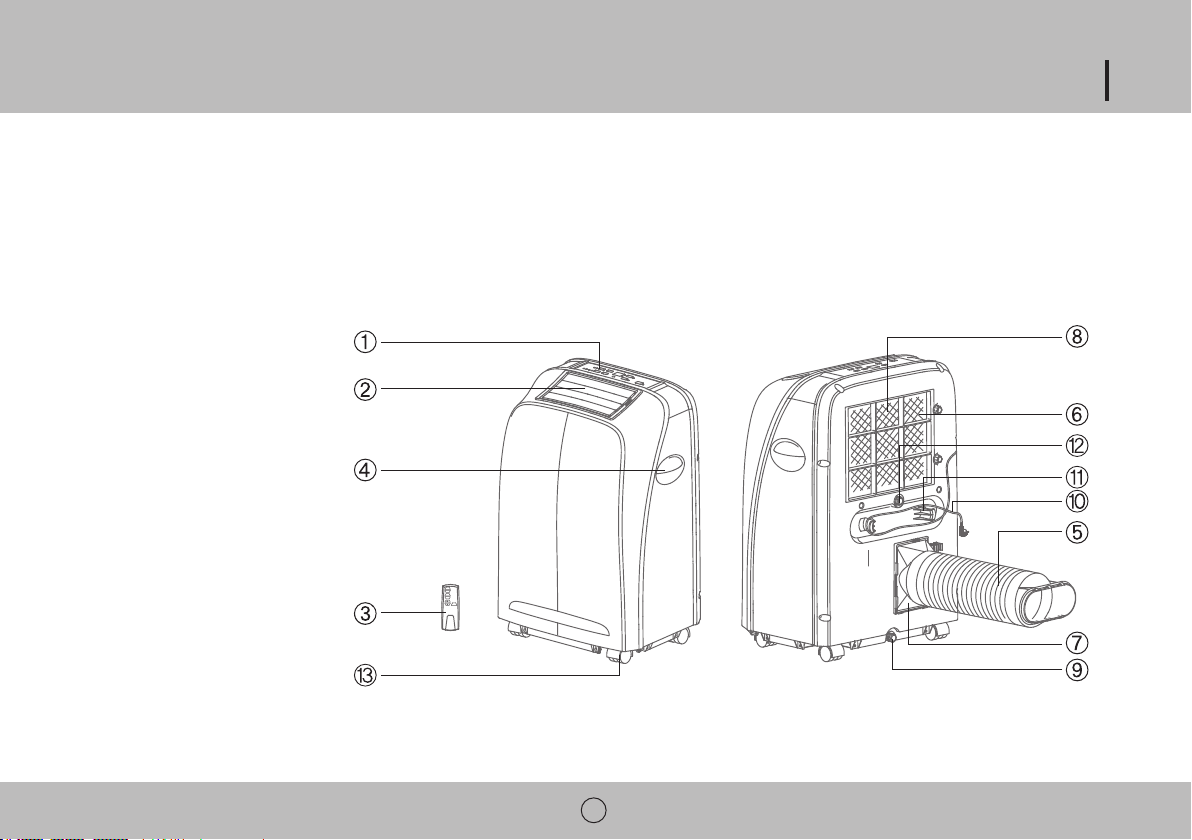
IDENTIFICATION OF PARTS
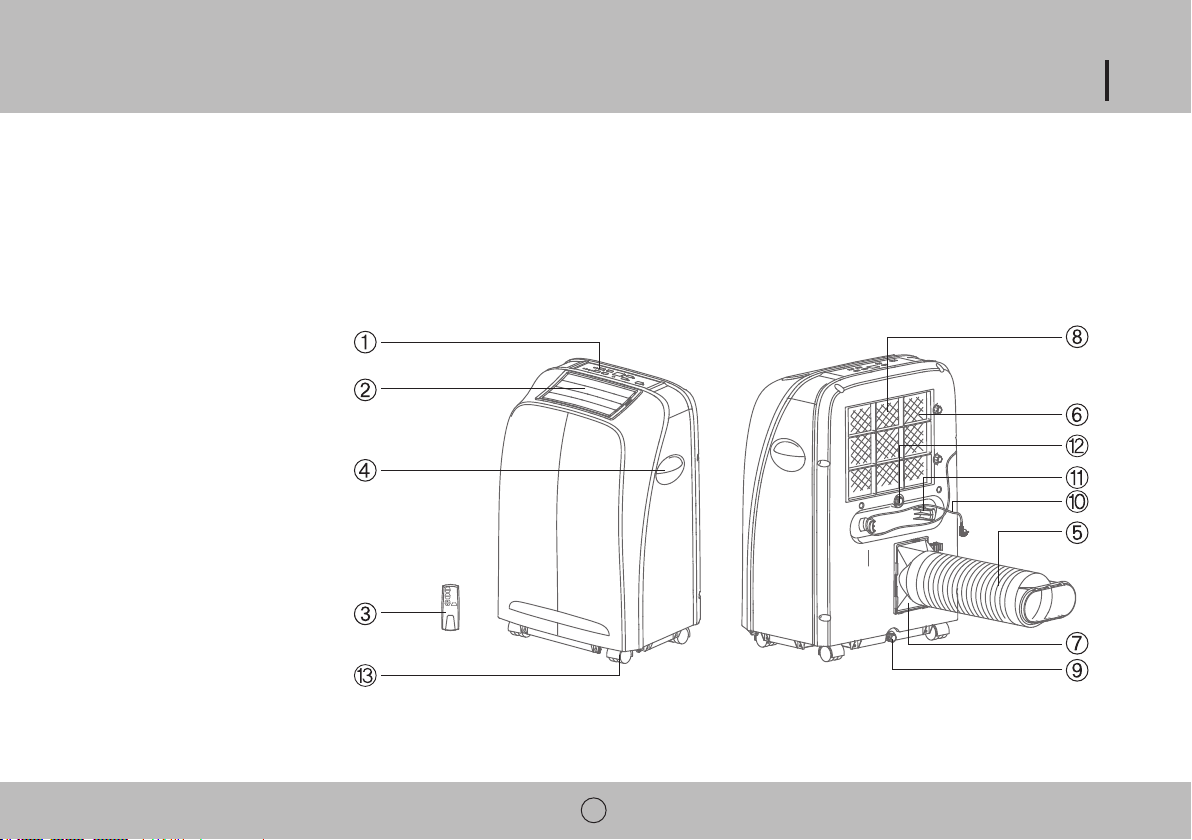
1. Control panel
2. Air outlet
3. Remote control
4. Handle
6. Air intake
8. Filter
9. Drain port
10. Power cord
11. Power cord hooks
12. Secondary drain port
13. Caster wheel
6
INSTALLATION
Unpack your New Portable Air Conditioner and let the machine stand upright for 2 hours before starting.
Unpack all parts listed below. If any parts are missing do not return this product to the place of purchase.
Please visit our website www.royalsovereign.com and click on the “Support” tab .
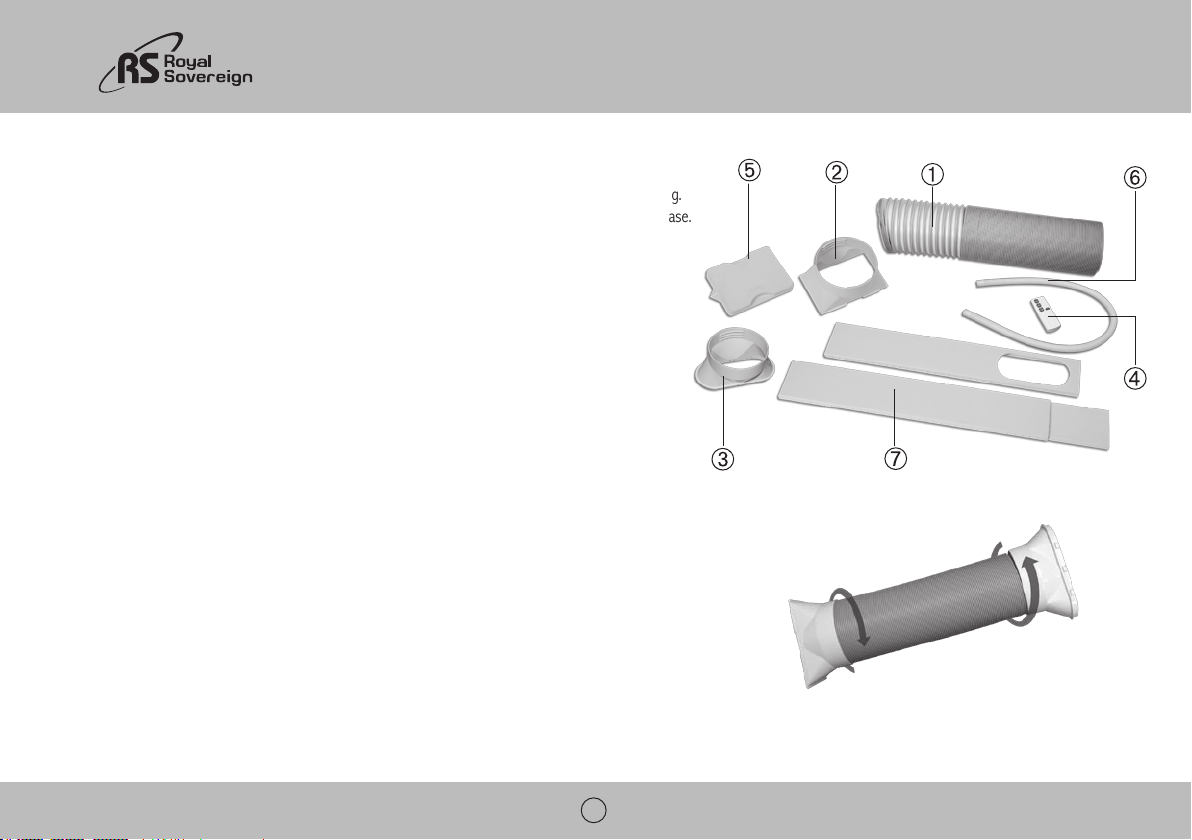
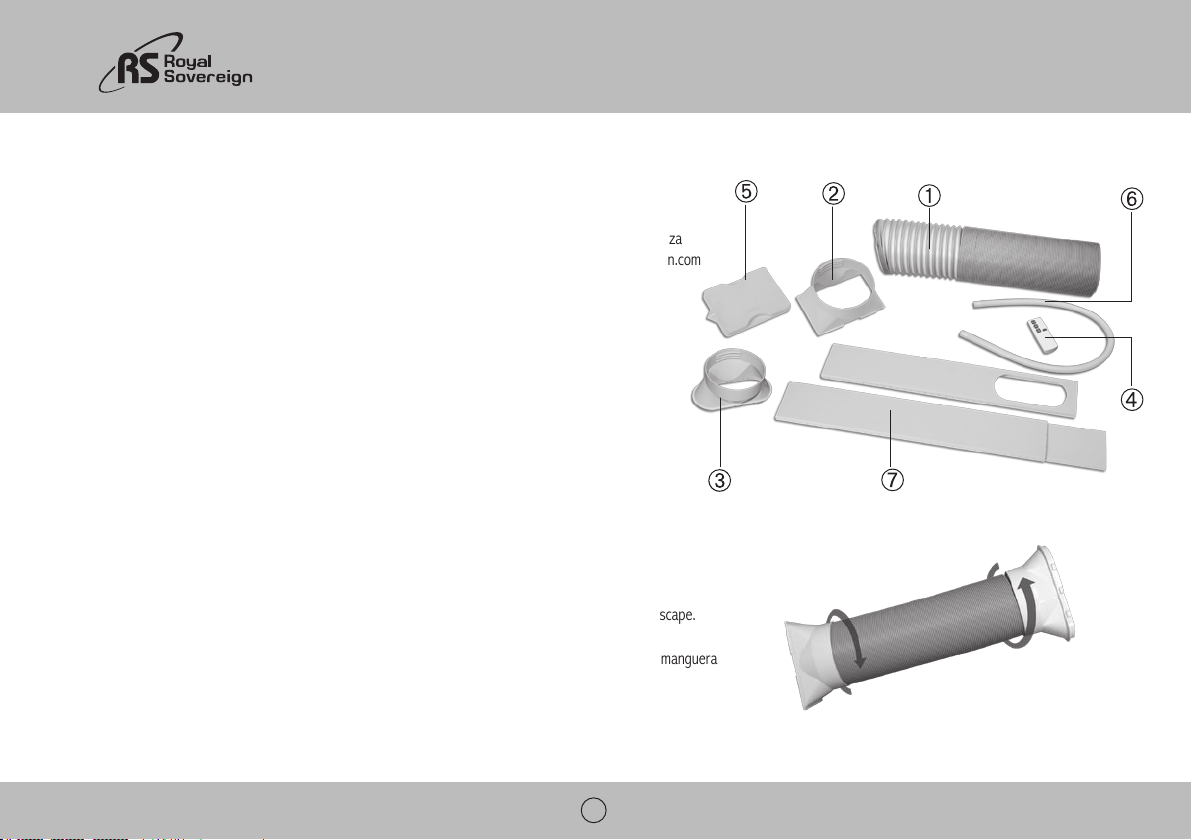
Accessories Include
2. Hose connector
3. Hose adapter
4. Remote control
5. Water tray
6. Drainage hose
7. Window slider
Part 1: Exhaust hose, connector and adapter
Fig 1.
ARP-9409 / 9411
7
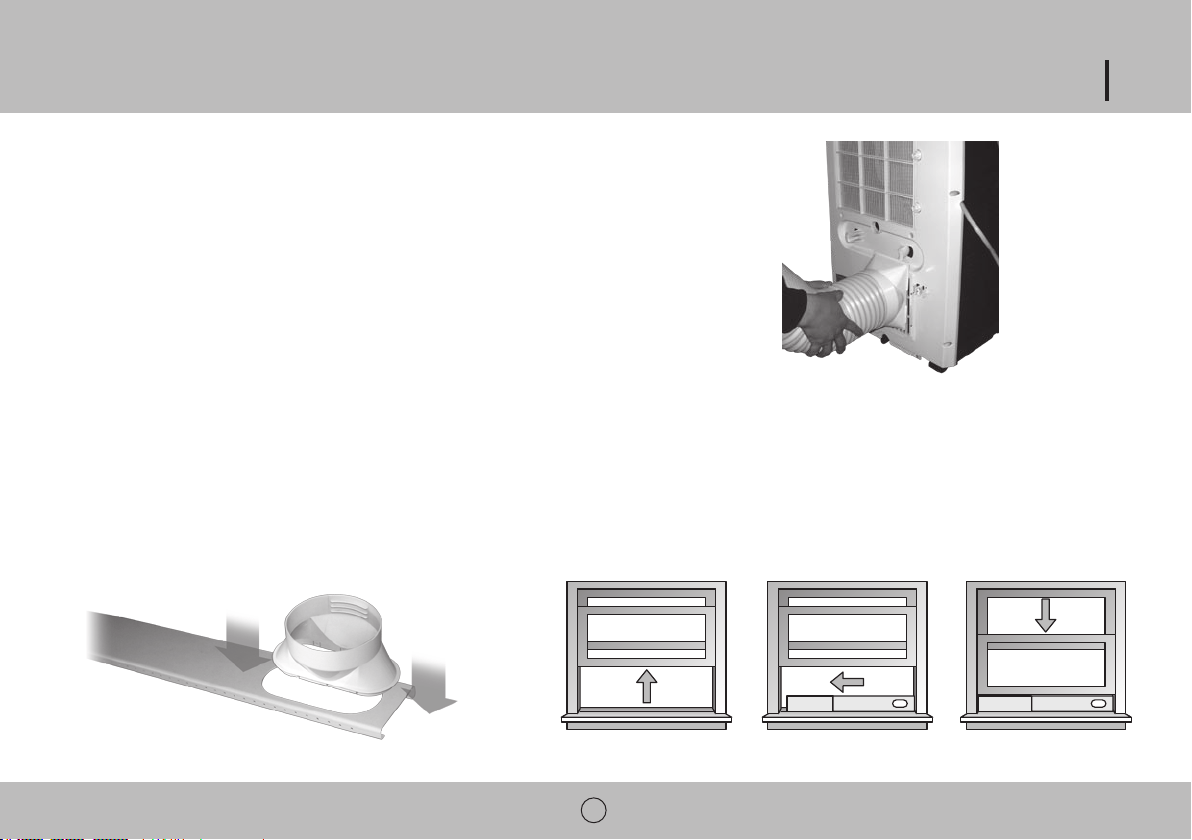
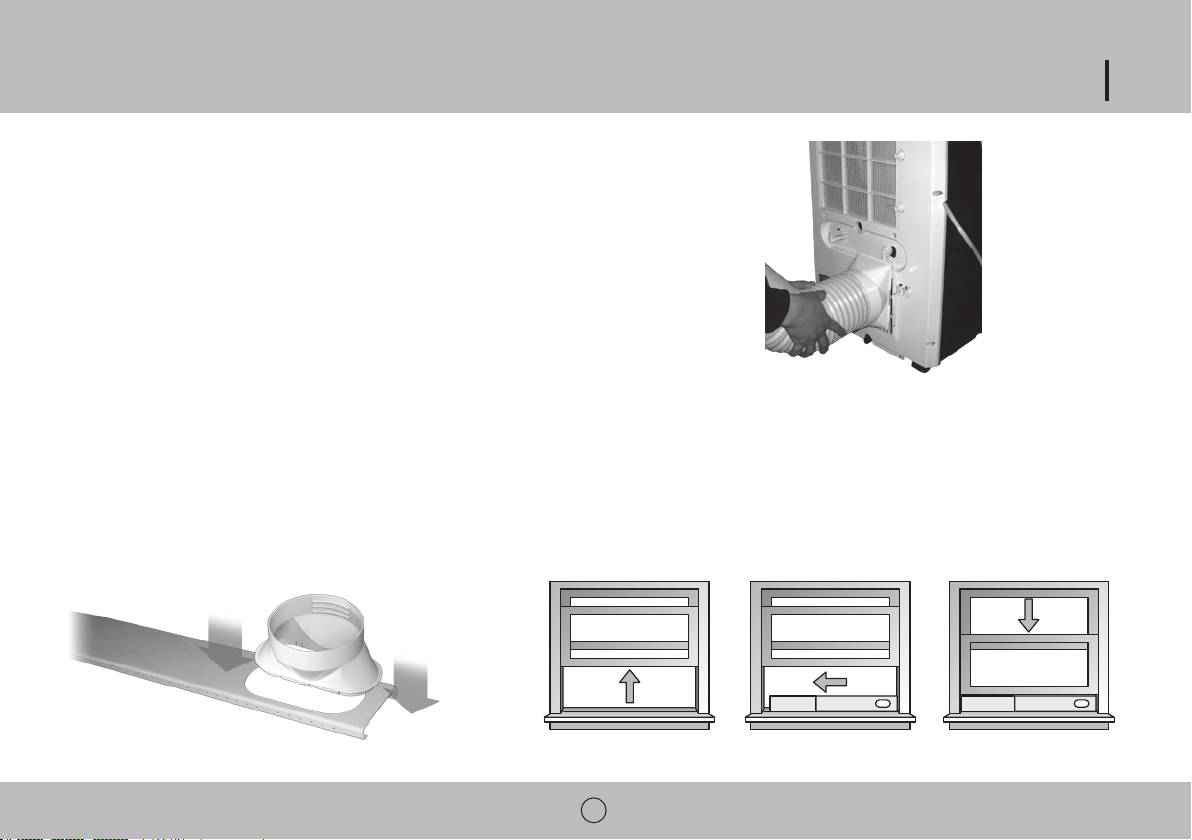
Part 2: Attaching exhaust hose
locking the connector in place.
Part 3: Installing window slider kit
1. Open the window and place the window slider on the inside edge of the window.
2. Adjust the window slider to the width of the window.
3. Insert a screw into the top of the window slider to secure it at the correct length.
outside.
6. Place window slider and hose into the edge of the window.
7. Close window to secure slider.
Fig 3.
Fig 4.
Fig 2.
8
OPERATION
Before Use
1. Press the RESET button on the power cord.
2. Plug cord into an electrical outlet.
3. Press the TEST button on the power cord. The RESET button should pop up.
4. Press the RESET button for use.
5. Do not use the air conditioner if the test fails. The green light on the power cord will turn on if the plug is working properly.
Note: If you turn the air conditioner off and immediately restart it, allow 3 minutes for the compressor to restart cooling.
In the event of a power failure, wait 3 minutes before restarting unit.
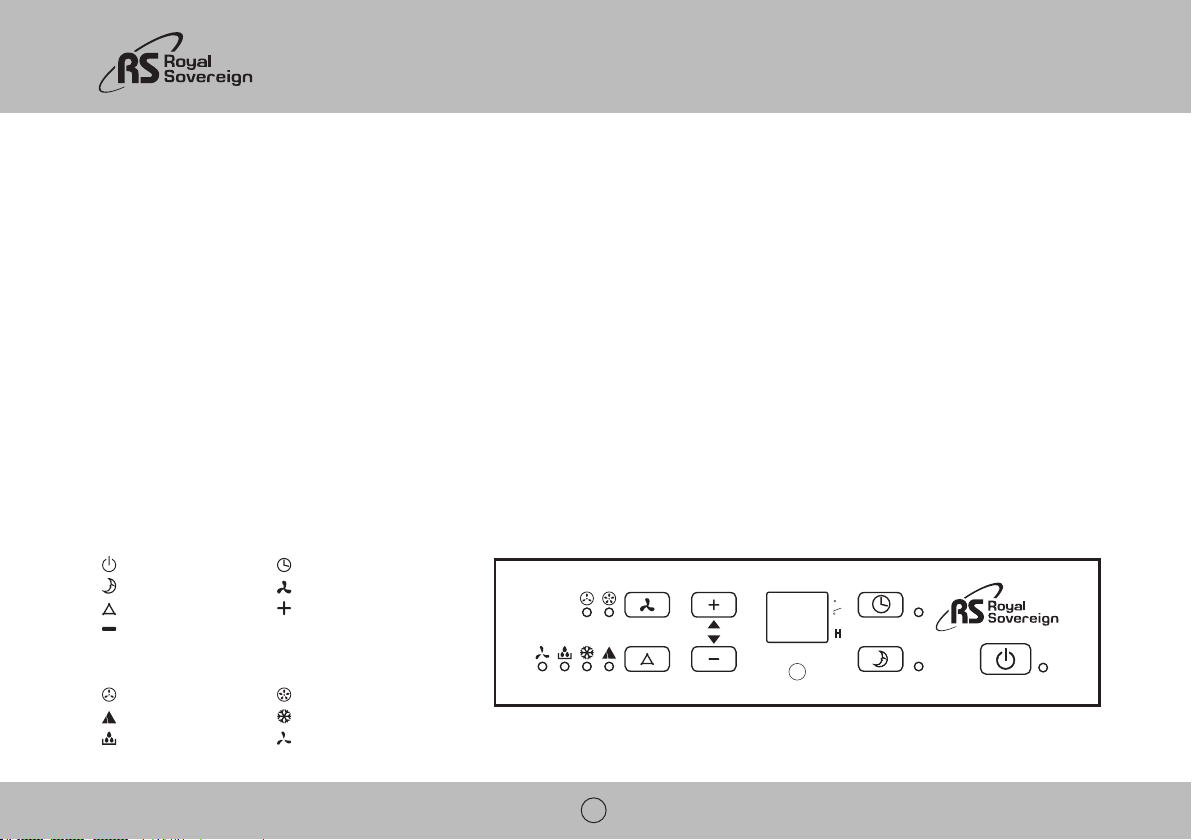
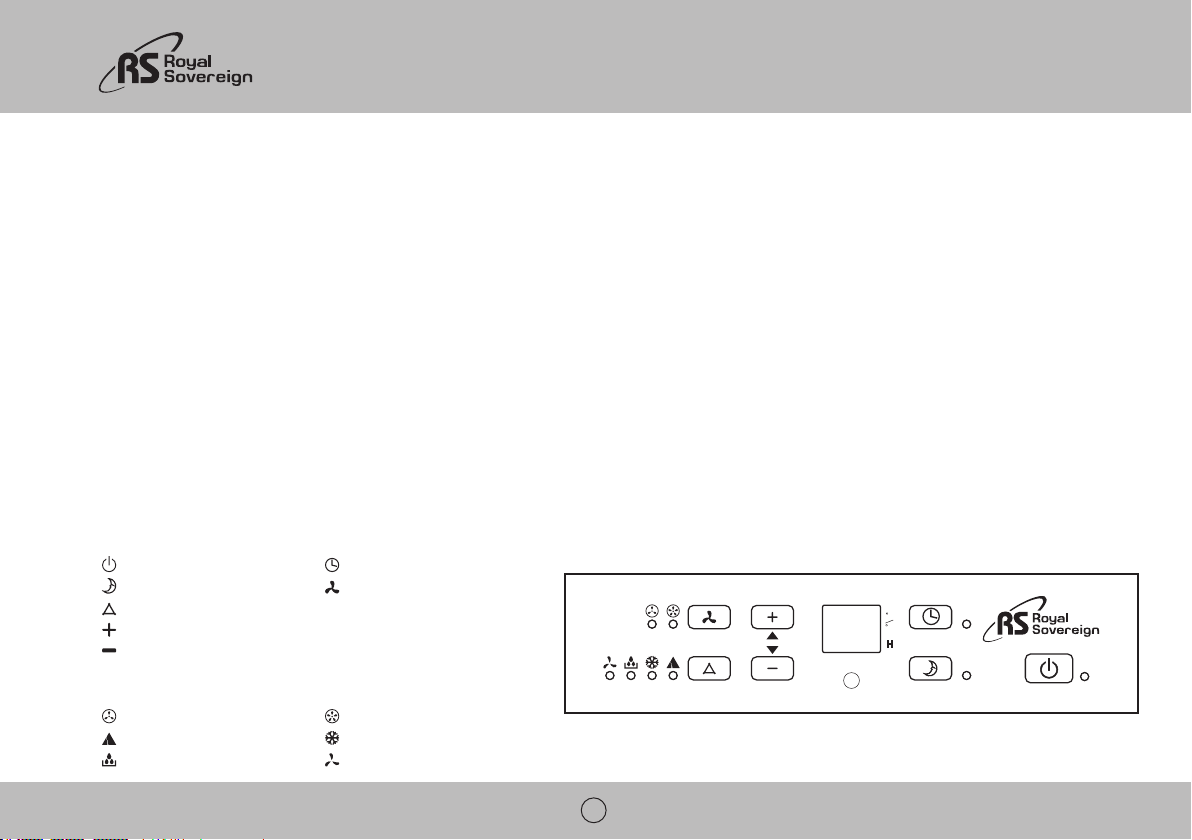
Control Panel
Buttons
Power button Timer button
Sleep mode button Fan speed button
Mode button Temperature / Timer up button
Temperature / Timer down button
Indicator Lights
Low fan speed High fan speed
Automatic mode Cool mode
Dehumidify mode Fan only mode
C
F
H
ARP-9409 / 9411
9
Control Panel Operation
Automatic, Cool, Dehumidify, Fan Only Mode Operation
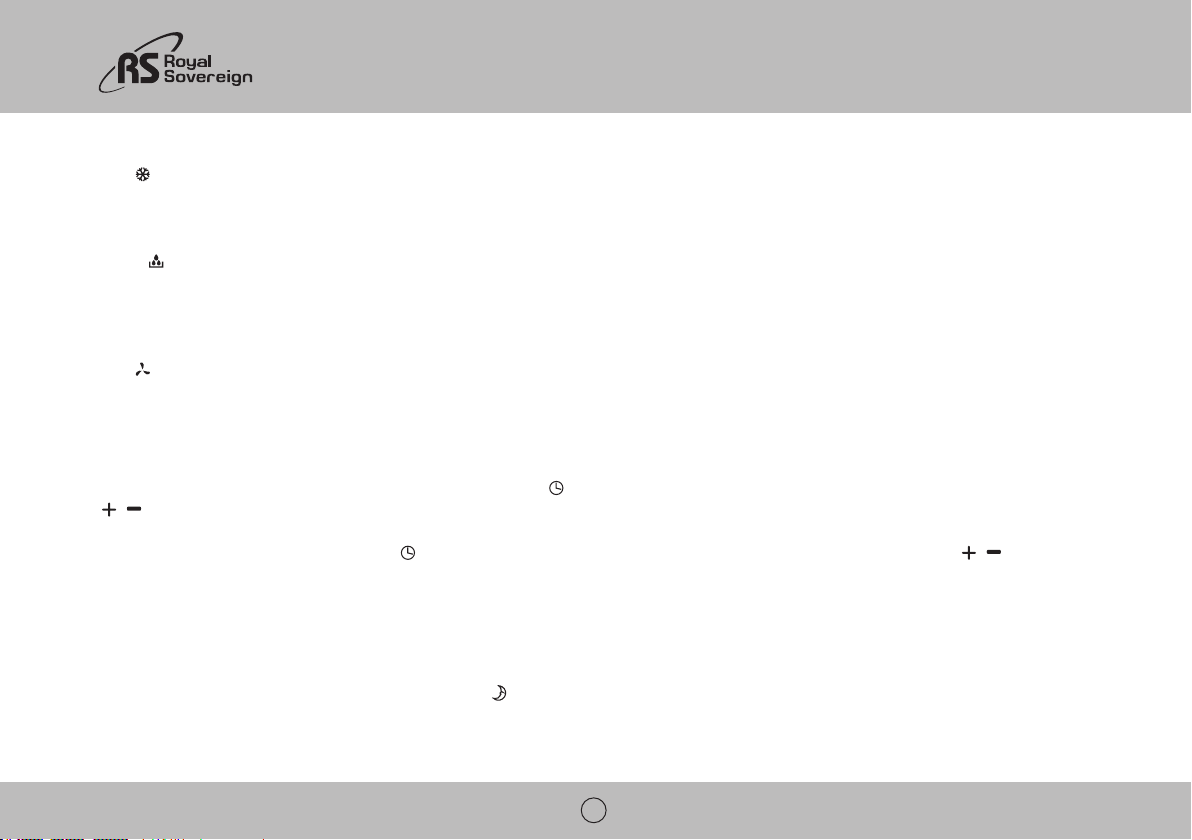
1. Turn the unit on
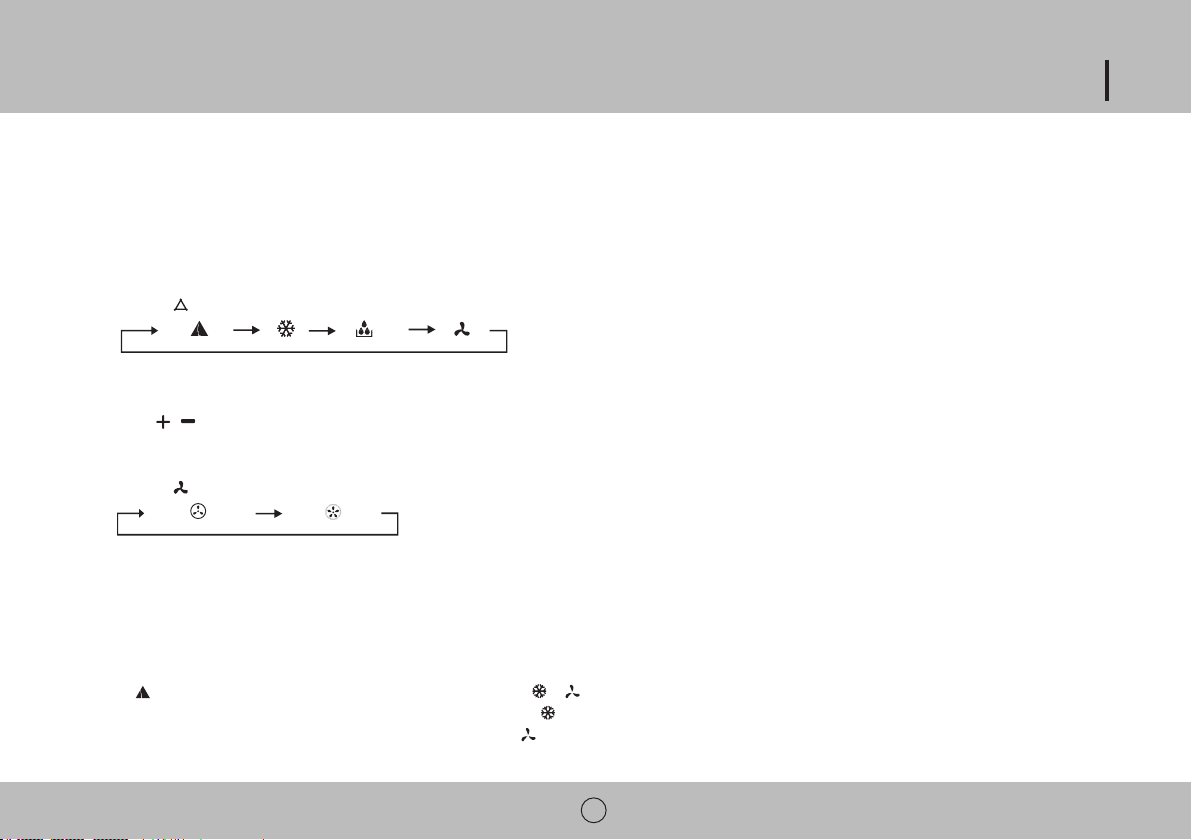
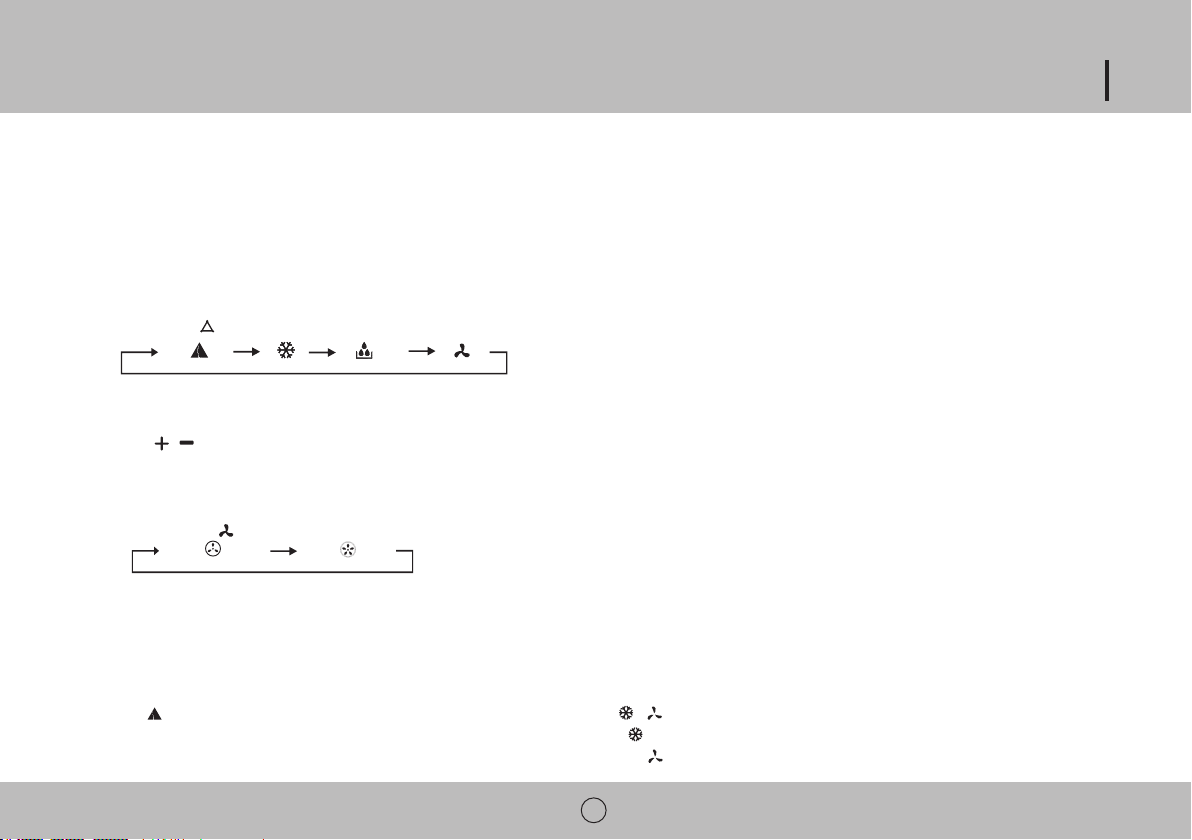
2. Select operating mode
Press the
3. Adjust temperature
The temperature can be set within a range of 59°F to 87°F by 1 °F intervals.
Press
, to increase or decrease the temperature. The LED display will flash the desired temperature for 5 seconds then display the current room temperature.
4. Adjust fan speed
Press the
button to select desired fan speed.
5. Power down
Press the power button again to turn the unit off.
Mode Descriptions
Automatic mode
When is selected the unit will automatically select the operation mode with or .
When room temperature is greater than 75 °F the unit will automatically select
mode.
When room temperature is less than 75 °F the unit will automatically select mode.
10
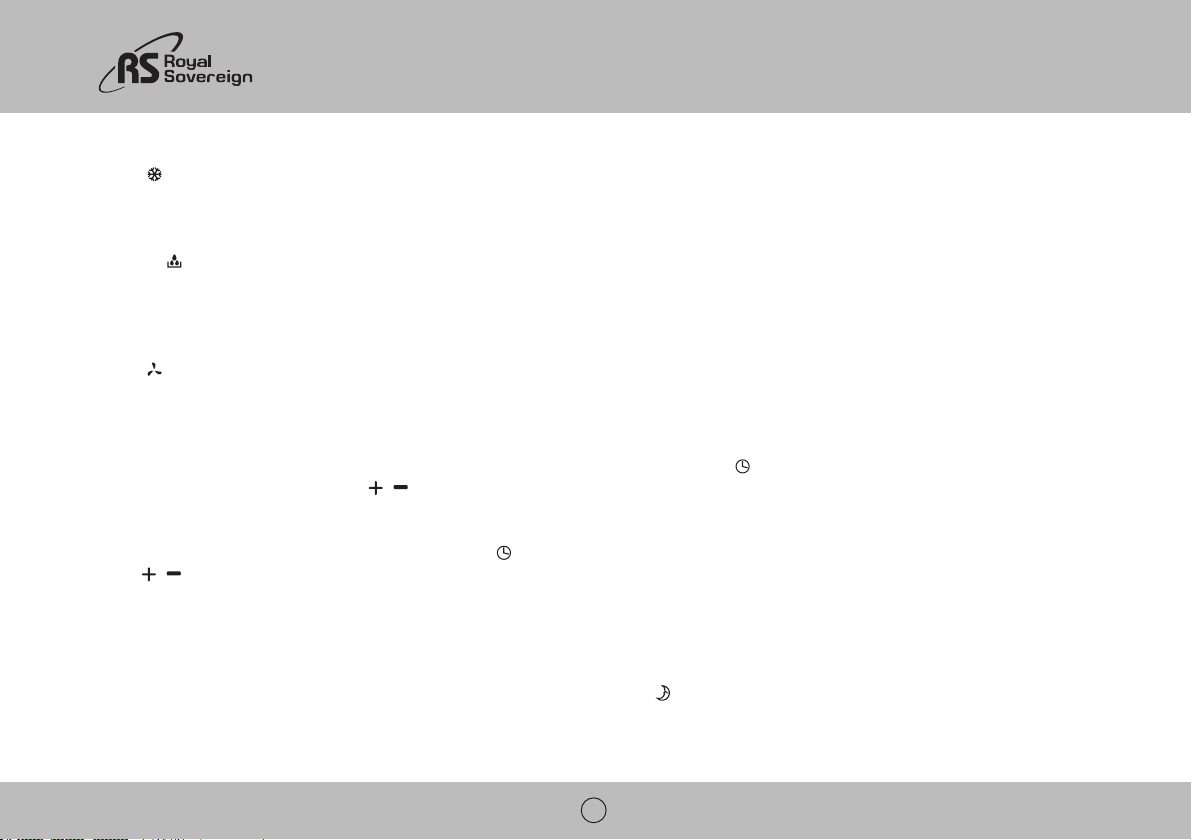
Cool mode
When mode is chosen the air conditioner will run when the room temperature is higher than the set temperature.
When the room temperature is lower than the set temperature only the fan will run.
Dehumidify mode
When in
mode then fan will run at low speed and cannot be adjusted.
Temperature cannot be adjusted during dehumidify mode.
The compressor will stop running after 8 minutes and will turn back on after 6 minutes and will continue to cycle on and off.
Fan mode
When
is selected the unit will only run the fan at low or high speed.
Temperature cannot be adjusted during fan mode.
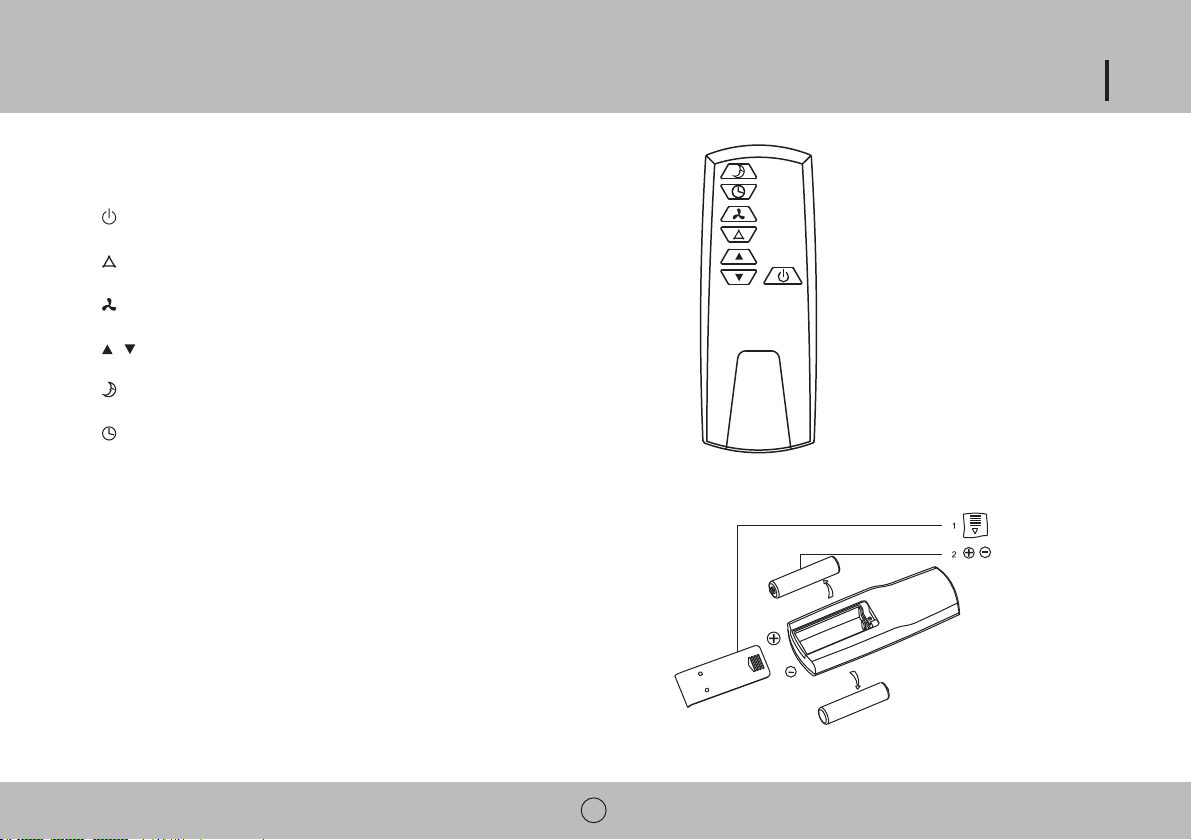
Timer Operation
The timer can be used to turn the unit off after a set amount of time, or to turn the unit on after a set amount of time.
To use the timer to turn the unit on: While air conditioner is off press the
,
timer is set. The unit will turn on after the set time has passed.
To use the timer to turn the unit off: Press the , buttons to adjust
the time up to 24 hours. The unit will shut down after the set time has passed.
Sleep Mode Operation
passed the unit will stop running.
To use sleep mode: Make sure the unit is in Cool mode. Press the
NOTE: The unit has a memory function, when the unit is turned off and back on the previous setting should remain intact. This function does not work when unit is left in Automatic
mode.
ARP-9409 / 9411
11
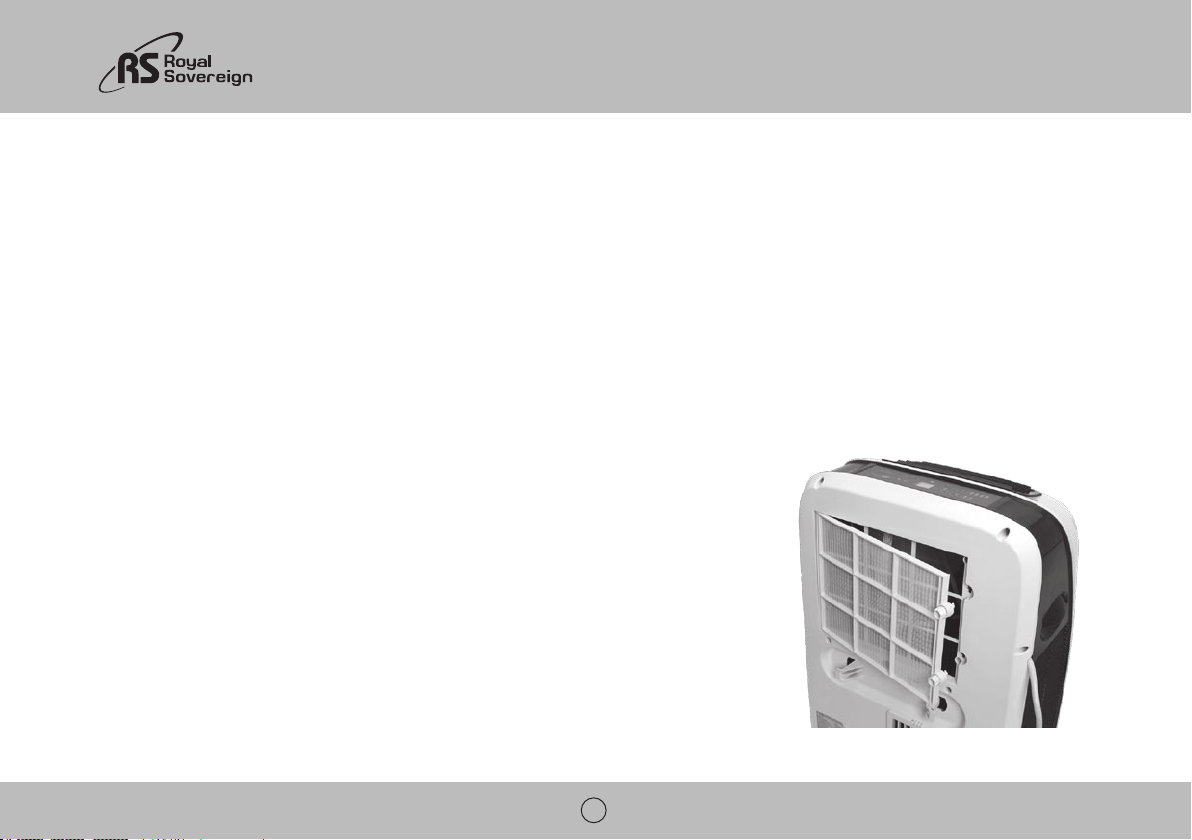
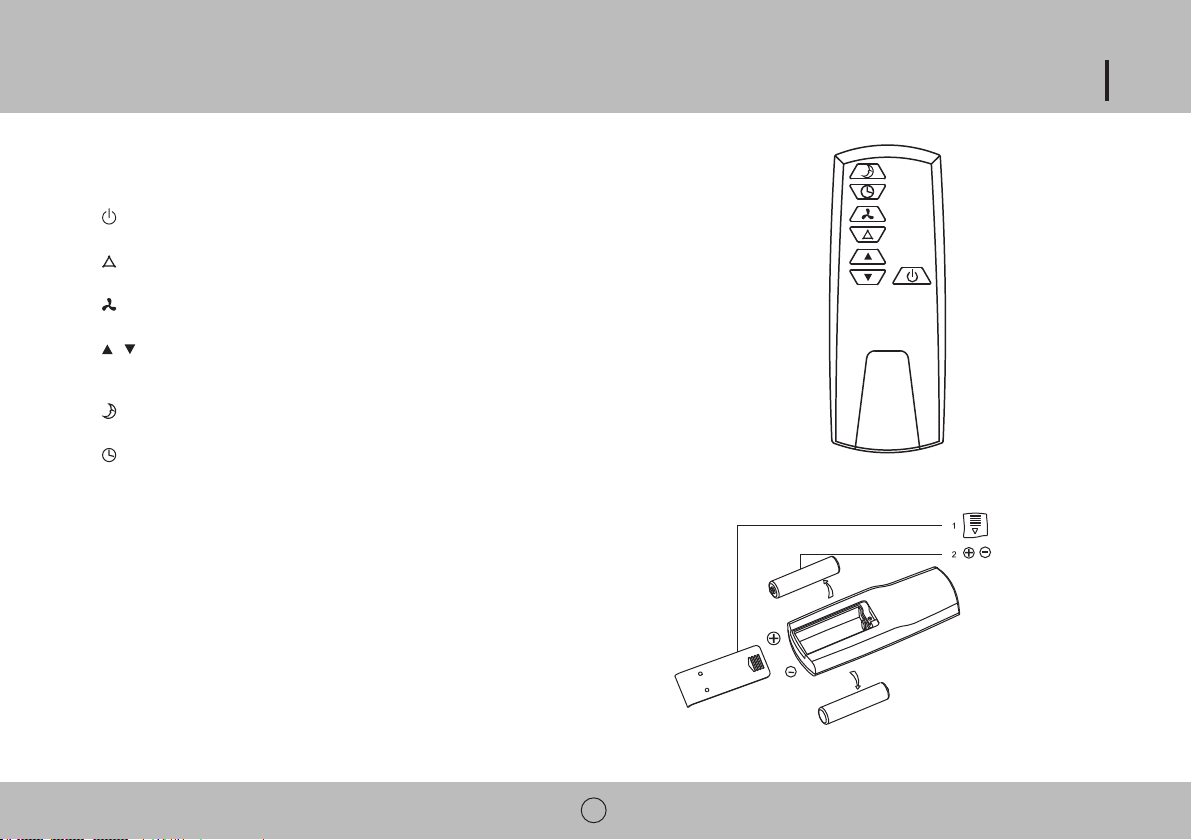
Remote Control
/
Remote Control Battery Installation
- The remote control uses two AAA batteries which have been included for your convenience.
- Remove the battery cover on back of the remote.
- Replace the battery cover.
NOTES:
-When replacing batteries, always change both batteries at the same time.
-Remove the batteries if the remote control is not used for a month or longer.
-Do not dispose of batteries in a fire.
12
MAINTENANCE
Drainage
Occasionally, you may need to drain the unit. The LED display will show E4 when draining is necessary.
To drain:
1. Turn off the power to the unit and unplug.
2. Place the water tray under the drainage port to collect water.
3. Remove the rubber drainage plug.
4. Replace the plug, when drainage water stops flowing.
For continuous drainage into a floor drain:
1. Turn off the power to the unit and unplug.
2. Remove the rubber drainage plug from the secondary drainage port.
3. Attach the drainage hose to the secondary port.
4. Place other end of drainage hose into a floor drain.
5. Replace the rubber drainage plug after operation to prevent leaks.
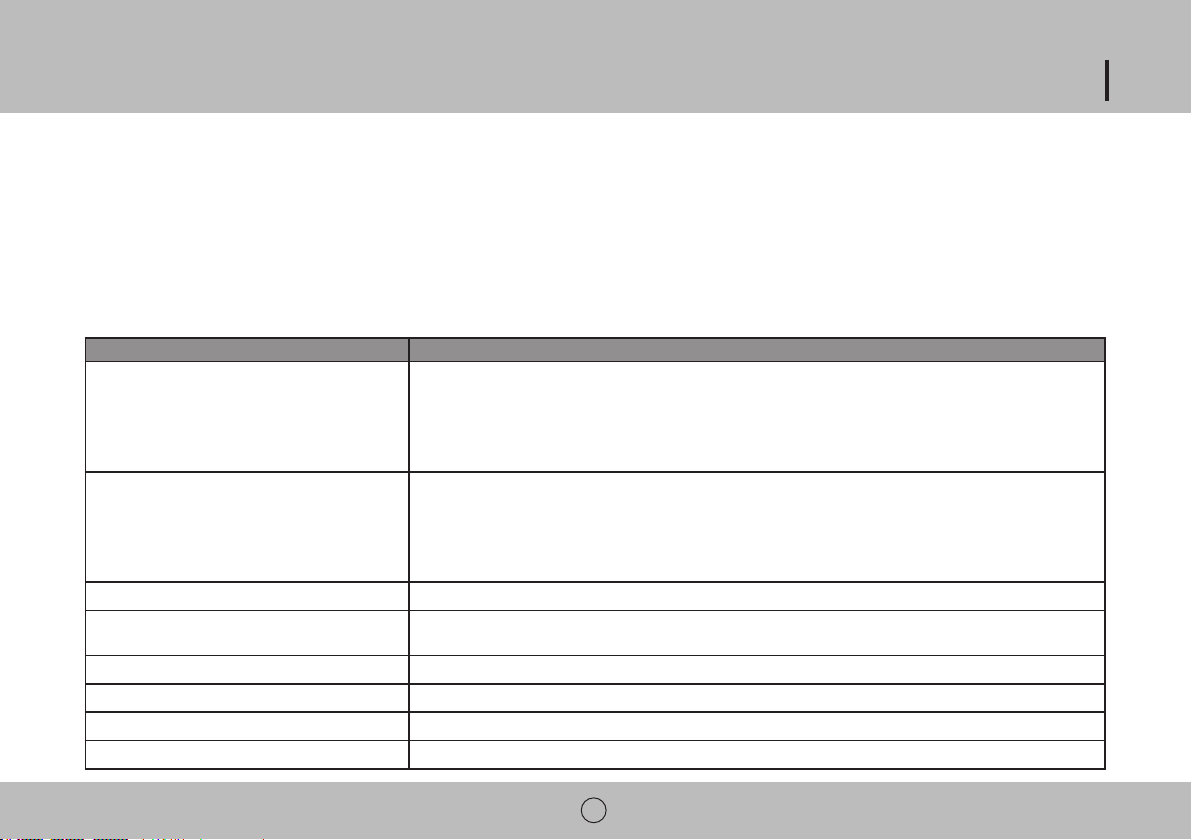
Cleaning the filter
The filter should be cleaned about every 2 weeks to maintain proper airflow.
1. Turn off the power to the unit.
2. Locate the 2 filter knobs on the back of the unit.
3. Twist both knobs counter clockwise to unlock the filter and remove the knobs.
4. Remove the filter.
5. Filter can be cleaned by a vacuum or soft cloth. If the filter is very dirty it can be washed with a mild
detergent and rinsed with water. Make sure filter is dry before replacement.
6 . Replace filter and knobs and turn knobs clockwise to the lock position.
NOTE: Never run the unit without the filter in. The could damage the unit.
Cleaning the unit
1. Turn off the power to the unit and unplug.
2. Wipe down unit with a soft, dry, or damp cloth. A mild detergent can be used.
ARP-9409 / 9411
13
3. Never use a volatile substance such a gasoline or abrasive cleaners.
4. Do not splash water onto the unit.
Storing the air conditioner
If the unit will not be used for a long time, be sure to drain the air conditioner, clean the air filter, pull out the power supply plug and wrap around power cord hooks, and remove the
batteries from the remote control before storage. After draining, keep the air conditioner running on FAN mode for at least 8 hours to dry the unit completely to prevent mold.
TROUBLESHOOTING
Problem Possible Reasons
Air Conditioner does not operate
- Check and reset the power plug. Wait 3 minutes and try to run the unit again.
- The batteries in the remote may need to be replaced. Replace the batteries and try to run the unit again.
- Make sure the plug is properly plugged into the outlet.
- The set temperature may be too close to room temperature. Lower the set temperature.
- The air outlet may be blocked. Check the air outlet and remove any items that may be found.
Air Conditioner runs but does not cool
- Check the room for open doors or windows and close them.
- There may be another appliance in the room giving off heat. Check the room and turn off the appliance.
- The air filter may be dirty. Check the filter and clean if necessary.
- The set temperature may be too high. Check the set temperature and reduce it if necessary.
Air Conditioner does not run and LED shows E4
Water is leaking from the unit
- Make sure unit is on a flat surface
- Drain the unit.
Machine automatically turns off - Timer may have been set to shut off. Turn power back on.
LED display shows E4 - Water full. Drain the unit.
LED display shows E2 - Temperature sensor error
LED display shows E3 - Evaporator error
14
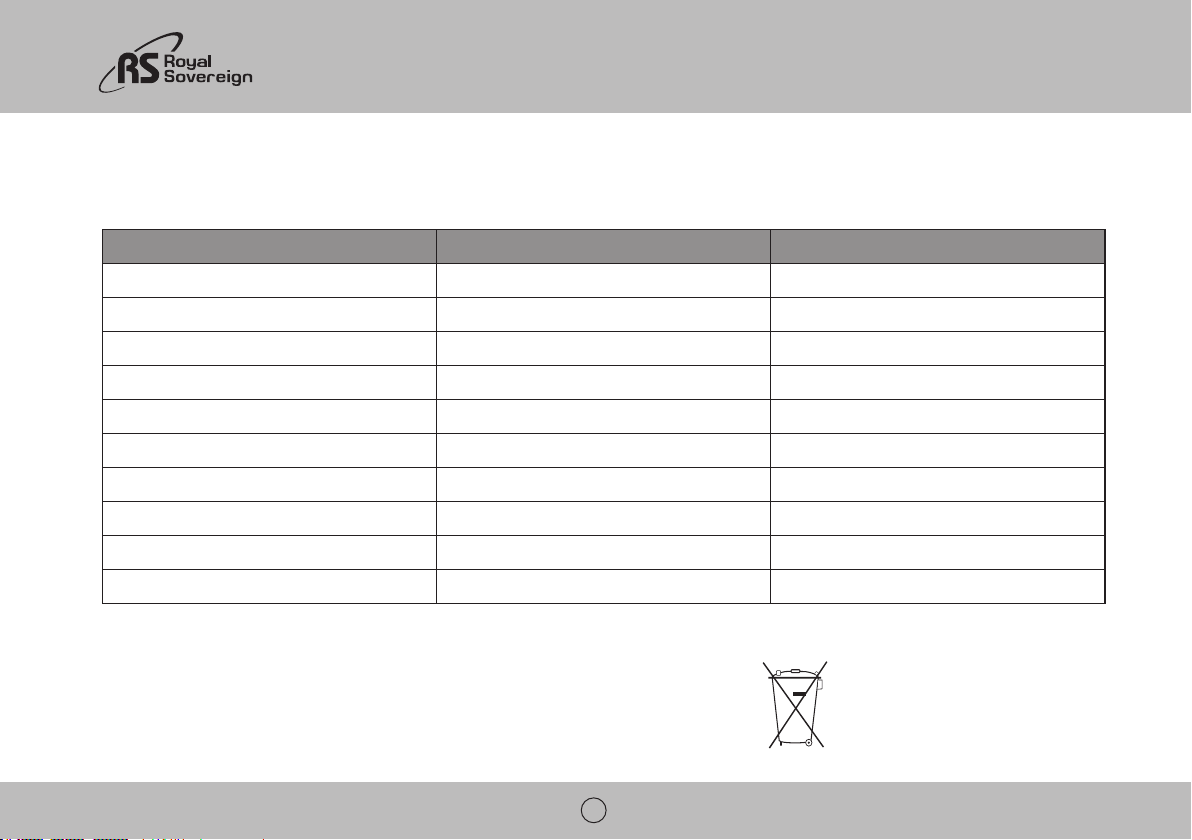
SPECIFICATIONS
- Figures noted in the contents are for reference only; variation may result due to the application in different countries or regions, and shall be based on practical operation.
“Electrical waste products should not be disposed of with household waste.
Model ARP-9409 ARP-9411
Cooling Capacity 9,000 BTU / 2600W 11,000 BTU/ 3200W
Dehumidifying Capacity 1.9 pints / h / .9L/h 2.3 pints/ h / 1.1 L/h
Standard Cooling Input Power / Current 860 W / 7.7 A 1130 W / 10 A
340 m
2
/h 340 m
2
/h
Sound Pressure Level
Net Weight 53 lbs / 24 kg 59.5 / 27 kg
Unit Dimensions
Packaging Dimensions
Refrigerant R410A R410A
ARP-9409 / 9411
15
FULL ONE YEAR WARRANTY
Royal Sovereign warrants each Portable Air Conditioner to be free from defects in material and workmanship. Our obligation under this warranty is limited to the repair or
in effect to the original purchaser, for a period of one year from the date of purchase and is not transferable. This warranty shall apply only if the air conditioner is used on
LIMITED FIVE YEAR WARRANTY (COMPRESSOR)
For a period of five years from the date of purchase, when this Royal Sovereign Portable Air Conditioner is operated and maintained according to the instruction manual provided
material. If repair becomes necessary, please contact our customer service center. You will be responsible for all freight, insurance, and any other transportation charges to get the
unit to our factory or service center. If shipping is required, be sure to pack the unit properly to avoid shipping damages, as we will not be responsible for such damages.
EXCLUSIONS
centers, mishandling, improper installation, modification or unreasonable use including incorrect voltage, acts of God, or failure to provide reasonable and necessary maintenance.
rights which vary from state to state.
ROYAL SOVEREIGN INTERNATIONAL, INC.
ROYAL SOVEREIGN INC.
1001, World Meridian II, 426-5, Gasan-dong, Geumcheon-gu, Seoul, 153-759, KOREA
RS INTERNATIONAL AUSTRALIA PTY. LTD.
30 Prime Drive, Seven Hills, NSW 2147, AUSTRALIA
RS CANADA INC.
1025 Westport Crescent, Mississauga On L5T 1E8 CANADA
RS Holland B.V.
Industrieweg 6K, 4104AR, Culemborg, The Netherlands
Royal Sovereign International, Inc
SPANISH
PORTÁTIL DE AIRE ACONDICIONADO
Lea y conserve estas instrucciones para referencia futura.
Para cualquier asistencia al cliente las necesidades,
por favor, seleccione la pestaña de soporte en www.royalsovereign.com
ARP-9409 / ARP-9411
MANUAL DEL USUARIO
ARP-9409, ARP-9411

PORTÁTIL DE AIRE ACONDICIONADO
ARP-9409, ARP-9411
INTRODUCCIÓN
apartamento u oficina. Este acondicionador de aire portátil puede ser puesta en marcha en cuestión de minutos y se pueden mover fácilmente
de una habitación a otra. Es un aire multi-funcional sala de sistema de confort que le ofrece aire acondicionado, deshumidificación y los modos
de circulación de aire. Este manual le proporcionará valiosa información necesaria para el cuidado y mantenimiento para su nuevo aparato. Por
favor, tómese unos minutos y lea las instrucciones cuidadosamente. Si el mantenimiento adecuado, el aparato le dará muchos años de operación
libre de problemas.
Page
Precauciones para el uso 20
Identificación de las partes 21
Las instrucciones de instalación 22~23
Operación 24~27
Mantenimiento 28
Solución de problemas 29
Especificaciones 30
Garantía 31
Información de contacto 32
ÍNDICE

20
PRECAUCIONES PARA EL USO
Especificaciones eléctricas y cable de alimentación
cumplen los códigos eléctricos de su ubicación.
circuito, usted debe tener un electricista calificado instale un tomacorriente adecuado.
• No utilice esta unidad con todos los cables de extensión o adaptador de enchufe.
Uso General
ARP-9409 / 9411
21
IDENTIFICACIÓN DE LAS PARTES
1. Panel de control
2. Salida de aire
3. Mando a distancia
4. Manejar
5. Tubo de escape
6. Toma de aire
7. Salida de escape
8. Filtro
9. Drenaje del puerto
10. Cable de alimentación
11. Cable de alimentación ganchos
12. Orificio de drenaje secundario
13. Rueda del echador
22
INSTALACIÓN
Desempaque su nuevo acondicionador de aire portátil y dejar la máquina en posición vertical durante
no devuelva este producto al lugar de compra. Por favor visite nuestra página web www.royalsovereign.com
Accessories Include
1. Tubo de escape
2. Conector de la manguera
3. Adaptador de manguera
4. Mando a distancia
5. Bandeja para el agua
6. Manguera de drenaje
6. Manguera de drenaje
Parte 1: la manguera de escape, conector y adaptador
de escape.
Fig 1.
ARP-9409 / 9411
23
Parte 2: Colocación de tubo de escape
1. Sostenga el tubo de escape paralelo al piso con el conector de la manguera colocada arriba y abajo
2. Alinee el conector de la manguera por encima de las pestañas en la salida de escape.
Deslice el conector hacia abajo en las lengüetas de fijación del conector en su lugar.
Parte 3: Instalación de ventana deslizante kit
3. Inserte un tornillo en la parte superior de la corredera ventana para asegurarlo en la longitud correcta.
6. Lugar regulador y la manguera de la ventana en el borde de la ventana.
Fig 3.
Fig 4.
Fig 2.
24
OPERACIÓN
Antes del uso
1. Pulse el botón RESET en el cable de alimentación.
2. Conecte el cable a una toma de corriente.
3. Pulse el botón TEST en el cable de alimentación. El botón RESET debe saltar.
4. Pulse el botón RESET para su uso.
NOTA: Si usted apaga el acondicionador de aire y de inmediato lo reinicie, espere 3 minutos para que el compresor reanude el enfriamiento. En el caso de un fallo de alimentación,
espere 3 minutos antes de reiniciar la unidad.
Panel de control
Botones
Botón de encendido
Botón de modo de sueño Botón de la velocidad del ventilador
Botón de modo
Luces indicadoras
Baja la velocidad del ventilador Alta velocidad del ventilador
Modo automático Modo de refrigeración
El modo de deshumidificación
C
F
H
ARP-9409 / 9411
25
Operación del Control Panel
Automática, fresco, deshumidificación, la Operación de los admiradores Sólo en el modo
1. Encienda la unidad
encenderá.
2. Seleccione el modo de funcionamiento
Pulse el botón
3. Ajuste la temperatura
La temperatura se puede ajustar dentro de un rango de 59 °F a 87 °F por intervalos de 1 °F.
Pulse , para aumentar o disminuir la temperatura. La pantalla LED mostrará la temperatura deseada durante 5 segundos y luego mostrar la temperatura ambiente
actual.
4. Ajuste la velocidad del ventilador
Presione el botón
para seleccionar la velocidad deseada del ventilador.
5. Apague
Modo Descripciones
Modo automático
Cuando
se selecciona la unidad seleccionará automáticamente el modo de operación con o .
Cuando la temperatura ambiente es superior a 75 °F la unidad seleccionará automáticamente de modo.
Cuando la temperatura ambiente sea inferior al 75 °F de la unidad seleccionará automáticamente de modo.
26
Modo de refrigeración
Cuando se elige el modo de aire acondicionado se ejecutará cuando la temperatura ambiente es superior a la temperatura programada.
Cuando la temperatura ambiente es inferior a la temperatura programada sólo el ventilador funcionará.
El modo de deshumidificación
En caso de
el modo de continuación, ventilador funciona a baja velocidad y no se pueden ajustar.
La temperatura no puede ajustarse durante el modo de deshumidificación.
El compresor deja de funcionar después de 8 minutos y se volverá a encender al cabo de 6 minutos y seguirá ciclo de encendido y apagado.
Ventilador de modo
Cuando
se selecciona la unidad sólo se ejecutará el ventilador a velocidad baja o alta.
La temperatura no puede ajustarse durante el modo de ventilador.
Funcionamiento del temporizador
mostrará en la pantalla LED. Presione el botón , para ajustar el tiempo hasta 24 horas. También puede pre-seleccionar el modo y la velocidad del ventilador mientras que la
hora fijada ya ha pasado.
botón , para ajustar el tiempo hasta 24 horas. La unidad se apagará después de la hora fijada ya ha pasado.
El sueño del modo de funcionamiento
Modo de suspensión sólo puede funcionar cuando la unidad está en modo frío. Cuando está en modo de reposo la temperatura programada una F después de una hora y 2 °F
después de dos horas. Después de seis horas han pasado la unidad dejará de funcionar.
NOTA: La unidad tiene una función de memoria, cuando la unidad esté apagada y volver a la configuración anterior debe permanecer intacto. Esta función no funciona cuando la
unidad se deja en el modo automático.
ARP-9409 / 9411
27
Control Remoto
/
Mando a distancia Instalación de las pilas
- Retire la tapa de la batería en la parte posterior del mando a distancia.
NOTAS:
-Al cambiar las pilas, siempre cambie ambas baterías al mismo tiempo.
-No arroje las baterías al fuego.
28
MANTENIMIENTO
Drenaje
Para drenar:
1. Apague la alimentación de la unidad y desenchufe.
2. Coloque la bandeja de agua en el puerto de drenaje para recoger el agua.
3. Retire el tapón de drenaje de goma.
Para el drenaje continuo en un desagüe de piso:
1. Apague la alimentación de la unidad y desenchufe.
3. Conecte la manguera de drenaje para el puerto secundario.
Limpieza del filtro
El filtro debe ser limpiado cada 2 semanas para mantener el flujo de aire apropiado.
1. Apague la alimentación de la unidad.
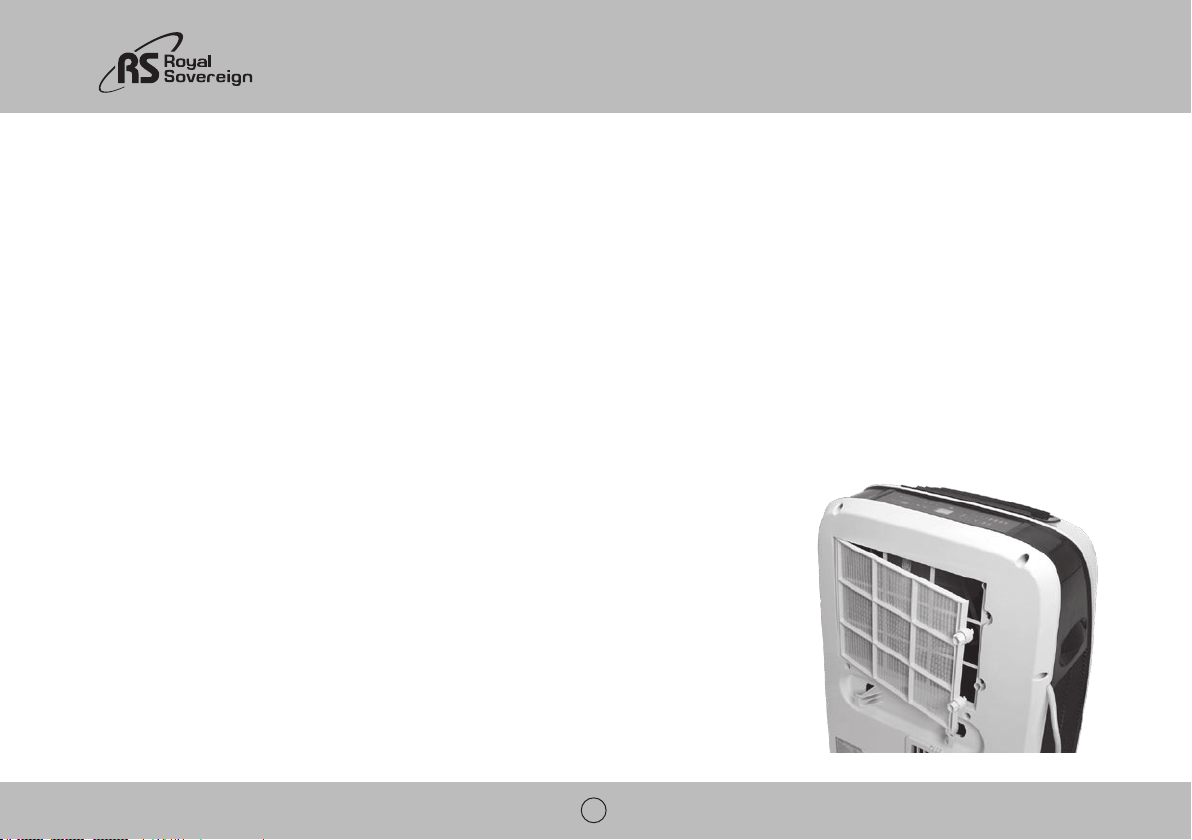
2. Localice los 2 botones de filtro en la parte posterior de la unidad.
3. Gire ambas perillas en sentido antihorario para desbloquear el filtro y quitar las perillas.
4. Quite el filtro.
5. Filtro puede ser limpiado por un vacío o un paño suave. Si el filtro está muy sucio se puede lavar con un
6. Reemplace el filtro y las perillas y botones a la derecha para la posición de bloqueo.
NOTA: Nunca haga funcionar la unidad sin el filtro in El podría dañar la unidad.
Limpieza de la unidad
1. Apague la alimentación de la unidad y desenchufe.
ARP-9409 / 9411
29
4. No salpique agua sobre la unidad.
Almacenar el acondicionador de aire
alimentación de los ganchos, y retire las pilas del mando a distancia antes de su almacenamiento. Después de drenar, mantener el aire acondicionado funcionando en modo FAN
durante al menos 8 horas para secar completamente la unidad para evitar el moho.
SOLUCIÓN DE PROBLEMAS
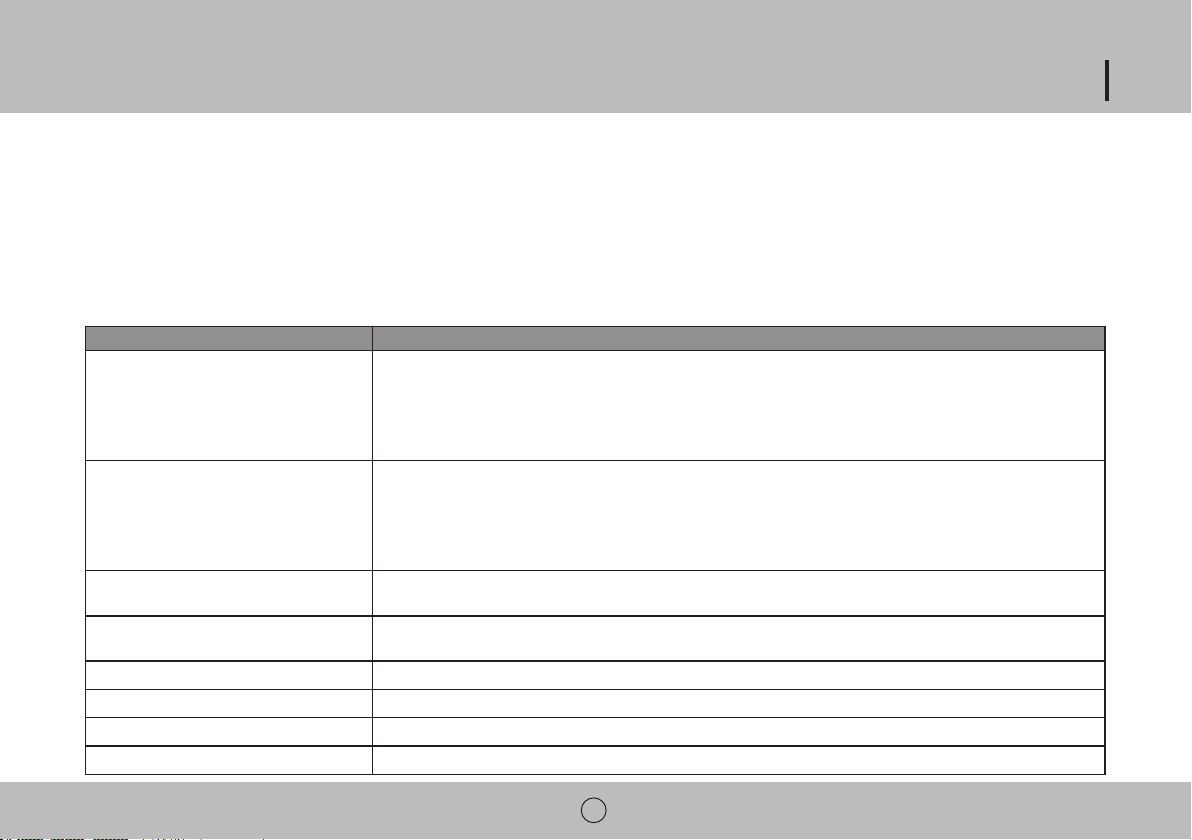
Problema Posible Solución
Aire acondicionado no funciona
- La temperatura puede estar demasiado cerca de la temperatura ambiente. Baje la temperatura del sistema.
- La salida de aire puede estar bloqueada. Compruebe la salida de aire y quite todos los elementos que se pueden encontrar.
Acondicionador de aire funciona pero no enfría
- Controlar el espacio para puertas o ventanas abiertas y cerrarlas.
- Es posible que haya otro aparato en la sala de un desprendimiento de calor. Compruebe la habitación y apagar el aparato.
- El filtro de aire puede estar sucio. Revise el filtro y límpielo si es necesario.
- El aire de escape o la ingesta puede ser bloqueada.
- La temperatura puede ser muy alto. Compruebe la temperatura del sistema y reducir, si es necesario.
Aire acondicionado no funciona y el LED muestra
E4
Hay fugas de agua de la unidad
- Drenaje de la unidad.
La máquina se apaga automáticamente
Pantalla LED muestra E4 - El agua lleno. Drenaje de la unidad.
Pantalla LED muestra E2 - Error en el sensor de temperatura
Pantalla LED muestra E3 - Error del evaporador
30
ESPECIFICACIONES
- Las medidas que aparecen son solo para referencia, pueden haber variaciones debido a las diferencias entre países y regiones, y deben ser basadas en funcionamiento práctico.
“Los desperdicios eléctricos no deben botarse juntamente con la basura doméstica.
Por favor, recicle cuando sea posible. Contacte a las autoridades locales por consejos referentes al
reciclaje.”
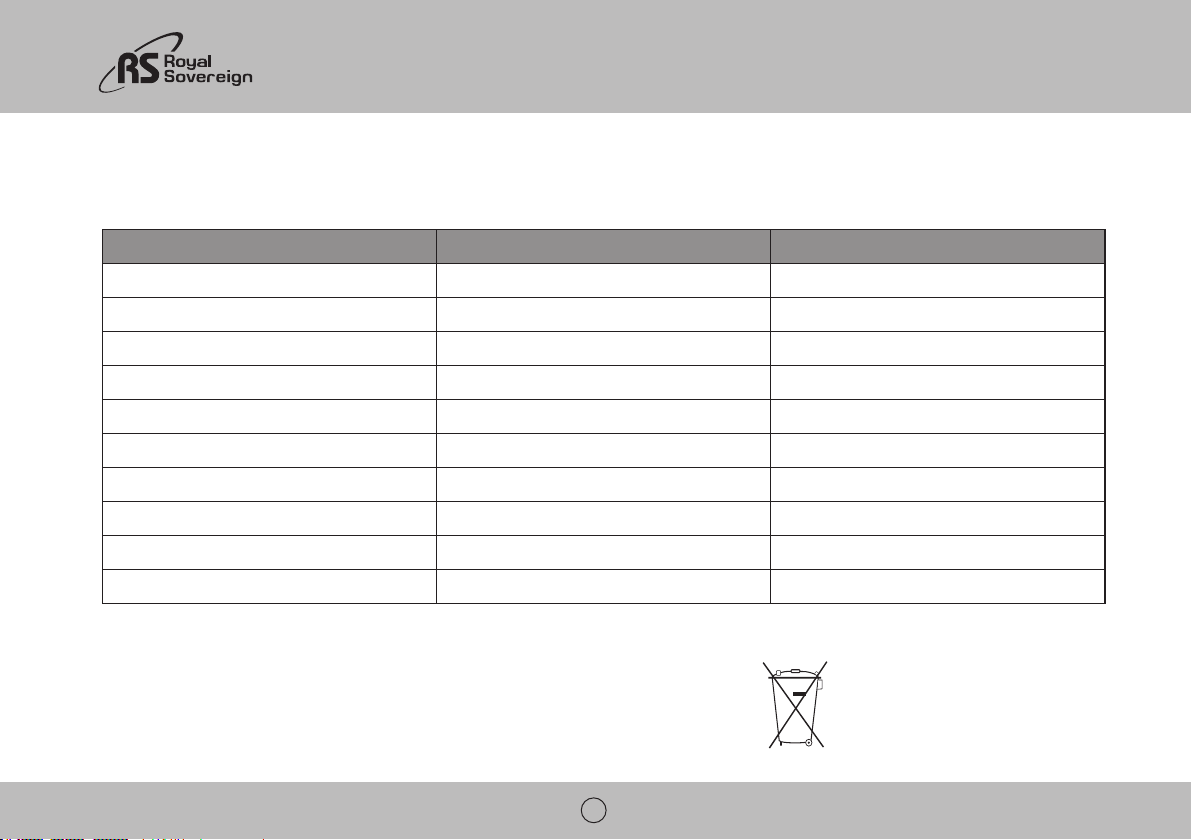
Modelo ARP-9409 ARP-9411
Capacidad de enfriamiento 9,000 BTU / 2600W 11,000 BTU/ 3200W
Capacidad de deshumidificación 1.9 pints / h / .9L/h 2.3 pints/ h / 1.1 L/h
Estándar de entrada de energía de refrigeración / actual 860 W / 7.7 A 1130 W / 10 A
De volumen de aire de flujo 340 m
2
/h 340 m
2
/h
Tensión / frecuencia
Nivel de presión sonora
Peso neto 53 lbs / 24 kg 59.5 / 27 kg
Unidad Dimensiones
Embalaje Dimensiones
Refrigerante R410A R410A
ARP-9409 / 9411
31
GARANTÍA COMPLETA POR UN AÑO
Royal Sovereign. Esta garantía cubre al comprador original por un desde la fecha de compra y no es transferible. Esta garantía se aplica solo si el acondicionador de aire se usa en
un circuito de Corriente Alterna, de acuerdo a las instrucciones de fábrica que acompañan al producto.
GARANTÍA LIMITADA POR CINCO AÑOS (COMPRESOR)
Por un periodo de cinco años desde la fecha de compra, siempre y cuando este Acondicionador de Aire Portátil Royal Sovereign sea operado y mantenido de acuerdo al manual de
falla en cuanto a mano de obra o materiales. Si es necesaria la reparación, por favor contacte a nuestro centro de servicio al cliente. Usted será responsable por el envío, seguro y
evitar daños en el transporte, pues nosotros no seremos responsables por aquellos daños.
EXCLUSIONES
daños incidentales o consecuentes. Esta limitación no se aplica si usted vive en un lugar en donde no es permitida la limitación de daños incidentales o consecuentes. Esta garantía
le da derechos legales específicos y usted puede tener otros derechos los cuales varían de estado a estado.
ROYAL SOVEREIGN INTERNATIONAL, INC.
ROYAL SOVEREIGN INC.
1001, World Meridian II, 426-5, Gasan-dong, Geumcheon-gu, Seoul, 153-759, KOREA
RS INTERNATIONAL AUSTRALIA PTY. LTD.
30 Prime Drive, Seven Hills, NSW 2147, AUSTRALIA
RS CANADA INC.
1025 Westport Crescent, Mississauga On L5T 1E8 CANADA
RS Holland B.V.
Industrieweg 6K, 4104AR, Culemborg, The Netherlands