
For your safety, read carefully and keep in this vehicle.
2021 MAXIMA
OWNER’S MANUAL
and MAINTENANCE INFORMATION
CALIFORNIA PROPOSITION 65 WARNING
WARNING
Operating, servicing and maintaining a passenger
vehicle or off-highway motor vehicle can expose you to
chemicals including engine exhaust, carbon monoxide,
phthalates, and lead, which are known to the State of
California to cause cancer and birth defects or other
reproductive harm. To minimize exposure, avoid
breathing exhaust, do not idle the engine except as
necessary, service your vehicle in a well-ventilated area
and wear gloves or wash your hands frequently when
servicing your vehicle. For more information go to
www.P65Warnings.ca.gov/passenger-vehicle.

This manual was prepared to help you un-
derstand the operation and maintenance
of your vehicle so that you may enjoy many
miles (kilometers) of driving pleasure.
Please read through this manual before
operating your vehicle.
A separate Warranty Information Book-
let explains details about the warranties
covering your vehicle. The “Maintenance
and schedules” section of this manual
explains details about maintaining and
servicing your vehicle. You will also re-
ceive a separate Customer Care/Lemon
Law Booklet (U.S. only) that will explain
how to resolve any concerns you may
have with your vehicle, and clarify your
rights under your state's lemon law. Ad-
ditionally, you may receive a separate
NissanConnect
®
Owner’s Manual that
will explain the various features and
functions your system may have.
A NISSAN dealership knows your vehicle
best. When you require any service or have
any questions, they will be glad to assist
you with the extensive resources available
to them.
In addition to factory-installed options,
your vehicle may also be equipped with
additional accessories installed by NISSAN
or by a NISSAN dealer prior to delivery. It is
recommended that you visit a NISSAN
dealer for details concerning the particular
accessories with which your vehicle is
equipped. It is important that you familiar-
ize yourself with all disclosures, warnings,
cautions and instructions concerning
proper use of such accessories prior to op-
erating the vehicle and/or accessory. It is
recommended that you visit a NISSAN
dealer for details concerning the particular
accessories with which your vehicle is
equipped.
Before driving your vehicle, please read this
Owner's Manual carefully. This will ensure
familiarity with controls and maintenance
requirements assisting you in the safe op-
eration of your vehicle.
WARNING
IMPORTANT SAFETY INFORMATION
REMINDERS!
Follow these important driving rules to
help ensure a safe and comfortable trip
for you and your passengers!
• NEVER drive under the influence of
alcohol or drugs.
•
ALWAYS observe posted speed limits
and never drive too fast for conditions.
• ALWAYS give your full attention to
driving and avoid using vehicle fea-
tures or taking other actions that
could distract you.
• ALWAYS use your seat belts and ap-
propriate child restraint systems.
Preteen children should be seated in
the rear seat.
• ALWAYS provide information about
the proper use of vehicle safety fea-
tures to all occupants of the vehicle.
• ALWAYS review this Owner’s Manual
for important safety information.
FOREWORD READ FIRST—THEN DRIVE SAFELY
MODIFICATION OF YOUR VEHICLE
This vehicle should not be modified.
Modification could affect its perfor-
mance, safety, emissions or durability
and may even violate governmental
regulations. In addition, damage or per-
formance problems resulting from
modifications may not be covered un-
der NISSAN warranties.
WARNING
Installing an aftermarket On-Board Di-
agnostic (OBD) plug-in device that uses
the port during normal driving, for ex-
ample remote insurance company
monitoring, remote vehicle diagnos-
tics, telematics or engine reprogram-
ming, may cause interference or dam-
age to vehicle systems. We do not
recommend or endorse the use of any
aftermarket OBD plug-in devices, un-
less specifically approved by NISSAN.
The vehicle warranty may not cover
damage caused by any aftermarket
plug-in device.
This manual includes information for all
features and equipment available on this
model. Features and equipment in your ve-
hicle may vary depending on model, trim
level, options selected, order, date of pro-
duction, region or availability. Therefore,
you may find information about features or
equipment that are not included or in-
stalled on your vehicle.
All information, specifications and illustra-
tions in this manual are those in effect at
the time of printing. NISSAN reserves the
right to change specifications, perfor-
mance, design or component suppliers
without notice and without obligation.
From time to time, NISSAN may update or
revise this manual to provide Owners with
the most accurate information currently
available. Please carefully read and retain
with this manual all revision updates sent
to you by NISSAN to ensure you have ac-
cess to accurate and up-to-date informa-
tion regarding your vehicle. Current ver-
sions of vehicle Owner's Manuals and any
updates can also be found in the Owner
section of the NISSAN website at https://
owners.nissanusa.com/nowners/
navigation/manualsGuide. If you have
questions concerning any information in
your Owner's Manual, contact NISSAN Con-
sumer Affairs. For contact information, re-
fer to the NISSAN CUSTOMER CARE PRO-
GRAM page in this Owner’s Manual.
IMPORTANT INFORMATION ABOUT
THIS MANUAL
You will see various symbols in this manual.
They are used in the following ways:
WARNING
This is used to indicate the presence of
a hazard that could cause death or se-
rious personal injury. To avoid or re-
duce the risk, the procedures must be
followed precisely.
CAUTION
This is used to indicate the presence of
a hazard that could cause minor or
moderate personal injury or damage to
your vehicle. To avoid or reduce the risk,
the procedures must be followed
car efully.
WHEN READING THE MANUAL

If you see this symbol, it means “Do not do
this” or “Do not let this happen.”
If you see a symbol similar to these in an
illustration, it means the arrow points to the
front of the vehicle.
Arrows in an illustration that are similar to
these indicate movement or action.
Arrows in an illustration that are similar to
these call attention to an item in the
illustration.
CALIFORNIA PERCHLORATE
ADVISORY
Some vehicle parts, such as lithium bat-
teries, may contain perchlorate material.
The following advisory is provided: “Per-
chlorate Material – special handling may
apply. For additional information, refer
to www.dtsc.ca.gov/hazardouswaste/
perchlorate/”.
© 2020 NISSAN NORTH AMERICA, INC.
All rights reserved. No part of this Owner's
Manual may be reproduced or stored in a
retrieval system, or transmitted in any
form, or by any means, electronic, me-
chanical, photocopying, recording or oth-
erwise, without the prior written permis-
sion of Nissan North America, Inc.
APD1005

NISSAN CARES . . .
Both NISSAN and your NISSAN dealer are dedicated to serving all your automotive needs. Your satisfaction with your vehicle and your
NISSAN dealer are our primary concerns. Your NISSAN dealer is always available to assist you with all your automobile sales and service
needs.
However, if there is something that your
NISSAN dealer cannot assist you with or
you would like to provide NISSAN directly
with comments or questions, please con-
tact the NISSAN Consumer Affairs Depart-
ment using our toll-free number:
For U.S. customers
1-800-NISSAN-1
(1-800-647-7261)
For Canadian customers
1-800-387-0122
The Consumer Affairs Department will ask
for the following information:
– Your name, address, and telephone
number
– Vehicle identification number (attached
to the top of the instrument panel on the
driver's side)
– Date of purchase
– Current odometer reading
– Your NISSAN dealer's name
– Your comments or questions
OR
You can write to NISSAN with the informa-
tion at:
For U.S. customers
Nissan North America, Inc.
Consumer Affairs Department
P.O. Box 685003
Franklin, TN 37068-5003
or via e-mail at:
nnaconsumer[email protected]om
For Canadian customers
Nissan Canada Inc.
5290 Orbitor Drive
Mississauga, Ontario L4W 4Z5
or via e-mail at:
information.c[email protected]om
If you prefer, visit us at:
www.nissanusa.com (for U.S. customers)
or
www.nissan.ca (for Canadian customers)
We appreciate your interest in NISSAN and thank you for buying a quality NISSAN vehicle.
NISSAN CUSTOMER CARE PROGRAM
Table of
contents
Illustrated table of contents
Safety-Seats, seat belts and supplemental restraint system
Instruments and controls
Pre-driving checks and adjustments
Monitor, climate, audio, phone and voice recognition systems
Starting and driving
In case of emergency
Appearance and care
Do-it-yourself
Maintenance and schedules
Technical and consumer information
Index
0
1
2
3
4
5
6
7
8
9
10
11


0 Illustrated table of contents
Air bags, seat belts and child restraints ..........0-2
Exterior front ....................................0-3
Exterior rear .....................................0-4
Passenger compartment .......................0-5
Instrument Panel ................................0-6
Engine compartment check locations...........0-7
Warning and indicator lights.....................0-9

1. Top tether strap anchor (P. 1-22)
2. Rear head restraints/headrests (P. 1-11)
3. Rear outboard seat belts with
pretensioner(s) (P. 1-11)
4. Roof-mounted curtain side-impact and
rollover supplemental air bag (P. 1-43)
5. Front seat-mounted side-impact
supplemental air bags (P. 1-43)
6. Front head restraints/headrests (P. 1-11)
7. Front seat belt with pretensioner(s) and
shoulder height adjuster (P. 1-11, 1-43)
8. Side-impact pressure sensor (driver’s
side shown, front passenger’s side
similar) (P. 1-43)
9. Supplemental air bags (P. 1-43)
10. Seats (P. 1-2)
11. Occupant classification sensor
(weight sensor) (P. 1-43)
12. LATCH (Lower Anchors and Tethers for
CHildren) system (P. 1-22)
13. Rear outboard seat-mounted
side-impact supplemental air bags
(P. 1-43)
Refer to the page number indicated in
parentheses for operating details.
LII2659
AIR BAGS, SEAT BELTS AND CHILD
RESTRAINTS
0-2 Illustrated table of contents

1. Engine hood (P. 3-20)
2. Wiper and washer switch (P. 2-42)
3. Windshield (P. 8-17)
4. Power windows (P. 2-65)
5. Door locks (P. 3-4)
NISSAN Intelligent Key® (P. 3-7)
Keys (P. 3-2)
6. Mirrors (P. 3-27)
Side view camera (if so equipped)
(P. 4-21)
7. Tire pressure (P. 8-26)
Flat tire (P. 6-3)
Tire chains (P. 8-34)
8. Headlight and turn signal switch
(P. 2-45)
LED Daytime Running Lights (DRL)
system (P. 2-45)
Replacing bulbs (P. 8-23)
9. Fog light switch (if so equipped) (P. 2-45)
10. Front sonar sensors (if so equipped)
(P. 5-116)
11. Front view camera (if so equipped)
(P. 4-21)
Refer to the page number indicated in
parentheses for operating details.
LIC4612
EXTERIOR FRONT
Illustrated table of contents 0-3

1. Rear window defroster switch (P. 2-45)
2. Interior trunk lid release (P. 3-21)
3. High-mounted stop light (P. 8-23)
4. Exterior trunk lid release/request but-
ton (P. 3-16)
Rearview camera (P. 4-3, 4-21)
Trunk lid (P. 3-21)
5. Rear sonar sensors (P. 5-116)
6. Replacing bulbs (P. 8-23)
7. Fuel-filler door (P. 3-22)
Fuel recommendation (P. 10-3)
8. Child safety rear door locks (P. 3-4)
Refer to the page number indicated in
parentheses for operating details.
LIC4608
EXTERIOR REAR
0-4 Illustrated table of contents

1. Interior trunk access (P. 3-22)
2. Power moonroof (if so equipped)
(P. 2-68)
3. Sun visors (P. 3-26)
4. Map lights (P. 2-71)
5. Rearview mirror (P. 3-27)
HomeLink® Universal Transceiver
(if so equipped) (P. 2-73)
6. Glove box (P. 2-61)
7. Cup holders (P. 2-61)
8. Console box (P. 2-61)
Refer to the page number indicated in
parentheses for operating details.
LII2444
PASSENGER COMPARTMENT
Illustrated table of contents 0-5

1. Vent (P. 4-26)
2. Headlight/fog light (if so equipped)/
turn signal switch (P. 2-45)
3. Supplemental front-impact air bag
(P. 1-43)
Horn (P. 2-52)
4. Meters and gauges (P. 2-3)
Warning and indicator lights (P. 2-8)
Vehicle information display (P. 2-17)
5. Paddle shifters (if so equipped) (P. 5-16)
6. Wiper and washer switch (P. 2-42)
7. Audio controls*
Navigation controls* (if so equipped)
8. Hazard warning flasher switch (P. 6-2)
9. Navigation display* (if so equipped)
Audio display*
10. Front passenger supplemental air bag
(P. 1-61)
11. Glove box (P. 2-61)
12. Front passenger supplemental knee air
bag (P. 1-61)
13. Front passenger air bag status light
(P. 1-54)
14. AUX input/USB ports*
15. Heater and air conditioning controls
(P. 4-31)
16. Shift lever (P. 5-16)
17. Display Commander*
Vehicle Dynamic Control (VDC OFF)
switch (P. 2-57)
SPORT mode button (P. 5-22)
18. Push-button ignition switch (P. 5-10)
19. Bluetooth® Hands-Free Phone System*
Cruise control switches (if so equipped)
(P. 5-54)
Intelligent Cruise Control (ICC) switches
(if so equipped) (P. 5-56)
LII2577
INSTRUMENT PANEL
0-6 Illustrated table of contents

20. Driver supplemental knee air bag
(P. 1-61)
21. Tilt and telescopic steering (P. 3-24)
22. Audio control switches*
Vehicle information display control
switches (P. 2-17)
23. Hood release (P. 3-20)
24. Fuse box (P. 8-19)
25. Heated steering wheel switch
(if so equipped) (P. 2-56)
Dynamic Driver Assistance switch
(if so equipped) (P. 2-56)
Trunk release switch (P. 3-21)
Rear power sunshade switch
(if so equipped) (P. 2-70)
26. Instrument brightness control (P. 2-45)
Twin trip odometer reset switch (P. 2-5)
*: Refer to the separate NissanConnect®
Owner’s Manual.
Refer to the page number indicated in
parentheses for operating details.
Illustrated table of contents 0-7

3.5L 6 cylinder (VQ35DE engine model)
1. Engine coolant reservoir (P. 8-4)
2. Drive belt location (P. 8-15)
3. Engine oil filler cap (P. 8-6)
4. Brake fluid reservoir (P. 8-11)
5. Air cleaner (P. 8-16)
6. Fuse box (P. 8-19)
7. Fuse box/Fusible links (P. 8-19)
8. Fusible links (P. 8-19)
9. Battery (P. 8-13)
10. Engine oil dipstick (P. 8-6)
11. Radiator cap (P. 8-4)
12. Power steering fluid reservoir (P. 8-11)
13. Windshield-washer fluid reservoir
(P. 8-12)
Refer to the page number indicated in
parentheses for operating details.
LDI3419
ENGINE COMPARTMENT CHECK
LOCATIONS
0-8 Illustrated table of contents
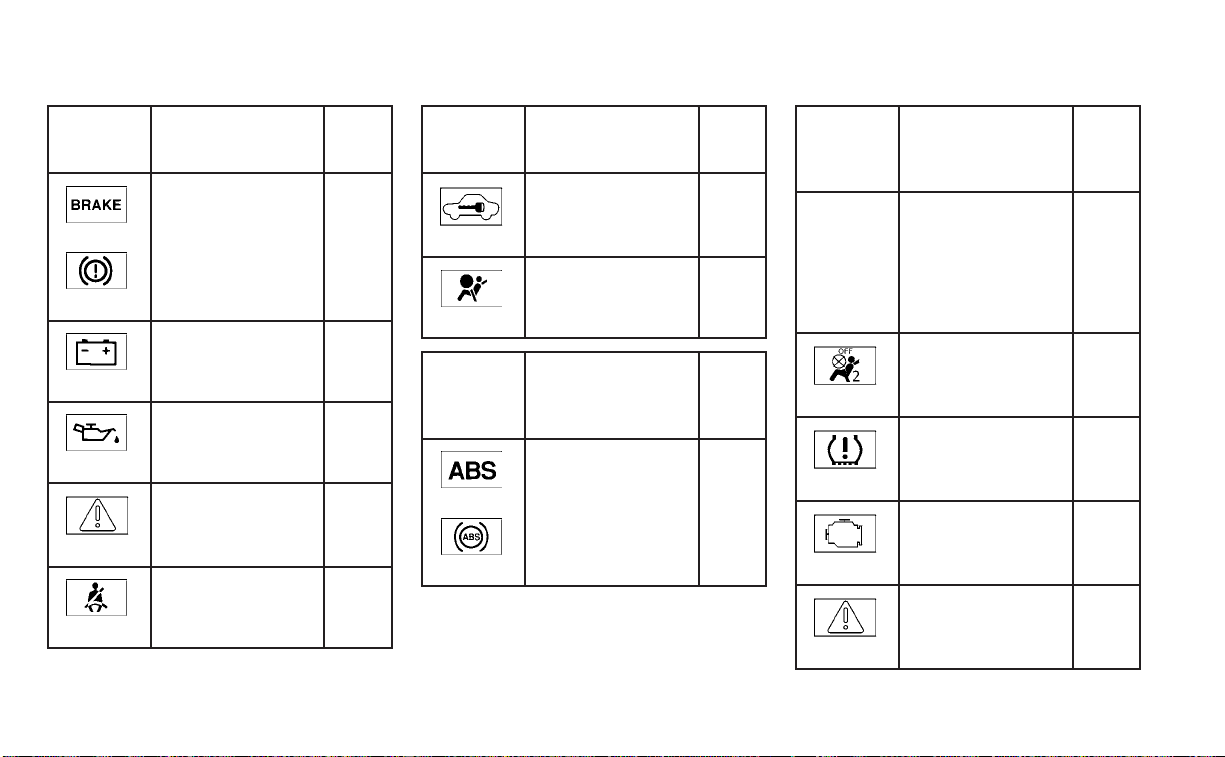
Warning/
Indicator
light (red)
Name Page
or
Brake warning
light
2-9
Charge warning
light
2-10
Engine oil pres-
sure warning light
2-10
Master warning
light
2-10
Seat belt warning
light and chime
2-10
Warning/
Indicator
light (red)
Name Page
Security indicator
light
2-10
Supplemental air
bag warning light
2-10
Warning/
Indicator
light
(yellow)
Name Page
or
Anti-lock Braking
System (ABS)
warning light
2-11
Warning/
Indicator
light
(yellow)
Name Page
Automatic Emer-
gency Braking
(AEB) with Pedes-
trian Detection
system warning
light
2-11
Front passenger
air bag status
light
2-11
Low tire pressure
warning light
2-12
Malfunction Indi-
cator Light (MIL)
2-13
Master warning
light
2-14
WARNING AND INDICATOR LIGHTS
Illustrated table of contents 0-9
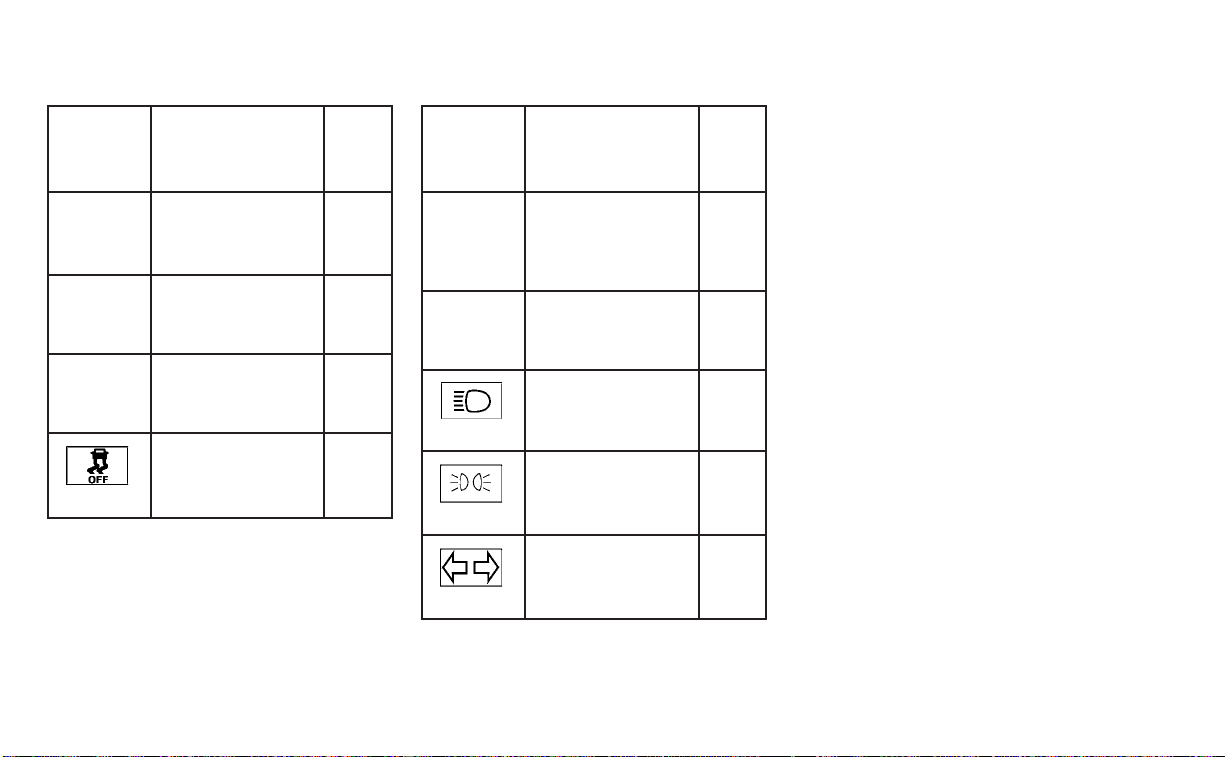
Warning/
Indicator
light
(yellow)
Name Page
Power steering
warning light
2-14
Rear Automatic
Braking (RAB)
warning light
2-15
Slip indicator light 2-15
Vehicle Dynamic
Control (VDC) OFF
indicator light
2-15
Warning/
Indicator
light
(other)
Name Page
Front fog light in-
dicator light
(green) (if so
equipped)
2-16
High Beam Assist
indicator light
(green)
2-16
High beam indi-
cator light (blue)
2-16
Side light and
headlight indica-
tor light (green)
2-16
Turn signal/
hazard indicator
lights (green)
2-16
0-10 Illustrated table of contents

1 Safety-Seats, seat belts and
supplemental restraint system
Seats............................................ 1-2
Front power seat adjustment .................1-3
Folding rear seat ............................. 1-5
Center armrest ................................1-7
Head restraints/headrests .......................1-7
Adjustable head restraint/headrest
components ................................. 1-8
Non-adjustable head restraint/
headrest components .......................1-8
Remove......................................1-9
Install ........................................ 1-9
Adjust ........................................1-10
Seatbelts .......................................1-11
Precautions on seat belt usage...............1-11
Seat belt warning light and chime ............1-14
Pregnant women ............................1-14
Injured persons ..............................1-14
Three-point type seat belt with
retractor .....................................1-15
Seat belt extenders ..........................1-19
Seat belt maintenance .......................1-19
Child safety ....................................1-20
Infants ......................................1-20
Small children ................................1-21
Larger children ...............................1-21
Child restraints .................................1-22
Precautions on child restraints ..............1-22
LATCH (Lower Anchors and Tethers for
CHildren) system ............................1-24
Rear-facing child restraint installation
using LATCH ................................ 1-27
Rear-facing child restraint installation
using the seat belts .........................1-29
Forward-facing child restraint
installation using LATCH .....................1-32
Forward-facing child restraint
installation using the seat belts .............1-35
Booster seats ...............................1-40
Supplemental Restraint System (SRS) ..........1-43
Precautions on SRS .........................1-43
Supplemental air bag warning labels ........1-64
Supplemental air bag warning light .........1-64
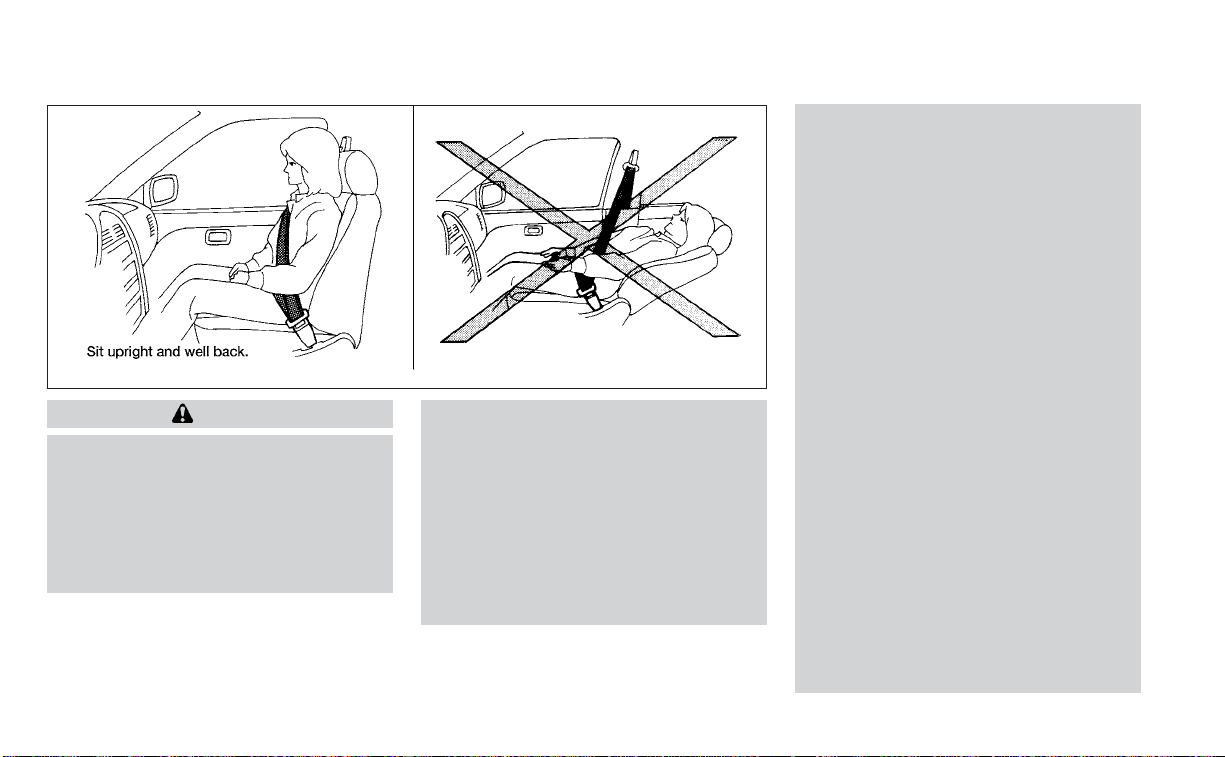
WARNING
• Do not ride in a moving vehicle when
the seatback is reclined. This can be
dangerous. The shoulder belt will not
be against your body. In an accident,
you could be thrown into it and re-
ceive neck or other serious injuries.
You could also slide under the lap belt
and receive serious internal injuries.
• For the most effective protection
when the vehicle is in motion, the
seat should be upright. Always sit
well back and upright in the seat with
both feet on the floor and adjust the
seat properly. For additional infor-
mation, see “Precautions on seat belt
usage” (P. 1-11).
• After adjustment, gently rock in the
seat to make sure it is securely
locked.
• Do not leave children unattended in-
side the vehicle. They could unknow-
ingly activate switches or controls or
make the vehicle move. Unattended
children could become involved in
serious accidents.
• To help avoid risk of injury or death
through unintended operation of the
vehicle and/or its systems, do not
leave children, people who require
the assistance of others or pets unat-
tended in your vehicle. Additionally,
the temperature inside a closed ve-
hicle on a warm day can quickly be-
come high enough to cause a signifi-
cant risk of injury or death to people
and pets.
• Do not adjust the driver’s seat while
driving so full attention may be given
to vehicle operation. The seat may
move suddenly and could cause loss
of control of the vehicle.
• The seatback should not be reclined
any more than needed for comfort.
Seat belts are most effective when
the passenger sits well back and
straight up in the seat. If the seatback
is reclined, the risk of sliding under
the lap belt and being injured is
increased.
ARS1152
SEATS
1-2 Safety-Seats, seat belts and supplemental restraint system
CAUTION
When adjusting the seat positions, be
sure not to contact any moving parts to
avoid possible injuries and/or damage.
FRONT POWER SEAT ADJUSTMENT
Operating tips
WARNING
Before driving the vehicle, return the
seatback to an upright seating position
after manually releasing it. Also, make
sure the seat is locked in place. Failure
to do so may cause the seat to move in
a collision or sudden stop. This may re-
sult in damage to the seat or personal
injury.
• The power seat motor has an auto-reset
overload protection circuit. If the motor
stops during operation, wait 30 seconds
then reactivate the switch.
• Do not operate the power seat switch for
a long period of time when the engine is
off. This will discharge the battery.
For additional information, see “Memory
Seat” (P. 3-30).
Forward and backward
Moving the switch as shown will slide the
seat forward or backward to the desired
position.
LRS2692
Safety-Seats, seat belts and supplemental restraint system 1-3

Reclining
Move the recline switch as shown until the
desired angle is obtained.
The reclining feature allows adjustment of
the seatback for occupants of different
sizes for added comfort and to help obtain
proper seat belt fit. For additional informa-
tion, see “Precautions on seat belt usage”
(P. 1-11). Also, the seatback can be reclined to
allow occupants to rest when the vehicle is
stopped and the shift lever is in P (Park).
Seat lifter (for driver’s seat and if
so equipped for passenger’s seat)
Move the switch as shown to adjust the
angle (if so equipped) and height of the
seat cushion.
LRS2693
Driver’s seat
LRS2938
Passenger’s seat
1-4 Safety-Seats, seat belts and supplemental restraint system

Lumbar support (if so equipped
for driver's seat)
The lumbar support feature provides ad-
justable lower back support to the driver.
Push the switch as shown to adjust the
seat lumbar area.
Thigh extension (if so equipped
for driver’s seat)
Pull up and hold the lever to extend the
front portion to the desired position.
FOLDING REAR SEAT
Interior trunk access
The trunk can be accessed from the pas-
senger side of the rear seat for loading and
unloading, as shown.
LRS2669 LRS2666
LRS3273
Safety-Seats, seat belts and supplemental restraint system 1-5

1. Move the front passenger seat to the
most forward position.
2. Open the access cover on the rear par-
cel shelf.
3. Push down on the button
O
1
on the rear
parcel shelf.
4. Fold down the passenger’s side seat-
back
O
2
.
WARNING
• Never allow anyone to ride in the
cargo area or on the rear seat when it
is in the fold-down position. Use of
these areas by passengers without
proper restraints could result in seri-
ous injury or death in an accident or
sudden stop.
• Properly secure all cargo with ropes
or straps to help prevent it from slid-
ing or shifting. Do not place cargo
higher than the seatbacks. In a sud-
den stop or collision, unsecured
cargo could cause personal injury.
• When returning the seatbacks to the
upright position, be certain they are
completely secured in the latched
position. If they are not completely
secured, passengers may be injured
in an accident or sudden stop.
• Closely supervise children when they
are around cars to prevent them
from playing and becoming locked in
the trunk where they could be seri-
ously injured. Keep the car locked,
with the rear seatback and trunk lid
securely latched when not in use, and
prevent children's access to car keys.
To fold down either side of the rear seat,
open the trunk and pull on the strap
O
1
.
For additional information, see “Interior
trunk access” (P. 3-22).
LRS2168
1-6 Safety-Seats, seat belts and supplemental restraint system

CENTER ARMREST
To use the center armrest on the rear seat,
pull on the tab in the center of the seat and
fold it down as shown.
WARNING
Head restraints/headrests supplement
the other vehicle safety systems. They
may provide additional protection
against injury in certain rear end colli-
sions. Adjustable head restraints/
headrests must be adjusted properly,
as specified in this section. Check the
adjustment after someone else uses
the seat. Do not attach anything to the
head restraint/headrest stalks or re-
move the head restraint/headrest. Do
not use the seat if the head restraint/
headrest has been removed. If the head
restraint/headrest was removed, rein-
stall and properly adjust the head
restraint/headrest before an occupant
uses the seating position. Failure to fol-
low these instructions can reduce the
effectiveness of the head restraints/
headrests. This may increase the risk of
serious injury or death in a collision.
The illustration shows the seating posi-
tions equipped with head
restraints/headrests.
䉱 Indicates the seating position is
equipped with a head restraint.
쮿 Indicates the seating position is
equipped with a headrest.
+ Indicates the seating position is not
equipped with a head restraint or headrest
(if applicable).
• Your vehicle is equipped with a head
restraint/headrest that may be inte-
grated, adjustable or non-adjustable.
LRS3274 LRS2695
HEAD RESTRAINTS/HEADRESTS
Safety-Seats, seat belts and supplemental restraint system 1-7

• Adjustable head restraints/headrests
have multiple notches along the stalk(s)
to lock them in a desired adjustment
position.
• The non-adjustable head restraints/
headrests have a single locking notch to
secure them to the seat frame.
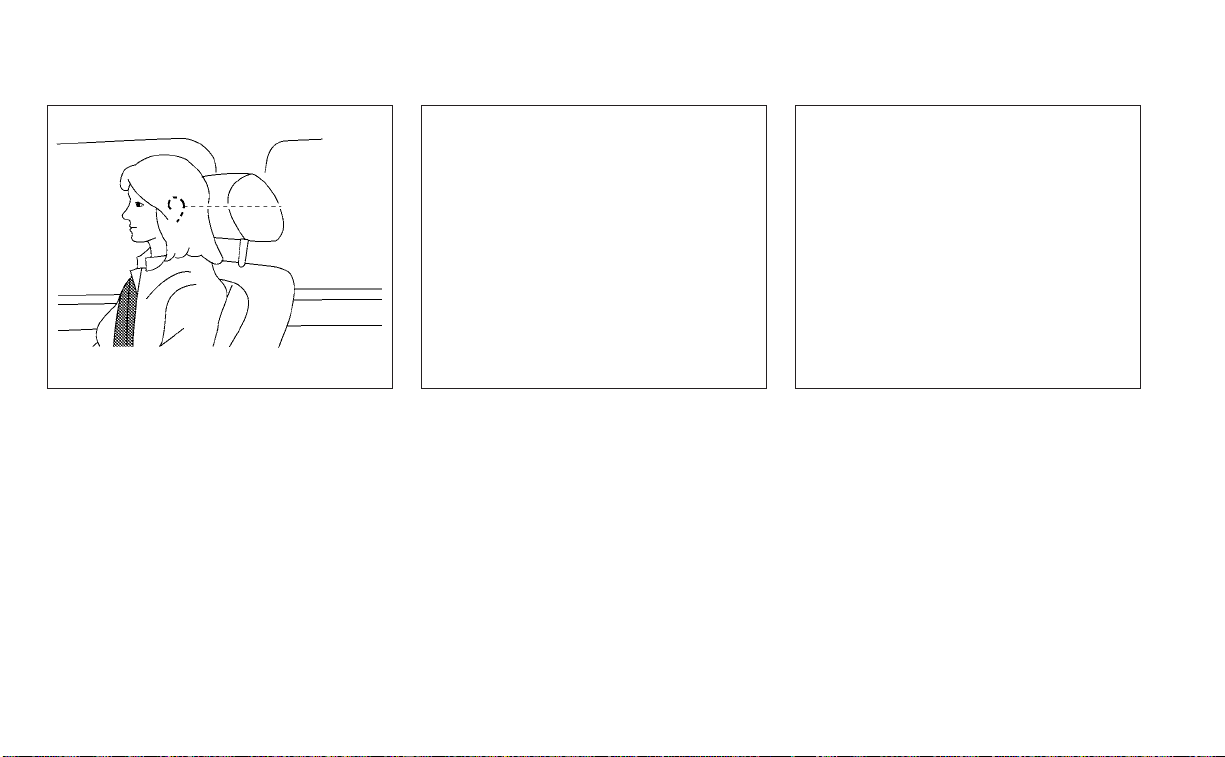
• Proper Adjustment:
– For the adjustable type, align the head
restraint/headrest so the center of
your ear is approximately level with the
center of the head restraint/headrest.
– If your ear position is still higher than
the recommended alignment, place
the head restraint/headrest at the
highest position.
• If the head restraint/headrest has been
removed, ensure that it is reinstalled and
locked in place before riding in that des-
ignated seating position.
ADJUSTABLE HEAD RESTRAINT/
HEADREST COMPONENTS
1. Removable head restraint/headrest
2. Multiple notches
3. Lock knob
4. Stalks
NON-ADJUSTABLE HEAD
RESTRAINT/HEADREST
COMPONENTS
1. Removable head restraint/headrest
2. Single notch
3. Lock knob
4. Stalks
LRS2300 LRS2299
1-8 Safety-Seats, seat belts and supplemental restraint system

REMOVE
Use the following procedure to remove the
head restraint/headrest:
1. Pull the head restraint/headrest up to
the highest position.
2. Push and hold the lock knob.
3. Remove the head restraint/headrest
from the seat.
4. Store the head restraint/headrest prop-
erly in a secure place so it is not loose in
the vehicle.
5. Reinstall and properly adjust the head
restraint/headrest before an occupant
uses the seating position.
INSTALL
1. Align the head restraint/headrest stalks
with the holes in the seat. Make sure that
the head restraint/headrest is facing the
correct direction. The stalk with the
notch (notches)
O
1
must be installed in
the hole with the lock knob
O
2
.
2. Push and hold the lock knob and push
the head restraint/headrest down.
3. Properly adjust the head restraint/
headrest before an occupant uses the
seating position.
LRS2302 LRS2303
Safety-Seats, seat belts and supplemental restraint system 1-9
ADJUST
For adjustable head restraint/headrest
Adjust the head restraint/headrest so the
center is level with the center of your ears. If
your ear position is still higher than the
recommended alignment, place the head
restraint/headrest at the highest position.
For non-adjustable head restraint/headrest
Make sure the head restraint/headrest is
positioned so the lock knob is engaged in
the notch before riding in that designated
seating position.
Raise
To raise the head restraint/headrest, pull it
up.
Make sure the head restraint/headrest is
positioned so the lock knob is engaged in
the notch before riding in that designated
seating position.
WRS0134 LRS2351 LRS2305
1-10 Safety-Seats, seat belts and supplemental restraint system
Lower
To lower, push and hold the lock knob and
push the head restraint/headrest down.
Make sure the head restraint/headrest is
positioned so the lock knob is engaged in
the notch before riding in that designated
seating position.
PRECAUTIONS ON SEAT BELT
USAGE
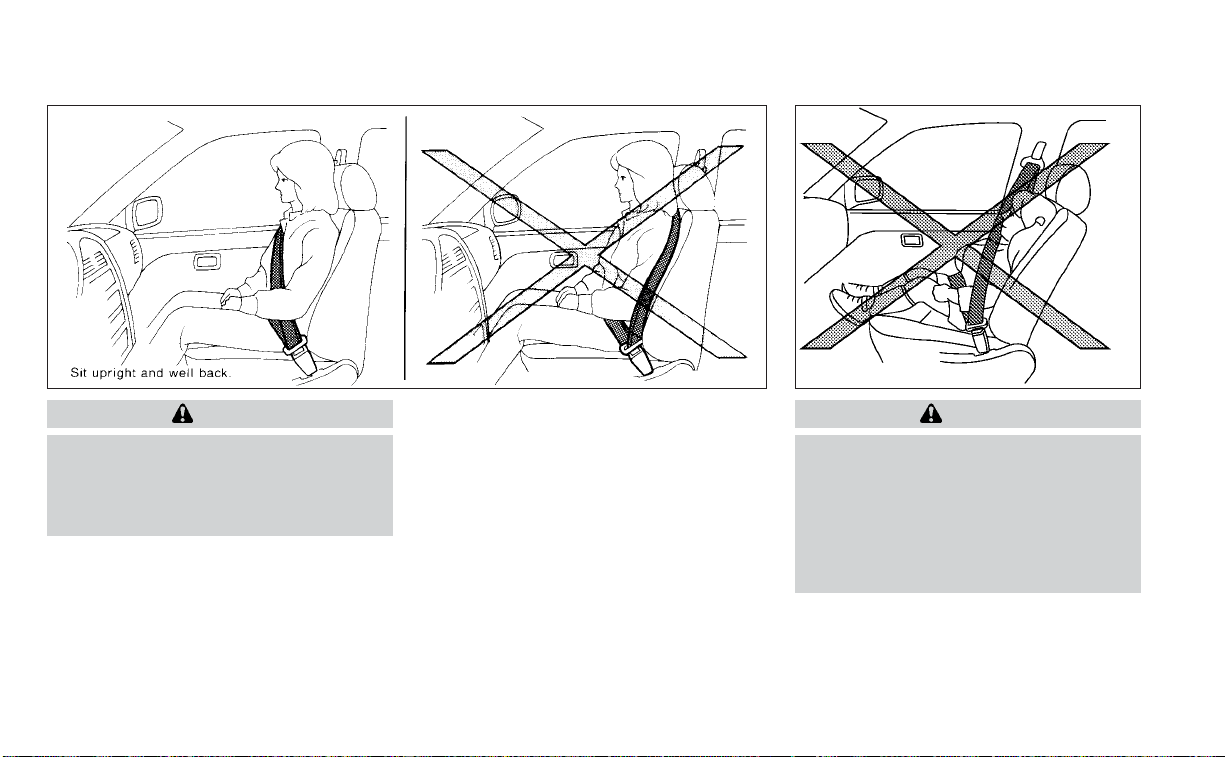
If you are wearing your seat belt properly
adjusted and you are sitting upright and
well back in your seat with both feet on the
floor, your chances of being injured or killed
in a collision and/or the severity of injury
may be greatly reduced. NISSAN strongly
encourages you and all of your passengers
to buckle up every time you drive, even if
your seating position includes a supple-
mental air bag.
Most U.S. states and Canadian provinces
or territories specify that seat belts be
worn at all times when a vehicle is being
driven.
LRS2306 SSS0136
SEAT BELTS
Safety-Seats, seat belts and supplemental restraint system 1-11
WARNING
• Every person who drives or rides in
this vehicle should use a seat belt at
all times. Children should be in the
rear seats and in an appropriate
restraint.
WARNING
• The seat belt should be properly ad-
justed to a snug fit. Failure to do so
may reduce the effectiveness of the
entire restraint system and increase
the chance or severity of injury in an
accident. Serious injury or death can
occur if the seat belt is not worn
properly.
SSS0134 SSS0016
1-12 Safety-Seats, seat belts and supplemental restraint system
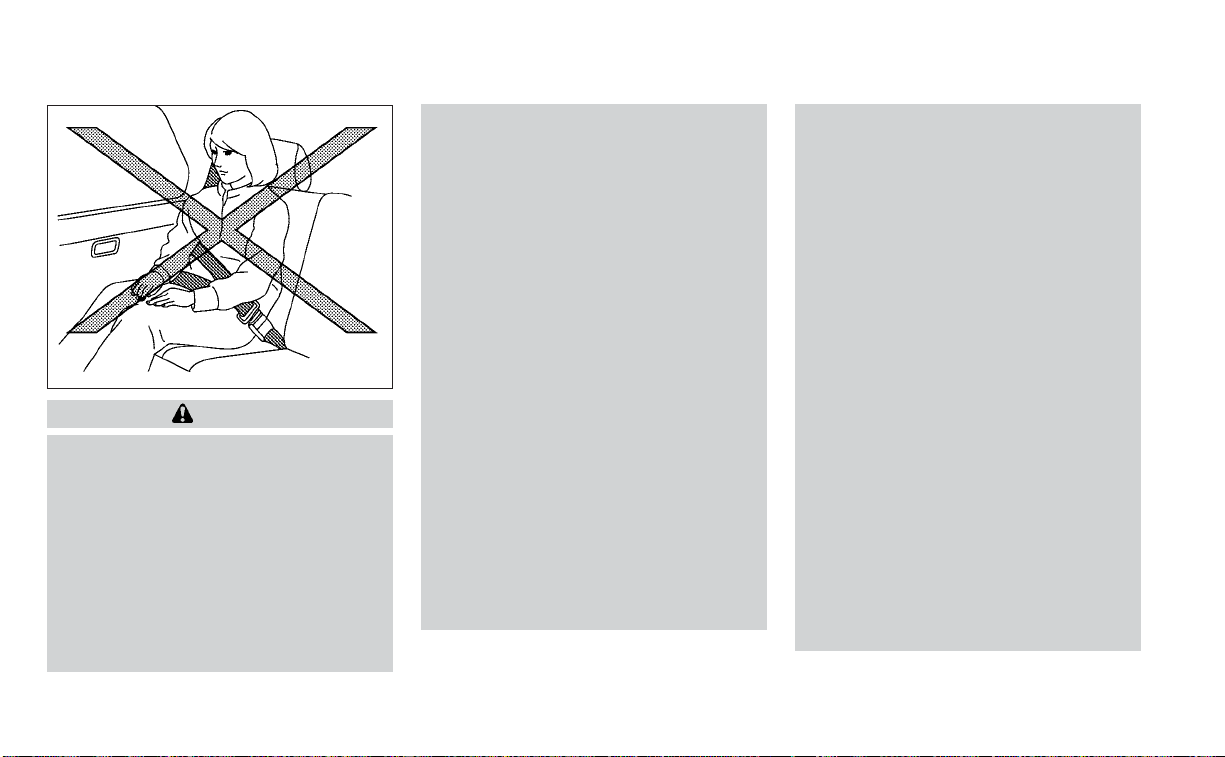
WARNING
• Always route the shoulder belt over
your shoulder and across your chest.
Never put the belt behind your back,
under your arm or across your neck.
The belt should be away from your
face and neck, but not falling off your
shoulder.
• Position the lap belt as low and snug
as possible AROUND THE HIPS, NOT
THE WAIST. A lap belt worn too high
could increase the risk of internal in-
juries in an accident.
• Be sure the seat belt tongue is se-
curely fastened to the proper buckle.
• Do not wear the seat belt inside out
or twisted. Doing so may reduce its
effectiveness.
• Do not allow more than one person
to use the same seat belt.
• Never carry more people in the ve-
hicle than there are seat belts.
• If the seat belt warning light glows
continuously while the ignition is
placed in the ON position with all
doors closed and all seat belts fas-
tened, it may indicate a malfunction
in the system. Have the system
checked. It is recommended that you
visit a NISSAN dealer for this service.
• No changes should be made to the
seat belt system. For example, do not
modify the seat belt, add material, or
install devices that may change the
seat belt routing or tension. Doing so
may affect the operation of the seat
belt system. Modifying or tampering
with the seat belt system may result
in serious personal injury.
• Once seat belt pretensioner(s) have
activated, they cannot be reused and
must be replaced together with the
retractor. It is recommended that you
visit a NISSAN dealer for this service.
• All seat belt assemblies, including re-
tractors and attaching hardware,
should be inspected after any colli-
sion. It is recommended that you visit
a NISSAN dealer for this service.
NISSAN recommends that all seat
belt assemblies in use during a colli-
sion be replaced unless the collision
was minor and the belts show no
damage and continue to operate
properly. Seat belt assemblies not in
use during a collision should also be
inspected and replaced if either
damage or improper operation is
noted.
• All child restraints and attaching
hardware should be inspected after
any collision. Always follow the re-
straint manufacturer's inspection in-
structions and replacement recom-
mendations. The child restraints
should be replaced if they are
damaged.
SSS0014
Safety-Seats, seat belts and supplemental restraint system 1-13

SEAT BELT WARNING LIGHT AND
CHIME
The driver and front passenger seat is
equipped with an enhanced seat belt re-
minder function. If your vehicle is equipped
with an enhanced seat belt reminder func-
tion, a visual and audible alert will operate if
a driver or front passenger seat belt is un-
buckled at speeds of approximately 9 mph
(15 km/h) or more under the following con-
ditions:
• If the driver seat belt is not fastened.
• The front passenger’s seat belt is not fas-
tened and the seat is occupied by a pas-
senger for 7 seconds after the ignition
switch is placed in the ON position.
• The front passenger’s seat belt is not fas-
tened and objects or external force on
the passenger seat change the seat belt
reminder classification to Occupied.
The seat belt warning light will flash under
the conditions shown above until the nec-
essary seat belt is securely fastened.
A warning chime will sound for approxi-
mately 90 seconds or until one of the fol-
lowing conditions is met:
• The unbuckled front occupant’s seat belt
is securely fastened.
• The seat belt reminder function in the
front passenger seat no longer detects
that the front passenger seat is occupied.
• The ignition is turned off or the vehicle is
placed in P (Park).
The below situations could result in the
seat belt reminder light being illuminated
and the chime sounding, even with no oc-
cupant present in the passenger seat:
• Heavy objects placed on the seat.
• Someone pushing or pulling on the front
passenger seat.
• An object placed under the front passen-
ger seat.
• An object placed between the seat cush-
ion and center console or between the
seat cushion and the door.
• An object hanging on the seat or placed
in the seatback pocket.
• A child restraint or other object pressing
against the rear of the seatback.
PREGNANT WOMEN
NISSAN recommends that pregnant
women use seat belts. The seat belt should
be worn snug and always position the lap
belt as low as possible around the hips, not
the waist. Place the shoulder belt over your
shoulder and across your chest. Never run
the lap/shoulder belt over your abdominal
area. Contact your doctor for specific
recommendations.
INJURED PERSONS
NISSAN recommends that injured persons
use seat belts. Check with your doctor for
specific recommendations.
LRS0786
1-14 Safety-Seats, seat belts and supplemental restraint system

THREE-POINT TYPE SEAT BELT
WITH RETRACTOR
WARNING
• Every person who drives or rides in
this vehicle should use a seat belt at
all times. Children should be in the
rear seats and in an appropriate
restraint.
• Do not ride in a moving vehicle when
the seatback is reclined. This can be
dangerous. The shoulder belt will not
be against your body. In an accident,
you could be thrown into it and re-
ceive neck or other serious injuries.
You could also slide under the lap belt
and receive serious internal injuries.
• For the most effective protection
when the vehicle is in motion, the
seat should be upright. Always sit
well back and upright in the seat with
both feet on the floor and adjust the
seat belt properly.
• Do not allow children to play with the
seat belts. Most seating positions are
equipped with Automatic Locking
Retractor (ALR) mode seat belts. If
the seat belt becomes wrapped
around a child’s neck with the ALR
mode activated, the child can be se-
riously injured or killed if the seat belt
retracts and becomes tight. This can
occur even if the vehicle is parked.
Unbuckle the seat belt to release the
child. If the seat belt cannot be un-
buckled or is already unbuckled, re-
lease the child by cutting the seat
belt with a suitable tool (such as a
knife or scissors) to release the seat
belt.
Safety-Seats, seat belts and supplemental restraint system 1-15

Fastening the seat belts
1. Adjust the seat. For additional informa-
tion, see “Seats” (P. 1-2).
2. Slowly pull the seat belt out of the retrac-
tor and insert the tongue into the buckle
O
A
until you hear and feel the latch en-
gage.
• The retractor is designed to lock during
a sudden stop or on impact. A slow
pulling motion permits the seat belt to
move, and allows you some freedom of
movement in the seat.
• If the seat belt cannot be pulled from its
fully retracted position, firmly pull the
belt and release it. Then smoothly pull
the belt out of the retractor.
LRS2692
Front seat shown
LRS2674
1-16 Safety-Seats, seat belts and supplemental restraint system

3. Position the lap belt portion low and
snug on the hips
O
B
as shown.
4. Pull the shoulder belt portion toward the
retractor to take up extra slack
O
C
.Be
sure the shoulder belt is routed over
your shoulder and across your chest.
The front passenger seat and the rear
seating positions three-point seat belts
have two modes of operation:
• Emergency Locking Retractor (ELR)
• Automatic Locking Retractor (ALR)
The ELR mode allows the seat belt to ex-
tend and retract to allow the driver and
passengers some freedom of movement
in the seat. The ELR locks the seat belt
when the vehicle slows down rapidly or
during certain impacts.
The ALR mode (child restraint mode) locks
the seat belt for child restraint installation.
When the ALR mode is activated, the seat
belt cannot be extended again until the
seat belt tongue is detached from the
buckle and fully retracted. The seat belt re-
turns to the ELR mode after the seat belt
fully retracts. For additional information,
see “Child restraints” (P. 1-22).
The ALR mode should be used only for
child restraint installation. During nor-
mal seat belt use by an occupant, the ALR
mode should not be activated. If it is ac-
tivated, it may cause uncomfortable seat
belt tension. It can also change the op-
eration of the front passenger air bag.
For additional information, see “Front
passenger air bag and status light”
(P. 1-54).
WARNING
When fastening the seat belts, be cer-
tain that the seatbacks are completely
secured in the latched position. If they
are not completely secured, passen-
gers may be injured in an accident or
sudden stop.
LRS2675
Safety-Seats, seat belts and supplemental restraint system 1-17

Unfastening the seat belts
To unfasten the seat belt, press the button
on the buckle
O
1
. The seat belt automati-
cally retracts.
Checking seat belt operation
Seat belt retractors are designed to lock
seat belt movement by two separate
methods:
• When the seat belt is pulled quickly from
the retractor
• When the vehicle slows down rapidly
To increase your confidence in the seat
belts, check the operation as follows:
• Grasp the shoulder belt and pull forward
quickly. The retractor should lock and re-
strict further belt movement.
If the retractor does not lock during this
check, get the system checked. It is recom-
mended that you visit a NISSAN dealer for
this service or to learn more about seat belt
operation.
Shoulder belt height adjustment
(front seats)
The shoulder belt anchor height should be
adjusted to the position best for you. For
additional information, see “Precautions on
seat belt usage” (P. 1-11). To adjust, pull out
the adjustment button
O
1
and move the
shoulder belt anchor to the desired posi-
tion
O
2
, so the belt passes over the center
of the shoulder. The belt should be away
from your face and neck, but not falling off
your shoulder. Release the adjustment but-
ton to lock the shoulder belt anchor into
position.
WRS0139 LRS0242
1-18 Safety-Seats, seat belts and supplemental restraint system
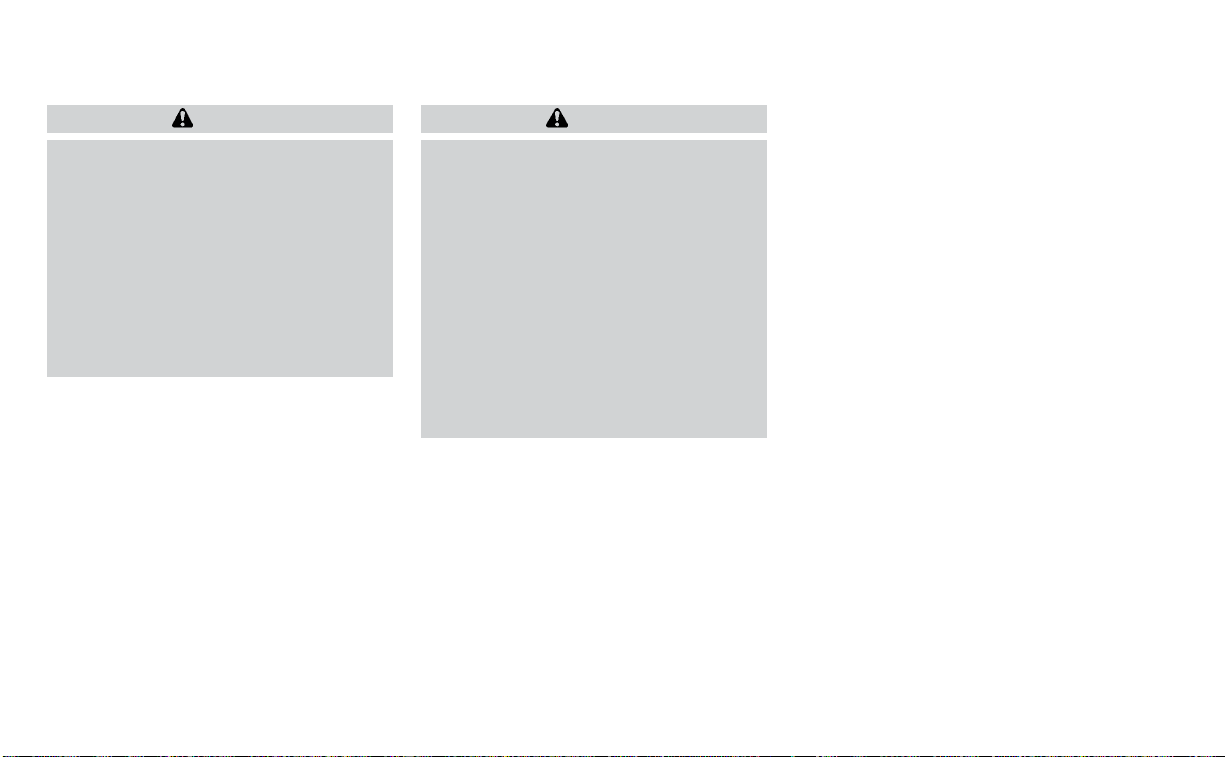
WARNING
• After adjustment, release the adjust-
ment button and try to move the
shoulder belt anchor up and down to
make sure it is securely fixed in
position.
• The shoulder belt anchor height
should be adjusted to the position
best for you. Failure to do so may re-
duce the effectiveness of the entire
restraint system and increase the
chance or severity of injury in an
accident.
SEAT BELT EXTENDERS
If, because of body size or driving position, it
is not possible to properly fit the lap/
shoulder belt and fasten it, an extender
that is compatible with the installed seat
belts is available for purchase. The ex-
tender adds approximately 8 in (200 mm)
of length and may be used for either the
driver or front passenger seating position.
It is recommended that you visit a NISSAN
dealer for assistance with purchasing an
extender if an extender is required.
WARNING
• Only NISSAN seat belt extenders,
made by the same company which
made the original equipment seat
belts, should be used with NISSAN
seat belts.
• Adults and children who can use the
standard seat belt should not use an
extender. Such unnecessary use
could result in serious personal injury
in the event of an accident.
• Never use seat belt extenders to in-
stall child restraints. If the child re-
straint is not secured properly, the
child could be seriously injured or
killed in a collision or a sudden stop.
SEAT BELT MAINTENANCE
• To clean the seat belt webbing, apply a
mild soap solution or any solution rec-
ommended for cleaning upholstery or
carpet. Then wipe with a cloth and allow
the seat belts to dry in the shade. Do not
allow the seat belts to retract until they
are completely dry.
• If dirt builds up in the shoulder belt
guide of the seat belt anchors, the seat
belts may retract slowly. Wipe the shoul-
der belt guide with a clean, dry cloth.
• Periodically check to see that the seat
belt and the metal components, such
as buckles, tongues, retractors, flexible
wires and anchors, work properly. If loose
parts, deterioration, cuts or other dam-
age on the webbing is found, the entire
seat belt assembly should be replaced.
Safety-Seats, seat belts and supplemental restraint system 1-19

WARNING
Do not allow children to play with the
seat belts. Most seating positions are
equipped with Automatic Locking Re-
tractor (ALR) mode seat belts. If the seat
belt becomes wrapped around a child’s
neck with the ALR mode activated, the
child can be seriously injured or killed if
the seat belt retracts and becomes
tight. This can occur even if the vehicle
is parked. Unbuckle the seat belt to re-
lease the child. If the seat belt cannot
be unbuckled or is already unbuckled,
release the child by cutting the seat
belt with a suitable tool (such as a knife
or scissors) to release the seat belt.
Children need adults to help protect
them. They need to be properly
restrained.
In addition to the general information in
this manual, child safety information is
available from many other sources, includ-
ing doctors, teachers, government traffic
safety offices, and community organiza-
tions. Every child is different, so be sure to
learn the best way to transport your child.
There are three basic types of child re-
straint systems:
• Rear-facing child restraints
• Forward-facing child restraints
• Booster seats
The proper restraint depends on the child's
size. Generally, infants up to about 1 year
and less than 20 lbs. (9 kg) should be placed
in rear-facing child restraints. Forward-
facing child restraints are available for chil-
dren who outgrow rear-facing child re-
straints and are at least 1 year old. Booster
seats are used to help position a vehicle
lap/shoulder belt on a child who can no
longer use a forward-facing child restraint.
WARNING
Infants and children need special pro-
tection. The vehicle's seat belts may
not fit them properly. The shoulder belt
may come too close to the face or neck.
The lap belt may not fit over their small
hip bones. In an accident, an improp-
erly fitting seat belt could cause serious
or fatal injury. Always use appropriate
child restraints.
All U.S. states and Canadian provinces or
territories require the use of approved child
restraints for infants and small children. For
additional information, see “Child re-
straints” (P. 1-22).
NISSAN recommends that all pre-teens
and children be restrained in the rear
seat. Studies show that children are
safer when properly restrained in the
rear seat than in the front seat.
This is especially important because
your vehicle has a supplemental re-
straint system (air bag system) for the
front passenger. For additional informa-
tion, see “Supplemental Restraint Sys-
tem (SRS)” (P. 1-43).
INFANTS
Infants up to at least 1 year old should be
placed in a rear-facing child restraint.
NISSAN recommends that infants be
placed in child restraints that comply with
Federal Motor Vehicle Safety Standards or
Canadian Motor Vehicle Safety Standards.
You should choose a child restraint that fits
your vehicle and always follow the manu-
facturer's instructions for installation and
use.
CHILD SAFETY
1-20 Safety-Seats, seat belts and supplemental restraint system

SMALL CHILDREN
Children that are over 1 year old and weigh
at least 20 lbs. (9 kg) should remain in a
rear-facing child restraint as long as pos-
sible up to the height or weight limit of the
child restraint. Children who outgrow the
height or weight limit of the rear-facing
child restraint and are at least 1 year old
should be secured in a forward-facing child
restraint with a harness. Refer to the manu-
facturer’s instructions for minimum and
maximum weight and height recommen-
dations. NISSAN recommends that small
children be placed in child restraints that
comply with Federal Motor Vehicle Safety
Standards or Canadian Motor Vehicle
Safety Standards. You should choose a
child restraint that fits your vehicle and al-
ways follow the manufacturer’s instruc-
tions for installation and use.
LARGER CHILDREN
Children should remain in a forward-facing
child restraint with a harness until they
reach the maximum height or weight limit
allowed by the child restraint
manufacturer.
Once a child outgrows the height or weight
limit of the harness-equipped forward-
facing child restraint, NISSAN recommends
that the child be placed in a commercially
available booster seat to obtain proper
seat belt fit. For a seat belt to fit properly, the
booster seat should raise the child so that
the shoulder belt is properly positioned
across the chest and the top, middle por-
tion of the shoulder. The shoulder belt
should not cross the neck or face and
should not fall off the shoulder. The lap belt
should lie snugly across the lower hips or
upper thighs, not the abdomen. A booster
seat can only be used in seating positions
that have a three-point type seat belt. The
booster seat should fit the vehicle seat and
have a label certifying that it complies with
Federal Motor Vehicle Safety Standards or
Canadian Motor Vehicle Safety Standards.
A booster seat should be used until the
child can pass the seat belt fit test below:
• Are the child’s back and hips against the
vehicle seatback?
• Is the child able to sit without slouching?
• Do the child’s knees bend easily over the
front edge of the seat with feet flat on the
floor?
• Can the child safely wear the seat belt (lap
belt low and snug across the hips and
shoulder belt across mid-chest and
shoulder)?
• Is the child able to use the properly ad-
justed head restraint/headrest?
• Will the child be able to stay in position for
the entire ride?
Safety-Seats, seat belts and supplemental restraint system 1-21
If you answered no to any of these ques-
tions, the child should remain in a booster
seat using a three-point type seat belt.
NOTE:
Laws in some communities may follow
different guidelines. Check local and
state regulations to confirm your child is
using the correct restraint system before
traveling.
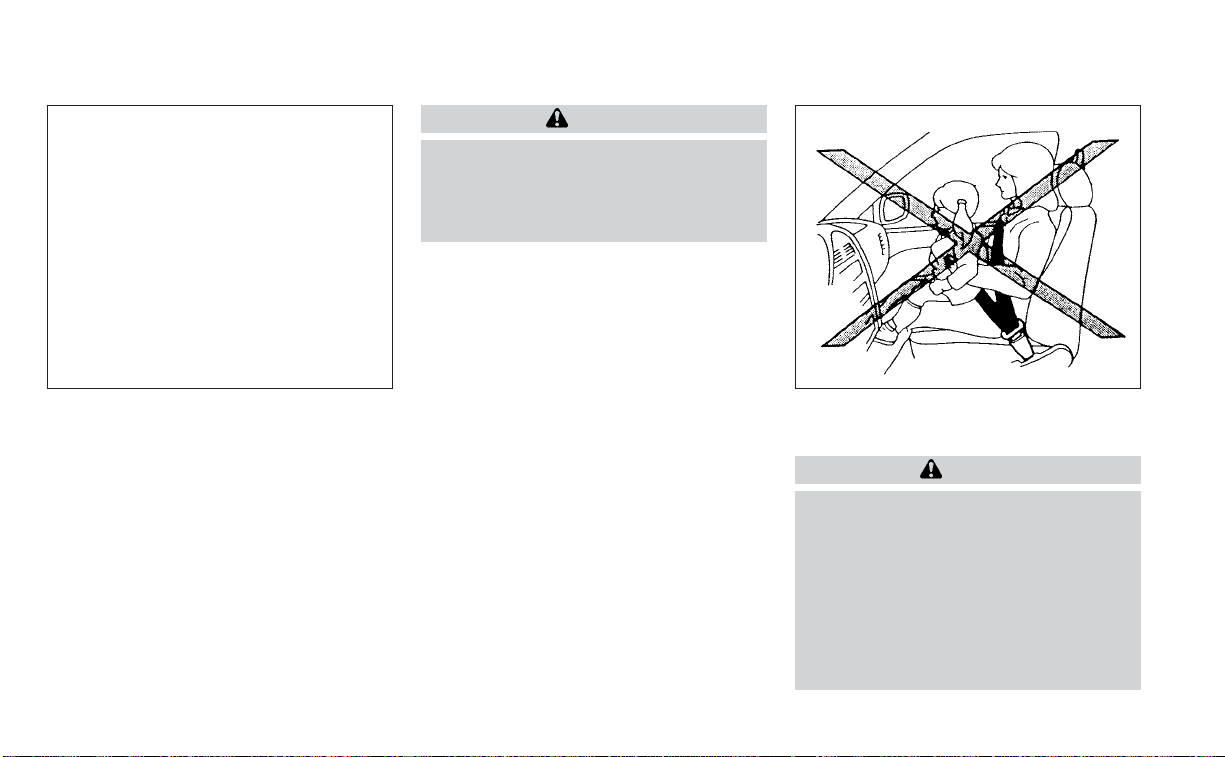
WARNING
Never let a child stand or kneel on any
seat and do not allow a child in the
cargo area. The child could be seriously
injured or killed in a sudden stop or
collision.
PRECAUTIONS ON CHILD
RESTRAINTS
WARNING
•
Failure to follow the warnings and in-
structions for proper use and installa-
tion of child restraints could result in se-
rious injury or death of a child or other
passengers in a sudden stop or collision:
– The child restraint must be used
and installed properly. Always fol-
low all of the child restraint manu-
facturer's instructions for instal-
lation and use.
LRS2690 ARS1098
CHILD RESTRAINTS
1-22 Safety-Seats, seat belts and supplemental restraint system

– Infants and children should never
be held on anyone's lap. Even the
strongest adult cannot resist the
forces of a collision.
– Do not put a seat belt around both
a child and another passenger.
– NISSAN recommends that all child
restraints be installed in the rear
seat. Studies show that children
are safer when properly re-
strained in the rear seat than in
the front seat. If you must install a
forward-facing child restraint in
the front seat, see “Forward-
facing child restraint installation
using the seat belts” (P. 1-35)
– Even with the NISSAN Advanced
Air Bag System, never install a
rear-facing child restraint in the
front seat. An inflating air bag
could seriously injure or kill a child.
A rear-facing child restraint must
only be used in the rear seat.
– Be sure to purchase a child re-
straint that will fit the child and
vehicle. Some child restraints may
not fit properly in your vehicle.
–
Child restraint anchorages are de-
signed to withstand only those
loads imposed by correctly fitted
child restraints. Under no circum-
stances are they to be used to at-
tach adult seat belts, or other items
or equipment to the vehicle. Doing
so could damage the child restraint
anchorages. The child restraint will
not be properly installed using the
damaged anchorage, and a child
could be seriously injured or killed
in a collision.
– Never use the anchor points for
adult seat belts, or other items.
– A child restraint with a top tether
strap should not be used in the
front passenger seat.
–
Keep seatbacks as upright as pos-
sible after fitting the child restraint.
– Infants and children should al-
ways be placed in an appropriate
child restraint while in the vehicle.
• When the child restraint is not in use,
keep it secured with the LATCH sys-
tem or a seat belt. In a sudden stop or
collision, loose objects can injure oc-
cupants or damage the vehicle.
WRS0256
Safety-Seats, seat belts and supplemental restraint system 1-23

CAUTION
A child restraint in a closed vehicle can
become very hot. Check the seating
sur face and buckles before placing a
child in the child restraint.
This vehicle is equipped with a universal
child restraint anchor system, referred to
as the LATCH (Lower Anchors and Tethers
for CHildren) system. Some child restraints
include rigid or webbing-mounted attach-
ments that can be connected to these an-
chors. For additional information, see
“LATCH (Lower Anchors and Tethers for
CHildren) system” (P. 1-24)
If you do not have a LATCH compatible
child restraint, the vehicle seat belts can be
used.
Several manufacturers offer child re-
straints for infants and children of various
sizes. When selecting any child restraint,
keep the following points in mind:
• Choose only a restraint with a label certi-
fying that it complies with Federal Motor
Vehicle Safety Standard 213 or Canadian
Motor Vehicle Safety Standard 213.
• Check the child restraint in your vehicle to
be sure it is compatible with the vehicle's
seat and seat belt system.
• If the child restraint is compatible with
your vehicle, place your child in the child
restraint and check the various adjust-
ments to be sure the child restraint is
compatible with your child. Choose a
child restraint that is designed for your
child's height and weight. Always follow
all recommended procedures.
• If the combined weight of the child and
child restraint is less than 65 lbs. (29.5 kg),
you may use either the LATCH anchors or
the seat belt to install the child restraint
(not both at the same time).
• If the combined weight of the child and
child restraint is greater than 65 lbs. (29.5
kg), use the vehicle’s seat belt (not the
lower anchors) to install the child
restraint.
• Be sure to follow the child restraint
manufacturer’s instructions for
installation.
All U.S. states and Canadian provinces or
territories require that infants and small
children be restrained in an approved
child restraint at all times while the ve-
hicle is being operated. Canadian law re-
quires the top tether strap on forward-
facing child restraints be secured to the
designated anchor point on the vehicle.
LATCH (Lower Anchors and
Tethers for CHildren) SYSTEM
Your vehicle is equipped with special an-
chor points that are used with LATCH sys-
tem compatible child restraints. This sys-
tem may also be referred to as the ISOFIX
or ISOFIX compatible system. With this sys-
tem, you do not have to use a vehicle seat
belt to secure the child restraint unless the
combined weight of the child and child re-
straint exceeds 65 lbs. (29.5 kg). If the com-
bined weight of the child and child restraint
is greater than 65 lbs. (29.5 kg) use the vehi-
cle’s seat belt (not the lower anchors) to
LRS3275
LATCH system lower anchor locations
1-24 Safety-Seats, seat belts and supplemental restraint system

install the child restraint. Be sure to follow
the child restraint manufacturer’s instruc-
tions for installation.
The LATCH anchor points can be used to
install child restraints in either of the rear
outboard seating positions or in the center
rear seating position. Please refer to the
following section of this Owner’s Manual for
specific information about installing a child
restraint in the center rear seating position
using the LATCH anchors.
LATCH lower anchor
WARNING
Failure to follow the warnings and in-
structions for proper use and installa-
tion of child restraints could result in
serious injury or death of a child or
other passengers in a sudden stop or
collision:
– Attach LATCH system compatible
child restraints only at the locations
shown in the illustration.
– Do not secure a child restraint in the
center rear seating position using
the LATCH lower anchors. The child
restraint will not be secured
properly.
– Inspect the lower anchors by insert-
ing your fingers into the lower an-
chor area. Feel to make sure there
are no obstructions over the an-
chors such as seat belt webbing or
seat cushion material. The child re-
straint will not be secured properly if
the lower anchors are obstructed.
Child restraint anchorages are de-
signed to withstand only those loads
imposed by correctly fitted child re-
straints. Under no circumstances are
they to be used to attach adult seat
belts, or other items or equipment to
the vehicle. Doing so could damage the
child restraint anchorages. The child
restraint will not be properly installed
using the damaged anchorage, and a
child could be seriously injured or killed
in a collision.
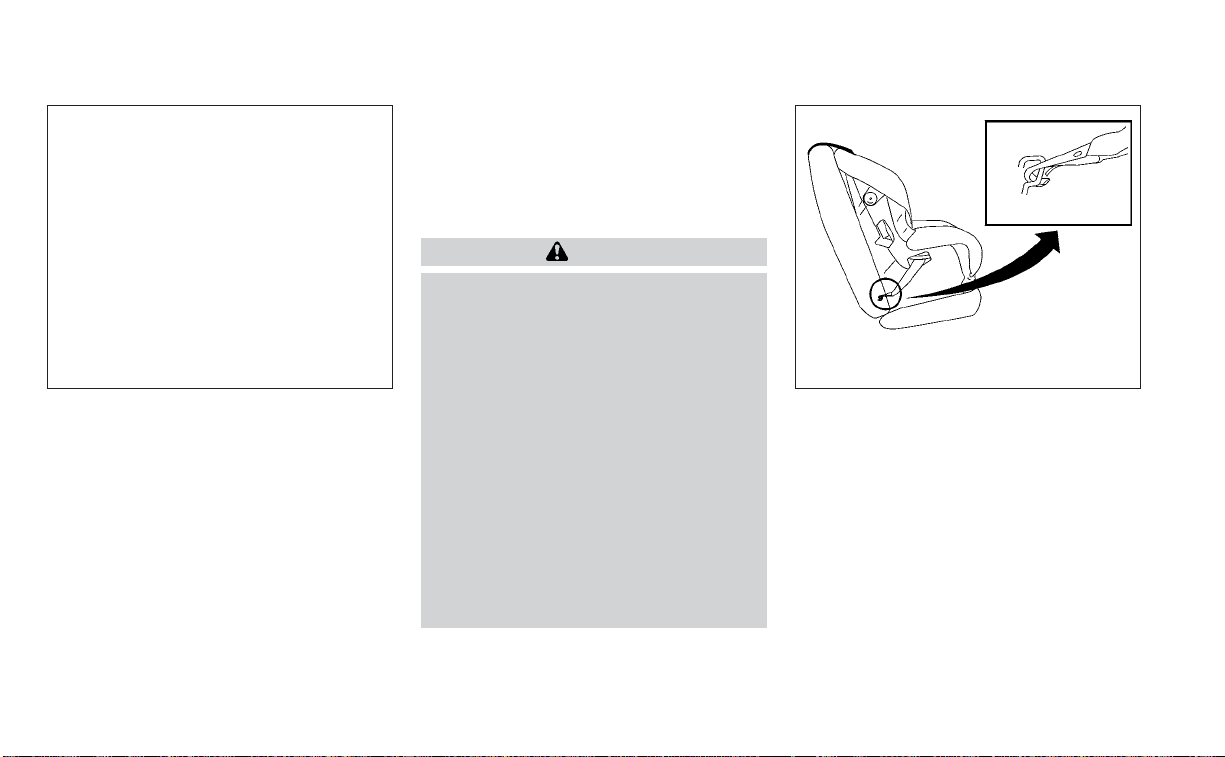
LATCH lower anchor location
The LATCH lower anchors are located as
shown. A label is attached to the seatback
to help you locate the LATCH lower
anchors.
LRS3036
LATCH lower anchor location
Safety-Seats, seat belts and supplemental restraint system 1-25
LATCH in the center rear seating
position
There are no LATCH anchors dedicated to
the center rear seating position. However,
the inboard LATCH anchors belonging to
the two outboard seating positions (indi-
cated by the arrows) can be used together
to secure a CRS in the center rear seating
position. These anchors are separated by a
distance
O
A
of 16 in (408 mm). Before at-
tempting to secure a CRS in this seating
position, ensure that the CRS manufactur-
er’s instructions permit the use of LATCH
anchors with the spacing indicated above.
(These are sometimes referred to as
“shared anchors” or “borrowed anchors.”)
CRS with rigid lower attachments cannot
be installed in the center seat. This type of
CRS should only be installed in the out-
board seating positions.
WARNING
Never attach two CRS at tachments to
the same LATCH anchor. This may over-
load the anchor in a collision, which
could increase the risk of the occu-
pant’s serious injury or death.
When installing the CRS in the center
rear seating position with the inboard
LATCH anchors, be careful to ensure any
occupant or CRS in the outboard seat-
ing positions is properly restrained us-
ing the vehicle seat belt and there is no
inter ference with the center CRS instal-
lation. If the outboard occupants can-
not be properly restrained, consider us-
ing the vehicle seat belt to restrain the
CRS in the center seating position, or
moving the CRS to another position
instead.
Installing child restraint LATCH
lower anchor attachments
LATCH compatible child restraints include
two rigid or webbing-mounted attach-
ments that can be connected to two an-
chors located at certain seating positions
in your vehicle. With this system, you do not
have to use a vehicle seat belt to secure the
child restraint. Check your child restraint for
a label stating that it is compatible with
LATCH. This information may also be in the
instructions provided by the child restraint
manufacturer.
LRS3303 LRS0661
LATCH webbing-mounted attachment
1-26 Safety-Seats, seat belts and supplemental restraint system
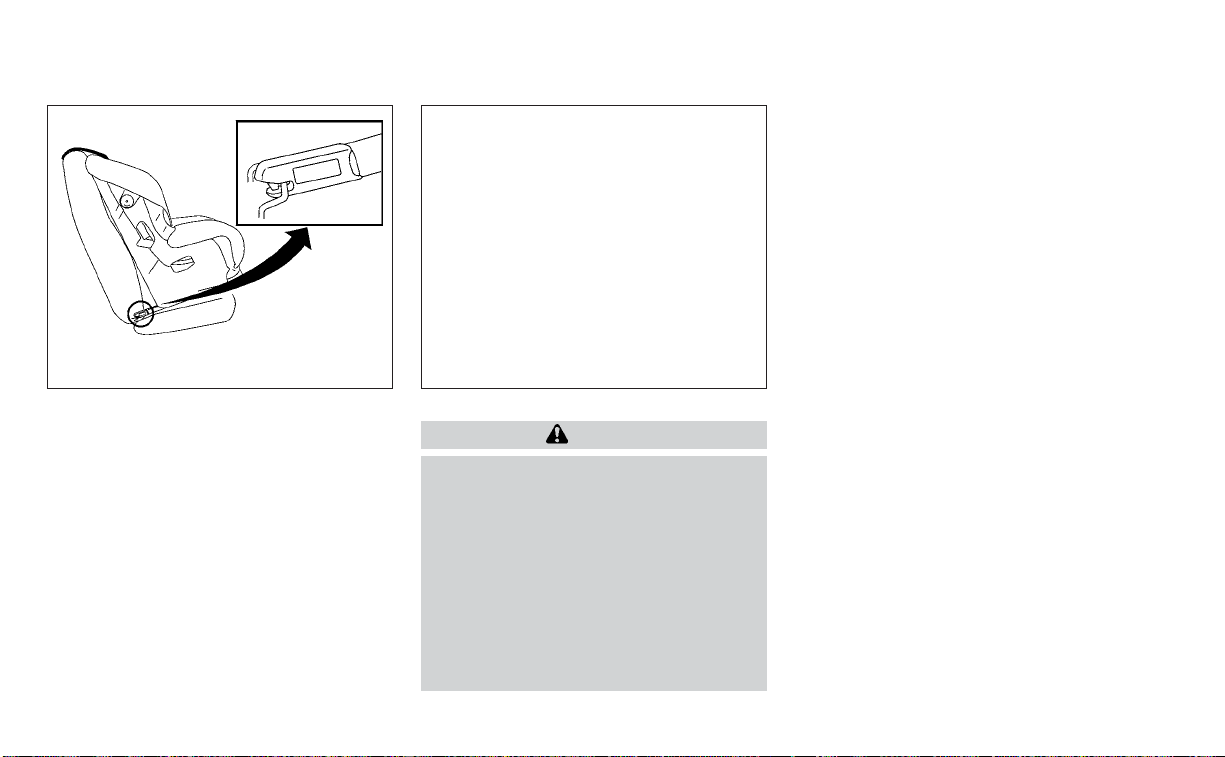
When installing a child restraint, carefully
read and follow the instructions in this
manual and those supplied with the child
restraint.
Top tether anchor point locations
WARNING
Child restraint anchorages are de-
signed to withstand only those loads
imposed by correctly fitted child re-
straints. Under no circumstances are
they to be used to attach adult seat
belts, or other items or equipment to
the vehicle. Doing so could damage the
child restraint anchorages. The child
restraint will not be properly installed
using the damaged anchorage, and a
child could be seriously injured or killed
in a collision.
The child restraint top tether strap must be
used when installing the child restraint with
the LATCH lower anchor attachments or
seat belts. For additional information, see
“Installing top tether strap” (P. 1-35).
If you have any questions when install-
ing a top tether strap child restraint, it is
recommended that you visit a NISSAN
dealer for this service.
Anchor points
O
1
are located on the rear
parcel shelf.
REAR-FACING CHILD RESTRAINT
INSTALLATION USING LATCH
For additional information, see all Warnings
and Cautions in the “Child safety” (P. 1-20)
and “Child restraints” (P. 1-22) sections be-
fore installing a child restraint.
Do not use the lower anchors if the com-
bined weight of the child and the child re-
straint exceeds 65 lbs. (29.5 kg). If the com-
bined weight of the child and the child
restraint is greater than 65 lbs. (29.5 kg), use
the vehicle's seat belt (not the lower an-
chors) to install the child restraint. Be sure
to follow the child restraint manufacturer's
instructions for installation.
Follow these steps to install a rear-facing
child restraint using the LATCH system:
LRS0662
LATCH rigid-mounted attachment
LRS3302
Safety-Seats, seat belts and supplemental restraint system 1-27

1. Remove the plastic covers from the
LATCH anchors by pulling the covers
straight back. Store the covers in a se-
cure area.
2. Position the child restraint on the seat.
Always follow the child restraint manu-
facturer's instructions.
3. Secure the child restraint anchor at-
tachments to the LATCH lower anchors.
Check to make sure the LATCH attach-
ment is properly attached to the lower
anchors.
LRS3118
Rear-facing – step 1
LRS2997
Rear-facing webbing-mounted – step 3
LRS2996
Rear-facing rigid-mounted – step 3
1-28 Safety-Seats, seat belts and supplemental restraint system
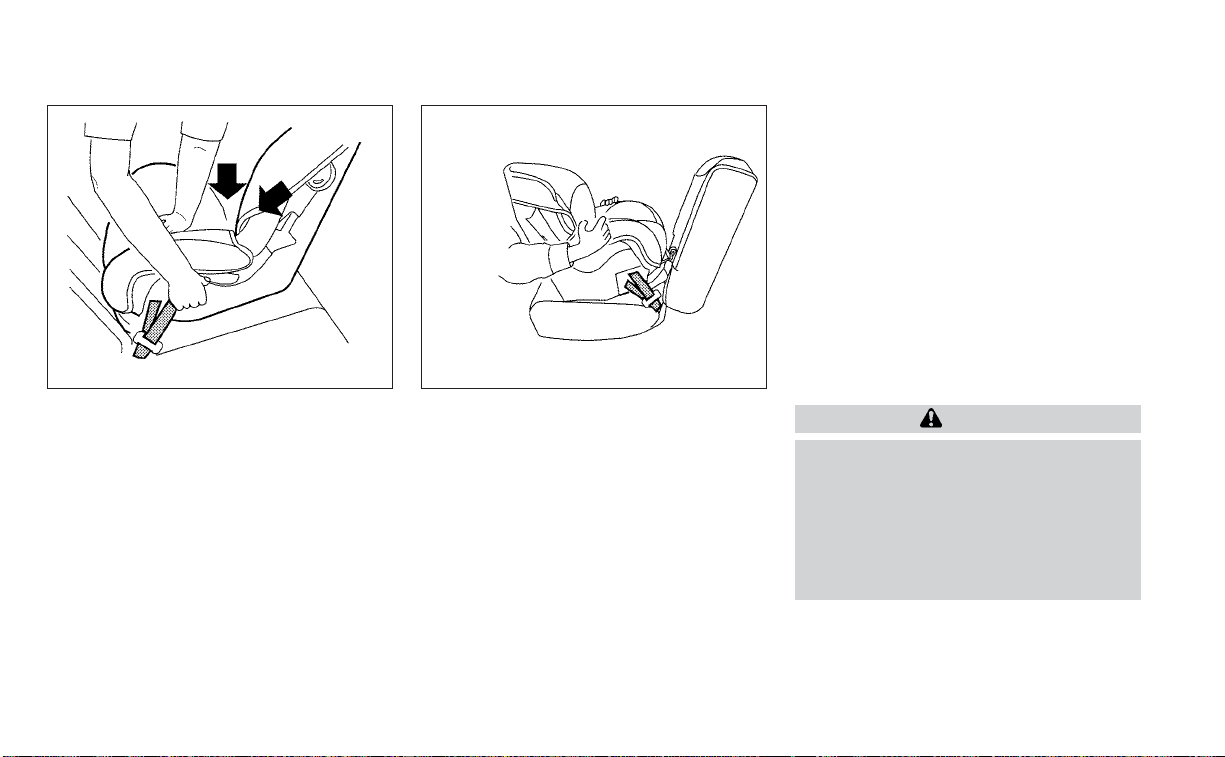
4. For child restraints that are equipped
with webbing-mounted attachments,
remove any additional slack from the
anchor attachments. Press downward
and rearward firmly in the center of the
child restraint with your hand to com-
press the vehicle seat cushion and seat-
back while tightening the webbing of
the anchor attachments.
5. After attaching the child restraint, test it
before you place the child in it. Push it
from side to side while holding the child
restraint near the LATCH attachment
path. The child restraint should not
move more than 1 inch (25 mm), from
side to side. Try to tug it forward and
check to see if the LATCH attachment
holds the restraint in place. If the re-
straint is not secure, tighten the LATCH
attachment as necessary, or put the re-
straint in another seat and test it again.
You may need to try a different child
restraint or try installing by using the ve-
hicle seat belt (if applicable). Not all child
restraints fit in all types of vehicles.
6. Check to make sure the child restraint is
properly secured prior to each use. If the
child restraint is loose, repeat steps 1
through 5.
7. If you remove the child restraint, reinstall
the plastic LATCH anchor covers after
use by pushing the covers straight onto
the LATCH anchors.
REAR-FACING CHILD RESTRAINT
INSTALLATION USING THE SEAT
BELTS
WARNING
The three-point seat belt with Auto-
matic Locking Retractor (ALR) must be
used when installing a child restraint.
Failure to use the ALR mode will result
in the child restraint not being properly
secured. The restraint could tip over or
be loose and cause injury to a child in a
sudden stop or collision.
For additional information, see all Warnings
and Cautions in the “Child safety” (P. 1-20)
and “Child restraints” (P. 1-22) sections be-
fore installing a child restraint.
LRS0673
Rear-facing – step 4
LRS0674
Rear-facing – step 5
Safety-Seats, seat belts and supplemental restraint system 1-29
Do not use the lower anchors if the com-
bined weight of the child and the child re-
straint exceeds 65 lbs. (29.5 kg). If the com-
bined weight of the child and the child
restraint is greater than 65 lbs. (29.5 kg), use
the vehicle's seat belt (not the lower an-
chors) to install the child restraint. Be sure
to follow the child restraint manufacturer's
instructions for installation.
Follow these steps to install a rear-facing
child restraint using the vehicle seat belts in
the rear seats:
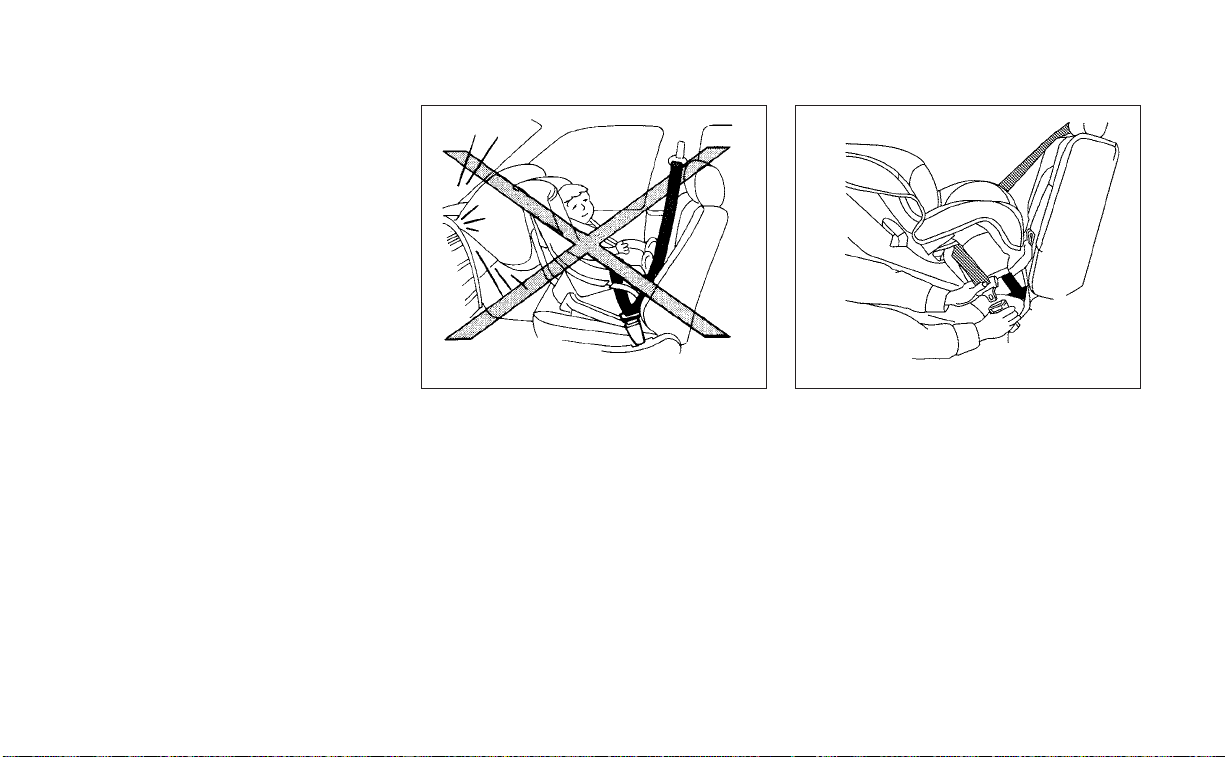
1. Child restraints for infants must be
used in the rear-facing direction and
therefore must not be used in the front
seat. Position the child restraint on the
seat. Always follow the child restraint
manufacturer’s instructions.
2. Route the seat belt tongue through the
child restraint and insert it into the
buckle until you hear and feel the latch
engage. Be sure to follow the child re-
straint manufacturer’s instructions for
belt routing.
WRS0256
Rear-facing – step 1
WRS0761
Rear-facing – step 2
1-30 Safety-Seats, seat belts and supplemental restraint system
3. Pull the shoulder belt until the belt is fully
extended. At this time, the seat belt re-
tractor is in the ALR mode (child restraint
mode). It reverts to the ELR mode when
the seat belt is fully retracted.
4. Allow the seat belt to retract. Pull up on
the shoulder belt to remove any slack in
the belt.
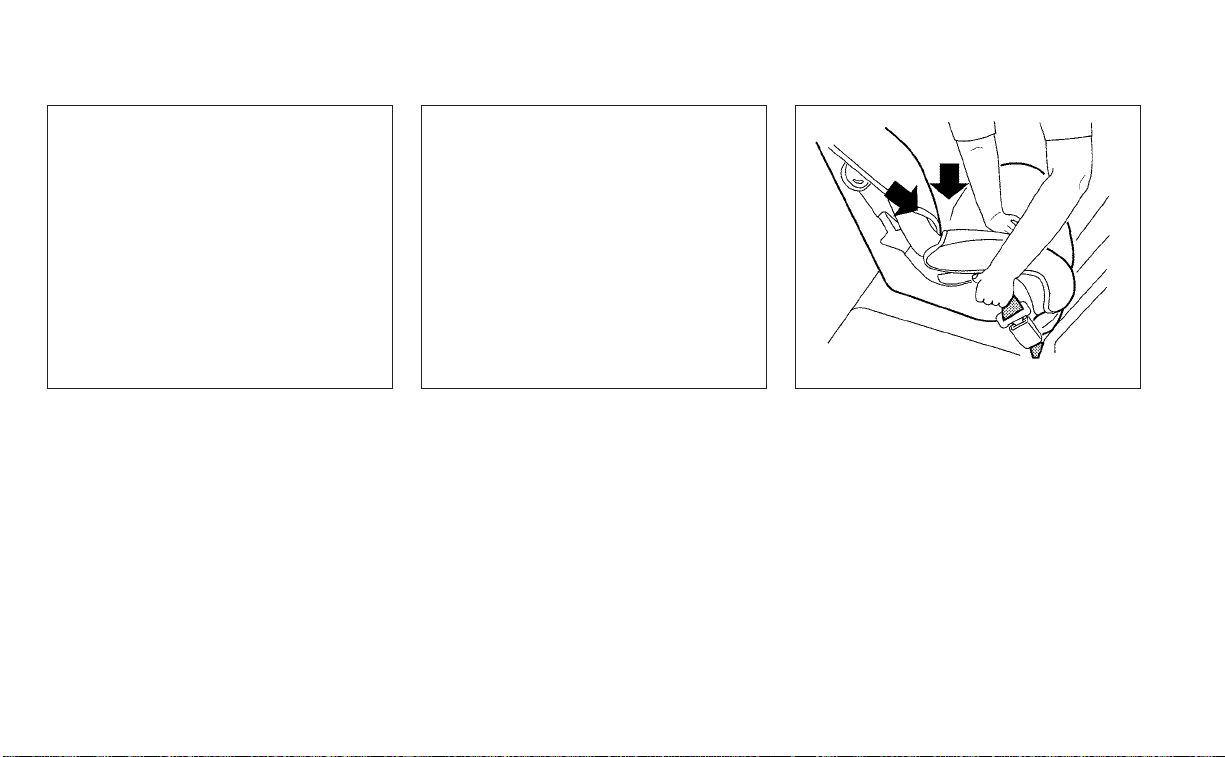
5. Remove any additional slack from the
seat belt; press downward and rearward
firmly in the center of the child restraint
to compress the vehicle seat cushion
and seatback while pulling up on the
seat belt.
LRS2395
Rear-facing – step 3
LRS2396
Rear-facing – step 4
WRS0762
Rear-facing – step 5
Safety-Seats, seat belts and supplemental restraint system 1-31

6. After attaching the child restraint, test it
before you place the child in it. Push it
from side to side while holding the child
restraint near the seat belt path. The
child restraint should not move more
than 1 inch (25 mm), from side to side. Try
to tug it forward and check to see if the
belt holds the restraint in place. If the
restraint is not secure, tighten the seat
belt as necessary, or put the restraint in
another seat and test it again. You may
need to try a different child restraint. Not
all child restraints fit in all types of
vehicles.
7. Check to make sure that the child re-
straint is properly secured prior to each
use. If the seat belt is not locked, repeat
steps 3 through 6.
After the child restraint is removed and the
seat belt fully retracted, the ALR mode
(child restraint mode) is canceled.
FORWARD-FACING CHILD
RESTRAINT INSTALLATION USING
LATCH
For additional information, see all Warnings
and Cautions in the “Child safety” (P. 1-20)
and “Child restraints” (P. 1-22) sections be-
fore installing a child restraint.
Do not use the lower anchors if the com-
bined weight of the child and the child re-
straint exceeds 65 lbs. (29.5 kg). If the com-
bined weight of the child and the child
restraint is greater than 65 lbs. (29.5 kg), use
the vehicle’s seat belt (not the lower an-
chors) to install the child restraint. Be sure
to follow the child restraint manufacturer’s
instructions for installation.
Follow these steps to install a forward-
facing child restraint using the LATCH
system:
1. Remove the plastic covers from the
LATCH anchors by pulling the covers
straight back. Store the covers in a se-
cure area.
2. Position the child restraint on the seat.
Always follow the child restraint manu-
facturer's instructions.
LRS2397
Rear-facing – step 6
LRS3118
Forward-facing – step 1
1-32 Safety-Seats, seat belts and supplemental restraint system

3. Secure the child restraint anchor at-
tachments to the LATCH lower anchors.
Check to make sure the LATCH attach-
ment is properly attached to the lower
anchors.
If the child restraint is equipped with a
top tether strap, route the top tether
strap and secure the tether strap to the
tether anchor point. For additional infor-
mation, see “Installing top tether strap”
(P. 1-35)
Do not install child restraints that require
the use of a top tether strap in seating
positions that do not have a top tether
anchor.
4. The back of the child restraint should be
secured against the vehicle seatback.
If necessary, adjust or remove the head
restraint/headrest to obtain the correct
child restraint fit. If the head restraint/
headrest is removed, store it in a secure
place. Be sure to reinstall the head
restraint/headrest when the child re-
straint is removed. For additional infor-
mation, see “Head restraints/headrests”
(P. 1-7)
If the seating position does not have an
adjustable head restraint/headrest and
it is interfering with the proper child re-
straint fit, try another seating position or
a different child restraint.
LRS2995
Forward-facing webbing-mounted –
step 3
LRS2994
Forward-facing rigid-mounted – step 3
Safety-Seats, seat belts and supplemental restraint system 1-33

5. For child restraints that are equipped
with webbing-mounted attachments,
remove any additional slack from the
anchor attachments. Press downward
and rearward firmly in the center of the
child restraint with your knee to com-
press the vehicle seat cushion and seat-
back while tightening the webbing of
the anchor attachments.
6. Tighten the tether strap according to
the manufacturer's instructions to re-
move any slack.
7. After attaching the child restraint, test it
before you place the child in it. Push it
from side to side while holding the child
restraint near the LATCH attachment
path. The child restraint should not move
more than 1 inch (25 mm), from side to
side. Try to tug it forward and check to
see if the LATCH attachment holds the
restraint in place. If the restraint is not
secure, tighten the LATCH attachment
as necessary, or put the restraint in an-
other seat and test it again. You may
need to try a different child restraint. Not
all child restraints fit in all types of
vehicles.
8. Check to make sure the child restraint is
properly secured prior to each use. If the
child restraint is loose, repeat steps 1
through 7.
9. If you remove the child restraint, reinstall
the plastic LATCH anchor covers after
use by pushing the covers straight onto
the LATCH anchors.
LRS0671
Forward-facing – step 5
WRS0697
Forward-facing – step 7
1-34 Safety-Seats, seat belts and supplemental restraint system
Installing top tether strap
The child restraint top tether strap must be
used when installing the child restraint with
the LATCH lower anchor attachments.
First, secure the child restraint with the
LATCH lower anchors.
Rear bench seat
1. Remove the head restraint/headrest
(outboard rear seats only) and store it in
a secure place. Be sure to reinstall the
head restraint/headrest when the child
restraint is removed. For additional infor-
mation, see “Head restraints/headrests”
(P. 1-7)
2. Position the top tether strap
O
1
as
shown.
3. Secure the tether strap to the tether an-
chor point
O
2
as shown.
4. Tighten the tether strap according to
the manufacturer’s instructions to re-
move any slack.
If you have any questions when install-
ing a top tether strap, it is recommended
that you visit a NISSAN dealer for details.
WARNING
Child restraint anchorages are de-
signed to withstand only those loads
imposed by correctly fitted child re-
straints. Under no circumstances are
they to be used to attach adult seat
belts, or other items or equipment to
the vehicle. Doing so could damage the
child restraint anchorages. The child
restraint will not be properly installed
using the damaged anchorage, and a
child could be seriously injured or killed
in a collision.
FORWARD-FACING CHILD
RESTRAINT INSTALLATION USING
THE SEAT BELTS
WARNING
The three-point seat belt with Auto-
matic Locking Retractor (ALR) must be
used when installing a child restraint.
Failure to use the ALR mode will result
in the child restraint not being properly
secured. The restraint could tip over or
be loose and cause injury to a child in a
sudden stop or collision. Also, it can
change the operation of the front pas-
senger air bag. For additional informa-
tion, see “Front passenger air bag and
status light” (P. 1-54)
LRS3301
Rear seats
䊊
1
Top tether strap
䊊
2
Anchor point
Safety-Seats, seat belts and supplemental restraint system 1-35
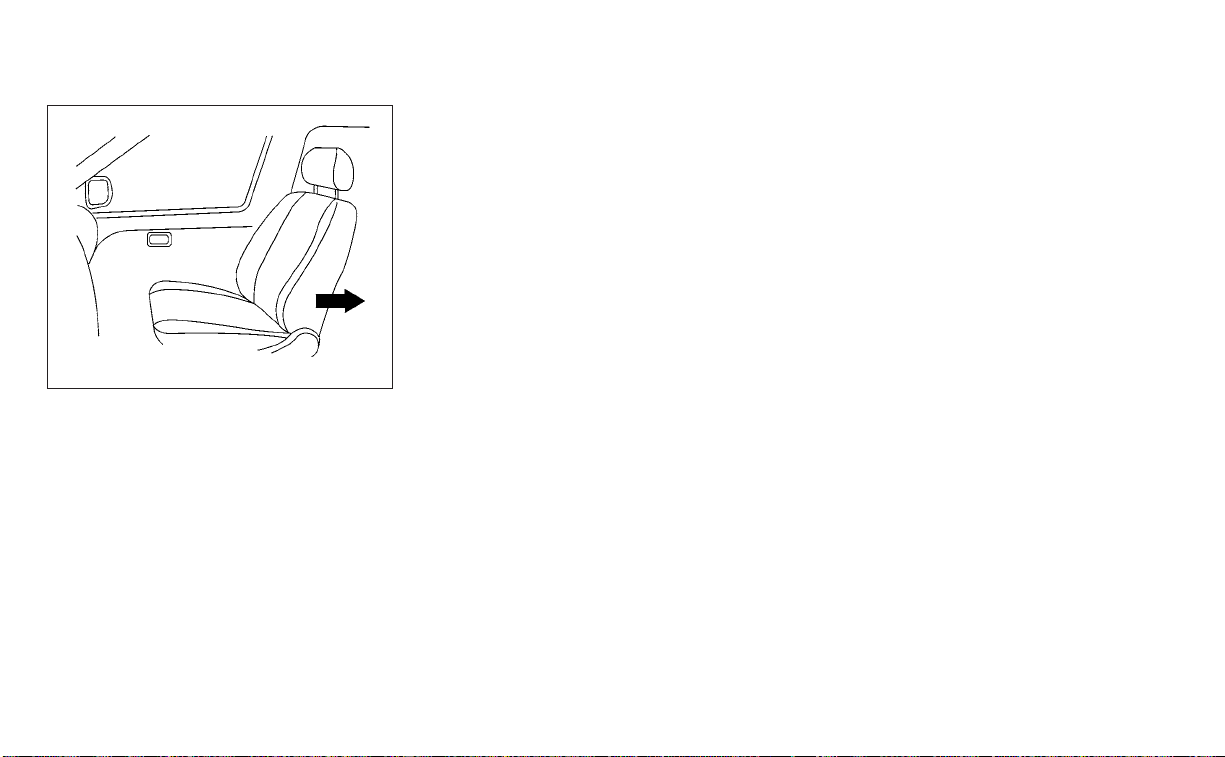
For additional information, see all Warnings
and Cautions in the “Child safety” (P. 1-20)
and “Child restraints” (P. 1-22) sections be-
fore installing a child restraint.
Do not use the lower anchors if the com-
bined weight of the child and the child re-
straint exceeds 65 lbs. (29.5 kg). If the com-
bined weight of the child and the child
restraint is greater than 65 lbs. (29.5 kg) use
the vehicle’s seat belt (not the lower an-
chors) to install the child restraint. Be sure
to follow the child restraint manufacturer’s
instructions for installation.
Follow these steps to install a forward-
facing child restraint using the vehicle seat
belt in the rear seats or in the front passen-
ger seat:
1. If you must install a child restraint in
the front seat, it should be placed in a
forward-facing direction only. Move
the seat to the rearmost position.
Child restraints for infants must be
used in the rear-facing direction and
therefore must not be used in the front
seat.
2. Position the child restraint on the seat.
Always follow the child restraint manu-
facturer’s instructions.
The back of the child restraint should be
secured against the vehicle seatback.
If necessary, adjust or remove the head
restraint/headrest to obtain the correct
child restraint fit. If the head restraint/
headrest is removed, store it in a secure
place. Be sure to reinstall the head
restraint/headrest when the child re-
straint is removed. For additional infor-
mation, see “Head restraints/headrests”
(P. 1-7).
If the seating position does not have an
adjustable head restraint/headrest and
it is interfering with the proper child re-
straint fit, try another seating position or
a different child restraint.
WRS0699
Forward-facing (front passenger seat) –
step 1
1-36 Safety-Seats, seat belts and supplemental restraint system
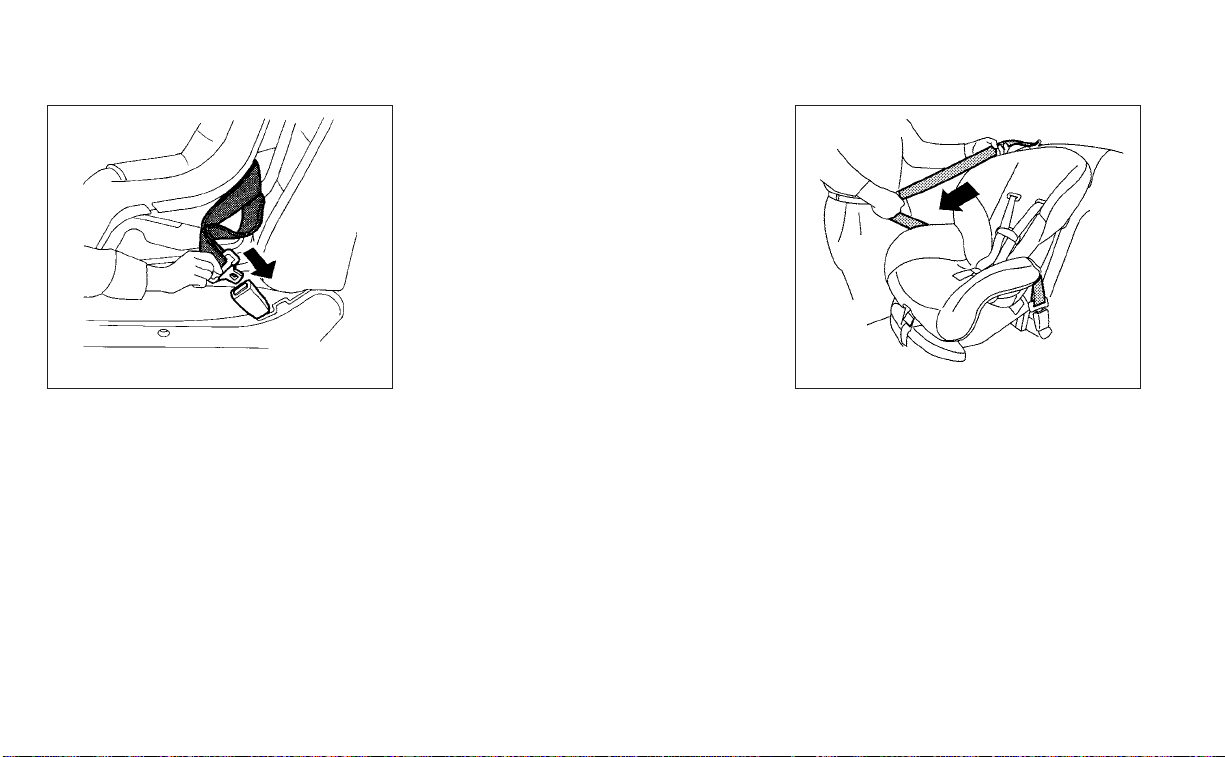
3. Route the seat belt tongue through the
child restraint and insert it into the
buckle until you hear and feel the latch
engage. Be sure to follow the child re-
straint manufacturer’s instructions for
belt routing.
If the child restraint is equipped with a
top tether strap, route the top tether
strap and secure the tether strap to the
tether anchor point (rear seat installa-
tion only). For additional information, see
“Installing top tether strap” (P. 1-39)
Do not install child restraints that require
the use of a top tether strap in seating
positions that do not have a top tether
anchor.
4. Pull the shoulder belt until the belt is fully
extended. At this time, the seat belt re-
tractor is in the ALR mode (child restraint
mode). It reverts to ELR mode when the
seat belt is fully retracted.
WRS0680
Forward-facing – step 3
LRS0667
Forward-facing – step 4
Safety-Seats, seat belts and supplemental restraint system 1-37
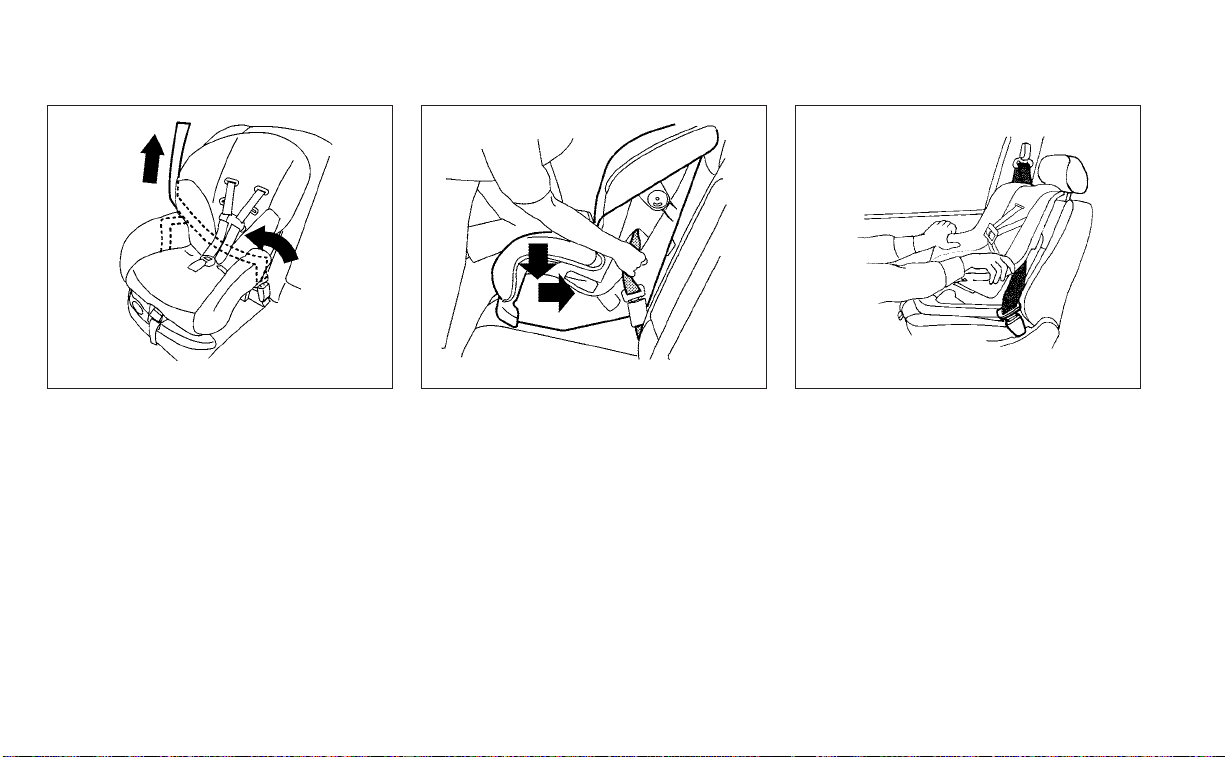
5. Allow the seat belt to retract. Pull up on
the shoulder belt to remove any slack in
the belt.
6. Remove any additional slack from the
seat belt; press downward and rear-
ward firmly in the center of the child re-
straint with your knee to compress the
vehicle seat cushion and seatback while
pulling up on the seat belt.
7. Tighten the tether strap according to the
manufacturer's instructions to remove
any slack.
8. After attaching the child restraint, test it
before you place the child in it. Push it
from side to side while holding the child
restraint near the seat belt path. The
child restraint should not move more
than 1 inch (25 mm), from side to side. Try
to tug it forward and check to see if the
belt holds the restraint in place. If the
restraint is not secure, tighten the seat
belt as necessary, or put the restraint in
another seat and test it again. You may
need to try a different child restraint. Not
all child restraints fit in all types of
vehicles.
LRS0668
Forward-facing – step 5
WRS0681
Forward-facing – step 6
WRS0698
Forward-facing – step 8
1-38 Safety-Seats, seat belts and supplemental restraint system
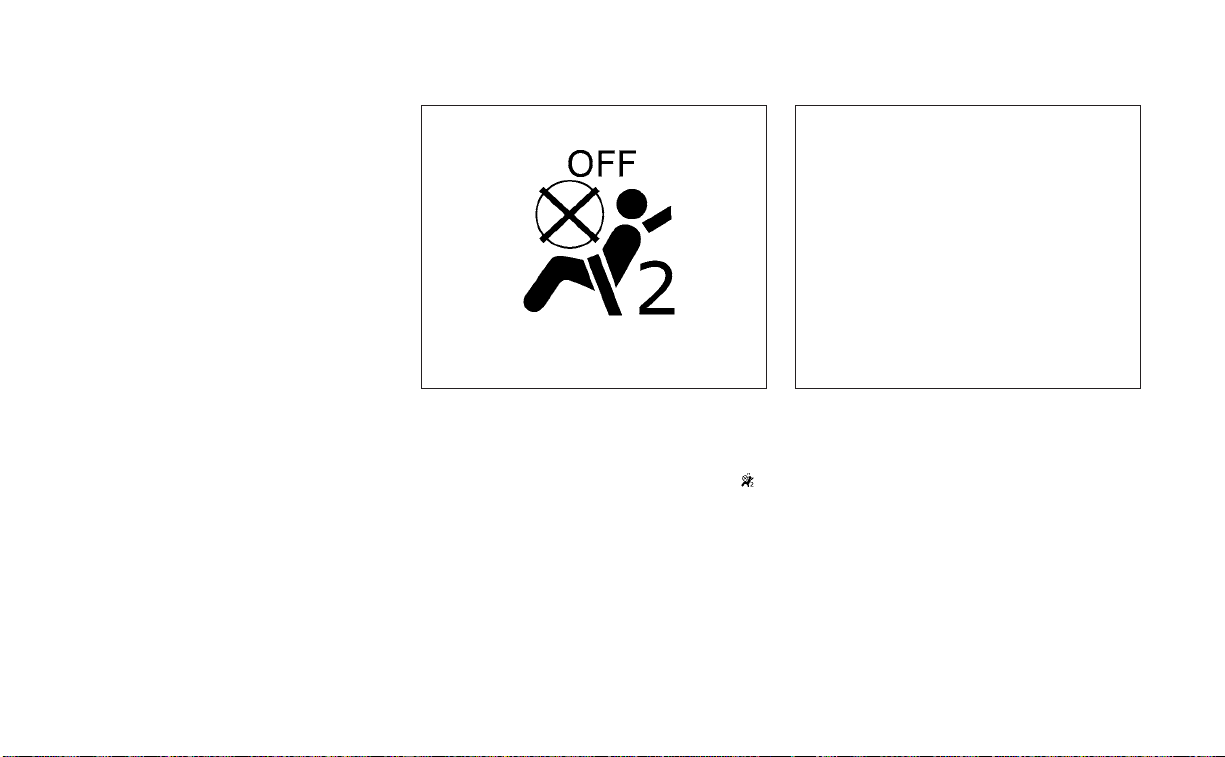
9. Check to make sure the child restraint is
properly secured prior to each use. If the
seat belt is not locked, repeat steps 2
through 8.
10. If the child restraint is installed in the
front passenger seat, place the ignition
switch in the ON position. The front
passenger air bag status light
should illuminate. If this light is not illu-
minated, see "Front passenger air bag
and status light" (P. 1-54). Move the
child restraint to another seating po-
sition. Have the system checked. It is
recommended that you visit a NISSAN
dealer for this service.
After the child restraint is removed and the
seat belt is fully retracted, the ALR mode
(child restraint mode) is canceled.
Installing top tether strap
The child restraint top tether strap must be
used when installing the child restraint with
seat belts.
First, secure the child restraint with the seat
belt.
WRS0475
Forward-facing – step 10
LRS3301
Rear seats
䊊
1
Top tether strap
䊊
2
Anchor point
Safety-Seats, seat belts and supplemental restraint system 1-39
Rear bench seat
1. Remove the head restraint/headrest
(outboard rear seats only) and store it in
a secure place. Be sure to reinstall the
head restraint/headrest when the child
restraint is removed. For additional infor-
mation, see “Head restraints/headrests”
(P. 1-7)
2. Position the top tether strap
O
1
as
shown.
3. Secure the tether strap to the tether an-
chor point
O
2
as shown.
4. Tighten the tether strap according to
the manufacturer’s instructions to re-
move any slack.
If you have any questions when install-
ing a top tether strap, it is recommended
that you visit a NISSAN dealer for details.
WARNING
Child restraint anchorages are de-
signed to withstand only those loads
imposed by correctly fitted child re-
straints. Under no circumstances are
they to be used to attach adult seat
belts, or other items or equipment to
the vehicle. Doing so could damage the
child restraint anchorages. The child
restraint will not be properly installed
using the damaged anchorage, and a
child could be seriously injured or killed
in a collision.
BOOSTER SEATS
For additional information on installing a
booster seat in your vehicle, follow the in-
structions outlined in this section.
Precautions on booster seats
WARNING
If a booster seat and seat belt are not
used properly, the risk of a child being
injured or killed in a sudden stop or col-
lision greatly increases:
– Make sure the shoulder portion of
the belt is away from the child's face
and neck and the lap portion of the
belt does not cross the stomach.
– Make sure the shoulder belt is not
behind the child or under the child's
arm.
– A booster seat must only be installed
in a seating position that has a lap/
shoulder belt.
LRS2479
A. Low back booster seat
B. High back booster seat
1-40 Safety-Seats, seat belts and supplemental restraint system
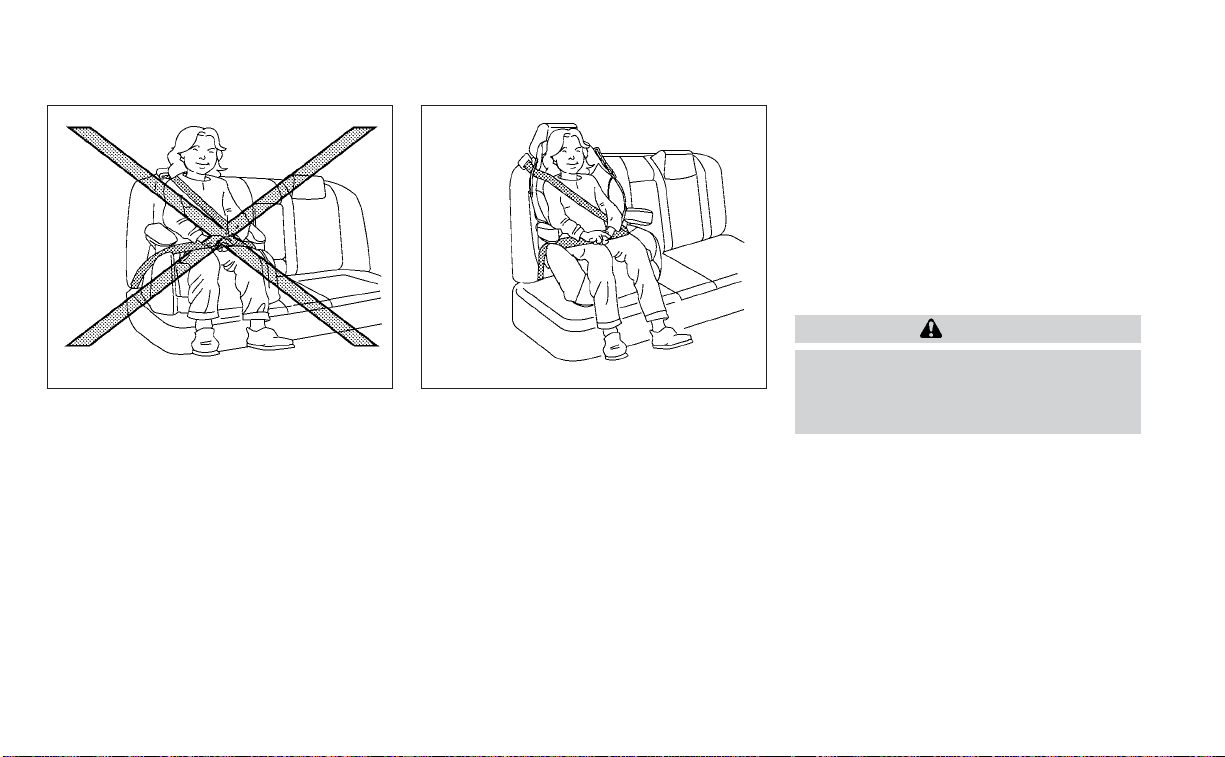
Booster seats of various sizes are offered
by several manufacturers. When selecting
any booster seat, keep the following points
in mind:
• Choose only a booster seat with a label
certifying that it complies with Federal
Motor Vehicle Safety Standard 213 or Ca-
nadian Motor Vehicle Safety Standard 213.
• Check the booster seat in your vehicle to
be sure it is compatible with the vehicle’s
seat and seat belt system.
• Make sure the child’s head will be properly
supported by the booster seat or vehicle
seat. The seatback must be at or above
the center of the child’s ears. For example,
if a low back booster seat is chosen, the
vehicle seatback must be at or above the
center of the child’s ears. If the seatback is
lower than the center of the child’s ears, a
high back booster seat should be used.
• If the booster seat is compatible with
your vehicle, place the child in the booster
seat and check the various adjustments
to be sure the booster seat is compatible
with the child. Always follow all recom-
mended procedures.
All U.S. states and Canadian provinces or
territories require that infants and small
children be restrained in an approved
child restraint at all times while the ve-
hicle is being operated.
The instructions in this section apply to
booster seat installation in the rear seats
or the front passenger seat.
Booster seat installation
WARNING
To avoid injury to child, do not use the
lap/shoulder belt in the Automatic
Locking Retractor (ALR) mode when us-
ing a booster seat with the seat belts.
For additional information, see all Warnings
and Cautions in the “Child safety” (P. 1-20)
and “Child restraints” (P. 1-22) sections be-
fore installing a child restraint.
Follow these steps to install a booster seat
in the rear seats or in the front passenger
seat:
LRS0453 LRS0464
Safety-Seats, seat belts and supplemental restraint system 1-41
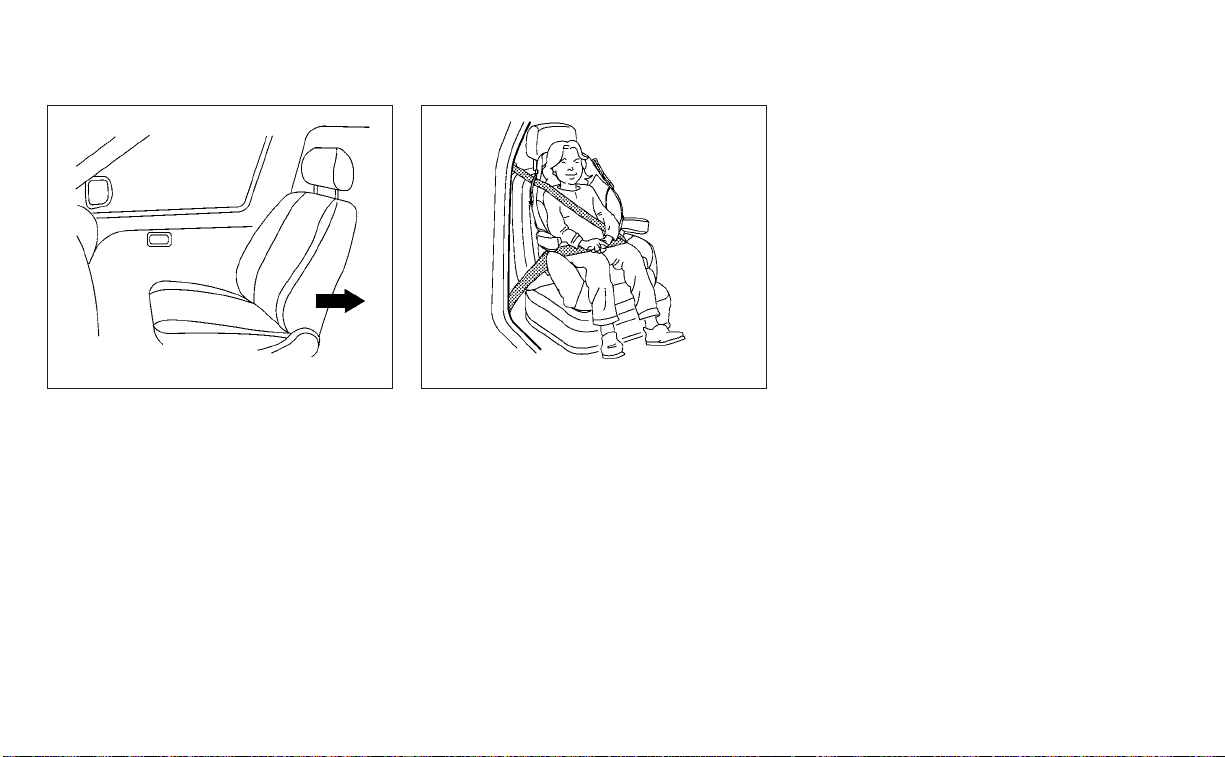
1. If you must install a booster seat in the
front seat, move the seat to the rear-
most position.
2. Position the booster seat on the seat.
Only place it in a front-facing direction.
Always follow the booster seat manu-
facturer’s instructions.
3. The booster seat should be positioned
on the vehicle seat so that it is stable.
If necessary, adjust or remove the head
restraint/headrest to obtain the correct
booster seat fit. If the head restraint/
headrest is removed, store it in a secure
place. Be sure to reinstall the head
restraint/headrest when the booster
seat is removed. For additional informa-
tion, see “Head restraints/headrests”
(P. 1-7)
If the seating position does not have an
adjustable head restraint/headrest and
it is interfering with the proper booster
seat fit, try another seating position or a
different booster seat.
4. Position the lap portion of the seat belt
low and snug on the child’s hips. Be sure
to follow the booster seat manufactur-
er’s instructions for adjusting the seat
belt routing.
5. Pull the shoulder belt portion of the seat
belt toward the retractor to take up ex-
tra slack. Be sure the shoulder belt is
positioned across the top, middle por-
tion of the child’s shoulder. Be sure to
follow the booster seat manufacturer’s
instructions for adjusting the seat belt
routing.
6. Follow the warnings, cautions and in-
structions for properly fastening a seat
belt shown in “Three-point type seat belt
with retractor” (P. 1-15).
WRS0699 LRS0454
Front passenger position
1-42 Safety-Seats, seat belts and supplemental restraint system
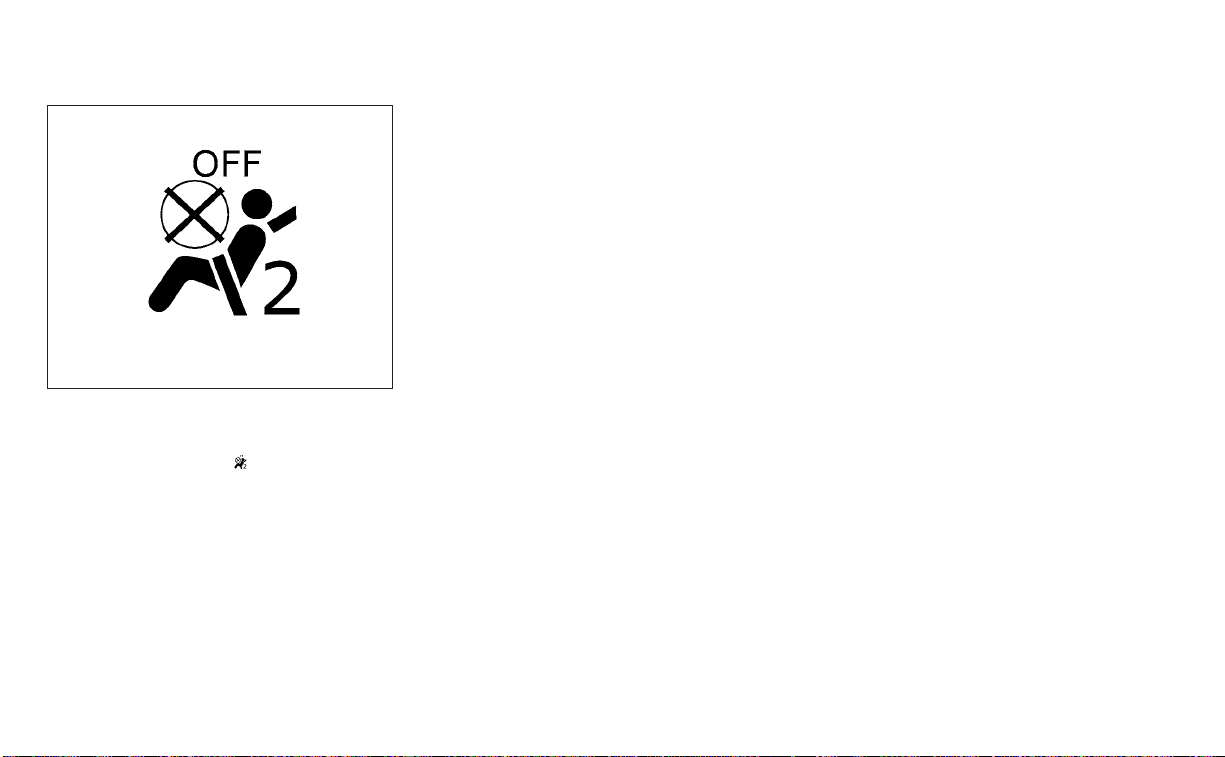
7. If the booster seat is installed in the front
passenger seat, place the ignition switch
in the ON position. The front passenger
air bag status light
may or may not
illuminate, depending on the size of the
child and the type of booster seat being
used. For additional information, see
“Front passenger air bag and status
light” (P. 1-54).
PRECAUTIONS ON SRS
This SRS section contains important infor-
mation concerning the following systems:
• Driver and front passenger supplemental
front-impact air bag (NISSAN Advanced
Air Bag System)
• Front seat-mounted side-impact supple-
mental air bag
• Rear outboard seat-mounted side-
impact supplemental air bag
• Roof-mounted curtain side-impact and
rollover supplemental air bag
• Driver and front passenger supplemental
knee air bag
• Seat belt with pretensioner(s) (front and
rear outboard seats)
Supplemental front-impact air bag
system
The NISSAN Advanced Air Bag System can
help cushion the impact force to the head
and chest of the driver and front passenger
in certain frontal collisions.
Front seat-mounted side-impact
supplemental air bag system
This system can help cushion the impact
force to the chest area of the driver and
front passenger in certain side-impact col-
lisions. The side air bags are designed to
inflate on the side where the vehicle is
impacted.
Rear outboard seat-mounted side-
impact supplemental air bag system
This system can help cushion the impact
force to the chest area of the rear outboard
seat passengers in certain side-impact
collisions. The side air bags are designed to
inflate on the side where the vehicle is
impacted.
Roof-mounted curtain side-impact and
rollover supplemental air bag system
This system can help cushion the impact
force to the head of occupants in front and
rear outboard seating positions in certain
side-impact collisions. The curtain air bags
are designed to inflate on the side where
the vehicle is impacted. In a rollover, the
curtain air bags are designed to inflate and
remain inflated for a short time.
WRS0475
SUPPLEMENTAL RESTRAINT SYSTEM
(SRS)
Safety-Seats, seat belts and supplemental restraint system 1-43
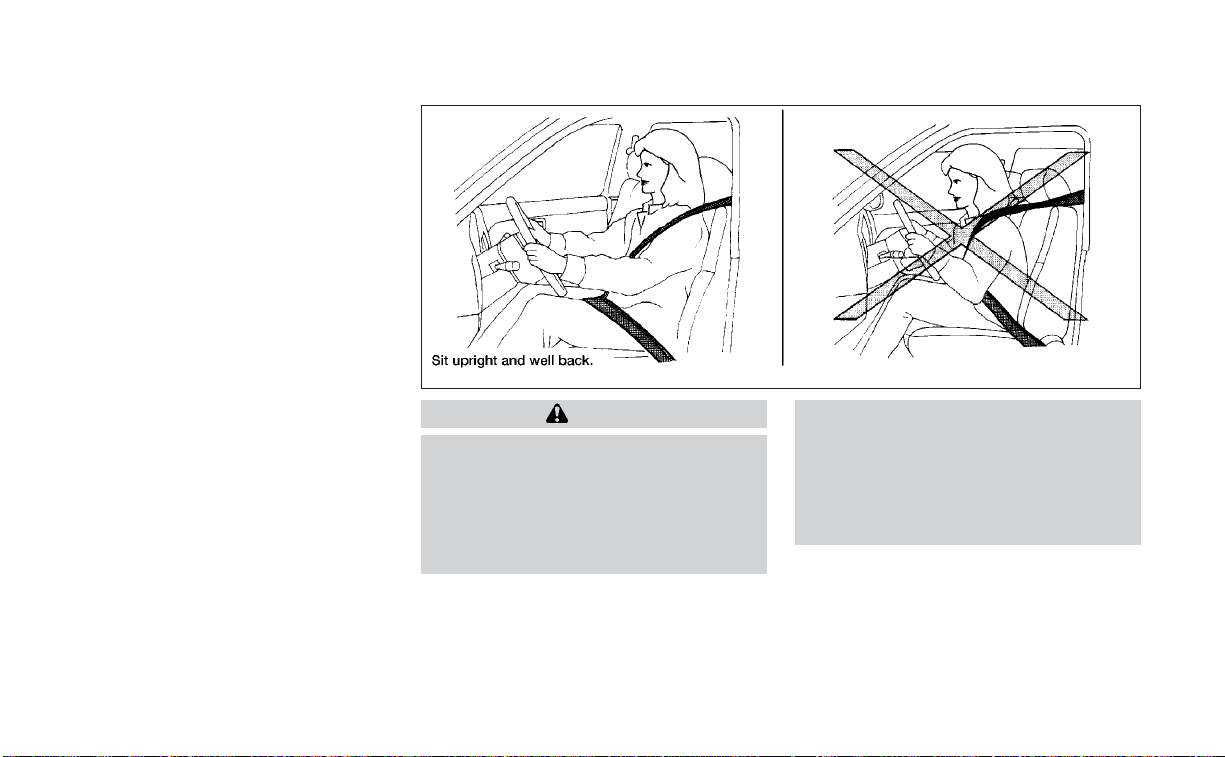
Driver and front passenger supplemen-
tal knee air bags
This system can help cushion the impact
force to the driver’s and front passenger’s
knees in certain collisions.
The SRS is designed to supplement the
crash protection provided by the driver and
front passenger and rear outboard seat
belts and is not a substitute for them. Seat
belts should always be correctly worn and
the occupant seated a suitable distance
away from the steering wheel, instrument
panel and door finishers. For additional in-
formation, see “Seat belts” (P. 1-11).
The supplemental air bags operate only
when the ignition switch is placed in the
ON position.
After placing the ignition switch in the
ON position, the supplemental air bag
warning light illuminates. The supple-
mental air bag warning light will turn off
after about 7 seconds if the system is
operational.
WARNING
• The front air bags ordinarily will not
inflate in the event of a side impact,
rear impact, rollover, or lower sever-
ity frontal collision. Always wear your
seat belts to help reduce the risk or
severity of injury in various kinds of
accidents
• The front passenger air bag and front
passenger supplemental knee air
bag will not inflate if the passenger
air bag status light is lit. For addi-
tional information, see “Front pas-
senger air bag and status light”
(P. 1-54).
WRS0031
1-44 Safety-Seats, seat belts and supplemental restraint system

• The seat belts and the front air bags
are most effective when you are sit-
ting well back and upright in the seat.
The front air bags inflate with great
force. Even with the NISSAN Ad-
vanced Air Bag System, if you are un-
restrained, leaning forward, sitting
sideways or out of position in any
way, you are at greater risk of injury
or death in a crash. You may also re-
ceive serious or fatal injuries from
the front air bag if you are up against
it when it inflates. Always sit back
against the seatback and as far away
as practical from the steering wheel
or instrument panel. Always properly
use the seat belts.
• The driver and front passenger seat
belt buckles are equipped with sen-
sors that detect if the seat belts are
fastened. The NISSAN Advanced Air
Bag System monitors the severity of
a collision and seat belt usage, then
inflates the air bags as needed. Fail-
ure to properly wear seat belts can
increase the risk or severity of injury
in an accident.
• The front passenger seat is equipped
with an occupant classification sen-
sor (weight sensor) that turns the
front passenger air bag and front
passenger supplemental knee air
bag OFF under some conditions. This
sensor is only used in this seat. Fail-
ure to be properly seated and wear-
ing the seat belt can increase the risk
or severity of injury in an accident.
For additional information, see
“Front passenger air bag and status
light” (P. 1-54).
• Keep hands on the outside of the
steering wheel. Placing them inside
the steering wheel rim could increase
the risk that they are injured when
the front air bag inflates.
Safety-Seats, seat belts and supplemental restraint system 1-45
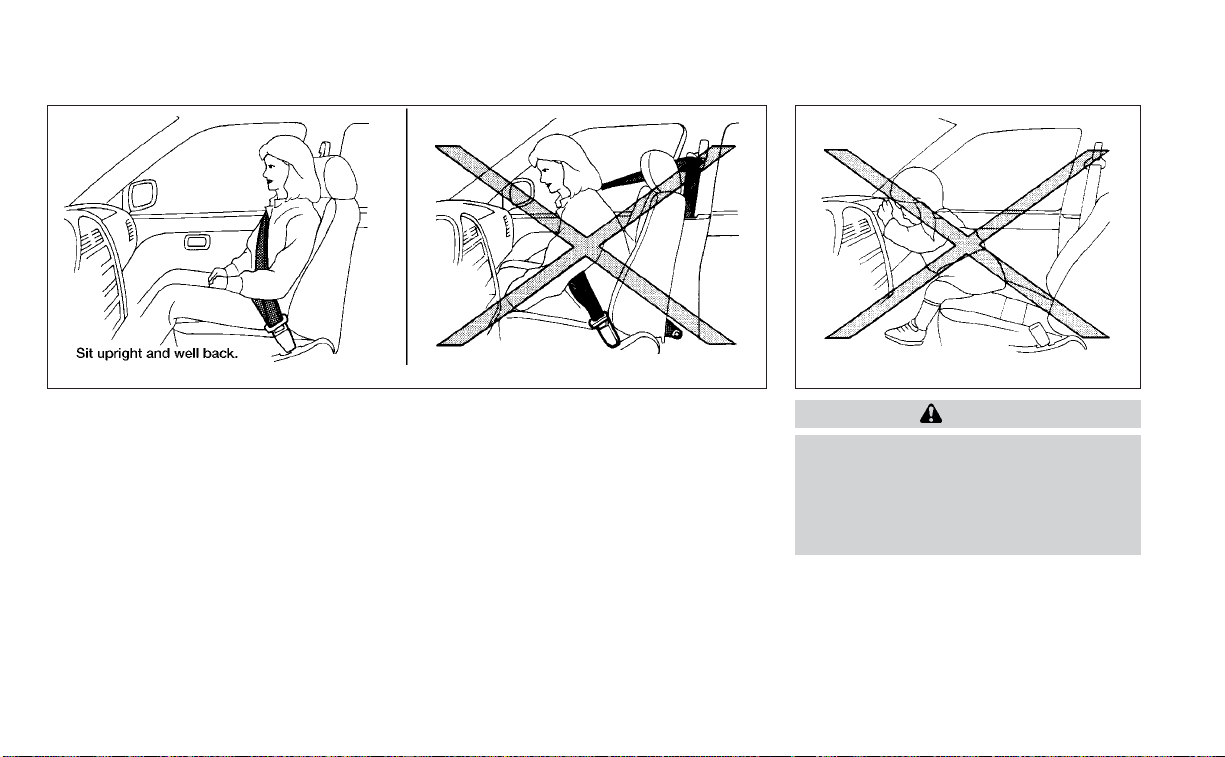
WARNING
• Never let children ride unrestrained
or extend their hands or face out of
the window. Do not attempt to hold
them in your lap or arms. Some ex-
amples of dangerous riding posi-
tions are shown in the illustrations.
ARS1133 ARS1041
1-46 Safety-Seats, seat belts and supplemental restraint system
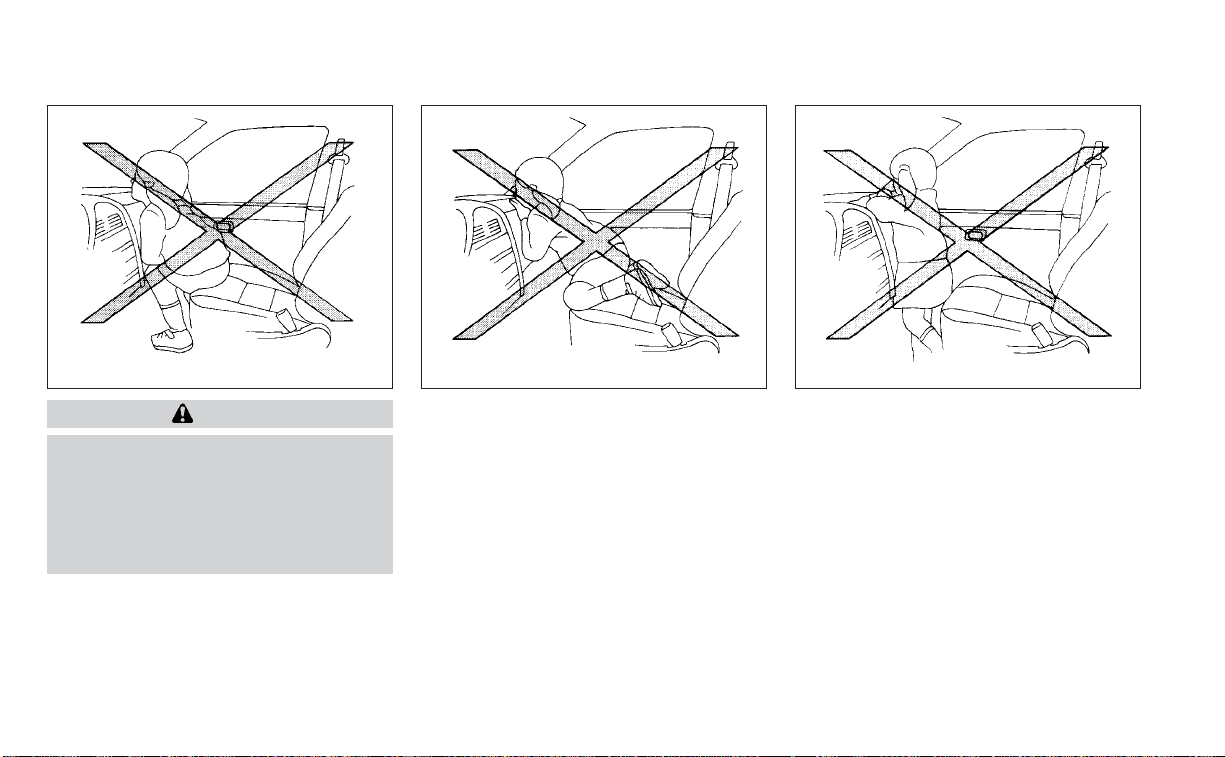
WARNING
• Children may be severely injured or
killed when the front air bags, side air
bags or curtain air bags inflate if they
are not properly restrained. Pre-
teens and children should be prop-
erly restrained in the rear seat, if
possible.
ARS1042 ARS1043 ARS1044
Safety-Seats, seat belts and supplemental restraint system 1-47
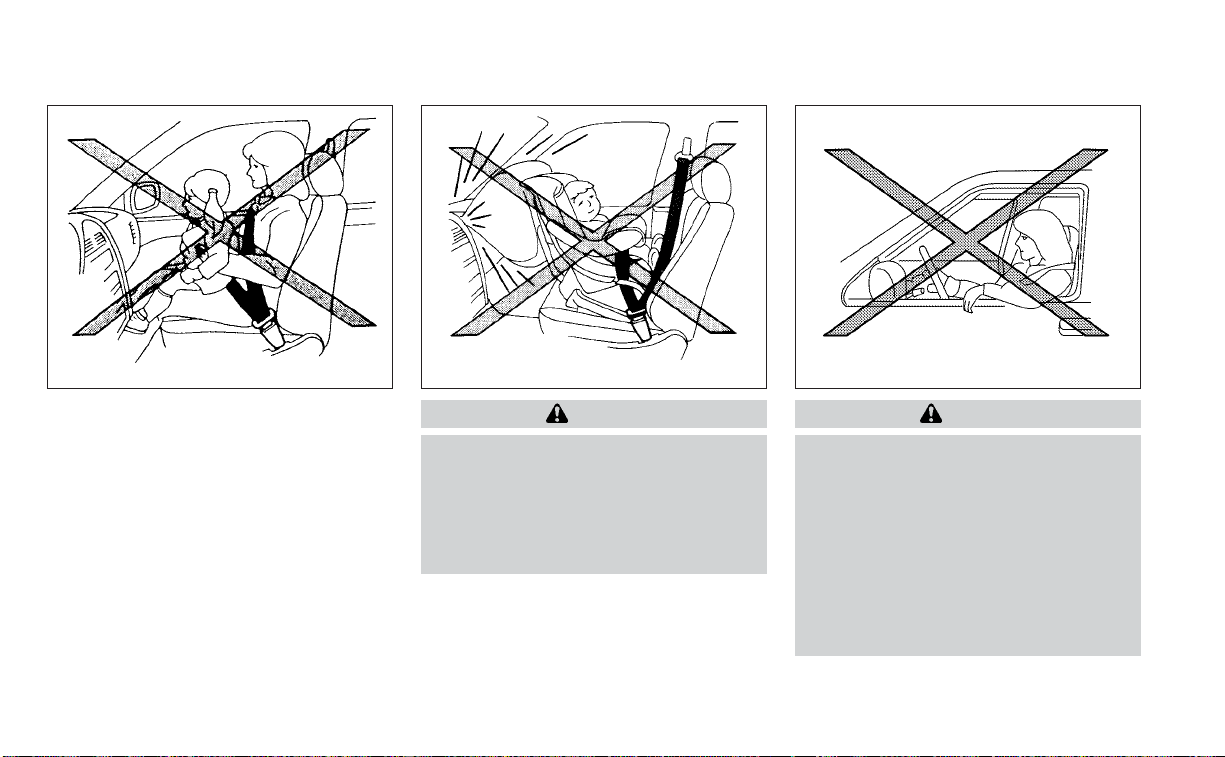
WARNING
• Even with the NISSAN Advanced Air
Bag System, never install a rear-
facing child restraint in the front seat.
An inflating front air bag could seri-
ously injure or kill your child. For ad-
ditional information, see “Child re-
straints” (P. 1-22).
WARNING
Front and rear outboard seat-mounted
side-impact supplemental air bags and
roof-mounted curtain side-impact and
rollover supplemental air bags:
• The side air bags and curtain air bags
ordinarily will not inflate in the event
of a frontal impact, rear impact, or
lower severity side collision. Always
wear your seat belts to help reduce
the risk or severity of injury in various
kinds of accidents.
ARS1045 ARS1046 WRS0431
1-48 Safety-Seats, seat belts and supplemental restraint system
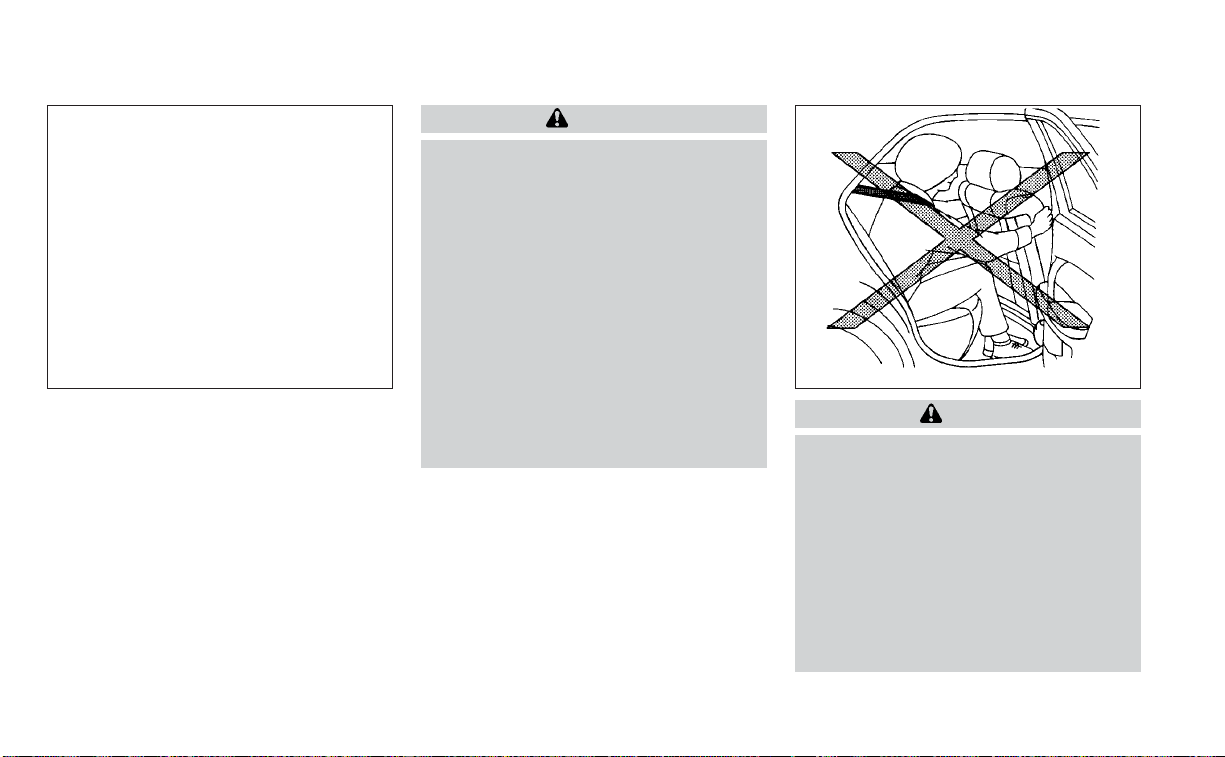
WARNING
• The seat belts, the side air bags and
curtain air bags are most effective
when you are sit ting well back and
upright in the seat with both feet on
the floor. The side air bag and curtain
air bag inflate with great force.Do not
allow anyone to place their hand, leg
or face near the side air bag on the
side of the seatback of the front and
rear seat or near the side roof rails.
Do not allow anyone sitting in the
front seats or rear outboard seats to
extend their hand out of the window
or lean against the door. Some ex-
amples of dangerous riding posi-
tions are shown in the previous
illustrations.
WARNING
• When sitting in the rear seat, do not
hold onto the seatback of the front
seat. If the side air bag inflates, you
may be seriously injured. Be espe-
cially careful with children, who
should always be p roperly re-
strained. Some examples of danger-
ous riding positions are shown in the
illustrations.
• Do not use seat covers on the front or
rear seatbacks. They may interfere
with side air bag inflation.
LRS3119 WRS0032
Safety-Seats, seat belts and supplemental restraint system 1-49
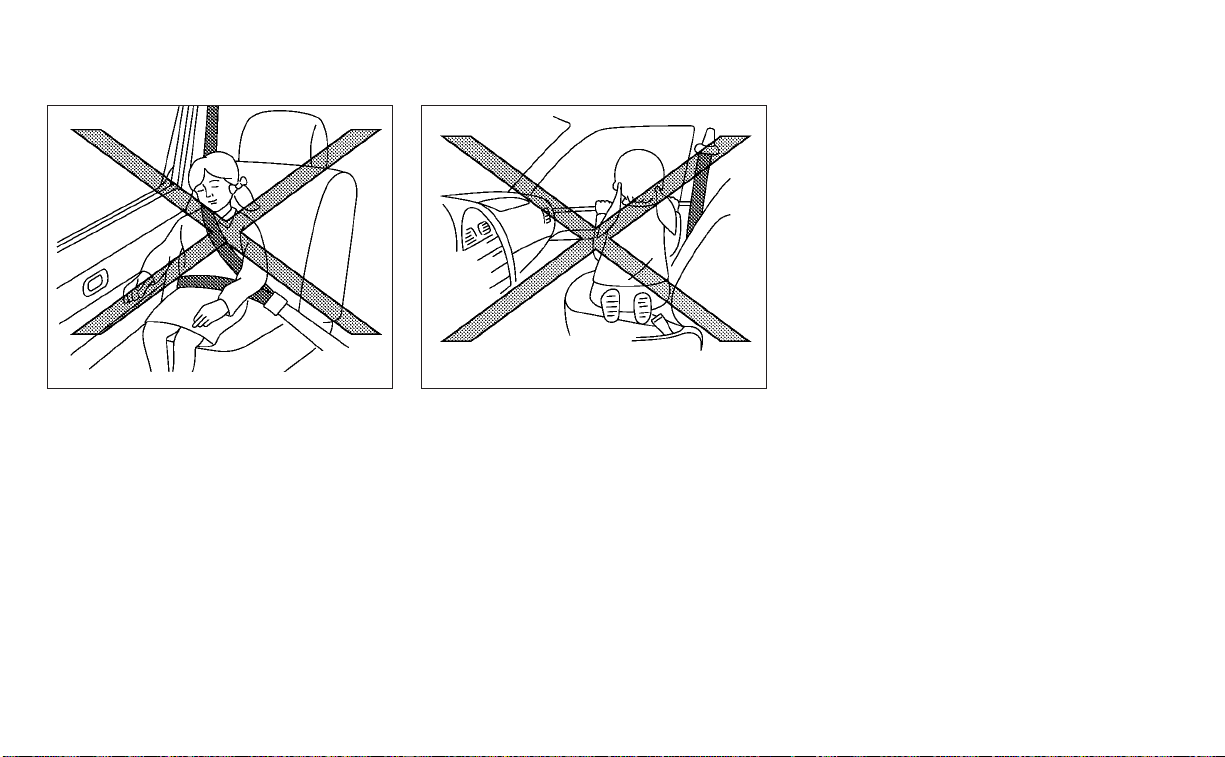
SSS0162 SSS0159
1-50 Safety-Seats, seat belts and supplemental restraint system

NISSAN Advanced Air Bag System
(front seats)
1. Roof-mounted curtain side-impact and
rollover supplemental air bag inflators
2. Roof-mounted curtain side-impact and
rollover supplemental air bags
3. Front seat-mounted side-impact
supplemental air bag modules
4. Air bag Control Unit (ACU)
5.
Side-impact pressure sensor (driver’s side
shown; front passenger’s side similar)
6. Supplemental front-impact air bag
modules
7. Crash zone sensor
8. Driver and front passenger supplemen-
tal knee air bags
9. Occupant classification system control
unit
10. Occupant classification sensor (weight
sensor)
11. Seat belt buckle switches for driver’s
and front passenger’s side
12. Seat belt with pretensioner(s) (front
seats shown; rear outboard seats
similar)
13. Rear outboard seat-mounted side-
impact supplemental air bags
14. Side satellite sensor (passenger’s side
shown; driver’s side similar)
LRS3151
Safety-Seats, seat belts and supplemental restraint system 1-51

WARNING
To ensure proper operation of the pas-
senger’s NISSAN Advanced Air Bag Sys-
tem, please observe the following
items.
• Do not allow a passenger in the rear
bench seats to push or pull on the
seatback pocket.
• Do not place heavy loads heavier
than 9.1 lbs. (4 kg) on the seatback,
head restraint or in the seatback
pocket.
• Make sure that there is nothing
pressing against the rear of the seat-
back, such as a child restraint in-
stalled in the rear seat or an object
stored on the floor.
• Make sure that there is no object
placed under the front passenger
seat.
• Make sure that there is no object
placed between the seat cushion and
center console or between the seat
cushion and the door.
• If a forward-facing child restraint is
installed in the front passenger seat,
do not position the front passenger
seat so the child restraint contacts
the instrument panel. If the child re-
straint does contact the instrument
panel, the system may determine the
seat is occupied and the passenger
air bag and front passenger supple-
mental knee air bag may deploy in a
collision. Also the front passenger air
bag status light may not illuminate.
For additional information, see “Child
restraints” (P. 1-22).
• Confirm the operating condition with
the front passenger air bag status
light.
• If you notice that the front passenger
air bag status light is not operating
as described in this section, get the
occupant classification system
checked. It is recommended that you
visit a NISSAN dealer for this service.
• Until you have confirmed with a
dealer that your passenger seat oc-
cupant classification system is work-
ing properly, position the occupants
in the rear seating positions.
• Do not position the front passenger
seat so it contacts the rear seat. If the
front seat does contact the rear seat,
the air bag system may determine a
sensor malfunction has occurred
and the front passenger air bag sta-
tus light may illuminate and the
supplemental air bag warning light
may flash.
This vehicle is equipped with the NISSAN
Advanced Air Bag System for the driver and
front passenger seats. This system is de-
signed to meet certification requirements
under U.S. regulations. It is also permitted in
Canada. However, all of the information,
cautions and warnings in this manual
still apply and must be followed.
The driver supplemental front-impact air
bag is located in the center of the steering
wheel. The front passenger supplemental
front-impact air bag is mounted in the dash-
board above the glove box.The front air bags
are designed to inflate in higher severity
frontal collisions, although they may inflate if
the forces in another type of collision are
similar to those of a higher severity frontal
impact. They may not inflate in certain fron-
tal collisions. Vehicle damage (or lack of it) is
not always an indication of proper front air
bag system operation.
1-52 Safety-Seats, seat belts and supplemental restraint system

The NISSAN Advanced Air Bag System moni-
tors information from the crash zone sensor,
the Air bag Control Unit (ACU), seat belt
buckle sensors and occupation classifica-
tion sensor (weight sensor). Inflator opera-
tion is based on the severity of a collision and
seat belt usage for the driver. For the front
passenger, the occupant classification sen-
sor is also monitored. Based on information
from the sensor, only one front air bag may
inflate in a crash, depending on the crash
severity and whether the front occupants
are belted or unbelted. Additionally, the front
passenger air bag and front passenger
supplemental knee air bag may be auto-
matically turned off under some conditions,
depending on the weight detected on the
front passenger seat and how the seat belt
is used. If the front passenger air bag and
front passenger supplemental knee air bag
are OFF, the front passenger air bag status
light will be illuminated. For additional infor-
mation, see “Front passenger air bag and
status light” (P. 1-54). One front air bag inflat-
ing does not indicate improper performance
of the system.
If you have any questions about your air
bag system, it is recommended that you
visit a NISSAN dealer to obtain information
about the system. If you are considering
modification of your vehicle due to a dis-
ability, you may also contact NISSAN. Con-
tact information is contained in the front of
this Owner's Manual.
When a front air bag inflates, a fairly loud
noise may be heard, followed by the re-
lease of smoke. This smoke is not harmful
and does not indicate a fire. Care should be
taken to not inhale it, as it may cause irrita-
tion and choking. Those with a history of a
breathing condition should get fresh air
promptly.
Front air bags, along with the use of seat
belts, help to cushion the impact force on
the face and chest of the front occupants.
They can help save lives and reduce seri-
ous injuries. However, an inflating front air
bag may cause facial abrasions or other
injuries. Front air bags do not provide re-
straint to the lower body.
Even with NISSAN Advanced Air Bags, seat
belts should be correctly worn and the
driver and front passenger seated upright
as far as practical away from the steering
wheel or instrument panel. The front air
bags inflate quickly in order to help protect
the front occupants. Because of this, the
force of the front air bag inflating can in-
crease the risk of injury if the occupant is
too close to, or is against, the front air bag
module during inflation.
The front air bags deflate quickly after a
collision.
The front air bags operate only when the
ignition switch is in the ON position.
After placing the ignition switch in the
ON position, the supplemental air bag
warning light illuminates. The supple-
mental air bag warning light will turn off
after about 7 seconds if the system is
operational.
Safety-Seats, seat belts and supplemental restraint system 1-53
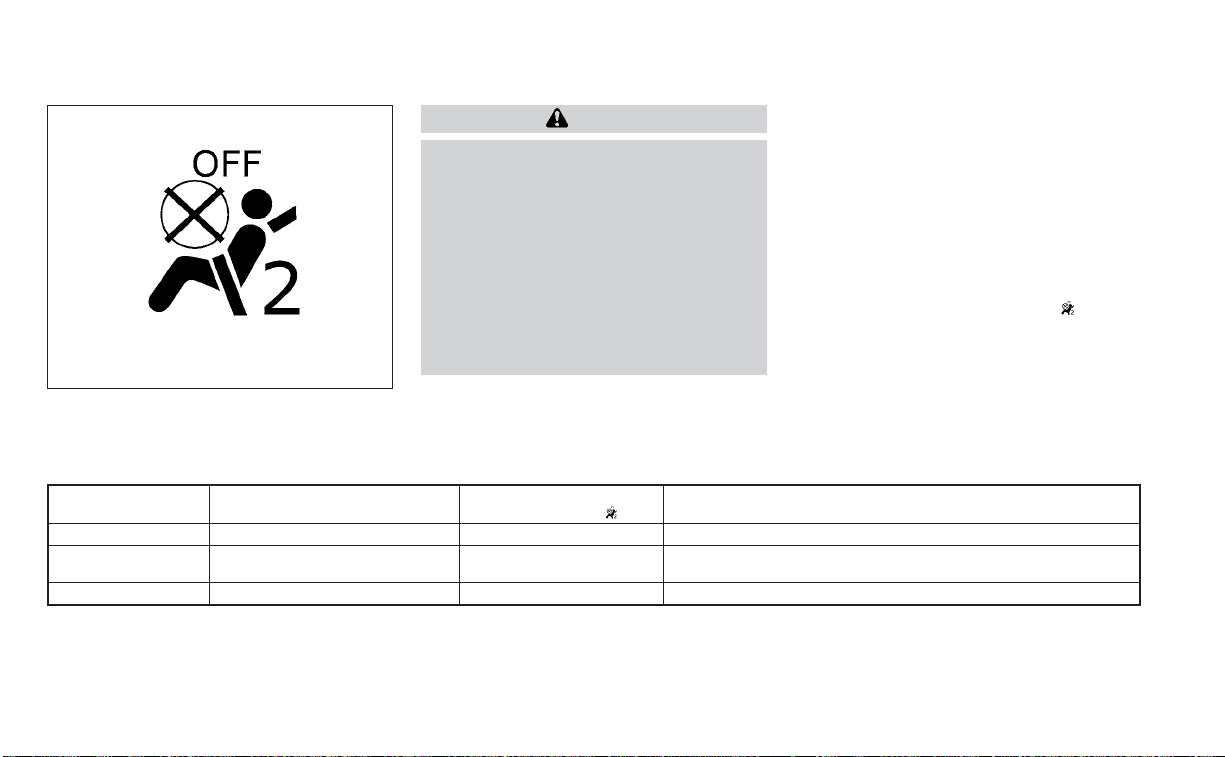
Front passenger air bag and status
light
WARNING
The front passenger air bag and front
passenger supplemental knee air bag
are designed to automatically turn OFF
under some conditions. Read this sec-
tion carefully to learn how it operates.
Proper use of the seat, seat belt, and
child restraints is necessary for most
effective protection. Failure to follow all
instructions in this manual concerning
the use of seats, seat belts, and child
restraints can increase the risk or se-
verity of injury in an accident.
Status light
The front passenger seat is equipped with
an occupant classification sensor (weight
sensor) that turns the front passenger air
bag and front passenger supplemental
knee air bag on or off depending on the
weight applied to the front passenger seat.
The status of the front passenger air bag
and front passenger supplemental knee
air bag (ON or OFF) is indicated by the front
passenger air bag status light
which
is located on the instrument panel.
After the ignition switch is placed in the
"ON" position, the front passenger air bag
status light on the instrument panel illumi-
nates for about 7 seconds and then turns
off or remains illuminated depending on
the front passenger seat occupied status.
The light operates as follows:
CONDITION DESCRIPTION
PASSENGER AIR BAG
STATUS LIGHT (
)
FRONT PASSENGER AIR BAG AND FRONT PASSENGER
SUPPLEMENTAL KNEE AIR BAG STATUS
Empty Empty front passenger seat ON (illuminated) INHIBITED
Nobody/Somebody
Bag or Child or Child Restraint or
Small Adult in front passenger seat
ON (illuminated) INHIBITED
Adult Adult in the front passenger seat OFF (dark) ACTIVATED
In addition to the above, certain objects
placed on the front passenger seat may
also cause the light to operate as de-
scribed above depending on their weight.
For additional information, see “Normal op-
eration” (P. 1-56) and “Troubleshooting”
(P. 1-57).
WRS0475
1-54 Safety-Seats, seat belts and supplemental restraint system

Front passenger air bag
The front passenger air bag and front pas-
senger supplemental knee air bag are de-
signed to automatically turn OFF when the
vehicle is operated under some conditions
as described below in accordance with U.S.
regulations. If the front passenger air bag
and front passenger supplemental knee
air bag are OFF, it will not inflate in a crash.
The driver air bag and other air bags in your
vehicle are not part of this system.
The purpose of the regulation is to help
reduce the risk of injury or death from an
inflating air bag to certain front passenger
seat occupants, such as children, by requir-
ing the air bag to be automatically turned
OFF. Certain sensors are used to meet the
requirements.
The occupant classification sensor in this
vehicle is a weight sensor. It is designed to
detect an occupant and objects on the
seat by weight. For example, if a child is in
the front passenger seat, the NISSAN Ad-
vanced Air Bag System is designed to turn
the front passenger air bag and front pas-
senger supplemental knee air bag OFF in
accordance with the regulations. Also, if a
child restraint of the type specified in the
regulations is on the seat, its weight and
the child’s weight can be detected and
cause the air bag to turn OFF.
Front passenger seat adult occupants who
are properly seated and using the seat belt
as outlined in this manual should not
cause the front passenger air bag and
front passenger supplemental knee air
bag to be automatically turned OFF. For
small adults it may be turned OFF, however
if the occupant takes his/her weight off the
seat cushion (for example, by not sitting
upright, by sitting on an edge of the seat, or
by otherwise being out of position), this
could cause the sensor to turn the front
passenger air bag and front passenger
supplemental knee air bag OFF. Always be
sure to be seated and wearing the seat belt
properly for the most effective protection
by the seat belt and supplemental air bag.
NISSAN recommends that pre-teens and
children be properly restrained in a rear
seat. NISSAN also recommends that ap-
propriate child restraints and booster
seats be properly installed in a rear seat. If
this is not possible, the occupant classifica-
tion sensor is designed to operate as de-
scribed above to turn the front passenger
air bag and front passenger supplemental
knee air bag OFF for specified child re-
straints as required by the regulations. Fail-
ing to properly secure child restraints and
to use the ALR mode may allow the re-
straint to tip or move in a collision or sud-
den stop.This can also result in the passen-
ger air bag and front passenger
supplemental knee air bag inflating in a
crash instead of being OFF. For additional
information, see “Child restraints” (P. 1-22).
If the front passenger seat is not occupied,
the front passenger air bag and front pas-
senger supplemental knee air bag are de-
signed not to inflate in a crash. However,
heavy objects placed on the seat could re-
sult in air bag inflation, because of the ob-
ject’s weight detected by the occupant
classification sensor. Other conditions
could also result in air bag inflation, such as
if a child is standing on the seat, or if two
children are on the seat, contrary to the
instructions in this manual. Always be sure
that you and all vehicle occupants are
seated and restrained properly.
Using the front passenger air bag status
light, you can monitor when the front pas-
senger air bag and front passenger
supplemental knee air bag are automati-
cally turned OFF.
Safety-Seats, seat belts and supplemental restraint system 1-55

If an adult occupant is in the seat but the
front passenger air bag status light is illu-
minated (indicating that the front passen-
ger air bag and front passenger supple-
mental knee air bag are OFF), it could be
that the person is a small adult, or is not
sitting on the seat properly or not using the
seat belt properly.
If a child restraint must be used in the front
seat, the front passenger air bag status
light may or may not be illuminated, de-
pending on the size of the child and the
type of child restraint being used. If the air
bag status light is not illuminated (indicat-
ing that the front passenger air bag and
front passenger supplemental knee air
bag might inflate in a crash), it could be that
the child restraint or seat belt is not being
used properly. Make sure that the child re-
straint is installed properly, the seat belt is
used properly and the occupant is posi-
tioned properly. If the air bag status light is
still not illuminated, reposition the occu-
pant or child restraint in a rear seat.
If the front passenger air bag status light
will not illuminate even though you believe
that the child restraint, the seat belts and
the occupant are properly positioned, it is
recommended that you take your vehicle
to a NISSAN dealer. A NISSAN dealer can
check system status by using a special
tool. However, until you have confirmed
with a dealer that your air bag is working
properly, reposition the occupant or child
restraint in a rear seat.
The NISSAN Advanced Air Bag System and
front passenger air bag status light will
take a few seconds to register a change in
the front passenger seat status. This is nor-
mal system operation and does not indi-
cate a malfunction.
If a malfunction occurs in the front passen-
ger air bag system, the supplemental air
bag warning light
, located in the me-
ter and gauges area of the instrument
panel, will be illuminated (blinking or
steadily lit). Have the system checked. It is
recommended that you visit a NISSAN
dealer for this service.
Normal operation
In order for the occupant classification
sensor system to classify the front passen-
ger based on weight, please follow the pre-
cautions and steps outlined below:
Precautions
• Make sure that there are no objects
weighing over 9.1 lbs. (4 kg) hanging on
the seat or placed in the seatback pocket.
• Make sure that a child restraint or other
object is not pressing against the rear of
the seatback.
• Make sure that a rear passenger is not
pushing or pulling on the back of the front
passenger seat.
• Make sure that the front passenger seat
or seatback is not forced back against an
object on the seat or floor behind it.
• Make sure that there is no object placed
under the front passenger seat.
Steps
1. Adjust the seat as outlined in the “Seats”
(P. 1-2) section of this manual. Sit upright,
leaning against the seatback, and cen-
tered on the seat cushion with your feet
comfortably extended to the floor.
2. Make sure there are no objects on your
lap.
3. Fasten the seat belt as outlined in the
“Seat belts” (P. 1-11) section of this
manual. Front passenger seat belt
buckle status is monitored by the occu-
pant classification system, and is used
as an input to determine occupancy
status. So, it is highly recommended that
the front passenger fasten their seat
belt.
1-56 Safety-Seats, seat belts and supplemental restraint system

4. Remain in this position for 30 seconds
allowing the system to classify the front
passenger before the vehicle is put into
motion.
5. Ensure proper classification by checking
the front passenger air bag status light.
NOTE:
This vehicle’s occupant classification
sensor system generally keeps the clas-
sification locked during driving, so it is
important that you confirm that the
front passenger is properly classified
prior to driving. However, the occupant
classification sensor may recalculate the
weight of the occupant under some con-
ditions (both while driving and when
stopped), so front passenger seat occu-
pants should continue to remain seated
as outlined above.
Troubleshooting
If you think the front passenger air bag
status light is incorrect:
1. If the light is ON with an adult occupying
the front passenger seat:
•
Occupant is a small adult — the air bag light
is functioning as intended. The front pas-
senger air bag and front passenger supple-
mental knee air bag are suppressed.
However, if the occupant is not a small
adult, then this may be due to the following
conditions that may be interfering with the
weight sensors:
• Occupant is not sitting upright, leaning
against the seatback, and centered on
the seat cushion with his/her feet com-
fortably extended to the floor.
• A child restraint or other object pressing
against the rear of the seatback.
• A rear passenger pushing or pulling on
the back of the front passenger seat.
• Forcing the front seat or seatback
against an object on the seat or floor be-
hind it.
• An object placed under the front passen-
ger seat.
• An object placed between the seat cush-
ion and center console or between the
seat cushion and the door.
If the vehicle is moving, please come to a
stop when it is safe to do so. Check and
correct any of the above conditions. Re-
start the vehicle and wait 1 minute.
NOTE:
A system check will be performed during
which the front passenger air bag status
light will remain lit for about 7 seconds
initially.
If the light is still ON after this, the person
should be advised not to ride in the front
passenger seat and the vehicle should be
checked as soon as possible. It is recom-
mended that you visit a NISSAN dealer for
this service.
2. If the light is OFF with a small adult, child
or child restraint occupying the front
passenger seat.
This may be due to the following condi-
tions that may be interfering with the
weight sensors:
• Small adult or child is not sitting upright,
leaning against the seatback, and cen-
tered on the seat cushion with his/her
feet comfortably extended to the floor.
• The child restraint is not properly in-
stalled, as outlined in the “Child restraints”
section of this manual.
• An object weighing over 9.1 lbs. (4 kg)
hanging on the seat or placed in the seat-
back pocket.
• A child restraint or other object pressing
against the rear of the seatback.
• A rear passenger pushing or pulling on
the back of the front passenger seat.
• Forcing the front seat or seatback
against an object on the seat or floor be-
hind it.
Safety-Seats, seat belts and supplemental restraint system 1-57

• An object placed under the front passen-
ger seat.
• An object placed between the seat cush-
ion and center console.
If the vehicle is moving, please come to a
stop when it is safe to do so. Check and
correct any of the above conditions. Re-
start the vehicle and wait 1 minute.
NOTE:
A system check will be performed during
which the front passenger air bag status
light will remain lit for about 7 seconds
initially.
If the light is still OFF after this, the small
adult, child or child restraint should be re-
positioned in the rear seat and the vehicle
should be checked as soon as possible. It is
recommended that you visit a NISSAN
dealer for this service.
3. If the light is OFF with no front passenger
and no objects on the front passenger
seat, the vehicle should be checked. It is
recommended that you visit a NISSAN
dealer as soon as possible.
Other supplemental front-impact air
bag precautions
WARNING
• Do not place any objects on the
steering wheel pad or on the instru-
ment panel. Also, do not place any
objects between any occupant and
the steering wheel or instrument
panel. Such objects may become
dangerous projectiles and cause in-
jury if the front air bags inflate.
• Immediately after inflation, several
front air bag system components will
be hot. Do not touch them; you may
severely burn yourself.
• No unauthorized changes should be
made to any components or wiring
of the supplemental air bag system.
This is to prevent accidental inflation
of the supplemental air bag or dam-
age to the supplemental air bag
system.
• Do not make unauthorized changes
to your vehicle's electrical system,
suspension system or front end
structure. This could affect proper
operation of the front air bag system.
• Tampering with the front air bag sys-
tem may result in serious personal
injury. Tampering includes changes
to the steering wheel and the instru-
ment panel assembly by placing ma-
terial over the steering wheel pad
and above the instrument panel or
by installing additional trim material
around the air bag system.
• Removing or modifying the front
passenger seat may affect the func-
tion of the air bag system and result
in serious personal injury.
1-58 Safety-Seats, seat belts and supplemental restraint system

• Modifying or tampering with the
front passenger seat may result in
serious personal injury. For example,
do not change the front seats by
placing material on the seat cushion
or by installing additional trim mate-
rial, such as seat covers, on the seat
that are not specifically designed to
assure proper air bag operation. Ad-
ditionally, do not stow any objects
under the front passenger seat or the
seat cushion and seatback. Such ob-
jects may interfere with the proper
operation of the occupant classifica-
tion sensor (weight sensor).
• No unauthorized changes should be
made to any components or wiring
of the seat belt system. This may af-
fect the front air bag system. Tam-
pering with the seat belt system may
result in serious personal injury.
• It is recommended that you visit a
NISSAN dealer for work on and
around the front air bag system. It is
also recommended that you visit a
NISSAN dealer for installation of elec-
trical equipment. The Supplemental
Restraint System (SRS) wiring har-
nesses* should not be modified or
disconnected. Unauthorized electri-
cal test equipment and probing de-
vices should not be used on the air
bag system.
• A cracked windshield should be re-
placed immediately by a qualified re-
pair facility. A cracked windshield
could affect the function of the
supplemental air bag system.
*The SRS wiring harness connectors are
yellow and orange for easy identification.
When selling your vehicle, we request that
you inform the buyer about the front air
bag system and guide the buyer to the
appropriate sections in this Owner's
Manual.
Front and rear outboard
seat-mounted side-impact
supplemental air bag and
roof-mounted curtain
side-impact and rollover
supplemental air bag systems
The side air bags are located in the outside
of the seatback of the front and rear out-
board seats. The curtain air bags are lo-
cated in the side roof rails. All of the infor-
mation, cautions and warnings in this
manual must be followed. The side air
bags and curtain air bags are designed to
LRS3142
Safety-Seats, seat belts and supplemental restraint system 1-59

inflate in higher severity side collisions, al-
though they may inflate if the forces in an-
other type of collision are similar to those of
a higher severity impact. They are de-
signed to inflate on the side where the ve-
hicle is impacted. They may not inflate in
certain side collisions.
Curtain air bags are also designed to inflate
in certain types of rollover collisions or near
rollovers. As a result, certain vehicle move-
ments (for example, during severe off-
roading) may cause the curtain air bags to
inflate.
Vehicle damage (or lack of it) is not always
an indication of proper side air bag and
curtain air bag operation.
When the side air bags and curtain air bags
inflate, a fairly loud noise may be heard,
followed by the release of smoke. This
smoke is not harmful and does not indi-
cate a fire. Care should be taken not to
inhale it, as it may cause irritation and
choking. Those with a history of a breath-
ing condition should get fresh air promptly.
Side air bags, along with the use of seat
belts, help to cushion the impact force on
the chest and pelvic area of the front and
rear outboard occupants. Curtain air bags
help to cushion the impact force to the
head of occupants in the front and rear
outboard seating positions. They can help
save lives and reduce serious injuries. How-
ever, an inflating side air bag and curtain air
bag may cause abrasions or other injuries.
Side air bags and curtain air bags do not
provide restraint to the lower body.
The seat belts should be correctly worn
and the driver, front passenger and rear
outboard occupants seated upright as far
as practical away from the side air bag.
Rear seat passengers should be seated as
far away as practical from the door finish-
ers and side roof rails. The side air bags and
curtain air bags inflate quickly in order to
help protect the occupants. Because of
this, the force of the side air bag and curtain
air bag inflating can increase the risk of
injury if the occupant is too close to, or is
against, these air bag modules during in-
flation. The side air bag will deflate quickly
after the collision is over.
The curtain air bag will remain inflated for a
short time.
The side air bags and curtain air bags
operate only when the ignition switch is
placed in the ON position.
After placing the ignition switch in the
ON position, the supplemental air bag
warning light illuminates. The supple-
mental air bag warning light will turn off
after about 7 seconds if the system is
operational.
WARNING
• Do not place any objects near the
seatback of the front and rear seats.
Also, do not place any objects (an
umbrella,bag, etc.) between the front
and rear door finisher and the front
and rear seat. Such objects may be-
come dangerous projectiles and
cause injury if a side air bag inflate.
•
Right after inflation, several side air
bag and curtain air bag system com-
ponents will be hot. Do not touch
them; you may severely burn yourself.
• No unauthorized changes should be
made to any components or wiring
of the side air bag and curtain air bag
systems. This is to prevent damage
to or accidental inflation of the side
air bag and curtain air bag or dam-
age to the side air bag and curtain air
bag systems.
1-60 Safety-Seats, seat belts and supplemental restraint system

• Do not make unauthorized changes
to your vehicle's electrical system,
suspension system or side panel.
This could affect proper operation of
the side air bag and curtain air bag
systems.
• Tampering with the side air bag sys-
tem may result in serious personal
injury. For example, do not change
the front and rear seats by placing
material near the seatbacks or by in-
stalling additional trim material,
such as seat covers, around the side
air bag.
• It is recommended that you visit a
NISSAN dealer for work on and
around the side air bag and curtain
air bag. It is also recommended that
you visit a NISSAN dealer for installa-
tion of electrical equipment. The SRS
wiring harnesses* should not be
modified or disconnected. Unauthor-
ized electrical test equipment and
probing devices should not be used
on the side air bag or curtain air bag
system.
* The SRS wiring harness connectors are
yellow and orange for easy identification.
When selling your vehicle, we request that
you inform the buyer about the side air bag
and curtain air bag systems and guide the
buyer to the appropriate sections in this
Owner's Manual.
Driver and front passenger
supplemental knee air bag
The knee air bag is located in the knee
bolster, on the driver’s and passenger’s
side. All of the information, cautions and
warnings in this manual apply and must
be followed. The knee air bag is designed
to inflate in higher severity frontal collisions,
although it may inflate if the forces in an-
other type of collision are similar to those of
a higher severity frontal impact. It may not
inflate in certain collisions.
LRS3276
Driver’s side
Safety-Seats, seat belts and supplemental restraint system 1-61

Vehicle damage (or lack of it) is not always
an indication of proper knee air bag
operation.
When the knee air bag inflates, a fairly loud
noise may be heard, followed by release of
smoke. This smoke is not harmful and
does not indicate a fire. Care should be
taken not to inhale it, as it may cause irrita-
tion and choking. Those with a history of a
breathing condition should get fresh air
promptly.
The knee air bag helps to cushion the im-
pact force on the knees of the driver and
passenger. It can help reduce serious inju-
ries. However, an inflating knee air bag may
cause abrasions or other injuries. The knee
air bag provides restraint to the lower body.
The knee air bag inflates quickly in order to
help protect the occupants. Because of
this, the force of the knee air bag inflating
can increase the risk of injury if the occu-
pant is too close to, or is against, this air bag
module during inflation. The knee air bag
will deflate quickly after the collision is over
OR the knee air bag will remain inflated for
a short time.
The knee air bag operates only when the
ignition switch is placed in the ON
position.
After placing the ignition switch in the
ON position, the supplemental air bag
warning light illuminates. The supple-
mental air bag warning light will turn off
after about 7 seconds if the system is
operational.
WARNING
• Do not place any objects between the
knee bolster and the driver’s or pas-
senger’s seat. Such objects may be-
come dangerous projectiles and
cause injury if a knee air bag inflates.
• Right after inflation, the knee air bag
system components will be hot. Do
not touch them; you may severely
burn yourself.
• No unauthorized changes should be
made to any components or wiring
of the knee air bag system. This is to
prevent damage to or accidental in-
flation of the knee air bag system.
• Do not make unauthorized changes
to your vehicle's electrical system or
suspension system. This could affect
proper operation of the knee air bag
system.
• Tampering with the knee air bag sys-
tem may result in serious personal
injury. For example, do not change
the driver or passenger knee bolster
or install additional trim material
around the knee air bag.
LRS3309
Passenger’s side
1-62 Safety-Seats, seat belts and supplemental restraint system

• It is recommended that you visit a
NISSAN dealer for work on and
around the knee air bag. It is also rec-
ommended that you visit a NISSAN
dealer for installation of electrical
equipment. The SRS wiring har-
nesses* should not be modified or
disconnected. Unauthorized electri-
cal test equipment and probing de-
vices should not be used on the knee
air bag system.
*The SRS wiring harness or connectors
are yellow or orange for easy
identification.
When selling your vehicle, we request that
you inform the buyer about the knee air
bag system and guide the buyer to the
appropriate sections in this manual.
Seat belt with pretensioner(s)
(front and rear outboard seats)
WARNING
• The pretensioner(s) cannot be re-
used after activation. They must be
replaced together with the retractor
and buckle as a unit.
• If the vehicle becomes involved in a
collision but pretensioner(s) are not
activated, be sure to have the preten-
sioner system checked and, if neces-
sary, replaced. It is recommended
that you visit a NISSAN dealer for this
service.
• No unauthorized changes should be
made to any components or wiring
of the pretensioner system. This is to
prevent damage to or accidental ac-
tivation of the pretensioner(s). Tam-
pering with the pretensioner system
may result in serious personal injury.
• It is recommended that you visit a
NISSAN dealer for work on and
around the pretensioner system. It is
also recommended that you visit a
NISSAN dealer for installation of elec-
trical equipment. Unauthorized elec-
trical test equipment and probing
devices should not be used on the
pretensioner system.
• If you need to dispose of the preten-
sioner(s) or scrap the vehicle, it is rec-
ommended that you visit a NISSAN
dealer for this service. Incorrect dis-
posal procedures could cause per-
sonal injury.
The pretensioner system may activate
with the supplemental air bag system in
certain types of collisions. Working with the
seat belt retractor, the pretensioner(s) help
tighten the seat belt when the vehicle be-
comes involved in certain types of colli-
sions, helping to restrain front and rear out-
board seat occupants.
The pretensioner(s) are encased within the
seat belt retractor and to the seat belt an-
chor affixed to the floor of the vehicle.
These seat belts are used the same way as
conventional seat belts.
When pretensioner(s) activate, smoke is re-
leased and a loud noise may be heard. This
smoke is not harmful and does not indi-
cate a fire. Care should be taken not to
inhale it, as it may cause irritation and
choking. Those with a history of a breath-
ing condition should get fresh air promptly.
After the pretensioner(s’) activation, load
limiters allow the seat belt to release web-
bing (if necessary) to reduce forces against
the chest.
Safety-Seats, seat belts and supplemental restraint system 1-63
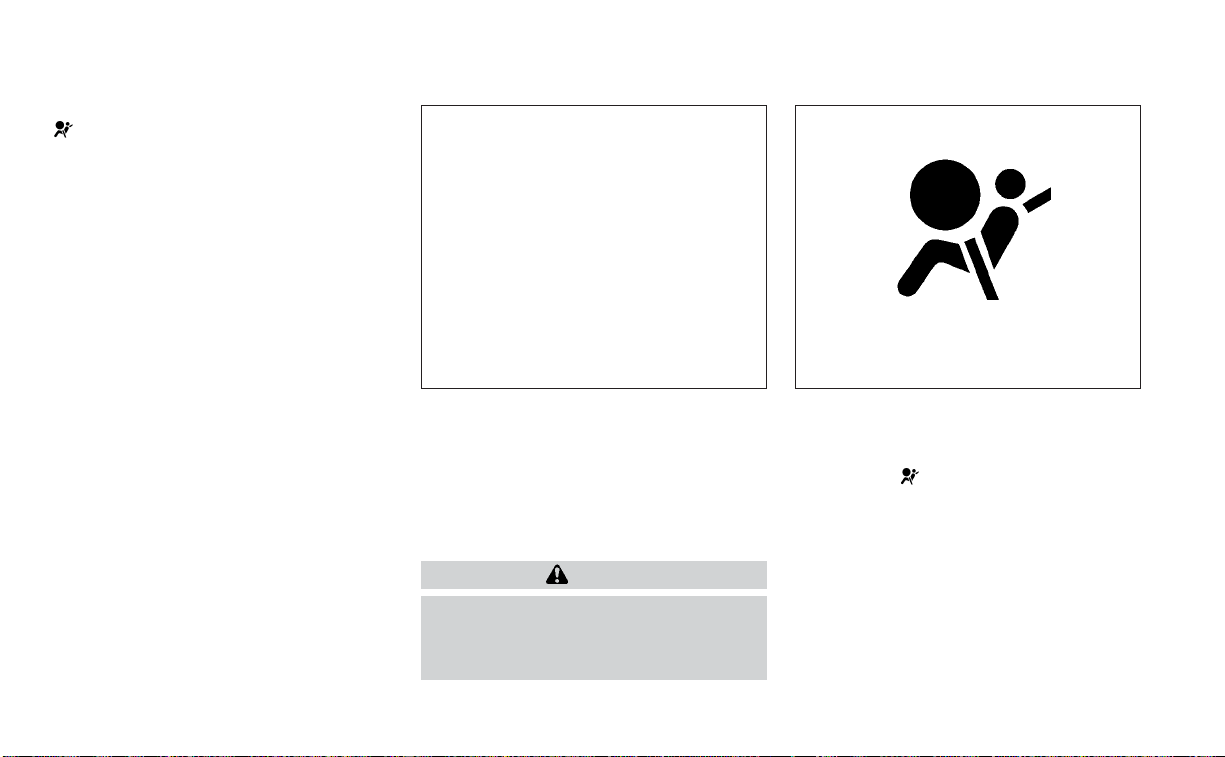
The supplemental air bag warning light
is used to indicate malfunctions in the
pretensioner system. For additional infor-
mation, see "Supplemental air bag warning
light" (P. 1-64). If the operation of the supple-
mental air bag warning light indicates
there is a malfunction, have the system
checked. It is recommended that you visit a
NISSAN dealer for this service.
When selling your vehicle, we request that
you inform the buyer about the preten-
sioner system and guide the buyer to the
appropriate sections in this Owner's
Manual.
SUPPLEMENTAL AIR BAG WARNING
LABELS
Warning labels about the supplemental
front-impact air bag system are placed in
the vehicle as shown in the illustration.
WARNING
Do not use a rear-facing child restraint
on a seat protected by an air bag in
front of it. If the air bag deploys, it may
cause serious injury or death.
SUPPLEMENTAL AIR BAG WARNING
LIGHT
The supplemental air bag warning light,
displaying
in the instrument panel,
monitors the circuits for the air bag sys-
tems, pretensioner(s) and all related wiring.
When the ignition switch is placed in the ON
position, the supplemental air bag warning
light illuminates for about 7 seconds and
then turns off. This means the system is
operational.
LRS2699
1. SRS Air Bag Warning Labels (located on
the sun visors)
LRS0100
1-64 Safety-Seats, seat belts and supplemental restraint system

If any of the following conditions occur, the
front air bag, side air bag, curtain air bag,
knee air bag and pretensioner systems
need servicing:
• The supplemental air bag warning light
remains on after approximately 7
seconds.
• The supplemental air bag warning light
flashes intermittently.
• The supplemental air bag warning light
does not come on at all.
Under these conditions, the front air bag,
side air bag, curtain air bag, knee air bag or
pretensioner systems may not operate
properly. They must be checked and re-
paired. It is recommended that you visit a
NISSAN dealer for this service.
WARNING
If the supplemental air bag warning
light is on, it could mean that the front
air bag, side air bag, curtain air bag,
knee air bag and/or pretensioner sys-
tems will not operate in an accident. To
help avoid injury to yourself or others,
have your vehicle checked as soon as
possible. It is recommended that you
visit a NISSAN dealer for this service.
Repair and replacement
procedure
The front air bags, side air bags, curtain air
bags, knee air bags and pretensioner(s) are
designed to inflate on a one-time-only ba-
sis. As a reminder, unless it is damaged, the
supplemental air bag warning light re-
mains illuminated after inflation has oc-
curred. These systems should be repaired
and/or replaced as soon as possible. It is
recommended that you visit a NISSAN
dealer for this service.
When maintenance work is required on the
vehicle, the front air bags, side air bags,
curtain air bags, knee air bags, pretension-
er(s) and related parts should be pointed
out to the person performing the mainte-
nance. The ignition switch should always
be placed in the LOCK position when work-
ing under the hood or inside the vehicle.
WARNING
• Once a front air bag, side air bag, cur-
tain air bag or knee air bag has in-
flated, the air bag module will not
function again and must be replaced.
Additionally, the activated preten-
sioner(s) must also be replaced. The
air bag module and pretensioner(s)
should be replaced. It is recom-
mended that you visit a NISSAN
dealer for this service. However, the
air bag module and pretensioner(s)
cannot be repaired.
• The front air bag, side air bag, curtain
air bag, knee air bag systems and the
pretensioner system should be in-
spected if there is any damage to the
front end or side portion of the ve-
hicle. It is recommended that you
visit a NISSAN dealer for this service.
• If you need to dispose of the supple-
mental air bag or pretensioner sys-
tems or scrap the vehicle, it is recom-
mended that you contact a NISSAN
dealer for this service. Incorrect dis-
posal procedures could cause per-
sonal injury.
Safety-Seats, seat belts and supplemental restraint system 1-65

• If there is an impact to your vehicle
from any direction, your Occupant
Classification Sensor (OCS) should be
checked to verify it is still functioning
correctly. It is recommended that you
visit a NISSAN dealer for this service.
The OCS should be checked even if no
air bags deploy as a result of the im-
pact. Failure to verify proper OCS
function may result in an improper
air bag deployment resulting in in-
jury or death.
1-66 Safety-Seats, seat belts and supplemental restraint system

MEMO
Safety-Seats, seat belts and supplemental restraint system 1-67

2 Instruments and controls
Instrument Panel ................................2-2
Meters and gauges .............................2-3
Speedometer and odometer .................2-4
Tachometer ..................................2-5
Engine coolant temperature gauge ..........2-6
Fuel gauge ...................................2-6
Distance To Empty (DTE) .....................2-7
Warning lights, indicator lights and audible
reminders .......................................2-8
Checking lights ...............................2-9
Warning/Indicator lights (red) ................2-9
Warning/Indicator lights (yellow) .............2-11
Warning/Indicator lights (other) .............2-16
Audible reminders...........................2-16
Vehicle information display ..................... 2-17
How to use the vehicle information
display ......................................2-18
Startup display ..............................2-18
Drive computer .............................2-19
Settings .....................................2-19
Vehicle information display warnings
and indicators...............................2-26
Control Panel and vehicle information display
Interaction .....................................2-32
Audio .......................................2-32
Receiving a call ..............................2-33
Text Messaging (if so equipped) .............2-34
Navigation System (if so equipped) ..........2-36
Navigation Swipe to Meter
(if so equipped) ..............................2-39
Security systems ...............................2-39
Vehicle security system .....................2-39
NISSAN Vehicle Immobilizer System .........2-41
Wiper and washer switch .......................2-42
Switch operation ............................2-42
Rain-sensing auto wiper system
(if so equipped) ..............................2-44
Rear window and outside mirror
(if so equipped) defroster switch ...............2-45
Headlight and turn signal switch ...............2-45
Headlight control switch ....................2-45
LED Daytime Running Lights (DRL)
system (Type A) (if so equipped) .............2-50
LED Daytime Running Lights (DRL)
system (Type B) (if so equipped) .............2-50
Instrument brightness control ..............2-50
T
urn signal switch ...........................2-51
Fog light switch (if so equipped) .............2-51
Horn ...........................................2-52
Climate-controlled seat switches
(if so equipped) .................................2-52
Heated seat switches (if so equipped) ..........2-54
Heated rear seat switches (if so equipped) .....2-55

Heated steering wheel switch (if so equipped) . . 2-56
Dynamic driver assistance switch
(if so equipped) .................................2-56
Vehicle Dynamic Control (VDC) OFF switch .....2-57
Rear Door Alert .................................2-58
E-call (SOS) button .............................2-59
Power outlet ...................................2-59
Extended storage switch .......................2-60
Storage ........................................2-61
Front-door pockets .........................2-61
Seatback pockets ...........................2-61
Storagetrays................................2-62
Glovebox ...................................2-62
Console box .................................2-63
Overhead sunglasses storage...............2-63
Cup holders .................................2-64
Windows .......................................2-65
Power windows .............................2-65
Dual Panel Moonroof (if so equipped) ...........2-68
Power moonroof ............................2-68
Rear power sunshade (if so equipped) ..........2-70
Interior lights ................................... 2-71
Console light ................................2-72
Map lights ...................................2-72
Personal lights ..............................2-73
Trunk light ......................................2-73
HomeLink® Universal Transceiver
(if so equipped) .................................2-73
Programming HomeLink® ...................2-74
Programming HomeLink® for Canadian
customers and gate openers ...............2-76
Operating the HomeLink® Universal
Transceiver ..................................2-76
Programming trouble-diagnosis ............2-76
Clearing the programmed information ......2-77
Reprogramming a single HomeLink®
button ......................................2-77
If your vehicle is stolen ......................2-77

1. Vent (P. 4-26)
2. Headlight/fog light (if so equipped)/
turn signal switch (P. 2-45)
3. Supplemental front-impact air bag
(P. 1-43)
Horn (P. 2-52)
4. Meters and gauges (P. 2-3)
Warning and indicator lights (P. 2-8)
Vehicle information display (P. 2-17)
5. Paddle shifters (if so equipped) (P. 5-16)
6. Wiper and washer switch (P. 2-42)
7. Audio controls*
Navigation controls* (if so equipped)
8. Hazard warning flasher switch (P. 6-2)
9. Navigation display* (if so equipped)
Audio display*
10. Front passenger supplemental air bag
(P. 1-61)
11. Glove box (P. 2-61)
12. Front passenger supplemental knee air
bag (P. 1-61)
13. Front passenger air bag status light
(P. 1-54)
14. AUX input/USB ports*
15. Heater and air conditioning controls
(P. 4-31)
16. Shift lever (P. 5-16)
17. Display Commander*
Vehicle Dynamic Control (VDC OFF)
switch (P. 2-57)
SPORT mode button (P. 5-22)
18. Push-button ignition switch (P. 5-10)
19. Bluetooth® Hands-Free Phone System*
Cruise control switches (if so equipped)
(P. 5-54)
Intelligent Cruise Control (ICC) switches
(if so equipped) (P. 5-56)
LII2577
INSTRUMENT PANEL
2-2 Instruments and controls

20. Driver supplemental knee air bag
(P. 1-61)
21. Tilt and telescopic steering (P. 3-24)
22. Audio control switches*
Vehicle information display control
switches (P. 2-17)
23. Hood release (P. 3-20)
24. Fuse box (P. 8-19)
25. Heated steering wheel switch
(if so equipped) (P. 2-56)
Dynamic Driver Assistance switch
(if so equipped) (P. 2-56)
Trunk release switch (P. 3-21)
Rear power sunshade switch
(if so equipped) (P. 2-70)
26. Instrument brightness control (P. 2-45)
Twin trip odometer reset switch (P. 2-5)
*: Refer to the separate NissanConnect®
Owner’s Manual.
Refer to the page number indicated in
parentheses for operating details.
Instruments and controls 2-3

1. Tachometer
2. Warning and indicator lights
3. Vehicle information display
Odometer
Twin trip odometer
4. Speedometer
5. Fuel gauge
6. Engine coolant temperature gauge
SPEEDOMETER AND ODOMETER
This vehicle is equipped with a speedom-
eter and odometer. The speedometer is
located on the right side of the meter clus-
ter. The odometer is located within the ve-
hicle information display.
Speedometer
The speedometer indicates vehicle speed.
LIC4625
LIC2218
METERS AND GAUGES
2-4 Instruments and controls
Odometer/Twin trip odometer
The odometer and the twin trip odometer
O
1
are displayed in the vehicle information
display when the ignition switch is placed
in the ON position.
The odometer records the total distance
the vehicle has been driven.
The twin trip odometer records the dis-
tance of individual trips.
Changing the display
Push the TRIP RESET switch
O
2
on the left
side of the instrument panel to change the
display as follows:
Trip
→ Trip → Odometer Mile-
age → Trip
Resetting the trip odometer
Pushing the TRIP RESET switch
O
2
for more
than 1 second resets the currently dis-
played trip odometer to zero.
Average fuel economy and distance to
empty information are also available. For
additional information, see “Vehicle infor-
mation display” (P. 2-17).
TACHOMETER
The tachometer indicates engine speed in
revolutions per minute (rpm). Do not rev
the engine into the red zone
O
1
.
CAUTION
When engine speed approaches the
red zone, reduce engine speed. Operat-
ing the engine in the red zone may
cause serious engine damage.
LIC3179 LIC3536
Instruments and controls 2-5
ENGINE COOLANT TEMPERATURE
GAUGE
The gauge indicates the engine coolant
temperature. The engine coolant tempera-
ture is within the normal range
O
1
when
the gauge needle points within the zone
shown in the illustration.
The engine coolant temperature varies
with the outside air temperature and driv-
ing conditions.
CAUTION
If the gauge indicates coolant tem-
perature near the hot (H) end of the
normal range, reduce vehicle speed to
decrease temperature. If the gauge is
over the normal range, stop the vehicle
as soon as safely possible. If the engine
is overheated, continued operation of
the vehicle may seriously damage the
engine. For additional information, see
“If your vehicle overheats” (P. 6-11) for
immediate action required.
FUEL GAUGE
The gauge indicates the approximate fuel
level in the tank.
The gauge may move slightly during brak-
ing, turning, acceleration, or going up or
down hills.
The gauge needle returns to 0 (Empty) af-
ter the ignition switch is placed in the OFF
position.
The low fuel warning message shows in
the vehicle information display when the
amount of fuel in the tank is getting low.
LIC3538 LIC2222
2-6 Instruments and controls

Refill the fuel tank before the gauge reg-
isters 0 (Empty).
The
indicates that the fuel-filler door
is located on the driver's side of the vehicle.
CAUTION
• If the vehicle runs out of fuel, the
Malfunction Indicator Light (MIL) may
come on. Refuel as soon as possible.
After a few driving trips, the
light
should turn off. If the light remains on
after a few driving trips, have the ve-
hicle inspected. It is recommended
that you visit a NISSAN dealer for this
service.
• For additional information, see “Mal-
function Indicator Light (MIL)”
(P. 2-13).
DISTANCE TO EMPTY (DTE)
Displays the estimated distance the ve-
hicle can be driven before refueling. The
value is calculated based on recent fuel
economy, the amount of fuel remaining in
the fuel tank, and the actual fuel
consumption.
Changes in driving patterns or conditions
can cause the DTE value to vary. As a result,
the value displayed may differ from the ac-
tual distance that can be driven.
DTE display will change to “---” when the
fuel level in the tank is getting low, prior to
the fuel gauge reaching 0 (Empty).
NOTE:
• The DTE value after refill is estimated
based on recent fuel economy and
amount of fuel added.
• If a small amount of fuel is added, or
the ignition is on during refueling, the
display may not be updated.
• Conditions that affect the fuel
economy will also affect the estimated
DTE value (city/highway driving, idle
time, remote start time, terrain, sea-
sonal weather, added vehicle weight,
added deflectors, roof racks, etc.).
Instruments and controls 2-7
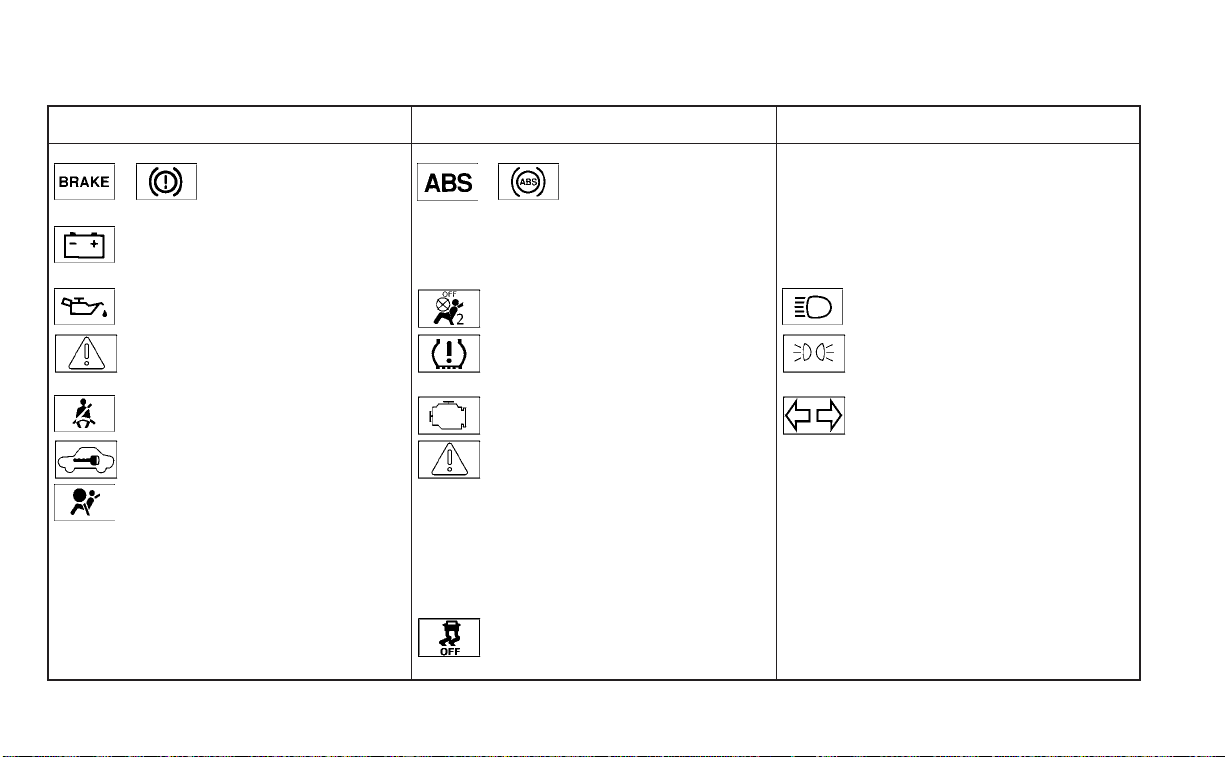
Warning/Indicator light (red) Warning/Indicator light (yellow) Warning/Indicator light (other)
or Brake warning light or Anti-lock Braking System (ABS)
warning light
Front fog light indicator light (green)
(if so equipped)
Charge warning light Automatic Emergency Braking (AEB) with
Pedestrian Detection system warning light
High Beam Assist indicator light (green)
Engine oil pressure warning light Front passenger air bag status light High beam indicator light (blue)
Master warning light Low tire pressure warning light Side light and headlight indicator light
(green)
Seat belt warning light and chime Malfunction Indicator Light (MIL) Turn signal/hazard indicator lights (green)
Security indicator light Master warning light
Supplemental air bag warning light Power steering warning light
Rear Automatic Braking (RAB) warning light
Slip indicator light
Vehicle Dynamic Control (VDC) OFF
indicator light
WARNING LIGHTS, INDICATOR LIGHTS
AND AUDIBLE REMINDERS
2-8 Instruments and controls
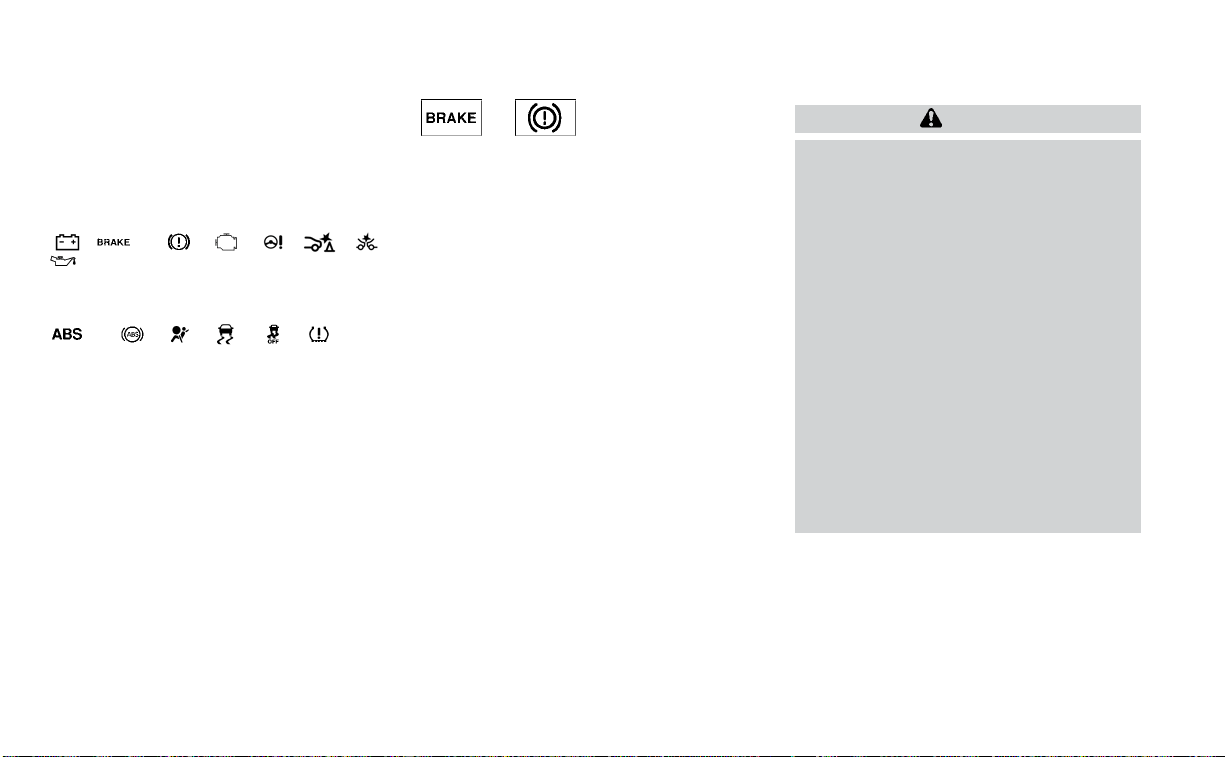
CHECKING LIGHTS
With all doors closed, apply the parking
brake, fasten the seat belts and place the
ignition switch in the ON position without
starting the engine. The following lights (if
so equipped) will come on:
, or , , , , ,
The following lights (if so equipped) will
come on briefly and then go off:
or , , , ,
If any light does not come on or operate in
a way other than described, it may indicate
a burned-out bulb and/or a system mal-
function. Have the system checked. It is
recommended that you visit a NISSAN
dealer for this service.
Some indicators and warnings are also dis-
played on the vehicle information display
between the speedometer and tachom-
eter. For additional information, see “Ve-
hicle information display” (P. 2-17).
WARNING/INDICATOR LIGHTS (red)
For additional information, see “Vehicle in-
formation display” (P. 2-17).
or Brake warning
light
This light functions for both the parking
brake and the foot brake systems.
Parking brake indicator
When the ignition switch is placed in the ON
position, this light comes on when the
parking brake is applied.
Low brake fluid warning light
When the ignition switch is placed in the ON
position, the light warns of a low brake fluid
level. If the light comes on while the engine
is running with the parking brake not ap-
plied, stop the vehicle and perform the
following:
1. Check the brake fluid level. Add brake
fluid as necessary. For additional infor-
mation, see “Brake fluid” (P. 8-11).
2. If the brake fluid level is correct, have the
warning system checked. It is recom-
mended that you visit a NISSAN dealer
for this service.
WARNING
• Your brake system may not be work-
ing properly if the warning light is on.
Driving could be dangerous. If you
judge it to be safe, drive carefully to
the nearest service station for re-
pairs. Otherwise, have your vehicle
towed because driving it could be
dangerous.
• Pressing the brake pedal with the en-
gine stopped and/or a low brake
fluid level may increase your stop-
ping distance and braking will re-
quire greater pedal effort as well as
pedal travel.
• If the brake fluid level is below the
MINIMUM or MIN mark on the brake
fluid reservoir, do not drive until the
brake system has been checked. It is
recommended that you visit a
NISSAN dealer for this service.
Instruments and controls 2-9
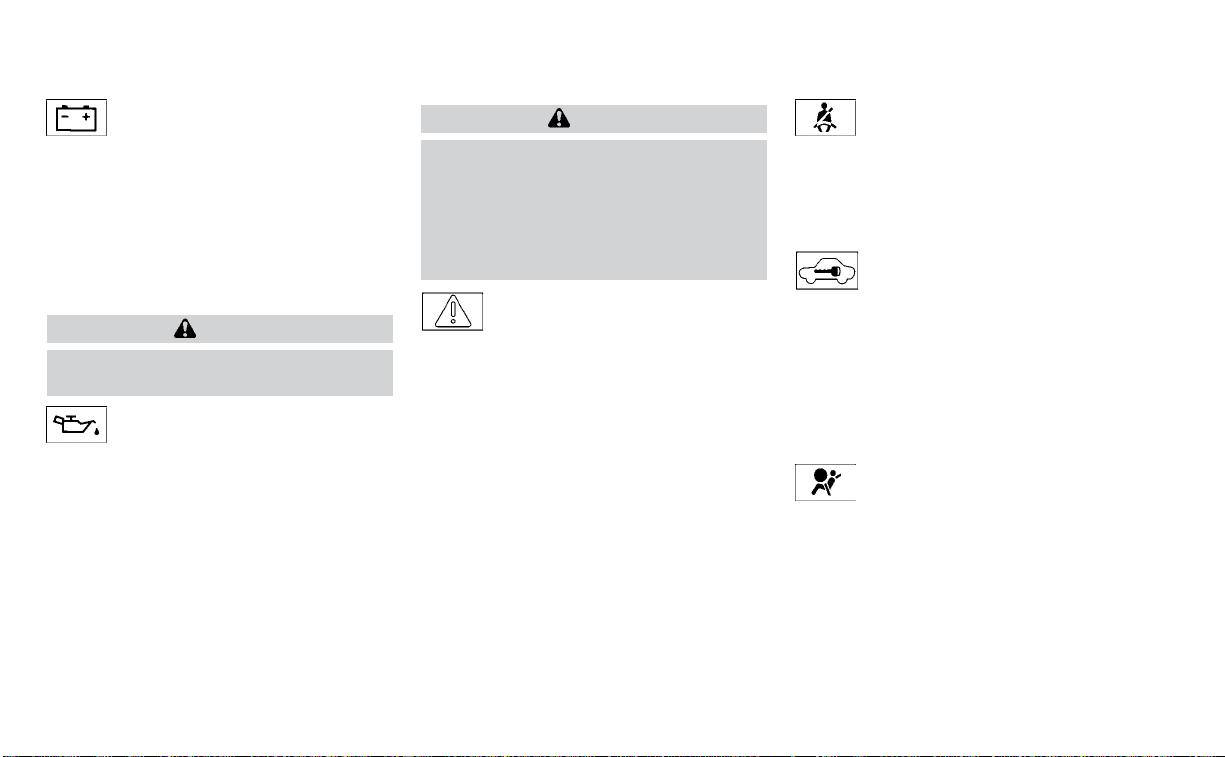
Charge warning light
If this light comes on while the engine is
running, it may indicate the charging sys-
tem is not functioning properly. Turn the
engine off and check the generator belt. If
the belt is loose, broken, or missing, or if the
light remains on, have the system checked.
It is recommended that you visit a NISSAN
dealer for this service.
CAUTION
Do not continue driving if the generator
belt is loose, broken or missing.
Engine oil pressure
warning light
This light warns of low engine oil pressure. If
the light flickers or comes on during nor-
mal driving, pull off the road in a safe area,
stop the engine immediately and call a
NISSAN dealer or other authorized repair
shop.
The engine oil pressure warning light is
not designed to indicate a low oil level.
Use the dipstick to check the oil level. For
additional information, see “Engine oil”
(P. 8-6).
CAUTION
Running the engine with the engine oil
pressure warning light on could cause
serious damage to the engine almost
immediately. Such damage is not cov-
ered by the NISSAN New Vehicle Limited
Warranty. Turn off the engine as soon
as it is safe to do so.
Master warning light
The master warning light illuminates
whenever there is an active warning that
can be reviewed in the “warnings review”
content page in the meter, or if there is a
red-level warning being displayed (which
cannot be dismissed). The master warning
light will illuminate red if a red-level warning
is being displayed, or yellow otherwise.
• Door Open (with vehicle moving)
• Parking Brake ON
• LED Headlight Failure (if no other red
warnings are active)
• Shift into Park warning
For additional information, see “Vehicle in-
formation display” (P. 2-17).
Seat belt warning light and
chime
The light and chime remind you to fasten
the driver and front passenger seat belts.
For additional information, see “Seat belts”
(P. 1-11).
Security indicator light
This light blinks when the ignition switch is
placed in the OFF, LOCK or ACC position.
The blinking security indicator light indi-
cates that the security systems equipped
on the vehicle are operational.
For additional information, see “Security
systems” (P. 2-39).
Supplemental air bag
warning light
When the ignition switch is placed in the ON
position, the supplemental air bag warning
light illuminates for about 7 seconds and
then turns off. This means the system is
operational.
2-10 Instruments and controls
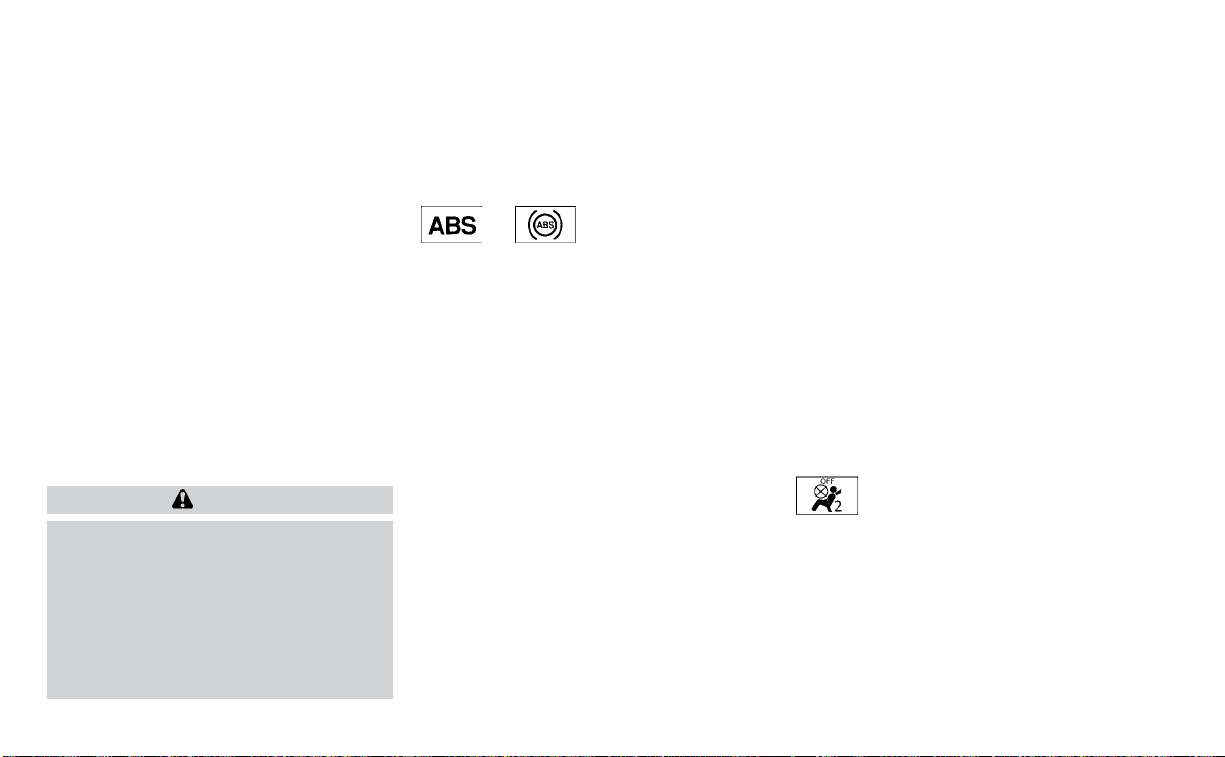
If any of the following conditions occur, the
front air bag, side air bag, curtain air bag,
and pretensioner seat belt systems need
servicing:
•
The supplemental air bag warning light re-
mains on after approximately 7 seconds.
• The supplemental air bag warning light
flashes intermittently.
• The supplemental air bag warning light
does not come on at all.
It is recommended that you visit a NISSAN
dealer for these services.
Unless checked and repaired, the supple-
mental restraint system (air bag system)
and/or the pretensioner(s) may not func-
tion properly. For additional information,
see “Supplemental Restraint System (SRS)”
(P. 1-43).
WARNING
If the supplemental air bag warning
light is on, it could mean that the front
air bag, side air bag, curtain air bag
and/or pretensioner systems will not
operate in an accident. To help avoid
injury to yourself or others, have your
vehicle checked as soon as possible. It
is recommended that you visit a
NISSAN dealer for this service.
WARNING/INDICATOR LIGHTS
(yellow)
For additional information, see “Vehicle in-
formation display” (P. 2-17).
or Anti-lock Braking
System (ABS)
warning light
When the ignition switch is placed in the ON
position, the ABS warning light illuminates
and then turns off. This indicates the ABS is
operational.
If the ABS warning light illuminates while
the engine is running or while driving, it
may indicate the ABS is not functioning
properly. Have the system checked. It is
recommended that you visit a NISSAN
dealer for this service.
If an ABS malfunction occurs, the anti-lock
function is turned off. The brake system
then operates normally but without anti-
lock assistance. For additional information,
see “Brake system” (P. 8-34).
Automatic Emergency
Braking (AEB) with
Pedestrian Detection
system warning light
This light comes on when the ignition
switch is placed in the ON position. It turns
off after the engine is started.
This light illuminates when the AEB with
Pedestrian Detection system is set to OFF
in the vehicle information display.
If the light illuminates when the AEB with
Pedestrian Detection system is on, it may
indicate that the system is unavailable. For
additional information, see “Automatic
Emergency Braking (AEB) with Pedestrian
Detection” (P. 5-85) and “Intelligent Forward
Collision Warning (I-FCW)” (P. 5-95).
Front passenger air bag
status light
The front passenger air bag status light will
be lit and the passenger front air bag will be
off depending on how the front passenger
seat is being used.
For additional information, see “Front pas-
senger air bag and status light” (P. 1-54).
Instruments and controls 2-11

Low tire pressure warning
light
Your vehicle is equipped with a Tire Pres-
sure Monitoring System (TPMS) that moni-
tors the tire pressure of all tires except the
spare.
The low tire pressure warning light warns
of low tire pressure or indicates that the
TPMS is not functioning properly.
After the ignition switch is placed in the ON
position, this light illuminates for about 1
second and turns off.
Low tire pressure warning
If the vehicle is being driven with low tire
pressure, the warning light will illumi-
nate. A “Tire Pressure Low - Add Air”
warning also appears in the vehicle in-
formation display.
When the low tire pressure warning light
illuminates, you should stop and adjust
the tire pressure of all four tires to the
recommended COLD tire pressure shown
on the Tire and Loading Information la-
bel located in the driver's door opening.
The low tire pressure warning light does
not automatically turn off when the tire
pressure is adjusted. After the tire is in-
flated to the recommended pressure,
the vehicle must be driven at speeds
above 16 mph (25 km/h) to activate the
TPMS and turn off the low tire pressure
warning light. Use a tire pressure gauge
to check the tire pressure.
The “Tire Pressure Low - Add Air” warning
appears each time the ignition switch is
placed in the ON position as long as the low
tire pressure warning light remains
illuminated.
For additional information, see “Vehicle in-
formation display” (P. 2-17) and “Tire Pres-
sure Monitoring System (TPMS)” (P. 5-5).
TPMS malfunction
If the TPMS is not functioning properly, the
low tire pressure warning light will flash for
approximately 1 minute when the ignition
switch is placed in the ON position. The
light will remain on after 1 minute. Have the
system checked. It is recommended that
you visit a NISSAN dealer for this service.
The "Tire Pressure Low — Add Air" warning
does not appear if the low tire pressure
warning light illuminates to indicate a
TPMS malfunction.
For additional information, see “Tire Pres-
sure Monitoring System (TPMS)” (P. 5-5) and
“Tire pressure” (P. 8-26).
WARNING
• Radio waves could adversely affect
electric medical equipment. Those
who use a pacemaker should contact
the electric medical equipment
manufacturer for the possible influ-
ences before use.
• If the light does not illuminate with
the ignition switch placed in the ON
position, have the vehicle checked as
soon as possible. It is recommended
that you visit a NISSAN dealer for this
service.
2-12 Instruments and controls
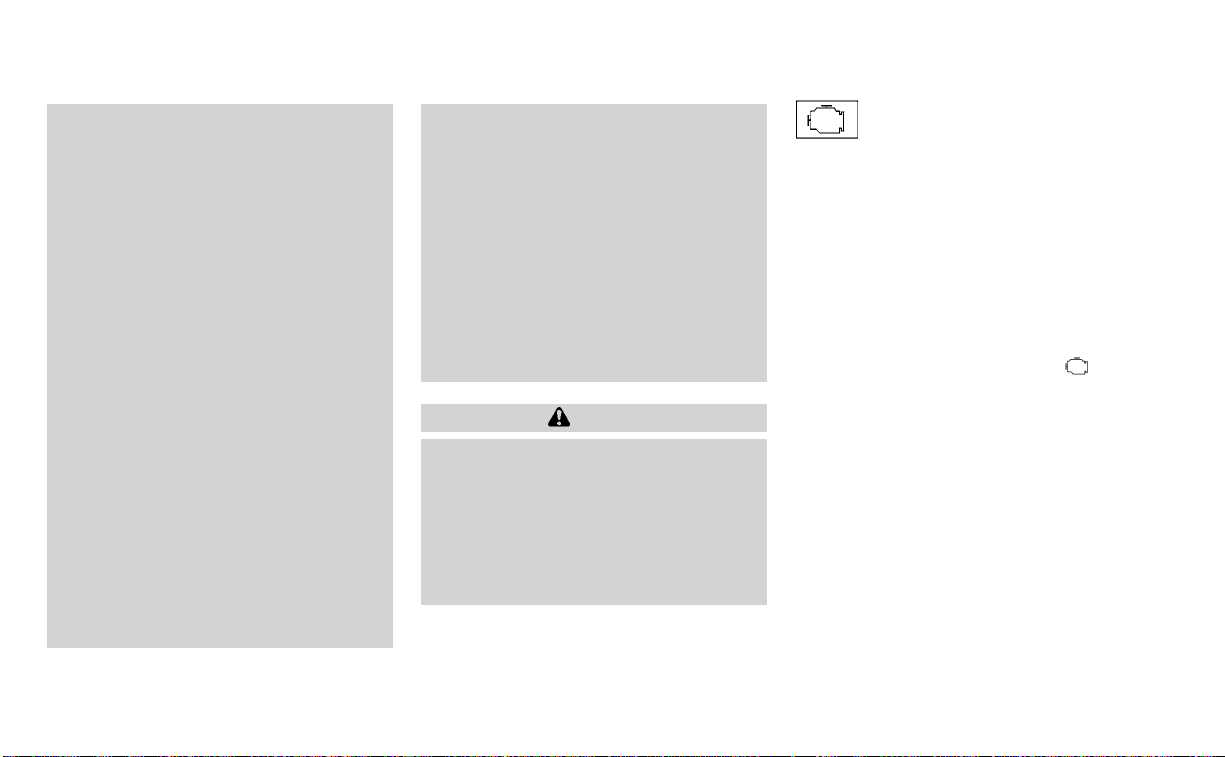
• If the light illuminates while driving,
avoid sudden steering maneuvers or
abrupt braking, reduce vehicle
speed, pull off the road to a safe loca-
tion and stop the vehicle as soon as
possible. Driving with under-inflated
tires may permanently damage the
tires and increase the likelihood of
tire failure. Serious vehicle damage
could occur and may lead to an acci-
dent and could result in serious per-
sonal injury or death. Check the tire
pressure for all four tires. Adjust the
tire pressure to the recommended
COLD tire pressure show on the Tire
and Loading Information label lo-
cated in the driver’s door opening to
turn the low tire pressure warning
light off. If the light still illuminates
while driving after adjusting the tire
pressure, a tire may be flat or the
TPMS may be malfunctioning. If you
have a flat tire, replace it with a spare
tire as soon as possible. If no tire is
flat and all tires are properly inflated,
have the vehicle checked. It is recom-
mended that you visit a NISSAN
dealer for this service.
• When using a wheel without the
TPMS such as the spare tire,the TPMS
will not function and the low tire
pressure warning light will flash for
approximately 1 minute. The light will
remain on after 1 minute. Have your
tires replaced and/or TPMS system
reset as soon as possible. It is recom-
mended that you visit a NISSAN
dealer for these services.
• Replacing tires with those not origi-
nally specified by NISSAN could af-
fect the proper operation of the
TPMS.
CAUTION
• The TPMS is not a substitute for the
regular tire pressure check. Be sure
to check the tire pressure regularly.
• If the vehicle is being driven at
speeds of less than 16 mph (25 km/h),
the TPMS may not operate correctly.
• Be sure to install the specified size of
tires to the four wheels correctly.
Malfunction Indicator Light
(MIL)
If this indicator light comes on steady or
blinks while the engine is running, it may
indicate a potential emission control
malfunction.
The MIL may also come on steady if the
fuel-filler cap is loose or missing, or if the
vehicle runs out of fuel. Check to make sure
the fuel-filler cap is installed and closed
tightly, and that the vehicle has at least 3
gallons (11.4 liters) of fuel in the fuel tank.
After a few driving trips, the
light
should turn off if no other potential emis-
sion control system malfunction exists.
If this indicator light comes on steady for 20
seconds and then blinks for 10 seconds
when the engine is not running, it indicates
that the vehicle is not ready for an emission
control system inspection/maintenance
test. For additional information, see “Readi-
ness for Inspection/Maintenance (I/M) test”
(P. 10-21).
Instruments and controls 2-13
Operation
The MIL will come on in one of two ways:
• MIL on steady — An emission control sys-
tem malfunction has been detected.
Check the fuel-filler cap if the Loose Fuel
Cap warning appears in the vehicle infor-
mation display. If the fuel-filler cap is loose
or missing, tighten or install the cap and
continue to drive the vehicle. The
light should turn off after a few driving
trips. If the
light does not turn off
after a few driving trips, have the vehicle
inspected. It is recommended that you
visit a NISSAN dealer for this service. You
do not need to have your vehicle towed
to the dealer.
• MIL blinking — An engine misfire has been
detected which may damage the emis-
sion control system. To reduce or avoid
emission control system damage:
– do not drive at speeds above 45 mph
(72 km/h).
– avoid hard acceleration or
deceleration.
– avoid steep uphill grades.
– if possible, reduce the amount of cargo
being hauled or towed.
The MIL may stop blinking and come on
steady. Have the vehicle inspected. It is rec-
ommended that you visit a NISSAN dealer
for this service. You do not need to have
your vehicle towed to the dealer.
CAUTION
Continued vehicle operation without
having the emission control system
checked and repaired as necessary
could lead to poor driveability, reduced
fuel economy, and possible damage to
the emission control system.
Master warning light
The master warning light illuminates
whenever there is an active warning that
can be reviewed in the “warnings review”
content page in the meter, or if there is a
red-level warning being displayed (which
cannot be dismissed). The master warning
light will illuminate red if a red-level warning
is being displayed, or yellow otherwise.
• Push Engine Start Lock Warning
• No Key Detected
• Incorrect Key
• Door/Trunk Open (vehicle stationary)
• Trunk Open (vehicle moving)
• Low Washer Fluid
• I-Key System Fault
• Low Tire Pressure
• CVT Warning
• Sonar Parking Sensor Error
• Chassis Control warning (if so equipped)
• Loose Fuel Cap warning
• Traffic Sign Recognition system fault (see
owner’s manual) (if so equipped)
• Driver Attention Alert system fault (if so
equipped)
For additional information, see “Vehicle in-
formation display” (P. 2-17).
Power steering warning
light
WARNING
• If the engine is not running or is
turned off while driving, the power
assist for the steering will not work.
Steering will be harder to operate.
2-14 Instruments and controls
• When the power steering warning
light illuminates with the engine run-
ning, there will be no power assist for
the steering. You will still have control
of the vehicle, but the steering will be
harder to operate. Have the power
steering system checked. It is recom-
mended that you visit a NISSAN
dealer for this service.
When the ignition switch is placed in the ON
position, the power steering warning light
illuminates. After starting the engine, the
power steering warning light turns off. This
indicates the power steering is operational.
If the power steering warning light illumi-
nates while the engine is running, it may
indicate the power steering is not function-
ing properly and may need servicing. Have
the power steering checked. It is recom-
mended that you visit a NISSAN dealer for
this service.
When the power steering warning light illu-
minates with the engine running, there will
be no power assist for the steering, but you
will still have control of the vehicle. At this
time, greater steering effort is required to
operate the steering wheel, especially in
sharp turns and at low speeds.
For additional information, see “Power
steering” (P. 5-112).
Rear Automatic Braking
(RAB) warning light
This light comes on when the ignition
switch is placed in the ON position. It turns
off after the engine is started.
This light illuminates when the RAB system
is turned off in the vehicle information
display.
If the light illuminates when the RAB sys-
tem is on, it may indicate that the system is
unavailable. For additional information, see
“Rear Automatic Braking (RAB)” (P. 5-80).
Slip indicator light
This indicator light will blink when the Ve-
hicle Dynamic Control (VDC) system is op-
erating, thus alerting the driver to the fact
that the road surface is slippery and the
vehicle is nearing its traction limits.
You may feel or hear the system working;
this is normal.
The light will blink for a few seconds after
the VDC system stops limiting wheel spin.
The
indicator light also comes on
when you place the ignition switch in the
ON position. The light will turn off after ap-
proximately 2 seconds if the system is
operational.
If the light remains on continuously, it may
indicate a failure of the VDC system. If the
light does not come on or remains on con-
tinuously, have the system checked. It is
recommended that you visit a NISSAN
dealer for this service.
Vehicle Dynamic Control
(VDC) OFF indicator light
This indicator light comes on when the
VDC OFF switch is pushed to off. This indi-
cates the VDC system has been turned off.
Push the VDC OFF switch again or restart
the engine and the system will operate
normally. For additional information, see
“Vehicle Dynamic Control (VDC) system”
(P. 5-113).
The VDC OFF indicator light also comes on
when you place the ignition switch in the
ON position. The light will turn off after
about 2 seconds if the system is opera-
tional. If the
indicator light comes on
and remains on while you are driving, it
may indicate a failure of the VDC system.
Instruments and controls 2-15

Have the VDC system checked. It is recom-
mended that you visit a NISSAN dealer for
this service.
While the VDC system is operating, you
might feel a slight vibration or hear the sys-
tem working when starting the vehicle or
accelerating, but this is normal.
WARNING/INDICATOR LIGHTS
(other)
For additional information, see “Vehicle in-
formation display” (P. 2-17).
Front fog light indicator
light (green) (if so
equipped)
The front fog light indicator light illumi-
nates when the front fog lights are on. For
additional information, see “Fog light
switch” (P. 2-51).
High Beam Assist indicator
light (green)
This indicator light illuminates when the
headlights come on while the headlight
switch is in the AUTO position with the high
beams selected. This indicates that the
high beam assist is operational.
For additional information, see “Headlight
and turn signal switch” (P. 2-45).
High beam indicator light
(blue)
This blue light comes on when the head-
light high beams are on and goes out when
the low beams are selected.
Side light and headlight
indicator light (green)
The side light and headlight indicator light
illuminates when the side light or head-
lights are on (not including the Daytime
Running Lights system or signature lights).
If the headlight switch is in the AUTO posi-
tion, the side light and headlight indicator
light will illuminate when the headlights
turn on. For additional information, see
“Headlight and turn signal switch” (P. 2-45).
Turn signal/hazard
indicator lights (green)
The appropriate light flashes when the turn
signal switch is activated.
Both lights flash when the hazard switch is
turned on.
AUDIBLE REMINDERS
Brake pad wear warning
The disc brake pads have audible wear
warnings. When a disc brake pad requires
replacement, it makes a high pitched
scraping sound when the vehicle is in mo-
tion, whether or not the brake pedal is de-
pressed. Have the brakes checked as soon
as possible if the warning sound is heard. It
is recommended that you visit a NISSAN
dealer for this service.
Light reminder chime
With the ignition switch placed in the OFF
position, a chime sounds when the driver's
door is opened if the headlights or parking
lights are on.
Turn the headlight control switch off or to
AUTO before leaving the vehicle.
2-16 Instruments and controls

NISSAN Intelligent Key® door
chime
The Intelligent Key door chime sounds if
any one of the following improper opera-
tions is found.
• The Intelligent Key is left inside the vehicle
when locking the doors.
• The Intelligent Key is taken outside the
vehicle when operating the vehicle.
When the chime sounds, be sure to check
both the vehicle and the Intelligent Key Sys-
tem. For additional information, see
“NISSAN Intelligent Key®” (P. 3-2).
The vehicle information display is located
to the left of the speedometer. It displays
such items as:
• Home
• Audio Information
• Navigation Information (if so equipped)
• Drive Computer Information
• Fuel Economy Information
• Driving Aids Information
• Speed Limit Sign (if so equipped)
• Tire Pressure Information
• Sport Information (Oil pressure, Trans-
mission Gear Oil Temperature, Digital
Speedometer, Horsepower)
• Indicators and Warnings
• Vehicle and Meter Display Settings
• Cruise Control Status
• Odometer/twin trip odometer
• Gear Position Indicator (P, R, N, D)
• Distance To Empty and Fuel Indicator
• Time
• Outside Air Temperature
LIC3224
VEHICLE INFORMATION DISPLAY
Instruments and controls 2-17

HOW TO USE THE VEHICLE
INFORMATION DISPLAY
The vehicle information display can be
changed using the
and
buttons located on the steering wheel.
䊊
1
SOURCE - Pressing SOURCE with the
ignition ON will display a list of available
audio sources in the vehicle informa-
tion display. The audio sources can
then be selected with the
,
and OK buttons on the steering switch
for direct access.
䊊
2
OK - Change or select an item in the
vehicle information display.
䊊
3
— Scroll up or down the vehicle
information menu items. If the vehicle
information display is not showing a
menu with the
buttons,
pressing
or will change to
the previous/next audio preset.
䊊
4
— go back or forward through
the vehicle information menu items or
to change from one display screen to
the next. If not within a menu, pressing
left or right will also activate a pop-up
icon bar to guide in the screen
selections.
The OK,
and buttons also
control audio and control panel functions
in some conditions. Most screens and
menus offer instruction prompts of the
steering switch buttons to indicate how to
control the vehicle information display. An
orange cursor is shown to indicate where
you are in the available menu items. A scroll
bar with up and down arrows will appear if
there is more than one page of menu
items. For additional information, refer to
the separate NissanConnect® Owner’s
Manual.
STARTUP DISPLAY
When the vehicle in placed in the ON or ACC
position the screens that display in the ve-
hicle information display include:
• Home
• Audio
• Navigation (if so equipped)
• Drive Computer
• Fuel economy
• Driving Aids
• Speed Limit Sign (if so equipped)
• Tire Pressures
• Chassis Control (if so equipped)
• SPORT
• Warning Review
• Settings
The warnings review title screen will show
how many active warnings exist, or “No
items to review” in the event that no warn-
ings are active. For additional information
on warnings and indicators, see “Vehicle
information display” (P. 2-17).
To control what items display in the vehicle
information display, see “Customize dis-
play” (P. 2-21).
LIC3177
2-18 Instruments and controls

DRIVE COMPUTER
The Drive Computer displays driving and
average trip information, and can be ac-
cessed from the startup display on the ve-
hicle information display. Select the Drive
Computer icon, and press the OK button.
To reset the driving and average trip infor-
mation, use the
or button to
select which item to reset, or select Reset
All. Select YES, and press the OK button to
reset information history.
SETTINGS
The setting mode allows you to change the
information displayed in the vehicle infor-
mation display as well as the model for
several vehicle functions:
• Driver Assistance
• Customize Display
• Vehicle Settings
• Maintenance
• Clock
• TPMS Settings
• Unit/Language
• Key-Linked Settings (if so equipped)
• Factory Reset
LIC3261
Instruments and controls 2-19

Driver Assistance
The driver assistance menu allows the user to change the various driving aids and assistance options.
Some menu items shown below may not be equipped on your vehicle.
Menu item Explanation
Lane Displays the available lane options.
Lane Departure Warning Allows user to turn the Lane Departure Warning (LDW) system on or off. For additional information, see “Lane Departure
Warning (LDW)” (P. 5-25).
Lane Departure Prevention Allows user to turn Intelligent Lane Intervention (I-LI) system on or off when the engine is running. System will reset to off
after every ignition cycle. For additional information, see “Intelligent Lane Intervention (I-LI) (P. 5-30).
Blind Spot Allows user to turn the blind spot feature on or off. For additional information, see “Blind Spot Warning (BSW)” (P. 5-36) and
“Rear Cross Traffic Alert (RCTA)” (P. 5-45).
Speed Limit Sign Allows user to turn the Speed Limit Sign feature on or off. For additional information, see "Traffic Sign Recognition (TSR)”
(P. 5-22).
Parking Aids Displays the available parking aids. For additional information, see “Front and rear sonar system” (P. 5-116).
Sensor Allows user to turn the sensor on, off, or front only.
Display Allows user to turn the display on or off.
Volume Allows user to adjust the volume to Low/Med./High.
Range Allows user to adjust the range to Near/Mid./Far.
Emergency Brake Displays the available emergency braking options.
Front Allows user to turn the front emergency braking system on or off. For additional information, see “Automatic Emergency
Braking (AEB) with Pedestrian Detection” (P. 5-85) and “Intelligent Forward Collision Warning (I-FCW)” (P. 5-95).
Rear Allows user to turn the rear emergency braking system on or off. For additional information, see “Rear Automatic Braking
(RAB)” (P. 5-80).
Driver Attention Alert Allows user to turn the driver attention feature on or off. For additional information, see “Intelligent Driver Alertness (I-DA)”
(P. 5-106).
Timer Alert Allows user to set or reset an alert at a specific time interval.
Low Temperature Alert Allows user to turn the low temperature alert on or off.
Cruise Control Alerts Allows user to turn the Cruise Control Alerts on or off.
Chassis Control Displays the available chassis control options. For addition information, see “Integrated Dynamics-control Module” (P. 5-115).
Active Trace Control Allows user to turn the Intelligent Trace Control (I-TC) on or off.
Active Engine Brake Allows user to turn the Intelligent Engine Brake (I-EB) on or off.
2-20 Instruments and controls

Customize Display
The customize display menu allows the user to customize the information that appears in the vehicle information display.
Some menu items shown below may not be equipped on your vehicle.
Menu item Explanation
Main Menu Selection Displays available screens that can be shown in the vehicle information display.
Home Allows user to turn the home screen on or off in the vehicle information display.
Audio Allows user to turn the audio screen on or off in the vehicle information display.
Navigation Allows user to turn the navigation screen on or off in the vehicle information display.
Drive Computer Allows user to turn the drive computer screen on or off in the vehicle information display.
Fuel Economy Allows user to turn the fuel economy screen on or off in the vehicle information display.
Driving Aids Allows user to turn the driving aids screen on or off in the vehicle information display.
Speed Limit Sign Allows user to turn the speed limit sign screen on or off in the vehicle information display.
Tire Pressures Allows user to turn the tire pressure screen on or off in the vehicle information display.
Chassis Control Allows user to turn the chassis control screen on or off in the vehicle information display.
SPORT Allows user to turn the SPORT screen on or off in the vehicle information display.
Car Icon Color Displays available colors of the vehicle shown in the vehicle information display.
ECO Info Settings Displays the available ECO Info settings.
ECO Drive Report Allows user to turn the ECO Drive Report screen on or off in the vehicle information display.
View History Allows user to view the ECO Drive Report history.
Navigation Settings Displays the available navigation settings.
Alerts Allows user to set available navigation alerts.
View Mode Allows user to change the navigation view mode to “City” or “Arrow.”
Welcome Effect Displays the various welcome effect settings.
Gauges Allows user to turn the gauges effect on or off.
Animation Allows user to turn the animation effect on or off.
Instruments and controls 2-21

Vehicle Settings
The vehicle settings allow the user to change the settings for lights, wipers, locking, keys, and other vehicle settings.
Some menu items shown below may not be equipped on your vehicle.
Menu item Explanation
Rear Door Alert Displays the available Rear Door Alert options. For additional information, see “Rear Door Alert” (P. 2-58).
OFF When selected, no alert or horn will be active.
Horn & Alert When selected, the alert is displayed and the horn sounds.
Alert Only When selected, only the alert is displayed.
Lighting Displays the various lighting settings.
Auto Room Lamp Allows user to turn the auto room lamp on or off.
Accent Lighting Allows user to adjust the brightness of the accent lights.
Light Sensitivity Allows user to change when the lights illuminate based on the brightness outside the vehicle.
Light Off Delay Allows user to change the duration of time, from 0 to 180 seconds, that the automatic headlights stay on af-
ter the vehicle is shut off.
Turn Indicator Displays the various turn indicator settings.
3 Flash Pass Allows user to turn the 3 flash pass on or off. For additional information, see “Headlight and turn signal switch”
(P. 2-45).
Locking Displays the various locking settings.
Ext. Door Switch Allows user to turn the exterior door switch on or off. When turned on, the request switch on the door is acti-
vated.
Selective Unlock Allows user to turn the selective unlock feature on or off. When turned on, only the driver’s door is unlocked
after the door unlock operation. When the door handle request switch on the driver’s or front passenger’s
side door is pushed to be unlocked, only the corresponding door is unlocked first. All the doors can be un-
locked if the door unlock operation is performed again within 1 minute. When this item is turned off, all the
doors will be unlocked after the door unlock operation is performed once.
Answer Back Horn Allows user to turn answer back horn on or off. When turned on, the horn will chirp and the hazard indicators
will flash twice when locking the vehicle with the Intelligent Key.
Auto Door Unlock Displays available options for the auto door unlock.
2-22 Instruments and controls
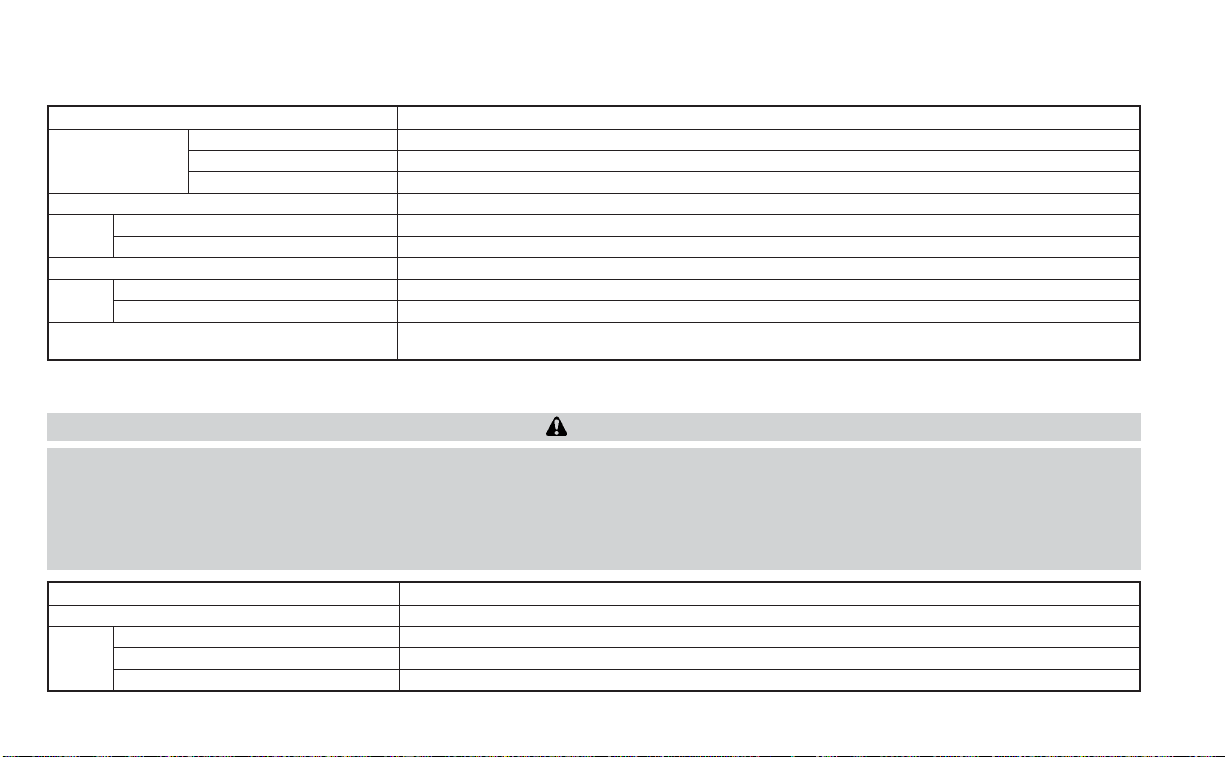
Menu item Explanation
OFF Doors will have to be manually unlocked.
Ignition OFF Doors will unlock when the ignition is turned off.
Shift into Park Doors will unlock when the vehicle is shifted into Park.
Wipers Displays the various wipers settings. For additional information, see “Wiper and washer switch” (P. 2-42).
Speed Dependent Allows user to turn the speed dependent feature on or off.
Rain Sensor Allows user to turn the rain sensor feature on or off.
Driving Position Displays the various driving position settings.
Exit Seat Slide Allows user to turn the exit seat slide on or off. For additional information, see “Memory seat” (P. 3-30).
Exit Steering Up Allows user to turn the exit steering up on or off. For additional information, see “Memory seat” (P. 3-30).
Remote Engine Start Allows user to turn the Remote Engine Start feature on or off. When turned on, the engine can be restarted
remotely. For additional information, see “Remote Engine Start” (P. 3-18).
Maintenance
The maintenance menu allows the user to set reminders for various vehicle maintenance items.
WARNING
The tire replacement indicator is not a substitute for regular tire checks, including tire pressure checks. For additional informa-
tion, see “Changing wheels and tires” (P. 8-34). Many factors including tire inflation, alignment, driving habits and road conditions
affect tire wear and when tires should be replaced. Setting the tire replacement indicator for a certain driving distance does not
mean your tires will last that long. Use the tire replacement indicator as a guide only and always perform regular tire checks.
Failure to perform regular tire checks, including tire pressure checks could result in tire failure. Serious vehicle damage could
occur and may lead to a collision, which could result in serious personal injury or death.
Menu item Explanation
Maintenance Displays various maintenance reminder options.
Oil and Filter Allows user to set a reminder at a specific interval or reset the current one.
Tire Allows user to set a reminder at a specific interval or reset the current one.
Other Allows user to set a reminder at a specific interval or reset the current one.
Instruments and controls 2-23

Clock
Menu item Explanation
Clock When selected, the following message appears: “Go to the settings menu on the center display to set clock”.
For additional information, refer to the separate NissanConnect® Owner’s Manual.
TPMS Settings
The TPMS settings menu allows the user to change the tire pressure units displayed in the vehicle information display.
Menu item Explanation
TPMS Settings Displays available TPMS Settings.
Tire Pressure Unit Allows user to select the tire pressure units that will display in the vehicle information display.
Unit/Language
The Unit/Language menu allows the user to change the units shown in the vehicle information display.
Menu item Explanation
Mileage/Fuel Displays the available mileage/fuel display units and allows user to select preferred unit for display.
Tire Pressure Unit Allows user to select the tire pressure display units.
Temperature Allows user to select the temperature display units.
Language Displays the available language options and allows user to select preferred language for display.
2-24 Instruments and controls
Key-Linked Settings (if so equipped)
Menu item Explanation
System Allows user to turn the Key-Linked Settings on or off. For additional information, see “Memory seat” (P. 3-30).
Factory Reset
The factory reset menu allows the user to restore the vehicle information display settings to factory status.
Menu item Explanation
Factory Reset
Allows user to reset the vehicle information display settings to the original factory settings. Once selected,
the user can confirm or cancel the reset.
Instruments and controls 2-25

VEHICLE INFORMATION DISPLAY
WARNINGS AND INDICATORS
The following messages may appear in
your vehicle information display.
Engine start operation for
Intelligent Key system (if
I-Key batter y level is low)
This indicator appears when the battery of
the Intelligent Key is low and when the In-
telligent Key system and the vehicle are not
communicating normally.
If this appears, touch the ignition switch
with the Intelligent Key while depressing
the brake pedal. For additional information,
see “NISSAN Intelligent Key® battery dis-
charge” (P. 5-13).
Key Battery Low
This indicator appears when the Intelligent
Key battery is running out of power.
If this indicator appears, replace the bat-
tery with a new one. For additional infor-
mation, see “Battery replacement” (P. 8-21).
Key ID Incorrect
This warning appears when the ignition
switch is placed from the OFF position and
the Intelligent Key is not recognized by the
system. You cannot start the engine with
an unregistered key.
For additional information, see “NISSAN In-
telligent Key®” (P. 3-2).
Key System Fault See
Owner’s Manual
After the ignition switch is placed in the ON
position, this warning appears for a period
of time and then turns off.
The Key System Fault message warns of a
malfunction with the Intelligent Key sys-
tem. If the warning appears while the en-
gine is stopped, it may be impossible to
start the engine.
If the warning appears while the engine is
running, you can drive the vehicle. However,
in these cases, have the system checked. It
is recommended that you visit a NISSAN
dealer for this service.
No Key Detected
This warning appears when the Intelligent
Key is left outside the vehicle with the igni-
tion switch in the ON position. Make sure
the Intelligent Key is inside the vehicle.
For additional information, see “NISSAN In-
telligent Key®” (P. 3-2).
Alarm - Time for a break?
This indicator appears when the driver en-
ables the Timer Alert function within the
Driving Aids settings and the selected set
time is expired. The time is based on igni-
tion on time and can be set up to six hours.
Brightness indicator
This indicator shows the brightness ad-
justment of the instrument panel. For addi-
tional information, see “Instrument bright-
ness control” (P. 2-50).
Rear Door Alert is activated
When the system is enabled, this message
appears when the Rear Door Alert system
is active and can remind the driver to check
the rear seat.
2-26 Instruments and controls

• Using the steering wheel switch, a driver
can select “Dismiss Message” to clear the
display for a period of time. If no selection
is made, this message automatically
turns off after a period of time.
• Using the steering wheel switch, a driver
can select “Disable Alert” to disable the
selected alert for the remainder of the
current trip.
WARNING
Selecting “Dismiss Message” during a
stop within a trip temporarily dis-
misses the message for that stop with-
out turning the system off. Alerts can
be provided for other stops during the
trip. Selecting “Disable Alert” turns off
the Rear Door Alert system for the re-
mainder of a trip and no audible alert
will be provided.
NOTE:
This system is disabled until a driver en-
ables it using the vehicle information
display. For additional information, see
“How to use the vehicle information dis-
play” (P. 2-18).
For additional information, see “Rear Door
Alert” (P. 2-58).
Check Rear Seat For All Articles
When the system is enabled, this message
appears when the vehicle comes to a com-
plete stop, the vehicle is transitioned from
the D (Drive) position to P (Park) position,
and the driver exits the vehicle. This mes-
sage alerts the driver, after a period of time,
to check for items in the rear seat after the
audible alert has been provided.
NOTE:
This system is disabled until a driver en-
ables it using the vehicle information
display. For additional information, see
“How to use the vehicle information dis-
play” (P. 2-18).
For additional information, see “Rear Door
Alert” (P. 2-58).
Door/Trunk Open
This warning appears when a door or the
trunk has been opened.
Headlight System Error: See Owner’s
Manual
This warning appears when there is an er-
ror with the system. For additional informa-
tion, see “Headlight and turn signal switch”
(P. 2-45).
Loose Fuel Cap
This warning appears when the fuel-filler
cap is not tightened correctly after the ve-
hicle has been refueled. For additional in-
formation, see “Fuel-filler cap” (P. 3-22).
Low Fuel
This warning appears when the fuel level in
the fuel tank is getting low. Refuel as soon
as it is convenient, preferably before the
fuel gauge reaches 0 (Empty). There will be
a small reserve of fuel in the tank when
the fuel gauge needle reaches 0 (Empty).
Low Outside Temperature
This warning appears if the outside tem-
perature is below 37°F (3°C). The tempera-
ture can be changed to display in Celsius or
Fahrenheit. For additional information, see
“Settings” (P. 2-19).
Low Washer Fluid
This warning appears when the
windshield-washer fluid is at a low level.
Add windshield-washer fluid as necessary.
For additional information, see
“Windshield-washer fluid” (P. 8-12).
Instruments and controls 2-27

Oil and Filter
This indicator appears when the customer
set distance comes for changing the en-
gine oil and filter. You can set or reset the
distance for checking or replacing these
items. For scheduled maintenance items
and intervals, see “Maintenance and
schedules” (P. 9-2).
Other
This indicator appears when the customer
set distance is reached for checking or re-
placing maintenance items other than the
engine oil, oil filter and tires. Other mainte-
nance items can include such things as air
filter or tire rotation. The distance for
checking or replacing the items can be set
or reset.
Outside Temperature
Display
The outside temperature display appears
in the center region of the vehicle informa-
tion display.
Power turned off to save the battery
This message appears after the ignition
switch is automatically turned off. For addi-
tional information, see “Push-button igni-
tion switch positions” (P. 5-10).
Power will turn off to save the battery
This message appears in the vehicle infor-
mation display after a period of time if the
ignition switch is in the ACC or the ON po-
sition and if the vehicle is in P (Park). For
additional information, see “Push-button
ignition switch positions” (P. 5-10).
Push brake and start
switch to drive
This indicator appears when the shift lever
is in the P (Park) position.
This indicator also appears when the ve-
hicle has been started using the Remote
Engine Start function.
This indicator means that the engine will
start by pushing the ignition switch with
the brake pedal depressed. You can start
the engine from any position of the ignition
switch.
Push ignition to OFF
After the Push ignition to OFF warning ap-
pears, the warning will appear if the ignition
switch is placed in the ACC position when
the shift lever is moved to the P (Park)
position.
To turn off the Push warning, place the ig-
nition switch in the ON position and then in
the LOCK position.
Release Parking Brake
This warning appears when the parking
brake is set and the vehicle is driven.
Reminder: Turn OFF
Headlights
This warning appears when the headlights
are left in the ON position when exiting the
vehicle. Place the headlight switch in the
OFF (if so equipped) or AUTO position. For
additional information, see “Headlight and
turn signal switch” (P. 2-45).
Rotate the steering and
push the start switch
This warning appears when the steering
lock cannot be unlocked or is malfunction-
ing. This warning may appear if the steer-
ing wheel is not aligned with the locking
2-28 Instruments and controls
mechanism. If this warning appears, lightly
turn the steering wheel right and left to
realign the steering wheel position with the
locking mechanism, and then push the ig-
nition switch to ON. This warning will re-
main on until the steering lock is realigned
with the locking mechanism and the igni-
tion switch has been pressed to ON, or until
15 seconds has elapsed. If the warning con-
tinues to appear even after realignment,
have the system checked. It is recom-
mended that you visit a NISSAN dealer for
this service.
The Master warning light will remain illumi-
nated until the Electrical steering lock re-
lease warning is cleared.
Shift to Park
This warning appears when the ignition
switch is in the ACC or OFF position and the
shift lever is not in the P (Park) position. Also,
a chime sounds when the ignition switch is
in the ACC or OFF position.
If this warning appears, move the shift lever
to the P (Park) position and start the engine.
Shipping Mode On Push Storage Fuse
This warning may appear if the extended
storage switch is not pushed in. When this
warning appears, push in the extended
storage switch to turn off the warning. For
additional information, see “Extended stor-
age switch” (P. 2-60).
SPORT
This indicator appears when sport mode is
activated. The sport mode screen will re-
main on for about 6 seconds unless the
driver dismisses the notification early using
the vehicle information display switches.
For additional information, see “Sport
mode” (P. 5-22).
Tire
This indicator appears when the customer
set distance is reached for replacing tires.
You can set or reset the distance for replac-
ing tires.
WARNING
The tire replacement indicator is not a
substitute for regular tire checks, includ-
ing tire pressure checks. For additional in-
formation, see “Changing wheels and
tires” (P. 8-34). Many factors including tire
inflation, alignment, driving habits and
road conditions affect tire wear and when
tires should be replaced. Setting the tire
replacement indicator for a certain driv-
ing distance does not mean your tires will
last that long. Use the tire replacement
indicator as a guide only and always per-
form regular tire checks. Failure to per-
form regular tire checks, including tire
pressure checks could result in tire failure.
Serious vehicle damage could occur and
may lead to a collision, which could result
in serious personal injury or death.
Tire Pressure Low - Add Air
This warning appears when the low tire
pressure warning light in the meter illumi-
nates and low tire pressure is detected. The
warning appears each time the ignition
switch is placed in the ON position as long
as the low tire pressure warning light re-
mains illuminated. If this warning appears,
stop the vehicle and adjust the tire pres-
sures of all four tires to the recommended
COLD tire pressure shown on the Tire and
Loading Information label. For additional
information, see “Low tire pressure warning
light” (P. 2-12) and “Tire Pressure Monitoring
System (TPMS)” (P. 5-5).
Instruments and controls 2-29

Transmission Shift Position
indicator
This indicator shows the transmission shift
position.
CVT Error: See Owner's
Manual
This warning appears when there is a
problem with the CVT system. If this warn-
ing appears, have the system checked. It is
recommended that you visit a NISSAN
dealer for this service.
Automatic Emergency
Braking (AEB) emergency
warning indicator
This indicator appears along, with an au-
dible warning, when the system detects
the possibility of a forward collision.
For additional information, see “Automatic
Emergency Braking (AEB) with Pedestrian
Detection” (P. 5-85).
Blind Spot Warning (BSW)
and Rear Cross Traffic Alert
(RCTA) indicator
This indicator appears when the BSW and
RCTA systems are engaged.
For additional information, see “Blind Spot
Warning (BSW)” (P. 5-36) and “Rear Cross
Traffic Alert (RCTA)” (P. 5-45).
Chassis Control System Error: See
Owner’s Manual
This warning appears if the Integrated
Dynamics-control Module detects an error
in the Intelligent Trace Control, Intelligent
Engine Brake, or the Active Ride Control
systems. Have the system checked. It is
recommended that you visit a NISSAN
dealer for this service. For additional infor-
mation, see “Integrated Dynamics-control
Module” (P. 5-115).
Cruise control indicator
This indicator shows the cruise control sys-
tem status.
When cruise control is activated, a green
circle will appear to indicate it is set. The
vehicle information display will also display
the speed the cruise control was set at. If
you accelerate past the set speed, the
speed will blink until you either cancel
cruise control or go back to the set speed. If
cruise control is on and canceled, the
speed will be displayed to show the speed
the vehicle will return to if the resume but-
ton is activated.
Cruise ON
This message appears if the cruise
control switch on the steering wheel is
pressed and Cruise Control Alerts are en-
abled in the vehicle information display.
For additional information, see “Cruise con-
trol” (P. 5-54).
Cruise Target Speed SET
This message will appear if the Cruise Con-
trol system is on when the SET switch is
pushed and the Cruise Control Alerts are
enabled.
For additional information, see “Cruise con-
trol” (P. 5-54).
Currently Unavailable
This message appears when the Vehicle
Dynamic Control (VDC) system is turned
off. The Intelligent Lane Intervention (I-LI)
system will be turned off automatically. For
additional information, see “Vehicle Dy-
namic Control (VDC)” (P. 5-113) and “Intelli-
gent Lane Intervention (I-LI)” (P. 5-30).
Driver Attention Alert -
TakeaBreak?
This alert appears when the system has
detected that the driver may be displaying
fatigue or a lack of attention.
2-30 Instruments and controls

Driver Attention Alert
Malfunction
This warning appears when the Intelligent
Driver Alertness (I-DA) system is not func-
tioning properly. For additional information,
see “Intelligent Driver Alertness (I-DA)”
(P. 5-106).
Forward Driving Aids temporarily
disabled Front Sensor blocked See
Owner’s Manual
This message appears when the front ra-
dar sensor may be obstructed due to:
• mud, dirt, snow, ice, etc.
• inclement weather (rain, fog, snow, etc.)
All forward driving aids are temporarily dis-
abled until the system detects that the
front radar sensor is no longer obstructed.
For additional information, see the follow-
ing (if so equipped):
• Automatic Emergency Braking (AEB) with
Pedestrian Detection (P. 5-85)
• Intelligent Cruise Control (ICC) (P. 5-56)
• Intelligent Forward Collision Warning (I-
FCW) (P. 5-95)
Intelligent Cruise Control
(ICC) indicator
This indicator shows the Intelligent Cruise
Control (ICC) system status. The status is
shown by the color. For additional informa-
tion, see “Intelligent Cruise Control (ICC)”
(P. 5-56).
Intelligent Cruise ON
This message appears if the Intelli-
gent Cruise Control (ICC) switch on the
steering wheel is pressed and Cruise Con-
trol Alerts are enabled in the vehicle infor-
mation display.
For additional information, see “Intelligent
Cruise Control (ICC)” (P. 5-56).
Lane Departure Warning
(LDW) indicator
This indicator appears when the LDW and
Intelligent Lane Intervention (I-LI) systems
are engaged.
This indicator will display orange if there is a
LDW, I-LI, or Traffic Sign Recognition (TSR)
system malfunction.
For additional information, see “Lane De-
parture Warning (LDW) system” (P. 5-25), “In-
telligent Lane Intervention (I-LI)” (P. 5-30), or
“Traffic Sign Recognition (TSR)” (P. 5-22).
Parking Sensor Error: See Owner’s
Manual
This warning appears when there is an er-
ror with the system. For additional informa-
tion, see “Front and rear sonar system”
(P. 5-116).
Parking Sensor
This indicator appears when the sensor is
activated. Pressing the
or button
while the sonar screen is displayed will dis-
miss this message until the next time the
sensors are activated. The Parking Sensor
system will remain on, unless it is disabled
in the vehicle information display. For addi-
tional information, see “Front and rear so-
nar system” (P. 5-116).
Rear Automatic Braking
(RAB) system warning
indicator
This indicator appears to indicate the sta-
tus of the Rear Automatic Braking (RAB)
system. For additional information, see
“Rear Automatic Braking (RAB)” (P. 5-80).
Instruments and controls 2-31

Side Radar Obstruction
This message appears when the Blind
Spot Warning (BSW)/Rear Cross Traffic Alert
(RCTA) systems become unavailable be-
cause a radar blockage is detected. For
additional information, see “Blind Spot
Warning (BSW)” (P. 5-36) or “Rear Cross Traf-
fic Alert (RCTA)” (P. 5-45).
Speed Limit Sign indicator
This message may appear when the Traffic
Sign Recognition system is engaged.
For additional information, see “Traffic Sign
Recognition (TSR)” (P. 5-22).
Target Speed SET with Intelligent
Distance Control
This message will appear if the Intelligent
Cruise Control system is on when the SET
switch is pushed and the Cruise Control
Alerts are enabled.
For additional information, see “Cruise con-
trol” (P. 5-54).
Unavailable: High Cabin Temperature
This message appears when the camera
detects an interior temperature of more
than 104°F (40°C). For additional informa-
tion, see “Intelligent Lane Intervention (I-LI)”
(P. 5-30), “Lane Departure Warning (LDW)”
(P. 5-25) or “Traffic Sign Recognition (TSR)”
(P. 5-22).
Unavailable: Road is Slippery
This message appears when the Intelligent
Cruise Control (ICC) or the Intelligent Lane
Intervention (I-LI) system becomes un-
available because the road is slippery. For
additional information, see “Intelligent Lane
Intervention (I-LI)” (P. 5-30).
Vehicle ahead detection
indicator
This indicator appears when the Auto-
matic Emergency Braking (AEB) with Pe-
destrian Detection system is engaged and
has detected a vehicle.
For additional information, see “Automatic
Emergency Braking (AEB) with Pedestrian
Detection ” (P. 5-85).
Some of the information and operations
available on the control panel can also be
viewed and operated on the vehicle infor-
mation display. The vehicle information
display operations can be conducted with
the switches on the steering wheel.
AUDIO
Use or and select on the
vehicle information display main menu.
The vehicle information display shows the
status for the audio source currently in use.
Some examples of what will be displayed:
• Source
• Artist
• Song
• Album
Pushing the SOURCE button will display a
list of available sources to select with the
steering switch controls if the ignition is on,
or cycle through the available audio
sources in accessory mode.
CONTROL PANEL AND VEHICLE
INFORMATION DISPLAY
INTERACTION
2-32 Instruments and controls

RECEIVING A CALL
Using the Bluetooth® Hands-Free Phone
System, a received phone call can be oper-
ated on the vehicle information display as
well as on the touch-screen display.
1. When there is an incoming call, the caller
information and the operation keys are
displayed on the vehicle information
display.
2. Use
or to highlight the pre-
ferred item and press the OK button to
select the item.
Available keys Action
[Answer] Answers the received phone call.
[Decline] Declines the received phone call.
[Hold Call] Holds the initial call when a second call is received.
INFO:
A cellular phone device must be connected and selected among other connected
Bluetooth® devices before hands-free operation. The paired phone must be able to
support the Bluetooth® requests for display. For additional information, refer to the sepa-
rate NissanConnect® Owner’s Manual.
Instruments and controls 2-33
TEXT MESSAGING (if so equipped)
Using the Bluetooth® Hands-Free Phone
System, a received text message can be
operated on the vehicle information dis-
play as well as on the touch-screen display.
To read/ignore an incoming text
1. When a new text message is received, a
pop-up window and operation keys will
appear with the sender’s name or phone
number on the vehicle information
display.
2. Use
or to highlight the pre-
ferred item and push OK to select the
item.
Available keys Action
[Read] View or hear the received message.
[Ignore] Ignore the received message.
2-34 Instruments and controls
To reply to/exit from a text
1. When a new text message is received
and [Read] is selected, operation keys
are displayed on the vehicle information
display.
2. Use
or to highlight the pre-
ferred item and press the OK button to
select the item.
Available keys Action
[Reply] Available pre-determined messages will be displayed
on the vehicle information display if the steering
switch controls are used. Further operations, such as
voice recognition reply operation, is available when
using the touch-screen display.
[Exit] Ends text message operation and the vehicle infor-
mation display will show the previous screen.
INFO
A cellular phone device must be connected and selected from among other connected
Bluetooth® devices before hands-free operation. The paired phone must be able to
support the Bluetooth® requests for display. For additional information, refer to the sepa-
rate NissanConnect® Owner’s Manual.
Instruments and controls 2-35

NAVIGATION SYSTEM (if so
equipped)
Turn-by-turn route guidance can be dis-
played on the vehicle information display.
To view turn-by-turn route guidance on the
vehicle information display, use
or
and scroll to on the vehicle infor-
mation display menu.
City view
City view shows representation of intersec-
tions with road curvature and
surroundings.
Lane guidance will appear in the lower right
corner if the data is available for that street.
The next turn and the distance to the next
turn are displayed on the vehicle informa-
tion display. A countdown bar is shown in
the arrow. The bar gets smaller as you get
closer to the next turn.
Arrow view
Lane guidance will appear in the lower right
corner, if the data is available for that street.
A turn direction arrow with an icon indicat-
ing your current route location is displayed.
A countdown bar will be shown on the left
side of the vehicle information display. The
bar gets smaller as you get closer to the
next turn.
LIC3228 LIC3163
2-36 Instruments and controls

Compass view
Compass view is displayed when no route
is set, and shows current weather condi-
tions and speed limit information (if
available).
Far screen view
Far screen view shows destination infor-
mation, weather and speed limit informa-
tion (if available for the street).
LIC3229 LIC3230
Instruments and controls 2-37
Navigation settings
The navigation related display settings can
be changed.
1. Select
using or and press
the OK button. A menu will display.
2. Using
or , select [Customize
Display] and then select [Navigation
Settings].
3. Select the preferred item using
or
.
Available items Action
[Alerts] When enabled, navigation turn alerts will interrupt the display if navigation is
not being shown.
[View Mode] Allows the user to select between City and Arrow view for turn guidance.
[Arrow View] When this mode is selected, the upcoming turn will be represented as an ar-
row as the vehicle approaches a guide point.
[City View] When this mode is selected, the upcoming turn will be represented on a map
of the intersection as the vehicle approaches a guide point.
4. Press the OK button to turn on or off the
[Alerts] setting or to toggle the view
mode between [Arrow] or [City].
2-38 Instruments and controls

NAVIGATION SWIPE TO METER (if
so equipped)
Turn-by-turn route guidance can also be
viewed in the vehicle information display by
using Navigation Swipe to Meter. This can
be done by programming a route, touching
the turn-by-turn route icon on the center
display, and swiping towards the general
direction of the vehicle information display.
The turn-by-turn route icon will move
across the center display and transfer the
route information to the vehicle informa-
tion display when the vehicle is not moving.
The icon will not move across the screen if
the vehicle is moving over speeds of 4 mph
(7 km/h), yet the information will still trans-
fer to the vehicle information display.
The turn-by-turn route guidance cannot
be transferred to the vehicle information
display if the navigation screen is already
shown or if a warning is present.
For additional information, refer to the
separate NissanConnect® Owner’s Manual.
Your vehicle has two types of security
systems:
• Vehicle security system
• NISSAN Vehicle Immobilizer System
VEHICLE SECURITY SYSTEM
The vehicle security system provides visual
and audible alarm signals if someone
opens the doors, trunk, or hood when the
system is armed. It is not, however, a mo-
tion detection type system that activates
when a vehicle is moved or when a vibra-
tion occurs.
LIC4158 LIC2930
SECURITY SYSTEMS
Instruments and controls 2-39

The system helps deter vehicle theft but
cannot prevent it, nor can it prevent the
theft of interior or exterior vehicle compo-
nents in all situations. Always secure your
vehicle even if parking for a brief period.
Never leave your Intelligent Key in the ve-
hicle, and always lock the vehicle when un-
attended. Be aware of your surroundings,
and park in secure, well-lit areas whenever
possible.
Many devices offering additional protec-
tion, such as component locks, identifica-
tion markers, and tracking systems, are
available at auto supply stores and spe-
cialty shops. A NISSAN dealer may also offer
such equipment. Check with your insur-
ance company to see if you may be eligible
for discounts for various theft protection
features.
How to arm the vehicle security
system
1. Close all windows. (The system can be
armed even if the windows are open.)
2. Remove the Intelligent Key from the
vehicle.
3. Close all doors, hood and trunk. Lock all
doors. The doors can be locked with the
Intelligent Key or door handle request
switch.
4. Confirm that the
security indicator
light stays on for about 30 seconds. The
vehicle security system is now pre-
armed. The vehicle security system will
automatically shift into the armed
phase. The
security light begins to
flash once every three seconds. If during
the pre-armed phase one of the follow-
ing occurs, the system will not arm:
• Any door is unlocked with the Intelligent
Key or door request switch.
• Ignition switch is placed in ACC or ON
position.
• Even when the driver and/or passen-
gers are in the vehicle, the system will
activate with all the doors, hood and
trunk lid locked with the ignition switch
placed in the LOCK position. When plac-
ing the ignition switch in the ACC or ON
position, the system will be released.
Vehicle security system activation
The vehicle security system will give the
following alarm:
• The headlights blink and the horn sounds
intermittently but synchronously.
• The alarm automatically turns off after a
period of time. However, the alarm reacti-
vates if the vehicle is tampered with
again.
The alarm is activated by:
• opening any door or hood without using
the Intelligent Key (even if the door is un-
locked by releasing the door inside lock
knob).
How to stop an activated alarm
The alarm stops only by pushing the
button on the Intelligent Key, or pushing the
request switch on the driver's or passen-
ger's door with the Intelligent Key in range
of the door handle.
2-40 Instruments and controls
NISSAN VEHICLE IMMOBILIZER
SYSTEM
The NISSAN Vehicle Immobilizer System
will not allow the engine to start without
the use of a registered key.
If the engine fails to start using a registered
key (for example, when interference is
caused by another registered key, an auto-
mated toll road device or automatic pay-
ment device on the key ring), restart the
engine using the following procedures:
1. Leave the ignition switch in the ON posi-
tion for approximately 5 seconds.
2. Place the ignition switch in the OFF or
LOCK position and wait approximately
10 seconds.
3. Repeat steps 1 and 2.
4. Restart the engine while holding the de-
vice (which may have caused the inter-
ference) separate from the registered
key.
If the no start condition reoccurs, NISSAN
recommends placing the registered key on
a separate key ring to avoid interference
from other devices.
Never leave these keys in the vehicle.
FCC Notice:
For USA:
This device complies with Part 15 of the
FCC Rules. Operation is subject to the fol-
lowing two conditions: (1) This device
may not cause harmful interference, and
(2) this device must accept any interfer-
ence received, including interference
that may cause undesired operation.
NOTE:
Changes or modifications not expressly
approved by the party responsible for
compliance could void the user's author-
ity to operate the equipment.
For Canada:
This device complies with Industry
Canada licence-exempt RSS standard(s).
Operation is subject to the following two
conditions: (1) this device may not cause
inter ference, and (2) this device must ac-
cept any interference received, including
inter ference that may cause undesired
operation of the device.
Security indicator light
The security indicator light blinks whenever
the ignition switch is placed in the OFF/
LOCK/ACC position.
This function indicates the NISSAN Vehicle
Immobilizer System is operational.
If the NISSAN Vehicle Immobilizer System is
malfunctioning, the light will remain on
while the ignition switch is placed in the ON
position.
LIC0474
Instruments and controls 2-41

If the light still remains on and/or the
engine will not start, seek service for the
NISSAN Vehicle Immobilizer System ser-
vice as soon as possible. Please bring all
registered keys that you have. It is rec-
ommended that you visit a NISSAN
dealer for this service.
SWITCH OPERATION
The windshield wiper and washer operates
when the ignition switch is placed in the ON
position.
Push the lever down to operate the wiper
at the following speed:
䊊
1
Intermittent (INT) or (AUTO) — intermit-
tent operation can be adjusted by turn-
ing the knob
O
A
. Also, the intermittent
operation speed varies in accordance
with the vehicle speed (if so equipped).
(For example, when the vehicle speed is
high, the intermittent operation speed
will be faster.) Further, the rain-sensing
auto wiper system (if so equipped) will
WIC2748
Type A (if so equipped)
LIC3187
Type B (if so equipped)
WIPER AND WASHER SWITCH
2-42 Instruments and controls

adjust the speed of the intermittent op-
eration. For additional information, see
“Rain-sensing auto wiper system”
(P. 2-44).
䊊
2
Low (LO) — continuous low speed
operation
䊊
3
High (HI) — continuous high speed
operation
Push the lever up
O
4
to have one sweep
operation (MIST) of the wiper.
Pull the lever toward you
O
5
to operate the
washer. The wiper will also operate several
times.
NOTE:
The speed-dependent intermittent (if so
equipped) function may be disabled. For
additional information, see “Vehicle in-
formation display” (P. 2-17).
WARNING
In freezing temperatures the washer
solution may freeze on the windshield
and obscure your vision which may
lead to an accident. Warm the wind-
shield with the defroster before you
wash the windshield.
CAUTION
• Do not operate the washer continu-
ously for more than 30 seconds.
• Do not operate the washer if the
windshield-washer fluid reservoir is
empty.
• Do not fill the windshield-washer
fluid reservoir with windshield-
washer fluid concentrates at full
strength. Some methyl alcohol
based windshield-washer fluid con-
centrates may permanently stain the
grille if spilled while filling the
windshield-washer fluid reservoir.
• Pre-mix windshield-washer fluid
concentrates with water to the
manufacturer's recommended lev-
els before pouring the fluid into the
windshield-washer fluid reservoir.
Do not use the windshield-washer
fluid reservoir to mix the windshield-
washer fluid concentrate and water.
NOTE:
If the windshield wiper operation is in-
terrupted by snow or i ce, the wiper may
stop moving to protect its motor. If this
occurs, turn the wiper switch to the OFF
position and remove the snow or ice that
is on and around the wiper arms. In ap-
proximately 1 minute, turn the switch on
again to operate the wiper.
Instruments and controls 2-43
RAIN-SENSING AUTO WIPER
SYSTEM (if so equipped)
The rain-sensing auto wiper system can
automatically turn on the wipers and ad-
just the wiper speed depending on the
rainfall by using the rain sensor located on
the upper part of the windshield.
To set the rain-sensing auto wiper system,
push the lever down to the AUTO position
O
1
. The wiper will sweep once while the
ignition switch is in the ON position.
The rain sensor sensitivity level can be ad-
justed by turning the knob toward the front
O
2
(High) or toward the rear
O
3
(Low).
– High — High sensitive operation
– Low — Low sensitive operation
To turn the rain-sensing auto wiper system
off, push up the lever to the OFF position, or
pull down the lever to the LO or HI position.
For additional information on disabling the
rain-sensing feature, see “Vehicle informa-
tion display” (P. 2-17).
CAUTION
• Do not touch the rain sensor and
around it when the wiper switch is in
the AUTO position and the ignition
switch is in the ON position. The wip-
ers may operate unexpectedly and
cause an injury or may damage a
wiper.
• The rain-sensing auto wipers are in-
tended for use during rain. If the
switch is left in the AUTO position, the
wipers may operate unexpectedly
when dirt, fingerprints, oil film or in-
sects are stuck on or around the sen-
sor. The wipers may also operate
when exhaust gas or moisture affect
the rain sensor.
• When the windshield glass is coated
with water repellent, the speed of the
rain-sensing auto wipers may be
higher even though the amount of
the rainfall is small.
• Be sure to turn off the rain-sensing
auto wiper system when you use a
car wash.
• The rain-sensing auto wipers may
not operate if rain does not hit the
rain sensor even if it is raining.
• Using Genuine NISSAN wiper blades
is recommended for proper opera-
tion of the rain-sensing auto wiper
system. For additional information,
see “Windshield wiper blades”
(P. 8-17).
LIC3233
2-44 Instruments and controls
To defrost the rear window glass and out-
side mirror (if so equipped), start the engine
and push the rear window defroster switch
on. The rear window defroster indicator
light on the switch comes on. Push the
switch again to turn the defroster off.
The rear window defroster automatically
turns off after approximately 15 minutes.
CAUTION
When cleaning the inner side of the rear
window, be careful not to scratch or
damage the rear window defroster.
NOTE:
The top and bottom few rows of wires on
the rear window are not part of the rear
window defroster system. These wires
make up the antenna for the audio
system.
HEADLIGHT CONTROL SWITCH
Lighting
䊊
1
Rotate the switch to the position,
and the front parking, tail, license plate,
and instrument panel lights will come
on.
䊊
2
Rotate the switch to the position,
and the headlights will come on and all
the other lights remain on.
LIC2325 WIC1435
Type A (if so equipped)
REAR WINDOW AND OUTSIDE
MIRROR (if so equipped)
DEFROSTER SWITCH
HEADLIGHT AND TURN SIGNAL
SWITCH
Instruments and controls 2-45

CAUTION
Use the headlights with the engine run-
ning to avoid discharging the vehicle
battery.
Autolight system
The autolight system allows the headlights
to be set so they turn on and off automati-
cally. The autolight system can:
• Turn on the headlights, front parking, tail,
license plate and instrument panel lights
automatically when it is dark.
• Turn off all the lights when it is light.
• Keep all the lights on for a period of time
after you place the ignition switch in the
OFF position and all doors are closed.
NOTE:
Autolight activation sensitivity and the
time delay for autolight shutoff can be
adjusted. For additional information, see
“Vehicle information display” (P. 2-17).
To turn on the autolight system:
1. Turn the headlight switch to the AUTO
position
O
1
.
2. Place the ignition switch in the ON
position.
3. The autolight system automatically
turns the headlights on and off.
Initially, if the ignition switch is placed in the
OFF position and a door is opened and left
open, the headlights remain on for a period
of time. If another door is opened while the
headlights are on, then the timer is reset.
To turn the autolight system off, turn the
switch to the OFF (if so equipped),
,or
position.
The headlights will turn on automatically at
twilight or in rainy weather (when the wind-
shield wiper is operated continuously).
If the ignition switch is placed in the OFF
position and one of the doors is opened
and this condition is continued, the head-
lights will remain on for 5 minutes.
LIC4564
Type B (if so equipped)
LIC3188
2-46 Instruments and controls
Be sure you do not put anything on top
of the autolight sensor located in the top
side of the instrument panel. The auto-
light sensor controls the autolight; if it is
covered, the autolight sensor reacts as if
it is dark out and the headlights will illu-
minate. If this occurs while parked with
the engine off and the key in the ON po-
sition, your vehicle's battery could be-
come discharged.
Headlight beam select
䊊
1
To select the high beam function, rotate
the headlight stalk to
position and
then push the lever forward. The high
beam lights come on and the
light
illuminates.
䊊
2
Pull the lever back to select the low
beam.
䊊
3
Pulling and releasing the lever flashes
the headlight high beams on and off.
High Beam Assist
The High Beam Assist system will operate
when the vehicle is driven at speeds of ap-
proximately 25 mph (40 km/h) and above. If
an oncoming vehicle or leading vehicle ap-
pears in front of your vehicle when the
headlight high beam is on, the headlight
will be switched to the low beam
automatically.
WARNING
• The High Beam Assist system is a
convenience but it is not a substitute
for safe driving operation. The driver
should remain alert at all times, en-
sure safe driving practices and
switch the high beams and low beam
manually when necessary.
• The high beam or low beam may not
switch automatically under the fol-
lowing conditions. Switch the high
beam and low beam manually.
– During bad weather (rain, fog,
snow, wind, etc.).
– When a light source similar to a
headlight or tail light is in the vi-
cinity of the vehicle.
WHA1170 LIC3192
Instruments and controls 2-47

– When the headlights of the on-
coming vehicle or the leading ve-
hicle are turned off, when the color
of the light is affected due to for-
eign materials on the lights, or
when the light beam is out of
position.
– When there is a sudden, continu-
ous change in brightness.
– When driving on a road that
passes over rolling hills, or a road
that has level differences.
– When driving on a road with many
curves.
– When a sign or mirror-like surface
is reflecting intense light towards
the front of the vehicle.
– When the container, etc. being
towed by a leading vehicle is re-
flecting intense light.
– When a headlight on your vehicle
is damaged or dirty.
– When the vehicle is leaning at an
angle due to a punctured tire, be-
ing towed, etc.
• The timing of switching the low
beam and high beam may change
under the following situations.
– The brightness of the headlights
of the oncoming vehicle or leading
vehicle.
– The movement and direction of
the oncoming vehicle and the
leading vehicle.
– When only one light on the on-
coming vehicle or the leading ve-
hicle is illuminated.
– When the oncoming vehicle or the
leading vehicle is a two-wheeled
vehicle.
– Road conditions (incline, curve,
the road surface, etc.).
– The number of passengers and
the amount of luggage.
High Beam Assist operation
To activate the High Beam Assist system,
turn the headlight switch to the AUTO po-
sition
O
1
and push the lever forward
O
2
(high beam position). The High Beam
Assist indicator light in the meter will illumi-
nate while the headlights are turned on.
If the High Beam Assist indicator light does
not illuminate in the above condition, it may
indicate that the system is not functioning
properly. Have the system checked, it is
recommended that you visit a NISSAN
dealer for this service.
LIC4115
2-48 Instruments and controls
When the vehicle speed lowers to less than
approximately 16 mph (25 km/h), the head-
light uses the low beam.
To turn off the High Beam Assist system,
turn the headlight switch to the
posi-
tion or select the low beam position by
placing the lever in the neutral position.
Ambient image sensor maintenance
The ambient image sensor
O
1
for the High
Beam Assist system is located in front of
the inside mirror. To maintain the proper
operation of the high beam assist system
and prevent a system malfunction, be sure
to observe the following:
• Always keep the windshield clean.
• Do not attach a sticker (including trans-
parent material) or install an accessory
near the ambient image sensor.
• Do not strike or damage the areas
around the ambient image sensor. Do
not touch the sensor lens that is located
on the ambient image sensor.
If the ambient image sensor is damaged
due to an accident, it is recommended that
you visit a NISSAN dealer.
Battery saver system
The battery saver system automatically
turns off the following lights after a period
of time when the ignition switch is placed in
the OFF position and the doors are closed:
• Headlights, when the headlight switch is
in the
or position
• Interior lights, when left in the ON position
CAUTION
Even though the battery saver feature
automatically turns off the headlights
after a period of time, you should turn
the headlight switch to the OFF posi-
tion when the engine is not running to
avoid discharging the vehicle battery.
LSD2712
Instruments and controls 2-49
LED DAYTIME RUNNING LIGHTS
(DRL) SYSTEM (Type A) (if so
equipped)
The LED portion of the headlights auto-
matically illuminate at 100% intensity when
the engine is started and the parking brake
released. The LED DRL operate with the
headlight switch in the OFF position. When
you turn the headlight switch to the
position for full illumination the LED lights
switch from LED DRL to the park function.
If the parking brake is applied before the
engine is started, the LED DRL do not illumi-
nate. The LED DRL illuminate when the
parking brake is released. The LED DRL re-
main on while the engine is running.
It is necessary at dusk to turn the headlight
switch on for interior controls and switches
to illuminate, as those remain off while the
switch is in the OFF position.
WARNING
When the LED DRL system is active, tail
lights on your vehicle are not on. It is
necessary at dusk to turn on your
headlights. Failure to do so could cause
an accident injuring yourself and others.
LED DAYTIME RUNNING LIGHTS
(DRL) SYSTEM (Type B) (if so
equipped)
The LED DRL automatically illuminate at
100% intensity when the engine is started
and the parking brake released. The LED
Daytime Running Lights (DRL) operate with
the headlight switch in any position. When
you turn the headlight switch to the
position for full illumination, the LED DRL
illuminate at a lower intensity.
If the parking brake is applied before the
engine is started, the LED DRL do not illumi-
nate. The LED DRL illuminate when the
parking brake is released. The LED DRL will
remain on until the ignition switch is placed
in the OFF position.
At dusk, the headlights, interior controls
and switches will automatically illuminate if
the headlight switch is in the AUTO position.
WARNING
When the LED DRL system is active, tail
lights on your vehicle are not on. It is
necessary at dusk to turn on your
headlights. Failure to do so could cause
an accident injuring yourself and others.
INSTRUMENT BRIGHTNESS
CONTROL
Press the “+” button to increase the bright-
ness of instrument panel lights.
Press the “-” button to decrease the bright-
ness of instrument panel lights.
LIC3176
2-50 Instruments and controls
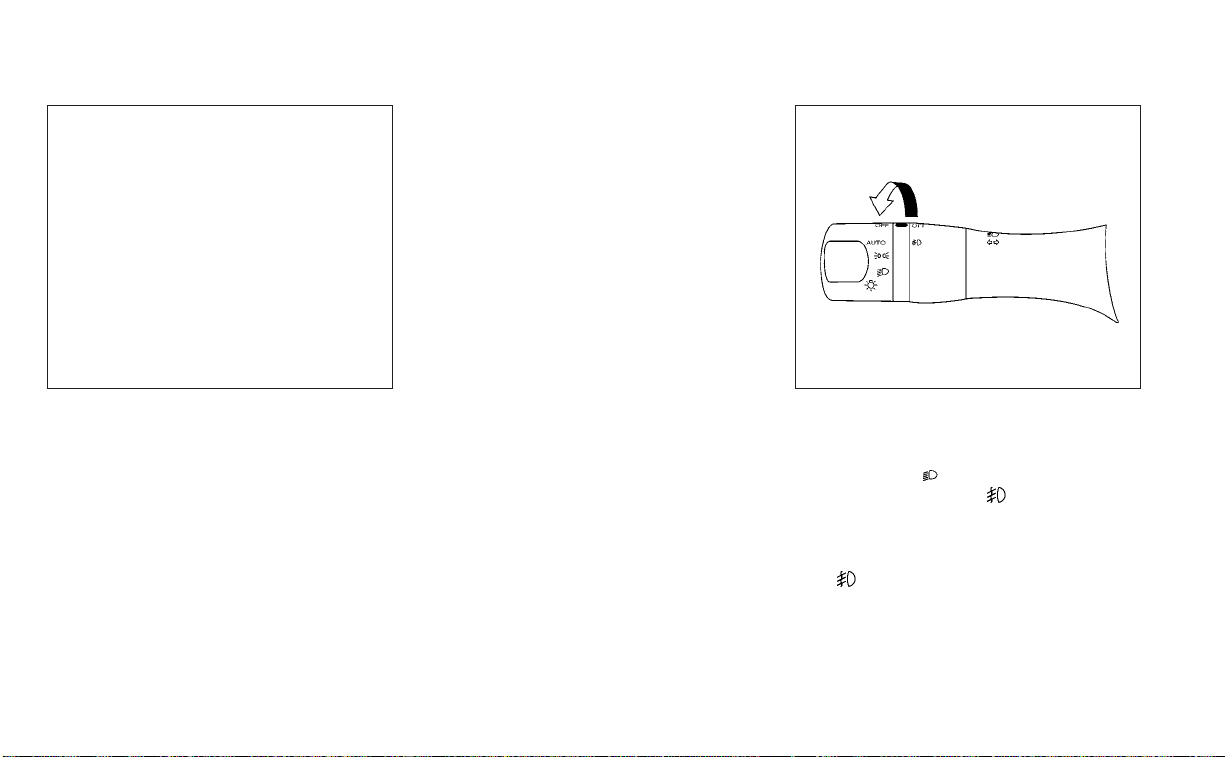
TURN SIGNAL SWITCH
Turn signal
䊊
1
Move the lever up or down until it
latches to signal the turning direction.
When the turn is completed, the turn
signal cancels automatically.
Lane change signal
䊊
2
Move the lever up or down until the turn
signal begins to flash, but the lever
does not latch, to signal a lane change.
Hold the lever until the lane change is
completed.
• Move the lever up or down until the
turn signal begins to flash, but the le-
ver does not latch, and release the le-
ver. The turn signal will automatically
flash three times.
Choose the appropriate method to signal
a lane change based on road and traffic
conditions.
NOTE:
The 3 flash pass feature can be disabled.
For additional information, see “Vehicle
information display” (P. 2-17).
FOG LIGHT SWITCH (if so
equipped)
To turn the fog lights on, turn the headlight
switch to the
position, then turn the
fog light switch to the
position.
To turn the fog lights on with the headlight
switch in the AUTO position, the headlights
must be on, then turn the fog light switch to
the
position.
To turn the fog lights off, turn the fog light
switch to the OFF position.
LIC3193 WIC1440
Instruments and controls 2-51
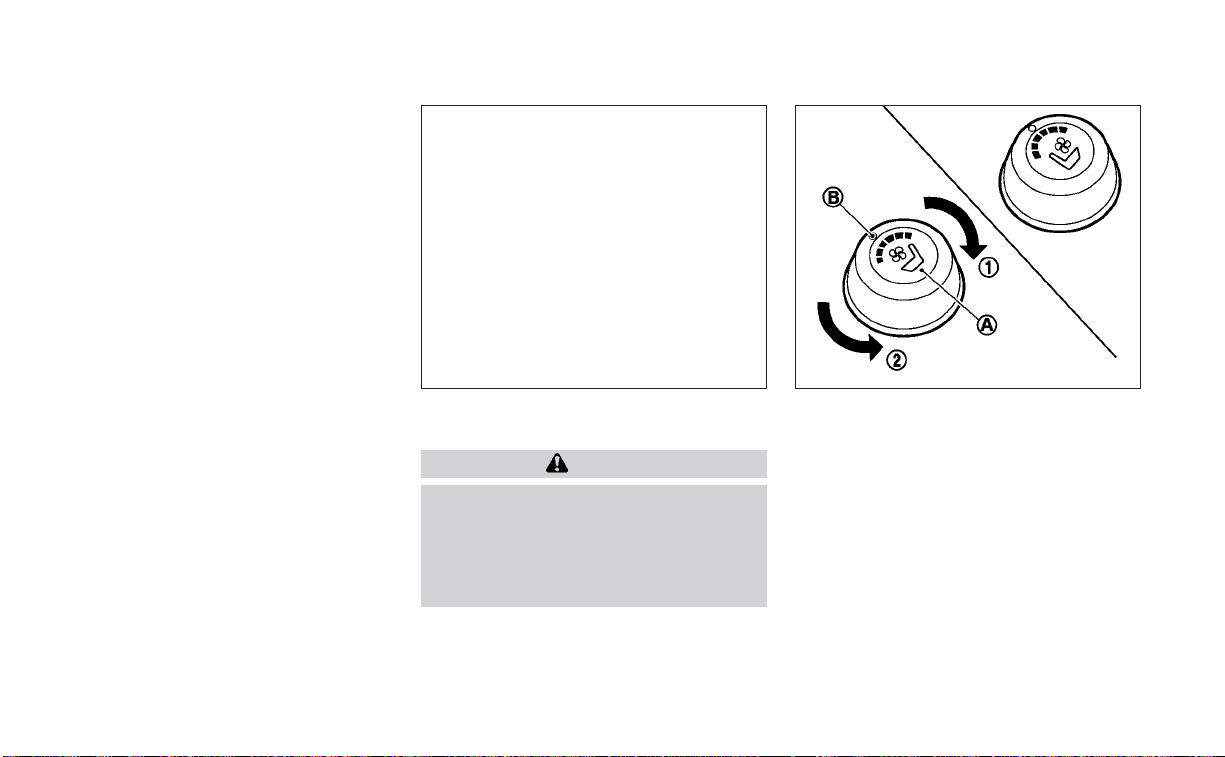
The headlights must be on and the low
beams selected for the fog lights to oper-
ate. The fog lights automatically turn off
when the high beam headlights are
selected.
To sound the horn, push near the center
pad of the steering wheel.
WARNING
Do not disassemble the horn. Doing so
could affect proper operation of the
supplemental front air bag system.
Tampering with the supplemental
front air bag system may result in seri-
ous personal injury.
The climate-controlled seat warms up or
cools down the front seat by a built-in
heater or ventilates air into the seat. The
climate control switch is located on the
center console.
The climate-controlled seat can be oper-
ated as follows:
1. Start the engine.
2. Turn the control knob
O
A
to the heat side
O
1
or the cool side
O
2
. The indicator light
O
B
on the control knob will illuminate.
LIC3174 SIC4334
HORN CLIMATE-CONTROLLED SEAT
SWITCHES (if so equipped)
2-52 Instruments and controls

3. Adjust the desired amount of air using
the control knob. The climate-controlled
seat blower remains on low speed for
approximately 60 seconds after turning
the switch on or selecting the desired
temperature.
4. When the vehicle's interior is warmed or
cooled, or before you leave the vehicle,
be sure to turn the control knob to the
OFF (center) position. The indicator light
O
B
on the control knob goes off with the
switch in the OFF (center) position.
To check the air filter for the climate-
controlled seat, it is recommended that
you visit a NISSAN dealer.
WARNING
Do not use or allow occupants to use
the climate-controlled seats if you or
the occupants cannot monitor seat
temperatures or have an inability to
feel pain in those body parts in contact
with the seat. Use of the climate-
controlled seats by such people could
result in serious injury.
CAUTION
• The battery could run down if the
climate-controlled seat is operated
while the engine is not running.
• Do not use the climate-controlled
seat for extended periods or when no
one is using the seat.
• Do not put anything on the seat
which insulates heat, such as a blan-
ket, cushion, seat cover, etc. Other-
wise, the seat may become
overheated.
• Do not place anything hard or heavy
on the seat or pierce it with a pin or
similar objects. This may result in
damage to the climate-controlled
seat.
• Any liquid spilled on the seat should
be removed immediately with a dry
cloth.
• The climate-controlled seat has an
air filter. Do not operate the climate-
controlled seat without an air filter.
This may result in damage to the
system.
• When cleaning the seat, never use
gasoline, benzine, thinner, or any
similar materials.
• If any malfunctions are found or the
climate-controlled seat does not op-
erate, turn the switch off and have
the system checked. It is recom-
mended that you visit a NISSAN
dealer for this service.
Instruments and controls 2-53
The front seats are warmed by built-in
heaters.
1. Start the engine.
2. Push the LO or HI position of the switch,
as desired. The indicator light in the
switch will illuminate.
The heater is controlled by a thermostat,
automatically turning the heater on and
off. The indicator light will remain on as
long as the switch is on.
3. When the seat is warmed or before you
leave the vehicle, be sure to turn the
switch off.
WARNING
Do not use or allow occupants to use
the seat heater if you or the occupants
cannot monitor elevated seat tem-
peratures or have an inability to feel
pain in body parts that contact the
seat. Use of the seat heater by such
people could result in serious injury.
CAUTION
• The battery could run down if the
seat heater is operated while the en-
gine is not running.
• Do not use the seat heater for ex-
tended periods or when no one is us-
ing the seat.
•
Do not put anything on the seat which
insulates heat, such as a blanket,
cushion, seat cover, etc. Otherwise, the
seat may become overheated.
• Do not place anything hard or heavy
on the seat or pierce it with a pin or
similar object. This may result in
damage to the heater.
• Any liquid spilled on the heated seat
should be removed immediately with
a dry cloth.
• When cleaning the seat, never use
gasoline, benzine, thinner, or any
similar materials.
• If any malfunctions are found or the
heated seat does not operate, turn
the switch off and have the system
checked. It is recommended that you
visit a NISSAN dealer for this service.
LIC3037
HEATED SEAT SWITCHES (if so
equipped)
2-54 Instruments and controls

WARNING
Do not use or allow occupants to use
the seat heater if you or the occupants
cannot monitor elevated seat tem-
peratures or have an inability to feel
pain in body parts that contact the
seat. Use of the seat heater by such
people could result in serious injury.
CAUTION
• The battery could run down if the
seat heater is operated while the en-
gine is not running.
• Do not use the seat heater for ex-
tended periods or when no one is us-
ing the seat.
• Do not put anything on the seat
which insulates heat, such as a blan-
ket, cushion, seat cover, etc. Other-
wise, the seat may become
overheated.
• Do not place anything hard or heavy
on the seat or pierce it with a pin or
similar object. This may result in
damage to the heater.
• Any liquid spilled on the heated seat
should be removed immediately with
a dry cloth.
• When cleaning the seat, never use
gasoline, benzine, thinner, or any
similar materials.
• If any malfunctions are found or the
heated seat does not operate, turn
the switch off and have the system
checked. It is recommended you visit
a NISSAN dealer for this service.
The rear seats are warmed by built-in heat-
ers. The switches are located on the rear of
the front center console and can be oper-
ated independently of each other.
1. Start the engine.
2. Push the LO or HI position of the switch,
as desired. The indicator light in the
switch will illuminate.
The heater is controlled by a thermostat,
automatically turning the heater on and
off. The indicator light will remain on as
long as the switch is on.
3. When the seat is warmed or before you
leave the vehicle, be sure to turn the
switch off.
LIC3037
HEATED REAR SEAT SWITCHES (if so
equipped)
Instruments and controls 2-55
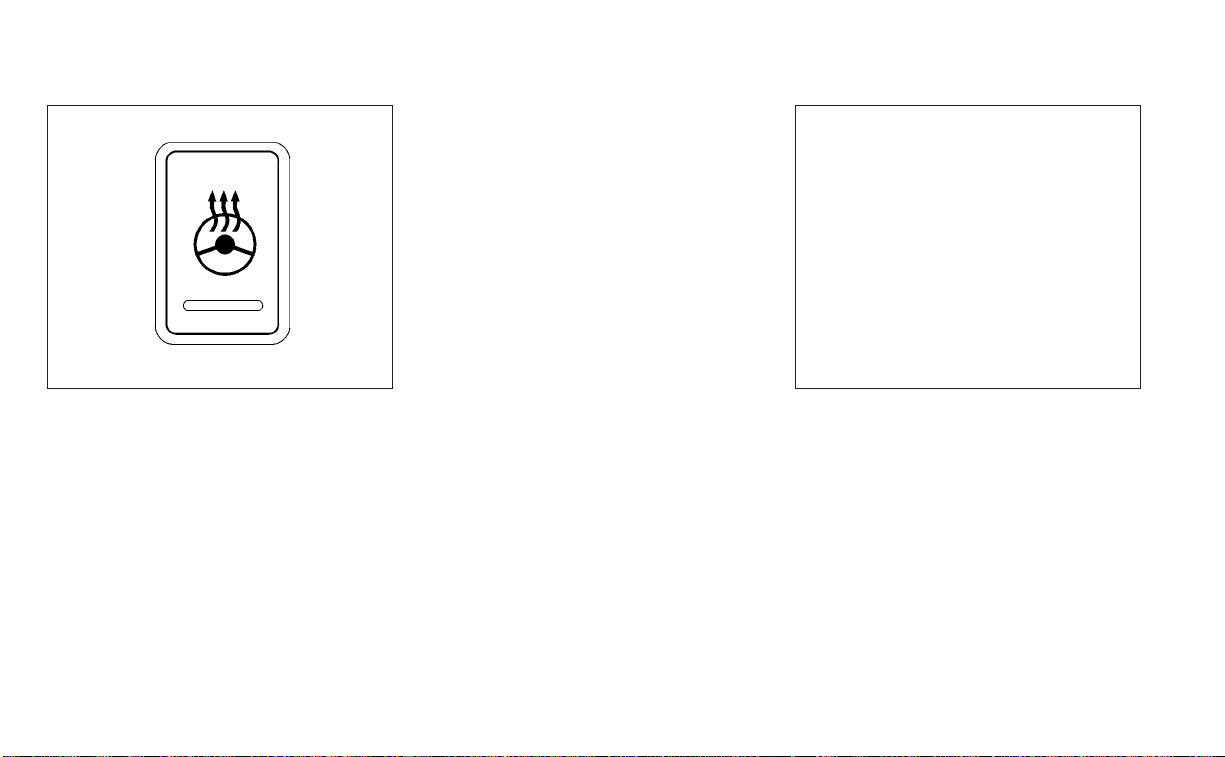
Push the heated steering wheel switch to
warm the steering wheel after the ignition
switch is placed in the ON position. The
indicator light will come on.
If the surface temperature of the steering
wheel is below 68°F (20°C), the system will
heat the steering wheel and cycle off and
on to maintain a temperature above 68°F
(20°C). The indicator light will remain on as
long as the system is on.
Push the switch again to turn the heated
steering wheel system off manually. The
indicator light will go off.
NOTE:
• Once activated, your heated steering
wheel will automatically turn on and
off to maintain a temperature above
68°F (20°C).
• When the temperature of the steering
wheel is above 122°F (50°C) and the
heated steering wheel switch is turned
on, the system will not heat the steer-
ing wheel. This does not indicate a
malfunction.
The dynamic driver assistance switch is
used to temporarily activate the Intelligent
Lane Intervention (I-LI) system that is en-
abled using the settings menu of the ve-
hicle information display.
The I-LI system can be turned on with the
dynamic driver assistance switch after
starting the engine.
The dynamic driver assistance switch illu-
minates for a few seconds when the igni-
tion switch is placed in the ON position.
When the dynamic driver assistance
switch is turned off, the indicator
O
1
on the
switch is off. The indicator will also be off if
LIC0421 LIC3681
HEATED STEERING WHEEL SWITCH (if
so equipped)
DYNAMIC DRIVER ASSISTANCE
SWITCH (if so equipped)
2-56 Instruments and controls

the I-LI system is deactivated using the ve-
hicle information display.
The I-LI system warns the driver with a
warning light and a chime, and helps assist
the driver to return the vehicle to the center
of the traveling lane by applying the brakes
to the left or right wheels individually (for a
short period of time). For additional infor-
mation, see “Intelligent Lane Intervention
(I-LI)” (P. 5-30) and “Vehicle information dis-
play” (P. 2-17).
The vehicle should be driven with the VDC
system on for most driving conditions.
If the vehicle is stuck in mud or snow, the
VDC system reduces the engine output to
reduce wheel spin. The engine speed will
be reduced even if the accelerator is de-
pressed to the floor. If maximum engine
power is needed to free a stuck vehicle,
turn the VDC system off.
To turn off the VDC system, push the VDC
OFF switch. The
indicator light will
come on.
Push the VDC OFF switch again or restart
the engine to turn on the system. For addi-
tional information, see “Vehicle Dynamic
Control (VDC) system” (P. 5-113).
When the VDC OFF switch is used to turn off
the VDC system, the Intelligent Trace Con-
trol, Active Ride Control, Automatic Emer-
gency Braking (AEB) with Pedestrian Detec-
tion and Rear Automatic Braking (RAB)
systems are also turned off. For additional
information, see “Integrated Dynamics-
control Module” (P. 5-115), “Automatic Emer-
gency Braking (AEB) with Pedestrian Detec-
tion” (P. 5-85) and “Rear Automatic Braking
(RAB)” (P. 5-80).
LIC3344
VEHICLE DYNAMIC CONTROL (VDC)
OFF SWITCH
Instruments and controls 2-57

The Rear Door Alert system functions un-
der certain conditions to indicate there
may be an object or passenger in the rear
seat(s). Check the seat(s) before exiting the
vehicle.
The Rear Door Alert system is initially dis-
abled. The driver can enable the system
using the vehicle information display. For
additional information, see “Vehicle infor-
mation display warnings and indicators”
(P. 2-26).
When the system is enabled:
• The system is activated when a rear door
is opened and closed within 10 minutes of
the vehicle being driven. When the driver
door is closed and the system is acti-
vated, a visual message appears in the
vehicle information display. For additional
information, see “Rear Door Alert is acti-
vated” (P. 2-26).
• If a rear door is opened and closed but
the vehicle is not driven within approxi-
mately 10 minutes, the system will not be
activated. A rear door must be opened
and closed and the car driven within 10
minutes for the system to activate.
When the Rear Door Alert system is acti-
vated:
• When the driver puts the vehicle in the P
(Park) position, a notification message
appears in the vehicle information dis-
play with the options to “Dismiss Mes-
sage” or “Disable Alert” if desired.
• Select “Disable Alert” to temporarily
disable for that stop.
• No selection or ‘Dismiss Message” will
keep the alert enabled for that stop.
• If the alert is enabled when a driver exits
the vehicle, a message will appear in the
vehicle information display that states
“Check Rear Seat for All Articles.”
If “Horn & Alert” setting is selected:
• An audible horn sound will occur after
a short time unless a rear door is
opened and closed within a short time
to deactivate the alert.
• If the doors are locked before the alert
is deactivated by opening a rear door,
the horn will sound.
• If the trunk is opened before a rear
door is opened, the horn will be de-
layed until after the trunk is closed.
NOTE:
If “Alert Only” setting is selected, the
message alert will still be shown in the
vehicle information display but the horn
will not sound.
WARNING
• If the driver selects “Disable Alert”, no
audible alert will be provided regard-
less of rear door open/close status.
• There may be times when there is an
object or passenger in the rear
seat(s) but the audible alert does not
sound. For example, this may occur if
rear seat passengers enter or exit the
vehicle during a trip.
• The system does not directly detect
objects or passengers in the rear
seat(s). Instead, it can detect when a
rear door is opened and closed, indi-
cating that there may be something
in the rear seat(s).
NOTE:
There may be times when the horn
sounds but there are no objects or pas-
sengers in the rear seat(s).
For additional information, see “Rear Door
Alert is activated” (P. 2-26)
REAR DOOR ALERT
2-58 Instruments and controls

The E-call (SOS) button is used in combina-
tion with a NissanConnect® Services sub-
scription to call for assistance in case of an
emergency.
Pressing the button will (with a paid sub-
scription) reach a response specialist that
will provide assistance based on the situa-
tion described by the vehicle’s occupant.
For additional information, or to enroll your
vehicle, refer to www.NissanUSA.com/
connect, www.Nissan.ca/NissanConnect,
or www.Nissan.ca/NissanConnect/fr or
call 855–426–6628.
The power outlet is for powering electrical
accessories such as cellular telephones. It
is rated at 12 volt, 120W (10A) maximum.
The power outlet is powered only when the
ignition switch is in the ACC or ON position.
CAUTION
• The outlet and plug may be hot dur-
ing or immediately after use.
•
Only certain power outlets are designed
for use with a cigarette lighter unit. Do not
use any other power outlet for an acces-
sory lighter. It is recommended that you
visit a NISSAN dealer for additional
information.
•
Do not use with accessories that exceed a
12 volt, 120W (10A) power draw.
•
Do not use double adapters or more than
one electrical accessory.
•
Use power outlets with the engine running
to avoid discharging the vehicle battery.
•
Avoid using power outlets when the air
conditioner, headlights, or rear window
defroster is on.
•
Before inserting or disconnecting a plug,
be sure the electrical accessory being
used is turned off.
•
Push the plug in as far as it will go. If good
contact is not made, the plug may over-
heat or the internal temperature fuse may
open.
•
When not in use, be sure to close the cap.
Do not allow water or any other liquid to
contact the outlet.
LIC3357 LIC4257
Console Box
E-CALL (SOS) BUTTON POWER OUTLET
Instruments and controls 2-59

The extended storage switch is used when
the vehicle is in transit from the factory. It is
located in the fuse panel to the left of the
steering wheel on the instrument panel. If
any electrical equipment does not operate,
ensure the extended storage switch is
pushed fully in place, as shown.
LDI2758 LIC3266
Pulled position
LIC3268
Pushed position
EXTENDED STORAGE SWITCH
2-60 Instruments and controls
FRONT-DOOR POCKETS SEATBACK POCKETS
The seatback pockets are located on the
back of the driver's and passenger's seats.
The pockets can be used to store maps.
WARNING
To ensure proper operation of the driv-
er’s and/or front passenger’s NISSAN
Advanced Air Bag System (if so
equipped), please observe the follow-
ing items:
• Do not allow a passenger in the rear
seat to push or pull on the seatback
pocket or head restraint/headrest.
• Do not place heavy loads heavier
than 9.1 lbs. (4 kg) on the seatback,
head restraint/headrest or in the
seatback pocket.
LIC3181 LIC0016
STORAGE
Instruments and controls 2-61
STORAGE TRAYS
WARNING
Do not place sharp objects in the trays
to help prevent injury in an accident or
sudden stop.
GLOVE BOX
Open the glove box by pulling the handle.
Use the master key when locking or un-
locking the glove box.
WARNING
Keep glove box lid closed while driving
to help prevent injury in an accident or
a sudden stop.
LIC3186
Front console
LIC2915
Rear armrest
LIC2429
2-62 Instruments and controls
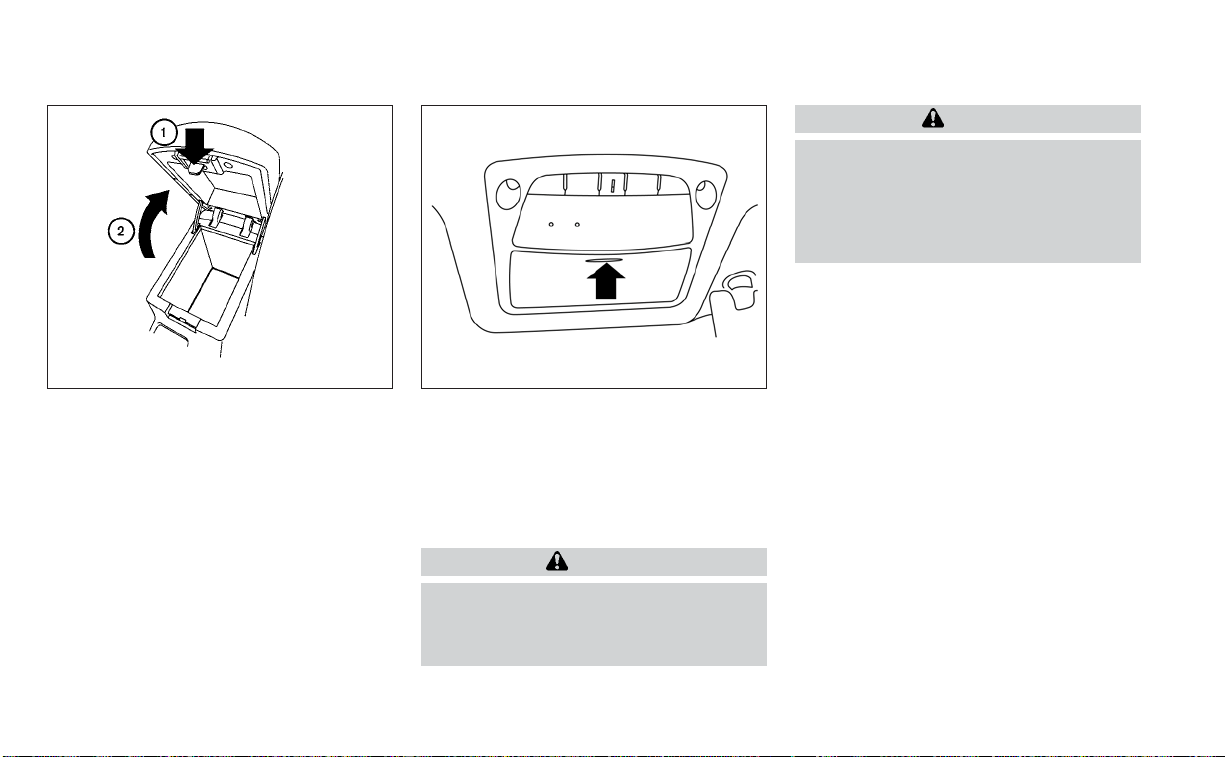
CONSOLE BOX
To open the console box, press up on the
lever
O
1
and raise the lid
O
2
.
To close, push the lid down until the lock
latches.
OVERHEAD SUNGLASSES
STORAGE
To open the sunglasses holder, push and
release.
Only store one pair of sunglasses in the
holder.
WARNING
Keep the sunglasses holder closed
while driving to avoid obstructing the
driver’s view and to help prevent an
accident.
CAUTION
• Do not use for anything other than
sunglasses.
• Do not leave sunglasses in the sun-
glasses holder while parking in direct
sunlight. The heat may damage the
sunglasses.
WIC1504 LIC2312
Instruments and controls 2-63
CUP HOLDERS
CAUTION
• Avoid abrupt starting and braking
when the cup holder is being used to
prevent spilling the drink. If the liquid
is hot, it can scald you or your pas-
senger. Spilled liquid can also dam-
age the seat climate system.
• Use only soft cups in the cup holder.
Hard objects can injure you in an
accident.
CAUTION
• Do not use the bottle holder for any
other objects that could be thrown
about in the vehicle and possibly in-
jure people during sudden braking or
an accident.
• Do not use the bottle holder for open
liquid containers.
LIC3182
Front cup holders
LIC2915
Rear cup holders
LIC3183
Bottle holder — front
2-64 Instruments and controls

POWER WINDOWS
WARNING
• Make sure that all passengers have
their hands, etc., inside the vehicle
while it is in motion and before clos-
ing the windows. Use the window
lock switch to prevent unexpected
use of the power windows.
• To help avoid risk of injury or death
through unintended operation of the
vehicle and/or its systems, including
entrapment in windows or inadver-
tent door lock activation, do not
leave children, people who require
the assistance of others or pets unat-
tended in your vehicle. Additionally,
the temperature inside a closed ve-
hicle on a warm day can quickly be-
come high enough to cause a signifi-
cant risk of injury or death to people
and pets.
The power windows operate when the ig-
nition switch is placed in the ON position or
for a period of time after the ignition switch
is placed in the OFF position. If the driver's
or passenger's door is opened during this
period of time, the power to the windows is
canceled.
Driver's side power window
switch
The driver's side control panel is equipped
with switches to open or close all of the
windows.
LIC3184
Bottle holder — rear
LIC3238
1. Window lock switch
2. Power door lock switch
3. Front passenger side automatic switch
4. Right rear passenger side
5. Left rear passenger side
6. Driver side automatic switch
WINDOWS
Instruments and controls 2-65
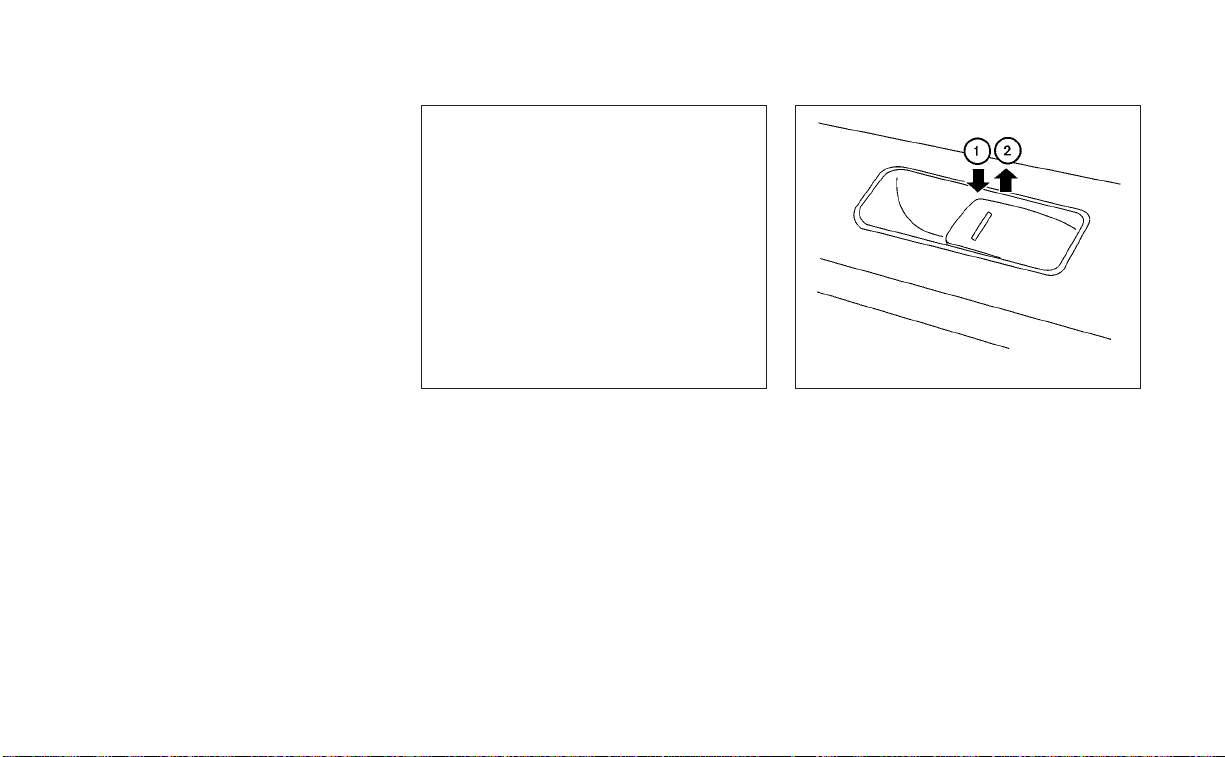
To open a window, push the switch and
continue to hold it down until the desired
window position is reached. To close a win-
dow, pull the switch and continue to hold it
up until the desired window position is
reached.
Front passenger's power window
switch
The passenger's window switch operates
only the corresponding passenger's win-
dow.To open the window partially, push the
switch down lightly until the desired win-
dow position is reached. To close the win-
dow partially, pull the switch up until the
desired window position is reached.
Rear power window switch
The rear power window switches open or
close only the corresponding windows. To
open the window, push the switch to the
first detent and continue to hold it down
until the desired window position is
reached
O
1
. To close the window, pull the
switch to the first detent and continue to
hold up until the desired window position is
reached
O
2
.
LIC2397 LIC0718
2-66 Instruments and controls
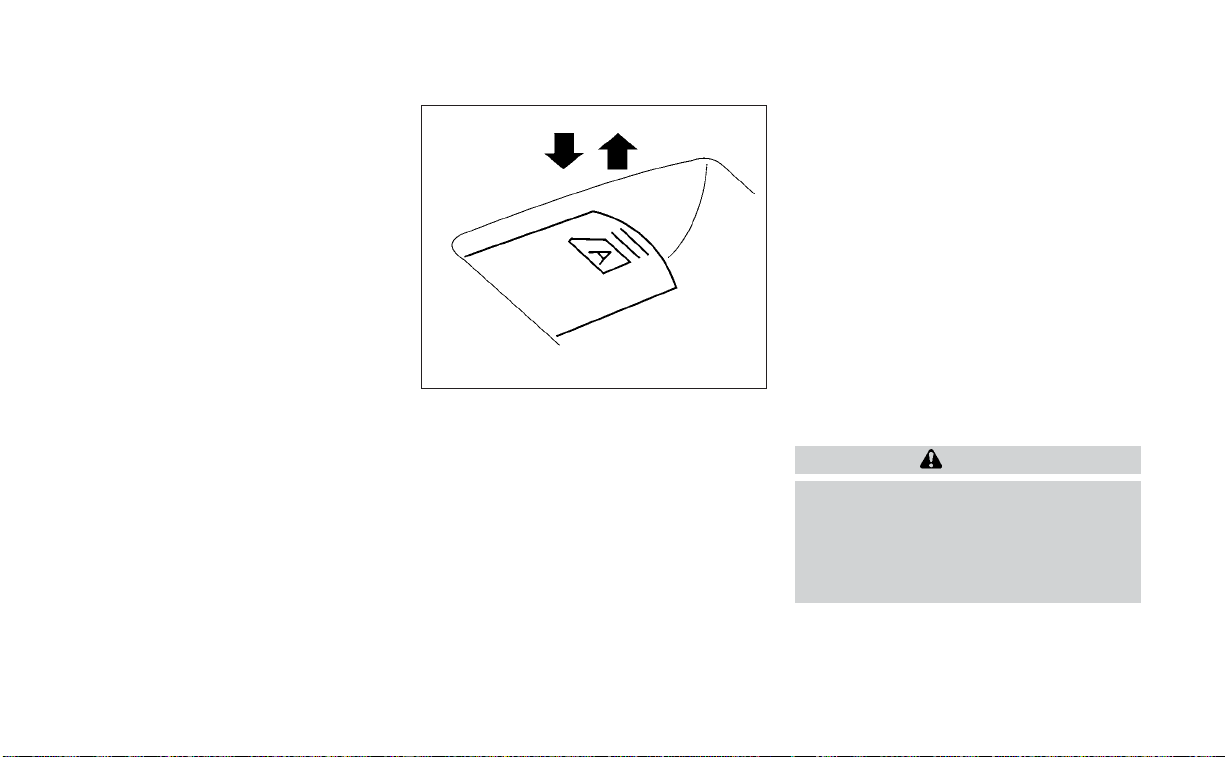
Locking passengers' windows
When the window lock switch is depressed,
only the driver's side window can be
opened or closed. Push it again to cancel
the window lock function.
Automatic operation
To fully open a window equipped with au-
tomatic operation, push the window
switch down to the second detent and re-
lease it; it need not be held. The window
automatically opens all the way. To stop
the window, lift the switch up while the win-
dow is opening.
To fully close a window equipped with au-
tomatic operation, pull the switch up to the
second detent and release it; it need not be
held. To stop the window, push the switch
down while the window is closing.
Auto-reverse function
If the control unit detects something
caught in an automatic operation window
as it is closing, the window will be immedi-
ately lowered.
The auto-reverse function may be acti-
vated when the window is closed by auto-
matic operation when the ignition switch is
placed in the ON position or for a period of
time after the ignition switch is placed in
the OFF position.
Depending on the environment or driv-
ing conditions, the auto-reverse func-
tion may be activated if an impact or
load similar to something being caught
in the window occurs.
WARNING
There are some small distances imme-
diately before the closed position
which cannot be detected. Make sure
that all passengers have their hands,
etc., inside the vehicle before closing
the window.
LIC0410
Instruments and controls 2-67
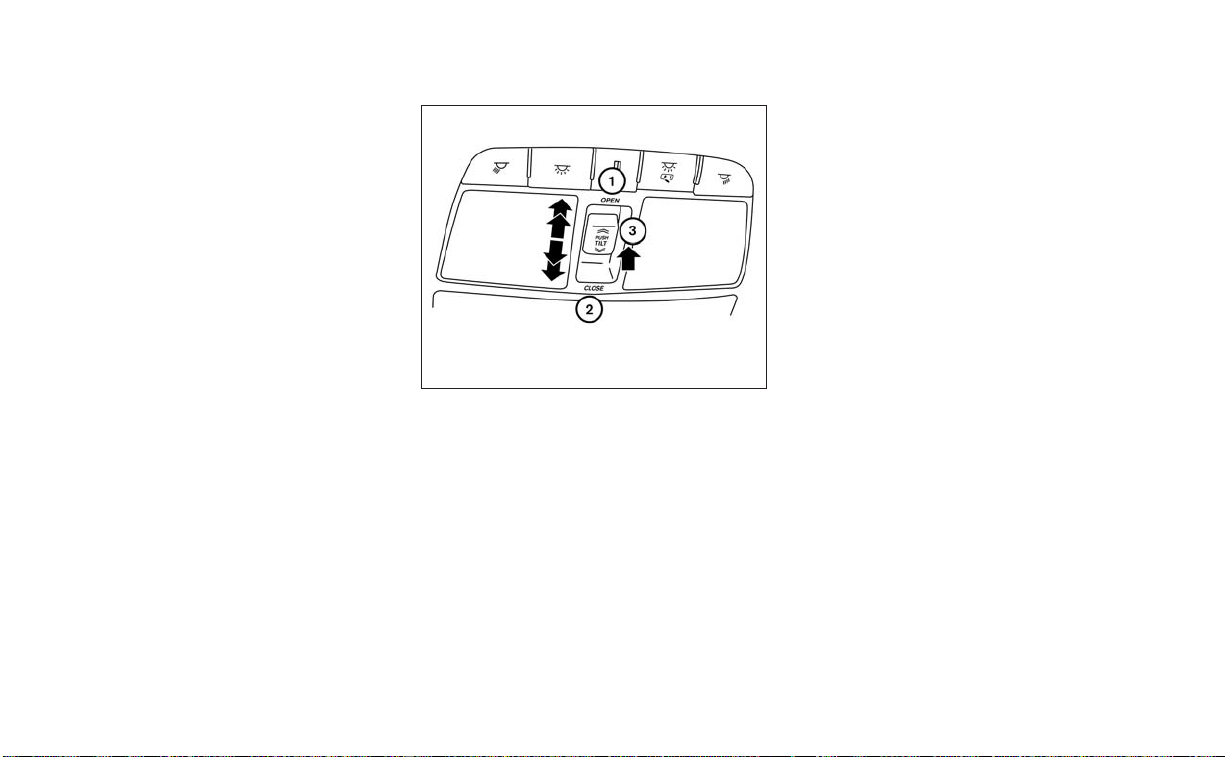
If the windows do not close
automatically
If the power window automatic function
(closing only) does not operate properly,
perform the following procedure to initial-
ize the power window system.
1. Place the ignition switch in the ON
position.
2. Close the door.
3. Open the window more than halfway by
operating the power window switch.
4. Pull the power window switch and hold
it to close the window, and then hold the
switch for more than 3 seconds after
the window is closed completely.
5. Release the power window switch. Op-
erate the window by automatic function
to confirm the initialization is complete.
6. Perform steps 2 through 5 above for
other windows.
If the power window automatic function
does not operate properly after perform-
ing the above procedure, have your vehicle
checked. It is recommended that you visit a
NISSAN dealer for this service.
POWER MOONROOF
The moonroof will only operate when the
ignition switch is in the ON position. The
power moonroof is operational for a period
of time, even if the ignition switch is placed
in the ACC or OFF position. If the driver's
door or the front passenger's door is
opened during this period of time, the
power to the moonroof is canceled.
Sliding the moonroof
To slide the moonroof:
• To fully open the moonroof, push the
switch
O
1
toward the open position until
it reaches the second detent. If the switch
O
1
is pushed to the first detent, only the
sunshade will open.
• To fully close the moonroof, push the
switch
O
2
toward the close position until
it reaches the second detent. If the switch
O
2
is pushed to the first detent, the
moonroof will close but the sunshade will
remain open.
• To stop the moonroof, push the switch
once more while it is opening or closing.
The moonroof will stop at the desired
position.
Tilting the moonroof
To tilt the moonroof:
• To tilt the moonroof up, push and release
the tilt switch
O
3
. When the moonroof is
open, it will automatically close and then
tilt up.
• To tilt the moonroof down, push and re-
lease the tilt switch
O
3
or push the switch
O
2
toward the close position until it
reaches the first detent.
LIC3477
DUAL PANEL MOONROOF (if so
equipped)
2-68 Instruments and controls

• To tilt the moonroof down and close the
sunshade at the same time, push the
switch
O
2
to the close position until it
reaches the second detent.
Auto-reverse function (when
closing or tilting down the
moonroof)
The auto-reverse function can be acti-
vated when the moonroof is closed or
tilted down by automatic operation when
the ignition switch is placed in the ON po-
sition or for a period of time after the igni-
tion switch is placed in the OFF position.
Depending on the environment or driv-
ing conditions, the auto-reverse func-
tion may be activated if an impact or
load similar to something being caught
in the moonroof occurs.
WARNING
There are some small distances imme-
diately before the closed position
which cannot be detected. Make sure
that all passengers have their hands,
etc., inside the vehicle before closing
the moonroof.
When closing
If the control unit detects something
caught in the moonroof as it moves to the
front, the moonroof will immediately open
backward.
When tilting down
If the control unit detects something
caught in the moonroof as it tilts down, the
moonroof will immediately tilt up.
If the auto-reverse function malfunctions
and repeats opening or tilting up the
moonroof, keep pushing the tilt down
switch within 5 seconds after it happens;
the moonroof will fully close gradually.
Make sure nothing is caught in the
moonroof.
WARNING
• In an accident you could be thrown
from the vehicle through an open
moonroof. Always use seat belts and
child restraints.
• Do not allow anyone to stand up or
extend any portion of their body out
of the moonroof opening while the
vehicle is in motion or while the
moonroof is closing.
CAUTION
• Remove water drops, snow, ice or
sand from the moonroof before
opening.
• Do not place heavy objects on the
moonroof or surrounding area.
Instruments and controls 2-69
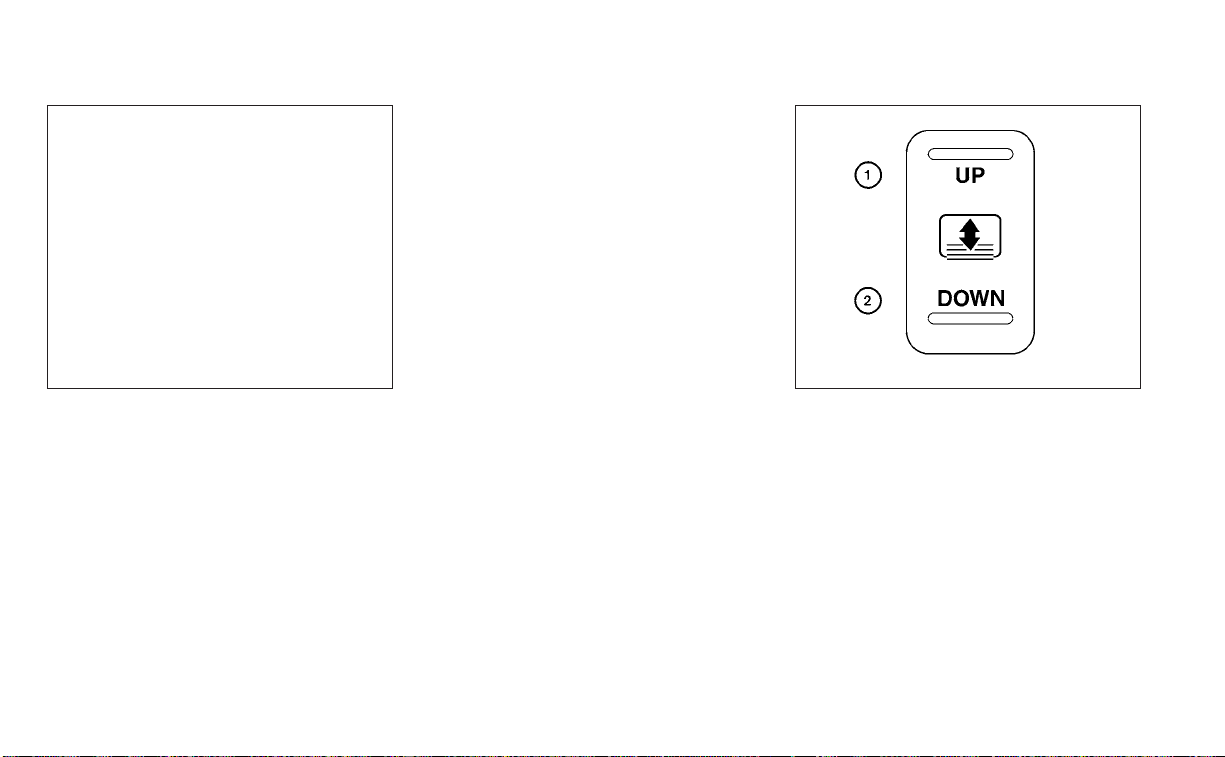
Sunshade
To open the sunshade:
• To fully open the sunshade, push the
switch
O
1
toward the open position until
it reaches the first detent.
• To fully open the sunshade and the
moonroof together, push the switch
O
1
toward the open position until it reaches
the second detent.
To close the sunshade:
• To fully close the sunshade, push the
switch
O
2
toward the close position until
it reaches the second detent.
• Pushing the switch
O
2
to the first detent
will close the moonroof only.
If the moonroof does not close
Have your moonroof checked and re-
paired. It is recommended that you visit a
NISSAN dealer for this service.
The rear sunshade operates when the ig-
nition switch is in the ACC or ON position.
The rear sunshade switch is located on the
lower instrument panel.
• To raise the sunshade, push the upper
side of the switch
O
1
.
LIC2644 WIC1443
REAR POWER SUNSHADE (if so
equipped)
2-70 Instruments and controls

• To lower the sunshade, push the lower
side of the switch
O
2
.
• The switch need not be held down.
CAUTION
• Do not place objects (such as news-
papers, handkerchiefs, etc.) on the
screen inlet port. Doing so may en-
tangle these objects in the screen
when it is extending or retracting,
causing improper operation or dam-
age to the screen.
• Do not push the sunshade arm with
your hands, etc., as this may deform
it. Improper operation or damage to
the screen may result.
• Do not hang any object on the arm
rail as this may result in improper op-
eration or damage the screen.
• Do not forcefully pull the screen. Do-
ing so may elongate the screen. Im-
proper operation or damage to the
screen may result.
• To avoid personal injury, keep your
hands, fingers and head away from
the sunshade arm, arm rail and
screen inlet port.
• Do not allow children near the rear
sunshade system. They could be
injured.
• Do not pull or push the rear sun-
shade. This could cause improper op-
eration or damage it.
䊊
1
The interior lights can be turned on re-
gardless of door position. The lights will
go off after a period of time unless the
ignition switch is placed in the ON posi-
tion when any door is opened.
䊊
2
The interior lights can be set to operate
when the doors are opened. To turn off
the interior lights when a is door open,
push the switch; the interior lights will
not illuminate, regardless of door
position.
• The lights will go off when the ignition
switch is placed in the ON position, or
the driver's door is closed and locked.
LIC3231 LIC2302
INTERIOR LIGHTS
Instruments and controls 2-71

The lights will also go off after a period
of time when the doors are open.
NOTE:
The step lights illuminate when the
driver and passenger doors are opened
regardless of the interior light switch po-
sition. These lights will turn off auto-
matically after a period of time while
doors are open to prevent the battery
from becoming discharged.
CAUTION
Do not use for extended periods of time
with the engine stopped. This could re-
sult in a discharged battery.
CONSOLE LIGHT
The console light will turn on whenever the
parking lights or headlights are illuminated.
The console light brightness can be ad-
justed with the illumination brightness
control in the vehicle information display.
MAP LIGHTS
To turn the map lights on, push the
switches. To turn them off, push the
switches again.
CAUTION
Do not use for extended periods of time
with the engine stopped. This could re-
sult in a discharged battery.
LIC2303 LIC2304
2-72 Instruments and controls

PERSONAL LIGHTS
To turn the rear personal lights on, push the
switch. To turn them off, push the switch
again.
The light illuminates when the trunk lid is
opened. When the trunk lid is closed, the
light goes off. For additional information,
see “Exterior and interior lights” (P. 8-24).
The HomeLink® Universal Transceiver pro-
vides a convenient way to consolidate the
functions of up to three individual hand-
held transmitters into one built-in device.
HomeLink® Universal Transceiver:
• Will operate most radio frequency de-
vices such as garage doors, gates, home
and office lighting, entry door locks and
security systems.
• Is powered by your vehicle's battery. No
separate batteries are required. If the ve-
hicle's battery is discharged or is discon-
nected, HomeLink® will retain all
programming.
When the HomeLink® Universal Trans-
ceiver is programmed, retain the original
transmitter for future programming pro-
cedures (Example: new vehicle pur-
chases). Upon sale of the vehicle, the
programmed HomeLink® Universal
Transceiver buttons should be erased for
security purposes. For additional infor-
mation, see “Programming HomeLink®”
(P. 2-74).
LIC3907
TRUNK LIGHT HOMELINK® UNIVERSAL
TRANSCEIVER (if so equipped)
Instruments and controls 2-73

WARNING
• Your vehicle's engine should be
turned off while programming the
HomeLink® Universal Transceiver. For
additional information, see “Push-
button ignition switch” (P. 5-10). Do
not breathe exhaust gases; they con-
tain colorless and odorless carbon
monoxide. Carbon monoxide is dan-
gerous. It can cause unconscious-
ness or death.
• Do not use the HomeLink® Universal
Transceiver with any garage door
opener that lacks safety stop and re-
verse features as required by federal
safety standards. (These standards
became effective for opener models
manufactured after April 1, 1982.) A
garage door opener which cannot
detect an object in the path of a clos-
ing garage door and then automati-
cally stop and reverse does not meet
current federal safety standards. Us-
ing a garage door opener without
these features increases the risk of
serious injury or death.
• During the programming procedure
your garage door or security gate will
open and close (if the transmitter is
within range). Make sure that people
or objec ts are clear of the garage
door, gate, etc., that you are
programming.
PROGRAMMING HOMELINK®
If you have any questions or are having
difficulty programming your HomeLink®
buttons, refer to the HomeLink® web site at:
www.homelink.com or call 1-800-355-3515.
NOTE:
Place the ignition switch in the ON or ACC
position (without starting the engine)
when programming HomeLink®. It is also
recommended that a new battery be
placed in the hand-held transmitter of
the device being programmed to
HomeLink® for quicker programming
and accurate transmission of the radio
frequency.
1. Position the end of your hand-held
transmitter 1–3 in (2–8 cm) away from
the HomeLink® surface, keeping the
HomeLink® indicator light
O
1
in view.
LIC2365
2-74 Instruments and controls

2. Using both hands, simultaneously press
and hold the desired HomeLink® button
and hand-held transmitter button. DO
NOT release until the HomeLink® indica-
tor light
O
1
flashes slowly and then rap-
idly. When the indicator light flashes rap-
idly, both buttons may be released. (The
rapid flashing indicates successful
programming.)
NOTE:
Some devices may require you to replace
Step 2 with the cycling procedure noted
in “Programming HomeLink® for Cana-
dian customers and gate openers” in this
section.
3. Press and hold the programmed
HomeLink® button and observe the indi-
cator light.
• If the indicator light
O
1
is solid/
continuous, programming is complete
and your device should activate when the
HomeLink® button is pressed and
released.
• If the indicator light
O
1
blinks rapidly for 2
seconds and then turns to a solid/
continuous light, continue with Steps
4-6 for a rolling code device. A second
person may make the following steps
easier. Use a ladder or other device. Do
not stand on your vehicle to perform the
next steps.
4. At the receiver located on the garage
door opener motor in the garage, locate
the “learn” or “smart” button (the name
and color of the button may vary by
manufacturer but it is usually located
near where the hanging antenna wire is
attached to the unit). If there is difficulty
locating the button, reference the ga-
rage door opener’s manual.
5. Press and release the “learn” or “smart”
button.
NOTE:
Once the button is pressed, you have ap-
proximately 30 seconds to initiate the
next step.
6. Return to the vehicle and firmly press
and hold the trained HomeLink® button
for 2 seconds and release. Repeat the
“press/hold/release” sequence up to
three times to complete the training
process. HomeLink® should now acti-
vate your rolling code equipped device.
7. If you have any questions or are having
difficulty programming your HomeLink®
buttons, refer to the HomeLink® web site
at: www.homelink.com or call
1-800-355-3515.
LIC4095
Instruments and controls 2-75

PROGRAMMING HOMELINK® FOR
CANADIAN CUSTOMERS AND GATE
OPENERS
Canadian radio-frequency laws require
transmitter signals to “time-out” (or quit)
after several seconds of transmission –
which may not be long enough for
HomeLink® to pick up the signal during
training. Similar to this Canadian law, some
U.S. gate operators are designed to “tim-
eout” in the same manner.
If you live in Canada or you are having diffi-
culties training a gate operator or garage
door opener by using the “Training” proce-
dures, replace “Programming HomeLink®”
step 2 with the following:
NOTE:
When programming a garage door
opener, etc., unplug the device during
the “cycling” process to prevent possible
damage to the garage door opener
components.
1. For additional information, see “Pro-
gramming HomeLink®” step 1 (P. 2-74).
2. Using both hands, simultaneously press
and hold the desired HomeLink® button
and the hand-held transmitter button.
During training, your hand-held trans-
mitter may automatically stop transmit-
ting. Continue to press and hold the de-
sired HomeLink® button while you press
and re-press (“cycle”) your hand-held
transmitter every 2 seconds until the
frequency signal has been learned. The
HomeLink® indicator light will flash
slowly and then rapidly after several
seconds upon successful training. DO
NOT release until the HomeLink® indica-
tor light flashes slowly and then rapidly.
When the indicator light flashes rapidly,
both buttons may be released. The rapid
flashing indicates successful training.
Proceed with “Programming
HomeLink®” step 3 to complete.
If the device was unplugged during the
programming procedure, remember to
plug it back in when programming is
completed.
OPERATING THE HOMELINK®
UNIVERSAL TRANSCEIVER
The HomeLink® Universal Transceiver, after
it is programmed, can be used to activate
the programmed device. To operate, sim-
ply press and release the appropriate pro-
grammed HomeLink® Universal Trans-
ceiver button. The amber indicator light will
illuminate while the signal is being
transmitted.
For convenience, the hand-held transmit-
ter of the device may also be used at any
time.
PROGRAMMING TROUBLE-
DIAGNOSIS
If the HomeLink® does not quickly learn the
hand-held transmitter information:
• Replace the hand-held transmitter bat-
teries with new batteries.
• Position the hand-held transmitter with
its battery area facing away from the
HomeLink® surface.
• Press and hold both the HomeLink® and
hand-held transmitter buttons without
interruption.
• Position the hand-held transmitter1-3
inches (26 - 76 mm) away from the
HomeLink® surface. Hold the transmitter
in that position for up to 15 seconds. If
HomeLink® is not programmed within
that time, try holding the transmitter in
another position – keeping the indicator
light in view at all times.
2-76 Instruments and controls

If you have any questions or are having
difficulty programming your HomeLink®
buttons, refer to the HomeLink® web site at:
www.homelink.com or call 1-800-355-3515.
CLEARING THE PROGRAMMED
INFORMATION
The following procedure clears the pro-
grammed information from both buttons.
Individual buttons cannot be cleared. How-
ever, individual buttons can be repro-
grammed. For additional information, see
“Reprogramming a single HomeLink® but-
ton” (P. 2-77).
To clear all programming:
1. Press and hold the two outer HomeLink®
buttons until the indicator light begins to
flash in approximately 10 seconds. Do
not hold for longer than 20 seconds.
2. Release both buttons.
HomeLink® is now in the programming
mode and can be programmed at any
time beginning with “Programming
HomeLink®” - Step 1 (P. 2-74).
REPROGRAMMING A SINGLE
HOMELINK® BUTTON
To reprogram a HomeLink® Universal
Transceiver button, complete the following:
1. Press and hold the desired HomeLink®
button. DO NOT release the button.
2. The indicator light will begin to flash af-
ter 20 seconds. Without releasing the
HomeLink® button, proceed with “Pro-
gramming HomeLink®” - Step 1 2-74.
For questions or comments, contact
HomeLink® at: www.homelink.com or
1–800–355–3515 (except Mexico).
The HomeLink® Universal Transceiver but-
ton has now been reprogrammed. The new
device can be activated by pressing the
HomeLink® button that was just pro-
grammed. This procedure will not affect any
other programmed HomeLink® buttons.
IF YOUR VEHICLE IS STOLEN
If your vehicle is stolen, you should change
the codes of any non-rolling code device
that has been programmed into
HomeLink®. Consult the Owner's Manual of
each device or call the manufacturer or
dealer of those devices for additional
information.
When your vehicle is recovered, you will
need to reprogram the HomeLink® Uni-
versal Transceiver with your new trans-
mitter information.
FCC Notice:
For USA:
This device complies with Part 15 of the
FCC Rules. Operation is subject to the fol-
lowing two conditions: (1) This device
may not cause interference, and (2) this
device must accept any interference re-
ceived, including interference that may
cause undesired operation.
NOTE:
Changes or modifications not expressly
approved by the party responsible for
compliance could void the user’s author-
ity to operate the equipment.
For Canada:
This device complies with Industry
Canada licence-exempt RSS standard(s).
Operation is subject to the following two
conditions: (1) this device may not cause
inter ference, and (2) this device must ac-
cept any interference, including interfer-
ence that may cause undesired opera-
tion of the device.
Instruments and controls 2-77

MEMO
2-78 Instruments and controls

3 Pre-driving checks and adjustments
Keys.............................................3-2
NISSAN Intelligent Key® .......................3-2
NISSAN Vehicle Immobilizer System
keys..........................................3-4
Doors ...........................................3-4
Locking with key .............................3-5
Locking with power door lock switch .........3-6
Automatic door locks ........................3-6
Child safety rear door lock ....................3-6
NISSAN Intelligent Key® ..........................3-7
Operating range .............................3-8
Door locks/unlocks precaution ...............3-8
NISSAN Intelligent Key® Operation ............3-9
How to use the remote keyless entry
function .....................................3-13
Warning signals .............................3-15
Troubleshooting guide ......................3-16
Remote Engine Start ...........................3-18
Remote Engine Start operating range .......3-18
Remote starting the vehicle .................3-18
Extending engine run time ..................3-19
Canceling a Remote Engine Start ...........3-19
Conditions the Remote Engine Start will
notwork ....................................3-19
Hood ...........................................3-20
Trunk lid ........................................3-21
Opener operation ...........................3-21
Interior trunk lid release .....................3-21
Interior trunk access ........................3-22
Fuel-filler door ..................................3-22
Opening the fuel-filler door ..................3-22
Fuel-filler cap ................................3-23
Steering wheel .................................3-24
Manual operation (if so equipped) ...........3-25
Automatic operation (if so equipped) ........3-25
Sun visors ......................................3-26
Vanity mirrors ...............................3-27
Mirrors .........................................3-27
Automatic anti-glare rearview mirror ........3-27
Outside mirrors .............................3-28
Memory seat (if so equipped) ...................3-30
Memory storage function (key-link) ..........
3-30
Memor
y storage function (switch) ...........3-31
Entry/exit function ..........................3-32
System operation ...........................3-32

NISSAN INTELLIGENT KEY®
Your vehicle can only be driven with the
Intelligent Keys which are registered to
your vehicle’s Intelligent Key System
components.
Never leave these keys in the vehicle.
As many as four Intelligent Keys can be
registered and used with one vehicle. The
new keys must be registered by a NISSAN
dealer prior to use with the Intelligent Key
System of your vehicle. Since the registra-
tion process requires erasing all memory in
the Intelligent Key components when reg-
istering new keys, be sure to take all Intelli-
gent Keys that you have to the NISSAN
dealer.
A key number plate is supplied with your
keys. Record the key number and keep it in
a safe place (such as your wallet), not in the
vehicle. If you lose your keys, it is recom-
mended that you visit a NISSAN dealer for
duplicates by using the key number.
NISSAN does not record key numbers so it
is very important to keep track of your key
number plate.
A key number is only necessary when you
have lost all keys and do not have one to
duplicate from. If you still have a key, it can
be duplicated without knowing the key
number.
CAUTION
Listed below are conditions or occur-
rences which will damage the Intelli-
gent Key:
• Do not allow the Intelligent Key,
which contains electrical compo-
nents, to come into contact with wa-
ter or salt water. This could affect the
system function.
• Do not drop the Intelligent Key.
• Do not strike the Intelligent Key
sharply against another object.
• Do not change or modify the Intelli-
gent Key.
• Wetting may damage the Intelligent
Key. If the Intelligent Key gets wet,
immediately wipe until it is com-
pletely dry.
• Do not place the Intelligent Key for an
extended period in an area where
temperatures exceed 140°F (60°C).
• Do not attach the Intelligent Key with
a key holder that contains a magnet.
• Do not place the Intelligent Key near
equipment that produces a magnetic
field, such as a TV, audio equipment
and personal computers.
LPD2875
1. Intelligent Keys (two sets)
2. Mechanical keys
3. Key number plate (one plate)
KEYS
3-2 Pre-driving checks and adjustments
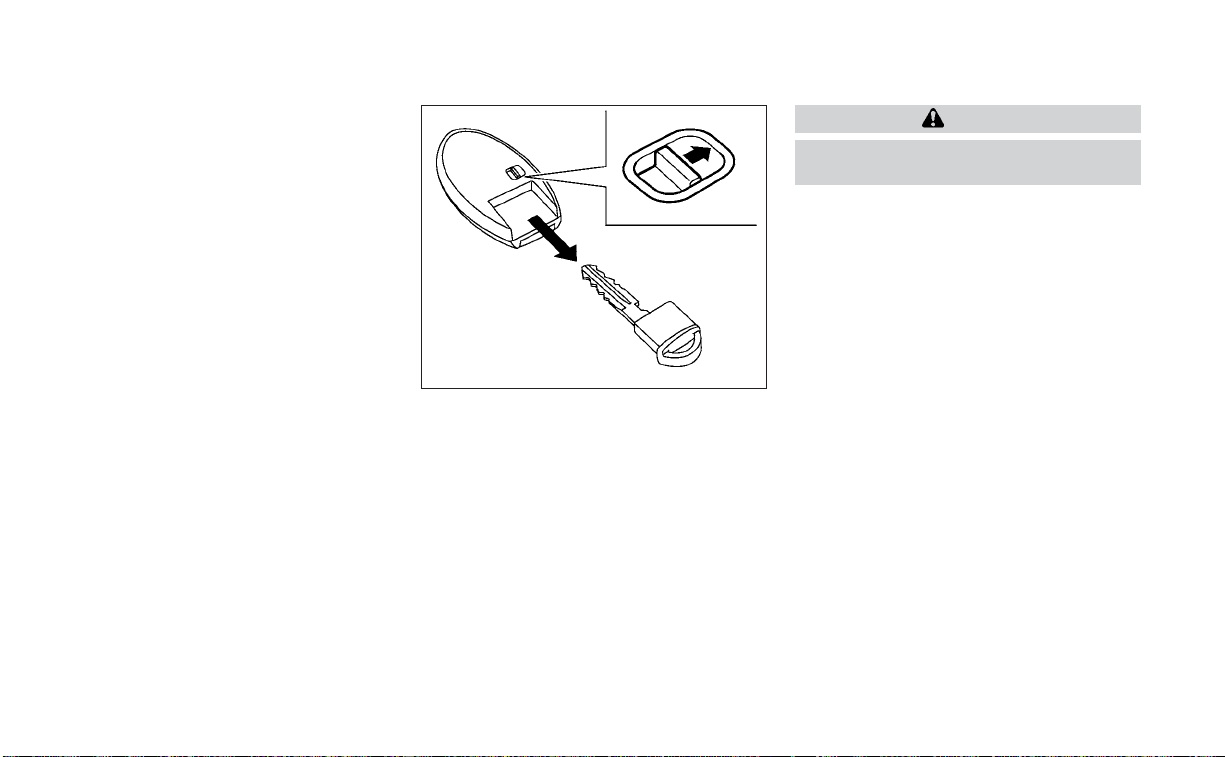
If an Intelligent Key is lost or stolen, NISSAN
recommends erasing the ID code of that
Intelligent Key from the vehicle. This may
prevent the unauthorized use of the Intelli-
gent Key to operate the vehicle. For infor-
mation regarding the erasing procedure, it
is recommended that you visit a NISSAN
dealer.
Mechanical key
The Intelligent Key contains the mechani-
cal key.
To remove the mechanical key, release the
lock knob on the back of the Intelligent Key.
To install the mechanical key, firmly insert it
into the Intelligent Key until the lock knob
returns to the lock position.
Use the mechanical key to lock or unlock
the driver's door and glove box.
CAUTION
Always carry the mechanical key in-
stalled in the Intelligent Key slot.
For additional information, see “Doors”
(P. 3-4) and “Storage” (P. 2-61).
Valet hand-off
When you have to leave a key with a valet,
give them the Intelligent Key itself and keep
the mechanical key with you to protect
your belongings.
To prevent the glove box from being
opened during valet hand-off, follow the
procedures below.
1. Remove the mechanical key from the
Intelligent Key.
2. Lock the glove box with the mechanical
key.
3. Hand the Intelligent Key to the valet and
keep the mechanical key with you.
For additional information, see “Storage”
(P. 2-61).
SPA1951
v
Pre-driving checks and adjustments 3-3
NISSAN VEHICLE IMMOBILIZER
SYSTEM KEYS
Additional or replacement keys:
If you still have a key, the key number is not
necessary when you need extra NISSAN
Vehicle Immobilizer System keys. Your ex-
isting key can be duplicated without know-
ing the key number. As many as four
NISSAN Vehicle Immobilizer System keys
can be used with one vehicle. You should
bring all NISSAN Vehicle Immobilizer Sys-
tem keys that you have to the NISSAN
dealer for registration. This is because the
registration process will erase the memory
of all key codes previously registered into
the NISSAN Vehicle Immobilizer System. Af-
ter the registration process, these compo-
nents will only recognize keys coded into
the NISSAN Vehicle Immobilizer System
during registration. Any key that is not
given to the dealer at the time of registra-
tion will no longer be able to start your
vehicle.
CAUTION
Do not allow the immobilizer system
key, which contains an electrical tran-
sponder, to come into contact with wa-
ter or salt water. This could affect sys-
tem function.
When the doors are locked using one of the
following methods, the doors cannot be
opened using the inside or outside door
handles. The doors must be unlocked to
open the doors.
WARNING
• Always have the doors locked while
driving. Along with the use of seat
belts, this provides greater safety in
the event of an accident by helping to
prevent persons from being thrown
from the vehicle. This also helps keep
children and others from uninten-
tionally opening the doors, and will
help keep out intruders.
• Before opening any door, always look
for and avoid oncoming traffic.
DOORS
3-4 Pre-driving checks and adjustments

• To help avoid risk of injury or death
through unintended operation of the
vehicle and/or its systems, including
entrapment in windows or inadver-
tent door lock activation, do not
leave children, people who require
the assistance of others or pets unat-
tended in your vehicle. Additionally,
the temperature inside a closed ve-
hicle on a warm day can quickly be-
come high enough to cause a signifi-
cant risk of injury or death to people
and pets.
LOCKING WITH KEY
To lock the door using the mechanical key,
turn the key toward the front of the vehicle
O
1
. This will only lock the corresponding
door and will not activate the security sys-
tem. To arm the security system, press the
button on the Intelligent Key.
To unlock the corresponding door using
the mechanical key, turn the key toward
the rear of the vehicle
O
2
. This will only un-
lock the corresponding door and will not
disarm the security system.
For additional information, see “Security
systems” (P. 2-39).
LPD3133
Driver's side
Pre-driving checks and adjustments 3-5

LOCKING WITH POWER DOOR
LOCK SWITCH
To lock all the doors without a key, push the
door lock switch (driver's or front passen-
ger's side) to the lock position
O
1
. When
locking the door this way, be certain not to
leave the key inside the vehicle.
To unlock all the doors without a key, push
the door lock switch (driver's or front pas-
senger's side) to the unlock position
O
2
.
Lockout protection
When the power door lock switch (driver's
or front passenger's side) is moved to the
lock position with the Intelligent Key left in
the vehicle and any door open, all doors will
unlock automatically and a chime will
sound after the door is closed.
AUTOMATIC DOOR LOCKS
• All doors lock automatically when the ve-
hicle speed reaches 15 mph (24 km/h).
• All doors unlock automatically when the
transmission is placed in the P (Park) po-
sition or when the ignition switch is
placed in the OFF position, depending on
the option selected in the “Vehicle Set-
tings” menu.
NOTE:
The Auto Door Unlock function can be
changed using “Vehicle Settings” of the
vehicle information display. For addi-
tional information, see “Vehicle informa-
tion display” (P. 2-17).
CHILD SAFETY REAR DOOR LOCK
Child safety locks help prevent the rear
doors from being opened accidentally, es-
pecially when small children are in the
vehicle.
The child safety lock levers are located on
the edge of the rear doors.
When the lever is in the unlock position
O
2
,
the door can be opened from the outside
or the inside.
When the lever is in the LOCK position
O
1
,
the door can be opened only from the
outside.
LPD2309 LPD2570
3-6 Pre-driving checks and adjustments
WARNING
• Radio waves could adversely affect
electric medical equipment. Those
who use a pacemaker should contact
the electric medical equipment
manufacturer for the possible influ-
ences before use.
• The Intelligent Key transmits radio
waves when the but tons are pressed.
The FAA advises the radio waves may
affect aircraft navigation and com-
munication systems. Do not operate
the Intelligent Key while on an air-
plane. Make sure the buttons are not
operated unintentionally when the
unit is stored for a flight.
• Never leave the Intelligent Key in the
vehicle when you leave the vehicle.
The Intelligent Key system can operate all
the door locks using the remote control
function or pushing the request switch on
the vehicle without taking the key out from
a pocket or purse. The operating environ-
ment and/or conditions may affect the In-
telligent Key system operation.
Be sure to read the following before using
the Intelligent Key system.
CAUTION
Be sure to carry the Intelligent Key with
you when operating the vehicle.
The Intelligent Key is capable of receiving
and transmitting radio waves. The Intelli-
gent Key system transmits weak radio
waves from various distances. Environ-
mental conditions may interfere with the
operation of the Intelligent Key system un-
der the following operating conditions:
• When operating near a location where
strong radio waves are transmitted, such
as a TV tower, power station and broad-
casting station.
• When in possession of wireless equip-
ment, such as a cellular telephone, trans-
ceiver, or a CB radio.
• When the Intelligent Key is in contact with
or covered by metallic materials.
• When any type of radio wave remote con-
trol is used nearby.
• When the Intelligent Key is placed near an
electric appliance such as a personal
computer.
• When the vehicle is parked near a parking
meter.
In such cases, correct the operating condi-
tions before using the Intelligent Key func-
tion or use the mechanical key.
Although the life of the battery varies de-
pending on the operating conditions, the
battery’s life is approximately two years. If
the battery is discharged, replace it with a
new one.
When the Intelligent Key battery is low, a
yellow indicator illuminates with the mes-
sage “Key Battery Low” in the vehicle infor-
mation display. For additional information,
see “Vehicle information display warnings
and indicators” (P. 2-26).
Since the Intelligent Key is capable of re-
ceiving radio waves, if the key is left near
equipment which transmits strong radio
waves, such as signals from a TV and per-
sonal computer, the battery life may be-
come shorter.
For additional information, see “Battery re-
placement” (P. 8-21).
As many as four Intelligent Keys can be
registered and used with one vehicle. For
information about the purchase and use of
additional Intelligent Keys, it is recom-
mended that you visit a NISSAN dealer.
NISSAN INTELLIGENT KEY®
Pre-driving checks and adjustments 3-7

OPERATING RANGE
The Intelligent Key functions can only be
used when the Intelligent Key is within the
specified operating range from the request
switch
O
1
.
NOTE:
If all doors are already unlocked, opening
the trunk does NOT require an Intelligent
Key to be in range of the trunk request
switch or rear of the vehicle.
When the Intelligent Key battery is dis-
charged or strong radio waves are present
near the operating location, the Intelligent
Key operating range becomes narrower,
and the Intelligent Key may not function
properly.
The operating range is within 31.50 in (80
cm) from each request switch
O
1
.
If the Intelligent Key is too close to the door
glass, handle or rear bumper, the request
switches may not function.
When the Intelligent Key is within the oper-
ating range, it is possible for anyone, even
someone who does not carry the Intelli-
gent Key, to push the request switch to
lock/unlock the doors within range.
DOOR LOCKS/UNLOCKS
PRECAUTION
• Do not push the door handle request
switch with the Intelligent Key held in your
hand as illustrated. The close distance to
the door handle will cause the Intelligent
Key system to have difficulty recognizing
that the Intelligent Key is outside the
vehicle.
• After locking with the door handle re-
quest switch, verify the doors are se-
curely locked by testing them.
LPD2073
LPD2554
3-8 Pre-driving checks and adjustments

• To prevent the Intelligent Key from being
left inside the vehicle, make sure you
carry the Intelligent Key with you and then
lock the doors.
• Do not pull the door handle before push-
ing the door handle request switch. The
door will be unlocked but will not open.
Release the door handle once and pull it
again to open the door.
NISSAN INTELLIGENT KEY®
OPERATION
You can lock or unlock the doors without
taking the Intelligent Key out of your pocket
or bag.
When you carry the Intelligent Key with you,
you can lock or unlock all doors by pushing
the door handle request switch within the
range of operation.
Locking doors
1. Move the shift lever to the P (Park) posi-
tion, place the ignition switch in the LOCK
position and make sure you carry the
Intelligent Key with you.
2. Close driver’s door.
3. Push any door handle request switch
while carrying the Intelligent Key with
you.
4. All doors will lock.
5. The hazard indicator lights flash twice, a
chime sounds twice, and the front and
tail lights may turn on for 10 seconds.
LPD3134 LPD2347
Pre-driving checks and adjustments 3-9
NOTE:
• Request switches for all doors can be
deactivated when the Ext. Door Switch
feature is switched to OFF using the
“Vehicle Settings” menu on the vehicle
information display. For additional in-
formation, see “Vehicle information
display” (P. 2-17).
• Doors lock with the door handle re-
quest switch
O
1
while the ignition
switch is not in the LOCK position.
• Doors do not lock by pushing the door
handle request switch while the driv-
er’s door is open. However, the driver
door locks with the mechanical key
even if any door is open.
• Doors do not lock with the door handle
request switch with the Intelligent Key
inside the vehicle and a beep sounds to
warn you. However, when an Intelligent
Key is inside the vehicle, doors can be
locked with another Intelligent Key.
CAUTION
• After locking the doors using the re-
quest switch, make sure that the
doors have been securely locked by
operating the door handles.
• When locking the doors using the re-
quest switch, make sure to have the
Intelligent Key in your possession
before operating the request switch
to prevent the Intelligent Key from
being left in the vehicle.
• The request switch is operational
only when the Intelligent Key has
been detected by the Intelligent Key
system.
Lockout protection
To prevent the Intelligent Key from being
accidentally locked in the vehicle, lockout
protection is equipped with the Intelligent
Key system.
When any door is open, the doors are
locked, and then the Intelligent Key is put
inside the vehicle and all the doors are
closed, a warning chime will sound and the
doors will automatically unlock.
NOTE:
The doors may not lock when the Intelli-
gent Key is in the same hand that is op-
erating the request switch to lock the
door. Put the Intelligent Key in a purse,
pocket or your other hand.
CAUTION
The lockout protection may not func-
tion under the following conditions:
• When the Intelligent Key is placed on
top of the instrument panel.
• When the Intelligent Key is placed in-
side the glove box or a storage bin.
• When the Intelligent Key is placed in-
side the door pockets.
• When the Intelligent Key is placed in-
side or near metallic materials.
LPD3135
3-10 Pre-driving checks and adjustments

Unlocking doors
1. Carry the Intelligent Key.
2. Push the door handle request switch.
3. The door on which the request switch
was pressed will unlock and the hazard
indicator lights flash once, the outside
chime sounds once and the front and
tail lights may turn on for 30 seconds.
4. Push the door handle request switch
again within one minute, the outside
chime sounds once and the remaining
doors unlock.
NOTE:
• If the “Selective Unlock” feature is
switched to OFF using the “Vehicle Set-
tings” menu, all doors will unlock upon
the first request switch
O
1
press.
• Request switches for all doors can be
deactivated when the Ext. Door Switch
feature is switched to OFF using the
“Vehicle Settings” menu on the vehicle
information display. For additional in-
formation, see “Vehicle information
display” (P. 2-17).
If a door handle is pulled while unlocking
the doors, that door may not be unlocked.
Returning the door handle to its original
position will unlock the door. If the door
does not unlock after returning the door
handle, push the door handle request
switch to unlock the door.
All doors will be locked automatically un-
less one of the following operations is per-
formed within one minute after pushing
the request switch.
• Opening any door.
• Pushing the ignition switch.
Using the interior lights
The interior lights illuminate for a period of
time when a door is unlocked and the inte-
rior lights switch is not in the OFF position.
The lights can be turned off without waiting
by performing one of the following
operations:
• Placing the ignition switch in the ON
position.
• Locking the doors with the Intelligent Key.
• Switching the interior lights switch to the
OFF position. For additional information,
see “Interior lights” (P. 2-71).
LPD2347 LPD3135
Pre-driving checks and adjustments 3-11

• Switching the Auto Room Lamp feature
to the OFF position in the “Vehicle Set-
tings” menu on the vehicle information
display. For additional information, see
“Vehicle information display” (P. 2-17).
Opening the trunk lid
1. Push the trunk opener request switch
O
A
for more than 1 second while carrying
the Intelligent Key with you.
2. The trunk will unlatch. A chime will
sound four times.
3. Raise the trunk lid to open the trunk.
Lockout protection
To prevent the Intelligent Key from being
accidentally locked in the trunk, lockout
protection is equipped with the Intelligent
Key.
When all doors are locked and the trunk lid
is closed with the Intelligent Key inside the
trunk, the outside buzzer will sound and the
trunk will open.
LPD2968
3-12 Pre-driving checks and adjustments
HOW TO USE THE REMOTE
KEYLESS ENTRY FUNCTION
The remote keyless entry function can op-
erate all door locks using the remote key-
less function of the Intelligent Key. The re-
mote keyless function can operate at a
distance of 33 ft (10 m) away from the ve-
hicle. The operating distance depends
upon the conditions around the vehicle.
The remote keyless entry function will not
function under the following conditions:
• When the Intelligent Key is not within the
operational range.
• When the Intelligent Key battery is
discharged.
CAUTION
When locking the doors using the Intel-
ligent Key, be sure not to leave the key
in the vehicle.
Locking doors
1. Place the ignition switch in the LOCK
position.
2. Close all doors.
3. Press the
button on the Intelli-
gent Key.
4. The hazard indicator lights flash twice
and the horn beeps once.
5. All doors and the trunk will be locked.
WARNING
After locking the doors using the Intel-
ligent Key, be sure that the doors have
been securely locked by operating the
door handles. Failure to follow these in-
structions may result in inadvertently
unlocking the doors, which may de-
crease the safety and security of your
vehicle.
Unlocking doors
1. Press the button on the Intelligent
Key.
2. The hazard indicator lights flash once
and the driver’s door will unlock.
3. Press the
button again within 1
minute to unlock all doors and trunk.
NOTE:
The Selective Unlock feature can be
changed using the “Vehicle Settings”
menu on the vehicle information display.
For additional information, see “Vehicle
information display” (P. 2-17).
LPD3603
1. (remote engine start) button
2.
(lock) button
3.
(unlock) button
4.
(trunk) button
5.
(panic) button
Pre-driving checks and adjustments 3-13

All doors will be locked automatically un-
less one of the following operations is per-
formed within 1 minute after pressing the
button:
• Opening any doors.
• Pushing the ignition switch.
Using the interior lights
The interior lights illuminate for a period of
time when a door is unlocked and the inte-
rior lights switch is not in the OFF position.
The lights can be turned off without waiting
by performing one of the following
operations:
• Placing the ignition switch in the ON
position.
• Locking the doors with the Intelligent Key.
• Switching the interior lights switch to the
OFF position. For additional information,
see “Interior lights” (P. 2-71).
• Switching the Auto Room Lamp feature
to the OFF position in the “Vehicle Set-
tings” menu on the vehicle information
display. For additional information, see
“Vehicle information display” (P. 2-17).
Opening windows
The Intelligent Key allows you to simultane-
ously open windows equipped with auto-
matic operation.
• To open the windows, press the
but-
ton on the Intelligent Key longer than 3
seconds after all doors are unlocked.
The door windows cannot be closed by
using the Intelligent Key.
Releasing the trunk lid
Press the button for longer than 1
second to open the trunk lid. The trunk
release button will not operate when the
ignition switch is placed in the ON position.
Using the panic alarm
If you are near your vehicle and feel threat-
ened, you may activate the panic alarm to
call attention by pressing and holding the
button on the Intelligent Key for lon-
ger than 0.5 seconds.
The panic alarm and headlights will stay on
for a period of time.
The panic alarm stops when:
• It has run for a period of time, or
• Any button is pressed on the Intelligent
Key.
• The request switch on the driver or pas-
senger door is pushed and the Intelligent
Key is in range of the door handle.
Answer back horn feature
If desired, the answer back horn feature
can be deactivated using the Intelligent
Key. When it is deactivated and the
button is pressed, the hazard indicator
lights flash twice. When the
button is
pressed, neither the hazard indicator lights
nor the horn operates.
NOTE:
If you change the Answer Back Horn
feature with the Intelligent Key, the
vehicle information display screen
will show the current mode after the
ignition switch has been cycled from
the OFF to the ON position. The ve-
hicle information display screen can
also be used to change the answer
back horn mode.
For additional information, see “Ve-
hicle settings” (P. 2-22).
3-14 Pre-driving checks and adjustments

To deac tivate:
Press and hold the
and but-
tons for at least 2 seconds. The hazard
indicator lights will flash three times to con-
firm that the answer back horn feature has
been deactivated.
To activate:
Press and hold the
and but-
tons for at least 2 seconds once more.
The hazard indicator lights will flash once
and the horn will sound once to confirm
that the horn beep feature has been
reactivated.
Deactivating the horn beep feature does
not silence the horn if the alarm is
triggered.
Intelligent Key button operation
light
The light blinks only when you press any
button on the Intelligent Key. The light illu-
mination only signifies that the key fob has
transmitted a signal. You may look and/or
listen to verify that the vehicle has per-
formed the intended operation. The num-
ber of blinks identifies each registered key
(i.e. 1 blink = 1st key,...,4 blinks = 4th key) for
your own identification purposes.
If the light does not blink, your battery may
be too weak to communicate to the ve-
hicle. If this occurs, the battery may need to
be replaced. For additional information re-
garding the replacement of a battery, see
“Battery replacement” (P. 8-21).
WARNING SIGNALS
To help prevent the vehicle from moving
unexpectedly by erroneous operation of
the Intelligent Key or to help prevent the
vehicle from being stolen, a chime or
buzzer sounds from inside and outside the
vehicle and a warning is displayed in the
instrument panel.
When a chime or beep sounds or a warning
is displayed, be sure to check the vehicle
and the Intelligent Key.
For additional information, see “Trouble-
shooting guide” (P. 3-16) and “Vehicle infor-
mation display” (P. 2-17).
LPD2836
Pre-driving checks and adjustments 3-15

TROUBLESHOOTING GUIDE
Verify the location of all Intelligent Keys that
are programmed for the vehicle. If another
Intelligent Key is in range or inside the ve-
hicle, the vehicle system may respond dif-
ferently than expected.
Symptom Possible Cause Remedy
When pushing the ignition switch to
stop the engine
The Shift to Park warning appears on
the vehicle information display and the
inside warning chime sounds continu-
ously.
The shift lever is not in the P (Park) po-
sition.
Move the shift lever to the P (Park) po-
sition.
When opening the driver's door to get
out of the vehicle
The Door/Trunk Open warning ap-
pears on the display and the inside
warning chime sounds continuously.
The ignition switch is in the ACC posi-
tion.
Place the ignition switch in the ON po-
sition or close the driver’s door.
When closing the door after getting
out of the vehicle
The No Key Detected warning appears
on the vehicle information display, the
outside chime sounds three times and
the inside warning chime sounds for
approximately three seconds.
The Intelligent Key is not detected in-
side of the vehicle.
Place the ignition switch in the OFF
position.
The Rear Door Alert warning message
appears on the display, the horn
sounds three times twice, or a Check
Back Seat For Articles warning appears
on the display.
The Rear Door Alert is activated
Check the back seat for all articles,
press the OK button to clear the Rear
Door Alert warning message.
The Shift to Park warning appears on
the vehicle information display and the
inside and outside chimes sound con-
tinuously.
The ignition switch is in the ACC or OFF
position and the shift lever is not in the
P (Park) position.
Move the shift lever to the P (Park) po-
sition.
When closing the door with the inside
lock knob turned to LOCK
The outside chime sounds for approxi-
mately three seconds and all the doors
unlock.
The Intelligent Key is inside the vehicle. Carry the Intelligent Key with you.
3-16 Pre-driving checks and adjustments

Symptom Possible Cause Remedy
When pushing the door handle re-
quest switch to lock the door
The outside chime sounds for approxi-
mately three seconds.
The Intelligent Key is inside the vehicle. Carry the Intelligent Key with you.
When pushing the ignition switch to
start the engine
The Key Battery Low indicator appears
on the display.
The battery charge is low.
Replace the battery with a new one.
For additional information, see “Battery
replacement” (P. 8-21).
The Key ID Incorrect warning appears
on the vehicle information display.
The Intelligent Key is not detected in-
side of the vehicle.
Carry the registered Intelligent Key
with you.
When closing the trunk lid
The outside chime sounds for approxi-
mately 10 seconds and the trunk lid
opens.
The Intelligent Key is inside the trunk. Carry the Intelligent Key with you.
Pre-driving checks and adjustments 3-17
The button will be on the NISSAN
Intelligent Key® if the vehicle has Remote
Engine Start. This feature allows the engine
to start from outside the vehicle.
Vehicles with an automatic climate control
system will default to either heating or
cooling mode. For additional information,
see “Remote Engine Start with Intelligent
Climate Control” (P. 4-29).
Laws in some local communities may re-
strict the use of remote starters. For ex-
ample, some laws require a person using
Remote Engine Start to have the vehicle in
view. Check local regulations for any
requirements.
Other conditions may affect the function of
the Remote Engine Start feature. For addi-
tional information, see “Conditions the Re-
mote Engine Start will not work” (P. 3-19).
Other conditions can affect the perfor-
mance of the Intelligent Key transmitter.
For additional information, see “NISSAN In-
telligent Key®” (P. 3-2).
REMOTE ENGINE START
OPERATING RANGE
WARNING
To help avoid risk of injury or death
through unintended operation of the
vehicle and/or its systems, including
entrapment in windows or inadver tent
door lock activation, do not leave chil-
dren, people who require the assis-
tance of others or pets unattended in
your vehicle. Additionally, the tempera-
ture inside a closed vehicle on a warm
day can quickly become high enough
to cause a significant risk of injur y or
death to people and pets.
CAUTION
When the Intelligent Key battery is dis-
charged or other strong radio wave
sources are present near the operating
location, the Intelligent Key operating
range becomes narrower, and the Intel-
ligent Key may not function properly.
The Remote Engine Start function can only
be used when the Intelligent Key is within
the specified operating range from the
vehicle.
The Remote Engine Start operating range
is approximately 197 ft (60 m) from the
vehicle.
REMOTE STARTING THE VEHICLE
To use the Remote Engine Start feature
perform the following:
1. Aim the Intelligent Key at the vehicle.
2. Press the
button to lock all doors.
3. Within 5 seconds press and hold the
button until the turn signal lights
flash and the tail lamps turn on. If the
vehicle is not within view press and hold
the
button for at least 2 seconds.
LPD2995
REMOTE ENGINE START
3-18 Pre-driving checks and adjustments

The following events will occur when the
engine starts:
• The parking lights will turn on and remain
on as long as the engine is running.
• The doors will be locked and the climate
control system may come on.
• The engine will continue to run for 10 min-
utes. Repeat the steps to extend the time
for an additional 10 minutes. For addi-
tional information, see “Extending engine
run time” (P. 3-19).
Press and hold the brake pedal while
switching the ignition to the ON position
before driving. For additional information,
see “Driving the vehicle” (P. 5-16).
EXTENDING ENGINE RUN TIME
The Remote Engine Start feature can be
extended one time by performing the
steps listed in “Remote starting the vehicle”
in this section. Run time will be calculated
as follows:
• The first 10 minute run time will start
when the Remote Engine Start function is
performed.
• The second 10 minutes will start immedi-
ately when the Remote Engine Start
function is performed again. For example,
if the engine has been running for 5 min-
utes, and 10 minutes are added, the en-
gine will run for a total of 15 minutes.
• Extending engine run time will bring you
to the two Remote Engine Start limit.
A maximum of two Remote Engine Starts,
or a single Remote Engine Start with an
extension, are allowed between ignition
cycles. The ignition switch must be cycled
to the ON position and then back to the
OFF position before the Remote Engine
Start procedure can be used again.
CANCELING A REMOTE ENGINE
START
To cancel a Remote Engine Start, perform
one of the following:
• Aim the Intelligent Key at the vehicle and
press
until the parking lights turn off.
• Turn on the hazard warning flashers.
• Cycle the ignition switch on and then off.
• The extended engine run time has
expired.
• The first 10 minute timer has expired.
• Opening the engine hood.
• Shifting the vehicle out of P (Park).
• The alarm sounds due to illegal entry into
the vehicle.
• Pushing the ignition switch without the
Intelligent Key in the vehicle.
• Not pressing the brake pedal while press-
ing the ignition switch with the Intelligent
Key in the vehicle.
CONDITIONS THE REMOTE ENGINE
START WILL NOT WORK
The Remote Engine Start will not operate if
any of the following conditions are present:
• The ignition switch is placed in the ON
position.
• The hood is not securely closed.
• The hazard indicator lights are on.
• The engine is still running. The engine
must be completely stopped. Wait at
least 6 seconds if the engine goes from
running to off. This is not applicable when
extending engine run time.
• The
button is not pressed and held
for at least 2 seconds.
• The
button is not pressed and held
within 5 seconds of pressing the lock
button.
• The brake is pressed.
• The doors are not closed and locked.
Pre-driving checks and adjustments 3-19
• The trunk is open.
• The Key System Fault warning message
appears in the vehicle information
display.
• The alarm sounds due to illegal entry into
the vehicle.
• Two Remote Engine Starts, or a single
Remote Engine Start with an extension,
have already been used.
• The vehicle is not in P (Park).
• There is a detected registered key already
inside of the vehicle.
• The Remote Engine Start feature has
been switched to the OFF position using
the “Vehicle Settings” menu on the vehicle
information display. For additional infor-
mation, see “Vehicle information display”
(P. 2-17).
The Remote Engine Start may display a
warning or indicator in the vehicle informa-
tion display. For additional information, see
“Vehicle information display” (P. 2-17).
䊊
1
Pull the hood lock release handle lo-
cated below the driver side instrument
panel. The hood will spring up slightly.
䊊
2
Push the lever at the front of the hood
to the side as illustrated with your fin-
gertips and raise the hood.
When closing the hood, lower it slowly and
make sure it locks into place.
WARNING
• Make sure the hood is completely
closed and latched before driving.
Failure to do so could cause the hood
to fly open and result in an accident.
• If you see steam or smoke coming
from the engine compartment, to
avoid injury do not open the hood.
LPD2613
HOOD
3-20 Pre-driving checks and adjustments
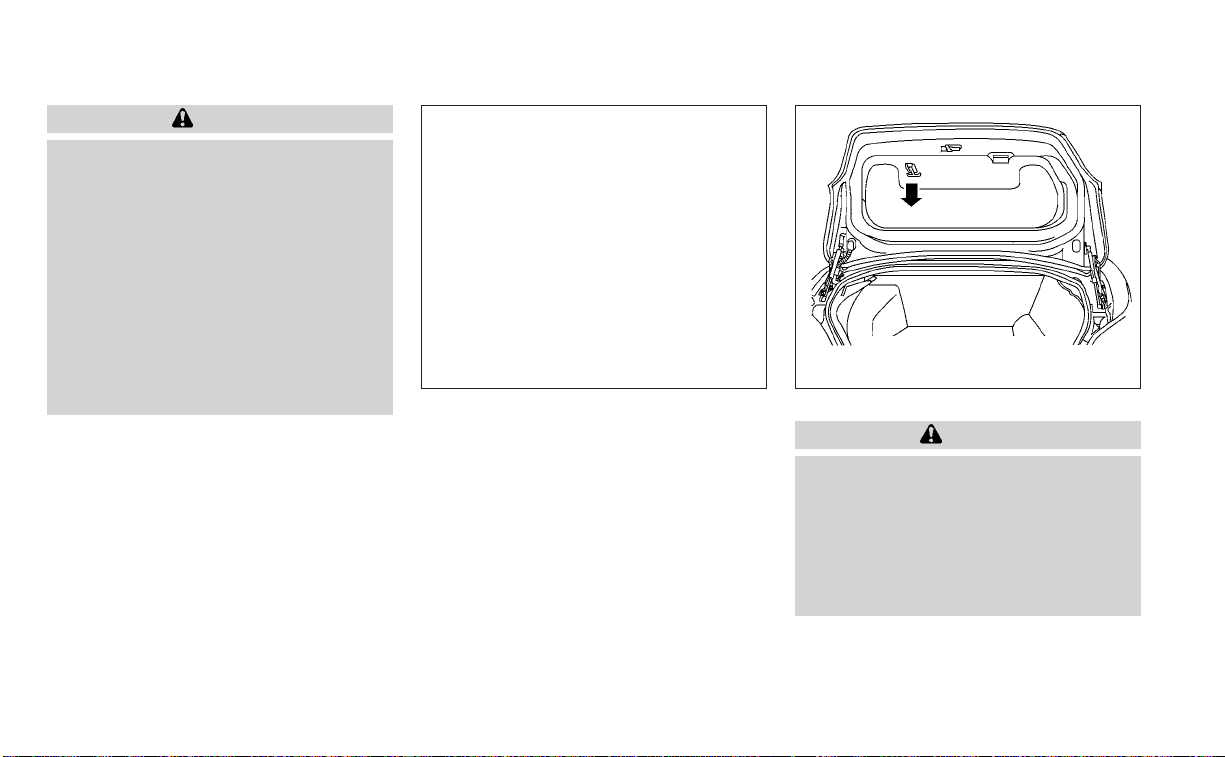
WARNING
• Do not drive with the trunk lid open.
This could allow dangerous exhaust
gases to be drawn into the vehicle.
For additional information, see “Ex-
haust gas (carbon monoxide)”
(P. 5-4).
• Closely supervise children when they
are around cars to prevent them
from playing and becoming locked in
the trunk where they could be seri-
ously injured. Keep the car locked,
with the rear seatback and trunk lid
securely latched when not in use, and
prevent children's access to car keys.
OPENER OPERATION
To open the trunk lid, push the opener
switch.
To close the trunk lid, lower and push the
trunk lid down securely.
NOTE:
You can open the trunk lid with the Intel-
ligent Key. For additional information,
see “NISSAN Intelligent Key®” (P. 3-2).
INTERIOR TRUNK LID RELEASE
WARNING
Closely supervise children when they
are around cars to prevent them from
playing and becoming locked in the
trunk where they could be seriously in-
jured. Keep the car locked, with the rear
seatback and trunk lid securely latched
when not in use, and prevent children's
access to car keys.
The interior trunk lid release mechanism
provides a means of escape for children
and adults in the event they become
locked inside the trunk.
LPD2707
Instrument panel
WIC1401
TRUNK LID
Pre-driving checks and adjustments 3-21
To open the trunk from the inside, pull the
illuminated release handle until the lock re-
leases and push up on the trunk lid. The
release handle is made of a material that
glows in the dark after a brief exposure to
ambient light.
The handle is located inside the trunk com-
partment on the interior of the trunk lid.
INTERIOR TRUNK ACCESS
The trunk can be accessed from the pas-
senger side of the rear seat.
1. Move the front passenger seat to the
most forward position.
2. Open the access cover on the rear par-
cel shelf.
3. Push down on the button on the rear
parcel shelf.
4. Fold down the passenger’s side
seatback.
For additional information, see “Seats”
(P. 1-2).
WARNING
• Never allow anyone to ride in the
cargo area or on the rear seat when it
is in the fold-down position. Use of
these areas by passengers without
proper restraints could result in seri-
ous injury or death in an accident or
sudden stop.
• Properly secure all cargo with ropes
or straps to help prevent it from slid-
ing or shifting. Do not place cargo
higher than the seatbacks. In a sud-
den stop or collision, unsecured
cargo could cause personal injury.
• When returning the seatbacks to the
upright position, be certain they are
completely secured in the latched
position. If they are not completely
secured, passengers may be injured
in an accident or sudden stop.
• Closely supervise children when they
are around cars to prevent them
from playing and becoming locked in
the trunk where they could be seri-
ously injured. Keep the car locked,
with the rear seatback and trunk lid
securely latched when not in use, and
prevent children's access to car keys.
OPENING THE FUEL-FILLER DOOR
To open the fuel-filler door, push the right
side of the fuel-filler door to release.
WPD0454
FUEL-FILLER DOOR
3-22 Pre-driving checks and adjustments
FUEL-FILLER CAP
WARNING
• Gasoline is extremely flammable and
highly explosive under certain condi-
tions. You could be burned or seri-
ously injured if it is misused or mis-
handled. Always stop the engine and
do not smoke or allow open flames or
sparks near the vehicle when
refueling.
• Do not attempt to top off the fuel
tank after the fuel pump nozzle
shuts off automatically. Continued
refueling may cause fuel overflow,
resulting in fuel spray and possibly a
fire.
• Use only an original equipment type
fuel-filler cap as a replacement. It has
a built-in safety valve needed for
proper operation of the fuel system
and emission control system. An in-
correct cap can result in a serious
malfunction and possible injury. It
could also cause the
Malfunc-
tion Indicator Light (MIL) to come on.
• Never pour fuel into the throttle body
to attempt to start your vehicle.
• Do not fill a portable fuel container in
the vehicle or trailer. Static electricity
can cause an explosion of flammable
liquid, vapor or gas in any vehicle or
trailer. To reduce the risk of serious
injury or death when filling portable
fuel containers:
– Always place the container on the
ground when filling.
– Do not use electronic devices
when filling.
– Keep the pump nozzle in contact
with the container while you are
filling it.
– Use only approved portable fuel
containers for flammable liquid.
CAUTION
• Do not use a fuel containing more
than 15% ethanol in your vehicle. For
additional information, see “Fuel rec-
ommendation” (P. 10-3).
• The Loose Fuel Cap warning will ap-
pear if the fuel-filler cap is not prop-
erly tightened. It may take a few driv-
ing trips for the message to be
displayed. Failure to tighten the fuel-
filler cap properly after the Loose
Fuel Cap warning appears may cause
the
Malfunction Indicator Light
(MIL) to illuminate.
• Failure to tighten the fuel-filler cap
properly may cause the
Mal-
function Indicator Light (MIL) to illu-
minate. If the
light illuminates
because the fuel-filler cap is loose or
missing, tighten or install the cap and
continue to drive the vehicle. The
light should turn off after a few
driving trips. If the
light does not
turn off after a few driving trips, have
the vehicle inspected. It is recom-
mended that you visit a NISSAN
dealer for this service.
• For additional information, see “Mal-
function Indicator Light (MIL)”
(P. 2-13).
• If fuel is spilled on the vehicle body,
flush it away with water to avoid
paint damage.
Pre-driving checks and adjustments 3-23
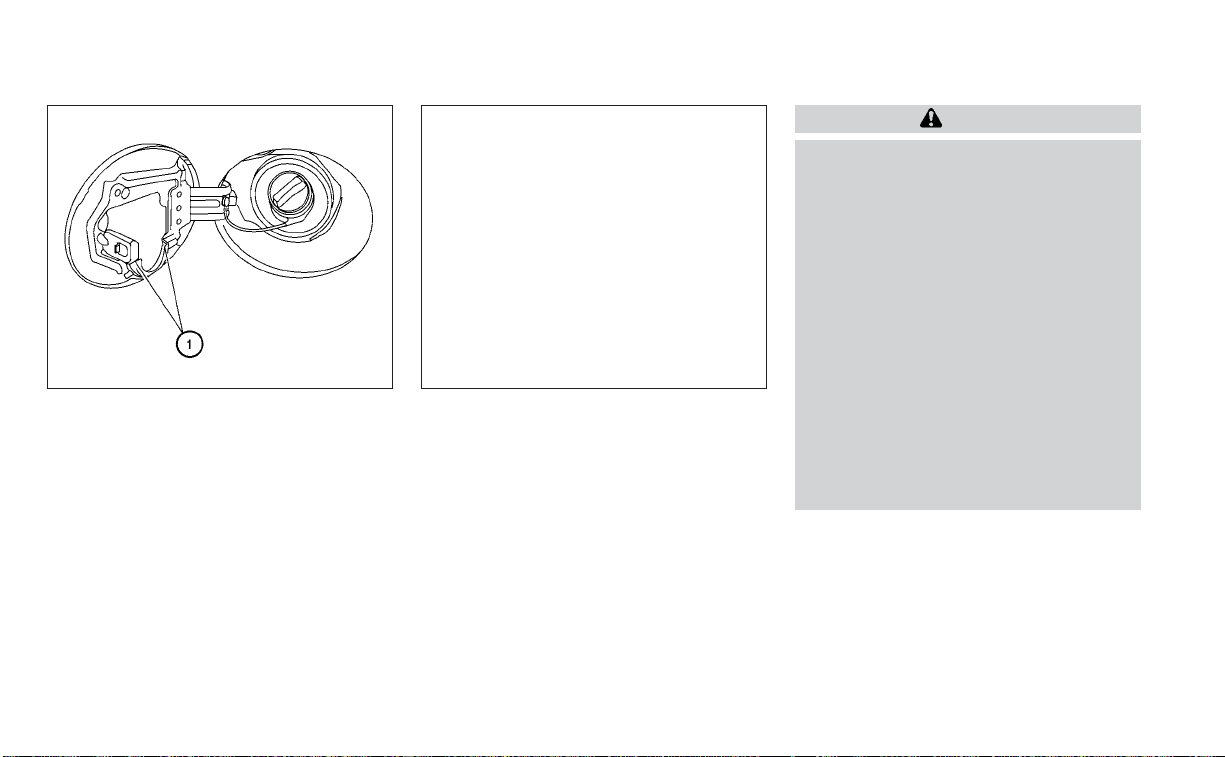
To remove the fuel-filler cap:
1. Turn the fuel-filler cap counterclockwise
to remove.
2. Put the fuel-filler cap on the cap holder
O
1
while refueling.
To install the fuel-filler cap:
1. Insert the fuel-filler cap straight into the
fuel-filler tube.
2. Turn the fuel-filler cap clockwise until a
single click is heard.
Loose Fuel Cap warning
The Loose Fuel Cap warning appears in the
vehicle information display when the fuel-
filler cap is not tightened correctly after the
vehicle has been refueled. It may take a few
driving trips for the message to be dis-
played. To turn off the warning, perform the
following:
1. Remove and install the fuel-filler cap as
soon as possible. For additional informa-
tion, see “Fuel-filler cap” (P. 3-23).
2. Tighten the fuel-filler cap until it a single
click is heard.
WARNING
• Do not adjust the steering wheel
while driving. You could lose control
of your vehicle and cause an
accident.
• Do not adjust the steering wheel any
closer to you than is necessary for
proper steering operation and com-
fort. The driver's air bag inflates with
great force. If you are unrestrained,
leaning forward, sitting sideways or
out of position in any way, you are at
greater risk of injury or death in a
crash. You may also receive serious
or fatal injuries from the air bag if you
are up against it when it inflates. Al-
ways sit back against the seatback
and as far away as practical from the
steering wheel. Always use the seat
belts.
LPD0482 LPD2985
STEERING WHEEL
3-24 Pre-driving checks and adjustments

MANUAL OPERATION (if so
equipped)
Tilt and telescopic operation
Push the lock lever
O
1
down:
• Adjust the steering wheel up or down in
direction
O
2
to the desired position.
• Adjust the steering wheel forward or
backward in direction
O
3
to the desired
position.
Pull the lock lever
O
1
up firmly to lock the
steering wheel in place.
AUTOMATIC OPERATION (if so
equipped)
Tilt and telescopic operation
To adjust the steering wheel move the
switch
O
1
in the following directions:
• Adjust the steering wheel up or down in
direction
O
2
to the desired tilt position.
• Adjust the steering wheel forward or
backward in direction
O
3
to the desired
telescopic position.
CAUTION
For vehicles with memory seat: Failure
to reset the tilt and telescoping func-
tions of the steering wheel, after the
vehicle’s battery has been discharged,
may prevent the steering wheel posi-
tion from being adjusted.
Both the tilt and telescopic steering opera-
tion must be reset after the vehicle’s bat-
tery has been discharged in order to pre-
vent the tilt and telescopic operation from
locking in one position. When the battery
has been recharged or replaced, perform
the following:
• For tilt operation: Adjust the switch
O
1
so
the steering wheel moves to the highest
position
O
2
that can be reached.
• For telescopic operation: Adjust the
switch
O
1
so the steering wheel moves to
the most forward and backward position
O
3
that can be reached.
Performing these operations resets the
range of the steering wheel’s tilt and tele-
scopic function.
LPD2359 LPD2439
Pre-driving checks and adjustments 3-25
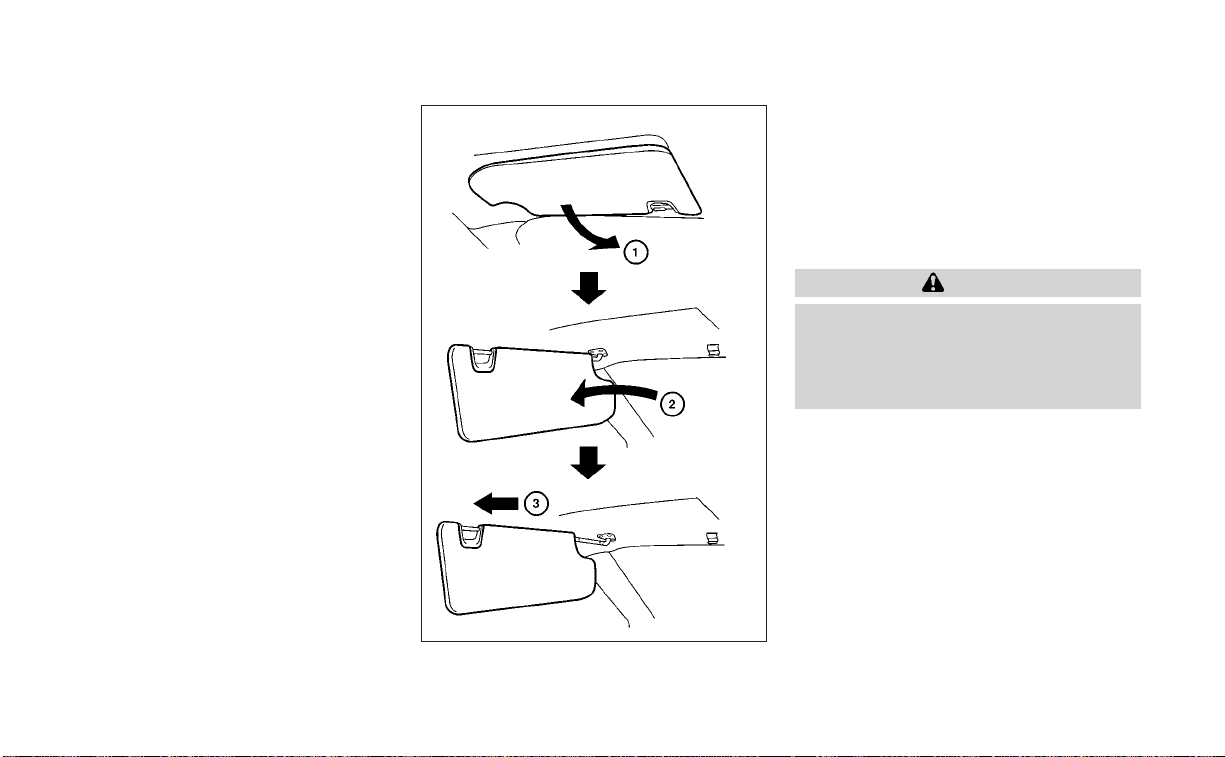
Entry/Exit function
The memory seat system will make the
steering wheel move up automatically
when the driver's door is opened and the
ignition switch is in the LOCK position. This
lets the driver get into and out of the seat
more easily. The steering wheel moves
back into position when the driver's door is
closed and the ignition switch is pushed.
For additional information, see “Memory
seat” (P. 3-30).
䊊
1
To block glare from the front, swing
down the sun visor.
䊊
2
To block glare from the side, remove
the sun visor from the center mount
and swing the visor to the side.
䊊
3
Slide the extension sun visor in or out
as needed.
CAUTION
• Do not store the sun visor before re-
turning the extension to its original
position.
• Do not pull the extension sun visor
forcibly downward.
WPD0344
SUN VISORS
3-26 Pre-driving checks and adjustments

VANITY MIRRORS
To access the vanity mirror, pull the sun
visor down and flip open the mirror cover.
The vanity mirror will illuminate when the
mirror cover is open.
AUTOMATIC ANTI-GLARE
REARVIEW MIRROR
The inside mirror is designed so that it au-
tomatically dims during night time condi-
tions and according to the intensity of the
headlights of the vehicle following you. The
automatic anti-glare feature is activated
when the ignition switch is in the ON
position.
NOTE:
Do not hang any objects over the sen-
sors
O
1
or apply glass cleaner to the sen-
sors. Doing so will reduce the sensitivity
of the sensors, resulting in improper
operation.
Type A (if so equipped)
The inside mirror is designed so that it au-
tomatically dims during night time condi-
tions and according to the intensity of the
headlights of the vehicle following you. The
automatic anti-glare feature is activated
when the ignition switch is in the ON
position.
LPD2312 LPD2418
MIRRORS
Pre-driving checks and adjustments 3-27
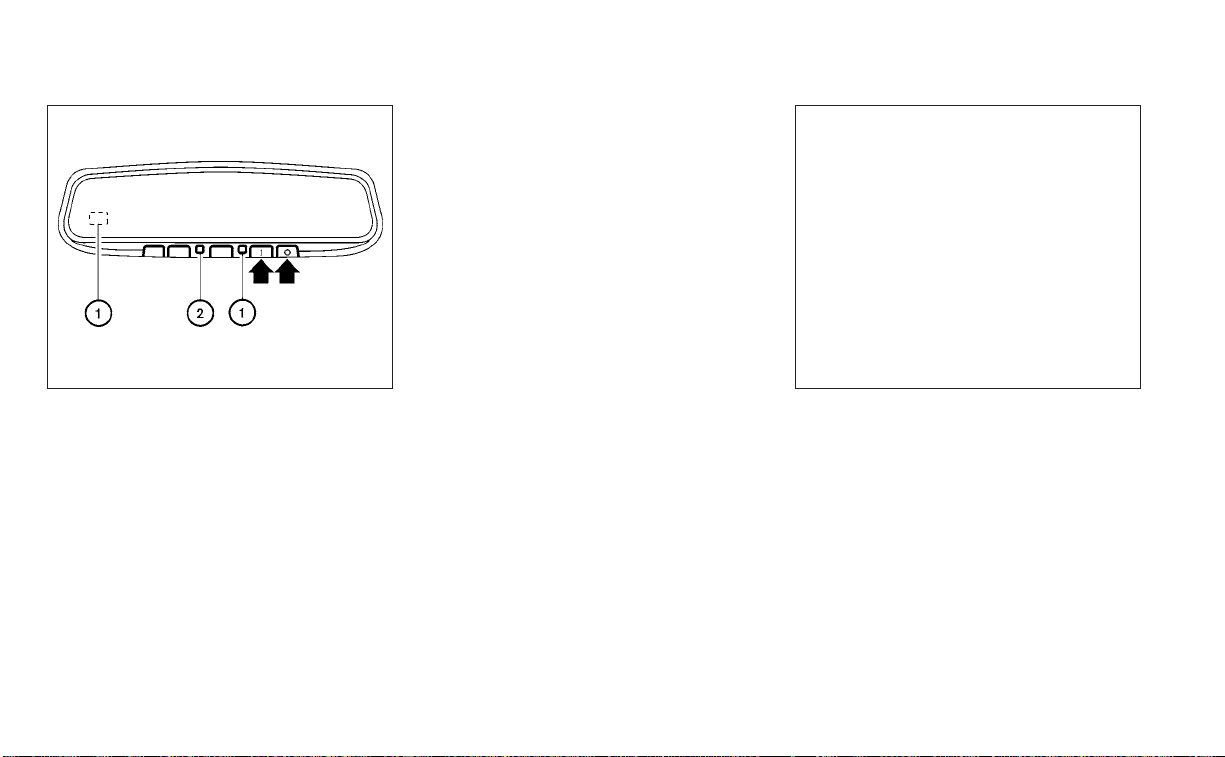
Type B (if so equipped)
The indicator light
O
2
will illuminate when
the automatic anti-glare feature is
operating.
NOTE:
Do not hang any objects over the sen-
sors
O
1
or apply glass cleaner to the sen-
sors. Doing so will reduce the sensitivity
of the sensors, resulting in improper
operation.
To turn off the automatic anti-glare feature,
press the O button. The indicator light will
turn off.
To turn on the automatic anti-glare feature
again, press the I button. The indicator light
will turn on.
For additional information, see “HomeLink®
Universal Transceiver” (P. 2-73).
OUTSIDE MIRRORS
The outside mirror remote control will op-
erate only when the ignition switch is in the
ACC or ON position.
Move the small switch
O
1
to select the right
or left mirror. Adjust each mirror to the de-
sired position using the large switch
O
2
.
Move the small switch
O
1
to the center
(neutral) position to prevent accidentally
moving the mirror.
LPD0469 LPD2352
3-28 Pre-driving checks and adjustments
WARNING
• Objects viewed in the outside mirror
on the passenger side are closer than
they appear. Be careful when moving
to the right. Using only this mirror
could cause an accident. Use the in-
side mirror or glance over your
shoulder to properly judge distances
to other objects.
• Do not adjust the mirrors while driv-
ing. You could lose control of your ve-
hicle and cause an accident.
Foldable outside mirrors
Pull the outside mirror toward the door to
fold it.
Automatic anti-glare outside
mirror (Driver's side only) (if so
equipped)
The outside mirror will automatically dim
during nighttime conditions to reduce the
glare from the headlights of trailing ve-
hicles. The automatic anti-glare feature
operates only when the ignition switch is
placed in the ON position.
The automatic anti-glare feature will be on
when starting the vehicle. The indicator
light on the automatic anti-glare rearview
mirror will illuminate when the automatic
anti-glare feature is operating.
To turn off the anti-glare feature, press the
O button on the inside rearview mirror. The
indicator light will turn off.
To turn on the anti-glare feature again,
press the I button on the inside rearview
mirror. The indicator light will turn on.
For additional information, see “Automatic
anti-glare rearview mirror” (P. 3-27).
Heated mirrors
The electric control type outside mirrors
can be heated to defrost, defog, or de-ice
for improved visibility. Push the rear win-
dow defroster switch to activate the heat-
ing function. Push the switch again to de-
activate, or the heating function will
automatically turn off after approximately
15 minutes.
LPD2112
Pre-driving checks and adjustments 3-29

Reverse tilt-down feature (if so
equipped)
The reverse tilt-down feature will turn both
outside mirror surfaces downward to pro-
vide better rear visibility close to the vehicle
when the mirror control switch is in either
the L or R position.
The mirrors automatically return to their
original position when you shift out of R
(Reverse).
The outside mirror surfaces will return to
their original position when one of the fol-
lowing has occurred:
• The shift lever is moved to any position
other than R (Reverse).
• The outside mirror control switch is set to
the neutral or center position.
• The ignition switch is placed in the OFF
position.
NOTE:
If the outside mirror control switch is in
the center (neutral) position, mirror sur-
face will NOT turn downward when the
shift lever is moved to R (Reverse).
For additional information regarding this
feature, see “Memory seat” (P. 3-30).
The memory seat system has three features:
• Memory storage function (Key-link)
• Memory storage function (Switch)
• Entry/exit function
Key-link, when enabled, automatically re-
tains the driver’s last seat, automatic steer-
ing wheel, and outside mirror positions for
that specific key when the ignition is turned
from ON to OFF.
Each memory switch button (1 or 2) on the
driver’s door can also store one additional
position which is independent of the key-
linked position.
MEMORY STORAGE FUNCTION
(key-link)
Use the following process to setup key-link:
1. Unlock the vehicle with the desired Intel-
ligent Key while the ignition is OFF.
2. Place the ignition in the ON position.
3. Within the “Settings” menu of the vehicle
information display, select “Key-Linked
Settings” and press the OK button on the
steering switch.
4. While in the menu, press the OK button
on the steering switch to turn the sys-
tem ON/OFF.
Once step 4 is completed, every time the
ignition is switched from ON to OFF, the
memory positions of the driver’s seat, au-
tomatic steering wheel and the outside
mirrors are linked to the Intelligent Key.
Follow the same procedure if you want
to link the 2nd, 3rd or 4th Intelligent Key.
NOTE:
If new memory positions are set prior to
turning the ignition from ON to OFF, the
previously linked memory positions for
the respective key will be overwritten by
new positions.
Recalling Intelligent Key memory
positions
If the “Key-Linked Settings” are enabled in
the vehicle information display for that par-
ticular key, every time you enter the vehicle
the driver’s seat, automatic steering wheel,
and outside mirrors will automatically
move to the driver’s last position of the
respective Intelligent Key.
NOTE:
The key-linked memory positions can be
different from the positions stored in the
memory switch (1 or 2).
MEMORY SEAT (if so equipped)
3-30 Pre-driving checks and adjustments

MEMORY STORAGE FUNCTION
(switch)
Two positions for the driver's seat, steering
column and outside mirrors can be stored
in the memory seat system. Follow these
procedures to use the memory system.
1. Place the ignition in the ON or ACC posi-
tion (the vehicle should be stopped while
setting the memory).
2. Adjust the driver's seat, steering column
and outside mirrors to the desired posi-
tions by manually operating each ad-
justing switch. For additional informa-
tion, see “Seats” (P. 1-2), “Steering wheel”
(P. 3-24) and “Outside mirrors” (P. 3-28).
3. Push the SET switch and, within 5 sec-
onds, push the memory switch (1 or 2).
4. The indicator light for the pushed
memory switch will come on and stay
on for approximately 5 seconds.
5. The chime will sound if the memory has
been stored.
NOTE:
If a new memory position is stored in the
same memory switch, the previous
memory position will be overwritten by
the new stored position.
Confirming memory storage
Push the SET switch.
• If a memory position has not been stored
in the switch (1 or 2) the indicator light for
the respective switch will come on for
approximately 0.5 seconds.
• If a memory position has been stored in
the switch (1 or 2) then the indicator light
for the respective switch will stay on for
approximately 5 seconds.
Linking an Intelligent Key to the
meter display (if so equipped)
Each Intelligent Key, up to a maximum of
four, can be linked to the meter display.
1. When the system is enabled, the recog-
nized Intelligent Key is displayed at start
up, as well as within “Key-Linked
Settings”.
2. When the system is active, the meter
setting items are memorized for each
Intelligent Key that has been enabled in
the system.
3. The auto drive positioner system is
memorized automatically when the ig-
nition switch is turned from ON to OFF
by the Intelligent Key with no need to set
separate buttons for recalling and
memorizing positions.
4. If two Intelligent Keys are in the vehicle,
the system will recognize the Intelligent
Key that was used most recently, such
as to unlock/lock the door.
LPD2348
Pre-driving checks and adjustments 3-31

5. If there is a desire to change to another
Intelligent Key while in the vehicle, the
user must place the ignition switch in
the OFF position and initiate communi-
cation from the desired Intelligent Key.
6. Ignition from ON position to the OFF
7. Unlock door with the desired Intelligent
Key
8. The desired Intelligent Key number
should appear on the meter display.
ENTRY/EXIT FUNCTION
This system is designed so that the driver's
seat and steering column will automati-
cally move when the shift lever is in the P
(Park) position. This allows the driver to
easily get in and out of the driver’s seat.
The driver’s seat will slide backward and
the steering wheel will move up:
• When the driver's door is opened and the
ignition switch is in the OFF position.
• When the ignition switch is turned from
ACC to OFF with the driver’s door open.
The driver’s seat and steering wheel will
return to the previous position:
• When the ignition switch is turned to ACC
or ON while the shift lever is in the P (Park)
position.
The entry/exit function can be adjusted or
canceled through the “Vehicle Settings” in
the vehicle information display by perform-
ing the following:
• Switch the Exit Seat Slide from ON to OFF.
• Switch the Exit Steering Up from ON to
OFF.
SYSTEM OPERATION
The memory seat system will not work or
will stop operating under the following
conditions:
• When the vehicle speed is above 4 mph (7
km/h).
• When any of the memory switches are
pushed while the memory seat is
operating.
• When the switch for the driver’s seat and
steering column is pushed while the
memory seat is operating.
• When the seat has already been moved
to the memorized position.
• When no seat position is stored in the
memory switch.
• When the shift lever is moved from P
(Park) to any other position.
The memory seat system can be adjusted
and canceled. It is recommended you visit
a NISSAN dealer for this service.
3-32 Pre-driving checks and adjustments

4 Monitor, climate, audio, phone and
voice recognition systems
NissanConnect® Owner’s Manual ...............4-2
RearView Monitor (if so equipped) ...............4-3
RearView Monitor system operation ..........4-4
How to read the displayed lines ..............4-4
Difference between predicted and
actual distances .............................4-5
How to park with predicted course
lines ..........................................4-6
Adjusting the screen .........................4-8
How to turn on and off predicted
course lines ..................................4-8
RearView Monitor system limitations .........4-8
System maintenance ........................4-9
Intelligent Around View Monitor
(if so equipped) .................................4-10
Intelligent Around View Monitor system
operation ....................................4-11
Difference between predicted and
actual distances ............................4-15
How to park with predicted course
lines .........................................4-17
How to switch the display ...................4-18
Adjusting the screen ........................4-18
Intelligent Around View Monitor system
limitations ..................................4-19
System maintenance .......................4-21
Moving Object Detection (MOD)
(if so equipped) .................................4-22
MOD system operation ......................4-23
Turning MOD on and off .....................4-25
MOD system limitations .....................4-25
System maintenance .......................4-26
Vents ..........................................4-26
Heater and Air Conditioner (automatic) .........4-28
Automatic operation ........................4-29
Manual operation ...........................4-30
Operating tips ...............................4-31
Servicing air conditioner ........................4-32
USB/iPod® charging ports (if so equipped) ......4-32
Antenna........................................4-32
Car phone or CB radio..........................4-33
iPod®/iPhone® .................................4-33

Refer to the NissanConnect® Owner’s
Manual that includes the following infor-
mation.
• NissanConnect® Services (if so equipped)
• Navigation system (if so equipped)
• Audio system
• Apple CarPlay®
• Android Auto
TM
• Bluetooth® Hands-Free Phone system
• Viewing information
• Other settings
• Voice recognition
• General system information
NISSANCONNECT® OWNER’S
MANUAL
4-2 Monitor, climate, audio, phone and voice recognition systems

1. CAMERA button
WARNING
• Failure to follow the warnings and in-
structions for proper use of the Rear-
View Monitor system could result in
serious injury or death.
• RearView Monitor is a convenience
feature and is not a substitute for
proper backing. Always turn and look
out the windows and check mirrors
to be sure that it is safe to move be-
fore operating the vehicle. Always
back up slowly.
• The system is designed as an aid to
the driver in showing large station-
ary objects directly behind the ve-
hicle, to help avoid damaging the
vehicle.
LHA5005
REARVIEW MONITOR (if so
equipped)
Monitor, climate, audio, phone and voice recognition systems 4-3
• The distance guide line and the ve-
hicle width line should be used as a
reference only when the vehicle is on
a level paved surface. The distance
viewed on the monitor is for refer-
ence only and may be different than
the actual distance between the ve-
hicle and displayed objects.
CAUTION
Do not scratch the camera lens when
cleaning dirt or snow from the front of
the camera.
The RearView Monitor system automati-
cally shows a rear view of the vehicle when
the shift lever is shifted into the R (Reverse)
position. While in R (Reverse), pressing the
CAMERA button will cycle through guide-
line options. The radio can still be heard
while the RearView Monitor is active.
To display the rear view, the RearView Moni-
tor system uses a camera located just
above the vehicle’s license plate
O
1
.
REARVIEW MONITOR SYSTEM
OPERATION
With the ignition switch in the ON position,
move the shift lever to the R (Reverse) po-
sition to operate the RearView Monitor.
HOW TO READ THE DISPLAYED
LINES
Guiding lines which indicate the vehicle
width and distances to objects with refer-
ence to the vehicle body line
O
A
are dis-
played on the monitor.
Distance guide lines
Indicate distances from the vehicle body.
• Red line
O
1
: approx. 1.5 ft (0.5 m)
• Yellow line
O
2
: approx. 3 ft (1 m)
• Green line
O
3
: approx. 7 ft (2 m)
LHA5054 LHA4805
4-4 Monitor, climate, audio, phone and voice recognition systems

Vehicle width guide lines
O
4
Indicate the vehicle width when backing up.
Predicted course lines
O
5
Indicate the predicted course when back-
ing up. The predicted course lines will be
displayed on the monitor when the shift
lever is in the R (Reverse) position and the
steering wheel is turned. The predicted
course lines will move depending on how
much the steering wheel is turned and will
not be displayed while the steering wheel is
in the straight-ahead position.
The vehicle width guide lines and the width
of the predicted course lines are wider than
the actual width and course.
DIFFERENCE BETWEEN PREDICTED
AND ACTUAL DISTANCES
The displayed guidelines and their loca-
tions on the ground are for approximate
reference only. Objects on uphill or downhill
surfaces or projecting objects will be actu-
ally located at distances different from
those displayed in the monitor relative to
the guidelines (refer to illustrations). When
in doubt, turn around and view the objects
as you are backing up, or park and exit the
vehicle to view the positioning of objects
behind the vehicle.
Backing up on a steep uphill
When backing up the vehicle up a hill, the
distance guide lines and the vehicle width
guide lines are shown closer than the ac-
tual distance. Note that any object on the
hill is further than it appears on the
monitor.
Backing up on a steep downhill
When backing up the vehicle down a hill,
the distance guide lines and the vehicle
width guide lines are shown farther than
the actual distance. Note that any object
on the hill is closer than it appears on the
monitor.
LHA5023 LHA5024
Monitor, climate, audio, phone and voice recognition systems 4-5

Backing up near a projecting
object
The predicted course lines
O
A
do not touch
the object in the display. However, the ve-
hicle may hit the object if it projects over
the actual backing up course.
Backing up behind a projecting
object
The position
O
C
is shown farther than the
position
O
B
in the display. However, the po-
sition
O
C
is actually at the same distance as
the position
O
A
. The vehicle may hit the
object when backing up to the position
O
A
if the object projects over the actual back-
ing up course.
HOW TO PARK WITH PREDICTED
COURSE LINES
WARNING
• If the tires are replaced with different
sized tires, the predicted course lines
may be displayed incorrectly.
• On a snow-covered or slippery road,
there may be a difference between
the predicted course line and the ac-
tual course line.
• If the battery is disconnected or be-
comes discharged, the predicted
course lines may be displayed incor-
rectly. If this occurs, please perform
the following procedures:
– Turn the steering wheel from lock
to lock while the engine is
running.
– Drive the vehicle on a straight road
for more than 5 minutes.
• When the steering wheel is turned
with the ignition switch in the ACC
position, the predicted course lines
may be displayed incorrectly.
LHA4995 LHA5025
4-6 Monitor, climate, audio, phone and voice recognition systems

1. Visually check that the parking space is
safe before parking your vehicle.
2. The rear view of the vehicle is displayed
on the screen
O
A
when the shift lever is
moved to the R (Reverse) position.
3. Slowly back up the vehicle adjusting the
steering wheel so that the predicted
course lines
O
B
enter the parking space
O
C
.
4. Maneuver the steering wheel to make
the vehicle width guide lines
O
D
parallel
to the parking space
O
C
while referring
to the predicted course lines.
5. When the vehicle is parked in the space
completely, move the shift lever to the P
(Park) position and apply the parking
brake.
LHA5043 LHA4770
Monitor, climate, audio, phone and voice recognition systems 4-7
ADJUSTING THE SCREEN
1. Press the MENU button.
2. Touch the “Settings” key.
3. Arrow over to next page.
4. Touch the “Camera” key.
5. Touch “Display settings” key.
6. Touch the “Brightness,” “Contrast,” “Tint,”
“Color,” or “Black Level” key.
7. Adjust the item by touching the “+” or “-”
key on the touch-screen display.
NOTE:
Do not adjust any of the display settings
of the RearView Monitor while the ve-
hicle is moving. Make sure the parking
brake is firmly applied.
HOW TO TURN ON AND OFF
PREDICTED COURSE LINES
To toggle on and off the predicted course
lines while in the P (Park) or D (Drive)
positions:
1. Press the CAMERA button.
2. Touch the “Predicted Course Lines” key
to turn the feature on or off.
To toggle on and off the predicted course
lines while in the R (Reverse) position, press
the CAMERA button.
REARVIEW MONITOR SYSTEM
LIMITATIONS
WARNING
Listed below are the system limitations
for RearView Monitor. Failure to oper-
ate the vehicle in accordance with
these system limitations could result in
serious injury or death.
• The system cannot completely elimi-
nate blind spots and may not show
every object.
• Underneath the bumper and the cor-
ner areas of the bumper cannot be
viewed on the RearView Monitor be-
cause of its monitoring range limita-
tion. The system will not show small
objects below the bumper, and may
not show objects close to the bum-
per or on the ground.
• Objects viewed in the RearView
Monitor differ from actual distance
because a wide-angle lens is used.
• Objects in the RearView Monitor will
appear visually opposite compared
to when viewed in the rearview and
outside mirrors.
• Use the displayed lines as a refer-
ence. The lines are highly affected by
the number of occupants, fuel level,
vehicle position, road conditions and
road grade.
• Make sure that the trunk is securely
closed when backing up.
• Do not put anything on the rearview
camera. The rearview camera is in-
stalled above the license plate.
LHA5047
4-8 Monitor, climate, audio, phone and voice recognition systems

• When washing the vehicle with high
pressure water, be sure not to spray it
around the camera. Otherwise, water
may enter the camera unit causing
water condensation on the lens, a
malfunction, fire or an electric shock.
• Do not strike the camera. It is a preci-
sion instrument. Otherwise, it may
malfunction or cause damage result-
ing in a fire or an electric shock.
The following are operating limitations and
do not represent a system malfunction:
• When the temperature is extremely high
or low, the screen may not clearly display
objects.
• When strong light directly shines on the
camera, objects may not be displayed
clearly.
• Vertical lines may be seen in objects on
the screen. This is due to strong reflected
light from the bumper.
• The screen may flicker under fluorescent
light.
• The colors of objects on the RearView
Monitor may differ somewhat from the
actual color of objects.
• Objects on the monitor may not be clear
in a dark environment.
• There may be a delay when switching
between views.
• If dirt, rain or snow accumulate on the
camera, the RearView Monitor may not
display objects clearly. Clean the camera.
• Do not use wax on the camera lens. Wipe
off any wax with a clean cloth dampened
with a diluted mild cleaning agent, then
wipe with a dry cloth.
SYSTEM MAINTENANCE
CAUTION
• Do not use alcohol, benzine or thin-
ner to clean the camera. This will
cause discoloration.
•
Do not damage the camera as the moni-
tor screen may be adversely affected.
If dirt, rain or snow accumulates on the
camera
O
1
, the RearView Monitor may not
display objects clearly. Clean the camera
by wiping it with a cloth dampened with a
diluted mild cleaning agent and then wip-
ing it with a dry cloth.
LHA5054
Monitor, climate, audio, phone and voice recognition systems 4-9

1. CAMERA button
LHA5005
INTELLIGENT AROUND VIEW
MONITOR (if so equipped)
4-10 Monitor, climate, audio, phone and voice recognition systems

WARNING
• Failure to follow the warnings and in-
structions for the proper use of the
Intelligent Around View Monitor sys-
tem could result in serious injury or
death.
• The Intelligent Around View Monitor
is a convenience feature and is not a
substitute for proper vehicle opera-
tion because it has areas where ob-
jects cannot be viewed. The four cor-
ners of the vehicle in particular, are
areas where objects do not always
appear in the bird’s-eye, front, or rear
views. Always check your surround-
ings to be sure that it is safe to move
before operating the vehicle. Always
operate the vehicle slowly.
• The driver is always responsible for
safety during parking and other
maneuvers.
CAUTION
Do not scratch the camera lens when
cleaning dirt or snow from the front of
the camera.
The Intelligent Around View Monitor sys-
tem is designed as an aid to the driver in
situations such as slot parking or parallel
parking.
The monitor displays various views of the
position of the vehicle in a split screen for-
mat. Not all views are available at all times.
Available views:
• Front View
An approximately 150–degree view of the
front of the vehicle.
• Rear View
An approximately 150–degree view of the
rear of the vehicle.
• Bird's-Eye View
The surrounding views of the vehicle
from above.
• Front-Side View
The view around and ahead of the front
passenger's side wheel.
• Rear-Wide View
An approximately 180–degree view of the
rear of the vehicle.
To display the multiple views, the Intelligent
Around View Monitor system uses cam-
eras located in the front grille, on the vehi-
cle’s outside mirrors and one just above
the vehicle’s license plate
O
1
.
INTELLIGENT AROUND VIEW
MONITOR SYSTEM OPERATION
With the ignition switch in the ON position,
move the shift lever to the R (Reverse) po-
sition or press the CAMERA button to oper-
ate the Intelligent Around View Monitor.
LHA5026
Monitor, climate, audio, phone and voice recognition systems 4-11

When the camera is first activated with the
bird’s-eye view in the display, a red icon (if so
equipped) will flash on the screen. This in-
dicates that the sonar system (if so
equipped) is activated. For additional infor-
mation on the front and rear sonar system
(if so equipped), see “Front and rear sonar
system” (P. 5-116).
The screen displayed on the Intelligent
Around View Monitor will automatically re-
turn to the previous screen 3 minutes after
the CAMERA button has been pressed with
the shift lever in a position other than the R
(Reverse) position.
Available views
WARNING
• The distance guide lines and the ve-
hicle width lines should be used as a
reference only when the vehicle is on
a paved, level surface. The apparent
distance viewed on the monitor may
be different than the actual distance
between the vehicle and displayed
objects.
• Use the displayed lines and the
bird’s-eye view as a reference. The
lines and the bird’s-eye view are
greatly affected by the number of oc-
cupants, cargo, fuel level, vehicle po-
sition, road condition and road
grade.
• If the tires are replaced with different
sized tires, the predicted course lines
and the bird's-eye view may be dis-
played incorrectly.
• When driving the vehicle up a hill, ob-
jects viewed in the monitor are fur-
ther than they appear. When driving
the vehicle down a hill, objects
viewed in the monitor are closer than
they appear.
• Objects in the rear view will appear
visually opposite compared to when
viewed in the monitor and outside
mirrors.
• Use the mirrors or actually look to
properly judge distances to other
objects.
• On a snow-covered or slippery road,
there may be a difference between
the predicted course lines and the
actual course line.
• The vehicle width and predicted
course lines are wider than the actual
width and course.
• The displayed lines will appear
slightly off to the right, because the
rearview camera is not installed in
the rear center of the vehicle.
4-12 Monitor, climate, audio, phone and voice recognition systems
Front and rear view
Guiding lines that indicate the approximate
vehicle width and distance to objects with
reference to the vehicle body line
O
A
are
displayed on the monitor.
Distance guide lines:
Indicate distances from the vehicle body:
• Red line
O
1
: approximately 1.5 ft (0.5 m)
• Yellow line
O
2
: approximately 3 ft (1 m)
• Green line
O
3
: approximately 7 ft (2 m)
• Green line
O
4
: approximately 10 ft (3 m) (if
so equipped)
Vehicle width guide lines
O
5
:
Indicate the approximate vehicle width
when backing up.
Predicted course lines
O
6
:
Indicate the predicted course when oper-
ating the vehicle. The predicted course
lines will be displayed on the monitor when
the steering wheel is turned. The predicted
course lines will move depending on how
much the steering wheel is turned and will
not be displayed while the steering wheel is
in the straight-ahead position.
The front view will not be displayed when
the vehicle speed is above 5 mph (8 km/h).
NOTE:
When the monitor displays the front
view and the steering wheel turns about
90 degrees or less from the straight-
ahead position, both the right and left
predicted course lines
O
6
are displayed.
When the steering wheel turns about 90
degrees or more, a line is displayed only
on the opposite side of the turn.
SAA1840
Front view
LHA4992
Rear view
Monitor, climate, audio, phone and voice recognition systems 4-13
Bird’s-eye view
The bird's-eye view shows the overhead
view of the vehicle, which helps confirm the
vehicle position and the predicted course
to a parking space.
The vehicle icon
O
1
shows the position of
the vehicle. Note that the apparent dis-
tance between objects viewed in the
bird's-eye view may differ somewhat from
the actual distance to the vehicle.
The areas that the cameras cannot cover
O
2
are indicated in black.
After the ignition switched is placed in the
ON position, the non-viewable area
O
2
is
highlighted in yellow for 3 seconds after the
birds-eye view is displayed.
In addition, the non-viewable corners are
displayed in red and will blink for the first 3
seconds
O
3
to remind the driver to be
cautious.
WARNING
• Objects in the bird's-eye view will ap-
pear further than the actual distance.
• Tall objects, such as a curb or vehicle,
may be misaligned or not displayed
at the seam of the views.
• Objects that are above the camera
cannot be displayed.
• The view of the bird's-eye view may
be misaligned when the camera po-
sition alters.
• A line on the ground may be mis-
aligned and is not seen as being
straight at the seam of the views. The
misalignment will increase as the
line proceeds away from the vehicle.
Front-side view
Guiding lines
Guiding lines that indicate the approximate
width and the front end of the vehicle are
displayed on the monitor.
The front-of-vehicle line
O
1
shows the front
part of the vehicle.
The side-of-vehicle line
O
2
shows the ap-
proximate vehicle width including the out-
side mirrors.
The extensions
O
3
of both the front
O
1
and
side
O
2
lines are shown with a green dotted
line.
LHA4264 LHA2652
4-14 Monitor, climate, audio, phone and voice recognition systems

Rear-wide view
The rear-wide view shows a wider area on
the entire screen and allows the checking
of the blind corners on right and left sides.
The rear-wide view displays an approxi-
mately 180-degree area. The predicted
course lines are not displayed when using
the rear-wide view.
Distance guide lines
Indicates distances from the vehicle body:
• Red line
O
1
: approximately 1.5 ft (0.5 m)
• Yellow line
O
2
: approximately 3 ft (1 m)
• Green line
O
3
: approximately 7 ft (2 m)
Vehicle width guide lines
O
4
Indicate the vehicle width when backing
up.
DIFFERENCE BETWEEN PREDICTED
AND ACTUAL DISTANCES
The displayed guidelines and their loca-
tions on the ground are for approximate
reference only. Objects on uphill or downhill
surfaces or projecting objects will be actu-
ally located at distances different from
those displayed in the monitor relative to
the guidelines (refer to illustrations). When
in doubt, turn around and view the objects
as you are backing up, or park and exit the
vehicle to view the positioning of objects
behind the vehicle.
Backing up on a steep uphill
When backing up the vehicle up a hill, the
distance guide lines and the vehicle width
guide lines are shown closer than the ac-
tual distance. Note that any object on the
hill is further than it appears on the
monitor.
LHA4819
Rear-wide view
LHA5023
Monitor, climate, audio, phone and voice recognition systems 4-15

Backing up on a steep downhill
When backing up the vehicle down a hill,
the distance guide lines and the vehicle
width guide lines are shown farther than
the actual distance. Note that any object
on the hill is closer than it appears on the
monitor.
Backing up near a projecting
object
The predicted course lines
O
A
do not touch
the object in the display. However, the ve-
hicle may hit the object if it projects over
the actual backing up course.
Backing up behind a projecting
object
The position
O
C
is shown farther than the
position
O
B
in the display. However, the po-
sition
O
C
is actually at the same distance as
the position
O
A
. The vehicle may hit the
LHA5024 LHA4995 LHA5025
4-16 Monitor, climate, audio, phone and voice recognition systems

object when backing up to the position
O
A
if the object projects over the actual back-
ing up course.
HOW TO PARK WITH PREDICTED
COURSE LINES
WARNING
• If the tires are replaced with different
sized tires, the predicted course lines
may be displayed incorrectly.
• On a snow-covered or slippery road,
there may be a difference between
the predicted course line and the ac-
tual course line.
• If the battery is disconnected or be-
comes discharged, the predicted
course lines may be displayed incor-
rectly. If this occurs, please perform
the following procedures:
– Turn the steering wheel from lock
to lock while the engine is
running.
– Drive the vehicle on a straight road
for more than 5 minutes.
• When the steering wheel is turned
with the ignition switch in the ACC
position, the predicted course lines
may be displayed incorrectly.
1. Visually check that the parking space is
safe before parking your vehicle.
2. The rear view of the vehicle is displayed
on the screen
O
A
when the shift lever is
moved to the R (Reverse) position.
3. Slowly back up the vehicle adjusting the
steering wheel so that the predicted
course lines
O
B
enter the parking space
O
C
.
LHA5043 LHA4770
Monitor, climate, audio, phone and voice recognition systems 4-17

4. Maneuver the steering wheel to make
the vehicle width guide lines
O
D
parallel
to the parking space
O
C
while referring
to the predicted course lines.
5. When the vehicle is parked in the space
completely, move the shift lever to the P
(Park) position and apply the parking
brake.
HOW TO SWITCH THE DISPLAY
With the ignition switch in the ON position,
press the CAMERA button or move the shift
lever to the R (Reverse) position to operate
the Intelligent Around View Monitor.
The Intelligent Around View Monitor dis-
plays different split screen views depend-
ing on the position of the shift lever. Press
the CAMERA button to switch between the
available views.
If the shift lever is in the R (Reverse) position,
the available views are:
• Rear view/bird’s-eye view split screen
• Rear view/front-side view split screen
• Rear-wide view
If the shift lever is in the P (Park) or D (Drive)
position, the available views are:
• Front view/bird’s-eye view split screen
• Front view/front-side view split screen
The display will switch from the Intelligent
Around View Monitor screen when:
• The shift lever is in the D (Drive) position
and the vehicle speed increases above
approximately 5 mph (8 km/h)
• A different screen is selected.
ADJUSTING THE SCREEN
1. Press the MENU button.
2. Touch the “Settings” key.
3. Arrow over to next page.
4. Touch the “Camera” key.
5. Touch “Display settings” key.
6. Touch the “Brightness,” “Contrast,” “Tint,”
“Color,” or “Black Level” key.
7. Adjust the item by touching the “+” or “-”
key on the touch-screen display.
LHA3590
4-18 Monitor, climate, audio, phone and voice recognition systems

NOTE:
Do not adjust any of the display settings
of the Intelligent Around View Monitor
while the vehicle is moving. Make sure
the parking brake is firmly applied.
INTELLIGENT AROUND VIEW
MONITOR SYSTEM LIMITATIONS
WARNING
Listed below are the system limitations
for Intelligent Around View Monitor.
Failure to operate the vehicle in accor-
dance with these system limitations
could result in serious injury or death.
• Do not use the Intelligent Around
View Monitor with the outside mir-
rors in the stored position, and make
sure that the trunk is securely closed
when operating the vehicle using the
Intelligent Around View Monitor.
• The apparent distance between ob-
jects viewed on the Intelligent
Around View Monitor differs from the
actual distance.
• The cameras are installed on the
front grille, the outside mirrors and
above the rear license plate. Do not
put anything on the vehicle that cov-
ers the cameras.
• When washing the vehicle with high
pressure water, be sure not to spray it
around the cameras. Otherwise, wa-
ter may enter the camera unit caus-
ing water condensation on the lens, a
malfunction, fire or an electric shock.
LHA3620
Monitor, climate, audio, phone and voice recognition systems 4-19

• Do not strike the cameras. They are
precision instruments. Doing so
could cause a malfunction or cause
damage resulting in a fire or an elec-
tric shock.
There are some areas where the system
will not show objects and the system does
not warn of moving objects. When in the
front or rear view display, an object below
the bumper or on the ground may not be
viewed
O
1
. When in the bird’s-eye view, a tall
object near the seam
O
2
of the camera
viewing areas will not appear in the
monitor.
The following are operating limitations and
do not represent a system malfunction:
• There may be a delay when switching
between views.
• When the temperature is extremely high
or low, the screen may not display objects
clearly.
• When strong light directly shines on the
camera, objects may not be displayed
clearly.
• The screen may flicker under fluorescent
light.
• The colors of objects on the Intelligent
Around View Monitor may differ some-
what from the actual color of objects.
• Objects on the Intelligent Around View
Monitor may not be clear and the color of
the object may differ in a dark
environment.
• There may be differences in sharpness
between each camera view of the bird's-
eye view.
• Do not use wax on the camera lens. Wipe
off any wax with a clean cloth that has
been dampened with a diluted mild
cleaning agent, then wipe with a dry
cloth.
System temporarily unavailable
When the “!” icon is displayed on the screen,
there are abnormal conditions in the Intel-
ligent Around View Monitor. This will not
hinder normal driving operation but the
system should be inspected. It is recom-
mended that you visit a NISSAN dealer for
this service.
LHA3591
4-20 Monitor, climate, audio, phone and voice recognition systems
When the “[X]” icon is displayed on the
screen, the camera image may be receiv-
ing temporary electronic disturbances
from surrounding devices. This will not hin-
der normal driving operation but the sys-
tem should be inspected if it occurs fre-
quently. It is recommended that you visit a
NISSAN dealer for this service.
SYSTEM MAINTENANCE
CAUTION
• Do not use alcohol, benzine or thin-
ner to clean the camera. This will
cause discoloration.
• Do not damage the cameras as the
monitor screen may be adversely
affected.
If dirt, rain or snow accumulates on any of
the cameras
O
1
, the Intelligent Around
View Monitor may not display objects
clearly. Clean the camera by wiping with a
cloth dampened with a diluted mild clean-
ing agent and then wiping with a dry cloth.
LHA3592 LHA5026
Monitor, climate, audio, phone and voice recognition systems 4-21

1. CAMERA button
LHA3579
MOVING OBJECT DETECTION (MOD)
(if so equipped)
4-22 Monitor, climate, audio, phone and voice recognition systems

WARNING
• Failure to follow the warnings and in-
structions for proper use of the Mov-
ing Object Detection system could
result in serious injury or death.
• The MOD system is not a substitute
for proper vehicle operation and is
not designed to prevent contact with
objects surrounding the vehicle.
When maneuvering, always use the
outside mirrors and rearview mirror
and turn and check the surroundings
to ensure it is safe to maneuver.
• The system is deactivated at speeds
above 5 mph (8 km/h). It is reacti-
vated at lower speeds.
• The MOD system is not designed to
detect surrounding stationary
objects.
The MOD system can inform the driver of
moving objects near the vehicle when
backing out of garages, maneuvering in
parking lots and in other such instances.
The MOD system detects moving objects
by using image processing technology on
the image shown in the display.
MOD SYSTEM OPERATION
The MOD system will turn on automatically
under the following conditions:
• When the shift lever is in the R (Reverse)
position.
• When vehicle speed decreases below ap-
proximately 5 mph (8 km/h) and the
camera screen is displayed.
The MOD system operates in the following
conditions when the camera view is
displayed:
• When the shift lever is in the P (Park) or N
(Neutral) position and the vehicle is
stopped, the MOD system detects mov-
ing objects in the bird’s-eye view. The
MOD system will not operate if the out-
side mirrors are moving in or out, in the
stowed position, or if either front door is
opened.
LHA4190
Front and bird’s-eye views
Monitor, climate, audio, phone and voice recognition systems 4-23

• When the shift lever is in the D (Drive)
position and the vehicle speed is below
approximately 5 mph (8 km/h), the MOD
system detects moving objects in the
front view.
• When the shift lever is in the R (Reverse)
position and the vehicle speed is below
approximately 5 mph (8 km/h), the MOD
system detects moving objects in the
rear view. The MOD system will not oper-
ate if the trunk is open.
The MOD system does not detect moving
objects in the front-side view. The MOD
icon is not displayed on the screen when in
this view.
When the MOD system detects moving ob-
jects near the vehicle, a chime will be heard
and a yellow frame will be displayed on the
view where the objects are detected. While
the MOD system continues to detect mov-
ing objects, the yellow frame continues to
be displayed.
NOTE:
While the RCTA chime (if so equipped) is
beeping, the MOD system does not
chime
In the bird’s-eye view, the yellow frame
O
1
is
displayed on each camera image (front,
rear, right, left) depending on where mov-
ing objects are detected.
The yellow frame
O
2
is displayed on each
view in the front view and rear view modes.
LHA5171
Rear and bird’s-eye views
LHA5072
Rear and front-side views
LHA4998
Rear-wide view
4-24 Monitor, climate, audio, phone and voice recognition systems

A blue MOD icon
O
3
is displayed in the view
where the MOD system is operative. A gray
MOD icon is displayed in the view where the
MOD system is not operative.
If the MOD system is turned off, the MOD
icon
O
3
is not displayed.
TURNING MOD ON AND OFF
To turn the MOD system on or off, press and
hold the CAMERA button for more than 2
seconds then release and press again to
change screens. When the screen changes
the MOD system will be turned on or off.
MOD SYSTEM LIMITATIONS
WARNING
Listed below are the system limitations
for MOD. Failure to operate the vehicle
in accordance with these system limi-
tations could result in serious injury or
death.
• Do not use the MOD system when
towing a trailer. The system may not
function properly.
• Excessive noise (for example, audio
system volume or open vehicle win-
dow) will interfere with the chime
sound, and it may not be heard.
• The MOD system performance will be
limited according to environmental
conditions and surrounding objects
such as:
– When there is low contrast be-
tween background and the mov-
ing objects.
– When there is a blinking source of
light.
– When strong light such as another
vehicle’s headlight or sunlight is
present.
– When camera orientation is not in
its usual position, such as when a
mirror is folded.
– When there is dirt, water drops or
snow on the camera lens.
– When the position of the moving
objects in the display is not
changed.
• The MOD system might detect flow-
ing water droplets on the camera
lens, white smoke from the muffler,
moving shadows, etc.
• The MOD system may not function
properly depending on the speed, di-
rection, distance or shape of the
moving objects.
• If your vehicle sustains damage to
the parts where the camera is in-
stalled, leaving it misaligned or bent,
the sensing zone may be altered and
the MOD system may not detect ob-
jects properly.
• When the temperature is extremely
high or low, the screen may not dis-
play objects clearly. This is not a
malfunction.
NOTE:
The blue MOD icon will change to orange
if one of the following has occurred:
• When the system is malfunctioning.
• When the component temperature
reaches a high level (icon will blink).
• When the RearView camera has detected
a blockage (icon will blink).
If the icon light continues to illuminate
orange, have the MOD system checked. It
is recommended that you visit a NISSAN
dealer for this service.
Monitor, climate, audio, phone and voice recognition systems 4-25

SYSTEM MAINTENANCE
CAUTION
• Do not use alcohol, benzine or thin-
ner to clean the camera. This will
cause discoloration.
• Do not damage the camera as the
monitor screen may be adversely
affected.
If dirt, rain or snow accumulates on any of
the cameras
O
1
, the MOD system may not
operate properly. Clean the camera by wip-
ing with a cloth dampened with a diluted
mild cleaning agent and then wiping with a
dry cloth.
Adjust air flow direction by moving the vent
slides.
Open or close the vents by using the dial.
Move the dial toward the
to open the
vents or toward the
to close them.
LHA5026 LHA3577
Side
VENTS
4-26 Monitor, climate, audio, phone and voice recognition systems

LHA3578
Center
LHA3599
Rear (center console)
Monitor, climate, audio, phone and voice recognition systems 4-27

1. Front defroster button
2. Temperature control dial (driver’s side)/
AUTO button
3. Display screen
4. Temperature control dial (passenger’s
side)/DUAL button
5.
Fresh air intake button
6.
Air recirculation button
7. A/C (air conditioner) button
8. MODE (manual air flow control) button
9.
Fan speed control buttons
10. ON-OFF button
11.
Rear window and outside mirror (if
so equipped) defroster switch
WARNING
• The air conditioner cooling function
operates only when the engine is
running.
• Do not leave children or adults who
would normally require the assis-
tance of others alone in your vehicle.
Pets should also not be left alone.
They could accidentally injure them-
selves or others through inadvertent
operation of the vehicle. Also, on hot,
sunny days, temperatures in a closed
vehicle could quickly become high
enough to cause severe or possibly
fatal injuries to people or animals.
• Do not use the recirculation mode for
long periods as it may cause the inte-
rior air to become stale and the win-
dows to fog up.
NOTE:
• Odors from inside and outside the ve-
hicle can build up in the air conditioner
unit. Odor can enter the passenger
compartment through the vents.
• When parking, set the heater and air
conditioner controls to turn off air re-
circulation to allow fresh air into the
passenger compartment. This should
help reduce odors inside the vehicle.
LHA3575
HEATER AND AIR CONDITIONER
(automatic)
4-28 Monitor, climate, audio, phone and voice recognition systems

AUTOMATIC OPERATION
Cooling and/or dehumidified
heating (AUTO)
This mode may be used all year round as
the system automatically works to keep a
constant temperature. Air flow distribution
and fan speed are also controlled
automatically.
1. Press the AUTO button on.
2. Turn the temperature control dial to the
left or right to set the desired
temperature.
• The temperature of the passenger com-
partment will be maintained automati-
cally. Air flow distribution and fan speed
are also controlled automatically.
• A visible mist may be seen coming from
the vents in hot, humid conditions as the
air is cooled rapidly. This does not indicate
a malfunction.
3. You can individually set driver's and front
passenger's side temperature using
each temperature control dial. When the
DUAL button is pressed or passenger's
side temperature dial is turned, the
DUAL indicator will come on. To turn off
the passenger's side temperature con-
trol, press the DUAL button.
Heating (A/C OFF)
The air conditioner does not activate. When
you need to heat only, use this mode.
1. Press the AUTO button.
2. Turn the temperature control dial to set
the desired temperature.
• The temperature of the passenger com-
partment will be maintained automati-
cally. Air flow distribution and fan speed
are also controlled automatically.
• Do not set the temperature lower than
the outside air temperature. Otherwise,
the system may not work properly.
• Not recommended if windows fog up.
Dehumidified defrosting or
defogging
1. Press the front defroster button on.
2. Turn the temperature control dial to set
the maximum temperature to aid in de-
frosting or defogging.
• To quickly remove ice from the outside of
the windows, use the
fan speed con-
trol buttons to set the fan speed to
maximum.
• As soon as possible after the windshield
is clean, press the AUTO button to return
to the automatic mode.
• When the
front defroster button is
pressed, the air conditioner will automati-
cally be turned on at outside tempera-
tures above 36°F (2°C). The air recirculate
mode automatically turns off, allowing
outside air to be drawn into the passen-
ger compartment to further improve the
defogging performance. When the air re-
circulate mode automatically turns off,
the air fresh mode will automatically turn
on.
Remote Engine Start with
Intelligent Climate Control (if so
equipped)
Vehicles equipped with automatic climate
controls and Remote Engine Start function
may go into automatic heating or cooling
mode when Remote Engine Start is acti-
vated depending on outside and cabin
temperatures. During this period, the cli-
mate control display and buttons will be
inoperable until the ignition switch is
turned on. In Remote Engine Start defrost-
ing mode, the rear window defroster and
heated steering wheel (if so equipped) may
be activated automatically.
Monitor, climate, audio, phone and voice recognition systems 4-29
MANUAL OPERATION
Fan speed control
Press the fan speed control buttons
to manually control the fan speed.
Press the AUTO button to return to auto-
matic control of the fan speed.
Temperature control dial
The temperature control dial allows you to
adjust the temperature of the outlet air. To
lower the temperature, turn the dial to the
left. To increase the temperature, turn the
dial to the right. Temperature can be ad-
justed on the driver’s and passenger’s side.
Air recirculation
Press the air recirculation button to
recirculate interior air inside the vehicle.
The
indicator light on the button will
come on.
The air recirculation cannot be activated
when the air conditioner is in the
front
defrosting mode.
When the outside temperature exceeds
70°F (21°C), the air conditioning system may
default to air recirculation mode automati-
cally to reduce overall power consumption.
To exit air recirculation mode, select the
fresh air intake button (the air recircu-
lation indicator will turn off, the fresh air
indicator will turn on) to enter fresh air
mode.
Fresh air intake
Press the fresh air intake button to
draw outside air into the passenger
compartment.
A/C (air conditioner) button
Start the engine, press the fan speed
control buttons to the desired position and
press the
button to turn on the air
conditioner. To turn off the air conditioner,
press the
button again.
The air conditioner cooling function op-
erates only when the engine is running.
Air flow control
Pressing the MODE button manually con-
trols air flow and selects the air outlet:
— Air flows mainly from center and
side vents.
— Air flows mainly from center and
side vents and foot outlets.
— Air flows mainly from foot outlets
and partly from defroster.
— Air flows mainly from defroster
and foot outlets.
To turn system off
Press the ON-OFF button.
Rear window and outside mirror
(if so equipped) defroster switch
For additional information, see “Rear win-
dow and outside mirror (if so equipped)
defroster switch” (P. 2-45).
4-30 Monitor, climate, audio, phone and voice recognition systems

OPERATING TIPS
The sunload sensor, located on the top
center of the instrument panel, helps the
system maintain a constant temperature.
Do not put anything on or around this
sensor.
• When the climate system is in automatic
operation and the engine coolant tem-
perature and outside air temperature are
low, the air flow outlet may default to de-
froster mode for a maximum of 2 min-
utes 30 seconds. This is not a malfunc-
tion. After the engine coolant
temperature warms up, the air flow outlet
will return to foot mode and operation will
continue normally.
• When the outside and interior cabin tem-
peratures are moderate to high, the in-
take setting may default to turn off air
recirculation to allow fresh air into the
passenger compartment. You may no-
tice air flow from the foot mode, bi-level
mode or side demist vent outlets for a
maximum of 15 seconds. This may occur
when the previous climate setting was
turned off. This is not a malfunction. After
the initial warm air is expelled, the intake
will return to automatic control, the air
flow outlet will return to previous settings,
and operation will continue normally. To
exit, press any climate control button.
• Keep the moonroof (if so equipped)
closed while the air conditioner is in
operation.
• If you feel that the air flow mode you have
selected and the outlets the air is coming
out do not match, select the
mode.
• When you change the air flow mode, you
may feel air flow from the foot outlets for
just a moment. This is not a malfunction.
LHA5021
Monitor, climate, audio, phone and voice recognition systems 4-31
The air conditioner system in your NISSAN
vehicle is charged with a refrigerant de-
signed with the environment in mind.
This refrigerant does not harm the
earth's ozone layer.
Special charging equipment and lubricant
is required when servicing your NISSAN air
conditioner. Using improper refrigerants or
lubricants will cause severe damage to
your air conditioner system. For additional
information, see “Air conditioner system re-
frigerant and oil recommendations”
(P. 10-7).
It is recommended that you visit a NISSAN
dealer to service your “environmentally
friendly” air conditioner system.
WARNING
The air conditioner system contains re-
frigerant under high pressure. To avoid
personal injury, any air conditioner ser-
vice should be done only by an experi-
enced technician with proper
equipment.
There are USB/iPod® charging ports lo-
cated in the 2nd row on the back of the
center console. These ports will charge
compatible devices.
NOTE:
Only the USB connection port(s) located
below the instrument panel will allow
operation of USB/iPod® devices through
the audio system.
The vehicle is equipped with a shark fin
antenna and an antenna pattern is printed
inside the rear window.
CAUTION
• Do not place metalized film near the
rear window glass or attach any
metal parts to it. This may cause poor
reception or noise.
• When cleaning the inside of the rear
window, be careful not to scratch or
damage the rear window antenna.
Lightly wipe along the antenna with a
dampened soft cloth.
LHA5027
2nd row
SERVICING AIR CONDITIONER USB/iPod® CHARGING PORTS (if so
equipped)
ANTENNA
4-32 Monitor, climate, audio, phone and voice recognition systems

When installing a CB, ham radio or car
phone in your vehicle, be sure to observe
the following precautions; otherwise, the
new equipment may adversely affect the
engine control system and other electronic
parts.
WARNING
• A cellular phone should not be used
for any purpose while driving so full
attention may be given to vehicle op-
eration. Some jurisdictions prohibit
the use of cellular phones while
driving.
• If you must make a call while your
vehicle is in motion, the hands free
cellular phone operational mode (if
so equipped) is highly recom-
mended. Exercise extreme caution at
all times so full attention may be
given to vehicle operation.
• If you are unable to devote full atten-
tion to vehicle operation while talk-
ing on the phone, pull off the road to
a safe location and stop your vehicle.
CAUTION
• Keep the antenna as far away as pos-
sible from the electronic control
modules.
• Keep the antenna wire more than 8 in
(20 cm) away from the electronic
control system harnesses. Do not
route the antenna wire next to any
harness.
• Adjust the antenna standing-wave
ratio as recommended by the
manufacturer.
• Connect the ground wire from the CB
radio chassis to the body.
• For additional information, it is rec-
ommended that you visit a NISSAN
dealer.
“Made for iPod”, “Made for iPhone” and
“Made for iPad” mean that an electronic
accessory has been designed to connect
specifically to iPod, iPhone or iPad, respec-
tively, and has been certified by the devel-
oper to meet Apple performance stan-
dards. Apple is not responsible for the
operation of this device or its compliance
with safety and regulatory standards.
Please note that the use of this accessory
with iPod, iPhone or iPad may affect wire-
less performance.
iPad, iPhone, iPod classic, iPod nano, iPod
shuffle and iPod touch are trademarks of
Apple Inc., registered in the U.S. and other
countries. Lightning is a trademark of
Apple Inc.
CAR PHONE OR CB RADIO iPod®/IPHONE®
Monitor, climate, audio, phone and voice recognition systems 4-33

MEMO
4-34 Monitor, climate, audio, phone and voice recognition systems

5 Starting and driving
Precautions when starting and driving ..........5-4
Exhaust gas (carbon monoxide) ..............5-4
Three-way catalyst ...........................5-4
Tire Pressure Monitoring System
(TPMS) .......................................5-5
Avoiding collision and rollover ................5-8
Off-roadrecovery ............................5-9
Rapid air pressure loss .......................5-9
Drinking alcohol/drugs and driving ..........5-10
Push-button ignition switch ....................5-10
Operating range .............................5-11
Push-button ignition switch positions .......5-12
Emergency engine shut off ..................5-13
NISSAN Intelligent Key® battery
discharge ...................................5-13
NISSAN Vehicle Immobilizer System .........5-14
Before starting the engine .....................5-14
Starting the engine .............................5-14
Remote Engine Start ........................5-15
Driving the vehicle ..............................5-16
Continuously Variable Transmission
(CVT) ........................................5-16
Parking brake ..................................5-21
Drive Mode Selector ............................5-21
Normal mode ...............................5-22
Sport mode .................................5-22
Traffic Sign Recognition (TSR) (if so equipped) . . . 5-22
System operation ...........................5-23
Turning the Traffic Sign Recognition
(TSR) system on and off .....................5-24
System temporarily unavailable .............5-24
System malfunction .........................5-24
System maintenance .......................5-24
Lane Departure Warning (LDW) .................5-25
LDW system operation ......................5-26
How to enable/disable the LDW system .....5-27
LDW system limitations .....................5-28
System temporarily unavailable .............5-29
System malfunction .........................5-29
System maintenance .......................5-29
Intelligent Lane Intervention (I-LI)
(if so equipped) .................................5-30
I-LI system operation ........................
5-31
How
to enable/disable the I-LI system ......5-32
I-LI system limitations .......................5-33
System temporarily unavailable .............5-34
System malfunction .........................5-35
System maintenance .......................5-35
Blind Spot Warning (BSW) .......................5-36
BSW system operation ......................5-37
How to enable/disable the BSW system .....5-38
BSW system limitations .....................5-39

BSW driving situations .......................5-40
System temporarily unavailable .............5-43
System maintenance .......................5-44
RearCrossTrafficAlert(RCTA) ..................5-45
RCTA system operation .....................5-46
How to enable/disable the RCTA
system ......................................5-48
RCTA system limitations.....................5-49
System temporarily unavailable .............5-52
System maintenance .......................5-53
Cruise control (if so equipped) ..................5-54
Precautions on cruise control ...............5-54
Cruise control operations ...................5-55
Intelligent Cruise Control (ICC) (if so equipped) . . 5-56
How to select the cruise control mode ......5-58
Vehicle-to-vehicle distance control
mode .......................................5-58
Vehicle-to-vehicle distance control
mode operation .............................5-59
Vehicle-to-vehicle distance control
mode switches .............................5-61
Vehicle-to-vehicle distance control
mode limitations ............................5-68
System temporarily unavailable .............5-72
System maintenance .......................5-74
Conventional (fixed speed) cruise
control mode ...............................5-75
Rear Automatic Braking (RAB) ..................5-80
RAB system operation.......................5-81
Turning the RAB system on/off ..............5-82
RAB system limitations ......................5-82
System malfunction .........................5-84
System maintenance .......................5-84
Automatic Emergency Braking (AEB) with
Pedestrian Detection ...........................5-85
AEB with Pedestrian Detection system
operation ...................................5-86
Turning the AEB with Pedestrian
Detection system on/off ....................5-88
AEB with Pedestrian Detection system
limitations ..................................5-89
System temporarily unavailable .............5-91
System malfunction .........................5-93
System maintenance .......................5-93
Intelligent Forward Collision Warning (I-FCW) . . . 5-95
I-FCW system operation .....................5-97
T
urning the I-FCW system on/off ............5-98
I-FCW system limitations ....................5-99
System temporarily unavailable ............5-103
System malfunction ........................5-104

System maintenance ......................5-105
Intelligent Driver Alertness (I-DA) ...............5-106
Intelligent Driver Alertness system
operation ..................................5-106
How to enable/disable the Intelligent
Driver Alertness (I-DA) system ..............5-107
Intelligent Driver Alertness (I-DA)
system limitations .........................5-107
Break-in schedule .............................5-109
Fuel efficient driving tips .......................5-109
Increasing fuel economy ......................5-110
Parking/parking on hills ........................5-111
Power steering ................................ 5-112
Vehicle Dynamic Control (VDC) system ........ 5-113
Brake force distribution ....................5-114
Integrated Dynamics-control Module .......... 5-115
Intelligent Trace Control (I-TC) .............. 5-115
Intelligent Engine Brake (I-EB)............... 5-115
Active Ride Control (ARC) ...................5-116
Front and rear sonar system (if so equipped) . . 5-116
System operation ...........................5-117
How to enable/disable the front and
rear sonar system.......................... 5-119
Cold weather driving ..........................5-120
Freeing a frozen door lock ..................5-120
Antifreeze ..................................5-120
Battery.....................................5-120
Draining of coolant water ..................5-120
Tire equipment .............................5-120
Special winter equipment ..................5-120
Driving on snow or ice ......................5-120
Active noise cancellation/Active sound
control (if so equipped) ........................5-121
Active noise cancellation ................... 5-121
Active sound control .......................5-121
WARNING
• Do not leave children or adults who
would normally require the assis-
tance of others alone in your vehicle.
Pets should also not be left alone.
They could accidentally injure them-
selves or others through inadvertent
operation of the vehicle. Also, on hot,
sunny days, temperatures in a closed
vehicle could quickly become high
enough to cause severe or possibly
fatal injuries to people or animals.
• Closely supervise children when they
are around cars to prevent them
from playing and becoming locked in
the trunk where they could be seri-
ously injured. Keep the car locked,
with the rear seatback and trunk lid
securely latched when not in use, and
prevent children's access to car keys.
EXHAUST GAS (carbon monoxide)
WARNING
• Do not breathe exhaust gases; they
contain colorless and odorless car-
bon monoxide. Carbon monoxide is
dangerous. It can cause uncon-
sciousness or death.
• If you suspect that exhaust fumes
are entering the vehicle, drive with all
windows fully open, and have the ve-
hicle inspected immediately.
• Do not run the engine in closed
spaces such as a garage.
• Do not park the vehicle with the en-
gine running for any extended length
of time.
• Keep the rear vent windows, lift-
gates, doors and trunk lids (if so
equipped) closed while driving, oth-
erwise exhaust gases could be
drawn into the passenger compart-
ment. If you must drive with one of
these open, follow these precau-
tions:
1. Open all the windows.
2. Set the
air recirculation but-
ton to off and the fan control dial
to high to circulate the air.
• If electrical wiring or other cable con-
nections must pass to a trailer
through the seal on the trunk lid or
the body, follow the manufacturer's
recommendation to prevent carbon
monoxide entry into the vehicle.
• The exhaust system and body should
be inspected by a qualified mechanic
whenever:
a. The vehicle is raised for service.
b. You suspect that exhaust fumes
are entering into the passenger
compartment.
c. You notice a change in the sound
of the exhaust system.
d. You have had an accident involv-
ing damage to the exhaust sys-
tem, underbody, or rear of the
vehicle.
THREE-WAY CATALYST
The three-way catalyst is an emission con-
trol device installed in the exhaust system.
Exhaust gases in the three-way catalyst
are burned at high temperatures to help
reduce pollutants.
WARNING
• The exhaust gas and the exhaust
system are very hot. Keep people,
animals or flammable materials
away from the exhaust system
components.
PRECAUTIONS WHEN STARTING AND
DRIVING
5-4 Starting and driving

• Do not stop or park the vehicle over
flammable materials such as dry
grass, waste paper or rags. They may
ignite and cause a fire.
CAUTION
• Do not use leaded gasoline. Deposits
from leaded gasoline will seriously
reduce the three-way catalyst's abil-
ity to help reduce exhaust pollutants.
• Keep your engine tuned up. Malfunc-
tions in the ignition, fuel injection, or
electrical systems can cause overrich
fuel flow into the three-way catalyst,
causing it to overheat. Do not keep
driving if the engine misfires, or if no-
ticeable loss of performance or other
unusual operating conditions are de-
tected. Have the vehicle inspected
promptly. It is recommended that
you visit a NISSAN dealer for this
service.
• Avoid driving with an extremely low
fuel level. Running out of fuel could
cause the engine to misfire, damag-
ing the three-way catalyst.
• Do not race the engine while warm-
ing it up.
• Do not push or tow your vehicle to
start the engine.
TIRE PRESSURE MONITORING
SYSTEM (TPMS)
Each tire, including the spare (if provided),
should be checked monthly when cold and
inflated to the inflation pressure recom-
mended by the vehicle manufacturer on
the vehicle placard or tire inflation pressure
label. (If your vehicle has tires of a different
size than the size indicated on the vehicle
placard or tire inflation pressure label, you
should determine the proper tire inflation
pressure for those tires.)
As an added safety feature, your vehicle
has been equipped with a Tire Pressure
Monitoring System (TPMS) that illuminates
a low tire pressure telltale when one or
more of your tires is significantly under-
inflated. Accordingly, when the low tire
pressure telltale illuminates, you should
stop and check your tires as soon as pos-
sible, and inflate them to the proper pres-
sure. Driving on a significantly under-
inflated tire causes the tire to overheat and
can lead to tire failure. Under-inflation also
reduces fuel efficiency and tire tread life,
and may affect the vehicle’s handling and
stopping ability.
Please note that the TPMS is not a substi-
tute for proper tire maintenance, and it is
the driver’s responsibility to maintain cor-
rect tire pressure, even if under-inflation
has not reached the level to trigger illumi-
nation of the TPMS low tire pressure telltale.
Your vehicle has also been equipped with a
TPMS malfunction indicator to indicate
when the system is not operating properly.
The TPMS malfunction indicator is com-
bined with the low tire pressure telltale.
When the system detects a malfunction,
the telltale will flash for approximately one
minute and then remain continuously illu-
minated. This sequence will continue upon
subsequent vehicle start-ups as long as
the malfunction exists. When the malfunc-
tion indicator is illuminated, the system
may not be able to detect or signal low tire
pressure as intended. TPMS malfunctions
may occur for a variety of reasons, includ-
ing the installation of replacement or alter-
nate tires or wheels on the vehicle that
prevent the TPMS from functioning prop-
erly. Always check the TPMS malfunction
telltale after replacing one or more tires or
wheels on your vehicle to ensure that the
replacement or alternate tires and wheels
allow the TPMS to continue to function
properly.
Starting and driving 5-5

Additional information:
• When replacing a wheel without the
TPMS such as the spare tire, the TPMS
does not monitor the tire pressure of the
spare tire.
• The TPMS will activate only when the ve-
hicle is driven at speeds above 16 mph (25
km/h). Also, this system may not detect a
sudden drop in tire pressure (for example,
a flat tire while driving).
• The low tire pressure warning light does
not automatically turn off when the tire
pressure is adjusted. After all four tires are
inflated to the recommended pressure,
the vehicle must be driven at speeds
above 16 mph (25 km/h) to activate the
TPMS and turn off the low tire pressure
warning light. Use a tire pressure gauge
to check the tire pressure.
• The “Tire Pressure Low - Add Air” warning
appears in the vehicle information dis-
play when the low tire pressure warning
light is illuminated and low tire pressure is
detected. The “ Tire Pressure Low - Add
Air” warning turns off when the low tire
pressure warning light turns off.
• The “Tire Pressure Low - Add Air” warning
does not appear if the low tire pressure
warning light illuminates to indicate a
TPMS malfunction.
• The “Tire Pressure Low - Add Air” warning
appears each time the ignition switch is
placed in the ON position as long as the
low tire pressure warning light remains
illuminated.
• Tire pressure rises and falls depending on
the heat caused by the vehicle’s opera-
tion and the outside temperature. Do not
reduce the tire pressure after driving be-
cause the tire pressure rises after driving.
Low outside temperature can lower the
temperature of the air inside the tire
which can cause a lower tire inflation
pressure. This may cause the low tire
pressure warning light to illuminate. If the
warning light illuminates, check the tire
pressure for all four tires.
• The Tire and Loading Information label is
located in the driver's door opening.
For additional information, see “Low tire
pressure warning light” (P. 2-12) and “Tire
Pressure Monitoring System (TPMS)” (P. 5-5).
WARNING
• Radio waves could adversely affect
electric medical equipment. Those
who use a pacemaker should contact
the electric medical equipment
manufacturer for the possible influ-
ences before use.
• If the low tire pressure warning light
illuminates while driving, avoid sud-
den steering maneuvers or abrupt
braking, reduce vehicle speed, pull
off the road to a safe location and
stop the vehicle as soon as possible.
Driving with under-inflated tires may
permanently damage the tires and
increase the likelihood of tire failure.
Serious vehicle damage could occur
and may lead to an accident and
could result in serious personal injury
or death. Check the tire pressure for
all four tires. Adjust the tire pressure
to the recommended COLD tire pres-
sure shown on the Tire and Loading
Information label to turn the low tire
pressure warning light off. If you have
a flat tire, replace it with a spare tire
as soon as possible. For additional
information, see “Flat tire” (P. 6-3).
5-6 Starting and driving

• When replacing a wheel without the
TPMS such as the spare tire, when a
spare tire is mounted or a wheel is
replaced, tire pressure will not be in-
dicated, the TPMS will not function
and the low tire pressure warning
light will flash for approximately 1
minute. The light will remain on after
1 minute. Have your tires replaced
and/or TPMS system reset as soon as
possible. It is recommended that you
visit a NISSAN dealer for this service.
• Replacing tires with those not origi-
nally specified by NISSAN could af-
fect the proper operation of the
TPMS.
• Do not inject any tire liquid or aerosol
tire sealant into the tires, as this may
cause a malfunction of the tire pres-
sure sensors.
CAUTION
Do not place metalized film or any
metal parts (antenna, etc.) on the win-
dows. This may cause poor reception of
the signals from the tire pressure sen-
sors, and the TPMS will not function
properly.
Some devices and transmitters may tem-
porarily interfere with the operation of the
TPMS and cause the low tire pressure
warning light to illuminate.
Some examples are:
• Facilities or electric devices using similar
radio frequencies are near the vehicle.
• If a transmitter set to similar frequencies
is being used in or near the vehicle.
• If a computer (or similar equipment) or a
DC/AC converter is being used in or near
the vehicle.
The low tire pressure warning light may
illuminate in the following cases:
• If the vehicle is equipped with a wheel and
tire without TPMS
• If the TPMS has been replaced and the ID
has not been registered
• If the wheel is not originally specified by
NISSAN
FCC Notice:
For USA:
This device complies with Part 15 of the
FCC Rules. Operation is subject to the fol-
lowing two conditions: (1) This device
may not cause harmful interference, and
(2) this device must accept any interfer-
ence received, including interference
that may cause undesired operation.
NOTE:
Changes or modifications not ex-
pressly approved by the party re-
sponsible for compliance could void
the user's authority to operate the
equipment.
For Canada:
This device complies with Industry
Canada licence-exempt RSS standard(s).
Operation is subject to the following two
conditions: (1) this device may not cause
harmful interference, and (2) this device
must accept any interference received,
including interference that may cause
undesired operation of the device.
TPMS with Easy-Fill Tire Alert
When adding air to an under-inflated tire,
the TPMS with Easy-Fill Tire Alert provides
visual and audible signals outside the ve-
hicle to help you inflate the tires to the rec-
ommended COLD tire pressure.
Starting and driving 5-7

Vehicle set-up
1. Park the vehicle in a safe and level place.
2. Apply the parking brake and place the
shift lever in the P (Park) position.
3. Place the ignition switch in the ON posi-
tion. Do not start the engine.
Operation
1. Add air to the tire.
2. After a few seconds, the hazard indica-
tors will start flashing.
3. When the designated pressure is
reached, the horn beeps once and the
hazard indicators stop flashing.
4. Perform the above steps for each tire.
• If the tire is over-inflated more than
approximately 4 psi (30 kPa), the horn
beeps and the hazard indicators flash
three times. To correct the pressure,
push the core of the valve stem on the
tire briefly to release pressure. When
the pressure reaches the designated
pressure, the horn beeps once.
• If the hazard indicator does not flash
within approximately 15 seconds after
starting to inflate the tire, it indicates
that the Easy-Fill Tire Alert is not
operating.
• The TPMS will not activate the Easy-Fill
Tire Alert under the following
conditions:
– If there is interference from an exter-
nal device or transmitter.
– The air pressure from the inflation
device is not sufficient to inflate the
tire.
– There is a malfunction in the TPMS.
– There is a malfunction in the horn or
hazard indicators.
– The identification code of the tire
pressure sensor is not registered to
the system.
– The battery of the tire pressure sen-
sor is low.
• If the Easy-Fill Tire Alert does not oper-
ate due to TPMS interference, move
the vehicle about 3 ft (1 m) backward
or forward and try again.
If the Easy-Fill Tire Alert is not working, use a
tire pressure gauge.
AVOIDING COLLISION AND
ROLLOVER
WARNING
Failure to operate this vehicle in a safe
and prudent manner may result in loss
of control or an accident.
Be alert and drive defensively at all times.
Obey all traffic regulations. Avoid excessive
speed, high speed cornering, or sudden
steering maneuvers, because these driving
practices could cause you to lose control of
your vehicle.
As with any vehicle, loss of control could
result in a collision with other vehicles or
objects or cause the vehicle to roll over,
particularly if the loss of control causes
the vehicle to slide sideways.
Be attentive at all times, and avoid driving
when tired. Never drive when under the in-
fluence of alcohol or drugs (including pre-
scription or over-the-counter drugs which
may cause drowsiness). Always wear your
seat belt as outlined in the “Safety – Seats,
seat belts and supplemental restraint sys-
tem” section of this manual, and also in-
struct your passengers to do so.
Seat belts help reduce the risk of injury in
collisions and rollovers. In a rollover crash,
an unbelted person is significantly more
likely to die than a person wearing a seat
belt.
5-8 Starting and driving

OFF-ROAD RECOVERY
While driving, the right side or left side
wheels may unintentionally leave the road
surface. If this occurs, maintain control of
the vehicle by following the procedure be-
low. Please note that this procedure is only
a general guide. The vehicle must be driven
as appropriate based on the conditions of
the vehicle, road and traffic.
1. Remain calm and do not overreact.
2. Do not apply the brakes.
3. Maintain a firm grip on the steering
wheel with both hands and try to hold a
straight course.
4. When appropriate, slowly release the ac-
celerator pedal to gradually slow the
vehicle.
5. If there is nothing in the way, steer the
vehicle to follow the road while vehicle
speed is reduced. Do not attempt to
drive the vehicle back onto the road sur-
face until vehicle speed is reduced.
6. When it is safe to do so, gradually turn
the steering wheel until both tires return
to the road surface. When all tires are on
the road surface, steer the vehicle to
stay in the appropriate driving lane.
• If you decide that it is not safe to return
the vehicle to the road surface based
on vehicle, road or traffic conditions,
gradually slow the vehicle to a stop in
a safe place off the road.
RAPID AIR PRESSURE LOSS
Rapid air pressure loss or a “blow-out” can
occur if the tire is punctured or is damaged
due to hitting a curb or pothole. Rapid air
pressure loss can also be caused by driving
on under-inflated tires.
Rapid air pressure loss can affect the han-
dling and stability of the vehicle, especially
at highway speeds.
Help prevent rapid air pressure loss by
maintaining the correct air pressure and
visually inspecting the tires for wear and
damage. For additional information, see
“Wheels and tires” (P. 8-26). If a tire rapidly
loses air pressure or “blows-out” while driv-
ing, maintain control of the vehicle by fol-
lowing the procedure below. Please note
that this procedure is only a general guide.
The vehicle must be driven as appropriate
based on the conditions of the vehicle, road
and traffic.
WARNING
If there is a sudden loss of tire air pres-
sure, the vehicle will generally move or
pull in the direction of the flat tire. In
this situation, losing control of the ve-
hicle may cause a collision and result in
personal injury.
To help avoid loss of control:
• Do not rapidly apply the brakes.
• Do not rapidly release the accelerator
pedal.
• Do not rapidly turn the steering
wheel.
1. Remain calm and do not overreact.
2. Maintain a firm grip on the steering
wheel with both hands and try to hold a
straight course.
3. When appropriate, slowly release the ac-
celerator pedal to gradually slow the
vehicle.
4. Gradually steer the vehicle to a safe lo-
cation off the road and away from traffic
if possible.
5. Lightly apply the brake pedal to gradu-
ally stop the vehicle.
Starting and driving 5-9

6. Turn on the hazard warning flashers and
contact a roadside emergency service
to change the tire. For additional infor-
mation, see “Changing a flat tire” (P. 6-4).
DRINKING ALCOHOL/DRUGS AND
DRIVING
WARNING
Never drive under the influence of alco-
hol or drugs. Alcohol in the blood-
stream reduces coordination, delays
reaction time and impairs judgement.
Driving after drinking alcohol increases
the likelihood of being involved in an
accident injuring yourself and others.
Additionally, if you are injured in an ac-
cident, alcohol can increase the sever-
ity of the injury.
NISSAN is committed to safe driving. How-
ever, you must choose not to drive under
the influence of alcohol. Every year thou-
sands of people are injured or killed in
alcohol-related collisions. Although the lo-
cal laws vary on what is considered to be
legally intoxicated, the fact is that alcohol
affects all people differently and most
people underestimate the effects of
alcohol.
Remember, drinking and driving don't mix!
That is true for drugs (over-the-counter,
prescription) and illegal drugs, too. Don't
drive if your ability to operate your vehicle is
impaired by alcohol, drugs, or some other
physical condition.
WARNING
Do not operate the push-button igni-
tion switch while driving the vehicle ex-
cept in an emergency. (The engine will
stop when the ignition switch is pushed
three consecutive times in less than 1.5
seconds or the ignition switch is
pushed and held for more than 2 sec-
onds.) If the engine stops while the ve-
hicle is being driven, this could lead to a
crash and serious injury.
PUSH-BUTTON IGNITION SWITCH
5-10 Starting and driving

When the ignition switch is pushed without
depressing the brake pedal, the ignition
switch will illuminate.
If the ignition switch is in the LOCK or OFF
position, push the ignition switch center:
• Once to change to ACC.
• Two times to change to ON.
• Three times to change to OFF.
The shift lever can be moved from the P
(Park) position if the ignition switch is in
the ON position and the brake pedal is
depressed.
If the battery of the vehicle is discharged,
the push-button ignition switch cannot
be moved from the LOCK position.
Some indicators and warnings for opera-
tion are displayed on the vehicle informa-
tion display. For additional information, see
“Vehicle information display” (P. 2-17).
OPERATING RANGE
The Intelligent Key functions can only be
used when the Intelligent Key is within the
specified operating range.
When the Intelligent Key battery is almost
discharged or strong radio waves are pres-
ent near the operating location, the Intelli-
gent Key system’s operating range be-
comes narrower and may not function
properly.
LSD2014 LSD2089
Starting and driving 5-11

If the Intelligent Key is within the operating
range, it is possible for anyone, even some-
one who does not carry the Intelligent Key,
to push the ignition switch to start the
engine.
The operating range of the engine start
function is inside of the vehicle
O
1
.
• The luggage area is not included in the
operating range, but the Intelligent Key
may function.
• If the Intelligent Key is placed on the in-
strument panel, inside the glove box,
storage bin or door pocket, the Intelligent
Key may not function.
• If the Intelligent Key is placed near the
door or window outside the vehicle, the
Intelligent Key may function.
PUSH-BUTTON IGNITION SWITCH
POSITIONS
LOCK (Normal parking position)
The ignition switch can only be locked in
this position.
The ignition switch will be unlocked when it
is pushed to the ACC position while carry-
ing the Intelligent Key.
The ignition switch will lock when any door
is opened or closed with the ignition
switched off.
ACC (Accessories)
This position activates electrical accesso-
ries, such as the radio, when the engine is
not running.
ACC has a battery saver feature that will
place the ignition switch in the OFF position
after a period of time under the following
conditions:
• All doors are closed.
• The shift lever is in P (Park).
• The hazard lamps are off.
• The turn signals are off.
The battery saver feature will be canceled if
any of the following occur:
• Any door is opened.
• The shift lever is moved out of P (Park).
• The ignition switch changes position.
• The hazard lamps are turned on.
ON (Normal operating position)
This position turns on the ignition system
and electrical accessories.
ON has a battery saver feature that will
place the ignition switch in the OFF posi-
tion, if the vehicle is not running, after some
time under the following conditions:
• All doors are closed.
• The shift lever is in P (Park).
• The hazard lamps are off.
• The turn signals are off.
The battery saver feature will be canceled if
any of the following occur:
• Any door is opened.
• The shift lever is moved out of the P (Park)
position.
• The ignition switch changes position.
• The hazard lamps are turned on.
• The turn signals are turned on.
CAUTION
Do not leave the vehicle with the igni-
tion switch in the ACC or ON position
when the engine is not running for an
extended period. This can discharge
the battery.
5-12 Starting and driving
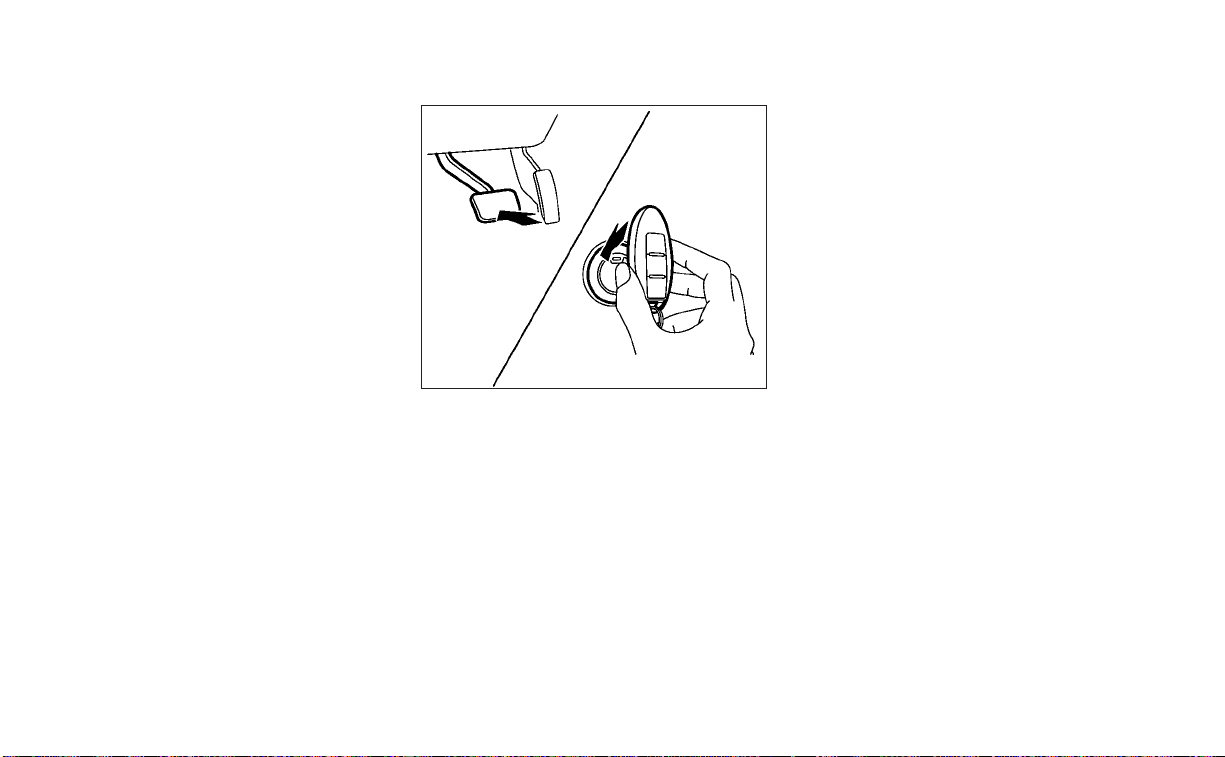
OFF
The ignition switch is in the OFF position
when the engine is turned off using the
ignition switch. The ignition switch heart
beat function (pulsed illumination) may ac-
tivate for a period of time when any door is
unlocked and when the door opened/
closed status changes in the OFF and ACC
positions.
EMERGENCY ENGINE SHUT OFF
To shut off the engine in an emergency
situation while driving, perform the follow-
ing procedure:
• Rapidly push the ignition switch three
consecutive times in less than 1.5 sec-
onds, or
• Push and hold the ignition switch for
more than 2 seconds.
NISSAN INTELLIGENT KEY®
BATTERY DISCHARGE
If the battery of the NISSAN Intelligent Key®
is discharged, or environmental conditions
interfere with the Intelligent Key operation,
start the engine according to the following
procedure:
1. Place the shift lever in the P (Park)
position.
2. Firmly apply the foot brake.
3. Touch the ignition switch with the Intel-
ligent Key as illustrated. (A chime will
sound.)
(After step 3 is performed, when the ig-
nition switch is pushed without de-
pressing the brake pedal, the ignition
switch position will change to ON.)
4. Push the ignition switch while depress-
ing the brake pedal within 10 seconds
after the chime sounds. The engine will
start.
NOTE:
• When the ignition switch is pushed to
the ON position or the engine is started
by the above procedure, the Intelligent
Key battery discharge indicator ap-
pears in the vehicle information dis-
play even when the Intelligent Key is
inside the vehicle. This is not a mal-
function. To turn off the Intelligent Key
battery discharge indicator, touch the
ignition switch with the Intelligent Key
again.
• If the Intelligent Key battery discharge
indicator appears, replace the battery
as soon as possible. For additional in-
formation, see “Battery replacement”
(P. 8-21).
SSD0860
Starting and driving 5-13

NISSAN VEHICLE IMMOBILIZER
SYSTEM
The NISSAN Vehicle Immobilizer System
will not allow the engine to start without
the use of the registered key.
If the engine fails to start using a registered
key (for example, when interference is
caused by another registered key, an auto-
mated toll road device or automatic pay-
ment device on the key ring), restart the
engine using the following procedure:
1. Leave the ignition switch in the ON posi-
tion for approximately 5 seconds.
2. Place the ignition switch in the OFF or
LOCK position, and wait approximately
10 seconds.
3. Repeat steps 1 and 2.
4. Restart the engine while holding the de-
vice (which may have caused the inter-
ference) separate from the registered
key.
If the no start condition re-occurs, NISSAN
recommends placing the registered key on
a separate key ring to avoid interference
from other devices.
• Make sure the area around the vehicle is
clear.
• Check fluid levels such as engine oil, cool-
ant, brake fluid, and window washer fluid
as frequently as possible, or at least
whenever you refuel.
• Check that all windows and lights are
clean.
• Visually inspect tires for their appearance
and condition. Also check tires for proper
inflation.
• Lock all doors.
• Position seat and adjust head
restraints/headrests.
• Adjust inside and outside mirrors.
• Fasten seat belts and ask all passengers
to do likewise.
• Check the operation of warning lights
when the ignition switch is pushed to the
ON position. For additional information,
see “Warning lights, indicator lights and
audible reminders” (P. 2-8).
1. Apply the parking brake.
2. Move the shift lever to P (Park) or N (Neu-
tral). P (Park) is recommended.
The starter is designed not to operate
if the shift lever is in any of the driving
positions.
3. Push the ignition switch to the ON posi-
tion. Depress the brake pedal and push
the ignition switch to start the engine.
To start the engine immediately, push
and release the ignition switch while de-
pressing the brake pedal with the igni-
tion switch in any position.
• If the engine is very hard to start in
extremely cold weather or when re-
starting, depress the accelerator
pedal a little (approximately 1/3 to the
floor) and while holding, crank the en-
gine. Release the accelerator pedal
when the engine starts.
• If the engine is very hard to start be-
cause it is flooded, depress the accel-
erator pedal all the way to the floor
and hold it. Push the ignition switch to
the ON position to start cranking the
engine. After 5 or 6 seconds, stop
cranking by pushing the ignition
switch to the LOCK position. After
BEFORE STARTING THE ENGINE STARTING THE ENGINE
5-14 Starting and driving

cranking the engine, release the accel-
erator pedal. Crank the engine with
your foot off the accelerator pedal by
depressing the brake pedal and push-
ing the ignition switch to start the en-
gine. If the engine starts, but fails to
run, repeat the above procedure.
CAUTION
Do not operate the starter for more
than 15 seconds at a time. If the engine
does not start, push the ignition switch
to the OFF position and wait 10 seconds
before cranking again, otherwise the
starter could be damaged.
4. Warm-up:
Allow the engine to idle for at least 30
seconds after starting. Do not race the
engine while warming it up. Drive at a
moderate speed for a short distance
first, especially in cold weather. In cold
weather, keep the engine running for a
minimum of 2 to 3 minutes before shut-
ting it off. Starting and stopping the en-
gine over a short period of time may
make the vehicle more difficult to start.
5. To stop the engine, move the shift lever
to the P (Park) position and push the
ignition switch to the OFF position.
NOTE:
Care should be taken to avoid situa-
tions that can lead to potential battery
discharge and potential no-start con-
ditions such as:
1. Installation or extended use of elec-
tronic accessories that consume bat-
tery power when the engine is not
running (phone chargers, GPS, DVD
players, etc.).
2. The vehicle is not driven regularly
and/or only driven short distances.
In these cases, the battery may need to
be charged to maintain battery health.
REMOTE ENGINE START
Vehicles started with the Remote Engine
Start require the ignition switch to be
placed in the ON position before the shift
lever can be moved from the P (Park) posi-
tion. To place the ignition switch in the ON
position, follow these steps:
1. Make sure that the Intelligent Key is on
you.
2. Apply the brake.
3. Push the ignition switch once to the ON
position.
For additional information, see “NISSAN In-
telligent Key®” (P. 3-2).
Starting and driving 5-15
CONTINUOUSLY VARIABLE
TRANSMISSION (CVT)
WARNING
• Do not depress the accelerator pedal
while shifting from P (Park) or N (Neu-
tral) to R (Reverse), D (Drive), or M
(Manual shift mode). Always depress
the brake pedal until shifting is com-
pleted. Failure to do so could cause
you to lose control and have an acci-
dent. It can also damage the vehicle.
• Cold engine idle speed is high, so use
caution when shifting into a forward
or reverse gear before the engine has
warmed up.
• Do not downshift abruptly on slip-
pery roads. This may cause a loss of
control.
• Never shift to either the P (Park) or R
(Reverse) position while the vehicle is
moving forward and P (Park) or D
(Drive) position while the vehicle is
reversing. This could cause an acci-
dent or damage the transmission.
CAUTION
• Except in an emergency, do not shift
to the N (Neutral) position while driv-
ing. Coasting with the transmission
in the N (Neutral) position may cause
serious damage to the transmission.
• To avoid possible damage to your ve-
hicle, when stopping the vehicle on
an uphill grade, do not hold the ve-
hicle by depressing the accelerator
pedal. The foot brake should be used
for this purpose.
The CVT in your vehicle is electronically
controlled to produce maximum power
and smooth operation.
The recommended operating procedures
for this transmission are shown on the fol-
lowing pages. Follow these procedures for
maximum vehicle performance and driv-
ing enjoyment.
NOTE:
Engine power may be automatically re-
duced to protect the CVT if the engine
speed increases quickly when driving on
slippery roads or while being tested on
some dynamometers.
Starting the vehicle
1. After starting the engine, fully depress
the foot brake pedal before moving the
shift lever out of the P (Park) position.
2. Keep the foot brake pedal depressed
and move the shift lever into a driving
gear.
3. Release the parking brake and the foot
brake pedal, then gradually start the ve-
hicle in motion.
4. Stop the vehicle completely before shift-
ing the shift lever to the P (Park) position.
LSD2354
DRIVING THE VEHICLE
5-16 Starting and driving
The Continuously Variable Transmission
is designed so the foot brake pedal MUST
be depressed before shifting from P
(Park) to any drive position while the ig-
nition switch is in the ON position.
The shift lever cannot be moved out of P
(Park) and into any of the other gear po-
sitions if the ignition switch is pushed to
the LOCK position.
WARNING
• Do not depress the accelerator pedal
while shifting from P (Park) or N (Neu-
tral) to R (Reverse), D (Drive), or M
(Manual shift mode). Always depress
the brake pedal until shifting is com-
pleted. Failure to do so could cause
you to lose control and have an acci-
dent. It can also damage the vehicle.
• Cold engine idle speed is high, so use
caution when shifting into a forward
or reverse gear before the engine has
warmed up.
• Do not downshift abruptly on slip-
pery roads. This may cause a loss of
control.
• Never shift to either the P (Park) or R
(Reverse) position while the vehicle is
moving forward and P (Park) or D
(Drive) position while the vehicle is
reversing. This could cause an acci-
dent or damage the transmission.
CAUTION
• Except in an emergency, do not shift
to the N (Neutral) position while driv-
ing. Coasting with the transmission
in the N (Neutral) position may cause
serious damage to the transmission.
• To avoid possible damage to your ve-
hicle, when stopping the vehicle on
an uphill grade, do no hold the ve-
hicle by depressing the accelerator
pedal. The foot brake should be used
for this purpose.
Shifting
To move the shift lever:
Press the button while depressing the
brake pedal
Press the button to shift
Shift without pressing the button
After starting the engine, fully depress the
brake pedal and move the shift lever from P
(Park) to any of the desired shift positions.
LSD2358
Starting and driving 5-17
WARNING
Apply the parking brake if the shift le-
ver is in any position while the engine is
not running. Failure to do so could
cause the vehicle to move unexpect-
edly or roll away and result in serious
personal injury or property damage.
P (Park)
CAUTION
To prevent transmission damage, use
the P (Park) position only when the ve-
hicle is completely stopped.
Use the P (Park) shift lever position when
the vehicle is parked or when starting the
engine. Make sure the vehicle is completely
stopped.
The brake pedal should be depressed to
move the shift lever from N (Neutral) or
any drive position to P (Park).
Apply the parking brake.When parking on a
hill, apply the parking brake first, then move
the shift lever into the P (Park) position.
R (Reverse)
CAUTION
To prevent transmission damage, use
the R (Reverse) position only when the
vehicle is completely stopped.
Use the R (Reverse) position to back up.
Make sure the vehicle is completely
stopped before selecting the R (Reverse)
position. The brake pedal must be de-
pressed to move the shift lever from P
(Park), N (Neutral) or any drive position to
R (Reverse).
N (Neutral)
Neither forward nor reverse gear is en-
gaged. The engine can be started in this
position. You may shift to N (Neutral) and
restart a stalled engine while the vehicle is
moving.
D (Drive)
Use this position for all normal forward
driving.
Manual shift mode
The transmission enters the manual shift
mode by moving the shift lever to the left
side in the “D” range. You can select the
manual shift range either by moving the
shift lever up or down, or by pulling the
right-side or left-side paddle shifter (if so
equipped). To cancel the manual shift
mode, return the shift lever to the right D
(Drive) position. The transmission returns
to automatic driving mode.
When the shift lever is shifted from D (Drive)
to the manual shift gate
O
A
with the vehicle
stopped or while driving, the transmission
LSD2359
Manual shift gate
5-18 Starting and driving

enters the manual shift mode. Shift ranges
can be selected manually. Shift ranges can
also be selected using the paddle shifters
(if so equipped) on the steering wheel
O
B
and
O
C
. When you pull the paddle shifter
while in the D (Drive) position, the transmis-
sion will shift to the upper or lower range
temporarily. If the paddle shifters are not
used for about 5–10 seconds, the transmis-
sion will automatically return to the D
(Drive) position. If you want to return to the
D (Drive) position manually, pull and hold
either paddle shifter for about 1.5 seconds.
In the manual shift mode, the shift range is
displayed on the position indicator in the
meter. When shifting the shift lever to the
manual shift gate, the position indicator
displays 1 (1st) up to 7 (7th) depending on
vehicle speed.
Shift ranges up or down one by one as
follows:
1⇔ 2 ⇔ 3 ⇔ 4 ⇔ 5 ⇔ 6 ⇔ 7
M7 (7th)
Use this position for all normal forward
driving at highway speeds.
M6 (6th) and M5 (5th)
Use this position when driving up long
slopes or for engine braking when driving
down long slopes.
M4 (4th), M3 (3rd) and M2 (2nd)
Use for hill climbing or engine braking on
downhill grades.
M1 (1st)
Use this position when climbing steep hills
slowly or driving slowly through deep snow,
sand or mud, or for maximum engine brak-
ing on steep downhill grades.
• Remember not to drive at high speeds for
extended periods of time in lower than
the 6th range. This reduces fuel economy.
When shifting up
Move the shift lever to the + (up) side. (Shifts
to higher range.)
When shifting down
Move the shift lever to the − (down) side.
(Shifts to lower range.)
• Moving the shift lever rapidly to the same
side twice will shift the ranges in
succession.
• The transmission will automatically
downshift the gears. (For example, if you
select the 3rd range, the transmission will
shift down between the 3rd and 1st
gears.)
When canceling the manual shift mode
Return the shift lever to the D (Drive) posi-
tion to return the transmission to the nor-
mal driving mode.
• In the manual shift mode, the trans-
mission may not shift to the selected
gear. This helps maintain driving per-
formance and reduces the chance of
vehicle damage or loss of control.
LSD2635
Paddle shifters (if so equipped)
Starting and driving 5-19

• When this situation occurs, the Con-
tinuously Variable Transmission (CVT)
position indicator light will blink and
the chime will sound.
• In the manual shift mode, the trans-
mission may shift up automatically to a
higher range than selected if the en-
gine speed is too high. When the ve-
hicle speed decreases, the transmis-
sion automatically shifts down and
shifts to 1st gear before the vehicle
comes to a stop.
• CVT operation is limited to automatic
drive mode when CVT fluid temperature
is extremely low even if manual shift
mode is selected. This is not a malfunc-
tion. When CVT fluid warms up, manual
mode can be selected.
• When the CVT fluid temperature is high,
the shift range may upshift in lower rpm
than usual. This is not a malfunction.
Accelerator downshift
— in D (Drive) position and manual
shift mode
For passing or hill climbing, depress the
accelerator pedal to the floor. This shifts
the transmission down into lower range,
depending on the vehicle speed.
High fluid temperature protection
mode
This transmission has a high fluid tem-
perature protection mode. If the fluid tem-
perature becomes too high (for example,
when climbing steep grades in high tem-
peratures with heavy loads, such as when
towing a trailer), engine power and, under
some conditions, vehicle speed will be de-
creased automatically to reduce the
chance of transmission damage. Vehicle
speed can be controlled with the accelera-
tor pedal, but the engine and vehicle speed
may be limited.
Fail-safe
If the vehicle is driven under ex treme
conditions, such as excessive wheel
spinning and subsequent hard braking,
the fail-safe system may be activated.
The Malfunction Indicator Light (MIL)
may come on to indicate the fail-safe
mode is activated. For additional infor-
mation, see “Malfunction Indicator Light
(MIL)” (P. 2-13). This will occur even if all
electrical circuits are functioning prop-
erly. In this case, place the ignition switch
in the OFF position and wait for 10 sec-
onds. Then place the ignition switch
back in the ON position. The vehicle
should return to its normal operating
condition. If it does not return to its nor-
mal operating condition, have the trans-
mission checked and repaired, if neces-
sary. It is recommended that you visit a
NISSAN dealer for this service.
WARNING
When the high fluid temperature pro-
tection mode or fail-safe operation oc-
curs, vehicle speed may be gradually
reduced. The reduced speed may be
lower than other traffic, which could in-
crease the chance of a collision. Be es-
pecially careful when driving. If neces-
sary, pull to the side of the road at a safe
place and allow the transmission to re-
turn to normal operation, or have it re-
paired if necessary.
5-20 Starting and driving
WARNING
• Be sure the parking brake is fully re-
leased before driving. Failure to do so
can cause brake failure and lead to
an accident.
• Do not release the parking brake
from outside the vehicle.
• Do not use the shift lever in place of
the parking brake. When parking, be
sure the parking brake is fully
engaged.
• To help avoid risk of injury or death
through unintended operation of the
vehicle and/or its systems, do not
leave children, people who require
the assistance of others or pets unat-
tended in your vehicle. Additionally,
the temperature inside a closed ve-
hicle on a warm day can quickly be-
come high enough to cause a signifi-
cant risk of injury or death to people
and pets.
To engage: Firmly depress the parking
brake.
To release:
1. Firmly apply the foot brake.
2. Move the shift lever to the P (Park)
position.
3. Firmly depress the parking brake pedal
and it will release.
4. Before driving, be sure the brake warn-
ing light goes out.
Two driving modes can be selected by us-
ing the Drive Mode Selector switch: NOR-
MAL and SPORT.
NOTE:
• When the Drive Mode Selector switch
selects a mode, the mode may not
switch quickly. This is not a
malfunction.
• NORMAL mode is the default drive
mode.
LSD2176 LSD3387
Drive Mode Selector switch
PARKING BRAKE DRIVE MODE SELECTOR
Starting and driving 5-21
NORMAL MODE
NORMAL mode is recommended for nor-
mal driving and is the default drive mode. If
SPORT mode is selected, then NORMAL
mode is canceled. Press the SPORT mode
button again to return to NORMAL mode.
The SPORT mode indicator in the vehicle
information display, and the indicator light
on the Drive Mode Selector switch will turn
off.
SPORT MODE
The SPORT mode adjusts the engine,
transmission, and steering to enhance
performance. Press the SPORT mode but-
ton to select this driving mode. The SPORT
mode indicator will appear in the vehicle
information display, and the indicator light
on the Drive Mode Selector switch will turn
on.
NOTE:
In the SPORT mode, fuel economy may
be reduced.
The TSR system provides the driver with
information about the most recently de-
tected speed limit. The system captures
the road sign information with the multi-
sensing front camera unit
O
A
located on
the windshield in front of the inside rear-
view mirror and displays the detected
signs in the vehicle information display. For
vehicles equipped with a navigation sys-
tem, the speed limit displayed is based on a
combination of navigation system data
and live camera recognition. TSR informa-
tion is always displayed at the top of the
vehicle information display if the system is
enabled in the Driver Assistance settings.
WARNING
The TSR system is only intended to be a
support device to provide the driver
with information. It is not a replace-
ment for the driver’s attention to traffic
conditions or responsibility to drive
safely. It cannot prevent accidents due
to carelessness. It is the driver’s re-
sponsibility to stay alert and drive
safely at all times.
LSD3425
TRAFFIC SIGN RECOGNITION (TSR) (if
so equipped)
5-22 Starting and driving
SYSTEM OPERATION
The Traffic Sign Recognition (TSR) system
displays the following types of road signs:
䊊
A
Speed sign detected (in Canada)
䊊
B
Speed sign detected (in USA)
䊊
C
Speed sign detected (no speed limit
detected)
䊊
D
“Do not pass” sign detected
CAUTION
• The TSR system is intended as an aid
to careful driving. It is the driver’s re-
sponsibility to stay alert, drive safely,
and observe all road regulations that
currently apply, including looking out
for road signs.
• The TSR system may not function
properly under the following
conditions:
– When the road sign is not clearly
visible, for example, due to dam-
age or weather conditions.
– When rain, snow or dirt adheres to
the windshield in front of the
multi-sensing camera unit.
– When the headlights are not
bright due to dirt on the lens or if
the aiming is not adjusted
properly.
– When strong light enters the cam-
era unit. (For example, the light di-
rectly shines on the front of the
vehicle at sunrise or sunset.)
– When a sudden change in bright-
ness occurs. (For example, when
the vehicle enters or exits a tunnel
or under a bridge.)
– In areas not covered by the navi-
gation system.
– If there are deviations in relation
to the navigation, for example due
to changes in the road routing.
– When overtaking buses or trucks
with speed stickers.
LSD3377 LSD3378
Starting and driving 5-23

TURNING THE TRAFFIC SIGN
RECOGNITION (TSR) SYSTEM ON
AND OFF
Perform the following steps to enable or
disable the TSR system.
1. Press the
button until “Settings” dis-
plays in the vehicle information display
and then press the OK button. Use the
button to select “Driver Assistance.”
Then press the OK button.
2. Select “Speed Limit Sign” and press the
OK button to turn the system on or off.
• Enabling the Speed Limit Sign screen
from the Main Menu selection will also
turn on the Traffic Sign Recognition
system.
SYSTEM TEMPORARILY
UNAVAILABLE
If the vehicle is parked in direct sunlight
under high temperature conditions (over
approximately 104°F [40°C]) and then
started, the TSR system may be deacti-
vated automatically. The “Unavailable: High
Cabin Temperature” warning message will
appear in the vehicle information display.
Action to take:
When the interior temperature is reduced,
the TSR system will resume operating
automatically.
SYSTEM MALFUNCTION
If the TSR system malfunctions, it will be
turned off automatically and the LDW indi-
cator (orange) will illuminate in the vehicle
information display.
Action to take:
If the LDW indicator (orange) illuminates in
the display, pull off the road at a safe loca-
tion and stop the vehicle. Turn the engine
off and restart the engine. If the LDW indi-
cator (orange) continues to illuminate,
have the system checked. It is recom-
mended that you visit a NISSAN dealer for
this service.
SYSTEM MAINTENANCE
The TSR system uses the same multi-
sensing front camera unit that is used by
the Lane Departure Warning (LDW) system,
located in front of the interior rearview mir-
ror. For additional information, see ”System
maintenance” (P. 5-29).
LSD3346
5-24 Starting and driving

WARNING
Failure to follow the warnings and in-
structions for proper use of the LDW
system could result in serious injury or
death.
• This system is only a warning device
to inform the driver of a potential un-
intended lane departure. It will not
steer the vehicle or prevent loss of
control. It is the driver’s responsibility
to stay alert, drive safely, keep the
vehicle in the traveling lane, and be in
control of the vehicle at all times.
The LDW system will operate when the ve-
hicle is driven at speeds of approximately
37 mph (60 km/h) and above, and only
when the lane markings are clearly visible
on the road.
The LDW system monitors the lane mark-
ers on the traveling lane using the camera
unit
O
A
located above the inside mirror.
The LDW system warns the driver that the
vehicle is beginning to leave the driving
lane with an indicator and a steering wheel
vibration. For additional information, see
“LDW system operation” (P. 5-26).
LSD3425
LANE DEPARTURE WARNING (LDW)
Starting and driving 5-25

LDW SYSTEM OPERATION
䊊
1
Lane Departure Warning (LDW)
indicator
The LDW system provides a lane departure
warning function when the vehicle is driven
at speeds of approximately 37 mph (60
km/h) and above and the lane markings
are clear. When the vehicle approaches ei-
ther the left or the right side of the traveling
lane, the steering wheel will vibrate and the
LDW indicator on the instrument panel will
blink to alert the driver.
The warning function will stop when the
vehicle returns inside of the lane markers.
LSD3383
5-26 Starting and driving

HOW TO ENABLE/DISABLE THE
LDW SYSTEM
Perform the following steps to enable or
disable the LDW system.
Using the “Settings” in the vehicle infor-
mation display:
1. Press the
buttons until “Settings”
displays in the vehicle information dis-
play and then press the OK button. Use
the
button to select “Driver Assis-
tance.” Then press the OK button.
2. Select “Lane” and press the OK button.
3. Select “Lane Departure Warning” and
press the OK button to turn the system
on or off.
Using the “Driving Aids” screen in the ve-
hicle information display:
1. Use the
buttons on the steering
wheel to scroll to the Driving Aids screen.
2. Press the OK button to access the Driver
Assistance menu.
3. Select “Lane Warning” and press the OK
button.
4. Press the
buttons to return to the
Driving Aids screen.
LSD3347
Starting and driving 5-27

LDW SYSTEM LIMITATIONS
WARNING
Listed below are the system limitations
for the LDW system. Failure to follow
the warnings and instructions for
proper use of the LDW system could re-
sult in serious injury or death.
• The system will not operate at
speeds below approximately 37 mph
(60 km/h) or if it cannot detect lane
markers.
• Do not use the LDW system under the
following conditions as it may not
function properly:
– During bad weather (rain, fog,
snow, etc.).
– When driving on slippery roads,
such as on ice or snow.
– When driving on winding or un-
even roads.
– When there is a lane closure due to
road repairs.
– When driving in a makeshift or
temporary lane.
– When driving on roads where the
lane width is too narrow.
– When driving without normal tire
conditions (for example, tire wear,
low tire pressure, installation of
spare tire, tire chains, nonstan-
dard wheels).
– When the vehicle is equipped with
non-original brake parts or sus-
pension parts.
– When you are towing a trailer or
other vehicle.
• The system may not function prop-
erly under the following conditions:
– On roads where there are multiple
parallel lane markers; lane mark-
ers that are faded or not painted
clearly; yellow painted lane mark-
ers; non-standard lane markers;
or lane markers covered with wa-
ter, dirt, snow, etc.
– On roads where the discontinued
lane markers are still detectable.
– On roads where there are sharp
curves.
–
On roads where there are sharply
contrasting objects, such as shad-
ows, snow, water, wheel ruts, seams
or lines remaining after road re-
pairs. (The LDW system could detect
these items as lane markers.)
– On roads where the traveling lane
merges or separates.
– When the vehicle’s traveling direc-
tion does not align with the lane
marker.
– When traveling close to the ve-
hicle in front of you, which ob-
structs the lane camera unit de-
tection range.
– When rain, snow, dirt or an object
adheres to the windshield in front
of the lane camera unit.
– When the headlights are not
bright due to dirt on the lens or if
the aiming is not adjusted
properly.
– When strong light enters the lane
camera unit. (For example, the
light directly shines on the front of
the vehicle at sunrise or sunset.)
– When a sudden change in bright-
ness occurs. (For example, when
the vehicle enters or exits a tunnel
or under a bridge.)
5-28 Starting and driving

SYSTEM TEMPORARILY
UNAVAILABLE
If the vehicle is parked in direct sunlight
under high temperature conditions (over
approximately 104°F [40°C]) and then
started, the LDW system may be deacti-
vated automatically and the following
message will appear in the vehicle infor-
mation display: “Unavailable: High Cabin
Temperature.”
When the interior temperature is reduced,
the LDW system will resume operating
automatically.
The LDW system is not designed to warn
under the following conditions:
• When you operate the lane change signal
and change traveling lanes in the direc-
tion of the signal. (The LDW system will
become operable again approximately 2
seconds after the lane change signal is
turned off.)
• When the vehicle speed lowers to less
than approximately 37 mph (60 km/h).
After the above conditions have finished
and the necessary operating conditions
are satisfied, the LDW functions will resume.
SYSTEM MALFUNCTION
If the LDW system malfunctions, it will can-
cel automatically. The LDW indicator (or-
ange) will illuminate in the display. If the
LDW indicator (orange) illuminates in the
display, pull off the road to a safe location
and stop the vehicle. Turn the engine/
motor off and restart the engine/motor. If
the LDW indicator (orange) continues to il-
luminate, have the LDW system checked. It
is recommended that you visit a NISSAN
dealer for this service.
SYSTEM MAINTENANCE
The lane camera unit
O
1
for the LDW sys-
tem is located above the inside mirror. To
keep the proper operation of the LDW sys-
tem and prevent a system malfunction, be
sure to observe the following:
• Always keep the windshield clean.
• Do not attach a sticker (including trans-
parent material) or install an accessory
near the camera unit.
LSD3375
Starting and driving 5-29
• Do not place reflective materials, such as
white paper or a mirror, on the instru-
ment panel. The reflection of sunlight
may adversely affect the camera unit’s
capability of detecting the lane markers.
• Do not strike or damage the areas
around the camera unit. Do not touch the
camera lens or remove the screw located
on the camera unit. If the camera unit is
damaged due to an accident, it is recom-
mended that you visit a NISSAN dealer.
WARNING
Failure to follow the warnings and in-
structions for proper use of the I-LI sys-
tem could result in serious injury or
death.
• The I-LI system will not steer the ve-
hicle or prevent loss of control. It is
the driver’s responsibility to stay
alert, drive safely, keep the vehicle in
the traveling lane, and be in control of
the vehicle at all times.
• The I-LI system is primarily intended
for use on well-developed freeways
or highways. It may not detect the
lane markers in certain road,
weather, or driving conditions.
The I-LI system can be turned on with the
dynamic driver assistance switch on the
lower left panel, every time the ignition is
placed in the ON position.
The I-LI system will operate when the ve-
hicle is driven at speeds of approximately
37 mph (60 km/h) and above, and only
when the lane markings are clearly visible
on the road.
The I-LI system warns the driver when the
vehicle has left the center of the traveling
lane with an indicator and a steering wheel
vibration. The system helps assist the
driver to return the vehicle to the center of
the traveling lane by applying the brakes to
the left or right wheels individually (for a
short period of time).
The I-LI system monitors the lane markers
on the traveling lane using the camera unit
O
A
located above the inside mirror.
LSD3425
INTELLIGENT LANE INTERVENTION
(I-LI) (if so equipped)
5-30 Starting and driving

I-LI SYSTEM OPERATION
䊊
1
Lane Departure Warning (LDW) indica-
tor (orange/green)
䊊
2
Dynamic driver assistance switch
The I-LI system operates above approxi-
mately 37 mph (60 km/h). When the vehicle
approaches either the left or the right side
of the traveling lane, the steering wheel will
vibrate and the LDW indicator (orange) on
the instrument panel will blink to alert the
driver. Then, the I-LI system will automati-
cally apply the brakes for a short period of
time to help assist the driver to return the
vehicle to the center of the traveling lane.
To turn on the I-LI system, push the dy-
namic driver assistance switch after start-
ing the engine/motor. The LDW indicator
(green) on the instrument panel will illumi-
nate. Push the dynamic driver assistance
switch again to turn off the I-LI system. The
LDW indicator (green) will turn off.
LSD3585
Starting and driving 5-31
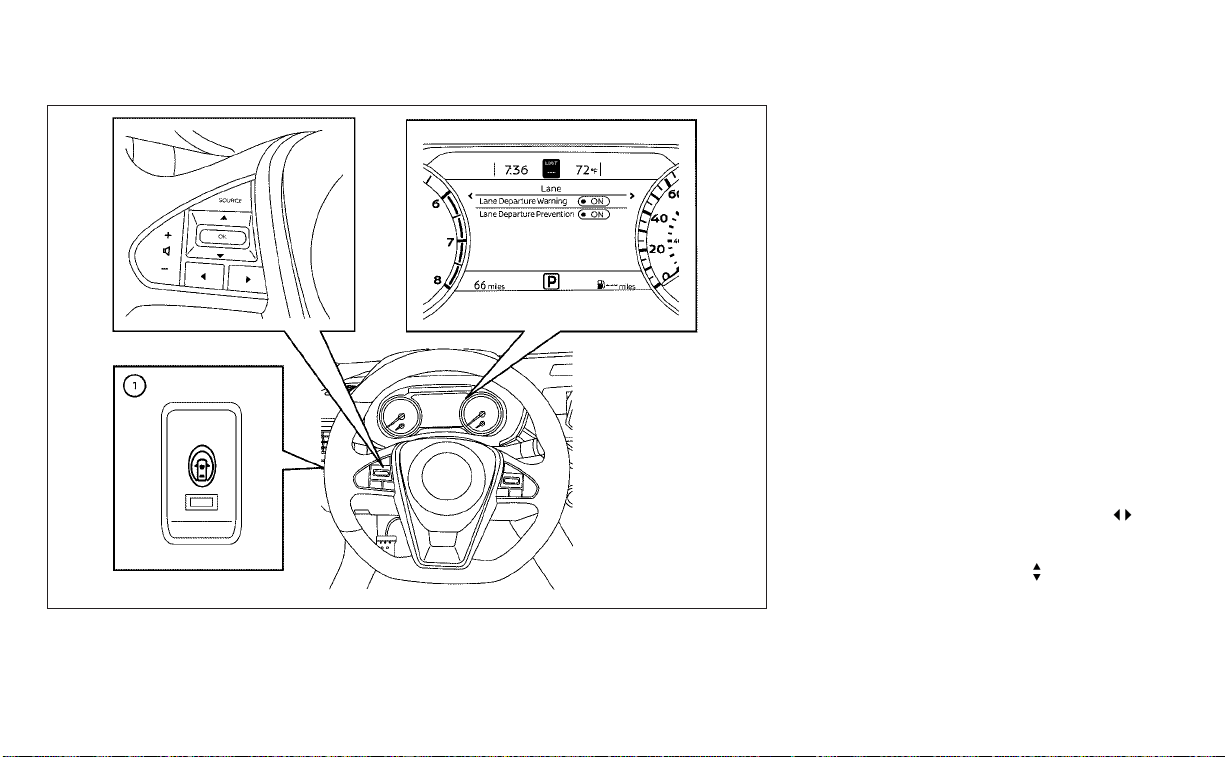
HOW TO ENABLE/DISABLE THE I-LI
SYSTEM
The I-LI system can be turned on or off
using the dynamic driver assistance switch
on the instrument panel or “Settings” in the
vehicle information display.
When the system is off, the indicator light
on the dynamic driver assistance switch
O
1
turns off and the LDW indicator (green)
turns off.
Using dynamic driver assistance switch:
To turn on the I-LI system, push the dy-
namic driver assistance switch on the in-
strument panel after starting the engine.
The LDW indicator (green) on the vehicle
information display will appear.
Push the dynamic driver assistance switch
again to turn off the I-LI system.
The LDW indicator (green) on the vehicle
information display will turn off.
The I-LI system will be automatically turned
off when the engine is turned off.
Using “Settings” in the vehicle informa-
tion display:
1. After starting the engine, press the
buttons until “Settings” displays in the ve-
hicle information display and then press
the OK button. Use the
button to
select “Driver Assistance.” Then press the
OK button.
2. Select “Lane” and press the OK button.
LSD3403
5-32 Starting and driving

3. Select “Lane Departure Prevention” and
press the OK button to turn the system
on or off.
Using “Driving Aids” screen in the vehicle
information display:
1. Use the
buttons on the steering
wheel to scroll to the Driving Aids screen.
2. Press the OK button to access the Driv-
ing Aids menu.
3. Select “Lane” and press the OK button
until “Lane Prevent” is displayed.
4. Press the
buttons to return to the
Driving Aids screen.
I-LI SYSTEM LIMITATIONS
WARNING
Listed below are the system limitations
for the I-LI system. Failure to follow the
warnings and instructions for proper
use of the I-LI system could result in
serious injury or death.
• The I-LI system may activate if you
change lanes without first activating
your turn signal or, for example, if a
construction zone directs traffic to
cross an existing lane marker. If this
occurs you may need to apply correc-
tive steering to complete your lane
change.
• Because the I-LI may not activate un-
der the road, weather, and lane
marker conditions described in this
section, it may not activate every
time your vehicle begins to leave its
lane and you will need to apply cor-
rective steering.
• When the I-LI system is operating,
avoid excessive or sudden steering
maneuvers. Otherwise, you could
lose control of the vehicle.
• The I-LI system will not operate at
speeds below approximately 37 mph
(60 km/h) or if it cannot detect lane
markers.
• Do not use the I-LI system under the
following conditions as it may not
function properly:
– During bad weather (rain, fog,
snow, etc.).
– When driving on slippery roads,
such as on ice or snow.
– When driving on winding or un-
even roads.
– When there is a lane closure due to
road repairs.
– When driving in a makeshift or
temporary lane.
– When driving on roads where the
lane width is too narrow.
– When driving without normal tire
conditions (for example, tire wear,
low tire pressure, installation of
spare tire, tire chains, non-
standard wheels).
– When the vehicle is equipped with
nonoriginal brake parts or sus-
pension parts.
– When you are towing a trailer or
other vehicle.
– On roads where there are multiple
parallel lane markers; lane mark-
ers that are faded or not painted
clearly; yellow painted lane mark-
ers; non-standard lane markers;
or lane markers covered with wa-
ter, dirt, snow, etc.
– On roads where discontinued lane
markers are still detectable.
Starting and driving 5-33

– On roads where there are sharp
curves.
– On roads where there are sharply
contrasting objects, such as shad-
ows, snow, water, wheel ruts,
seams or lines remaining after
road repairs. (The I-LI system
could detect these items as lane
markers.)
– On roads where the traveling lane
merges or separates.
– When the vehicle’s traveling direc-
tion does not align with the lane
marker.
– When traveling close to the ve-
hicle in front of you, which ob-
structs the lane camera unit de-
tection range.
– When rain, snow or dirt adheres to
the windshield in front of the lane
camera unit.
– When the headlights are not
bright due to dirt on the lens or if
the aiming is not adjusted
properly.
– When strong light enters the lane
camera unit. (For example, the
light directly shines on the front of
the vehicle at sunrise or sunset.)
– When a sudden change in bright-
ness occurs. (For example, when
the vehicle enters or exits a tunnel
or under a bridge.)
While the I-LI system is operating, you may
hear a sound of brake operation. This is
normal and indicates that the I-LI system is
operating properly.
SYSTEM TEMPORARILY
UNAVAILABLE
Condition A:
The warning and assist functions of the I-LI
system are not designed to work under the
following conditions:
• When you operate the lane change signal
and change the traveling lanes in the di-
rection of the signal. (The I-LI system will
be deactivated for approximately 2 sec-
onds after the lane change signal is
turned off.)
• When the vehicle speed lowers to less
than approximately 37 mph (60 km/h).
After the above conditions have finished
and the necessary operating conditions
are satisfied, the warning and assist func-
tions will resume.
Condition B:
The assist function of the I-LI system is not
designed to work under the following con-
ditions (warning is still functional):
• When the brake pedal is depressed.
•
When the steering wheel is turned as far as
necessary for the vehicle to change lanes.
• When the vehicle is accelerated during
I-LI system operation.
• When the Intelligent Cruise Control (ICC)
approach warning occurs.
• When the hazard warning flashers are
operated.
• When driving on a curve at high speed.
After the above conditions have finished
and the necessary operating conditions
are satisfied, the I-LI system application of
the brakes will resume.
Condition C:
If the following messages appear in the
vehicle information display, the I-LI system
will be turned off automatically.
• “Unavailable Road is Slippery”:
When the VDC system (except Traction
Control System [TCS] function) or ABS
operates.
• “Currently Unavailable”:
When the VDC system is turned off.
5-34 Starting and driving

Action to take:
When the above conditions no longer exist,
turn off the I-LI system. Push the dynamic
driver assistance switch again to turn the
I-LI system back on.
Temporary disabled status at high
temperature:
If the vehicle is parked in direct sunlight
under high temperature conditions (over
approximately 104°F [40°C]) and then the
I-LI system is turned on, the I-LI system
may be deactivated automatically and the
following message will appear on the ve-
hicle information display: “Unavailable: High
Cabin Temperature.” When the interior
temperature is reduced, the system will re-
sume operating automatically.
SYSTEM MALFUNCTION
If the I-LI system malfunctions, it will cancel
automatically. The LDW indicator (orange)
will illuminate in the display. If the LDW indi-
cator (orange) illuminates in the display,
pull off the road to a safe location and stop
the vehicle. Turn the engine/motor off and
restart the engine/motor. If the LDW indica-
tor (orange) continues to illuminate, have
the I-LI system checked. It is recom-
mended that you visit a NISSAN dealer for
this service.
SYSTEM MAINTENANCE
The lane camera unit
O
1
for the I-LI system
is located above the inside mirror. To keep
the proper operation of the I-LI system and
prevent a system malfunction, be sure to
observe the following:
• Always keep the windshield clean.
• Do not attach a sticker (including trans-
parent material) or install an accessory
near the camera unit.
• Do not place reflective materials, such as
white paper or a mirror, on the instru-
ment panel. The reflection of sunlight
may adversely affect the camera unit’s
capability of detecting the lane markers.
• Do not strike or damage the areas
around the camera unit. Do not touch the
camera lens or remove the screw located
on the camera unit. If the camera unit is
damaged due to an accident, it is recom-
mended that you visit a NISSAN dealer.
LSD3375
Starting and driving 5-35
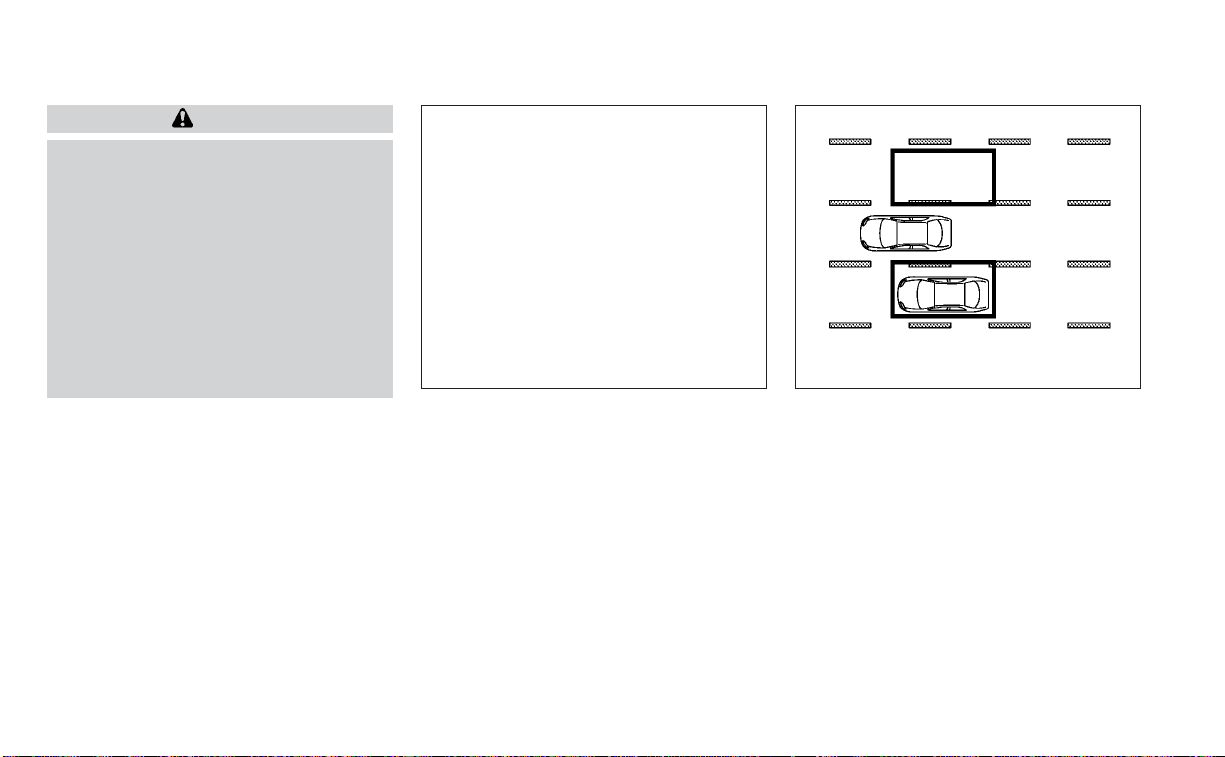
WARNING
Failure to follow the warnings and in-
structions for proper use of the BSW
system could result in serious injury or
death.
• The BSW system is not a replacement
for proper driving procedures and is
not designed to prevent contact with
vehicles or objects. When changing
lanes, always use the side and rear
mirrors and turn and look in the di-
rection your vehicle will move to en-
sure it is safe to change lanes. Never
rely solely on the BSW system.
The BSW system helps alert the driver of
other vehicles in adjacent lanes when
changing lanes.
The BSW system uses radar sensors
O
1
installed near the rear bumper to detect
other vehicles in an adjacent lane.
The radar sensors can detect vehicles on
either side of your vehicle within the detec-
tion zone shown as illustrated. This detec-
tion zone starts from the outside mirror of
your vehicle and extends approximately 10
ft (3.0 m) behind the rear bumper, and ap-
proximately 10 ft (3.0 m) sideways.
LSD3379 SSD1030
Detection zone
BLIND SPOT WARNING (BSW)
5-36 Starting and driving

1. Side BSW/RCTA Indicator Light
2. BSW/RCTA Indicator
BSW SYSTEM OPERATION
The BSW system operates above approxi-
mately 20 mph (32km/h).
If the radar sensors detect a vehicle in the
detection zone, the side BSW/RCTA indica-
tor light (1) illuminates. If the turn signal is
then activated, the system chimes (twice)
and the side BSW/RCTA indicator light
flashes. The side BSW/RCTA indicator light
continues to flash until the detected ve-
hicle leaves the detection zone.
The side BSW/RCTA indicator light illumi-
nates for a few seconds when the ignition
switch is placed in the ON position.
The brightness of the side BSW/RCTA indi-
cator light is adjusted automatically de-
pending on the brightness of the ambient
light.
If a vehicle comes into the detection zone
after the driver activates the turn signal,
then only the side BSW/RCTA indicator light
flashes and no chime sounds. For addi-
tional information, see “BSW driving situa-
tions” (P. 5-40).
The BSW system automatically turns on
every time the engine is started, as long as
it is activated using the settings menu on
the vehicle information display.
LSD2417
Starting and driving 5-37

HOW TO ENABLE/DISABLE THE
BSW SYSTEM
Perform the following steps to enable or
disable the BSW system.
Using the “Settings” in the vehicle infor-
mation display:
1. Press the
buttons until “Settings”
displays in the vehicle information dis-
play and then press the OK button. Use
the
button to select “Driver Assis-
tance.” Then press the OK button.
2. Select “Blind Spot” and press the OK
button.
Using the “Driving Aids” screen in the ve-
hicle information display:
1. Use the
buttons on the steering
wheel to scroll to the Driving Aids screen.
2. Press the OK button to access the Driv-
ing Aids menu.
3. Select “Blind Spot” and press the OK to
change the Driving Aids setting.
NOTE:
• When enabling/disabling the system,
the system will retain current settings
even if the engine is restarted.
• The RCTA system is integrated into the
BSW system. There is not a separate
selection in the vehicle information
display for the RCTA system. When the
BSW is disabled, the RCTA system is
also disabled.
LSD3350
5-38 Starting and driving

• When the BSW system is turned on, the
BSW/RCTA indicator (white) in the ve-
hicle information display illuminates.
BSW SYSTEM LIMITATIONS
WARNING
Listed below are the system limitations
for the BSW system. Failure to operate
the vehicle in accordance with these
system limitations could result in seri-
ous injury or death.
• The BSW system cannot detect all ve-
hicles under all conditions.
• The radar sensors may not be able to
detect and activate BSW when cer-
tain objects are present such as:
– Pedestrian, bicycles, animals.
– Vehicles such as motorcycles, low
height vehicles, or high ground
clearance vehicles.
– Oncoming vehicles.
– Vehicles remaining in the detec-
tion zone when you accelerate
from a stop.
– A vehicle merging into an adjacent
lane at a speed approximately the
same as your vehicle.
– A vehicle approaching rapidly
from behind.
– A vehicle which your vehicle over-
takes rapidly.
– A vehicle that passes through the
detection zone quickly.
– When overtaking several vehicles
in a row, the vehicles after the first
vehicle may not be detected if
they are traveling close together.
• The radar sensors’ detection zone is
designed based on a standard lane
width. When driving in a wider lane,
the radar sensors may not detect ve-
hicles in an adjacent lane. When driv-
ing in a narrow lane, the radar sen-
sors may detect vehicles driving two
lanes away.
• The radar sensors are designed to ig-
nore most stationary objects; how-
ever, objects such as guardrails,
walls, foliage and parked vehicles
may occasionally be detected. This is
a normal operation condition.
• The following conditions may reduce
the ability of the radar to detect other
vehicles:
– Severe weather
– Road spray
– Ice/frost/snow/dirt build-up on
the vehicle
• Do not attach stickers (including
transparent material), install acces-
sories or apply additional paint near
the radar sensors. These conditions
may reduce the ability of the radar to
detect other vehicles.
• Excessive noise (for example, audio
system volume, open vehicle win-
dow) will interfere with the chime
sound, and it may not be heard.
Starting and driving 5-39

BSW DRIVING SITUATIONS
Indicator on
Indicator off
Indicator flashing
Another vehicle approaching
from behind
Illustration 1: The side BSW/RCTA indicator
light illuminates if a vehicle enters the de-
tection zone from behind in an adjacent
lane.
Illustration 2: If the driver activates the
turn signal when another vehicle is in the
detection zone, then the system chimes
(twice) and the side BSW/RCTA indicator
light flashes.
NOTE:
• The radar sensors may not detect ve-
hicles which are approaching rapidly
from behind.
• If the driver activates the turn signal
before a vehicle enters the detection
zone, the side BSW/RCTA indicator
light will flash but no chime will sound
when the other vehicle is detected.
LSD2299
Illustration 1 – Approaching from behind
LSD2300
Illustration2–Approaching from behind
5-40 Starting and driving

Overtaking another vehicle
Illustration 3: The side BSW/RCTA indica-
tor light illuminates if you overtake a ve-
hicle and that vehicle stays in the detection
zone for approximately 2 seconds.
Illustration 4: If the driver activates the
turn signal while another vehicle is in the
detection zone, then the system chimes
(twice) and the side BSW/RCTA indicator
light flashes.
NOTE:
• When overtaking several vehicles in a
row, the vehicles after the first vehicle
may not be detected if they are travel-
ing close together.
• The radar sensors may not detect
slower moving vehicles if they are
passed quickly.
• If the driver activates the turn signal
before a vehicle enters the detection
zone, the side BSW/RCTA indicator
light will flash but no chime will sound
when the other vehicle is detected.
LSD2302
Illustration3–Overtaking another
vehicle
LSD2303
Illustration4–Overtaking another
vehicle
Starting and driving 5-41

Entering from the side
Illustration 5: The side BSW/RCTA indicator
light illuminates if a vehicle enters the de-
tection zone from either side.
Illustration 6: If the driver activates the
turn signal while another vehicle is in the
detection zone, then the system chimes
(twice) and the side BSW/RCTA indicator
light flashes.
NOTE:
• If the driver activates the turn signal
before a vehicle enters the detection
zone, the side BSW/RCTA indicator
light will flash but no chime will sound
when the other vehicle is detected.
• The radar sensors may not detect a ve-
hicle which is traveling at about the
same speed as your vehicle when it en-
ters the detection zone.
LSD2305
Illustration 5 – Entering from the side
LSD2308
Illustration 6 – Entering from the side
5-42 Starting and driving

SYSTEM TEMPORARILY
UNAVAILABLE
When radar blockage is detected, the sys-
tem will be deactivated automatically. The
“Side Radar Obstruction” warning message
will appear and the BSW/RCTA indicator
(white) will blink
O
A
in the vehicle informa-
tion display.
The system is not available until the condi-
tions no longer exist.
The radar sensors may be blocked by tem-
porary ambient conditions such as splash-
ing water, mist or fog. The blocked condi-
tion may also be caused by objects such as
ice, frost or dirt obstructing the radar
sensors.
NOTE:
If the BSW system stops working, the
RCTA system will also stop working.
Action to take:
When the above conditions no longer exist,
the system will resume automatically.
Malfunction
If the BSW system malfunctions, it will turn
off automatically. The BSW/RCTA indicator
(orange) will appear in the vehicle informa-
tion display.
LSD2416
Starting and driving 5-43

NOTE:
If the BSW system stops working, the
RCTA system will also stop working.
Action to take:
Stop the vehicle in a safe location, place the
vehicle in the P (Park) position, turn the en-
gine off and restart the engine. If the mes-
sage continues to appear, have the system
checked. It is recommended that you visit a
NISSAN dealer for this service.
SYSTEM MAINTENANCE
The two radar sensors
O
1
for the BSW and
RCTA systems are located near the rear
bumper. Always keep the area near the ra-
dar sensors clean.
The radar sensors may be blocked by tem-
porary ambient conditions such as splash-
ing water, mist or fog.
The blocked condition may also be caused
by objects such as ice, frost or dirt ob-
structing the radar sensors.
Check for and remove objects obstructing
the area around the radar sensors.
Do not attach stickers (including transpar-
ent material), install accessories or apply
additional paint near the radar sensors.
Do not strike or damage the area around
the radar sensors. It is recommended that
you visit a NISSAN dealer if the area around
the radar sensors is damaged due to a
collision.
Radio frequency statement
For USA
FCC ID: OAYSRR2B or OAYSRR3B
This device complies with Part 15 of the FCC
Rules.
Operation is subject to the following two
conditions:
1. This device may not cause harmful inter-
ference, and
2. This device must accept any interfer-
ence received, including interference
that may cause undesired operation.
LSD3379
5-44 Starting and driving

FCC Warning
Changes or modifications not expressly
approved by the party responsible for
compliance could void the user’s authority
to operate the equipment.
For Canada
Applicable law: Canada 310
This device contains licence-exempt
transmitter(s)/receiver(s) that comply with
Innovation, Science and Economic Devel-
opment Canada’s licence-exempt RSS(s).
Operation is subject to the following two
conditions:
1. This device may not cause interference.
2. This device must accept any interfer-
ence, including interference that may
cause undesired operation of the
device.
Radiofrequency radiation exposure
information:
This equipment complies with radiation
exposure limits set forth for an uncon-
trolled environment. This equipment
should be installed and operated with
minimum distance of 20 cm between the
radiator and your body.
Droit applicable: Canada 310
L’émetteur/récepteur exempt de licence
contenu dans le présent appareil est con-
forme aux CNR d’Innovation, Sciences et
Développement économique Canada ap-
plicables aux appareils radio exempts de
licence. L’exploitation est autorisée aux
deux conditions suivantes:
1. L’appareil ne doit pas produire de
brouillage;
2. L’appareil doit accepter tout brouillage
radioélectrique subi, même si le brouil-
lage est susceptible d’en compromettre
le fonctionnement.
Informations sur l'exposition aux rayonne-
ments radiofréquences:
Cet équipement est conforme aux limites
d'exposition aux rayonnements définies
pour un environnement non être installé et
utilisé avec un minimum de 20 cm decon-
trôlé. Cet équipement doit distance entre la
source de rayonnement et votre corps.
WARNING
Failure to follow the warnings and in-
structions for proper use of the RCTA
system could result in serious injury or
death.
• The RCTA system is not a replace-
ment for proper driving procedures
and is not designed to prevent con-
tact with vehicles or objects. When
backing out of a parking space, al-
ways use the side and rear mirrors
and turn and look in the direction
your vehicle will move. Never rely
solely on the RCTA system.
The RCTA system will assist you when
backing out from a parking space. When
the vehicle is in reverse, the system is de-
signed to detect other vehicles approach-
ing from the right or left of the vehicle. If the
system detects cross traffic, it will alert you.
REAR CROSS TRAFFIC ALERT (RCTA)
Starting and driving 5-45

RCTA SYSTEM OPERATION
1. Side BSW/RCTA Indicator Light
2. BSW/RCTA Indicator
The RCTA system can help alert the driver
of an approaching vehicle when the driver
is backing out of a parking space.
When the shift position is in R (Reverse) and
the vehicle speed is less than approxi-
mately 5 mph (8 km/h), the RCTA system is
operational.
If the radar detects an approaching vehicle
from either side, the system chimes (once)
and the side BSW/RCTA indicator light
flashes on the side the vehicle is approach-
ing from.
LSD2417
5-46 Starting and driving

The RCTA system uses radar sensors
O
1
installed on both sides near the rear bum-
per to detect an approaching vehicle.
The radar sensors
O
1
can detect an ap-
proaching vehicle from up to approxi-
mately 66 ft. (20 m) away.
LSD2216 LSD3379
Starting and driving 5-47

HOW TO ENABLE/DISABLE THE
RCTA SYSTEM
Perform the following steps to enable or
disable the RCTA system.
Using the “Settings” in the vehicle infor-
mation display:
1. Press the
buttons until “Settings”
displays in the vehicle information dis-
play and then press the OK button. Use
the
button to select “Driver Assis-
tance.” Then press the OK button.
2. Select “Blind Spot” and press the OK
button.
When the BSW system is turned on, the
BSW/RCTA indicator (white) in the vehicle
information display illuminates.
Using the “Driving Aids” screen in the ve-
hicle information display:
1. Use the
buttons on the steering
wheel to scroll to the Driving Aids screen.
2. Press the OK button to access the Driv-
ing Aids menu.
3. Select “Blind Spot” and press the OK but-
ton to change the Driving Aids setting.
LSD3350
5-48 Starting and driving

NOTE:
• The RCTA system is integrated into the
BSW system. There is not a separate
selection in the vehicle information
display for the RCTA system. When the
BSW is disabled, the RCTA system is
also disabled.
• When enabling/disabling the system,
the system setting will be retained
even if the engine is restarted.
RCTA SYSTEM LIMITATIONS
LSD3195
Starting and driving 5-49

WARNING
Listed below are the system limitations
for the RCTA system. Failure to operate
the vehicle in accordance with these
system limitations could result in seri-
ous injury or death.
• Always check surroundings and turn
to check what is behind you before
backing up. The radar sensors detect
approaching (moving) vehicles. The
radar sensors cannot detect every
object such as:
– Pedestrians, bicycles, motor-
cycles, animals or child-operated
toy vehicles
– A vehicle that is passing at speeds
greater than approximately 19
mph (30 km/h)
– A vehicle that is passing at speeds
lower than approximately 5 mph
(8 km/h)
• The radar sensors may not detect
approaching vehicles in certain situ-
ations:
– Illustration
O
A
: When a vehicle
parked next to you obstructs the
beam of the radar sensor.
– Illustration
O
B
: When the vehicle is
parked in an angled parking
space.
– Illustration
O
C
: When the vehicle is
parked on inclined ground.
– Illustration
O
D
: When an ap-
proaching vehicle turns into your
vehicle's parking lot aisle.
– Illustration
O
E
: When the angle
formed by your vehicle and ap-
proaching vehicle is small.
• The following conditions may reduce
the ability of the radar to detect other
vehicles:
– Severe weather
– Road spray
– Ice/frost/snow/dirt build-up on
the vehicle
• Do not attach stickers (including
transparent material), install acces-
sories or apply additional paint near
the radar sensors. These conditions
may reduce the ability of the radar to
detect other vehicles.
• Excessive noise (e.g., audio system
volume, open vehicle window) will in-
ter fere with the chime sound, and it
may not be heard.
5-50 Starting and driving

NOTE:
In the case of several vehicles approach-
ing in a row (Illustration 1) or in the oppo-
site direction (Illustration 2), a chime may
not be sounded by the RCTA system af-
ter the first vehicle passes the sensors.
LSD2043
Illustration 1
LSD2044
Illustration 2
Starting and driving 5-51

SYSTEM TEMPORARILY
UNAVAILABLE
When radar blockage is detected, the sys-
tem will be deactivated automatically. The
“Side Radar Obstruction” warning message
will appear and the BSW/RCTA indicator
(white) will blink
O
A
in the vehicle informa-
tion display.
The systems are not available until the
conditions no longer exist.
The radar sensors may be blocked by tem-
porary ambient conditions such as splash-
ing water, mist or fog.
The blocked condition may also be caused
by objects such as ice, frost or dirt ob-
structing the radar sensors.
NOTE:
If the BSW system stops working, the
RCTA system will also stop working.
Action to take
When the above conditions no longer exist,
the system will resume automatically.
Malfunction
When the RCTA system malfunctions, it will
turn off automatically. The BSW/RCTA indi-
cator (orange) will appear in the vehicle in-
formation display.
LSD2416
5-52 Starting and driving

NOTE:
If the BSW system stops working, the
RCTA system (if so equipped) will also
stop working.
Action to take
Stop the vehicle in a safe location, place the
vehicle in the P (Park) position, turn the en-
gine off and restart the engine. If the mes-
sage continues to appear, have the system
checked. It is recommended that you visit a
NISSAN dealer for this service.
SYSTEM MAINTENANCE
The two radar sensors
O
1
for the BSW and
RCTA systems are located near the rear
bumper. Always keep the area near the ra-
dar sensors clean.
The radar sensors may be blocked by tem-
porary ambient conditions such as splash-
ing water, mist or fog.
The blocked condition may also be caused
by objects such as ice, frost or dirt ob-
structing the radar sensors.
Check for and remove objects obstructing
the area around the radar sensors.
Do not attach stickers (including transpar-
ent material), install accessories or apply
additional paint near the radar sensors.
Do not strike or damage the area around
the radar sensors. It is recommended that
you visit a NISSAN dealer if the area around
the radar sensors is damaged due to a
collision.
Radio frequency statement
For USA
FCC ID: OAYSRR2B or OAYSRR3B
This device complies with Part 15 of the FCC
Rules.
Operation is subject to the following two
conditions:
1. This device may not cause harmful inter-
ference, and
2. This device must accept any interfer-
ence received, including interference
that may cause undesired operation.
LSD3379
Starting and driving 5-53

FCC Warning
Changes or modifications not expressly
approved by the party responsible for
compliance could void the user’s authority
to operate the equipment.
For Canada
Applicable law: Canada 310
This device contains licence-exempt
transmitter(s)/receiver(s) that comply with
Innovation, Science and Economic Devel-
opment Canada’s licence-exempt RSS(s).
Operation is subject to the following two
conditions:
1. This device may not cause interference.
2. This device must accept any interfer-
ence, including interference that may
cause undesired operation of the
device.
Radiofrequency radiation exposure
information:
This equipment complies with radiation
exposure limits set forth for an uncon-
trolled environment. This equipment
should be installed and operated with
minimum distance of 20 cm between the
radiator and your body.
Droit applicable: Canada 310
L’émetteur/récepteur exempt de licence
contenu dans le présent appareil est con-
forme aux CNR d’Innovation, Sciences et
Développement économique Canada ap-
plicables aux appareils radio exempts de
licence. L’exploitation est autorisée aux
deux conditions suivantes:
1. L’appareil ne doit pas produire de
brouillage;
2. L’appareil doit accepter tout brouillage
radioélectrique subi, même si le brouil-
lage est susceptible d’en compromettre
le fonctionnement.
Informations sur l'exposition aux rayonne-
ments radiofréquences:
Cet équipement est conforme aux limites
d'exposition aux rayonnements définies
pour un environnement non être installé et
utilisé avec un minimum de 20 cm decon-
trôlé. Cet équipement doit distance entre la
source de rayonnement et votre corps.
PRECAUTIONS ON CRUISE
CONTROL
䊊
1
CANCEL switch
䊊
2
RES+ switch
䊊
3
SET– switch
䊊
4
ON/OFF cruise switch
• If the cruise control system malfunc-
tions, it cancels automatically.
LSD2414
CRUISE CONTROL (if so equipped)
5-54 Starting and driving

WARNING
Do not use the cruise control when driv-
ing under the following conditions:
• When it is not possible to keep the
vehicle at a set speed.
• In heavy traffic or in traffic that varies
in speed.
• On winding or hilly roads.
• On slippery roads (rain, snow, ice,
etc.).
• In very windy areas.
Doing so could cause a loss of vehicle
control and result in an accident.
CRUISE CONTROL OPERATIONS
The cruise control allows driving at a speed
between 25 - 89 mph (40 - 144 km/h) with-
out keeping your foot on the accelerator
pedal.
To turn on the cruise control, push the
ON/OFF
switch on. The indicator
in the instrument panel will illuminate. If the
Cruise Control Alerts are enabled in the
Driver Assistance menu, then the “Cruise
ON: Press SET to engage speed control”
message will appear in the vehicle infor-
mation display.
This message will disappear after about 6
seconds, or can be dismissed by pushing
the OK button. Cruise control status will
continue to display in the upper right cor-
ner of the vehicle information display while
the system is on.
To set cruising speed, accelerate the ve-
hicle to the desired speed, push the SET–
switch and release it. Take your foot off the
accelerator pedal. Your vehicle maintains
the set speed.
If the Cruise Control Alerts are enabled in
the Driver Assistance menu, then the “Tar-
get Speed SET. Press + or – to adjust” mes-
sage will appear in the vehicle information
display when the SET— switch is pushed.
This message will disappear after about 6
seconds, or can be dismissed by pushing
the OK button. Cruise control status will
continue to display in the upper right cor-
ner of the vehicle information display while
the system is on.
• To pass another vehicle, depress the ac-
celerator pedal. When you release the
pedal, the vehicle returns to the previ-
ously set speed.
• The vehicle may not maintain the set
speed when going up or down steep hills.
If this happens, drive without the cruise
control.
To cancel the preset speed, use one of the
following three methods:
• Push the CANCEL switch.
• Tap the brake pedal.
• Push the ON/OFF
switch off. The
indicator in the instrument panel
goes out.
The cruise control is automatically can-
celed if:
• You depress the brake pedal while push-
ing the RES+ or SET– switch. The preset
speed is deleted from memory.
• The vehicle slows down more than 8 mph
(13 km/h) below the set speed.
• You move the shift lever to N (Neutral).
If the Cruise Control Alerts are enabled in
the Driver Assistance menu, the “Cruise ON:
Press SET to engage speed control” mes-
sage will reappear in the vehicle informa-
tion display to let you know the cruise con-
trol system is still on if you set the target
speed again.
To reset at a faster cruising speed, use
one of the following three methods:
• Depress the accelerator pedal. When the
vehicle attains the desired speed, push
and release the SET– switch.
Starting and driving 5-55

• Push and hold the RES+ switch. When the
vehicle attains the speed you desire, re-
lease the switch.
• Push and release the RES+ switch. Each
time you do this, the set speed increases
by about 1 mph (1.6 km/h).
To reset at a slower cruising speed, use
one of the following three methods:
• Lightly tap the brake pedal. When the ve-
hicle attains the desired speed, push the
SET– switch and release it.
• Push and hold the SET– switch. Release
the switch when the vehicle slows to the
desired speed.
• Push and release the SET– switch. Each
time you do this, the set speed decreases
by about 1 mph (1.6 km/h).
To resume the preset speed, push and
release the RES+ switch. The vehicle re-
turns to the last set cruising speed when
the vehicle speed is over 25 mph (40 km/h).
To turn off the cruise control, use one of
the following three methods:
• Push the CANCEL switch.
• Tap the brake pedal.
• Push the ON/OFF
switch off. The
indicator in the instrument panel
goes out.
O
A
ICC switch
LSD3427
INTELLIGENT CRUISE CONTROL (ICC)
(if so equipped)
5-56 Starting and driving

WARNING
Failure to follow the warnings and in-
structions for proper use of the ICC sys-
tem could result in serious injury or
death.
• The ICC system is only an aid to assist
the driver and is not a collision warn-
ing or avoidance device. It is the driv-
er’s responsibility to stay alert, drive
safely, and be in control of the vehicle
at all times.
• Always observe posted speed limits
and do not set the speed over them.
• Always drive carefully and atten-
tively when using the ICC system.
Read and understand the Owner’s
Manual thoroughly before using the
ICC system. To avoid serious injury or
death, do not rely on the system to
prevent accidents or to control the
vehicle’s speed in emergency situa-
tions. Do not use the ICC system ex-
cept in appropriate road and traffic
conditions.
• In the conventional (fixed speed)
cruise control mode, a warning
chime will not sound to warn you if
you are too close to the vehicle
ahead. Pay special attention to the
distance between your vehicle and
the vehicle ahead of you or a collision
could occur.
The ICC system maintains a selected dis-
tance from the vehicle in front of you within
the speed range of 0 to 90 mph (0 to 144
km/h) up to the set speed. The set speed
can be selected by the driver between 20 to
90 mph (32 to 144 km/h).
The vehicle travels at a set speed when the
road ahead is clear.
The ICC system can be set to one of two
cruise control modes:
• Vehicle-to-vehicle distance control
mode: For maintaining a selected dis-
tance between your vehicle and the ve-
hicle in front of you up to the preset speed
• Conventional (fixed speed) cruise con-
trol mode: For cruising at a preset speed
Always confirm the setting in the ICC sys-
tem display.
For the vehicle-to-vehicle distance control
mode, see “Vehicle-to-vehicle distance
control mode” (P. 5-58).
For the conventional (fixed speed) cruise
control mode, see “Conventional (fixed
speed) cruise control mode” (P. 5-75).
Starting and driving 5-57

HOW TO SELECT THE CRUISE
CONTROL MODE
Selecting the vehicle-to-vehicle dis-
tance control mode: To choose the
vehicle-to-vehicle distance control mode
O
1
, quickly push and release the ICC switch
O
A
.
Selecting the conventional (fixed speed)
cruise control mode: To choose the con-
ventional (fixed speed) cruise control mode
O
2
, push and hold the ICC switch
O
A
for
longer than approximately 3 seconds. For
additional information, see “Conventional
(fixed speed) cruise control mode” (P. 5-75).
VEHICLE-TO-VEHICLE DISTANCE
CONTROL MODE
In the vehicle-to-vehicle distance control
mode, the ICC system automatically main-
tains a selected distance from the vehicle
traveling in front of you according to that
vehicle’s speed (up to the set speed), or at
the set speed when the road ahead is clear.
The ICC system is intended to enhance the
operation of the vehicle when following a
vehicle traveling in the same lane and
direction.
LSD3586 LSD3440
5-58 Starting and driving

If the radar sensor
O
1
detects a slower
moving vehicle ahead, the system will re-
duce the vehicle speed so that your vehicle
follows the vehicle in front at the selected
distance.
The system automatically controls the
throttle and applies the brakes (up to ap-
proximately 40% of vehicle braking power)
if necessary.
The detection range of the sensor is ap-
proximately 650 ft (200 m) ahead.
VEHICLE-TO-VEHICLE DISTANCE
CONTROL MODE OPERATION
The vehicle-to-vehicle distance control
mode is designed to maintain a selected
distance from the vehicle in front of you
and can reduce the speed to match a
LSD3390
Starting and driving 5-59
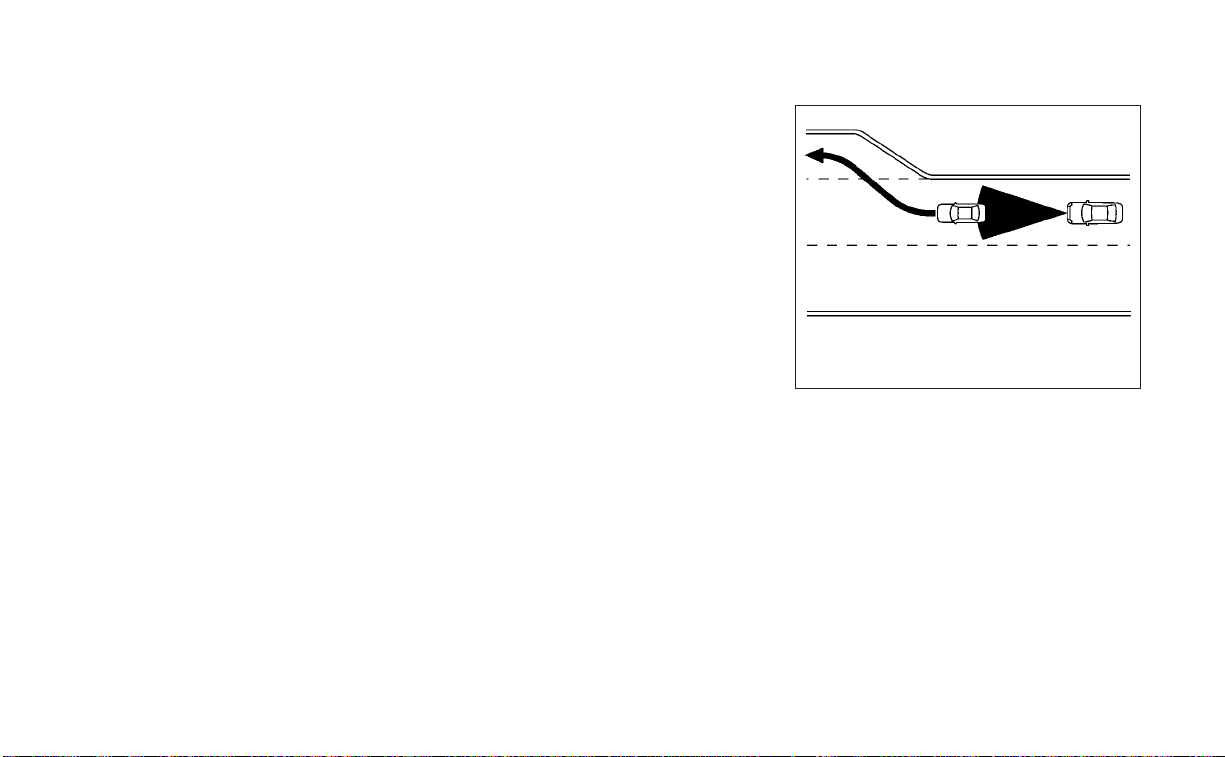
slower vehicle ahead. The system will de-
celerate the vehicle as necessary and if the
vehicle ahead comes to a stop, the vehicle
decelerates to a standstill. However, the ICC
system can only apply up to 40% of the
vehicle’s total braking power.
This system should only be used when traf-
fic conditions allow vehicle speeds to re-
main fairly constant or when vehicle
speeds change gradually. If a vehicle
moves into the traveling lane ahead or if a
vehicle traveling ahead rapidly decelerates,
the distance between vehicles may be-
come closer because the ICC system can-
not decelerate the vehicle quickly enough.
If this occurs, the ICC system will sound a
warning chime and blink the system dis-
play to notify the driver to take necessary
action.
The system will cancel and a warning
chime will sound if the speed is below ap-
proximately 15 mph (24 km/h) and a vehicle
is not detected ahead. The system will also
disengage when the vehicle goes above
the maximum set speed.
For additional information, see “Approach
warning” (P. 5-67).
The following items are controlled in the
vehicle-to-vehicle distance control mode:
• When there are no vehicles traveling
ahead, the vehicle-to-vehicle distance
control mode maintains the speed set by
the driver. The set speed range is be-
tween approximately 20 and 90 mph (32
and 144 km/h).
• When there is a vehicle traveling ahead,
the vehicle-to-vehicle distance control
mode adjusts the speed to maintain the
distance, selected by the driver, from the
vehicle ahead. If the vehicle ahead comes
to a stop, the vehicle decelerates to a
standstill within the limitations of the sys-
tem. The system will cancel once it judges
a standstill with a warning chime.
• When the vehicle traveling ahead has
moved out from its lane of travel, the
vehicle-to-vehicle distance control mode
accelerates and maintains vehicle speed
up to the set speed.
The ICC system does not control vehicle
speed or warn you when you approach
stationary and slow moving vehicles. You
must pay attention to vehicle operation to
maintain proper distance from vehicles
ahead when approaching toll gates or traf-
fic congestion.
When driving on the freeway at a set speed
and approaching a slower traveling vehicle
ahead, the ICC system will adjust the speed
to maintain the distance, selected by the
driver, from the vehicle ahead. If the vehicle
ahead changes lanes or exits the freeway,
the ICC system will accelerate and main-
tain the speed up to the set speed. Pay
attention to the driving operation to main-
tain control of the vehicle as it accelerates
to the set speed.
The vehicle may not maintain the set
speed on winding or hilly roads. If this oc-
curs, you will have to manually control the
vehicle speed.
SSD0254
5-60 Starting and driving

Normally when controlling the distance to
a vehicle ahead, this system automatically
accelerates or decelerates your vehicle ac-
cording to the speed of the vehicle ahead.
Depress the accelerator to properly accel-
erate your vehicle when acceleration is re-
quired for a lane change. Depress the brake
pedal when deceleration is required to
maintain a safe distance to the vehicle
ahead due to its sudden braking or if a
vehicle cuts in. Always stay alert when us-
ing the ICC system.
VEHICLE-TO-VEHICLE DISTANCE
CONTROL MODE SWITCHES
The system is operated by the ICC switch
and four control switches, all mounted on
the steering wheel.
1. CANCEL switch:
Deactivates the system without erasing
the set speed.
2. RES+ switch:
Resumes set speed or increases speed
incrementally.
3. DISTANCE
switch:
Changes the vehicle’s following
distance:
• Long
• Middle
• Short
4. ICC switch:
Master switch to activate/deactivate
the system.
5. SET- switch:
Sets desired cruise speed or reduces
speed incrementally.
LSD3391
Starting and driving 5-61

Vehicle-to-vehicle distance
control mode display and
indicators
The display is located between the speed-
ometer and tachometer.
1. This indicator indicates the ICC system
status depending on a color:
• ICC system ON indicator (gray): Indi-
cates that the ICC switch is on.
• ICC system SET indicator (green): In-
dicates that the cruising speed is set.
• ICC system warning (yellow): Indi-
cates that there is a malfunction in the
ICC system.
2. Set vehicle speed indicator:
Indicates the set vehicle speed.
For Canadian models, the speed is dis-
played in km/h.
3. Vehicle ahead detection indicator:
Indicates whether it detects a vehicle in
front of you.
4. Set distance indicator:
Displays the selected distance between
vehicles set with the distance switch.
Operating vehicle-to-vehicle
distance control mode
To turn on the cruise control, quickly push
and release the ICC switch
O
A
. The ICC sys-
tem ON indicator (gray), set distance indi-
cator and set vehicle speed indicator
O
B
come on in a standby state for setting. If
the Cruise Control Alerts are enabled in the
Driver Assistance menu, then the “Cruise
ON: Press SET to engage speed and dis-
tance control” message will appear in the
vehicle information display.
LSD3392 LSD3393
5-62 Starting and driving

This message will disappear after about 6
seconds, or can be dismissed by pushing
the OK button and then
buttons.
Cruise control status will continue to dis-
play in the upper right corner of the vehicle
information display while the system is on.
To set cruising speed, accelerate your ve-
hicle to the desired speed, push the SET–
switch
O
C
and release it. The ICC system
set indicator (green), vehicle ahead detec-
tion indicator, set distance indicator and
set vehicle speed indicator
O
B
will come on.
Take your foot off the accelerator pedal.
Your vehicle will maintain the set speed.
If the Cruise Control Alerts are enabled in
the Driver Assistance menu, then the “Tar-
get Speed SET with Intelligent Distance
Control” message will appear in the vehicle
information display when the SET- switch is
pushed. This message will disappear after
about 6 seconds, or can be dismissed by
pushing the OK button. Cruise control sta-
tus will continue to display in the upper
right corner of the vehicle information dis-
play while the system is on.
LSD3394
Starting and driving 5-63

When the SET– switch is pushed under the
following conditions, the system cannot be
set and the ICC indicators will blink for ap-
proximately 2 seconds:
• When traveling below 20 mph (32 km/h)
and a vehicle ahead is not detected
• When the shift lever is not in the D (Drive)
or Manual mode
• When the parking brake is applied
• When the brakes are operated by the
driver
When the SET– switch is pushed under the
following conditions, the system cannot be
set.
A warning chime will sound and a message
will pop up:
• When the VDC system is off (To use the
ICC system, turn on the VDC system. Push
the ICC switch to turn off the ICC system
and reset the ICC switch by pushing the
ICC switch again.)
For additional information about the
VDC system, see “Vehicle Dynamic Con-
trol (VDC) system” (P. 5-113).
• When VDC is operating
• When a wheel is slipping (To use the ICC
system, make sure the wheels are no lon-
ger slipping.)
䊊
1
System set display with vehicle ahead
䊊
2
System set display without vehicle
ahead
The driver sets the desired vehicle speed
based on the road conditions. The ICC sys-
tem maintains the set vehicle speed, simi-
lar to standard cruise control, as long as no
vehicle is detected in the lane ahead. The
ICC system displays the set speed.
LSD3395 LSD2288
5-64 Starting and driving

Vehicle detected ahead
When a vehicle is detected in the lane
ahead, the ICC system decelerates the ve-
hicle by controlling the throttle and apply-
ing the brakes to match the speed of a
slower vehicle ahead. The system then
controls the vehicle speed based on the
speed of the vehicle ahead to maintain the
driver selected distance.
NOTE:
• The stop lights of the vehicle come on
when braking is performed by the ICC
system.
• When the brake operates, a noise may
be heard. This is not a malfunction.
When a vehicle ahead is detected, the ve-
hicle ahead detection indicator comes on.
The ICC system will also display the set
speed and selected distance.
Vehicle ahead not detected
When a vehicle is no longer detected
ahead, the ICC system gradually acceler-
ates your vehicle to resume the previously
set vehicle speed. The ICC system then
maintains the set speed.
When a vehicle is no longer detected, the
vehicle ahead detection indicator turns off.
If a vehicle ahead appears during accelera-
tion to the set vehicle speed or any time the
ICC system is in operation, the system con-
trols the distance to that vehicle.
When a vehicle is no longer detected under
approximately 15 mph (24 km/h), the sys-
tem will be canceled.
When passing another vehicle, the set
speed indicator
O
A
will flash when the ve-
hicle speed exceeds the set speed. The ve-
hicle detect indicator will turn off when the
area ahead of the vehicle is open. When the
pedal is released, the vehicle will return to
the previously set speed.
Even though your vehicle speed is set in the
ICC system, you can depress the accelera-
tor pedal when it is necessary to accelerate
your vehicle rapidly.
LSD3442
Starting and driving 5-65

How to change the set vehicle
speed
To cancel the preset speed, use one of the
following methods:
• Push the CANCEL switch. The set vehicle
speed indicator will go out.
• Tap the brake pedal. The set vehicle
speed indicator will go out.
• If the Cruise Control Alerts are enabled in
the Driver Assistance menu, the “Cruise
ON: Press SET to engage speed control”
message will reappear in the vehicle in-
formation display to let you know the
cruise control system is still on if you set
the target speed again.
• Turn the CRUISE
switch off. The ICC
indicators will go out, and the Cruise Con-
trol Alert messages will not appear.
To reset at a faster cruising speed, use
one of the following methods:
• Depress the accelerator pedal. When the
vehicle attains the desired speed, push
and release the SET– switch.
• Push and hold the RES+ switch. The set
vehicle speed will increase by approxi-
mately 5 mph (5 km/h for Canada).
• Push, then quickly release the RES+
switch. Each time you do this, the set
speed will increase by approximately 1
mph (1 km/h for Canada).
To reset at a slower cruising speed, use
one of the following methods:
• Lightly tap the brake pedal. When the ve-
hicle attains the desired speed, push the
SET– switch and release it.
• Push and hold the SET– switch. The set
vehicle speed will decrease by approxi-
mately 5 mph (5 km/h for Canada).
• Push, then quickly release the SET–
switch. Each time you do this, the set
speed will decrease by approximately 1
mph (1 km/h for Canada).
To resume the preset speed, push and
release the RES+ switch. The vehicle will
resume the last set cruising speed when
the vehicle speed is over 20 mph (32 km/h).
How to change the set distance
to the vehicle ahead
The distance to the vehicle ahead can be
selected at any time depending on the traf-
fic conditions.
Each time the distance
switch
O
A
is
pushed, the set distance will change to
long, middle, short and back to long again,
in that sequence.
LSD2371
5-66 Starting and driving

Distance Approximate distance at
60 mph (100 km/h)
[ft (m)]
1. Long 200 (60)
2. Middle 150 (45)
3. Short 90 (30)
• The distance to the vehicle ahead will
change according to the vehicle speed.
The higher the vehicle speed, the longer
the distance.
• The distance setting will remain at the
current setting even if the engine is
restarted.
Approach warning
If your vehicle comes closer to the vehicle
ahead due to rapid deceleration of that ve-
hicle or if another vehicle cuts in, the sys-
tem warns the driver with the chime and
ICC system display. Decelerate by depress-
ing the brake pedal to maintain a safe ve-
hicle distance if:
• The chime sounds.
• The vehicle ahead detection indicator
blinks.
The warning chime may not sound in
some cases when there is a short distance
between vehicles. Some examples are:
• When the vehicles are traveling at the
same speed and the distance between
vehicles is not changing.
• When the vehicle ahead is traveling faster
and the distance between vehicles is
increasing.
• When a vehicle cuts in near your vehicle.
The warning chime will not sound when:
• The vehicle approaches other vehicles
that are parked or moving slowly.
• The accelerator pedal is depressed, over-
riding the system.
NOTE:
The approach warning chime may sound
and the system display may blink when
the ICC sensor detects objects on the
side of the vehicle or on the side of the
road. This may cause the ICC system to
decelerate or accelerate the vehicle. The
ICC sensor may detect these objects
when the vehicle is driven on winding
roads, narrow roads, hilly roads, or when
entering or exiting a curve. In these
cases you will have to manually control
the proper distance ahead of your
vehicle.
Also, the radar sensor sensitivity can be
affected by vehicle operation (steering ma-
neuver or driving position in the lane) or
traffic or vehicle condition (for example, if a
vehicle is being driven with some damage).
Automatic cancellation
A chime sounds under the following condi-
tions and the control is automatically can-
celed:
• When the vehicle ahead is not detected
and your vehicle is traveling below the
speed of 15 mph (24 km/h)
• When the system judges the vehicle is at
a standstill
LSD2752
Starting and driving 5-67

• When the shift lever is not in the D (Drive)
position, Manual mode.
• When the parking brake system is applied
• When the VDC system is turned off
• When VDC operates
• When distance measurement becomes
impaired due to adhesion of dirt or ob-
struction to the sensor
• When a wheel slips
• When the radar signal is temporarily
interrupted
VEHICLE-TO-VEHICLE DISTANCE
CONTROL MODE LIMITATIONS
WARNING
Listed below are the system limitations
for the ICC system. Failure to operate
the vehicle in accordance with these
system limitations could result in seri-
ous injury or death.
• The ICC system is primarily intended
for use on straight, dry, open roads
with light traffic. It is not advisable to
use the ICC system in city traffic or
congested areas.
• The ICC system will not adapt auto-
matically to road conditions. This
system should be used in evenly
flowing traffic. Do not use the system
on roads with sharp curves, or on icy
roads, in heavy rain or in fog.
• As there is a performance limit to the
distance control function, never rely
solely on the ICC system. This system
does not correct careless, inattentive
or absentminded driving, or over-
come poor visibility in rain, fog, or
other bad weather. Decelerate the
vehicle speed by depressing the
brake pedal, depending on the dis-
tance to the vehicle ahead and the
surrounding circumstances in order
to maintain a safe distance between
vehicles.
• If the vehicle ahead comes to a stop,
the vehicle decelerates to a standstill
within the limitations of the system.
The system will cancel once it judges
that the vehicle has come to a stand-
still and sound a warning chime. To
prevent the vehicle from moving, the
driver must depress the brake pedal.
• Always pay attention to the opera-
tion of the vehicle and be ready to
manually control the proper follow-
ing distance. The ICC system may not
be able to maintain the selected dis-
tance between vehicles (following
distance) or selected vehicle speed
under some circumstances.
• The system may not detect the ve-
hicle in front of you in certain road or
weather conditions. To avoid acci-
dents, never use the ICC system un-
der the following conditions:
– On roads where the traffic is heavy
or there are sharp curves
– On slipper y road surfaces such as
on ice or snow, etc.
– During bad weather (rain, fog,
snow, etc.)
– When rain, snow or dir t adhere to
the bumper around the distance
sensor
– On steep downhill roads (the ve-
hicle may go beyond the set ve-
hicle speed and frequent braking
may result in overheating the
brakes)
– On repeated uphill and downhill
roads
5-68 Starting and driving

– When traffic conditions make it
difficult to keep a proper distance
between vehicles because of fre-
quent acceleration or deceleration
– Inter ference by other radar
sources
• Do not use the ICC system if you are
towing a trailer. The system may not
detect a vehicle ahead.
• In some road or traffic conditions, a
vehicle or object can unexpectedly
come into the sensor detection zone
and cause automatic braking. Al-
ways stay alert and avoid using the
ICC system where not recommended
in this warning section.
The radar sensor will not detect the follow-
ing objects:
• Stationary and slow moving vehicles
• Pedestrians or objects in the roadway
• Oncoming vehicles in the same lane
• Motorcycles traveling offset in the travel
lane
The sensor generally detects the signals
returned from the vehicle ahead. Therefore,
if the sensor cannot detect the reflection
from the vehicle ahead, the ICC system
may not maintain the selected distance.
The following are some conditions in which
the sensor cannot properly detect a ve-
hicle ahead and the system may not oper-
ate properly:
• When snow or road spray from traveling
vehicles reduces the sensor’s detection.
• When your vehicle is towing a trailer, etc.
• When excessively heavy baggage is
loaded in the rear seat or cargo area of
your vehicle.
The ICC system is designed to automati-
cally check the sensor’s operation within
the limitations of the system.
When the sensor is covered with dirt or is
obstructed, the system will automatically
be canceled. If the sensor is covered with
ice, a transparent or translucent vinyl bag,
etc., the ICC system may not detect them.
In these instances, the vehicle-to-vehicle
distance control mode may not cancel and
may not be able to maintain the selected
following distance from the vehicle ahead.
Be sure to check and clean the sensor
regularly.
The detection zone of the radar sensor is
limited. A vehicle ahead must be in the de-
tection zone for the vehicle-to-vehicle dis-
tance detection mode to maintain the se-
lected distance from the vehicle ahead.
A vehicle ahead may move outside of the
detection zone due to its position within
the same lane of travel. Motorcycles may
not be detected in the same lane ahead if
they are traveling offset from the centerline
of the lane. A vehicle that is entering the
lane ahead may not be detected until the
vehicle has completely moved into the
lane.
If this occurs, the ICC system may warn
you by blinking the system indicator and
sounding the chime. The driver may
have to manually control the proper dis-
tance away from vehicle traveling ahead.
Starting and driving 5-69
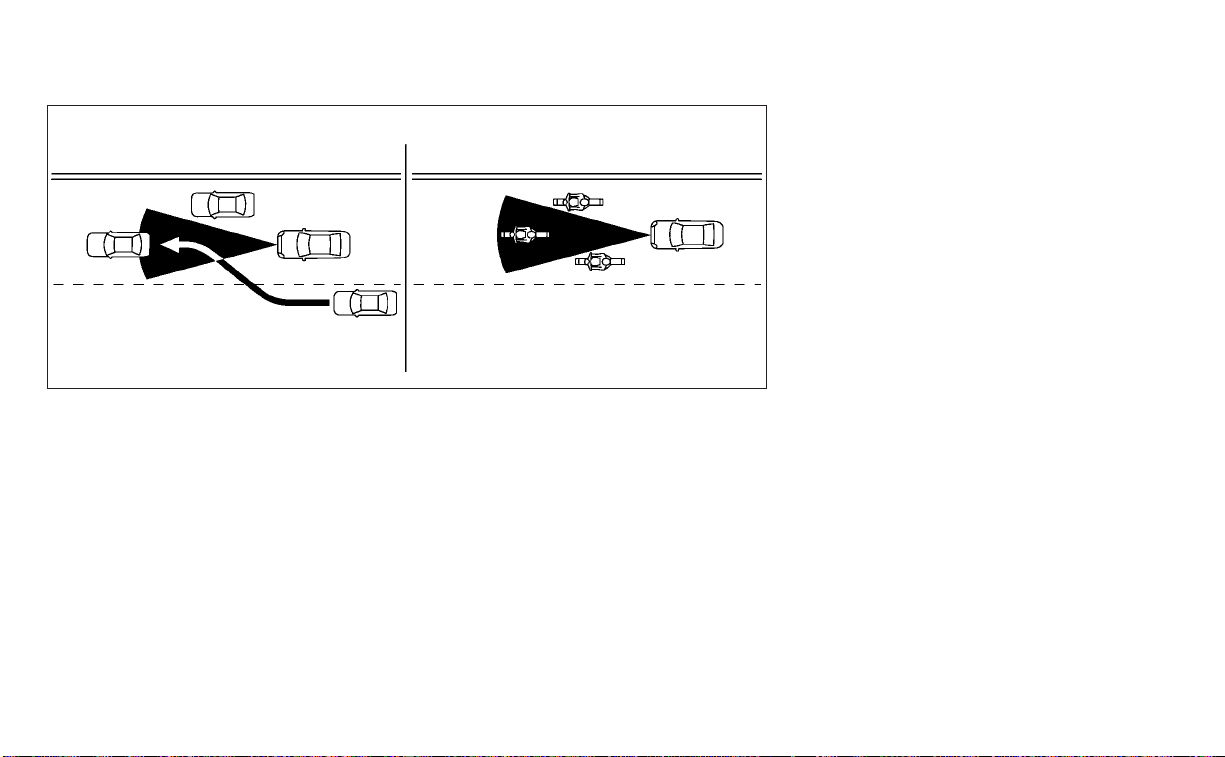
SSD0252
5-70 Starting and driving
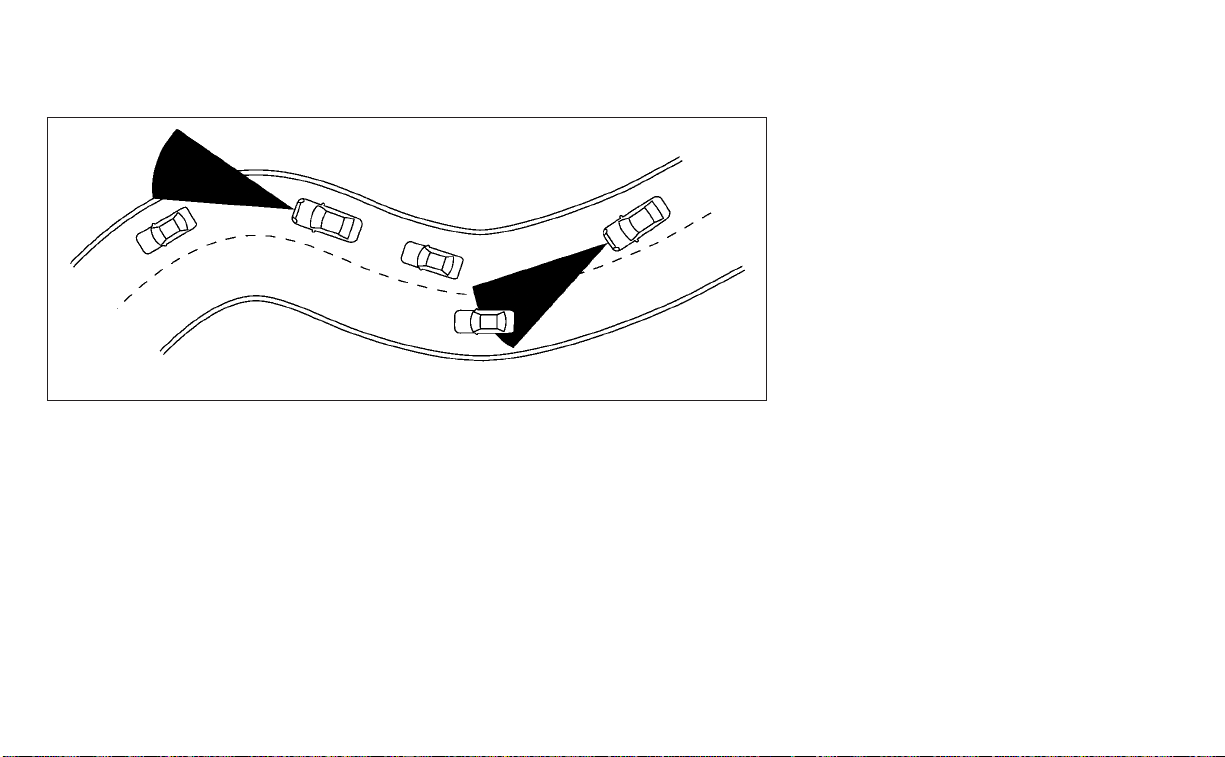
When driving on some roads, such as wind-
ing, hilly, curved, narrow roads, or roads
which are under construction, the radar
sensor may detect vehicles in a different
lane, or may temporarily not detect a ve-
hicle traveling ahead. This may cause the
radar system to decelerate or accelerate
the vehicle.
The detection of vehicles may also be af-
fected by vehicle operation (steering ma-
neuver or traveling position in the lane, etc.)
or vehicle condition.
If this occurs, the ICC system may warn
you by blinking the system indicator and
sounding the chime unexpectedly. You
will have to manually control the proper
distance away from the vehicle traveling
ahead.
SSD0253
Starting and driving 5-71

SYSTEM TEMPORARILY
UNAVAILABLE
The following are conditions in which the
ICC system may be temporarily unavail-
able. In these instances, the ICC system
may not cancel and may not be able to
maintain the selected following distance
from the vehicle ahead.
Condition A
Under the following conditions, the ICC sys-
tem is automatically canceled. A chime will
sound and the system will not be able to be
set:
• When the VDC system is turned off
• When the VDC operates
• When a vehicle ahead is not detected and
your vehicle is traveling below the speed
of 15 mph (24 km/h)
• When the system judges the vehicle is at
a standstill
• When the shift lever is not in the D (Drive)
or Manual mode.
• When the parking brake is applied
• When a wheel slips
• When the radar signal is temporarily
interrupted
Action to take
When the conditions listed above are no
longer present, turn the system off using
the ICC switch. Turn the ICC system back on
to use the system.
LSD2373
5-72 Starting and driving

Condition B
When there is inclement weather (rain, fog,
snow, etc.) blocking the front radar sensor,
the ICC system will automatically be can-
celed, the chime will sound and the “For-
ward Driving Aids temporarily disabled
Front Sensor blocked See Owner’s Manual”
warning message will appear in the vehicle
information display.
Action to take
When the conditions listed above are no
longer present, the warning message will
no longer be available in the vehicle infor-
mation display and the system will operate
normally. If the “Forward Driving Aids tem-
porarily disabled Front Sensor blocked See
Owner’s Manual” warning message contin-
ues to be displayed, have the system
checked. It is recommended that you visit a
NISSAN dealer for this service.
Condition C
When the radar sensor area of the front
bumper is covered with mud, dirt, snow, ice,
etc., or is obstructed, the ICC system will
automatically be canceled.
The chime will sound and the “Forward
Driving Aids temporarily disabled Front
Sensor blocked See Owner’s Manual” warn-
ing message will appear in the vehicle in-
formation display.
Action to take
If the warning message appears, stop the
vehicle in a safe place, place the shift lever
in the P (Park) position, and turn the engine
off. When the radar signal is temporarily
interrupted, clean the sensor area of the
front bumper and restart the engine. If the
“Forward Driving Aids temporarily disabled
Front Sensor blocked See Owner’s Manual”
warning message continues to be dis-
played, have the system checked. It is rec-
ommended that you visit a NISSAN dealer
for this service.
Condition D
When driving on roads with limited road
structures (for example, long bridges, des-
erts, snow fields, driving next to long walls),
the system may illuminate the system
warning light and display the “Forward
Driving Aids temporarily disabled Front
Sensor blocked See Owner’s Manual”
message.
Action to take
When the above driving conditions no lon-
ger exist, turn the system back on.
Condition E
When the ICC system is not operating
properly, a chime sounds and the ICC sys-
tem warning light (orange) will come on.
Starting and driving 5-73

Action to take
If the warning light comes on, park the ve-
hicle in a safe place. Turn the engine off,
restart the engine, resume driving and set
the ICC system again.
If it is not possible to set the system or
the indicator stays on, it may indicate
that the system is malfunctioning. Al-
though the vehicle is still drivable under
normal conditions, have the vehicle
checked. It is recommended that you
visit a NISSAN dealer for this service.
NOTE:
If the ICC system is temporarily unavail-
able, the conventional cruise control
mode may still be used. For additional
information, see “Conventional (fixed
speed) cruise control mode” (P. 5-75 ).
SYSTEM MAINTENANCE
The sensor for the ICC system
O
1
is located
on the front of the vehicle.
To keep the ICC system operating properly,
be sure to observe the following:
• Always keep the sensor area clean.
• Do not strike or damage the areas
around the sensor.
• Do not attach a sticker (including trans-
parent material) or install an accessory
near the sensor. This could cause failure
or malfunction.
LSD3963 LSD3440
5-74 Starting and driving

• Do not attach metallic objects near the
sensor area (brush guard, etc.). This could
cause failure or malfunction.
• Do not alter, remove, or paint the front
bumper. Before customizing or restoring
the front bumper, it is recommended that
you visit a NISSAN dealer.
Radio frequency statement
For USA
FCC ID OAYARS4B
This device complies with Part 15 of the FCC
Rules. Operation is subject to the following
two conditions:
1. This device may not cause harmful inter-
ference, and
2. This device must accept any interfer-
ence received, including interference
that may cause undesired operation.
FCC Warning
Changes or modifications not expressly
approved by the party responsible for
compliance could void the user’s authority
to operate the equipment.
For Canada
Model: ARS4–B
IC: 4135A-ARS4B
FCC ID: OAYARS4B
This device complies with Part 15 of the FCC
Rules and with Industry Canada licence-
exempt RSS standard(s). Operation is sub-
ject to the following two conditions:
1. This device may not cause harmful inter-
ference, and
2. This device must accept any interfer-
ence received, including interference
that may cause undesired operation.
Le présent appareil est conforme aux CNR
d'Industrie Canada applicables aux appar-
eils radio exempts de licence. L'exploitation
est autorisée aux deux conditions suiv-
antes:
1. L'appareil ne doit pas produire de brouil-
lage, et
2. L'utilisateur de l'appareil doit accepter
tout brouillage radioélectrique subi,
même si le brouillage est susceptible
d'en compromettre le fonctionnement.
Radio Frequency Radiation Exposure
Information:
This equipment complies with FCC radia-
tion exposure limits set forth for an uncon-
trolled environment.
This equipment should be installed and
operated with minimum distance of 30 cm
between the radiator and your body.
The transmitter must not be co-located or
operating in conjunction with any other an-
tenna or transmitter.
Cet équipement est conforme aux limites
d'exposition aux rayonnements IC établies
pour un environnement non contrôlé. Cet
équipement doit être installé et utilisé avec
un minimum de 30 cm de distance entre la
source de rayonnement et votre corps.
FCC Notice
Changes or modifications not expressly
approved by the party responsible for
compliance could void the user’s authority
to operate the equipment.
CONVENTIONAL (fixed speed)
CRUISE CONTROL MODE
This mode allows driving at a speed be-
tween 25 to 90 mph (40 to 144 km/h) without
keeping your foot on the accelerator pedal.
Starting and driving 5-75

WARNING
• In the conventional (fixed speed)
cruise control mode, a warning
chime does not sound to warn you if
you are too close to the vehicle
ahead, as neither the presence of the
vehicle ahead nor the vehicle-to-
vehicle distance is detected.
• Pay special attention to the distance
between your vehicle and the vehicle
ahead of you or a collision could
occur.
• Always confirm the setting in the ICC
system display.
• Do not use the conventional (fixed
speed) cruise control mode when
driving under the following condi-
tions:
– When it is not possible to keep the
vehicle at a set speed
– In heavy traffic or in traffic that
varies in speed
– On winding or hilly roads
– On slippery roads (rain, snow, ice,
etc.)
– In very windy areas
• Doing so could cause a loss of vehicle
control and result in an accident.
Conventional (fixed speed) cruise
control switches
1. CANCEL switch:
Deactivates the system without erasing
the set speed
2. RES+ switch:
Resumes set speed or increases speed
incrementally
3. ICC switch:
Master switch to activate the system
4. SET- switch:
Sets desired cruise speed or reduces
speed incrementally
Conventional (fixed speed) cruise
control mode display and
indicators
The display is located in the vehicle infor-
mation display.
1. Cruise indicator:
This indicator indicates the condition of
the ICC system depending on a color.
• Cruise control ON indicator (gray): Indi-
cates that the ICC switch is on
• Cruise control SET indicator (green): Indi-
cates that the cruising speed is set
LSD3396 LSD3587
5-76 Starting and driving

• Cruise control warning (yellow): Indicates
that there is a malfunction in the ICC
system
2. Set vehicle speed indicator:
This indicator indicates the set vehicle
speed. For Canadian models, the speed
is displayed in km/h.
Operating conventional (fixed
speed) cruise control mode
To turn on the conventional (fixed speed)
cruise control mode, push and hold the ICC
switch
O
A
for longer than about 3 seconds.
When pushing ICC switch on, the conven-
tional (fixed speed) cruise control mode
display and indicators
O
B
are displayed in
the vehicle information display. After you
hold ICC switch on for longer than about 3
seconds, the ICC system display turns off.
The cruise indicator appears. You can now
set your desired cruising speed. Pushing
the ICC switch again will turn the system
completely off. When the ignition switch is
placed in the OFF position, the system is
also automatically turned off.
To use the ICC system again, quickly push
and release the ICC switch (vehicle-to ve-
hicle distance control mode) or push and
hold it (conventional cruise control mode)
again to turn it on.
CAUTION
To avoid accidentally engaging cruise
control, make sure to turn the ICC
switch off when not using the ICC
system.
LSD3588
Starting and driving 5-77

To set cruising speed, accelerate your ve-
hicle to the desired speed, push the SET-
O
C
switch and release it. (The color of the
cruise indicator changes to green and set
vehicle speed indicator comes on.) Take
your foot off the accelerator pedal. Your
vehicle will maintain the set speed.
• To pass another vehicle, depress the ac-
celerator pedal. When you release the
pedal, the vehicle will return to the previ-
ously set speed.
• The vehicle may not maintain the set
speed when going up or down steep hills.
If this happens, manually maintain ve-
hicle speed.
To cancel the preset speed, use any of the
following methods:
1. Push the CANCEL switch. The vehicle
speed indicator will turn off.
2. Tap the brake pedal. The vehicle speed
indicator will turn off.
3. Turn the ICC switch off. Both the cruise
indicator and vehicle speed indicator will
turn off.
To reset at a faster cruising speed, use one
of the following three methods:
1. Depress the accelerator pedal. When the
vehicle attains the desired speed, push
and release the SET- switch.
2. Push and hold the RES+ switch. When
the vehicle attains the desired speed,
release the switch.
3. Push, then quickly release the RES+
switch. Each time you do this, the set
speed will increase by about 1 mph (1.6
km/h).
To reset at a slower cruising speed, use one
of the following three methods:
1. Lightly tap the brake pedal. When the
vehicle attains the desired speed, push
the SET- switch and release it.
2. Push and hold the SET- switch. Release
the switch when the vehicle slows down
to the desired speed.
3. Push, then quickly release the SET-
switch. Each time you do this, the set
speed will decrease by about 1 mph (1.6
km/h).
To resume the preset speed, push and re-
lease the RES+ switch. The vehicle will re-
sume the last set cruising speed when the
vehicle speed is over 25 mph (40 km/h).
LSD3589
5-78 Starting and driving

System temporarily unavailable
A chime sounds under the following condi-
tions and the control is automatically can-
celed:
• When the vehicle slows down more than
8 mph (13 km/h) below the set speed
• When the shift lever is not in the D (Drive)
or manual shift mode
• When the parking brake is applied
• When the VDC operates (including the
traction control system)
• When a wheel slips
When the system is not operating properly,
the chime sounds and the color of the
cruise indicator will change to orange.
Action to take
If the color of the cruise indicator changes
to orange, stop the vehicle in a safe place
and place the shift lever in the P (Park) po-
sition. Turn the engine off, restart the en-
gine, resume driving, and then perform the
setting again.
If it is not possible to set or the indicator
stays on, it may indicate that the system
is malfunctioning. Although the vehicle
is still drivable under normal conditions,
have the vehicle checked. It is recom-
mended that you visit a NISSAN dealer
for this service.
LSD3529
Starting and driving 5-79

WARNING
Failure to follow the warnings and in-
structions for proper use of the RAB
system could result in serious injury or
death.
• The RAB system is a supplemental
aid to the driver. It is not a replace-
ment for proper driving procedures.
Always use the side and rear mirrors
and turn and look in the direction you
will move before and while backing
up. Never rely solely on the RAB sys-
tem. It is the driver’s responsibility to
stay alert, drive safely, and be in con-
trol of the vehicle at all times.
• There is a limitation to the RAB sys-
tem capability. The RAB system is not
effective in all situations.
• Inclement weather or ultrasonic
sources such as an automatic car
wash, a truck’s compressed-air
brakes or a pneumatic drill may af-
fect the function of the system; this
may include reduced performance or
a false activation.
The RAB system can assist the driver when
the vehicle is backing up and approaching
objects directly behind the vehicle.
The RAB system detects obstacles behind
the vehicle using the parking sensors
O
1
located on the rear bumper.
NOTE:
You can temporarily cancel the sonar
function in the vehicle, but the RAB sys-
tem will continue to operate. For addi-
tional information, see “Front and Rear
Sonar System” (P. 5-116).
LSD3380
REAR AUTOMATIC BRAKING (RAB)
5-80 Starting and driving

RAB SYSTEM OPERATION
䊊
1
RAB system warning light and RAB sys-
tem warning indicator
䊊
2
Steering-wheel-mounted controls (left
side)
䊊
3
Center display (if so equipped)
When the shift lever is in the R (Reverse)
position and the vehicle speed is less than
approximately 9 mph (15 km/h), the RAB
system operates.
If a risk of a collision with an obstacle is
detected when your vehicle is backing up,
the RAB system warning indicator will flash
in the vehicle information display, a red
frame will appear in the center display (for
vehicles with the Intelligent Around View
Monitor system), and the system will chime
three times. The system will then auto-
matically apply the brakes. After the auto-
matic brake application, the driver must
depress the brake pedal to maintain brake
pressure.
NOTE:
• The brake lights of the vehicle come on
when braking is performed by the RAB
system.
• When the brakes operate, a noise may
be heard. This is not a malfunction.
LSD3381
Starting and driving 5-81

TURNING THE RAB SYSTEM
ON/OFF
Perform the following steps to turn the RAB
system on or off.
1. Press the
button until “Settings” dis-
plays in the vehicle information display
and then press the OK button. Use the
button to select “Driver Assistance.”
Then press the OK button.
2. Select “Emergency Brake” and press the
OK button.
3. To set the RAB system to on or off, use
the OK button to check the box for “Rear.”
When the RAB system is turned off, the RAB
system warning light illuminates.
NOTE:
The RAB system will be automatically
turned on when the engine is restarted.
RAB SYSTEM LIMITATIONS
WARNING
Listed below are the system limitations
for the RAB system. Failure to follow the
warnings and instructions for proper
use of the RAB system could result in
serious injury or death.
LSD3352
5-82 Starting and driving

•
When the vehicle approaches an ob-
stacle while the accelerator or brake
pedal is depressed, the function may
not operate or the start of operation
may be delayed. The RAB system may
not operate or may not perform suffi-
ciently due to vehicle conditions, driv-
ing conditions, the traffic environment,
the weather, road surface conditions,
etc. Do not wait for the system to oper-
ate. Operate the brake pedal by your-
self as soon as necessary.
• If it is necessary to override RAB op-
eration, strongly press the accelera-
tor pedal.
• Always check your surroundings and
turn to check what is behind you be-
fore and while backing up. The RAB
system detects stationary objects
behind the vehicle. The RAB system
does not detect the following ob-
jects:
– Moving objects
– Low objects
– Narrow objects
– Wedge-shaped objects
– Objects close to the bumper (less
than approximately 1 ft [30 cm])
– Objects that suddenly appear
– Thin objects such as rope, wire,
chain, etc.
• The RAB system may not operate for
the following obstacles:
– Obstacles located high off the
ground
– Obstacles in a position offset from
your vehicle
– Obstacles, such as spongy materi-
als or snow, that have soft outer
sur faces and can easily absorb a
sound wave
• The RAB system may not operate in
the following conditions:
– There is rain, snow, ice, dirt, etc.,
attached to the sonar sensors.
– A loud sound is heard in the area
around the vehicle.
– The surface of the obstacle is di-
agonal to the rear of the vehicle.
• The RAB system may unintentionally
operate in the following conditions:
– There is overgrown grass in the
area around the vehicle.
– There is a structure (e.g., a wall, toll
gate equipment, a narrow tunnel,
a parking lot gate) near the side of
the vehicle.
– There are bumps, protrusions, or
manhole covers on the road
sur face.
– The vehicle drives through a
draped flag or a curtain.
– There is an accumulation of snow
or ice behind the vehicle.
– An ultrasonic wave source, such as
another vehicle’s sonar, is near
the vehicle.
• Once the automatic brake control
operates, it does not operate again if
the vehicle approaches the same
obstacle.
• The automatic brake control can only
operate for a short period of time.
Therefore, the driver must depress
the brake pedal.
• In the following situations, the RAB
system may not operate properly or
may not function sufficiently:
– The vehicle is driven in bad
weather (rain, fog, snow, etc.).
–
The vehicle is driven on a steep hill.
– The vehicle’s posture is changed
(e.g., when driving over a bump).
– The vehicle is driven on a slippery
road.
Starting and driving 5-83

– The vehicle is turned sharply by
turning the steering wheel fully.
– Snow chains are used.
– Wheels or tires other than NISSAN
recommended are used.
– The brakes are cold at low ambi-
ent temperatures or immediately
after driving has star ted.
– The braking force becomes poor
due to wet brakes after driving
through a puddle or washing the
vehicle.
• Turn the RAB system off in the follow-
ing conditions to prevent the occur-
rence of an unexpected accident re-
sulting from sudden system
operation:
– The vehicle is towed.
– The vehicle is carried on a flatbed
truck.
– The vehicle is on the chassis
dynamometer.
– The vehicle drives on an uneven
road surface.
– The vehicle is towing an object (if
so equipped).
–
Suspension parts other than those
designated as Genuine NISSAN
parts are used. (If the vehicle height
or the vehicle body inclination is
changed, the system may not de-
tect an obstacle correctly.)
• Excessive noise (e.g., audio system
volume, an open vehicle window) will
inter fere with the chime sound, and it
may not be heard.
SYSTEM MALFUNCTION
If the RAB system malfunctions, it will be
turned off automatically, and the RAB sys-
tem warning light will illuminate in the ve-
hicle information display.
Action to take
If the warning light illuminates, park the ve-
hicle in a safe location, turn the engine off,
and restart the engine. If the warning light
continues to illuminate, have the RAB sys-
tem checked. It is recommended that you
visit a NISSAN dealer for this service.
NOTE:
If the RAB system cannot be operated
temporarily, the RAB system warning
light blinks.
SYSTEM MAINTENANCE
Observe the following items to ensure
proper operation of the system:
• Always keep the parking sensors
O
1
clean.
• If the parking sensors are dirty, wipe them
off with a soft cloth while being careful to
not damage them.
LSD3380
5-84 Starting and driving
• Do not subject the area around the park-
ing sensors
O
1
to strong impact. Also, do
not remove or disassemble the parking
sensors. If the parking sensors and pe-
ripheral areas are deformed in an acci-
dent, etc., have the sensors checked. It is
recommended that you visit a NISSAN
dealer for this service.
• Do not install any stickers (including
transparent stickers) or accessories on
the parking sensors
O
1
and their sur-
rounding areas. This may cause a mal-
function or improper operation.
WARNING
Failure to follow the warnings and in-
structions for proper use of the AEB
with Pedestrian Detection system
could result in serious injury or death.
• The AEB with Pedestrian Detection
system is a supplemental aid to the
driver. It is not a replacement for the
driver’s attention to traffic condi-
tions or responsibility to drive safely.
It cannot prevent accidents due to
carelessness or dangerous driving
techniques.
• The AEB with Pedestrian Detection
system does not function in all driv-
ing, traffic, weather and road
conditions.
The AEB with Pedestrian Detection system
can assist the driver when there is a risk of
a forward collision with the vehicle ahead in
the traveling lane or with a pedestrian
ahead in the traveling lane.
The AEB with Pedestrian Detection system
uses a radar sensor located on the front of
the vehicle
O
B
to measure the distance to
the vehicle ahead in the same lane. For
pedestrians, the AEB with Pedestrian De-
tection system uses a camera installed be-
hind the windshield
O
A
in addition to the
radar sensor.
LSD3354
AUTOMATIC EMERGENCY BRAKING
(AEB) WITH PEDESTRIAN DETECTION
Starting and driving 5-85

AEB WITH PEDESTRIAN
DETECTION SYSTEM OPERATION
1. Vehicle ahead detection indicator
2. AEB with Pedestrian Detection emer-
gency warning indicator
3. AEB with Pedestrian Detection system
warning light
The AEB system operates at speeds above
approximately 3 mph (5 km/h). For the pe-
destrian detection function, the system
operates at speeds between6–37mph(10
– 60 km/h).
If a risk of a forward collision is detected,
the AEB with Pedestrian Detection system
will firstly provide the warning to the driver
by flashing the vehicle ahead detection in-
dicator (yellow) in the vehicle information
display and providing an audible alert. If the
driver applies the brakes quickly and force-
fully after the warning, and the AEB with
Pedestrian Detection system detects that
there is still the possibility of a forward col-
lision, the system will automatically in-
crease the braking force.
If the driver does not take action, the AEB
with Pedestrian Detection system issues
the second visual (flashing) (red and white)
and audible warning. If the driver releases
the accelerator pedal, then the system ap-
plies partial braking. If the risk of a collision
becomes imminent, the AEB with Pedes-
trian Detection system applies harder
braking automatically.
LSD2773
5-86 Starting and driving

While the AEB with Pedestrian Detection
system is operating, you may hear the
sound of brake operation. This is normal
and indicates that the AEB with Pedestrian
Detection system is operating properly.
NOTE:
The vehicle’s brake lights come on when
any braking is performed by the AEB
with Pedestrian Detection system.
Depending on vehicle speed and distance
to the vehicle or pedestrian ahead, as well
as driving and roadway conditions, the sys-
tem may help the driver avoid a forward
collision or may help mitigate the conse-
quences if a collision should be unavoid-
able. If the driver is handling the steering
wheel, accelerating or braking, the AEB with
Pedestrian Detection system will function
later or will not function.
The automatic braking will cease under the
following conditions:
• When the steering wheel is turned to
avoid a collision.
• When the accelerator pedal is depressed.
• When there is no longer a vehicle or a
pedestrian detected ahead.
If the AEB with Pedestrian Detection sys-
tem has stopped the vehicle, the vehicle
will remain at a standstill for approximately
2 seconds before the brakes are released.
Starting and driving 5-87

TURNING THE AEB WITH
PEDESTRIAN DETECTION SYSTEM
ON/OFF
Perform the following steps to enable or
disable the AEB with Pedestrian Detection
system.
1. Press the
button until “Settings” dis-
plays in the vehicle information display
and then press the OK button. Use the
button to select “Driver Assistance.”
Then press the OK button.
2. Select “Emergency Brake” and press the
OK button.
3. Select “Front” and press the OK button to
turn the system on or off.
When the AEB with Pedestrian Detection
system is turned off, the AEB with Pedes-
trian Detection system warning light
illuminates.
NOTE:
• The AEB with Pedestrian Detection sys-
tem will be automatically turned on
when the engine is restarted.
• The I-FCW system is integrated into the
AEB with Pedestrian Detection system.
There is not a separate selection in the
vehicle information display for the
I-FCW system. When the AEB system is
turned off, the I-FCW system is also
turned off.
LSD3352
5-88 Starting and driving

AEB WITH PEDESTRIAN
DETECTION SYSTEM LIMITATIONS
WARNING
Listed below are the system limitations
for the AEB with Pedestrian Detection
system. Failure to operate the vehicle in
accordance with these system limita-
tions could result in serious injury or
death.
• The AEB with Pedestrian Detection
system cannot detect all vehicles or
pedestrians under all conditions.
• The AEB with Pedestrian Detection
system does not detec t the following
objects:
– Small pedestrians (including
small children), animals and
cyclists.
– Pedestrians in wheelchairs or us-
ing mobile transport such as
scooters, child-operated toys, or
skateboards.
– Pedestrians who are seated or
otherwise not in a full upright
standing or walking position.
– Oncoming vehicles
– Crossing vehicles
– Obstacles on the roadside
• The AEB with Pedestrian Detection
system has some performance
limitations.
– If a stationary vehicle is in the ve-
hicle’s path, the AEB with Pedes-
trian Detec tion system will not
function when the vehicle is
driven at speeds over approxi-
mately 50 mph (80 km/h).
– For pedestrian detection, the AEB
with Pedestrian Detection system
will not function when the vehicle
is driven at speeds over approxi-
mately 37 mph (60 km/h) or below
approximately 6 mph (10 km/h).
• The AEB with Pedestrian Detection
system will not function for pedestri-
ans in darkness or in tunnels, even if
there is street lighting in the area.
• The AEB with Pedestrian Detection
system may not function if the ve-
hicle ahead is narrow (for example, a
motorcycle).
• The AEB with Pedestrian Detection
system may not function if the speed
difference between the two vehicles
is too small.
• The radar sensor AEB with Pedes-
trian Detection system may not
function properly or detect a vehicle
ahead in the following conditions:
– Poor visibility (conditions such as
rain, snow, fog, dust storms, sand-
storms, and road spray from other
vehicles)
– Driving on a steep downhill slope
or roads with sharp curves.
– Driving on a bumpy road surface,
such as an uneven dirt road.
– If dirt, ice, snow or other material
is covering the radar sensor area.
–
Inter ference by other radar sources.
– The camera area of the windshield
is fogged up, or covered with dirt,
water drops, ice, snow, etc.
– Strong light (for example, sunlight
or high beams from oncoming ve-
hicles) enters the front camera.
Strong light causes the area
around the pedestrian to be cast in
a shadow, making it difficult to see.
Starting and driving 5-89

– A sudden change in brightness
occurs. (For example, when the
vehicle enters or exits a tunnel or a
shaded area or lightning flashes.)
– The poor contrast of a person to
the background, such as having
clothing color or pattern which is
similar to the background.
– The pedestrian’s profile is partially
obscured or unidentifiable due to
the pedestrian transporting lug-
gage, wearing bulky or very loose-
fitting clothing or accessories.
• The system performance may de-
grade in the following conditions:
– The vehicle is driven on a slippery
road.
– The vehicle is driven on a slope.
– Excessively heavy baggage is
loaded in the rear seat or the trunk
room of your vehicle.
• The system is designed to automati-
cally check the sensor’s (radar and
camera) functionality, within certain
limitations. The system may not de-
tect blockage of sensor areas cov-
ered by ice, snow or stickers, for ex-
ample. In these cases, the system
may not be able to warn the driver
properly. Be sure that you check,
clean and clear sensor areas
regularly.
• In some road and traffic conditions,
the AEB with Pedestrian Detection
system may unexpectedly apply par-
tial braking. When acceleration is
necessary, depress the accelerator
pedal to override the system.
• Excessive noise will interfere with the
warning chime sound, and the chime
may not be heard.
5-90 Starting and driving

SYSTEM TEMPORARILY
UNAVAILABLE
Condition A:
In the following conditions, the AEB with
Pedestrian Detection system warning light
blinks and the system will be turned off
automatically:
• The radar sensor picks up interference
from another radar source.
• The camera area of the windshield is
misted or frozen.
• Strong light is shining from the front.
• The cabin temperature is over approxi-
mately 104°F (40°C) in direct sunlight.
• The camera area of the windshield glass
is continuously covered with dirt, etc.
Action to take
When the above conditions no longer exist,
the AEB with Pedestrian Detection system
will resume automatically.
NOTE:
When the inside of the windshield on the
camera area is misted or frozen, it will
take a period of time to remove it after
the A/C turns on. If dirt appears on this
area, it is recommended that you visit a
NISSAN dealer.
LSD2377
Starting and driving 5-91

Condition B:
When there is inclement weather (rain, fog,
snow, etc.) blocking the front radar sensor,
the AEB with Pedestrian Detection system
will automatically be canceled, the chime
will sound and the “Forward Driving Aids
temporarily disabled Front Sensor blocked
See Owner’s Manual” warning message will
appear in the vehicle information display.
Action to take:
When the conditions listed above are no
longer present, the warning message will
no longer be available in the vehicle infor-
mation display. If the “Forward Driving Aids
temporarily disabled Front Sensor blocked
See Owner’s Manual” warning message
continues to be displayed, have the system
checked. It is recommended that you visit a
NISSAN dealer for this service.
Condition C:
When the radar sensor of the front bumper
is covered with mud, dirt, snow, ice, etc., or is
obstructed, the AEB system will automati-
cally be canceled. The chime will sound and
the “Forward Driving Aids temporarily dis-
abled Front Sensor blocked See Owner’s
Manual” warning message will appear in
the vehicle information display.
Action to take:
If the warning message appears, stop the
vehicle in a safe place, place the shift lever
in the P (Park) position, and turn the engine
off. When the radar signal is temporarily
interrupted, clean the sensor area of the
front bumper and restart the engine. If the
“Forward Driving Aids temporarily disabled
Front Sensor blocked See Owner’s Manual”
warning message continues to be dis-
played, have the system checked. It is rec-
ommended that you visit a NISSAN dealer
for this service.
Condition D:
When driving on roads with limited road
structures or buildings (for example, long
bridges, deserts, snowfields, driving next to
long walls), the system may illuminate the
system warning light and display the “For-
ward Driving Aids temporarily disabled
Front Sensor blocked See Owner’s Manual”
message.
Action to take:
When the above driving conditions no lon-
ger exist, turn the system back on.
NOTE:
If the AEB with Pedestrian Detection
system stops working, the I-FCW sys-
tem will also stop working.
5-92 Starting and driving

SYSTEM MALFUNCTION
If the AEB with Pedestrian Detection sys-
tem malfunctions, it will be turned off auto-
matically, a chime will sound, and the AEB
with Pedestrian Detection system warning
light (orange) will illuminate in the vehicle
information display.
Action to take
If the warning light (orange) comes on, stop
the vehicle in a safe location, turn the en-
gine off and restart the engine. If the warn-
ing light continues to illuminate, have the
AEB with Pedestrian Detection system
checked. It is recommended that you visit a
NISSAN dealer for this service.
SYSTEM MAINTENANCE
The radar sensor is located on the front of
the vehicle
O
B
. The camera is located on
the upper side of the windshield
O
A
.
To keep the AEB with Pedestrian Detection
system operating properly, be sure to ob-
serve the following:
• Always keep the sensor areas of the front
bumper and windshield clean.
• Do not strike or damage the areas
around the sensors (e.g., bumper,
windshield).
LSD3963 LSD3354
Starting and driving 5-93

• Do not cover or attach stickers, or install
any accessory near the sensors. This
could block sensor signals and/or cause
failure or malfunction.
• Do not attach metallic objects near the
radar sensor (brush guard, etc.). This
could cause failure or malfunction.
• Do not place reflective materials, such as
white paper or a mirror, on the instru-
ment panel. The reflection of sunlight
may adversely affect the camera unit's
detection capability.
• Do not alter, remove or paint the front
bumper. Before customizing or restoring
the front bumper, it is recommended that
you visit a NISSAN dealer.
Radio frequency statement
For USA
FCC ID OAYARS4B
This device complies with Part 15 of the
FCC Rules. Operation is subject to the fol-
lowing two conditions:
1. This device may not cause harmful in-
ter ference, and
2. This device must accept any interfer-
ence received, including interference
that may cause undesired operation.
FCC Warning
Changes or modifications not expressly
approved by the party responsible for
compliance could void the user’s author-
ity to operate the equipment.
This equipment has been tested and
found to comply with the limits for a
Class A digital device, pursuant to Part 15
of the FCC Rules. These limits are de-
signed to provide reasonable protection
against harmful interference when the
equipment is operated in a commercial
environment. This equipment generates,
uses, and can radiate radio frequency
energy and, if not installed and used in
accordance with the instruction manual,
may cause harmful interference to radio
communications. Operation of this
equipment in a residential area is likely
to cause harmful interference in which
case the user will be required to correct
the interference at his own expense.
Radio frequency radiation exposure
information:
This equipment complies with FCC radia-
tion exposure limits set forth for an un-
controlled environment.
This equipment should be installed and
operated with minimum distance of 20
cm between the radiator and your body.
The transmitter must not be co-located
or operating in conjunction with any
other antenna or transmitter.
For Canada
Model: ARS4–B
IC: 4135A-ARS4B
FCC ID: OAYARS4B
This device complies with Industry
Canada licence-exempt RSS standard(s).
Operation is subject to the following two
conditions:
1. This device may not cause interfer-
ence, and
2. This device must accept any interfer-
ence received, including interference
that may cause undesired operation
of the device.
5-94 Starting and driving

Le présent appareil est conforme aux
CNR d'Industrie Canada applicables aux
appareils radio exempts de licence.
L'exploitation est autorisée aux deux
conditions suivantes:
1. L'appareil ne doit pas produire de
brouillage, et
2. L'utilisateur de l'appareil doit ac-
cepter tout brouillage radioélectrique
subi, même si le brouillage est suscep-
tible d'en compromettre le
fonctionnement.
Radio frequency radiation exposure
information:
This equipment complies with FCC and IC
radiation exposure limits set forth for an
uncontrolled environment.
This equipment should be installed and
operated with minimum distance of 30
cm between the radiator and your body.
This transmitter must not be co-located
or operating in conjunction with any
other antenna or transmitter.
Cet équipement est conforme aux lim-
ites d'exposition aux rayonnements IC
établies pour un environnement non
contrôlé.
Cet équipement doit être installé et
utilisé avec un minimum de 30 cm de
distance entre la source de rayonnement
et votre corps.
FCC Notice
Changes or modifications not expressly
approved by the party responsible for
compliance could void the user’s author-
ity to operate the equipment.
WARNING
Failure to follow the warnings and in-
structions for proper use of the I-FCW
system could result in serious injury or
death.
• The I-FCW system can help warn the
driver before a collision occurs but
will not avoid a collision. It is the driv-
er’s responsibility to stay alert, drive
safely and be in control of the vehicle
at all times.
The I-FCW system can help alert the driver
when there is a sudden braking of a second
vehicle traveling in front of the vehicle
ahead in the same lane.
INTELLIGENT FORWARD COLLISION
WARNING (I-FCW)
Starting and driving 5-95

The I-FCW system uses a radar sensor
O
A
located on the front of the vehicle to mea-
sure the distance to the vehicle ahead in
the same lane.
1. Vehicle ahead detection indicator
2. AEB system warning light
LSD3382
LSD2424
5-96 Starting and driving

I-FCW SYSTEM OPERATION
The I-FCW system operates at speeds
above approximately 3 mph (5 km/h).
If there is a potential risk of a forward colli-
sion, the I-FCW system will warn the driver
by blinking the vehicle ahead detection in-
dicator, and sounding an audible alert.
LSD2263
Starting and driving 5-97

TURNING THE I-FCW SYSTEM
ON/OFF
Perform the following steps to turn the
I-FCW system on or off:
1. Press the
button until “Settings” dis-
plays in the vehicle information display
and then press the OK button. Use the
button to select “Driver Assistance.”
Then press the OK button.
2. Select “Emergency Brake” and press the
OK button.
3. Select “Front” and press the OK button.
When the I-FCW system is turned off, the
AEB system warning light illuminates.
NOTE:
• The I-FCW system will be automatically
turned on when the engine is
restarted.
• The I-FCW system is integrated into the
AEB system. There is not a separate se-
lection in the vehicle information dis-
play for the I-FCW system. When the
AEB is turned off, the I-FCW system is
also turned off.
LSD3355
5-98 Starting and driving

I-FCW SYSTEM LIMITATIONS
LSD2312
Illustration A
Starting and driving 5-99

WARNING
Listed below are the system limitations
for the I-FCW system. Failure to operate
the vehicle in accordance with these
system limitations could result in seri-
ous injury or death.
• The I-FCW system cannot detect all
vehicles under all conditions.
• The radar sensor does not detect the
following objects:
– Pedestrians, animals or obstacles
in the roadway
– Oncoming vehicles
– Crossing vehicles
• (Illustration A) The I-FCW system
does not function when a vehicle
ahead is a narrow vehicle, such as a
motorcycle.
• The radar sensor may not detect a
vehicle ahead in the following
conditions:
– Snow or heavy rain
– Dirt, ice, snow or other material
covering the radar sensor.
– Inter ference by other radar
sources.
– Snow or road spray from traveling
vehicles.
– Driving in a tunnel
– (Illustration B) When the vehicle
ahead is being towed.
LSD2265
Illustration B
5-100 Starting and driving

– (Illustration C) When the distance
to the vehicle ahead is too close,
the beam of the radar sensor is
obstructed.
– (Illustration D) When driving on a
steep downhill slope or roads with
sharp curves.
• The system is designed to automati-
cally check the sensor’s functionality,
within certain limitations. The sys-
tem may not detect some forms of
obstruction of the sensor area such
as ice, snow, stickers, etc. In these
cases, the system may not be able to
warn the driver properly. Be sure that
you check, clean and clear the sensor
area regularly.
• Excessive noise will interfere with the
warning chime sound, and the chime
may not be heard.
LSD2266
Illustration C
Starting and driving 5-101

LSD2313
Illustration D
5-102 Starting and driving

SYSTEM TEMPORARILY
UNAVAILABLE
Condition A
When the radar sensor picks up interfer-
ence from another radar source, making it
impossible to detect a vehicle ahead, the
I-FCW system is automatically turned off.
The I-FCW system warning light (orange)
will illuminate.
Action to take
When the above conditions no longer exist,
the I-FCW system will resume automatically.
Condition B
When there is inclement weather (rain, fog,
snow, etc.) blocking the front radar sensor,
the AEB with Pedestrian Detection system
will automatically be canceled, the chime
will sound and the “Forward Driving Aids
temporarily disabled Front Sensor blocked
See Owner’s Manual” warning message will
appear in the vehicle information display.
LSD2377
Starting and driving 5-103

Action to take:
When the conditions listed above are no
longer present, the warning message will
no longer be available in the vehicle infor-
mation display. If the “Forward Driving Aids
temporarily disabled Front Sensor blocked
See Owner’s Manual” warning message
continues to be displayed, have the system
checked. It is recommended that you visit a
NISSAN dealer for this service.
Condition C
When the radar sensor of the front bumper
is covered with mud, dirt, snow, ice, etc., or is
obstructed, the AEB system will automati-
cally be canceled. The chime will sound and
the “Forward Driving Aids temporarily dis-
abled Front Sensor blocked See Owner’s
Manual” warning message will appear in
the vehicle information display.
Action to take:
If the warning message appears, stop the
vehicle in a safe place, place the shift lever
in the P (Park) position, and turn the engine
off. When the radar signal is temporarily
interrupted, clean the sensor area of the
front bumper and restart the engine. If the
“Forward Driving Aids temporarily disabled
Front Sensor blocked See Owner’s Manual”
warning message continues to be dis-
played, have the system checked. It is rec-
ommended that you visit a NISSAN dealer
for this service.
Condition D
When driving on roads with limited road
structures or buildings (for example, long
bridges, deserts, snowfields, driving next to
long walls), the system may illuminate the
system warning light and display the “For-
ward Driving Aids temporarily disabled
Front Sensor blocked See Owner’s Manual”
message.
Action to take:
When the above driving conditions no lon-
ger exist, turn the system back on.
NOTE:
If the AEB system stops working, the
I-FCW system will also stop working.
SYSTEM MALFUNCTION
If the I-FCW system malfunctions, it will be
turned off automatically, a chime will
sound, the AEB with Pedestrian Detection
warning light (orange) will illuminate.
Action to take
If the warning light (orange) comes on, stop
the vehicle in a safe location, turn the en-
gine off and restart the engine. If the warn-
ing light continues to illuminate, have the
I-FCW system checked. It is recommended
that you visit a NISSAN dealer for this
service.
LSD3963
5-104 Starting and driving

SYSTEM MAINTENANCE
The sensor
O
A
is located on the front of the
vehicle.
To keep the system operating properly, be
sure to observe the following:
• Always keep the sensor area of the front
bumper clean.
• Do not strike or damage the areas
around the sensor.
• Do not cover or attach stickers or similar
objects on the front bumper near the
sensor area. This could cause failure or
malfunction.
• Do not attach metallic objects near the
sensor area (brush guard, etc.). This could
cause failure or malfunction.
• Do not alter, remove or paint the front
bumper. Before customizing or restoring
the front bumper, it is recommended that
you visit a NISSAN dealer.
FCC Notice
For USA
This device complies with Part 15 of the FCC
rules. Operation is subject to the following
two conditions:
1. This device may not cause harmful inter-
ference, and
2. This device must accept any interfer-
ence received, including interference
that may cause undesired operation.
FCC Warning
Changes or modifications not expressly
approved by the party responsible for
compliance could void the user’s authority
to operate the equipment.
For Canada
This device complies with Industry Canada
licence-exempt RSS standard(s). Operation
is subject to the following two conditions:
1. This device may not cause interference,
2. This device must accept any interfer-
ence received, including interference
that may cause undesired operation of
the device.
LSD3382
Starting and driving 5-105

WARNING
Failure to follow the warnings and in-
structions for proper use of the I-DA
system could result in serious injury or
death.
• The I–DA system is only a warning to
inform the driver of a potential lack
of driver attention or drowsiness. It
will not steer the vehicle or prevent
loss of control.
• The I–DA system does not detect and
provide an alert of the driver’s lack of
attention or fatigue in every
situation.
• It is the driver’s responsibility to:
• Stay alert.
• Drive safely.
• Keep the vehicle in the traveling
lane.
• Be in control of the vehicle at all
times.
• Avoid driving when tired.
• Avoid distractions (texting, etc.).
The I–DA system helps alert the driver if the
system detects a lack of attention or driv-
ing fatigue.
The system monitors driving style and
steering behavior over a period of time,
and it detects changes from the normal
pattern. If the system detects that driver
attention is decreasing over a period of
time, the system uses audible and visual
warnings to suggest that the driver take a
break.
INTELLIGENT DRIVER ALERTNESS
SYSTEM OPERATION
If the system detects driver fatigue or that
driver attention is decreasing, the mes-
sage “Take a break?” appears in the vehicle
information display and a chime sounds
when the vehicle is driven at speeds above
37 mph (60 km/h).
The system continuously monitors driver
attention and can provide multiple warn-
ings per trip.
The system resets and starts reassessing
driving style and steering behavior when
the ignition switch is cycled from ON to OFF
and back on.
LSD3918
INTELLIGENT DRIVER ALERTNESS
(I-DA)
5-106 Starting and driving

HOW TO ENABLE/DISABLE THE
INTELLIGENT DRIVER ALERTNESS
(I-DA) SYSTEM
Perform the following steps to enable or
disable the I–DA system.
1. Press the
button until “Settings” dis-
plays in the vehicle information display
and press the OK button. Use the
button to select “Driver Assistance”. Then
press the OK button.
2. Select “Driver Attention Alert” and press
the OK button.
NOTE:
The setting will be retained even if the
engine is restarted.
INTELLIGENT DRIVER ALERTNESS
(I-DA) SYSTEM LIMITATIONS
WARNING
Listed below are the system limitations
for the I–DA system. Failure to operate
the vehicle in accordance with these
system limitations could result in seri-
ous injury or death.
• The I-DA system may not operate
properly and may not provide an
alert in the following conditions:
– Poor road conditions such as an
uneven road surface or pot holes.
– Strong side wind.
LSD3353
Starting and driving 5-107

– If you have adopted a sporty driv-
ing style with higher cornering
speeds or higher rates of
acceleration.
– Frequent lane changes or
changes to vehicle speed.
• The I–DA system will not provide an
alert in the following conditions:
– Vehicle speeds lower than 37 mph
(60 km/h).
– Short lapses of attention.
– Instantaneous distractions such
as dropping an object.
System malfunction
If the Intelligent Driver Alertness system
malfunctions, the system warning mes-
sage will appear in the vehicle information
display and the function will be stopped
automatically.
Action to take
Stop the vehicle in a safe location, place the
vehicle in the P (Park) position, turn the en-
gine off and restart the engine. If the sys-
tem warning message continues to ap-
pear, have the system checked. It is
recommended that you visit a NISSAN
dealer for this service.
LIC3125
5-108 Starting and driving

CAUTION
During the first 1,200 miles (2,000 km),
follow these recommendations to ob-
tain maximum engine performance
and ensure the future reliability and
economy of your new vehicle. Failure to
follow these recommendations may
result in shortened engine life and re-
duced engine performance.
• Avoid driving for long periods at constant
speed, either fast or slow, and do not run
the engine over 4,000 rpm.
• Do not accelerate at full throttle in any
gear.
• Avoid quick starts.
• Avoid hard braking as much as possible.
Follow these easy-to-use Fuel Efficient
Driving Tips to help you achieve the most
fuel economy from your vehicle.
1. Use Smooth Accelerator and Brake
Pedal Application
• Avoid rapid starts and stops.
• Use smooth, gentle accelerator and
brake application whenever possible.
• Maintain constant speed while com-
muting and coast whenever possible.
2. Maintain Constant Speed
• Look ahead to try and anticipate and
minimize stops.
• Synchronizing your speed with traffic
lights allows you to reduce your num-
ber of stops.
• Maintaining a steady speed can mini-
mize red light stops and improve fuel
efficiency.
3. Use Air Conditioning (A/C) at Higher
Vehicle Speeds
• Below 40 mph (64 km/h), it is more
efficient to open windows to cool the
vehicle due to reduced engine load.
• Above 40 mph (64 km/h), it is more
efficient to use A/C to cool the vehicle
due to increased aerodynamic drag.
• Recirculating the cool air in the cabin
when the A/C is on reduces cooling
load.
4. Drive at Economical Speeds and
Distances
• Observing the speed limit and not ex-
ceeding 60 mph (97 km/h) (where le-
gally allowed) can improve fuel effi-
ciency due to reduced aerodynamic
drag.
• Maintaining a safe following distance
behind other vehicles reduces unnec-
essary braking.
• Safely monitoring traffic to anticipate
changes in speed permits reduced
braking and smooth acceleration
changes.
• Select a gear range suitable to road
conditions.
5. Use Cruise Control
• Using cruise control during highway
driving helps maintain a steady speed.
• Cruise control is particularly effective
in providing fuel savings when driving
on flat terrains.
6. Plan for the Shortest Route
• Utilize a map or navigation system to
determine the best route to save time.
BREAK-IN SCHEDULE FUEL EFFICIENT DRIVING TIPS
Starting and driving 5-109

7. Avoid Idling
• Shutting off your engine when safe for
stops exceeding 30–60 seconds saves
fuel and reduces emissions.
8. Buy an Automated Pass for Toll Roads
• Automated passes permit drivers to
use special lanes to maintain cruising
speed through the toll and avoid stop-
ping and starting.
9. Winter Warm Up
• Limit idling time to minimize impact to
fuel economy.
• Vehicles typically need no more than
30 seconds of idling at start-up to ef-
fectively circulate the engine oil before
driving.
• Your vehicle will reach its ideal operat-
ing temperature more quickly while
driving versus idling.
10. Keeping your Vehicle Cool
• Park your vehicle in a covered parking
area or in the shade whenever
possible.
• When entering a hot vehicle, opening
the windows will help to reduce the
inside temperature faster, resulting in
reduced demand on your A/C system.
• Keep your engine tuned up.
• Follow the recommended scheduled
maintenance.
• Keep the tires inflated to the correct pres-
sure. Low tire pressure increases tire
wear and lowers fuel economy.
• Keep the wheels in correct alignment. Im-
proper alignment increases tire wear and
lowers fuel economy.
• Use the recommended viscosity engine
oil. For additional information, see “Rec-
ommended fluids/lubricants and capaci-
ties” (P. 10-2).
INCREASING FUEL ECONOMY
5-110 Starting and driving
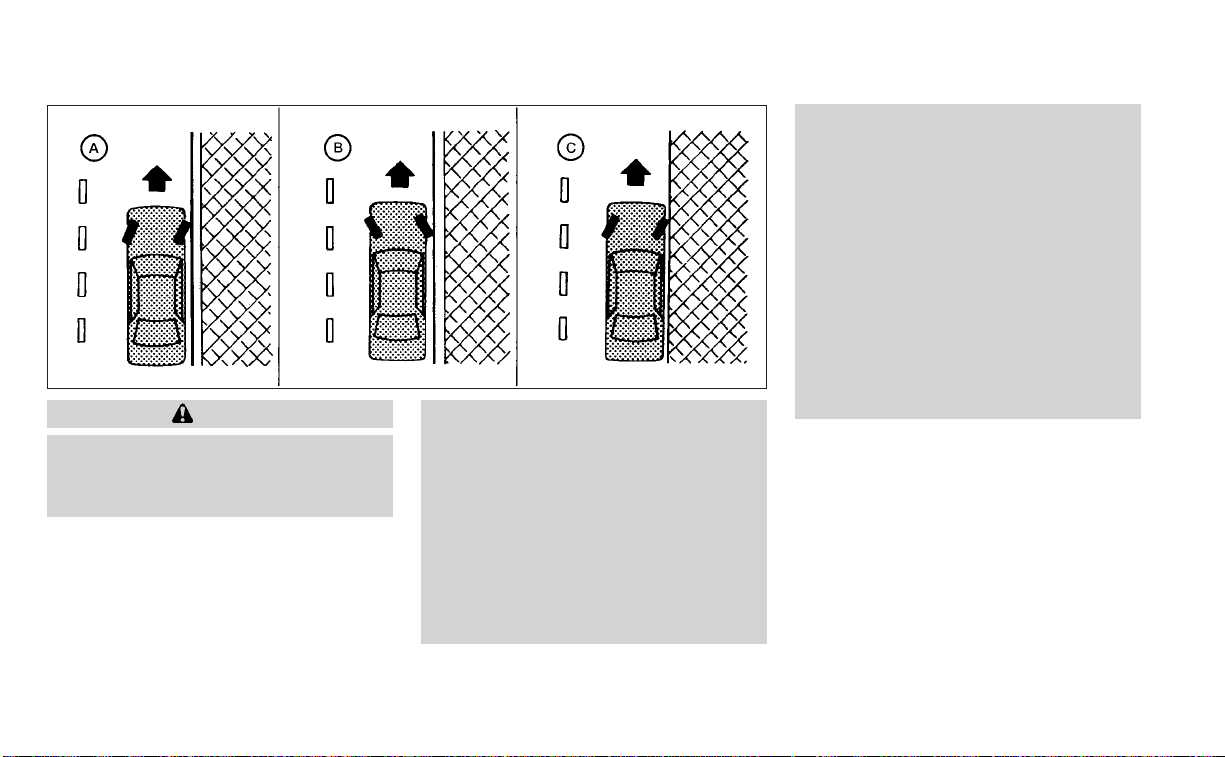
WARNING
• Do not stop or park the vehicle over
flammable materials such as dry
grass, waste paper or rags. They may
ignite and cause a fire.
• Safe parking procedures require that
both the parking brake be set and the
transmission placed into P (Park).
Failure to do so could cause the ve-
hicle to move unexpectedly or roll
away and result in an accident. Make
sure the shift lever has been pushed
as far forward as it can go and cannot
be moved without depressing the
foot brake pedal.
• Never leave the engine running while
the vehicle is unattended.
• Do not leave children unattended in-
side the vehicle. They could unknow-
ingly activate switches or controls or
make the vehicle move. Unattended
children could become involved in
serious accidents.
•
To help avoid risk of injury or death
through unintended operation of the
vehicle and/or its systems, do not
leave children, people who require the
assistance of others or pets unat-
tended in your vehicle. Additionally, the
temperature inside a closed vehicle on
a warm day can quickly become high
enough to cause a significant risk of
injury or death to people and pets.
1. Firmly apply the parking brake.
2. Move the shift lever to the P (Park)
position.
3. To help prevent the vehicle from rolling
into traffic when parked on an incline, it
is a good practice to turn the wheels as
illustrated.
• HEADED DOWNHILL WITH CURB
O
A
:
Turn the wheels into the curb and
move the vehicle forward until the
curb side wheel gently touches the
curb.
WSD0050
PARKING/PARKING ON HILLS
Starting and driving 5-111
• HEADED UPHILL WITH CURB
O
B
:
Turn the wheels away from the curb
and move the vehicle back until the
curb side wheel gently touches the
curb.
• HEADED UPHILL OR DOWNHILL, NO
CURB
O
C
:
Turn the wheels toward the side of the
road so the vehicle will move away
from the center of the road if it moves.
4. Place the ignition switch in the LOCK
position.
WARNING
• If the engine is not running or is
turned off while driving, the power
assist for the steering will not work.
Steering will be harder to operate.
• When the power steering warning
light illuminates with the engine run-
ning, there will be no power assist for
the steering. You will still have control
of the vehicle but the steering will be
harder to operate. Have the power
steering system checked. It is recom-
mended that you visit a NISSAN
dealer for this service.
The power steering system is designed to
provide power assist while driving to oper-
ate the steering wheel with light force.
When the steering wheel is operated re-
peatedly or continuously while parking or
driving at a very low speed, the power as-
sist for the steering wheel will be reduced.
This is to prevent overheating of the power
steering system and protect it from getting
damaged. While the power assist is re-
duced, steering wheel operation will be-
come heavy. If the steering wheel opera-
tion is still performed, the power steering
may stop and the power steering warning
light will illuminate. In a safe location, stop
the engine and push the ignition switch to
the OFF position. The temperature of the
power steering system will go down after a
period of time and the power assist level
will return to normal after starting the en-
gine. The power steering warning light will
go off. Avoid repeating such steering wheel
operations that could cause the power
steering system to overheat.
You may hear a noise from the front of the
vehicle when the steering wheel is oper-
ated. This is a normal operational noise
and is not a malfunction.
If the power steering warning light illumi-
nates while the engine is running, it may
indicate the power steering system is not
functioning properly and may need servic-
ing. Have the power steering system
checked. It is recommended that you visit a
NISSAN dealer for this service.
When the power steering warning light illu-
minates with the engine running, there will
be no power assist for the steering but you
will still have control of the vehicle. At this
time, greater steering effort is required to
operate the steering wheel, especially in
sharp turns and at low speeds.
POWER STEERING
5-112 Starting and driving

The VDC system uses various sensors to
monitor driver inputs and vehicle motion.
Under certain driving conditions, the VDC
system helps to perform the following
functions:
• Controls brake pressure to reduce wheel
slip on one slipping drive wheel so power
is transferred to a non-slipping drive
wheel on the same axle.
• Controls brake pressure and engine out-
put to reduce drive wheel slip based on
vehicle speed (traction control function).
• Controls brake pressure at individual
wheels and engine output to help the
driver maintain control of the vehicle in
the following conditions:
– Understeer (vehicle tends to not follow
the steered path despite increased
steering input)
– Oversteer (vehicle tends to spin due to
certain road or driving conditions)
The VDC system can help the driver to
maintain control of the vehicle, but it can-
not prevent loss of vehicle control in all driv-
ing situations.
When the VDC system operates, the
indicator light in the instrument panel
flashes to note the following:
• The road may be slippery or the system
may determine some action is required
to help keep the vehicle on the steered
path.
• You may feel a pulsation in the brake
pedal and hear a noise or vibration from
under the hood. This is normal and indi-
cates that the VDC system is working
properly.
• Adjust your speed and driving to the road
conditions.
For additional information, see “Slip indica-
tor light” (P. 2-15) and “Vehicle Dynamic Con-
trol (VDC) OFF indicator light” (P. 2-15).
If a malfunction occurs in the system, the
indicator light comes on in the instru-
ment panel. The VDC system automatically
turns off when the indicator light is on.
The VDC OFF switch is used to turn off the
VDC system. The
, RAB, and AEB with
Pedestrian Detection indicator lights illumi-
nate to indicate the VDC, RAB, and AEB with
Pedestrian Detection systems are off.
When the vehicle information display is
used to turn off the system, the VDC sys-
tem still operates to prevent one drive
wheel from slipping by transferring power
to a non-slipping drive wheel. The
indicator light flashes if this occurs. All
other VDC functions are off and the
indicator light will not flash.
The VDC system is automatically reset to
ON when the ignition switch is placed in the
OFF position then back to the ON position.
The computer has a built-in diagnostic fea-
ture that tests the system each time you
start the engine and move the vehicle for-
ward or in reverse at a slow speed. When
the self-test occurs, you may hear a clunk
noise and/or feel a pulsation in the brake
pedal. This is normal and is not an indica-
tion of a malfunction.
VEHICLE DYNAMIC CONTROL (VDC)
SYSTEM
Starting and driving 5-113
WARNING
• The VDC system is designed to help
the driver maintain stability but does
not prevent accidents due to abrupt
steering operation at high speeds or
by careless or dangerous driving
techniques. Reduce vehicle speed
and be especially careful when driv-
ing and cornering on slippery sur-
faces and always drive carefully.
• Do not modify the vehicle's suspen-
sion. If suspension parts such as
shock absorbers, struts, springs, sta-
bilizer bars, bushings and wheels are
not NISSAN recommended for your
vehicle or are extremely deterio-
rated, the VDC system may not oper-
ate properly. This could adversely af-
fect vehicle handling performance,
and the
indicator light may
flash.
• If brake related parts such as brake
pads, rotors and calipers are not
NISSAN recommended or are ex-
tremely deteriorated, the VDC sys-
tem may not operate properly and
the
indicator light may
illuminate.
• If engine control related parts are not
NISSAN recommended or are ex-
tremely deteriorated, the
indi-
cator light may illuminate.
• When driving on extremely inclined
sur faces such as higher banked cor-
ners, the VDC system may not oper-
ate properly and the
indicator
light may flash. Do not drive on these
types of roads.
• When driving on an unstable surface
such as a turntable, ferry, elevator or
ramp, the
indicator light may
flash. This is not a malfunction. Re-
start the engine after driving onto a
stable surface.
• If wheels or tires other than the
NISSAN recommended ones are
used, the VDC system may not oper-
ate properly and the
indicator
light may flash.
• The VDC system is not a substitute
for winter tires or tire chains on a
snow covered road.
BRAKE FORCE DISTRIBUTION
During braking while driving through turns,
the system optimizes the distribution of
force to each of the four wheels depending
on the radius of the turn.
WARNING
• The VDC system is designed to help
the driver maintain stability but does
not prevent accidents due to abrupt
steering operation at high speeds or
by careless or dangerous driving
techniques. Reduce vehicle speed
and be especially careful when driv-
ing and cornering on slippery sur-
faces and always drive carefully.
• Do not modify the vehicle's suspen-
sion. If suspension parts such as
shock absorbers, struts, springs, sta-
bilizer bars, bushings and wheels are
not NISSAN recommended for your
vehicle or are extremely deterio-
rated, the VDC system may not oper-
ate properly. This could adversely af-
fect vehicle handling performance,
and the
indicator light may
flash.
• If brake related parts such as brake
pads, rotors and calipers are not
NISSAN recommended or are ex-
tremely deteriorated, the VDC sys-
tem may not operate properly and
the
indicator light may
illuminate.
5-114 Starting and driving
• If engine control related parts are not
NISSAN recommended or are ex-
tremely deteriorated, the
indi-
cator light may illuminate.
• When driving on extremely inclined
sur faces such as higher banked cor-
ners, the VDC system may not oper-
ate properly and the
indicator
light may flash. Do not drive on these
types of roads.
• When driving on an unstable surface
such as a turntable, ferry, elevator or
ramp, the
indicator light may
flash. This is not a malfunction. Re-
start the engine after driving onto a
stable surface.
• If wheels or tires other than the
NISSAN recommended ones are
used, the VDC system may not oper-
ate properly and the
indicator
light may flash.
• The VDC system is not a substitute
for winter tires or tire chains on a
snow covered road.
The Integrated Dynamics-control Module
is an electric control module that includes
the following functions:
• Intelligent Trace Control
• Intelligent Engine Brake
• Active Ride Control
INTELLIGENT TRACE CONTROL
(I-TC)
This system senses driving based on the
driver’s steering and acceleration/braking
patterns, and controls brake pressure at
individual wheels to aid tracing at corners
and help smooth vehicle response.
The I–TC can be set to ON (enabled) or OFF
(disabled) through the vehicle information
display “Settings” page. For additional infor-
mation, see “Vehicle information display”
(P. 2-17).
When the VDC OFF switch is used to turn off
the VDC system, the I–TC is also turned off.
If the Chassis Control System Error warn-
ing message appears in the vehicle infor-
mation display, it may indicate that the I–TC
is not functioning properly. Have the sys-
tem checked as soon as possible. It is rec-
ommended that you visit a NISSAN dealer
for this service.
WARNING
The I–TC may not be effective depend-
ing on the driving condition. Always
drive carefully and attentively.
When the I–TC is operating, you may feel a
pulsation in the brake pedal and hear a
noise. This is normal and indicates that the
I–TC is operating properly.
Even if the I–TC is set to OFF, some func-
tions will remain on to assist the driver (for
example, avoidance scenes).
INTELLIGENT ENGINE BRAKE (I-EB)
The I–EB function adds subtle deceleration
by controlling the Continuously Variable
Transmission (CVT) gear ratio, depending
on the cornering condition calculated from
the driver's steering input and plural sen-
sors. This benefit is for easier traceability
and less workload of adjusting speed with
braking at corners.
The I–EB also enhances braking feel by
adding subtle deceleration with the CVT
gear ratio control according to the driver's
brake pedal operation.
INTEGRATED DYNAMICS-CONTROL
MODULE
Starting and driving 5-115
The I–EB can be set to ON (enabled) or OFF
(disabled) through the vehicle information
display “Settings” page. For additional infor-
mation, see “Vehicle information display”
(P. 2-17).
If the Chassis Control System Error warn-
ing message appears in the vehicle infor-
mation display, it may indicate that the I–EB
is not functioning properly. Have the sys-
tem checked as soon as possible. It is rec-
ommended that you visit a NISSAN dealer
for this service.
WARNING
The I–EB may not be effective depend-
ing on driving conditions. Always drive
carefully and attentively.
When the I–EB is operating, the needle of
the tachometer will rise up and you may
hear an engine noise. This is normal and
indicates that the I–EB is operating
properly.
ACTIVE RIDE CONTROL (ARC)
This system senses upper body motion
(based on wheel speed information) and
controls engine torque and four wheel
brake pressure. This will enhance ride com-
fort in effort to restrain uncomfortable up-
per body movement when passing over
undulated road surfaces. This system
comes into effect above 25 mph (40 km/h).
When the VDC OFF switch is used to turn off
the VDC system, the ARC is also turned off.
If the Chassis Control System Error warn-
ing message appears in the vehicle infor-
mation display, it may indicate that the ARC
is not functioning properly. Have the sys-
tem checked as soon as possible. It is rec-
ommended that you visit a NISSAN dealer
for this service.
When the ARC is operating, you may hear
noise and sense slight deceleration. This is
normal and indicates that the ARC is oper-
ating properly.
The sonar (parking sensor) system sounds
a tone to inform the driver of obstacles
near the bumper.
When the “DISPLAY” key is ON, the sonar
view will automatically appear in the meter.
WARNING
• The sonar (parking sensor) system is
a convenience but it is not a substi-
tute for proper parking.
•
The driver is always responsible for
safety during parking and other ma-
neuvers. Always look around and check
that it is safe to do so before parking.
LSD2427
FRONT AND REAR SONAR SYSTEM (if
so equipped)
5-116 Starting and driving
• Read and understand the limitations
of the sonar (parking sensor) system
as contained in this section. The col-
ors of the corner sonar indicator and
the distance guide lines in the front/
rear view indicate different distances
to the object.
• Inclement weather or ultrasonic
sources such as an automatic car
wash, a truck's compressed-air
brakes or a pneumatic drill may af-
fect the function of the system; this
may include reduced performance or
a false activation.
• This function is designed as an aid to
the driver in detecting large station-
ary objects to help avoid damaging
the vehicle.
• The system is not designed to pre-
vent contact with small or moving
objects. Always move slowly. The
system will not detect small objects
below the bumper, and may not de-
tect objects close to the bumper or
on the ground.
•
The system may not detect the follow-
ing objects: fluffy objects such as
snow, cloth, cotton, glass, wool, etc.,
and thin objects such as rope, wire and
chain, etc., or wedge-shaped objects.
• The sonar sensors may cause mal-
function when a horn, etc. sounds or
there is an ultrasonic source (such as
parking sensors of other vehicles)
around the vehicle because the so-
nar sensors detect the distance be-
tween the vehicle and the obstacle
by detecting the sound wave re-
flected from the surface of an
obstacle.
If your vehicle sustains damage to the
bumper fascia, leaving it misaligned or
bent, the sensing zone may be altered
causing inaccurate measurement of ob-
stacles or false alarms.
CAUTION
• Excessive noise (such as audio sys-
tem volume or an open vehicle win-
dow) will interfere with the tone and
it may not be heard.
• Keep the sonar sensors (located on
the bumper fascia) free from snow,
ice and large accumulations of dirt.
Do not clean the sensors with sharp
objects. If the sensors are covered,
the accuracy of the sonar function
will be diminished.
SYSTEM OPERATION
The system informs with a visual and au-
dible alert of front obstacles when the shift
lever is in the D (Drive) position and both
front and rear obstacles when the shift le-
ver is in the R (Reverse) position.
Sonar Operation Table
FR Sensor RR Sensor
Range Sound Display Sound Display
Px†x †
Rooo o
Nx†x †
Do o x †
o – Display/Beep when detect
† – Display on camera view
x – No Display and Beep
The system is deactivated at speeds above
6 mph (10 km/h). It is reactivated at lower
speeds.
Starting and driving 5-117

While the vehicle is moving the audible alert
will stop after 3 seconds when an obstacle
is detected by only the corner sensor and
distance does not change. The audible
alert will also stop when the obstacle
moves away from the vehicle. At any time
the left side button of the steering wheel (
buttons) is available to cancel the au-
dible alert.
When the object is detected, the indicator
(green) appears and blinks and the tone
sounds intermittently. When the vehicle
moves closer to the object, the color of the
indicator turns yellow and the rate of the
blinking increases. When the vehicle is very
close to the object, the indicator stops
blinking and turns red, and the tone
sounds continuously.
When the corner of the vehicle moves
closer to an object, the corner sonar indi-
cator
O
A
appears.
The system indicators
O
A
will appear when
the vehicle moves closer to an object.
LSD2428 LSD2137
5-118 Starting and driving

HOW TO ENABLE/DISABLE THE
FRONT AND REAR SONAR SYSTEM
The system is automatically activated
when the ignition is in the ON position and
the shift lever is in the R (Reverse) position.
Perform the following steps to enable or
disable the sonar system:
1. Press the
button until “Settings” ap-
pears in the vehicle information display
and then press OK. Use the
button
to select “Driver Assistance.” Then press
the OK button.
2. Select “Parking Aids” and press the OK
button.
3. Select “Sensor” and press the OK button,
then select “ON”, “OFF” or “Front Only”.
LSD2820
Starting and driving 5-119

FREEING A FROZEN DOOR LOCK
To prevent a door lock from freezing, apply
de-icer through the key hole. If the lock
becomes frozen, heat the key before in-
serting it into the key hole or use the re-
mote keyless entry function on the Intelli-
gent Key.
ANTIFREEZE
In the winter when it is anticipated that the
temperature will drop below 32°F (0°C),
check the antifreeze to assure proper win-
ter protection. For additional information,
see “Engine cooling system” (P. 8-4).
BATTERY
If the battery is not fully charged during
extremely cold weather conditions, the
battery fluid may freeze and damage the
battery. To maintain maximum efficiency,
the battery should be checked regularly.
For additional information, see “Battery”
(P. 8-13).
DRAINING OF COOLANT WATER
If the vehicle is to be left outside without
antifreeze, drain the cooling system, includ-
ing the engine block. Refill before operating
the vehicle. For additional information, see
“Changing engine coolant” (P. 8-5).
TIRE EQUIPMENT
1. SUMMER tires have a tread designed to
provide superior performance on dry
pavement. However, the performance of
these tires will be substantially reduced
in snowy and icy conditions. If you oper-
ate your vehicle on snowy or icy roads,
NISSAN recommends the use of MUD &
SNOW or ALL SEASON TIRES on all four
wheels. It is recommended that you visit
a NISSAN dealer for the tire type, size,
speed rating and availability information.
2. For additional traction on icy roads,
studded tires may be used. However,
some U.S. states and Canadian prov-
inces prohibit their use. Check local,
state and provincial laws before install-
ing studded tires.
Skid and traction capabilities of studded
snow tires on wet or dry surfaces may be
poorer than that of non-studded snow
tires.
SPECIAL WINTER EQUIPMENT
It is recommended that the following items
be carried in the vehicle during winter:
• A scraper and stiff-bristled brush to re-
move ice and snow from the windows
and wiper blades.
• A sturdy, flat board to be placed under the
jack to give it firm support.
• A shovel to dig the vehicle out of
snowdrifts.
• Extra washer fluid to refill the windshield-
washer fluid reservoir.
DRIVING ON SNOW OR ICE
WARNING
• Wet ice (32°F, 0°C and freezing rain),
very cold snow or ice can be slick and
very hard to drive on. The vehicle will
have much less traction or “grip” un-
der these conditions. Try to avoid
driving on wet ice until the road is
salted or sanded.
• Whatever the condition, drive with
caution. Accelerate and slow down
with care. If accelerating or down-
shifting too fast, the drive wheels will
lose even more traction.
• Allow more stopping distance under
these conditions. Braking should be
started sooner than on dry
pavement.
• Allow greater following distances on
slippery roads.
COLD WEATHER DRIVING
5-120 Starting and driving

• Watch for slippery spots (glare ice).
These may appear on an otherwise
clear road in shaded areas. If a patch
of ice is seen ahead, brake before
reaching it. Try not to brake while on
the ice, and avoid any sudden steer-
ing maneuvers.
• Do not use the cruise control on slip-
pery roads.
• Snow can trap dangerous exhaust
gases under your vehicle. Keep snow
clear of the exhaust pipe and from
around your vehicle.
ACTIVE NOISE CANCELLATION
This system uses three microphones
O
1
located inside the vehicle to detect engine
booming noises. The system then auto-
matically generates a noise canceling
sound through the speakers and woofer to
reduce engine booming noise.
NOTE:
To operate the active noise cancella-
tion system properly:
• Do not cover the speakers or woofer.
• Do not cover the microphones.
• Do not change or modify speakers in-
cluding the woofer and any audio re-
lated components such as the
amplifier.
• Do not make any modification includ-
ing sound deadening or modifications
around the microphones, speakers, or
woofer.
ACTIVE SOUND CONTROL
Active sound control enhances existing en-
gine sounds according to the engine
speed and driving modes through the
speakers and woofer.
LSD2637
Front and rear microphones
ACTIVE NOISE CANCELLATION/
ACTIVE SOUND CONTROL (if so
equipped)
Starting and driving 5-121

MEMO
5-122 Starting and driving

6 In case of emergency
Hazard warning flasher switch ..................6-2
Emergency engine shut off ......................6-2
Flat tire ..........................................6-3
Tire Pressure Monitoring System
(TPMS) .......................................6-3
Changing a flat tire ...........................6-4
Jump starting ...................................6-9
Push starting ....................................6-11
If your vehicle overheats.........................6-11
Towing your vehicle ............................6-12
Towing recommended by NISSAN ...........6-12
Vehicle recovery (freeing a stuck
vehicle) ......................................6-13
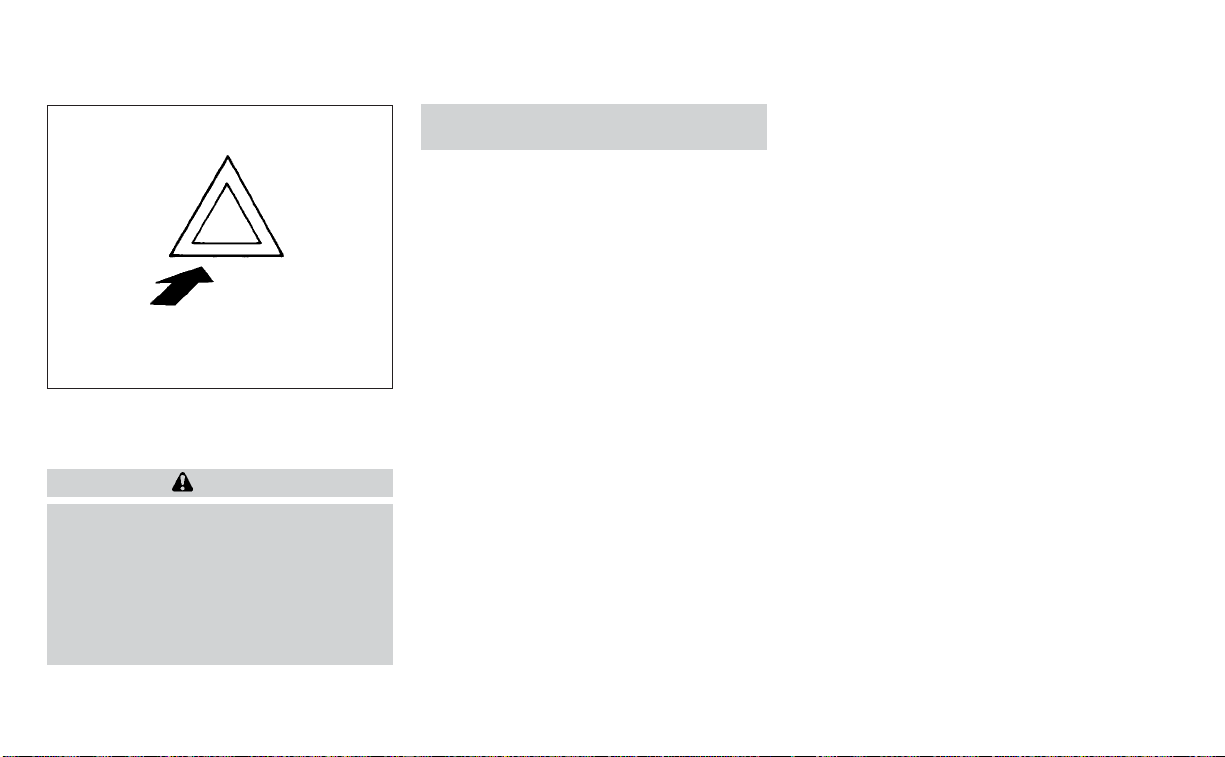
Push the switch on to warn other drivers
when you must stop or park under emer-
gency conditions. All turn signal lights flash.
WARNING
• If stopping for an emergency, be sure
to move the vehicle well off the road.
• Do not use the hazard warning flash-
ers while moving on the highway un-
less unusual circumstances force
you to drive so slowly that your ve-
hicle might become a hazard to other
traffic.
• Turn signals do not work when the
hazard warning flasher lights are on.
The flashers will operate with the ignition
switch placed in any position.
Some jurisdictions may prohibit the use
of the hazard warning flasher switch
while driving.
To shut off the engine in an emergency
situation while driving, perform the follow-
ing procedure:
– Rapidly push the push-button ignition
switch three consecutive times in less
than 1.5 seconds, or
– Push and hold the push-button ignition
switch for more than 2 seconds.
LIC0394
HAZARD WARNING FLASHER SWITCH EMERGENCY ENGINE SHUT OFF
6-2 In case of emergency

TIRE PRESSURE MONITORING
SYSTEM (TPMS)
This vehicle is equipped with TPMS. It moni-
tors tire pressure of all tires except the
spare. When the low tire pressure warning
light is lit and the “Tire Pressure Low - Add
Air” warning appears in the vehicle infor-
mation display, one or more of your tires is
significantly under-inflated. If the vehicle is
being driven with low tire pressure, the
TPMS will activate and warn you of it by the
low tire pressure warning light. This system
will activate only when the vehicle is driven
at speeds above 16 mph (25 km/h). For ad-
ditional information, see “Warning lights, in-
dicator lights and audible reminders”
(P. 2-8) and “Tire Pressure Monitoring Sys-
tem (TPMS)” (P. 5-5).
WARNING
• Radio waves could adversely affect
electric medical equipment. Those
who use a pacemaker should contact
the electric medical equipment
manufacturer for the possible influ-
ences before use.
• If the low tire pressure warning light
illuminates while driving, avoid sud-
den steering maneuvers or abrupt
braking, reduce vehicle speed, pull
off the road to a safe location and
stop the vehicle as soon as possible.
Driving with under-inflated tires may
permanently damage the tires and
increase the likelihood of tire failure.
Serious vehicle damage could occur
and may lead to an accident and
could result in serious personal in-
jury. Check the tire pressure for all
four tires. Adjust the tire pressure to
the recommended COLD tire pres-
sure shown on the Tire and Loading
Information label to turn the low tire
pressure warning light OFF. If the
light still illuminates while driving af-
ter adjusting the tire pressure, a tire
may be flat or the TPMS may be mal-
functioning. If you have a flat tire, re-
place it with a spare tire as soon as
possible. If no tire is flat and all tires
are properly inflated, have the ve-
hicle checked. It is recommended
that you visit a NISSAN dealer for this
service.
• When using a wheel without the
TPMS such as the spare tire,the TPMS
will not function and the low tire
pressure warning light will flash for
approximately 1 minute. The light will
remain on after 1 minute. Have your
tires replaced and/or TPMS system
reset as soon as possible. It is recom-
mended that you visit a NISSAN
dealer for these services.
• Replacing tires with those not origi-
nally specified by NISSAN could af-
fect the proper operation of the
TPMS.
• Do not inject any tire liquid or aerosol
tire sealant into the tires, as this may
cause a malfunction of the tire pres-
sure sensors.
• If the light still comes on while driving
after adjusting the tire pressure, a
tire may be flat or the TPMS may be
malfunctioning. If you have a flat tire,
replace it with a spare tire as soon as
possible. If no tire is flat and all tires
are properly inflated, it is recom-
mended that you visit a NISSAN
dealer for this service.
FLAT TIRE
In case of emergency 6-3
CHANGING A FLAT TIRE
If you have a flat tire, follow the instructions
below:
Stopping the vehicle
1. Safely move the vehicle off the road and
away from traffic.
2. Turn on the hazard warning flashers.
3. Park on a level surface and apply the
parking brake. Move the shift lever to P
(Park).
4. Turn off the engine.
5. Raise the hood to warn other traffic and
to signal professional road assistance
personnel that you need assistance.
6. Have all passengers get out of the ve-
hicle and stand in a safe place, away
from traffic and clear of the vehicle.
WARNING
• Make sure the parking brake is se-
curely applied and the Continuously
Variable Transmission (CVT) is
shifted into P (Park).
• Never change tires when the vehicle
is on a slope, ice or slippery areas.
This is hazardous.
• Never change tires if oncoming traf-
fic is close to your vehicle. Wait for
professional road assistance.
Blocking wheels
Place suitable blocks at both the front and
back of the wheel diagonally opposite the
flat tire to prevent the vehicle from moving
when it is jacked up.
WARNING
Be sure to block the wheel as the ve-
hicle may move and result in personal
injury.
LCE2142
A. Blocks
B. Flat tire
6-4 In case of emergency
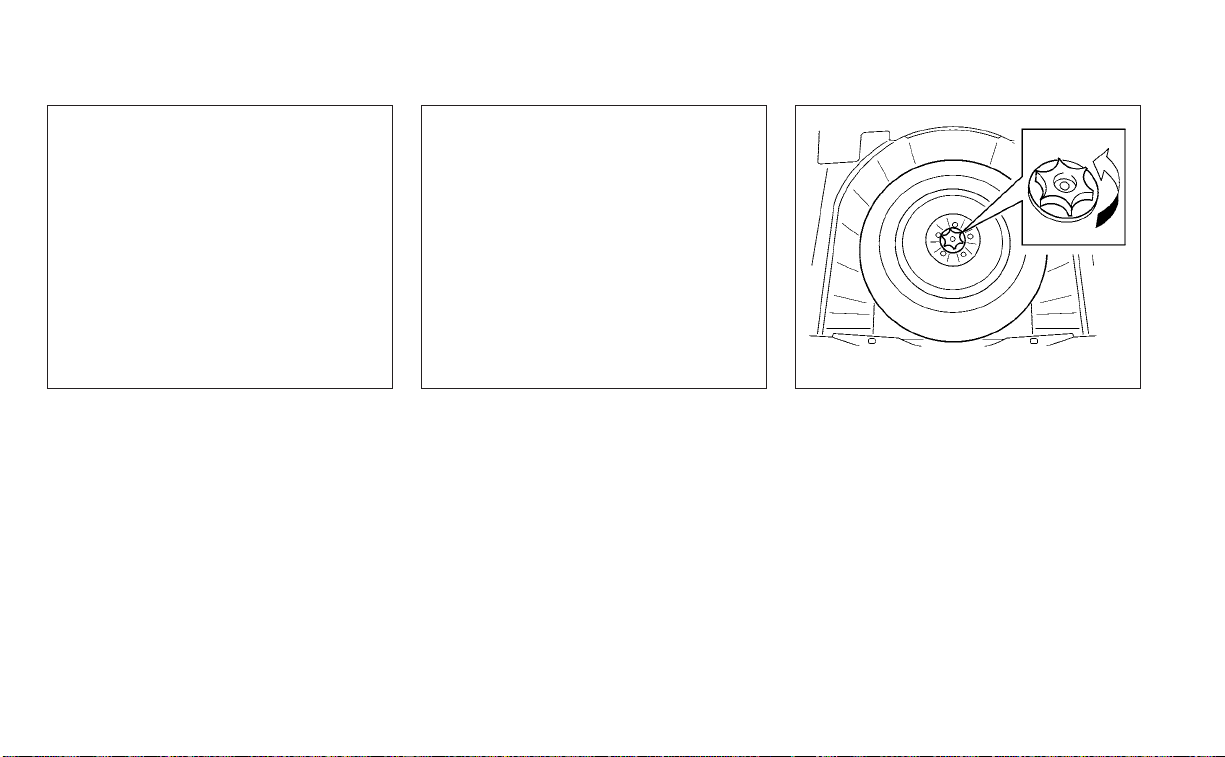
Getting the spare tire and tools
Open the trunk. Lift the floor carpeting and
spare tire cover.
Remove the tool box from the spare tire. Turn the clamp counterclockwise and re-
move it to access the spare tire.
LCE2445 LCE2336 WCE0188
In case of emergency 6-5

Jacking up vehicle and removing
the damaged tire
WARNING
• Never get under the vehicle while it is
supported only by the jack. If it is nec-
essary to work under the vehicle,
support it with safety stands.
• Use only the jack provided with your
vehicle to lift the vehicle. Do not use
the jack provided with your vehicle
on other vehicles. The jack is de-
signed for lifting only your vehicle
during a tire change.
• Use the correct jack-up points. Never
use any other part of the vehicle for
jack support.
• Never jack up the vehicle more than
necessary.
• Never use blocks on or under the
jack.
• Do not start or run the engine while
vehicle is on the jack. It may cause
the vehicle to move. This is especially
true for vehicles with limited slip
differentials.
• Do not allow passengers to stay in
the vehicle while it is on the jack.
• Never run the engine with a wheel(s)
off the ground. It may cause the ve-
hicle to move.
LCE2226
6-6 In case of emergency
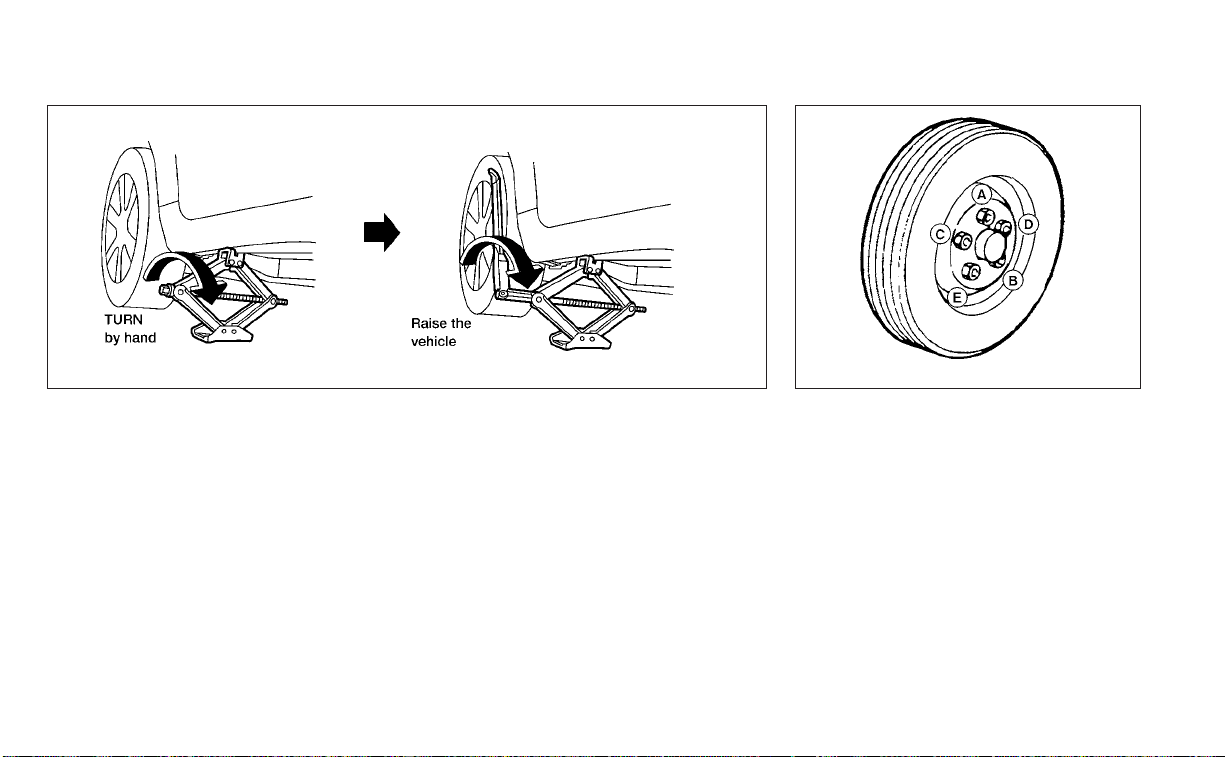
Always refer to the illustrations for the cor-
rect placement and jack-up points for your
specific vehicle model and jack type.
Carefully read the caution label attached
to the jack body and the following in-
structions.
1. Loosen each wheel nut one or two turns
by turning counterclockwise with the
wheel nut wrench. Do not remove the
wheel nuts until the tire is off the
ground.
2. Place the jack directly under the jack-up
point as illustrated so the top of the jack
contacts the vehicle at the jack-up point.
Align the jack head between the two
notches in the front or the rear as
shown. Also fit the groove of the jack
head between the notches as shown.
The jack should be used on firm and
level ground.
3. To lift the vehicle, securely hold the jack
lever and rod with both hands. Carefully
raise the vehicle until the tire clears the
ground. Remove the wheel nuts and
then remove the tire.
Installing the spare tire
The spare tire is designed for emergency
use. For additional information, see
“Wheels and tires” (P. 8-26).
1. Clean any mud or dirt from the surface
between the wheel and hub.
2. Carefully put the spare tire on and
tighten the wheel nuts finger tight.
3. With the wheel nut wrench, tighten
wheel nuts alternately and evenly in the
sequence illustrated (
O
A
,
O
B
,
O
C
,
O
D
,
O
E
)
until they are tight.
LCE0020 WCE0056
In case of emergency 6-7

4. Lower the vehicle slowly until the tire
touches the ground. Then, with the
wheel nut wrench, tighten the wheel
nuts securely in the sequence illustrated
(
O
A
,
O
B
,
O
C
,
O
D
,
O
E
). Lower the vehicle
completely.
WARNING
• Incorrect wheel nuts or improperly
tightened wheel nuts can cause the
wheel to become loose or come off.
This could cause an accident.
• Do not use oil or grease on the wheel
studs or nuts. This could cause the
nuts to become loose.
• Retighten the wheel nuts when the
vehicle has been driven for 600 miles
(1,000 km) (also in cases of a flat tire,
etc.).
As soon as possible, tighten the wheel
nuts to the specified torque with a
torque wrench.
Wheel nut tightening torque:
83 ft-lb (113 N·m)
The wheel nuts must be kept tightened
to specification at all times. It is recom-
mended that wheel nuts be tightened to
specifications at each lubrication
interval.
Adjust tire pressure to the COLD
pressure.
COLD pressure: After vehicle has been
parked for 3 hours or more or driven less
than 1 mile (1.6 km).
COLD tire pressures are shown on the
Tire and Loading Information label af-
fixed to the driver's door opening.
5. Securely store the flat tire and jacking
equipment in the vehicle.
6. Place the spare tire cover and the trunk
floor carpeting over the damaged tire.
7. Close the trunk.
NOTE:
You may need to remove the wheel cap
in order to secure the damaged tire us-
ing the spare tire clamp.
WARNING
• Always make sure that the spare tire
and jacking equipment are properly
secured after use. Such items can be-
come dangerous projectiles in an ac-
cident or sudden stop.
• The spare tire is designed for emer-
gency use. For additional informa-
tion, see specific instruction under
the heading “Wheels and tires”
(P. 8-26).
6-8 In case of emergency

To start your engine with a booster battery,
the instructions and precautions below
must be followed.
WARNING
• If done incorrectly, jump starting can
lead to a battery explosion, resulting
in severe injury or death. It could also
damage your vehicle.
• Explosive hydrogen gas is always
present in the vicinity of the battery.
Keep all sparks and flames away
from the battery.
• Do not allow battery fluid to come
into contact with eyes, skin, clothing
or painted surfaces. Bat tery fluid is a
corrosive sulfuric acid solution which
can cause severe burns. If the fluid
should come into contact with any-
thing, immediately flush the con-
tacted area with water.
• Keep battery out of the reach of
children.
• The booster battery must be rated at
12 volts. Use of an improperly rated
battery can damage your vehicle.
• Whenever working on or near a bat-
tery, always wear suitable eye pro-
tectors (for example, goggles or in-
dustrial safety spectacles) and
remove rings, metal bands, or any
other jewelry. Do not lean over the
battery when jump starting.
• Do not attempt to jump start a frozen
battery. It could explode and cause
serious injury.
• Your vehicle has an automatic engine
cooling fan. It could come on at any
time. Keep hands and other objects
away from it.
JUMP STARTING
In case of emergency 6-9
WARNING
Always follow the instructions below.
Failure to do so could result in damage
to the charging system and cause per-
sonal injury.
1. If the booster battery is in another ve-
hicle, position the two vehicles to bring
their batteries near each other.
Do not allow the two vehicles to touch.
2. Apply the parking brake. Move the shift
lever to P (Park). Switch off all unneces-
sary electrical systems (lights, heater, air
conditioner, etc.).
3. Place the ignition switch in the LOCK
position.
4. Connect the jumper cables in the se-
quence illustrated (
O
A
,
O
B
,
O
C
,
O
D
).
CAUTION
• Always connect positive (+) to posi-
tive (+) and negative (−) to body
ground (for example, strut mounting
bolt, engine lift bracket, etc.) — not to
the battery.
• Make sure the jumper cables do not
touch moving parts in the engine
compartment and that the cable
clamps do not contact any other
metal.
5. Start the engine of the booster vehicle
and let it run for a few minutes.
6. Keep the engine speed of the booster
vehicle at about 2,000 rpm and start the
engine of the vehicle being jump
started.
CAUTION
Do not keep the starter motor engaged
for more than 10 seconds. If the engine
does not start right away, place the ig-
nition switch in the OFF position and
wait 3 to 4 seconds before trying again.
7. After starting the engine, carefully dis-
connect the negative cable and then the
positive cable.
LCE2223
6-10 In case of emergency

CAUTION
• Continuously Variable Transmission
(CVT) models cannot be push-
started or tow-started. Attempting
to do so may cause transmission
damage.
• Do not push start this vehicle. The
three-way catalyst may be
damaged.
If your vehicle is overheating (indicated by
an extremely high temperature gauge
reading) or if you feel a lack of engine
power, detect abnormal noise, etc., take the
following steps.
WARNING
• Do not continue to drive if your ve-
hicle overheats. Doing so could cause
engine damage or a vehicle fire.
• To avoid the danger of being scalded,
never remove the radiator cap while
the engine is still hot. When the radia-
tor cap is removed, pressurized hot
water will spurt out, possibly causing
serious injury.
• Do not open the hood if steam is
coming out.
1. Move the vehicle safely off the road, ap-
ply the parking brake and move the shift
lever to P (Park).
Do not stop the engine.
2. Turn off the air conditioner. Open all the
windows, move the heater or air condi-
tioner temperature control to maximum
hot and fan control to high speed.
3. Get out of the vehicle. Look and listen for
steam or coolant escaping from the ra-
diator before opening the hood. (If
steam or coolant is escaping, turn off
the engine.) Do not open the hood fur-
ther until no steam or coolant can be
seen.
4. Open the engine hood.
WARNING
If steam or water is coming from the
engine, stand clear to prevent getting
burned.
5. Visually check drive belts for damage or
looseness. Also check if the cooling fan
is running. The radiator hoses and radia-
tor should not leak water. If coolant is
leaking, the water pump belt is missing
or loose, or the cooling fan does not run,
stop the engine.
WARNING
Be careful not to allow your hands, hair,
jewelry or clothing to come into con-
tact with, or get caught in, engine belts
or the engine cooling fan. The engine
cooling fan can start at any time.
PUSH STARTING IF YOUR VEHICLE OVERHEATS
In case of emergency 6-11

6. After the engine cools down, check the
coolant level in the engine coolant res-
ervoir tank with the engine running. Add
coolant to the engine coolant reservoir
tank if necessary. Have your vehicle re-
paired. It is recommended that you visit
a NISSAN dealer for this service.
When towing your vehicle, all State (Provin-
cial in Canada) and local regulations for
towing must be followed. Incorrect towing
equipment could damage your vehicle.
Towing instructions are available from a
NISSAN dealer. Local service operators are
generally familiar with the applicable laws
and procedures for towing. To assure
proper towing and to prevent accidental
damage to your vehicle, NISSAN recom-
mends having a service operator tow your
vehicle. It is advisable to have the service
operator carefully read the following
precautions:
WARNING
• Never ride in a vehicle that is being
towed.
• Never get under your vehicle after it
has been lifted by a tow truck.
CAUTION
• When towing, make sure that the
transmission, axles, steering system
and powertrain are in working condi-
tion. If any of these conditions apply,
dollies or a flatbed tow truck must be
used.
• Always attach safety chains before
towing.
For information about towing your vehicle
behind a recreational vehicle (RV), see “Flat
towing” (P. 10-18).
TOWING RECOMMENDED BY
NISSAN
NISSAN recommends towing your vehicle
based upon the type of drivetrain. For addi-
tional information, refer to the diagrams in
this section to ensure that your vehicle is
properly towed.
TOWING YOUR VEHICLE
6-12 In case of emergency
Two-Wheel Drive models with
Continuously Variable
Transmission (CVT)
NISSAN recommends that your vehicle be
towed with the driving (front) wheels off the
ground or place the vehicle on a flatbed
truck as illustrated.
CAUTION
• Never tow CVT models with the front
wheels on the ground or four wheels
on the ground (forward or back-
ward), as this may cause serious and
expensive damage to the transmis-
sion. If it is necessary to tow the ve-
hicle with the rear wheels raised al-
ways use towing dollies under the
front wheels.
• When towing CVT models with the
rear wheels on the ground or on tow-
ing dollies:
– Place the ignition switch in the
OFF position, and secure the
steering wheel in a straight-ahead
position with a rope or similar de-
vice. Never secure the steering
wheel by placing the ignition
switch in the LOCK position. This
may damage the steering lock
mechanism (for models with a
steering lock mechanism).
VEHICLE RECOVERY (freeing a
stuck vehicle)
WARNING
To avoid vehicle damage, serious per-
sonal injury or death when recovering a
stuck vehicle:
• Contact a professional towing ser-
vice to recover the vehicle if you have
any questions regarding the recov-
ery procedure.
• Tow chains or cables must be at-
tached only to main structural mem-
bers of the vehicle.
• Do not use the vehicle tie-downs to
tow or free a stuck vehicle.
LCE2369
In case of emergency 6-13

• Only use devices specifically de-
signed for vehicle recovery and fol-
low the manufacturer's instructions.
• Always pull the recovery device
straight out from the front of the ve-
hicle. Never pull at an angle.
• Route recovery devices so they do
not touch any part of the vehicle ex-
cept the attachment point.
If your vehicle is stuck in sand, snow, mud,
etc., use a tow strap or other device de-
signed specifically for vehicle recovery. Al-
ways follow the manufacturer's instruc-
tions for the recovery device.
Rocking a stuck vehicle
WARNING
• Stand clear of a stuck vehicle.
• Do not spin your tires at high speed.
This could cause them to explode
and result in serious injury. Parts of
your vehicle could also overheat and
be damaged.
If your vehicle is stuck in sand, snow, mud,
etc., use the following procedure:
1. Turn off the Vehicle Dynamic Control
(VDC) system.
2. Make sure the area in front and behind
the vehicle is clear of obstructions.
3. Turn the steering wheel right and left to
clear an area around the front tires.
4. Slowly rock the vehicle forward and
backward.
• Shift back and forth between R (Re-
verse) and D (Drive).
• Apply the accelerator as little as pos-
sible to maintain the rocking motion.
• Release the accelerator pedal before
shifting between R (Reverse) and D
(Drive).
• Do not spin the tires above 35 mph (55
km/h).
5. If the vehicle cannot be freed after a few
tries, contact a professional towing ser-
vice to remove the vehicle.
6-14 In case of emergency

7 Appearance and care
Cleaning exterior ................................7-2
Washing .....................................7-2
Waxing .......................................7-3
Removing spots ..............................7-3
Underbody ...................................7-3
Glass .........................................7-3
Aluminum alloy wheels .......................7-4
Chromeparts................................7-4
Tire dressings ................................7-4
Cleaning interior ................................7-5
Air fresheners ................................ 7-7
Power moonroof (if so equipped) .............7-7
Floor mats (if so equipped) ................... 7-7
Seatbelts....................................7-8
Corrosion protection ............................7-9
Most common factors contributing to
vehicle corrosion .............................7-9
Environmental factors influence the
rate of corrosion .............................7-9
Protect your vehicle from corrosion ..........7-9

In order to maintain the appearance of
your vehicle, it is important to take proper
care of it.
To protect the paint surfaces, wash your
vehicle as soon as you can:
• After a rainfall to prevent possible dam-
age from acid rain.
• After driving on coastal roads.
• When contaminants such as soot, bird
droppings, tree sap, metal particles or
bugs get on the paint surface.
• When dust or mud builds up on the
surface.
Whenever possible, store or park your ve-
hicle inside a garage or in a covered area.
When it is necessary to park outside, park in
a shady area or protect the vehicle with a
body cover.
Be careful not to scratch the paint sur-
face when putting on or removing the
body cover.
WASHING
Wash dirt off with a wet sponge and plenty
of water. Clean the vehicle thoroughly us-
ing a mild soap, a special vehicle soap or
general purpose dishwashing liquid mixed
with clean, lukewarm (never hot) water.
CAUTION
• Do not concentrate water spray di-
rectly on the sonar sensors (if so
equipped) on the bumper as this will
result in damage to the sensors. Do
not use pressure washers capable of
spraying water over 1,200 psi (8,274
kPa) to wash your vehicle. Use of
high-pressure washers over 1,200 psi
(8,274 kPa) can result in damage to or
removal of paint or graphics. Avoid
using a high-pressure washer closer
than 12 inches (30 cm) to the vehicle.
Always use a wide-angle nozzle only,
keep the nozzle moving and do not
concentrate the water spray on any
one area.
• Do not use car washes that use acid
in the detergent. Some car washes,
especially brushless ones, use some
acid for cleaning. The acid may react
with some plastic vehicle compo-
nents, causing them to crack. This
could affect their appearance, and
also could cause them not to func-
tion properly. Always check with your
car wash to confirm that acid is not
used.
• Do not wash the vehicle with strong
household soap, strong chemical de-
tergents, gasoline or solvents.
• Do not wash the vehicle in direct sun-
light or while the vehicle body is hot,
as the surface may become
water-spotted.
• Avoid using tight-napped or rough
cloths, such as washing mitts. Care
must be taken when removing
caked-on dirt or other foreign sub-
stances so the paint surface is not
scratched or damaged.
Rinse the vehicle thoroughly with plenty of
clean water.
Inside edges, seams and folds on the
doors, hatches and hood are particularly
vulnerable to the effects of road salt. There-
fore, these areas must be cleaned regularly.
Take care that the drain holes in the lower
edge of the door are open. Spray water
under the body and in the wheel wells to
loosen the dirt and wash away road salt.
A damp chamois can be used to dry the
vehicle to avoid water spots.
CLEANING EXTERIOR
7-2 Appearance and care

WAXING
Regular waxing protects the paint surface
and helps retain new vehicle appearance.
Polishing is recommended to remove
built-up wax residue and to avoid a weath-
ered appearance before re-applying wax.
A NISSAN dealer can assist you in choosing
the proper product.
• Wax your vehicle only after a thorough
washing. Follow the instructions supplied
with the wax.
• Do not use a wax containing any abra-
sives, cutting compounds or cleaners
that may damage the vehicle finish.
Machine compounding or aggressive pol-
ishing on a base coat/clear coat paint fin-
ish may dull the finish or leave swirl marks.
REMOVING SPOTS
Remove tar and oil spots, industrial dust,
insects, and tree sap as quickly as possible
from the surface of the paint to avoid last-
ing damage or staining. Special cleaning
products are available at a NISSAN dealer
or any automotive accessory store. It is
recommended that you visit a NISSAN
dealer for these products.
UNDERBODY
In areas where road salt is used in winter, it
is necessary to clean the underbody regu-
larly in order to prevent dirt and salt from
building up and causing the acceleration of
corrosion on the underbody and suspen-
sion. Before the winter period and again in
the spring, the underseal must be checked
and, if necessary, re-treated.
GLASS
When cleaning the rear window, it may be
easier to clean if the high-mounted stop
light (if so equipped) is removed first.
Be careful when removing the high-
mounted stop light (if so equipped) to re-
duce the risk of damaging the high-
mounted stop light wires.
To remove the high-mounted stop light (if
so equipped):
1. Push downward on the plastic shelf
around the stop light
O
1
,liftupwardson
the stop light, releasing it from the shelf
O
2
.
LAI2116
Appearance and care 7-3
2. Once it is released from the shelf, gently
pull the stop light towards the rear seat-
back
O
3
.
The high-mounted stop light must be
properly reinstalled before driving your
vehicle.
Use glass cleaner to remove smoke and
dust film from the glass surfaces. It is nor-
mal for glass to become coated with a film
after the vehicle is parked in the hot sun.
Glass cleaner and a soft cloth will easily
remove this film.
To reinstall the high-mounted stop light,
reverse steps
O
3
, then
O
2
.
CAUTION
When cleaning the inside of the win-
dows, do not use sharp-edged tools,
abrasive cleaners or chlorine-based
disinfectant cleaners. They could dam-
age the electrical conductors, radio an-
tenna elements or rear window defog-
ger elements.
ALUMINUM ALLOY WHEELS
Wash the wheels regularly with a sponge
dampened in a mild soap solution, espe-
cially during winter months in areas where
road salt is used. If not removed, road salt
can discolor the wheels.
CAUTION
Follow the directions below to avoid
staining or discoloring the wheels:
• Do not use a cleaner that uses strong
acid or alkali contents to clean the
wheels.
• Do not apply wheel cleaners to the
wheels when they are hot. The wheel
temperature should be the same as
ambient temperature.
• Rinse the wheel to completely re-
move the cleaner within 15 minutes
after the cleaner is applied.
CHROME PARTS
Clean all chrome parts regularly with a
non-abrasive chrome polish to maintain
the finish.
TIRE DRESSINGS
NISSAN does not recommend the use of
tire dressings. Tire manufacturers apply a
coating to the tires to help reduce discolor-
ation of the rubber. If a tire dressing is ap-
plied to the tires, it may react with the coat-
ing and form a compound. This compound
may come off the tire while driving and
stain the vehicle paint.
If you choose to use a tire dressing, take the
following precautions:
• Use a water-based tire dressing. The
coating on the tire dissolves more easily
than with an oil-based tire dressing.
• Apply a light coat of tire dressing to help
prevent it from entering the tire tread/
grooves (where it would be difficult to
remove).
• Wipe off excess tire dressing using a dry
towel. Make sure the tire dressing is com-
pletely removed from the tire
tread/grooves.
• Allow the tire dressing to dry as recom-
mended by the tire dressing
manufacturer.
7-4 Appearance and care

Occasionally remove loose dust from the
interior trim, plastic parts and seats using a
vacuum cleaner or soft bristled brush. Wipe
the vinyl and leather (if so equipped) sur-
faces with a clean, soft cloth dampened in
mild soap solution, then wipe clean with a
dry, soft cloth.
Regular care and cleaning is required in
order to maintain the appearance of the
leather (if so equipped).
Before using any fabric protector, read the
manufacturer's recommendations. Some
fabric protectors contain chemicals that
may stain or bleach the seat material.
Use a cloth dampened only with water to
clean the meter and gauge lens.
WARNING
Do not use water or acidic cleaners (hot
steam cleaners) on the seat. This can
damage the seat or occupant classifi-
cation sensor. This can also affect the
operation of the air bag system and re-
sult in serious personal injury.
CAUTION
• Never use benzine, thinner or any
similar material.
• Small dirt particles can be abrasive
and damaging to leather surfaces
and should be removed promptly. Do
not use saddle soap, car waxes, pol-
ishes, oils, cleaning fluids, solvents,
detergents or ammonia-based
cleaners as they may damage the
leather's natural finish.
• Never use fabric protectors unless
recommended by the manufacturer.
• Do not use glass or plastic cleaner on
meter or gauge lens covers. It may
damage the lens cover.
CLEANING INTERIOR
Appearance and care 7-5

For Alcantara® (if so equipped)
Water Soluble Stains Stains Not Soluble in Water Resistant Stains
Stain Cleaning Method Stain Cleaning Method Repeat as Necessary Don’t Know What Caused the Stain?
Fruit juice, jam, jelly,
syrup, ketchup, choco-
late, ice cream and
mustard
Use a white towel
damped in lukewarm
water; rinse by dabbing
with a damped white
towel in clean water.
Makeup (Lipstick, foun-
dation, mascara, eye
shadow), perfume,
shoe polish, grease or
oil (in general), grass
stain
Rub with ethyl alcohol
(remember not to rub
too hard), wipe with
water and rinse by
dabbing with clean
water.
Repeat treatments as
often as necessary.
Even stains that are
not soluble in water
will often require to be
treated with water
afterwards.
Treat with lukewarm water first, then
rinse by dabbing with clean water. If
the stain begins to dissolve in the
water, repeat the treatment as often
as necessary. Allow to dry and if nec-
essary, treat with ethyl alcohol
Blood, eggs, excre-
ment or urine
Wipe with water at
room temperature,
rinse with clean water.
AVOID the use of warm
water because it will
make these sub-
stances coagulate.
Chewing gum
Put a plastic bag full of
ice on top of the gum,
when the gum has be-
come hard remove the
pieces, then treat with
ethyl alcohol.
Vinegar, tomato sauce,
coffee or hair gel
Pre-treat with lemon
juice, then wipe with
lukewarm water, rinse
by dabbing with clean
water.
7-6 Appearance and care

AIR FRESHENERS
Most air fresheners use a solvent that
could affect the vehicle interior. If you use
an air freshener, take the following
precautions:
• Hanging-type air fresheners can cause
permanent discoloration when they con-
tact vehicle interior surfaces. Place the air
freshener in a location that allows it to
hang free and not contact an interior
surface.
• Liquid-type air fresheners typically clip on
the vents. These products can cause im-
mediate damage and discoloration
when spilled on interior surfaces.
Carefully read and follow the manufactur-
er's instructions before using the air
fresheners.
POWER MOONROOF (if so
equipped)
The sunshade is made from a tricot
material.
CAUTION
To help prevent damaging the moon-
roof while cleaning:
• Do not rub the material with a cloth.
Doing so can damage the surface of
the material or cause a stain to
spread.
• Never use benzine, thinner or any
similar chemical to clean the sun-
shade. This may discolor the moon-
roof and damage the surface.
• Clean water based stains by patting
the surface with a clean soft cloth
dampened in warm water. Press a
clean dry cloth onto the surface to
remove as much dampness as pos-
sible and then let air dry.
• Clean oil based stains by patting the
sur face with a clean soft cloth damp-
ened in warm water.Press a clean dry
cloth onto the surface to remove as
much dampness as possible and
then let air dry.
FLOOR MATS (if so equipped)
WARNING
To avoid potential pedal interference
that may result in a collision, injury or
death:
• NEVER place a floor mat on top of
another floor mat in the driver front
position or install them upside down
or backwards.
• Use only Genuine NISSAN floor mats,
or equivalent floor mats, that are
specifically designed for use in your
vehicle model and model year.
LAI2099
Appearance and care 7-7

• Properly position the mats in the
floorwell using the floor mat posi-
tioning hook. For additional informa-
tion, see "Floor mat installation"
(P. 7-8).
• Make sure the floor mat does not in-
ter fere with pedal operation.
• Periodically check the floor mats to
make sure they are properly
installed.
• After cleaning the vehicle interior,
check the floor mats to make sure
they are properly installed.
The use of Genuine NISSAN floor mats can
extend the life of your vehicle carpet and
make it easier to clean the interior. Mats
should be maintained with regular clean-
ing and replaced if they become exces-
sively worn.
Floor mat installation
Your vehicle is equipped with floor mat po-
sitioning hook(s). The number and shape of
the floor mat positioning hooks for each
seating position varies depending on the
vehicle.
When installing Genuine NISSAN floor mats,
follow the installation instructions provided
with the mat and the following:
1. With the ignition switch in the OFF posi-
tion, the shift lever in P (Park) position
and with the parking brake fully applied,
position the floor mat in the floorwell so
that the floor mat grommet holes are
aligned with the hook(s).
2. Secure the grommet holes into the
hook(s) and ensure that the floor mat is
properly positioned.
3. Make sure the floor mat does not inter-
fere with pedal operation. With the igni-
tion switch still in the OFF position, the
shift lever in the P (Park) position and
with the parking brake applied, fully ap-
ply and release all pedals. The floor mat
must not interfere with pedal operation
or prevent the pedal from returning to
its normal position.
It is recommended that you visit a NISSAN
dealer for details about installing the floor
mats in your vehicle.
The illustration shows the location of the
floor mat positioning hooks.
SEAT BELTS
The seat belts can be cleaned by wiping
them with a sponge dampened in a mild
soap solution. Allow the belts to dry com-
pletely in the shade before using them. For
additional information, see “Seat belt main-
tenance” (P. 1-19).
LAI2045
Positioning hooks
7-8 Appearance and care

WARNING
Do not allow wet seat belts to roll up in
the retractor. NEVER use bleach, dye or
chemical solvents to clean the seat
belts, since these materials may se-
verely weaken the seat belt webbing.
MOST COMMON FACTORS
CONTRIBUTING TO VEHICLE
CORROSION
Most vehicle corrosion is caused by:
• The accumulation of moisture-retaining
dirt and debris in body panel sections,
cavities, and other areas.
• Damage to paint and other protective
coatings caused by gravel and stone
chips or minor traffic collisions.
ENVIRONMENTAL FACTORS
INFLUENCE THE RATE OF
CORROSION
Moisture
Accumulation of sand, dirt and water on
the vehicle body underside can accelerate
corrosion. Wet floor coverings will not dry
completely inside the vehicle and should
be removed for drying to avoid floor panel
corrosion.
Relative humidity
Corrosion will be accelerated in areas of
high relative humidity, especially those ar-
eas where the temperatures stay above
freezing and where atmospheric pollution
exists and road salt is used.
Temperature
High temperatures accelerate the rate of
corrosion to those parts which are not well
ventilated.
Air pollution
Industrial pollution, the presence of salt in
the air in coastal areas, or heavy road salt
use accelerates the corrosion process.
Road salt also accelerates the disintegra-
tion of paint surfaces.
PROTECT YOUR VEHICLE FROM
CORROSION
• Wash and wax your vehicle often to keep
the vehicle clean.
• Always check for minor damage to the
paint and repair it as soon as possible.
• Keep drain holes at the bottom of the
doors open to avoid water accumulation.
• Check the underbody for accumulation
of sand, dirt or salt. If present, wash with
water as soon as possible.
CORROSION PROTECTION
Appearance and care 7-9

CAUTION
• NEVER remove dirt, sand or other de-
bris from the passenger compart-
ment by washing it out with a hose.
Remove dirt with a vacuum cleaner
or broom.
• Never allow water or other liquids to
come in contact with electronic com-
ponents inside the vehicle as this
may damage them.
Chemicals used for road surface de-icing
are extremely corrosive. They accelerate
corrosion and deterioration of underbody
components such as the exhaust system,
fuel and brake lines, brake cables, floor pan
and fenders.
In winter, the underbody must be
cleaned periodically.
For additional protection against rust and
corrosion, which may be required in some
areas, it is recommended that you consult
a NISSAN dealer.
7-10 Appearance and care

8 Do-it-yourself
Maintenance precautions .......................8-2
Engine compartment check locations...........8-3
Engine cooling system ..........................8-4
Checking engine coolant level ................8-5
Changing engine coolant ....................8-5
Engine oil .......................................8-6
Checking engine oil level .....................8-6
Changing engine oil and oil filter ..............8-6
Continuously Variable Transmission (CVT)
fluid ............................................8-10
Power Steering Fluid (PSF) .......................8-11
Brake fluid .......................................8-11
Windshield-washer fluid ........................8-12
Windshield-washer fluid reservoir ...........8-12
Battery.........................................8-13
Jump starting ...............................8-15
Drive belt .......................................8-15
Spark plugs ....................................8-16
Replacing spark plugs .......................8-16
Air cleaner .....................................8-16
In-cabin microfilter ..........................8-17
Windshield wiper blades ........................8-17
Cleaning ....................................8-17
Replacing ...................................8-17
Brakes .........................................8-18
Fuses ..........................................8-19
Engine compartment .......................8-19
Passenger compartment ...................8-20
Battery replacement ...........................8-21
NISSAN Intelligent Key® ......................8-22
Lights ..........................................8-23
Headlights ..................................8-23
Front park/turn signal/side marker
light .........................................8-23
Fog lights (if so equipped) ...................8-23
Exterior and interior lights ...................8-24
Wheels and tires ...............................8-26
Tire pressure ................................8-26
Tire labeling .................................
8-30
T
ypes of tires ................................8-33
Tire chains ..................................8-34
Changing wheels and tires ..................8-34

When performing any inspection or main-
tenance work on your vehicle, always take
care to prevent serious accidental injury to
yourself or damage to the vehicle. The fol-
lowing are general precautions which
should be closely observed.
WARNING
• Park the vehicle on a level surface,
apply the parking brake securely and
block the wheels to prevent the ve-
hicle from moving. Move the shift le-
ver to P (Park).
• Be sure the ignition switch is in the
OFF or LOCK position when perform-
ing any parts replacement or repairs.
• If you must work with the engine run-
ning, keep your hands, clothing, hair
and tools away from moving fans,
belts and any other moving parts.
• It is advisable to secure or remove
any loose clothing and remove any
jewelry, such as rings, watches, etc.
before working on your vehicle.
• Always wear eye protection when-
ever you work on your vehicle.
• Your vehicle is equipped with an au-
tomatic engine cooling fan. It may
come on at any time without warn-
ing, even if the ignition switch is in
the OFF position and the engine is
not running. To avoid injury, always
disconnect the negative battery
cable before working near the fan.
• If you must run the engine in an en-
closed space such as a garage, be
sure there is proper ventilation for
exhaust gases to escape.
• Never get under the vehicle while it is
supported only by a jack. If it is nec-
essary to work under the vehicle,
support it with safety stands.
• Keep smoking materials, flame and
sparks away from the fuel tank and
battery.
• On gasoline engine models, the fuel
filter or fuel lines should be serviced.
It is recommended that you visit a
NISSAN dealer for this service be-
cause the fuel lines are under high
pressure even when the engine is off.
CAUTION
• Do not work under the hood while
the engine is hot. Turn the engine off
and wait until it cools down.
• Avoid contact with used engine oil
and coolant. Improperly disposed
engine oil, engine coolant and/or
other vehicle fluids can damage the
environment. Always conform to lo-
cal regulations for disposal of vehicle
fluid.
• Never leave the engine or the trans-
mission related component harness
connector disconnected while the ig-
nition switch is in the ON position.
• Never connect or disconnect the bat-
tery or any transistorized compo-
nent while the ignition switch is in
the ON position.
This “Do-it-yourself” section gives instruc-
tions regarding only those items which are
relatively easy for an owner to perform.
A Genuine NISSAN service manual is also
available. For additional information, see
“Owner's Manual/Service Manual order in-
formation” (P. 10-22).
You should be aware that incomplete or
improper servicing may result in operating
difficulties or excessive emissions, and
could affect warranty coverage. If in doubt
about any servicing, it is recommended
that you have it done by a NISSAN dealer.
MAINTENANCE PRECAUTIONS
8-2 Do-it-yourself

3.5L 6 cylinder (VQ35DE engine model)
1. Engine coolant reservoir
2. Drive belt location
3. Engine oil filler cap
4. Brake fluid reservoir
5. Air cleaner
6. Fuse box
7. Fuse box/Fusible links
8. Fusible links
9. Battery
10. Engine oil dipstick
11. Radiator cap
12. Power steering fluid reservoir
13. Windshield-washer fluid reservoir
LDI3419
ENGINE COMPARTMENT CHECK
LOCATIONS
Do-it-yourself 8-3

The engine cooling system is filled at the
factory with a pre-diluted mixture of 50%
Genuine NISSAN Long Life Antifreeze/
Coolant (blue) and 50% water to provide
year-round antifreeze and coolant protec-
tion. The antifreeze solution contains rust
and corrosion inhibitors. Additional engine
cooling system additives are not
necessary.
WARNING
• Never remove the radiator or coolant
reservoir cap when the engine is hot.
Wait until the engine and radiator
cool down. Serious burns could be
caused by high pressure fluid escap-
ing from the radiator. For additional
information, see “If your vehicle over-
heats” (P. 6-11).
• The radiator is equipped with a pres-
sure type radiator cap. To prevent en-
gine damage, use only a Genuine
NISSAN radiator cap.
CAUTION
• Never use any cooling system addi-
tives such as radiator sealer. Addi-
tives may clog the cooling system
and cause damage to the engine,
transmission and/or cooling system.
• When adding or replacing coolant, be
sure to use only Genuine NISSAN
Long Life Antifreeze/Coolant (blue)
or equivalent. Genuine NISSAN Long
Life Antifreeze/Coolant (blue) is pre-
diluted to provide antifreeze protec-
tion to -34° F (-37° C). If additional
freeze protection is needed due to
weather where you operate your ve-
hicle, add Genuine NISSAN Long Life
Antifreeze/Coolant (blue) concen-
trate following the directions on the
container. If an equivalent coolant
other than Genuine NISSAN Long Life
Antifreeze/Coolant (blue) is used, fol-
low the coolant manufacturer’s in-
structions to maintain minimum an-
tifreeze protection to -34° F (-37° C).
The use of other types of coolant so-
lutions other than Genuine NISSAN
Long Life Antifreeze/Coolant (blue)
or equivalent may damage the en-
gine cooling system.
• The life expectancy of the factory-fill
coolant is 105,000 miles (168,000 km)
or 7 years. Mixing any other type of
coolant other than Genuine NISSAN
Long Life Antifreeze/Coolant (blue)
(or equivalent coolant), including
Genuine NISSAN Long Life
Antifreeze/Coolant (green), or the
use of non-distilled water may re-
duce the life expectancy of the
factory-fill coolant. For additional in-
formation, see the “Maintenance and
schedules” section of this manual.
ENGINE COOLING SYSTEM
8-4 Do-it-yourself

CHECKING ENGINE COOLANT
LEVEL
Check the coolant level in the reservoir
when the engine is cold. If the coolant
level is below the MIN level
O
B
, add coolant
to the MAX level
O
A
. If the reservoir is empty,
check the coolant level in the radiator
when the engine is cold. If there is insuffi-
cient coolant in the radiator, fill the radiator
with coolant up to the filler opening and
also add it to the reservoir up to the MAX
level
O
A
.
This vehicle contains Genuine NISSAN Long
Life Antifreeze/Coolant (blue). The life ex-
pectancy of the factory-fill coolant is
105,000 miles (168,000 km) or 7 years. Mixing
any other type of coolant or the use of
non-distilled water will reduce the life ex-
pectancy of the factory-fill coolant. For ad-
ditional information, see the “Maintenance
and schedules” section of this manual.
If the cooling system frequently requires
coolant, it is recommended that you visit
a NISSAN dealer for this service.
For additional information on the location
of the engine coolant reservoir, see “Engine
compartment check locations” (P. 8-3).
CHANGING ENGINE COOLANT
A NISSAN dealer can change the engine
coolant. The service procedure can be
found in the NISSAN Service Manual.
Improper servicing can result in reduced
heater performance and engine
overheating.
WARNING
• To avoid the danger of being scalded,
never change the coolant when the
engine is hot.
• Never remove the radiator cap when
the engine is hot. Serious burns could
be caused by high pressure fluid es-
caping from the radiator.
• Avoid direct skin contact with used
coolant. If skin contact is made, wash
thoroughly with soap or hand
cleaner as soon as possible.
• Keep coolant out of the reach of chil-
dren and pets.
Engine coolant must be disposed of prop-
erly. Check your local regulations.
LDI2750
Do-it-yourself 8-5
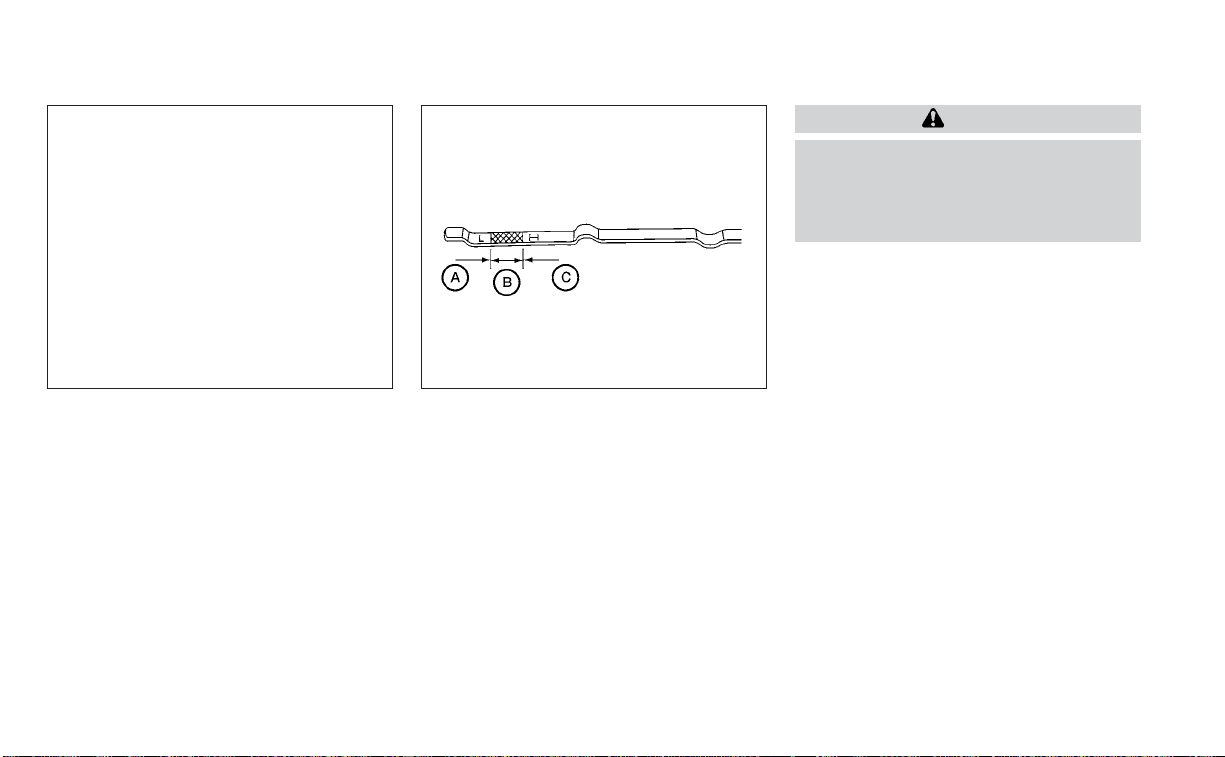
CHECKING ENGINE OIL LEVEL
1. Park the vehicle on a level surface and
apply the parking brake.
2. Start the engine and let it idle until it
reaches operating temperature.
3. Turn off the engine. Wait more than 10
minutes for the oil to drain back into
the oil pan.
4. Remove the dipstick and wipe it clean.
Reinsert it all the way.
5. Remove the dipstick again and check
the oil level. It should be between the H
(High) and L (Low) marks
O
B
. This is the
normal operating oil level range. If the oil
level is below the L (Low) mark
O
A
,re-
move the oil filler cap and pour recom-
mended oil through the opening. Do not
overfill
O
C
.
6. Recheck oil level with the dipstick.
It is normal to add some oil between oil
maintenance intervals or during the
break-in period, depending on the sever-
ity of operating conditions.
CAUTION
Oil level should be checked regularly.
Operating the engine with an insuffi-
cient amount of oil can damage the en-
gine, and such damage is not covered
by warranty.
CHANGING ENGINE OIL AND OIL
FILTER
For additional information on engine oil
and oil filter change, refer to the instruc-
tions outlined in this section.
Vehicle set-up
1. Park the vehicle on a level surface and
apply the parking brake.
2. Run the engine until it reaches operating
temperature.
3. Turn the engine off and wait for 15
minutes.
4. Raise and support the vehicle using a
suitable floor jack and safety jack
stands.
• Place the safety jack stands under the
vehicle jack-up points.
• A suitable adapter should be attached to
the jack stand saddle.
LDI2751 WDI0214
ENGINE OIL
8-6 Do-it-yourself
CAUTION
Make sure the correct lifting and sup-
port points are used to avoid vehicle
damage.
LDI3420
O
1
Oil filler cap
LDI3349
O
2
Oil drain plug
Do-it-yourself 8-7

LDI3350
O
3
Oil filter
LDI3386
O
4
Under engine protector
LDI3430
O
5
Right engine protector
8-8 Do-it-yourself
Removal of engine protectors
1. Remove clips
O
B
and right engine
protector.
Engine oil and filter
1. Place a large drain pan under the drain
plug and oil filter.
2. Remove the oil filler cap.
3. Remove the drain plug with a wrench by
turning it counterclockwise and com-
pletely drain the oil.
CAUTION
Be careful not to burn yourself, as the
engine oil is hot.
WARNING
• Prolonged and repeated contact
with used engine oil may cause skin
cancer.
• Try to avoid direct skin contact with
used oil. If skin contact is made, wash
thoroughly with soap or hand
cleaner as soon as possible.
• Keep used engine oil out of reach of
children.
4. Loosen the oil filter with an oil filter
wrench by turning it counterclockwise.
Remove the oil filter by turning it by
hand.
5. Wipe the engine oil filter mounting sur-
face with a clean rag.
CAUTION
Be sure to remove any old gasket ma-
terial remaining on the sealing surface
of the engine. Failure to do so could
lead to an oil leak and engine damage.
• The dipstick must be inserted in
place to prevent oil spillage from the
dipstick hole when filling the engine
with oil.
6. Coat the gasket on the new filter with
clean engine oil.
7. Screw in the oil filter clockwise until a
slight resistance is felt, then tighten addi-
tionally more than 2/3 turn.
LDI3352
Under-engine protector
1. Remove clips
O
A
and under engine
protector.
LDI3429
Right engine protector
Do-it-yourself 8-9

Oil filter tightening torque:
11 to 15 ft-lb (14.7 to 20.6 N·m)
8. Clean and re-install the drain plug with a
new washer. Securely tighten the drain
plug with a wrench. Do not use exces-
sive force.
Drain plug tightening torque:
22 to 29 ft-lb (29.4 to 39.2 N·m)
9. Refill the engine with the recommended
oil through the oil filler opening, and in-
stall the oil filler cap securely.
For additional information about drain and
refill capacity, see “Recommended fluids/
lubricants and capacities” (P. 10-2). The
drain and refill capacity depends on the oil
temperature and drain time. Use these
specifications for reference only. Always
use the dipstick to determine the proper
amount of oil in the engine.
10. Start the engine and check for leakage
around the drain plug and the oil filter.
Correct as required. Turn the engine off
and wait more than 15 minutes. Check
the oil level with the dipstick. Add en-
gine oil if necessary.
After the operation
1. Reinstall engine protectors in reverse or-
der of removal.
2. Lower the vehicle carefully to the
ground.
3. Reset oil and oil filter maintenance re-
minder. For additional information, see
“Vehicle information display” (P. 2-17).
• Dispose of waste oil and filter properly.
• Check your local regulations.
CAUTION
• NISSAN recommends using Genuine
NISSAN CVT Fluid NS-3 (or equiva-
lent) ONLY in NISSAN CVTs. Do not mix
with other fluids.
• Do not use Automatic Transmission
Fluid (ATF) or manual transmission
fluid in a NISSAN CVT, as it may dam-
age the CVT. Damage caused by the
use of fluids other than as recom-
mended is not covered under
NISSAN's New Vehicle Limited War-
ranty outlined in your Warranty Infor-
mation Booklet.
• Using fluids that are not equivalent
to Genuine NISSAN CVT Fluid NS-3
may also damage the CVT. Damage
caused by the use of fluids other than
as recommended is not covered un-
der NISSAN's New Vehicle Limited
Warranty outlined in your Warranty
Information Booklet.
When checking or replacement of CVT fluid
is required, it is recommended that you visit
a NISSAN dealer for this service.
CONTINUOUSLY VARIABLE
TRANSMISSION (CVT) FLUID
8-10 Do-it-yourself
Check the fluid level in the reservoir.
The fluid level should be checked when the
fluid is cold at fluid temperatures of 32 to
86ºF (0 to 30ºC). The fluid level can be
checked with the level gauge which is at-
tached to the cap. To check the fluid level,
remove the cap. The fluid level should be
between the MAX
O
A
and MIN
O
B
lines.
If the fluid is below the MIN
O
B
line, add
Genuine NISSAN E-PSF or equivalent. Re-
move the cap and fill through the opening.
WARNING
Power steering fluid is poisonous and
should be stored carefully in marked
containers out of the reach of children.
CAUTION
• DO NOT OVERFILL.
• Use of a power steering fluid other
than Genuine NISSAN E-PSF or
equivalent will prevent the power
steering system from operating
properly.
For additional information on brake fluid
specification, see “Recommended fluids/
lubricants and capacities” (P. 10-2).
WARNING
• Use only new fluid from a sealed con-
tainer. Old, inferior or contaminated
fluid may damage the brake system.
The use of improper fluids can dam-
age the brake system and affect the
vehicle's stopping ability.
• Clean the filler cap before removing.
LDI2752 LDI2753
POWER STEERING FLUID (PSF) BRAKE FLUID
Do-it-yourself 8-11
• Brake fluid is poisonous and should
be stored carefully in marked con-
tainers out of reach of children.
CAUTION
Do not spill the fluid on any painted sur-
faces.This will damage the paint. If fluid
is spilled, immediately wash the sur-
face with water.
Check the fluid level in the reservoir. If the
brake fluid is below the MIN line
O
B
, the
brake warning light will illuminate. Add
brake fluid up to the MAX line
O
A
. For addi-
tional information on recommended type
of brake fluid, see “Recommended fluids/
lubricants and capacities" (P. 10-2).
If the brake fluid must be added frequently,
the brake system should be thoroughly
checked. It is recommended that you visit a
NISSAN dealer for this service.
WINDSHIELD-WASHER FLUID
RESERVOIR
Fill the windshield-washer fluid reservoir
periodically. Add windshield-washer fluid
when the “Low Washer Fluid” warning mes-
sage shows on the vehicle information
display.
To fill the windshield-washer fluid reservoir,
lift the cap off the reservoir and pour the
windshield-washer fluid into the reservoir
opening.
Add a washer solvent to the washer for
better cleaning. In the winter season, add a
windshield-washer antifreeze. Follow the
manufacturer's instructions for the mix-
ture ratio.
Refill the reservoir more frequently when
driving conditions require an increased
amount of windshield-washer fluid.
Recommended fluid is Genuine NISSAN
Windshield Washer Concentrate Cleaner &
Anti-freeze or equivalent.
CAUTION
• Do not substitute engine antifreeze
coolant for windshield-washer fluid.
This may result in damage to the
paint.
• Do not fill the windshield-washer
fluid reservoir with washer fluid con-
centrates at full strength. Some
methyl alcohol based washer fluid
concentrates may permanently stain
the grille if spilled while filling the
windshield-washer fluid reservoir.
•
Pre-mix washer fluid concentrates
with water to the manufacturer's rec-
ommended levels before pouring the
fluid into the windshield-washer fluid
reservoir. Do not use the windshield-
washer fluid reservoir to mix the
washer fluid concentrate and water.
LDI2754
WINDSHIELD-WASHER FLUID
8-12 Do-it-yourself
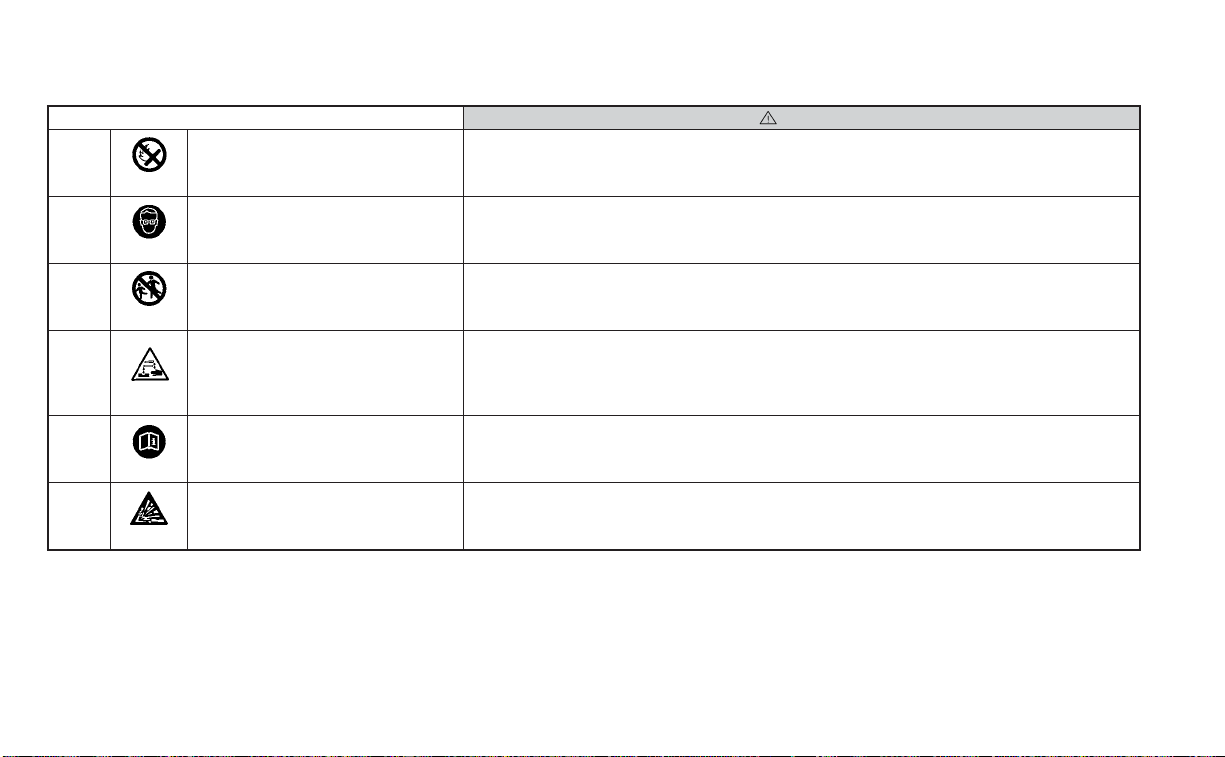
Caution symbols for battery WARNING
O
1
No smoking, No exposed flames, No
Sparks
Do not expose the battery to electrical sparks, flames or smoking. Hydrogen gas generated by the
battery is explosive. Explosive gases can cause blindness or injury.
O
2
Shield eyes
Handle the battery cautiously. Always wear eye protection glasses to protect against explosion or
battery acid.
O
3
Keep away from children Never allow children to handle the battery. Keep the battery out of the reach of children.
O
4
Battery acid
Do not allow battery fluid to contact your skin, eyes, fabrics, or painted surfaces. Sulfuric acid can
cause blindness or severe burns. After touching a battery or battery cap, do not touch or rub your
eyes. Thoroughly wash your hands. If the acid contacts your eyes, skin or clothing, immediately
flush with water for at least 15 minutes and seek medical attention. Battery fluid is acid. If the bat-
tery fluid gets into your eyes or onto your skin, it could cause loss of your eyesight or burns.
O
5
Note operating instructions Before handling the battery, read this instruction carefully to ensure correct and safe handling.
O
6
Explosive gas Hydrogen gas generated by battery fluid is explosive. Explosive gases can cause blindness or injury.
BATTERY
Do-it-yourself 8-13

• If the battery is labeled “do not open” it is
maintenance free and battery fluid
should not be checked. It is recom-
mended that you visit a NISSAN dealer or
a qualified specialist workshop to con-
firm the battery’s performance.
• Keep the battery surface clean and dry.
Clean the battery with a solution of bak-
ing soda and water.
• Make certain the terminal connections
are clean and securely tightened.
• If the vehicle is not to be used for 30 days
or longer, disconnect the negative (-) bat-
tery terminal cable to prevent discharge.
NOTE:
Care should be taken to avoid situations
that can lead to potential battery dis-
charge and potential no-start conditions
such as:
1. Installation or extended use of elec-
tronic accessories that consume bat-
tery power when the engine is not run-
ning (Phone chargers, GPS, DVD
players, etc.)
2. Vehicle is not driven regularly and/or
only driven short distances.
In these cases, the battery may need to
be charged to maintain battery health.
WARNING
• Do not expose the batter y to flames,
an electrical spark or a cigarette. Hy-
drogen gas generated by the battery
is explosive. Explosive gases can
cause blindness or injury. Do not al-
low battery fluid to contact your skin,
eyes, fabrics or painted surfaces. Sul-
furic acid can cause blindness or in-
jury. After touching a battery or bat-
tery cap, do not touch or rub your
eyes. Thoroughly wash your hands. If
the acid contacts your eyes, skin or
clothing, immediately flush with wa-
ter for at least 15 minutes and seek
medical attention.
• When working on or near a battery,
always wear suitable eye protection
and remove all jewelry.
• Battery posts, terminals and related
accessories contain lead and lead
compounds. Wash hands after
handling.
• Keep battery out of the reach of
children.
• Do not tip the battery.
8-14 Do-it-yourself
NOTE:
Do not try to open the top of the battery.
This battery is not equipped with remov-
able vent caps.
JUMP STARTING
If jump starting is necessary, see “Jump
starting” (P. 6-9). If the engine does not start
by jump starting, the battery may have to
be replaced. It is recommended that you
visit a NISSAN dealer for this service.
1. Crankshaft pulley
2. Drive belt automatic tensioner pulley
3. Generator pulley
4. Air conditioner compressor pulley
WARNING
Be sure the ignition switch is placed in
the OFF or LOCK position before servic-
ing drive belt. The engine could rotate
unexpectedly.
1. Visually inspect the belt for signs of un-
usual wear, cuts, fraying or looseness. If
the belt is in poor condition or is loose,
have it replaced or adjusted. It is recom-
mended that you visit a NISSAN dealer
for this service.
2. Have the belt checked regularly for con-
dition and tension in accordance with
the maintenance schedule found in the
“Maintenance and schedules” section of
this manual.
LDI3302 LDI2131
DRIVE BELT
Do-it-yourself 8-15
REPLACING SPARK PLUGS
Iridium-tipped spark plugs
It is not necessary to replace iridium-
tipped
O
A
spark plugs as frequently as con-
ventional type spark plugs because they
last much longer. Follow the maintenance
log shown in the “Maintenance and sched-
ules” section of this manual. Do not service
iridium-tipped spark plugs by cleaning or
regapping.
• Always replace spark plugs with rec-
ommended or equivalent ones.
WARNING
Be sure the engine and ignition switch
are off and that the parking brake is
engaged securely.
CAUTION
Be sure to use the correct socket to re-
move the spark plugs. An incorrect
socket can damage the spark plugs.
If replacement is required, it is recom-
mended that you visit a NISSAN dealer for
this service.
The air cleaner filter should not be cleaned
and reused. Replace it according to the
maintenance log shown in the “Mainte-
nance and schedules” section of this
manual. When replacing the filter, wipe the
inside of the air cleaner filter housing and
the cover with a damp cloth.
To remove the air cleaner filter:
• Unlatch the clips
O
A
and move the air
cleaner cover upward.
• Remove the air cleaner filter.
• Wipe the inside of the air cleaner filter
housing and cover with a damp cloth.
SDI1895 LDI2756
SPARK PLUGS AIR CLEANER
8-16 Do-it-yourself

WARNING
• Operating the engine with the air
cleaner removed can cause you or
others to be burned. The air cleaner
not only cleans the air, it stops the
flame if the engine backfires. If it isn't
there, and the engine backfires, you
could be burned. Do not drive with
the air cleaner removed, and be care-
ful when working on the engine with
the air cleaner removed.
• Never pour fuel into the throttle body
or attempt to start the engine with
the air cleaner removed. Doing so
could result in serious injury.
IN-CABIN MICROFILTER
The in-cabin microfilter restricts the entry
of airborne dust and pollen particles and
reduces some objectionable outside
odors. The filter is located behind the glove
box. For additional information, see the
“Maintenance and schedules” section of
this manual.
If replacement is required, it is recom-
mended that you visit a NISSAN dealer for
this service.
CLEANING
If your windshield is not clear after using
the windshield-washer or if a wiper blade
chatters when running, wax or other mate-
rial may be on the blade or windshield.
Clean the outside of the windshield with a
washer solution or a mild detergent. Your
windshield is clean if beads do not form
when rinsing with clear water.
Clean each blade by wiping it with a cloth
soaked in a washer solution or a mild de-
tergent. Then rinse the blades with clear
water. If your windshield is still not clear
after cleaning the blades and using the
wiper, replace the blades.
CAUTION
Worn windshield wiper blades can
damage the windshield and impair
driver vision.
REPLACING
Replace the wiper blades if they are worn.
To replace the windshield wiper blades, fol-
low the procedure below:
1. Lift the wiper arm away from the
windshield.
2. Push the release tab
O
B
.
3. Move the wiper blade
O
A
down and
remove.
4. Insert the new wiper blade onto the
wiper arm until it clicks into place.
5. Push wiper on to windshield.
LDI2757
WINDSHIELD WIPER BLADES
Do-it-yourself 8-17
CAUTION
• After wiper blade replacement, re-
turn the wiper arm to its original po-
sition; otherwise it may be damaged
when the hood is opened.
• Make sure the wiper blades contact
the glass; otherwise the arms may be
damaged from wind pressure.
If you wax the surface of the hood, be care-
ful not to let wax get into the washer nozzle
O
D
. This may cause clogging or improper
windshield-washer operation. If wax gets
into the nozzle, remove it with a needle or
small pin
O
C
.
If the brakes do not operate properly, have
the brakes checked. It is recommended
that you visit a NISSAN dealer for this
service.
Self-adjusting brakes
Your vehicle is equipped with self-adjusting
brakes.
The front and rear disc-type brakes self-
adjust every time the brake pedal is
applied.
WARNING
Have your brake system checked if the
brake pedal height does not return to
normal. It is recommended that you
visit a NISSAN dealer for this service.
Brake pad wear indicators
The disc brake pads on your vehicle have
audible wear indicators. When a brake pad
requires replacement, a high pitched
scraping or screeching sound will be heard
when the vehicle is in motion. The noise will
be heard whether or not the brake pedal is
depressed. Have the brakes checked as
soon as possible if the wear indicator
sound is heard.
LDI2731
BRAKES
8-18 Do-it-yourself

Under some driving or climate conditions,
occasional brake squeak, squeal or other
noise may be heard. Occasional brake
noise during light to moderate stops is nor-
mal and does not affect the function or
performance of the brake system.
Proper brake inspection intervals should
be followed. For additional information re-
garding brake inspections, see to the ap-
propriate maintenance schedule informa-
tion in the “Maintenance and schedules”
section of this manual.
If any electrical equipment does not oper-
ate, check for an open fuse.
Fuses are used in the passenger and en-
gine compartment. Spare fuses are pro-
vided and can be found in the passenger
compartment fuse box.
When installing a fuse make sure the fuse is
installed in the fuse box securely.
ENGINE COMPARTMENT
WARNING
Never use a fuse of a higher or lower
amperage rating than that specified on
the fuse box cover. This could damage
the electrical system or electronic con-
trol units or cause a fire.
LDI2385 LDI2636
FUSES
Do-it-yourself 8-19

If any electrical equipment does not come
on, check for an open fuse.
1. Be sure the ignition switch and the head-
light switch are in the OFF position.
2. Open the engine hood.
3. Remove the fuse box cover by pushing
the tab and lifting the cover up.
4. Remove the fuse with the fuse puller.
The fuse puller is located in the center of
the fuse block in the passenger
compartment.
5. If the fuse is open
O
A
, replace it with a
new fuse
O
B
.
6. If a new fuse also opens, have the elec-
trical system checked and repaired. It is
recommended that you visit a NISSAN
dealer for this service.
Fusible links
If the electrical equipment does not oper-
ate and fuses are in good condition, check
the fusible links. If any of these fusible links
are melted, replace with only Genuine
NISSAN parts.
PASSENGER COMPARTMENT
WARNING
Never use a fuse of a higher or lower
amperage rating than that specified on
the fuse box cover. This could damage
the electrical system or electronic con-
trol units or cause a fire.
If any electrical equipment does not oper-
ate, check for an open fuse.
1. Be sure the ignition switch and the head-
light switch are in the OFF position.
2. Pull the fuse box cover to remove.
LDI0456 LDI2758
8-20 Do-it-yourself
3. Remove the fuse with the fuse puller
O
A
. 4. If the fuse is open
O
B
, replace it with an
equivalent good fuse
O
C
.
5. Push the fuse box cover to install.
6. If a new fuse also opens, have the elec-
trical system checked and repaired. It is
recommended that you visit a NISSAN
dealer for this service.
CAUTION
Be careful not to allow children to swal-
low the battery or removed parts.
LDI2759 LDI2760
BATTERY REPLACEMENT
Do-it-yourself 8-21

NISSAN INTELLIGENT KEY®
Replace the battery in the Intelligent Key as
follows:
1. Remove the mechanical key from the
Intelligent Key.
2. Insert a small flathead screwdriver
O
A
into the slit
O
B
of the corner and twist it
to separate the upper part from the
lower part. Place a cloth over the screw-
driver to protect the casing.
LDI2001 LDI2637
8-22 Do-it-yourself

3. Replace the battery with a new one.
Recommended battery: CR2032 or
equivalent.
• Do not touch the internal circuit and
electric terminals as doing so could
cause a malfunction.
• Hold the battery by the edges. Holding
the battery across the contact points
will seriously deplete the storage
capacity.
• Make sure that the + side faces the
bottom of the lower part.
4. Close the lid securely as illustrated with
O
C
and
O
D
.
5. Operate the buttons to check the
operation.
It is recommended that you visit a NISSAN
dealer if you need assistance for
replacement.
FCC Notice:
For USA:
This device complies with Part 15 of the
FCC Rules. Operation is subject to the fol-
lowing two conditions: (1) This device
may not cause harmful interference, and
(2) this device must accept any interfer-
ence received, including interference
that may cause undesired operation.
Note:
Changes or modifications not expressly
approved by the party responsible for
compliance could void the user’s author-
ity to operate the equipment.
For Canada:
This device complies with Industry
Canada licence-exempt RSS standard(s).
Operation is subject to the following two
conditions: (1) this device may not cause
inter ference, and (2) this device must ac-
cept any interference, including interfer-
ence that may cause undesired opera-
tion of the device.
HEADLIGHTS
For additional information on headlight
bulb replacement, refer to the instructions
outlined in this section.
Replacing the LED headlight bulb
If LED headlight bulb replacement is re-
quired, it is recommended that you visit a
NISSAN dealer for this service.
FRONT PARK/TURN SIGNAL/SIDE
MARKER LIGHT
If park, turn signal or side marker light bulb
replacement is required, it is recom-
mended that you visit a NISSAN dealer for
this service.
FOG LIGHTS (if so equipped)
For additional information on fog light bulb
replacement, refer to the instructions out-
lined in this section.
Replacing the LED fog light bulb
If LED fog light bulb replacement is re-
quired, it is recommended that you visit a
NISSAN dealer for this service.
LIGHTS
Do-it-yourself 8-23

EXTERIOR AND INTERIOR LIGHTS
Item Wattage (W) Bulb No.
Headlight assembly*
High — —
Low — —
Daytime running/Park — —
Turn — —
Side marker — —
Front fog light (if so equipped)* — —
Door mirror turn signal light (if so equipped)* — —
Map light* — —
Glove box light* 1 —
Vanity mirror light 1.8 —
Footwell light 3.4 158
Step light 3.8 194
Personal light* — —
Trunk light 3.4 158
High-mounted stop light*
Inside (if so equipped) — —
Spoiler (if so equipped) — —
Rear combination light*
Stop — —
Turn signal — —
Tail — —
Side marker — —
Backup (reversing) assembly*
Backup 16 W16W
Tail — —
License plate light* 5 W5W
* It is recommended that you visit a NISSAN dealer for assistance.
Always check with the Parts Department at a NISSAN dealer for the latest parts
information.
LDI3338
8-24 Do-it-yourself
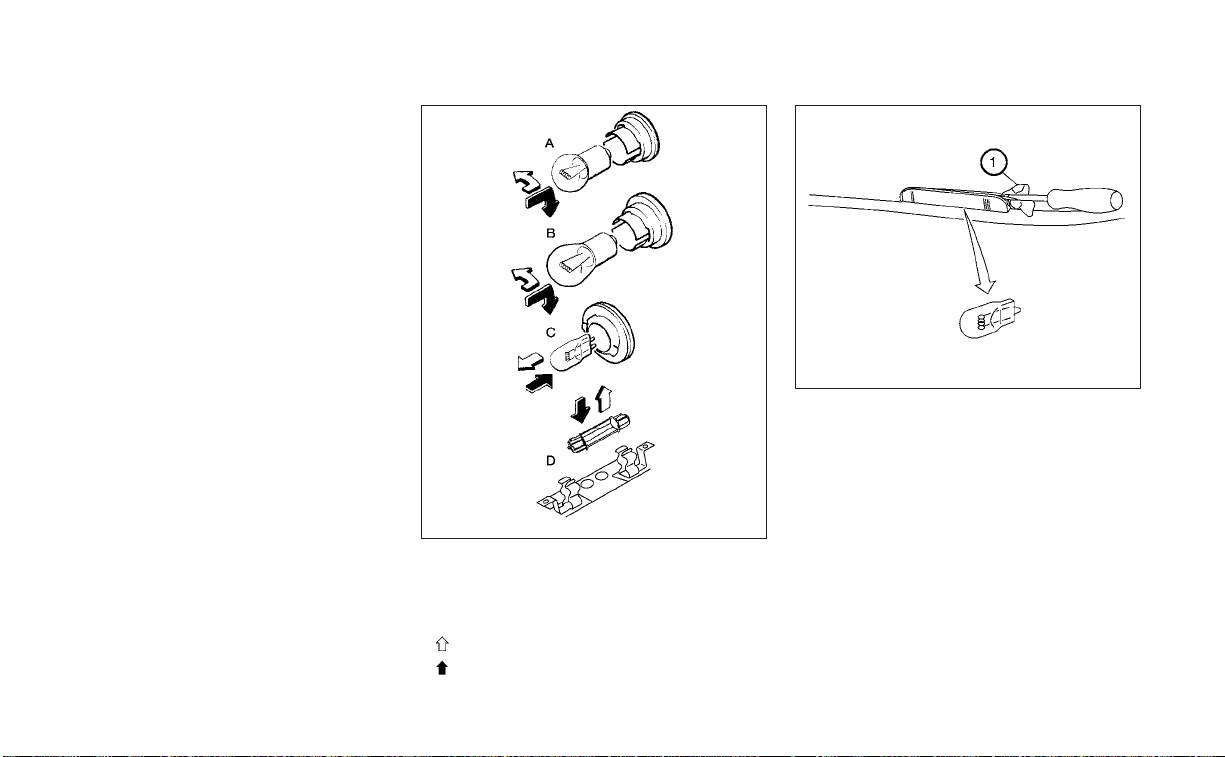
1. Map light
2. Personal light
3. Step light
4. Door mirror turn signal light (if so
equipped)
5. Headlight assembly
6. Fog light (if so equipped)
7. High-mounted stop light (if so
equipped)
8. License plate light
9. Backup (reversing) assembly
10. Rear combination light
Replacement procedures
All other lights are either type A, B, C or D.
When replacing a bulb, first remove the
lens, lamp and/or cover.
Indicates bulb removal
Indicates bulb installation
Use a cloth
O
1
to protect the housing.
WDI0263
LDI0341
Step light
Do-it-yourself 8-25
If you have a flat tire, see “Flat tire”
(P. 6-3).
TIRE PRESSURE
Tire Pressure Monitoring System
(TPMS)
WARNING
Radio waves could adversely af-
fect electric medical equipment.
Those who use a pacemaker
should contact the electric medi-
cal equipment manufacturer for
the possible influences before
use.
This vehicle is equipped with the Tire
Pressure Monitoring System (TPMS).
It monitors tire pressure of all tires
except the spare. When the low tire
pressure warning light is lit and the
“Tire Pressure Low - Add Air” warning
appears in the vehicle information
display, one or more of your tires is
significantly under-inflated. If
equipped, the system also displays
pressure of all tires (except the spare
tire) on the display screen by send-
ing a signal from a sensor that is
installed in each wheel.
The TPMS will activate only when the
vehicle is driven at speeds above 16
mph (25 km/h). Also, this system
may not detect a sudden drop in tire
pressure (for example a flat tire while
driving).
For additional information, see “Low
tire pressure warning light” (P. 2-12),
“Tire Pressure Monitoring System
(TPMS)” (P. 5-5) and “Flat tire” (P. 6-3).
Tire inflation pressure
Check the tire pressures (including
the spare) often and always prior to
long distance trips. The recom-
mended tire pressure specifications
are shown on the F.M.V.S.S./C.M.V.S.S.
certification label or the Tire and
Loading Information label under the
LDI2135
Trunk light
WHEELS AND TIRES
8-26 Do-it-yourself
"Cold Tire Pressure" heading. The
Tire and Loading Information label is
affixed to the driver side center pillar.
Tire pressures should be checked
regularly because:
• Most tires naturally lose air over
time.
• Tires can lose air suddenly when
driven over potholes or other ob-
jects or if the vehicle strikes a curb
while parking.
The tire pressures should be
checked when the tires are cold. The
tires are considered COLD after the
vehicle has been parked for 3 or
more hours, or driven less than 1 mile
(1.6 km) at moderate speeds.
The TPMS with Easy-Fill Tire Alert
provides visual and audible signals
outside the vehicle for inflating the
tires to the recommended COLD tire
pressure. For additional information,
see “TPMS with Easy-Fill Tire Alert”
(P. 5-7).
If the tires are used at speeds above
100 mph (162 km/h) where it is legal
to do so (on a race track for ex-
ample), the cold tire inflation pres-
sure must be increased. For addi-
tional information, see “Checking tire
pressure” (P. 8-30).
Set the tire pressure to the normal
cold tire inflation pressure when the
vehicle speed or load is reduced.
Incorrect tire pressure, including
under inflation, may adversely af-
fect tire life and vehicle handling.
WARNING
• Improperly inflated tires can
fail suddenly and cause an
accident.
• The Gross Vehicle Weight Rat-
ing (GVWR) is located on the
F.M.V.S.S./C.M.V.S.S. certifica-
tion label. The vehicle weight
capacity is indicated on the Tire
and Loading Information label
(if so equipped). Do not load
your vehicle beyond this ca-
pacity. Overloading your ve-
hicle may result in reduced tire
life, unsafe operating condi-
tions due to premature tire fail-
ure, or unfavorable handling
characteristics and could also
lead to a serious accident.
Loading beyond the specified
capacity may also result in fail-
ure of other vehicle
components.
Do-it-yourself 8-27

• Before taking a long trip, or
whenever you heavily load
your vehicle, use a tire pressure
gauge to ensure that the tire
pressures are at the specified
level.
• Increase the cold tire inflation
pressure as indicated in
"Checking tire pressure" in this
section when using the tires
specified by NISSAN above 100
mph (162 km/h) where it is le-
gal to do so (on a race track for
example). Failure to increase
the cold tire inflation pressure
may result in tire failure, loss of
control and possible injury. Af-
ter such use, readjust tire
pressure.
• For additional information re-
garding tires, refer to “Impor-
tant Tire Safety Information”
(US) or “Tire Safety Informa-
tion” (Canada) in the Warranty
Information Booklet.
8-28
Do-it-yourself

Tire and Loading Information
label
䊊
1
Seating capacity: The maximum
number of occupants that can
be seated in the vehicle.
䊊
2
Tire size - for additional informa-
tion, see “Tire labeling” (P. 8-30).
䊊
3
Cold tire pressure: Inflate the tires
to this pressure when the tires
are cold. Tires are considered
COLD after the vehicle has been
parked for 3 or more hours, or
driven less than 1 mile (1.6 km) at
moderate speeds. The recom-
mended cold tire inflation is set
by the manufacturer to provide
the best balance of tire wear, ve-
hicle handling, drivability, tire
noise, etc., up to the vehicle's
GVWR.
䊊
4
Original tire size: The size of the
tires originally installed on the ve-
hicle at the factory.
䊊
5
Spare tire size.
䊊
6
Vehicle load limit: for additional
information, see “Vehicle loading
information” (P. 10-14).
LDI2737
Do-it-yourself 8-29
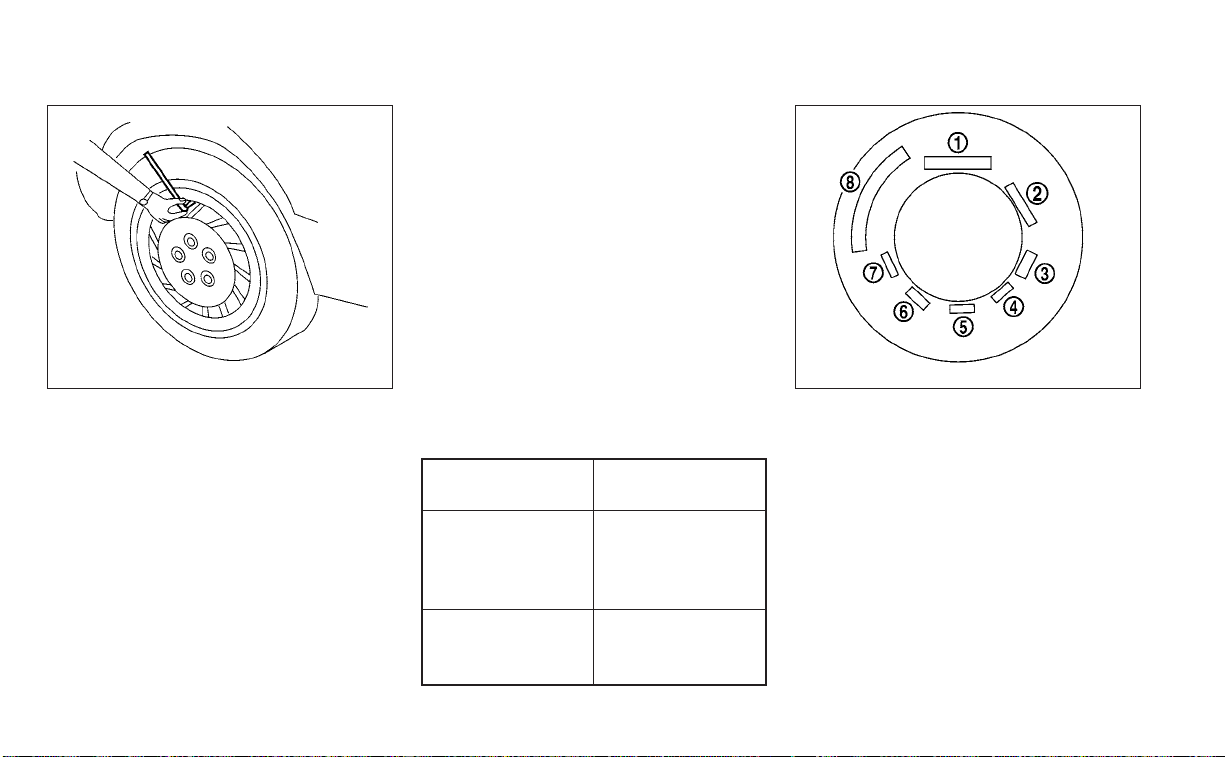
Checking tire pressure
1. Remove the valve stem cap from
the tire.
2.
Press the pressure gauge squarely
onto the valve stem. Do not press
too hard or force the valve stem
sideways, or air will escape. If the
hissing sound of air escaping from
the tire is heard while checking the
pressure, reposition the gauge to
eliminate this leakage.
3. Remove the gauge.
4. Read the tire pressure on the
gauge stem and compare to the
specification shown on the Tire
and Loading Information label.
5. Add air to the tire as needed. If too
much air is added, press the core
of the valve stem briefly with the
tip of the gauge stem to release
pressure. Recheck the pressure
and add or release air as needed.
6. Install the valve stem cap.
7. Check the pressure of all other
tires, including the spare.
Size Cold Tire Infla-
tion Pressure
Front and Rear
Original Tire:
245/45R18
245/40R19
33 PSI, 230 kPa
Spare Tire:
(Temporary)
T145/80D17
60 PSI, 420 kPa
TIRE LABELING
Federal law requires tire manufac-
turers to place standardized infor-
mation on the sidewall of all tires.
This information identifies and de-
scribes the fundamental character-
istics of the tire and also provides the
Tire Identification Number (TIN) for
safety standard certification. The TIN
can be used to identify the tire in
case of a recall.
LDI0393 WDI0394
Example
8-30 Do-it-yourself
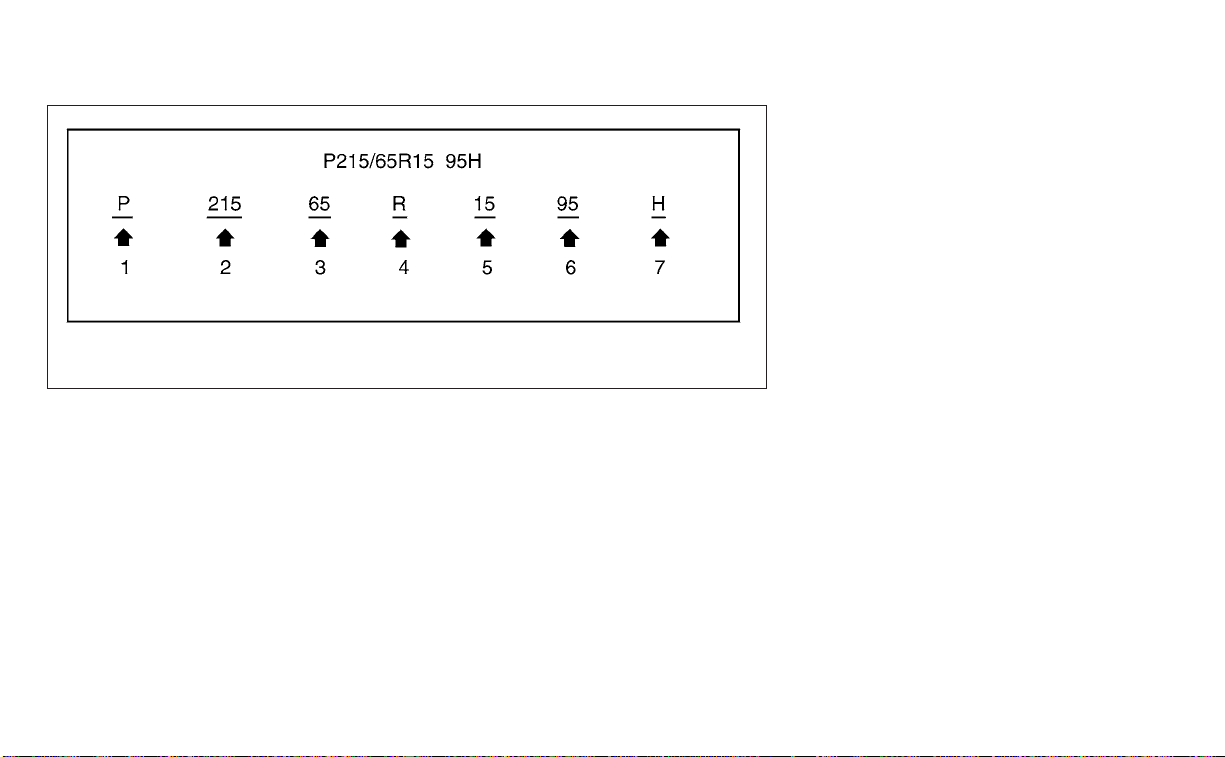
O
1
Tire size (example: P215/65R15
95H)
1. P: The “P” indicates the tire is de-
signed for passenger vehicles (not
all tires have this information).
2. Three-digit number (215): This
number gives the width in milli-
meters of the tire from sidewall
edge to sidewall edge.
3. Two-digit number (65): This num-
ber, known as the aspect ratio,
gives the tire's ratio of height to
width.
4. R: The “R” stands for radial.
5. Two-digit number (15): This num-
ber is the wheel or rim diameter in
inches.
6. Two- or three-digit number (95):
This number is the tire's load in-
dex. It is a measurement of how
much weight each tire can sup-
port. You may not find this infor-
mation on all tires because it is
not required by law.
7. H: Tire speed rating. You should
not drive the vehicle faster than
the tire speed rating.
WDI0395
Example
Do-it-yourself 8-31

O
2
TIN (Tire Identification Number)
for a new tire (example: DOT XX XX
XXX XXXX)
1. DOT: Abbreviation for the “Depart-
ment Of Transportation”. The
symbol can be placed above, be-
low or to the left or right of the Tire
Identification Number.
2. Two-digit code: Manufacturer's
identification mark.
3. Two-digit code: Tire size.
4. Three-digit code: Tire type code
(Optional).
5. Four numbers represent the
week and year the tire was built.
For example, the numbers 3103
means the 31st week of 2003. If
these numbers are missing then
look on the other sidewall of the
tire.
O
3
Tire ply composition and material
The number of layers or plies of
rubber-coated fabric in the tire. Tire
manufacturers also must indicate
the materials in the tire, which in-
clude steel, nylon, polyester and
others.
O
4
Maximum permissible inflation
pressure
This number is the greatest amount
of air pressure that should be put in
the tire. Do not exceed the maximum
permissible inflation pressure.
O
5
Maximum load rating
This number indicates the maxi-
mum load in kilograms and pounds
that can be carried by the tire. When
replacing the tires on the vehicle, al-
ways use a tire that has the same
load rating as the factory installed
tire.
LDI2786
Example
8-32 Do-it-yourself

O
6
Term of “tubeless” or “tube type”
Indicates whether the tire requires
an inner tube (“tube type”) or not
(“tubeless”).
O
7
The word “radial”
The word “radial” is shown if the tire
has radial structure.
O
8
Manufacturer or brand name
Manufacturer or brand name is
shown.
Other Tire-related Terminology
In addition to the many terms that
are defined throughout this section,
Intended Outboard Sidewall is (1) the
sidewall that contains a whitewall,
bears white lettering or bears
manufacturer, brand, and/or model
name molding that is higher or
deeper than the same molding on
the other sidewall of the tire, or (2)
the outward facing sidewall of an
asymmetrical tire that has a particu-
lar side that must always face out-
ward when mounted on a vehicle.
TYPES OF TIRES
WARNING
• When changing or replacing tires, be
sure all four tires are of the same type
(i.e., Summer, All Season or Snow)
and construction. A NISSAN dealer
may be able to help you with infor-
mation about tire type, size, speed
rating and availability.
• Replacement tires may have a lower
speed rating than the factory
equipped tires, and may not match
the potential maximum vehicle
speed. Never exceed the maximum
speed rating of the tire.
• Replacing tires with those not origi-
nally specified by NISSAN could af-
fect the proper operation of the low
tire pressure warning system.
• Always use tires of the same type,
size, brand, construction and tread
pattern on all four wheels. Failure to
do so may result in a circumference
difference between tires on the front
and rear axles which can cause the
Vehicle Dynamic Control (VDC) sys-
tem to malfunction resulting in per-
sonal injury or death, excessive tire
wear and may damage the transmis-
sion and differential gears.
• For additional information regarding
tires, refer to “Important Tire Safety
Information” (US) or “Tire Safety In-
formation” (Canada) in the Warranty
Information Booklet.
All season tires
NISSAN specifies All Season tires on some
models to provide good performance all
year, including snowy and icy road condi-
tions. All Season tires are identified by ALL
SEASON and/or M&S on the tire sidewall.
Snow tires have better snow traction than
All Season tires and may be more appropri-
ate in some areas.
Do-it-yourself 8-33
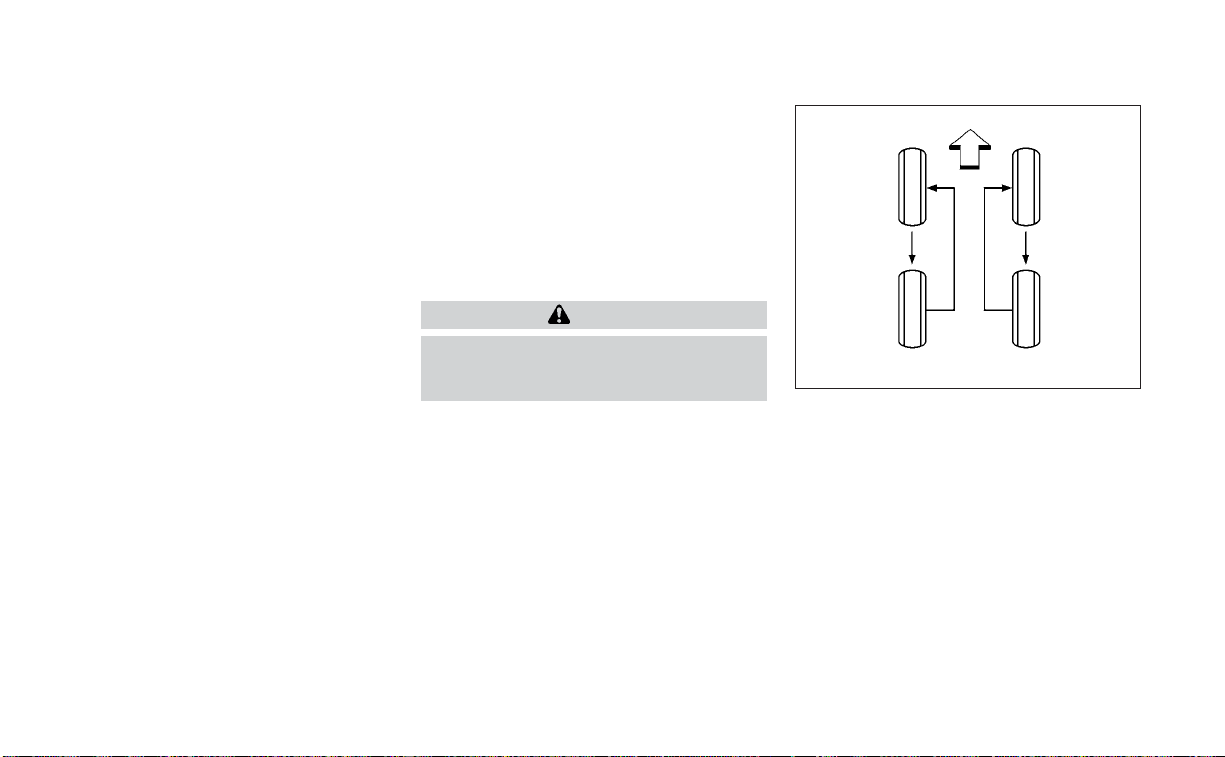
Summer tires
NISSAN specifies summer tires on some
models to provide superior performance
on dry roads. Summer tire performance is
substantially reduced in snow and ice.
Summer tires do not have the tire traction
rating “M&S” on the tire sidewall.
If you plan to operate your vehicle in snowy
or icy conditions, NISSAN recommends the
use of SNOW tires or ALL SEASON tires on all
four wheels.
Snow tires
If snow tires are needed, it is necessary to
select tires equivalent in size and load rat-
ing to the original equipment tires. If you do
not, it can adversely affect the safety and
handling of your vehicle.
Generally, snow tires have lower speed rat-
ings than factory equipped tires and may
not match the potential maximum vehicle
speed. Never exceed the maximum speed
rating of the tire.
If you install snow tires, they must be the
same size, brand, construction and tread
pattern on all four wheels.
For additional traction on icy roads, stud-
ded tires may be used. However, some U.S.
states and Canadian provinces prohibit
their use. Check local, state and provincial
laws before installing studded tires. Skid
and traction capabilities of studded snow
tires on wet or dry surfaces may be poorer
than that of non-studded snow tires.
TIRE CHAINS
CAUTION
Do not use tire chains/cables on this
vehicle. Doing so will cause damage to
the vehicle.
CHANGING WHEELS AND TIRES
Tire rotation
NISSAN recommends rotating the
tires every 7,500 miles (12,000 km).
For additional information on tire re-
placing procedures, see “Flat tire”
(P. 6-3).
As soon as possible, tighten the
wheel nuts to the specified torque
with a torque wrench.
WDI0258
8-34 Do-it-yourself
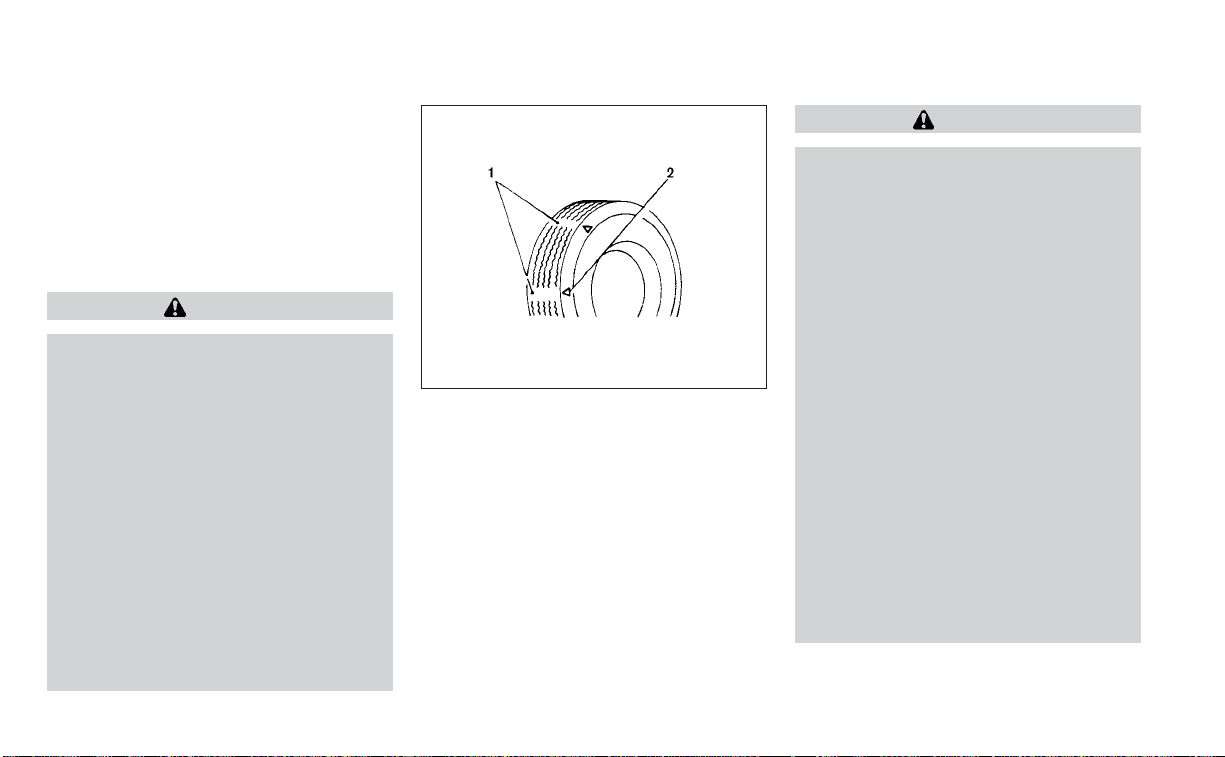
Wheel nut tightening torque:
83 ft-lb (113 N·m)
The wheel nuts must be kept tight-
ened to specifications at all times.
It is recommended that wheel nuts
be tightened to specification at
each tire rotation inter val.
WARNING
• After rotating the tires, check
and adjust the tire pressure.
• Retighten the wheel nuts when
the vehicle has been driven for
600 miles (1,000 km) (also in
cases of a flat tire, etc.).
• Do not include the spare tire in
the tire rotation.
• For additional information re-
garding tires, refer to “Impor-
tant Tire Safety Information”
(US) or “Tire Safety Informa-
tion” (Canada) in the Warranty
Information Booklet.
Tire wear and damage
1. Wear indicator
2. Location mark
WARNING
• Tires should be periodically in-
spected for wear, cracking,
bulging or objects caught in
the tread. If excessive wear,
cracks, bulging or deep cuts
are found, the tire(s) should be
replaced.
• The original tires have built-in
tread wear indicators. When
the wear indicators are visible,
the tire(s) should be replaced.
• Tires degrade with age and
use. Have tires, including the
spare, over 6 years old checked
by a qualified technician be-
cause some tire damage may
not be obvious. Replace the
tires as necessary to prevent
tire failure and possible per-
sonal injury.
WDI0259
Do-it-yourself 8-35

• Improper service of the spare
tire may result in serious per-
sonal injury. If it is necessary to
repair the spare tire, it is rec-
ommended that you visit a
NISSAN dealer for this service.
• For additional information re-
garding tires, refer to “Impor-
tant Tire Safety Information”
(US) or “Tire Safety Informa-
tion” (Canada) in the Warranty
Information Booklet.
Replacing wheels and tires
When replacing a tire, use the same size,
tread design, speed rating and load carry-
ing capacity as originally equipped. Rec-
ommended types and sizes are shown in
“Wheels and tires” (P. 10-9).
WARNING
• The use of tires other than those rec-
ommended or the mixed use of tires
of different brands, construction
(bias, bias-belted or radial), or tread
patterns can adversely affect the
ride, braking, handling, Vehicle Dy-
namic Control (VDC) system, ground
clearance, body-to-tire clearance,
tire chain clearance, speedometer
calibration, headlight aim and bum-
per height. Some of these effects
may lead to accidents and could re-
sult in serious personal injury.
• If your vehicle was originally
equipped with four tires that were
the same size and you are only re-
placing two of the four tires, install
the new tires on the rear axle. Placing
new tires on the front axle may cause
loss of vehicle control in some driving
conditions and cause an accident
and personal injury.
• If the wheels are changed for any
reason, always replace with wheels
which have the same off-set dimen-
sion. Wheels of a different off-set
could cause premature tire wear, de-
grade vehicle handling characteris-
tics, affect the VDC system and/or in-
ter ference with the brake discs. Such
inter ference can lead to decreased
braking efficiency and/or early brake
pad/shoe wear. For additional infor-
mation on wheel-off set dimensions,
see to “Wheels and tires” (P. 10-9).
• When using a wheel without the
TPMS such as the spare tire,the TPMS
will not function and the low tire
pressure warning light will flash for
approximately 1 minute. The light will
remain on after 1 minute. Have your
tires replaced and/or TPMS system
reset as soon as possible. It is recom-
mended that you visit a NISSAN
dealer for this service.
• Replacing tires with those not origi-
nally specified by NISSAN could af-
fect the proper operation of the
TPMS.
• The TPMS sensor may be damaged if
it is not handled correctly. Be careful
when handling the TPMS sensor.
8-36 Do-it-yourself

• When replacing the TPMS sensor, the
ID registration may be required. It is
recommended that you visit a
NISSAN dealer for ID registration.
• Do not use a valve stem cap that is
not specified by NISSAN. The valve
stem cap may become stuck.
• Be sure that the valve stem caps are
correctly fit ted. Otherwise the valve
may be clogged up with dirt and
cause a malfunction or loss of
pressure.
• Do not install a damaged or de-
formed wheel or tire even if it has
been repaired. Such wheels or tires
could have structural damage and
could fail without warning.
• The use of retread tires is not
recommended.
• For additional information regarding
tires, refer to “Important Tire Safety
Information” (US) or “Tire Safety In-
formation” (Canada) in the Warranty
Information Booklet.
Wheel balance
Unbalanced wheels may affect vehicle
handling and tire life. Even with regular use,
wheels can get out of balance. Therefore,
they should be balanced as required.
Wheel balance service should be per-
formed with the wheels off the vehicle.
Spin balancing the wheels on the vehicle
could lead to mechanical damage.
• For additional information regarding
tires, refer to “Important Tire Safety In-
formation” (US) or “Tire Safety Informa-
tion” (Canada) in the Warranty Informa-
tion Booklet.
Care of wheels
• Wash the wheels when washing the ve-
hicle to maintain their appearance.
• Clean the inner side of the wheels when
the wheel is changed or the underside of
the vehicle is washed.
• Do not use abrasive cleaners when
washing the wheels.
• Inspect wheel rims regularly for dents or
corrosion. Such damage may cause loss
of pressure or poor seal at the tire bead.
• NISSAN recommends waxing the road
wheels to protect against road salt in ar-
eas where it is used during winter.
Spare tire (TEMPORARY USE ONLY
spare tire)
When using a wheel without the TPMS such
as the spare tire, the TPMS will not function.
Observe the following precautions if the
TEMPORARY USE ONLY spare tire must be
used. Otherwise, your vehicle could be
damaged or involved in an accident:
WARNING
• The spare tire should be used for
emergency use only. It should be re-
placed with the standard tire at the
first opportunity to avoid possible
tire or differential damage.
• Drive carefully while the TEMPORARY
USE ONLY spare tire is installed. Avoid
sharp turns and abrupt braking while
driving.
• Periodically check spare tire inflation
pressure. Always keep the pressure
of the TEMPORARY USE ONLY spare
tire at 60 psi (420 kPa, 4.2 bar).
• With the TEMPORARY USE ONLY spare
tire installed do not drive the vehicle
at speeds faster than 50 mph (80
km/h).
Do-it-yourself 8-37

• When driving on roads covered with
snow or ice, the TEMPORARY USE
ONLY spare tire should be used on the
rear wheels and the original tire used
on the front wheels (drive wheels).
• Tire tread of the TEMPORARY USE
ONLY spare tire will wear at a faster
rate than the standard tire. Replace
the spare tire as soon as the tread
wear indicators appear.
• Do not use the spare tire on other
vehicles.
• Do not use more than one spare tire
at the same time.
• Do not tow a trailer when the TEMPO-
RARY USE ONLY spare tire is installed.
CAUTION
• Do not use tire chains on a TEMPO-
RARY USE ONLY spare tire. Tire chains
will not fit properly and may cause
damage to the vehicle.
• Because the TEMPORARY USE ONLY
spare tire is smaller than the original
tire, ground clearance is reduced. To
avoid damage to the vehicle, do not
drive over obstacles. Also, do not
drive the vehicle through an auto-
matic car wash since it may get
caught.
8-38 Do-it-yourself

9 Maintenance and schedules
Maintenance requirements .....................9-2
General maintenance ........................9-2
Scheduled maintenance .....................9-2
Where to go for service .......................9-2
General maintenance ...........................9-2
Explanation of general maintenance
items ........................................9-2
Explanation of scheduled maintenance items . . . 9-5
Emission control system maintenance: ......9-6
Chassis and body maintenance: .............9-6
Maintenance schedules .........................9-7
Additional maintenance items for
severe operating conditions ..................9-7
3.5L 6 cylinder (VQ35DE engine model) .......9-7

Some day-to-day and regular mainte-
nance is essential to maintain your vehicle
good mechanical condition, as well as its
emissions and engine performance.
It is the owner's responsibility to make sure
that the scheduled maintenance, as well as
general maintenance, is performed.
As the vehicle owner, you are the only one
who can ensure that your vehicle receives
proper maintenance. You are a vital link in
the maintenance chain.
GENERAL MAINTENANCE
General maintenance includes those items
which should be checked during normal
day-to-day operation. They are essential
for proper vehicle operation. It is your re-
sponsibility to perform these procedures
regularly as prescribed.
Performing general maintenance checks
requires minimal mechanical skill and only
a few general automotive tools.
These checks or inspections can be done
by yourself, a qualified technician or, if you
prefer, a NISSAN dealer.
SCHEDULED MAINTENANCE
The maintenance items listed in this sec-
tion are required to be serviced at regular
intervals. However under severe driving
conditions, additional or more frequent
maintenance will be required.
WHERE TO GO FOR SERVICE
If maintenance service is required or your
vehicle appears to malfunction, have the
systems checked and serviced. It is recom-
mended that you visit a NISSAN dealer for
this service.
NISSAN technicians are well-trained spe-
cialists and are kept up-to-date with the
latest service information through techni-
cal bulletins, service tips and training pro-
grams. They are fully qualified to work on
NISSAN vehicles before work begins.
If your vehicle is involved in a collision, it is
recommended that you ask your NISSAN
dealer where the nearest NISSAN Certified
Collision Center is located, or go to
http://collision.nissanusa.com.
You can be confident that a NISSAN deal-
er's service department can perform the
service needed to meet the maintenance
requirements on your vehicle.
During the normal day-to-day operation of
the vehicle, general maintenance should
be performed regularly as prescribed in
this section. If you detect any unusual
sounds, vibrations or smells, be sure to
check for the cause or have it checked
promptly. In addition, it is recommended
that you visit a NISSAN dealer if you think
that repairs are required.
When performing any checks or mainte-
nance work, closely observe the “Mainte-
nance precautions” in the “Do-it-yourself”
section of this manual.
EXPLANATION OF GENERAL
MAINTENANCE ITEMS
WARNING
Failure to follow the procedures listed
within this section may result in per-
sonal injury.
Additional information on the following
items with“*”isfound in the “Do-it-
yourself” section of this manual.
MAINTENANCE REQUIREMENTS GENERAL MAINTENANCE
9-2 Maintenance and schedules

Outside the vehicle
The maintenance items listed here should
be performed from time to time, unless
otherwise specified.
Doors and engine hood:
Check that the
doors and engine hood operate properly.
Also ensure that all latches lock securely. Lu-
bricate hinges, latches, latch pins, rollers and
links if necessary. Make sure that the sec-
ondary latch keeps the hood from opening
when the primary latch is released.
When driving in areas using road salt or
other corrosive materials, check lubrica-
tion frequently.
Check that the gas stays or struts properly
and securely hold the hood, trunk, or rear
hatch fully open. If the hood, trunk, or rear
hatch is not held open, have the gas stays
or struts replaced.
Lights*: Clean the headlights on a regular
basis. Make sure that the headlights, stop
lights, tail lights, turn signal lights, and other
lights are all operating properly and in-
stalled securely. Also check headlight aim.
Road wheel nuts (lug nuts)*: When check-
ing the tires, make sure no wheel nuts are
missing, and check for any loose wheel
nuts. Tighten if necessary.
Tire rotation*: Rotate tires at the specified
interval shown in the maintenance
schedule.
Tires*: Check the pressure with a gauge
often and always prior to long distance
trips. If necessary, adjust the pressure in all
tires, including the spare, to the pressure
specified. Check carefully for damage, cuts
or excessive wear.
Tire Pressure Monitoring System (TPMS)
transmitter components: Replace the
TPMS transmitter grommet seal, valve core
and cap when the tires are replaced due to
wear or age.
Wheel alignment and balance: If the ve-
hicle should pull to either side while driving
on a straight and level road, or if you detect
uneven or abnormal tire wear, there may
be a need for wheel alignment. If the steer-
ing wheel or seat vibrates at normal high-
way speeds, wheel balancing may be
needed.
For additional information regarding tires,
refer to “Important Tire Safety Information”
(US) or “Tire Safety Information” (Canada) in
the Warranty Information Booklet.
Windshield: Clean the windshield on a
regular basis. Check the windshield at least
every six months for cracks or other dam-
age. Have a damaged windshield repaired
by a qualified repair facility. It is recom-
mended that you have a damaged wind-
shield repaired by a NISSAN dealer, or a
NISSAN Certified Collision Center. To locate
a collision center in your area, refer to
http://collision.nissanusa.com.
Windshield wiper blades*: Check for
cracks or wear if they do not wipe properly.
Inside the vehicle
The maintenance items listed here should
be checked on a regular basis, such as
when performing scheduled maintenance,
cleaning the vehicle, etc.
Accelerator pedal: Check the pedal for
smooth operation and make sure the
pedal does not catch or require uneven
effort. Keep the floor mat away from the
pedal.
Brake pedal: Check the pedal for smooth
operation. If the brake pedal suddenly goes
down further than normal, the pedal feels
spongy or the vehicle seems to take longer
to stop, have your vehicle checked imme-
diately. It is recommended that you visit a
NISSAN dealer for this service. Keep the
floor mat away from the pedal.
Maintenance and schedules 9-3

Brakes: Check that the brakes do not pull
the vehicle to one side when applied.
Continuously Variable Transmission
(CVT) P (Park) position mechanism: On a
fairly steep hill check that the vehicle is held
securely with the shift lever in the P (Park)
position without applying any brakes.
Parking brake: Check the parking brake
operation regularly. The vehicle should be
securely held on a fairly steep hill with only
the parking brake applied. If the parking
brake needs adjustment, it is recom-
mended that you visit a NISSAN dealer for
this service.
Seats: Check seat position controls such
as seat adjusters, seatback recliner, etc., to
ensure they operate smoothly and all
latches lock securely in every position.
Check that the head restraints/headrests
move up and down smoothly and the locks
(if so equipped) hold securely in all latched
positions.
Seat belts: Check that all parts of the seat
belt system (for example, buckles, anchors,
adjusters and retractors) operate properly
and smoothly, and are installed securely.
Check the belt webbing for cuts, fraying,
wear or damage.
Steering wheel: Check for changes in the
steering system, such as excessive free
play, hard steering or strange noises.
Warning lights and chimes: Make sure all
warning lights and chimes are operating
properly.
Windshield defroster: Check that the air
comes out of the defroster outlets properly
and in sufficient quantity when operating
the heater or air conditioner.
Windshield wiper and washer*: Check
that the wipers and washer operate prop-
erly and that the wipers do not streak.
Under the hood and vehicle
The maintenance items listed here should
be checked periodically (for example, each
time you check the engine oil or refuel).
Battery* (for maintenance free batter-
ies): This vehicle is equipped with a sealed
maintenance free battery. It is recom-
mended that you visit a NISSAN dealer for
service.
NOTE:
Care should be taken to avoid situations
that can lead to potential battery dis-
charge and potential no-start conditions
such as:
1. Installation or extended use of elec-
tronic accessories that consume bat-
tery power when the engine is not run-
ning (Phone chargers, GPS, DVD
players, etc.).
2. Vehicle is not driven regularly and/or
only driven short distances.
In these cases, the battery may need to
be charged to maintain battery health.
Brake fluid level*: Make sure that the brake
fluid level is between the MAX and MIN lines
on the reservoir.
Engine coolant level*: Check the coolant
level when the engine is cold.
Engine drive belts*: Make sure the drive
belts are not frayed, worn, cracked or oily.
Engine oil level*: Check the level after
parking the vehicle on a level spot and
turning off the engine. Wait more than 15
minutes for the oil to drain back into the oil
pan.
9-4 Maintenance and schedules

Engine valve clearance*: Inspect only if
valve noise increases.
Exhaust system: Make sure there are no
loose supports, cracks or holes. If the
sound of the exhaust seems unusual or
there is a smell of exhaust fumes, immedi-
ately have the exhaust system inspected. It
is recommended that you visit a NISSAN
dealer for this service. For additional infor-
mation, see “Exhaust gas (carbon monox-
ide)” (P. 5-4).
Fluid leaks: Check under the vehicle for
fuel, oil, water or other fluid leaks after the
vehicle has been parked for a while. Water
dripping from the air conditioner after use
is normal. If you should notice any leaks or if
fuel fumes are evident, check for the cause
and have it corrected immediately.
Power steering fluid level* and lines:
Check the level when the fluid is cold, with
the engine off. Check the lines for proper
attachment, leaks, cracks, etc.
Radiator and hoses: Check the front of the
radiator and clean off any dirt, insects,
leaves, etc., that may have accumulated.
Make sure the hoses have no cracks, defor-
mation, rot or loose connections.
Underbody: The underbody is frequently
exposed to corrosive substances such as
those used on icy roads or to control dust. It
is very important to remove these sub-
stances, otherwise rust may form on the
floor pan, frame, fuel lines and around the
exhaust system. At the end of winter, the
underbody should be thoroughly flushed
with plain water, being careful to clean
those areas where mud and dirt may accu-
mulate. For additional information, see
“Cleaning exterior” (P. 7-2).
Windshield-washer fluid*: Check that
there is adequate fluid in the reservoir.
The following descriptions are provided to
give you a better understanding of the
scheduled maintenance items that should
be regularly checked or replaced. The
maintenance schedule indicates at which
mileage/time intervals each item requires
service.
In addition to scheduled maintenance,
your vehicle requires that some items be
checked during normal day-to-day opera-
tion. For additional information, see “Gen-
eral maintenance” (P. 9-2).
Items marked with “*” are recommended
by NISSAN for reliable vehicle operation.
You are not required to perform mainte-
nance on these items in order to maintain
the warranties which come with your
NISSAN. Other maintenance items and in-
tervals are required.
When applicable, additional information
can be found in the “Do-it-yourself” section
of this manual.
EXPLANATION OF SCHEDULED
MAINTENANCE ITEMS
Maintenance and schedules 9-5

NOTE:
NISSAN does not advocate the use of
non-OEM approved aftermarket flush-
ing systems and strongly advises
against performing these services on a
NISSAN product. Many of the aftermar-
ket flushing systems use non-OEM ap-
proved chemicals or solvents, the use of
which has not been validated by NISSAN.
For recommended fuel, lubricants, fluids,
grease, and refrigerant, see “Recom-
mended fluids/lubricants and capaci-
ties” (P. 10-2).
EMISSION CONTROL SYSTEM
MAINTENANCE:
Drive belts*: Check engine drive belts for
wear, fraying or cracking and for proper
tension. Replace any damaged drive belts.
Engine air filter: Replace at specified inter-
vals. When driving for prolonged periods in
dusty conditions, check/replace the filter
more frequently.
Engine coolant*: Replace coolant at the
specified interval. When adding or replac-
ing coolant, be sure to use only Genuine
NISSAN Long Life Antifreeze/Coolant (blue)
or equivalent with the proper mixture. (For
additional information on the proper mix-
ture for your area, see “Engine cooling sys-
tem” (P. 8-5.)
NOTE: Mixing any other type of coolant or
the use of non-distilled water may reduce
the recommended service interval of the
coolant.
Engine oil and oil filter: Replace engine oil
and oil filter at the specified intervals. For
recommended oil grade and viscosity, see
“Recommended fluids/lubricants and ca-
pacities” (P. 10-2).
Fuel lines*: Check the fuel hoses, piping
and connections for leaks, looseness, or
deterioration. Tighten connections or re-
place parts as necessary.
Spark plugs: Replace at specified intervals.
Install new plugs of the same type as origi-
nally equipped.
CHASSIS AND BODY
MAINTENANCE:
Brake lines and cables: Visually inspect for
proper installation. Check for chafing,
cracks, deterioration, and signs of leaking.
Replace any deteriorated or damaged
parts immediately.
Brake pads and rotors:
Check for wear, de-
terioration and fluid leaks. Replace any dete-
riorated or damaged parts immediately.
Exhaust system: Visually inspect the ex-
haust pipes, muffler and hangers for leaks,
cracks, deterioration, and damage. Tighten
connections or replace parts as necessary.
In-cabin microfilter: Replace at specified
intervals. When driving for prolonged peri-
ods in dusty conditions, replace the filter
more frequently.
Steering gear and linkage, axle and sus-
pension parts, drive shaft boots: Check
for damage, looseness, and leakage of oil
or grease. Under severe driving conditions,
inspect more frequently.
Tire rotation: Rotate tires at the specified
interval shown in the maintenance sched-
ule. When rotating tires, check for damage
and uneven wear. Replace if necessary.
Transmission fluid/oil: Visually inspect for
signs of leakage at specified intervals.
If using a car-top carrier, or driving on rough
or muddy roads, replace the CVT fluid every
60,000 miles (96,000 km) or request the
dealer to inspect the fluid deterioration data
using a CONSULT. If the deterioration data is
more than 210000, replace the CVT fluid.
9-6 Maintenance and schedules

To help ensure smooth, safe and economi-
cal driving, NISSAN provides two mainte-
nance schedules that may be used, de-
pending upon the conditions in which you
usually drive. These schedules contain
both distance and time intervals, up to
120,000 miles (192,000 km)/96 months. For
most people, the odometer reading will in-
dicate when service is needed. However, if
you drive very little, your vehicle should be
serviced at the regular time intervals
shown in the schedule.
After 120,000 miles (192,000 km)/96
months, continue maintenance at the
same mileage/time intervals.
ADDITIONAL MAINTENANCE ITEMS
FOR SEVERE OPERATING
CONDITIONS
Additional maintenance items for severe
operating conditions should be per-
formed on vehicles that are driven under
especially demanding conditions. Addi-
tional maintenance items should be per-
formed if you primarily operate your vehicle
under the following conditions:
• Repeated short trips of less than 5 miles
(8 km).
• Repeated short trips of less than 10 miles
(16 km) with outside temperatures re-
maining below freezing.
• Operating in hot weather in stop-and-go
“rush hour” traffic.
• Extensive idling and/or low speed driving
for long distances, such as police, taxi or
door-to-door delivery use.
• Driving in dusty conditions.
• Driving on rough, muddy or salt spread
roads.
• Using a car-top carrier.
If your vehicle is mainly operated under the
severe conditions, follow the severe main-
tenance intervals shown in the mainte-
nance schedule.
MAINTENANCE SCHEDULES
Maintenance and schedules 9-7

3.5L 6 CYLINDER (VQ35DE engine
model)
The following shows the maintenance
schedule.
Choose the maintenance schedule
needed based on your vehicle driving
conditions.
After 120,000 miles (192,000 km)/96
months, continue maintenance at the
same mileage/time interval.
5,000 miles/(8,000 km)/6 months
Perform at number of miles, kilometers or
months, whichever comes first.
Standard maintenance:
Not Applicable. Proceed to next interval
Severe maintenance:
Inspections:
• Brake pads & rotors
• Exhaust system
• Front drive shaft boots
• Steering gear & linkage
• Axle & suspension parts
• Horn, lights, signals, wipers, rear hatch/
hood lift supports
• All fluids inspected (engine, wiper, brake,
power steering, coolant)
• Hose inspections
• Engine air filter
• Suspension components (shocks, sub-
frame, tie rods)
• Battery terminals and cables, battery test
• Tire pressure, treadwear and depth
Essential:
• Replace engine oil & filter
7,500 miles/(12,000 km)/6 months
Perform at number of miles, kilometers or
months, whichever comes first.
Standard maintenance:
Inspections:
• Horn, lights, signals, wipers, rear hatch/
hood lift supports
• All fluids inspected (engine, wiper, brake,
power steering, coolant)
• Hose inspections
• Engine air filter
• Suspension components (shocks, sub-
frame, tie rods)
• Battery terminals and cables, battery test
• Tire pressure, treadwear and depth
Essential:
• Replace engine oil & filter
• Tire rotation
Severe maintenance:
Not Applicable. Proceed to next interval
9-8 Maintenance and schedules

10,000 miles/(16,000 km)/
12 months
Perform at number of miles, kilometers or
months, whichever comes first.
Standard maintenance:
Not Applicable. Proceed to next interval
Severe maintenance:
Inspections:
• Brake pads & rotors
• Exhaust system
• Front drive shaft boots
• Steering gear & linkage
• Axle & suspension parts
• Horn, lights, signals, wipers, rear hatch/
hood lift supports
• All fluids inspected (engine, wiper, brake,
power steering, coolant)
• Hose inspections
• Engine air filter
• Suspension components (shocks, sub-
frame, tie rods)
• Battery terminals and cables, battery test
• Tire pressure, treadwear and depth
Essential:
• Replace engine oil & filter
• Replace brake fluid
15,000 miles/(24,000 km)/
12 months
Perform at number of miles, kilometers or
months, whichever comes first.
Standard maintenance:
Inspections:
• Brake lines and cables
• Brake pads and rotors
• CVT transmission fluid
• Front drive shaft boots
• Horn, lights, signals, wipers, rear hatch/
hood lift supports
• All fluids inspected (engine, wiper, brake,
power steering, coolant)
• Hose inspections
• Engine air filter
• Suspension components (shocks, sub-
frame, tie rods)
• Battery terminals and cables, battery test
• Tire pressure, treadwear and depth
Essential:
• Replace engine oil & filter
• Replace in-cabin microfilter
• Tire rotation
Severe maintenance:
Not Applicable. Proceed to next interval
Maintenance and schedules 9-9

15,000 miles/(24,000 km)/
18 months
Perform at number of miles, kilometers or
months, whichever comes first.
Standard maintenance:
Not Applicable. Proceed to next interval
Severe maintenance:
Inspections:
• Brake pads & rotors
• Exhaust system
• Front drive shaft boots
• Steering gear & linkage
• Axle & suspension parts
• Horn, lights, signals, wipers, rear hatch/
hood lift supports
• All fluids inspected (engine, wiper, brake,
power steering, coolant)
• Hose inspections
• Engine air filter
• Suspension components (shocks, sub-
frame, tie rods)
• Battery terminals and cables, battery test
• Tire pressure, treadwear and depth
Essential:
• Replace engine oil & filter
20,000 miles/(32,000 km)/
24 months
Perform at number of miles, kilometers or
months, whichever comes first.
Standard maintenance:
Not Applicable. Proceed to next interval
Severe maintenance:
Inspections:
• Brake pads & rotors
• Exhaust system
• Front drive shaft boots
• Steering gear & linkage
• Axle & suspension parts
• Horn, lights, signals, wipers, rear hatch/
hood lift supports
• All fluids inspected (engine, wiper, brake,
power steering, coolant)
• Hose inspections
• Engine air filter
• Suspension components (shocks, sub-
frame, tie rods)
• Battery terminals and cables, battery test
• Tire pressure, treadwear and depth
Essential:
• Replace engine oil & filter
• Replace brake fluid
22,500 miles/(36,000 km)/
18 months
Perform at number of miles, kilometers or
months, whichever comes first.
Standard maintenance:
Inspections:
• Intelligent key battery
• Horn, lights, signals, wipers, rear hatch/
hood lift supports
• All fluids inspected (engine, wiper, brake,
power steering, coolant)
• Hose inspections
• Engine air filter
• Suspension components (shocks, sub-
frame, tie rods)
• Battery terminals and cables, battery test
• Tire pressure, treadwear and depth
Essential:
• Replace engine oil & filter
• Tire rotation
Severe maintenance:
Not Applicable. Proceed to next interval
9-10 Maintenance and schedules

25,000 miles/(40,000 km)/
30 months
Perform at number of miles, kilometers or
months, whichever comes first.
Standard maintenance:
Not Applicable. Proceed to next interval
Severe maintenance:
Inspections:
• Brake pads & rotors
• Exhaust system
• Front drive shaft boots
• Steering gear & linkage
• Axle & suspension parts
• Horn, lights, signals, wipers, rear hatch/
hood lift supports
• All fluids inspected (engine, wiper, brake,
power steering, coolant)
• Hose inspections
• Engine air filter
• Suspension components (shocks, sub-
frame, tie rods)
• Battery terminals and cables, battery test
• Tire pressure, treadwear and depth
Essential:
• Replace engine oil & filter
30,000 miles/(48,000 km)/
24 months
Perform at number of miles, kilometers or
months, whichever comes first.
Standard maintenance:
Inspections:
• Brake lines and cables
• Brake pads and rotors
• CVT transmission fluid
• Fuel tank vapor vent system*
• Fuel lines/connections*
• Exhaust system
• Front drive shaft boots
• Steering gear and linkage
• Axle and suspension parts
• Horn, lights, signals, wipers, rear hatch/
hood lift supports
• All fluids inspected (engine, wiper, brake,
power steering, coolant)
• Hose inspections
• Engine air filter
• Suspension components (shocks, sub-
frame, tie rods)
• Battery terminals and cables, battery test
• Tire pressure, treadwear and depth
Essential:
• Replace engine oil & filter
• Replace Engine air filter (1)
• Replace in-cabin microfilter
• Replace brake fluid
• Tire rotation
Severe maintenance:
Not Applicable. Proceed to next interval
(1) If operating mainly in dusty conditions,
more frequent maintenance may be
required.
* Maintenance items and intervals with “*”
are recommended by NISSAN for reliable
vehicle operation. The owner need not per-
form such maintenance in order to main-
tain the emission warranty or manufac-
turer recall liability. Other maintenance
items and intervals are required.
Maintenance and schedules 9-11

30,000 miles/(48,000 km)/
36 months
Perform at number of miles, kilometers or
months, whichever comes first.
Standard maintenance:
Not Applicable. Proceed to next interval
Severe maintenance:
Inspections:
• Brake pads & rotors
• Exhaust system
• Front drive shaft boots
• Steering gear & linkage
• Axle & suspension parts
• Horn, lights, signals, wipers, rear hatch/
hood lift supports
• All fluids inspected (engine, wiper, brake,
power steering, coolant)
• Hose inspections
• Engine air filter
• Suspension components (shocks, sub-
frame, tie rods)
• Battery terminals and cables, battery test
• Tire pressure, treadwear and depth
Essential:
• Replace engine oil & filter
• Replace brake fluid
35,000 miles/(56,000 km)/
42 months
Perform at number of miles, kilometers or
months, whichever comes first.
Standard maintenance:
Not Applicable. Proceed to next interval
Severe maintenance:
Inspections:
• Brake pads & rotors
• Exhaust system
• Front drive shaft boots
• Steering gear & linkage
• Axle & suspension parts
• Horn, lights, signals, wipers, rear hatch/
hood lift supports
• All fluids inspected (engine, wiper, brake,
power steering, coolant)
• Hose inspections
• Engine air filter
• Suspension components (shocks, sub-
frame, tie rods)
• Battery terminals and cables, battery test
• Tire pressure, treadwear and depth
Essential:
• Replace engine oil & filter
37,500 miles/(60,000 km)/
30 months
Perform at number of miles, kilometers or
months, whichever comes first.
Standard maintenance:
Inspections:
• Horn, lights, signals, wipers, rear hatch/
hood lift supports
• All fluids inspected (engine, wiper, brake,
power steering, coolant)
• Hose inspections
• Engine air filter
• Suspension components (shocks, sub-
frame, tie rods)
• Battery terminals and cables, battery test
• Tire pressure, treadwear and depth
Essential:
• Replace engine oil & filter
• Tire rotation
Severe maintenance:
Not Applicable. Proceed to next interval
9-12 Maintenance and schedules

40,000 miles/(64,000 km)/
48 months
Perform at number of miles, kilometers or
months, whichever comes first.
Standard maintenance:
Not Applicable. Proceed to next interval
Severe maintenance:
Inspections:
• Brake pads & rotors
• Exhaust system
• Front drive shaft boots
• Steering gear & linkage
• Axle & suspension parts
• Horn, lights, signals, wipers, rear hatch/
hood lift supports
• All fluids inspected (engine, wiper, brake,
power steering, coolant)
• Hose inspections
• Engine air filter
• Suspension components (shocks, sub-
frame, tie rods)
• Battery terminals and cables, battery test
• Tire pressure, treadwear and depth
Essential:
• Replace engine oil & filter
• Replace brake fluid
45,000 miles/(72,000 km)/
36 months
Perform at number of miles, kilometers or
months, whichever comes first.
Standard maintenance:
Inspections:
• Brake lines and cables
• Brake pads and rotors
• CVT transmission fluid
• Front drive shaft boots
• Horn, lights, signals, wipers, rear hatch/
hood lift supports
• All fluids inspected (engine, wiper, brake,
power steering, coolant)
• Hose inspections
• Engine air filter
• Suspension components (shocks, sub-
frame, tie rods)
• Battery terminals and cables, battery test
• Tire pressure, treadwear and depth
Essential:
• Replace intelligent key battery
• Replace in-cabin microfilter
• Replace engine oil & filter
• Tire rotation
Severe maintenance:
Not Applicable. Proceed to next interval
Maintenance and schedules 9-13

45,000 miles/(72,000 km)/
54 months
Perform at number of miles, kilometers or
months, whichever comes first.
Standard maintenance:
Not Applicable. Proceed to next interval
Severe maintenance:
Inspections:
• Brake pads & rotors
• Exhaust system
• Front drive shaft boots
• Steering gear & linkage
• Axle & suspension parts
• Horn, lights, signals, wipers, rear hatch/
hood lift supports
• All fluids inspected (engine, wiper, brake,
power steering, coolant)
• Hose inspections
• Engine air filter
• Suspension components (shocks, sub-
frame, tie rods)
• Battery terminals and cables, battery test
• Tire pressure, treadwear and depth
Essential:
• Replace engine oil & filter
50,000 miles/(80,000 km)/
60 months
Perform at number of miles, kilometers or
months, whichever comes first.
Standard maintenance:
Not Applicable. Proceed to next interval
Severe maintenance:
Inspections:
• Brake pads & rotors
• Exhaust system
• Front drive shaft boots
• Steering gear & linkage
• Axle & suspension parts
• Horn, lights, signals, wipers, rear hatch/
hood lift supports
• All fluids inspected (engine, wiper, brake,
power steering, coolant)
• Hose inspections
• Engine air filter
• Suspension components (shocks, sub-
frame, tie rods)
• Battery terminals and cables, battery test
• Tire pressure, treadwear and depth
Essential:
• Replace engine oil & filter
• Replace brake fluid
52,500 miles/(84,000 km)/
42 months
Perform at number of miles, kilometers or
months, whichever comes first.
Standard maintenance:
Inspections:
• Horn, lights, signals, wipers, rear hatch/
hood lift supports
• All fluids inspected (engine, wiper, brake,
power steering, coolant)
• Hose inspections
• Engine air filter
• Suspension components (shocks, sub-
frame, tie rods)
• Battery terminals and cables, battery test
• Tire pressure, treadwear and depth
Essential:
• Replace engine oil & filter
• Tire rotation
Severe maintenance:
Not Applicable. Proceed to next interval
9-14 Maintenance and schedules

55,000 miles/(88,000 km)/
66 months
Perform at number of miles, kilometers or
months, whichever comes first.
Standard maintenance:
Not Applicable. Proceed to next interval
Severe maintenance:
Inspections:
• Brake pads & rotors
• Exhaust system
• Front drive shaft boots
• Steering gear & linkage
• Axle & suspension parts
• Horn, lights, signals, wipers, rear hatch/
hood lift supports
• All fluids inspected (engine, wiper, brake,
power steering, coolant)
• Hose inspections
• Engine air filter
• Suspension components (shocks, sub-
frame, tie rods)
• Battery terminals and cables, battery test
• Tire pressure, treadwear and depth
Essential:
• Replace engine oil & filter
60,000 miles/(96,000 km)/
48 months
Perform at number of miles, kilometers or
months, whichever comes first.
Standard maintenance:
Inspections:
• Brake lines and cables
• Brake pads and rotors
• CVT transmission fluid
• Engine drive belts*
• Fuel tank vapor vent system*
• Fuel lines/connections*
• Exhaust system
• Front drive shaft boots
• Steering gear and linkage
• Axle and suspension parts
• Horn, lights, signals, wipers, rear hatch/
hood lift supports
• All fluids inspected (engine, wiper, brake,
power steering, coolant)
• Hose inspections
• Suspension components (shocks, sub-
frame, tie rods)
• Battery terminals and cables, battery test
• Tire pressure, treadwear and depth
Essential:
• Replace engine air filter (1)
• Replace brake fluid
• Replace engine oil & filter
• Replace in-cabin microfilter
• Tire rotation
Severe maintenance:
Not Applicable. Proceed to next interval
(1) If operating mainly in dusty conditions,
more frequent maintenance may be
required.
* Maintenance items and intervals with “*”
are recommended by NISSAN for reliable
vehicle operation. The owner need not per-
form such maintenance in order to main-
tain the emission warranty or manufac-
turer recall liability. Other maintenance
items and intervals are required.
Maintenance and schedules 9-15

60,000 miles/(96,000 km)/
72 months
Perform at number of miles, kilometers or
months, whichever comes first.
Standard maintenance:
Not Applicable. Proceed to next interval
Severe maintenance:
Inspections:
• Brake pads & rotors
• Exhaust system
• Front drive shaft boots
• Steering gear & linkage
• Axle & suspension parts
• Horn, lights, signals, wipers, rear hatch/
hood lift supports
• All fluids inspected (engine, wiper, brake,
power steering, coolant)
• Hose inspections
• Engine air filter
• Suspension components (shocks, sub-
frame, tie rods)
• Battery terminals and cables, battery test
• Tire pressure, treadwear and depth
Essential:
• Replace engine oil & filter
• Replace brake fluid
• Replace CVT transmission fluid
65,000 miles/(104,000 km)/
78 months
Perform at number of miles, kilometers or
months, whichever comes first.
Standard maintenance:
Not Applicable. Proceed to next interval
Severe maintenance:
Inspections:
• Brake pads & rotors
• Exhaust system
• Front drive shaft boots
• Steering gear & linkage
• Axle & suspension parts
• Horn, lights, signals, wipers, rear hatch/
hood lift supports
• All fluids inspected (engine, wiper, brake,
power steering, coolant)
• Hose inspections
• Engine air filter
• Suspension components (shocks, sub-
frame, tie rods)
• Battery terminals and cables, battery test
• Tire pressure, treadwear and depth
Essential:
• Replace engine oil & filter
9-16 Maintenance and schedules

67,500 miles/(108,000 km)/
54 months
Perform at number of miles, kilometers or
months, whichever comes first.
Standard maintenance:
Inspections:
• Horn, lights, signals, wipers, rear hatch/
hood lift supports
• All fluids inspected (engine, wiper, brake,
power steering, coolant)
• Hose inspections
• Engine air filter
• Suspension components (shocks, sub-
frame, tie rods)
• Battery terminals and cables, battery test
• Tire pressure, treadwear and depth
Essential:
• Replace engine oil & filter
• Replace intelligent key battery
• Tire rotation
Severe maintenance:
Not Applicable. Proceed to next interval
70,000 miles/(112,000 km)/
84 months
Perform at number of miles, kilometers or
months, whichever comes first.
Standard maintenance:
Not Applicable. Proceed to next interval
Severe maintenance:
Inspections:
• Brake pads & rotors
• Exhaust system
• Front drive shaft boots
• Steering gear & linkage
• Axle & suspension parts
• Horn, lights, signals, wipers, rear hatch/
hood lift supports
• All fluids inspected (engine, wiper, brake,
power steering, coolant)
• Hose inspections
• Engine air filter
• Suspension components (shocks, sub-
frame, tie rods)
• Battery terminals and cables, battery test
• Tire pressure, treadwear and depth
Essential:
• Replace engine oil & filter
• Replace brake fluid
Maintenance and schedules 9-17

75,000 miles/(120,000 km)/
60 months
Perform at number of miles, kilometers or
months, whichever comes first.
Standard maintenance:
Inspections:
• Brake lines and cables
• Brake pads and rotors
• CVT transmission fluid
• Engine drive belts*
• Front drive shaft boots
• Horn, lights, signals, wipers, rear hatch/
hood lift supports
• All fluids inspected (engine, wiper, brake,
power steering, coolant)
• Hose inspections
• Engine air filter
• Suspension components (shocks, sub-
frame, tie rods)
• Battery terminals and cables, battery test
• Tire pressure, treadwear and depth
Essential:
• Replace engine oil & filter
• Replace in-cabin microfilter
• Tire rotation
Severe maintenance:
Not Applicable. Proceed to next interval
* Maintenance items and intervals with “*”
are recommended by NISSAN for reliable
vehicle operation. The owner need not per-
form such maintenance in order to main-
tain the emission warranty or manufac-
turer recall liability. Other maintenance
items and intervals are required.
75,000 miles/(120,000 km)/
90 months
Perform at number of miles, kilometers or
months, whichever comes first.
Standard maintenance:
Not Applicable. Proceed to next interval
Severe maintenance:
Inspections:
• Brake pads & rotors
• Exhaust system
• Front drive shaft boots
• Steering gear & linkage
• Axle & suspension parts
• Horn, lights, signals, wipers, rear hatch/
hood lift supports
• All fluids inspected (engine, wiper, brake,
power steering, coolant)
• Hose inspections
• Engine air filter
• Suspension components (shocks, sub-
frame, tie rods)
• Battery terminals and cables, battery test
• Tire pressure, treadwear and depth
Essential:
• Replace engine oil & filter
9-18 Maintenance and schedules

80,000 miles/(128,000 km)/
96 months
Perform at number of miles, kilometers or
months, whichever comes first.
Standard maintenance:
Not Applicable. Proceed to next interval
Severe maintenance:
Inspections:
• Brake pads & rotors
• Exhaust system
• Front drive shaft boots
• Steering gear & linkage
• Axle & suspension parts
• Horn, lights, signals, wipers, rear hatch/
hood lift supports
• All fluids inspected (engine, wiper, brake,
power steering, coolant)
• Hose inspections
• Engine air filter
• Suspension components (shocks, sub-
frame, tie rods)
• Battery terminals and cables, battery test
• Tire pressure, treadwear and depth
Essential:
• Replace engine oil & filter
• Replace brake fluid
82,500 miles/(132,000 km)/
66 months
Perform at number of miles, kilometers or
months, whichever comes first.
Standard maintenance:
Inspections:
• Horn, lights, signals, wipers, rear hatch/
hood lift supports
• All fluids inspected (engine, wiper, brake,
power steering, coolant)
• Hose inspections
• Engine air filter
• Suspension components (shocks, sub-
frame, tie rods)
• Battery terminals and cables, battery test
• Tire pressure, treadwear and depth
Essential:
• Replace engine oil & filter
• Tire rotation
Severe maintenance:
Not Applicable. Proceed to next interval
85,000 miles/(136,000 km)/
102 months
Perform at number of miles, kilometers or
months, whichever comes first.
Standard maintenance:
Not Applicable. Proceed to next interval
Severe maintenance:
Inspections:
• Brake pads & rotors
• Exhaust system
• Front drive shaft boots
• Steering gear & linkage
• Axle & suspension parts
• Horn, lights, signals, wipers, rear hatch/
hood lift supports
• All fluids inspected (engine, wiper, brake,
power steering, coolant)
• Hose inspections
• Engine air filter
• Suspension components (shocks, sub-
frame, tie rods)
• Battery terminals and cables, battery test
• Tire pressure, treadwear and depth
Essential:
• Replace engine oil & filter
Maintenance and schedules 9-19

90,000 miles/(144,000 km)/
72 months
Perform at number of miles, kilometers or
months, whichever comes first.
Standard maintenance:
Inspections:
• Brake lines and cables
• Brake pads and rotors
• CVT transmission fluid
• Engine drive belts*
• Fuel tank vapor vent system*
• Fuel lines/connections*
• Exhaust system
• Front drive shaft boots
• Steering gear and linkage
• Axle and suspension parts
• Horn, lights, signals, wipers, rear hatch/
hood lift supports
• All fluids inspected (engine, wiper, brake,
power steering, coolant)
• Hose inspections
• Engine air filter
• Suspension components (shocks, sub-
frame, tie rods)
• Battery terminals and cables, battery test
• Tire pressure, treadwear and depth
Essential:
• Replace engine air filter (1)
• Replace brake fluid
• Replace engine oil & filter
• Replace in-cabin microfilter
• Replace intelligent key battery
• Tire rotation
Severe maintenance:
Not Applicable. Proceed to next interval
(1) If operating mainly in dusty conditions,
more frequent maintenance may be
required.
* Maintenance items and intervals with “*”
are recommended by NISSAN for reliable
vehicle operation. The owner need not per-
form such maintenance in order to main-
tain the emission warranty or manufac-
turer recall liability. Other maintenance
items and intervals are required.
90,000 miles/(144,000 km)/
108 months
Perform at number of miles, kilometers or
months, whichever comes first.
Standard maintenance:
Not Applicable. Proceed to next interval
Severe maintenance:
Inspections:
• Brake pads & rotors
• Exhaust system
• Front drive shaft boots
• Steering gear & linkage
• Axle & suspension parts
• Horn, lights, signals, wipers, rear hatch/
hood lift supports
• All fluids inspected (engine, wiper, brake,
power steering, coolant)
• Hose inspections
• Engine air filter
• Suspension components (shocks, sub-
frame, tie rods)
• Battery terminals and cables, battery test
• Tire pressure, treadwear and depth
Essential:
• Replace engine oil & filter
• Replace brake fluid
9-20 Maintenance and schedules

95,000 miles/(152,000 km)/
114 months
Perform at number of miles, kilometers or
months, whichever comes first.
Standard maintenance:
Not Applicable. Proceed to next interval
Severe maintenance:
Inspections:
• Brake pads & rotors
• Exhaust system
• Front drive shaft boots
• Steering gear & linkage
• Axle & suspension parts
• Horn, lights, signals, wipers, rear hatch/
hood lift supports
• All fluids inspected (engine, wiper, brake,
power steering, coolant)
• Hose inspections
• Engine air filter
• Suspension components (shocks, sub-
frame, tie rods)
• Battery terminals and cables, battery test
• Tire pressure, treadwear and depth
Essential:
• Replace engine oil & filter
97,500 miles/(156,000 km)/
78 months
Perform at number of miles, kilometers or
months, whichever comes first.
Standard maintenance:
Inspections:
• Horn, lights, signals, wipers, rear hatch/
hood lift supports
• All fluids inspected (engine, wiper, brake,
power steering, coolant)
• Hose inspections
• Engine air filter
• Suspension components (shocks, sub-
frame, tie rods)
• Battery terminals and cables, battery test
• Tire pressure, treadwear and depth
Essential:
• Replace engine oil & filter
• Tire rotation
Severe maintenance:
Not Applicable. Proceed to next interval
100,000 miles/(160,000 km)/
120 months
Perform at number of miles, kilometers or
months, whichever comes first.
Standard maintenance:
Not Applicable. Proceed to next interval
Severe maintenance:
Inspections:
• Brake pads & rotors
• Exhaust system
• Front drive shaft boots
• Steering gear & linkage
• Axle & suspension parts
• Horn, lights, signals, wipers, rear hatch/
hood lift supports
• All fluids inspected (engine, wiper, brake,
power steering, coolant)
• Hose inspections
• Engine air filter
• Suspension components (shocks, sub-
frame, tie rods)
• Battery terminals and cables, battery test
• Tire pressure, treadwear and depth
Essential:
• Replace engine oil & filter
• Replace brake fluid
Maintenance and schedules 9-21

105,000 miles/(168,000 km)/
84 months
Perform at number of miles, kilometers or
months, whichever comes first.
Standard maintenance:
Inspections:
• Brake lines and cables
• Brake pads and rotors
• CVT transmission fluid
• Engine drive belts*
• Front drive shaft boots
• Horn, lights, signals, wipers, rear hatch/
hood lift supports
• All fluids inspected (engine, wiper, brake,
power steering, coolant)
• Hose inspections
• Engine air filter
• Suspension components (shocks, sub-
frame, tie rods)
• Battery terminals and cables, battery test
• Tire pressure, treadwear and depth
Essential:
• Replace engine oil & filter
• Replace in-cabin microfilter
• Replace spark plugs (1)(2)
• Replace engine coolant * (3)
• Tire rotation
Severe maintenance:
Not Applicable. Proceed to next interval
(1) Replace spark plug when the plug gap
exceeds 0.053 in (1.35 mm) even if within
specified replacement mileage.
(2) Performed based on the number of
miles only.
(3) First replacement interval is 105,000
miles (168,000 km) or 84 months. After first
replacement, replace every 75,000 miles
(120,000 km) or 60 months.
* Maintenance items and intervals with “*”
are recommended by NISSAN for reliable
vehicle operation. The owner need not per-
form such maintenance in order to main-
tain the emission warranty or manufac-
turer recall liability. Other maintenance
items and intervals are required.
105,000 miles/(168,000 km)/
126 months
Perform at number of miles, kilometers or
months, whichever comes first.
Standard maintenance:
Not Applicable. Proceed to next interval
Severe maintenance:
Inspections:
• Brake pads & rotors
• Exhaust system
• Front drive shaft boots
• Steering gear & linkage
• Axle & suspension parts
• Horn, lights, signals, wipers, rear hatch/
hood lift supports
• All fluids inspected (engine, wiper, brake,
power steering, coolant)
• Hose inspections
• Engine air filter
• Suspension components (shocks, sub-
frame, tie rods)
• Battery terminals and cables, battery test
• Tire pressure, treadwear and depth
Essential:
• Replace engine oil & filter
9-22 Maintenance and schedules

110,000 miles/(176,000 km)/
132 months
Perform at number of miles, kilometers or
months, whichever comes first.
Standard maintenance:
Not Applicable. Proceed to next interval
Severe maintenance:
Inspections:
• Brake pads & rotors
• Exhaust system
• Front drive shaft boots
• Steering gear & linkage
• Axle & suspension parts
• Horn, lights, signals, wipers, rear hatch/
hood lift supports
• All fluids inspected (engine, wiper, brake,
power steering, coolant)
• Hose inspections
• Engine air filter
• Suspension components (shocks, sub-
frame, tie rods)
• Battery terminals and cables, battery test
• Tire pressure, treadwear and depth
Essential:
• Replace engine oil & filter
• Replace brake fluid
112,500 miles/(180,000 km)/
90 months
Perform at number of miles, kilometers or
months, whichever comes first.
Standard maintenance:
Inspections:
• Horn, lights, signals, wipers, rear hatch/
hood lift supports
• All fluids inspected (engine, wiper, brake,
power steering, coolant)
• Hose inspections
• Engine air filter
• Suspension components (shocks, sub-
frame, tie rods)
• Battery terminals and cables, battery test
• Tire pressure, treadwear and depth
Essential:
• Replace engine oil & filter
• Replace intelligent key battery
• Tire rotation
Severe maintenance:
Not Applicable. Proceed to next interval
115,000 miles/(184,000 km)/
138 months
Perform at number of miles, kilometers or
months, whichever comes first.
Standard maintenance:
Not Applicable. Proceed to next interval
Severe maintenance:
Inspections:
• Brake pads & rotors
• Exhaust system
• Front drive shaft boots
• Steering gear & linkage
• Axle & suspension parts
• Horn, lights, signals, wipers, rear hatch/
hood lift supports
• All fluids inspected (engine, wiper, brake,
power steering, coolant)
• Hose inspections
• Engine air filter
• Suspension components (shocks, sub-
frame, tie rods)
• Battery terminals and cables, battery test
• Tire pressure, treadwear and depth
Essential:
• Replace engine oil & filter
Maintenance and schedules 9-23

120,000 miles/(192,000 km)/
96 months
Perform at number of miles, kilometers or
months, whichever comes first.
Standard maintenance:
Inspections:
• Brake lines and cables
• Brake pads and rotors
• CVT transmission fluid
• Engine drive belts*
• Fuel tank vapor vent system*
• Fuel lines/connections*
• Exhaust system
• Front drive shaft boots
• Steering gear and linkage
• Axle and suspension parts
• Horn, lights, signals, wipers, rear hatch/
hood lift supports
• All fluids inspected (engine, wiper, brake,
power steering, coolant)
• Hose inspections
• Suspension components (shocks, sub-
frame, tie rods)
• Battery terminals and cables, battery test
• Tire pressure, treadwear and depth
Essential:
• Replace engine air filter (1)
• Replace brake fluid
• Replace engine oil & filter
• Replace in-cabin microfilter
• Tire rotation
Severe maintenance:
Not Applicable. Proceed to next interval
(1) If operating mainly in dusty conditions,
more frequent maintenance may be
required.
* Maintenance items and intervals with “*”
are recommended by NISSAN for reliable
vehicle operation. The owner need not per-
form such maintenance in order to main-
tain the emission warranty or manufac-
turer recall liability. Other maintenance
items and intervals are required.
9-24 Maintenance and schedules

10 Technical and consumer information
Recommended fluids/lubricants and
capacities ......................................10-2
Fuel recommendation ......................10-3
Engine oil and oil filter
recommendations ..........................10-6
Air conditioner system refrigerant and
oil recommendations .......................10-7
Specifications ..................................10-8
Engine ......................................10-8
Wheels and tires ............................10-9
Dimensions and weights ....................10-9
When traveling or registering in another
country .......................................10-10
Vehicle identification ..........................10-10
Vehicle Identification Number (VIN)
plate .......................................10-10
Vehicle identification number
(chassis number) ...........................10-10
Engine serial number .......................10-11
F.M.V.S.S./C.M.V.S.S. certification label .........10-11
Emission control information label ..........10-11
Tire and Loading Information label .........10-12
Air conditioner specification label ..........10-12
Installing front license plate ................... 10-13
Vehicle loading information ...................10-14
Terms ......................................10-14
Vehicle load capacity .......................10-15
Loading tips ................................ 10-17
Measurement of weights ...................10-18
Towing a trailer ................................10-18
Flat towing .................................10-18
Uniform tire quality grading ...................10-19
Emission control system warranty ............10-20
Reporting safety defects ......................10-20
Readiness for Inspection/Maintenance (I/M)
test ...........................................10-21
Event Data Recorders (EDR) ...................10-22
Owner's Manual/Service Manual order
information ...................................10-22

The following are approximate capacities. The actual refill capacities may be slightly different. When refilling, follow the procedure
described in the “Do-it-yourself” section to determine the proper refill capacity.
Fluid type
Capacity (approximate)
Recommended Fluids/Lubricants
Metric
Measure
US
Measure
Imperial
Measure
Fuel 68 L 18 gal 15 gal • For additional information, see “Fuel recommendation” (P. 10-3).
Engine oil*1
Drain and refill
*1: For additional information, see
“Engine oil” (P. 8-6).
With oil filter
change
4.8 L 5-1/8 qt 4-1/4 qt
• Genuine “NISSAN Motor Oil 0W-20 SN” (or equivalent) is recom-
mended.
• If the above motor oil (or engine oil) is not available, a synthetic
0W-20 GF-5 SN motor oil (or engine oil) may be used. Damage
caused by the use of motor oil (or engine oil) other than as rec-
ommended is not covered under NISSAN’s New Vehicle Limited
Warranty. For additional information, see “Engine oil and oil filter
recommendation” (P. 10-6).
Without oil
filter change
4.5 L 4-3/4 qt 4 qt
Engine coolant
with reservoir
9.2 L 2-3/8 gal 2 gal
• Pre-diluted Genuine NISSAN Long Life Antifreeze/Coolant (blue)
or equivalent
Continuously Variable Transmission (CVT) fluid — — —
• Genuine NISSAN CVT Fluid NS-3
• NISSAN recommends using Genuine NISSAN CVT Fluid NS-3 (or
equivalent) ONLY in NISSAN CVTs. Do not mix with other fluids.
Using fluids that are not equivalent to Genuine NISSAN CVT Fluid
NS-3 may damage the CVT. Damage caused by the use of fluids
other than as recommended is not covered under NISSAN's
New Vehicle Limited Warranty outlined in your Warranty Infor-
mation Booklet.
Power Steering Fluid (PSF) — — —
• Genuine NISSAN E-PSF or equivalent.
• Use of a power steering fluid other than Genuine NISSAN E-PSF
may prevent the power steering system from operating prop-
erly.
Brake fluid reservoir 0.49 L 1/2 qt 3/8 qt
• Genuine NISSAN Super Heavy Duty Brake Fluid*2 or equivalent
DOT 3
*2: Available in mainland U.S.A through a NISSAN dealer.
Multi-purpose grease — — — • NLGI No. 2 (Lithium Soap base)
RECOMMENDED FLUIDS/
LUBRICANTS AND CAPACITIES
10-2 Technical and consumer information
Fluid type
Capacity (approximate)
Recommended Fluids/Lubricants
Metric
Measure
US
Measure
Imperial
Measure
Air conditioning system refrigerant — — —
• HFO-1234yf (R-1234yf)
• For additional information, see “Air conditioner system refriger-
ant and oil recommendations” (P. 10-7).
Air conditioning system oil — — —
• Genuine NISSAN A/C System oil PAG Type: ND-OIL12 or equiva-
lent
• For additional information, see “Air conditioner system refriger-
ant and oil recommendations” (P. 10-7).
Windshield-washer fluid 4.2 L 1-1/8 gal 7/8 gal
• Genuine NISSAN Windshield Washer Concentrate Cleaner & An-
tifreeze fluid or equivalent
FUEL RECOMMENDATION
NISSAN recommends the use of unleaded
premium gasoline with an octane rating of
at least 91 AKI (Anti-Knock Index) number
(Research octane number 96). If unleaded
premium gasoline is not available, you may
use unleaded regular gasoline with an oc-
tane rating of at least 87 AKI number (Re-
search octane number 91), but you may
notice a decrease in performance.
CAUTION
• Using a fuel other than that specified
could adversely affect the emission
control system, and may also affect
the warranty coverage.
• Under no circumstances should a
leaded gasoline be used, because
this will damage the three-way
catalyst.
• Do not use a fuel containing more
than 15% ethanol in your vehicle. Your
vehicle is not designed to run on a
fuel containing more than 15% etha-
nol. Using a fuel containing more
than 15% ethanol in a vehicle not spe-
cifically designed for a fuel contain-
ing more than 15% ethanol can ad-
versely affect the emission control
devices and systems of the vehicle.
Damage caused by such fuel is not
covered by the NISSAN New Vehicle
Limited Warranty.
• Do not use fuel that contains the oc-
tane booster methylcyclopentadi-
enyl manganese tricarbonyl (MMT).
Using fuel containing MMT may ad-
versely affect vehicle performance
and vehicle emissions. Not all fuel
dispensers are labeled to indicate
MMT content, so you may have to
consult your gasoline retailer for
more details. Note that Federal and
California laws prohibit the use of
MMT in reformulated gasoline.
• U.S. government regulations require
ethanol dispensing pumps to be
identified by a small, square, orange
and black label with the common ab-
breviation or the appropriate per-
centage for that region.
Technical and consumer information 10-3

Gasoline specifications
NISSAN recommends using gasoline that
meets the World-Wide Fuel Charter (WWFC)
specifications where it is available. Many of
the automobile manufacturers developed
this specification to improve emission con-
trol system and vehicle performance. Ask
your service station manager if the gaso-
line meets the WWFC specifications.
Reformulated gasoline
Some fuel suppliers are now producing re-
formulated gasolines. These gasolines are
specially designed to reduce vehicle emis-
sions. NISSAN supports efforts towards
cleaner air and suggests that you use re-
formulated gasoline when available.
Gasoline containing oxygenates
Some fuel suppliers sell gasoline contain-
ing oxygenates such as ethanol, Methyl
Tert-butyl Ether (MTBE) and methanol with
or without advertising their presence.
NISSAN does not recommend the use of
fuels of which the oxygenate content and
the fuel compatibility for your NISSAN can-
not be readily determined. If in doubt, ask
your service station manager.
If you use oxygenate-blend gasoline,
please take the following precautions as
the usage of such fuels may cause vehicle
performance problems and/or fuel system
damage.
• The fuel should be unleaded and have
an octane rating no lower than that
recommended for unleaded gasoline.
• If an oxygenate-blend other than
methanol blend is used, it should con-
tain no more than 15% oxygenate.
• If a methanol blend is used, it should
contain no more than 5% methanol
(methyl alcohol, wood alcohol). It
should also contain a suitable amount
of appropriate cosolvents and corro-
sion inhibitors. If not properly formu-
lated with appropriate cosolvents and
corrosion inhibitors, such methanol
blends may cause fuel system damage
and/or vehicle performance problems.
At this time, sufficient data is not avail-
able to ensure that all methanol blends
are suitable for use in NISSAN vehicles.
If any driveability problems such as engine
stalling and difficult hot-starting are expe-
rienced after using oxygenate-blend fuels,
immediately change to a non-oxygenate
fuel or a fuel with a low blend of MTBE.
Take care not to spill gasoline during re-
fueling. Gasoline containing oxygenates
can cause paint damage.
E–15 fuel
E-15 fuel is a mixture of approximately 15%
fuel ethanol and 85% unleaded gasoline.
E-15 can only be used in vehicles designed
to run on E-15 fuel. U.S. government regula-
tions require fuel ethanol dispensing
pumps to be identified with small, square,
orange and black label with the common
abbreviation or the appropriate percent-
age for that region.
E–85 fuel
E-85 fuel is a mixture of approximately 85%
fuel ethanol and 15% unleaded gasoline.
E-85 can only be used in a Flexible Fuel
Vehicle (FFV). Do not use E-85 in your ve-
hicle. U.S. government regulations require
fuel ethanol dispensing pumps to be iden-
tified by a small, square, orange and black
label with the common abbreviation or the
appropriate percentage for that region.
10-4 Technical and consumer information

Fuel containing MMT
MMT, or methylcyclopentadienyl manga-
nese tricarbonyl, is an octane boosting ad-
ditive. NISSAN does not recommend the
use of fuel containing MMT. Such fuel may
adversely affect vehicle performance, in-
cluding the emissions control system. Note
that while some fuel pumps label MMT
content, not all do, so you may have to
consult your gasoline retailer for more
details.
Aftermarket fuel additives
NISSAN does not recommend the use of
any aftermarket fuel additives (for ex-
ample, fuel injector cleaner, octane
booster, intake valve deposit removers,
etc.) which are sold commercially. Many of
these additives intended for gum, varnish
or deposit removal may contain active sol-
vents or similar ingredients that can be
harmful to the fuel system and engine.
Octane rating tips
Using unleaded gasoline with an octane
rating lower than recommended can
cause persistent, heavy “spark knock.”
(“Spark knock” is a metallic rapping
noise.) If severe, this can lead to engine
damage. If you detect a persistent heavy
spark knock even when using gasoline
of the stated octane rating, or if you hear
steady spark knock while holding a
steady speed on level roads, it is recom-
mended that you have a NISSAN dealer
correct the condition. Failure to correct
the condition is misuse of the vehicle, for
which NISSAN is not responsible.
Incorrect ignition timing may result in
spark knock, after-run and/or overheating,
which may cause excessive fuel consump-
tion or engine damage. If any of the above
symptoms are encountered, have your ve-
hicle checked. It is recommended that you
visit a NISSAN dealer for servicing.
However, now and then you may notice
light spark knock for a short time while
accelerating or driving up hills. This is not
a cause for concern, because you get the
greatest fuel benefit when there is light
spark knock for a short time under heavy
engine load.
Technical and consumer information 10-5

ENGINE OIL AND OIL FILTER
RECOMMENDATIONS
Selecting the correct oil
It is essential to choose the correct grade,
quality and viscosity engine oil to ensure
satisfactory engine life and performance.
For additional information, see “Recom-
mended fluids/lubricants and capacities”
(P. 10-2). NISSAN recommends the use of an
energy conserving oil in order to improve
fuel economy.
Select only engine oils that meet the
American Petroleum Institute (API) certifi-
cation or International Lubricant Standard-
ization and Approval Committee (ILSAC)
certification and SAE viscosity standard.
These oils have the API certification mark
on the front of the container. Oils which do
not have the specified quality label should
not be used as they could cause engine
damage.
Oil additives
NISSAN does not recommend the use of oil
additives. The use of an oil additive is not
necessary when the proper oil type is used
and maintenance intervals are followed.
Oil which may contain foreign matter or
has been previously used should not be
used.
Oil viscosity
The engine oil viscosity or thickness
changes with temperature. Because of
this, it is important to select the engine oil
viscosity based on the temperatures at
which the vehicle will be operated before
the next oil change. Choosing an oil viscos-
ity other than that recommended could
cause serious engine damage.
Selecting the correct oil filter
Your new NISSAN vehicle is equipped with a
high-quality Genuine NISSAN oil filter. When
replacing, use a Genuine NISSAN oil filter or
its equivalent for the reason described in
“Change intervals.”
LTI2051
10-6 Technical and consumer information
Change intervals
The oil and oil filter change intervals for
your engine are based on the use of the
specified quality oils and filters. Using en-
gine oil and filters that are not of the speci-
fied quality, or exceeding recommended oil
and filter change intervals could reduce
engine life. Damage to the engine caused
by improper maintenance or use of incor-
rect oil and filter quality and/or viscosity is
not covered by the NISSAN New Vehicle
Limited Warranty.
Your engine was filled with a high-quality
engine oil when it was built. You do not have
to change the oil before the first recom-
mended change interval. Oil and filter
change intervals depend upon how you
use your vehicle.
Operation under the following conditions
may require more frequent oil and filter
changes:
• repeated short distance driving at cold
outside temperatures
• driving in dusty conditions
• extensive idling
• stop and go commuting
For additional information, see “Mainte-
nance and schedules” (P. 9-2).
AIR CONDITIONER SYSTEM
REFRIGERANT AND OIL
RECOMMENDATIONS
The air conditioner system in your
NISSAN vehicle must be charged with the
refrigerant HFO-1234yf (R-1234yf) and
Genuine NISSAN A/C System Oil PAG
Type: ND-OIL12 or the exact equivalents.
CAUTION
The use of any other refrigerant or oil
may cause severe damage to the air
conditioning system and may require
the replacement of all air conditioner
system components.
The refrigerant HFO-1234yf (R-1234yf) in
your NISSAN vehicle does not harm the
earth's ozone layer. Although this refriger-
ant does not affect the earth's atmo-
sphere, certain government regulations re-
quire the recovery and recycling of any
refrigerant during automotive air condi-
tioner system service. A NISSAN dealer has
the trained technicians and equipment
needed to recover and recycle your air con-
ditioner system refrigerant.
It is recommended that you visit a NISSAN
dealer when servicing your air conditioner
system.
Technical and consumer information 10-7

ENGINE
Model 3.5L 6 cylinder (VQ35DE engine model)
Type Gasoline, 4-cycle, DOHC
Cylinder arrangement 6-cylinder, V-block, Slanted at 60°
Bore x Stroke in (mm) 3.760 x 3.205 (95.5 x 81.4)
Displacement cu in (cm
3
) 213.45 (3,498)
Firing order 1–2–3–4–5–6
Idle speed
No adjustment is necessary.
CVT in N (Neutral) position
Ignition timing (degree B.T.D.C. at idle speed)
CO%atidle
Spark plug FXE22HR11
Spark plug gap (Nominal) in (mm) 0.043 (1.1)
Camshaft operation Timing chain
This spark ignition system complies with the Canadian standard ICES-002.
SPECIFICATIONS
10-8 Technical and consumer information

WHEELS AND TIRES
Wheels Size Offset in (mm)
Aluminum 18 x 8.0J 1.97 (50)
Aluminum 19 x 8.0J 1.97 (50)
Aluminum 19 x 8.5J 1.97 (50)
Spare wheel steel 17 x 4T 1.18 (30)
Tires
245/45R18
245/40R19
Spare tires
T145/80D17
DIMENSIONS AND WEIGHTS
Overall length in (mm) 192.8 (4,897)
Overall width in (mm) 73.2 (1,860)
Overall height in (mm) 56.5 (1,436)
Front Track in (mm) 62.4 (1,585)
Rear Track in (mm) 62.4 (1,585)
Wheelbase in (mm) 109.3 (2,775)
Gross vehicle weight rating lbs. (kg) Refer to the
“F.M.V.S.S./
C.M.V.S.S. certifi-
cation label” on
the center pillar
between the
driver's side
front and rear
doors.
Gross axle weight rating
Front lbs. (kg)
Rear
lbs. (kg)
Technical and consumer information 10-9
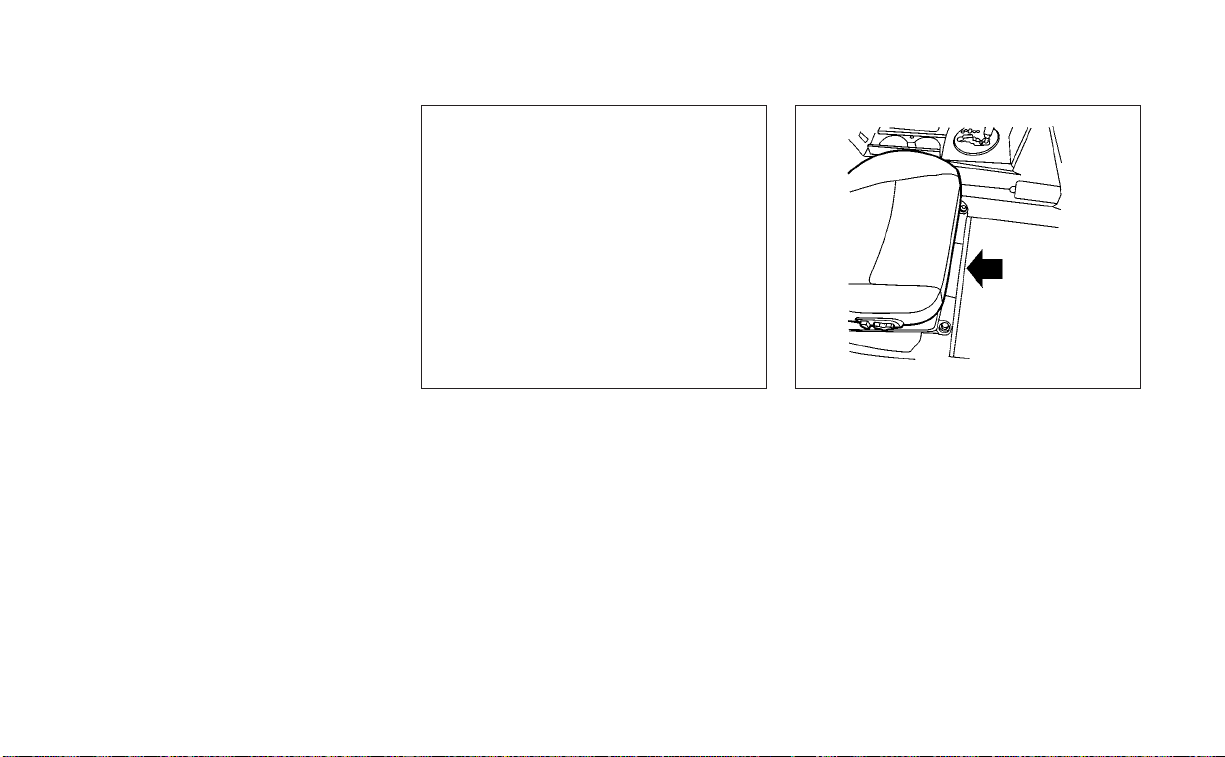
When planning to drive your NISSAN ve-
hicle in another country, you should first
find out if the fuel available is suitable for
your vehicle's engine.
Using fuel with an octane rating that is too
low may cause engine damage. All gaso-
line vehicles must be operated with un-
leaded gasoline. Therefore, avoid taking
your vehicle to areas where appropriate
fuel is not available.
When transferring the registration of
your vehicle to another country, state,
province or district, it may be necessary
to modify the vehicle to meet local laws
and regulations.
The laws and regulations for motor vehicle
emission control and safety standards
vary according to the country, state, prov-
ince or district; therefore, vehicle specifica-
tions may differ.
When any vehicle is to be taken into an-
other country, state, province or district
and registered, its modifications, trans-
portation and registration are the re-
sponsibility of the user. NISSAN is not re-
sponsible for any inconvenience that
may result.
VEHICLE IDENTIFICATION NUMBER
(VIN) PLATE
The Vehicle Identification Number (VIN)
plate is attached as shown. This number is
the identification for your vehicle and is
used in the vehicle registration.
VEHICLE IDENTIFICATION NUMBER
(chassis number)
The vehicle identification number is lo-
cated as shown.
LTI2050 LTI0070
WHEN TRAVELING OR REGISTERING
IN ANOTHER COUNTRY
VEHICLE IDENTIFICATION
10-10 Technical and consumer information
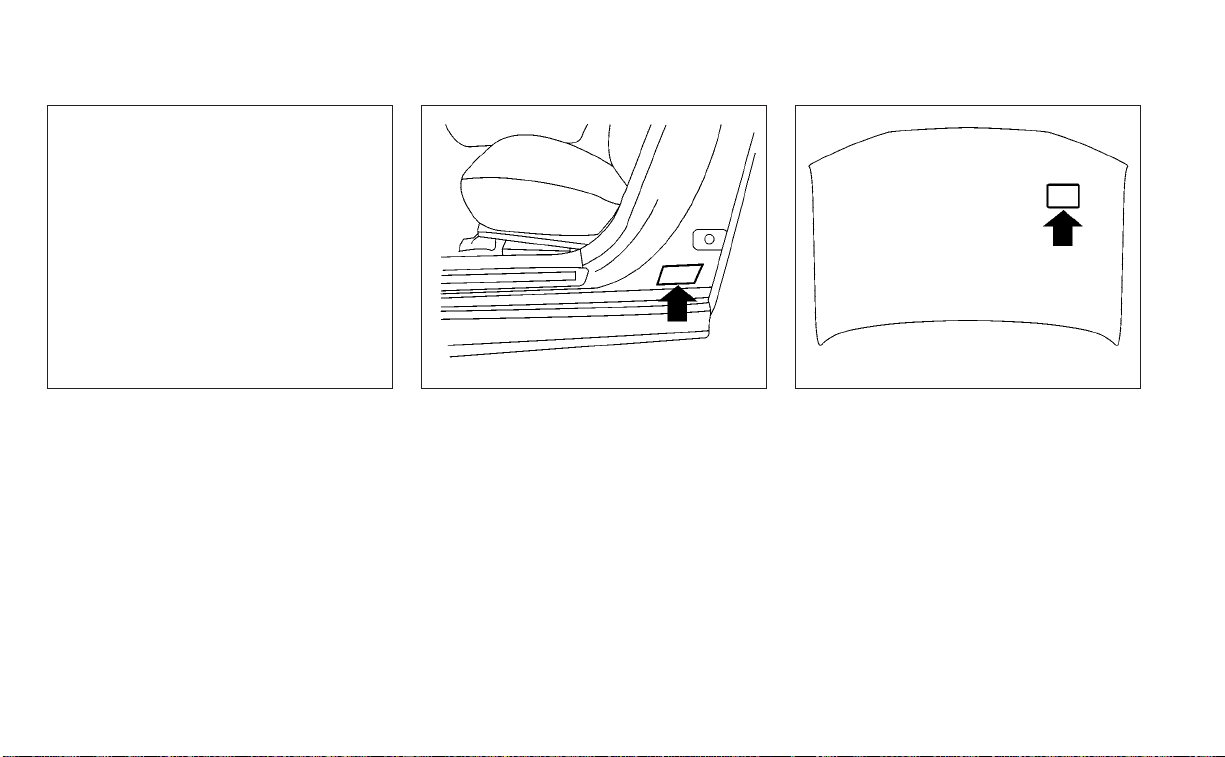
ENGINE SERIAL NUMBER
The number is stamped on the engine as
shown.
F.M.V.S.S./C.M.V.S.S. CERTIFICATION
LABEL
The Federal/Canadian Motor Vehicle
Safety Standard (F.M.V.S.S./C.M.V.S.S.) certifi-
cation label is affixed as shown. This label
contains valuable vehicle information, such
as: (GVWR), (GAWR), month and year of
manufacture, (VIN), etc. Review it carefully.
EMISSION CONTROL
INFORMATION LABEL
The emission control information label is
attached to the underside of the hood as
shown.
LTI2133 WTI0172 WTI0188
Technical and consumer information 10-11
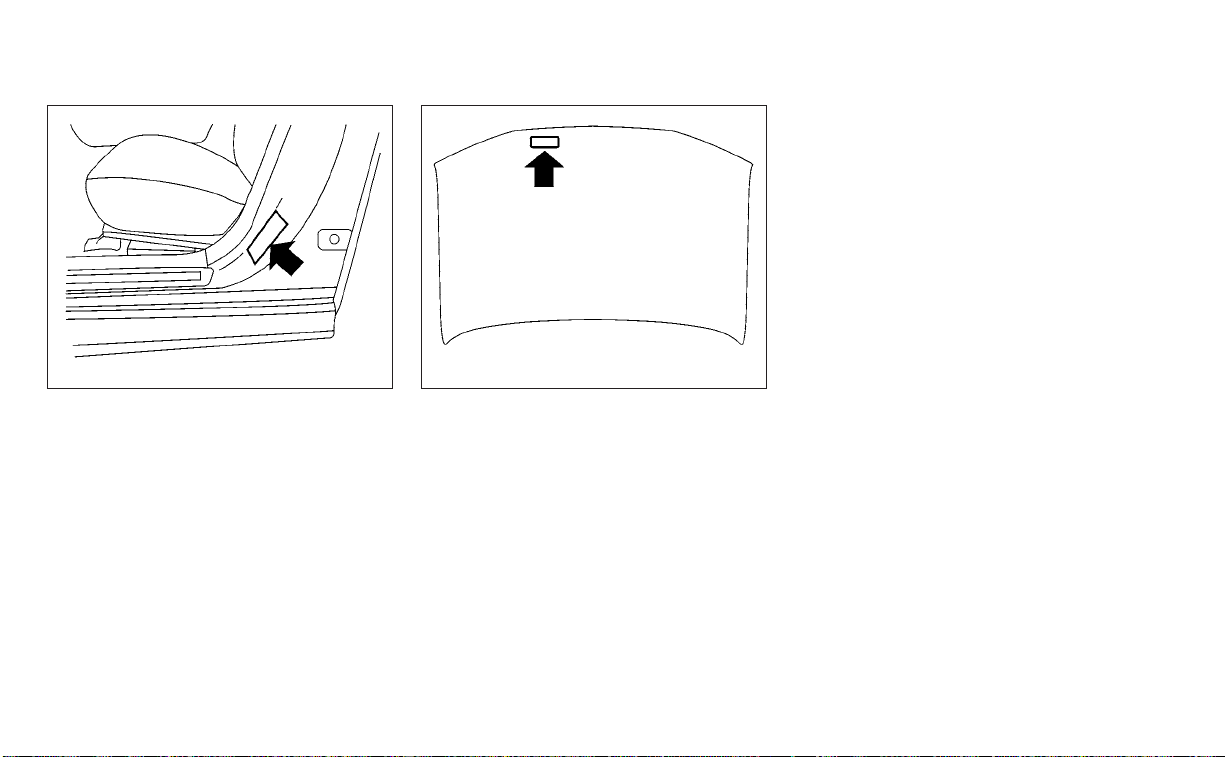
TIRE AND LOADING INFORMATION
LABEL
The cold tire pressure is shown on the Tire
and Loading Information label. The label is
located as shown.
AIR CONDITIONER SPECIFICATION
LABEL
The air conditioner specification label is af-
fixed to the underside of the hood as
shown.
WTI0174 WTI0178
10-12 Technical and consumer information
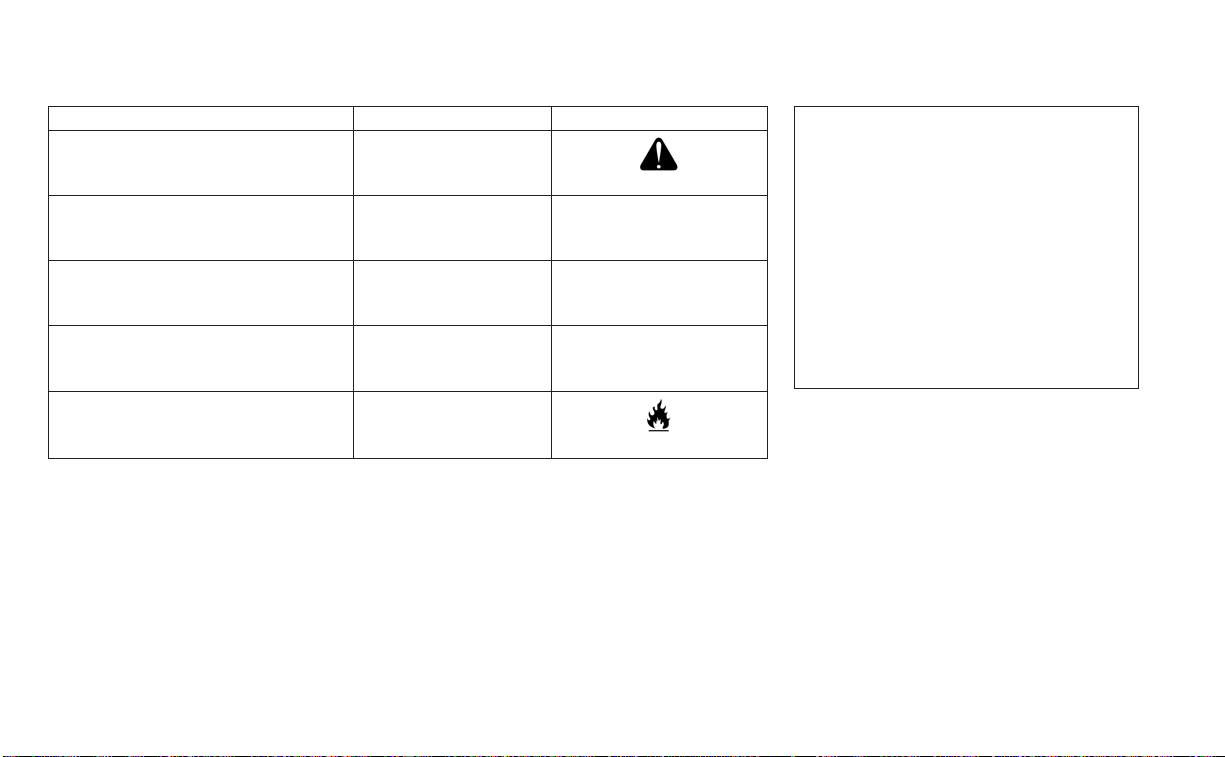
Symbol Name Reference Graphic
Caution ISO 7000 0434
Air Conditioning System
(MAC)
ISO 2575 D01
MAC System Lubricant Type
(PAG–POE)
Requires Registered Technician to
Service MAC System
Flammable Refrigerant
Air Conditioner Specification Label Symbols
To mount the front license plate, attach the
license plate bracket to the bumper fascia
at the location marks (small dimples) using
the two provided screws
O
A
.
LTI2398
INSTALLING FRONT LICENSE PLATE
Technical and consumer information 10-13

WARNING
• It is extremely dangerous to
ride in a cargo area inside a ve-
hicle. In a collision, people rid-
ing in these areas are more
likely to be seriously injured or
killed.
• Do not allow people to ride in
any area of your vehicle that is
not equipped with seats and
seat belts.
• Be sure everyone in your ve-
hicle is in a seat and using a
seat belt properly.
TERMS
It is important to familiarize yourself
with the following terms before
loading your vehicle:
• Curb Weight (actual weight of your
vehicle) - vehicle weight including:
standard and optional equipment,
fluids, emergency tools, and spare
tire assembly. This weight does
not include passengers and cargo.
• GVW (Gross Vehicle Weight) - curb
weight plus the combined weight
of passengers and cargo.
• GVWR (Gross Vehicle Weight Rat-
ing) - maximum total combined
weight of the unloaded vehicle,
passengers, luggage, hitch, trailer
tongue load and any other op-
tional equipment. This information
is located on the F.M.V.S.S./
C.M.V.S.S. certification label.
• GAWR (Gross Axle Weight Rating) -
maximum weight (load) limit
specified for the front or rear axle.
This information is located on the
F.M.V.S.S./C.M.V.S.S. certification
label.
• GCWR (Gross Combined Weight
Rating) - The maximum total
weight rating of the vehicle, pas-
sengers, cargo, and trailer.
VEHICLE LOADING INFORMATION
10-14 Technical and consumer information

• Vehicle Capacity Weight, Load limit,
Total load capacity - maximum to-
tal weight limit specified of the load
(passengers and cargo) for the ve-
hicle. This is the maximum com-
bined weight of occupants and
cargo that can be loaded into the
vehicle. If the vehicle is used to tow
a trailer, the trailer tongue weight
must be included as part of the
cargo load. This information is lo-
cated on the Tire and Loading In-
formation label.
• Cargo capacity - permissible
weight of cargo, the subtracted
weight of occupants from the load
limit.
VEHICLE LOAD CAPACITY
Do not exceed the load limit of your
vehicle shown as “The combined
weight of occupants and cargo” on
the Tire and Loading Information la-
bel. Do not exceed the number of
occupants shown as “Seating Ca-
pacity” on the Tire and Loading Infor-
mation label.
To get “the combined weight of oc-
cupants and cargo”, add the weight
of all occupants, then add the total
luggage weight. Examples are
shown in the following illustration.
Technical and consumer information 10-15

Steps for determining correct
load limit
1. Locate the statement “The com-
bined weight of occupants and
cargo should never exceed XXX
lbs. or XXX kg” on your vehicle’s
placard.
2. Determine the combined weight
of the driver and passengers that
will be riding in your vehicle.
3. Subtract the combined weight of
the driver and passengers from
XXX lbs. or XXX kg.
4. The resulting figure equals the
available amount of cargo and
luggage load capacity. For ex-
ample, if the XXX amount equals
1,400 lbs. and there will be five 150
lbs. passengers in your vehicle,
the amount of available cargo
and luggage load capacity is 650
lbs. (1,400-750 (5 X 150) = 650 lbs.) or
(640-340 (5 X 70) = 300 kg.)
LTI2335
Example
10-16 Technical and consumer information
5. Determine the combined weight
of luggage and cargo being
loaded on the vehicle. That weight
may not safely exceed the avail-
able cargo and luggage load ca-
pacity calculated in step 4.
Before driving a loaded vehicle, con-
firm that you do not exceed the
Gross Vehicle Weight Rating (GVWR)
or the Gross Axle Weight Rating
(GAWR) for your vehicle. For addi-
tional information, see “Measure-
ment of weights” (P. 10-18).
Also check tires for proper inflation
pressures. For additional informa-
tion, see “Tire and Loading Informa-
tion label” (P. 10-12).
LOADING TIPS
• The GVW must not exceed GVWR or
GAWR as specified on the F.M.V.S.S./
C.M.V.S.S. certification label.
• Do not load the front and rear axle
to the GAWR. Doing so will exceed
the GVWR.
WARNING
• Properly secure all cargo with
ropes or straps to help prevent
it from sliding or shifting. Do
not place cargo higher than the
seatbacks. In a sudden stop or
collision, unsecured cargo
could cause personal injury.
• Do not load your vehicle any
heavier than the GVWR or the
maximum front and rear
GAWRs. If you do, parts of your
vehicle can break, tire damage
could occur, or it can change
the way your vehicle handles.
This could result in loss of con-
trol and cause personal injury.
• Overloading not only can
shor ten the life of your vehicle
and the tire, but can also cause
unsafe vehicle handling and
longer braking distances. This
may cause a premature tire
failure which could result in a
serious accident and personal
injury. Failures caused by over-
loading are not covered by the
vehicle’s warranty.
Technical and consumer information 10-17
MEASUREMENT OF WEIGHTS
Secure loose items to prevent
weight shifts that could affect the
balance of your vehicle. When the ve-
hicle is loaded, drive to a scale and
weigh the front and the rear wheels
separately to determine axle loads.
Individual axle loads should not ex-
ceed either of the Gross Axle Weight
Ratings (GAWR). The total of the axle
loads should not exceed the Gross
Vehicle Weight Rating (GVWR). These
ratings are given on the vehicle cer-
tification label. If weight ratings are
exceeded, move or remove items to
bring all weights below the ratings.
Do not tow a trailer with your vehicle.
FLAT TOWING
Towing your vehicle with all four wheels on
the ground is sometimes called flat towing.
This method is sometimes used when
towing a vehicle behind a recreational ve-
hicle, such as a motor home.
CAUTION
• Failure to follow these guidelines can
result in severe transmission
damage.
• Whenever flat towing your vehicle,
always tow forward,never backward.
• Never tow your front wheel drive ve-
hicle with the front tires on the
ground. Doing so may cause serious
and expensive damage to the
powertrain.
• DO NOT tow any continuously vari-
able transmission vehicle with all
four wheels on the ground (flat tow-
ing). Doing so WILL DAMAGE internal
transmission parts due to lack of
transmission lubrication.
• For emergency towing procedures
see “Towing recommended by
NISSAN” (P. 6-12).
Continuously Variable
Transmission
To tow a vehicle equipped with a continu-
ously variable transmission, an appropriate
vehicle dolly MUST be placed under the
towed vehicle's drive wheels. Always follow
the dolly manufacturer's recommenda-
tions when using their product.
TOWING A TRAILER
10-18 Technical and consumer information
DOT (Department of Transportation) Qual-
ity Grades: All passenger car tires must
conform to federal safety requirements in
addition to these grades.
Quality grades can be found where appli-
cable on the tire sidewall between tread
shoulder and maximum section width. For
example:
Treadwear 200 Traction AA Temperature
A
Treadwear
The treadwear grade is a comparative rat-
ing based on the wear rate of the tire when
tested under controlled conditions on a
specified government test course. For ex-
ample, a tire graded 150 would wear one
and one-half (1 1/2) times as well on the
government course as a tire graded 100.
The relative performance of tires depends
upon the actual conditions of their use,
however, and may depart significantly from
the norm due to variations in driving habits,
service practices and differences in road
characteristics and climate.
Traction AA, A, B and C
The traction grades, from highest to low-
est, are AA, A, B, and C. Those grades repre-
sent the tire's ability to stop on wet pave-
ment as measured under controlled
conditions on specified government test
surfaces of asphalt and concrete. A tire
marked C may have poor traction
performance.
WARNING
The traction grade assigned to this tire
is based on straight-ahead braking
traction tests, and does not include ac-
celeration, cornering, hydroplaning, or
peak traction characteristics.
Temperature A, B and C
The temperature grades are A (the high-
est), B, and C, representing the tire’s resis-
tance to the generation of heat, and its
ability to dissipate heat when tested under
controlled conditions on a specified indoor
laboratory test wheel. Sustained high tem-
perature can cause the material of the tire
to degenerate and reduce tire life, and ex-
cessive temperature can lead to sudden
tire failure. The grade C corresponds to a
level of performance which all passenger
car tires must meet under the Federal Mo-
tor Vehicle Safety Standard No. 109. Grades
B and A represent higher levels of perfor-
mance on the laboratory test wheel than
the minimum required by law.
WARNING
The temperature grade for this tire is
established for a tire that is properly
inflated and not overloaded. Excessive
speed, under-inflation, or excessive
loading, either separately or in combi-
nation, can cause heat build-up and
possible tire failure.
UNIFORM TIRE QUALITY GRADING
Technical and consumer information 10-19

Your NISSAN vehicle is covered by the fol-
lowing emission warranties:
For USA
1. Emission Defects Warranty
2. Emissions Performance Warranty
Details of this warranty may be found with
other vehicle warranties in your Warranty
Information Booklet which comes with
your NISSAN vehicle. If you did not receive a
Warranty Information Booklet, or it is lost,
you may obtain a replacement by writing
to:
• Nissan North America, Inc.
Consumer Affairs Department
P.O. Box 685003
Franklin, TN 37068-5003
For Canada
Emission Control System Warranty
Details of this warranty may be found with
other vehicle warranties in your Warranty
Information Booklet which comes with
your NISSAN vehicle. If you did not receive a
Warranty Information Booklet, or it is lost,
you may obtain a replacement by writing
to:
• Nissan Canada Inc.
5290 Orbitor Drive
Mississauga, Ontario, L4W 4Z5
For USA
If you believe that your vehicle has a
defect which could cause a crash or
could cause injury or death, you
should immediately inform the Na-
tional Highway Traffic Safety Admin-
istration (NHTSA) in addition to noti-
fying NISSAN.
If NHTSA receives similar complaints,
it may open an investigation, and if it
finds that a safety defect exists in a
group of vehicles, it may order a re-
call and remedy campaign. However,
NHTSA cannot become involved in
individual problems between you,
your dealer, or NISSAN.
To contact NHTSA, you may call the
Vehicle Safety Hotline toll-free at
1-888-327-4236 (TTY: 1-800-424-9153);
go to http://www.safercar.gov; or
write to: Administrator, NHTSA, 400
Seventh Street, SW., Washington, D.C.
20590. You can also obtain other in-
formation about motor vehicle safety
from http://www.safercar.gov.
You may notify NISSAN by contact-
ing our Consumer Affairs Depart-
ment, toll-free, at 1-800-NISSAN-1.
For Canada
If you believe that your vehicle has a
defect which could cause a crash or
could cause injury or death, you
should immediately inform Trans-
port Canada in addition to notifying
NISSAN.
If Transport Canada receives com-
plaints, it may open an investigation,
and if it finds that a safety defect
exists in a group of vehicles, it may
request that NISSAN conduct a recall
campaign. However, Transport
Canada cannot become involved in
individual problems between you,
your dealer, or NISSAN.
EMISSION CONTROL SYSTEM
WARRANTY
REPORTING SAFETY DEFECTS
10-20 Technical and consumer information

You may contact Transport Canada's
Defect Investigations and Recalls
Division toll free at 1-800-333-0510.
You may also report safety defects
online at: http://www.tc.gc.ca/eng/
motorvehiclesafety/menu.htm (Eng-
lish speakers) or http://www.tc.gc.ca/
fra/securiteautomobile/menu.htm
(French speakers)
Or contact Transport Canada by
mail at:
Transport Canada Motor Vehicle
Safety Investigations Laboratory
80 Noel Street Gatineau, QC J8Z0A1
Additional information concerning
motor vehicle safety may be ob-
tained from Transport Canada's
Road Safety Information Centre at
1-800-333-0371 or online at
www.tc.gc.ca/roadsafety (English
speakers) or www.tc.gc.ca/
securiteroutiere (French speakers).
To notify NISSAN of any safety con-
cerns please contact our Consumer
Information Centre toll free at
1-800-387-0122.
Due to legal requirements in some states
and Canadian Provinces, your vehicle may
be required to be in what is called the
“ready condition” for an Inspection/
Maintenance (I/M) test of the emission
control system.
The vehicle is set to the “ready condition”
when it is driven through certain driving
patterns. Usually, the ready condition can
be obtained by ordinary usage of the
vehicle.
If a powertrain system component is re-
paired or the battery is disconnected, the
vehicle may be reset to a “not ready” condi-
tion. Before taking the I/M test, check the
vehicle's inspection/maintenance test
readiness condition. Place the ignition
switch in the ON position without starting
the engine. If the Malfunction Indicator
Light (MIL) comes on steady for 20 seconds
and then blinks for 10 seconds , the I/M test
condition is “not ready”. If the MIL does not
blink after 20 seconds, the I/M test condi-
tion is “ready”. It is recommended that you
visit a NISSAN dealer to set the “ready con-
dition” or to prepare the vehicle for testing.
READINESS FOR INSPECTION/
MAINTENANCE (I/M) TEST
Technical and consumer information 10-21

This vehicle is equipped with an Event Data
Recorder (EDR). The main purpose of an
EDR is to record, in certain collision or near
collision-like situations, such as an air bag
deployment or hitting a road obstacle, data
that will assist in understanding how a ve-
hicle's systems performed. The EDR is de-
signed to record data related to vehicle dy-
namics and safety systems for a short
period of time, typically 30 seconds or less.
The EDR in this vehicle is designed to re-
cord such data as:
• How various systems in your vehicle were
operating;
• Whether or not the driver and passenger
safety belts were buckled/fastened;
• How far (if at all) the driver was depress-
ing the accelerator and/or brake pedal;
and,
• How fast the vehicle was traveling.
• Sounds are not recorded.
These data can help provide a better un-
derstanding of the circumstances in which
collisions and injuries occur. NOTE: EDR
data are recorded by your vehicle only if a
nontrivial collision situation occurs; no data
are recorded by the EDR under normal driv-
ing conditions and no personal data (e.g.,
name, gender, age, and crash location) are
recorded. However, other parties, such as
law enforcement, could combine the EDR
data with the type of personally identifying
data routinely acquired during a crash
investigation.
To read data recorded by an EDR, special
equipment is required, and access to the
vehicle or the EDR is needed. In addition to
the vehicle manufacturer and NISSAN
dealer, other parties, such as law enforce-
ment, that have the special equipment, can
read the information if they have access to
the vehicle or the EDR. EDR data will only be
accessed with the consent of the vehicle
owner or lessee or as otherwise required or
permitted by law.
Genuine NISSAN Service Manuals for this
model year and prior can be purchased. A
Genuine NISSAN Service Manual is the best
source of service and repair information for
your vehicle. This manual is the same one
used by the factory-trained technicians
working at NISSAN dealerships. Genuine
NISSAN Owner’s Manuals can also be
purchased.
For USA
For current pricing and availability of Genu-
ine NISSAN Service Manuals, contact:
www.nissan-techinfo.com
For current pricing and availability of Genu-
ine NISSAN Owner's Manuals, contact:
1-800-247-5321
For Canada
To purchase a copy of a Genuine NISSAN
Service Manual or Owner’s Manual, for this
model year and prior, please visit the near-
est NISSAN dealer. For the phone number
and location of a NISSAN dealer in your
area, call the NISSAN Information Center at
1-800-387-0122 and a bilingual NISSAN rep-
resentative will assist you.
EVENT DATA RECORDERS (EDR) OWNER'S MANUAL/SERVICE
MANUAL ORDER INFORMATION
10-22 Technical and consumer information

11 Index
A
Active noise cancellation
Active sound enhancement
......5-121
Active Ride Control (ARC)
.........5-116
Air bag (See supplemental restraint
system)
.....................1-43
Air bag system
Front (See supplemental front impact air
bag system)
................1-51
Air bag warning light
.........1-64, 2-10
Air bag warning light,
supplemental
.............1-64, 2-10
Air cleaner
...................8-16
Air cleaner housing filter
..........8-16
Air conditioner
Air conditioner operation
........4-29
Air conditioner specification label
. .10-12
Air conditioner system refrigerant
recommendations
.........10-2, 10-7
Air conditioner system refrigerant and oil
recommendations
.........10-2, 10-7
Heater and air conditioner (automatic)
(if so equipped)
..............4-28
Heater and air conditioner controls
.4-29
Servicing air conditioner
........4-32
Alarm system (See vehicle security
system)
....................2-39
Anchor point locations
...........1-27
Antenna
....................4-32
Antifreeze
...................5-120
Armrests
.....................1-7
Autolight switch
...............2-46
Automatic
Automatic power window switch
. . .2-67
Automatic anti-glare inside mirror
. . . .3-27
Automatic door locks
.............3-6
Automatic Emergency Braking
(AEB)
....................2-11,2-15
Automatic Emergency Braking (AEB) with
Pedestrian Detection
............5-85
B
Battery
.................5-120, 8-13
Charge warning light
...........2-10
Battery replacement
.............8-21
Key fob
...................8-21
NISSAN Intelligent Key®
.........8-22
Before starting the engine
.........5-14
Belt (See drive belt)
..............8-15
Blind Spot Warning (BSW)
..........5-36
Booster seats
.................1-40
Brake
Brake fluid
..................8-11
Brake light (See stop light)
.......8-24
Brake warning light
............2-9
Brake wear indicators
.......2-16,8-18
Parking brake operation
.........5-21
Self-adjusting brakes
...........8-18
Brake fluid
...................8-11
Brakes
.....................8-18
Break-in schedule
.............5-109
Brightness control
Instrument panel
.............2-50
Bulb check/instrument panel
........2-9
Bulb replacement
..............8-24
C
C.M.V.S.S. certification label
.........10-11
Capacities and recommended
fuel/lubricants
................10-2
Car phone or CB radio
...........4-33
Cargo (See vehicle loading
information)
.................10-14
Check tire pressure
.............2-29
Child restraints
.......1-20,1-21,1-22,1-24
LATCH (Lower Anchors and Tethers for
CHildren) System
.............1-24
Precautions on child
restraints
...........1-29,1-35, 1-40
Top tether strap anchor point
locations
..................1-27
Child safety rear door lock
..........3-6
Cleaning exterior and interior
.....7-2,7-5
Climate control seat switch
........2-52
Cold weather driving
............5-120
Console box
..................2-63
Console light
.................2-72

Continuously Variable Transmission
(CVT)
.......................5-16
Continuously Variable Transmission (CVT)
fluid
......................8-10
Driving with Continuously Variable
Transmission (CVT)
............5-16
Control panel and vehicle information
display interaction
..............2-32
Controls
Heater and air conditioner controls
. .4-29
Coolant
Capacities and recommended
fuel/lubricants
...............10-2
Changing engine coolant
.........8-5
Checking engine coolant level
......8-5
Engine coolant temperature gauge
. . .2-6
Corrosion protection
..............7-9
Cruise control
.................5-54
Cup holders
..................2-64
D
Daytime Running Light System
......2-50
Defroster switch
Rear window and outside mirror
defroster switch
..............2-45
Dimensions and weights
..........10-9
Dimmer switch for instrument panel
. . .2-50
Display
Information display
............2-17
Door locks
....................3-4
Drive belt
....................8-15
Drive Mode Selector
..............5-21
Drive Sport Mode Selector
..........5-21
Driving
Cold weather driving
...........5-120
Driving with Continuously Variable
Transmission (CVT)
............5-16
Precautions when starting and
driving
.....................5-4
Driving the vehicle
...............5-16
Dynamic driver assistance switch
.....2-56
E
E-call (SOS) Button
..............2-59
Economy - fuel
................5-110
Emergency engine shutoff
.......5-13,6-2
Emission control information label
. . . .10-11
Emission control system warranty
. . . .10-20
Engine
Before starting the engine
........5-14
Capacities and recommended
fuel/lubricants
...............10-2
Changing engine coolant
.........8-5
Changing engine oil
............8-6
Changing engine oil filter
.........8-6
Checking engine coolant level
......8-5
Checking engine oil level
.........8-6
Engine compartment check
locations
...................8-3
Engine coolant temperature gauge
. . .2-6
Engine cooling system
...........8-4
Engine oil
...................8-6
Engine oil and oil filter
recommendation
..........10-2, 10-6
Engine oil pressure warning light
. . . .2-10
Engine oil viscosity
.............10-6
Engine serial number
...........10-11
Engine specifications
...........10-8
Starting the engine
............5-14
Engine coolant temperature gauge
. . . .2-6
Event Data recorders
............10-22
Exhaust gas (Carbon monoxide)
......5-4
Explanation of maintenance items
.....9-2
Explanation of scheduled maintenance
items
.......................9-5
Extended storage switch
..........2-60
Eyeglass case
.................2-63
F
F.M.V.S.S. certification label
.........10-11
Flashers (See hazard warning flasher
switch)
......................6-2
Flat tire
...................6-3, 6-4
Floor mat positioning aid
...........7-8
Fluid
Brake fluid
..................8-11
Capacities and recommended
fuel/lubricants
...............10-2
Continuously Variable Transmission
(CVT) fluid
..................8-10
Engine coolant
................8-4
Engine oil
...................8-6
Power steering fluid
............8-11
Windshield-washer fluid
.........8-12
Fog light switch
................2-51
Folding rear seat
................1-5
11-2

Front air bag system
(See supplemental restraint system)
. . .1-51
Front and rear sonar system
.......5-116
Front power seat adjustment
........1-3
Front seats
....................1-2
Front-door pocket
...............2-61
Fuel
Capacities and recommended
fuel/lubricants
...............10-2
Fuel economy
...............5-110
Fuel gauge
..................2-6
Fuel octane rating
.............10-5
Fuel recommendation
.......10-2, 10-3
Fuel-filler cap
................3-23
Fuel-filler lid
.................3-23
Loose fuel cap warning
..........2-27
Fuel efficient driving tips
..........5-109
Fuel gauge
....................2-6
Fuel-filler door
.................3-22
Fuses
.......................8-19
Fusible links
..................8-20
G
Garage door opener, HomeLink® Universal
Transceiver
.........2-73,2-74,2-76,2-77
Gas cap
.....................3-23
Gauge
Engine coolant temperature gauge
. . .2-6
Fuel gauge
..................2-6
Odometer
...................2-5
Speedometer
................2-4
Tachometer
.................2-5
Trip odometer
................2-5
General maintenance
.............9-2
Glove box
....................2-62
Glove box lock
.................2-62
H
Hazard warning flasher switch
........6-2
Head restraints
.................1-7
Headlight and turn signal switch
.....2-45
Headlight control switch
..........2-45
Headlights
...................8-23
Heated rear seats
...............2-55
Heated seat switches
............2-54
Heated seats
..............2-52, 2-54
Heated steering wheel
............2-56
Heater
Heater and air conditioner (automatic)
(if so equipped)
...............4-28
Heater and air conditioner controls
. .4-29
Heater operation
.............4-30
Heater and air conditioner
(automatic)
...................4-28
HomeLink® Universal
Transceiver
.........2-73,2-74,2-76,2-77
Hood
.......................3-20
Horn
.......................2-52
I
Ignition Switch
Push-button ignition switch
.......5-10
Immobilizer system
..........2-41, 5-14
Important vehicle information label
. . .10-11
In-cabin microfilter
..............8-17
Increasing fuel economy
..........5-110
Indicator
NISSAN Intelligent Key® battery discharge
indicator
...................5-13
Indicator lights and audible reminders
(See warning/indicator lights and audible
reminders)
....................2-8
Inside automatic anti-glare mirror
.....3-27
Instrument brightness control
.......2-50
Instrument panel
.............0-6, 2-2
Instrument panel dimmer switch
.....2-50
Integrated Dynamics-control Module
. .5-115
Intelligent Around View Monitor
......4-10
Intelligent Cruise Control (ICC)
.......5-56
Intelligent Drive Alertness (I-DA)
......5-106
Intelligent Engine Brake (I-EB)
.......5-115
Intelligent Forward Collision Warning
(I-FCW)
......................5-95
Intelligent Key system
Key operating range
............3-8
Key operation
................3-9
Mechanical key
................3-3
Remote keyless entry operation
. . . .3-13
Troubleshooting guide
..........3-16
Warning signals
...............3-16
Intelligent Lane Intervention (I-LI)
.....5-30
Intelligent Trace Control (I-TC)
.......5-115
Interior light
...................2-71
Interior trunk lid release
...........3-21
ISOFIX child restraints
.............1-24
11-3

J
Jump starting
..............6-9, 8-15
K
Key
.........................3-2
Key fob battery replacement
........8-21
Keyless entry
With Intelligent Key system
(See Intelligent Key system)
.......3-13
Keys
NISSAN Intelligent Key®
........3-2,3-7
NISSAN Vehicle Immobilizer System
keys
......................3-4
L
Labels
Air conditioner specification label
. . .10-12
C.M.V.S.S. certification label
.......10-11
Emission control information label
. .10-11
Engine serial number
...........10-11
F.M.V.S.S. certification label
........10-11
Tire and Loading Information label
. .10-12
Vehicle identification number (VIN)
. .10-10
Vehicle identification number (VIN)
plate
.....................10-10
Warning labels (for SRS)
..........1-64
Lane Departure Warning (LDW)
.......5-25
LATCH (Lower Anchors and Tethers for
CHildren) System
...............1-24
License plate
Installing the license plate
........10-13
Light
Air bag warning light
........1-64, 2-10
Brake light (See stop light)
........8-24
Bulb check/instrument panel
......2-9
Bulb replacement
.............8-24
Charge warning light
...........2-10
Console light
................2-72
Exterior and Interior lights
........8-24
Fog light switch
...............2-51
Fog lights
..................8-23
Headlight and turn signal switch
. . . .2-45
Headlight control switch
.........2-45
Headlights
..................8-23
Interior light
.................2-71
Light bulbs
.................8-23
Low tire pressure warning light
.....2-12
Low windshield-washer fluid warning
light
......................2-27
Personal lights
...............2-73
Security indicator light
..........2-10
Spotlights (See map light)
........2-72
Trunk light
..................2-73
Warning/indicator lights and audible
reminders
...................2-8
Lights
......................8-23
Map lights
..................2-72
Lock
Child safety rear door lock
.........3-6
Door locks
..................3-4
Glove box lock
...............2-62
Power door locks
..............3-6
Trunk lid lock opener lever
........3-21
Loose fuel cap warning
...........2-27
Low fuel warning light
......2-10,2-14,2-27
Low tire pressure warning light
.......2-12
Low windshield-washer fluid warning
light
........................2-27
Luggage (See vehicle loading
information)
..................10-14
M
Maintenance
General maintenance
...........9-2
Inside the vehicle
..............9-3
Maintenance precautions
.........8-2
Outside the vehicle
.............9-3
Seat belt maintenance
..........1-19
Under the hood and vehicle
.......9-4
Maintenance requirements
..........9-2
Maintenance schedules
............9-7
Malfunction indicator light
..........2-13
Map lights
....................2-72
Memory seat
..............3-30, 3-32
Meters and gauges
..............2-4
Instrument brightness control
.....2-50
Mirror
Automatic anti-glare inside mirror
. . .3-27
Outside mirror control
..........3-28
Outside mirrors
..............3-28
Vanity mirror
................3-27
Mirrors
......................3-27
Moonroof
.................2-68, 7-7
Moving Object Detection (MOD)
......4-22
11-4

N
NISSAN Intelligent Key®
..........3-2,3-7
NISSAN Intelligent Key® battery discharge
indicator
.....................5-13
NISSAN Vehicle Immobilizer
System
..................2-41, 5-14
NissanConnect® Owner's Manual
......4-2
O
Octane rating (See fuel octane rating)
. .10-5
Odometer
....................2-5
Oil
Capacities and recommended
fuel/lubricants
...............10-2
Changing engine oil
............8-6
Changing engine oil filter
.........8-6
Checking engine oil level
.........8-6
Engine oil
...................8-6
Engine oil and oil filter
recommendation
..........10-2, 10-6
Engine oil viscosity
.............10-6
Outside mirror control
............3-28
Outside mirrors
................3-28
Overhead sunglasses holder
........2-63
Overheat
If your vehicle overheats
.........6-11
Owner's manual order form
........10-22
Owner's manual/service manual order
information
..................10-22
P
Parking
Parking brake operation
.........5-21
Parking/parking on hills
.........5-111
Parking brake
..................5-21
Personal lights
.................2-73
Power
Power door locks
..............3-6
Power outlet
................2-59
Powerrearwindows
...........2-66
Power steering fluid
............8-11
Power steering system
.........5-112
Power windows
..............2-65
Rear power windows
...........2-66
Power outlet
..................2-59
Power steering
................5-112
Power steering fluid
..............8-11
Precautions
Maintenance precautions
.........8-2
Precautions on booster
seats
...............1-29,1-35, 1-40
Precautions on child
restraints
............1-29,1-35, 1-40
Precautions on seat belt usage
.....1-11
Precautions on supplemental restraint
system
....................1-43
Precautions when starting and driving
.5-4
Push starting
..................6-11
R
Radio
Car phone or CB radio
..........4-33
Rain-sensing auto wiper system
.....2-44
Readiness for inspection maintenance (I/M)
test
.......................10-21
Rear Automatic Braking (RAB)
.......5-80
Rear Cross Traffic Alert (RCTA)
.......5-45
Rear Door Alert
.........2-26,2-27,2-58
Rear power sunshade
............2-70
Rear power windows
.............2-66
Rear seat
.....................1-5
Rear sun shade
................2-70
Rear window and outside mirror defroster
switch
......................2-45
RearView Monitor
................4-3
Recommended Fluids
............10-2
Recorders
Event Data
.................10-22
Refrigerant recommendation
. . . .10-2, 10-7
Registering a vehicle in another
country
.....................10-10
Remote Engine Start
..........3-18,5-15
Reporting safety defects (US only)
. . . .10-20
S
Safety
Child safety rear door lock
.........3-6
Child seat belts
.....1-22,1-29,1-35, 1-40
Reporting safety defects (US only)
. .10-20
11-5

Seat
Memory seat
.............3-30, 3-32
Seat adjustment
Front power seat adjustment
.......1-3
Seat belt
Child safety
.................1-20
Infants and small children
.....1-20,1-21
Injured person
................1-14
Larger children
...............1-21
Precautions on seat belt usage
.....1-11
Pregnant women
..............1-14
Seat belt extenders
............1-19
Seat belt maintenance
..........1-19
Seat belts
................1-11,7-8
Shoulder belt height adjustment
. . . .1-18
Three-point type with retractor
.....1-15
Seat belt extenders
..............1-19
Seat belt warning light
.........1-14,2-10
Seatback pockets
...............2-61
Seats
Adjustment
..................1-2
Armrests
....................1-7
Front seats
..................1-2
Heated seats
............2-52, 2-54
Rear seat
...................1-5
Security indicator light
............2-10
Security system (NISSAN Vehicle Immobilizer
System), engine start
.........2-41, 5-14
Security systems
Vehicle security system
.........2-39
Self-adjusting brakes
.............8-18
Service manual order form
........10-22
Servicing air conditioner
...........4-32
Shifting
Continuously Variable Transmission
(CVT)
.....................5-17
Shoulder belt height adjustment
......1-18
Spark plug replacement
...........8-16
Spark plugs
...................8-16
Specifications
.................10-8
Speedometer
..................2-4
Spotlights (See map light)
..........2-72
SRS warning label
...............1-64
Stability control
................5-113
Standard maintenance
............9-8
Starting
Before starting the engine
........5-14
Jump starting
.............6-9, 8-15
Precautions when starting and
driving
.....................5-4
Push starting
................6-11
Starting the engine
............5-14
Starting the engine
..............5-14
Steering
Heated steering wheel
..........2-56
Power steering fluid
............8-11
Power steering system
.........5-112
Steering wheel
.................3-24
Stop light
....................8-24
Storage
.....................2-61
Storage tray
..................2-62
Sun visors
....................3-26
Sunglasses case
...............2-63
Sunglasses holder
..............2-63
Sunroof
..................2-68, 7-7
Supplemental air bag warning
light
....................1-64, 2-10
Supplemental front impact air bag
system
......................1-51
Supplemental restraint system
Information and warning labels
.....1-64
Precautions on supplemental restraint
system
....................1-43
Supplemental restraint system
(Supplemental air bag system)
.......1-43
Switch
Autolight switch
..............2-46
Automatic power window switch
. . .2-67
Fog light switch
...............2-51
Hazard warning flasher switch
......6-2
Headlight and turn signal switch
. . . .2-45
Headlight control switch
.........2-45
Instrument brightness control
.....2-50
Power door lock switch
..........3-6
Rear window and outside mirror defroster
switch
....................2-45
Turn signal switch
.............2-51
T
Tachometer
...................2-5
Temperature gauge
Engine coolant temperature gauge
. . .2-6
Theft (NISSAN Vehicle Immobilizer System),
engine start
...............2-41, 5-14
Three-way catalyst
...............5-4
Tire
Flat tire
..................6-3, 6-4
Spare tire
................6-5, 8-37
Tire and Loading Information label
. .10-12
11-6

Tire chains
.................8-34
Tire pressure
................8-26
Tire rotation
.................8-34
Types of tires
................8-33
Uniform tire quality grading
.......10-19
Wheel/tire size
...............10-9
Wheels and tires
..............8-26
Tire pressure
Low tire pressure warning light
.....2-12
Tire Pressure Monitoring System
(TPMS)
.......................5-5
Towing
4-wheel drive models
...........6-13
Flat towing
.................10-18
Trailer towing
...............10-18
Towing a trailer
................10-18
Towing your vehicle
..............6-12
Traffic Sign Recognition (TSR)
........5-22
Transceiver
HomeLink® Universal
Transceiver
.......2-73,2-74,2-76,2-77
Transmission
Continuously Variable Transmission (CVT)
fluid
......................8-10
Driving with Continuously Variable
Transmission (CVT)
............5-16
Travel (See registering a vehicle in another
country)
....................10-10
Trip odometer
..................2-5
Trunk access through the rear
seat
.....................1-5, 3-22
Trunk lid lock opener lever
..........3-21
Trunk light
....................2-73
Turn signal switch
...............2-51
U
Uniform tire quality grading
........10-19
USB/iPod® Charging Ports
.........4-32
V
Vanity mirror
..................3-27
Vehicle dimensions and weights
......10-9
Vehicle Dynamic Control (VDC) OFF
switch
......................2-57
Vehicle Dynamic Control (VDC)
system
.....................5-113
Vehicle identification
............10-10
Vehicle identification number (VIN)
. . . .10-10
Vehicle identification number (VIN)
(Chassis number)
..............10-10
Vehicle identification number (VIN)
plate
......................10-10
Vehicle immobilizer system
.....2-41, 5-14
Vehicle information display
.........2-17
Vehicle loading information
........10-14
Vehicle recovery
.............6-13,6-14
Vehicle security system
...........2-39
Vehicle security system
(NISSAN Vehicle Immobilizer System),
engine start
...............2-41, 5-14
Vents
......................4-26
Visors
......................3-26
W
Warning
Air bag warning light
........1-64, 2-10
Battery charge warning light
......2-10
Brake warning light
.............2-9
Engine oil pressure warning light
. . . .2-10
Hazard warning flasher switch
......6-2
Loose fuel cap warning
..........2-27
Low fuel warning light
. . . .2-10, 2-14, 2-27
Low tire pressure warning light
.....2-12
Low windshield-washer fluid warning
light
......................2-27
Seat belt warning light
.......1-14,2-10
Supplemental air bag warning
light
...................1-64, 2-10
Vehicle security system
.........2-39
Warning labels (for SRS)
..........1-64
Warning/indicator lights and audible
reminders
...................2-8
Warning lights
..................2-8
Warning/indicator lights and audible
reminders
....................2-8
Audible reminders
.............2-8
Indicator lights
................2-8
Warning lights
................2-8
Weights (See dimensions and weights)
. .10-9
Wheel/tire size
.................10-9
Wheels and tires
................8-26
When traveling or registering in another
country
.....................10-10
11-7

Windows
....................2-65
Locking passengers' windows
.....2-67
Powerrearwindows
...........2-66
Power windows
..............2-65
Rear power windows
...........2-66
Windshield wiper blades
...........8-17
Windshield-washer fluid
...........8-12
Wiper
Wiper blades
................8-17
Wiper and washer switch
..........2-42
11-8

MEMO

MEMO

MEMO

MEMO

MEMO

FUEL RECOMMENDATION:
NISSAN recommends the use of unleaded
premium gasoline with an octane rating of
at least 91 AKI (Anti-Knock Index) number
(Research octane number 96). If unleaded
premium gasoline is not available, you may
use unleaded regular gasoline with an oc-
tane rating of at least 87 AKI number (Re-
search octane number 91), but you may
notice a decrease in performance.
CAUTION
• Using a fuel other than that specified
could adversely affect the emission
control system, and may also affect
the warranty coverage.
• Under no circumstances should a
leaded gasoline be used, because
this will damage the three-way
catalyst.
• Do not use a fuel containing more
than 15% ethanol in your vehicle. Your
vehicle is not designed to run on a
fuel containing more than 15% etha-
nol. Using a fuel containing more
than 15% ethanol in a vehicle not spe-
cifically designed for a fuel contain-
ing more than 15% ethanol can ad-
versely affect the emission control
devices and systems of the vehicle.
Damage caused by such fuel is not
covered by the NISSAN New Vehicle
Limited Warranty.
• Do not use fuel that contains the oc-
tane booster methylcyclopentadi-
enyl manganese tricarbonyl (MMT).
Using fuel containing MMT may ad-
versely affect vehicle performance
and vehicle emissions. Not all fuel
dispensers are labeled to indicate
MMT content, so you may have to
consult your gasoline retailer for
more details. Note that Federal and
California laws prohibit the use of
MMT in reformulated gasoline.
• U.S. government regulations require
ethanol dispensing pumps to be
identified by a small, square, orange
and black label with the common ab-
breviation or the appropriate per-
centage for that region.
For additional information, see “Recom-
mended fluids/lubricants and capacities”
(P. 10-2).
ENGINE OIL RECOMMENDATION:
For additional information, see “Recom-
mended fluids/lubricants and capacities”
(P. 10-2).
COLD TIRE PRESSURE:
Refer to the Tire and Loading Information
label.
The label is typically located on the driver
side center pillar or on the driver's door. For
additional information, see “Wheels and
tires” (P. 8-26).
RECOMMENDED NEW VEHICLE
BREAK-IN PROCEDURE:
During the first 1,200 miles (2,000 km) of
vehicle use, follow the break-in procedure
recommendations for the future reliability
and economy of your new vehicle. For ad-
ditional information, see “Break-in sched-
ule” (P. 5-109). Failure to follow these recom-
mendations may result in vehicle damage
or shortened engine life.
GAS STATION INFORMATION


A36-D
Printing : June 2021
Publication No.:
Printed in the U.S.A.
OM21EA 0A36U1