
EN-1
Nokia Body Cardio
v3.0 | August 2017
Nokia Body Cardio
Weight & Body Composition - Heart Rate - Daily Report
Installation and Operating Instructions
EN-2
Nokia Body Cardio
v3.0 | August 2017
Table of Contents
Minimum Requirements �������������������������������������������������������������������������������������� 4
Internet access ������������������������������������������������������������������������������������������������������������������� 4
Smartphone or device �������������������������������������������������������������������������������������������������������� 4
OS version ��������������������������������������������������������������������������������������������������������������������������� 4
Nokia Health Mate® app version ��������������������������������������������������������������������������������������� 4
Nokia Body Cardio Description ��������������������������������������������������������������������������5
Overview ����������������������������������������������������������������������������������������������������������������������������� 5
Box contents ����������������������������������������������������������������������������������������������������������������������� 5
Product description ������������������������������������������������������������������������������������������������������������ 6
Scales screens description ������������������������������������������������������������������������������������������������� 6
Setting Up the Nokia Body Cardio ������������������������������������������������������������������� 8
Installing the Nokia Health Mate® app ������������������������������������������������������������������������������ 8
Installing your Nokia Body Cardio �������������������������������������������������������������������������������������� 8
Customizing Your Nokia Body Cardio ������������������������������������������������������������ 19
Changing the conguration of your Nokia Body Cardio ������������������������������������������������� 19
Changing the settings of your Nokia Body Cardio ���������������������������������������������������������� 22
Using Your Nokia Body Cardio �������������������������������������������������������������������������29
Tracking your weight and body composition ������������������������������������������������������������������� 29
Tracking your heart rate ��������������������������������������������������������������������������������������������������� 36
Checking the weather ������������������������������������������������������������������������������������������������������� 38
Using Baby mode �������������������������������������������������������������������������������������������������������������� 39
Using Pregnancy Mode ����������������������������������������������������������������������������������������������������� 41
Linking Your Account to Partner Apps ���������������������������������������������������������� 43
Linking your account to MyFitnessPal ����������������������������������������������������������������������������� 43
Linking your account to Nike+ ����������������������������������������������������������������������������������������� 44
Syncing Your Data ����������������������������������������������������������������������������������������������� 47
Dissociating Your Nokia Body Cardio ������������������������������������������������������������48
Performing a Factory Reset of Your Nokia Body Cardio �������������������������� 50
Cleaning and Maintenance ��������������������������������������������������������������������������������51

EN-3
Nokia Body Cardio
v3.0 | August 2017
Cleaning your Nokia Body Cardio ������������������������������������������������������������������������������������� 51
Charging the battery �������������������������������������������������������������������������������������������������������� 51
Updating your Nokia Body Cardio ������������������������������������������������������������������������������������ 51
Technology Description ������������������������������������������������������������������������������������� 54
Weight ������������������������������������������������������������������������������������������������������������������������������� 54
Body Composition ������������������������������������������������������������������������������������������������������������ 54
Heart Rate ������������������������������������������������������������������������������������������������������������������������� 54
Specications ������������������������������������������������������������������������������������������������������� 55
User Guide Copyright ���������������������������������������������������������������������������������������� 57
Legal Notice ���������������������������������������������������������������������������������������������������������� 57
Personal Data �������������������������������������������������������������������������������������������������������������������� 57
Safety Instructions ��������������������������������������������������������������������������������������������� 59
Use and Storage ��������������������������������������������������������������������������������������������������������������� 59
Service and Maintenance ������������������������������������������������������������������������������������������������� 59
Document Release Overview ���������������������������������������������������������������������������60
Warranty ���������������������������������������������������������������������������������������������������������������� 61
Regulatory Statements �������������������������������������������������������������������������������������62
EN-4
Nokia Body Cardio
v3.0 | August 2017
Minimum Requirements
Internet access
Access to the Internet is required to:
• Download the Nokia Health Mate® app,
• Set up your Nokia Body Cardio,
• Upgrade your product whenever an update is available.
For more details, refer to “Specications” on page55. We recommend using the app on
a device connected to the Internet to enjoy all features.
Smartphone or device
An iOS device or an Android device (with operational Bluetooth and Wi-Fi or 3G/4G) is
required to:
• Set up your Nokia Body Cardio,
• Retrieve data from your Nokia Body Cardio,
• Access specic functions of your Nokia Body Cardio.
Bluetooth Low Energy (BLE) compatibility is recommended to install your Nokia Body
Cardio.
For more details, refer to “Specications” on page55.
OS version
You need iOS 8 or above to install and run the Nokia Health Mate® App on an iOS device.
You need Android 5.0 or above to install and run the Nokia Health Mate® App on an
Android device.
Nokia Health Mate® app version
We recommend that you use the latest available version of the Nokia Health Mate® app to
have all the latest features available.
EN-5
Nokia Body Cardio
v3.0 | August 2017
Nokia Body Cardio Description
Overview
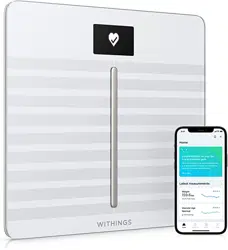
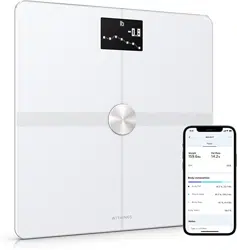
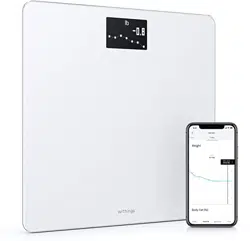
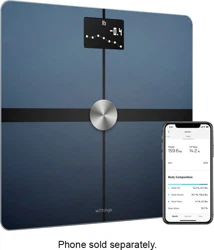
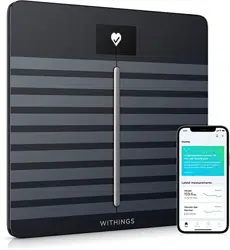
With its slick and extra thin design, the Nokia Body Cardio allows you to easily track your
weight and monitor your progress. Additionally, it calculates your fat mass, muscle mass,
bone mass and water mass by bioelectric impedance to inform you about your body
composition.
Of course that’s not all your Nokia Body Cardio does. It provides you with information
about your heart rate and your body composition (fat mass, muscle mass, bone mass and
water. If you activate the Weather screen, you also get your daily weather report everytime
you weigh in.
Because the Nokia Body Cardio is a connected scale, its true potential is achieved when
you use it along with the Nokia Health Mate® app. Beside allowing you to install your scale,
the Nokia Health Mate® app allows you to customize its display, to set a weight goal, and
to check the entire history of your weight data.
Thanks to its in-app activity tracking feature and the numerous partner apps you can
connect it to, the Nokia Health Mate® app helps you reach your health goals faster by
helping you track your activity and check your calorie balance.
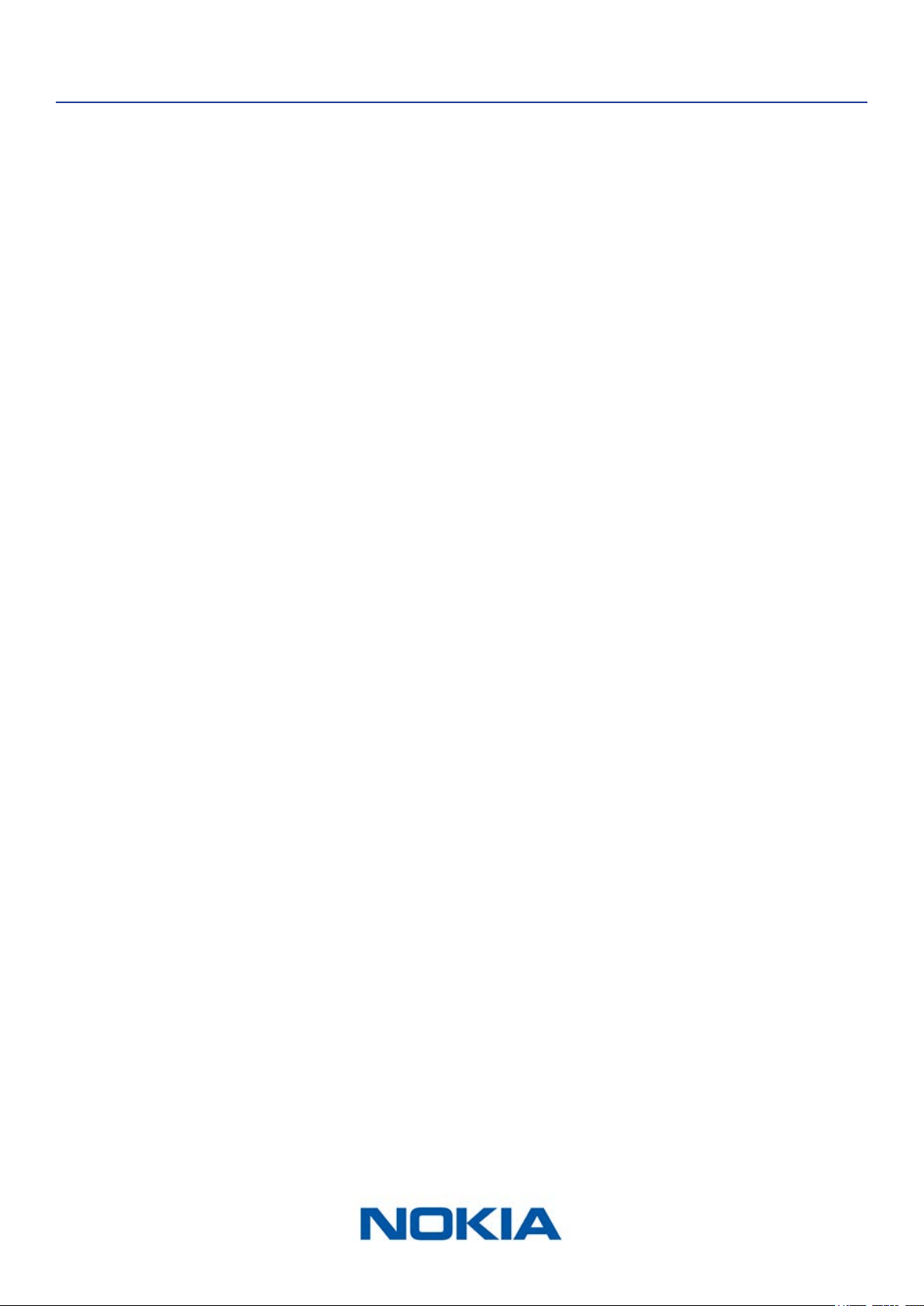
Box contents
(1)Nokia Body Cardio (2)USB cable
EN-6
Nokia Body Cardio
v3.0 | August 2017
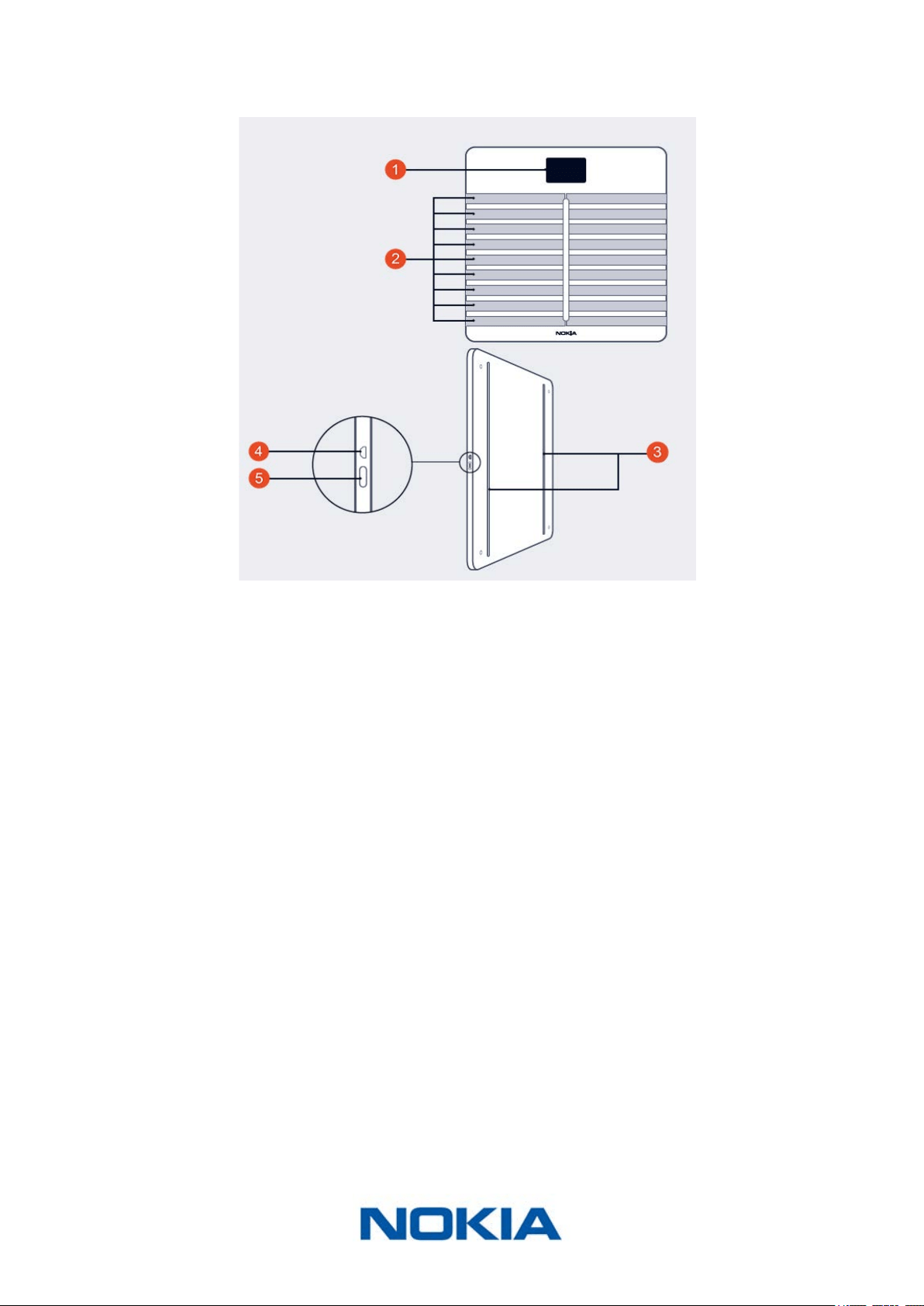
Product description
(1)Display
(4)Micro USB port
(2)Electrodes
(5)Pairing and units button
(3)Feet
Scales screens description
You can select a number of screens to be displayed on your Nokia Body Cardio:
• Weight: Displays your weight. This screen cannot be disabled.
• Fat Mass: Displays your percentage of fat mass.
• Water: Displays your percentage of water.
• Bone mass: Displays the weight of your bones.
• Muscle mass: Displays the weight of your muscles.
• Weather
1
: Displays the weather for the day.
• Heart Rate: Displays your heart rate.
• Weight Trend
1
: Displays a graph with your last 8 weight measurements.
• Steps
1, 2
: Displays the number of steps you did the previous day.
• NikeFuel
1, 3
: Displays the amount of NikeFuel you earned the previous day.
EN-7
Nokia Body Cardio
v3.0 | August 2017
You can disable or change the order of these screens as you like after you install your
Nokia Body Cardio. Otherwise, they will appear in the default order. Refer to “Changing
the screen order” on page23 for more information.
1
This screen can only be used if you set up your Nokia Body Cardio in Wi-Fi.
2
You either need to own a Nokia® tracker, or to use the in-app tracking of the
Nokia Health Mate® app to display your number of steps on this screen. If you don’t have
a Nokia® tracker, tap on Activity in your Dashboard in the Nokia Health Mate® app and tap
Activate now. Your mobile device will then start tracking your steps.
3
You need to have a Nike+ account to see the amount of NikeFuel you have on this screen.
EN-8
Nokia Body Cardio
v3.0 | August 2017
Setting Up the Nokia Body Cardio
Installing the Nokia Health Mate® app
If the Nokia Health Mate® app is not already installed on your device, perform the
following steps:
1. Type healthapp.nokia.com in your device’s web browser.
2. Tap Download on the App Store or on the Play Store.
3. Tap GET.
The installation process starts.
Installing your Nokia Body Cardio
Overview
Installing your Nokia Body Cardio in Wi-Fi gives you access to all the features and screens
available. Installing your Nokia Body Cardio in Bluetooth limits the features and screens
available. For example, you can’t use the Weather screen and the Steps screen, as they
require access to the Internet.
You can change the conguration of your Nokia Body Cardio anytime you want. Refer
to “Changing the conguration of your Nokia Body Cardio” on page19 for more
information.
Note that once you’ve installed your Nokia Body Cardio on your account, all the users of
the account can use it. You are also free to install it on various account. There is, however,
a limit of eight users per scale at the moment.
EN-9
Nokia Body Cardio
v3.0 | August 2017
Installing your Nokia Body Cardio without an existing account
Refer to “Installing your Nokia Body Cardio with an existing account” on page14 if you
already have a Nokia® account.
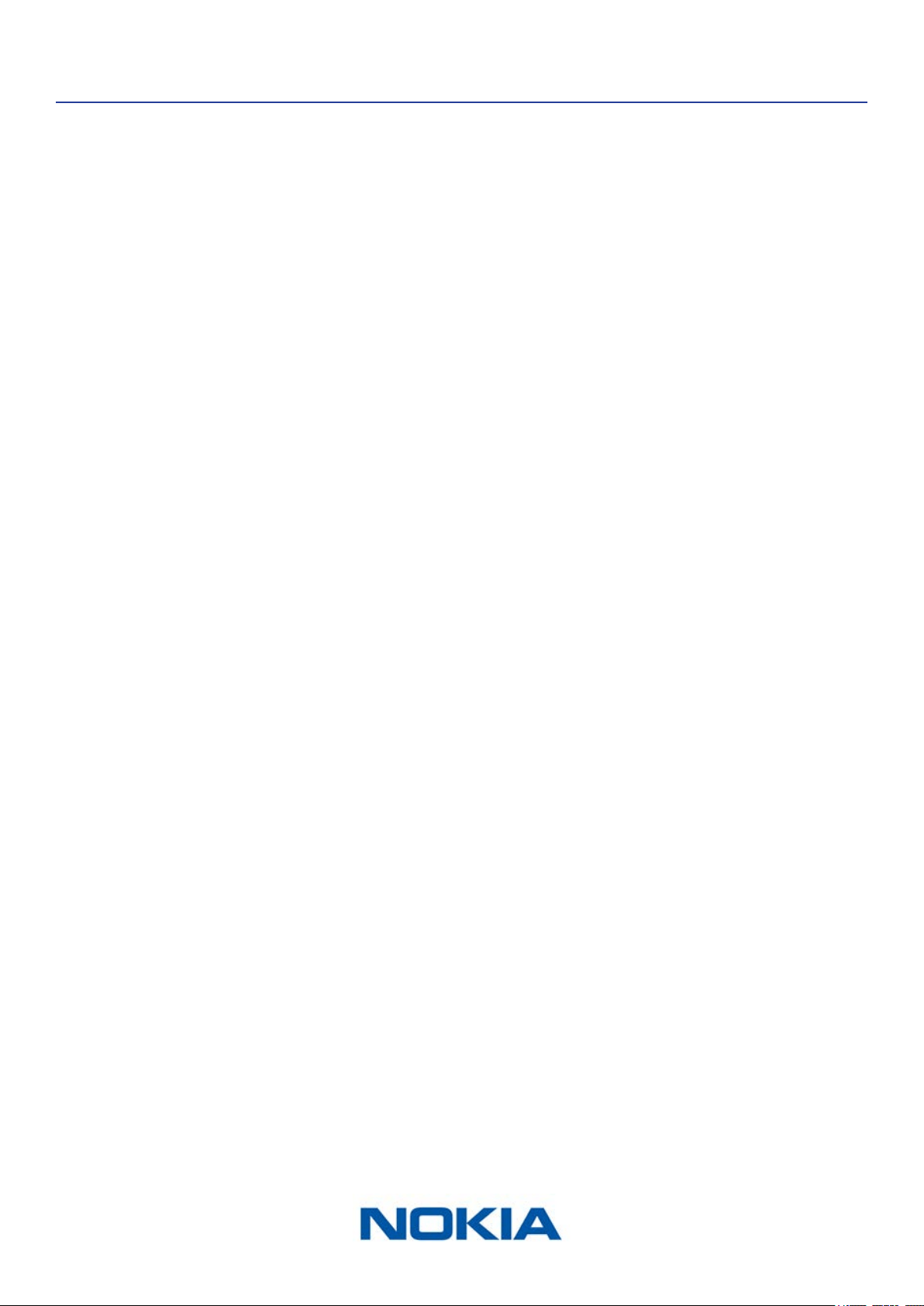
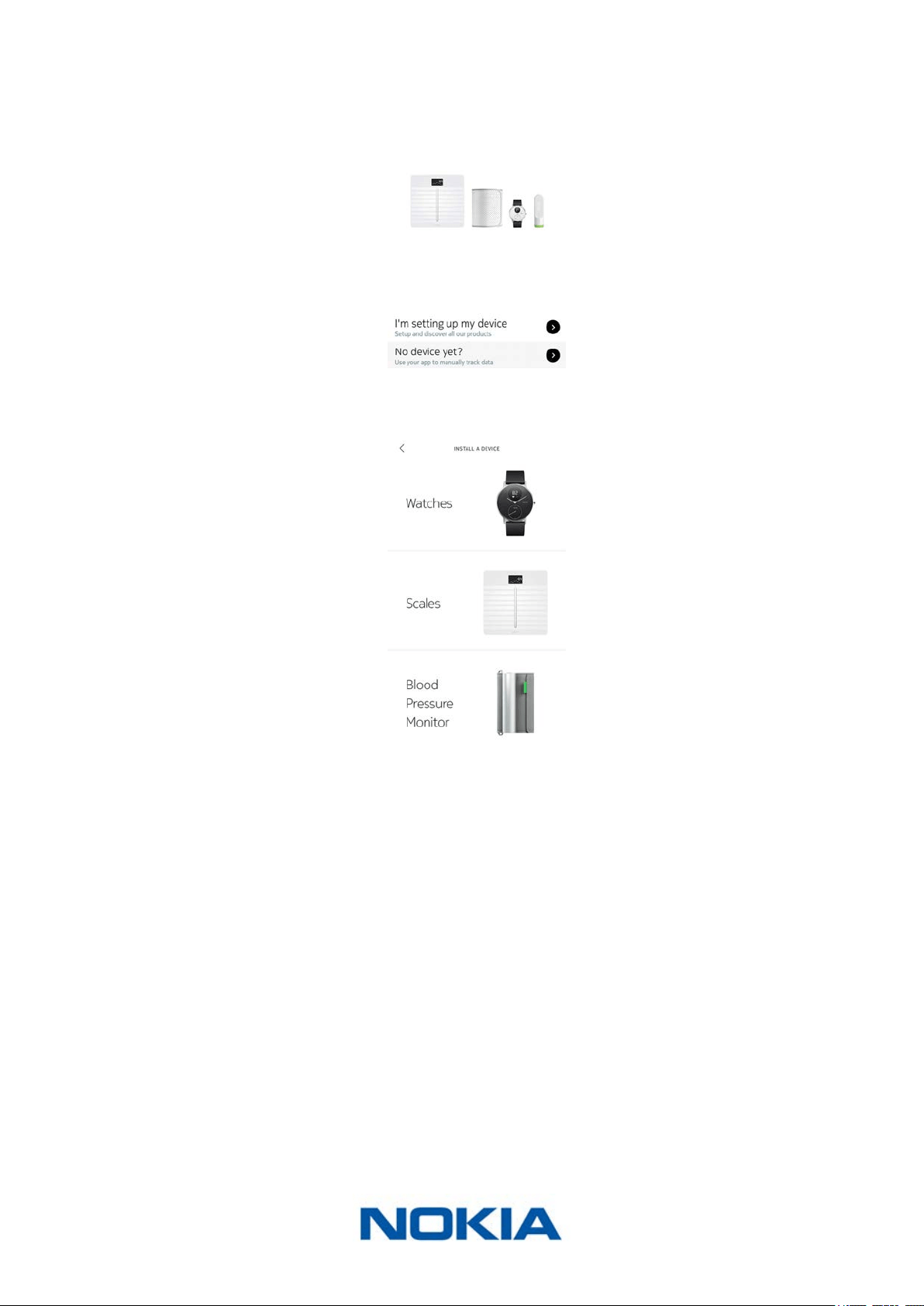
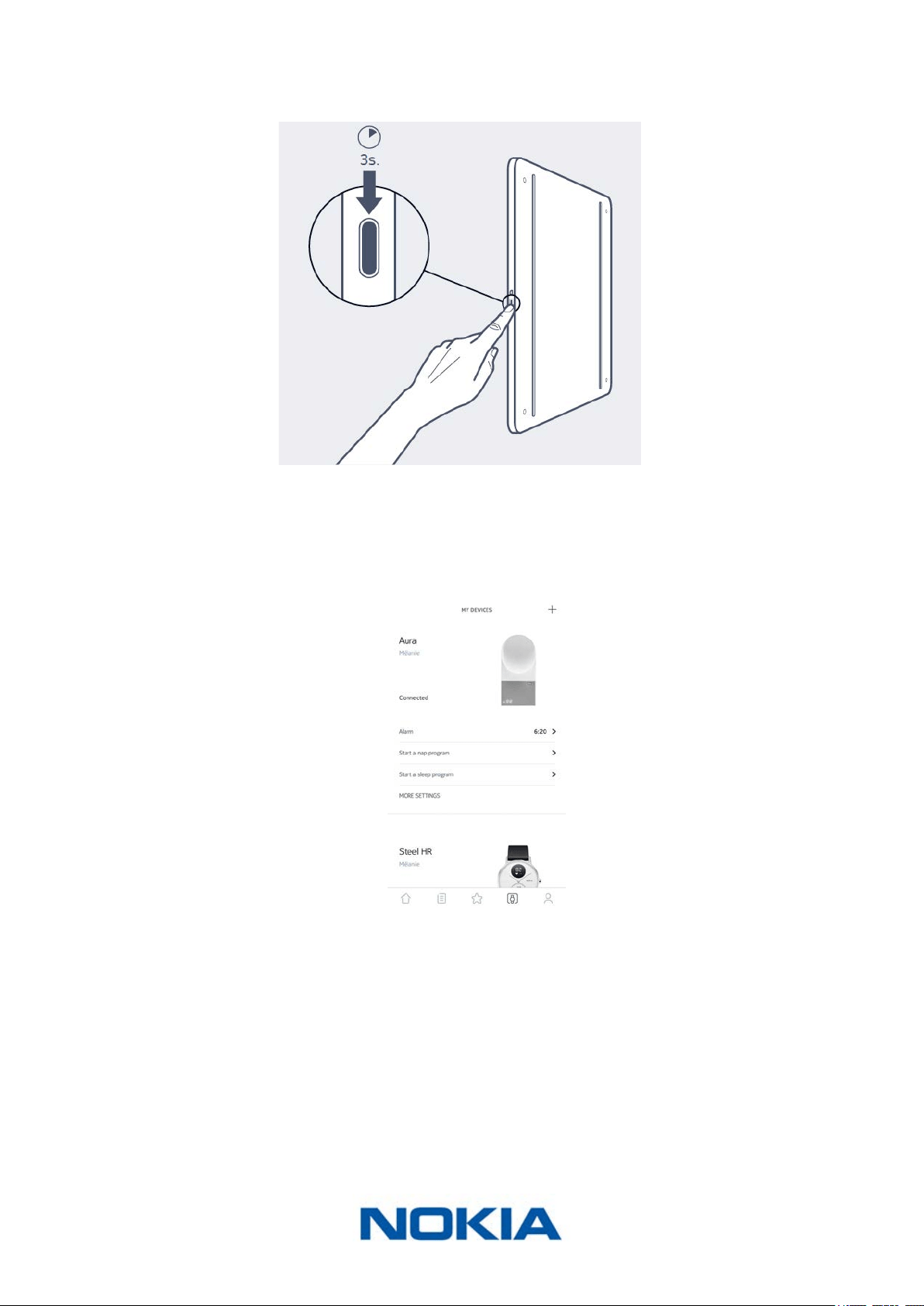
1. Press and hold the side button for three seconds.
The scale displays healthapp.nokia.com.
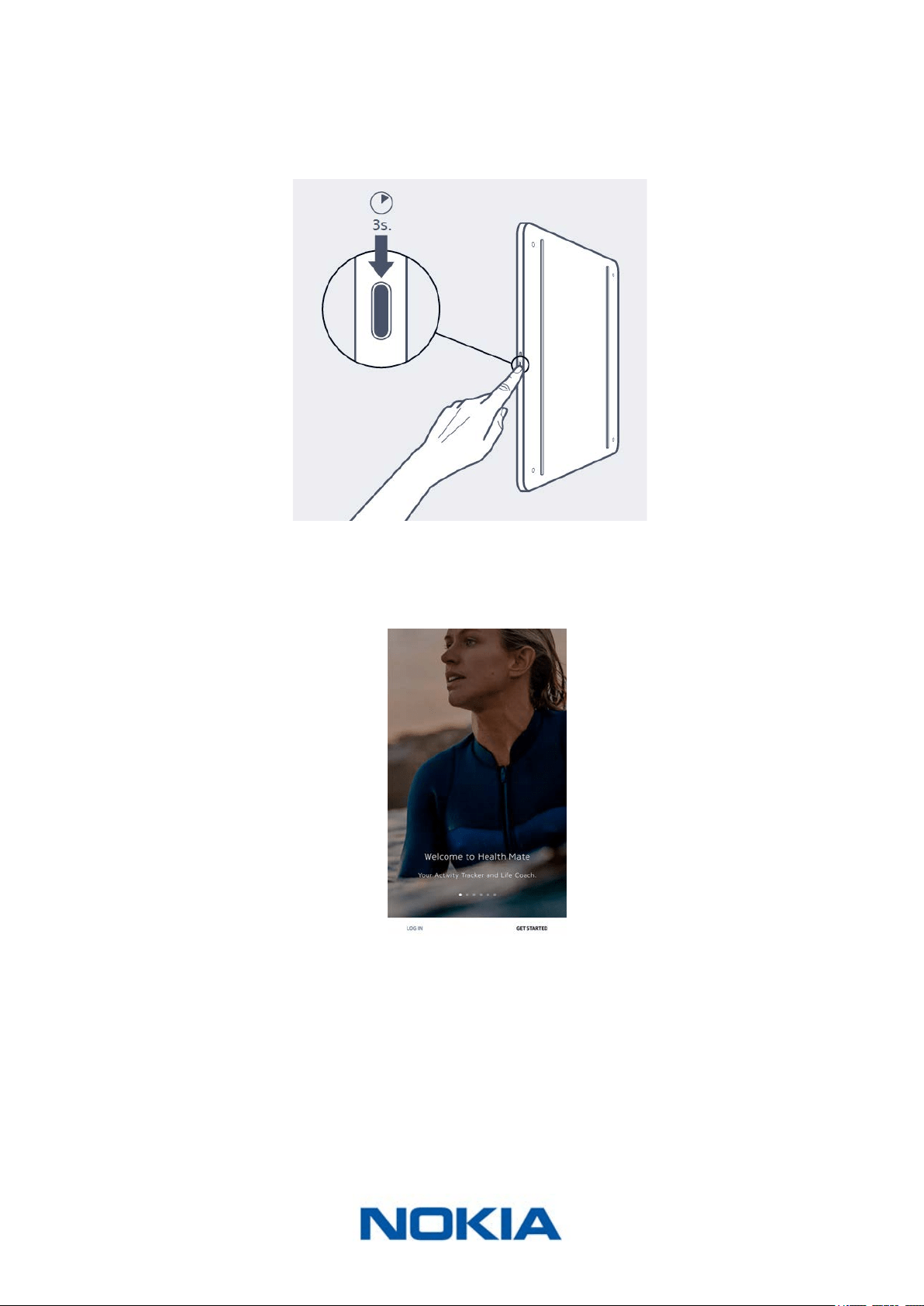
2. Open the Nokia Health Mate® app.
3. Tap Get started.
EN-10
Nokia Body Cardio
v3.0 | August 2017
4. Tap I’m setting up my device.
5. Tap Scales.
EN-11
Nokia Body Cardio
v3.0 | August 2017
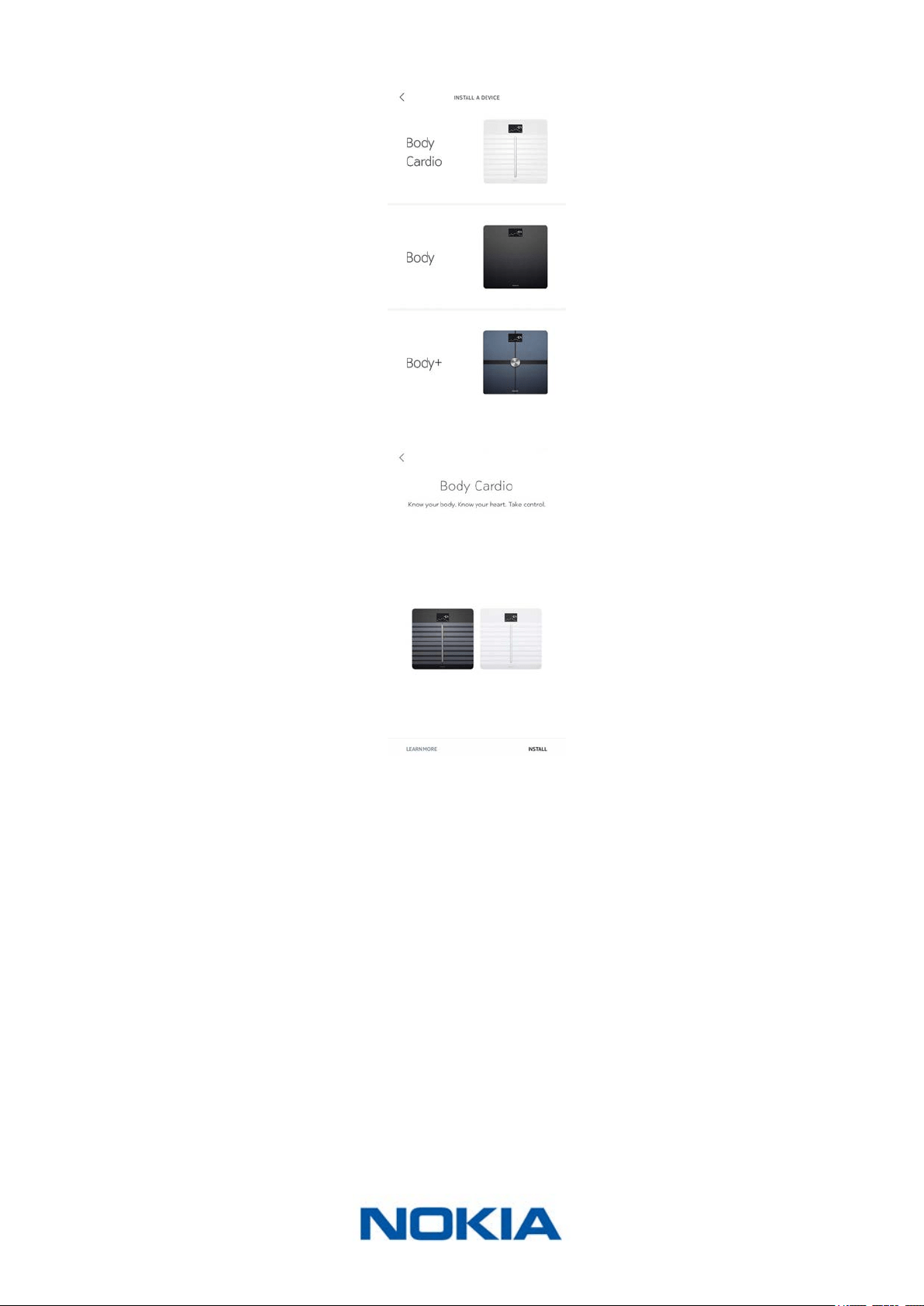
6. Tap Body Cardio.
7. Tap Install.
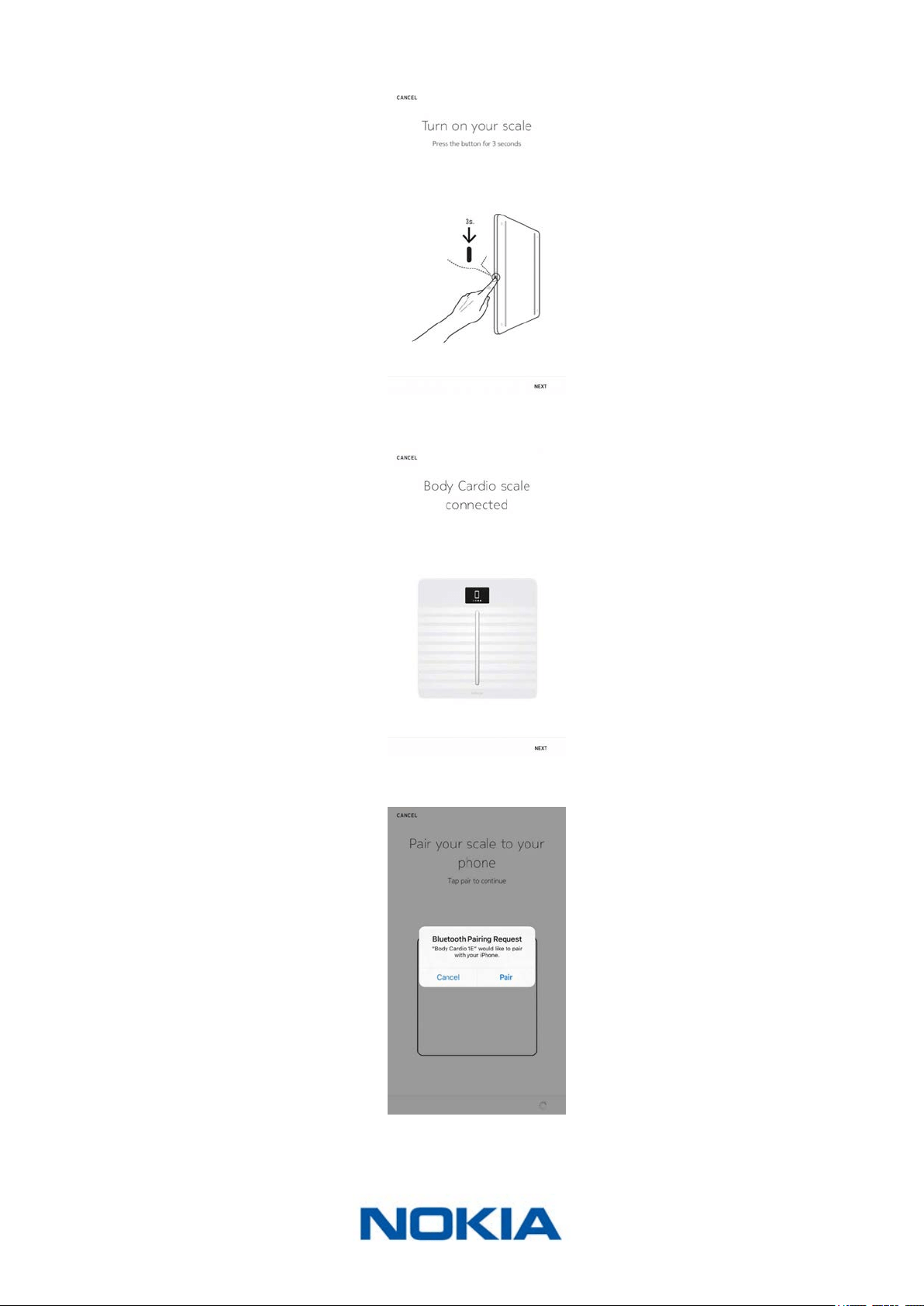
8. Tap the Nokia Body Cardio you want to install.
It may take up to a minute for your scale to be detected by your mobile device.
If your Nokia Body Cardio is not displayed in the list, go to the Bluetooth settings of
your device and pair it from there. It should now appear in the Nokia Health Mate®
app.
EN-12
Nokia Body Cardio
v3.0 | August 2017
9. Press and hold the side button for three seconds and tap Next.
10. Tap Next.
11. Tap Pair twice.
12. Tap Next.
13. Enter your email address, password, and then conrm your password. Tap Next.
EN-13
Nokia Body Cardio
v3.0 | August 2017
14. Enter your rst name, surname (last name) and birthday. Tap Next.
15. Select your gender and enter your current height and weight. Tap Create.
This information is necessary for the calculation of your BMI. It also allows your
Nokia Body Cardio to recognize you based on your weight the rst time you weigh in.
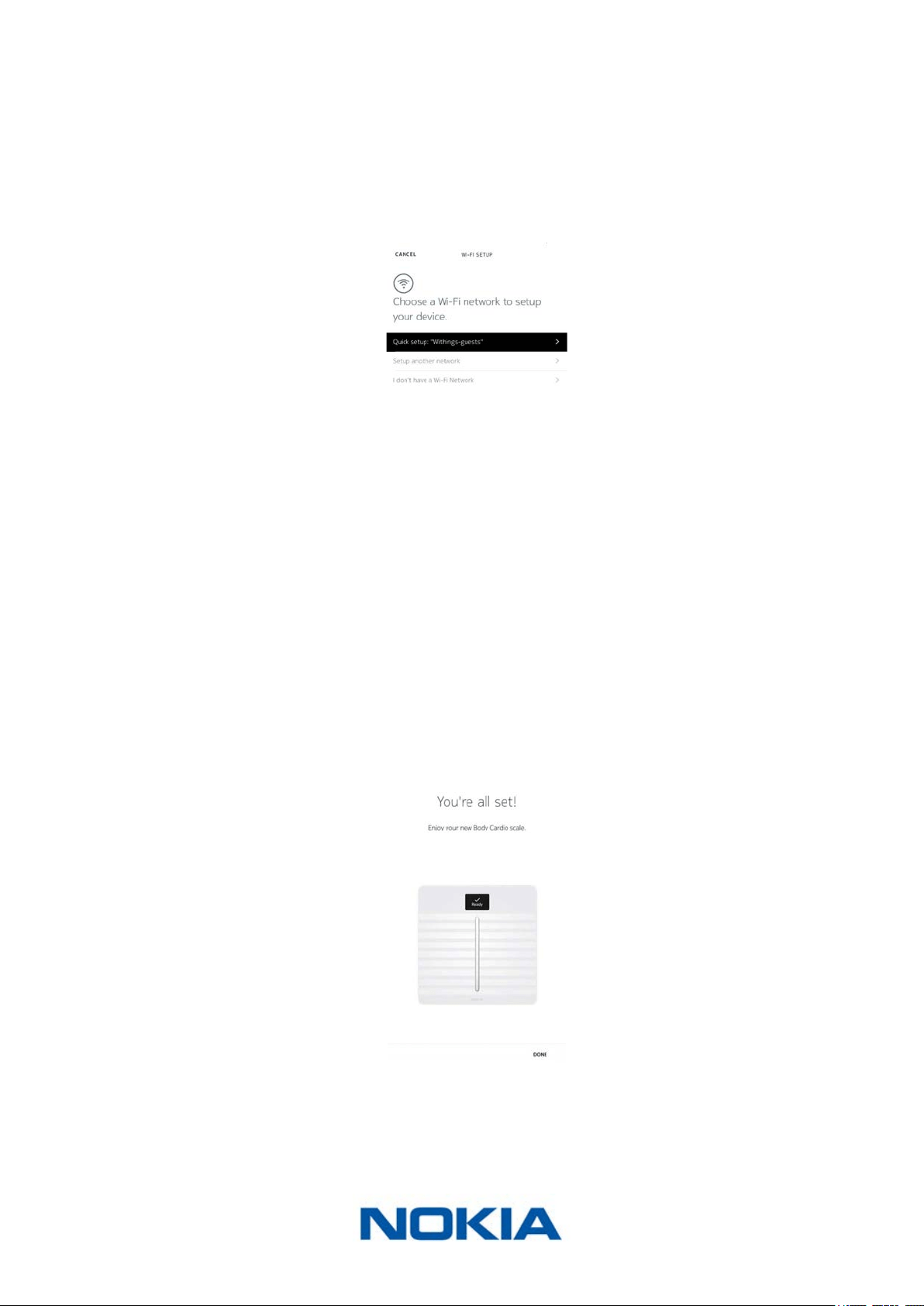
16. If you want your scale to sync in Wi-Fi once it’s installed, perform the following steps:
a. Tap Quick setup to use the same Wi-Fi network as your mobile device or Setup
another network to use another one.
b. Tap Allow.
You will need to update the Wi-Fi conguration if you change the network name
or password. Refer to “Changing the conguration of your Nokia Body Cardio” on
page19 for more information.
17. If you want your scale to sync in Bluetooth only once it’s installed, tap I don’t have a
Wi-Fi Network.
18. Tap Done.
`
The Nokia Health Mate® now prompts you to select your target weight. Tap Cancel if
you don’t want to set a weight goal. You can set one later on if you change your mind.
Refer to “Changing your weight goal” on page31 for more information.
EN-14
Nokia Body Cardio
v3.0 | August 2017
Installing your Nokia Body Cardio with an existing account
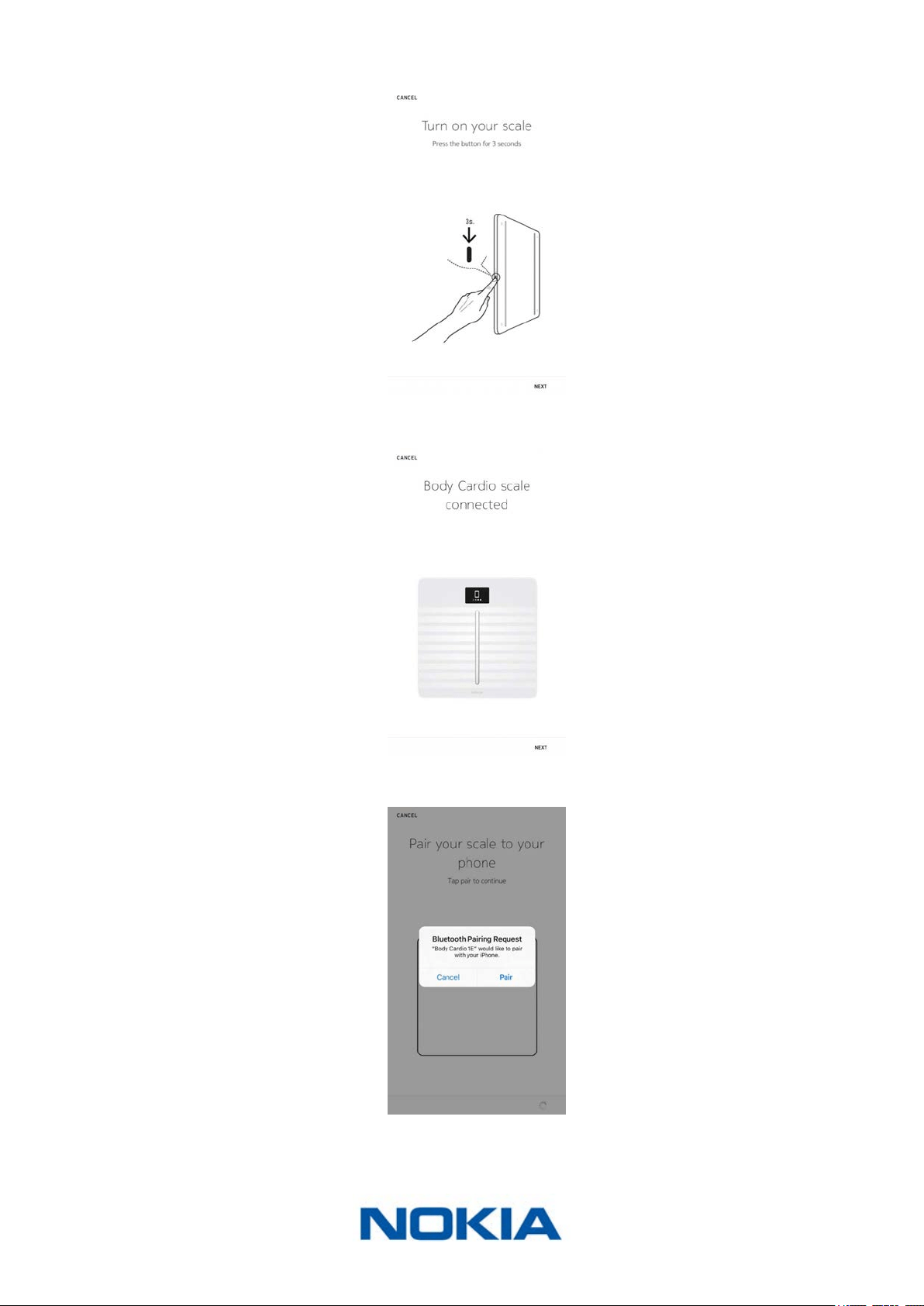
1. Press and hold the side button for three seconds.
The scale displays healthapp.nokia.com.
2. Open the Nokia Health Mate® app.
3. Go to Devices.
4. Tap +.

EN-15
Nokia Body Cardio
v3.0 | August 2017
5. Tap Scales.
6. Tap Body Cardio.
7. Tap Install.
EN-16
Nokia Body Cardio
v3.0 | August 2017
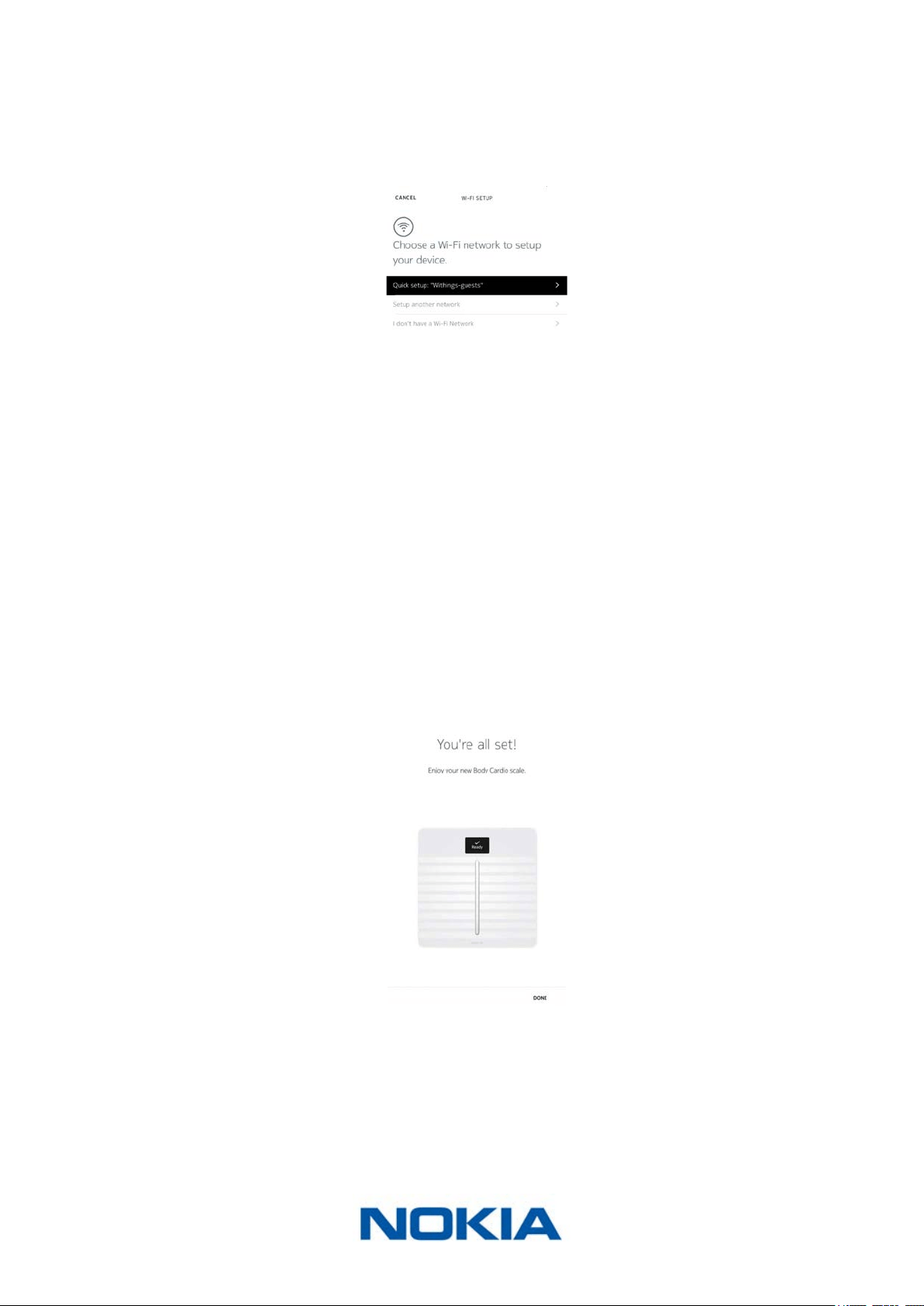
8. Press and hold the side button for three seconds and tap Next.
9. Tap Next.
10. Tap Pair twice.
11. Tap Next.
12. Enter your email address, password and conrm your password. Tap Next.
EN-17
Nokia Body Cardio
v3.0 | August 2017
13. Enter your rst name, surname and birthday. Tap Next.
14. Select your gender and enter your height and weight. Tap Create.
15. If you want your scale to sync in Wi-Fi once it’s installed, perform the following steps:
a. Tap Quick setup to use the same Wi-Fi network as your mobile device or Setup
another network to use another one.
b. Tap Allow.
You will need to update the Wi-Fi conguration if you change the network name
or password. Refer to “Changing the conguration of your Nokia Body Cardio” on
page19 for more information.
16. If you want your scale to sync in Bluetooth only once it’s installed, tap I don’t have a
Wi-Fi Network.
17. Tap Done.
The Nokia Health Mate® now prompts you to select your target weight.
EN-18
Nokia Body Cardio
v3.0 | August 2017
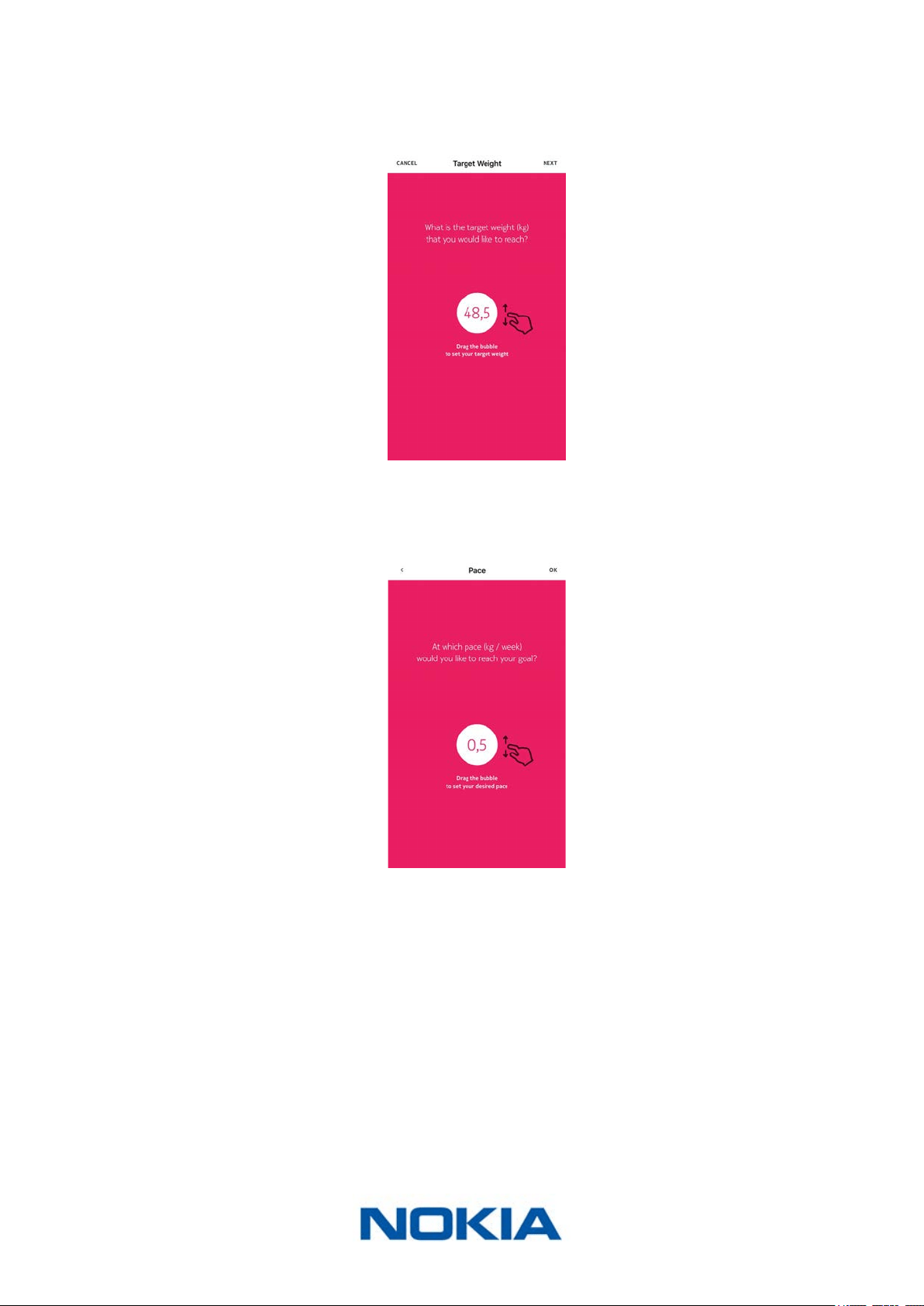
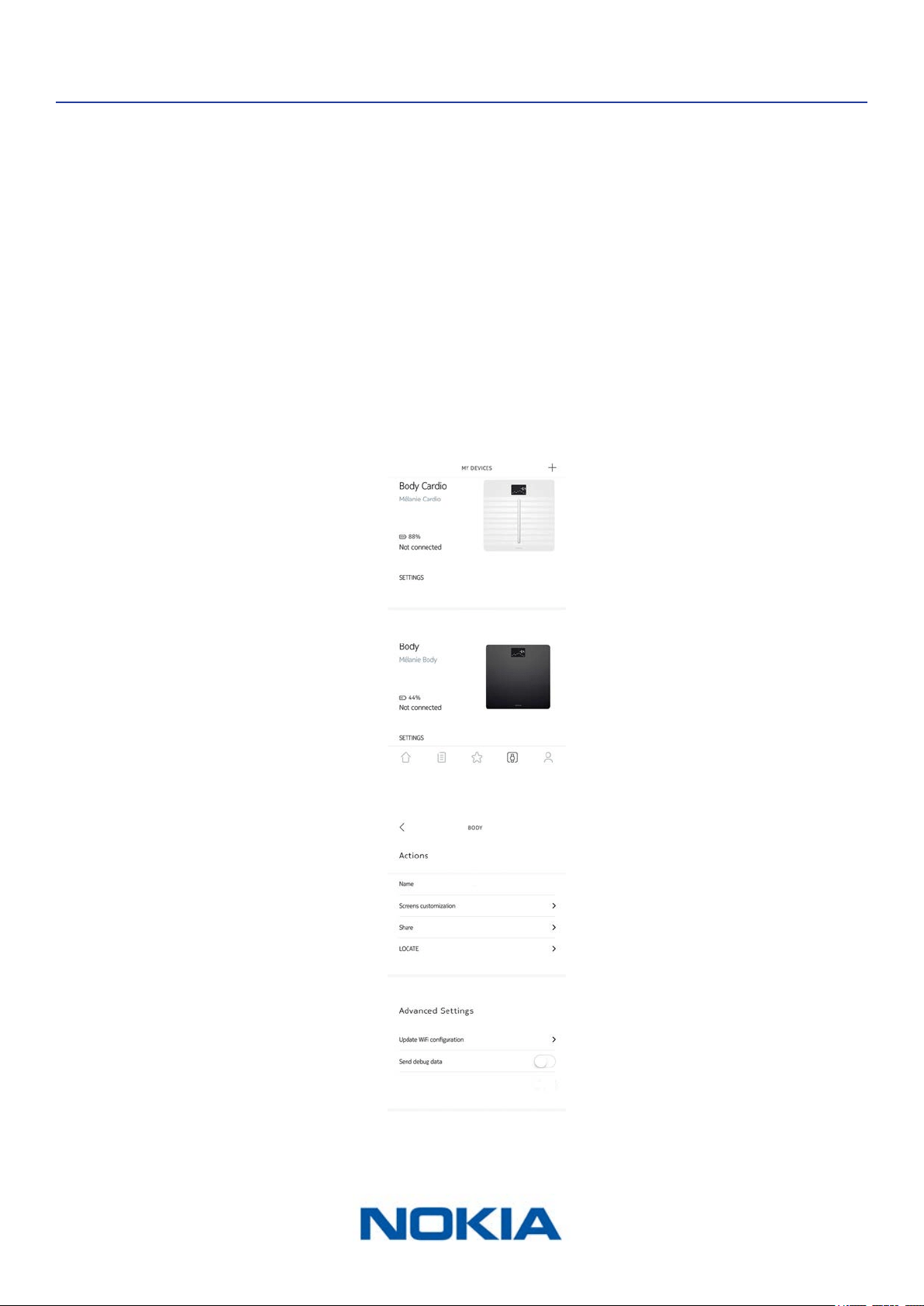
Selecting your weight goal
To select your weight goal, perform the following steps:
1. Tap and slide up or down to select your target weight.
2. Tap Next.
3. Tap and slide up or down to select the pace at which you want to achieve your weight
goal.
4. Tap OK.
EN-19
Nokia Body Cardio
v3.0 | August 2017
Customizing Your Nokia Body Cardio
Changing the conguration of your Nokia Body Cardio
You may need to change the conguration of your Nokia Body Cardio:
• If you want to use a dierent Wi-Fi network,
• If you’ve changed the name or password of the Wi-Fi network you use,
• If you want to switch from a Bluetooth conguration to a Wi-Fi conguration,
• If you want to switch from a Wi-Fi conguration to a Bluetooth conguration.
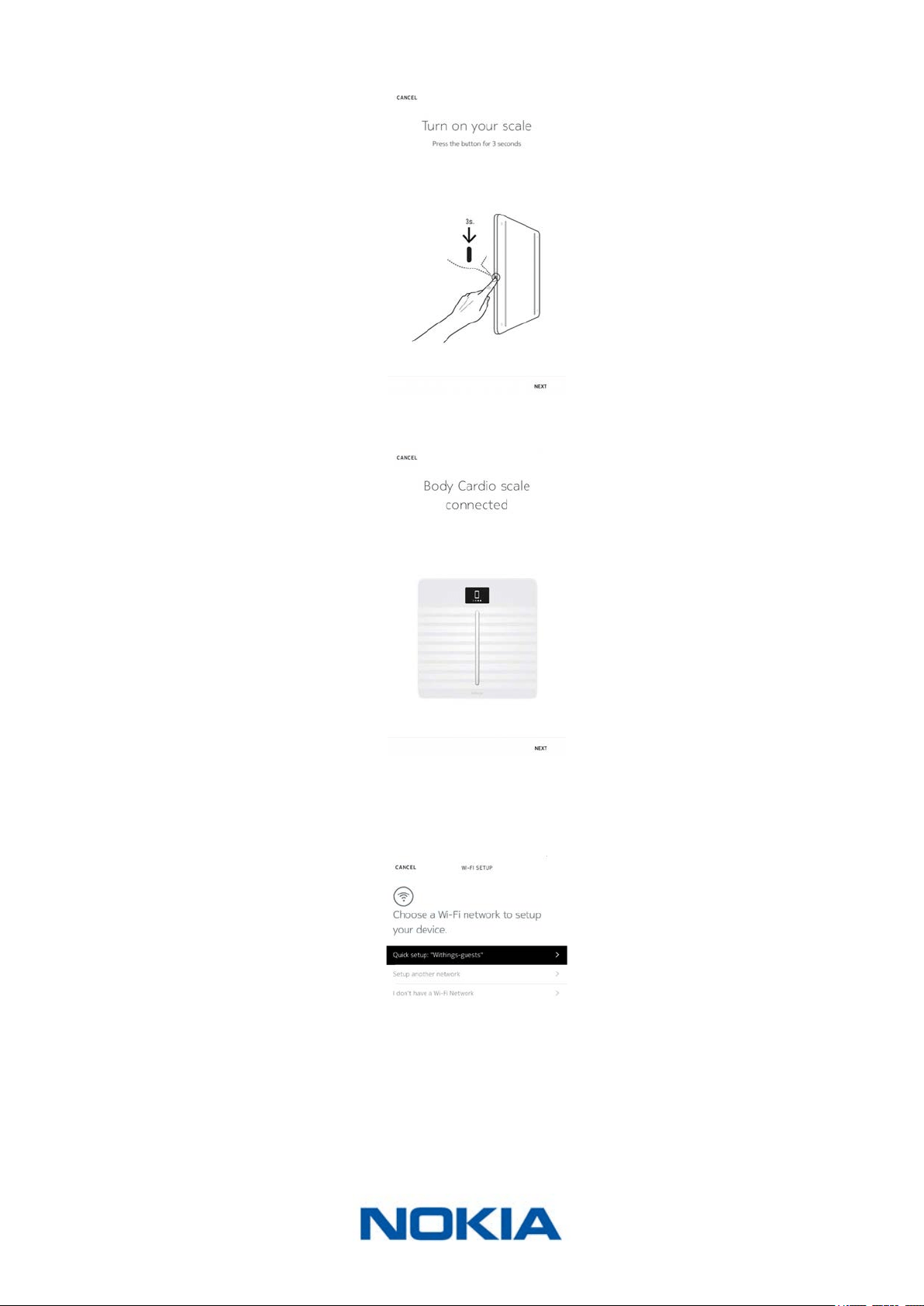
To change your conguration, perform the following steps:
1. Open the Nokia Health Mate® app.
2. Go to Devices.
3. Tap Body Cardio.
4. Tap Update Wi-Fi Conguration.
EN-20
Nokia Body Cardio
v3.0 | August 2017
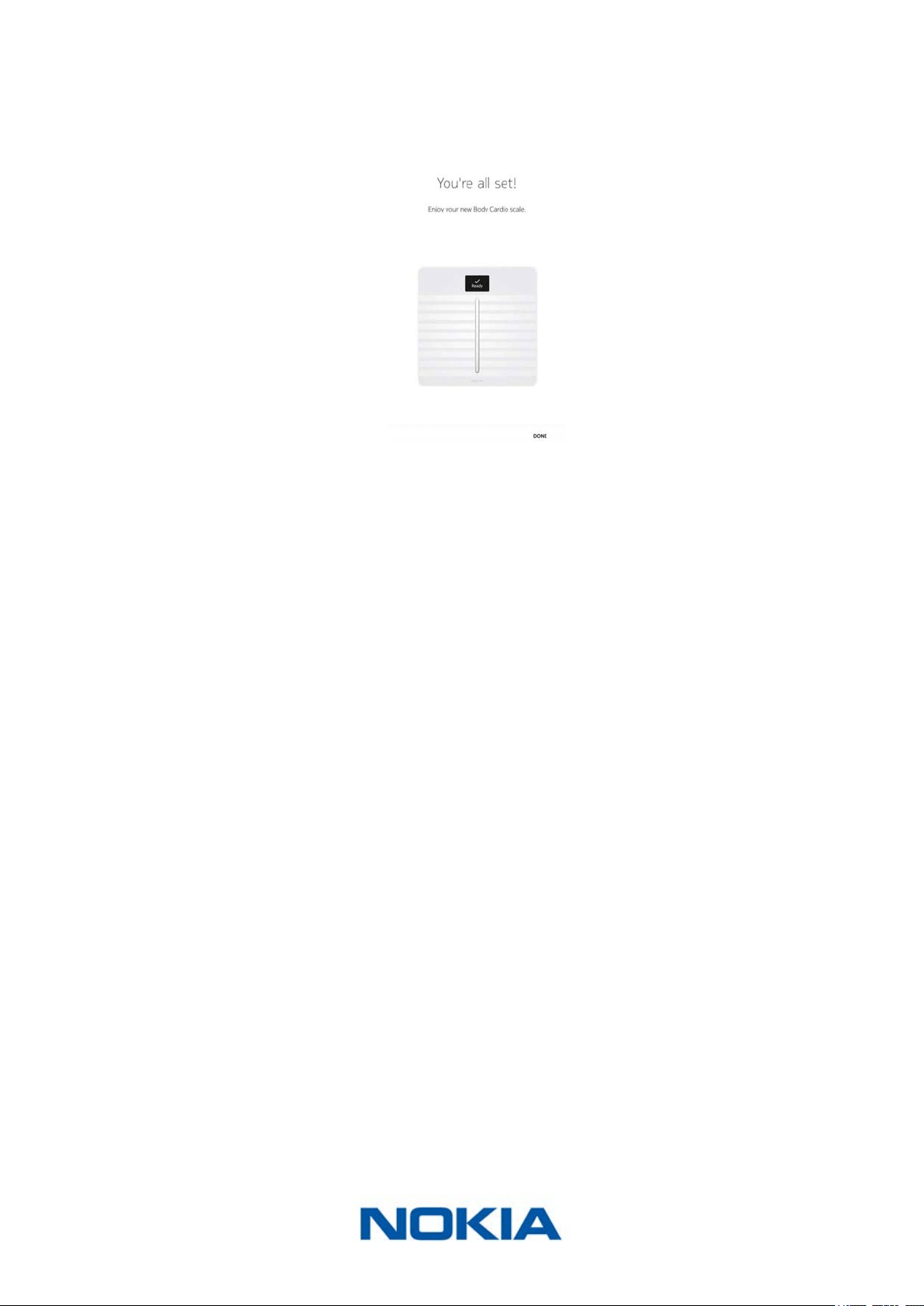
5. Press and hold the side button for three seconds and tap Next.
6. Tap Next.
7. To switch to a Wi-Fi conguration or to update the Wi-Fi network:
a. Tap Quick setup to use the same Wi-Fi network as your mobile device or Setup
another network to use another one.
EN-21
Nokia Body Cardio
v3.0 | August 2017
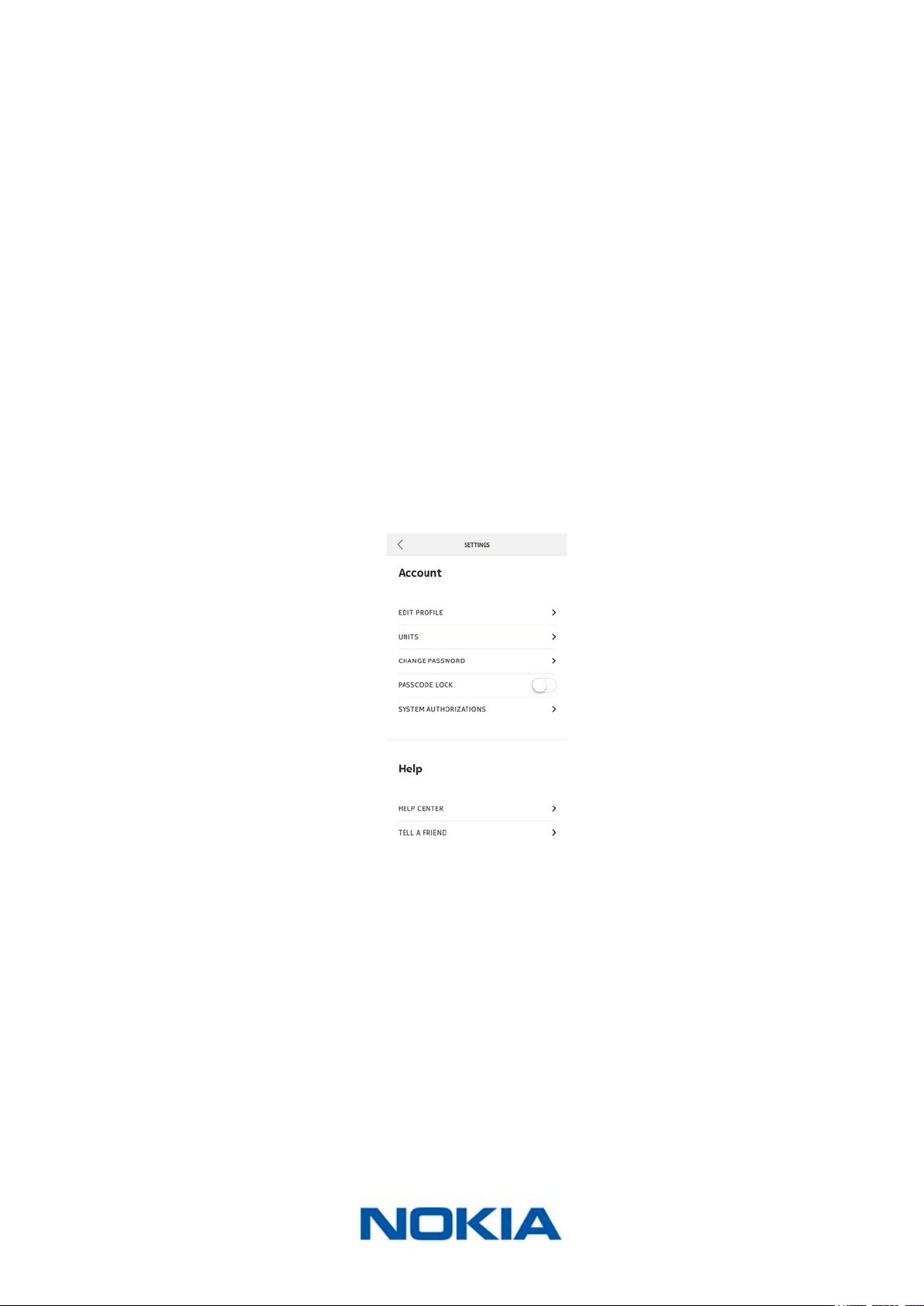
b. Tap Allow.
8. To switch to a Bluetooth conguration, tap I don’t have a Wi-Fi Network.
9. Tap Done.
EN-22
Nokia Body Cardio
v3.0 | August 2017
Changing the settings of your Nokia Body Cardio
Changing the weight unit
You have the choice between three weight units: kilogram (kg), stone (stlb) and pound (lb).
To change the units on your Nokia Body Cardio, perform the following steps:
1. Press the button on the side of your Nokia Body Cardio.
2. Check the screen of your scale to view the unit currently selected.
3. Press the button again to move the arrow to the correct unit.
The unit change is conrmed a few seconds after you stop pressing the button.
Changing the temperature unit
While you can change the weight unit directly from your Nokia Body Cardio, the
temperature unit (used in the Weather screen) can only be changed from the
Nokia Health Mate® app. By default, the temperature unit is based on the language of the
app. To change the temperature unit, perform the following steps:
1. Open the Nokia Health Mate® app.
2. Go to Settings.
3. Tap Units.
4. Select the temperature unit you want.
You can also change the weight unit from this screen but it will only aect the display
in the Nokia Health Mate® app. The weight unit on the Nokia Body Cardio can only be
changed from the scale itself. Refer to “Changing the weight unit” on page22 for
more information.
5. Tap the back button to conrm.
You will need to weigh in once more before the change is taken into account on your
scale.

EN-23
Nokia Body Cardio
v3.0 | August 2017
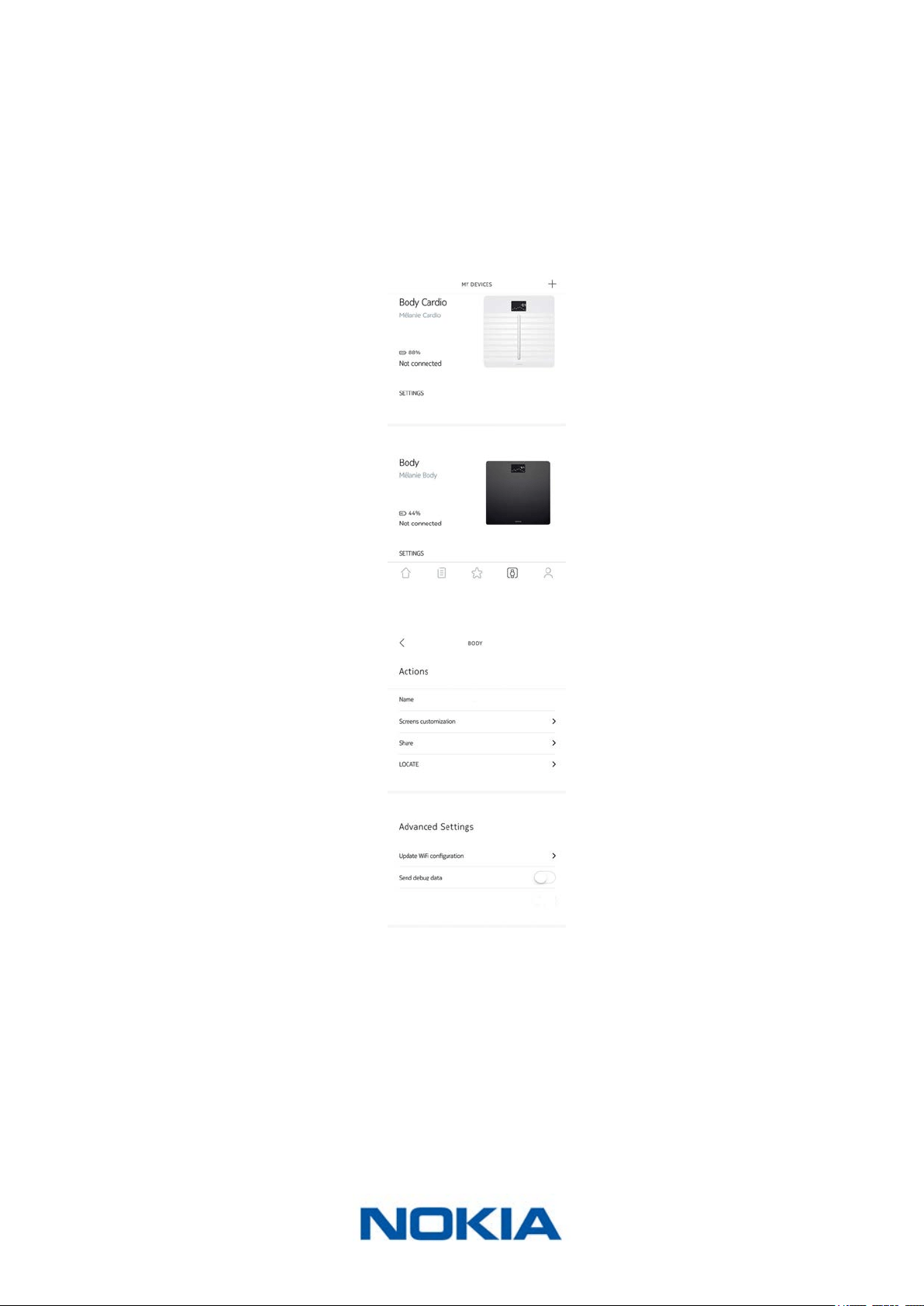
Changing the screen order
You can change the order of the screens of your Nokia Body Cardio, for example if you
want to display the Weather screen rst. To do so, perform the following steps:
1. Open the Nokia Health Mate® app.
2. Go to Devices.
3. Tap Body Cardio.
4. Tap Screens customization.
5. Tap the user prole for which you want to change the screen order.
6. Select the screens you want to display:

EN-24
Nokia Body Cardio
v3.0 | August 2017
- Tap the blue circles on the left to hide a screen.
- Tap the empty circles on the left to display a screen.
7. Tap and hold the icon on the right to drag a screen up or down.
8. Tap the back button to conrm.
9. Weigh yourself once to synchronize your Nokia Body Cardio with your app and nalize
the change.
The change will take eect upon your next weigh-in.
EN-25
Nokia Body Cardio
v3.0 | August 2017
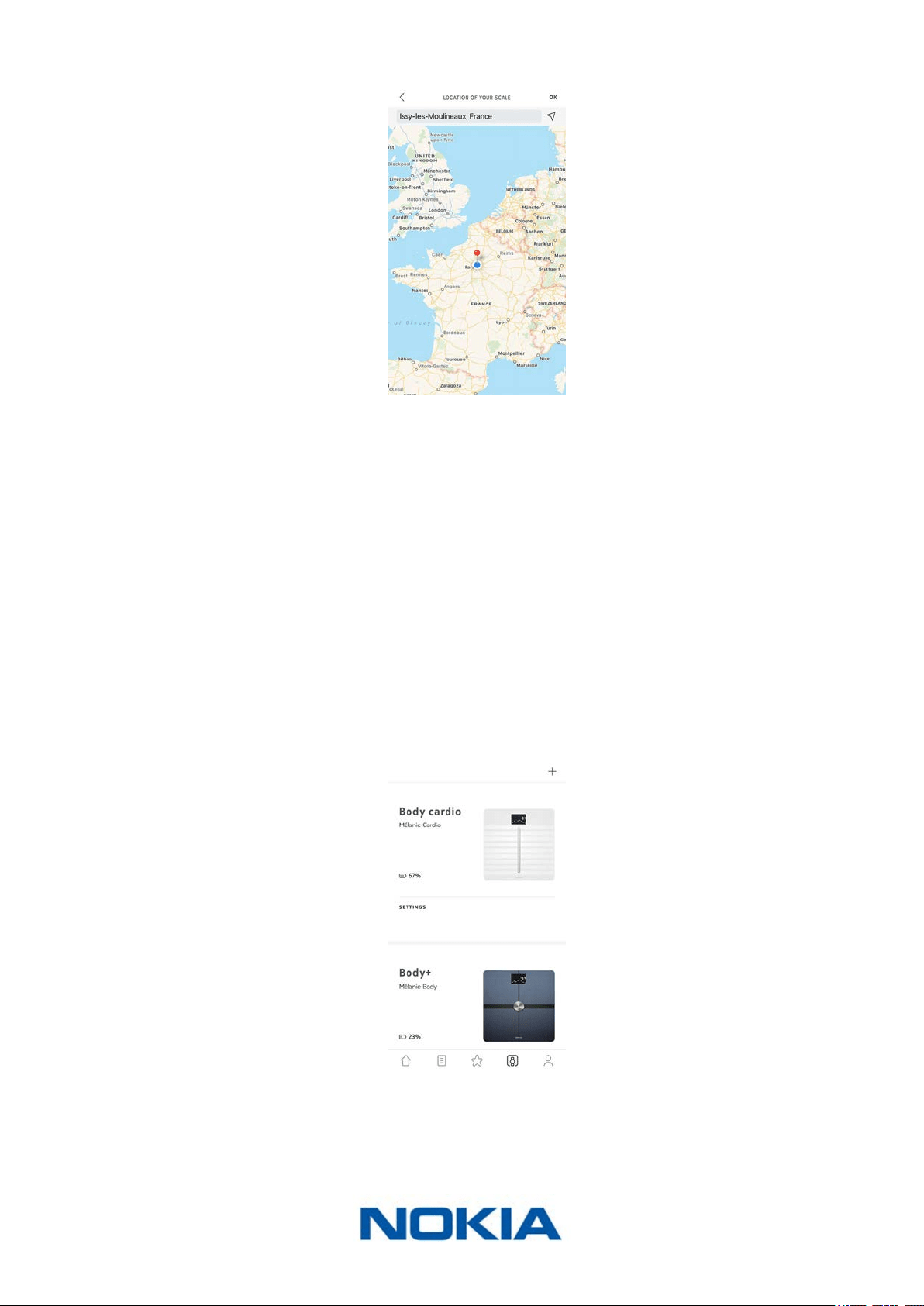
Changing the location of your scale
The location of your scale is used to provide you with the correct weather forecast if you
have activated the Weather screen. It is based on your IP address but it is not always
accurate. If the preset location of your scale happens to be incorrect, you are free to
change it anytime you want. To do so, perform the following steps:
1. Open the Nokia Health Mate® app.
2. Go to Devices.
3. Tap Body Cardio.
4. Tap Location of your scale.
EN-26
Nokia Body Cardio
v3.0 | August 2017
5. Enter the correct location of your scale and tap OK.
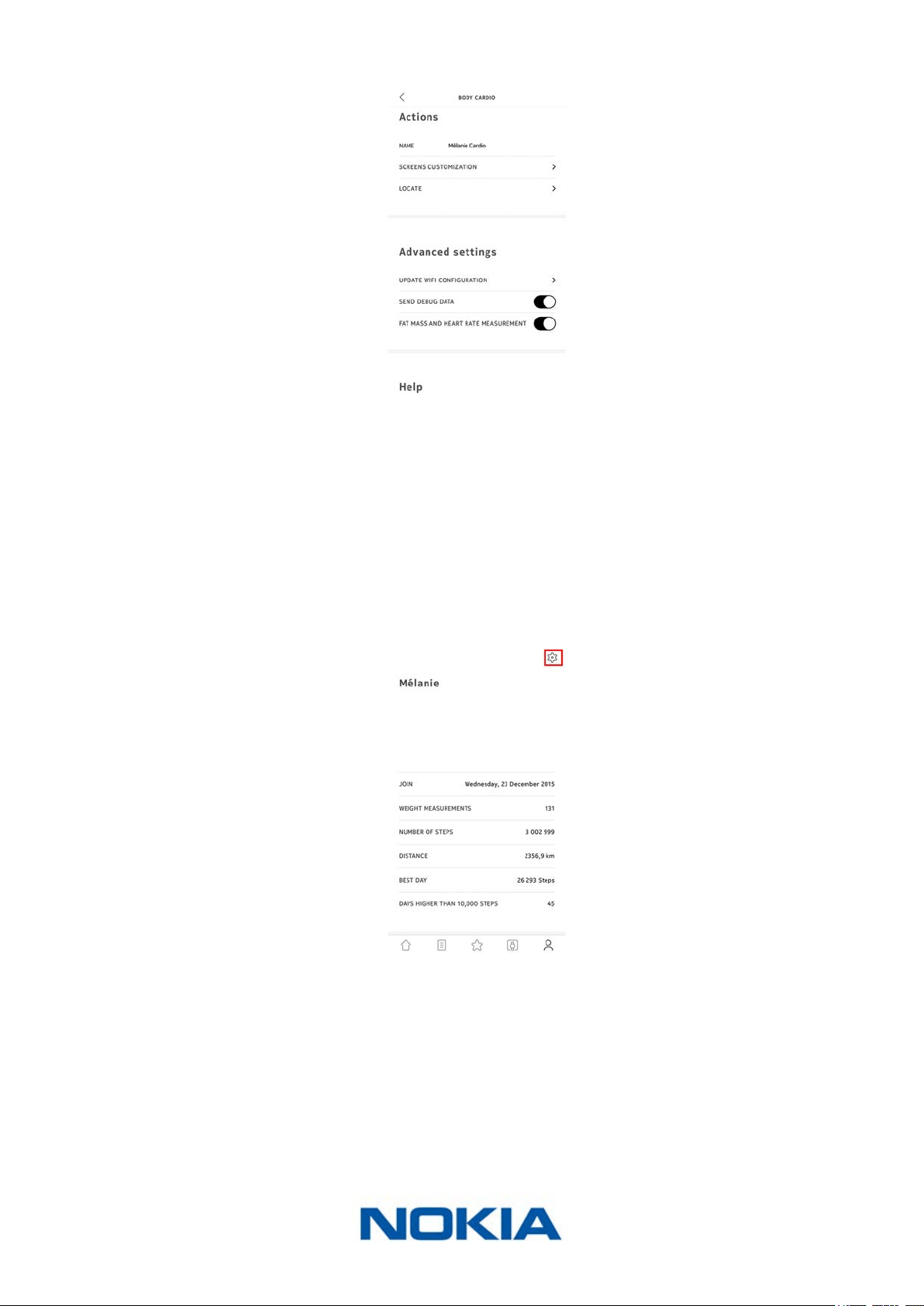
Disabling body composition and heart rate measurements
You can disable body composition (fat mass, muscle mass, bone mass and water mass)
and heart rate measurement if you choose to. This is recommended for pregnant women
and mandatory for anyone wearing a pacemaker.
The body composition measurements, including fat mass, muscle mass, bone mass and
hydration, should not be used by people wearing a pacemaker. Users with any other
internal medical device should not use these functions of the Nokia Body Cardio scale
without consulting a medical professional.
To disable these measurements, perform the following steps:
1. Open the Nokia Health Mate® app.
2. Go to Devices.
3. Tap Body Cardio.
EN-27
Nokia Body Cardio
v3.0 | August 2017
4. Tap Fat mass and heart rate measurement.
5. Tap the back button to conrm.
Using the Athlete mode
Athletes generally have a dierent body type which requires a specic fat mass calculation
algorithm. If you work out more than 8 hours a week and have a resting heart rate below
60 bpm, you may need to use the Athlete mode. To do so, perform the following steps:
1. Open the Nokia Health Mate® app.
2. Go to Prole.
3. Tap Settings.

EN-28
Nokia Body Cardio
v3.0 | August 2017
4. Tap Athlete.
EN-29
Nokia Body Cardio
v3.0 | August 2017
Using Your Nokia Body Cardio
Tracking your weight and body composition
Overview
The Nokia Body Cardio allows you to track your weight and lets you see how your weight
trend changes over time. Beside your weight, it also allows you to check your body
composition (fat mass, muscle mass, bone mass and water mass) which gives you a better
idea of your level of tness.
Make sure you follow the recommendations below to get accurate and representative
weight measurements:
• Make sure you always weigh yourself around the same time to improve the consistency
of your measurements.
• Wait ve seconds before weighing yourself if you have just moved your scale.
Weighing yourself
Thanks to the Position Control ™ technology, getting an accurate weight measurement has
never been easier. If your weight is not properly distributed on your Nokia Body Cardio,
arrows are displayed on the scale to indicate in which direction you should lean to stabilize
your weight.
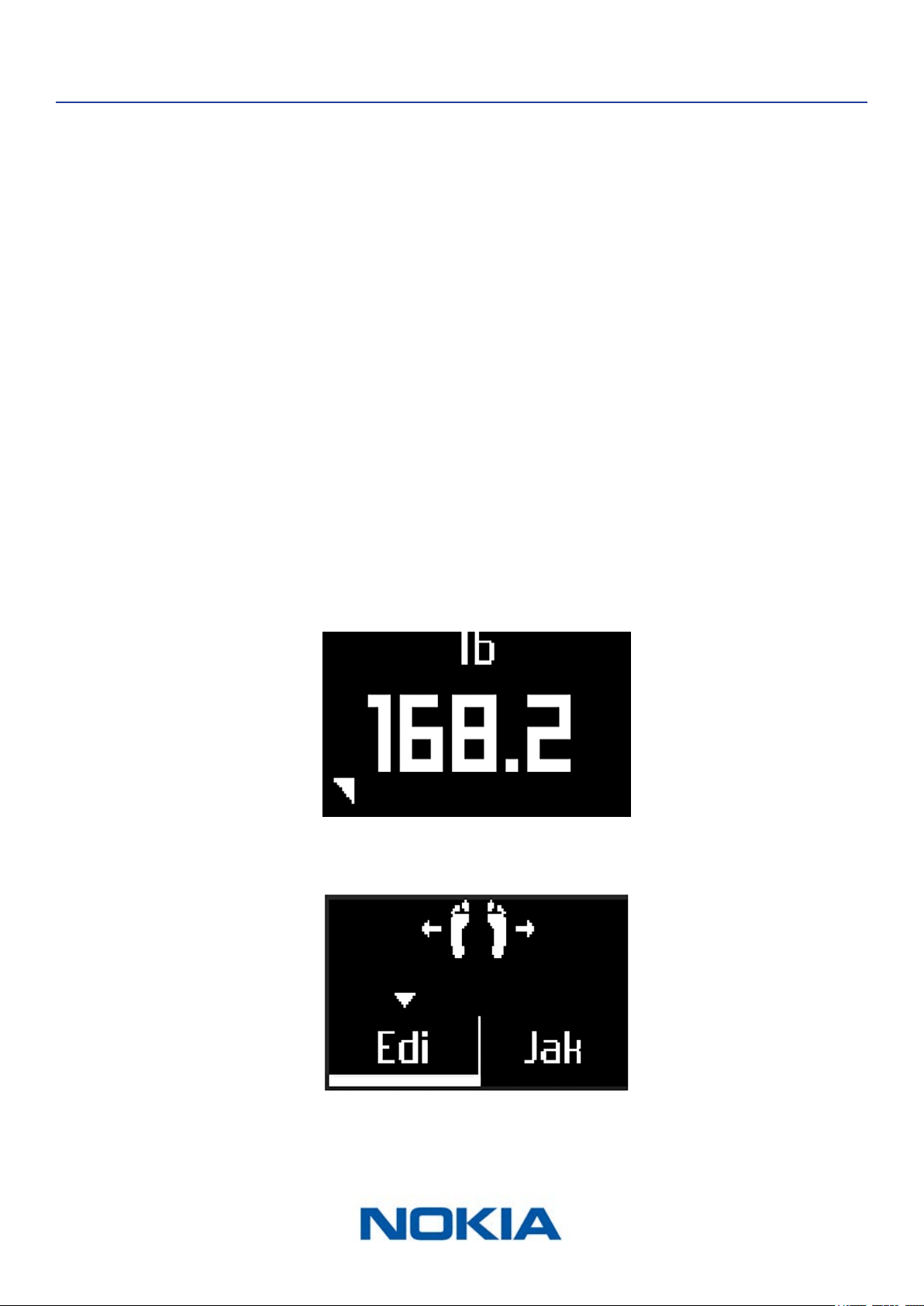
If several users have a similar weight, the following screen can be displayed:
EN-30
Nokia Body Cardio
v3.0 | August 2017
Simply lean left or right to select the correct name. Your measurements will then be
aected to the correct user. Make sure you return to your initial position before the heart
rate measurement starts.
If you want to get information regarding your body composition as well, make sure that:
• Body composition measurements are enabled. Refer to “Disabling body composition
and heart rate measurements” on page26 for more information.
• All the body composition screens are enabled. Refer to “Changing the screen order” on
page23 for more information.
• You step on the scale barefoot.
• You stay as still as possible during the measurement.
• You are recognized by your Nokia Body Cardio, with your name appearing on the screen
display.
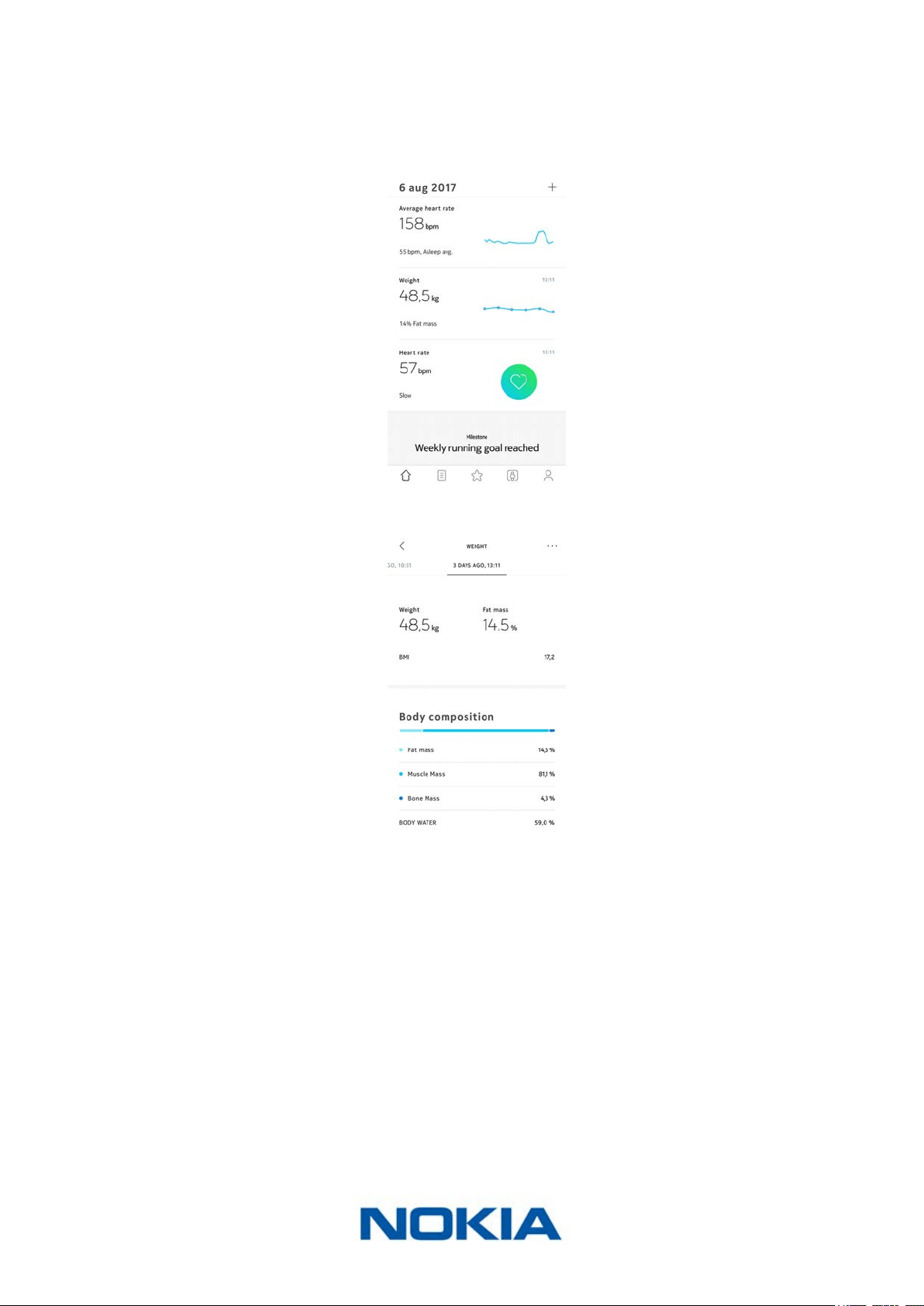
Retrieving your weight data
As soon as you weigh yourself, your weight is displayed on the display of your scale. If
you’ve activated the Weight Trend screen, you’ll also see a graph showing your eight last
measurements as well as the dierence between the latest measurement and the previous
one. Refer to “Changing the screen order” on page23 for more information.
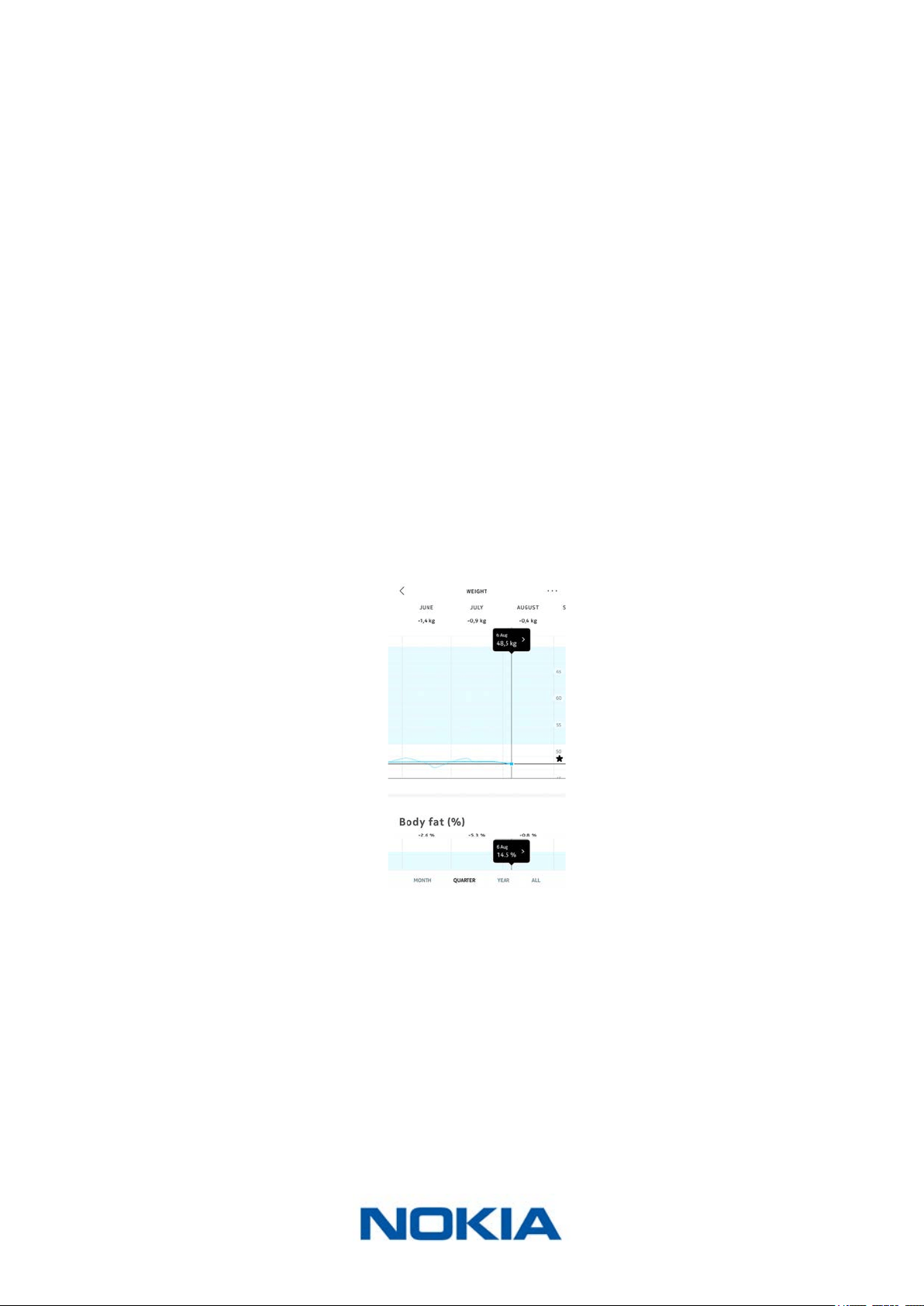
To see detailed graphs about your weight and body composition, and see your full history,
you have to check your data on the Nokia Health Mate® app.
You can access your graphs:
• By tapping the Weight widget on your Dashboard.
• By tapping any weight measurement item in your Timeline.
Once you’re viewing the weight graph, you can view your body composition graphs and
your BMI graph.
EN-31
Nokia Body Cardio
v3.0 | August 2017
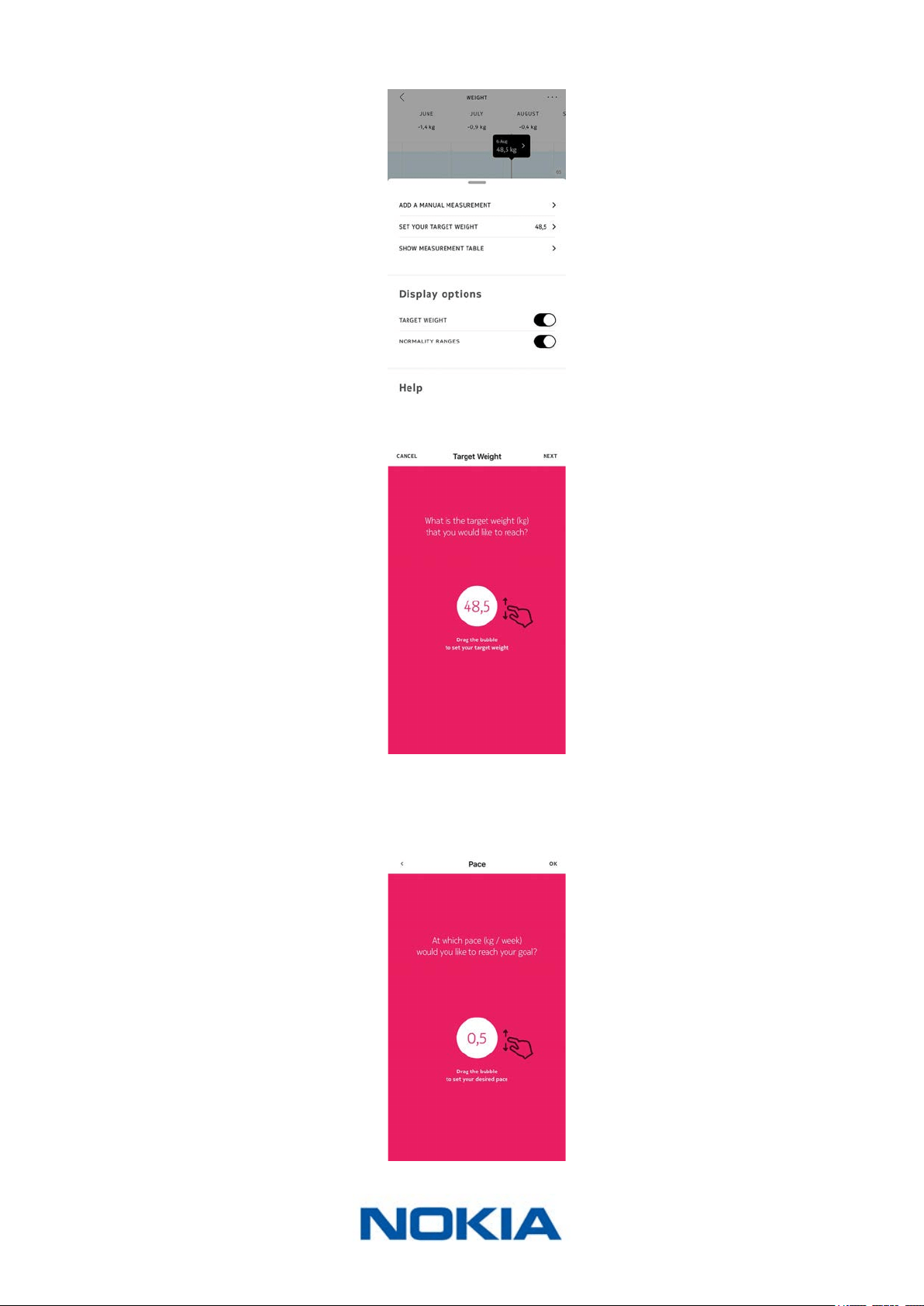
Changing your weight goal
To change your weight goal, perform the following steps:
1. Open the Nokia Health Mate® app.
2. Select a weight measurement in the Timeline.
3. Tap the three dots at the top right of the screen.
EN-32
Nokia Body Cardio
v3.0 | August 2017
4. Tap Set your target weight.
5. Tap and slide up or down to select your target weight.
6. Tap Next.
7. Tap and slide up or down to select the pace at which you want to achieve your weight
goal.
EN-33
Nokia Body Cardio
v3.0 | August 2017
8. Tap OK.
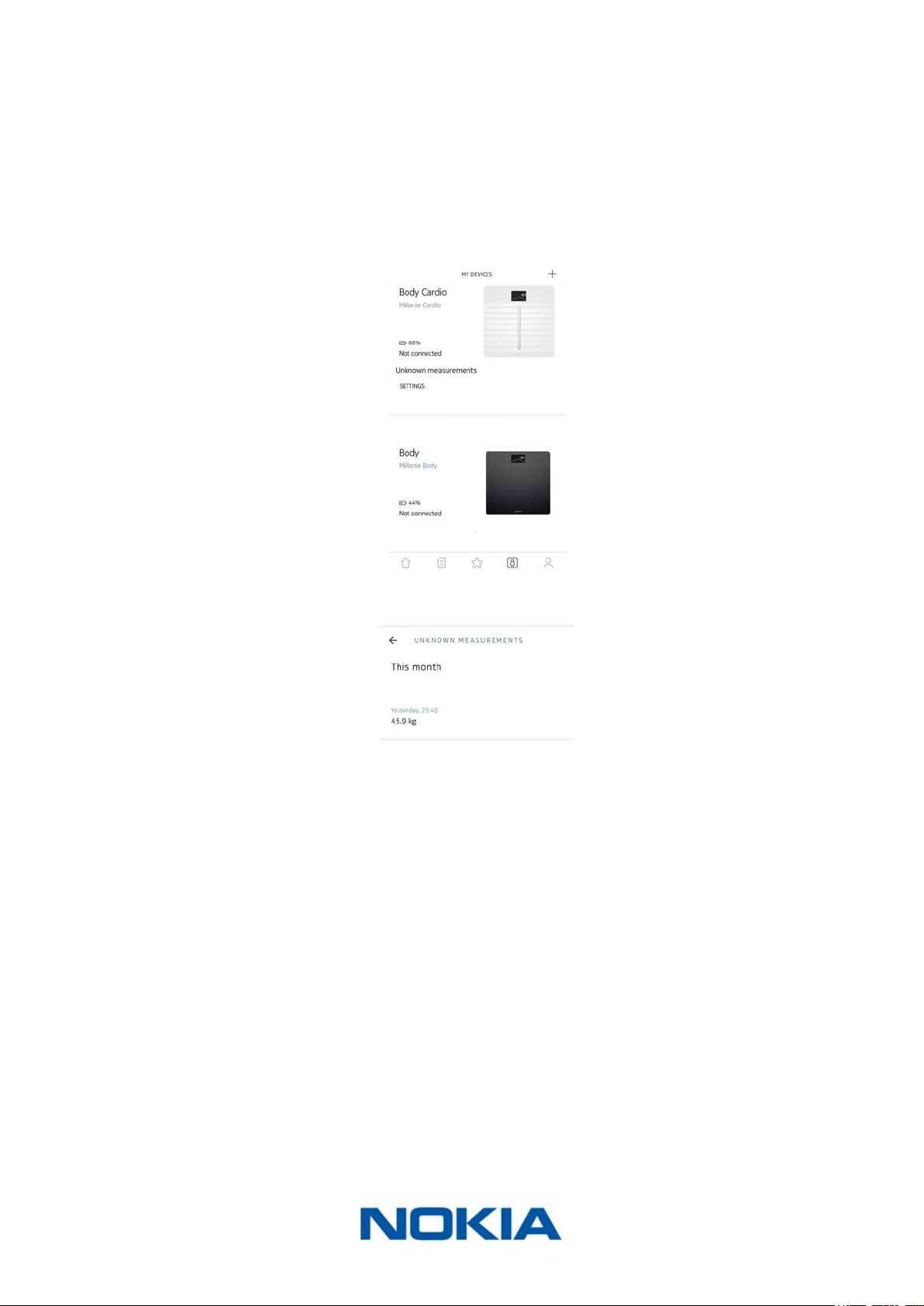
Retrieving unknown measurements
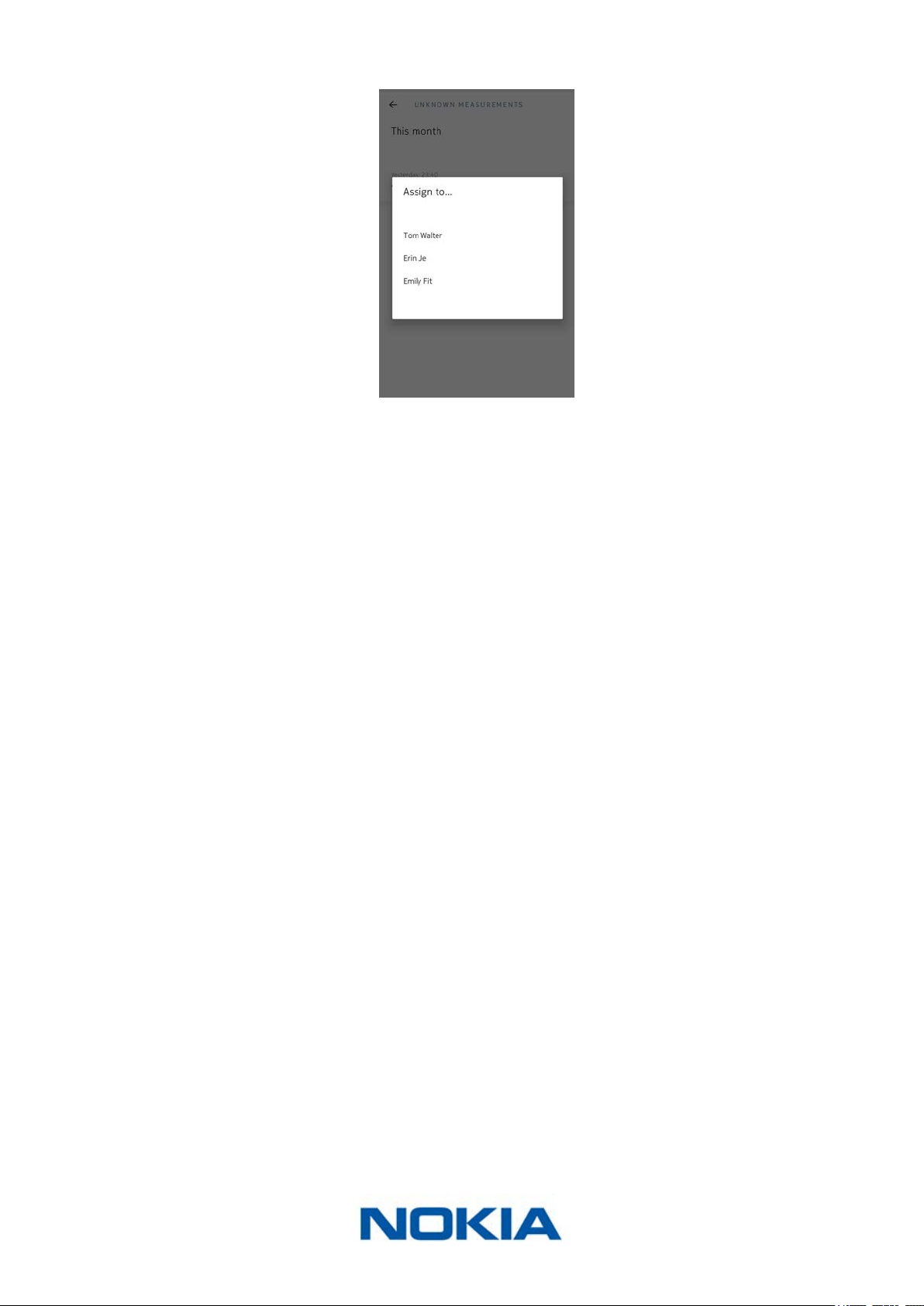
If your Nokia Body Cardio doesn’t recognize you when you weigh in, your weight
measurements will be listed as unknown measurements. To assign them to a user, perform
the following steps:
1. Open the Nokia Health Mate® app.
2. Go to Devices.
3. Select the Unknown measurement.
EN-34
Nokia Body Cardio
v3.0 | August 2017
4. Tap the user you want to assign the measurement to.
Your measurements are now assigned to the correct user. Your Nokia Body Cardio will
also be able to automatically assign your measurements the next time you weigh in.

EN-35
Nokia Body Cardio
v3.0 | August 2017
Setting reminders
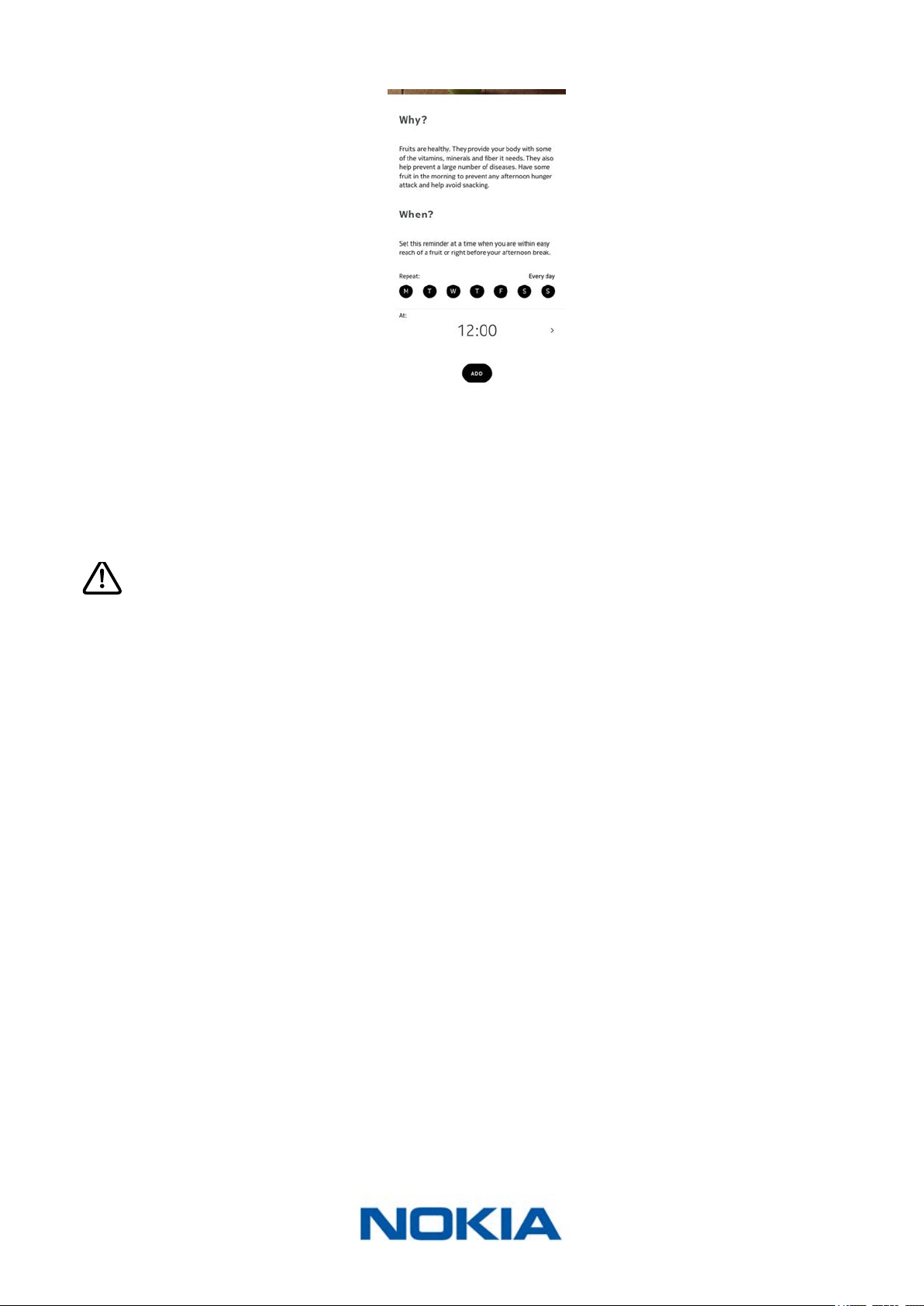
The Nokia Health Mate® app allows you to set reminders to make sure you weigh yourself
regularly. To do so, perform the following steps:
1. Open the Nokia Health Mate® app.
2. Go to Prole.
3. Tap Add.
4. Select the type of reminder you want to set.
EN-36
Nokia Body Cardio
v3.0 | August 2017
5. Select the time and recurrence of the reminder.
6. Tap Add.
Tracking your heart rate
Overview
This product is not a medical device and should not be used to diagnose, treat,
cure, or prevent any medical conditions.
The Nokia Body Cardio allows you to track your heart rate and lets you see how it changes
over time.
If you want to get heart rate measurements, make sure that:
• Heart rate measurements are enabled. Refer to “Disabling body composition and heart
rate measurements” on page26 for more information.
• The Heart Rate screen is enabled. Refer to “Changing the screen order” on page23
for more information.
• You step on the scale barefoot.
• You stay as still as possible during the measurement.
Retrieving your heart rate measurements
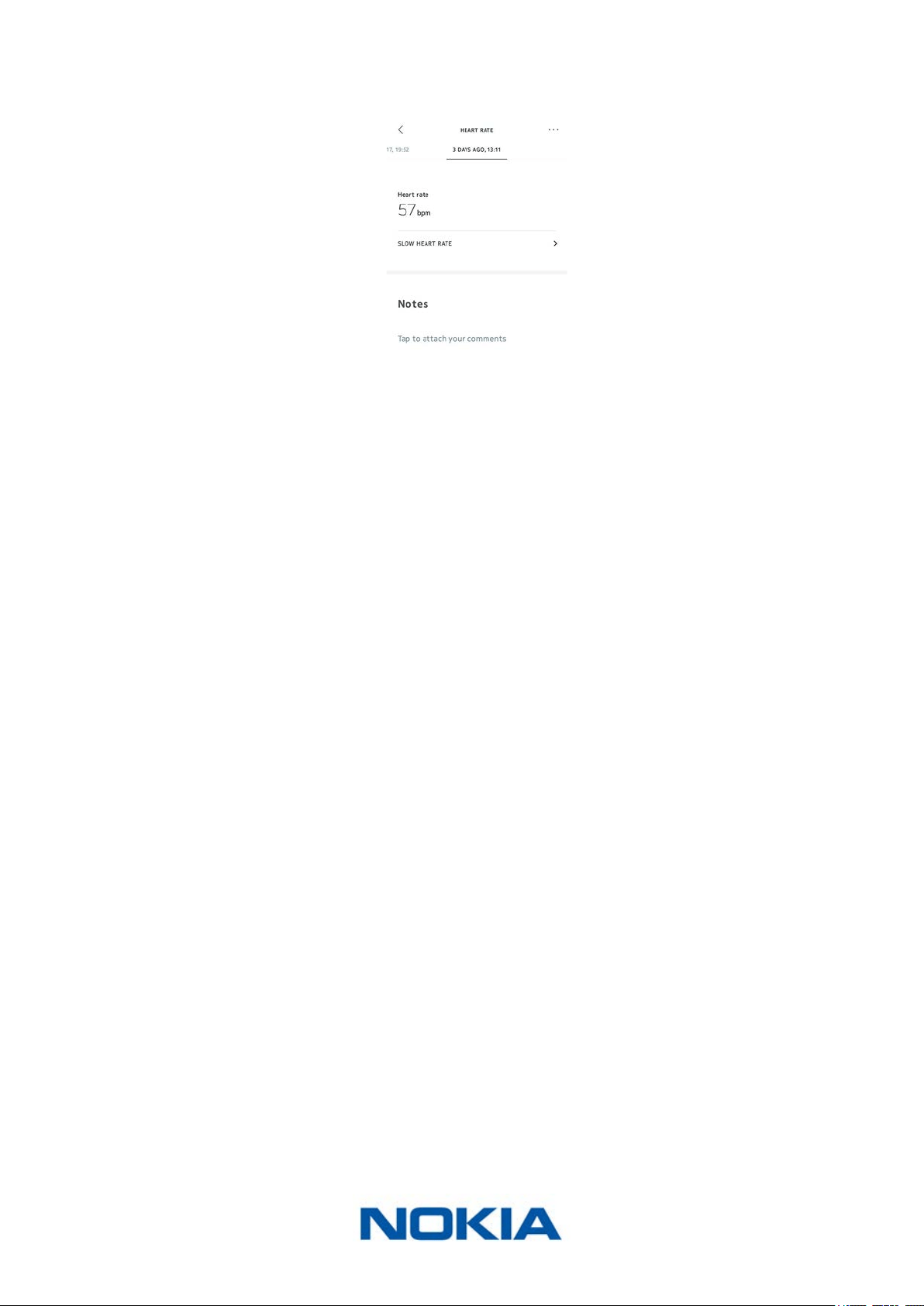
As soon as your heart rate is measured, it is displayed on the display of your scale.
EN-37
Nokia Body Cardio
v3.0 | August 2017
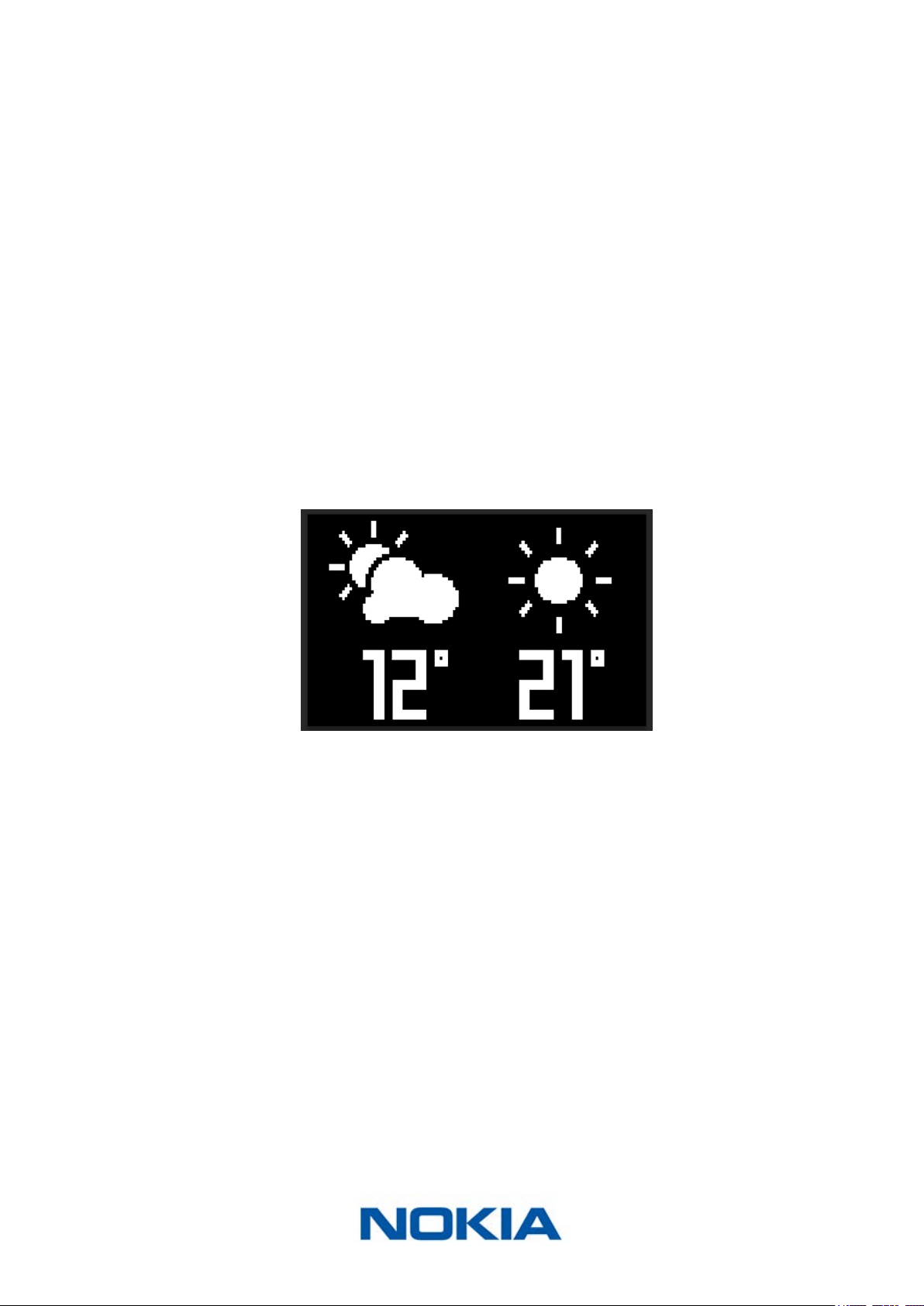
To see your heart rate meausurements and see your full history, you have to check your
data on the Nokia Health Mate® app.
You can access your heart rate measurements by tapping any heart rate measurement
item in your Timeline.
EN-38
Nokia Body Cardio
v3.0 | August 2017
Checking the weather
Overview
You can check the local weather forecast for the day directly on your Nokia Body Cardio if
the following conditions are met:
• Your Nokia Body Cardio is set up in Wi-Fi. Refer to “Changing the conguration of your
Nokia Body Cardio” on page19 for more information on how to switch to a Wi-Fi
conguration.
• The Weather screen is enabled. Refer to “Changing the screen order” on page23 for
more information.
Retrieving weather information
All you have to do to retrieve weather information on your Nokia Body Cardio is to step on
the scale and wait for the Weather screen to be displayed.
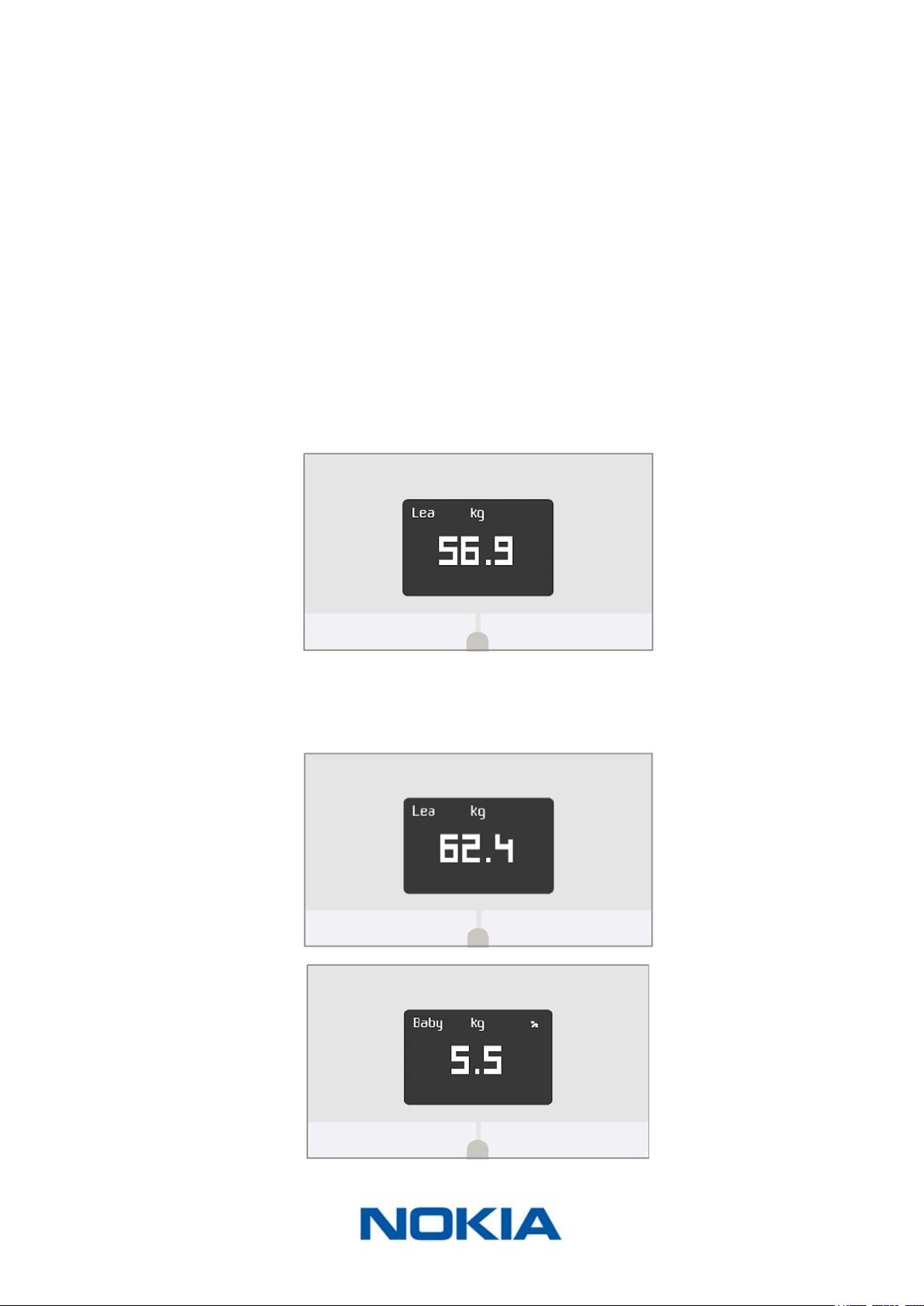
The Weather screen provides you with information about the average weather and
temperature for the morning (between 6:00 AM and 12:00 PM) and for the afternoon
(between 12:00 PM and 9:00 PM).
If you weigh yourself in the morning, the data of the day is displayed. If you weigh after
7:00 PM, the data of the next day is displayed.
EN-39
Nokia Body Cardio
v3.0 | August 2017
Using Baby mode
Baby mode allows you to nd out the weight of your baby by weighing yourself on the
scale while holding your baby. To use this mode, you must create a prole for your baby
in the Nokia Health Mate® app. Then enter the height and weight of your baby and
weigh yourself while holding your baby in your arms. The weight of your baby will be
automatically detected by the scale.
Important: your baby must weigh between 7 and 33 lbs (3 and 15 kg) to be detected by
the scale. As Baby mode is enabled by default on the Nokia Body Cardio, you do not need
to enable it in the Health Mate® app.
Follow the steps below to use Baby mode:
1. Create a prole for your baby in the Nokia Health Mate® app.
2. Enter the height and weight of your baby.
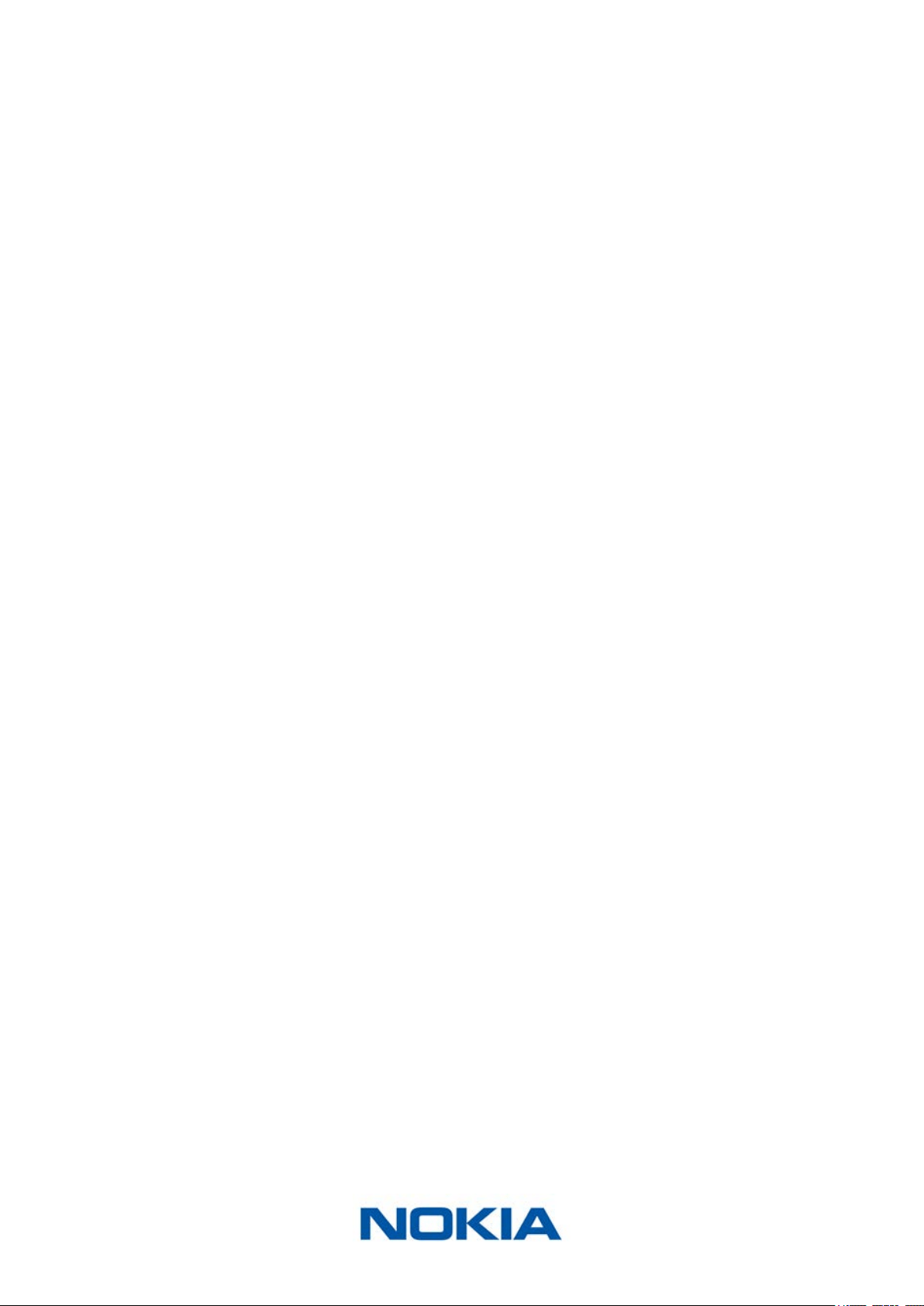
3. Weigh yourself on your own.
Your weight will be displayed on the screen of the Nokia Body Cardio.
4. Weigh yourself with your baby (within 5 minutes of rst weighing yourself).
The scale will display your weight plus your baby’s weight, followed by the weight of
your baby on its own.
EN-40
Nokia Body Cardio
v3.0 | August 2017
For best results, we recommend you to weigh yourself when your baby is calm.
Note: you can use Baby mode for several members of your family. For example, you may
wish to add a prole for your baby to your account or create a separate account for your
baby. Please note that you can add up to 8 users to your Nokia® account.
EN-41
Nokia Body Cardio
v3.0 | August 2017
Using Pregnancy Mode
Pregnancy Mode provides an enriched Health Mate experience for pregnant women,
oering advice, tips, and easy weight tracking throughout pregnancy.
Pregnant women will receive the following information on a weekly basis in their Health
Mate Timeline:
• an overview of the week with the current stage of pregnancy and cumulative weight
gain, along with how it compares with your personalized recommendations.
• health-related and obstetrician-reviewed information relevant to the current week of
pregnancy.
Activating Pregnancy Mode
Pregnancy Mode can be activated by any woman at any time during pregnancy. To do so,
perform the following steps:
1. Open the Nokia Health Mate® app.
2. Go to Wellness Programs.
3. Tap Learn more.
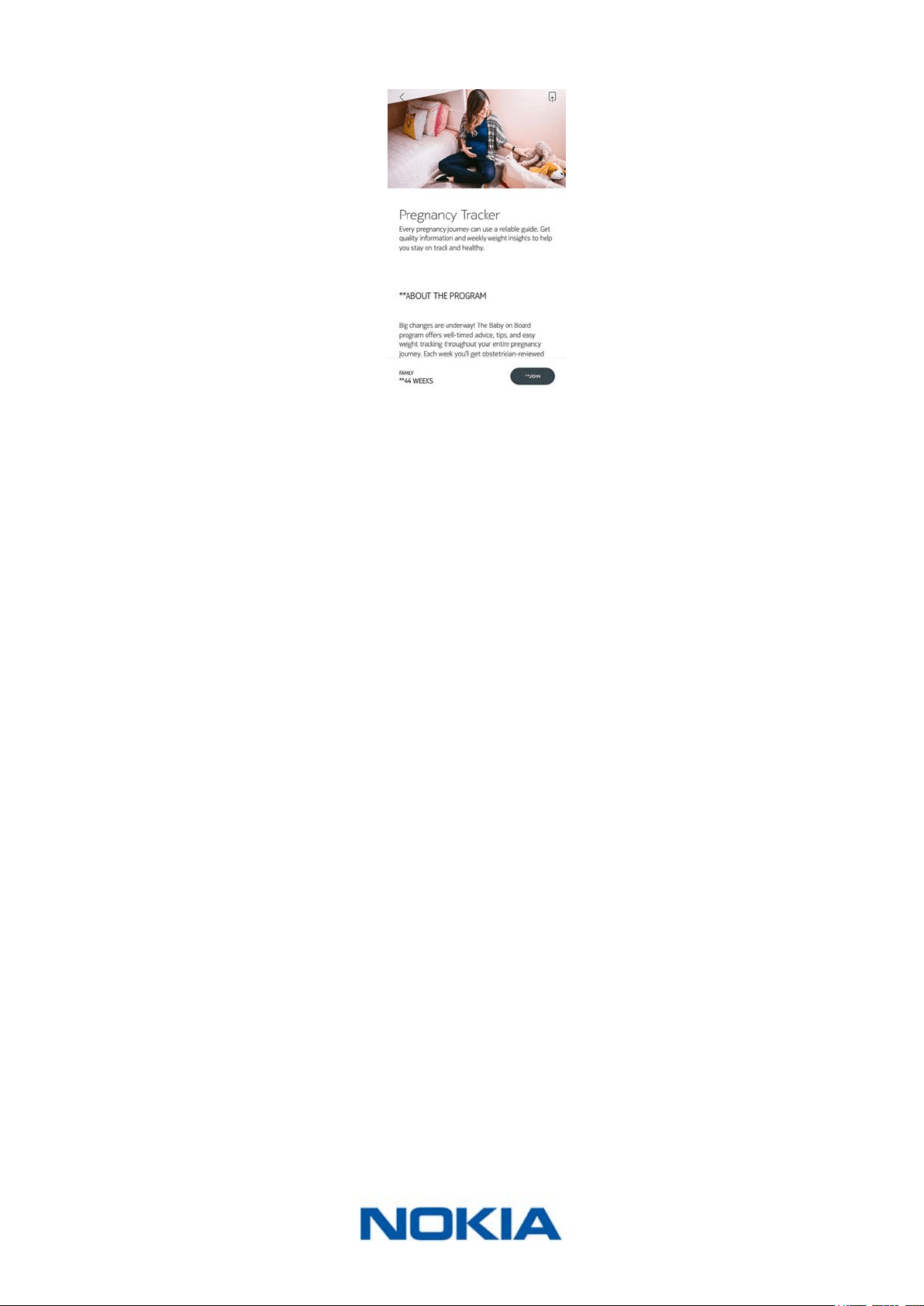
EN-42
Nokia Body Cardio
v3.0 | August 2017
4. Tap Join.
EN-43
Nokia Body Cardio
v3.0 | August 2017
Linking Your Account to Partner Apps
Linking your account to MyFitnessPal
Overview
When you monitor your weight, it can also be useful to monitor your calorie intake with
apps such as MyFitnessPal to help you reach your weight goal.
Once you link both accounts, your Nokia® account will be able to retrieve your daily
calorie intake from MyFitnessPal. You can then check the MyFitnessPal widget from your
Dashboard to see your calorie balance.
MyFitnessPal can also retrieve information from your Nokia® account: your weight and
your calorie outtake.
Your calorie outtake is based on any activity data coming from a Nokia® activity tracker or
the in-app tracking feature of the Nokia Health Mate® app. Note that tracking your activity
can be a great way to help you achieve your weight goal.
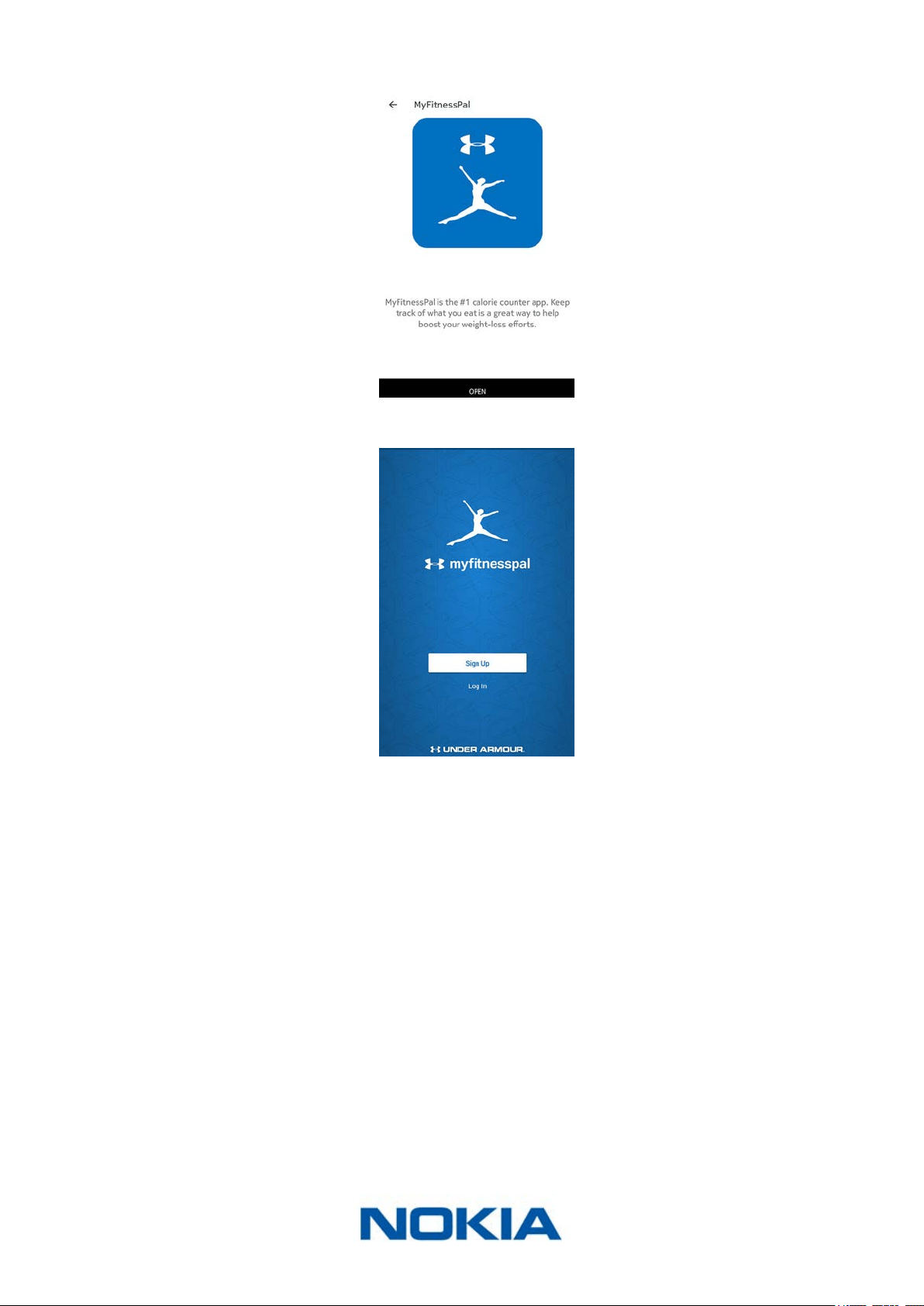
Connecting to MyFitnessPal
To connect your Nokia® account to your MyFitnessPal account, perform the following
steps:
1. Open the Nokia Health Mate® app.
2. Tap Prole.
3. Tap MyFitnessPal.
EN-44
Nokia Body Cardio
v3.0 | August 2017
4. Tap Open.
5. Log in to your MyFitnessPal account.
You can unlink your MyFitnessPal account and your Nokia® account anytime you want from
your Prole.
Linking your account to Nike+
Overview
If you have a Nike+ account, you can start the day by seeing your NikeFuel of the previous
day displayed on your Nokia Body Cardio and in the Nokia Health Mate® app thanks to the
Nike+ integration.
Only your NikeFuels can be shared with your Withings account. You’ll have to stick to the
Nike+ app to see the rest of your Nike+ data.
Note that it can take up to 48 hours after the association for your data to be shared with
your Nokia® account. You also need to have at least 5 days worth of Nike+ data before
it can be shared with your Nokia® account.
EN-45
Nokia Body Cardio
v3.0 | August 2017
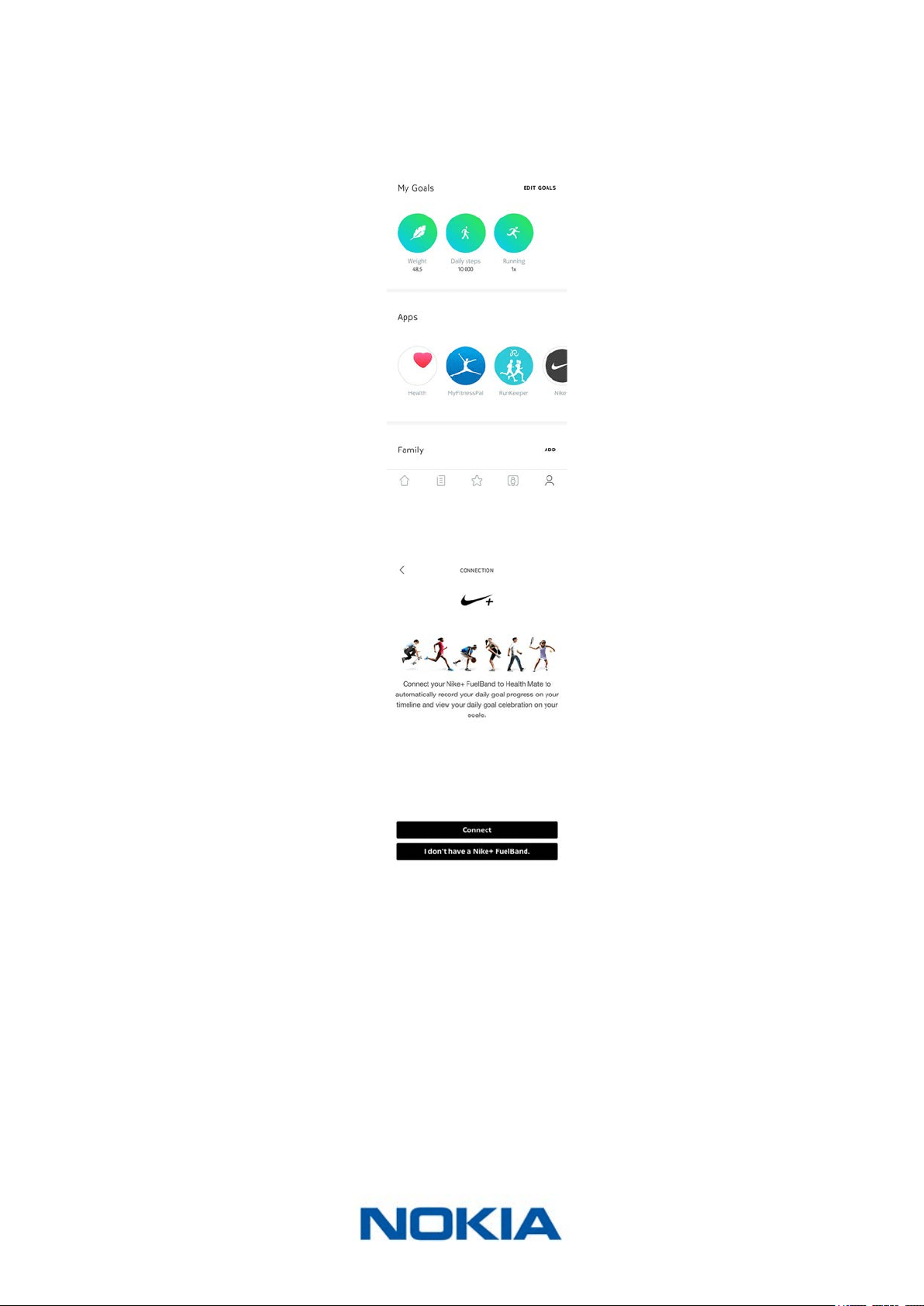
Connecting to Nike+
To connect your Nokia® account to your Nike+ account, perform the following steps:
1. Open the Nokia Health Mate® app.
2. Tap Prole.
3. Tap Nike+.
4. Tap Connect.
EN-46
Nokia Body Cardio
v3.0 | August 2017
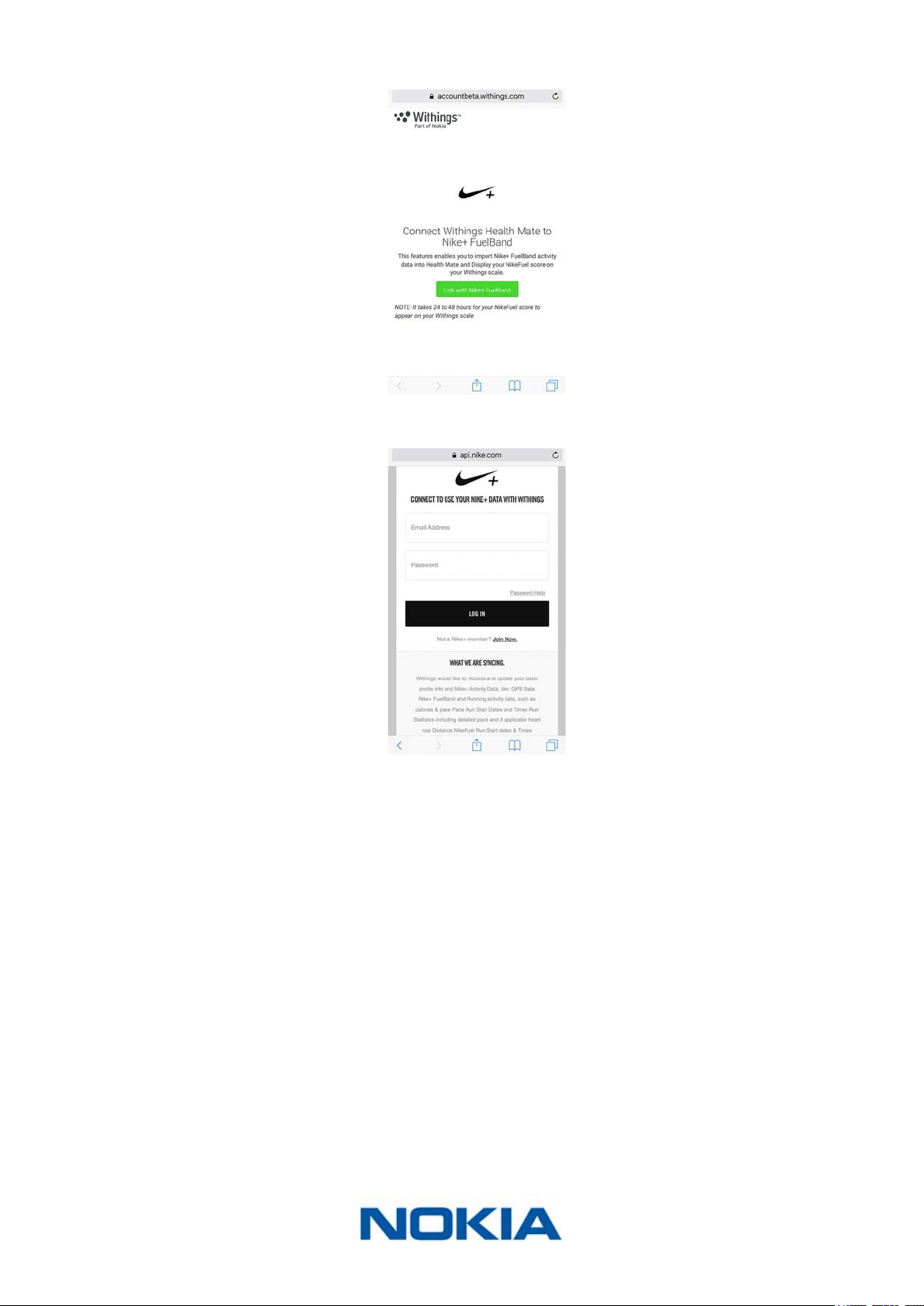
5. Tap Link with Nike+ FuelBand.
6. Log in to your Nike+ account and follow the instructions.
Note that it can take up to 48 hours after the association for your data to be shared with
your Nokia® account.
You can unlink your Nike+ account and your Nokia® account anytime you want from your
Prole.
EN-47
Nokia Body Cardio
v3.0 | August 2017
Syncing Your Data
Data from your Nokia Body Cardio is automatically synced, without any action required
on your part. Your weight data is synced with the Nokia Health Mate® app within a few
minutes after you weigh in. Your heart rate and body composition data is also synced at
this time.
Note that if you sync your data in Bluetooth, it is necessary that a paired device is within
range of the scale. The Nokia Health Mate® app also needs to be running on your device.
EN-48
Nokia Body Cardio
v3.0 | August 2017
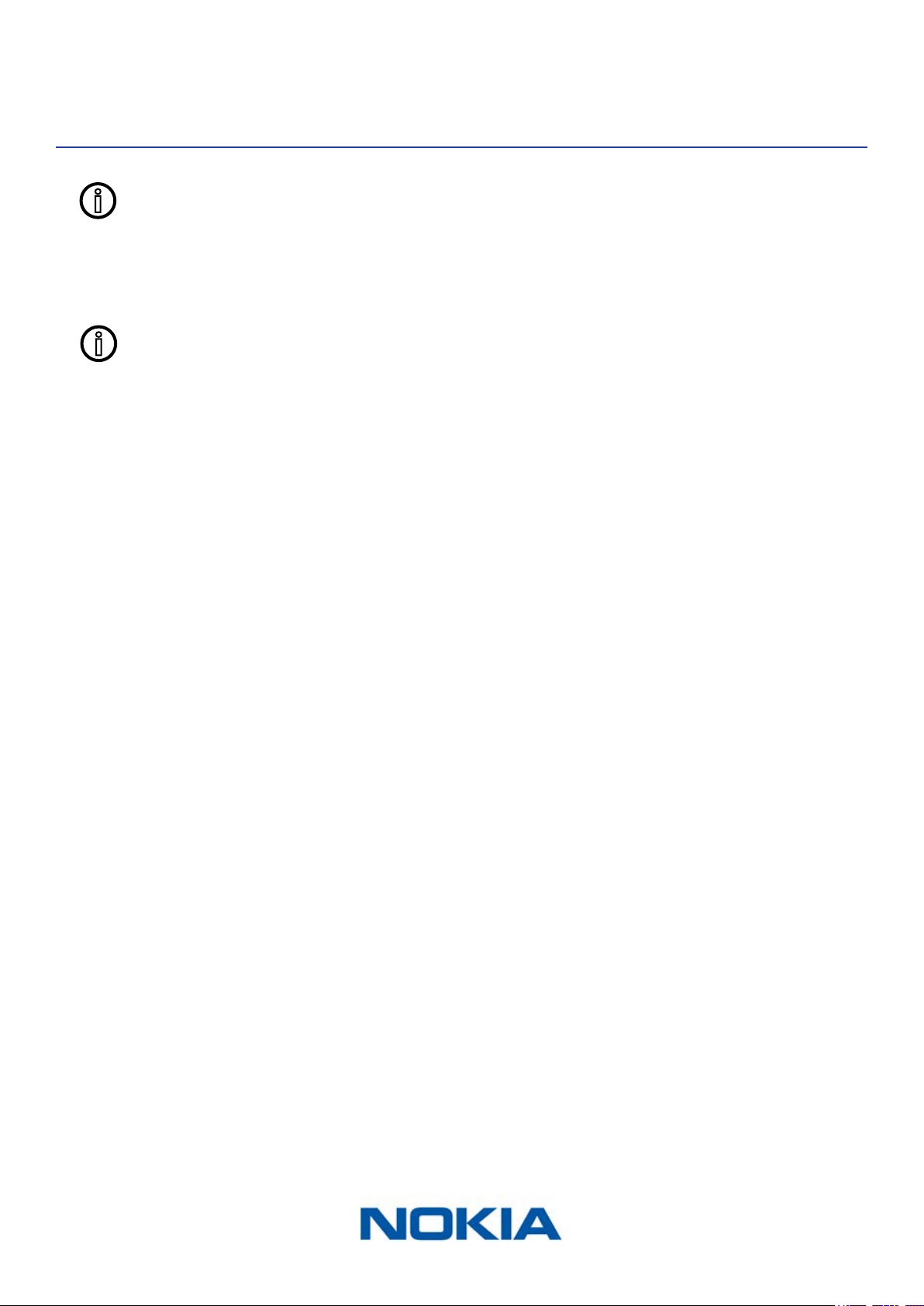
Dissociating Your Nokia Body Cardio
All data that wasn’t synced before dissociating your Nokia Body Cardio will be
lost permanently.
Dissociating your Nokia Body Cardio allows you to remove it from your account.
Dissociating your Nokia Body Cardio will not remove any of the data that was
synced from the Nokia Health Mate® app.
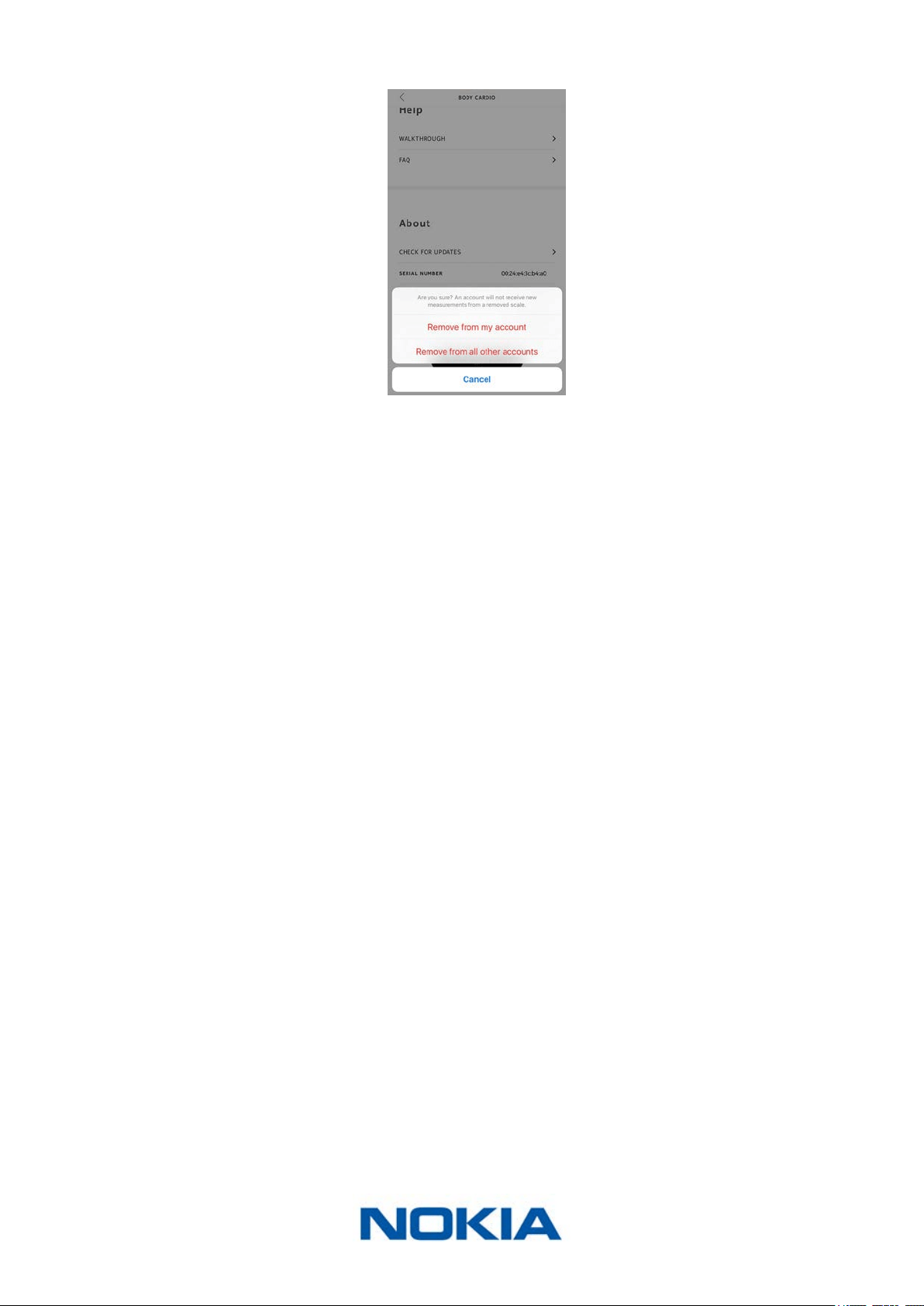
To dissociate your Nokia Body Cardio, perform the following steps:
1. Open the Nokia Health Mate® app.
2. Go to Devices.
3. Tap Body Cardio.
4. Tap Dissociate this product.
EN-50
Nokia Body Cardio
v3.0 | August 2017
Performing a Factory Reset of Your
Nokia Body Cardio
All data that wasn’t synced before factory resetting your Nokia Body Cardio
will be lost permanently.
Factory resetting your Nokia Body Cardio allows you to delete the data stored on it.
Factory resetting completes the dissociation process.
Factory resetting your Nokia Body Cardio will not remove any of the data from
the Nokia Health Mate® app.
1. Go to the Bluetooth settings of your device and “forget” your Nokia Body Cardio. from
the list of Bluetooth devices.
2. Press the button on the side of the scale for 15 seconds until the display turns o.
3. When “Hello” appears on the display of your scale, press and hold the button on the
side of the scale until the factory reset gauge lls.
The scale’s screen will display the word “Factory”, conrming the reset.
At this time, you can start the installation process for the Nokia Body Cardio. Refer to
“Setting Up the Nokia Body Cardio” on page8 for more information.
EN-51
Nokia Body Cardio
v3.0 | August 2017
Cleaning and Maintenance
Cleaning your Nokia Body Cardio
You can clean your Nokia Body Cardio using a cloth dampened with water. If water is not
enough to clean it, you can also use crystal vinegar.
The use of any detergents or cleaners may cause irreversible damage to the
coating that protects the electrodes used to measure your body composition.
Charging the battery
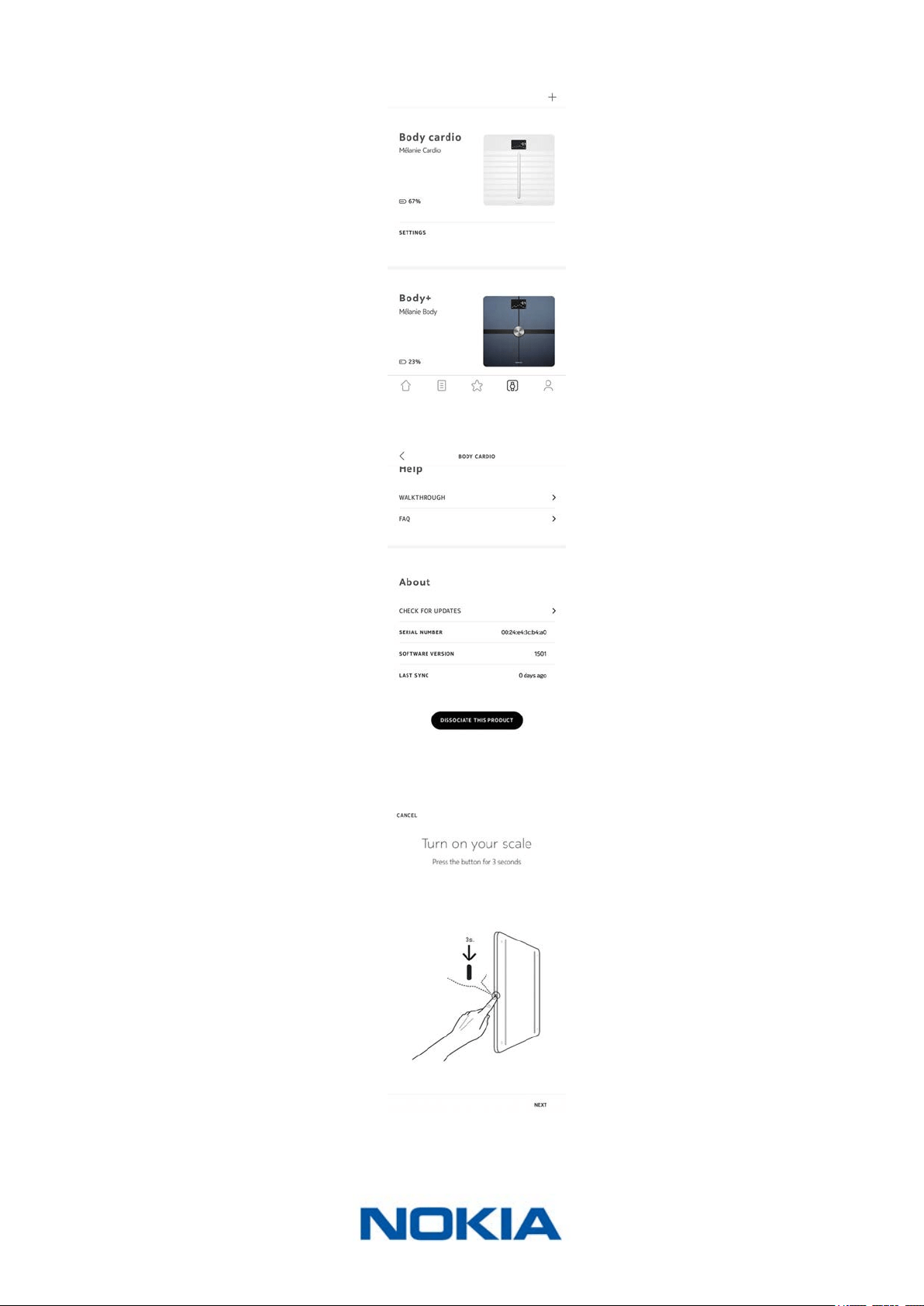
You can check the battery level of your Nokia Body Cardio by going to Devices > Body
Cardio from the Nokia Health Mate® app. If the battery level reaches 5% or less, we advise
that you charge the battery. To do so, connect your Nokia Body Cardio to a power source
using the USB cable provided with the scale.
Charging the battery can take up to ve hours. You can press the button on the side of the
scale while it’s charging to check the battery level.
Note that you shouldn’t use your Nokia Body Cardio while it is charging.
Updating your Nokia Body Cardio
We regularly oer updates so that you can benet from the latest features we add to our
products. When new internal software is available, it is automatically installed without any
prompt from the Nokia Health Mate® app if your scale is installed in Wi-Fi.
However, you can check if updates are available and force their installation whenever you
want. To do so, perform the following steps:
1. Open Nokia Health Mate® app.
2. Go to Devices.
EN-52
Nokia Body Cardio
v3.0 | August 2017
3. Tap Body Cardio.
4. Tap Check for updates.
5. Press and hold the side button for three seconds and tap Next.
6. Tap Upgrade.
7. Tap Close when the upgrade is complete.
EN-53
Nokia Body Cardio
v3.0 | August 2017
Note: You can check which rmware version your Nokia Body Cardio uses in Devices >
Nokia Body Cardio.
EN-54
Nokia Body Cardio
v3.0 | August 2017
Technology Description
Weight
Your weight is measured thanks to four weight sensors placed below the surface of your
Nokia Body Cardio.
Body Composition
Your body composition (fat mass and water percentage, muscle mass, and bone mass)
is measured by bioelectrical impedance analysis thanks to electrodes placed below the
surface of your Nokia Body Cardio. These electrodes send a small current that goes
through your body, and then analyse the way your body reacts to measure these metrics.
Heart Rate
Your Nokia Body Cardio uses patent-pending heart rate measurement technology to
measure your heart rate while you weigh in.

EN-55
Nokia Body Cardio
v3.0 | August 2017
Specications
Nokia Body Cardio
• Length: 327 mm (12.8‘‘)
• Width: 327 mm (12.8‘‘)
• Depth: 18 mm (0.7‘‘)
• Weight: 2.6 kg (5.7lbs‘)
• Weight range: 5 kg - 180 kg (9 lbs - 396 lbs)
• Weight units: kg, lb, stlb
• Precision: 100 g (0.2 lbs)
Display
• 6.1 cm x 4.1 cm (2.4’’ x 1.6’’)
• 128 x 64 pixels
• Backlighting
Connectivity
• Wi-Fi 802.11 b/g/n (2,4 GHz only)
• Bluetooth / Bluetooth Low Energy (Bluetooth Smart Ready)
Sensors
• 4 weight sensors
• Position Control™ technology
Metrics
• Weight
• Fat mass (%) - standard and athlete mode
• Muscle mass (kg)
• Bone mass (kg)
• Water mass (%)
• Heart rate
Batteries
• Li-ion battery
• Average battery life of 1 year
Features
• Automatic user recognition
• Weather forecast
EN-56
Nokia Body Cardio
v3.0 | August 2017
Compatible Devices
• iPhone 4s (or higher)
• iPod Touch 4th Gen (or higher)
• iPad 2nd Gen (or higher)
• Android device running Android 5.0 (or higher)
Compatible OS
• iOS 8.0 (or higher)
• Android 5.0 (or higher)
EN-57
Nokia Body Cardio
v3.0 | August 2017
User Guide Copyright
This User Guide is protected by Intellectual Property laws and copyright. Any reproduction,
modication, representation, and/or publication without Nokia® prior approval is strictly
prohibited. You may print this User Guide for your personal use exclusively. For any
questions, please contact Nokia Health at: http://nokia.ly/HealthSupport.
Legal Notice
This product is not a medical device and should not be used to diagnose or
treat any medical condition.
People wearing a pacemaker or any other internal medical device should
disable the body compositon measurement. Refer to “Disabling body
composition and heart rate measurements” on page26 for more
information.
Identity data means the data which can directly identify you.
Body metrics data means data which correspond to an accurate
measurement of your physical features and your body activity.
Activity data means data which correspond to a measurement
of your physical/sports activities.
Cookies - technical features mean data, not directly identifying
you, which allows you to use our Products and Services and allow
us improve your personal experience.
Personal Data
• Make sure you have read our privacy policy, which you can nd on our website.
• Make sure your Nokia® accouxnt password is secure enough to restrict access to
your account. It should be at least eight-character long, have mixed case, and use a
combination of alphanumeric and special characters.
• We recommend that you protect access to the Nokia Health Mate® app with an
additional passcode and/or Touch ID. You can do so from the app by going to Settings
in the app and activating Touch ID and Passcode.
• We recommend that you export your data on a regular basis to local storage on your
EN-59
Nokia Body Cardio
v3.0 | August 2017
Safety Instructions
Use and Storage
• Use the product at temperatures between 5°C and 35°C (41°F and 95°F) with a relative
humidity between 30% and 80%.
• Product may be stored in a clean location between -10°C and 50°C (14°F and 122°F)
when it is not in use, with a relative humidity between 10% and 90%.
• This product is not a toy. Do not allow children to play with it.
• This device is designed for indoor use only.
• Do not allow the device to come in contact with liquids.
• Do not use any detergents or cleaners to clean the scale. They may cause irreversible
damage to the coating that protects the electrodes used to measure your body
composition.
• Do not use your Nokia Body Cardio in a place that is too humid as it can aect
the battery.
Service and Maintenance
• Do not attempt to repair or modify your Nokia Body Cardio yourself. Service and
maintenance not described in this User Guide should be performed by professional
technicians.
• If you have any issues, feel free to contact customer service at: http://nokia.ly/
HealthSupport.
EN-60
Nokia Body Cardio
v3.0 | August 2017
Document Release Overview
Release date Modications
June 2016 v1.0 First release
December 2016 v2.0 Update of:
“Legal Notice” on page57
Update of:
“Disabling body composition and heart rate
measurements” on page26
August 2017 v3.0 Nokia graphic chart
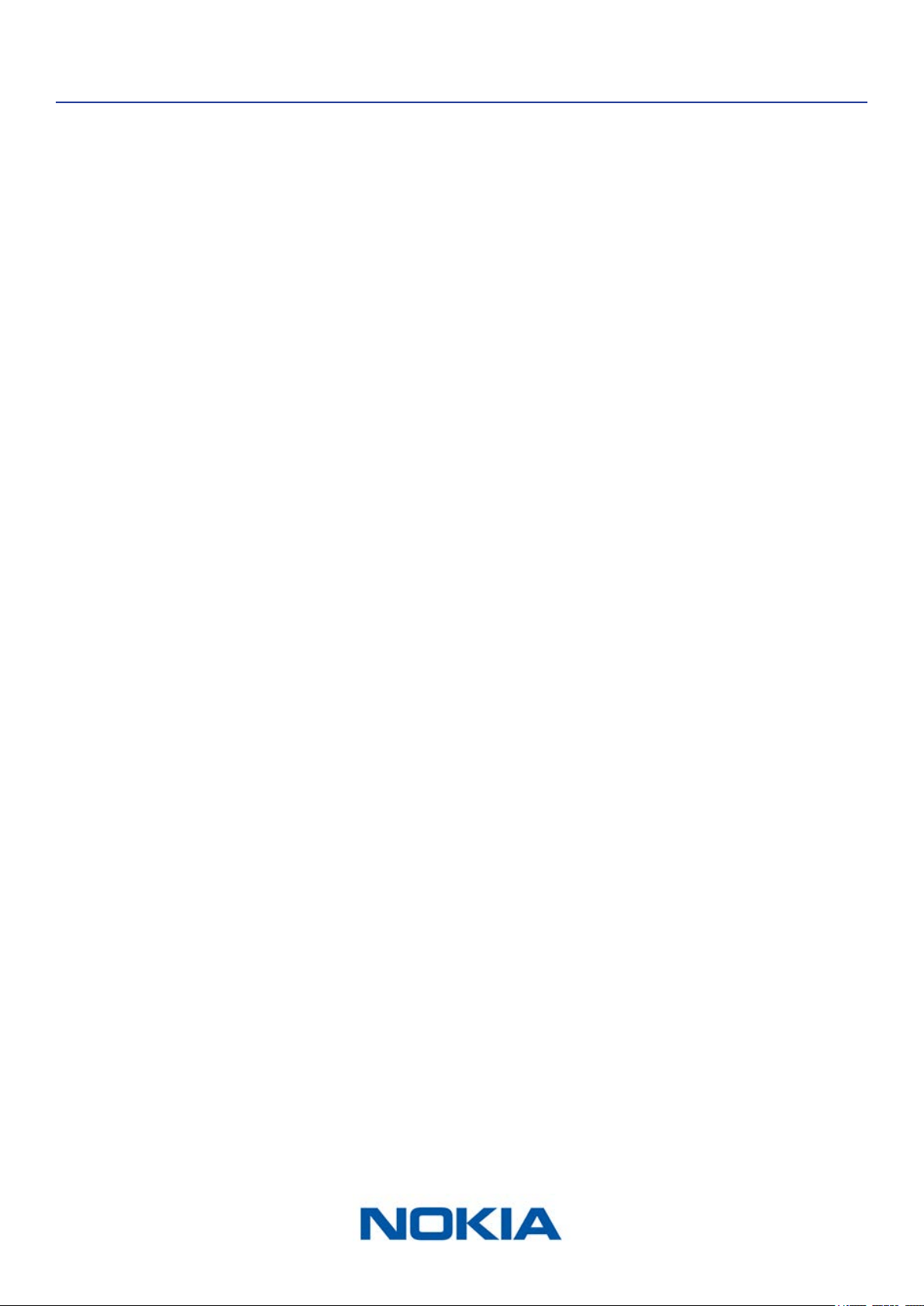
The screenshots in this manual are used for explanatory purposes. Your actual
screens may dier from the screenshots in this manual.
EN-61
Nokia Body Cardio
v3.0 | August 2017
Warranty
Nokia® One (1) Year Limited Warranty - Nokia Body Cardio
Nokia® warrants the Nokia® branded hardware product (“Nokia Body Cardio”) against
defects in materials and workmanship when used normally in accordance with Nokia®’
published guidelines for a period of ONE (1) YEAR from the date of original retail purchase
by the end-user purchaser (“Warranty Period”). Nokia®’s published guidelines include but
are not limited to information contained in technical specications, safety instructions, or
quick start guide. Withings does not warrant that the operation of the Nokia Body Cardio
will be uninterrupted or error-free. Nokia® is not responsible for damage arising from
failure to follow instructions relating to the Nokia Body Cardio’s use.
The warranty does not extend to:
• Any damage to the device resulting from abnormal or abusive use, negligence or lack of
care, or accidental damage (such as dents).
• Indirect damages of any kind.
EN-62
Nokia Body Cardio
v3.0 | August 2017
Regulatory Statements
FCC ID: XNAWBS04
This device complies with Part 15 of the FCC Rules.
Operation is subject to the following two conditions: (1) This device may not cause
harmful interference, and (2) This device must accept any interference received, including
interference that may cause undesired operation.
This device complies with the R&TTE Directive. A copy of the EU Declaration of Conformity
is available online at https://health.nokia.com/fr/en/compliance.