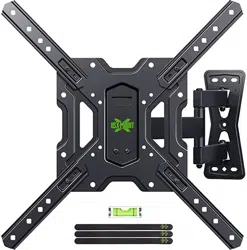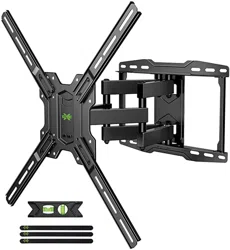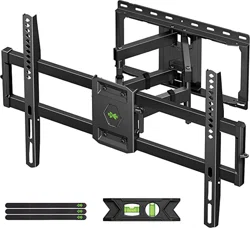

XML018-1
INSTRUCTION MANUAL
For 32-90" TV
If you have any questions along the way, just give us a call
1-800-460-0956 or mail to [email protected].
We’re ready to help!
R
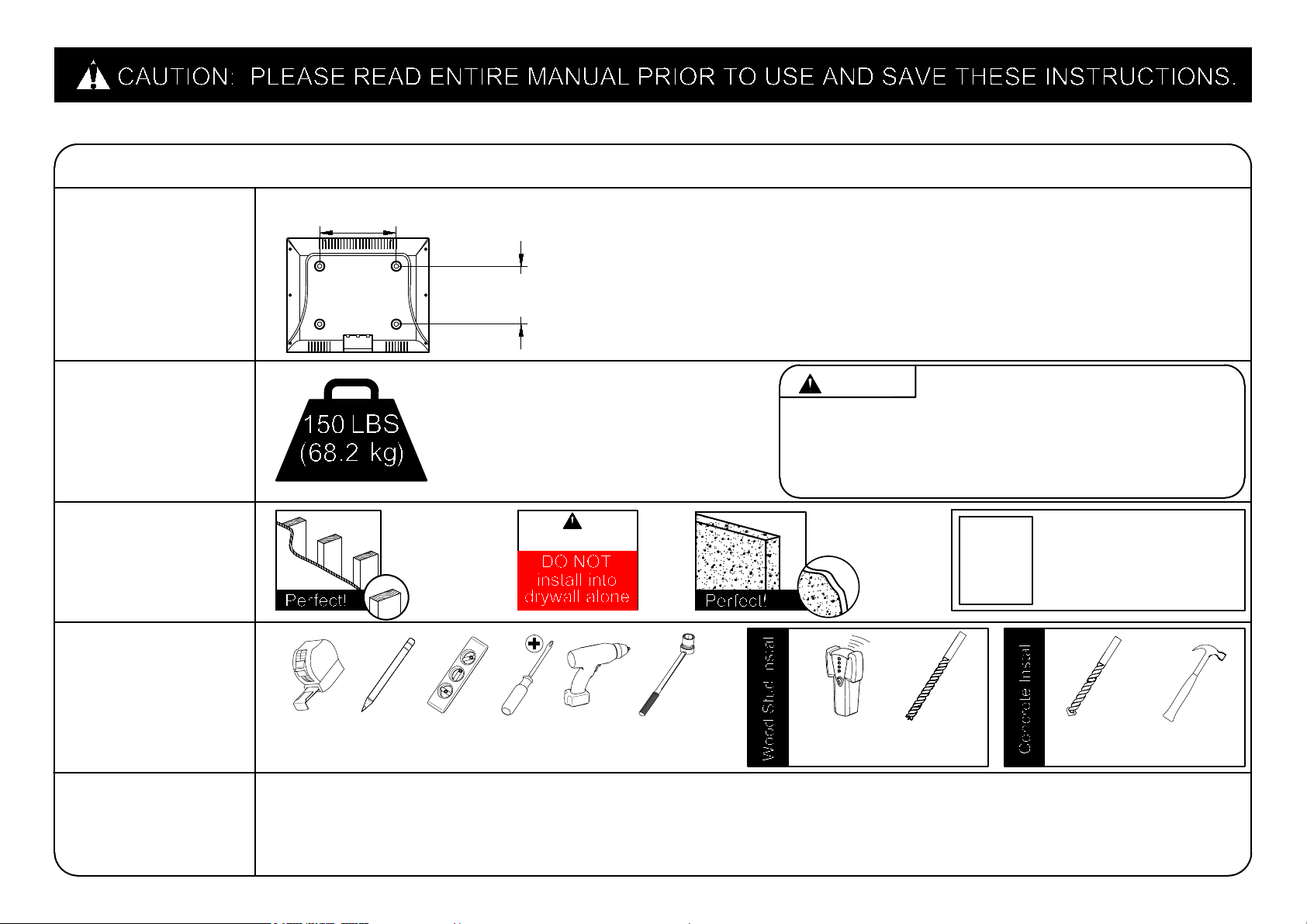
Before getting started, let’s check below lists to make sure it is just right for you!
2
3
4
5
2
Does your TV
(including accessories)
weigh MORE than
150 lbs. (68.2 kg)?
What is your
wall made of?
Do you have
all the tools
needed?
(NOT INCLUDE)
Tape
Measure
CAUTION
Pencil Level
Screw
driver
Electric
Drill
No? Perfect – you may continue.
Yes? This mount is NOT compatible.
Drywall with
wood studs?
CAUTION:
CAUTION: DO NOT exceed the maximum weight
indicated. This mounting system is intended for use only
with the maximum weights indicated. Use with products
heavier than the maximum weights indicated may result
in collapse of the mount and its accessories, causing
possible injury.
Solid concrete
?
1/2 in.
(13 mm)
Socket
Wrench
Stud
Finder
7/32 in.
(5.5 mm)
Wood
Drill Bit
● This product is designed for use in wood stud, solid concrete walls - DO NOT install into drywall alone
● The wall must be capable of supporting five times the weight of the TV and mount itself
● Do not use this product for any purpose not explicitly specified by manufacturer
● Manufacturer is not responsible for damage or injury caused by incorrect assembly or use
Unsure?
Call Customer Service:
1-800-460-0956
3/8 in.
(10 mm)
Masonry
Drill Bit
Hammer
1
Check your TV
VESA is within
Min and Max size
No? This mount is NOT compatible.
Yes? Perfect !
MAX:600mm/23.62"
(MIN:200mm/7.87")
MAX:400mm/15.75"
(MIN:100mm/3.94")
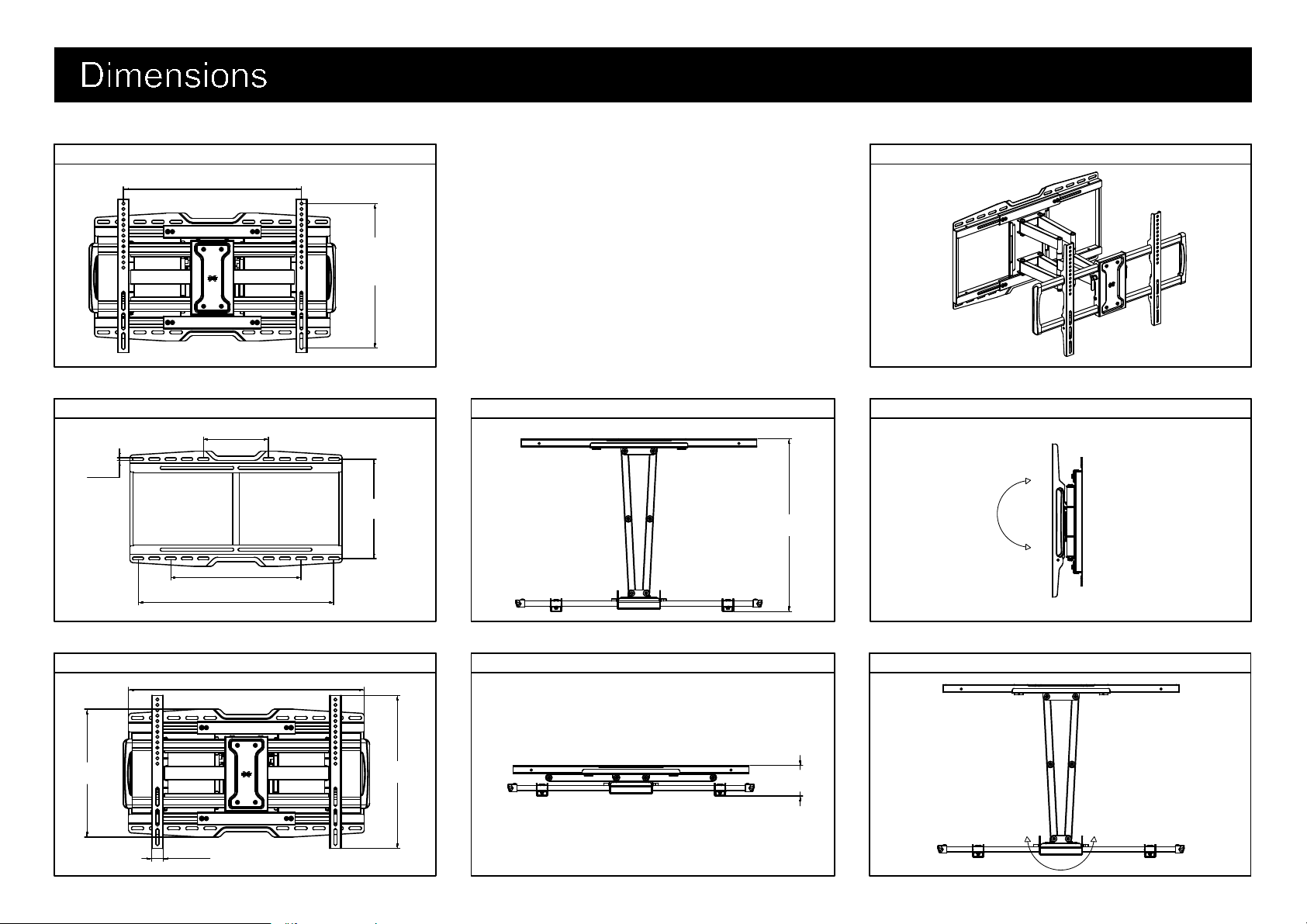
TV INTERFACE
3-D
WALL PLATE
FULLY ASSEMBLED MOUNT TOP VIEW - RETRACTED
TOP VIEW - EXTENDED
SIDE VIEW - RETRACTED
3
+5°
-15°
TOP VIEW - EXTENDED
+45° -45°
MAX:600mm[23.62in]
MIN:200mm[7.87in]
MAX:406mm
[15.98in]
MIN: 100mm
[3.94in]
203mm
[8.00in]
406mm
[16.00in]
610mm
[24.00in]
310mm
[12.20in]
9mm
[0.35in]
662mm
[26.06in]
430mm
[16.93in]
359mm
[14.13in]
32mm
[1.26in]
485mm
[19.09in]
85mm
[3.35in]
WARNING: This product contains small items that could be a choking hazard if swallowed. Before starting assembly, verify all parts
are included and undamaged. If any parts are missing or damaged, do not return the damaged item to your dealer; contact
Customer Service.
Never use damaged parts!
NOTE: Not all hardware included will be used.
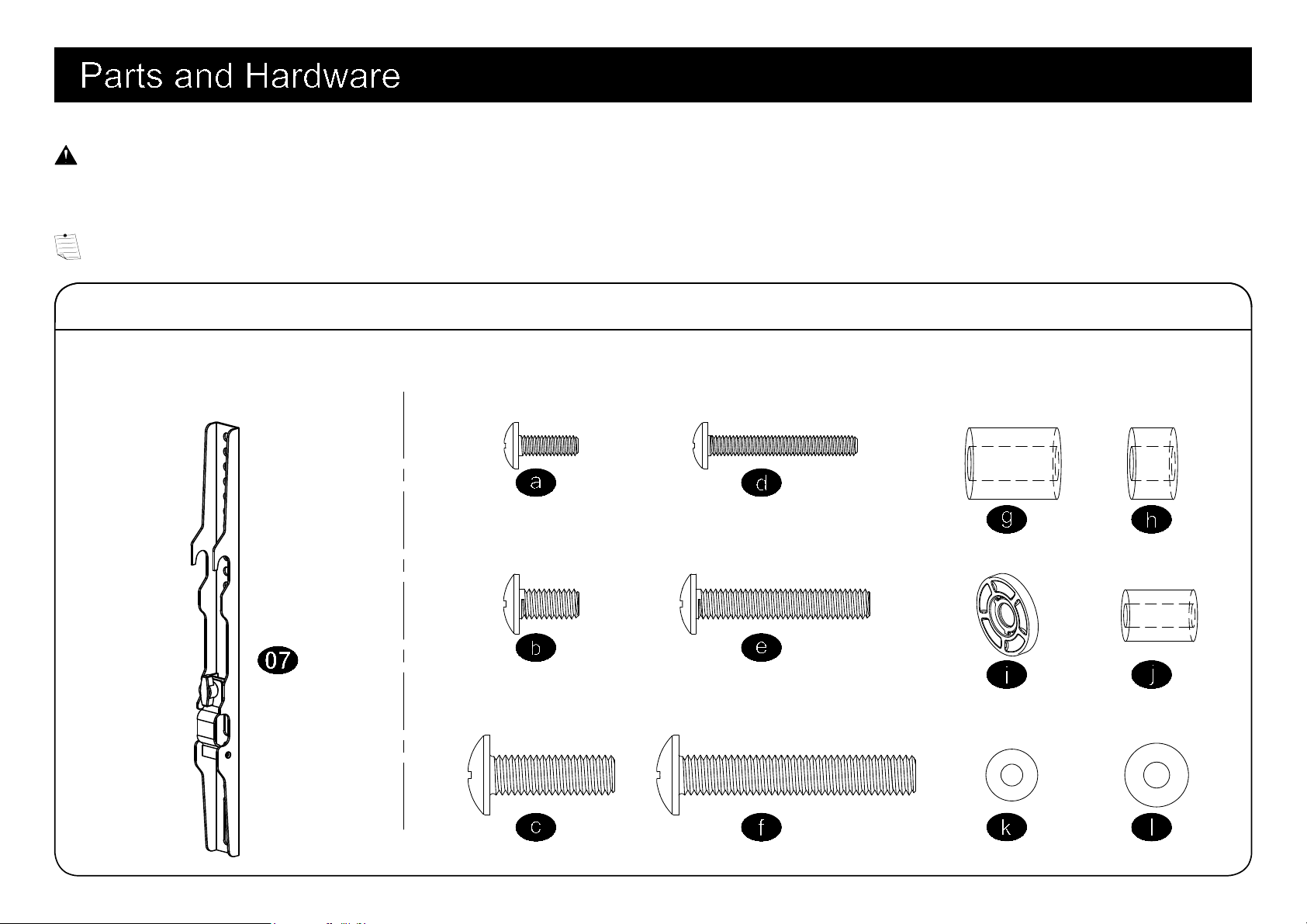
Parts and Hardware for STEP 1
4
Brackets
Spacers
TV Screws
M4x12mm
M6x12mm
M8x25mm
M4x30mm
M6x35mm
M8x45mm
M6x17mm
M8x22mm
M4
M6
10mm
2.5mm
Washers
x4 x4
x4 x4
x4
x4
x4
x4
x4
x8
x4
x4
x2
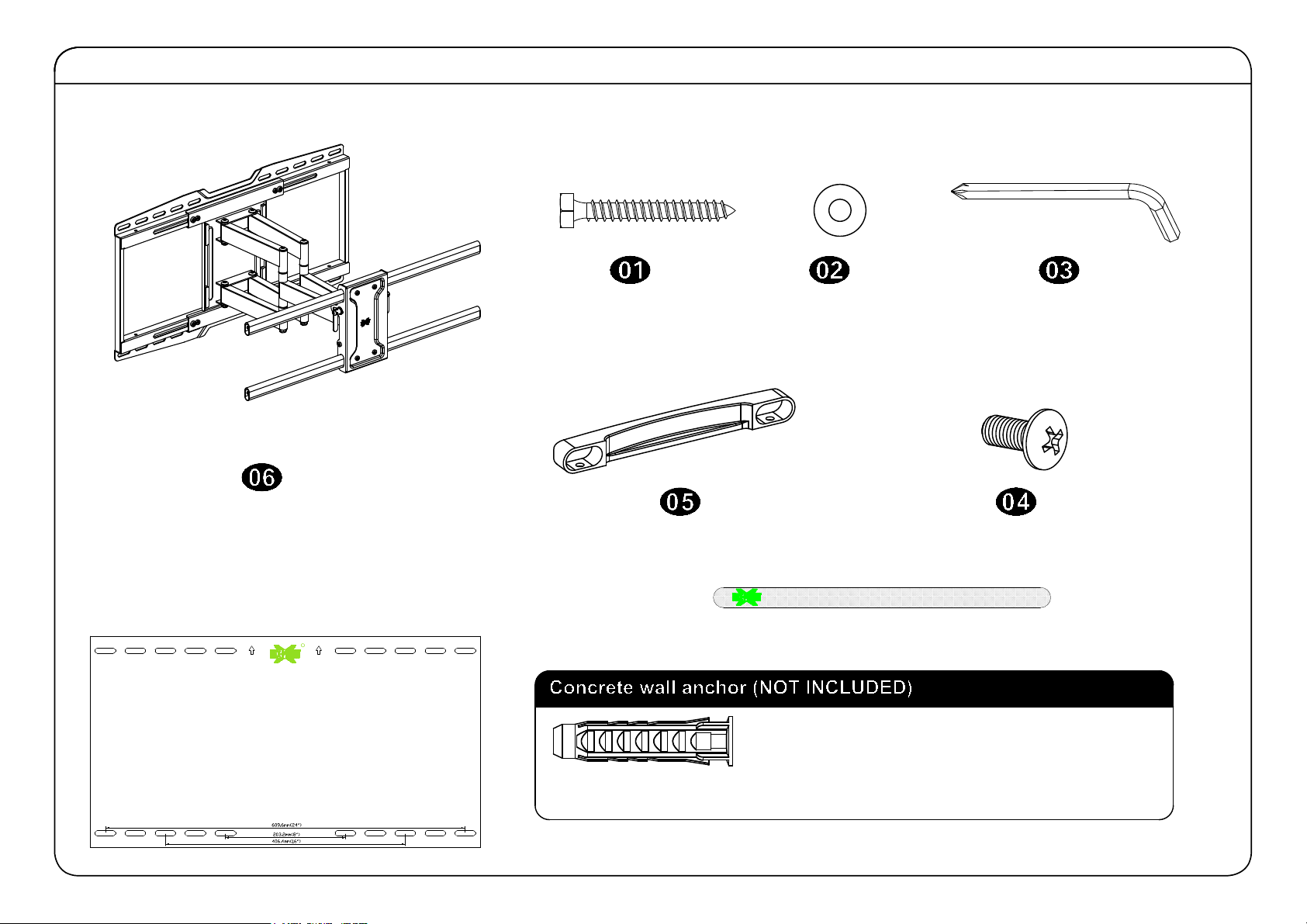
Parts and Hardware for STEP 2
Allen Key
Wall Plate
Contact us at telephone 1-800-460-0956 (USA)
or mail to [email protected]. to have
these additional pieces shipped directly to you.
Concrete Wall Anchor
4pcs
x1
Mounting template
Velcro x3
Lag Bolt
M8 Washer
x4
x4
x4
M5x10mm Bolt
End support
x2
x1
R
5
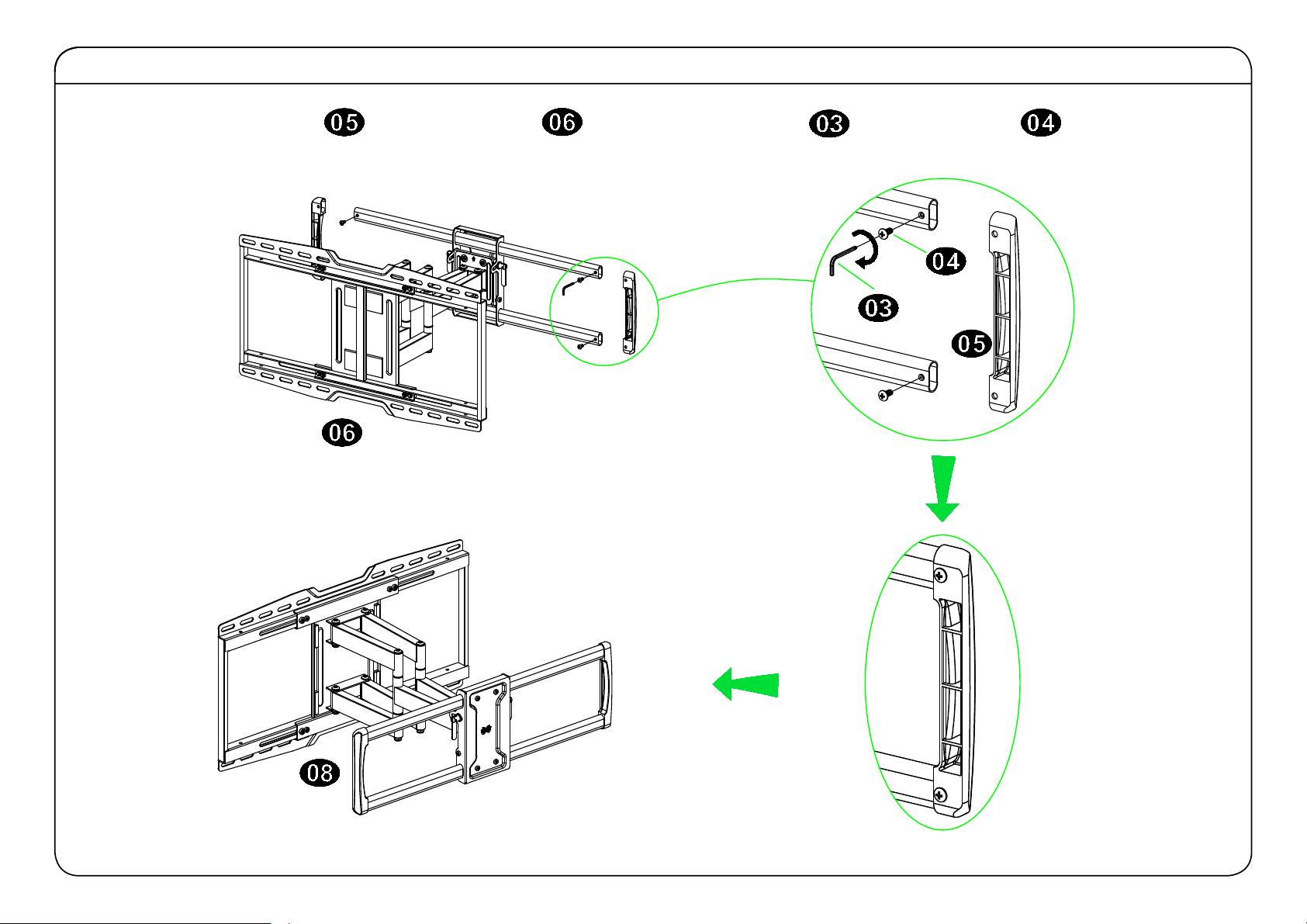
Assemble End Supports to Wall Plate
Put the and supports into wall plate by using allen key to fasten bolt .
6
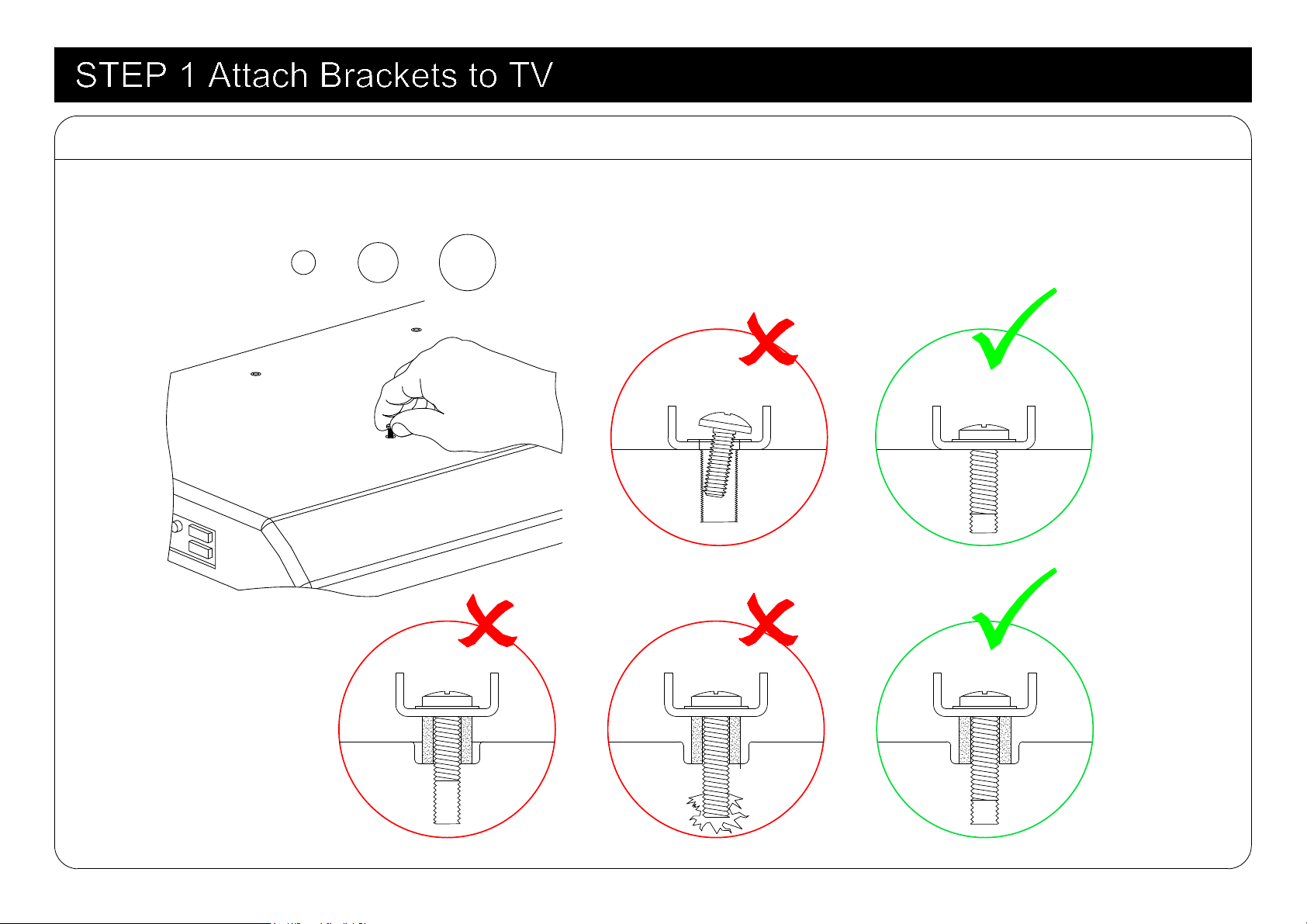
M8
M6
M4
1-1 Select TV Screws
7
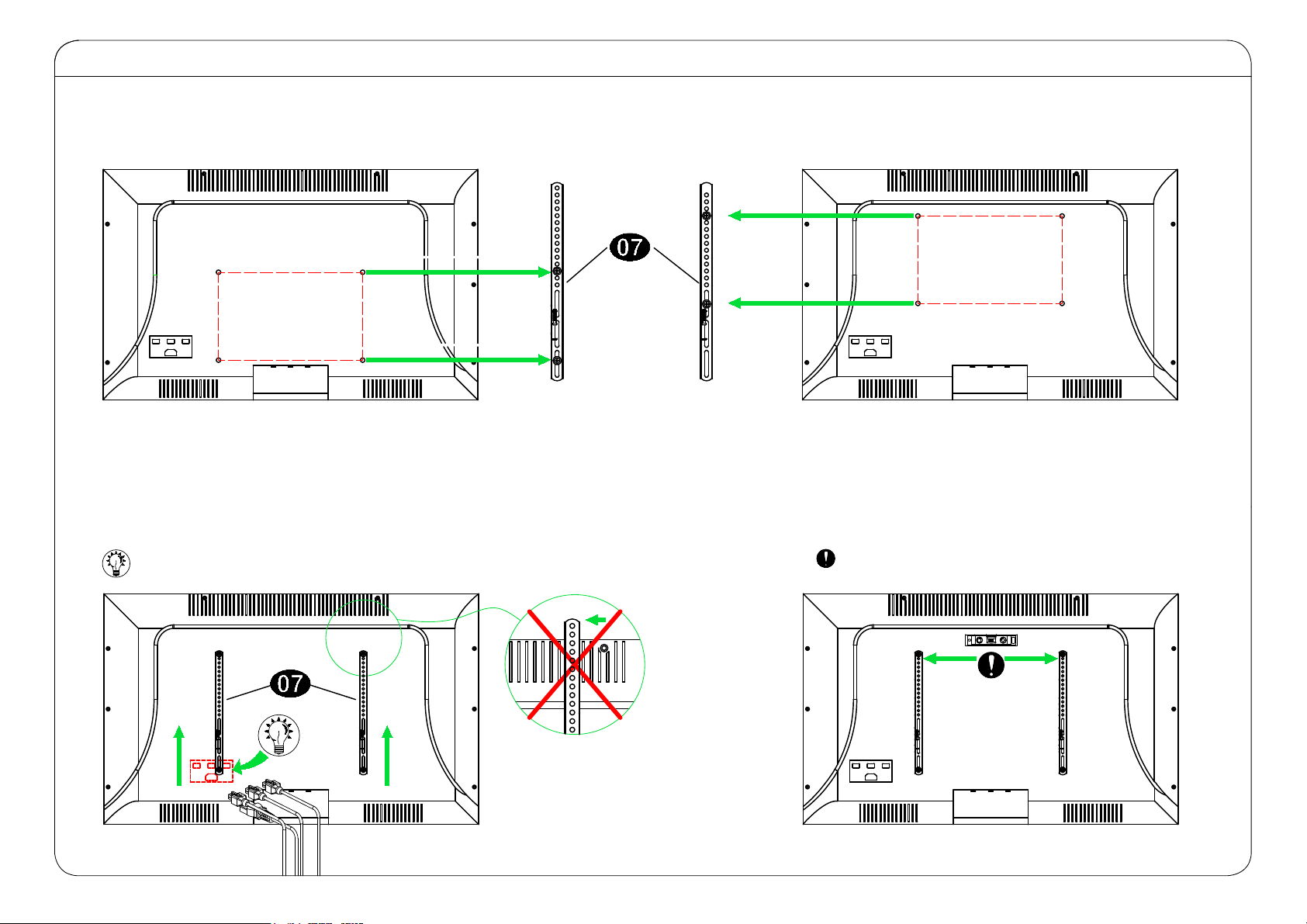
1-2
Figure out the suitable position of brackets
INSTALL UP/DOWN IF NEEDED
TV BRACKETS MUST BE LEVEL
LOW MOUNTING HOLES
HIGH MOUNTING HOLES
8
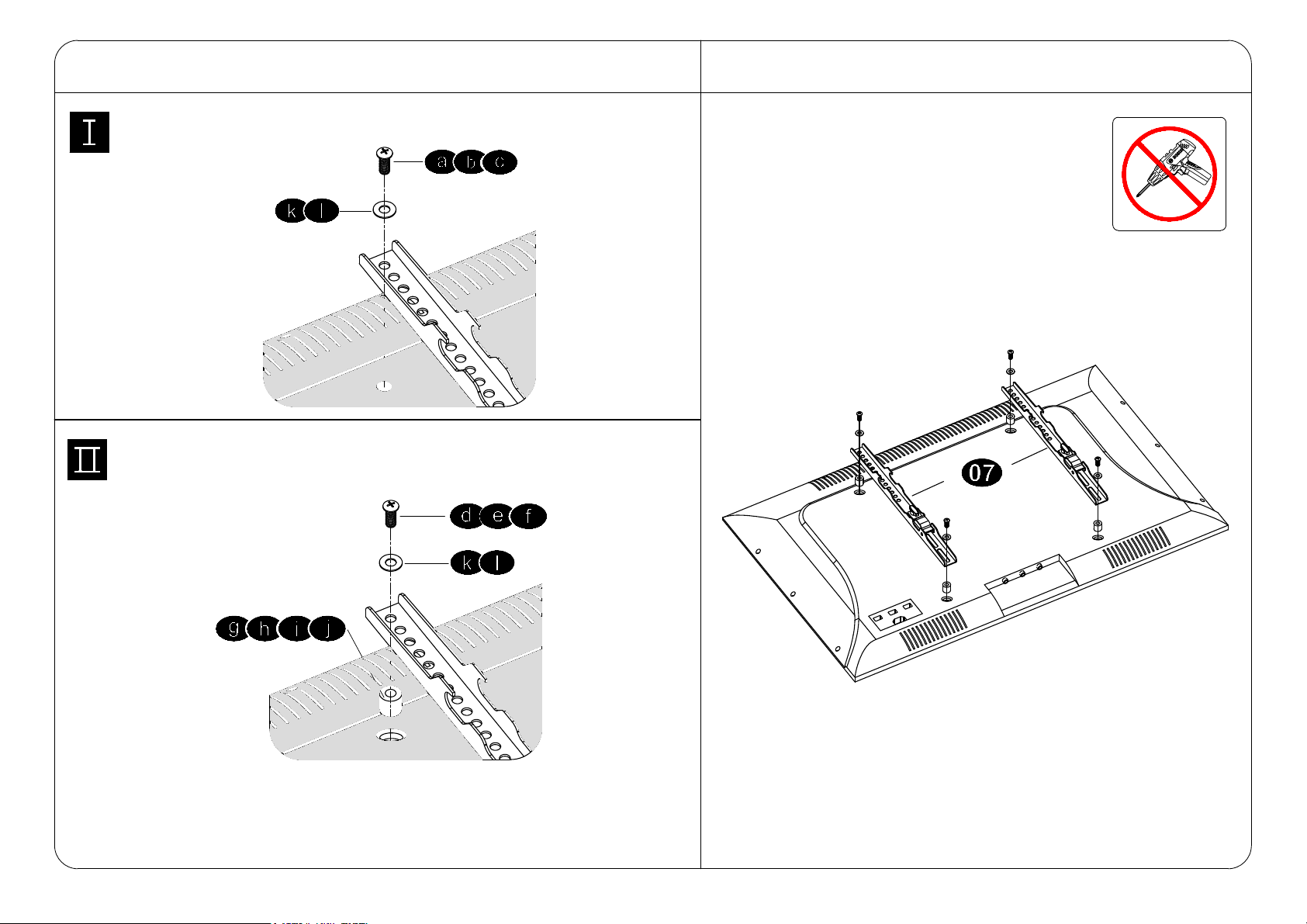
Tips: If you need to combine M6/M8(c/e/f) screws with
2.5mm spacers( i ), you have to remove the inner circle.
Yes, choose suitable screws, washers and spacers.
1-4
Attach the TV Plate
No!
No, choose suitable screws and washers.
1-3 Need Spacer?
9
Centre line
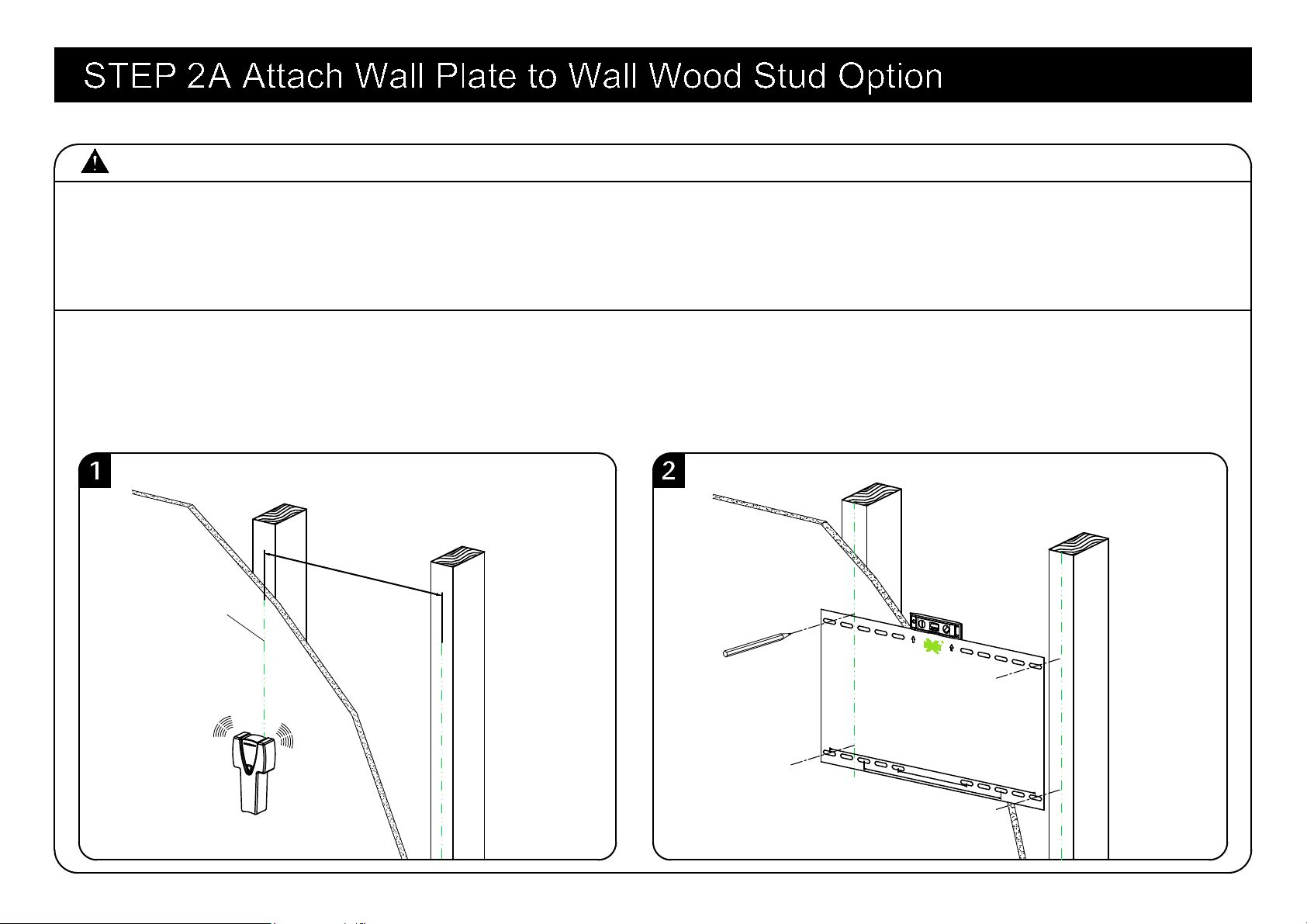
CAUTION: Avoid potential personal injury or property damage!
● Drywall covering the wall, must not exceed 5/8 in. (16 mm)
● Minimum wood stud size: common 2 x 4 in. (51 x 102 mm) nominal 1½ x 3½ in. (38 x 89 mm)
● Maximum horizontal space between fasteners: 24 in. (609 mm)
● Stud center must be verified
1. Locate your studs. Verify and mark the center of the stud by finding the stud edges using a thin nail,
or an edge to edge stud finder.
2. Position the mounting template at your desired height and line up the holes with your stud center line.
Level the mounting template and mark the hole locations.
Again, find another wood stud
16"/24"
Mounting template
406.4mm(16")
203.2mm(8")
609.6mm(24")
10
2.5"(64mm)
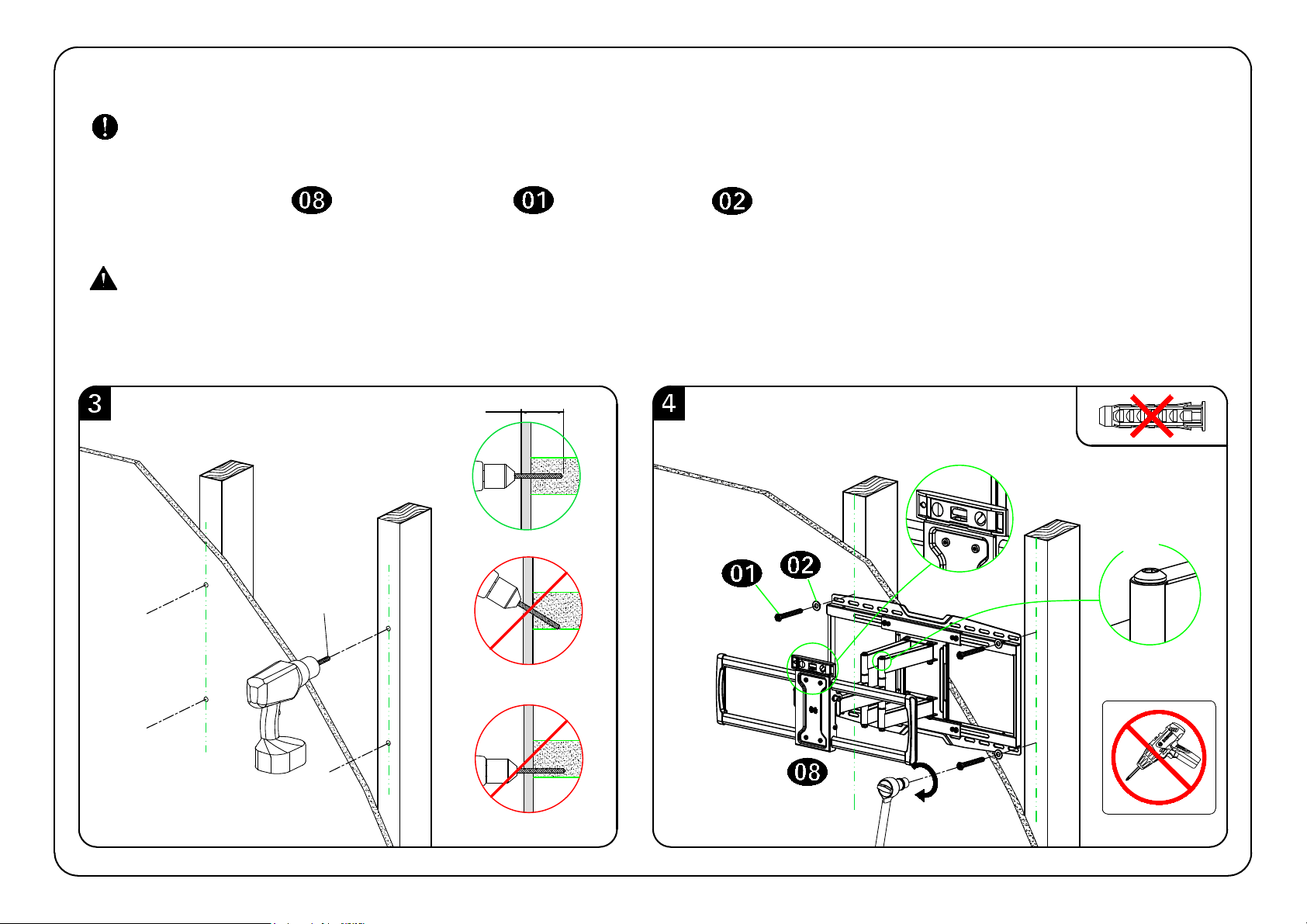
3. Drill pilot holes using a 7/32 in. (5.5 mm) diameter drill bit.
IMPORTANT: Pilot holes must be drilled to a depth of 2.5 in. (64 mm). Be sure to drill into the center
of the studs.
CAUTION: Improper use could reduce the holding power of the lag bolt.
DO NOT over-tighten the lag bolts.
Go to STEP 3 on PAGE 14.
7/32"
(5.5mm)
No!
4. Install wall plate using lag bolts and washers . Tighten the lag bolts only until they are
pulled firmly against the wall plate.
11
UP
3/8"
(10mm)
2.5"(64mm)
CAUTION: Avoid potential personal injury or property damage!
● Mount the wall plate assembly unit directly onto the concrete surface
● Minimum solid concrete thickness: 8 in. (203 mm)
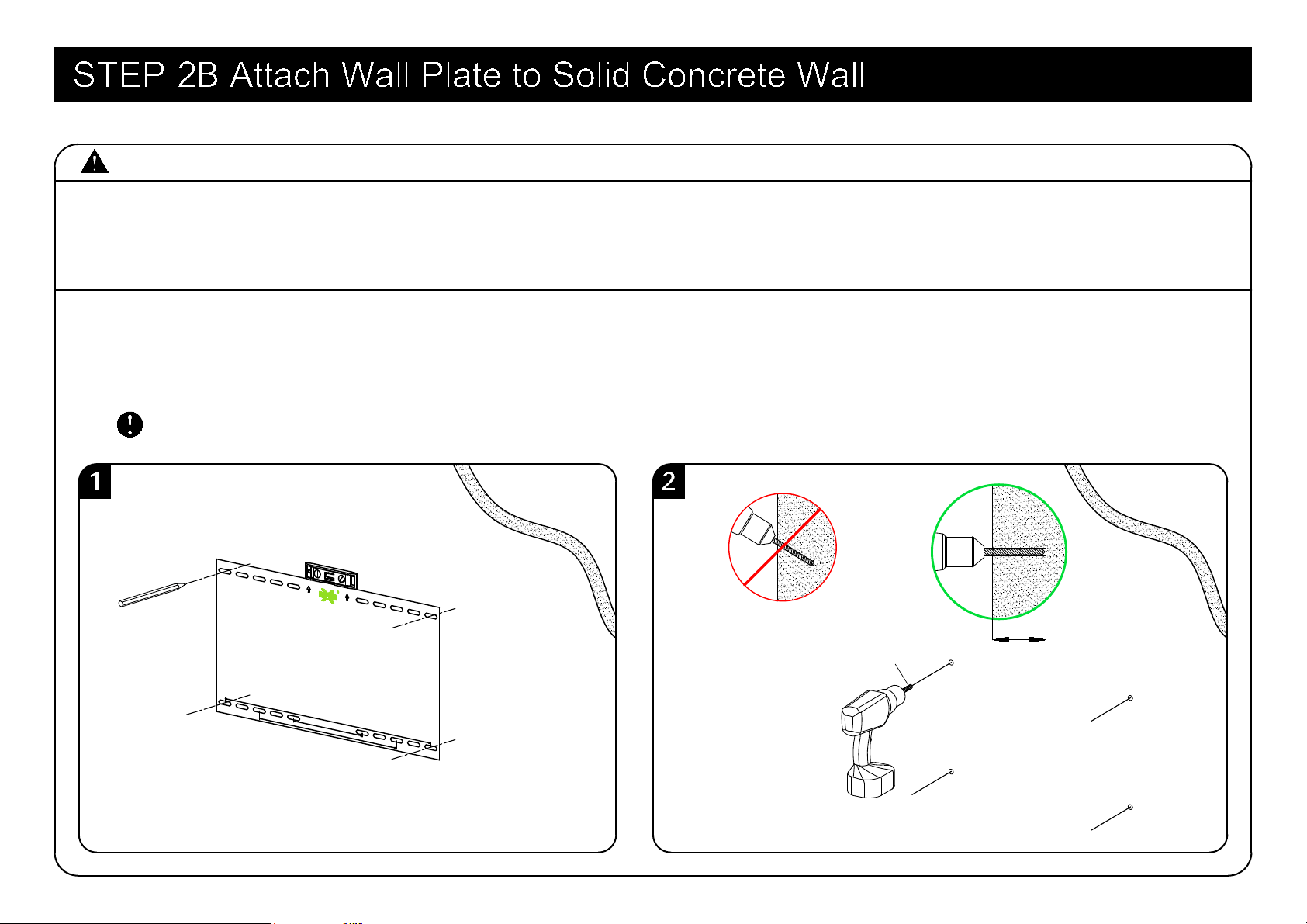
1. Position the mounting template on the wall at your desired height. Level the mounting template and
mark the hole locations.
2. Drill four pilot holes using a 3/8 in. (10 mm) diameter masonry drill bit.
IMPORTANT: Pilot holes must be drilled to a depth of 2.5 in. (64 mm).
Mounting template
406.4mm(16")
203.2mm(8")
609.6mm(24")
12
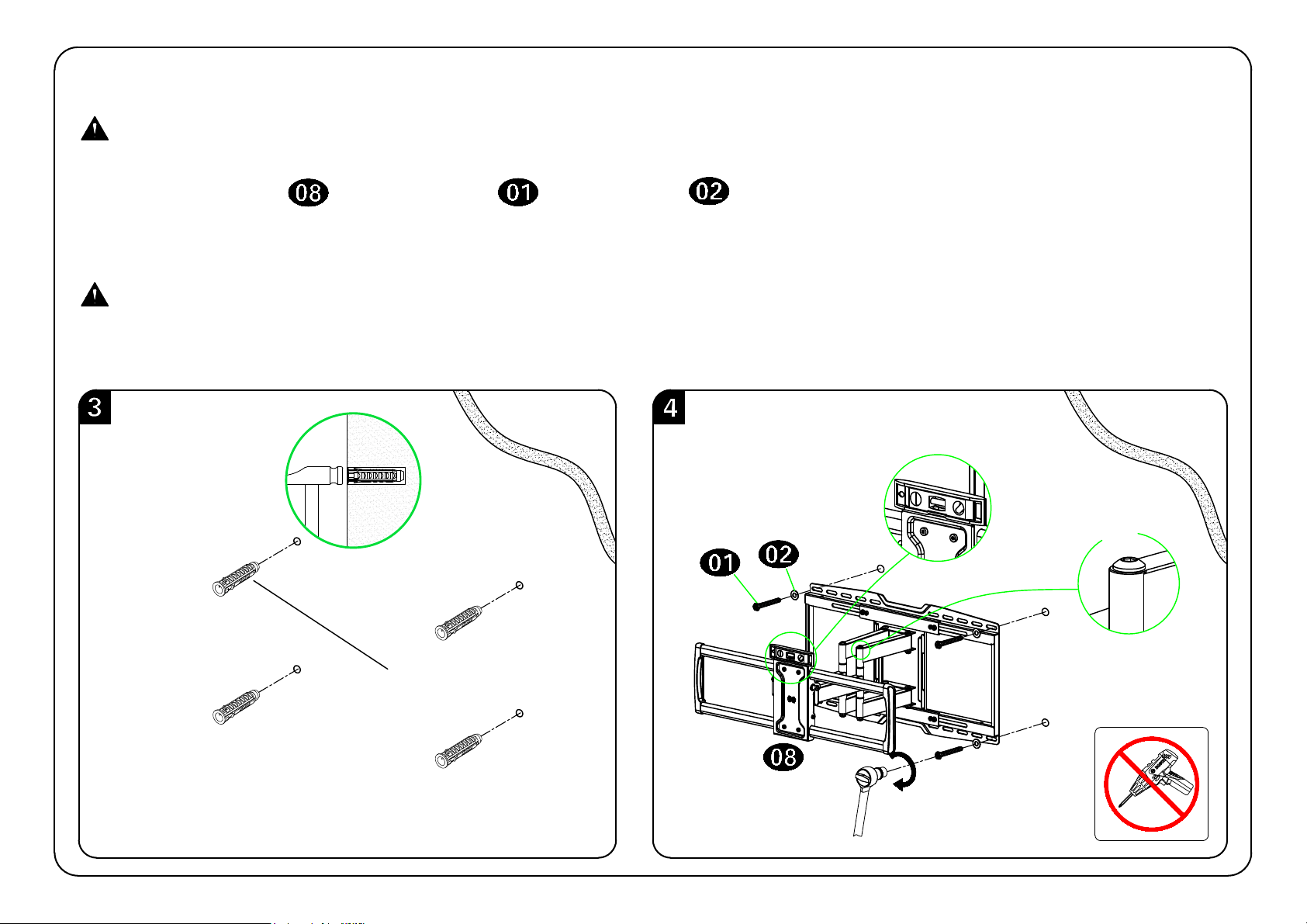
3. Insert four anchors.
CAUTION: Be sure the anchors are seated flush with the concrete surface.
CAUTION: Improper use could reduce the holding power of the lag bolt.
DO NOT over-tighten the lag bolts.
Please contact us at telephone 1-800-460-0956 (USA) or
mail to [email protected]. to have these
additional pieces shipped directly to you.
Concrete Wall Anchor
(Not included)
No!
4. Insert wall plate using lag bolts and washers .Tighten the lag bolts only until they are
pulled firmly against the wall plate.
13
UP
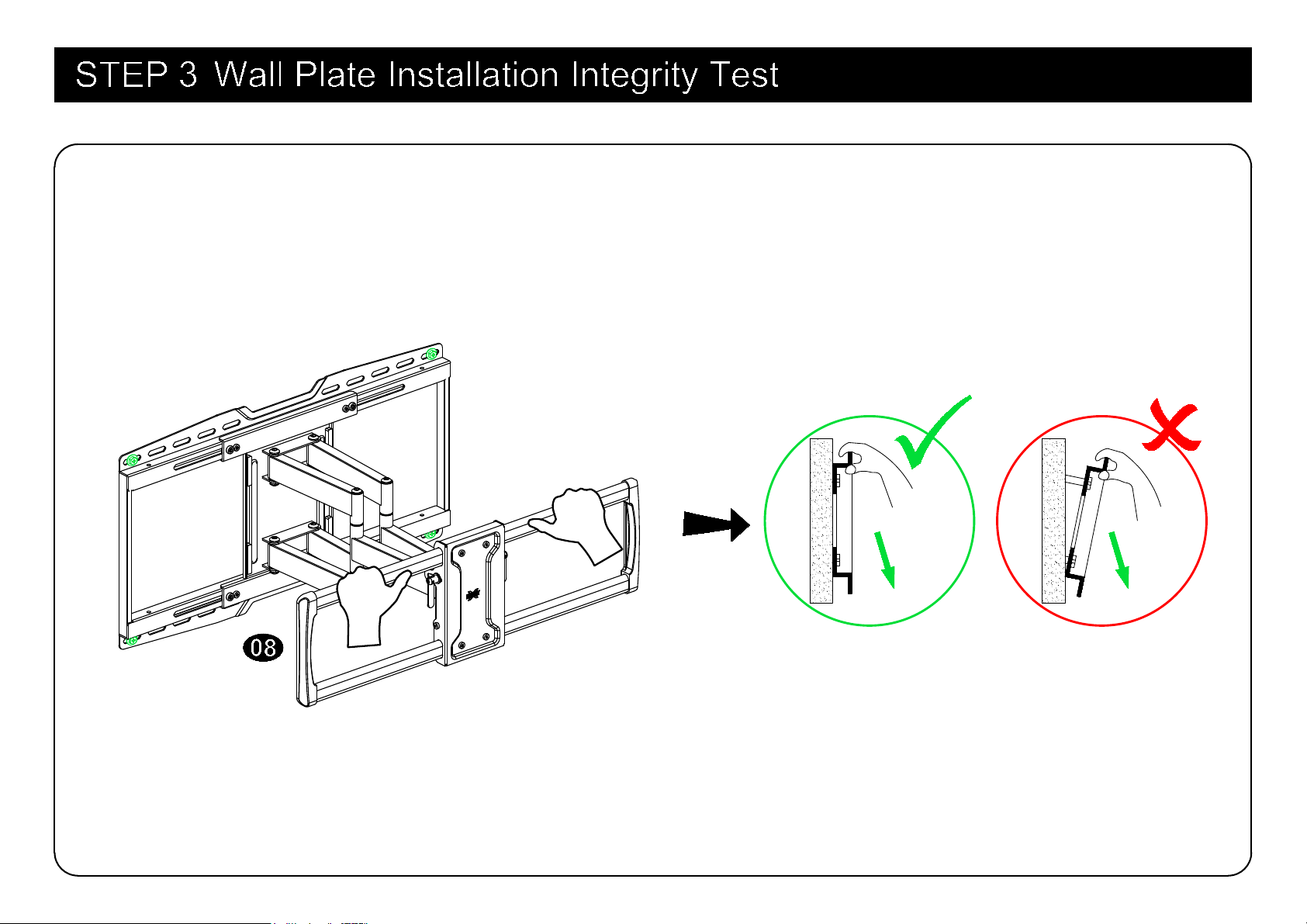
Before hanging TV, please try to pull the mount to make sure that it has been assembled on the wall
tightly.
14
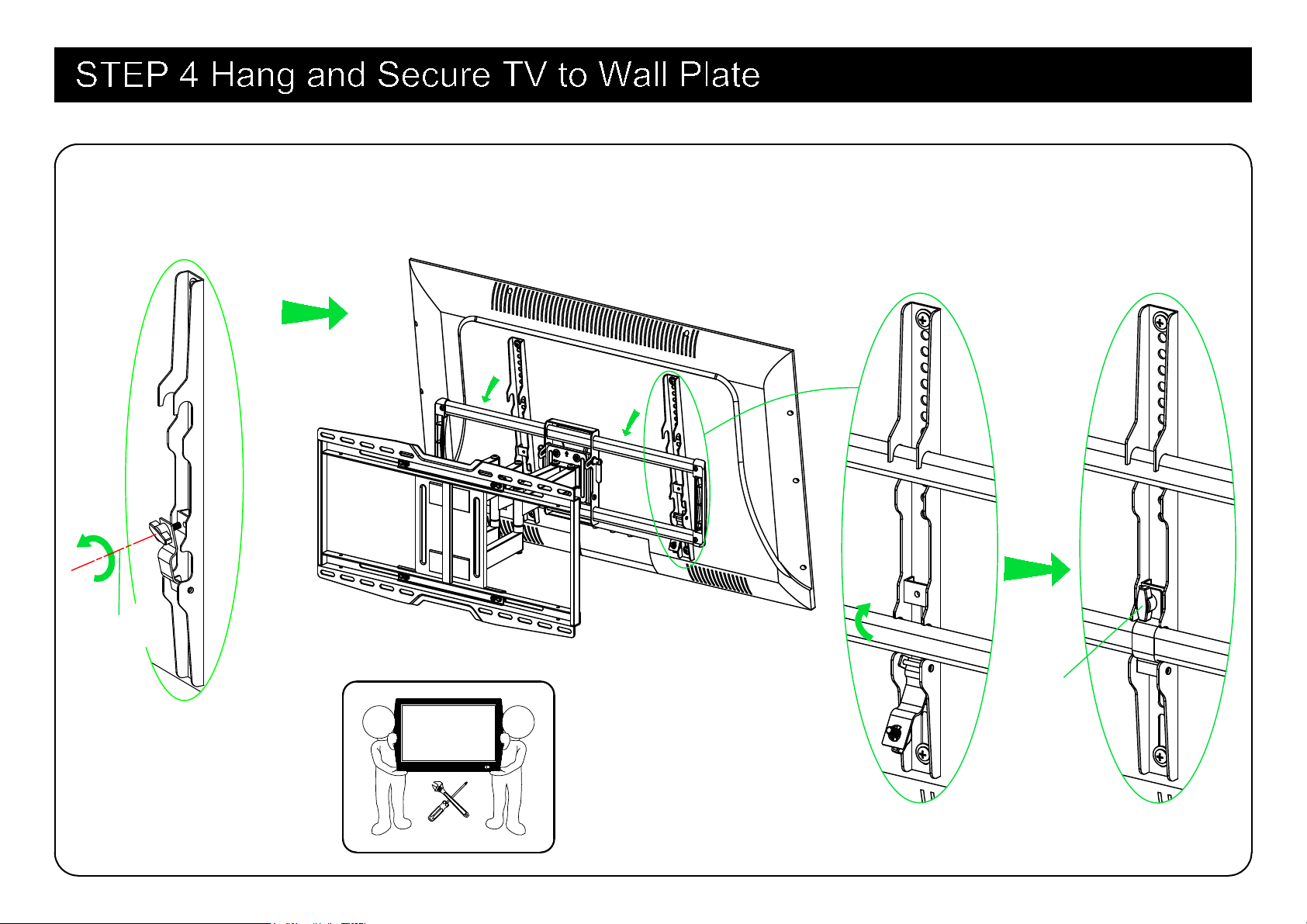
TV
1 2
15
Handle
Loosen the handles of brackets, hang and secure TV to wall plate. Fasten the handle after secure TV.
Loosen
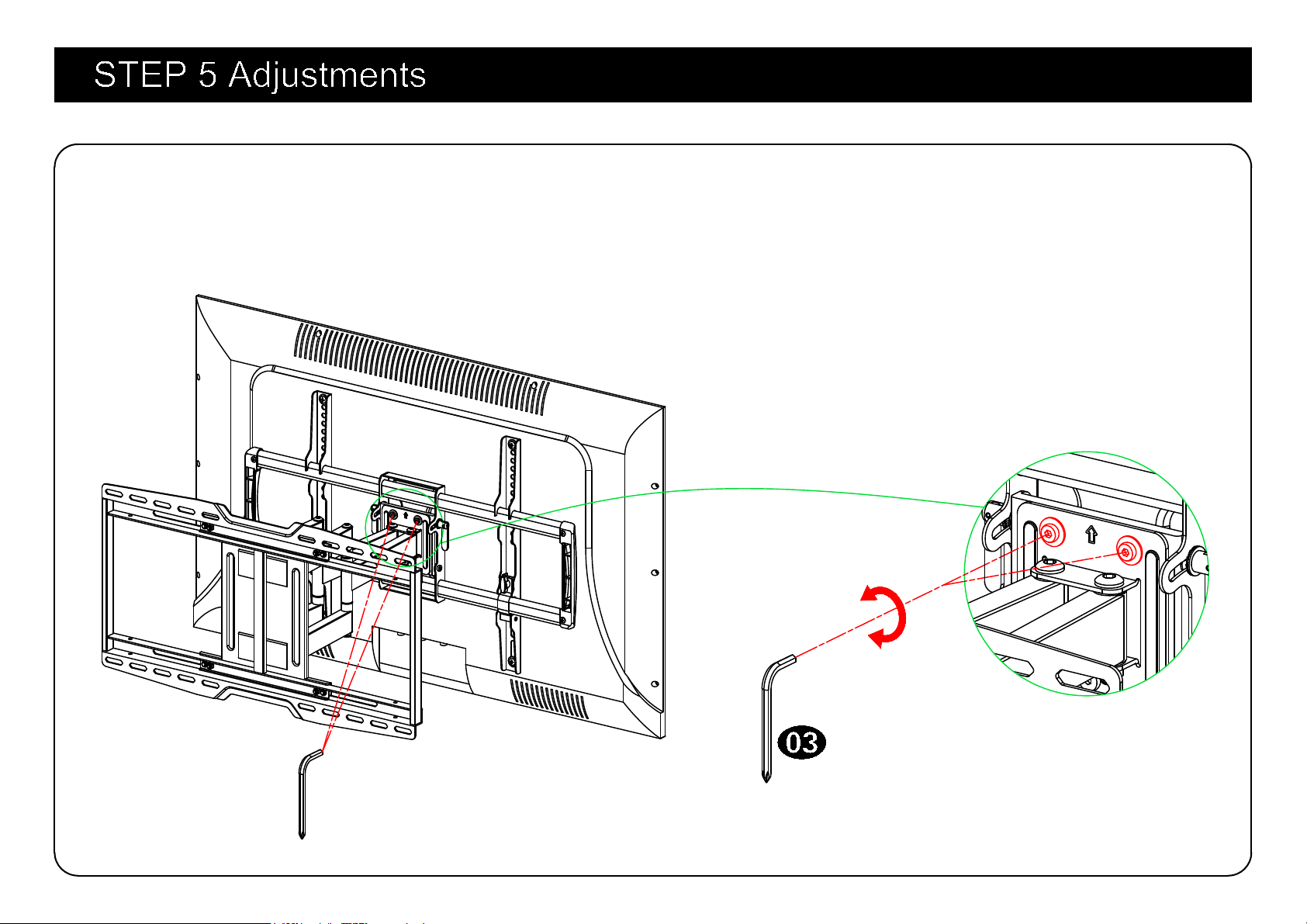
5-1 TV leveling adjustment (±3°):
Loosen 2 leveling bolts on the rear of TV plate by maximum 2 turns, adjust to level and retighten
to secure.
Loosen
Tighten
16
17
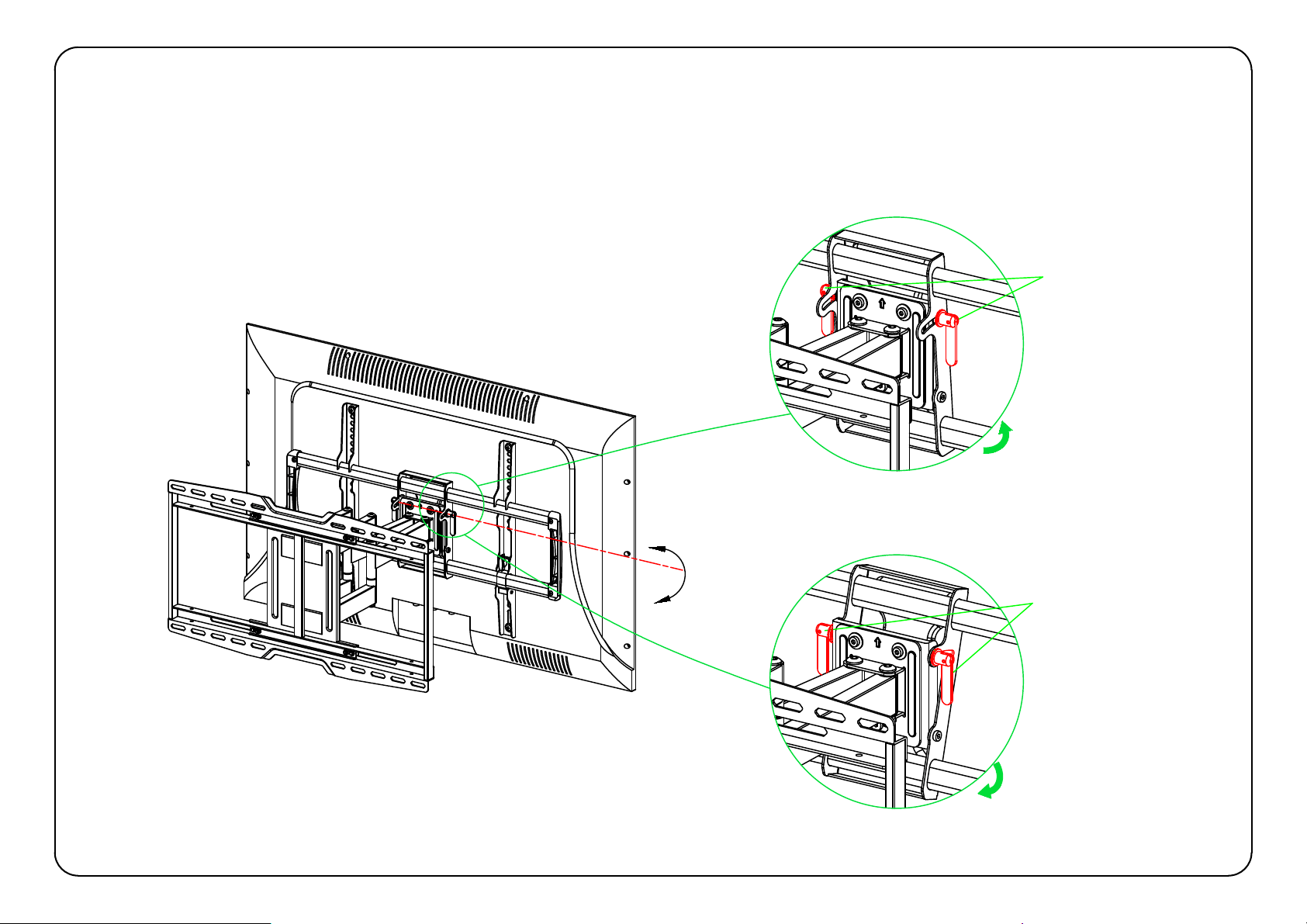
-15°
+5°
Handle
Handle
-15°
+5°
5-2 Tilting angle adjustment (+5°/-15°):
Loosen 2 handles (as below shown) at the same time to tilt TV to your desired angle and fasten
fully after finished.
18
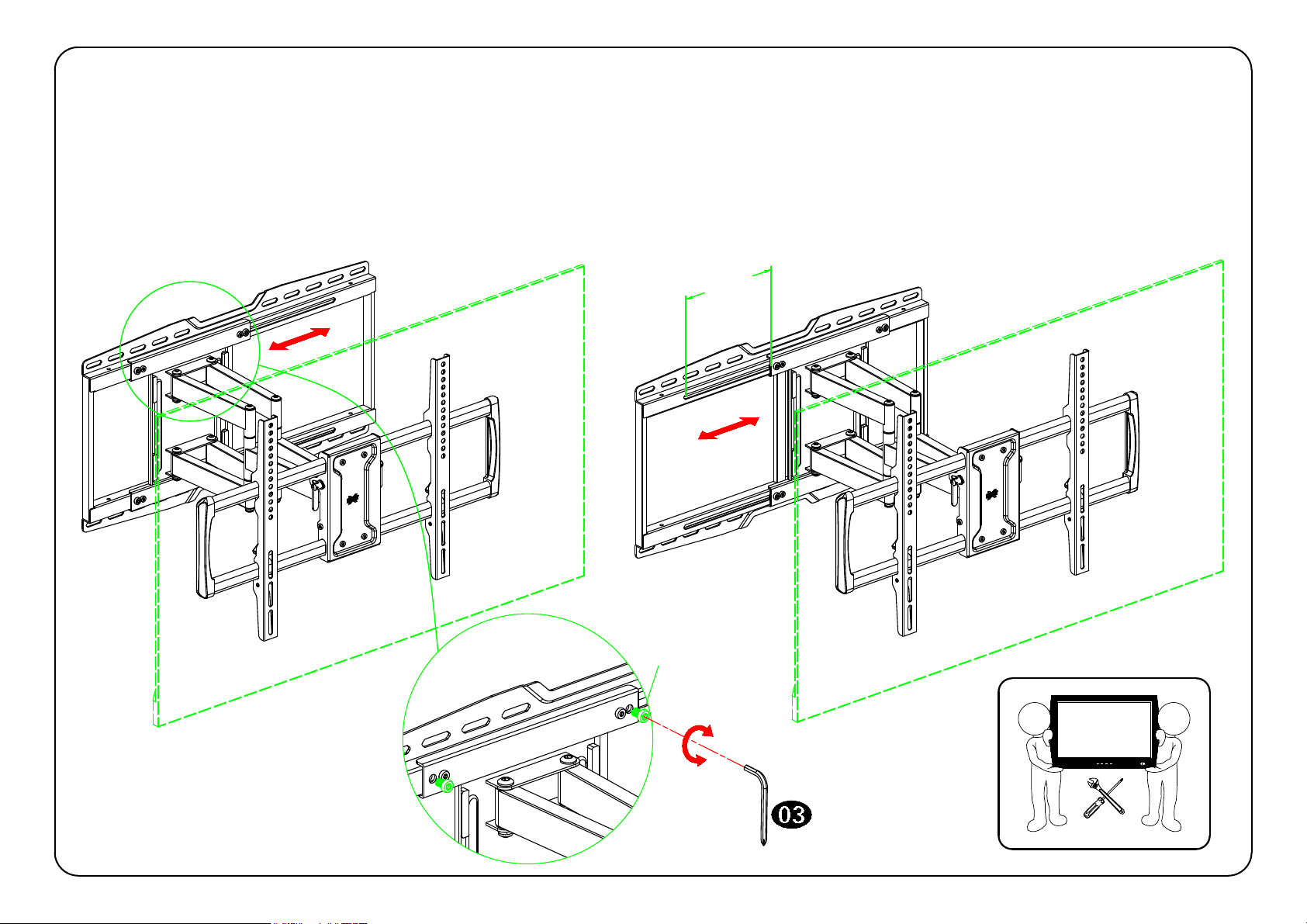
5-3 TV side to side movement 8":
Loosen four bolts by maximum 2 turns and need two people cooperation to lift the assembly unit (TV
+ TV plate + arms) at the same time slide it left or right along the rail of the wall plate to perfectly
position the TV. Then tighten the bolts after adjustment.
bolts
Tighten
Loosen
203mm
[8in]
TV
1 2
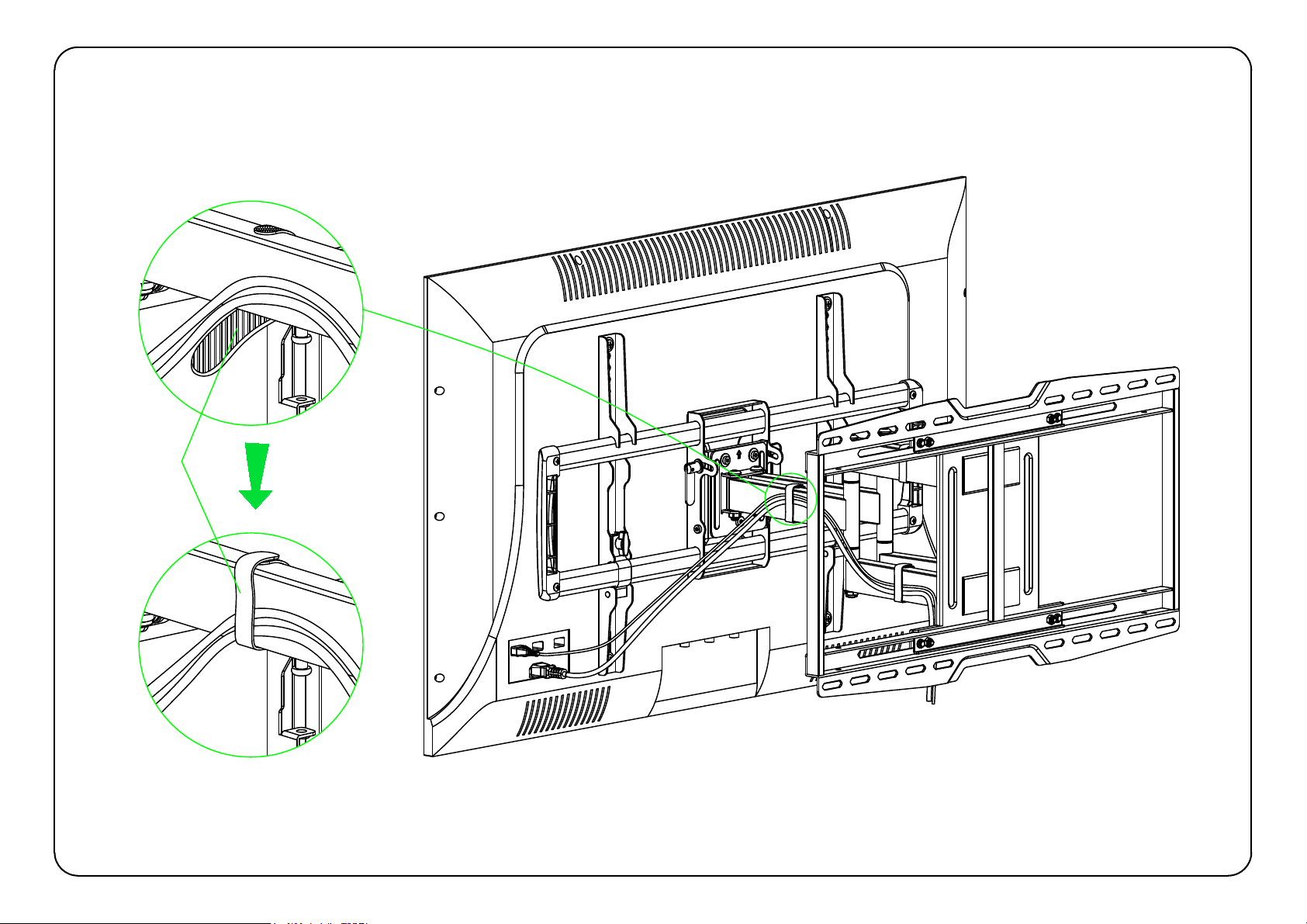
5-4 Cables manage:
Manage TV cables orderly and guide them through the velcros.
Velcro
19