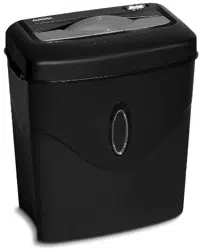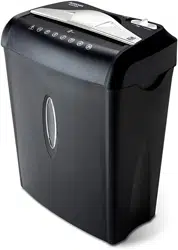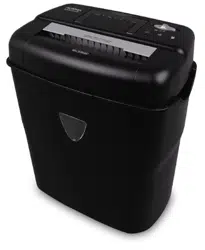
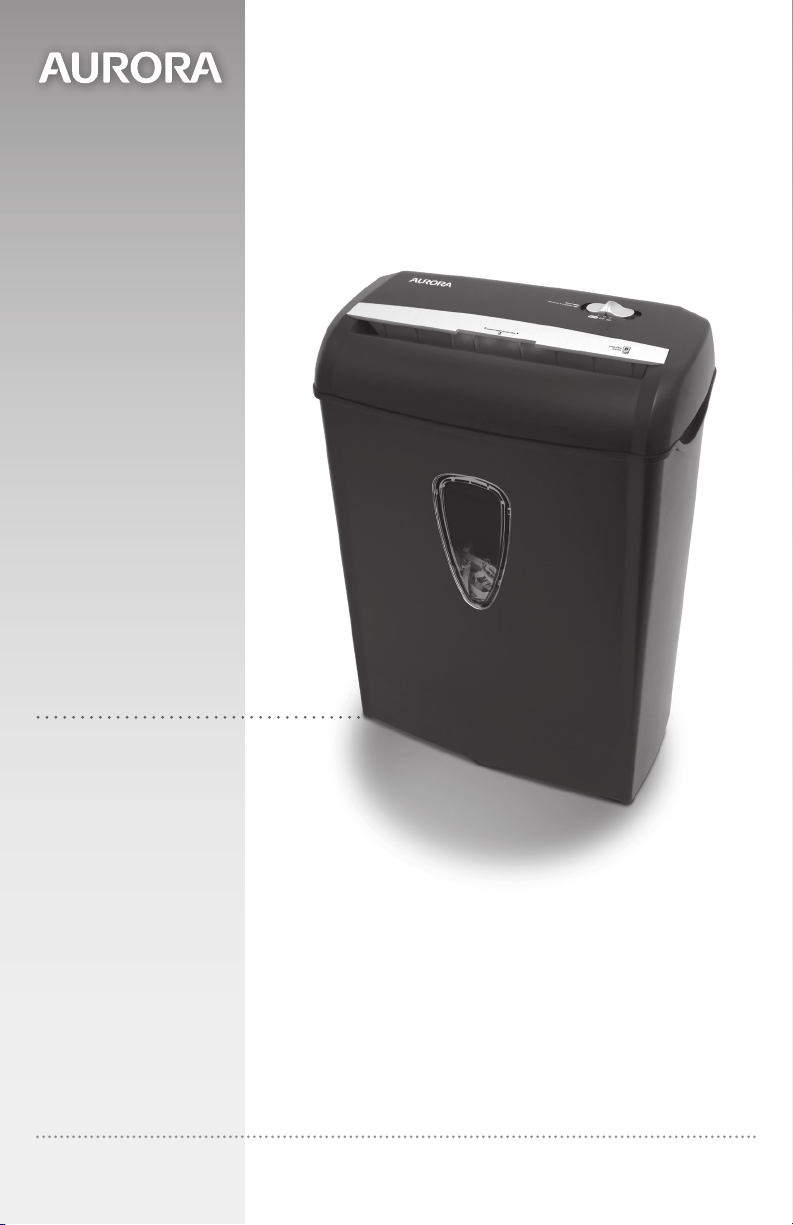
AS890C
Model No.
1-800-327-8508
USA Only
1-310-793-5650
International
Email: [email protected]
For more information, please visit us at:
www.auroracorp.com
Shredder User Manual
Please read these operating instructions before using the unit.


3ENGLISH
WARNING
:
SAFETY INSTRUCTIONS, READ BEFORE USING!
Read instructions before use.
Avoid touching the document
feed opening with hands.
Product is not intended for use by
children (product is not a toy).
Do not insert foreign objects into
the paper entry slot.
Do not spray or keep any
aerosol products in or around the
shredder.
Keep loose clothing or jewelry
away from the paper entry slot.
Avoid getting hair near the
paper entry slot.
•AlwaysturntheshredderoffandunplugthepowercordfromtheACoutletwhen
notinuse,beforecleaning,moving,oremptyingthewastebasket.
•RISKOFFIRE.Neveruseanypetroleumbasedorflammableoilsorlubricants in or
around the machine as some oils can combust causing serious injury.
•NEVER dispose of flammable chemicals or materials that have come into contact with flammable
chemicals (for example, nail polish, acetone and gasoline) in the shredder basket.
•Nevershredlargepaperclips,windoworinsulatedenvelopes,continuousforms,
newsprint,boundpages(forexample:notepads,checkbooks,magazines,etc...),
transparencies,laminateddocuments,cardboard,anyitemswithadhesives,hard
materialsorplastic(exceptCreditCards).
•A socket-outlet should be near the equipment and be easily accessible.
•Never let the wastebasket become full. This will lead to shredded material being pulled back up into
the shredder and cause jams.
•Never place the shredder near water or any heat source.
•Do not use the shredder if the power cord is damaged in any way.
•Do not attempt to service this product yourself as doing so may expose you to sharp cutting blades
and/or electricity and will void the manufacturer's warranty.
•Never try to clean or clear the shredder blade.
•Never shred beyond the specified sheet capacity. This may result in extensive damage to the machine.
4 ENGLISH
OPERATION
INSTALLATION
PaperShredder
OperatingInstructions
Installation
Operation
Maintenance
Troubleshooting
Service Center
Limited Warranty
*ONEFOLDEDSHEETOFPAPEREQUATESTO2SHEETSOFPAPER
Heavier paper, humidity or other than rated voltage may reduce shredding capacity.
Sheet Capacity
Paper Shred Size
Paper Entry Width
Credit Card / CD Capacity
Duty Cycle
Voltage
8 Sheets of 20 lb. bond paper*
7/32 in. x 1 27/32 in. pieces
(0.56 cm x 4.7 cm pieces)
8.7 in / 220 mm
1 at a time
2 min. on / 30 min. off
120V~60Hz / 2.2 A
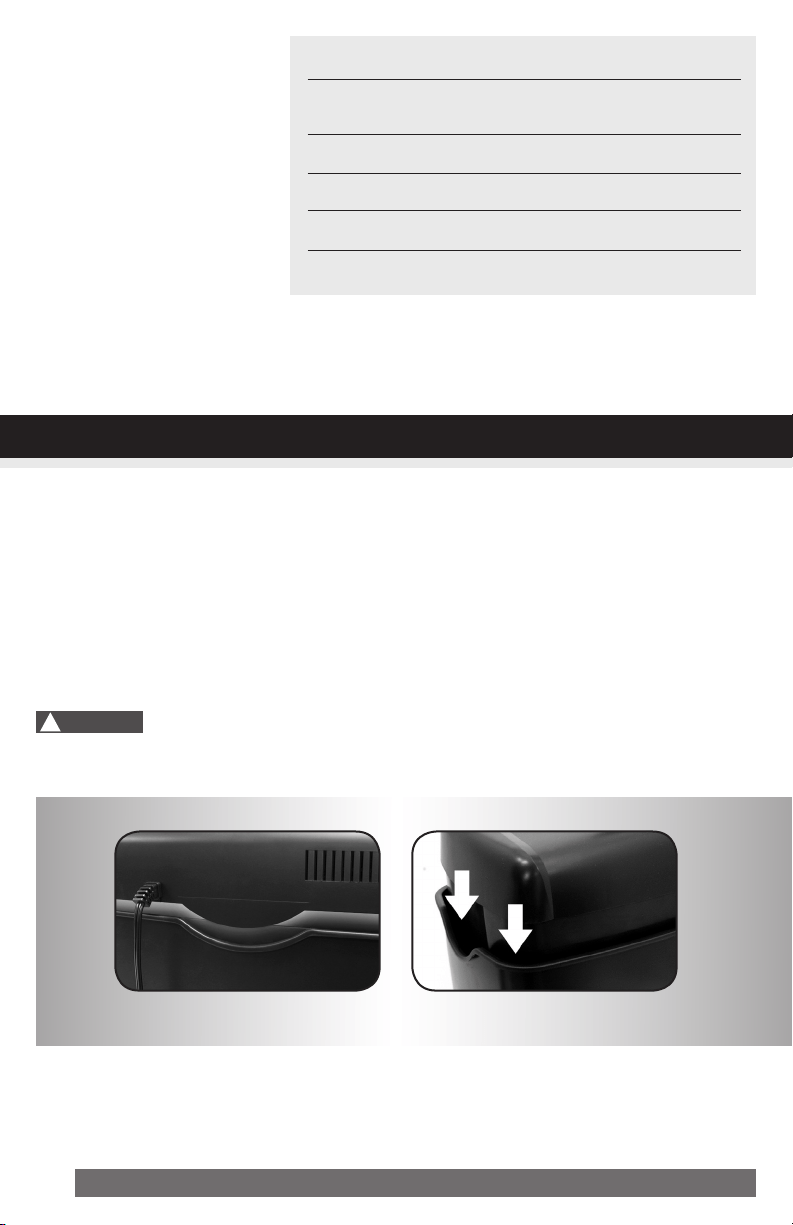
1. This model includes a built-in safety interlock mechanism, which requires the shredder to be correctly
mounted on to the included wastebasket. Located on the back center of the shredder, next to the
power cord, there is a curved flap-like shape that must FIT OVER THE OUTSIDE matching ridge
of the wastebasket. (FIGURE 1) THE SHREDDER WILL NOT OPERATE UNLESS IT IS PROPERLY
MOUNTED AS PICTURED.
2. A socket-outlet should be near the equipment and be easily accessible.
3. Connect the power cord to any standard 120 volt AC outlet.
Crosscut shredders have very sharp exposed blades on the underside.
Use care when mounting the shredder on the wastebasket.
!
Caution:
FIGURE1
5ENGLISH
OPERATION
ControlSwitch
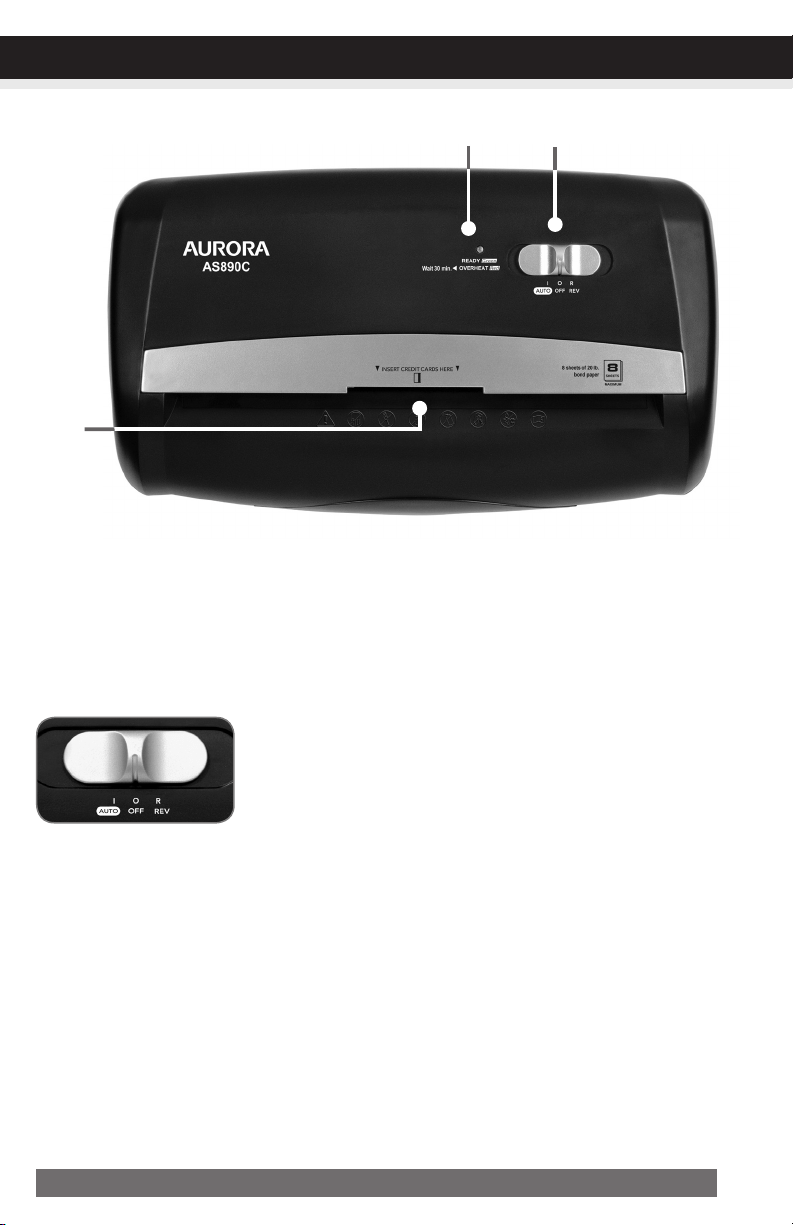
Using the switch located on the unit, select one of the following settings by sliding the switch either left
or right. (FIGURE 2)
I AUTO/ON:
This setting allows the shredder to be automatically started by insert-
ing paper into the feed slot. Always feed the paper in as straight
as possible. When the paper has passed through, the shredder will
automatically stop.
READY:The green LED light indicates the shredder in “On” and
ready for use.
O OFF:
This setting turns off all features of the shredder. For safety reasons,
we recommend that you leave the shredder in the “Off” position
whenever the shredder is unattended or not in use.
R REV(REVERSE):
In the unlikely event of a paper jam, the reverse setting can be used
to help clear the cutters of paper that did not pass through. Never
attempt to clear a jam by using the reverse function until you have
emptied the wastebasket.
CONTINUED NEXT PAGE
FIGURE2
6 ENGLISH
OPERATION
Paper/CreditCardEntry:
•PowerOn:
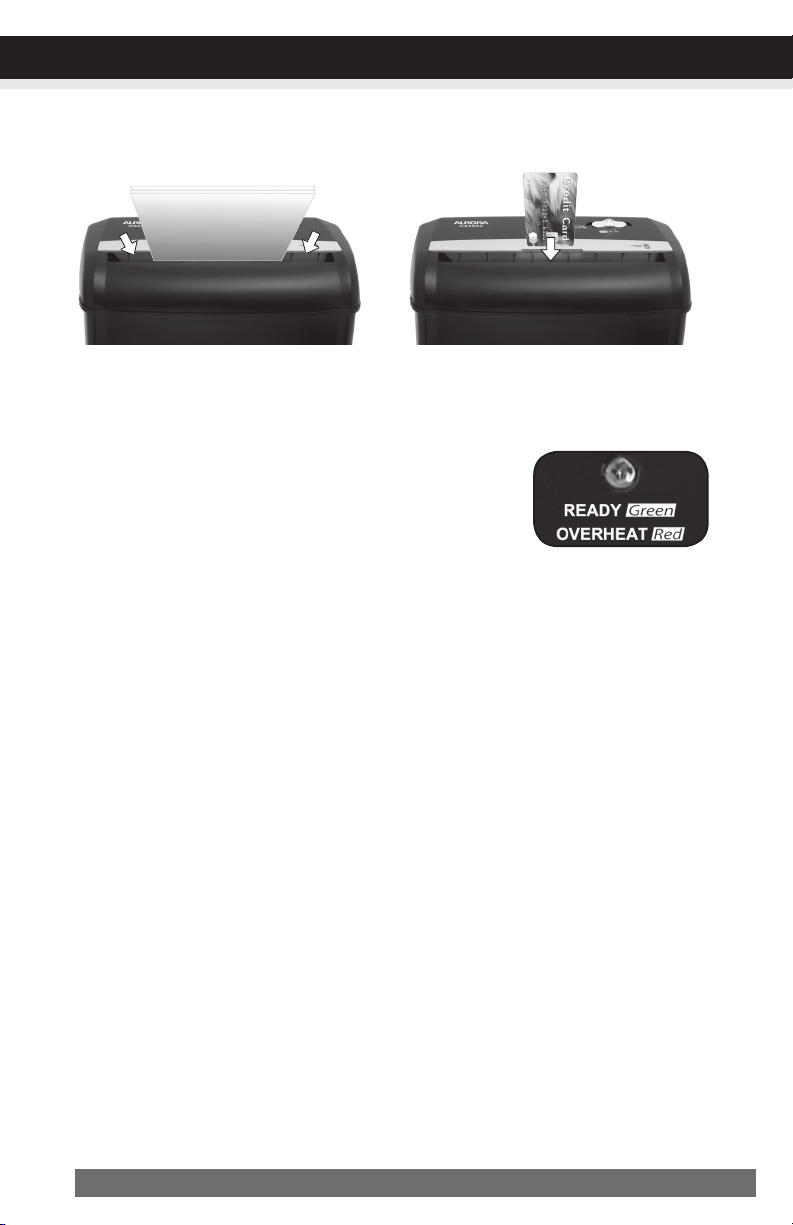
The Green LED light indicates the shredder is “On” and ready
to operate when paper is inserted.
•Overheat:
The Red LED light indicates the shredder has shred continuously beyond the maximum running time
and overheating, the unit will automatically shut off. If this happens, switch the shredder Off for 30
minutes or longer before resuming normal operation.
LEDStatusIndicators:
NOTE:
•Always turn off and unplug the shredder when not in use.
•This shredder will shred staples and small paper clips. It is recommended that you remove paper
clips whenever possible to extend the lifespan of your shredder.
•Only shred credit cards by feeding them vertically i nto the middle of the entry, releasing when shred
ding begins. Never feed more than one credit card at a time.
•Overfeeding the shredder: Shredding beyond the specified sheet capacity can result in extensive
damage to the shredder. Overfeeding will strain the machine and quickly wear and break the cut-
ting blades and internal components.
•Overheating with extended use: In the event that the shredder has shred continuously beyond the
maximum running time and overheating, the unit will automatically shut off. If this happens, switch
the shredder Off for 30 minutes or longer before resuming normal operation.
Make sure you do not exceed sheet
count per pass (8 sheets max).
Insert paper as straight as pos-
sible into feed slot and release.
Insert one credit card at a time into
the middle of the feed slot.
Ready (Power On) /
Overheat
7ENGLISH
MAINTENANCE
Warning:Failuretoproperlymaintainyourshredderwillvoidthewarranty.
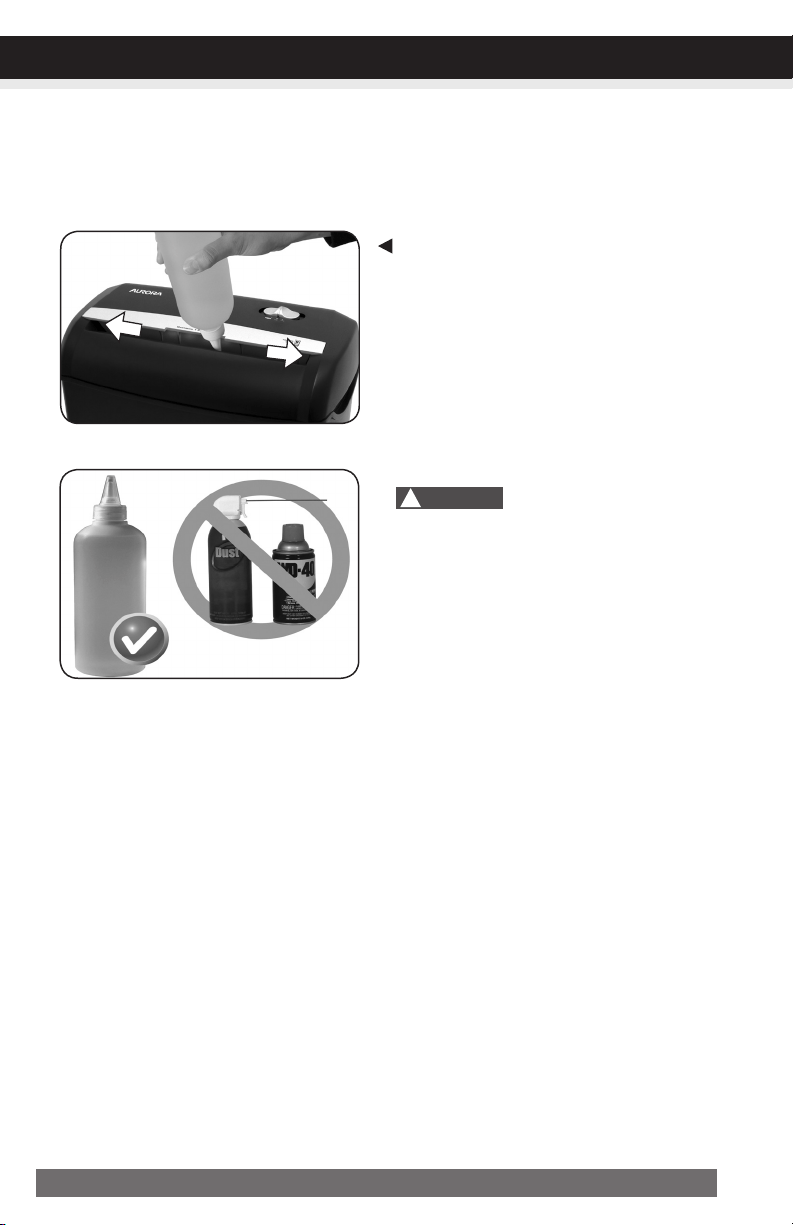
Oil the shredder blades every month with basic vegetable, cooking oil or shredder oil. Follow oiling
procedure below (FIGURE 3). It helps to keep the shredder blades operating well over many years of
use.
Oilingprocedure:
1. Turn off shredder.
2. Apply shredder oil across paper entry.
3. Turn shredder in reverse mode for 3~5 seconds.
Note:lubricatingoilisNOTincluded.
• Donotsprayorkeepanyaerosolproducts
inoraroundshredder.
• DONOTUSECANNEDAIRONSHREDDER.
CLEANING:
• ALWAYS UNPLUG THE SHREDDER BEFORE CLEANING!
• Only clean the shredder by carefully wiping the unit with a dry soft cloth or towel.
• Do not clean or immerse shredder in water. Having the unit wet may result in damage or malfunction to
the electrical components. If the shredder happens to get wet, be sure to completely dry the unit immedi-
ately with a cloth or towel.
• Never use anything flammable to clean the shredder. This may result in serious injury or damage to the product.
Shredder
Oil
DONOTUSE
AEROSOLPRODUCTS!
!
Caution:
FIGURE3

8 ENGLISH
TROUBLESHOOTING
CONTINUED NEXT PAGE
TROUBLESHOOTING
If there is a problem with your shredder, check below for the symptoms and steps to resolve. If you
continue to have problems, contact customer support at our Service Center. DO NOT ATTEMPT TO
REPAIR BY OPENING THE SHREDDER HEAD. This will completely void the product warranty.
Theshredderdoesnotworkatall.
1)Make sure the unit is pluggedin and that the outlet is in good working order.
2) Overheatingwithextendeduse: In the event that the shredder has shred continuously
beyond the maximum running time and overheated, the unit will automatically shut off. If this hap-
pens, switchtheshredderofffor30minutes or longer before resuming normal operation.
3) Make sure the shredder head is correctly seated onto the included wastebasket, with all the words
and icons facing towards you. The head unit is particularly
designed to work only with the integrated wastebasket. The
shredder is equipped with a safety interlocking mechanism,
which prevents the shredder from working when the head unit
is lifted, removed, or accidentally knocked over. The shredder
will not function unless the head unit is properly mounted as
pictured.
4) If using a plastic bag to line the wastebasket, please remove it. This may cause the shredder not to
operate properly.
5) The activation sensor of the shredder is located near the center of the feed slot. Be sure to feed
directly into the center area to activate the machine (especially applies to smaller pieces of paper
or credit cards).
Theshredderrunsin“Rev(Reverse)”modebutnotin“Auto(On)”mode.
While in “Auto” mode, the motor will not start running until paper is inserted into the feed slot. Set
the unit to “Auto” and insert paper to shred. The sensor that activates the shredder in Auto mode
is located directly in the center of the slot. If the paper you are inserting is narrow, it may not be
activating the optical sensor. It is also possible that the feed slot has become blocked with paper.
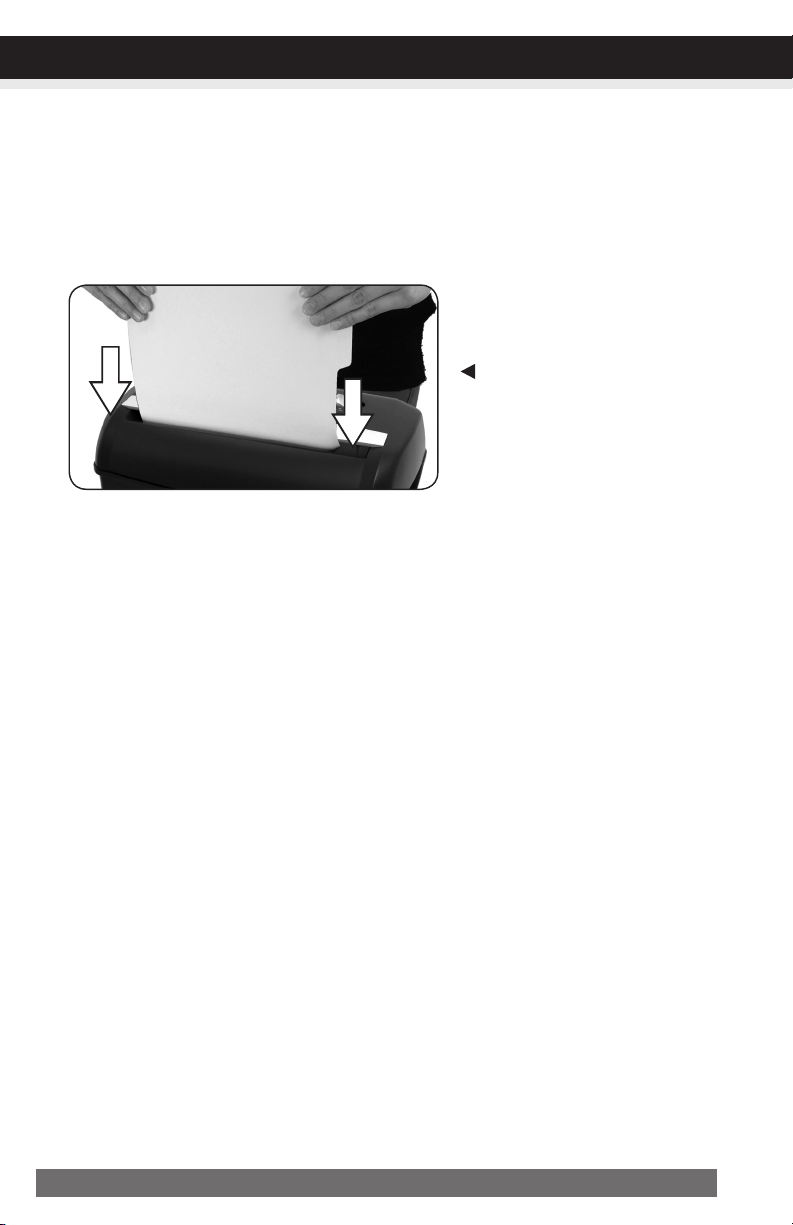
Insert an index card or any rigid sheet of cardstock (old greeting card or folded file folder), directly
in the center of the feed slot, while applying force to help push the jammed paper through. This will
usually clear any paper blockage.
Howtoclearapaperjamintheshredder.
1) Switch the shredder over into Reverse (REV) mode. While in Reverse, the shredder will back up and
loosen the jammed paper. If required, you may need to tug and remove several sheets to effectively
clear the machine. When jammed paper is loosened or removed, switch back to the Auto-On mode
to continue shredding. Repeat steps if needed.
9ENGLISH
TROUBLESHOOTING
2) With stubborn situations where the reverse function does not help, you may loosen the jammed
paper with shredder oil (cooking oil is acceptable, nothing aerosol). Start by drizzling oil into the
feed slot where the paper is jammed. Let it soak for about 30 minutes to completely saturate. Return
the shredder back to Auto-Onmode. Ifrequired,anindexcardorarigidsheetof
cardstock(oldgreetingcardorfoldedfilefolder)canbefedintotheshredderto
helppushthejammedpaperthrough.
Theshredderisconstantlyrunningwhilein“Auto(On)”mode.
1) It is possible that the activation sensor, which starts the shredder, has become blocked with paper.
Insert an index card or any rigid sheet of cardstock (old greeting card or folded file folder), directly
in the center of the feed slot, while applying force to help push the jammed paper through. This will
usually clear any paper blocking the activation sensor and feed entry.
2) The activation sensor is being triggered by dust, debris, or oil. A cotton swab may be
used to clean the sensor. DO NOT USE CANNED AIR. The activation sensor of the shredder is
located around the center of the feed entry.
Usethickpaperstockorgreeting
cardtopushthejamthrough

10 ENGLISH
If you have any questions in regards to the operation of this shredder or in need of a spare part, please
contact our service center at:
Aurora Corp. of America
Telephone: 1-800-327-8508(U.S.A.only)or1-310-793-5650(International)
Business hours: Monday to Friday 8:00 am - 5:00 pm PST (Pacific Standard Time)
Email: [email protected]
Or for more information, please visit our website at http://www.auroracorp.com
Aurora warrants the cutting cylinders of the machine against defects of workmanship and material for a
period of 3years from the original purchase date to the original consumer. Aurora warrants all other
parts of the machine against defects of workmanship and material for a period of 1year from the
original purchase date to the original consumer.
Should there be a defect or malfunction of this product, Aurora will repair or replace the product free
of charge. Customer is responsible for all shipping charges to return the defective product to Aurora. A
copyoftheproofofpurchaseshowingoriginalpurchasedateisrequired. This warranty
is void if the product has been subject to damage, unreasonable use, improper service, or other causes
not arising from defects in original material or workmanship. This warranty is void if factory seal is bro-
ken or removed from the product. This warranty does not include adjustments, parts or repairs required
by circumstances beyond the control of Aurora.
There are no expressed warranties other than those stated herein.
Any expressed or implied warranties, including but not limited to merchantability and fitness for a par-
ticular purpose are limited to the above warranty period. Aurora shall not be liable for any incidental
or consequential cost, expenses or damages resulting from any failure defect or malfunction of this
product.
Some states do not allow the exclusion of limitations of implied warranties or consequential damages,
therefore, the above limitations may not apply to you.
This warranty grants you specific legal rights, and you may also have other rights that vary from state to state.
Beforereturninganyproduct,pleasecallourServiceCenterforspecificreturninstructions.
AuroraCorp.ofAmerica:1-800-327-8508USAONLY
1-310-793-5650INTERNATIONAL•[email protected]
SERVICECENTER
LIMITEDPRODUCTWARRANTY

SERVICECENTER
LIMITEDPRODUCTWARRANTY

101317
© 2017 Aurora Corp. of America
3500 Challenger Street, Torrance, CA 90503 USA
1-800-327-8508
USA Only
•
310-793-5650
International
•
Email: [email protected]
•
For more information, please visit us at:
www.auroracorp.com