APN203478B
NEED HELP?
Contact us at Blueparrott.com/B350-XT

GET STARTED
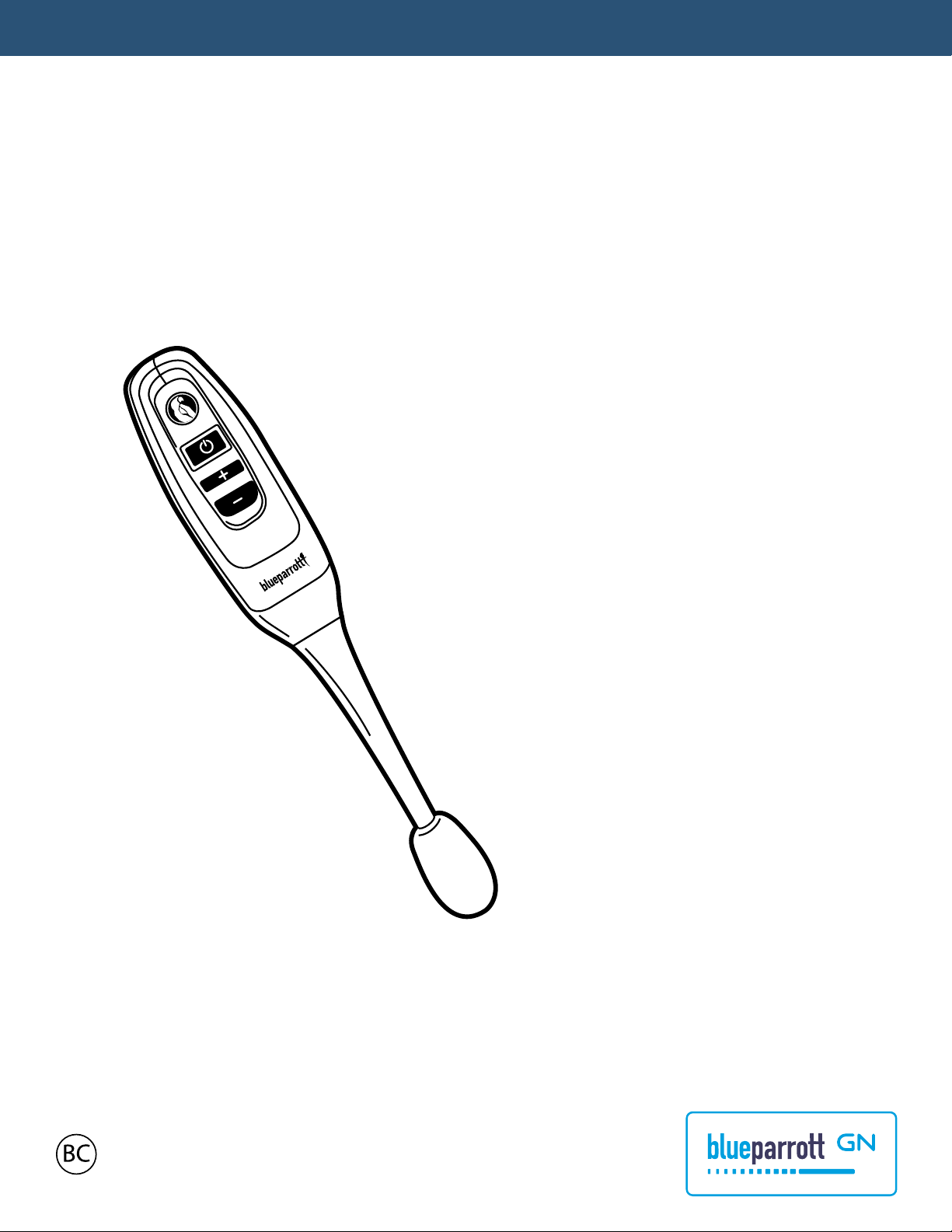
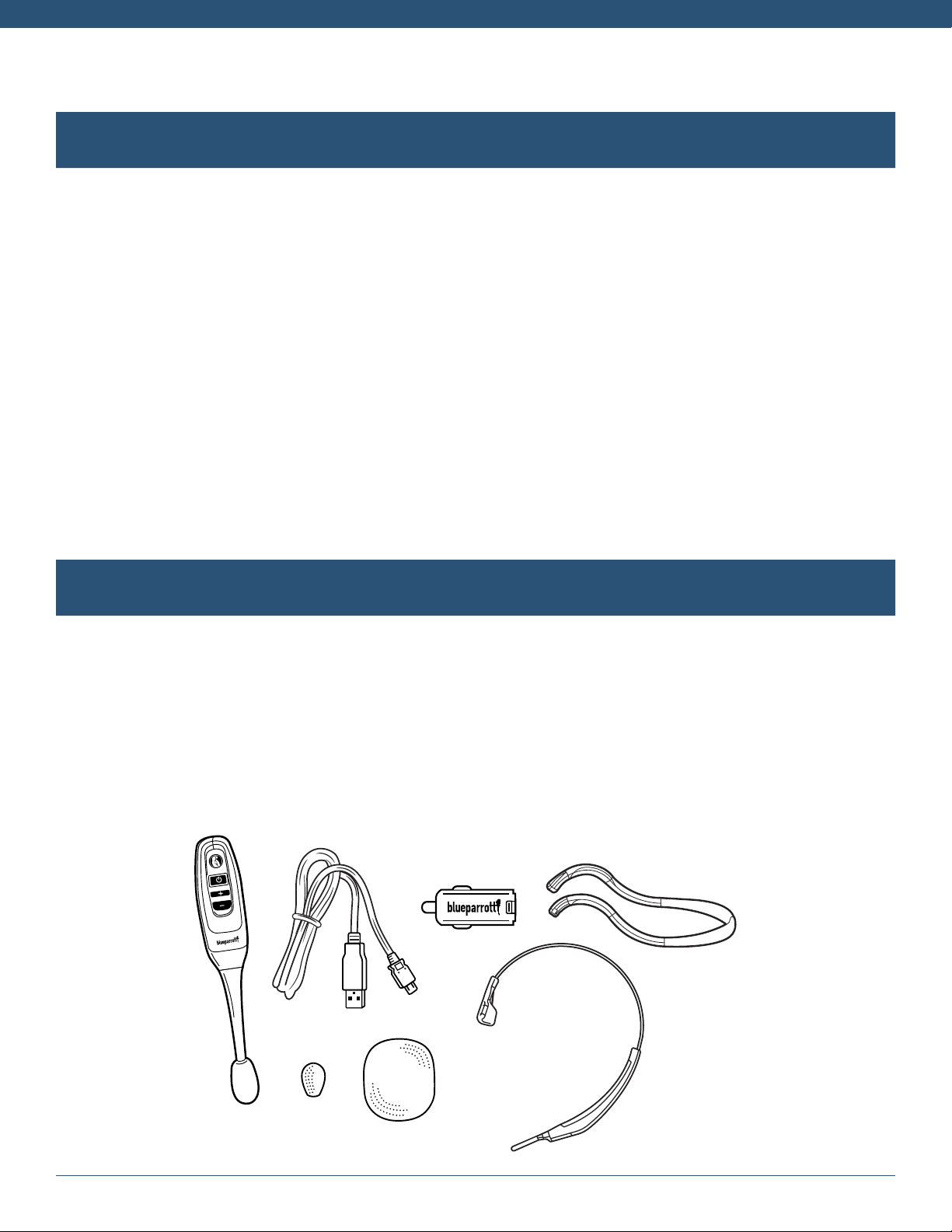
BlueParrott B350-XT
BlueParrott app
Program your Parrott Button
TM
anywhere, anytime.
Push-to-talk to your contacts on
Dial2Do’s MySay network.
Easily access full user guide
for your headset.

BlueParrott app
ENGLISH ...........................................1
FRANÇAIS ........................................ 3
DEUTSCH .........................................5
NEDERLANDS ................................7
ITALIANO..........................................9
PORTUGUÊS ................................ 11
ESPAÑOL ....................................... 13
简体中文
. ........................................ 15
日本語
............................................. 17
한국어
.............................................. 19
1
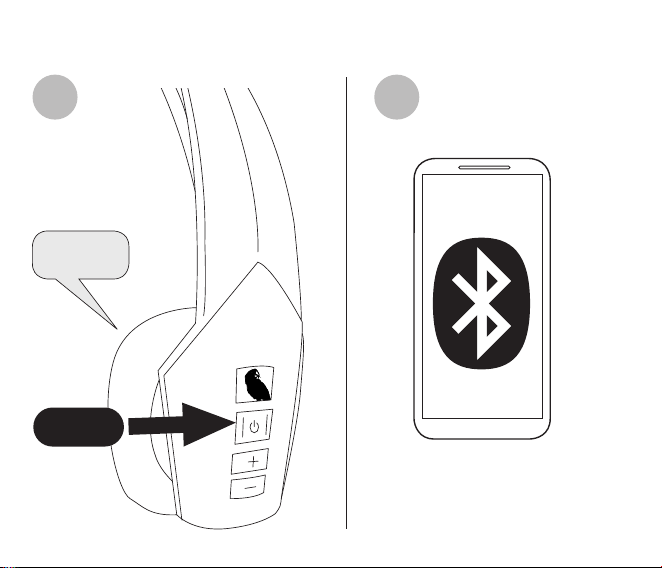
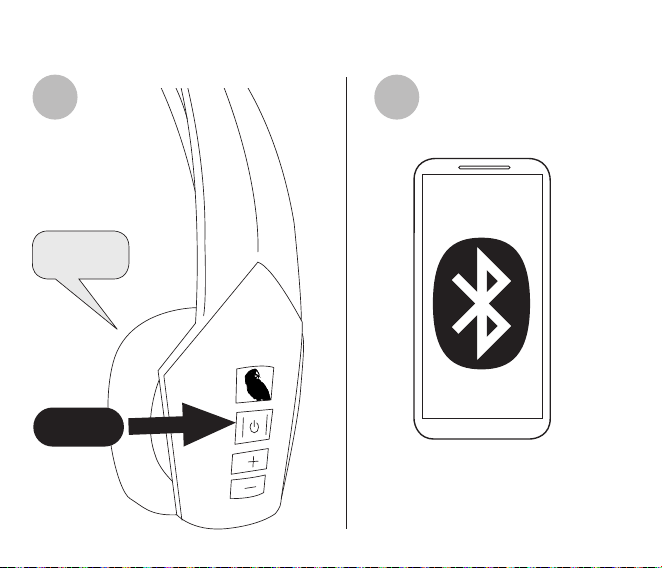
How to pair
Select B350-XT from the list of
available Bluetooth devices.
Power on
1 2
2 sec

2
ENGLISH
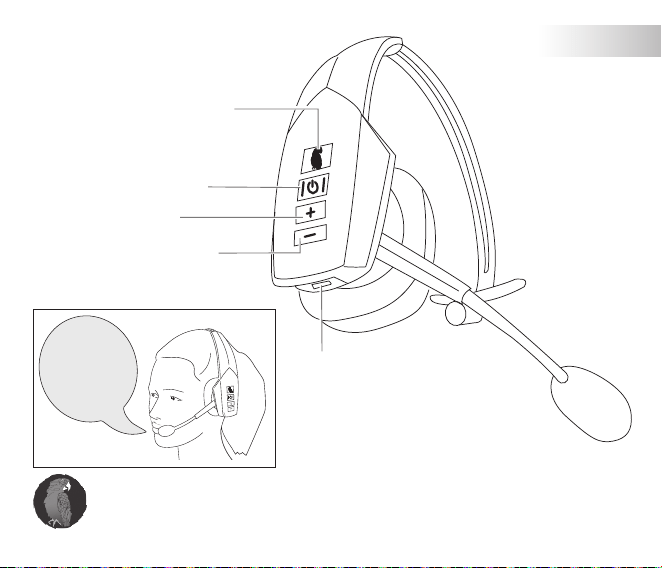
How to use
Parrott Button
TM
Voice commands
Mute microphone
Volume up
Volume down
Power on/o (hold)
Answer call
Reject call (hold)
For
incoming calls,
you can say:
“Answer”
or
“Ignore”
Tap the Parrott Button and say “What can I say?” for a list of voice
commands. The Parrott Button is customizable using the app.
VoiceControl
TM
Charging port
3
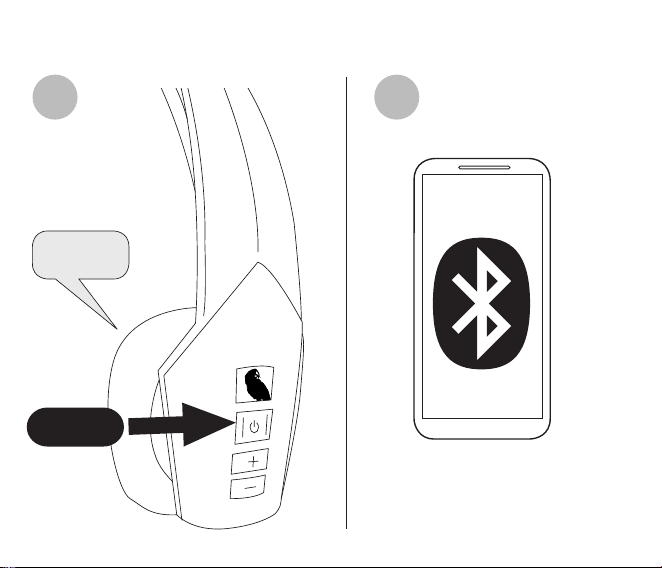
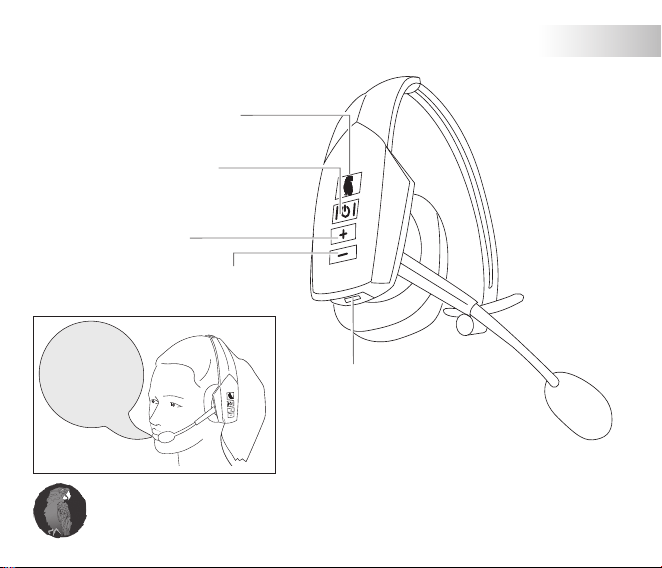
Instructions d’appairage
Sélectionnez B350-XT dans la
liste des périphériques
Bluetooth disponibles.
Power on
1 2
2
secondes
4
FRANÇAIS
Instructions d’utilisation
Parrott Button
TM
Commandes vocales
Désactivation du
microphone
Augmentation du
volume
Diminution du
volume
Alimentation On/O
(mise en attente)
Prendre un appel
Rejet d’appel
(mise en attente)
Pour les appels
entrants, vous
pouvez annoncer:
“Answer”
« Répondre » ou
“Ignore”
« Ignorer »
Appuyez sur le bouton Parrott et dites « What can I say ? » pour
obtenir la liste des commandes vocales. Vous pouvez personnaliser
le bouton Parrott à l’aide de l’appli.
VoiceControl
TM
Port de recharge

5
So koppeln Sie Ihr Gerät
Wählen Sie das B350-XT aus
der Liste der verfügbaren
Bluetooth-Geräte.
Power on
1 2
2 sek.

6
DEUTSCH
Verwendung des Geräts
Parrott Button
TM
Sprachbefehle
Mikrofon stummschalten
Lautstärke (+)
Lautstärke (-)
Ein-/Ausschalttaste (halten)
Anruf annehmen
Anruf abweisen (halten)
Bei eingehenden
Anrufen können
Sie sagen:
„Answer”
oder
„Ignore”
Tippen Sie auf den Parrott Button und sagen Sie „What can I say?“,
um eine umfassende Liste der Sprachbefehle zu erhalten. Die
Parrott-Taste kann mithilfe der App individuell konfiguriert werden.
VoiceControl
TM
Ladeanschluss

7
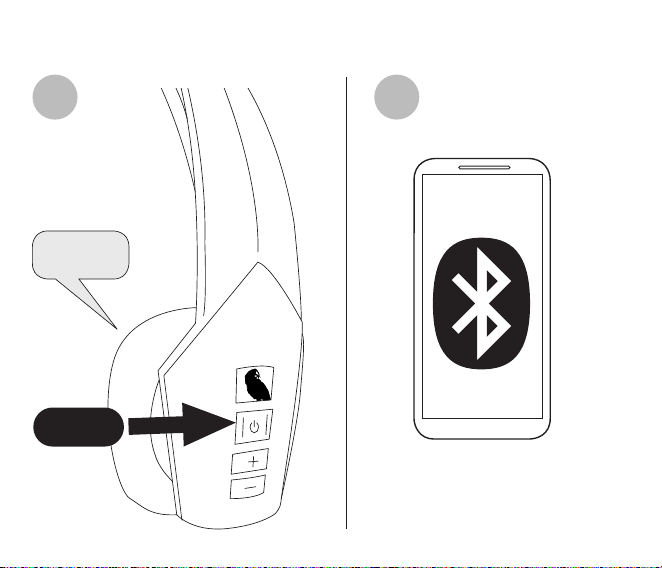
Koppelen
Selecteer de B350-XT uit de
lijst met beschikbare
Bluetooth-apparaten.
Power on
Parrott Button
TM
Stemcommando’s
Mute-stand microfoon
inschakelen
1 2
2 sec

8
NEDERLANDS
Gebruiken
Parrott Button
TM
Stemcommando’s
Mute-stand microfoon
inschakelen
Volume omhoog
Volume omlaag
Aan/uit
(ingedrukt houden)
Oproep beantwoorden
Oproep weigeren
(ingedrukt houden)
Voor
binnenkomende
oproepen kunt
u het volgende
zeggen:
“Answer”
(beantwoorden)
of “Ignore”
(negeren)
Tik op de Parrott-toets en zeg “What can I say?” voor een lijst met
spraakopdrachten. De Parrott-toets kan aangepast worden door
middel van de app.
VoiceControl
TM
Oplaadpoort
9
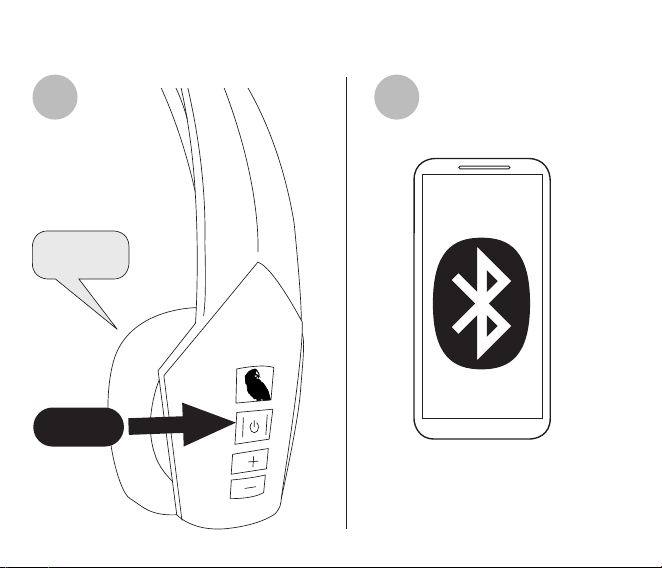
Accoppiamento
Seleziona B350-XT dall’elenco
di dispositivi Bluetooth dis-
ponibili.
Power on
1 2
2 sec
10
ITALIANO
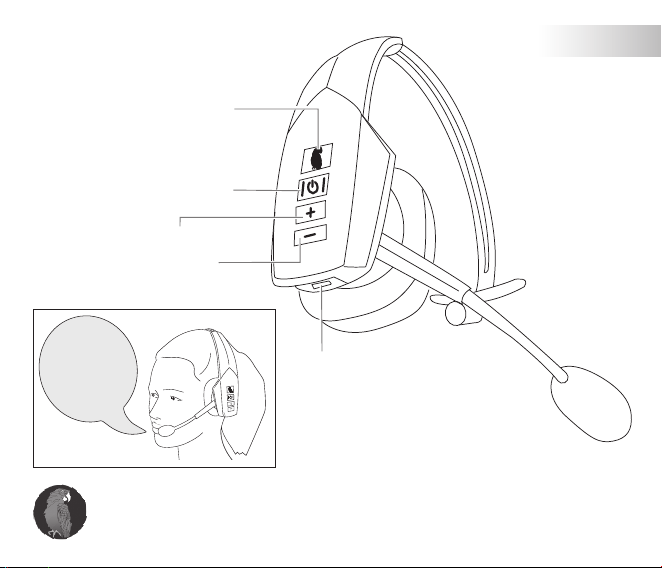
Utilizzo
Parrott Button
TM
Comandi vocali
Silenzia il microfono
Volume su
Volume giù
Per le
chiamate in
arrivo, puoi dire:
“Answer”
(Rispondi)
o “Ignore”
(Ignora)
Sfiora il tasto Parrott e pronuncia “What can I say?” per ascoltare
l’elenco dei comandi vocali disponibili. Il tasto Parrott è personal-
izzabile utilizzando l’app.
VoiceControl
TM
Porta per la ricarica
Accensione/Spegnimento
(tieni premuto)
Rispondi a una chiamata
Rifiuta la chiamata
(tieni premuto)
11
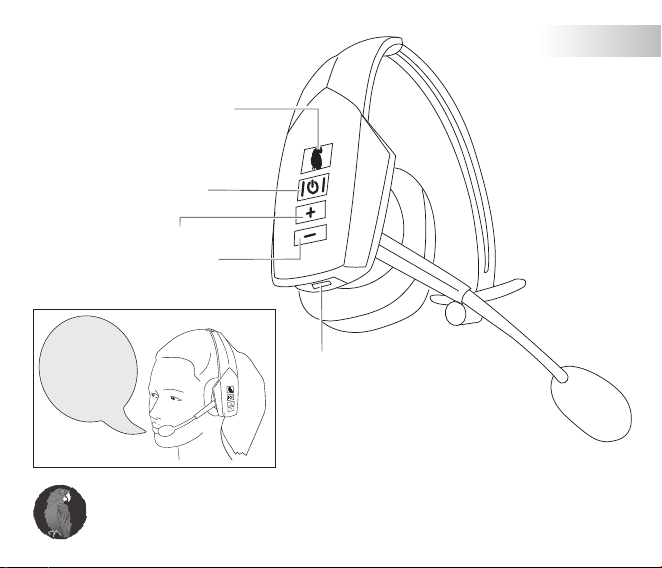
Como emparelhar
Selecione B350-XT a partir da
lista de dispositivos Bluetooth
disponíveis.
Power on
1 2
2 seg.
12
PORTUGUÊS
Como utilizar
Parrott Button
TM
Comandos de voz
Silenciar microfone
Aumentar volume
Diminuir volume
Ligar/desligar
(manter premido)
Atender chamada
Rejeitar chamada
(manter premido)
Para
chamadas
recebidas,
pode dizer:
“Answer”
(Atender)
ou “Ignore”
(Ignorar)
Toque no Parrott Button e diga “What can I say?” para uma lista
de comandos de voz. O Parrott Button é personalizável através
da aplicação.
VoiceControl
TM
USB

13
Cómo se sincroniza
Seleccione B350-XT de la
lista de dispositivos Bluetooth
disponibles.
Power on
Encender/Apagar
(mantener pulsado)
Responder una llamada
Rechazar llamada
(mantener pulsado)
1 2
2 s

14
ESPAÑOL
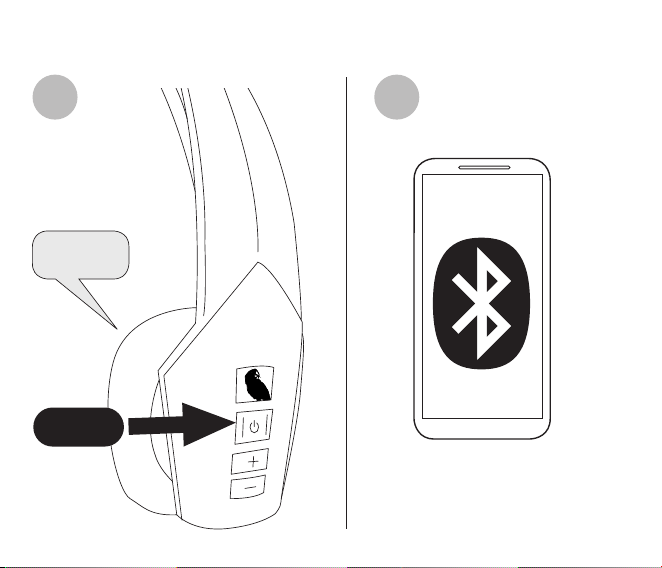
Cómo se usa
Parrott Button
TM
Comandos de voz
Silenciar el micrófono
Subir volumen
Bajar volumen
Encender/Apagar
(mantener pulsado)
Responder una llamada
Rechazar llamada
(mantener pulsado)
Cuando reciba
una llamada
puede decir:
«Answer»
(responder)
o «Ignore»
(rechazar)
Toque el Parrott Button y diga «What can I say?» para oír una lista
con los comandos de voz disponibles. El Parrott Button puede
personalizarse desde la aplicación.
VoiceControl
TM
Puerto de carga
15
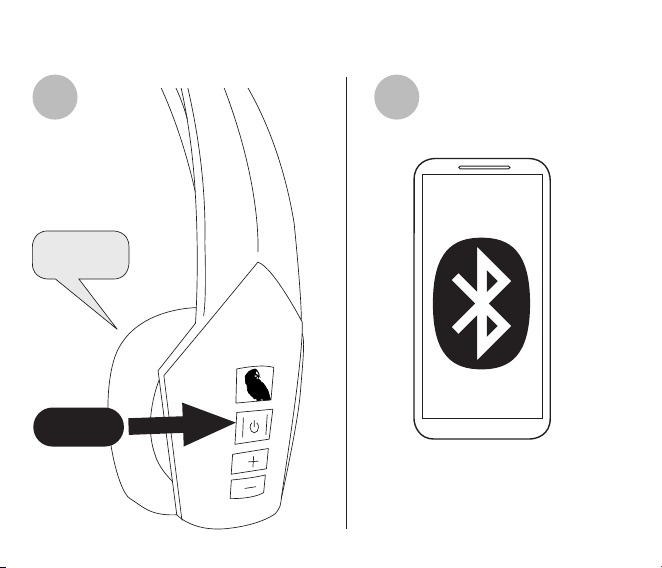
如何配对
从可用蓝牙设备列表中选择
B350-XT。
Power on
1 2
2 秒

16
简体中文
如何使用
Parrott Button
TM
语音命令
静音麦克风
音量调高
音量调低
电源开启/关闭
(按住)
接听电话
拒接来电
(按住)
来电时您
可以说:
“Answer”
(接听) 或
“Ignore”
(忽略)
轻按 Parrott Button
TM
按钮并说出“What can I say?”聆听语音命令
清单。 Parrott 按钮可使用 BlueParrot App 自定义。
VoiceControl
TM
充电端口
17
ペ アリング方 法
使用可能な Bluetooth 対応機
器 のリストから B350-XT を選択
します。
Power on
1 2
2 秒
18
日本語
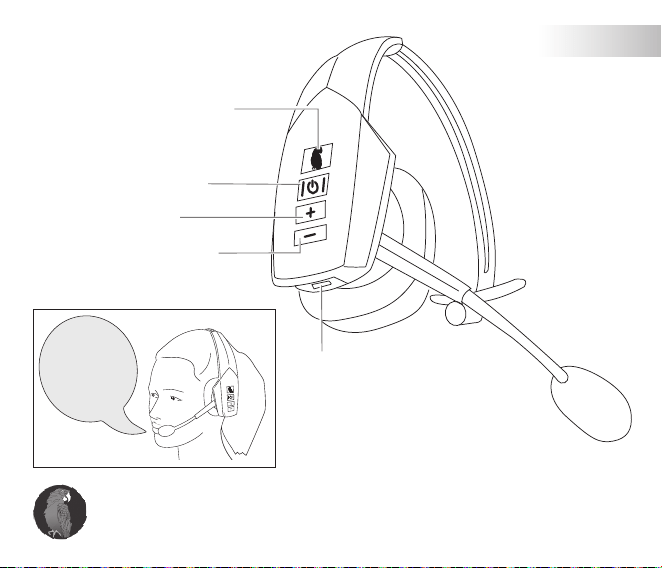
使用方法
Parrott Button
TM
音 声コ マンド
マイクの ミュ ート
音 量 アップ
音量 ダウン
電源オン/オフ (長押し)
通話への応答
通話の拒否 (長押し)
着信時には、
次 の どちらか を
言います。
「Answer」
または
「Ignore」
音声コマンドの一覧を聞くには、Parrott ボタンをタップして、「What
can I say?」と 言 い ま す 。 Parrott ボタンは、アプリを使 用してカスタマ
イズできます。
VoiceControl
TM
充 電 ポ ート
19
페어링 방법
스마트폰의 사용할 수 있는
Bluetooth 장치 목록에서
B350-XT를 선택합니다.
Power on
전원 켜짐/꺼짐
(길게 누름)
통화 응답
통화 거부
(길게 누름)
1 2
2 초
20
한국어
사용 방법
Parrott Button
TM
음성 명령
마이크 음소거
볼륨 키움
볼륨 줄임
전원 켜짐/꺼짐
(길게 누름)
통화 응답
통화 거부
(길게 누름)
착신 통화에
대한 음성 명령:
「Answer」
또는
「Ignore」
음성 명령 목록을 전부 들으려면 Parrott 버튼을 누르고 “What can I say?”
라고 말합니다. Parrott 버튼은 앱을 사용하여 사용자 설정할 수 있음.
VoiceControl
TM
(음성 제어)
충전 포트

© 2019 GN Audio A/S. All rights reserved. BlueParrott
®
is a trademark of
GN Audio A/S. The Bluetooth
®
word mark and logos are registered
trademarks owned by the Bluetooth SIG, Inc. and any use of such marks by
GN Audio A/S is under license
.
MADE IN CHINA
MODEL: OTE921
FCC ID: BCE-OTE921
IC: 2386C-OTE921
Complies with
IMDA Standards
DA102350
204-920243
R-C-GNs-
OTE921
