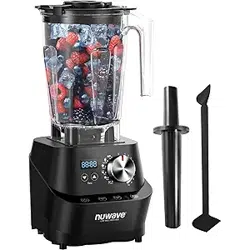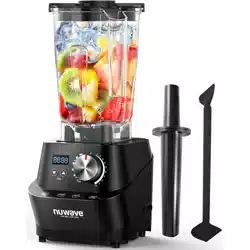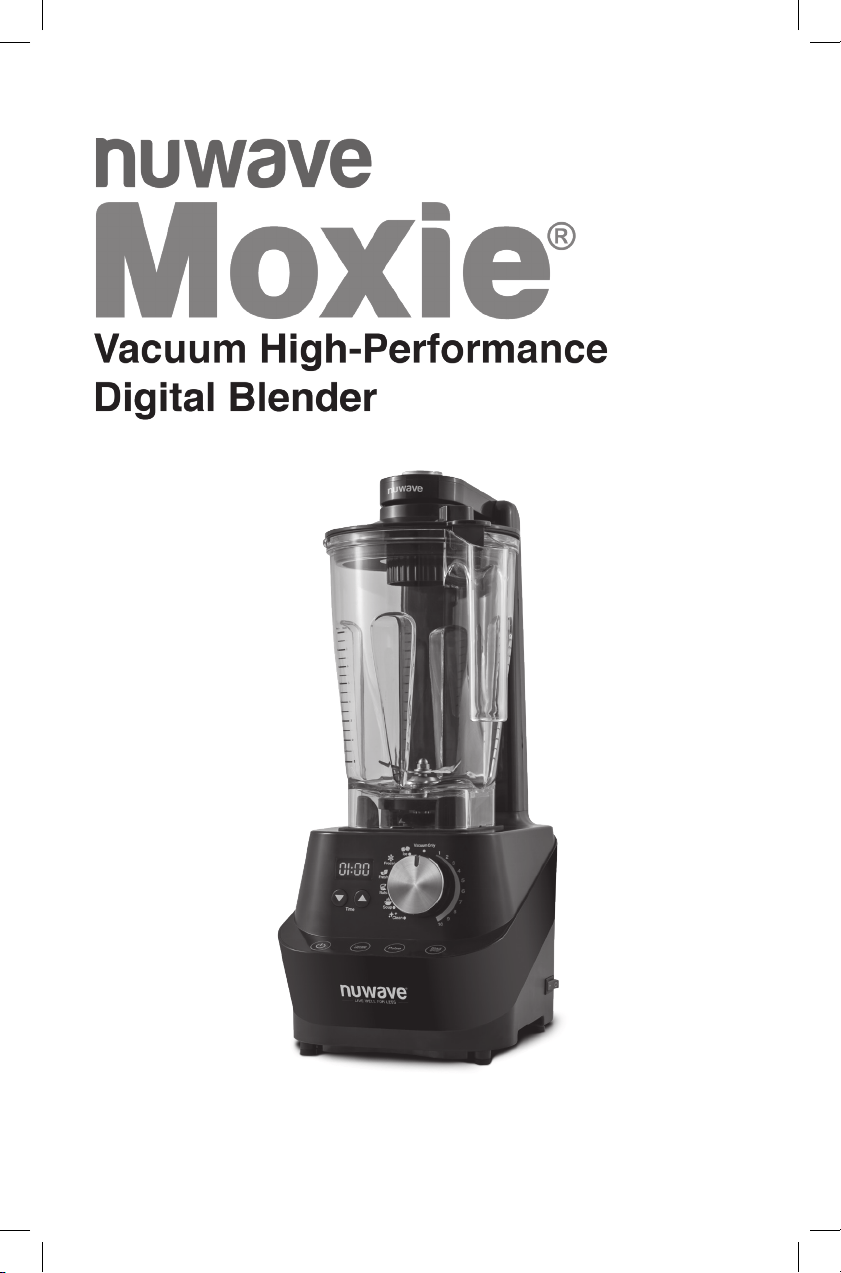
OWNER’S MANUAL
nuwavenow.com

2
2
1
2
4
3
Using your smartphone or smart
device, scan the QR code located on
the unit label on the back of the unit.
You will be directed to NuWave’s
product registration page with
your unit’s unique serial number
automatically entered in the
appropriate eld.
NOTE: If you do not have a web-
enabled smart device, simply visit
nuwavenow.com/QR and manually
enter in your unit’s serial number.
Fill out the remaining information and
complete the optional survey.
Once you submit your information,
you will receive a conrmation email
containing your extended
warranty details.
REGISTER
NOW!
*Register your product within 1 year of date of purchase for a free
6-month extension of your limited warranty.
As a special thank-you for registering your NuWave unit, you’ll
automatically receive an additional 6 months added to your
limited manufacturer’s warranty!*
All you have to do is follow these simple steps.

nuwavenow.com
3
nuwavenow.com
3
1
2
3
QR code readers
6
for an additional
months
warranty!
Open your mobile app store
(App Store, Google Play).
Search for "QR code readers."
Simply download the QR code reader to your phone, open it,
scan the code and you are ready to go.
NOTE: You may need to open your downloaded QR code
reader each time you want to scan a QR code.
DOWNLOAD THE QR CODE
APP TO YOUR MOBILE DEVICE

table of contents
44
TABLE OF CONTENTS
OWNER’S MANUAL
Important Safeguards ............................................................... 5-8
Parts & Accessories................................................................ 9-10
Assembly Guide ....................................................................11-13
Quickstart ............................................................................. 14-15
Instructions ........................................................................... 15-18
Cleaning & Maintenance ........................................................ 19-20
Troubleshoot Guide ................................................................ 21-22
Limited Warranty .................................................................... 23-24
Spanish.................................................................................... 25-51
Replaceable Parts................................................................... 52-55

nuwavenow.com
5
ENGLISH
nuwavenow.com
5
IMPORTANT SAFEGUARDS
HOUSEHOLD USE ONLY • READ ALL INSTRUCTIONS BEFORE USE
WARNING: When using the Moxie Blender, basic safety
precautions should always be followed:
1. To protect against risk of electrical shock, do not immerse
Blender Base, cord, plug, or any part of the main unit in water or
any other liquids.
2. Close supervision is necessary when any appliance is used
near children. The Moxie Blender is not intended for use by
children, persons with reduced physical, sensory, or mental
capabilities or those with lack of expertise or knowledge of
this unit.
3. Avoid contact with moving parts.
4. Do not operate the Moxie Blender with a damaged cord or plug,
if the appliance malfunctions, is dropped, or damaged in any
manner. Contact Customer Service at 1-877-689-2838 or email
help@nuwavenow.com for information on examination, repair,
or adjustment.
5. NOT INTENDED FOR OUTDOOR USE. FOR HOUSEHOLD
USE ONLY.
6. Do not let cord hang over the edge of table or counter. Do not let
cord contact hot surfaces, including from a stove.
7. Discard the protective plastic covering the power plug before use.
8. Do not place on or near a hot gas or electric burner, or in a
heated oven.
9. Keep hands, utensils, and foreign objects out of the Jar while
blending to reduce the risk of severe injury to persons or damage
to blender. A scraper may be used, but only when blender is
NOT running.
10. CAUTION! Blades are sharp. Handle blender carefully. Do not
handle blades.
11. Always operate blender with Lid and Jar correctly in place. Blender
will not operate if Lid is not firmly in place and the dot is not lined
up with the handle.
12. Alteration or modification of any part of the blender or the use of
attachments not recommended by the manufacturer may cause
fire, injury, or damage to property.
13. Do not use the unit for other than its intended use.
14. Do not add hot or boiling liquids to Jar.
15. Never knock Jar against a surface to loosen ingredients. Remove
Jar from Moxie Blender’s Base first, then use a rubber spatula to
remove mixture from bottom of Jar.
16. Do not shake or rattle Jar while in use.

IMPORTANT SAFEGUARDS
HOUSEHOLD USE ONLY • READ ALL INSTRUCTIONS BEFORE USE
important safeguards
66
17. Never remove Jar before the Moxie Blender’s blades have come
to a complete stop.
18. When making nut butters or recipes with oil-based ingredients,
do not process for more than 1 minute after the mixture begins to
circulate in Jar. Blending for longer periods than this can cause
overheating of the Moxie Blender.
19. First turn off then unplug the Moxie Blender from outlet when not
in use, before putting on or taking off parts, and before cleaning.
20. Keep manual handy for future reference.
Electrical Information
A short power-supply cord is provided to reduce the risk
resulting from becoming entangled in or tripping over a
longer cord. Longer detachable power-supply cords or
extension cords are available and may be used if care is
exercised in their use. If a longer detachable power-supply
cord or extension cord is used:
1. The marked electrical rating of the extension cord should be
at least as great as the electrical rating of the appliance.
2. The longer cord should be arranged so that it will not drape
over the countertop or tabletop where it could be pulled
on or tripped over unintentionally. The Moxie should be
operated on a separate electrical outlet from other operating
appliances due to wattage limitations.
The appliance has a polarized plug (one blade is wider than
the other). To reduce the risk of electric shock, this plug is
intended to fit into a polarized outlet only one way. If the plug
does not fit fully into the outlet, reverse the plug. If it still does
not fit, contact a qualified electrician. Do not attempt to modify
the plug in any way.
3. If the appliance is of the grounded type, the cord set or
extension cord should be a grounding-type 3-wire cord.
SEE CLEANING & MAINTENANCE BEFORE USE
ADDITIONAL SAFEGUARDS

nuwavenow.com
7
nuwavenow.com
7
ENGLISH
SAVE THESE INSTRUCTIONS
Read and understand the entire manual before using the Moxie.
DO NOT USE THE UNIT FOR OTHER THAN
INTENDED USE.
Note: Put the Moxie on a surface that is horizontal, even, and stable.
This appliance is intended for normal household use. It is not intended
to be used in environments such as staff kitchens/cafeterias of shops,
ofces, farms, or other work environments, nor is it intended to be used
by clients in hotels, motels, bed and breakfasts, and
nonresidential environments.
NOTICE: THE FAILURE TO FOLLOW ANY OF THE IMPORTANT
SAFEGUARDS, ADDITIONAL SAFEGUARDS, OR THE
INSTRUCTIONS FOR SAFE USE IS A MISUSE OF YOUR MOXIE
THAT CAN VOID YOUR WARRANTY AND CREATE THE RISK OF
SERIOUS INJURY.
WARNING
In case of malfunction,
immediately unplug and contact
Customer Service Department.
1-877-689-2838 • help@nuwavenow.com
1. Do not place the Moxie close to ammable materials, heating
units, or wet environments.
2. It is normal for some smoke to escape the Moxie when heating
for the rst time.
3. If a lot of smoke is escaping from the air vent during operation,
unplug the Moxie immediately and contact Customer Service.*
4. DO NOT remove blades in any way or attempt to remove
for cleaning.
5. Extreme caution must be exercised when operating the Moxie or
any other appliance.
6. Do not move the Moxie while in operation. Only after the Moxie
has completely cooled should moving be attempted. Always wait
for the Moxie to cool down prior to handling it.
7. Children should be supervised to ensure that they do not play
with the Moxie.
8. If any trouble arises during operation, service MUST be done by
NuWave LLC or authorized by the manufacturer for repairs.
9. Do not disassemble the Moxie or replace any parts without prior
written consent from the manufacturer.

CAUTION
Never use the Moxie Blender’s blade assembly
with loose, damaged, or missing parts.
10. Do not use metal utensils as this can damage the Jar.
11. Make sure the Moxie is always clean prior to use.
12. Turn power off and unplug Moxie blender BEFORE touching
movable parts or reaching in with a utensil. Turn power OFF and
unplug when Moxie Blender is unattended.
13. Do not operate blender if abnormal sounds or motion is detected.
If a hard or foreign object comes into contact with blades in Jar,
do not serve.
14. Inspect the Moxie Blender’s blade assembly after each use, and
if there are loose, damaged, or missing parts, contact Customer
Service at 1-877-689-2838 or email help@nuwavenow.com.
15. Always use extreme caution when inspecting or maintaining the
Moxie Blender or any appliance.
16. The appliance is not intended to be operated by means of an
external timer or separate remote-control system.
*Customer Service Department:
1-877-689-2838 • help@nuwavenow.com
IMPORTANT SAFEGUARDS
HOUSEHOLD USE ONLY • READ ALL INSTRUCTIONS BEFORE USE
important safeguards
88

nuwavenow.com
9
nuwavenow.com
9
ENGLISH
Lock
Close
Open
Close
Open
To order replaceable parts head over to Replaceable Parts section
and then NuWaveNow.com.
Lock
Close
Open
Close
Open
1b
1
2
3 4
5
6
7
8
1a
2a 2b 2c
2d
PARTS & ACCESSORIES

parts & accessories
1010
Plunger Lid
Part #: 27413
Plunger Lid Seal Ring
Part #: 27418
Plunger Cap
Part #: 27414
Vacuum Lid
Part #: 27412
Vacuum Lid Seal Ring
Part #: 27417
Vacuum Cap
Part #: 27415
Vacuum Cap O-Ring
Part#: 27419
Vacuum Plug
Part #: 27420
Jar with Blade
Part #: 27411
Storage Jar (Optional)
Part #: 27410
Vacuum Switch
Vacuum Arm
Blender Base
Part #: 27421
Plunger
Part #: 27416
1
1a
1b
2
2a
2b
2c
2d
3
4
5
6
7
8
Part# 27441 is comprised of the Jar with
Blade and Vacuum Lid.
Part# 27442 is comprised of the Storage
Jar and Vacuum Lid.
Part# 27443 is comprised of the Storage
Jar and Plunger Lid.
PARTS & ACCESSORIES

nuwavenow.com
11
nuwavenow.com
11
ENGLISH
ASSEMBLY GUIDE
Lock
Close
Open
Close
Open
Jar Tabs
(1 on each side)
Lid Lock Hooks
(1 on each side)
Lock
Plunger Cap
Lock
Close
Open
Close
Open
Plunger Lid
Jar
Plunger Lid with the Plunger Cap is used
when adding additional ingredients while
blending.
WARNING: As with most electrical appliances, electrical parts are
live even when the Moxie Blender is off. Be sure the unit is unplugged
when assembling.
Unlock
CAUTION
Make sure all parts are securely attached.
Plunger Lid Assembly
1. Line up red dot on Lid with the handle.
2. Push down on the Lid until it sits firmly in place.
3. The Lid Lock has two Lock Hooks that will lock the Lid in place.
Make sure the two Lock Hooks line up with the Jar Tabs.
• Turn the Lid Lock clockwise to close and lock.
• To unlock, turn the Lid Lock counterclockwise.

1212
assembly guide
Lock
Close
Open
Close
Open
Plunger
When using the Plunger
Remove the Plunger Cap from the Plunger Lid before inserting
the Plunger.
The Plunger Lid is designed with the hole opening so that the Plunger
does not come into contact with blades.
When not using Plunger, place Plunger Cap in Plunger Lid by
pressing down.
Lock
Close
Open
Close
Open
ASSEMBLY GUIDE
Lock
Close
Open
Close
Open
Vacuum Cap
Vacuum Plug
Use Vacuum Lid when vacuum-blending only.
Vacuum Lid
Jar
Release Valve
Lock

nuwavenow.com
13
nuwavenow.com
13
ENGLISH
Vacuum Lid Assembly
1. Underneath Vacuum Lid, make sure the Vacuum Plug is in
place and screw Vacuum Cap up into Vacuum Lid clockwise
until tight.
2. Line up red dot (located on top of Lid) with the handle.
3. Push down on the Lid until it sits firmly in place.
• Make sure to turn the Release Valve to the Lock position
before using vacuum function.
• Vacuum Lid will NOT open when in Lock position.
Use Vacuum Lid when vacuum-blending only.
Vacuum Arm
Switch
Jar Assembly with the Vacuum Lid
1. Lift the Vacuum Arm up.
2. Place the Jar on Base by aligning it on top of the 4
Rubber Columns.
• The Vacuum Cap needs to be screwed tightly into place prior
to use.
3. Push the Vacuum Arm down and press on Lid until a connection is
made and a click is heard.
4. Make sure the Release Valve is in Lock position before vacuuming.
• Before removing Vacuum Lid, turn the Release Valve to
open position.
Lock
Close
Open
Close
Open
4 Rubber Columns
CAUTION
Make sure all parts are securely attached.

1414
QUICKSTART
Blending times and speeds can be adjusted before and during
the blending process.
Press the up and down arrows or turn the dial to set or adjust.
Turn the Moxie
®
ON and OFF.
Turn the red main Base Power Switch ON. Switch is located on the
right side of Blender Base. Press Power button once to turn your
Moxie on. Press the Power button again and press the red main Base
Power Switch OFF to turn your Moxie off.
Set your time. Press the up and down arrows to increase or
decrease the time on the display.
Times are displayed in minutes and seconds. This can be done on all
settings except Vacuum Only.
Note: When blending for a long period of time, steam may escape
from Plunger Cap.
Use the numbered settings. When in Vacuum, default will be set
to 02:00.
For standard blending, you can select from one of the numbered
speed settings between 1 and 10. Adjust to desired time then press
Start/Stop to begin blending.
Note: The lowest setting is #1 (5,000 RPM). The highest setting is
#10 (27,000 RPM).
quickstart

nuwavenow.com
15
nuwavenow.com
15
ENGLISH
Use the vacuum setting. Maximize nutritional value while
keeping your creations fresher longer.
Select your desired setting using the dial then press
Vacuum ON/OFF. Press Start/Stop and the unit will remove air from
jar and will automatically start blending after all air is removed.
Icon settings are used for specialized blending tasks. Each icon
setting has default time and RPM built in.
Turn the dial to desired icon setting and press Start/Stop to
begin blending.
Note: Always start with cold liquids when blending. DO NOT add hot
liquids to the blender.
Cleaning your Moxie Jar
Add water and 1-2 drops of liquid dish soap to your Jar, place on the
Base, and close the Lid. Turn the dial to Clean. 00:15 will be shown
on the LED display. Adjust the time, if desired, then press Start/Stop.
Once nished, remove the Jar, rinse thoroughly, and dry before using.
Note: See “Cleaning and Maintenance” for more.
Getting Started
1. Turn the red main Base Power Switch ON. Switch is located on
the right side of Blender Base.
• The Power button will flash.
2. Press Power button once to turn your Moxie Blender on. The
LED display will show the default time for the selected setting.
3. Turn the dial to choose your appropriate blending function.
4. Press Start/Stop to start blending.
5. Press Start/Stop again to stop blending.
6. Press the Power button again and press the red main Base
Power Switch OFF to turn your Moxie off.
Note:
Lid must be on the Jar for the Moxie to turn on.
Time Setting
Press the up and down arrows to increase or
decrease the time on the display.
• Times are displayed in minutes and seconds.
• This can be done on all settings except
Vacuum Only.
Example:
Press Power button. Turn dial to Ice. 00:15 (15
seconds) will be displayed. Press up and down
arrows to adjust the time. Press Start/Stop.
Note:
Time can only be adjusted when the Lid is on. If the Lid is taken off the
time reverts back to original setting time for each icon.
INSTRUCTIONS
00:15

instructions
16
INSTRUCTIONS
16
Numbered Settings
For standard blending, you
can select from one of the
numbered speed settings
between 1 and 10.
1. Turn the dial to your
desired
1
setting between 1
and 10. When in Vacuum,
default will be set to 02:00.
2. Adjust the time if desired
1
,
then press Start/Stop to
begin blending at
selected setting.
3. Adjust the number setting
using the dial at any point
while blending, if needed.
Vacuum
By vacuuming the air out of your Moxie blender, you can ensure
no air is being mixed with ingredients during the blending process,
maximizing the nutritional value while keeping your blender creations
fresher longer.
Follow these steps to take advantage of your
Moxie blender’s vacuum capabilities
BEFORE blending:
1. Place Vacuum Lid on jar. Attach vacuum arm
to the Lid. Make sure Release Valve is in
Lock position.
2. Turn the unit on. Press red switch on the side
of Base and press Power button.
3. Select your desired setting using the dial.
4. Press Vacuum ON/OFF. The button will be
lit blue.
5. Press Start/Stop. The display will flash default
time for selected setting.
• Unit will remove all air from Jar.
• Once all air has been removed your Moxie
will automatically start blending.
Note:
Vacuum arm is only to be used when using the
vacuum function.
Example:
1. Turn dial to Frozen. 00:35 seconds will be displayed.
2. Press Vacuum On/Off. The button will be lit blue.
1
If blending for more than 3 minutes, use Plunger Lid.
Lock
Close
Open
Close
Open
Lock

nuwavenow.com
17
nuwavenow.com
17
ENGLISH
1
If blending for more than 3 minutes, use Plunger Lid.
3. Press Start/Stop. Once all air has been removed, the blender will
start blending.
Vacuum Only
Follow these steps to take advantage of your Moxie blender’s vacuum
capabilities AFTER blending:
1. Turn the dial to Vacuum Only. 00:00 will be shown on the
LED display.
2. Press Start/Stop. The unit will vacuum excess air from the
blender, then automatically power off for you. The display will
show 00:00.
Note:
The Vacuum Lid should only be used when using vacuum or Vacuum
Only function.
Icon Setting
For more specialized blending tasks you can select one of the preset
icons with the dial. Each icon setting has a default time and RPM built
into the Moxie.
1. Turn the dial to your desired icon setting. The LED display will
show the default time.
2. Adjust the time, if needed, then press Start/Stop to begin
blending at your selected setting.
• If desired, increase or decrease time at any point
while blending.
Icon
Default
Min. : Sec.
Min.
Sec.
Max.
Min.
Notes
1-10 (With
Vacuum)*
02:00 00:05 03:00 Adjustable speed
1-10
(Without
Vacuum)
03:00 00:05 05:00 Adjustable speed
Ice 00:15 00:05 02:00
Smoothies and
sorbet
Frozen 00:35 00:05 02:00 Ice-based drinks
Fresh 00:30 00:05 02:00 Sauces
Nuts 01:30 00:05 02:00
Jams and
spreads
Soup 03:00 00:05 05:00
Soup and hot
chocolate
Clean** 00:15 00:05 02:00 Self-cleaning

instructions
18
INSTRUCTIONS
18
*Notes:
• When blending for a long period of time, liquids will get hot and
steam may escape from Plunger Cap.
• Always start with cold liquids when blending. DO NOT add hot
liquids to the blender.
• Do not fill Jar above ¾ capacity. For best results, do not fill more
than 1.5 liters (51 fl oz) of liquid.
• Cannot use vacuum on Ice or Soup settings.
**Tips for Cleaning Your Moxie Jar:
• Add water and 1-2 drops of liquid dish soap to your Jar, place on
the Base, and close the Lid.
• Turn the dial to Clean. 00:15 will be shown on the LED display.
Adjust the time if desired, then press Start/Stop.
• Once finished, remove the Jar, rinse thoroughly, and dry
before using.
For detailed instructions on cleaning, see “Cleaning
and Maintenance.”
CAUTION
Moving parts may become hot with extended use.
DO NOT TOUCH.

nuwavenow.com
19
nuwavenow.com
19
ENGLISH
Lock
Close
Open
Close
Open
Lock
Close
Open
Close
Open
Before First Use:
Wash all removable parts in warm, soapy water or in the dishwasher,
top rack only. The Jar can be washed using the Clean function.
See “Instructions” for details.
Lock
Close
Open
Close
Open
Lock
Close
Open
Close
Open
Lock
Close
Open
Close
Open
Pull down and remove the Vacuum Plug to clean. After the part is
cleaned and dried, push the Vacuum Plug firmly back into place.
Remember to reattach Vacuum Cap before you use the Moxie again.
Note: Residue and moisture may build up inside Vacuum Cap and on
Vacuum Plug. Clean and dry thoroughly after each use.
Unscrew the Vacuum Cap counterclockwise, and hand-wash or clean
in dishwasher, top rack only. Make sure that the Vacuum Cap is
screwed tightly into place prior to use.
Jar
Vacuum Lid
Seal Ring
Vacuum Plug
Vacuum Cap
Vacuum Cap O-Ring
Plunger Cap
Plunger Lid
Seal Ring
Plunger
CLEANING & MAINTENANCE

cleaning & maintenance
20
CLEANING & MAINTENANCE
20
Lid Seal Ring Assembly (for both lids)
Removal of Lid Seal Ring may be necessary for cleaning or if the part
is worn, damaged, or needs replacing.
To assemble:
1. Line the inside of the Lid Seal Ring into the rim.
2. Press the Seal Ring into the rim to ensure it is properly sealed.
3. Make sure the lower part of the Seal Ring lines up with the
bottom side of the rim.
Lock
Close
Open
Close
Open
Seal Ring
Plunger and
Vacuum Lid Rim
Do not immerse Moxie Base in water. Clean
with damp sponge or cloth and wipe dry.
CAUTION
The power cord needs to be unplugged from the
power source before inserting or removing any
attachments and before cleaning.

nuwavenow.com
21
nuwavenow.com
21
ENGLISH
TROUBLESHOOT GUIDE
The Moxie is not turning on or working.
1. Plug may not be in the outlet. Plug in unit.
2. Red Power Switch on right side of Base may not be on. Check
to see if Power Switch is on.
Blender does not work when plugged in and Power button and
Power Switch are both ON.
1. Lid is not on Jar properly. Line up red dot on top of Lid with the
Jar’s handle and press Lid down firmly to secure onto Jar.
2. Lid may not be properly locked. For Plunger Lid, line up Lid
Lock Hooks with Jar Tabs and lock onto Jar.
Blender is not running at a high enough speed for
the recipe.
1. Dial is not on the correct setting. Turn the dial to proper setting
based on recipe.
2. Jar is overloaded. Reduce amount of ingredients.
Blender is not vacuuming out air from Jar.
1. Vacuum ON/OFF is not on. Press Vacuum ON/OFF
before blending.
2. Dial is not on correct setting. Turn the dial to Vacuum Only.
3. Release Valve on Lid is in the open position. Turn Release
Valve to Lock.
4. Seal Ring may be loose, installed incorrectly, or broken.
Reinstall Seal Ring properly. See Lid Seal Ring Assembly
under Cleaning and Maintenance. If Lid Seal Ring is broken,
contact Customer Service: 1-877-689-2838 or
email help@nuwavenow.com.
5. Vacuum Lid is not on Jar securely. Line up red dot on Lid with
the Jar’s handle and press Vacuum Lid down firmly onto Jar.
6. May be using the Plunger Lid. Make sure you use the Vacuum
Lid when vacuum blending.
7. Vacuum Arm did not secure onto Lid correctly. Lower Vacuum
Arm onto Vacuum Lid and press down until a “click” is heard.
Vacuum Lid will not open after air is vacuumed out.
Release Valve on Vacuum Lid is in Lock position. Turn Release
Valve to the open position to open Lid.

troubleshoot guide
2222
TROUBLESHOOT GUIDE
Blender becoming clogged and not operating efficiently.
1. Certain ingredients can cause clogging. If using Plunger Lid, turn
off and unplug your Moxie. Remove Plunger Cap from Lid and
insert Plunger through hole. Press ingredients down and around
until mixture loosens around bottom of Jar. If using Vacuum Lid,
unlock Release Valve, remove Lid, and then use Plunger to
scrape mixture around to free ingredients.
2. Ingredient amounts higher than specified are being used. Do not
fill Jar above ¾ capacity (1.5 liters, 51 fl oz).
3. Large pieces of ice are not mixing properly. Use smaller pieces
of ice.
Blended mixture has lumps or texture is not even.
Air pocket has formed (cavitation) and mixture is too cold or has
solidified in areas, and blades are spinning in cavity. Increase
temperature by reducing ice in recipe.
Noises or motions unusual for normal operation of the blender
are detected.
1. Blade assembly may be loose, missing a part, or possibly
damaged. Turn blender OFF and unplug immediately. DO NOT
disassemble blade assembly. Call Customer Service:
1-877-689-2838 or email help@nuwavenow.com.
2. Foreign objects from ingredients may have been put into Jar
and are making unusual sounds. Prior to adding ingredients to
Jar and blending, clean fruits/other ingredients and remove all
debris or any objects.

nuwavenow.com
23
nuwavenow.com
23
ENGLISH
LIMITED WARRANTY
The NuWave Moxie
®
Vacuum High-Performance Digital Blender
THE MANUFACTURER WARRANTS
The NuWave Moxie
®
Vacuum High-Performance Digital Blender is
warranted to be free from manufacturer defects. This Warranty covers
original owner of this Blender for personal household use only. This
Warranty does not apply to products used for commercial, rental
or resale purposes. Motor is warranted for 5 years from the date
of purchase, under normal household use, and when operated in
accordance with the Manufacturer’s written instructions.
Jar, blades, pump, seal ring, and housing are warranted for 1 year
from the date of purchase, under normal household use, and when
operated in accordance with the Manufacturer’s written instructions.
The Manufacturer will provide the necessary parts and labor to repair
any part of the NuWave Moxie
®
Vacuum High-Performance Digital
Blender at NuWave LLC Service Department. After the expiration of
the warranty, the cost of the labor and parts will be the responsibility
of the owner.
THE WARRANTY DOES NOT COVER
The Limited Warranty is voided if repairs are made by an
unauthorized dealer or the serial number data plate is removed or
defaced. Normal deterioration of nish due to use or exposure is
not covered by this Warranty. This Limited Warranty does not cover
failure, damages or inadequate performance due to accident, acts
of God (such as lightning), uctuations in electric power, alterations,
abuse, misuse, misapplications, corrosive-type atmospheres,
improper installation, failure to operate in accordance with the
Manufacturer’s written instructions, abnormal use or commercial use.
NuWave LLC reserves the right to void the Limited Warranty, where
allowable by law, for products purchased from an
unauthorized dealer.
TO OBTAIN SERVICE
The owner shall have the obligation and responsibility to: pay for all
services and parts not covered by the warranty; prepay the freight to
and from Service Department for any part or system returned under
this warranty; and carefully package the product using adequate
padding material to prevent damage in transit. The original container
is ideal for this purpose. Include in the package the owner’s name,
address, daytime telephone number, a detailed description of the
problem, and your “RGA number.” (Call 1-877-689-2838) or email
help@nuwavenow.com to obtain the RGA number (Return Goods
Authorization number). Provide the cooking system model & serial
number and proof of date of purchase (a copy of the receipt) when
making claims under this warranty.

limited warranty
24
LIMITED WARRANTY
24
MANUFACTURER’S OBLIGATION
The Manufacturer’s obligation under this Limited Warranty is
limited, to the extent allowable by law, to repairing or replacing any
part covered by this Limited Warranty which upon examination is
found to be defective under normal use. The Limited Warranty is
applicable only within the continental United States and only to the
original purchaser of the manufacturer’s authorized channels of
distribution. THE LIMITED WARRANTY MAY NOT BE ALTERED,
VARIED OR EXTENDED EXCEPT BY A WRITTEN INSTRUMENT
EXECUTED BY THE MANUFACTURER. THE REMEDY OF
REPAIR OR REPLACEMENT AS PROVIDED UNDER THIS
LIMITED WARRANTY IS EXCLUSIVE. IN NO EVENT SHALL THE
MANUFACTURER BE LIABLE FOR ANY CONSEQUENTIAL OR
INCIDENTAL DAMAGES TO ANY PERSON, WHETHER OR NOT
OCCASIONED BY NEGLIGENCE OF THE MANUFACTURER,
INCLUDING WITHOUT LIMITATION, DAMAGES FOR LOSS OF
USE, COSTS OF SUBSTITUTION, PROPERTY DAMAGE, OR
OTHER MONEY LOSS.
Some states do not allow the exclusion or limitation of incidental
or consequential damages, so the above limitation exclusions
may not apply. This Limited Warranty gives specic legal rights,
and there may also be other rights which vary from state to state.
EXCEPT AS OTHERWISE EXPRESSLY PROVIDED ABOVE,
THE MANUFACTURER MAKES NO WARRANTIES EXPRESSED
OR IMPLIED ARISING BY LAW OR OTHERWISE, INCLUDING
WITHOUT LIMITATION, THE IMPLIED WARRANTIES OF
MERCHANTABILITY AND FITNESS FOR A PARTICULAR PURPOSE
TO ANY OTHER PERSON. READ YOUR OWNER’S MANUAL.
IF YOU STILL HAVE ANY QUESTIONS ABOUT OPERATION OR
WARRANTY OF THE PRODUCT, PLEASE CONTACT
NUWAVE LLC.
READ YOUR OWNER’S MANUAL
If you still have any questions about operation or warranty of the
product, please contact NuWave LLC at:
1-877-689-2838 or email help@nuwavenow.com.
2424

nuwavenow.com
EL MANUAL DEL
PROPIETARIO

medidas de seguridad importantes
26
MEDIDAS DE SEGURIDAD IMPORTANTES
PARA USO DOMÉSTICO SOLAMENTE Y LEA TODAS LAS
INSTRUCCIONES ANTES DE USARLO
26
LEA TODAS LAS INSTRUCCIONES
ADVERTENCIA: Cuando se utilice la Licuadora Moxie siempre
se deben seguir medidas de seguridad básicas:
1. Para protegerse contra el riesgo de descarga eléctrica,
no sumerja la base de la licuadora, el cable, el enchufe ni
ninguna parte de la unidad principal en agua ni en ningún
otro líquido.
2. Es necesaria una estrecha supervisión cuando se utiliza
cualquier aparato cerca de niños. Moxie Blender no está
diseñado para ser usado por niños, personas con capacidades
físicas, sensoriales o mentales reducidas o personas con falta
de experiencia o conocimiento de esta unidad.
3. Evite el contacto con piezas móviles.
4. No opere Moxie Blender con un cable o enchufe dañado, si
el aparato no funciona correctamente, se cae o se daña de
alguna manera. Comuníquese con Servicio al Cliente al 1-877-
689-2838 o envíe un correo electrónico a help@nuwavenow.
com para obtener información sobre el examen, la reparación,
o ajuste.
5. NO DISPONIBLE PARA USO EXTERIOR. SOLO PARA USO
EN EL HOGAR.
6. No deje que el cable cuelgue del borde de la mesa o
mostrador. No permita que el cable entre en contacto con
supercies calientes, incluso de una estufa.
7. Deseche el plástico protector que cubre el enchufe de
alimentación antes del uso.
8. No lo coloque sobre o cerca de un quemador de gas o
eléctrico caliente, o en un horno caliente.
9. Mantenga las manos, los utensilios y los objetos extraños
fuera del recipiente mientras los mezcla para reducir el riesgo
de lesiones graves a personas o daños a la licuadora. Se
puede usar un raspador, pero solo cuando la licuadora está
no corras.

nuwavenow.com
27
nuwavenow.com
27
SPANISH
10. ¡PRECAUCIÓN! Las cuchillas son aladas. Manejar la
licuadora con cuidado. No manipule las cuchillas.
11. Siempre opere la licuadora con la tapa y el vaso correctamente
colocados. La licuadora no funcionará si la tapa no está
rmemente en su lugar y el punto no está alineado con
el mango.
12. La alteración o modicación de cualquier parte de la licuadora
o el uso de accesorios no recomendados por el fabricante
puede causar incendios, lesiones o daños a la propiedad.
13. No utilice la unidad para otro uso que no sea el previsto.
14. No agregue líquidos calientes o hirviendo a la jarra.
15. Nunca golpee la jarra contra una supercie para aojar los
ingredientes. Retire primero el frasco de la base de Moxie
Blender, luego use una espátula de goma para eliminar la
mezcla del fondo del frasco.
16. No agite ni sacuda el tarro mientras esté en uso.
17. Nunca retire el recipiente antes de que las cuchillas de Moxie
Blender se hayan detenido por completo.
18. Cuando prepare mantequillas o recetas con ingredientes a
base de aceite, no las procese por más de 1 minuto después
de que la mezcla comience a circular en el Frasco. La
mezcla durante períodos más prolongados puede causar el
sobrecalentamiento de Moxie Blender.
19. Primero apague y luego desenchufe el Moxie Blender del
tomacorriente cuando no esté en uso, antes de poner o quitar
partes y antes de limpiar.
20. Mantenga el manual a mano para futuras referencias.

medidas de seguridad importantes
28
MEDIDAS DE SEGURIDAD IMPORTANTES
PARA USO DOMÉSTICO SOLAMENTE Y LEA TODAS LAS
INSTRUCCIONES ANTES DE USARLO
28
Información eléctrica
Se proporciona un cable de suministro de energía corto (o
cable de suministro de energía desmontable) para reducir el
riesgo resultante de enredarse o tropezar con un cable más
largo. Los cables de
alimentación desmontables más largos o los cables de
extensión están disponibles y se pueden usar si se tiene
cuidado en su uso. Si se usa un cable de alimentación
desmontable más largo o un cable
de extensión:
1. La calificación eléctrica marcada del cable de extensión debe
ser al menos tan grande como la calificación eléctrica
del aparato.
2. El cable más largo debe estar dispuesto de modo que no se
cuelgue sobre la encimera o sobre la mesa, donde se pueda
tirar o tropezar nvoluntariamente. La Moxie debe operarse
en una toma eléctrica separada de otros aparatos operativos
debido a limitaciones de vataje. El aparato tiene un enchufe
polarizado (una cuchilla es más ancha que la otra). Para
reducir el riesgo de descarga eléctrica, este enchufe está
diseñado para encajar en una toma de corriente polarizada
de una sola manera. Si el enchufe no encaja completamente
en el tomacorriente, invierta el enchufe. Si aún no encaja,
comuníquese con un electricista calificado. No intente
modificar el enchufe de ninguna manera.
3. Si el aparato es del tipo con conexión a tierra, el juego de
cables o el cable de extensión debe ser un cable de 3 hilos
con conexión a tierra.
MEDIDAS DE SEGURIDAD ADICIONALES
VER LA LIMPIEZA Y MANTENIMIENTO ANTES DE USAR

nuwavenow.com
29
nuwavenow.com
29
SPANISH
1. No coloque el Moxie cerca de materiales inflamables,
unidades de calefacción o ambientes húmedos.
2. Es normal que algo de humo se escape de Moxie cuando se
mezcla por primera vez.
3. Si se escapa mucho humo de la salida de aire durante la
operación, desenchufe el Moxie de inmediato y comuníquese
con el Servicio al Cliente. *
4. NO retire las cuchillas de ninguna manera ni intente quitarlas
para limpiar.
5. Se debe tener mucho cuidado al operar el Moxie o cualquier
otro aparato.
6. No mueva el Moxie mientras esté en funcionamiento. Solo
después de que Moxie haya terminado de mezclar y se haya
enfriado por completo, se debe intentar mover. Siempre
espere a que el Moxie se enfríe antes de manipularlo.
7. Los niños deben ser supervisados para asegurarse de que no
jueguen con el Moxie.
8. Si surge algún problema durante la operación, el servicio
DEBE ser realizado por NuWave LLC o autorizado por el
fabricante para reparaciones.
GUARDA ESTAS INSTRUCCIONES
Lea y comprenda todo el manual antes de usar Moxie.
NO UTILICE LA UNIDAD PARA OTRO USO QUE
NO SEA EL PREVISTO.
Nota: coloque el Moxie en una supercie que sea horizontal, uniforme
y estable. Este aparato está diseñado para uso doméstico normal.
No está diseñado para ser utilizado en entornos como el personal
de cocinas / cafeterías de tiendas, ocinas, granjas u otros entornos
de trabajo, ni está destinado a ser utilizado por clientes en hoteles,
moteles, bed and breakfast y Entornos no residenciales.
AVISO: LA FALTA DE SEGUIR CUALQUIERA DE LAS
SALVAGUARDIAS IMPORTANTES, LAS SALVAGUARDIAS
ADICIONALES O LAS INSTRUCCIONES PARA EL USO SEGURO
ES UN ABUSO DE SU MOXIE QUE PUEDE ANULAR SU GARANTÍA
Y CREAR EL RIESGO DE LESIONES GRAVES.
WARNING
En caso de mal funcionamiento,
Inmediatamente desconecte y contacte
Departamento de servicio al cliente.
1-877-689-2838 • help@nuwavenow.com

medidas de seguridad importantes
30
MEDIDAS DE SEGURIDAD IMPORTANTES
PARA USO DOMÉSTICO SOLAMENTE Y LEA TODAS LAS
INSTRUCCIONES ANTES DE USARLO
30
9. No desmonte el Moxie ni reemplace ninguna pieza sin el
consentimiento previo por escrito del fabricante.
10. No use utensilios de metal ya que esto puede dañar
el recipiente.
11. Asegúrese de que el Moxie esté siempre limpio antes
de usarlo.
12. Apague la energía y desenchufe la licuadora Moxie ANTES
de tocar las partes móviles o de alcanzar un utensilio. Apague
la alimentación y desenchúfela cuando Moxie Blender
esté desatendido.
13. No opere la licuadora si se detectan sonidos o movimientos
anormales. Si un objeto duro o extraño entra en contacto con
las cuchillas en el recipiente, no lo sirva.
14. Inspeccione el conjunto de cuchillas de Moxie Blender
después de cada uso, y si hay piezas sueltas, dañadas o
faltantes, comuníquese con el Servicio al Cliente al 1-877-
689-2838 o envíe un correo electrónico
a help@nuwavenow.com.
15. Siempre tenga mucho cuidado al inspeccionar o mantener la
licuadora Moxie o cualquier otro aparato.
16. El aparato no está diseñado para ser operado por medio de
un temporizador externo o un sistema de control
remoto separado.
*Departamento de servicio al cliente:
1-877-689-2838 • help@nuwavenow.com
PRECAUCIÓN
Nunca use el ensamblaje de cuchillas de Moxie
Blender con piezas sueltas, dañadas o faltantes.

nuwavenow.com
31
nuwavenow.com
31
SPANISH
Lock
Close
Open
Close
Open
Lock
Close
Open
Close
Open
1
3 4
5
2
1b
2b 2c
1a
6
2d2a
7
8
Para pedir piezas reemplazables, diríjase a la sección Piezas
reemplazables y luego a NuWaveNow.com.
PARTES Y ACCESORIOS

partes y accesorios
3232
PARTES Y ACCESORIOS
Tapa del Émbolo
Parte #: 27413
Aro de Sello de la Tapa
del Émbolo
Parte #: 27418
Tapón del Émbolo
Parte #: 27414
Tapa de Vacío
Parte #: 27412
Anillo de Junta de Tapa
de Vacío
Parte #: 27417
Tapón de Vacío
Parte #: 27415
Anillo O de la Tapa de Vacío
Parte #: 27419
Conector de Vacío
Parte #: 27420
Jarra con Cuchilla
Parte #: 27411
Frasco de Almacenamiento
(Opcional)
Parte #: 27410
Interruptor de Vacío
Brazo de Vacío
Base de la Licuadora
Parte #: 27421
Émbolo
Parte #: 27416
1
1a
1b
2
2a
2b
2c
2d
3
4
5
6
7
8
La Parte # 27441 está compuesta por
el Jarra con Cuchilla y Tapa de Vacío.
La Parte # 27442 está compuesta por
el Frasco de Almacenamiento y Tapa
de Vacío.
La Parte # 27443 está compuesta por
el Frasco de Almacenamiento y Tapa
del Émbolo.

nuwavenow.com
33
nuwavenow.com
33
SPANISH
GUÍA DE MONTAJE
Lock
Close
Open
Close
Open
Ensamble de la Tapa del Émbolo
1. Alinee el punto rojo en la Tapa con el mango.
2. Presione hacia abajo la Tapa hasta que quede firmemente en
su lugar.
3. El bloqueo de la Tapa tiene dos seguros
• Gire el bloqueo de la Tapa en sentido de las manecillas del
reloj para cerrar y bloquear.
• Para desbloquear, gire el bloqueo de la Tapa en sentido
contrario a las manecillas del reloj.
Bloquear
Tapa del Émbolo
Lock
Close
Open
Close
Open
Tapón del Émbolo
Jarra
La Tapa del Émbolo y el Tapón del
Émbolo se usan cuando se agregan
ingredientes adicionales mientras
se licua.
PRECAUCIÓN
Asegúrese de que todas las piezas estén
bien fijadas.
Seguros de
Bloqueo de la Tap
(1 en cada lado)
Lengüetas
del Jarra
(1 en cada lado)
Desbloquear

3434
ADVERTENCIA: Como ocurre con la mayoría de los electrodomésticos,
las piezas eléctricas están en funcionamiento incluso cuando la
Licuadora Moxie esté apagada. Asegúrese de que la unidad esté
desconectada durante el montaje.
Lock
Close
Open
Close
Open
Émbolo
Cuando se usa el Émbolo
Retire el Tapón del Émbolo de la Tapa antes de insertar el Émbolo.
La Tapa del Émbolo está diseñada con la abertura del orificio para que
el Émbolo no entre en contacto con las cuchillas.
Cuando no use el Émbolo, coloque el Tapón en la Tapa del Émbolo
presionando hacia abajo.
Lock
Close
Open
Close
Open
guía de montaje
GUÍA DE MONTAJE

nuwavenow.com
35
nuwavenow.com
35
SPANISH
Ensamble de la Tapa de Vacío
1. Debajo de la Tapa de Vacío, asegúrese de que el Conector de
Vacío esté en su lugar y enrosque el Tapón de Vacío en la Tapa
en el sentido de las manecillas del reloj hasta que
quede apretada.
2. Alinee el punto rojo (ubicado en la parte superior de la Tapa) con
el mango.
3. Presione hacia abajo la tapa hasta que quede firmemente en
su lugar.
• Asegúrese de girar la Válvula de Liberación a la posición de
bloqueo antes de usar la función de vacío.
• La Tapa de Vacío NO se abrirá cuando esté en la posición
de bloqueo.
Lock
Close
Open
Close
Open
Tapón de Vacío
Conector de Vacío
Tapa de Vacío
Jarra
Válvula de Escape
Lock
Use la Tapa de Vacío sólo cuando licue al vacío.

3636
GUÍA DE MONTAJE
guía de montaje
Ensamble del Jarra con la Tapa de Vacío
1. Levante el Brazo de Vacío.
2. Coloque el Jarra en la Base alineándolo en la parte superior de
las 4 columnas de goma.
3. La Tapa de Vacío debe enroscarse firmemente en su lugar antes
de su uso.
4. Empuje el Brazo de Vacío hacia abajo y presione la Tapa hasta
que se haga una conexión y se escuche un clic.
5. Asegúrese de que la Válvula de Liberación esté en la posición de
bloqueo antes crear el vacío.
• Antes de retirar la Tapa de Vacío, gire la Válvula de Liberación
a la posición abierta.
PRECAUCIÓN
Asegúrese de que todas las piezas estén
firmemente unidas.
Vacuum Arm
Switch
Lock
Close
Open
Close
Open
4 Rubber Columns

nuwavenow.com
37
nuwavenow.com
37
SPANISH
Los ajustes y los tiempos se pueden ajustar antes y durante el
proceso de fusión.
Presione las echas hacia arriba y hacia abajo para establecer
o ajustar.
Encienda y el Moxie
®
.
Encienda el interruptor de alimentación de la base principal rojo. El
interruptor está ubicado en el lado derecho de la base de la licuadora.
Presiona el botón de Encendido una vez para encender tu Moxie.
Presione el botón de Encendido nuevamente para apagar la unidad.
Fije su tiempo. Presione las echas hacia arriba y hacia abajo
para aumentar o disminuir el tiempo en la pantalla.
Los tiempos se muestran en minutos y segundos. Esto se puede
hacer en todos los ajustes, excepto solo vacío.
Nota: Cuando se mezcla durante un largo período de tiempo, el
vapor puede escapar de la tapa del pistón.
Ajustes numerados. Cuando esté en vacío, el valor
predeterminado se establecerá en 02:00.
Para la mezcla estándar, puede seleccionar uno de los ajustes de
velocidad numerados entre 1 y 10. Ajuste a la hora deseada y luego
presione Start/Stop para comenzar la mezcla.
Nota: El ajuste más bajo es el #1 (5,000 RPM). El ajuste más alto es
#10 (27,000 RPM).
INICIO RÁPIDO

3838
inicio rápido
Utilice el ajuste de vacío. Maximice el valor nutricional mientras
mantiene sus creaciones frescas por más tiempo.
Seleccione la conguración deseada usando la perilla y luego
presione Vacuum ON/OFF. Presione Start/Stop (Iniciar/Detener)
y la unidad eliminará el aire del recipiente y comenzará a licuar
automáticamente después de que se haya eliminado todo el aire.
La conguración de los iconos se utiliza para tareas de fusión
especializadas. Cada conguración de ícono tiene tiempo
predeterminado y RPM incorporados.
Gire la perilla a la conguración de icono deseada y presione
Start/Stop para comenzar a mezclar.
Nota: Comience siempre con líquidos fríos al licuar. NO agregue
líquidos calientes a la licuadora.
Limpiando la Jarra de tu Moxie
Agregue agua y 1-2 gotas de jabón líquido para platos a su
recipiente, colóquelo en la base y cierre la tapa. Gire la perilla para
Clean. 00:15 se mostrará en la pantalla LED. Ajuste la hora, si lo
desea, luego presione Start/Stop. Una vez que haya terminado, retire
la Jarra, enjuague bien y seque antes de usar.
Nota: Para obtener instrucciones detalladas sobre la limpieza,
consulte “Limpieza y Mantenimiento”.
INICIO RÁPIDO

nuwavenow.com
39
nuwavenow.com
39
SPANISH
INSTRUCCIONES
Empezando
1. Encienda el interruptor de alimentación de la base principal rojo.
El interruptor está ubicado en el lado derecho de la base de
la licuadora.
• El botón de encendido parpadeará.
2. Presiona el botón de Encendido una vez para encender tu Moxie
Blender. La pantalla LED mostrará el tiempo predeterminado
para la configuración seleccionada.
3. Gire el dial para elegir la función de fusión adecuada.
4. Presiona Start/Stop para comenzar a mezclar.
5. Presione Start/Stop nuevamente para detener la mezcla.
Presiona el botón ON/OFF nuevamente y presiona el Interruptor
de Encendido de la Base principal rojo para apagar tu Moxie.
Nota:
La tapa debe estar en el jarra para encender.
Configuración de la hora
Presione las flechas hacia arriba y hacia abajo para
aumentar o disminuir el tiempo en
la pantalla.
• Los tiempos se muestran en minutos y segundos.
• Esto se puede hacer en todos los ajustes
excepto en vacío solamente.
Ejemplo:
Presione el botón Encendido (Power). Gire la perilla a Ice. 00:15
(15 segundos) se mostrará. Presione las flechas hacia arriba y hacia
abajo para ajustar la hora. Presione Start/Stop.
00:15

instrucciones
4040
INSTRUCCIONES
Configuraciones Numeradas
Para la mezcla estándar,
seleccione una de las
configuraciones numeradas entre
1 y 10.
1. Gire la perilla a la
configuración deseada
entre 1 y 10. Cuando
esté en vacío, el valor
predeterminado será 02:00.
2. Ajuste el tiempo si lo desea
[1] , luego presione Start/
Stop para comenzar a
mezclar en la configuración seleccionada.
3. Ajuste la configuración del número usando la perilla en cualquier
punto mientras mezcla, si es necesario.
• La configuración más baja es #1 (5,000 RPM).
• La configuración más alta es #10 (27,000 RPM).
Vacío
Al aspirar el aire de la licuadora, puede
asegurarse de que no se mezcle aire con sus
ingredientes mientras se licuan, lo que maximiza
el valor nutricional y garantiza que las creaciones
de su licuadora permanezcan más frescas por
más tiempo.
Siga estos pasos para aprovechar las
capacidades de vacío de la unidad ANTES
de licuar:
1. Encienda la unidad. Presione el interruptor
rojo en el costado de la Base. Luego
presione el botón Power.
2. Seleccione la configuración deseada con
la perilla.
3. Presione Vacuum ON/OFF. El botón se
iluminará en azul.
4. Presione Start/Stop. La pantalla mostrará el
tiempo predeterminado para la configuración
seleccionada.
Lock
Close
Open
Close
Open
Lock

nuwavenow.com
41
nuwavenow.com
41
SPANISH
• La unidad eliminará todo el aire del Jarra.
• Una vez que se haya eliminado todo el aire, el aparato
• comenzará a mezclar automáticamente.
Ejemplo:
1. Gire la perilla a Frozen. Se mostrarán 00:35 segundos.
2. Presione Vacuum On/Off. El botón se iluminará en azul.
3. Presione “Start/Stop”. Una vez que se haya eliminado todo el
aire, la licuadora comenzará a mezclar.
Sólo al Vacío
Siga estos pasos para aprovechar las capacidades de vacío de la
unidad DESPUÉS de la licuar:
1. Gire la perilla a Vacuum Only. 00:00 se mostrará en la
pantalla LED.
2. Presione Start/Stop. La unidad vaciará el exceso de aire de
la licuadora y luego se apagará automáticamente. La pantalla
mostrará 00:00.

instrucciones
4242
Ícono
Predeterminado
Min : Seg
Min. Max. Notas
1-10 (con
vacío)*
02:00 00:05 03:00
Velocidad
ajustable
1-10 (sin
vacío)
03:00 00:05 05:00
Velocidad
ajustable
Hielo 00:15 00:05 02:00
Batido y
sorbete
Congelado 00:35 00:05 02:00
Bebidas a
base de hielo
Fresco 00:30 00:05 02:00 Salsas
Nueces 01:30 00:05 02:00
Atasco y
extensión
Sopa 03:00 00:05 05:00
Sopa y
chocolate
caliente
Limpiar** 00:15 00:05 02:00 Autolimpieza
Configuración de Íconos
Para tareas de mezcla más especializadas, seleccione uno de los
íconos preestablecidos con la perilla. Cada configuración de ícono
tiene un tiempo predeterminado y RPM integrados en
la unidad.
1. Gire la perilla a la configuración del ícono que desee. La pantalla
LED mostrará el tiempo predeterminado.
2. Ajuste el tiempo si es necesario, luego presione “Start/Stop” para
comenzar a mezclar en la configuración seleccionada.
• Si lo desea, aumente o disminuya el tiempo en cualquier punto
mientras licua.
*Notas:
• Cuando se mezcla durante un largo período de tiempo puede escapar
vapor de la tapa del émbolo.
• Siempre comience con líquidos fríos cuando mezcle. NO agregue
líquidos calientes a la licuadora.
• No llene el Jarra más de ¾ de su capacidad. Para obtener los mejores
resultados, no llene más de 1.5 litros (51 fl oz) de líquido.
INSTRUCCIONES

nuwavenow.com
43
nuwavenow.com
43
SPANISH
**Consejos para la limpieza:
• Agregue agua y 1-2 gotas de jabón líquido para platos al Jarra,
colóquelo en la base y cierre la tapa.
• Gire la perilla a “Clean”. “00:15” se mostrará en la pantalla LED. Ajuste
el tiempo si lo desea, luego presione “Start/Stop”.
• Una vez que termine, retire el Jarra, enjuague bien y seque antes
de usar.
Para obtener instrucciones detalladas sobre la limpieza,
consulte “Cuidado y mantenimiento”.

instrucciones
44
INSTRUCCIONES
44
INSTRUCCIONES
PRECAUCIÓN
Las piezas móviles pueden calentarse con el uso
prolongado. NO TOCAR.
1. Ajuste el tiempo si es necesario, luego presione “Start/Stop” para
comenzar a mezclar en la configuración seleccionada.
• Si lo desea, aumente o disminuya el tiempo en cualquier punto
mientras licua.
*Notas:
• Cuando se mezcla durante un largo período de tiempo puede escapar
vapor de la tapa del émbolo.
• Siempre comience con líquidos fríos cuando mezcle. NO agregue
líquidos calientes a la licuadora.
• No llene el Jarra más de ¾ de su capacidad. Para obtener los mejores
resultados, no llene más de 1.5 litros (51 fl oz) de líquido.
**Consejos para la limpieza:
• Agregue agua y 1-2 gotas de jabón líquido para platos al Jarra,
colóquelo en la base y cierre la tapa.
• Gire la perilla a “Clean”. “00:15” se mostrará en la pantalla LED. Ajuste
el tiempo si lo desea, luego presione “Start/Stop”.
• Una vez que termine, retire el Jarra, enjuague bien y seque antes
de usar.
Para obtener instrucciones detalladas sobre la limpieza,
consulte “Cuidado y mantenimiento”.

nuwavenow.com
45
nuwavenow.com
45
SPANISH
Lock
Close
Open
Close
Open
Lock
Close
Open
Close
Open
Antes del primer uso:
Lave todas las piezas extraíbles con agua jabonosa tibia o en el
lavavajillas (sólo en la rejilla superior). El Jarra se puede lavar con
la función "Clean". Consulte Instrucciones de Funcionamiento
para más detalles.
Lock
Close
Open
Close
Open
Lock
Close
Open
Close
Open
Lock
Close
Open
Close
Open
Jarra
Tapa de Vacío
Anillo de Sello
Conector de Vacío
Tapón de Vacío
Tapa del Émbolo
Tapón del Émbolo
Aro de Sello
Émbolo
Anillo O de la Tapa de Vacío
Desprenda y retire el Tapón de Vacío si es necesario limpiarlo.
Después de limpiar y secar la pieza, empuje el Tapón de Vacío
firmemente en su lugar. Recuerde volver a colocar la Tapa de Vacío
antes del uso.
Se pueden acumular residuos y humedad dentro de la Tapa de Vacío
y el Tapón de Vacío. Limpie y seque completamente después de
cada uso.
Desenrosque la Tapa de Vacío en sentido contrario a las manecillas
del reloj y lave a mano o en el lavavajillas (sólo en la rejilla superior).
Asegúrese de que la Tapa de Vacío esté bien enroscada en su lugar
antes de usarla.
LIMPIEZA Y MANTENIMIENTO

46
LIMPIEZA Y MANTENIMIENTO
46
limpieza y mantenimiento
LIMPIEZA Y MANTENIMIENTO
Lock
Close
Open
Close
Open
Anillo de Sello
Émbolo y Tapa
de Vacío
Asamblea del Anillo de Sello de la Tapa
Es posible que sea necesario quitar el Anillo de Sello de la Tapa para
limpiarlo o si la pieza está gastada, dañada o necesita
ser reemplazada.
Para ensamblar:
1. Alinee el interior del Anillo de Sello de la Tapa al borde.
2. Presione el Anillo de Sello en el borde para asegurarse de que
esté sellado correctamente.
3. Asegúrese de que la parte inferior del Anillo de Sello se alinee
con el lado inferior del borde.
No sumerja la Base del Moxie en agua.
Límpiela con una esponja o paño húmedo
y séquela.
PRECAUCIÓN
El cable de alimentación debe desconectarse de
la fuente de energía antes de insertar o extraer los
accesorios y antes de limpiarlo.

nuwavenow.com
47
nuwavenow.com
47
SPANISH
The Moxie Blender was engineered with an automatic shut-off
feature to prevent overheating during use. If the blender shuts off
to cool itself down, an odor may be detected. Unplug the unit and
wait for it to completely cool down. To prevent overheating, do not
process at higher speeds or longer times not recommended.
La unidad no enciende.
1. El enchufe puede no estar en la toma de corriente. Conecte
la unidad.
2. El Interruptor de encendido rojo en el lado derecho de la Base
puede no estar encendido. Verifique si el Interruptor está
encendido.
La Licuadora no funciona aún cuando está conectada y el
Botón e Interruptor están encendidos.
1. La Tapa del Jarra no está correctamente. Alinee el punto
rojo en la parte superior de la tapa con el mango del Jarra
y presione la Tapa hacia abajo firmemente para asegurarla
sobre el Jarra.
2. La Tapa de Vacío puede no estar bien cerrada. Alinee los
seguros de bloqueo de la Tapa con las lengüetas del Jarra y
fíjelos en él.
La Licuadora no está funcionando a una velocidad lo
suficientemente alta para su receta.
1. La perilla no está en la configuración correcta. Gire la perilla a
la configuración adecuada según la receta.
2. El Jarra está sobrecargado. Reduzca la cantidad
de ingredientes.
GUÍA DE RESOLUCIÓN DE PROBLEMAS

4848
guía de resolución de problemas
GUÍA DE RESOLUCIÓN DE PROBLEMAS
La Licuadora no está aspirando el aire del Jarra.
1. Vacuum ON/OFF no está activado. Presione
• Vacuum ON/OFF antes de mezclar.
2. La perilla no está en la configuración correcta. Gire la perilla a
Vacumm Only.
3. La Válvula de Liberación en la Tapa está en la posición abierta.
Gire la Válvula de Liberación a cerrado “Lock”.
4. El Anillo de Sello puede estar suelto, instalado incorrectamente
o roto. Vuelva a instalar el Anillo de Sello correctamente.
Vea el ensamble del Anillo de Sello de la Tapa en Cuidado
y Mantenimiento. Si el Anillo de Sello de la Tapa está roto,
comuníquese con Servicio al Cliente:
• 1-877-689-2838 o envíe un correo electrónico
• a help@nuwavenow.com.
5. La Tapa de Vacío no está asegurada al Jarra. Alinee el punto
rojo en la Tapa con el mango del Jarra y presione la Tapa de
Vacío hacia abajo firmemente sobre el Jarra.
6. Podría estar usando el Tapón del Émbolo. Asegúrese de usar
el Tapón de Vacío.
7. El Brazo de Vacío no se fijó correctamente a la Tapa. Baje el
Brazo de Vacío en la Tapa de Vacío y presione hacia abajo
hasta que escuche un clic.
La Tapa de Vacío no abrirá después de aspirar el aire.
La Válvula de Liberación en la Tapa de Vacío está en la posición
de Bloqueo. Gire la Válvula de Liberación a la posición abierta para
abrir la tapa.
La Licuadora se obstruye y no funciona de
manera eficiente.
1. Ciertos ingredientes pueden causar obstrucción. Si usa la Tapa
del Émbolo, retire el Tapón de la Tapa e inserte el Émbolo
a través del orificio. Presione los ingredientes hacia abajo y
alrededor hasta que la mezcla se afloje alrededor del fondo
del Jarra. Si usa la Tapa de Vacío, desbloquee la Válvula de
Liberación, retire la Tapa y luego use el Émbolo para raspar la
mezcla y liberar los ingredientes.
2. Se están utilizando cantidades de ingredientes superiores a
las especificadas. No llene el Jarra por encima de ¾ de su
capacidad (1,5 litros, 51 fl oz).
3. Grandes trozos de hielo no se están licuando adecuadamente.
Use trozos de hielo más pequeños.

nuwavenow.com
49
nuwavenow.com
49
SPANISH
La mezcla licuada tiene grumos o la textura no
es pareja.
Se ha formado una bolsa de aire (cavitación) y la mezcla está
demasiado fría o se ha solidificado en áreas y las cuchillas están
girando en la cavidad. Aumente la temperatura reduciendo el hielo
de la receta.
Se detectan ruidos o movimientos inusuales para el
funcionamiento normal de la licuadora.
1. El conjunto de la cuchilla puede estar suelto, faltando una pieza
o posiblemente dañado. Apague la licuadora y desenchúfela
inmediatamente. NO desarme el conjunto de la cuchilla.
Llame a Servicio al Cliente: 1-877-689-2838 o envíe un correo
electrónico a help@nuwavenow.com.
2. Los objetos extraños de los ingredientes pueden haberse
colocado en el jarra y están haciendo sonidos inusuales. Antes
de agregar ingredientes a la jarra y licuar, limpie las frutas/
otros ingredientes y retire todos los residuos u objetos.

garantía limitada
50
GARANTÍA LIMITADA
50
La NuWave Moxie
®
Licuadora Aspiradora Digital de
alto Rendimiento
LAS GARANTÍAS DEL FABRICANTE
La NuWave Moxie
®
licuadora aspiradora digital de alto rendimiento
está garantizada contra defectos del fabricante. Esta garantía cubre
al propietario original de esta licuadora solo para uso doméstico
personal. Esta garantía no se aplica a los productos utilizados con
fines comerciales, de alquiler o de reventa. El motor está garantizado
durante 5 años a partir de la fecha de compra, bajo uso doméstico
normal y cuando se opera de acuerdo con las instrucciones escritas
del fabricante. El frasco, las cuchillas, la bomba, el anillo de sello y la
carcasa están garantizados por 1 año a partir de la fecha de compra,
bajo uso doméstico normal y cuando se opere de acuerdo con las
instrucciones escritas del fabricante. El fabricante proporcionará las
piezas y la mano de obra necesarias para reparar cualquier parte de
la licuadora digital de alto rendimiento para vacío NuWave Moxie
®
en el departamento de servicio de NuWave LLC. Después de la
expiración de la garantía, el costo de la mano de obra y las partes
será responsabilidad del propietario.
LA GARANTÍA NO CUBRE
La garantía limitada se anula si las reparaciones son realizadas por
un distribuidor no autorizado o si la placa de datos del número de
serie se retira o borra. Esta garantía no cubre el deterioro normal del
acabado debido al uso o la exposición. Esta garantía limitada no cubre
fallas, daños o un desempeño inadecuado debido a un accidente,
actos de Dios (como rayos), uctuaciones en la energía eléctrica,
alteraciones, abuso, mal uso, aplicaciones incorrectas, atmósferas
de tipo corrosivo, instalación incorrecta, falta de funcionamiento de
acuerdo con las instrucciones escritas del fabricante, uso anormal
o uso comercial. NuWave LLC se reserva el derecho de anular
la Garantía Limitada, según lo permita la ley, para los productos
adquiridos a través de un distribuidor no autorizado.
OBTENER SERVICIO
El propietario tendrá la obligación y la responsabilidad de: pagar
por todos los servicios y piezas no cubiertos por la garantía;
prepagar el ete hacia y desde el Departamento de Servicio para
cualquier parte o sistema devuelto bajo esta garantía; y empacar
cuidadosamente el producto con material de relleno adecuado para
evitar daños durante el transporte. El envase original es ideal para
este propósito. Incluya en el paquete el nombre del propietario, la
dirección, el número de teléfono durante el día, una descripción
detallada del problema y su “número RGA”. (Llame al 1-877-
689-2838) o envíe un correo electrónico a help@nuwavenow.
com para obtener el número RGA (Número de autorización de
devolución de mercancías).
Proporcione el modelo delsistema de cocción y el número de serie
y el comprobante de la fecha de compra (una copia del recibo) al
realizar reclamaciones bajo esta garantía.

nuwavenow.com
51
nuwavenow.com
51
OBLIGACIÓN DEL FABRICANTE
La obligación del fabricante en virtud de esta Garantía Limitada se
limita, en la medida en que lo permita la ley, a reparar o reemplazar
cualquier pieza cubierta por esta Garantía Limitada que, al
examinarla, se encuentre defectuosa en el uso normal. La Garantía
Limitada se aplica solo dentro de los Estados Unidos continentales y
solo al comprador original de los canales de distribución
autorizados por el fabricante. LA GARANTÍA LIMITADA NO PUEDE
SER ALTERADA, VARIADA O EXTENDIDA, EXCEPTO POR UN
INSTRUMENTO ESCRITO EJECUTADO POR EL FABRICANTE. EL
RECHAZO DE REPARACIÓN O REEMPLAZO SEGÚN LO
PROPORCIONADO POR ESTA GARANTÍA LIMITADA ES
EXCLUSIVO. EN NINGÚN CASO, EL FABRICANTE SERÁ
RESPONSABLE DE CUALQUIER DAÑO CONSECUENTE O
INCIDENTAL A CUALQUIER PERSONA, SEA O NO OCASIONADO
POR LA NEGLIGENCIA DEL FABRICANTE,
INCLUIDOS, SIN LIMITACIÓN, DAÑOS POR PÉRDIDA DE USO,
COSTOS DE SUSTITUCIÓN, DAÑO A LA PROPIEDAD U OTRA
PÉRDIDA DE DINERO.
Algunos estados no permiten la exclusión o limitación de daños
incidentales o consecuentes, por lo que es posible que no se
apliquen las exclusiones de limitación anteriores. Esta Garantía
Limitada otorga derechos legales especícos, y también puede haber
otros derechos que varían de estado a estado. EXCEPTO OTRAS
MANERAS QUE EXPRESAMENTE SE PROPORCIONAN
ANTERIORMENTE, EL FABRICANTE NO HACE GARANTÍAS
EXPRESAS O IMPLÍCITAS DE LA LEY O DE OTRA MANERA,
INCLUYENDO SIN LIMITACIONES, LAS GARANTÍAS IMPLÍCITAS
DE COMERCIALIZACIÓN Y EJERCICIO PARA UN PROPÓSITO
PARTICULAR A CUALQUIER OTRA PERSONA. LEA EL MANUAL
DEL USUARIO. SI TUVIERA ALGUNA DUDA SOBRE EL
FUNCIONAMIENTO O LA GARANTÍA DEL PRODUCTO,
CONTACTE A NUWAVE LLC.
LEA EL MANUAL DE SU PROPIETARIO
Si aún tiene preguntas sobre el funcionamiento o la garantía
del producto, comuníquese con NuWave LLC al:
1-877-689-2838 o envíe un correo electrónico
a help@nuwavenow.com.
SPANISH
replaceable parts
52
REPLACEABLE PARTS
52
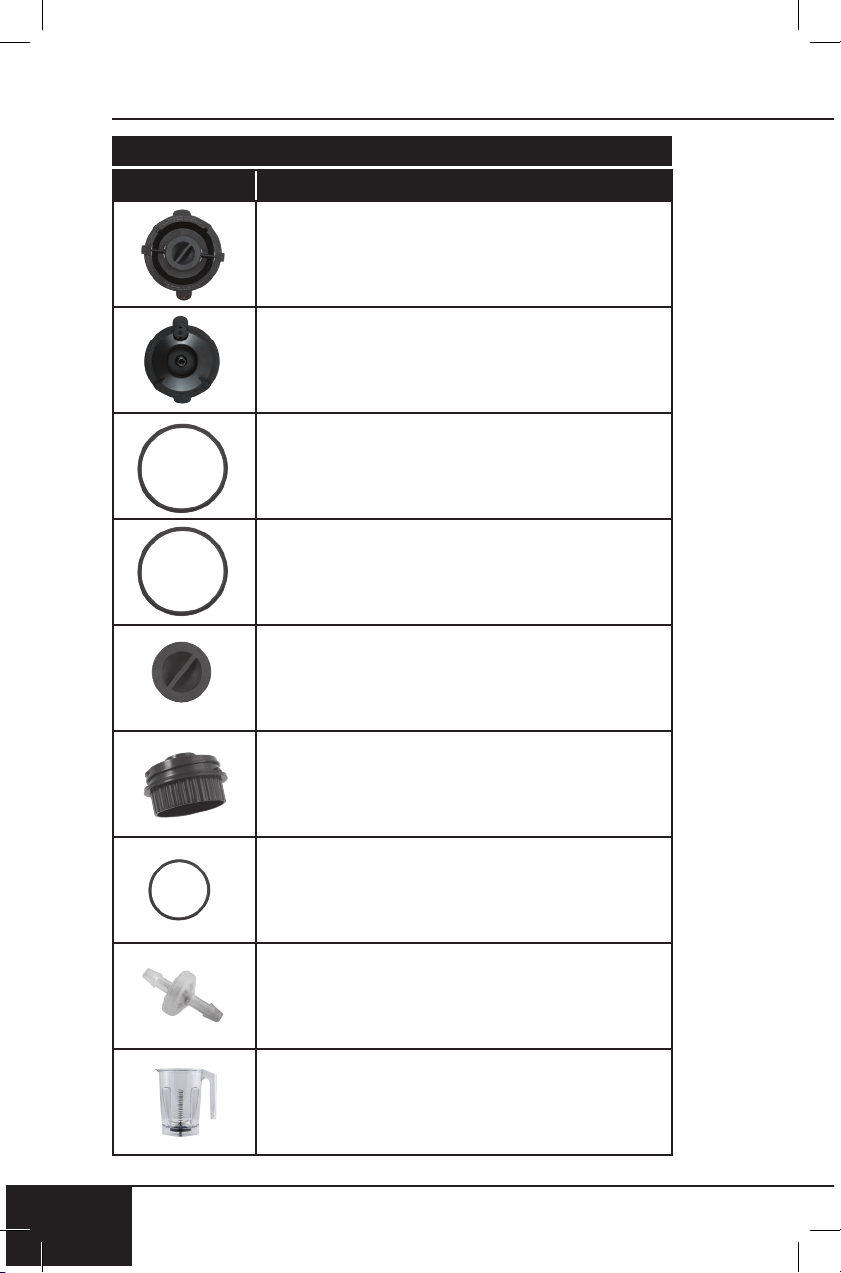
Part Name Part Description Part No.
To order replaceable parts head over to NuWaveNow.com
Vacuum Cap O-Ring
Vacuum Plug
Jar with Blade
Vacuum Cap
Plunger Lid
Vacuum Lid
Plunger Lid Seal Ring
Plunger Cap
Vacuum Lid Seal Ring

nuwavenow.com
53
REPLACEABLE PARTS
nuwavenow.com
53
Part Name Part Description Part No.
27413
27412
27418
27419
27420
27411
27415
Covers jar. Used for non-vacuuming-
blending tasks.
Covers jar. Used for
vacuum-blending tasks.
Located under the rim of Plunger Lid.
Provides seal while blending.
Located under rim of Vacuum Cap.
Provides seal for Vacuum Cap.
Located inside the underneath of the
Vacuum Lid. Provides extra seal for
Vacuum Lid and Cap.
Where ingredients are placed. Clear
container with stainless steel blades
attached inside.
Caution: Do not remove blades.
Located under Vacuum Lid.
Screws on and off.
27414
Located on top, in center of Plunger Lid.
Removed to pour in oil, etc., and provide
opening for Plunger.
27417
Located under the rim of Vacuum Lid.
Provides airtight seal while
vacuum blending.

replaceable parts
54
REPLACEABLE PARTS
54
Part Name Part Description Part No.
To order replaceable parts head over to NuWaveNow.com
REPLACEABLE PARTS
To order replaceable parts head over to NuWaveNow.com
Part Name
Part Description Part No.
Plunger
Storage Jar (Optional)

nuwavenow.com
55
REPLACEABLE PARTS
nuwavenow.com
55
Part Name Part Description Part No.Part Name
Part Description Part No.
27416
Tool used through Plunger Lid to push
down and move around ingredients.
27410
Clear container used for storage
of beverages.

Item No: BM28101
Rev. 07-BS
07-24-19
RB01 DV01
FOR HOUSEHOLD USE ONLY
Model: 28101
120V, 60Hz, 1500W
For patent information please go to:
www.nuwavenow.com/legal/patent
Designed & Developed in USA by:
NuWave LLC
1795 N. Buttereld Road
Libertyville, IL 60048, U.S.A.
Customer Service:
1-877-689-2838 • help@nuwavenow.com
Made in China
©2019 NuWave LLC • All Rights Reserved.
nuwavenow.com