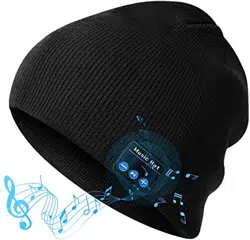
Music hat
Music Hat
HIGHEVER
USER MANUAL


Specications
Feature
5.0 Bluetooth Version. Compatible with any
Bluetooth enabled devices
Made from premium knitted material to keep
you warm
Built-in microphone for answering or calling
Hand- washable after removing the Bluetooth
modules
30-day money back guarantee and 24 hours
friendly customer service
Bluetooth Version: V 5.0+ EDR
Transmission Distance: 33ft(10m)-65ft(20m).
Best performance without obstacles
Rechargeable Lithium Battery: 200mAH
Micro USB Charge: 5V/0.5A
Charging Time: 1.5-2 hours
Working Time: 10-12 hours
Package Included: Bluetooth Hat x1, Charing
Cable x1, User Manual x1
- 1 -
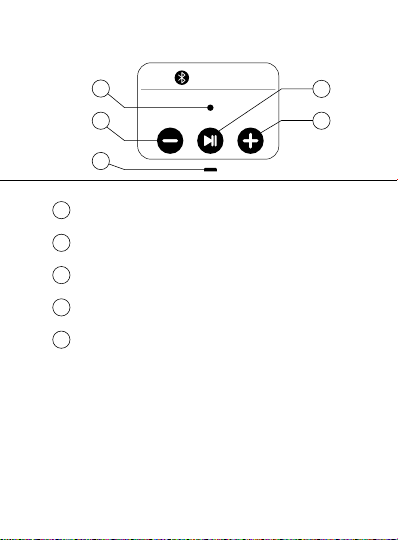
Function Summary
Music Hat
1
2
3
4
5
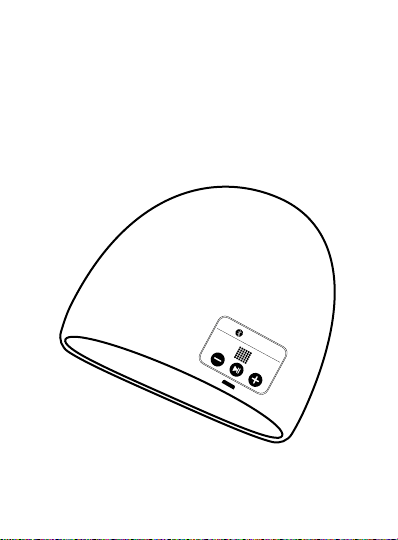
Volume Down/ Previous Track
LED Status Light
On / Off / Play / Pause / Answer / Siri
Volume Up / Next Track
Charging Port
2
4
1
3
5
- 2 -
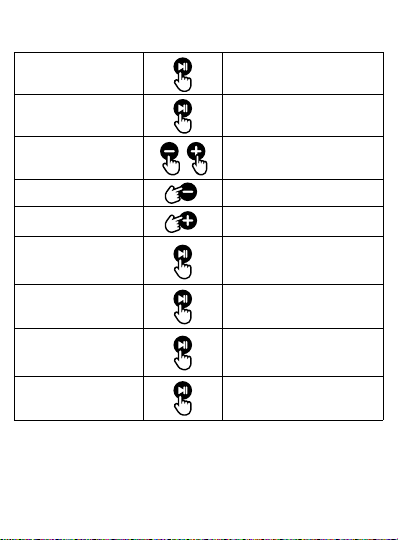
Control
Press and hold
for 3 seconds
Press once
Press and hold
during music playing
Press once
Press once
Press once when
phone ringing
Press and hold
for 3 seconds
Quickly press twice
Power On/Off
Play/Pause
Music
Volume
Up/Down
Previous Track
Next Track
Answer/End
Phone Call
Reject Call
Switch to
Mobile Device
Siri
Press and hold
for 3 seconds
- 3 -
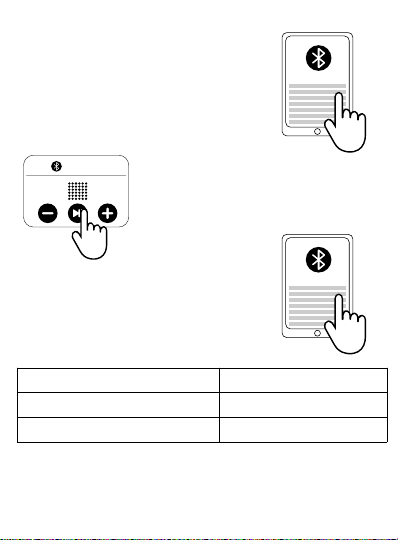
Connect to Music Hat
1. Turn on Bluetooth on device.
2. Turn on the Music hat.
3. Connect to Bluetooth
(Name: BT-01) on device.
Bluetooth ON
Bluetooth Hat
Music Hat
LED Color
Rapidly flashing blue and red
Slowly flashing blue
Status
Pending to be Connected
Connected
- 4 -
Music Hat
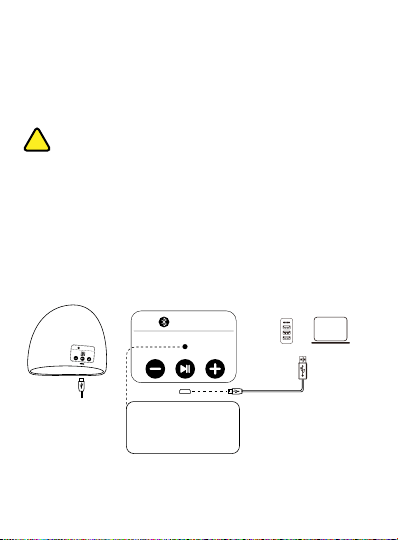
Charge the Music hat
Music Hat
When turned on, the Music hat will automati-
cally connect to the last connected device if
available. If no previously paired device
detected, it will keep pairing mode.
Warning: Only one Bluetooth connection is
allowed, if user want to connect to another
device, please make sure to cancel the
previous device.
USB PC
or
LED Status Color
Red: Charging
Blue: Fully Charged
- 5 -
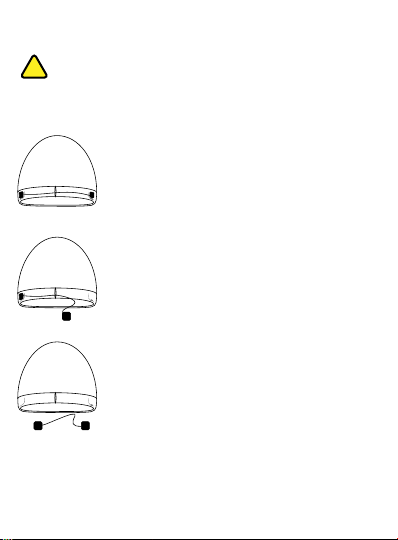
How to wash the Music hat?
Please note that you MUST remove the
control panel & speaker before washing the
Music hat. Follow the steps below:
Step 1: The speakers are held in a pocket
between a double layer inside the hat. You
can gently ease one of the speakers.
Step 2: Continue to ease the other speaker.
Step 3: Wash and dry (It can be washed by
washing machine). Black clothes should not
be washed in combination with other colours.
- 6 -

Warm reminder
Do not expose Music hat to liquid or moisture.
Do not store Music hat near acidic or alkaline
material.
Do not keep Music hat close to the fire. Do not
tumble dry.
Please remove the Bluetooth module before
washing. After completely dried, put back to
their original position.
Please charge the Music hat when you
receive it.
Please turn off Bluetooth function to save
power when not working.
Please note that a 'DI DI DI' sound will be
heard when reaches max/min volume level.
Please fully charge before traveling or going
out.
- 7 -