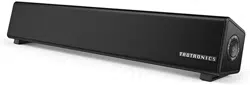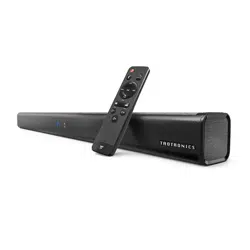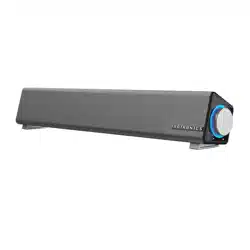

MODEL: TT-SK018
MINI SOUND BAR
User Guide
MADE IN CHINA
TT-SK018_V1.4
MANUFACTURER
Shenzhen NearbyExpress Technology Development Co., Ltd.
Address: 333 Bulong Road, Shenzhen, China, 518129
www.taotronics.com
EUROPE
E-mail:
support.uk@taotronics.com(UK)
support.de@taotronics.com(DE)
support.fr@taotronics.com(FR)
support.es@taotronics.com(ES)
support.it@taotronics.com(IT)
EU Importer: ZBT International Trading GmbH
Address
: Halstenbeker Weg 98C, 25462 Rellingen, Deutschland
NORTH AMERICA
E-mail: support@taotronics.com(US)
support.ca@taotronics.com(CA)
Tel: 1-888-456-8468 (Monday-Friday: 9:00 – 17:00 PST)
US Distributor: SUNVALLEYTEK INTERNATIONAL INC.
Address: 46724 Lakeview Blvd, Fremont, CA 94538
ASIA PACIFIC
E-mail:[email protected](JP)
JPImporter:株式会社SUNVALLEYJAPAN
Address:〒104-0032東京都中央区八丁堀3丁目18-6PMO京橋東9F

CONTENTS
English
Deutsch
Français
Español
Italiano
日本語
01-02
03-04
05-06
07-08
09-10
11-12
EN
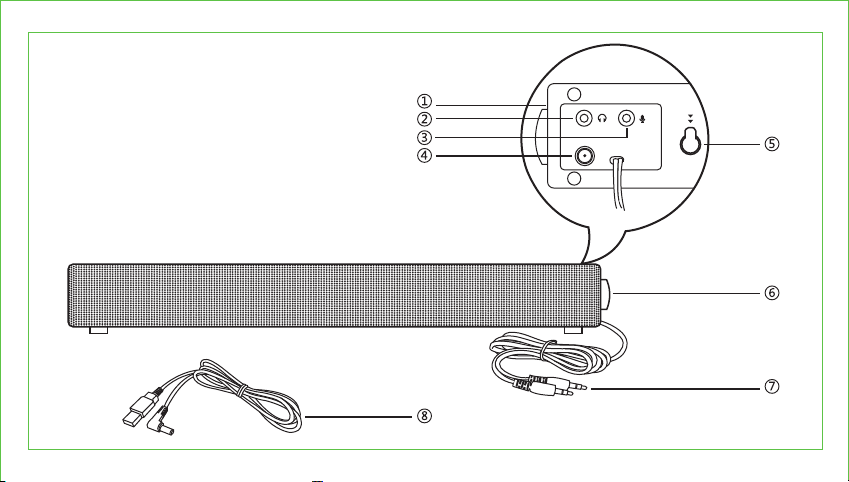
Product Diagram
① LED Indicator
② 3.5mm Audio Port
③ Microphone Port
④ Power Input
⑤ Wall Mount
⑥ Volume Knob
⑦ 3.5mm Audio Cable
⑧ USB Power Cord
DE
Produktdiagramm
① LED-Anzeige
② 3.5mm Audioanschluss
③ Mikrofonanschluss
④ Stromanschluss
⑤ Wandhalterung
⑥ Lautstärkedrehknopf
⑦ 3.5mm Audiokabel
⑧ USB-Stromkabel
FR
Schéma du Produit
① Voyant à LED
② Port Audio 3.5mm
③ Port Microphone
④ Entrée d’Alimentation
⑤ Fixation Murale
⑥ Molette de Volume
⑦ Câble Audio 3.5mm
⑧ Câble d’Alimentation USB
ES
Diagrama del producto
① Indicador LED
② Puerto de Audio de 3.5 mm
③ Puerto de Micrófono
④ Entrada de Energía
⑤ Montaje de Pared
⑥ Perilla de Volumen
⑦ Cable de Audio de 3.5 mm
⑧ Cable de Alimentación USB
IT
Schema del Prodotto
① Indicatore LED
② Porta Jack Audio 3,5mm
③ Porta Microfono
④ Ingresso Alimentatore
⑤ Montaggio a Parete
⑥ Manopola Volume
⑦ Cavo Audio da 3,5
⑧ Cavo di Alimentazione USB
JP
製品図
①LEDインジケータ
②3.5mmオーディオポート
③マイクポート
④電源入力ポート
⑤ウォールマウント
⑥音量ノブ
⑦3.5mmオーディオケーブル
⑧USB電源コード
EN
Product Diagram
① LED Indicator
② 3.5mm Audio Port
③ Microphone Port
④ Power Input
⑤ Wall Mount
⑥ Volume Knob
⑦ 3.5mm Audio Cable
⑧ USB Power Cord
DE
Produktdiagramm
① LED-Anzeige
② 3.5mm Audioanschluss
③ Mikrofonanschluss
④ Stromanschluss
⑤ Wandhalterung
⑥ Lautstärkedrehknopf
⑦ 3.5mm Audiokabel
⑧ USB-Stromkabel
FR
Schéma du Produit
① Voyant à LED
② Port Audio 3.5mm
③ Port Microphone
④ Entrée d’Alimentation
⑤ Fixation Murale
⑥ Molette de Volume
⑦ Câble Audio 3.5mm
⑧ Câble d’Alimentation USB
ES
Diagrama del producto
① Indicador LED
② Puerto de Audio de 3.5 mm
③ Puerto de Micrófono
④ Entrada de Energía
⑤ Montaje de Pared
⑥ Perilla de Volumen
⑦ Cable de Audio de 3.5 mm
⑧ Cable de Alimentación USB
IT
Schema del Prodotto
① Indicatore LED
② Porta Jack Audio 3,5mm
③ Porta Microfono
④ Ingresso Alimentatore
⑤ Montaggio a Parete
⑥ Manopola Volume
⑦ Cavo Audio da 3,5
⑧ Cavo di Alimentazione USB
JP
製品図
①LEDインジケータ
②3.5mmオーディオポート
③マイクポート
④電源入力ポート
⑤ウォールマウント
⑥音量ノブ
⑦3.5mmオーディオケーブル
⑧USB電源コード
EN
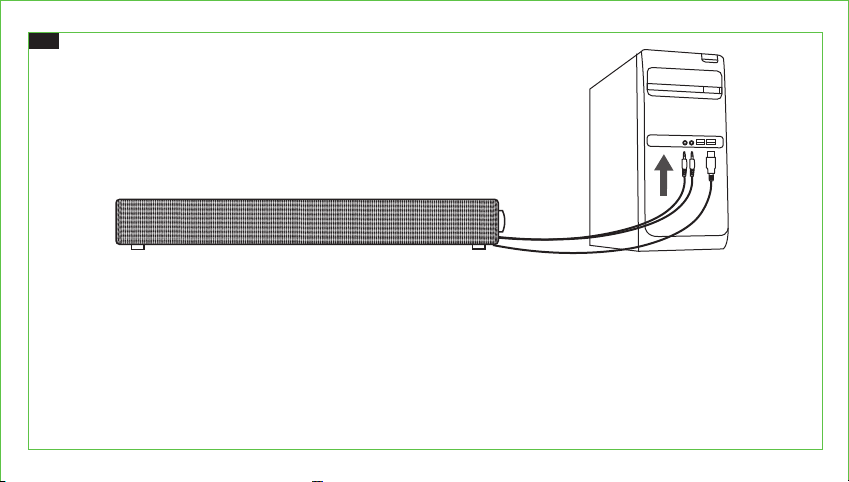
Setting up the Sound Bar
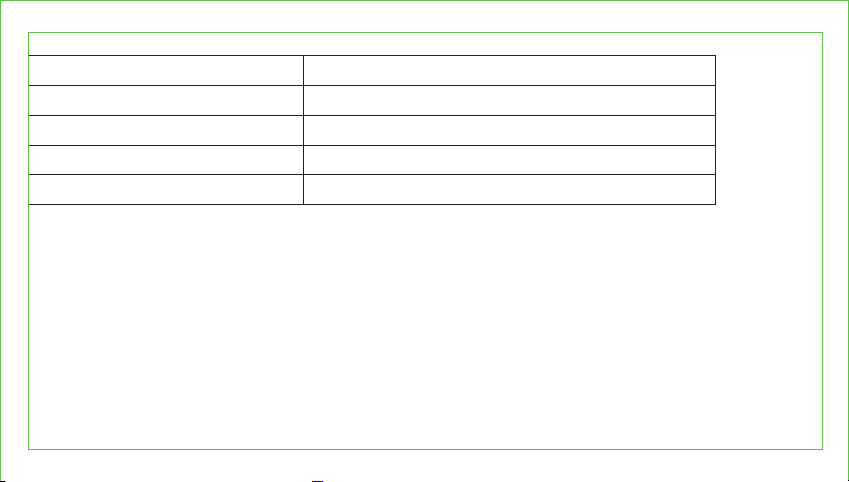
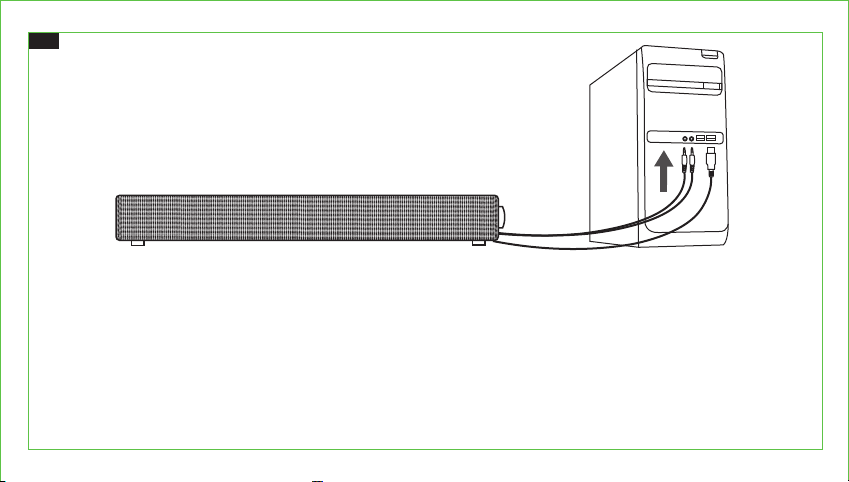
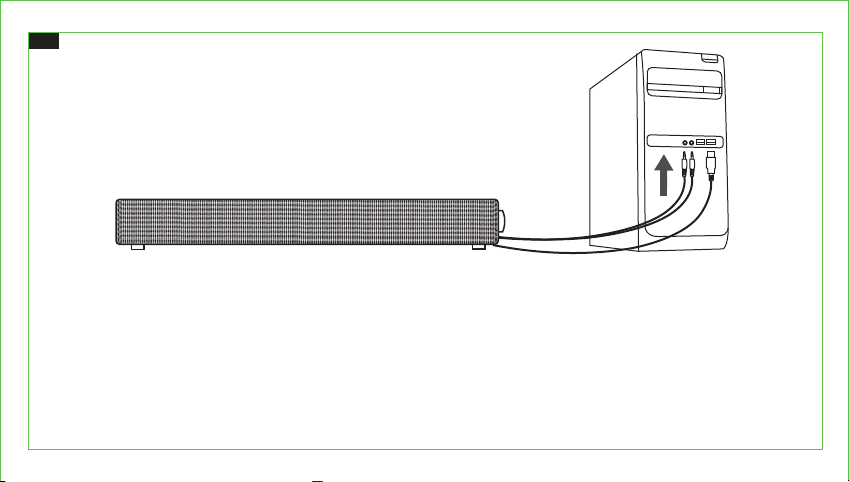
1. Connect to a 5V / 1A power source.
2. Plug in the 3.5mm audio cable into the audio output of your device. Connect the green jack to the audio and pink to the
microphone output.
3. Make sure the music is at audile level and tune the volume through the Volume Knob.
Note:
Plug your headphones into the audio and microphone ports of the sound bar to use with headphones.
Please note the sound bar is not built with microphone.
Specifications
Input
Frequency Response
Separation
S/N
Dimensions
5V / 1A
50Hz ~ 20KHz
≥ 40dB
≥ 70dB
41.7 x 5.3 x 7.3 cm / 16.41 x 2.08 x 2.87 in
0201
EN
Setting up the Sound Bar
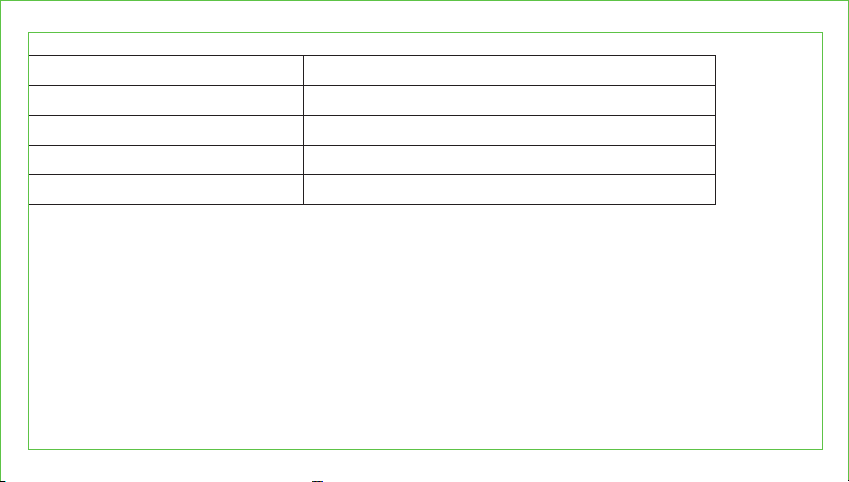
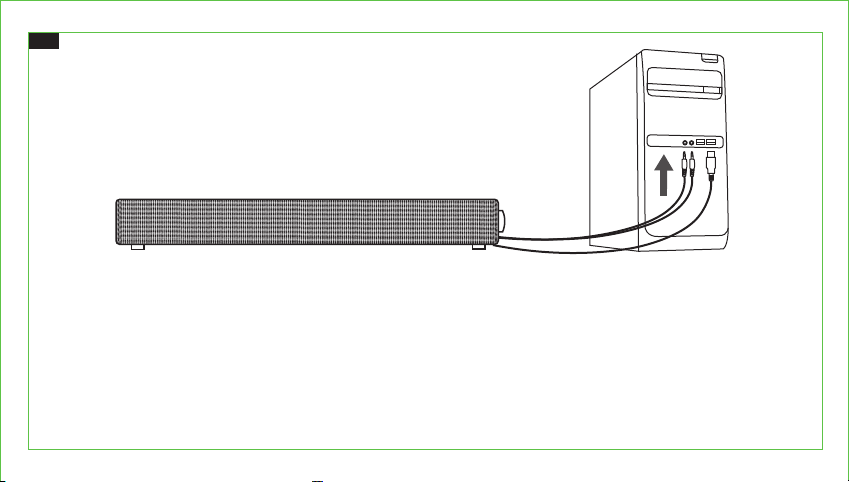
1. Connect to a 5V / 1A power source.
2. Plug in the 3.5mm audio cable into the audio output of your device. Connect the green jack to the audio and pink to the
microphone output.
3. Make sure the music is at audile level and tune the volume through the Volume Knob.
Note:
Plug your headphones into the audio and microphone ports of the sound bar to use with headphones.
Please note the sound bar is not built with microphone.
Specifications
Input
Frequency Response
Separation
S/N
Dimensions
5V / 1A
50Hz ~ 20KHz
≥ 40dB
≥ 70dB
41.7 x 5.3 x 7.3 cm / 16.41 x 2.08 x 2.87 in
0201
DE
Einrichten der Soundbar
1. Schließen Sie sie an einer 5V / 1A Stromquelle an.
2. Stecken Sie das 3.5mm Audiokabel in den Audioausgang Ihres Geräts. Schließen Sie den grünen Stecker am
Audioausgang und den pinken am Mikrofonausgang an.
3. Vergewissern Sie sich, dass die Musik gut hörbar ist, und stellen Sie die Lautstärke mit Hilfe des Lautstärkedrehknopfs ein.
Anmerkung:
Schließen Sie Ihre Kopfhörer an Audio- und Mikrofonanschluss der Soundbar an, um diese mit Kopfhörern zu nutzen.
Bitte beachten Sie, dass die Soundbar über kein integriertes Mikrofon verfügt.
Spezifikationen
Eingang
Frequenzgang
Separation
S/N
Maße
5V / 1A
50Hz ~ 20KHz
≥ 40dB
≥ 70dB
41.7 x 5.3 x 7.3 cm
0403
DE
Einrichten der Soundbar
1. Schließen Sie sie an einer 5V / 1A Stromquelle an.
2. Stecken Sie das 3.5mm Audiokabel in den Audioausgang Ihres Geräts. Schließen Sie den grünen Stecker am
Audioausgang und den pinken am Mikrofonausgang an.
3. Vergewissern Sie sich, dass die Musik gut hörbar ist, und stellen Sie die Lautstärke mit Hilfe des Lautstärkedrehknopfs ein.
Anmerkung:
Schließen Sie Ihre Kopfhörer an Audio- und Mikrofonanschluss der Soundbar an, um diese mit Kopfhörern zu nutzen.
Bitte beachten Sie, dass die Soundbar über kein integriertes Mikrofon verfügt.
Spezifikationen
Eingang
Frequenzgang
Separation
S/N
Maße
5V / 1A
50Hz ~ 20KHz
≥ 40dB
≥ 70dB
41.7 x 5.3 x 7.3 cm
0403
FR
Mise en place de la Barre de Son
1. Branchez à une source d’alimentation 5V / 1A.
2. Branchez le câble audio 3.5mm à la sortie audio de votre appareil. Branchez le jack vert à l’audio et le rose à la sortie
microphone.
3. Assurez-vous que la musique est à niveau audible et réglez le volume avec la molette de volume.
Note:
Branchez votre casque aux ports audio et microphone de la barre de son pour l’utiliser avec votre casque.
Veuillez noter que la barre de son n'a pas de microphone intégré.
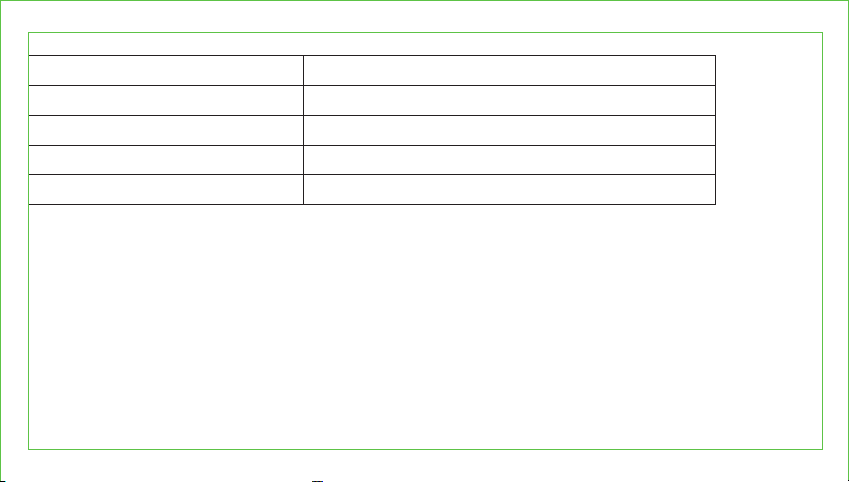
Spécifications
Entrée
Réponse en Fréquences
Séparation
S/N
Dimensions
5V / 1A
50Hz ~ 20KHz
≥ 40dB
≥ 70dB
41.7 x 5.3 x 7.3 cm
0605
FR
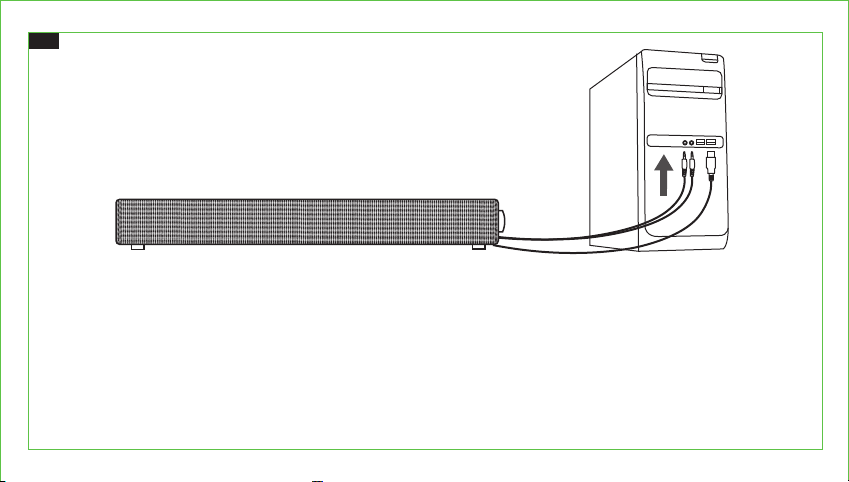
Mise en place de la Barre de Son
1. Branchez à une source d’alimentation 5V / 1A.
2. Branchez le câble audio 3.5mm à la sortie audio de votre appareil. Branchez le jack vert à l’audio et le rose à la sortie
microphone.
3. Assurez-vous que la musique est à niveau audible et réglez le volume avec la molette de volume.
Note:
Branchez votre casque aux ports audio et microphone de la barre de son pour l’utiliser avec votre casque.
Veuillez noter que la barre de son n'a pas de microphone intégré.
Spécifications
Entrée
Réponse en Fréquences
Séparation
S/N
Dimensions
5V / 1A
50Hz ~ 20KHz
≥ 40dB
≥ 70dB
41.7 x 5.3 x 7.3 cm
0605
ES
Configurando la Barra de Sonido
1. Conecte a una fuente de alimentación de 5V / 1A.
2. Conecte el cable de audio de 3.5 mm a la salida de audio de su dispositivo. Conecte el conector verde al audio y el rosa a
la salida del micrófono.
3. Asegúrese de que la música esté a nivel de audición y ajuste el volumen a través de la perilla de volumen.
Nota:
Conecte sus auriculares a los puertos de audio y micrófono de la barra de sonido para usar con auriculares.
Tenga en cuenta que la barra de sonido no cuenta con micrófono integrado.
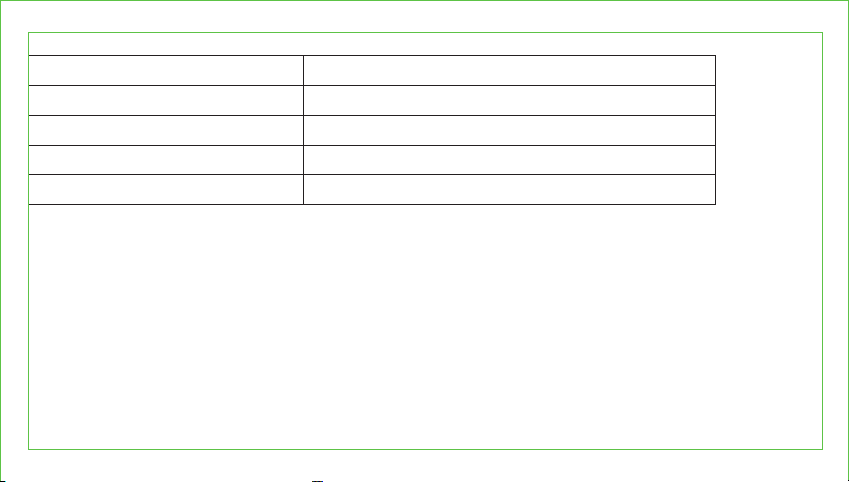
Especificaciones
Entrada
Respuesta en Frecuencia
Separación
S/N
Dimensiones
5V / 1A
50Hz ~ 20KHz
≥ 40dB
≥ 70dB
41.7 x 5.3 x 7.3 cm
0807
ES
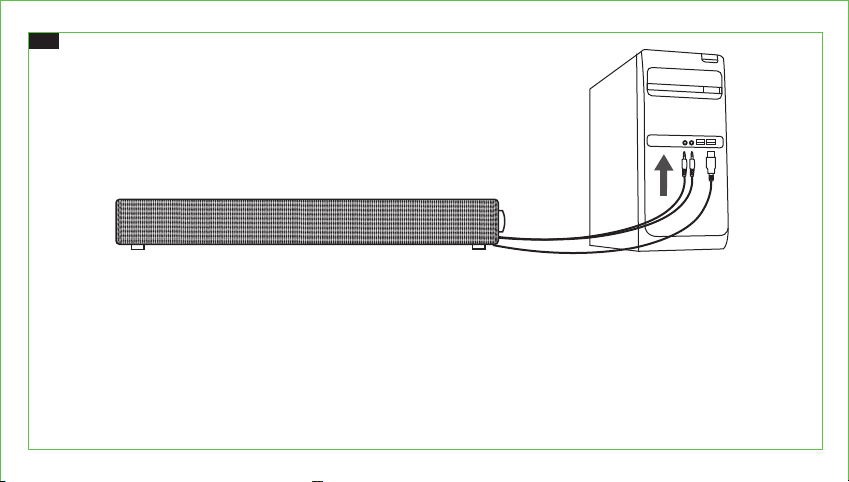
Configurando la Barra de Sonido
1. Conecte a una fuente de alimentación de 5V / 1A.
2. Conecte el cable de audio de 3.5 mm a la salida de audio de su dispositivo. Conecte el conector verde al audio y el rosa a
la salida del micrófono.
3. Asegúrese de que la música esté a nivel de audición y ajuste el volumen a través de la perilla de volumen.
Nota:
Conecte sus auriculares a los puertos de audio y micrófono de la barra de sonido para usar con auriculares.
Tenga en cuenta que la barra de sonido no cuenta con micrófono integrado.
Especificaciones
Entrada
Respuesta en Frecuencia
Separación
S/N
Dimensiones
5V / 1A
50Hz ~ 20KHz
≥ 40dB
≥ 70dB
41.7 x 5.3 x 7.3 cm
0807
IT
Impostare la Sound Bar
1. Connettere ad una fonte di alimentazione da 5V / 1A.
2. Inserire il cavo audio da 3,5mm nell’uscita audio del tuo dispositivo. Connettere il jack verde all’audio e il jack rosa
all’uscita del microfono.
3. Assicurarsi che la musica sia ad un volume udibile e regolare il volume attraverso la Manopola Volume.
Nota:
Inserire le cuffie nelle porte audio e microfono della sound bar per utilizzare con cuffie.
Si prega di notare che la sound bar non è dotata di microfono integrato.
Specifiche
Ingresso
Risposta in Frequenza
Separazione
S/N
Dimensioni
5V / 1A
50Hz ~ 20KHz
≥ 40dB
≥ 70dB
41.7 x 5.3 x 7.3 cm
1009
IT
Impostare la Sound Bar
1. Connettere ad una fonte di alimentazione da 5V / 1A.
2. Inserire il cavo audio da 3,5mm nell’uscita audio del tuo dispositivo. Connettere il jack verde all’audio e il jack rosa
all’uscita del microfono.
3. Assicurarsi che la musica sia ad un volume udibile e regolare il volume attraverso la Manopola Volume.
Nota:
Inserire le cuffie nelle porte audio e microfono della sound bar per utilizzare con cuffie.
Si prega di notare che la sound bar non è dotata di microfono integrato.
Specifiche
Ingresso
Risposta in Frequenza
Separazione
S/N
Dimensioni
5V / 1A
50Hz ~ 20KHz
≥ 40dB
≥ 70dB
41.7 x 5.3 x 7.3 cm
1009
JP
サウンドバーの設定
1.5V/1Aの電源に接続します。
2.3.5mmオーディオケーブルをデバイスのオーディオ出力端子に差し込みます。緑のジャックをオーディオ端子に接続し、ピンクのジ
ャックをマイクの出力端子に接続します。
3.音楽を再生することを確認し、音量ノブで音量を調整します。
注 意:
ヘッドフォンを サウンドバ ー の オーディオポ ートとマイクポ ートと接 続し、ヘッドフォンを 使 用 出 来ます。
サウンドバーにはマイクが内蔵されていませんのでご注意ください。
仕様
入力
対応周波数
音の分離
S/N比
寸法
5V/1A
50Hz~20KHz
≥40dB
≥70dB
41.7x5.3x7.3cm
1211
JP
サウンドバーの設定
1.5V/1Aの電源に接続します。
2.3.5mmオーディオケーブルをデバイスのオーディオ出力端子に差し込みます。緑のジャックをオーディオ端子に接続し、ピンクのジ
ャックをマイクの出力端子に接続します。
3.音楽を再生することを確認し、音量ノブで音量を調整します。
注 意:
ヘッドフォンを サウンドバ ー の オーディオポ ートとマイクポ ートと接 続し、ヘッドフォンを 使 用 出 来ます。
サウンドバーにはマイクが内蔵されていませんのでご注意ください。
仕様
入力
対応周波数
音の分離
S/N比
寸法
5V/1A
50Hz~20KHz
≥40dB
≥70dB
41.7x5.3x7.3cm
1211

FCC Compliance
This device complies with Part 15 of the FCC Rules. Operation is subject to the following two conditions:
(1) this device may not cause harmful interference, and (2) this device must withstand any interference
received, including interference that may cause undesired operation.
WEEE Compliance
Correct Disposal of This Product (Waste Electrical & Electronic Equipment)
(Applicable in countries with separate collection systems)
This marking on the product, accessories or literature indicates that the product and its electronic accessories
should not be disposed of with other household waste at the end of their working life. To prevent possible
harm to the environment or human health from uncontrolled waste disposal, please separate these items
from other types of waste and recycle them responsibly to promote the sustainable reuse of material
resources. Household users should contact either the retailer where they purchased this product, or their
local government office, for details of where and how they can take these items for environmentally safe
recycling. Business users should contact their supplier and check the terms and conditions of the purchase
contract. This product and its electronic accessories should not be mixed with other commercial wastes for
disposal.
MODEL: TT-SK018
MINI SOUND BAR
User Guide
MADE IN CHINA
TT-SK018_V1.4
MANUFACTURER
Shenzhen NearbyExpress Technology Development Co., Ltd.
Address: 333 Bulong Road, Shenzhen, China, 518129
www.taotronics.com
EUROPE
E-mail:
EU Importer: ZBT International Trading GmbH
Address
: Halstenbeker Weg 98C, 25462 Rellingen, Deutschland
NORTH AMERICA
E-mail: [email protected](US)
Tel: 1-888-456-8468 (Monday-Friday: 9:00 – 17:00 PST)
US Distributor: SUNVALLEYTEK INTERNATIONAL INC.
Address: 46724 Lakeview Blvd, Fremont, CA 94538
ASIA PACIFIC
E-mail:[email protected](JP)
JPImporter:株式会社SUNVALLEYJAPAN
Address:〒104-0032東京都中央区八丁堀3丁目18-6PMO京橋東9F