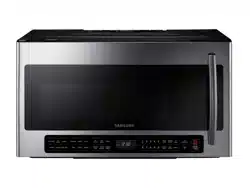
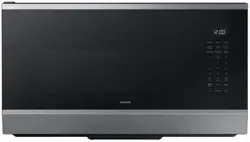
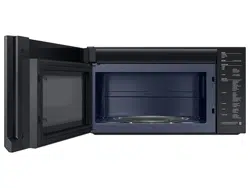
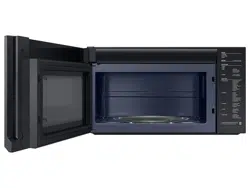
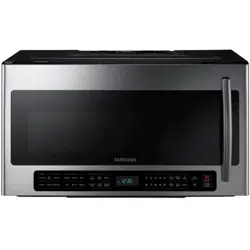
Your microwave oven is equipped with a built-in clock. Set the clock when first installing your microwave oven and after a power failure. The time is displayed whenever the microwave oven is not being used.
Press the Clock button.
Use the number buttons to enter the current time. You need to press at least three numbers to set the clock. For example, if the current time is 5:00, press 5, 0, 0. The display will show: 500.
Press the Clock button.
Use the Clock button to select AM / PM.
Press the ENTER/START button.
A colon appears indicating that the time is set.
CHILD LOCK
The Child Lock function allows you to lock the buttons so that the microwave oven cannot be operated accidentally. The oven can be locked at any time.
Activating/Deactivating
If you want to activate or deactivate the child lock function, press the STOP/CLEAR button for 3 seconds. The display will show ON or OFF when the oven is locked or unlocked, and then re-displays the time.
OPTIONS
You can customize your new microwave oven to suit your preferences. To customize:
Press the Options button.
Press the number button that corresponds to the function you want to customize.
Press the number that corresponds to the option you want to set.
Press the ENTER/START button to set the option.
The functions, options, and corresponding number buttons are listed in the table below.
Filter Reminder
The filter should be cleaned or replaced once every four months. When it is time to clean or replace the filter, the microwave displays the “Filter” message to remind you to clean or replace the filter. To remove the message, touch the number 0 when the microwave is in standby mode, or access Options.
USING YOUR MICROWAVE OVEN
Cooking has never been easier than with your new Samsung microwave oven.
The following section describes everything you need to know about using your microwave oven.
KITCHEN TIMER BUTTON
Use the Kitchen Timer for timing up to 99 minutes, 99 seconds.
Press the Kitchen Timer button.
Use the number buttons to set the length of time you want the timer to run.
Press the ENTER/START button
The display counts down and beeps when the time has elapsed.
To cancel the timer setting: Press the STOP/ CLEAR button once.
ADD 30 SEC BUTTON
This simplified control saves you time, letting you quickly start cooking at 100 % power.
1. Press the Add 30 sec button for each 30 seconds you want food to cook. For example, press it twice to cook for one minute, and then press the ENTER/START button to start cooking.
2. Add 30 sec to a cooking program already in progress by pressing the Add 30 sec button for every additional 30 seconds you want to add.
VENT BUTTONS (4 SPEED & ON/OFF)
The vent removes steam and other vapors from the cooking surface. You can manually select the vent setting.
Press the Vent 4 Speed button to set the speed level.
Press the Vent On/Off button to turn the vent on.
Press the Vent On/Off button again to turn the vent off.
VENT DELAY OFF BUTTON
Press the Delay Off button once to turn the fan off after a certain number of minutes. The number of minutes depends on how many times you press the button.
LIGHT HI/LO/OFF BUTTON
The Light button allows you to select a light setting for your microwave.
SET TIMER BUTTON
You can set the microwave so the light turns on and off automatically at a preset time. The light comes on at the same time every day until reset.
Press the Set Timer button.
Use the number buttons to set the light on time.
Press the Clock button to select AM or PM.
Press the ENTER/START button.
Use the number buttons to set the light off time.
Press the Clock button to select AM or PM.
Press the ENTER/START button.
TURNTABLE ON/OFF BUTTON
For best cooking results, leave the turntable on. However, for large dishes it can be turned off.
Press the Turntable On/Off button to turn the turntable on or off.
METAL SHELF
Use the metal shelf to cook more than one item at the same time.
Food cooks best on the turntable.
The shelf gives you the option to reheat more than one dish at the same time.
Reheating food
To reheat food on 2 levels or to reheat food on the lower level:
• Multiply the reheating time by 1½.
• Switch places halfway through the reheating process.
ECO MODE
Eco Mode reduces standby power usage.
When you press the Eco Mode button once, the display will go out and the microwave shifts to the mode which minimizes power usage.
To cancel the Eco Mode, press the Eco Mode button once again, or press any other button.
SMART DEFROST BUTTON
To thaw frozen foods, enter the weight of the food, and the microwave automatically sets the defrosting time, power level, and standing time. Press ENTER/START button to start defrosting.
Press the Smart Defrost button.
Press the Smart Defrost button repeatedly or the number buttons (1-7) to select the menu that corresponds to the food you are defrosting and the weight of the food. For example, selet dF-1 to defrost .5 to .9 lbs of ground meat.
Press the ENTER/START button.
Whenever the microwave beeps during the defrosting process, open the microwave’s door, turn the food over, and then press the ENTER/START button to continue defrosting.
1 POUND DEFROST BUTTON
To thaw 1 lb. of frozen food, press this button, and the microwave automatically sets the defrosting time, power level and standing time.
Press the 1 Pound Defrost button. The display shows: 1.0 Lbs
Press the ENTER/START button to start defrosting.
The oven will beep during the defrosting process. Open the oven door, turn the food over, and the press the ENTER/START button.
If you do not turn the food over, the oven will pause until you press the ENTER/START button.
SOFTEN/MELT BUTTON
Press the Soften/Melt button. Press the button repeatedly to cycle through the available items. (Refer to the Soften/Melt table below for a list of the items.)
Press the number 1 or 2 button to select the amount. You can cook only 1 serving using the Melt Chocolate, Soften Butter, and Soften Cream Cheese options. (Refer to the Soften/Melt table for the serving size.)
Press the ENTER/START button to begin cooking.
CLEANING AND MAINTAINING
Keeping your microwave oven clean improves its performance, wards off unnecessary repairs, and lengthens its life.
CLEANING THE EXTERIOR
It’s best to clean spills on the outside of your microwave oven as they occur. Use a soft cloth and warm, soapy water. Rinse and dry.
Cleaning under your microwave oven
Regularly clean grease and dust from the bottom of your microwave using a solution of warm water and detergent.
Cleaning the control panel
Wipe with a damp cloth and dry thoroughly. Do not use cleaning sprays, large amounts of soap and water, abrasives, or sharp objects on the panel as it is easily damaged.
Cleaning the door and door seals
Always ensure that the door seals are clean and that the door closes properly. Take particular care when cleaning the door seals to ensure that no particles accumulate and prevent the door from closing correctly. Wash the glass door with very mild soap and water. Be sure to use a soft cloth to avoid scratching.
If a thin film of water accumulates on the inside or outside of the oven door, wipe it off with a soft cloth. A thin water film can accumulate when you operate the oven at high humidity and in no way indicates microwave leakage.
CLEANING THE INTERIOR
Clean the interior surfaces (oven cavity) of your microwave oven periodically to remove any splashes or stains. To remove hardened food articles and remove smells, place 2 cups of water (add lemon juice for extra freshness) into a four-cup measuring glass. Run the microwave at High power for 5 minutes or until the water boils. Let water stand in the oven for one or two minutes.
CLEANING THE TURNTABLE AND ROLLER RINGS
Clean the roller rings periodically and wash the turntable as required. You can wash the turntable safely in your dishwasher.
STORING AND REPAIRING YOUR MICROWAVE OVEN
If you need to store your microwave oven for a short or extended period of time, choose a dust-free, dry location. Dust and dampness may adversely affect the ability of the microwave parts.
REPLACING THE COOKTOP/NIGHT LIGHT
When replacing the cooktop/night light, make sure that you are wearing gloves to avoid injury from the heat of the lamp.
1. Unplug the oven or turn off the power at the main power supply.
2. Remove the screw from the light cover and lower the cover.
3. Replace the lamp with a LED PBA.
4. Replace the light cover and mounting screw.
5 Turn the power back on at the main power supply.
REPLACING THE OVEN LIGHT
When replacing the oven light, make sure that you are wearing gloves to avoid injury from the heat of the lamp.
1. Unplug the oven or turn off the power at the main power supply.
2. Open the door.
3. Remove the vent cover mounting screws (2 middle screws).
4. Slide the vent grille to the left, then pull it straight out.
5. Remove the charcoal filter, if present.
6. Remove the screw securing the lamp cover.
7. Remove the lamp by pulling it out gently.
8. Replace the lamp with a 50 watt halogen lamp.
9. Replace the lamp holder.
10. Replace the vent grille and re-insert the 2 screws.
11. Plug the oven in or turn on the power at the main power supply. Reset the clock.
CLEANING THE GREASE FILTER
Your microwave oven has reusable grease filter. The grease filters should be removed and cleaned at least once every four month, or as required.
To order a new grease filter, contact the Parts Department at 1-800-627-4368 or your Samsung dealer. You can also order online at samsungparts website
1. To remove the filter, push the front of the grease filter case.
2. Pull the filter case out of the microwave oven.
3. Remove the filter from the filter case by widening the case, as shown below. Then, soak the grease filter in hot water mixed with a mild detergent. Rinse well and shake to dry. If necessary, brush the filter lightly to remove embedded dirt. When the filter is dry, put it back in the filter case.
Do not use ammonia or put the grease filter in the microwave oven. The aluminum will darken.
4. To re-install the filter, slide the filter case into the frame slot, and then push it inside.
REPLACING THE CHARCOAL FILTER
If your oven is vented to the inside, the charcoal filter should be replaced every 6 to 12 months and more often if necessary. The charcoal filter cannot be cleaned. To order a new charcoal filter, contact the Parts Department at 1-800-627-4368 or your Samsung dealer. You can also order online at samsungparts website
1. Unplug the oven or turn off the power at the main power supply.
2. Open the door.
3. Remove the vent grille mounting screws (2 middle screws).
4. Slide the vent grille to the left, then pull it straight out.
5. Push the hook and remove the old filter.
6. Slide a new charcoal filter into place. The filter should rest at the angle shown.
7. Replace the vent grille and 2 screws and close the door. Turn the power back on and set the clock.
TROUBLESHOOTING
Check these solutions if you have a problem with your microwave:
Problem
Solution
The display and/or the oven is not working
Make sure the plug is properly connected to a grounded outlet. If the wall outlet is controlled by a wall switch, make sure the wall switch is turned on.
Remove the plug from the outlet, wait ten seconds, and plug it in again. Reset the circuit breaker or replace any blown fuses
Plug a different appliance into the outlet. If the other appliance doesn’t work, call a qualified electrician to repair the wall outlet.
Plug the oven into a different outlet.
The display is working, but the power won’t come on.
Make sure the door is closed securely. Check if any packaging material or anything else is stuck in the door seal. Check if the door is damaged.
Touch Cancel twice and enter all the cooking instructions again.
Is the power going off before the set time has elapsed?
If there was a power outage, the time indicator will display: 88:88.
If no power outage occurred, remove the plug from the outlet, wait ten seconds, and plug it in again. Reset the clock and any cooking instructions.
Reset the circuit breaker or replace any blown fuses.
Cooks food too slowly
Make sure the oven has its own 20 amp circuit line. Operating another appliance on the same circuit can cause a voltage drop. If necessary, move the oven to its own circuit.
Has sparks or arcing.
Remove any metallic utensils, cookware, or metal ties. If using foil, use only narrow strips and allow at least one inch between the foil and the interior oven walls.
The turntable makes noise or becomes stuck.
Clean the turntable, roller ring, and oven floor.
Make sure the turntable and roller ring are positioned correctly.
Causes TV or radio interference.
This is similar to interference caused by other small appliances, such as hair dryers. Move your microwave (or appliance) away from appliances, such as your TV or radio.
Vent Motor suction force is too weak
Set the vent mode to high.
The Vent Fan will only operate in low speed mode while the microwave is working.
Operating noise is too loud.
The MWO makes noise during operation. This is normal.
If you hear an abnormal sound continuously, please contact the Samsung Call Center (1-800-726- 7864).
Cook top lamp is too dim.
Set the lamp brightness level to high.
Difficult to replace Charcoal Filter.
Please refer to the instructions for replacing the charcoal filter in the user’s manual.
Turntable rotates improperly
Make sure you have not put too much food on the turntable.
If the food is too large or too heavy, the turntable may operate improperly


 Do not use ammonia or put the grease filter in the microwave oven. The aluminum will darken.