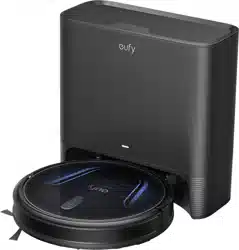
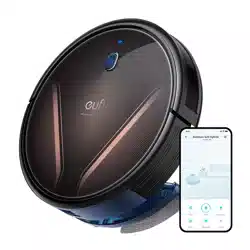
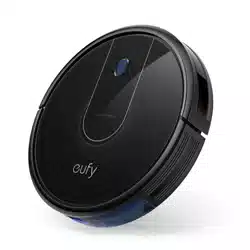
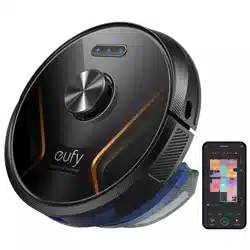
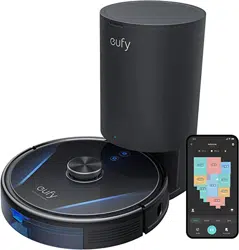
eufy RoboVac 11S Robot Vacuum Cleaner
Product's Documents
Below are documents related to this product, you can read online or download:
- Owner's manual - (English) Read Online | Download pdf
User manual Vacuum Cleaner
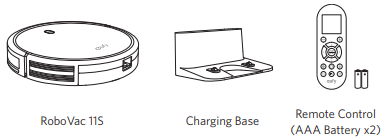
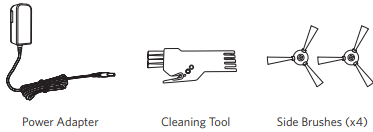
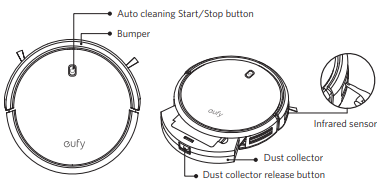
Top & Side
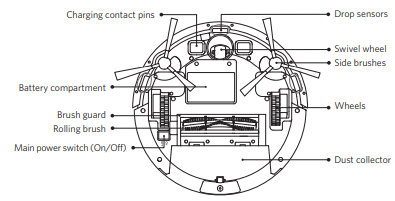
Bottom
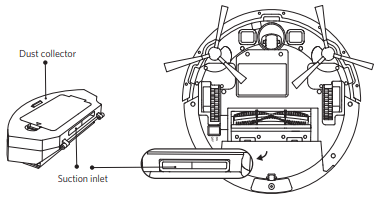
Dust Collector
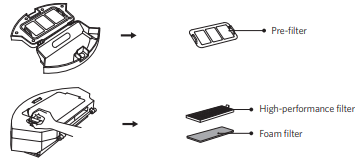
Suction Inlet
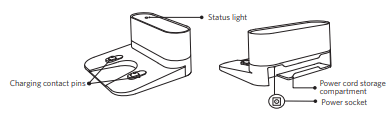
Charging Base
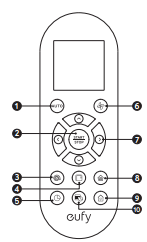
 Start Auto cleaning
 Start Auto cleaning / Stop cleaning
 Start Spot cleaning
 Start Edge cleaning
 Adjust time
 Adjust suction power level in Auto/Single Room Cleaning mode
 Control cleaning direction manually Adjust the hour and minute
 Start Single Room cleaning
 Return RoboVac to Charging Base
 Schedule Auto cleaning start time
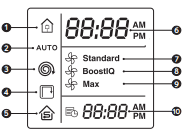
Returning to Charging Base
Auto cleaning mode selected
Spot cleaning mode selected
Edge cleaning mode selected
Single Room cleaning mode selected
Clock
Standard suction power enabled
BoostIQ™ dynamic suction power enabled
Max suction power enabled
Scheduled cleaning time
 Install 2 AAA batteries before using the remote control for the first time. Make sure the positive and negative ends are facing the correct polarity direction as marked in the battery compartment
You can see the status of RoboVac from the LED indicator.
 (Status Light)
Charging
Standby / Cleaning / Fully charged
Low power and returning to Charging Base
RoboVac is off.
To conserve power, the light automatically turns off when RoboVac is not docked to the Charging Base and has been inactive for 1 minute.
RoboVac has an error.
Refer to the “Troubleshooting>Error Tone” section in this manual for solutions.
Important Tips Before Use
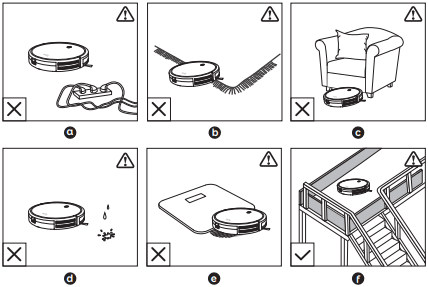
 Remove power cords and small objects from the floor that may entangle RoboVac
 Fold tasseled edges of area rugs underneath to prevent tangling RoboVac. Avoid cleaning very dark-colored high-pile rugs or rugs thicker than 1.02 in/26 mm as they may cause RoboVac to malfunction.
 Keep RoboVac away from spaces lower than 2.87 in/73 mm to prevent RoboVac from getting stuck. If necessary, place a physical barrier to block off the problem areas.
 Keep RoboVac away from wet area.
 RoboVac may climb on top of objects less than 0.63 in/16 mm in height. Remove these objects if possible.
 Anti-drop sensors prevent RoboVac from tumbling down stairs and steep drops. They may work less effectively if dirty or used on reflective/very dark-colored floors. It is recommended to place physical barriers to block off areas where RoboVac may fall.
 Place physical barriers in front of fireplaces and areas that may cause damage to RoboVac if entered.
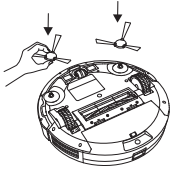
1. Install the side brushes before use.
2. Turn on the main power switch on the bottom of RoboVac.
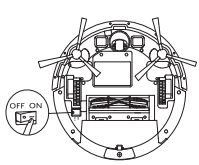
Remove the sticker next to the power switch, and the foam blocks beside the bumper before use.
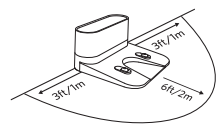
3. Place the Charging Base on a hard, level surface and against a wall.
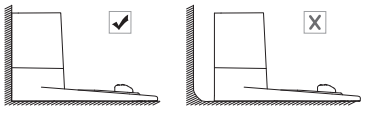
4. Remove objects within 3 ft/1 m of the left and right side and within 6 ft/2 m of the front of the charging base.
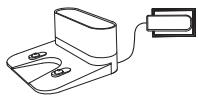
5. Connect the round connector of the adapter into the power socket on the Charging Base and the other end into a wall outlet.
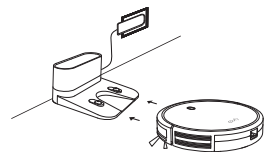
Method 1: Attach RoboVac to the Charging Base by aligning its charging pins with the charging pins on the base.
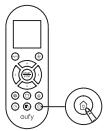
Method 2: Press  on the remote control to return RoboVac to the Charging Base.
Turn off the main power switch if RoboVac will not be used for a long period of time. To preserve the battery’s lifespan, recharge at least once every 6 months.
1. Press  on RoboVac or
  on the remote control to start cleaning in Auto Mode.
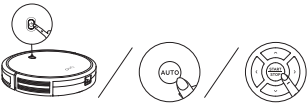
2. Press on RoboVac or  on the remote control to stop cleaning.
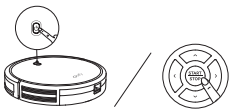
1. Auto cleaning
RoboVac optimizes its cleaning path by selecting different cleaning modes automatically until cleaning is complete. This is the most commonly used cleaning mode.
Press on RoboVac or  on the remote control to start cleaning in Auto Mode.
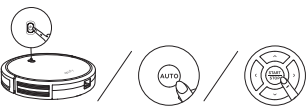
BoostIQ™ Feature
When the BoostIQ™ feature is enabled, RoboVac will automatically increase the suction power if it detects stronger power is needed to ensure the best clean. BoostIQ™ is ideal for cleaning thicker carpets and hard-to-sweep messes, which will reduce the total cleaning time, but increase the noise level. If the vacuuming noise caused by BoostIQ™ disturbs you, you can disable this feature. This feature only works in Auto and Single Room cleaning modes.
In Auto or Single Room cleaning mode, press  on the remote control repeatedly to adjust the suction power level.
Standard
BoostIQ
Max
When RoboVac starts cleaning in Auto or Single Room mode the next time, it will clean according to the suction power level you previously selected.
2. Spot cleaning
RoboVac intensively cleans a specific area in a spiral pattern, useful if there is a concentrated area of dust or debris. In Spot mode, RoboVac will stop cleaning after 2 minutes.
Press  on the remote control to start cleaning in Spot mode.
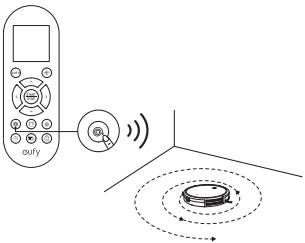
3. Edge cleaning
RoboVac reduces its speed when it detects a wall and then follows the wall to ensure the edge is cleaned thoroughly. In Edge mode, RoboVac will clean for 20 minutes and return to the Charging Base.
Press  on the remote control to start cleaning in Edge mode.
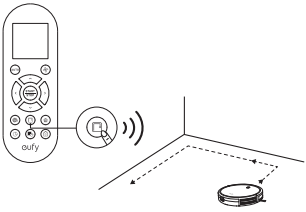
4. Single Room cleaning
RoboVac intensively cleans one single room and stops after 30 minutes. Select this mode only when one specific room needs to be cleaned. Make sure to confine RoboVac to the room by closing the door.
Press  on the remote control to start cleaning in Single Room Mode.
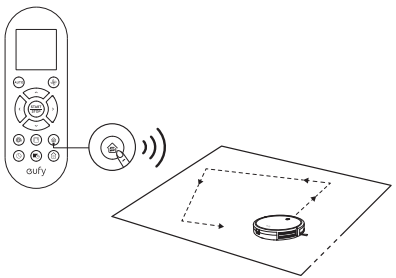
5. Manual cleaning
You can direct RoboVac to clean a particular area by using the directional buttons on the remote control.
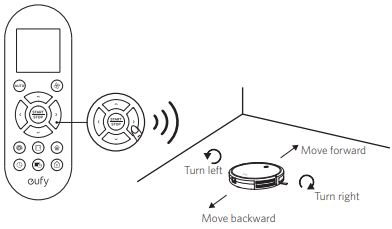
Make sure the main power switch on the bottom of RoboVac is turned on.
Press  on the remote control. The time will blink on the display.
Press  to set the “hour” and “minute”. Note: Make sure AM/PM is set correctly.
Press or  to save the setting. RoboVac will BEEP ONCE to indicate the time has been set.
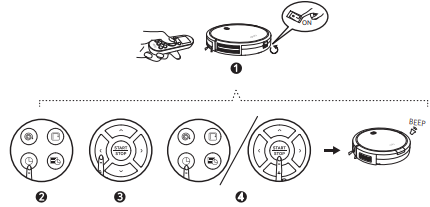
 To ensure the time is set successfully, make sure RoboVac is turned on. You will hear a beep when the time has been set.
You can schedule RoboVac to start cleaning at a specified time. To cancel a previously scheduled cleaning, press and hold  for 3 seconds until RoboVac beeps twice and
  disappears.
Note: Before setting a scheduled cleaning, make sure the time has been set correctly to your local time; refer to the previous section “Set Time” for how to set the time.
Make sure the main power switch on the bottom of RoboVac is turned on.
Press on the remote control. will blink on the display.
Press to set the “hour” and “minute”. Note: Make sure AM/PM is set correctly.
Press or to save the setting. RoboVac will BEEP ONCE to indicate the schedule has been set.
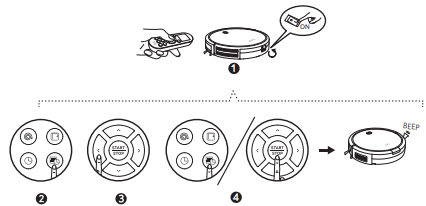
To ensure the schedule is set successfully, make sure RoboVac is turned on. You will hear a beep when the schedule has been set.
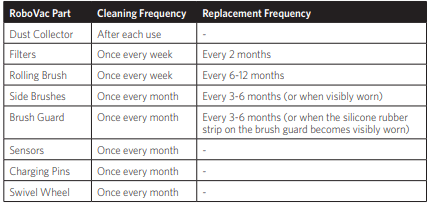
For optimal performance, follow the instructions below to clean and maintain RoboVac regularly. The cleaning/replacement frequency will depend on your usage habits of RoboVac.
Recommended cleaning/replacement frequency:
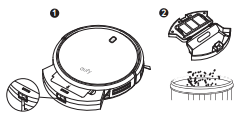
Press the dust collector release button to pull the dust collector out.
Open and empty the dust collector.
Remove the pre-filter by pulling the hooks as shown.
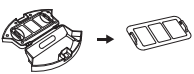
Take out the foam filter and high-performance filter.
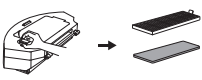
Clean the dust collector and filters with a vacuum cleaner or a cleaning brush.
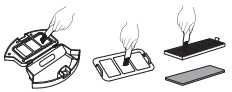
Put the filters and pre-filter back together in the dust collector.
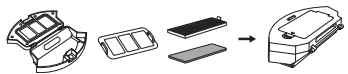
Push the dust collector back into the main unit.
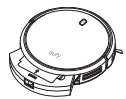
You can wash the dust collector, pre-filter and foam filter with water. Be sure to air-dry them thoroughly before reassembling. Do not wash the high-performance filter with water, as it may damage the filter and reduce the suction power
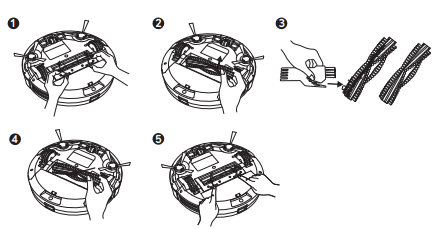
Pull on the release tabs to unlock the brush guard as shown.
Lift the rolling brush to remove.
Clean the rolling brush with the provided cleaning tool or a vacuum cleaner.
Reinstall the rolling brush by inserting the fixed protruding end first and then clicking into place.
Press down to snap the brush guard into place.
Foreign substances, such as hair, can easily get tangled in the side brushes, and dirt may adhere to them. Be sure to clean them regularly.
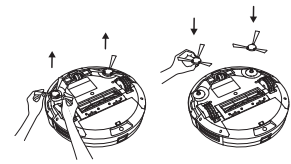
Remove the side brushes.
Carefully unwind and pull off any hair or string that is wrapped between the main unit and the side brushes.
Use a cloth dampened with warm water to remove dust from the brushes or to gently reshape them.
Only use the side brushes when they are completely dry.
The side brushes may become bent or damaged after being used for a period of time. Follow the instructions below to replace them.
Pull off the old side brushes and snap the new ones into place.
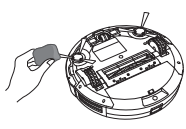
To maintain the best performance, clean the drop sensors and charging pins regularly.
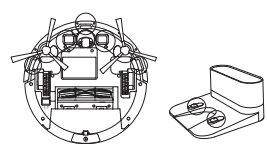
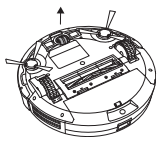
Hair or dust particles can easily get entangled in the swivel wheel. Be sure to clean the swivel wheel periodically and as needed.
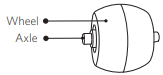
Pull out the swivel wheel.
Clean any hair or debris wrapped around the wheel or entangled inside the wheel cavity.
Reinstall the wheel and push in until it clicks into place.
Frequently asked questions
RoboVac cannot be activated.
The remote control does not work.
RoboVac stops working suddenly.
You cannot schedule cleanings.
Suction power is weak.
RoboVac cannot be charged.
RoboVac cannot return to the Charging Base.
The rolling brush does not rotate.
RoboVac’s movements or travel path are abnormal.
When RoboVac is in trouble, it will emit a series of short or long beeps and the red indicator on RoboVac will be solid or flashing.
Flashing red indicator light
One beep
Restart cleaning in a new location.
Two beeps
Tap RoboVac’s bumper several times to dislodge any debris that may be trapped underneath.
Three beeps
Clean the drop sensors gently with a dry cloth.
Place RoboVac in a new location.
Use a physical barrier to block off the problem area.
Four beeps
Manually charge RoboVac for at least 5 hours.
Solid red indicator light
One beep
Turn off RoboVac and remove any hair or debris from the left/right wheel.
Two beeps
Turn off RoboVac and remove any hair or debris from the side brush.
Three beeps
Turn off RoboVac, then remove and empty the dust collector.
Make sure the suction inlet is not blocked by any hair or debris.
Four beeps
Turn off RoboVac and remove any hair or debris from the rolling brush.
Reference file: eufy RoboVac 11S Robot Vacuum Cleaner
Additionally, the document applies to other eufy models: T2108