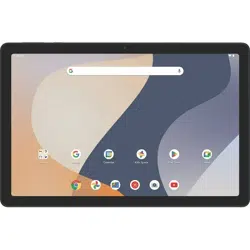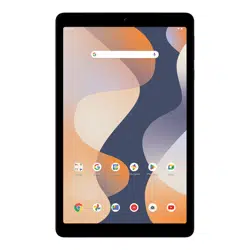
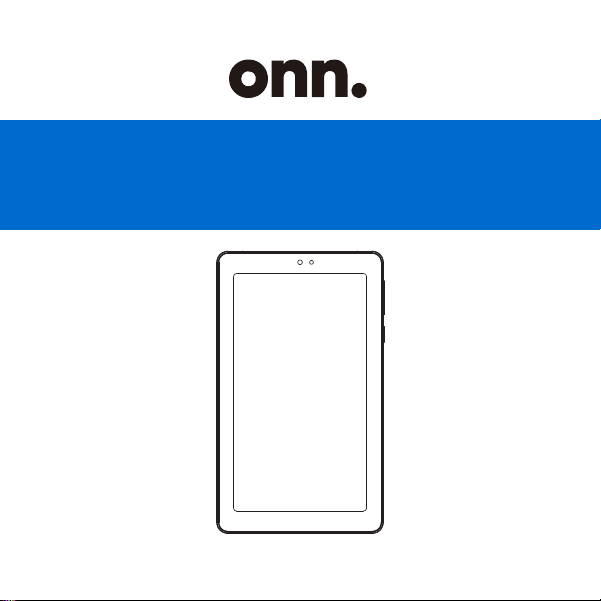
USER GUIDE
7” Tablet Gen 4
100135924_EN_10272023

Contents & Information
CONTENTS &
INFORMATION
OVERVIEW
SAFETY PRECAUTIONS
MODEL DESCRIPTION
In The Box
ASSEMBLY
OPERATION
CLEANING & CARE
Cleaning
Prevention
WARRANTY
TROUBLESHOOTING
SCAN HERE FOR MORE
PRODUCT INFORMATION
AND LEAVE US A REVIEW!
FPO
Android 14
3GB RAM
32GB storage
Expandable with memory
card reader
Up to 9 hours of battery life
7" 1024*600 resolution LCD
touchscreen
TM
FEATURES
1 7
2
6
3
54 4
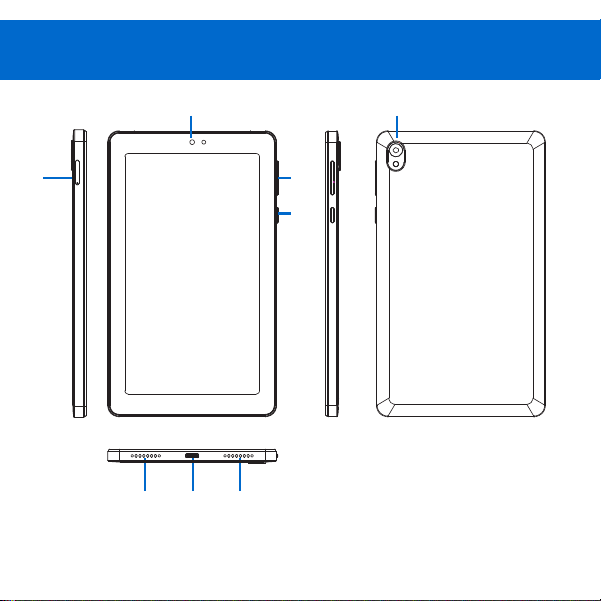
1. Camera(Front)
2. Volume Control
3. Power On/Off
4. Speaker
5. USB-C Charging Port
6. Memory Card Slot
7. Camera(Rear)
Overview
CAUTION
Safety Precautions
Do not install near any heat sources such as radiators,
heat registers, stoves, or other apparatus(including
amplifiers) that produce heat.
High sound pressure, Hearing damage risk. Do not
listen at high volume levels for long periods.
Use the devices where the ambient temperature is
between 0 and 35° C( 32 to 95° F). Low-or high-
temperature conditions might cause the device to change
its behavior to regulate its temperature. Using Android
device in very cold conditions outside of its operating
ran
ge might temporarily shorten battery life and could
cause the device to turn off. Battery life will return to
normal when you bring the device back to higher ambient
temperatures. Using the devices in very hot conditions
can permanently shorten battery life.
COMPLIANCE INFORMATION

NOTE: This equipment has been tested and found to comply
with the limits for a Class B digital device, pursuant to Part
15 of the FCC Rules. These limits are designed to provide
reasonable protection against harmful interference in a
residential installation. This equipment generates, uses and
can radiate radio frequency energy and, if not installed and
used in accordance with the instructions,may cause
harmful interference to radio communications. However,
there is noguarantee that interference will not occur in a
This device complies with Part 15 of the FCC Rules.
Operation is subject to the following two conditions:
(1) this device may not cause harmful interference, and
(2) this device must accept any interference received,
including interference that may cause undesired operation.

particular installation.lf this equipment does cause harmful
interference to radio or television reception, which can be
determined by turning the equipment off and on, the user
is encouraged to try to correct the interference by one or
more of the following measures:
-- Reorient or relocate the receiving antenna.
-- lncrease the separation between the equipment and
receiver.
-- Connect the equipment into an outlet on a circuit
different from that to which the receiver is connected.
-- Consult the dealer or an experienced radio/TV
technician for help.
From the All APP screen tap on setting > system>
certification information to view certification information.
Caution
Changes or modifications of this product is not expressly
approved by the party responsible for compliance could
void the user's authority to operate the equipment.

Specific Absorption Rate (SAR) information:
This 7" Tablet meets the government's requirements for exposure to
radio waves. The guidelines are based on standards that were developed
by independent scientific organizations through periodic and thorough
evaluation of scientific studies. The standards include a substantial
safety margin designed to assure the safety of all persons regardless of
age or health. FCC RF Exposure Information and Statement
the SAR limit of USA (FCC) is 1.6 W/kg averaged over one gram of
tissue. Device types: 7" Tablet has also been tested against this SAR
limit. This device was tested for typical body-worn operations with the
back of the phone kept 0mm from the body. To maintain compliance
with FCC RF exposure requirements, use accessories that maintain an
0mm separation distance between the user's body and the back of the
phone. The use of belt clips, holsters and similar accessories should
not contain metallic components in its assembly. The use of accessories
that do not satisfy these requirements may not comply with FCC RF
exposure requirements, and should be avoided.
Part
Description
Picture
Qty
IN THE BOX
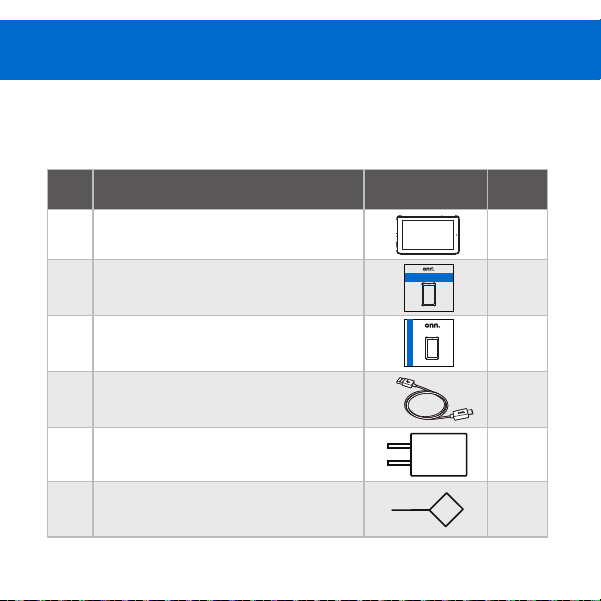
1 7” Tablet
2 User Guide
3 Quick Start Guide
4 USB-C cable
5 Charger
6 Memory Card Ejection Pin
1
1
1
1
1
1
Model Description
USER GUIDE
7” Tablet Gen 4
100135924_EN_10272023
QUICK START GUIDE
7” Tablet Gen 4
100135924_EN_10272023
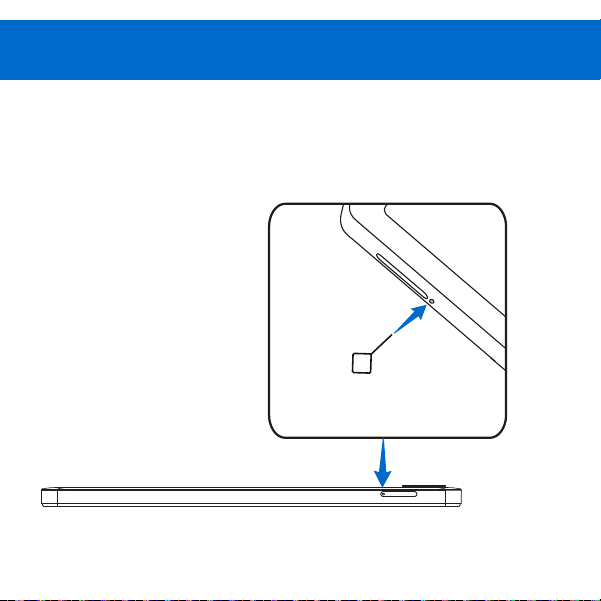
Install the memory card as shown in the figure.
Assembly
1. INSTALLING CARD
Install the memory card
as shown in the figure.
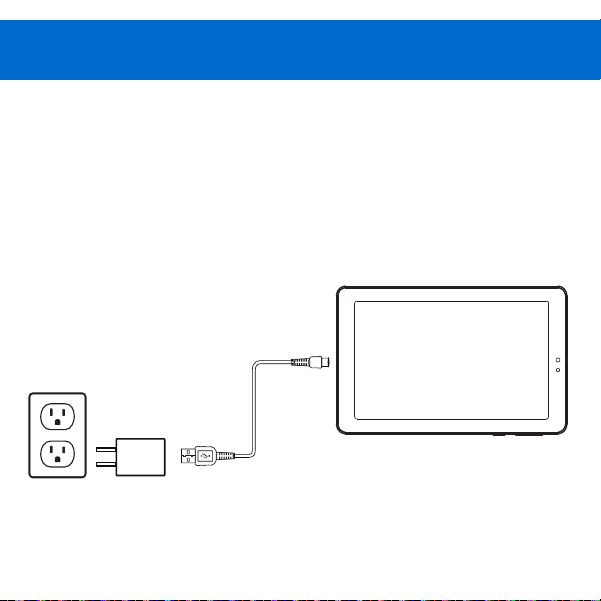
2. CHARGING YOUR TABLET
Connect your device to a power outlet using the in-
box charger and USB-C cable to charge your tablet.
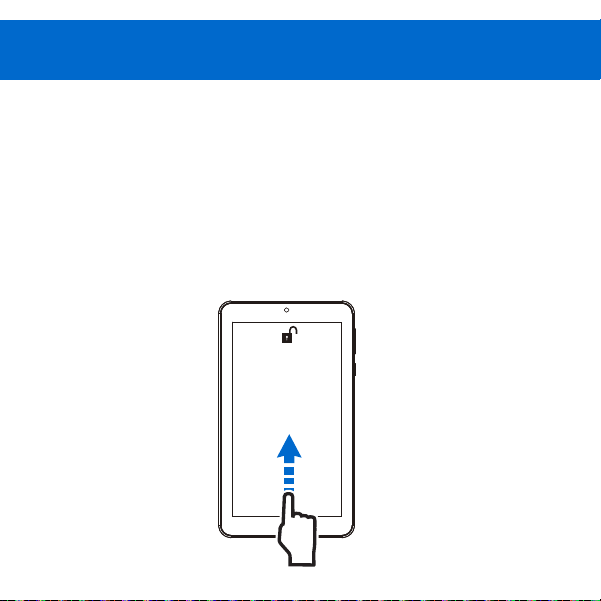
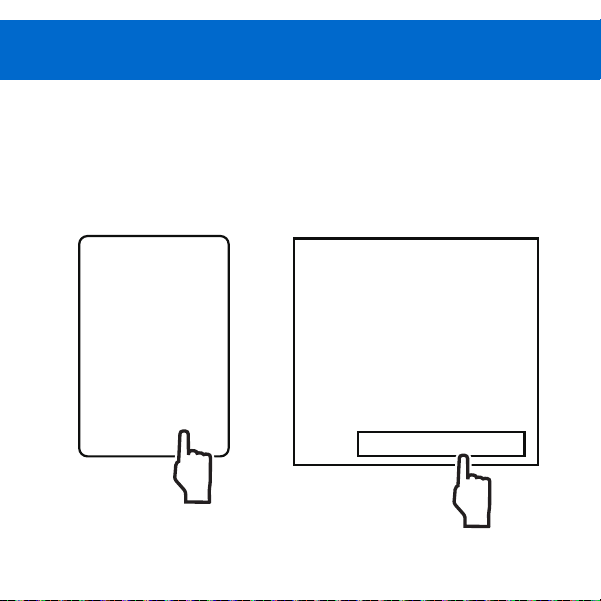
1. Press and hold the Power button for 4~5 seconds
until the onn. Logo appears.
2. At the Start-up screen, swipe up from the bottom
of the screen to unlock.
3. Once you' ve arrived at the home screen, you can
begin using your tablet.
11:32
Tue . May 8
3. TURNING ON YOUR TABLET
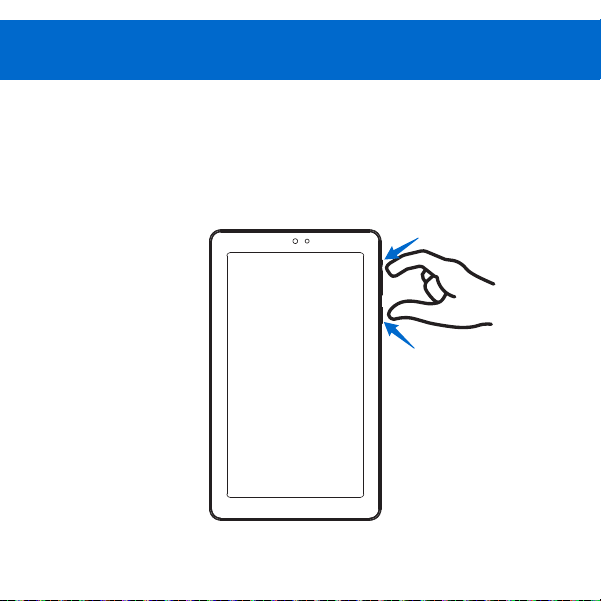
Press and hold power on/off button and volume+
button for 1 second to turn off tablet.
Volume+
Power on/off
p
4. TURNING OFF YOUR TABLET

For product assistance &
missing or replacement parts:
WE CAN HELP
THIS GUIDE
CONTAINS
IMPORTANT SAFETY
INFORMATION.
PLEASE READ AND
KEEP FOR FUTURE
REFERENCE.
1-888-516-2630
7 DAYS/WEEK
7 a.m. – 9 p.m. CST
Find more at Walmart.com
Manufactured in China for: Walmart, Inc.
Operation
1. TABLET UPDATES
Connect the device to the internet.
Tab on “Settings” > “System” > “System Update” .
System update
Your system is up to date
Check for update
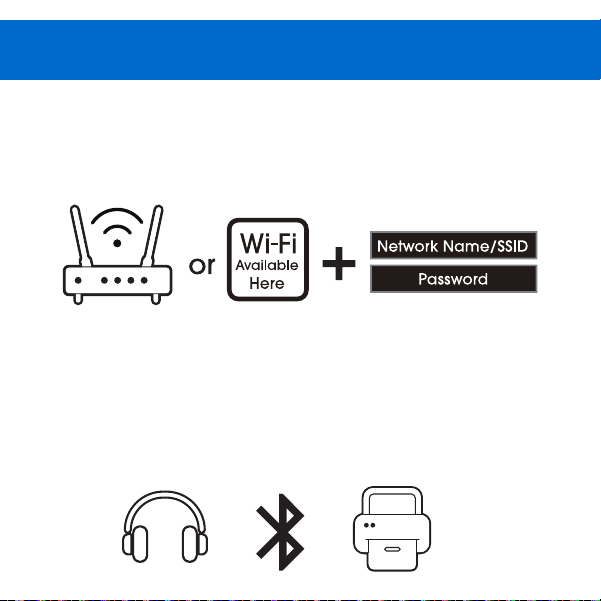
2. CONNECTING TO THE INTERNET
3. CONNECTING BLUETOOTH
Go to Settings > Network & internet > Internet Tap on
Wi-Fi to activate wireless connectivity.
Turn on the compatible Bluetooth device and make it
discoverable.
Open the “Settings” > “Connected devices” .
Tap on Pair new device view available devices.
Cleaning & Care
1. CLEANING
2. PREVENTION
Do not use alcohol, thinner or benzene to clean the
surface of the tablet. Use only cleaning products
designed for computer tablet devices.
Avoid using the tablet in extremely hot, cold, dusty,
damp or wet environments.
The tablet is not moisture/water-resistant. Avoid using
the tablet around sources of water.
Avoid dropping or forcibly placing the tablet onto a
hard surface. This may damage the screen or internal
electronic components and void the warranty.
Do not suddenly disconnect the tablet when
formatting, uploading or downloading data. This can
lead to program errors(e.g., system or screen "freezing".)
Static discharge is normal and can occur in an
electronic device although not life threatening, it may
corrupt files or damage memory and its content.
3. IMPORTANT BATTERY CHARGING
CIRCUMSTANCES
Dismantling the tablet will void the manufacturer's
warranty.
The tablet functions, hardware, software, and warranty
information may be improved or modified by the
manufacturer or their respective owners, and is subject
to change without notice.
The battery level icon indicates low power, by showing a
drained, red battery icon.
The tablet powers-off automatically, and continues to
do so even after restarting.
On-screen keys do not work.
YEAR LIMITED WARRANTY
COVERING DEFECTIVE PARTS
Walmart will replace a defective part with a new or refurbished
part without a charge to you. If your unit is deemed unrepairable,
onn. will replace the unit with a new or refurbished unit at
Walmart's sole discretion. The customer is responsible for
transportation cost and insurance charges(if applicable) to
Corporate. It is the customer's responsibility to retain original
packaging or provide like packaging in order to facilitate the
warranty process. Walmart will incur no liability whatsoever to
provide packaging for warranty items. Should the product be
damaged due to insufficient packaging, the warranty may be
voided. You must receive a return authorization number (RMA #)
before sending the unit in for service. Service that is provided is
warranted for the duration of the original warranty or 45 days
whichever is greater.
1
Warranty

YOUR RESPONSIBILITY
It is strongly recommended to make a backup copy of the
contents on your hard drive in case of operational failure.
Walmart will not be held liable for content that is on the device.
Retain a copy of the bill of sale to provide proof of purchase.
The warranty extends only to defects in materials or workmanship
as limited above and does not extend to a cracked screen,
damaged USB or DC port, cosmetic damage, or any other
products, parts or accessories that have been lost, discarded,
damaged by misuse or accident, neglect, acts of God such as
lightning, voltage surges in the home, improper installation,
or serial number rendered illegible.
This device complies with Part 15 of the FCC Rules.
Operation is subject to the following two conditions:(1) this
device may not cause harmful interference, and (2) this
device must accept any interference received, including
interference that may cause undesired operation.
5014649
CONFORMS TO UL
STD.62368-1.
CERTIFIED TO CSA
STD.C22.2 NO.62368-1
Certification Information
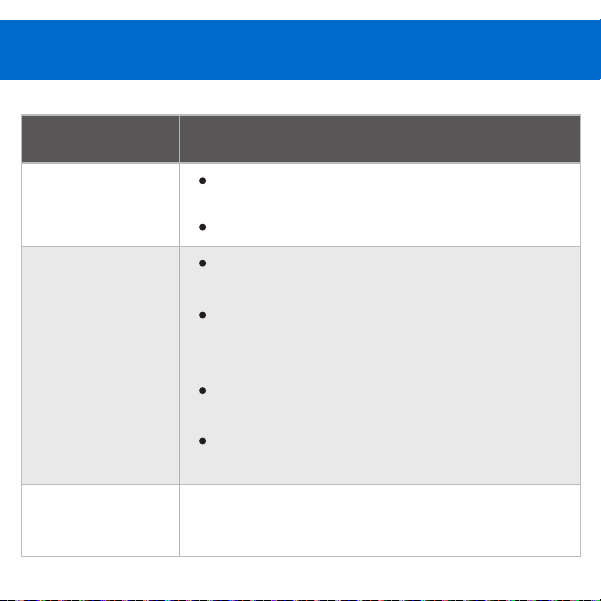
Problem Solution/Prevention
Cannot turn
my device on.
Press and hold the power button for
more than 3 seconds.
Charge the tablet for 10-15 minutes.
My tablet does
not charge.
Use the in-box charger and USB cable
to charge your tablet.
Check whether the power outlet is
working, and the charger is correctly
plugged into the outlet.
Reconnect the charger to the device
and let it charge for 10-15 minutes.
Then press the power button to check
if there is a charging prompt.
My tablet runs
slow.
Close or uninstall unwanted
applications.
Troubleshooting