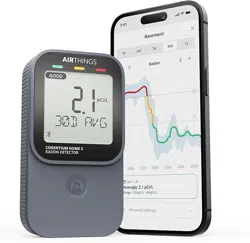

Corentium Home 2
The world's most trusted digital radon detector, now even smarter
Taking the first step
Congratulations on taking this important step toward ensuring your home is safe from the risks associated with high levels of radon.
Every home should measure radon.
The US EPA tells us that long term exposure to high levels of radon is the leading cause of lung
cancer after smoking. Radon is colorless and odorless, so testing your home is the only way to know if radon is present at high levels.
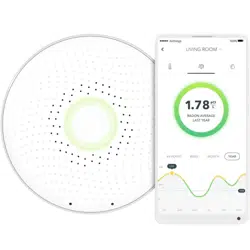
There are two ways to use this radon detector; with the Airthings app or on its own.
With the Airthings app, you go
beyond the numbers
with easy to read graphs that plot average radon levels over time so that you can
identify trends and more easily understand the impact of any steps you take to mitigate elevated radon levels. The app also provides
personalized guidance based upon your radon levels and so you can act with confidence. Finally, the Airthings app is always being
updated with new features to enrich your experience, and allows you to install firmware updates when they become available for your
detector.
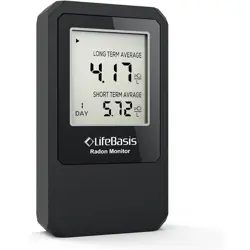
Without the Airthings app, just start the detector and place it in the location where you want to measure radon levels. Over time, the on-
device display will show you the rolling 24-hour, 7-day, 30-day and long-term (up to 1 year) averages, plus the current temperature and
humidity readings.
We hope you enjoy the peace of mind that Corentium Home 2 brings with its always-on, accurate measuring of radon. Because when you
breathe better, you live better.
The Airthings Team
P.S. Don't forget to register for your free 5-year extended warranty!
WHAT'S IN THE BOX
The box contains 1 Corentium Home 2, 2 AA alkaline batteries (already installed), Quick Start Guide, Regulatory information guide, and a
silica bag.
ABOUT YOUR CORENTIUM HOME 2
Learn about your device and how to use the information and features it offers.
SENSORS AND THRESHOLD VALUES
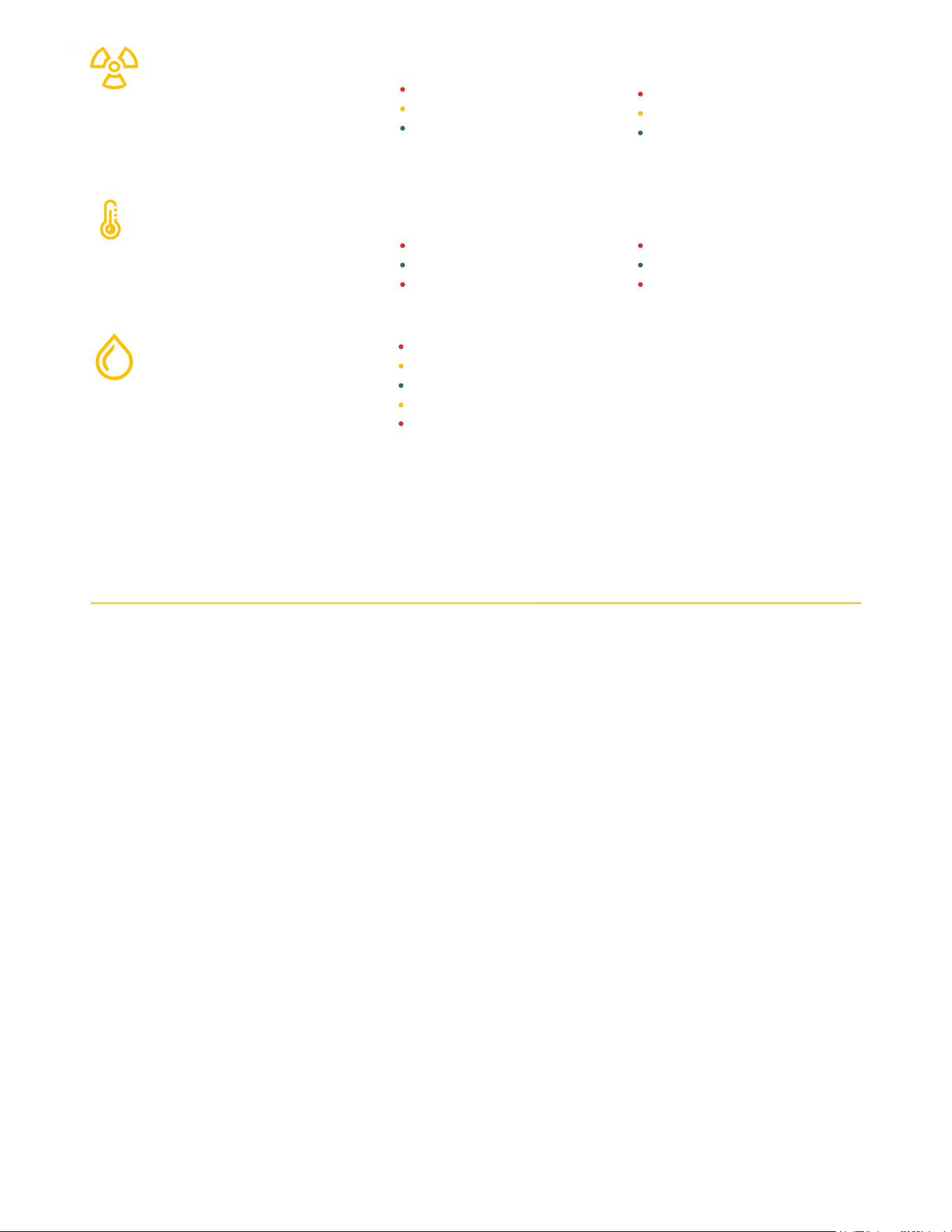
Corentium Home 2 measures radon and also temperature and humidity. This table tells you how radon averages and humidity levels are
labeled Good, Fair or Poor, as well as how often new measurements are taken. If you turn on notifications for a sensor in the Airthings
app, they are sent when a red threshold is met.
SENSOR THRESHOLDS SAM
RADON
Passive diffusion chamber sampling
with alpha spectrometry detection
PCI/L
> 4 or more
between 2.7 and 4
< 2.7
BQ/M3
> 150 or more
between 100 and 150
< 100
TEMPERATURE °F
> 77°
between 64° and 77°
< 64°
°C
> 25°
between 18° and 25°
< 18°
RELATIVE HUMIDITY
> 70%
between 60% and 70%
between 30% and 60%
between 25% and 30%
< 25%
SETTING UP YOUR CORENTIUM HOME 2
If you choose to use your Corentium Home 2 radon detector without the Airthings app, just do Step 1 and Step 4 and you’re on your way.
You’ll be able to connect to the app at any point in the future - you’ll only need to press the device’s Bluetooth button when you are ready
to connect with the app.
Step 1 - Activate the detector
Pull the plastic battery tab to activate the detector. If you don’t see the tab, remove the back cover of the device to check inside the battery
compartment.
The detector starts. Current temperature and humidity readings appear within just a few minutes. Your first 24h radon average will appear
once 24 hours worth of samples have been collected.
The device also starts emitting a Bluetooth signal which will remain active for 60 minutes, giving you plenty of time to add the detector to
your Airthings app account. To activate a signal after this, just press the Bluetooth button inside the back cover.
Step 2 -Get the Airthings app and create your account
Download the Airthings app to your smartphone or tablet. It takes just a minute to create your Airthings account. If you already have an
account, you're good to go.
Step 3 - Add the detector to your Airthings account
Follow the in-app instructions to add the detector to your account. Make sure Bluetooth is enabled on your smartphone!
Step 4 -
(For Europe and Canada only)
Change the units
This step is only necessary if you plan to use your detector without the Airthings app. Otherwise, your region’s customary units are applied
automatically when you add it to your Airthings app account.
By default, the detector displays values in pCi/L for radon and °F for temperature, units customary in the United States. To change the
radon and temperature units to Bq/m and °C, use the Units button inside the battery case.
WHERE TO PLACE YOUR RADON DETECTOR
Radon is usually measured in basements or the lowest level of the home because that is where radon finds its way indoors. That said, you
can measure radon in any of your home’s living areas where people spend time. Wherever you place it in your home, follow these
guidelines:
Never use it outdoors or in environments with more than 85% humidity.
Place it at approximate breathing height for the room and near where people tend to be.
Place it at least 3 ft (90 cm) from the nearest door, window or air vent.
Do not expose it to direct sunlight or moisture.
Avoid moving it during measurement.
THE FIRST MONTH (AND BEYOND)
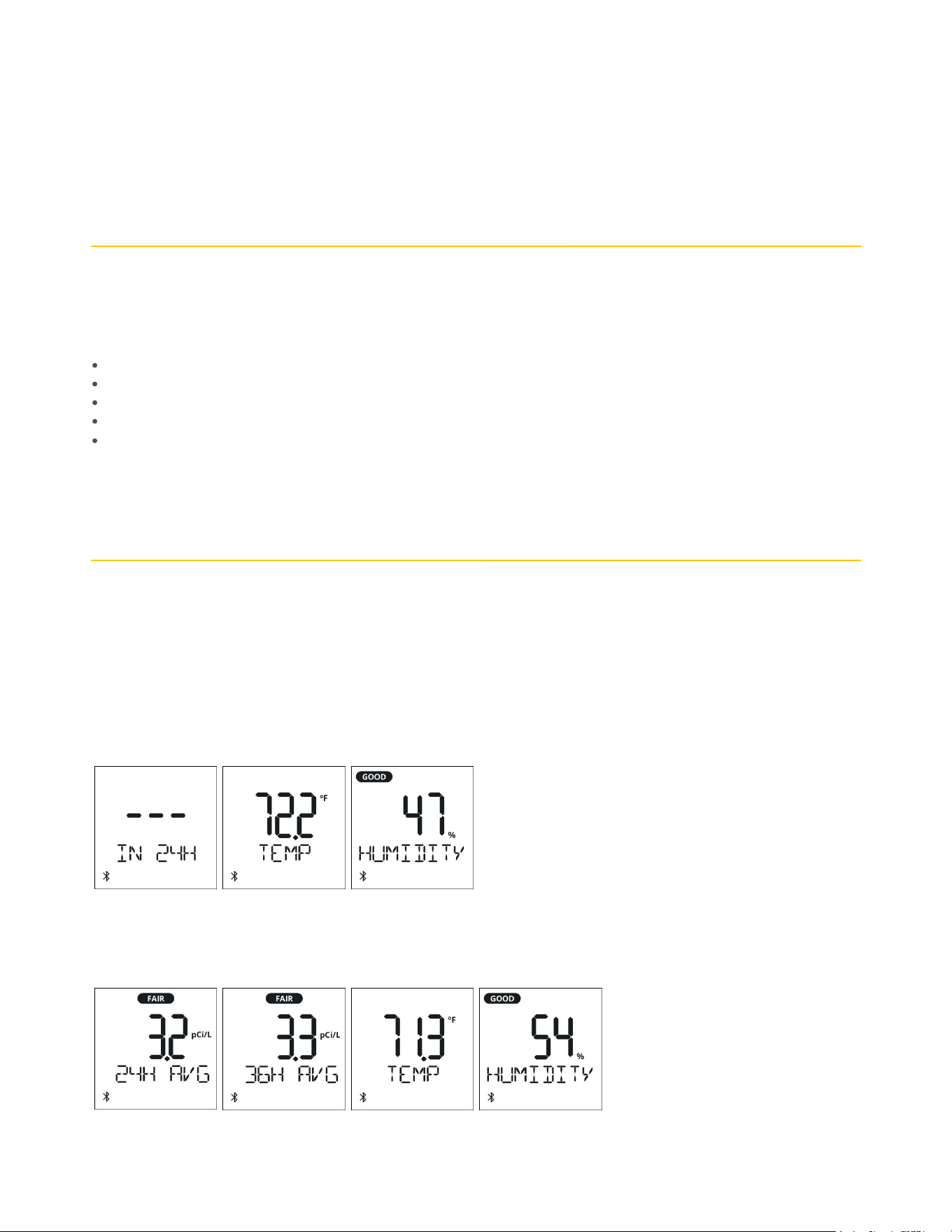
Current temperature and humidity values are measured every 5 minutes. For radon, the detector samples the air and produces a
measurement hourly. Over time it calculates and displays views on the screen that show the 24H, 7D, 30D
rolling
averages.
The cumulative view provides an all-time average and tells you how long it’s been since you began the measurement. When it reaches 365
days, it turns into your
rolling
1 year average.
Day 1. The detector offers current temperature and humidity readings within just a couple of minutes, the first radon average appears in
24 hours. Why is that?
After 24 hours. The 24H radon average view becomes available. This is a rolling (or moving) average and is updated hourly. In addition, the
first cumulative view displays the average the count of hours since measurement started and offers you an all-time average.
After 48 hours. The cumulative average view starts reporting in days instead of hours. It updates with new data hourly.
3
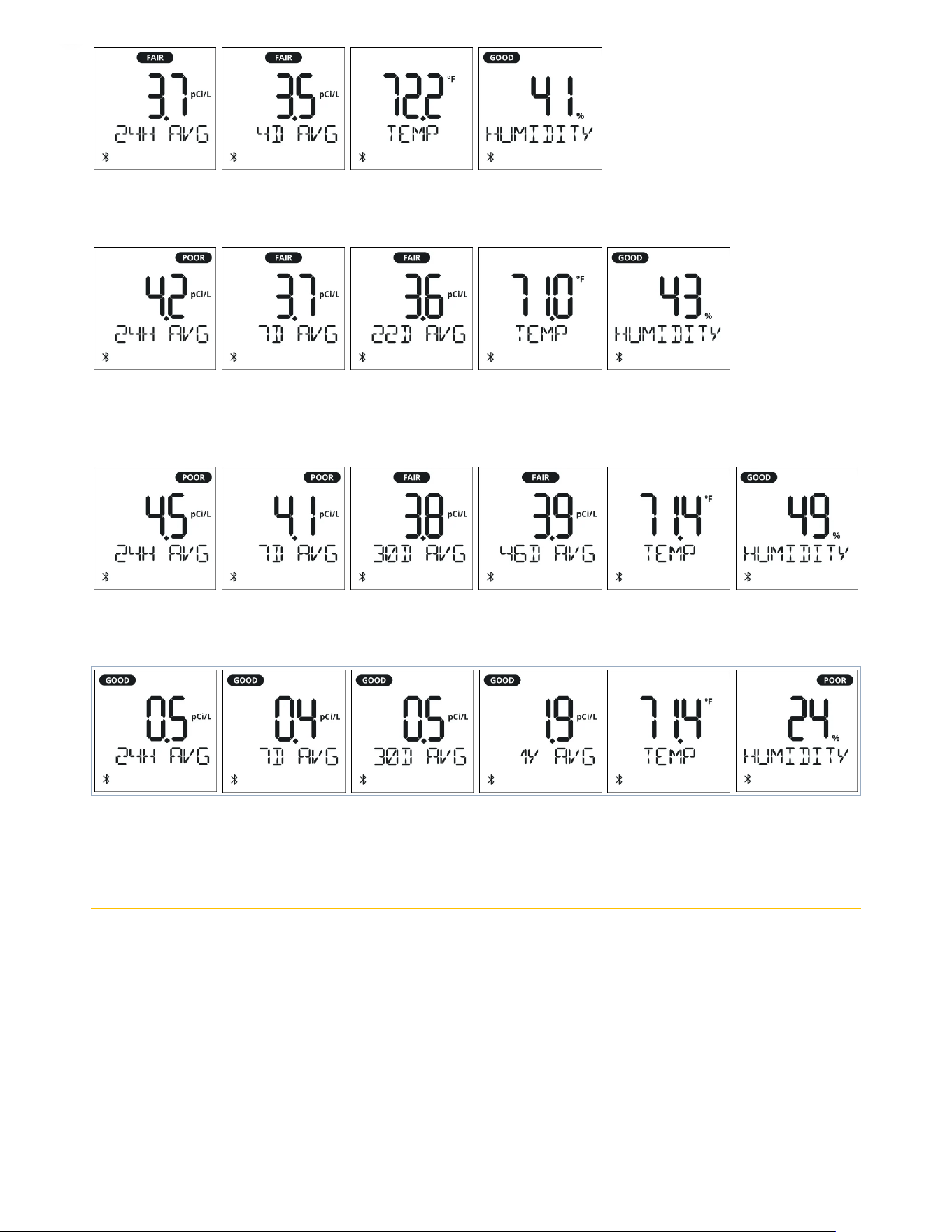
From day 7 to day 29. A new 7D radon average view becomes available and is updated hourly with new data. The cumulative view
continues to show an all-time, long-term average and updated hourly.
From day 30. A 30 day rolling average appears on day 30 and will be updated once daily going forward. The cumulative average now
begins to update just once daily (no longer hourly) and continues to keep a handy count of days since the measurement started.
After 365 days. The cumulative average turns into a 1 year rolling average updating once daily.
USING YOUR CORENTIUM HOME 2
Connecting to the Airthings app
Corentium Home 2 is designed to work on its own or paired with the app. Either way you can expect reliable, long-term measuring of
radon in your home. However, with the Airthings app you gain access to easy to use graphs that help you understand radon trends in your
home and measure the impact of mitigation measures. Through the app, we help you to understand what your numbers mean and if and
when you should consider contacting a radon professional for help.
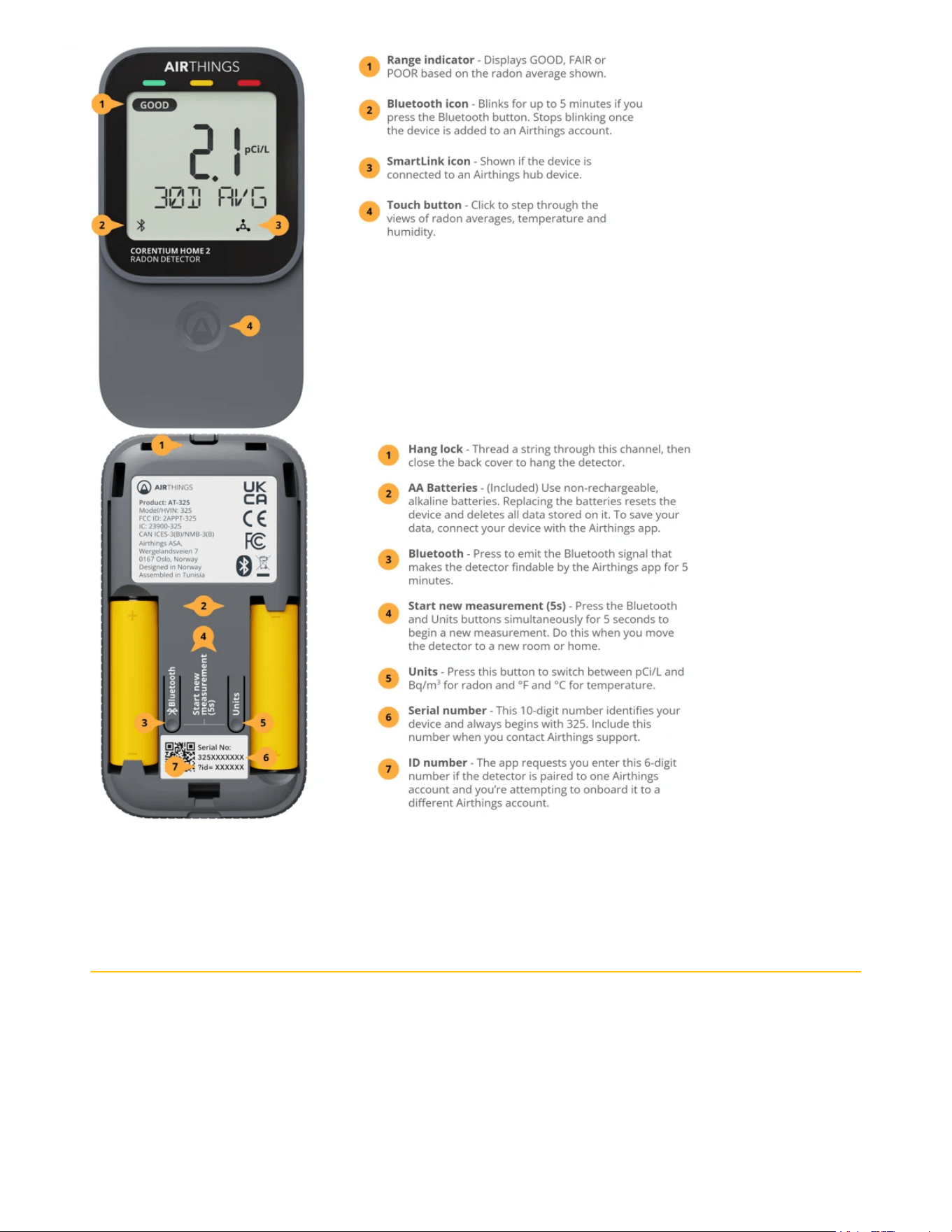
▶ Here’s how to do it
1. Download the Airthings app from your app store and create an account.
2. Activate the Bluetooth signal from the detector.

Initial setup: When you pull the battery tab after unboxing your Corentium Home 2, the detector emits a Bluetooth signal for 60
minutes.
At any other time: Press the Bluetooth button inside the detector’s back cover. This activates a signal for 5 minutes and displays a
blinking Bluetooth icon on the display. Once connected, the icon stops blinking.
Connecting to an Airthings hub using SmartLink
If you have an Airthings Hub or a View series monitor, like View Plus, you can connect your Corentium Home 2 with it to enable anytime
anywhere access to your detector’s readings.
▶ Here’s how to do it
When you first add your Corentium Home 2 to your Airthings app account, you are prompted in the app to switch to SmartLink. Choose
this and follow the instructions in the app. That’s it!
If you are already connected to the app via Bluetooth, then you need to open the device Settings and tap Connectivity. Choose Switch to
SmartLink, then follow the in-app instructions. When it’s connected, the SmartLink icon will appear on the device display.
Changing the measurement units
The default units are those customarily used in the USA; Picocuries per liter (pCi/L) for radon and Fahrenheit (°F) for temperature. When
you link your Corentium Home 2 with your Airthings app account, the device will automatically apply your preferred units as defined in
your User Settings. But of course you can change your preferred units at any time.
▶ Here’s how to do it
In the app: Your preferred units are managed in the User Settings menu.
Offline: Remove the back cover and press the Units button. Different combinations of radon and temperature units will appear. Stop
when you have the combination you want.
Measuring radon in a new location
Do this when you move the detector to a new room or home. You might move it to a different room in your home or lend it to a friend or
family member. Any time you move the detector to a new location, you should start a new measurement to end the previous one and
start fresh. Using the app, you will retain access to previous measurements.
▶ Here’s how to do it
Simultaneously press and hold the Bluetooth and Units buttons located inside the back cover for 5 seconds to start a new measurement.
If you are using your Corentium Home 2 with the app, be sure to sync your data fully before doing this. Your complete history will be saved
and available in the app.
However, if you are using your Corentium Home 2 without the app, doing this clears all previous data collected. To retain the history, first
Connect to the Airthings app to sync the data from your detector before starting the new measurement.
Exporting your radon data
If you connect with the Airthings app, your radon, temperature and humidity data is saved in the secure cloud and you can export this
data in a csv file from the Airthings Dashboard.
▶ Here’s how to do it
Read this help article for full instructions.
Generating a radon report
Just log in at dashboard.airthings.com and open the Devices list. Select your Corentium Home 2 device.
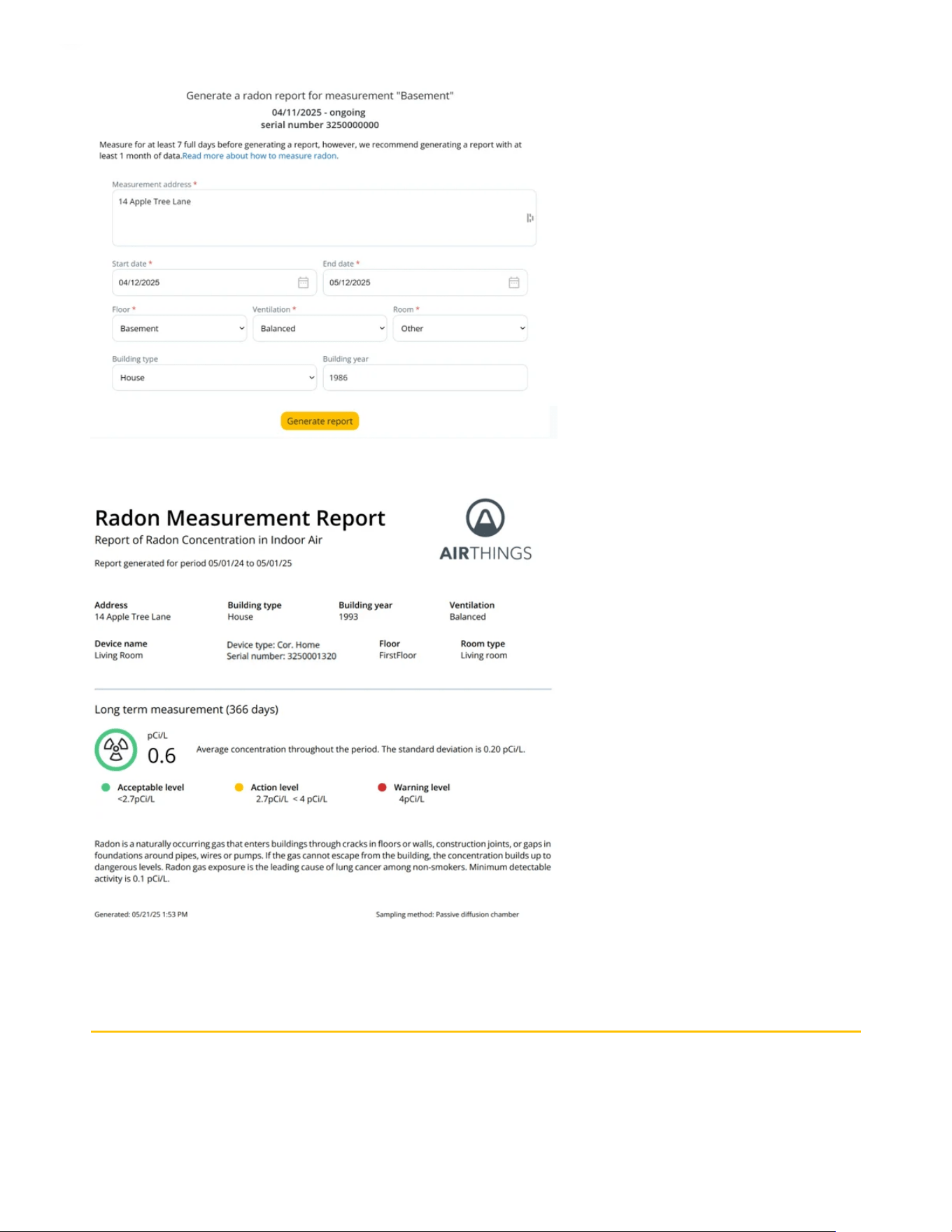
At the top of the page click Radon report to open a form where you enter some basic information about your home and the time period
for which you want to generate the report.
Click Generate report. You are presented with a link for downloading the PDF to your device. Here's an example of what it looks like.
UNDERSTANDING THE NUMBERS
The radon levels reported on your device are all
rolling
averages. But how should you react to them? What are they really telling you?
Risk is best evaluated using the long-term average level

Because radon levels can fluctuate significantly over short time periods, it’s essential to base your decisions on a
long-term average
level
of one month or more. That’s why you should measure at least one month before deciding to take action and the cumulative or 1 year
average is the best indicator of how much radon you are being exposed to in your home.
Short-term averages are snapshots while long-term averages give you a fuller picture of how much radon you are exposed to in the space
you’re monitoring.
Don’t panic - radon does not pose an
immediate
risk
It’s natural to be concerned if you start monitoring radon and quickly see high levels. But remember that the risk radon poses if over a
long time
of
frequent exposure
to
high levels
. It’s worth the time it takes to build a more complete picture before you decide if action is
needed.
Recent trends are shown in the short-term averages
The short-term averages of 24H and 7D are updated every hour with the data from the most recent sample. These averages can give you
a picture of how radon levels have changed recently.
Testing a mitigation action?
Because radon is measured in averages, changes are not reflected immediately in the 24H average level. It will
take a full 24 hours from the time of taking a mitigation action until the latest 24H average will show how much of a difference it made.
💡
Use the 24H and 7D radon averages to evaluate what impact actions, like opening windows or using a fan to increase ventilation, have
on radon levels. You can also look at the 3H graph in the app to see the short-term impact.
How do I know it’s accurate?
Your Corentium Home 2 uses the same Airthings proprietary radon sensor used in our professional devices in use by thousands of radon
professionals. Not only do our sensors have an extremely low failure rate but testing has shown them to maintain reliability over
years
of
use with almost imperceptible drift.
That said, damage can occur so here are some symptoms of a possibly malfunctioning sensor:
Radon level stays at either 0 or 10000
In the app, the radon graph is empty
Wild (huge) variations from one day to the next (i.e. 2.1 pCi/L one day, then 120 pCi/L the next)
If you are experiencing any of these, contact [email protected].
INFORMATION ABOUT BLUETOOTH SERVICES
Version: BLE network interface (v5.2)
Device Information Service: Service providing basic information about the device's identity, hardware, and software.
Device Configuration Service: Service for reading and changing the device's configuration, some of which is only allowed for
authenticated parties.
Firmware Update Service: Service for updating the firmware of the device.