1


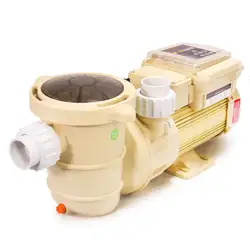
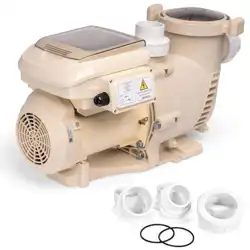
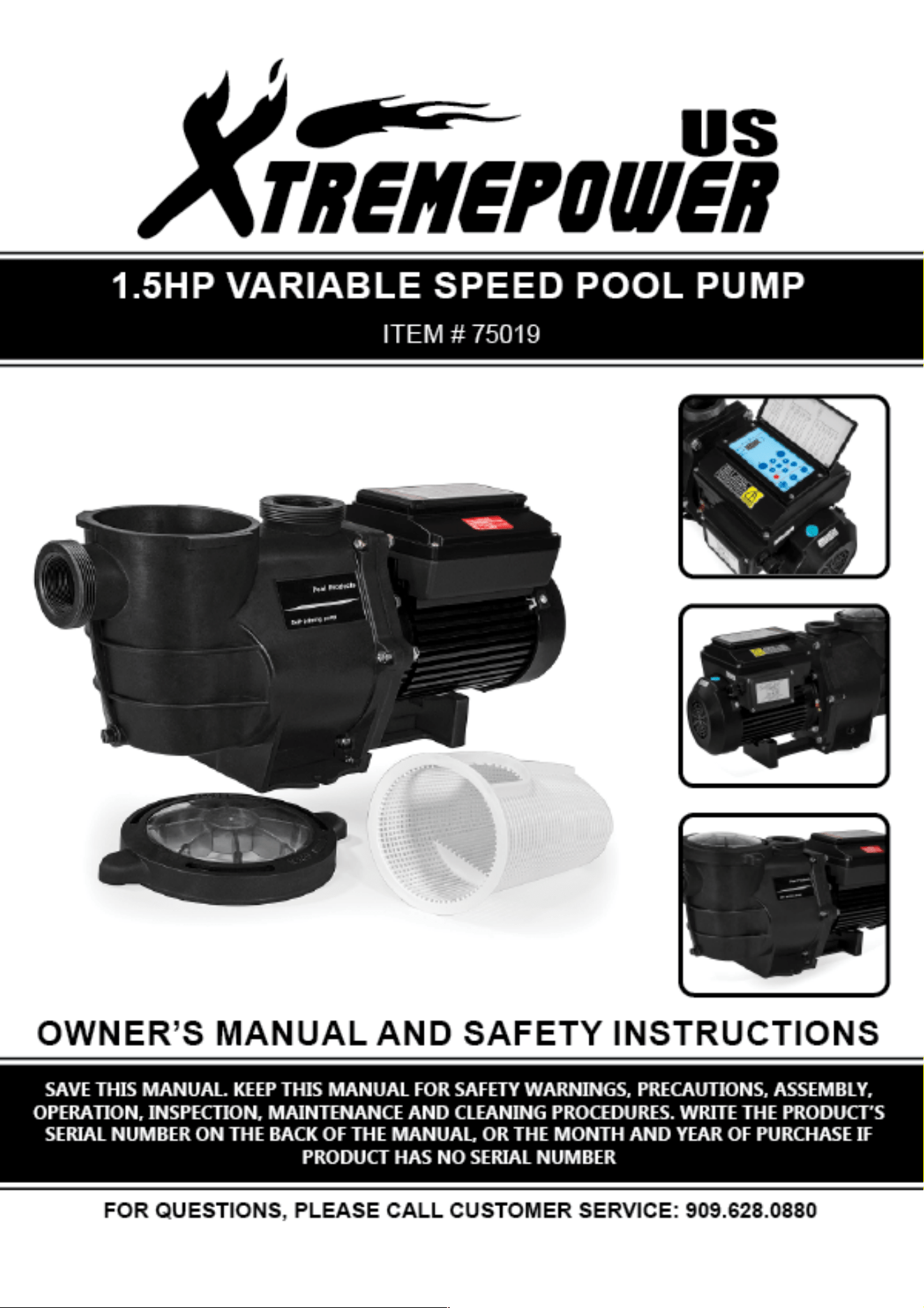
This variable speed pump is designed to operate your swimming pool filtration system as well
as your
spa, waterfall, cleaner, heater, salt chlorine system and other water applications.
Using the control panel, you can run your pump on one of three scheduled programs:
1.
Regular mode:
use three quick start buttons.
ECO (default 1500RPM) /CLEAN (default 2400RPM) /BOOST ( default 3250RPM), and then
adjust
the pump to run at the speeds you selected.
2.
Mode 1:
16 hours for each clean cycle.
3.
Mode 2:
24 hours for each clean cycle.
The control panel also has LED indicators for speed as well as alarm indicators and e rror
messages to warn the user against under and over voltage, high temperature, over current
and freeze protection.
1.
Features of LED Control Panel
(1)
Display and change time
(2)
Display and change running spe ed
(3)
Quick-start button of ECO/CLEAN/BOO
ST to run on different sp eed
(4)
MODE1/MODE2 for scheduled prog ram (16 hours or 24 hours c lean cycle)
(5)
Re-start and reset to normal s chedule after over cu rrent, over voltage, over heat, or
unexpected power o ff.
(6)
Keep records of scheduled p rograms for maximally 1 5 days after power off.
(7)
Password needed w hen to make change of the program. ( not effective now)
(8)
Run 5 minutes high speed when first start t he pump
(9)
Step-by-step acceleration and deceleration of the speed to extend the us e life of the
motor and control pan el
2
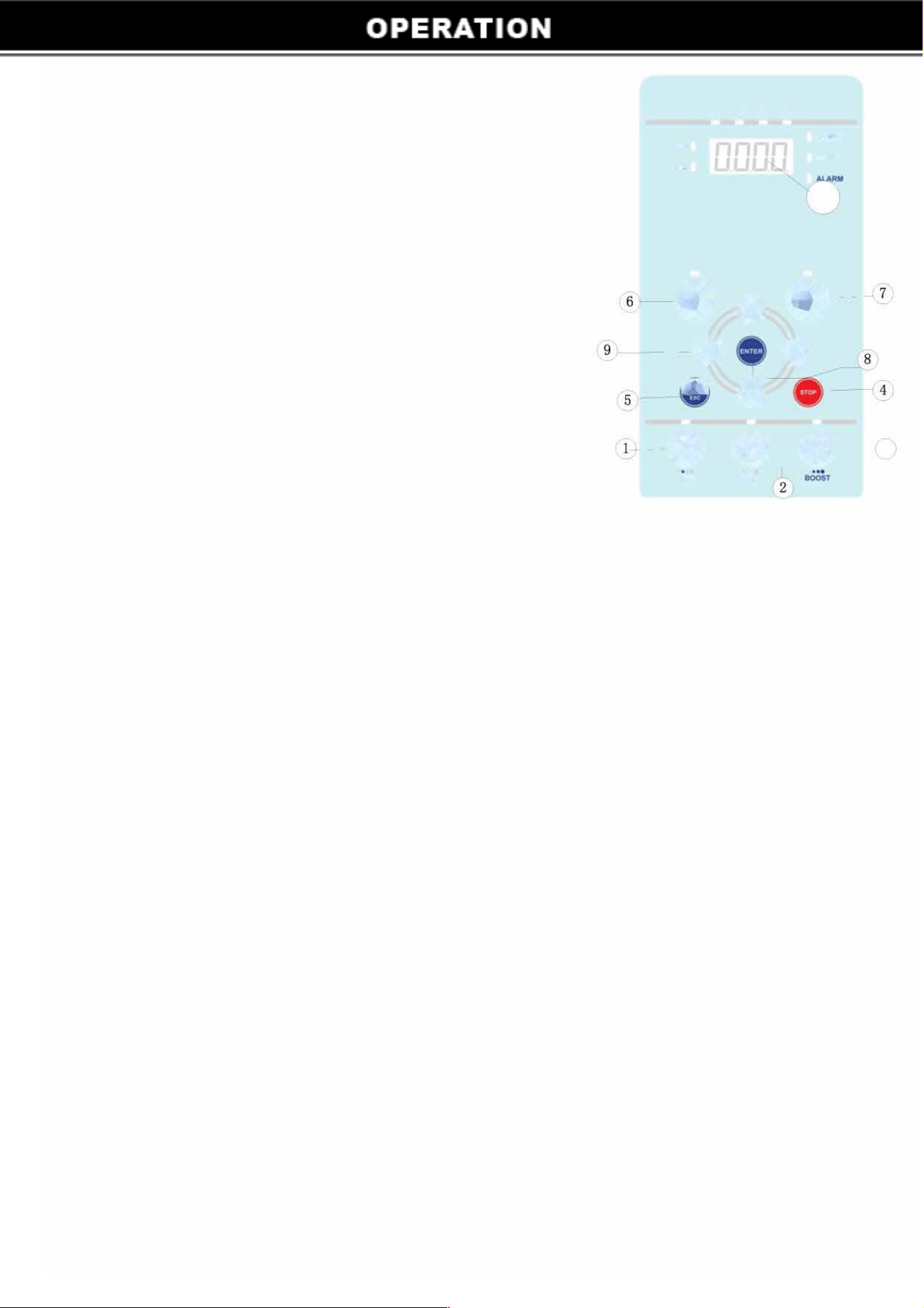
Introduction of LED Control Board
1 ECO: Press to select and run on default speed 1500PRM, can
adjust from 1000 to 2400RPM
2
CLEAN: Press to select and run on default speed 2400PRM,
can adjust from 2400 to 2850RPM
3
BOOST: Press to select and run on default speed 3250PRM,
can adjust from 2850 to 3450RPM
4
STOP: Press to stop the pump. The screen displays the
present time
5 MENU: Accesses the pump menu if the pump is stopped
6 MODE 1: To run the programmed 16 hours clean cycle.
7 MODE 2: To run the programmed 24 hours clean cycle.
8 ENTER: Save and exit the menu.
ARROW BUTTONS:
PM
SI
S2
S)
SPD
HOUR
10
•
0
•
-
-
- -0 0
- 0
--• &- e-3
ECO
cLAH
UP ARROW: Move up one level in the menu or to increase a digit when changing a setting
DOWN ARROW: Move one level down in the menu or to decrease a digit when changing a setting.
LEFT ARROW: Moves the cursor left one digit when changing a setting
RIGHT ARROW: Moves the cursor right one digit when changing a setting
LED Screen: Composed of four digital tubes. Display current time when in standby.
Switch current speed and time back and forth when in running.
AM/PM: Designed for 12-hour system. If pump run on 0:00-11:59, AM light on; if pump run on 12:00 -
23:59, PM light on.
MODE l and MODE 2 have 4 stages, Sl/S2/S3/S4 is the speed for each stage. If the light is on, the pump
is run on first stage, if the light twinkles, the time for the stage is not arrive yet or the pump is not running.
If SPEED light is on, the screen will display the current RPM
If HOUR light twinkles, you are ready to set the running time for each stage.
If ALARM light is on, an alarm condition exists.
Press MODE 1: the light will be lit and one light of S 1/S2/S3/S4 will be on or twinkle. (Light twinkle
mea ns the current time is not during the set running period), and one of AM or PM light will be on.
Pr ess MODE 2: the light will be lit and the one light of S 1/S2/S3/S4 will be on or twinkle. (Light twinkle
me ans the current time is not during the set running period), and one of AM or PM light will on.
When the pump is in standby, switch MODE 1 and MODE2, the corresponding light will be lit, and the
p ump run accordingly.
3
Stop And Run The Pump
Start The Pump
1)
Make sure the pump is connected with electricity. When power is on, the display screen will display
the time.
2)
Press one of ECO/CLEAN/BOOST, the pump will run. The light on the corresponding program will be
lit. No matter what program you select, the pump will run on 2850RPM for 5 minutes to eliminate the
air in the pump, so the impeller will not dry grind thus to cause leakage. After high-speed running,
the pump will run the default speed of the selected program.
Stop The Pump
Press STOP of the running pump, the pump will stop. The lights on the screen twinkle.
Change Pump Running Speed
1)
When the pump is running ECO/CLEAN/BOOST, press arrow buttons up or down to change the
speed, each press is for 50RPM. It will save automatically, no need to press ENTER.
2)
Switch ECO/CLEAN/BOOST during pump operation, the pump will not run 5 minutes high speed
again.
3)
For MODE 1 and MODE 2, to change speed of S 1 and S3, first press CLEAN, if not work, you will
need to stop the pump first. After 5 minutes high speed running, press CLEAN, then press arrow button
to increase or decrease RPM. When press MODE 1 or MODE 2 again to run the pump, S 1 and S3 will
run as just selected.
To adjust S2 and S4, first press ECO, if not work, you will need to stop the pump. After 10 minutes high
speed running, press ECO, then press arrow button to increase or decrease RPM . When press MODE
1 or MODE 2 again, S2 and S4 will run as just selected.
NOTE:
PRM for S2 and S4 or Sl and S3 are always the same.
The default for S 1 and S3 is 2400RPM, the adjustable range is 2400 to 2850RPM.
The default for S2 and S4 is 1500RPM. The adjustable range is 1000 to 2400PRM.
Pump Run Under Pre-programmed Conditions
Pump has three quick start button ECO/CLEAN/BOOST, as below image. The default speed is 1500,
2400, 3250RPM respectively.
�
lndicalorLighL□
D
088
1)
Be sure the pump is power on.
2)
Press one of ECO/CLEAN/BOOST,
the LED light on screen will be lit.
3)
The screen will display STUP for 1 second, and run 2850PRM
for 5 minutes. After 10 minutes, the pump will run on the
selected speed.
I000-2400M
DEFAULTJ500
4
2400-2850M
DEFAULT2400
2850-3450M
DEFAULT:3250
Stage
Sl
S2
S3
S4
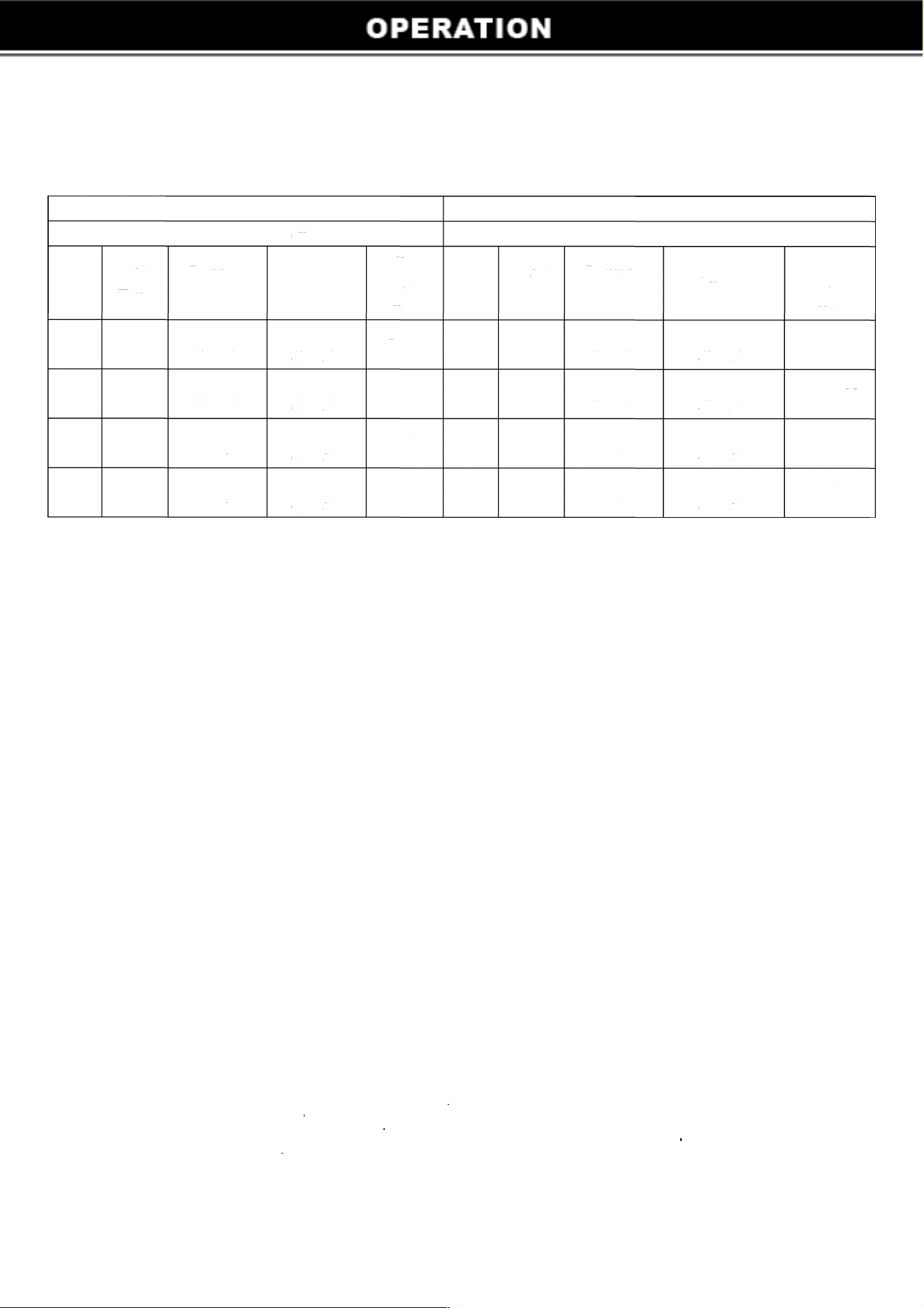
4. Pump Run Under MODE1/MODE2
4.1 MODE 1/MODE2 Introduction
MODEl MODE2
16 hours running cycle 24 hours running cycle
Start
Running
Deult
Quick
Start
Running
Quick
Start Stage
Deult Speed
Start
Time
Hour
Time
Hour
Speed
Button Button
6:00
3
2400RPM
12:00
6
1500RPM
CLEAN
Sl
ECO
AM
(adjustable) (adjustable)
PM
(adjustable) (adjustable)
9:00
5
1500RPM
6:00
3
2400RPM
ECO
S2
CLEAN
AM
(adjustable) (adjustable)
AM
(adjustable) (adjustable)
6:00
3
2400RPM
9:00
9
1500RPM
PM
(adjustable) (adjustable)
CLEAN
S3
AM
(adjustable) (adjustable)
ECO
9:00
5
1500RPM
6:00
6
2400RPM
ECO
S4
CLEAN
PM
(adjustable) (adjustable)
PM
(adjustable) (adjustable)
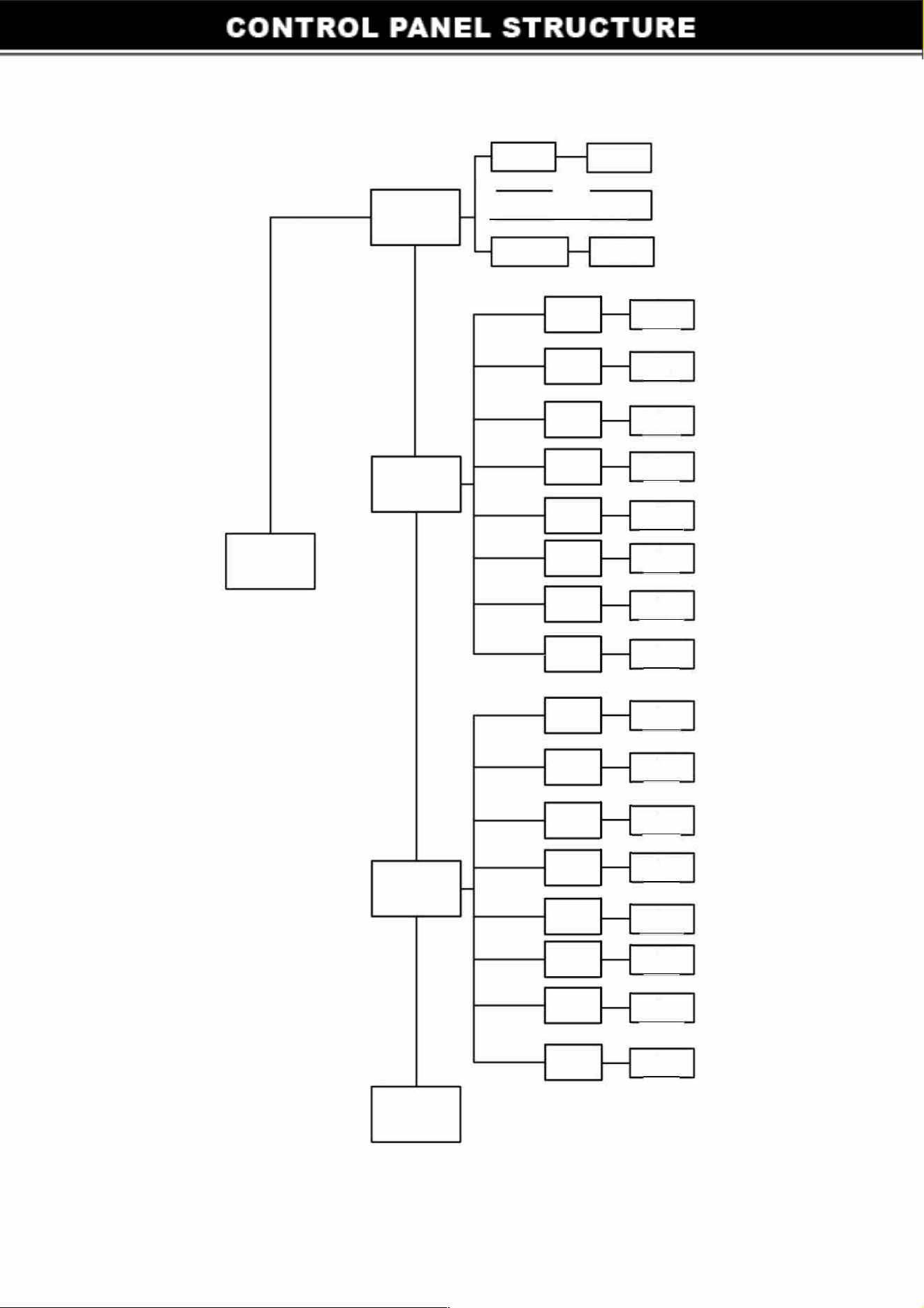
4.2 How to Set and Change Specification of MODE1/MODE2
1)
Make sure STOP button is pressed before set up, and pump is not working. Press MENU, LED
screen will display the current time (time will not count during set-up), use arrow buttons to adjust
the time. LEFT and RIGHT to move the cursor one digit, and UP and DOWN to increase or
decrease one digit. (Remarks: 0:00-11 :59 is one cycle). For example, the current time is 6:00 and
A
M light is lit, when change the time after 11 :59, the time change to 0:00, PM light will be lit.
2)
After time set-up, press ENTER to save and quit. Don't press ENTER if to continue change the
specification of MODE l and MODE 2. Press MENU again, the light of MODE 1 and S1 will be lit,
screen display 6:00, and AM light is lit. Use arrow buttons to adjust the time. When the time is over
11 :59, PM light will be lit, AM light extinguished.
3)
Press ENTER to save and quit after start time set-up. To continue and adjust the running hour,
press MENU, then use arrow buttons to increase and decrease running hours. Each press is for 1
hour. Press ENTER to save and quit. Or press MENU to adjust S2/S3/S4, the same adjustment
method as S 1.
4)
Follow MODE 1 's adjustment methods to adjust MODE 2.
Could not change speed using a rrow
buttons when running MODE1/MODE2.
Can only change the speed of MODE 1 and MODE 2 by
pressing CLEAN/ECO/BOOST, and then use arrow button UP and DOWN to change the RPM.
When it is done, the corresponding speed in MODE 1/MODE 2 will also change. You could only
change according to the matching quick start button. For example, in MODE 1, Sl and S3 is
CLEAN, S2 and S4 is ECO; in MODE 2, Sl and S3 is ECO, S2 and S4 is CLEAN.
5
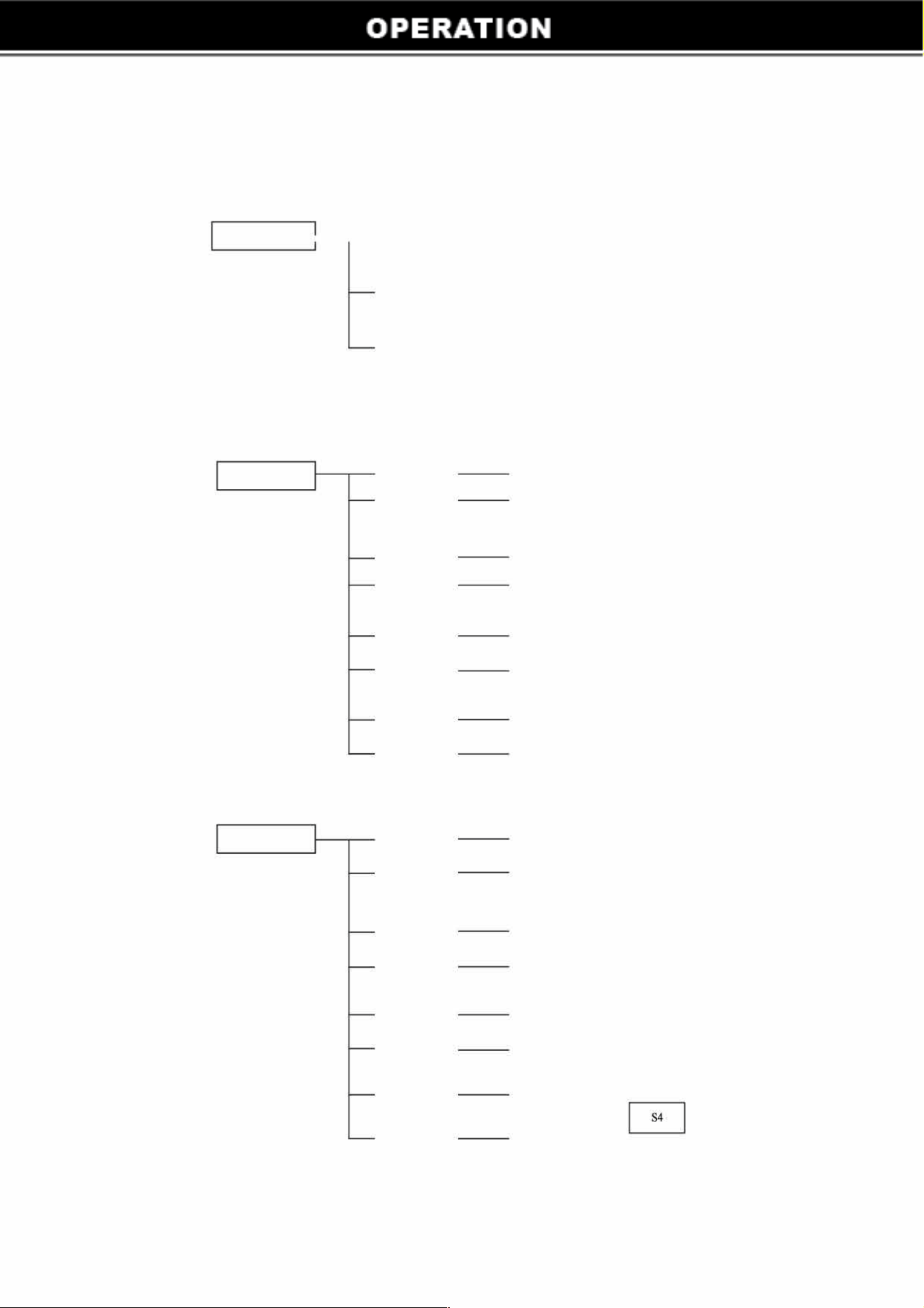
How to Operate The Pump
Totally three pre-programmed schedules: Regular Mode ( including ECO; CLEAN; BOOST) and MODE I/
MODE 2. Can change the speed in the mode of ECO/CLEAN/BOOST freely.
REGULAR MODE -ECO
�
DEULT: 1500RPM
MODEl
MODE2
ADJUSTABLE RANGE: 1000-2400RPM
CLEAN
�
DEULT: 2400M
ADJUSTLE RANGE: 2400-2850RPM
BOOST
�
DEULT: 3250RPM
ADJUSTABLE RANGE: 2850-3450RPM
START T
DEFAULT 6:0M 0
Sl
RUNNG
DEFAULT 3HOURS
HOURS
START T
DEFAULT 9:00 AM 0
S2
RUNNG
DEFAULT 5HOURS
HOURS
START T
DEFAULT 6:00 PM
0
S3
RUNNG
DEFAULT 3HOURS
HOURS
START T
DEFAULT 9:00 PM
0
S4
RNG
DEFAULT 5HOURS
HOURS
START T DEFAULT 12:00 PM
0
RG
DEFAULT 6HOURS
HOURS
START T
DEFAULT 6:00 AM
0
RG
DEFAULT 3HOURS
HOURS
START T
DEFAULT 9:00 AM
0
RUG
DEFAULT 9HOURS
HOURS
START T
DEFAULT 6:00 PM
RG
DEFAULT 6HOURS
HOURS
6
Set time
Model 1
MENU
Model 2
End
7
0:00-11:59
AM
f
2:00-23:59 H PM
TIME SETUP
Default
6:00
S1
R1
S2
R2
S3
R3
R4
S1
R1
S2
R2
S3
R3
R4
Default
6:00AM
Default
3Hours
Default
9:00AM
Default
5Hours
Default
18:00PM
Default
3Hours
Default
21:00PM
Default
5Hours
Default
6:00AM
Default
3Hours
Default
9:00AM
Default
9Hours
Default
18:00PM
Default
6Hours
Default
24:00PM
Default
6Hours
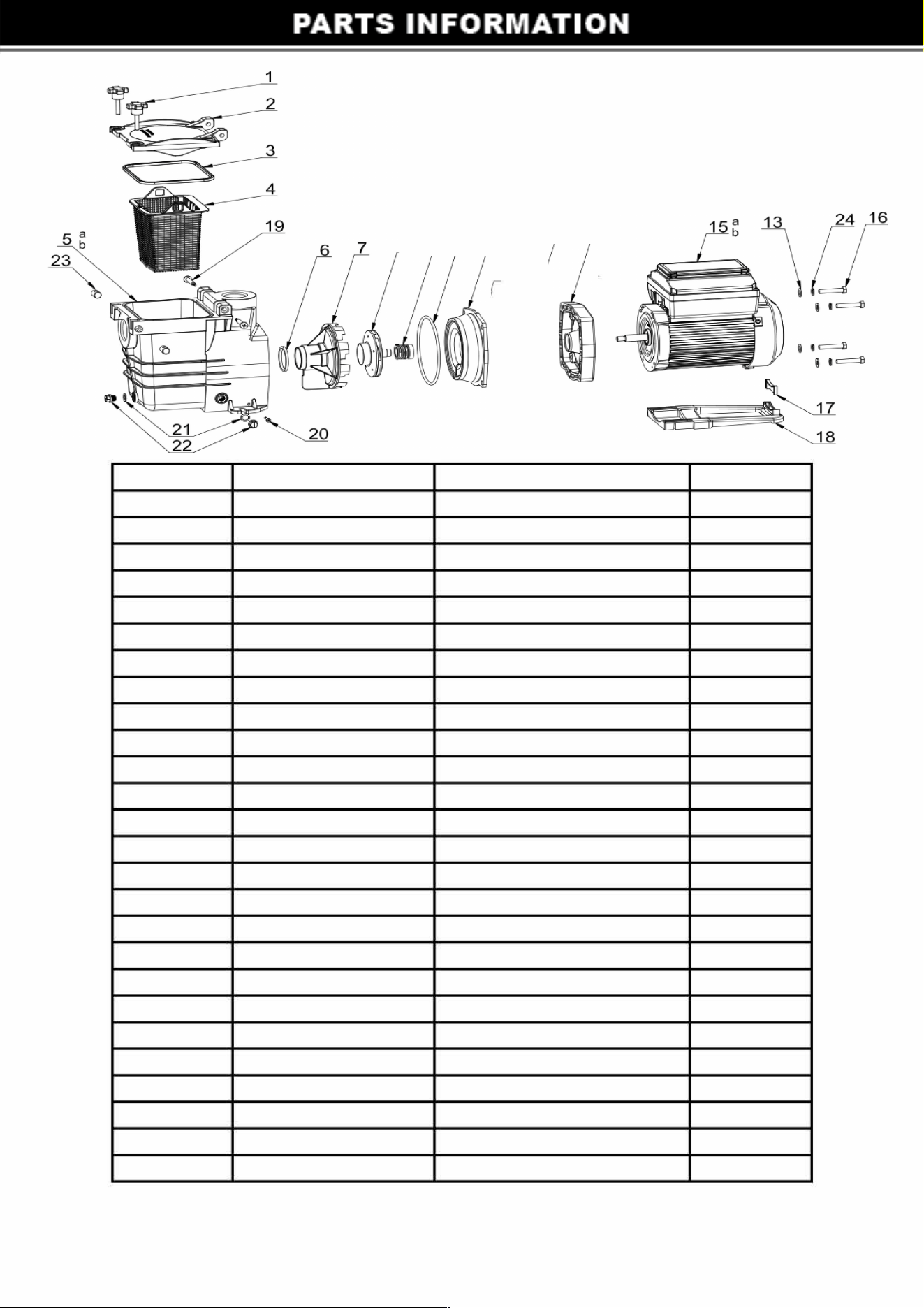
Ref. No. Part No.
1
648910606080
2
48915102089
3 65432053080
4
48910402001
5a 648915105080
5b
648915104080
6 65432040080
7
647258001080
8a
89106201
8b
72580071
9
65028026000
10 65431121080
11
647258002080
12
5225007000
13
65244015000
14
648910602080
15a
65023333000
15b 65023337000
16 65225008000
17
648912301080
18
648910608080
19 65212058000
20
65212013000
21
65432002080
22
648860105080
23
648910607080
8(
1
13
1
4
= I
= I
= I
Description
Handle Screws
Cover
Gasket
Basket
Pump Housing 1.5"
Pump Housing 2"
O-ring
Diser
Impeller r 72522/72523
Impeller r 72525
Seal Assembly
O-ring
Pump Cover
Screw 3/8-16C*25.4mm
GasketMlO
Over Cover
Variable Speed 1.5HP Motor
Variable Speed 3.0HP Motor
Screw 3/8-16C*50.8mm
Supporting Foot
Mounting Foot
Screw ST4.8*9
Screw ST4.8*25
Gasket
Drain Plug
Reseller
8
QTY
2
1
1
1
1
1
1
1
1
1
1
1
1
4
8
1
1
1
4
1
1
2
2
2
2
2
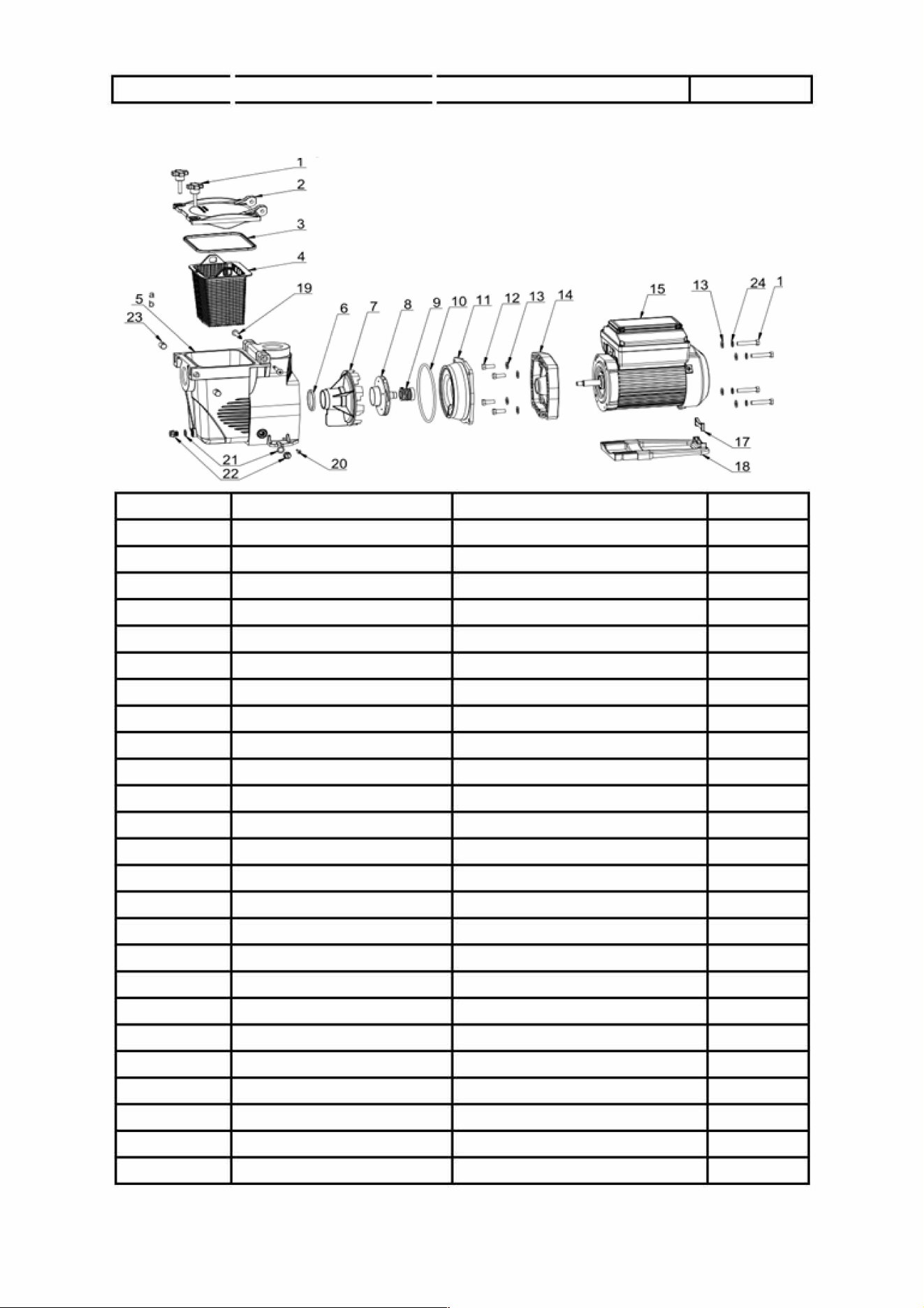
24
1
65244032000
I
Spring Washer
4
89170/89171
6
Ref.No.
Part No.
Description
QTY
1
648910606080
Handle Screws
2
2
48915102089
Cover
1
3 65432053080
Gasket
1
4
48910402001
Basket
1
5a
648915103080
Pump Housing 1.5"
1
5b
648915101080
Pump Housing 2"
1
6 65432040080
O-ring
1
7 647258001080
Diser
1
8
89106201
Impeller
1
9
65028026000
Seal Assembly
1
10 65431121080
O-ring 1
11
647258002080
Pump Cover
1
12
5225007000
Screw 3/8-16C*25.4mm
4
13
65244015000
GasketMl0
8
14
648910602080
Over Cover
1
15
65023333000
riable Speed 1.5HP Motor
1
16 65225008000
Screw 3/8-16C*50.8mm
4
17
648912301080
Supporting Foot
1
18
648910608080
Mounting Foot
1
19 65212058000
Screw ST4.8*9
2
20
65212013000
Screw ST4.8*25
2
21
65432002080
Gasket
2
22
648860105080
Drain Plug
2
23
648910607080 Reseller
2
24
65244032000
Spring sher
4
9
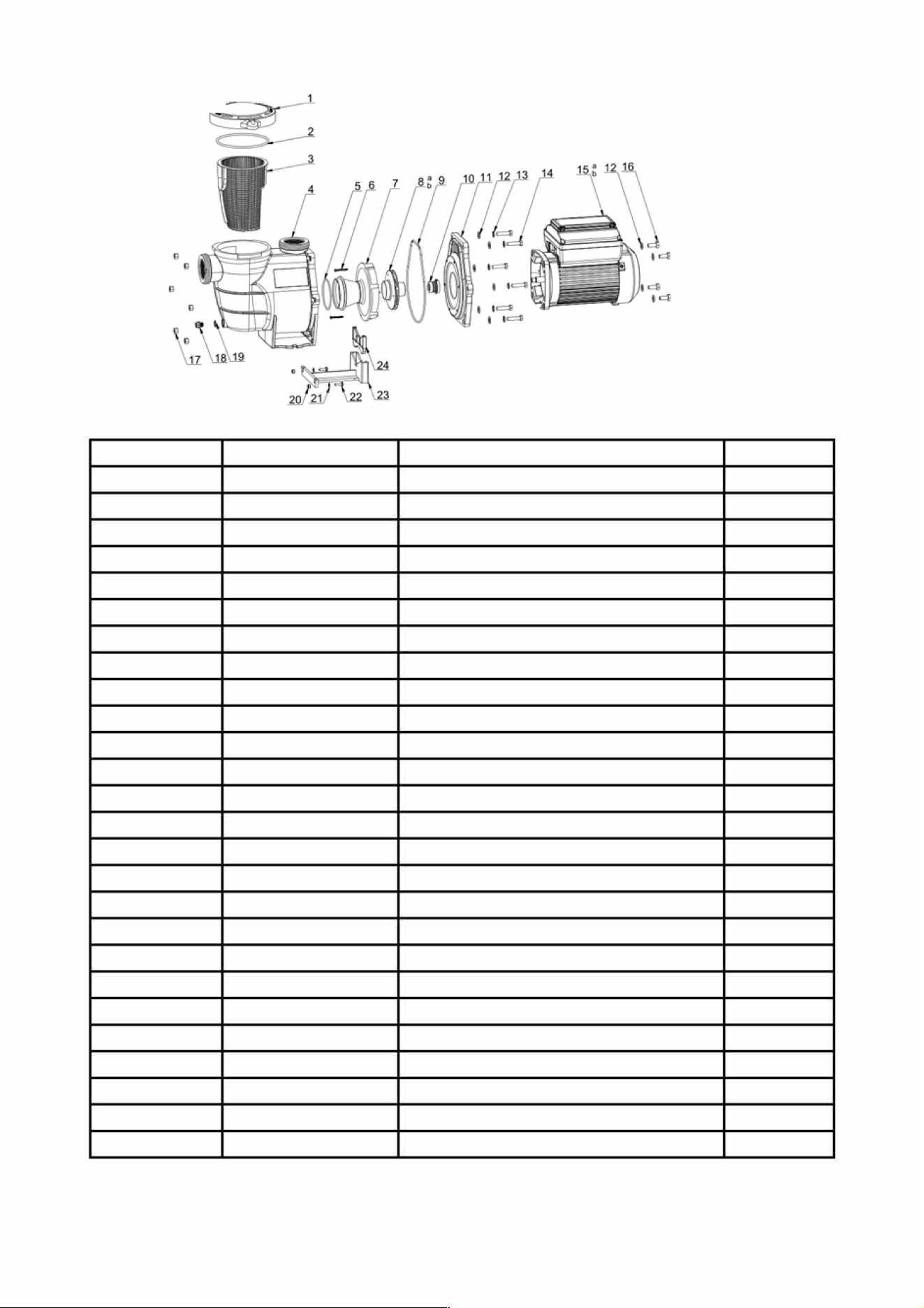
72559/72561
Ref. No. Part No.
Description
QTY
1 647252772
Cover
1
2
65431042080
O-Ring
1
3
647252704
Basket
1
4
647254701
Pump Housing
1
5
65431032080
O-Ring
1
6
65212025000
Screw ST4.2*38
2
7
647254703
Diser
1
8a
647274871000
Impeller r 72559
1
8b
647255671000
Impeller r 72561
1
9
65431168080
O-Ring
1
10
65028014000
Seal Assembly
1
11
647254702
Pump Cover
1
12
65244015000
GasketMl0
10
13
65244032000
Spring Washer MIO
6
14
65225003000
Screw 3/8-16*1 1/2 UNC
6
15a
65023332000 Variable Speed 1.5HP Motor r 72559
1
15b
65023334000
Variable Speed 3HP Motor r 72561
1
16
65221008000
Screw Ml 0*25
4
17
65232001106
Nut 3/8-16
6
18
648860105
Drain Plug
2
19
65432002080
Drain Plug Gasket
2
20
65231002106
NutM6
2
21
65244016000
GasketM6
2
22
65224003000
ScrewM6*20
2
23
647254704 Moting Foot
1
24 647255301
Supporting Foot
1
10
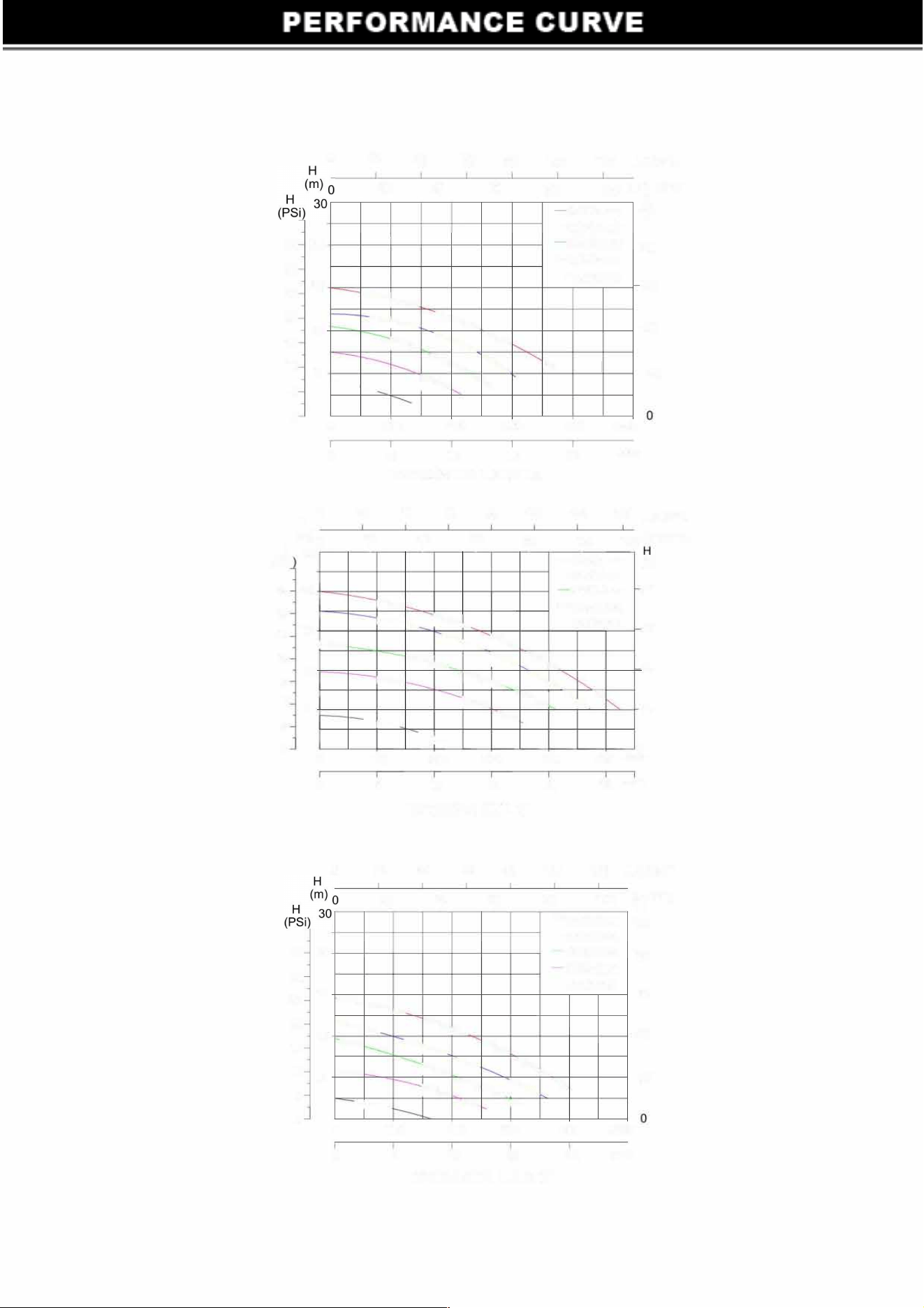
35 24
30
25
18
20
12
15
0
20
20
I
-
40
60
40
I
�
80
60
I
�
100
120 U.S.GPM
100
IMP.GPM
H
80
-I
I
3450r/min
()
-3250r/min
2850r/min
-
80
-2400r/min
-1500r/min
60
-
40
20
10
6
5
0
0
100 200
300
400 I/min
0
6
12
18
24
m3/h
0
H
(
m
)
0
H 30
(PSi
35 24
30
25
18
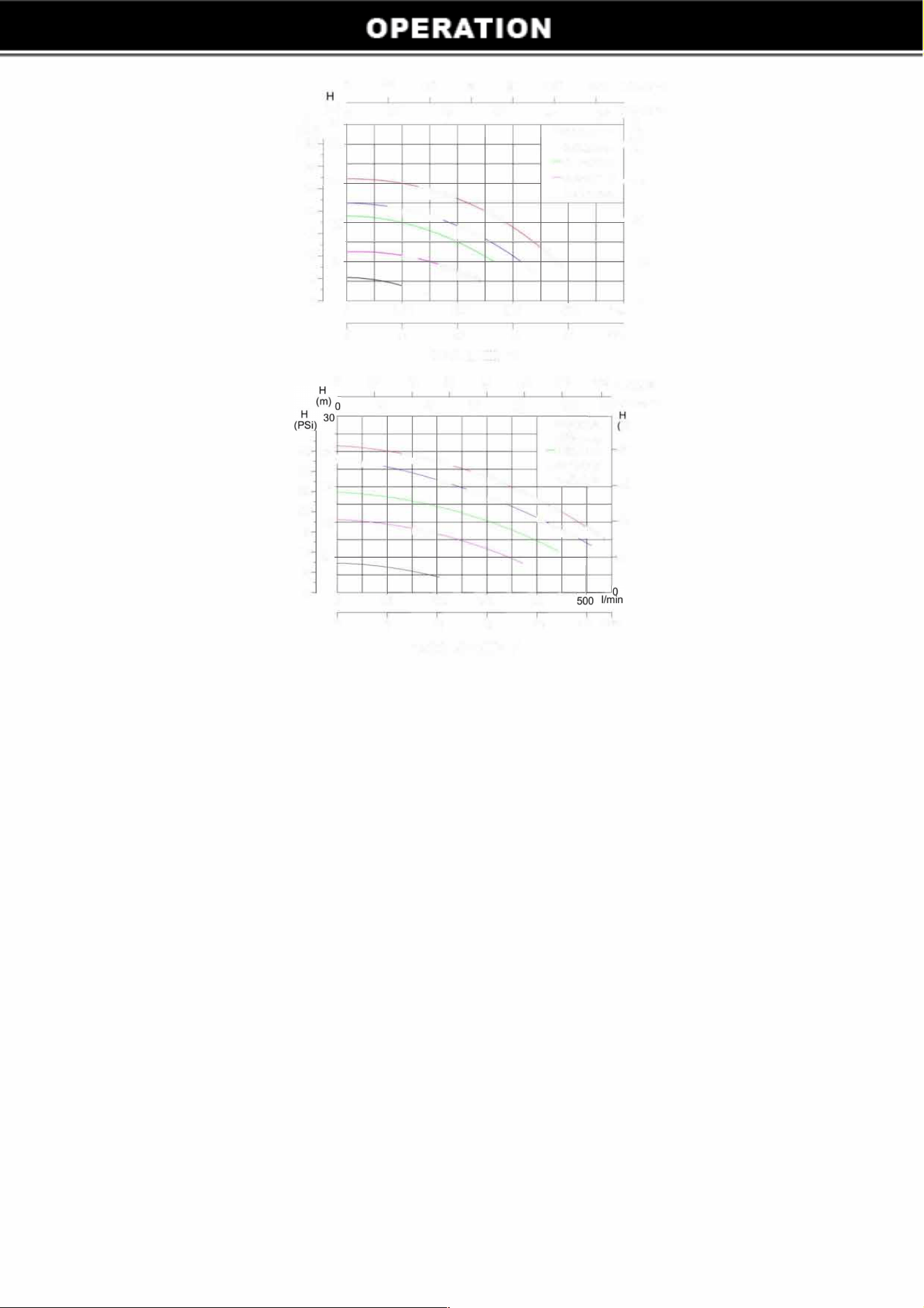
72522/89170 l.5HP 1.5"
20
40
60
80
20
40
60
I I I
�
100
80
I
120
140
U.S.GPM
100
1
20
IMP.GPM
-I I
-3450r/min
(
)
-3250r/min
2850r/min
80
-2400r/min
-1500r/min
60
20
12
15
10
6
5
0
0
0
35 24
30
25
18
20
12
15
10
6
5
0
0
�
"
r---_
40
-
�
-
.
100 200 300
6 12
18
72525000 3HP 2"
20
40
60
80
20
40 60
I I I
-
�
�
400
24
100
80
I
20
0
500
1/mrn
30
m3/h
120 U.S.GPM
100
IMP.GPM
H
I
-3450r/min
()
-3250r/min
2850r/min
-
80
2400r/min
-1500r/min
-
60
-
40
,
20
�
-
1
0
0
100
6
200 300
12 18
72523/8917 l l.5HP 2"
11
400
I/min
24
m3/h
0
H
(
m
)o
(PSi)
27
35 24
30
25
18
20
12
15
10
6
5
0
0
0
0
35 24
30
25
18
20
12
15
10
6
5
0
0
0
20
40
60 80 100 120 U.S.GPM
20
40
60
I
I I
�
-
-
�
"
100 200
300
6
12
18
72559 I .5HP 2"
80
100
IMP.GPM
H
I I
-3450r/min
()
-3250r/min
80
2850r/min
2400r/min
�
-1500r/min
�
�
'
400
I/min
24
m
3
/h
60
40
20
0
2
0
40 60 80 100
120 140 U.S.
G
P
M
20
40 60
80 1
00
1
20
IMP.
G
PM
I I I
I
I I
-3450r/min
)
-3250rlmin
80
2850rlmin
-
-
-
-2400r/min
-
-1500r/min
60
�
-
40
20
�
100 200
300
400
6
12
18
24
30
m3/h
72561000 3HP 2"
Alert and Warnings
The pump displays all alerts and warnings on the control panel. When an alarm or warning condition
exists, the corresponding LED will be lit on the display. All control panel buttons are dis
abled until the
alarm or warning is acknowledged with the ENTER button. move the power until the display off.
POWER OUT FAILURE-
Incoming supply voltage is les
s than 190 VAC.
PRIMINZG ERROR-
If the pump is not defined as primed within the maximum priming time it will stop
and generate a priming alarm for 10 minutes, then attempt to prime again. If the pump cannot prime
within 5 attempts it will generate a permanent alarm and have to be manually reset.
OVERHEAT ALERT
- If the drive temperature gets over 103 Degrees Fahrenheit the pump will slowly
reduce speed until the temperature condition clears.
OVER CURRENT
- Indicates that the drive is overloaded or the motor has an electrical problem. The
drive will restart after to over current condition clears.
12
OVER VOLTAGE
- Indicates excessive supply voltage or and external water s
ource is causing the pump
and motor to rotate thereby generating excessive voltage in the drives internal DC buss. You can press
the STOP button or other mode to re-run the pump
A
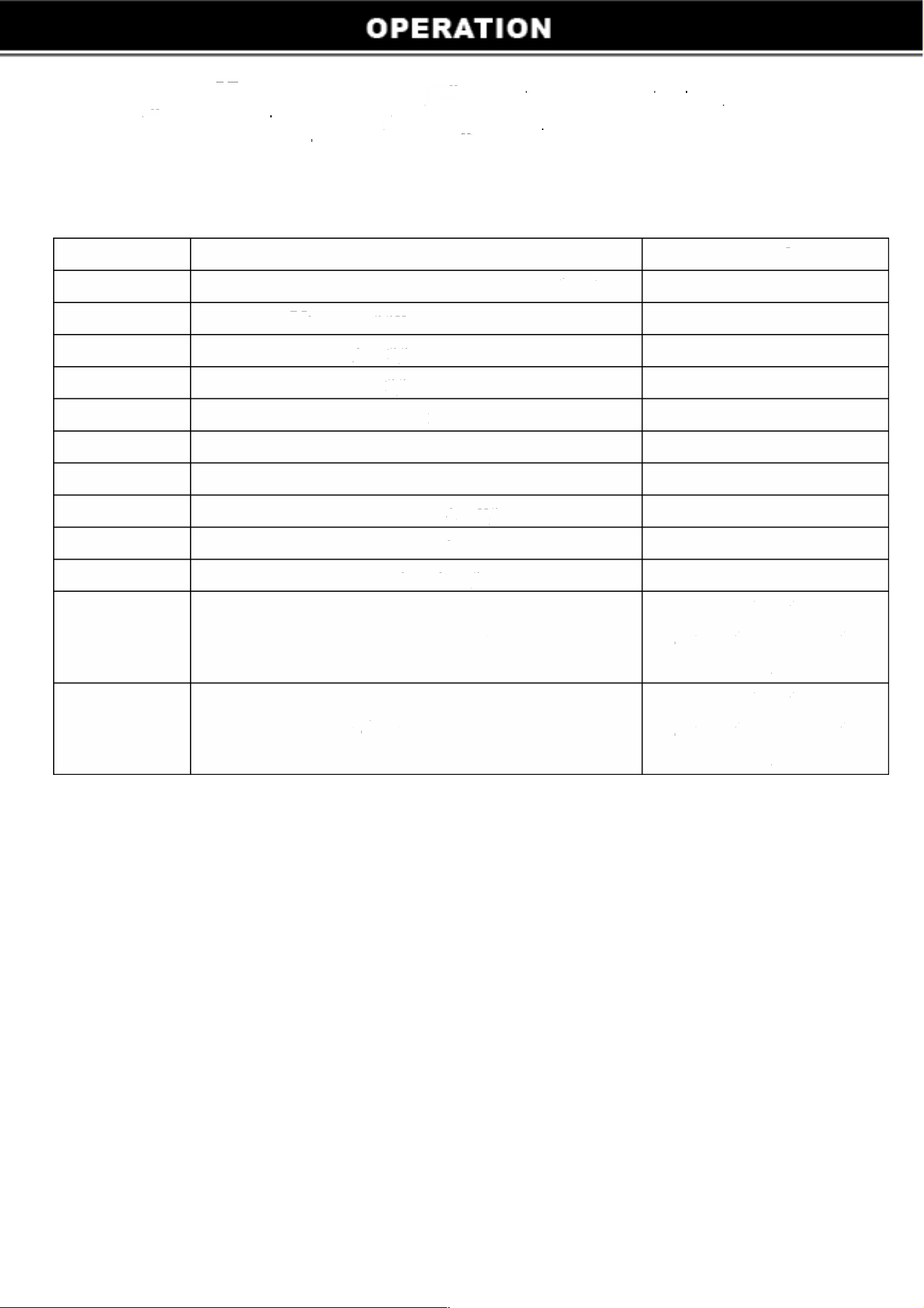
lert code details:
Code
Error
Remarks
1
Get blocked or short circuit or overheat
2
ltage input exceeds limit
4
High input voltage
8
Low input voltage
16
Exceeds maximum speed
32
Speed is 0
64
Motor phase loss
128
Abnormal start-up
256
System conguration error
512
Stall at startup
Contact the
1024
System operation error
manucturer when this
eor causes
Contact the
4096
Hardware test error manucturer when this
eor causes
13