husqvarna auTOMOWE r
®
320/330X
OpE r aTOr’s Manual


English - 1
1 Introduction and safety 3
1.1 Introduction 3
1.2 Symbols on the product 4
1.3 Symbols in the Operator’s Manual 5
1.4 Safety instructions 6
2 Presentation 9
2.1 What is what? 10
2.2 Package content 11
2.3 Function 11
3 Installation 15
3.1 Preparations 15
3.2 Installation of the charging station 16
3.3 Charging the battery 20
3.4 Installation of the boundary wire 21
3.5 Connecting the boundary wire 27
3.6 Installation of the guide wire 28
3.7 Checking the installation 31
3.8 First start-up and calibration 32
3.9 Test docking with the charging station 32
4 Use 33
4.1 Charging a flat battery 33
4.2 Using the timer 34
4.3 Starting 34
4.4 Stopping 35
4.5 Switching off 35
5 Control panel 36
5.1 Operation selection Start 37
5.2 Operation selection Parking 38
5.3 Main switch 39
5.4 The charging station’s PARK button 39
6 Menu functions 40
6.1 Main menu 40
6.2 Menu structure 41
6.3 Timer 42
6.4 Cutting height 45
6.5 Security 46
6.6 Messages 48
6.7 Weather timer 49
6.8 Installation 50
6.9 Settings 60
6.10 Accessories 65
7 Garden examples 66
8 Maintenance 71
8.1 Winter storage 72
8.2 Winter service 72
8.3 After winter storage 73
8.4 Cleaning 73
8.5 Transport and moving 74
8.6 In the event of a thunderstorm 74
8.7 Blades 75
8.8 Battery 75
9 Troubleshooting 76
9.1 Fault messages 76
9.2 Info messages 79
9.3 Indicator lamp in the charging station 80
9.4 Symptoms 81
9.5 Finding breaks in the loop wire 83
10 Technical Data 87
11 Guarantee terms 88
12 Environmental information 89
12.1 Removing the battery for recycling 89
13 EC Declaration of Conformity 91
English - 2
Serial number: ___________________________
PIN code: ___________________________
Dealer: ___________________________
Dealer’s
telephone number: __________________________
If the robotic lawnmower is stolen, it is important to notify Husqvarna Group AB of this. Contact your local dealer
and provide the product’s serial number so that it can be registered as stolen in an international database. This is an
important step in the robotic lawnmower’s theft protection which reduces interest in the buying and selling of stolen
robotic lawnmowers.
The product’s serial number consists of nine digits and is shown on the product rating plate (found on the inside of the
display cover) and the product’s packaging.
www.automower.com
MEMO
English - 3
INTRODUCTION AND SAFETY
1 Introduction and safety
1.1 Introduction
Congratulations on your choice of an exceptionally
high quality product. To get the best results from your
Husqvarna robotic lawnmower requires knowledge of
how it works. This Operator’s Manual contains important
information about the robotic lawnmower, how it must be
installed and how to use it.
As a complement to this Operator’s Manual, there is
more information available on the Automower® website,
www.automower.com. Here you can find more help and
guidance in its use.
Husqvarna AB has a policy of continuous product
development and therefore reserves the right to modify
the design, appearance and function of products without
prior notice.
The following system is used in the Operator’s Manual
to make it easier to use:
• Text written in italics is a text that is shown on the
robotic lawnmower’s display or is a reference to
another section in the Operator’s Manual.
• Words written in bold are one of the buttons on the
robotic lawnmower’s keypad.
• Words written in UPPERCASE and italics refer to the
position of the main switch and the different operating
modes available in the robotic lawnmower.
www.automower.com
IMPORTANT INFORMATION
Please read the Operator’s Manual
carefully and make sure you understand
the instructions before using the robotic
lawnmower.
WARNING
The robotic lawnmower can be
dangerous if used incorrectly.
WARNING
Never use the robotic lawnmower
when persons, especially
children, or pets, are in the
cutting area.
1001-003
English - 4
INTRODUCTION AND SAFETY
1.2 Symbols on the product
These symbols can be found on the robotic lawnmower.
Study them carefully.
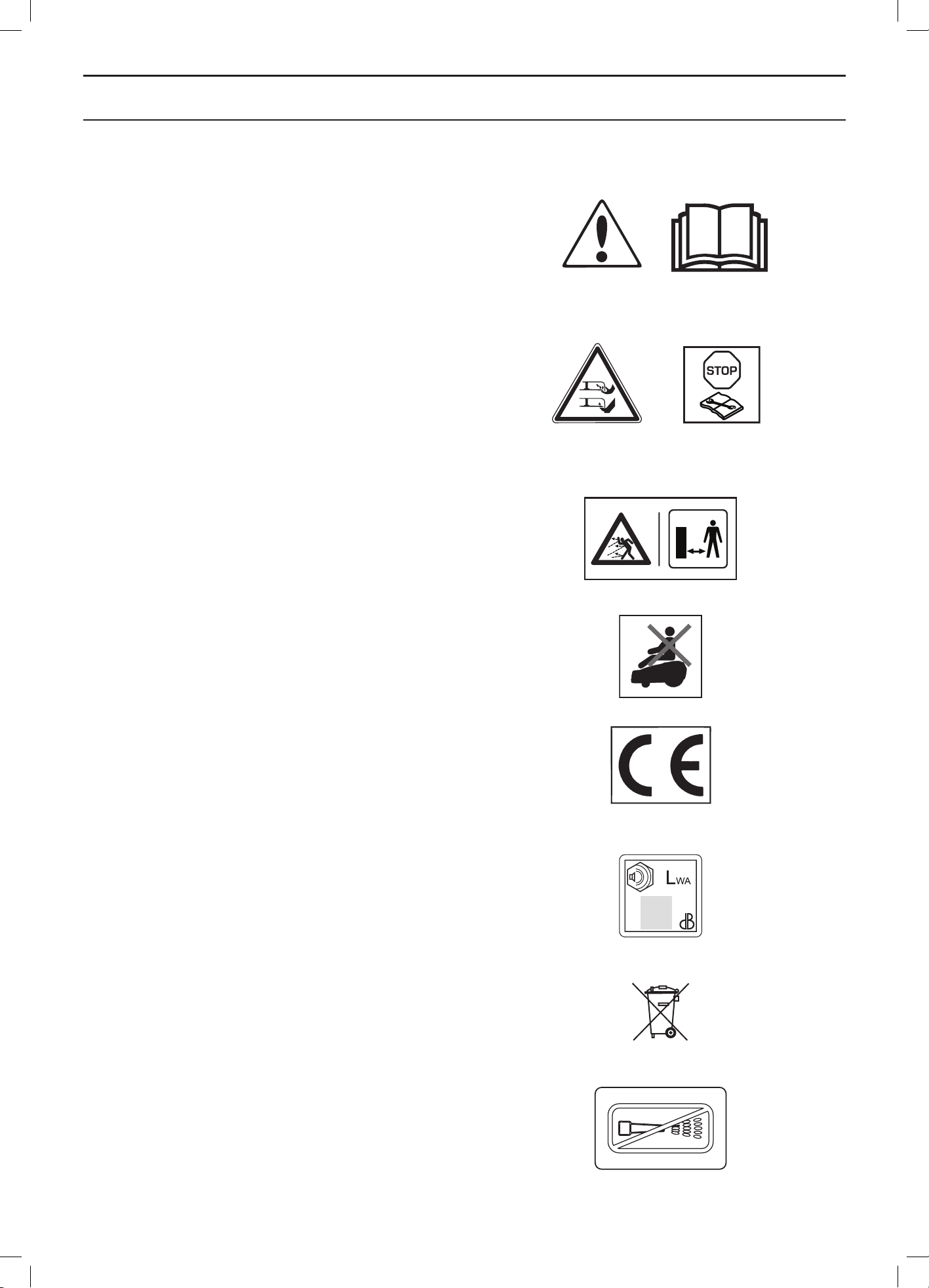
• Please read the Operator’s Manual carefully and
make sure you understand the instructions before
using the robotic lawnmower. The warnings and
safety instructions in this Operator’s Manual must be
carefully followed if the robotic lawnmower is to be
used safely and efficiently.
• The robotic lawnmower can only start when the main
switch is set to 1 and the correct PIN code has been
entered. Turn the main switch to 0 before carrying out
any inspections and/or maintenance.
• Remain at a safe distance from the robotic
lawnmower when it is running. Keep your hands and
feet away from the rotating blades. Never put your
hands or feet close to or under the body when the
robotic lawnmower is running.
• Do not ride on the robotic lawnmower.
• This product conforms to the applicable EC
Directives.
• Noise emission to surroundings. The product’s
emissions are set out in chapter 10, Technical data
and on the rating plate.
• It is not permitted to dispose of this product as normal
household waste when it has reached the end of
its useful life. Ensure that the product is recycled in
accordance with local legal requirements.
• Never use a high-pressure washer or even running
water to clean the robotic lawnmower.
3018-062
3012-689
6001-024
3012-665
3018-066
3012-663, 3012-1085
1001-002, 1001-003
3012-1059
English - 5
INTRODUCTION AND SAFETY
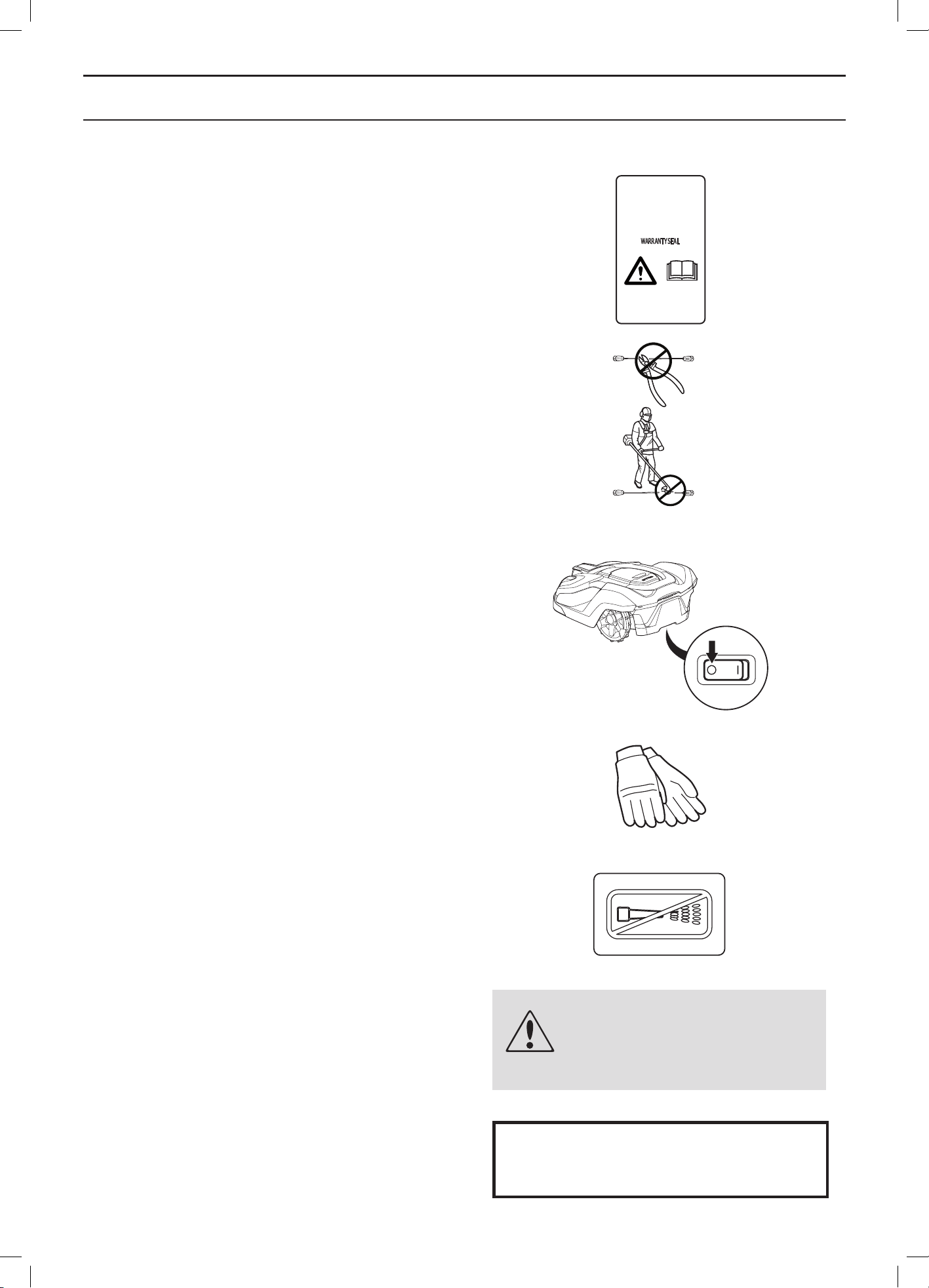
• The chassis contains components which are
sensitive to electrostatic discharge (ESD). The
chassis is also a significant part of the robotic
lawnmower’s design and must be resealed in
a professional manner if the product is to be used
outdoors. For this reason the chassis can only be
opened by authorised service technicians. A broken
seal can result in the entire or parts of the guarantee
no longer being valid.
• The low voltage cable must not be shortened,
extended or spliced.
• Do not use a trimmer nearby the low voltage cable.
Be careful when trimming edges where the cables
are placed.
1.3 Symbols in the Operator’s Manual
These symbols can be found in the Operator’s Manual.
Study them carefully.
• Turn the main switch to 0 before carrying out any
inspections and/or maintenance.
• Always wear protective gloves when working with the
robotic lawnmower’s chassis.
• Never use a high-pressure washer or even running
water to clean the robotic lawnmower.
• A warning box indicates the risk of personal injury,
especially if the instructions are not followed.
• An information box indicates the risk of material
damage, especially if the instructions are not
followed. The box is also used where there is
a risk of user error.
WARNING
Text
IMPORTANT INFORMATION
Text
3012-272
3018-062
3012-1097
3012-1060
3012-1351
English - 6
INTRODUCTION AND SAFETY
1.4 Safety instructions
Use
• This robotic lawnmower is designed to mow grass in
open and level ground areas. It may only be used with
the equipment recommended by the manufacturer. All
other types of use are incorrect. The manufacturer’s
instructions with regard to operation/maintenance and
repair must be followed precisely.
• Never use the robotic lawnmower when persons,
especially children, or pets, are in the cutting area.
If there are persons, or pets, in the cutting area it is
recommended that the lawnmower be programmed for
use during hours when the area is free from persons,
e.g. at night. See See 6.3 Timer on page 42
• The robotic lawnmower may only be operated,
maintained, and repaired by persons that are fully
conversant with its special characteristics and
safety regulations. Please read the Operator’s
Manual carefully and make sure you understand the
instructions before using the robotic lawnmower.
• It is not permitted to modify the original design of the
robotic lawnmower. All modifications are made at your
own risk.
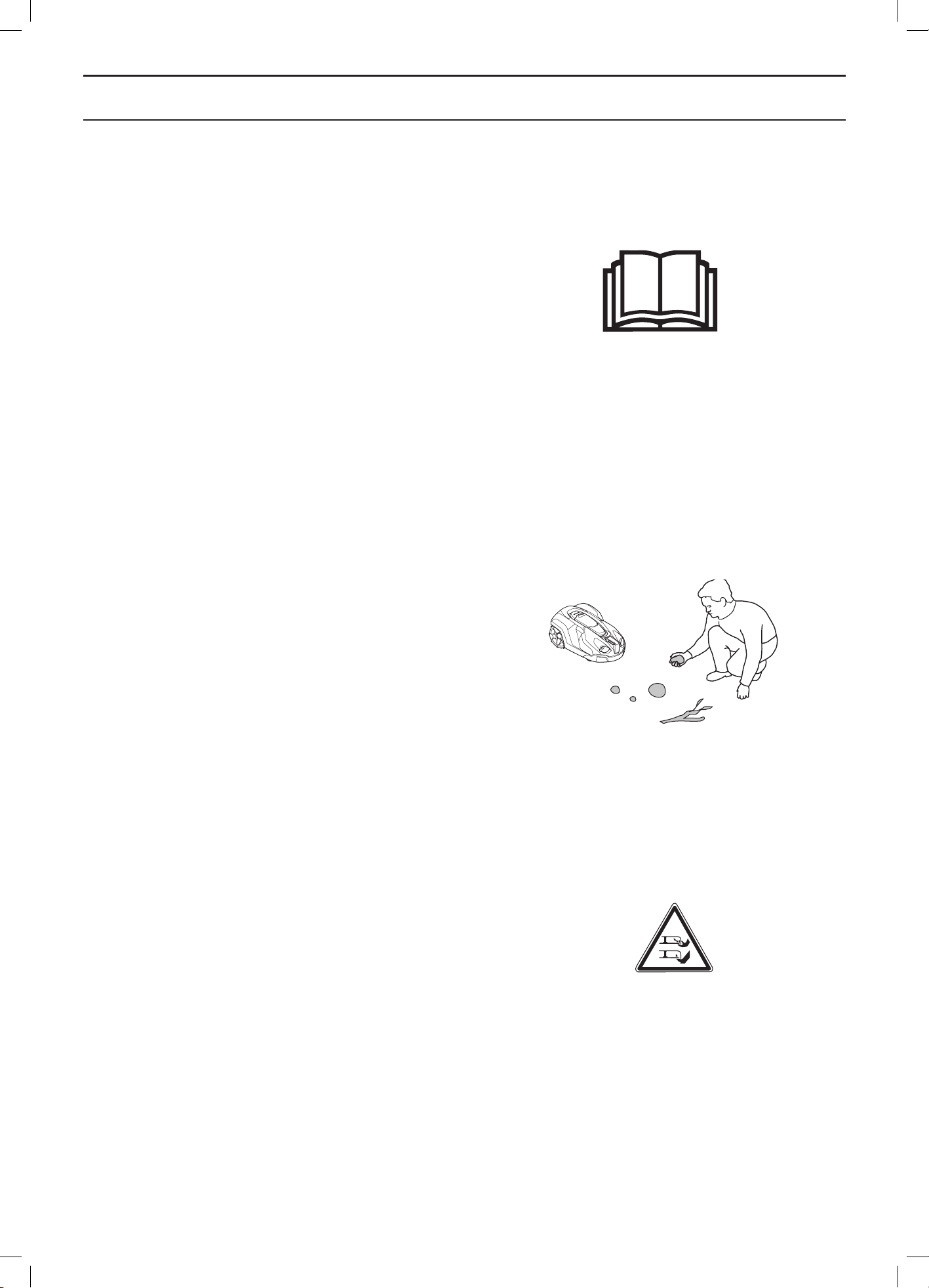
• Check that there are no stones, branches, tools,
toys or other objects on the lawn that can damage
the blades. Objects on the lawn can also lead to the
robotic lawnmower getting stuck in them and help may
be required to remove the object before the mower
can continue mowing.
• Start the robotic lawnmower according to the
instructions. When the main switch is set to 1; make
sure to keep your hands and feet away from the
rotating blades. Never put your hands and feet under
the robotic lawnmower.
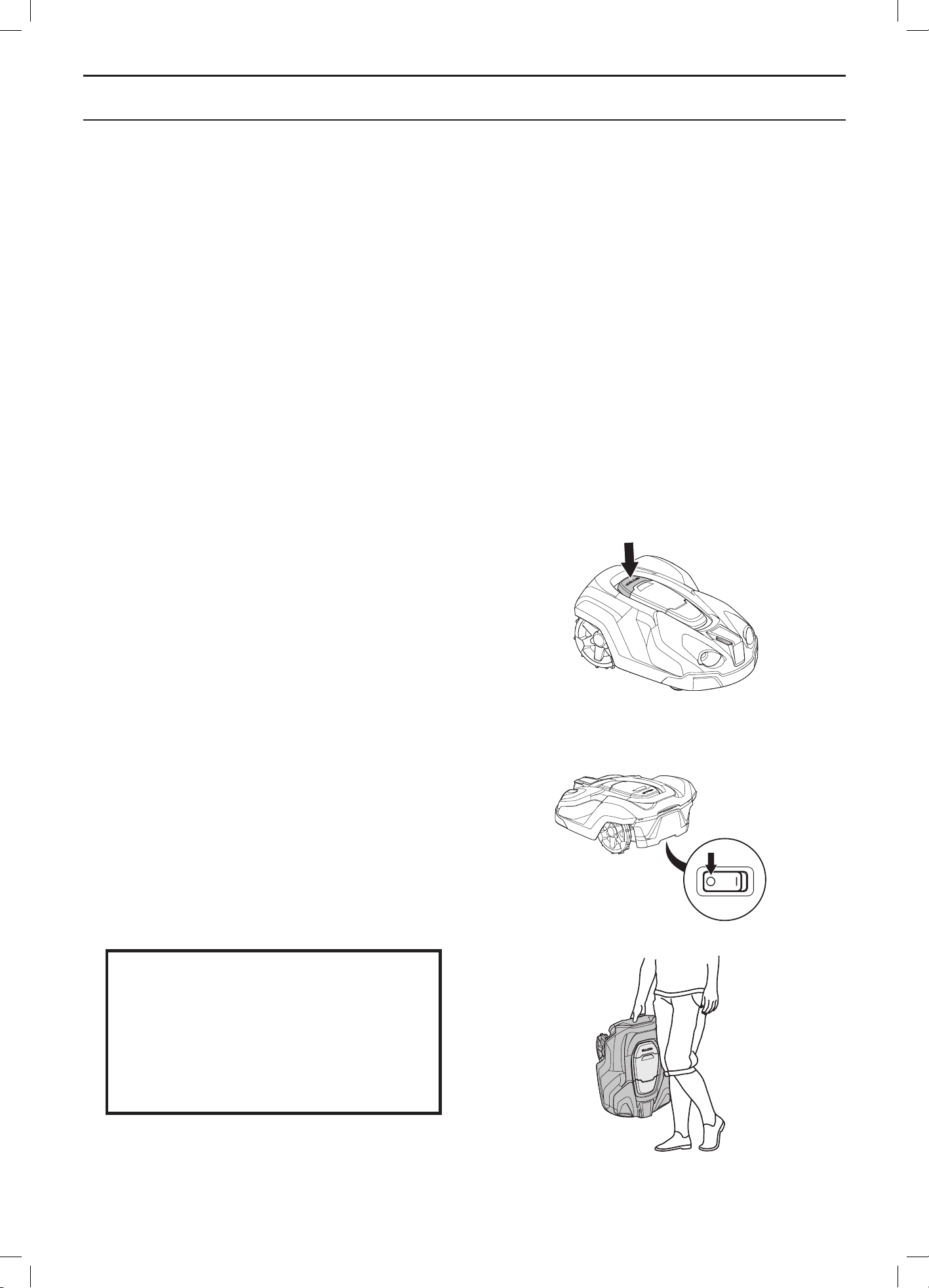
• Never lift up the robotic lawnmower or carry it around
when the main switch is in position 1.
• Do not let persons who do not know how the robotic
lawnmower works and behaves use it.
• The robotic lawnmower must never be allowed
to collide with persons or other living creatures.
If a person or other living creature comes in the
lawnmower’s way it shall be stopped immediately. See
See 4.4 Stopping on page 35.
• Do not put anything on top of the robotic lawnmower
or its charging station.
• Do not allow the robotic lawnmower to be used with
a defective blade disc or body. Neither should it be
used with defective blades, screws, nuts or wires.
• Do not use the robotic lawnmower if the main switch
does not work.
1001-003
3012-1057
3012-663
English - 7
INTRODUCTION AND SAFETY
• Always switch off the robotic lawnmower using the main
switch when the robotic lawnmower is not in use. The
robotic lawnmower can only start when the main switch
is set to 1 and the correct PIN code has been entered.
• The robotic lawnmower must never be used at the
same time as a sprinkler. In this case use the timer
function (see 6.3 Timer on page 42) so the mower and
sprinkler never run simultaneously.
• Husqvarna AB does not guarantee full compatibility
between the robotic lawnmower and other types
of wireless systems such as remote controls, radio
transmitters, hearing loops, underground electric
animal fencing or similar.
• The built-in alarm is very loud. Be careful, especially if
the robotic lawnmower is handled indoors.
Moving
The original packaging should be used when transporting
the robotic lawnmower over long distances.
To safely move from or within the working area:
1. Press the STOP button to stop the robotic
lawnmower. If security is set to the medium or
high level (see 6.5 Security on page 46.) the PIN
code has to be entered. The PIN code has four
digits and is chosen when the robotic lawnmower
is started for the first time, see 3.8 First start-up
and calibration on page 32.
2. Set the main switch to position 0.
3. Carry the robotic lawnmower by the handle
found at the rear of the product. Carry the robotic
lawnmower with the blade disc away from the body.
IMPORTANT INFORMATION
Do not lift the robotic lawnmower when
it is parked in the charging station. It
can damage the charging station and/or
the robotic lawnmower. Press STOP and
instead first pull the robotic lawnmower
out of the charging station before lifting it.
3012-1044
3012-1060
3012-1203
English - 8
INTRODUCTION AND SAFETY
Maintenance
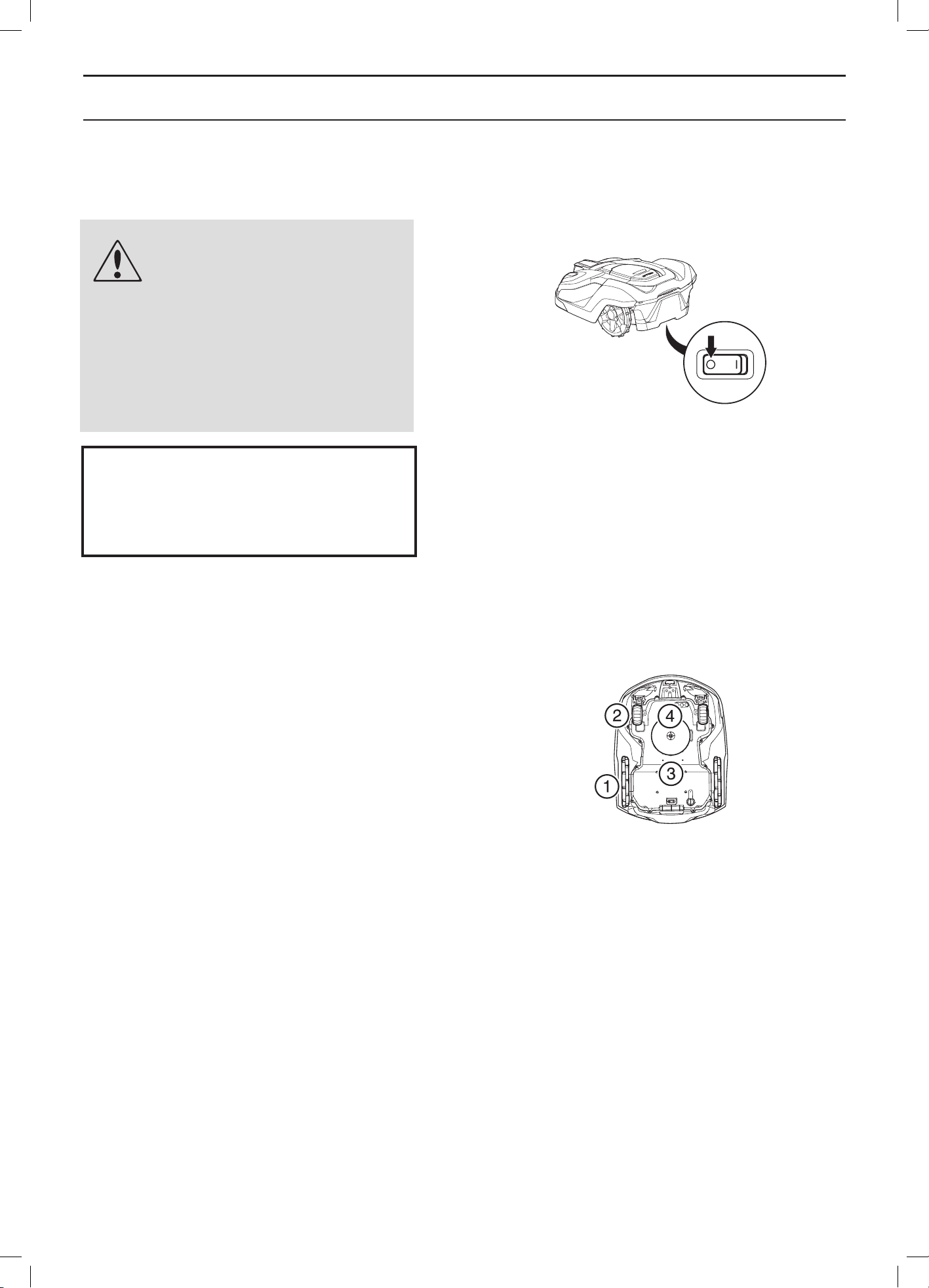
WARNING
When the robotic lawnmower is
turned upside down the main
switch must always be in the 0
position.
The main switch should be set
in the 0 position during all work
on the mower’s chassis, such as
cleaning or replacing the blades.
Inspect the robotic lawnmower each week and replace
any damaged or worn parts. The following must be carried
out in the weekly inspections:
• Clean the charging station from grass, leaves,
twigs and other objects that may impede the robotic
lawnmower from docking with the charging station.
• Set the main switch to position 0 and put on a pair of
protective gloves. Turn the robotic lawnmower upside
down. Check the following:
1. Clean the drive wheels. Grass in the drive wheels
can impact on how the lawnmower works on
slopes.
2. Clean the front wheels. Grass on the front wheels
and the front wheel axles can affect performance.
3. Clean the body, chassis and cutting system.
Grass, leaves and other objects that weigh down
the product affect performance.
4. Check that all mower blades are intact. Check
also that the mower blades can pivot freely. Even
if the mower blades are intact, they must be
replaced on a regular basis for the best mowing
result and low energy usage. Replace all blades
and screws at the same time if necessary so that
the rotating parts are kept balanced. See 8.7
Blades on page 75.
3012-1060
3012-1257
IMPORTANT INFORMATION
Never use a high-pressure washer or even
running water to clean the robotic lawn-
mower. Never use solvents for cleaning.
English - 9
PRESENTATION
2 Presentation
This chapter contains information that is important to be
aware of when planning the installation.
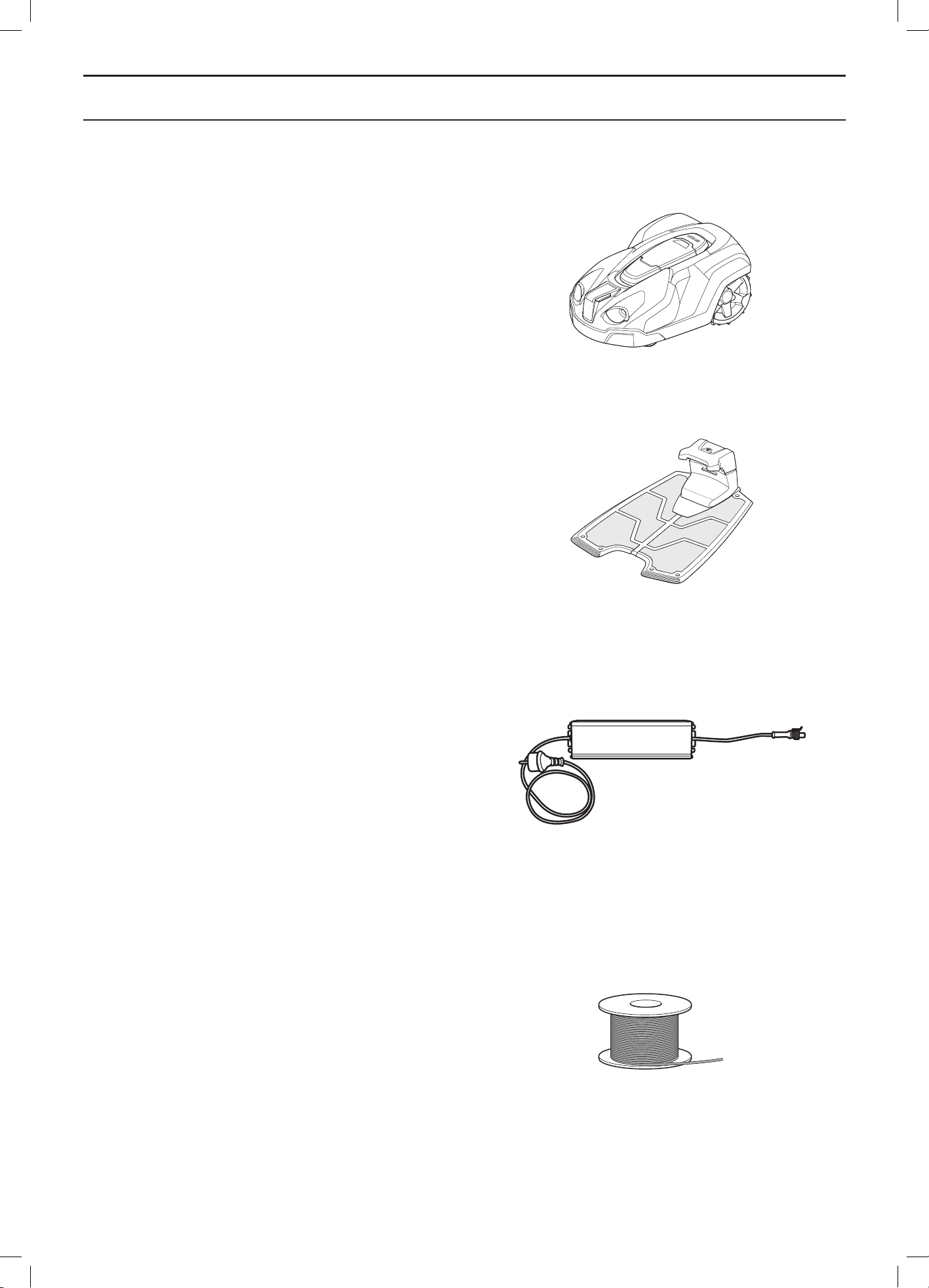
Installing a Husqvarna robotic lawnmower involves four
main components:
• A robotic lawnmower that mows the lawn by essentially
operating in a random pattern. The robotic lawnmower
is powered by a maintenance-free battery.
• A charging station, to where the robotic lawnmower
automatically returns when the charge level in the
battery becomes too low.
The charging station has three functions:
• To send control signals along the boundary wire.
• To send control signals along the guide wires.
• To charge the battery in the robotic lawnmower.
• A transformer, which is connected between the
charging station and a 100V-240V wall socket. The
transformer is connected to the wall socket and to
the charging station using a 10 m long low voltage
cable. The low voltage cable must not be shortened
or extended.
A longer low voltage cable is available as optional
accessory. Please contact your dealer for more
information.
• A loop wire, laid in a loop around the robotic
lawnmower’s working area. The loop wire is laid
around the edges of the lawn and around objects and
plants that the robotic lawnmower must not run into.
The loop wire is also used as the guide wire.
The wire supplied for the installation is 400 m long
(250 m for Automower® 320). If this is not sufficient,
more wire can be purchased and spliced onto the
existing wire with a coupler.
The maximum permitted length for the boundary loop
is 800 m.
3012-1040
3012-1041
3012-1214
3012-221
English - 10
PRESENTATION
2.1 What is what?
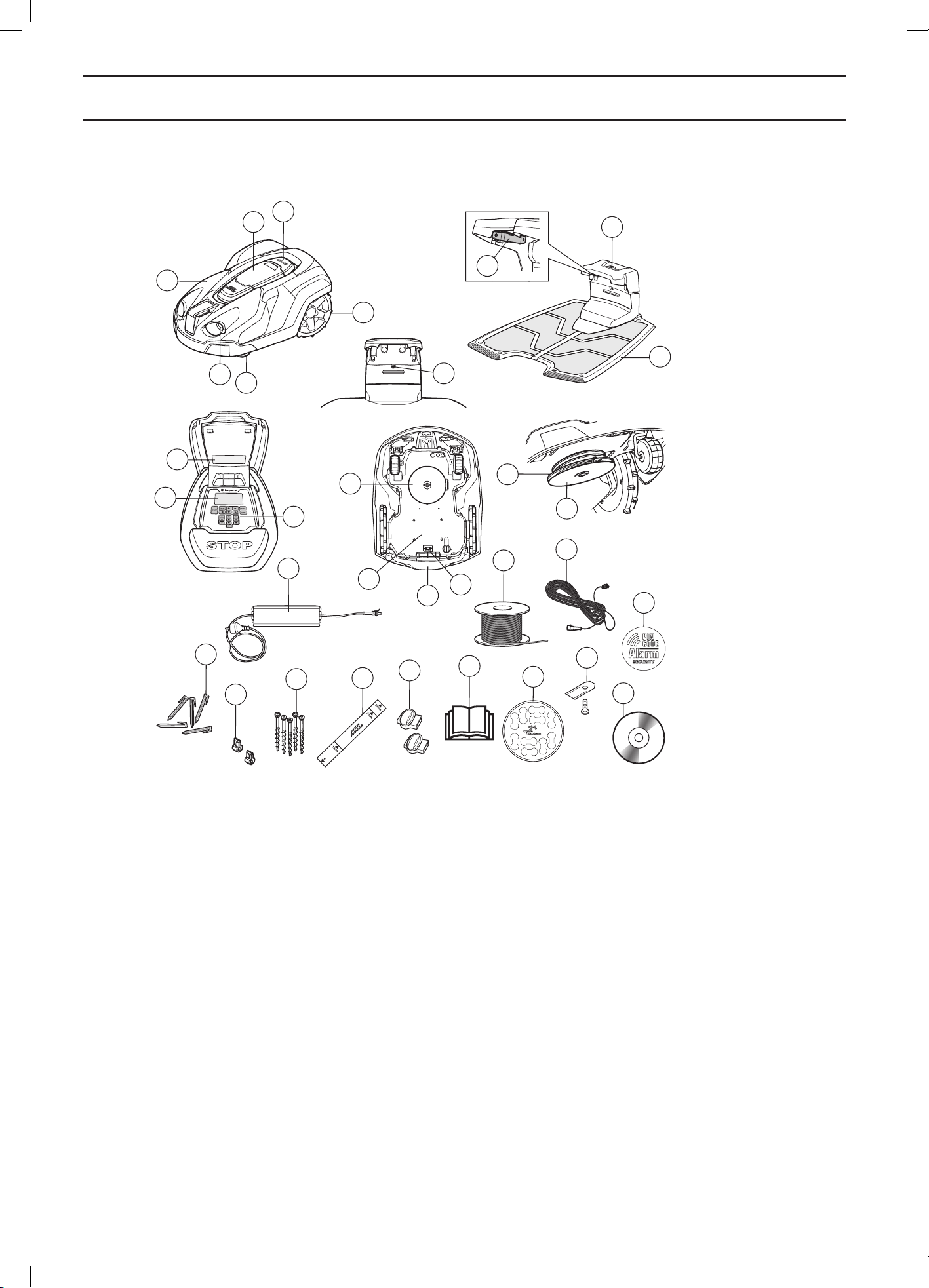
The numbers in the illustration represent:
1. Body
2. Hatch to display and keypad.
3. Stop button/Catch to open the hatch
4. Mounting for accessories, e.g. headlights (not
available with Automower® 320)
5. Front wheel
6. Rear wheels
7. LED for operation check of the charging station,
boundary wire and guide wire
8. Contact strips
9. Parking button (not available with Automower® 320)
10. Charging station
11. Rating plate
12. Display
13. Keypad
14. Cutting system
15. Chassis box with electronics, battery and motors
16. Handle
17. Main switch
18. Blade disc
19. Skid plate
20. Transformer
21. Loop wire for boundary loop and guide wire
22. Low voltage cable
23. Pegs
24. Connector for loop wire
25. Screws for securing the charging station
26. Measurement gauge for help when installing the
boundary wire (the measurement gauge is broken
loose from the box)
27. Couplers for the loop wire
28. Operator’s Manual and Quick Guide
29. Cable markers
30. Extra blades
31. Alarm decal
32. DVD-Rom with full Operator’s Manual
3012-566
1
10
7
5
4
18
19
14
15
17
16
6
2
20
22
23
24
25
26
27
28
29
9
3
11
13
12
21
8
30
31
32
English - 11
PRESENTATION
2.2 Package content
Your Automower
®
package will include the following parts.
Automower
®
320 Automower
®
330X
Robotic lawnmower √ √
Charging station √ √
Transformer √ √
Loop wire 250 m 400 m
Low voltage cable √ √
Pegs 300 pcs 400 pcs
Connectors 5 pcs 5 pcs
Charging station screws 6 pcs 6 pcs
Allen key √ √
Measurement gauge √ √
Couplers 3 pcs 3 pcs
DVD √ √
Operator´s Manual and Quick Guide √ √
Wire labels √ √
Extra blades 9 pcs 9 pcs
Alarm decal 2 pcs 2 pcs
2.3 Function
Capacity
The robotic lawnmower is recommended for lawns up to
3,200 m
2
(2,200 m
2
for Automower® 320).
How big an area the robotic lawnmower can keep cut
depends primarily on the condition of the blades and the
type, growth and moisture of the grass. The shape of the
garden is also significant. If the garden mainly consists of
open lawn areas, the robotic lawnmower can mow more
per hour than if the garden consists of several small lawns
separated by trees, flower beds and passages.
A fully charged robotic lawnmower mows for 130 to
170 minutes (50 to 70 minutes for Automower® 320),
depending on the age of the battery and how thick the
grass is. Then the robotic lawnmower will charge for 50 to
70 minutes. The charging time can vary depending on,
among other factors, the ambient temperature.
English - 12
PRESENTATION
Mowing technique
The cutting system in the Husqvarna robotic lawnmower
is based on an efficient and energy saving principle.
Unlike many standard lawnmowers, the robotic
lawnmower cuts the grass instead of knocking it off.
We recommend you allow the robotic lawnmower to
mainly mow in dry weather to obtain the best possible
result. Husqvarna’s robotic lawnmowers can also mow
in the rain, however, wet grass easily sticks on the robotic
lawnmower and there is a greater risk of slipping on steep
slopes.
The blades must be in good condition to obtain the best
mowing result. In order to keep the blades sharp for as
long as possible it is important to keep the lawn free
from branches, small stones and other objects which
can damage the blades.
Replace the blades regularly for the best mowing result.
It is very easy to replace the blades. See 8.7 Blades on
page 75.
Working method
The robotic lawnmower automatically mows the lawn.
It continuously alternates between mowing and charging.
The robotic lawnmower starts to search for the charging
station when the battery charge becomes too low. The
robotic lawnmower does not mow when it is searching for
the charging station.
When the robotic lawnmower is searching for the
charging station, it can find it in a number of different
ways. See Finding the charging station on page 13.
When the battery is fully charged, the robotic lawnmower
will leave the charging station and start mowing in a place
in the garden where it has not been lately. The place is
decided by the built-in GPS-receiver. This function is for
Automower
®
330X only.
For Automower
®
320 you might have to set manual exit
settings to make sure that the lawn will be cut evenly, see
“Installation” on page 50.
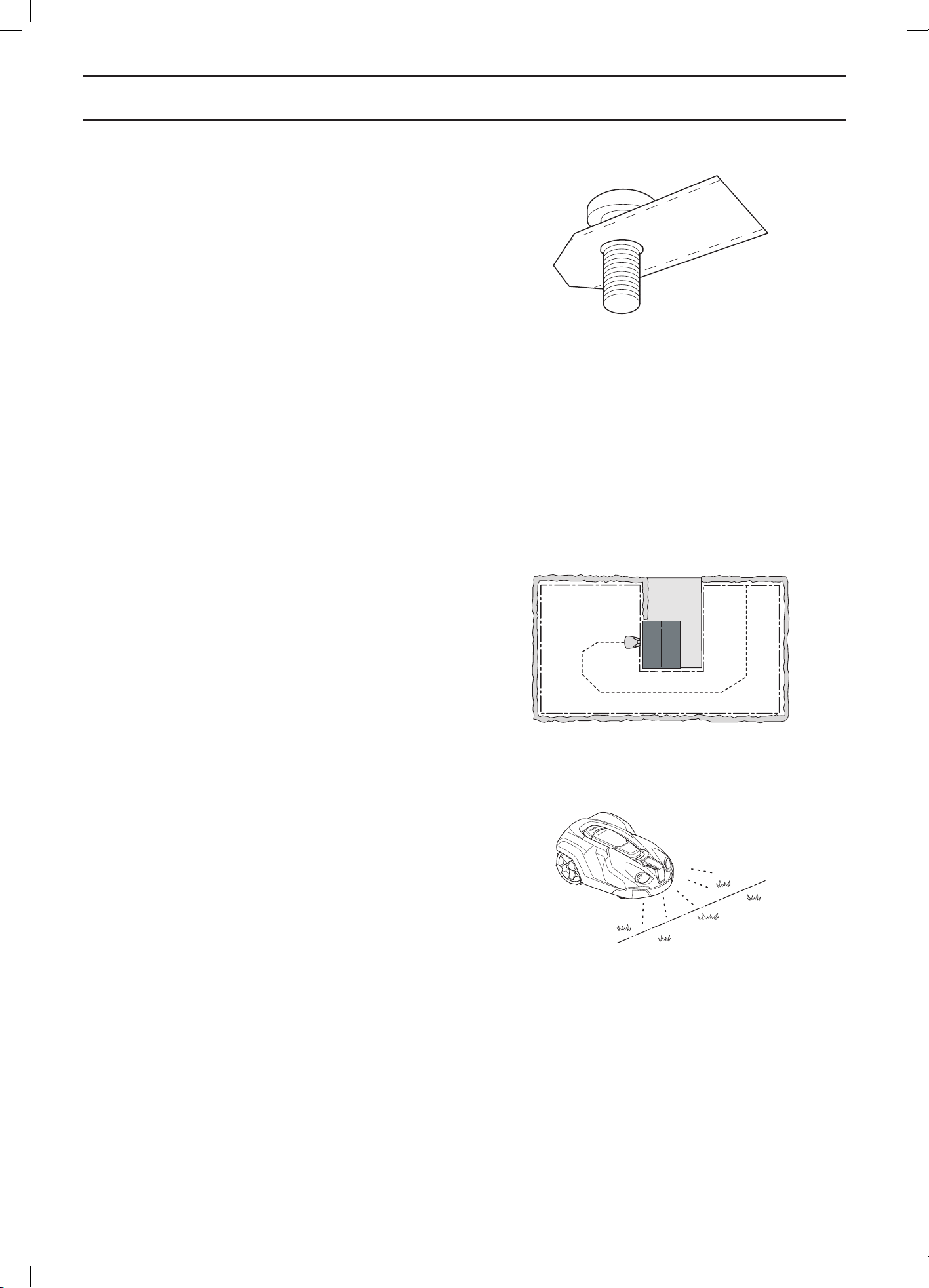
When the robotic lawnmower body hits an obstacle, the
robotic lawnmower reverses and selects a new direction.
Sensors at the front and back will sense when the robotic
lawnmower is approaching the boundary wire. The
robotic lawnmower travels up to 32 centimetres beyond
the wire before it turns around.
3012-1026
3012-1043
3020-002
English - 13
PRESENTATION
The STOP button on the top of the robotic lawnmower
is mainly used to stop the robotic lawnmower when it’s
running. When the STOP button is pressed a hatch
opens, behind which there is a control panel. The STOP
button remains pressed in until the hatch is closed again.
This together with the START button acts as a start
inhibitor.
The control panel on the top of the robotic lawnmower is
where you manage all the robotic lawnmower settings.
When the main switch is set to 1 for the first time,
a start-up sequence begins which includes a number
of important basic settings. See 3.8 First start-up and
calibration on page 32.
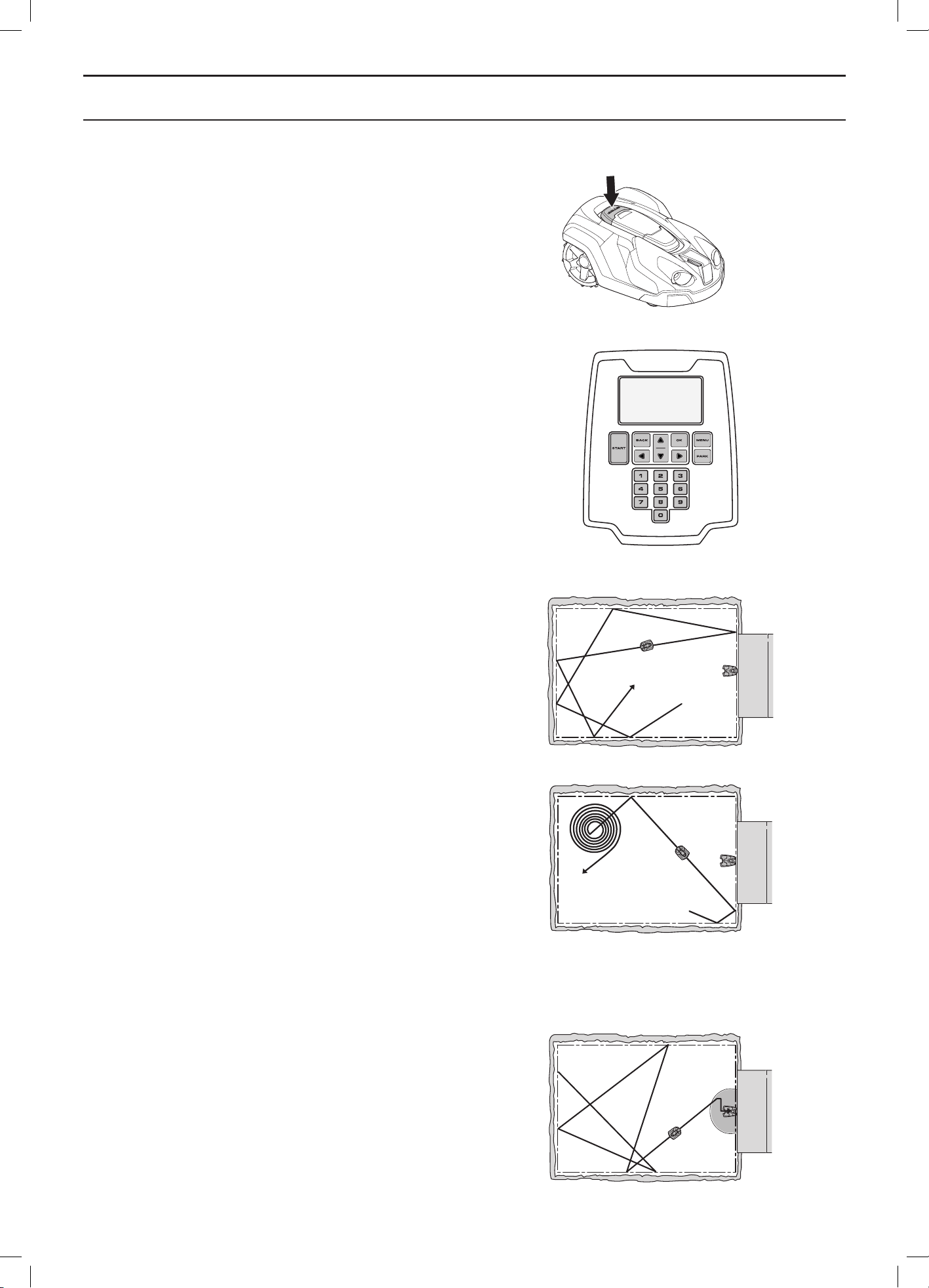
Movement pattern
The movement pattern of the robotic lawnmower is
random and is determined by the robotic lawnmower
itself. A movement pattern is never repeated. With this
cutting system the lawn is mown very evenly without any
mowing lines from the robotic lawnmower.
If the robotic lawnmower enters an area where it senses
the grass is longer than average, it can change the
movement pattern. It can then mow in a spiral pattern
to faster cut the area with longer grass. This is known
as spiral cutting.
Finding the charging station
The robotic lawnmower can be set to search for the
charging station in one or more of three different ways.
The robotic lawnmower automatically combines these
three search methods to locate the charging station as
fast as possible but also to avoid as much tracks forming
as possible.
Using the manual settings options the three search
methods can be combined to optimise the search for the
charging station for the shape of the garden in question,
see 6.8 Installation on page 50.
Search method 1: Irregular
The robotic lawnmower operates irregularly until it gets
close to the charging station.
The benefit with this search method is that there is no risk
of tracks on the lawn from the robotic lawnmower. The
disadvantage is that search times can be somewhat long.
3012-1044
3012-1094
3012-1218
3012-562
3012-485
English - 14
PRESENTATION
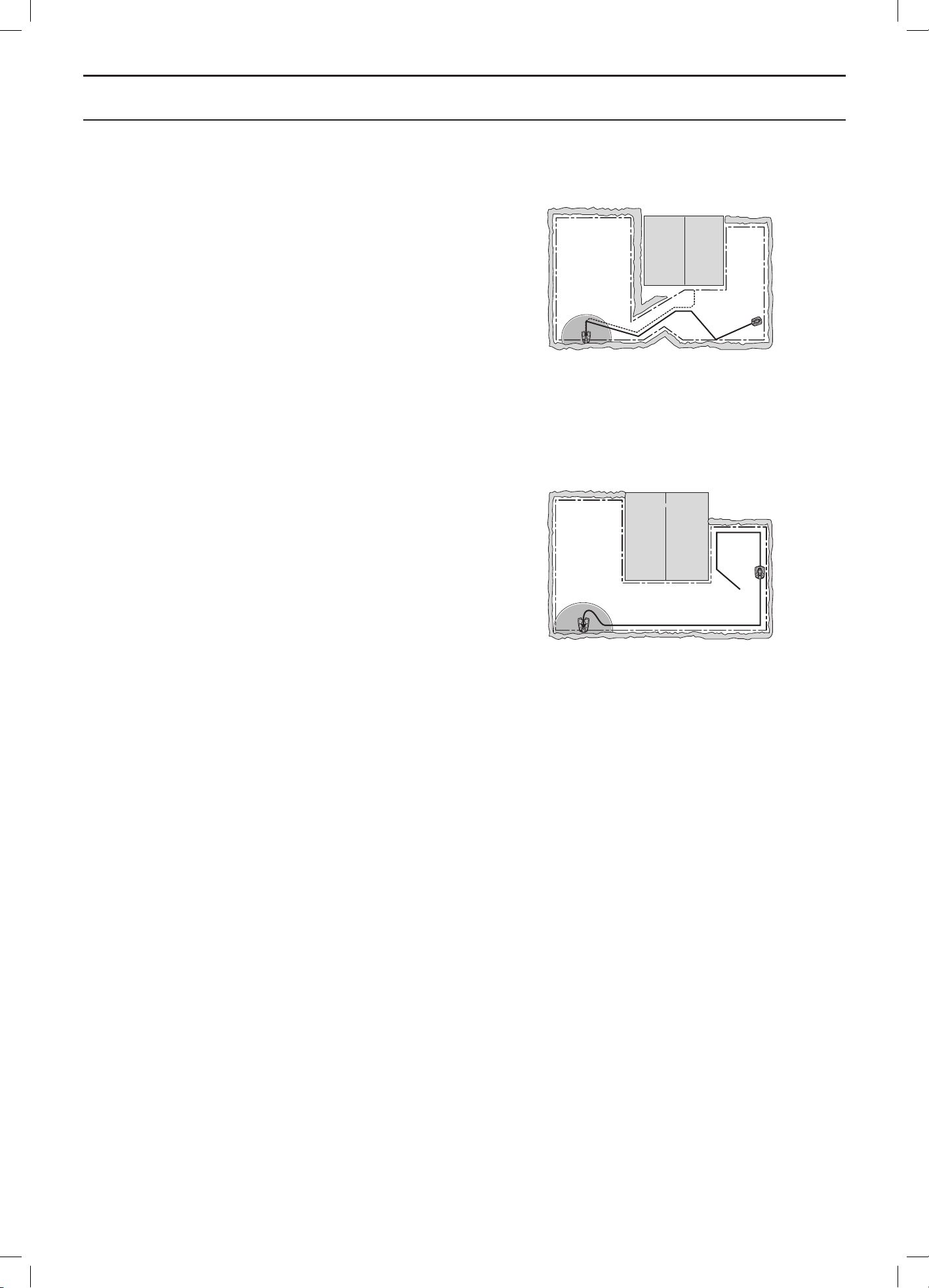
Search method 2: Follow guide wire
The robotic lawnmower operates irregularly until it
reaches the guide wire. Then the robotic lawnmower
follows the guide wire to the charging station.
The guide wire is a wire that is laid from the charging
station towards, for instance, a remote part of the working
area or through a narrow passage to be then connected
with the boundary loop. See 3.6 Installation of the guide
wire on page 28.
For Automower
®
330X up to two guide wires can be used
(only one for Automower
®
320).
This search method makes it easier for the robotic
lawnmower to find the charging station beyond many
or large islands, narrow passages or steep slopes.
The benefit of this search method is shorter search times.
Search method 3: Follow boundary wire
The robotic lawnmower operates irregularly until it
reaches the boundary loop. Then it follows the boundary
loop to the charging station. The robotic lawnmower
randomly selects to travel clockwise or anticlockwise.
This search method is suitable in an installation with
an open lawn space, wide passages (wider than about
3 metres) and no or only a few small islands.
The benefit of this search method is that there is no need
to install a guide wire.
The disadvantage is that some tracks can be formed
in the lawn alongside the boundary loop. The search
time will also be longer if there are narrow passages
or numerous islands in the installation.
As a rule, this search method is used only if the robotic
lawnmower cannot find the charging station using search
method 1 or 2 within the expected time period.
3012-558
3012-486
English - 15
INSTALLATION
3 Installation
This chapter describes how to install the robotic
lawnmower. Before starting the installation read the
previous chapter 2. Presentation.
Read also through this entire chapter before beginning the
installation. How the installation is done also affects how
well the robotic lawnmower works. It is therefore important
to plan the installation carefully.
Planning is simplified if you make a sketch of the working
area, including all obstacles. This makes it easier to see
the ideal positions for the charging station, the boundary
wire and the guide wire. Draw on the sketch where the
boundary and guide wires should be routed.
See 7 Garden examples on page 66 for installation
examples.
Visit also www.automower.com for further descriptions
and tips regarding installation.
Carry out the installation as outlined in the
following steps:
3.1 Preparations
3.2 Installation of the charging station
3.3 Charging the battery
3.4 Installation of the boundary wire
3.5 Connecting the boundary wire
3.6 Installation of the guide wire
3.7 Checking the installation
3.8 First start-up and calibration
3.9 Test docking with the charging station
The charging station, boundary loop and guide wire must
be connected to be able to carry out a complete start-up.
3.1 Preparations
1. If the lawn in the working area is longer than
10 cm mow it using a standard lawnmower.
Then collect the grass.
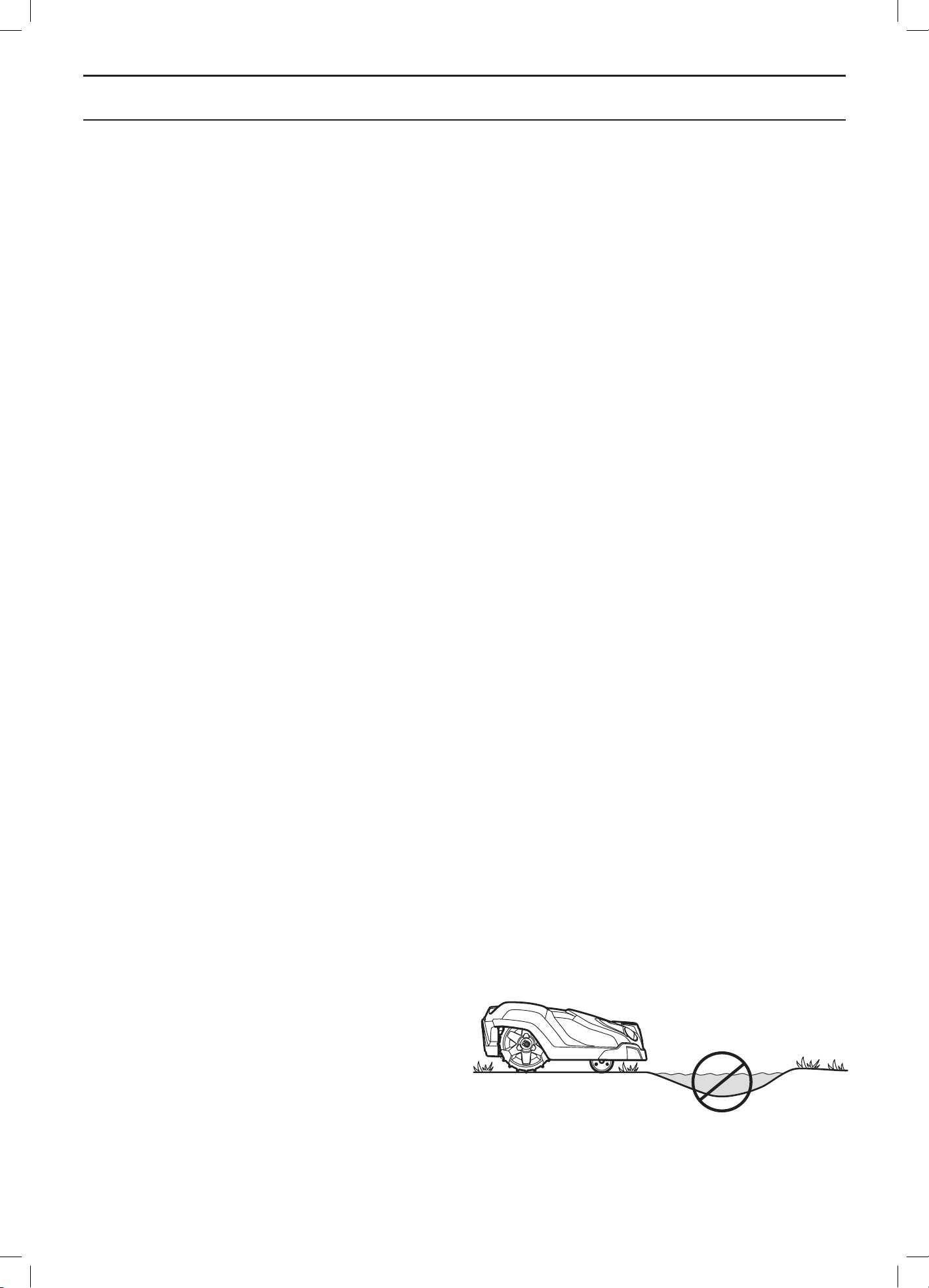
2. Fill in holes and hollows to stop rainwater forming
pools of water. The product may be damaged if it
is operated in pools of water. See 11 Guarantee
terms on page 88.
3. Read carefully through all the steps before the
installation.
3012-1101
English - 16
INSTALLATION
4. Check that all parts for the installation are
included. The numbers in brackets refer to the
component illustration. See 2.1 What is what? on
page 10.
• Robotic lawnmower
• Charging station (10)
• Loop wire for boundary loop and
guide wire (21)
• Transformer (20)
• Low voltage cable (22)
• Pegs (23)
• Connectors for the loop wire (24)
• Screws for the charging station (25)
• Measurement gauge (26)
• Couplers for the loop wire (27)
• Cable markers (29)
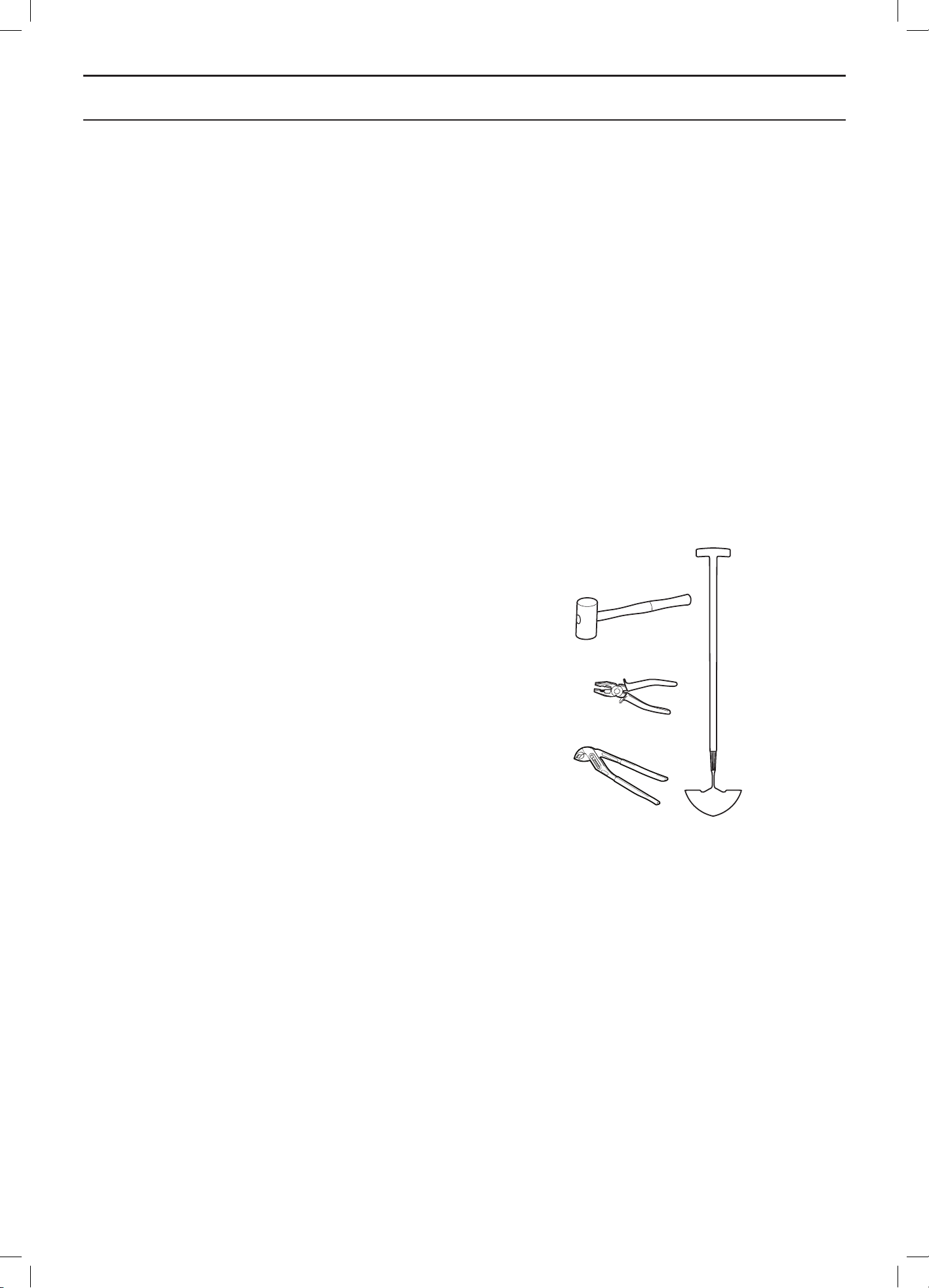
During installation you will also need:
• Hammer/plastic mallet (to simplify putting the
pegs in the ground).
• Combination pliers for cutting the boundary wire
and pressing the connectors together.
• Polygrip (for pressing the couplers together).
• Edge cutter/straight spade if the boundary wire
must be buried.
3.2 Installation of the charging station
Best charging station location
Take the following aspects into consideration when
identifying the best location for the charging station:
• Allow for at least 3 metres of free space in front of
the charging station
• It must be close to a wall socket. The supplied low
voltage cable is 10 metres long
• A level surface to place the charging station on
• Protection from water spray for instance from
irrigation
• Protection from direct sunlight
• Possible requirement to keep the charging station
out of sight for outsiders
3012-1311
English - 17
INSTALLATION
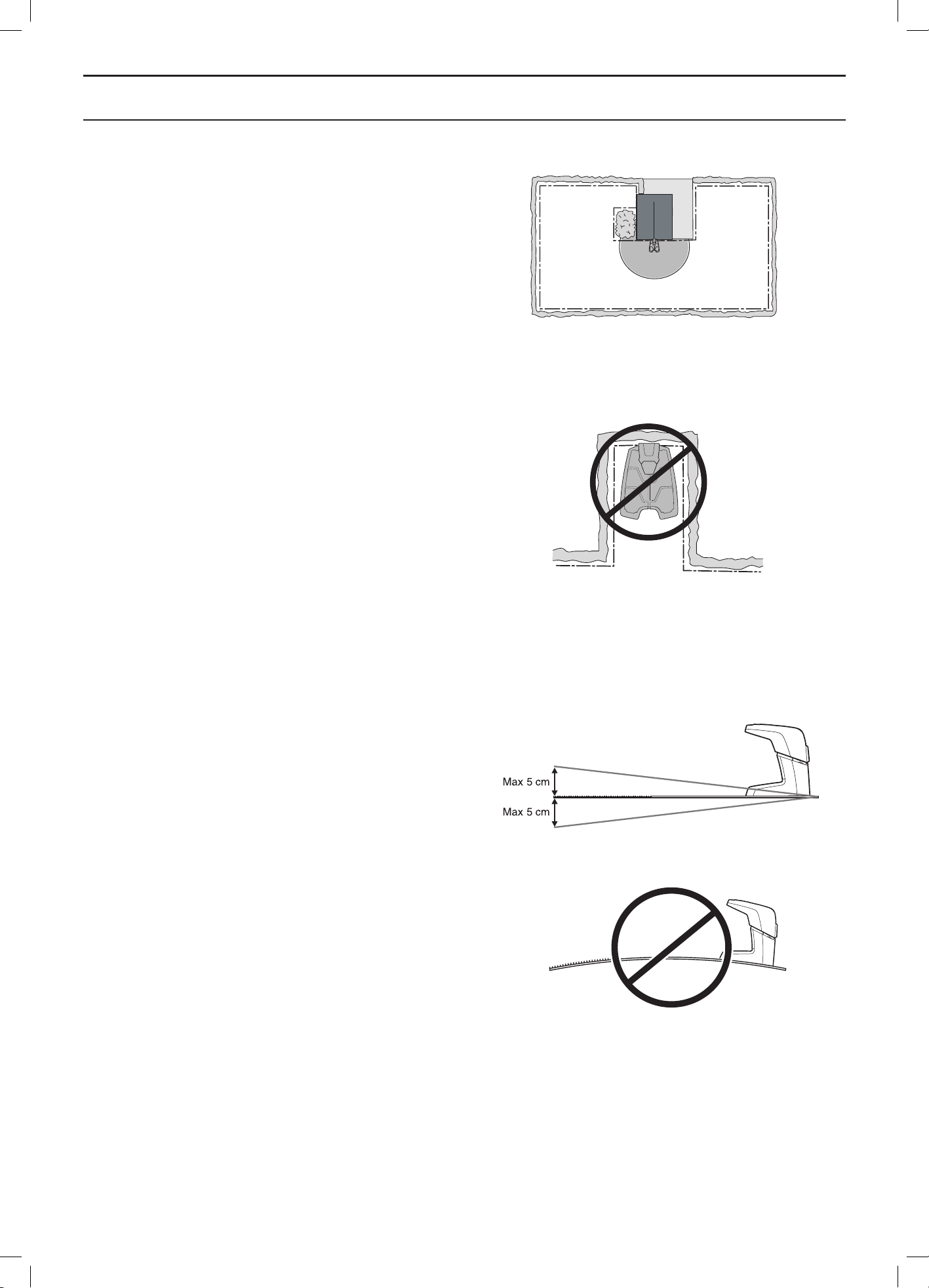
The charging station must be positioned with a great deal
of free space in front of it (at least 3 metres). It should
also be centrally placed in the working area to make it
easier for the robotic lawnmower to reach all areas in the
working area.
Do not put the charging station in confined spaces in the
working area. This can make it difficult for the robotic
mower to find the charging station.
The charging station must be positioned on relatively
level ground. The front end of the charging station must
be a maximum of 5 cm higher than the back end.
The charging station must not be positioned in a way that
can bend its base plate.
3012-1054
3012-1053
3012-559
3012-555
English - 18
INSTALLATION
Connecting the transformer
Take the following into consideration when planning where
to place the transformer:
• Close to the charging station
• Protection from rain
• Protection from direct sunlight
If the transformer is connected to an electrical socket
outdoors, this must be approved for outdoor use.
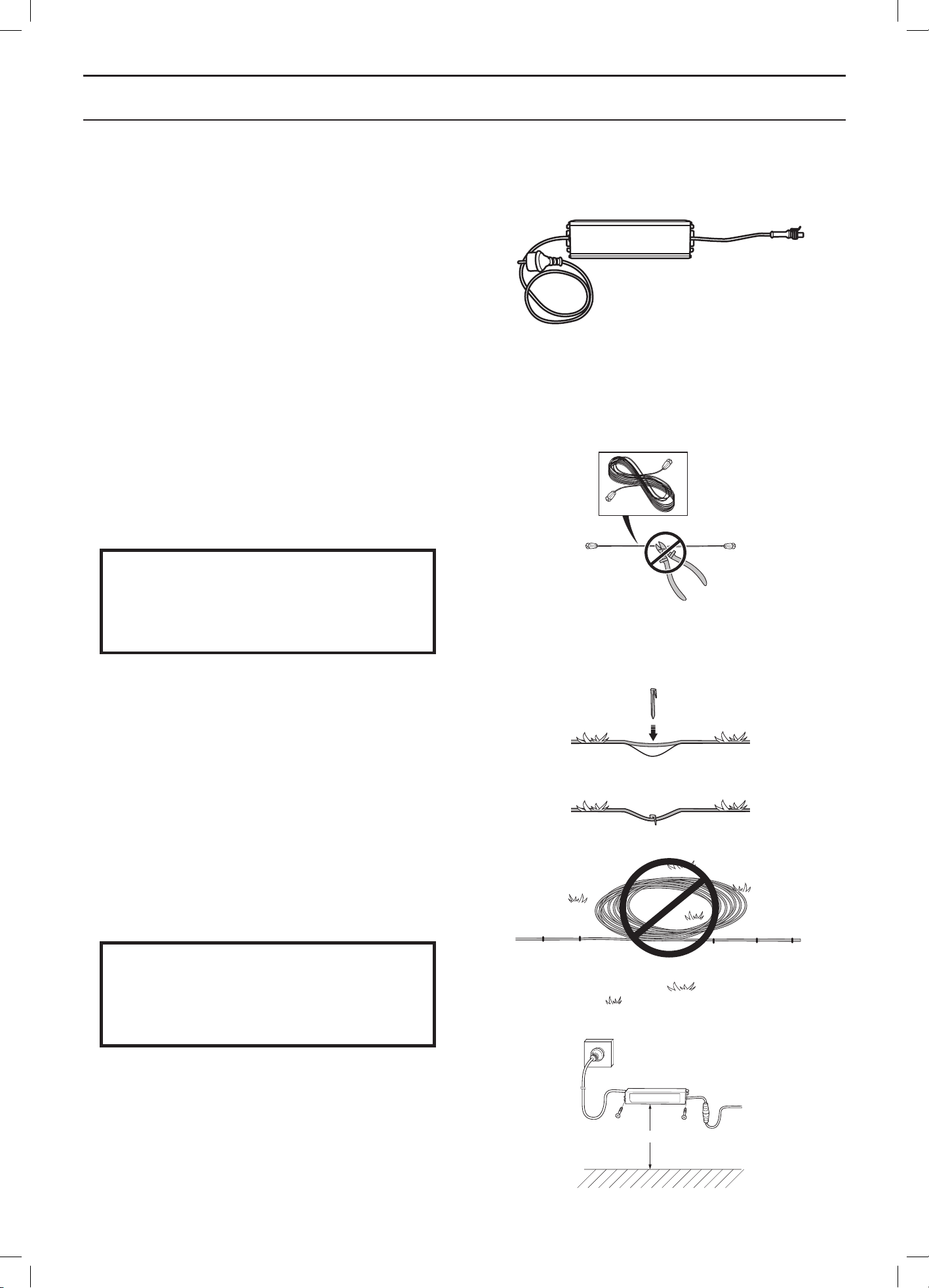
The low voltage cable for the transformer is 10 metres
long, and may not be shortened or extended. A longer low
voltage cable is available as optional accessory. Please
contact your dealer for more information.
It is not allowed to connect the transformer directly to the
charging station. The low voltage cable must always be
used.
IMPORTANT INFORMATION
The low voltage cable must not under any
circumstances be shortened or extended.
It is possible to let the low voltage cable cross the working
area. The low voltage cable must be stapled down or
buried, and the cutting height should be such that the
blades on the blade disc can never come in contact with
the low voltage cable.
Make sure the low voltage cable is laid along the ground
and secured with pegs. The cable must lie close to the
ground so as not to be cut before the grass roots have
grown over it.
The low voltage cable must never be stored in a coil
or under the charging station’s base plate as this can
interfere with the signals from the charging station.
IMPORTANT INFORMATION
Place the low voltage cable so that the
blades on the blade disc can never come
in contact with it.
The transformer must be placed where it is well ventilated
and is not exposed to direct sunlight. The transformer
must be placed under a roof.
It is recommended to use an earth fault-breaker when
connecting the transformer to the wall socket.
The transformer must be mounted on a vertical surface,
such as a wall or a fence. Screw the transformer in place
3012-281
min 30cm/12”
3018-094
3012-1214
3018-069
3018-085
English - 19
INSTALLATION
using the two mounting eyelets. No screws are supplied.
Select screws suitable for the material in question.
Do not, under any circumstances, mount the transformer
at a height where there is a risk it can be submerged in
water (at least 30 cm from the ground). It is not permitted
to place the transformer on the ground.
IMPORTANT INFORMATION
Use the transformer’s plug to disconnect
the charging station, for instance before
cleaning or repairing the loop wire.
Installing and connecting the charging
station
1. Position the charging station in a suitable spot.
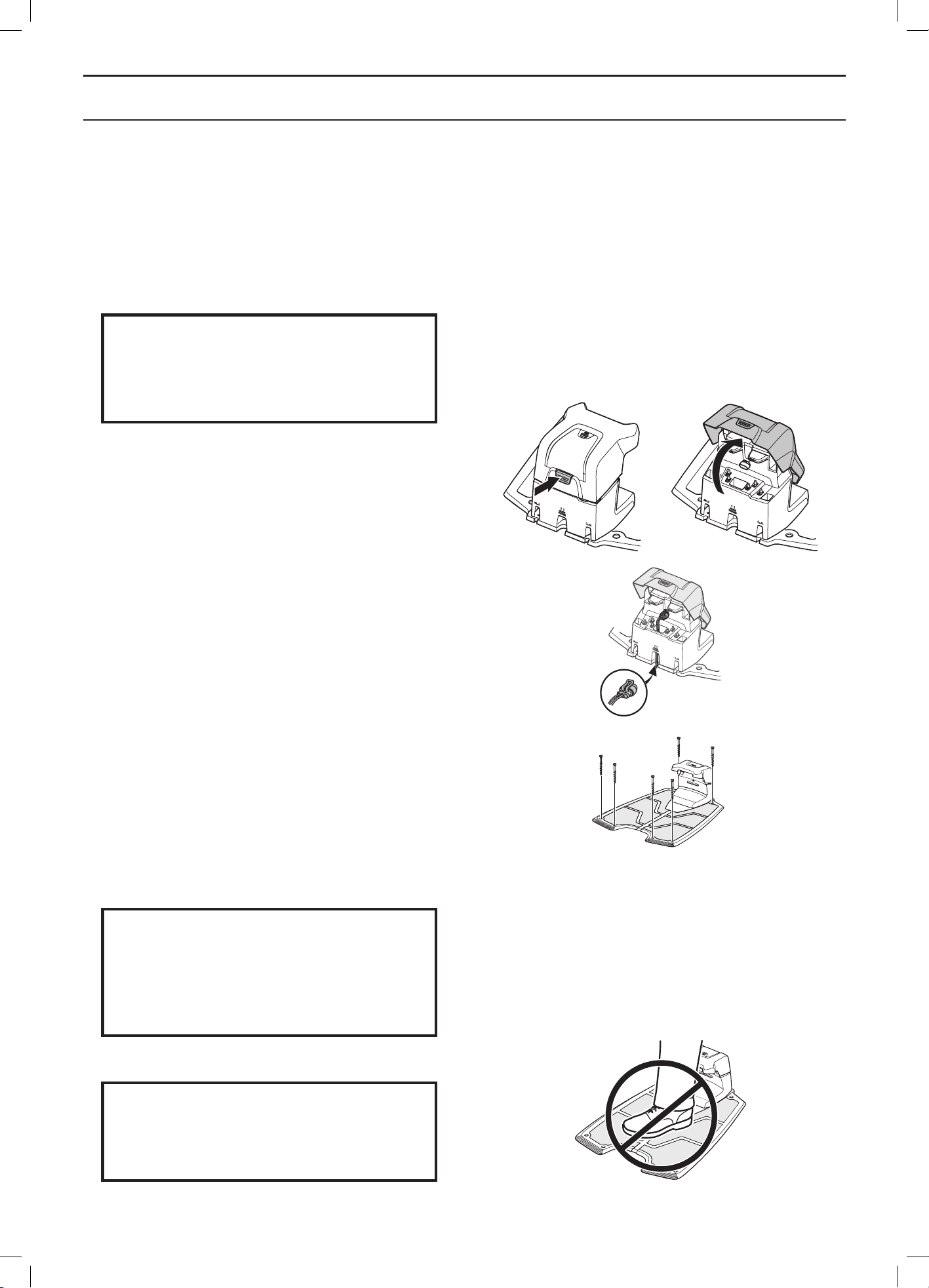
2. Tilt the protective cover on the charging station
forward and connect the low voltage cable to the
charging station.
3. Connect the transformer’s power cable to a 100-
240 V wall socket.
4. Attach the charging station to the ground using
the supplied screws. Ensure the screws are
screwed all the way down in the countersink. If
the charging station is placed against a wall, it is
best to wait before securing the charging station
to the ground until after all the wires have been
connected.
IMPORTANT INFORMATION
It is not permitted to make new holes
in the charging station’s plate. Only the
existing holes may be used to secure the
base plate to the ground.
IMPORTANT INFORMATION
Do not tread or walk on the charging
station’s plate.
3012-1063
3012-1045
3012-1090
3012-1093
English - 20
INSTALLATION
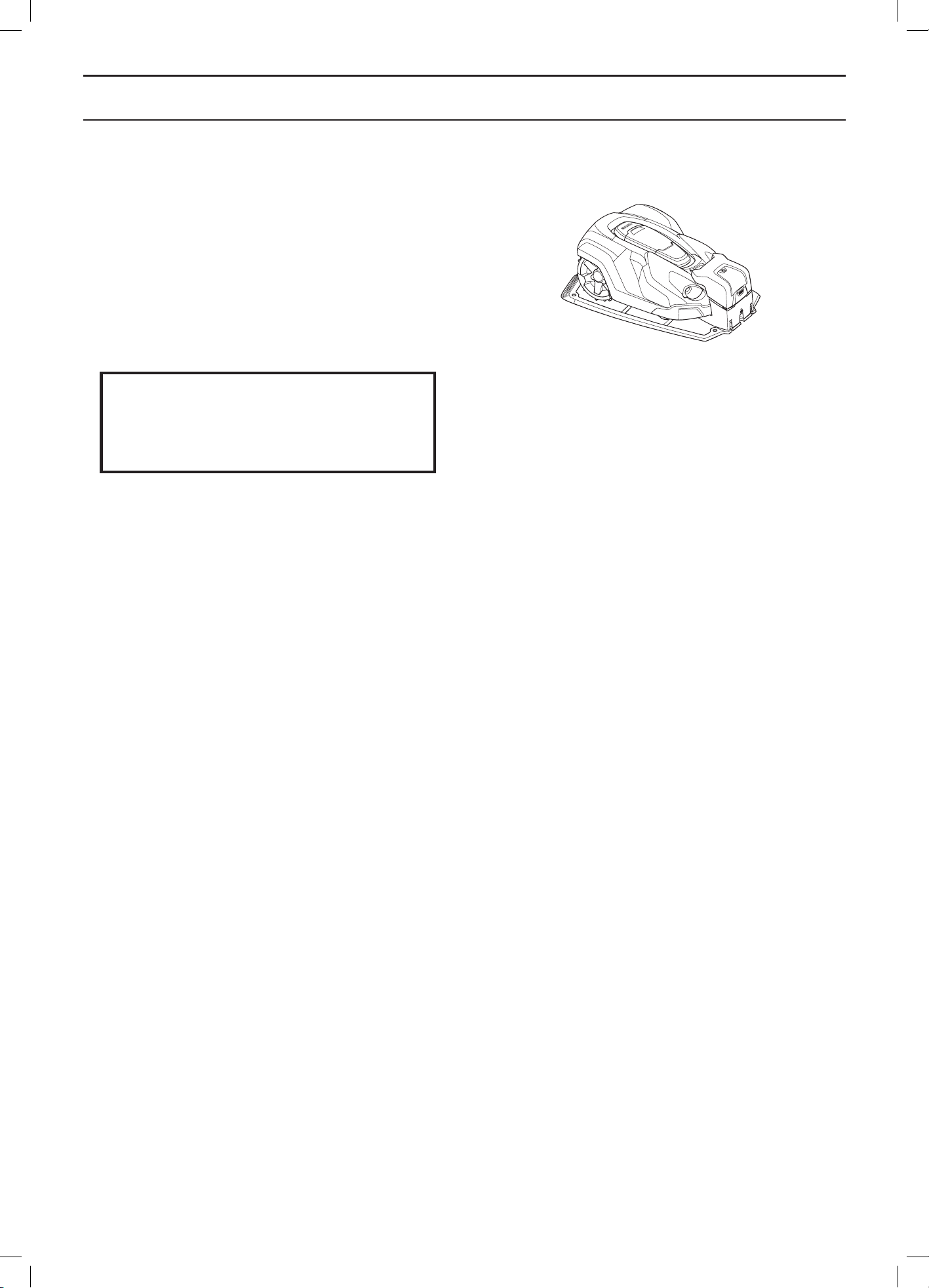
3.3 Charging the battery
As soon as the charging station is connected, it is
possible to charge the robotic lawnmower. Set the main
switch to position 1.
Place the robotic lawnmower in the charging station to
charge the battery while the boundary and guide wires
are being laid.
IMPORTANT INFORMATION
The robotic lawnmower cannot be used
before the installation is complete.
3012-1046
English - 21
INSTALLATION
3.4 Installation of the boundary wire
The boundary wire can be installed in one of the following ways:
• Secure the wire to the ground with pegs.
It is preferable to staple down the boundary wire if you want to make adjustments to the boundary loop during
the first few weeks of operation. After a few weeks the grass will have grown over the wire making it no longer
visible. Use a hammer/plastic mallet and the pegs supplied when carrying out the installation.
• Bury the wire.
It is preferable to bury the boundary wire if you want to dethatch or aerate the lawn. If necessary, both
methods can be combined so one part of the boundary wire is pegged down and the remainder is buried.
The wire can be buried for instance using an edge cutter or a straight spade. Make sure to lay the boundary
wire at least 1 cm and a maximum of 20 cm in the ground.
Plan where to lay the boundary wire
The boundary wire must be laid so that:
• The wire forms a loop around the working area for the robotic lawnmower. Only original boundary wire
must be used. It is specially designed to resist dampness from the soil that could otherwise easily damage
the wires.
• The robotic lawnmower is never more than 35 metres from the wire at any point in the entire working area.
• The wire is no more than 800 metres long.
• About 20 cm of extra wire is available to which the guide wire will be connected later. See 3.6 Installation of
the guide wire on page 28.
Depending on what the working area is adjacent to, the boundary wire must be laid at different distances from
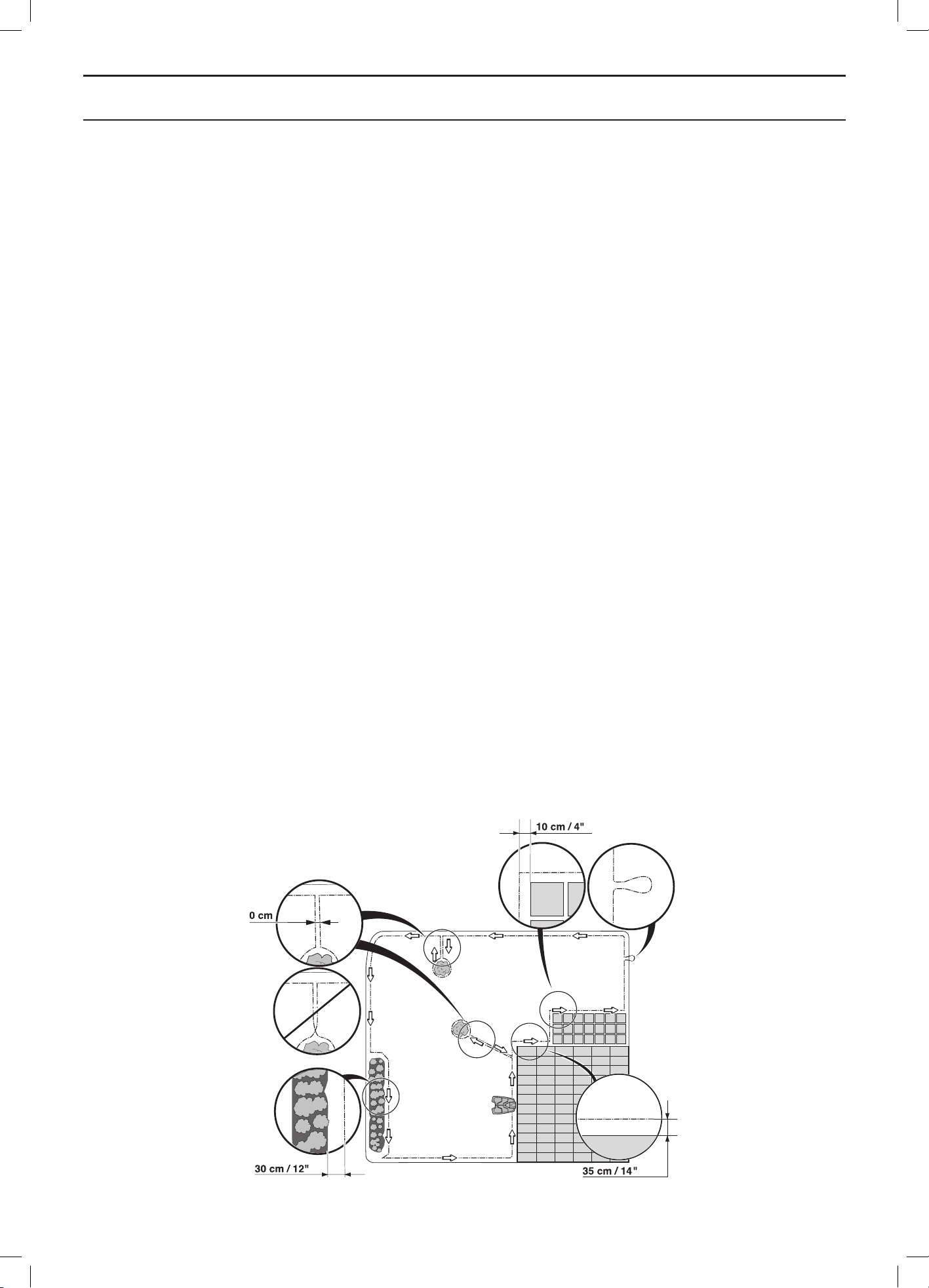
obstacles. The illustration below shows how the boundary wire must be laid around the working area and around
obstacles. Use the supplied measurement gauge to obtain the correct distance. See 2.1 What is what? on page 10.
3018-070
English - 22
INSTALLATION
Working area boundaries
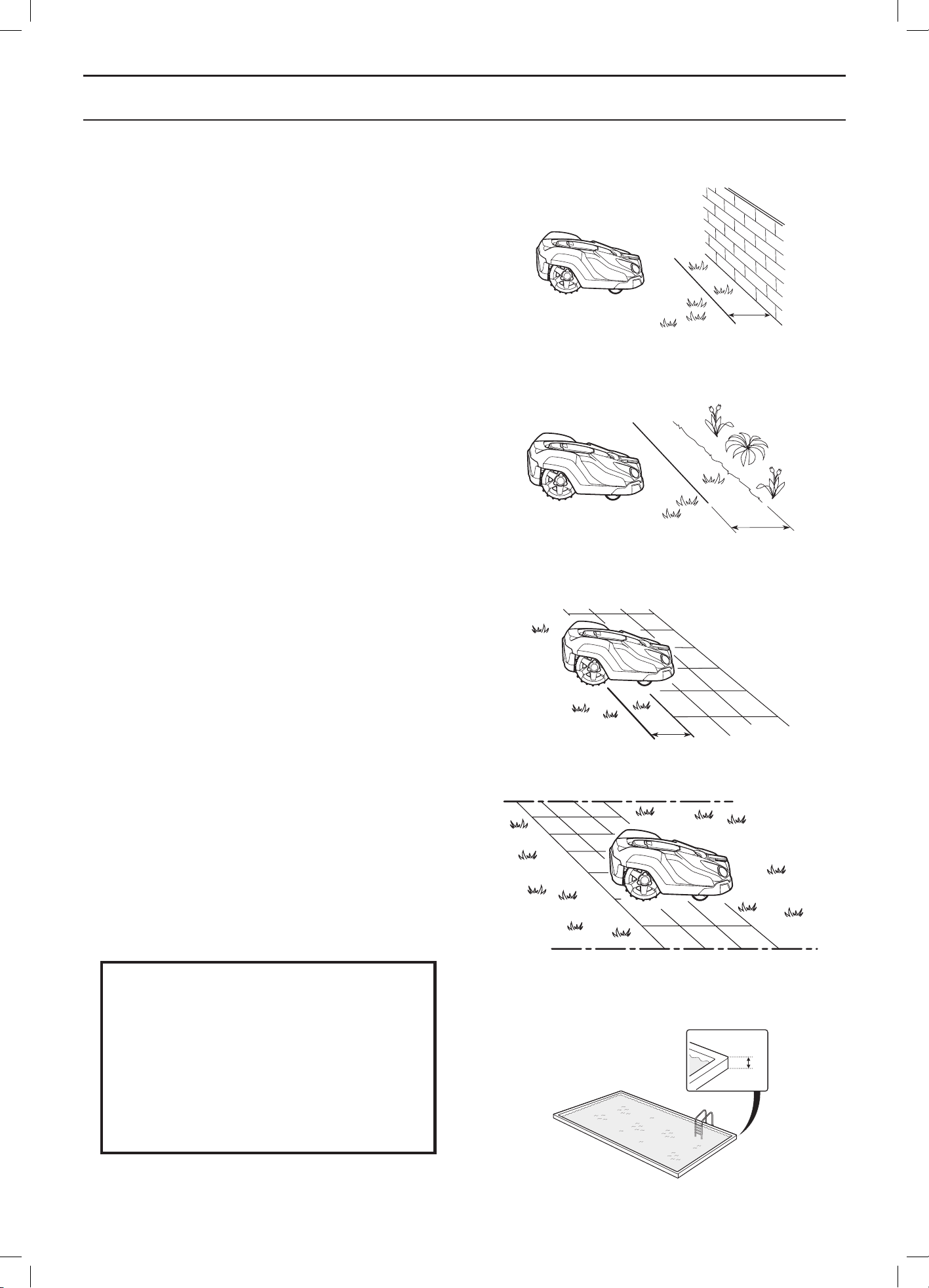
If a high obstacle, for example a wall or fence, borders
the working area, the boundary wire should be laid 35 cm
from the obstacle. This will prevent the robotic lawnmower
from colliding with the obstacle and reduce body wear.
About 20 cm of the lawn around the fixed obstacle will not
be mown.
If the working area borders on a small ditch, for example
a flower bed or a small elevation, for example a low
kerbstone (3-5 cm), the boundary wire should be laid
30 cm inside the working area. This prevents the wheels
from driving into the ditch or up onto the kerbstone.
About 15 cm of the lawn along the ditch/kerbstone will not
be mown.
If the working area borders on a paving stone path or
similar that is level with the lawn, it is possible to allow
the robotic lawnmower to run a little over the path. The
boundary wire should then be laid 10 cm from the edge
of the path.
All the grass along the side of the paving stone path will
be cut.
When the working area is divided by a paving stone path
that is level with the lawn, it is possible to allow the robotic
lawnmower to run over the path. It can be an advantage
to lay the boundary wire under the paving stones. The
boundary wire can also be laid in the joint between the
paving stones.
Note: The robotic lawnmower must never run over gravel,
mulch or similar material which can damage the blades.
IMPORTANT INFORMATION
If the working area is adjacent to water
bodies, slopes, precipices or a public
road, the boundary wire must be supple-
mented with an edging or the like. It must
then be at least 15 cm in height. This will
prevent the robotic lawnmower from end-
ing up outside the working area under any
circumstance.
Min.
15cm
3018-046
35 cm
3012-1047
30
cm
3012-1048
10
cm
3012-1049
3012-1050
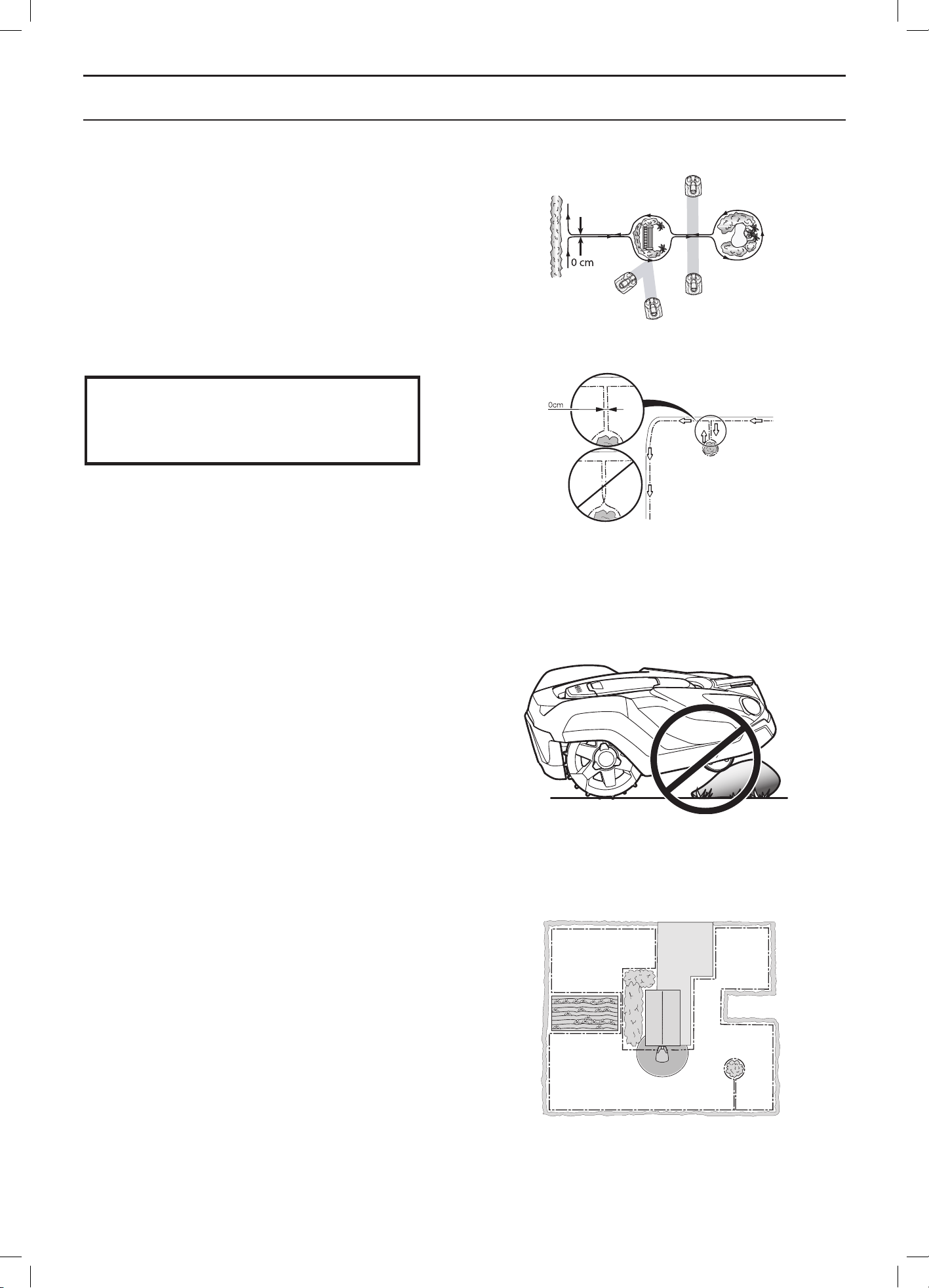
English - 23
INSTALLATION
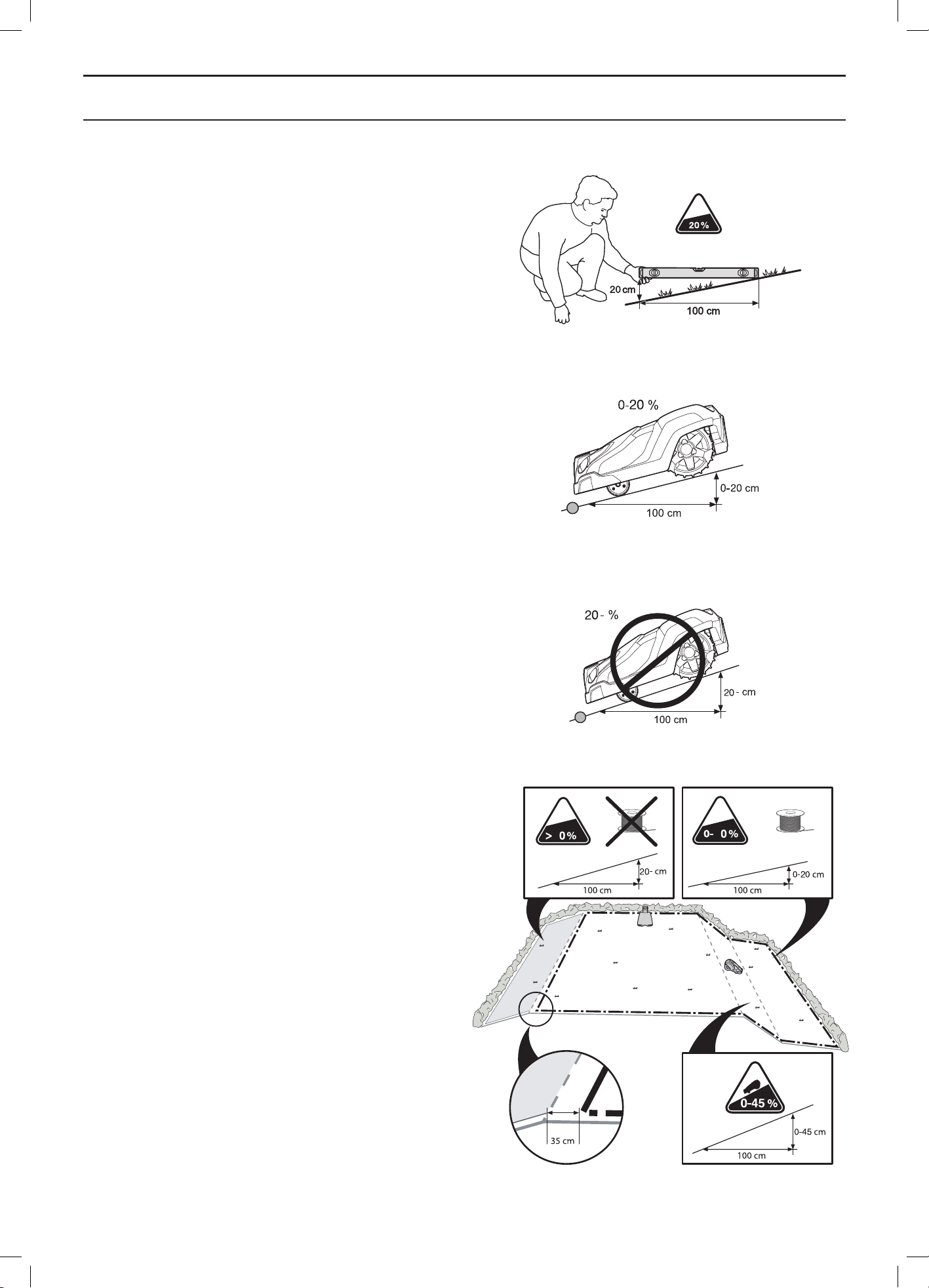
Boundaries within the working area
Use the boundary wire to isolate areas inside the working
area by creating islands around obstacles which cannot
withstand a collision, for example flowerbeds, bushes and
fountains. Lay the wire up to and around the area to be
isolated, and then return it back along the same route.
If pegs are used, the wire should be laid under the same
pegs on the return route. When the boundary wires to
and from the island are laid close together, the robotic
lawnmower can drive over the wire.
Obstacles that can withstand a collision, for example,
trees or bushes taller than 15 cm, do not need to be
isolated with the boundary wire. The robotic lawnmower
will turn around when it collides with this type of obstacle.
It is recommended to isolate all fixed objects in and
around the working area. This results in the most
gentle and silent operation and prevent the robotic
lawnmower from getting stuck in the objects under
any circumstances.
Obstacles that slope slightly, for example stones or large
trees with raised roots, must be isolated or removed.
Otherwise the robotic lawnmower can slide up onto this
kind of obstacle causing the blades to be damaged.
Secondary areas
If the working area consists of two areas which the
robotic lawnmower has difficulty travelling between, it is
recommended to set up a secondary area. Instances of
this are 45% slopes or a passage that is narrower than
60 cm. Lay the boundary wire then around the secondary
area so that it forms an island outside of the main area.
The robotic lawnmower must be moved manually
between the main and secondary area when the lawn in
the secondary area has to be cut. The Secondary area
operating mode must be used as the robotic lawnmower
cannot travel on its own from the secondary area to the
charging station. See 5.1 Operation selection Start on
page 37. In this mode, the robotic lawnmower will never
look for the charging station but will mow until the battery
runs out. When the battery is flat, the robotic lawnmower
will stop and the Needs manual charging message will
appear in the display. Then place the robotic lawnmower
in the charging station to charge the battery. If the main
area has to be cut straight after charging, the START
button must be pressed and the Main area selected
before closing the hatch.
IMPORTANT INFORMATION
The boundary wire may not be crossed on
its way to and from an island.
3012-1073
3012-686
3012-1064
3012-971
English - 24
INSTALLATION
Passages when mowing
Long and narrow passages and areas narrower than
1.5 to 2 metres should be avoided. When the robotic
lawnmower mows, there is a risk that it travels around in
the passage or area for a long period of time. The lawn
will then look flattened.
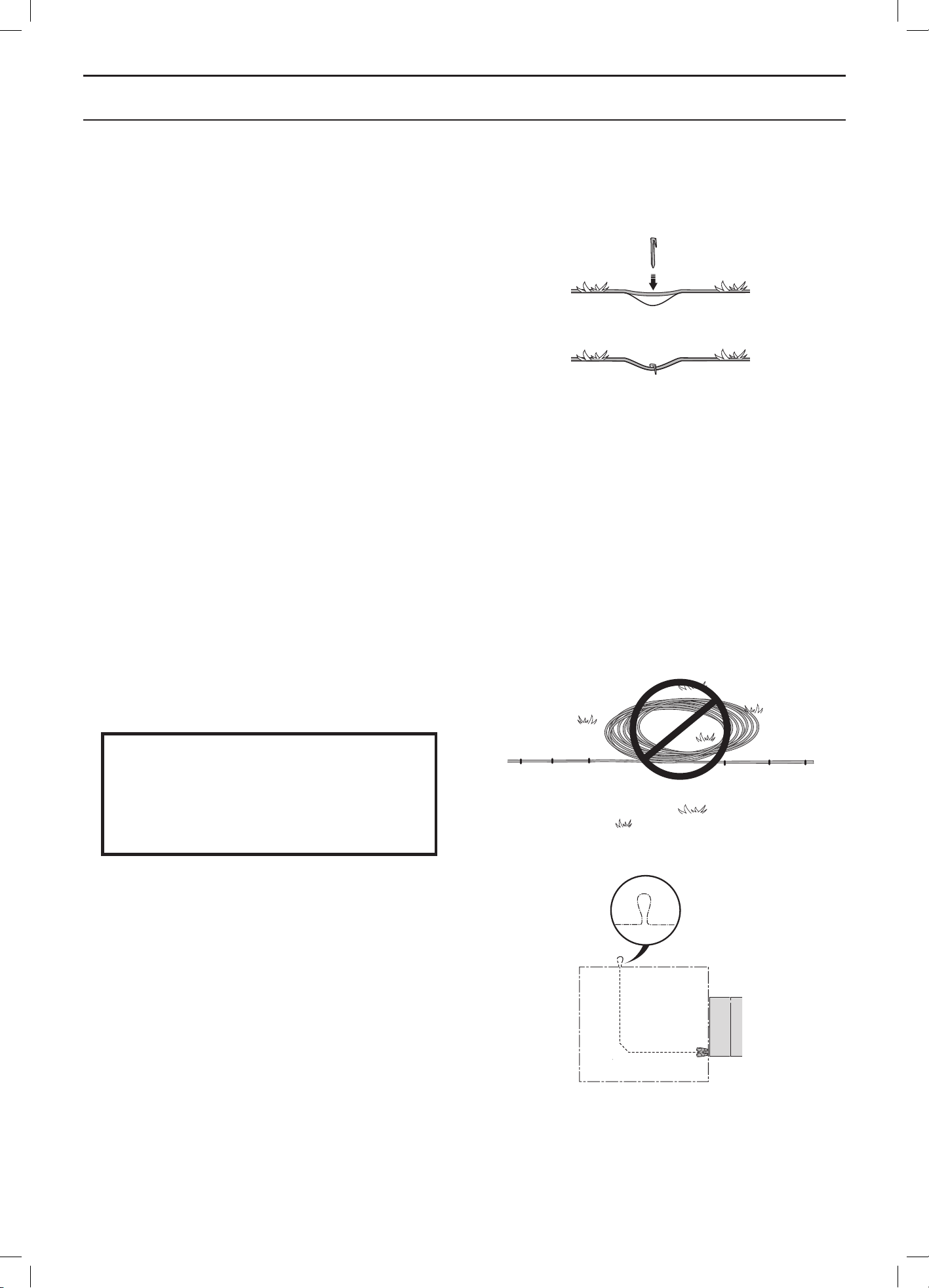
Slopes
The robotic lawnmower can also operate on sloping
working areas. The maximum gradient is defined as
percentage units (%). The slope as a percentage is
calculated as the difference in elevation in centimetres
for every metre. If for instance the difference in elevation
is 20 cm, the slope gradient is 20%. See the illustration.
The boundary wire can be laid across a slope that slants
less than 20%.
The boundary wire should not be laid across a slope
that is steeper than 20%. There is a risk that the robotic
lawnmower will find it difficult to turn there. The robotic
lawnmower will then stop and the Outside working area
fault message is displayed. The risk is at its greatest in
damp weather conditions, as the wheels can slip on the
wet grass.
However, the boundary wire can be laid across a slope
steeper than 20% if there is an obstacle that the robotic
lawnmower is allowed to collide with, for example, a fence
or a dense hedge.
Inside the working area the robotic lawnmower can mow
areas which slope up to 45%. Areas that slope more must
be isolated with the boundary wire.
When a part of the working area’s outer edge slopes more
than 20%, the boundary wire must be laid about 35 cm in
on the flat ground before the beginning of the slope.
3012-1055
3012-1056
3012-1088
2
2
3012-567
English - 25
INSTALLATION
Laying the boundary wire
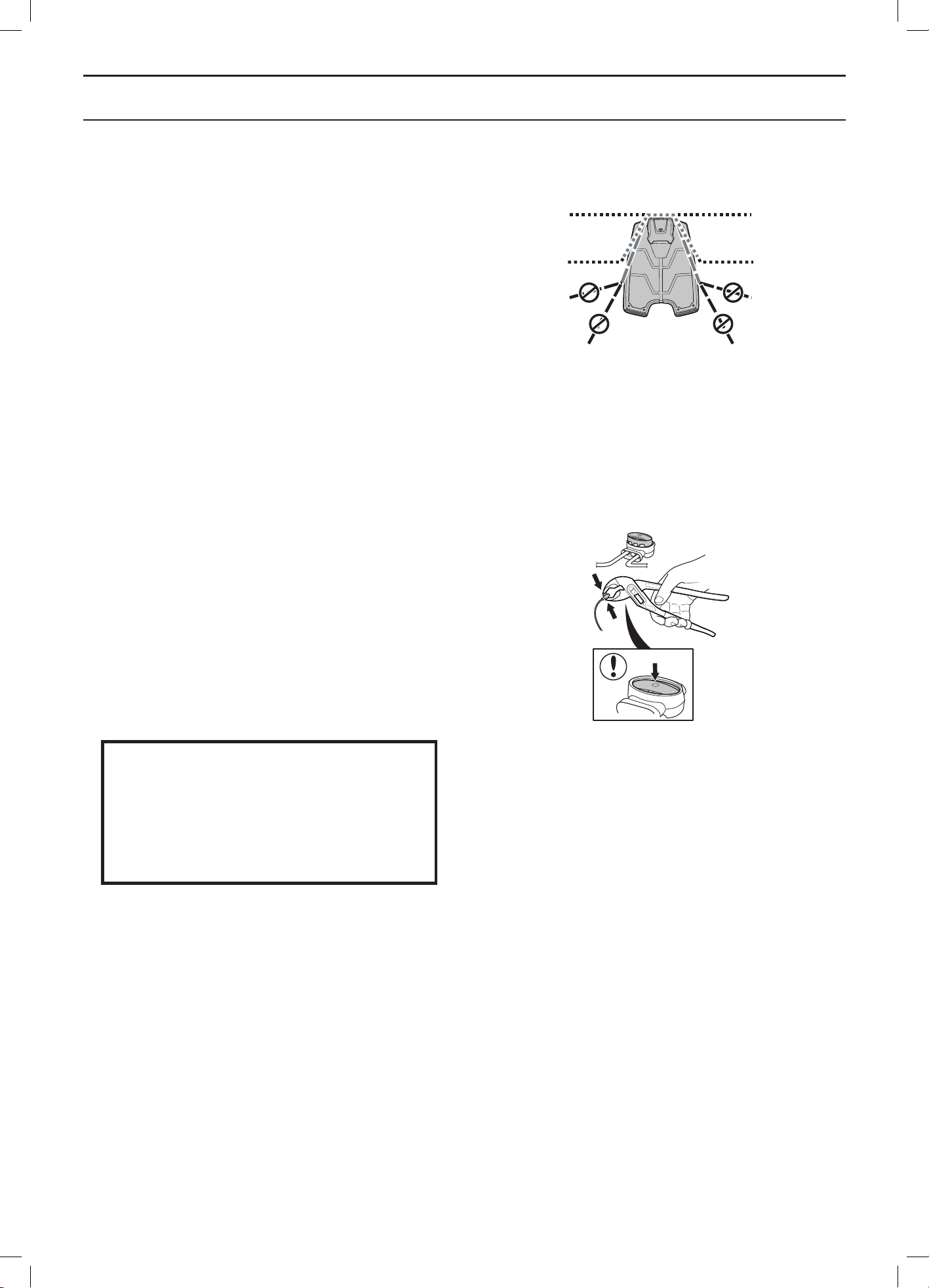
If you intend to peg down the boundary wire:
• Cut the grass very low with a standard lawnmower
or a trimmer where the wire is to be laid. It will then
be easier to lay the wire close to the ground and
the risk of the robotic lawnmower cutting the wire
or damaging the insulation of the wire is reduced.
• Make sure to lay the boundary wire close to
the ground and secure the pegs close together
approximately 75 cm apart. The cable must lie close
to the ground so as not to be cut before the grass
roots have grown over it.
• Use a hammer to knock the pegs into the ground.
Exercise care when knocking in the pegs and make
sure the wire is not under strain. Avoid sharp bends
in the wire.
If the boundary wire is to be buried:
• Make sure to lay the boundary wire at least 1 cm and
a maximum of 20 cm in the ground. The wire can be
buried for instance using an edge cutter or a straight
spade.
Use the supplied measurement gauge as a guide when
you lay out the boundary wire. This helps you to easily
set the correct distance between the boundary wire
and the boundary/obstacle. The measurement gauge is
broken loose from the box.
IMPORTANT INFORMATION
Extra wire must not be placed in coils
outside the boundary wire. This can
disrupt the robotic lawnmower.
Eyelet for connecting the guide wire
To facilitate the connection of the guide wire to the
boundary wire, it is recommended to create an eyelet with
about 20 cm of extra boundary wire at the point where
the guide wire will later be connected. It is a good idea to
plan where the guide wire will be placed before laying out
the boundary wire. See 3.6 Installation of the guide wire
on page 28.
3018-085
3012-281
3018-172
English - 26
INSTALLATION
Laying the boundary wire in towards the charging
station
On its way toward the charging station, the boundary wire
can be laid completely outside the charging station (see
option 1 in the figure). If there is a need to partly locate
the charging station outside the working area, it is also
possible to lay the wire under the charging station plate
(see option 2 in the figure).
However most of the charging station must not be placed
outside the working area as the robotic lawnmower can
then find it difficult to find the charging station (see figure).
Splicing the boundary wire
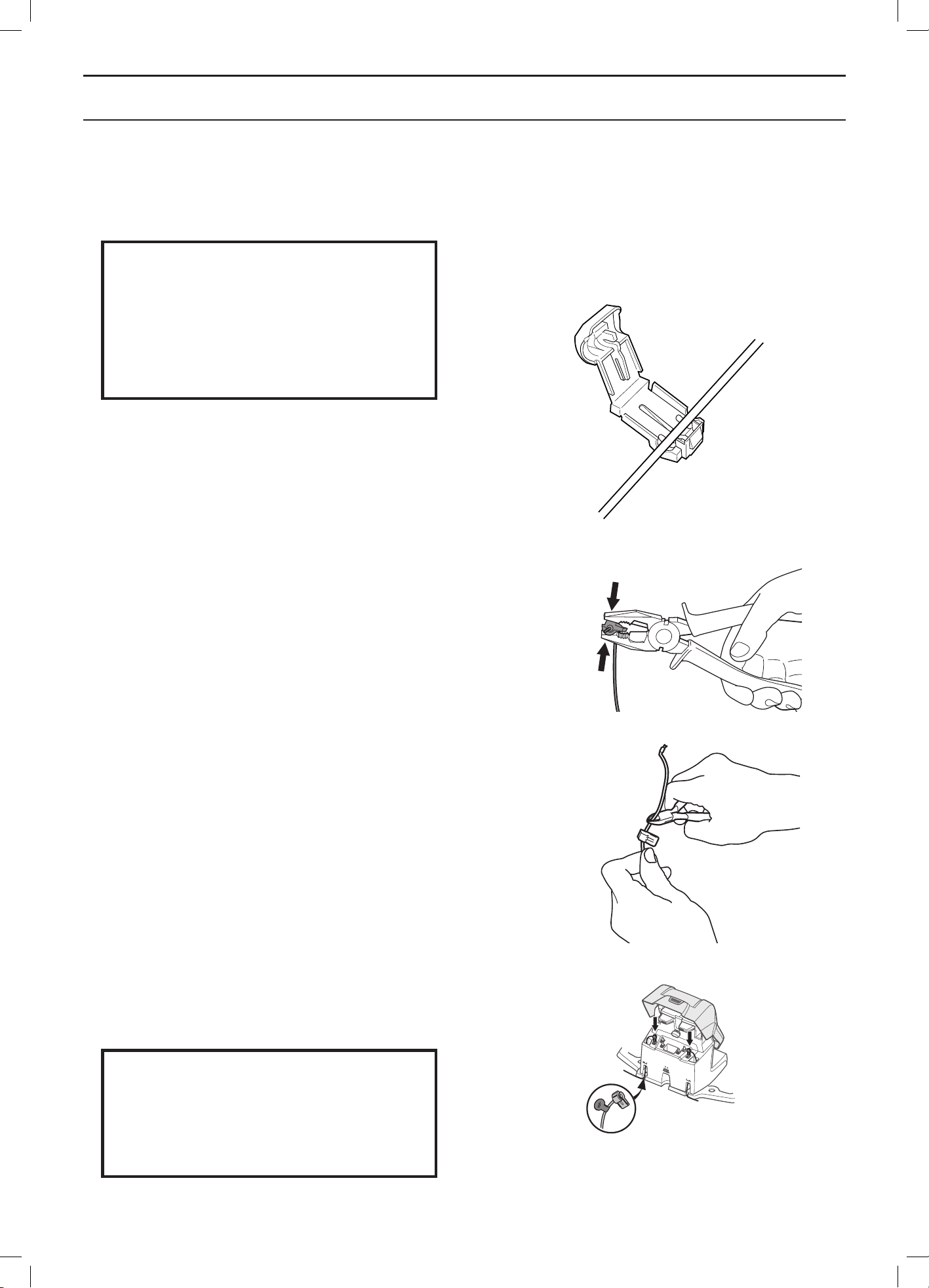
Use an original coupler if the boundary wire is not long
enough and needs to be spliced. It is waterproof and
gives a reliable electrical connection.
Insert both wire ends in the coupler. Check that the wires
are fully inserted into the coupler so that the ends are
visible through the transparent area on the other side
of the coupler. Now press down the button on top of the
coupler fully. Use a polygrip to completely press down the
button on the coupler.
IMPORTANT INFORMATION
Twinned cables, or a screw terminal block
that is insulated with insulation tape are
not satisfactory splices. Soil moisture will
cause the wire to oxidise and after a time
result in a broken circuit.
1.
2.
3012-1065
3012-1323
English - 27
INSTALLATION
3.5 Connecting the boundary wire
Connect the boundary wire to the charging station:
IMPORTANT INFORMATION
The boundary wire must not be crossed
when connecting it to the charging station.
The right hand wire end must be connect-
ed to the right hand pin on the charging
station and the left hand wire end to the
left pin.
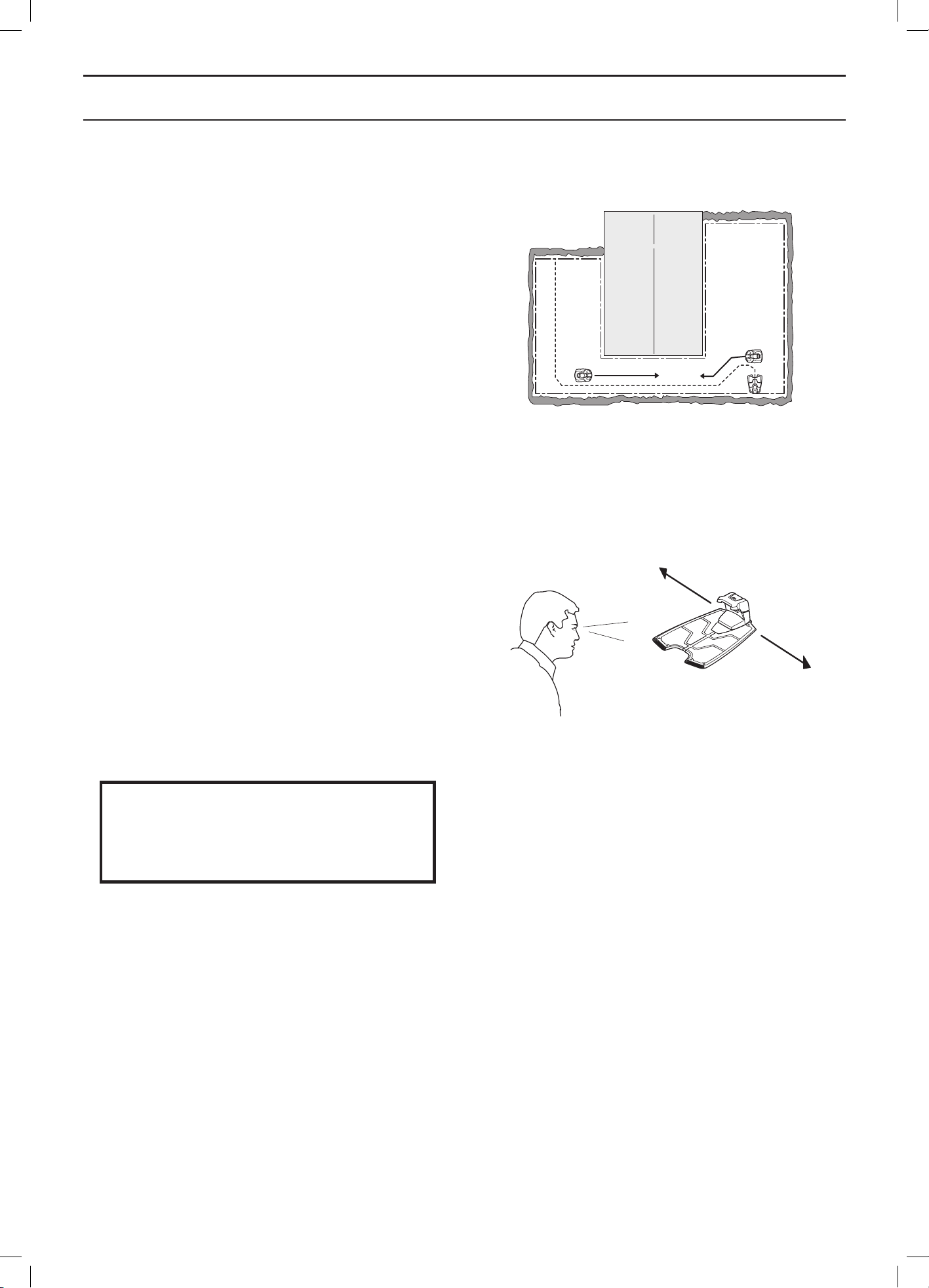
1. Place the wire ends in the connector:
• Open the connector.
• Place the wire in the connector grip.
2. Press the connectors together using a pair of
pliers. Press until you hear a click.
3. Cut off any surplus boundary wire. Cut 1-2 cm
above each connector.
4. Tilt the protective cover on the charging station
forward and run the wire ends up each channel
at the rear of the charging station. Press the
connector onto the metal pins, marked AL (left)
and AR (right), on the charging station.
5. Mark the wires with the accompanying wire
labels. This makes it easier to reconnect the wires
correctly when for instance the charging station
has been stored indoors for the winter.
IMPORTANT INFORMATION
The right hand connector must be con-
nected to the right hand metal pin on the
charging station and the left hand wire end
to the left connector.
3012-284
3012-264
3012-265
3012-1091
English - 28
INSTALLATION
3.6 Installation of the guide wire
The guide wire is a wire that is laid from the charging
station towards, for instance, a remote part of the working
area or through a narrow passage to be then connected
with the boundary loop. The same cable roll is used for
both the boundary loop and guide wire.
The guide wire is used by the robotic lawnmower to find
its way back to the charging station but also to guide the
robotic lawnmower to hard-to reach areas of the garden.
Up to two guide wires can be connected (only one guide
wire in Automower® 320).
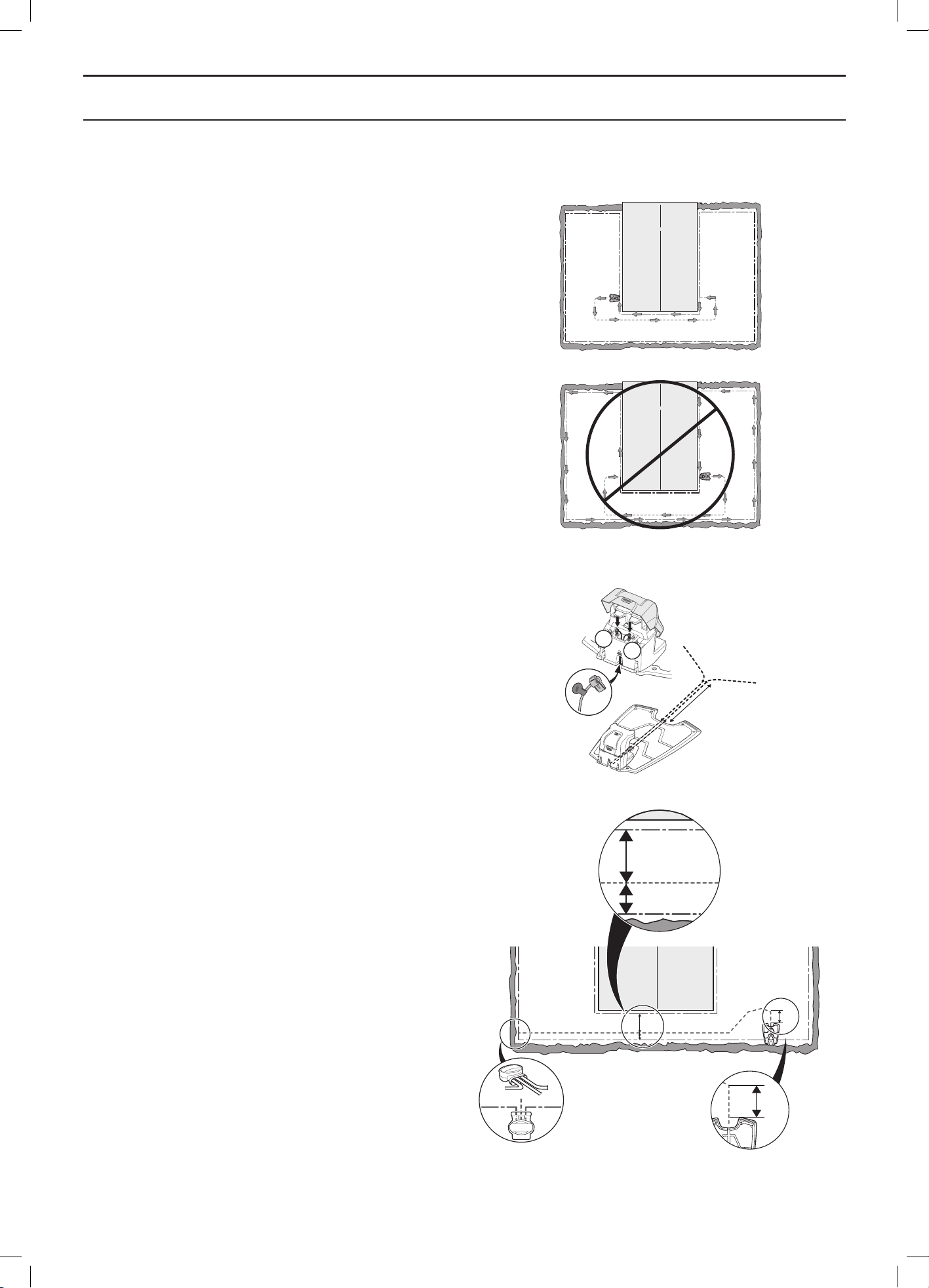
Run the robotic lawnmower at varying distances from the
guide wire to reduce the risk of tracks forming. The area
beside the wire which the robotic lawnmower then uses
is called the Corridor. The wider the corridor allowed by
the installation, the less the risk of tracks forming. When
installing, it is therefore important to create as much free
space as possible along the guide wire.
The robotic lawnmower always runs to the left of the
guide wire as seen facing the charging station. Thus the
corridor is to the left of the guide wire. When installing,
it is therefore important to create as much free space as
possible to the left of the guide wire, as seen facing the
charging station. It is not allowed to lay the guide wire
closer than 30 cm from the boundary wire.
The guide wire, as the boundary wire, can be pegged
on or buried in the ground.
IMPORTANT INFORMATION
Make sure to have as much free space
as possible to the left of the guide wire,
as seen facing the charging station.
3012-1074
3012-1100
English - 29
INSTALLATION
Laying and connecting the guide wire
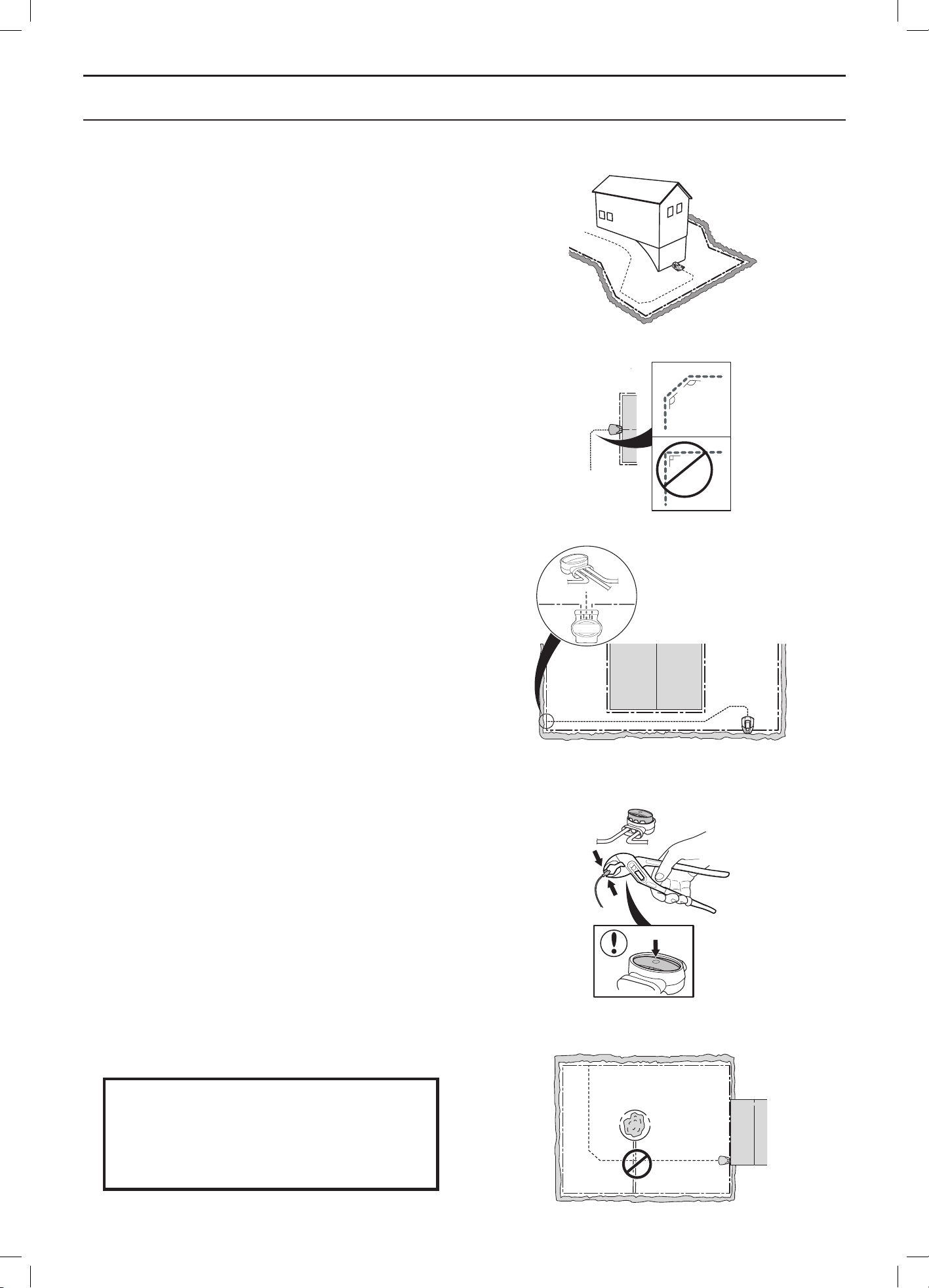
1. Before laying and connecting the guide wire, it
is important to give consideration to the length
of the guide loop, especially in large or complex
installations. If the guide loop is longer than 400
metres the robotic lawnmower can have difficulty
following the guide wire.
The guide wire together with the section of the
boundary loop that makes up the return wire
to the charging station is called the guide loop.
The current in the guide loop always goes to the
left at the connection from the guide wire to the
boundary loop. The two figures here display what
is regarded as a guide loop. The figures are also
a good example of how the guide loop in a working
area can have very varying lengths depending on
where the charging station is placed.
2. Tilt the top cover on the charging station forward
and run the guide wire up the channel leading to
the guide connection.
3. Fit a connector to the guide wire in the same way
as for the boundary wire in 3.5 Connecting the
boundary wire. Connect it to the contact pin on the
charging station that is labelled Guide 1 (Guide 1
or Guide 2 for Automower® 330X).
4. Mark the wires with the accompanying wire
labels. This makes it easier to reconnect the wires
correctly when for instance the charging station
has been stored indoors for the winter.
5. Run the guide wire straight under the charging
plate and then at least 2 metres straight out from
the front edge of the plate.
Consider when laying the guide wire that as much
space as possible is provided to the left (as seen
facing the charging station) of the guide wire.
The distance between the boundary loop and
the guide wire must however be always at least
30 cm.
Min 2 m/7 ft
Maximum
distance
3012-951
G1
Min 2m
G2
3012-1092
3012-557
3012-556
English - 30
INSTALLATION
If the guide wire has to be installed on a steep
slope, it is an advantage to lay the wire at an
angle to the slope. This makes it easier for the
robotic lawnmower to follow the guide wire on
the slope.
Avoid laying the wire at sharp angles. This can
make it difficult for the robotic lawnmower to follow
the guide wire.
6. Run the guide wire to the point on the boundary
loop where the guide wire is to be connected.
Lift up the boundary wire. Cut the boundary
wire using for instance a pair of wire cutters.
Connecting the guide wire is made easier if an
eyelet has been made on the boundary wire as
outlined in the previous description. See Eyelet for
connecting the guide wire on page 25.
7. Connect the guide wire to the boundary wire using
a coupler:
Insert the boundary wire in each of the holes in
the coupler. Insert the guide wire in the centre
hole in the coupler. Check that the wires are fully
inserted into the coupler so that the ends are
visible through the transparent area on the other
side of the coupler.
Use a polygrip to completely compress the button
on the coupler.
It does not matter which holes are used to
connect each wire.
8. Staple down/bury the splice in the lawn.
IMPORTANT INFORMATION
The guide wire may not cross the bound-
ary wire, for instance a boundary wire that
is laid out to an island.
135º
135º
90º
3012-953
3012-954
3018-061
3018-073
3012-1323
English - 31
INSTALLATION
3.7 Checking the installation
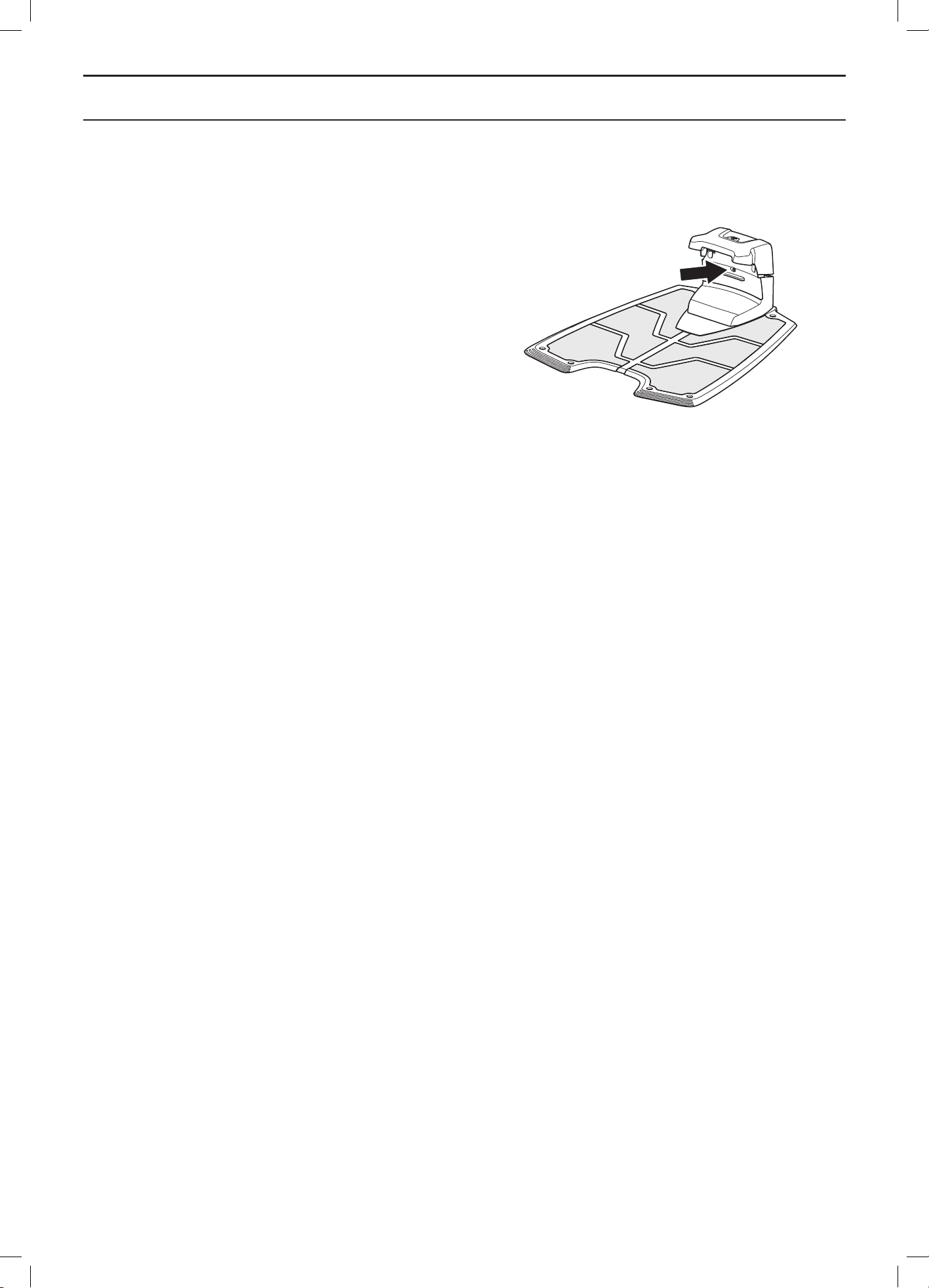
Check the loop signal by inspecting the indicator lamp on
the charging station.
• Solid green light = good signals.
• Flashing green light = the loop system is turned off
and the robotic lawnmower is in ECO mode. See 6.9
Settings on page 60.
• Flashing blue light = interruption in the boundary loop,
no signal.
• Flashing red light = interruption in the charging
station’s antenna plate. The fault should be rectified
by an authorised dealer.
• Solid blue light = weak signal. This may depend on
the boundary loop being too long or that the wire is
damaged. If the robotic lawnmower still works, this is
not a problem.
• Solid red light = fault in the circuit board in the
charging station. The fault should be rectified by an
authorised dealer.
See 9.3 Indicator lamp in the charging station on page 80 if
the lamp does not indicate a solid or flashing green light.
3012-1066
English - 32
INSTALLATION
3.8 First start-up and calibration
Before the robotic lawnmower is operated, a start-up
sequence in the robotic lawnmower’s menu must be
carried out as well as an automatic calibration of the
guide signal.
1. Open the control panel hatch by pressing the
STOP button.
2. Set the main switch to position 1.
A start-up sequence begins when the robotic lawnmower
is started for the first time. The following is requested:
• PIN code from factory. The code is provided on
a special document received by the retailer at
purchase.
• Language
• Country
• Date
• Time
• Selection and confirmation of personal PIN code.
All combinations except 0000 are permitted.
Park the robotic lawnmower in the charging station and
press START.
The robotic lawnmower will now begin to calibrate the
cutting height adjustment. When this is complete the
calibration of the guide wires is performed. Press START
and close the hatch. The calibration is performed by the
robotic lawnmower backing out of the charging station
and running a calibration process in front of the charging
station. When this is completed, mowing can begin.
IMPORTANT INFORMATION
Use Memo on page 2 to make a note of the
PIN code.
3.9 Test docking with the charging
station
Before using the robotic lawnmower, check that the
robotic lawnmower can follow the guide wire all the way
to the charging station and easily docks with the charging
station.
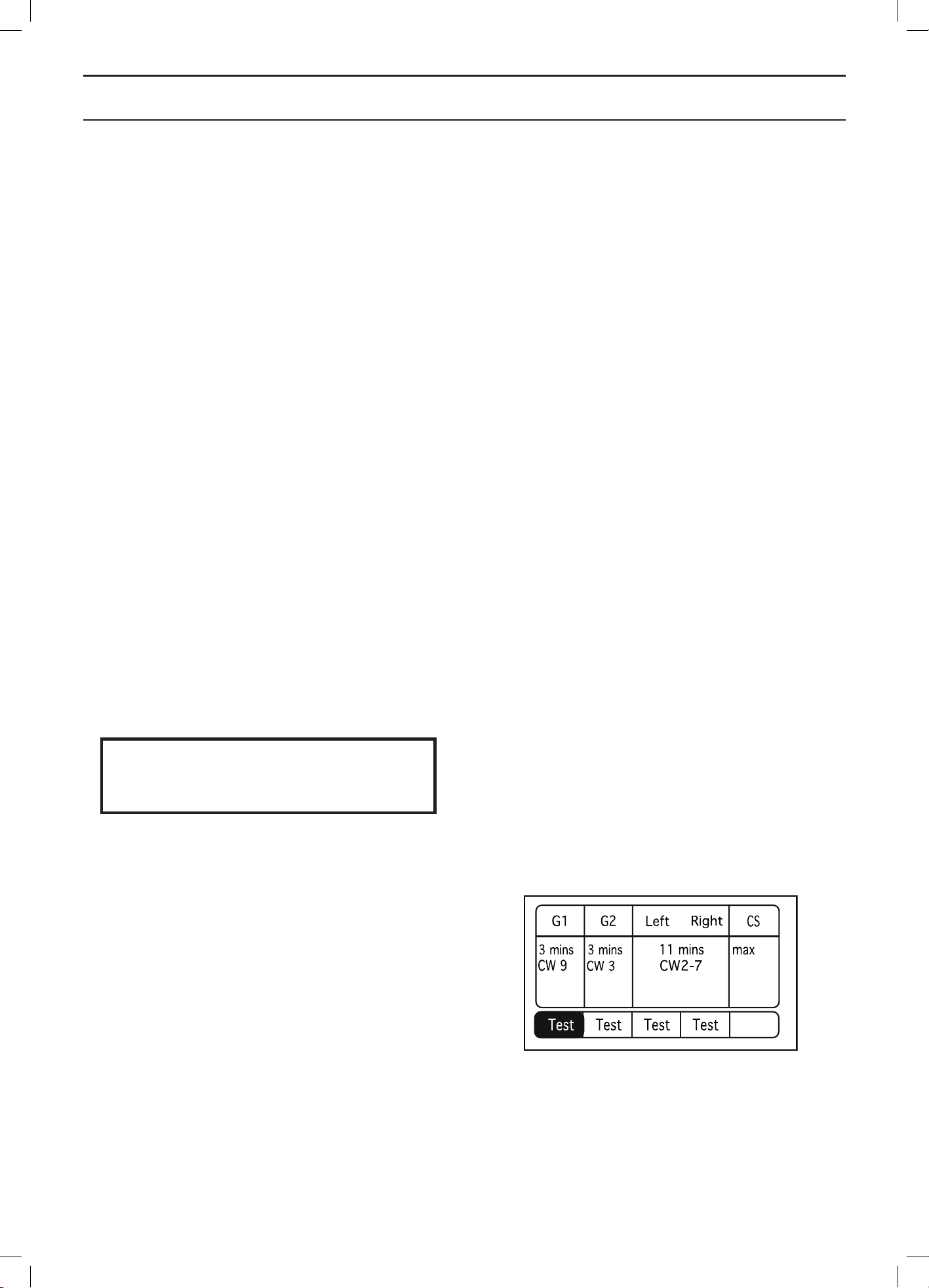
The test function is found in the robotic lawnmower’s
Installation > Find charging station > Overview menu.
For more information, See Overview on page 52.
If more than one guide wire is installed, the test must be
carried out on all guide wires.
If no guide wire is installed the test must be carried out on
the boundary wire, both clockwise and anti-clockwise.
The guide system must first be calibrated if the above test
is to provide a satisfactory result. See 3.8 First start-up
and calibration on page 32.
3012-NNN
English - 33
USE
4 Use
4.1 Charging a flat battery
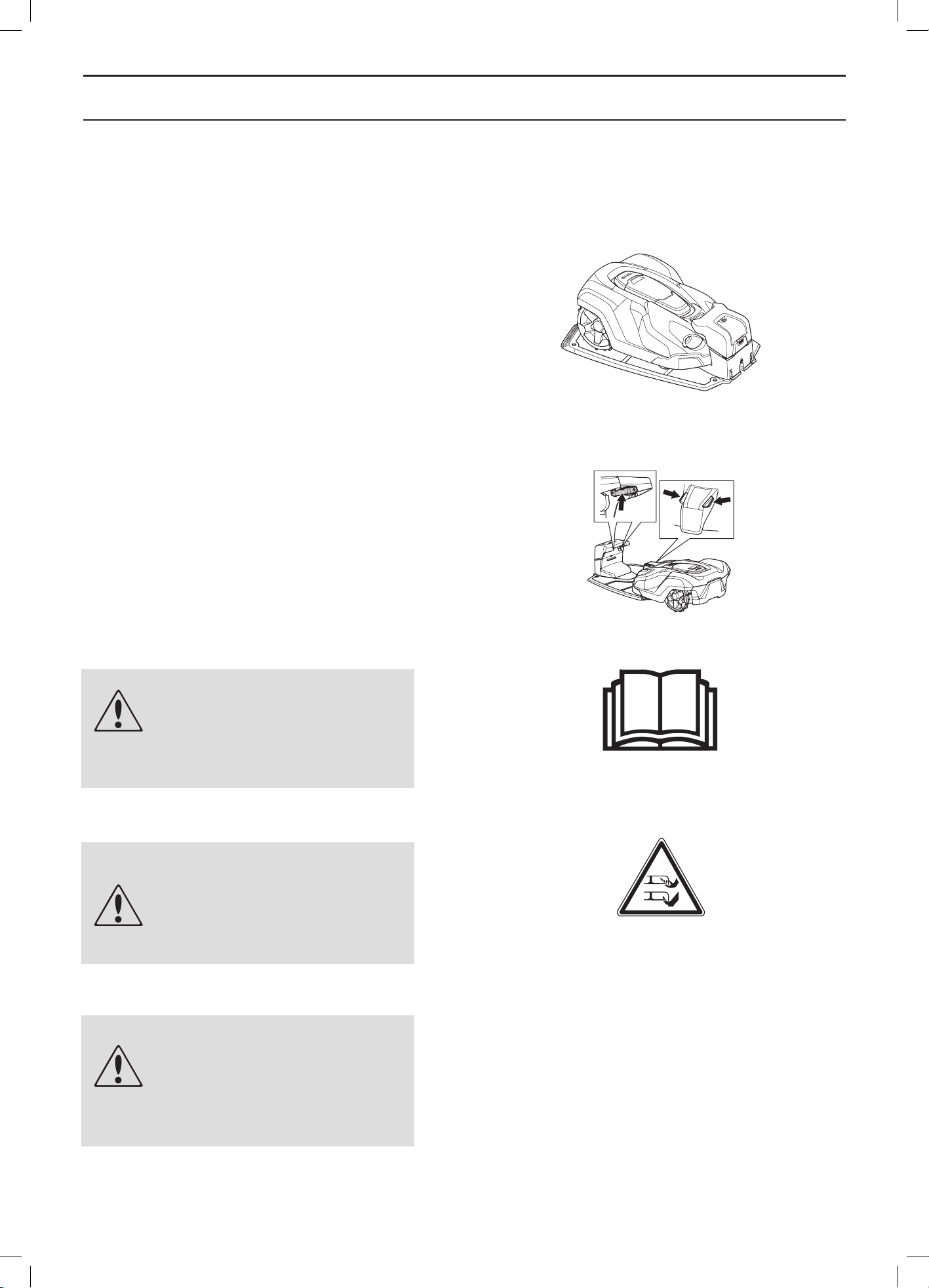
When the Husqvarna robotic lawnmower is new or has
been stored for a long period, the battery will be flat and
needs to be charged before starting.
1. Set the main switch to position 1.
2. Park the robotic lawnmower in the charging
station. Open the cover and slide the robotic
lawnmower in as far as possible to ensure proper
contact between the robotic lawnmower and the
charging station.
3. The display shows a message that charging is
in progress.
WARNING
Read the safety regulations before
you start your robotic lawnmower.
WARNING
Keep your hands and feet away from
the rotating blades. Never put your
hands or feet close to or under the
body when the motor is running.
WARNING
Never use the robotic lawnmower
when persons, especially
children, or pets, are in the
cutting area.
3012-1046
1001-003
3012-663
3012-1070
English - 34
USE
4.2 Using the timer
The lawn should not be cut too often to obtain the best
mowing result. Use the timer function (see 6.3 Timer
on page 42) to avoid a downtrodden lawn and to get the
maximum service life from the robotic lawnmower. When
setting the timer, calculate that the robotic lawnmower
mows about 135 m
2
per hour and day (90 m
2
for
Automower® 320). For example; If the working area is
1,200 m
2
the robotic lawnmower must operate for about
9 hours per day (13 hours for Automower® 320). The
times are approximate and depend for instance on grass
quality, blade sharpness and battery age.
IMPORTANT INFORMATION
Use the timer to avoid mowing when there
are usually children, pets and anything
else about that could be hurt or damaged
by the rotating blades on the lawn.
The factory setting is that the robotic lawnmower will
operate around the clock seven days a week.
If the size of the working area allows it, the quality of the
grass can be further improved if it is cut every other day
instead of a few hours every day. In addition, the grass
benefits from resting completely during at least a three-
day period once a month.
The maximum capacity, 3200 m
2
for Automower
®
330X
and 2200 m
2
for Automower
®
320, is only obtained when
the robotic lawnmower is allowed to mow around the
clock seven days a week.
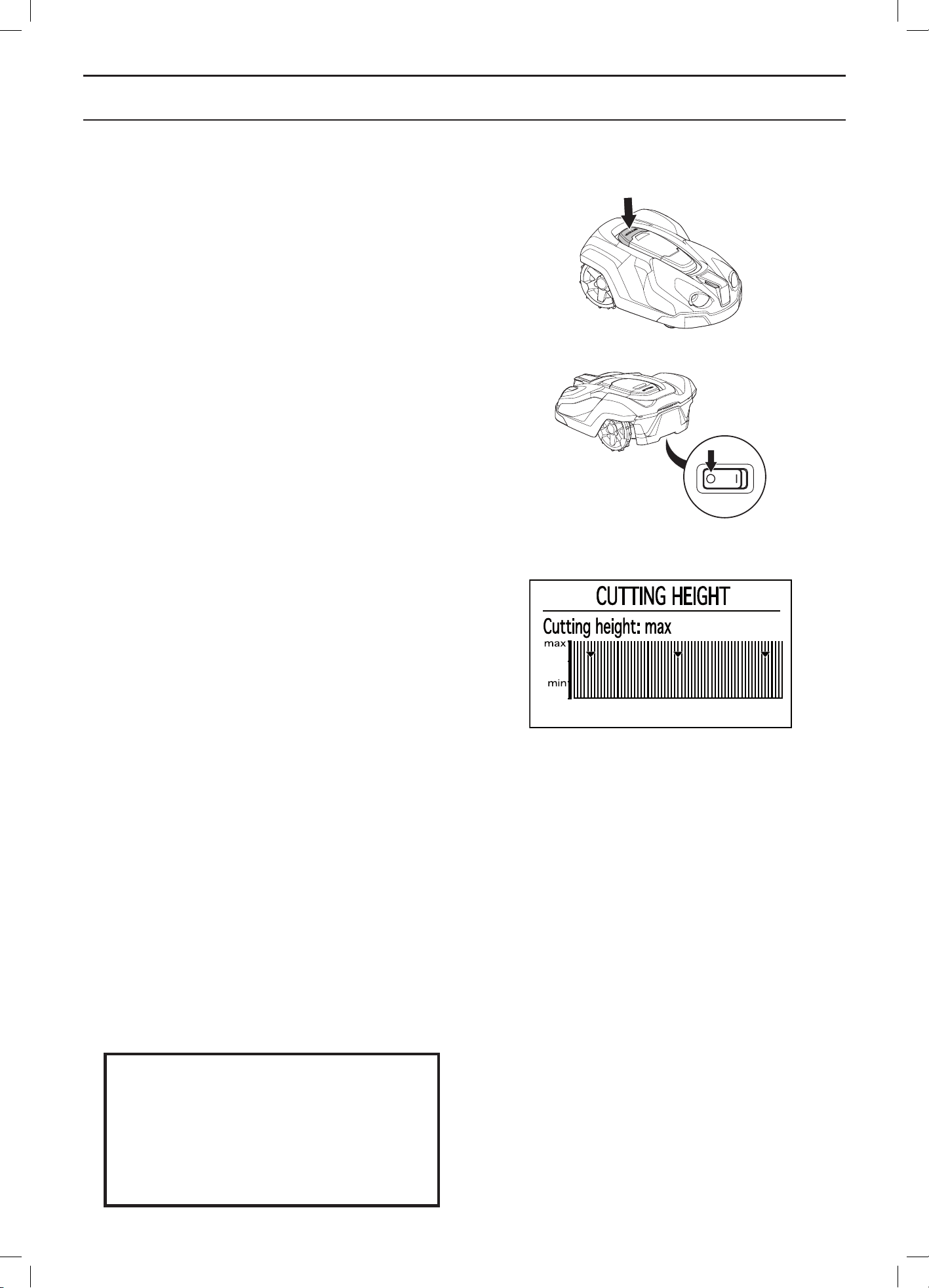
4.3 Starting
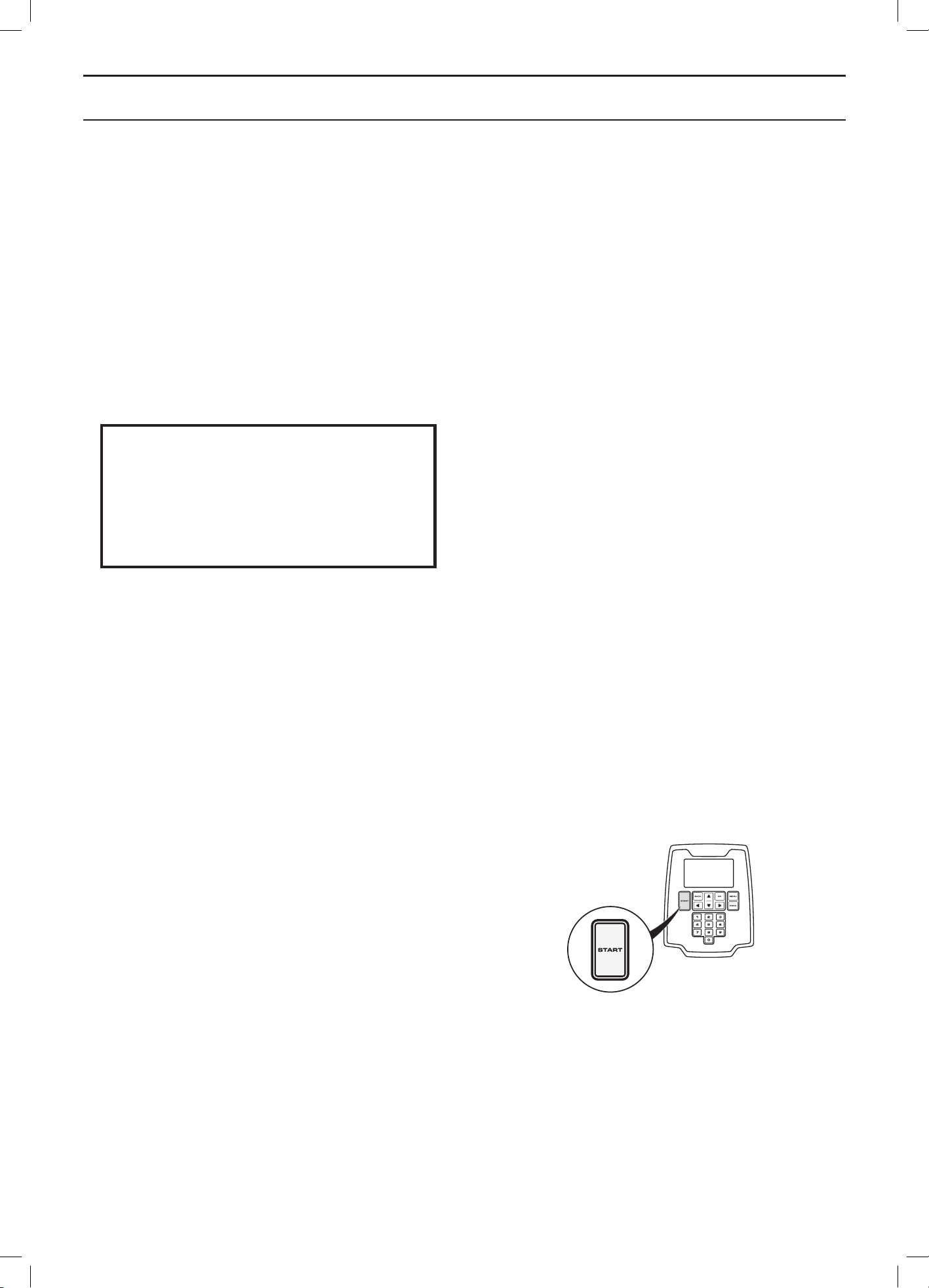
1. Press the STOP button to open the control panel
hatch.
2. Set the main switch to position 1.
3. Enter the PIN code.
4. Push the Start button.
5. Make the required operation selection. See 5.1
Operation selection Start on page 37.
6. Shut the hatch within 10 seconds.
If the robotic lawnmower is parked in the charging station,
it will only leave the charging station when the battery is
fully charged and if the timer is set to allow the mower
to operate.
Before the blade disc starts a warning beep can be heard
consisting of 5 short beeps for 2 seconds.
3012-1204
English - 35
USE
4.4 Stopping
1. Press the STOP button.
The robotic lawnmower stops, the blade motor
stops and the control panel hatch opens.
4.5 Switching off
1. Press the STOP button.
2. Set the main switch to position 0.
Always switch the robotic lawnmower off using the
main switch if it requires maintenance or if the robotic
lawnmower must be moved outside the working area.
Adjusting the cutting height
The cutting height can be varied from MIN (2 cm) to
MAX (6 cm) in nine stages.
During the first week after a new installation, the cutting
height must be set to MAX to avoid damaging the loop
wire. After this, the cutting height can be lowered one
step every week until the desired cutting height has been
reached.
If the grass is long, allow the robotic lawnmower to start
mowing at the MAX cutting height. Once the grass is
shorter, you can gradually lower the cutting height.
To adjust the cutting height:
1. Press the STOP button to stop the robotic
lawnmower and open the hatch.
2. Press the MENU button to access the main menu.
3. Move the cursor using the arrow keys to select
Cutting height.
• Press the up arrow key to increase the cutting
height.
• Press the down arrow key to lower the cutting
height.
4. Press OK.
IMPORTANT INFORMATION
During the first week after a new installation,
the cutting height must be set to MAX to
avoid damaging the loop wire. After this, the
cutting height can be lowered one step every
week until the desired cutting height has been
reached.
3012-1044
3012-1060
3012-1237
English - 36
CONTROL PANEL
5 Control panel
All forms of commands and settings for the robotic
lawnmower are made via the control panel. All functions
are accessed via a number of menus.
The control panel consists of a display and a keypad. All
information is shown on the display and all input is done
using the buttons.
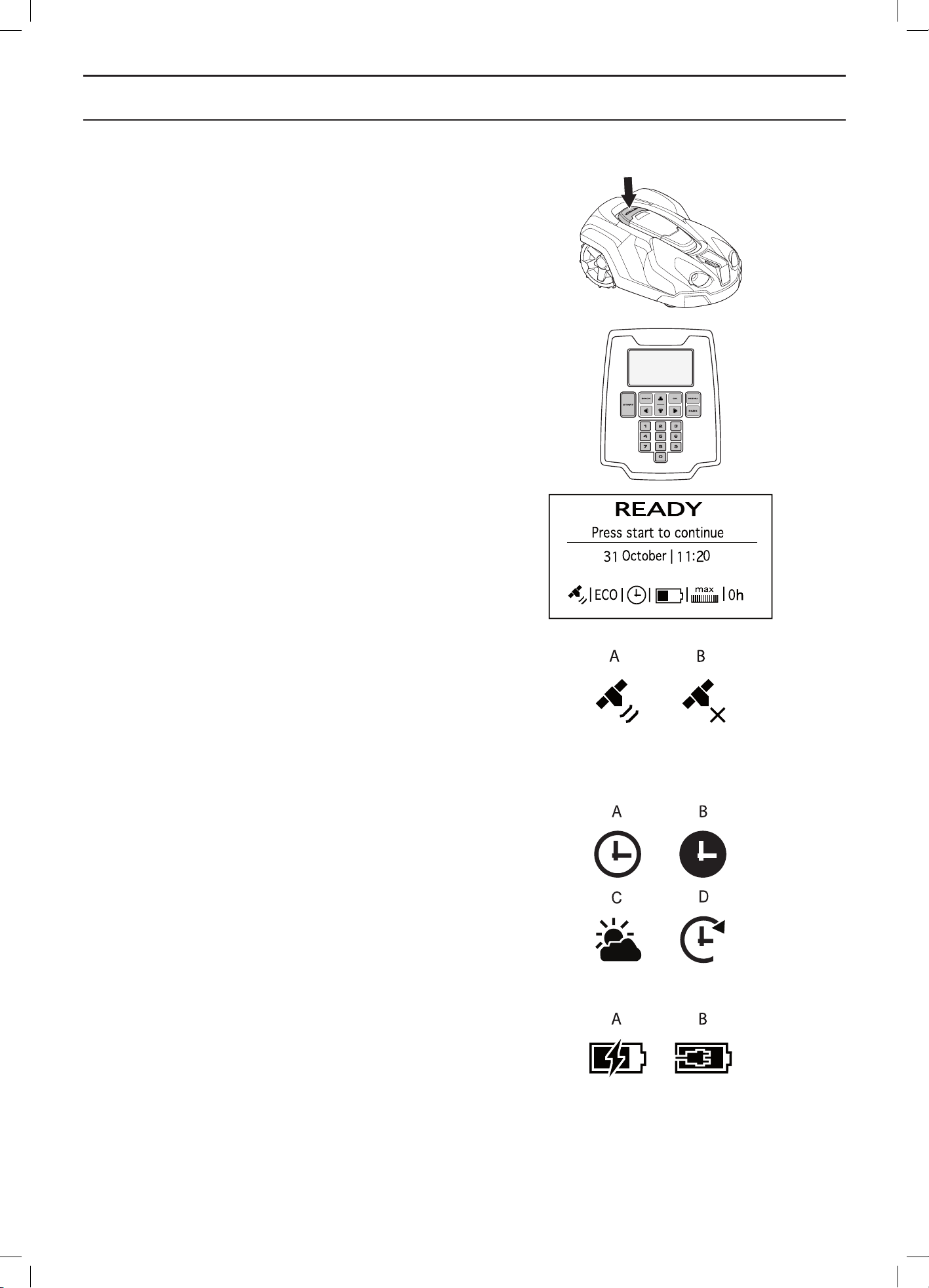
When the stop button has been pressed and the hatch is
opened, the start page is displayed showing the following
information:
• Operating information, e.g. MOWING, PARKED
or TIMER. If the stop button is pressed when the
robotic lawnmower is running, what it did just before
it was stopped e.g. MOWING or SEARCHING is
displayed. The text READY is displayed if the robotic
lawnmower is not in any specific operating mode,
e.g. if the main switch has just been turned on.
• Date and clock show the current time.
• Not applicable for Automower® 320. The satellite
symbol is shown when the GPS-supported navigation
is activated. Symbol (A) is shown when the robotic
lawnmower has made contact with a sufficient
number of GPS satellites. Symbol (B) shows when
the robotic lawnmower has not made contact with
a sufficient number of GPS satellites. Symbol (A)
blinks during the first days the robotic lawnmower is
working, as it is collecting GPS information about the
installation.
• ECO is displayed if the robotic lawnmower is set in
ECO mode.
• The clock symbol indicates when the timer settings
are set. The clock icon is white (A) when the robotic
lawnmower is allowed to mow due to a timer setting and
it is black (B) when the mower is not allowed to mow. If
the mower is not allowed to mow due to Weather timer,
symbol (C) is shown. If the operation mode Override
timer is chosen, symbol (D) is shown.
• The battery status shows the remaining battery
charge. If the robotic lawnmower is loading, a flash is
also shown over the battery sumbol (A). If the robotic
lawnmower is placed in the charging station without
charging, (B) is shown.
• The height adjustment setting is displayed as a scale/
numerical value.
• The number of operating hours indicates the number
of hours since the day of manufacture that the robotic
lawnmower has been in operation. The time that the
robotic lawnmower has spent mowing or searching
for the charging station is counted as operating time.
• If the function Profiles is used, the name of the
active profile will be shown. A star next to the name
indicates that the profile has unsaved changes.
3012-1044
3012-1094
3012-1260
3012-1265
3012-570
3012-569
English - 37
CONTROL PANEL
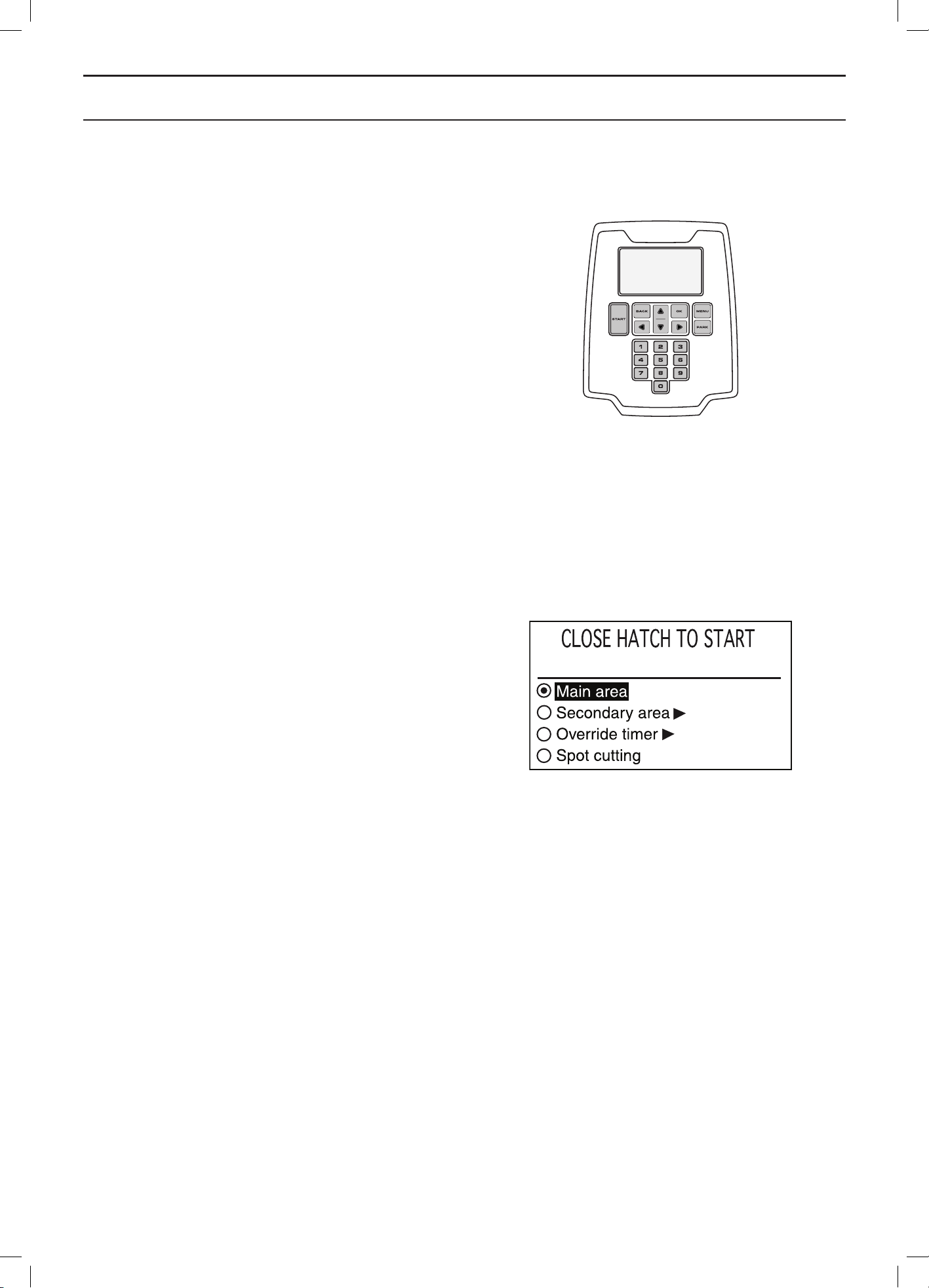
The keypad consists of six groups of buttons:
• The START button is used to activate the robotic
lawnmower. This is normally the last button to be
pressed before closing the display hatch.
• The Back and OK buttons are used to navigate in
the menu. The OK button is also used to confirm
settings in the menu.
• The arrow keys are used to navigate in the menu but
also to make selections in certain setting options.
• The MENU button is used to go to the main menu.
• The PARK button is used to send the robotic
lawnmower to the charging station.
• Numbers are used to enter settings, for example, PIN
code, time or exit direction. They can also be used
to enter a number series for shortcuts to the various
menus. See 6.1 Main menu on page 40.
5.1 Operation selection Start
When the START button has been pressed the following
operation selections can be selected.
Main area
The standard, automatic operating mode where the
robotic lawnmower mows and charges continually.
Secondary area
The Secondary area operating mode is used when
mowing secondary areas where the robotic lawnmower
cannot travel to the charging station automatically.
For information about secondary areas, see 3.4
Installation of the boundary wire on page 21.
Selecting Secondary area offers three options:
• Mowing until empty battery
This option is suitable for a large secondary area
requiring more than 90 minutes to mow.
• Mowing 90 min
This option is suitable to prevent unnecessary
mowing and trampled grass in a small/medium
sized secondary area.
• Mowing 30 min
This option is suitable to prevent unnecessary
mowing and trampled grass in a small secondary
area.
If the robotic lawnmower charges in the Secondary area
mode, it will fully charge, drive out about 50 cm and then
stop. This indicates that it is charged and ready to start
mowing.
If the main working area has to be cut after charging, it is
appropriate to switch the operation selection to Main area
before placing the robotic lawnmower in the charging
station.
3012-1094
3012-1222
English - 38
CONTROL PANEL
Override timer
Any timer settings made can be temporarily overridden by
selecting Override timer. It is possible to override the timer
for 1, 3 or 5 days.
Spot Cutting
Spot cutting means the robotic lawnmower will work in a
spiral pattern in order to cut the grass in the area where
it was started. When this is done, the robotic lawnmower
will automatically switch to Main Area or Secondary Area.
This function is useful for quickly mowing an area where
the grass has been mown less than in other parts of the
garden.
The Spot Cutting function is activated with the START
button. You can select how the robotic lawnmower should
continue to work once mowing is finished by pressing
Right Arrow and then specifying On Main Area or On
Secondary Area.
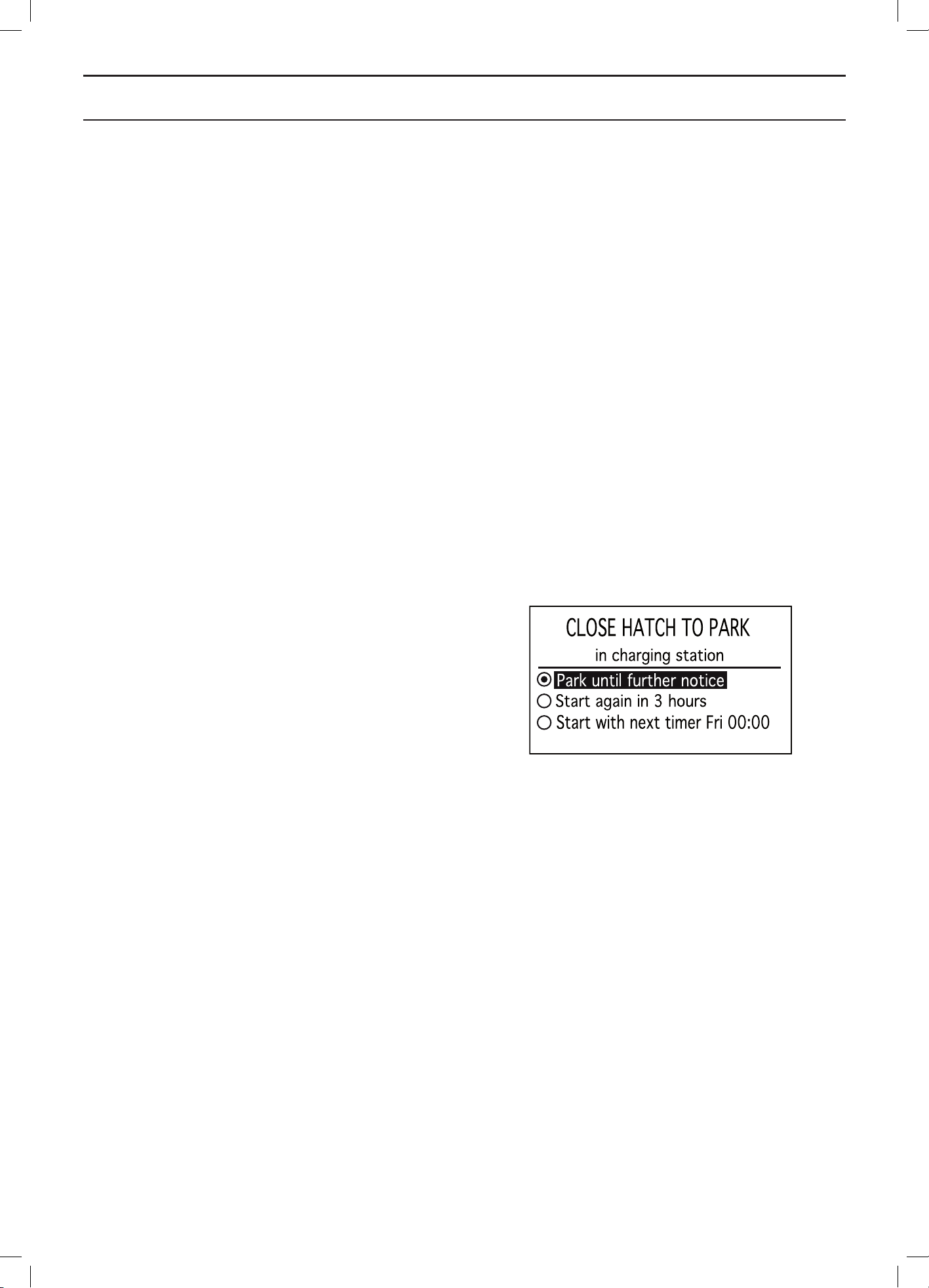
5.2 Operation selection Parking
When the PARK button is pressed the following operation
selections can be chosen.
Park until further notice
The robotic lawnmower stays in the charging station
until another operating mode is selected by pressing
the START button.
Start again in 3 hours
The robotic lawnmower stays in the charging station for
three hours and then returns automatically to normal
operation. This operation selection is suitable when there
is a need to pause operation, e.g. for temporary irrigation
or for games on the lawn.
Start with next timer
The robotic lawnmower stays in the charging station until
the next Timer setting permits operation. This operation
selection is suitable if one wishes to cancel an ongoing
mowing cycle and allow the robotic lawnmower to stay in
the charging station until the next day.
This option is not displayed if there are no Timer settings.
3012-1223
English - 39
CONTROL PANEL
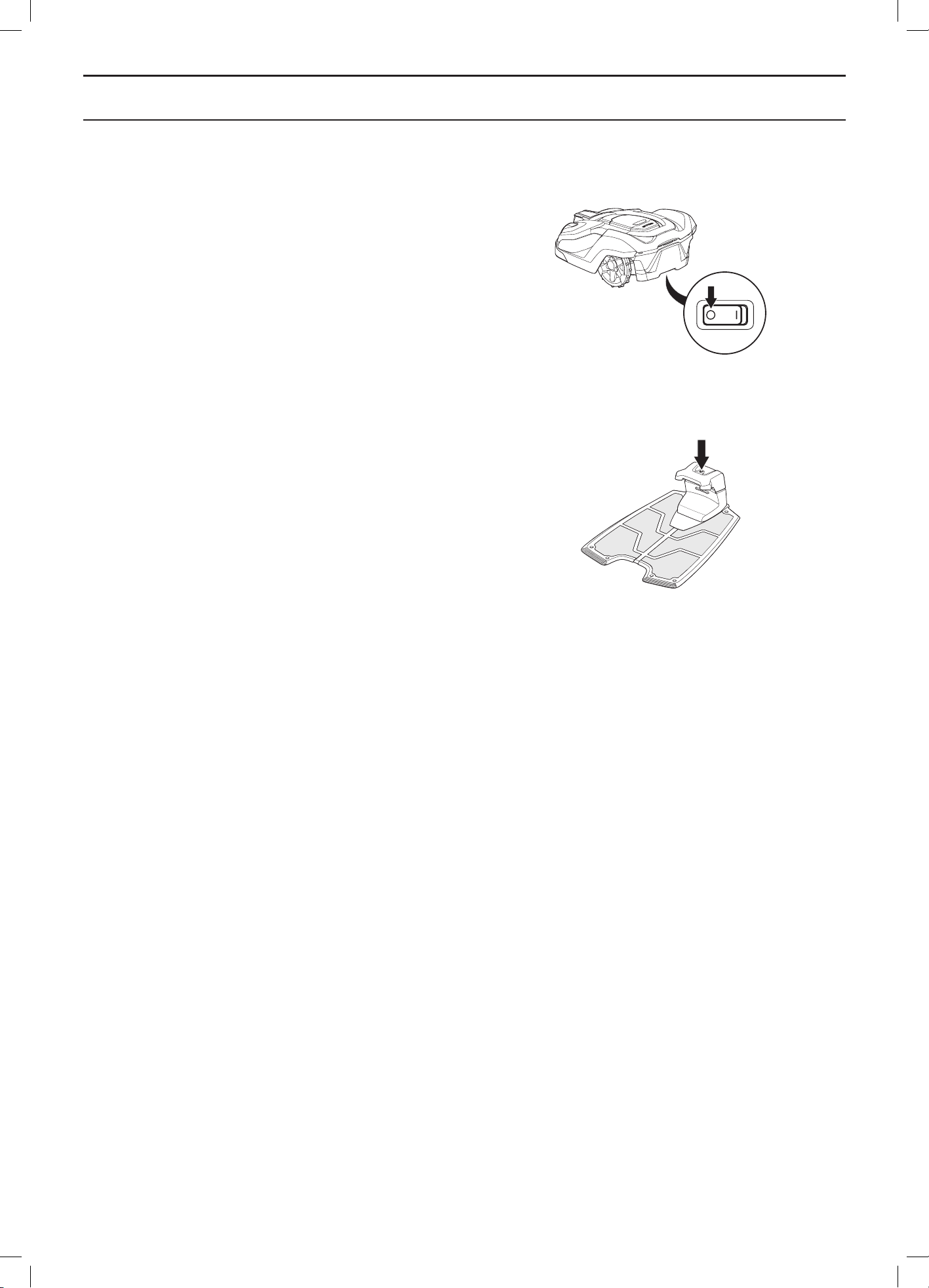
5.3 Main switch
Set the main switch in the 1 position to start the robotic
lawnmower.
Set the main switch in the 0 position when the robotic
lawnmower is not in use or work is being carried out on
the blade disc.
When the main switch is set in the 0 position the motors
on the robotic lawnmower cannot start.
5.4 The charging station’s PARK
button
This section does not apply to Automower® 320.
The PARK button on the charging station is used to call
the robotic lawnmower back to the charging station. The
PARK button on the keypad in the robotic lawnmower
offers the same function. The PARK button on the
charging station is useful for instance when the robotic
lawnmower operates in a large working area and the
charging station is more accessible.
An LED in the PARK button is lit solid when the button has
been pressed. The LED diode goes out when the robotic
lawnmower is parked in the charging station.
The robotic lawnmower remains parked in the charging
station until the START button on the robotic lawnmower’s
keypad is pressed.
3012-1060
3012-1215
English - 40
MENU FUNCTIONS
6 Menu functions
6.1 Main menu
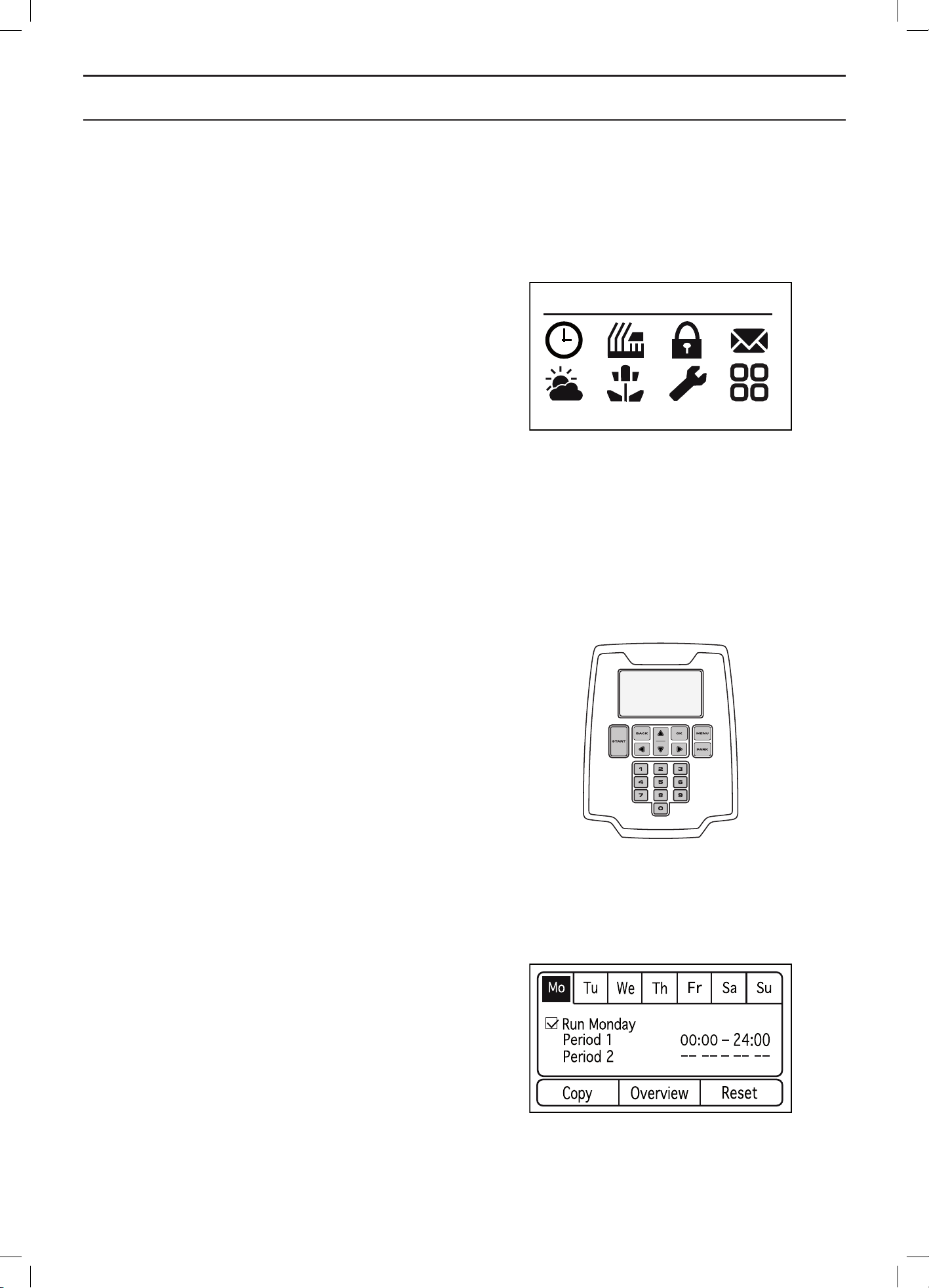
The main menu consists of the following options:
• Timer
• Cutting height
• Security
• Messages
• Weather timer
• Installation
• Settings
• Accessories
There are a number of submenus under each option. You
can access all the functions to set the robotic lawnmower
settings via these.
Browse between menus
Browse through the main menu and submenus with the
help of the arrow keys. Enter values and times using the
number keys and confirm each selection with the multi-
choice button marked OK. Press BACK to go up a step
in the menu or keep the MENU button pressed in for
2 seconds to go directly to the main menu.
Submenus
Certain submenus contain a box that can be checked.
This is used to select which option(s) is/are selected
or if a function is activated/deactivated. Check or uncheck
the box by pressing OK.
3012-1264
3012-1094
3012-1225
English - 41
MENU FUNCTIONS
6.2 Menu structure
The following table summarises the menu selections found in the main menu. The following chapter provides more
detailed information about how each function is used and which setting options are available.
Use the arrow keys to browse the menu. Confirm selections with OK.
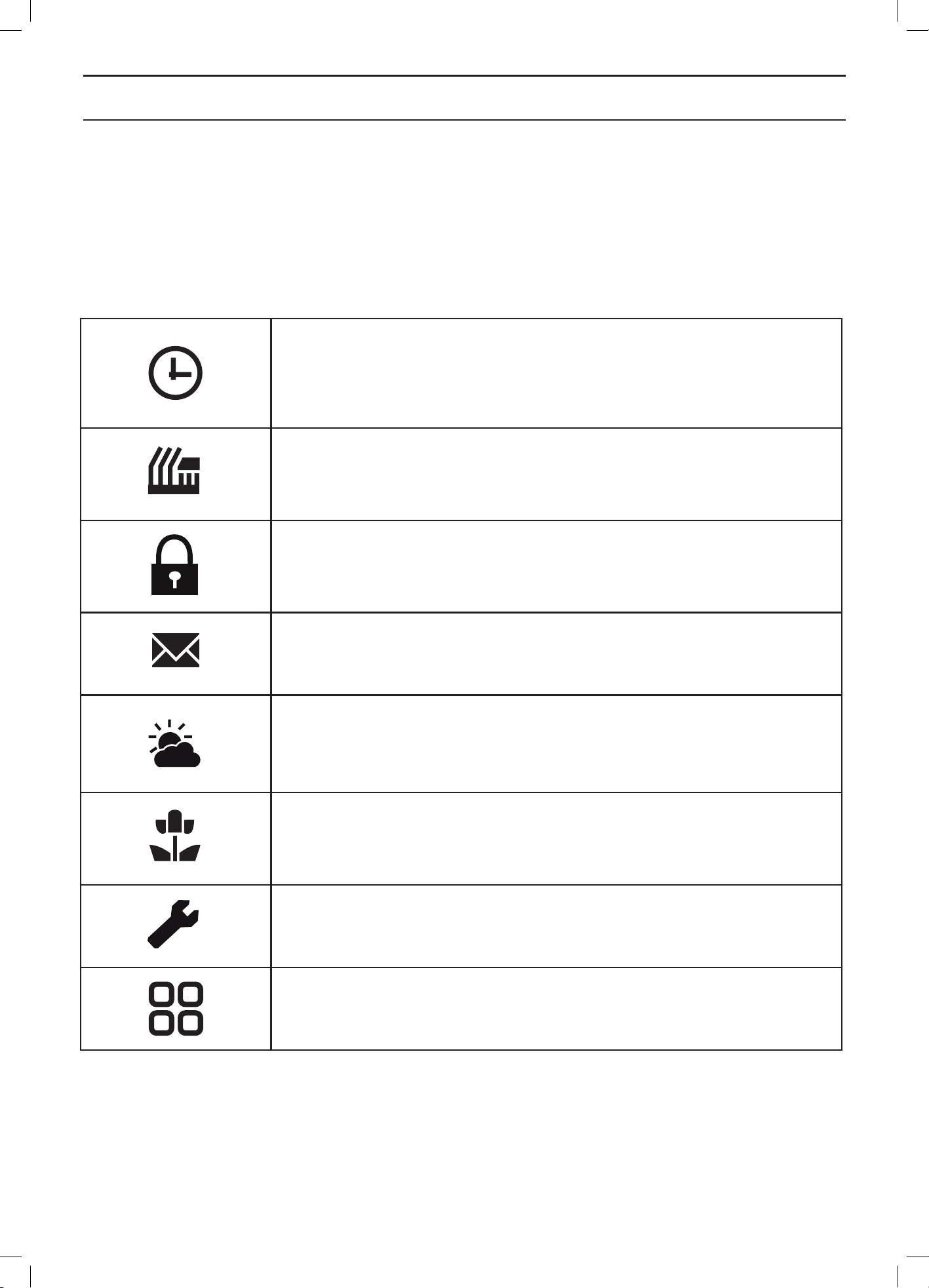
Timer
The lawn should not be cut too often to obtain the best mowing result. Consequently,
it is important to limit the operating time using the timer function if the working area
is less than the robotic lawnmower’s working capacity. The timer function is also an
ideal tool to control which periods the robotic lawnmower should not mow, for example,
when the children are playing in the garden.
Cutting height
The cutting height can be varied from MIN (2 cm) to MAX (6 cm).
During the first week after a new installation, the cutting height must be set to MAX to
avoid damaging the loop wire. After this, the cutting height can be lowered one step
every week until the desired cutting height has been reached.
Security
In this menu, settings relating to security and the connection between the robotic
lawnmower and the charging station can be made.
There are three security levels to choose from but it is also possible to define your own
combination of security functions.
Messages
Historical, fault and information messages can be read in this menu. Regards some
of the most common fault messages, there are tips and advice to help you rectify the
fault. See 9.1 Fault messages on page 76.
Weather timer
This function allows the robotic lawnmower to automatically adjust its mowing times
based on how quick the lawn grows. When the weather is good for grass growth, the
robotic lawnmower mows more often and when grass growth is slower the robotic
lawnmower will automatically spend less time on the lawn.
Installation
This menu is used to steer the robotic lawnmower to remote parts of a working area
and to control how the robotic lawnmower searches for the charging station. For many
working areas the factory settings can be kept, i.e. allow the robotic lawnmower itself
to combine the various search methods and the underlying settings.
Settings
This selection allows you to make changes to the general robotic lawnmower settings
such as date and time.
Accessories
This menu handles the settings for accessories assembled on the mower. Contact
your dealer for information on what accessories are suitable for your robotic
lawnmower.
English - 42
MENU FUNCTIONS
6.3 Timer
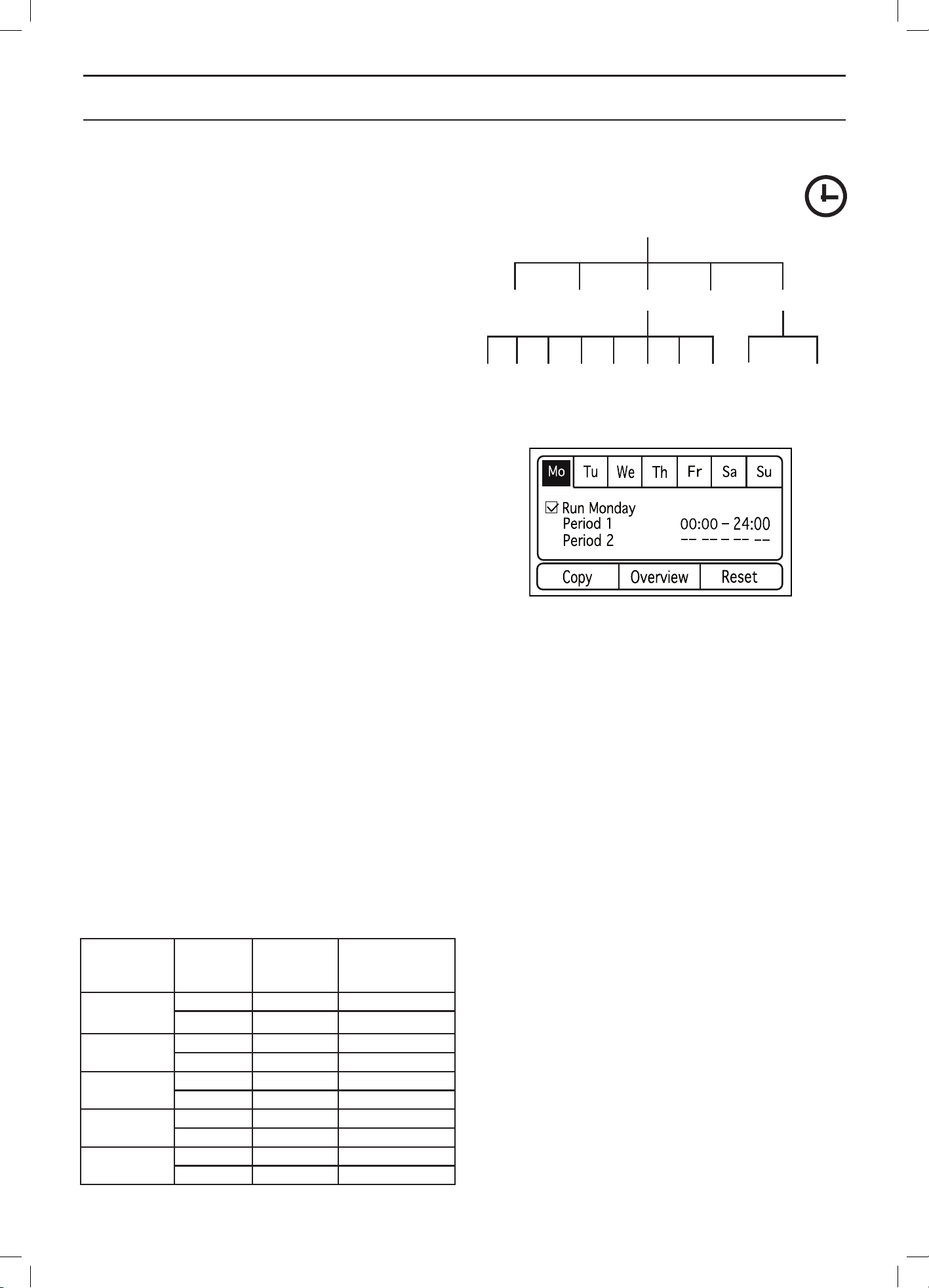
The lawn should not be cut too often to obtain the best
mowing result. Consequently, it is important to limit the
operating time using the timer function if the working
area is less than the mower’s working capacity. When the
robotic lawnmower is allowed to mow too often, the lawn
may appear flattened. Besides, the robotic lawnmower is
subjected to unnecessary wear.
The timer function is also an ideal tool to control which
periods the robotic lawnmower should not mow, for
example, when the children are playing in the garden.
Maximum performance is obtained when the timer is
turned off and the robotic lawnmower is allowed to mow
around the clock seven days a week.
The factory setting is that the timer is inactive and the
robotic lawnmower will operate around the clock seven
days a week. This is normally a suitable setting for
a working area corresponding to the robotic lawnmower’s
maximum performance, i.e. 3,200 m
2
(2,200 m
2
for
Automower® 320).
When setting the timer, calculate that the robotic
lawnmower mows about 135 m
2
per hour and day (90 m
2
for Automower® 320). For example; If the working area is
1,200 m
2
the robotic lawnmower must operate for about
9 hours per day (about 13 hours for Automower® 320).
The table below provides suggestions for different timer
settings depending on garden size. The table can be
used to set the operating time. The times should be seen
as indicative, they may need to be adjusted to suit the
garden. Use the table as follows:
1. Find a work area that closest matches the garden’s
area.
2. Select an appropriate amount of work days per week
(for some work areas 7 days may be needed).
3. Work hours per day shows how many hours a day
the robotic lawnmower will be allowed to work for the
selected amount of work days.
4. Suggested time interval shows a time interval that
corresponds to the required work hours per day.
This table goes for Automower® 320
Work area Work
days per
week
Work
hours per
day
Suggested
time time
interval
500 m
2
5 7,5 h 07:00 - 14:30
7 5,5 h 07:00 - 12:30
750 m
2
5 11,5 h 07:00 - 18:30
7 8 h 07:00 - 15:00
1000 m
2
5 15,5 h 07:00 - 22:30
7 11 h 07:00 - 18:00
1250 m
2
5 19 h 04:00 - 23:00
7 13,5 h 07:00 - 20:30
1500 m
2
5 23 h 00:00 - 23:00
7 16,5 h 07:00 - 23:30
Monday
Period 1
Mo
All
days
Tu We Th Fr Sa Su
Current
day
All week
Period 2 Copy Overview Reset
3012-1225
English - 43
MENU FUNCTIONS
1750 m
2
6 22,5 h 00:00 - 22:30
7 19 h 04:00 - 23:00
2000 m
2
7 22 h 00:00 - 22:00
2200 m
2
7 24 h 00:00 - 24:00
This table goes for Automower® 330X
Work area Work
days per
week
Work
hours per
day
Suggested
time time
interval
500 m
2
5 5,5 h 07:00 - 12:30
7 4 h 07:00 - 11:00
750 m
2
5 8 h 07:00 - 15:00
7 5,5 h 07:00 - 12:30
1000 m
2
5 10,5 h 07:00 - 17:30
7 7,5 h 07:00 - 14:30
1250 m
2
5 13 h 07:00 - 20:00
7 9,5 h 07:00 - 16:30
1500 m
2
5 16 h 07:00 - 23:00
7 11,5 h 07:00 - 18:30
1750 m
2
5 18,5 h 05:00 - 23:30
7 13 h 07:00 - 20:00
2000 m
2
5 21 h 02:00 - 23:00
7 15 h 07:00 - 22:00
2250 m
2
5 23,5 h 00:00 - 23:30
7 17 h 07:00 - 24:00
2500 m
2
6 22 h 01:00 - 23:00
7 19 h 04:00 - 23:00
2750 m
2
6 24 h 00:00 - 24:00
7 20,5 h 03:00 - 23:30
3000 m
2
7 22,5 h 01:00 - 23:30
3200 m² 7 24 h 00:00 - 24:00
A clock symbol is displayed on the start page when the
timer settings are set. The clock symbol is black when
the robotic lawnmower is not allowed to mow due to
a timer setting and it is white when the robotic lawnmower
is allowed to mow.
It is possible to configure two work periods a day There
can be unique work periods in each day, but it is also
possible to copy the current day’s work period to all the
other days.
Use the down arrow key to select the checkbox and then
press OK. Only now can the timer settings be carried out.
The robotic lawnmower will mow only on those days that
have been activated.
Copy
Use this function to copy the current day settings to
other days.
Use the up and down arrow keys to move the cursor
between days. The times will be copied to the days that
are marked with OK.
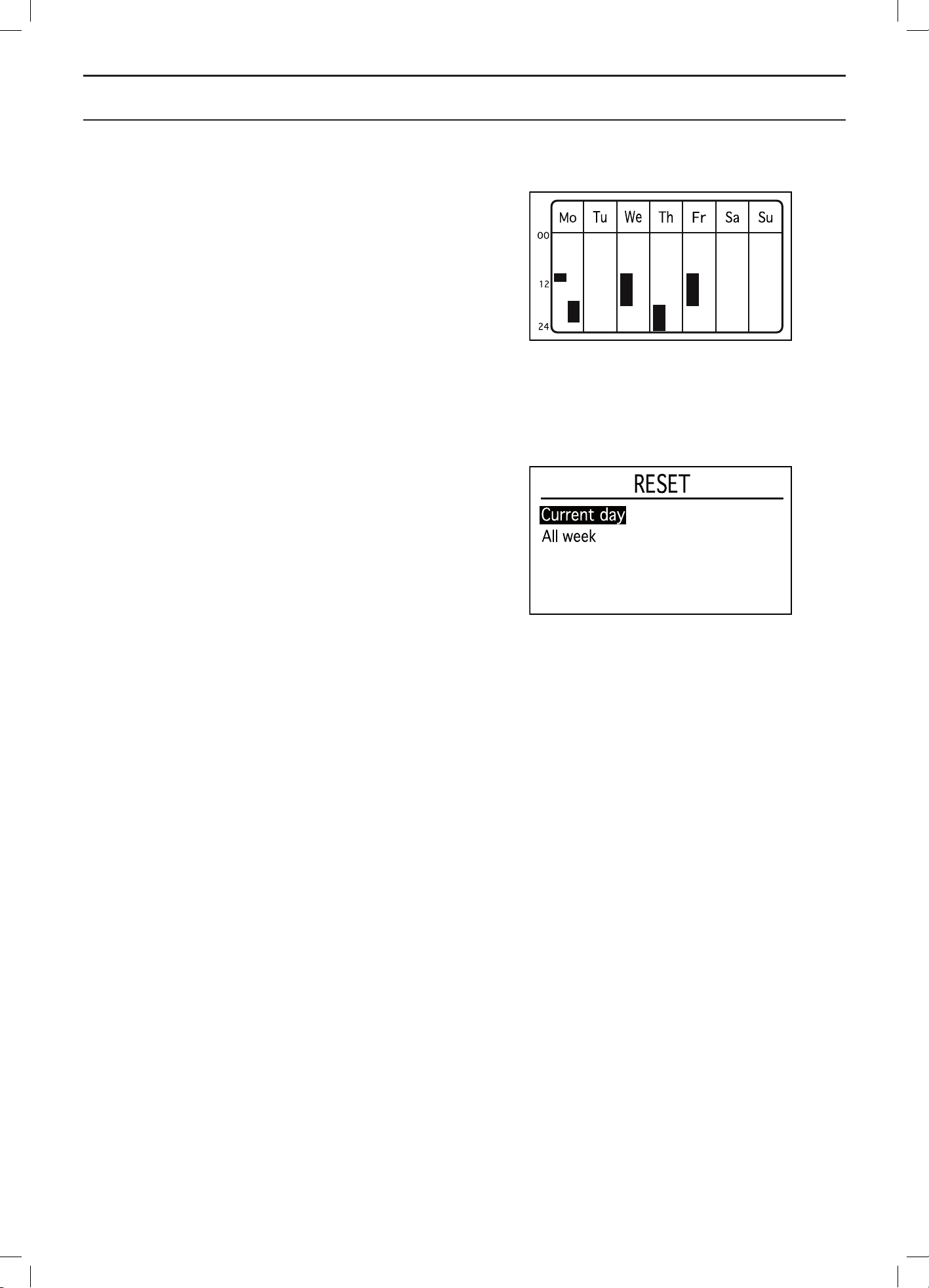
English - 44
MENU FUNCTIONS
Overview
This function graphically displays what hours and days
the robotic lawnmower is operating. The time the robotic
lawnmower will mow is marked with a black line. During
the other times, the robotic lawnmower is parked in the
charging station.
Reset
This function resets the timer to the factory setting, where
the robotic lawnmower is allowed to operate 24 hours
a day every day.
Current day
This resets the day that is selected in the tab system.
The factory setting is that the robotic lawnmower
is allowed to operate 24 hours a day.
All week
This resets all days in the week.
The factory setting is that the robotic lawnmower
is allowed to operate 24 hours a day every day.
3012-1235
3012-1236
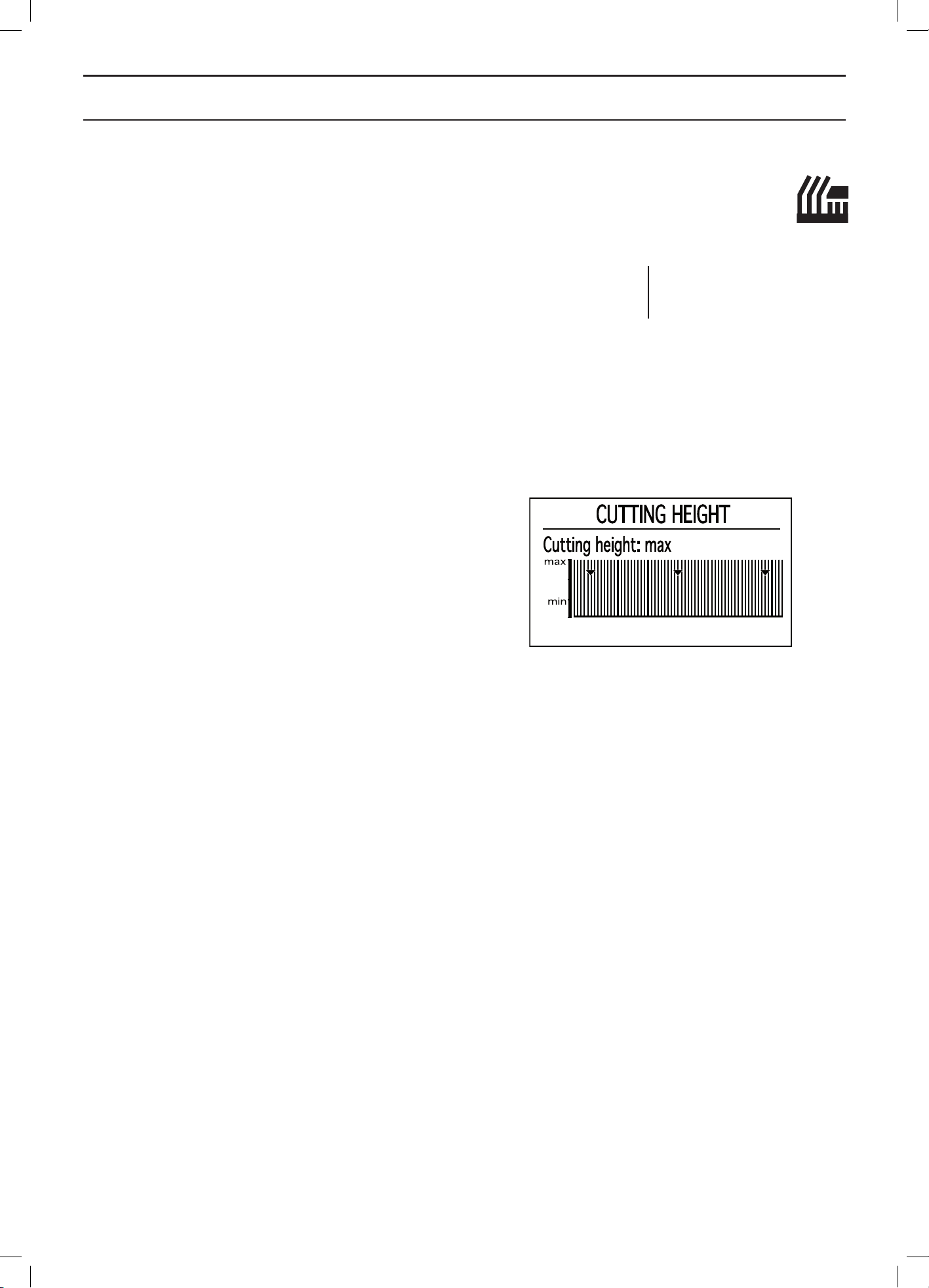
English - 45
MENU FUNCTIONS
6.4 Cutting height
The cutting height can be varied from MIN (2 cm) to
MAX (6 cm).
During the first week after a new installation, the cutting
height must be set to MAX to avoid damaging the loop
wire. After this, the cutting height can be reduced one
step every week until the desired cutting height has been
reached.
If the grass is long, allow the robotic lawnmower to start
mowing at the MAX cutting height. Once the grass is
shorter, the cutting height can be gradually lowered.
To increase the cutting height:
1. Use the up arrow key to increase to the required
height alternatively enter a number directly using
the keypad.
2. Press OK to confirm.
To lower the cutting height:
1. Use the down arrow key to lower to the required
height alternatively enter a number directly using
the keypad.
2. Press OK to confirm.
Cutting height
Cutting height
3012-1237
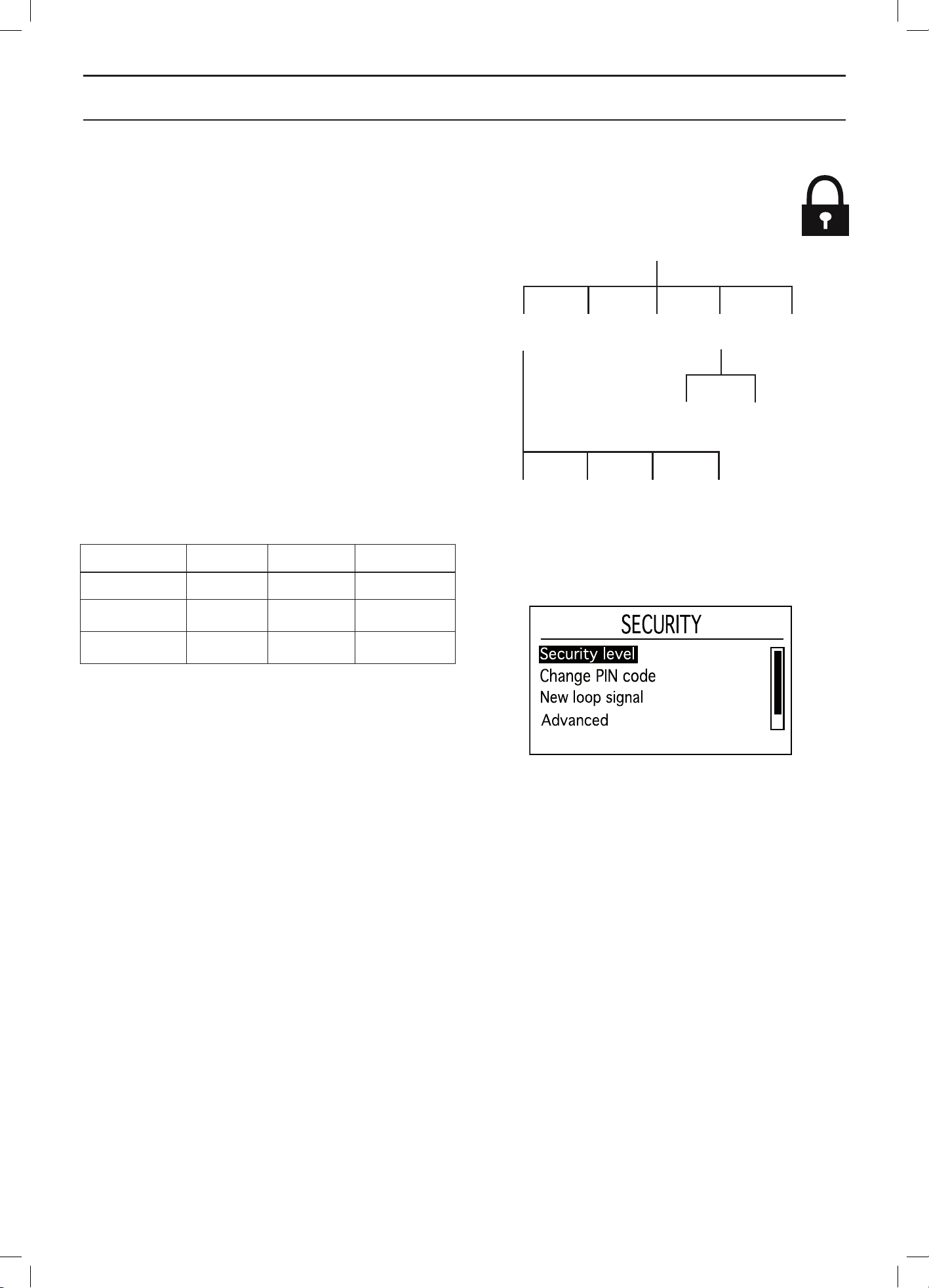
English - 46
MENU FUNCTIONS
6.5 Security
Through this selection, settings relating to security and
the connection between the robotic lawnmower and the
charging station can be made.
Security level
There are three security levels to choose from but it is
also possible to define your own combination of security
functions.
The factory setting is security level Medium.
Use the down and up arrow keys to select a security level.
Low and medium security prohibits access to the robotic
lawnmower if the PIN code is unknown. High security also
includes a warning that beeps if the correct PIN code is
not entered after a designated time period.
To disable the robotic lawnmower, press down the stop
button and set the main switch to 0.
Function Low Medium High
Time lock X X X
PIN request X X
Alarm X
Time lock
This function means that the robotic lawnmower cannot
be started after 30 days without first entering the correct
PIN code. When the 30 days has passed the robotic
lawnmower will continue to mow as normal, but the Enter
PIN code message appears when the hatch is opened.
Enter your code again and press OK.
After this, the selected PIN code must be entered every
time the main switch is set to 1.
PIN request
This function means that the robotic lawnmower requests
a PIN code each time the hatch is opened. The correct
PIN code must be entered to use the robotic lawnmower.
If the wrong PIN code is entered 5 times in succession
the robotic lawnmower is blocked for a time. The blockage
time is extended for every new incorrect attempt.
Alarm
This function means that an alarm sounds if the PIN code
is not entered within 10 seconds after the STOP button
has been pressed or the robotic lawnmower has been
lifted up for any reason. A ticking noise indicates that the
PIN code must be entered to prevent triggering the alarm.
The alarm can be turned off at any time by entering the
correct PIN code.
Security
Security
level
Medium High Custom
Duration of
time lock
Duration
of alarm
Change
PIN Code
New
loop signal
Advanced
Reset security
settings
3012-1237
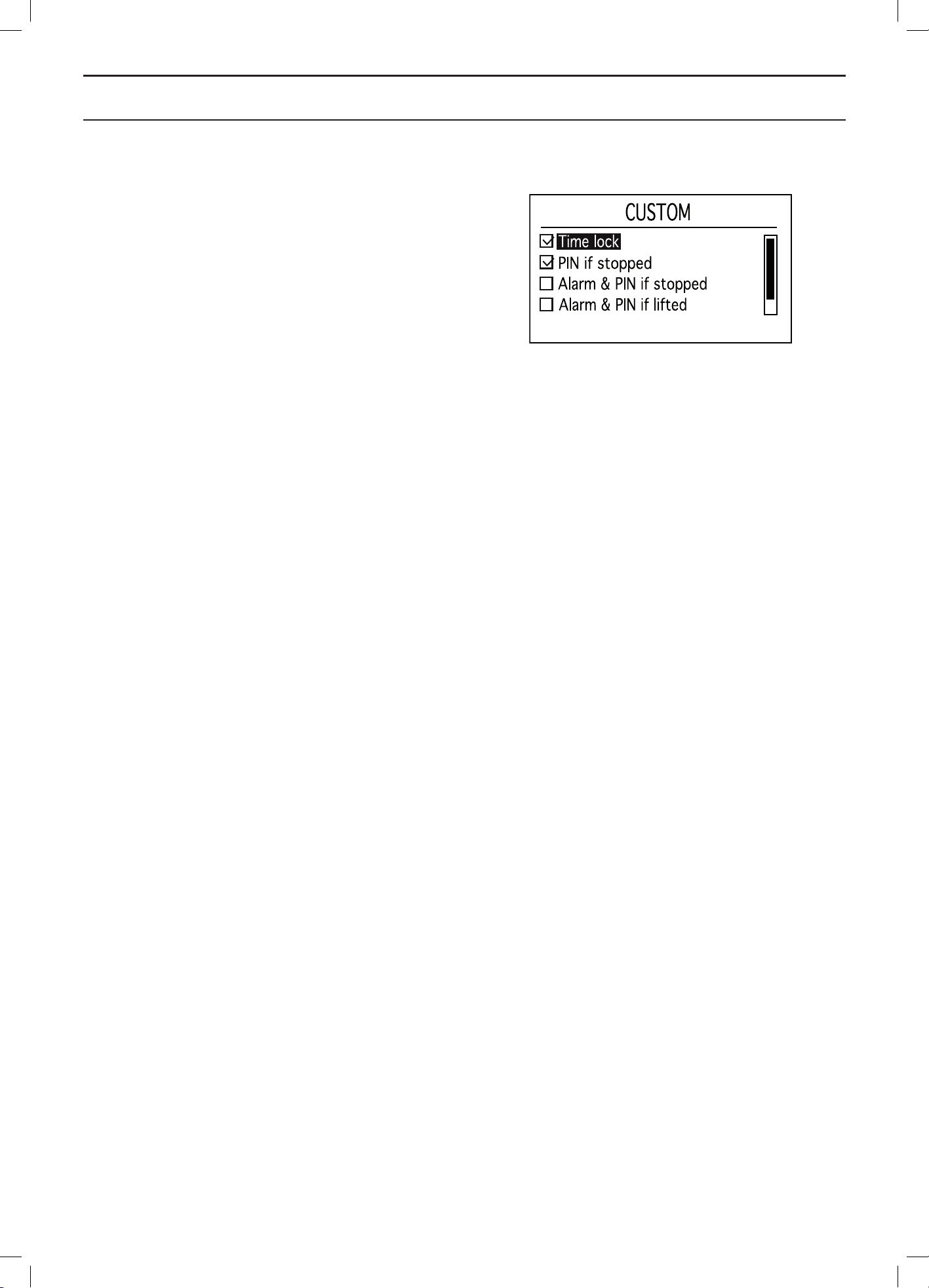
English - 47
MENU FUNCTIONS
Custom
This menu allows you to customise and combine the
available security functions to suit your needs.
Time lock
Activate or deactivate the PIN request after a certain
number of days. The number of days can be set in
Security - Advanced.
NOTE! Time lock is the most important theft-prevention
function and it is recommended to have it activated at all
times.
PIN if stopped
Activate or deactivate PIN request when the STOP button
has been pressed.
Alarm & PIN if stopped
Activate or deactivate alarm when the STOP button has
been pressed.
Alarm & PIN if lifted
Activate or deactivate alarm when the robotic lawnmower
is lifted e.g. if it is carried somewhere.
This function may need to be deactivated in working areas
where the robotic lawnmower has to be repeatedly lifted
due to collisions with for instance gently sloping stones
or tree roots.
Alarm & PIN if tilted
Activate or deactivate alarm when the robotic lawnmower
is tilted e.g. if it is carried somewhere.
Change PIN code
Enter the new PIN code and press OK. Confirm by
entering the same code again and pressing OK. When
the PIN code is changed, the message PIN code changed
appears in the display momentarily.
Make a note of the new PIN code on the designated line
in Memo on page 2.
New loop signal
The loop signal is randomly selected to create a unique
link between the robotic lawnmower in question and the
charging station. In rare cases, there may be a need
to generate a new signal, for instance if two adjacent
installations have a very similar signal.
1. Place the robotic lawnmower in the charging
station to which the robotic lawnmower is to
be connected.
2. Select New loop signal in the menu and press OK.
3012-1239
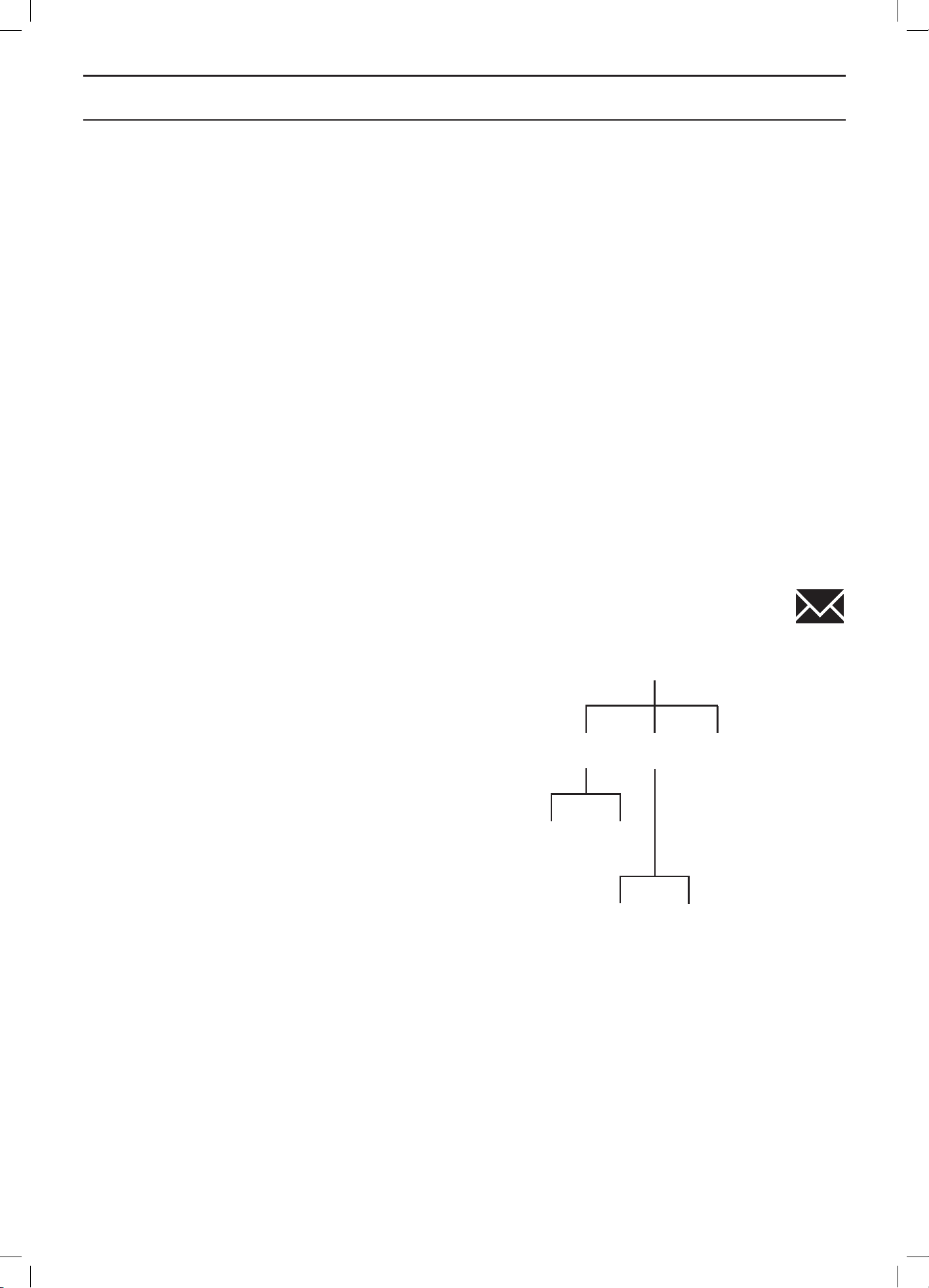
English - 48
MENU FUNCTIONS
3. Press OK and await confirmation that the loop
signal has been generated. This normally takes
about 10 seconds.
Advanced
Duration of Time lock
When Time lock is activated there is also the possibility
to select how many days the robotic lawnmower has to
request a PIN code. A figure between 1 and 90 can be
selected.
The factory setting is 30 days.
Duration of Alarm
When Alarm is activated there is also the possibility to
select how long the alarm signal should last. A figure
between 1 and 20 minutes can be selected.
6.6 Messages
Historical and information messages can be read using
this function. Regards some of the most common fault
messages, there are tips and advice to help you rectify
the fault. See 9.1 Fault messages on page 76.
Fault messages
If the robotic lawnmower is disrupted in any way e.g. gets
stuck under a fallen branch a message is shown in the
lawnmower’s display relating to the disruption and the
time it happened.
If the same fault message is repeated several times, this
may indicate that an adjustment to the installation or the
robotic lawnmower is required. See 9.1 Fault messages
on page 76 for more information on possible reasons for
each message.
By date
This list contains the latest 50 fault messages sorted by
date with the last incident to occur first on the list.
The date and time when the fault messages are displayed
can be shown by selecting a fault message and pressing
the OK button.
Tips and advice to help you rectify the fault, are also
displayed.
By frequency
This list contains the latest 50 message sorted by how
many times the same fault has occurred.
How many times each fault message has been displayed
is shown on the right.
The date and time when the fault messages are displayed
can be shown by selecting a fault message and pressing
the OK button.
Messages
Fault
messages
By frequency
By frequency
By date
By date
Info
messages
Reset
messages
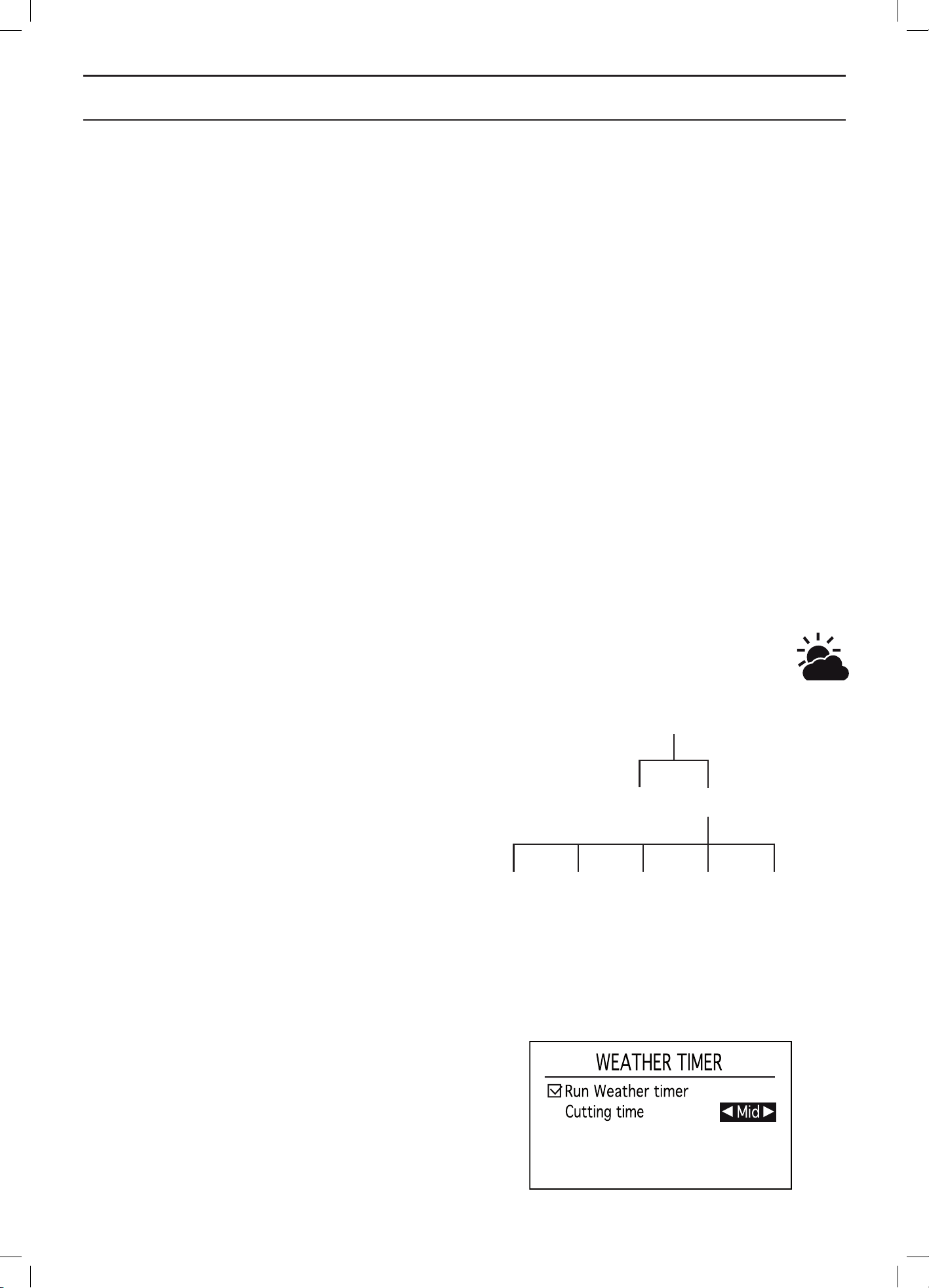
English - 49
MENU FUNCTIONS
Info messages
Messages shown in the display not caused by an actual
fault are instead saved under the Info messages heading.
Examples for such messages are Weak GPS signal and
Slope too steep. See 9.1 Fault messages on page 76 for
more information on possible reasons for each message.
By date
This list contains the latest 50 fault messages sorted by
date with the last incident to occur first on the list.
By frequency
This list contains the latest 50 message sorted by how
many times the same fault has occurred.
Reset messages
To empty all message lists, select Reset and press OK.
Confirm by pressing OK once more.
6.7 Weather timer
This function allows the robotic lawnmower to
automatically adjust its mowing times based on how quick
the lawn grows. When the weather is good for grass
growth, the robotic lawnmower mows more often and
when grass growth is slower the robotic lawnmower will
automatically spend less time on the lawn.
The robotic lawnmower will however not operate longer
than the time that may be configured in the timer settings.
For optimal weather timer performance, it is recommended
when setting the timer to only de-select the times when the
robotic lawnmower must not operate. Other times should
be made available for the weather timer.
When the weather timer is activated, the robotic
lawnmower needs time to decide what the optimal
mowing time is for the working area in question. For this
reason it can take a number of days before the mowing
results are optimal.
When the weather timer is activated, it is very important
to regularly check that the blade disc is clean and that the
blades are in good condition. Any grass twisted around
the blade disc shaft or blunt blades can affect how the
weather timer functions.
Weather timer
To activate the weather timer: place the cursor at On and
press OK.
Weather timer
Cutting timeOn/Off
LowLow - Medium High High +
3012-1259
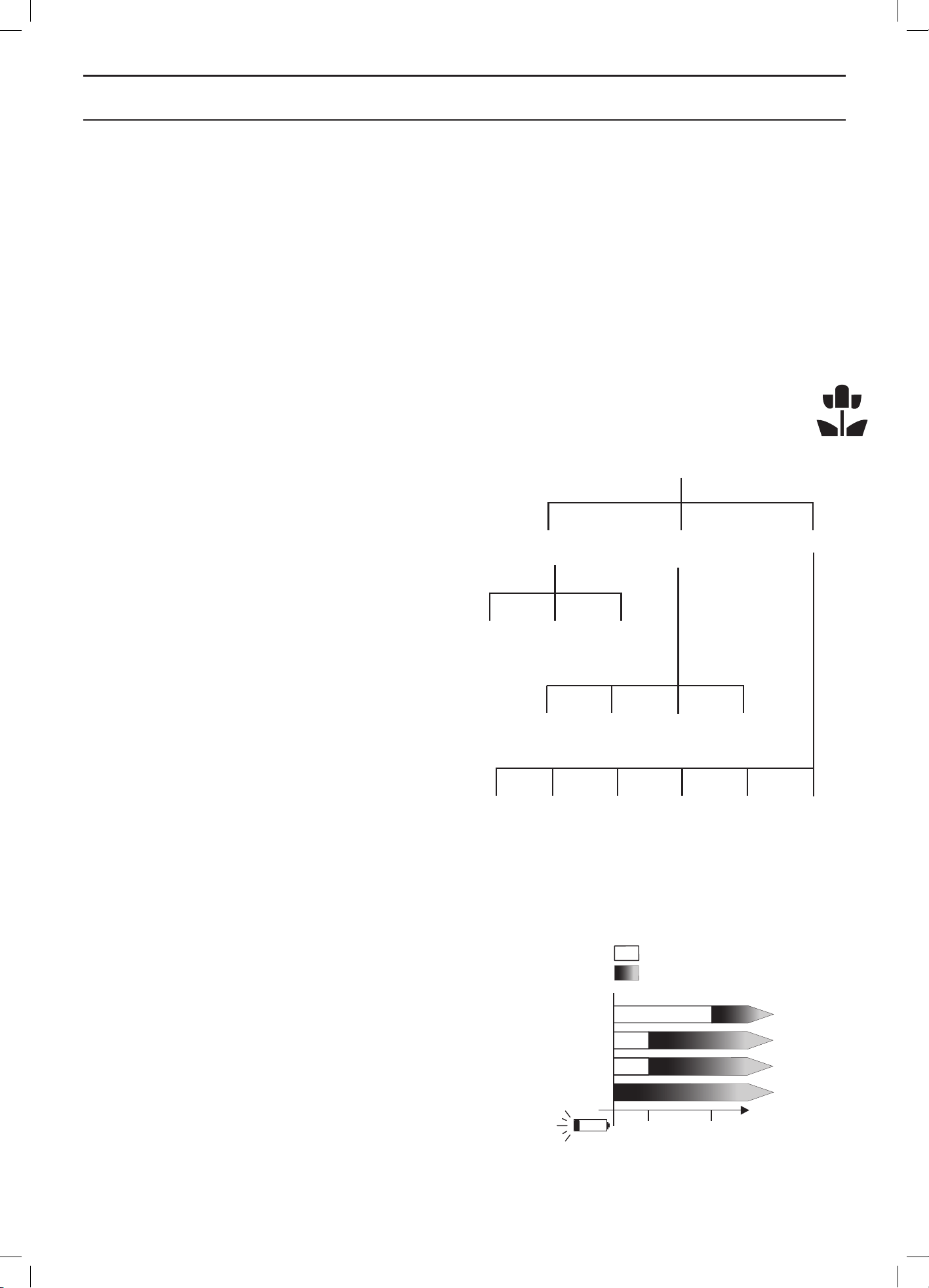
English - 50
MENU FUNCTIONS
Cutting time
If the mowing results are not optimal when using the
Weather timer, Cutting time settings may need adjusting.
To adjust the Cutting time: place the cursor by Cutting
time and use the right and left arrow keys to increase or
decrease the cutting time in three preset intervals.
The longer cutting time that is chosen, the longer the
robotic lawnmower will be allowed to work.
6.8 Installation
This menu function is used to steer the robotic lawnmower
to remote parts of a working area and control how the
robotic lawnmower searches for the charging station. For
many working areas there is no need to alter the factory
settings i.e. allow the robotic lawnmower itself to combine
the various search methods and the underlying settings.
Finding the charging station
The robotic lawnmower can be set to search for the
charging station in one or more of the following three
ways: Guide, Boundary loop and Charging station. The
factory settings are that these three search options are
automatically combined to find the charging station as
quickly as possible but also with a minimum risk of tracks
forming.
In very complex gardens e.g. with many areas joined by
narrow passages, the amount of time required to find the
charging station is decreased by carrying out a number
of the manual setting outlined below.
The robotic lawnmower always starts the search for the
charging station using an irregular search method.
When the robotic lawnmower still cannot find the charging
station after a specific period of irregular searching, it also
starts to search for the guide wires and after a further
period also the boundary wire to follow one of them into
the charging station instead. This time is specified in
minutes and is known as delay time.
Example:
4 minute delay for Guide 1 and Guide 2 and
11 minutes for the boundary loop. The robotic
lawnmower then searches irregularly for 4 minutes
and then searches for the guide wires for 7 minutes.
If it has not found a guide wire after this period,
the robotic lawnmower now also searches for the
boundary loop.
It is possible of course to specify the same delay time
for both the guide wires and boundary loop, for instance
5 minutes. The robotic lawnmower then searches
irregularly for 5 minutes and when it does not find the
charging station, it continues to search either by following
the guide wires or the boundary loop, depending on which
one it reaches first.
Installation
Area 1-5 GPS Overview Reset
Lawn
coverage
Find charging
station
Advanced
Search
method
Overview Reset
Exit
angles
Corridor
width
Reversing
distance
Drive past
wire
Installation
shape
Automatic
passage
handling
4 min
Random
Guide 1
Guide 2
Boundary wire
=Delay time
=Search mode
11 min
3012-1089
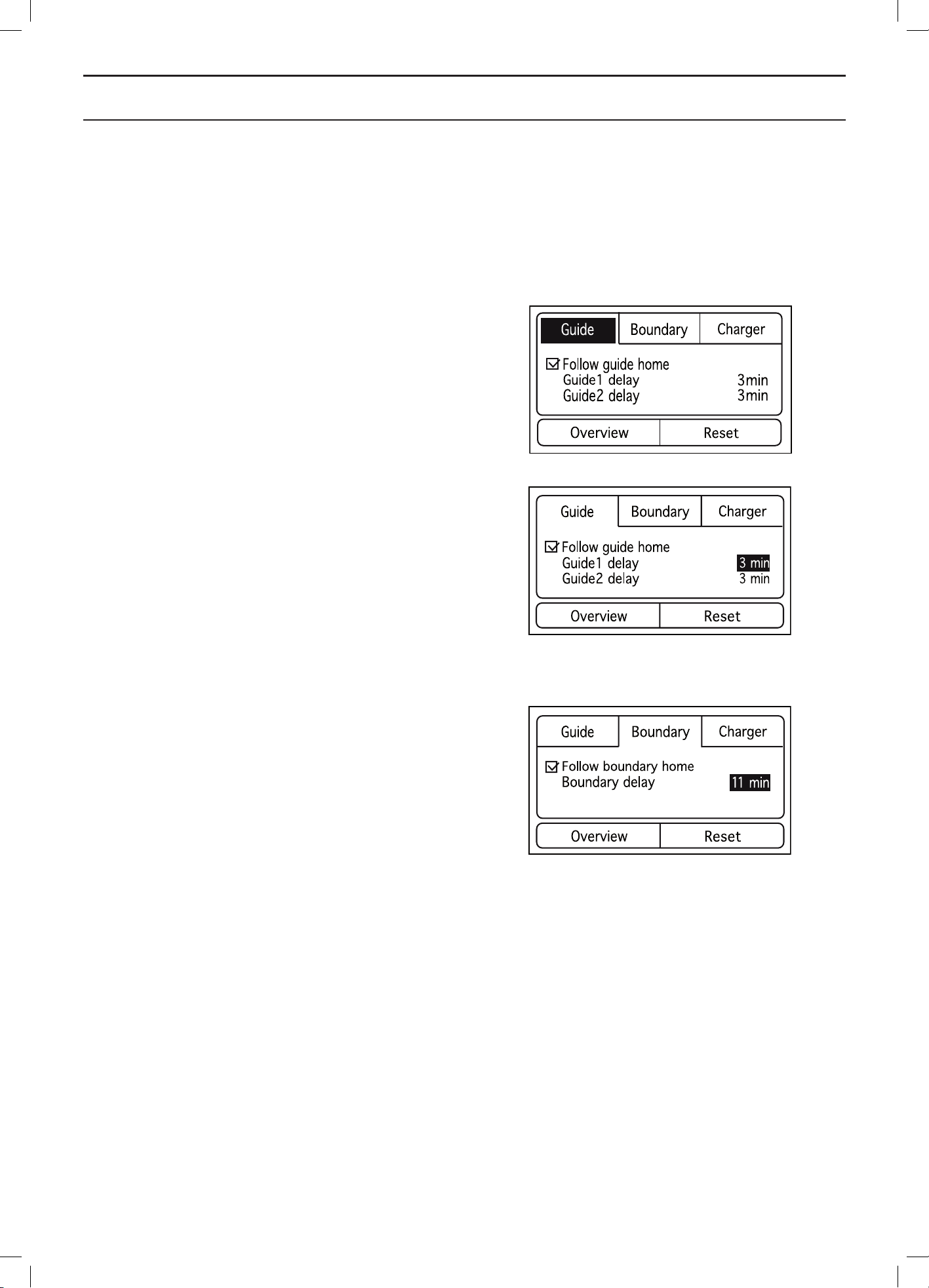
English - 51
MENU FUNCTIONS
In general a long delay time decreases the risk of tracks
forming (the robotic lawnmower will find the charging
station more often through irregular searches) but gives
longer search times. A short delay time gives the opposite
effect, i.e. short search times with increased risk of tracks
forming along the guide wires and/or boundary wires.
Guide
Make sure the Follow guide home checkbox is activated.
Otherwise use the down arrow key to select the checkbox
and then press OK.
Use the number keys to enter the delay time.
Automower® 320 has only Guide.
Guide > Guide 1 delay
Move the cursor to Guide 1 delay and enter the delay
time in minutes.
The delay time is normally specified as a figure between
0 and 10 minutes.
Guide > Guide 2 delay
Not applicable for Automower® 320.
Move the cursor to Guide 2 delay and enter the delay
time in minutes.
Boundary loop
Make sure the Follow boundary home checkbox is
activated. Otherwise use the down arrow key to select the
checkbox and then press OK.
Use the number keys to enter the delay time.
Move the cursor to Boundary delay and enter the delay
time in minutes.
This time is normally longer than for Guide 1 and Guide 2
as it is normally better if the robotic lawnmower follows
one of the guide wires home to the charging station.
The delay time is normally specified as a figure between
10 and 20 minutes but can be shorter if a guide wire is not
installed and it is unlikely that the robotic lawnmower can
find the charging station through an irregular search.
If the robotic lawnmower passes a guide wire while
following the boundary wire, it will stop searching along
the boundary wire and instead start to follow the guide
wire into the charging station.
If it is strictly inappropriate in the installation to follow the
boundary loop, the Follow boundary home function has to
be deactivated.
3012-1244
3012-1245
3012-1246
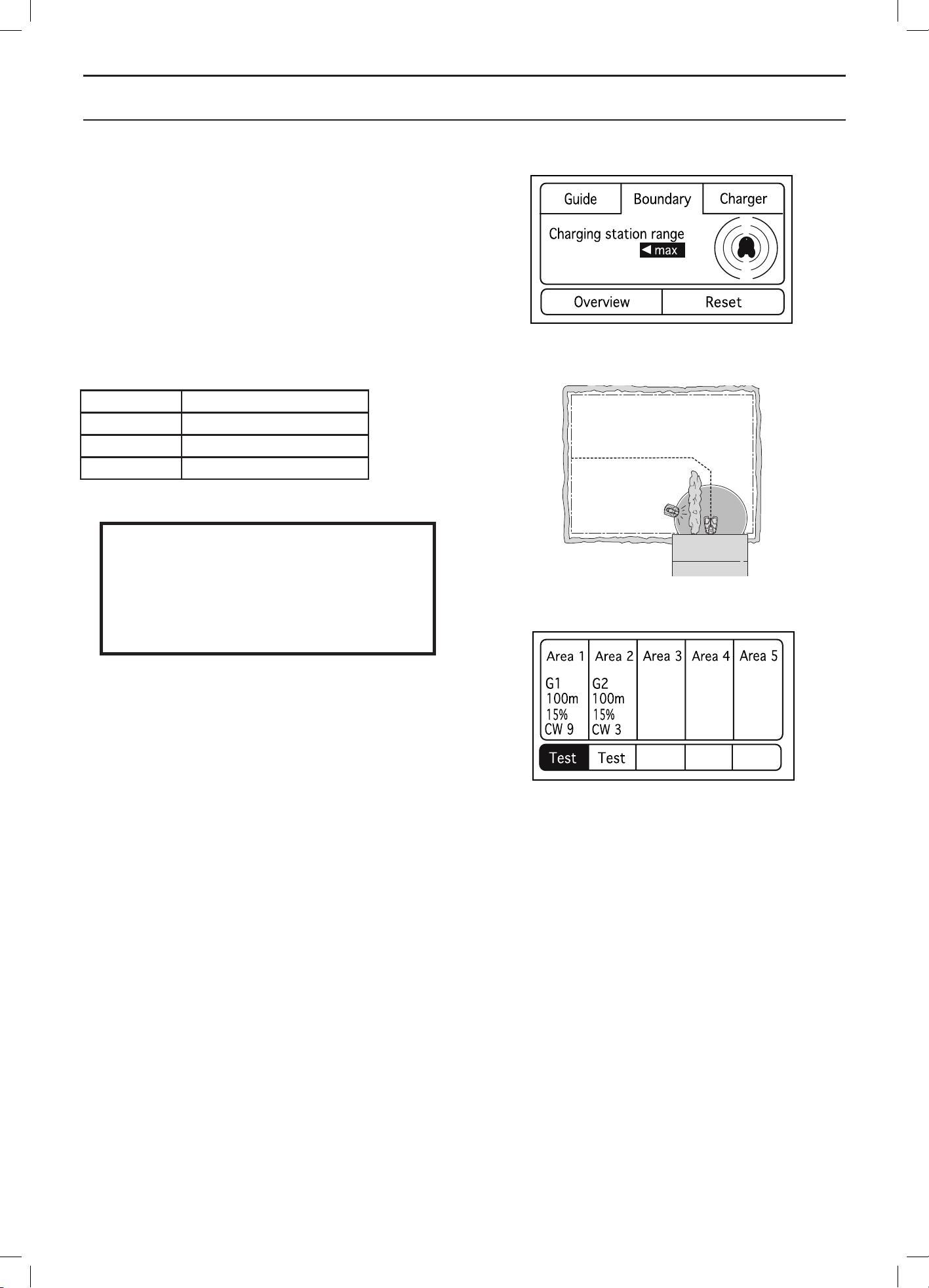
English - 52
MENU FUNCTIONS
Charging station range
There may be reasons to reduce the range of the
charging station in rare cases. It may be necessary if for
instance the charging station is placed close to a bush
or wall which prevents the robotic lawnmower from
docking with the charging station despite making contact
with the charging station’s signals. In these cases, it is
normally better to move the charging station, but if this
is not possible, the range of the charging station can be
reduced.
Use the left and right arrow keys to select range.
Setting Range
Min 0 m
Average approx. 3 to 4 m
Max approx. 6 to 8 m
IMPORTANT INFORMATION
The charging station’s range must only
reduced in exceptional cases. It is normally
better to move the charging station to
a better place in the working area.
Overview
This function summarises the selected settings for each
search method. It is also possible to test that the robotic
lawnmower can follow the guide wires and the boundary wire
to the charging station and dock with it without a problem.
Overview > Test
Testing selected settings can be seen as a natural part of
the installation.
To test the selected settings:
1. Place the robotic lawnmower about 3 metres from
the wire to be tested (boundary wire or one of the
guide wires), facing the wire.
2. Use the right/left arrow key to select Test under
the wire to be tested. Press OK.
3. Press START and close the display hatch.
Check that the robotic lawnmower follows the
guide wire all the way to the charging station and
that it docks with the charging station. The test
is approved only if the robotic lawnmower is able
to follow the guide wire the entire distance to the
charging station and docks at the first attempt.
If the robotic lawnmower is unable to dock on
the first attempt, it will automatically try again.
The installation is not approved if the robotic
lawnmower needs two or more attempts to dock
with the charging station.
3012-1099
3012-1247
3012-1243
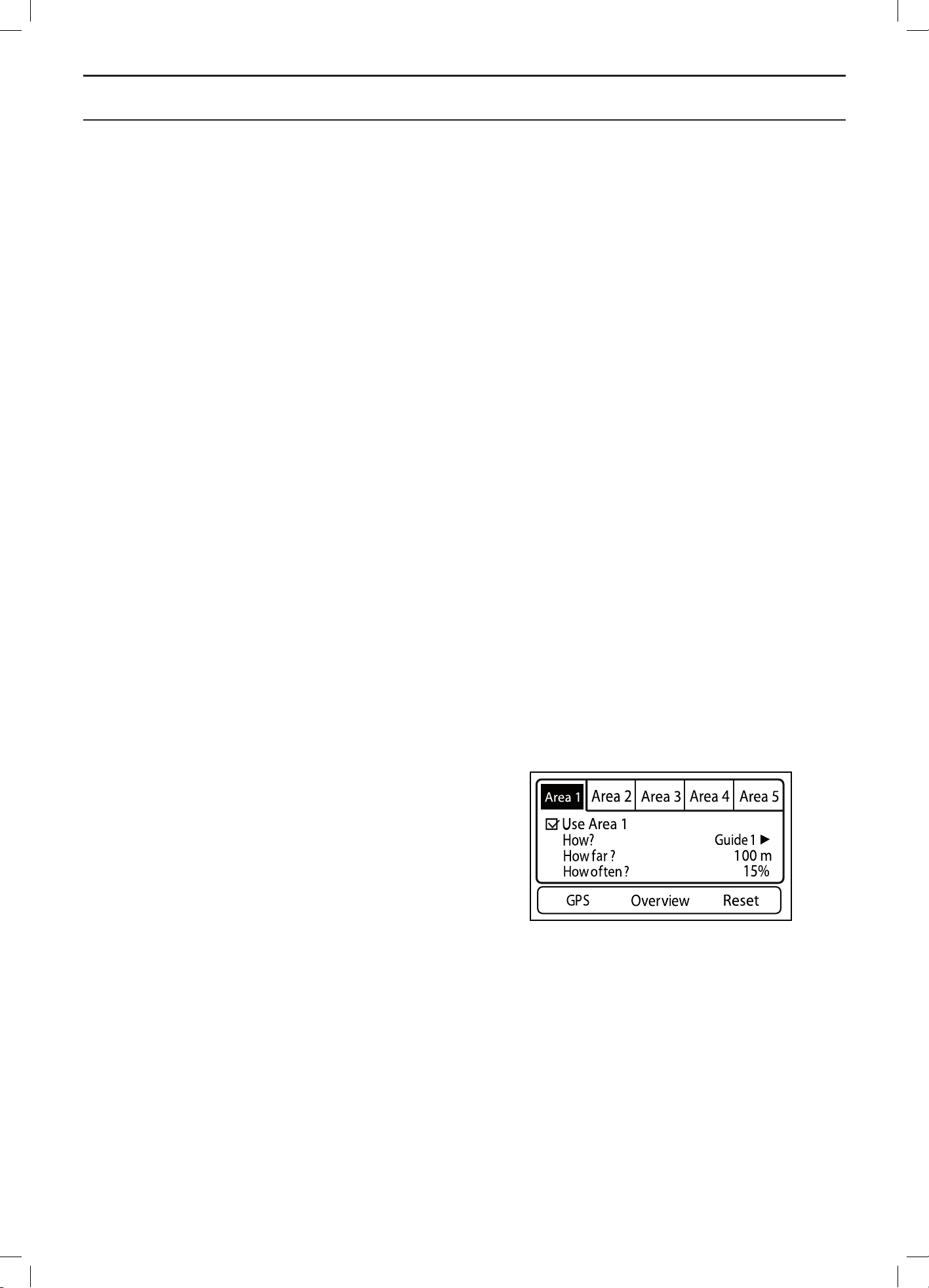
English - 53
MENU FUNCTIONS
Normal causes as to why the robotic lawnmower
cannot follow the wire are that obstacles close
to the wire have not been isolated or that the
guide wire has not been laid at an angle on a
steep slope. Check that the charging station, the
boundary wire and the guide wire are installed in
accordance with the instructions in Chapters 3.2,
3.4 and 3.6.
If manual settings are done, the wrong corridor
width may also have been selected.
4. The test is approved when the robotic lawnmower
can follow the selected wire to the charging
station and dock with it on the first attempt without
any problems.
Using Test, the robotic lawnmower travels the maximum
distance from the wire defined by the selected corridor
width.
Lawn coverage
This menu function is used to steer the robotic
lawnmower to remote parts of a working area. This
important function is used to maintain an even mowing
result in the entire working area. In very complex gardens
with for instance many areas which are joined by narrow
passages, the mowing result can be improved by making
a number of manual settings as described below.
The factory settings in Automower® 330X use an inbuilt
GPS to check which areas are mowed and thereby which
areas need to be mowed next. Automower® 330X can
in this way automatically get to parts of the working area
that are hard to reach.
When the GPS assisted navigation is activated, no
manual settings have to be made.
The factory settings in Automower® 320 allow the robotic
lawnmower to follow the guide wire 300 metres in 20% of
the times it leaves the charging station.
Area 1-5
Up to five (three for Automower® 320) remote areas can
be set. A number of unique selections are required to
allow the robotic lawnmower to reach the remote area.
Use the down arrow key to select the checkbox and then
press OK. Only then can any manual settings be made.
3012-1241
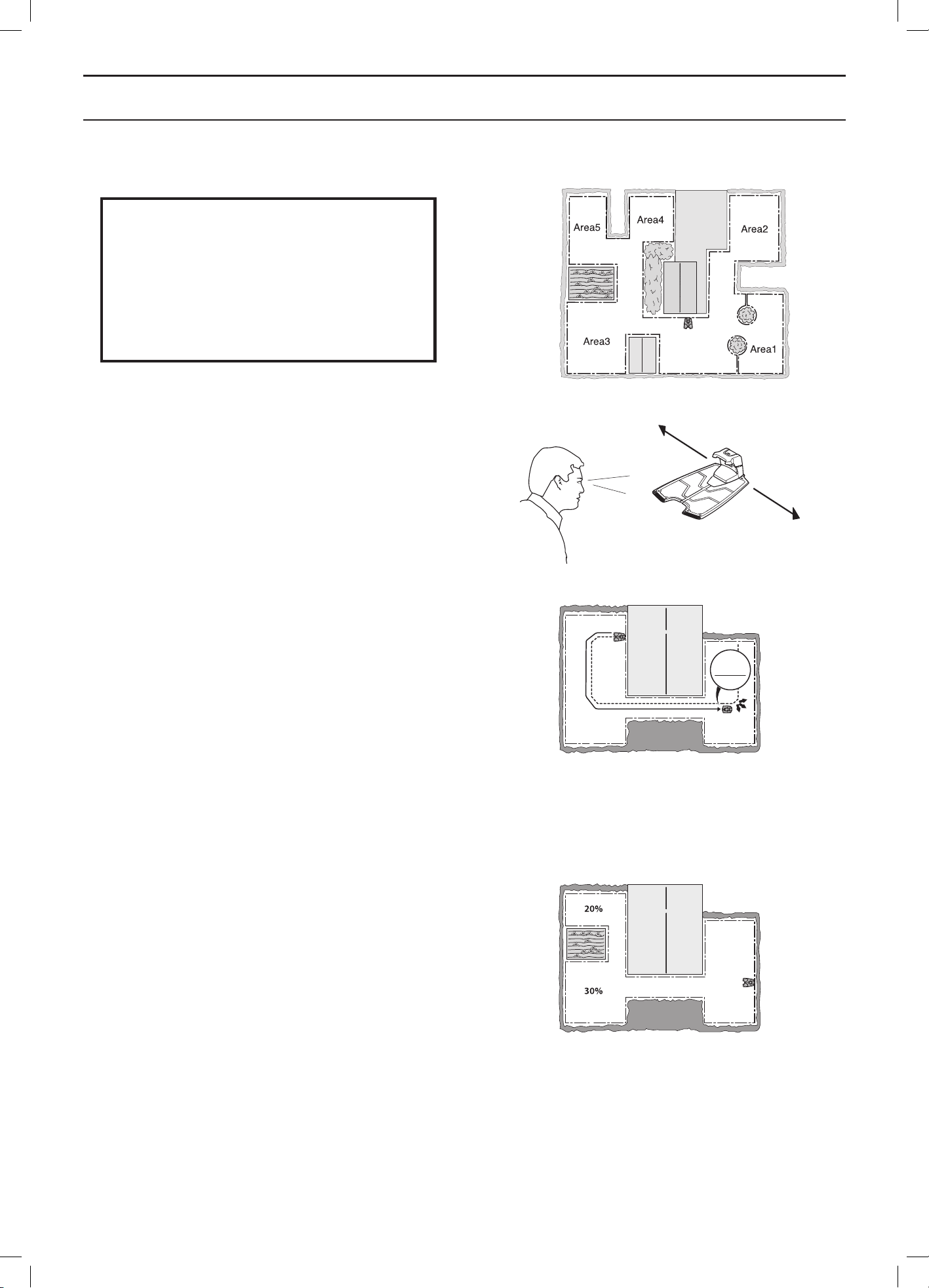
English - 54
MENU FUNCTIONS
IMPORTANT INFORMATION
When the GPS assisted navigation is
activated, this will be used so long there
is a GPS service - even if manual settings
are carried out. Only when a GPS service
is not available will the manual settings
be used.
Area X > How?
Specify to the right, left or Guide 1 (also Guide 2 for
Automower® 330X) depending on which direction the
area lies from the charging station. The direction (right
or left) is counted as that seen facing the charging station.
Use the right and left arrow keys to alternate between the
different options.
Area X > How far?
Enter the distance in metres along the current wire from
the charging station to the remote area where the robotic
lawnmower begins mowing.
Use the number keys to specify the distance in metres.
Tips! Use the Overview >Test function to determine how
far it is to the remote area. The distance, stated in metres,
will be shown in the lawnmower display when STOP has
been pressed.
The factory setting for Automower® 320 is 300 metres for
Guide 1.
Area X > How often?
How often the robotic lawnmower must be steered to
the remote area is selected as a proportion of the total
number of times it leaves the charging station. At all
other times, the robotic lawnmower starts to mow at the
charging station.
Select the percentage that corresponds to the size of
the remote area relative to the total working area. If the
remote area is for instance half of the total working area,
50% must be selected. A lower figure must be specified
if the remote area is smaller. If more areas are used, take
into account that the total figure cannot exceed 100%.
Compare with the examples in 7 Garden examples on
page 66.
Use the number keys to specify share as a percentage.
The factory setting for Automower® 320 is 20% for
Guide 1.
3012-1078
? m
3012-1084
3012-1086
3012-1100
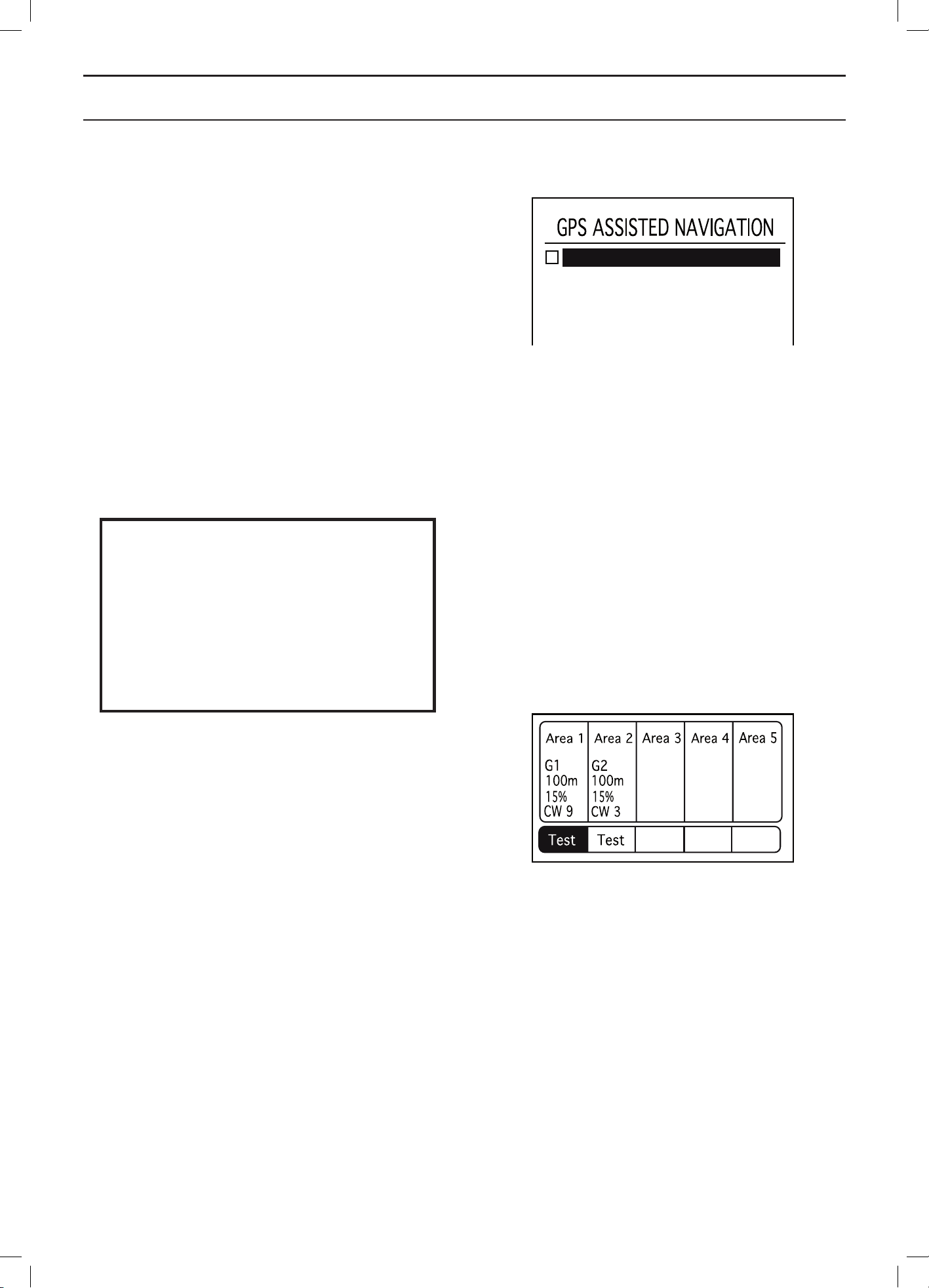
English - 55
MENU FUNCTIONS
GPS assisted navigation
This section does not apply to Automower® 320.
GPS assisted navigation uses an inbuilt GPS to check
which areas are mowed and thereby which areas need
to be mowed next. After a number of days operating, the
robotic lawnmower creates a map of the working area and
where the guide wires are laid. In this way Automower®
330X can automatically set distance and proportion for
hard to reach parts of the working area.
The automatic settings made by the robotic lawnmower
cannot be read in the display.
To activate / deactivate GPS assisted navigation: Select
“Run GPS assisted navigation” and press OK.
If problems arise with GPS assisted navigation, the
robotic lawnmower GPS map can be reset. This is
normally not necessary. To reset the GPS map: select
Reset GPS map and press OK.
IMPORTANT INFORMATION
If the same robotic lawnmower is used
for two or more charging stations that are
close together (neighbours for instance),
the GPS assisted navigation can only be
used in one of the working areas. Other-
wise the digital map can be misleading
and the robotic lawnmower’s lawn cover-
age can therefore be reduced.
Overview
This function summarises selected settings for each area.
It is also possible to test exit settings and to identify the
distance from the charging station to a remote area.
Overview > Test
Testing selected settings can be seen as a natural part of
the installation.
Using the Test function, the robotic lawnmower travels the
farthest distance from the loop allowed by the selected
corridor width.
To test the selected settings:
1. Place the robotic lawnmower in the charging station.
2. Use the down and the right/left arrow keys to
select Test under the area to be tested. Press OK.
3. Press START and close the display hatch.
4. The robotic lawnmower will now leave the
charging station and begin following the specified
loop toward the remote area. Check that the
robotic lawnmower can follow the loop all along
the required distance.
5. The test is approved when the robotic lawnmower
can follow the selected loop to the required
starting point without any problem.
Run GPS assisted navigation
3012-1242
3012-1243

English - 56
MENU FUNCTIONS
How to measure the distance to a remote area:
1. Park the robotic lawnmower in the charging
station.
2. In the Lawn coverage > How far? menu function,
enter a distance which beyond any doubt exceeds
the real figure. The maximum distance that can be
entered is 500 metres.
3. Select Lawn coverage > Overview > Test and
press OK.
4. Press START and close the display hatch.
5. Press STOP at the required position and measure
the distance in the display. This figure can now be
entered in Lawn coverage > How far?.
Reset
Lawn coverage can be reset to the factory setting using
this function. The factory setting is Area 1 activated with
the following settings:
• How? = Guide 1
• How often? = 20%
• How far? = 300 m
The factory setting for Automower® 330X also entails
activating Area 2 with the following settings:
• How? = Guide 2
• How often? = 20%
• How far? = 300 m
Reset > Current area
This function only resets the selected area.
Reset > All areas
This function resets all areas.
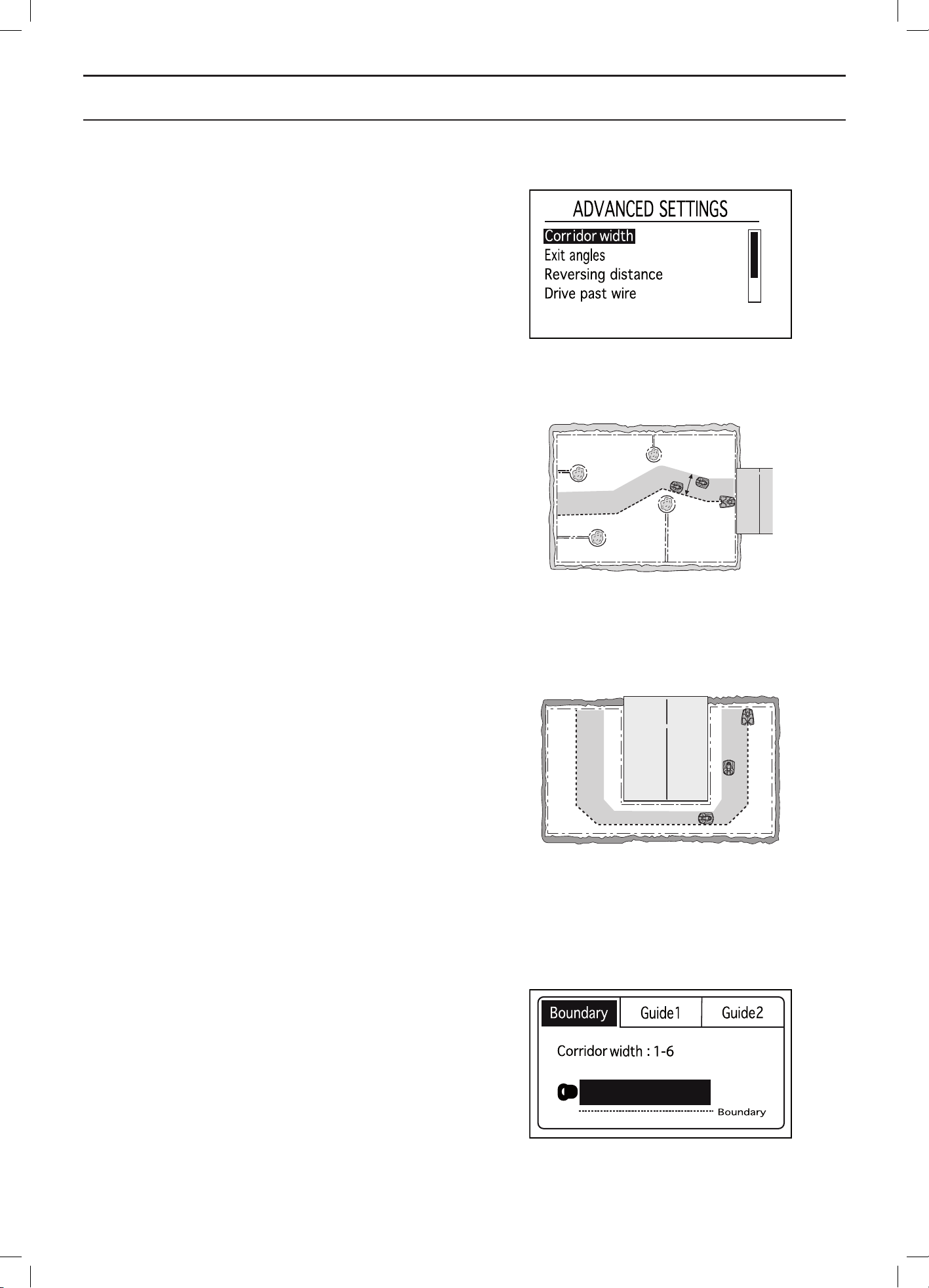
English - 57
MENU FUNCTIONS
Advanced
Under the Advanced heading, there are even more
settings relating to the behaviour of the robotic
lawnmower. The settings in this menu are only required
if additional control of the lawnmower is definitely needed
e.g. in very complex gardens. The factory settings are
selected in way that should suit most working areas.
Corridor width
The corridor width is a measure of how far from the guide
wire/boundary wire the robotic lawnmower is allowed to
travel when it follows this to and from the charging station.
The area beside the wire which the robotic lawnmower
then uses is called the Corridor.
The aim of operating at varying distances from the wire
is reduce the risk of tracks forming. To reduce the risk
of tracks forming, it is recommended to select the widest
corridor possible allowed by the size of the working area.
The robotic lawnmower itself adjusts the corridor width
according to the size of the working area when following
along a guide wire. The inbuilt automatic mechanism
allows the robotic lawnmower to vary the distance from
the wire depending on where in the working area it is
located. It automatically makes the corridor narrower in
narrow passages for instance.
The factory settings can be used for many working
areas, i.e. the robotic lawnmower itself can use the inbuilt
functions to operate in the widest possible corridor.
In more complex gardens e.g. where the guide wire is
placed close to obstacles which cannot be isolated using
the boundary loop, operational safety can be improved by
carrying out some of the manual settings outlined below.
Corridor width > Boundary
Corridor width is specified in intervals from 1-9. The first
number in the interval specifies the shortest distance to
the boundary loop and the second number the longest
distance.
The distance the robotic lawnmower maintains from
the boundary loop varies depending on the layout of
the working area. Use the Test function in Installation >
Lawn Coverage > Overview to test the different values.
Use the number keys to specify the required interval.
The factory setting is 3-6.
3012-1076
3012-1216
3012-1250
3012-1249
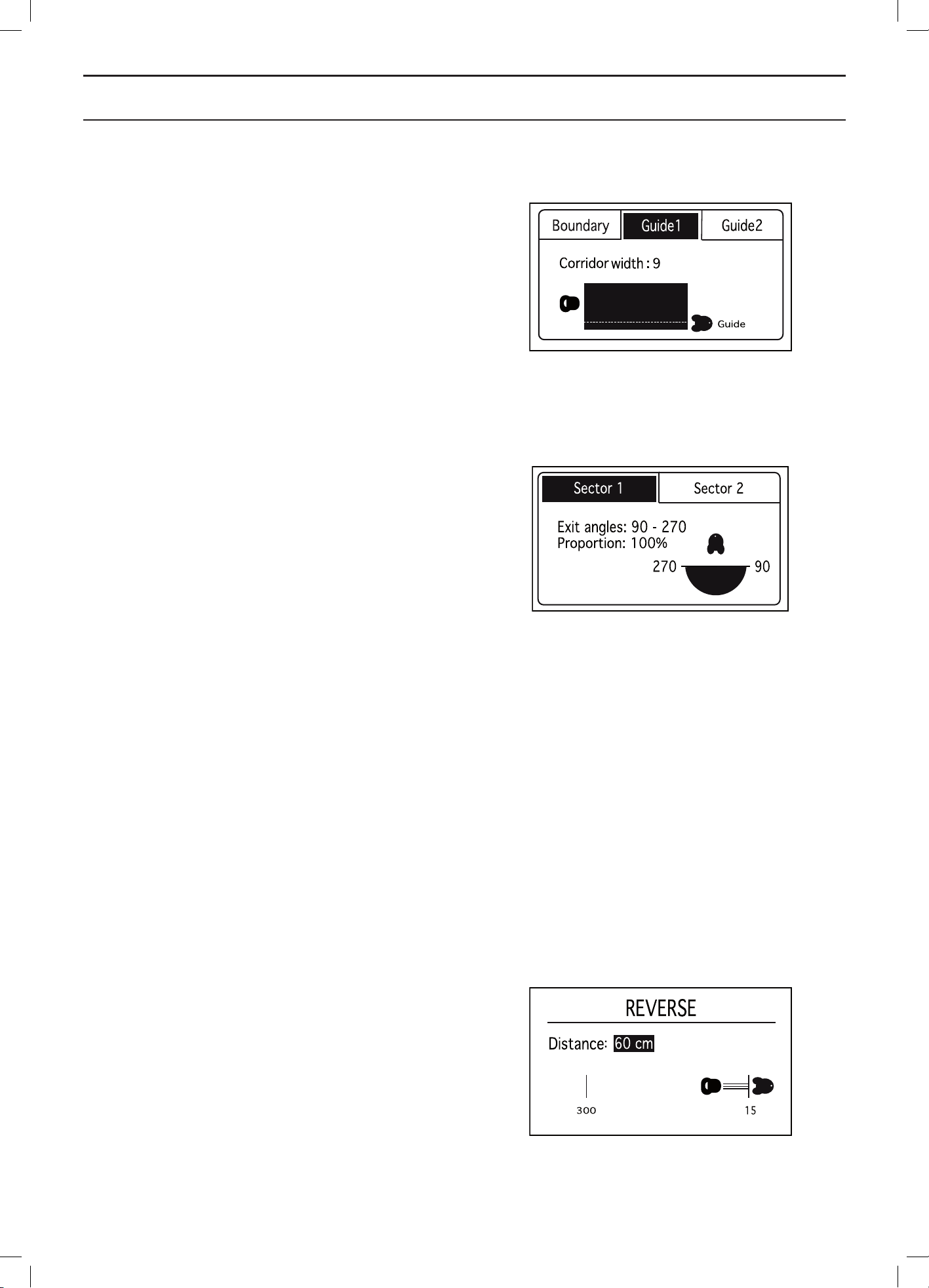
English - 58
MENU FUNCTIONS
Corridor width > Guide
The function Automatic passage handling will
automatically adjust the guide corridor width. If Automatic
passage handling is disabled, manual settings need to be
entered. The corridor width can be set between 0 and 9.
If value 0 is specified, the robotic lawnmower will straddle
the guide wire meaning it runs right over the middle of the
guide wire.
Use the arrow keys to specify the required value.
The factory setting is 9.
Exit angles
Normally the robotic lawnmower leaves the charging
station in a direction within the 90°-270° exit sector.
By changing the exit angles, it makes it easier for the
robotic lawnmower to reach the largest working area if the
charging station is placed in a passage.
Exit angles > Sectors
The robotic lawnmower can be set for one or two exit
sectors. If the charging station is placed in a passage,
two exit angles, for instance 70° - 110° and 250° - 290°,
can be used.
When two exit angles are used, there is a need to also
specify how often the robotic lawnmower must leave
the charging station in sector 1. This is done using the
Proportion function by initially specifying a percentage.
For instance the percentage of 75 % means that the
robotic lawnmower leaves the charging station in Sector 1
on 75% of the times and 25% of the times in sector 2.
Use the number keys to specify the required angles in
degrees for the sectors and proportion as a percentage.
Reversing distance
This function allows you to control how far the robotic
lawnmower has to reverse out of the charging station
before it starts mowing. This is a useful function for
instance if the charging station is placed way in under a
veranda or in another limited space area.
Use the number keys to specify the required reverse
distance in centimetres.
3012-1251
3012-1252
3012-1253
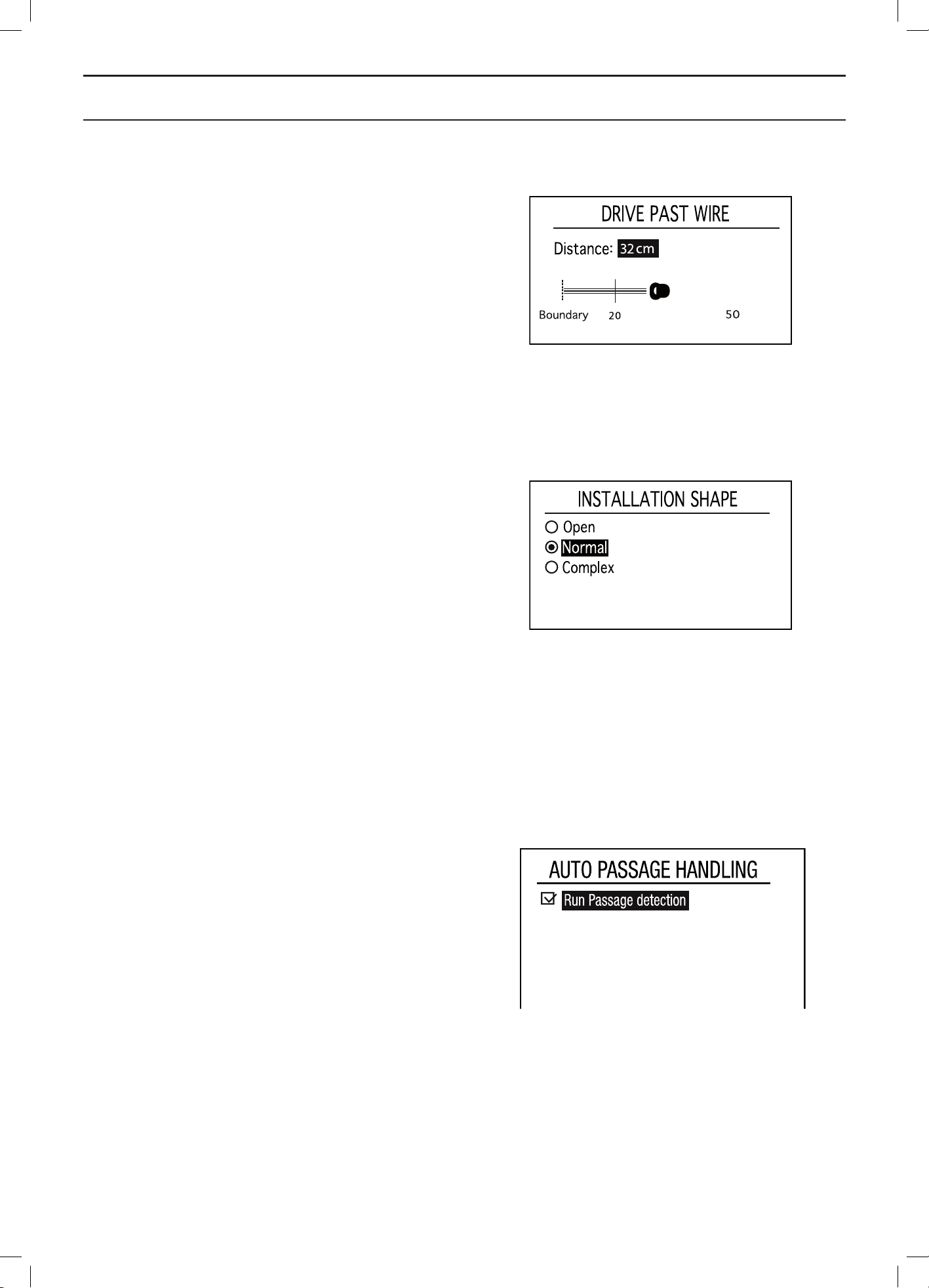
English - 59
MENU FUNCTIONS
Drive past wire
The front of the robotic lawnmower always passes the
boundary wire by a specific distance before the mower
turns around. The default distance is 32 cm, but this can
be changed if required. A figure between 20 and 50 can
be selected.
Note that the distance given is only an approximate value
and should be regarded as a guide. In reality, the actual
distance the robotic mower passes the boundary wire can
vary.
Specify the number of centimetres you want the robotic
lawnmower to pass the boundary wire and press OK.
Installation shape
The robotic lawnmower can be set for one of three garden
shapes: Open, Normal and Complex.
This setting affects how the robotic lawnmower covers
a working area when it mows.
• Open
Suitable in a working area consisting of a large
open lawn area with few obstacles and no
passages or when the mowing result is uneven
in steep slopes.
• Normal
Suitable for most working areas. Designed
for working areas with a moderate number of
obstacles and/or passages.
• Complex
Suitable in working areas with many obstacles
and/or passages.
Automatic passage handling
Automatic passage handling means that the mower
itself regulates the distance (corridor width) from which
it follows the guide wires. If Automatic passage handling
is deactivated, the corridor width settings must be done
manually to let the robotic lawnmower get through all the
passages in the garden.
The factory setting is that Automatic passage handling is
enabled.
3012-568
3012-1254
3012-1255
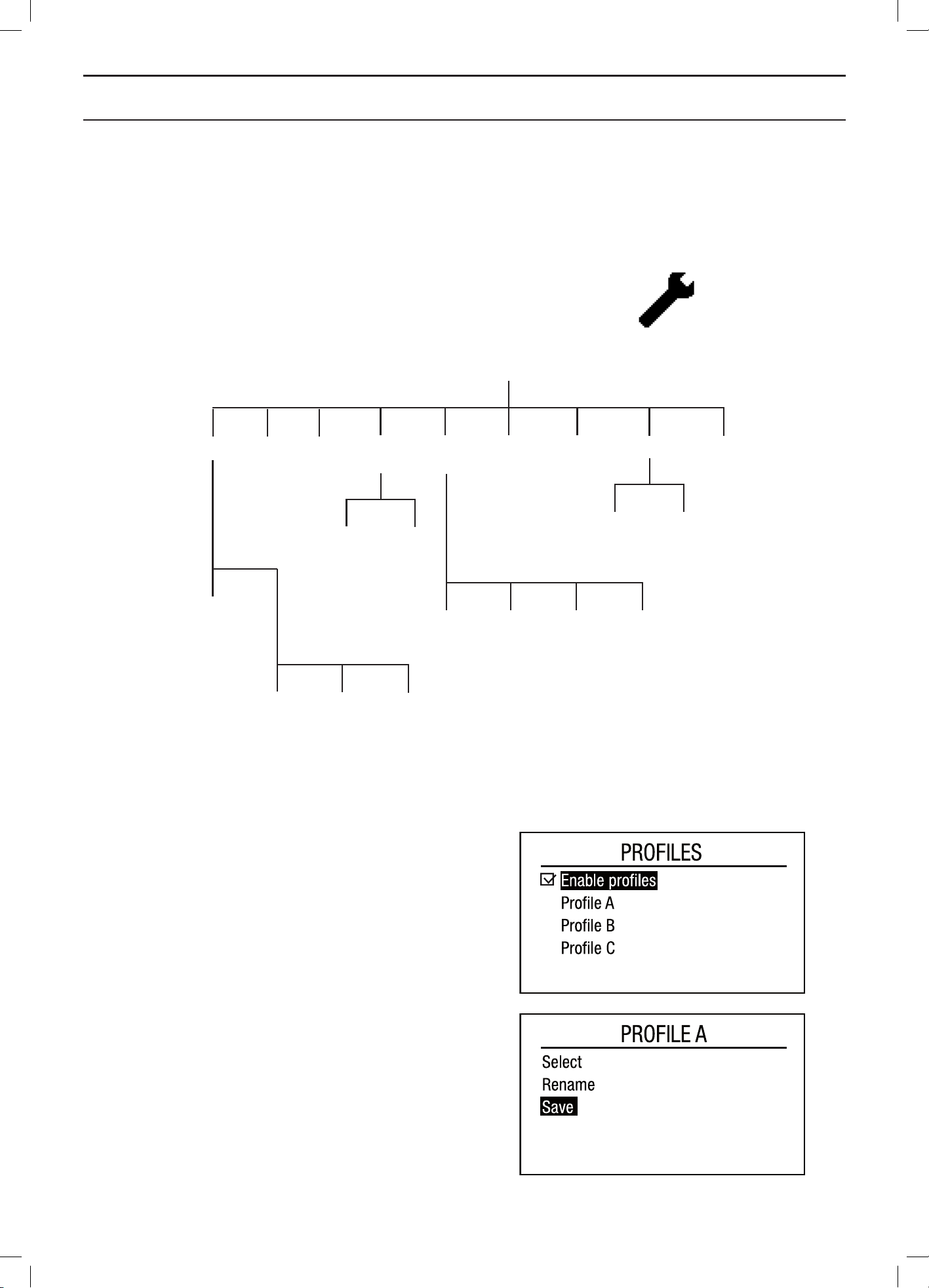
English - 60
MENU FUNCTIONS
6.9 Settings
This selection allows you to carry out changes to the
robotic lawnmower’s general settings.
Profiles
With the function Profiles, different sets of user settings
can be saved. This means that the settings can be easily
stored and reused if the robotic lawnmower for example
will be used in different gardens. Up to three different
profiles can be stored.
Save settings to a Profile
• First make the settings in the mower that will be
stored in the profile.
• Check Enable Profiles and press OK.
• Check the profile to be stored, move the cursor with
the up and down arrow keys.
• Press OK.
• Check Save and press OK, followed by arrow key
left and OK. All user settings are now stored in the
selected profile.
• If settings that are not stored to the profile are made,
the symbol * is shown next to the profile name.
Profiles
Change name SaveUse
On/Off
Settings
Time &
date
Spiral
cutting
ECO
mode
Country
Cutting
height
calibration
Guide wire
calibration
Reset
all user
settings
IntensityOn/Off
Set time Set date Time format Date format
Language
3012-572
3012-574
Calibration
About
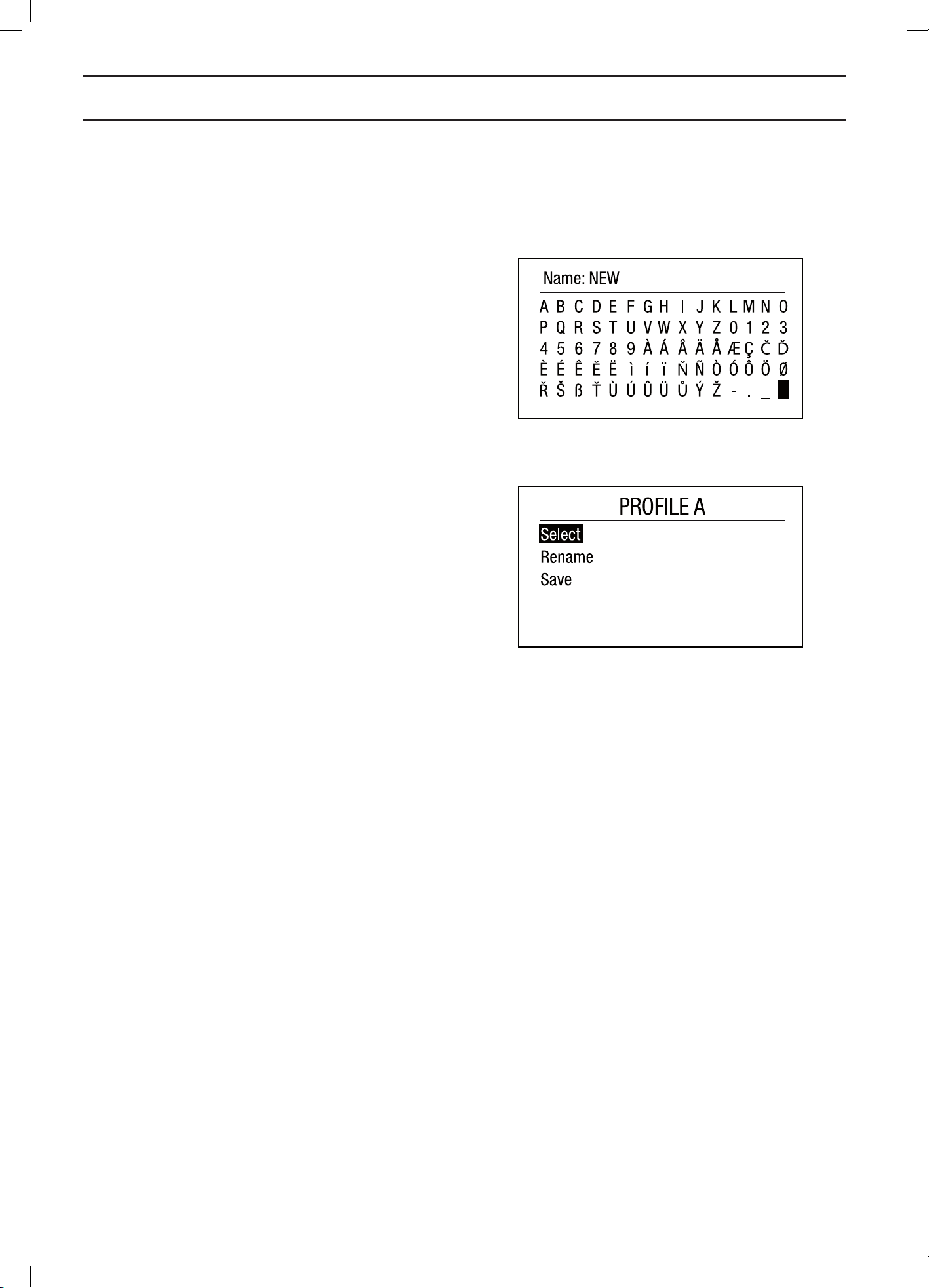
English - 61
MENU FUNCTIONS
Change the name of a profile
The names of the profiles can be changed, to make
it easier to remember what settings are stored in the
respective profile.
• Check the profile name to be changed
• Press OK
• Check Rename and press OK.
• Move the cursor withe the arrow keys. Press OK to
select a letter. Press BACK to save the new name.
• The names of the profiles will be shown in the menu
Settings - Profiles. The name of the selected profile is
also visible on the start page.
Use a Profil
To activate and use a profile, and thus use the saved
settings, the following action must be taken.
• Check the profile to activate.
• Press OK.
• Check Use and press OK.
The robotic lawnmower will now use the settings stored in
the profile.
One Automower
®
for several gardens
The unique connection between the mower and the
charging station is saved in the profiles. This enables up
to three charging stations to be connected to the same
robotic lawnmower.
To connect a new charging station to the robotic
lawnmower:
• First save a profile to be used with the original
charging station.
• Then set the mower in the new charging station that
will be connected to the mower.
• Check New loop signal, See 6.5 Security on page 46
• Save a profile for the new charging station.
To use the robotic lawnmower in the original charging
station, the first profile must now be selected. To use the
robotic lawnmower in the new charging station, that profile
must be selected.
For optimal function, the GPS assisted navigation should
be switched off for all extra installations and only be used
on the main installation. To switch off the GPS assisted
navigation, See 6.8 Installation on page 50.
3012-576
3012-575
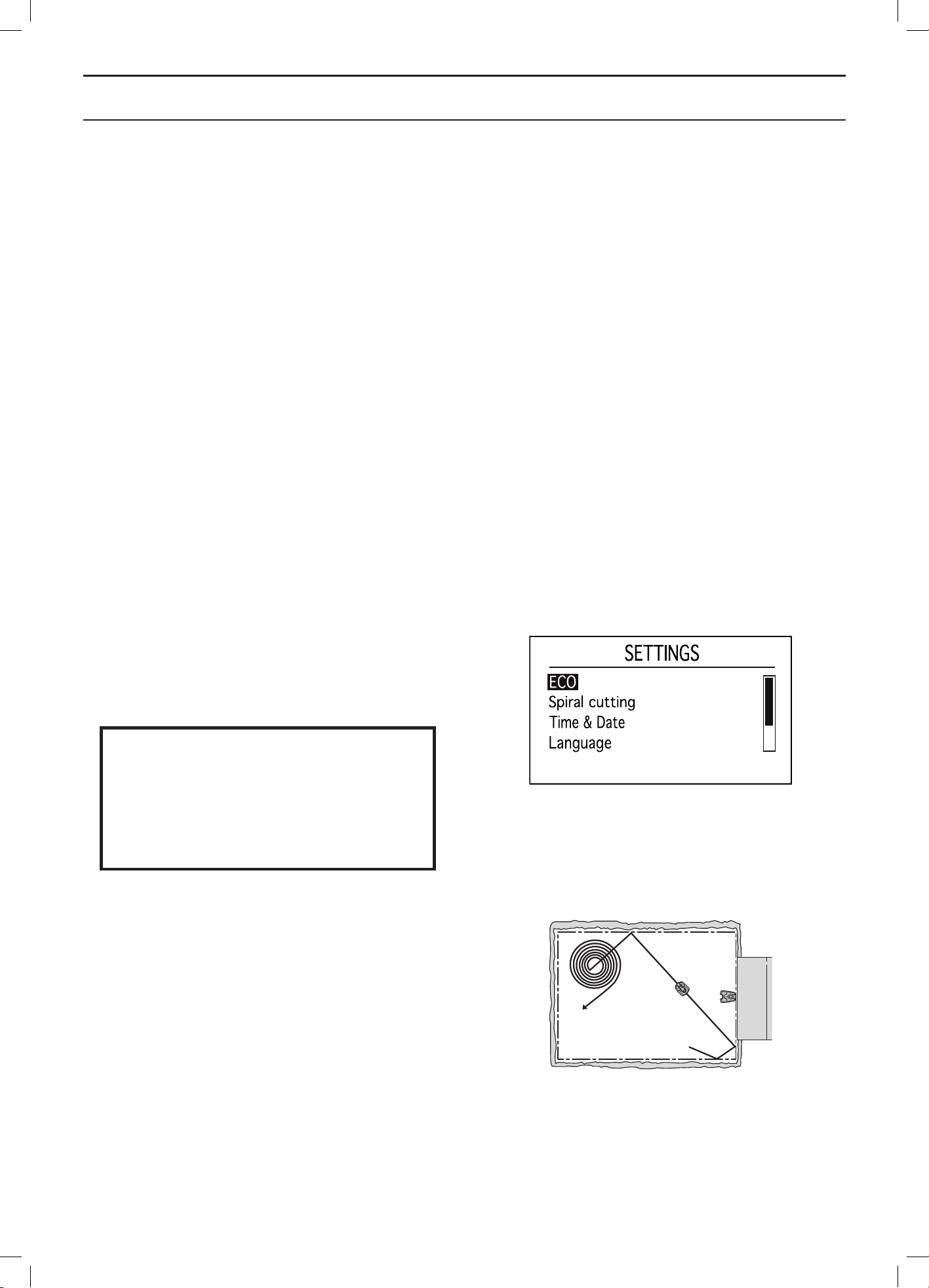
English - 62
MENU FUNCTIONS
About
The About menu displays information about the robotic
lawnmower’s model, serial number and the different
softwares.
ECO
This function automatically turns off the loop signal in the
boundary loop, the guide wires and the charging station
when the robotic lawnmower is not mowing, i.e. when the
lawnmower is charging or is not allowed to mow due to
timer settings.
ECO is suitable to use where there is other wireless
equipment not compatible with the robotic lawnmower
e.g. certain hearing loops or garage doors.
When the loop signal is turned off due to the ECO mode,
the indicator lamp in the charging station flashes green.
When the indicator lamp flashes green the robotic
lawnmower can only be started in the charging station
and not out in the working area.
In ECO mode, it is very important to always press the
STOP button before removing the robotic lawnmower
from the charging station. In ECO mode it is otherwise not
possible to start the robotic lawnmower. If the lawnmower
has been removed by mistake without first pressing the
STOP button, the lawnmower must be placed back in the
charging station and the STOP button pressed. Only then
can the robotic lawnmower be started inside the working
area.
IMPORTANT INFORMATION
Always press the STOP button before
removing the robotic lawnmower from the
charging station. In ECO mode the robotic
lawnmower otherwise will not be started
inside the working area.
Select Run ECO and press OK to activate ECO mode.
Spiral cutting
If the robotic lawnmower enters an area where it senses
the grass is longer than average, it can change the
movement pattern. It can then mow in a spiral pattern
to faster cut the area of longer grass.
3012-1218
3012-1256

English - 63
MENU FUNCTIONS
Spiral cutting
To activate spiral cutting use the up arrow key to select
On.
Intensity
The level of sensitivity can be adjusted to set how much
over the average height the grass has to be for spiral
cutting to begin.
Low sensitivity means that spiral cutting begins less often.
High sensitivity means that spiral cutting begins more
often.
Time & Date
This function allows you to set current time and required
time format in the robotic lawnmower.
Time
Enter the correct time and press OK to exit.
Time format
Move the cursor to the required time format: 12h/24h
Exit by pressing OK.
Date
Enter current date and press OK to exit.
Date format
Place the cursor at the required date format:
YYYY-MM-DD (year-month-day)
MM-DD-YYYY (month-day-year)
DD-MM-YYYY (day-month-year)
Exit by pressing OK.
Language
Set the language displayed in the menus with this
function.
Place the cursor at the required language and press OK.
Country
With this function you can select in what country the
robotic lawnmower will work.
Place the cursor at the required country and press OK.
Calibration
Cutting height calibration
The cutting height may need to be calibrated in rare
cases. This should only be done if the robotic lawnmower
itself requests it or if your dealer recommends it.
The cutting height adjustment is then carried out

English - 64
MENU FUNCTIONS
automatically to minimum and maximum height and back
to the selected cutting height.
1. Select Cutting height calibration and press OK.
2. Await a message stating that the calibration
is complete.
Calibration of guide wire
The guide wire may need to be calibrated in rare cases.
This should only be done if the robotic lawnmower itself
requests it or if your dealer recommends it.
1. Park the robotic lawnmower in the charging
station.
2. Select Guide calibration and press OK.
3. The robotic lawnmower reverses out of the
charging station and runs a calibration process
over the guide wire after which it begins to mow.
Reset all user settings
This function allows you to reset the robotic lawnmower
to the default settings it had when it left the factory.
The following settings are reset:
• Timer
• Lawn coverage
• Security level
• ECO mode
• Messages
• Weather timer
The following settings are not altered:
• PIN code
• Loop signal
• Language
• Date & Time
1. Select Reset all user settings in the menu and
press OK.
2. Confirm by pressing OK.
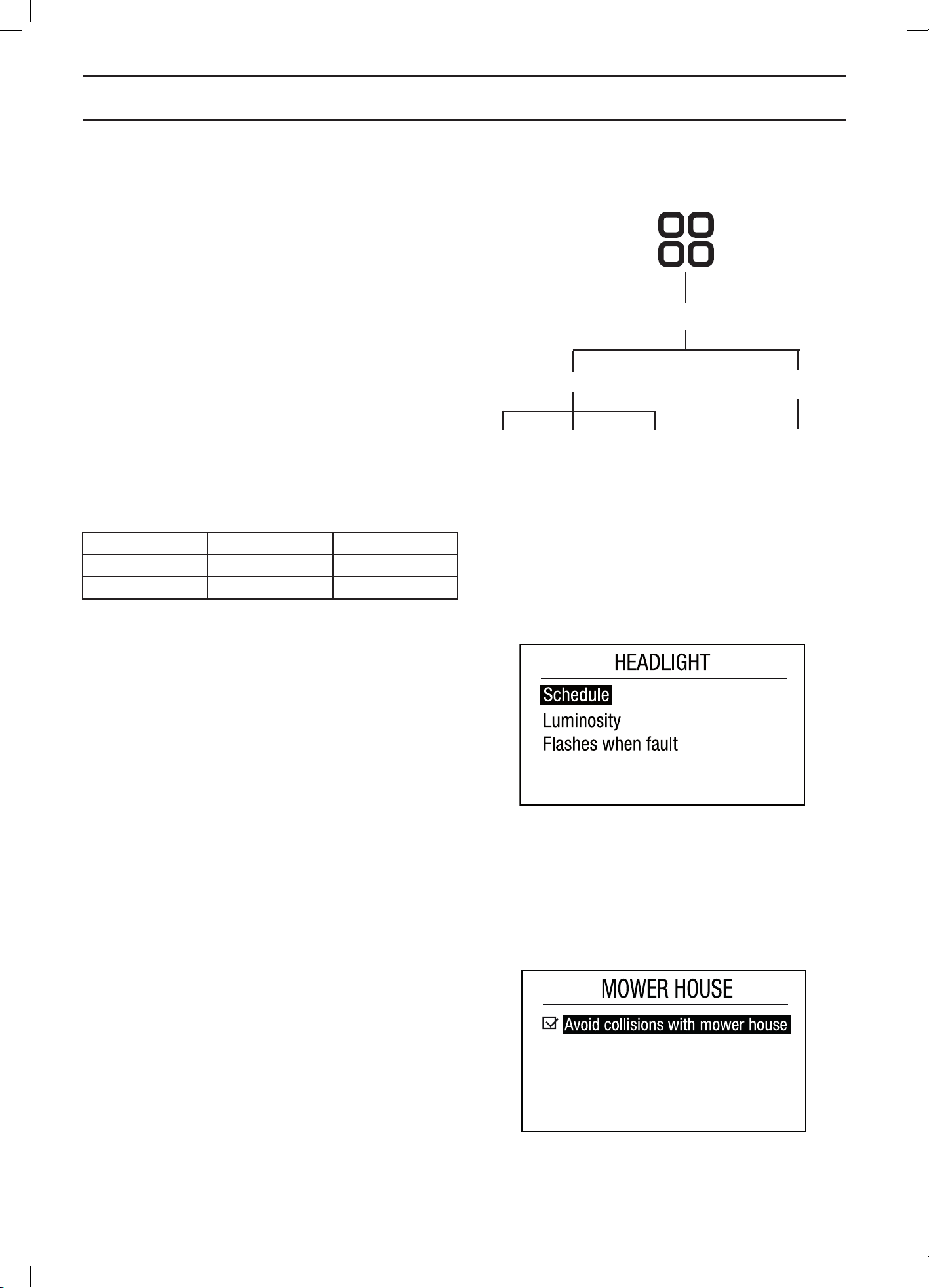
English - 65
MENU FUNCTIONS
6.10 Accessories
This menu is used for the settings related to accessories
fitted on the mower.
Headlight
In this function, settings regarding headlight are made.
Headlight can only be fitted as accessories on the
Automower
®
330X.
Schedule
In sub menu Schedule, you select when the headlight will
be turned on. Select between Always ON, Only Evening,
Evening & night or Always OFF.
At the following times the headlights are switched on and
off for the different schedule options:
Switched on Switched off
Evenings only At sunset Midnight
Evening & night At sunset At sunrise
Luminosity
In the sub menu Luminosity, you select the intensity of
the headlights. Select between High and Low.
Flashes when fault
If Flashes when fault is activated, the headlights will flash
if the robotic lawnmower has stopped becuase of an error.
Mower house
This function handles the settings for the mower house.
Avoid collisions with mower house
If this option is selected, the wear on the mower and the
house is reduced, but it can result in more uncut grass
around the charging station.
3012-571
3012-578
Schedule Flashes when
fault
Luminosity
Accessories
Headlight
Mower house
Avoid collisions
with mower house
English - 66
GARDEN EXAMPLES
7 Garden examples
- Installation proposals and
settings
Adapting the robotic lawnmower’s settings and guide wire
positions according to the shape of the garden makes
it easier for the robotic lawnmower to frequently reach
all parts of the garden and in doing so achieve a perfect
mowing result.
Different gardens may require different settings. The
following pages outline a number of examples of gardens
with installation proposals and settings.
For more detailed information about the different settings,
see 6 Menu functions on page 40.
There is more installation help on www.automower.com.
The
IMPORTANT INFORMATION
The default setting for the robotic lawn-
mower has been chosen to work in as
many different gardens as possible. The
settings only need to be adjusted when
special installation conditions exist.
recommended timer settings in the following garden
examples are applicable to Automower® 320. The
operating time for Automower® 330X can be reduced
by a third as Automower® 330X offers greater capacity.
For instance if a garden example below recommends
operation 6 days a week one should select to mow 4 days
a week instead with Automower® 330X.
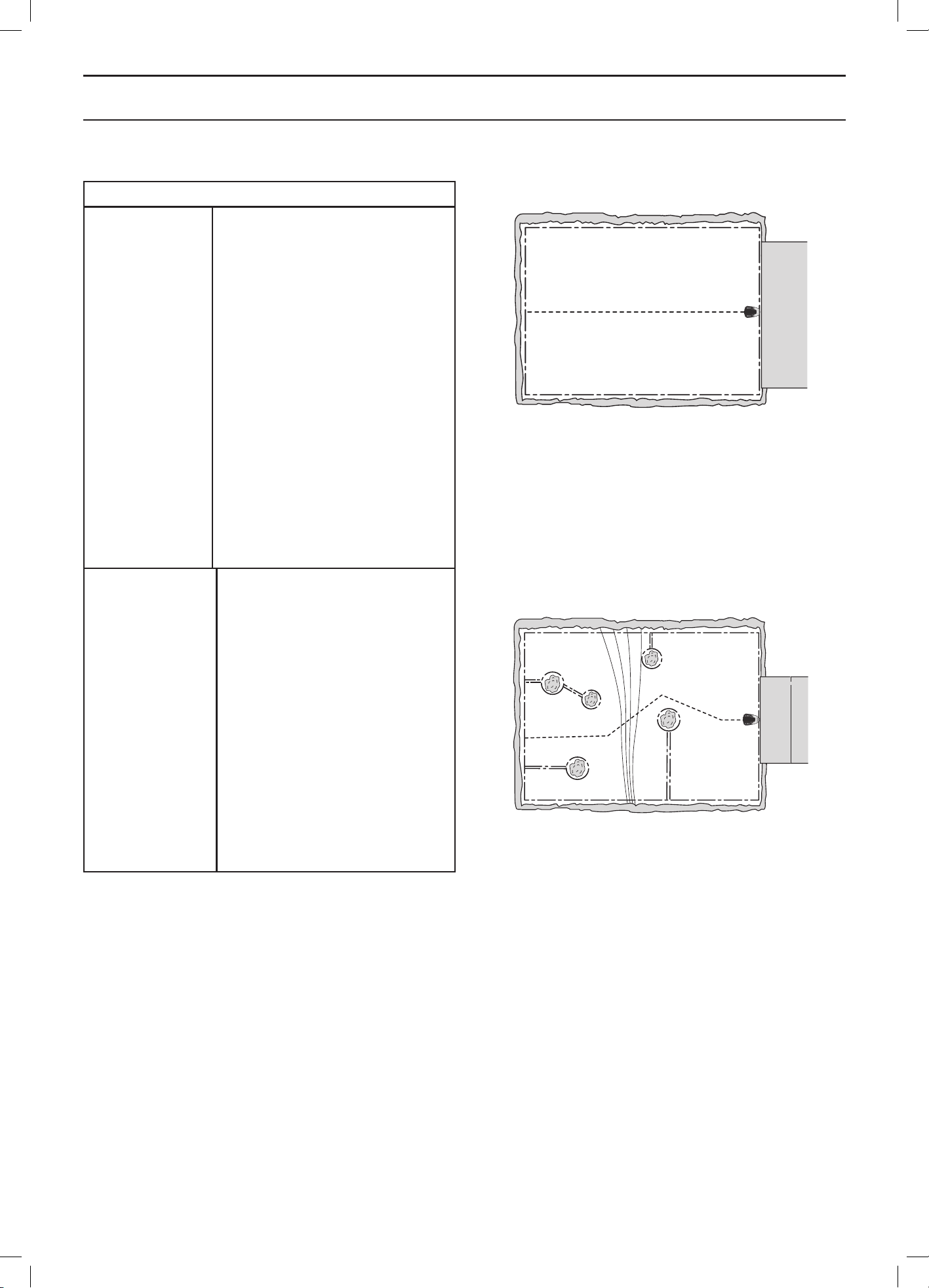
English - 67
GARDEN EXAMPLES
Installation proposals and settings
Area
Timer
Lawn coverage
Find charging
station
Remarks
150 m
2
. Open and level area.
08:00-12:00
Monday, Wednesday, Friday
Factory setting
Factory setting
The timer should be used to
prevent the grass looking trampled
since the area is significantly less
than the maximum capacity of the
robotic lawnmower.
As the area is open and
uncomplicated there is no need for
a guide wire in this installation.
Area
Timer
Lawn coverage
Find charging
station
Remarks
500 m
2
. A number of islands and
a 35% slope.
08:00-16:00
Monday, Tuesday, Thursday,
Friday, Saturday
Factory setting
Factory setting
Lay the guide wire at an angle
over the steep slope.
3012-979
3012-977
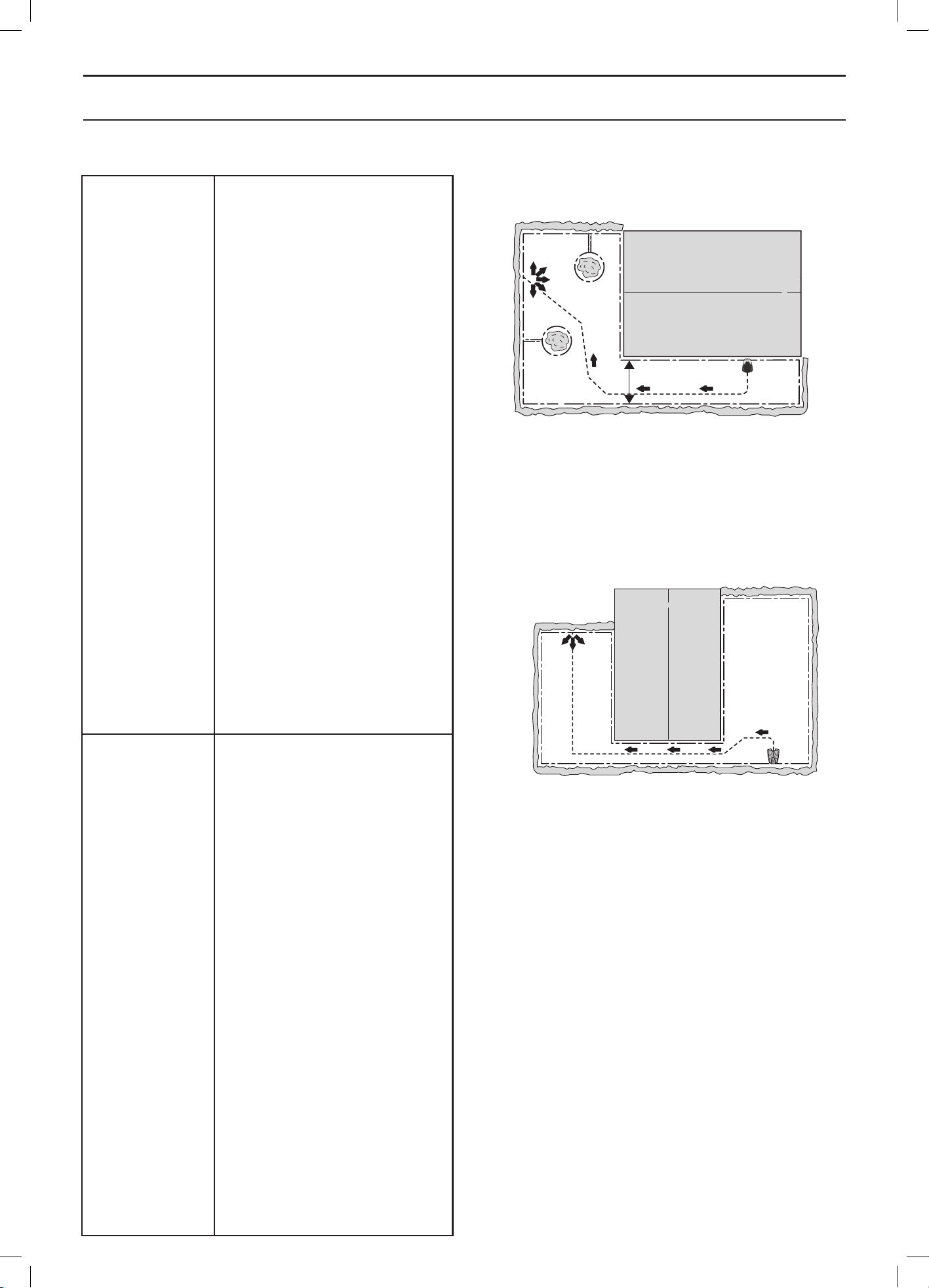
English - 68
GARDEN EXAMPLES
Area
Timer
Lawn coverage
Find charging
station
Remarks
800 m
2
. L-shaped garden with
charging station installed in the
narrow area. Contains a couple
of islands.
08:00-20:00
Monday, Tuesday, Thursday,
Friday, Saturday
Automower
®
320:
Guide 1 Proportion 60%
Automower® 330X: Factory setting
Factory setting
The Proportion for Guide 1
must be specified as a value
corresponding to the largest
part of the working area as
most of the working area can
easily be reached by the robotic
lawnmower following the guide
wire out from the charging station.
The factory setting for
Automower® 330X can be used,
as the GPS assisted navigation
automatically carries out the
necessary settings.
Area
Timer
Lawn coverage
Find charging
station
Remarks
1,000 m
2
. U-shaped garden linked
with a narrow passage.
08:00 - 22:00
Monday to Saturday
Automower
®
320:
Guide 1 Proportion 40%
Automower® 330X: Factory setting
Factory setting
The guide wire must be placed
along the narrow passage to
ensure the robotic lawnmower
can with ease locate the left
hand side of the working area.
Proportion 40% is selected as the
left hand area is nearly half of the
total area.
The factory setting for
Automower® 330X can be used,
as the GPS assisted navigation
automatically carries out the
necessary settings.
3012-982
3012-1213
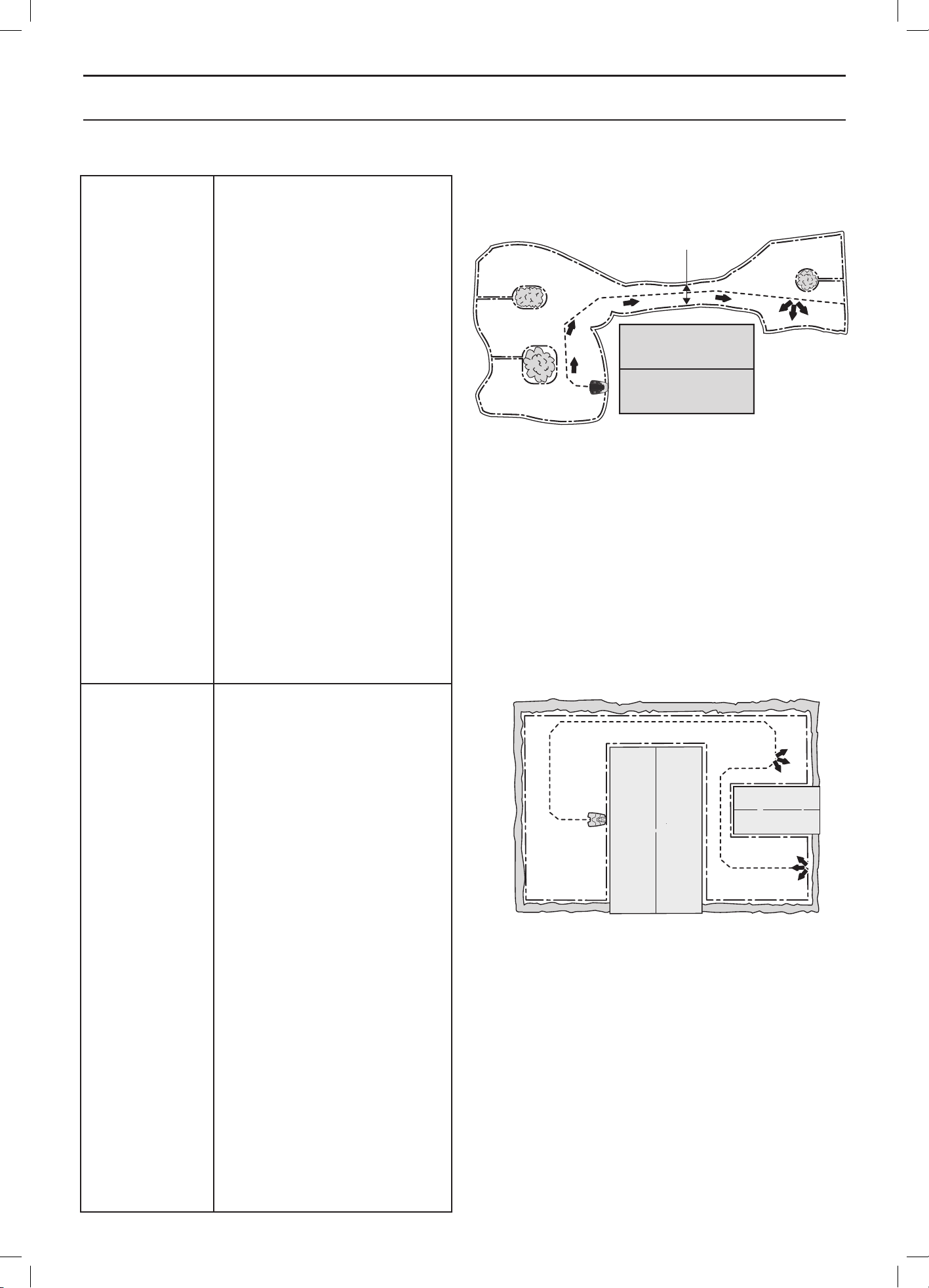
English - 69
GARDEN EXAMPLES
Area
Timer
Lawn coverage
Find charging
station
Remarks
800 m
2
. Unsymmetrical working
area with a narrow passage and
a number of islands.
08:00-20:00
Monday, Tuesday, Thursday,
Friday, Saturday
Automower® 320: Area 1 Guide 1
Proportion 30%
Automower® 330X: Factory
setting
Factory setting
The guide wire must be placed
along the narrow passage
to ensure that the robotic
lawnmower can with ease locate
the charging station from the right
hand side of the working area. As
the right hand area is only a small
part of the working area, the Lawn
coverage factory settings can be
used.
Area
Timer
Lawn coverage
Find charging
station
Remarks
800 m
2
. Three areas linked with
two narrow passages.
08:00-20:00
Monday, Tuesday, Thursday,
Friday, Saturday
Automower® 320:
Area 1 Guide 1 Proportion 25%
Area 2 Guide 1 Proportion 25%
Automower® 330X:
Factory setting
Factory setting
As the working area contains
several areas linked by narrow
passages, Lawn coverage must
be used to create several areas
to obtain an even mowing result
across the entire working area.
The factory setting for
Automower® 330X can be used,
as the GPS assisted navigation
automatically carries out the
necessary settings.
3012-978
3012-1335
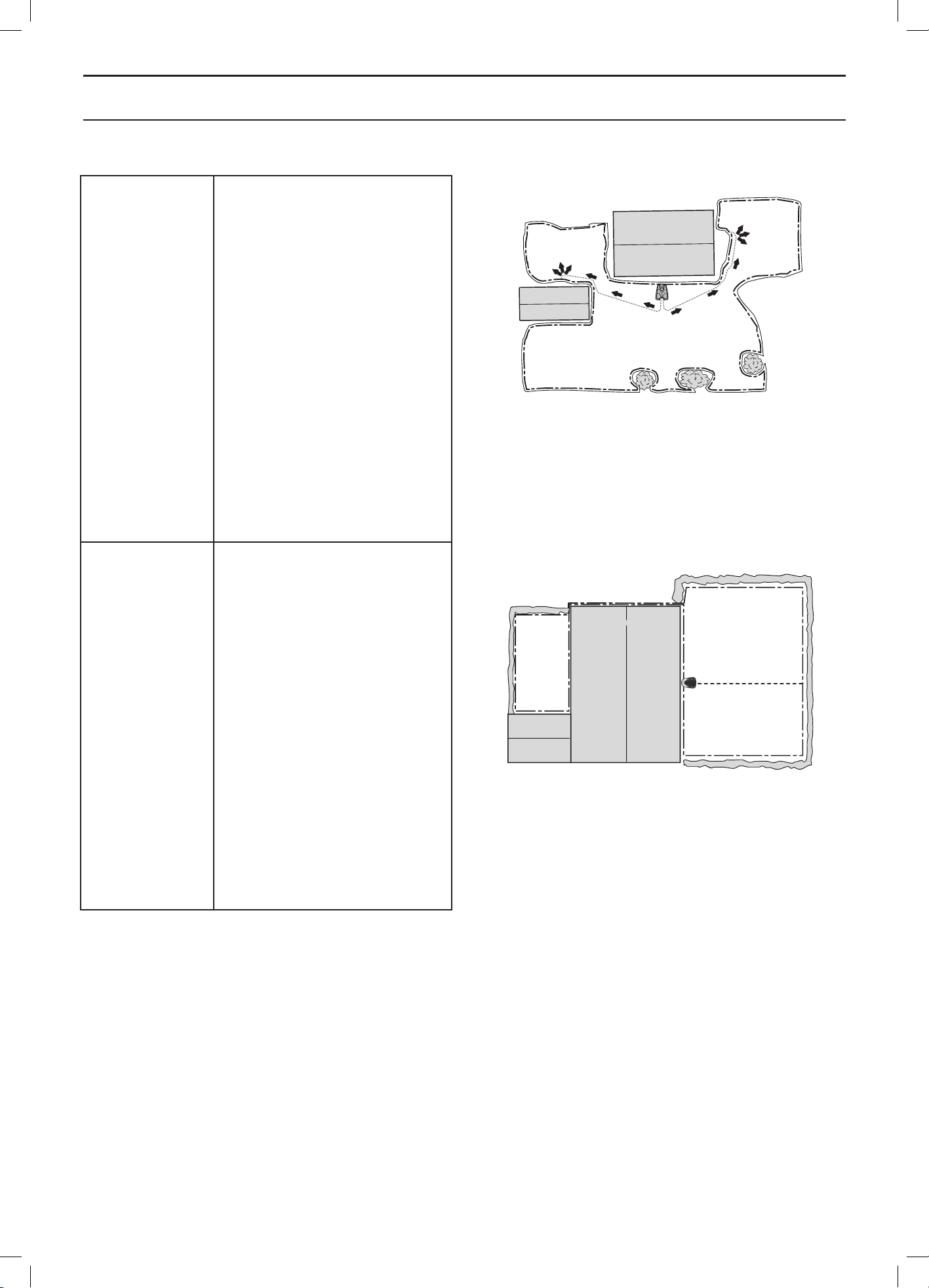
English - 70
GARDEN EXAMPLES
Area
Timer
Lawn coverage
Find charging
station
Remarks
NOTE! This example applies to
Automower® 330X only.
1,000 m
2
. Three areas of which
two smaller areas are connected
with the larger one, each by
a narrow passage.
08:00-22:00
Monday to Saturday
Factory setting
Factory setting
As the installation requires
2 guide wires, this working area is
not suitable for Automower® 320.
Area
Timer
Lawn coverage
Find charging
station
Remarks
500 m
2
+ 100 m
2
in a secondary
area.
08:00-16:00
Monday, Tuesday, Thursday,
Friday, Saturday
Factory setting
Factory setting
The secondary area is cut using
the Secondary area mode on
Wednesday and Sunday.
As the area is open and
uncomplicated there is no need
for a guide wire in this installation.
3018-064
3012-1212
English - 71
MAINTENANCE
8 Maintenance
For better operating reliability and longer service life: check
and clean the robotic lawnmower regularly and replace
worn parts if necessary. See 8.4 Cleaning on page 73 for
more details on cleaning.
When the robotic lawnmower is first used, the blade
disc and blades should be inspected once a week. If
the amount of wear during this period has been low, the
inspection interval can be increased.
It is important that the blade disc rotates easily. The edges
of the blades should not be damaged. The lifetime of the
blades varies immensely and depends for instance on:
• Operating time and size of the working area.
• Type of grass.
• Type of soil.
• The presence of objects such as cones, windfalls,
toys, tools, stones, roots and the like.
The normal life is 2 to 6 weeks when used in areas more
than 1,500 m
2
in size and longer for smaller areas. See 8.7
Blades on page 75 on how to replace the blades.
IMPORTANT INFORMATION
Working with blunt blades gives a poorer
mowing result. The grass is not cut clean-
ly and more energy is needed resulting in
the robotic lawnmower not mowing such
a large area.
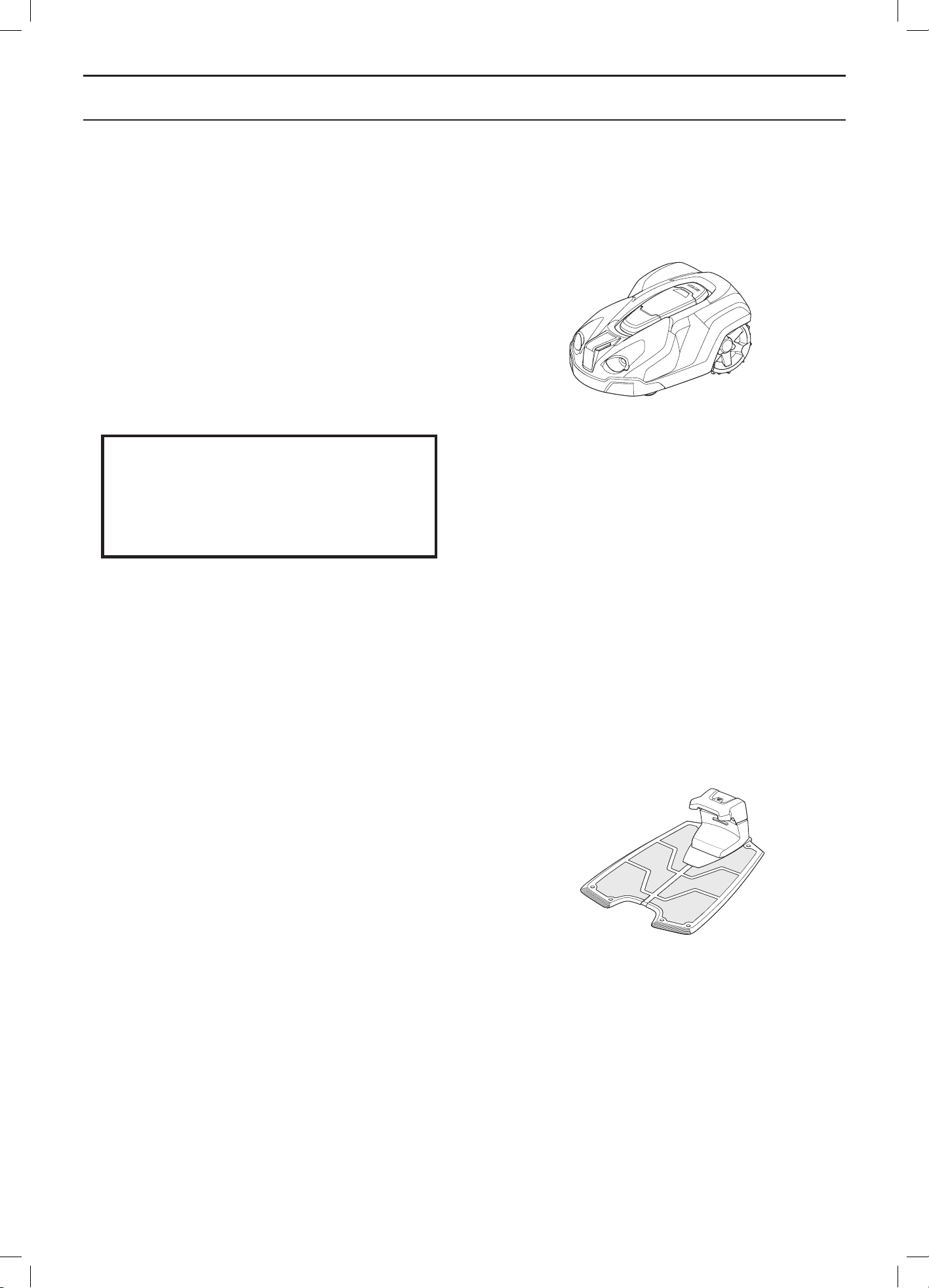
English - 72
MAINTENANCE
8.1 Winter storage
The robotic lawnmower
The robotic lawnmower must be cleaned carefully before
putting it away for the winter. See 8.4 Cleaning on page 73.
To guarantee battery functionality and service life, it is
very important to fully charge the robotic lawnmower
before storing it away for the winter. Place the robotic
lawnmower in the charging station with the hatch open
until the battery icon in the display shows that the battery
is fully charged. Then set the main switch to 0.
IMPORTANT INFORMATION
The battery must be charged fully before
winter storage. If the battery is not fully
charged it can be damaged and in certain
cases be rendered useless.
Check the condition of wear items such as blades and
bearings in the front wheels. Rectify if necessary to make
sure the robotic lawnmower is in good condition prior to
next season.
Store the robotic lawnmower in a dry, frost-free
environment. A wall bracket specially designed for
Automower
®
robotic lawnmowers and charging stations is
available. The wall bracket works great for winter storage.
Contact your dealer for more information.
The charging station
Store the charging station and transformer indoors.
The boundary loop and the guide wire can be left in the
ground. The ends of the wires should be protected from
damp by connecting them to an original coupler or putting
them in a container with grease for instance.
If it is not possible to store the charging station indoors,
the charging station must be connected to the mains, the
boundary wire and the guide wires the entire winter.
8.2 Winter service
Leave your robotic lawnmower with a dealer for service
prior to winter storage. Regular winter service is a good
way to maintain the robotic lawnmower in good condition
over a long period of time and create the best conditions
for a new season without any disruptions.
3012-1040
3012-1041
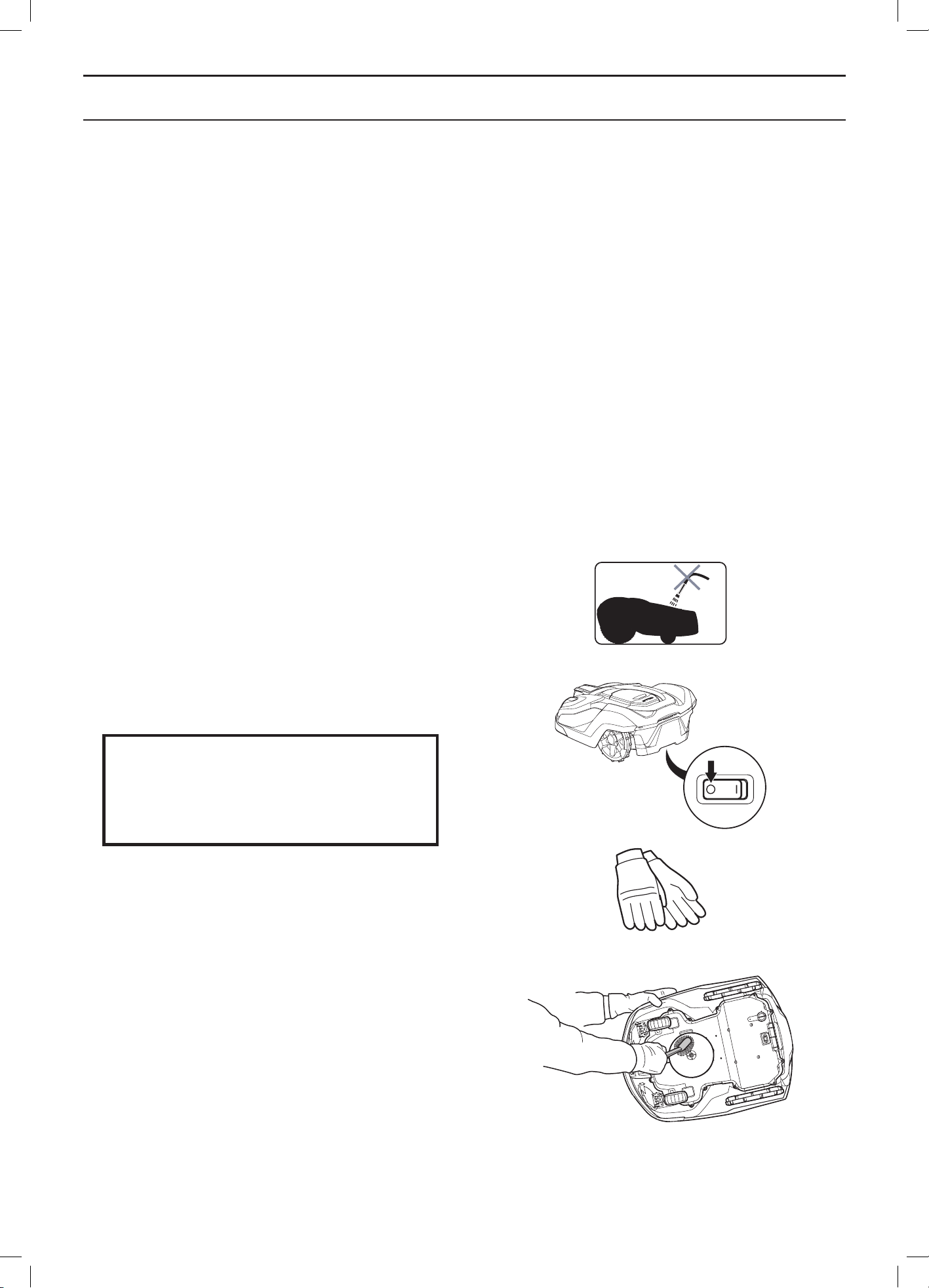
English - 73
MAINTENANCE
Service usually includes the following:
• Thorough cleaning of the body, the chassis, the blade
disc and all other moving parts.
• Testing of the mower’s function and components.
• Checking and if required replacement of wear items
such as blades and bearings.
• Testing the mower’s battery capacity as well as
a recommendation to replace battery if necessary.
If necessary the dealer can also update the robotic
lawnmower with new software, including new features
where applicable.
8.3 After winter storage
Check whether the robotic lawnmower, contact strips or
charging strips need to be cleaned before using. If the
charging or contact strips appear to be burnt or coated,
clean them using fine grade emery cloth. Check that the
mower’s time and date are correct.
8.4 Cleaning
It is important to keep the robotic lawnmower clean.
A robotic lawnmower with a lot of grass stuck to it will
find it harder to travel up slopes, perform worse and be
exposed to greater wear and tear. It is recommended to
clean using a soft brush.
IMPORTANT INFORMATION
Never use a high-pressure washer or even
running water to clean the robotic lawn-
mower. Never use solvents for cleaning.
Chassis and blade disc
1. Set the main switch to position 0.
2. Wear protective gloves.
3. Lift the robotic lawnmower onto its side.
4. Clean the blade disc and chassis using e.g. a dish
brush.
Check at the same time that the skid plate rotates freely
in relation to the blade disc.
If long blades of grass or other objects find their way in,
these may impede the blade disc. Even a slight braking
effect leads to a higher consumption of energy and
longer mowing times, and at worst will prevent the robotic
lawnmower from being able to mow a large lawn. The
blade disc must be removed to carry out a more thorough
cleaning. If necessary, contact your dealer.
3012-271
3012-272
3012-1067
3012-1060
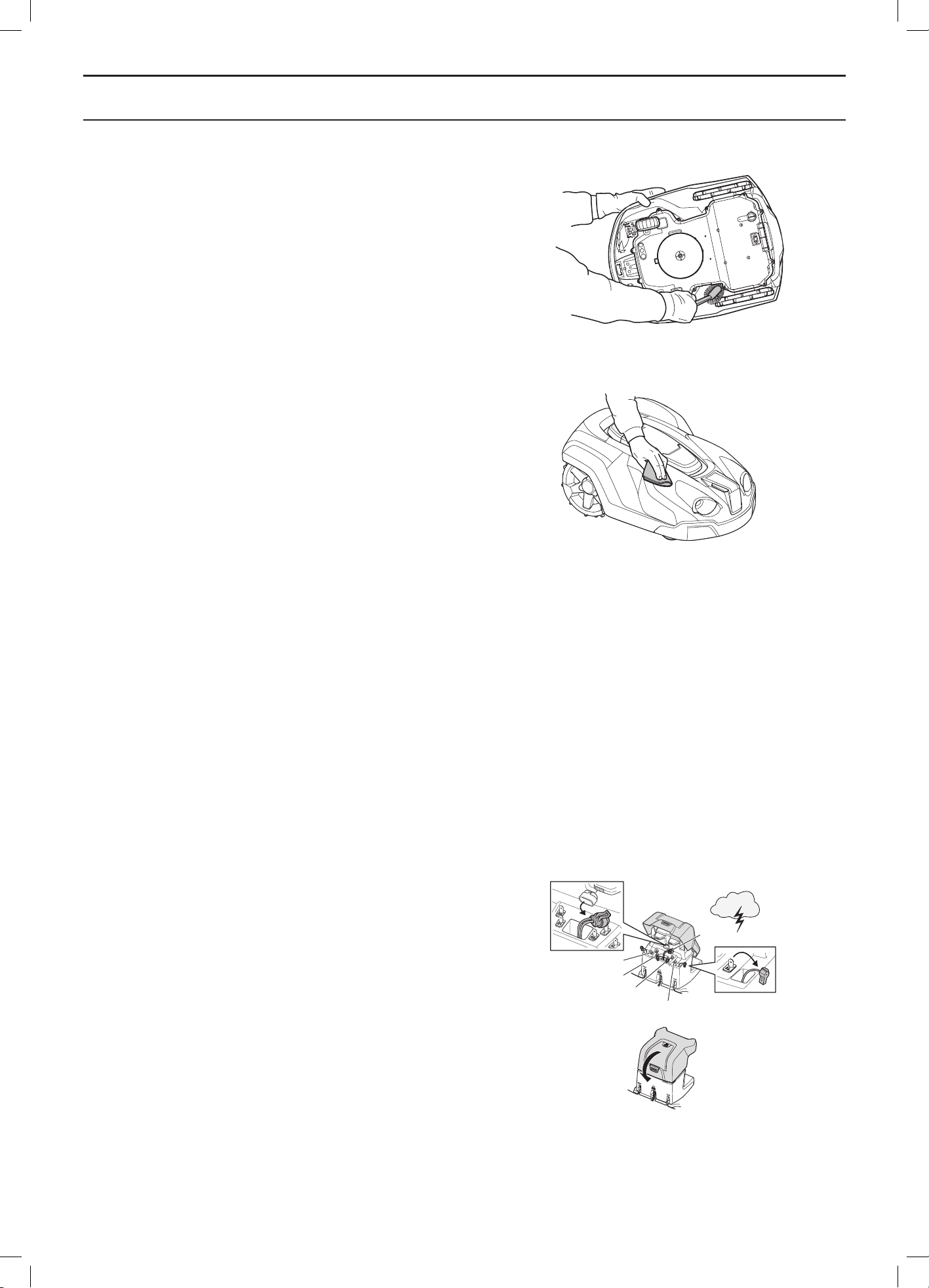
English - 74
MAINTENANCE
Chassis
Clean the underside of the chassis. Brush or wipe with
a damp cloth.
Wheels
Clean around the front wheel and rear wheels as well as
the front wheel bracket.
Body
Use a damp, soft sponge or cloth to clean the body. If
the body is very dirty it may be necessary to use a soap
solution or washing-up liquid.
Charging station
Clean the charging station regularly from grass, leaves,
twigs and other objects that may impede docking.
8.5 Transport and moving
Secure the machine during transport. It is important that
the robotic lawnmower does not move when it is being
transported, for instance, between lawns.
The contained lithium-ion-batteries are subject to the
Dangerous Goods Legislation requirements.
For commercial transports e.g. by third parties,
forwarding agents, special requirement on packaging and
labeling must be observed.
For preparation of the item being shipped, consulting an
expert for hazardous material is required. Please also
observe possibly more detailed national regulations.
Tape or mask off open contacts and pack up the battery
in such a manner that it cannot move around in the
packaging.
8.6 In the event of a thunderstorm
To reduce the risk of damage to electrical components
in the robotic lawnmower and its charging station, we
recommend that all connections to the charging station
are disconnected (power supply, boundary wire and guide
wires) if there is a risk of a thunderstorm.
1. Make sure the wires are marked with the supplied
markers to simplify reconnecting. The charging
station’s connections are marked AR, AL, G1, G2.
2. Disconnect all wires.
3. Close the cover to the charging station to protect
the connections from rain.
4. Connect all the wires if there is no longer a risk
of thunder. It is important that each wire is
connected to the right place.
3012-1069
1.
2.
AR
G1
G2
AL
Power
3012-1095b
3012-1068
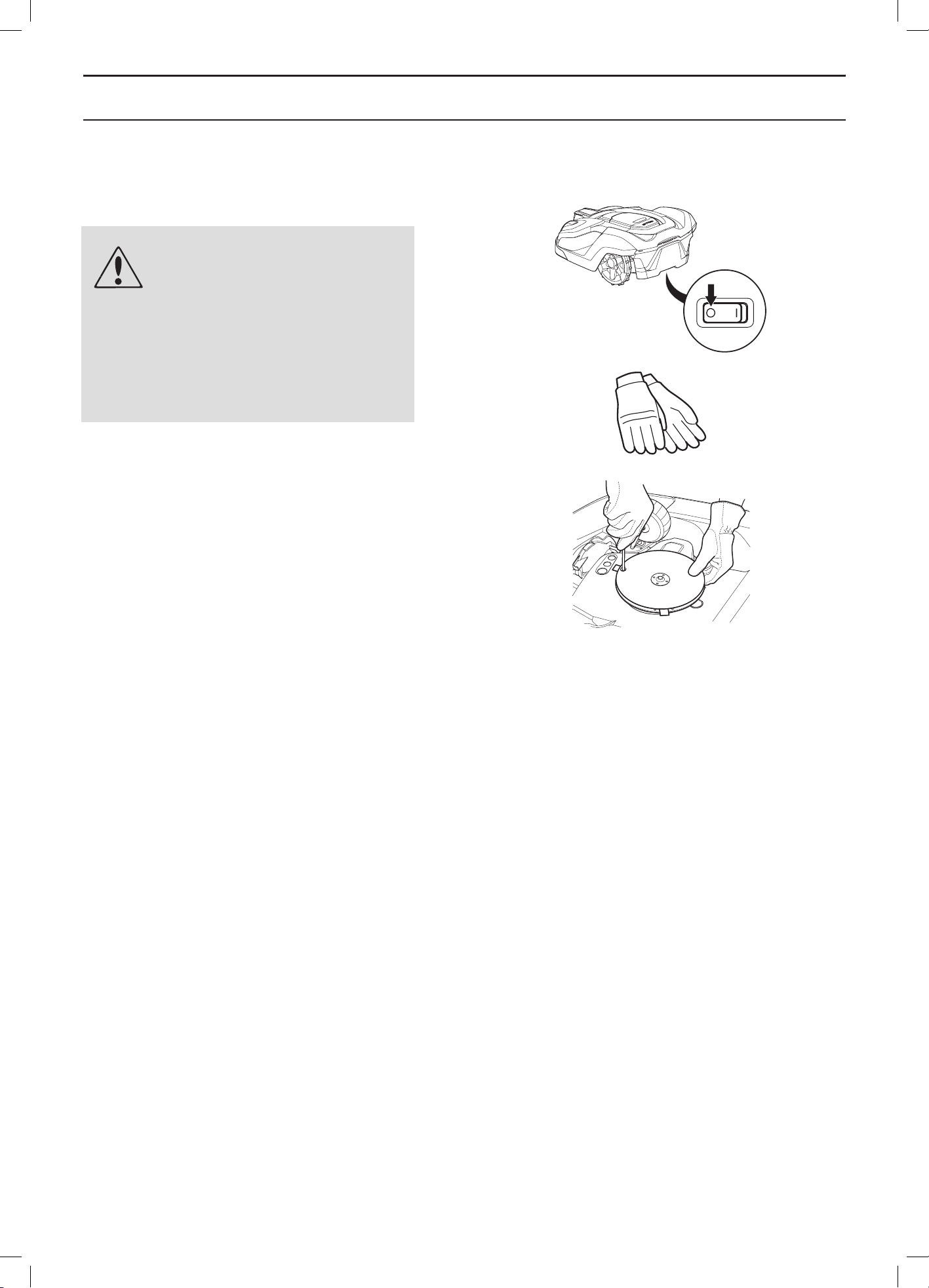
English - 75
MAINTENANCE
8.7 Blades
WARNING
Always use original blades and
screws when replacing. Only
replacing the blades and reusing
the screw can result in a screw
wearing during mowing and
shearing. The blades can then be
propelled from under the body and
cause serious injury.
There are three blades on the robotic lawnmower, which
are screwed into the blade disc. All three blades and
screws must be replaced at the same time to obtain
a balanced cutting system.
There are several different types of mower blades to
choose from as accessories, with different features. Use
Husqvarna AB approved blades only. Please contact your
dealer for more information.
To replace the blades:
1. Set the main switch to position 0.
2. Wear protective gloves.
3. Turn the robotic lawnmower upside down.
4. Rotate the skid plate so that its holes align with
the screw for the blade.
5. Remove the screw. Use a straight slot or cross-tip
screwdriver.
6. Remove the blade and the screw.
7. Screw on the new blade and the new screw.
8.8 Battery
The battery is maintenance-free, but has a limited service
life of 2 to 4 years.
Battery service life is dependent on the length of
the season and how many hours a day the robotic
lawnmower is used. A long season or many hours of use
per day means that the battery must be replaced more
regularly.
Contact your dealer to replace the battery.
3012-1207
3012-272
3012-1060
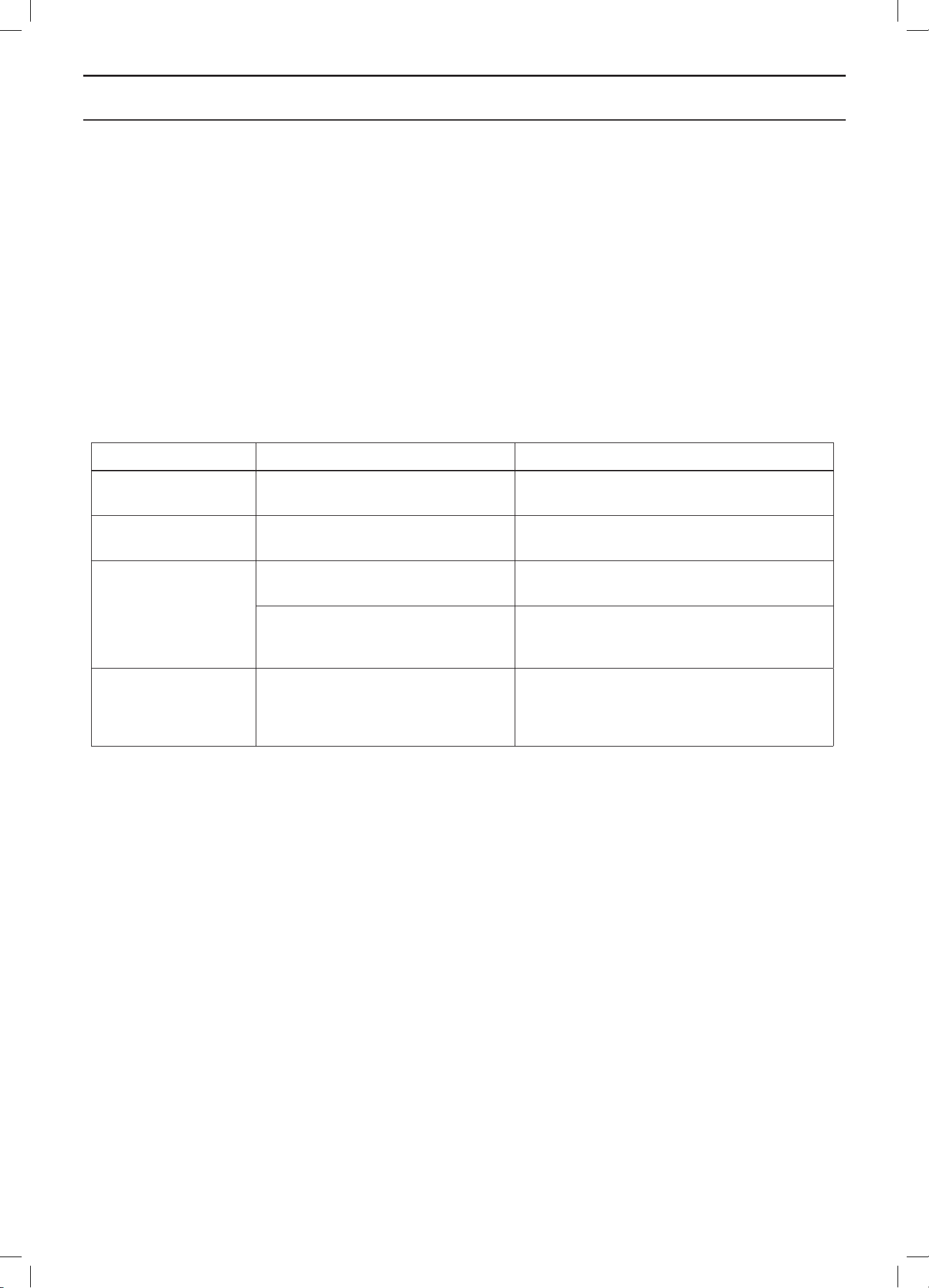
English - 76
TROUBLESHOOTING
9 Troubleshooting
In this chapter, a number of messages are listed which may be shown in the display if there is a malfunction. There is
a proposal as to the cause and steps to take for each message.
This chapter also presents some symptoms that can guide you if the robotic lawnmower does not work as expected.
More suggestions for steps to take in the event of malfunction or symptoms can be found on www.automower.com.
9.1 Fault messages
A number of fault messages are listed below that can be shown on the display on the robotic lawnmower. If the same
message appears often: contact your dealer.
Message Cause Action
Wheel motor blocked,
left
Grass or other object has wrapped
around the drive wheel.
Check the drive wheel and remove the grass
or other object.
Wheel motor blocked,
right
Grass or other object has wrapped
around the drive wheel.
Check the drive wheel and remove the grass
or other object.
Cutting motor blocked Grass or other object has wrapped
around the blade disc.
Check the blade disc and remove the grass
or other object.
The blade disc lies in a pool of water. Move the robotic lawnmower and if possible
prevent the collection of water in the working
area.
Cutting height blocked Grass or other object has wrapped
around the cutting height adjustment
or between the blade disc and
chassis.
Check the blade disc and the bellows around
the cutting height adjustment and remove
any grass or other objects that may have got
stuck.
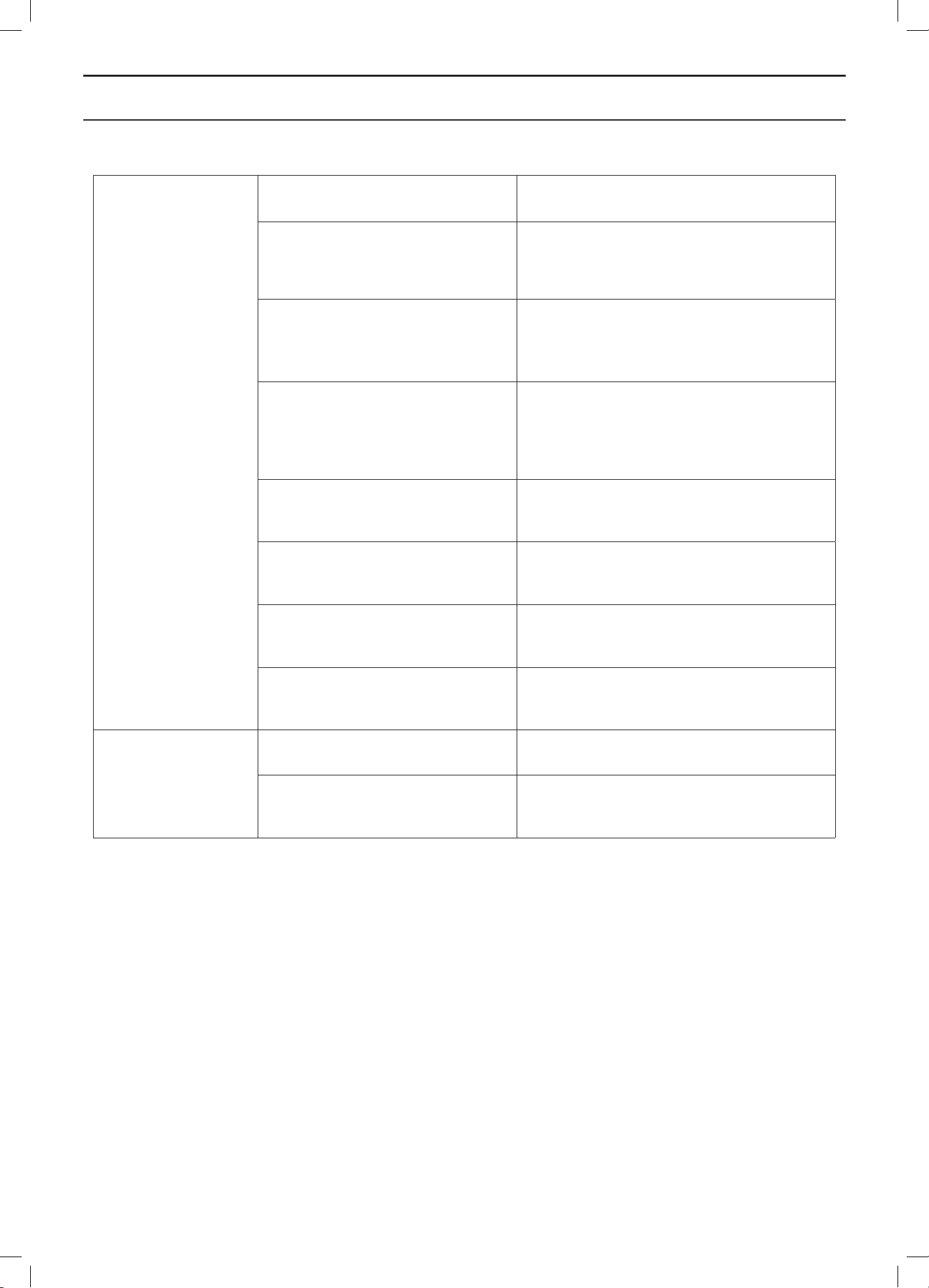
English - 77
TROUBLESHOOTING
No loop signal The transformer is not connected. Check the wall socket connection and whether
an earth-fault breaker has tripped.
The low voltage cable is damaged
or not connected.
Check that the low voltage cable is not
damaged. Check that it is also properly
connected to the charging station and to the
transformer.
The boundary wire is not connected
to the charging station
Check that the boundary wire connectors are
fitted properly to the charging station. See 3.5
Connecting the boundary wire on page 27.
Boundary wire broken. Find out where the break is. See 9.5 Finding
breaks in the loop wire on page 83. Replace the
damaged section of the loop with a new loop
wire and splice using an original coupler.
ECO mode is activated and the
robotic lawnmower has attempted
to start outside the charging station.
Place the robotic lawnmower in the charging
station, press the Start button and close the
hatch. See 6.9 Settings on page 60.
The boundary wire is laid in the
wrong direction around an island.
Check that the boundary wire has been laid
according to the instructions. See 3 Installation
on page 15.
The connection between the robotic
lawnmower and the charging station
has been broken.
Place the robotic lawnmower in the charging
station and generate a new loop signal.
See 6.5 Security on page 46.
Disturbances from metal objects
(fences, reinforcement steel) or
buried cables close by.
Try moving the boundary wire.
Trapped The robotic lawnmower has got
caught in something.
Free the robotic lawnmower and rectify the
reason for it becoming trapped.
The robotic lawnmower is stuck
behind a number of obstacles.
Check if there are any obstacles which make
it hard for the robotic lawnmower to move on
from this location.
English - 78
TROUBLESHOOTING
Outside working area The boundary wire connections to
the charging station are crossed.
Check that the boundary wire is connected
correctly.
The boundary wire is too close to the
edge of the working area.
Check that the boundary wire has been laid
according to the instructions. See 3 Installation
on page 15.
The working area slopes too much
by the boundary loop.
Check that the boundary wire has been laid
according to the instructions. See 3 Installation
on page 15.
The boundary wire is laid in the
wrong direction around an island.
Check that the boundary wire has been laid
according to the instructions. See 3 Installation
on page 15.
Disturbances from metal objects
(fences, reinforcement steel) or
buried cables close by.
Try moving the boundary wire.
The robotic lawnmower finds it hard
to distinguish the signal from an
installation close by.
Place the robotic lawnmower in the charging
station and generate a new loop signal.
See 6.5 Security on page 46.
Wrong PIN code Wrong PIN code has been entered.
Five attempts are permitted, and
the keypad is then blocked for five
minutes.
Enter the correct PIN code. Contact the local
dealer if you forget the PIN code.
Right wheel
overloaded
Left wheel overloaded
The robotic lawnmower has got
caught in something.
Free the robotic lawnmower and rectify the
reason for the lack of drive. If it is due to wet
grass, wait until the lawn has dried before
using the robotic lawnmower.
No drive The robotic lawnmower has got
caught in something.
Free the robotic lawnmower and rectify the
reason for the lack of drive. If it is due to wet
grass, wait until the lawn has dried before
using the robotic lawnmower.
The working area includes a steep
slope.
Maximum guaranteed slope is 45%. Steeper
slopes should be isolated. See 3.4 Installation
of the boundary wire on page 21.
The guide wire is not laid at an angle
on a slope.
If the guide wire is laid on a slope, it must be
laid at an angle across the slope. See 3.6
Installation of the guide wire on page 28.
Charging station
blocked
The contact between the charging
strips and contact strips may be poor
and the robotic lawnmower has made
a number of attempts to charge.
Put the robotic lawnmower in the charging
station and check that the charging strips
and contact strips make good contact.
An object is obstructing the robotic
lawnmower.
Remove the object.
Stuck in charging
station
There is an object in the way of the
robotic lawnmower preventing it from
leaving the charging station.
Remove the object.
Upside down The robotic lawnmower is leaning too
much or has turned over.
Turn the robotic lawnmower the right way up.
English - 79
TROUBLESHOOTING
Needs manual
charging
The robotic lawnmower is set to the
Secondary area operating mode.
Place the robotic lawnmower in the charging
station. This behaviour is normal and no action
is required.
Next start hh:mm The timer setting prevents the robotic
lawnmower from operating.
Change the timer settings. See 6.3 Timer on
page 42.
The clock on the robotic lawnmower
is not correct
Set the time. See Time & Date on page 63
9.2 Info messages
A number of info messages are listed below that can be shown on the display on the robotic lawnmower. It is
recommended to contact your dealer if the same message appears often. Check that the installation is performed
as described in the Operator’s Manual. Then contact your local dealer.
Message Cause Action
Low battery The robotic lawnmower cannot find the
charging station.
Check that the charging station and the guide wire
are installed in accordance with the instructions.
See 3 Installation on page 15.
The guide wire is broken or not
connected.
Find out where the break is and rectify it.
The battery is spent. Contact your dealer to test or possibly replace the
battery.
The charging station’s antenna is
defective.
Check if the indicator lamp in the charging station
flashes red. See 9.3 Indicator lamp in the charging
station on page 80.
Settings restored Confirmation that a Reset all user
settings has been carried out.
This is normal. No action required.
Limited cutting height
range
The maximum and minimum position
of the cutting height adjustment is
limited.
Check that there no grass or other objects are
blocking the blade disc from moving up or down.
Carry out a cutting height calibration using the
Settings > Cutting height menu.
Contact your dealer if the message appears often.
Unexpected cutting
height adj
The cutting height adjustment is
altered without a request from the
robotic lawnmower.
Carry out a cutting height calibration via the
Settings > Cutting height menu.
Contact your dealer if the message appears often.
Guide 1 not found
Guide 2 not found
The guide wire is not connected to the
charging station
Check that the guide wire’s connector is tightly
connected to the charging station. See 3.6
Installation of the guide wire on page 28.
Break in the guide wire Find out where the break is. Replace the damaged
section of the guide wire with a new loop wire and
splice using an original coupler.
The guide wire is not connected to the
boundary loop.
Check that the guide wire is connected correctly to
the boundary loop. See 3.6 Installation of the guide
wire on page 28. Splice using an original coupler.
English - 80
TROUBLESHOOTING
Message Cause Action
GPS navigation
problem
Problem with the GPS assisted
navigation equipment.
Contact your dealer if the message appears often.
Weak GPS signal Not applicable for Automower® 320.
The GPS signal is weak for the current
working area. GPS assisted navigation
cannot be used.
If the message appears often, turn off the GPS
assisted navigation and instead use the manual
settings for Lawn coverage. See 6.8 Installation on
page 50.
Guide calibration failed The robotic lawn mower has failed to
calibrate the guide wire.
Check that the guide wires are installed according
to the instructions, See 3.6 Installation of the guide
wire on page 28
Guide calibration
accomplished
The robotic lawn mower has
succeeded to calibrate the guide wire.
No action required
Difficult finding home The robotic lawnmower has been
following the boundary wire several
laps without finding the charging
station.
The installation has not been done correctly.
Wrong corridor width setting on boundary wire.
The mower was started on a Secondary area with
the Main area setting
9.3 Indicator lamp in the charging station
For a fully functional installation, the indicator lamp in the charging station must emit a solid green light. If something
else appears, follow the troubleshooting guide below.
There is more troubleshooting help on www.automower.com. If you still need help with troubleshooting, please contact
the local dealer.
Light Cause Action
Solid green light Good signals No action required
Green flashing light The signals are good and ECO mode
is activated.
No action required. For more information on ECO
mode, see 6.9 Settings on page 60.
Blue flashing light The boundary loop is not connected
to the charging station
Check that the boundary wire connectors are
fitted properly to the charging station. See 3.5
Connecting the boundary wire on page 27.
Break in the boundary loop Find out where the break is. Replace the
damaged section of the loop with a new loop
wire and splice using an original coupler.
Red flashing light Interruption in the charging station’s
antenna
Contact the local dealer.
Solid blue light Weak signal as the boundary wire is
too long. Max length is 800 metres.
No steps have to be taken if the robotic
lawnmower operates as expected.
Shorten the boundary wire by reducing the
working area or replacing islands with barriers
the robotic lawnmower can collide with.
Solid red light Defective circuit board in the
charging station
Contact the local dealer.
English - 81
TROUBLESHOOTING
9.4 Symptoms
If your robotic lawnmower does not work as expected, follow the troubleshooting guide below.
There is a FAQ (Frequently Asked Questions) on www.automower.com which provides more detailed answers to
a number of standard questions. It you still cannot find the reason for the fault, contact the local dealer.
Symptoms Cause Action
The robotic
lawnmower has
difficulty docking
with the charging
station
The charging station is on a slope Place the charging station on a surface that is
entirely level. See 3.2 Installation of the charging
station on page 16.
The boundary wire is not laid
correctly by the charging station.
Check that the charging station has been
installed according to the instructions. See 3.2
Installation of the charging station on page 16.
Uneven mowing
results
The robotic lawnmower works too
few hours per day.
Increase the working times. See 6.3 Timer on
page 42.
The Weather timer senses that the lawn has
been mowed more than it actually has. Increase
the intensity level in the Weather timer. If this
does not help, turn off the Weather timer.
The shape of the working area
requires manual settings to be made
for the robotic lawnmower to find its
way to all remote areas.
Also use Lawn coverage > More to steer the
robotic lawnmower to one or more remote
areas. See 6.8 Installation on page 50.
Working area too large. Try limiting the working area or extending the
working time. See 6.3 Timer on page 42.
Blunt blades. Replace all the blades and screws so that the
rotating parts are balanced. See 8.7 Blades on
page 75.
Long grass in relation to the set
cutting height.
Increase the cutting height and then successively
lower.
Accumulation of grass by the blade
disc or around the motor shaft.
Check that the blade disc skid plate rotate easily.
If not, screw off the blade disc and remove grass
and foreign objects. See 8.5 Transport and
moving on page 74.
The robotic
lawnmower runs at
the wrong time
The robotic lawnmower clock needs
to be set.
Set the clock. See 6.9 Settings on page 60.
The start and stop times for mowing
are incorrect.
Reset the start time and stop time settings for
mowing. See 6.3 Timer on page 42.
The robotic
lawnmower vibrates
Damaged blades lead to imbalance
in the cutting system.
Inspect the blades and screws and replace them
if necessary. See 8.7 Blades on page 75.
Many blades in the same position lead
to imbalance in the cutting system.
Check that only one blade is fitted at each screw.

English - 82
TROUBLESHOOTING
The robotic
lawnmower runs, but
the blade disc does
not rotate
The robotic lawnmower follows
a guide wire or boundary wire to
or from the charging station.
This behaviour is normal and no action is
required.
The robotic lawnmower searches for
a guide wire or boundary wire and
the battery charge is very low.
This behaviour is normal and no action is
required.
The robotic
lawnmower mows
for shorter periods
than usual between
charges
Grass or other foreign object blocks
the blade disc.
Remove and clean the blade disc. See 8.4
Cleaning on page 73.
The battery is spent. Contact your local dealer.
Both the mowing
and charging times
are shorter than
usual
The battery is spent. Contact your local dealer.
The robotic
lawnmower often
moves in circles or
spirals
Spiral cutting is a natural part of the
robotic lawnmower’s movement.
Adjust how often spiral cutting shall be
performed. The function can be disabled if
necessary. See 6.9 Settings on page 60.
The robotic
lawnmower turns
around and stays
on a small area for
several minutes.
This behaviour is fully normal
for Automower® 330X with GPS
assisted navigering and contributes
to an even mowing result.
No action
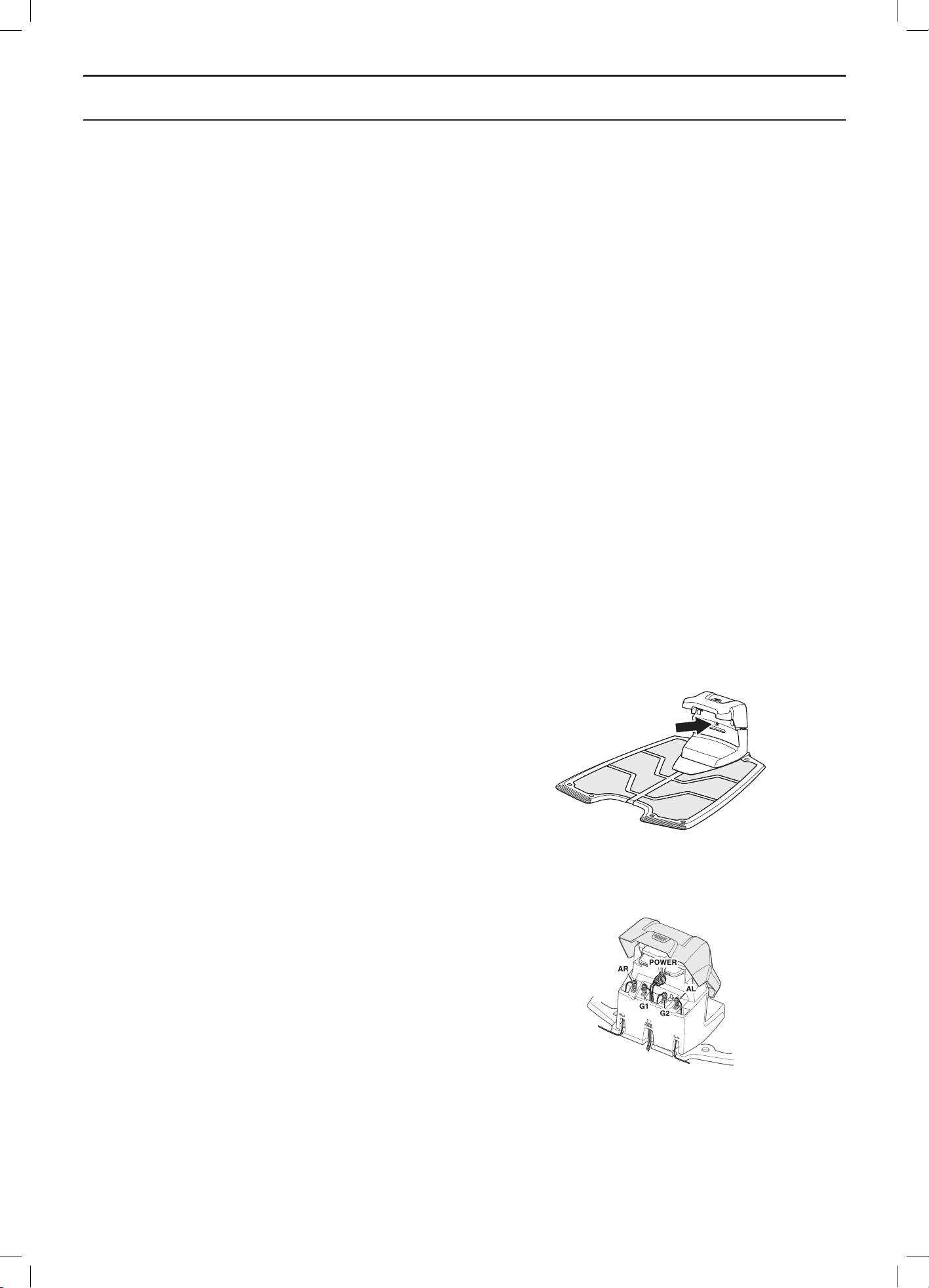
English - 83
TROUBLESHOOTING
9.5 Finding breaks in the loop wire
Breaks in the loop wire are usually the result of
unintentional physical damage to the wire such as when
gardening with a shovel. In countries with ground frost,
also sharp stones that move in the ground can damage
the wire. Breaks can also be due to the wire being
stretched excessively during installation.
Mowing the grass too low right after the installation can
damage wire insulation. Certain damage to the insulation
may not cause disruptions until several weeks or months
later. To avoid this, always select the maximum cutting
height the first weeks after installation and then lower the
height one step at a time every second week until the
desired cutting height has been reached.
A defective splicing of the loop wire can also lead to
disruptions first several weeks after the splice was done.
A faulty splice can, for example, be the result of the
original coupler not being pressed together hard enough
with a pair of pliers, or that a coupler of lower quality than
the original coupler has been used. Please first check all
known splices before further troubleshooting is done.
A wire break can be located by gradually halving the
distance of the loop where the break may have occurred
until there is only a very short section of the wire left.
The following method does not work if ECO mode is
activated. Make sure first that ECO mode is turned off.
See 6.9 Settings on page 60.
1. Check that the indicator lamp in the charging
station flashes blue, which indicates a break in
the boundary loop. See 9.3 Indicator lamp in the
charging station on page 80.
2. Check that the boundary wire connections to the
charging station are properly connected and not
damaged. Check that the indicator lamp in the
charging station is still flashing blue.
3012-1066
3012-1206
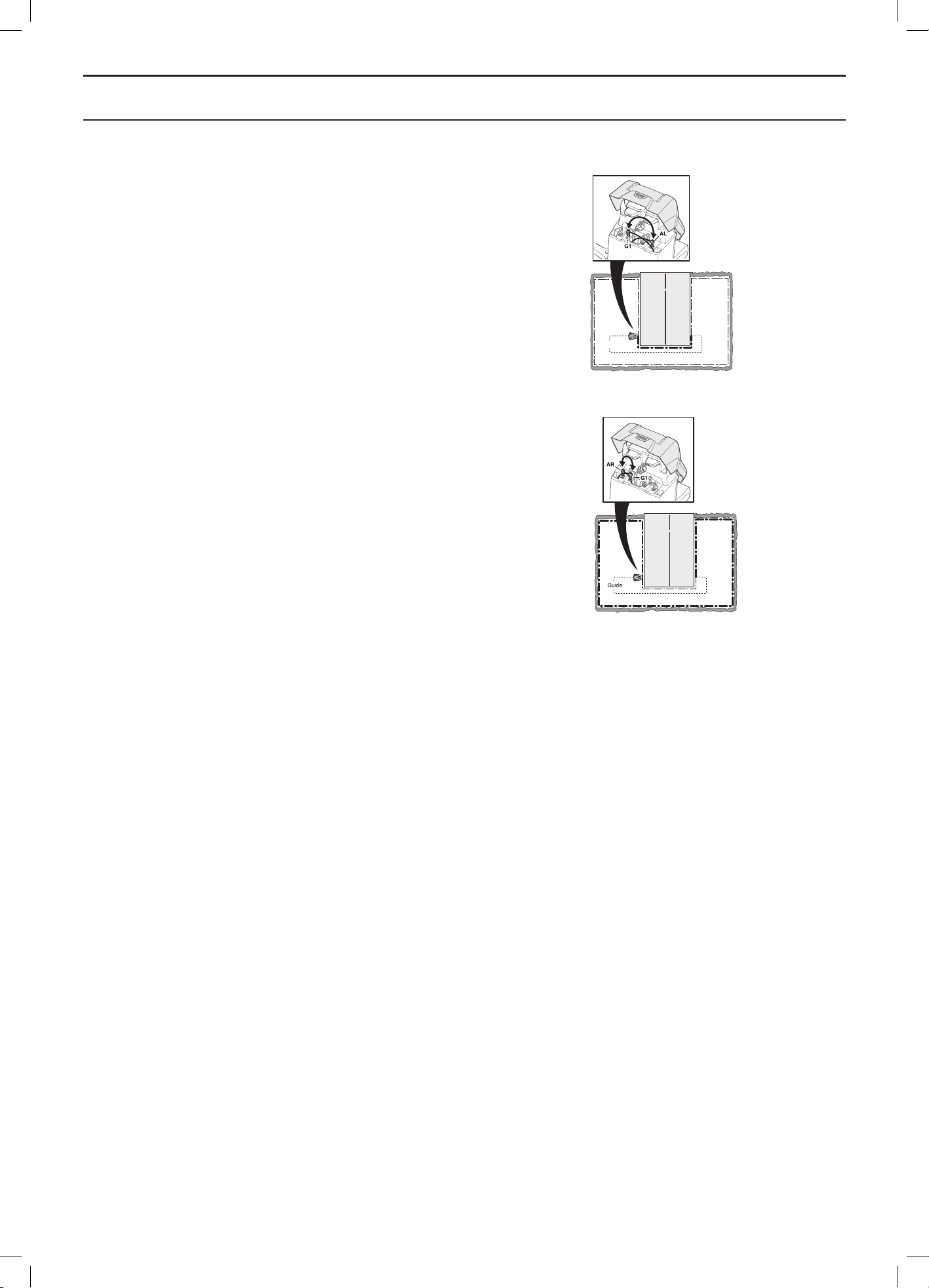
English - 84
TROUBLESHOOTING
3. Switch the connections between the guide wire
and the boundary wire in the charging station.
a) Switch connection AL and G1.
If the indicator lamp is lit with a solid green light,
then the break is somewhere on the boundary wire
between AL and the point where the guide wire is
connected to the boundary wire (thick black line in
the illustration).
b) Put AL and G1 back in their original positions.
Then switch AR and G1.
If the indicator lamp is lit with a solid green light,
then the break is somewhere on the boundary wire
between AR and the point where the guide wire is
connected to the boundary wire (thick black line in
the illustration).
3012-1209
Guide
3012-1208
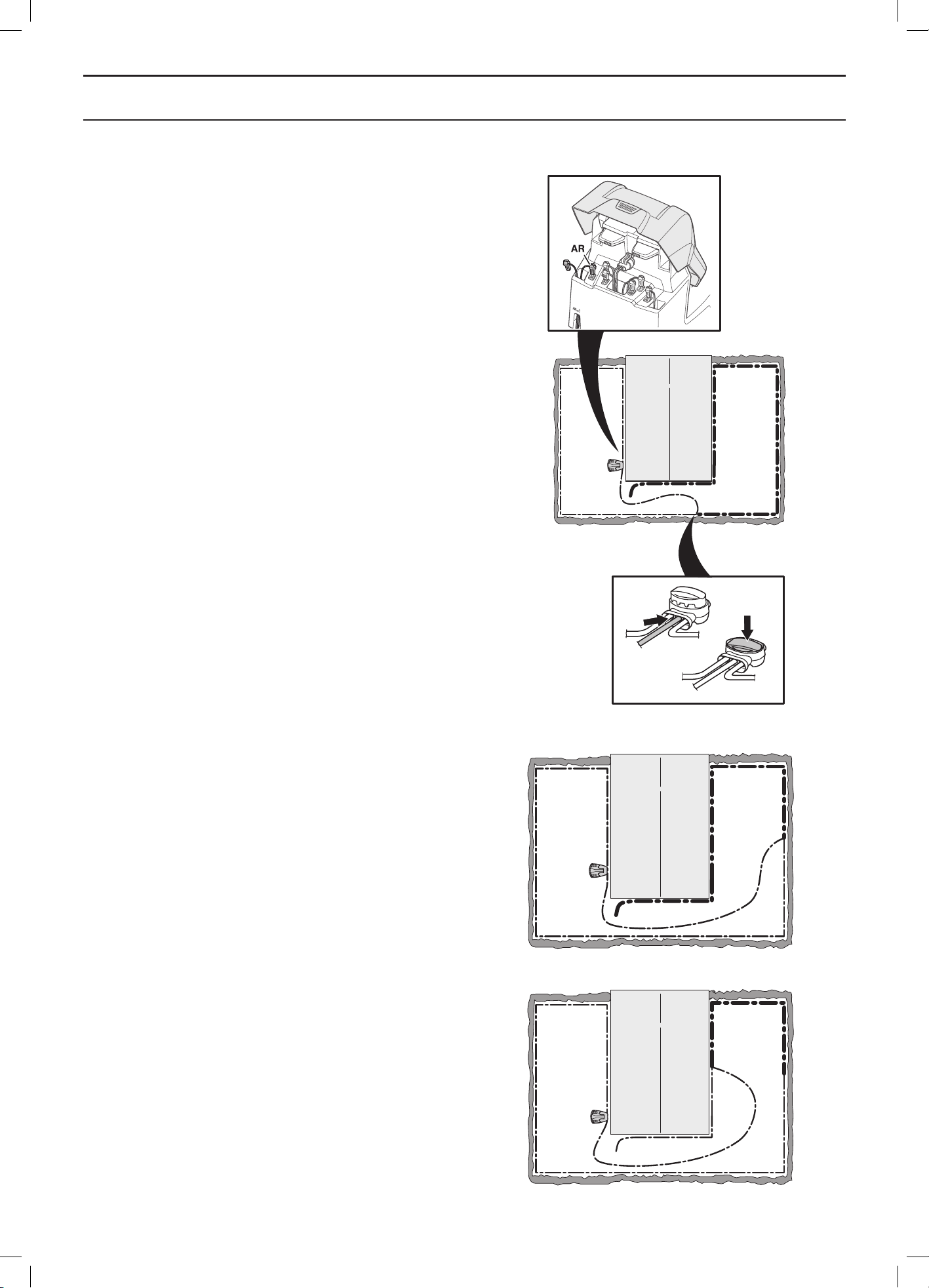
English - 85
TROUBLESHOOTING
4. a) Assume that the indicator lamp is lit with a solid
green light in test a) above. Reset all connections
to their original positions. Then disconnect AR.
Connect a new loop wire to AR. Connect the other
end of this new loop wire somewhere at the centre
of the installation.
If the indicator lamp is green, then the break is
somewhere in the wire between the disconnected
end to the point where the new wire is connected
(thick black line in the illustration below).
In that case, move the connection for the new wire
closer to the disconnected end (roughly at the
middle of the suspected wire section) and check
again if the indicator lamp is green.
Continue until only a very short section of the wire
remains which is the difference between a flashing
blue light and a solid green light.
b) If the indicator lamp is solid green in test 3b)
above, a similar test is carried out but with the
new loop wire connected to AL instead.
3012-1210
3018-053
3018-054
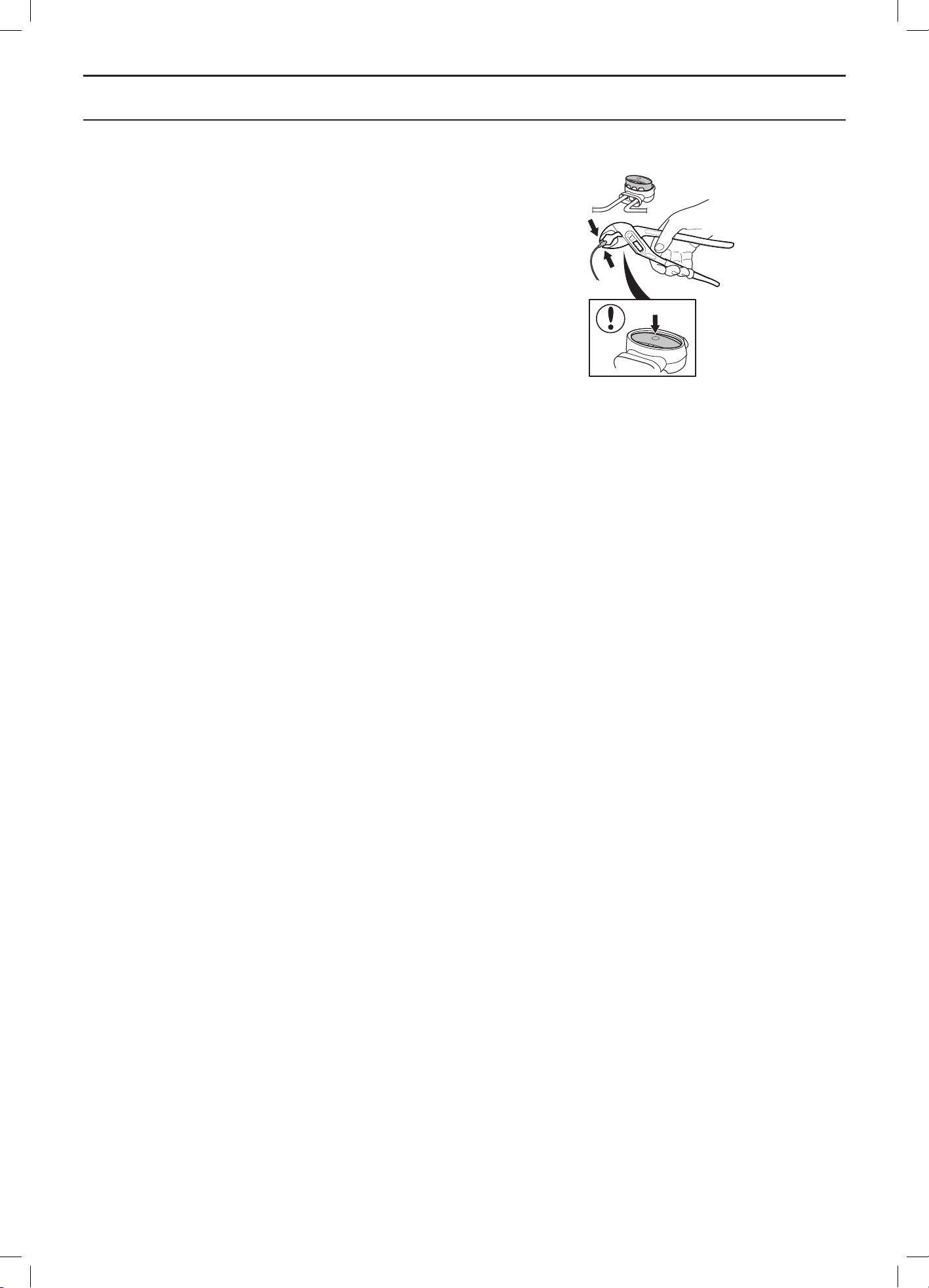
English - 86
TROUBLESHOOTING
5. When the break is found, the damaged section
must be replaced with a new wire. The damaged
section can be cut out if it is possible to shorten
the boundary wire. Always use original couplers.
3018-055
English - 87
TECHNICAL DATA
10 Technical Data
Data Automower® 320 Automower® 330X
Dimensions
Length 72 cm 72 cm
Width 56 cm 56 cm
Height 31 cm 31 cm
Weight 11.8 kg 13.2 kg
Electrical system
Battery Special Lithium-Ion battery,
18 V/3.2Ah
Special Lithium-Ion battery,
18 V/6.4Ah
Transformer 100-240 V/28 V 100-240 V/28 V
Low voltage cable length 10 m 10 m
Mean energy consumption at maximum use 30 kWh/month for a working area
of 2,200 m
2
43 kWh/month for a working area
of 3,200 m
2
Charge current 2.1A DC 2.1A DC
Average charging time 50-70 minutes 50-70 minutes
Average cutting time 50-70 minutes 130-170 minutes
Noise emissions
Measured Noise Level 56 dB (A) 56 dB (A)
Guaranteed noise level 58 dB (A) 58 dB (A)
Mowing
Cutting system Three pivoted cutting blades Three pivoted cutting blades
Blade motor speed 2,300 rpm 2,300 rpm
Power consumption during cutting 30 W +/- 20% 30 W +/- 20%
Cutting height 2-6 cm 2-6 cm
Cutting width 24 cm 24 cm
Narrowest possible passage 60 cm 60 cm
Maximum angle for cutting area 45% 45%
Maximum angle for boundary wire 20% 20%
Maximum length boundary wire 800 m 800 m
Maximum length guide wire 400 m 400 m
Working capacity 2,200 m
2
+/- 20 % 3,200 m
2
+/- 20 %
IP-classification
Robotic lawnmower IPX4 IPX4
Charging station IPX1 IPX1
Transformer IPX4 IPX4
Husqvarna Group AB does not guarantee full compatibility between the robotic lawnmower and other types of wireless
systems such as remote controls, radio transmitters, hearing loops, underground electric animal fencing or similar.

English - 88
GUARANTEE TERMS
11 Guarantee terms
Husqvarna AB guarantees this product’s functionality
for a period of two years (from date of purchase). The
guarantee covers serious faults relating to materials or
manufacturing faults. Within the guarantee period, we will
replace the product or repair it at no charge if the following
terms are met:
• The robotic lawnmower and the charging station may
only be used in compliance with the instructions in
this Operator’s Manual.
• Users or non-authorised third parties must not
attempt to repair the product.
Examples of faults which are not included in the
guarantee:
• Damage caused by water seepage from underneath
the robotic lawnmower. This damage is normally
caused by cleaning or irrigation systems or holes/
hollows in the working area when pools of water are
formed when it rains.
• Damage caused by lightning.
• Damage caused by improper battery storage or
battery handling.
• Damage caused by using a battery that is not
a Husqvarna AB original battery.
• Damage to the loop wire.
The blades are seen as disposable and are not covered
by the guarantee.
If a fault occurs with your robotic lawnmower, please
contact the dealer (see Memo on page 2) for further
instructions. Please have your receipt and product serial
number to hand for quicker assistance.
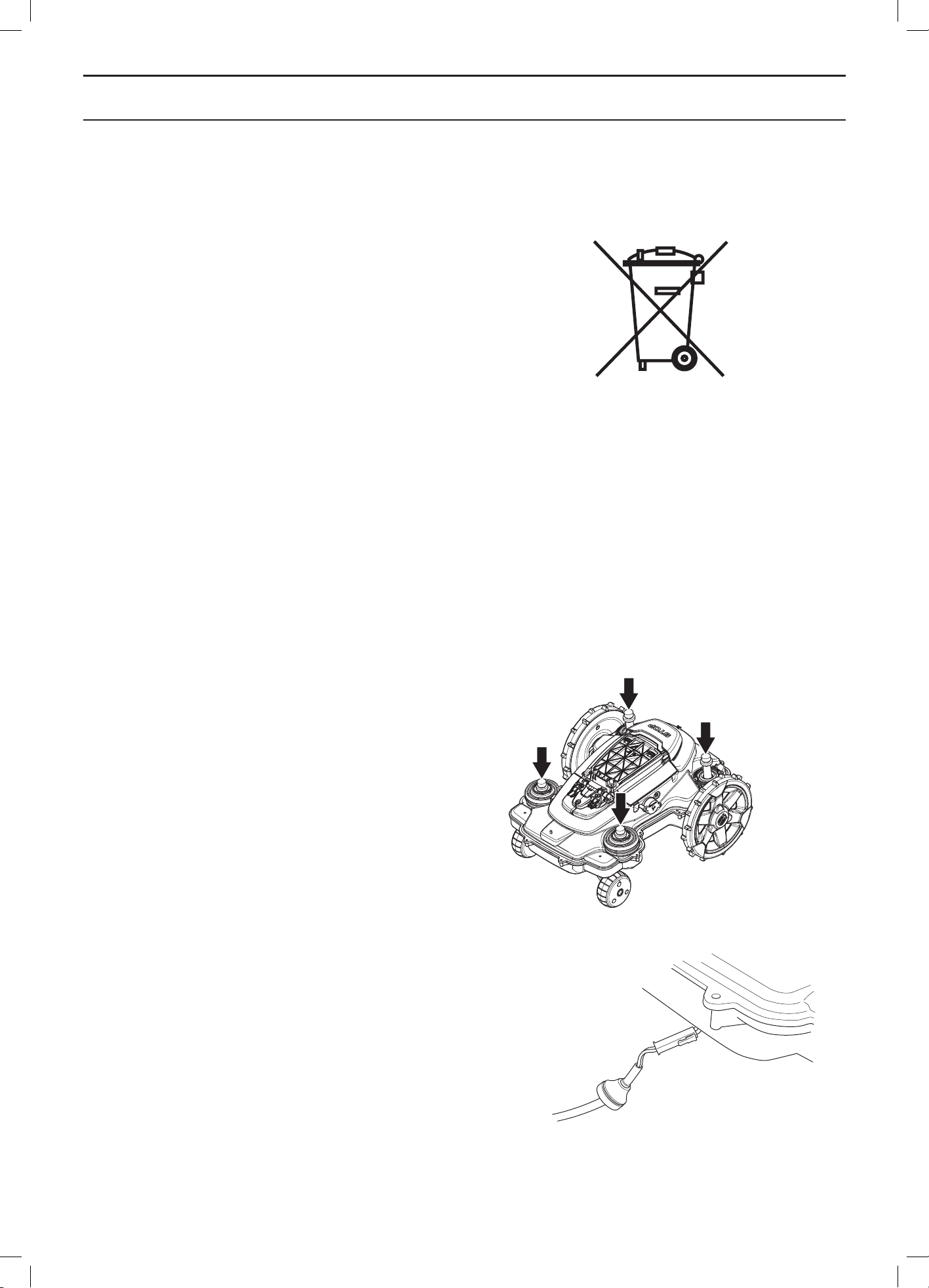
English - 89
ENVIRONMENTAL INFORMATION
12 Environmental
information
The symbol on the Husqvarna robotic lawnmower or its
packaging indicates that this product cannot be treated
as domestic waste. It should instead be left at a suitable
recycling centre to recycle its electronic components and
batteries.
The batteries are encased in the chassis of the robotic
lawnmower. To access the batteries, the chassis must
be dismantled. Consult your dealer or follow the below
instructions for removal.
By ensuring that this product is taken care of correctly, you
can help to counteract the potential negative impact on the
environment and people that can otherwise result through
the incorrect waste management of this product.
For more detailed information about recycling this product,
contact your municipality, your domestic waste service or
the shop from where you purchased the product.
12.1 Removing the battery for recycling
Follow these steps to remove the battery from the robotic
lawnmower.
Disassembling the body
The body is fitted to the chassis using four quick-mounted,
snap-on brackets. The charging cable fastened to the
body’s charging strip must be disconnected to be able to
remove the body entirely from the chassis.
1. Set the main switch to position 0.
2. Clean the area around the grommet for the
charging cable found at the very front under the
mower.
3. Pull out the rubber grommet on the charging cable
and carefully loosen the connector.
4. Loosen the body from the chassis by lifting the
body one corner at a time while holding the chassis
in place.
3012-689
3020-110
3020-109
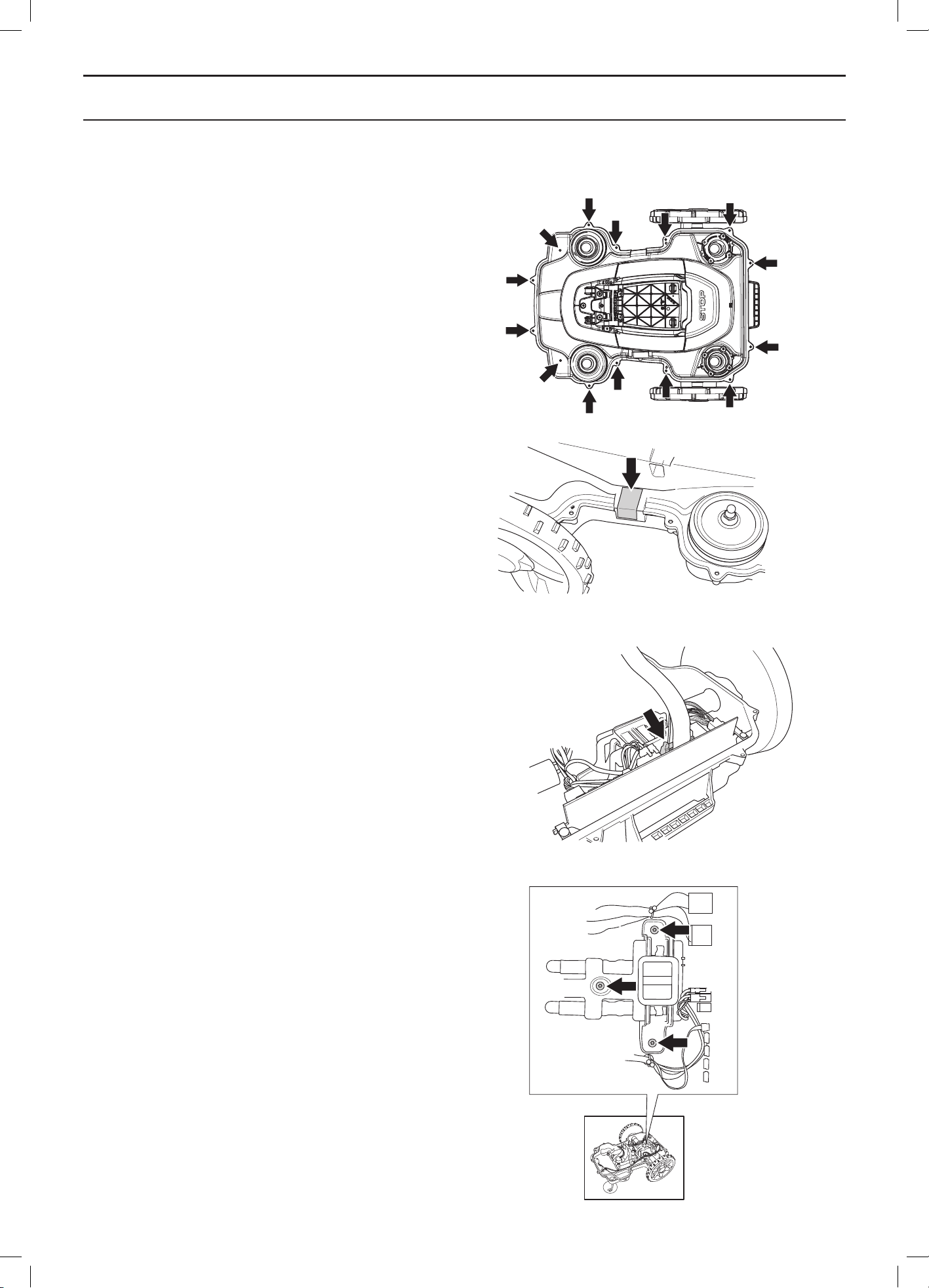
English - 90
ENVIRONMENTAL INFORMATION
Disassembling the chassis
1. Loosen all 14 screws (Torx 20).
2. Remove the guarantee seal at the point
of separation between the chassis halves on the
right-hand side.
3. Carefully lift the back edge of the upper section of
the chassis.
4. Disconnect the MMI cable from the main circuit
board and remove the upper section of the
chassis.
Disassembling the battery
1. Loosen the three screws (Torx 20) holding the
battery cover in place.
2. Disconnect the battery connection from the main
circuit board.
3. Open the battery cover and remove the battery.
3020-111
3020-112
3020-113
3020-128
English - 91
EC DECLARATION OF CONFORMITY
13 EC Declaration of Conformity
EC declaration of conformity (Only applicable to European versions)
Husqvarna AB, SE-561 82 Huskvarna, Sweden, tel.: +46-36-146500, hereby declares under sole responsibility that
the robotic lawnmowers Husqvarna Automower® 320 and Automower® 330X with serial numbers dating year 2014
week 40 and onwards (the year and week is clearly stated on the rating plate, followed by the serial number), comply
with the requirements of the COUNCIL’S DIRECTIVE:
• Directive “relating to machinery” 2006/42/EC.
• Particular requirements for robotic battery powered electrical lawnmowers IEC 60335-2-107:2012.
• Directive on ”restriction of use of certain hazardous substances” 2011/65/EU.
• Directive “relating to noise emissions from outdoor equipment” 2000/14/EU.
See also the Technical Data chapter for information regarding noise emissions and the cutting width. The
registered body 0404, SMP Svensk Maskinprovning AB, Fyrisborgsgatan 3, SE-754 50 Uppsala, Sweden, has
issued a report regarding the assessment of conformity according to annex VI to the Council’s Directive of May 8,
2000 “relating to noise emissions into the surroundings” 2000/14/EC. The certificate is numbered: 01/901/201.
• Directive “relating to electromagnetic compatibility” 2004/108/EC and applicable supplements.
The following standards have been applied:
- 61000-6-3:2007/A1:2011 (emission)
- 61000-6-1:2007 (immunity)
- EN 62233:2008 (electromagnetic fields)
Huskvarna, 28 September 2014
Tom Söberg, Director of R&D Electric, Husqvarna robotic lawnmowers
(Authorized representative for Husqvarna AB and responsible for technical documentation)



www.automower.com
115 70 63-26
ORIGINAL INSTRUCTIONS
AUTOMOWER is a trademark owned by Husqvarna AB. Copyright © 2014 HUSQVARNA. All rights reserved.