English

The intended use and ambient conditions
for this device
This device is intended for the rendering of video and audio
signals, on a table-top, in a home or ofce environment. It
must not be used in rooms with a high level of humidity or dust
concentration. The warranty is only valid if used as intended by
the manufacturer.
WARNING
High humidity and dust concentration may lead to current leaks
in the device. To reduce the risk of re or electrical shock:
- Do not expose this unit to rain, moisture, dripping or splashing
water, and do not place objects lled with liquids, such as
vases, cups, etc. on or over the unit.
- Do not touch the device with wet hands.
- Do not expose to direct air-conditioning and keep candles or
other naked ames away from the device at all times.
If the device is moved from a cold environment to a hot
environment, leave it switched off for at least an hour to avoid
condensation. If used outside, make sure it is protected from
moisture.
If you notice anything unusual, immediately remove the power
plug.
In case of re, use preferably a CO
2
gas or powder re extinguisher.
If such extinguishers are not accessible, try to isolate the electrical
supply before using a water re extinguisher.
A Laser TV may fall, causing serious personal injury or death.
Many injuries, particularly to children, can be avoided by taking
simple precautions such as:
-
ALWAYS use cabinets or stands or mounting methods
recommended by the manufacturer of the device.
-
ALWAYS use furniture that can safely support the device.
-
ALWAYS ensure the device is not overhanging the edge of
the supporting furniture.
-
ALWAYS educate children about the dangers of climbing on
furniture to reach the device or its controls.
-
ALWAYS route cords and cables connected to your device
so they cannot be tripped over, pulled or grabbed.
-
NEVER place the device in an unstable location.
-
NEVER place the device on tall furniture (for example,
cupboards or bookcases) without anchoring both the furniture
and the device to a suitable support.
-
NEVER place the device on cloth or other materials
that may be located between the device and supporting
furniture.
-
NEVER place items that might tempt children to climb, such
as toys and remote controls, on the top of the device orfurniture
on which the device is placed.
If your existing device is being retained and relocated, the same
considerations as above should be applied.
Power Supply
Incorrect voltages can damage the device. Only connect this unit
to a power supply with the correct voltage and frequency noted
on the type plate, using the supplied power cable.
The power plug must be easily accessible so that the device can
be disconnected at all time. The unit is live, even if in standby
mode, as long as the unit is connected to a power outlet.
It is recommended that this unit is placed on a dedicated circuit.
B

C
- Do not overload the power outlets by connect too many
appliances to the same outlet. Overloaded wall outlets,
extension cords, etc. are dangerous and can result in electric
shock and re.
After power off, don't turn it on again in 5 seconds. Frequent
switching power supply in a short period of time can cause
abnormalities in the device.
The apparatus shall be connected to a MAINS socket outlet
with a protective earthing connection.
Power plug and power cable
- Do not touch the power plug with wet hands.
- Do not place heavy objects on the power cable. Route the
cable so that it is not kinked or laid over sharp edges, walked
on or exposed to chemicals. A power cable with damaged
insulation can cause electric shock and re.
- Pull the power plug, NOT on the cable when disconnecting.
The cable can become damaged and cause a short circuit if
pulled on.
- Do not place the power cable near a high temperature object.
- Do not move the device with the power cable plugged into a
socket.
- Do not use a damaged or loose power cable, or a damaged
socket outlet.
- Do not use any power cords other than the one supplied with
this unit.
- MAIN plug on the power cord is used as the disconnect
device, the disconnect device and socket-outlet shall be
easily accessible.
Air ventilation and high temperatures
Install your device only where there is proper ventilation, and
ensure that there is at least 20 cm free space on the sides and
5 cm free space on the back unit for air circulation. Excessive
heat and obstruction of ventilation could lead to re or early
failure of some electric components.
- Do not block any ventilation openings with newspapers,
tablecloths, curtains, etc.
- Do not dry clothing etc. on top of the unit.
- Take care not to touch the ventilation openings since they
may become hot.
- Do not insert foreign objects into the device through the vents.
Warning about off-gassing
New furniture, carpet, paint, building materials and electronics
can release chemicals into the air through evaporation. After
you set your device up and turn it on for the rst time, you may
notice a slight smell within a couple of hours. This is because
some components of device are heating up for the rst time. The
materials that we use fully meet the environmental requirements
and regulations. Your device is working just ne and the fumes
from the off-gassing will diminish eventually.
Supervision
- Do not let children play unsupervised close to the device. It
could tip over, be pushed off or pulled down from the stand
surface and injure someone.
- Do not allow a switched-on device to run unattended.

D
Volume
Loud music and noises can lead to irreversible damage to your
ears. Avoid extreme volume, especially over long periods and
when using headphones.
If you hear a drumming noise in your ears, turn down the volume
or temporarily stop using headphones.
Thunder Storms
Pull out the power plug and all connected antenna cables from
the device during a thunderstorm. Overvoltage caused by
lightning strikes can damage the device via the antenna system,
as well as the wall socket.
Long periods of absence
As long as the power plug is connected to a live socket outlet,
the device will consume power even in standby mode. The power
plug and all connected antenna cables should be disconnected
out during long periods of absence.
Cleaning and care
CAUTION:
Unplug the power cord prior to cleaning the device.
Clean the device, the screen, and the remote control with a
soft, moist, clean and color-natural cloth only. Do not use any
chemicals.
- Do not subject the surfaces to insect repellent, solvent, thinner or
other volatile substances. This may degrade the surface quality.
- Do not spray water or other liquids directly on the device.
Liquid inside the device could lead to product failure.
- The surface of the display panel is treated and may be easily
damaged. Take care not to scratch it with ngernails or other
hard objects.
- Also wipe the power plug with a dry cloth at regular intervals.
Service/Repair
Never remove the cover/back of the device; there are no user
serviceable parts inside. Refer all service to qualied service
personnel.
Packaging
Keep the anti-moisture materials and plastic bags out of reach of
children.
Plastic bags can cause suffocation and the anti-moisture
material is harmful if swallowed. If swallowed by mistake, force
the patient to vomit and visit the nearest hospital.
Modication
Do not attempt to modify this product in any way. Unauthorized
modication could void the warranty of this unit, cause electric
shock and res.
Remote Control batteries
- Incorrect installation may cause battery leakage, corrosion
and explosion.
- Replace only with the same or equivalent type.

E
- Do not mix old and new batteries.
- Do not mix different battery types.
- Do no use rechargeable batteries.
- Do not burn or break up batteries.
- Be sure to dispose of batteries correctly.
- Do not expose batteries to excessive heat such as sunshine,
re or the like.
Outdoor Antenna Grounding
If an outdoor antenna used, be sure the antenna system is
protected against voltage surges and built-up static charges.
Disposal
Refer to the recycling section of this manual.
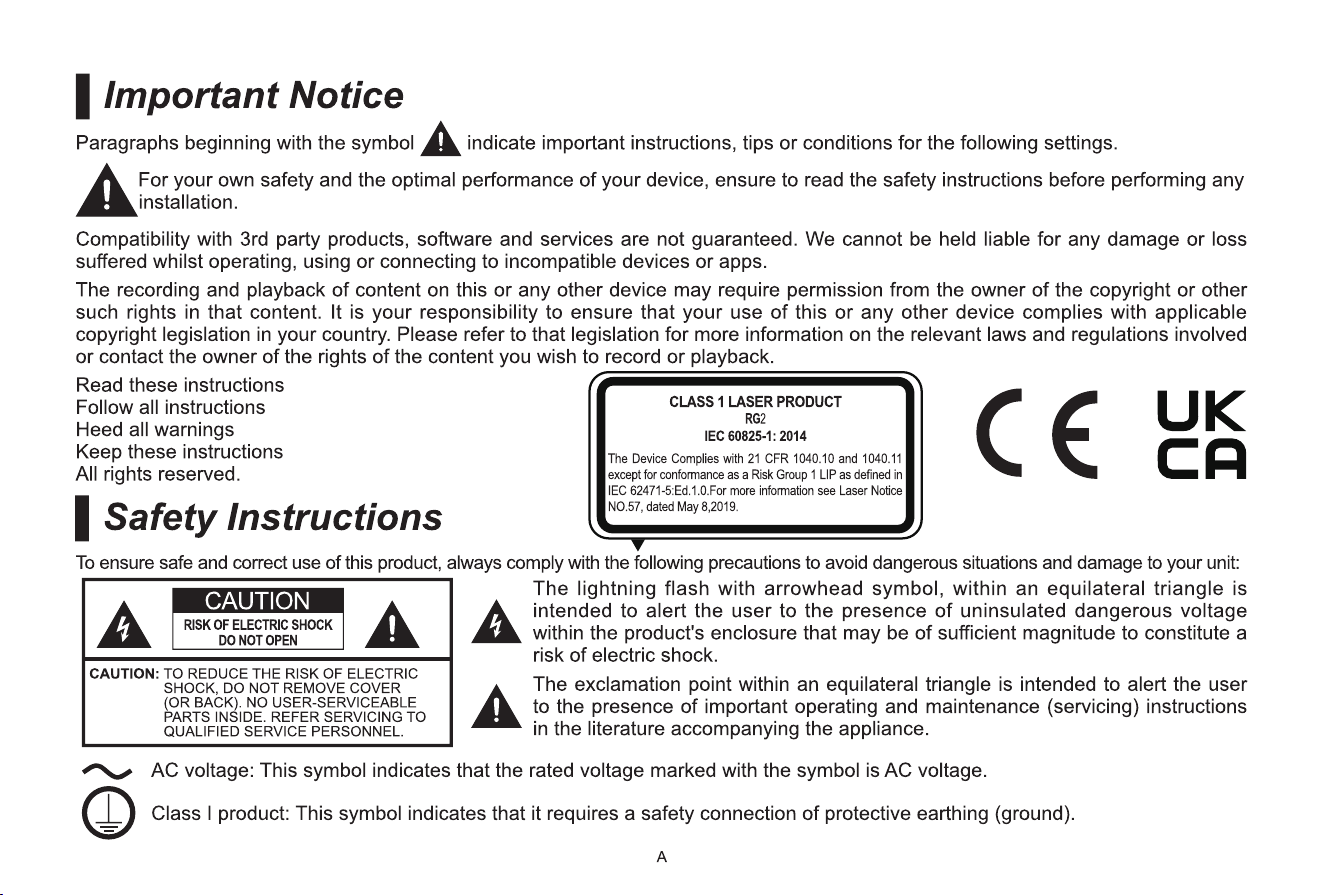
Laser
Do not look directly at the lens when this device is on
because the laser light may damage your eyes!
- This product comes with a laser module. Do not tear or
modify this device in any manner; otherwise, it may result in
personal injury.
RG2 IEC 62471-5: 2015
CLASS 1 LASER PRODUCT IEC 60825-1: 2014
λ = 455±6nm
Wavelength 455±6nm
CAUTION:
Use of controls or adjustments or performance of procedures
other than those specied herein may result in hazardous
radiation exposure.
-
If this device requires a repair, please wear laser eye
protection with an optical density OD that is 4 or higher and
has a wave length of 445-465nm.
-
Do not place any water-containing vessel on this device,
such as cosmetics or liquid medicine.
-
If any object or water enters this device, please unplug this
device and contact the service staff of Hisense.
-
Do not place any exposed re source (e.g. burning candle)
on this device. Keep away from high temperature and heat.
-
Do not expose the battery to direct sunlight or candle light.
-
Keep air vents on both sides clear from any objects to
prevent the device from overheating inside.
-
To avoid a short circuit, product damage or electric shock,
do not use any sharp object or metal to touch the ports or
other openings on the device.
-
If this device has been in a warm environment, allow any
built-up condensation to evaporate rst BEFORE you
switch the device on.
-
Do not allow a child to stand on or climb up this device.
-
Do not place any object above or in front of the lens because
the laser light could cause the object to become ammable.
-
Clean the lens periodically with a clean cloth and make
sure the device is turned off before you start.
F
Recycling / Licenses
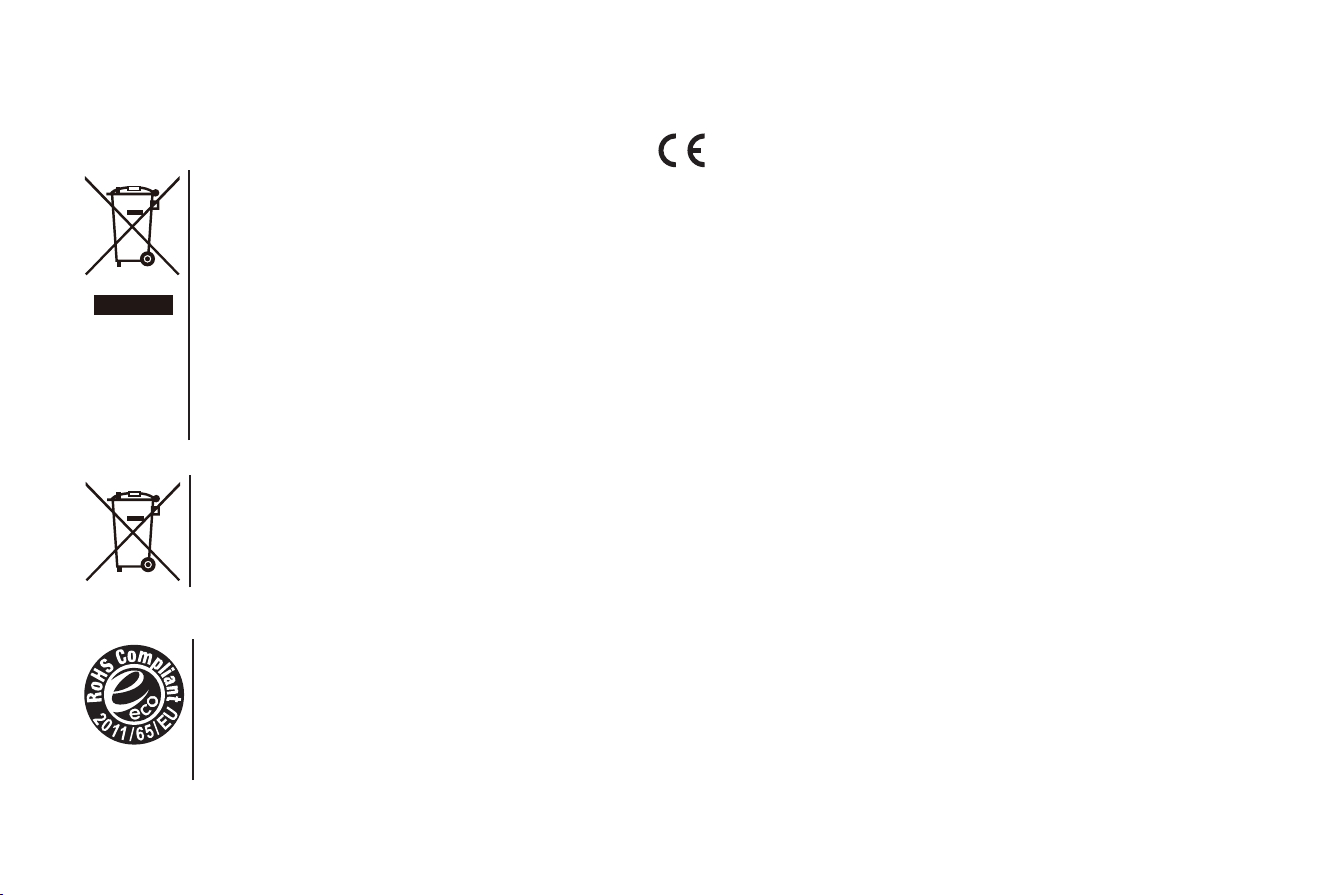
WEEE (Waste Electronic Electric Equipment)
European Directive 2012/19/EU
This symbol on the product or on its packaging indicates that
this product must not be disposed of with your household
waste. Instead, it is your responsibility to dispose of your
waste equipment by handing it over to a designated
collection point for the recycling of waste electrical and
electronic equipment. The separate collection and recycling
of your waste equipment at the time of disposal will help to
conserve natural resources and ensure that it is recycled in
a manner that protects human health and the environment.
For more information about where you can drop off your
waste equipment for recycling, please contact your local city
ofce, your household waste disposal service or the shop
where you purchased the product.
Batteries
In accordance with the Battery Directive, used batteries
should not be disposed of in the domestic waste. Dispose
your batteries in the collection containers specic for this
purpose in retail stores.
ROHS (Restriction of Hazardous Substance)
European Directive 2011/65/EU
This European directive limits the use of dangerous and
hazardous substances which are difcult to recycle.
This allows recycling easily the EEE and contributes to
the safeguard of the environment.
Substances included in this product match to the RoHS
directive.
EU Conformity Statement
This product and - If applicable - the supplied accessories
too are marked with "CE" and comply therefore with the
applicable harmonized European standards listed under the EMC
Directive 2014/30/EU, the LVD Directive 2014/35/EU, the RoHS
Directive 2011/65/EU.