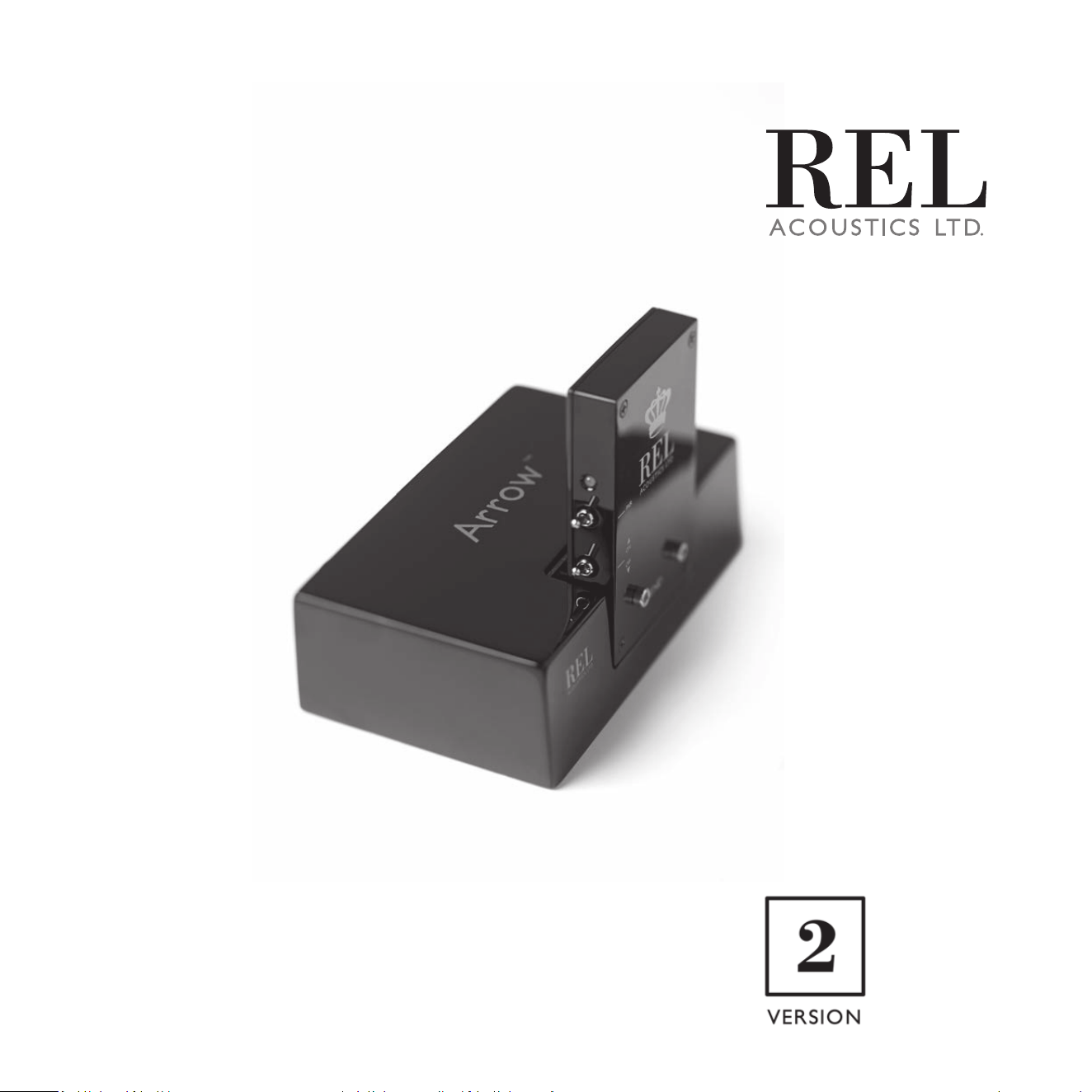
Operang Instrucons for the
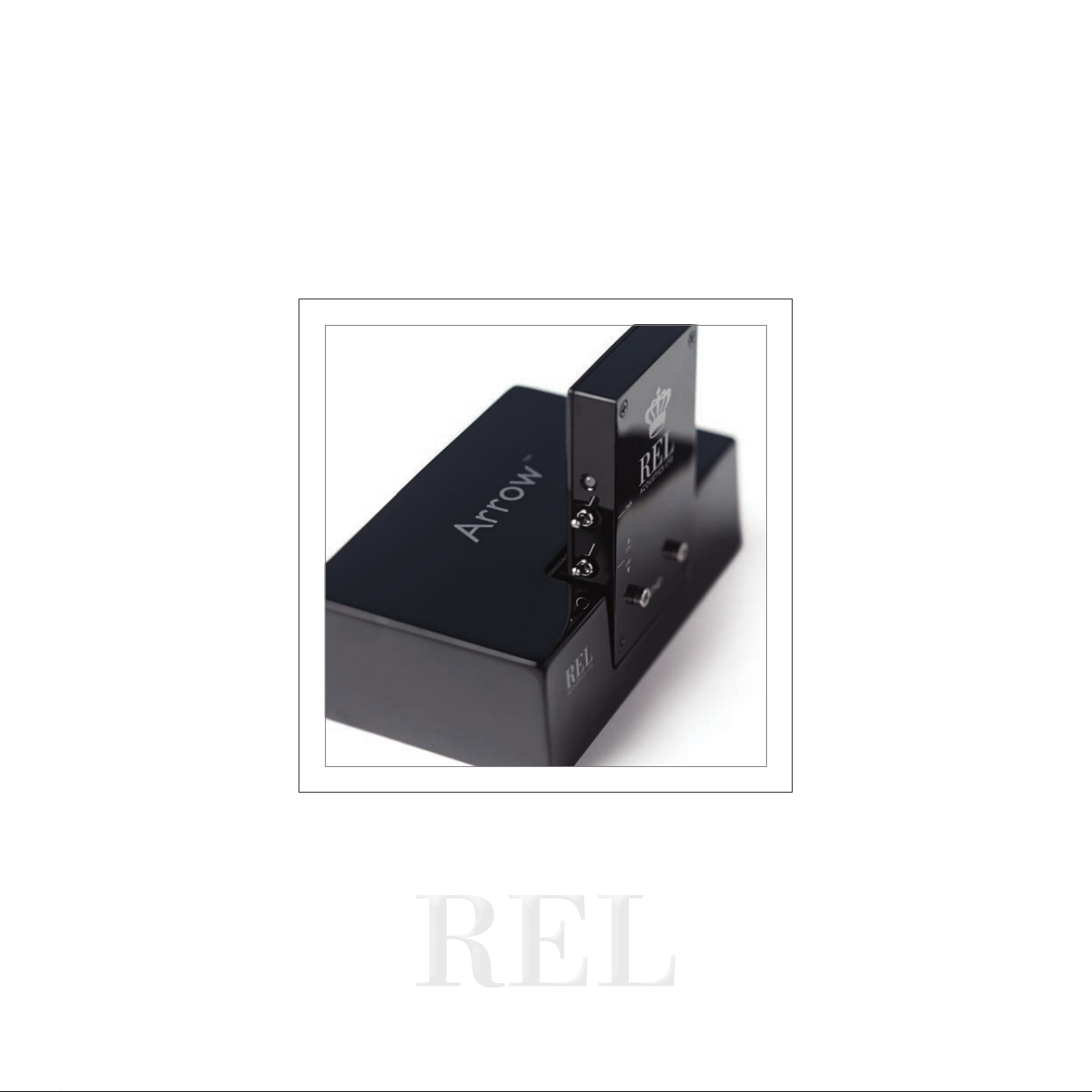
Arrow
™
Transmitter

REL have quickly acquired a sterling reputaon within the industry for delivering great sounding, reliable
wireless delivery of the REL experience. The freedom this confers on our customers is manifold; it permits
ultra high performance without the cumbersome tether of a cable, permits careful placement without being
limited by the length of a wire and can lead to a beer sounding, less cluered experience.
Arrow™ is our latest zero compression method of distribung wireless and delivers performance similar to
our more expensive wireless systems quickly, reliably and without the thin, dried out sound most wireless
systems deliver. In part, this is achieved by eliminang the oen very slow delivery methods oered by
o-the-shelf Bluetooth and wi- based systems. Arrow represents something of a cost breakthrough as it
uses LSI (large scale integrated circuit chips) technology to lower the cost of our system by about 30% while
preserving almost all the performance.
REL Theater Reference Delivered: Arrow permits simultaneous distribuon of our vaunted HIGH-LEVEL
connecon AND the .1/LFE needed for high quality theater. In this way, both 2-channel music and
mul-channel theater are supported without the need for connecng and disconnecng one’s REL.
At REL, we are commied to delivering the best possible listening experience for our customers; Arrow is
yet another way in which we show we are listening to you.
FCC STATEMENT
This device complies with Part 15 of the FCC Rules. Operaon is subject to the following two condions:
(1) This device may not cause harmful interference, and
(2) This device must accept any interference received, including interference that may cause undesired
operaon.
NOTE: This equipment has been tested and found to comply with the limits for a Class B digital Device, pursuant to Part 15 of the FCC Rules.
These limits are designed to provide reasonable protecon against harmful interference in a residenal installaon.
This equipment generates, uses and can radiate radio frequency energy and, if not installed and used in accordance with the
instrucons, may cause harmful interference to radio communicaons. However, there is no guarantee that the interference will not
occur in a parcular installaon. If this equipment does cause harmful interference to radio or television recepon, which can be
determined by turning the equipment o and on, the user is encouraged to try and correct the interference by one or more of the
following measures:
Reorient or relocate the receiving antenna.
Increase the separaon between the equipment and receiver.
Connect the equipment into an outlet on a circuit dierent from that to which the receiver is connected.
Consult the dealer or an experienced radio/TV technician for help.
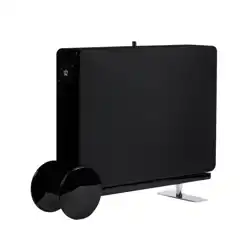
Arrow™ Wireless Transmier Please note: Arrow Version 2 is not compable with Arrow Version 1
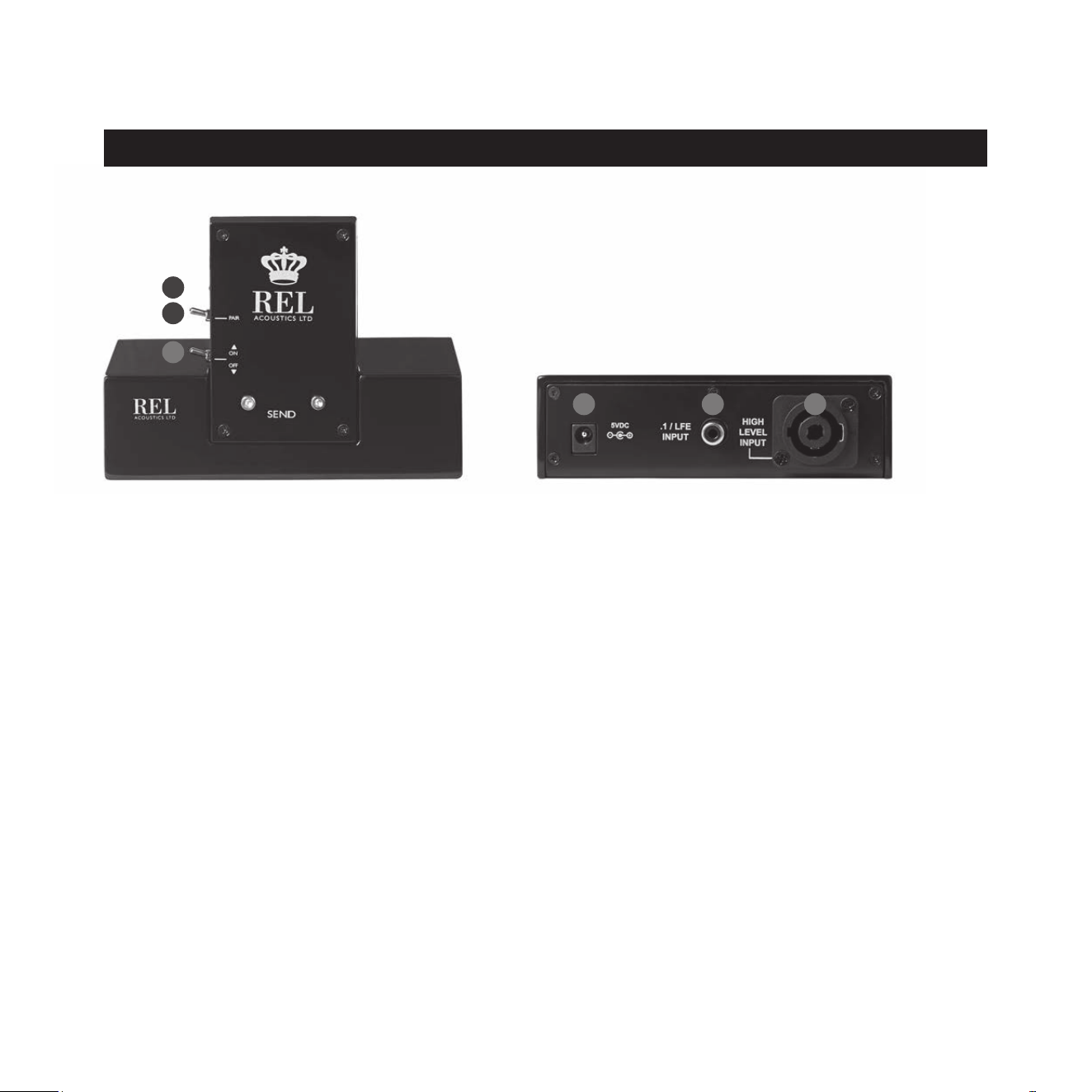
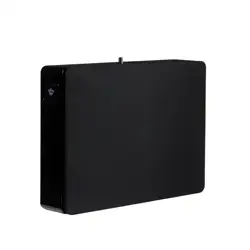
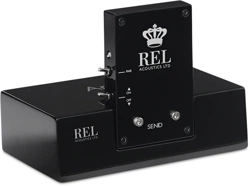
REL Arrow™ Transmier
1 LED: Indicates whether the REL Arrow™ transmier is paired with the receiver or not.
2 Pair Switch: Used to pair REL Arrow™ transmier with REL cabinet.
3 Power Switch: Used to turn on and o REL Arrow™ transmier.
4 Power Adapter Socket: DC input socket that accepts a detachable power adapter.
5 .1/LFE INPUT: Used to connect to the .1/LFE output from a 5.1 amplier or processor. Should
be used in conjuncon with REL HIGH-LEVEL connecon for the ulmate theater experience.
6 HIGH-LEVEL INPUT (Neutrik® Speakon® Socket): Use to connect HIGH-LEVEL to the main front
amplier speaker terminals.
Panel Connecon Legend
2
1
3
1
4 5 6
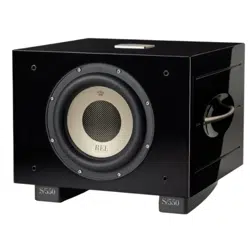
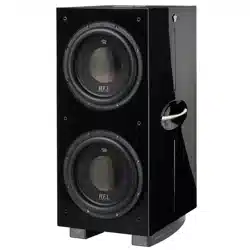
The REL Arrow™ Wireless Transmier is intended to be used with the SerieT/i or similar REL sub bass
system. The transmier will require power from an AC wall plug using the power adapter cable supplied.
It is not possible to use the Arrow™ wireless connecon and a direct connecon simultaneously. Using both
wired and wireless connecons simultaneously could result in damage and voids all warranes.
Always switch your system o before disconnecng any wires.
The transmier must be mounted to the base using supplied hardware. Make sure the electrical interface
is fully engaged to ensure proper performance. Mounng screws need only be nger ght.
The receiver must be mounted to the back panel of the SerieT/i using supplied hardware. Here too, make
sure the electrical interface is fully engaged to ensure proper performance and the mounng screws need
only be nger ght.
2
Connecng Up
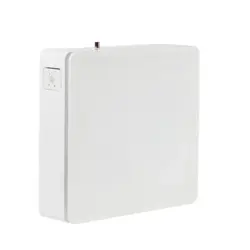
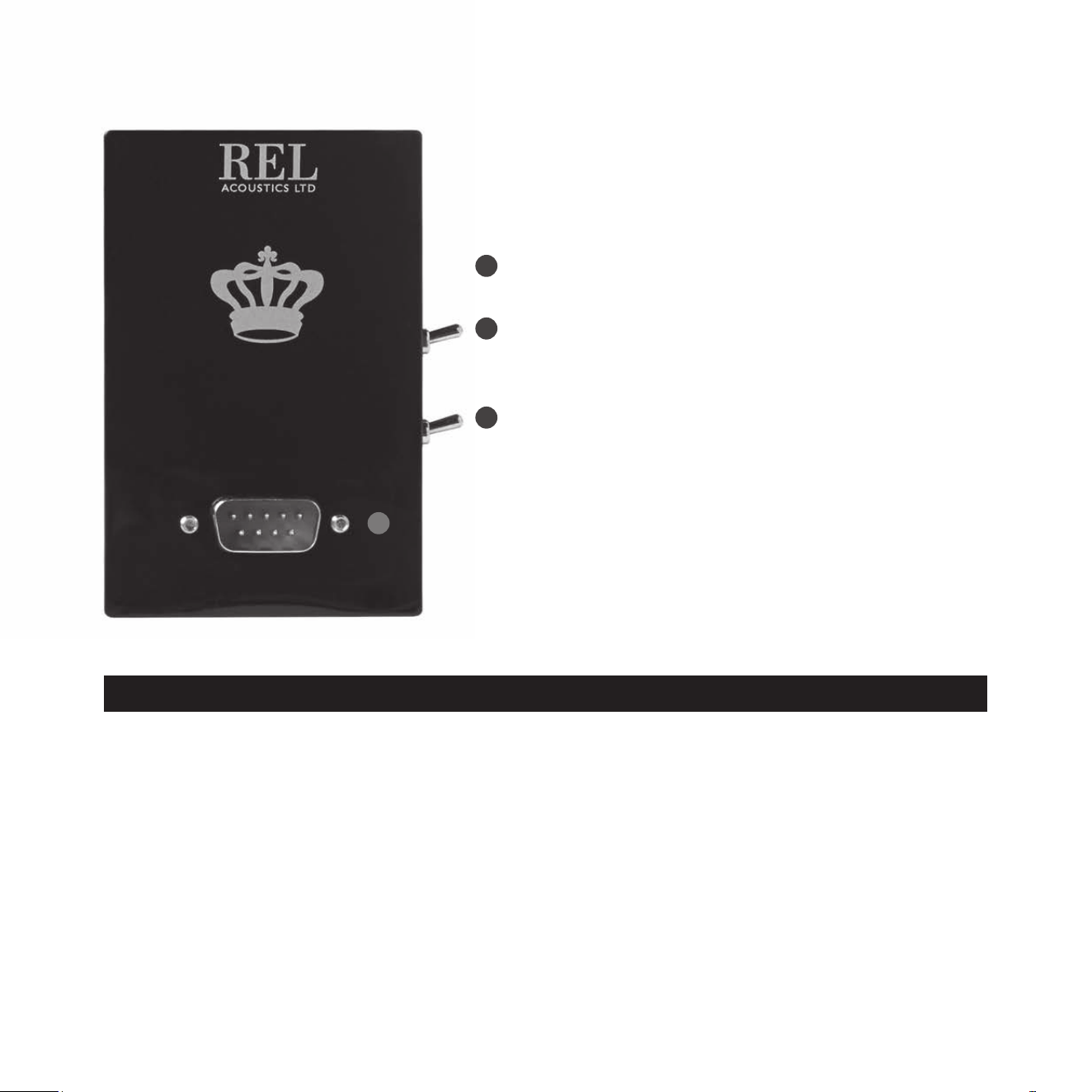
REL Arrow™ Receiver
1 LED: Indicates whether the REL Arrow™ receiver
is paired with the transmier or not.
2 Pair Switch: Used to pair REL Arrow™ receiver
with REL cabinet.
3 Power Switch: Used to turn on and o REL
Arrow™ receiver.
4 Interface plug: Used to connect REL Arrow™
receiver to SerieT/i back panel.
1
3
4
2

ALWAYS connect using the REL HIGH-LEVEL input, unless your system simply cannot accommodate this.
While rare, a few systems, such as those that deliver a pure digital signal to acve speakers, preclude the
use of REL High-Level input. To increase the versality of connecng up, the REL Arrow™ Wireless Transmier
has two separate inputs: A Neutrik Speakon socket and a phono socket. This is to facilitate use with both
two-channel stereo systems and AV surround sound systems.
The HIGH-LEVEL, unbalanced, dual-channel (stereo) input is via a Neutrik Speakon connector which is
connected to the power amplier’s le and right channel speaker terminals. This has the advantage of
ensuring that the REL receives exactly the same signal as the main speakers. This means that the character
of the bass from the main system is carried forward into the sub-bass. This is a very important point and
ensures far superior system integraon of the sub-bass with the main system.
Please use the REL HIGH-LEVEL cable supplied with your SerieT/i or similar REL sub bass system.
The .1/LFE input is via a phono jack that connects to either the .1/LFE output of a home cinema
amplier/processor. An RCA plug to RCA plug cable is included with this REL Arrow™ for this purpose.
HIGH-LEVEL and .1/LFE inputs on the Arrow™ can be used simultaneously. The benets are two-fold
when used with a home cinema system. The .1 Input reproduces the .1/LFE channel and the HIGH-LEVEL
connecon underpins the main front speakers. The main front speakers should be set to the “large” opon
on the processor. See “Home Cinema Applicaons” for more informaon.
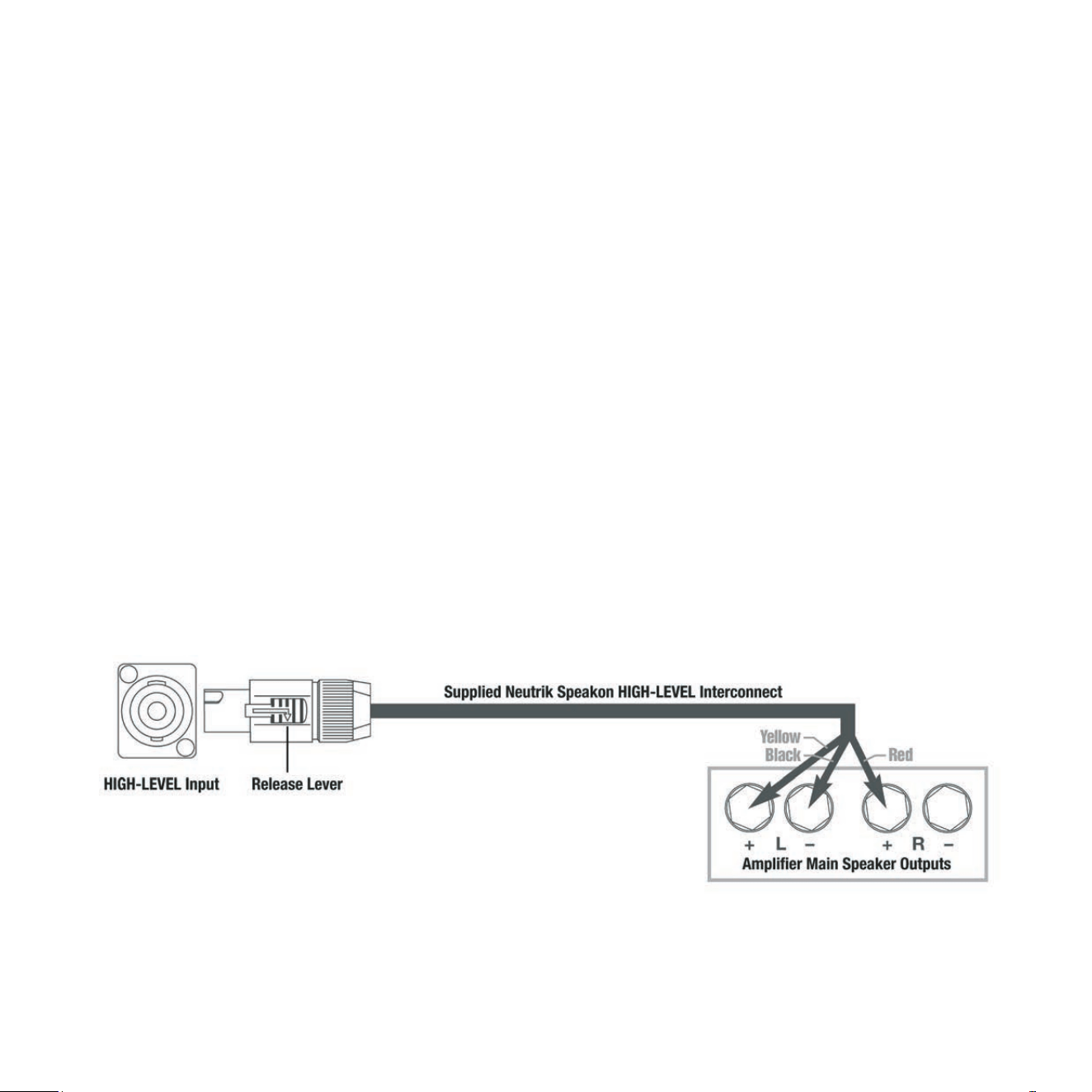
Connecng to the Power Amplier Using the Speakon HIGH-LEVEL INPUT
To engage the Neutrik Speakon plug, insert fully into socket and rotate clockwise unl locked.
To remove the Neutrik Speakon plug, grip body of plug, place thumb on chrome lever, move lever backwards,
rotate plug anclockwise quarter turn and withdraw.
The HIGH-LEVEL input is designed to accept the stereo (two-channel) signals from the speaker terminals of
your receiver, integrated amplier or basic amplier. This has the advantage of ensuring that your subwoofer
receives exactly the same signal as the main speakers, which means that the character of the bass from the
main system is carried forward into the Sub-Bass System. This is a very important point and together with
REL’s Natural RollO™ circuitry, ensures far superior system integraon of the Sub-Bass System with the
main system.
3

HIGH-LEVEL INPUT: Connecons should be made to the same binding post on main amplier as the main
speakers. Red to amplier main right speaker red terminal, yellow to amplier main le speaker red terminal
and black to amplier main speaker black terminal, right or le but not both. Plug the Neutrik Speakon plug
into the HIGH-LEVEL Speakon socket.
Note: This connecon does not draw power from the power amplier and, yes, your REL is a powered
sub bass system. However, by deriving its signal from the main power amplier, beer sound quality
is achieved.
.1/LFE INPUT: This requires a phono-to-phono cable and is a dedicated true .1 channel. This circuit therefore
eliminates the normal Natural RollO™ Crossover and passes the .1 LOW-LEVEL signal through with only the
required 120Hz fourth-order lter.
These connecons can be made on the SerieT/i through the REL Arrow™ transmier, or direct to the back
panel of the cabinet. In the case of connecng directly, only the subwoofer cabinet will need power. Using
input connecons to both the REL Arrow™ Wireless Transmier and direct to the SerieT/i back panel are
not permied.
4
Making Connecons
It is helpful to know that you will almost always connect the REL to the input on the rear panel labeled
“HIGH-LEVEL INPUT.” This connecon is made to the REL Arrow™ Wireless Transmier using the cable
supplied with your SerieT/i or similar REL sub bass system, the bare leads of which connect to the speaker
output terminals of the power amplier. The easy and foolproof connecon at the REL is done with a
Neutrik Speakon connector. The purpose of connecng to the speaker output terminals is one of the unique
secrets of REL’s success. By connecng to the high-level input on the REL from the amplier, you build
forward the sonic signature of your main system, including the tonal balance and ming cues of the enre
electronics chain. In this way, the REL is fed the exact signal that is fed to the main speakers.
Connecng
HIGH-LEVEL connecon, using the enclosed cable with the Neutrik Speakon connector, is always the rst
choice. This connecon can be made without aecng the performance of the amplier because the REL’s
amplier input impedance is 150,000 ohms, in eect not producing any addional demand whatsoever on
the rest of your system.
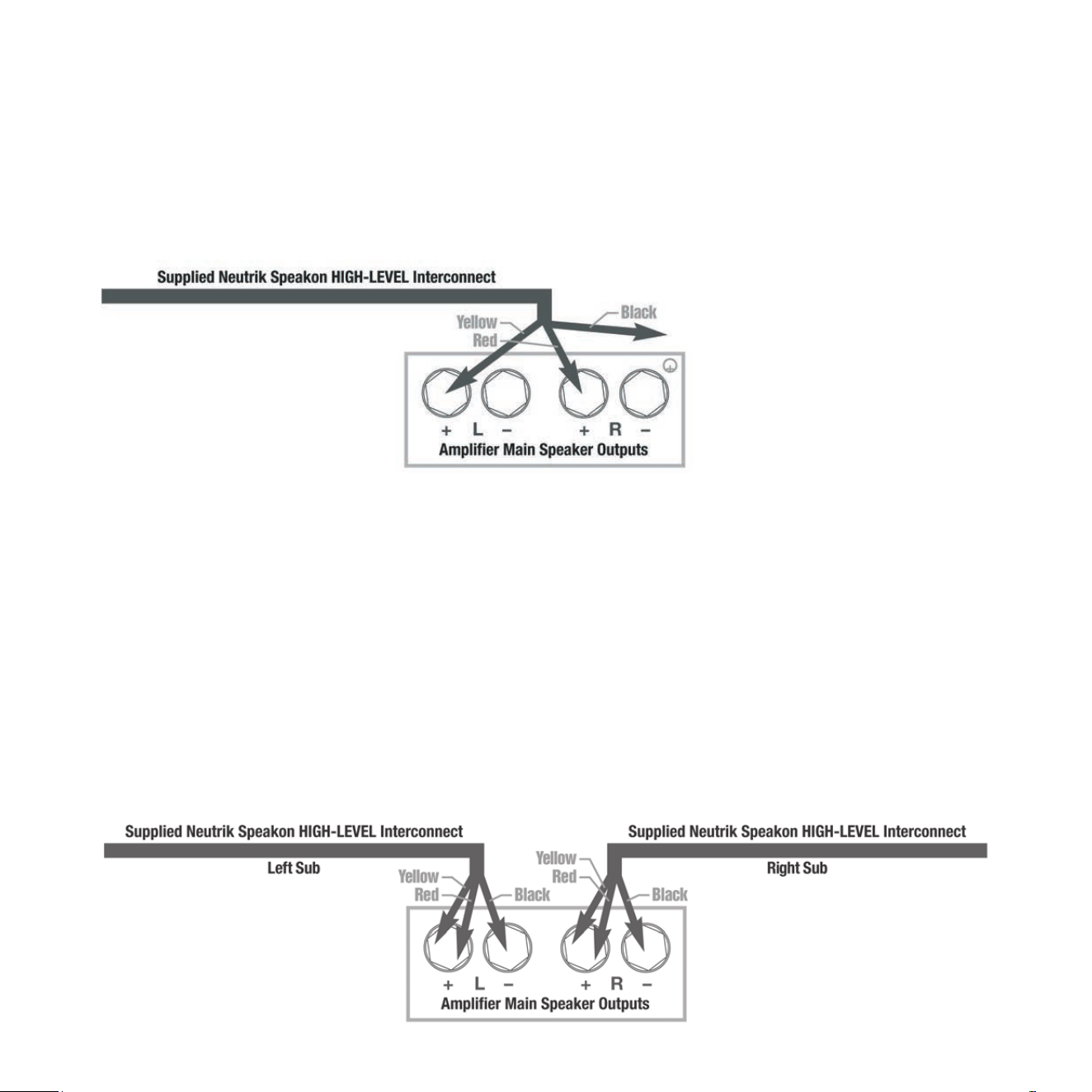
• The standard HIGH-LEVEL hook up procedure is: aach the red wire to the amplier’s right posive speaker
output terminal; aach the yellow wire to the amplier’s le posive speaker output terminal; aach
the black wire to whichever of the amplier’s ground output terminals is convenient; plug the Speakon
connector into the Arrow™ Wireless Transmier’s HIGH-LEVEL input.
5
• For dierenal (i.e. fully balanced) ampliers using one REL, simply use the standard connecng scheme
with the excepon of connecng the black wire to chassis ground (i.e. a metal bolt or screw, preferably
not painted or anodized, on the chassis of the power amp or receiver), not to a negave speaker terminal,
and then connecng into the HIGH-LEVEL input on the Arrow™ Wireless Transmier. Please contact your
dealer should there be any quesons concerning this or any other hookup procedure.
NOTE: The REL Arrow transmier is equipped with internal circuitry to allow seamless connecon to Class-D
(digital) main ampliers. If connecng to a Class-D amplier, follow the above connecon procedure
for dierenal ampliers.
• If connecng RELs to Mono Bloc ampliers, we strongly advocate using two (2) RELs, one for each
amplier. Connect the black wire of each REL to the negave speaker terminal of the corresponding
amplier channel; twist together the red and yellow wires of each REL separately and connect each pair
to the posive speaker terminal of the corresponding amplier channel. In some instances, this will result
in exceponally high gain (output) from the RELs. If it seems simply too high in gain, please remove either
the red or yellow wire from the twisted pair. This will reduce output by half and restore a natural dynamic.
If the amplier is of balanced dierenal design, please follow the instrucons in the secon above
labeled Dierenal Connecon.
6
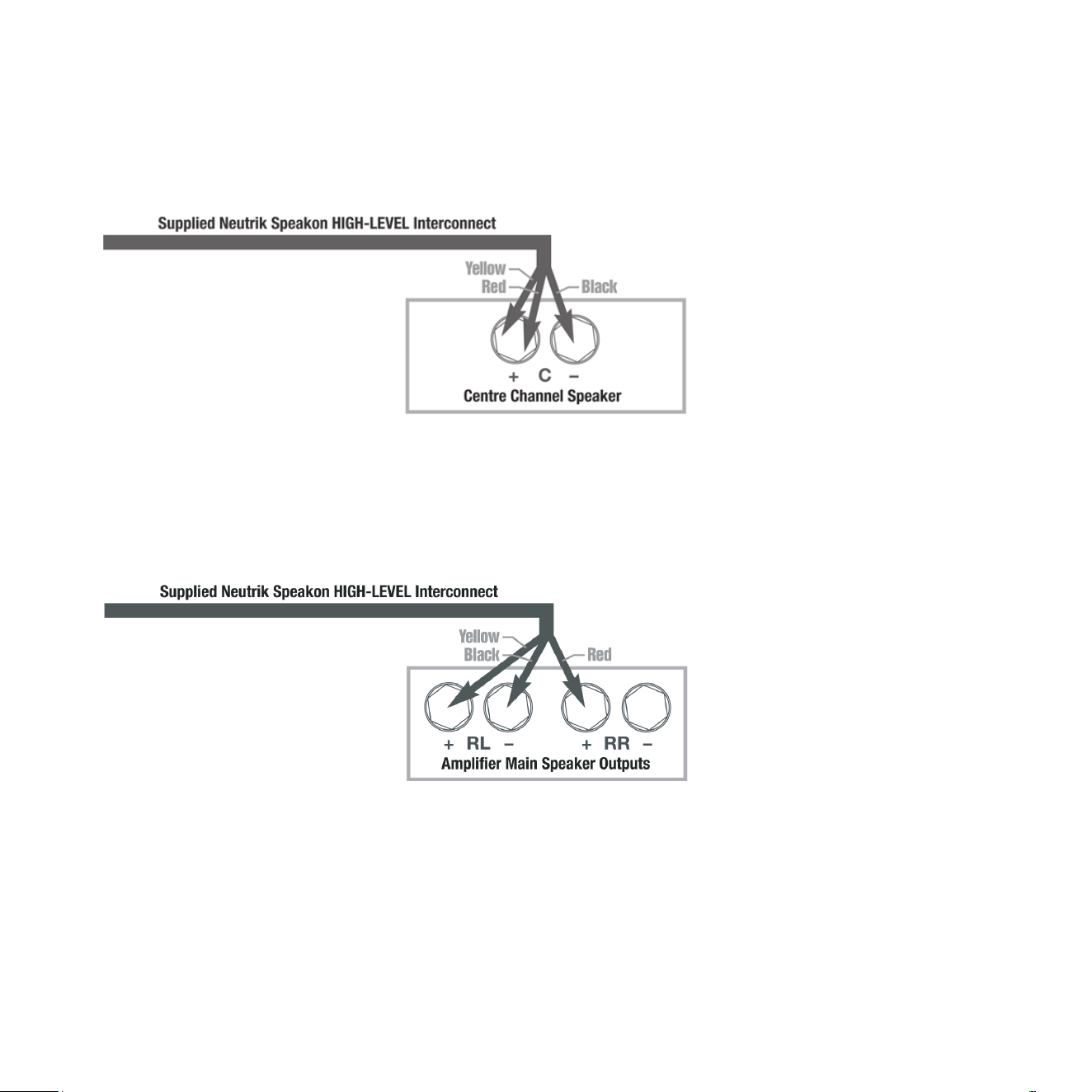
• If connecng a single REL as a dedicated centre channel sub, connect the black wire of the REL to the
negave centre channel speaker terminal; twist together the red and yellow wires and connect this pair
to the posive centre channel speaker terminal.
• If connecng a REL as a dedicated rear channel sub, connect the black wire of the REL to either the le
rear or right rear negave speaker terminal; connect the yellow wire to the le rear posive speaker
terminal; connect the red wire to the right rear posive speaker terminal. If the amplier is of balanced
dierenal design, please follow the instrucon in the secon above labeled Dierenal Connecon.
When connecng to a home cinema system where a .1/LFE channel output is present, connect a single
phono cable between the sub output of the processor/receiver and the .1/LFE input jack on the Arrow™
Wireless Transmier.
7
REL Theater Reference™ Home Cinema Applicaons
For Dolby Digital AC3 or other 5.1 theater systems, once the standard set-up for two-channel outlined
above is complete, the LFE output from the processor or receiver should be connected to the .1/LFE input
and appropriate volume adjustments made using the .1/LFE LEVEL control. For this conguraon, you must
set the processor to the “large” or “full range” seng for the le and right speakers in order for the REL to
receive the bass signal via the high-level cable. In this conguraon, the REL provides support for both the
le and right speakers for two-channel listening, and support for the LFE when movies are playing. Most
processors will allow you to defeat the subwoofer output when listening in the two-channel mode. The
eect of this set-up is one of greatly increased dynamics in the mid-bass range, no bass bloat, and a greater
degree of space and ming from the special audio eects.
Now that the Arrow™ Wireless Transmier is connected to your amplier (ideally using the High Level cable),
and the receiver is installed on the amplier panel, the unit will need to be paired to the REL subwoofer
or subwoofers.
1 Make sure that the transmier AC to DC wall plug supply is connected to an AC outlet, and that the barrel
connector is connected to the transmier.
2 Turn the transmier power switch on and a blue LED on the front of the side of the transmier will indicate
the unit is on by blinking in the standby paern which is one ash per second.
3 Make sure that the sub is plugged into an AC outlet using the supplied AC cable and that the sub is turned
on. Power switch is located on the rear panel.
4 At this point the transmier and receiver should nd each other and pair together. This will be indicated
by the “Pair” LEDs on both the transmier and control panel staying lit (no ashing).
5 In the event that the transmier and receiver do not automacally pair, simply exercise the momentary
“Pair” switches on the transmier and the receiver simultaneously.
Status LED Indicator
Paired Connuously On
Standby Blinks Once per Second
Pairing
8

The Arrow™ Wireless Transmier provides true REL Theater Reference™ connecvity, perming both
HIGH-LEVEL and LFE channels to be wirelessly fed to SerieT/i. This occurs with virtually zero delay and a
complete absence of compression.
Care and Polishing
The cabinets are best maintained by using a light automove spray-on wax and a micro ber cloth. (We use
a spray-on made by a company called Griot’s Garage™. While this may not be available in all markets, you
can use a similar product). Take care not to spray the aluminum badge. Do not place objects, such as drinks
on top of your REL Arrow™ Wireless Transmier. Never use a dry cloth on this nish.
Arrow™ Wireless Transmier
Input Connectors: HIGH-LEVEL Neutrik Speakon, LFE single phono
Input Impedance: HIGH-LEVEL: 150k, .1/LFE: 10k ohms
Wireless output power: 10dBm
Wireless eecve distance: 50 (15.2 meters) with clear line of site
Mains Input Voltage:
Power consumpon:
Dimensions (WHD):
Finish:
Supplied Accessories:
5V DC, 5.5mm circular connector, posive center
600 mWas
5.125 x 3.5 x 3.25 in., (130 x 89 x 82.5 mm)
Gloss Piano Black
Pow er adapter
Note: Arrow Version 2 is not compable with Arrow Version 1
In the interest of product improvement, REL Acouscs Limited reserves the right to alter these specicaons without noce.
Specicaons
Technical
9

REL Acouscs Limited
North Road, Bridgend industrial Estate . Bridgend, CF31 3TP . United Kingdom
Telephone: +44 (0)1 656 768 777 . Fax: +44 (0) 1 656 766 093
Web: www.rel.net