1630212-0A
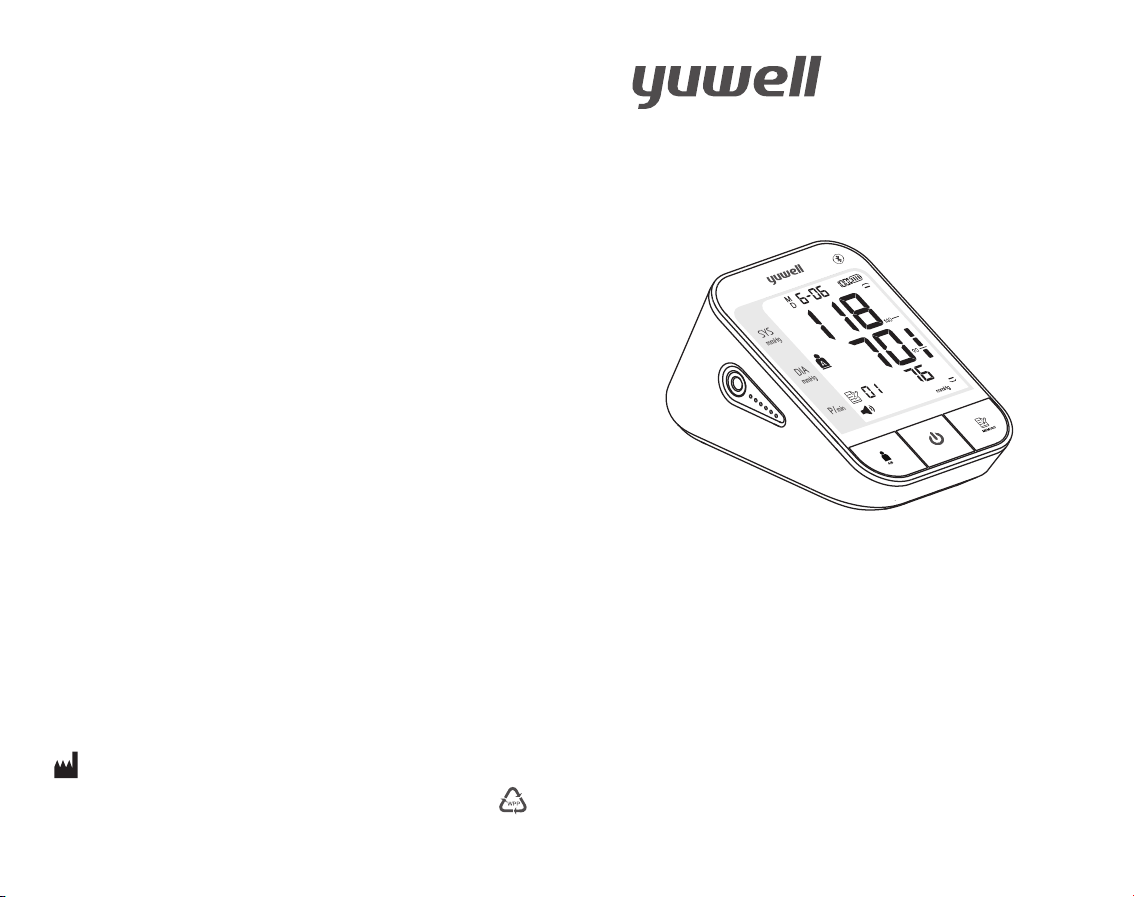
User's Manual
YE670CR
Electronic Blood Pressure Monitor
Please read the user's manual closely before using!
www.yuwell.com
JIANGSU YUYUE MEDICAL EQUIPMENT & SUPPLY CO.,LTD.
NO.1 Baisheng Road Development Zone, Danyang, Jiangsu 212300 CHINA
Contents
Before using
Product features.....................................................
Operation guide.......................................... .............
Product structure and parts.................................
Cautions.....................................................................
Application scope and attention items...............
Battery charging ......................................................
and unit setting............... ...............
Measuring method
Using method of cuff.............................................
Measuring posture..................................................
Start measuring.......................................................
Auxiliary measuring function ....................... .........
Blood pressure range indicator............................
Memory function............... .... ........................ ..........
Static mode...................................................... .........
Common problems
Common questions of blood Pressure measurement......
Common fault and trouble shooting...................
Maintenance .... .................................................... ....
Features and technical parameters ............... ......
Health diary... ............................................................
Time and date setting............................................
Voice volume
01
02
04
06
07
09
11
12
13
15
16
19
20
21
23
28
30
31
33
01
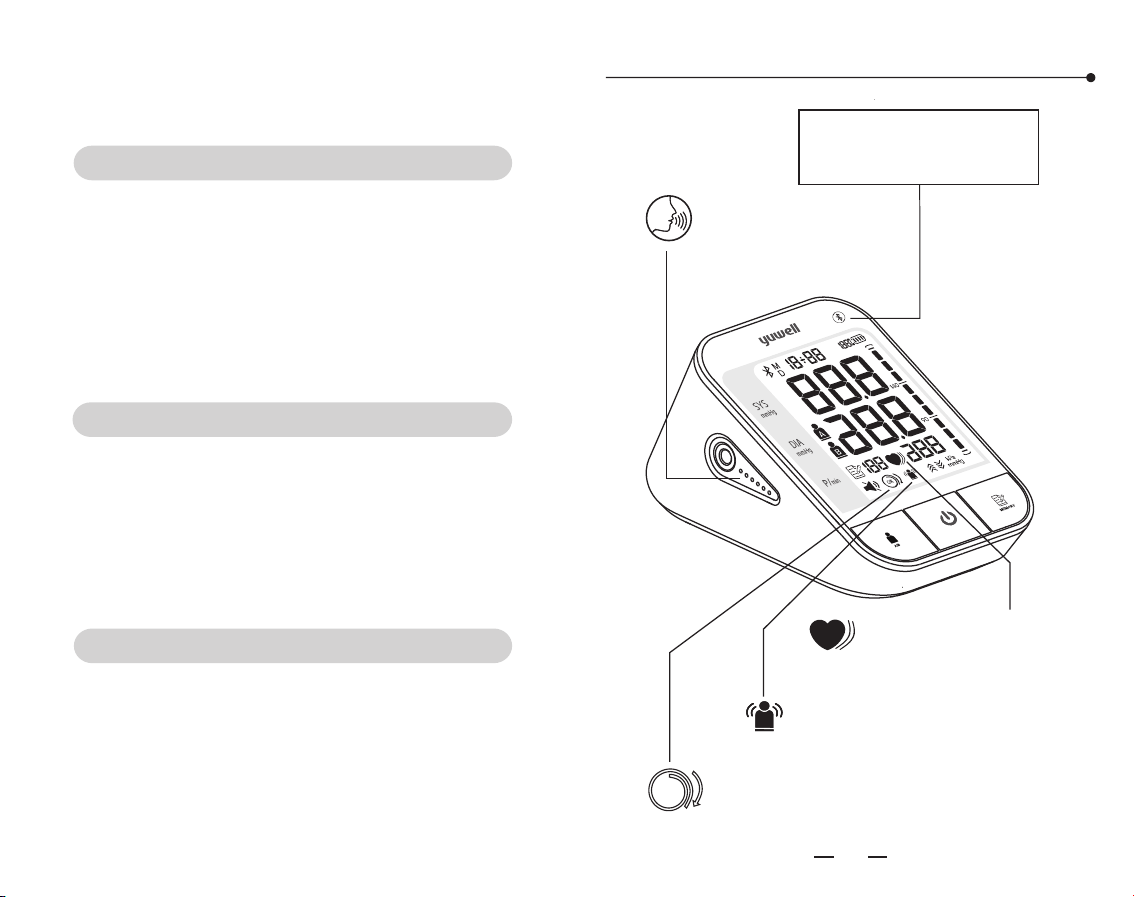
Voice function
OK
Detection for
cuff wearing
Indication for
Movement Error
Product Features
Bluetooth icon is only
applicable to the model
with bluetooth function.
Y
Indication for irregular
heartbeats
25
0302
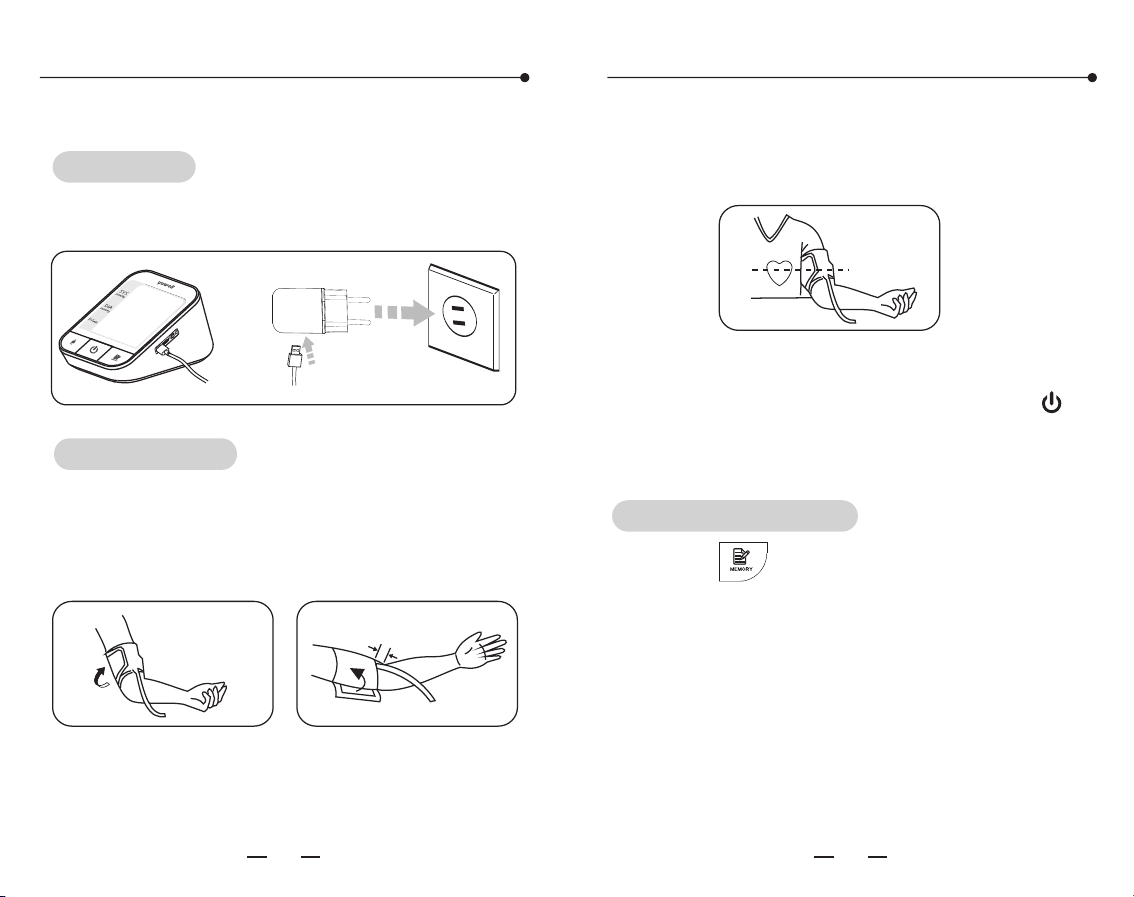
Please follow the steps as shown below.
Connect the power source for charging
below.
as shown
Power-on
Operation guide Operation guide
2 Measuring posture
.
3 Start measuring
.
.
1. Using method of cuff
2-3cm
Measurement
Check the records
Wearing the cuff and make the lower edge 2~3cm
above the elbow, keep the air tube inside of the
arm.(Please turn to page 13 for details)
Sit straightly, keep the center of cuff and heart at
the same level.(please turn to page 15for details)
Sit still for 5 minutes and then press the " "
Button to measure. ( Please turn to page 16 for
details)
Press the " " button to check the measuring
records.
This monitor can display the average
measurement and store 60x2 records. (Please
turn to page 21 for details)
Voice function - on/off key
reset hole
05
04
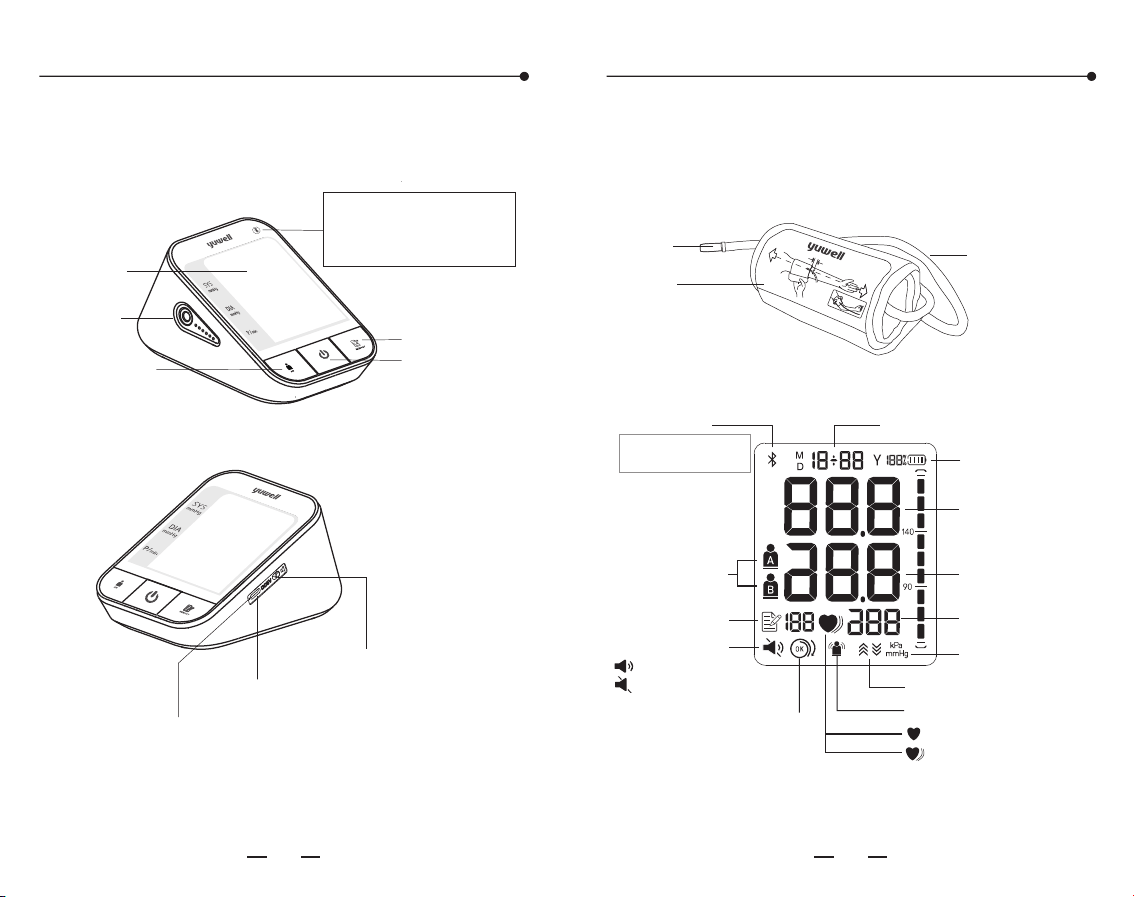
Product structure and parts
1. Main part
User switch
button
Bluetooth icon is only
applicable to the model
with bluetooth function.
Display
Memory button
Start/Stop
button
Plug port
Power adapter socket
2. Cuff
The suitable upper-arm circumference of
cuff is 18cm~36cm
the
Rubber air tube
Cuff
Air plug
Battery power icon
Voice volume icon
User icon
SYS(systolic)
DIA(diastolic)
Time and date
kPa/mmHg unit
Pulse rate
Cuff Wrapping Detection
Movement Error Indication
Records number
Heartbeat
IHB Prompt
Inflation/Deflation
voice volume open
voice volume off
Bluetooth icon
Bluetooth icon is only
applicable to the model
with bluetooth function.
3. Display
4. Accessories
Us er's manual、Warranty card、USB cable
Product structure and parts
18~36cm
2~3cm
0706
Cautions
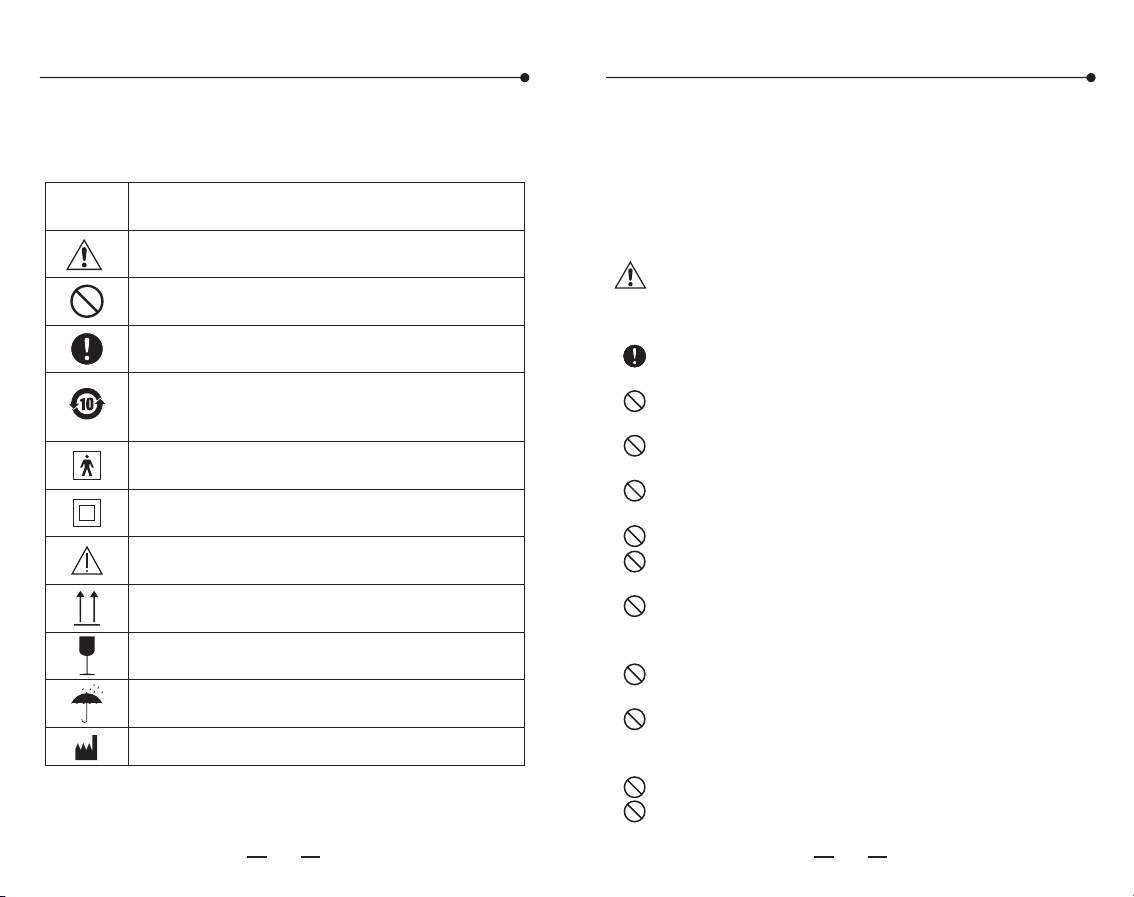
Symbol
Description
Attention! It might cause damage
Prohibited
Obligatory
Type BF application part
Class II device
Consult the manual
Keep Upright
Fragile
Keep Dry
Pay attention with the symbols shown here to
prevent harm or damage to the user.
Safety and environmental protection
use periodFor 10 years
Application scope and attention items
1. Range of application
2. Attention items
The monitor is used for measuring blood
pressure of human body (adult older than 12, not
suitable for new born baby)!
Caution: Pay attention to the following
points when measuring or it may cause the
incorrect results.
Sit still for 5 minutes before measuring to
ensure quiet and stable mode.
Do not take the measurement while standing,
walking or having body pressed.
Do not take the measurement after smoking,
drinking wine or coffee (black tea).
Do not take the measurement after sport or
bath.
Do not speak or move while measuring.
Do not move, shake arm or bend fingers while
measuring.
Do not take the measurement at extreme
temperature condition or the varied severely
environment.
Do not take the measurement in a moving
vehicle.
Do not measure continuously. (2~3 minutes
or more should be spared between two
measurements).
Do not measure within 1 hour after meal.
Do not use mobile phone near the monitor.
Manufacture
Application scope and attention items
Battery charging
This product is powered by lithium battery.
make sure the battery is sufficient when using the
product.
Please
Power-on
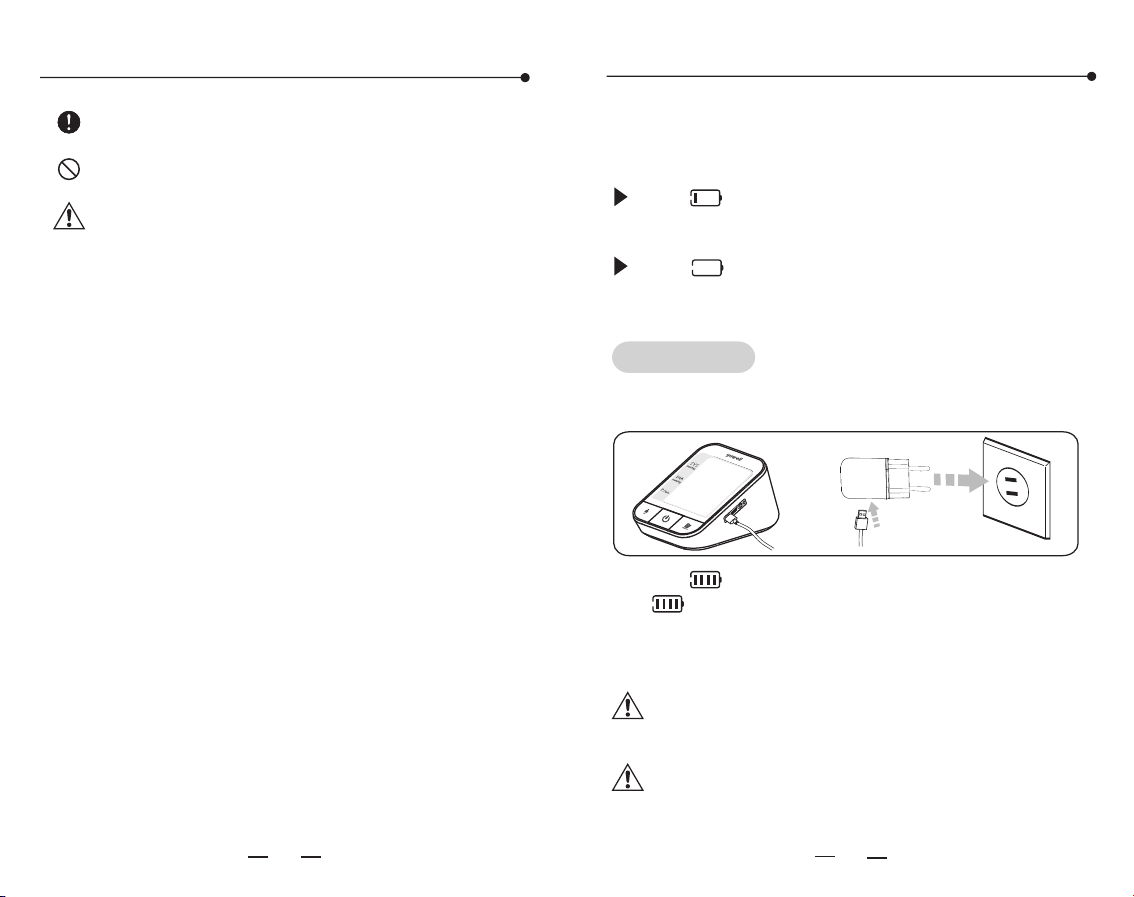
1. Connect the power source for charging as shown
below.
The showing 25% or
less mean the battery is low and needs to be
charged.
The " " icon appearing and showing 5% or
less mean the battery is running out. Please
charge before using.
" " icon appearing and
Note:
2. The
" " icon stops flashing when the battery is
fully charged.
3. Please unplug the power adapter from the after
charging.
" " icon flashs during charging, and the
Note:
08 09
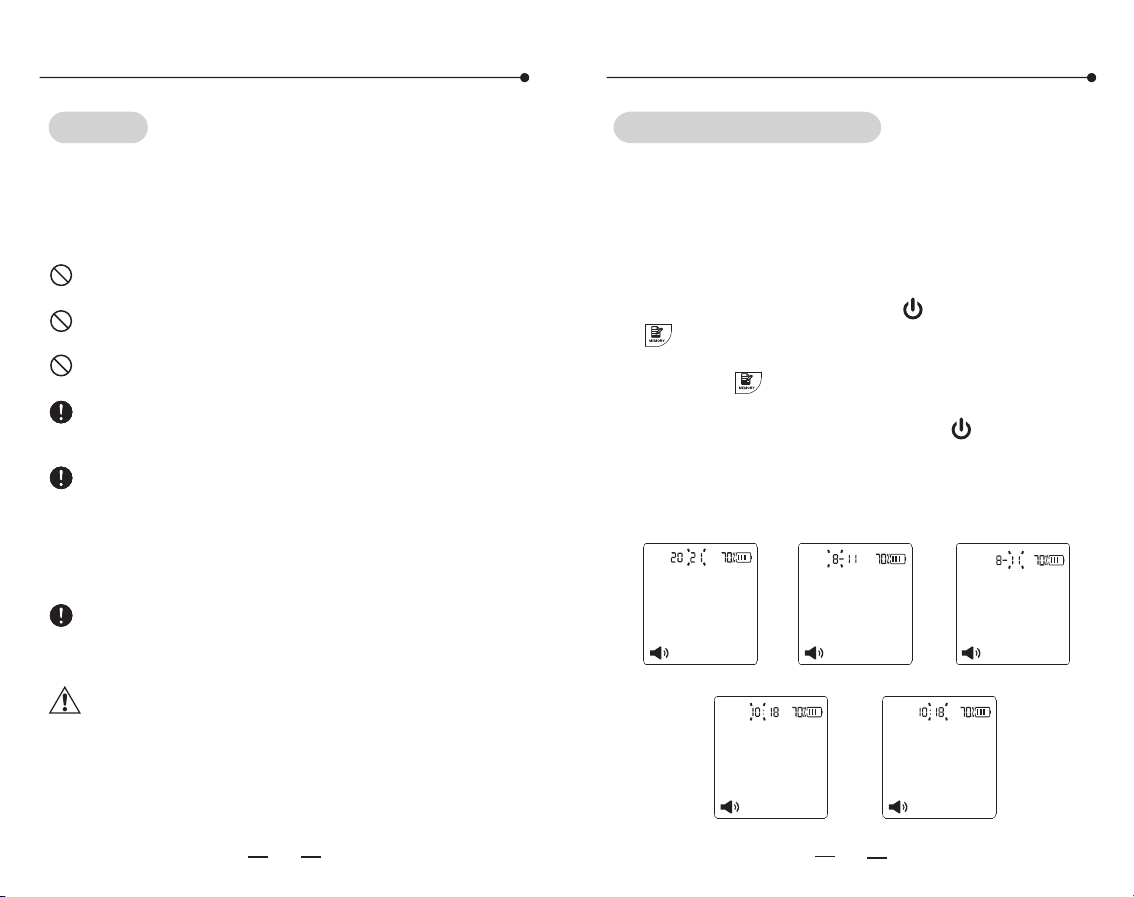
Do not measure blood pressure when
charging, so as not to cause abnormal
measurement.
Please charge the device in a position
where it is easy to disconnect from
supply mains.
For patient of arrhythmia, measuring results
may not be accurate.
Do not keep the cuff in the aerated state for
a long time.
Note: Do not diagnose with the measurement,
Please follow doctor's instruction.
Statement: If the monitor has not been stored in
the required temperature and humidity range, it
may not conformance to specification.
10 11
Time and date setting
Do not place equipment with lithium batteries
near the fire source.
Do not remove and replace the battery or
squeeze the battery with hard objects.
Please charge the device in time when the
battery is low.
In order to extend the service life of lithium
battery, it is recommended to maintain more
than half of the power.
When the equipment is not used for a long
time (more than 6 months), it is easy to cause
the passivation of the electrode material and
lea d t o the de cli ne of th e b att ery
performance. It is recommended to make it
frequently.
Please dispose of waste batteries in
accordance with local environmental
protection regulations.
Warning: Do not replace the battery without
authorization. Replacement of the battery by
u n t r a i n e d p e r s o n n e l m a y r e s u l t i n
overtemperature, fire, or explosion.
Battery charging
Tips!
Please use only the authorized yuwell AC Adapter
(output DC 5V 1A) to charge, and you can contact
the local dealer for consultation about the
relevant information.
Time and date setting
The monitor will store the measuring results
automatically by the management system. It is
necessary to reset time and date after charging
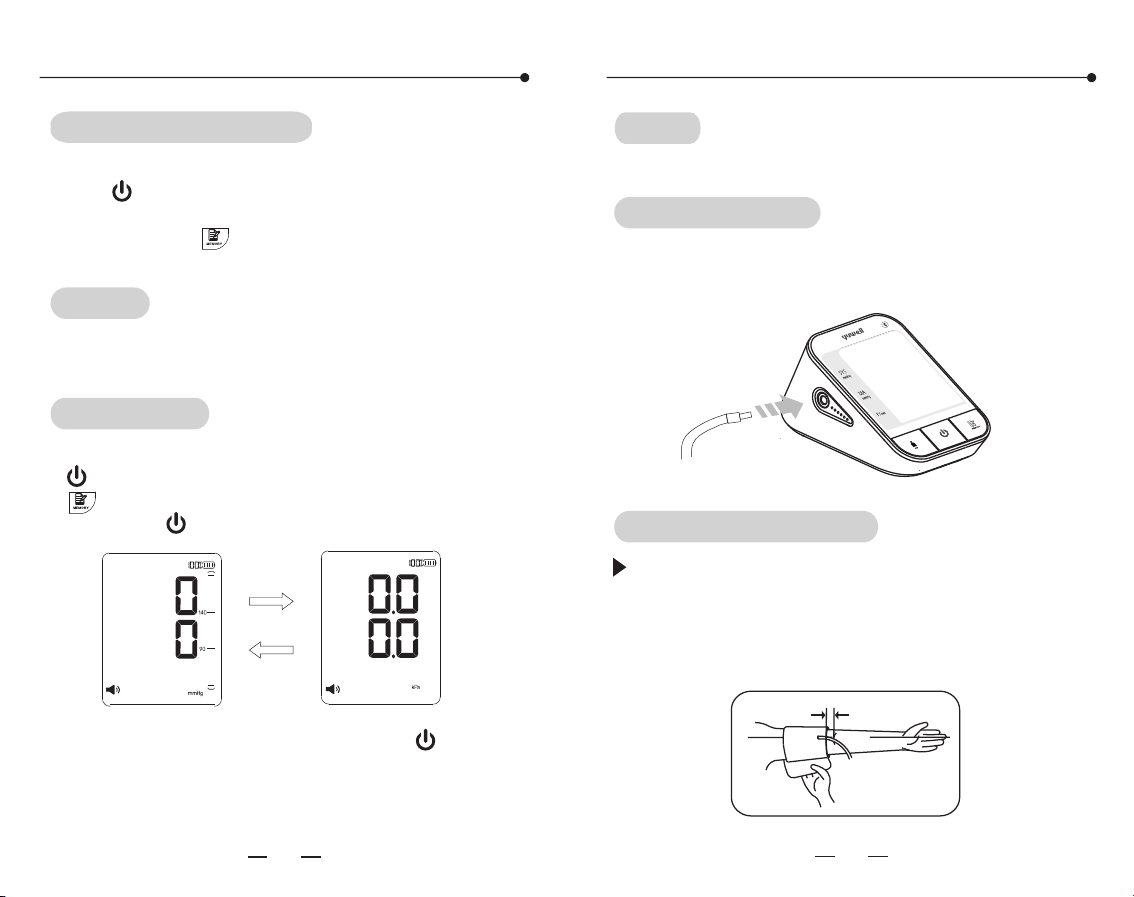
and starting up again. Please operate as following
steps. (For example: setting the date as 2021-08-
11 and time as 10:18)
1. In standby mode,
" " button for more than 3 seconds till the
year's number starts flashing.
2. Press the" "button to advance by increments
of one year.
3. After setting the year, press the " " button to
switch to the month setting, indicating that the
month's number starts flashing.
4. Using the same way to set the month, day,
hour, and minute in turn.
press the " " button and the
Year character blink
Month character blink
Date character
Hour character blink
Minute character blink
Y
M
D
M
D
12
13
Using method of cuff
Tips!
Either of arms can be measured.
Cuff connecting
Voice volume and unit setting
Voice volume setting
After finishing the time and date setting, press
the " " button to enter the voice volume
setting. The size of the sound ranges from 01 to
04. Press the " " to choose the sound which
you need.
Tips!
When the voice function key is In a state of shut,
there is without voice broadcast function.
Unit setting
After finishing the voice volume setting, press the
" " button to enter the unit setting. Press the
" " button to choose unit between mmHg and
kPa. Press " " to finish setting.
After finishing unit setting, press the " " button
to shut down.
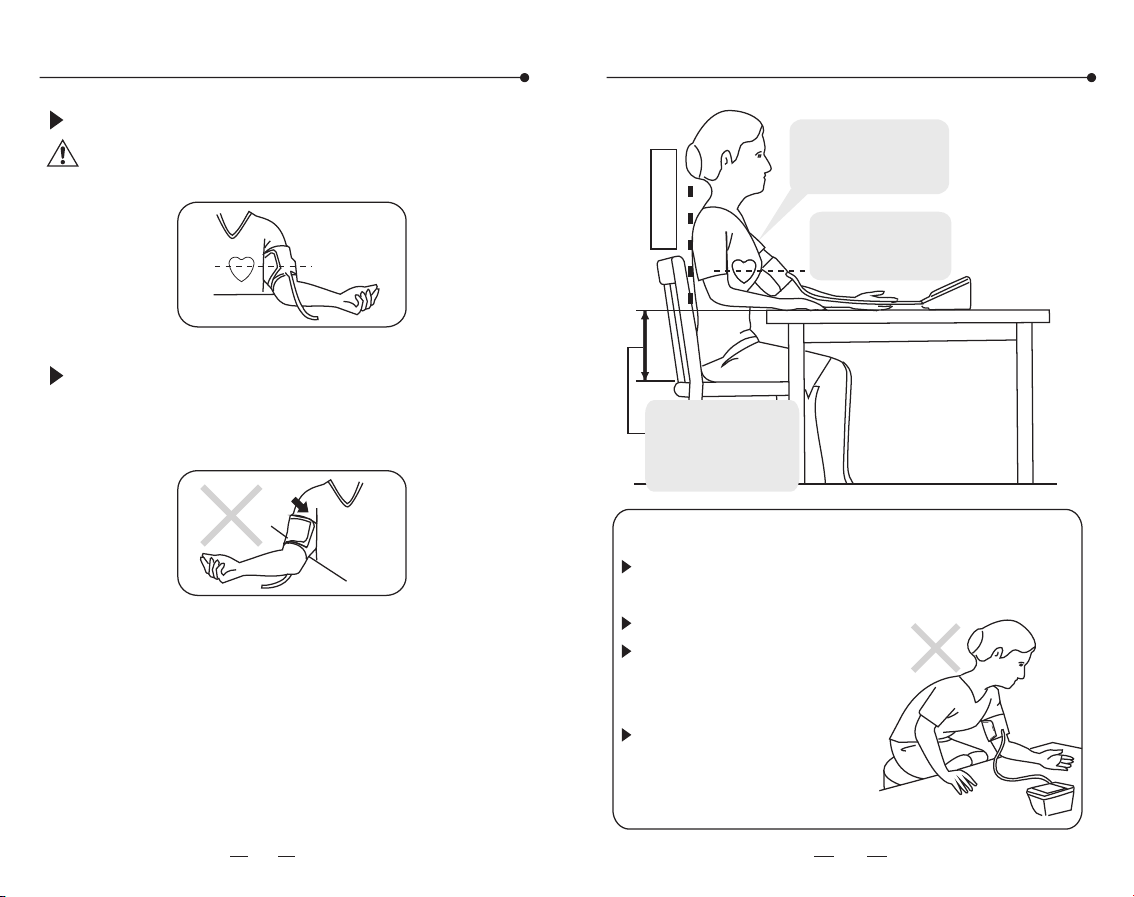
Connect the air connector of the cuff to the
socket which on the left side of the monitor.
Using method of cuff
Wind the cuff around the upper arm. (as shown
in the picture) Keep the lower edge of the
cuff at the position above 2-3cm to the
elbow joint and keep the air inlet which
insert to the cuff at the inner side of arm.
2~3cm
14
15
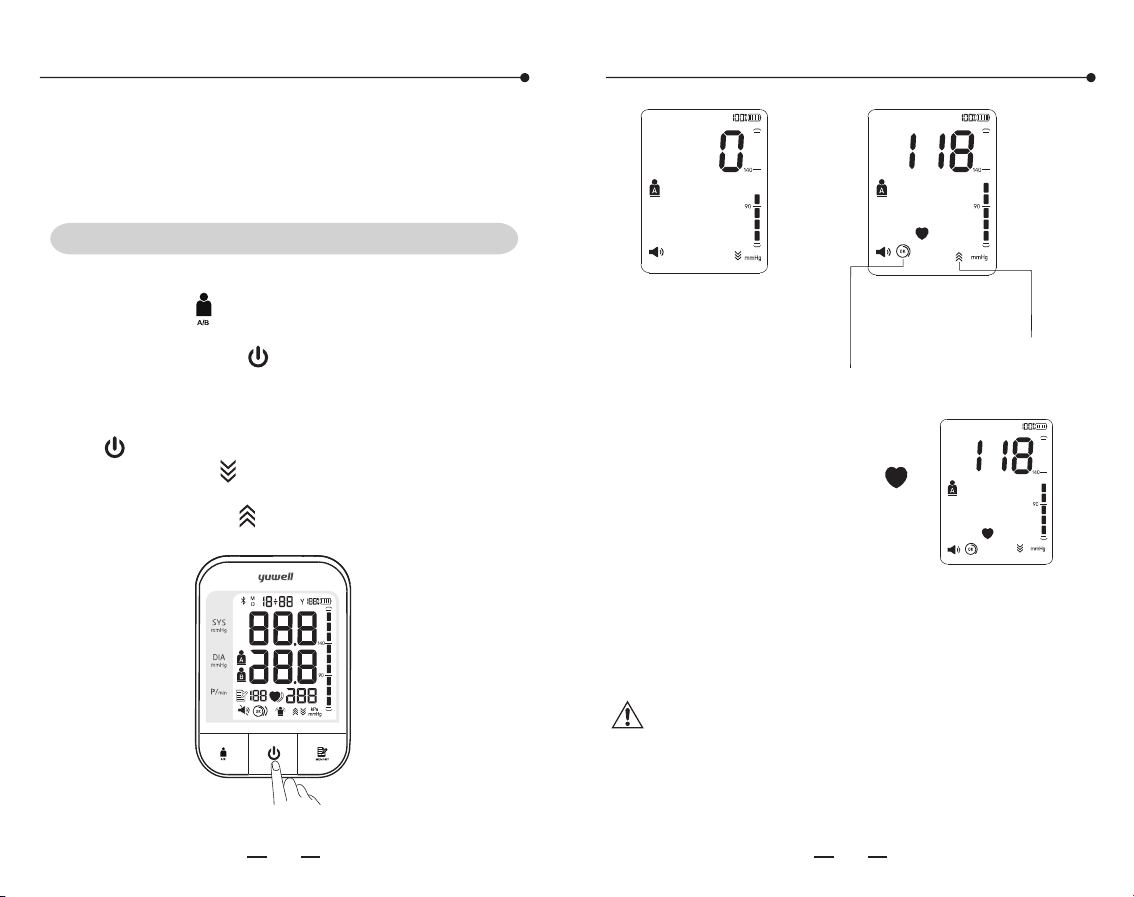
Using method of cuff
Measuring posture
Sit straight
Keep
bareness or wearing
thin clothes
the upper arm
Keep the center
of cuff and heart
at the same level
Wrong measurement postures
Do not bend down or body
bend forward.
Do not sit with legs crossed.
Do not sit on a sofa.(Belly
pressure may increase the
blood pressure)
Do not put the arm on the
low table.(May increase the
blood pressure)
The ideally height
difference between
table and chair is
25-30cm
Stick the cuff tightly.
Note: The cuff should be wearing comfortably,
avoiding too tight or loose.
Sit straight and flat the arm on table with palm
up, also keep the center of cuff and heart at
the same level. Also please ensure the air tube
not twisted.
1716
Start measuring
Sit still for 5 minutes before the measurement
The zeroing state
Full screen display state
The inflation state
Cuff detection icon
Increase with the pressure
Start measuring
Don't eat, smoke, drink, take bath or do any high
impact sport within half an hour before
measuring. Measurements shall be taken at the
same time every day.
The monitor starts measuring
automatically after inflation
finished, and the heart icon " "
starts to flicker. The air escape
valve automatically exhausts
slowly, and the pressure value
drops continuously.
Please maintain the position during the
measurement and don't speak or move body or
hand.
The measuring state
1. Measurement
A. Press the " " button to set the user to be
measured before starting the measurement. And
then press the button to start
measurement.
B. All icons on screen appear for 1 sec if directly
start measuring without user setting by pressing
the " " button, then disappear. After that the
deflation icon " " flashes which means the
system is in zero testing. Several seconds later
the inflation icon " " flashes which means the
zero testing is finished. Then inflation starts.
" " the
Warning: Upper limit pressure of air inflation
is 300mmHg/40.0kPa. Don't keep the
inflated state for a long time to avoid damage.
18
19
Start measuring
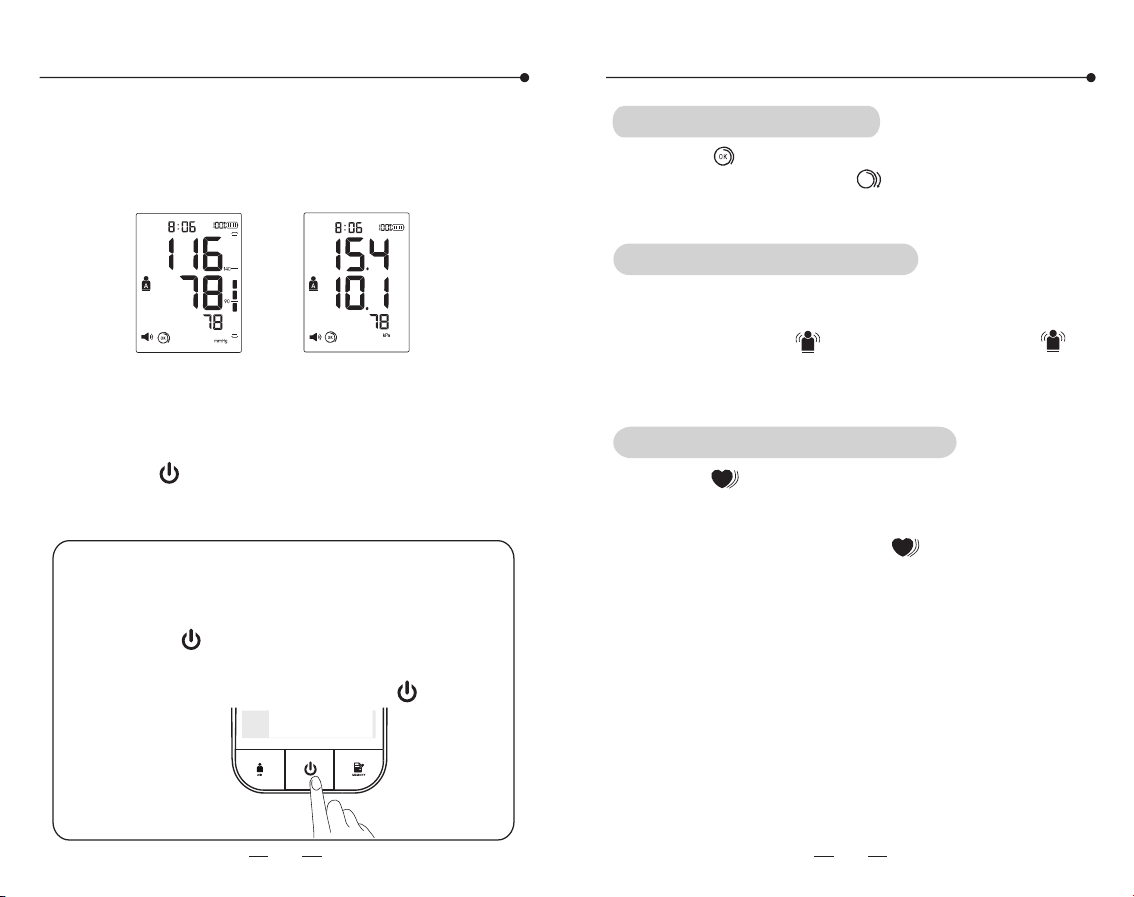
mmHg display
kPa display
4. Shut down
3. Take off the cuff
2. Measurement finished
After measurement, the monitor will show the
SYS, DIA and pulse rate, then daflate the air
automatically.
Press the " " button to shut down. Also it will
power off automatically in 3 minutes without any
operation.
If the measurement need stopping for
uncomfortableness or other reasons, please
press the " " button, the measurement
will stop immediately and air releases fast.
Take off the cuff manually if the " " button
is not working.
Emergency stop during measurement
Detection for cuff wearing
The icon " " appears when the cuff is wrapped
correctly, and the icon " " appears when the
cuff is wrapped loosely or tightly.
Indication for Movement Error
The product can automatic detection of the body
during the measurement of the wrong movement
and give the icon " " prompt . If the icon " "
appears during the measurement, measure it
again.
Indication for irregular heartbeats
the icon " " flashes if irregular pulse signal is
detected during measurement, and it indicates
that the measurement is abnormal and need to
be remeasured. If the icon " " appears during
multiple measurements, consult your doctor.
Auxiliary measuring function
20
21
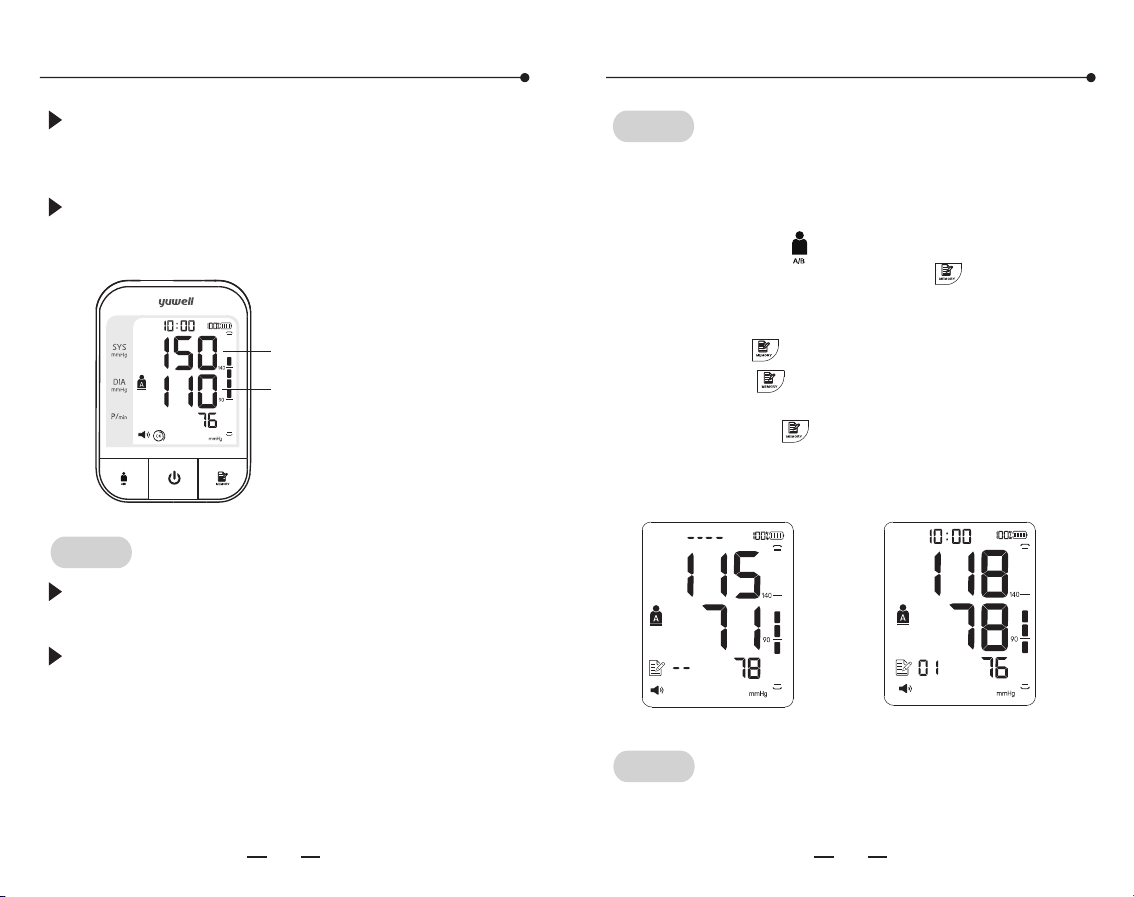
If the SYS is higher than 139mmHg or DIA
higher than 89mmHg means having high blood
pressure. Please contact with doctor for advice.
Also the Blood pressure range indicator can
show the blood pressure intuitively.
Blood pressure range indicator
Memory function
Higher than 89mmHg
Higher than 139mmHg
Tips!
The time interval between two measurements
should be at least 2~3 minutes or longer.
Estimate the blood pressure condition according
to the BP classification table, and consult the
doctor.
The monitor will store the measurement data
automatically (including blood pressure and pulse),
and the upper limit of records is 60 for one user.
Tips!
Firstly, press the " " button to select the user A
or user B, and then press the " " button to
check the measurement data about the user
selected.
The average value The 1st group of memory
1. Press the " " button for the records
A. Press the " " button to show the average
value of the latest 3 times measurement.
B. Repress the " " button to display the 1st
group of memory, the serial number is displayed
as "01" to "60". "01" is the latest group and the
"60" is the earliest one.
Tips!
The 60th data may be replaced by the 59th when
the memory capacity is full.
23
22
Entering the static mode
Memory function
C. Read the recorded data by pressing the " "
button as the sequence: "01", "02" ......"60"(max).
Then return to the 1st. Holding the " " button
to search the data quickly.
D. Press the " " button to shut off the monitor.
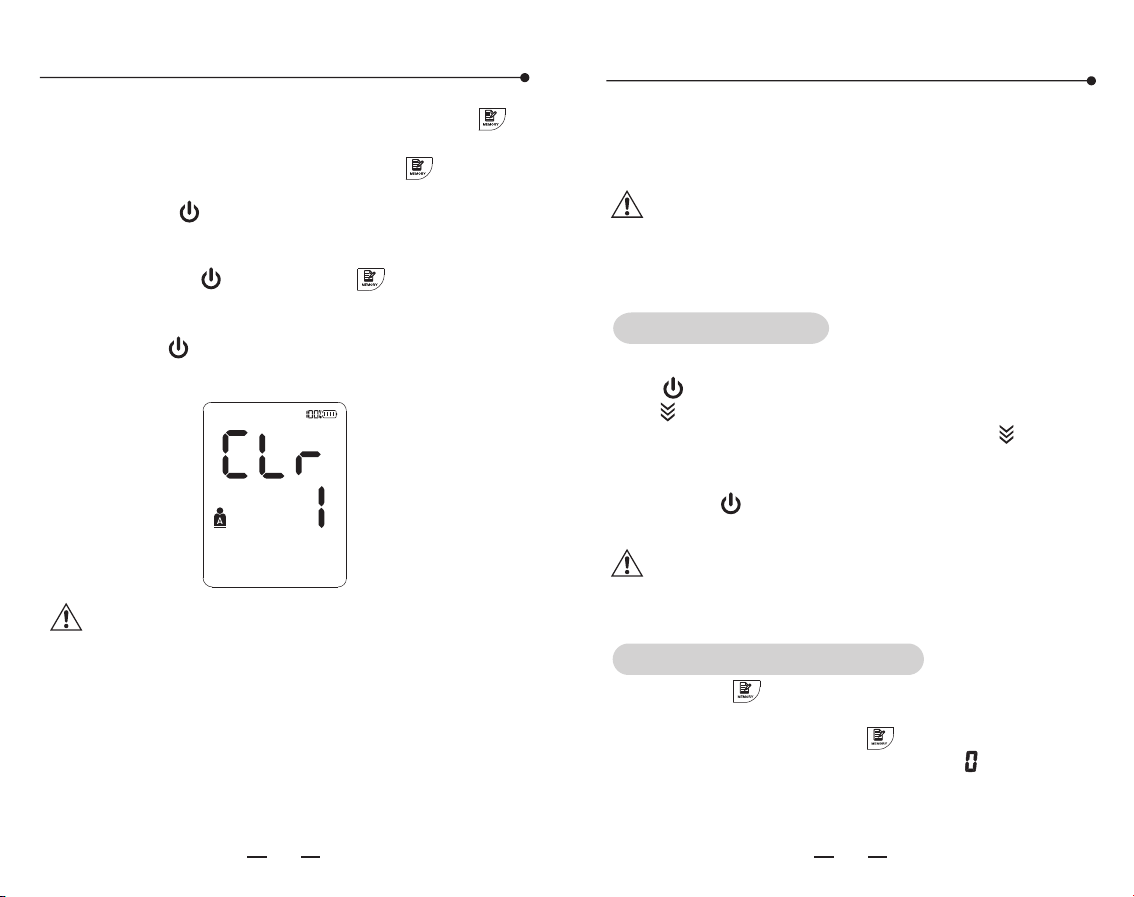
2. Delete the recorded data
Press the both " " button and " " button until
the display shown as the following picture, which
means the recorded data is cleared.
Press the " " button to turn off the monitor
after deleting.
Note: This operation will delete all the
recorded data.
Static mode
System restores
This function is mainly for professional personnel
to enter the static mode to test the monitor
through standard pressure gauge.
Warning: Normal users don't need to know this
function and also do not operate. The company
will not take any responsibility for damage
caused by this operation.
The screen will show all of icons after pressing
the '' '' button. After that, the screen will show
the '' '' icon which means the system is in restore
testing. Several seconds later, the '' '' icon
disappears and the air pump starts inflating at the
same time, which indicates the test ended. Then
press the '' '' button to stop inflating and take
out the batteries to enter the next step.
Note: It must restore the system before
entering the static mode, otherwise it may
cause inaccurate results.
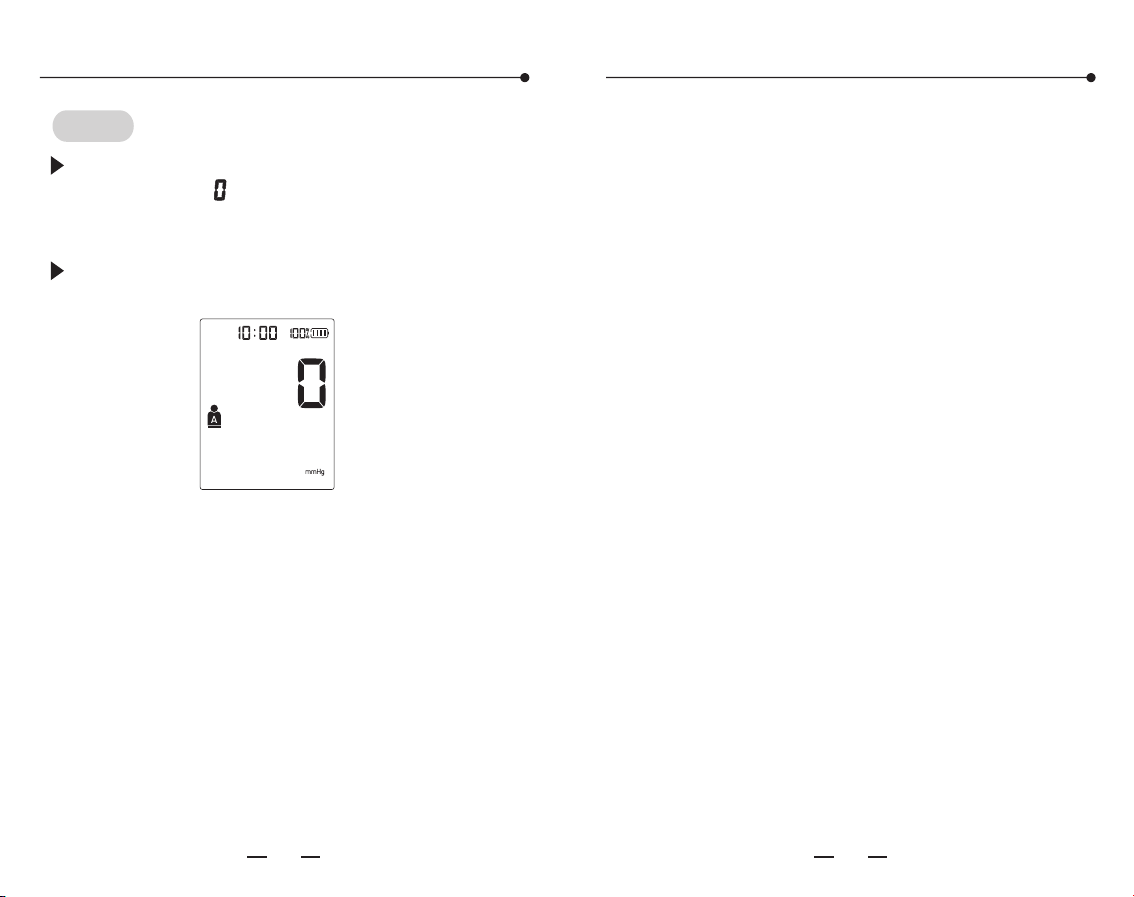
Press the '' '' button and hold. At the same
time, poke the reset hole and release it. When you
hear a click, release the '' '' button. Then the
screen will show the pressure value '' '', the time
and date, mmHg. Now the system has restored
and entered the static mode. Now can take the
static test.
2524
Static mode
The static mode
Tips!
After entering the static mode, if the screen still
doesn't show '' '', please operate again as the
system restore. Please contact with the local
distributor if it still does not work.
The monitor will automatically power off if
there is no operation in 4 minutes.
Common question of blood pressure
measurement
1. What is blood pressure?
Blood pressure is the force exerted by blood
against the walls of the arteries. Systolic pressure
occurs when the heart contracts. Diastolic
pressure occurs when the heart expands. Blood
pressure is measured in millimetres of mercury
(mmHg). One's natural blood pressure is
represented by the fundamental pressure, which
is measured first thing in the morning while one is
still at rest and before eating.
2. What is Hypertension and how is it controlled?
Hypertension, an abnormally high arterial blood
pressure, if left unattended can cause many
health problems including stroke and heart attack.
Hypertension can be controlled by altering
lifestyle, avoiding stress, and with medication
under a doctor's supervision. To prevent
Hypertension or keep it under control: Do not
smoke, exercise regularly, reduce salt and fat
intake, have regular physical checkups, maintain
proper weight.
3. Why measure Blood Pressure at home?
Blood pressure measured at a clinic or doctor's
office may cause apprehension and can produce
an elevated reading, 25~30mmHg higher than
that measured at home. Home measurement
reduces the effects of outside influences on blood
pressure readings, supplements the doctor's
readings and provides a more accurate, complete
blood pressure history.
2726
kPa/mmHg kPa/mmHg
12.0~18.5kPa
90~139mmHg
18.7~21.2kPa
140~159mmHf
12.0~13.2kPa
90~99mmHg
21.3~23.9kPa
160~179mmHg
13.3~14.5kPa
100~109mmHg
≥24.0kPa
≥180mmHg
≥14.7kPa
≥110mmHg
8.0~11.9kPa
60~89mmHg
Common question of blood pressure
measurement
Common question of blood pressure
measurement
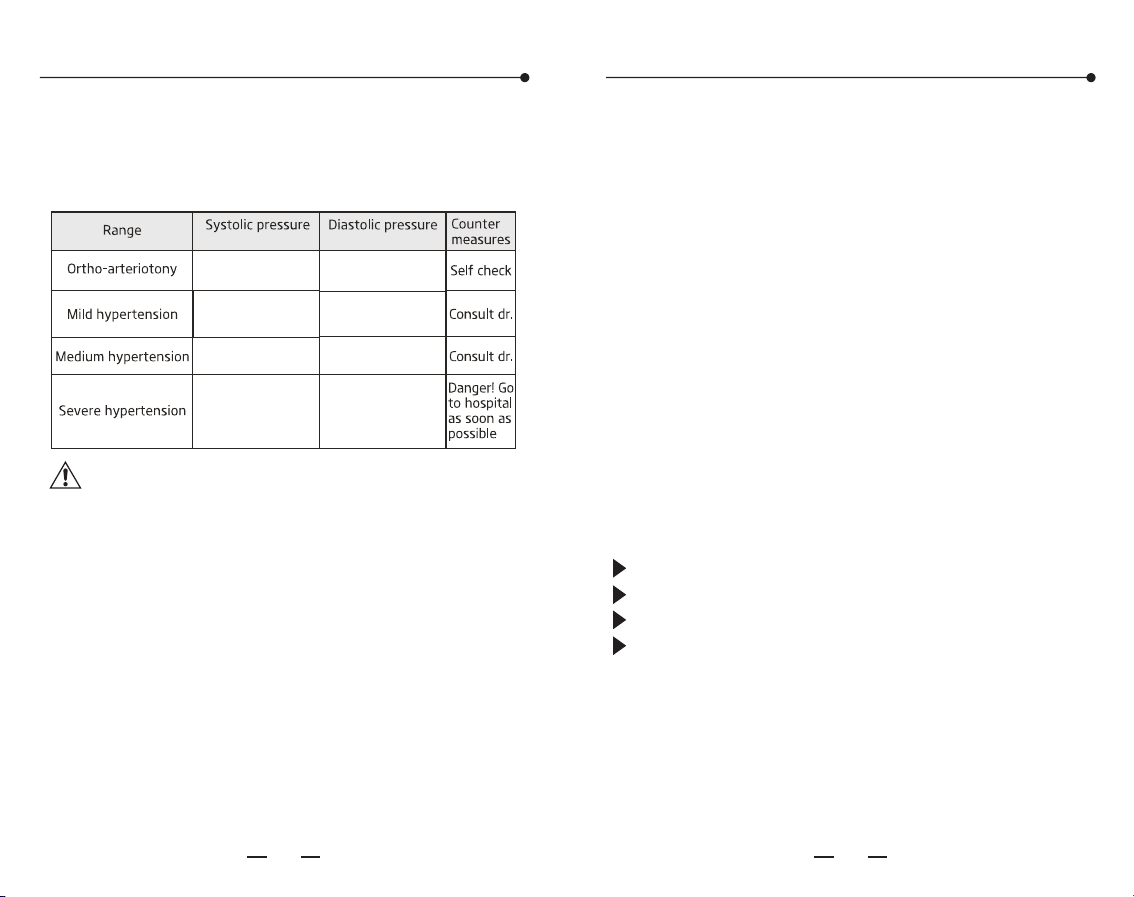
4. WHO Blood Pressure Classification?
Standards to assess high blood pressure, without
regard to age, have been established by the world
Health Organization (WHO), as shown below:
Note: There is no definition about hypopiesia,
and generally SYS (systolic pressure) less
than 90mmHg or DIA (diastolic pressure) less
than 60mmHg is called hypotension.
5. Blood pressure variations?
An individual's blood pressure varies greatly on a
daily and seasonal basis. It may vary by 30 to 50
mmHg due to various conditions during the day. In
hypertensive individuals variations are even more
pronounced. Normally, the blood pressure rises
while at work or play and falls to its lowest levels
during sleep. So do not be overly concerned by
the results of one measurement. Take
measurements at the same time every day using
the procedure described in this manual to get to
know your normal blood pressure. Regular
readings give a more comprehensive blood
pressure history. Be sure to note date and time
when recording your blood pressure. Consult
doctor to interpret the blood pressure data.
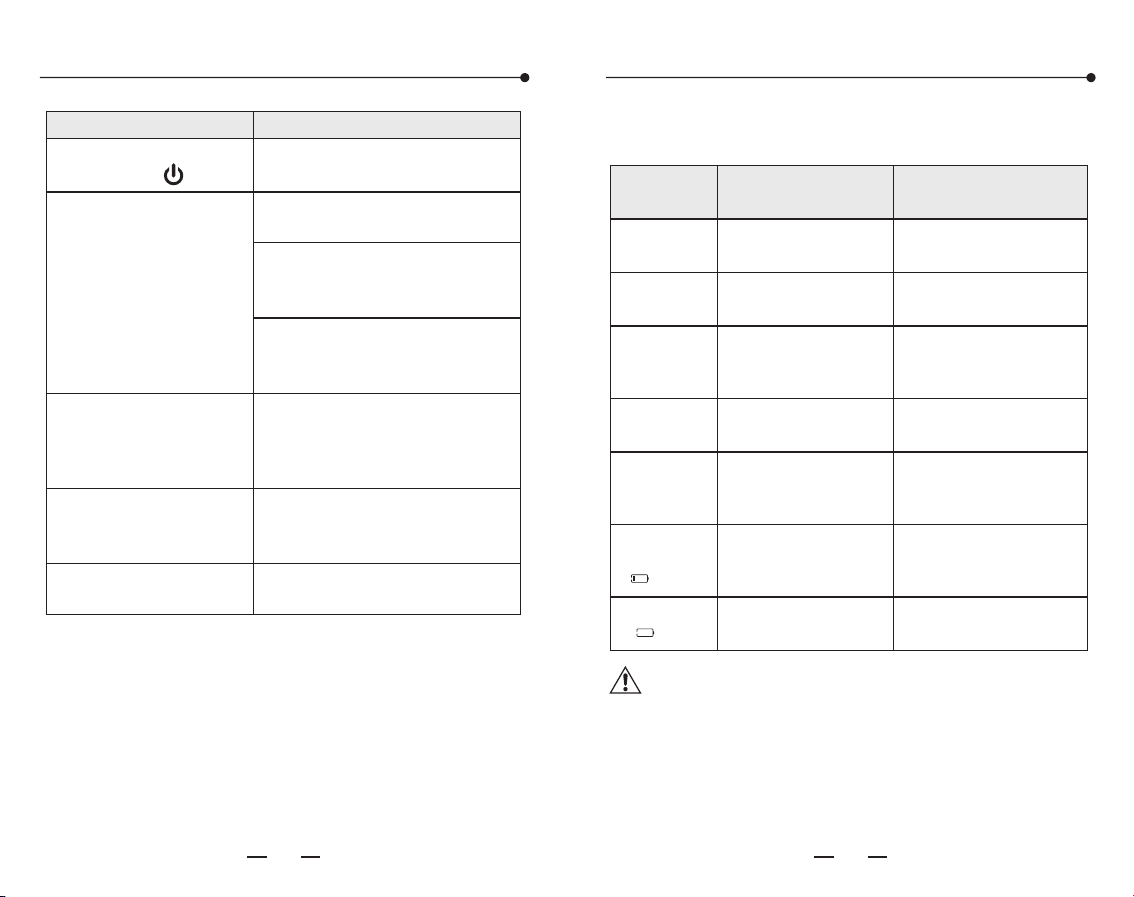
6. When is the best time to measure blood
pressure?
After urination, before breakfast in the morning.
Before sleeping at night.
Before taking medicine.
Please keep a stable body state and mind every
time measuring. We suggest taking
measurements at a same time every day.
2928
Common fault
Solutions
It doesn't work after
pressing the '' ''button
Please try again after charging
Multiple occurrences of
measuring failure, or
measured value is low
(or high)
Check the connection and winding
of cuff
Check if the cuff winded too tight
or too loose. Take off your clothes
if rolled too tight
Please ensure a quiet, relaxed body
state. Deep breathing to relax
yourself before measurement
Please read the "blood pressure
variations" carefully
The monitor is in good
condition, but the each
measuring result are
different
The value is different
from that measured at a
clinic or doctor's office
Pump works, but the
pressure doesn't rise
Check whether the cuff has
connected well
Write down the value every day,
and consult a doctor
Common fault and trouble shootingCommon fault and trouble shooting
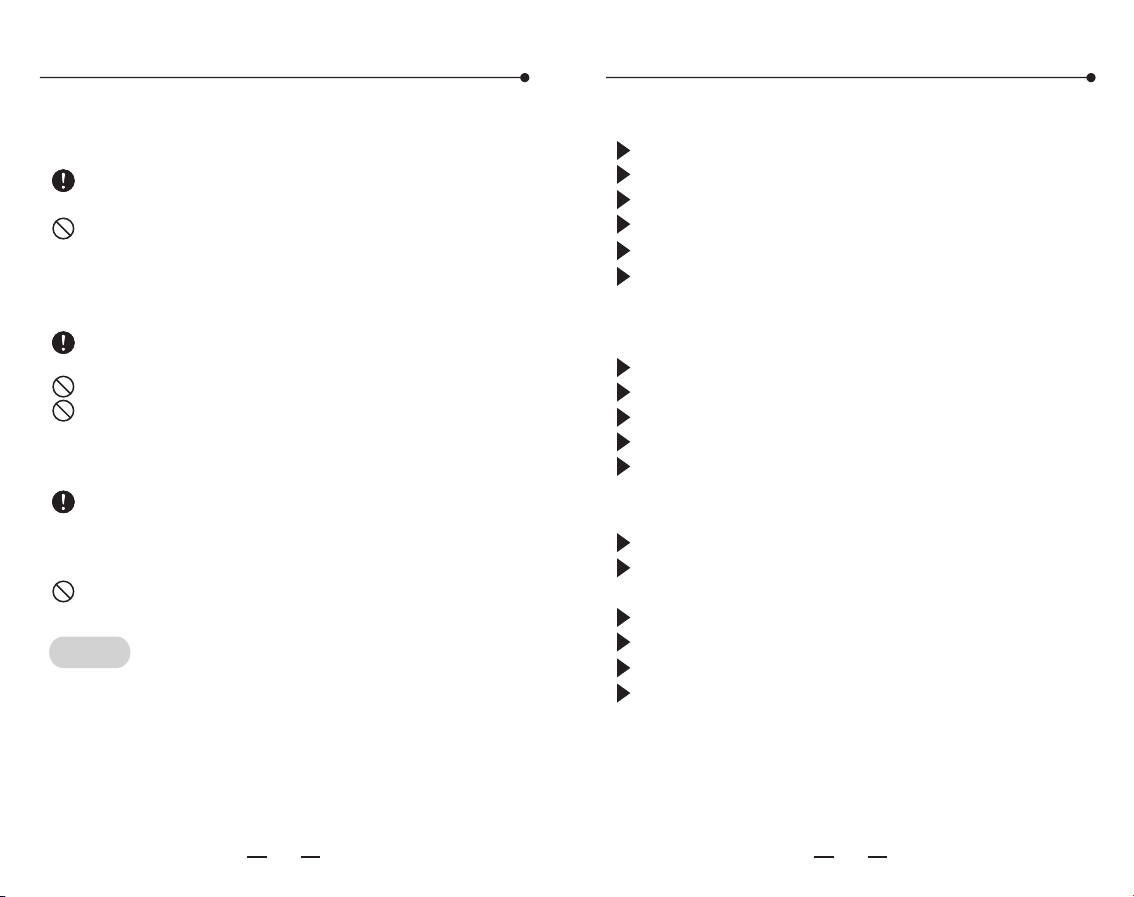
The table below shows the possible fault
displaying icon, possible reason, and solutions.
Fault cause
Wrong
indication
Solution
Err4
Err5
Err6
Err7
Err8
Showing low
voltage icon
" "
Showing the
" "icon
Unable to measure
pressure
Pressurizing error
Fasten cuff correctly
before measurement
Check if there is air
leakage from the cuff
Pressurizing error
caused by arm or
body motion
Keep arm and body still
and measure again
Cuff is too lose or
fall off
Fasten cuff tightly
Pressure exceeds the
maximum value
(300mmHg)
Battery is low
Battery is running out
Measure again please
Connect the power
adapter for charging
Connect the power
adapter for charging
Warning: If the situations cannot be solved or
unexpected problem happens, please consult
the local distributor.
3130
Maintenance
Please store the monitor and accessories
properly after use.
Do not place the monitor and accessories in
high temperature, moisture, dust, or exposure
to sunshine. The cuff contains an airbag inside,
please care in applications, do not fold, pull or
twist it.
Do not disassemble or repair the device
without authorization.
Do not replace the parts without authorization.
Please clean the monitor with soft dry cloth. If
it's necessary, please use wiped soft cloth
with water or neutral detergent before
cleaning by soft dry cloth.
Using absorbent cotton to wipe gently with
rubbing alcohol, disinfection of the machine
when it necessary. Do not use detergent to
clean.
Do not let water seep into the device.
Please observe the following items to protect the
device and ensure the accuracy of measurement.
Tips!
We advice to calibrate the monitor according to
local laws and regulations
Features and technical arameters
Large LCD display
Cuff Wrapping Detection
IHB( Irregular heartbeat) indicator
Misoperation detection
60x2 groups of memory
Average value display of three times
measurement
1. Features
Displaying: LCD digital display
Measuring method: oscillation mensuration
Measuring range: 0~300mmHg (0.0-40.0kPa)
Pulse rate: 40~200 times/min
Precision:
Pressure: within ±3mmHg(±0.4kPa)
Pulse rate: within 5% of reading value
Working system: continuous operation
Electric classification: Class II, type BF
application part
Pressure sensor: Semiconductor pressure sensor
Pressurization: Automatic pressurize
Depressurization: Automatic air releasing
Power supply:
battery:DC 3.7V
adapter:input AC 100~240V, 50/60Hz, 0.35A,
output DC 5V 1A
Maximum battery life:about 300 times
2. Technical parameters
3332
Health diaryFeatures and technical arameters
Suitable upper-arm circumference: 18-36cm
Service life: 5 years or 50 thousand times
Dimension: 127x92x68(mm)
Weight: 303g
Operation and storage conditions:
Working temperature: +5 ℃~+40℃
Relative humidity: 15%~80%RH
Working atmosphere pressure: 80kPa~105kPa
Transport and storage temperature:
-20 ℃~+55℃
Transport and storage relative humidity:
15%~80%, no condensation
Transportation and storage atmosphere pressure:
80kPa~105kPa
Operation environment:
Avoid electromagnetic interference, violent
shock and noise environment.
Radio frequency interference
There is the potentia risk of radio frequency
interference between the device and other
devices. If there is, please find out the problems
and take the following measures:
(1) Turn off the device, and turn on again,
(2) Change the direction of the device,
(3) Keep the produc t away from the interferential
devices.