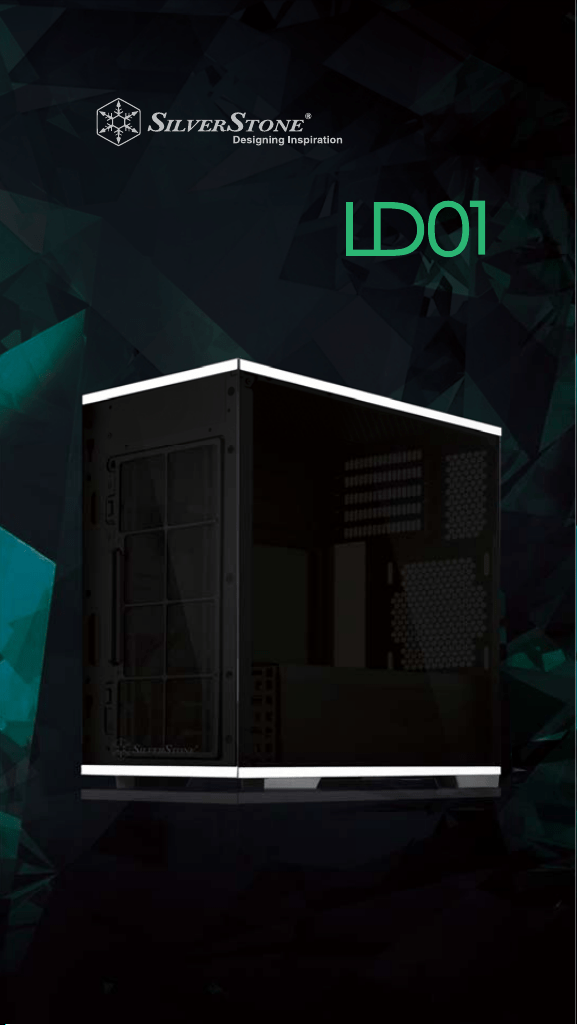
LUCID SERIES
Micro-ATX chassis with artful blend
of engineering and aesthetics
INSTALLATION GUIDE
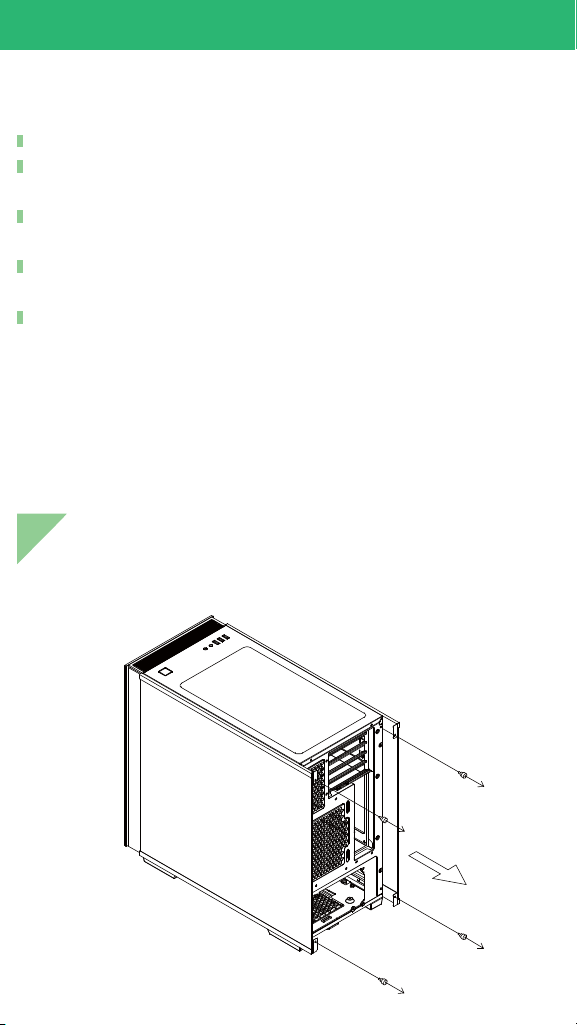
Loosen two screws from both left and right side panels to
remove them
Have all components collected.
Check that all components do not have compatibility problems
with each other or with the case.
If possible, assemble the components outside the case first to
make sure they are working.
Keep the motherboard manual ready for reference during
installation.
Prepare a Philips screwdriver.
Before you begin, please make sure that you
1
3
2
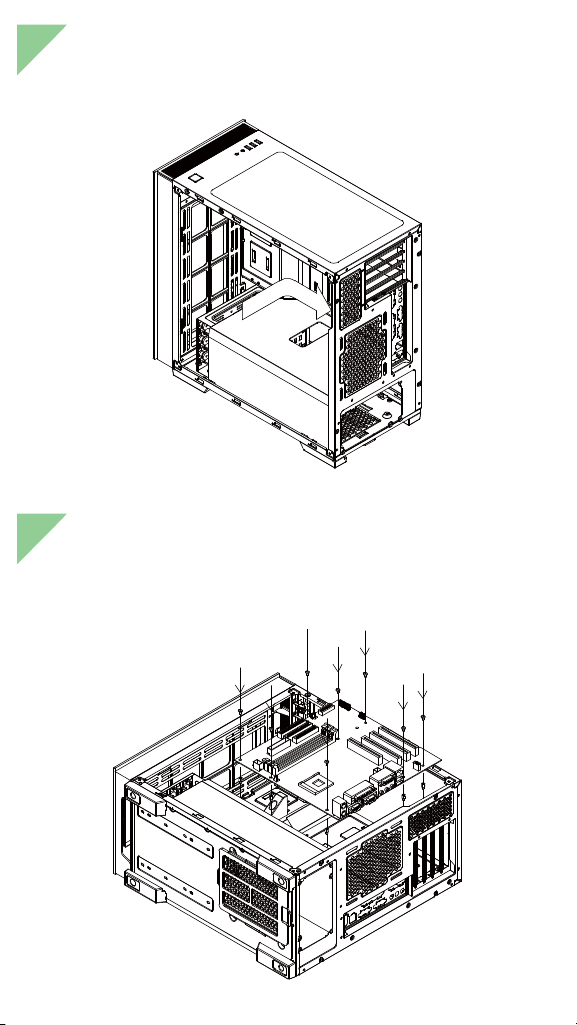
Insert standoffs as required by your motherboard in
corresponding mounting holes, then install motherboard
Insert the I/O shield included with your motherboard
5
4
Remove expansion slot covers to install required expansion
cards.Then install the graphic card holder, this holder only
supports card on first and second expansion slot. Please
lay down the case before installing the card holder to
ensure that the graphics card is not bending by gravity
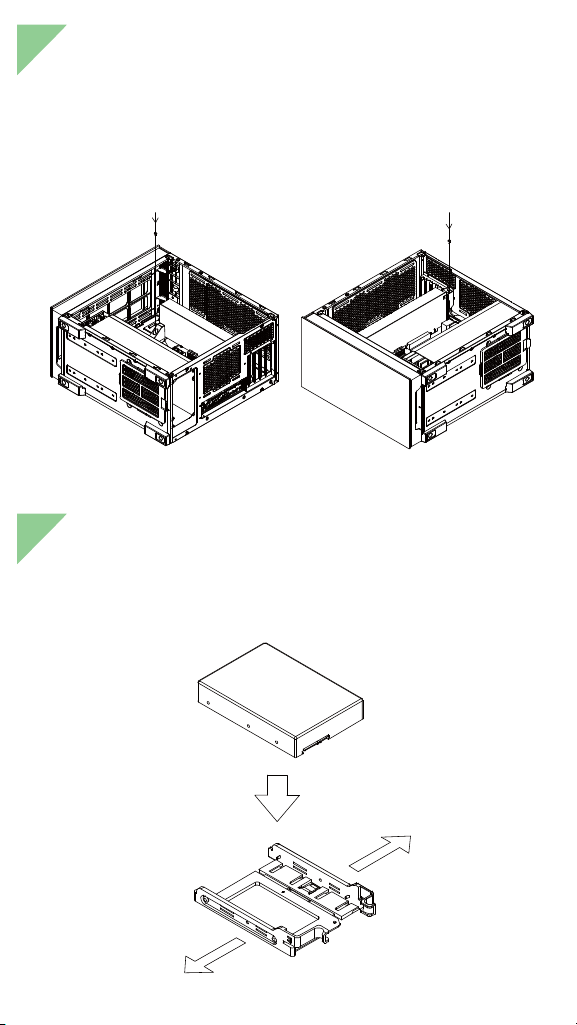
Pull out to open the tool-less bracket and secure your hard
drive on the tray. Pay attention to the orientation of the drive,
its connectors should be on the same side as the drive tray’s
pull tabs
7
6
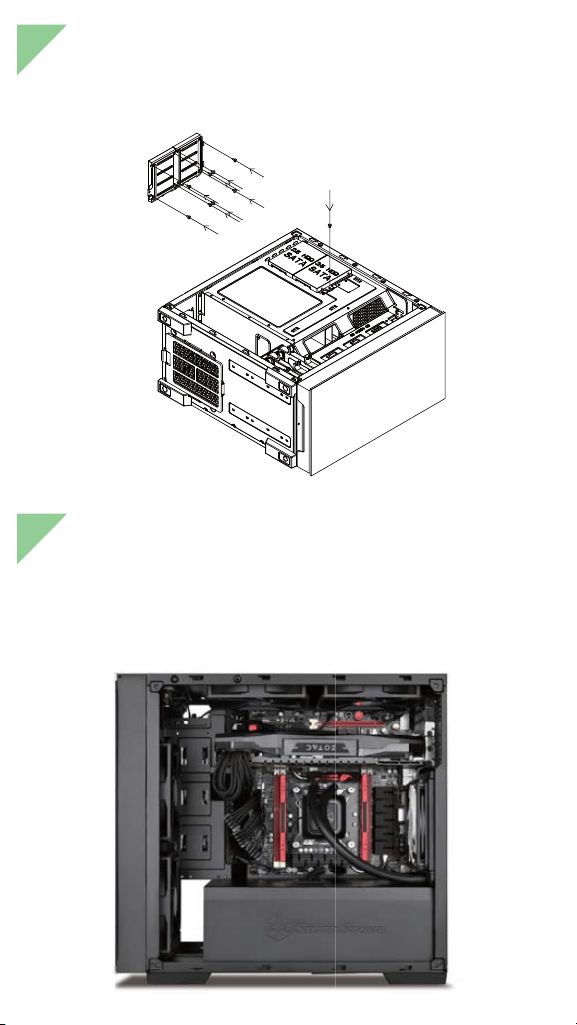
Install 2.5" drives behind the motherboard tray and secure
with screws
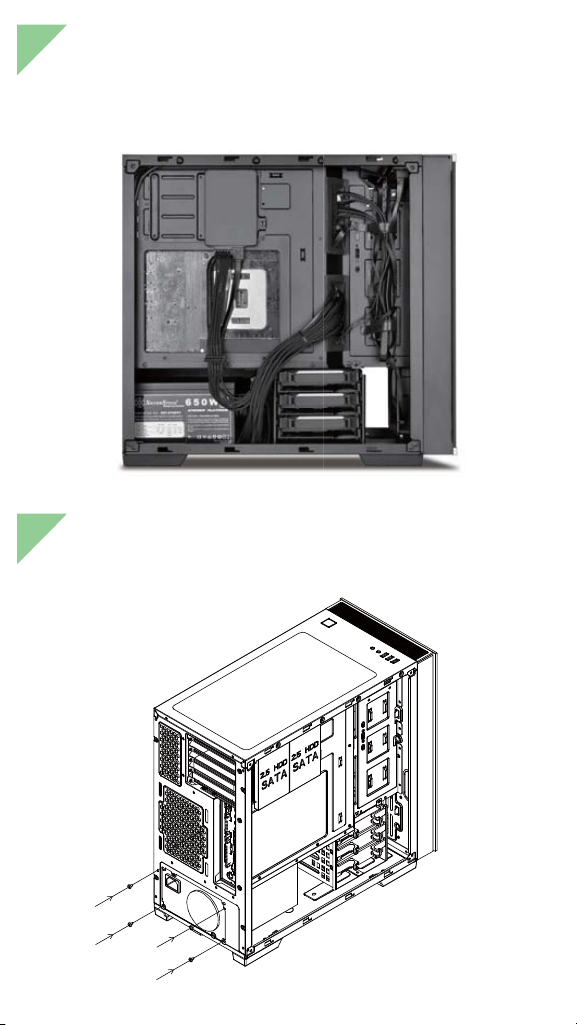
We recommend that you start cable manage now and
connect cables such as the ATX 24pin, front I/O connectors,
and any other connectors from front panel devices
9
8
Connect all cables and wires
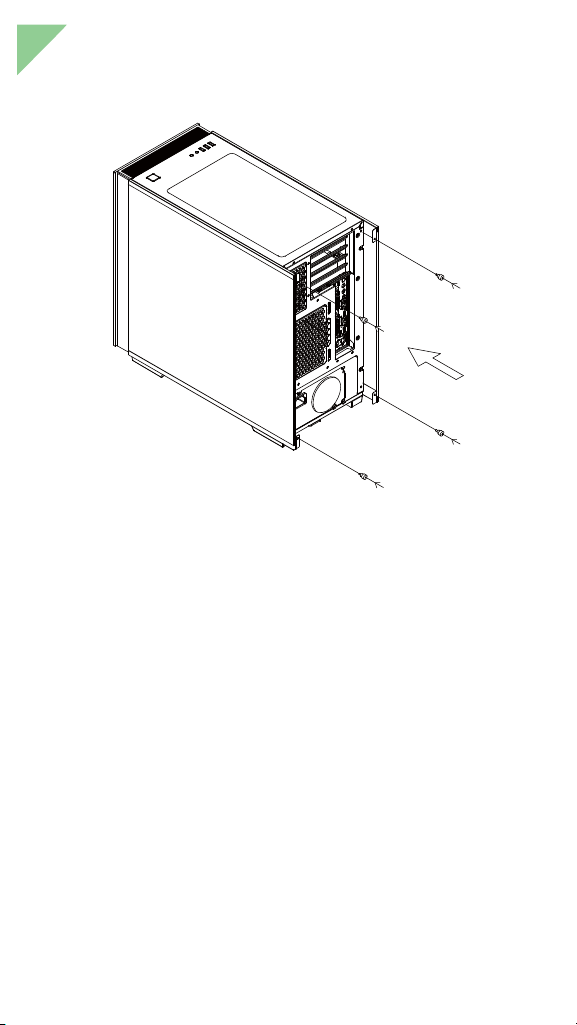
Install power supply into the case
10
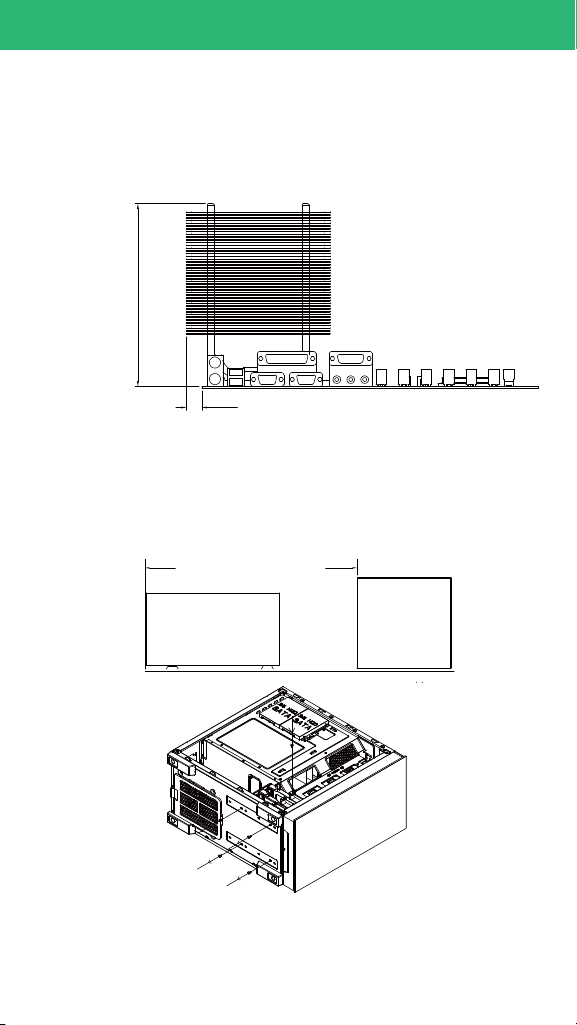
Reinstall side panels back onto the case
COMPONENT SIZE LIMITATIONS
Height limitation for CPU cooler is 168mm with 6.8mm clearance
over the motherboard’s top edge
6.8mm
168mm
T
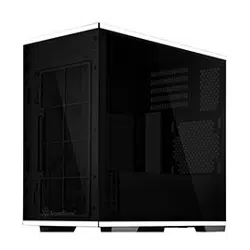
he LD01 was designed to accommodate oversized
components, but we still recommend referring to the following
dimension guidelines:
(1) CPU Cooler limitation
(2) Power supply limitation
The LD01 supports power supply depth from 160 to 220mm
depending on hard drive bracket’s position. Please refer to
diagram for locating the bottom screws that allow for hard drive
cage adjustments
160 ~ 220mm
PSU
HDD
BKT
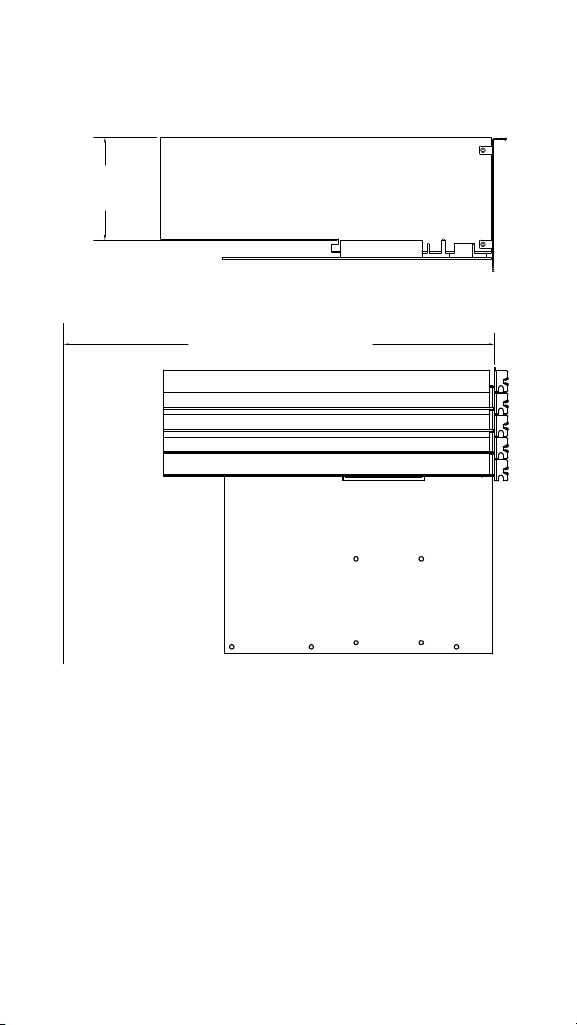
The total length available for graphics card and front panel fan
or radiator is 370mm. Width restriction is 174mm
(3) Graphics card / expansion card length limitation
370mm
174mm
(4) Liquid cooling radiator limitations
105mm
20mm
71mm
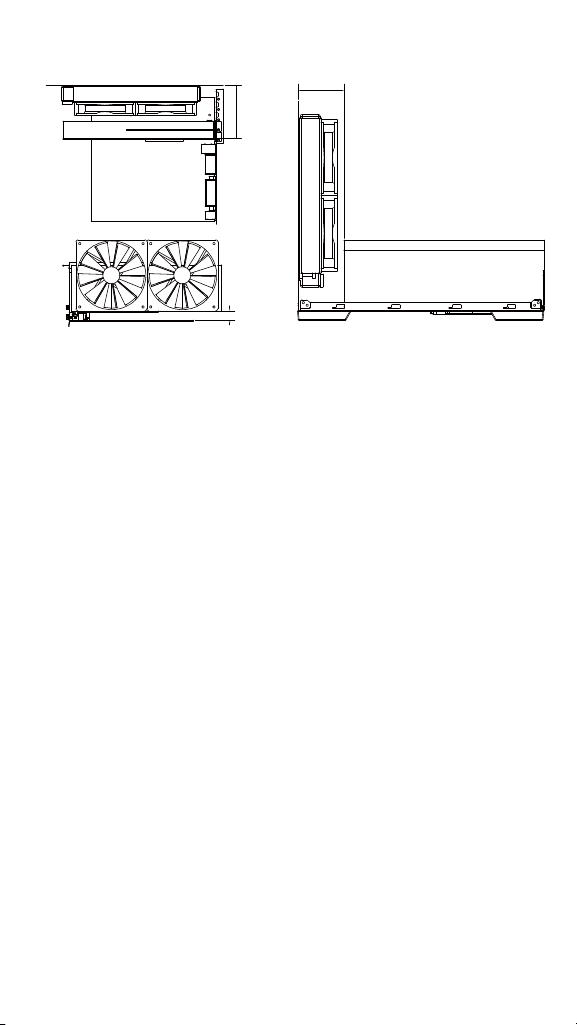
LD01 supports 120/140/240/280mm radiator in the top panel.
The distance of fan mounting hole and the first expansion card
is 105mm. As shown in figure A, it can fit a dual-slot graphics
card along with a 30mm thick radiator and a 25mm thick fan.
The radiator and fan will occupy the install space for motherboard’s
third and fourth expansion slots.
Further detail on radiator and expansion card positioning:
As shown in Figure B, if 140mm fans are installed into LD01’s
top panel, they will be 20mm away from the surface of the
motherboard. This is the same distance that motherboard designs
use to keep clear of graphics card installed on the motherboard,
so technically the 140mm fans will also not interfere with other
components around the third and fourth expansion slots. If your
motherboard’s SATA slots are unfortunately blocked by installed
radiator or fan, we recommended purchasing SilverStone CP11
super slim SATA cables to solve the interference problem.LD01
supports 120/140/240/280mm radiator in the front panel. As
shown in Figure C, the total thickness of the fan and radiator can
be up to 71mm, we recommend installing the radiator with its
hoses on top. If you want to install 280mm radiators on both top
and front panels simultaneously, we recommend using radiators
with less than 30mm thickness to avoid potential interference
with one another. A 120mm radiator can be mounted on the the
rear panel of the case, there is no thickness limitation if the
height of the motherboard components in the same area are less
than 50mm.
MAINTENANCE AND UPGRADE
FAN FILTER PURCHASE PROCESS
If you accidentally loose/damage filters or need additional
ones for backup, please contact your local SilverStone retailers
or distributors for purchasing information:
http://www.silverstonetek.com/wheretobuy_all.php
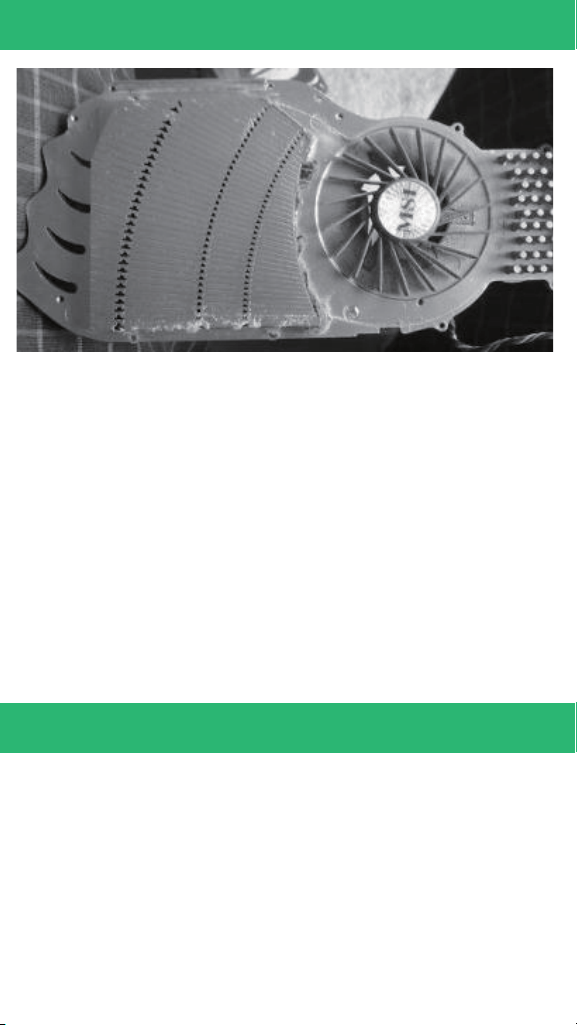
Illustration: An example of a GPU cooler that is filled with
dust and has lost most of its cooling performance. We recommend
setting up LD01 as a positive air pressure case so along with the
included filters, they can help effectively reduce dust buildup inside
the case. Small air particles or lint will accumulate over time on
intake filters instead of on the components inside the case. To
maintain LD01’s cooling performance for years to come, we
recommend to clean all fan filters regularly every six months to a
year (depending on your environment)

WARRANTY
WARRANTY TERMS & CONDITIONS
All SilverStone retail products have from the date of
purchase, a minimum of 1 year limited warranty (select products
listed below have 2, 3 or 5 year warranty)
1. Product component defects or damages resulted from defective
production is covered under warranty.
Defects or damages with the following conditions will be fixed
or replaced under SilverStone Technology’s jurisdiction.
a) Usage in accordance with instructions provided in this manual,
with no misuse, overuse, or other inappropriate actions.
b) Damage not caused by natural disaster (thunder, fire, earthquake,
flood, salt, wind, insect, animals, etc…)
c) Product is not disassembled, modified, or fixed. Components
not disassembled or replaced.
d) Warranty mark/stickers are not removed or broken. Loss or
damages resulted from conditions other than ones listed above
are not covered under warranty.
2. Under warranty, SilverStone Technology’s maximum liability is
limited to the current market value for the product (depreciated
value, excluding shipping, handling, and other fees). SilverStone
Tech no lo gy i s no t re sp on si bl e fo r ot h e r d a m a g e s o r l o s s
associated with the use of product.
3. Under warranty, SilverStone Technology is obligated to repair
or replace its defective products. Under no circumstances will
SilverStone Technology be liable for damages in connection
with the sale, purchase, or use including but not limited to loss
of data, loss of business, loss of profits, loss of use of the product
or incidental or consequential damage whether or not foreseeable
and whether or not based on breach of warranty, contract or
negligence, even if SilverStone Technology has been advised
of the possibility of such damages.

4. Warranty covers only the original purchaser through authorized
SilverStone distributors and resellers and is not transferable to
a second hand purchaser.
5. You must provide sales receipt or invoice with clear indication
of purchase date to determine warranty eligibility.
6. If a problem develops during the warranty period, please
contact your retailer/reseller/SilverStone authorized distributors
or SilverStone http://www.silverstonetek.com. Please note that:
(i) You must provide proof of original purchase of the product
by a dated itemized receipt
(ii) You shall bear the cost of shipping (or otherwise transporting)
the product to SilverStone authorized distributors. SilverStone
authorized distributors will bear the cost of shipping (or
otherwise transporting) the product back to you after
completing the warranty service
(iii) Before you send the product, you must be issued a Return
Merchandise Authorization (“RMA”) number from SilverStone.
Updated warranty information will be posted on SilverStone’s
official website. Please visit http://www.silverstonetek.com for
the latest updates.

ADDITIONAL INFO & CONTACTS
For North America ([email protected])
SilverStone Technology in North America may repair or replace
defective product with refurbished product that is not new but has
been functionally tested. Replacement product will be warranted
for remainder of the warranty period or thirty days, whichever is
longer. All products should be sent back to the place of purchase
if it is within 30 days of purchase, after 30 days, customers need
to initiate RMA procedure with SilverStone Technology in USA by
first downloading the “USA RMA form for end-users” form from
the below link and follow its instructions.
http://silverstonetek.com/contactus.php
For Australia only ([email protected])
Our goods come with guarantees that cannot be excluded under
the Australian Consumer Law. You are entitled to a replacement
or refund for a major failure and for compensation for any other
reasonably foreseeable loss or damage. You are also entitled to
have the goods repaired or replaced if the goods fail to be of
acceptable quality and the failure does not amount to a major
failure. Please refer to above “Warranty terms & conditions” for
further warranty details.
SilverStone Technology Co., Ltd. 12F No. 168 Jiankang Rd.,
Zhonghe Dist., New Taipei City 235 Taiwan R.O.C.
+ 886-2-8228-1238 (standard international call charges apply)
For Europe ([email protected])
For China ([email protected])
For all other regions ([email protected])

©2018 SilverStone Technology Co., Ltd. All Rights Reserved
ALL trademarks are registered to their respective owners