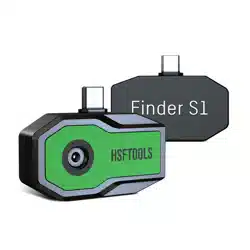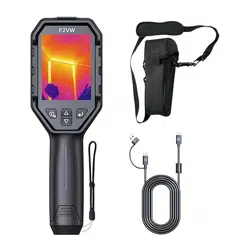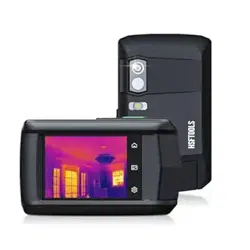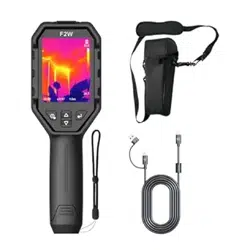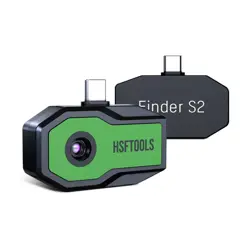
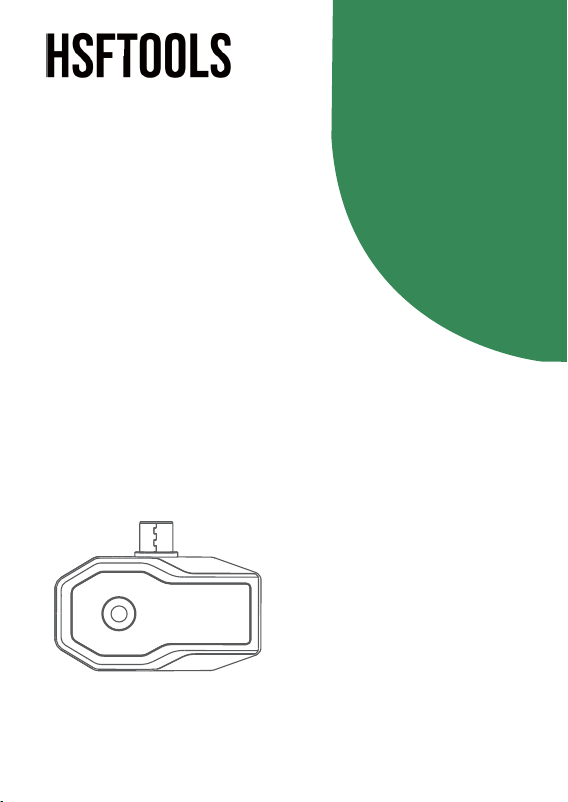
Thermal Imager
QuickStartGuide
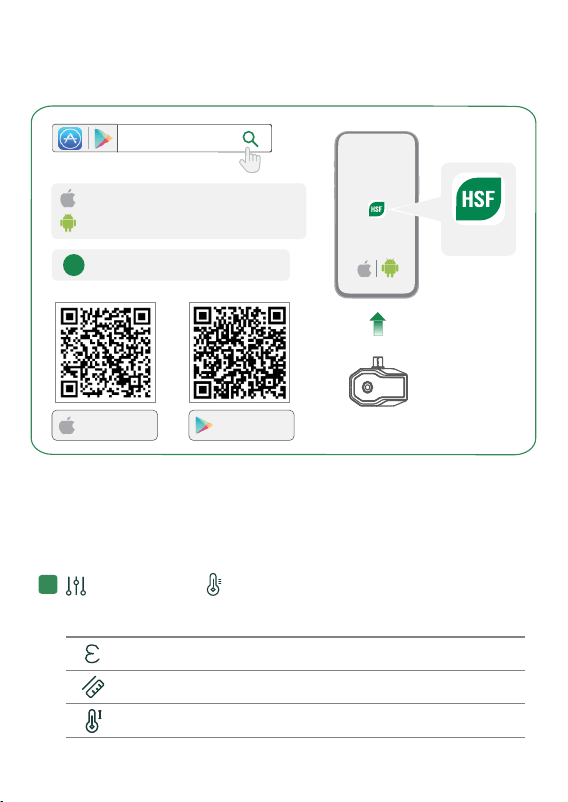
HSFTOOLS
HSFTOOLS
DOWNLOAD APP & CONNECT
Download on the
App Store
GET IT ON
Google Play
OPERATIONS(INAPP)
Live View
Adjust the temperature measurement parameters for more
accurate measurements.
Parameters & Accuracy
1
Emissivity
Distance
Set the target emissivity.
Distance from the camera to target.
1
Temperature Range
Temperature measurement range.
iPhone & iPad (Type-C )
Phones & Tablets (Type-C)
!
≧ iOS 14.0 Android 7.0
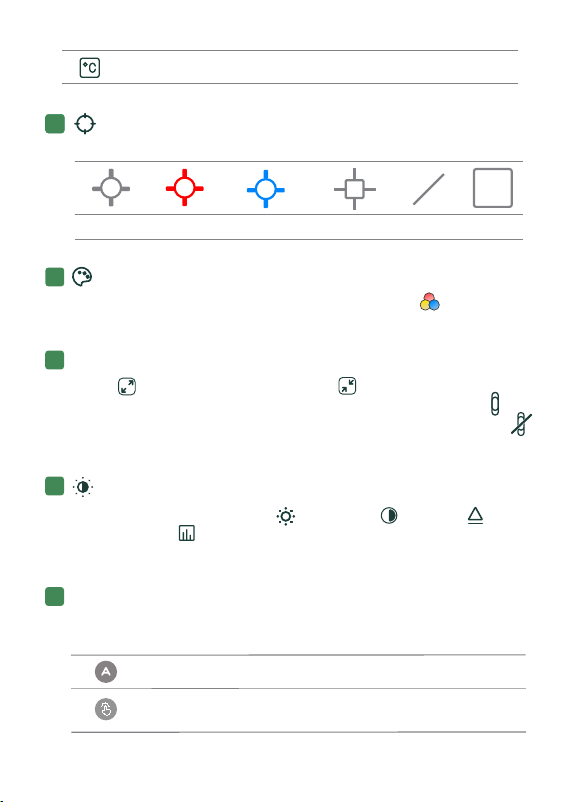
Palettes
Switch palettes to view targets more clearly. Select Custom
to customize the palette colors.
Add temperature measurement tools for specific measurements.
Temp. Unit Set the unit to °C, °F or K.
Center spot Hot spot Cold spot Point Line
Measurement
2
3
5
6
Display Settings
Select to see the full screen. Select to use the original
size of the screen (Only Support in Finder S1 Series). Select
to display the palette bar on the right side of the screen. Select
to hide the palette bar.
4
Rectangle
Configure the image settings: Brightness, Contrast,
Sharpness and Color Distribution. You can adjust the image
styles according to different scenes.
Based on the selected temperature range, the target of interest will
be highlighted on the image.
Image
Palette Bar Level & Span
Auto
Manual
The temperature range automatically adjusts.
Swipe the temperature value to adjust the
temperature range manually.
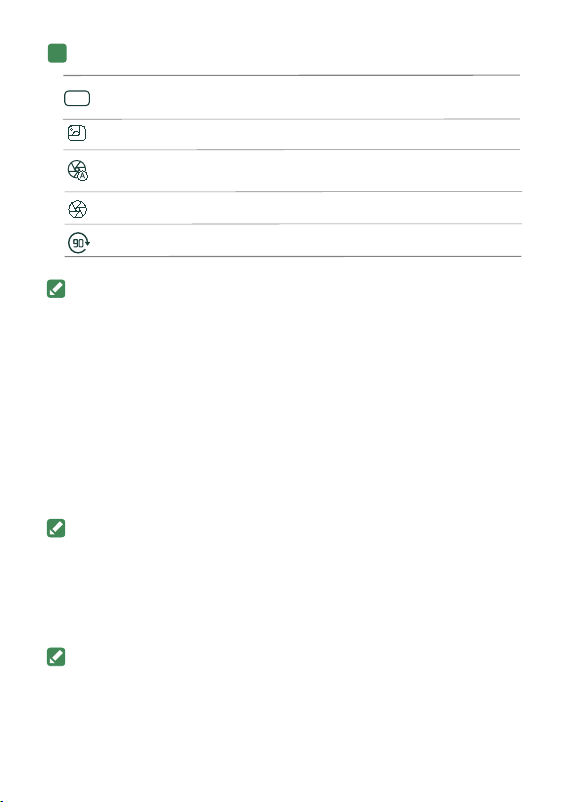
Digital Camera
Auto Calibration
Manual Calib.
Image Rotation
View the digital camera image of your phone.
Trigger a calibration for the camera manually.
Rotate the image by 90°.
Switch on/off the auto- calibration for the
camera.
About Image Calibration
Save Pictures to Phone
Albums
More
Go to Settings > General and switch on Save Pictures to
Phone. The pictures captured in the App after this function is
enabled will be auto- saved to the phone album.
Image calibration helps to optimize image quality and
temperature measurement accuracy. During the calibration, the
image will pause briefly and you’ll hear a “click” as a shutter
moves in front of the detector.
You can turn off the automatic calibration for smooth display.
But keeping it off for a long time will cause image abnormal and
temperature measurement inaccurate. In this case, you can use
manual calibration instead.
Advanced Settings & Calibration
7
Super Resolution
Switch on to get an enhanced thermal
image with Super Resolution technology.
SR
For more detailed operations, go to our website
https://www.hsftools.com.

Using Environment
● Make sure the running environment meets the requirement of the device. The
operating temperature shall be - 10 °C to 50 °C (14 °F to 122 °F), and humidity
shall be 95% or less.
● Place the device in a dry and well- ventilated environment.
● DO NOT expose the device to high electromagnetic radiation or dusty
environments.
● DO NOT aim the lens at the sun or any other bright light.
● When any laser equipment is in use, make sure that the device lens is not
exposed to the laser beam, or it may burn out.
Transportation
● Keep the device in original or similar packaging while transporting it.
● Keep all wrappers after unpacking them for future use. In case of any failure
occurred, you need to return the device to the factory with the original wrapper.
Transportation without the original wrapper may result in damage on the device
and the company shall not take any responsibilities.
● Do not drop the product or subject it to physical shock. Keep the device
away from magnetic interference.
Emergency
If smoke, odor, or noise arises from the device, immediately turn off the power,
unplug the power cable, and contact the service center.
About this Manual
The Manual includes instructions for using and managing the Product. Pictures,
charts, images and all other information hereinafter are for description and
explanation only. The information contained in the Manual is subject to change,
without notice, due to firmware updates or other reasons.
Please use this Manual with the guidance and assistance of professionals
trained in supporting the Product.
Safety Instruction
These instructions are intended to ensure that user can use the product
correctly to avoid danger or property loss.
Laws and Regulations
Use of the product must be in strict compliance with the local electrical safety
regulations.
Maintenance
● If the product does not work properly, please contact your dealer or the
nearest service center. We shall not assume any responsibility for problems
caused by unauthorized repair or maintenance.
● Wipe the device gently with a clean cloth and a small quantity of ethanol, if
necessary.
● If the equipment is used in a manner not specified by the manufacturer, the
protection provided by the device may be impaired.

Legal Information Trademarks
The trademarks and logos mentioned are the properties of their
respective owners.
LEGAL DISCLAIMER
TO THE MAXIMUM EXTENT PERMITTED BY
APPLICABLE LAW, THIS MANUAL AND THE PRODUCT DESCRIBED, WITH
ITS HARDWARE, SOFTWARE AND FIRMWARE, ARE PROVIDED “AS IS”
AND “WITH ALL FAULTS AND ERRORS”. OUR COMPANY MAKES NO
WARRANTIES, EXPRESS OR IMPLIED, INCLUDING WITHOUT LIMITATION,
MERCHANTABILITY, SATISFACTORY QUALITY, OR FITNESS FOR A
PARTICULAR PURPOSE. THE USE OF THE PRODUCT BY YOU IS AT YOUR
OWN RISK. IN NO EVENT WILL OUR COMPANY BE LIABLE TO YOU FOR
ANY SPECIAL, CONSEQUENTIAL, INCIDENTAL, OR INDIRECT DAMAGES,
INCLUDING, AMONG OTHERS, DAMAGES FOR LOSS OF BUSINESS
PROFITS, BUSINESS INTERRUPTION, OR LOSS OF DATA, CORRUPTION
OF SYSTEMS, OR LOSS OF DOCUMENTATION, WHETHER BASED ON
BREACH OF CONTRACT, TORT (INCLUDING NEGLIGENCE), PRODUCT
LIABILITY, OR OTHERWISE, IN CONNECTION WITH THE USE OF THE
PRODUCT, EVEN IF OUR COMPANY HAS BEEN ADVISED OF THE
POSSIBILITY OF SUCH DAMAGES OR LOSS.
YOU ACKNOWLEDGE THAT THE NATURE OF THE INTERNET PROVIDES
FOR INHERENT SECURITY RISKS, AND OUR COMPANY SHALL NOT TAKE
ANY RESPONSIBILITIES FOR ABNORMAL OPERATION, PRIVACY LEAKAGE
OR OTHER DAMAGES RESULTING FROM CYBER-ATTACK, HACKER
ATTACK, VIRUS INFECTION, OR OTHER INTERNET SECURITY RISKS;
HOWEVER, OUR COMPANY WILL PROVIDE TIMELY TECHNICAL SUPPORT
IF REQUIRED.
YOU AGREE TO USE THIS PRODUCT IN COMPLIANCE WITH ALL
APPLICABLE LAWS, AND YOU ARE SOLELY RESPONSIBLE FOR ENSURING
THAT YOUR USE CONFORMS TO THE APPLICABLE LAW. ESPECIALLY, YOU
ARE RESPONSIBLE, FOR USING THIS PRODUCT IN A MANNER THAT DOES
NOT INFRINGE ON THE RIGHTS OF THIRD PARTIES, INCLUDING WITHOUT
LIMITATION, RIGHTS OF PUBLICITY, INTELLECTUAL PROPERTY RIGHTS,
OR DATA PROTECTION AND OTHER PRIVACY RIGHTS. YOU SHALL NOT
USE THIS PRODUCT FOR ANY PROHIBITED END- USES, INCLUDING THE
DEVELOPMENT OR PRODUCTION OF WEAPONS OF MASS DESTRUCTION,
THE DEVELOPMENT OR PRODUCTION OF CHEMICAL OR BIOLOGICAL
WEAPONS, ANY ACTIVITIES IN THE CONTEXT RELATED TO ANY NUCLEAR
EXPLOSIVE OR UNSAFE NUCLEAR FUEL- CYCLE, OR IN SUPPORT OF
HUMAN RIGHTS ABUSES.
IN THE EVENT OF ANY CONFLICTS BETWEEN THIS MANUAL AND THE
APPLICABLE LAW, THE LATER PREVAILS.

Regulatory Information
These clauses apply only to the products bearing the corresponding mark or
information.
Please take attention that changes or modification not expressly approved by the
party responsible for compliance could void the user’s authority to operate the
equipment.
This device complies with part 15 of the FCC Rules. Operation is subject to the
following two conditions:
(1) this device may not cause harmful interference, and
(2) this device must accept any interference received, including interference that
may cause undesired operation.
Industry Canada ICES-003 Compliance
This device meets the CAN ICES- 003 (B) / NMB- 003 (B) standards requirements.
Manufacture Address
No.5, VSIP II, No. 7 Street, Vietnam- Singapore Industrial park II, Hoa Phu Ward,
Thu Dau Mot City, Binh Duong Province, Vietnam.
CARVE VIET NAM TECHNOLOGY COMPANY LIMITED
COMPLIANCE NOTICE: The thermal series products might be subject to export
controls in various countries or regions, including without limitation, the United
States, European Union, United Kingdom and/or other member countries of the
Wassenaar Arrangement. Please consult your professional legalor compliance
expert or local government authorities for any necessary export license
requirements if you intend to transfer, export, re- export the thermal series
products between different countries.
FCC
Note: This product has been tested and found to comply with the limits for a
Class B digital device, pursuant to part 15 of the FCC Rules. These limits are
designed to provide reasonable protection against harmful interference in a
residential installation. This product generates, uses, and can radiate radio
frequency energy and, if not installed and used in accordance with the
instructions, may cause harmful interference to radio communications. However,
there is no guarantee that interference will not occur in a particular installation. If
this product does cause harmful interference to radio or television reception,
which can be determined by turning the equipment off and on, the user is
encouraged to try to correct the interference by one or more of the following
measures:
—Reorient or relocate the receiving antenna.
—Increase the separation between the equipment and receiver.
—Connect the equipment into an outlet on a circuit different from that to which
the receiver is connected.
—Consult the dealer or an experienced radio/TV technician for help.

Use of the Made for Apple badge means that an
accessory has been designed to connect specifically
to the Apple product(s) identified in the badge and
has been certified by the developer to meet Apple performance standards.
Apple is not responsible for the operation of this device or its compliance with
safety and regulatory standards. Please note that the use of this accessory with
an Apple product may affect wireless performance.
Apple, iPad, iPad Air, iPad Pro, iPhone are trademarks of Apple Inc., registered in
the U.S. and other countries and regions.