Installation Guide
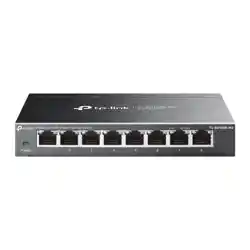
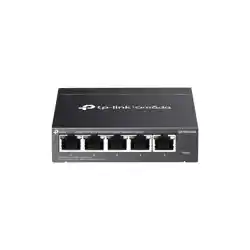
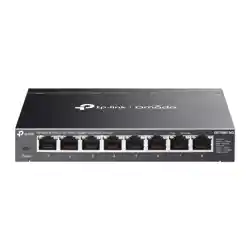
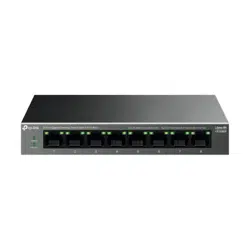
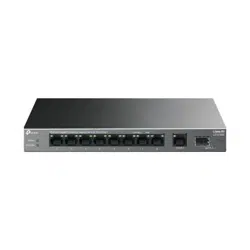
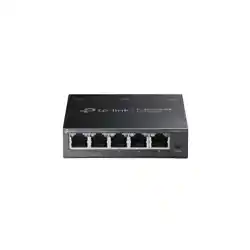
5/8-Port 2.5G Multi-Gigabit Desktop Switch
Note:
For simplicity, we will take TL-SG105S-M2 for example in this Guide.
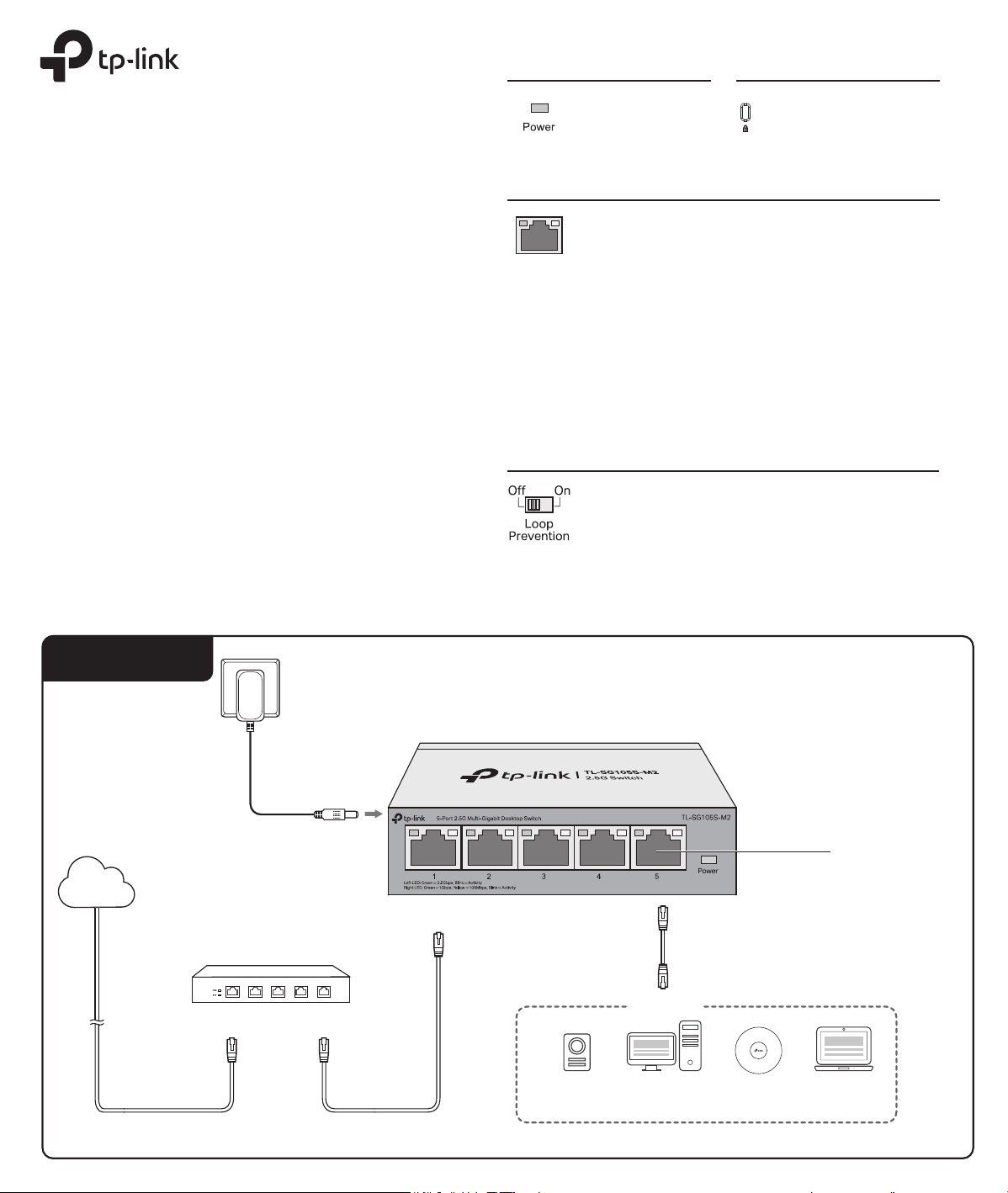
Connection
Power Adapter
Gateway
LAN PortWAN Port
Internet
Devices
2.5G Wi-Fi
6/6E/7 AP
2.5G NAS/Server 2.5G Gaming
Computer
Laptop*
*With a USB to 2.5G Ethernet adapter, you can enjoy the Ethernet up to 2.5 Gbps on your laptop.
Ethernet Ports
Panel Explanation
On: Power on
O: Power o
Power
When one of the LED is on/ashing
On: Connecting to a device but no activity
Flashing quickly: Transmitting or receiving
data
Flashing slowly: Loop detected on the
corresponding port
Left LED (2.5G)
Green: Running at 2.5 Gbps
Right LED (1G/100M)
Green: Running at 1 Gbps
Yellow: Running at 100 Mbps
Port LED
Kensington Security Slot
Secure the lock (not
provided) into the slot
to prevent the device
from being stolen.
Switch
On: The switch will monitor and address
loop-related issues within the network
structure to prevent disruptions caused by
redundant pathing
O: (default) The switch will not try to
monitor or address loop-related issues
© 2025 TP-Link
7100002499 REV2.0.1
The Power LED should be lit when the power system is working normally. If
the Power LED is not lit, check as follows:
A1:
Make sure the power adapter is connected to the switch with power
source properly.
A2:
Make sure the voltage of the power supply meets the requirements of
the input voltage of the switch.
A3:
Make sure the power source is ON.
Q1. The Power LED is not lit.
Q2. The right and left LED are not lit when a device is
connected to the corresponding port.
It is recommended that you check the following items:
A1:
Make sure that the cable connectors are rmly plugged into the switch
and the device.
A2:
Make sure the connected device is turned on and works normally.
A3:
The cable must be less than 100 meters long (328 feet).
Frequently Asked Questions (FAQ)
EU declaration of conformity
TP-Link hereby declares that the switch is in compliance with the essential requirements
and other relevant provisions of directives (EU)2015/863, 2014/30/EU, 2014/35/EU,
2009/125/EC and 2011/65/EU.
The original EU declaration of conformity may be found at https://www.tp-link.com/en/ce.
For technical support and other information, please visit
https://www.tp-link.com/support, or simply scan the QR code.
Safety Information
Keep the device away from water, re, humidity or hot environments.
Do not attempt to disassemble, repair, or modify the device. If you need service,
please contact us.
Do not use damaged charger or USB cable to charge the device.
Do not use any other chargers than those recommended.
Adapter shall be installed near the equipment and shall be easily accessible.
Please read and follow the above safety information when operating the
device. We cannot guarantee that no accidents or damage will occur due to
improper use of the device. Please use this product with care and operate at
your own risk.
UK declaration of conformity
TP-Link hereby declares that the switch is in compliance with the essential requirements and
other relevant provisions of the Electromagnetic Compatibility Regulations 2016 and Electrical
Equipment (Safety) Regulations 2016.
The original UK declaration of conformity may be found at https://www.tp-link.com/support/ukca/
Q3. Why does the switch fail to detect and block a loop
from occurring in the network topology when Loop
Prevention is enabled?
A:
When connecting this switch to other non-terminal devices, such as
switches from other brands, and those devices cannot properly process
or forward loop detection packets, the Loop Prevention function may be
limited. It is recommended to connect terminal devices directly to this
switch or use non-terminal devices with full forwarding capability.
FCC STATEMENT
Responsible party:
TP-Link Systems Inc.
Address: 10 Mauchly, Irvine, CA 92618
Website: https://www.tp-link.com/us/
Tel: +1 626 333 0234
Fax: +1 909 527 6804
E-mail: [email protected]
This equipment has been tested and found to comply with the limits for a Class B digital
device, pursuant to part 15 of the FCC Rules. These limits are designed to provide
reasonable protection against harmful interference in a residential installation. This
equipment generates, uses and can radiate radio frequency energy and, if not installed
and used in accordance with the instructions, may cause harmful interference to radio
communications. However, there is no guarantee that interference will not occur in a
particular installation. If this equipment does cause harmful interference to radio or
television reception, which can be determined by turning the equipment o and on, the
user is encouraged to try to correct the interference by one or more of the following
measures:
• Reorient or relocate the receiving antenna.
• Increase the separation between the equipment and receiver.
• Connect the equipment into an outlet on a circuit dierent from that to which the
receiver is connected.
• Consult the dealer or an experienced radio/ TV technician for help.
This device complies with part 15 of the FCC Rules. Operation is subject to the following
two conditions:
1) This device may not cause harmful interference.
2) This device must accept any interference received, including interference that may
cause undesired operation.
Any changes or modications not expressly approved by the party responsible for
compliance could void the user’s authority to operate the equipment.
Product Name: 5-Port 2.5G Multi-Gigabit Desktop Switch
Model Number: TL-SG105S-M2
Responsible party:
TP-Link Systems Inc.
Address: 10 Mauchly, Irvine, CA 92618
Website: https://www.tp-link.com/us/
Tel: +1 626 333 0234
Fax: +1 909 527 6804
E-mail: [email protected]
This equipment has been tested and found to comply with the limits for a Class B digital
device, pursuant to part 15 of the FCC Rules. These limits are designed to provide
reasonable protection against harmful interference in a residential installation. This
equipment generates, uses and can radiate radio frequency energy and, if not installed
and used in accordance with the instructions, may cause harmful interference to radio
communications. However, there is no guarantee that interference will not occur in a
particular installation. If this equipment does cause harmful interference to radio or
television reception, which can be determined by turning the equipment o and on, the
user is encouraged to try to correct the interference by one or more of the following
measures:
• Reorient or relocate the receiving antenna.
• Increase the separation between the equipment and receiver.
• Connect the equipment into an outlet on a circuit dierent from that to which the
receiver is connected.
• Consult the dealer or an experienced radio/ TV technician for help.
This device complies with part 15 of the FCC Rules. Operation is subject to the following
two conditions:
1) This device may not cause harmful interference.
2) This device must accept any interference received, including interference that may
cause undesired operation.
Any changes or modications not expressly approved by the party responsible for
compliance could void the user’s authority to operate the equipment.
We, TP-Link Systems Inc., has determined that the equipment shown as above has
been shown to comply with the applicable technical standards, FCC part 15. There is no
unauthorized change is made in the equipment and the equipment is properly
maintained and operated.
Issue Date: 2025-06-09
Product Name: Power Adapter
Model Number:
T090060-2B1, T120100-2B1
Component Name Model
Power Adapter T090060-2B1
Component Name Model
Power Adapter T120100-2B1
Explanation of the symbols on the product label
產品標籤上符號的解釋
Note: The product label can be found at the bottom of the product.
Symbols may vary from products.
注意:產品標籤可在產品底部找到。符號可能因產品而異。
Symbol
符號
Explanation
說明
Class II equipment
二級設備
Class II equipment with functional earthing
具有接地功能的二級設備
Alternating current
交流電
Direct current
DC 電壓
Polarity of DC power connector
輸出端點的極性
For indoor use only
僅供室內使用
Dangerous voltage
危險電壓
Caution, risk of electric shock
請注意,有觸電的危險
Energy eciency marking
能源效率標誌
Protective earthng
保護接地
Earth
接地
Frame or chassis
框架或外殼
Functional earthing
功能接地
Caution, hot surface
請注意,表面過熱
Caution
警告
Operator's manual
操作手冊
Stand-by
待機
"ON"/"OFF" (push-push)
“開啟”/”關閉”(按壓式)
Fuse
保險絲
Fuse is used in neutral N
保險絲用於中性線 N
RECYCLING
回收
This product bears the selective sorting symbol for Waste electrical
and electronic equipment (WEEE). This means that this product must
be handled pursuant to European directive 2012/19/EU in order to be
recycled or dismantled to minimize its impact on the environment.
Users have the choice to give their product to a competent
recycling organization or to the retailer when they buy new
electrical or electronic equipment.
這個產品帶有歐盟指令 2012/19/EU 中關於廢棄電氣電子設備(WEEE)的
選擇性分類標誌。這意味著,該產品必須按照該指令處理,以便進行回收
或拆解,從而最大限度地減少對環境的影響。
用戶可以選擇將產品交給有資格的回收機構,或在購買新的電器或電子設
備時將其交給零售商進行回收。
Caution, avoid listening at high volume levels for long periods
請小心,避免長時間以高音量收聽。
Disconnection, all power plugs
斷線,所有電源插頭
m
Switch of mini-gap construction
迷你間隙結構開關
µ
Switch of micro-gap construction (for US version)
Switch of micro-gap / micro-disconnection construction (for other
versions except US)
小間隙結構開關(US 版本)
小間隙/小斷開結構的開關(非 US 版)
ε
Switch without contact gap (Semiconductor switching device)
無接觸間隙的開關(半導體開關設備)
Industry Canada Statement
CAN ICES-003 (B)/NMB-003(B)
CE Mark Warning
Продукт сертифіковано згідно с правилами системи УкрСЕПРО на відповідність
вимогам нормативних документів та вимогам, що передбачені чинними
законодавчими актами України.
BSMI Notice
安全諮詢及注意事項
請使用原裝電源供應器或只能按照本產品注明的電源類型使用本產品。
清潔本產品之前請先拔掉電源線。請勿使用液體、噴霧清潔劑或濕布進行清潔。
注意防潮,請勿將水或其他液體潑灑到本產品上。
插槽與開口供通風使用,以確保本產品的操作可靠並防止過熱,請勿堵塞或覆蓋開口。
請勿將本產品置放於靠近熱源的地方。除非有正常的通風,否則不可放在密閉位置中。
請不要私自拆開機殼或自行維修,如產品有故障請與原廠或代理商聯繫。
限用物質含有情況標示聲明書
產品元件名稱
PCB
外殼
電源供應器
其他及其配件
限用物質及其化學符號
備考1: "○"系指該項限用物質之百分比含量未超出百分比含量基準值。
備考2: " - " 系指該項限用物質為排除項目。
○ ○ ○ ○○
○ ○ ○ ○ ○
鉛
Pb
○
○
-
-
鎘
Cd
○
○
汞
Hg
○
○
六價鉻
Cr
+6
○
○
多溴聯苯
PBB
○
○
多
溴二苯醚
PBDE
○
○
Wall Mounting Requirements
To mount the device on a wall, use 2 screws which complies with ANSI B1.1 4#,
(5#), 6# standard and are more than 7.5 mm in length. When the screws are xed
on the wall, the distance between the screw head and the wall should be more
than 1.5 mm.
牆面安裝要求
將設備安裝到牆上,需使用 2 顆符合 ANSI B1.1 4#、(5#)、6# 標準、長
度大於 7.5mm 的螺絲,螺絲固定在牆上時,螺絲頭與牆面的距離應
大於 1.5mm。
Operating Temperature
Storage Temperature
Operating Humidity
Storage Humidity
Environmental and Physical Specications
-5˚C to 40˚C (23˚F to 104˚F)
-40˚C to 70˚C (-40˚F to 158˚F)
10% to 90% RH non-condensing
5% to 90% RH non-condensing
運作溫度
存放溫度
運作濕度
存放濕度
環境和物理規格
-5˚C - 40˚C (23˚F - 104˚F)
-40˚C - 70˚C (-40˚F - 158˚F)
10% - 90% RH 無凝結
5% - 90% RH 無凝結
Product Name: 8-Port 2.5G Multi-Gigabit Desktop Switch
Model Number: TL-SG108S-M2
Product Name:
5-Port 2.5G Multi-Gigabit Desktop Switch
Model Number: TL-SG105-M2
Product Name: 8-Port 2.5G Multi-Gigabit Desktop Switch
Model Number: TL-SG108-M2
Specications
General Specications
IEEE802.3, IEEE802.3u, IEEE802.3ab,
IEEE802.3bz, IEEE802.3x, IEEE802.1p
CSMA/CD
100Base-TX: UTP category 5 cable or above
(max. 100 m)
1000Base-T: UTP category 5e cable or above
(max. 100 m)
2.5GBase-T: UTP category 5e cable or above
(max. 100 m)
5/8 100 Mbps/1 Gbps/2.5 Gbps Auto-Negotiation
RJ45 Ports
TL-SG105S-M2: 25 Gbps
TL-SG108S-M2: 40 Gbps
TL-SG105-M2: 25 Gbps
TL-SG108-M2: 40 Gbps
Store-and-Forward
Automatically learning, automatically aging
100Base-TX: 148810pps/Port
1000Base-T: 1488095pps/Port
2.5GBase-T: 3720238pps/Port
Yes
TL-SG105S-M2: 52 mm
TL-SG108S-M2: 110 mm
TL-SG105-M2: 150 mm
TL-SG108-M2: 150 mm
Standard
Protocol
Interface
Transfer Method
MAC Address Learning
Frame Forward Rate
Network Media (Cable)
Switching Capacity
Wall-Mountable
Distance between
Mounting Holes
Model
TL-SG105-M2
TL-SG105S-M2
TL-SG108-M2
TL-SG108S-M2
Power Adapter
T090060-2C1
T090060-2C1
T120100-2C1
T120100-2C1
Manufacturer
TP-Link
TP-Link
TP-Link
TP-Link
For the EU countries, use only the power adapters listed below: