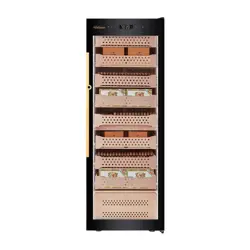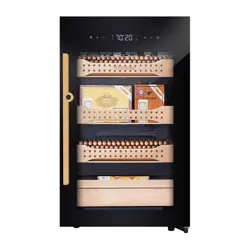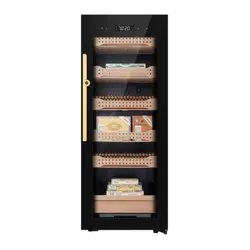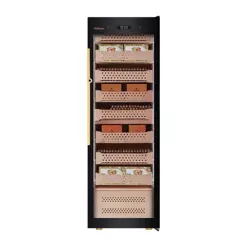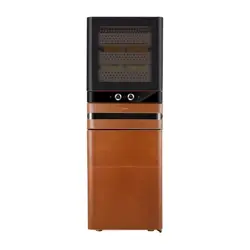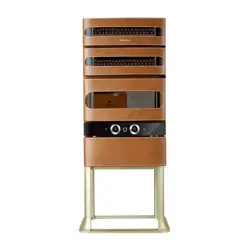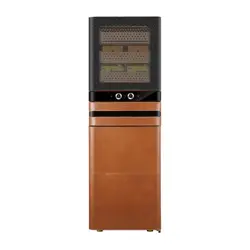
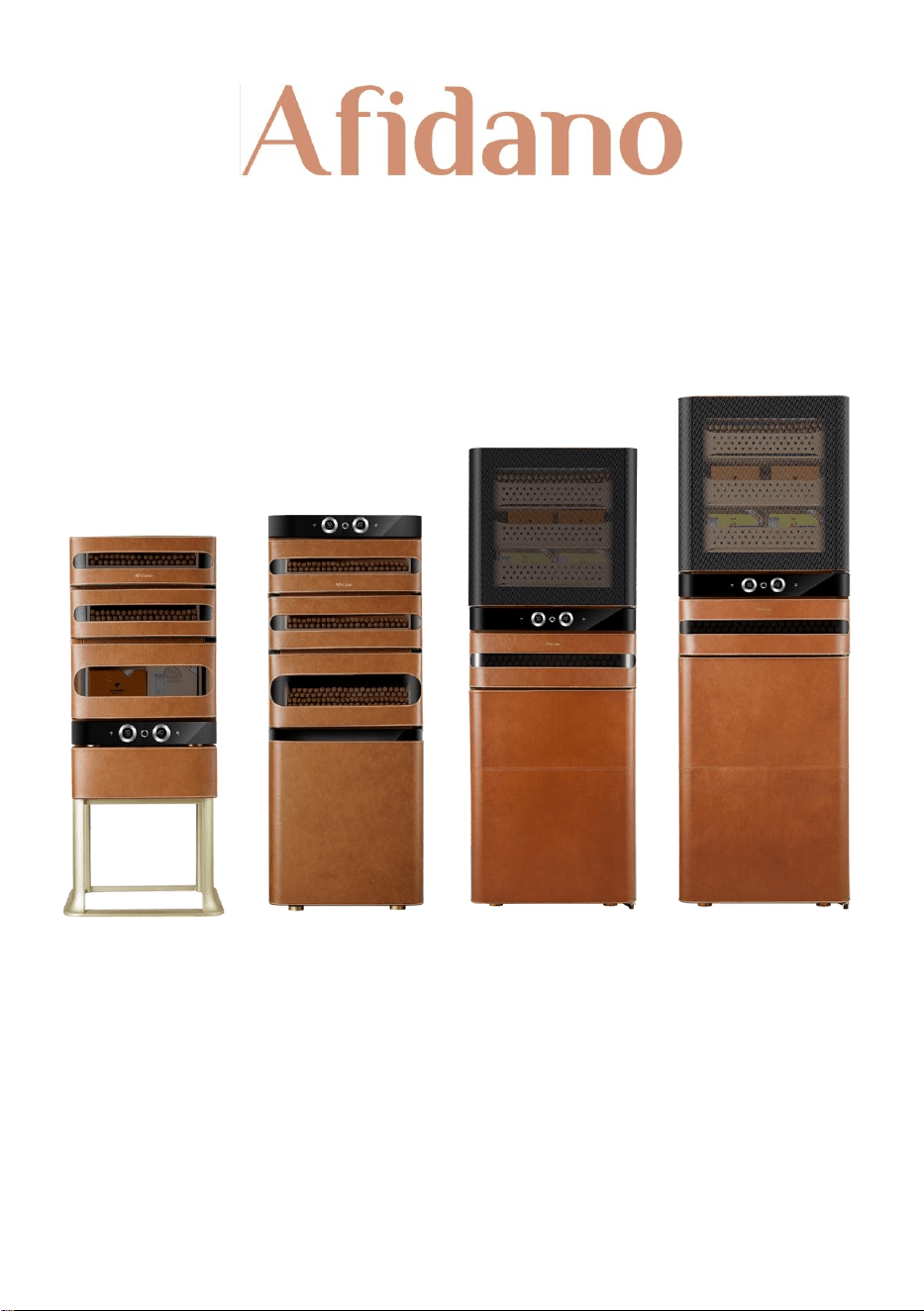
High End Genuine Leather Compressor Cigar Humidor
JC-50A / JC-152A / ACH-L6 / ACH-L8
Please read this user manual carefully before using the product. Please keep this user manual
for your future reference.

Contents
Safety warning……………………………………………………………..……………………01
Pre-use instructions and safety…………………………….……………………………02
guidelines Installation guide………………………………………………………………03
Temperature control instructions………………………………………………………05
Technical parameter……………………………………………………………….…………07
Product structure drawing…………………………………………………………………08
Circuit diagram…………………………………………………………………….……………11
Trouble shooting............……………………………………………………………………12
Cleaning instructions…………………………………………………………………………13
Cigar storage knowledge……………………………………………………………………14

1
Safety Warning
To reduce the risk of personal injury or property damage, please read and follow all
instructions before using this cigar humidor.
1. This humidor should only be used indoors in a dry and level location.
2. Do not attempt to repair or disassemble the humidor. Contact a qualified
technician if repairs are needed.
3. Keep fingers and hands away from the door hinges and avoid placing heavy
objects on the door shelves.
4. Do not store flammable liquids or materials in the humidor.
5. Keep the humidor away from heat sources such as stoves, ovens, and direct
sunlight.
6. Always unplug the refrigerator before cleaning or performing maintenance tasks.
7. Do not use abrasive cleaners or sharp objects that may scratch the interior or
exterior surfaces of the refrigerator.
8. Children should be supervised when using the humidor and should not climb on
or play with it.
9. If the humidor shows signs of damage or malfunction, such as unusual noises or
odors, immediately unplug it and contact a qualified technician.
10. Do not overload the humidor with food beyond its designated capacity.
Failure to comply with these safety warnings and instructions can result in serious
injury, fire, electrical shock, or other hazards.
Idle and Disposal
Please remove the door before disposing this item. The idle cigar humidor
may still pose a danger to children, who might climb inside and suffocate.
The cigar cabinet uses pentane foaming material, which is flammable. The
idle humidor should stay away from fire or heat sources. Disposal shall be
carried by qualified professional recycling company to avoid harm to the
environment or other risks.

2
Daily use instructions:
Open the door to 180° to allow space for shelves when you need to pull
them out, avoiding accidental scratch on door seal.
The door will automatically lock after power-off and requires re-
connected to power to unlock.
When power-out or cleaning the humidor, unplug the power and wait
for at least five minutes before reconnecting power to prevent damage
to its compressor.
Do not move the humidor when it is loaded.
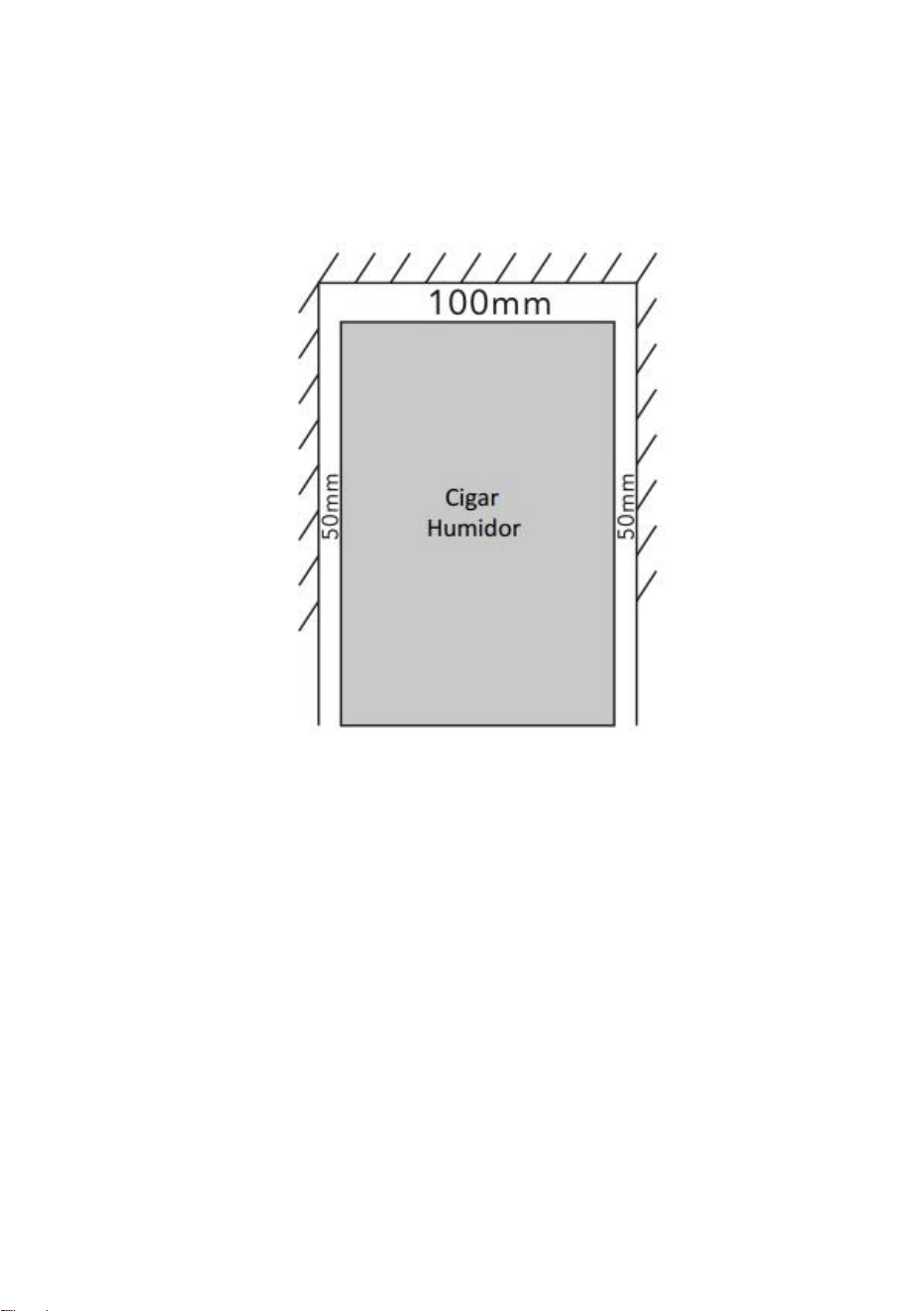
Keep about 2inch clearance from any obstacles round this humidor.
When pulling out the power plug of the cigar humidor, do not pull the
power cord itself. Make sure to grip the plug and pull it directly out of
the socket to avoid damaging the power cord.
For safety reasons, please stop using this humidor if power cord is worn.
Reach out to our service team or professional for replacement.
Modification is strongly NOT recommended. Maintenance and service
shall be carried out by professionals.
Installation:
1. Remove all the packing materials inside and outside.
2. Place the humidor on a solid and stable ground freestanding. Adjust the
legs to level it.
3. Clean the inside with a clean damp soft cloth. (Do not use chemical agent).
4. Check whether the power cord. If it is damaged, contact our service team.
3
5. Working environment temperature shall be 50-90 ° F indoor. If ambient
temperature out of this range, the humidor would not work properly.
6. Keep at least 2inch gap at both sides, and 4inch at top from top and back
for proper heat ventilation.
Power cord connection
The type of power supply (AC) and the voltage must conform to the
description on the rating label. The rating label is located on the back of the
product. Sockets must be protected by fuses of 10 amps or more. ln addition,
the socket must be on the back of the product and can be easily operation.
4
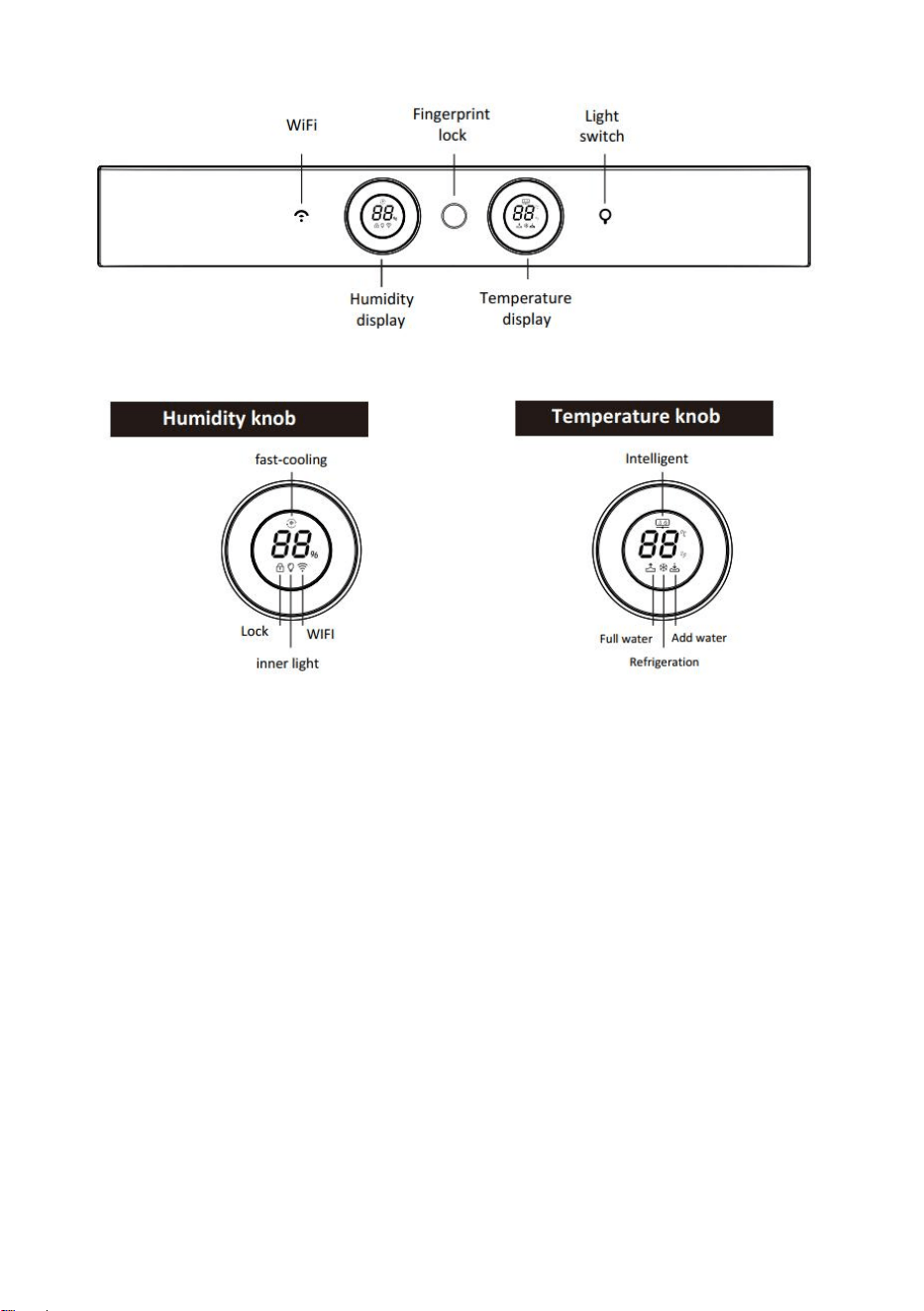
1. Connect to Wi-Fi: Turn on the humidor, press and hold the Wi-Fi button
for three seconds. You will hear a beep, and the Wi-Fi indicator light will
flash for 60 seconds. Open AFIDANO app on your smartphone and
follow these steps: Add Device -> Select Category -> Choose
"Refrigerator" -> Select the corresponding model -> Next -> Enter your
Wi-Fi account and password to connect to the cloud server. Once the
connection is successful, the Wi-Fi indicator light will stay on
continuously. You can connect up to 15 smartphones.
During the network configuration process, the Wi-Fi indicator light will
flash.
lf Wi-Fi is successfully connected, the Wi-Fi indicator light will stay on
continuously.

5
If Wi-Fi is successfully connected, the Wi-Fi indicator light will turn off.
2. Light: press to turn on/off the inner light. Press and hold to switch
degrees Fahrenheit between Celsius display.
3. Humidity adjustment: The left knob is for humidity adjustment, turn
clockwise to increase the humidity, counterclockwise to reduce between
60%-75%.
4. Temperature adjustment: The right knob is for temperature adjustment,
turn clockwise to increase the temperature, counterclockwise to reduce
the temperature between 61 -71°F.
5. Button combination functions:
1) Power-on, unlocked & no error displayed, press Wi-Fi and light
button and hold for 3 seconds, to enter the menu selection.
2) The left knob screen shows menu options, while the right shows the
number of recorded fingerprints (show 00 if all fingerprints are
deleted in in factory default mode).
3) Exit: a, status will end in 5 sec without further operation; b, press
Light button to select other menu, press Wi-Fi button to enter.
6. Register fingerprints:
1) In unlocked state (any fingerprint can be unlocked by factory
default), press "Wi-Fi" button and "Light" button at the same time.
2) Press the Light button again and then adjust the digit on the left
temperature screen to “1” by turning the light button. Then press
the Wi-Fi button to confirm.
3) Press your finger on the fingerprint lock. When the fingerprint lock
lights turn from white to blue, your fingerprint is successfully
registered.
4) If red-light blinks three times and the buzzer beeps three times, it

6
means registration fails. Repeat the procedure steps until the
recording succeeds.
5) Delete all fingerprint: Press the Wi-Fi button and the light button at
the same time, and then press the light until "02" is displayed. Press
the Wi-Fi button again to confirm. The fingerprint lock flashes
green light 3 times, delete successfully.
7. Fingerprint registered successful: the display board is fully lit, and the
buttons and drawers will be unlocked. No operation is performed within
10 seconds after unlocking, and the display board becomes dark. No
operation in 90 seconds, drawers will lock.
8. Water for humidifier, adding water from the top of the cabinet. Please
add about 1/2 gal of purified water or distilled water, until water level
alarm beeps.
9. Alarm code:
1) When the environment sensor is faulty, error code shows as “ F2 ” ;
When the space sensor is faulty, error code shows as “F3”.
2) When the defrosting sensor is faulty, error code shows as “F4”.
3) The dual display panel displays “E0”. When the driver panel is faulty,
the left display panel displays “E0”.
4) The space humidity sensor fails to respond, and error code shows as
“E1” on the left screen.
5) Water shortage alarm: when the water level of the water tank is low,
the display on the right-side lights up the mark of low water level
and makes a buzzer.
6) Full water alarm: when the water level of the water tank reaches the
highest, the right.
7) Display screen shows the high-water level mark, emit a buzzer. The
alarm can be neutralized by closing the tank lid. Or drain until the

7
alarm stops.
10. Precautions:
The maximum number of fingerprints that can be registered is 50. If the
number exceeds the limit, all fingerprints need to be deleted first, and then
re-registered one by one.
If there is no response after pressing the finger for 4-5 seconds, release the
finger and wait for 3-5 seconds, and then try again. To increase the
recognition accuracy, please try to make more contact between the finger
and the fingerprint recognition head position, and make sure to touch the
black metal part.
Specifications:
Model:
JC-50A
JC-152A
Volume:
1.7 cu.ft
5.3 cu.ft
Rated Voltage:
110V
110V
Rated Current:
1A
1A
Rated Frequency:
60Hz
60Hz
Climatic type:
SN & N & ST & T
SN & N & ST & T
Heating Power:
80W
120W
Temp. range:
61~71°F
61~71°F
%RH:
60~75%
60~75%
N.W:
71lb
121lb
Size:
W 17.3” x H 24.7”x D 19.8”
W 19.6” x H 51” x D 19.8”
Base rack size:
W 17.3” x H 19. ”7x D 19.8”
N/A
8
Product illustration:
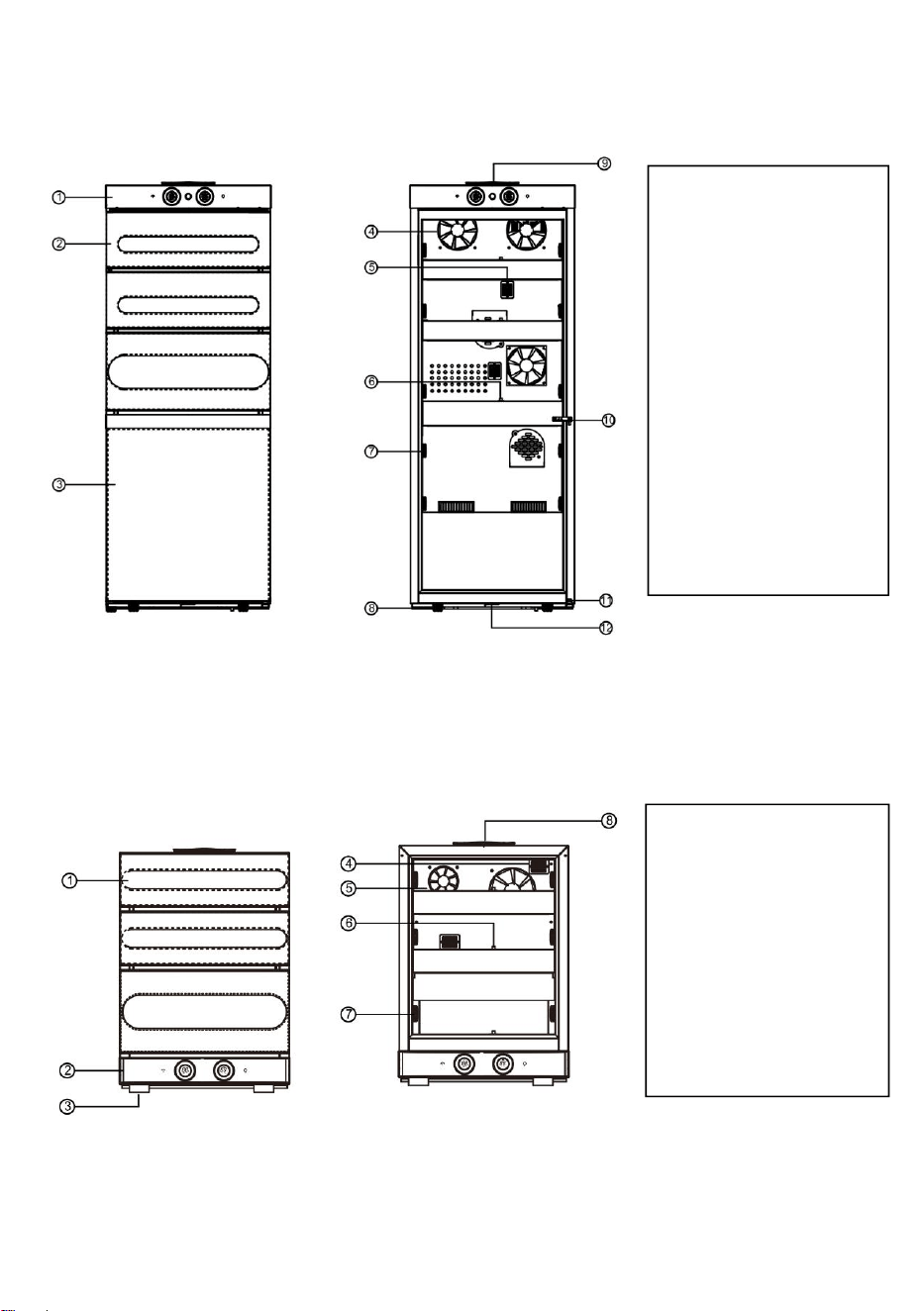
1. Control panel
2. Doors and windows
3. Foaming door
4. Fan
5. Sensors
6. Magnetic lock
7. Slide rails
8. Adjustable feet
9. Water tank cover
10. Middle door hinge
11. Lower door hinge
12. Door lock
1. Doors and windows
2. Control panel
3. Feet
4. Sensor
5: Fan
6. Magnetic lock
7. Slide rails
8. Water tank cover
9
Specification:
Model:
ACH-L6
ACH-L8
Volume:
9.6 cu.ft
13.2 cu.ft
Rated Voltage:
110V
110V
Rated Current:
1.0 A
1.0A
Rated Frequency:
60Hz
60Hz
Climatic type:
SN & N & ST & T
SN & N & ST & T
Heating Power:
115W
150W
Temp. range:
61~71°F
61~71°F
%RH:
60~75%
60~75%
N.W:
200lb
222lb
Size:
W 23.5” x H 65.7” x D 24.6”
W 23.5” x H 70.6” x D 28.3”
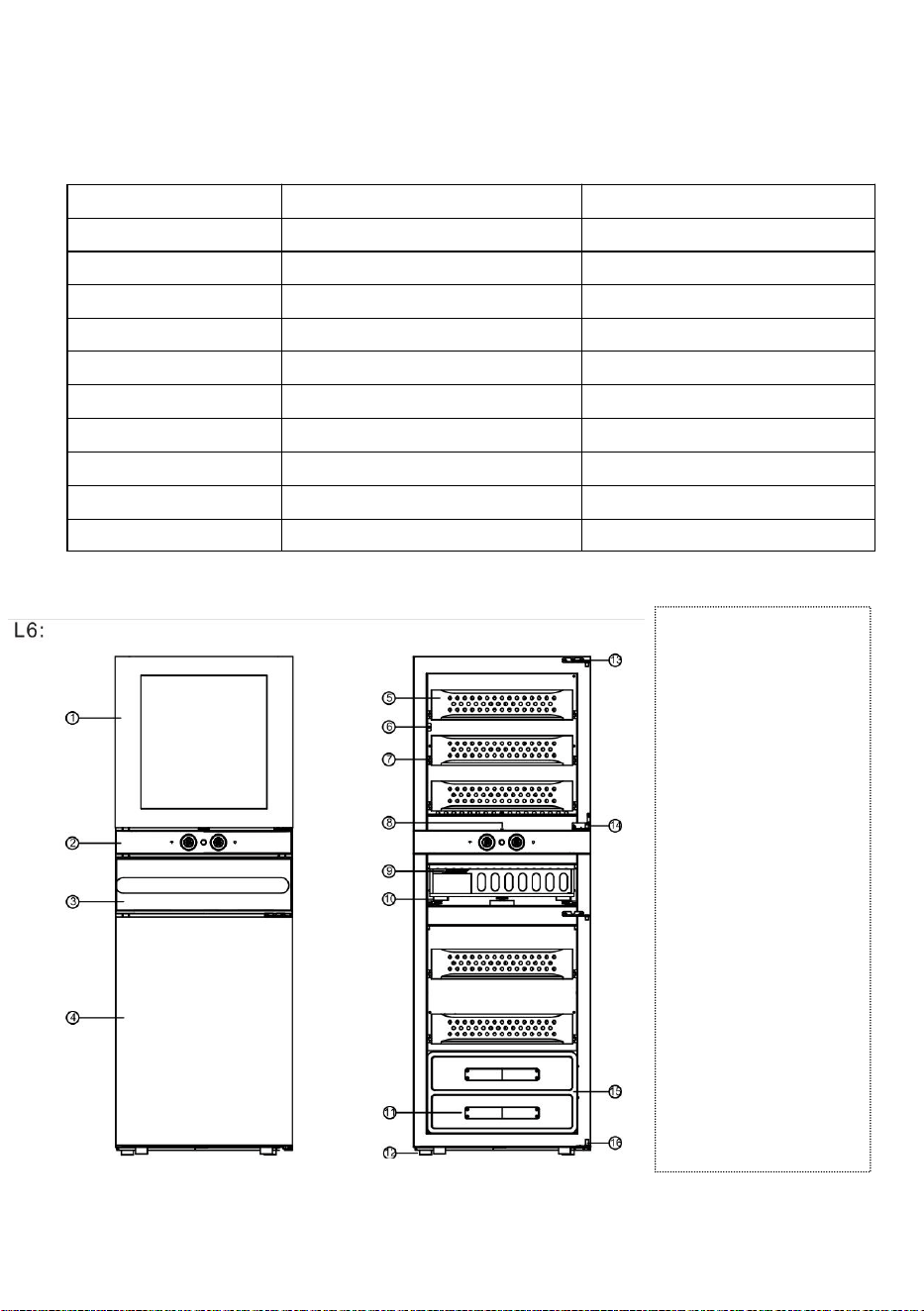
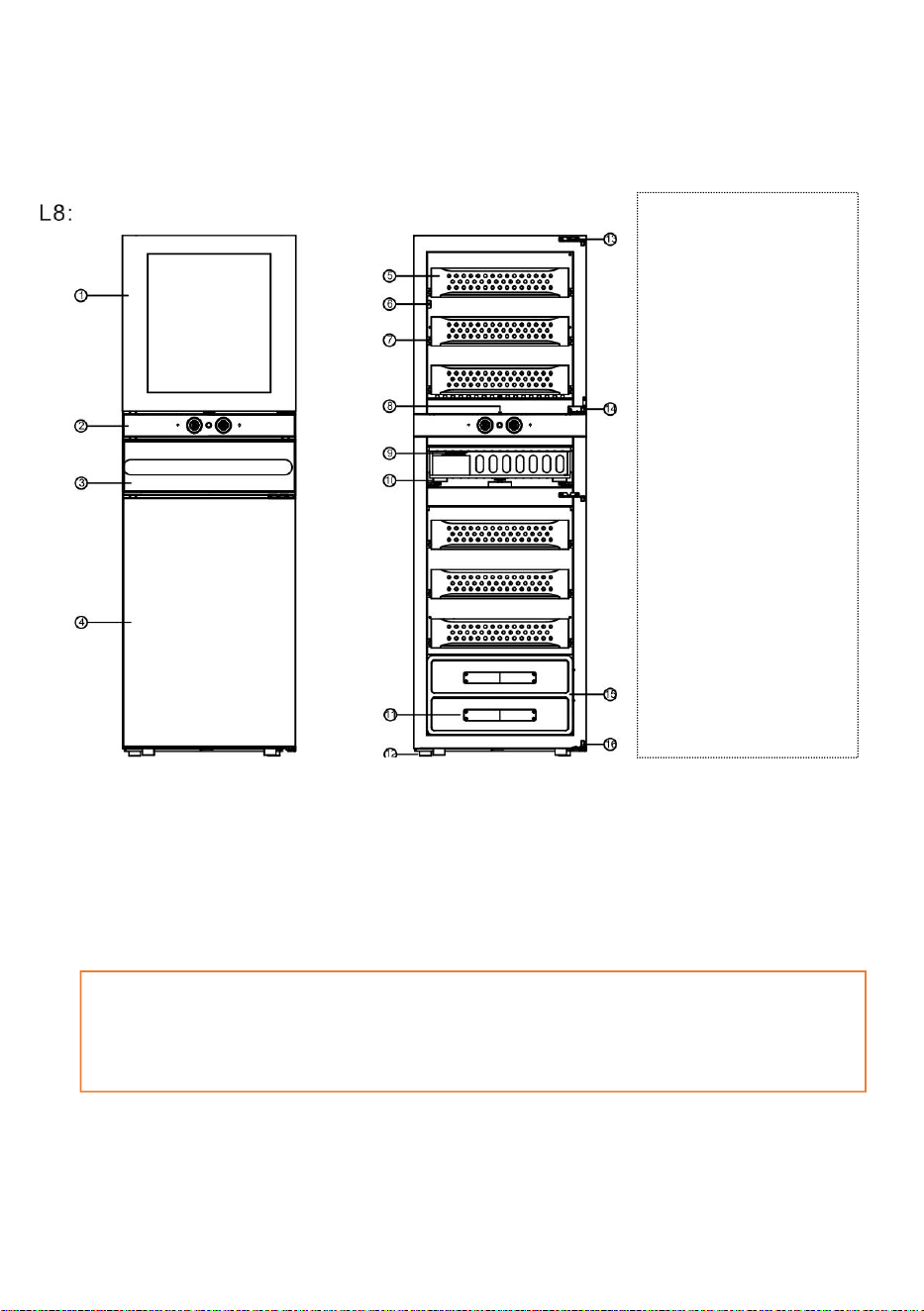
1. Glass door
2. Control panel
3. Mid drawer
4. Lower foam door
5. Cigar drawer
6. Temperature sensor
7. Sliding rack
8. Magnetic lock
9. Water refill cap
10. Sliding rail
11. Leather handle
12. Legs
13. Upper door hinge
14. Mid door hinge
15. Fermentation case
16. Lower door hinge
10
1. Upper glass door
2. Control panel
3. Mid drawer
4. Lower foam door
5. Cigar drawer
6. Temperature sensor
7. Sliding rack
8. Magnetic lock
9. Water refill cap
10. Sliding rail
11. Leather handle
12. Legs
13. Upper door hinge
14. Mid door hinge
15. Fermentation case
16. Lower door hinge
A Fermentation case in the drawer is a wooden case with temp and humidify. It is
suitable to put cigar in it 30 min before enjoying it, with the best flavor from it.
11
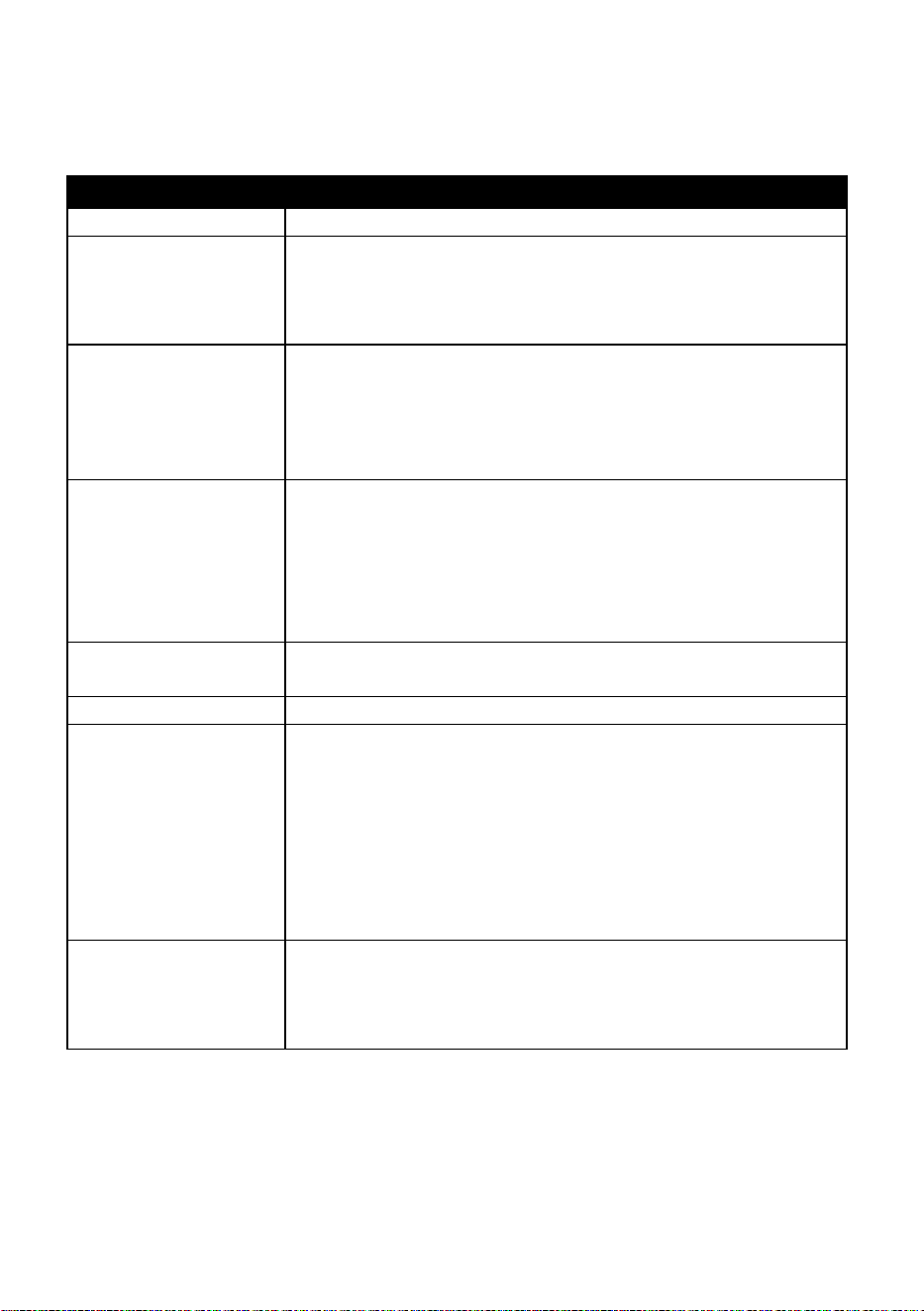
Circuit Diagram:
JC-50A
JC-152A
ACH-L6 / ACH-L8
12
Trouble shooting
Trouble shooting
Problem description
Check & Fix
The cigar humidor is
not working.
Check power cord plug in power outlet.
Check if the product is turned off.
Check if switch is damaged or the fuse blown?
The temperature inside the cabinet is not low enough.
Inner temperature is
not low enough
Check if temperature is correctly set.
Check if outer environment is too high.
Check if the door is frequently opened and closed.
Check if the door is not properly closed.
Check if door is sealed.
Humidor is frequently
on & off
Check if temperate in your home is higher than regular days.
Overloaded in the humidor.
Check if the door is frequently opened.
Check if the door is not properly closed.
Temperature is not correctly set.
Check if door is sealed.
No light
Check if power cord is well connected to power outlet.
Check if switch is broken or fuse blown.
Vibration noise
Check if the humidor is well leveled.
Loud noise
Check if the humidor housing shrank or expanded.
Check if the ventilation is blocked.
Check if the humidor is placed on a level and solid ground.
When the compressor starts or stops, the internal coil device
has to be transformed from static to high-speed operation or
from high-speed to static state. At the moment of
transformation, the compressor will make a louder sound than
normal operation, such as “clack” sound, which is normal.
Door could not close
Check if the cigar humidor placed on a level and solid ground.
Check if the door properly installed.
Check if the door seal too dirty to affect its sealing tightness.
Check if the shelf is misaligned.

13
Cleaning instructions:
Before cleaning, please unplug from power outlet to ensure that the cigar
humidor is powered off.
Remove all items stored in the humidor and temporarily keep them in low
temperature space.
Remove all shelves and cases.
Use a clean damp cloth to clean the interior, door seal and control panel.
Note! Do not use any chemical agents.
Use a clean, soft cloth to clean the exterior walls of the humidor and the
surface of the door. If necessary, use a slightly moistened cloth (water + mild
cleaning agent). After cleaning, thoroughly dry the surface with a clean cloth.
Regularly check the water tank. Make sure to keep sufficient water level, not
overtly filled. Change the water once every three months and maintain a
moderate water level.
(After draining water tank, add an appropriate amount of baking soda to
purified water at a ratio of 1:200, pour it into the water tank, start the cigar
cabinet and run it for 4 hours, then drain the water in the water tank again,
and refill with purified water.)
After cleaning, restart the cigar cabinet and put your cigars back in.
Do not damage the nameplate on the back. The information on the
nameplate will be needed for warranty service.

14
Leather Daily Maintenance
1. Keep leather away from direct sunlight and heat sources, which can
cause fading and drying out.
2. Regularly clean leather with a soft, dry cloth to remove dust and dirt. For
more stubborn stains, use a damp cloth with a mild soap solution.
3. Use a leather conditioner or protectant to keep the leather moisturized
and prevent cracking or peeling. Apply it with a soft cloth and allow it to
absorb into the leather for several hours or overnight.
4. Avoid getting leather wet, or if it does get wet, allow it to air dry naturally
away from heat sources. Do not use a hairdryer or other heat source to
dry leather as this can damage it.
5. Store leather items in a cool, dry place and use appropriate protective
covers to prevent damage from dust and moisture.
Cigar storage, moisturizing and humidifying.
No matter how you store cigars, you should check them regularly to ensure
appropriate humidity! It is recommended to check the status of cigars once a
week.
When we buy good cigars and leave the tobacco shop, we usually don't have
to worry about whether these cigars can be enjoyed immediately. However,
for consumers who buy a large number of cigars and store them in many
boxes, proper storage becomes an issue that needs attention. It is generally

15
believed that cigars are best stored in an environment suitable for smoking.
Many cigar enthusiasts believe that the "ideal" temperature in this
environment is about 25°C and the relative humidity is about 70% or a similar
range. If the cigars are too dry, they will overheat and burn quickly and
unevenly when smoked. If the cigars are too humid, the flavor will easily
dissipate, making it difficult to enter the mouth, and there is a risk of mold
during storage. None of these extreme conditions are ideal. Therefore, no
matter how you store cigars, you should check their condition regularly to
ensure appropriate humidity. It is recommended to check them once a week.
Recommended cigar storage temperature and humidity
Temperature 70 °F, Humidity 70%

16
Limited One Year Warranty
Warranty Terms:
The manufacture warrants to the original purchaser of this product that the
product will be free from manufacturing defects in workmanship and
material for a period of 1 year from the date of original purchase when this
major appliance is operated and maintained according to instructions
attached to or furnished with the product.
The purchaser must contact the manufacture Customer Service Department
and provide a description of the defective part, including digital pictures if
requested, with buying channel, serial number, order ID and the original
purchase documentation as validation of warranty coverage date.
Once confirmed that your appliance is eligible for the warranty service,
Kalamera Customer Service Department will contact you by mail or phone
about the maintenance solution. Replacement parts and/or units will be new,
re-manufactured or refurbished and is subject to the manufacturer’s
discretion. Kalamera is not responsible for damage resulting from shipper
mishandling or improper packing. Do not return a defective product to the
place of purchase. Product received without a return authorization number
will be refused.
After receiving the unit, please do not remove, altered original model/serial
number, that will influence the after-sale service. Please carefully keep the
user manual and warranty card for future reference.
If you need service, first see the “Troubleshooting” section of the User
Manual. After checking, you may find additional help by mailing or calling us.
Write down the following information about your product to better help you
obtain assistance or service if you ever need. You can find this information
on the model and serial number located on the product.

17
Warranty Exclusions:
The warranty will not apply if damage is caused by any of the following:
1. Damage to the product due to misuse, mishandling and abuse.
2. Product not assembled or installed according to manufacturer’s instruction.
3. Repairs by unauthorized persons or service centers with unauthorized spare
parts.
4. Failure to provide reasonable and necessary maintenance.
5. Improper power supply such as low voltage, defective household wiring or
inadequate fuses.
6. Accident, alteration, misuse or abuse of the appliance such as using non-
approved accessories, inadequate air circulation in the room or abnormal
operating conditions, such as extreme temperatures.
7. Damage in transit or when moving the appliance.
8. Use of force or damage caused by external influences.
9. Store improper items.
10. Normal wear and tear.
11. Cosmetic damage, including scratches, dents, chips, or other damage to the
finish of your product, unless such damage results from defects in materials or
workmanship and is reported to us within 30 days from the date of purchase.
12. Fire, water damage, theft, war, riot, hostility or acts of God such as hurricanes,
floods, etc. In addition, consequential damage and incidental damages, such
as damage to person or property are not coverable under this warranty.
13. Partially or completely dismantled appliances.