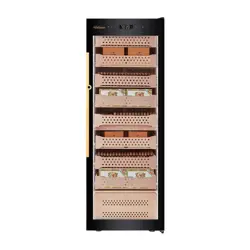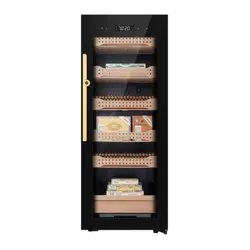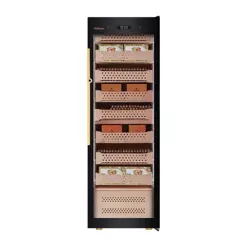
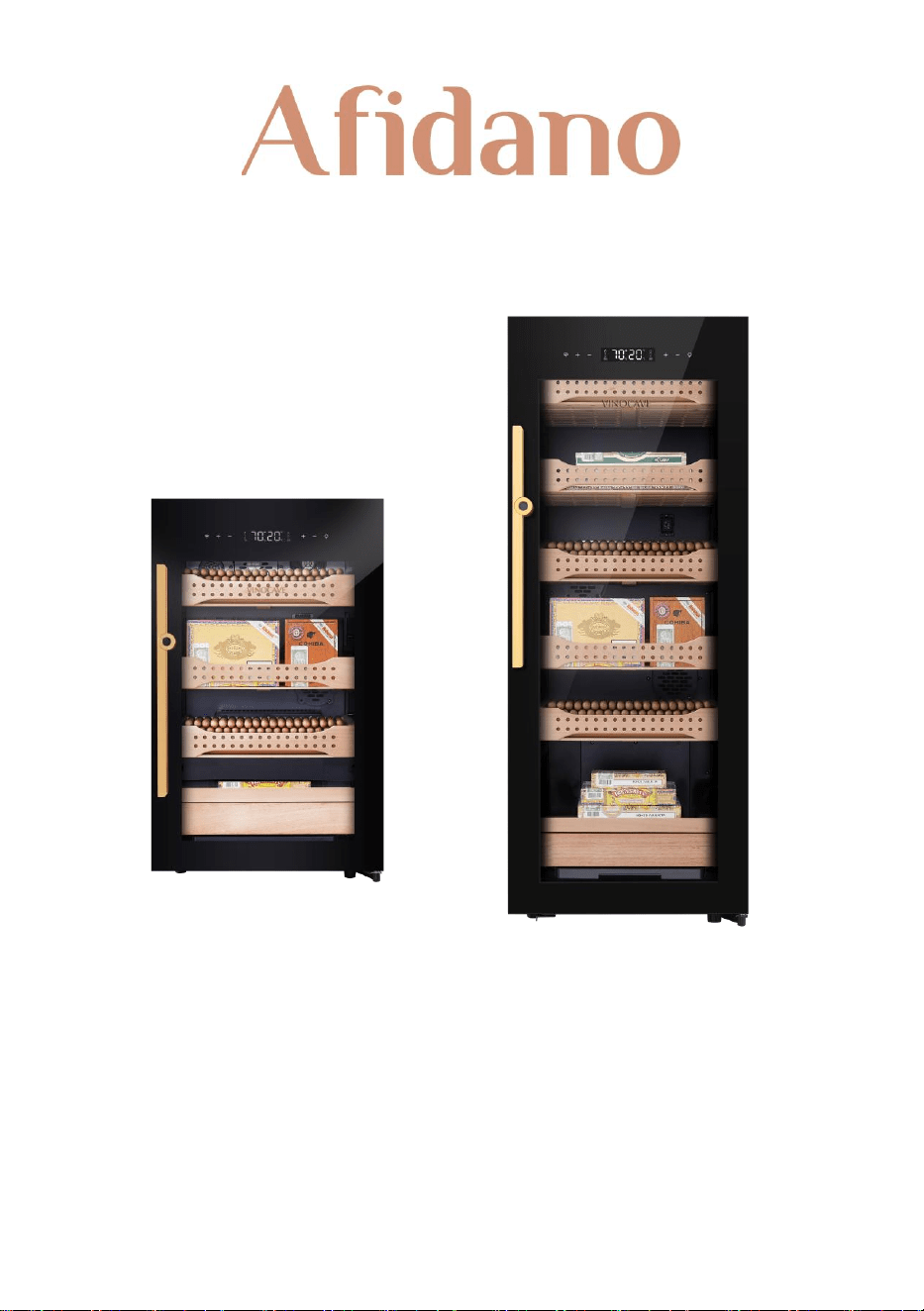
Premium Compressor Electric Cigar Humidor
B2 / B4
User Manual
Please read this user manual carefully before using the product. Please keep this user
manual for your future reference


1
CONTENTS
Safety Information .........................................
2
Installation ........................................................
9
Operating Your Humidor ............................
10
Technical Parameters ....................................
12
Product Structure ...........................................
13
Care & Maintenance .....................................
15
Troubleshooting & Error Codes ................
17
Cigar Storage Knowledge ...........................
18
Warranty ...........................................................
19

2
Safety Information
To reduce the risk of fire, electric shock, or personal injury, thoroughly
read the manual and all instructions completely and carefully.
Store this manual in a safe place for future reference.
All owners, current or future, must have access to this manual.
WARNING
To avoid accidents or serious injury, all people using this appliance must
be familiar with the contents of this User Manual, including Safety
Information. The manufacturer is not responsible for damages or injury
caused using this device beyond normal operations.
This appliance is not recommended for use by persons (including
children) with reduced physical, sensory, or mental capabilities, or lack
of experience and knowledge, unless they have been given supervision
or instruction concerning use of the appliance by a person responsible
for their safety.
The appliance is designed for indoor use only. It is not suitable for
camping use, and it shall not be exposed under rain.
This product is not a toy. Children shall not play with or inside the
appliance. Small children and pets should be supervised when using the
appliance.
Cleaning should be conducted by a suitable adult or child aged 8 or
above under supervision.
When discarding the appliance, make sure to unplug the appliance and
wait a while before cutting the power cable (as close to the appliance as
possible) and remove the door to prevent children from playing with the
appliance, thereby reducing the risk of serious injury or death from
electric shock or suffocation.
The cyclopentane foaming the humidor uses is flammable, which when
disposing should not be burned down and be kept away from fire
source. Please seek help from professional recycling companies dealing
with the disposal to avoid environment damage or undesired danger.

3
If this appliance features a magnetic door seal and is to replace an older
appliance with a spring lock (latch) on the door or lid, be sure to remove,
disable, or make the spring lock unusable before discarding the
appliance to prevent serious injury or death.
WARNING: To avoid the danger of suffocation, keep plastic packaging
away from pets, babies, and children. Do not use packaging bags in
cribs, beds, carriages, or playpens.
DANGER: Risk of child entrapment. Before you throw away your old
humidor:
Take off the door;
Leave the shelves in place so that children may not easily climb
inside.

4
IMPORTANT SAFETY INSTRUCTIONS
Do not puncture the refrigerant tube.
R-600a is used as a refrigerant. This product contains flammable gas
(Refrigerant R-600a).
CAUTION: Risk of fire or explosion. Dispose of refrigerator and
refrigerant in accordance with federal and local regulations.
When disposing of a humidor, remove doors, door seals, and door
latches to avoid entrapment of children or animals.
In order to avoid the creation of flammable gas-air mixture in the event
that a leak in the refrigerating circuit occurs, the size of the room in
which the appliance may be placed depends on the mass of the
refrigerant loaded in the system. The room must be 35.3 ft3 in size for
every 8 grams of R-600a refrigerant inside the appliance. Please refer to
the rating label on the back of the humidor to determine the amount of
R-600a refrigerant used in this product.
The installation location should not be exposed to direct sunlight and
not placed near any electrical appliance or heat source, e.g., stove, oven
or hob, radiator, etc.
GENERAL SAFETY
WARNING! Keep the ventilation openings, in the appliance enclosure or
in the built-in structure clear of obstruction.
WARNING! Do not damage the refrigerant circuit.
WARNING! Do not use mechanical devices or other means to
accelerate the defrosting process, other than those recommended by
the manufacturer.
WARNING! Do not use electrical appliances inside the storage
compartments of the appliance, unless they are the of the type
recommended by the manufacturer.
WARNING! If there is a light bulb in you unit, do not touch it if it has

5
been on for an extended period of time as it could be very hot and may
result in serious injury.
WARNING! When positioning the appliance, ensure the supply cord is
not trapped or damaged.
WARNING! Do not locate multiple portable socket-outlets or portable
power supplies at the rear of the appliance.
WARNING! Do not use extension cords or ungrounded (two-prong)
adaptors. NEVER plug multiple appliances into the same outlet.
Make sure that the power plug is not crushed or damaged by the back
of the appliance. A crushed or damaged power plug may overheat and
cause a fire, resulting in injury or death. Do not bend, twist, pull or place
heavy objects on the power cord or supply.
Do not store explosive substances such as aerosol cans with a
flammable propellant in this appliance.
The refrigerant isobutane (R600a) is contained within the refrigerant
circuit of the appliance, a natural gas with a high level of environmental
compatibility, which is flammable. Be sure to keep open flames, sources
of ignition, and high heat sources away from the unit.
Ensure that none of the refrigerant circuit components become
damaged during transportation and installation.
Make sure the room where the unit will be installed has thorough
ventilation.
It is dangerous to alter the specifications or modify this product in any
way. Any damages to the cord may cause a short circuit, fire and/or
electric shock.
This appliance is intended to be used in household and similar
application such as:
Staff kitchen areas in shops, offices, and other working
environments;
Farmhouses and by clients in hotels, motels, and other residential
type environments;
Bed and breakfast type environments;
Catering and similar non-retail applications.
WARNING! Any electrical components (plug, power cord, compressor
and etc.), if damaged, must be replaced by a certified service agent or

6
qualified service personnel. Contact our support team for help.
WARNING! The light bulb supplied with this appliance is designed
explicitly for this appliance and should not be used in any other device,
lamp, or similar application outside of its intended use in this machine.
The humidor must be plugged into its own dedicated 110-120V, 60Hz,
10A, AC only electrical outlet. Do not lengthen or shorten the cord.
The power cord of the appliance is equipped with a three-prong
grounding plug for your protection against electrical shock hazards. It
must be plugged directly into a properly grounded three prong
receptacle. The receptacle must be installed in accordance with local
codes and ordinances.
Make sure you have quick access to the outlet the appliance is plugged
into in case of an emergency where disconnection is quickly needed.
Make sure the appliance is plugged into a wall main outlet and not into
any power strip or similar device.
Do not pull on the main power cable.
If the power socket is loose, do not use it for the appliance under any
circumstance as it may result in electric shock or fire.
You must not operate the appliance without the lamp (if applicable to
your unit).
This appliance is heavy. Care should be taken when moving it. Team lift
is recommended.
Avoid prolonged sunlight exposure to the appliance.
DAILY USE
The humidor shall be used on a level surface.
Do not put hot objects or devices on the plastic parts in the appliance.
Do not move the humidor when there are objects inside as it may
damage the cabinet.
If the appliance is left empty for long periods, switch off, defrost, clean,
dry and leave the door open to prevent mold growing inside the
appliance.
CARE, CLEANING AND MAINTENANCE
Before cleaning or maintenance, switch off the appliance and disconnect

7
the power plug from the main socket.
When pulling out the shelves from the rails, please make sure the door
is wide open in order to prevent undesired damage to the magnetic
door seal.
Do not clean the appliance with metal objects.
INSTALLATION
IMPORTANT! For electrical connection, carefully follow the instructions
given in the following points.
The humidor must be disconnected from the source of electrical supply
before attempting the installation.
Only use accessories as indicated and not for any other use.
Remove all protective plastic before using the appliance.
Unpack the appliance and check if there is any damage to it. Do not
connect the appliance if it is damaged. Report possible damages
immediately to the retailer you purchased from. In the case of any
damages, keep the packaging for proof.
We advise to let humidor stand upright for 24 hours before plugging in
the appliance to allow the oil to flow back into the compressor.
There should be adequate air circulation around the appliance. Poor air
circulation may lead to overheating. To achieve sufficient ventilation,
follow the instructions relevant to installation.
Where possible, make sure the product spacers are against a wall to
avoid touching or catching warm parts (compressor, condenser),
resulting in possible burning.
The appliance must not be located adjacent to radiators or cookers.
Make sure that the power plug is accessible after installing the appliance.
Allow the humidor to operate for 2-3 hours after installation before
placing cigars inside.
SERVICE
A qualified electrician should carry out any electrical work or service
required.
The product shall be serviced by an authorized Service Center. And only
genuine parts are used.

8
ENVIRONMENT PROTECTION
This appliance does not contain gasses that could damage the ozone
layer in either its refrigerant circuit or insulation materials. The
appliance should not be discarded in urban refuse or rubbish. The insulation
foam contains flammable gases: the appliance should be disposed according
to local authorities. Avoid damaging the cooling unit, especially the heat
exchanging unit. The materials used in this appliance marked by the recycle
symbol are recyclable.
This symbol on the product or on its packaging indicates that this
product may not be treated as typical household waste. Instead, it
should be taken to the appropriate collection point for the recycling
of electrical and electronic equipment. Ensuring this product is disposed
correctly will help prevent potential negative environmental and human
health consequences, which could otherwise be caused by inappropriate
waste handling of this product. For more detailed information about the
recycling of this product, please contact your local council, your household
waste disposal service or the shop you purchased the product from.

9
Installation
BEFORE USING YOUR HUMIDOR
Remove the exterior and interior packaging.
Before connecting to power, let it stand upright for at least 24 hours.
This will reduce the likelihood of cooling system malfunction due to
handling during transportation.
Clean the interior with lukewarm water using a soft cloth. Please do not
apply erosive cleaning agent or solvent.
Place humidor on a level surface that is strong enough to support the
humidor when it is fully loaded.
Adjust the legs accordingly to level your humidor.
SUGGESTED CABINET CLEARANCES
Please allow 50mm (2’’) clearance on both sides, the top and the back of
the humidor for better ventilation.
10
Operating Your Humidor
CONNECT TO WI-FI
Download Afidano App to your phone.
Turn to your humidor, press and hold the Wi-Fi button for 3 seconds.
After a beep, the Wi-Fi button will blink for 60 seconds, indicating it’s
ready for connection.
When download finishes, be prepared to operate on the App as below:
Add Device → Select Category → Choose "Refrigerator" → Select
corresponding model → Next → Enter your Wi-Fi account and
password to connect to the cloud server.
The Wi-Fi button will stay lit if connected successfully. You may connect
up to 15 smartphones.
HUMIDOR CONTROL
Unlock humidor with fingerprint: Press your finger on the fingerprint
sensor to unlock humidor.
If no fingerprint has been previously registered, humidor will be
unlocked by any fingerprint.
If the fingerprint is registered, the fingerprint sensor will blink in
blue for 3 times and the beeper will make 2 beeps. The display
panel will be fully lit, meaning the door and the buttons are
unlocked for operation. If no action taken 90 seconds after
unlocking, they will be locked up again.
If the fingerprint is not registered, the fingerprint sensor will blink in
red for 3 times and the beeper will make 3 beeps.
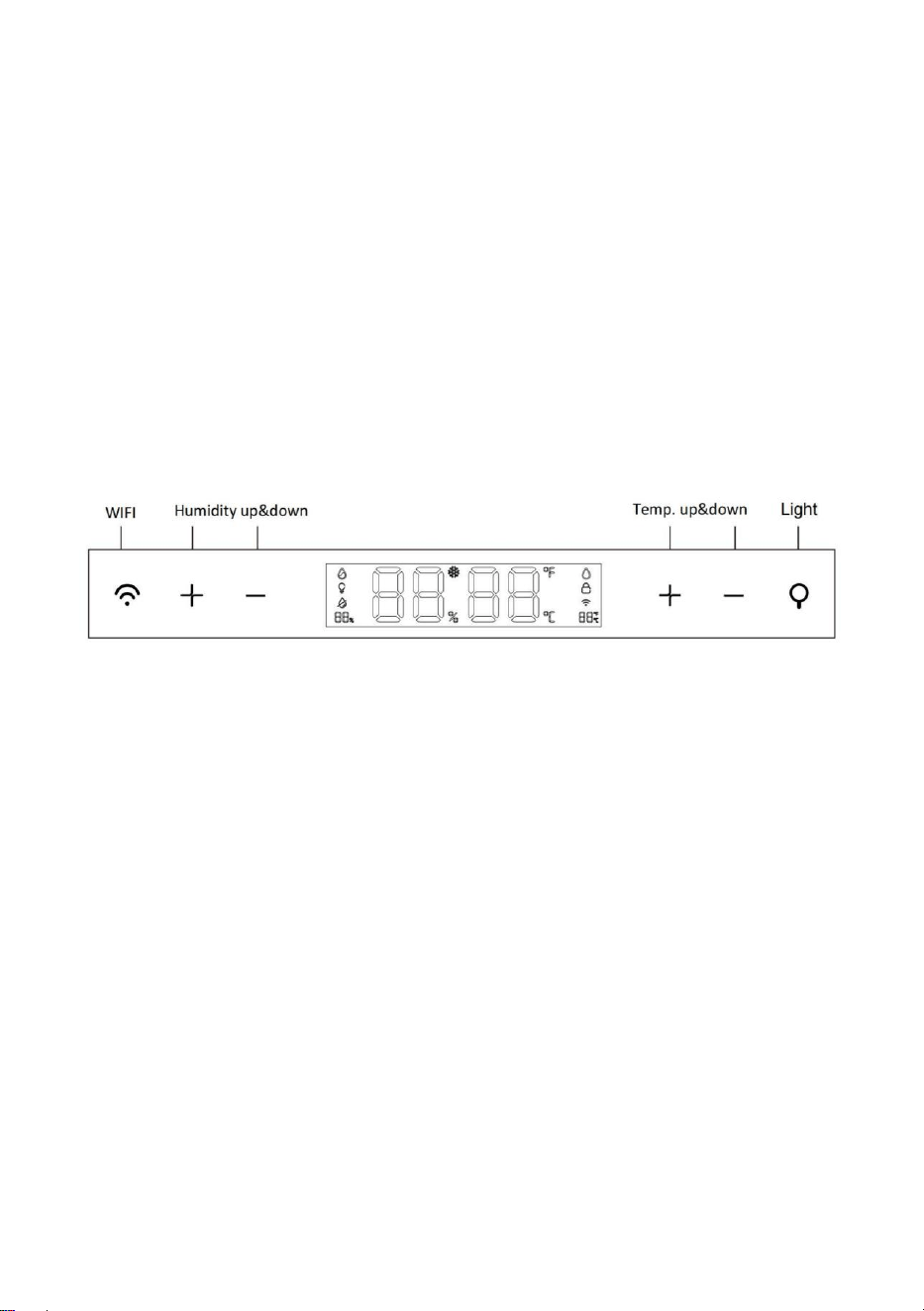
Adjust humidity level: Unlock humidor with fingerprint, then press “+”
or “-” on the left side of the control panel. Each press will adjust the
humidity level by 1% from 60% to 75%.
Adjust temperature: Unlock humidor with fingerprint, then press “+” or
“-” on the right side of the control panel. Each press will adjust the

11
temperature by 1°F from 62°F to 74°F or 1℃ from 16℃ to 22℃.
Toggle between Fahrenheit and Celsius: Unlock humidor with
fingerprint, press “+” and “-” on the right side of the control panel
simultaneously.
Turn on/off LED interior lighting: Unlock humidor with fingerprint, then
press the light button to turn on or off LED interior lighting.
Enter menu selection mode: Unlock humidor with fingerprint, then
press and hold the Wi-Fi button and the light button simultaneously for
3 seconds to enter menu selection mode. The left digital display shows
the menu options. Press the light button to switch to your needed menu
option, and press the Wi-Fi button to enter the function. If no actions
taken 5 seconds after entering menu selection mode, it will automatically
be exited. Below are what you can do under menu selection mode.
Register your fingerprint: Press the light button to switch to menu
option 01, the left digital display will show 01. The right digital
display will show the number of registered fingerprints (00 means
none). Then press the Wi-Fi button to confirm. When you hear one
beep and see the fingerprint sensor blinks in blue slowly, place
your finger on the fingerprint sensor and then remove it when the
fingerprint sensor blinks in white for once. Then place your finger
back on. Repeat this process until the sensor blinks in blue twice
and the beeper makes 2 beeps, it means the register is successful.
If the fingerprint sensor blinks in red for 3 times and the beeper
makes 3 beeps, it means the register is unsuccessful and you will
need to try again.
Delete all fingerprints registered: Press the light button to switch
to menu option 02, the left digital display will show 02. The right
digital display will show the number of registered fingerprints (00
means none). Then press the Wi-Fi button. The fingerprints are all
deleted when you see the fingerprint sensor blinks in green for 3
times and the beeper makes 2 beeps. If you have registered 50
fingerprints, then you will need to delete them all before you can
register a new fingerprint.
12
Technical Parameters
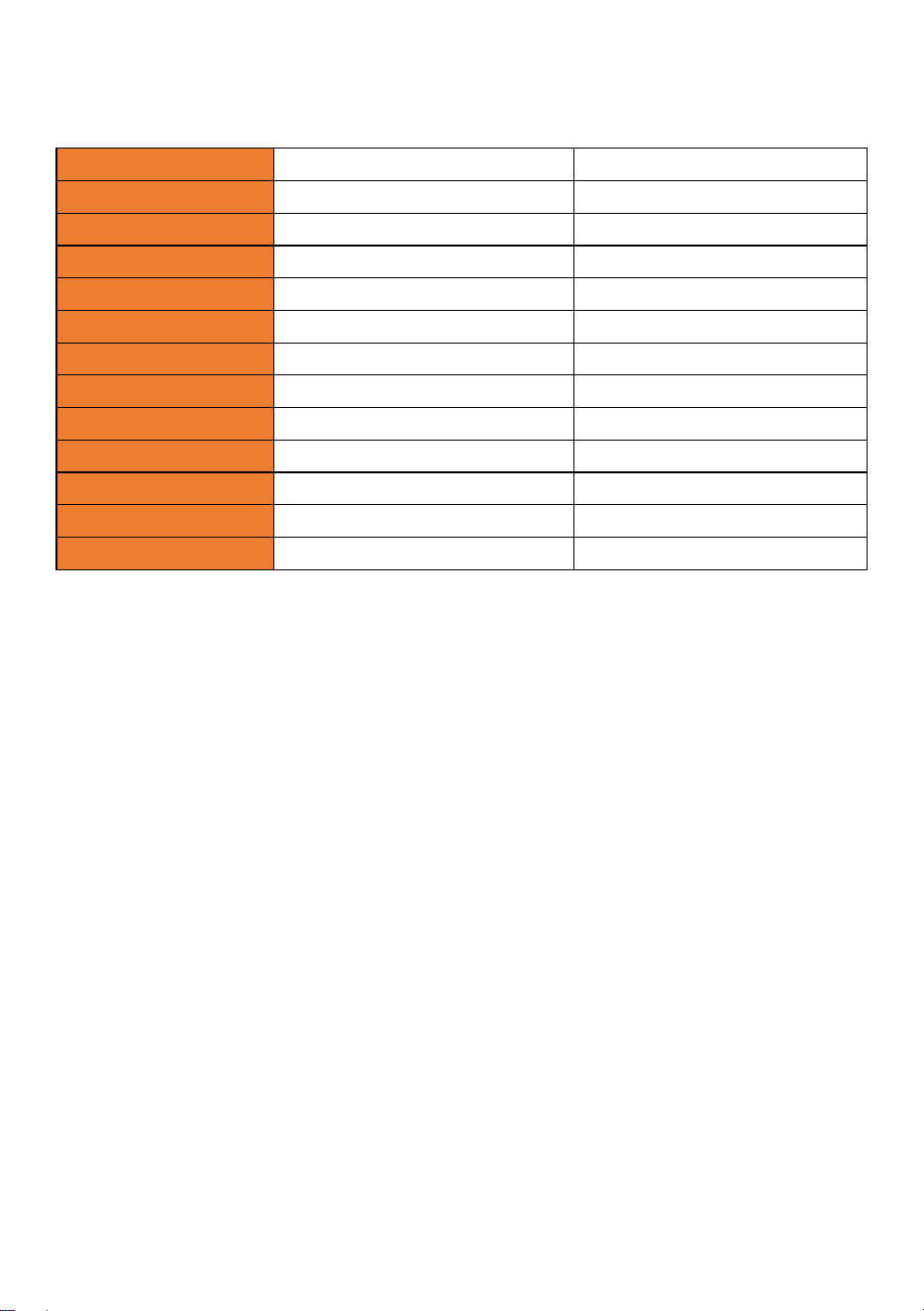
Model No.
B2
B4
Volume
3.99 cu.ft
7 cu.ft
Rated Voltage
110-120V
110-120V
Rated Current
1A
1A
Rated Frequency
60Hz
60Hz
Climatic Class
SN, N, ST, T
SN, N, ST, T
Heating Power
120W
120W
Temp. Range
62°F~74°F / 16℃-22℃
62°F~74°F / 16℃-22℃
%RH
60%~75%
60%~75%
N.W
83lb
114lb
G.W
88lb
120lb
Product Size
W19.5” H33.1” D22.8”
W19.5” H50.2” D22.8”
Packing Size
W23.6” H36.2” D26.6”
W23.6” H53.4” D26.6”
13
Product Structure
B2
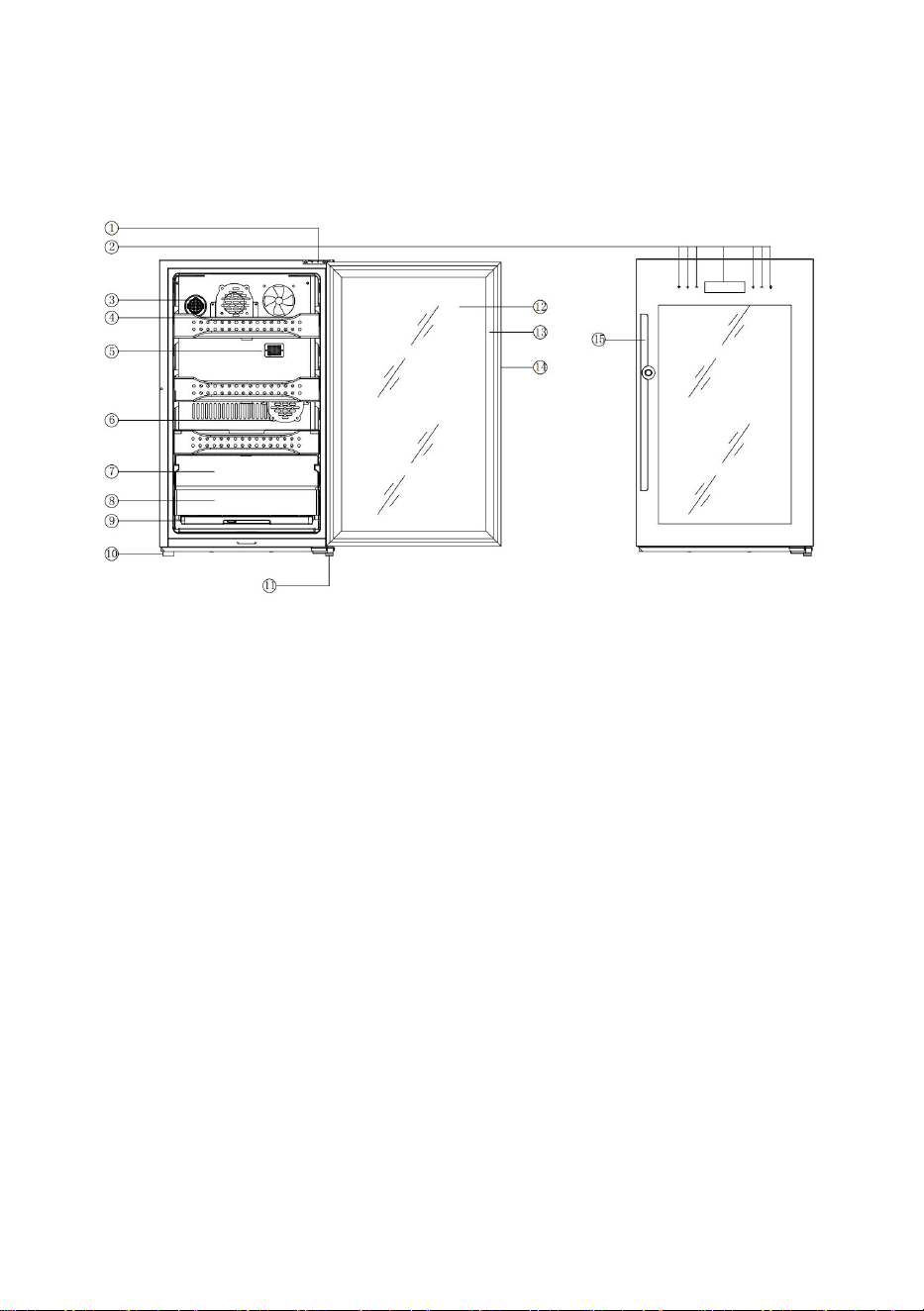
① Upper hinge
⑥ Fan cover
⑪
Lower hinge
② Control panel
⑦ Wind shield
⑫ Tempered glass
③ Charcoal filter
⑧ Wood stick
⑬ Magnetic door seal
④ Cigar shelf
⑨ Water tray
⑭ Stainless steel door
⑤ Humistor cover
⑩ Humidor leg
⑮ Door handle
Note: The above picture is for reference only. The manufacturer reserves the
right to change or alter the product if deemed necessary.
14
Product Structure (Cont.)
B4
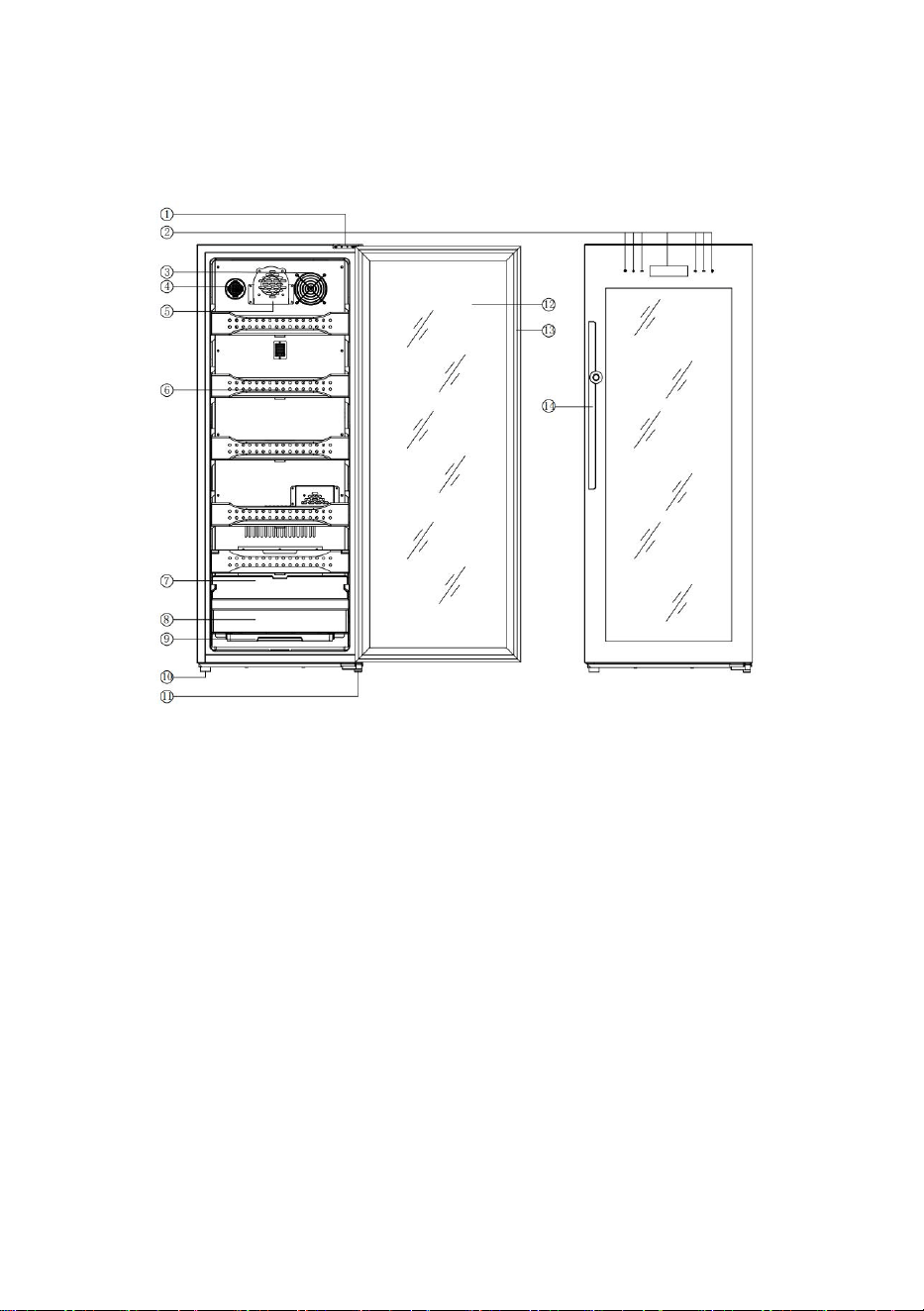
① Upper hinge
⑥ Cigar shelf
⑪
Lower hinge
② Control panel
⑦ Wind shield
⑫ Tempered glass
③ Meshed fan cover
⑧ Wood stick
⑬ Magnetic door seal
④ Charcoal filter
⑨ Water tray
⑭ Door handle
⑤ Fan cover
⑩ Humidor leg
Note: The above picture is for reference only. The manufacturer reserves the
right to change or alter the product if deemed necessary.
15
Care & Maintenance
WATER REFILL
Recommended to use distilled water.
Check the water level regularly. Reduce water if water level is too high.
Add water if it’s running low.
Low water alarm: When humidity level is lower than setting by 5%
after 60 minutes trying to increase it, the low water sign on the right
side of the display panel will be blinking and the beeper will make
continuous beeps. After adding water, restart the humidor by re-
plugging to cancel the alarm.
Change the water every 3 months or so.
Clean the water evaporators every 3 months or so. Replace them if
necessary.
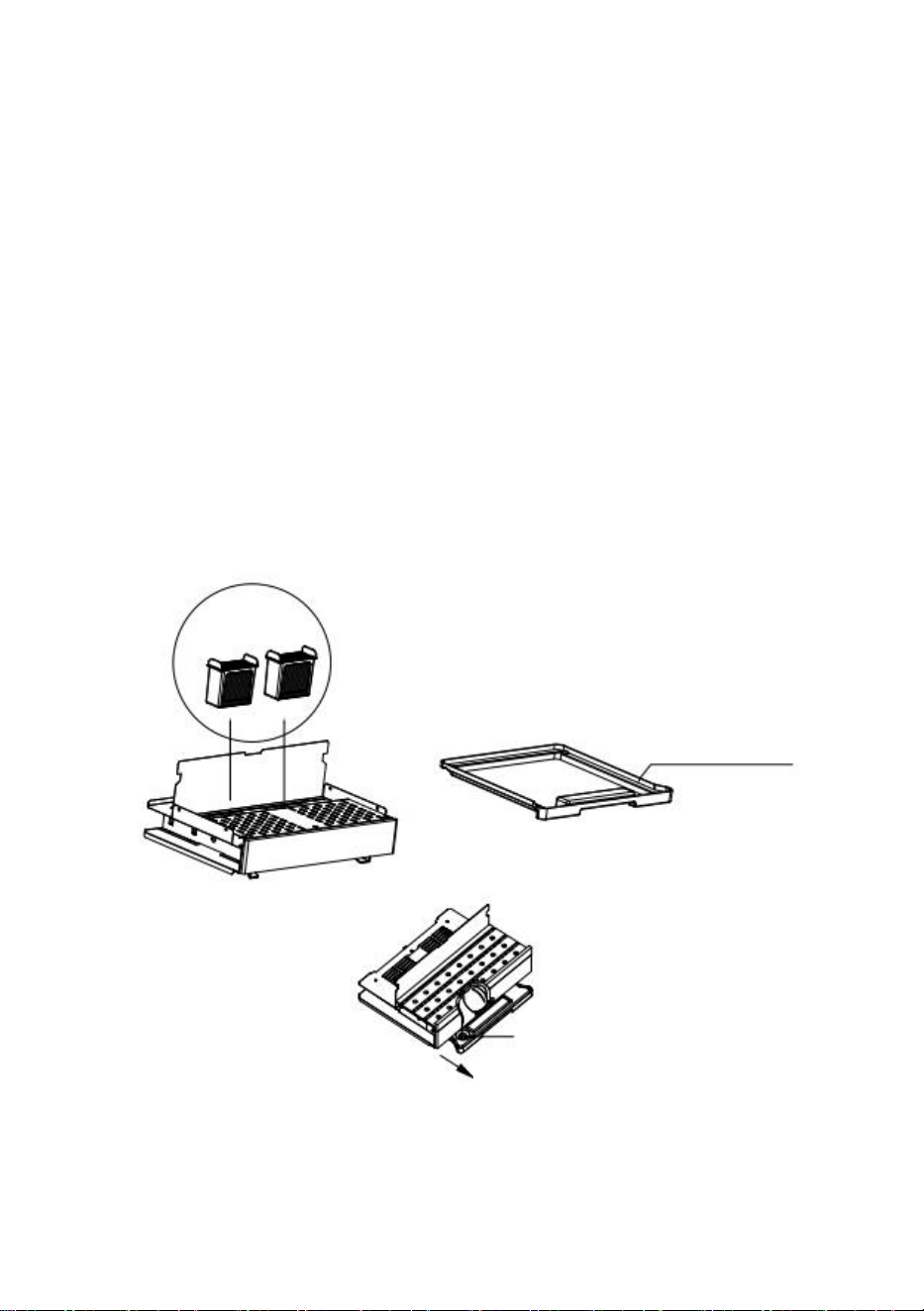
Water evaporators
① Pull the water tray out in this direction
900ml (0.2gal) of water
will fill up the tray.
② Add water from here

16
Care & Maintenance (Cont.)
CLEANING YOUR HUMIDOR
Unplug the humidor and remove all cigars stored. Take out all cigar
shelves if necessary. When doing so, make sure the door is wide open to
avoid undesired damage to the door seal
Use clean wet wipe to clean the interior where necessary. Please do not
apply any cleaning agent.
Use clean wet wipe to clean the exterior. Cleaning agent may be applied
when necessary. After cleaning, the exterior surface shall be wiped dry.
MOVING YOUR HUMIDOR
Remove all cigars stored.
Securely tape down all loose items inside your humidor.
Tape the door.
Turn the leveling legs up to the base to avoid undesired damage.
Be sure the humidor stays in upright position during moving.
17
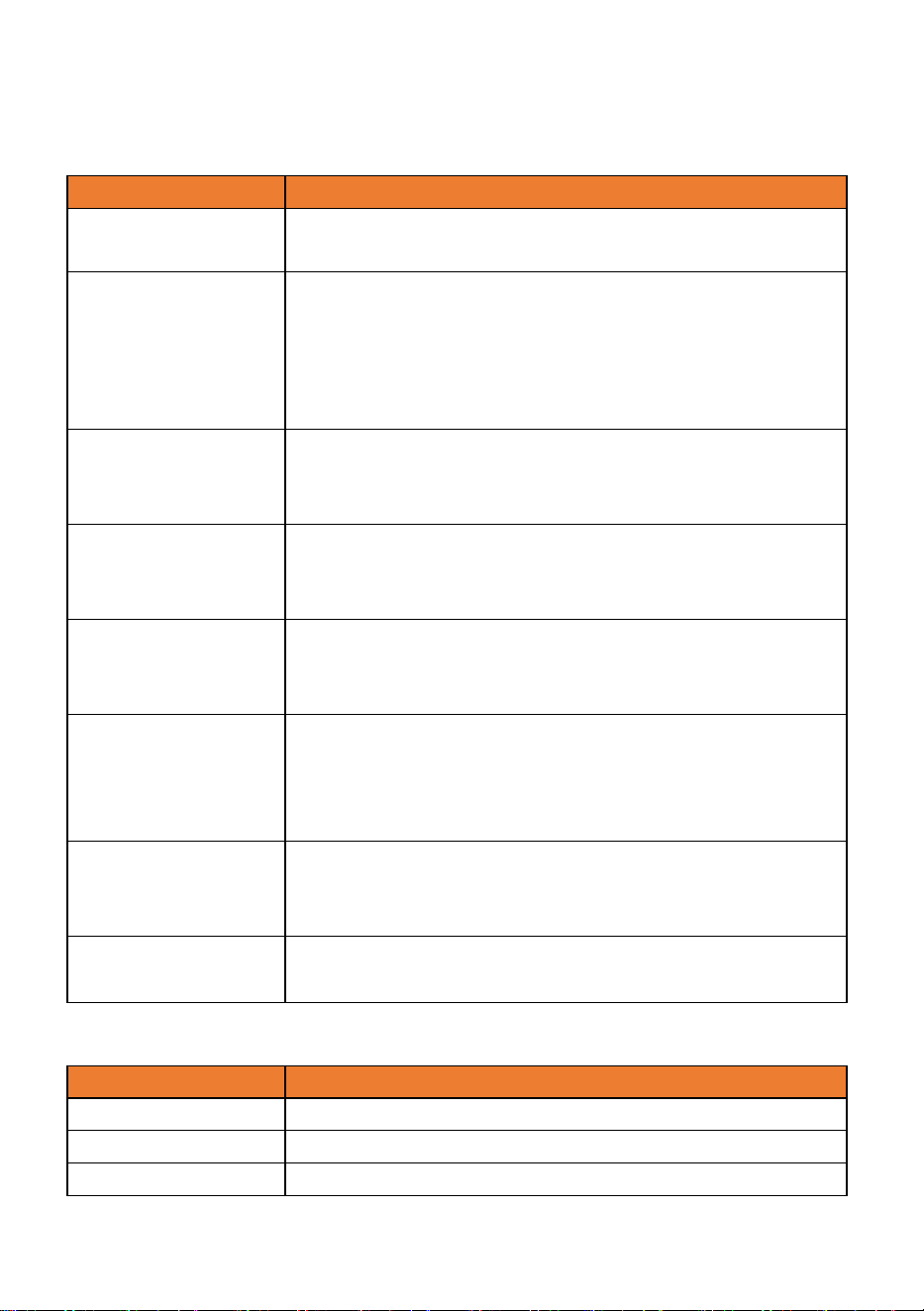
Troubleshooting & Error Codes
PROBLEM
POSSIBLE CAUSES
Humidor is not
working.
Not plugged in properly.
The circuit breaker is tripped or the fuse is blown.
Humidor is not
cold enough.
Check the temperature setting.
The door is open too often.
The door is not closed completely.
The door seal does not seal properly.
The humidor is not given enough clearance.
Humidor is
working
intermittently.
Ambient temperature is too high.
The humidor is overloaded.
The light doesn’t
work.
Main control board doesn’t work.
PCB problem.
There is some problem with the plug.
The humidor is
vibrating and
making loud noise
The humidor is not leveled properly.
Check if the air vents are clogged.
The door will not
close properly.
The humidor is not placed on a level ground.
The door is properly installed.
The door seal is weak.
The shelves are out of position.
LED does not
display
Main control board doesn’t work.
PCB Problem.
There is some problem with the plug.
Buttons are not
working
Control panel is damaged.
ERROR CODE
MEANING
F2
Ambient temperature sensor error
F4
Defrost sensor error
E1
Temperature and humidity sensor error

18
Cigar Storage Knowledge
Cigars are an exquisite product that requires your attention and care if you
want them to age gracefully. Storing your cigars correctly will help them
develop complex flavors, making it a more enjoyable experience for the
smoker. With our humidor, anyone can easily store their cigars properly so
they remain in prime condition for years to come.
The ideal storage environment should be 65-72 degrees Fahrenheit with a
relative humidity (RH) level of around 70%. With our humidor it’s easy to
keep a consistent temperature and humidity level environment to store your
cigars.
It is equally important to store cigars away from other items such as
perfumes or food products because any foreign odors could affect their
flavor profile. An airtight environment may also be necessary in order to
protect against dust particles or airborne contaminants entering into the
environment and affecting its contents.
Make sure all your cigar boxes are clearly labeled with date
purchased/manufactured on them - This helps keep track of which ones
have been stored longer than others so you know exactly when they reach
their peak maturity level.
Lastly, it is recommended to use up to only 80% of the cabinet space to
store cigars. Because this will allow room for better air circulation, hence
more uniform temperature and humidity inside the humidor, making sure
every cigar of yours is taken care of.

19
WARRANTY
The manufacturer warrants to the original purchaser of this product that the
product is free from defects in workmanship and materials for a period of 1
year from the date of purchase, given this product is used and maintained
according to instructions that comes with the product.
The purchaser must contact Kalamera Customer Service Department and
provide description of the defect, digital pictures if necessary, purchase
channel, serial number, order ID and the original purchase documents for
validation of warranty coverage date.
Once it’s been confirmed that your appliance is eligible for warranty service,
Kalamera Customer Service Department will contact you by mail or phone
regarding warranty solution. Replacement parts and/or units will be new, re-
manufactured or refurbished and is subject to the manufacturer’s discretion.
Kalamera is not responsible for damage resulting from shipper mishandling
or improper packing. Do not return a defective product to the place of
purchase. Product received without a return authorization number will be
refused.
After receiving the unit, please do not remove or alter original model/serial
number. This will influence the after sales service. Please carefully keep the
user manual for future reference.
If you need help, please refer to troubleshooting section first. If your trouble
persists, feel free to contact us by mail or call. Filling in below table will assist
our warranty service should you be needing it. You may find model and
serial numbers on the product.
Model No.
Serial No.
Dealer Name
Date of Purchase

20
Warranty Exclusions:
The warranty does not apply if damage is caused by any of the following:
1. Damage to the product due to misuse, mishandling and abuse.
2. Product is not assembled or installed according to manufacturer’s
instruction.
3. Repairs by unauthorized persons or service centers with unauthorized
spare parts.
4. Failure to provide reasonable and necessary maintenance.
5. Improper power supply such as low voltage, defective household wiring
or inadequate fuses.
6. Accident, alteration, misuse or abuse of the appliance such as using non-
approved accessories, inadequate air circulation in the room or abnormal
operating conditions, such as extreme temperatures.
7. Damage in transit or when moving the appliance.
8. Use of force or damage caused by external influences.
9. Storage of improper items.
10. Normal wear and tear.
11. Cosmetic damage, including scratches, dents, chips, or other damage to
the finish of your product, unless such damage results from defects in
materials or workmanship and is reported to us within 30 days from the
date of purchase.
12. Fire, water damage, theft, war, riot, hostility or acts of God such as
hurricanes, floods, etc. In addition, consequential damage and incidental
damages, such as damage to person or property are not covered under
this warranty.
13. Partially or completely dismantled appliances.


Manufacturer Information
MINEA ELECTRICAL APPLIANCE CO., LTD
Email: info@afidano.com