1
©COPYRIGHT AVPRO GLOBAL HOLDINGS 2025 - 2222 E 52ND STREET NORTH, SIOUX FALLS SD 57104
Quick Start Guide
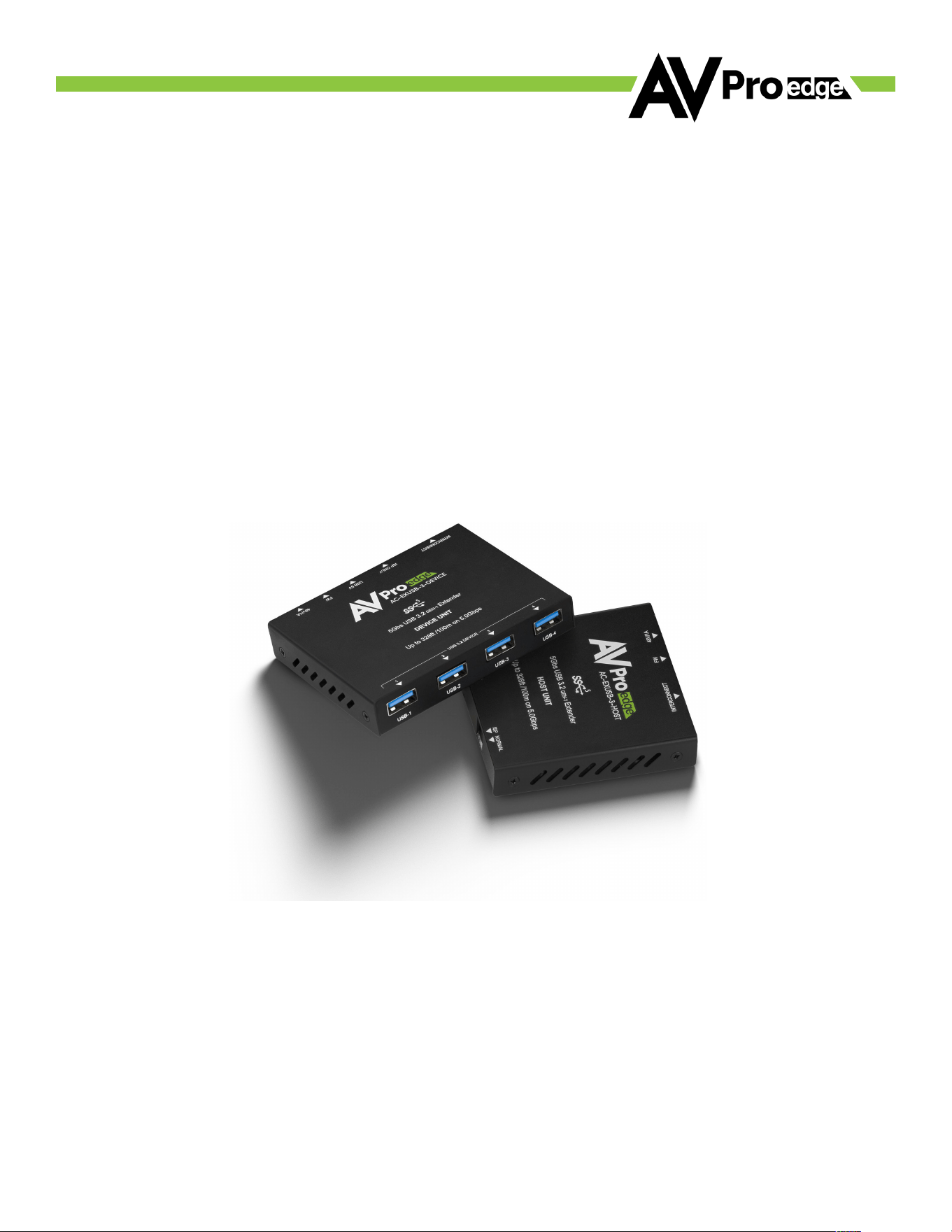
AC-EXUSB-3-KIT
100 M USB 3.2 Gen 1 Extender Kit

2
©COPYRIGHT AVPRO GLOBAL HOLDINGS 2025 - 2222 E 52ND STREET NORTH, SIOUX FALLS SD 57104
Introduction
The AC-EXUSB-3-KIT is a cost-effective, pocket-sized solution for extending all types of USB signals.
Its bi-directional PoC technology supports up to 5 Gbps of USB data from a single-powered host,
transmitting over Cat6a cables at distances of up to 100 meters. On the device side, it can power four
or more USB peripherals and provides control of the 5V output. Auto- negotiation for USB 1.X/2.X
ensures backwards compatibility, making it a straightforward choice for extending USB cameras,
microphones, and other devices back to a single UCC, MTR, or BYOD host.
Initial Setup
1. Connect USB 1.X, 2.X, or 3.X devices to the AC-EXUSB-3-DEVICE using the USB Type-A ports.
2. Set the USB 5V Switch to desired setting.
a. ON – (Default) USB 5V will always be output.
b. HOST – 5V output will follow the 5V input of the AC-EXUSB-3-HOST.
3. Connect the AC-EXUSB-3-DEVICE to the AC-EXUSB-3-HOST using Cat5e or better.
4. Connect the AC-EXUSB-3-HOST to PC or similar device using the USB Type C Host Port.
5. Connect power to the preferred side to provide power to both devices.
3
©COPYRIGHT AVPRO GLOBAL HOLDINGS 2025 - 2222 E 52ND STREET NORTH, SIOUX FALLS SD 57104
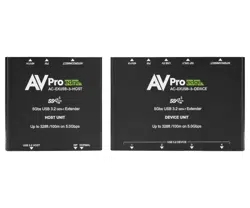
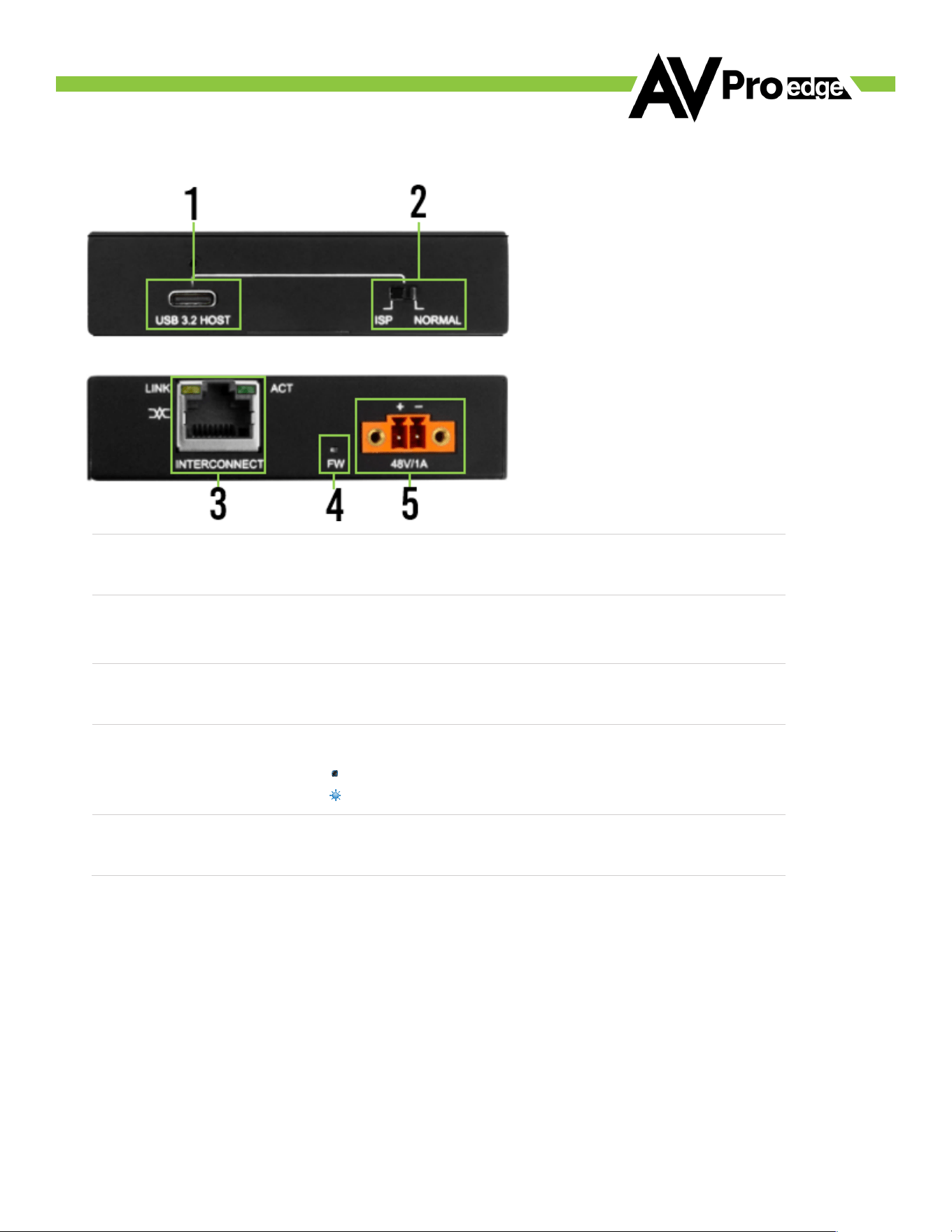
HOST Unit Front and Rear Panel Overview
AC-EXUSB-3-HOST Front Panel
AC-EXUSB-3-HOST Rear Panel
1
USB 3.2 HOST
• USB 3.2 Type-C HOST connector
2
DIP Switch
• Setting DIP Switch to ISP enables firmware update mode.
• Setting DIP Switch to Normal enables USB connectivity. This should be used for
normal USB extension.
3
RJ45 Connector
INTERCONNECT
• RJ45 ethernet connector port
• Connects to INTERCONNECT port on DEVICE side (AC-EXUSB-3-DEVICE)
4
FW Light
• Blue LED status indicator light has 2 states:
Off: The unit is not powered.
Flashing: Unit is powered on and functioning.
5
Power Input
• 2-pin Pheonix connector
• 48 VDC, 1 A power input port supports local power to the transmitter

4
©COPYRIGHT AVPRO GLOBAL HOLDINGS 2025 - 2222 E 52ND STREET NORTH, SIOUX FALLS SD 57104
DEVICE Unit Front and Rear Panel Overview
AC-EXUSB-3-DEVICE Front Panel
AC-EXUSB-3-DEVICE Rear Panel
1
USB 3.2 DEVICE
• 4x USB 3.2 Type-A DEVICE connectors
2
RJ45 Connector
INTERCONNECT
• RJ45 ethernet connector port
• Connects to INTERCONNECT port on HOST side (AC-EXUSB-3-DEVICE)
3
USB Type-C
PROPRIETARY
• Port is used for firmware updates only.
4
USB 5V
DIP Switch
• ON – (Default) USB 5V will always be output.
• HOST – 5V output will follow the 5V input of the AC-EXUSB-3-HOST
5
FW Light
• Blue LED status indicator light has 2 states:
Off: The unit is not powered.
Flashing: Unit is powered on and functioning.
6
Power Input
• 2-pin Pheonix connector
• 48 VDC, 1 A power input port supports local power to the receiver

5
©COPYRIGHT AVPRO GLOBAL HOLDINGS 2025 - 2222 E 52ND STREET NORTH, SIOUX FALLS SD 57104
Troubleshooting
1. USB devices not recognized.
a. Confirm that the USB cable between the AC-EXUSB-3-HOST and the host PC supports at least USB
2.0.
b. Many common USB cables only provide power and do not transmit data.
2. USB 3.0 devices only detected as USB 2.0
a. Ensure all USB cable connections support USB 3.0 SuperSpeed (5 Gbps).
b. Some cables with a Type-A connector at one end and a Type-C at the other can function differently
depending on the orientation of the Type-C connector. If you can detect USB 2.0 devices, try flipping
the Type-C end.
3. UCC/BYOD system repeatedly enters “share” mode.
a. Certain modern USB conferencing solutions switch between PC (Host) mode and Shared (Device)
mode based on the 5V output of a USB connection.
b. Use the USB 5V switch on the AC-EXUSB-3-DEVICE to move from the default ON setting to the HOST
option. This disables the 5V output to USB devices if the host PC is disconnected.
4. No PoC (Power over Cable)
a. Try powering the unit from the opposite end.
b. Verify that the Category cable is undamaged.

6
©COPYRIGHT AVPRO GLOBAL HOLDINGS 2025 - 2222 E 52ND STREET NORTH, SIOUX FALLS SD 57104
To ensure the reliable operation of this product and protect the safety of any person using or
handling this device while powered, please follow the following instructions.
• Use the power supply provided. If a replacement is required, check voltage, polarity, and
verify it has sufficient power to supply this device.
• Do not operate this product outside the specified temperature and humidity range in
the above specifications.
• Ensure there is adequate ventilation to allow this product to operate efficiently.
• Repairing this device should only be carried out by qualified professionals as these products
contain sensitive components that mishandling may damage.
• Use this device only in a dry environment. Do not allow liquids or harmful chemicals to come
into contact with the device.
• Clean this unit with a soft, dry cloth. Never use alcohol, paint thinner, or benzene to clean
this unit.
DAMAGE REQUIRING SERVICE
The unit should be serviced by qualified service personnel if:
• The DC power supply cord or AC adapter has been damaged
• Objects or liquids have gotten into the unit
• The unit has been exposed to rain
• The unit does not operate normally or exhibits a marked change in performance
• The unit has been dropped, or the housing has been damaged
Support
If you experience any problems while using this product, refer to the Troubleshooting section of this
manual before contacting Technical Support. When calling, the following information should be
provided:
• Product name and model number
• Product serial number
• Details of the issue and any conditions under which the issue is occurring
Maintenance

Warranty
7
©COPYRIGHT AVPRO GLOBAL HOLDINGS 2025 - 2222 E 52ND STREET NORTH, SIOUX FALLS SD 57104
THE BASICS
AVPro Edge warranties its products when purchased from an Authorized AVPro Edge Reseller or
directly purchased from AVPro Edge. Products are guaranteed free from manufacturing defects and
in sound physical and electronic condition.
AVPro Edge has developed a warranty anyone can get behind. We wanted to remove all the “red
tape” from a warranty and simplify it. Our 10-YEAR NO BS warranty hinges on three conditions.
1. If you are having trouble, call us. We will attempt to troubleshoot your issue over the phone.
2. If it’s broken – We will advance-replace it on our dime. (We will cover return shipping, too.)
Repair is also an option, but that is your decision.
3. We know that you know what you are doing. We will not make you go through
unnecessary steps to troubleshoot a device that appears to have failed.
COVERAGE DETAILS
AVPro Edge will replace or repair a defective product (at the customer’s choice). If the product is out
of stock or on back order, it can be replaced with a comparable product of equal value/feature set (if
available) or repaired.
Your warranty begins at receipt of the product (as confirmed by shipping firm tracking). If tracking
information is unavailable, the warranty will commence 30 ARO (After Receipt of Order). The
coverage continues for 10 YEARS.
RED TAPE
AVPro Edge is not responsible for untraceable purchases or those made outside an authorized
channel.
If we conclude that a product or serial number has been tampered with as identified by the warranty
seal or physical examination, the warranty will be void. Additionally, for excessive physical damage
(beyond normal wear & tear), the warranty may be voided or pro-rated based on the extent of the
damage as examined by an AVPro Edge representative.

Warranty
8
©COPYRIGHT AVPRO GLOBAL HOLDINGS 2025 - 2222 E 52ND STREET NORTH, SIOUX FALLS SD 57104
Damage caused by what is conventionally termed an act of God is not covered. This may include
natural disasters, power surges, storms, earthquakes, tornadoes, sinkholes, typhoons, tidal waves,
hurricanes, or any other uncontrollable event related to nature.
Damage caused by incorrect installation will not be covered. Incorrect power supply, inadequate cooling,
improper cabling, inadequate protection, and static discharge are examples.
The Authorized AVPro Edge Reseller will service products installed or sold by a third party to AVPro Edge.
This warranty does not include accessories (IR Cables, RS-232, Power Supplies, etc.). We will make an
acceptable effort to source and supply replacements for defective accessories at a discounted rate as
needed.
OBTAINING AN RMA
Dealers, Re-sellers, and Installers can request an RMA AVPro Edge Tech Support Rep or their Sales
Engineer. Or you may email [email protected] or fill out the general contact form at
www.avproedge.com
End users may not request an RMA directly from AVPro Edge and will be referred back to the Dealer,
Reseller, or Installer.
SHIPPING
For the USA (not including Alaska and Hawaii). Shipping is covered on advanced replacements for FedEx
Ground (some expressed exceptions may apply). Defective product return shipping is covered by AVPro
Edge using an emailed return label. Item must be returned within 30 days of receipt of replacement
product; after 30 days, the customer will be billed. Other return shipping methods will not be covered.
The returnee will be responsible for international, Alaska, or Hawaii return shipping costs. Once
the unit is scanned for return shipping, AVPro Edge will ship a new unit for replacement.

9
©COPYRIGHT AVPRO GLOBAL HOLDINGS 2025 - 2222 E 52ND STREET NORTH, SIOUX FALLS SD 57104
Legal Stuff
Limitation on Liability
The maximum liability of AVPro Global Holdings LLC under this limited warranty shall not exceed the
actual purchase price paid for the product. AVPro Global Holdings LLC is not responsible for direct,
special, incidental, or consequential damages resulting from any breach of warranty or condition or
under any other legal theory to the maximum extent permitted by law.
Taxes, Duties, VAT, and freight forwarding service charges are not covered or paid for by this
warranty.
This warranty does not cover obsolescence or incompatibility with newly invented technologies (after
the manufacture of the product).
Obsolescence is defined as:
“Peripherals are rendered obsolete when current technology does not support product repair or
remanufacture. Obsolete products cannot be re-manufactured because advanced technologies
supersede original product manufacturer capabilities. Product redevelopment is not an option
because of performance, price, and functionality issues.”
Discontinued or out-of-production items will be credited to a current product with equal or comparable
capabilities and cost at fair market value. AVPro Edge determines fair market value.
Exclusive Remedy
This limited warranty and the remedies set forth above are exclusive to the maximum extent
permitted by law. Instead of all other warranties, remedies, and conditions, whether oral or written,
express or implied. To the maximum extent permitted by law, AVPro Global Holdings LLC expressly
disclaims any implied warranties, including, without limitation, warranties of merchantability and
fitness for a particular purpose. If AVPro Global Holdings LLC cannot lawfully disclaim or exclude
implied warranties under applicable law, all implied warranties covering this product, including
merchantability and fitness for a particular purpose, shall apply to this product as provided under
applicable law.
This warranty supersedes all other warranties, remedies, and conditions, whether oral or
written, express or implied.

10
©COPYRIGHT AVPRO GLOBAL HOLDINGS 2025 - 2222 E 52ND STREET NORTH, SIOUX FALLS SD 57104