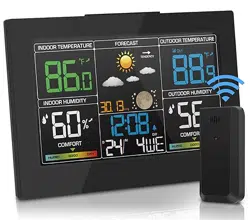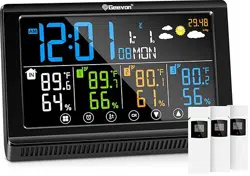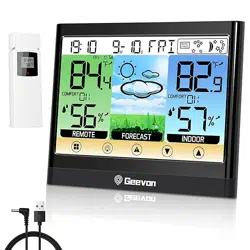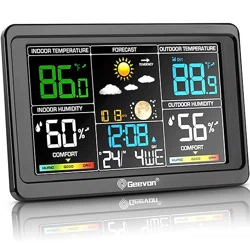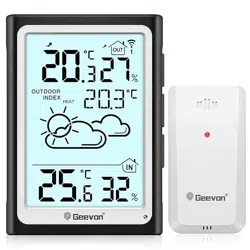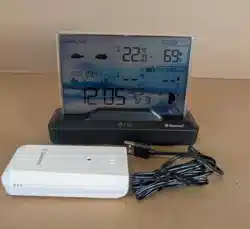
GEEVON Weather Station
Item No. 246204-6
User Manual
Thank you for purchasing 246204-6 Weather Station.
Please take a moment to read this guide and store it for future reference.
Features & Benefits:
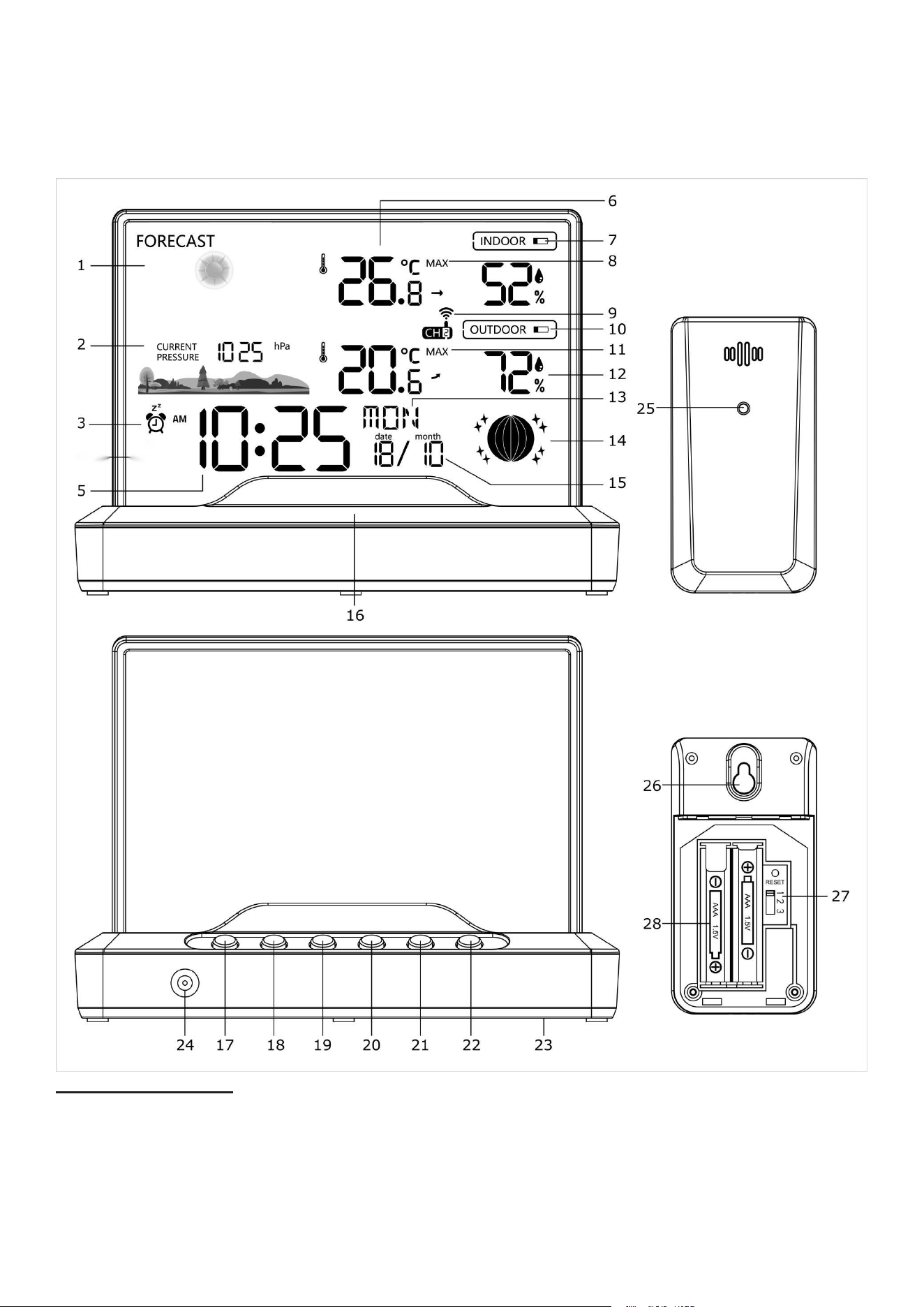
DISPLAY UNIT & OUTDOOR SENSOR
1. Weather forecast icon
2. Barometer display
3. Alarm Clock icons
5. Time display
6. Indoor temperature and humidity

7. Display low battery indicator
8. Indoor temperature and humidity MAX/MIN records
9. Outdoor sensor signal strength and channel external sensor
10. Sensor low battery indicator
11. Outdoor temperature and humidity MAX/MIN records
12. Outdoor temperature and humidity external sensor
13. Weekday
14. Moon phase
15. Calendar
16. SNZ/LIGHT button
17. MODE button
18. ALARM button
19. BAR button
20. CH button
21. UP button
22. DOWN button
23. Battery Compartment 2xAAA (batteries not included)
24. External power supply socket
25. Wireless signal indicator
(Flashes when data is being sent to the display unit)
26. Integrated hang hole
27. TX channel selector, select external sensor channel
28. Compartment 2xAAA batteries (batteries not included)
Installing or Replacing Batteries:
We recommend using high quality batteries for the best product performance. Heavy duty or rechargeable
batteries are not recommended. The outdoor sensor requires lithium batteries in low temperature
conditions. Cold temperatures can cause alkaline batteries to function improperly.
Do not mix old and new batteries. Do not mix alkaline, standard, and/or rechargeable
batteries.
Default settings
1. Default time: 0:00 (Time form: 24H)
2. Default date: 1/1 (Year: 2023, date form: D/M)
3. Default week: SON (Language: GER, 7 languages can be selected)
4. Weather forecast: Partly Sunny
5. Default temperature: °F
6. Barometer unit: hpa
7. Default alarm: 7:00, default snooze time: 5min.
The LCD display fully for 3 seconds when changing new battery or resetting, then with a sound BI into the
normal state, after testing temperature, receiving RF for 3 minutes, then start to receiving RCC.
Display / Keys Details:
There are totally 7 keys for the alarm clock, they are included: MODE, ALARM, BAR, CH, UP, DOWN,
SNZ/LIGHT
1. MODE button:
a. Press MODE buttons to switch 12H or 24H.
b. Press and hold the MODE buttons to enter the setting mode.
2. ALARM button:
a. In normal mode, press this button to enter the alarm mode, press this button again to turn on/off the
alarm.
b. In normal mode, press and hold ALARM button for approx. 3 seconds to enter alarm setting.

3.BAR button:
a. In normal mode, press this button switch hPa or ingh.
b. In normal mode, press and hold this button for approx. 3 seconds to adjust the pressure value.
4.CH button:
a. In normal display mode, press this button to select the channel.
b. In normal display mode, press and hold to search RF.
5. UP button:
a. Press to increase the setting value during setting.
b. Press and hold 3 seconds button for fast adjust during setting mode.
c. In normal mode, press this button to check Max and Min temperature and humidity memory.
d. In checking mode, press and hold this button for approx. 3 seconds to clear the memory
6. DOWN button:
a. Press to decrease the setting value during setting.
b. Press and hold 3 seconds button for fast adjust during setting mode.
c. In normal mode, press this button to select °C or °F
d. In normal mode, Press and hold this button for approx. 3 seconds to search for an RCC signal update.
7. SNZ/LIGHT button:
a. Press this button to open backlight for 10 seconds (without adapter).
b. Press to activate the snooze function when alarming.
Manually Setting the Time, Date & Units:
In normal mode, press and hold MODE button for approx. 3 seconds, the time zone start to flash, use “UP”
or “DOWN” buttons set the correct time zone.
Press " MODE " button to confirm your setting, the hour display starts to flash, use “UP” or “DOWN”
buttons to set the correct hour.
Press " MODE " button to confirm your setting, the minute display starts to flash, use “UP” or “DOWN”
buttons to set the correct minute.
Press " MODE " button to confirm your setting, the year display starts to flash, use “UP” or “DOWN”
buttons to set the correct year.
Press " MODE " button to confirm your setting, the Month and Date icon display starts to flash, use “UP”
or “DOWN” buttons to set the date display on Month/Date or Date/Month
Press " MODE " button to confirm your setting, the month display starts to flash, use “UP” or “DOWN”
buttons to set the correct month.
Press " MODE " button to confirm your setting, the date display starts to flash, use “UP” or “DOWN”
buttons to set the correct date.
Press " MODE " button to confirm your setting, the language start to flash, use “UP” or “DOWN” buttons
set the correct language. The language order is: GER, FRE, SPA, ITA, DUT, DAN, ENG.
Press " MODE " button to confirm your setting and to end the setting procedures, enter the normal mode.
NOTE: You will automatically exit settings mode if no buttons are pressed for 20 seconds.
Setting the Alarm:
a. In normal mode, press and hold ALARM button for approx. 3 seconds, to set the Alarm. The alarm hour
will begin blinking.
b. To adjust the alarm hour, press the “UP” or “DOWN” buttons (press and hold to fast adjust). When alarm
hour is set to your satisfaction, press the ALARM button to proceed to the alarm minute preference. Press
the “UP” or “DOWN” buttons (press and hold to fast adjust), press the ALARM button to confirm and exit
alarm settings
c. To turn the alarm ON or OFF, in normal mode, press the ALARM button to enter the alarm mode, then
press ALARM button again to turn on/off alarm.
d. When the alarm is in operation it will begin beeping with one short beep and continue with many short
beeps if the alarm rings longer than 10 seconds. You can snooze the alarm for 5 minutes by pressing the
SNZ/LIGHT button.
Indoor / outdoor temperature and humidity
1. Indoor temperature 0°C ~ 50°C (32°F ~ 122°F)
2. Outdoor temperature -40°C ~ 70°C (-40°F ~ 158°F)
3. Temperature resolution: 0.1°C
4. Indoor and Outdoor humidity range: 20%-95%
5. Humidity resolution: 1 %RH
6. When alarm ringing, temperature and humidity test will be stopped.
Accuracy
1. Temperature accuracy:
-40°C ~ -20°C: ± 4°C
-20°C ~ 0°C: ± 2°C
0°C ~ +50°C: ±1°C
Note: when the temperature in 50°C ~ 70°C range, the temperature is only for reference.
2. Humidity accuracy: +/- 5 % RH (@25°C, 35%RH to 70%RH);
+/- 10 % RH (@25°C, 20%RH to 36%RH, 71%RH to 95%RH)
Setting the Temperature Units:
To switch the temperature measurement between Celsius and Fahrenheit, in normal mode, press the
“DOWN” button which is also the C/F option button. You can switch between Celsius and Fahrenheit at any
time (except when setting other setting options.)
Checking the MAX/MIN temperature and humidity
a. Press the “UP” button to check MAX/MIN temperature and humidity.
b. Press and hold the “UP” button to clear the record of MAX/MIN temperature and humidity when display
shows MAX or MIN temperature and humidity.
Setting the Channel:
Setting the channel connection between the display unit and outdoor sensor:
a. To change the channel on the display unit between 1, 2, 3 &1-3 sequential display, press the “CH”
button. The channel setting will display on the above of the outdoor temperature.
b. To change the channel option on the outdoor sensor open the battery compartment cover, on the
upper left side is a button.
c. ALWAYS MAKE SURE THE CHANNEL CHOSEN ON THE DISPLAY UNIT MATCHES THE CHANNEL
OPTION CHOSEN ON THE OUTDOOR SENSOR.
Moon phases
This weather station is able to display the moon phases for the northern hemisphere. Here the moon
grows from the right. This is because the sunlit side of the moon in the northern hemisphere moves
from right to left.
Back Light:
a. When the display unit is powered by battery only the back light will be off to preserve the battery.
Press the SNZ/LIGHT button to turn the back light on for 10 seconds.
Low Battery Indicator:
If the low battery indicator is displayed on the LCD for either the outdoor sensor or the display unit,
immediately change the batteries to prevent disruptions in communications of the devices.
Weather Forecast:
a. The unit predicts weather condition of the next 12-24 hours based on the change of atmospheric
pressure. The weather forecast is based on atmospheric pressure change and is about 70-75% correct.
The following are icons that will show:
Sunny Partly sunny Cloudy Rainy Stormy Snowy
NOTE: After setting up, weather forecast readings should be disregarded for the next 24 hours. This will
allow sufficient time for the weather station to collect data and therefore result in a more accurate
forecast. Common to weather forecasting, absolute accuracy cannot be guaranteed. The weather
forecasting feature is estimated to have an accuracy level of about 75% due to the varying areas the
weather station has been designed for use in.
Placement of the Device:
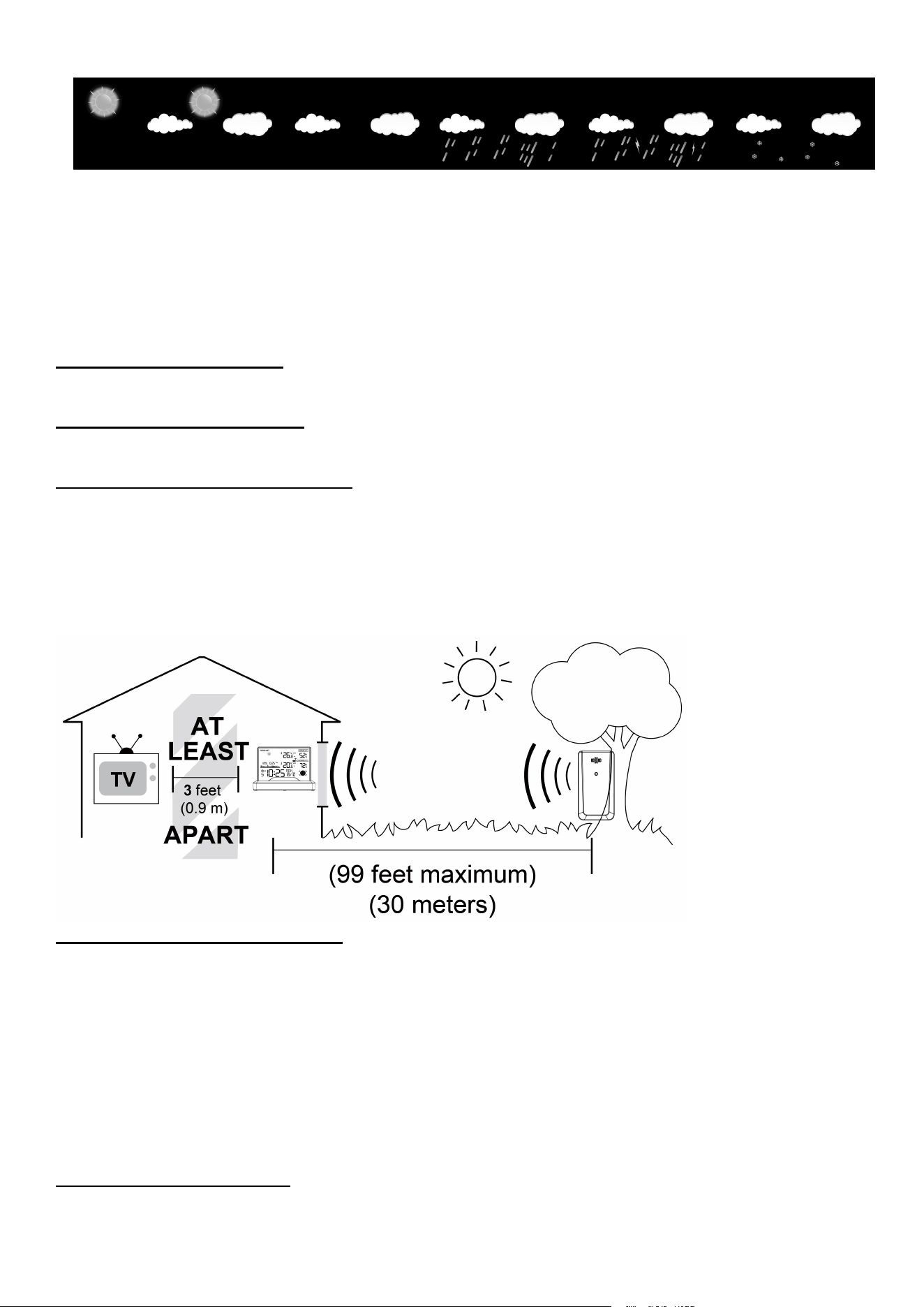
Proper placement of both the display unit and the outdoor sensor are critical to the accuracy and
performance of this product.
DISPLAY UNIT PLACEMENT
Place the display unit in a dry area free of dirt and dust. Display unit stands up right for
tabletop/countertop use.
Important Placement Guidelines
a. To ensure accurate temperature measurement, place units out of direct sunlight and away from any
heat sources or vents.
b. Display unit and outdoor sensor must be within 99ft (30m) of each other.
c. To maximize wireless range, place units away from large metallic items, thick walls, metal
surfaces, or other objects that may limit wireless communication.
d. To prevent wireless interference, place both units at least 3ft (1 m) away from electronic devices (TV,
computer, microwave, radio, etc.
OUTDOOR SENSOR PLACEMENT
a. The sensor must be placed outside to observe outdoor conditions. It is designed for general outdoor use,
however, to prevent damage place the sensor in an area which is protected from the direct weather
elements and direct sunshine. The best location is 4 to 8 feet above the ground with permanent shade and
plenty of fresh air to circulate around the sensor.
b. Display unit and outdoor sensor must be within 99 feet of each other.
c. In order to maximize the wireless range, place units away from large metallic items, thick walls, metal
surfaces or other objects that may limit wireless communications.
d. To prevent wireless interferences, place both units at least 3 feet away from electronic devices (EX: TV,
computer, microwave etc.)
Outdoor Sensor Function:
a. Once the display unit has been set up and the channel synchronized with the outdoor sensor, the
display unit will begin the registration process. It can take up to 3 minutes to complete the registration,

where the display unit will search for an RF (Radio Frequency) signal from the outdoor sensor. The outdoor
sensor signal strength will show the connection strength to the outdoor sensor. If there are no bars or if
bars are not showing at its maximum strength (4 bars) try placing the outdoor sensor or display unit
elsewhere for better connection.
b. If the RF Signal was lost and not reconnected, the outdoor temperature and humidity level will
begin to flash after 1 hour of lost connection. If no connection was found after 2 hours only a
dotted line ‘ - - - ’ will be displayed in place of the temperature and humidity level.
c. To manually restar
t t
he RF registration, press and hold the “
CH
” bu
tto
n for 3 seconds. The display
unit will now search for the RF signal for
the next 3 minutes.
Cautions:
Place the sensor vertically on a North-facing wallor well-shaded location to avoid sunlight
andrain.Direct sunlight will cause temperatures to readhigh. Recommend placing the sensor
6 inchesunder the eaves or the deck rail is preferred. Thetransmission range to the base
station is200ft/60m in open air, not including walls or floors
FCCID:2AM88-TX19
This device complies with part 15 of the FCCRules.
Operation is subject to the following twoconditions:
(1)This device may not cause harmfulinterference.(2)This device must accept
anyinterference received, includinginterference that may causeundesired operation