Quick Installation Guide
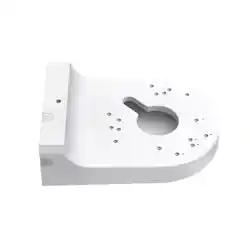
Network Camera Junction Box
Get Ready
1
Quick
Installation
Guide
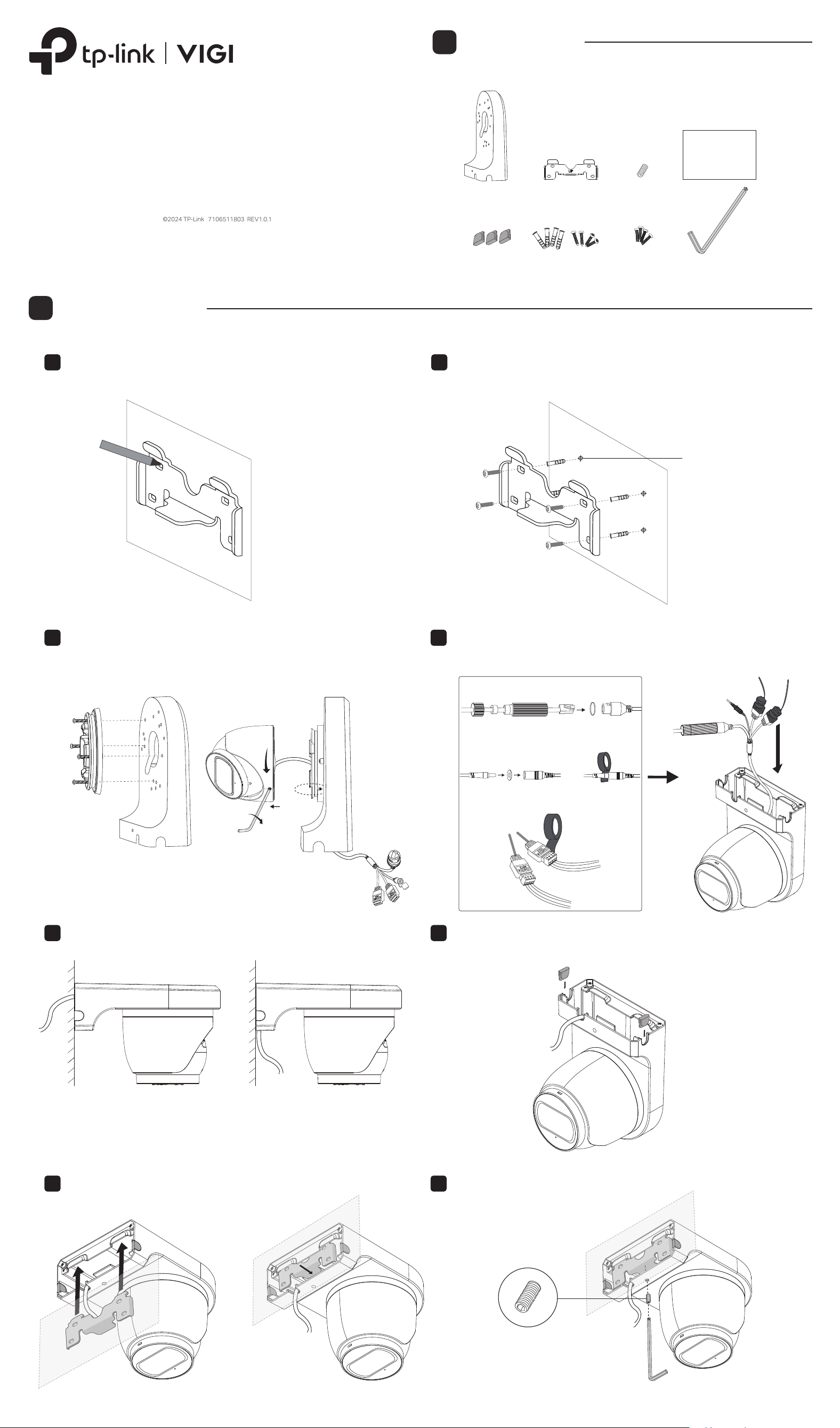
Mount the Box
2
3. Install the box to the mounting bracket
Secure the box to the bracket using the screw provided.
2
Align the box to the mounting bracket as the diagram shows.
1
2. Mount the camera to the box2. Mount the camera to the box
1. Install the mounting bracket
*Images may dier from actual products.
©2024 TP-Link 7106511803 REV1.0.1
Drill four holes at the marked positions, insert the anchors into
the holes, align the bracket to the anchors and drive the
self-tapping screws into the anchors through the bracket.
2
Waterproof the cable using the waterproof accessories that
came with your camera, and use some tape to wrap the
cables, then insert the cable into the box.
2
Here we use the side exit for demonstration. After routing the
cable, insert the provided silicone plugs to the other two
outlets for waterproong.
4
Determine routing location for bottom or side exit of cables.
3
Select the appropriate holes and mount the camera on the
box according to the camera’s guide. Route the cables
through the hole in the middle of the box.
Here we use InSight S445ZI for demonstration.
1
Place the mounting bracket in the right position, and mark
four positions for the screw holes.
1
φ=6mm
For Ethernet Cable
For Other Cables
For Power Cord
Or
Note: When xing the box to the bracket, make
sure that the box is perpendicular to the wall and
there is no gap between the box and the wall. Do
not tighten the screw with too much force (do not
exceed 10kgf.cm).
UP
UP
InSight S445
InSight S455
InSight S485
InSight S445ZI
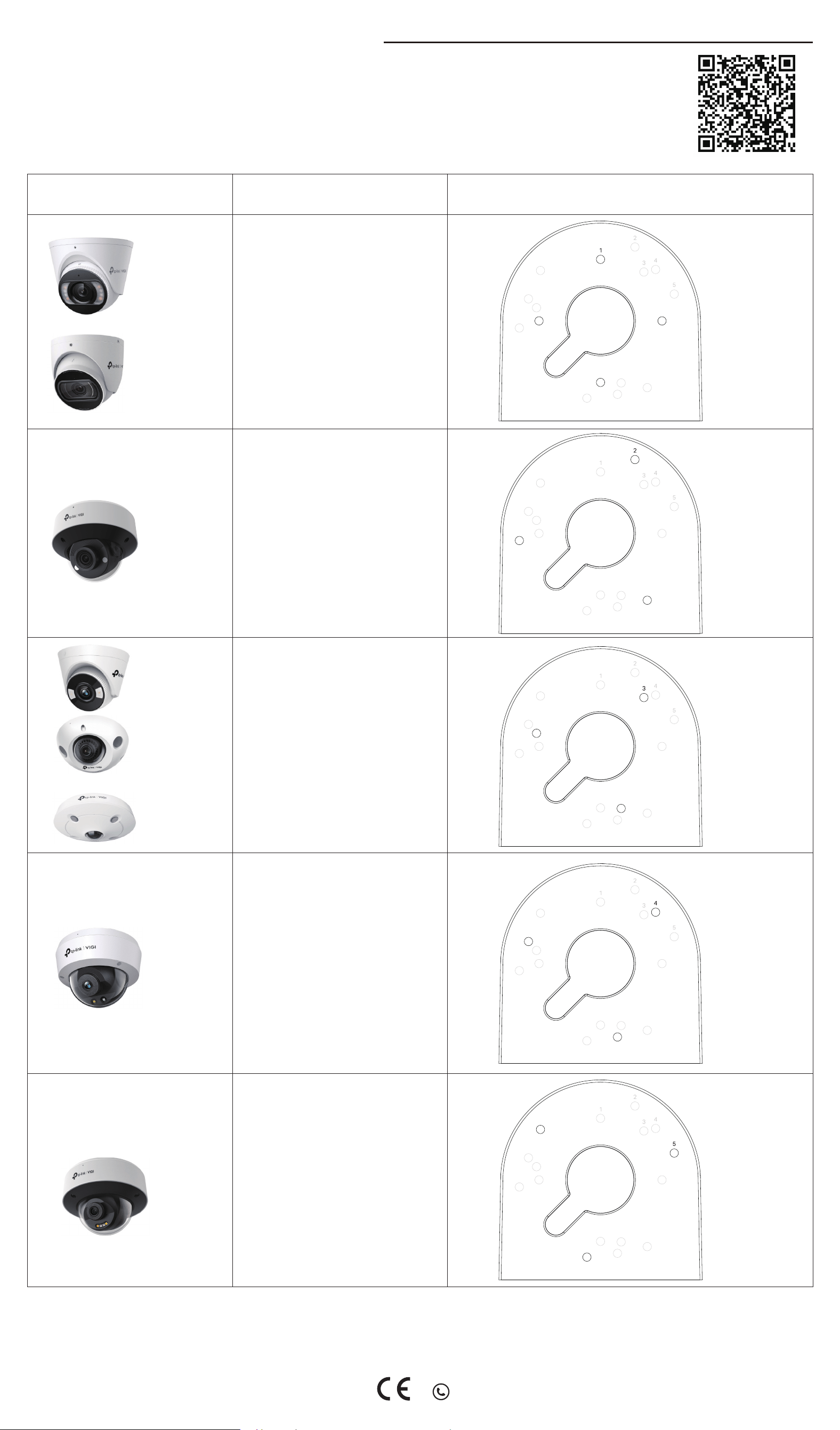
Hole 5 and its corresponding holes
InSight S245
InSight S285
Hole 4 and its corresponding holes
Hole 3 and its corresponding holes
Hole 2 and its corresponding holes
Hole 1 and its corresponding holes
Appendix A: Mounting Holes for VIGI Cameras
Mounting HolesModelsShape
InSight S245ZI
VIGI C220I
VIGI C230I
VIGI C240I
VIGI C230
VIGI C240
VIGI C250
VIGI C420I
VIGI C430I
VIGI C440I
VIGI C430
VIGI C440
VIGI C440-W
VIGI C450
VIGI C230I Mini
InSight S655I
For technical support and other information, please visit https://www.tp-link.com/support.
EU Declaration of Conformity
TP-Link hereby declares that the device is in compliance with the essential requirements and other
relevant provisions of directives 2011/65/EU and (EU)2015/863.
The original EU Declaration of Conformity may be found at
https://www.tp-link.com/en/support/ce/
Choose the appropriate mounting holes to mount your VIGI camera according to the table below.
Visit https://www.tp-link.com/vigi-accessories/product-list/ or scan the QR code for a list of compatible devices.