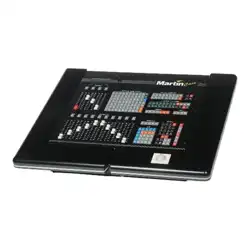

04/2000 Martin Case Manual Version 7.20 Contents
R&D International NV for Martin Professional AS
1
CHAPTER 1: Introduction _________________________________________________________________ 6
Features ______________________________________________________________________________ 7
Models_______________________________________________________________________________ 11
Connecting ___________________________________________________________________________ 13
Connections __________________________________________________________________________ 14
CHAPTER 2: Menu ______________________________________________________________________ 16
Overview_____________________________________________________________________________ 16
LIGHTCONSOLE ____________________________________________________________________ 17
UPDATE_____________________________________________________________________________ 18
TEST-UTILITIES_____________________________________________________________________ 18
TO/FROM FLOPPY___________________________________________________________________ 19
VIEW _______________________________________________________________________________ 19
DOS UTILITIES ______________________________________________________________________ 19
CHAPTER 3: Using the manual ____________________________________________________________ 20
Overview_____________________________________________________________________________ 20
Experienced user or beginner____________________________________________________________ 20
Use of the keys and the denotation in this manual ___________________________________________ 21
Keyboard help ________________________________________________________________________ 22
Important remarks and actions to be taken ________________________________________________ 22
Overview_____________________________________________________________________________ 22
Example show ________________________________________________________________________ 22
CHAPTER 4: The Setup __________________________________________________________________ 23
Start-up______________________________________________________________________________ 25
Set up fixtures ________________________________________________________________________ 26
Fixture library
______________________________________________________________________ 26
Fixture Information Window
__________________________________________________________ 26
Interface window
____________________________________________________________________ 26
Dipswitch window
___________________________________________________________________ 27
{EXP} Multipatch/Softpatch
__________________________________________________________ 27
Stage window
_______________________________________________________________________ 28
Fixture patch window
________________________________________________________________ 29
Saving the setup
_____________________________________________________________________ 29
Trackerball and keys in the setup program ________________________________________________
29
{EXP} Other functions _________________________________________________________________
30
{EXP} Patch Fixture_________________________________________________________________
30
{EXP} Patch Function _______________________________________________________________
31
{EXP} Patch link ___________________________________________________________________
32
{EXP} Info _______________________________________________________________________ 32
{EXP} Dimmer___________________________________________________________________ 32
{EXP} Client (linking controllers, function has to be used on the Client desk) ___________ 33
{EXP} Host (linking controllers, function has to be used on the HOST desk)_______________ 34
{EXP} DMX-IN___________________________________________________________________ 36
Change address _____________________________________________________________________ 36
{EXP} Change RGB lib ______________________________________________________________ 36
Erase fixture________________________________________________________________________ 36
Erase all ___________________________________________________________________________ 36
Redraw ____________________________________________________________________________ 36

04/2000 Martin Case Manual Version 7.20 Contents
R&D International NV for Martin Professional AS
2
Exit
_______________________________________________________________________________ 37
{EXP} Changing the start options and controller default values_______________________________ 37
Summary ____________________________________________________________________________ 40
CHAPTER 5: Introduction to programming___________________________________________________ 41
Philosophy ___________________________________________________________________________ 42
PRESETS____________________________________________________________________________ 43
Changes in light scene __________________________________________________________________ 44
Dimmer functions _____________________________________________________________________ 44
Cues ________________________________________________________________________________ 45
Cue-memory
________________________________________________________________________ 45
Sequences
__________________________________________________________________________ 46
Playbacks
__________________________________________________________________________ 47
Memories
__________________________________________________________________________ 48
Priorities within a cue
________________________________________________________________ 48
Transparent mode
___________________________________________________________________ 49
Manual mode _________________________________________________________________________ 50
Direct access__________________________________________________________________________ 50
Thresholds ___________________________________________________________________________ 51
Effects generator ______________________________________________________________________ 51
Effects generator on Pan/Tilt channels
__________________________________________________ 52
Effects generator on non-Pan/Tilt channels
______________________________________________ 52
Synchronization of effects
_____________________________________________________________ 52
Effect macros
_______________________________________________________________________ 52
Time code ____________________________________________________________________________ 53
Midi_________________________________________________________________________________ 53
Summary ____________________________________________________________________________ 53
CHAPTER 6: Fixtures and Control channels__________________________________________________ 54
The trackerball _______________________________________________________________________ 56
Screen selections ______________________________________________________________________ 57
Grand master_________________________________________________________________________ 58
Selecting fixtures ______________________________________________________________________ 59
Group fixtures ________________________________________________________________________ 60
Sub-masters __________________________________________________________________________ 61
Control channels ______________________________________________________________________ 62
Selecting and adjusting channels
_______________________________________________________ 62
{EXP} Controlling dimmer channels
___________________________________________________ 64
Clear
______________________________________________________________________________ 64
Default
____________________________________________________________________________ 65
{EXP} Adjusting Default values
_______________________________________________________ 66
Manual mode _________________________________________________________________________ 67
Direct access__________________________________________________________________________ 67
Selections on the playbackwing __________________________________________________________ 68
{EXP} Absolute or relative channel adjustment____________________________________________ 69
The SOLO function____________________________________________________________________ 70
Example _____________________________________________________________________________ 71

04/2000 Martin Case Manual Version 7.20 Contents
R&D International NV for Martin Professional AS
3
CHAPTER 7: Effects Generator ____________________________________________________________ 73
In general ____________________________________________________________________________ 74
Effects generator on non-Pan/Tilt channels.________________________________________________ 74
Channel 1
__________________________________________________________________________ 74
Swing
_____________________________________________________________________________ 75
Speed
______________________________________________________________________________ 75
{EXP} The delay
____________________________________________________________________ 76
{EXP} The shift
_____________________________________________________________________ 76
{EXP} The wait
_____________________________________________________________________ 76
Direct access on effect generator channels._________________________________________________ 78
Mode
______________________________________________________________________________ 78
Delay
______________________________________________________________________________ 79
Shift
_______________________________________________________________________________ 79
Effects generator on Pan/Tilt channels ____________________________________________________ 79
X-swing and Y-swing
_________________________________________________________________ 80
Mode
______________________________________________________________________________ 80
Figure1 and Figure2
_________________________________________________________________ 80
{EXP} Rotate
_______________________________________________________________________ 81
{EXP} Synchronization of effects_________________________________________________________ 81
Effect Marcos or Effect Wizard __________________________________________________________ 81
Stopping effects _______________________________________________________________________ 82
CHAPTER 8: Presets _____________________________________________________________________ 83
Presets, in general _____________________________________________________________________ 85
Storing Presets ________________________________________________________________________ 86
Calling Presets ________________________________________________________________________ 87
Erasing and changing presets____________________________________________________________ 87
Preset load-selection ___________________________________________________________________ 89
Summary ____________________________________________________________________________ 90
CHAPTER 9: Cue-memories_______________________________________________________________ 91
Cues ________________________________________________________________________________ 93
Activating cues________________________________________________________________________ 93
Cue-memories ________________________________________________________________________ 95
Programming cue-memories with Autoload parameter
____________________________________ 95
{EXP} Programming Cue-memories with Autoload parameter OFF
_________________________ 96
Viewing the values of a cue-memory with Autoload parameter ON
__________________________ 96
{EXP} Viewing the values of a cue-memory with Autoload parameter OFF
___________________ 97
{EXP} The AUTOLOAD parameter
___________________________________________________ 97
What should be stored in a cue-memory
_________________________________________________ 98
The values screens _____________________________________________________________________ 99
Digital Memory-Values (Channels)
_____________________________________________________ 99
Digital Output-Values
_______________________________________________________________ 100
Naming Cues ________________________________________________________________________ 100
‘Cuenames’ window
________________________________________________________________ 101
Arranging cues_______________________________________________________________________ 101
Cue arrangement for shows with a defined cue-sequence
__________________________________ 102
Cue arrangement for shows with no cue sequence order
___________________________________ 103
CHAPTER 10: Cue-timing _______________________________________________________________ 106
The main Cue-fading__________________________________________________________________ 107
Cue-timing screen
__________________________________________________________________ 109

04/2000 Martin Case Manual Version 7.20 Contents
R&D International NV for Martin Professional AS
4
{EXP} Fade modes
__________________________________________________________________ 111
{EXP} Linking cue-memories
_________________________________________________________ 111
{EXP} Channel timings________________________________________________________________ 113
Entering times with the playbackwing ___________________________________________________ 116
Entering Cue-timings with the playbackwing
____________________________________________ 116
Entering channel timings with the playbackwing
_________________________________________ 117
{EXP} Cue-timing options _____________________________________________________________ 117
{EXP} Stopping the Cue-timing during performance
_____________________________________ 118
{EXP} Speeding-up or slowing-down the cue-
___________________________________________ 118
Multiselect cues ______________________________________________________________________ 118
{EXP} Autoprepare cues ______________________________________________________________ 119
{EXP} Automatic trace _______________________________________________________________ 120
{EXP} The combinations Autoload, Cue-fading and Manual ________________________________ 121
CHAPTER 11: Memories_________________________________________________________________ 122
Differences between normal memories and cue-memories ___________________________________ 124
Making memories ____________________________________________________________________ 124
Viewing memories ____________________________________________________________________ 126
Naming memories ____________________________________________________________________ 127
{EXP} Thresholds on memories_________________________________________________________ 127
CHAPTER 12: Sequences and Playbacks____________________________________________________ 129
Introduction sequences ________________________________________________________________ 131
Introduction playbacks ________________________________________________________________ 132
Priorities____________________________________________________________________________ 133
Adding memories to sequences (fast programming _________________________________________ 134
Adding memories to playbacks (fast programming) ________________________________________ 134
{EXP} Editing Sequences ______________________________________________________________ 135
{EXP} Fade modes
__________________________________________________________________ 137
{EXP} Linking cues
_________________________________________________________________ 137
{EXP} Saving an edited sequence
______________________________________________________ 138
Sequence functions
_________________________________________________________________ 138
{EXP} Editing Playbacks ______________________________________________________________ 140
Playback screen and display modes
____________________________________________________ 141
The memories in the playbacks
_______________________________________________________ 142
{EXP} Playback fade-modes
__________________________________________________________ 142
{EXP} Transparent mode______________________________________________________________ 144
{EXP} Transparent mode on
_________________________________________________________ 144
{EXP} Transparent mode off
_________________________________________________________ 144
{EXP} Making the choice: transparent mode on or off?
___________________________________ 145
{EXP} Set up the Transparent mode
___________________________________________________ 147
The example show ____________________________________________________________________ 148
CHAPTER 13: Special Functions __________________________________________________________ 150
Loading shows _______________________________________________________________________ 150
The options
________________________________________________________________________ 150
Starting with a new show
____________________________________________________________ 150
Deleting shows
_____________________________________________________________________ 151
Saving shows ________________________________________________________________________ 151
{EXP} RGB _________________________________________________________________________ 152

04/2000 Martin Case Manual Version 7.20 Contents
R&D International NV for Martin Professional AS
5
{EXP} BLIND _______________________________________________________________________ 153
{EXP} FREEZE______________________________________________________________________ 153
{EXP} COPY ITEM and TO ITEM _____________________________________________________ 154
{EXP} Copying fixtures and fixture channels
____________________________________________ 154
{EXP} Copying cues, sequences and playbacks
__________________________________________ 154
{EXP} Copying a memory to a cue-memory
_____________________________________________ 155
Deleting memories, cue-memories, cues, sequences and playbacks ____________________________ 155
READ OUTPUT _____________________________________________________________________ 156
The MEM-FREE item_________________________________________________________________ 156
CHAPTER 14: Running the Demo show ____________________________________________________ 157
Startup for running___________________________________________________________________ 158
Explanation of the demo show __________________________________________________________ 158
Overview of Cue-page 1
_____________________________________________________________ 158
Overview of Cue-pages 2 to 5
_________________________________________________________ 162
CHAPTER 15: Time-code and midi ________________________________________________________ 163
Time-code___________________________________________________________________________ 164
Time-code modes
___________________________________________________________________ 164
Recording a cue-list
_________________________________________________________________ 165
Playing a cue-list
___________________________________________________________________ 166
Time-code cue-tracking
______________________________________________________________ 168
Changing a cue-list
_________________________________________________________________ 169
MIDI_______________________________________________________________________________ 171
APPENDIX____________________________________________________________________________ 173