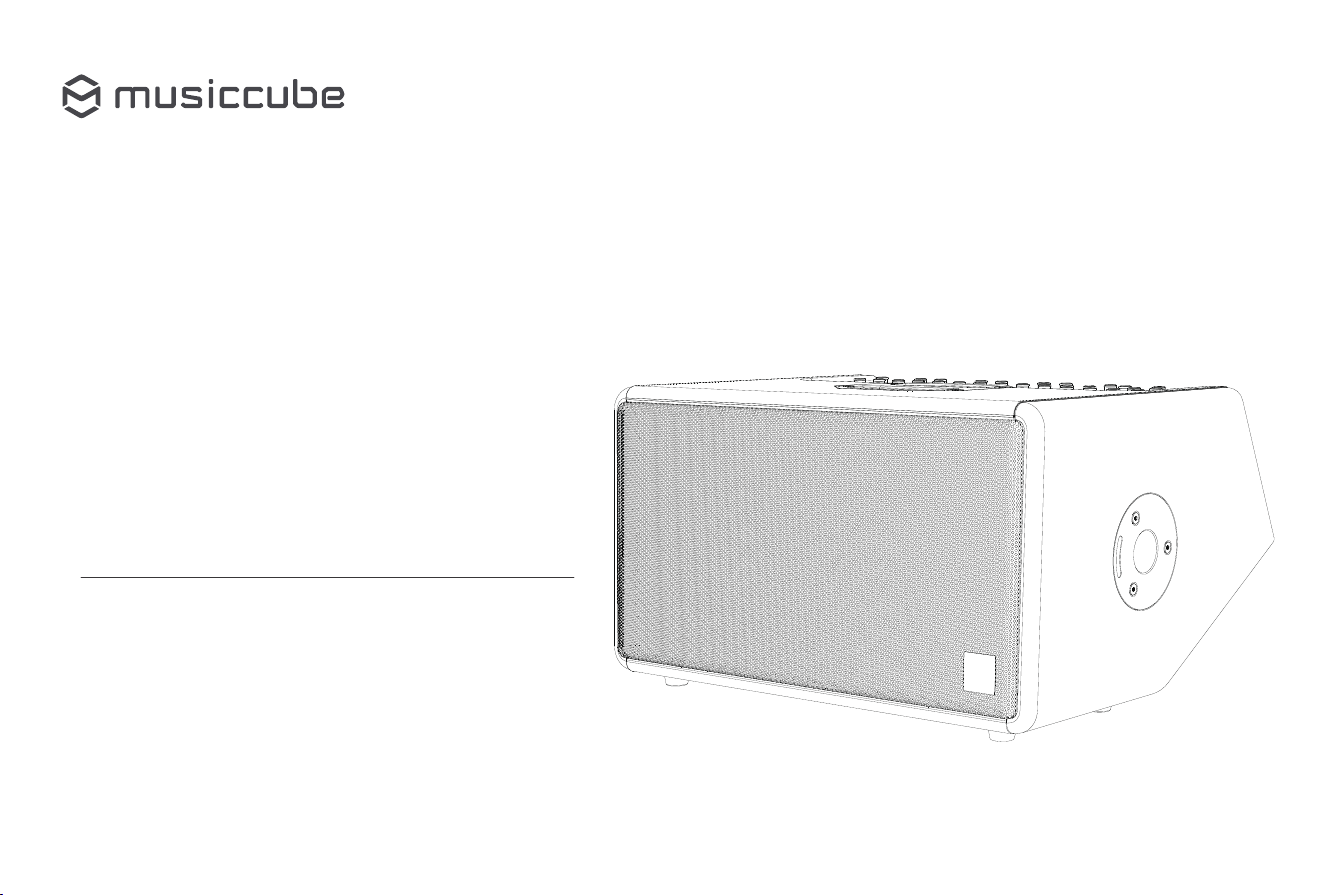
Multifunctional Portable PA System
Musiccube T2 Pro
User Manual

Thank you for choosing and purchasing the Musiccube T2 Pro.

Product Introduction Specifications
Thank you for choosing Musiccube T2 Pro.
The T2 Pro is a professional portable PA system designed for live performances and
mobile sound reinforcement. It delivers 480 W of rated power and up to 700 W of peak
power, combining powerful output with a compact and portable design.
The system features two 8-inch low-frequency drivers and a C-shaped high-frequency
array for wide and consistent sound coverage. Its five-channel mixer supports
microphones, instruments, and other audio sources, with independent gain, EQ, and effect
controls for flexible sound adjustment.
Built-in Reverb 1, Reverb 2, Delay, and Chorus effects, HD sound enhancement, stereo
linking, and two removable rechargeable battery packs provide flexible operation for indoor
and outdoor applications.
Continue exploring and enjoying the remarkable experience of the Musiccube T2 Pro!
Model: Musiccube T2 Pro
Power: Rated Power 480W / Peak Power 700W
Frequency Range: 50Hz-20kHz
Audio Input: 4 × Mic/Line/Hi-Z Inputs (XLR/TRS)
1 × Mic Input with 48V Phantom Power
1 × 3.5 mm AUX Input
1 × Stereo Line Input
1 x Bluetooth Input
1 x USB Input
Additional Features: USB-C Live Streaming and Internal Recording
/ Balanced Output
Effects: Reverb 1/Reverb 2/Delay/Chorus
Speaker Units: 2 x 8-inch Woofer / 6 x 2-inch Tweeters / 1 × 3-inch Monitor Driver
Dimensions: 485mm (L) × 390mm (W) × 265mm (H)
Net Weight: 13.5 kg
Power Supply: AC: 100V 240V
DC: 34V 7A
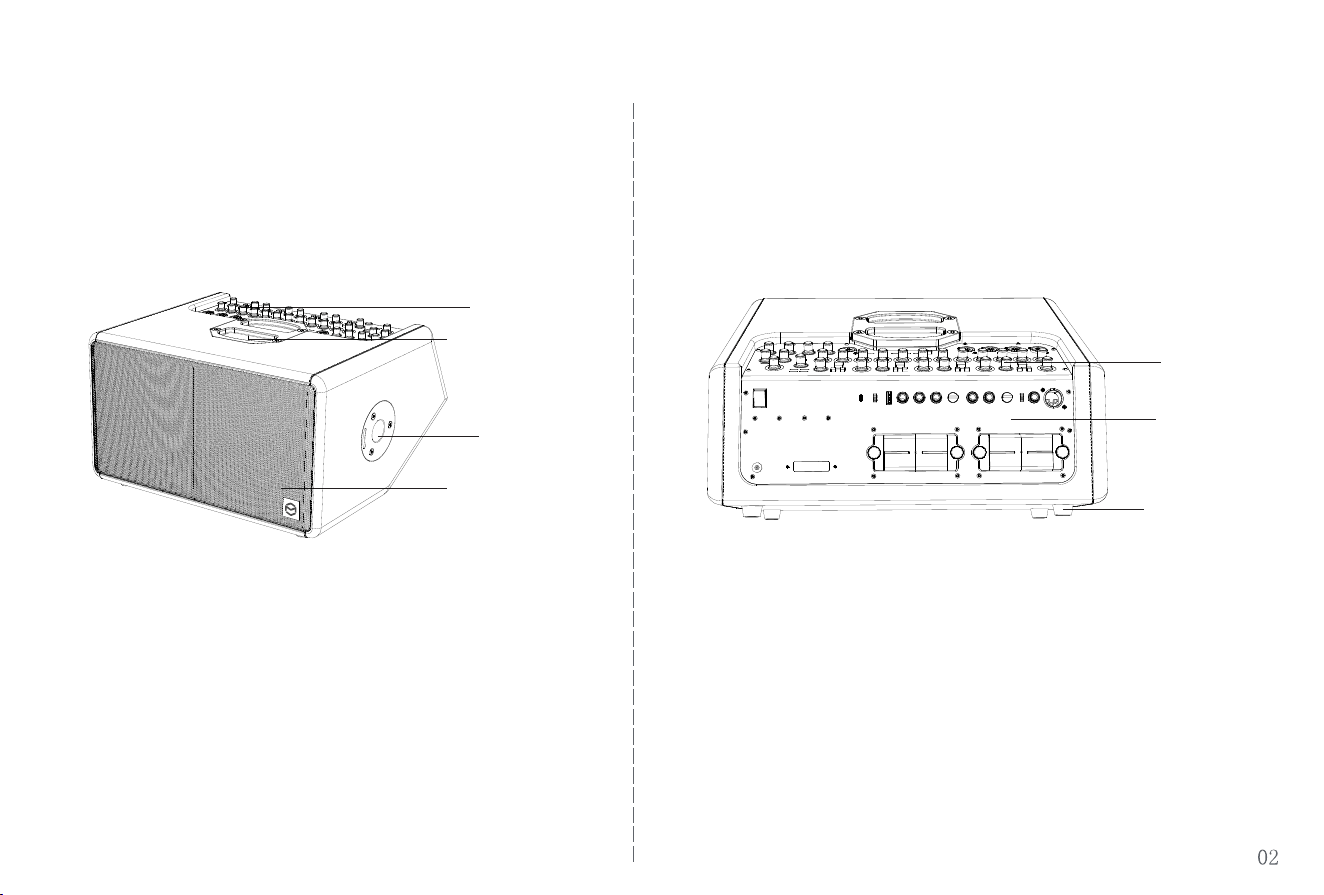
Product structure
Knob
Rear Panel
Monitor Speaker
Front Panel
Speaker Mesh
Footpads
Mounting Socket
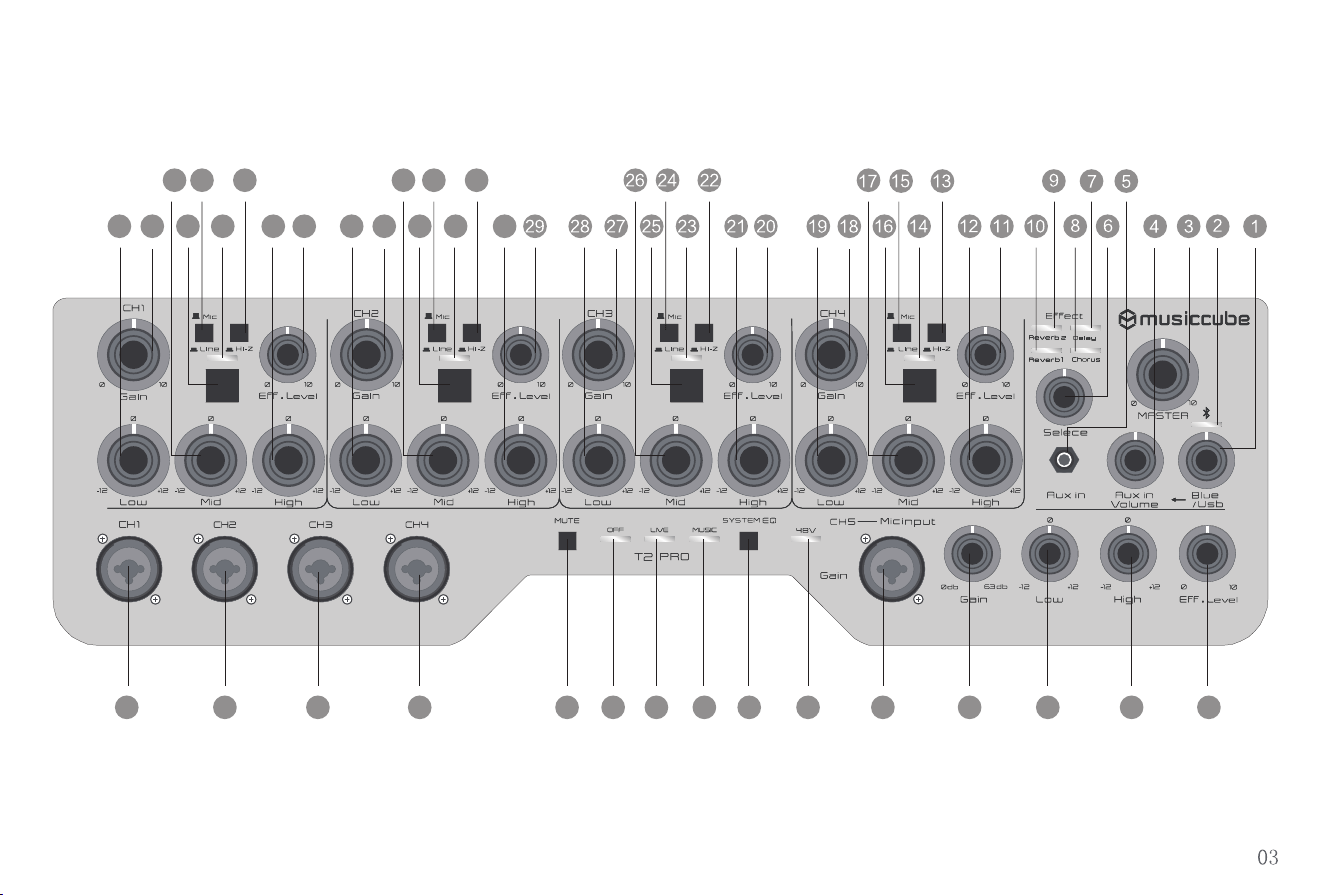
Front Panel Function Introduction (I)
HD HD
HD
HD
30
31
32
33
34
3540
41
42
43
44
46
48 49
50
51 52 53 54 55 56 57 58 59 60
61
45
47
3739 38 36
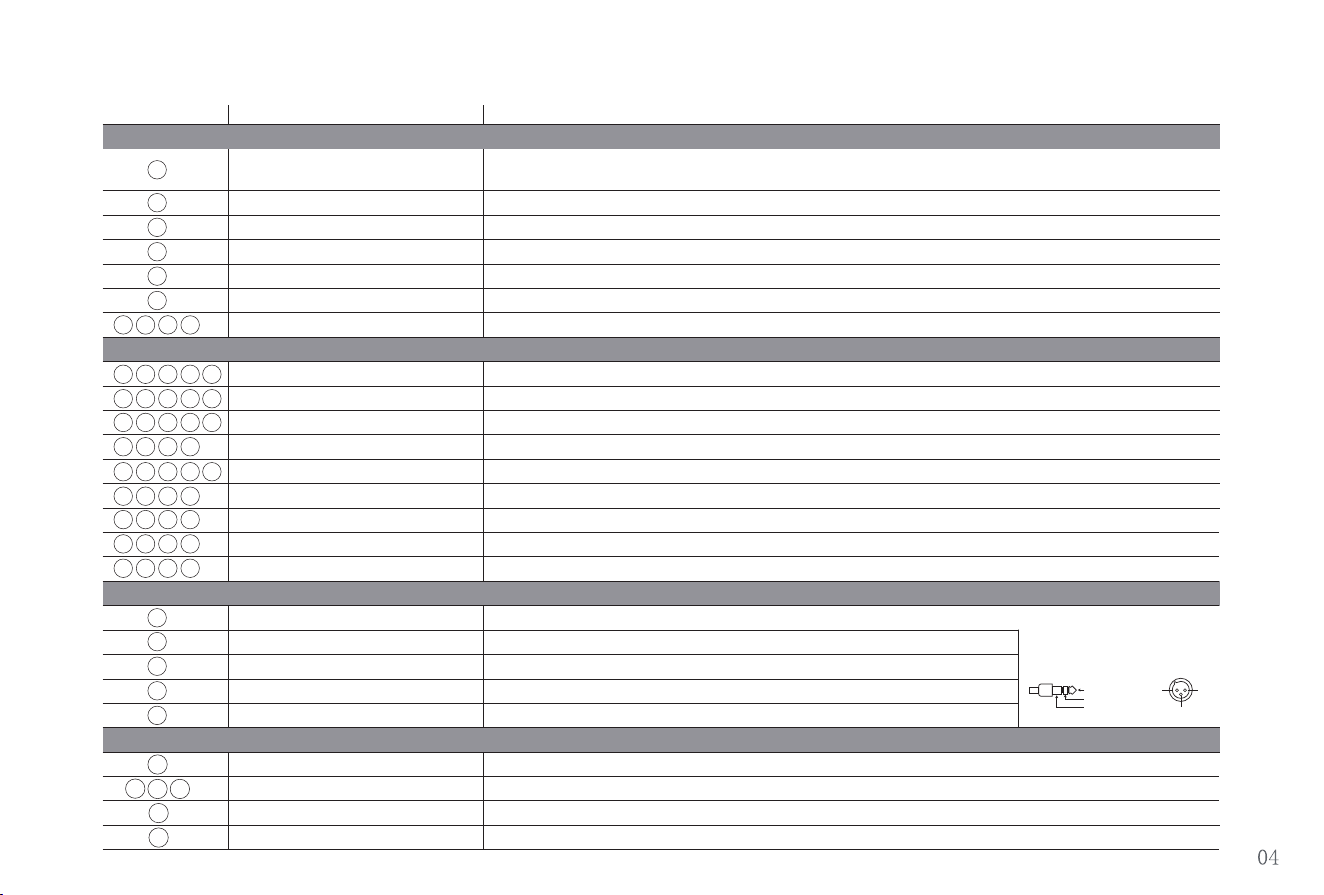
Front Panel Function Introduction (II)
No. Name Description
Bluetooth/Media Control Knob
Flashing light means waiting for connection,Solid light means connected
Press and hold for 3 seconds to enable Bluetooth. Turn the knob left or right to select the
previous or next track. Press to play or pause
Controls the overall volume of the speaker
Bluetooth Status Indicator
Master Volume
Media Volume Control
3.5mm AUX IN Jack
Effect Selector
Effect Indicator Light
Gain Control
Effect Level Control
High EQ Control
Mid EQ Control
Low EQ Control
Mic/Line Input Switch
High Impedance Input Switch
HD Indicator
HD Enhancement Button
Channel 1 Input Jack
Channel 2 Input Jack
Channel 3 Input Jack
Channel 4 Input Jack
Channel 5 Input Jack
Mute Control
System Mode Indicator Light
System EQ Mode Selector
48V Phantom Power Indicator Light
1
2
3
4
5
6
7
17
11
18
12
20
14
19
13
10
16
9
15
8
21
27
22
28
23
29
30
24
31
25
32
33
34
35
36
37
38
39
40
41
44
45
46
47
48
49
50
51
52
53 54
55
56
57
58
59
60
61
42
43
26
Adjusts the gain for Channels 1-5; turn left to decrease gain and right to increase gain
Mic/Line Switch for Channels 1-4; press down for Line input, release for Mic input
High Impedance (Hi-Z) Input Selector for Channels 1-4; press to select Hi-Z input
Turns HD sound enhancement on or off
Lights when HD enhancement is active
Connects to microphones, guitars, or other electronic musical instruments
Connects to microphones, guitars, or other electronic musical instruments
Connects to microphones, guitars, or other electronic musical instruments
Connects to microphones, guitars, or other electronic musical instruments
Connects to dynamic microphones, condenser mics, and other equipment
Press to mute the speaker
Indicate the selected system EQ mode: Off, Live, or Music
Selects Off, Live, or Music mode.
Indicator light on means 48V Phantom Power is activated
Adjusts the treble for Channels 1-5; turn left to decrease treble and right to increase treble
Adjusts the midrange for Channels 1-4; turn left to decrease midrange and right to increase midrange
Adjusts the bass for Channels 1-5; turn left to decrease bass and right to increase bass
Adjusts the selected effect level for Channels 1–5.
Connects to a mobile phone or other external audio source
Selects Reverb 1, Reverb 2, Delay, or Chorus
Indicate the selected effect: Reverb 1, Reverb 2, Delay, or Chorus
Adjusts the volume for Bluetooth, USB, and 3.5 mm AUX audio
1:GND2:HOT
3:COLD
TIP
RING
SLEEVE
HOT
COLD
GND
*The device connection interface is balanced
(XLR/TRS). Please check the wiring diagram of
the connected device before making the
connection.
Main Controls
Channel Controls
1/2/3/4/5 Channel
Mode Selector
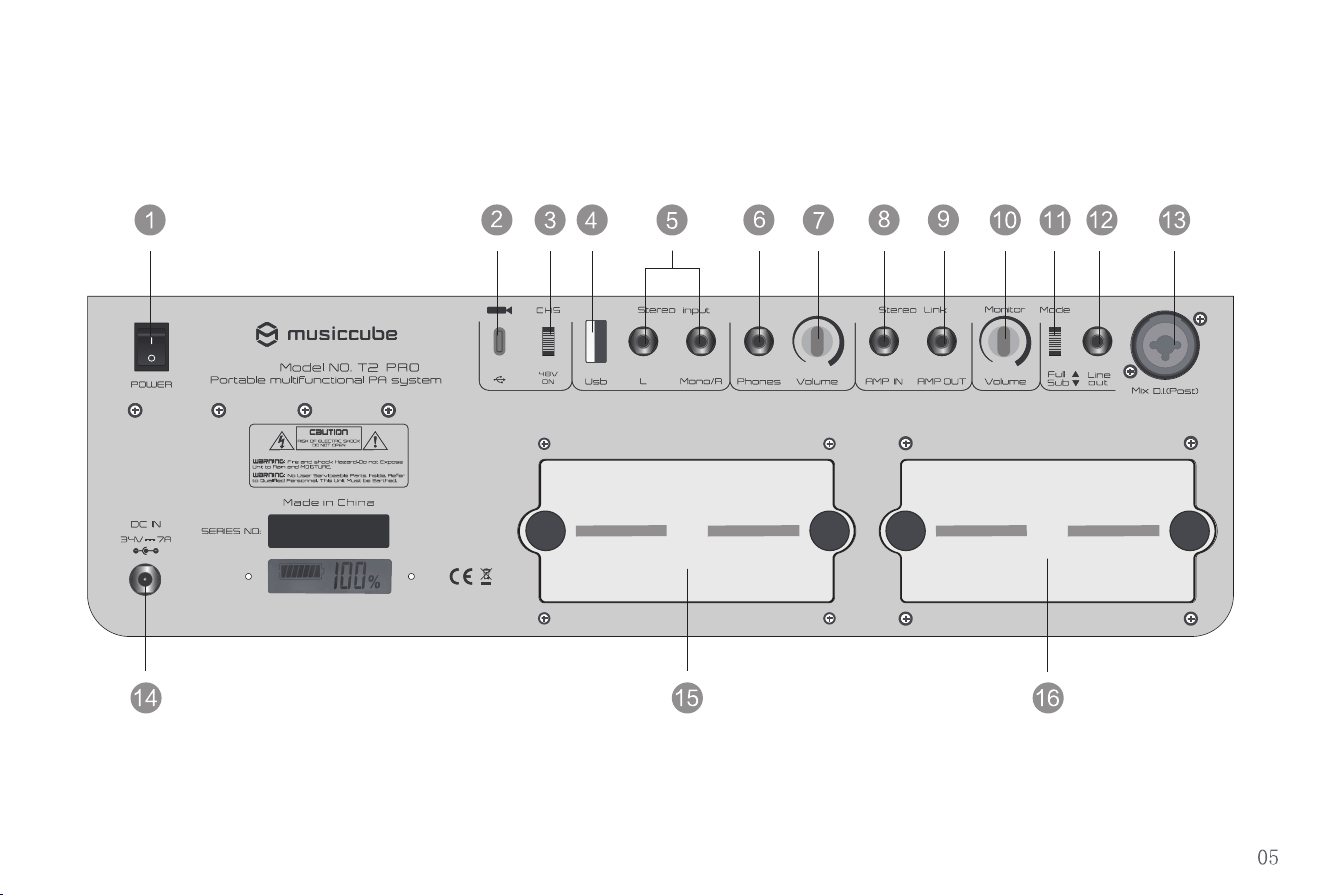
Rear Panel Function Introduction (I)
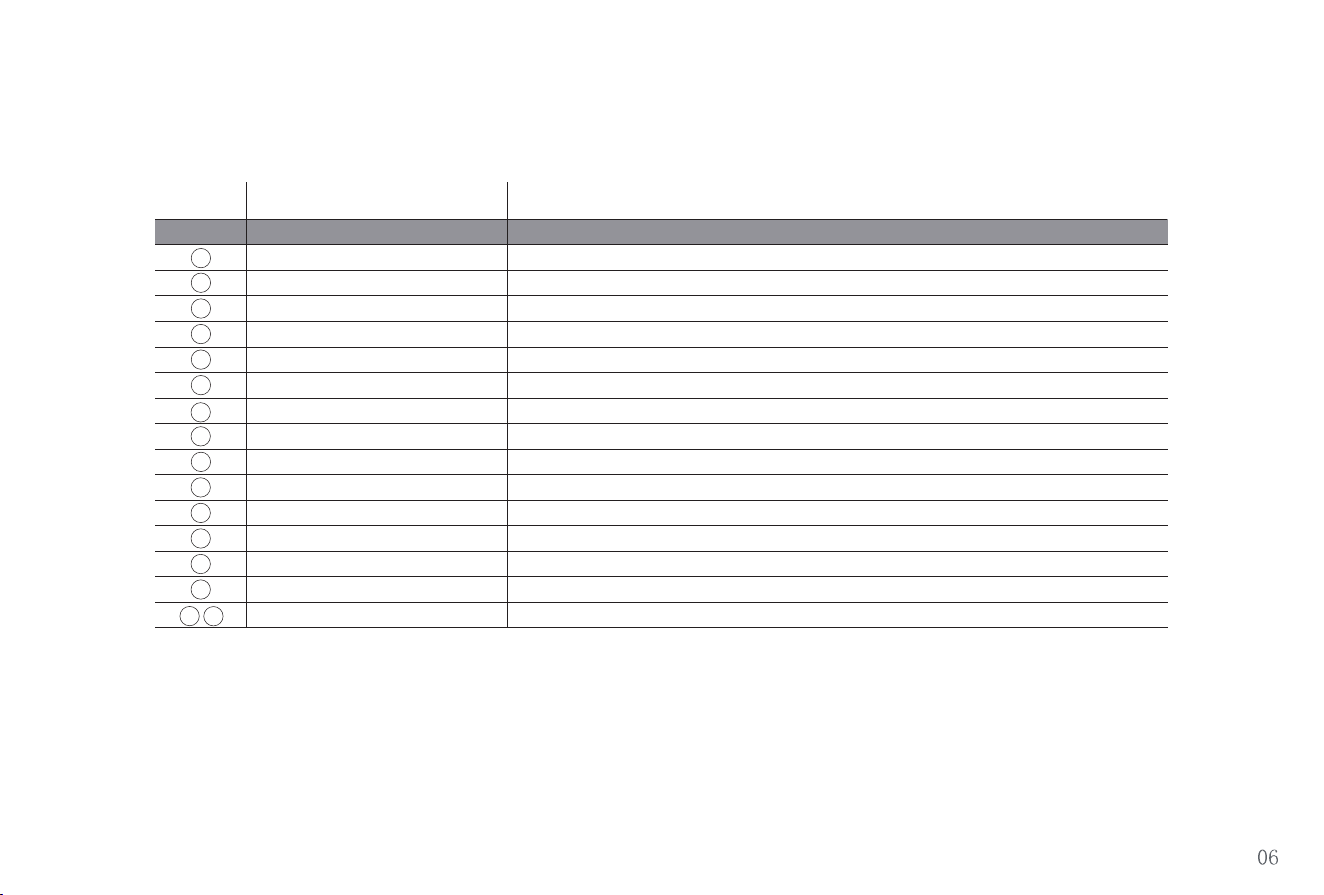
Rear Panel Function Introduction (II)
No. Name
Description
Power Switch Power On/Off
Connect mobile device via USB-C port to use internal recording/live streaming functions
Use this switch to enable/disable the 48V Phantom Power for Channel 5
OTG Live/Recording Digital Input
48V Phantom Power Switch
USB Port
Stereo Line Input
Headphone Output
Headphone Volume Control
Stereo Link Input
Stereo Link Output
Monitor Speaker Volume Control
Output Signal Mode Selector
Line Output
DI Balanced Output
Charging Port
Detachable Lithium Battery
1
2
3
4
5
6
7
11
12
14
13
10
9
16
15
8
Connect to an audio interface or send output to a mixing console
Charging and DC Power Input Port
Each battery pack has a capacity of 4850 mAh and can be replaced as needed
Slide the switch up for full-frequency output; down for low-cut output
Signal Output via 6.35mm Connection
Signal Output via 6.35mm Connection
Independent Monitor Speaker Volume Control
Headphone Volume Control
Signal Input via 6.35mm Connection
USB Port for Audio Playback
Stereo Signal Input
Connect headphones using a 6.35mm jack
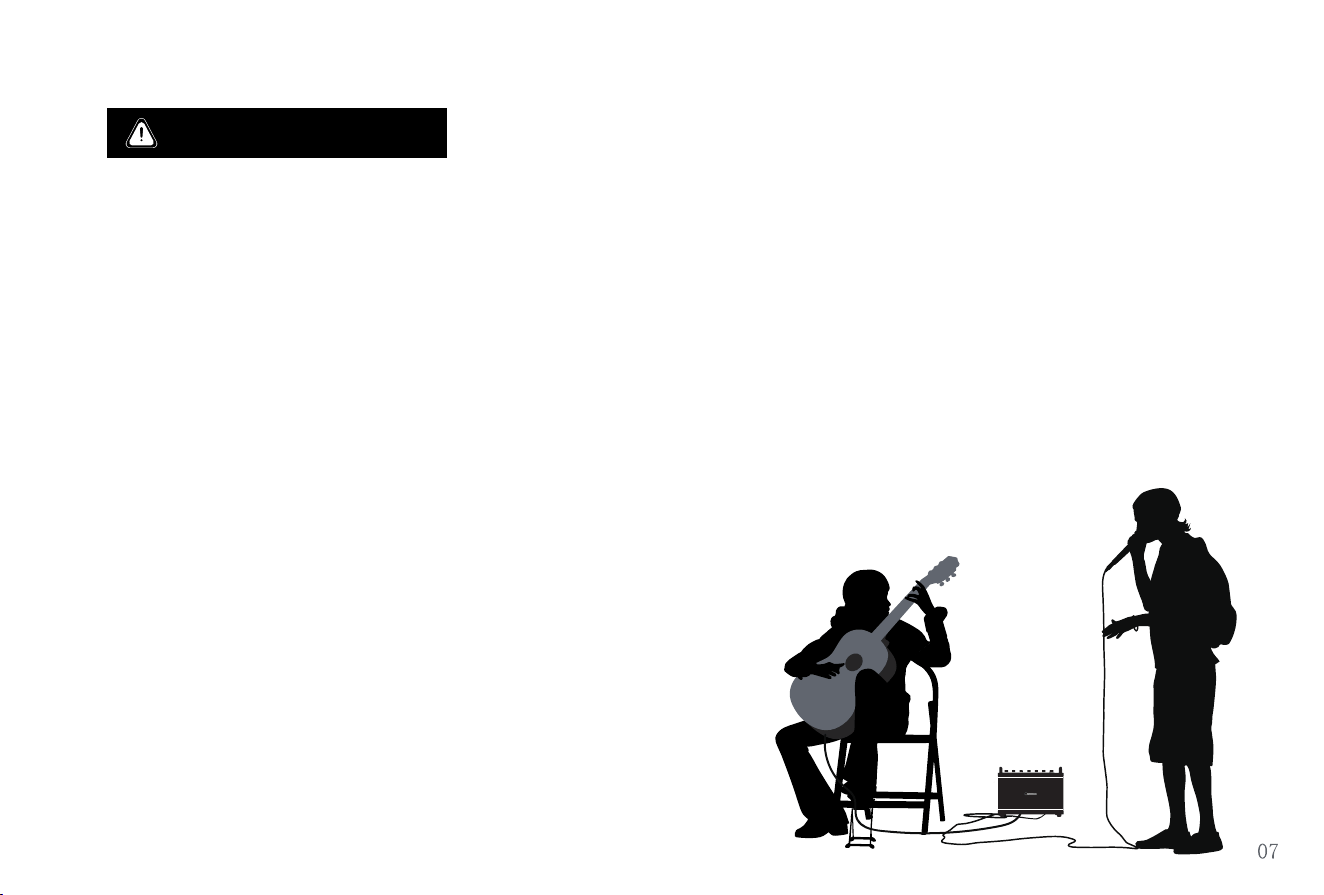
1. Connect the power adapter to the speaker before plugging it into an AC outlet.
2. Before powering on, switch off all connected equipment and set the Master Volume and all Channel
Gain controls to minimum.
3. Use a moderate volume level. Do not set both the Channel Gain and Master Volume controls to
maximum, as this may damage the speaker system.
4. After extended use, allow the speaker to cool before operating it again.
5. Do not use or store the speaker in humid, hot, or extremely cold environments.
6. Keep the enclosure and ventilation openings clean and unobstructed.
7. If a malfunction occurs, stop using the speaker immediately and contact qualified service personnel.
Operating Precautions

Precautions
Usage Limitations
Cleaning & Maintenance
Power Supply Precautions
Battery Precautions
- Do not place this product on an unstable, damp surface, or near open flames or heat sources (such as stoves).
- Avoid placing the product near devices that may cause interference.
- Only use the power adapter and battery supplied with the product. Do not use non-original chargers or batteries.
- Only use the provided power adapter and cable supplied with this product.
- If the power adapter or cable is damaged, replace it with the original adapter and cable to prevent insufficient power supply or damage
to the circuit board.
- Do not excessively twist, bend, or pull the AC power cord, as this may expose or break the internal wiring.
- Do not use the power adapter and cable provided with this product on other devices.
- Do not allow children to operate this product alone. Keep it out of reach of infants to prevent risks of electric shock or burns.
- Do not insert or remove the power adapter plug with wet hands to avoid electric shock or injury.
- Do not disassemble the built-in rechargeable battery pack.
- Only use the original rechargeable battery pack provided with the product.
- Do not subject the rechargeable battery pack to impact or external force.
- Please charge the speaker when the battery level is below 20%.
- If the product will not be used for an extended period, recharge periodically to prevent battery damage.
Operating Environment
-As this product has a wooden structure, avoid using it in humid or direct sunlight conditions to prevent the enclosure from cracking.
- Do not submerge this product in water or expose it to moisture.
-Avoid using hard objects to wipe the surface, as this may cause scratches.
- Use a soft cloth for cleaning.

Additional Precautions
Troubleshooting and Issues
- Do not drop the product or strike it against hard objects, as this may cause injury or malfunction.
- Do not use the product if it is structurally damaged to avoid injury or other accidents.
- Do not modify or attempt repairs. Only qualified technicians should perform repairs to prevent fire, electric shock, or injury.
- If any abnormality or malfunction occurs, stop using the product immediately to avoid fire, electric shock, or injury.
- Abnormal heating of the power cord, power adapter, or plug during use.
- Smoke emission or a burning odor from the speaker.
- Cracking, looseness, or unusual sounds from any part of the speaker.
- Other abnormalities or malfunctions.
FCC Compliance Statement
This device complies with part 15 of the FCC Rules. Operation is subject to the following two conditions: (1) This device may not cause harmful
interference, and (2) this device must accept any interference received, including interference that may cause undesired operation.
Any changes or modifications not expressly approved by the party responsible for compliance could void the user’s authority to operate the
equipment.
Note: This equipment has been tested and found to comply with the limits for a Class B digital device, pursuant to part 15 of the FCC Rules. These
limits are designed to provide reasonable protection against harmful interference in a residential installation. This equipment generates uses and
can radiate radio frequency energy and, if not installed and used in accordance with the instructions, may cause harmful interference to radio
communications. However, there is no guarantee that interference will not occur in a particular installation. If this equipment does cause harmful
interference to radio or television reception, which can be determined by turning the equipment off and on, the user is encouraged to try to correct
the interference by one or more of the following measures:
-Reorient or relocate the receiving antenna.
-Increase the separation between the equipment and receiver.
-Connect the equipment into an outlet on a circuit different from that to which the receiver is connected.
-Consult the dealer or an experienced radio/TV technician for help.
This equipment complies with FCC radiation exposure limits set forth for an uncontrolled environment. This equipment should be installed and
operated with minimum distance 20cm between the radiator & your body.
Precautions
I. Warranty Policy
II. About Warranty
III. Non-Warranty Coverage
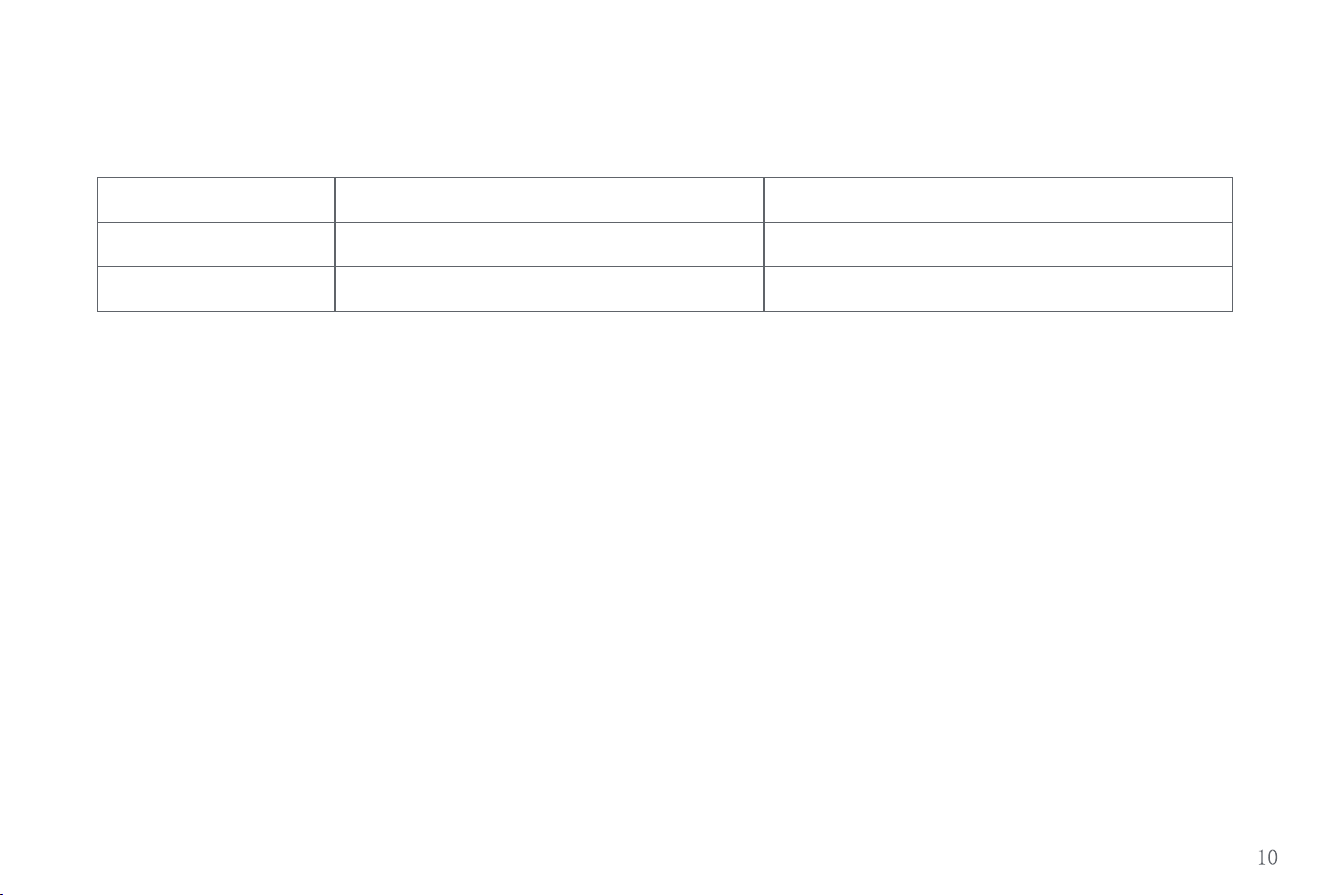
Type
Warranty Coverage
Warranty period
1 year
1 year
Speaker Components
Power Adapter / Power Cable / Battery
Main Unit
Accessories
1. The product's serial number and warranty card number serve as proof of warranty.
2. The warranty period starts from the date the customer receives the product.
3. Backpack, mobile device connection cables, and packaging materials are not covered under warranty.
1. Damage caused by improper transportation, usage, maintenance, or storage by the customer.
2. Damage resulting from repairs by unauthorized service centers, including self-installation or disassembly by the customer.
3. Lack of warranty card, serial number, or valid proof of purchase, or inability to verify the product is within the warranty period.
4. Tampering with or alteration of the product's serial number.
5. Damage due to unavoidable natural disasters.
6. Product exceeding the warranty period.
Follow Us for More Updates
Official Website :www.musiccube.com.cn
Service Hotline:+86 755 8273 0091
Manufacturer:Shenzhen Liping Technology Co., Ltd.
Address :9F,Building 2,Baolong Specialized and Sophisticated Industrial Park,Baolong Street,Longgang District,Shenzhen,China