
1
②
①
2
A
120
87
Unit:mm
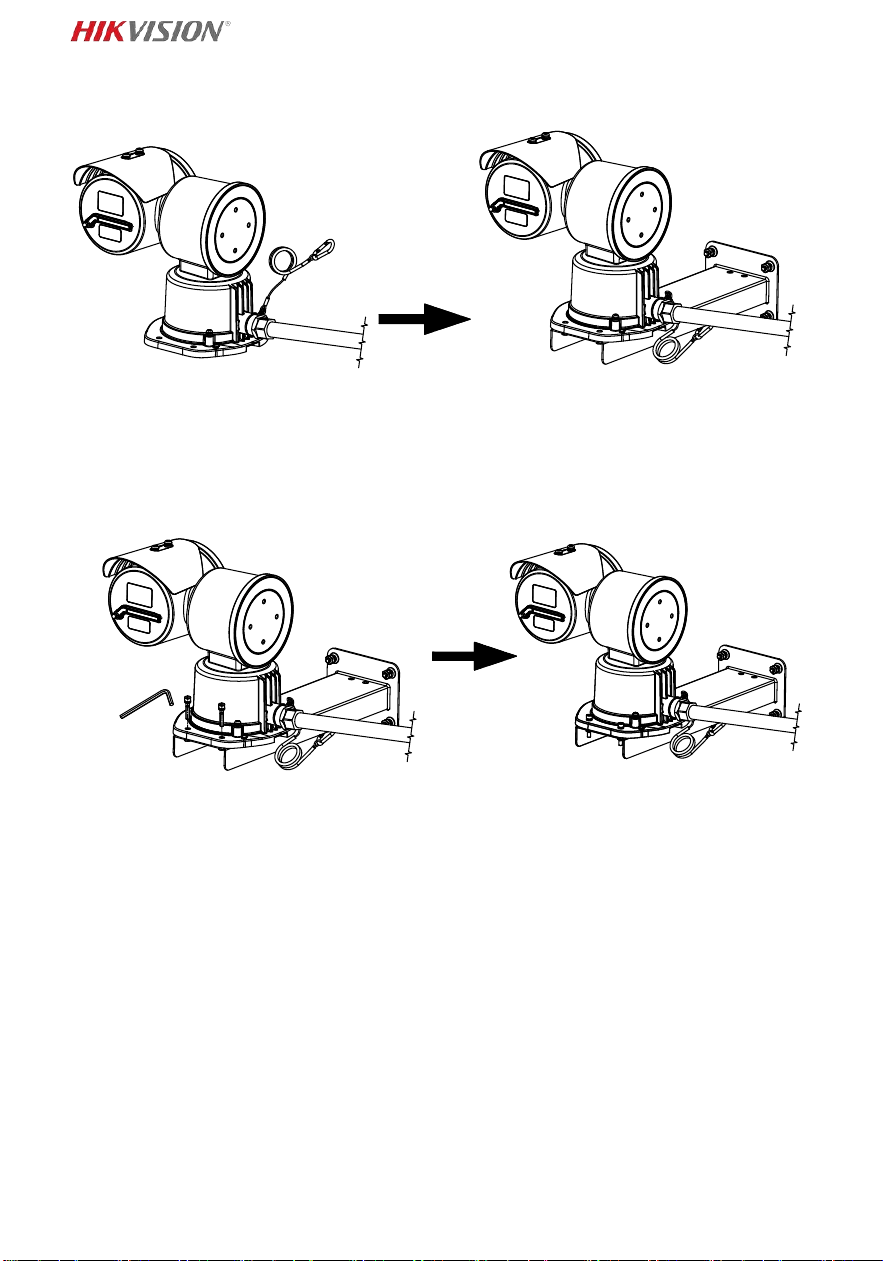
3
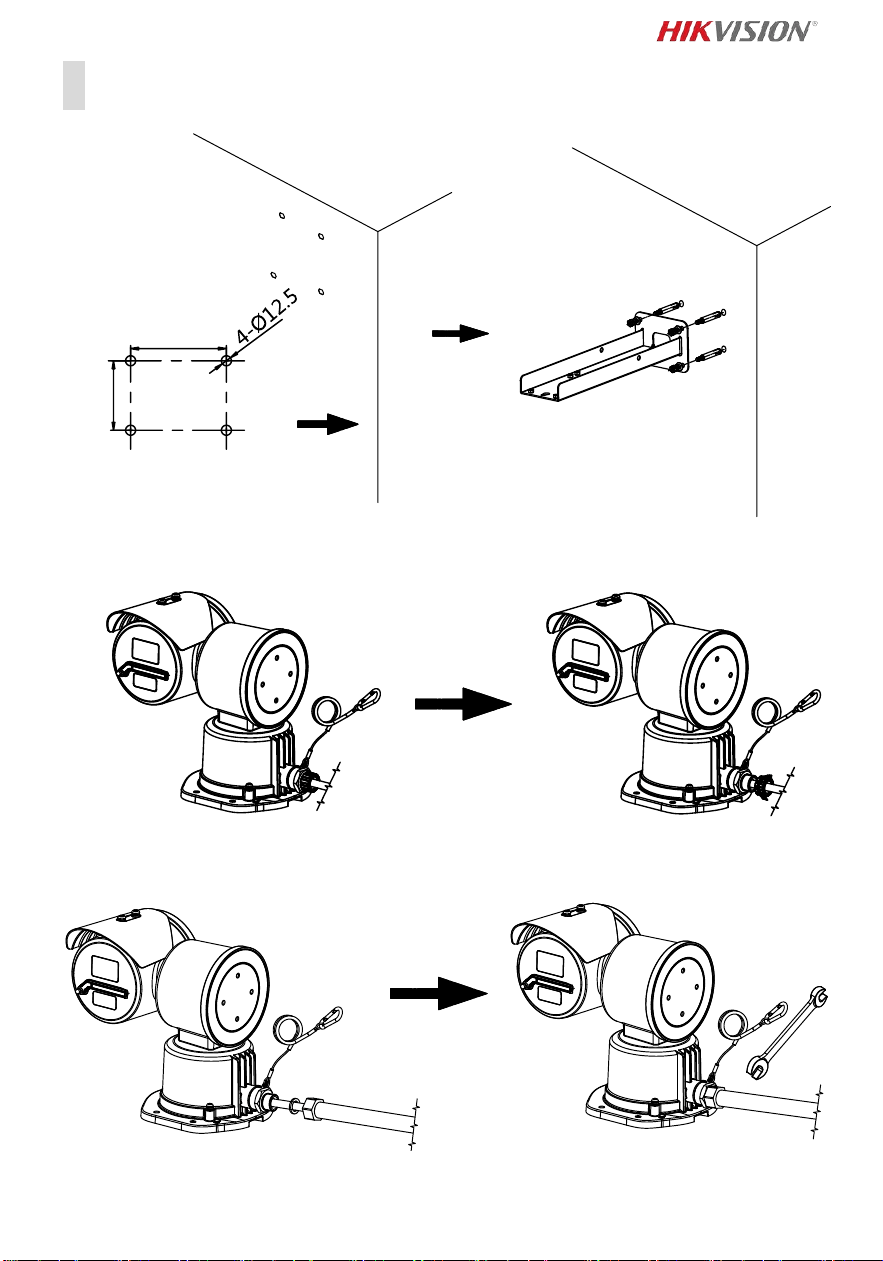
4
B
120
87
Unit:mm
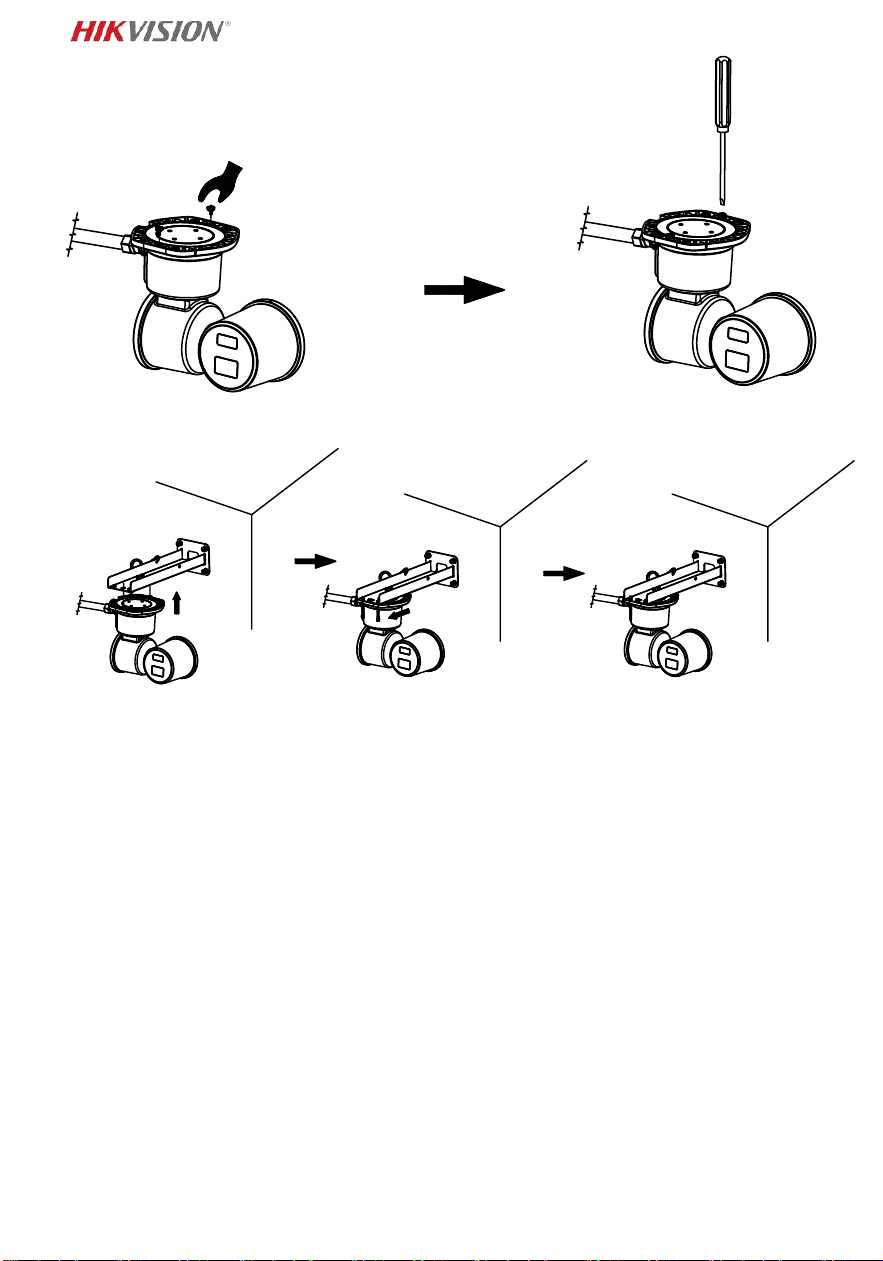
5
6
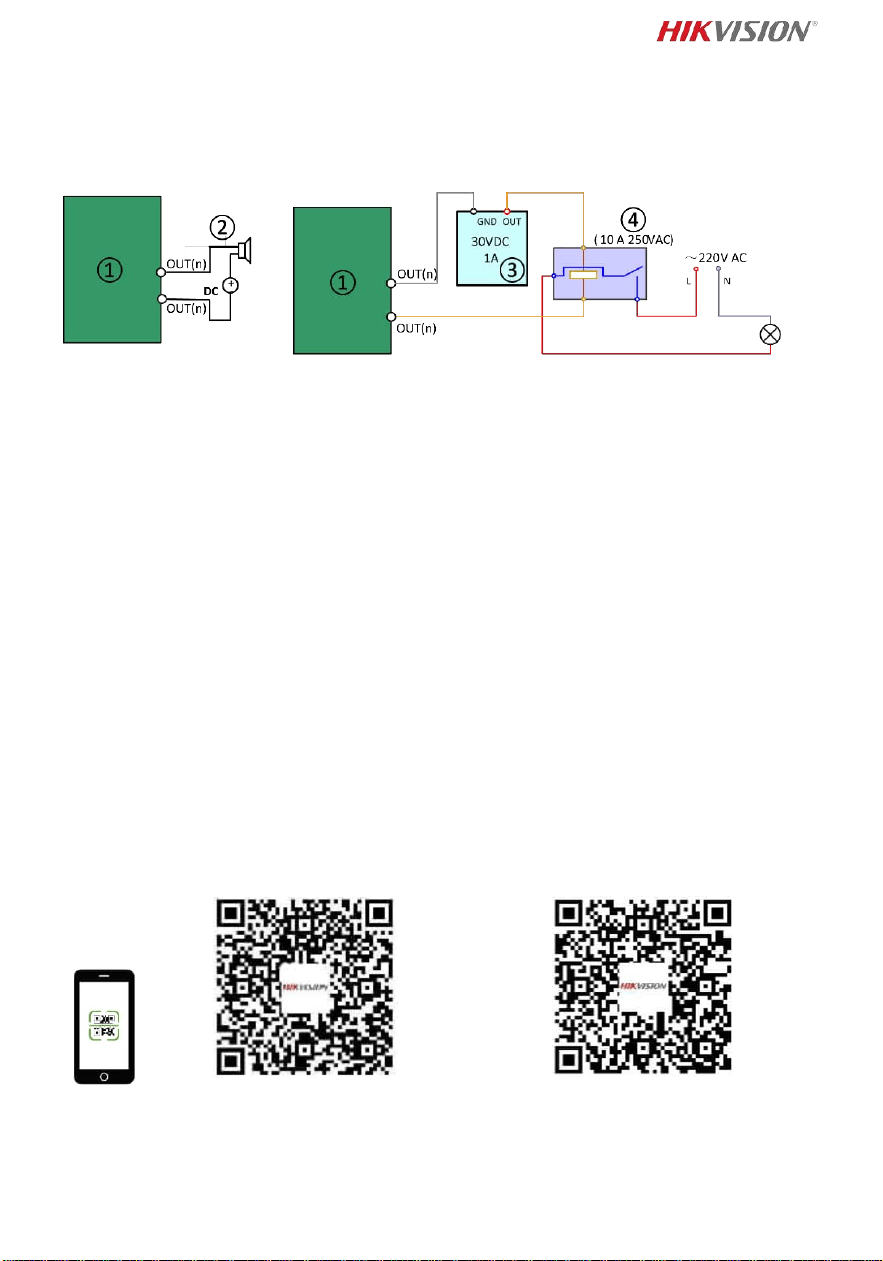
Alarm Output
① Relay output/ Sortie relais/ Relaisausgang/ Salida de relé/ Uscita relè/ Saída
de relé/ Relaisuitgang/ Výstup relé/ Relæ udgang/ Relékimenet/ Wyjście
przekaźnikowe/ Ieşire releu/ Výstup relé/ Output relai/ ထပ္ဆင့္ ထုတ္လႊင့္မႈ/ Röle
çıkışı/Релейный выход/Релейний вихід/ درلا جتان
② DC load/ Chargement CC/ DC last/ Carga de CC/ Carico CC/ Carga CC/
DC-belasting/ DC zatížení/ Jæ vnstrømsbelastning/ Egyenáramú terhelés/
Obciążenie DC/ Sarcină de curent continuu/ Zaťaženie DC/ Beban DC/ DC
လ ပ္စစ္ဓါတ္္အ/ DC yükü/Нагрузка для источника питания постоянного
тока/Навантаження пост. Струму/ رمتسملا رايتلا لمح
③ Power supply/ Alimentation/ Spannungsversorgung/ Alimentación eléctrica/
Alimentazione/ Alimentação elétrica/ Voeding/ Napájení/ Strømforsyning/
Tápellátás/ Zasilanie/ Alimentare electrică/ Zdroj napájania/ Catu daya/ ပါ၀ါ
္၀င္/ Güç kaynağı/Источник питания/Живлення/ ةقاطلا ردصم
④ JQC-3FG relay/ Relais JQC-3FG/ JQC-3FG-Relais/ Relé JQC-3FG/ relè JQC-3FG/
Relé JQC-3FG/ JQC-3FG relais/ Relé JQC-3FG/ JQC-3FG-relæ / JQC-3FG relé/
Przekaźnik JQC-3FG/ releu JQC-3FG/ Relé JQC-3FG/ Relai JQC-3FG/ JQC-3FG
ရီေလ/ JQC-3FG rölesi/Реле JQC-3FG/Реле JQC-3FG/ لحرم JQC-3FG
Protective Measures for
Outdoor Installation
Activate and Access Network
Camera

7
English
Read this manual before using the product.
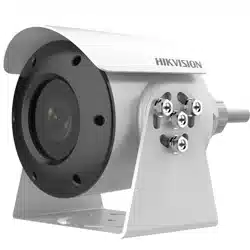
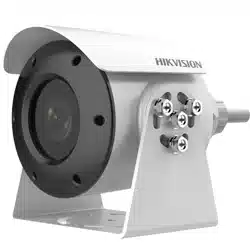
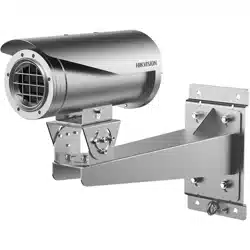
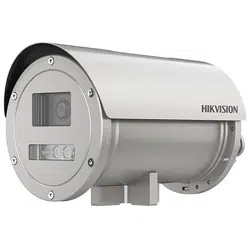
Product appearance is for reference only and may differ from the actual
product.
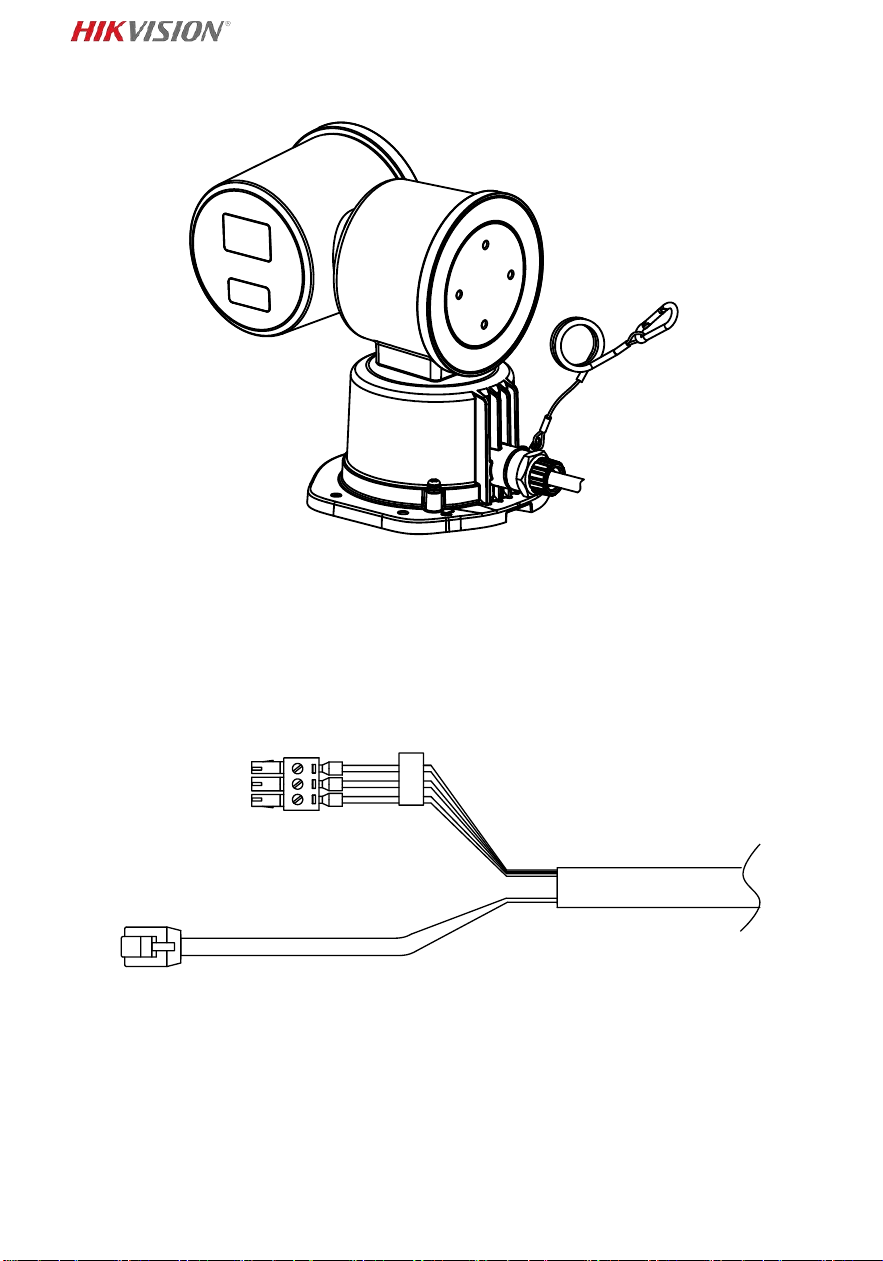
Interface (Page 1)
① Power interface
② Network interface
About this Document
This Document includes instructions for using and managing the Product.
Pictures, charts, images and all other information hereinafter are for
description and explanation only.
The information contained in the Document is subject to change, without
notice, due to firmware updates or other reasons. Please find the latest
version of the Document at the Hikvision website
(https://www.hikvision.com). Unless otherwise agreed, Hangzhou Hikvision
Digital Technology Co., Ltd. or its affiliates (hereinafter referred to as
"Hikvision") makes no warranties, express or implied.
Please use the Document with the guidance and assistance of professionals
trained in supporting the Product.
About this Product
This product can only enjoy the after-sales service support in the country or
region where the purchase is made.
Acknowledgment of Intellectual Property Rights
Hikvision owns the copyrights and/or patents related to the technology
embodied in the Products described in this Document, which may include
licenses obtained from third parties.
Any part of the Document, including text, pictures, graphics, etc., belongs to
Hikvision. No part of this Document may be excerpted, copied, translated, or
modified in whole or in part by any means without written permission.
and other Hikvision’s trademarks and logos are the properties of
Hikvision in various jurisdictions.
Other trademarks and logos mentioned are the properties of their respective
owners.
LEGAL DISCLAIMER
TO THE MAXIMUM EXTENT PERMITTED BY APPLICABLE LAW, THIS
DOCUMENT AND THE PRODUCT DESCRIBED, WITH ITS HARDWARE,
SOFTWARE AND FIRMWARE, ARE PROVIDED "AS IS" AND "WITH ALL FAULTS
AND ERRORS". HIKVISION MAKES NO WARRANTIES, EXPRESS OR IMPLIED,
INCLUDING WITHOUT LIMITATION, MERCHANTABILITY, SATISFACTORY
QUALITY, OR FITNESS FOR A PARTICULAR PURPOSE. THE USE OF THE
PRODUCT BY YOU IS AT YOUR OWN RISK. IN NO EVENT WILL HIKVISION BE
LIABLE TO YOU FOR ANY SPECIAL, CONSEQUENTIAL, INCIDENTAL, OR
INDIRECT DAMAGES, INCLUDING, AMONG OTHERS, DAMAGES FOR LOSS OF
BUSINESS PROFITS, BUSINESS INTERRUPTION, OR LOSS OF DATA,
CORRUPTION OF SYSTEMS, OR LOSS OF DOCUMENTATION, WHETHER BASED
ON BREACH OF CONTRACT, TORT (INCLUDING NEGLIGENCE), PRODUCT
LIABILITY, OR OTHERWISE, IN CONNECTION WITH THE USE OF THE PRODUCT,
EVEN IF HIKVISION HAS BEEN ADVISED OF THE POSSIBILITY OF SUCH
DAMAGES OR LOSS.
8
YOU ACKNOWLEDGE THAT THE NATURE OF THE INTERNET PROVIDES FOR
INHERENT SECURITY RISKS, AND HIKVISION SHALL NOT TAKE ANY
RESPONSIBILITIES FOR ABNORMAL OPERATION, PRIVACY LEAKAGE OR OTHER
DAMAGES RESULTING FROM CYBER-ATTACK, HACKER ATTACK, VIRUS
INFECTION, OR OTHER INTERNET SECURITY RISKS; HOWEVER, HIKVISION WILL
PROVIDE TIMELY TECHNICAL SUPPORT IF REQUIRED.
YOU AGREE TO USE THIS PRODUCT IN COMPLIANCE WITH ALL APPLICABLE
LAWS, AND YOU ARE SOLELY RESPONSIBLE FOR ENSURING THAT YOUR USE
CONFORMS TO THE APPLICABLE LAW. ESPECIALLY, YOU ARE RESPONSIBLE,
FOR USING THIS PRODUCT IN A MANNER THAT DOES NOT INFRINGE ON THE
RIGHTS OF THIRD PARTIES, INCLUDING WITHOUT LIMITATION, RIGHTS OF
PUBLICITY, INTELLECTUAL PROPERTY RIGHTS, OR DATA PROTECTION AND
OTHER PRIVACY RIGHTS. YOU SHALL NOT USE THIS PRODUCT FOR ANY
PROHIBITED END-USES, INCLUDING THE DEVELOPMENT OR PRODUCTION OF
WEAPONS OF MASS DESTRUCTION, THE DEVELOPMENT OR PRODUCTION OF
CHEMICAL OR BIOLOGICAL WEAPONS, ANY ACTIVITIES IN THE CONTEXT
RELATED TO ANY NUCLEAR EXPLOSIVE OR UNSAFE NUCLEAR FUEL-CYCLE, OR
IN SUPPORT OF HUMAN RIGHTS ABUSES.
IN THE EVENT OF ANY CONFLICTS BETWEEN THIS DOCUMENT AND THE
APPLICABLE LAW, THE LATTER PREVAILS.
© Hangzhou Hikvision Digital Technology Co., Ltd. All rights reserved.
Regulatory Information
These clauses apply only to the products bearing the corresponding mark or
information.
EU Compliance Statement
This product and - if applicable - the supplied accessories too
are marked with "CE" and comply therefore with the
applicable harmonized European standards listed under the
Directive 2014/30/EU (EMCD), Directive 2011/65/EU (RoHS),
and Directive 2014/34/EU.
Note: The products with the input voltage of within 50 to 1000 VAC or 75 to
1500 VDC comply with Directive 2014/35/EU (LVD), and the rest products
comply with Directive 2001/95/EC (GPSD). Please check the specific power
supply information for reference.
The full text of the EU declaration of conformity is available at the following
internet address:
https://www.hikvision.com/en/support/compliance/declaration-of-conformity.
Warning: This is a class A product. In a domestic environment this product may
cause radio interference, in which case, the user may be required to take
adequate measures.
Directive 2012/19/EU (WEEE Directive): Products marked with
this symbol cannot be disposed of as unsorted municipal waste
in the European Union. For proper recycling, return this product
to your local supplier upon the purchase of equivalent new
equipment, or dispose of it at designated collection points. For
more information see: www.recyclethis.info.
According to the Waste Electrical and Electronic Equipment
Regulations 2013: Products marked with this symbol cannot be
disposed of as unsorted municipal waste in the United Kingdom. For proper

9
recycling, return this product to your local supplier upon the purchase of
equivalent new equipment, or dispose of it at designated collection points. For
more information see: www.recyclethis.info.
Industry Canada ICES-003 Compliance
This device meets the CAN ICES-003 (A) / NMB-003 (A) standards requirements.
Cet appareil répond aux exigences des normes CAN ICES-003 (A)/NMB-003 (A).
KC
A 급 기기: 이 기기는 업무용(A 급) 전자파적합기기로써 판매자 또는
사용자는 이 점을 주의하시기바라며, 가정 외의 지역에서 사용하는 것을
목적으로 합니다.
Intended Use of the Explosion-proof Positioning System
ATEX: II 2G Ex db IIC T6 Gb / II 2D Ex tb IIIC T80℃
IECEx: Ex db IIC T6 Gb /Ex tb IIIC T80℃
Hazardous Area Classification: Combustible gas environment Zone 1, Zone 2.
Combustible dust environment Zone 21, Zone 22.
IP Degree: IP66/IP68 (2m, 2h)
Ex Standards:
IEC 60079-0: 2017 EN IEC60079-0: 2018
IEC 60079-1: 2014 EN 60079-1: 2014
IEC 60079-31: 2022 EN 60079-31: 2014
Special Conditions for Safe Use
1. Ambient temperature: -40°C to +60°C.
2. Repairs of the flameproof joints may only be made by the manufacturer or on
behalf of the manufacturer and his own responsibility. Repair in compliance
with the values of IEC 60079-1 is not accepted.
3. The earth connection facility shall be connected reliably.
4. Explosion-Proof Positioning System shall be installed to avoid a risk of ignition
from electrostatic discharge.
10
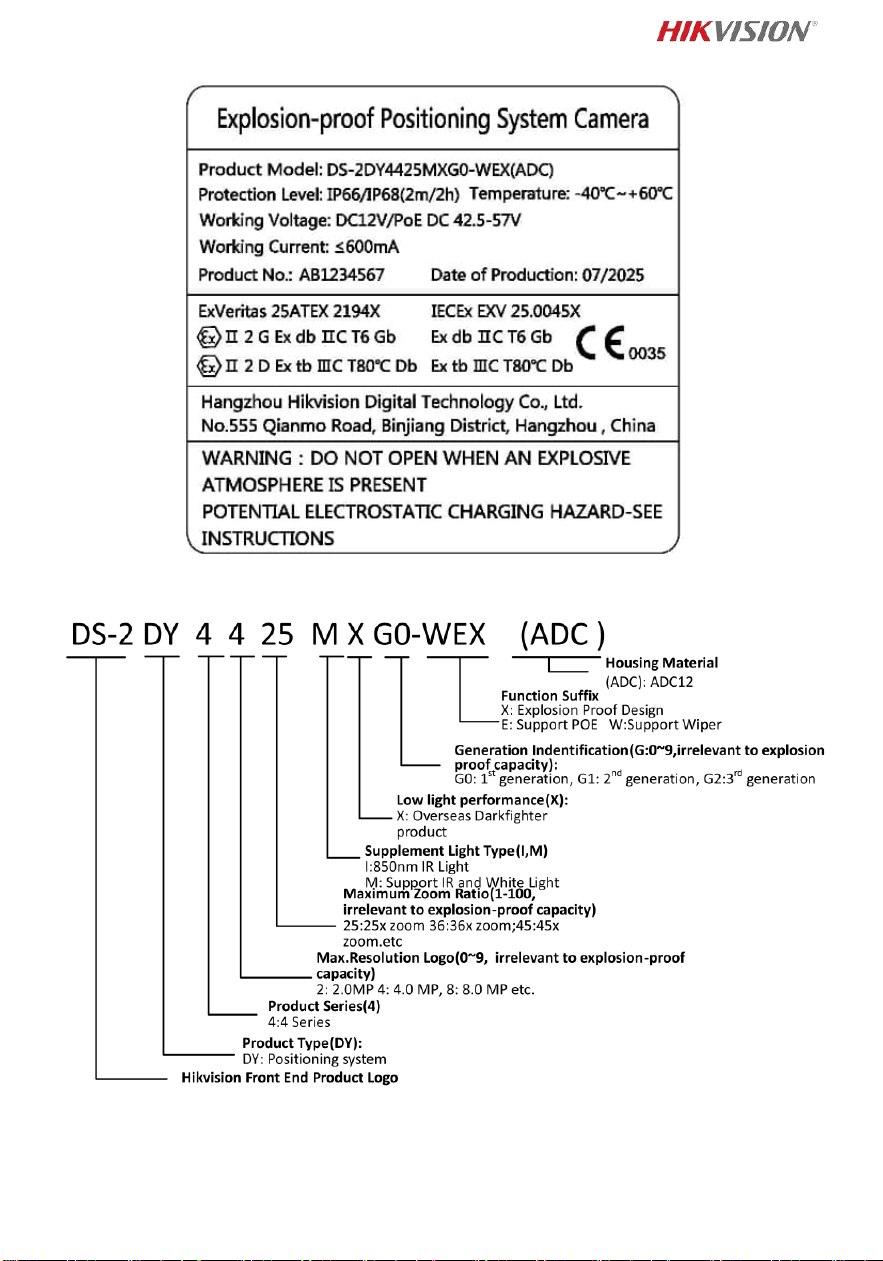
Explosion-proof Positioning System Nameplate
Explanation of model naming
Mechanical Specification
Material: Aluminum Alloy (ADC12)
Grounding screw: M4 × 10

11
Working Environment
Altitude (Above sea level): Within 2000 m.
Humidity: Within 95%.
Air pressure: 2 Kpa
Temperature: Refer to Explosion-proof Positioning System Nameplate.
Torque Wrench Specifications
Air-tight Test Hole (M10 × 1): 35 N·m
External Wire Compression Nut: 36 N·m
Explosion-proof Screw (M6): 10 N·m
Note:
To ensure safety of the users and explosion-proof performance of the device,
your installation environment must meet the installation requirements of the
device you purchased.
Grounding: The both internal and external earthing shall be connected
reliably.
Grease
Model: MOLYKOTE 33 M
Temperature:-73 °C to 180 °C
Tested Safety Components
Cable gland is tested with the equipment as an inseparable part of the enclosure
of the complete equipment.
Safety Instructions
Warnings
Laws and Regulations
The device should be used in compliance with local laws, electrical safety
regulations, and fire prevention regulations.
Electrical Safety
CAUTION: To reduce the risk of fire, replace only with the same type and rating of
fuse.
This equipment shall be installed incorporated with UPS to avoid the risk of
restart.
The equipment must be connected to an earthed mains socket-outlet.
For permanently connected equipment the disconnect device shall be
incorporated in the equipment, unless the equipment is accompanied by
installation instructions stating that an appropriate disconnect device shall be
provided as part of the building installation.
NOTE: External disconnect devices will not necessarily be supplied with the
equipment.
A readily accessible disconnect device with the appropriate rating shall be
incorporated external to the equipment.
An overcurrent protective device with the appropriate rating shall be
incorporated external to the equipment not exceeding the specification of the
building.
An all-pole mains switch shall be incorporated in the electrical installation of the
building.
Maintenance
To avoid fire danger caused by electrostatic charge, never touch or wipe the

12
device in explosive environment. Perform the wiping and replacing accessories
only under non-explosive environment with the glove.
To prevent accumulation of electrostatic charge, use a soft and damp cloth when
clean inside and outside surfaces of the bubble. DO NOT use alkaline detergents.
Installation
Never place the equipment in an unstable location. The equipment may fall,
causing serious personal injury or death.
Cautions
External Bonding and Conductors
The wire for external earthing shall be cross-section area given phase wires, but
not less than 4mm
2
.
Electrical Safety
Ensure correct wiring of the terminals for connection to an AC mains supply.
The equipment has been designed, when required, modified for connection to an
IT power distribution system.
Fire Prevention
No naked flame sources, such as lighted candles, should be placed on the
equipment.
The serial port of the equipment is used for debugging only.
Installation
Install the equipment according to the instructions in this manual.
Be sure that there is enough space to install the device and accessories.
Make sure that the wall is strong enough to withstand at least 8 times the weight
of the camera and the mount.
Make sure that the power has been disconnected before you wire, install, or
disassemble the device.
Installation could be only conducted by qualified personnel according to relevant
national regulations.
Transportation
Keep the device in original or similar packaging while transporting it.
Do not drop the product or subject it to physical shock.
Power Supply
Refer to the device label for the standard power supply. Please make sure your
power supply matches with your device.
System Security
Please understand that you have the responsibility to configure all the passwords
and other security settings about the device, and keep your user name and
password.
Maintenance
If the product does not work properly, please contact your dealer or the nearest
service center. We shall not assume any responsibility for problems caused by
unauthorized repair or maintenance.
A few device components (e.g., electrolytic capacitor) require regular
replacement. The average lifespan varies, so periodic checking is recommended.
Contact your dealer for details.
To ensure explosion-proof performance, do not damage explosion-proof surface.
Ambient temperature: -40°C to 60°C
DO NOT OPEN WHEN ENERGIZED.

13
POTENTIAL ELECTROSTATIC CHARGING HAZARD – SEE INSTRUCTIONS.
When assembly and operation, the operator must follow the requirements of the
IEC 60079-14: latest version Explosive atmospheres- Part 14: Electrical
installations design, selection and erection, beside of the manufacturer’s
operating instructions or its National equivalent.
Repair and overhaul shall comply with IEC 60079-19: latest version or its National
equivalent.
Cleaning
Please use a soft and damp cloth to clean the interior and exterior surfaces. Do
not use alkaline detergents.
Using Environment
When any laser equipment is in use, make sure that the device lens is not exposed
to the laser beam, or it may burn out.
Do not aim the lens at the sun or any other bright light.
To avoid heat accumulation, good ventilation is required for a proper operating
environment.
DO NOT expose the device to extremely hot, cold, dusty, corrosive, saline-alkali, or
damp environments. For temperature and humidity requirements, see device
specification.
DO NOT expose the device to high electromagnetic radiation.
Illuminator
Make sure that there is no reflective surface too close to the camera lens. The IR
light from the camera may reflect back into the lens causing reflection.
The beam of the light at the distance of 200 mm is classified as Risk Group 1 (RG1).
Possible hazardous optical radiation emitted from this product. Do NOT stare at
operating light source. May be harmful to the eyes.
If appropriate shielding or eye protection is not available, turn on the light only at
a safe distance or in the area that is not directly exposed to the light when
installing or maintaining the device.
Emergency
If smoke, odor, or noise arises from the device, immediately turn off the power,
unplug the power cable, and contact the service center.
Time Synchronization
Set up device time manually for the first time access if the local time is not
synchronized with that of the network. Visit the device via Web browse/client
software and go to time settings interface.
i internetowej / oprogramowania klienckiego.

File No. UD41608B
Date: 2025-07-28
Version: A