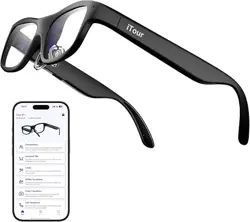
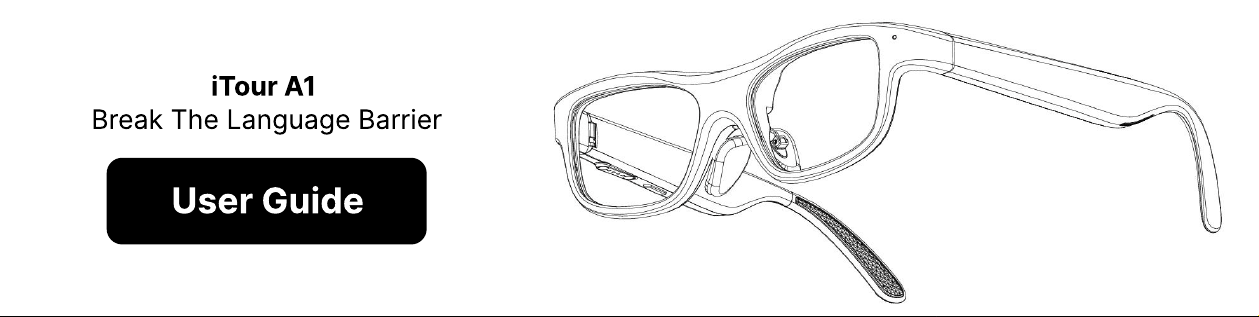
iTour A1
Break The Language Barrier
User Guide
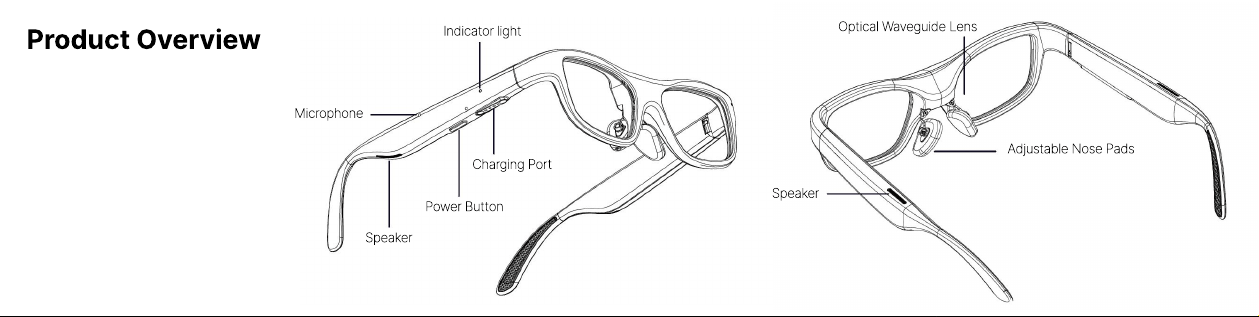
Product Overview
Indicator light
Optical Waveguide Lens
Adjustable Nose Pads
Speaker
Charging Port
Power Button
Speaker
Microphone
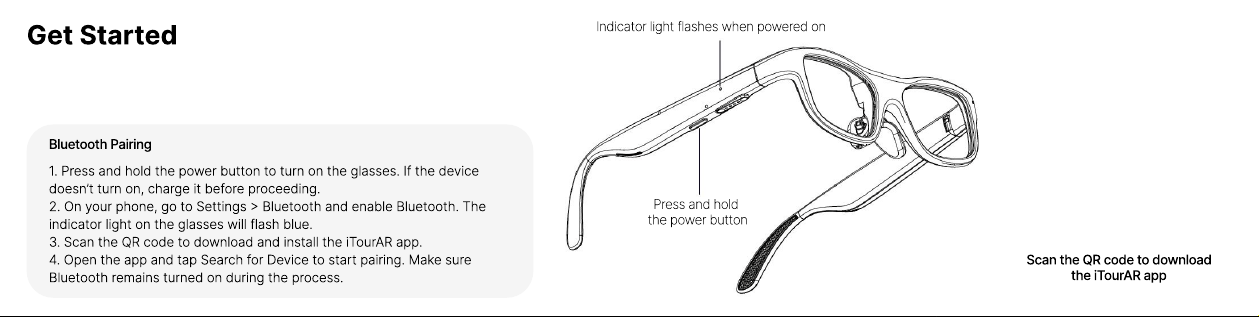
Get Started
Indicator light flashes when powered on
Press and hold
the power button
Bluetooth Pairing
1. Press and hold the power button to turn on the glasses. If the device
doesn’t turn on, charge it before proceeding.
2. On your phone, go to Settings > Bluetooth and enable Bluetooth. The
indicator light on the glasses will flash blue.
3. Scan the QR code to download and install the iTourAR app.
4. Open the app and tap Search for Device to start pairing. Make sure
Bluetooth remains turned on during the process.
Scan the QR code to download
the iTourAR app
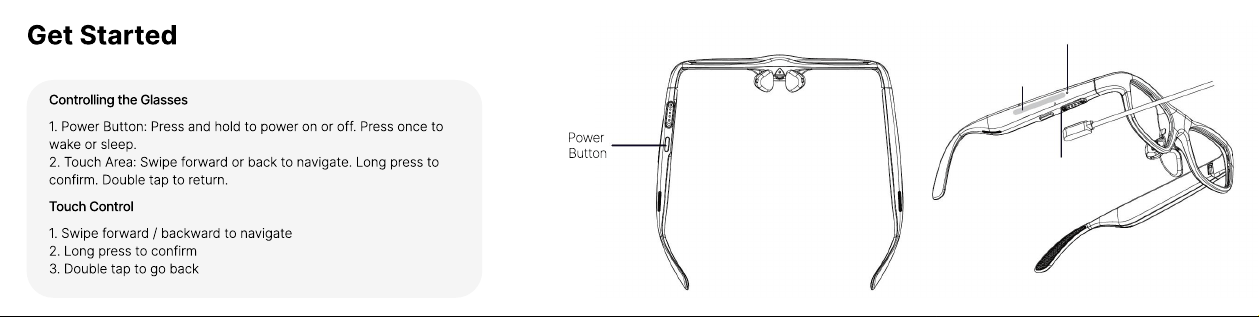
Get Started
Controlling the Glasses
1. Power Button: Press and hold to power on or off. Press once to
wake or sleep.
2. Touch Area: Swipe forward or back to navigate. Long press to
confirm. Double tap to return.
Touch Control
1. Swipe forward / backward to navigate
2. Long press to confirm
3. Double tap to go back
Power
Button
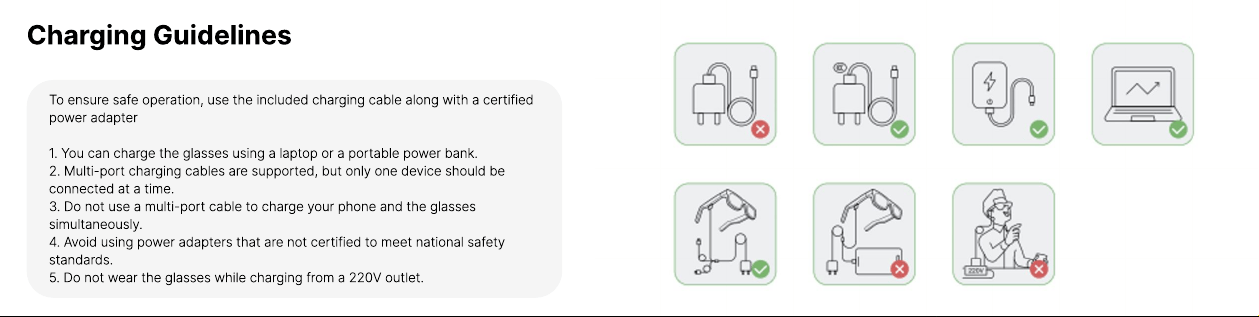
Charging Guidelines
To ensure safe operation, use the included charging cable along with a certified
power adapte
1. You can charge the glasses using a laptop or a portable power bank
2. Multi-port charging cables are supported, but only one device should be
connected at a time
3. Do not use a multi-port cable to charge your phone and the glasses
simultaneously
4. Avoid using power adapters that are not certified to meet national safety
standards
5. Do not wear the glasses while charging from a 220V outlet.
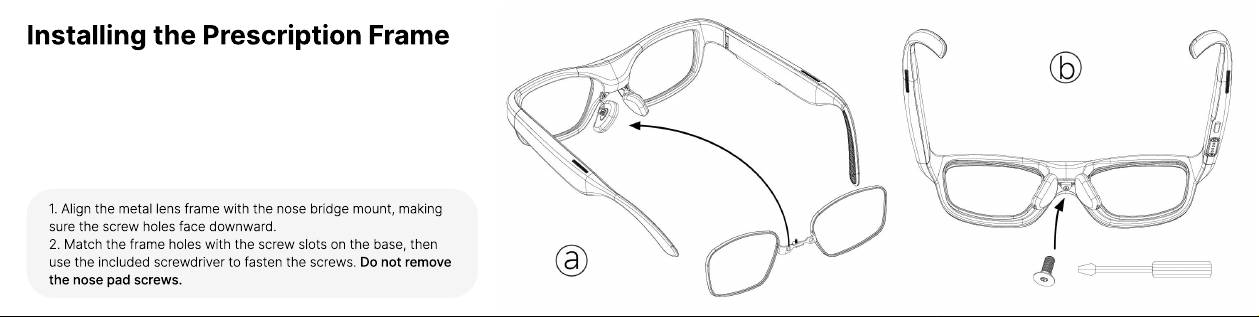
Installing the Prescription Frame
1. Align the metal lens frame with the nose bridge mount, making
sure the screw holes face downward
2. Match the frame holes with the screw slots on the base, then
use the included screwdriver to fasten the screws. Do not remove
the nose pad screws.
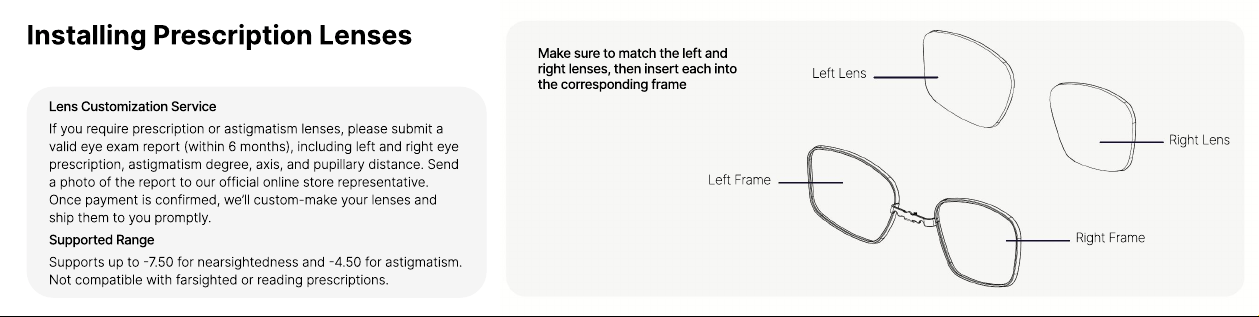
Make sure to match the left and
right lenses, then insert each into
the corresponding frame
Installing Prescription Lenses
Lens Customization Service
If you require prescription or astigmatism lenses, please submit a
valid eye exam report (within 6 months), including left and right eye
prescription, astigmatism degree, axis, and pupillary distance. Send
a photo of the report to our official online store representative.
Once payment is confirmed, we’ll custom-make your lenses and
ship them to you promptly.
Supported Range
Supports up to -7.50 for nearsightedness and -4.50 for astigmatism.
Not compatible with farsighted or reading prescriptions.
Left Lens
Left Frame
Right Frame
Right Lens
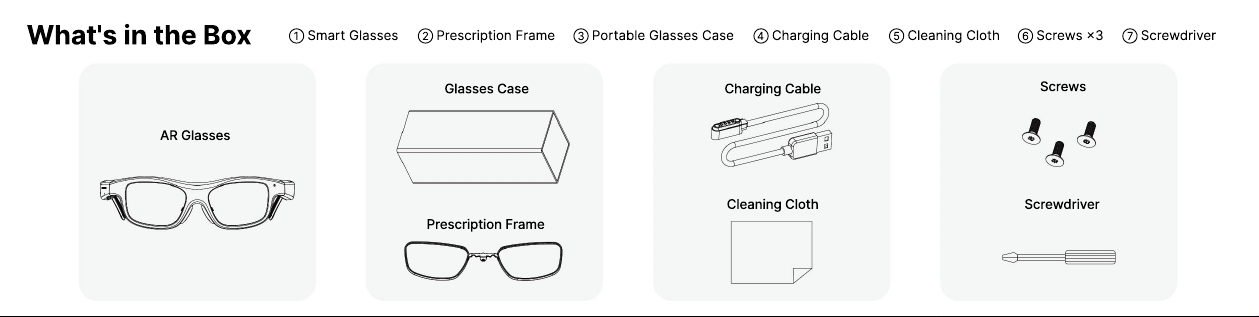
What's in the Box
AR Glasses
Glasses Case Charging Cable
Screws
ScrewdriverCleaning Cloth
Prescription Frame
① Smart Glasses ② Prescription Frame ③ Portable Glasses Case ④ Charging Cable ⑤ Cleaning Cloth ⑥ Screws ×3 ⑦ Screwdriver
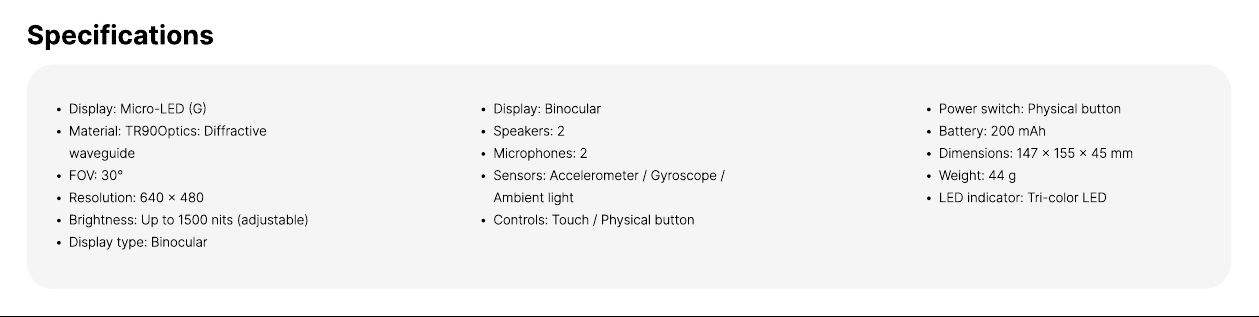
Specifications
Display: Micro-LED (G
Material: TR90Optics: Diffractive
waveguid
FOV: 30
Resolution: 640 × 48
Brightness: Up to 1500 nits (adjustable
Display type: Binocular
Display: Binocula
Speakers:
Microphones:
Sensors: Accelerometer / Gyroscope /
Ambient ligh
Controls: Touch / Physical button
Power switch: Physical butto
Battery: 200 mA
Dimensions: 147 × 155 × 45 m
Weight: 44
LED indicator: Tri-color LED
Legal Notice
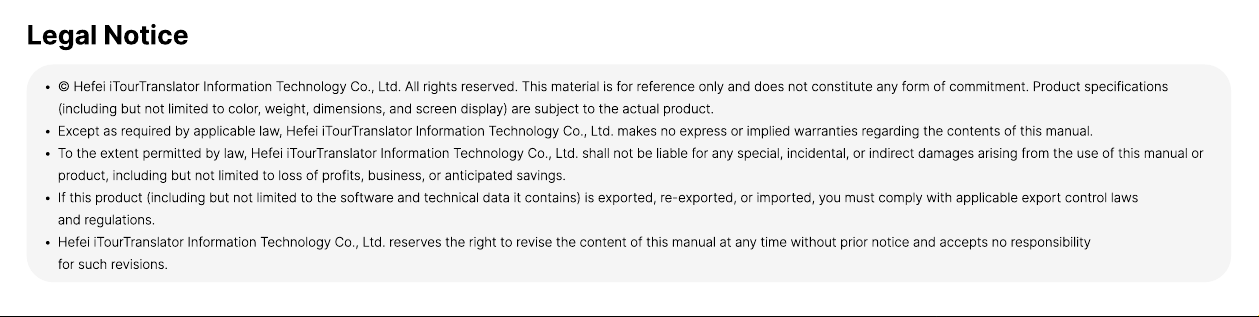
© Hefei iTourTranslator Information Technology Co., Ltd. All rights reserved. This material is for reference only and does not constitute any form of commitment. Product specifications
(including but not limited to color, weight, dimensions, and screen display) are subject to the actual product
Except as required by applicable law, Hefei iTourTranslator Information Technology Co., Ltd. makes no express or implied warranties regarding the contents of this manual
To the extent permitted by law, Hefei iTourTranslator Information Technology Co., Ltd. shall not be liable for any special, incidental, or indirect damages arising from the use of this manual or
product, including but not limited to loss of profits, business, or anticipated savings
If this product (including but not limited to the software and technical data it contains) is exported, re-exported, or imported, you must comply with applicable export control laws
and regulations
Hefei iTourTranslator Information Technology Co., Ltd. reserves the right to revise the content of this manual at any time without prior notice and accepts no responsibility
for such revisions.
Usage Guidelines
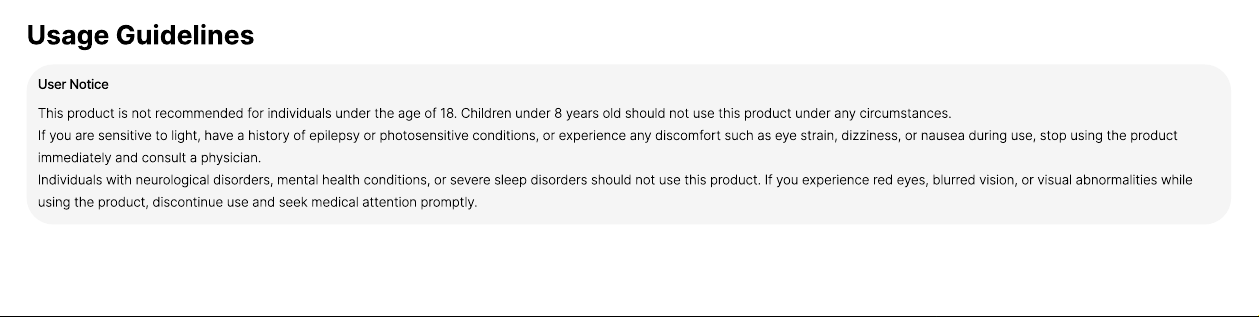
User Notice
This product is not recommended for individuals under the age of 18. Children under 8 years old should not use this product under any circumstances.
If you are sensitive to light, have a history of epilepsy or photosensitive conditions, or experience any discomfort such as eye strain, dizziness, or nausea during use, stop using the product
immediately and consult a physician.
Individuals with neurological disorders, mental health conditions, or severe sleep disorders should not use this product. If you experience red eyes, blurred vision, or visual abnormalities while
using the product, discontinue use and seek medical attention promptly.
Usage Guidelines
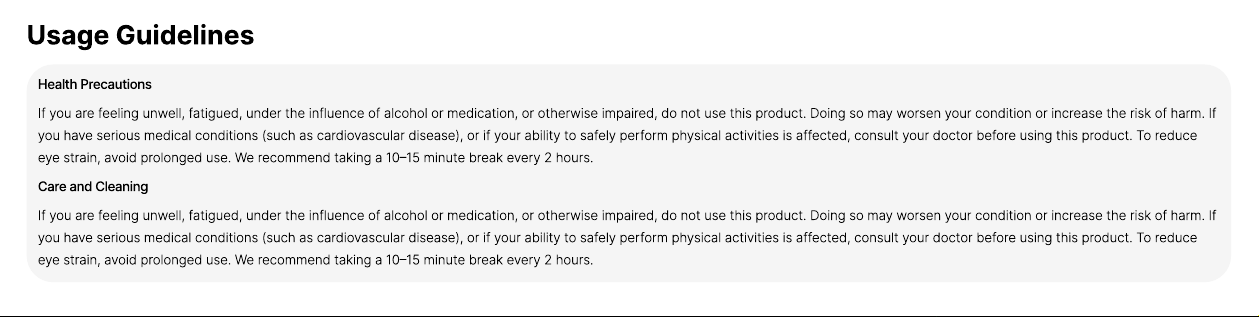
Health Precautions
If you are feeling unwell, fatigued, under the influence of alcohol or medication, or otherwise impaired, do not use this product. Doing so may worsen your condition or increase the risk of harm. If
you have serious medical conditions (such as cardiovascular disease), or if your ability to safely perform physical activities is affected, consult your doctor before using this product. To reduce
eye strain, avoid prolonged use. We recommend taking a 10–15 minute break every 2 hours.
Care and Cleaning
If you are feeling unwell, fatigued, under the influence of alcohol or medication, or otherwise impaired, do not use this product. Doing so may worsen your condition or increase the risk of harm. If
you have serious medical conditions (such as cardiovascular disease), or if your ability to safely perform physical activities is affected, consult your doctor before using this product. To reduce
eye strain, avoid prolonged use. We recommend taking a 10–15 minute break every 2 hours.
Usage Guidelines
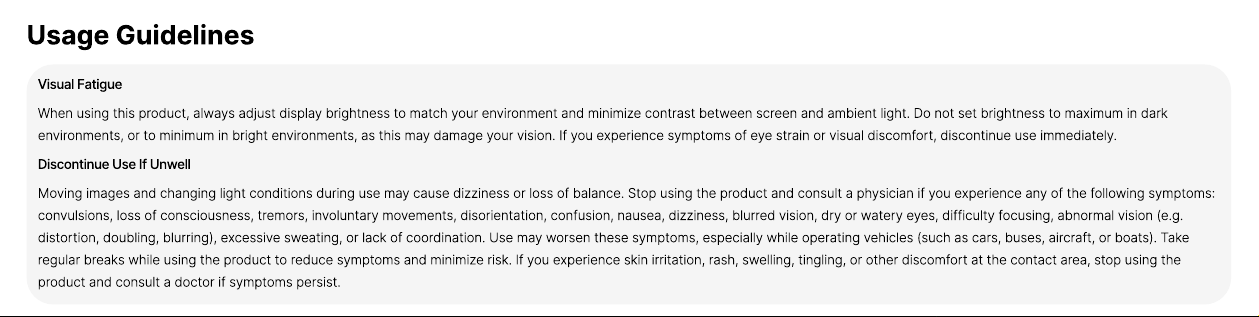
Visual Fatigue
When using this product, always adjust display brightness to match your environment and minimize contrast between screen and ambient light. Do not set brightness to maximum in dark
environments, or to minimum in bright environments, as this may damage your vision. If you experience symptoms of eye strain or visual discomfort, discontinue use immediately.
Discontinue Use If Unwell
Moving images and changing light conditions during use may cause dizziness or loss of balance. Stop using the product and consult a physician if you experience any of the following symptoms:
convulsions, loss of consciousness, tremors, involuntary movements, disorientation, confusion, nausea, dizziness, blurred vision, dry or watery eyes, difficulty focusing, abnormal vision (e.g.
distortion, doubling, blurring), excessive sweating, or lack of coordination. Use may worsen these symptoms, especially while operating vehicles (such as cars, buses, aircraft, or boats). Take
regular breaks while using the product to reduce symptoms and minimize risk. If you experience skin irritation, rash, swelling, tingling, or other discomfort at the contact area, stop using the
product and consult a doctor if symptoms persist.
Safety Information
Keep the device dry. Avoid using it in environments with excessive dust, humidity, or high salinity (e.g. coastal areas) to prevent internal short circuits or damage. Do not use the device during
thunderstorms. Lightning may cause malfunctions or electric shock. Use the product at altitudes below 2000 meters and within a temperature range of 0°C to 40°C. Excessive heat or cold may
lead to automatic shutdown, reduced lifespan, or other malfunctions. If charging is required, always use the original charging cable and power adapter. Do not expose the product to high
temperatures or place it near heat-emitting appliances such as lamps, heaters, microwave ovens, ovens, or stovetops, as overheating may cause damage, battery swelling, leakage, or even
explosion
Do not disassemble or modify the device. Do not allow water or any liquid to enter the device to avoid short circuits, overheating, or fire
Do not throw the device into a fire, as this may cause explosion or fire
Dispose of the device in accordance with local regulations. Improper disposal may lead to explosion. Participate in local recycling programs where applicable.
Safety Information
Keep the device away from pets. Biting may cause damage or explosion
Do not use unauthorized or incompatible power adapters, chargers, or batteries. Doing so may result in fire, explosion, or other hazards
This device and its accessories may contain small parts. Keep them out of reach of children to prevent accidental damage or ingestion, which could lead to choking or other injuries
The device contains a non-removable internal battery. Do not attempt to replace the battery yourself, as this may cause damage or injury
Do not use this product in environments where wireless devices are prohibited, such as healthcare or medical facilities. Follow all posted regulations and turn off the device when required.
Precautions for Use
Device Safety
This product must not be worn together with any other type of eyewear (except optical lenses or contact lenses). Doing so may cause product damage or create unsafe user experiences
This product is not supplied with a power adapter. Consumers should use a compliant adapter that meets standard requirements. Using a substandard adapter may result in irreversible
damage to the product
The display screen of this product is manufactured with high-precision technology. Please avoid shaking, throwing, or dropping the product, and prevent strong external impacts to avoid
damage. If the product is dropped, crushed, or subjected to external force and is damaged, stop using it immediately
Do not use this product together with unauthorized accessories or equipment. For information on compatible devices, please visit the official website
Do not disassemble, reassemble, modify, attempt to repair the product yourself, or have it serviced by unauthorized agencies. If the product has been visibly damaged or has a fault (even if
the fault does not affect normal operation of some functions), discontinue use immediately. Continuing to use the product may result in electric shock, serious injury, or death
The manufacturer assumes no responsibility for damage or injury resulting from misuse or unsafe operation of this product.
Warranty Policy
Within 7 days of purchase, if the main unit shows performance issues and no visible damage, and does not affect resale, the customer may request a return, exchange, or repair. Within 1
year of purchase, if the main unit shows performance issues (non-human damage), the customer may request free repair service. Free maintenance for performance issues (non-human
damage) within 1 year. Battery warranty (non-human damage): valid for 6 months
What is NOT covered by the warranty
Product is worn due to regular usage
Failure to use in accordance with the instruction
Damage caused by human or irresistible factors.
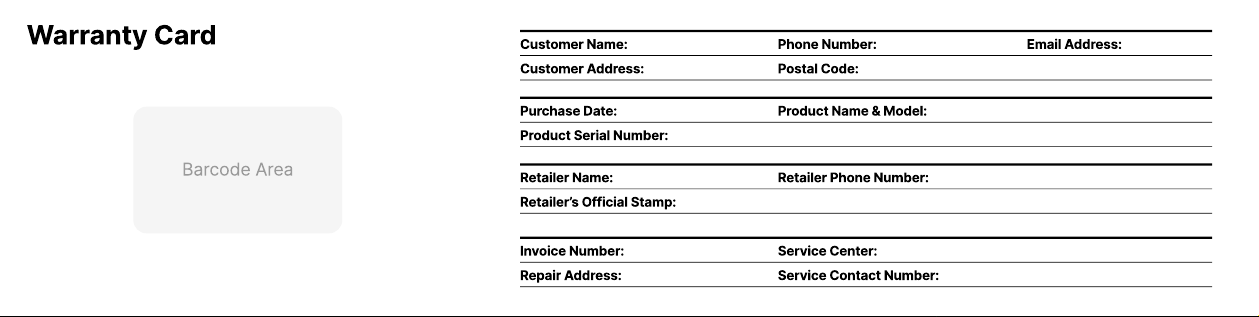
Warranty Card
Barcode Area
Customer Name:
Purchase Date:
Retailer Name:
Invoice Number:
Customer Address:
Product Serial Number:
Retailer’s Official Stamp:
Repair Address:
Postal Code:
Phone Number:
Product Name & Model:
Retailer Phone Number:
Service Center:
Service Contact Number:
Email Address:
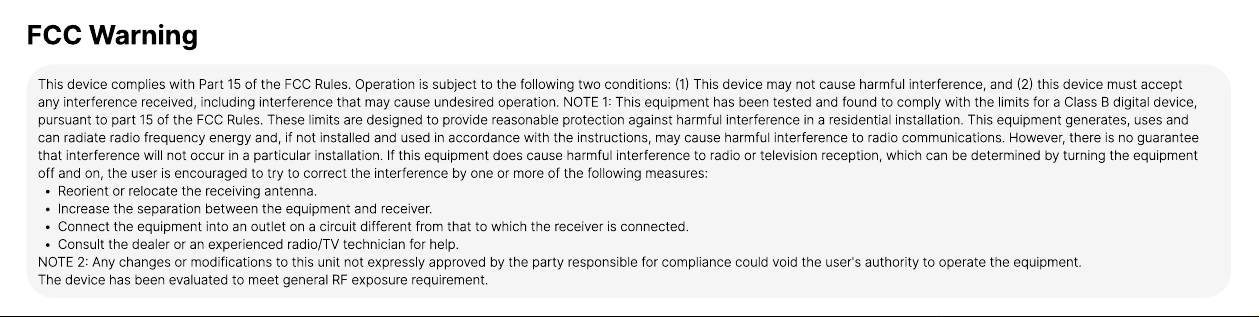
FCC Warning
This device complies with Part 15 of the FCC Rules. Operation is subject to the following two conditions: (1) This device may not cause harmful interference, and (2) this device must accept
any interference received, including interference that may cause undesired operation. NOTE 1: This equipment has been tested and found to comply with the limits for a Class B digital device,
pursuant to part 15 of the FCC Rules. These limits are designed to provide reasonable protection against harmful interference in a residential installation. This equipment generates, uses and
can radiate radio frequency energy and, if not installed and used in accordance with the instructions, may cause harmful interference to radio communications. However, there is no guarantee
that interference will not occur in a particular installation. If this equipment does cause harmful interference to radio or television reception, which can be determined by turning the equipment
off and on, the user is encouraged to try to correct the interference by one or more of the following measures
Reorient or relocate the receiving antenna
Increase the separation between the equipment and receiver
Connect the equipment into an outlet on a circuit different from that to which the receiver is connected
Consult the dealer or an experienced radio/TV technician for help
NOTE 2: Any changes or modifications to this unit not expressly approved by the party responsible for compliance could void the user's authority to operate the equipment
The device has been evaluated to meet general RF exposure requirement.
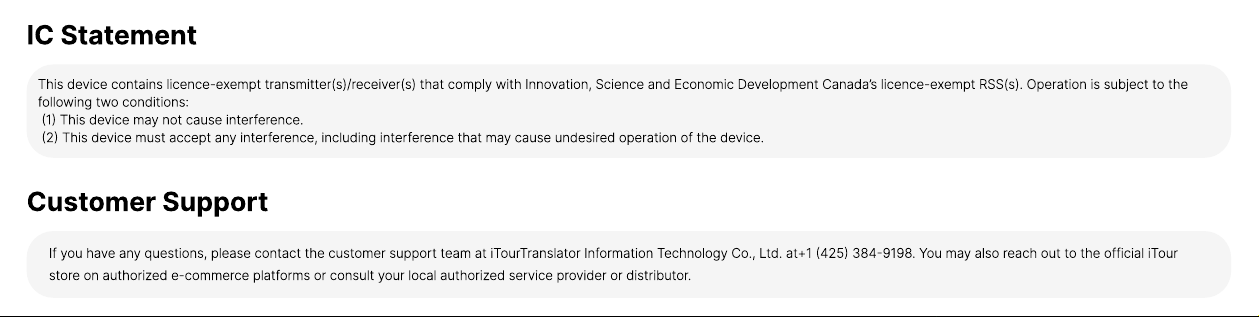
IC Statement
This device contains licence-exempt transmitter(s)/receiver(s) that comply with Innovation, Science and Economic Development Canada’s licence-exempt RSS(s). Operation is subject to the
following two conditions
(1) This device may not cause interference
(2) This device must accept any interference, including interference that may cause undesired operation of the device.
Customer Support
If you have any questions, please contact the customer support team at iTourTranslator Information Technology Co., Ltd. at+1 (425) 384-9198. You may also reach out to the official iTour
store on authorized e-commerce platforms or consult your local authorized service provider or distributor.