
SwipeSense, Inc.
1355 Peachtree St NE
Suite 700
Atlanta, GA 30309
(404) 975-1686
Badge Model: 123.0
Page 1 of 4
Badge
User Manual

SwipeSense, Inc.
1355 Peachtree St NE
Suite 700
Atlanta, GA 30309
(404) 975-1686
Badge Model: 123.0
Page 2 of 4
Safety and Regulatory Information
This device complies with part 15 of the FCC Rules. Operation is subject to the following two conditions.
(1) this device may not cause harmful interference, and (2) this device must accept any interference
received, including interference that may cause undesired operation.
Warning: Changes or modifications not expressly approved by the party responsible for compliance
could void the user’s authority to operate the equipment
This equipment has been tested and found to comply with the limits for a Class B digital device, pursuant
to part 15 of the FCC Rules. These limits are designed to provide reasonable protection against harmful
interference in a residential installation. This equipment generates, uses and can radiate radio frequency
energy and, if not installed and used in accordance with the instructions, may cause harmful interference
to radio communications. However, there is no guarantee that interference will not occur in a particular
installation. If this equipment does cause harmful interference to radio or television reception, which can
be determined by turning the equipment off and on, the user is encouraged to try to correct the
interference by one or more of the following measures:
• Reorient or relocate the receiving antenna.
• Increase the separation between the equipment and receiver.
• Connect the equipment into an outlet on a circuit different from that to which the receiver is
connected.
• Consult the dealer or an experienced radio/ TV technician for help.
RF Exposure:
The device has been evaluated to meet general RF exposure requirement. The device can be used in
portable exposure condition without restriction.
Warnings
• This Device is for indoor use only.
• This Device is only to be installed by trained SwipeSense personnel.
• Do not open the Device as there are no user serviceable parts inside
and this product is powered at all times.
• Do not use if the case is cracked or worn.
Caution
Changes or modifications not expressly approved by the party responsible for
compliance could void the user’s authority to operate the equipment.
SwipeSense, Inc.
1355 Peachtree St NE
Suite 700
Atlanta, GA 30309
(404) 975-1686
Badge Model: 123.0
Page 3 of 4
System Description
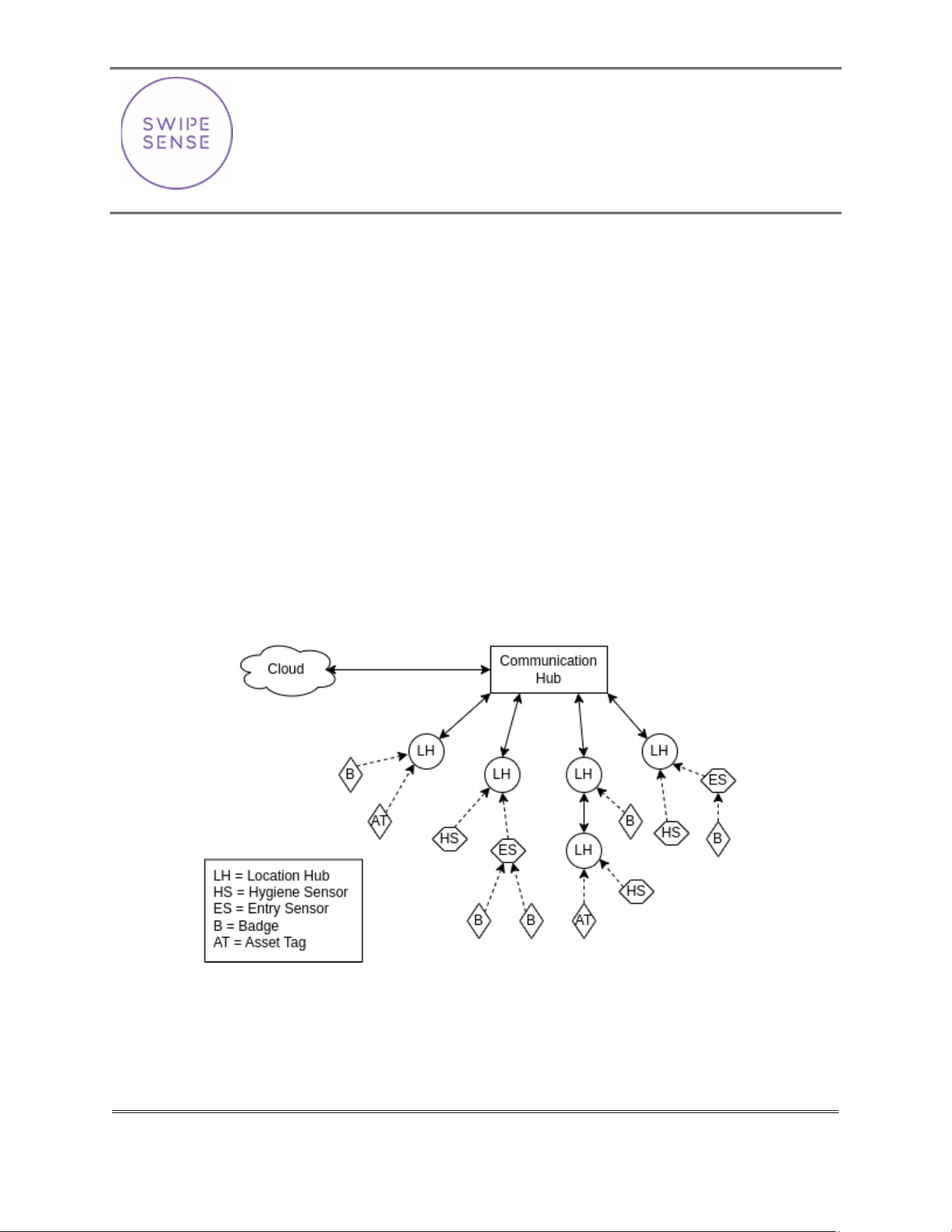
The SwipeSense System combines point-of-care hand hygiene with real-time usage data to eliminate
dependency on manual observations and increase compliance with infection control procedures.
Our fully integrated system seamlessly provides real-time hand hygiene data from across the enterprise
with exceptional clarity. The SwipeSense System creates a Thread network using Location Hubs that
funnel all data back to a central Comm Hub device. The system is comprised of:
• Badges worn on individual employees
• Asset tags attached to assets that should be tracked
• Hygiene sensors mounted to hygiene dispensers tracks employee hand sanitation frequency
• Entry sensors installed in door thresholds to provide real time feedback
• Location hubs monitor employee presence in patient rooms and asset locations
• Communication hub located on each unit collects the data generated within the network and
transmits to the cloud.
Once the data is uploaded to the cloud, it is accessible to all administrators.

SwipeSense, Inc.
1355 Peachtree St NE
Suite 700
Atlanta, GA 30309
(404) 975-1686
Badge Model: 123.0
Page 4 of 4
Product Description
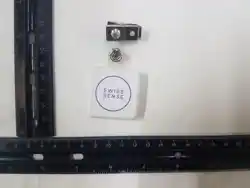
The Badge is a small device that is designed to be either worn by a person, or attached to an asset. It
provides a dynamic signal that is motion aware and reduces frequency when stationary to save power and
extend battery life.
This signal is detected by Location Hubs across the unit, with all observations being aggregated together
on the central Comm Hub device to establish real-time position.
Getting Started
Before the Badge will start collecting any useful data it needs to be assigned to a person or asset, but
this will normally be done before you receive the device by your Partner Success Manager.
For customers that manage some or all their own assignment, designated users with elevated
permission will receive extra training and be able to use the device ID printed on the back to register a
Badge to a person or asset.
Normal Use
All you need to do once the Badge is registered, is wear it or attach it to the assigned asset. It will be
continually tracked by the system and provide real-time location updates.
Cleaning
If a Badge becomes dirty you can clean it with a damp cloth or mild detergent. The device is sealed and
protected against incidental splashing, but it is not rated as waterproof and should not be submerged or
intentionally exposed to water.
Battery and Disposal
The Badge contains a sealed CR2450 battery that is not user-replaceable. When the battery is running
low, you will receive an email prompting you to replace and properly dispose of the Badge before it
stops working. Dispose of the device and battery in accordance with local requirements for electronic
waste and batteries.