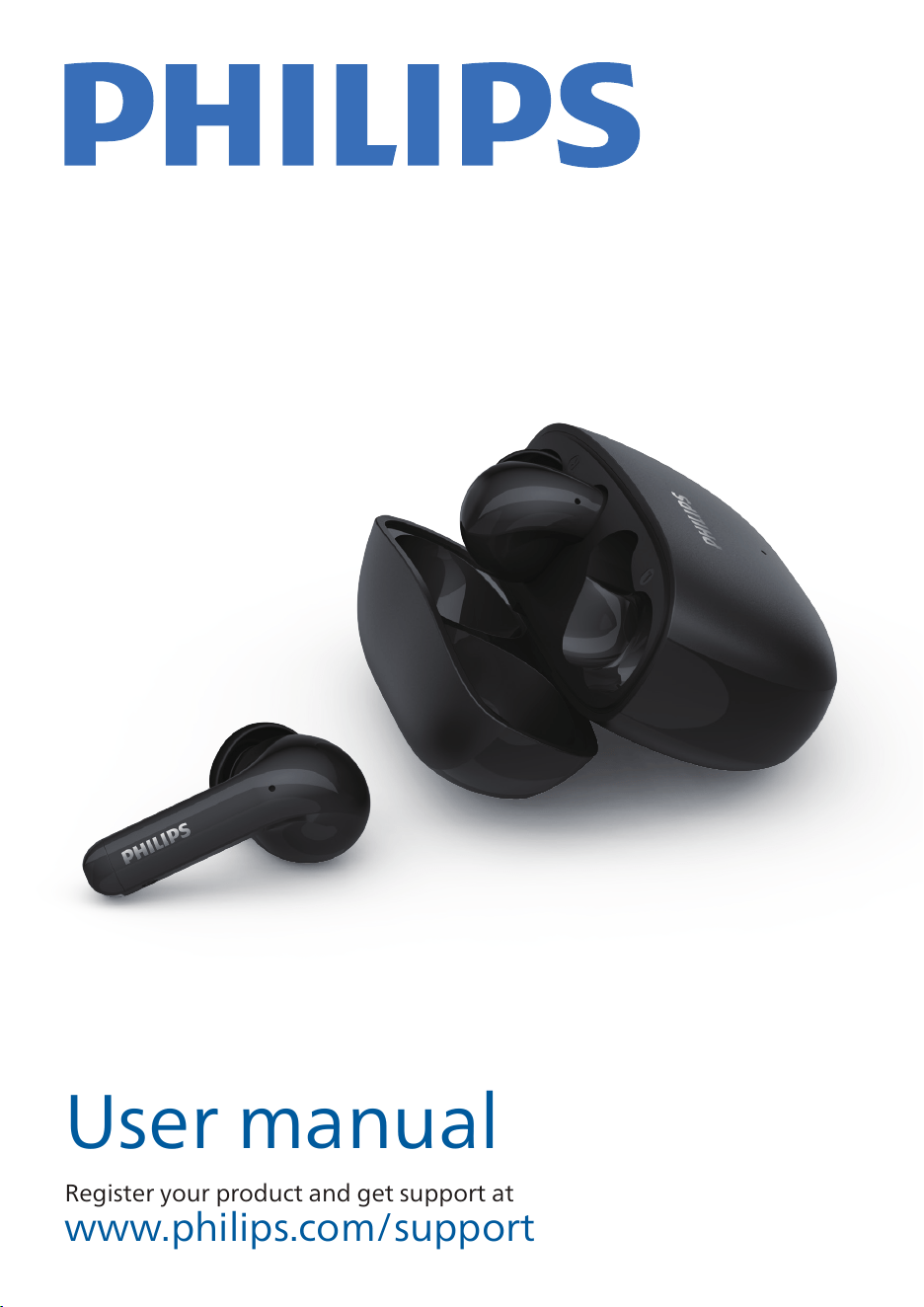
Headphones
TAT1320
User manual
Register your product and get support at
www.philips.com/support
台
真无线耳机
低延时模式
真无线耳机概述
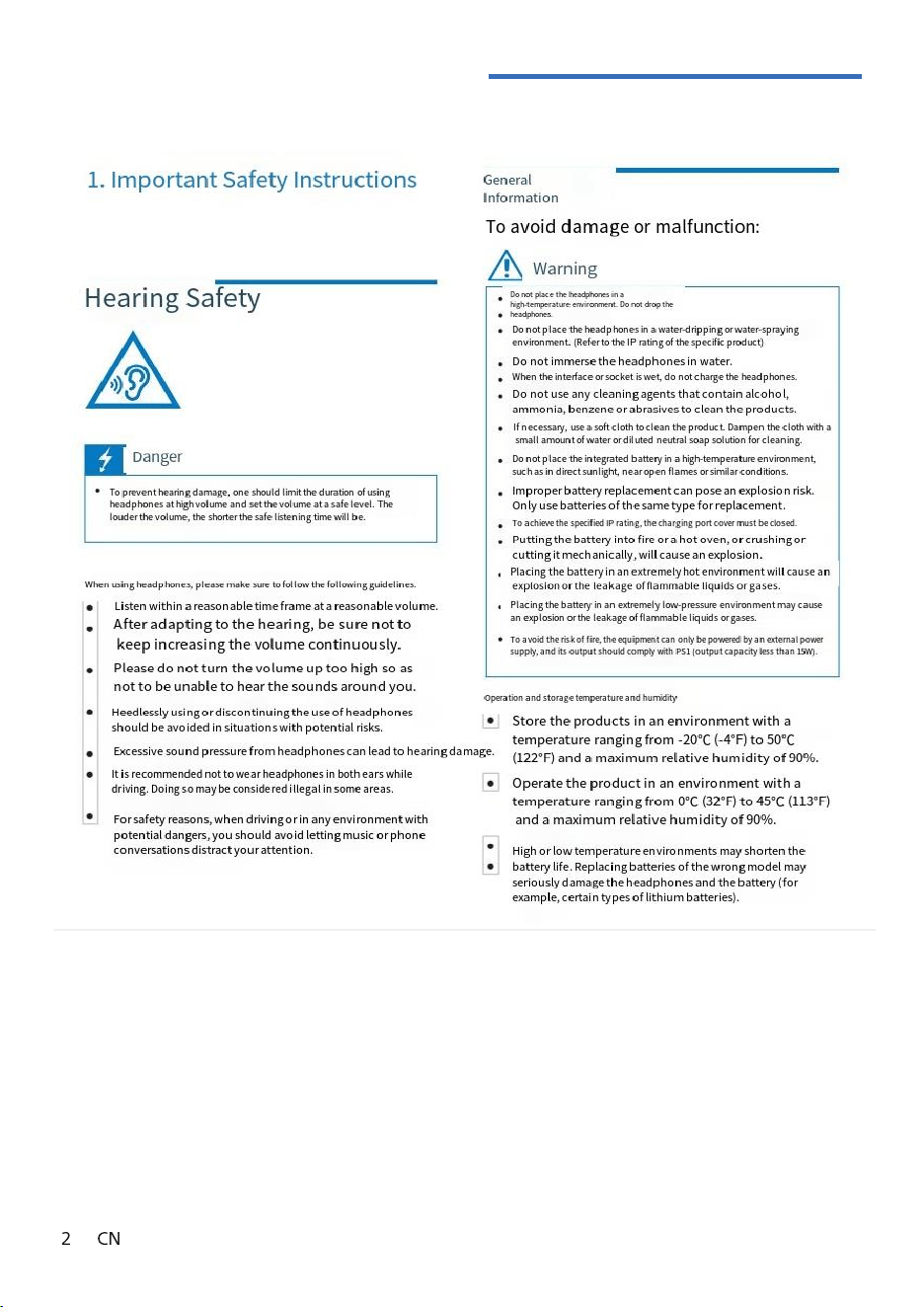
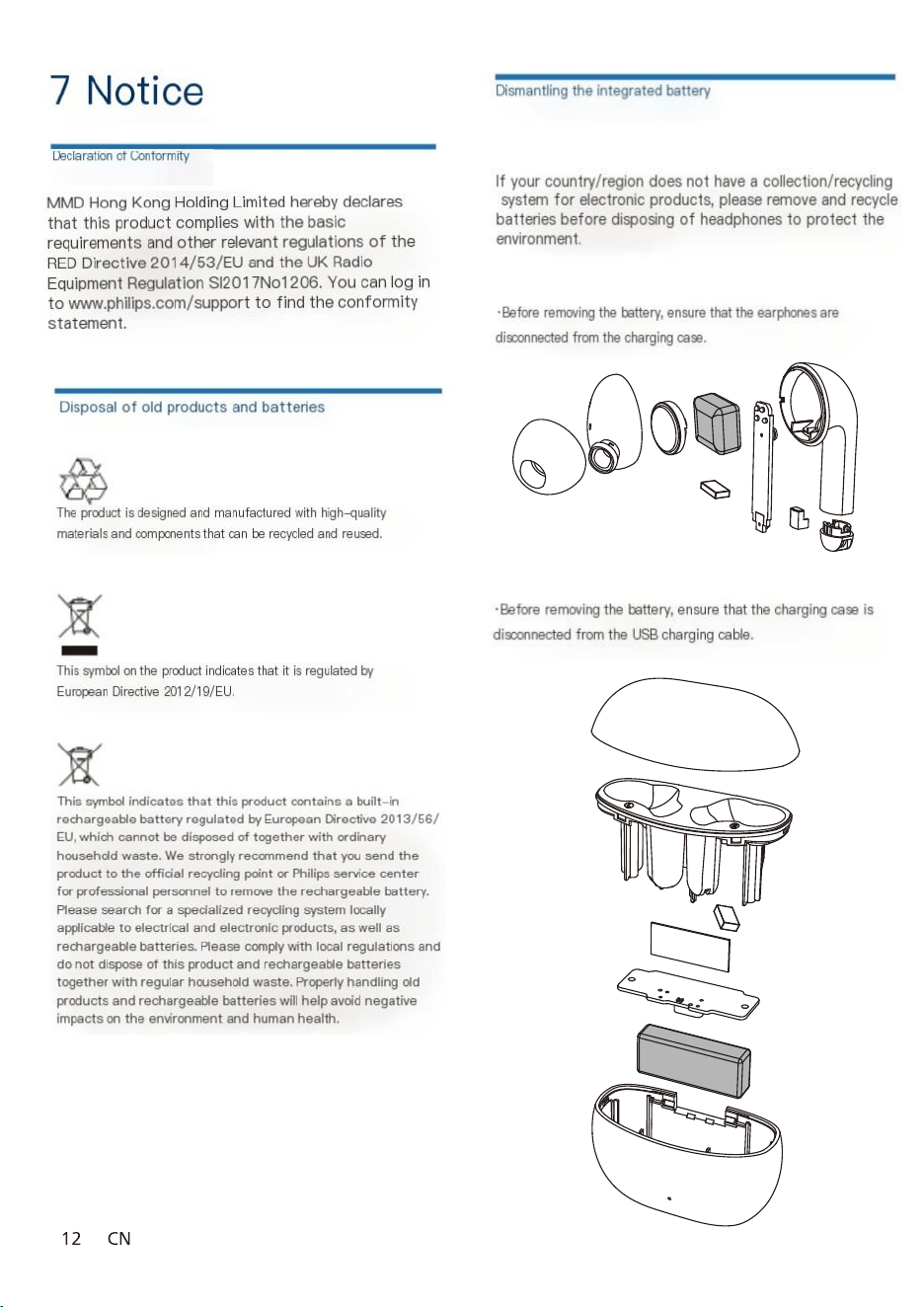
1.Important Safety
Instructions
general information
www.philips.com/welcome
Headphones
TAT1320
Warranty
information
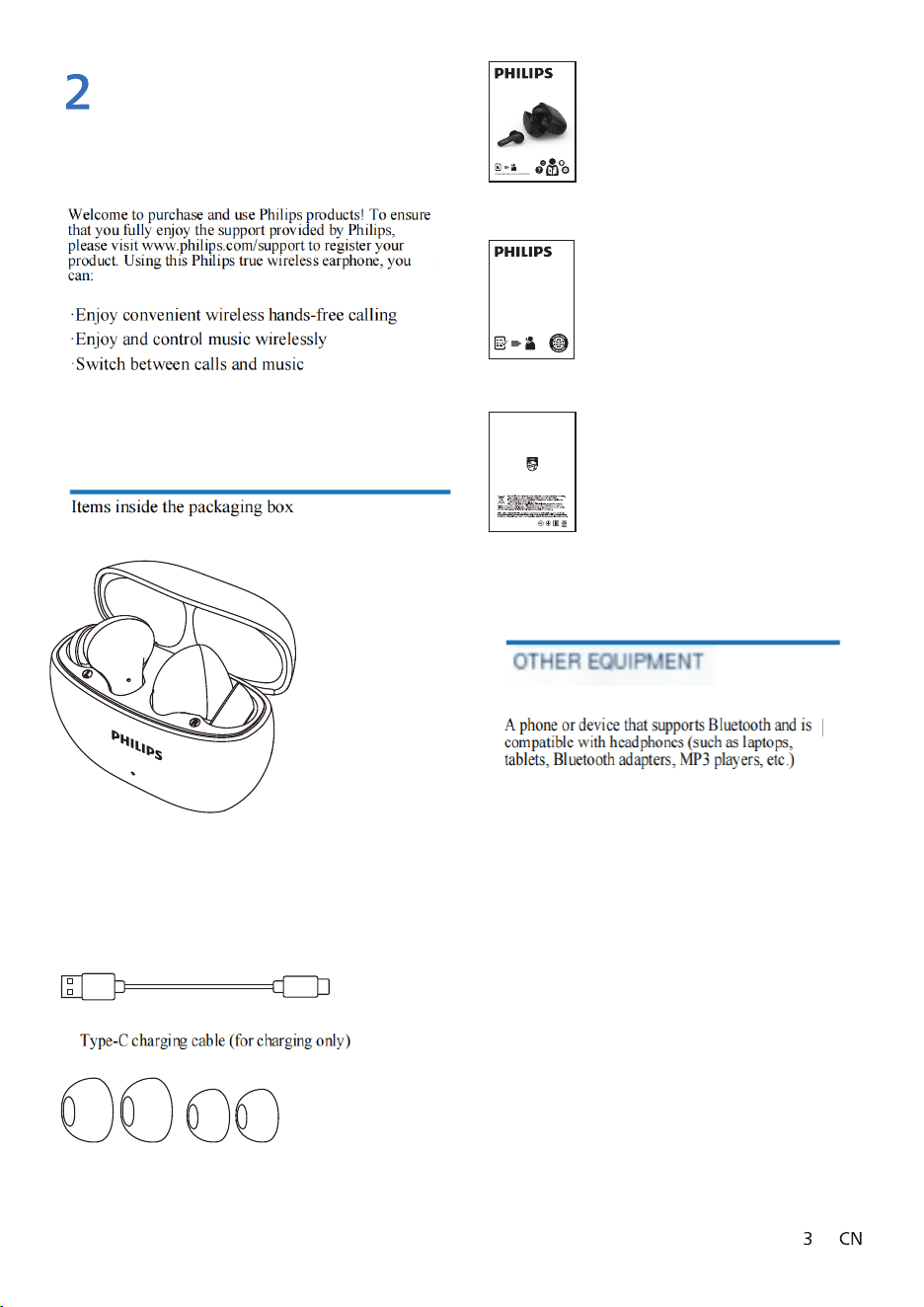
True wireless headphones
Quick Start Guide
guarantee
security manual
Philips True Wireless Headphon
Philips TAT1320
earmuff
②
①
③
④
⑤
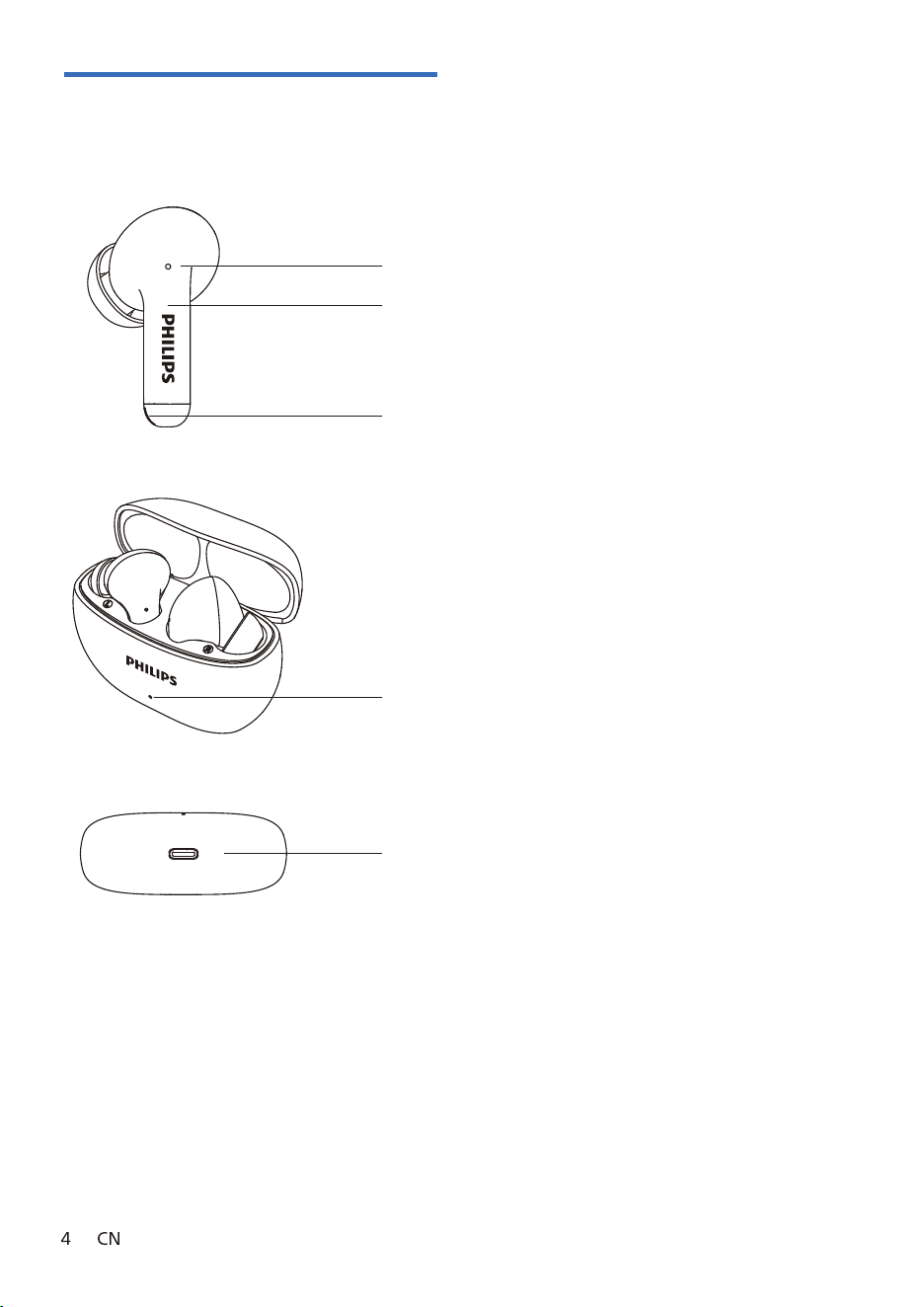
Overview of True Wireless Headphones
Multi-functional touch keys
Charging contact points
Sound outlet
LED indicator light (charging case)
USB charging port
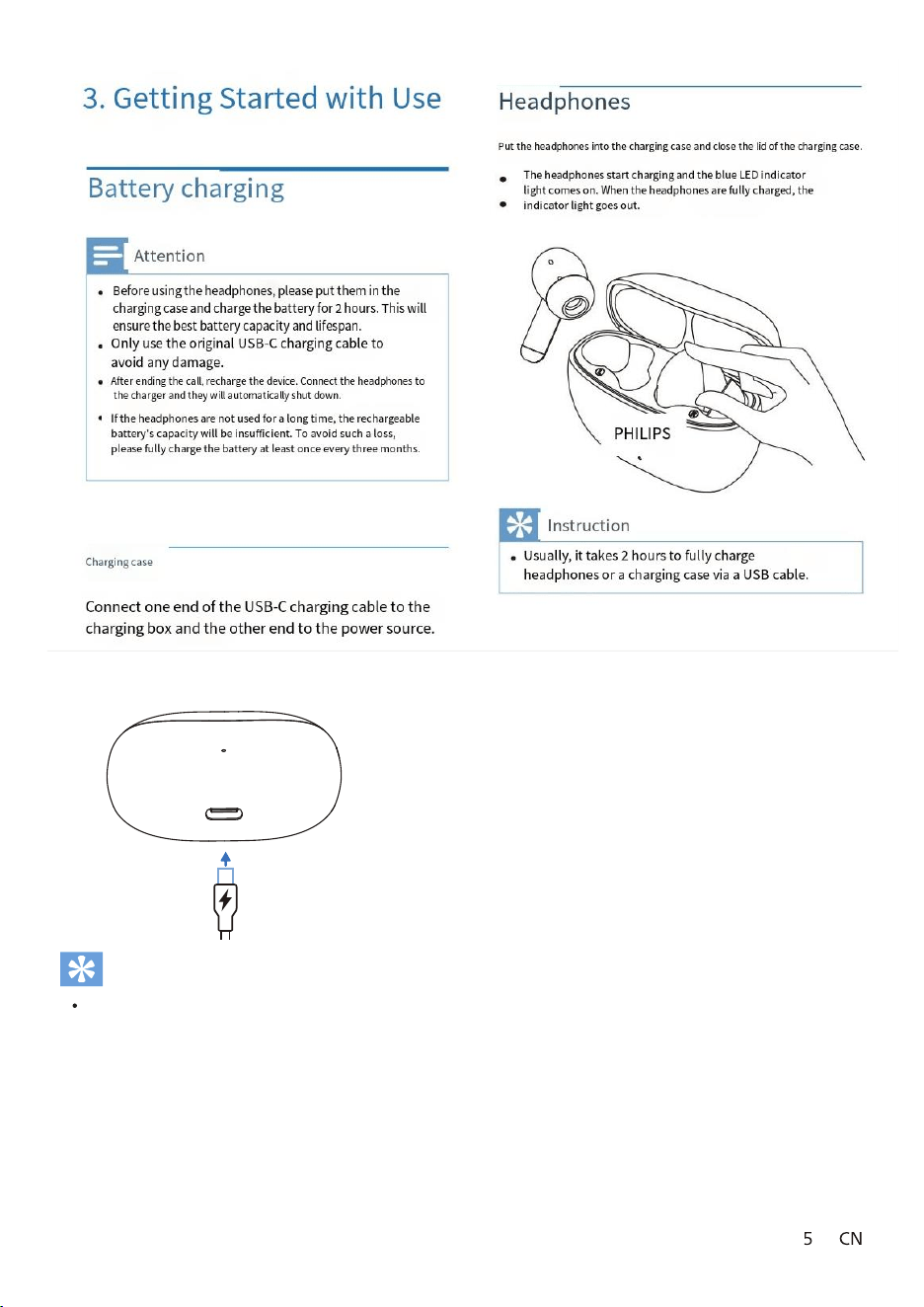
将耳机放入充电盒中,盖上充电盒上盖。
耳机开始充电,蓝色LED指示灯亮起。
当耳机充满电时,指示灯熄灭。
Hint
The charging case is used as a portable backup battery
to charge the headphones. Once the charging case is
fully charged, it can fully charge the headphones three
times.
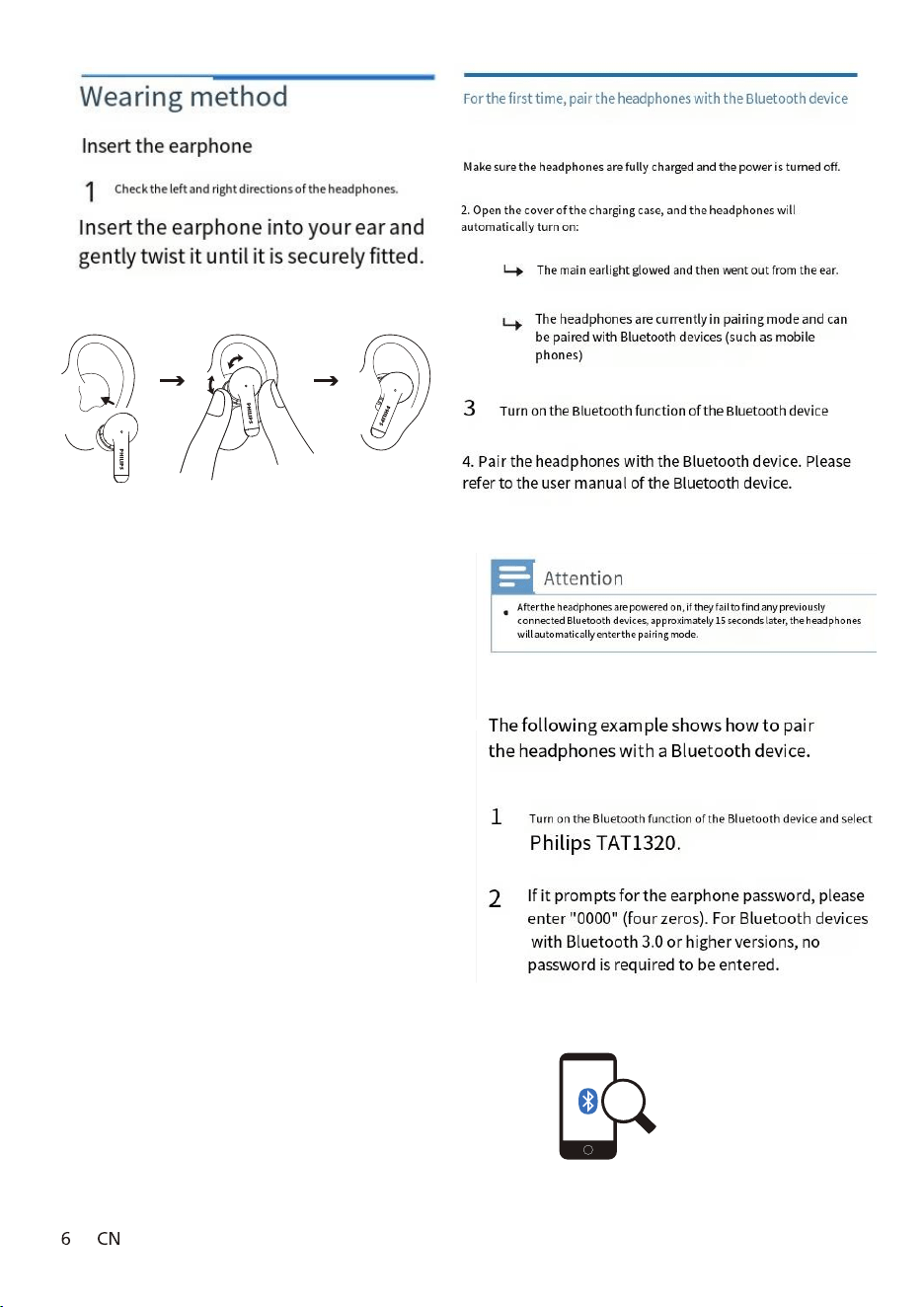
Philips TAT1320
Philips TAT1320.
打开充电盒上盖,耳机自动开机:
主 耳 白 灯 闪 烁 ,从 耳 熄 灭
2
确保耳机已充满电且已关闭电源。
1
耳机开机后,如果耳机找不到之前连接的任何蓝牙
设备,大概15秒后,耳机将自动进入配对模式。
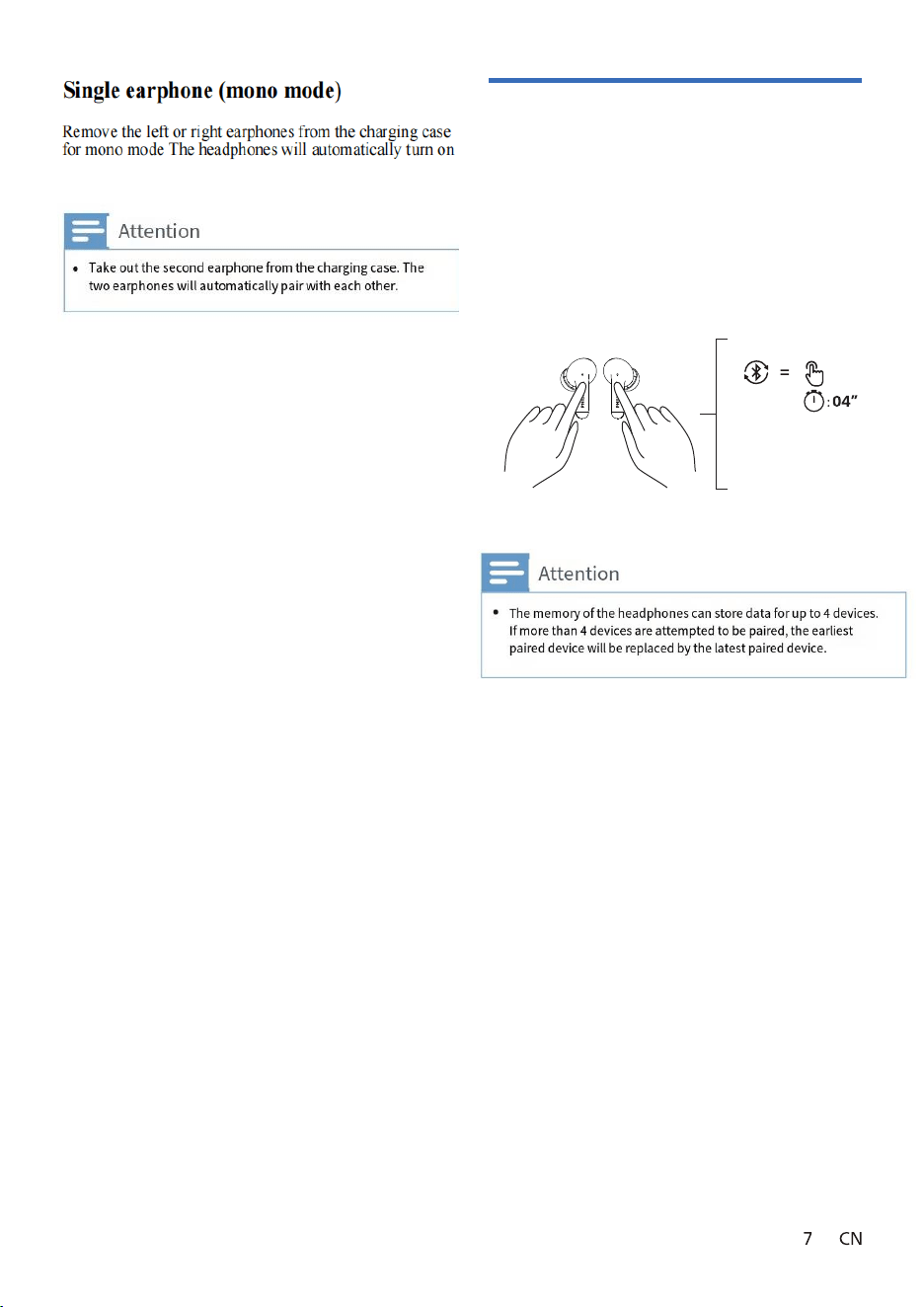
Pair with another Bluetooth device
If you want to pair another device with the headphones, simply press and hold
the multi-function buttons of both headphones for 4 seconds simultaneously
to enter the pairing mode. Then put them back in the charging case and take
them out again. After that, pair them with the second device in the regular
way.
Long press for 4 seconds,
A h hdh restore to factory
settings, h will enter h
pairing state.
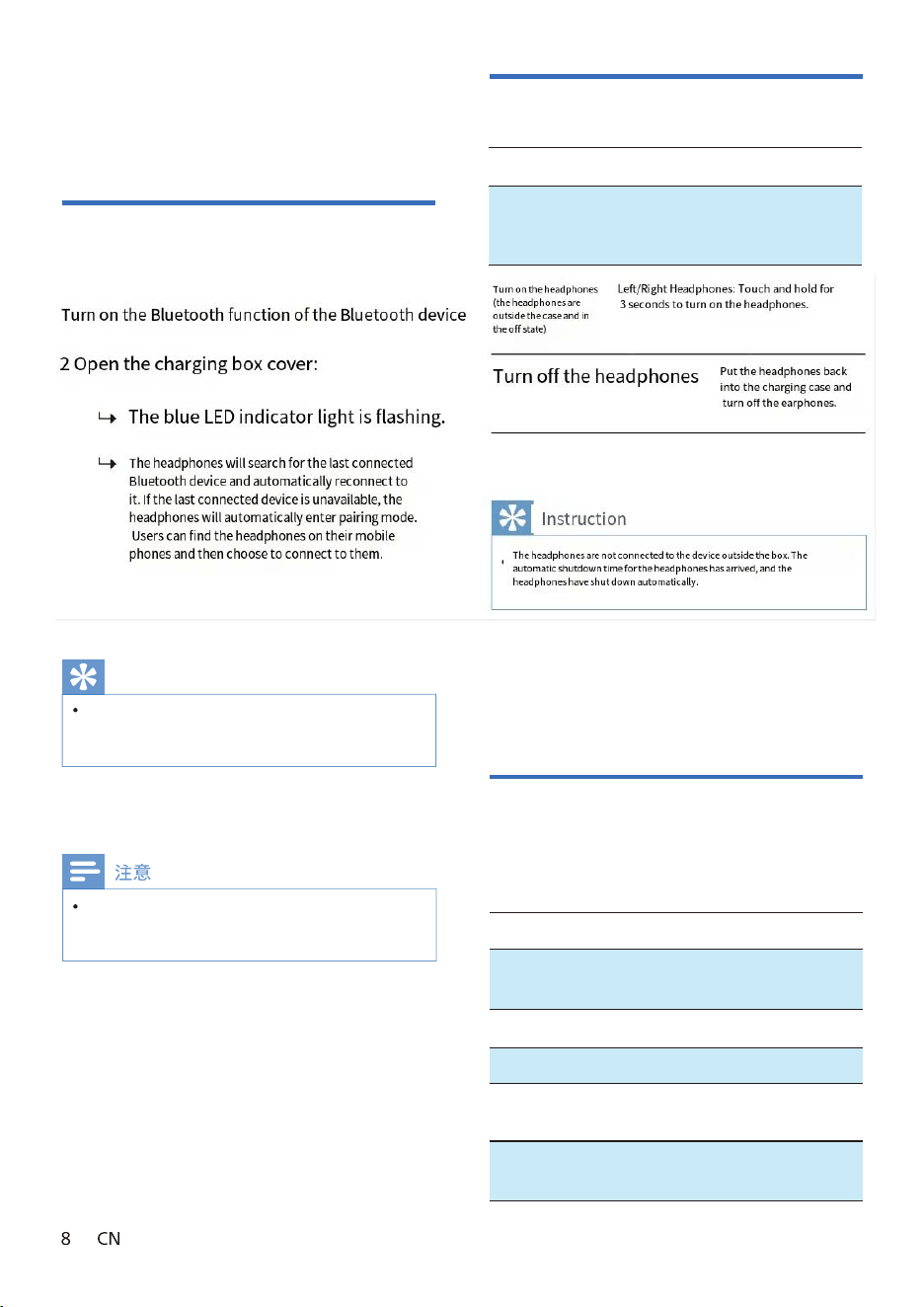
starting up/shutdown
打开蓝牙设备的蓝牙功能
打开充电盒盖:
蓝色 LED 指示灯闪烁。
耳机将搜 索上次连接的蓝牙设备,
并 与 其 自 动 重 新 连 接 。如 果 最 后 连
接 的 设 备 不 可 用 ,耳 机 会 自 动 进 入
配对模式,用户可以在手机上发现
耳机然后选择连接耳机。
触摸长按3秒,
耳机开机
开启耳机
(耳机在仓外,
关机状态下)
左/右耳机
将耳机放回充
电 盒 ,耳 机 关 机
关闭耳机
耳机在仓外未连接设备 ,耳机自动关机时间到,耳
机自动关机。
4.Use headphones
task
multifunction key
operation
Turn on the
headphones
pO en ht e ahc igr ng sac e,
er move ht e he hpda ones,
dna ht e he hpda ones w lli
tua o tam i ac ll y ut rn on.
Connect to the B device
promote
If you turn on the headphones first and then enable
the Bluetooth function of the Bluetooth device,
you must go to the Bluetooth menu of the device
and manually connect the headphones to the
Bluetooth device.
Manage music and calls
Music control
task
multifunction
key
operation
double-
click
Repeat three
times
Repeat three
times
Right earphone
Right earphone
Left/Right
Headphones
Play or pause
the music
The next
song
The previous
song
Left earphone
Adjust the
volume -
Left
earphone
Double- click
again Long
press
Double- click
again Long
press
Adjust the
volume +
In some Bluetooth devices, the headphones may not
automatically connect. In such cases, you must go to
the Bluetooth menu of the device and manually connect
the headphones to the Bluetooth device.
。
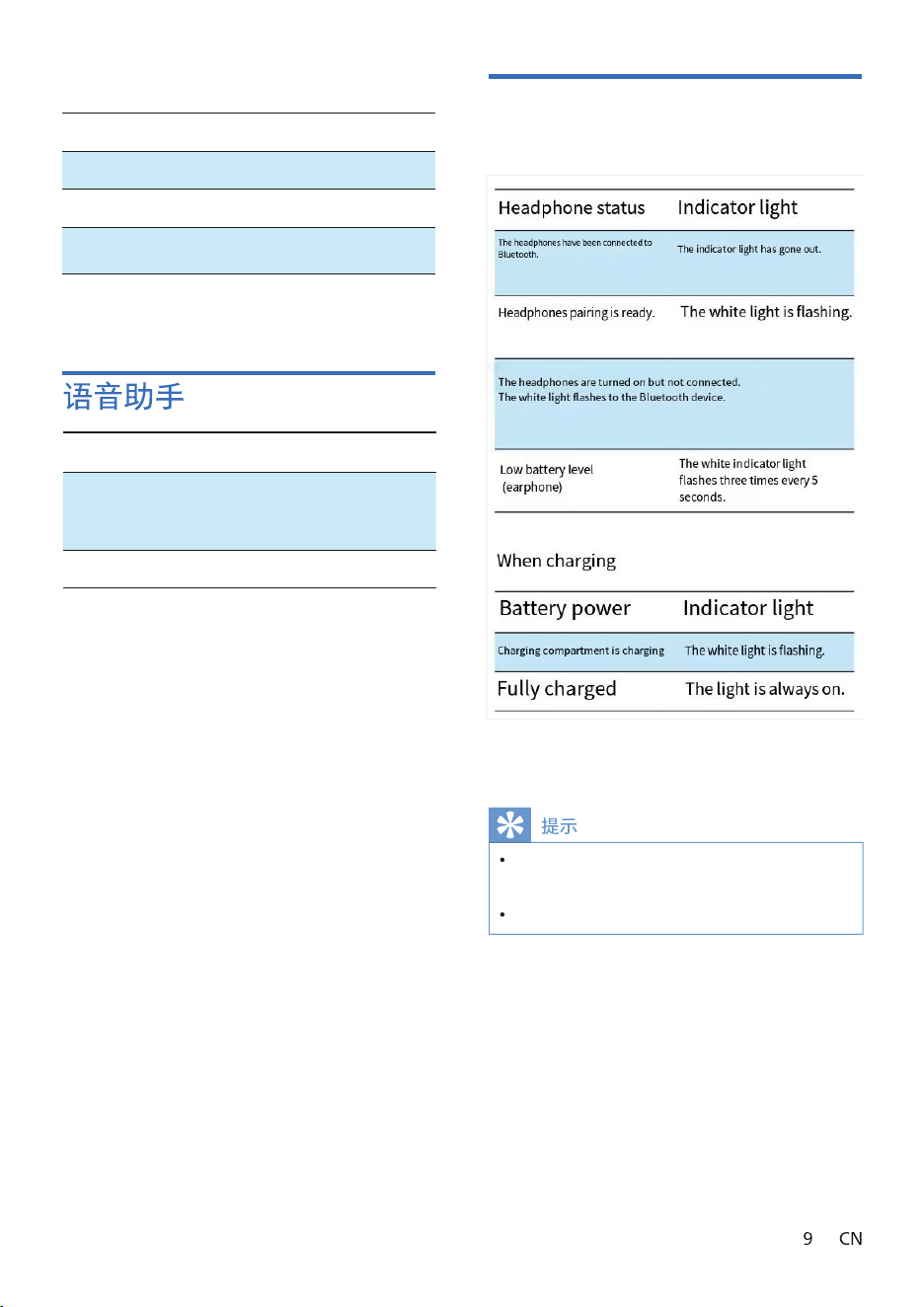
指示灯熄灭
白灯闪烁
白灯闪烁
白色指示灯每5秒
闪烁三次
充电时
充电仓充电中
充满电
白灯闪烁
白灯常亮
电量
指示灯
The status of the LED indicator light of
the charging box
Call Control
task
multifunctio
n key
operation
click
Left/Right Headphones Double-click
Pick up the
phone
hang up
reject a call
Left/Right Headphones Double-click
Left/Right
Headphones
Task Multi-function key Operation
Trigger voice
assistant (Siri
/Google)
Left/Right
Headphones
Left/Right
Headphones
Stop the voice
assistant
Long press
for 1 second
Long press and
hold for 3
seconds
When the headphones are connected to the mobile device,
the battery level of the headphones will be displayed on the
mobile device.
If the two headphones are taken out one after another within 4
seconds, the battery level will only be displayed once.
5.Reset the headphones
If you encounter any pairing or connection issues, you can reset the
headphones to their factory settings by following these steps.
Enter the Bluetooth menu of the device, and
remove the Philips TAT1320 from the device list.
Turn off the Bluetooth function of the Bluetooth
device.
Remove the headphones from the charging case (make sure there are
no connected Bluetooth devices).
At the same time, hold down the L/R multi-function touch key for 4
seconds to clear all information.
Follow the steps in "Using headphones - Connect the headphones to the
Bluetooth device" to operate.
Pair the headphones with your Bluetooth device and
select Philips TAT1320.
Pir the hedph eo ih ro B ooel h d eie and ele Phili TAT1320. The
glei re h eo doe o he the ere io. The ere io ill lo e riggered whe
oh re h eo re er d o and eeo d o eh oher.
Whe o eeo d o a B ooel h d eie , the ere io ill o e riggered d gri
the ioeo ero o the B ooel h d eie .
Music playback time: 7 + 21 hours
Headphone charging time: 1.5 hours
Charging time for the charging case: 2 hours
Both headphones are equipped with 40mAh lithium-ion batteries.
The charging case is equipped with a 400mAh lithium-ion battery.
Bluetooth version: 6.0
Compatible Bluetooth configuration protocols:
HFP (Hands-Free Profile)
A2DP (Advanced Audio Distribution Profile)
AVRCP (Audio/Video Remote Control Profile)
Supported audio decoding: SBC
Frequency range: 2.402 - 2.480 GHz
Transmitter power: < 10 dBm
Operating distance: up to 10 meters at the maximum.
Automatic power-off
USB-C charging port
Low battery warning: Please provide power supply.
The specifications may change at any time
and no further notice will be given.
Attention

Compliant with Electromagnetic
Field (EMF) regulations
T
h
i
s p
r
o
d
u
c
t c
o
m
p
l
i
e
s w
i
t
h a
l
l a
p
p
l
i
c
a
b
l
e
s
t
a
n
d
a
r
d
s a
n
d
r
e
g
u
l
a
t
i
o
n
s r
e
g
a
r
d
i
n
g
e
l
e
c
t
r
o
m
a
g
n
e
t
i
c f
i
e
l
d e
x
p
o
s
u
r
e
All unnecessary packaging has been omitted We
strive to make packaging easy to be divided into
three materials: cardboard (box), foam plastic
(buffer) and polyethylene (bag, protective foam
board) Your system contains recyclable materials (if
dismantled by a professional company) Please
comply with local regulations regarding the handling
of packaging materials, waste batteries, and old
equipment
Environmental protection information
The license free transmitter/receiver included in
this device complies with the license free RSS
standard of the Department of Innovation, Science
and Economic Development Canada The operation
must comply with the following two conditions: (1)
This device will not cause interference (2) This
device must be able to accept any interference
received, including interference that may cause the
device to malfunction
This device complies with Part 15 of the FCC regulations The
operation must comply with the following two conditions:
1. This device will not cause harmful interference
2. This device must be able to accept any interference
received, including interference that may cause the device
to malfunction
FCC rules
This device has been tested and proven to comply
with the restrictions on Class B digital devices in Part
15 of the FCC regulations These restrictions aim to
provide reasonable protection against harmful
interference in residential facilities This device
generates, uses, and radiates radio frequency energy.
If not installed and used in accordance with the
instruction manual, it may cause harmful interference
to radio communication
Compliance Statement
However,
it
cannot
be
guaranteed
that
interference
will
not
occur
in
specific
facilities
If
this
device
does
indeed
cause
harmful
interference
to
radio
or
television
reception
(which
can
be
determined
by
turning
the
device
off
and
on),
users
are
encouraged
to
try
one
or
more
of
the
following
measures
to
eliminate
the
interference:
Readjust
or
rearrange
the
receiving
antenna
Increase
the distance
between
the
device
and
the
receiver
Connect
the
device
to
a
socket
on
a
circuit
different
from
the
one
connected
to
the
receiver
Consult
with
dealers
or
experienced
radio/television
technicians
for
assistance
FCC
Radiation
Exposure
Statement:
This
equipment
complies
with
FCC
radiation
exposure
limits
set
forth
for
an
uncontrolled
environment.
This
equipment
should
be
installed
and
operated
with
minimum
distance
0cm
between
the
radiator
and
your
body
Warning:
Without
explicit
approval
from
the
regulatory
authority,
users
may
lose
device
operation
privileges
if
they
make
unauthorized
changes
or
modifications
to
the
product

CI radiation exposure statement:
This device complies with the radiation
exposure limits set by Canada for
uncontrolled environments. Its
transmitter must not be placed in the
same location or used together with any
other antenna or transmitter. CAN ICES
-003(B)/NMB-003(B)
The Bluetooth text logo and
emblem are registered sktrademar
of Bluetooth GIS , ncI . nyA use of
such logos by MMD ongH ongK
oldingH imitedL has been
edzauthori . therO sktrademar and
product names are the property of
their respective owners.
Bluetooth
8 Brand
Siri is a registered ktrademar of ppleA ncI . in the United
States and other countries/regions.
Google and Google Play are
registered trademarks of Google
LLC.
Philips TAT1320.

UM_TAT1320_93_CN_V1.0
2024 © MMD Hong Kong Holding Limited. All rights reserved.
The specifications may change at any time and no further
notice will be given. Philips and Philips Shield Micromark are
registered trademarks of Koninklijke Philips NV. Their use has
been authorized. The products are manufactured by MMD
Hong Kong Holding Limited or its affiliated companies and are
sold by MMD Hong Kong Holding Limited, which is the
guarantor for this product. All other company and product
names may be trademarks of the respective companies to
which they are associated.