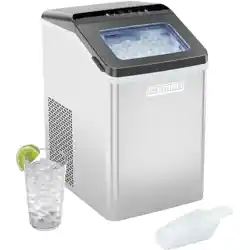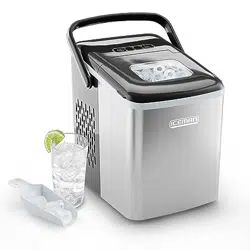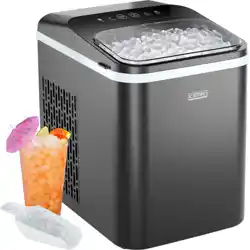
The Chewable
Pebble
Ice Machine
RJ56-PB-V2
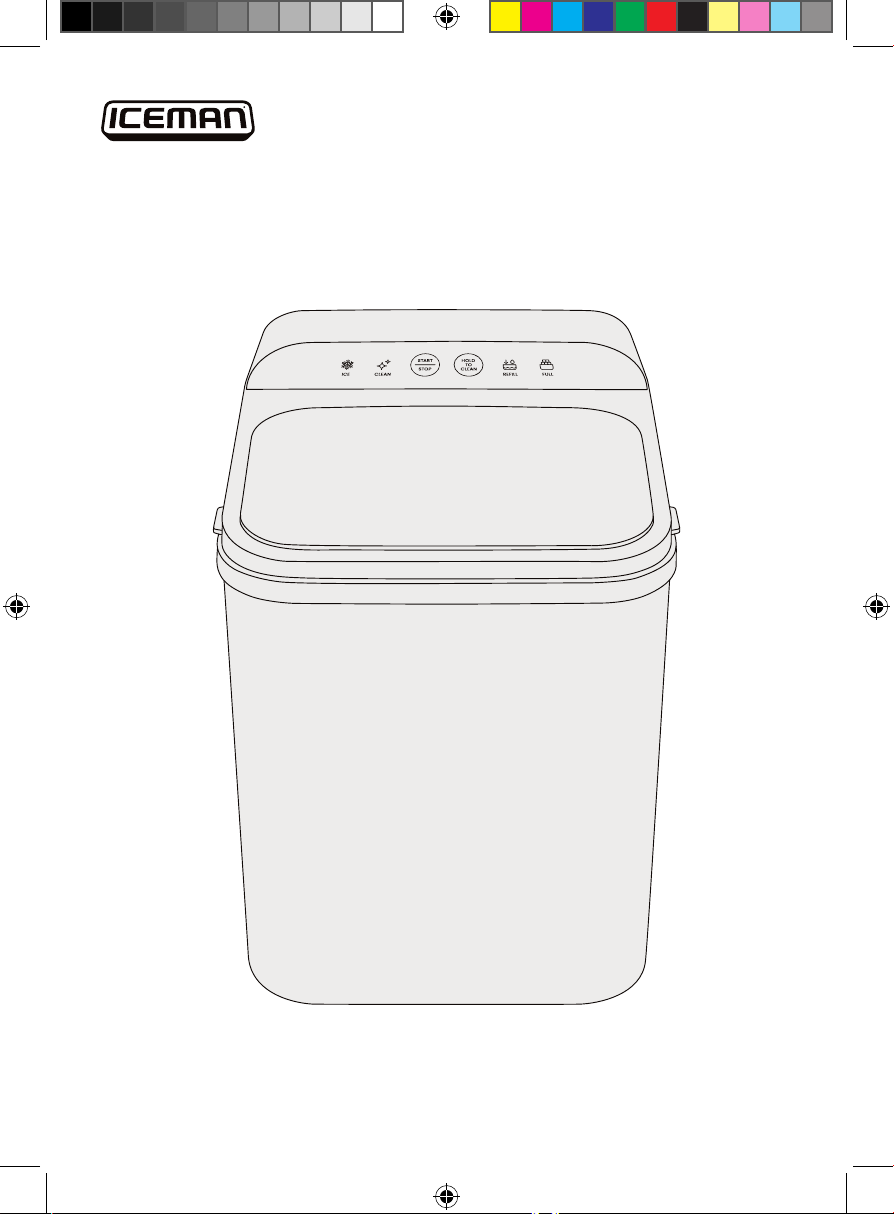
COVER DRAWING
2
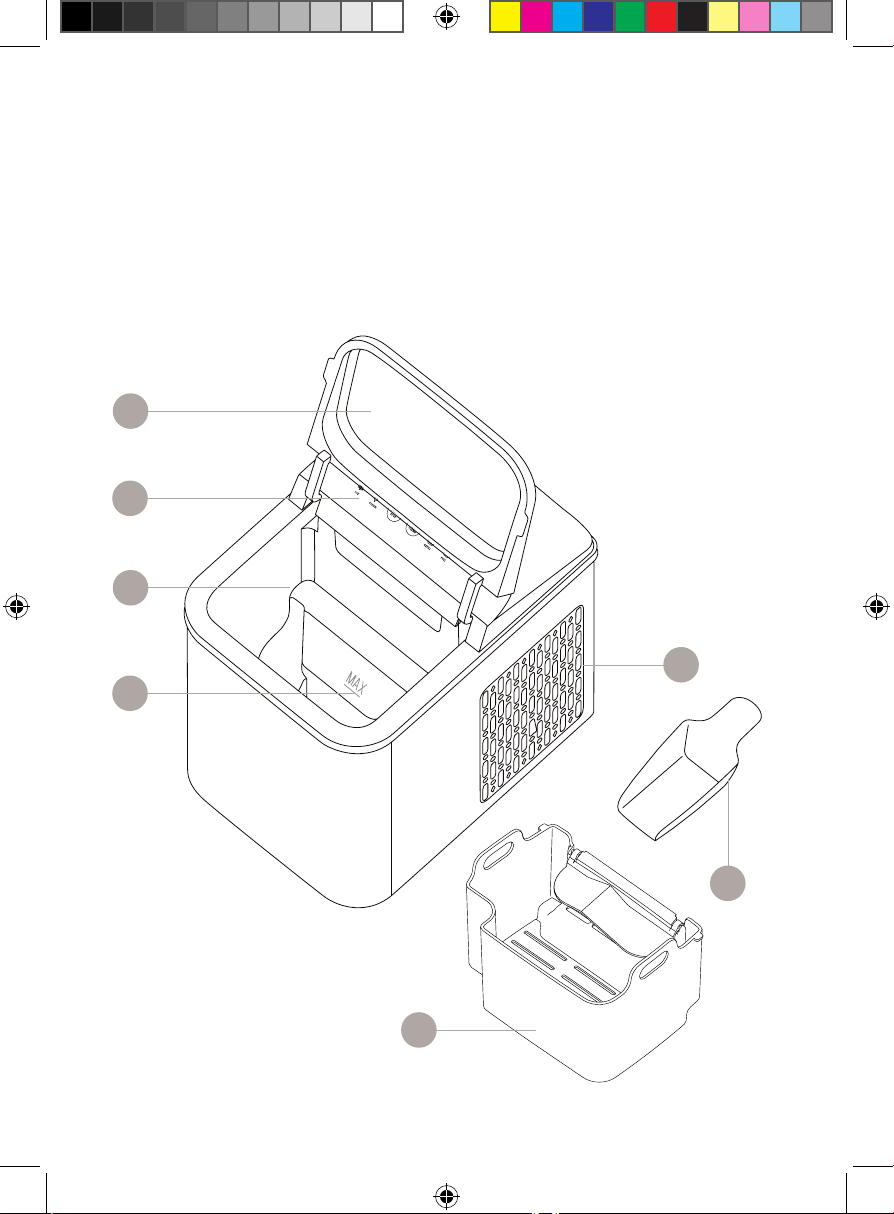
Get to Know Your Ice Maker
1. Front cover with viewing window
2. Control panel
3. Ice tray (inside)
4. 1.6L water reservoir with
MAX fill line
5. Ice basket
6. Ice scoop
7. Air vent
8. Water drain plug
(on bottom, not shown)
7
4
3
6
5
1
2
3
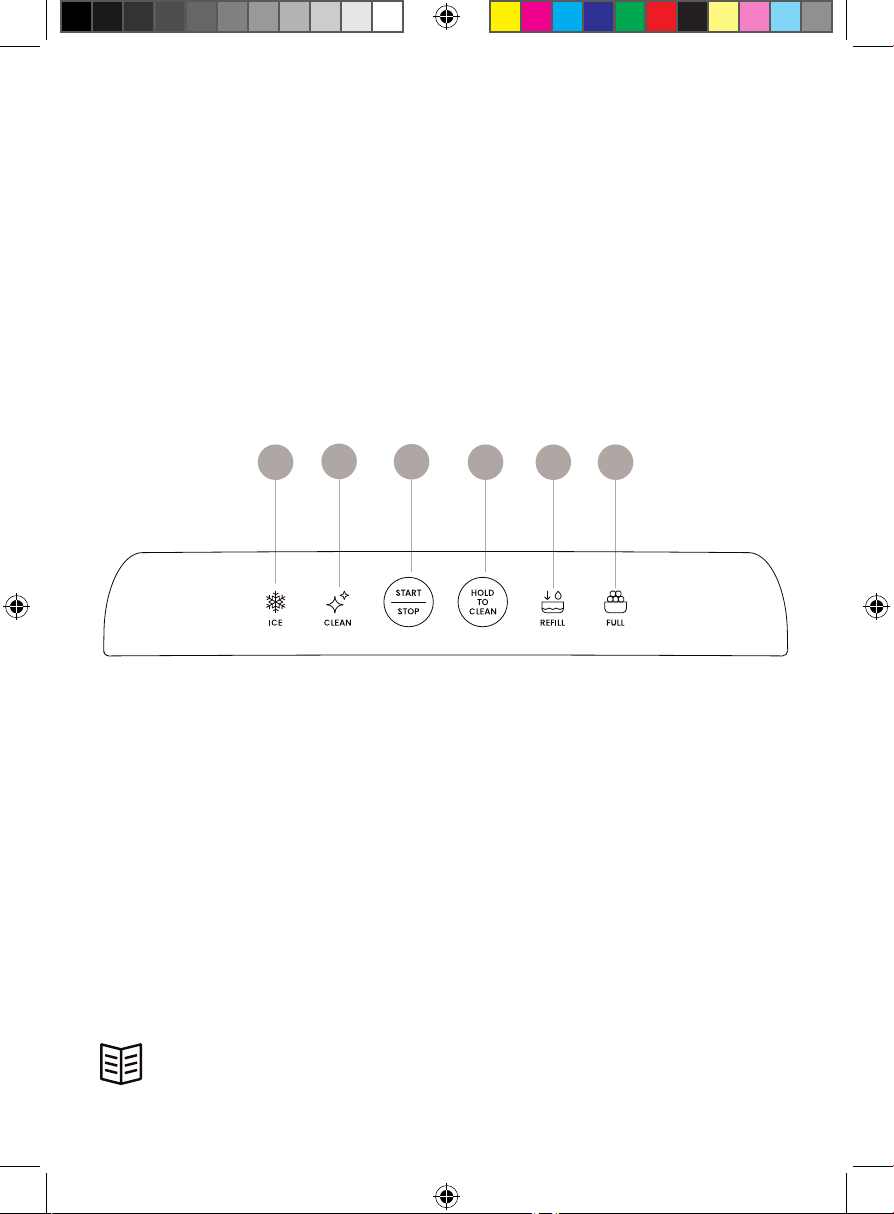
Control Panel
1. ICE indicator light
2. CLEAN indicator light
3. START | STOP button
4. HOLD TO CLEAN button
5. REFILL indicator light
6. FULL indicator light
READ ALL INSTRUCTIONS BEFORE USE
For your safety and continued enjoyment of this product,
always read the instruction manual before using.
1
2
3
4 5 6
FEATURES CONTROL PANEL
4
SAFETY INSTRUCTIONS &
IMPORTANT SAFEGUARDS
1. Read all instructions.
2. DANGER! To protect against the risk of electric shock, do NOT immerse
the cord, plug, or any part of the unit in water or other liquid.
3. Close supervision is necessary when using this appliance near children.
This appliance is not suitable for use by children.
4. Never leave an appliance unattended while in use.
5. Do NOT place an appliance on or near a hot gas or electric burner, or in a
heated oven. Do NOT place on top of any other appliance.
6. Do NOT let the power cord of the appliance hang over the edge of a table
or countertop or touch any hot surface.
7. Do NOT operate any electrical appliance with a damaged cord or plug or
after the appliance malfunctions or has been dropped or damaged in any
manner. If damage is suspected, contact Chefman® Customer Support for
examination, repair, or electrical or mechanical adjustment.
8. Unplug the appliance from the power outlet when not in use, before putting
on or taking off attachments, and before cleaning.
9. The use of accessory attachments that are not recommended by the
manufacturer may cause fire, electric shock, or injury.
10. Avoid contact with moving parts when the unit is in operation.
11. Never touch the cooling elements when the unit is in operation.
12. Do NOT use outdoors.
13. Do NOT use an appliance for anything other than its intended use.
14. The appliance must not be exposed to rain.
15. Do not use with water that is microbiologically unsafe or of unknown
quality. Fill with potable water only.
16. Do not store explosive substances such as aerosol cans with a flammable
propellant in this appliance.
17. This appliance is intended to be used in a household and similar
applications such as: kitchen areas in shops, offices, and other working
environments, bed-and-breakfast-type environments, and catering and
similar nonretail applications.
5
SAFETY INSTRUCTIONS &
IMPORTANT SAFEGUARDS
18. WARNING: Keep ventilation openings, in the appliance enclosure or
built-in structure, clear of obstruction.
WARNING: Do not use mechanical devices or other means to accelerate
the defosting process, other than those recommended by the
manufacturer.
WARNING: Do not damage the refrigerant circuit.
WARNING: Do not use electrical appliances inside the food storage
compartments of the appliance, unless they are of the type recommended
by the manufacturer.
19. Please discard the ice maker according to local regulations as it uses
flammable blowing gas and refrigerant.
SAFETY INSTRUCTIONS
FOR HOUSEHOLD USE ONLY
WARNING: Improper use of the grounding plug can result in electric shock.
Grounding Instructions
This appliance must be grounded. In the event of an electrical short circuit,
grounding reduces the risk of electric shock by providing an escape wire for the
electric current. To protect against electrical shock, this appliance is equipped
with a cord having a 3-prong grounding-type plug for insertion into a proper
grounding-type electrical outlet. Do NOT alter the plug for use in a 2-prong
outlet. If the plug will not fit into an outlet, have a proper outlet installed by a
qualified electrician.
Do NOT alter the plug for use in a 2-prong outlet. If the plug will not fit into an
outlet, have a proper outlet installed by a qualified electrician.
6
SAFETY INSTRUCTIONS &
IMPORTANT SAFEGUARDS
Short Cord Instructions
A short power-supply cord is provided to reduce the hazards of entanglement
or tripping over a longer cord. Longer detachable power-supply cords or
extension cords are available and may be used if care is exercised in their use.
If a longer detachable power-supply extension cord is used:
1. The marked electrical rating of the extension cord should be at least as
great as the electrical rating of the appliance;
2. If the appliance is of the grounded type, the extension cord should be a
grounding-type 3-wire cord; and
3. The longer cord should be arranged so that it will not drape over the
countertop or tabletop where it can be pulled on by children or tripped over.
Power Cord Safety Tips
1. Never pull or yank on the cord or the appliance.
2. To insert the plug, grasp it firmly and guide it into the outlet.
3. To disconnect the appliance, grasp the plug and remove it from the outlet.
4. Never use the product if the power cord shows signs of abrasion or
excessive wear. Contact Chefman Customer Support for additional
guidance and support.
5. Never wrap the cord tightly around the appliance, as this could place
undue stress on the cord where it enters the appliance and cause it to
fray and break.
DO NOT OPERATE THE APPLIANCE IF THE POWER CORD SHOWS ANY DAMAGE
OR IF THE APPLIANCE WORKS INTERMITTENTLY OR STOPS WORKING ENTIRELY.
California Proposition 65:
(Applicable for California Residents only)
WARNING: Cancer and Reproductive Harm
www.P65Warnings.ca.gov
Do not place the appliance on a
stovetop or any other heatable surface,
even if stovetop is not on.
Doing so is a fire hazard.
7
How to Use the Ice Maker
Before First Use:
1. Remove all packaging materials, such as plastic bags and foam inserts.
Check to ensure that all parts and accessories are included before
throwing out packaging.
2. Read and remove any stickers on the ice maker except for the rating label,
which should remain on the unit.
3. Wipe down the interior and exterior with a damp cloth or paper towel
and dry thoroughly. Wash the removable ice basket and ice scoop with a
sponge and warm, soapy water, and dry completely.
4. Place the ice maker on a level surface away from direct sunlight and other
heat sources. Keep at least 6 inches of clearance on all sides of the unit to
ensure proper ventilation. NOTE: If using the unit outdoors, be cautious of
weather and extreme temperatures (ideal ambient temperature is between
about 50°F/10°C and 90°F/32°C), as these can affect the ice-making process
or damage the unit.
5. IMPORTANT: Wait 2 hours for the refrigerant fluid to settle before plugging
the unit in for the first time.
6. Before making ice for the first time, prime the ice maker by running the
self-cleaning function (see Keep It Clean on p. 12).
8
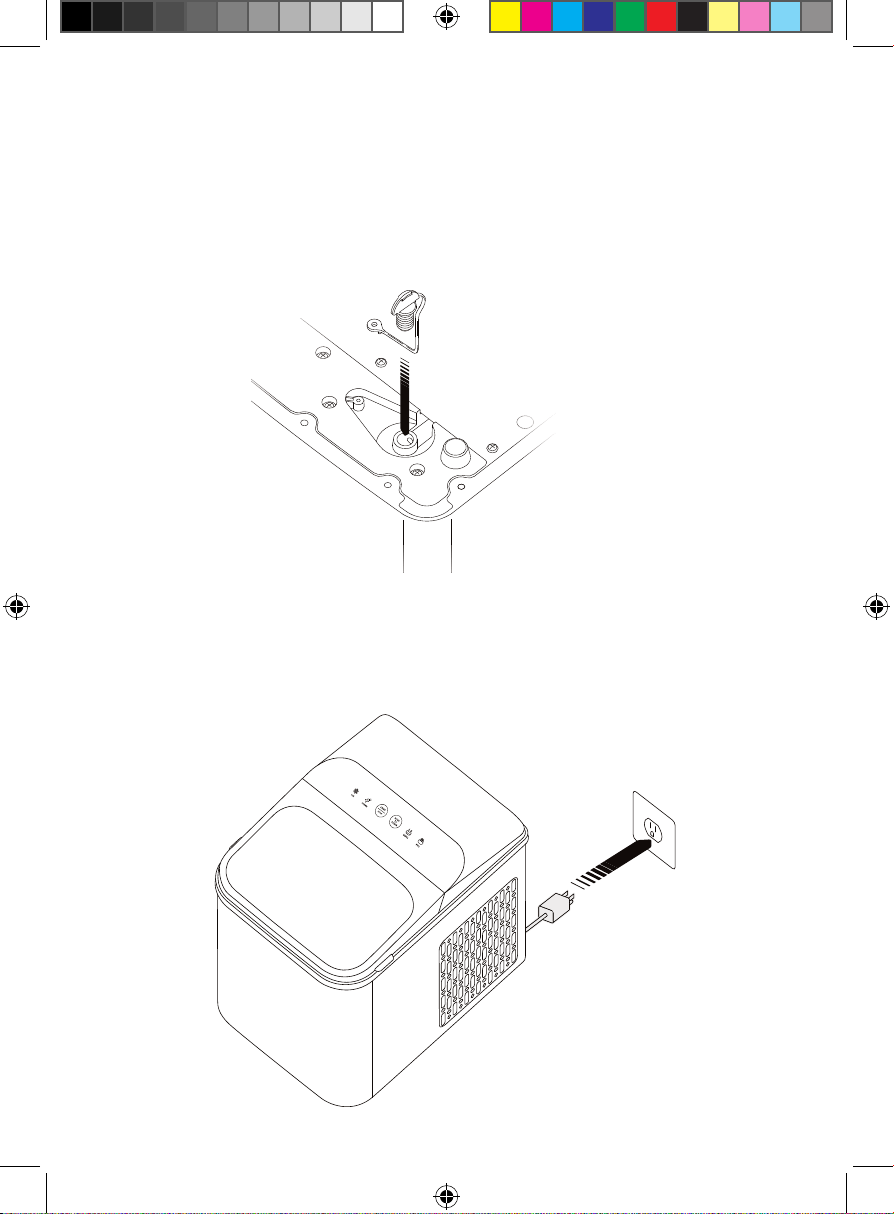
Step 1 - make sure the drain plug is pushed in
Quick Start: How to Make Ice
The ice maker completes a batch of easy-to-make, restaurant-style ice in
about 8 minutes, perfect for all of your ice needs.
1. Make sure the drain plug on the bottom of the unit is closed. If it is not, push
it fi rmly into place.
2. Set the ice maker on a hard, level surface away from any sources of heat,
with at least 6 inches of clearance on all sides for proper ventilation. Plug in
the ice maker. NOTE: If the ice maker has been moved since its last use, let it
sit for 30 minutes before plugging it in, to allow the refrigerant fl uid to settle.
Step 2 - set the ice maker on flat surface and plug in
9
Quick Start: How to Make Ice
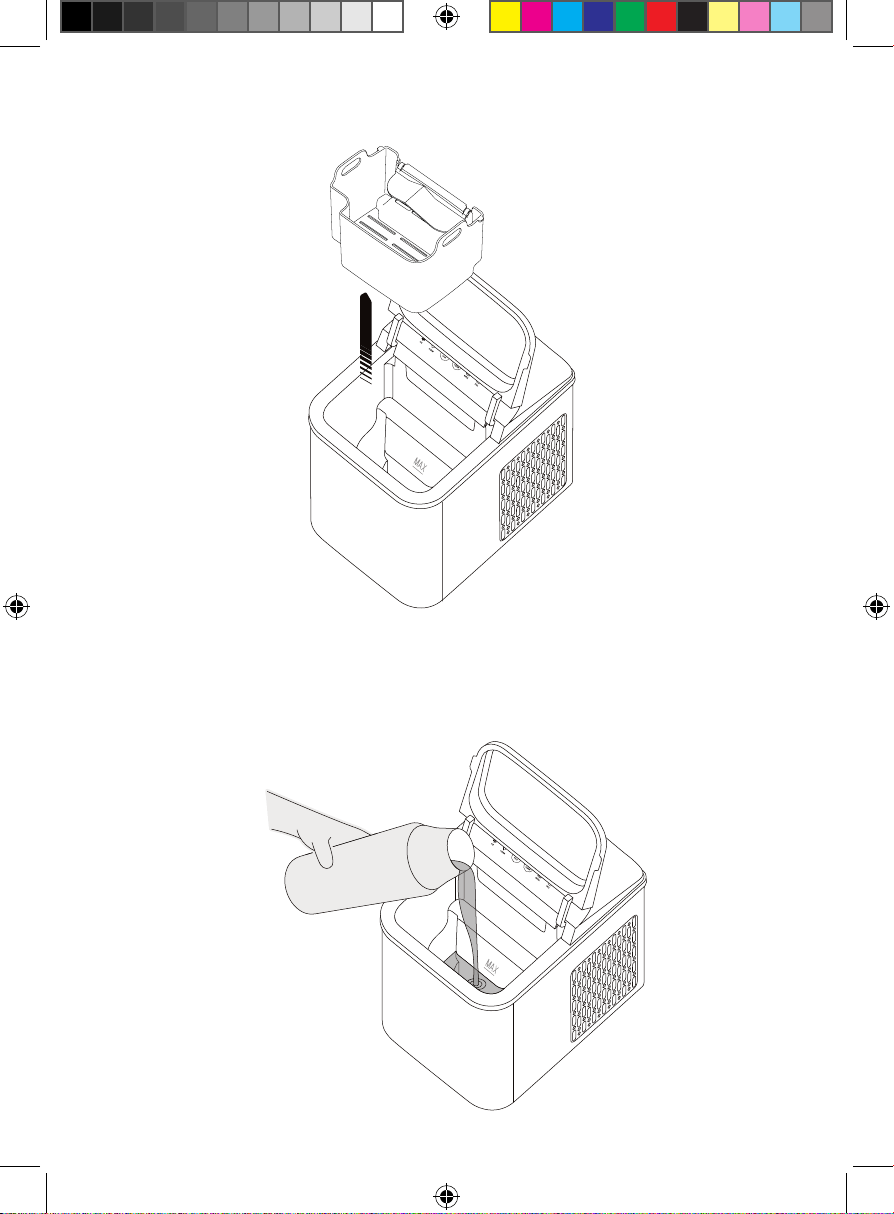
3. Open the front cover and lift out the ice basket.
4. Fill the water reservoir with fi ltered or bottled water up to but not exceeding
the MAX fi ll line. To ensure sanitation, be sure to change the water in the
reservoir once a day. CAUTION: Only use cold to room temperature water,
as hot water can damage the unit.
Step 4 - fill the water reservoir
Quick Start: How to Make Ice
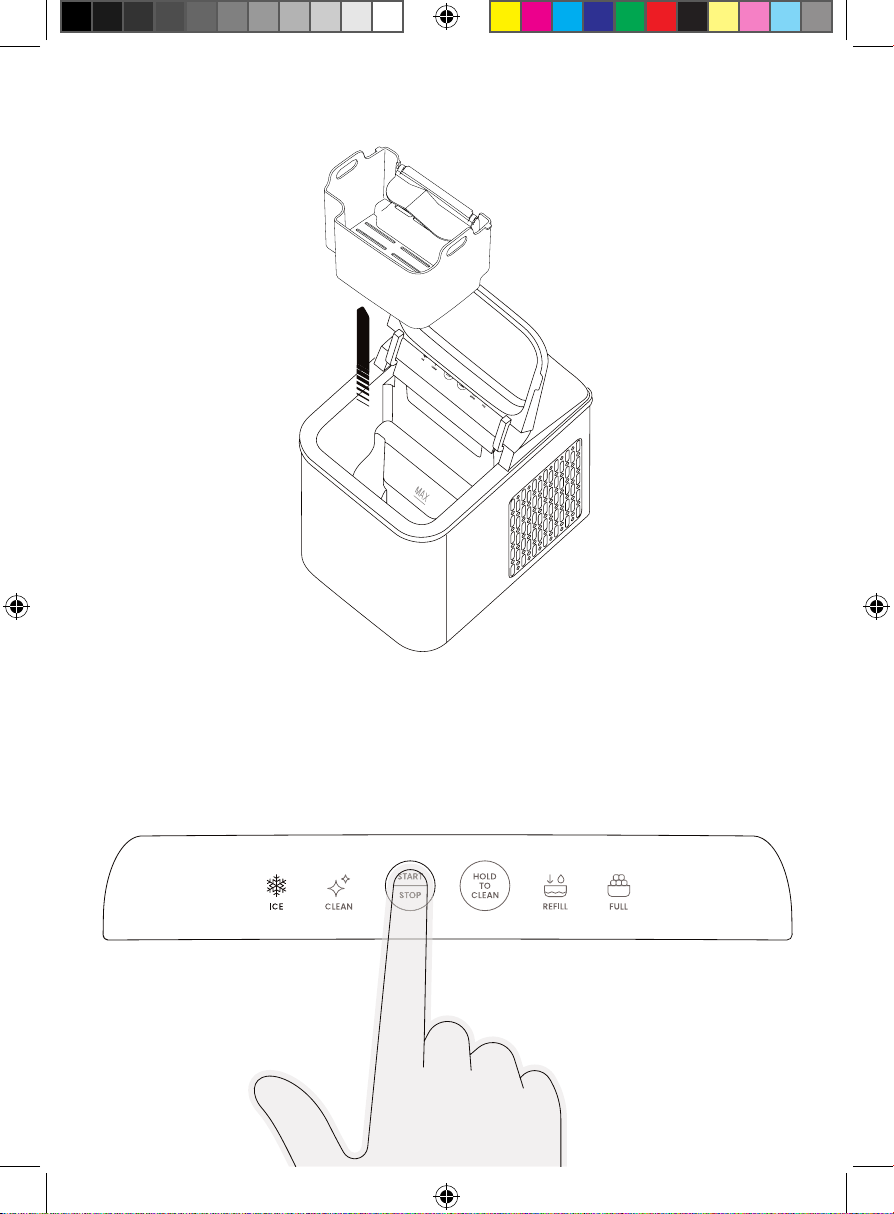
5. Replace the ice basket and close the front cover.
6. Press the START | STOP button. The ICE indicator light will illuminate and
ice-making will begin. The ice maker will run continuously until it is turned
off or the ice basket is full. It will begin producing ice in about 8 minutes and
should produce a full basket in as little as 1 hour and 40 minutes
(when fi lled to the MAX line), depending on ambient temperature and
water temperature.
Step 6 - Press start
10
11
Quick Start: How to Make Ice
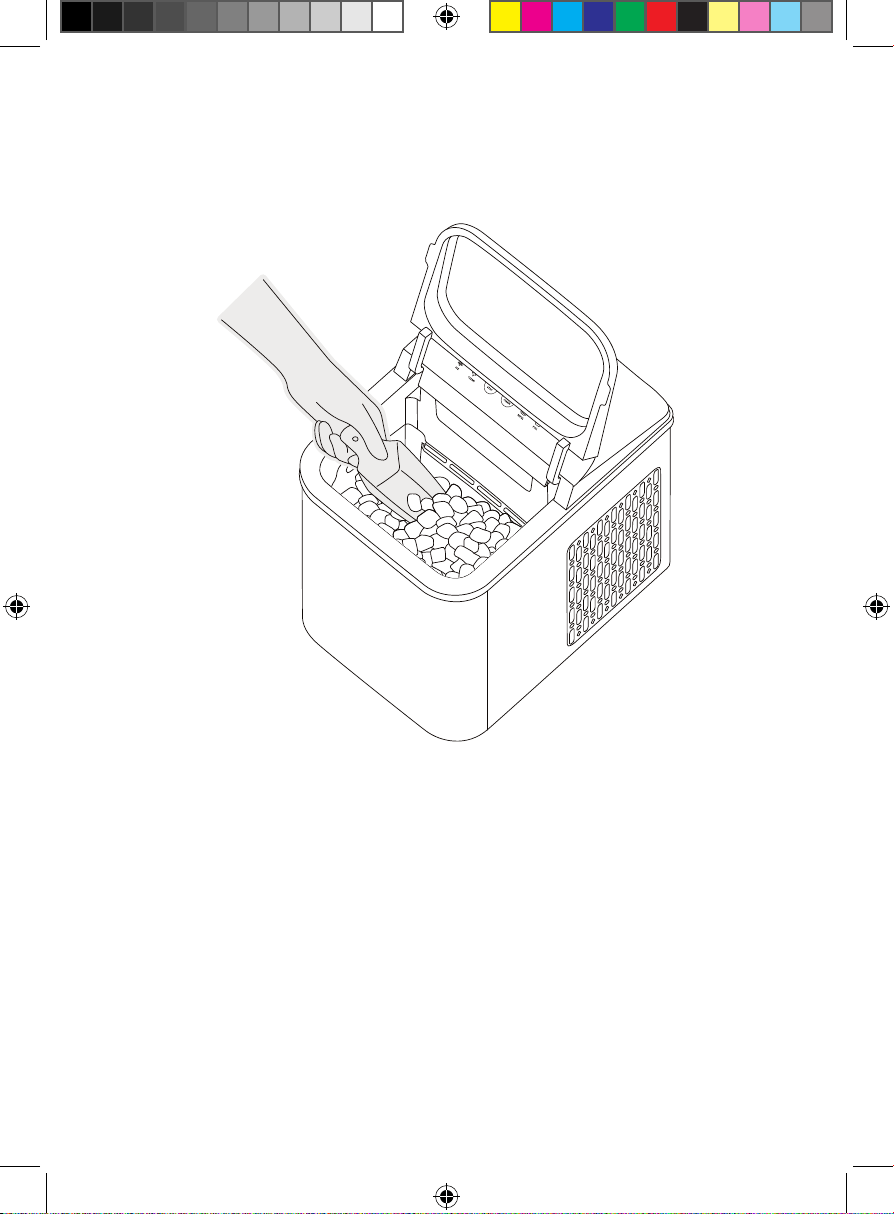
7. Use the ice scoop to remove and serve ice. The ice maker will not keep ice
cold for extended periods of time. Store extra ice in the freezer for later use,
if desired, or allow the unused ice to melt. Melted ice will drip back into the
water reservoir and be reused during the ice-making process.
8. When the ice basket is completely full, the FULL indicator light will illuminate
and ice-making will stop. Once enough ice is removed, the ice-making
cycle will restart automatically. NOTE: You do not need to wait for the ice
basket to be completely full before removing ice. Ice can be used at any
time throughout the cycle.
9. If there is not enough water to complete an ice-making cycle, the REFILL
indicator light will come on and ice-making will stop. Refill the reservoir,
close the front cover, and ice-making will resume automatically.
10. If using the ice maker daily, conserve energy by unplugging it or powering
it off overnight and when not needed for immediate use.
Step 7 - when basket is full, remove ice with scoop
12
Keep It Clean
To keep your ice tasting fresh and your ice maker in prime condition, we
recommend changing the water in the reservoir once a day and cleaning
your ice maker at least once per week.
1. Make sure the ice maker is unplugged and at room temperature.
2. Place the unit over a proper drainage area and remove the ice basket.
Pull out the drain plug on the bottom of the unit to empty the water from
the reservoir. Wipe down the interior with a cloth or paper towel soaked in
a mixture of water and vinegar. Rinse thoroughly and dry completely.
Replace the drain plug, pushing it firmly into place.
3. Wipe down the exterior with a damp cloth or paper towel, using a mild
dishwashing soap, if necessary. Do NOT put the unit in the dishwasher or
submerge it in water or any other liquid. Do NOT use abrasive cleansers, or
you could damage the finishes.
4. Wash the removable ice basket and scoop with a sponge and warm, soapy
water, and dry completely. The basket and scoop are not dishwasher safe.
5. To clean the ice maker’s internal parts, follow the instructions below to
activate the self-cleaning feature when needed.
6. Always empty the water reservoir and dry completely for storage or if the
ice maker will not be used for an extended period of time. This will prevent
mold and mildew from forming.
Self-Cleaning Feature
The ice maker is equipped with a self-cleaning feature to ensure complete
sanitation. After 100 hours of use, the CLEAN indicator light will illuminate in ice-
making mode as a reminder to run the cycle. Even if used for fewer hours, we
recommend running the cycle at least once a week.
1. If necessary, remove any ice and empty the water reservoir by pulling out
the drain plug. Replace the drain plug, pushing it in firmly to ensure it is
closed properly.
2. Fill the water reservoir to the MAX line with clean water.
3. Press the HOLD TO CLEAN button for about three seconds until the CLEAN
indicator light illuminates. The cleaning function will begin automatically
and run for approximately 5 minutes.
4. When the cleaning cycle is complete, empty the water reservoir by pulling
out the drain plug. Follow the instructions to begin making ice, or dry
completely for storage.
13
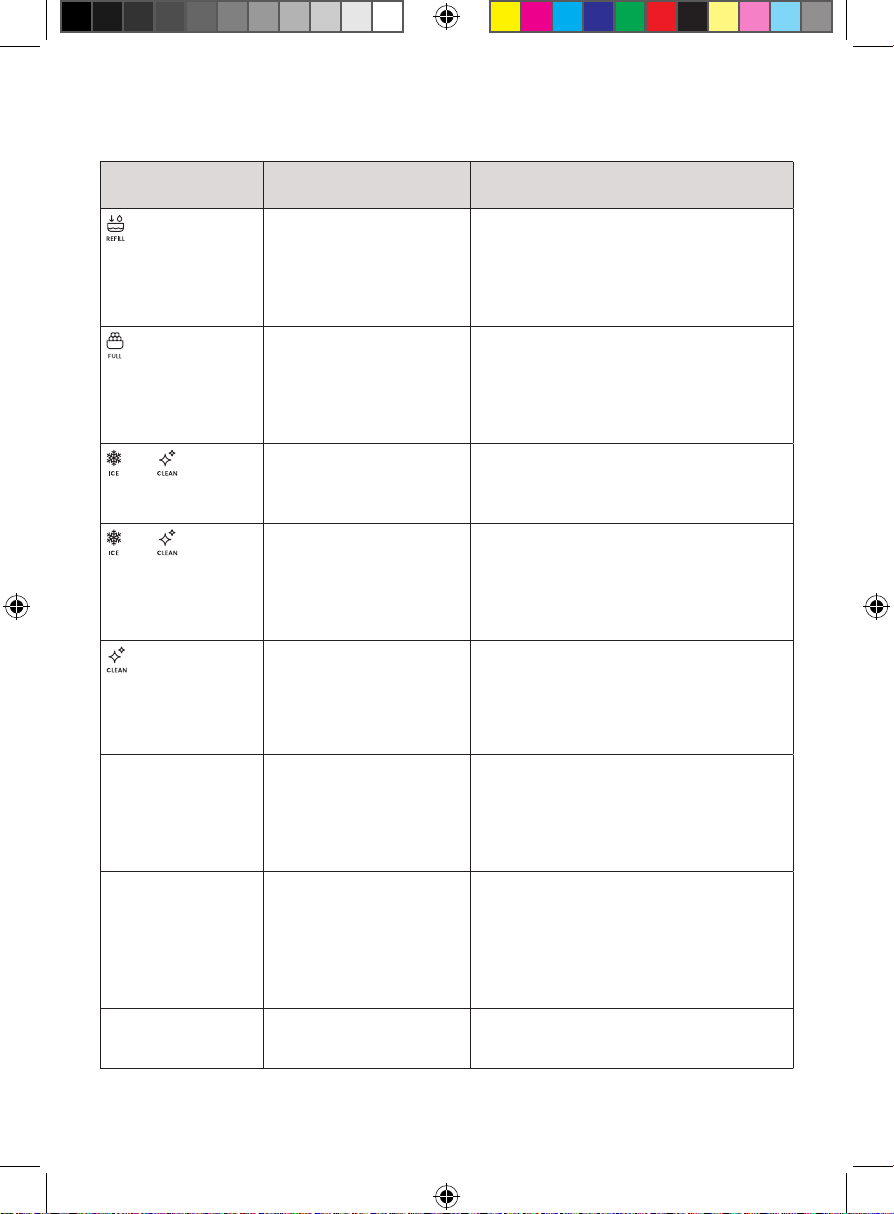
Having Trouble?
Problem Likely Cause Solution
on when water
reservoir is full.
The water screen at the
bottom of the reservoir
is blocked. Alternatively,
the internal parts are
blocked and/or need to
be descaled.
Check to ensure no objects are obstructing
the water reservoir. Follow the instructions
for the self-cleaning feature on p. 12,
adding a small amount of white vinegar
for descaling, if necessary.
on when ice
basket is not full.
The small infrared sensors
located on the sides of the
ice tray are not working
properly.
Unplug the ice maker. Wipe away any
foreign substances that may be blocking
or covering the sensors, then restart the
ice maker. If the sensors appear to be
damaged, contact Chefman® Customer
Support for assistance.
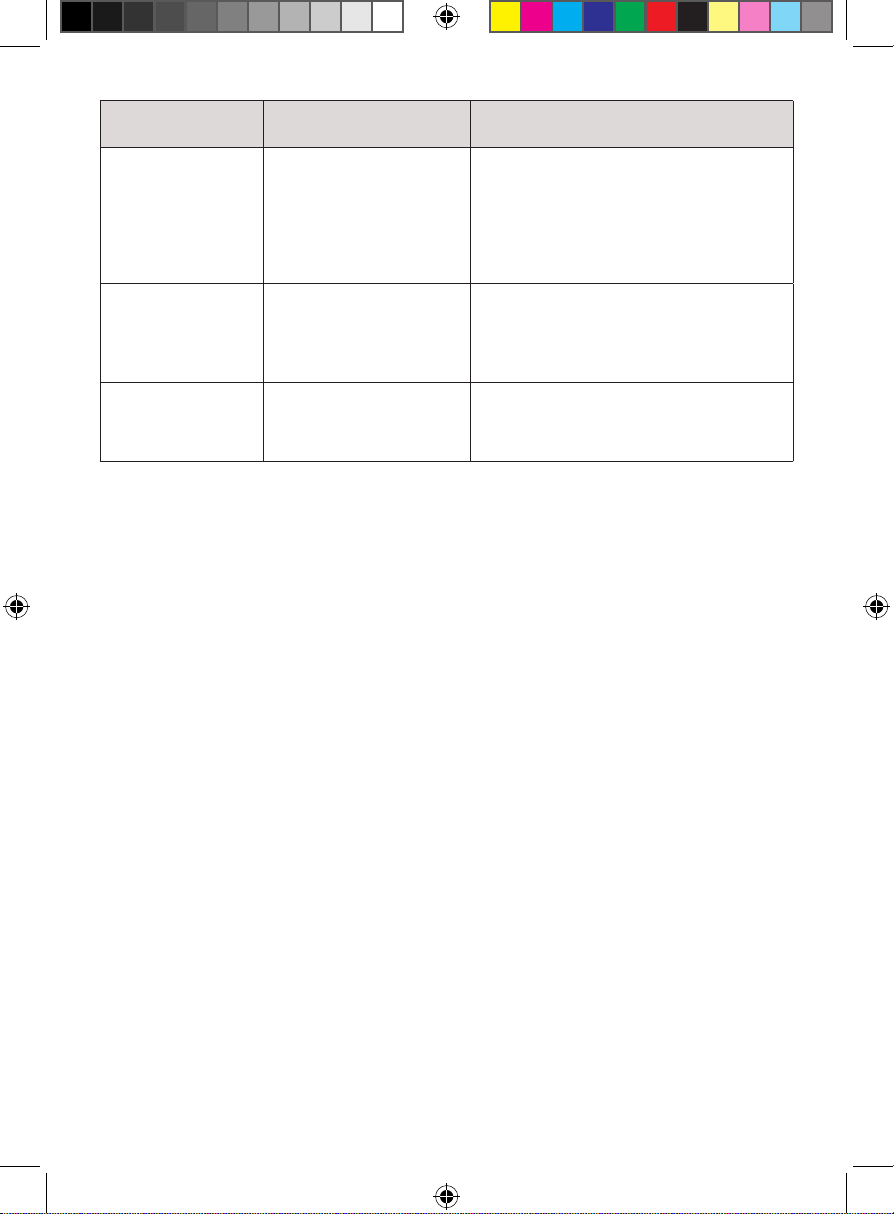
and are both lit
solidly.
The ice maker’s parts are
defrosting.
Unit will return to normal operation after
30-45 minutes. Alternatively, you can run a
self-cleaning cycle (see p. 12), then press
the START | STOP button to restart the unit.
and are both
blinking.
The ice maker’s parts are
frozen.
Unplug the ice maker and wait 30 minutes
to 1 hour for the unit to defrost. Run the self-
cleaning feature described on pg. 12 before
restarting the ice-making cycle. If this issue
continues to occur, contact Chefman®
Customer Support for assistance.
is always on in
ice-making mode
after the unit has
been running for a
while.
The unit requires you to
run the cleaning cycle
after 100 hours of use.
Follow the self-cleaning instructions on
p. 12. The CLEAN indicator will turn off after
the cleaning cycle is completed.
The ice maker is
not working, or the
ice-making cycle is
activated but no ice
is being produced.
There is not enough
clearance around the
ice maker; the ambient
temperature is too high;
and/or the water is too hot.
Make sure there is at least 6 inches
of clearance on all sides of the ice
maker. Move the ice maker to a cooler
environment (between approximately
50°F/10°C and 90°F/32°C) and fill the
reservoir with cold water.
The water pump is
making noise and/or
not pumping water.
The water pump
(located inside the unit)
is clogged, preventing
water from pumping
through smoothly and/or
causing air to get trapped
in the pump.
Clean the unit at least once per week
to avoid buildup and to ensure that the
parts continue to function properly. Use
the self-cleaning feature described on
p. 12 to unclog the pump, adding a small
amount of mild dish soap or white vinegar,
if necessary.
Water is leaking from
the unit.
The drain plug is not closed
properly or there is an issue
with the internal parts.
Make sure the drain plug is pushed in fully.
Otherwise, contact Chefman Customer
Support for assistance.
14
Having Trouble?
Problem Likely Cause Solution
The ice produced
is misshapen or
broken.
If the ice maker continues
to produce broken ice for
more than 2 hours, there
is poor heat distribution.
Alternatively, the ambient
or water temperature is
too high.
For proper ventilation, ensure there is at
least 6 inches of empty space on all sides
of the unit. Move the ice maker to a cooler
area and refill the water reservoir with
cold water.
The ice is clumping
together.
The unit is taking too
long to make ice and/or
the water temperature
is too low.
Stop the ice-making cycle and remove any
accumulated ice. Empty the water reservoir
and refill with cool or room temperature
water. Restart the unit and begin a new ice-
making cycle.
The ice has a
strange taste.
The water is not fresh or
the ice maker needs to
be cleaned.
Refill the reservoir with clean water
regularly (at least once per day). Otherwise,
use the self-cleaning feature described on
p. 12 to sanitize the unit’s internal parts.
15
Notes
16
Terms & Conditions
Limited Warranty
RJ Brands, LLC d/b/a Chefman® offers a limited 1-year Warranty (the “Warranty”)
available on sales through authorized distributors and retailers only. Please
note that this Warranty becomes valid from the date of initial retail purchase
and that the Warranty is nontransferable and applies only to the
original purchaser.
This Warranty is void without proof of purchase within the United States and
Canada. Please be aware that this Warranty supersedes all other warranties
and constitutes the entire agreement between the consumer and Chefman®.
Any changes to the Terms and Conditions of this Warranty must be in writing,
signed by a representative of Chefman®. No other party has the right or ability
to alter or change the Terms and Conditions of this Warranty.
We may ask you to please submit, via email, photos and/or video of the issue
you are experiencing. This is to help us better assess the matter and possibly
offer a quick fix. Photos and/or video may also be required to determine
Warranty eligibility.
We encourage you to register your product. Registering can make the Warranty
process easier and can keep you informed of any updates or recalls on your
product. To register, follow the directions on the Chefman® Warranty Registration
page in the Chefman® User Guide. Please retain your proof of purchase even
after registering. In the event that you do not have proof of your purchase date,
we may declare your Warranty void or we may, at our sole discretion, apply the
date of manufacture as the purchase date for purposes of this Warranty.
17
Terms & Conditions
What the Warranty Covers
• Manufacturer Defects
DamagChefman® products are warranted against defects in material and
workmanship, under normal household use, for a period of 1 year from the
date of purchase when used in accordance with the directions listed in the
Chefman® User Guide. If your product does not work as it should, please
contact Customer Support at support@chefman.com so that we may
assist you.
This Warranty Does Not Cover
• Misuse
Damage that occurs from neglectful or improper use of products, including,
but not limited to, damage that occurs as a result of usage with incompatible
voltage, regardless of whether the product was used with a converter or
adapter. See Safety Instructions in the Chefman® User Guide for information
on proper use of product;
• Poor Maintenance
General lack of proper care. We encourage you to take care of your
Chefman® products so that you may continue to enjoy them. Please see
Keep It Clean directions in this Chefman® User Guide for information on
proper maintenance;
• Commercial Use
Damage that occurs from commercial use;
• Normal Wear and Tear
Damage or degradation expected to occur due to normal use over time;
• Altered Products
Damage that occurs from alterations or modifications by any entity other
than Chefman® such as the removal of the rating label affixed to the product;
• Catastrophic Events
Damage that occurs from fire, floods, or natural disasters; or
• Loss of Interest
Claims of loss of interest or enjoyment.
18
Terms & Conditions
For product information, please visit us at Chillwithiceman.com.
EXCEPT WHERE SUCH LIABILITY IS REQUIRED BY LAW, THIS WARRANTY DOES NOT
COVER, AND CHEFMAN® SHALL NOT BE LIABLE FOR, INCIDENTAL, INDIRECT, SPECIAL,
OR CONSEQUENTIAL DAMAGES, INCLUDING WITHOUT LIMITATION, DAMAGE TO, OR
LOSS OF USE OF THE PRODUCT, OR LOST SALES OR PROFITS OR DELAY OR FAILURE
TO PERFORM THIS WARRANTY OBLIGATION. THE REMEDIES PROVIDED HEREIN ARE
THE EXCLUSIVE REMEDIES UNDER THIS WARRANTY, WHETHER BASED ON CONTRACT,
TORT OR OTHERWISE.
19
How do I register my product?
All you need to do is fill out a simple Chefman® registration form.
You can easily access the form in one of the two ways listed below:
• Visit Chefman.com/register.
• Scan the QR code to the right to access site.
Warranty Registration
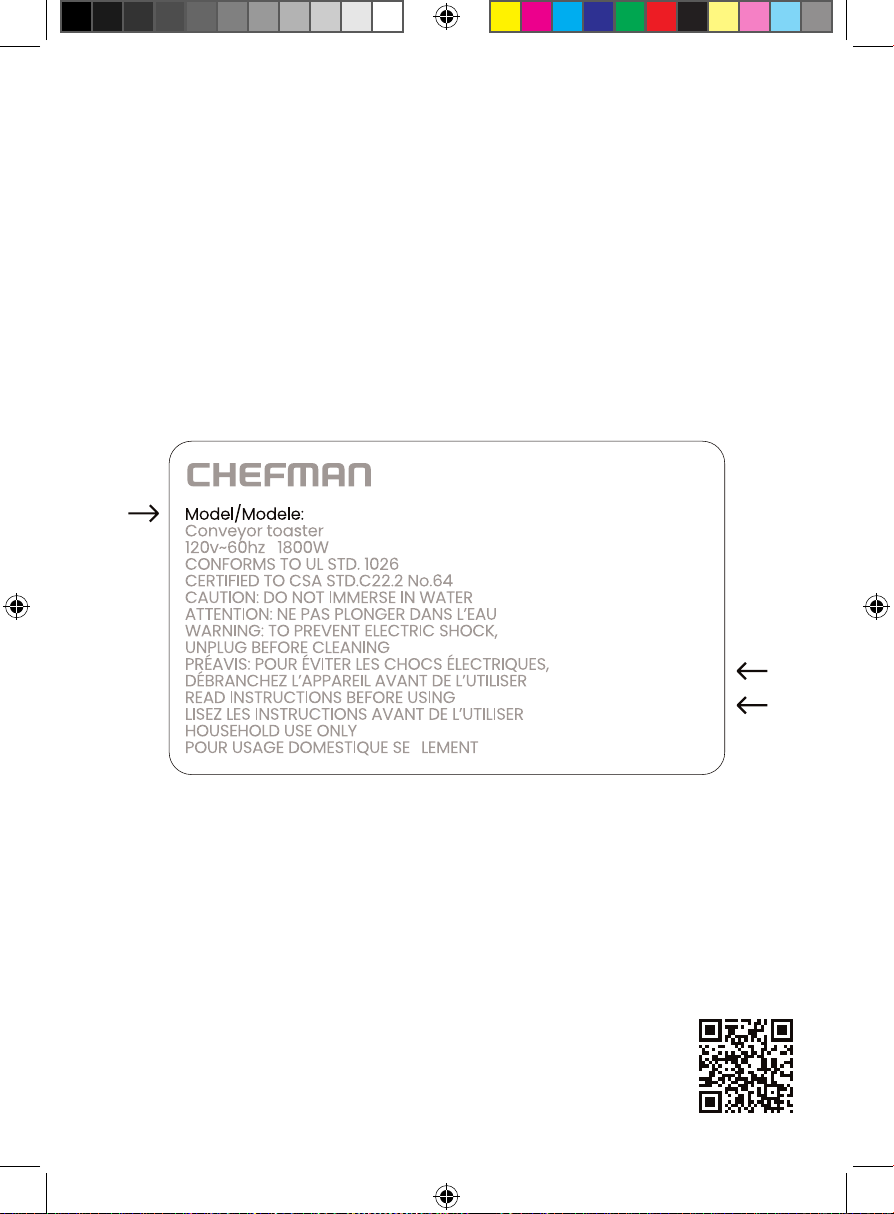
What do I need to register my product?
• Contact Information
• Model Number (see example below)
• Proof of Purchase (online confirmation, receipt, gift receipt)
• Date Code (see example below)
• Access Code (see example below)
NOTE: Label depicted here is an example.
Please see label on your product for actual model/date code/access code.
Date Code:
0000
Access Code:
Xxxxxxxx
Made in China/Fabrique en Chine
AC Only/ AC Seulement
XXXXX
Iceman® designed by ©Chefman 2024.
Chefman® is a registered trademark of RJ Brands, LLC.
Iceman® is a registered trademark of RJ Brands, LLC.
The Chewable Pebble
Ice Machine
RJ56PBV2UG102824