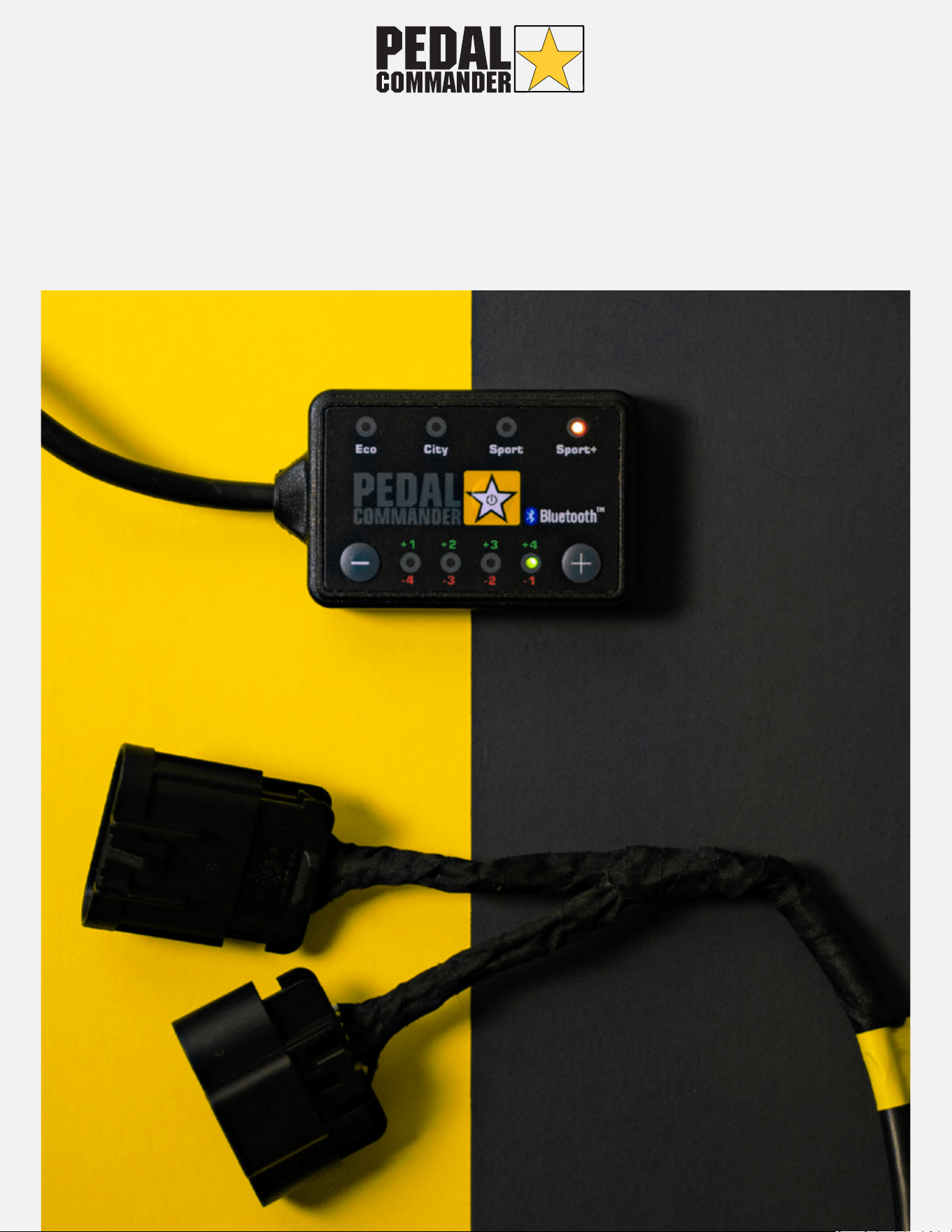
OWNERS MANUAL
About Pedal Commander (1)
Installation Process (2)
Bluetooth
Features (3-5)
Pairing (6)
Troubleshooting (7)
Control Modes
Modes (8-9)
Configuration (10-11)
Troubleshooting (12)
Warranty (13)
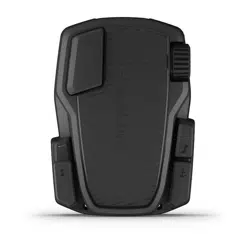
The Pedal Commander is the World's Most Advanced Throttle Response
Controller. It eliminates the annoying, slow and sluggish response delay
coming from your electronic gas pedal. By elmininating this delay, the Pedal
Commander allows you to receive quicker access to your engine's existing
power so that you can accelerate faster than ever before.
Disclaimer
Pedal Commander is designed
to enhance the performance of
your vehicle, specifically its
speed and acceleration
capabilities. It is important to
note that while Pedal
Commander aims to improve
your driving experience, it is
crucial for drivers to exercise
responsible and safe driving
practices at all times.
Pedal Commander cannot be
held accountable for any
misuse, unsafe actions, or illegal
activities that may occur while
operating our product. So, we
strongly encourage drivers to
prioritize safety and compliance
with local traffic laws when
utilizing Pedal Commander in
their vehicles.
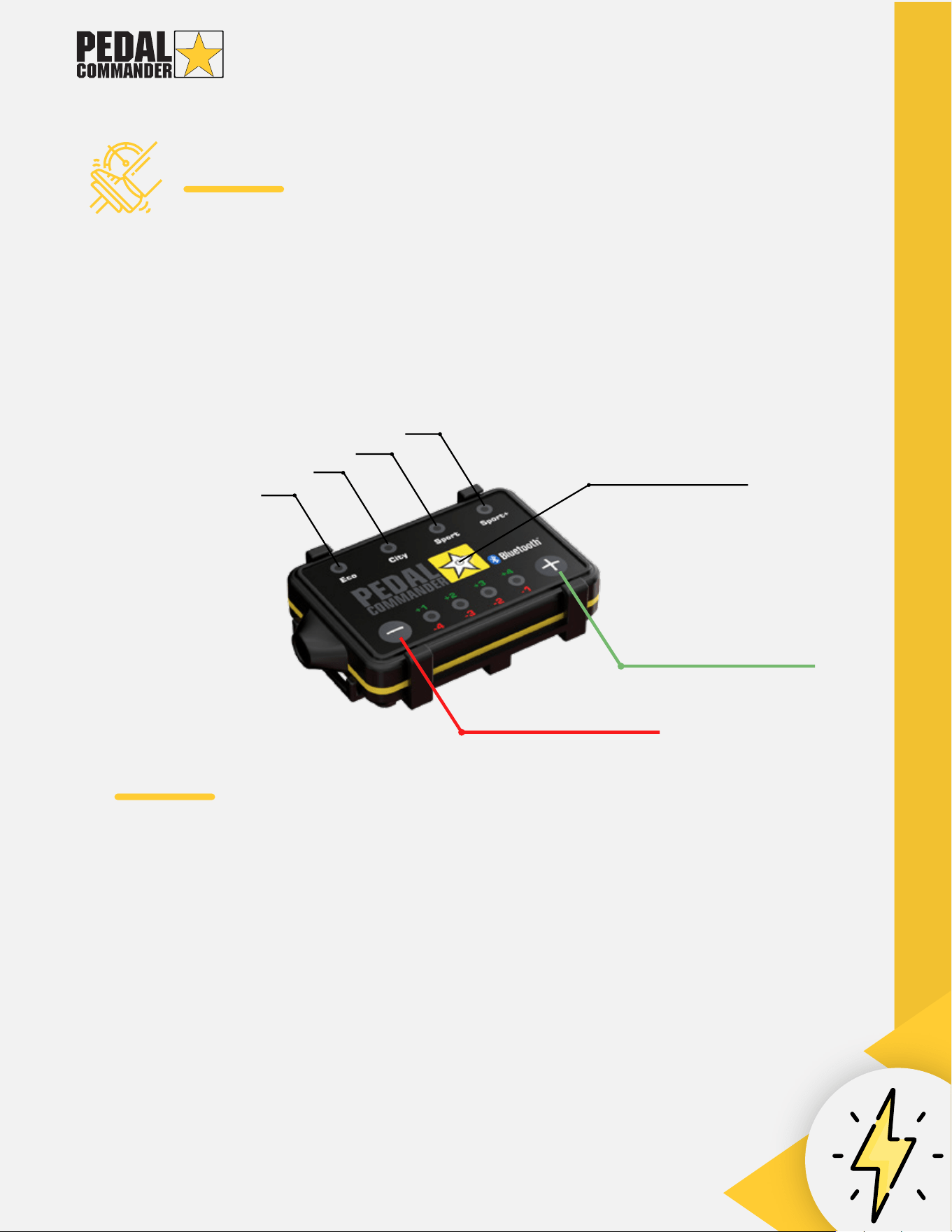
Instant Acceleration
RACING PERFORMANCE
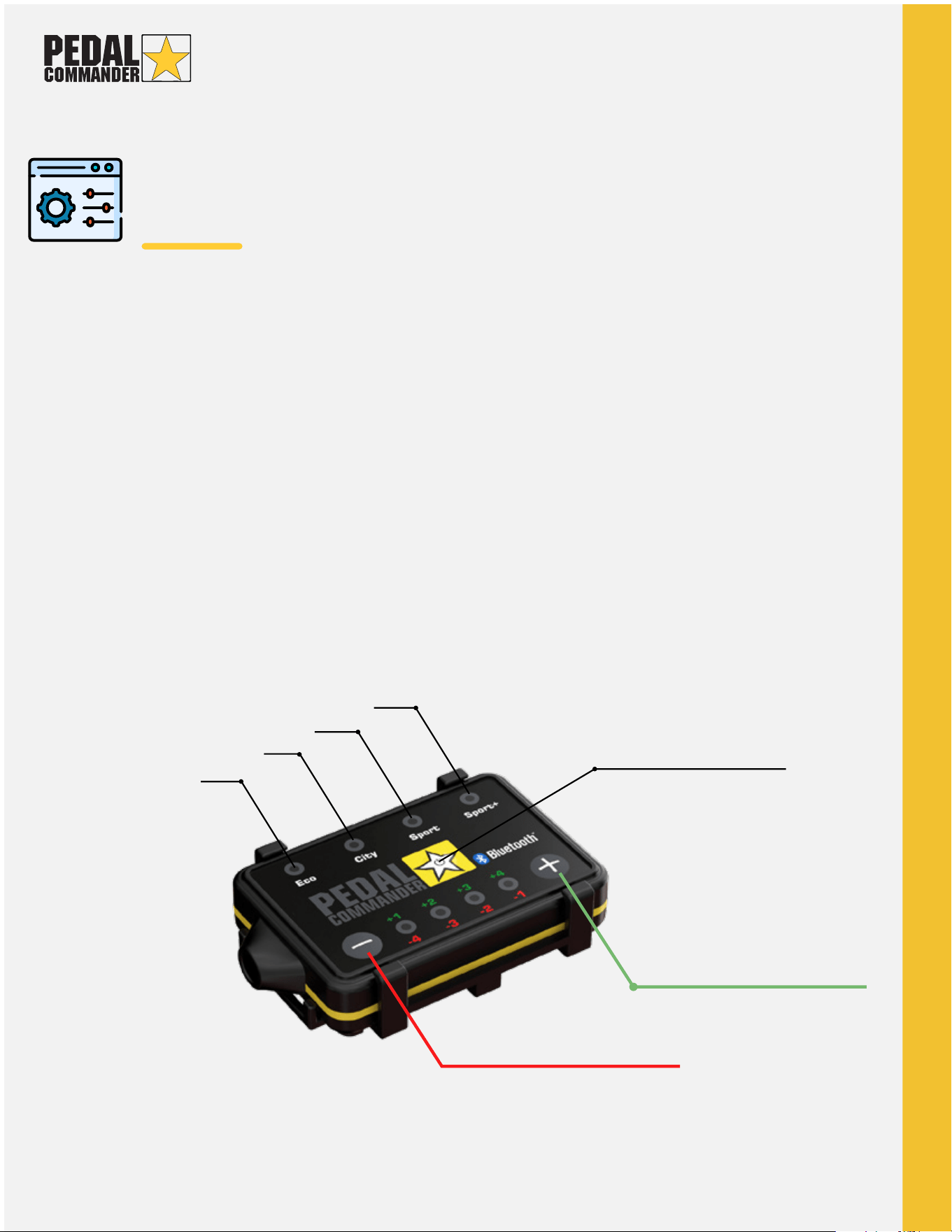
PROGRAM BUTTON
INCREASED RESPONSE
DECREASED RESPONSE
SPIRITED DRIVING
DAILY DRIVING
GAS SAVINGS
1.
2.
3.
4.
5.
6.
7.
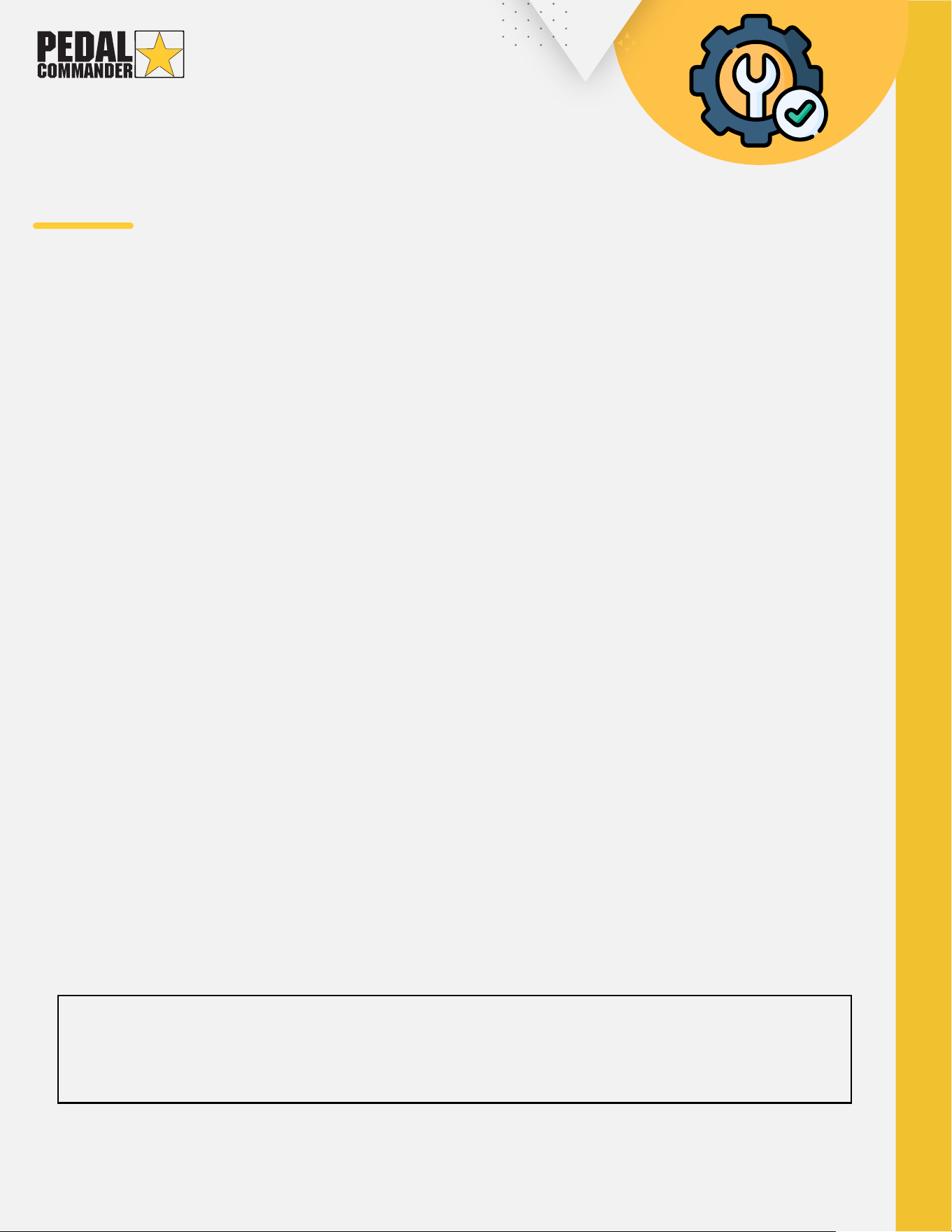
Turn off ignition.
Keep your key fob (if applicable) at least 35ft. (10m)
away from your vehicle. This prevents your car from
using power to transmit signals to your proximity key
fob sensor.
Leave your door open for 15 minutes to allow your
ECU to completely shut down.
Locate and disconnect your accelerator pedal
assembly plug.
Plug in your Pedal Commander in-line with your
accelerator pedal assembly plug until you hear a
“click.”
Make sure the cables are tucked in place so they don't
interfere with your driving experience.
Place and mount the Pedal Commander to your
desired location using the velcro and mounting
bracket that's included in the box.
PEDAL COMMANDER
INSTALLATION
To avoid receiving check engine lights or other issues, it is important that you
follow these instructions properly. Also, please ensure that you hear a "click"
sound as your connecting the plugs as this signifies a secure connection.
IMPORTANT
For visual assistance on how to install the Pedal Commander, visit our website at:
https://pedalcommander.com/pages/installation
BLUETOOTH
FEATURES
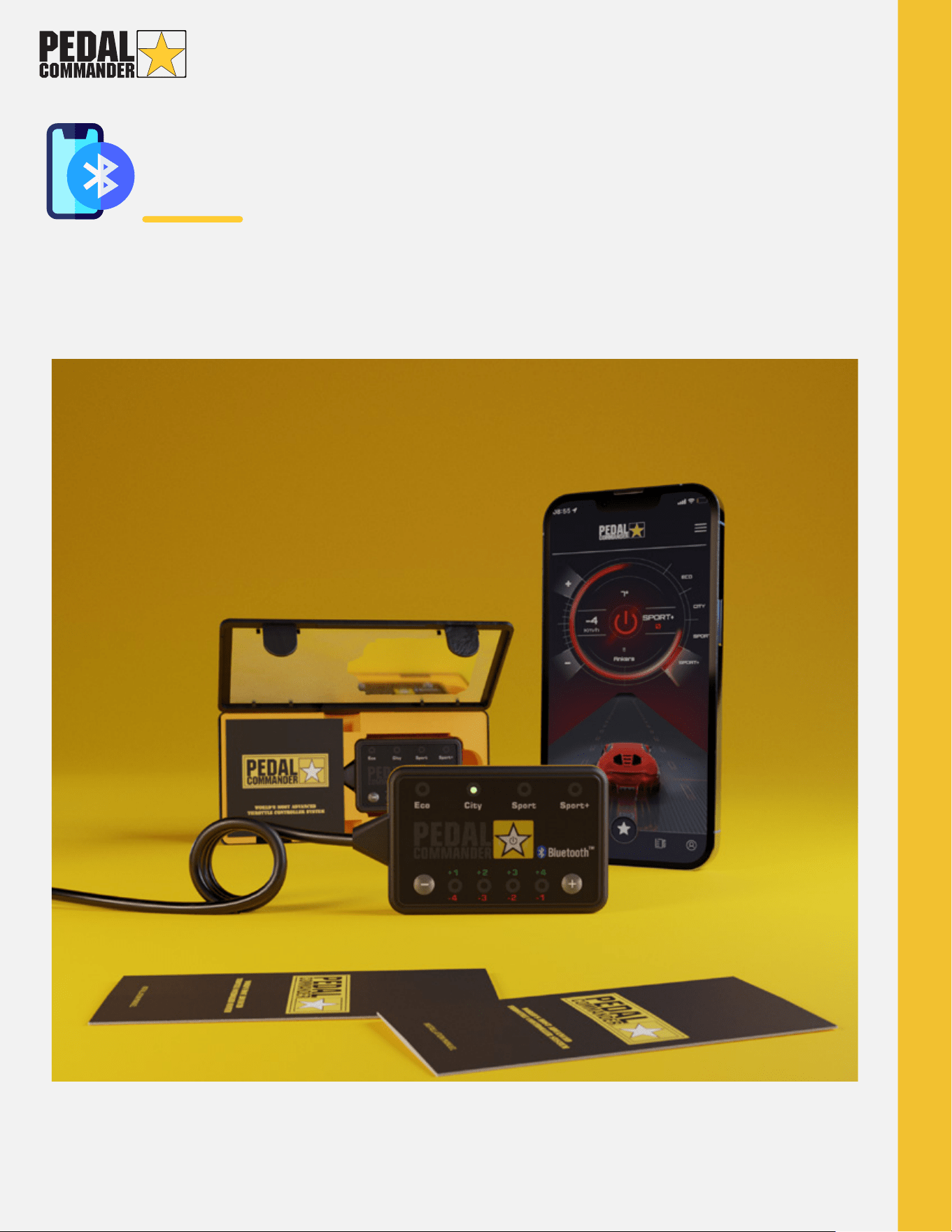
The Bluetooth capability in the Pedal Commander allows for a more
user-friendly experience. You can now change between modes and sensitivity
levels using your smartphone.
Learn about the features and the pairing process on the next few pages.
AVAILABLE ON APPLE (iOS 10 OR LATER) AND ANDROID (5.1 OR LATER) DEVICES.
BLUETOOTH
FEATURES
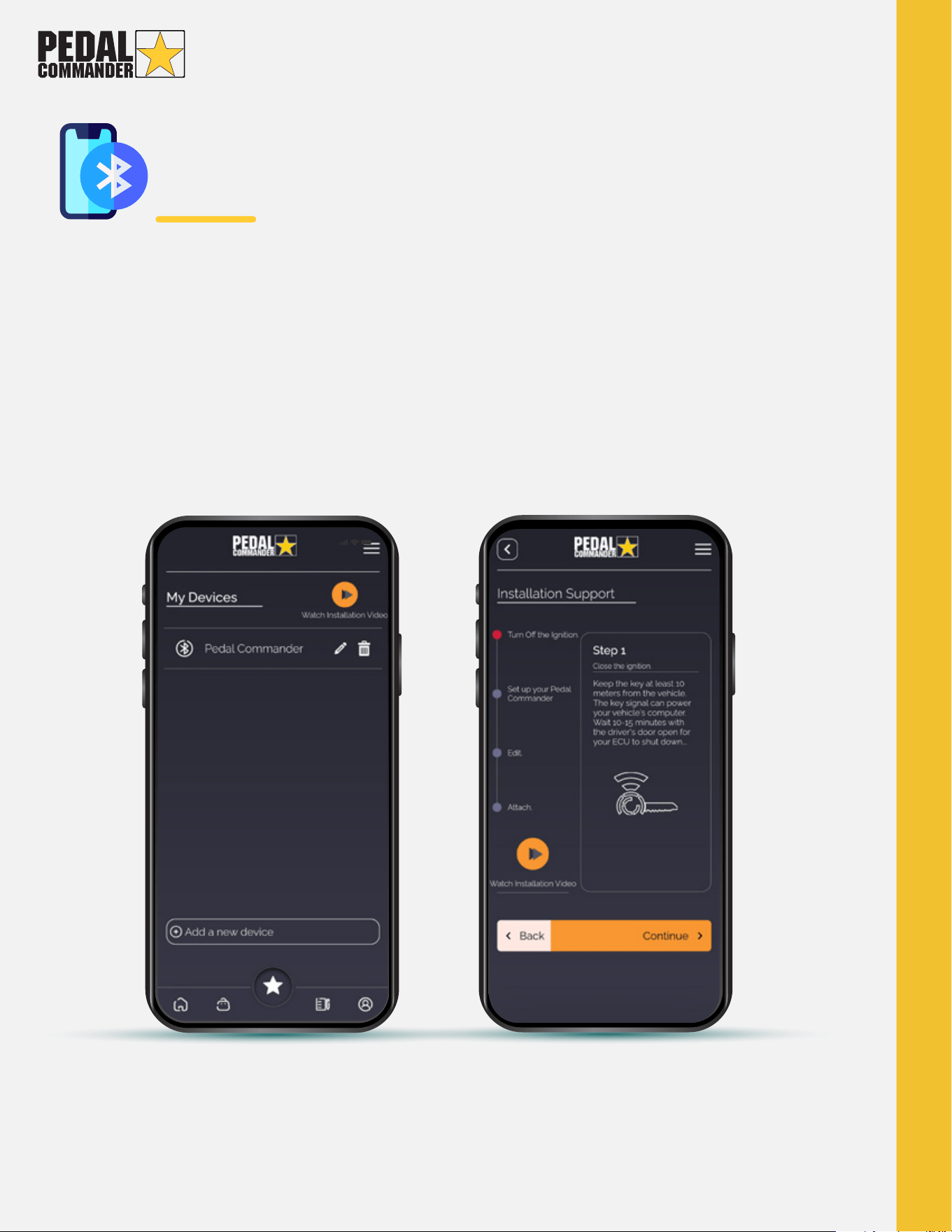
If you have multiple Pedal Commander Bluetooth devices on
multiple vehicles, you can store them all in the Pedal Commander
App and name each one. (Image 1)
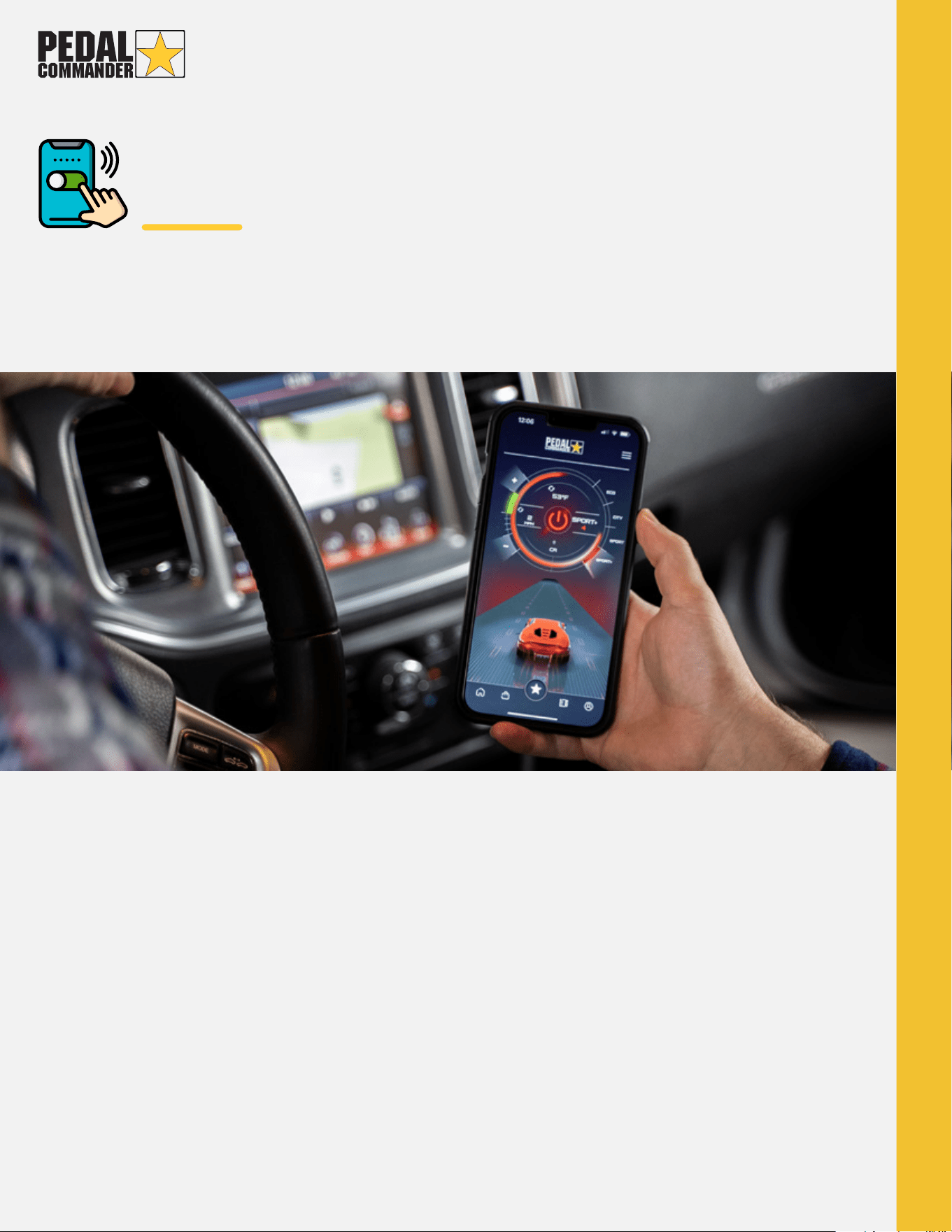
Learn how to pair the Pedal Commander to your
smart- phone in the next page. (Image 2)
Continued
Image 1 Image 2
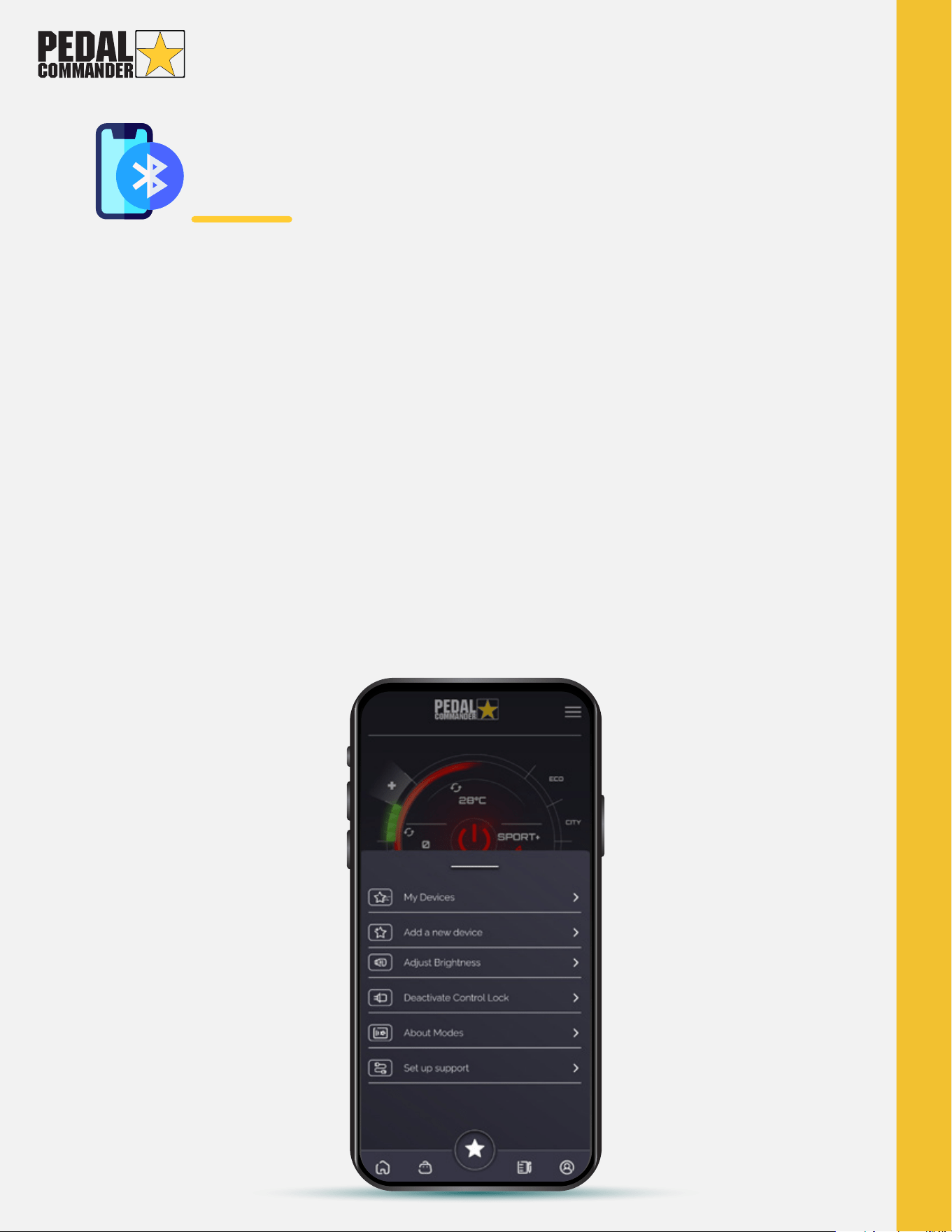
My Devices: Use this button to display all the Pedal Commander units you've
paired with
Add a new device: Use this button to pair with a Pedal Commander unit
Adjust Brightness: Use this button to change the brightness of the LEDs on the
Pedal Commander unit
Activate/Deactivate Control Lock: Use this button to activate or deactivate the
physical control buttons on the Pedal Commander Unit
About Modes: Use this button to get information about the Pedal Commander
modes
Set up Support: Use this button if you encounter any problems or need any help
with the pairing process
BLUETOOTH
FEATURES
Continued
BLUETOOTH
PAIRING
The free Pedal Commander app is available for Apple (iOS 10 or later) and
Android (5.1 or later) devices.
1. Install the Pedal Commander app from your mobile app store (Android and iOS).
2. Turn on your vehicle's ignition and ensure the Pedal Commander unit is on.
3. Turn on the Bluetooth feature on your phone and pair it to the Pedal Commander
(We recommend you not having anything else connected to bluetooth while
pairing). 4. Open the Pedal Commander app and press "allow" for both notifications
and location access when prompted (This is used for software updates).
5. Read and accept the legal disclaimer.
6. Press "Connect" and then "Add another Pedal Commander." (App will scan for
Pedal Commander)
7. Enter your 6-digit serial number that is located on the back of the Pedal
Commander unit. (Remove the bracket to locate serial number).
8. You are all done!
Pairing the Pedal Commander to your phone:
BLUETOOTH
TROUBLESHOOTING
1. Make sure you are using a Bluetooth-compatible Pedal Commander.
2. Make sure you are using a compatible operating system on your smartphone
(Apple iOS 10 or later / Android 5.1 or later).
3. Ensure the Pedal Commander is turned on (You will see the light on one of the
modes).
4. Ensure your phone is paired to the Pedal Commander via Bluetooth.
5. Make sure you have the Pedal Commander app downloaded. You can only
connect to the Pedal Commander using the app.
For visual assistance on how to pair the Pedal Commander, visit the link:
https://www.youtube.com/watch?v=bwZ_7VBwEWA
If you need to interact with your mobile device at any time, please follow the
local laws and regulations regarding mobile device usage while driving and
please use these services responsibly.
CONTROL
MODES
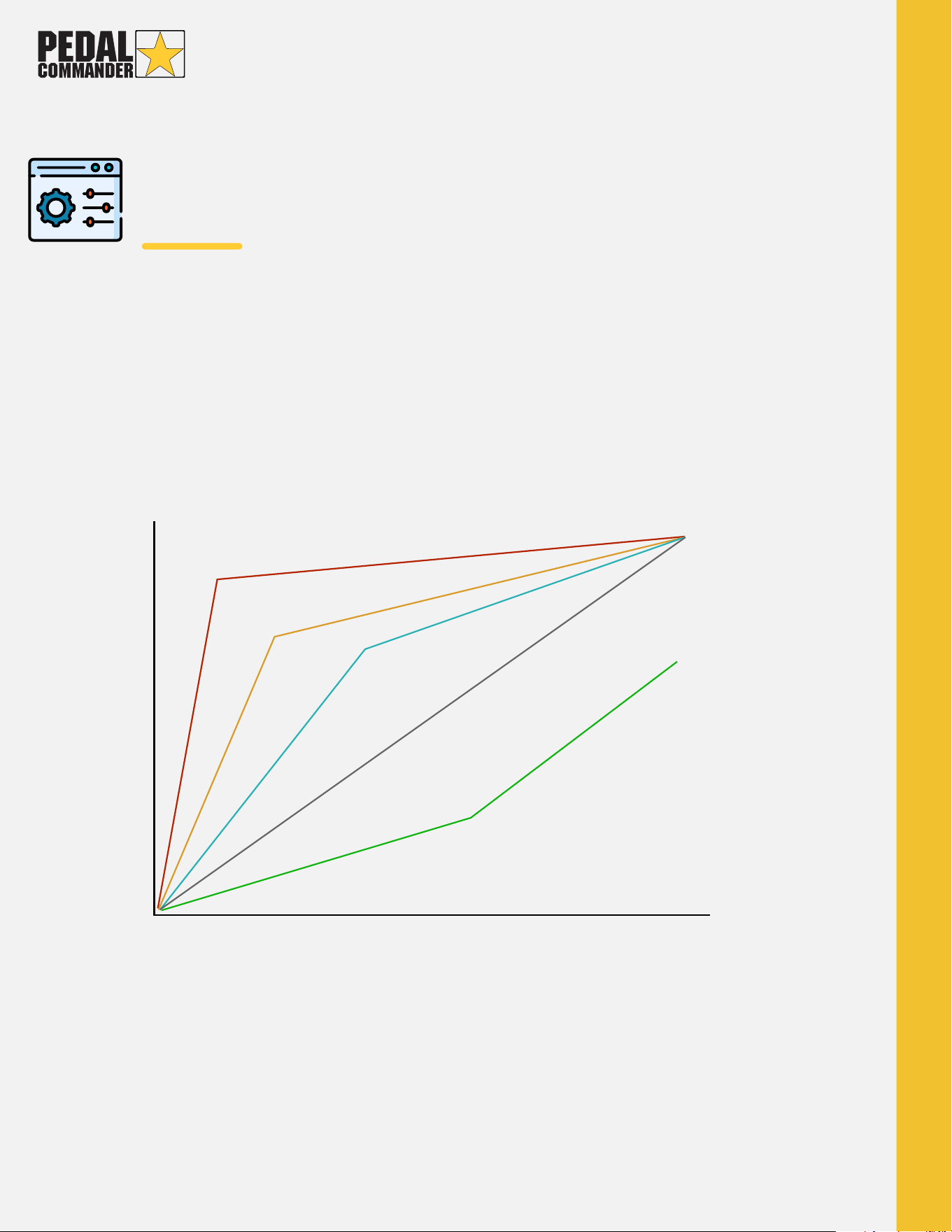
Pedal Commander has a total of 36 different sensitivity settings: 4 control mode
and 9 adjustable settings (+ or -) for each mode. This gives you complete
customization over your throttle response so that you can find your perfect match.
Throttle Position
HOW THE PEDAL COMMANDER WORKS
Learn more about the the different modes in the next page.
Also, you can visit https://pedalcommander.com/pages/product-information
0
100%
90%
80%
70%
60%
50%
40%
30%
20%
10%
10% 20% 30% 40% 50% 60% 70% 80% 90% 100%
7000 Rpm
6000 Rpm
5000 Rpm
4000 Rpm
3000 Rpm
2000 Rpm
1000 pm
Sport + (50.000 Hz/s)
Sport (10.000 Hz/s)
City (5.000 Hz/s)
Original Signal (500 Hz/s)
Eco (250 Hz/s)
CONTROL
MODES
ECO MODE
Allows you to maximize fuel economy
by up to 20% over the stock ratings. It
significantly slows the response so
ECO mode also allows for better
traction over various terrains (rain,
snow, mud, dirt, etc.) and doubles as a
valet mode to keep others from
accelerating over a certain rate.
To activate Eco mode, press and
hold the main star button for 3
seconds.
CITY MODE
Gives you a more active, linear throttle
response, perfect for everyday driving.
This offers you a response of an "old
school" throttle cable; a 1:1
pedal-to-throttle acceleration ratio.
SPORT MODE
Our spirited driving mode. Not for the
light-hearted. This is our highest
suggested mode for around-town
driving. 70% faster signal than stock.
SPORT+ MODE
Extreme mode! Gives any vehicle the
response and acceleration of a race
car, allowing you to get up and go
with ZERO lag from your ECU. Perfect
for track and race use.
Please use it with caution!
DO NOT change modes while your foot is on the gas pedal.
CONTROL
MODES
Configuration
The Pedal Commander unit will automatically shut off when the ECU in
your vehicle goes to "sleep." (This may take up to 5 minutes)
TURNING ON
To power on the Pedal Commander unit, simply press the main star button.
TURNING OFF
To power off the Pedal Commander, switch through the modes using the main
star button until the light on the unit is off.
CHANGING MODES
Switch between the modes by pressing on the main star button.
ACTIVATING ECO MODE
Activate Eco mode by pressing and holding the main star button for 3 seconds.
CONTROL
MODES
Each mode can have its sensitivity adjusted to 9 different levels.
To decrease the sensitivity, press the minus button (-), which will
illuminate red. Each press will reduce the sensitivity from -1 to -4.
To increase the sensitivity, press the plus button (+), which will illuminate
green. Each press will raise the sensitivity from +1 to +4.
When there is no red or green light between the numbers, it indicates
that you are in the base sensitivity setting for that particular mode.
Configuration(Continued)
RACING PERFORMANCE
PROGRAM BUTTON
INCREASED RESPONSE
DECREASED RESPONSE
SPIRITED DRIVING
DAILY DRIVING
GAS SAVINGS
PEDAL COMMANDER
TROUBLESHOOTING
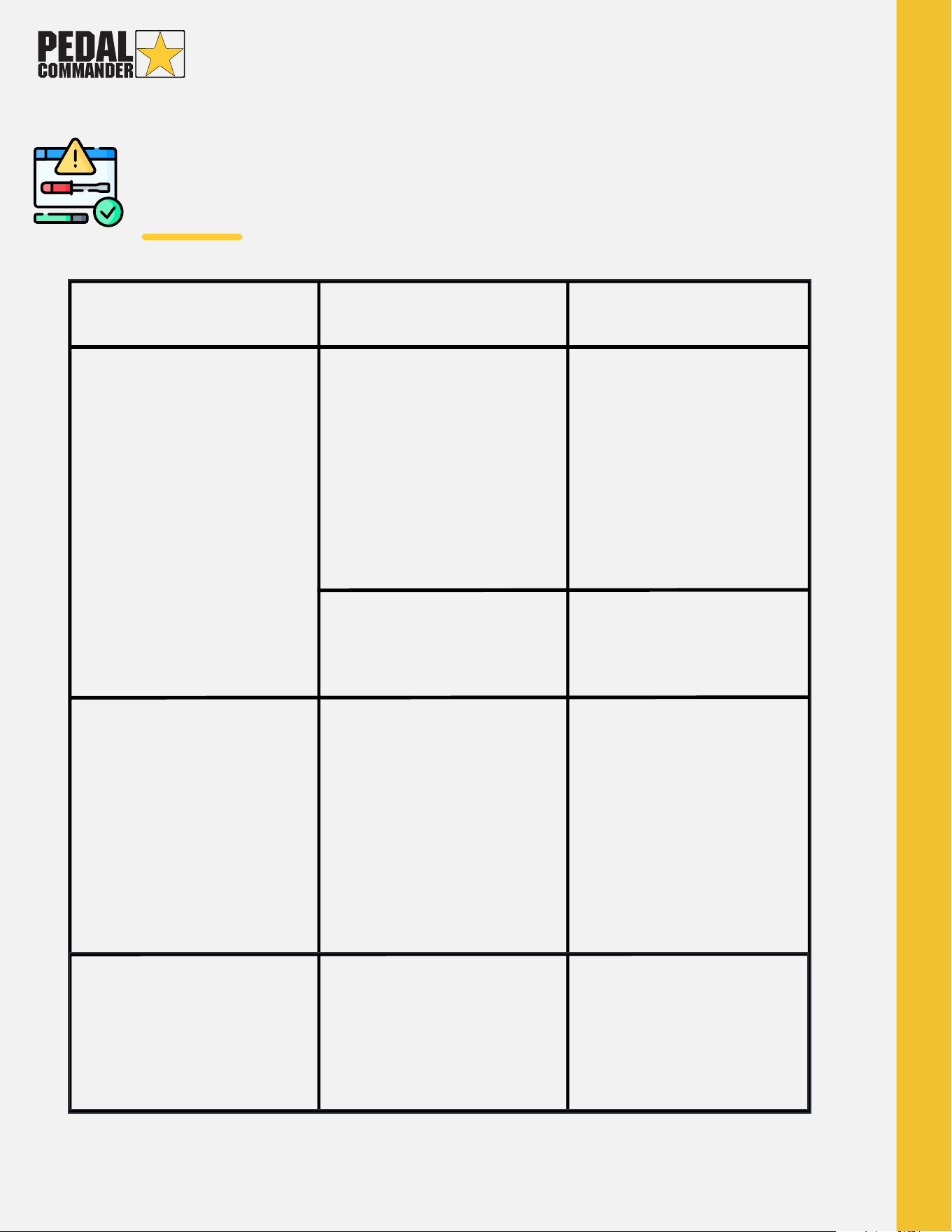
Symptoms Causes Solution
Check engine light
appears right after
installation.
Check engine light
after a period of
time.
Lights on unit are
not turning on.
Unit was not
installed properly.
Unit is not turned on.
Check plug
connection to sure
the plugs "clicked"
and are locked in
place.
Plugs were not
locked in during the
initial installation.
Modes were
changed while
cruise control was
engaged or foot was
on the gas pedal.
Unistall the Pedal
Commander and
reinstall your factory
plugs, allow- ing your
ECU and CEL to fully
reset. Once complet-
ed, reinstall the Pedal
Commander
following the proper
installation.
Unit has been
installed while the
ECU was still active.
Improper
connection, plugs
did not "click" or fully
lock into place.
Non compatible
device.
Contact your Pedal
Commander dealer to
receive the correct unit
for your vehicle.
Turn off your vehicle,
wait for ECU to shut off,
then uninstall the
Pedal Commander
unit. After, reinstall your
vehicle's stock plugs
and restart your
vehicle. When check
engine light clears,
properly reinstall the
Pedal Commander.
Check engine lights can be cleared using an OBD2 scanner or by
reconnecting your original plugs and then restarting your vehicle
several (5-6) times.

PEDAL COMMANDER
WARRANTY
When you purchase a Pedal Commander, it comes with a 2-year product
warranty as long as you have proof of purchase. This warranty applies to
Pedal Commander units bought directly from an authorized reseller or
through their official website.
Under this warranty, Pedal Commander will repair any defective units free of
charge. If the unit is found to be unrepairable, the protocol differs based on
the time of purchase:
For purchases made within the first 30 days: Pedal Commander will replace
the faulty unit with a brand new one.
For purchases made after the initial 30 days: Unrepairable units will be
replaced with a refurbished one.
It's important to remember that this warranty is non-transferable, so it only
applies to the original purchaser. If you sell the unit or buy it from an
unauthorized third-party reseller, the warranty becomes void.
Additionally, please note that the warranty does not cover defects caused by
misuse, negligence, abuse, accidents, repairs, or modifications carried out by
unauthorized individuals