SKUs: DM043NL14, DM043NLB, DM043NLW Version 1.0
2ASCB-DM043NL14
43-inch Indoor Recharge
NoTCH BLK 14 OS
This product is a type B device.

Transportation
Rechargeable Battery
4
6
6
8
9
10
11
12
13
15
16
16
17
18
19
24
25
29
32
33
34
36
37
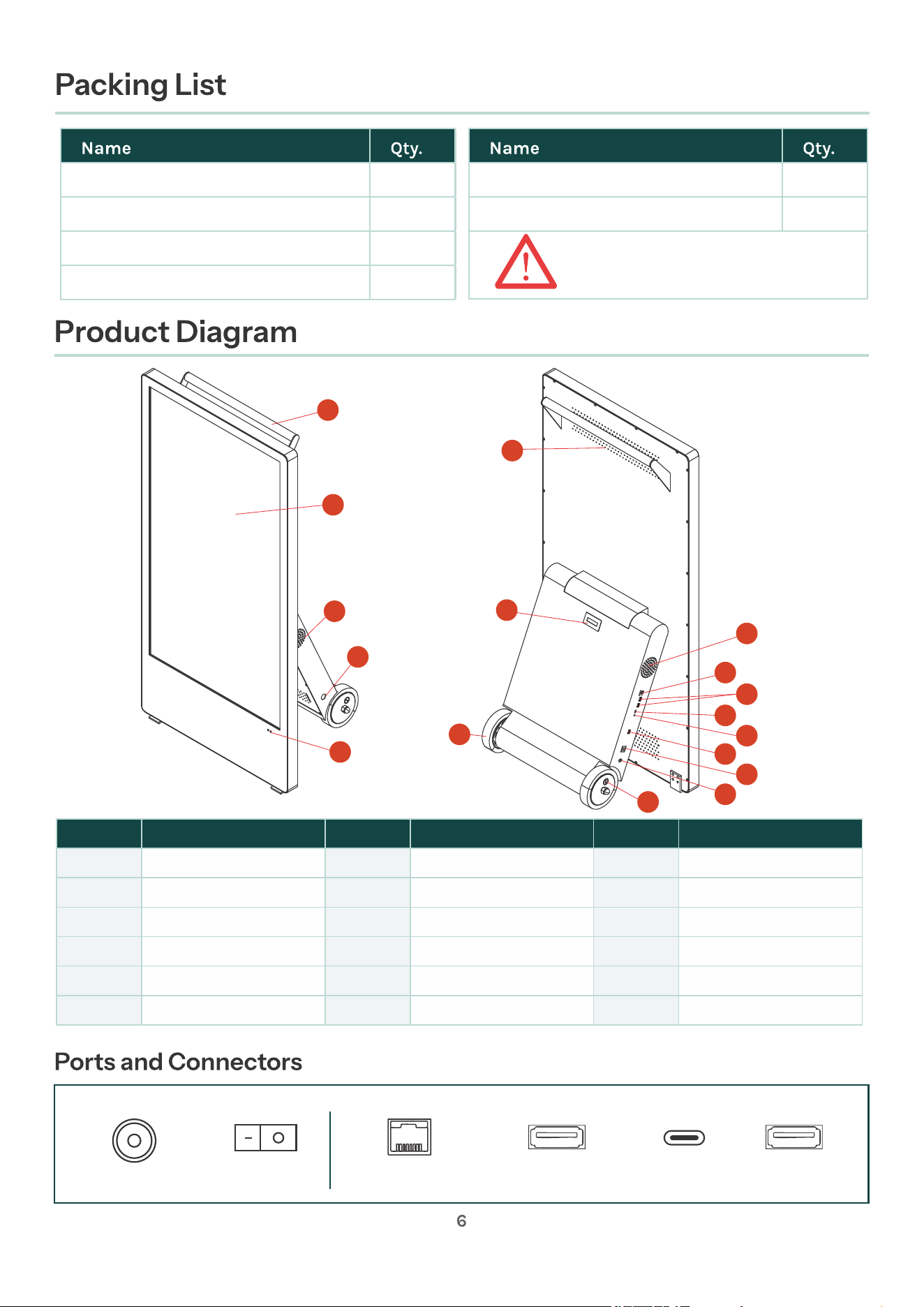
Remote ontrol
1
Key for wheels
4
Key for lock in the stand
2
1
User manual
AC power cord
1
Charging adapter
1
Please be sure to charge
with the 25.55V, 4.9A charger
we provide!
A
B
C
D
E
F
G
C
H
I
J
K
L
M
N
O
P
Label Label LabelName Name Name
A
B
C
D
E
F
G
H
I
J
K
L
M
N
O
P
Handle
LCD Screen
Speakers
Key
Remote Sensor
Vent
Battery Indicator
Wheels
RJ45 Port
USB 2.0 Port
Type-C Port
Audio Output Port
USB 3.0 Port
DC Charging Port
Wheel Lock
DC Charging Port
On/Off Switch
On/Off Switch
USB 2.0 Port x 2
RJ45 (ETHERNET)
USB 3.0 Port x 1
Type-C Port
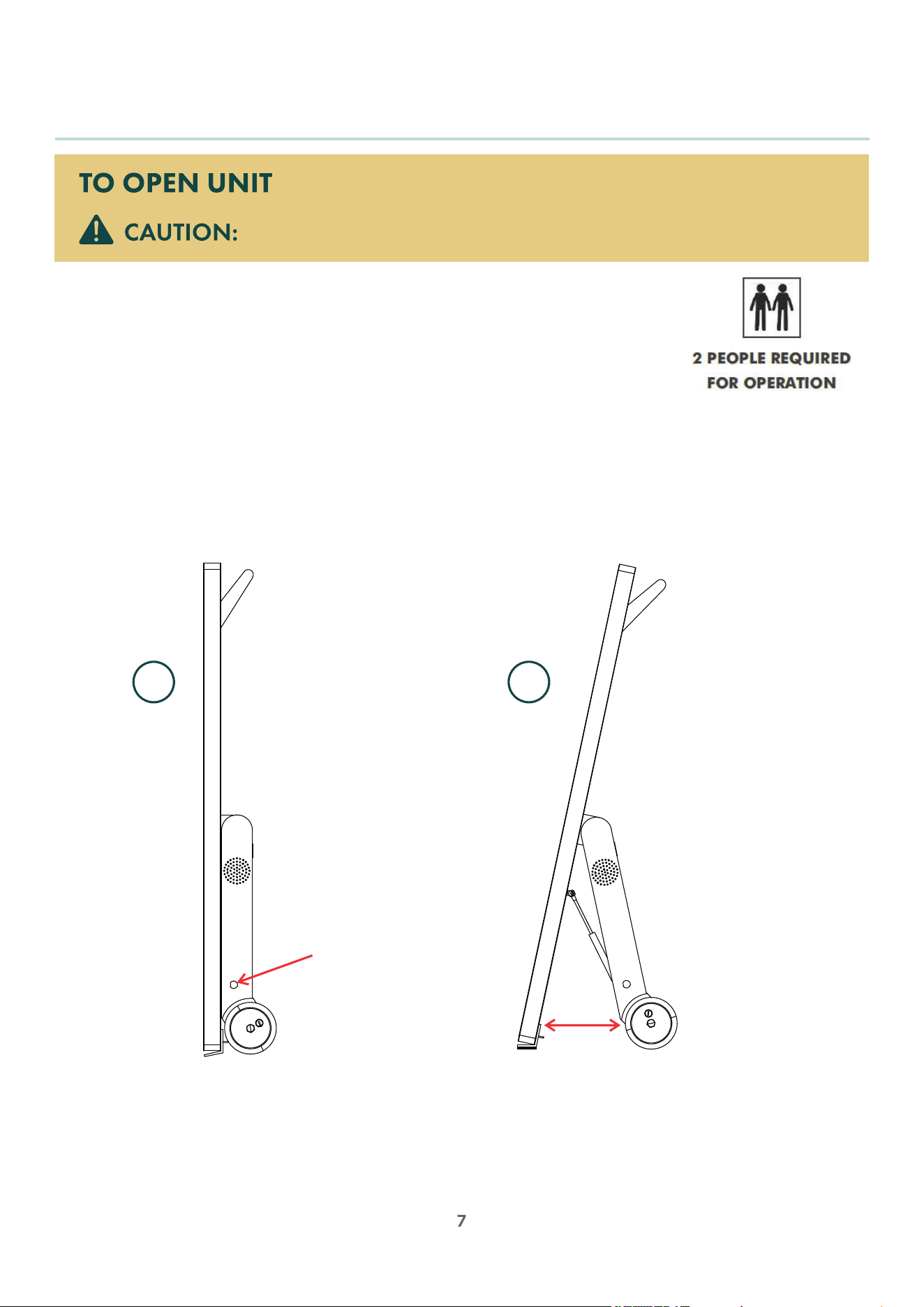
1. Lock both wheels to prevent them from rotating.
2. Have one person hold the handle with both hands and tilt the unit upright.
3. At the same time, have a second person unlock the bracket, then pull the rear bracket open until
the unit can stand upright.
When closing the unit, reverse operation above and lock the bracket box to finish
(2 people required).
Operation
2 people required to safely unfold unit.
1 2
Transportation
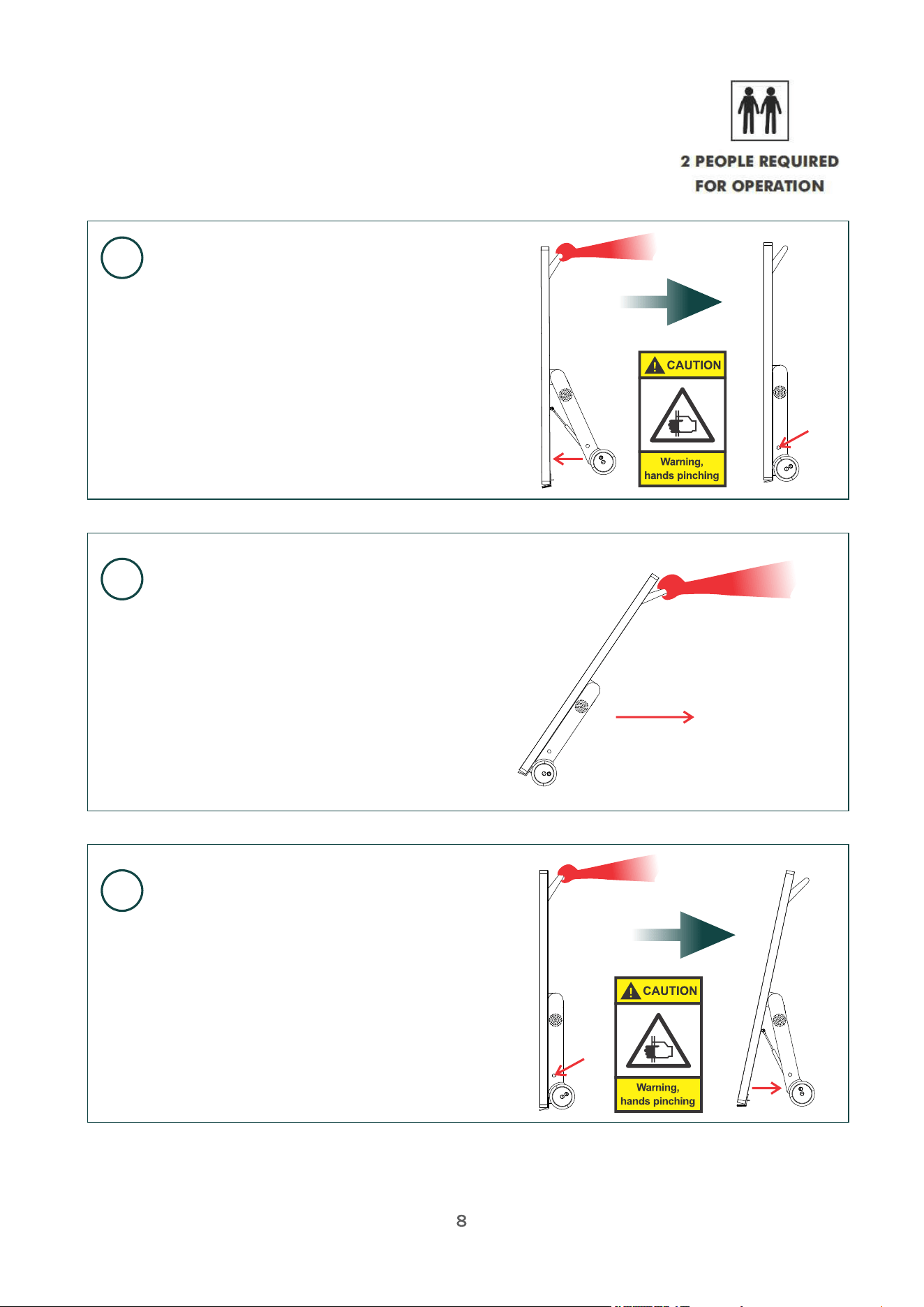
Note: For safety reasons, two people are required to operate
during the product moving process.
1
2
3
One person holds the product upright,
while the other person gently closes the
stand. Once closed, the second person
inserts the key into the lock, turns it to
tighten the locking hook, and secures
the stand.
Pull the entire unit by hand to move it to
the desired location.
Upon reaching the destination, one
person holds the product upright,
while the other person inserts the
key into the lock, releases the locking
hook, and pulls the stand apart until
the product can stand on its own.
Rechargeable Battery
SAFETY INFORMATION
• The battery is located inside and is accessible to authorized personnel for
maintenance purposes only.
• Do not disassemble the battery.
• Do not expose the battery to fire or water.
• Only charge with provided 25.55 V 4.9A charger.
• Do not reverse the positive and negative terminals of the battery.
• Avoid overcharging or over-discharging the battery.
• Avoid heavy impact or crushing of the battery.
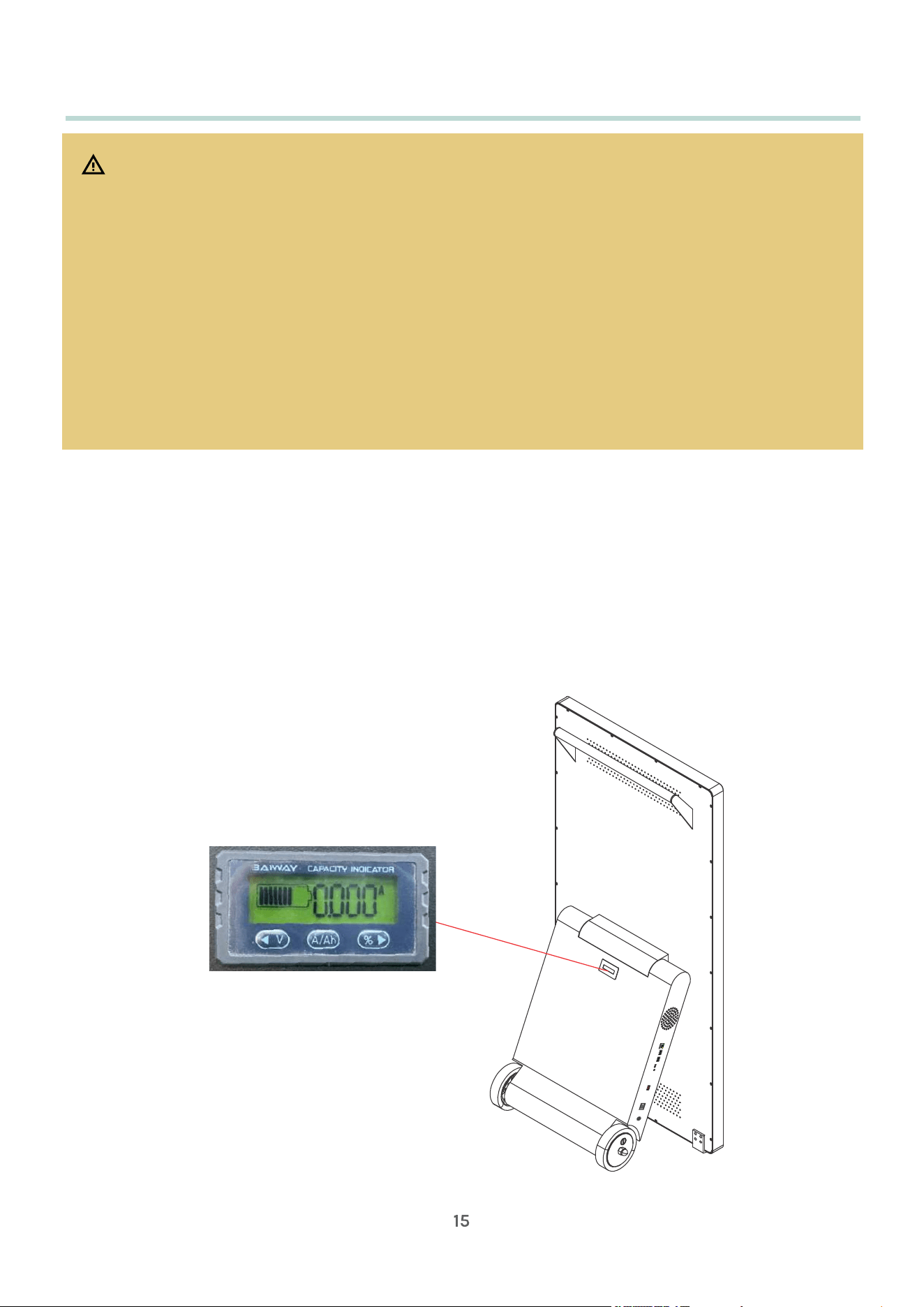
• To see battery level, refer to the Battery Power Indicator on the unit.
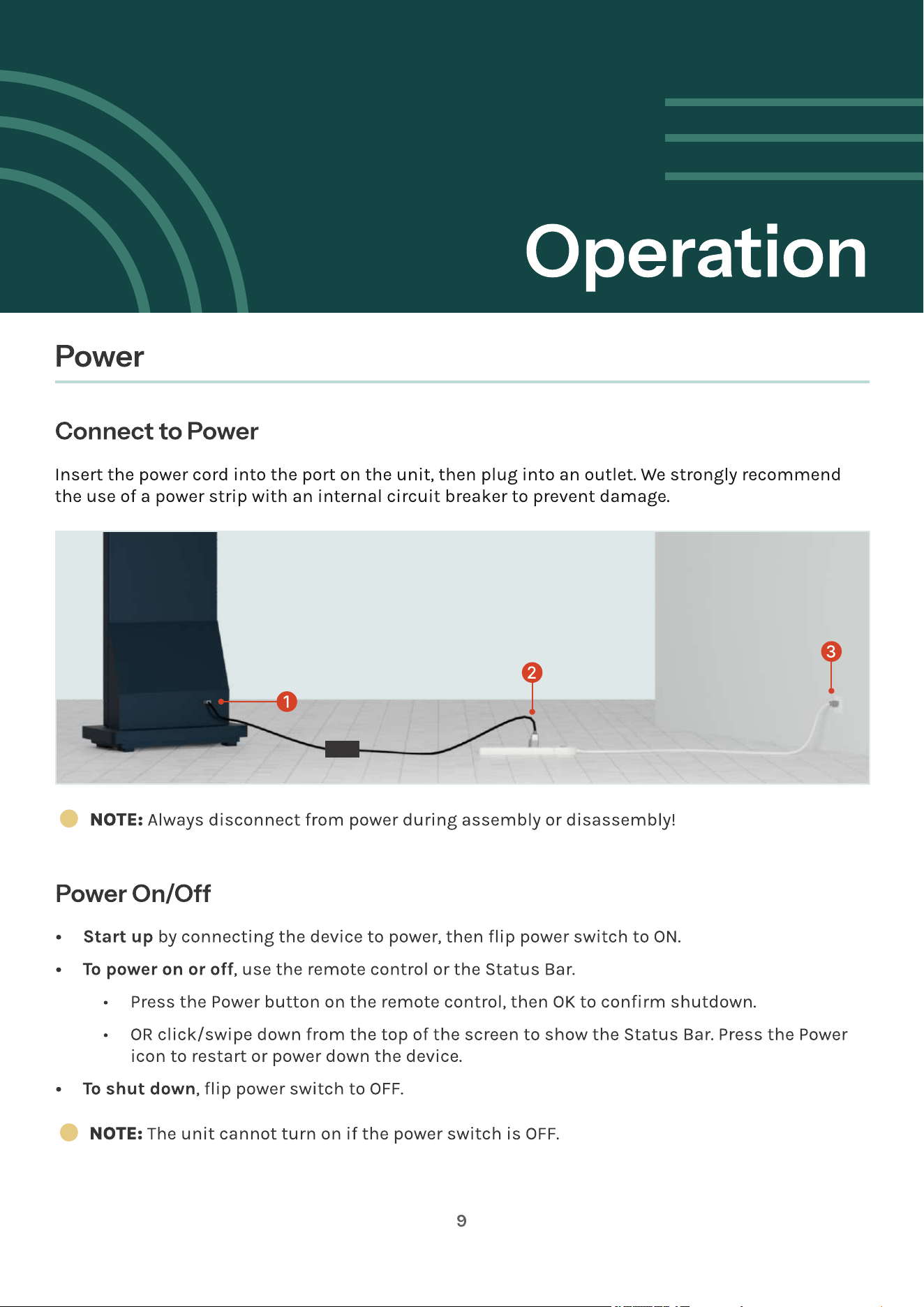
• To charge unit, connect AC Power Cord to charging adaptor. Insert into charging
port of unit, then connect to outlet. A full charge lasts approximately 12 hours. It
takes approximately 10 hours to charge the battery to full.
• To store the unit for an extended period of time, it is recommended to charge
the battery to at least 30% and recharge the battery each month in storage to at
least 30%. This will preserve the life of the battery.