Product Manual
Label Printer
Sma
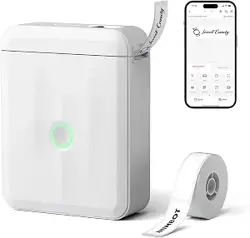
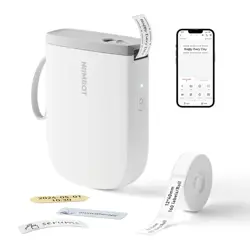
NIIMBOT D11
Package Contents
01
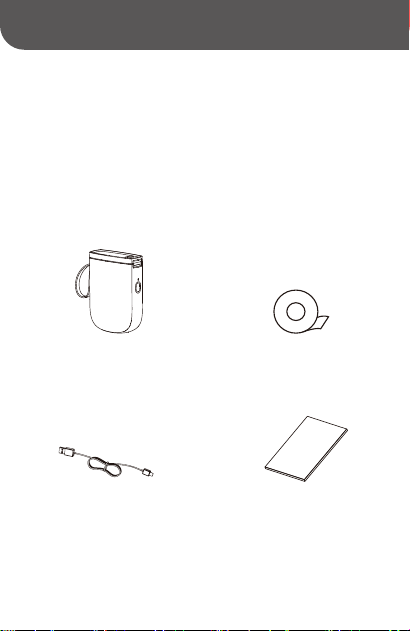
Sma Label Printer *1
USB Type-C Cable *1
Label Paper Roll *1
Product Manual *1
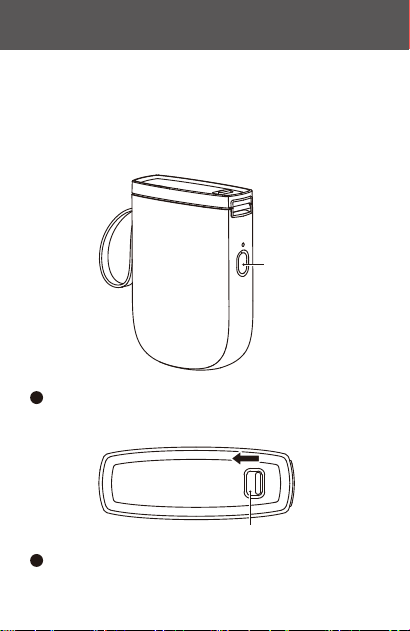
Power button
Button to open compament
Press and hold the power button for three seconds to
power on.
1
Slide the door-open button to the left to open the
paper compament.
2
Installation
02
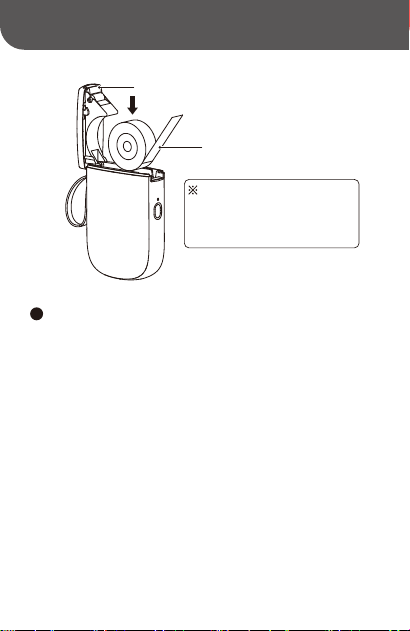
Place the label paper in the paper compament with
the print side down and the rst label protruding from
the paper outlet. Then close the paper compament.
3
The label paper should be
inseed with the printing side
face down in the paper
compament
Printing suace
Cutting blade
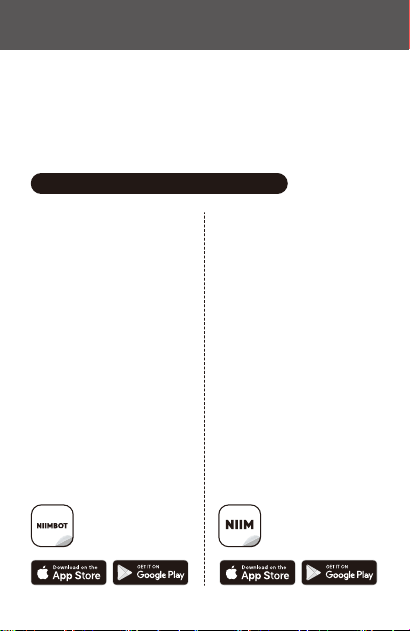
Printer Software
03
NIIMBOT APP
Commercial Label
Editing Expe
NIIM APP
Your Home Labeling
Assistant
If you have purchased this product
primarily for commercial or industrial
applications, we recommend
downloading the NIIMBOT app,
which features a wide range of
indust-specic label templates,
data impo capabilities, and batch
printing functions.
You can download the app directly
from the Google Play or Apple App
Store.
If you have purchased this product
mainly for home storage or personal
creative projects, we recommend
downloading and using the NIIM
app, which features a variety of
fun and creative icons and label
templates for household use.
You can download the app directly
from the Google Play or Apple App
Store.
03-1 Recommended App Downloads
Design & Print APP
easy to download and use
NIIMBOT
Design & Print APP
easy to download and use
NIIM
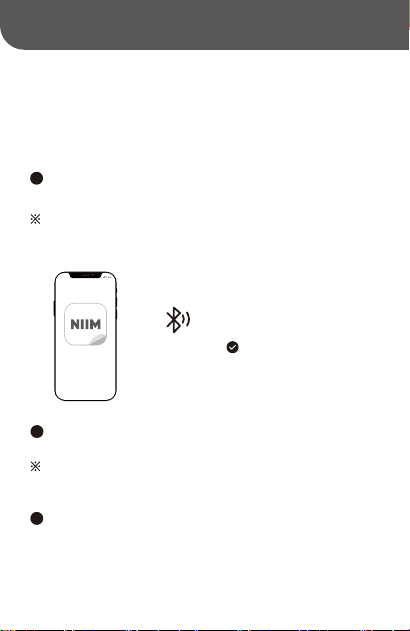
Connecting to Print
04
8:30
NIIM
Turn on Bluetooth
Once the app has downloaded, make sure your phone's
Bluetooth is turned on.
1
Note: Location permissions may need to be enabled on
Android phones.
Once successfully connected, go to the Drawing
Board.
3
Open the app and search for Bluetooth devices to
connect to.
2
Note: If it asks for a PIN, enter 0000 or 1234 then press
OK.

The illustrations of products, accessories, software
inteaces, etc. in this getting staed guide are illustrative
in nature and for reference only. Due to product updates
and upgrades, the physical product may dier slightly from
the illustrations. Please refer to the actual physical product
in such case. The product is subject to technical improvements
without notice.
Note
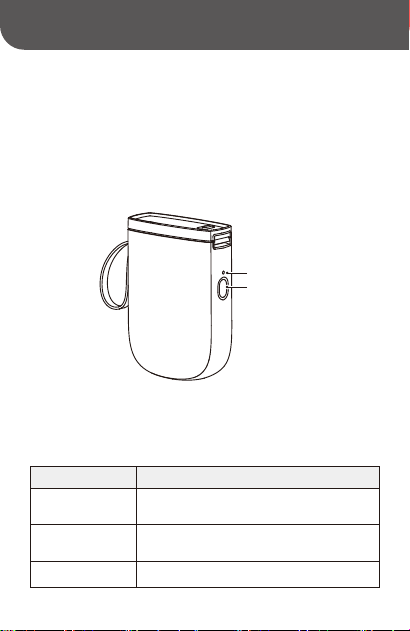
Operation Function description
Press and hold
for 2–3 seconds
Quick press
On or o
This action can be set to "Don't feed paper," "Print
current time" or "Print histo" through the app.
Press twice Print testing page
Button functions
Product Description
05
Power button
Indicator light
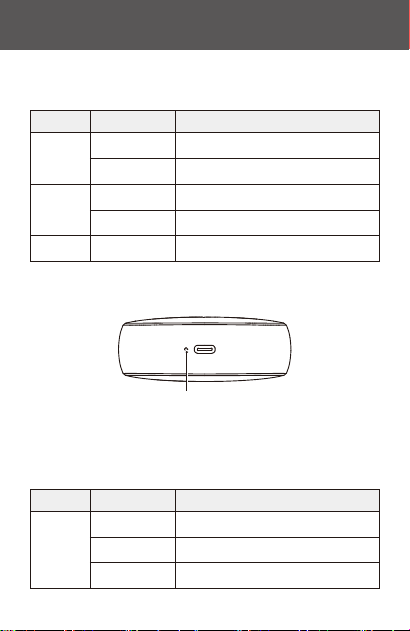
Power Indicator light
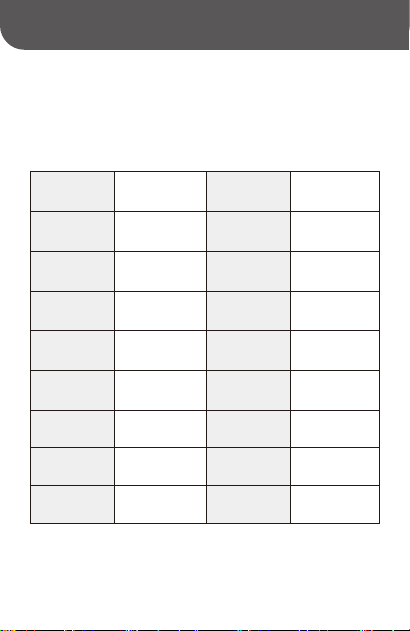
Color Status Description
Blue
Green
Powered on but not connected
Red
Solid
Upgrading rmwareFlashing quickly
Bluetooth connectedSolid
PrintingFlashing quickly
Device faultSolid
Indicator Light
Color Status Description
White
Charging
Blinking Slowly
Fully charged and connected to powerSolid
Low batteFlashing quickly
Power Indicator Light
Specications
06
Product
Label Printer
Model
NIIMBOT D11_H
Dimensions
109*78*30mm
Weight
199g
Charging Time
1 - 2 hours
Input
Batte
Capacity
1500mAh Thermal printing
5V DC, 2A
Printing
Method
Printing
Resolution
Printing Width
Connectivity Charge
Transmit Power
Operating
Temperature
300dpi 12mm
Bluetooth Type-C
4dBm(Maximum) 5℃ - 40℃
Bluetooth BLE2402-2480MHz 2402-2480MHz
NFC 13.56MHz
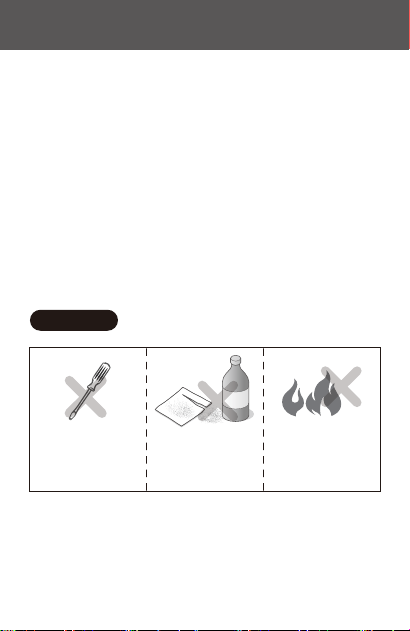
Do not disassemble the
product yourself.
No returns or exchanges will
be authorized for
disassembled products.
Do not use corrosive
chemical products or
cleaners to wipe down the
product.
Do not use the product in
the vicinity of ammable
substances such as in gas
stations, fuel depots, etc.
Safety Precautions
07
Read all instructions and warnings in this guide carefully
before using the product to ensure proper and safe use of
the product and to avoid personal inju or damage to
propey.
Keep the product and accessories in a safe place that is inaccessible
to children, or only allow use under the supeision of a guardian.
Immediately disconnect the product from the power source if the
product enters water.
Immediately disconnect the product if the device malfunctions.
1.
2.
3.
*Warnings

If you use a power adapter to charge (or power) the device, you
must purchase an adapter that is safe, compliant, and meets the
standards.
Do not disassemble the product to replace the batte yourself.
Incorrectly replacing the batte can result in an explosion.
The batte contains special protective circuit and devices. Do not
disassemble the batte as this may cause sho circuits or electrolyte
leakage. If electrolytes accidentally enter your eye, rinse immediately
with clean water and seek medical advice.
Do not expose the appliance or power adapter to high-temperature
or high-humidity environments, or put in water, to prevent sho
circuits that can cause the batte to become hot, smoke, deform,
get damaged or even explode.
Disconnect the power adapter immediately if you notice either
smoke or a smell coming from the product or the power adapter,
taking care to avoid burns.
4.
5.
6.
7.
8.
Please purchase the version of the product that matches your region
or count of use through the NIIMBOT ocial store or a NIIMBOT
authorized sales agent. Purchasing the product through other
channels may mean you buy a pirated product or a product not
adapted to your region or count of use which may lead to usage
issues. In such cases, NIIMBOT may be unable to provide you with
fuher assistance.
*Impoant

Notice: If the device cannot be turned on, please charge for one hour.
NIIMBOT is a brand under Wuhan Jingchen Intelligent ldentication Technology Ltd.
© 2024 NIIMBOT. All Rights Reseed.
Suppo Email : se[email protected]
Ocial Website : www.niimbot.com
Wuhan Jingchen Intelligent ldenticationTechnology Co., Ltd.
Manufacturer's Address : No. 5, Creative Workshop, Creative World,Yezhihu
West Road,Hongshan District,Wuhan, China