140 mm*100MM
Play / Pause
Decrease volume
Previous Track
Power On / Off
Increase volume
Next track
Switch lighting mode
Switch connection mode
Turn lights on or off
Press once
Press once
Press and hold
Press and hold for 4 seconds
Press once
Press and hold
Press once
Press and hold
Double-press
Desktops, PCs, Laptops, iMacs, MacBooks, Tablets, Smartphones, TVs, CD Players, PS4, PS5, Nintendo Switch,
Xbox
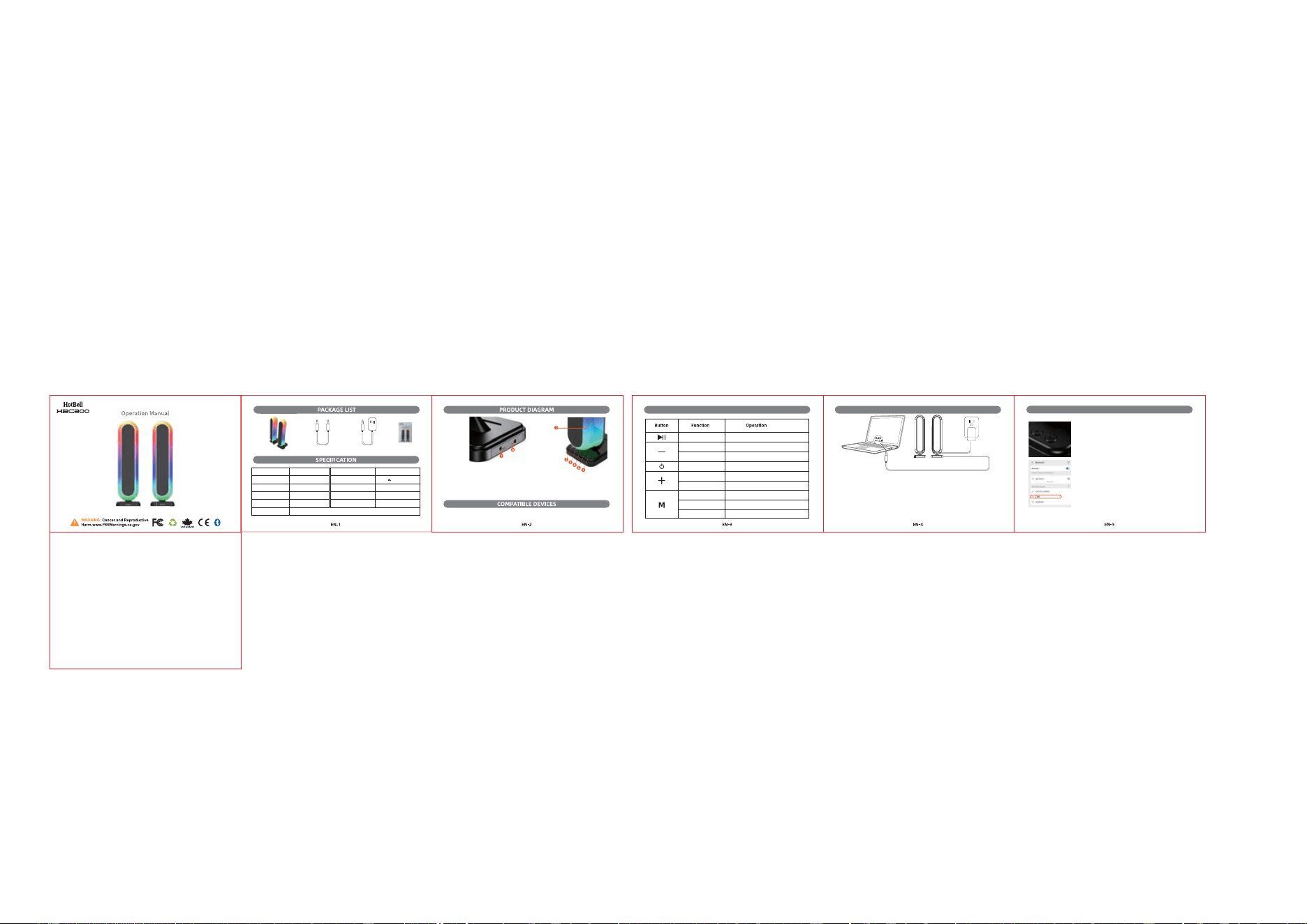
1.RGB Light 2.Play/Pause
3.Volume - /Previous Track 4.Power on/off
5.Volume +/Next Track 6.Light Mode/Connection Mode/Lights On / Off
7.3.5mm AUX input jack 8.DC power input jack
Seven RGB Lighting modes Multi-Color Flow,Breathing,Rhythm, Red,Green,Blue,Yellow
Model
1 × RGB Gaming Speakers (HBC300) 1 × 3.5 mm Audio Cable (1.5 m) 1×DC 12V/ 2.5A Power Adapter (1.5 m) 1 × User Manual
Output Power
Impedance
SNR
Frequency Range
HBC300
7.5W*4
80dB
45Hz – 16kHz
Power Supply
Power Input
Cable Length
Connection
Dimensions
DC Adapter
DC 12V 2.5A
~5ft
3.5 mm AUX, Bluetooth
4.1x4.9x14.6in (WxDxH)
BLUETOOTH CONNECTION
Power & AUX Connection Instructions Button Functions
1.The RGB gaming speakers do not have a built-in battery.
2.Please power the speakers using the included DC power adapter, then press and
hold the Power button to turn on the speakers.
3.Press and hold the “M” button to switch to Bluetooth mode.
Pair with your device:
a. Turn on Bluetooth on your device and search for nearby devices.
b. Find “HBC300” in the list of available devices and tap to connect.
c. Once connected, enjoy your audio experience.
NOTE:
1.The RGB gaming speakers do not have a built-in battery.
2.Please power the speakers using the included DC power adapter, then press and hold the Power button to turn
on the speakers.
3.Insert the 3.5 mm AUX cable into the “AUX” input jack on the back of the speakers, and plug the other end into
your audio device.
Make sure the speakers are not connected to another device. If they are, please
disconnect the existing device before pairing.
In Bluetooth mode, when the AUX cable is plugged in, the speakers will automatically
switch to AUX mode.
Keep the speakers and your device within 10 m / 32.8 ft for optimal Bluetooth
performance.
NOTE:
The speakers default to Bluetooth mode when powered on.
When the AUX cable is inserted, the speakers will automatically switch to AUX mode.
Warning Statement
This device complies with part 15 of the FCC Rules. Operation is subject to the
following two conditions: (1) This device may not cause harmful interference, and (2)
this device must accept any interference received, including interference that may cause
undesired operation.
Any Changes or modifications not expressly approved by the party responsible for
compliance could void the user's authority to operate the equipment.
Note: This equipment has been tested and found to comply with the limits for a Class B
digital device, pursuant to part 15 of the FCC Rules. These limits are designed to
provide reasonable protection against harmful interference in a residential installation.
This equipment generates uses and can radiate radio frequency energy and, if not
installed and used in accordance with the instructions, may cause harmful interference
to radio communications. However, there is no guarantee that interference will not
occur in a particular installation. If this equipment does cause harmful interference to
radio or television reception, which can be determined by turning the equipment off and
on, the user is encouraged to try to correct the interference by one or more of the
following measures:
-Reorient or relocate the receiving antenna.
-Increase the separation between the equipment and receiver.
-Connect the equipment into an outlet on a circuit different from that to which the
receiver is connected.
-Consult the dealer or an experienced radio/TV technician for help.