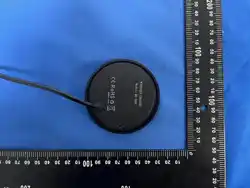

TB2 Desktop Wireless Charger Instruction
1. Product Introduction
TB2 desktop wireless charger is designed for desktop placement, equipped with USB
+ Type‑C dual output ports and comes with a standard USB charging cable. With 5W
wireless output, it enables convenient charging for home and office use.
2. Specifications
• Model:
MX-668
• Input: 5V⎓4A
• Wireless Output Power: 5W
• Output Ports: USB + Type‑C
• Accessory: 1×USB Charging Cable
3. Operation Instructions
1). Connect the included USB cable to a 5V/4A power adapter for power supply.
2).
Wireless
Charging:
Place
wireless-charging-enabled
phone
flat
on
the
charging
pad, charging starts automatically.
3).
Wired
Charging:
Plug
cable
into
USB
or
Type‑C
port
to
charge
devices;
all
ports
can work simultaneously.
4.
▲
WARNING
1).
Do
not
disassemble
or
modify
internal
components
to
avoid
short
circuit,
overheating or fire hazard.
2). Keep away from water and damp surroundings. Unplug immediately if soaked and
stop usage.
3).
Do
not
put
coins,
keys,
magnets
or
other
metal
items
on
the
wireless
charging
area to prevent overheating damage.
4).
Keep
away
from
children
to
avoid
accidental
ingestion,
bump
injury
or
electric
shock.
5).
Unplug
and
discontinue
use
once
the
unit
overheats,
emits
strange
odor
or
deforms.
6).
Only
use
certified
5V/4A
power
adapter;
non-standard
high-power
adapters
are
prohibited.
5. Notes
1).
Thick
metal
magnetic
phone
cases
reduce
charging
efficiency;
remove
before
wireless charging.
2). Unplug power when not in long-term use to lower standby power consumption.

This device complies with Part 15 of the FCC rules. Operation is subject to the
following two conditions: 1) this device may not cause harmful interference, and 2)
this device must accept any interference received, including interference that may
cause
undesired operation.
Note: This equipment has been tested and found to comply with the limits for a Class
B digital device, pursuant to part 15 of the FCC Rules. These limits are designed to
provide reasonable protection against harmful interference in a residential
installation.
This equipment generates uses and can radiate radio frequency energy and, if not
installed and used in accordance with the instructions, may cause harmful
interference to radio communications. However, there is no guarantee that
interference will not occur in particular installation. If this equipment does cause
harmful interference to radio or television reception, which can be determined by
turning the equipment off and on, the user is encouraged to try to correct the
interference
by one or more of the following measures:
--Reorient or relocate the receiving antenna.
--Increase the separation between the equipment and receiver.
--Connect the equipment into an outlet on a circuit different from that to which the
receiver is connected.
--Consult the dealer or an experienced radio/TV technician for help.
Changes or modifications not expressly approved by the party responsible for
compliance could void the user’s authority to operate the equipment.
Radiation Exposure Statement
This device complies with FCC RF radiation exposure limits set forth for an
uncontrolled environment.
The FCC certification of this device refers to RF exposure testing performed in typical
operating conditions, where a person is no closer than 20 centimeters from
the
device surface at all times. Only in the stated conditions, the device is shown to fully
comply with the FCC RF Exposure requirements of KDB 447498.