Please read the instructions carefully
before using the product.
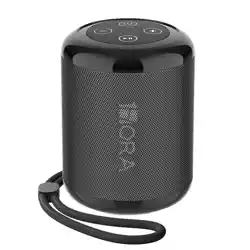
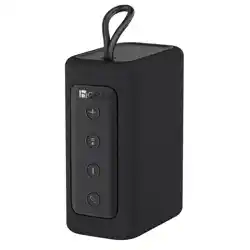
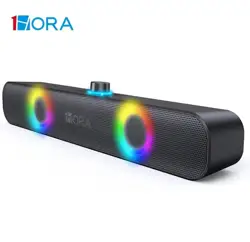
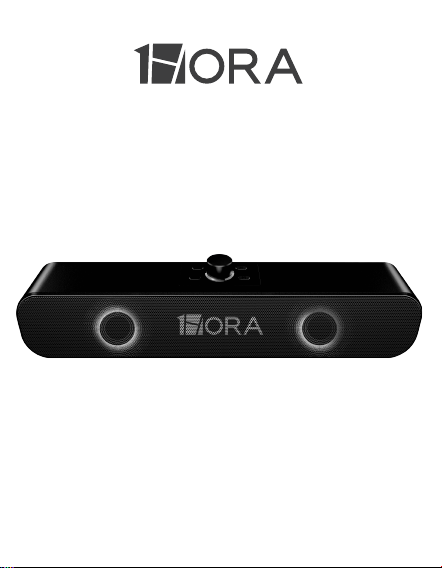
WIRELESS SPEAKER
BOC241
USER MANUAL

PACKING LIST:
Wireless speaker ×1
Type-C charging cable ×1
AUX cable ×1
User manual ×1
PRODUCT SPECIFICATIONS:
Model: BOC241
Bluetooth version: 5.1
Connection Distance: 10M approx
SNR: 85dB
Battery: 2400mAh 3.7V 8.88Wh
Playingtime: 4H
Charging time: 4H
Speaker driver: Φ52mm
Power: 4Ω/5W*2 RMS
Frequency: 140HZ-18KHZ
Input: 5V
⎓1A
Dimensions: 400*56.6*75.3mm
Weight: 675g

POWER ON/POWER OFF:
BLUETOOTH CONNECTION:
Power On: When the speaker is power off, rotate the
power switch clockwise to turn on the speaker and with
blue lights flashing.
Power Off: When the speaker is power on, rotate the
power switch counter clockwise to turn off the speaker
and with blue light off.
1. Turn on the Bluetooth speaker, and the blue light
flashes for pairing. Search the bluetooth device
"1HORA-BOC241" on your phone, it will connect with
your phone.
2. As the Bluetooth speaker is turned on, it will automat-
ically connect with the previous mobile phone that has
connected before, no more searching Bluetooth device
on your phone any more.
3. No pairing connected for 10 minutes, the speaker will
automatically shut down. For usage again, restore the
twist switch to the shutdown position before starting the
speaker.
MUSIC PLAYING & PICK UP CALLS:
MODE SWITCH:
LIGHTING ADJUSTMENT:
The speaker will enter wireless BT mode when power
on. Insert the TF card then it will automatically enter the
TF card playback. Click the " " button to switch TF
card / AUX / wireless BT mode.
The "M" key can control the light on and off, you can
long press the "M" key to turn on or off the light func-
tion.
M
2. When a call comes, click the " " to pick up a call,
and then click the button again to hang up a call. In
order to reject a call, long press the button
" " for 2 seconds.
3. When the music is playing, rotate the clockwise to
turn on the volume.
4. When the music is playing, counter clockwise to turn
down the volume.
5. Press " " to play the previous song.
6. Press " " to play the next song.
1. When playing music, click the " " to pause the
music and then click button again to restart to play.

CHARGING:
1. This product has built in non-removable recharge-
able battery, which can be charged by type-C cable.
2. Charging voltage and current is 5V⎓1A.
3. When the speaker is charged, the red light will be on.
As it is fully charged, the lights will be off.
4. Charging the speaker while playing music will speed
up the decline of battery life. We suggest use the
speaker after fully charged. Repeated charging and
discharging will lead to the decline of battery life, which
is a normal phenomenon of rechargeable batteries.
WARRANTY STATEMENT:
All products are warranted to be free from defective
materials and workmanship. The warranty period for all
equipment provided by our company is 12 months after
purchase. If you have any questions, please contact a
customer service representative for assistance.