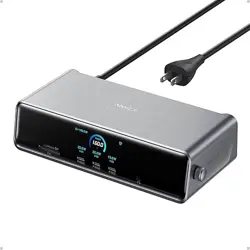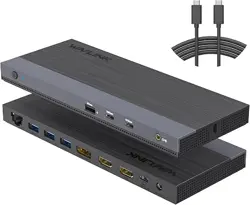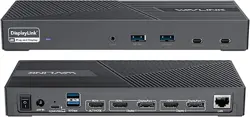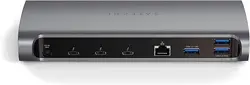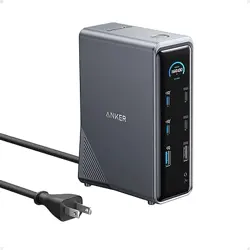
A83B6AnkerPrimeDockingStation(14-in-1)
FAQ
Q1:HowdoIknowifmylaptopiscompatiblewithAnkerPrimeChargingDock?
A:ThedockworkswithlaptopsfeaturingUSB-CportsthatsupportDisplayPortAltModeand
PowerDelivery.ThisincludessystemsrunningWindows10/11,macOS12orlater,orChromeOS.
Checkyourlaptop'smanualorcontactitsmanufacturertoconfirmthesefeatures.
Note:LaptopswithoutDisplayPortAltModewon'tsupportvideooutputfromthedock,and
thosewithoutPowerDeliverywon'tchargethroughthedock.
Q2:CanIextenddisplaysacrosstwomonitorswhenconnectedtoaMacBookthroughthis
dock?
A:DuetomacOSandiPadOSlimitations,connectingmultiplemonitorstoaMacBookviathis
dockwillresultinscreenmirroringonlyastheseoperatingsystemssupportonlySingle-Stream
Transport(SST).WindowsdevicescanusebothSSTandMulti-StreamTransport(MST),allowing
forextendeddisplays.
Q3:CanIconnectamonitortothisdockviaaUSB-Cport?
A:
No,theUSB-Cportsonthisdockdonotsupportvideooutput,sotheycannotbeusedto
connectamonitor.
Q4:HowdoIupgradefirmwarethroughAnkerDockManager?
A:Areddotnotificationandapop-uppromptinAnkerDockManagerwillalertyoutonew
firmwareversions.Followthestep-by-stepinstructionsintheapptoupgradeyourdevice's
firmware.
Q5:Whatdointelligentandcustomchargingmodesmean?
A:SmartModeautomaticallyallocatesoptimalchargingpowertoeachportbasedonthe
connecteddevices'requirementswithoutneedinguserintervention.CustomModeallowsyou
toprioritizecertainportsforhigherorlowerchargingpowertoalignwithyourusage
preferences.Youcansetportsto"PowerPriority"forhigherpower,"PowerSaving"forreduced
power,or"Balanced"forequalpowerdistributionamongports.
Q6:Whydoesmypowerbankshowadifferentinputpowerfromthedockscreen?
A:Differencesindisplayedinputpowercanarisefromvaryingpowerrequirementsofconnected
devicesandlossesduringtransmissionthroughthechargingcable.
Q7:Whyisn'tthedatatransferratedisplayedonthescreen?
A:
Thedockcannotdisplayreal-timedatatransferratesasitdoesnothaveaccesstothe
connecteddevice'sdatatransmissionmetricsfromthesystem.
Q8
:
WhatdoesanabnormaltemperaturepromptmeanandhowshouldIrespond?
A:Anabnormaltemperaturepromptindicatesthatthedockistemporarilyreducingitspower
outputtomanageheatduetoprolongedhigh-powerusage.Makesurethedock'sventilation
areasareunobstructedtofacilitatecooling.Thealertshoulddisappearafter5seconds.
Q9:WhatshouldIdoifthemonitorisnotrecognized?
A:First,ensuretheUSB-CportonyourlaptopsupportsDisplayPortAltMode,crucialforexternal
displayconnectivity.UsetheincludedUSB-Ccabletoconnectyourlaptoptothedock.Ifthe
problempersists,tryadifferentlaptop,HDMIcable,ormonitor,andverifythatthemonitorisset
tothecorrectinput.