GB
Version 1
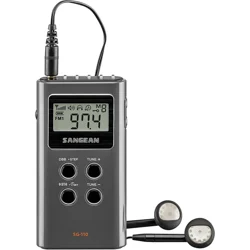
SG-110
01
02
GB
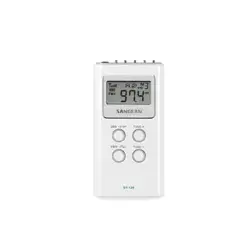
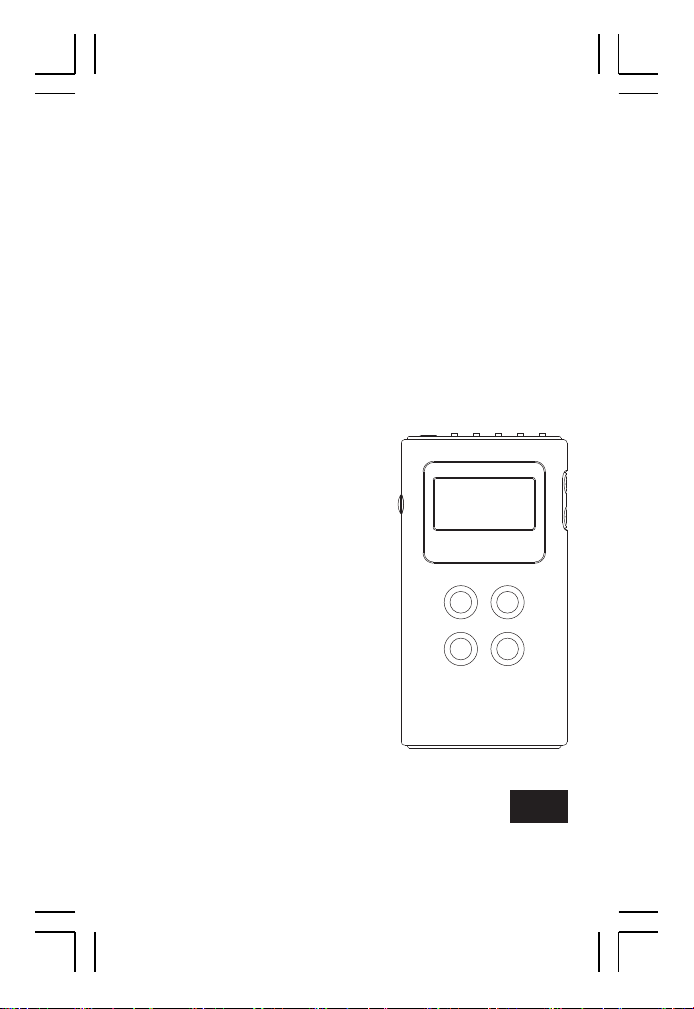
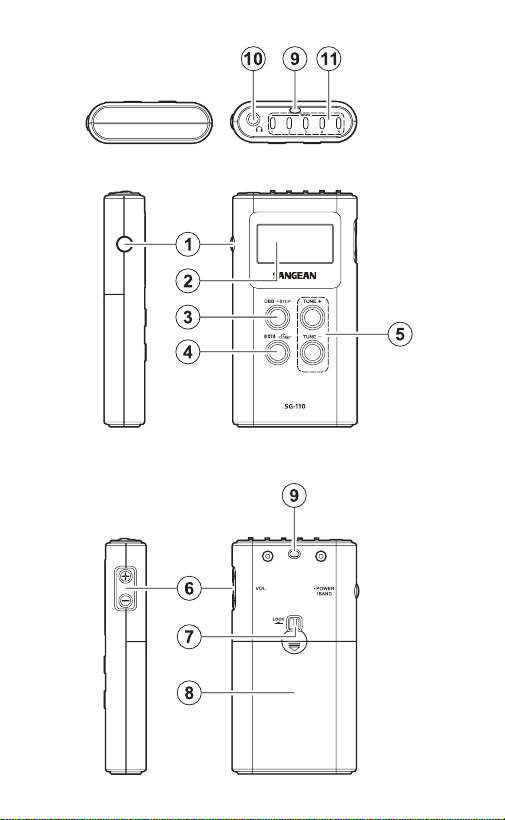
POWER / BAND button
LCD display
DBB/● STEP button
Mono/Stereo button/Time setting button
Tuning up/down button
Volume button
Lock switch
Battery compartment
Strap holder
Earphone jack
Memory button
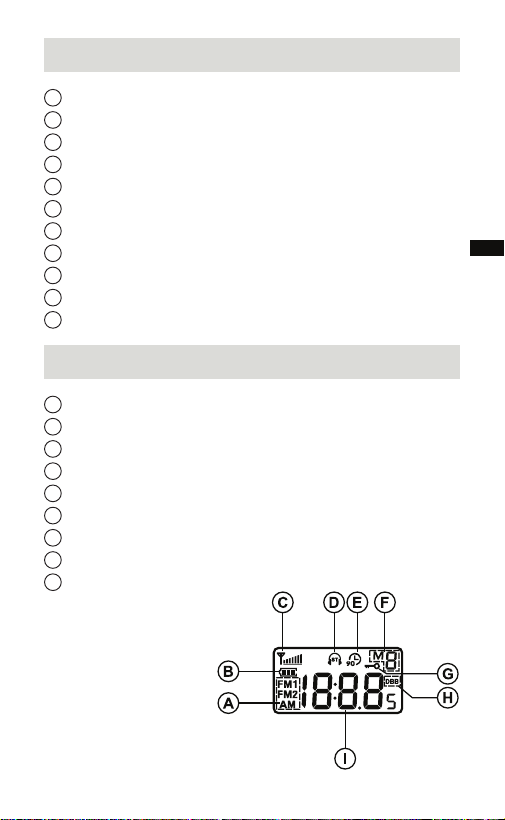
Selected band
Battery power indicator
Signal level indicator
FM stereo indicator
90 minutes auto shut off
Memory presets
Key lock function
DBB on
Frequency
Controls
1
2
3
4
5
6
7
8
9
10
11
Display
A
B
C
D
E
F
G
H
I
03
For United States:
Cautions to the user
The changes or modifications not expressly
approved by the party responsible for compliance
could void the users authority to operate the
equipment.
The equipment has been tested and found
to comply with the limits for a Class B Digital
Device, pursuant to part 15 of the FCC Rules.
These limits are designed to provide reasonable
protection against harmful interference in a
residential installation. This equipment generates,
uses and can radiate radio frequency energy
and, if not installed and used in accordance with
the instruction, may cause harmful interference
to radio communication. However, there is no
guaranty that interference will not occur in a
particular installation. If this equipment does
cause harmful interference to radio or television
reception, which can be determined by turning the
equipment off and on, the user is encouraged to
try to correct the interference by one or more of
the following measures:
– Reorient or relocate the receiving antenna.
– Increase the separation between the equipment
and receiver.
– Connect the equipment into an outlet on a
circuit different from that to which the receiver is
connected.
– Consult the dealer or an experienced radio / TV
technician for help.
04
GB
Battery Installation
Battery cover is located on the back of the unit. Slide
the cover downwards to gain access to the battery
compartment. Insert two AAA (UM-4) batteries into
the compartment. Make sure that the battery is
positioned in accordance with the indicated diagram.
Replace cover.
Note:
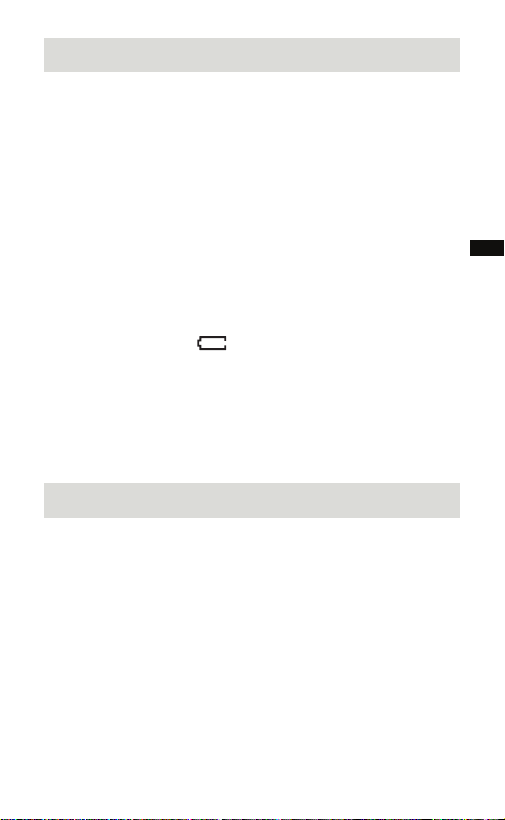
1. You can always monitor the battery power from LCD
display battery icon. When battery power becomes
very low and unable to operate the radio, low
battery indicator will ash together with an “E“
appears on the LCD display. The radio will shut off.
2. Make sure to replace the batteries within 3 minutes.
This will prevent any memory presets from being
lost during the battery replacement.
Time setting
Press and hold the Time setting button for 2 seconds.
Hour will ash, press the Tuning up/down button to
choose your desired time and then press the Time
setting button to select the digit. After completion of
hour setting, minutes digit will then flash, following
above setting steps to set minute.
05
Antenna / Earphone
Insert the earphone into the earphone jack. The cord
connecting the earphone to the receiver acts as
an antenna during FM audio reception and should
be extended as much as possible to increase the
sensitivity.
A built-in ferrite bar antenna is provided for AM
reception and it is only necessary to rotate the radio
for maximum signal strength during AM listening.
Important:
Excessive sound pressure from earphones
and headphones can cause hearing loss.
To prevent possible hearing damage, do
not listen at high volume levels for long periods.
Volume Control
Use the volume control to adjust volume level.
Display will show the changes when you operate the
volume control.
Tuning the radio
Band AM
Frequency 522-1710 kHz (9kHz)
Antenna
520-1710 kHz (10kHz)
Internal/rotate radio for best reception
Band FM
Frequency 87.50-108 MHz
Antenna External/Make sure the earphone in
plugged into earphone jack

06
GB
90 Minutes auto shut off device
For saving battery power, this radio is designed to
auto shut off after 90 minutes operation, LCD display
shows For continuous listening if necessary,
pressing POWER/BAND button for more than 2
seconds to turn on the radio.
Scan Tuning
Turn on the radio, select required band by pressing
POWER/BAND button. Press and hold the Tuning
up/down button for more than half a second and
release the button to commence Scan Tuning. The
radio will scan and stop automatically when a station
is found.
Manual Tuning
Turn on the radio, select desired band by pressing
POWER/BAND button. Desired station may be
selected by pressing the Tuning up/down button
repeatedly until the desired station is reached.

07
Memory Tuning (Station preset)
Turn on the radio by pressing and holding POWER/
BAND button. Select required band by pressing
POWER/ BAND button. Tune to the desired station
using the Scan or Manual tuning steps described
above. When the desired station is reached, press
and hold Memory button (1-5) for more than 2
seconds until display M x stops flashing followed
with a beep (via earphone). You may store 5 memory
stations in each band (AM, FMI, FMII). Stations
which are already stored in the presets may be over
written by following the above procedure.
Recall memory stations
Turn on the radio, select required band then
simply press and release Memory station button.
LCD display will show Memory preset and radio
frequency.
Stereo / Mono switch
The radio is designed to receive FM stereo
broadcastings. For weak FM station, press MO./ST.
button to switch Stereo/Mono to Mono position. LCD
display Stereo icon will disappear.

08
GB
DBB (Dynamic Bass Boost)
Press and release DBB/● STEP button to activate
the Deep Bass Boost function to have stronger bass
sound, display will appear DBB symbol. Press again
will cancel the DBB.
Note:
Suggest to activate the DBB when using earphones.
Software version
The software display cannot be altered and is just for
your reference.
1. Press and hold DBB/● STEP button when your
radio is in power off mode, the screen will show
the software version (e.g. A03)
2. Continue pressing and holding the DBB/● STEP
and the radio will enter FM/AM step setting.
FM / AM step setting
3. The screen will show FM tuning step (i.e. FM1 50
or 100). Press the Tuning up/down button to choose
between 50kHz or 100kHz and then press the Time
setting button to conrm your setting.
4. After your completion of FM tuning step, the screen
will show AM tuning step (i.e. 9 or 10). Press the
Tuning up/down button to choose between 9kHz
or 10kHz and press the Time setting button to
conrm your selection.
Important:
Reset of frequency range and tuning step will erase
all the preset stations stored in your radio.

09
Key Lock Function
The key lock function is used to prevent unintentional
operation of the radio. Key lock switch is located
on the rear of the radio. When the key lock is set
to LOCK, every button will be disabled and a key
lock icon will appear on the screen. To disable the
key lock function, switch the key lock button to off
position. The key lock function will be disabled.
Reset the radio
If your radio fails to operate correctly or some digits
on the display are missing or incomplete, reset
the product as described below to resume normal
operation. The system reset can be carried out while
the unit is powered off.
1. Make sure your radio is switched off.
2. Press and hold the Mono/Stereo button rst, then
press and hold the Power button right after. Please
hold down these two buttons jointly until all the
icons shows on the display. Now all conguration
settings will be stored to their defaults, preset
stations will be erased and the clock will be reset.

10
GB
Specication
Battery: 2 X AAA (LR03, UM-4)
Frequency Coverage:
FM: 87.50-108 MHz
AM:
522-1710 kHz (9kHz)
520-1710 kHz (10kHz)
Output Power: 1.0 mW+ 1.0 mW
Earphone Jack: 3.5 mm diameter (stereo)
The company reserves the right to amend the
specications without notice.
If at any time in the future you should need to
dispose of this product please note that: Waste
electrical products should not be disposed of with
household waste. Please recycle where facilities
exist.Check with yourLocalAuthority or retailer for
recycling advice. (Waste Electrical and Electronic
Equipment Directive)