Installing batteries
1. Position the radio face down.
2. Press the catch and slide in the direction of the mark.
3. Lift up the battery cover and insert 1xUM-4 (AAA) size on
each side of battery compartment. Make sure the batteries
are positioned in accordance with the diagram indicated.
4. Replace the battery cover.
Battery replacement
The battery indicator
will appear and flash in the display
when the batteries are in need of replacement. After removing
the batteries, you have approximately 3 minutes to replace the
batteries after which the preset memory information will be lost.
Operating the radio
Search tuning
1. Switch on the radio by pressing the Power button.
Note:
The radio is originally set to be 90 minutes auto shut off
after Power is switched on (
symbol will appear on the
display).
If you don’t need this feature, press Power button for more
than 2 seconds until symbol removed from the display.
2. Select the required waveband by repeatedly pressing the
Band button. On FM and TV band (DT-210V only ), connect
the supplied earphones as the antenna or the wire antenna.
On AM (MW) and LW band (DT-210L), rotate the radio for
best reception.
3. Press and hold down either the Tuning Up or Down buttons
until frequency in the display begins to change rapidly.
Release the button.
4. The radio will scan the selected waveband, stopping each
time if nds a station of sucient strength. Adjust the volume
control to the required level.
Operating instruction
GB
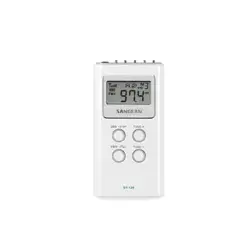
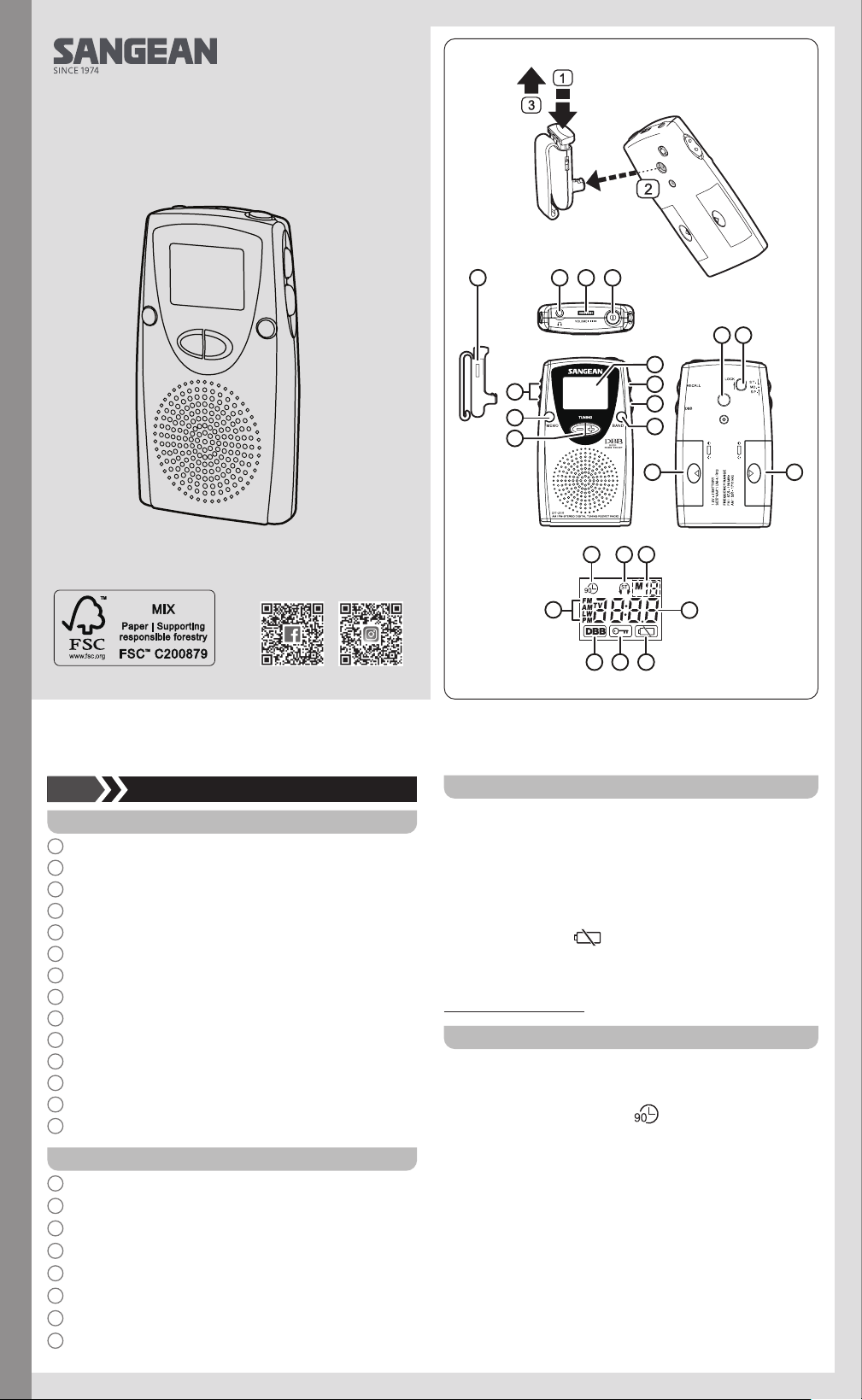
Controls
1
Stereo / Mono / Speaker switch
2
Memory button
3
Tuning Up / Down
4
Earphones Jack
5
Volume Control
6
Power switch
7
Display
8
Memory Recall
9
DBB (Deep Bass Boost) selection
10
Band selector
11
Belt Clip holder
12
Lock switch
13
Battery compartment
14
Belt Clip
Display
A
Waveband indicator
B
DBB on
C
Key lock indicator
D
Low battery indicator
E
Frequency display
F
Memory preset
G
Stereo indicator
H
90 minutes auto shut off indicator
3A81WG0S10GB0
DT-210
01 02
4
1
2
3
5 6
7
8
9
10
11 12
1313
14
A
B C D
E
FGH
Manual tuning
1. Switch on the radio by pressing the Power button.
2. Select the required waveband and connect the supplied
earphones or wire antenna for FM and TV band (DT-210V)
listening.
On AM (MW) or LW band (DT-210L), rotate the radio for best
reception.
3. A single press on either the Tuning Up / Down will change
the frequency up or down. Adjust the volume control to the
required level.
Presetting stations
You may store up to 15 stations on FM band and 10 stations on
AM (MW) band for DT-210 (10 stations each on AM / FM / TV
band for DT-210V and 10 stations each on AM (MW) / FM / LW
band for DT-210L).
1. Tune into the required stations using one of the tuning
methods previously described.
2. To store the station, press MEMO button, display will ash
M and the suggested memory location. Press MEMO button
again to nalize the station presetting.
During the M and suggested memory location are flashing,
you may use either Tuning Up or Down to change the
memory location to edit your memory program then press
MEMO button again to finalize the presetting.
Recalling a preset station
1. Switch on the radio.
2. Press RECALL button and Tuning Up / Down to recall
required preset station Display will ash preset station.
3. Press RECALL button again, once the required preset station
is found.
Lock Switch
The lock switch located on the rear cabinet is used to prevent
unintentional operation.
Slide the lock switch to the up locked position, the symbol
will appear in the display. The power and all other buttons will
be disabled. This will prevent accidental operation when the
radio is packed in a suitcase. To release the lock switch, move
the switch to the down unlocked position, the
symbol will
be removed from the display.
Earphones and antenna
The earphones also acts as the FM antenna when plugged into
the earphones jack. While listening via speaker, you may plug
the supplied wire antenna into the earphones jack, and set the
ST / MO / SP switch to the SP (speaker) position.
ST / MO / SP(Stereo / Mono / Speaker)
1. Switch the switch to SP (speaker) position, while you listen to
the radio program via speaker. Make sure to plug the supplied
wire antenna or the earphones to get best FM reception.
2. This radio is capable of receiving FM stereo radio program
by plug the supplied earphones into the earphones jack and
set the ST / MO / SP switch to ST (stereo) position, display
will show stereo symbol.
If the station being received is weak, some hiss may be
audible, to reduce the hiss, switch the ST / MO / SP to
MO(mono) position. The stereo indicator will be removed
from the display.
Change AM (MW) band tuning step (available only on DT-210 /
V not for LW version)
In Europe and other parts of the world, AM (MW) tuning step
are 9kHz, in America the AM tuning step is 10kHz.
To change the AM tuning step from 10kHz to 9kHz, proceed
as follows, Press TuningDown button then the power button to
switch on the radio, the radio will be changed into 9kHz tuning
step on AM band.
To change the AM tuning step from 9kHz to 10kHz, proceed as
follows, Press Tuning UP button then Power button to switch on
the radio, the radio will be changed into 10 kHz tuning step on
AM band.
DBB (Deep Bass Boost) button
Press DBB button to activate the Deep Bass Boost to have
stronger bass sound, display will appear DBB symbol. Another
press will cancel the DBB.
Note:
Suggest to activate the DBB only using earphones.
Specifications
Power Supply 2 x AAA (UM-4) (R03) batteries
Output Power 100mW (10% T.H.D. 1 kHz)
Earphones socket 3.5mm dia stereo 32ohm
Frequency range
FM 87.50-108 MHz
AM (MW)
522-1629 kHz (DT-210/L)
520-1710 kHz (DT-210V)
LW 153-279 kHz (DT-210L)
TV 2-13 CH (DT-210V)
Battery Life
Approx. 24hours (via speaker)
using Alkaline battery
Approx. 32hours (via earphones)
using Alkaline battery
03 04
05
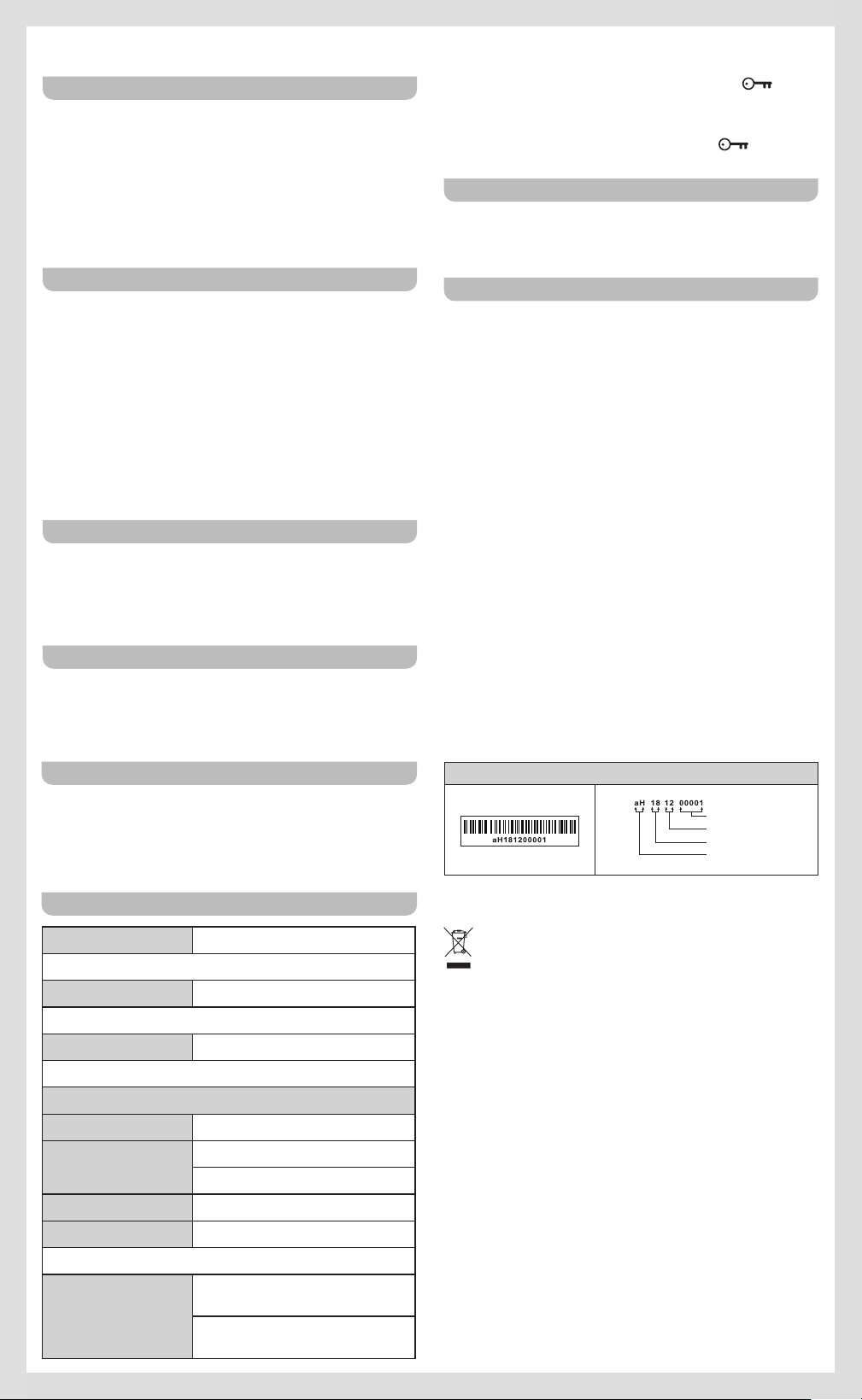
※ The barcode label on the product is defined as below:
Serial number
Production month
Production year
Product code
Sangean reserves the right to amend the specifications without
notice.
RECYCLING This product bears the selective sorting
symbol for Waste electrical and electronic equipment
(WEEE). This means that this product must be handled
pursuant to European directive 2012/19/EU in order to be
recycled or dismantled to minimize its impact on the
environment.
06