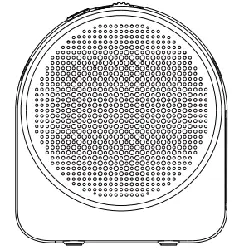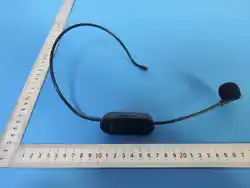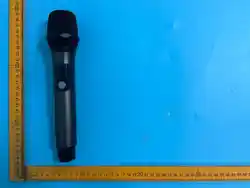
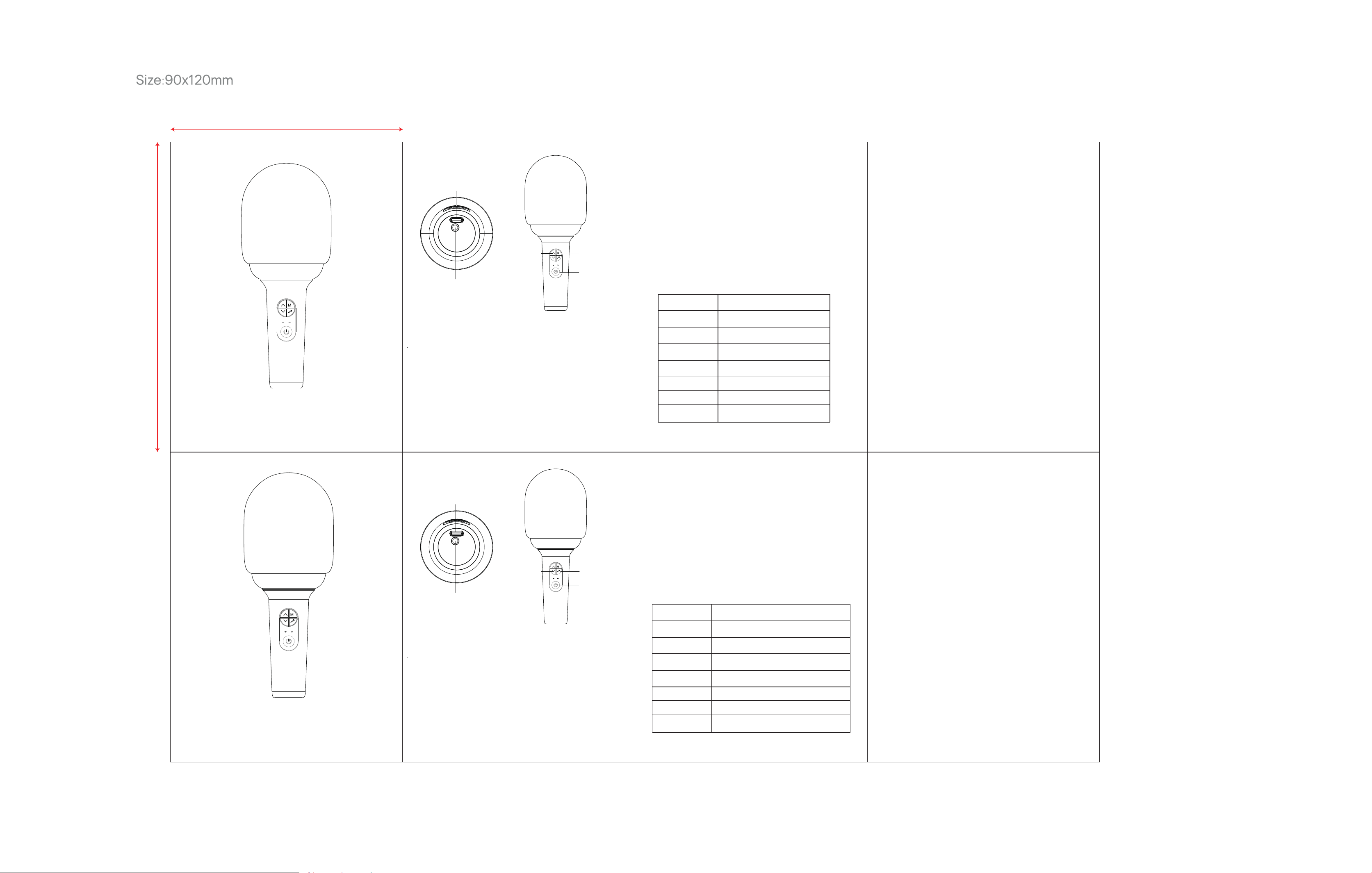
Power ON/OFF Key
Short press: Play/pause while music is playing
Long press: 3 seconds to turn ON/OFF
Double clicks: Turn on/off two microphones connected to each other
M Key (Modes switch)
Short press: Toggle switch microphone Playback mode/LINE IN mode
/Bluetooth mode
Long press: Switch the flashing modes of light
Volume Up and Down keys
∧:Short press the head volume plus,Double click the reverberation
volume plus
Long press the music volume plus
∨:Short press the head volume reduction,Double click reverb
volume reduction
Long press music volume reduction
Voice Changing key
Short press: Voice changing effects switch to be Male voice
/Female voice/Baby voice/Monster voice/Original voice
Double clicks: original /accompaniment
Product
Model
Bluetooth Version
Rated Power
Weights
Size
Battery
Charging
KIDS KARAOKE MIC
L8
V5.3
5W
270G
210*87MM
1200 mAh
DC 5V - 0.5A
5V charging/AUX
Earphones jack
Switch to LINE IN mode then use LINE IN cable, the end of Type-C to
plug into AUX port on the bottom of microphone, and using the 3.5 mm
plug (the other end of same cable) to connect with mobile phone to
start your recording or singing.
PAIRED WITH DIGITAL DEVICES
Matters need to be attention
Battery Charging
Connect to a 3.5 mm earphone.
Note: On LINE IN mode, the speaker volume increase or decrease is invalid.
1. Long press the power button for 3seconds.Then the blue light flashing
and speaker is waiting for connection.
2.Turn on the Bluetooth connection of your devices to search for “L8” and
click “Connect”.
3.The speaker will play the sound of 'dong', then the blue light is steady on.
That means the connection is successful.lf the connection is not successful.
the blue light blinks slowly.
4.After pairing, press the Play button to play or pause the music.
1. Wireless signal transmission including Bluetooth is greatly affect by the
surrounding environment such as metal, tree, human body,..etc.. and the
appropriate distance is also affected.
2. Do not charge the battery under fire and high temperature conditions!
3. Do not use the speaker where to close the heat sources(such as fire
or heater)
4. Do not place the product in a heat source , such as to keep under the
strong sunlight or outdoor car exposed under the sunlight, which will degrade
the battery performance or battery life.
5. lf you don't use it for a long time,ensure that the battery level is above
50%,and then store it safely. lt is recommended to store the product in indoor
warehouse with humidity less than 75% at 25°C to minimize the capacity
attenuation of the battery cell. During the transportation, the products should
be protected from rain and water,and should not be kept in high temperature
environment for along time.
The red light indicator will be steady on during charging and will be off after
battery is fully charged. When the battery is low, the battery alarm sound
will be broadcasted for three times , and the system will be shutdown at the
fourth alarm . Please use a DC- 5V power adapter for charging .lmproper
power adapter such as 9V or 12V Quick charger may cause hardware
damage or other faults.
Boton de encendido/apagado
Pulsación breve: reproducir/pausar mientras se reproduce música
Pulsación larga: 3 segundos para encender/apagar.
Doble clic: enciende/apaga dos micrófonos conectados entre sí
Boton de
encendido/apagado
Boton M
Boton de
cambio de voz
Botones para subir
y bajar volumen
Carga de 5 V/AUX
Auriculares
Boton M (Interruptor de modos)
Pulsación corta: interruptor de palanca del micrófono
Modo de reproducción/modo LINE IN/modo Bluetooth
Pulsación larga: cambia los modos de luz intermitente.
Botones para subir y bajar volumen
∧:Presione brevemente el volumen de la cabeza más
Haga doble clic en el volumen de reverberación más
Mantenga presionado el volumen de la música más
∨:Presione brevemente la reducción del volumen del cabezal.
Reducción del volumen de reverberación con doble clic
Reducción del volumen de la música con pulsación larga
Boton de cambio de voz
Pulsación breve: los efectos de cambio de voz cambian para ser voz
masculina/voz femenina/voz de bebé/voz de monstruo/voz original
Doble clic: original/acompañamiento
Producto
ModelO
Bluetooth
Potencia
Peso
Medidas
Bateria
Carga
MICROFONO INALAMBRICO KARAOKE
L8
V5.3
5W
270G
210*87MM
1200 mAh
DC 5V - 0.5A
Carga de 5 V/AUX
Auriculares
Cambie al modo LINE IN, luego use el cable LINE IN, el extremo del
tipo C para conectarlo al puerto AUX en la parte inferior del micrófono
y use el enchufe de 3,5 mm (el otro extremo del mismo cable) para
conectar con el teléfono móvil para iniciar su grabar o cantar.
Emparejamiento con otros dispositivos
Cuidados
Carga de Bateria
Conéctelo a un auricular de 3,5 mm.
Nota: En el modo LINE IN, el aumento o disminución del volumendel altavoz
no es válido.
1. Mantenga presionado el botón de encendido durante 3 segundos.
Luego, la luz azul parpadea y el altavoz está esperando la conexión.
2. Encienda la conexión Bluetooth de sus dispositivos para buscar "L8" y
haga clic en "Conectar".
3. El altavoz reproducirá el sonido de 'dong' y luego la luz azul permanecerá
encendida. Eso significa que la conexión se realizó correctamente.
Si la conexión no se realizó correctamente, la luz azul parpadea lentamente.
4.Después del emparejamiento, presione el botón Reproducir para reproducir
o pausar la música.
1. La transmisión de señal inalámbrica, incluido Bluetooth, se ve afectada
en gran medida por el entorno circundante, como metal, árbol, cuerpo
humano, etc., y la distancia adecuada también se ve afectada.
2. ¡No cargue la batería en condiciones de fuego o altas temperaturas!
3. No utilice el altavoz cerca de fuentes de calor (como fuego o calentador).
4. No coloque el producto en una fuente de calor, como mantenerlo bajo la luz
solar intensa o en un automóvil al aire libre expuesto a la luz solar, lo que
degradará el rendimiento o la duración de la batería.
5. Si no lo usa durante un período prolongado, asegúrese de que el nivel de
la batería esté por encima del 50 % y luego guárdelo de forma segura.
Se recomienda almacenar el producto en un almacén interior con una
humedad inferior al 75 % a 25 °C para minimizar la atenuación de la
capacidad de la celda de la batería. Durante el transporte, los productos
deben protegerse de la lluvia y el agua, y no deben mantenerse en ambientes
con altas temperaturas durante mucho tiempo.
El indicador de luz roja permanecerá fijo durante la carga y se apagará
después de que la batería esté completamente cargada. Cuando la batería
está baja, el sonido de la alarma de batería se transmitirá tres veces y el
sistema se apagará a la cuarta alarma. Utilice un adaptador de corriente CC
de 5 V para cargar. Un adaptador de corriente adecuado, como un cargador
rápido de 9 V o 12 V, puede causar daños al hardware u otras fallas.
Power on/off Key
M Key
Voice Changing key
Volume Up and
Down keys
5V charging/AUX
Earphones jack
MANUAL DE USUARIO
MICROFONO INALAMBRICO
KARAOKE
USER MANUAL
KIDS KARAOKE MIC
90 mm
120 mm

FCC Warnning:
This equipment has been tested and found to comply with the limits for a Class B digital device,
pursuant to part 15 of the FCC Rules. These limits are designed to provide
reasonable
protection againstharmful interference in a residential installation. This equipment generates,
uses and can radiateradio
frequency
energy
and,
if
not
installed
and
used
in
accordance
with
the
instructions,
maycause
harmful
interference
to
radio
communications.
However,
there
is
no
guarantee
thatinterference
will
not
occur
in
a
particular
installation.
If
this
equipment
does
cause
harmfulinterference to radio or television reception, which can be
determined by turning the equipmentoff
and
on,
the
user
is
encouraged
to
try
to
correct
the
interference
by
one
or
more
of
thefollowing measures:
•
Reorient or relocate the receiving antenna.
•
Increase the separation between the equipment and receiver.
•
Connect the equipment into an outlet on a circuit different from that to which the receiver is
connected.
• Consult the dealer or an experienced radio/TV technician for help.
Caution:
Any
changes
or
modifications
to
this
device
not
explicitly
approved
by
manufacturer
could void your authority to operate this equipment.
This
device
complies
with
part
15
of
the
FCC
Rules.
Operation
is
subject
to
the
following
two
conditions:
(1)This
device
may
not
cause
harmful
interference,
and
(2)
this
device
must
accept
any
interference received, including interference that may cause undesired operation.
This
equipment
complies
with
FCC
radiation
exposure
limits
set
forth
for
an
uncontrolled
environment.
This
equipment
should
be
installed
and
operated
with
minimum
distance
0cm
between the radiator and your body.