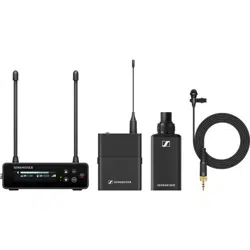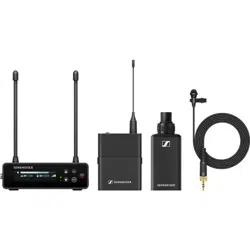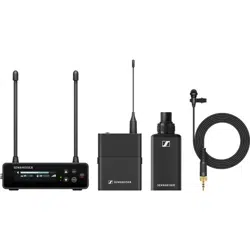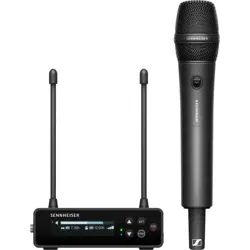
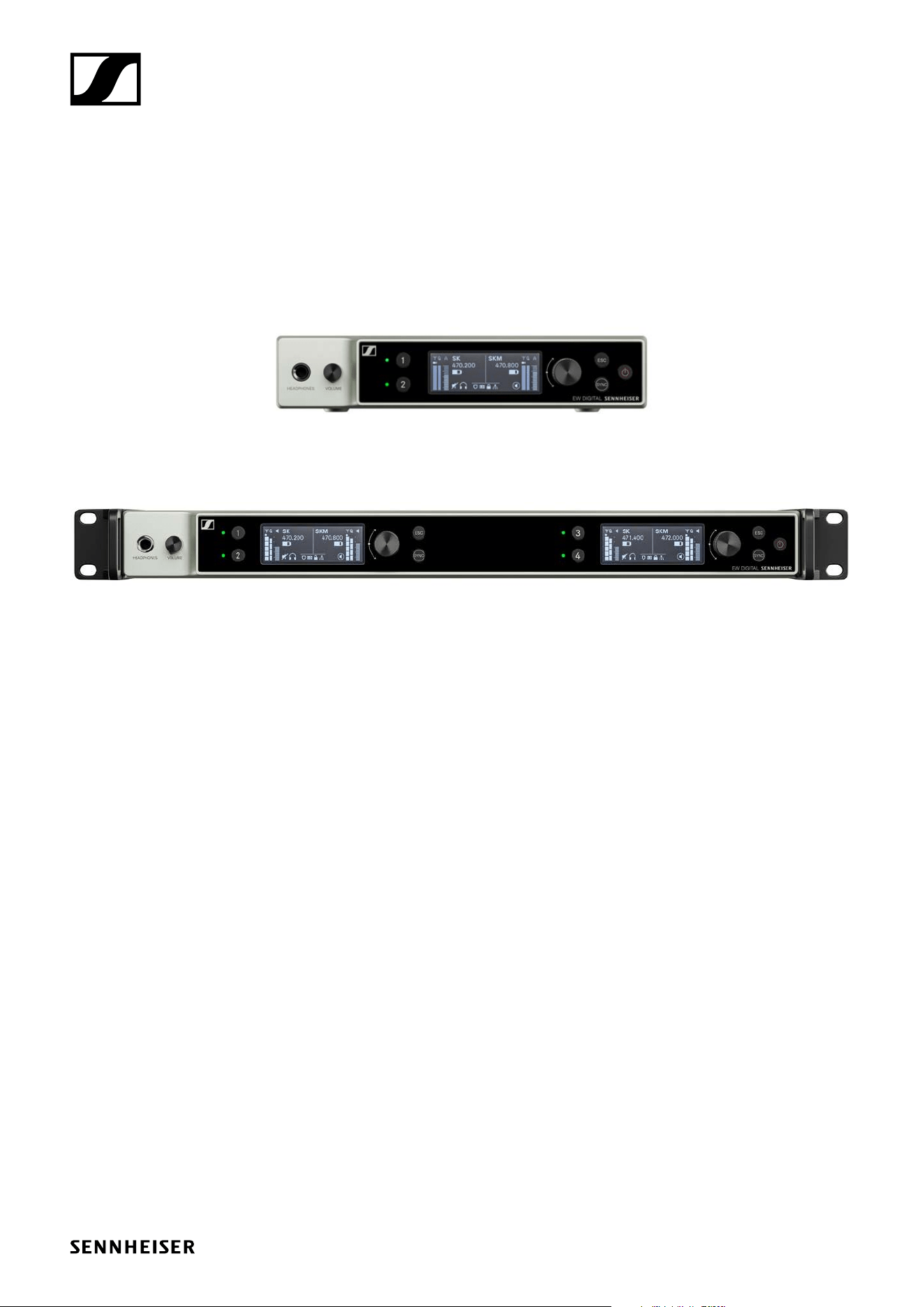
EW-DX EM 2 Dante
EW-DX EM 4 Dante
Network connection guide
Sennheiser electronic SE & Co. KG
Am Labor 1, 30900 Wedemark, Germany, www.sennheiser.com
TI v1.1

TI v1.1 | 2/11
EW-DX Network connection guide
Information
The EW-DX EM2 Dante and EW-DX EM 4 Dante receivers are equipped with a versatile network
interface, featuring selectable networking modes for flexible signal routing. Further details on the
network modes of the devices can be found on the following pages.
In compact network systems involving a small amount of receiver devices, the single cable mode
is the most appropriate. This streamlined mode simplifies the setup and reduces the amount of
cabling required.
For larger, more expansive network configurations, the Split or Redundancy mode is recommended.
This mode divides the protocol, providing a safeguard against potential network failures and ensu-
ring uninterrupted performance.
When integrating multiple switches into your network, it‘s important to carefully consider the
potential impact on network performance. Poor design could lead to broadcast storms, which can
significantly disrupt network operations. The outcome largely depends on the types of switches
used within the network.
For comprehensive guidelines on configuring and setting up the entire network and peripheral de-
vices, please refer to the documentation of audio and software applications.
f First set the network connection in the devices, see „Set the network mode“.
f Please note the assignment of the sockets and the example cabling on the following pages.
The following variant examples do not show all cabling options.
f Then attach the cables.
For information about the Dante Controller and Dante Protocol settings, please visit the
Audinate website:
www.audinate.com
For information about the use of client software, please visit the Sennheiser website:
www.sennheiser.com
TI v1.1 | 3/11
EW-DX Network connection guide
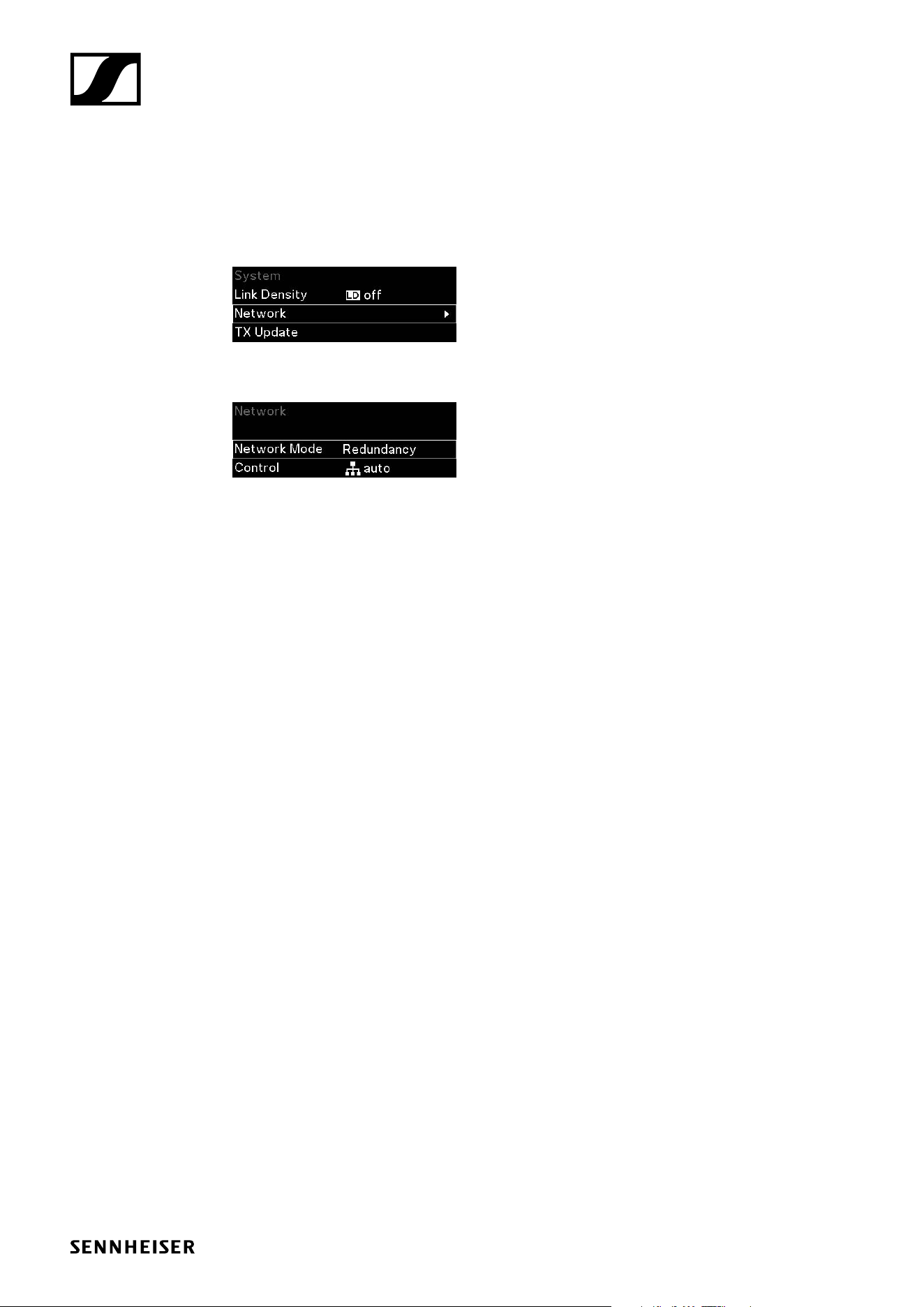
Set the network mode
To change the network connection open the Network Mode menu item:
f In the System menu, navigate to the Network menu item.
f Press the jog dial to open the menu.
f Select the Network Mode menu item.
You can make the following settings here:
• EW-DX EM 2 Dante:
• Single Cable
• Split Mode 1
• Split Mode 2
• Redundancy Mode
• EW-DX EM 4 Dante:
• Single Cable
• Split Mode
• Redundancy Mode
TI v1.1 | 4/11
EW-DX Network connection guide
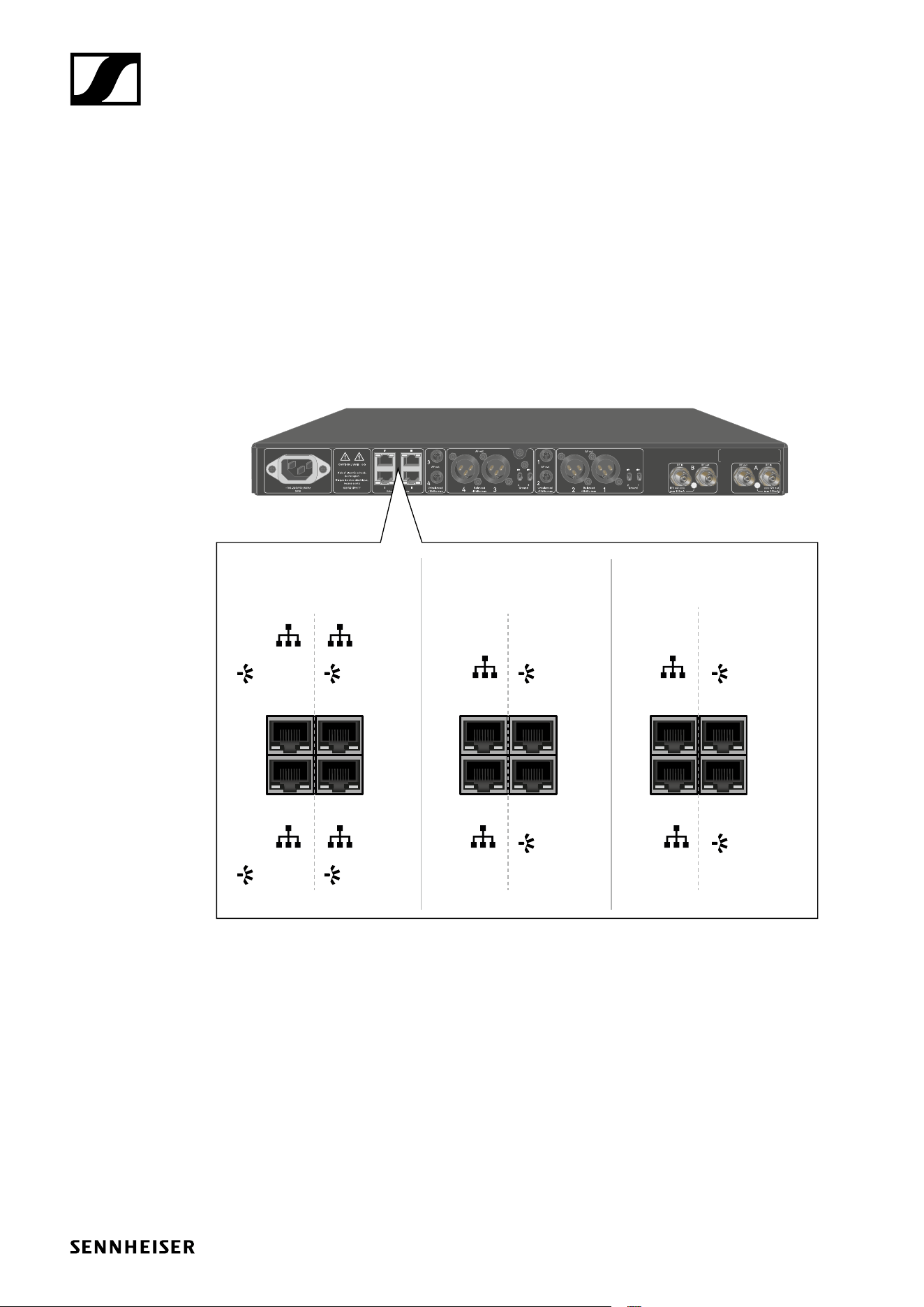
EW-DX EM 2 Dante network connection guide
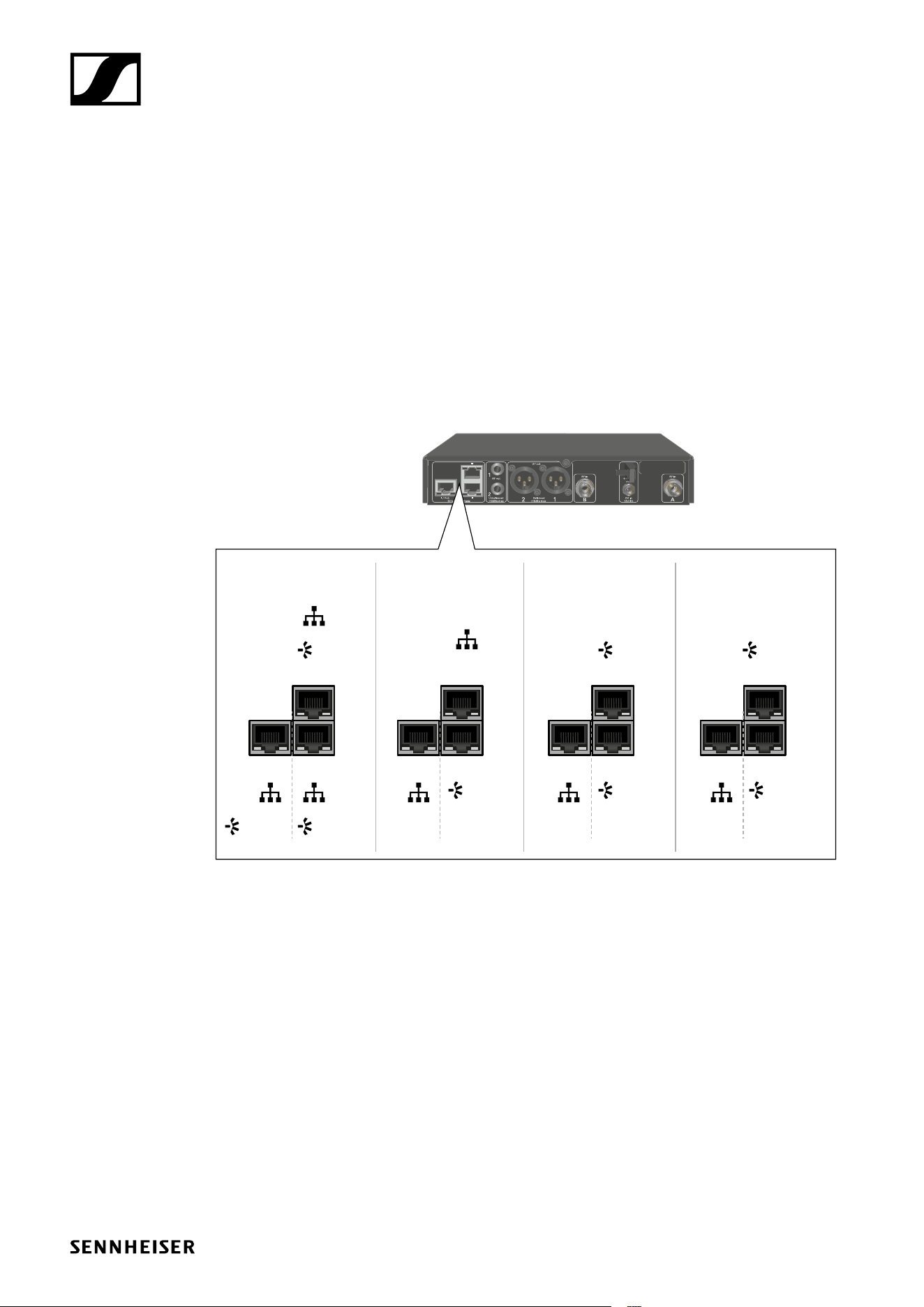
Assignment of the sockets
PoE = Power over Ethernet
Ctrl = Network control for e. g. Wireless Systems Manager (WSM), Sennheiser Control Cockpit
(SCC) or 3rd party media control
PRIMARY = Dante primary
SECONDARY = Dante secondary
Variant 1
Single Cable Mode (default)
Variant 2
Split Mode 1
Variant 3
Split Mode 2
Variant 4
Redundancy Mode
III/PoE
III
III/PoE
III
III/PoE
III
III/PoE
III
PRIMARY SECONDARY
PRIMARY PRIMARYPRIMARY
PRIMARYPRIMARY
Ctrl
Ctrl Ctrl Ctrl Ctrl
PRIMARY
Ctrl
Ctrl
TI v1.1 | 5/11
EW-DX Network connection guide
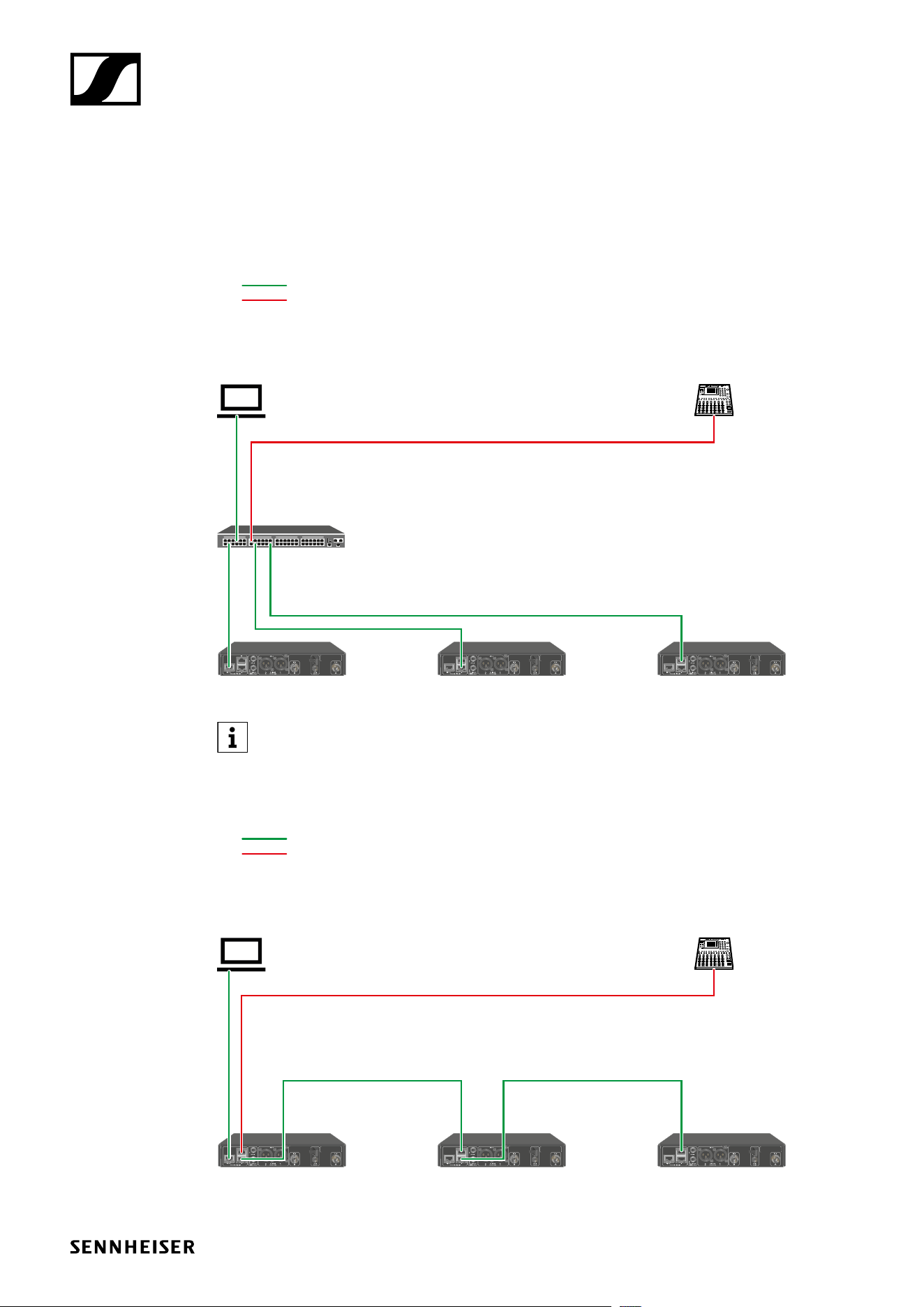
Connections and mode settings
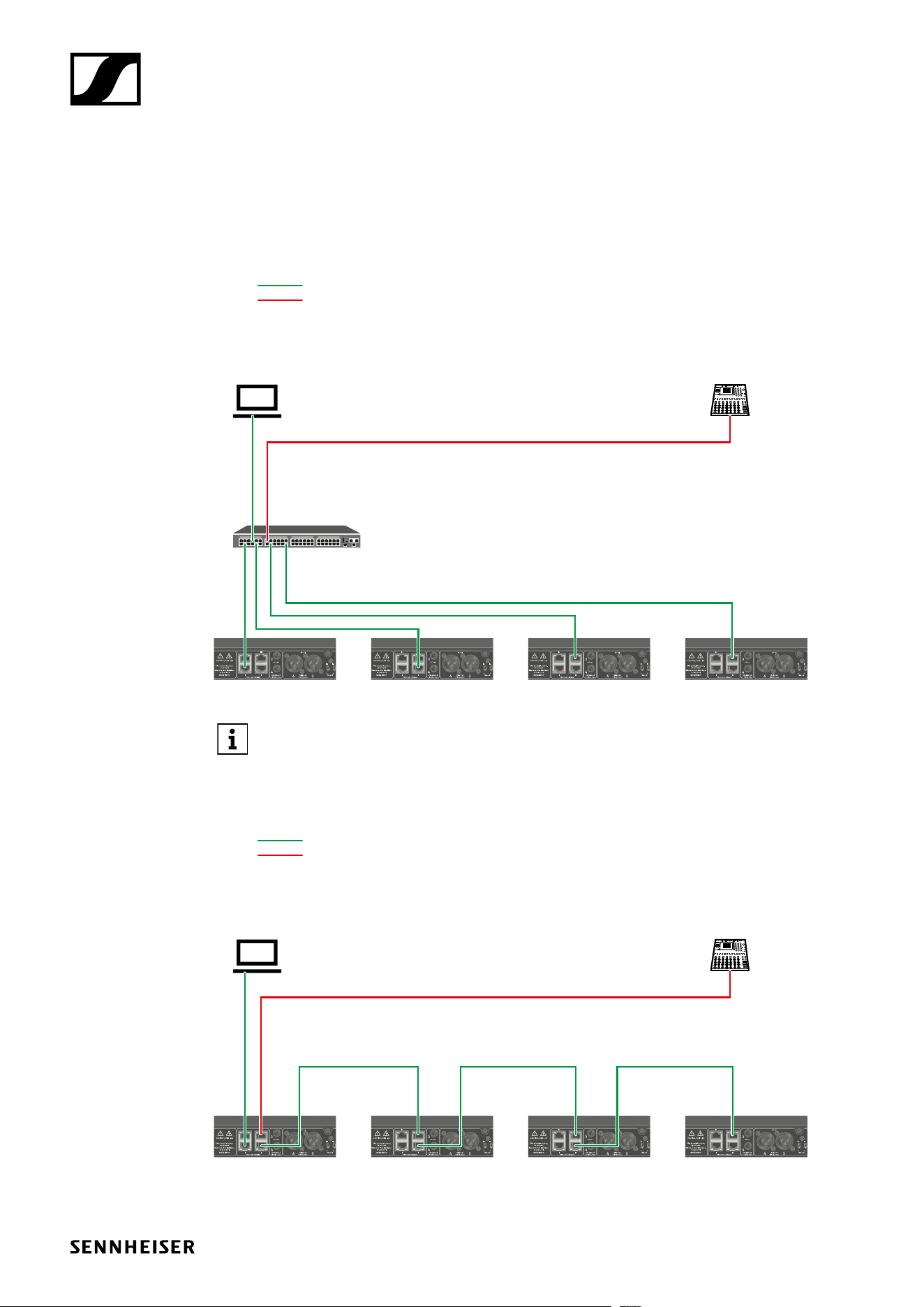
Single Cable Mode
Default
Switch
(Control/Dante)
Mode: Single Cable Mode: Single Cable Mode: Single Cable
Control (WSM / SCC /
Dante Controller)
Control/Dante primary
Dante primary
Dante receiver
The cable can be connected to socket I, II or III.
Daisy-chain
Mode: Single Cable Mode: Single Cable Mode: Single Cable
Control (WSM / SCC /
Dante Controller)
Control/Dante
Dante
Dante receiver
TI v1.1 | 6/11
EW-DX Network connection guide
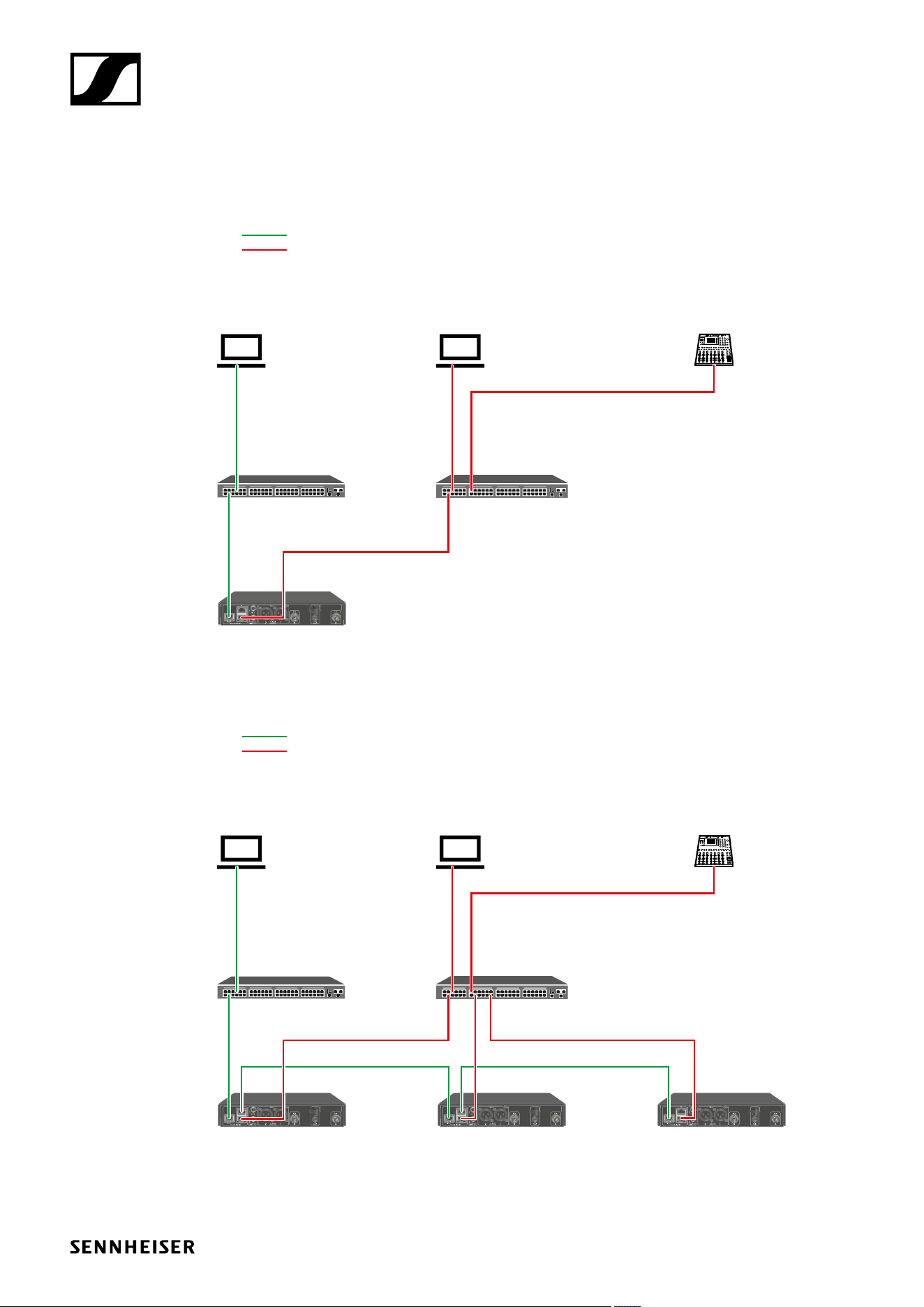
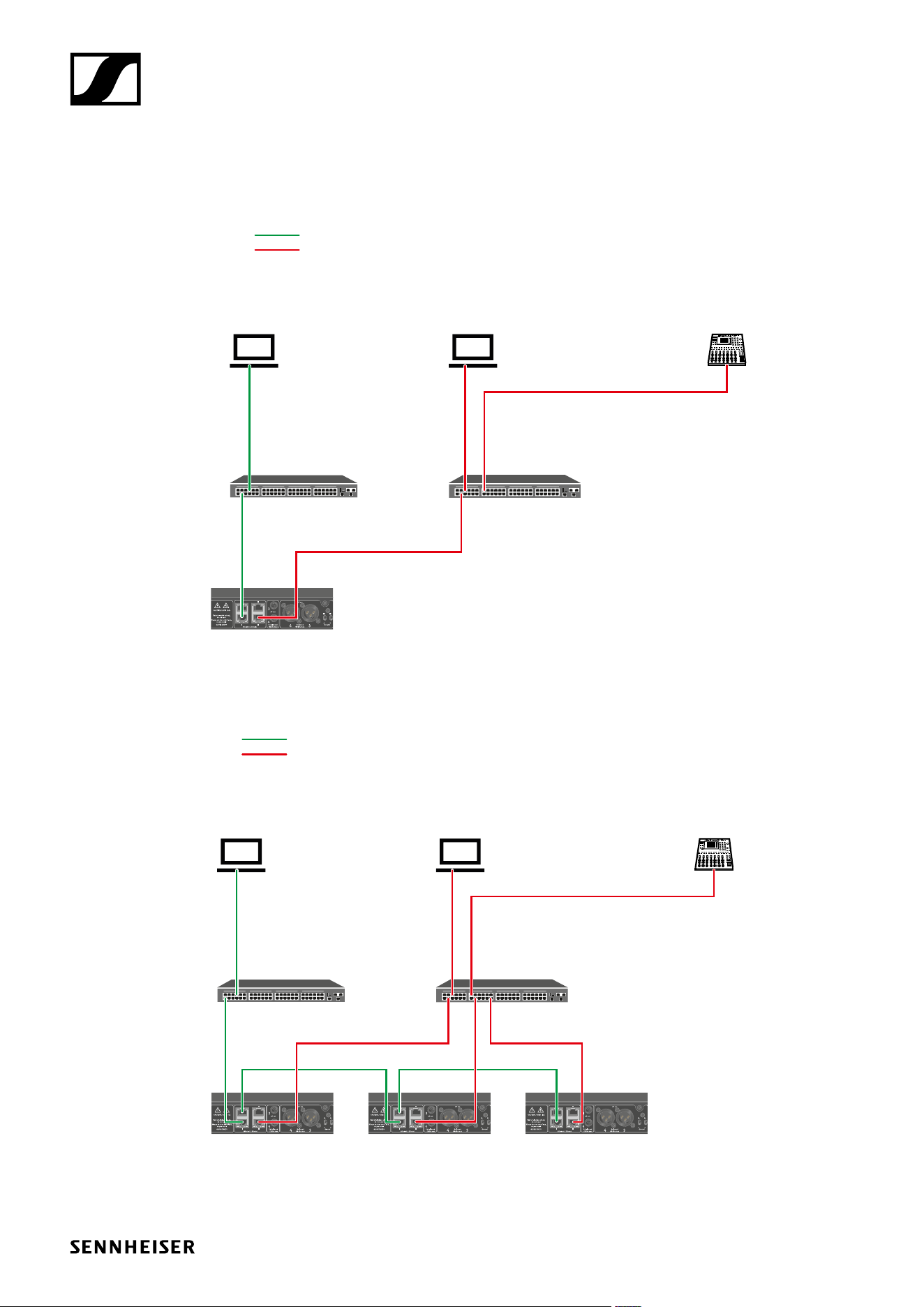
Split Mode 1
Split 1 without daisy-chain
Switch
(Control)
Mode: Split 1
Control (WSM /SCC)
Control
Dante primary
Dante Controller
Switch
(Dante primary)
Dante receiver
Split 1 with daisy-chain
Switch
(Control)
Mode: Split 1 Mode: Split 1 Mode: Split 1 (Split 2/
redundancy)
Control (WSM / SCC)
Control
Dante primary
Dante Controller Dante receiver
Switch
(Dante primary)
TI v1.1 | 7/11
EW-DX Network connection guide
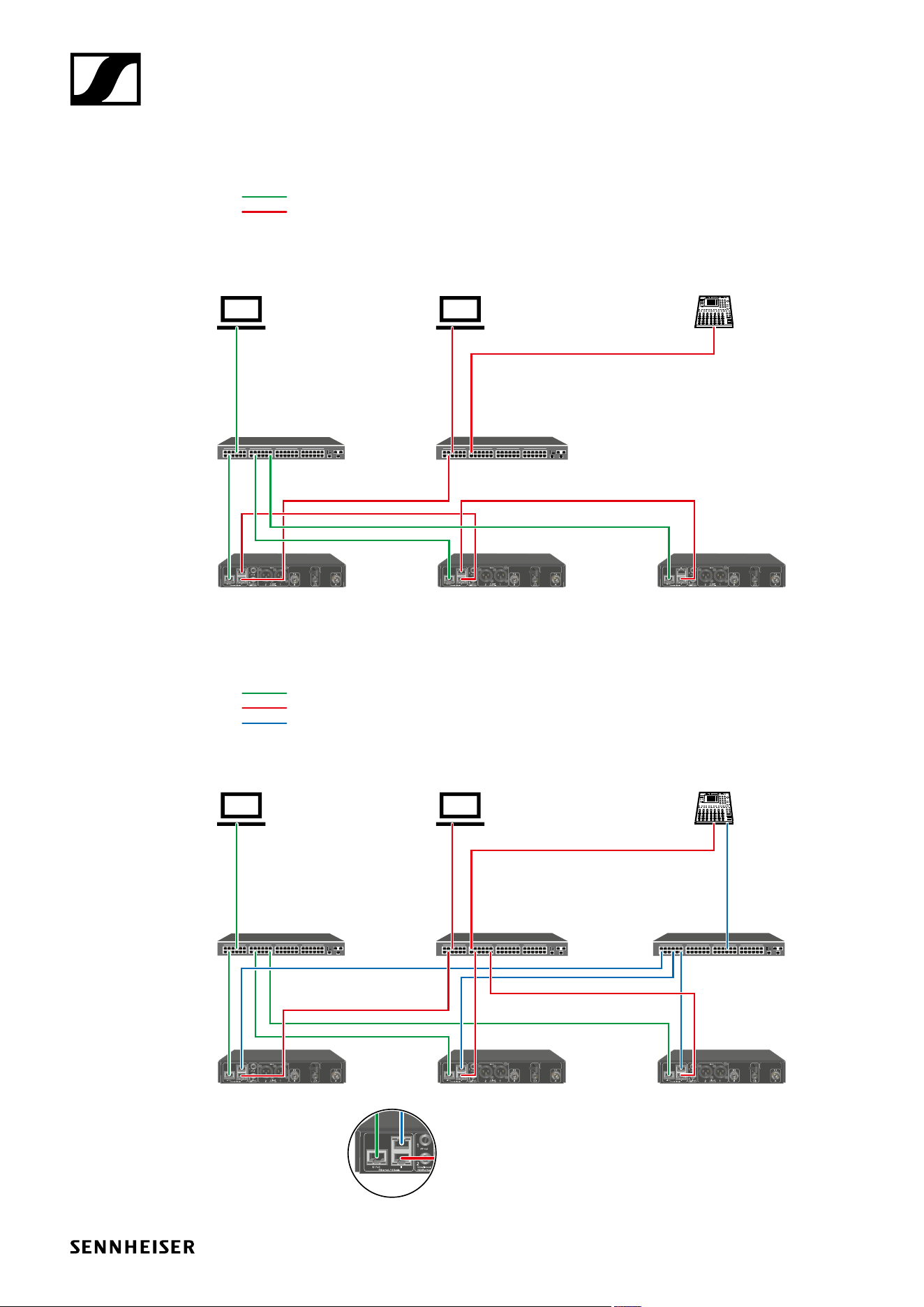
Split Mode 2
Switch
(Control)
Mode: Split 2 Mode: Split 2 Mode: Split 2 (Split 1/
redundancy)
Control (WSM / SCC)
Control
Dante primary
Dante Controller Dante receiver
Switch
(Dante primary)
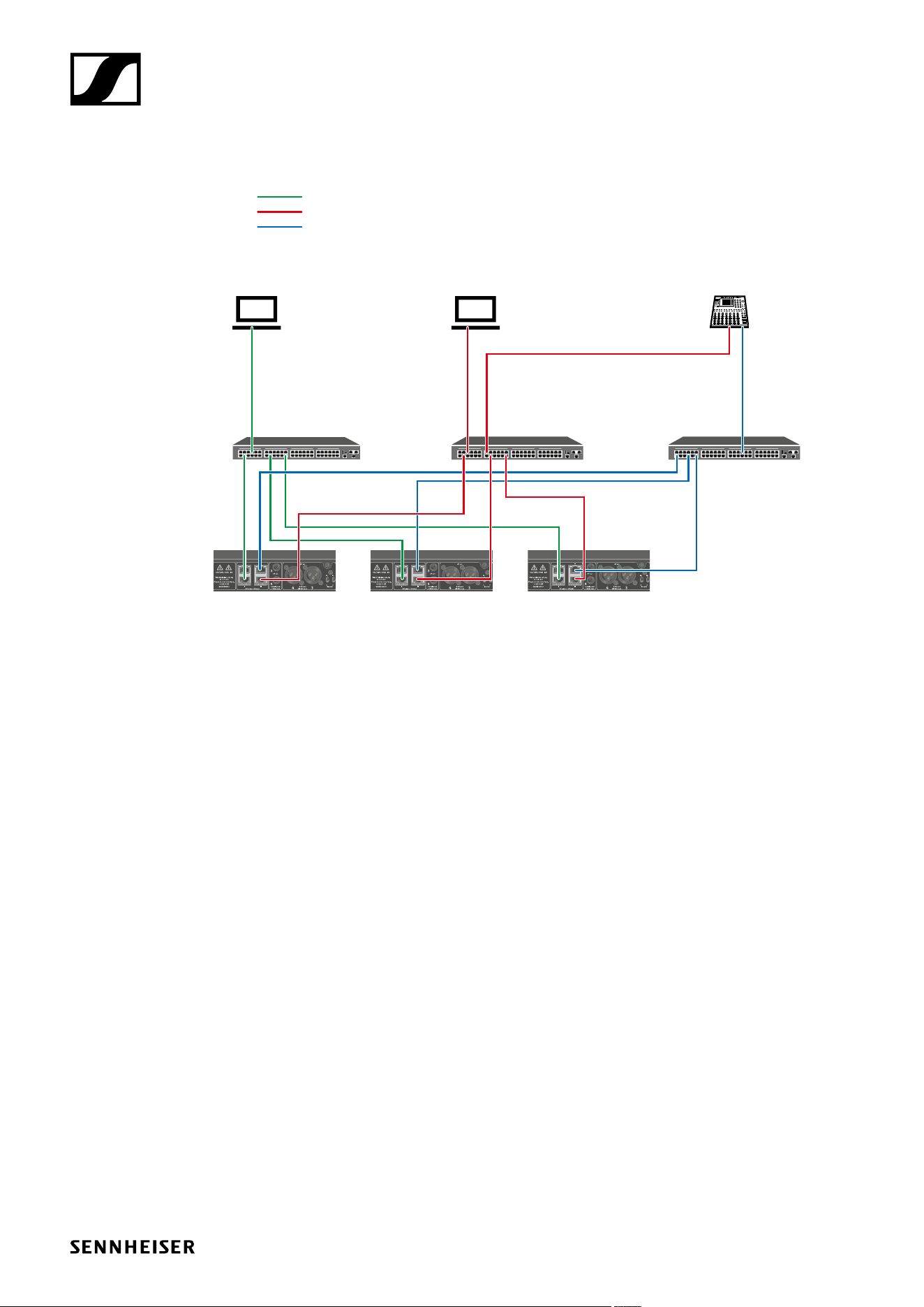
Redundancy Mode
Switch
(Control)
Mode: Redundancy Mode: Redundancy Mode: Redundancy
Control (WSM / SCC)
Control
Dante primary
Dante secondary
Dante Controller Dante receiver
Switch
(Dante primary)
Switch (Dante
secondary)
TI v1.1 | 8/11
EW-DX Network connection guide
EW-DX EM 4 Dante network connection guide
Assignment of the sockets
Ctrl = Network control for e. g. Wireless Systems Manager (WSM), Sennheiser Control Cockpit
(SCC) or 3rd party media control
PRIMARY = Dante primary
SECONDARY = Dante secondary
Variant 1
Single Cable Mode (default)
Variant 2
Split Mode
Variant 3
Redundancy Mode
III
IIIIV IV IV
III
III
III
III
PRIMARY
Ctrl
PRIMARY
Ctrl
PRIMARY
Ctrl
PRIMARY PRIMARY
Ctrl
Ctrl Ctrl
PRIMARY
Ctrl
PRIMARY
Ctrl
SECONDARY
TI v1.1 | 9/11
EW-DX Network connection guide
Connections and mode settings
Single Cable Mode
Default
Switch
(Control/Dante)
Mode: Single Cable Mode: Single Cable Mode: Single Cable Mode: Single Cable
Control (WSM / SCC /
Dante Controller)
Control/Dante primary
Dante primary
Dante receiver
The cable can be connected to socket I, II, III or IV.
Daisy-chain
Control (WSM / SCC /
Dante Controller)
Control/Dante
Dante
Dante receiver
Mode: Single Cable Mode: Single Cable Mode: Single Cable Mode: Single Cable
TI v1.1 | 10/11
EW-DX Network connection guide
Split Mode
Split without daisy-chain
Switch
(Control)
Mode: Split
Control (WSM /SCC)
Control
Dante primary
Dante Controller
Switch
(Dante primary)
Dante receiver
Split with daisy-chain
Switch
(Control)
Mode: Split Mode: Split Mode: Split
(Redundancy)
Control (WSM / SCC)
Control
Dante primary
Dante Controller Dante receiver
Switch
(Dante primary)
TI v1.1 | 11/11
EW-DX Network connection guide
Redundancy Mode
Switch
(Control)
Mode: Redundancy Mode: Redundancy Mode: Redundancy
Control (WSM / SCC)
Control
Dante primary
Dante secondary
Dante Controller Dante receiver
Switch
(Dante primary)
Switch (Dante
secondary)