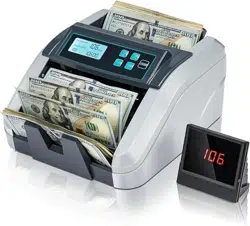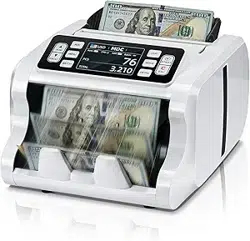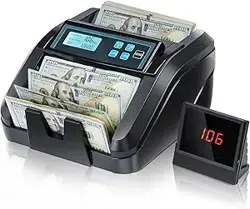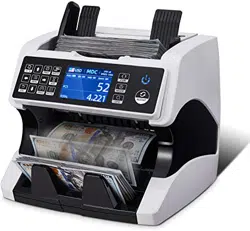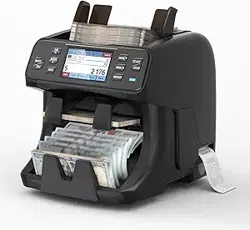

IMC40 Banknote Counter
User Manual
1.00

Page2of20
IMC40 Whatsapp: +86-18144898200
Version History 排版时删除
Date
By
Changes
Version
2022-8-26
Stan
Initial Version
1.00

Page3of20
IMC40 Whatsapp: +86-18144898200
Contents
Version History .......................................................................................................................... 2
1.0. Packing Open and Installation ....................................................................................... 4
1.1. Packing List ................................................................................................................................4
2.0. Overview ........................................................................................................................5
2.1. Machine Overview ......................................................................................................................5
2.2. Safety Precautions ..................................................................................................................... 5
2.3. Abbreviation & Acronyms Used ................................................................................................. 6
3.0. Operation Interface ........................................................................................................7
3.1. Display Interface .......................................................................................................................7
4.0. Operating Instructions ................................................................................................... 8
4.1. Start-up .......................................................................................................................................8
4.2. Placing Banknotes ..................................................................................................................... 8
4.3. Loading the Printer Paper .......................................................................................................... 8
4.4. Currency Selection .....................................................................................................................9
4.5. Counting Mode Selection .........................................................................................................10
4.5.1. MIX Mode .............................................................................................................................10
4.5.2. SORT Mode .........................................................................................................................10
4.5.3. CNT Mode ............................................................................................................................10
4.5.4. SG Mode ..............................................................................................................................11
4.6. Counting Function Options ...................................................................................................... 11
4.6.1. Automatic & Manual Banknote Counting .............................................................................11
4.6.2. Add Function ........................................................................................................................12
4.6.3. Face & ORT Function ..........................................................................................................12
4.6.4. Batch & Amount Setting .......................................................................................................12
4.7. Counting Speed Setting ........................................................................................................... 13
4.8. Counting Report & Print ........................................................................................................... 13
5.0. Menu Setting ................................................................................................................15
5.1. User Setting ..............................................................................................................................15
5.1.1. Sensor Values ......................................................................................................................15
5.1.2. CIS Calibration .....................................................................................................................16
5.1.3. Printer Setting ...................................................................................................................... 16
5.1.4. Detection Level .................................................................................................................... 16
5.1.5. Reject Pocket Set ................................................................................................................ 16
6.0. Maintenance .................................................................................................................18
7.0. Technical Parameters ...................................................................................................19
Page4of20
IMC40 Whatsapp: +86-18144898200
1.0. Packing Open and Installation
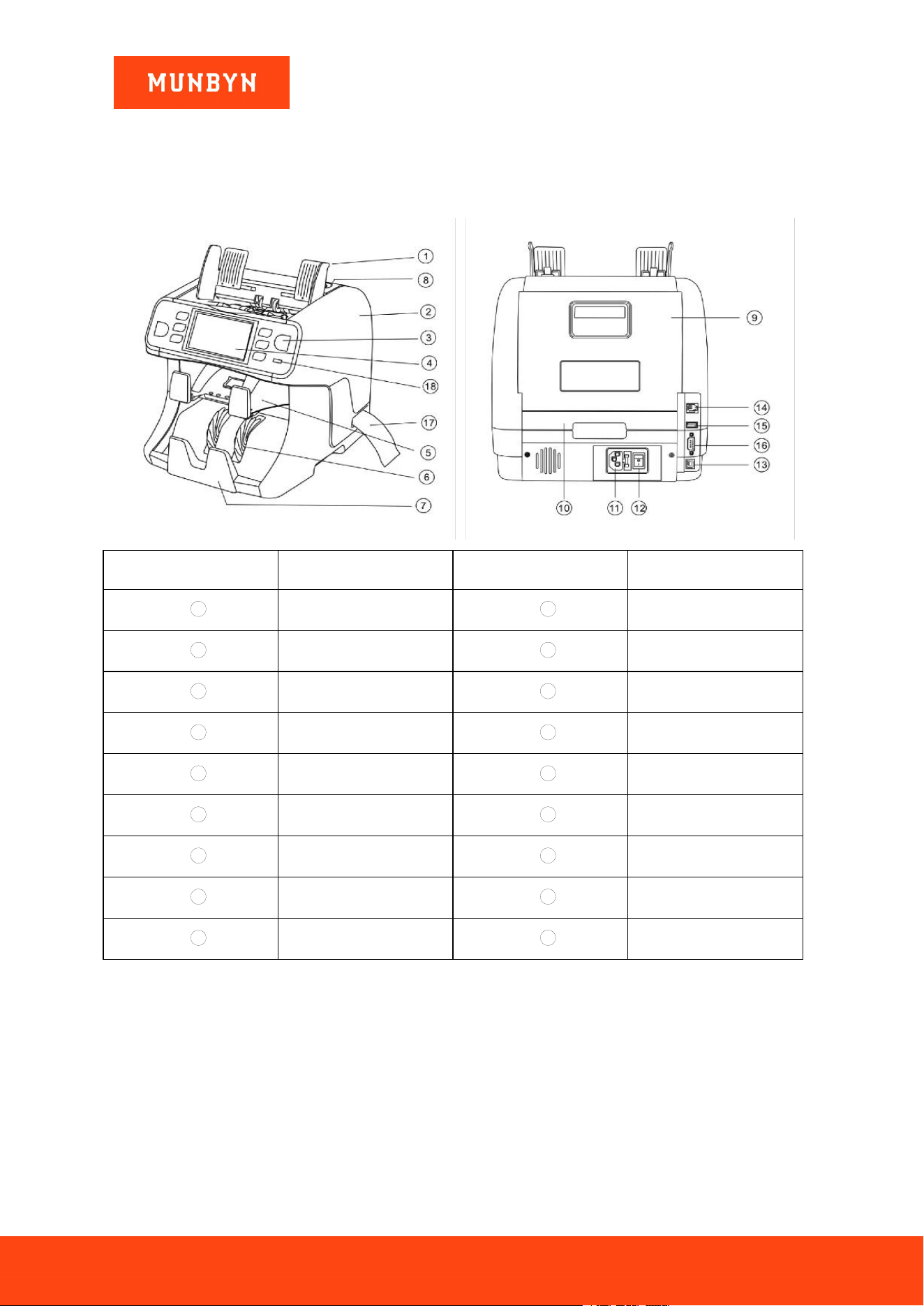
1.1. Packing List
When you receive the package, open and check the packing list in the package. If any item is damaged or
missing, contact us.
Table 1- 1 Packing List
Item Name
Picture
Quantity
(pcs)
Description
Banknote Counter
1
Banknote Counter
Power Cord
1
US/EU Standard Power Supply
Cable
Money Guider
2
Guides on top of the hopper
Maintenance kit
1
Brush,Calibration paper,
screwdriver
User Manual
1
Page5of20
IMC40 Whatsapp: +86-18144898200
2.0. Overview
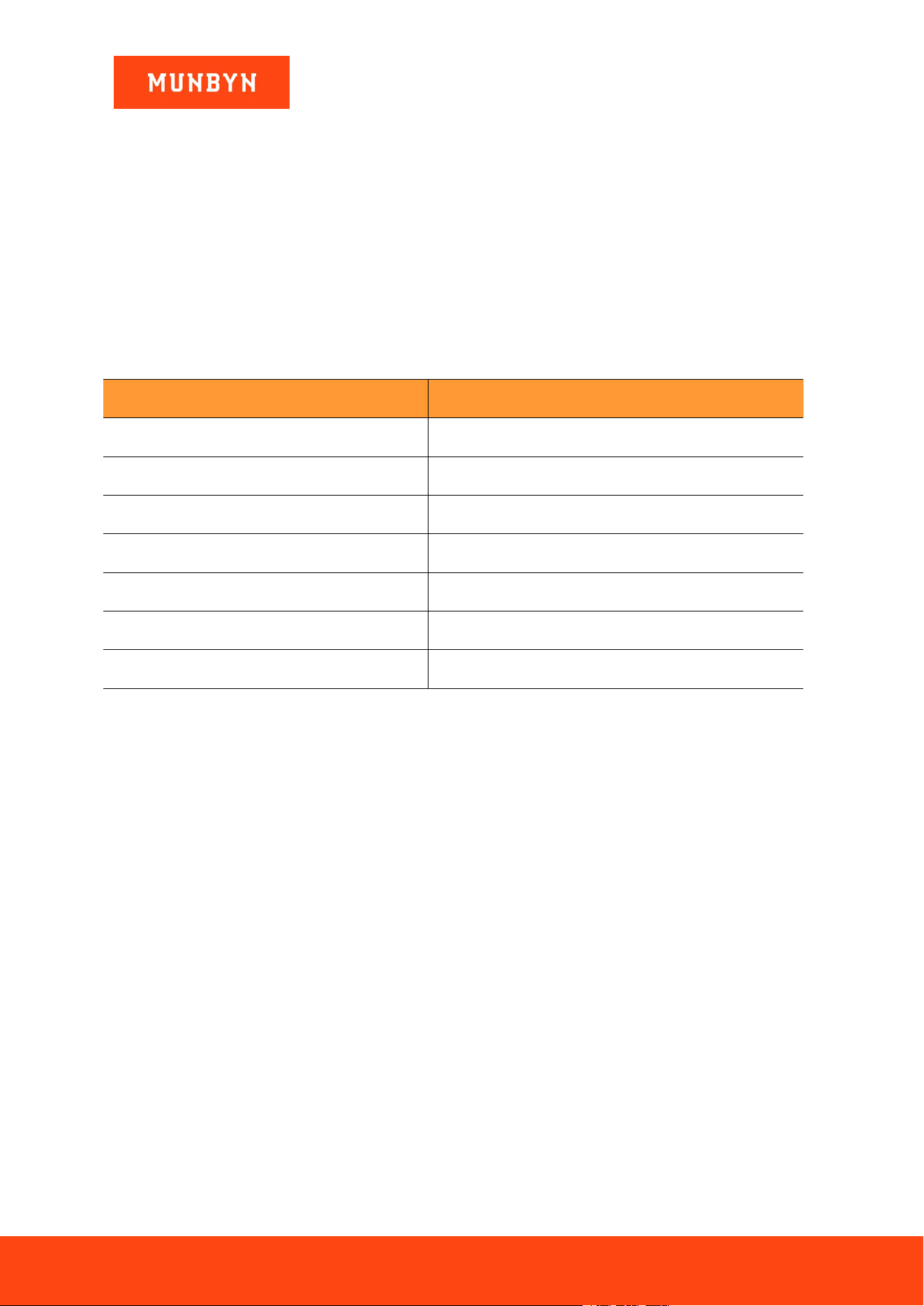
2.1. Machine Overview
No.
Item
No.
Item
1
Banknote Guider
2
Side Cover
3
Key
4
Touch Screen
5
Reject Pocket
6
Impeller
7
Stacker
8
Adjusting Screw
9
Back Cover
10
Drawer
11
Power Socket
12
Power Switch
13
PC port
14
Lan Port
15
USB Port
16
RS232 Port
17
Printer
18
Status Light
Figure 2- 1 IMC40 Banknote Sorter
2.2. Safety Precautions
When using this product, the following basic safety precautions should always be followed to reduce the
risk of fire, electric shock, or injury to persons or animals.
1) Place the machine on a flat and stable surface.
2)
Do not place the machine in dusty or dirty environments.
3) Do not place the machine in direct sunlight or near heat sources.
4)
Always disconnect the power cord before performing maintenance on the machine.
Page6of20
IMC40 Whatsapp: +86-18144898200
5)
Always connect the machine to a grounded electric outlet.
6) Use only power cords provided by MUNBYN.
7)
Do not use the machine outdoors.
8) Do not expose the machine to liquids.
9)
This machine contains moving parts and sharp edges. Always be careful. Do not touch the components
inside the machine while it is running. Keep jewelry, long hair, ties, and lanyards away from the
machine at all times.
10)
Please be careful to avoid any foreign objects, such as coins or staples, falling into the unit, as it may
cause damage to the machine.
2.3. Abbreviation & Acronyms Used
Table 2- 1 Abbreviations
Abbreviation
Definition
UV
Ultraviolet
IR
Infrared
MG
Magnetic
MT
Metal thread
SN
Serial Number
CIS
Contact Image Sensor
ORT
Orientation
Page7of20
IMC40 Whatsapp: +86-18144898200
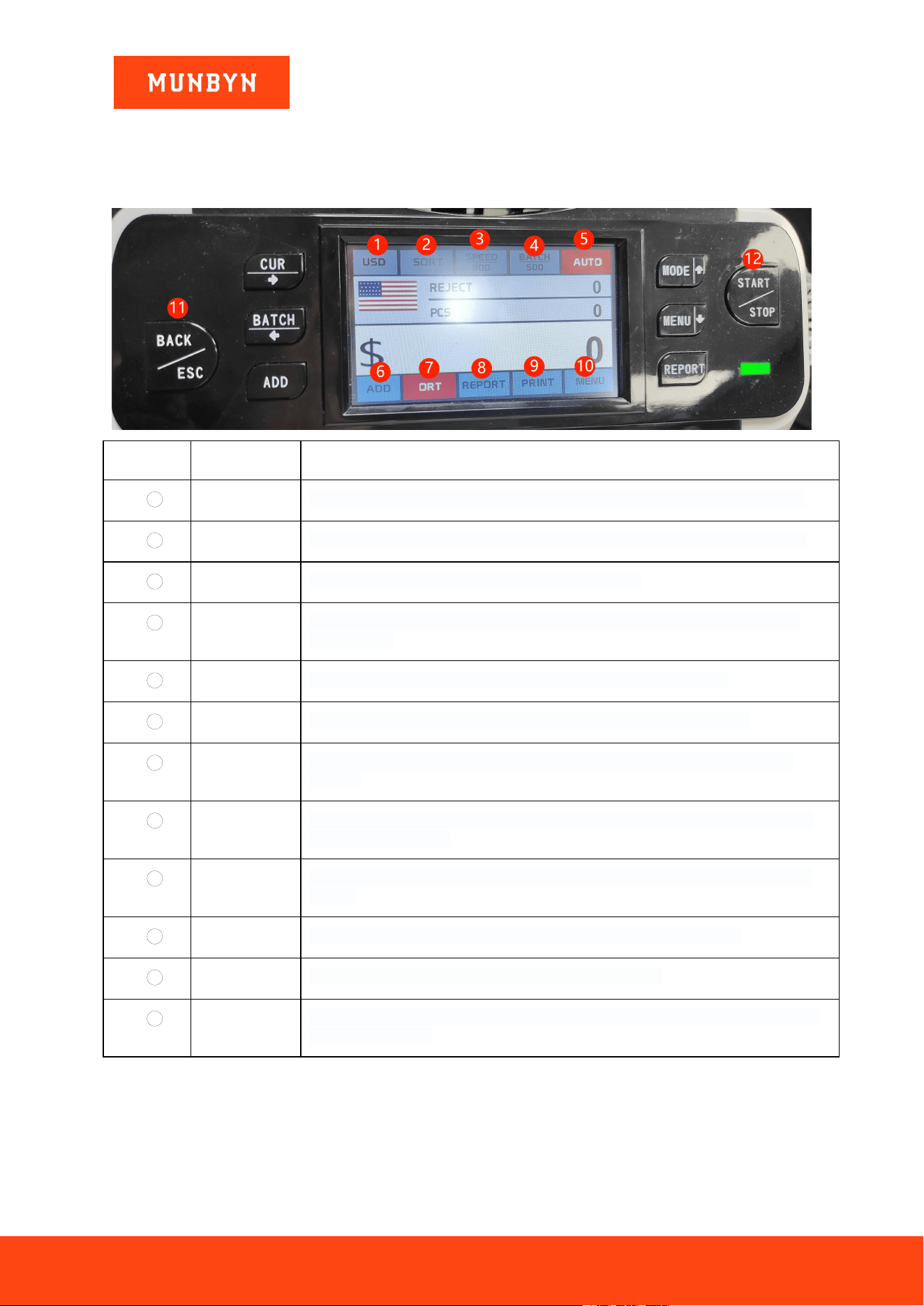
3.0. Operation Interface
3.1. Display Interface
No.
Item
Function
1
CUR
Press or touch the currency symbol on the screen to choose the needed currency
2
MODE
Press or touch MIX/ SDC/ SG/ CNT on the screen to switch the counting mode
3
SPEED
Touch this on the screen to switch the counting speed
4
BATCH
Press or touch BATCH on the screen to enter batch UI to set the PCS batch or
amount batch
5
AUTO
Touch this on the screen to switch to Auto count or Manual count
6
ADD
Press or touch ADD on the screen to turn on the accumulation function
7
F&O
Touch this on the screen to switch face, orientation, face& orientation sorting
function
8
REPORT
Press or touch REPORT on the screen to check the counting result details in the
stack and reject pocket
9
PRINT
Touch this to enter printing UI to choose print count result with or without serial
number
10
MENU
Press or touch MENU on the screen to enter the user menu setting UI
11
BACK/ESC
Press to backward to the previous UI or back to home UI
12
START/STOP
Press to start counting under manual count mode, press to stop counting while the
machine is working
Figure 3- 1 Display Interface
Page8of20
IMC40 Whatsapp: +86-18144898200
4.0. Operating Instructions
4.1. Start-up
Turn on the switch after connecting the machine to the power supply. First, the machine enters the self-checking
interface, as shown in Figure 4-1.
Figure 4- 1 Self-checking Interface
Please wait patiently for about 10 seconds, and the machine will spin the banknote processing wheel several
times to conduct a self-check.
4.2. Placing Banknotes
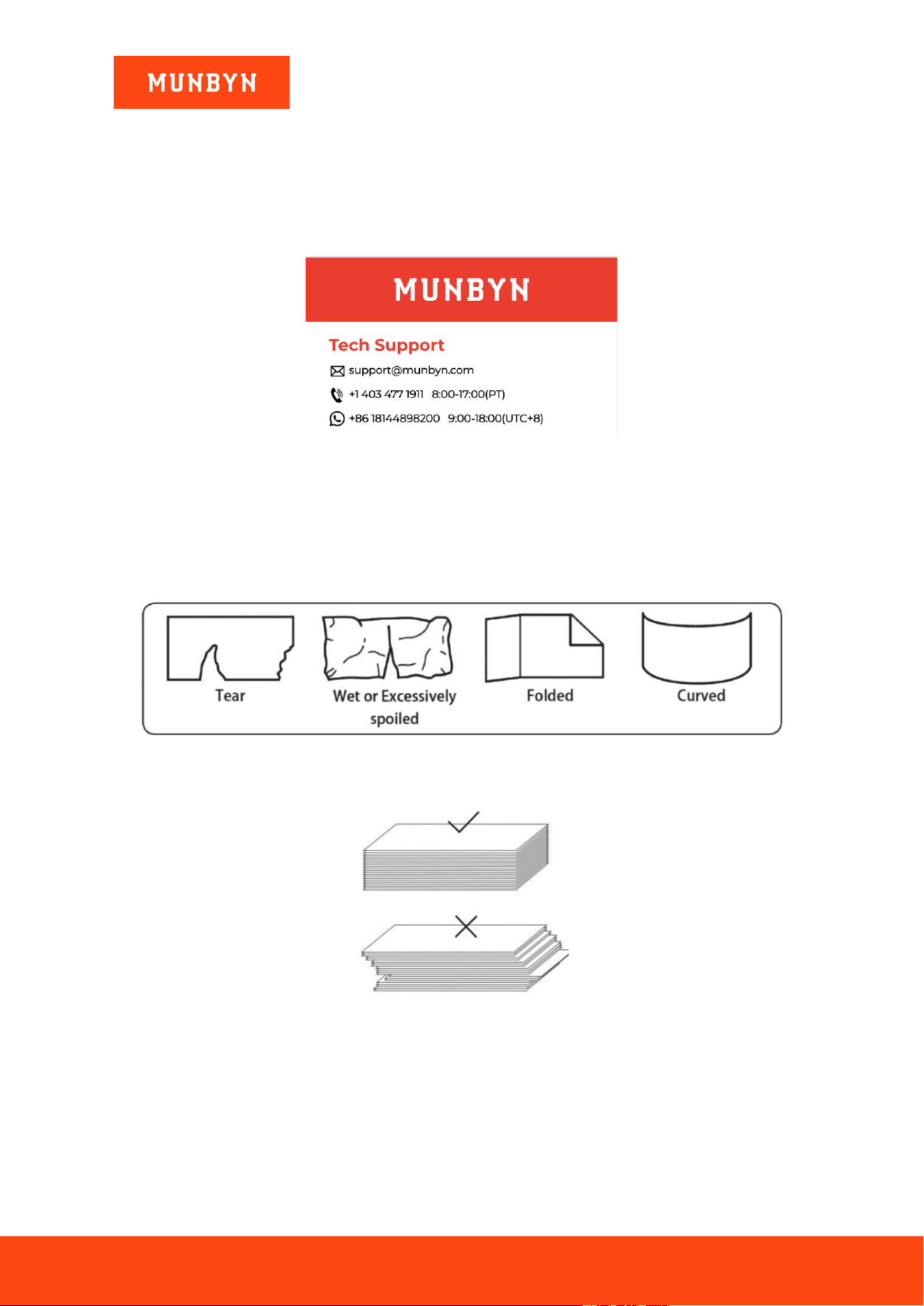
Avoid counting wet, excessively dirty, or significantly folded banknotes.
Figure 4- 2 Damaged Notes
To avoid counting errors, please place the bills correctly.
Figure 4- 3 Banknotes Alignment
4.3. Loading the Printer Paper
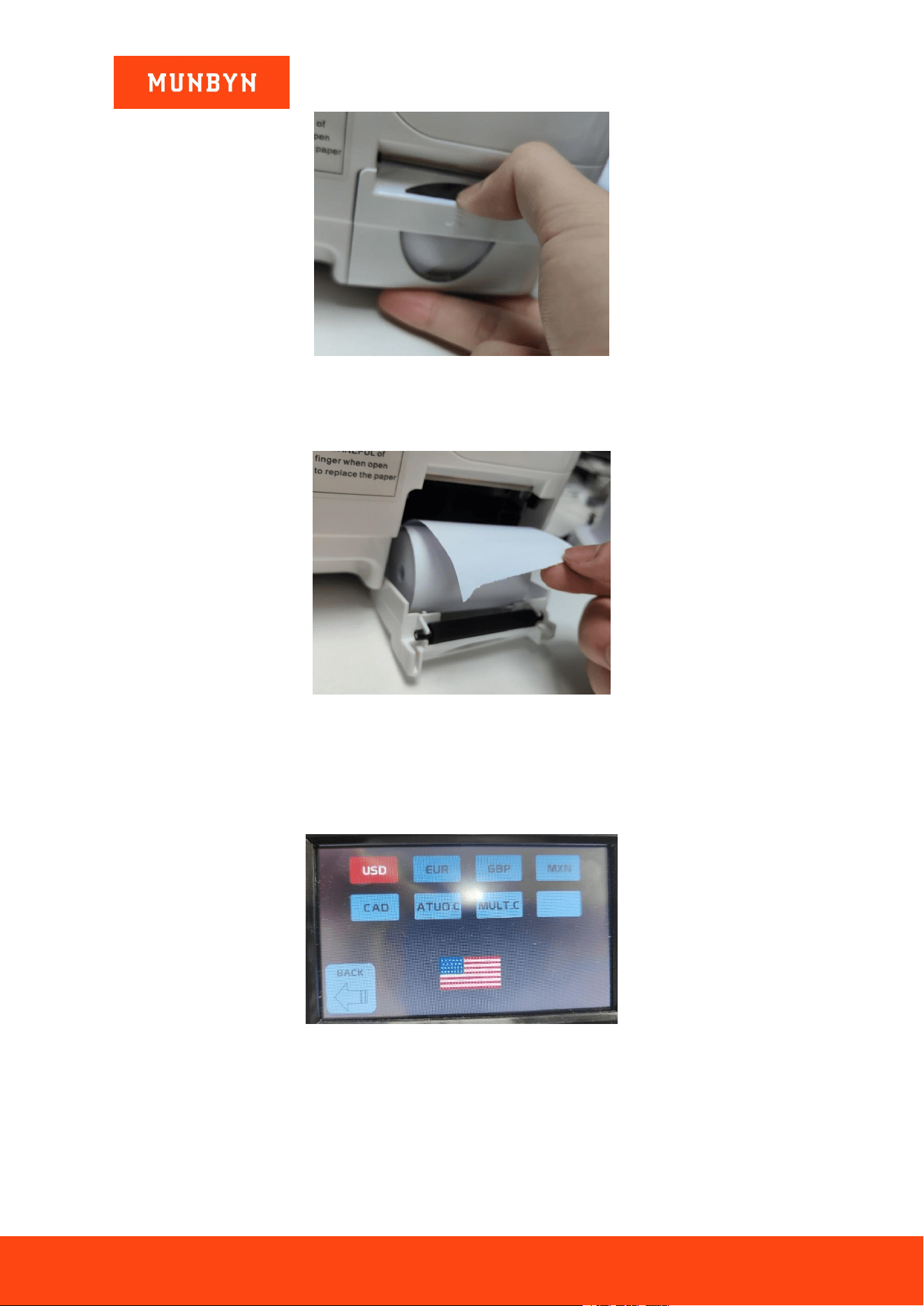
Open the printer paper cover of the machine shown in Figures 4-4.
Page9of20
IMC40 Whatsapp: +86-18144898200
Figure 4- 4 open the cover
Insert a roll of paper in the direction shown in Figures 4-5.
Figure 4- 5 Insert paper
4.4. Currency Selection
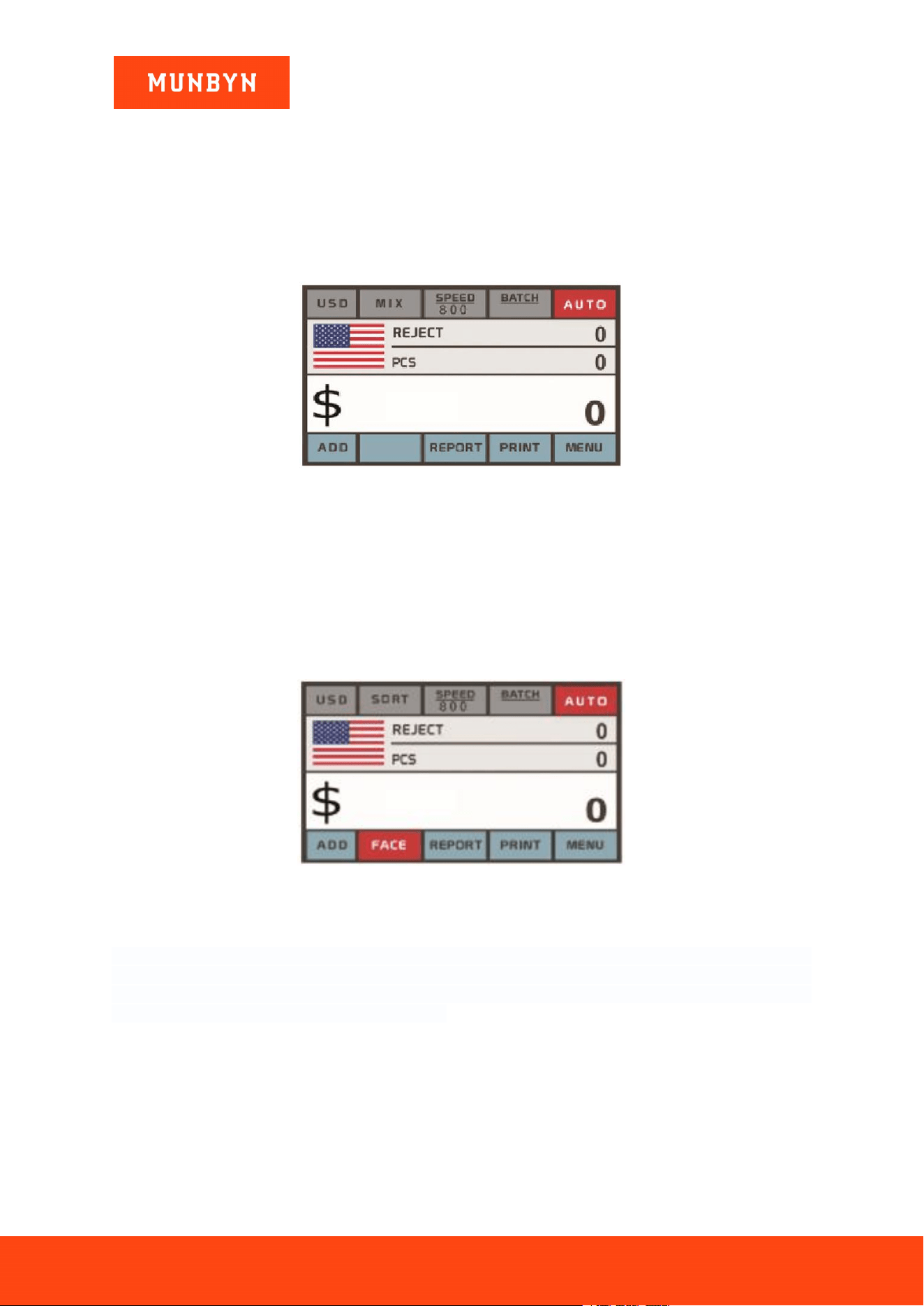
Press the CUR key or use the touch screen to enter the currency selection. As shown in Figure 4-4, the
display will show AUTO.C, MULT.C, and the installed currencies.
Figure 4- 6 Currency Selection Interface
AUTO.C: The banknote counter uses the first banknote passing through the sensor as the judgment rule to
recognize the banknotes of all denominations of the same currency.
MULT.C: Banknotes of multiple currencies are mixed and put into the banknote counter to count.
Page10of20
IMC40 Whatsapp: +86-18144898200
4.5. Counting Mode Selection
4.5.1. MIX Mode
Press the key "MODE" or touch it on the screen to select MIX mode. Under MIX mode, the machine will
count the mixed denomination banknotes of a given currency. When the counting is complete, press the
"REPORT" button to get a detailed report of the counting results. You can turn on function ADD or
BATCH or ADD+BATCH under this mode.
Figure 4- 7 MIX Mode
4.5.2. SORT Mode
Press the key "MODE" or touch it on the screen to select SORT mode. Under SORT mode, the machine
will count banknotes of the same denomination. The first banknote counted by the machine becomes the
reference for the rest of the stack. The machine will display an error code when a different denomination
is detected. When the counting is complete, press the "REPORT" key or touch on screen to get a detailed
report of the counting results. You can turn on function ADD or BATCH or ADD+BATCH under this
mode.
Figure 4- 8 SORT Mode
4.5.3. CNT Mode
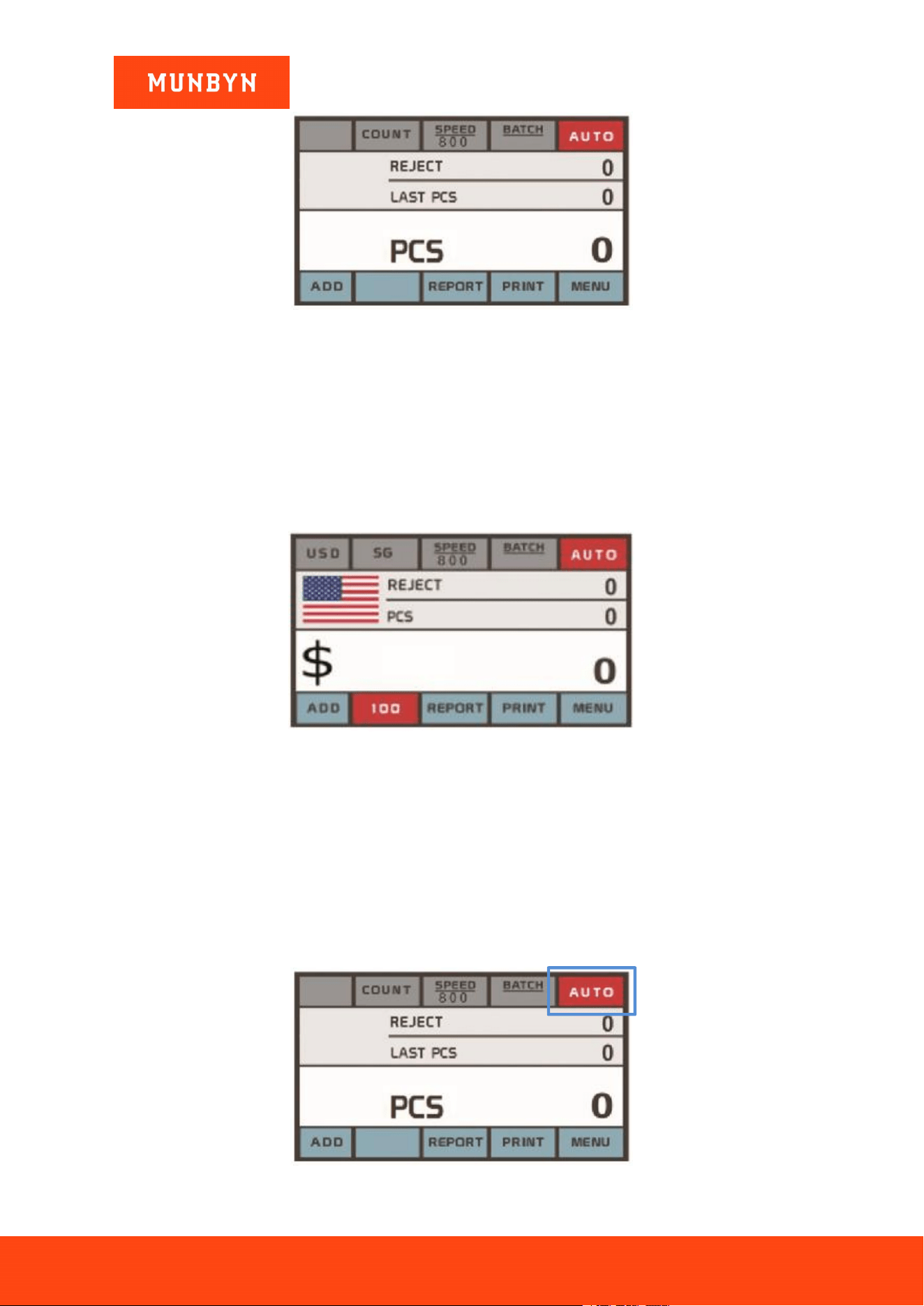
Press the key "MODE" or touch it on the screen to select CNT mode. Under CNT mode, the machine only
counts the number of bills, all counterfeit detection is turned off. When the counting is complete, press the
"REPORT" key or touch on screen to get a detailed report of the counting results. You can turn on function
ADD or BATCH or ADD+BATCH under this mode.
Page11of20
IMC40 Whatsapp: +86-18144898200
Figure 4- 9 CNT Mode
Note: While in the CNT mode, there is only a double note detection function but no counterfeit detection
functions.
4.5.4. SG Mode
Press the key "MODE" or touch it on the screen to select SG mode. Under SG mode, the machine only
counts the denomination that has been chosen and rejects all others. When the counting is complete, press
the "REPORT" key or touch on screen to get a detailed report of the counting results. You can turn on
function ADD or BATCH or ADD+BATCH under this mode.
Figure 4- 10 SG Mode
4.6. Counting Function Options
4.6.1. Automatic & Manual Banknote Counting
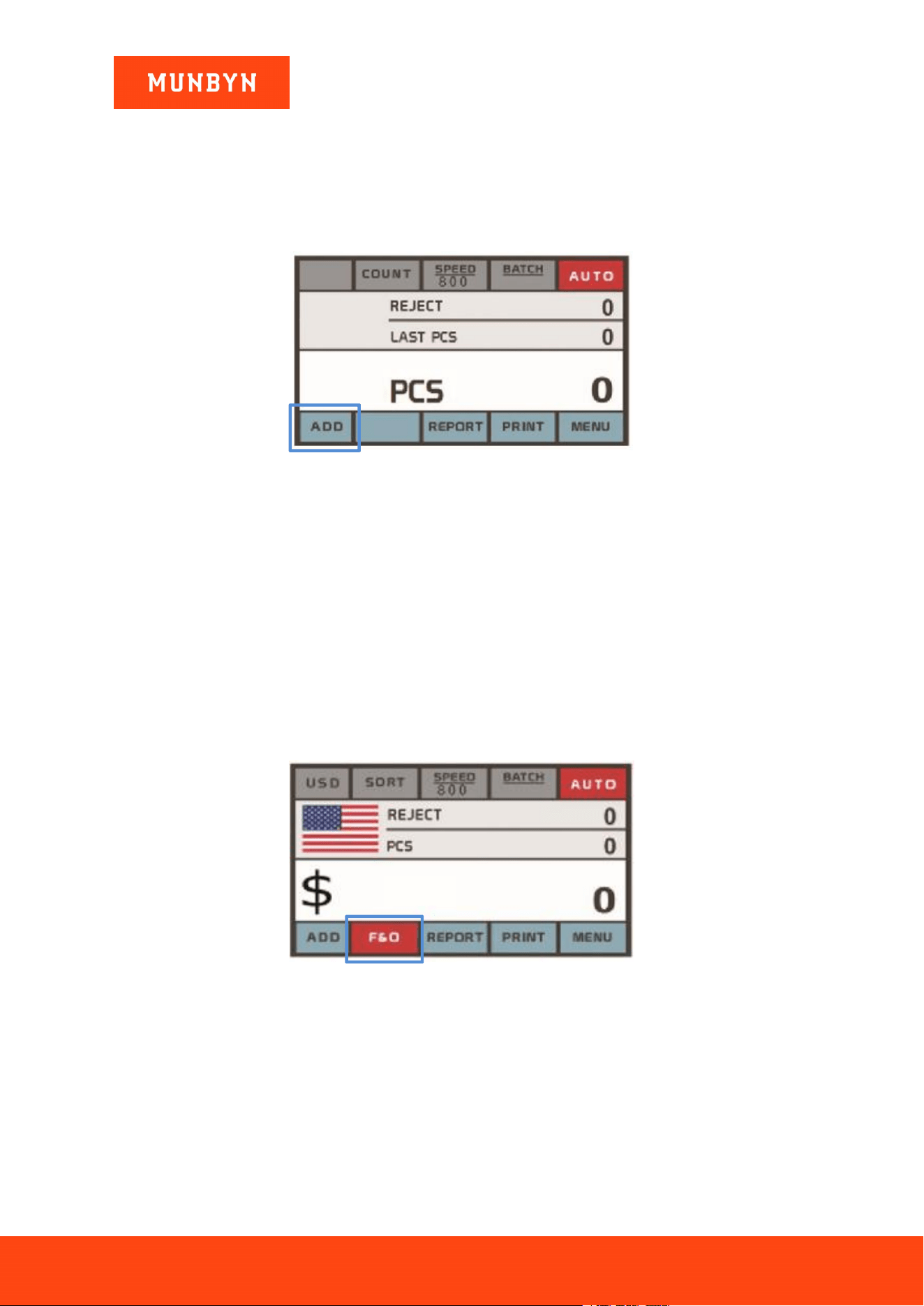
Touch this on the screen to enable the auto Banknote Counting. In this mode, the machine starts counting
automatically.
To operate with the manual counting mode, the RESTART key must be pressed to start each count.
Page12of20
IMC40 Whatsapp: +86-18144898200
Figure 4- 11 Auto & Manual Count
4.6.2. Add Function
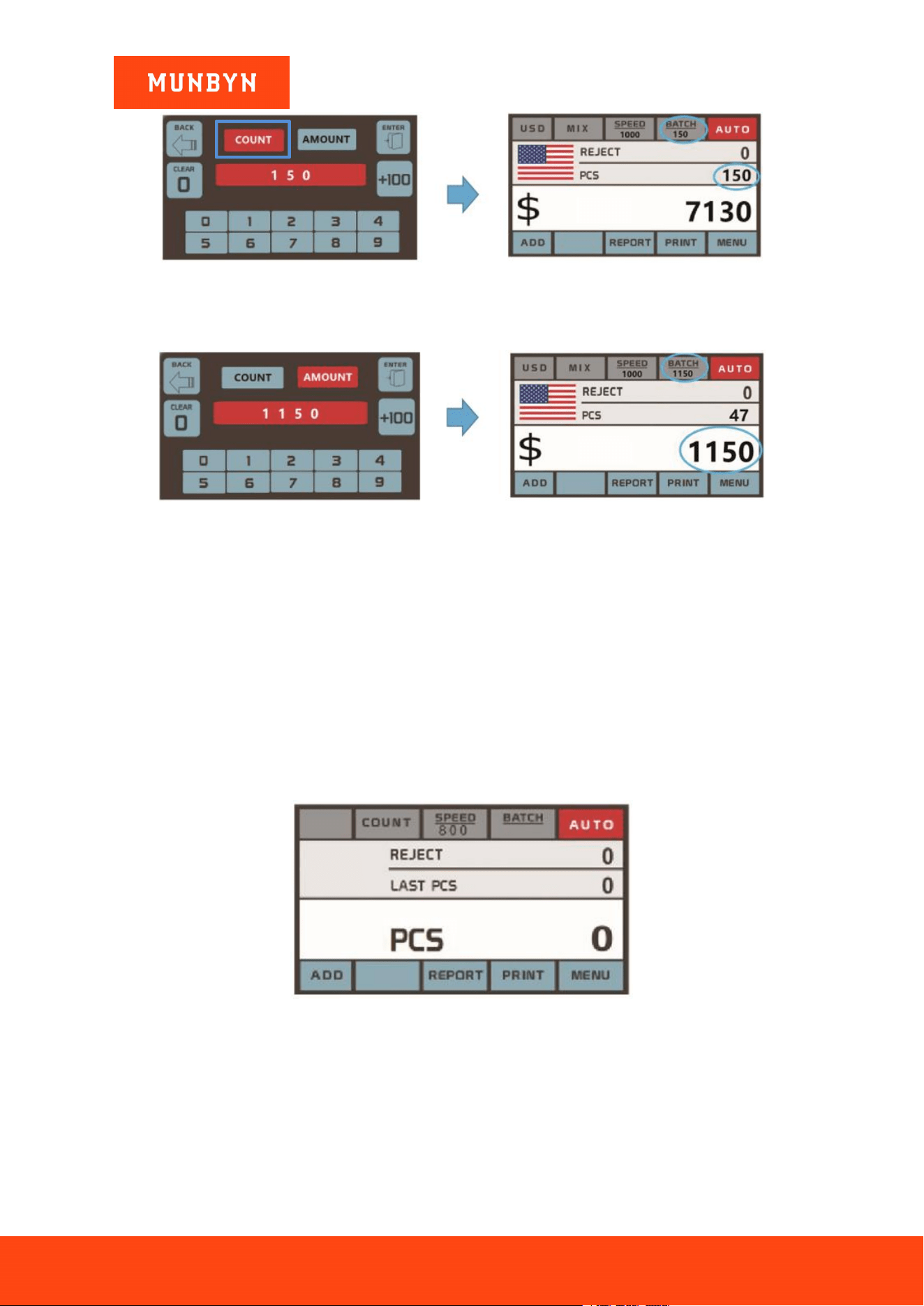
This function is toggled on via the ADD key or touch the screen. It is used to cumulatively add the
counting results of multiple counts to the total. When the add function is activated, an “ADD” indicator
will be displayed on the main screen. Press the ADD key again to disable the add function.
Figure 4- 12 Add Function Indicator
4.6.3. Face & ORT Function
This function is available by touching the screen in SORT/MIX mode. By touching this to switch Face,
ORT, Face & ORT.
Face: This function allows the user to sort the banknotes based on whether they are loaded into the hopper
face up or face down. This first note in the hopper determines the sorting and counting orientation. If the
first note through the machine is face up, all notes in the hopper that are face up will end up in the stacker,
and the other notes will end up in the reject pocket.
ORT: This function allows the user to count and sort the notes by one of 4 orientations. The first note in
the hopper determines the counting orientation. Any time a note passes through the machine and does not
conform to the orientation determined by the first note, the machine will reject this note into the reject
pocket.
Figure 4- 13 Face & ORT
4.6.4. Batch & Amount Setting
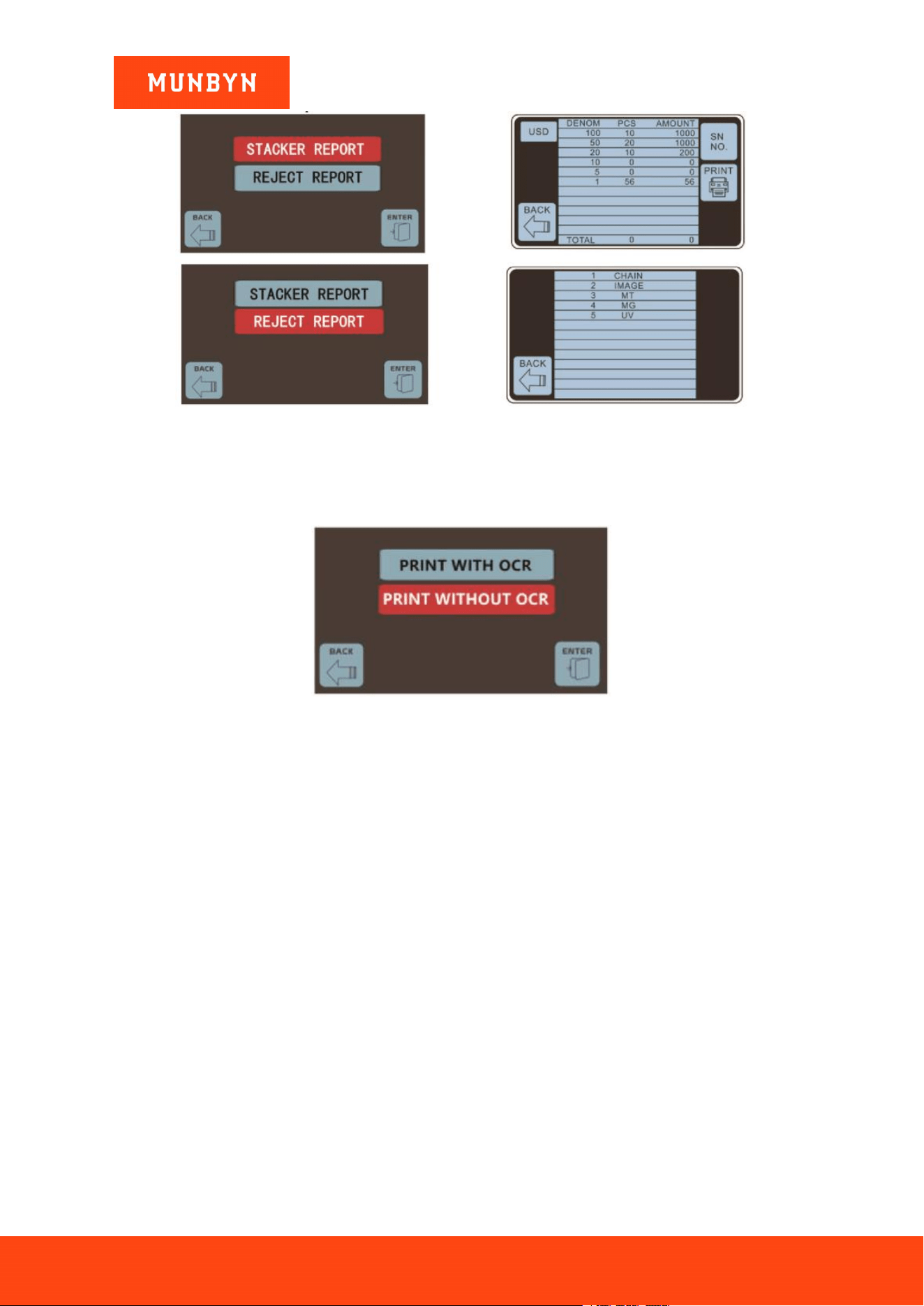
Press the BATCH key to the batch setting interface, the screen display is shown in Figures 4-12. Set the
batch numbers and tap the ENTER on the screen to save it, machine will stop counting the counted pieces
that match the set.
Page13of20
IMC40 Whatsapp: +86-18144898200
Figure 4- 14 Batch Function1
Tap the AMOUNT to set Amount numbers, Machine will stop counting at the counted amount that matches the
set.
Figure 4- 15 Batch Function2
Note: The stacker’s maximum capacity is 200 bills, so the batch PCS number should be less or equal to
200.
Batch function is used to select a batch quantity for a specific counting process. The IMC40 counts a preset
number of notes and then stops counting when the batch number has been reached, even if the notes
remain in the hopper. When the banknotes are removed from the stacker, the IMC40 will continue to count
up to the preset batch quantity to create another batch.
4.7. Counting Speed Setting
There are three counting speed options: 1200, 1000, and 800 (Note: 1200 is the only optional in CNT
mode). The default speed is 800 in three modes. If a specific setting is needed, different counting speeds
can be switched by pressing the SPEED key in any counting mode.
Figure 4- 16 Speed Indicator
4.8. Counting Report & Print
Press the REPORT key upon the completion of counting to enter the interface shown in the following
figure to check the details of counting and rejected bills.
Page14of20
IMC40 Whatsapp: +86-18144898200
Figure 4- 17 Detail Denomination Information
Tap the PRINT key on the REPORT interface to print the counted result with or without the banknote serial
number.
Figure 4- 18 Print Count Report
Page15of20
IMC40 Whatsapp: +86-18144898200
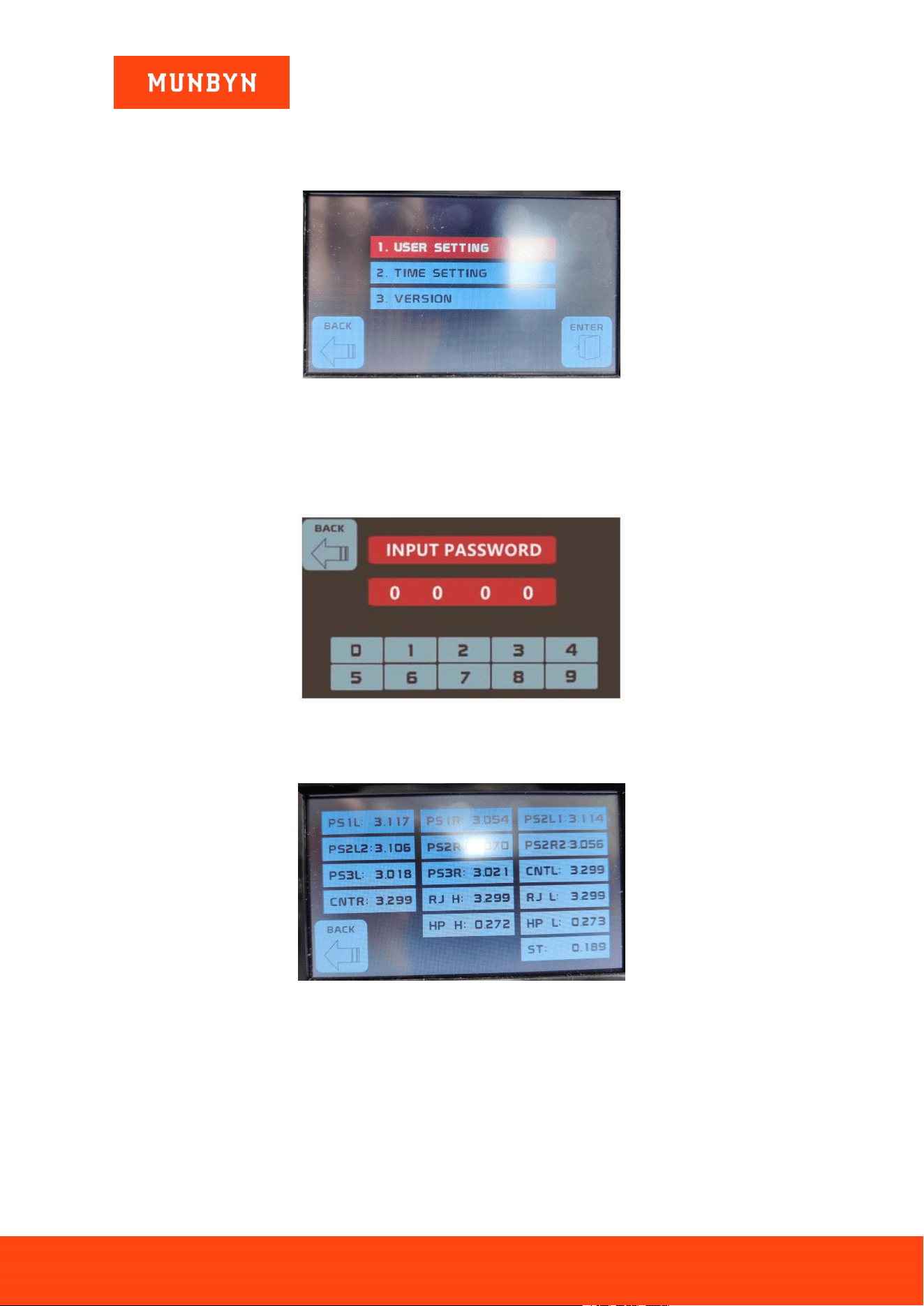
5.0. Menu Setting
To enter the menu interface, press the MENU key until a beep sounds, as shown in the following figure.
Figure 5- 1 Menu Interface
5.1. User Setting
Press the MENU key to enter the service menu, you will be requested to input a password with the
following interface. The default password is 6666.
Figure 5- 2 Password Interface
5.1.1. Sensor Values
Figure 5- 3 Sensor Values
Tech support may ask you to provide this information. As shown in the above figure, the sensor’s values
are for the engineers to check whether any sensor has malfunctioned. If you meet any problem with us,
please take a photo of this page and contact us.
Page16of20
IMC40 Whatsapp: +86-18144898200
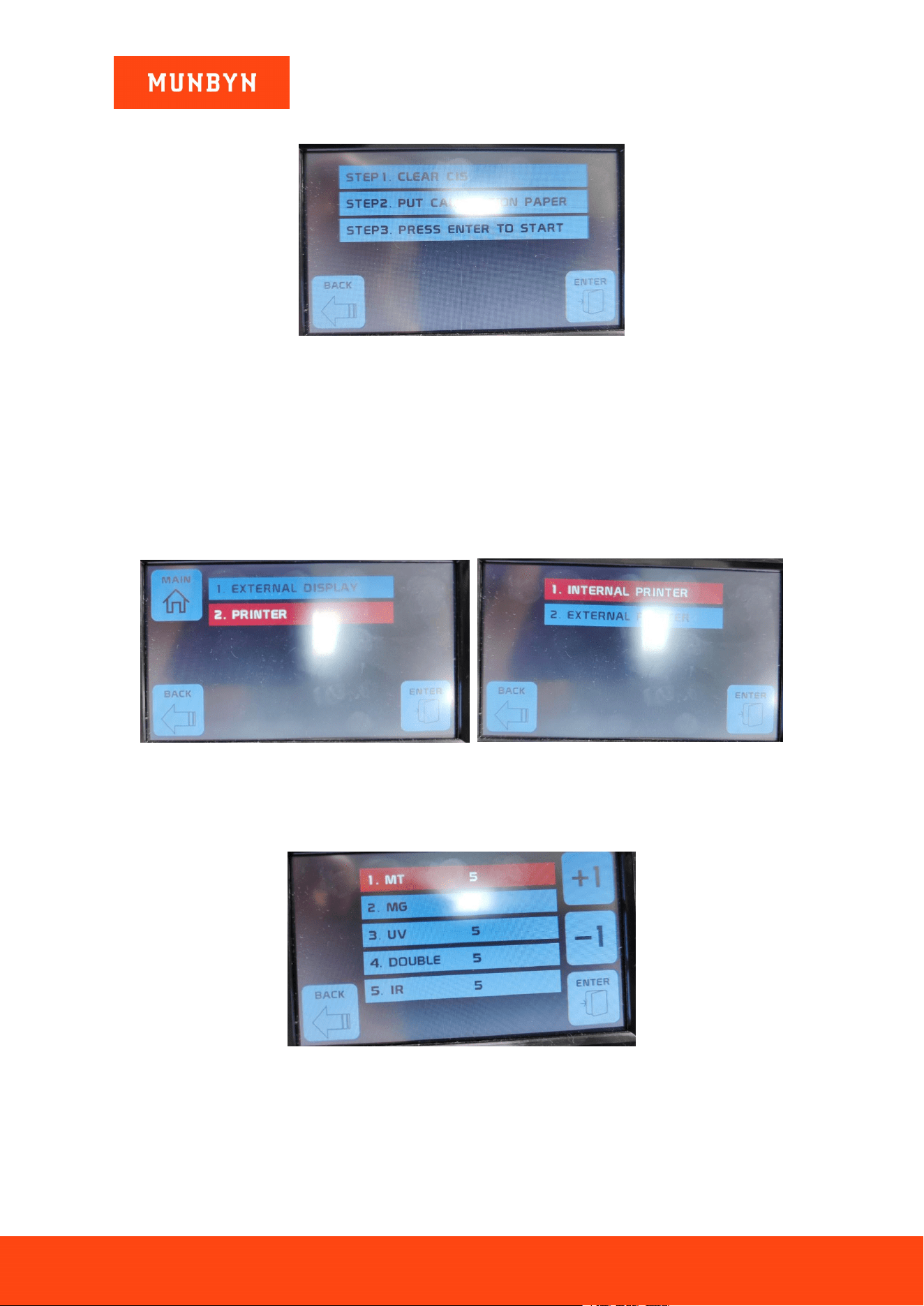
5.1.2. CIS Calibration
Figure 5- 4 CIS Calibration Steps
If you have problems with banknote detection errors, please try to calibrate the CIS. The CIS calibration
steps are shown in Figures 5-5. For more detailed instructions, we recommend you review the reference
manual or watch the following video: 补充链接
The contact image sensor (CIS) of the machine has been calibrated properly from the factory. With regular,
use, the sensor’s sensitivity decreases which can lead to image errors. To resolve the issue, the IMC40 can
be re-calibrated using the white calibration paper that came with the machine.
5.1.3. Printer Setting
You can select the Internal printer or External printer in EXTERNAL DEVICE.
Figure 5- 5 MG MT Waveforms
5.1.4. Detection Level
Figure 5- 6 Detection Level
Adjustable levels with 5 detection types (MT、MG、UV、DOUBLE、IR), adjustment rang:0~10.
5.1.5. Reject Pocket Set

Page17of20
IMC40 Whatsapp: +86-18144898200
Figure 5- 7 Auto Diagnostic
Tap here to switch the Reject Pocket number (50, 100).

Page18of20
IMC40 Whatsapp: +86-18144898200
6.0. Maintenance
After starting the machine, it will go on self-check automatically. If the preset window shows the error
code or tells you to clean the sensors, generally speaking, it is because of dust on the surface of the sensor
blocked by notes. So please clear the dust on the surface with a brush or soft cloth, or take the notes away.
Then restart the machine.
For more troubleshooting methods, please refer to the banknote counter maintenance manual.
Page19of20
IMC40 Whatsapp: +86-18144898200
7.0. Technical Parameters
Table 7- 1 Technical Parameters
Hopper capacity
500 PCS (with hopper guider)
Reject capacity
100 PCS
Stack capacity
200 PCS
Counting speed
800/ 1000 notes/min (MIX, SORT, SG)
800/ 1000/ 1200 notes/min (CNT)
Counterfeit Detection
UV, MG, IR, Dual CIS
Note size
110x50~180x90mm
Display
Touch Panel screen
Power supply
100-240 V/ 50-60 Hz
Power consumption
50 W (MAX)
Noise Level
Around 60-75 dB
Port
USB port (Data collection and machine update)
RS232 port (connect with Printer)
LAN port (connect with an external display)
PC port (connect with PC)
Counting Mode
MDC (Mixed Denomination Counting), SDC (Single Denomination
Counting), CNT (Number Counting Only), SDCV (Single Denomination
Counting by Version)
Dimensions
265x295x285 MM
Weight
10 KGS
Package
420*430*460 MM

Scan the QR code for Facebook or WhatsApp online chat
Contact us
Email: sup[email protected]m
Whatsapp: +86-18144898200
support.munbyn.com(online FAQ and how-to video)
If you meet any problems during using the IMC40, please contact us.